

You've got a target company, a name, and a deadline, but no obvious path to the inbox. That's the point where most prospecting work bogs down, because finding a company with email address is only useful if the address is real, usable, and appropriate to send to.
The job isn't just discovery. It's discovery, verification, permission, and deliverability, all in the same workflow. A single accurate company email address matters because email still operates at massive scale, with worldwide traffic reaching about 376.4 billion messages per day in 2025 and more than 4.6 billion active email users in the same year, according to the cited industry estimate on global email volume and usage global email traffic and active users. That scale is exactly why sloppy list-building wastes time so fast.
Why Finding the Right Company Contact Feels Harder Than It Should
A founder needs the head of operations at a target account. The company name is public, the contact name is known, and the homepage looks polished, but no direct address is visible. Guessing firstname@company.com feels efficient until the first bounce lands, replies never come back, and the team realizes it has spent half a morning building a list that cannot support outreach.
That hidden cost is where lookup work gets messy. The email address is treated like the finish line, but it is only one step in a usable workflow. A company with email address record still has to clear verification, permission, and deliverability before it belongs in a campaign, and each check filters out a different kind of failure.
Friction between name and inbox
The gap usually starts with incomplete signals. A company domain may be obvious, but the contact could be using a role inbox, a named inbox at a corporate domain, or a public-facing address that should not go into the same sequence as a direct prospect. The time sink is usually sorting through near-matches that look productive but do not move revenue.
Practical rule: treat every address as untrusted until it is confirmed, segmented, and tied to a sendable use case.
That caution matters because email still reaches a huge audience and carries enormous volume every day, so a clean, relevant address is worth more than a fast guess. One right address can connect you to a buyer. One wrong address can hurt sender reputation before a real conversation starts.
Setting Up a Browser Extension for One-Click Capture
Start with the browser layer. For one-click capture workflows, install a Chrome extension such as the EmailScout email extractor extension and pin it in the toolbar so it's always visible when you're browsing target sites. That tiny setup step saves more time than many expect, because the capture action becomes muscle memory instead of a hunt through extension menus.
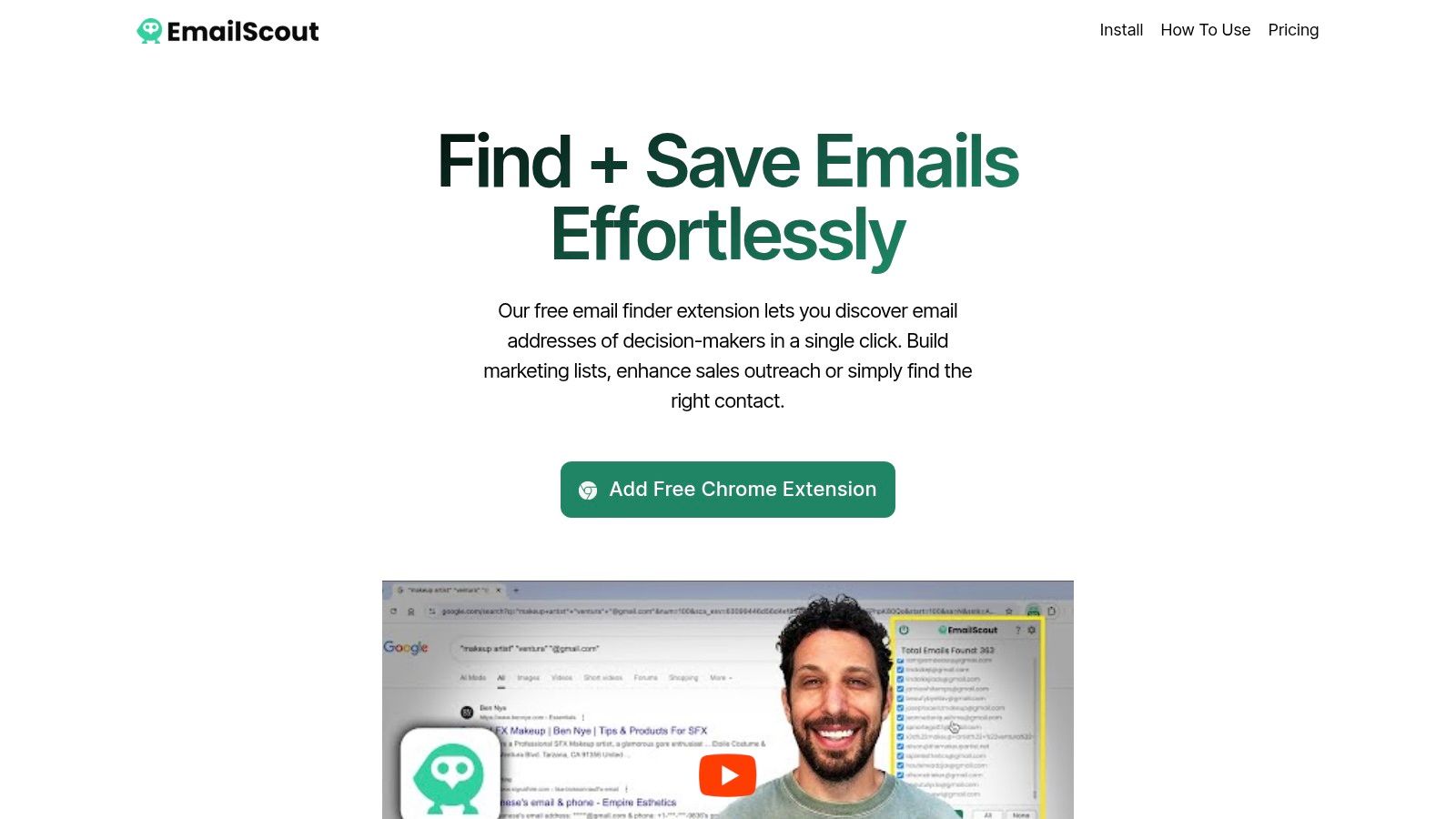
Turn on AutoSave before you do anything else. If captured emails only live in a temporary panel, you'll lose momentum the moment you switch tabs or close the browser. AutoSave keeps the workflow moving, and that matters if list-building is part of your weekly routine rather than an occasional task.
Keep the capture scope tight
The next decision is scope. Don't enable broad capture settings if your target pages are noisy, because you'll spend more time cleaning the list than using it. Restrict capture to the pages you prospect from, then expand only when your process proves repeatable.
| Capability | Free Plan | Premium Plan |
|---|---|---|
| One-click capture | Basic capture from visible pages | Broader capture support across more pages |
| AutoSave | Limited or unavailable | Persistent saving without manual export |
| URL Explorer | Basic use | Bulk scanning across multiple URLs |
| Export options | Lightweight export | More flexible list handling |
If you're only testing the workflow, free is enough to learn the mechanics. Once you're doing this every week, the value shifts to persistence, multi-URL capture, and less manual cleanup. That's where a tool stops being a novelty and starts acting like part of sales ops.
Finding Company Emails With Operator Searches
The fastest way to surface a company with email address record is still a targeted search query, not a broad scrape. Search engines reward specificity, so combine a role or business keyword, a location, and an email-domain operator such as @gmail.com, @yahoo.com, or @outlook.com. The point is to force the search engine toward pages where email text is likely to be visible, then capture what appears.
A practical pattern looks like this, with your own business term substituted in the middle:
- [role or business keyword] [location] @gmail.com
- [role or business keyword] [location] @outlook.com
- [role or business keyword] [location] @yahoo.com
Once the query returns results, push beyond the default page limit by adjusting the search URL parameter from num=10 to num=100. That reduces the back-and-forth between results pages and gives you more surface area to inspect in one pass. For teams that do this often, the gain isn't elegance, it's throughput.
Open the search results page, then use AutoSave to capture every visible email in a single click. That's the part most manual workflows miss, because they make the user copy one address at a time. A browser extension can turn a search result page into a populated list much faster than manual entry, especially when you're scanning several target pages back-to-back.
For a broader walkthrough of search tactics, the business email lookup guide is a useful reference point. EmailScout's own how to find email addresses for companies page also lines up with this approach, especially if you're moving from single searches to repeatable list-building.
Later, if you're dealing with target company pages instead of search results, use URL Explorer. Paste in a set of About, Contact, or team pages, and let the extension extract addresses from each one in sequence. That's a better fit for focused account work than trying to prospect from random search noise.
Verifying and Segmenting What You Captured
Raw capture makes a list look better than it is. A spreadsheet full of mixed addresses can still fail once the campaign goes out. Start by separating role-based addresses like info@, contact@, and hello@ from named inboxes tied to an actual person.
That split affects how each record should be used. A generic inbox usually belongs in a lighter-touch track, while a named corporate inbox is better for targeted outreach. Free webmail addresses need separate handling too, since they say little about current employer fit or buying context.
Practical rule: if the address does not clearly map to a working domain and a real outreach purpose, quarantine it before export.
Verification helps, but it has limits. A valid SMTP response only confirms that the mailbox exists. It does not tell you whether the person reads it, wants the message, or still works there. Use the result to segment the list, not to overrule judgment.
The goal is to reduce avoidable damage before send. Global B2B benchmarks report roughly 83.5% inbox placement, so even accepted messages can miss the primary inbox. Clean list handling matters for that reason, not as a nice extra inbox placement benchmark. If you want a practical reference for how teams organize contact data after capture, see what Captiwate recommends and compare it with your own workflow.
EmailScout's email list management resource fits here if you are building a repeatable process around captured records rather than a one-off list. Export only the records you would mail, not everything the extension can see.
Permission, Compliance, and Pre-Send Risk
Finding a named work address doesn't mean you're allowed to use it. That's the part lookup pages usually skip, even though it's the step that protects the sender from avoidable legal and reputation problems. A work address such as firstname.lastname@company.com can be personal data under GDPR, so public visibility and lawful processing are not the same thing.
U.S. commercial email rules are stricter than many teams assume. CAN-SPAM requires a physical postal address, a functional opt-out, and opt-out requests must be honored within 10 business days CAN-SPAM compliance summary. Those obligations apply even when the sender sits outside the U.S., so a list that looks fine operationally can still be problematic if the send process ignores them.
Build a pre-send decision check
Before anyone hits send, confirm three things: the source of the address, the lawful basis for contacting it, and the suppression state of the recipient. If the person opted out before, suppress them. If the source is vague, keep the record out of the campaign until you can defend why it belongs there.
A defensible list is built before the first email, not after the first complaint.
That's where generic advice usually falls apart. Teams don't lose on discovery, they lose on governance. If you document the source, include a clear identity line, add an opt-out path, and keep a suppression file current, you're building something that can survive actual use instead of just looking clean in a spreadsheet.
Connecting Discovery to Deliverability
A list only matters if messages reach the inbox and stay clean enough to keep reaching it. Before the first campaign goes out, authenticate the sending domain with SPF, DKIM, and DMARC. Gmail and Yahoo bulk sender requirements also call for one-click unsubscribe support and spam complaints below 0.3% bulk sender requirements. That is the baseline for turning discovery into a process you can send from.
Start with a narrow, relevant segment. Watch hard bounces, complaints, replies, and positive replies before you open the floodgates. That keeps reputation damage contained if part of the list is stale, and it shows whether the addresses you captured can support real outreach.
Measure the right outcome
Open rate alone will mislead you. Privacy features and mailbox filtering can distort it enough that it stops being a useful signal, while reply quality and meetings tell you whether the list is working. A recent benchmark report puts typical cold-email reply rates in the low single digits, with stronger campaigns reaching higher when targeting and relevance are tight cold-email reply benchmarks.
That range is useful because it keeps expectations grounded. A smaller, verified, authenticated list usually outperforms a larger one scraped without controls, especially once bounced records, role inboxes, and stale contacts enter the mix. Recheck addresses after job moves and domain changes, then suppress anything that starts to drift.
A company with email address is only valuable when it is usable, legal, and deliverable. If you want a workflow that helps you capture contacts, save them cleanly, and keep the list organized as you prospect, visit EmailScout and try it on a real target account today.