Category: Uncategorized

  • AI Email Finder: A Guide to Finding Verified Contacts

    AI Email Finder: A Guide to Finding Verified Contacts

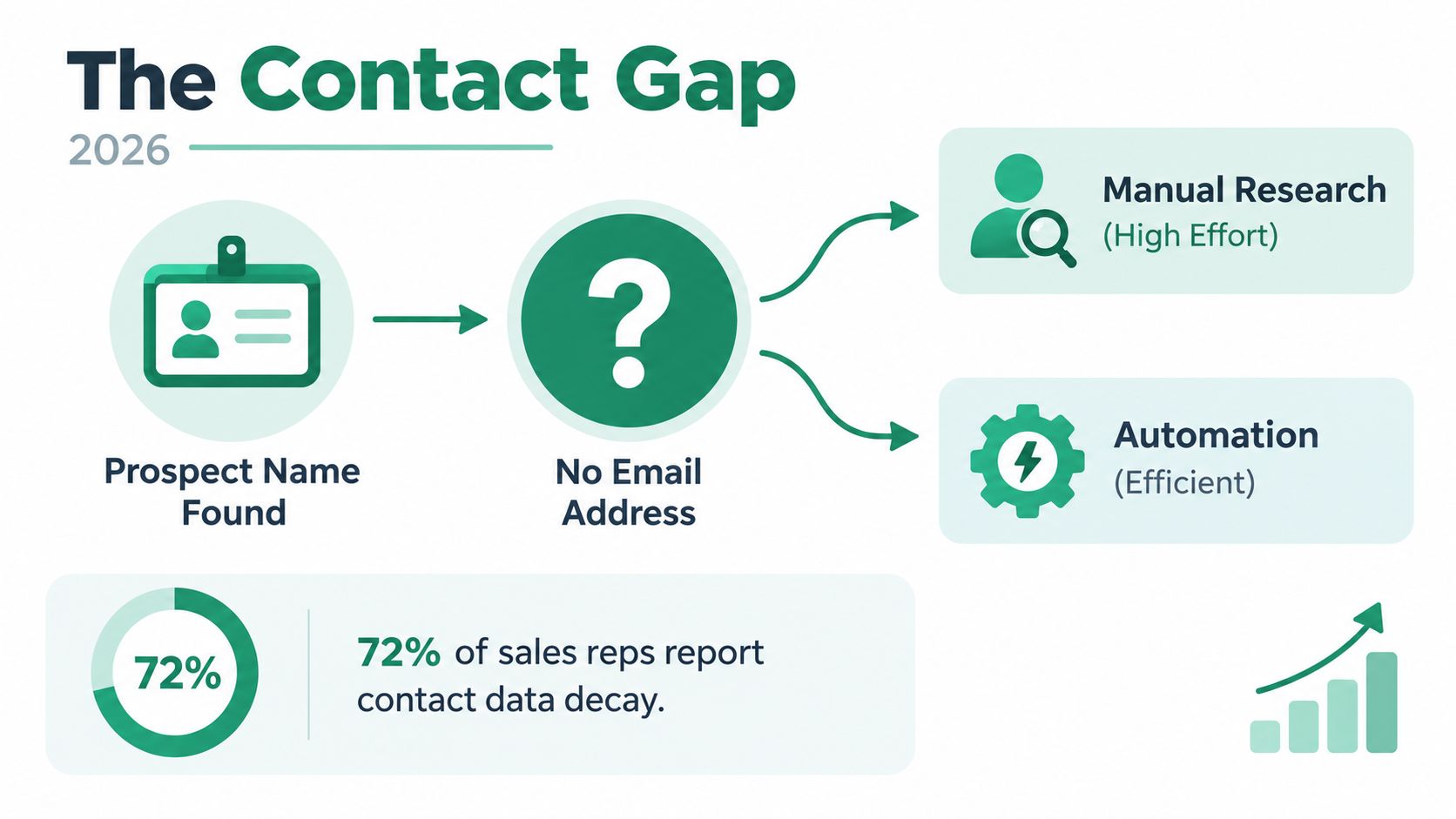
    You probably know the drill. A rep finds the right company, the right title, and even the right timing signal. Then the next hour disappears into guessing email formats, checking company pages, scanning LinkedIn, and sending one test message that comes back with a bounce.

    That's the hidden cost of prospecting. It's not just the bad address. It's the research time, the list cleanup, the follow-up you never send because the first step already took too long.

    An ai email finder solves that problem when it's used the right way. Not as a magic lookup box, and not as a replacement for targeting, but as part of a workflow that turns partial contact data into something your team can effectively use. The difference matters. In practice, the useful output isn't “an email was found.” The useful output is “this contact is safe enough to send, in the right sequence, with the right level of risk.”

    From Manual Search to Automated Discovery

    Many teams don't notice how much prospecting time gets burned on contact discovery until they watch a rep do it live. One browser tab has the company site open. Another has LinkedIn. A third has a domain search tool. Then someone starts guessing whether the format is first name, first initial plus last name, or some exception the company set up years ago.

    A woman looks frustrated and stressed while viewing a delivery failure notification on her computer screen.

    That process still works once in a while. It just doesn't work reliably, and it definitely doesn't scale.

    Why manual prospecting breaks down

    A manual search creates three problems at once:

    • Research drag: Reps spend time hunting for contact details instead of writing messages or handling replies.
    • False confidence: A guessed address can look right and still bounce.
    • Dirty handoffs: Marketing ops and sales ops end up inheriting lists with no verification status attached.

    When teams want extra context around a contact, it can also help to identify people by email after you've found an address, especially when you're trying to confirm whether the contact matches the role and company you want.

    A better starting point is to stop treating contact discovery as a one-off task and start treating it as a repeatable workflow. That's where tools built for finding contact info fit into the stack.

    Practical rule: If a rep has to manually guess the format more than once for the same account segment, the process needs automation.

    What changes with an ai email finder

    The value of an ai email finder isn't just speed. It's consistency.

    Instead of relying on a rep's memory of common email patterns, the tool handles lookup, matching, and verification in one flow. That means your team can move from “I hope this is the right address” to “this contact is ready for the next step” with less friction. For outbound teams, that shift changes throughput. For marketing teams, it improves the quality of the list before it ever hits a nurture or sales-assisted sequence.

    The practical win is simple. Your reps stay focused on targeting and messaging, while the system handles the repetitive parts of contact discovery that humans are slow at and bad at doing repeatedly.

    How an AI Email Finder Actually Works

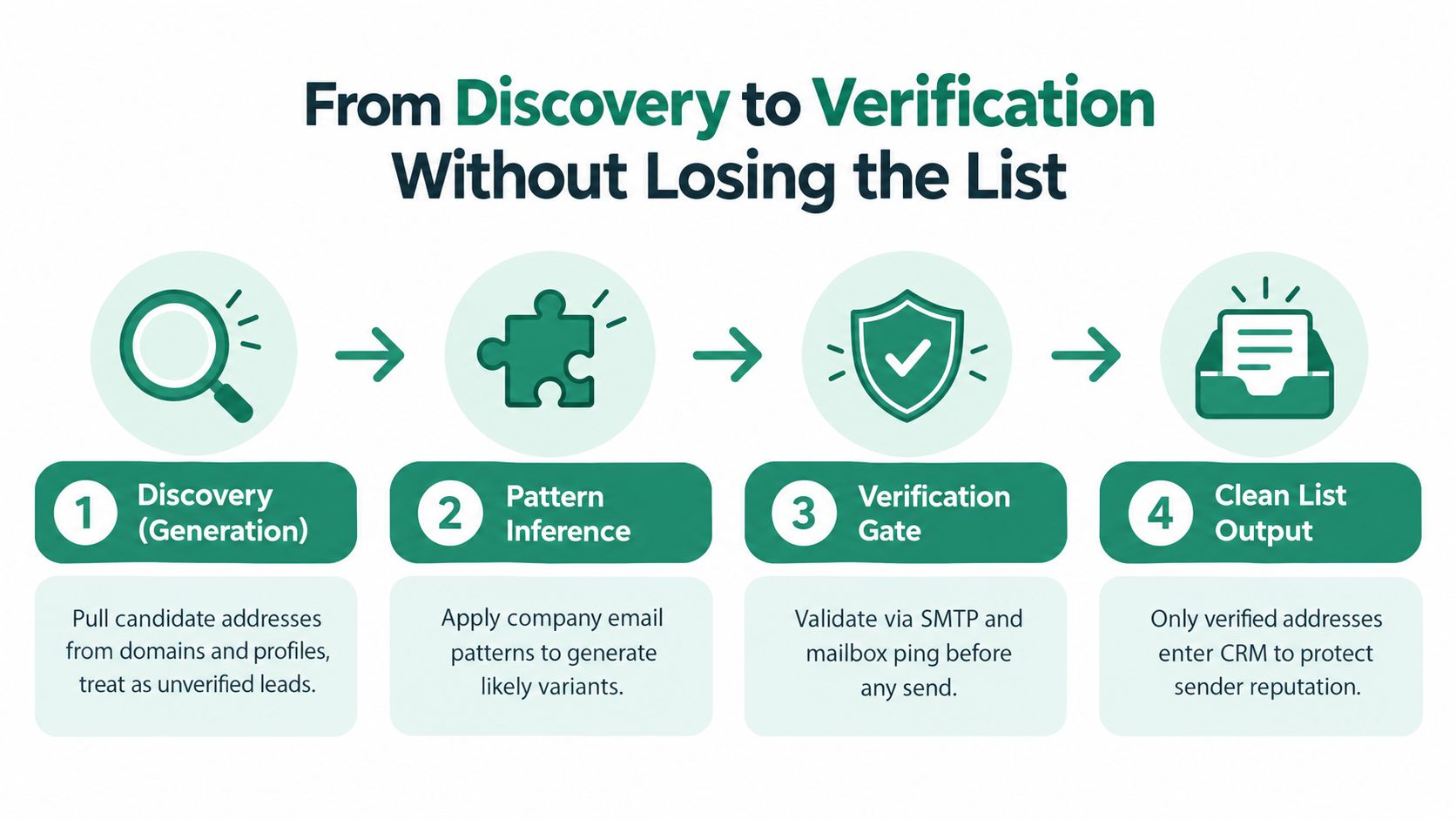
    A good ai email finder works like a digital investigator. It doesn't just spit out a guessed address. It builds a case, checks the evidence, and labels the result based on risk.

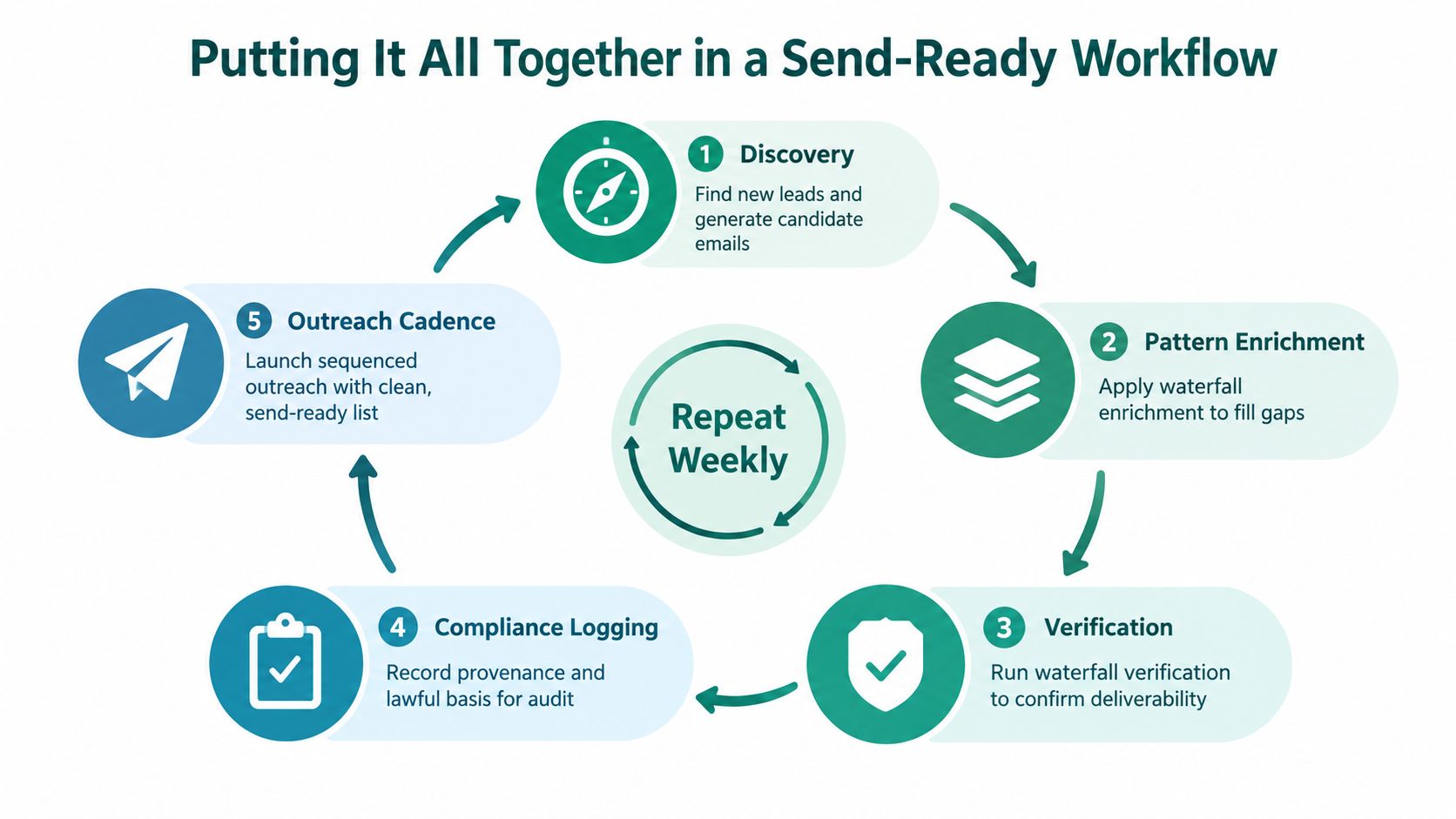
    A five-step infographic showing how an AI email finder tool locates and verifies professional contact information.

    It starts with strong inputs

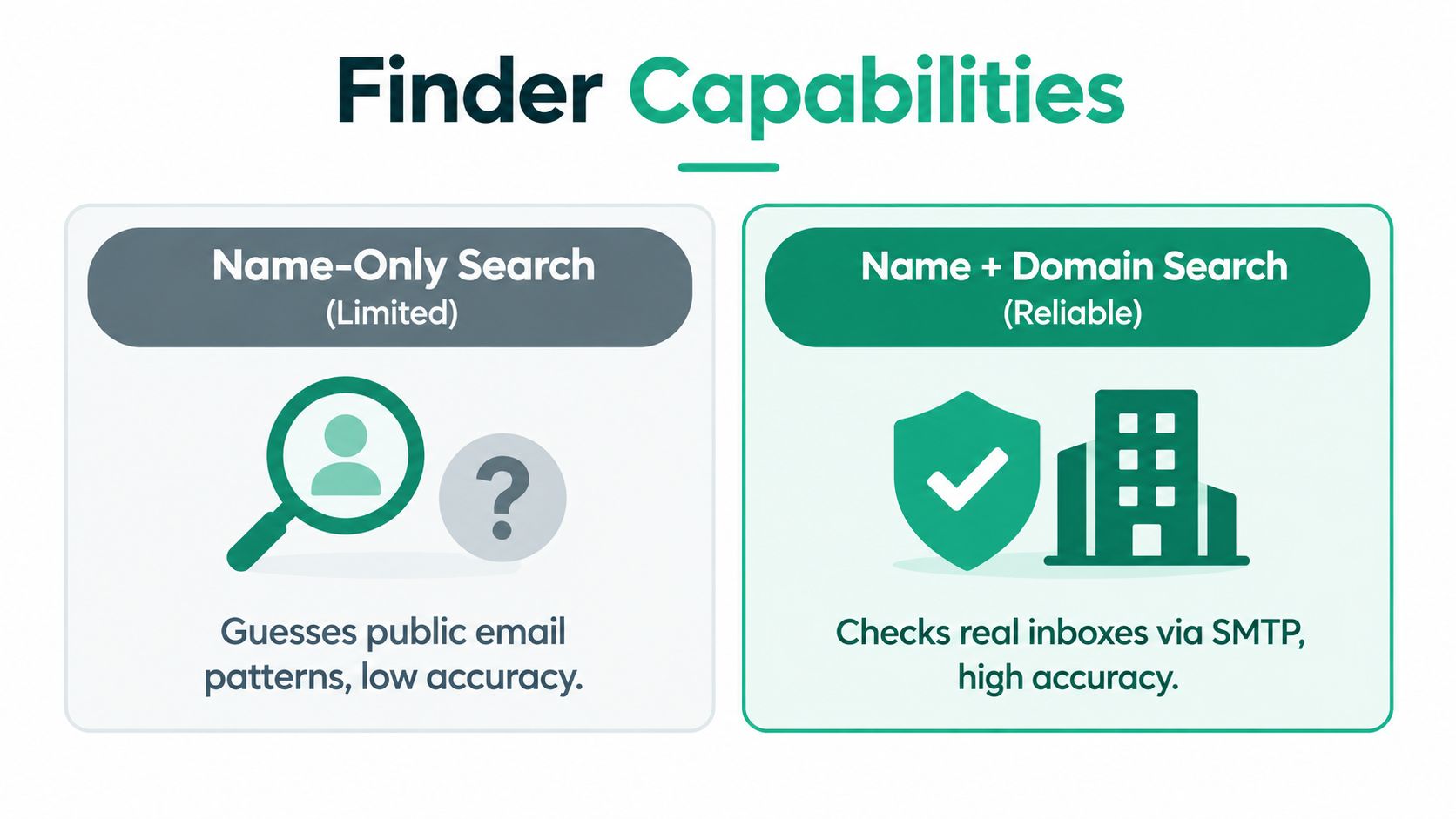
    The highest-quality workflow starts with a person's name and company domain, then moves through candidate generation, identity matching, and deliverability verification, with outputs labeled as valid, risky, or invalid according to Prospéo's explanation of AI email address finder workflows.

    That first part is easy to overlook. If your input data is weak, everything after it gets weaker too. “Sarah at Acme” is not the same as “Sarah Chen at acme.com.” The second input gives the system enough structure to generate realistic candidates and screen out obvious mismatches.

    Teams that compare different search methods often benefit from reviewing multiple email search engines because each one tends to handle the first input stage a little differently.

    Candidate generation is only the first pass

    Most bad prospecting data comes from confusing a plausible address with a usable one.

    A finder usually starts by generating likely email formats from the person's name and company domain. That may come from recognized naming conventions, prior domain-level patterns, or an internal database. At this point, the tool hasn't proven much. It has only created candidates.

    Then comes the step that separates a simple guesser from a useful system. The tool checks whether the person is associated with that company. It looks for signals tied to role, profile data, or public presence that support the match.

    Here's the important operational takeaway:

    • Pattern match alone: Fast, but risky.
    • Pattern plus identity match: Better.
    • Pattern, identity, and technical verification: Good enough to route into outbound with confidence rules.

    A found address without identity matching is often just a polished guess.

    Verification is where deliverability gets decided

    This is the stage many basic guides skip, even though it's the part that matters most to the sending team.

    Technical verification checks whether the domain is set up to receive email and whether the mailbox is likely to accept mail. That can include MX-record checks, SMTP validation, disposable-domain detection, and catch-all risk scoring, as described in the same Prospéo workflow reference above.

    The status label matters because it changes what your team should do next. A valid contact can go into your normal sequence. A risky or catch-all contact may need slower sending, a different mailbox, or manual review. An invalid contact shouldn't be touched.

    What actually works in practice

    The teams that get the most from an ai email finder usually follow a few habits:

    1. Start with clean lead inputs: Name and company domain whenever possible.
    2. Keep verification status with the record: Don't export just the email field and drop the risk label.
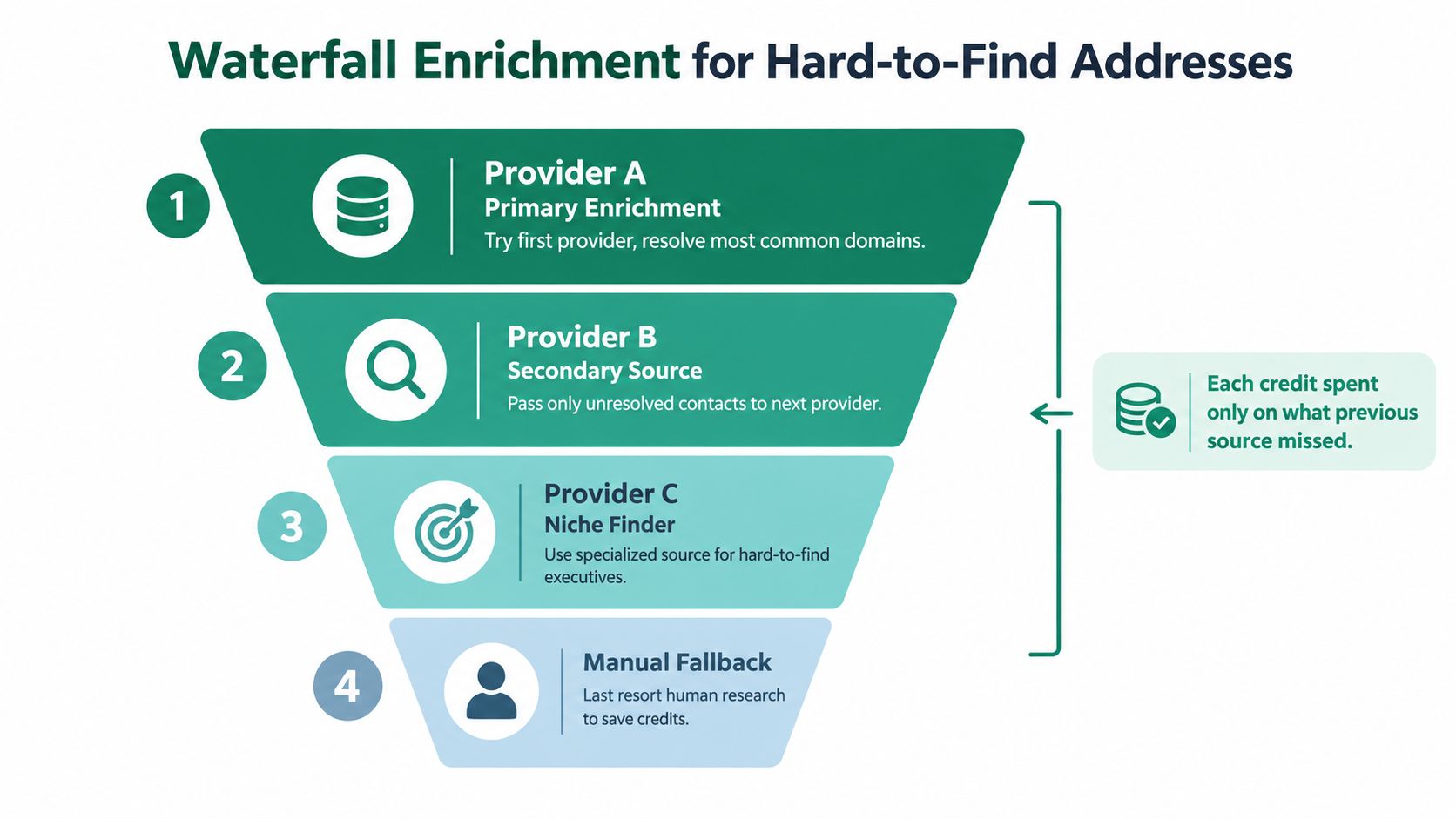
    3. Route by confidence: High-confidence contacts go into your primary campaign. Uncertain contacts go into a separate queue.
    4. Review misses by segment: If a tool struggles with early-stage startups, agencies, or nonstandard domains, adjust the workflow instead of assuming the data is universally strong.

    That's why “found email” is a weak success metric. The stronger metric is whether the contact was both matched correctly and safe enough to use.

    Practical Workflows for Sales and Marketing Teams

    The best ai email finder workflows don't feel flashy. They remove small pieces of friction that slow reps down all day.

    One of the most common examples is browser-based prospecting. A rep is already reviewing a person's profile, company site, or team page. Instead of copying names into multiple tools, they use an extension to surface contact details while they work.

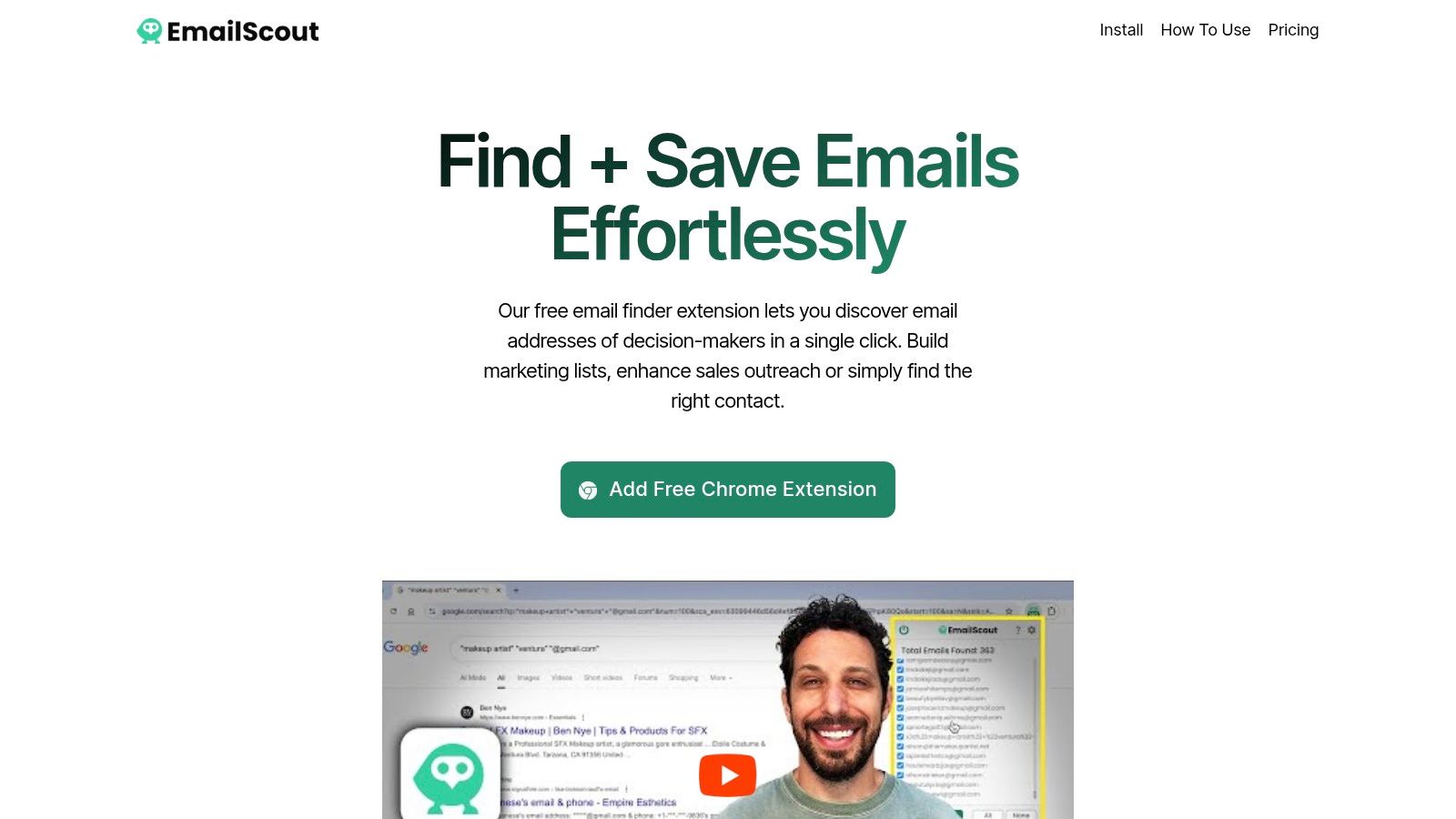
    Screenshot from https://emailscout.io/

    Workflow one for live prospecting on profiles and websites

    This is the fastest day-to-day use case for SDRs and founders doing their own outreach.

    A rep opens a LinkedIn profile, company about page, or team directory. The extension identifies available contact information and saves what's useful while the rep keeps moving. That cuts out the worst part of prospecting, which is constant tab switching.

    What makes this workflow effective isn't just speed. It keeps momentum. A rep can qualify the account, check the title, collect the contact, and move directly into personalization.

    A lot of teams pair that with broader systems for automating lead generation once they know the manual workflow is producing the right kind of contacts.

    Workflow two for building a list from search intent

    Marketing teams often have a narrower targeting problem. They don't need every person at a company. They need a specific role in a specific market.

    A practical move is to start with search results, niche directories, company leadership pages, event speaker pages, or “about us” sections. From there, the finder helps turn partial information into reachable contacts. This works especially well when the targeting criteria are tighter than what a broad contact database can handle.

    For example, if you're looking for heads of partnerships at midsize SaaS companies in a region, you can build the account list first, then use the finder to resolve the right people and verify what's usable. That tends to produce cleaner outreach than starting from a giant database and filtering down later.

    Field note: Narrow targeting plus verified contact discovery usually beats broad targeting plus heavy list cleanup.

    Here's a walkthrough style example of how teams think about that process in practice:

    Workflow three for enriching existing lists

    Here, marketers and rev ops teams usually get the fastest operational win.

    You already have a list, but it's incomplete. Maybe it came from webinar registrations, conference scans, inbound demo requests with personal emails, partner referrals, or CRM records that only include name and company. The ai email finder fills in the business contact layer and adds verification context before the list gets handed to sales.

    A simple enrichment workflow usually looks like this:

    • Start with what you already know: Name, company, and any known website or domain.
    • Run the finder in batch or semi-batch mode: Resolve likely business emails.
    • Keep status labels attached: Don't strip out valid, risky, or invalid labels before import.
    • Segment before sending: Higher-confidence records can support faster follow-up. Lower-confidence records should get reviewed or isolated.

    This is one of those quiet workflow improvements that saves a lot of cleanup later. It also keeps sales reps from working recycled lists that look full on paper but collapse once outreach starts.

    Key Features to Evaluate in an AI Email Finder

    A rep pulls 200 accounts for the week, runs them through a finder, and comes back with a big list. On paper, that looks productive. In practice, the only number that matters is how many of those contacts are safe to send to and worth putting into a sequence.

    That is the filter good teams use when they evaluate an ai email finder. Output volume matters, but deliverable output matters more.

    A woman thinking while viewing a digital dashboard comparing automated software features and data management capabilities.

    Yield and verification are two different metrics

    Teams often lump these together and then wonder why a tool that looked strong in a demo creates problems in production.

    Yield measures how many usable business emails a finder can return from your lead list. Verification accuracy measures how reliable the tool is when it labels an address as valid, risky, invalid, or catch-all. Those answers support different decisions. One affects pipeline coverage. The other affects deliverability risk.

    An independent comparison published by Prospéo found wide variation across tools on both dimensions, with email yield and verification performance moving independently rather than in lockstep in its AI email finder benchmark.

    That distinction matters in daily operations. A high-yield tool can still waste rep time if too many returned emails are questionable. A strict verifier can protect sending reputation but leave the team short on reachable contacts. The right choice depends on your motion.

    What buyers should compare first

    Start with the unit that affects outbound performance. Safe, usable contacts per list.

    Some tools return more addresses. Some label risk more conservatively. Some are cheaper at scale but require tighter filtering before records reach reps. I have seen teams buy on raw match rate, then spend weeks fixing bounce issues and rebuilding routing rules in the CRM. That is usually more expensive than paying slightly more for cleaner contact data upfront.

    For sales teams working named accounts, a higher-yield tool can be worth the premium if each additional verified contact opens another path into the account. For marketing and ops teams enriching large databases, the better option may be the tool that keeps verification labels clear and cost predictable, even if total output is lower.

    That is also why process fit matters as much as feature count. Teams trying to streamline marketing with AI usually get better results from a finder that preserves confidence signals all the way into campaign execution.

    Features that matter in daily use

    Once performance is clear, evaluate the parts that affect adoption and list quality after the lookup.

    Evaluation area What to look for Why it matters
    Browser workflow Extension support on sites your reps already use Cuts manual copying and keeps prospecting fast
    Verification labels Clear statuses such as valid, risky, invalid, catch-all Lets ops and reps decide what can be mailed, reviewed, or suppressed
    Bulk handling CSV input, list enrichment, export flexibility Helps with event lists, database cleanup, and large campaign builds
    Integration path CRM and sequencer compatibility Keeps verification context attached after enrichment
    Speed in context Fast enough for single lookups and list work Prevents delays for reps and bottlenecks for ops

    A polished dashboard is nice. Clear status handling is more useful.

    If the finder cannot show confidence cleanly, your team ends up making send decisions blind. That usually leads to two bad outcomes. Reps mail risky records because they need volume, or ops suppresses too much because the tool gives them no middle ground.

    Questions worth asking before you choose

    A short buying checklist will tell you more than a feature tour:

    • What counts as success: A found address, or a found address with enough confidence to use in outreach?
    • How is risk exposed to users: Can reps and ops see which records are safe, uncertain, or unsuitable?
    • What happens to weak matches: Are they labeled clearly, separated, or mixed into the main export?
    • Does the tool fit the actual motion: One-off prospecting, batch enrichment, or both?
    • Can your team act on the output: Do statuses survive export into the CRM or sequencer?

    The best ai email finder for a team is usually the one that turns raw discovery into campaign-ready contacts with the fewest extra steps. That is a better buying standard than headline yield alone.

    Integrating AI Finders Into Your Outreach Stack

    Single lookups help individual reps. Bulk workflows help teams.

    Modern AI email finders increasingly support CSV bulk lookups, REST APIs, and webhook exports to CRM systems, which makes them most useful when they're embedded into repeatable prospecting workflows in tools like Salesforce or HubSpot, as described in Clay's overview of AI email finder workflows.

    What integration changes operationally

    Once the finder is connected to your stack, contact discovery stops being a manual pre-send task and becomes part of the system.

    A common setup looks like this:

    1. Lead enters the workflow through a form, outbound target list, event import, or account research process.
    2. The finder enriches the record using a name and company domain or another available identifier.
    3. Verification status stays attached to the contact record.
    4. The CRM or sequencer routes the contact based on confidence, owner, campaign type, or stage.

    That last step is often underestimated. If verification status disappears between enrichment and sequencing, your reps lose the context they need to send responsibly.

    Bulk enrichment is where scale starts paying off

    The most effective use case is usually a list you already have.

    Think conference attendee exports, partner lists, target account spreadsheets, webinar signups, or CRM records missing business emails. Instead of assigning manual cleanup to SDRs, ops can enrich thousands of rows in one pass and push the output back into the systems the team already uses.

    Useful integration patterns include:

    • CRM-first enrichment: New or incomplete records get enriched before reps touch them.
    • Sequencer gating: Only records with acceptable verification status enter the main outbound sequence.
    • List hygiene loops: Existing contacts get rechecked before large campaigns.
    • Webhook-driven handoffs: Enriched contacts move automatically into the next system without spreadsheet work.

    For marketing leaders trying to reduce tool sprawl and streamline marketing with AI, the big lesson is the same here. The tool matters less than the workflow design around it.

    The finder should disappear into the process. Reps shouldn't have to think about enrichment every time they need a contact.

    What not to automate blindly

    Automation helps, but it also makes bad data move faster.

    A few guardrails keep that from happening:

    • Map status fields clearly: Don't collapse all verification outcomes into one generic email field.
    • Separate enrichment from send logic: A contact found by the system isn't automatically ready for your highest-volume sequence.
    • Watch duplicate creation: Multiple enrichment passes can create messy CRM records if deduplication isn't set up.
    • Review segment-level performance: Some industries and company types need different handling.

    The strongest setup is usually quiet. Contacts enter the stack, get enriched, keep their status labels, and reach the right person or campaign without extra admin work.

    Choosing Your Plan Free vs Premium Tools

    A rep pulls up a target account, finds one likely contact, and needs an email address fast. A free plan usually handles that job. The decision changes once the team is enriching hundreds of records, pushing contacts into sequences, and dealing with the cost of bad data.

    That is the defining line between free and premium. It is not just volume. It is whether you are collecting names or building a workflow that produces deliverable contacts reps can use without extra cleanup.

    Free vs premium decision points

    Consideration Free Plan (e.g., EmailScout Free) Premium Plan (e.g., EmailScout Premium)
    Best fit Solo users, founders, freelancers, light prospecting SDR teams, marketers, rev ops, agencies
    Lookup style One-off searches while browsing Bulk workflows and recurring enrichment
    Workflow depth Manual or semi-manual Automated and integrated
    Team collaboration Limited Better for shared processes and repeatable systems
    Export and enrichment needs Basic list building Higher-volume list processing and operational use
    CRM and stack fit Good for testing Better once contact discovery becomes part of the pipeline

    When free is enough

    Free plans are a good fit when the team is still proving the motion. That usually means one-to-one prospecting, early outbound testing, or founder-led sales where speed matters more than process design.

    They also help expose adoption issues early. If reps do not trust the finder, skip verification steps, or fall back to manual research, a paid plan will only scale the same behavior.

    EmailScout is one example in this category. It offers a Chrome extension for finding email addresses while browsing webpages, and the free tier is enough for profile-by-profile research and low-volume testing.

    When premium becomes the right call

    Premium plans start to pay for themselves when the bottleneck shifts from finding an email to managing what happens after it is found.

    That usually shows up in a few predictable ways:

    • Lists need processing in batches: Event attendee lists, outbound target accounts, and stale CRM records are hard to work one contact at a time.
    • Reps are spending time on admin work: Manual exports, copy-paste steps, and repeated lookups slow down pipeline creation.
    • Verification status affects send logic: A contact with weak confidence should not enter the same sequence as a fully verified address.
    • Multiple teams touch the same data: Sales, marketing, and ops need the same status rules and handoff process.

    Often, teams make the wrong comparison. They compare free versus premium on credits alone. The better question is whether the premium plan reduces labor, lowers bounce risk, and produces more contacts that are safe to send to.

    A simple rule works well. Start free while the team is learning how to source and use contacts. Upgrade once email discovery is part of a repeatable revenue process, and the cost of missed handoffs or questionable data is higher than the subscription.

  • Email Finder Chrome Extension LinkedIn: 2026 Guide

    Email Finder Chrome Extension LinkedIn: 2026 Guide

    You're probably doing one of two things right now. You're either clicking through LinkedIn profiles one by one, opening company sites in new tabs, and guessing email formats. Or you've already tried an email finder chrome extension linkedin workflow, but the results felt messy, risky, or unreliable.

    That frustration is normal. Manual prospecting breaks down fast once your list gets beyond a handful of people. The fundamental problem isn't only speed. It's context switching, copy-paste mistakes, stale records, and the false confidence that finding an address means it's safe to email.

    The End of Manual Prospecting on LinkedIn

    Most reps start the same way. You find a promising Head of Marketing on LinkedIn, check the About section, see no contact details, then hunt through the company website. If that fails, you guess a few patterns, move to an email verifier, and repeat the whole process on the next profile.

    That workflow feels productive because you're busy. It isn't scalable.

    Modern LinkedIn email finders changed that. Vendor documentation shows these extensions have moved beyond simple scraping. GetProspect says its extension can search emails for 1st-, 2nd-, and 3rd+ LinkedIn connections, save leads in bulk from Sales Navigator lead lists or LinkedIn group members, and export fields like name, position, location, company name, industry, website, and LinkedIn URL from the browser workflow itself via the GetProspect Chrome extension listing.

    That shift matters because it changes what LinkedIn is in practice. It stops being just a place to browse profiles and becomes a structured B2B research layer.

    What the old method gets wrong

    Manual prospecting usually fails in three places:

    • It wastes prime selling time by forcing reps to research like analysts instead of moving qualified people into outreach.
    • It loses data quality when names, titles, and company details are copied by hand.
    • It hides the actual bottleneck because the issue usually isn't discovery. It's turning discovery into a clean, usable contact record.

    Practical rule: If a rep spends more time moving data than writing relevant outreach, the workflow is broken.

    There's another reason this matters. When your team does outbound seriously, your LinkedIn presence and company credibility start working together. If you're tightening your foundation before scaling outbound, this guide on creating a company profile on LinkedIn is worth reviewing. Prospects check your company page more often than many teams realize.

    A browser extension fixes the operational side of the problem. Instead of bouncing between tabs, you enrich the contact where you found the lead. That is the essential upgrade. Less searching, more qualification, fewer handoff errors.

    Installing Your Email Finder and First Setup

    The install itself is simple. The setup choices right after install matter more than people think.

    Start in Chrome Web Store and install your extension of choice. If you're evaluating tools, keep in mind that many email finders offer a low-friction way to test the workflow. For example, Skrapp is described as free to start with 50 verified business emails per month without a credit card, and its free plan includes 100 emails per month, according to the GetProspect comparison page.

    Screenshot from https://emailscout.io/

    Set it up so you'll actually use it

    After installation, do these four things before opening LinkedIn:

    1. Pin the extension so the icon stays visible in your browser toolbar. If it's hidden, you won't use it consistently.
    2. Log in immediately and confirm the extension is connected to the right workspace or account.
    3. Check save behavior inside the dashboard. If the tool supports automatic capture, decide whether you want manual saves or background collection while you browse.
    4. Review export destinations early. If you plan to send contacts into a CRM, list, or CSV, set that path now instead of after your first extraction session.

    Why the first settings matter

    Bad setup creates downstream cleanup. Reps often install an extension, test one profile, see an email appear, and assume they're done. Then they realize later that nothing was saved, the wrong fields were collected, or the data never reached the CRM.

    That's why I prefer treating setup like pipeline plumbing, not like app onboarding.

    If you want a concrete example of this workflow, EmailScout's email extractor Chrome extension shows the kind of browser-based setup sales teams use when they want extraction tied directly to list building rather than one-off lookups.

    The minimum viable configuration

    Use this as your baseline:

    Setting Recommended choice Why it matters
    Toolbar access Pinned Faster use during live prospecting
    Save mode Deliberate default Prevents messy duplicates early
    Export path Defined upfront Avoids spreadsheet cleanup later
    Team usage Shared naming rules Keeps prospect lists usable

    Don't optimize for the first profile. Optimize for the hundredth.

    Once the extension is visible, connected, and saving data the way you want, you're ready for the part that changes daily prospecting speed.

    Finding Emails in Real-Time on LinkedIn Profiles

    You open a target account on LinkedIn, find the right stakeholder, and need a working email before the research thread goes cold. Real-time profile lookup solves that problem fast, but only if the rep treats it as qualification plus verification, not as blind extraction.

    A person sitting at a desk using a laptop with an email finder extension on LinkedIn.

    On a live LinkedIn profile, the extension should help you answer three questions in one pass. Is this the right person? Is the company a fit? Is the email likely safe enough to use in outreach? If any of those answers is weak, saving the contact usually creates cleanup later.

    EmailScout is a good example because the workflow stays inside the page you are already reviewing. You check the profile, trigger the lookup, capture the result, and keep the role, company, and profile URL attached to the record. That context matters more than new reps expect. A contact without role context is hard to route, hard to personalize, and easy to misuse.

    A profile-by-profile workflow that holds up

    Use a short decision process:

    • Check current relevance. Confirm the title is current, the company belongs on your target list, and the profile still looks active.
    • Run the lookup from the profile page. Working from the live profile cuts mistakes that happen when reps copy names into separate tools later.
    • Keep the surrounding data. Save the role, company, LinkedIn URL, and any account notes with the email.
    • Verify before outreach. An unverified address should not go straight into a sequence, even if the pattern looks right.
    • Choose the next action immediately. Send it to the CRM, add it to a review queue, or discard it.

    That last step matters. Good prospecting speed comes from fast decisions, not from collecting every possible record.

    If you want to see that workflow in more detail, this guide to finding emails on LinkedIn shows how teams use a browser extension during live profile review.

    A quick walkthrough helps if you're visual:

    What AutoSave helps with, and where it creates risk

    AutoSave can speed up account research sessions. If you are reviewing ten to twenty stakeholders across one account set, removing repeated save clicks keeps your attention on fit and messaging.

    It also creates a trade-off. Bulk saving while browsing can pull in weak contacts, stale records, or people you never intended to email. That matters for compliance, for CRM hygiene, and for sender reputation. A rep who saves first and verifies later usually ends up doing twice the work.

    Use AutoSave only when the filters are already tight and the team has a review step before outreach.

    What works, what fails, and why verification stays required

    Direct profile enrichment usually works better for established B2B contacts at companies with a clear domain and a predictable email pattern. Hit rates drop with freelancers, tiny firms, stealth startups, and profiles tied to businesses with weak public data.

    That pattern is consistent with how these tools operate. They infer or match business emails from company domains, public web signals, and prior verification data. They are not pulling hidden email fields out of LinkedIn profiles. The Mallary.ai LinkedIn API guide is a useful reference if you want to understand the difference between platform data access, browser-side workflows, and the limits imposed by LinkedIn's rules.

    The practical lesson is simple. Do not stay on low-probability profiles too long. If the company has no clear domain, the person's role is fuzzy, or the result cannot be verified, move on. Outreach quality improves when the rep treats verification as required and resists the urge to turn profile review into bulk extraction.

    Advanced Strategies for Bulk Prospecting

    A rep runs a broad Sales Navigator search, exports everything they can reach, and ends the day with a bloated list full of weak fits, unverified emails, and contacts that never should have entered the CRM. Bulk prospecting breaks down that way.

    The fix is not more volume. The fix is tighter selection, smaller batches, and a verification step before anything touches outreach.

    A five-step infographic showing how to use an email finder chrome extension for lead generation.

    Start with search quality, not extraction speed

    Bulk workflows only hold up when the source list is narrow enough to support a real campaign. If the search is messy, the output gets messy faster.

    I want reps to filter for buying relevance before they ever click an extraction button. That means checking role seniority, function, company size, geography, and whether the account matches the market you sell to. A list of 80 strong prospects beats 800 random contacts every time because the message can stay specific and the review step stays manageable.

    Use filters that answer practical questions:

    • Role fit. Can this person influence budget, evaluate vendors, or own the problem?
    • Company fit. Does the account match your deal size, sales motion, and customer profile?
    • Timing clues. Does the team look active and real, or are you looking at stale titles and edge cases?

    If you need a browser-led process for scraping email addresses from LinkedIn search results, start with that filter discipline first. The tool matters less than the list quality.

    A bulk process that stays usable

    The safest pattern is simple. Build a narrow search, review the first page by hand, run enrichment in batches, verify the results, then send only approved records into your CRM or sequencing tool.

    That manual review step at the front saves hours later. It catches bad titles, duplicate companies, irrelevant regions, and search logic mistakes before those issues spread across a larger batch.

    EmailScout fits well here because it supports both profile-level lookups and bulk extraction from multiple LinkedIn URLs inside the browser. That gives reps one workflow for targeted research and another for list building, without forcing an immediate jump to a heavier data stack. The trade-off is clear. Browser extensions are good for controlled, human-reviewed collection. They are a poor excuse for mass grabbing every contact on a page and sorting it out later.

    Work in batches because LinkedIn already does

    LinkedIn's interface naturally slows bulk collection. Search pages and Sales Navigator views are built for repeated review, not unlimited one-click harvesting. Good teams use that constraint to their advantage.

    Run smaller batches. Check match quality after each batch. Remove poor-fit segments early. Verify before export, not after the sequence is already live.

    That approach also reduces compliance risk. If a batch produces contacts outside your target market, personal emails, or records with weak business context, you can stop before that data spreads into other systems. Bulk extraction without a review standard creates problems for privacy, CRM hygiene, and sender reputation at the same time.

    Bulk prospecting works when each batch is treated like a list to approve, not a pile of records to dump into outreach.

    Browser extensions versus API workflows

    Some teams ask whether they should skip extensions and move straight to an API-based setup. Usually, not yet.

    For outbound teams doing live research inside LinkedIn, browser extensions are often the more practical option because the rep can see the profile, judge fit, and collect data in the same session. API workflows make more sense later, when operations teams need system-to-system processes, strict enrichment rules, and engineering support. The Mallary.ai LinkedIn API guide explains that difference well and is useful context if your team is comparing manual prospecting workflows with programmatic data access.

    Power users keep one principle in place regardless of tooling. They do not treat captured data as ready-to-email data.

    They verify, trim, and document why each contact belongs in the campaign. That discipline is what keeps bulk prospecting productive instead of expensive.

    Navigating Compliance and Outreach Best Practices

    Most content about LinkedIn email tools stops at “it found the email.” That's the easy part. The hard part is using the data in a way that doesn't create compliance problems, account risk, or a sender reputation mess.

    Clearout's prospecting material highlights the gap directly. Tools often promote bulk extraction and scraping from LinkedIn search pages, but they rarely explain GDPR/CCPA obligations, lawful basis for contact, or data retention, even though those are central questions for businesses adopting these workflows in the first place, as discussed in Clearout's Chrome extension prospecting guide.

    A professional woman wearing glasses using a laptop while researching ethical outreach and data compliance solutions.

    Smart prospecting beats scrape-everything behavior

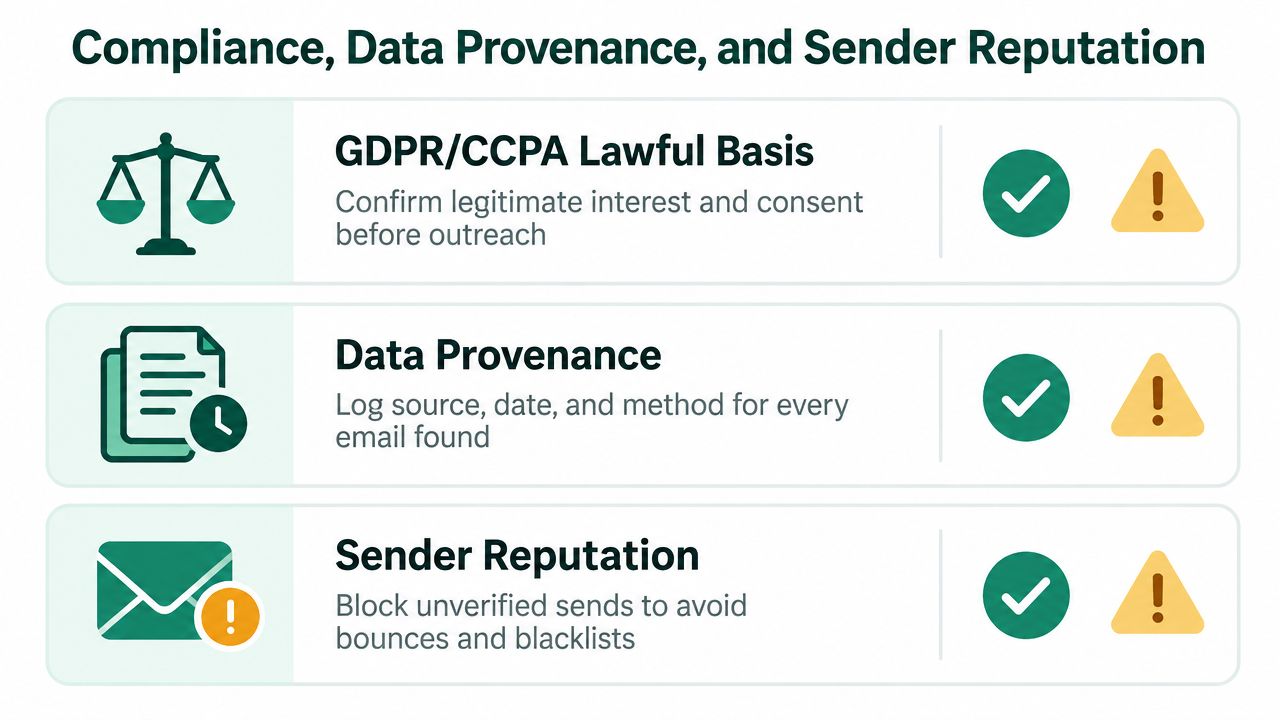
    If a tool makes it easy to collect a lot of data, that doesn't mean you should keep all of it. Responsible teams define why they're collecting contact data, who should access it, how long they'll keep it, and when it should be deleted.

    That sounds boring until you have to answer a privacy question from legal, leadership, or the prospect themselves.

    Use a basic standard:

    • Have a clear reason for contacting the person.
    • Limit the fields you store to what your outreach needs.
    • Avoid indefinite retention of old lists that no one has reviewed.
    • Give recipients a straightforward opt-out in your outreach process.

    LinkedIn rules and account safety

    There's also a platform risk angle. Browser tools that run only when a user clicks are generally easier to defend operationally than always-on scraping behavior. If your workflow relies on passive collection while you do unrelated browsing, you're adding risk without adding much quality.

    That's why I prefer intentional extraction. Review a target list. Trigger the tool. Save what belongs in the pipeline. Skip the rest.

    If your team wants a practical reference for this kind of workflow, EmailScout's page on scraping email from LinkedIn is useful as an example of how these browser-based collection methods are positioned, but the main decision still comes down to internal controls and how disciplined your reps are.

    Outreach quality starts before the first email. It starts when you decide which data you had a good reason to collect.

    Better outreach reduces risk and improves response quality

    The safest outreach also tends to be the most effective. Relevance beats volume. A short message tied to the person's role, company context, or current priority is more sustainable than generic sequencing.

    If your team sells technical services, this guide on effective email outreach for software development is a useful example of how specificity improves cold outreach without turning every first touch into a hard pitch.

    Compliance isn't a separate layer from performance. It's part of performance. Teams that collect carefully, store less, verify before sending, and personalize outreach usually produce cleaner pipelines and fewer avoidable problems.

    Verification Troubleshooting and Common Pitfalls

    Verification is where a lot of prospecting programs either become reliable or fall apart.

    The key distinction is simple. Search success means a tool found a candidate email. Verification accuracy means the address is deliverable. HyperClapper's comparison makes that difference explicit, noting claims such as about 95% accuracy with real-time verification for GetProspect, 92% average email search success for Skrapp, and 97%+ verification accuracy with a daily-refreshed database for Skrapp in its email finder accuracy review.

    The failures that hurt teams most

    The biggest mistake is treating every found email as outreach-ready. That's how bounce risk creeps into your sequences and damages your sending reputation.

    The second mistake is relying on always-on scraping or bulk capture without a verification pass. Vendor guidance in this category warns that background scraping can raise account-risk and compliance concerns, while verified, user-triggered workflows are generally safer.

    What to do when a lookup fails

    When the extension doesn't find an email, don't force it. Check the likely reason:

    • Small company issue. Very small businesses often have weaker domain patterns and fewer public signals.
    • Profile mismatch. The person may have changed companies or the role may be stale.
    • Browser conflict. Another extension can interfere with overlays or page behavior.
    • Unverifiable result. A candidate address may exist, but the tool can't confirm deliverability.

    A good troubleshooting order looks like this:

    1. Refresh the LinkedIn profile and rerun the lookup.
    2. Disable other prospecting extensions briefly and test again.
    3. Confirm the company domain and current role still match.
    4. If the result remains unverifiable, skip the contact or hold it for manual review.

    A simple standard for list hygiene

    Use this rule with new reps:

    Status Action
    Verified Safe to route into outreach review
    Found but unverified Hold back until confirmed
    No result Move on to another contact at the account
    Stale context Requalify before saving

    Your list quality isn't defined by how many emails you collected. It's defined by how many valid contacts you can safely use.

    A team that verifies before export will usually outperform a team that exports first and cleans later. Not because the tool is smarter. Because the workflow is.


    If you want a browser-based workflow that fits this approach, EmailScout is one option for finding emails on LinkedIn profiles, saving contacts while browsing, and supporting larger extraction tasks from within Chrome. The value isn't the lookup alone. It's keeping discovery, capture, and list building in one controlled process.

  • Sales Pipeline Management: A Guide to Closing More Deals

    Sales Pipeline Management: A Guide to Closing More Deals

    A lot of teams are living the same quarter on repeat. Reps are busy all day, the CRM is full, forecasts sound confident in meetings, and then the month ends with deals that “slipped,” prospects who stopped replying, and a pipeline nobody trusts. Activity is high. Clarity is low.

    That usually isn't a talent problem. It's a management problem. More specifically, it's a sales pipeline management problem. When the pipeline is vague, every forecast becomes a guess, every follow-up depends on memory, and every rep invents their own version of the process.

    From Sales Chaos to Predictable Revenue

    The biggest mistake new sales teams make is treating pipeline management like admin work. It isn't admin. It's the operating system for revenue.

    Without a defined pipeline, reps chase the loudest deal, managers coach from anecdotes, and leadership gets a forecast built on optimism. That setup might survive for a short stretch. It breaks under pressure, especially when deal cycles lengthen or handoffs get messy.

    A structured pipeline fixes that by forcing clear answers to basic questions:

    • What stage is this deal really in
    • What has to happen before it can move
    • Who owns the next step
    • How likely is it to close within the period

    Those questions sound simple. In practice, they separate disciplined teams from teams that scramble at the end of every quarter.

    The payoff is not theoretical. Organizations with a well-defined sales pipeline management process achieve 28% higher revenue growth compared to those without, according to HubSpot data highlighted by Forecastio. That's the practical case for structure. Better process creates better revenue outcomes.

    Practical rule: If your team can't explain why each open deal is in its current stage, you don't have a pipeline. You have a wish list.

    Good sales leaders don't ask reps to “work harder” when pipeline quality drops. They tighten definitions, clean up stages, and inspect movement. Predictable revenue comes from repeatable deal progression, not motivational speeches.

    That's why sales pipeline management matters so much. It gives the team a common language, a visible workflow, and a way to spot problems while they're still fixable. Once that system is in place, forecasting gets sharper, coaching gets easier, and reps stop wasting prime selling time on dead or poorly qualified deals.

    The Foundation of Predictable Revenue

    A sales pipeline works like a physical pipeline carrying water. If the pipe is cracked, clogged, or poorly connected, flow slows down. Pressure drops. Output becomes unreliable. Deals behave the same way.

    Healthy pipelines keep opportunities moving at a steady pace. Weak pipelines leak time, attention, and momentum. Some deals never should have entered. Others sit in the wrong stage because nobody defined what “qualified” means. The result is uneven flow and bad forecasting.

    A long transparent pipeline stretching across a sandy beach under a clear blue sky.

    Pipeline versus funnel

    Teams often use sales pipeline and sales funnel like they mean the same thing. They don't.

    A sales pipeline is the seller's view. It tracks active deals and the actions required to move them from one stage to the next. It's a management tool. Reps and managers use it to decide where to focus, what to forecast, and where deals are getting stuck.

    A sales funnel is the buyer journey view. It describes how a larger group of potential buyers narrows as people move from awareness to consideration to decision. Marketing teams use funnel thinking to understand demand generation and conversion patterns.

    Here's the simplest way to keep them separate:

    Term Viewpoint Main use
    Sales pipeline Seller Manage active opportunities
    Sales funnel Buyer Understand journey and conversion behavior

    If your team confuses the two, your reporting usually gets muddy. Marketing starts talking in broad audience terms while sales needs deal-specific next steps. That's one reason alignment matters so much at the top of the pipe.

    For teams working on optimizing lead gen marketing strategy, this distinction matters. Marketing can improve how qualified demand enters the system, but sales still needs a clean pipeline structure to turn that demand into forecastable revenue.

    What a pipeline actually does

    A useful pipeline does three jobs at once:

    1. It organizes active deals so reps know what to do next.
    2. It exposes friction so managers can see where movement slows.
    3. It improves forecasting because stage definitions create consistency.

    A pipeline should tell a rep what action is needed today and tell a manager what risk is building this month.

    That's the foundation. Once the team agrees on how deals move, sales pipeline management stops feeling abstract. It becomes a practical discipline. Every stage, review, and metric has one purpose: keep deal flow moving with less drag and more confidence.

    The Anatomy of a Sales Pipeline

    Most B2B teams don't need a complicated pipeline. They need a clear one. Seven stages is usually enough to reflect how deals move without turning the CRM into a maze.

    A graphic illustration representing sales pipeline stages including prospecting, engagement, and closing with abstract 3D objects.

    A practical seven-stage model

    Below is a simple structure that works well for many B2B teams.

    Stage Entry criteria Core activity Exit criteria
    Lead sourced Contact matches your target account or ICP Research company, role, and likely pain points Enough context exists for first outreach
    Contacted First outbound or inbound touch has happened Email, call, LinkedIn outreach, follow-up Prospect engages or is disqualified
    Qualified There is real fit worth investigating Confirm problem, relevance, and buying context Discovery meeting is booked or completed
    Discovery Two-way conversation is underway Diagnose pain, stakeholders, urgency, process Mutual interest in next step
    Solution fit Needs are clear enough to map your offer Demo, walkthrough, technical or strategic alignment Prospect asks for commercial proposal or next-step package
    Proposal Buyer is evaluating terms or formal scope Send proposal, review terms, handle objections Commercial acceptance moves to final discussion
    Closed won or closed lost Decision is made Final paperwork or close-out notes Deal exits active pipeline

    The exact stage names can change. The discipline can't. Every stage must have a hard entry and exit rule.

    Where teams usually get into trouble

    The most common weak point is the handoff from qualification into discovery and from discovery into proposal. If qualification is sloppy, the rest of the pipeline gets polluted.

    Benchmark data from ZoomInfo's sales pipeline management guide shows that top-performing B2B teams achieve 40-60% progression from Qualified to Discovery, while average teams hover at 25-35%. The same source notes that a drop below 30% from Discovery to Proposal often stems from inadequate qualification criteria.

    That matches what many managers see in real life. Reps hear interest and mark a deal as real. Then discovery reveals there's no urgency, no authority, or no clear problem.

    Weak qualification creates fake pipeline. Fake pipeline creates bad forecasts.

    Stage design rules that actually work

    When building stages, keep these rules in place:

    • Define observable triggers
      Don't use fuzzy language like “interested” or “warm.” Use actions you can verify, such as replied to outreach, attended discovery, requested proposal, or confirmed stakeholder review.

    • Match stages to buyer commitment
      A stage should represent something the buyer did, not just something the rep hopes. Proposal should mean a real proposal was requested or accepted for review, not “I think they're getting close.”

    • Attach mandatory fields to movement
      Before a deal moves into Qualified or Discovery, require the rep to log critical information. That can include pain, stakeholder role, current process, timeline, or notes from the first conversation.

    • Keep the model teachable
      If a new rep can't learn your pipeline in one session, it's too complex. Complexity usually hides poor discipline.

    If your current CRM setup is messy, it helps to review how the broader sales journey is structured. This breakdown of how to create a sales funnel is useful for clarifying where marketing flow ends and active pipeline management begins.

    A good pipeline doesn't just label deals. It creates controlled movement. That's what gives you something to coach, measure, and improve.

    Key Metrics and Reporting for Pipeline Health

    A pipeline without reporting is just a board full of opinions. You need a handful of metrics that explain whether deals are moving cleanly, stalling, or entering the pipe with the wrong quality.

    The mistake many teams make is tracking everything. That produces dashboards nobody uses. Start with a few metrics that tell a coherent story.

    A visual infographic titled Sales Pipeline Health Metrics displaying four key indicators for tracking business sales performance.

    Start with pipeline velocity

    If there's one metric to anchor your sales pipeline management around, it's pipeline velocity. It connects volume, quality, value, and speed in one formula.

    Sales pipeline velocity = (number of opportunities × average deal value × win rate) ÷ average sales cycle length

    That formula comes from Revenue.io's definition of sales pipeline velocity. It matters because it forces teams to stop obsessing over pipeline size alone. A large pipeline that moves slowly and closes poorly is less valuable than a smaller pipeline that converts and closes fast.

    How to read the story behind the numbers

    Velocity rises when one of four things improves:

    • You create more real opportunities
    • You increase average deal value
    • You improve win rate
    • You shorten the sales cycle

    That sounds obvious, but the management value comes from diagnosis. If opportunity count is healthy but velocity is weak, the issue may be poor win rate or slow progression. If win rate is solid but output still lags, cycle length may be dragging revenue timing.

    Use a simple lens for interpretation:

    Metric What it tells you Common issue when weak
    Opportunity count Top-of-pipeline fuel Prospecting or lead quality problems
    Average deal value Commercial positioning Discounting, weak packaging, wrong segment
    Win rate Closing effectiveness Poor qualification or weak deal strategy
    Sales cycle length Process speed Stalled approvals, unclear next steps, slow follow-up

    The supporting metrics that matter

    Velocity is the headline. These are the supporting metrics managers should inspect every week.

    Win rate

    Win rate shows how often the team converts opportunities into closed-won business. In practice, this is one of the fastest ways to expose bad qualification. If reps stuff the pipeline with weak deals, win rate usually suffers before leadership notices the forecast problem.

    Stage conversion rate

    Stage conversion rates reveal where movement breaks down. They're especially useful when one stage looks crowded for too long. If a lot of opportunities reach discovery but too few move forward, the issue may be messaging, qualification, or how reps run calls.

    Sales cycle length

    This measures how long deals take to close once they enter the pipeline. Long cycles aren't always bad. Enterprise deals naturally take longer than transactional ones. What matters is whether your cycle length is consistent enough to support forecasting.

    Manager's view: Don't ask only, “How much pipeline do we have?” Ask, “How fast does qualified pipeline turn into revenue?”

    Coverage and economics

    Pipeline health also has to connect back to economics. For this reason, it helps to pair pipeline reporting with cost efficiency. A tool like this customer acquisition cost calculator helps teams evaluate whether pipeline generation is feeding profitable growth or just creating expensive activity.

    The best reporting setup is boring in the right way. It gets reviewed consistently, uses the same definitions every week, and tells the team where to act. If the numbers can't lead to a coaching decision, they probably don't belong on the dashboard.

    Designing Your High-Performance Pipeline Process

    A pipeline doesn't become useful because it exists in a CRM. It becomes useful when the team follows the same operating rules every week.

    That's where many managers go sideways. They worry that process will slow reps down, so they keep rules loose. In reality, weak process slows reps down far more. It creates duplicate work, missed follow-ups, stale opportunities, and forecasts nobody believes.

    Ownership beats ambiguity

    Every deal needs one clear owner. Not a pod. Not a shared queue. One person.

    That owner is responsible for next steps, stage accuracy, and CRM hygiene. Specialists can support the deal, managers can help unblock it, and product teams can join calls, but the deal should still have a single accountable rep.

    When ownership is fuzzy, three things happen fast:

    • Follow-ups slip because everyone assumes someone else sent them
    • Stage updates lag because no one feels responsible for accuracy
    • Forecast calls get noisy because the rep can't defend deal movement cleanly

    If you want speed, assign ownership early and keep it visible.

    Review cadence is a revenue tool

    Pipeline reviews aren't ceremonies. They're inspection points. A good review catches risk before the quarter closes, not after.

    A practical cadence usually includes:

    • Weekly rep-manager reviews
      Focus on stage movement, next steps, blockers, and aging deals.

    • Monthly team reviews
      Look for broader patterns, stage bottlenecks, and coaching needs.

    • Ad hoc deal reviews for major opportunities
      Bring in leadership only when a specific deal needs help, not as a substitute for regular inspection.

    What works in these meetings is precision. Ask reps what changed since last review, what buyer action happened, and what commitment is scheduled next. If they answer with vague enthusiasm, the deal probably isn't healthy.

    Coverage is where process meets quota

    A disciplined process also protects quota attainment. According to Highspot's sales pipeline benchmarks, a healthy B2B pipeline should have a pipeline coverage ratio of 3x to 4x the quota target, and ratios below 2.5x correlate with a 40% increase in missed quotas.

    That's why process is not bureaucracy. It's how managers make sure enough qualified pipeline exists, stays current, and progresses in time.

    The pipeline should answer two quota questions at all times. Do we have enough coverage, and is that coverage actually moving?

    Data hygiene rules that reps can live with

    Keep your CRM rules strict enough to protect accuracy and simple enough to get adopted.

    A workable standard usually includes:

    1. Mandatory next step for every open deal
      If there's no next meeting, task, or buyer action logged, the deal isn't under control.

    2. Required notes at stage change
      Don't allow movement without a reason. A sentence is often enough.

    3. Clear close rules
      Closed-lost means closed-lost. Don't let dead deals sit open because a rep wants to “keep them warm.”

    4. Aging alerts
      If a deal sits too long in one stage, the manager should challenge it directly.

    High-performance pipeline process isn't complicated. It's disciplined. The teams that treat it that way make cleaner decisions and carry less forecast fiction into the quarter.

    Fueling Your Pipeline with Tech and Qualified Leads

    Even the best pipeline process fails if the top of the pipe stays weak. A clean pipeline needs steady intake. Not random names. Not “someone downloaded a guide.” Qualified contacts, relevant accounts, and enough context to start a real conversation.

    That starts with one rule. Your CRM must be the home of the pipeline. If deal data lives partly in inboxes, partly in spreadsheets, and partly in people's heads, management becomes cleanup work.

    A digital abstract visualization of a flow of orange and blue lines representing lead flow movement.

    Your CRM is the system of record

    The CRM isn't just for reporting upward. It's the place where lead sourcing, qualification, activity history, and stage movement get tied together. If your team uses HubSpot, Salesforce, Pipedrive, or another CRM, the requirement is the same. Every active opportunity needs to live there with current status and a documented next action.

    That's especially important at the top of the funnel because early-stage confusion spreads fast. A poor contact record turns into weak outreach. Weak outreach turns into bad qualification. Bad qualification clogs the rest of the pipeline.

    A modern top-of-funnel playbook

    For most outbound teams, the first operational challenge is simple. Find the right person at the right company and get accurate contact data into the workflow quickly enough to act on it.

    A practical playbook looks like this:

    1. Start with target accounts
      Build a list based on segment, use case, or territory. Don't start with names. Start with companies that match your sales motion.

    2. Identify likely decision-makers
      Use company websites and LinkedIn to map roles. Titles won't be identical across companies, so look for functional responsibility, not only exact job names.

    3. Capture contact details while you research Browser-based sourcing tools help with this process. Reps can gather work emails during normal prospecting instead of switching between multiple tabs and copy-paste steps.

    4. Push contacts into the CRM with structure
      Every new lead should enter with source, account, role, and the first status. If a rep has to clean up the record later, momentum drops.

    5. Launch outreach with context, not just volume
      The opening message should reflect why that contact was selected. Generic outreach creates weak reply quality and wastes sourced leads.

    The point of this workflow isn't to admire efficiency for its own sake. It's to increase the speed at which a rep turns researched accounts into workable opportunities.

    Where automation helps and where it hurts

    Automation is useful at the top of the pipeline when it removes repetitive steps. It hurts when it encourages lazy qualification.

    Good uses of automation include:

    • Auto-saving contact details into records
    • Triggering tasks after new lead creation
    • Standardizing required fields for early qualification
    • Syncing emails and activities into the contact timeline

    Bad uses usually look like mass ingestion of low-context leads, generic sequences sent without account research, or bulk imports that flood the CRM with people who were never worth contacting.

    That's why the best lead automation still keeps a human judgment step in the middle. A rep should decide whether the account fits, whether the contact matters, and whether the outreach angle is credible.

    If your team wants a practical walkthrough for making that sourcing process more consistent, this guide on how to automate lead generation is worth reviewing.

    A short demo can also help teams visualize what a tighter workflow looks like in practice:

    Qualified leads are the real fuel

    The top of the funnel is where velocity begins. If low-fit leads dominate the early stages, the rest of the pipeline slows down. Reps spend time chasing people who can't buy, won't buy, or shouldn't have entered the system in the first place.

    Strong teams source with intent. They define the account list carefully, identify likely stakeholders, capture accurate contact details, and move leads into a structured CRM flow immediately. That creates a cleaner handoff into qualification, which protects velocity all the way downstream.

    Common Pipeline Management Mistakes to Avoid

    Most pipeline failures don't come from one catastrophic error. They come from a handful of habits that look harmless in the moment and expensive by quarter end.

    Pros know the warning signs early. Amateurs explain them away.

    Symptom one, the pipeline has become a graveyard

    If your CRM is full of old deals with no next step, no recent buyer action, and no credible close path, your forecast is inflated.

    The fix is simple. Set a hard rule for when a stale deal gets closed-lost or moved out of the active pipeline.

    Dead deals consume attention twice. First when reps keep revisiting them, then again when managers try to forecast from them.

    Symptom two, stage names mean different things to different reps

    One rep says “qualified” means the buyer replied. Another says it means they confirmed a need. A third uses it for any contact that looks promising.

    That destroys reporting. You can't coach or forecast on inconsistent stage logic.

    The fix. Write entry and exit criteria for every stage in plain language and enforce them in the CRM.

    Symptom three, the team is listening for interest instead of evidence

    “Happy ears” forecasting often creeps in. A prospect sounds engaged, asks smart questions, or says they want to revisit soon. The rep hears momentum and advances the deal.

    Interest is not commitment. Good pipeline management tracks buyer actions, not rep excitement.

    If the buyer hasn't taken a concrete next step, the deal probably hasn't earned the next stage.

    The fix. Advance deals only when the buyer does something observable, such as joining discovery, reviewing a proposal, or confirming a decision process.

    Symptom four, follow-up is inconsistent

    A lot of teams think they have a conversion problem when they really have a follow-up problem. Reps run a good first call, promise materials, get busy, and then wait too long to re-engage.

    Momentum leaks out of the deal. The buyer moves on, priorities shift, or another vendor stays closer.

    The fix. Attach every meeting to a scheduled next action before the call ends, then log it immediately.

    Symptom five, data entry is treated like optional housekeeping

    If notes are late, next steps are missing, and close dates drift without explanation, managers lose visibility. Coaching gets reactive. Forecast calls turn into detective work.

    The fix. Reduce required fields to what matters, then make those fields mandatory.

    Symptom six, managers review pipeline by gut feel

    When review meetings sound like “How do you feel about this one?” instead of “What changed and what buyer action happened?”, the team stays subjective.

    That kind of review rewards confidence over discipline.

    The fix. Run reviews around stage movement, next commitments, and deal age, not rep optimism.

    The line between average and high-performing sales pipeline management is usually this basic. Strong teams remove ambiguity. Weak teams normalize it.

    Your Sales Pipeline Implementation Checklist

    A pipeline improves when the team can act on it immediately. Use this checklist as an operating sequence, not just a planning exercise.

    Build the structure first

    Start with the pipeline itself. Don't open the CRM and invent stages on the fly.

    • Define your core stages Keep the stage model simple enough that every rep can explain it. Sales organizations typically require a progression from sourced lead to closed outcome, with clear middle stages for qualification, discovery, solution fit, and proposal.

    • Write entry and exit criteria
      Each stage needs a specific reason a deal enters and a specific reason it leaves. If “qualified” can mean three different things, fix that before anything else.

    • Map required fields to stage changes
      Decide what information must exist before a deal advances. This keeps early enthusiasm from contaminating downstream forecasting.

    Set up the CRM for discipline

    A CRM should make the process easier to follow, not easier to ignore.

    Minimum setup standards

    CRM element What to include
    Deal owner One accountable rep for every opportunity
    Next step field A specific follow-up action for every open deal
    Stage-change notes Short explanation when a deal advances
    Close reason Useful categories for closed-lost analysis
    Activity logging Calls, emails, meetings, and tasks tied to the record

    If your CRM can't show open deals, next actions, and current stage without extra cleanup, the setup needs work.

    Choose the metrics you'll inspect every week

    Don't overload the dashboard. Use the fewest metrics that still explain pipeline health.

    Your weekly view should include:

    • Pipeline velocity to understand how efficiently opportunities turn into revenue
    • Stage conversion rates to spot friction between key steps
    • Win rate to expose qualification and closing quality
    • Sales cycle length to see whether deals are dragging
    • Coverage against quota to check whether the team has enough active opportunity value

    Those metrics should drive action. If one drops, someone should know what to inspect next.

    Install the management rhythm

    Most implementations fail because they build the fields, hold one meeting, and assume the habit will stick.

    Use a steady cadence:

    1. Hold weekly rep-manager pipeline reviews
      Focus on movement, blockers, stale deals, and the next buyer commitment.

    2. Run monthly team-level pattern reviews
      Compare conversion issues, common objections, and stage-specific coaching needs.

    3. Clean the pipeline continuously
      Close dead deals, challenge old close dates, and remove opportunities with no real progress.

    4. Coach from evidence
      Use notes, activities, and stage behavior. Don't coach from memory.

    Good implementation feels repetitive. That's a strength, not a weakness. Repetition is what makes forecasting reliable.

    Improve the top of the funnel without polluting the rest

    The last part of the checklist is lead quality. If intake is sloppy, everything below it slows down.

    Use this standard:

    • Source accounts intentionally
    • Target relevant decision-makers
    • Enter leads into the CRM with context
    • Qualify quickly
    • Disqualify quickly when fit is weak

    That last point matters. A strong pipeline is not a full pipeline. It's a truthful one.

    When this checklist is in place, sales pipeline management becomes much easier to coach. Reps know what each stage means. Managers can inspect movement without guesswork. Leadership gets a forecast built on evidence instead of mood.


    If your team needs a faster way to find decision-maker emails and feed better contacts into the top of the pipeline, EmailScout is a practical place to start. It helps reps discover work emails while prospecting, reduce manual list-building, and keep outreach moving without adding more friction to the workflow.

  • Guest Post Outreach: A Playbook for Landing Links in 2026

    Guest Post Outreach: A Playbook for Landing Links in 2026

    You publish solid content. It's useful, accurate, and better than most of what's already ranking. Then you check analytics and see almost nothing. No meaningful referral traffic. No authority lift. No steady stream of links. Just a slow drip of visits from people who already know your brand.

    That is where many organizations stall. They treat content creation as the finish line when it is really the input. Guest post outreach is what turns that input into distribution, links, and brand authority. Done badly, it is a pile of ignored emails. Done well, it behaves like a sales funnel: prospecting, qualification, messaging, follow-up, and relationship building.

    The email template matters. It just matters a lot less than people think. The system around the template is what scales.

    From Content Creation to Authority Building

    A lot of businesses don't have a content problem. They have a distribution problem.

    They publish helpful articles on their own site, but nobody sees them because they're still building trust, links, and audience. Guest posting fixes that when you approach it as an authority play, not a one-off backlink grab. You're borrowing distribution from established publications while building your own reputation in the process.

    Why outreach works when publishing alone doesn't

    Guest post outreach puts your expertise in front of readers who already trust the host site. That changes the starting point. Instead of waiting for search engines or social algorithms to notice your content, you place your ideas inside ecosystems that already have attention.

    That's why the process needs to be repeatable. A documented workflow beats random pitching every time. A 2026 Search Engine Land case on guest post outreach described one expert securing over 350 guest articles through a repeatable process built around hyper-personalization and keyword gap analysis. The important lesson isn't just the headline number. It's that repeat placements came from a system, not hustle.

    Practical rule: Guest posting gets easier after the first few wins because editors prefer contributors who already know how to deliver clean drafts, follow guidelines, and write for a specific audience.

    Authority compounds when the placements fit your niche and your expertise is obvious from the byline, topic selection, and writing quality. If you need a quick calibration point for what strong editorial content looks like across formats, this roundup of Match My Assistant on content writing is useful because it shows how different content types communicate expertise.

    The shift most teams miss

    The biggest mistake is treating outreach like a creative task instead of an operational one. One person writes an email. Another person hunts for contact info. Nobody tracks statuses consistently. Follow-ups happen late or not at all. Good prospects get buried next to weak ones.

    A real outreach engine looks more like this:

    • Prospecting first: Build a large pool of possible sites before writing a single pitch.
    • Qualification second: Remove bad fits aggressively.
    • Direct outreach third: Contact the person who can say yes.
    • Follow-up on schedule: Most opportunities aren't won on the first touch.
    • Editorial relationship after placement: A published article should open the next door.

    That's how content stops being a sunk cost and starts acting like an asset.

    Building Your High-Value Prospecting Machine

    Most outreach campaigns fail before the first email goes out. The list is weak.

    If your prospecting process is “Google a few blogs and hope for the best,” you'll waste time on dead sites, irrelevant sites, and sites that were never open to outside contributors in the first place. Good prospecting is volume with logic behind it.

    Start with search operators, not broad keyword searches

    Search operators pull up sites that have already signaled intent. That matters because you're not trying to convince every blog in your industry to accept outside content. You're trying to find the ones that already do, or have done so before.

    Use patterns like these:

    • intitle:"write for us" + [niche keyword] to find active contributor pages
    • [niche keyword] "guest post" to find sites that publish guest authors
    • site:domain.com [topic] to inspect a specific site's content coverage and style
    • [brand or competitor name] "guest author" to uncover where peers have already published

    A guest post outreach methodology from My Codeless Website's cited guidance stresses the importance of granular research before outreach, including domain authority, traffic, content gaps, and checking whether a site accepts guest contributions. It also recommends prioritizing active blogs with frequent publication schedules and skipping sites with closed submission policies.

    That last part saves a surprising amount of time. Sending a polished pitch to a site that clearly says “we do not accept guest posts” isn't persistence. It's bad process.

    Build a raw list before you judge it

    At this stage, quantity matters more than perfection. Don't over-filter too early. Pull together a broad list of prospects, then sort and qualify afterward.

    Good raw-list sources include:

    1. Search operator results
      These produce the fastest wins because the intent is explicit.

    2. Competitor backlink profiles
      If a site published your competitor, it may publish you. That doesn't guarantee a fit, but it's a strong signal.

    3. Known author footprints
      Search for recognizable names in your niche plus “guest post” or “author” and inspect where they've contributed.

    4. Industry publications with contributor pages
      Some of the best opportunities aren't hidden. They're just buried behind mediocre site navigation.

    What to capture in your spreadsheet

    Your first-pass database doesn't need to be fancy. It needs to be usable.

    Field Why it matters
    Domain Your core record for the prospect
    Niche relevance Filters out broad but low-fit sites
    Guest post policy Confirms whether outreach is worth sending
    Recent publishing activity Tells you if the site is alive
    Notes on content style Helps personalize later
    Potential decision-maker Prevents generic-contact outreach

    For teams that want to speed up company research during list building, pulling likely contacts from domains through a workflow like finding contacts of companies helps reduce the manual hunt after the site is already shortlisted.

    Prospecting should feel a little mechanical. That's good. Creativity belongs in topic selection and messaging, not in reinventing how you build lists every week.

    Qualifying Targets to Maximize Your Response Rate

    A big list feels productive. It often isn't.

    Raw prospect lists usually contain a mix of excellent targets, low-value sites, abandoned blogs, generic media farms, and websites that would never publish your work. If you email all of them, you lower campaign quality fast. Better qualification protects your time and your sender reputation.

    A glass filled with green apples on a green background with marketing text about qualifying prospects.

    The fastest way to disqualify a site

    You don't need a long checklist to reject weak prospects. You need a few hard filters.

    If any of these are true, the site usually isn't worth outreach:

    • No signs of active publishing over a recent stretch of posts
    • No topical overlap with your expertise or client niche
    • No clear editorial standards, which often signals low-quality acceptance practices
    • No evidence they publish outside contributors
    • Content quality is obviously weak, outdated, or stuffed with irrelevant links

    The point of qualification isn't to find reasons to keep sites. It's to find reasons to remove them quickly.

    What a strong target looks like

    A qualified prospect usually checks several boxes at once. The best ones are active, niche-relevant, and structurally easy to pitch. You can see who they publish, how they frame topics, and what kind of articles perform on the blog.

    Here's a practical decision table:

    Signal Weak target Strong target
    Editorial activity Dormant or irregular Publishes consistently
    Audience fit Broad or mismatched Clear overlap with your buyers
    Contributor openness Unclear or closed Has guidelines, contact path, or prior guest posts
    Topic opportunity Covered everything already Has visible content gaps
    Contact path Only generic form Named editor or content lead

    That last column matters more than commonly realized. A decent site with a reachable editor often outperforms a bigger site with no obvious path to the right person.

    Alignment matters more than vanity

    Marketers often chase logos instead of fit. That creates weak pitches.

    A mid-tier blog with the right audience, a real editor, and room for your expertise can be more valuable than a big publication with strict editorial walls. I'd rather pitch a site where I can clearly explain the value of the topic than force a generic idea into a brand-name outlet.

    If you're thinking through workflow automation during qualification, it's worth studying how tools classify repetitive tasks before humans step in. The way the Donely AI agent platform breaks down task routing is a good mental model for outreach ops: let the system handle repetitive steps, then keep judgment calls with a person.

    A qualified prospect is one where you can answer three questions quickly: Who reads this site, what are they missing, and who decides what gets published?

    Once a site passes that test, collect the editor or content manager contact and move it into outreach. Generic inboxes still have a place for small sites, but direct contacts usually lead to cleaner conversations and fewer dead ends.

    Crafting Personalized Outreach That Gets Opened

    Editors don't ignore outreach because they hate guest posts. They ignore bad outreach because it creates work.

    The pitch that gets opened and answered is usually the one that removes uncertainty fast. It shows relevance, proves you've read the site, and offers topics that make editorial sense. That's different from “Dear Webmaster, I'd love to contribute a high-quality article to your amazing blog.”

    A refreshing cocktail with a lime wedge, symbolizing effective and personalized guest post outreach strategies.

    The data point worth paying attention to

    Personalization gets dismissed because people confuse it with flattery. It's not about compliments. It's about relevance.

    In a 2024 Respona guest post outreach study, researchers sent 1,000 outreach emails across four campaigns and received 205 responses, a 20.5% response rate. The campaign relied on targeted prospecting, filtering for relevant sites, and personalized outreach. That result matters because it shows scale and quality aren't opposites. You can run outreach at volume without sounding automated if the list is tight and the messaging is grounded in actual research.

    What personalization actually means

    Good personalization is specific and brief. It should tell the editor why you chose their site and why your idea fits their audience.

    Use this framework:

    • Subject line that sounds editorial
      Clear beats clever. Avoid fake urgency.

    • Opening line tied to the site
      Mention a recent article, content angle, or audience pattern you noticed.

    • One-sentence credibility marker
      Keep it relevant. Don't dump your whole bio.

    • Topic ideas with editorial logic
      Offer a small set of ideas that clearly fit their site.

    • Easy close
      Ask if they're open to one of the ideas, not for a long call or a complicated next step.

    For teams that want a sharper foundation for outreach copy, this guide on how to write cold emails is useful because the mechanics of clarity, brevity, and relevance apply directly to guest post pitches.

    Bad pitch versus good pitch

    Weak version

    Hi there,
    I'm a passionate writer and would love to submit a guest post to your website. I can write on marketing, sales, SEO, business, technology, startups, and many more topics. Please let me know if you accept guest posts.
    Thanks

    This fails for obvious reasons. No audience match. No topic discipline. No proof that the sender read the site. It creates work for the editor because they have to imagine the fit themselves.

    Stronger version

    Hi [Name],
    I noticed your blog publishes practical content for [audience segment], especially pieces that turn broad topics into execution-focused advice. I think there's room for a contribution on a topic you haven't covered directly yet.

    I work on [specific area of expertise], and I'd be glad to draft one of these for your editorial review:

    • [Topic idea one tied to a clear search intent]
    • [Topic idea two tied to a visible content gap]
    • [Topic idea three tied to a related audience problem]

    If one of these fits your calendar, I can tailor the outline to your style and internal linking preferences.

    The difference is simple. The second pitch behaves like an editorial suggestion, not a favor request.

    Topic ideas close the deal

    Most editors don't want a writer. They want a publishable idea.

    That's why keyword gap analysis is so effective in guest post outreach. If you can show that a site is missing a topic their audience would reasonably care about, your pitch moves from “Can I contribute?” to “Here's something useful for your editorial calendar.”

    A few rules make this work:

    1. Pitch topics the site would realistically publish
      Don't send beginner how-tos to a publication that only runs advanced tactical pieces.

    2. Offer options, not a single precious idea
      Editors like choice because they're balancing multiple priorities.

    3. Write titles in the site's style
      A mismatch in framing can kill a good concept.

    The best outreach email doesn't feel like outreach. It feels like a contributor who understands the publication and is easy to work with.

    The Art of the Follow-Up Without Being Annoying

    Many marketers quit too early.

    They send one email, get silence, and assume the pitch was bad. Sometimes it was. Often it wasn't. Editors miss messages, triage inboxes, save things for later, and forget to reply. That's normal. A follow-up sequence isn't pushy when it's respectful and concise. It's part of competent outreach.

    A hand holding a glass of iced water against a green background, illustrating follow-up email tips.

    Why follow-up drives so many wins

    The easiest outreach mistake to fix is skipping follow-up. According to By Jessica La's guest post outreach analysis, 60 to 70% of replies in cold outreach campaigns come from follow-ups, and the second follow-up can achieve a 49% open rate. That doesn't mean you should hammer people with endless nudges. It means one email is rarely enough.

    The practical implication is straightforward. If you stop after the first send, you're leaving a large share of possible replies untouched.

    A follow-up sequence that feels professional

    I prefer a short sequence. Long enough to recover missed opportunities, short enough to avoid looking careless with someone else's inbox.

    Try this rhythm:

    • Initial email
      Clear pitch with topic ideas.

    • First follow-up after a few business days
      Short bump. No guilt, no pressure.

    • Second follow-up after another short gap
      Add a small new angle, such as a refined topic or a simpler ask.

    That's enough for most campaigns. More touches can work, but they also raise the risk of sounding automated or inattentive to silence.

    What to say in each follow-up

    The first follow-up should barely feel like a new email.

    Just bumping this in case it got buried. If you're open to guest contributions, I'm happy to tailor one of the ideas to your current editorial priorities.

    The second can add a little value:

    One quick extra idea that may fit your blog especially well: [new topic]. It lines up with the type of practical content you publish for [audience]. If guest contributions aren't a fit right now, no worries.

    That closing line matters. It gives the editor an easy way to decline without friction, which often increases the odds of getting a real answer.

    For anyone refining this part of the workflow, a simple resource on writing no-response follow-up emails can help tighten tone and timing.

    One caution: Follow-up should resurface the opportunity, not escalate pressure. If your message sounds annoyed that they didn't reply, the thread is probably over.

    Track who opened, who replied, and which step generated the response. That's where operational outreach separates itself from random emailing. You don't need more noise. You need better timing and cleaner sequencing.

    Common Guest Post Outreach Pitfalls to Avoid

    Most failed campaigns don't collapse because the writer lacks talent. They collapse because the habits are sloppy.

    The first bad habit is pitching irrelevant topics. If the site covers technical SEO and you send a broad leadership article, the editor has to do too much translation work. They won't. Relevance has to be obvious on contact.

    The second is using fake personalization. Editors can spot the “love your blog” line immediately. If your opening could be pasted into an email to any other site, it isn't personalized.

    The mistakes that quietly kill campaigns

    • Ignoring submission guidelines
      If a site tells contributors how to pitch, follow the instructions exactly.

    • Writing to the wrong person
      A generic inbox can work sometimes, but many strong opportunities die because the message never reaches editorial.

    • Showing no proof of credibility
      If you have relevant published work, include it. If you don't, start with smaller sites and build a portfolio.

    • Pitching sites that are clearly closed
      This isn't persistence. It's list quality failure.

    • Treating the link as the product
      Editors care about content quality, audience fit, and reliability. The link is your outcome, not their motivation.

    A final one gets overlooked. People send decent pitches, land an approval, then submit average drafts. That burns the relationship fast. In guest post outreach, the first accepted pitch is only the audition. Stronger influence develops when an editor wants your next piece without needing to be convinced again.


    If you want to spend less time digging for the right contact and more time sending qualified pitches, EmailScout is worth a look. It helps you find decision-maker emails faster, build cleaner outreach lists, and remove a lot of the manual contact-hunting that slows guest post outreach down in the first place.

  • 8 LinkedIn About Me Examples to Stand Out in 2026

    8 LinkedIn About Me Examples to Stand Out in 2026

    A recruiter opens your profile. A buyer checks whether you sound credible. A founder wants to know, in seconds, if you solve a problem they have. Your LinkedIn About section does that screening work before anyone reads your experience bullets.

    It sits near the top of the profile, gives you enough space to make a case, and often decides whether someone keeps scrolling, sends a message, or leaves. More room does not produce a better summary on its own. Strong summaries are tight, specific, and easy to scan. Clean formatting helps, too. If your current version reads like a wall of text, use effective LinkedIn text formatting to improve readability.

    The practical goal is simple. Write an About section that answers four questions fast:

    • Who do you help?
    • What kind of work do you do well?
    • What proof supports that claim?
    • What should the right person do next?

    That is the difference between a generic bio and a summary that creates responses.

    This guide takes a playbook approach, not an inspiration-board approach. The eight LinkedIn About Me examples below are built around distinct personas with different career goals, buyer expectations, and credibility signals. For each one, you will see the strategy behind the wording, swap-in text you can adapt, and editing choices that improve the result.

    Use the example that matches how you want to be perceived, not just your current job title. A sales rep, consultant, marketer, operator, or founder can all write a better summary once the positioning is clear.

    1. The Data-Driven Sales Professional

    Sales profiles fail when they talk about hustle, passion, and relationship-building without proof. Buyers and hiring managers want evidence. If your work is tied to quota, pipeline, retention, expansion, or outbound efficiency, your summary should sound like someone who can diagnose revenue problems and fix them.

    A practical sales About section usually starts with a sharp value proposition, then moves straight into performance signals. HubSpot-style optimization guidance specifically highlights summaries that identify the audience served, show quantified experience, and use recent performance data as social proof, including examples like closing business faster than peers or topping the leaderboard multiple months in a year in these LinkedIn summary examples for sales.

    Example you can adapt

    "Sales professional focused on helping B2B teams build qualified pipeline through targeted outreach and disciplined follow-up.

    I work best where sales process matters: account research, prospect qualification, messaging refinement, and consistent execution. My background includes outbound prospecting, CRM hygiene, and building lists of qualified leads for reps and founders who need clarity, not noise.

    I'm especially interested in sales systems that make outreach more precise, including tools like EmailScout for identifying the right contacts and reducing wasted effort.

    If you're building pipeline, refining outbound, or hiring for a results-oriented sales role, feel free to connect."

    That works because it doesn't try to sound inspirational. It sounds usable.

    Practical rule: If your summary could belong to any seller in any industry, it won't help you stand out.

    What to swap in

    • Replace generic scope: Change "B2B teams" to your actual buyer type, such as SaaS founders, local service businesses, or enterprise operations leaders.
    • Add honest proof: Use real benchmarks only if you can defend them in an interview.
    • Name your motion: Outbound, expansion, partnerships, sales development, account management, or full-cycle sales.
    • End with one CTA: "Open to discussing lead generation strategy" works better than five vague invitations.

    What doesn't work is a paragraph full of responsibilities. "Managed accounts, collaborated cross-functionally, and drove growth" says almost nothing. Strong sales summaries show outcome orientation, process discipline, and buyer awareness.

    2. The Approachable Growth Marketer

    Some marketers overcorrect and write summaries that sound like landing pages for themselves. Too polished, too abstract, too full of jargon. If you're in growth, lifecycle, demand gen, or content, a warmer tone usually performs better because people want to know whether you can think strategically and work well with real teams.

    This style works especially well for marketers who collaborate across product, sales, and creative. You want enough specificity to show depth, but enough personality that people can imagine talking to you.

    A simple version sounds like this:

    A warm, credible template

    "Growth marketer focused on helping B2B companies find the right audience and turn attention into qualified conversations.

    I'm most interested in audience research, messaging, email strategy, and building campaigns that respect the buyer instead of blasting everyone with the same generic pitch. I like the work where strategy meets execution: refining positioning, testing copy, improving nurture flows, and figuring out who needs to hear from the brand.

    I use tools that make targeting more thoughtful, including email research platforms when the job calls for cleaner prospecting and better list quality.

    If you're building demand, tightening your funnel, or want to compare notes on growth, I'd be glad to connect."

    That feels human without becoming casual to the point of being forgettable.

    Here's the kind of workspace energy this voice fits well:

    A modern, bright workspace featuring a laptop, notebook, pen, and small succulent plant on a desk.

    Editing moves that improve this style

    • Add one personal line: A short detail can help, as long as it supports your professional identity.
    • Name your channels: Email, paid social, SEO, lifecycle, content, partnerships, or product marketing.
    • Show your point of view: For example, say you prefer targeted campaigns over spray-and-pray outreach.
    • Offer easy ways to connect: Coffee chats, collaborations, and peer conversations fit this tone.

    What doesn't work here is trying to mimic a founder voice if you're not a founder. You don't need "building the future" language. You need a summary that sounds like someone who knows how growth happens.

    3. The Authority-Building B2B Specialist

    If you're already known for a niche, or you're trying to become known for one, your About section should establish intellectual authority fast. That means leading with your specialty, not your job title. "Enterprise Account Executive" is a role. "B2B lead generation strategist for SaaS sales teams" is a position in the market.

    This persona works for consultants, operators, GTM advisors, and specialists in outreach, partnerships, RevOps, or market entry. It also works for people who publish, speak, train, or regularly advise others.

    A stronger authority format

    Start with a high-signal opening:

    "B2B specialist focused on helping companies identify decision-makers, sharpen outreach, and build repeatable pipeline."

    Then layer in proof of depth:

    "My work sits at the intersection of research, messaging, and go-to-market execution. I'm most effective when teams need clearer targeting, stronger outbound fundamentals, and better handoff between prospecting and sales conversations."

    Then add market perspective:

    "I care about ethical prospecting, useful messaging, and systems that scale without turning outreach into spam."

    If your profile supports a service-led motion, pointing readers toward a practical resource can reinforce that positioning. For teams building outbound around LinkedIn, this guide to LinkedIn lead generation fits naturally with that message.

    The best authority summaries sound informed, not inflated. They show judgment.

    Swap-in lines that raise credibility

    • Expertise line: "Specialize in enterprise outreach, partnerships, and decision-maker research."
    • Audience line: "Work with SaaS teams, agencies, and service businesses that need better prospecting precision."
    • Method line: "Blend account research, message strategy, and practical tooling."
    • CTA line: "Happy to connect with teams reworking their outbound foundation."

    What doesn't work is fake thought leadership language. Avoid phrases like "visionary leader" or "results-driven professional" unless the rest of the summary immediately proves it. Otherwise, it reads like filler.

    4. The Scrappy Startup Founder

    Founder summaries should carry urgency, but not chaos. The best ones don't pretend the company is bigger than it is. They make the mission clear, show why the problem matters, and invite the right people into the story.

    That honesty matters. Investors, early hires, customers, and peers can tell when a founder profile is oversold. A strong early-stage summary says: here's the problem, here's the reason for my building, here's where we are, and here's who should reach out.

    A founder example with the right tension

    "Founder building a simpler way for teams to reach the right people without wasting hours on bad data and broad outreach.

    I started working on this problem after seeing how much time small teams lose trying to piece together lists, guess contact details, and force a process that should be more efficient. I care about practical tools, lean execution, and building something useful enough that people come back to it.

    Bootstrapped mindset. Product-first thinking. Constant iteration.

    If you're an early user, founder, advisor, or operator who cares about better prospecting, I'd love to hear how you're solving it today."

    That version works because it signals ambition without pretending every week is a milestone.

    Here's the visual tone many startup founders try to capture in their profile presence:

    A person standing at a wooden desk working on a laptop against a white brick wall.

    What founders should add and cut

    • Add stage clarity: Pre-launch, MVP, early traction, or scaling.
    • Add problem specificity: Say what you fix in plain language.
    • Add invitation language: Customers, collaborators, advisors, or early believers.
    • Cut vanity phrasing: Avoid making the company sound established if it's still early.

    A founder's content strategy also matters beyond the summary. If you want your profile and posts to reinforce each other, this perspective on scaling social presence with ProdShort is worth reviewing.

    5. The Niche Expert Freelancer

    Freelancers often waste the About section by trying to sound broad enough for everyone. That's a mistake. Generalists can still write narrow positioning. In fact, they should. People hire faster when they understand exactly who you help and what problem you solve.

    Many of the best linkedin about me examples feel brutally specific. Not "I help brands grow." More like "I write onboarding and sales copy for B2B SaaS teams that need clearer conversion messaging." That's easier to trust and easier to remember.

    A freelancer template that attracts better-fit clients

    "I help [specific client type] solve [specific problem] through [specific service].

    My work is a fit for teams that need sharp execution without a lot of hand-holding. I focus on clear messaging, practical research, and deliverables that move the sales or marketing process forward.

    Typical projects include [deliverable one], [deliverable two], and [deliverable three]. If you're a [ideal client] and need support with [problem], feel free to reach out."

    Example in practice:

    "I help B2B SaaS teams improve outbound messaging and sales collateral.

    My work is best for companies that sell complex products and need clearer language, stronger prospect communication, and sharper copy across the funnel. I combine audience research with practical messaging so your team can explain the value fast.

    If you're refining outbound, launching a new offer, or fixing weak sales copy, message me."

    Why this style converts better

    • It names a niche: That filters in better inquiries.
    • It reduces confusion: Prospects know what to ask for.
    • It avoids resume language: Freelancers need positioning, not chronology.

    Here's a fitting visual for this persona:

    A digital tablet, spiral notebook, pen, and green headphones on a wooden desk near a window.

    What doesn't work is listing every skill you've ever sold. If you're a copywriter, strategist, email marketer, brand consultant, SEO lead, and fractional CMO all in one paragraph, readers won't know what to hire you for.

    6. The Educator And Community Builder

    Some profiles grow because the person behind them teaches. They share methods, answer questions, mentor peers, and create practical content people can use immediately. If that's your lane, your About section should make generosity visible.

    This style works well for trainers, coaches, sales educators, community operators, and professionals whose credibility comes from helping others get better. The tone should feel open, structured, and useful.

    An example with a teaching-first voice

    "I teach sales professionals how to prospect more thoughtfully, write better outreach, and build cleaner lead generation habits.

    My work centers on practical education. I share field-tested ideas, break down common mistakes, and help early-career and growth-stage teams improve the parts of pipeline building that usually get rushed: research, targeting, messaging, and follow-up.

    I'm especially interested in ethical prospecting and repeatable systems people can use. If you're building a sales team, growing a community, or want to exchange ideas on modern outbound, let's connect.

    That works because it centers service without sounding soft. It still establishes expertise.

    A short video can reinforce this kind of profile when your content brand matters:

    What to include if you teach

    • Teaching subject: State exactly what you help people learn.
    • Audience: Early-career reps, founders, marketers, managers, or job seekers.
    • Delivery style: Workshops, posts, playbooks, office hours, or community content.
    • Invitation: Join the conversation, message me, or connect if you're working on similar problems.

    Share enough expertise to be useful. Don't turn the About section into a lesson.

    What doesn't work is making the summary feel like a motivational speech. Education-based profiles win through clarity and practical value.

    7. The Corporate Professional Track Record

    A recruiter opens your profile after seeing a recognizable company on your experience section. The question is simple. Are you just listing logos, or are you showing a clear record of bigger scope, stronger ownership, and steady promotion?

    That is the job of this About style. It works best for directors, senior managers, enterprise operators, and corporate professionals whose credibility comes from execution inside complex organizations. The strategy is to make advancement easy to spot, show how you operate across functions, and signal where you want to go next.

    A corporate summary that shows progression

    "Corporate sales leader with a track record of building revenue programs, leading teams, and improving cross-functional execution across complex organizations.

    My experience includes owning regional growth targets, coaching managers, and partnering with marketing, operations, and executive leadership to improve performance. I do my best work in roles that require clear planning, operational discipline, and consistent follow-through.

    Over time, my scope has grown from individual business ownership to team leadership and broader go-to-market responsibility. I'm especially interested in opportunities where strong execution, people development, and measurable business impact all matter.

    I'm open to connecting with recruiters, hiring leaders, and peers focused on sales performance, organizational growth, and leadership hiring."

    This format works because it reads like a promotion path, not a press bio. It gives enough detail to establish credibility without turning the About section into a resume summary.

    The strategy behind this persona

    Corporate readers scan for three signals:

    • Scope: Team size, business unit ownership, regional responsibility, or budget exposure
    • Progression: Bigger mandates over time, not the same job repeated at different companies
    • Fit: A clear next-step target, such as director-level growth roles, enterprise sales leadership, or cross-functional commercial operations

    If one of those signals is missing, the profile feels flatter than the career is.

    Swap-in lines you can use

    Use these lines to tailor the template to your level and target role:

    • For promotion-focused candidates: "My career has expanded from execution-heavy roles into broader leadership across team performance, planning, and cross-functional decision-making."
    • For enterprise operators: "I've led work that required alignment across sales, finance, operations, and leadership teams in environments where consistency matters."
    • For hiring managers or recruiters: "I'm open to conversations about leadership roles where process improvement, team development, and commercial results all sit in the same mandate."
    • For job seekers doing targeted outreach: Pair a clear summary with practical outreach. If that is part of your process, using tools for finding emails on LinkedIn can support more direct conversations with the right hiring contacts.

    How to sharpen this version

    • Use employer names as context, not as proof: Recognizable brands help, but results and scope still carry the profile.
    • Show how responsibility increased: New market, larger team, larger accounts, broader P&L exposure, or more executive visibility.
    • Keep credentials in supporting roles: Degrees, certifications, and regulated-industry expertise matter, but they should not crowd out operating experience.
    • State your direction clearly: Say whether you want to stay in function, expand into broader leadership, or shift into a related corporate track.

    A weak version of this style sounds polished but generic. A strong one makes the reader think, this person has handled real complexity and knows what role they want next.

    8. The Direct And Action-Oriented Connector

    Some people don't need a lyrical summary. They need one that gets to the point fast. This style works well for operators, business development professionals, consultants, and practical sellers who want fewer vanity connections and more useful conversations.

    The key is discipline. Short doesn't mean vague. It means every sentence has a job.

    A concise template that still has substance

    "I help B2B companies build better outreach and connect with the right decision-makers.

    My focus is straightforward: identify the right contacts, improve messaging, and make prospecting more efficient. I work best with teams that value direct communication, fast iteration, and clear business goals.

    If you're building pipeline, refining outbound, or want to compare notes on prospecting systems, send me a message."

    That works because it makes a promise, names the work, and offers a next step.

    For professionals who actively prospect through the platform, a practical tool can be part of the story. If that applies to your workflow, finding emails on LinkedIn is a relevant capability to mention in your broader outreach stack.

    Keep the first two lines sharp. Many readers decide there.

    What makes this style effective

    • One clear value statement: Lead with the result you help create.
    • No buzzwords: Cut "synergy," "visionary," and "dynamic."
    • One next action: Message me, connect, or book time.
    • Short paragraphs: Easy to skim on mobile.

    What doesn't work is turning directness into blandness. "Experienced professional open to opportunities" is short, but it says nothing. A direct summary still needs a defined audience and a clear use case.

    8 LinkedIn About-Me Styles Compared

    Style Implementation Complexity Resource Requirements Expected Outcomes Ideal Use Cases Key Advantages
    The Data-Driven Sales Professional Moderate, needs tracking and evidence CRM, analytics, email tools (e.g., EmailScout), validated metrics Predictable pipeline, measurable revenue and conversion lift B2B SaaS sales, revenue-focused roles, recruiters ROI-focused credibility, attracts decision-makers
    The Approachable Growth Marketer Low–Moderate, content + tone work Marketing channels, content creation, targeting tools Higher engagement, inbound outreach, stronger networks Startup marketers, growth roles, content-led hiring Relatable voice, encourages outreach and trust
    The Authority-Building B2B Specialist High, requires sustained thought leadership Time, publications/speaking, case studies, strategic outreach tools High-value connections, speaking/partnership opportunities Senior leaders, consultants, enterprise GTM roles Strong credibility, differentiation, partnership pull
    The Scrappy Startup Founder Low–Moderate, storytelling + traction proof Founder time, early traction metrics, lean marketing tools Attracts co-founders, investors, early hires; memorable brand Early-stage founders, bootstrapped teams, solo builders Authenticity, resourcefulness, mission-driven appeal
    The Niche Expert Freelancer Moderate, precise positioning and proof Portfolio/case studies, niche expertise, client outreach tools Premium, well-aligned clients; faster deal cycles Freelancers, consultants, solopreneurs in specific niches Clear value proposition, higher client fit and rates
    The Educator & Community Builder High, consistent content and community work Content production, community platforms, time investment Engaged following, evergreen leads, course/coaching opportunities Coaches, course creators, community managers Trust-building, scalable opportunities, repeatable leads
    The Corporate Professional Track Record Moderate, polished achievements and credentials Documented results, company brands, certifications Recruiter interest, career progression, stable opportunities Corporate professionals, executives, job seekers Signals stability, recognized credibility, clear progression
    The Direct & Action-Oriented Connector Low, concise, directive messaging Clear goal statement, contact path, targeted outreach tools Filtered serious connections, fast collaborations, efficient leads Busy execs, sales pros, entrepreneurs seeking quick outcomes Saves time, filters mismatches, stands out for clarity

    From Example to Execution Craft Your Summary Now

    A recruiter opens your profile. A prospect checks whether you sound credible. A potential client wants to know if you understand their problem. Your About section has one job. Turn that brief attention into the next conversation.

    That is why these linkedin about me examples matter. They are not lines to copy word for word. They are positioning models you can adapt based on how you win trust, prove value, and create momentum in your career.

    The better approach is practical. Pick the persona that matches your actual strength, then shape the summary around that strategy. A sales professional should lead with buyer-relevant proof. A growth marketer should show judgment and range. A founder should communicate conviction, stage, and traction transparently. A freelancer should narrow the niche and make the fit obvious. A corporate operator should show scope, progression, and reliability. An educator should make teaching, content, or community work tangible. A direct connector should keep the message short and the next step clear.

    Length matters, but clarity matters more. LinkedIn gives you room to say something useful. That does not mean every profile needs a long personal story. In practice, strong summaries are usually concise, specific, and easy to scan.

    Use this editing process:

    • Choose one primary persona. Mixed positioning weakens the message.
    • Write your opening last. The first two lines need to earn the click for "see more."
    • Add real proof. Use metrics, named outcomes, industries served, or credible qualitative evidence.
    • Include one clear CTA. Ask for the next step you want.
    • Format for busy readers. Short paragraphs and clean breaks improve readability.

    A fast rewrite usually beats a slow overthink. Start with the example closest to your role. Then swap in your real audience, your actual wins, and the next step you want someone to take.

    A few reliable swap-ins help:

    • Audience: "I help SaaS sales teams…" / "I work with B2B fintech brands…" / "I support hiring managers who need…"
    • Proof: "Over the past 5 years…" / "Recent work includes…" / "Known for improving…"
    • CTA: "Open to connecting with…" / "If you're hiring for…" / "Reach out if you need…"

    Then check alignment across the rest of the profile. Your headline, Featured section, experience bullets, and outreach message should reinforce the same promise. This helps summaries stop being profile filler and start contributing to a real pipeline, hiring process, or reputation strategy.

    If you're building visibility and want your profile to support publishing too, this guide on thought leadership on LinkedIn for creators is a useful next read.


    If you want your LinkedIn profile to do more than attract views, pair a stronger About section with better outreach. EmailScout helps sales teams, marketers, founders, freelancers, and job seekers find decision-maker emails quickly, build targeted lists, and move from profile traffic to real conversations with less manual research.

  • Find That Email Extension: A 2026 Guide to Unlimited Leads

    Find That Email Extension: A 2026 Guide to Unlimited Leads

    You've got the right account. You've identified the right person. You even know why your offer matters to their team.

    Then outreach stalls because the one thing you need, a working business email, isn't obvious anywhere.

    That's where the find that email extension category became so popular with sales reps, founders, recruiters, and marketers. The promise is simple: open a profile, click an icon, get the contact. It is often messier in practice. Some extensions are useful for one-off lookups. Some are decent for list building. A lot of them look free until you hit a wall, burn through credits, or realize the address you found still needs validation before it's safe to use.

    Used well, these tools can speed up prospecting. Used badly, they waste time and create bounce problems. The difference usually comes down to workflow, verification, and knowing which limits matter before you build your process around them.

    The Search for the Right Contact in a Digital Haystack

    The most common prospecting failure isn't a bad email sequence. It's never getting to the inbox in the first place.

    A rep finds a VP on LinkedIn, sends a connection request, maybe follows up with InMail, and waits. The buyer is busy, the message gets buried, and the opportunity goes cold. That's why browser-based email finders became part of the standard outbound stack. They remove the delay between identifying a contact and starting direct outreach.

    The frustration starts when “free” doesn't mean usable at working volume. According to analysis summarized from reviews and forum complaints, 70% of comments on some forums mention quota burnout within days, and only 15% of users are retained after free trials because they hit unexpected paywalls (review analysis on the Chrome Web Store listing). If you prospect every day, that matters more than a slick interface.

    What usually breaks the workflow

    A lot of reps don't fail because they picked the wrong prospect. They fail because their tool forces them to ration searches.

    • Credit anxiety: You stop checking secondary contacts because every lookup feels expensive.
    • Trial trap: The extension works during testing, then locks the useful features when real prospecting starts.
    • List paralysis: You avoid broad account coverage because you can't afford to enrich more than a handful of names.
    • Bad habits: Reps start guessing emails manually instead of using a repeatable process.

    Practical rule: If a tool makes you think harder about credits than contacts, it's shaping your outreach in the wrong direction.

    That's why many teams have started looking for an unlimited model instead of another “free” extension with a hidden ceiling. The appeal isn't just cost. It's momentum. You can check the first contact, the backup contact, and the department head without debating whether the search is worth spending.

    For teams building a broader outbound engine, this matters as much as message quality. If you're refining your list-building process alongside outreach, these strategies for B2B growth give useful context on how contact discovery fits into the bigger pipeline, not just the first click.

    What actually works

    The best workflow is simple. Identify the account, map likely decision-makers, pull direct business emails, verify what you can, and move into outreach while the research is still fresh. Anything that interrupts that sequence lowers output.

    That's why a find that email extension should be judged on one question first. Can you keep prospecting without hitting a wall?

    How to Install and Set Up Your Email Finder in Minutes

    The setup should take less time than writing your first cold email.

    Most Chrome extensions in this category are straightforward to install. You find the official listing in the Chrome Web Store, click the install button, approve the browser permissions, and the icon appears near your address bar. After that, the only habit that matters is pinning it so you can launch it without hunting through the extension menu.

    A hand pointing at the install button on a browser screen for the ProjectBridge extension software.

    What to check before you install

    A lot of users skip this part and regret it later. Before adding any find that email extension, check the listing carefully.

    Look for the official publisher name, a clear description of what the extension does, and whether the tool is built around credits or open usage. That pricing model matters early. FindThatLead uses a credit-based system where one credit is consumed per contact found, which is common across the category and can force reps to be selective about lookups (FindThatLead Chrome extension details).

    That doesn't make credit-based tools bad. It just means you should know the trade-off before the extension becomes part of your daily prospecting routine.

    The small setup move that saves time

    Pin the extension to your toolbar immediately.

    That sounds minor, but it changes how often you'll use it. If the icon is visible while you browse LinkedIn, company sites, and search results, checking a contact becomes automatic. If it's hidden behind the Chrome extension menu, you'll use it less and break your research flow.

    A clean setup usually looks like this:

    1. Install the extension from the official listing.
    2. Pin it to Chrome so it stays visible.
    3. Log in once so your searches and saved contacts sync properly.
    4. Open a prospect page right away to confirm the extension loads.

    For users comparing options, it also helps to review a dedicated product page instead of relying only on store screenshots. This email extractor Chrome extension overview is useful if you want to understand the kind of workflow modern prospecting extensions are built for before committing to one.

    The best setup is the one that gets you from install to first prospect without friction.

    If your extension asks for too much effort upfront, expect that friction to show up every day afterward too.

    Finding Your First Prospect Email with EmailScout

    The first successful lookup is usually what makes the category click.

    You open a prospect's LinkedIn profile. Maybe it's a marketing director at a target account, maybe a founder at a startup you've been tracking. You click the pinned extension icon, wait a moment, and the tool returns the most useful thing on the page: a business email you can use for outreach.

    A person holding a laptop displaying a LinkedIn profile with an email address found on the screen.

    A good extension doesn't just spit out one field. It often gives surrounding context too, such as job title and company information, which helps when you're writing the first message. That context matters because the strongest cold emails don't sound like they were sent to a database row. They sound like they were written for a person with a role and a business problem.

    What you'll usually see in the pop-up

    When a lookup works, the interface is normally compact and practical. You click once, and the extension displays the contact details tied to that person or company.

    What matters isn't flashy design. It's whether the result helps you act immediately. Can you copy the address, confirm the company, and move to outreach without opening three more tabs?

    Here's the part many users miss. Not every result is equal, and the better tools are honest about that.

    Some extensions use confidence scores to signal whether an email is strongly supported or more tentative. One prominent extension in this space has over 12,000 user reviews and displays likely results in different colors, such as green for stronger confidence and orange for unverified cases, which helps set expectations instead of pretending every result is equally certain (Chrome Web Store listing for Find That Email).

    A transparent tool is easier to trust than one that labels every guessed address as a win.

    That matters during prospecting because false certainty is expensive. A guessed address can still be useful, but you should treat it differently from a strongly supported one.

    A practical first-use routine

    If you're trying a find that email extension for the first time, don't start with a giant list. Start with a single target account and work one profile at a time.

    Use this quick routine:

    • Open one decision-maker profile: Pick someone you'd email today if you had the address.
    • Run the lookup: Check whether the extension returns an email plus role context.
    • Assess confidence: If the tool uses labels or colors, respect them.
    • Write the email immediately: Don't let found contacts pile up unused.

    A short visual walkthrough helps if you prefer seeing the motion of the process before doing it yourself.

    When no email appears

    This happens more often than beginners expect, and it doesn't always mean the extension failed.

    Sometimes the company's email pattern is hard to confirm. Sometimes the person has a weak public footprint. Sometimes the domain is correct but the role is too new to show up cleanly across the sources the tool checks. In those cases, smart prospectors don't stop at one person. They move laterally across the account and look for another relevant contact.

    That's the core value of a smooth extension workflow. It keeps you moving instead of getting stuck on a single missing address.

    Supercharge Prospecting with Advanced Features

    Finding one contact is useful. Building a working list while you browse is where the true advantage begins.

    Most reps underuse advanced extension features because they treat the tool like a lookup box instead of a prospecting system. That's a mistake. The strongest find that email extension workflow usually combines two modes: active searching when you need a specific person, and passive collection while you research accounts.

    AutoSave changes the pace

    AutoSave is one of those features that sounds small until you've used it for a week.

    As you move through profiles, company pages, and lead sources, the extension captures useful contact details without forcing you to manually copy everything into a spreadsheet. That matters because manual saving breaks concentration. Reps start skipping good contacts because the admin work feels annoying.

    Field note: The easier it is to save contacts during research, the more complete your account coverage becomes.

    This is especially helpful when you're mapping departments instead of chasing one champion. You can review multiple stakeholders in one sitting and keep your momentum.

    URL Explorer is where scale starts

    URL-based extraction is the feature power users usually want once they've outgrown one-by-one lookups.

    Instead of checking every profile individually, you work from a structured input such as company pages or a search results URL and let the extension pull available contact data from that source set. That's much closer to how real outbound teams operate when they're building campaigns by segment, title, or account list.

    The underlying mechanics are more advanced than many users realize. According to a benchmark summary from Prospeo, email finder tools rely on domain pattern recognition across 100+ formats, real-time API verification, and confidence scoring. The same source notes that top tools can achieve 95% accuracy on verified emails, while real-world usable rates after bounces are often closer to 70% (Prospeo benchmark overview).

    That gap is important. It explains why a list that looks strong at extraction time still needs sensible sending discipline afterward.

    What advanced users do differently

    They don't treat extracted lists as final truth. They treat them as working inputs for outreach.

    A stronger operating model looks like this:

    Workflow stage What good users do
    Research Build around target accounts and relevant titles
    Extraction Use URL-based collection for speed
    Review Separate stronger signals from weaker guesses
    Outreach Personalize by role, company, and trigger
    Cleanup Remove weak fits and recheck risky records

    If your team is comparing prospecting methods more broadly, this breakdown of B2B sales tactics for RevOps managers is worth reading because it frames list-building in the wider outbound versus inbound decision, not just the tool layer.

    Some users also compare extension options head to head before deciding which workflow suits them best. This Hunter email extension comparison is useful for seeing how different prospecting models align with daily outbound habits.

    The bottom line is simple. Advanced features aren't extras. They're what make an extension worth keeping open all day.

    Best Practices for Ethical and Effective Outreach

    A found email address is not permission to send lazy outreach.

    The sales teams that get the most from a find that email extension are usually the same teams that respect compliance, relevance, and timing. They know the job isn't “collect emails.” The job is “start qualified conversations without creating legal, platform, or deliverability problems.”

    An infographic titled Ethical Outreach Best Practices outlining six key strategies for professional and compliant email marketing.

    The platform risk is real

    Aggressive scraping habits have become a bigger issue, especially around LinkedIn. A source summarizing post-2025 enforcement reports notes that LinkedIn banned over 15 million accounts in 2025 for scraper violations, and a HubSpot survey found 60% of sales teams report churn from account bans (summary of enforcement trend).

    That should change how you prospect.

    The safest path is to avoid brittle, aggressive workflows that depend on heavy automated scraping behavior. Tools and methods centered on user-initiated actions and normal browsing patterns are easier to fold into a professional outreach process than anything that tries to brute-force extraction at platform-risking volume.

    What good outreach looks like

    Once you have the address, the next move matters more than the lookup.

    Use a simple standard:

    • Lead with relevance: Mention the role, company situation, or a concrete reason they're in your list.
    • Keep the first email narrow: One problem, one angle, one clear ask.
    • Sound like a person: If the message reads like mass automation, it will be treated like mass automation.
    • Make opt-out obvious: Professional outreach respects the recipient's choice.
    • Use timing well: A decent email sent at a sensible time beats a clever email sent thoughtlessly.

    Personalized outreach isn't about adding a first name token. It's about proving you understand why this person should care.

    That same principle applies to your public profile too. If prospects look you up after your email lands, your profile should support the message. This guide on how to optimize your LinkedIn headline is a practical reference because it helps align your outbound identity with the audience you're targeting.

    A clean first-touch framework

    Here's a structure that consistently beats generic pitching:

    1. Opening line
      Reference something real about the person, role, or company.
    2. Reason for contact
      Explain why you chose them specifically.
    3. Value statement
      State the outcome you help with, not a feature dump.
    4. Light ask
      Invite a reply, not a commitment to a full demo.

    This approach protects your reputation in two ways. It lowers the chance that your email gets ignored as obvious spam, and it keeps your process grounded in legitimate business context instead of indiscriminate list blasting.

    Ethical prospecting isn't slower. It's more durable.

    Troubleshooting and Privacy Considerations

    Most problems with a find that email extension are routine. They feel bigger than they are because they interrupt momentum.

    If the extension doesn't load, refresh the page first. If no email appears, check whether you're on a page with enough company or contact context for the tool to work from. If the contact seems perfect but the result is blank, move to another person at the same account instead of forcing the issue.

    Quick fixes that solve common problems

    A short checklist usually handles most day-to-day friction:

    • Extension not responding: Reload the browser tab and reopen the extension.
    • No contact found: Try a company page, another employee, or a different source page.
    • Results feel uncertain: Treat the address as tentative and validate before sending.
    • Toolbar icon missing: Re-pin the extension from Chrome's extension menu.
    • Saved contacts not appearing: Make sure you're logged into the correct account.

    Most prospecting issues are workflow issues, not tool failures.

    That mindset helps. You don't need every lookup to work. You need a process that keeps producing enough good contacts to sustain outreach.

    Privacy questions people should ask

    A lot of users ask whether email finder extensions are safe. That's the right question.

    The practical answer is this: the safety comes from how you use the tool, what permissions you grant, and whether you follow compliant outreach practices after you find the contact. Read the extension permissions before installation. Use business context, not indiscriminate scraping. Validate risky addresses before launching a sequence.

    Another smart habit is checking uncertain records with a dedicated verifier before they enter a campaign. This email address validation tool is the kind of extra step that helps reduce mistakes when a found address looks plausible but not fully reliable.

    What to remember

    Email finding tools are not magic. They're prospecting accelerators.

    They work best when you use them to support account research, not replace it. They're most valuable when they remove friction instead of adding new limits. And they're safest when they sit inside a disciplined outreach process that respects privacy, relevance, and platform rules.


    If you want an easier way to prospect without getting boxed in by credits and paywalls, try EmailScout. It's built for finding business emails fast, saving contacts as you work, and helping you build outreach lists without slowing down your day.

  • Mastering Predictive Lead Scoring in 2026

    Mastering Predictive Lead Scoring in 2026

    You can usually tell when a team needs predictive lead scoring before anyone says it out loud.

    Sales is working hard, but reps keep circling back with the same complaint: the list is full, the calendar is not. Marketing is proud of lead volume, but the pipeline review turns tense because “engaged” leads aren't turning into real opportunities. The founder asks why so many demos come from people who were never going to buy. The SDR manager asks why strong accounts sat untouched while the team chased anyone who opened an email.

    That's the core issue. Sales and marketing departments don't lack activity. They lack prioritization.

    A new marketing manager often inherits this mess in the middle of motion. The CRM has fields nobody trusts. Some leads came from forms, some from outbound, some from list building, some from events. A few old scoring rules still run in the background, giving five points for an email open and ten for a whitepaper download as if every buyer follows the same path.

    They don't.

    Predictive lead scoring is useful because it replaces broad assumptions with probability. Instead of asking, “What actions seem important?” it asks, “What happened in the leads that converted, and what patterns show up before conversion?” That shift sounds technical, but the business value is simple. Your team spends more time on likely buyers and less time on polite dead ends.

    Stop Chasing Cold Leads

    A common scene plays out like this. An SDR gets a fresh batch of leads on Monday morning. A few look promising because the job titles are senior. A few opened last week's email campaign. One downloaded a guide. By Friday, the rep has sent follow-ups, made calls, updated notes, and still has almost nothing to show for it except “not now,” “wrong person,” and silence.

    That usually isn't a rep problem. It's a filtering problem.

    Traditional qualification breaks when the volume grows and the signals get messy. A lead can look hot because they clicked twice, while a much better prospect sits lower in the queue because they haven't filled out a form yet. Another gets pushed to sales because the company name looks familiar, but no one notices the contact has no buying authority. Teams stay busy, but busy isn't the same as productive.

    What the waste looks like day to day

    When lead prioritization is weak, the damage shows up in places managers feel immediately:

    • Rep time gets diluted: Good reps spend prime calling hours on accounts that were never a fit.
    • Marketing gets blamed for quality: Campaigns generate names, but sales sees noise instead of opportunity.
    • Follow-up timing slips: Strong leads wait too long because the queue is stuffed with weak ones.
    • Forecasting gets shaky: Managers can't tell whether pipeline is healthy or just inflated with activity.

    Sales teams don't need more names. They need a better order of operations.

    Small and mid-sized teams feel this more sharply than enterprises. They don't have extra headcount to absorb bad routing, duplicate records, or endless manual review. One weak scoring setup can burn a lot of selling time in a single quarter.

    That's where predictive lead scoring starts to matter. It gives the team a way to rank leads based on how closely they resemble buyers who moved forward, not just prospects who looked active on the surface.

    Beyond Rules What Is Predictive Lead Scoring

    A vintage book with glowing digital fluid art emerging from it and a fountain pen nearby.

    A new lead comes in at 9:07 a.m. They visited the pricing page once, opened two emails, and used a generic Gmail address. In a rule-based system, that lead might outrank a director at a target account who never clicked an email but matches your best customers almost perfectly. That is the gap predictive lead scoring is built to close.

    Rules assign points one event at a time. Predictive scoring looks at patterns across many signals and estimates which leads are more likely to become real pipeline. In practice, that usually means a numeric score that helps sales and marketing decide who gets fast follow-up, who gets nurtured, and who should stay out of the rep queue for now.

    The difference is simple. Rule-based scoring reflects what the team believes matters. Predictive scoring reflects what past conversion data shows has mattered.

    For small and mid-sized teams, that distinction has real operational value. You usually do not have an analyst tuning lead rules every week. You also cannot afford to send reps after every hand-raiser. A model can spot combinations that manual scoring misses, especially when your funnel includes mixed signals from forms, outbound sequences, and enrichment tools that fill in missing firmographic details. If your team is still refining its ideal customer profile definition and buying-fit criteria, predictive scoring works best after that baseline is clear.

    Rules are static, predictive models adapt to your history

    A rule says a webinar signup is worth 10 points because someone chose that number.

    A predictive model examines historical outcomes and finds that webinar signups from companies under 20 employees rarely progress, while repeat visits from operations leaders at companies in your best-fit segment convert far more often. It weighs those patterns accordingly.

    That matters because lead intent is contextual. A demo request can mean active buying intent, casual research, or competitor curiosity. A model does a better job of sorting those cases when it has enough clean history to compare behavior, profile fit, and eventual outcomes.

    A useful visual explainer helps here:

    Why teams outgrow manual scoring

    Manual point systems usually start with good logic and then drift. New campaigns get added. Product positioning changes. Sales starts asking for more MQLs, so marketing adds points to top-of-funnel actions. Six months later, the score still ranks activity, but it no longer ranks buying likelihood very well.

    That is why predictive scoring tends to produce better prioritization when the setup is done well. It updates around actual outcomes instead of preserving last quarter's assumptions. For a lean team, that can mean fewer rep hours wasted on contacts who look engaged but never had a realistic chance of buying.

    There is a trade-off. Predictive scoring is only as useful as the history behind it. If your CRM stages are inconsistent, closed-lost reasons are missing, or half your leads lack job title and company data, the model will inherit those weaknesses. Teams feeding the model with better enrichment and cleaner records usually get better results than teams chasing a more advanced algorithm. That is also why the process of selecting lead scoring software for sales should focus as much on data readiness, transparency, and workflow fit as on AI claims.

    Use predictive lead scoring to improve ordering, not to replace judgment. The best setups give reps a sharper starting point and give marketing a clearer picture of which channels generate buyers instead of just clicks.

    The Engine Room Data Inputs and Model Types

    The model can only score what it can see. If your data is thin, stale, or full of gaps, predictive lead scoring won't rescue you. It will just automate bad assumptions faster.

    That's why implementation starts with inputs, not algorithms.

    A conceptual futuristic industrial machine emitting green digital data streams labeled as a Data Engine.

    Start with first-party signals

    Your first layer is the data you already own. For sales and marketing organizations, that includes:

    • CRM history: Lead status changes, opportunity creation, closed-won and closed-lost outcomes.
    • Website behavior: Page visits, form submissions, repeat visits, pricing-page activity.
    • Email engagement: Opens, clicks, replies, bounce history, unsubscribes.
    • Sales activity: Calls logged, meetings booked, response times, follow-up patterns.

    These signals tell the model what people did. They are especially useful when tied to actual outcomes. A lead that visited the site five times means very little on its own. A lead that visited the site five times and then converted tells the model something useful.

    Enrichment often makes the difference

    First-party data is necessary, but it's not always enough. That's especially true when the lead has had limited interaction with your brand or when your CRM is still maturing.

    For B2C use cases, enrichment is even more important. Faraday notes that hybrid approaches can yield 2x better lead prioritization, and benchmark data shows this can lift model accuracy by 10% to 15% when first-party data is enriched with third-party information such as demographics, financials, and lifestyle signals, as explained in Faraday's guide to predictive lead scoring in B2C.

    Even in B2B, the same principle holds qualitatively. Company data, role data, buying context, and external intent signals help the model separate “active but irrelevant” from “quiet but high fit.”

    If you're building the stack from scratch, this is also where tool choice matters. A practical comparison of platforms and trade-offs can help when you're selecting lead scoring software for sales. Before that, tighten your targeting criteria with a clear ideal customer profile framework, because no model can fix a fuzzy definition of who you want.

    Keep model types simple

    Marketers do not necessarily need to become data scientists, but they do need to understand the broad behavior of common models.

    Model type Best mental model What it's good at
    Logistic regression A weighted scorecard Clear relationships and easier explanation
    Decision trees A branching set of if-then paths Capturing simple splits in buyer behavior
    Random forest Many trees voting together Handling messy, non-linear patterns
    Gradient boosting A sequence of models correcting earlier mistakes Strong performance when patterns are subtle

    A useful way to explain this to a sales team is simple. Logistic regression acts like a disciplined analyst adding weighted factors. Tree-based models act more like a room full of experienced managers comparing paths and voting on the most likely outcome.

    Don't choose a model because it sounds sophisticated. Choose one your team can feed, test, and trust.

    For small and mid-sized teams, the winning setup is rarely the fanciest one. It's the one built on clean inputs, enough historical outcomes, and clear handoff rules inside the CRM.

    Your Implementation Roadmap From Data to Deployment

    A typical small-team failure looks like this. Marketing buys a scoring tool, sales sees a number beside each lead, and nobody trusts it enough to change routing or follow-up. Six weeks later, the score is still there, but reps are back to working the same old queue.

    The fix is rarely a better algorithm. It is a tighter rollout plan, cleaner inputs, and a clear decision about what the score should change.

    A seven-step flowchart infographic outlining the implementation roadmap for a predictive lead scoring business strategy.

    Phase one through three

    1. Define one outcome the model is meant to improve

      Pick a target that the revenue team can verify in the CRM. Good starting points include sales-accepted leads, meetings held, or lead-to-opportunity conversion. Avoid vague goals like "better lead quality." If marketing and sales use different definitions of success, the model will create arguments instead of efficiency.

    2. Clean the history before you score the future

      Pull records from the CRM, marketing automation platform, and outbound tools. Then fix the basics. Remove duplicates, standardize job titles, normalize lifecycle stages, and close obvious gaps in firmographic data.

      This step matters more for SMB teams than vendors like to admit. Smaller datasets break faster when records are mislabeled. If one rep marks a lead "qualified" after a call and another uses the same stage for anyone who replies to an email, the model learns the wrong lesson.

    3. Build features that match real buying behavior

      Useful inputs usually come from a mix of fit, intent, and timing. Company size, industry, seniority, webpage visits, form fills, reply behavior, and recency all help. The best features often combine signals. A pricing page visit from a target account after two email replies tells a very different story than a single newsletter click from a student.

      Teams that run outbound should also account for enrichment quality. If your email finder pulls incomplete or stale data, the model gets fed noise at the top of the funnel.

    Phase four and five

    1. Start with the data volume you have

      Small and mid-sized teams often discover they do not have enough clean wins and losses to train a reliable model across every segment. That is normal. Start narrower.

      Use one region, one product line, or one lead source first. If history is thin, run a hybrid setup for a quarter. Keep a few fixed scoring rules for fit and intent while the model learns from fresh outcomes. That approach is less glamorous, but it is how teams avoid false confidence.

    2. Validate the score before you change rep behavior

      Test on a holdout sample or a limited workflow. Then review the results with sales managers. The question is simple. Do the highest-scoring leads look materially better than the leads reps usually get?

      I look for practical proof, not perfect math. If the top band includes more target accounts, stronger meetings, and fewer obvious mismatches, the model is helping. If sales cannot see the difference in the queue, keep tuning.

    A score only matters when it changes who gets worked first, who gets nurtured, and who gets filtered out.

    Phase six and seven

    1. Deploy the score inside existing systems and rules

      Put the score where people already make decisions. Usually that means the CRM, routing rules, SDR queues, and nurture workflows. A separate dashboard gets ignored.

      Set actions by score range. High-score leads go to fast follow-up. Mid-score leads stay in marketing nurture. Low-fit records get held back before they consume rep time. If you are also tightening top-of-funnel execution, connect scoring to a repeatable process for automating lead generation workflows, so new records enter the model with cleaner structure and more consistent fields.

      The same operating discipline carries further down the funnel. Teams that get value from lead scoring often expand into predicting sales outcomes with Halo AI once they are confident in how they rank and route early-stage demand.

    2. Review, retrain, and retire bad inputs

    Buyer behavior shifts. So do campaign channels, messaging, and product focus. A model that worked last quarter can lose accuracy if you leave it alone.

    Set a review rhythm with sales and marketing together. Check score distribution, acceptance rates, opportunity creation, and obvious misses. Remove fields that no longer add value. Add new ones when your process changes. The model should follow the business, not the other way around.

    A small team does not need a full data science function to do this well. It needs one owner, consistent definitions, enough historical outcomes to learn from, and the discipline to improve the process around the model, not just the model itself.

    Putting It to Work Use Cases and Success Metrics

    Once the model is live, the question changes from “How do we score leads?” to “How do we use the score without wasting it?”

    The best teams don't use predictive lead scoring as a vanity number. They build actions around score bands.

    What teams actually do with the score

    A high-scoring lead should not enter the same queue as every other inquiry. That defeats the purpose. In practice, teams use score-driven workflows in a few reliable ways:

    • Priority routing: High-scoring leads go to experienced reps or the fastest response path.
    • Nurture sequencing: Mid-range leads stay with marketing until they show stronger buying behavior.
    • Territory focus: Managers use scores to help reps decide which accounts deserve deeper research this week.
    • Pipeline inspection: Ops teams compare score distribution across sources to see which channels are producing real opportunities.

    For more advanced revenue teams, predictive thinking can also extend deeper into the funnel. Resources on predicting sales outcomes with Halo AI are useful because they show the next logical step. Once you trust a model to rank leads, you can apply similar logic to deal progression and close likelihood.

    The metrics that matter

    Don't judge predictive lead scoring by whether the dashboard looks smarter. Judge it by whether execution improves.

    A simple operating view looks like this:

    Metric What to watch for
    Lead-to-opportunity conversion Are top-scoring leads creating better opportunities than the old process did?
    Sales acceptance Are reps accepting and working scored leads faster?
    Speed to first touch Are high-priority leads getting responses sooner?
    Pipeline quality by source Are some channels producing high scores but weak outcomes?
    Rep time allocation Are teams spending less effort on obvious low-fit records?

    If you can't tie the score to routing, follow-up, or nurture decisions, it won't produce ROI. It will just decorate the CRM.

    A strong rollout often creates a visible behavioral shift before it creates a clean reporting story. Reps stop arguing with every handoff. Managers spend less time re-sorting lists. Marketing learns which programs attract qualified interest instead of surface engagement. That's when the model starts paying for itself.

    Common Pitfalls and How to Avoid Them

    Predictive lead scoring gets oversold as a plug-and-play upgrade. It isn't. For small teams, it can fail in very ordinary ways.

    The biggest mistake is assuming that software can compensate for weak operating discipline. It can't.

    The startup trap

    Small B2B teams often buy a scoring feature before they've built the data habits required to support it. Lifecycle stages are inconsistent. Reps log some activities but not others. Marketing changes definitions mid-quarter. The model trains on partial history and produces scores that look precise but aren't dependable.

    That pattern shows up in the numbers. A 2023 study found that 68% of predictive lead scoring implementations in B2B firms with fewer than 50 employees failed to improve conversion rates, primarily due to data quality issues and a lack of continuous model retraining, according to Warmly's analysis of predictive lead scoring gaps.

    Five failure modes that show up often

    • Dirty data from the start: Duplicate companies, missing outcomes, and inconsistent lead statuses poison the training set.
    • No retraining rhythm: The model keeps scoring based on old patterns while the market and pipeline change.
    • Black-box distrust: Sales ignores scores they can't interpret, especially when top-ranked leads look odd.
    • Over-automation: Teams send every high score straight to sales without checking fit, authority, or territory.
    • No negative signals: Models that ignore bounces, disqualifiers, and stale records keep weak leads artificially high.

    What works better in the real world

    The practical answer for many smaller teams is a hybrid phase. Use predictive scoring where you have enough history, and keep explicit business rules where you need guardrails. For example, a lead can score well on engagement and still be held back if the company falls outside your ICP or the contact is clearly not a buyer.

    This also helps with adoption. Sales doesn't need a lecture on machine learning. They need confidence that the system won't flood them with bad handoffs.

    Strong scoring systems are partly statistical and partly operational. The model ranks. The business still decides what “worth acting on” means.

    Privacy and bias deserve attention too. If the underlying data reflects bad assumptions, the model can reinforce them. That's why teams should review which inputs are being used, which segments are consistently over- or under-scored, and whether certain signals are standing in for assumptions no one intended to encode.

    The safest mindset is simple. Treat predictive lead scoring like a living process, not a one-time purchase.

    Enrich Your Model for Peak Performance

    The fastest way to make a weak model stronger isn't always changing the algorithm. Often, it's improving what the model knows before the lead ever raises a hand.

    That's where enrichment changes the game.

    Many teams train models primarily on inbound behavior because those signals are the easiest to capture. However, that approach creates a blind spot. Some of your best prospects have not visited the pricing page yet. They have not downloaded the guide. They might still be in the research phase, or they may recognize the problem and just have not entered your owned funnel.

    A 3D abstract illustration with metallic spheres connected by thin wires rising against a green background.

    Why enrichment matters before engagement

    Enrichment gives the model context before a prospect behaves in a trackable way. It can add company attributes, decision-maker details, and external signals that help rank a lead even when your own first-party history is light.

    That matters more now because scoring is moving closer to outreach itself. A 2025 Gartner report notes that 55% of high-growth startups now use API integrations for predictive outreach scoring, combining third-party intent data with internal data to predict close rates 25% better than traditional methods, as cited in Default's article on predictive lead scoring.

    For outbound teams, that's a major shift. Instead of treating list building and scoring as separate motions, they're becoming part of the same system.

    What good enrichment changes

    When enrichment is done well, several things improve at once:

    • Lead ranking starts earlier: You can prioritize accounts before they submit a form.
    • Outbound gets smarter: Reps focus on contacts and companies that better match real buying patterns.
    • Routing gets cleaner: Sales sees more context at handoff, not just a name and an email.
    • Model confidence improves: Scores rely on more than a thin layer of surface engagement.

    A practical next step is to review your stack for tools that improve contact and company completeness, then compare them with a grounded list of data enrichment tools for lead generation. The point isn't to collect every possible field. It's to add the fields that help your team distinguish fit, intent, and timing.

    Better data at the top of the funnel usually beats more complexity in the model.

    That's especially true for small and mid-sized teams. They rarely need the most advanced architecture first. They need reliable inputs, enough verified contacts, and a way to connect outreach data with CRM outcomes. When those pieces line up, predictive lead scoring stops being an analytics experiment and starts becoming an execution advantage.


    If your team needs better inputs for outreach and scoring, EmailScout is a practical place to start. It helps you find decision-maker emails quickly, build cleaner prospect lists, and give your revenue workflows stronger contact data from the beginning. That makes your outreach more focused and gives any future scoring model a better foundation to work from.

  • LinkedIn Lead Generation: A Modern Sales Playbook

    LinkedIn Lead Generation: A Modern Sales Playbook

    Teams often don't struggle with finding people on LinkedIn. They struggle with turning LinkedIn activity into a contact list they can put to use.

    That usually looks like this. A rep builds a decent prospect list, sends connection requests, gets a few accepts, maybe even a reply or two, then the process stalls. Nothing lands cleanly in the CRM. No one knows who should get a follow-up email. The sales manager sees “engagement” but not a repeatable pipeline motion.

    That's where linkedin lead generation usually breaks. Not at targeting. Not at messaging. At the handoff.

    The workable model is simpler than many realize. Use LinkedIn to identify the right people, read intent, and create warm context. Then move qualified contacts into email outreach, where sequencing, tracking, and ownership are much easier to manage. When those two channels work together, prospecting stops feeling random.

    Laying the Foundation for Lead Generation

    A weak LinkedIn profile is a digital resume. A strong one is a lead magnet.

    Most sales reps still write their profile like they're applying for a job. Their headline is just a title. Their About section lists responsibilities. Their Featured section is empty, or worse, full of company press. That setup doesn't help linkedin lead generation because it gives prospects no reason to care, trust, or respond.

    A person using a laptop to update their LinkedIn profile to improve their lead generation potential.

    LinkedIn rewards active, credible participation. Salespeople who actively engage on LinkedIn are 51% more likely to meet their sales quotas, according to LinkedIn sales benchmarks. That matters because your profile isn't separate from your outreach. It's the page people check before they decide whether to accept your request or ignore it.

    Rewrite the headline like a value proposition

    Your headline should answer one question fast: who do you help, and with what problem?

    Bad version:

    • Account Executive at ABC Software
    • Helping businesses grow
    • Sales at XYZ

    Better version:

    • Helping RevOps teams clean CRM data and improve outbound targeting
    • Working with B2B sales teams that need better decision-maker coverage
    • Supporting SaaS founders who need a cleaner prospecting workflow

    Specific beats broad. Pain point beats title.

    Build the About section for buyers, not recruiters

    The About section should read like a short conversation with your ideal customer. Focus on the problems you solve, the situations you understand, and the kind of outcomes buyers care about. If you need a sharper definition of who you're targeting, this guide on what an ideal customer profile is is a useful reference before you rewrite anything.

    Use a simple structure:

    • Opening line: Name the audience you work with.
    • Middle section: Describe the friction they deal with.
    • Proof layer: Mention the kinds of work, industries, or use cases you know well.
    • Call to action: Invite a conversation, not a demo trap.

    Practical rule: If your About section could belong to ten other reps in your category, it's too generic.

    Treat the Featured section like a sales asset shelf

    Often, profiles waste prime real estate. Add assets a prospect can use right now.

    Good options include:

    • Short case-style breakdowns: Explain how you approached a common problem.
    • One useful checklist: Keep it narrow and practical.
    • A webinar clip or walkthrough: Show how you think, not just what you sell.
    • A landing page or tool page: If you use external resources, practical pages like features for capturing leads can help you think through what a buyer-friendly conversion path should include.

    Align the company page with the same message

    Your personal profile gets checked first. Your company page gets checked next.

    Make sure the banner, description, and recent posts all point at the same audience and same business problem. If your rep profile talks to operations leaders but the company page sounds like broad corporate marketing, trust drops fast. Consistency makes outreach feel intentional.

    Mastering Precision Targeting and Prospect Search

    Bad targeting creates fake productivity. Reps stay busy, but the pipeline stays thin.

    A lot of linkedin lead generation advice still centers on titles alone. Search “VP Sales,” “Head of Marketing,” or “Operations Director,” pull a list, and start sending requests. That produces volume, but not much relevance. The better filter is activity. Who's already showing signs that they care about the problem you solve?

    A hand holding a magnifying glass over a green person icon on a background of people icons.

    Data backs that up. Niche, industry-specific content gets 15-22% ICP-fit engagement, while generic viral content gets under 1%, based on analysis of LinkedIn lead generation patterns. That gap is the reason broad audience size is a poor proxy for lead quality.

    Search for people, then search for signals

    Start with standard filters. Industry, company size, geography, seniority, and function still matter. But don't stop there.

    The useful workflow looks like this:

    1. Define the account type first
      Choose the kind of company you close well. Not every account in your TAM deserves equal time.

    2. List the likely stakeholders
      Go beyond one title. Most deals involve operators, budget owners, and internal influencers.

    3. Check recent activity
      Look for people who comment on niche posts, react to category-specific discussions, or follow known voices in your space.

    4. Prioritize by engagement context
      Someone who engaged with a relevant industry topic is usually a better prospect than someone with the perfect title and no visible signal.

    If your reps need a cleaner process for identifying profiles during this stage, this guide on how to find someone on LinkedIn is a practical starting point.

    Use Boolean logic where native search gets messy

    LinkedIn search gets noisy fast, especially when titles vary by industry.

    A few patterns help:

    • Quoted titles: “revenue operations” or “demand generation”
    • OR logic for title variants: “head of operations” OR “operations director”
    • Exclusions: remove recruiters, consultants, and unrelated functions when needed

    This isn't glamorous work. It's also where list quality gets won.

    Broad lists make dashboards look healthy. Tight lists make calendars fill up.

    Activity beats reach

    The rep who targets everyone engaging with broad business content usually gets weak replies. The rep who watches small, relevant conversations often finds better openings. That's because intent sits in the context.

    A founder commenting on a post about attribution, pipeline hygiene, or outbound process is giving you a usable clue. A random like on a viral leadership post usually isn't.

    Here's a quick walkthrough that complements that approach:

    What to save on every prospect

    Before any outreach starts, save a few notes that your future self will need:

    • Why they matched: Industry, team structure, or current role
    • What signal appeared: Post comment, profile activity, shared connection, or relevant content engagement
    • What angle fits: Pain point, workflow issue, or likely priority
    • What not to mention: If the account already uses a competitor or has a weak-fit use case, flag it early

    That prep is what keeps your messages from sounding automated.

    Designing Outreach That Earns a Response

    Most LinkedIn outreach fails for a simple reason. It asks for too much before trust exists.

    The worst messages read like they were sent to a spreadsheet. They open with a pitch, mention the sender's company three times, and push for a meeting before the prospect has any reason to care. That approach is common because it scales. It also burns good lists.

    Warm outreach performs better than cold outreach because context changes how people read your message. Prospects who already know your name, saw your comment, or interacted with your content are much more open to a conversation. As noted earlier in the article, warm outreach tends to outperform completely cold outreach on acceptance behavior.

    What bad outreach sounds like

    Bad outreach is self-centered. It's written from the sender's perspective.

    Common mistakes:

    • Leading with the product: The buyer hasn't agreed they have the problem yet.
    • Using fake personalization: Mentioning “I saw your profile” doesn't count.
    • Jumping to the calendar link: That's too big an ask for first contact.
    • Writing like an ad: Formal, polished, and obviously templated

    What better outreach does instead

    Good outreach is specific, small, and easy to answer. It proves you paid attention.

    The message should usually do one of three things:

    • reference a real trigger
    • ask a low-pressure question
    • offer a relevant observation

    Here's a side-by-side comparison.

    Message Type Ineffective Template (Avoid) Effective Template (Use)
    Connection request Hi, I'd love to connect and show you how we help companies like yours scale growth. Hi Sarah, saw your comment on pipeline attribution. Rare to see someone frame it that clearly. Thought it made sense to connect.
    First follow-up Thanks for connecting. We help teams increase results with our platform. Open to a quick call next week? Thanks for connecting. You mentioned lead quality issues in your recent post. Curious whether that's more of a targeting problem or a handoff problem for your team right now.
    Re-engagement Just bumping this to the top of your inbox. One quick follow-up. You seem focused on improving outbound efficiency. I had one idea on reducing wasted prospecting time if that's still relevant.

    A simple message framework that works

    Use this sequence:

    1. Start with context
      Mention the post, comment, event, mutual connection, or role change that prompted the outreach.

    2. Show relevance
      Tie that signal to a problem your best buyers face.

    3. Ask for a small response
      A short question beats a meeting request.

    4. Leave room
      Don't crowd the message with credentials, links, and product copy.

    If your team also runs email, it helps to apply the same discipline there. This guide on how to write cold emails maps well to LinkedIn messaging because the core issue is the same. Relevance first, pitch later.

    If the message could be sent unchanged to fifty people, it probably shouldn't be sent to one.

    The trade-off most teams miss

    Pure personalization doesn't scale well. Pure automation doesn't convert well. The workable middle ground is structured customization.

    That means your reps should use repeatable templates, but only after they define the few variables that matter:

    • trigger
    • pain point
    • role angle
    • ask

    That structure gives managers something they can coach. It also keeps quality stable as volume grows.

    From Connection to Contact The EmailScout Workflow

    A rep gets the right person to accept a LinkedIn request on Tuesday. By Friday, that prospect is buried under new notifications, no email is captured, nothing is in the CRM, and the follow-up depends on whether the rep remembers to go back. That is the gap that kills a lot of otherwise good LinkedIn lead generation.

    A six-step infographic illustrating the LinkedIn lead conversion workflow from connection to nurtured customer.

    LinkedIn is good at surfacing buying signals and giving reps context. Email is better for controlled follow-up, sequencing, ownership, and reporting. Teams get better results when they treat LinkedIn as the intelligence layer and verified email as the channel that carries the opportunity forward. HubSpot has reported that LinkedIn converts visitors into leads at a higher rate than other major social platforms, which is why this handoff deserves process discipline, not rep memory, in its LinkedIn marketing benchmark data.

    The EmailScout handoff

    Once a prospect has shown enough fit on LinkedIn, capture contact data and move fast.

    Use this workflow:

    1. Review the profile one more time
      Confirm role, company, geography, and whether the account still belongs in your target segment.

    2. Check qualification before capture
      A connection accept is only a signal. The rep still needs to judge authority, likely influence, timing clues, and account value.

    3. Use EmailScout to find a verified work email
      This is the operational handoff. If the email is valid, the rep can move the contact into an owned system instead of leaving the relationship inside LinkedIn messages.

    4. Create the record with source context attached
      Add the contact to your CRM or prospect list immediately. Log that the lead originated from LinkedIn, what triggered outreach, and what the rep should do next.

    5. Send the first email while the interaction is fresh
      The email should pick up the thread from LinkedIn. It should not read like a cold restart from a different rep on a different day.

    That five-step move sounds simple. It is also where sales teams either create pipeline or create cleanup work for RevOps later.

    What good teams log

    A useful contact record carries the reason the lead mattered in the first place.

    Track:

    • Source note: How the prospect entered the funnel
    • LinkedIn signal: Accepted request, replied, commented, changed roles, or matched a target account
    • Role angle: Why this person is relevant to the problem you solve
    • Outreach context: The pain point, trigger, or workflow issue referenced
    • Owner and next action: Who follows up, in which channel, and by when

    A verified email without source context gives you deliverability. Context gives you conversion.

    Why this workflow converts better

    LinkedIn gives reps timing, language, and account intelligence. Email gives the team a controlled execution environment. That combination closes a common bottleneck. Reps know who to contact and why, but they fail to move the lead into a system where follow-up can be scheduled, measured, and improved.

    I have seen this break in predictable ways. Reps keep too many active conversations in LinkedIn, managers cannot inspect what is real, and warm prospects never reach a proper sequence. Once verified email is captured through EmailScout and logged correctly, those leads become coachable and recoverable. For teams refining that email side of the motion, Mailtani's cold email insights offer useful examples of how to continue the conversation without losing the context established on LinkedIn.

    Common failure points

    Avoid these mistakes:

    • Exporting every new connection: Acceptance does not equal fit
    • Copying the same wording into both channels: Prospects notice, and it weakens the signal that a rep paid attention
    • Waiting to log the record: Delayed entry leads to missed follow-up and duplicate work
    • Splitting ownership across people: One rep should own the move from LinkedIn signal to email sequence
    • Capturing bad data: An unverified address creates bounce risk and wastes a warm opening

    The handoff matters because it turns LinkedIn activity into a contactable, trackable prospect record. That is how a social interaction becomes pipeline.

    Scaling and Automating Your Lead Gen Engine

    Manual prospecting is good for proving a playbook. It's bad for running a team.

    Once reps know how to identify intent, write useful outreach, and move qualified people into email, the next step is system design. The goal isn't to automate everything. The goal is to automate the repetitive parts and keep human judgment where it matters.

    Gold mechanical gears spinning over a flowing colorful background with an Automate Growth text overlay.

    Build around clean list movement

    Your process should move contacts cleanly from one stage to the next:

    • LinkedIn identification
    • qualification
    • contact capture
    • CRM sync
    • email enrollment
    • follow-up tracking

    If reps are copying names by hand into scattered documents, scale will break. If managers can't see source, owner, and last touch in one place, coaching gets messy fast.

    A reliable setup usually includes:

    • A CRM: Salesforce, HubSpot, or another system of record
    • An email sequencing platform: Something your team can manage centrally
    • A standard field map: Source, persona, account tier, outreach angle, and status
    • A review cadence: Managers should inspect list quality, not just activity counts

    Use LinkedIn forms as intake, then enrich

    One of the better scale plays is using LinkedIn's native form capture for higher-intent interest, then enriching and routing those contacts for follow-up.

    That approach works because LinkedIn Lead Gen Forms average a 13% conversion rate, which is over five times the industry benchmark for typical website landing pages, based on LinkedIn lead gen form performance data. If someone fills out a native form, they've already raised their hand inside the platform. That's a stronger starting point than a generic cold list.

    Automation that helps versus automation that hurts

    Useful automation:

    • CRM creation rules: New contacts enter the right pipeline stage automatically
    • Sequence enrollment triggers: Qualified leads get the right follow-up path
    • Task generation: Reps get reminders for manual touchpoints
    • Reporting views: Managers can track source-to-meeting flow

    Risky automation:

    • Bots that send connection requests at scale
    • Auto-DMs with no qualification step
    • Mass scraping with no data hygiene plan
    • Blind sequence enrollment based on weak signals

    The difference is simple. Helpful automation supports a rep's decision. Harmful automation replaces it.

    A practical operating model

    Teams usually scale better with a pod-style rhythm than with full centralization.

    Try this:

    • Rep owns targeting and first-contact context
    • Sales ops owns field standards and routing
    • Manager reviews quality weekly
    • Marketing supports with assets that match actual outreach angles

    Field note: The fastest way to break a good outbound motion is to optimize for message volume before you standardize qualification.

    That's why strong linkedin lead generation systems look boring behind the scenes. Clear rules. Clean fields. Tight handoffs. Minimal wasted motion.

    Frequently Asked Questions

    Is Sales Navigator worth paying for

    Yes, if your team sells into defined B2B accounts and cares about efficiency. The value isn't status. It's better filtering, cleaner prospect discovery, and less wasted rep time. If leadership asks whether it's worth it, the right answer isn't “look at how many profiles we viewed.” The right answer is whether reps found better-fit people faster.

    Can LinkedIn restrict your account for automation

    Yes. That's the actual risk with aggressive bots and auto-messaging tools. Short-term activity spikes aren't worth account restrictions or reputation damage. Sustainable linkedin lead generation depends on assistive workflows, not hands-off blasting.

    What metrics matter most

    Vanity metrics don't prove anything. Connection counts, impressions, and likes are only useful if they connect to sales outcomes.

    Track metrics that show business movement:

    • Connection acceptance quality
    • Meaningful reply volume
    • Qualified contacts added to CRM
    • Meetings created from sourced accounts
    • Pipeline influenced by LinkedIn-originated activity

    What's a healthy connection-to-meeting path

    There isn't one universal benchmark that matters across every industry. What matters is consistency and traceability. If your team can explain why a prospect was targeted, what signal justified outreach, how the contact entered the CRM, and what follow-up created the meeting, you have a process leadership can trust.


    If your team wants a cleaner way to turn LinkedIn research into usable contact data, EmailScout helps bridge that gap. It fits best when LinkedIn is your intelligence layer and email is your execution layer, giving reps a faster path from profile discovery to structured outreach.

  • Local Lead Gen: A Playbook for Sales & Marketing Teams

    Local Lead Gen: A Playbook for Sales & Marketing Teams

    Your team is probably seeing one of two problems right now. Either leads are coming in, but they're broad, unqualified, and hard to close. Or demand is there in your market, but nearby buyers keep finding competitors first.

    That's where local lead gen stops being a side tactic and becomes a growth system. The companies that win locally don't just rank in search, run a few ads, or send a few emails. They connect discovery, trust, outreach, and follow-up into one operating model.

    Why "Going Local" Is Your Biggest Growth Lever

    Local lead gen is often treated like a smaller version of general demand generation. That's the first mistake. Local intent is different. A prospect searching with geography in mind usually isn't browsing for fun. They're trying to solve a problem with a provider they can contact, visit, or hire.

    That changes the economics of your pipeline. 46% of all Google searches are conducted with local intent, which means nearly half the search market is tied to place, proximity, or nearby availability, according to Amra & Elma's local marketing statistics roundup. If your sales and marketing team isn't organized around local intent, you're competing hard in lower-intent channels while ignoring one of the clearest buying signals on the web.

    A lot of teams know this in theory and still execute poorly. They build one generic service page. They run ads across an entire state. They buy broad lists. Then they wonder why reply quality is weak and sales cycles drag.

    Local lead gen works when the message feels close to the buyer's actual decision. Not “we help companies grow.” More like “we help medical practices in North Austin fill same-week appointment gaps” or “we work with multi-location contractors across Westchester and Fairfield County.” Tight geography creates sharper relevance. Sharper relevance gets more responses.

    If you want a solid companion resource focused specifically on search visibility, this 2026 playbook for local SEO leads is worth reading alongside this one. It's useful when you need to pressure-test whether your local visibility layer is strong enough to support the rest of your funnel.

    Local isn't limiting. It's filtering. It removes people who were never going to buy from you and brings the right conversations forward.

    Foundations for Local Digital Dominance

    If your local presence is weak, everything else gets more expensive. Paid clicks cost more to convert. Outbound feels colder. Referral traffic leaks because prospects can't verify who you are fast enough.

    98% of consumers go online to research local business information before making purchase decisions, and 50% of local searches convert to store visits within 24 hours, according to Lobstr's local lead generation analysis. Even in B2B, that behavior matters. Buyers still validate location, legitimacy, service area, and reputation before they reply or book.

    A man in a green turtleneck uses a stylus on a tablet showing a city map.

    Build a local ICP first

    A useful local ICP isn't just industry plus company size. It includes geography, buying context, and local triggers.

    For example, “property management companies” is too broad. A better local ICP might be:

    • Market boundary around specific ZIP codes, neighborhoods, or commuter corridors
    • Operational footprint such as firms with one office, several branches, or field teams
    • Local pain point like reputation management, underperforming location pages, or inconsistent lead follow-up
    • Buying signal including recent expansion, new office openings, hiring activity, or review gaps

    That profile should drive your SEO choices. If you serve downtown Austin differently than suburban Round Rock, your site should reflect that. If buyers use neighborhood names instead of city names, your pages should do the same.

    Fix your Google Business Profile and citation layer

    A polished website won't save a weak local profile. Buyers often check your Google Business Profile before they ever hit your site. That profile needs accurate categories, clear service descriptions, current hours, recent photos, and a contact path that doesn't make people hunt.

    Then clean up your NAP consistency. Your name, address, and phone number need to match anywhere your business appears online. Local directories, chambers of commerce, niche listings, old partner pages, and map platforms all matter because inconsistency creates friction for both buyers and search engines.

    Use this simple audit checklist:

    1. Check primary business details on your website footer, contact page, and Google Business Profile.
    2. Review directory listings for old suite numbers, tracking numbers, or abbreviations that don't match.
    3. Remove duplicates where possible, especially older listings with outdated branding.
    4. Align service areas so your stated footprint matches how you sell and deliver.

    Practical rule: If a prospect has to guess whether you really serve their area, you've already made the next vendor look easier to trust.

    Create pages that sound local because they are local

    Thin “service + city” pages rarely do much. What works better is location content with operational specifics. Mention the neighborhoods you serve, the type of buyers in that area, local constraints, common service requests, and proof that your team knows the market.

    A good local page usually includes:

    Element What it should do
    Primary service match State the offer clearly in the page title and opening copy
    Geographic relevance Reference the city, area, or neighborhood naturally
    Proof Show reviews, examples, testimonials, or recognizable local context
    Action path Give one obvious next step such as call, form fill, or booking

    Many teams often overcomplicate things. You don't need dozens of pages on day one. You need the pages that map to your highest-value local segments.

    Amplifying Reach with Paid and Community Channels

    Organic visibility brings in demand that already exists. Paid and community channels help you create more of it, shape it, and recapture people who didn't convert the first time.

    The wrong move is treating every channel as interchangeable. They don't solve the same problem. Some channels are built for speed. Others are better for trust. Some bring direct response. Others warm up the market so your branded search and direct outreach perform better later.

    A comparison infographic between paid advertising and community building strategies for businesses to amplify local reach.

    Where paid channels win

    For local execution, geo-targeted PPC on Google and Facebook, retargeting with reviews, and directory listings are proven, and 66% of marketers generate leads from social media with just 6 hours of weekly effort, according to Sprout Media Lab's 2025 local SEO and lead generation trends.

    That doesn't mean you should spread budget evenly.

    Here's the practical difference:

    Channel Best for Main strength Main weakness
    Google Search High-intent buyers already looking Strong intent capture Costs rise fast in competitive markets
    Facebook and Instagram Awareness, retargeting, offer testing Good local demographic targeting Weaker intent than search
    Directory placements Validation and comparison shoppers Credibility and discovery Quality varies by niche
    Nextdoor and local community placements Hyperlocal trust Strong neighborhood relevance Limited fit for some B2B offers

    If you manage paid search for service-area businesses, this guide on PPC management for local businesses is a useful reference because it stays grounded in local execution instead of generic ad advice.

    Community channels work slower and often close cleaner

    A lot of local lead gen guides skip the community layer because it doesn't scale as neatly as ads. That's a mistake. Buyers still pay attention to who answers questions in local groups, who shows up in neighborhood discussions, and who gets recommended without sounding promotional.

    Community channels usually include:

    • Local Facebook Groups where business owners ask for vendor recommendations
    • Subreddits tied to your city or metro area
    • Neighborhood forums where residents or operators discuss local providers
    • Industry associations and chambers with active member communities

    The rule here is simple. Don't enter these spaces to dump offers. Enter to reduce uncertainty. Answer questions. Clarify pricing patterns. Explain what buyers should ask before hiring any vendor, not just you.

    The team that's most useful before the sale often becomes the team that gets the first call when buying starts.

    Use paid and community together, not as separate bets

    The best local programs aren't single-channel. They're sequenced. Someone sees a useful comment from your team in a local business group. Later they see a retargeting ad with reviews. Then they search your brand or category and find a strong local landing page.

    That's why multichannel matters. If your team wants a concise breakdown of how different touchpoints support one another, this explanation of multichannel marketing is a solid primer.

    A practical local mix often looks like this:

    • Search ads for bottom-funnel demand
    • Retargeting to bring non-converters back
    • Community participation to build local familiarity
    • Directory and profile optimization to reinforce credibility at the moment of comparison

    What doesn't work well is running ads to a generic homepage while ignoring local comments, local reviews, and local trust cues. Buyers don't separate those signals. They absorb all of them at once.

    Building Your High-Conversion Outreach Engine

    At some point, waiting for inbound isn't enough. You need a way to identify local prospects, reach the right decision-makers, and start conversations without sounding like every other cold sender in the market.

    That's where many local lead gen programs break down. Teams know how to generate awareness, but they don't have a clean workflow for turning local market signals into direct outreach.

    Two professional men in business attire shaking hands outdoors against a modern building background.

    Start with local discovery, not list buying

    Broad lead databases usually flatten local nuance. You get company names and job titles, but not much context about why this business matters now.

    A better workflow starts with sources that reveal local intent and local relevance:

    1. Google Maps results for service categories in your target area
    2. Local directories and chambers of commerce
    3. Industry-specific listings for verticals like legal, dental, home services, or agencies
    4. Review platforms where demand and reputation gaps are visible
    5. Local business journals and association sites that reveal expansion, hiring, or partnerships

    At this stage, don't collect everything. Build a short list of businesses that match your local ICP and show a reason to contact them. Missing reviews. Weak location pages. Inconsistent branding across locations. A visible growth move. Poor follow-up paths. Those are outreach triggers.

    Find a person, not just a company

    Local outreach falls apart when messaging goes to a catch-all inbox or the wrong department. You need the person who owns the problem.

    That's why small business operators, agency teams, and SDRs often pair local prospecting with a browser-based workflow that lets them capture decision-maker emails while reviewing company pages, directories, and map results. If you want examples of how teams speed up this step, DMpro's guide for small businesses gives a practical overview of lead generation software categories and where each fits.

    The ideal process is simple:

    • Review the business first so you know why they're on your list
    • Identify likely owners of the issue such as founder, partner, marketing lead, location manager, or ops lead
    • Validate before sending so a bad database doesn't wreck deliverability
    • Log local context next to the contact record so personalization is easy later

    For teams working through local directories or business URLs at scale, a workflow like finding thousands of local business emails in minutes makes that prospecting phase much more manageable.

    Local cold email works best when it feels less like prospecting and more like a well-timed observation.

    Deliverability is part of the strategy

    Many local outreach efforts often fail. The list looks good. The copy is decent. Replies still don't come.

    The problem is often the data. A 2025 study found 68% of local B2B cold email campaigns exceeded 15% bounce rates due to outdated databases, and a hybrid approach using verification tools like EmailScout can achieve 42% higher deliverability, according to Artisan's analysis of local lead generation.

    That means your outreach engine needs both speed and verification. Pure scraping creates risk. Pure manual research doesn't scale. The middle ground is usually best: human review of target fit, paired with tooling that helps find and validate contact details before the sequence starts.

    A few rules keep local email campaigns healthy:

    • Use smaller, segmented lists by city, corridor, or business type
    • Remove stale records fast instead of repeatedly retrying dead contacts
    • Write around local relevance so the message matches the list source
    • Keep offers narrow and tied to one visible issue

    Here's a useful walkthrough before your team builds campaigns:

    Write cold emails that sound local without being gimmicky

    Mentioning the city isn't enough. Buyers ignore fake-local personalization immediately. The best local cold emails use context that proves you looked at the business, not just the map.

    A few patterns work well:

    Pattern one

    Lead with a visible business signal.

    Example subject lines:

    • Quick note about your Austin location pages
    • Saw a gap in your Google Maps presence in Bellevue
    • Question about lead follow-up for your Charlotte office

    Example opener:

    I was looking at local search results for firms in downtown Austin and noticed your practice appears in some searches but not others tied to your core service areas. That usually points to a visibility or profile consistency issue.

    Pattern two

    Tie the message to a local comparison set.

    Example opener:

    I reviewed several roofing companies serving Nassau County this week. Your team stands out on reviews, but the contact path on mobile feels harder than a few nearby competitors.

    Pattern three

    Reference a local trigger without sounding corny.

    Example opener:

    A lot of service businesses around the North Shore are dealing with uneven lead flow across locations. I noticed one thing on your site that may be making the quieter branches harder to find.

    What usually doesn't work:

    • Overusing landmarks just to sound local
    • Fake familiarity with the market
    • Long intros about your company
    • Generic “we help businesses grow” claims

    The email should earn the reply by showing relevance fast.

    Winning Offline with Partnerships and Real-World Presence

    Some of the best local leads don't start with a click. They start with a conversation, an introduction, or repeated face time in the same market.

    That's why purely digital local lead gen often plateaus. You can build visibility online and still lose to the business owner who keeps showing up in person, knows complementary partners, and gets mentioned in rooms you're not in.

    Two diverse colleagues smiling and chatting while holding iced drinks in front of a storefront entrance.

    Partnerships work because trust transfers

    Think about the local pairings that make immediate sense. A real estate agent and a mortgage broker. A commercial photographer and a local agency. An IT consultant and a managed print provider. A dentist and an orthodontist. The businesses aren't competing, but they serve the same customer close together in time.

    The strongest partnerships usually have three qualities:

    • Shared audience without direct overlap
    • Clear referral timing so both sides know when to introduce the other
    • Simple follow-up process so referrals don't disappear into inboxes

    This doesn't need to become a formal alliance program. A short co-branded checklist, a local event, a referral handoff rule, or a shared landing page can be enough.
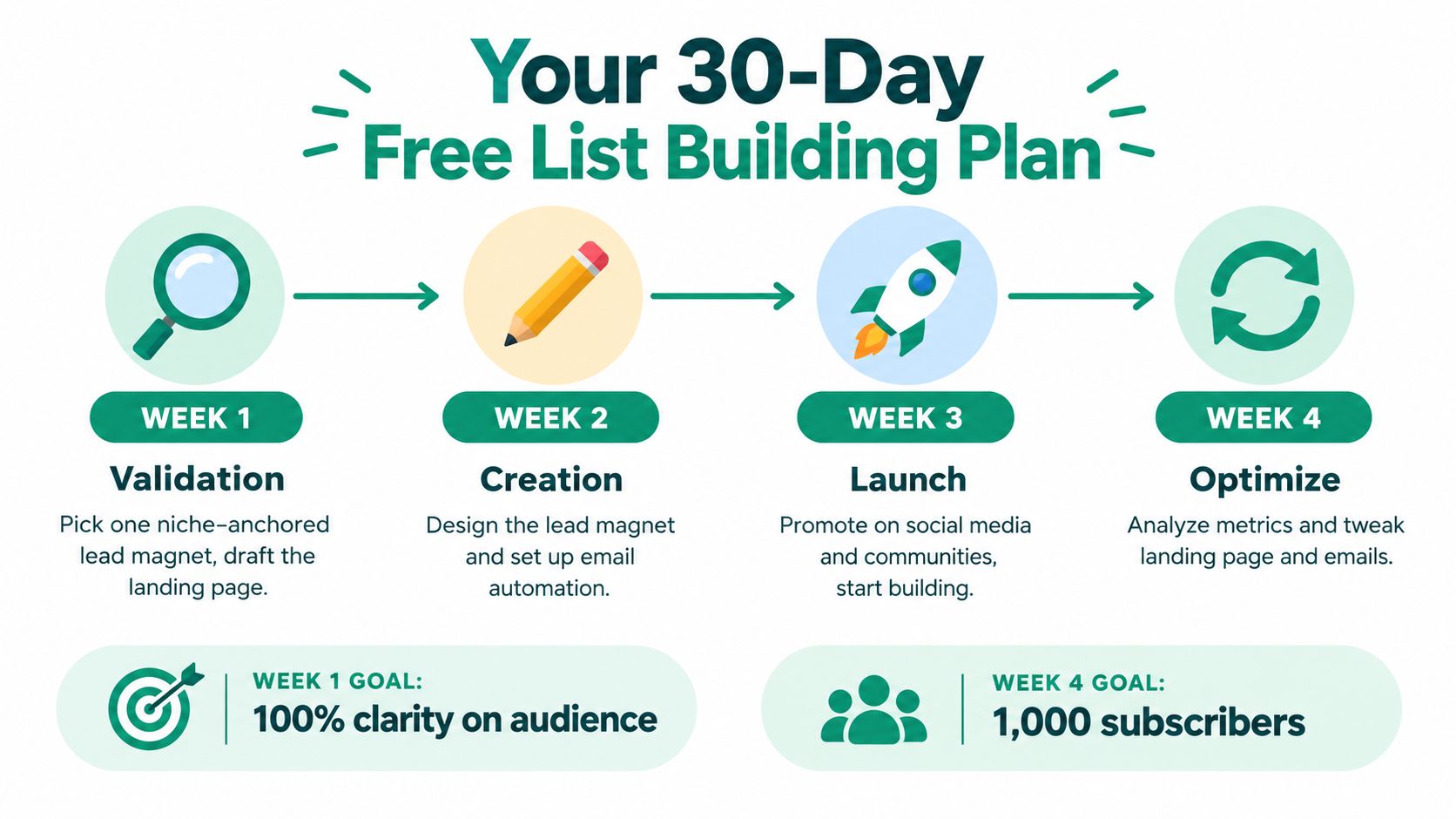
    Real-world presence creates familiarity before demand shows up

    A local sponsorship or event booth only works when it fits your actual buyer base. Random logo placement is easy to buy and hard to trace. Focused presence works better.

    Useful offline moves include:

    Tactic Best use
    Chamber events Relationship building with nearby operators and service providers
    Workshops and lunch-and-learns Educating buyers who need more trust before purchase
    Selective sponsorships Staying visible in a community your customers already care about
    Direct mail to tight local segments Reaching specific buildings, corridors, or business clusters

    If your market buys on trust, showing up in the same physical spaces as your buyers and partners often does more than another generic awareness campaign.

    Direct mail still has a place here. Not mass mailers. Tight, relevant sends tied to a local audience and a clear offer. A short note to a defined business cluster can work when it reflects real market knowledge and connects to the same message buyers saw online.

    Measuring What Matters in Your Local Campaigns

    Local lead gen gets messy fast when every channel reports success in its own language. SEO talks rankings. Paid teams talk clicks. Sales talks meetings. Community managers talk engagement. None of that tells you what produced revenue unless the system is connected.

    The cleanest local programs use one measurement spine. Leads enter through calls, forms, bookings, email replies, or direct messages, but they land in one place with source data attached.

    Build attribution into the workflow

    Businesses using integrated CRM systems to centralize lead capture from channels like Google Business Profile and social ads see 30% faster response times and 22% improved lead conversion rates, according to GigaBPO's local lead generation strategies analysis.

    That result makes sense in practice. When your team can see where the lead came from and who owns the follow-up, speed improves. When speed improves, more conversations turn into real opportunities.

    The basics matter:

    • Use UTM parameters on local landing pages and campaign links
    • Assign call tracking numbers where phone leads matter
    • Tag source and geography inside the CRM
    • Separate first-touch from last-touch views so you don't over-credit the final click

    Track performance by channel and by place

    A local campaign can look healthy in aggregate and still hide weak markets. That's why local reporting should cut performance by geography, not just by channel.

    Track metrics like:

    • Cost per lead by channel
    • Lead-to-opportunity rate by location
    • Response time by source
    • Qualified meeting rate by campaign
    • Closed revenue by market segment

    Avoid getting trapped by vanity metrics. A local page with traffic but no calls may have a trust problem. A social campaign with reach but weak lead quality may be hitting the wrong radius. A high-volume directory placement may be filling the pipeline with poor-fit buyers.

    A practical way to pressure-test spend decisions is to run the numbers with a customer acquisition cost calculator before you expand a channel just because it looks busy.

    The goal isn't to prove every channel matters equally. The goal is to find which combination creates qualified conversations at a cost your team can defend.

    When teams do this well, local lead gen stops being a pile of tactics. It becomes a repeatable engine. Search creates discovery. Paid and community channels reinforce trust. Outreach turns signals into conversations. Offline presence deepens credibility. Measurement tells you what to do more of and what to cut.


    If your team is spending too much time hunting for contact data before outreach even starts, EmailScout is worth a look. It helps marketers and sales teams find decision-maker emails quickly while browsing local business sites, directories, and prospect lists, which makes it easier to turn local research into actual conversations without slowing down your workflow.

  • Maximize Opens: Best Time to Send Email 2026

    Maximize Opens: Best Time to Send Email 2026

    Tuesday is the strongest starting point for many organizations, with 27% of US marketers reporting it as their highest engagement day, and the safest default window is 10:00 AM to 3:00 PM in the recipient’s local time. But that benchmark is only a starting line. The best time to send email gets better when you stop chasing one universal answer and build a repeatable testing system around your own audience.

    Most advice on this topic gets flattened into one sentence: send on Tuesday at 10 AM. That advice isn't wrong. It's just incomplete.

    It ignores the difference between a newsletter and a cold outbound message. It ignores the difference between a buyer in New York and a prospect in Berlin. It ignores whether you want the email opened, clicked, or replied to. If you're only looking for a generic benchmark, you'll get a generic result.

    There Is No Single Best Time to Send an Email

    The internet loves a magic hour. In email, that usually means Tuesday morning.

    That benchmark exists for a reason. Midweek tends to be stable, inboxes are active, and recipients are back in work mode. But "best time to send email" only becomes useful when you treat that benchmark as a control, not as a rule.

    A marketer sending a webinar invite to a US SaaS audience behaves differently from a founder sending cold outreach to international buyers. The same clock time can produce very different outcomes because audience context changes everything. Inbox habits, work schedules, local time, device usage, and email intent all matter.

    Practical rule: Use industry benchmarks to choose your first test. Don't use them to lock your strategy.

    A lot of teams never move past borrowed advice. They copy the default send window from a blog post, schedule everything there, and assume timing is solved. It isn't. A better approach is to start with a benchmark, then pressure-test it against your list.

    If you want a broader reference point before you build your own schedule, Ecommerce Boost has a useful overview of when to send marketing emails that helps frame the common starting windows.

    Why the universal answer breaks down

    Three variables usually wreck the one-size-fits-all answer:

    • Audience type: A sales prospect checking email between meetings behaves differently from a retail subscriber browsing promotions after work.
    • Campaign goal: An email built for visibility often performs at a different time than one built for action.
    • Geography: Sending at your local 10 AM can land at the wrong moment for a large part of your list.

    The practical takeaway is simple. You don't need a perfect answer on day one. You need a reliable baseline and a clean way to test from there.

    Understanding the Data-Backed Benchmarks

    The broad benchmark is still useful because it gives you a sensible default. Across 2025 research, Tuesday and Thursday repeatedly show up as the strongest days, with peak engagement landing between 10:00 AM and 3:00 PM in recipients' local time. In HubSpot’s 2025 survey, 27% of US marketers said Tuesday was their highest engagement day, and Bloomreach’s report citing Brevo points to those same midweek patterns as the most dependable starting point for marketers (Bloomreach benchmark summary).

    An infographic showing optimal email engagement benchmarks including open rates, click-through rates, and best sending times.

    That gives you the baseline. If you're launching a new program, cleaning up an old schedule, or sending to a list with limited historical data, this is the most practical place to begin.

    What the benchmark actually means

    It doesn't mean every email should go out Tuesday at 10 AM.

    It means midweek, local-time delivery during the late morning to early afternoon is the most defensible default if you don't yet know your audience's preferred pattern. That matters because many teams need a first send window before they have enough campaign history to make stronger decisions.

    Here's a simple way to use the benchmark.

    Audience Best Days Best Times (Local) Rationale
    Broad marketing list Tuesday, Thursday 10:00 AM to 3:00 PM Safe midweek visibility window based on large-scale benchmark patterns
    Cross-border B2B Midweek Morning in recipient local time Business buyers usually triage inboxes during working hours
    Action-oriented campaigns Test against evening slots Compare late morning vs evening Some lists open in the day but act later
    New or untested list Tuesday first Start around 10:00 AM Gives you a stable control for future testing

    B2B and B2C don't behave the same way

    People often overgeneralize. Work-email behavior often rewards local business-hour timing because people check inboxes around meetings, task blocks, and internal communication. Consumer behavior can be less predictable because personal email gets checked in downtime, on mobile, and outside standard office hours.

    That doesn't mean B2B always belongs in the morning or B2C always belongs in the evening. It means your benchmark should match the inbox you're entering.

    Send time is a targeting decision, not just a scheduling decision.

    If you want another practical lens on execution, this guide to smart email sending does a good job of showing how scheduling discipline affects performance once you've chosen your testing windows.

    The benchmark gives you a default. It does not give you your answer. Your answer comes from what happens after you test against it.

    Key Factors That Influence Your Perfect Send Time

    The difference between a decent send schedule and a high-performing one usually comes down to a handful of variables that marketers treat as minor details. They aren't minor.

    A young professional analyzing digital email engagement data on multiple computer monitors while holding a cup.

    Time zone is not an admin task

    Time zone handling changes results because it changes relevance. A 2025 HubSpot study cited by Snov reports that emails sent between 9 AM and 11 AM in the recipient's local time increased open rates by 28% for cross-border B2B campaigns, yet only 12% of marketers segment by time zone (time-zone segmentation data).

    The significance of that gap is often underestimated. If you're emailing buyers across North America, Europe, and APAC from one master schedule, part of your list will always get the message at the wrong time.

    The practical fix isn't complicated:

    • Segment by region: Create scheduling groups by recipient location, not by your office location.
    • Start with local mornings: For business audiences, local working hours are still the cleanest baseline.
    • Treat global sends as separate campaigns: One campaign with one timestamp is usually a compromise.

    Intent changes timing

    A newsletter, a webinar invite, a sales follow-up, and a discount email don't ask the reader to do the same thing. That means they shouldn't all inherit the same send window.

    If the goal is pure visibility, traditional workday timing often works well as a starting point. If the goal is action, you may find the audience engages later, when they have more time to click, reply, or book.

    Think about send time the way you think about landing pages. You wouldn't use one page for every audience and every offer. Scheduling needs the same level of matching.

    Devices and routines matter more than averages

    A mobile-first audience behaves differently from a desktop-heavy audience. Commuting, between-meeting scrolling, and after-hours inbox cleanup all create distinct windows of attention. Those patterns often explain why a list can open at one time and click at another.

    Respect the recipient's day. Timing works better when it fits their routine, not yours.

    A quick diagnostic helps here:

    • Who is receiving this email
    • What device are they likely using
    • What action do I want right now
    • When would that action feel easy

    Those questions produce a stronger send-time hypothesis than copying a benchmark ever will.

    How to Find Your Optimal Send Time with A/B Testing

    Benchmarks tell you where to start. Testing tells you what to keep.

    An A/B test illustration comparing email campaign performance results between Path A and Path B.

    A lot of send-time tests fail because too many things change at once. The subject line changes, the audience changes, the day changes, and the offer changes. Then the result gets credited to send time. That's not a timing test. That's noise.

    Build a clean test

    Keep the email identical and change one variable: send time.

    Use one audience segment at a time. If you're testing global timing, split by region first. If you're testing lead sources, keep each source in its own experiment. You want a fair comparison between time slots, not between different audience qualities.

    A straightforward framework looks like this:

    1. Choose one audience segment
      Pick a single list slice such as US SaaS leads, newsletter subscribers from paid search, or trial users in Europe.

    2. Set one control window
      Use your default benchmark. Midweek local business hours are a sensible control if you don't already have a house standard.

    3. Pick one challenger window
      Test a materially different slot. Morning vs afternoon is useful. Morning vs evening is even more useful if the campaign asks for action.

    4. Keep the creative fixed
      Same subject line, same preview text, same body, same CTA.

    5. Measure the right outcome
      For timing, opens show visibility. Clicks and replies show action. The better metric depends on the job of the email.

    Why evening tests matter

    Organizations often miss out on potential benefits. Omnisend's 2025 analysis found that 8 PM sends reached a 59% open rate compared with 45% at 2 PM, and click-through rates peaked at 9 PM. The explanation is practical: lower inbox competition and heavier mobile use during evening downtime (evening engagement analysis).

    That doesn't mean you should move everything to the evening. It means evening belongs in your test plan, especially for campaigns that need a click, signup, or reply rather than just awareness.

    If your current schedule only tests business hours, you're not really testing. You're just refining a bias.

    Track what happens after the open

    Open data is useful, but it's not enough by itself. For cold outreach, the question is whether the recipient noticed the message and progressed toward a reply.

    A simple way to add that visibility is to use an email open tracking workflow alongside your campaign reporting so you can compare when messages were seen against when replies or clicks happened. That gives you a more practical picture than opens alone.

    After you've run a few rounds, document your findings in a small matrix:

    Segment Control send time Challenger send time Winner Why it likely won
    US B2B prospects Midweek morning Early afternoon Depends on reply pattern Better fit for meeting schedules or inbox clearing
    EU leads Local morning Local evening Depends on campaign goal Visibility vs action split
    Webinar invites Midday Evening Depends on click behavior Action often happens when the recipient has time

    This walkthrough is a useful companion if you want to see timing tests discussed in campaign terms:

    The point isn't to run one test and declare victory. The point is to create a system that keeps improving as your list, offer, and market change.

    Scheduling Tactics for Cold Sales Outreach

    Cold outreach works differently from newsletters because you're not just picking one time. You're shaping a sequence.

    A common mistake is sending every touch at the same hour. If the prospect missed your first email because it landed during a meeting block, sending the next two follow-ups at that same time repeats the problem. Good scheduling changes the timing pattern without turning the sequence into spam.

    A simple outreach rhythm

    For a new list of decision-makers, use a varied schedule instead of a fixed one. A practical pattern looks like this:

    • First touch: Send during a proven business-hour window in the recipient's local time. This gives your email a fair shot at visibility.
    • Second touch: Shift later in the day. You want to catch a different routine, not replay the first attempt.
    • Third touch: Test an evening window if the message asks for a direct action such as a reply or meeting.
    • Final follow-up: Return to a clean daytime slot with a shorter message and a lower-friction CTA.

    That rhythm matters because cold email is partly a timing problem and partly a context problem. Some prospects read early and respond later. Some only engage when they finally get white space between calls.

    Build the list before you schedule the sequence

    Timing won't save a weak audience. Start with a narrow list of people who have a clear reason to care.

    Here, your workflow matters more than your calendar. Build a list by role, company type, geography, and relevance first. Then assign send windows based on where those people are and how they work. If you're prospecting internationally, separate those groups before the first send so local-time scheduling doesn't become an afterthought.

    If you want a broader primer on outreach fundamentals, Mailadept's cold email guide is useful because it covers messaging discipline as well as campaign setup.

    Good cold email timing doesn't mean "send earlier." It means "send when this person is most likely to deal with it."

    A practical example

    Say you're targeting operations leaders in the US and the UK.

    You'd build two segments, write one core sequence, and schedule each segment in local time. Your first touch would likely use a workday window. Your second or third touch could test a later slot for recipients who don't respond during office hours. That approach gives each market a fair chance without forcing one headquarters schedule onto everyone.

    If you want a focused reference for timing specifically in outbound campaigns, this guide on best time to send cold emails is a helpful supplement.

    The win here isn't one perfect timestamp. It's a sequence that meets the prospect in more than one context.

    Using Tools to Automate and Perfect Your Timing

    Manual scheduling works when your list is small. It breaks once you're sending across regions, segments, and campaign types.

    The right tool stack does two jobs. It helps you find the right contacts, and it helps you deliver at the right moment. Without both pieces, timing strategy stays theoretical.

    Screenshot from https://emailscout.io/

    What to automate first

    Start with these layers:

    • List building: Your outreach platform is only as good as the contacts inside it.
    • Time-zone scheduling: This is the first automation many organizations should turn on.
    • Send-time optimization: Useful once you have enough historical engagement data.
    • Reporting: You need a way to compare time slots by segment, not just at the account level.

    A lot of teams jump straight to AI-based send-time optimization. That's fine if your data is clean. It isn't a substitute for segmentation. If your list mixes regions, roles, and intent levels, automation can distribute the wrong message more efficiently.

    Where tools fit in the workflow

    For prospecting, one option is EmailScout, which is an email finder Chrome extension used to build lists of decision-makers while browsing. In practice, that means you can collect the right contacts first, then pass them into your sending platform for local-time scheduling and campaign testing.

    For execution, organizations often pair list-building with an email platform that supports scheduled delivery by recipient time zone and campaign-level reporting. Once that setup is in place, your testing framework becomes operational instead of manual.

    If you're comparing platforms for that stack, this roundup of best email outreach tools is a useful starting point because it looks at how prospecting and sending tools work together.

    Don't automate bad assumptions

    Automation multiplies whatever process you already have. If your assumptions are weak, software just scales the mistake.

    Use this order instead:

    1. Define the segment
    2. Choose the control send window
    3. Test one challenger
    4. Review opens, clicks, and replies
    5. Automate the winner
    6. Retest when audience behavior changes

    The best send-time tool doesn't replace strategy. It enforces the strategy you've already validated.

    That's the answer to the best time to send email. Start with Tuesday and local business hours if you need a default. Then test your way toward a schedule that reflects your audience, your goal, and your market.


    If you're building outbound lists and want a faster way to turn prospect research into scheduled outreach, EmailScout can help you collect decision-maker emails while you browse, organize targets before launch, and support a cleaner send-time testing workflow from the start.