

You can build a clean target list, feel good about the research, and still end up with a broken first sequence. The usual failure point isn't volume, it's coverage. One tool finds accounts, another finds contacts, a third scores intent, and a fourth handles engagement. If you don't know where each platform stops, you end up with hundreds of names and no reachable decision-makers. That's why the practical way to compare sales intelligence tools is by the outreach job they perform, not by the size of the logo wall.
If you're trying to compare Listkit alternatives, this comparison should feel familiar. The rep already has a list. The marketer already has a campaign. The RevOps lead already has a CRM that's half full of stale fields. What matters next is whether the tool helps you find the right account, uncover the right contact, verify data before you waste sends or dials, or engage once the timing is right. The strongest stacks separate those jobs cleanly, then pair tools that cover each other's blind spots.
1. EmailScout
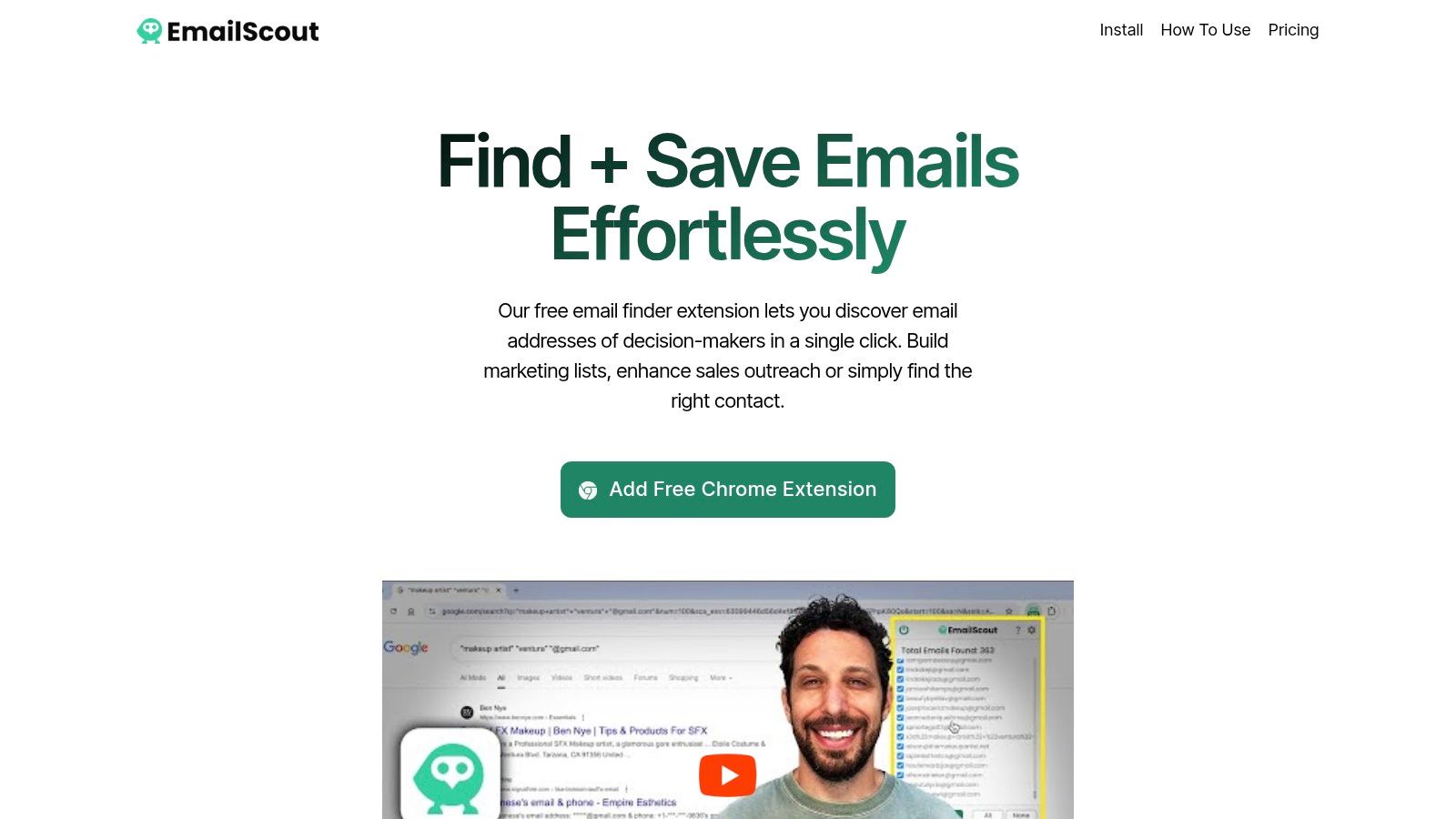
A rep is on a company site, spots the right account, and needs a contact fast. EmailScout fits that job. It is a Chrome extension, so it works inside the browser rather than in a separate research workspace. That makes it practical for list building that happens one prospect page at a time.
Best at finding contacts quickly
The free version is the main reason teams try it. EmailScout advertises unlimited email discovery and simple CSV/TXT export, which lets a rep start pulling decision-maker emails without waiting on procurement or an ops setup. For quick outbound research, that is a low-friction path.
The premium layer adds AutoSave, which captures addresses as you browse, and a URL Explorer for bulk scraping when you already have a large URL list. That shifts the tool from one-off discovery to ongoing list creation. It still remains a finder and exporter. It does not become a full intelligence stack on its own.
Practical rule: use EmailScout when the bottleneck is getting from page view to usable contact list, not when you need company prioritization or intent scoring.
What it cannot do alone
EmailScout is not a verification or compliance system, so scraped addresses should not go straight into campaign sends without a validation step. It also does not replace a CRM, dialer, or engagement platform. In practice, it pairs well with a verifier first, then a sending or sequencing tool.
For more context on how contact discovery fits into the broader workflow, see what sales intelligence means in practice. If the work later shifts into enrichment, the tool fits more naturally as one part of a broader data stack.
Good pairing: EmailScout for discovery, then a verifier and CRM sync before outreach.
Website: EmailScout
2. ZoomInfo
A rep has the account list, but the contacts are incomplete, the CRM is messy, and marketing wants the same records everywhere. ZoomInfo fits that kind of job. It is built for broad account and contact coverage with deep system integration, so it works best when sales, marketing ops, and RevOps need one shared data layer. It is usually more than a solo rep needs.
Best at supplying a large enterprise data layer
ZoomInfo's main strength is scope. It provides contact and company data, direct dials, intent, enrichment, and integrations across modules. That makes it a practical choice when several teams need the same underlying dataset.
The trade-off is heavier buying and setup. Contracts are sales-led, so buyers should expect more procurement work than with self-serve tools.
It earns its keep when the stack has to stay connected. If the CRM, marketing automation platform, and outbound team all need the same account objects, integration depth matters as much as raw data. It also supports territory planning better than lighter tools because the coverage is shaped for enterprise selling motions.
ZoomInfo does not run the outbound motion for you. You still need a sequencing layer or engagement workflow, and you still need a clear acceptance bar for stale records, duplicates, and routing issues.
What it cannot do alone
It is strong at surfacing people and accounts, but it does not replace disciplined outreach operations. If duplicates, missing fields, and bad routing are not handled first, even a premium dataset can create more cleanup than lift. That is the trap. Teams often overbuy at this stage and assume the data layer will fix a workflow problem.
For teams already comparing vendors, a sales intelligence explainer is a useful reference point for where lightweight contact discovery ends and broader intelligence begins.
Good pairing: ZoomInfo for scale and integrations, then a dedicated engagement platform for the actual outbound motion.
Website: ZoomInfo
3. Apollo.io
Apollo.io is the all-in-one choice when the job is both finding people and sending sequences from the same place. That makes it popular with lean teams that want one tool for data, enrichment, dialing, and outbound execution. It's less elegant as a pure database than a giant enterprise stack, but it's often easier to get live fast.
Best at combining prospecting and outreach
The strongest argument for Apollo is workflow compression. You search for contacts, enrich them, then move straight into multichannel sequences and dialing without switching systems. For startups and mid-market teams, that reduces tool sprawl and makes adoption much easier. The Chrome extension also keeps prospecting close to Gmail, LinkedIn, and company sites, which matters for reps who live in the browser.
Apollo's signals, including intent and job-change cues, add some prioritization value. That helps when you don't just need names, you need a reason to contact them now. The platform's Salesforce sync is another practical advantage if your team wants prospecting to flow into the CRM without a lot of manual pushing.
The trade-off is scale and metering. As usage grows, the credit model starts to matter, especially if your team leans heavily on the dialer. Apollo can replace several tools for smaller teams, but larger programs may eventually hit the point where specialized data coverage or more controlled governance becomes attractive.
What it cannot do alone
Apollo is not the best answer if your calling program needs strict compliance workflows or region-specific phone verification depth. It also isn't a pure intent platform. If you care about which accounts are surging before you outreach, a dedicated intent layer can still outperform broad signals inside an all-in-one suite.
For revenue teams trying to understand where prospecting tools fit in the stack, the key is not whether Apollo can do everything. It's whether it can do enough of everything to keep the motion moving without forcing a second system too early.
Website: Apollo.io
4. LinkedIn Sales Navigator
LinkedIn Sales Navigator is best when the job is account research and relationship mapping. It tells you who changed roles, who reports to whom, and where the warm paths are. That makes it indispensable for sellers who care about timing and social proof more than raw volume.
Best at real-time research from the source
The advantage here is freshness. If your team sells into complex accounts, the value is in up-to-date role and company changes straight from LinkedIn. Sales Navigator also helps with lead and account list-building, so you can shape a target list before you ever touch a database. That's useful when account selection depends on org structure, not just firmographics.
It's also easier to explain to teams because the mental model is simple. Search, save, map, and monitor. That predictable flow is one reason it often becomes the first thing reps open when they need to understand a buyer committee.
The limitation is just as clear. It doesn't include email or phone data, and InMail has usage limits. If your team depends on direct contact info, Sales Navigator won't solve that job alone. It's a research and relationship layer, not a contact enrichment source.
What it cannot do alone
It cannot complete the outreach stack by itself. Many teams pair it with a data provider so they can move from relationship intel to direct contact. Without that pairing, Sales Navigator is excellent for prioritization but incomplete for execution.
This is the tool I see most often used as a front door into account research, then handed off to a contact source. That handoff is the point. It tells you who matters. Something else has to tell you how to reach them.
Website: LinkedIn Sales Navigator
5. Cognism
Cognism is the safer choice when the job is compliant calling and better-quality direct dials, especially in Europe. It's built for teams that care about data hygiene, phone verification, and privacy posture, not just list size. For EMEA-heavy motions, that distinction matters more than the flashiest database claims.
Best at compliant phone data
Cognism's selling point is its Diamond Data approach, which centers on phone-verified mobile numbers. It also layers in DNC and TPS suppression across multiple regions, plus enrichment and buying signals. That makes it a strong fit for teams where calling risk is real and contact quality has to be defended internally.
The practical benefit is not just legal comfort. It's cleaner calling lists, fewer wasted dials, and less time arguing about whether the data is safe to use. If your territory includes Europe, that operational discipline becomes part of the ROI story.
The trade-off is procurement. Pricing is quote-based and tends to lean enterprise. The database may also look smaller than some U.S.-centric vendors, but that's often the cost of a stronger verification posture. In this category, bigger is not always better.
What it cannot do alone
Cognism is still a data source first. It does not replace your engagement platform, and it won't run your sequences or manage rep activity. You'll still need a place for outreach execution, CRM sync, and pipeline follow-up.
For teams evaluating data providers with a compliance lens, Grou's comparison of ZoomInfo and Cognism is a helpful outside read. It's especially useful if your buying team keeps asking whether you want breadth or verified quality.
Good pairing: Cognism for verified calling data, then a sequencing tool for outreach and follow-up.
Website: Cognism
6. 6sense
6sense is the strongest fit when the job is account prioritization for ABM, not just contact discovery. It helps you identify which accounts are heating up, where they sit in the buying journey, and which ones deserve seller attention first. That makes it more of an orchestration layer than a simple database.
Best at identifying in-market accounts
The value of 6sense is in the account-level view. Instead of starting with a person and working backward, teams start with the account and let intent and predictive scoring guide the motion. That works well when multiple stakeholders are involved and marketing and sales need to agree on where to spend time.
It is powerful for pipeline acceleration because it helps reps stop guessing which accounts deserve a sequence. The platform can guide prioritization, route activity, and coordinate with broader ABM workflows. For larger organizations, that alignment is often the whole point.
The downside is implementation weight. It's expensive, usually quote-based, and not the kind of tool you want to buy casually. You also need a team that will use the orchestration features, or else you're paying for a prioritization engine that sits underused.
What it cannot do alone
6sense won't replace a contact database or a contact verification layer. It tells you where to focus, not necessarily who to call or whether that record is clean. If you don't pair it with a contact source, the account intelligence stops short of outreach.
That's why 6sense usually sits in a stack, not at the edge of one. It works best when another tool handles the direct contact layer and a third handles execution.
Website: 6sense
7. Demandbase
Demandbase One for Sales makes sense when the job is aligning sales and marketing around enterprise ABM. It pulls together firmographics, technographics, site engagement, and intent so account prioritization isn't left to gut feel. For teams living inside an enterprise revenue engine, that coordination is valuable.
Best at enterprise account coordination
Demandbase is strongest when you need a shared view of account activity across functions. It can help sellers see where an account is engaged, how the website is being used, and how those signals map to firmographic fit. That makes it especially useful for teams that already run ABM motions and want sales to operate from the same signal set as marketing.
The browser extension and Salesforce integration help bring that context into seller workflows. That matters because enterprise tools often fail not on capability, but on visibility. If reps don't see the intelligence where they work, adoption drops.
The limitation is cost and operational complexity. This is not a lightweight purchase, and enterprise onboarding is part of the package. It also tends to fit best where the company already has enough motion maturity to use the data well.
What it cannot do alone
Demandbase is not the answer if your main pain is raw contact discovery. It's more about account prioritization and ABM orchestration than filling a rep's call sheet. You'll still need a contact tool underneath it.
For teams that want enterprise-level coordination, Demandbase is compelling. For teams that just need reachable people this week, it's usually too much platform for the problem.
Website: Demandbase
8. Bombora
Bombora is the intent layer you buy when the job is knowing which accounts are researching right now. It doesn't give you people to call. It gives you account-level signals that can make your list timing much better. That distinction matters more than most vendors admit.
Best at signaling research activity
Bombora's Company Surge signals are useful because they show when target accounts are consuming relevant content at scale. That lets SDRs and AEs prioritize outreach based on actual research behavior instead of stale account assumptions. The platform also offers Market Insights dashboards and integrates with tools like Salesforce, which helps those signals show up in the systems sellers already use.
This is a classic “pairing” tool. It becomes much more valuable when the account data already exists in your CRM and a contact source can fill in the names. In other words, Bombora tells you when to act, but not who to contact.
That's why the best use of Bombora is often as a trigger feed inside a broader outbound motion. It sharpens timing. It doesn't finish the job.
What it cannot do alone
Bombora does not provide verified contact info. It also doesn't run engagement. If you buy it expecting a complete prospecting solution, you'll be disappointed. If you buy it to improve prioritization inside a mature stack, it can be much more useful.
Website: Bombora
9. Clearbit
Clearbit now lives inside HubSpot, so teams should judge it by how well it fits that environment. It still focuses on enrichment and visitor identification, but the workflow is HubSpot-managed. That makes it a better fit for teams already standardized on HubSpot than for buyers who want a standalone platform.
Best at HubSpot-native enrichment
Clearbit's main job is turning anonymous or incomplete records into richer CRM entries. Company and person enrichment keep records usable, while Reveal can identify website visitors inside HubSpot. If your marketing automation and sales workflow already run there, that native fit matters.
The move away from a standalone product also changes the trade-offs. You are not buying a separate data cloud. You are using enrichment inside a larger system, with HubSpot's usage and credit model shaping how far it goes.
That works well for teams that want practical enrichment without adding another major system. It is less useful for teams that need an independent enrichment layer or more flexibility across platforms.
What it cannot do alone
Clearbit inside HubSpot is not a replacement for a full prospecting database. It enriches and identifies, but it does not give you the same standalone discovery motion as contact-first tools. If your main gap is finding people to reach, you still need another source.
For HubSpot-centric teams, that trade-off is often acceptable. You get cleaner records where you already work, and that usually matters more than extra features you will not use.
If you are doing enrichment work later in the funnel, see best data enrichment tools for how enrichment fits into a broader data stack.
Good pairing: Clearbit for HubSpot enrichment, EmailScout for fast contact discovery outside the CRM.
Website: Clearbit
10. UpLead
UpLead is the pragmatic choice when the job is verified contacts with predictable pricing. It's aimed at smaller teams that want clear limits, clean credits, and less procurement drama. That makes it attractive for SMBs, startups, and solo sellers who value clarity over platform sprawl.
Best at predictable verified prospecting
UpLead's appeal starts with its pricing model. Each contact you access consumes a credit, so cost is easy to understand before you scale. It also includes verified contacts, a Chrome extension, enrichment API access, and integrations with tools like Salesforce, HubSpot, Outreach, and Salesloft. That gives smaller teams a very usable path from search to export to outreach.
The practical upside is speed. You can implement it quickly, build lists without a long admin phase, and move on. For small teams, that's often more valuable than an oversized database with features nobody uses.
The limit is scale. UpLead is not trying to be the biggest data cloud in the market, and advanced intent features sit higher up the plan ladder. If your motion is growing fast, you may eventually want more account intelligence or broader orchestration.
What it cannot do alone
UpLead is a contact source, not a full ABM engine. It won't prioritize accounts for you in the way an intent platform does, and it won't run a full outbound motion on its own. It works best when the buying team wants reliable contact access without overpaying for enterprise infrastructure.
That makes it a clean option for teams that know what they need and don't want a complicated buy. If the requirement is verified data, predictable usage, and a quick start, UpLead is easy to justify.
Website: UpLead
Top 10 Sales Intelligence Tools, Core Features Comparison
| Tool | Core features | UX & quality | Value proposition | Target audience | Pricing |
|---|---|---|---|---|---|
| EmailScout | One-click Chrome email finder; unlimited free discovery; CSV/TXT export; AutoSave & URL Explorer (premium) | Lightweight, easy onboarding; browser-only; scraped emails not verified | Fast, low-cost lead discovery with scalable bulk scraping | Marketers, sales reps, freelancers, founders | Free unlimited search; premium from ~$9/mo (5k emails); no‑CC trial (200 emails/month) |
| ZoomInfo | Large B2B database; direct dials; intent & enrichment; CRM integrations | Enterprise-grade coverage (strong US); deep integrations | Comprehensive contact data + workflows for large sales teams | Enterprise SDR/AE, RevOps teams | Sales-led contracts; no published pricing; typically annual |
| Apollo.io | Data + engagement (sequences, dialer); Chrome extension; signals | Self-serve UX; fast trial; dialer minutes credit‑metered | All-in-one data and outreach platform to reduce tool sprawl | Startups, mid-market teams, SDRs | Transparent tiers; lower entry price; metered credits for heavy use |
| LinkedIn Sales Navigator | Advanced search; lead & account lists; relationship insights; InMail | Real-time role/company data; predictable per-seat UI | Source of up-to-date people/org signals and warm outreach paths | Account execs, recruiters, ABM practitioners | Published per-seat plans (Core / Advanced) |
| Cognism | Phone-verified mobiles (Diamond Data); DNC/TPS suppression; enrichment | High phone quality; compliance-first (GDPR/CCPA, ISO posture) | Verified, compliant contact & dial data for regulated markets | Teams targeting EMEA/phone-heavy outreach | Quote-only enterprise pricing |
| 6sense | Account scoring; intent-driven predictive insights; orchestration | Strong ABM fit; enterprise controls; implementation-heavy | Predictive ABM to identify in-market accounts and prioritize pipeline | Mid-market & enterprise ABM programs | Quote-only; typically expensive |
| Demandbase | Firmographic & technographic enrichment; site engagement; ABM orchestration | Mature enterprise ABM; extensive documentation | Aligns Sales & Marketing around account prioritization at scale | Enterprise ABM and GTM teams | Sales-led enterprise pricing |
| Bombora | Company Surge intent signals; Market Insights dashboards; connectors | Widely adopted intent dataset; account-level signals only | Improve account prioritization with third-party intent | Sales & Marketing teams using intent for prioritization | Sales-led pricing; onboarding required |
| Clearbit (HubSpot) | Company/person enrichment; Reveal (visitor ID) inside HubSpot | Native HubSpot integration; metered credit model | Enrichment and visitor de‑anonymization for HubSpot users | Teams standardized on HubSpot CRM | Metered credits via HubSpot; no standalone public pricing |
| UpLead | Verified contacts & direct dials; Chrome extension; enrichment API | Verified emails; transparent, easy setup | Predictable pay-per-contact database for SMBs | SMBs, startups, solo sellers | Published credit-based, self-serve plans |
Building a Stack Without Overbuying
The right stack starts with the single gap that hurts you most. If accounts are the problem, start with account research and intent. If the pain is unreachable prospects, start with contact discovery and verification. If compliance keeps slowing the calling team, choose the platform that handles phone quality and suppression well. If reps already know who to target but aren't converting, the answer is probably engagement, not more data.
That order matters because many teams buy the wrong layer first. They pay enterprise prices for a tool that mainly duplicates another source, or they stack two contact databases on top of one another and still don't fix timing. The better move is simpler. Shortlist two tools that solve the same job, run them against the same target accounts, and compare the quality of the contacts, the cleanliness of the sync, and the total cost at the volume you expect to use. That's the fastest way to see whether the platform is helping the workflow or just looking strong in a demo.
The clearest pattern across these sales intelligence tools is that none of them wins alone. LinkedIn Sales Navigator gives you relationships, Bombora gives you timing, Cognism gives you cleaner dials, ZoomInfo gives you breadth, and Apollo gives you a compact all-in-one motion. EmailScout is strongest when the need is fast contact discovery without a heavy setup. Pair the job to the tool, then pair the tool to the next step in the workflow.
If you're building around contact discovery first, keep it lightweight and testable. EmailScout gives you a fast way to find emails from websites and Google search, export them cleanly, and keep building lists without a long rollout. Visit EmailScout if you want a simple Chrome-based way to feed your outreach stack with decision-maker contacts.