

You've found the right decision-maker, opened a company website, and checked a professional profile. There's still no email address, just a contact form and several plausible guesses. Before one of those guesses enters your prospect list, you need to know what connects it to the person you want to reach.
Learning how to search an email address means separating evidence from assumptions. A useful workflow doesn't stop at an address-shaped string. It produces a contact record with a source, a confidence level, and a clear next action.
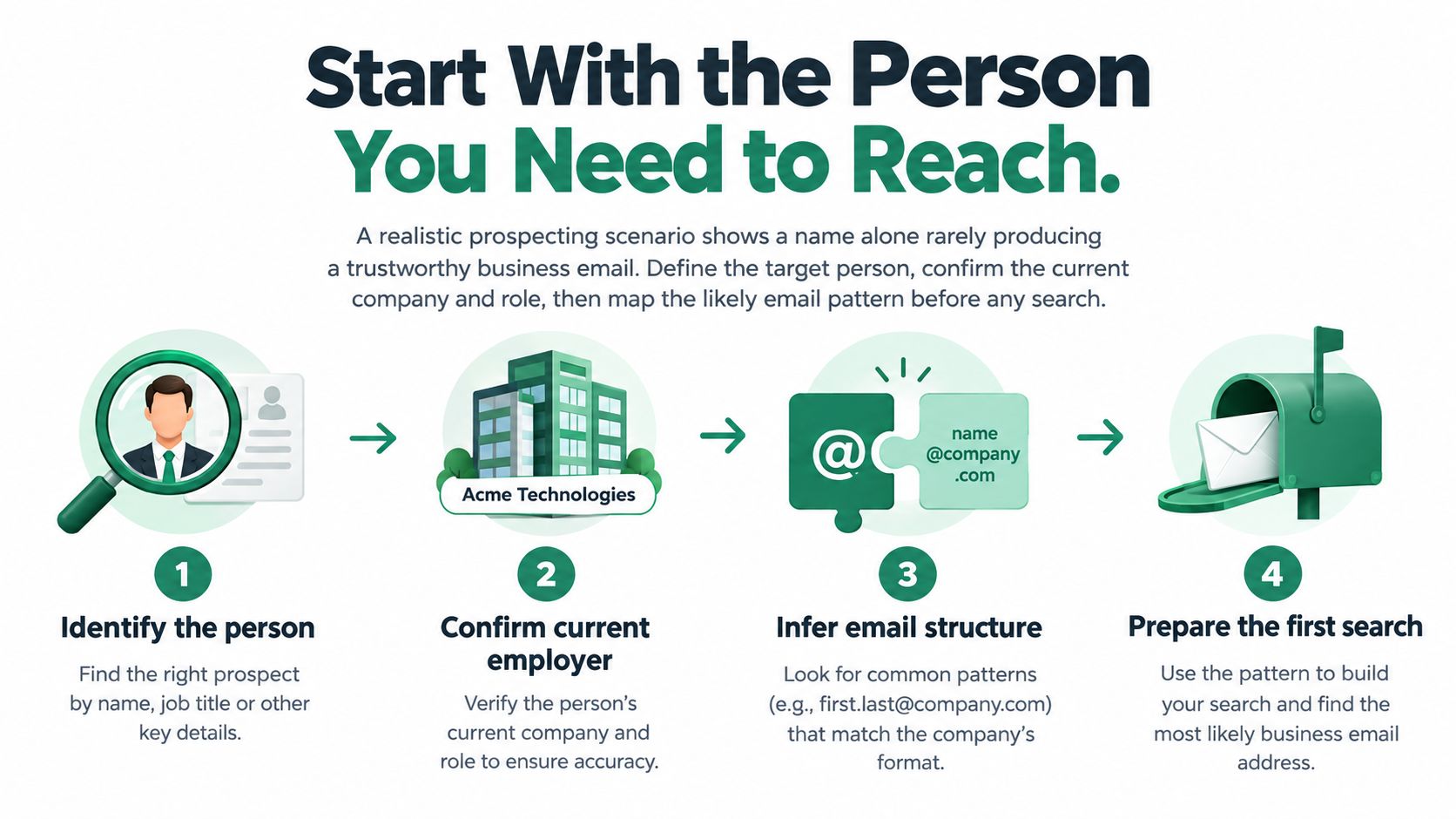
Start With the Person You Need to Reach
Suppose you're selling a marketing service and need the person responsible for demand generation at a particular company. A name from an old event agenda isn't enough. Confirm that the person still works there and that their responsibilities match your reason for contacting them.
Start with a compact search brief, not an email finder. This gives whoever reviews the record a consistent basis for accepting or rejecting a match.
Build a Search Brief
- Person: Record the full name, including any publicly used middle initial or alternative name order.
- Employer and role: Identify the current company and the responsibility relevant to your offer.
- Location: Include it when it helps distinguish people with similar names.
- Company domain: Establish the organization's website before considering address patterns.
- Likely sources: Note company profiles, professional pages, or relevant conference biographies.
- Business purpose: Explain why this particular person should receive the proposed message.
Keep separate fields for publication evidence, technical status, and identity evidence. An address might appear publicly without naming its owner, while a technically acceptable mailbox might have no demonstrated connection to your target.
If you're designing that record structure, SourceLoop's resource on how to organize contacts for revenue tracking provides useful context for keeping contact research connected to downstream sales work.
Practical rule: Reject the wrong person before spending time verifying the wrong address.
Don't carry stale candidates forward just because they're easy to find. When the employer or role doesn't match, return to the target definition rather than trying to rescue the record.
Search Public Sources for Direct Evidence
Begin where the organization or person has deliberately published business information. The defensible sequence is to confirm the person and employer, establish a documented company convention, and only then generate a limited set of candidates, as outlined in this email discovery and verification workflow.
Read Each Source for What It Establishes
A company contact page can establish a business domain and the intended purpose of a published mailbox. If it labels an address for partnership inquiries, preserve that context. Don't reclassify a shared partnership inbox as the head of marketing's personal address.
A team profile can connect a name to a role and employer. If the page also explicitly assigns an email address to that person, you have stronger identity evidence than an address found elsewhere on the site.
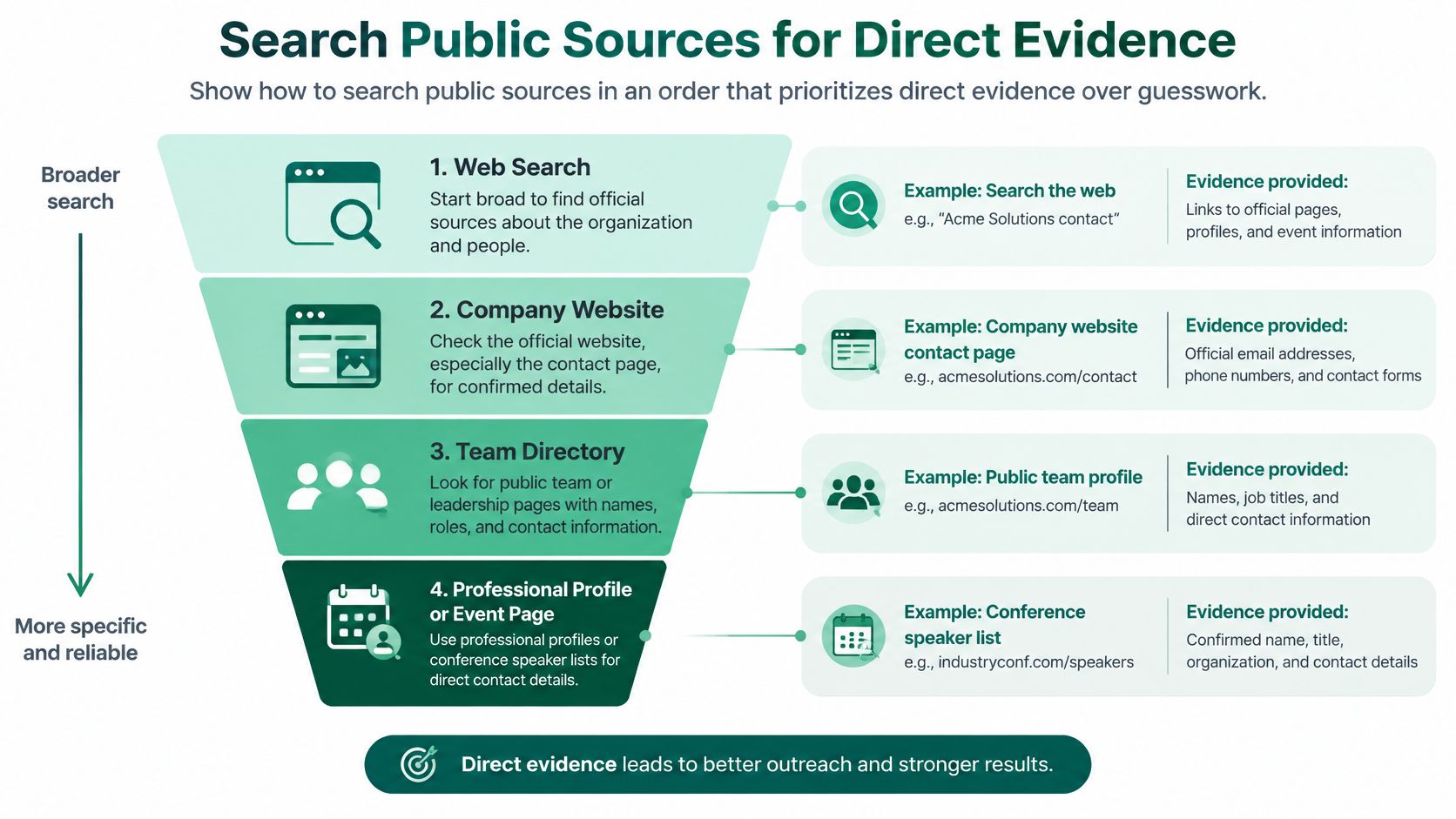
A professional profile, such as LinkedIn, is useful for comparing the person's stated employer and responsibilities with company information. Review publicly available contact details, but don't assume that every displayed address is intended for commercial outreach.
A conference biography can establish that someone represented an organization in a particular context. Check its timing against current information. An old speaker page is supporting evidence, not a substitute for confirming the present employer.
Preserve the Evidence, Not Just the Address
Try searches combining the full name, company, and role. If you need a page-level research routine, this guide to finding an email address from a website provides a useful starting point.
For each candidate, record:
- Source page: Save the page address in your research record.
- Date checked: Make freshness visible to the next reviewer.
- Observed evidence: Write what the page establishes, such as a named mailbox or current team membership.
- Unresolved questions: Flag missing ownership, conflicting employers, or unclear publication dates.
A note saying “listed beside the person's name on the current team page” is more useful than “found online.” It tells the reviewer why the candidate deserves consideration without overstating what was verified.
Use Search Operators to Narrow the Search
When ordinary searches produce directories and namesakes, narrow the query instead of collecting more results. Use the following templates with the person's actual details and the organization's established domain. The placeholders illustrate searches, not real contacts or confirmed address conventions.
| Search template | Research purpose |
|---|---|
site:<company-domain> "<full name>" |
Look for the person on the employer's website |
"<full name>" "<company name>" contact |
Find pages connecting the person, organization, and contact context |
site:<company-domain> "<role>" email |
Locate relevant departmental or staff pages |
"<full name>" "<company name>" speaker |
Find event biographies for cross-checking |
"<full name>" "<company name>" Gmail |
Investigate a publicly disclosed provider address only when professionally relevant |
A search result is a lead to inspect, not a verified contact. Open the underlying page and compare the name, employer, role, and surrounding text. Don't copy an address from a snippet without understanding whose address it is.
Troubleshoot the Query Before Expanding the List
If results are too broad, add the company's full name or a distinctive responsibility. If exact-name searches fail, try a publicly used initial or alternative name order. Change a meaningful element rather than repeating nearly identical searches.
Duplicate results shouldn't become duplicate evidence. Several pages repeating the same old biography don't independently establish that the person still works at the company.
- Irrelevant directories: Exclude them from consideration when they don't show the origin or context of the address.
- Stale pages: Compare their employer details with a current authoritative page.
- Provider addresses: Don't collect personal-looking mailboxes merely because they match a name.
- No useful result: Stop broadening the search when relevance disappears.
Keep a candidate because you can explain the match, not because the search returned it.
The useful output is a short, reviewable set of candidates, each supported by a specific observation.
Find Candidates Faster With EmailScout
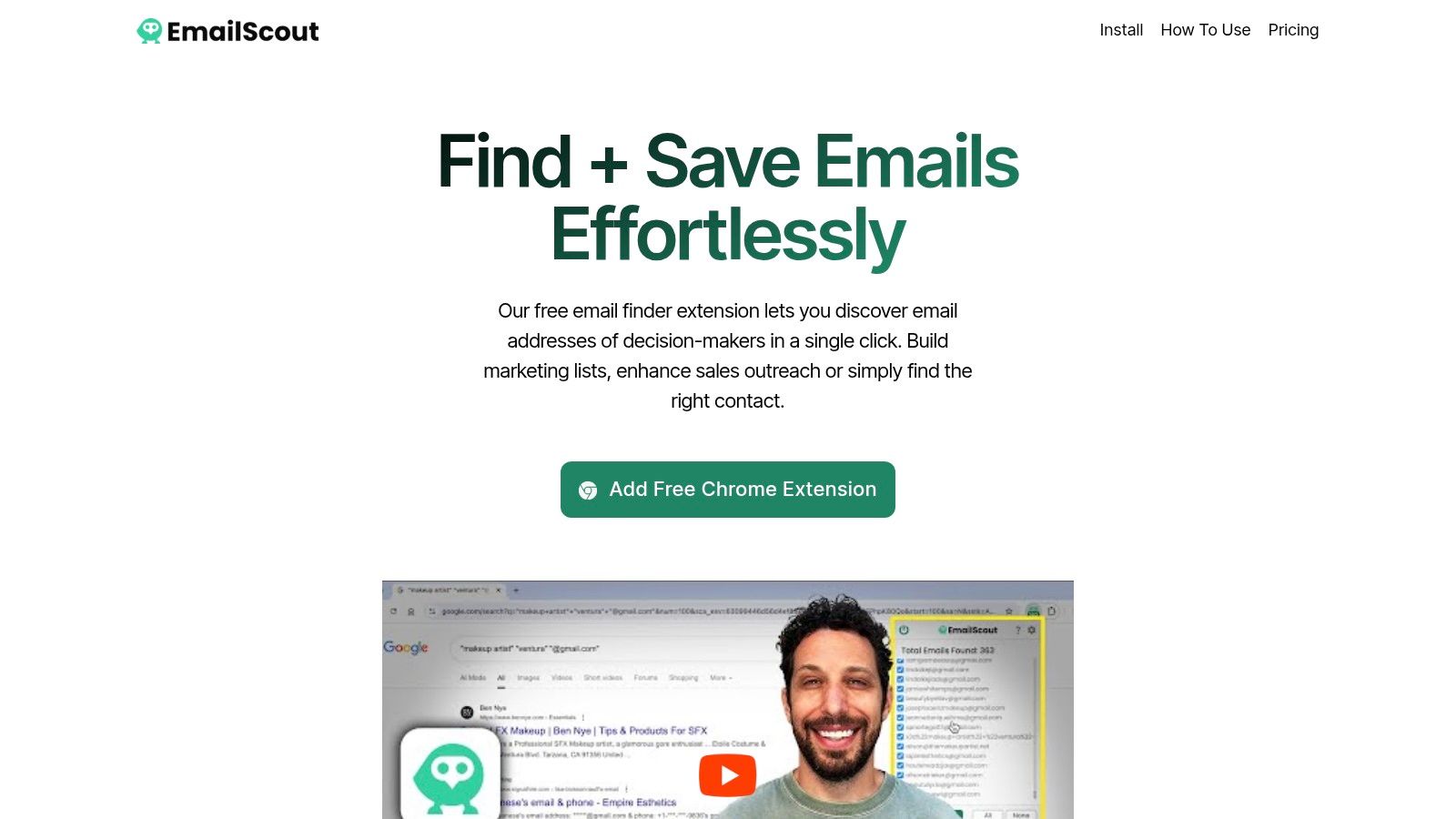
A rep can finish operator searches with three good pages and still face an hour of copy-paste. EmailScout is a Chrome extension that collects addresses while you browse and across a prepared set of URLs, which fits the collection stage of this workflow.
Treat the output as candidates tied to pages, not as confirmed people. Start with a company page that has a clear relationship to your target, then compare each returned address with the name, role, and employer you defined before searching.
Keep Collection Separate From Qualification
For page-level discovery, ask whether each address belongs to the target person, a department, another employee, or an unrelated organization quoted in the content.
Review anything saved automatically before it reaches a working prospect list. Automatic collection should reduce repetitive handling while review stays mandatory. When you feed the tool a set of URLs, choose pages you can defend: current team pages, relevant contact pages, or event pages already connected to the account.
- Retain context: Record the page where each candidate appeared.
- Explain inclusion: Note why the mailbox matches the business purpose.
- Separate exceptions: Keep shared, unrelated, and ambiguous addresses out of the person-specific list.
Pick free or paid usage based on the volume you will review, and check current plan details rather than assuming an allowance. For broader workflow planning, LeadBeast's guide to prospecting tools for SDRs places discovery beside the other prospecting tasks it has to support.
The trade-off is simple: faster collection creates a larger review queue. Measure how many retained candidates survive qualification; raw collection volume is a weak proxy.
Test Patterns Without Trusting Them Blindly
A documented company convention gives you a reason to test a candidate. It doesn't establish that the target has that mailbox. The illustrative format first.last@domain describes a naming pattern, not a verified person-to-address relationship.
Review common email address formats to understand the possibilities, then use the organization's published evidence to constrain your guesses. Don't generate every conceivable permutation because a verifier can process them.
Separate Technical Checks From Identity Checks
Start with syntax, then check the domain's DNS and MX records. Where lawful and technically appropriate, use mailbox-level verification. These layers answer different questions, and none independently establishes who controls the mailbox.
As the earlier verification workflow explains, catch-all domains can accept messages addressed to nonexistent users. Providers may also block or obscure probing, leaving the result uncertain rather than demonstrably invalid.
Flag temporary or disposable domains for review, and distinguish role-based addresses such as sales or info mailboxes from individual contacts. A shared mailbox can be relevant to an inquiry without being the decision-maker's address.
Email Candidate Confidence Guide
| Candidate status | What it supports | What it does not prove | Recommended action |
|---|---|---|---|
| Confirmed by publication or reply | Direct evidence connects the person and address | Current permission for every proposed use | Enter the qualified prospect list after remaining checks |
| Technically deliverable | Available technical checks indicate acceptance | Identity, inbox access, or permission | Review identity evidence before qualification |
| Inferred pattern | The candidate follows an observed convention | That this particular mailbox exists | Keep in the research queue pending validation |
| Uncertain or unverified | Evidence is incomplete, blocked, or ambiguous | Reliable delivery or ownership | Hold for manual review |
| Invalid or permanent failure | Validation or delivery evidence indicates failure | A safe reason to keep retrying | Remove from active outreach and suppress |
Store the confidence tier separately from the technical result. A directly published address can later become invalid, while an inferred address can receive a positive technical result without becoming identity-confirmed.
Decision boundary: A verifier's positive result isn't evidence that the intended person reads the mailbox.
When checks conflict, retain the uncertainty. Don't upgrade a record merely to make it eligible for a campaign. Ask for stronger evidence, use an appropriate public contact route, or leave the candidate out.
Verify Results and Protect Outreach Quality
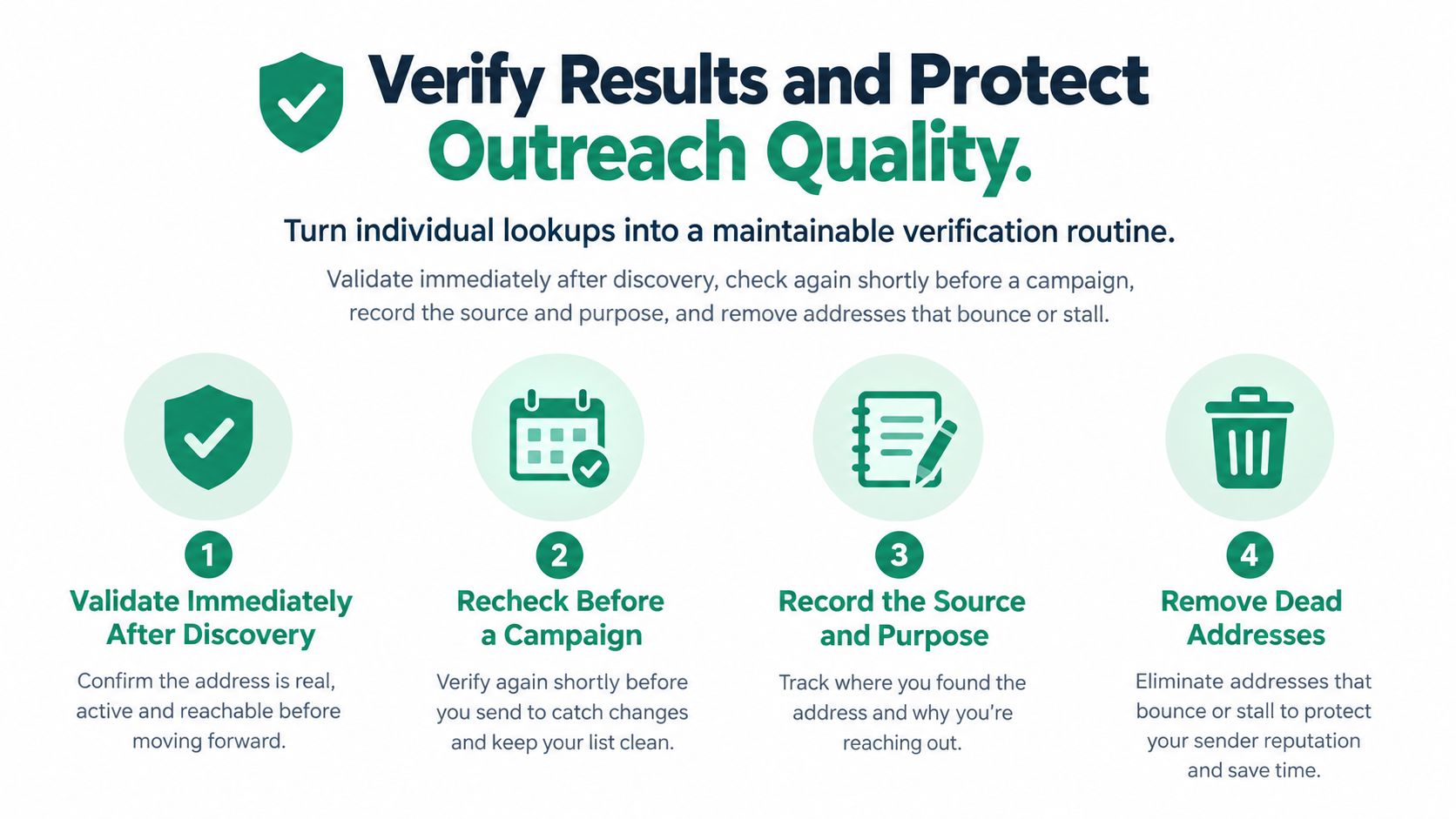
Validate candidates immediately after discovery and again shortly before a campaign. Monitor hard-bounce responses after sending, and don't treat an old successful check as permanent clearance.
Suped's bounce-rate guidance supports a total-bounce operating ceiling below 2% and a stricter internal hard-bounce target below 0.5%, while emphasizing that bounce rate doesn't prove inbox placement. Treat these as operating guardrails, not guarantees.
Apply a Release Checklist
- Ready: Identity evidence, technical classification, business purpose, and suppression status have been reviewed.
- Needs review: Catch-all behavior, conflicting sources, missing jurisdiction, or stale employment information remains unresolved.
- Remove or suppress: The recipient opted out, the address failed permanently, or the contact is irrelevant.
Use a consistent process to validate an email address, and segment results by acquisition source, country, industry, domain type, and record age. Pause segments exceeding your hard-bounce threshold, inspect response codes, and require stronger evidence before resuming.
For maintaining these fields across a CRM, MakeAutomation's B2B CRM data quality strategies provide relevant operational context. Don't substitute vendor-wide accuracy claims for your own source-level monitoring.
Review the Intended Use
Public availability isn't blanket permission. The FTC's CAN-SPAM compliance guide requires truthful sender information, non-deceptive subject lines, required advertising identification, a valid physical postal address, and clear opt-outs for covered commercial messages.
For EU-related processing, document the applicable lawful basis and privacy obligations before activation. Keep source, purpose, retention, and opt-out information with the record rather than leaving those decisions to the campaign operator.
Build a Repeatable Email Search Workflow
Consider a marketer researching a specific decision-maker. A current team page establishes the role, but the only address candidate comes from a company pattern. That candidate stays in the review queue until the evidence supports a stronger classification.
Use public research, focused queries, optional browser collection, and limited pattern testing as inputs to a decision, not automatic campaign enrollment. Finding an address doesn't authorize unrestricted emailing: U.S. commercial-email rules cover individual B2B messages, and unsubscribe requests must be honored within 10 business days, according to the FTC's CAN-SPAM implementation document.
Before assigning the next action, confirm:
- Target and source: Current person, relevant role, recorded evidence.
- Identity and technical status: Reviewed separately and classified.
- Jurisdiction and suppression: Checked before activation.
- Next action: Outreach, further research, or removal.
Keep any permitted message professionally relevant, transparent, and easy to decline.
EmailScout offers browser-based email discovery, AutoSave, and URL Explorer to help you collect candidates from relevant pages. Visit EmailScout to start your next targeted search, then qualify each result with source evidence and a confidence tier before outreach.