

Many teams are told to clean an email list before a major campaign, then move on. That advice is convenient, familiar, and incomplete. Email data quality isn't a one-time cleanup task. It's an operating discipline that determines who can be reached, whether messages reach the inbox, and how much confidence sales and marketing teams can place in their pipeline numbers.
A valid-looking address can still be dormant, disposable, role-based, duplicated, or irrelevant to the person you're trying to reach. Treating those records as interchangeable creates hidden costs long before a campaign report shows a problem. The practical shift is to validate data when it enters the CRM, monitor it while it ages, and suppress risk before every send.
Redefining Email Data Quality for Modern Outreach
A clean list isn't a list without spelling mistakes. It's a database in which each address is valid, reachable, permission-aware, relevant, and connected to useful context. That definition changes how revenue teams manage contacts. Syntax checks matter, but they're only the first filter. A reliable process also examines the domain, signals that a mailbox exists, consent status, engagement history, duplicates, and whether the contact still fits the intended segment.
Email addresses decay because people change jobs, abandon inboxes, move between domains, or leave behind accounts that remain stored in a CRM. ZeroBounce's 2026 Email List Decay Report says at least 23% of an email list degrades within one year. The same report found that only 62% of all emails submitted in 2025 were valid, which means active verification still encounters a substantial amount of unusable data.
Quality has multiple dimensions
A useful operating model separates four questions:
- Can the address receive mail? Check syntax, domain validity, and mailbox existence signals.
- Should the team send to it? Apply consent, unsubscribe, suppression, and policy rules.
- Does the contact belong in this audience? Confirm role, company, geography, lifecycle stage, and buying relevance.
- Can performance be interpreted correctly? Remove duplicates and preserve consistent contact and campaign history.
This is especially important for prospecting teams building lists from public sources. A resource such as a curated early-stage investor list may help identify relevant companies and people, but discovery is not validation. Every imported record still needs a quality check before it enters an outreach sequence.
Operational rule: Enrichment adds context. Validation decides whether the address is safe to use.
A periodic scrub can remove obvious defects, but it can't prevent new bad records from entering through forms, imports, integrations, or manual entry. The stronger approach places controls at capture, then uses monitoring and revalidation to manage the database as a changing system rather than a static asset.
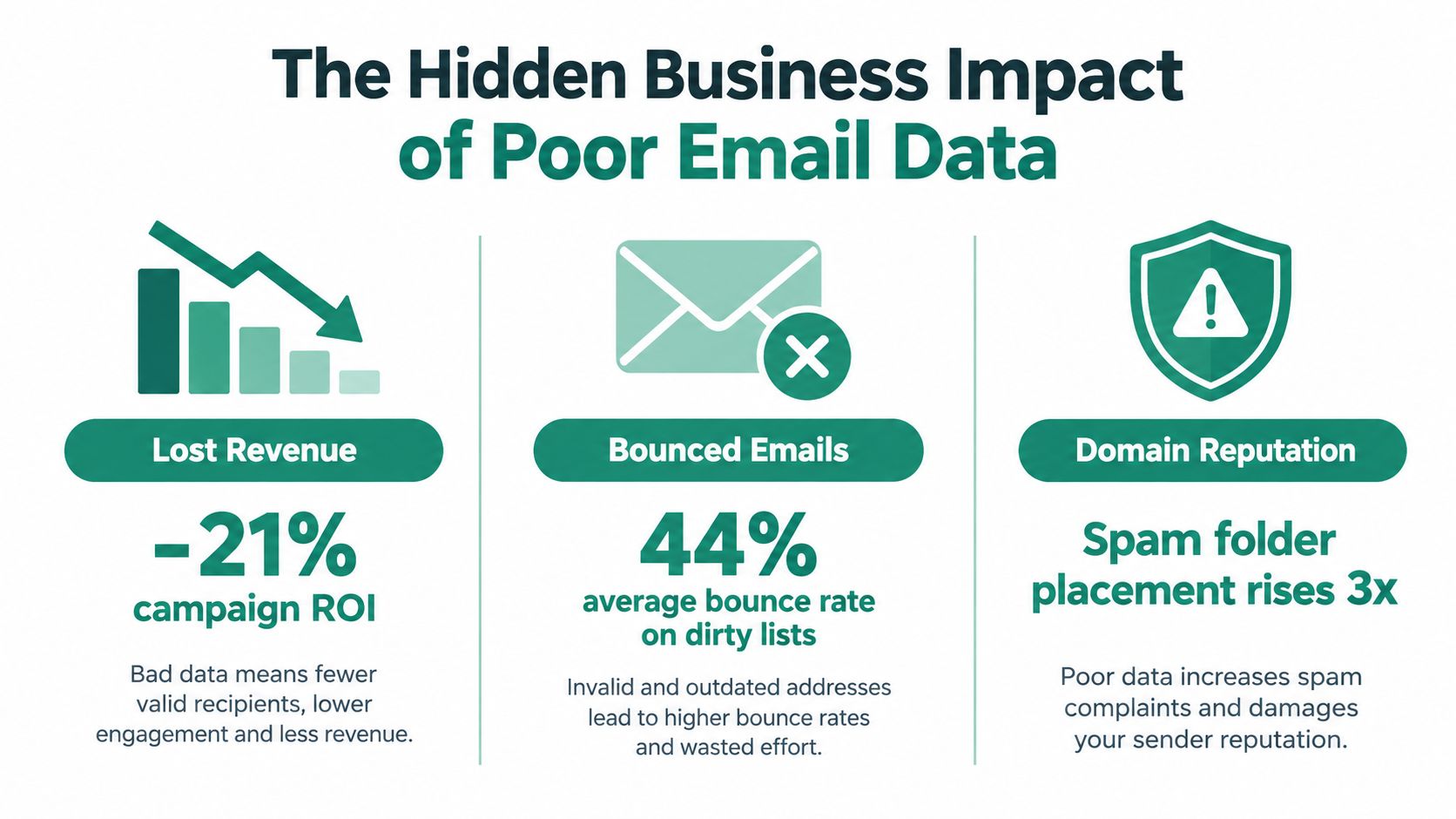
The Hidden Business Impact of Poor Email Data
Poor email data creates a chain reaction. A stale or invalid address produces a failed delivery, the campaign records weaker engagement, and the sending system receives less evidence that the audience is healthy. If the pattern continues, spam filtering can affect future messages, including mail addressed to contacts who are genuinely interested.
The commercial impact is documented in Kickbox's email deliverability report. In a 2025 survey of 421 U.S. businesses, 64.6% said deliverability issues directly harmed revenue or customer retention, while 60.3% named spam filtering as the main barrier to inbox placement. Those findings put deliverability in the revenue owner's language. The problem isn't limited to bounced addresses. It can interrupt renewal conversations, reduce campaign reach, and hide qualified demand inside unreliable reporting.
Why bad records distort decisions
A high bounce rate makes a campaign look like an acquisition or messaging failure when the underlying issue is list construction. Duplicate contacts can inflate audience size and make reach appear stronger than it is. Inactive recipients can also dilute engagement signals, causing teams to compare segments that don't have the same underlying data quality.
The reputational cost is harder to see because it arrives later. When a domain develops a history of poor sending behavior, future campaigns may reach fewer inboxes even after the team improves the copy. Recovery then requires restraint, investigation, and disciplined sending, not another large upload.
The cost reaches beyond marketing
Sales teams lose time researching contacts who no longer hold a role. Customer teams send product updates to outdated addresses. Revenue operations teams reconcile conflicting records instead of trusting attribution. Finance and leadership then review pipeline and retention reports built on contact data that was never fit for the decision.
The business case for hygiene is therefore broader than reducing bounces. Reliable email data protects reach, reporting quality, seller productivity, and customer continuity at the same time. A team that can connect validation outcomes to delivery, engagement, replies, opportunities, and retention has a stronger basis for investment than one that reports cleaning activity alone.
Key Metrics and Common Data Problems
A practical measurement system starts with failure types, not vanity metrics. Track hard bounces separately from soft bounces, record complaints, monitor engagement decay, and review suppression activity by source. A hard bounce usually indicates a permanent delivery problem, while a soft bounce may reflect a temporary mailbox or server condition. The action differs, so combining them hides the decision you need to make.
Use below 2% hard bounces as a quality target. Multiple industry sources align around that threshold, and a study cited by Simplelists' email cleaning guidance reported that verification reduced hard bounces from 8.4% to 1.2% and total bounces from 11.5% to 3.0%. The figures illustrate why validation before sending is more useful than trying to repair reputation after a campaign fails.
Diagnose the record before choosing the action
| Data Problem | Deliverability Impact | Recommended Action |
|---|---|---|
| Syntax error | The address can't be delivered reliably | Reject or correct it at capture |
| Invalid or inactive domain | Mail may fail permanently | Suppress and investigate the source |
| Disposable address | Temporary inboxes create weak continuity | Exclude from durable prospecting or lifecycle segments |
| Catch-all server | Mailbox existence is uncertain | Treat as risk, segment, and test cautiously |
| Role-based address | Shared inboxes may produce weak personal relevance | Route to a suitable business segment or verify ownership |
| Duplicate record | Repeated sends distort engagement and complaints | Merge records and preserve the authoritative history |
| Soft bounce | Delivery may recover, but repeated failures signal risk | Retry under a defined policy, then suppress persistent failures |
| Unsubscribed or complained-about contact | Sending violates preference and reputation controls | Keep on a global suppression list |
Teams should also inspect the source of each problem. If one form creates malformed addresses, a database cleanup won't solve the intake defect. If one vendor contributes catch-all or disposable domains, procurement and enrichment rules need attention.
For teams that need a practical explanation of the validation layer, EmailScout's guide to email validation provides useful terminology for separating address format checks from broader deliverability signals. The key is to make the metric actionable. Assign an owner, define the threshold, and connect the threshold to a workflow that rejects, quarantines, retries, or suppresses the record.
Building a Continuous Email Hygiene Workflow
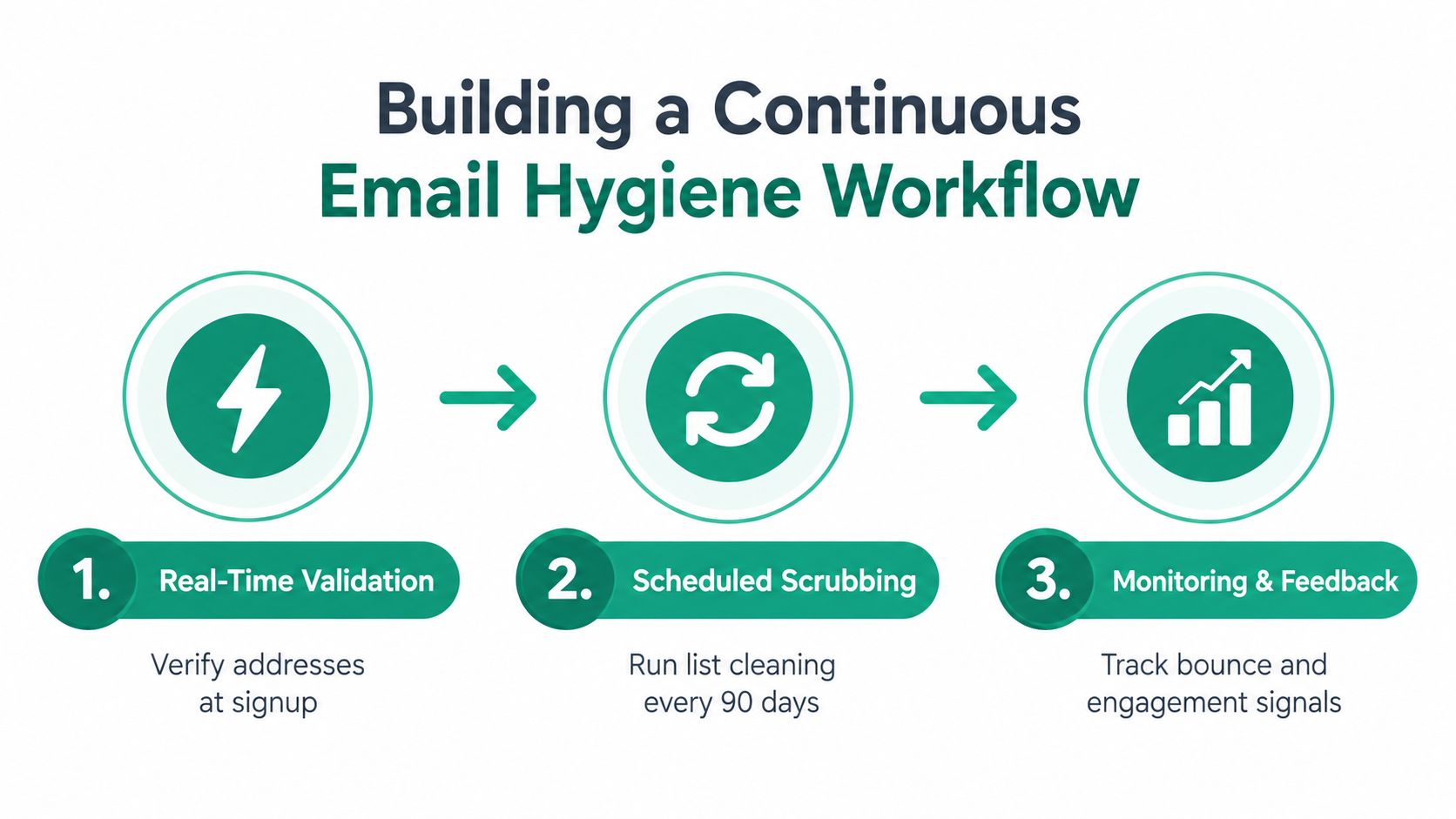
A durable workflow has three control points: capture, maintenance, and feedback. Each point handles a different type of risk. Capture prevents obvious defects from entering. Maintenance manages decay in older records. Feedback turns campaign outcomes into better acquisition and segmentation rules.
Start at the point of capture
Apply validation to signup forms, lead imports, enrichment jobs, event lists, and CRM creation. Store the result alongside the address, including the validation timestamp and the reason for rejection or quarantine. That record helps operations teams distinguish a bad address from a temporary technical response and prevents repeated manual investigation.
Next, create an explicit decision path:
- Accept addresses that pass required checks and policy rules.
- Quarantine uncertain records, such as catch-all results, until a responsible owner reviews them.
- Suppress invalid, unsubscribed, complained-about, and repeatedly failing contacts immediately.
- Recheck older records before they return to active outreach.
A quarterly review can be useful for legacy data, but it shouldn't be the only control. Mailgun's deliverability research found that only 33% of senders clean lists at least monthly, while 56% rely on dedicated deliverability monitoring tools. That gap suggests many teams still treat hygiene as an occasional project rather than a monitored operating process.
Make monitoring part of campaign operations
Before a send, review the list by source, age, segment, validation status, and recent engagement. Afterward, feed bounce classifications and complaint events back into the CRM. Don't wait for a dashboard to become alarming. A rising failure rate in one acquisition channel is an early warning that deserves intervention before the next campaign.
For teams evaluating list maintenance processes, EmailScout's email list cleaning guide can sit alongside verification APIs, CRM rules, suppression services, and ESP reporting. No single tool replaces ownership. The workflow works when systems enforce the same rules consistently.
Practical Use Cases for Sales and Marketing Teams
A sales development team usually feels poor data first through wasted research and failed sequences. Suppose an SDR team imports contacts from several prospecting sources for an account-based campaign. If the team sends immediately, it mixes personal addresses, role accounts, duplicates, dormant mailboxes, and contacts who have changed employers. The first operational improvement isn't a cleverer sequence. It's a pre-send gate that validates each address, removes duplicates, checks suppression status, and routes uncertain records for review.

Sales workflows need risk separation
Don't treat every prospect as equally safe to send. Separate contacts by validation confidence, source, role, and account priority. A high-value account may justify manual confirmation for an uncertain address, while a low-priority record can remain quarantined until better evidence appears.
The same logic applies to list building. Tools that discover addresses from websites or search results can accelerate research, but they don't remove the need for validation. EmailScout, for example, is a Chrome extension that can discover and validate professional email addresses in a single click, giving a sales or marketing operator a way to review contact quality during research rather than after a bulk import.
Marketing teams face a different problem. Their audiences often include subscribers with long periods of low engagement, old event contacts, and customers whose communication preferences have changed. Instead of repeatedly mailing the entire database, marketers can segment low-engagement contacts, apply a re-engagement policy, and suppress people who don't meet the campaign's permission and activity requirements.
Campaign design should reflect data confidence
A launch sequence needs more than a creative review. Marketing should know which records are newly captured, which have been revalidated, which are uncertain, and which were excluded. That classification makes performance analysis more honest. If a segment underperforms, the team can separate an audience problem from a data problem.
The trade-off is reach versus reputation. Sending to every stored address may increase the apparent audience, but it also increases exposure to invalid and irrelevant records. A smaller, better-controlled audience often gives revenue teams cleaner feedback and a safer foundation for future sends.
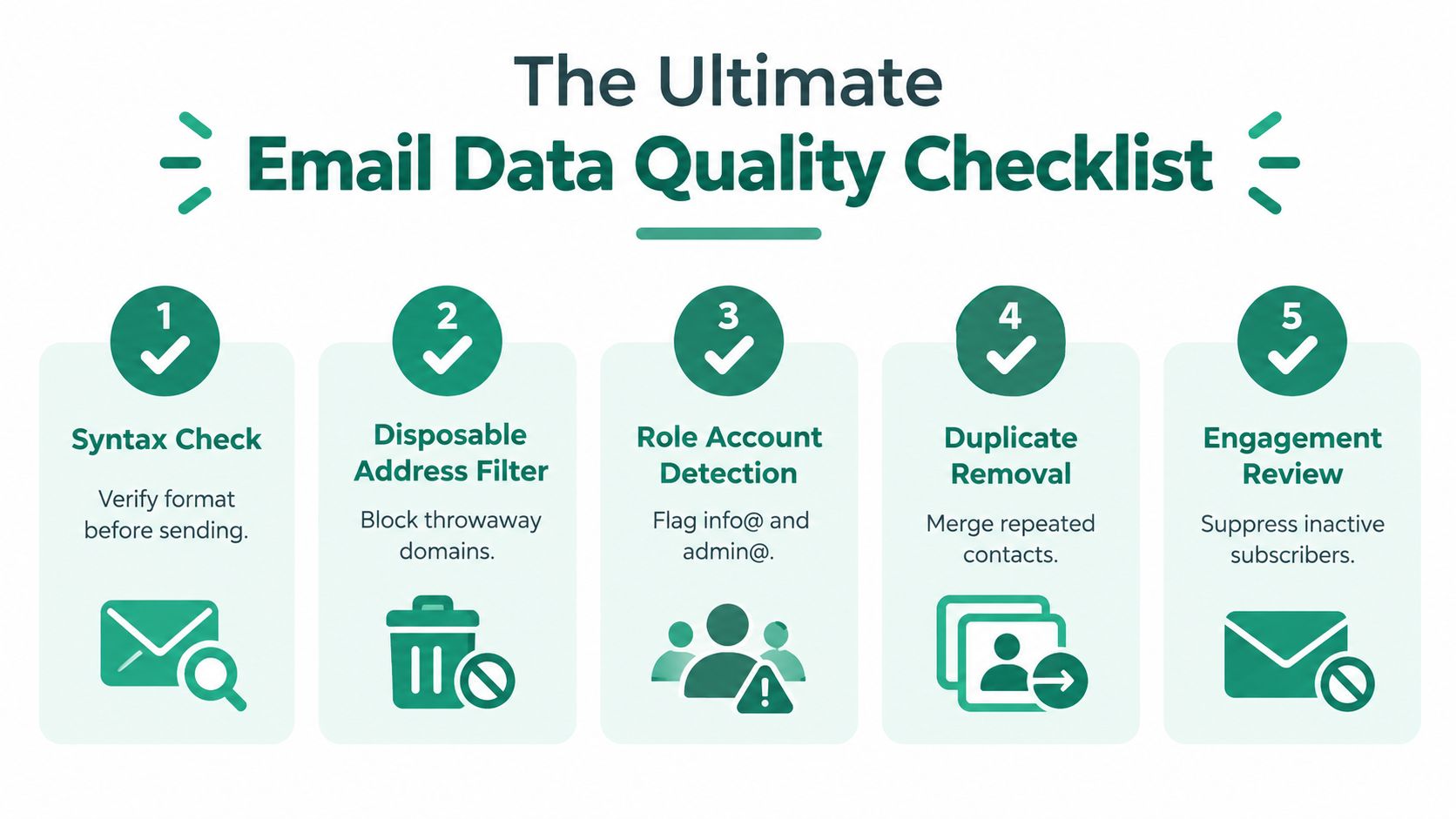
The Ultimate Email Data Quality Checklist
Use this checklist before a major campaign, a new outbound sequence, or a large CRM import. The point isn't to create paperwork. It's to make quality controls repeatable enough that a rushed launch can't bypass them.
1. Confirm the audience definition
Write down who belongs in the segment and who doesn't. Check role, company status, geography, lifecycle stage, consent, and ownership. If the team can't describe the inclusion rules, it can't reliably judge whether an address is relevant.
2. Validate addresses before activation
Run syntax, domain, and mailbox-related checks. Record the validation result and date. Reject malformed records, quarantine uncertain results, and make sure older addresses are rechecked before they re-enter an active sequence.
3. Apply suppression and deduplication
Compare the campaign file with global unsubscribes, complaints, hard-bounce history, internal exclusions, and known risky contacts. Merge duplicate records before sending, while preserving the most complete profile and the correct communication history.
4. Inspect infrastructure and permissions
Confirm that the sending identity is authenticated and that the campaign honors consent and preference rules. EmailScout's explanation of SPF, DKIM, and DMARC is a useful reference for teams reviewing the role of authentication in sender control. Authentication won't make bad data safe, but missing or inconsistent controls can make diagnosis harder.
5. Review the results and update the system
After sending, classify hard bounces, soft bounces, complaints, unsubscribes, replies, and meaningful engagement. Push those outcomes back to the CRM and acquisition source. A result that stays only in the ESP dashboard will be forgotten by the next list builder.
Pre-send test: Ask one person to approve the audience and another to challenge the exclusions. Independent review catches assumptions that automated checks won't understand.
The checklist should produce decisions, not just a completed document. If a source repeatedly adds invalid or low-relevance records, change the source rules. If a segment produces persistent soft bounces, define a retry and suppression policy. If engagement falls while delivery appears stable, review relevance and recency rather than declaring the list healthy.
Securing Your Sender Reputation Long Term
Sender reputation improves when teams make good data behavior routine. That means assigning ownership for validation rules, documenting suppression logic, reviewing acquisition sources, and giving SDRs, marketers, and operations specialists the same definition of an eligible contact.
Start with a baseline audit. Export active contacts, classify the main defects, group results by source and segment, and compare the findings with bounce, complaint, unsubscribe, and reply data. The first goal isn't to clean everything. It's to identify the failure point that creates the greatest exposure, then fix the intake or workflow that keeps reproducing it.
Governance keeps the fix in place
A durable program includes:
- Clear ownership: Someone must be accountable for the rule, the exception process, and the review schedule.
- Source controls: Every import, form, integration, and enrichment path needs validation before activation.
- Suppression discipline: Unsubscribes, complaints, permanent failures, and internal exclusions must propagate across sending systems.
- Feedback loops: Campaign outcomes should improve segmentation and source decisions, not remain isolated in reporting.
- Regular review: Teams should inspect data health continuously and run deeper checks on aging or high-value records.
The most common failure is outsourcing responsibility to a cleaning vendor. Verification can identify risk, but it can't decide whether a contact is relevant, permitted, or strategically valuable. Revenue teams still need policies that connect technical results to business action.
Treat email data quality as a revenue control, not a database maintenance ticket. Better records protect inbox access, make campaign performance easier to interpret, and help sellers spend time on contacts who can move a conversation forward.
EmailScout helps sales and marketing teams discover and validate professional email addresses during prospect research, so new contacts can enter outreach with stronger data controls. Visit EmailScout to review how its extension can support cleaner list building and more disciplined email workflows.