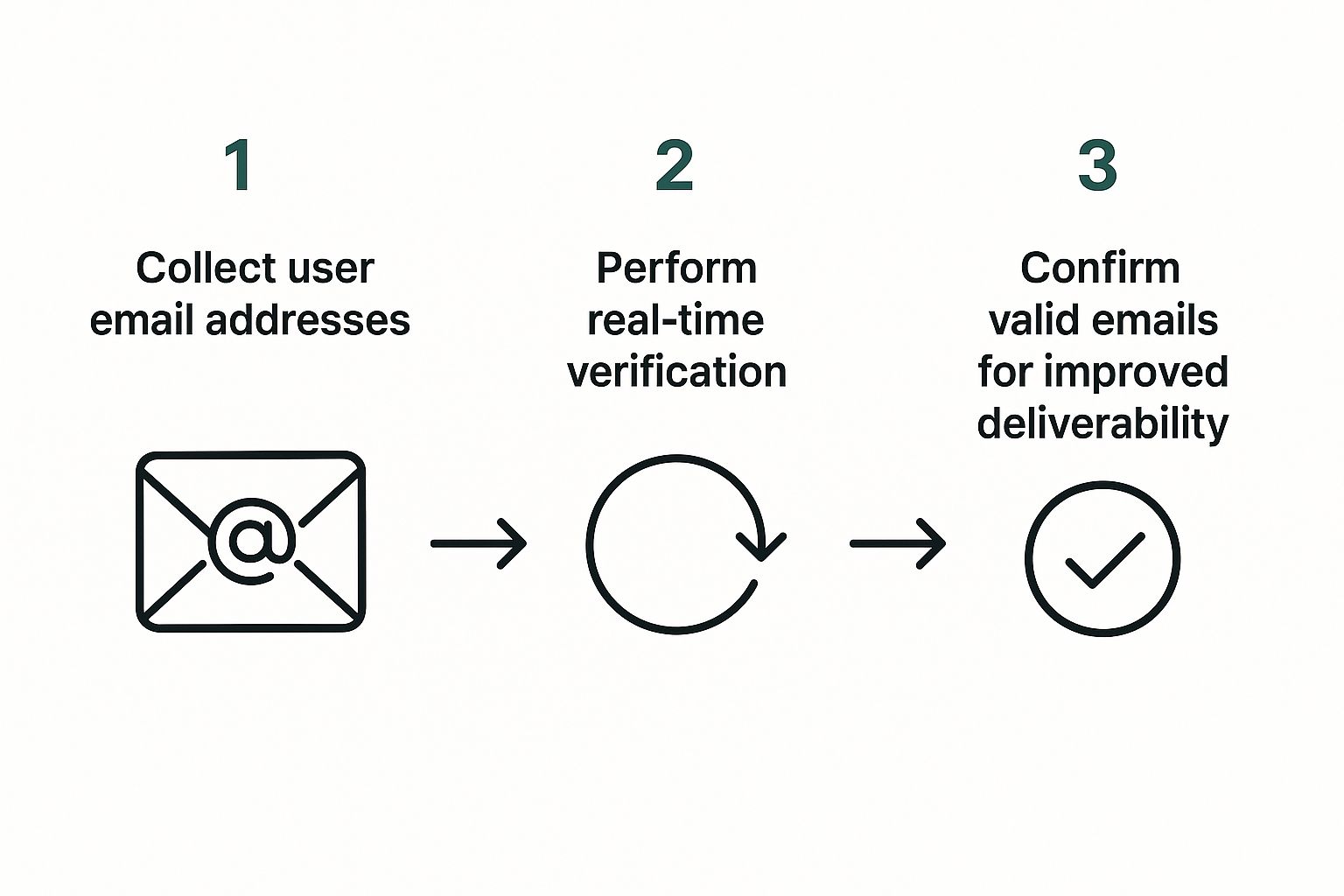
Tag: email validation

  • Email Data Quality: A Practical Guide for Teams

    Email Data Quality: A Practical Guide for Teams

    Many teams are told to clean an email list before a major campaign, then move on. That advice is convenient, familiar, and incomplete. Email data quality isn't a one-time cleanup task. It's an operating discipline that determines who can be reached, whether messages reach the inbox, and how much confidence sales and marketing teams can place in their pipeline numbers.

    A valid-looking address can still be dormant, disposable, role-based, duplicated, or irrelevant to the person you're trying to reach. Treating those records as interchangeable creates hidden costs long before a campaign report shows a problem. The practical shift is to validate data when it enters the CRM, monitor it while it ages, and suppress risk before every send.

    Redefining Email Data Quality for Modern Outreach

    A clean list isn't a list without spelling mistakes. It's a database in which each address is valid, reachable, permission-aware, relevant, and connected to useful context. That definition changes how revenue teams manage contacts. Syntax checks matter, but they're only the first filter. A reliable process also examines the domain, signals that a mailbox exists, consent status, engagement history, duplicates, and whether the contact still fits the intended segment.

    Email addresses decay because people change jobs, abandon inboxes, move between domains, or leave behind accounts that remain stored in a CRM. ZeroBounce's 2026 Email List Decay Report says at least 23% of an email list degrades within one year. The same report found that only 62% of all emails submitted in 2025 were valid, which means active verification still encounters a substantial amount of unusable data.

    Quality has multiple dimensions

    A useful operating model separates four questions:

    • Can the address receive mail? Check syntax, domain validity, and mailbox existence signals.
    • Should the team send to it? Apply consent, unsubscribe, suppression, and policy rules.
    • Does the contact belong in this audience? Confirm role, company, geography, lifecycle stage, and buying relevance.
    • Can performance be interpreted correctly? Remove duplicates and preserve consistent contact and campaign history.

    This is especially important for prospecting teams building lists from public sources. A resource such as a curated early-stage investor list may help identify relevant companies and people, but discovery is not validation. Every imported record still needs a quality check before it enters an outreach sequence.

    Operational rule: Enrichment adds context. Validation decides whether the address is safe to use.

    A periodic scrub can remove obvious defects, but it can't prevent new bad records from entering through forms, imports, integrations, or manual entry. The stronger approach places controls at capture, then uses monitoring and revalidation to manage the database as a changing system rather than a static asset.

    The Hidden Business Impact of Poor Email Data

    Poor email data creates a chain reaction. A stale or invalid address produces a failed delivery, the campaign records weaker engagement, and the sending system receives less evidence that the audience is healthy. If the pattern continues, spam filtering can affect future messages, including mail addressed to contacts who are genuinely interested.

    The commercial impact is documented in Kickbox's email deliverability report. In a 2025 survey of 421 U.S. businesses, 64.6% said deliverability issues directly harmed revenue or customer retention, while 60.3% named spam filtering as the main barrier to inbox placement. Those findings put deliverability in the revenue owner's language. The problem isn't limited to bounced addresses. It can interrupt renewal conversations, reduce campaign reach, and hide qualified demand inside unreliable reporting.
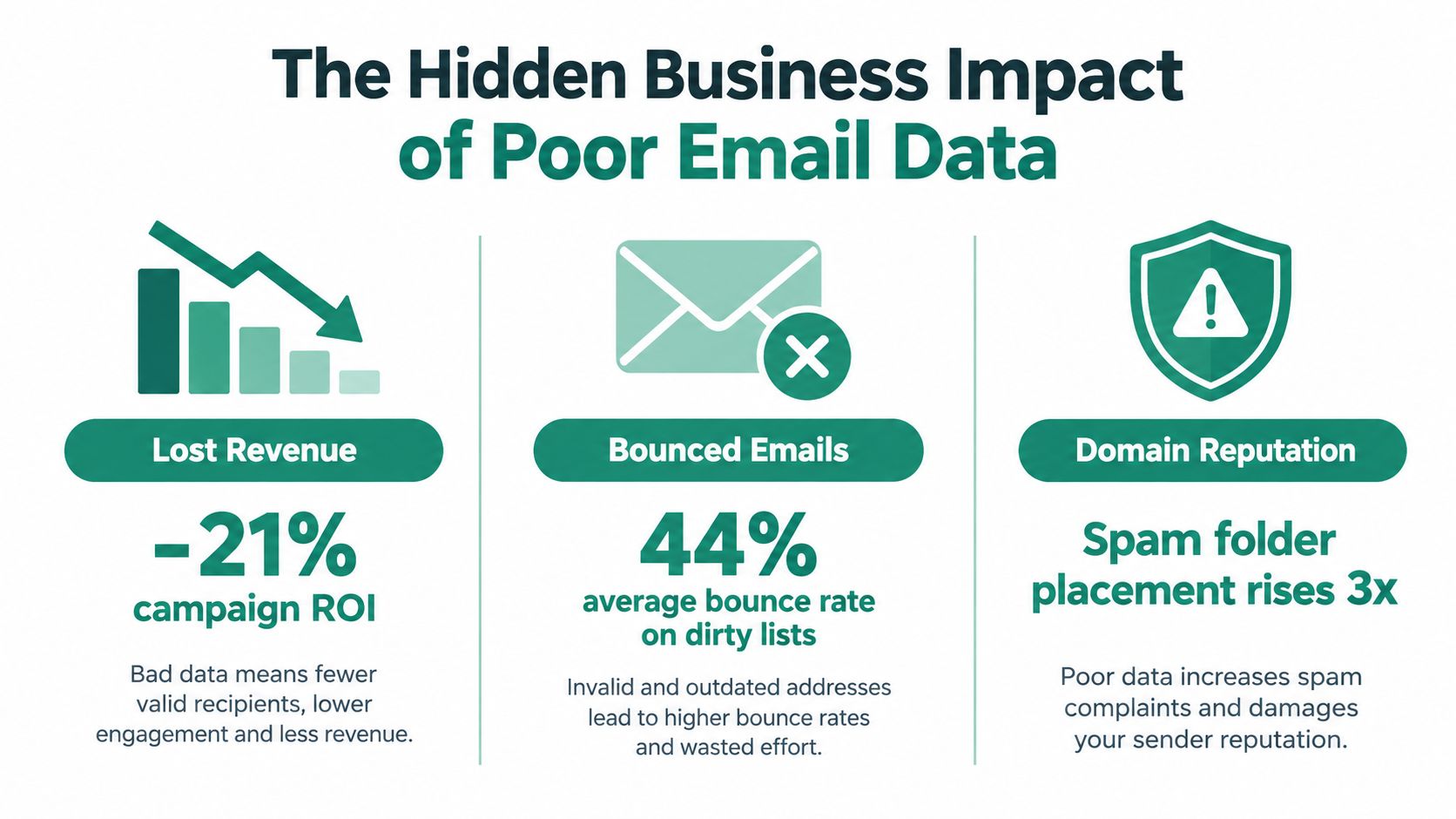
    An infographic illustrating how poor email data quality leads to lost revenue, bounced emails, and damaged domain reputation.

    Why bad records distort decisions

    A high bounce rate makes a campaign look like an acquisition or messaging failure when the underlying issue is list construction. Duplicate contacts can inflate audience size and make reach appear stronger than it is. Inactive recipients can also dilute engagement signals, causing teams to compare segments that don't have the same underlying data quality.

    The reputational cost is harder to see because it arrives later. When a domain develops a history of poor sending behavior, future campaigns may reach fewer inboxes even after the team improves the copy. Recovery then requires restraint, investigation, and disciplined sending, not another large upload.

    The cost reaches beyond marketing

    Sales teams lose time researching contacts who no longer hold a role. Customer teams send product updates to outdated addresses. Revenue operations teams reconcile conflicting records instead of trusting attribution. Finance and leadership then review pipeline and retention reports built on contact data that was never fit for the decision.

    The business case for hygiene is therefore broader than reducing bounces. Reliable email data protects reach, reporting quality, seller productivity, and customer continuity at the same time. A team that can connect validation outcomes to delivery, engagement, replies, opportunities, and retention has a stronger basis for investment than one that reports cleaning activity alone.

    Key Metrics and Common Data Problems

    A practical measurement system starts with failure types, not vanity metrics. Track hard bounces separately from soft bounces, record complaints, monitor engagement decay, and review suppression activity by source. A hard bounce usually indicates a permanent delivery problem, while a soft bounce may reflect a temporary mailbox or server condition. The action differs, so combining them hides the decision you need to make.

    Use below 2% hard bounces as a quality target. Multiple industry sources align around that threshold, and a study cited by Simplelists' email cleaning guidance reported that verification reduced hard bounces from 8.4% to 1.2% and total bounces from 11.5% to 3.0%. The figures illustrate why validation before sending is more useful than trying to repair reputation after a campaign fails.

    Diagnose the record before choosing the action

    Data Problem Deliverability Impact Recommended Action
    Syntax error The address can't be delivered reliably Reject or correct it at capture
    Invalid or inactive domain Mail may fail permanently Suppress and investigate the source
    Disposable address Temporary inboxes create weak continuity Exclude from durable prospecting or lifecycle segments
    Catch-all server Mailbox existence is uncertain Treat as risk, segment, and test cautiously
    Role-based address Shared inboxes may produce weak personal relevance Route to a suitable business segment or verify ownership
    Duplicate record Repeated sends distort engagement and complaints Merge records and preserve the authoritative history
    Soft bounce Delivery may recover, but repeated failures signal risk Retry under a defined policy, then suppress persistent failures
    Unsubscribed or complained-about contact Sending violates preference and reputation controls Keep on a global suppression list

    Teams should also inspect the source of each problem. If one form creates malformed addresses, a database cleanup won't solve the intake defect. If one vendor contributes catch-all or disposable domains, procurement and enrichment rules need attention.

    For teams that need a practical explanation of the validation layer, EmailScout's guide to email validation provides useful terminology for separating address format checks from broader deliverability signals. The key is to make the metric actionable. Assign an owner, define the threshold, and connect the threshold to a workflow that rejects, quarantines, retries, or suppresses the record.

    Building a Continuous Email Hygiene Workflow

    A durable workflow has three control points: capture, maintenance, and feedback. Each point handles a different type of risk. Capture prevents obvious defects from entering. Maintenance manages decay in older records. Feedback turns campaign outcomes into better acquisition and segmentation rules.

    Start at the point of capture

    Apply validation to signup forms, lead imports, enrichment jobs, event lists, and CRM creation. Store the result alongside the address, including the validation timestamp and the reason for rejection or quarantine. That record helps operations teams distinguish a bad address from a temporary technical response and prevents repeated manual investigation.

    Next, create an explicit decision path:

    1. Accept addresses that pass required checks and policy rules.
    2. Quarantine uncertain records, such as catch-all results, until a responsible owner reviews them.
    3. Suppress invalid, unsubscribed, complained-about, and repeatedly failing contacts immediately.
    4. Recheck older records before they return to active outreach.

    A quarterly review can be useful for legacy data, but it shouldn't be the only control. Mailgun's deliverability research found that only 33% of senders clean lists at least monthly, while 56% rely on dedicated deliverability monitoring tools. That gap suggests many teams still treat hygiene as an occasional project rather than a monitored operating process.
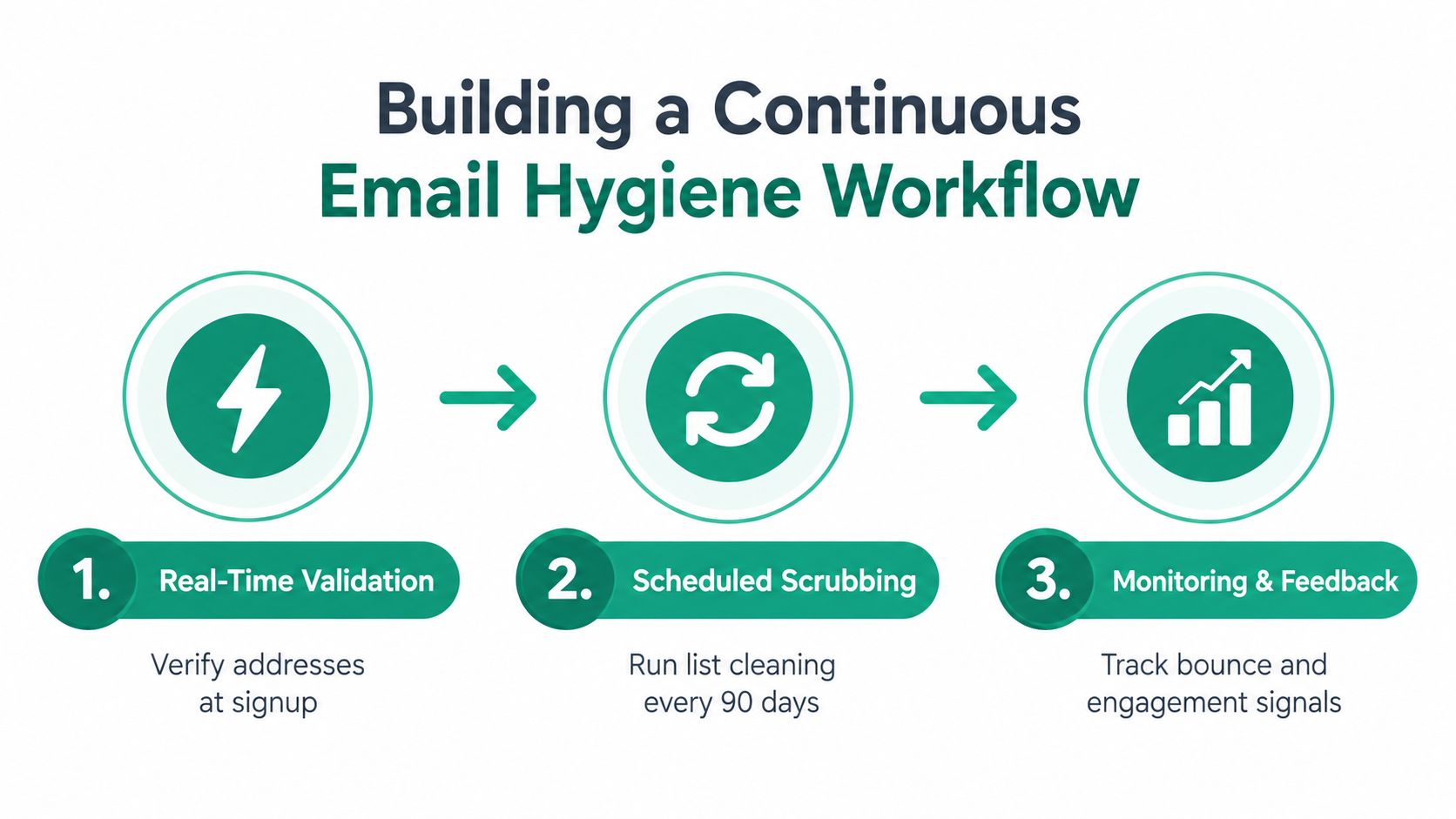
    A three-step infographic showing a continuous email hygiene workflow consisting of real-time validation, scheduled scrubbing, and monitoring.

    Make monitoring part of campaign operations

    Before a send, review the list by source, age, segment, validation status, and recent engagement. Afterward, feed bounce classifications and complaint events back into the CRM. Don't wait for a dashboard to become alarming. A rising failure rate in one acquisition channel is an early warning that deserves intervention before the next campaign.

    For teams evaluating list maintenance processes, EmailScout's email list cleaning guide can sit alongside verification APIs, CRM rules, suppression services, and ESP reporting. No single tool replaces ownership. The workflow works when systems enforce the same rules consistently.

    Practical Use Cases for Sales and Marketing Teams

    A sales development team usually feels poor data first through wasted research and failed sequences. Suppose an SDR team imports contacts from several prospecting sources for an account-based campaign. If the team sends immediately, it mixes personal addresses, role accounts, duplicates, dormant mailboxes, and contacts who have changed employers. The first operational improvement isn't a cleverer sequence. It's a pre-send gate that validates each address, removes duplicates, checks suppression status, and routes uncertain records for review.

    A smiling woman in a blue shirt works on her laptop at a desk with coffee.

    Sales workflows need risk separation

    Don't treat every prospect as equally safe to send. Separate contacts by validation confidence, source, role, and account priority. A high-value account may justify manual confirmation for an uncertain address, while a low-priority record can remain quarantined until better evidence appears.

    The same logic applies to list building. Tools that discover addresses from websites or search results can accelerate research, but they don't remove the need for validation. EmailScout, for example, is a Chrome extension that can discover and validate professional email addresses in a single click, giving a sales or marketing operator a way to review contact quality during research rather than after a bulk import.

    Marketing teams face a different problem. Their audiences often include subscribers with long periods of low engagement, old event contacts, and customers whose communication preferences have changed. Instead of repeatedly mailing the entire database, marketers can segment low-engagement contacts, apply a re-engagement policy, and suppress people who don't meet the campaign's permission and activity requirements.

    Campaign design should reflect data confidence

    A launch sequence needs more than a creative review. Marketing should know which records are newly captured, which have been revalidated, which are uncertain, and which were excluded. That classification makes performance analysis more honest. If a segment underperforms, the team can separate an audience problem from a data problem.

    The trade-off is reach versus reputation. Sending to every stored address may increase the apparent audience, but it also increases exposure to invalid and irrelevant records. A smaller, better-controlled audience often gives revenue teams cleaner feedback and a safer foundation for future sends.

    The Ultimate Email Data Quality Checklist

    Use this checklist before a major campaign, a new outbound sequence, or a large CRM import. The point isn't to create paperwork. It's to make quality controls repeatable enough that a rushed launch can't bypass them.
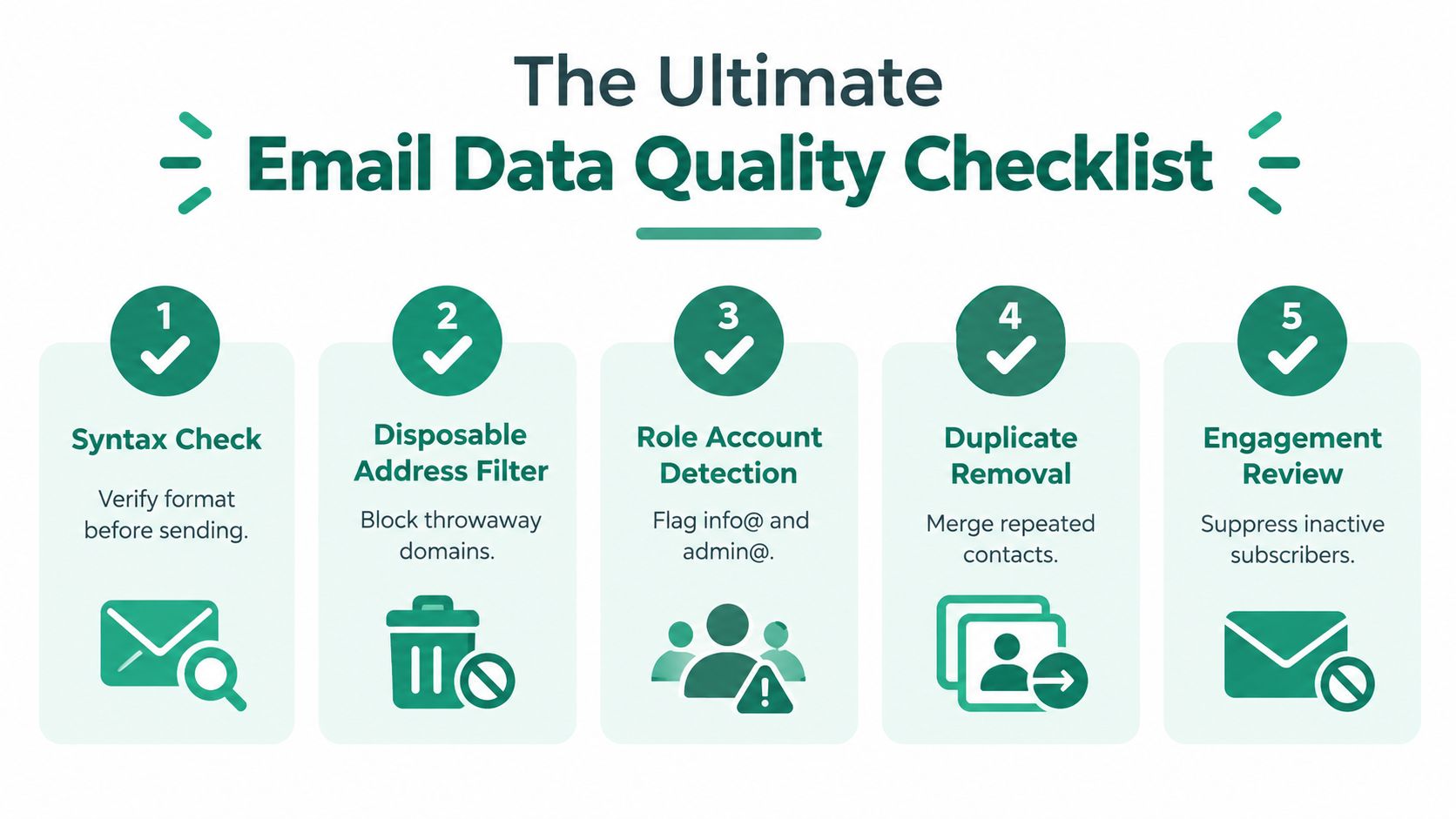
    An infographic titled The Ultimate Email Data Quality Checklist featuring five numbered steps for cleaning email lists.

    1. Confirm the audience definition

    Write down who belongs in the segment and who doesn't. Check role, company status, geography, lifecycle stage, consent, and ownership. If the team can't describe the inclusion rules, it can't reliably judge whether an address is relevant.

    2. Validate addresses before activation

    Run syntax, domain, and mailbox-related checks. Record the validation result and date. Reject malformed records, quarantine uncertain results, and make sure older addresses are rechecked before they re-enter an active sequence.

    3. Apply suppression and deduplication

    Compare the campaign file with global unsubscribes, complaints, hard-bounce history, internal exclusions, and known risky contacts. Merge duplicate records before sending, while preserving the most complete profile and the correct communication history.

    4. Inspect infrastructure and permissions

    Confirm that the sending identity is authenticated and that the campaign honors consent and preference rules. EmailScout's explanation of SPF, DKIM, and DMARC is a useful reference for teams reviewing the role of authentication in sender control. Authentication won't make bad data safe, but missing or inconsistent controls can make diagnosis harder.

    5. Review the results and update the system

    After sending, classify hard bounces, soft bounces, complaints, unsubscribes, replies, and meaningful engagement. Push those outcomes back to the CRM and acquisition source. A result that stays only in the ESP dashboard will be forgotten by the next list builder.

    Pre-send test: Ask one person to approve the audience and another to challenge the exclusions. Independent review catches assumptions that automated checks won't understand.

    The checklist should produce decisions, not just a completed document. If a source repeatedly adds invalid or low-relevance records, change the source rules. If a segment produces persistent soft bounces, define a retry and suppression policy. If engagement falls while delivery appears stable, review relevance and recency rather than declaring the list healthy.

    Securing Your Sender Reputation Long Term

    Sender reputation improves when teams make good data behavior routine. That means assigning ownership for validation rules, documenting suppression logic, reviewing acquisition sources, and giving SDRs, marketers, and operations specialists the same definition of an eligible contact.

    Start with a baseline audit. Export active contacts, classify the main defects, group results by source and segment, and compare the findings with bounce, complaint, unsubscribe, and reply data. The first goal isn't to clean everything. It's to identify the failure point that creates the greatest exposure, then fix the intake or workflow that keeps reproducing it.

    Governance keeps the fix in place

    A durable program includes:

    • Clear ownership: Someone must be accountable for the rule, the exception process, and the review schedule.
    • Source controls: Every import, form, integration, and enrichment path needs validation before activation.
    • Suppression discipline: Unsubscribes, complaints, permanent failures, and internal exclusions must propagate across sending systems.
    • Feedback loops: Campaign outcomes should improve segmentation and source decisions, not remain isolated in reporting.
    • Regular review: Teams should inspect data health continuously and run deeper checks on aging or high-value records.

    The most common failure is outsourcing responsibility to a cleaning vendor. Verification can identify risk, but it can't decide whether a contact is relevant, permitted, or strategically valuable. Revenue teams still need policies that connect technical results to business action.

    Treat email data quality as a revenue control, not a database maintenance ticket. Better records protect inbox access, make campaign performance easier to interpret, and help sellers spend time on contacts who can move a conversation forward.


    EmailScout helps sales and marketing teams discover and validate professional email addresses during prospect research, so new contacts can enter outreach with stronger data controls. Visit EmailScout to review how its extension can support cleaner list building and more disciplined email workflows.
  • Best Email Verification Tools: 10 Picks for 2026

    Best Email Verification Tools: 10 Picks for 2026

    The best email verification tool isn't automatically the one with the biggest feature list or the loudest accuracy claim. The right choice depends on your list size, how often you verify, how much uncertainty you can tolerate, whether you need a real-time API or bulk cleaning, and whether your team also needs prospecting or deliverability software. A sales team validating a few new contacts each day has different economics from an agency cleaning large client databases.

    This comparison ranks ten services by verification economics, difficult-address handling, workflow integration, processing scale, and deliverability support. For each tool, the focus is practical: supplied capabilities, pricing structure, controls around unknown and catch-all results, API or integration fit, strongest use case, and the limitation most likely to affect your decision. The broader context matters because verification now sits inside a larger deliverability system. One 2026 benchmark placed average inbox placement near 87.2%, with SPF adoption at 93%, DKIM at 90%, and DMARC at only 48–52% among tested domains, according to 2026 deliverability benchmark data.

    EmailScout belongs earlier in the workflow. It helps discover contact addresses through its Chrome extension, while the services below focus primarily on checking whether existing addresses are deliverable.

    1. ZeroBounce

    ZeroBounce is the strongest fit for teams that need a mature validator rather than a narrow CSV cleaner. It combines bulk list cleaning, a real-time API, and a wider deliverability toolkit that includes blacklist monitoring, inbox placement testing, and scoring. That combination makes it practical for organizations where verification is one part of a recurring sender-health program.

    The platform is also built for operational control. Eligible new accounts can receive 100 free verifications monthly, as described on the ZeroBounce pricing page. Its volume-based pricing, enterprise options, credit documentation, and dashboard controls suit teams that need procurement support, usage visibility, and predictable handling at scale.

    Why it ranks first

    ZeroBounce's main advantage isn't that it verifies addresses. It gives deliverability teams more ways to investigate what happens after a list is cleaned. Inbox placement and blacklist monitoring are especially relevant because a valid mailbox doesn't guarantee primary-inbox delivery.

    The service is a natural choice when several people need access to the same verification process, or when an organization expects to connect list hygiene with broader deliverability monitoring. Its API also supports real-time checks before addresses enter a CRM, form database, or outbound sequence.

    Best fit: Choose ZeroBounce when operational maturity and deliverability diagnostics matter as much as basic validation.

    The trade-off is cost and complexity. High-volume use can be more expensive than budget-focused specialists, and the broader ecosystem may feel excessive if your only task is validating an occasional file. Teams that discover contacts separately may also prefer a dedicated workflow such as email address verification before sending records to ZeroBounce.

    2. Emailable

    Emailable stands out for a pricing model designed to reduce waste. Its credits don't expire, and the service refunds credits for unknown results and duplicates, so teams aren't paying in the same way for records that don't produce an actionable verdict. That matters when a list contains repeated contacts, difficult mail servers, or addresses that require review rather than an immediate keep-or-remove decision.

    The platform offers bulk verification, a REST API, and more than 50 integrations, according to Emailable's pricing and product information. It also advertises 250 free credits to start, with security and privacy positioning that includes SOC 2 Type II, GDPR, and CCPA support.

    Where the economics work

    Emailable is a strong value option for cost-conscious teams that verify regularly but don't want credits disappearing between campaigns. Its bulk processor is designed for speed, and the API makes it suitable for signup forms, lead imports, and automated pre-send workflows. Refund rules are particularly useful if your team wants to route uncertain records into a separate review queue rather than treating every result as a failed purchase.
    That model also makes budgeting easier. A team can buy credits ahead of a campaign without having to create artificial urgency around expiration dates. Compliance documentation adds another layer of reassurance for organizations that need vendor review before sending business contact data to an external service.

    The main limitation is the PAYG minimum purchase of 5,000 credits, which may be more than a very small team needs for a one-off check. Deliverability add-ons use separate credits, so the headline verification budget shouldn't be treated as the full cost of a broader inbox-testing workflow.

    Emailable makes the most sense when predictable credit treatment is more important than owning the widest deliverability suite.

    3. MillionVerifier

    MillionVerifier is built around a different priority, low unit cost for large databases. It offers a high-volume pricing ladder extending to 50 million or more credits, credits that don't expire, and a refund policy for unverifiable results. That makes it attractive to agencies, list-heavy outbound teams, and senders whose main objective is to process substantial files without paying premium-suite pricing.

    The service also provides batch and real-time API access, along with SDKs and implementation examples. It offers 100 free credits at sign-up, and its MillionVerifier website presents the product as a straightforward specialist rather than a full marketing platform.

    The budget trade-off

    For large, repetitive cleaning jobs, simplicity can be an advantage. A team can upload a file, process it in bulk, and export the results without adopting a broader prospecting or campaign-management system. Non-expiring credits also help agencies avoid losing unused capacity between client projects.

    The product's limitations become more visible when the workflow involves difficult records. Its interface and documentation are more utilitarian than those of premium competitors, and some users may need a second pass when the service labels an address as risky. A risky result shouldn't automatically become a send decision. It should become a review or secondary-verification decision.

    That distinction is important for B2B databases, where the most difficult addresses often belong to custom domains and catch-all systems. A low purchase price can lose its advantage if your team sends every ambiguous record without a risk policy.

    • Use it for scale: It suits large files and price-sensitive operations.
    • Add a review rule: Route risky and unverifiable records separately.
    • Avoid blind automation: Don't treat a budget verdict as proof that a mailbox will reach the primary inbox.

    MillionVerifier is therefore a strong economic choice for high-volume hygiene, but less compelling for teams that need advanced deliverability analysis, extensive integrations, or highly granular difficult-address controls.

    4. Bouncer

    Bouncer combines focused email validation with useful pre-send diagnostics. It doesn't charge for unknown results or duplicates, and its credits don't expire, which gives it one of the clearest cost structures in this comparison. The public PAYG pricing includes examples such as $8 for 1,000, $400 for 100,000, and $2,000 for 1 million verifications, as shown on the Bouncer pricing page.

    The service also offers a deliverability kit with inbox tests and reputation checks. Its web widgets and API support both point-of-capture validation and bulk list preparation, so teams don't have to choose between a form-level workflow and an imported-list workflow.

    A useful blend for sending teams

    Bouncer's strongest practical quality is the separation between verification and deliverability troubleshooting. A clean result can tell you that an address appears usable, but it can't explain whether your domain, authentication setup, or sending infrastructure is creating inbox-placement problems. The additional diagnostics help teams investigate that second question.

    This is increasingly relevant because authentication gaps remain connected to mailbox-provider enforcement. One benchmark found 89.1% inbox placement for fully authenticated domains versus 44.2% for domains without full DMARC authentication, according to recent deliverability reporting. Verification can't substitute for SPF, DKIM, and DMARC, but a verifier with adjacent testing tools can make the handoff between list hygiene and sender configuration more practical.

    The limitation is product separation. The deliverability kit requires a separate monthly subscription, and Bouncer has fewer martech integrations than the largest platforms. For teams that already have inbox testing elsewhere, that extra subscription may not add enough value.

    Bouncer fits organizations that want transparent billing, no charge for non-actionable results, and a focused path from validation to pre-send testing.

    5. Verifalia

    Verifalia is the choice for teams that don't want every address processed through the same verification depth. It offers Standard, High, and Extreme quality levels, with multi-pass logic intended for graylisting, slow mail exchangers, catch-all domains, and other difficult cases. That makes the platform less about a single universal verdict and more about controlling how much effort goes into uncertain records.

    Its credit packs don't expire, and the Free plan provides daily free credits. Verifalia also supports deduplication and configurable treatment of unknown results, with billing documentation that explains how different quality levels consume credits. The Verifalia pricing documentation is therefore worth reading before you design a recurring workflow.

    Granularity has a cost

    The key benefit is selective escalation. A team could process an ordinary list at a lower quality level, then reserve High or Extreme processing for addresses that return uncertain results. That approach is more disciplined than paying the highest processing cost for every record, especially when only part of a list contains slow or restrictive domains.

    The downside is time and credit consumption. Higher quality levels take longer and use more credits, so Verifalia rewards teams that have a clear routing policy. Without one, users may either overspend by applying the deepest pass universally or underuse the controls and gain little from the platform's flexibility.

    Its interface also prioritizes configuration over simplicity. That suits technical operators and data-quality managers, but it may frustrate a marketer who wants to upload a file and receive a simple keep-or-remove output.

    Difficult addresses deserve a different workflow from obvious invalids. Verifalia is designed around that distinction.

    Select Verifalia when your list contains a meaningful number of graylisted, slow, or catch-all addresses and your team is willing to manage quality levels deliberately.

    6. Clearout

    Clearout is positioned as a broader data-hygiene tool rather than a verifier alone. Alongside email validation, it offers an email finder, list monitoring, bulk tools, and an API. Its billing model charges for definitive valid, invalid, and catch-all results, while unknowns and duplicates are free, according to the Clearout pricing guide.

    Its most distinctive feature is the Safe-to-Send guarantee for qualifying results sent within 24 hours of verification. That window makes Clearout particularly relevant to teams that clean a list immediately before launching a campaign, rather than preparing a database weeks in advance.

    Best for last-minute campaign hygiene

    The guarantee creates a practical operating rule. If your campaign is scheduled, you can verify the final file, remove or review the results, and send while the guarantee window remains active. That isn't the same as a permanent deliverability promise, and the 24-hour limit means the workflow must be coordinated closely with campaign execution.

    PAYG and subscription options, auto-replenishment, monitoring, and finder capabilities make Clearout useful for small teams that prefer one vendor for several data tasks. The service also avoids charging for unknown results and duplicates, which can keep a messy file from consuming the entire budget.

    There are two important caveats. First, the guarantee is tied to the short send window, so it won't protect a list that sits untouched for an extended period. Second, finder and enrichment actions use different credit costs, meaning a combined data workflow needs more careful budgeting than a simple verification upload.

    Clearout is a sensible fit when timing, flexible billing, and immediate pre-send assurance matter more than a deep deliverability-monitoring suite.

    7. Hunter Email Verifier

    Hunter Email Verifier is most valuable when verification follows contact discovery. Hunter combines its finder, verifier, and outreach workflows, so a sales professional can identify a prospect, check the address, and move the record into an outbound process without switching between unrelated products. The Hunter pricing page explains that verification uses 0.5 credits on All-in-One plans and 1 credit on Data Platform or API usage.

    The credit rules are also designed to reduce repeated waste. Unknown results are free, repeated verifications are free within applicable plan windows, and paid plans can automatically reverify saved leads. A bulk verifier and Email Verifier API cover both list-based and automated use cases.

    A workflow decision, not a pure price decision

    Hunter is convenient for B2B teams already using its prospecting data. The value isn't just the verdict. It's the handoff from finding a person to checking the address and managing that lead inside a sales workflow. That reduces CSV exports and makes verification easier to adopt among reps who won't use a separate hygiene dashboard.

    The trade-off is stack dependency. If verification is your only requirement, buying into the broader Hunter environment may cost more than choosing a budget specialist. Annual credit pools also require planning when usage is irregular, with sudden list-cleaning projects competing against normal prospecting activity.

    Teams building their own process should also define what happens to unknown and catch-all records before connecting the API to an outbound sequence. The email verification best practices workflow is useful as a complementary reference for deciding when to verify, review, and suppress uncertain contacts.

    Hunter is the best fit for sales teams that discover contacts and verify them in the same operating environment, not for buyers seeking the lowest standalone cost per address.

    8. Snov.io Email Verifier

    Snov.io makes sense when verification is one component of a broader outbound system. Its platform bundles email finding, outreach, tracking, and warm-up tools, while the verifier charges one credit for valid or invalid results and nothing for unverifiable results. It also offers trial credits, an API, a knowledge base, and FAQs covering verification behavior through the Snov.io pricing information.

    The product's appeal comes from consolidation. A small outbound team can discover a lead, validate the address, build a sequence, and monitor activity in one environment. That reduces the number of separate subscriptions and integrations that a startup or founder-led sales motion has to maintain.

    When the bundle earns its place

    Snov.io is most defensible when the team already needs the rest of the suite. In that case, verification may be a convenient part of the existing workflow, and the free treatment of unverifiable records makes the credit model easier to understand. The knowledge base also helps users distinguish a usable result from one that needs further review.

    Pure verification is a different calculation. Per-unit costs can be higher than those of PAYG specialists, and the best value typically appears on larger Snov.io plan tiers. A team that only wants to clean imported files may pay for finder and outreach capabilities it won't use.

    The platform should therefore be evaluated as an outbound bundle, not as an isolated validator. Before purchase, compare the share of your budget allocated to actual verification with the value of prospecting, sequencing, tracking, and warm-up features.

    If you need a separate source for discovering addresses before verification, free email verification tools can help you assess lightweight alternatives, but the operational advantage of Snov.io comes from keeping discovery and outreach together.

    9. DeBounce

    DeBounce is designed for very large lists and buyers who care intensely about unit economics. Credits don't expire, new accounts receive 100 free credits, and the platform includes validation, monitoring, enrichment, a real-time widget, and an API. It also provides a dedicated catch-all validator and free deduplication, with a public calculator that shows steep discounts at high volumes on the DeBounce pricing page.

    Scale without a separate API bill

    The inclusion of the API and real-time widget is important. A low-cost bulk cleaner can become expensive or inconvenient if real-time checks require another plan, another integration, or a separate contract. DeBounce keeps those workflow surfaces within the same service, which is useful for teams that both import lists and collect new addresses continuously.

    The catch-all validator deserves special attention. Catch-all handling is often where a simple valid-or-invalid workflow breaks down, because a receiving domain may accept mail without confirming that a particular mailbox exists. DeBounce gives teams a dedicated way to investigate those domains, but the feature consumes 10 credits per check, so B2B-heavy databases can use credits faster than their headline list size suggests.

    That cost makes routing essential. Don't send every catch-all through the extra validator automatically. Define which records are valuable enough to justify deeper checking, and keep the uncertain group separate from confirmed valid addresses.

    DeBounce's interface is functional rather than polished, and teams that expect extensive onboarding or reporting may prefer a premium competitor. For agencies, bulk senders, and large databases, however, its combination of non-expiring credits, included API access, monitoring, and volume pricing is compelling.

    10. EmailListVerify

    EmailListVerify is a straightforward option for agencies and teams that clean lists in batches rather than operating a complex deliverability program. It supports bulk list cleaning and API access on all plans, offers PAYG and subscription options, and connects with common ESP workflows. Its EmailListVerify purchase page also provides public billing information and accepts major cards and PayPal.

    The service's main strength is operational simplicity. A team can upload a file for a one-off cleanup, use the API for recurring checks, or choose a subscription when verification becomes routine. That flexibility works well for agencies managing several client lists with uneven schedules.

    A practical pure-play choice

    EmailListVerify doesn't try to replace a full deliverability-monitoring platform. Reporting and interface features are simpler than premium suites, and there are fewer adjacent diagnostics for investigating inbox placement, authentication, or reputation. That isn't necessarily a weakness for a buyer who already has those controls elsewhere.

    The important question is whether the tool's output fits your campaign policy. Confirm how it labels unknown, catch-all, disposable, and role-based addresses, then decide which statuses are suppressed, reviewed, or allowed into a low-risk segment. A simple workflow is useful only when the team doesn't mistake simplicity for certainty.

    EmailListVerify is best for one-off list cleans, agency operations, and senders who want predictable bulk processing without paying for unused platform features. Buyers with strict sender-risk requirements should compare a matched sample against a service that offers more detailed difficult-address or deliverability controls before committing to a large credit purchase.

    Top 10 Email Verification Tools, Quick Comparison

    Tool Core features Quality / UX Value proposition Target audience Price & billing
    ZeroBounce Bulk list cleaning, real‑time API, blacklist monitoring, inbox placement, scoring Enterprise‑grade docs, reliable throughput, SLAs Mature platform with deliverability add‑ons beyond verification Enterprises, deliverability teams, large ops Volume‑based pricing, premium at scale; 100 free verifications/month
    Emailable Fast bulk & API verifier, 50+ integrations, refunds for unknowns/duplicates, credits never expire Extremely fast processing, predictable costs, SOC2/GDPR focus Transparent pricing with refunds for non‑actionable results Cost‑conscious teams, security/compliance teams Credits never expire, 250 free credits; PAYG (min 5,000 credits)
    MillionVerifier High‑volume price ladder, real‑time & batch API, SDKs, money‑back for unverifiable results Simple UI, fast processing; utilitarian docs Lowest unit cost for massive volumes Agencies and senders scaling very large databases Aggressive per‑email pricing (e.g., 1M ≈ $449), credits never expire
    Bouncer Charges only for actionable outcomes, API, web widgets, deliverability kit (add‑on) Clear public pricing, local currency support, diagnostic tools Clear billing policy + verification + deliverability diagnostics Teams wanting simple PAYG pricing and pre‑send QA Public PAYG (e.g., 1k $8; 100k $400; 1M $2,000); unknowns/duplicates free
    Verifalia Multi‑pass logic, quality levels (Standard/High/Extreme), deduplication, configurable unknown handling Fine‑grained controls, transparent docs; slower on high tiers Handles graylisting and difficult domains with multi‑pass checks Ops/IT teams needing precision for tough domains Credit packs never expire; daily free credits on Free plan
    Clearout Verification + finder + monitoring, API, “Safe‑to‑Send” 24‑hr deliverability guarantee Flexible billing, practical last‑minute safeguard Deliverability guarantee for immediate campaigns Marketers running urgent campaigns, small teams needing all‑in‑one PAYG or subscription, auto‑replenish; charges only for definitive results
    Hunter Email Verifier Integrated with Hunter finder & outreach, bulk verifier, auto‑reverification Seamless finder→verifier workflow, strong docs & calculator Convenient verification embedded in prospecting stack Teams already using Hunter for outreach/prospecting Credit model (0.5–1 credit/verification depending on plan); annual pools
    Snov.io Email Verifier Verifier bundled with finder, outreach, warm‑up; API; free trial credits Honest charging (unverifiable free), active knowledge base Good bundle for startups needing finder+outreach+verification Small outbound teams and startups 1 credit per valid/invalid; unverifiable free; best value on larger plans
    DeBounce Email validation, catch‑all validator, real‑time widget, enrichment, monitoring Extremely competitive pricing at scale; functional UI Low‑cost verification with extras like catch‑all & monitoring High‑volume senders seeking low unit cost Credits never expire; 100 free credits; catch‑all costs extra (≈10 credits)
    EmailListVerify Bulk list cleaning, API, PAYG & subscription, ESP integrations Simple workflows, fast for large files Good price‑to‑speed balance for one‑off cleans Agencies and users with one‑off list cleans PAYG and monthly tiers; easy billing (cards/PayPal)

    Choose by List Size and Sending Risk

    There isn't one universal winner among these tools. The right choice depends on what you're trying to protect and what kind of workflow your team will maintain.

    For enterprise teams, ZeroBounce is the clearest fit when list hygiene must connect with blacklist monitoring, inbox placement, scoring, documentation, and structured account management. Emailable and Bouncer are more attractive when credit treatment drives the decision, particularly because both avoid charging in the same way for unknown or duplicate records. MillionVerifier and DeBounce deserve attention when the database is large and unit economics matter more than a polished ecosystem. Verifalia is better suited to teams willing to spend more processing effort on difficult addresses, while Clearout is unusually relevant to campaigns verified immediately before sending.

    Hunter and Snov.io should be evaluated as sales-workflow products. Their value comes from connecting discovery, verification, and outreach, not necessarily from beating pure-play specialists on standalone verification price. EmailListVerify remains practical for straightforward batch operations, especially when the team doesn't need additional deliverability diagnostics.

    Compare the total cost per actionable result, not only the advertised credit price. Ask whether credits expire, whether duplicates and unknowns are refunded or free, whether catch-all checks consume additional credits, and whether a second pass is likely for uncertain records. A low price per verification can become less attractive if your team must purchase another service to interpret difficult results.

    Your technical requirements matter just as much. Confirm whether you need a bulk upload, a real-time API, a form widget, CRM or ESP integrations, webhooks, or automated reverification. Processing speed matters for an interactive signup flow, while credit flexibility matters more for occasional list cleaning. If your team needs inbox testing, authentication guidance, blacklist monitoring, or reputation checks, a verification-only tool won't cover the whole sending-risk problem.

    Deliverability evidence supports that broader view. One benchmark found DMARC adoption at 48% in 2026, compared with 59% in 2025, while Microsoft had moved to hard rejections in 2025, according to the referenced deliverability report. Those figures don't make authentication a feature of any verifier, but they do show why list cleaning should sit beside, not replace, SPF, DKIM, DMARC, complaint monitoring, and inbox-placement checks.

    Before purchasing a large credit package, run a representative sample through the finalists. Include ordinary business addresses, role accounts, old leads, custom domains, catch-all domains, and records your team already understands. Compare the size of the valid, invalid, unknown, and catch-all groups, then calculate what each result would cost under your actual sending policy.

    EmailScout can complement that process at the discovery stage. Its Chrome extension, AutoSave, and URL Explorer help users find decision-maker addresses while browsing LinkedIn and company websites, then those addresses can move into a verification workflow. A practical sequence is simple: find relevant contacts, verify the resulting list, remove invalid records, review uncertain addresses, and monitor campaign outcomes so future verification rules reflect real sending results.

    Choose the service that matches your list size, verification cadence, tolerance for uncertainty, and sending risk. Treat verification as an operating process rather than a one-time cleanup purchase, because the useful result is not a large export of labels. It's a smaller, better-controlled audience that your sending infrastructure can handle responsibly.


    EmailScout helps sales professionals and marketers discover decision-maker email addresses through its Chrome extension, with AutoSave and URL Explorer for capturing contacts while browsing. Use it alongside a verification service to find relevant contacts first, validate the list before outreach, and keep your prospecting workflow organized. Visit EmailScout to explore the available plans and tools.

  • What Is Email Validation and Why It Matters

    What Is Email Validation and Why It Matters

    Email validation is a layered quality check that examines syntax, the domain and its MX records, mailbox reachability, and risk signals before you send. In a 2026 quality report, only 73.27% of 3,596,809 verified addresses were deliverable, leaving 26.73% in undeliverable, accept-all, or unknown categories.

    A sales rep can have a polished sequence, a carefully chosen audience, and a clean-looking dashboard, then watch the campaign underperform because the list was never safe to send. Email validation helps identify addresses that are malformed, attached to dead domains, tied to nonexistent mailboxes, or risky enough to exclude before they consume sending capacity and damage sender reputation.

    The distinction matters. Validation is the pre-send quality process. Verification often refers to confirming whether a mailbox can receive mail, although vendors use the terms inconsistently. This guide treats validation as the complete operational discipline, from the first syntax check through mailbox testing and risk scoring.

    The Email List Problem You Probably Already Have

    Monday's campaign goes out on schedule. By lunch, the sending platform reports a healthy delivery attempt, but replies are flat and bounce notifications are accumulating. The first instinct is usually to rewrite the subject line or blame the offer. Often, the more basic problem is list quality.

    Email databases deteriorate for ordinary reasons. A scraped list can contain typos, an old export can retain addresses that already bounced, and a company can change domains or deactivate inboxes without notifying your CRM. Role-based addresses such as sales@ or info@ may accept mail but fail to represent one person who can own a buying conversation. Disposable inboxes can also create contacts that were never intended for sustained communication.

    An infographic detailing three common email list problems: high bounce rates, flat reply rates, and hidden list decay.

    Why the damage stays hidden

    A bad address doesn't always announce itself before launch. A missing character can fail immediately, while a domain may exist even though the specific mailbox has been deleted. An accept-all domain can respond positively to every mailbox query, leaving the validator with uncertainty rather than a confident yes or no.

    That uncertainty affects more than one campaign. Mailbox providers evaluate sending patterns, and repeated attempts to reach undeliverable or risky addresses can weaken the trust surrounding future messages. The email list cleaning process therefore needs to happen before a campaign enters the sending queue, not only after a report shows trouble.

    A practical defense

    Treat every new address like a postal address before handing it to a courier. First, check whether the address is written correctly. Next, confirm that the domain has a mail route. Then test whether the mailbox appears reachable, and finally separate technically usable addresses from those that carry operational risk.

    The rest of the process follows that order. It turns a vague “valid or invalid” label into a decision your sales or marketing team can act on, such as send, suppress, or review.

    How Email Validation Actually Works Step by Step

    An email validator works much like a postal clerk checking an envelope. The clerk looks for a readable address, confirms that the destination has a functioning post office, asks whether someone appears to live there, and notes warning signs that make delivery uncertain.

    The five layers

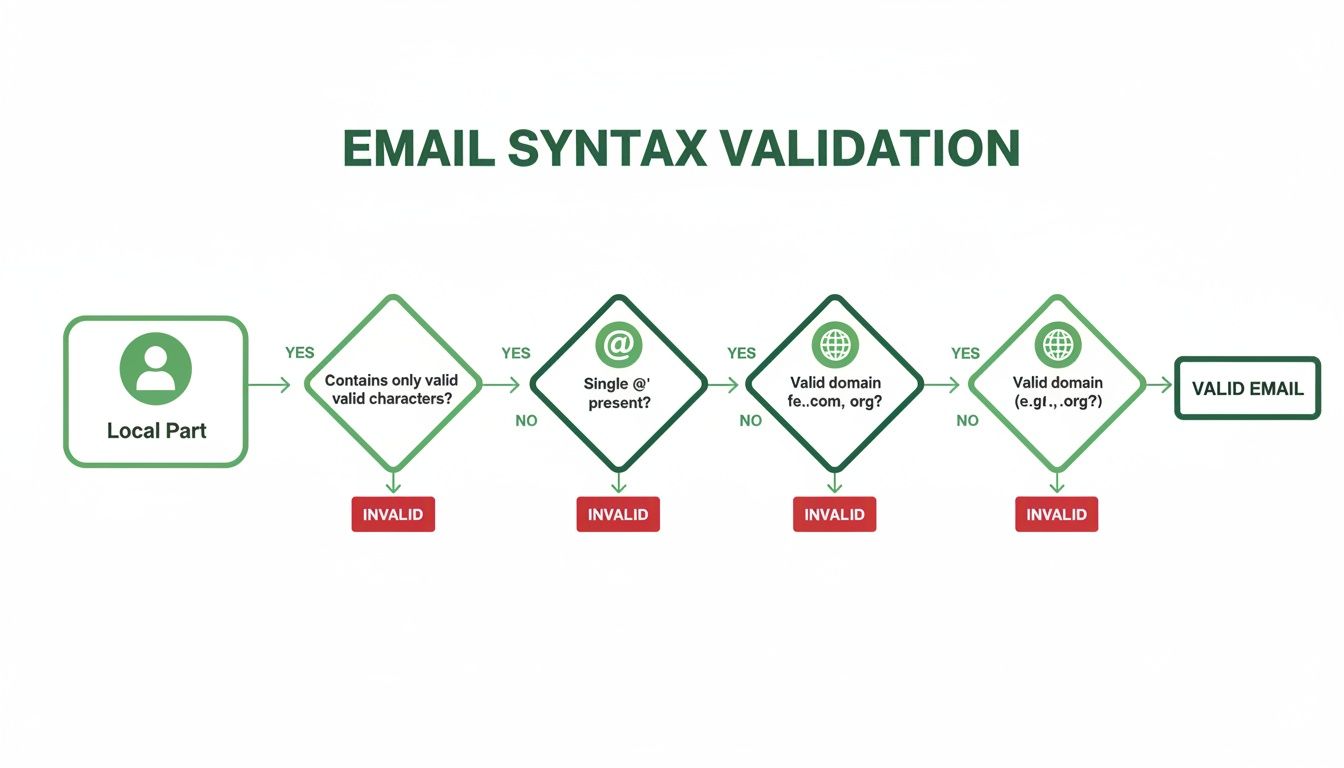
    1. Syntax parse. The system checks the address structure, including the presence and position of the @ symbol, allowable characters, and other formatting rules. An address with a missing domain or an obvious typo fails here without any server contact.

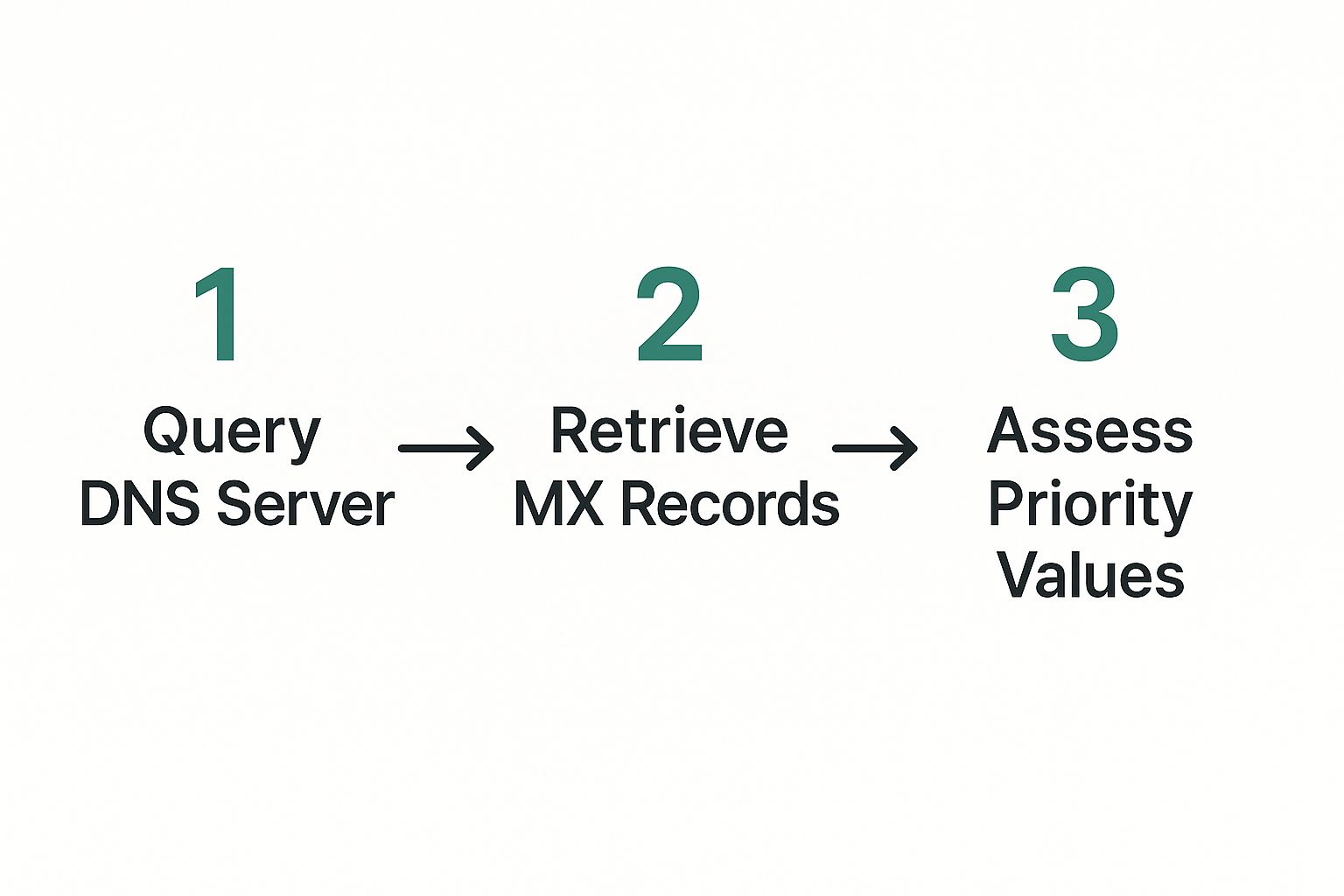
    2. DNS and MX lookup. The validator checks whether the domain exists and whether its MX records identify mail servers able to receive inbound messages. MX records control mail routing. If they're absent, misconfigured, or unreachable, a message can bounce or be deferred before mailbox-level checks begin, as explained in this technical guide to MX record configuration.

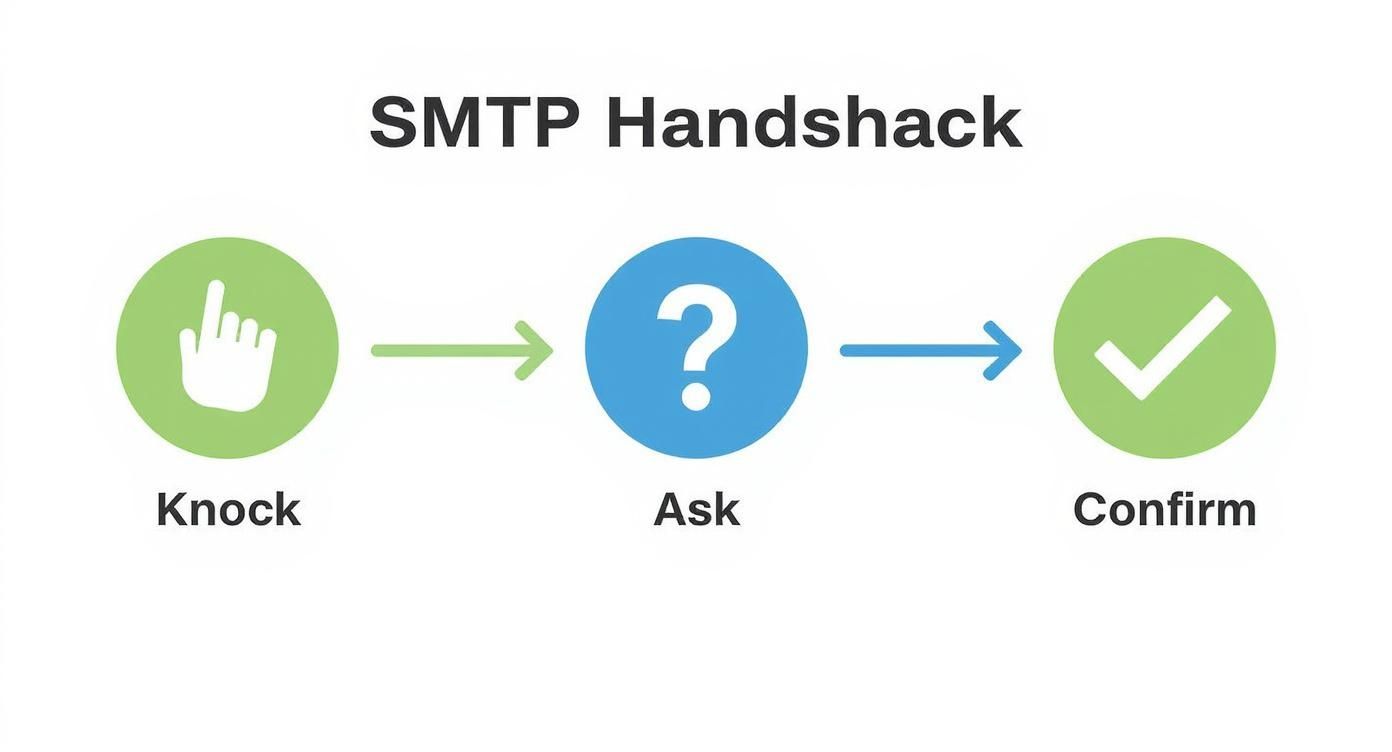
    3. SMTP handshake. The service contacts the receiving mail server and asks whether the specific mailbox can accept mail, without sending the message itself. A server may confirm the mailbox, reject it, or provide an inconclusive response.

    4. Role and disposable detection. The validator compares the address with signals for shared departmental accounts and temporary email domains. These addresses may technically receive mail, but they often need a different policy from a named professional inbox.

    5. Catch-all and risk scoring. Some domains accept mail for any address, so the server cannot reliably distinguish a real mailbox from a nonexistent one. Modern systems combine that result with other signals and return a risk category rather than pretending every result is certain. The syntax, MX, and SMTP sequence describes why each layer catches a different failure class.

    A five-step infographic explaining the process of how email validation works using simple icons and descriptions.

    A syntax pass doesn't prove that a person owns the address. An MX pass doesn't prove that the mailbox exists. An SMTP response can still be deliberately vague, delayed, or blocked. Layering the checks gives an outbound team a more useful answer than a single regex.

    For teams that need to run these checks inside forms, prospecting workflows, or CRM automations, an email validation API can place the decision at the point where an address enters the system.

    Validation vs Verification and Other Easy-to-Mix Terms

    A sales team can authenticate its sending domain perfectly and still work from a damaged contact database. These terms describe different jobs, so treating them as product labels can lead to the wrong workflow.

    Term What It Does When To Use It
    Validation Reviews address structure, domain health, mailbox signals, and risk indicators Before a campaign, sequence, import, or form submission
    Verification Applies a stronger reachability or delivery confirmation, sometimes through an actual message or confirmation workflow When a contact requires higher confidence
    Authentication Uses SPF, DKIM, DMARC, and related controls to show that a sender and domain are authorized Before production sending and during infrastructure setup
    Enrichment Adds details such as job title, company, or industry to an existing record After you have a usable address and need targeting context
    Appending Attempts to add missing contact details through a data provider or matching process When a record lacks an address, subject to permission and compliance rules

    Validation is the wider screening layer around an address. Email address verification can refer to a narrower mailbox-reachability check, or to a workflow that confirms delivery through a message, reply, or form. Vendors use these words inconsistently, so examine which checks a product performs rather than relying on its name.

    Authentication answers, “Is this sender allowed to use this domain?” Controls such as SPF, DKIM, DMARC, and DNSSEC strengthen trust in email infrastructure, as reflected in NIST's guidance on email authentication and DNS security controls. They do not answer, “Is this prospect's mailbox active?” Validation handles that recipient-list question.

    The distinction affects outbound ROI. A marketing team might pass authentication checks while sending to stale, mistyped, disposable, or role-based addresses. The result can be wasted sends and weaker deliverability, even though the sender's identity is configured correctly.

    A practical rule keeps the layers separate: authenticate the sender, validate the recipient data, then use verification when a record needs stronger confirmation. Enrichment and appending come after that decision because extra profile details cannot repair an unusable address.

    The Main Validation Methods and What Each One Catches

    No single method can answer every email-quality question. Each layer has a job, and each has a boundary.

    Method What It Catches What It Misses
    Syntax Missing symbols, malformed structure, spaces, and obvious formatting errors A correctly formatted typo such as a wrong domain
    Domain and MX lookup Domains that don't exist or lack a usable mail route A deleted mailbox on a functioning domain
    SMTP handshake Mailboxes that the receiving server identifies as nonexistent or unavailable Servers that hide mailbox status, reject probes, or time out
    Role-based detection Shared addresses such as info@, support@, or sales@ Whether a legitimate buying committee uses that address productively
    Disposable detection Known temporary email domains and throwaway patterns Newly created or unlisted disposable providers
    Catch-all flagging Domains that accept mail for addresses without confirming individual mailboxes Whether a particular address is real inside that domain
    Risk scoring Combined uncertainty from multiple signals A guarantee that a message will reach the inbox or earn a reply

    What the layers reveal

    Syntax is the cheapest first filter, but it only examines the string. jane@gmial.com may look structurally correct while pointing to the wrong domain. A domain and MX check adds infrastructure context, yet it still can't distinguish every active mailbox from every inactive one.

    SMTP probing gets closer to the recipient. The receiving server may acknowledge the mailbox, reject it, or avoid answering clearly. Greylisting, throttling, and privacy controls can make a real address look uncertain, so unknown isn't automatically invalid.

    Role and disposable checks are policy filters rather than proofs of nonexistence. A shared account can be monitored by a buying team, and a personal-looking address can still be abandoned. Your team should decide whether those categories belong in the campaign, not blindly delete them.

    Catch-all detection is the clearest example of why binary labels fail. If the domain accepts every mailbox query, the validator can confirm the domain but not the individual recipient. A risk score gives operations a way to route that address for review, lower-risk sending, or additional confirmation instead of treating uncertainty as certainty.

    Why Validation Directly Protects Deliverability and ROI

    Email validation matters because legitimate email programs already lose a meaningful share of messages before recipients see them. A 2023 global deliverability benchmark found average inbox placement just below 85%, with roughly 10.5% of permission-based emails filtered into spam and 6.4% missing entirely. A separate 2024 benchmark reported average deliverability of 83.1% across 15 email service providers, meaning about 16.9% of legitimate messages didn't reach the intended inboxes, as documented in the same benchmark reference.

    That context changes the business calculation. If part of your list contains addresses that can never receive the message, your team pays for the send attempt while inflating the negative signals attached to the campaign. The clean contacts then share the consequences of the dirty ones.

    An infographic explaining how email validation improves deliverability, protects ROI, and sets industry benchmarks for bounce rates.

    The operational chain

    A failed address creates more than one bad row in a report:

    • The message fails. The recipient never sees the offer, follow-up, or meeting request.
    • The campaign data becomes noisy. Reply and engagement rates reflect unreachable contacts alongside real prospects.
    • The sender absorbs reputation risk. Repeated delivery failures can make mailbox providers less confident in later mail.
    • The sales team loses productive time. Reps investigate records and follow up through sequences that were never capable of reaching the prospect.

    The 2026 quality report cited earlier makes the scale visible: among 3,596,809 verified addresses, 16.98% were invalid, while 26.73% were categorized as undeliverable, accept-all, or unknown. It also recorded 1.49% role-based addresses, 0.30% disposable addresses, and 0.21% syntax errors, with spam traps identified at 6.67 per million addresses verified. Those categories are not interchangeable, but together they show why syntax-only cleaning leaves important risk unresolved.

    Practical rule: Treat validation as a budget-control step and a reputation-control step. The value isn't limited to removing bounces. It preserves the chance that the valid contacts receive a message from a sender mailbox providers still trust.

    How Sales and Marketing Teams Run Validation in Practice

    A useful validation program fits the moment when an address enters your system. Waiting for a quarterly cleanup leaves too much time for bad data to spread across campaigns, CRM records, and enrichment tools.

    Capture the address at the source

    A real-time API can inspect an address as someone submits a landing-page form, webinar registration, product request, or contact form. The form can reject malformed input immediately, flag disposable domains, or route uncertain results for review. Marketing owns this control because it prevents low-quality records from entering the database in the first place.

    The same principle applies to prospecting. If a finder produces an address, validate it before writing it into the CRM. That keeps discovery and quality control in one workflow instead of making operations clean a growing backlog later.

    Clean before a bulk send

    Sales development teams often receive CSV exports from several sources. Before uploading one to an email platform, the SDR or sales operations owner should run syntax, domain, mailbox, role, disposable, catch-all, and risk checks, then separate send, suppress, and unknown files.

    Don't flatten every result into a single valid or invalid column. Preserve the reason for each decision. A campaign manager may suppress a disposable address automatically but ask a rep to review a catch-all address connected to a strategically important account.

    Recheck records that have gone quiet

    A CRM contact can become stale after a job change, domain migration, or mailbox shutdown. Operations can trigger revalidation when a record has been inactive for a defined internal period, before the contact enters a new sequence, or after the system records a delivery failure.

    A good workflow prevents bad addresses from entering the CRM, then catches the ones that become risky later.

    This lifecycle approach matches current demand for real-time verification APIs and automated list-cleaning workflows, especially as mailbox providers apply tighter filtering and authentication expectations, as discussed in email deliverability trend coverage for 2026.

    Common Pitfalls and Where Validation Stops Working

    Validation is evidence, not a guarantee. A tool can return an uncertain result because the receiving server blocks probes, delays its response, or deliberately avoids revealing whether a mailbox exists.

    Pitfall What Goes Wrong Operational Impact
    Greylisting A server temporarily rejects or delays an unfamiliar probe A real prospect may be labeled unknown or risky
    SMTP timeout The validator cannot complete the conversation in time A reachable mailbox may look unavailable
    Catch-all response The domain accepts every mailbox query A clean-looking result still carries recipient uncertainty
    Overbroad role detection The system flags a shared alias without understanding its business use A legitimate account contact may be removed
    Stale disposable list A new temporary provider isn't yet recognized A risky address can pass the disposable check

    Use categories, not false certainty

    A “valid” result generally means the available signals support sending. It doesn't promise an inbox placement, an open, or a reply. An “invalid” result usually gives you a strong reason to suppress, but teams should still review high-value records when a server behavior could explain the failure.

    The most useful category is often unknown. It tells a rep that the system lacks enough evidence to send confidently. For an important account, confirm the address through a legitimate secondary signal, such as a direct reply or a trusted contact interaction. For a low-priority bulk segment, suppressing unknown records may be the safer operational choice.

    Avoid treating a vendor's accuracy claim as universal. Results depend on the address mix, provider behavior, regional infrastructure, catch-all prevalence, and the checks included in the service. A syntax library can be excellent at formatting and still tell you nothing about mailbox reachability.

    Validation stops working when teams ask it to do the job of permission, authentication, content quality, or human judgment. It can reduce recipient-list risk, but it can't make an unwanted message welcome or guarantee that a real person will respond.

    Your Validation Checklist and Integration Next Steps

    Use this sequence before your next outbound send:

    1. Import the list. Gather contacts from forms, CRM exports, prospecting, and enrichment into a controlled review file.
    2. Run a syntax pre-filter. Remove malformed addresses and obvious spelling errors.
    3. Check the domain and MX records. Confirm that each domain exists and has a functioning mail route.
    4. Run an SMTP probe. Test whether the receiving server indicates that the mailbox exists, while preserving unknown results.
    5. Apply risk filters. Flag role-based, disposable, catch-all, and other high-risk categories according to campaign policy.
    6. Make the send decision. Suppress clear failures, review uncertain records, and send only to addresses that meet your quality threshold.

    A six-step checklist graphic outlining the email validation process from importing contacts to automated CRM integration.

    Turn the checklist into infrastructure

    Add a real-time validation check to every form submission and prospecting capture. Run a recurring bulk job against stale CRM contacts, enforce suppression rules for categories your team won't use, and feed hard-bounce outcomes back into a single source of truth so the same address doesn't return to a future sequence.

    EmailScout can fit into this workflow by finding decision-maker addresses and checking syntax, domain and DNS/MX signals, and SMTP mailbox reachability during discovery or bulk verification. Visit EmailScout to connect address discovery with pre-send list quality control, then use the resulting statuses to decide what enters your CRM and what stays out.

  • Boost Outreach: check a email address if valid to Improve Deliverability

    Boost Outreach: check a email address if valid to Improve Deliverability

    Sending an email that just bounces back is more than an annoyance—it's a direct hit to your sender reputation and your entire outreach strategy. The smartest move you can make is to check an email address if valid before you hit send. A dedicated verification tool does this in seconds, running syntax, domain, and server checks to prevent the damage caused by sending messages into a black hole.

    Why Bounced Emails Are Killing Your Outreach Campaigns

    Laptop displaying email issues with a red exclamation mark and a green sign reading 'STOP BOUNCED EMAILS'.

    You’ve been there. You spend hours crafting the perfect cold email, you find the ideal decision-maker, and you fire it off, feeling confident. Then, that dreaded “Mail Delivery Subsystem” notification pops up.

    It’s not just a failed connection. It’s a red flag to email providers like Gmail and Outlook. Every single hard bounce signals that your sending habits are sloppy, inching your domain closer and closer to the spam folder. This "send and pray" approach just isn't sustainable for any serious sales or marketing pro.

    As your bounce rate climbs, your sender reputation tanks. This is the score Internet Service Providers (ISPs) use to decide if you're trustworthy. A bad score means even your perfectly valid emails get filtered out, crippling your whole outreach engine.

    The Real Cost of Bad Data

    The fallout from invalid emails is a domino effect that sabotages your entire pipeline. It's not just about wasted time; each bounce erodes your domain's credibility, making it harder for future campaigns to ever see the light of day.

    Here’s what’s really at stake:

    • Damaged Sender Reputation: High bounce rates are one of the fastest ways to get your domain blacklisted.
    • Wasted Resources: Every email sent to a dead address is a waste of your team's effort and your email platform's credits.
    • Skewed Campaign Metrics: Bounces throw off your open and reply rates, making it impossible to know what’s actually working.

    Think about the sheer volume of email flying around. With an estimated 376.4 billion emails sent daily by 2025, ISPs are more aggressive than ever about filtering spam. An unverified list is an open invitation to get caught in their net. You can see a full breakdown of email trends in this report from The Radicati Group.

    From Annoyance to Account Risk

    Let's look at a real-world scenario. A B2B sales rep launches a 500-email campaign. An unverified list might have a 10% bounce rate—which doesn’t sound like much. But that's 50 hard bounces. If they run that campaign weekly, it's 200 bounces a month. Before they know it, their domain is flagged, and their deliverability for all emails—including crucial follow-ups with warm leads—crashes.

    The core issue is that ISPs don't see the difference between an honest mistake and a spammer. To them, a high bounce rate looks like you bought a stale, cheap list, and they will penalize your domain without a second thought.

    Learning to check an email address if valid isn't just a "best practice"—it's a non-negotiable step for effective outreach. It's how you build a quality list that protects your domain and ensures your messages actually get seen. For more in-depth tactics, check out our guide on how to improve email deliverability. This one habit will turn your email list from a huge liability into your most powerful asset.

    Quick Manual Checks You Can Perform Right Now

    A magnifying glass inspecting an email icon on a tablet, next to a notebook with 'Manual Checks' written.

    Before you even think about handing your list over to a validation service, it’s worth developing an eye for the obvious fakes. These quick manual checks take just a few seconds but can save you from the most basic list hygiene errors before they snowball into a bigger problem.

    Think of it as your first line of defense—a quick sanity check.

    At the most basic level, every valid email has three parts: the username, the "@" symbol, and the domain name. It sounds almost too simple, but you’d be amazed how often a messed-up structure is the culprit behind a bounce.

    Scrutinize the Syntax

    An email’s syntax is its grammar. Just like a sentence with bad grammar, a poorly structured email address is going nowhere. If you know what to look for, these common mistakes are surprisingly easy to spot.

    Keep an eye out for these syntax red flags:

    • Invalid Characters: An email can't have spaces, commas, or certain special characters like ( ) , : ; < > [ ] in the username. An address like john doe@company.com is dead on arrival.
    • Misplaced Dots: Dots are not allowed at the very beginning or end of the username (.johndoe@ or johndoe.@). Two dots in a row (john..doe@) is also a no-go.
    • Domain Typos: This one is huge. Be on the lookout for common misspellings of major email providers. Think john.doe@gmial.com or jane.doe@yaho.com. These are almost guaranteed bounces.

    These little details are everything. To get a better handle on what a valid structure looks like, our guide on common email address formats is a great resource for spotting these issues on the fly.

    Investigate the Context

    Beyond just looking at the address itself, a little bit of detective work can go a long way. When you’re trying to validate an email for sales or marketing outreach, context is king. Does the email even make sense for the person you’re trying to contact?

    For instance, say you’re guessing John Doe at Acme Corp has the email john.d@acme.com. A quick search on LinkedIn reveals that his colleagues all seem to use a firstname.lastname@acme.com format. This simple cross-reference immediately tells you that your guess is probably wrong, saving you from a likely bounce.

    A quick Google search of the domain can also tell you if it belongs to a legitimate company or is a known source of spam. If the domain looks shady or the website doesn't exist, the email address is almost certainly fake or a spamtrap.

    Of course, these manual checks aren't a replacement for a proper verification tool. But they do build excellent habits. You'll get much faster at filtering out the most obvious duds from your list, giving you a much cleaner starting point for deeper verification.

    Using Automated Tools for Deeper Verification

    Manual checks are a great first pass, but they really only scratch the surface. They’ll catch an obvious typo like j.smith@gmial.com, but they can’t tell you if jane.smith@gmail.com is a real, active inbox that can actually receive your message.

    This is where you have to go deeper to truly check if an email address is valid. To get that level of certainty, you need to bring in automated verification tools. They move way beyond simple syntax checks, running a whole series of technical validations in the background—all in a fraction of a second.

    How Automated Verification Works

    Think of it like this: a manual check is like quickly glancing at a mailing address on a postcard to see if the street name looks right. An automated check is like calling the post office directly to confirm the house exists, is at that exact address, and has a mailbox ready for deliveries.

    These tools run a sophisticated, multi-step process that looks something like this:

    • Syntax and Format Check: This is the same basic step you'd do manually, but it’s done instantly and systematically across thousands of addresses.
    • Domain and MX Record Check: Next, the tool confirms the domain (like company.com) is real and has Mail Exchange (MX) records set up. MX records are what tell the internet where to send emails for that domain. If there are no MX records, that domain simply can't receive email.
    • SMTP Handshake Simulation: This is the most important part. The tool initiates a "conversation" with the recipient's mail server. It simulates the first few steps of sending an email, essentially asking the server, "Hey, do you have an inbox for jane.smith here?" but without ever sending an actual message. The server's response confirms if the address is valid, invalid, or something in between.

    This is the process that separates a professional, clean email list from one that’s riddled with dead ends and bounce-backs.

    Why Automation is Non-Negotiable for Outreach

    When you're sending emails at scale for sales or marketing, trying to check things by hand just isn't an option. The data really drives this home. With daily email volume growing 4.3% annually since 2022, inbox providers are cracking down hard on anything that looks like spam. A bounce rate over 2% is all it takes to land your domain on a blacklist.

    And it gets worse—a shocking 85% of companies point to invalid email addresses as their number one deliverability headache. You can explore the full report on email usage trends to see just how big the problem is.

    To get a clearer picture, let's compare the two approaches side-by-side.

    Manual Checks vs Automated Verification

    Verification Aspect Manual Checks Automated Tools (like EmailScout)
    Accuracy Low; only catches obvious syntax errors. High; confirms server-level validity.
    Speed Extremely slow; impossible for lists. Nearly instant, even for bulk lists.
    Bounce Prevention Minimal; can't detect invalid inboxes. Excellent; identifies most invalid & risky addresses.
    Deliverability Impact Can hurt sender reputation due to bounces. Protects and improves sender reputation.
    Scalability Not scalable beyond a few addresses. Built for thousands or millions of emails.
    Types of Checks Basic syntax and format only. Syntax, domain, MX, and SMTP verification.

    As you can see, manual spot-checks just don't cut it for any serious outreach. The risk to your sender reputation is too high, and the time wasted is immense.

    This is where the return on investment for a good tool becomes crystal clear. A clean, validated list can generate an ROI of $36 for every $1 spent on email marketing. Automated tools make this possible by validating addresses in bulk, protecting your sender score, and making sure your hard work actually lands in the inbox.

    For anyone serious about outreach, using an automated tool isn't a luxury—it's a fundamental part of a professional workflow. To proactively protect your domain health, using specialized email deliverability testers can also be a game-changer.

    If you're just getting your feet wet, you can explore our guide on the best free email verification tools to see how they operate. The right tool transforms your outreach from a guessing game into a precise, data-driven strategy, dramatically improving your chances of connecting with decision-makers.

    Integrating Email Validation into Your Daily Workflow

    Knowing how to check if an email address is valid is only half the battle. The real trick is turning that knowledge into a reflex—making it a non-negotiable part of your daily process. For busy sales and marketing pros, this isn't about adding another tedious task. It’s about building validation into the moments that matter most.

    The goal is to make email verification an automatic action, not an afterthought. You wouldn't drive a car without checking for gas, right? So why send a crucial outreach email without confirming the destination actually exists? That small shift in mindset is what protects your sender reputation and makes sure your hard work doesn't go to waste.

    A smart workflow makes this simple. It bakes validation right into your lead generation and outreach, so bad data never gets the chance to pollute your CRM or email platform.

    A Real-World Sales Prospecting Scenario

    Let's walk through a common situation. Imagine you’re a sales rep prospecting on LinkedIn. You’ve found the perfect decision-maker at a target account, and you're ready to make your move. This is your first and most important validation checkpoint.

    Here’s what a truly seamless workflow looks like in action:

    1. Find Your Contact: You've identified your prospect—we'll call her "Jane Doe," Head of Marketing at Acme Inc.—on her LinkedIn profile.
    2. Discover the Email: Instead of guessing email patterns, you use a tool like the EmailScout Chrome extension. With a single click on her profile, the tool instantly finds her likely corporate email address.
    3. Validate on the Spot: This is the game-changer. As EmailScout reveals the address, its built-in verifier is already checking its validity behind the scenes. You see a little green checkmark confirming it’s deliverable before you even copy it.
    4. Add to Your System: Only after that confirmation do you add Jane to your CRM and pop her into your outreach sequence. A bad address never even touches your database.

    This whole thing takes just a few seconds, but it saves you from the downstream headaches of a hard bounce. It turns validation from a separate chore into an integrated, automatic part of finding new leads.

    This is what’s happening in the background during that instant check:

    Three-step automated email verification process diagram, showing checks for syntax, server, and mailbox availability.

    This quick, three-part check—syntax, server, and mailbox existence—is what gives you the confidence to hit "send."

    Creating Rules for Ongoing List Hygiene

    But validation isn't just for new leads. It’s also crucial for keeping your existing data clean. Email lists decay fast—by over 22% every single year. People change jobs, companies get acquired, and old inboxes get shut down.

    Your contact database is not a static asset; it's a living thing that requires regular maintenance. A "set it and forget it" approach is a surefire way to watch your deliverability and engagement rates plummet over time.

    To fight back against list decay, you need a simple, repeatable maintenance schedule. Here are a few straightforward rules you can set with your team:

    • Run a Quarterly Scrub: Every 90 days, make it a team ritual to export your main contact lists and run them through a bulk email verifier. This will catch all the addresses that have gone stale since the last check.
    • Verify Before Big Campaigns: About to launch a major campaign to a segment you haven't touched in a while? Run that list through a verifier first. Don't assume a list that was clean six months ago is still good today.
    • Have a "Risky" Protocol: Your team needs to know what to do with "risky" or "unknown" verification results. A good rule of thumb is to segment these contacts out. You can send them a small, low-stakes test campaign before including them in your main outreach.
    • Automate Bounce Handling: Set up your email service provider to automatically unsubscribe or flag any address that hard bounces. And whatever you do, never, ever try resending to an address that has hard-bounced.

    Making these habits part of your standard operating procedure builds a resilient system that protects your sender score. It's a proactive approach that gives every email you send the best possible chance of landing in the inbox and starting a real conversation.

    Maintaining a Healthy and High-Performing Email List

    A tablet displaying a 'Clean Email List' with green checkmarks, next to notebooks on a wooden table.

    To get real, consistent results from your outreach, you have to treat email validation like a routine, not a one-time fix. A perfectly clean list today will start to go bad tomorrow. It’s a natural process called email decay, and it happens a lot faster than most people think.

    Your contacts switch jobs, companies rebrand their domains, or old inboxes just get shut down. It's the circle of life in the business world. Studies have shown that B2B contact lists can decay at a staggering rate of over 22% per year. Without regular tune-ups, a huge chunk of your list will become undeliverable in just twelve months, leading to bounces that absolutely wreck your sender reputation.

    Building Proactive List Hygiene Habits

    The only way to fight email decay is to get proactive. Your goal shouldn't be to just clean your list once, but to build a system that keeps it healthy for the long haul. This way, every campaign you send is as effective as the last.

    Simple, consistent habits are your best defense:

    • Make Double Opt-In Standard: For any marketing signups, a double opt-in process is your first line of defense. It confirms the person is real and actually wants to hear from you, stopping typos and fake emails from ever getting into your system.
    • Remove Hard Bounces Immediately: Your email platform should be set up to automatically remove any address that hard bounces. Never, ever try to resend to that address. It’s a dead end, and trying again just tells email providers you don't care about list quality.

    From Clean List to Engaged Audience

    A healthy list isn't just about making sure your emails get delivered; it's about engagement. Sending awesome, relevant content to the right people is one of the best ways to protect your sender reputation. When your recipients consistently open and click your emails, it sends a powerful signal to providers like Gmail that your messages are wanted.

    A clean list is the foundation, but a segmented and engaged list is the engine that drives sustainable outreach performance. High engagement rates naturally offset the negative impact of the occasional soft bounce, keeping your sender score strong.

    A great strategy here is to segment your audience based on how they interact with your emails or what they're interested in. By tailoring your message, you boost your chances of getting positive interactions and make it less likely someone will smash the spam button.

    Beyond your day-to-day validation, it's also smart to periodically run a full email audit. This can give you much deeper insights into the overall health and quality of your entire list.

    Adopting these long-term habits turns your email list from a decaying liability into a high-performing asset that consistently generates results. This discipline is essential when you need to check an email address if valid not just for today, but for every campaign you run in the future.

    Frequently Asked Questions About Email Validation

    Even when you've got your validation workflow humming along, a few questions always seem to pop up. Let's dig into some of the most common ones I hear from sales and marketing teams.

    Getting these details right is what separates a decent outreach strategy from a great one. Think of this as the final polish that will help you handle any oddball scenarios with confidence.

    How Often Should I Clean My Email List?

    For your main database, you should run a full verification at least once per quarter. It's wild how fast email data goes stale. People switch jobs, companies get acquired, and old inboxes are shut down all the time. A list that was 98% clean six months ago could easily have a 10% bounce rate today.

    Beyond that big quarterly scrub, you should always validate emails right at the point of collection. And if you're gearing up for a major campaign, it's a smart move to re-verify just the segment you're targeting, especially if it's been more than 30 days since you last contacted them.

    What Does a Risky or Unknown Status Mean?

    When a tool spits back a "risky" or "unknown" result, it means the server didn't give a straight yes or no. This isn't a dead end, but you need to know what you're dealing with. It usually happens for a few reasons:

    • Accept-All (or Catch-All) Servers: Some companies set up their mail servers to accept any email sent to their domain, just to avoid tipping off spammers. This makes it impossible to know for sure if jane.doe@company.com is a real inbox without actually sending something.
    • Greylisting: This is an anti-spam defense where a server will temporarily reject an email from a sender it doesn't recognize. A verifier might see this temporary "no" and flag the address as "unknown."
    • Server Timeouts: Sometimes the receiving server is just sluggish, overloaded, or down for a moment, and the verification tool can't get an answer in time.

    Here's what I do: I treat "risky" emails with a healthy dose of skepticism. Don't just dump them into your main, high-volume campaigns. Instead, segment them out. You can try sending a low-stakes test email from a separate, warmed-up domain to see what happens. This little extra step protects your main domain’s sending reputation.

    Can a Valid Email Still Bounce?

    Absolutely, and this is a critical point that trips a lot of people up. A "valid" status just confirms two things: the email address syntax is correct, and the server is ready to accept mail for that inbox. It’s not a crystal ball for deliverability.

    For instance, a perfectly valid email can still bounce if:

    • The person's inbox is completely full.
    • Their company's mail server is temporarily down for maintenance.
    • Your email content, or even your sending IP, gets flagged by their spam filters.

    This is exactly why ongoing deliverability monitoring is just as important as that initial validation. Getting a "valid" check gets your foot in the door, but solid sending practices are what ensure your message actually makes it inside.


    Ready to stop guessing and start connecting? EmailScout's Chrome extension finds and validates emails in a single click, ensuring every prospect you find is a real person you can reach. Get unlimited free email lookups and start building a high-quality list today. Visit https://emailscout.io to add it to your browser.

  • How to Check Email Address Is Valid and Boost Deliverability

    How to Check Email Address Is Valid and Boost Deliverability

    Before we get into the how, let’s quickly cover the why. Sending emails to dead-end addresses isn't just a waste of time—it actively torpedoes your outreach campaigns. Every bounced email is a red flag for internet service providers (ISPs) like Gmail and Outlook.

    It’s like a credit score for your email account. A hard bounce is a missed payment, dinging your sender reputation. The more it happens, the more likely your future emails will end up in the spam folder, never to be seen by even your warmest prospects.

    For anyone in sales or marketing, this is a big deal. Your success literally depends on getting your messages read.

    A man in a blue plaid shirt intently typing on a laptop, with a 'VALIDATE EMAILS' sign behind him.

    The Real Cost of a Messy Email List

    A clean list is much more than a vanity metric; it has a direct impact on your bottom line.

    When you send to invalid emails, they don't just bounce. They crush your sender score, which tells spam filters to block an extra 20-25% of your legitimate emails from ever hitting an inbox. It’s a ripple effect.

    Contrast that with campaigns sent to lists that are over 95% valid. Those see open rates jump to a healthy 31-34%, a huge leap from the dismal 15% you get with unverified lists.

    The bottom line is simple: a valid email address is the absolute first step to starting a real conversation. If you skip this, your carefully crafted messages never even get a chance.

    Turning Good Practice into a Strategic Edge

    For sales pros and marketers, validating emails isn't a chore. It's a strategic move. A verified contact list guarantees you're investing your time and budget talking to real people who could actually become customers.

    Beyond the basics, understanding your domain name reputation and email deliverability is a game-changer for getting the most out of your outreach. This foundational work pays off big time, leading to:

    • Higher open and click-through rates because you’re actually reaching real people.
    • A better campaign ROI by cutting out the wasted sends and focusing on solid leads.
    • A stronger sender reputation, which is your ticket to long-term deliverability success.

    If you want to go deeper on this, take a look at our guide on how to improve email deliverability. It's packed with strategies for keeping your sender score in great shape.

    Your First Line of Defense: A Manual Syntax Check

    Before you even think about firing up any fancy tools, your first move should always be a quick visual scan. This simple, manual syntax check is the fastest, no-cost way to weed out the most obvious duds and save yourself from an instant bounce. It all comes down to knowing the basic anatomy of an email address.

    Every valid email has three non-negotiable parts: the local part (the stuff before the @), the @ symbol itself, and the domain name. Take jane.doe@example.com—"jane.doe" is the local part, you have the "@," and "example.com" is the domain. If any one of those is missing, you've got a bad email on your hands.

    What to Look For

    You’d be surprised how many common mistakes you can catch just by looking. Once you know what to watch for, spotting illegal characters or wonky formatting becomes second nature.

    For a complete breakdown of what’s allowed and what’s not, you should check out our detailed guide on email address formats. Spending a few seconds on this can spare you a ton of failed deliveries down the road.

    Here are some of the most common syntax errors I see all the time:

    • Spaces: An email like jane doe@example.com is a no-go.
    • Missing @ Symbol: Without the "@," it's not an email address, period.
    • Double Dots: Be on the lookout for things like jane..doe@example.com. That’s almost always invalid.
    • Strange Characters: Funky symbols like !, #, or $ in the local part are usually a red flag.

    A quick scan is a fantastic starting point, but let’s be real—it’s not a silver bullet. A syntax check is fundamental, but it will only ever catch a small fraction of bad emails.

    Think of this initial review as your baseline. It helps you decide if an email is even worth the effort of a deeper check. While it’s a great first step, my experience and industry data show that a syntax check alone only catches about 10-15% of invalid emails. This is exactly why you need more than one trick up your sleeve; layering multiple validation methods is the only way to build a genuinely clean list.

    Confirming the Domain with MX Record Lookups

    Once you've done a quick visual pass, the real work begins: making sure the email's domain can actually receive mail. This is where an MX record lookup becomes your secret weapon, especially when you're staring down a large list.

    Think of a Mail Exchange (MX) record as a digital signpost pointing to a domain's mail server. If that signpost is missing or pointing in the wrong direction, no email is ever going to get through. It’s a simple check, but it’s a massive leap in accuracy from just looking at the syntax.

    Why This Check Is So Effective

    Performing this check is like asking, "Does this business have a mailbox?" before you bother writing and sending a letter. The real power behind email validation lies in MX record lookups because they confirm if a domain has a valid, functioning mail server.

    This one step can validate up to 85% of enterprise emails almost instantly, making it an incredibly efficient way to clean up your lists. You can dive deeper into its impact in recent email statistics reports.

    This flowchart breaks down the basic components of a valid email address, and you can see how the domain is the foundation of it all.

    A flowchart showing the process of email syntax validation, checking for valid characters, '@' symbol, and domain.

    While the syntax and the "@" symbol are essential, the domain's ability to receive mail is the critical final piece.

    An MX record check instantly weeds out addresses tied to fake, misspelled, or misconfigured domains. For example, say you have a prospect at jane.doe@acmesolutions.net but the company's real domain is acmesolutions.com. An MX lookup would immediately show that the .net version has no mail servers. Just like that, you’ve saved yourself a bounce and can fix the typo.

    A valid MX record doesn't guarantee a specific inbox like jane.doe exists, but it confirms the most important part: the domain is set up to receive email. This gives you a massive confidence boost in your list quality.

    Here's a quick comparison of different manual and semi-automated methods for checking email validity, highlighting their effectiveness and limitations.

    Comparing Email Validation Methods

    Validation Method What It Checks Effectiveness Best For
    Syntax Check Format (e.g., name@domain.com) Low Quick, initial cleanup of obvious typos and formatting errors.
    Domain/MX Check Domain exists and has mail servers High Bulk list cleaning; instantly removes emails at invalid domains.
    Mailbox Ping A specific inbox exists Very High Final verification for high-value contacts; confirming individual addresses.
    Verification Service All of the above, plus more Highest Comprehensive, automated validation for all list sizes and types.

    Each method has its place, but the MX record check provides the biggest "bang for your buck" in terms of time spent versus bounces prevented. It’s the foundational check that every other method builds upon.

    Pinging the Server to Confirm the Mailbox

    Alright, we’ve covered syntax and domain records. Now for the final, most definitive check: directly asking the mail server if an email address actually exists.

    This is the digital equivalent of walking up to a building's front desk and asking, "Does Jane Doe have a mailbox here?" This process, often called an SMTP handshake, simulates the start of an email delivery without ever sending a message. You're simply communicating with the recipient’s mail server to get a straight 'yes' or 'no' on whether the inbox is active.

    It’s the ultimate test for individual email addresses.

    But here’s the catch: trying to do this on your own is playing with fire. Mail servers are built to shut down anything that looks like a spam attack. Sending repeated pings from your IP address is a massive red flag. Make one wrong move, and you could get your entire domain's IP address blacklisted, which means none of your emails will get through.

    Why You Need a Pro Service for This

    Because the stakes are so high, server pinging is a job best left to the experts. Professional email verification services are built for this. They use a massive, distributed network of different servers to run these checks safely and without drawing negative attention. They handle the tricky communication protocols and give you a simple, clean result.

    Using a trusted service for this final check isn't just a good idea—it's essential, especially for your most valuable contacts. You get the highest possible accuracy without risking your entire email outreach operation.

    If you're serious about building a clean, high-performing email list, you can't skip this. It’s how you get to be nearly 100% certain an email address is real before you click send. This simple step turns your outreach from a guessing game into a precise, effective strategy that gets results and protects your sender reputation.

    Automate and Scale with an Integrated Verifier

    The manual checks we’ve gone over are great for spot-checking an address here and there, but they just don't scale. Let’s be real—if you're serious about building a high-quality prospect list, the only way to go is to automate the whole process with a tool that works right where you do. This is how you check if an email address is valid without ever derailing your workflow.

    Imagine building a pipeline where every single email you find is instantly verified. That's exactly what an integrated verifier like EmailScout's Chrome extension brings to the table. Features like AutoSave and URL Explorer don't just find contact information; they confirm it’s valid on the spot.

    This simple shift ensures your list is clean from day one. For sales teams, it completely flips the script from tedious data entry to high-value outreach.

    From Manual Labor to Automated Results

    Think about a sales pro building a list of leads from LinkedIn. The old way involves manually copying each email, pasting it into a spreadsheet, and then running separate checks. It’s a grind. An integrated tool, on the other hand, verifies each email in real-time as it's discovered.

    This approach saves professionals an estimated 40% of their time on list building alone.

    Here’s a quick look at how EmailScout’s auto-verification works in practice.

    A man works on a laptop, viewing an 'Auto Verify' screen with checkmarks.

    Those little green checkmarks are your best friend. They confirm that the discovered emails are valid and deliverable, preventing bad data from ever polluting your pipeline in the first place.

    Automation isn't just about speed; it's about accuracy at scale. By embedding verification into the discovery process, you eliminate human error and ensure every lead you pursue is a real, reachable person.

    It’s also worth noting that many platforms, like Mailchimp, have their own systems for handling invalid addresses to protect your sender reputation. Getting familiar with topics like managing 'cleaned' email lists in Mailchimp can help you get even more out of your automated efforts.

    If you’re ready to dive in, exploring the best free email verification tools is a great next step to find a solution that fits perfectly into your existing process.

    Answering Your Top Email Validation Questions

    Even with the best tools, you're bound to have questions when you're getting serious about email validation. Let's dig into a few of the most common ones I hear from people trying to clean up their lists and boost their outreach.

    Is Validation Really Necessary if My List Is Small?

    You bet it is. The size of your list doesn't matter to an email service provider—a bad sender reputation is a bad sender reputation. Sending emails to just a handful of invalid addresses can get your messages flagged as spam, which torpedoes your ability to reach anyone at all.

    Think of it this way: a small, clean list is always more powerful than a huge, messy one. Quality beats quantity every single time. It's also worth remembering that data decays fast. Some reports estimate that up to 30% of email addresses go bad within a year. You can dig into more of those numbers by checking out these key email statistics and reports.

    How Often Should I Be Validating My Email List?

    For lists you're actively using for regular campaigns, a quarterly check is a great rule of thumb. If you're running a particularly high-volume campaign or you see your bounce rates starting to creep up, it’s smart to run a verification right before you hit send.

    For more static lists that you don't use as often, a yearly check-up is probably enough to clear out the decayed addresses.

    The main takeaway here is to treat list hygiene like an ongoing habit, not a one-and-done task. Consistent validation keeps your data accurate, protects your sender score, and makes sure your emails actually get delivered.

    Can an Email Address Be Valid but Still Bounce?

    Yes, and this is a really important distinction to understand. An email can pass every technical check in the book—correct syntax, valid domain, a positive server ping—and still bounce back. This is what's known as a "soft bounce."

    It usually happens for temporary reasons, like:

    • A Full Inbox: The recipient's mailbox is maxed out and can't accept new mail.
    • Server Is Down: Their mail server might be offline for a bit of maintenance.
    • Message Is Too Big: If your email has a huge attachment, it might exceed the server's size limit.

    While you can't really prevent these soft bounces, a properly validated list nearly eliminates "hard bounces." Those are the permanent failures from bad addresses, and they’re the ones that do the real, lasting damage to your sender reputation.


    Ready to stop guessing and start connecting? EmailScout builds powerful, real-time email verification directly into your workflow, ensuring every prospect you find is a valid one. Try our Chrome extension today and build cleaner, more effective outreach lists from day one. Get started for free at https://emailscout.io.

  • How to Check if Email Address is Valid

    How to Check if Email Address is Valid

    Knowing how to check if an email address is valid goes way beyond just looking at the syntax. Real validation means digging deeper. You need to confirm the domain’s mail server actually exists (that’s an MX record lookup) and then ping that server to see if the specific inbox is active—all without actually sending an email.

    Why Validating Emails Is Non-Negotiable

    A person working on a laptop with charts and graphs in the background, symbolizing digital marketing analysis.

    Before we jump into the "how," let's get clear on the "why." A clean email list is the engine of any good marketing campaign, but it's amazing how many people treat it like an afterthought. Letting bad emails pile up isn't a small mistake; it's something that creates real, tangible problems that can sabotage your entire outreach strategy.

    Think about an e-commerce store blasting out a flash sale. If 15% of their list is junk, thousands of people who might have bought something never even get the message. That's lost revenue, plain and simple. Or a B2B company trying to nurture leads with a drip campaign—every email that bounces back is a wasted resource and a missed connection. These aren't just hypotheticals; this is the everyday cost of a dirty list.

    The Hidden Costs of Bad Data

    Every single email that bounces sends a bad signal to providers like Gmail and Outlook. Rack up a high bounce rate, and your sender reputation takes a nosedive. Suddenly, even your emails to loyal, engaged customers start getting flagged as spam. It's a quick way to cripple your ability to land in the inbox.

    The consequences are pretty stark:

    • Wasted Marketing Spend: You’re literally paying to send emails into a black hole.
    • Damaged Sender Reputation: High bounce rates make you look like a spammer to the big email providers.
    • Skewed Engagement Metrics: Bad emails mess up your open and click-through rates, making it impossible to know what’s actually working.
    • Lost Sales Opportunities: Your most important messages—promotions, updates, lead nurturing—never even arrive.

    This isn't just about spring cleaning your list. It's about protecting your marketing ROI and making sure your message actually has a fighting chance to be seen.

    You don't have to take my word for it. The market for these tools is exploding. The global email validation market was valued at USD 1.1 billion in 2023 and is on track to hit USD 2.5 billion by 2032. That kind of growth tells you that smart businesses are taking this very seriously.

    Making sure your recipient addresses are accurate is just a fundamental part of digital communication. For a bigger-picture view, there are great resources on effective business mail management that touch on similar principles. At the end of the day, a solid verification process is the bedrock of any successful campaign. If you want to dive right in, our full guide on https://emailscout.io/how-to-verify-email/ is the perfect place to start.

    Here's a quick look at the core techniques we'll be covering, just to give you an idea of what's involved.

    Quick Guide to Email Validation Methods

    Validation Method What It Checks Complexity Level
    Syntax Check Basic email format (e.g., user@domain.com) Low
    DNS/MX Record Lookup Confirms the domain has a mail server Medium
    SMTP Handshake Pings the server to see if the inbox exists High

    Each of these methods plays a crucial role, from quick and easy format checks to the more complex server-level verifications that provide the highest accuracy.

    The First Line of Defense: Syntax and Format

    An abstract image showing the components of an email address, like a username, the '@' symbol, and a domain name, being assembled.

    Before you get into the weeds with complex server checks, the first and most basic way to check if an email address is valid is to look at its structure. Think of this initial syntax check as a quick proofread. It’s surprisingly good at catching the most common typos and data entry mistakes before they have a chance to become a bounced email.

    Every valid email address is built on a simple foundation: two core parts separated by an "@" symbol. You’ve got the local part (the bit before the "@") and the domain part (everything after). It sounds simple, but there are strict rules for what's allowed in each section. Break one of those rules, and the address is instantly invalid.

    Deconstructing the Local Part

    The local part—basically the username—is actually more flexible than you might think, but it still has its limits. It can contain uppercase and lowercase letters (A-Z, a-z), numbers (0-9), and a handful of special characters.

    The most common characters you'll see are:

    • Periods (.)
    • Hyphens (-)
    • Underscores (_)

    But here’s the catch: you can’t just put them anywhere. For example, an email address can’t start or end with a period, and you can’t have two periods right next to each other. This is exactly why an address like jane..doe@company.com gets flagged as invalid right away. It's a classic formatting mistake that any basic validation tool will catch in a heartbeat.

    Think of syntax validation as the gatekeeper. It doesn't know if the person actually exists, but it makes sure the address is written in a language the email system can understand. An incorrectly formatted address is like a letter with no zip code—it’s going nowhere.

    Analyzing the Domain Part

    The domain part is a bit more straightforward and has stricter rules. It has to be a valid domain name, which means it can only contain letters, numbers, and hyphens. Just like with the local part, it can't start or end with a hyphen.

    For instance, an address like support@-company.com is a no-go because of that leading hyphen in the domain. A less obvious but equally fatal error is something like info@company.co,, where a comma was accidentally typed instead of a period. These tiny typos are incredibly common, especially when people are compiling lists by hand.

    Here are a few real-world examples that a syntax check would immediately kick out:

    • john.smith@.gmail.com (Invalid: Domain starts with a period)
    • contact@company com (Invalid: Missing the top-level domain dot)
    • sales@acme. (Invalid: Incomplete domain)

    This first format check is the crucial first step that all automated tools perform. It’s a simple, fast, and incredibly efficient way to weed out a huge chunk of bad data without ever having to ping a server. By understanding these fundamental rules, you can spot the obvious errors yourself and get a better feel for what a full verification process is built on.

    Confirming the Domain and Mail Server Exist

    A magnifying glass hovering over a stylized network of servers, representing the process of finding a specific mail server.

    So, you've checked that an email address has the right structure. Great. But what good is a perfectly formatted address if it points to a domain that doesn't exist? Or one that isn't set up to receive email at all?

    This is where the real detective work begins. We need to go a level deeper to see if the destination is legitimate.

    Think of the internet’s Domain Name System (DNS) as a colossal, global address book. When we verify an email, we’re essentially looking up the domain to see if it has a valid listing. But we’re not just checking if the company exists; we’re looking for a very specific department: the mail server.

    The Role of MX Records

    This is where Mail Exchange (MX) records come into play. An MX record is a special entry in that global address book that basically says, "Yep, this domain accepts email, and you can send it right over here." If a domain doesn't have a valid MX record, any email you send is going nowhere fast—it'll just bounce right back.

    This check is a powerhouse for knocking out two of the most common invalid email types:

    • Domain Typos: It’s a lifesaver for catching simple mistakes, like an address ending in [email protected] instead of [email protected]. The misspelled "gamil.com" almost certainly won't have an MX record, flagging it as a dead end immediately.
    • Defunct or Fake Domains: It filters out addresses from websites that have shut down or were completely fabricated. If the domain is gone, its MX records are gone with it.

    Verifying the domain and its MX records is like checking a street address to make sure the building exists and has a mailbox. A syntax check confirms the address is written correctly, but the MX lookup confirms there's actually a place to deliver the mail.

    Imagine a marketing agency gets a hot new lead from [email protected]. The syntax is flawless. But a quick MX lookup reveals that the "bigcorp-marketing.com" domain doesn't exist. Instantly, they know the lead is junk without ever having to risk their sender reputation by sending an email.

    Beyond a Simple Domain Check

    This process gives you a much stronger signal of an email's validity than a simple format check ever could. It confirms that a server is actively configured and waiting to accept mail for that specific domain. It’s a non-negotiable step for any serious email verification and a fantastic way to clean up your lists.

    While you can do these lookups manually, understanding the concept is what's most important.

    If you find yourself with a long list of contacts from the same company, you might want to explore tools for an email lookup by domain to identify common patterns and verify addresses in bulk. This DNS-level check gives you the confidence to move on to the final, most definitive test: the SMTP handshake.

    The Ultimate Test: The SMTP Handshake

    After you’ve confirmed an email’s syntax is solid and its domain has a real mail server, it's time for the final, most definitive test. This is how we get as close as possible to proving an inbox exists without actually sending a message.

    Welcome to the SMTP handshake.

    Think of it like walking up to a post office and asking the clerk, "Does a John Doe have a P.O. Box here?" You aren't mailing a letter; you’re just checking if the box is there. The SMTP (Simple Mail Transfer Protocol) handshake operates on the same basic principle. An email verification tool starts a quick, polite chat with the recipient's mail server to ask that exact question.

    The tool connects to the server, says it wants to deliver a message to an address like john.doe@example.com, and then waits for the server’s reply. If the server comes back with a confirmation—basically saying, "Yep, that mailbox is here and ready for mail"—we have our answer. That positive response is the strongest signal you can get to check if an email address is valid and active.

    Navigating Real-World Complexities

    Of course, it’s not always that simple. Mail servers are complicated beasts, often armed with security measures that can get in the way of this simple query. Not every server is willing to give a straight "yes" or "no" to a stranger knocking on its digital door.

    You'll usually run into two main roadblocks:

    • Catch-All Servers: Some domains set up their mail servers to accept email for any address, whether it’s real or not. This is a "catch-all" configuration. In this case, the server will always give a positive response, making it impossible to know if john.doe@example.com is a real inbox or just a digital black hole.
    • Security Protocols: Many servers are designed to block or just ignore these kinds of verification pings. They might see the rapid-fire connection attempts from verification services as sketchy activity and simply refuse to answer, or even temporarily block the connection entirely.

    The SMTP handshake is the gold standard for accuracy, but its results are only as good as the server's response. A definitive 'yes' is great, but a vague or non-committal answer requires intelligent interpretation.

    Interpreting Server Responses

    This is where the quality of your verification tool really shows. A basic script might get a positive response from a catch-all server and wrongly mark the email as "valid." A smarter tool, however, can often identify these catch-all domains. It won't give you a simple "valid"—it'll classify the address as "risky," giving you the context needed to make an informed call.

    Modern email validation has moved way beyond simple pings. The best approaches now blend syntax checks, domain verification, and SMTP testing to paint a complete picture of an email's health. Some cutting-edge systems even use AI to analyze patterns and predict an email's long-term validity, while real-time validation at the point of sign-up is becoming standard practice. You can dive deeper into email validation best practices on Mailfloss.

    Understanding the SMTP handshake shows you how the most accurate verification methods work behind the scenes. It's not just a blind ping; it's a nuanced conversation that separates a genuinely good email from one that just looks right on the surface. This final check is the key to protecting your sender reputation and making sure your messages land in front of real people.

    Automating Your Checks with EmailScout

    After walking through the manual steps, it’s pretty clear they don't scale. Checking more than a handful of emails that way is a non-starter. This is exactly where a dedicated tool becomes your best friend.

    EmailScout rolls all those tedious steps—the syntax checks, the MX lookups, the SMTP handshake—into one slick, automated process. That kind of efficiency is a must-have for anyone who needs to check if an email address is valid in bulk.

    But it’s not just about speed. The real magic is in the extra layer of intelligence these tools provide. For example, EmailScout can spot temporary or disposable "burner" emails. While technically valid, they’re dead ends for any meaningful communication. It also flags generic, role-based accounts like info@ or support@ that rarely lead to good engagement.

    From Simple Pings to Smart Analysis

    One of the biggest headaches in email validation is the dreaded "catch-all" server. These servers are set up to accept mail for any address at that domain, making it impossible to know if an inbox actually exists. A simple script will get a positive response and mark it as valid, which is often wrong.

    This is where EmailScout shines. It can intelligently identify these servers and flag the email as "risky" instead of "valid," giving you the context you need to decide if it's worth the potential bounce.

    The whole process is a multi-layered verification system:

    • Syntax and Formatting: The first pass, instantly catching typos and basic formatting mistakes.
    • Domain and MX Verification: Confirms the domain is real and actually set up to receive email.
    • SMTP Handshake: Simulates sending a message to see if the specific mailbox is live.
    • Advanced Filtering: This is the smart part—sniffing out disposable domains, role accounts, and those tricky catch-all configurations.

    The SMTP handshake is the heart of it all. Think of it as a quick, three-step "conversation" between servers.

    Infographic about check if email address is valid

    This connect-greet-confirm flow is how a tool can verify an inbox exists without ever sending an actual email. If you want to dive deeper into the different capabilities available, you can explore the email validation features from astonishEmail.

    Understanding the Results

    When you use a tool like EmailScout, you get a clean, simple verdict for every email. No more guesswork. You just pop in the address and get an instant answer that's easy to understand.

    This lets you move from complex server codes to straightforward, color-coded statuses.

    Typically, the results break down into three main categories:

    1. Valid: The green light. The tool has confirmed the syntax, the domain's mail server is online, and the specific inbox exists. Send with confidence.
    2. Invalid: A hard no. The email is undeliverable. This could be from a typo, a dead domain, or the server confirming the mailbox is gone.
    3. Risky: This is the gray area. The address might be a catch-all, from a disposable service, or the server just didn't respond. Sending to these is a gamble.

    By automating these checks, you can scrub your lists in minutes, not hours. This protects your sender reputation, boosts deliverability, and makes sure your campaigns actually land in front of real people. That’s how you maximize your ROI.

    If you’re shopping around for a service, it helps to see how the options compare. For a full breakdown, check out our guide on the best free email verification tools to find the perfect fit for what you need.

    How Global Differences Impact Email Validation

    When you're trying to figure out if an email address is any good, the technical result is only half the story. Just because an address gets a "valid" stamp doesn't mean your email will actually land in their inbox, especially when you're dealing with a global audience.

    The truth is, different parts of the world have their own unique digital quirks—from ISP policies to local infrastructure and even cultural norms around email. Sending a campaign to a list in Western Europe is a completely different ballgame than sending one to certain parts of Asia. These aren't just tiny details; they're big enough to change how you should interpret your validation results.

    Regional Deliverability Rates Matter

    The data doesn't lie: there's a clear divide in how reliably emails get delivered depending on the region. Europe tends to have the highest inbox placement rates, but other areas can be a bit of a minefield. This isn't just theory; it's something you'll see in your campaign stats if you operate internationally.

    Regional deliverability can vary wildly. Europe, for example, boasts an inbox placement rate of around 91%, with North America not far behind at 87%. But the Asia-Pacific region often presents a much bigger challenge, with deliverability hovering closer to 78%. It gets even more specific at the country level. The UK hits a stellar 98.8% deliverability, while India is way down at 69.8%. That's a massive gap, and it makes solid validation non-negotiable for international campaigns. If you want to dive deeper into these numbers, UseBouncer has some great stats on global email marketing.

    An email address that's technically valid in a region with 78% average deliverability carries a higher inherent risk than one in a region with a 91% rate. This context should directly inform your email strategy.

    Practical Steps for Global Campaigns

    So, what do you do with this information? You get smarter. A one-size-fits-all approach to email validation just doesn't work when you're dealing with a global list. You have to adapt your strategy based on where your audience lives.

    Here are a few things you can do right away:

    • Be Extra Cautious with 'Risky' Results: If you're sending to regions with lower deliverability rates, treat any "risky" or "catch-all" emails with suspicion. The chances of them bouncing are just statistically higher there.
    • Segment by Geography: This is a big one. Break your email lists down by country or region. It lets you keep a closer eye on performance and tweak your sending habits for what works best in each market.
    • Use a Tool That Gets It: A good verification tool understands these international nuances. It's better at interpreting server responses from different corners of the globe, giving you a far more accurate verdict on an email's real status.

    At the end of the day, acknowledging these global differences is what separates the pros from the amateurs. It turns validation from a simple technical check into a key part of your international strategy, helping you protect your sender reputation and get more emails where they belong: in the inbox.

    A Few Common Questions About Email Validation

    Even with the best tools, you’re bound to have a few questions when you first dive into validating email addresses. It’s a new process for a lot of people. Here are some of the most common things we get asked by users just starting out.

    How Accurate Is This Stuff, Really?

    This is the big one. With a professional tool that layers syntax checks, MX lookups, and SMTP communication, you can expect up to 98% accuracy. It's incredibly reliable, but it’s important to know that 100% is never truly possible.

    A few things can get in the way of a perfect score:

    • Catch-all servers: These are set up to accept email for any address at a domain, whether the mailbox actually exists or not.
    • Greylisting: Some servers will temporarily reject a connection they don't recognize as a security measure.
    • Network hiccups: Sometimes, a mail server is just temporarily down or unreachable.

    Even with those variables, a multi-step validation process gives you a rock-solid signal of an email's health. You're not aiming for absolute perfection; you're trying to slash your bounce rate and protect your reputation, and this gets you there.

    Will This Send an Email to the Person?

    Nope, and that's the whole point. This is probably the biggest myth out there. The core of email verification—the SMTP handshake—was designed for exactly this scenario.

    Think of it like knocking on a door and asking if "John" is home. The server answers "yes" or "no," but you never actually open the door or go inside. The recipient never gets a notification, and no email ever hits their inbox.

    How Often Should I Clean My List?

    The short answer? More often than you think. As a rule of thumb, you should validate your entire list at least once a quarter. Marketing data consistently shows that email lists decay by over 20% every single year.

    People get new jobs, ditch old email providers, or just stop using an address. If you're running high-stakes campaigns or sending a lot of emails, you should clean your list even more frequently. Better yet, use a real-time verification API to check emails the moment they’re submitted on a form.


    Ready to stop guessing and start sending with confidence? EmailScout automates the entire validation process, giving you clear, actionable results in a single click. Find unlimited valid emails for free with EmailScout.

  • A Guide to checking if email address is valid

    A Guide to checking if email address is valid

    Before we jump into the "how," let's talk about the "why." You might think checking if an email is valid is just a technical chore, but it's one of the most critical things you can do to protect your sender reputation and make sure your messages actually get delivered. A real check goes way beyond just looking for an "@" symbol—it confirms the email format is correct, the domain can receive mail, and the specific inbox actually exists.

    Why Email Validation Is a Business Essential

    A person working on a laptop with charts and graphs in the background, symbolizing business analytics.

    Ignoring the health of your email list is like building a massive marketing campaign on a foundation of quicksand. It's just a matter of time before it all comes crashing down. The damage from a dirty list goes far beyond just a few bounced emails.

    A high bounce rate is a massive red flag for Email Service Providers (ESPs) like Gmail and Outlook. When their servers see you constantly sending emails to addresses that don't exist, they start to see your domain as a potential source of spam. This trashes your sender reputation, making it harder for all your emails—even the legitimate ones—to ever see the light of day in an inbox.

    The Real-World Consequences of a Messy List

    Imagine you've just launched a huge promotional campaign. You blast out 10,000 emails, but 15% of them are invalid. That's 1,500 immediate hard bounces. This is what that looks like in practical terms:

    • Wasted Marketing Spend: Every single email sent to a dead address is a waste of money. You're paying for your email platform, the time it took to write the content, and the design work, all for nothing.
    • Skewed Campaign Analytics: Your open rates, click-throughs, and conversion numbers will all be artificially tanked. This makes it impossible to figure out what's actually working and what's not.
    • Blocked Sending Privileges: In the worst-case scenario, ESPs might just block your domain from sending emails altogether. That can cripple your communication channels overnight.

    Take a quick look at how this impacts core business functions.

    The Business Impact of Invalid Emails

    A quick overview of the negative effects that a high percentage of invalid emails can have on your business operations and marketing efforts.

    Business Metric Negative Impact of Invalid Emails
    Deliverability Rate Plummets as ESPs begin filtering or blocking your emails from reaching the inbox.
    Sender Reputation Severely damaged, making it harder for all future campaigns to succeed.
    Marketing ROI Decreases due to wasted resources on emails that are never delivered.
    Campaign Analytics Skewed data leads to poor decision-making and an inaccurate view of performance.
    Customer Relationships Potential loss of communication with legitimate contacts who never receive your emails.
    List Growth Becomes meaningless if a significant portion of new sign-ups are invalid.

    As you can see, the ripple effects are significant and can undermine your entire marketing strategy.

    A clean email list is the bedrock of successful digital outreach. It ensures your message has the best possible chance of being seen, protects your brand's reputation, and provides a clear picture of your marketing effectiveness.

    With projections showing that over 347 billion emails will fly back and forth daily in 2025, the digital noise is only getting louder. Making sure your message is delivered to a real person is more critical than ever.

    Ultimately, checking if an email address is valid isn't just a technical task; it's a fundamental business strategy. For a deeper look into the mechanics, our guide on comprehensive https://emailscout.io/email-address-verification/ offers more detail. And remember, this is all part of a bigger picture—applying overall B2B email marketing best practices is what leads to sustainable growth.

    The First Layer of Defense: Syntax and Format Checks

    Before you even think about complex verification tools, the very first step is a simple visual check. Think of it as the eyeball test. It’s like being a bouncer for your email list—you’re just looking for the obvious fakes to weed out before they cause any trouble.

    Every single valid email address has to follow a universal structure: the local-part, the @ symbol, and the domain. Anything that breaks this basic local-part@domain.com format is dead on arrival. This initial once-over is surprisingly powerful, catching a ton of errors from typos, manual entry mistakes, or messy data imports.

    A magnifying glass hovering over a computer screen showing email addresses, symbolizing a close inspection of data.

    Spotting Common Format Errors

    After cleaning a few lists, you start to see the same mistakes pop up over and over again. You can often spot a bad email just by scanning down a spreadsheet once you know what to look for.

    Here are the most common red flags I run into:

    • Missing Pieces: An entry like johndoe.com is an instant fail. It's missing the "@" and the local part.
    • Illegal Characters: I often see spaces, commas, or parentheses sneak in. An address like john doe@example.com is completely invalid and will bounce.
    • Misplaced Symbols: An email can't start or end with a period. If you see .johndoe@example.com or johndoe.@example.com, you know it’s no good.
    • Double Dots: Two periods right next to each other, like in john..doe@example.com, is another classic syntax error that invalidates the address.

    Catching these simple errors is the low-hanging fruit of email validation. It’s a quick, easy way to trim the most obvious junk from your database without needing any fancy software.

    Automating the Check-Up with Regex

    Of course, manually scanning thousands of emails is nobody's idea of a good time. That's where Regular Expressions (Regex) come in. At its core, Regex is just a sequence of characters that defines a search pattern. Think of it as a powerful, automated rulebook for what a valid email should look like.

    Instead of just looking for an "@" symbol, a good Regex pattern can enforce much more complex rules. It can instantly confirm that an address doesn't have forbidden characters, that it has a proper domain extension like .com or .org, and that it follows all the structural rules we just talked about.

    Using Regex turns a tedious manual task into an instant, highly accurate process. It's the technical engine that powers the first and most fundamental step of any professional email validation service.

    While writing complex Regex from scratch can look a bit intimidating, just understanding its purpose is what matters. It acts as a meticulous gatekeeper, ensuring that only properly formatted emails get to move on to the next, more advanced stages of verification.

    Verifying the Domain with DNS and MX Records

    A stylized graphic showing a server rack with network cables, representing the technical infrastructure behind email domains.

    Okay, so you've confirmed an email has the right format. That's a great start, but we're not done yet. The next crucial step is checking if the domain—the part after the "@" symbol—is even real. Just because john.doe@example.com looks right doesn't mean "example.com" actually exists or is set up to receive mail.

    This is where a quick domain check saves you from a world of bounced emails. It's a two-part process: checking the DNS and then looking for MX records.

    Think of it like sending a package. First, you need to make sure the street address is real (DNS check). Then, you have to verify that the house has a mailbox to accept the delivery (MX record check). Both have to pass for your email to have any chance of getting delivered.

    Confirming the Domain Exists with DNS

    The Domain Name System (DNS) is basically the internet's giant address book. It translates the domain names we can read (like emailscout.io) into the IP addresses computers use to talk to each other. A DNS check simply asks this system if the domain from an email address is registered and active.

    This is your first line of defense against obvious typos. It instantly weeds out addresses with common mistakes like:

    • jane.smith@gmal.com (instead of gmail.com)
    • support@yahool.com (instead of yahoo.com)
    • contact@outlok.com (instead of outlook.com)

    Catching these guarantees you avoid an immediate hard bounce. It’s a simple but incredibly effective validation layer. If the domain doesn't exist, the email address is 100% invalid, period.

    Checking for a Mailbox with MX Records

    Now for the second part. Just because a domain is real doesn't mean it’s set up for email. Some domains are only used for private servers, redirects, or something else entirely. This is where Mail Exchange (MX) records come in. These are special DNS records that point to the mail servers designated to accept email for that domain.

    An MX record check asks one simple question: "Is there a mail server officially set up to handle mail for this domain?"

    If the answer is yes, you're good to go—the domain is configured for email. If there are no MX records, sending an email is a waste of time. It will bounce. Every. Single. Time.

    A domain without MX records is like a house without a mailbox. Even if the address is correct, there's simply nowhere for the mail carrier to leave the letter. This check is crucial for filtering out domains that aren't email-enabled.

    This two-step domain check is a non-negotiable part of the process. It moves way beyond just checking the format and confirms the most basic requirement for deliverability: a real, email-ready destination.

    The Final Check: Real-Time Mailbox Verification

    So, you’ve confirmed the email format is solid and its domain can accept mail. Now for the moment of truth. This is where we figure out if the specific mailbox, like jane.doe at example.com, actually exists. We do this with what’s called real-time verification, which usually involves the Simple Mail Transfer Protocol (SMTP).

    Think of it like knocking on a digital door. Instead of barging in by sending a full email (which risks a bounce and hurts your reputation), this method starts a brief, polite chat with the recipient's mail server. It’s the equivalent of asking, "Hey, does Jane Doe get mail here?" without actually dropping off a package.

    How the SMTP Handshake Works

    This "conversation" is an SMTP handshake. It's a quick series of automated commands sent from a verification tool to the target email server. The server's replies during this exchange tell us everything we need to know.

    This is, hands down, the most accurate way to check an email's validity because you're talking directly to the source—the mail server itself. You're moving past educated guesses based on syntax and domain records and getting a straight yes-or-no answer.

    The real magic here is confirming an address without ever sending an actual email. This keeps your sender reputation clean while giving you the highest possible confidence in your list's quality.

    This technique is also fantastic at sniffing out temporary or disposable email addresses. You know, the ones people use for one-time sign-ups that go dead almost immediately. An SMTP check can often spot these and flag them as risky, saving you from a ton of future bounces.

    Why You Shouldn't Do This Yourself

    Now, you might be tempted to run these SMTP checks from your own server. Don't. It's a recipe for disaster.

    Mail servers are incredibly sensitive and will quickly mistake a storm of verification attempts for a spam attack or something more malicious. Trying this on your own is one of the fastest ways to get your server's IP address blacklisted, which is basically a death sentence for your email deliverability.

    Professional validation services are built for this. They use a whole network of distributed servers to perform these checks safely and quietly, bypassing all those risks. They handle all the messy details—server quirks, connection timeouts, security rules—so you don't have to.

    When you learn that the average email deliverability rate is only about 83.1%, it means nearly 17% of all emails just vanish into the digital ether. Using a trusted service for real-time verification is how you beat those odds.

    Making Sense of the Server's Response

    The results from a real-time check are incredibly useful. The mail server’s response allows a verification tool to sort each address into a clear category.

    • Valid: The server gives a green light. The mailbox exists and is open for business.
    • Invalid: A hard "no." The server confirms this mailbox doesn't exist.
    • Catch-All: The server is set up to accept mail for any address at that domain, so it's impossible to confirm if your specific user is real. These are usually marked as "risky."
    • Unknown: The server didn't answer the knock, either because it timed out or was unresponsive.

    This is the kind of detailed feedback that makes real-time verification so powerful. If you’re ready to see what's out there, our guide on the best free email verification tools is a great place to start looking.

    Integrating Email Verification into Your Workflow

    Checking emails one by one is fine when you're just starting out, but it's a completely unsustainable model for any business that's serious about growth. To keep your email list healthy at scale, you have to graduate from manual spot-checks to a fully automated solution. This means plugging a dedicated email verification service directly into your daily operations.

    The payoff is almost immediate. Instead of waiting for a campaign to fail and then reacting to a flood of bounce notifications, you're proactively keeping your list clean from the get-go. A big part of making this work is understanding how new tools will fit with your current setup. For any team, a great first step is doing some research on integrating AI solutions with existing systems.

    This is more important than ever as technology gets smarter. Modern AI-driven spam filters have gotten much better at recognizing legitimate mail, which means fewer false positives. A properly validated email today has a much higher chance of landing in the primary inbox instead of getting flagged as junk.

    Proactive List Cleaning with Bulk Verification

    One of the most powerful ways to use an automated service is through bulk verification. This lets you upload your entire email list—whether it’s a few hundred contacts or a few million—and have the service run a deep, comprehensive check on every single address.

    It’s the perfect move for a list you haven’t touched in a while. Think of it as hitting a reset button. You can purge all the old, decayed, and flat-out invalid addresses that have piled up over the months or years. This one move can dramatically slash your bounce rate and protect your sender reputation literally overnight.

    Stopping Bad Emails at the Source with Real-Time APIs

    While cleaning your existing data is great, the best long-term strategy is to stop bad emails from ever making it onto your list in the first place. This is where a real-time API (Application Programming Interface) becomes your best friend.

    By connecting an email verification API directly to your sign-up forms, CRM, or anywhere else you collect data, you can check an email's validity the instant it's submitted. If someone tries to sign up with test@gmal.com, the API flags it as invalid in milliseconds. The form can then prompt the user to fix the typo before they can move forward. This real-time gatekeeper ensures you're only collecting high-quality, deliverable addresses from day one.

    Integrating a real-time API is the single most effective way to maintain a perpetually clean email list. It shifts your strategy from periodic cleanup to continuous prevention, saving countless hours and resources down the line.

    The infographic below shows the simple "knock, ask, confirm" logic that makes the real-time SMTP handshake work.

    Infographic about checking if email address is valid

    It’s this simple three-step conversation with the mail server that gives you a definitive answer on validity without ever having to send an actual email.

    Understanding the Results

    Once your verification process is complete, you’ll get a report that sorts each email into different categories. The exact terminology might change slightly between services, but you'll generally see these common statuses:

    • Valid: The email address is confirmed to exist and is safe to send to. Green light.
    • Invalid: This address doesn't exist. Sending to it will cause a hard bounce, so it should be removed immediately.
    • Catch-All: The domain is configured to accept all emails sent to it, which means the specific mailbox can't be confirmed. These are often considered risky and can have low engagement.
    • Unknown: The server didn't respond or was inconclusive. The status couldn't be determined, so it's best to treat these with caution.

    This kind of detailed feedback is incredibly powerful. It lets you segment your list with confidence, prune the invalid contacts, and make smart decisions about the riskier ones. For a deeper dive into making sense of these results, our complete guide on how to verify email addresses step-by-step covers it all.

    Frequently Asked Questions About Email Validation

    Even with a solid process, a few tricky scenarios always seem to pop up when you're verifying emails. Let's break down some of the most common questions I get asked.

    What Is a Catch-All Email Address?

    You’ll inevitably run into what’s called a “catch-all” email. This is a special server setup that accepts every single email sent to that domain, regardless of whether the specific mailbox (like jane.doe@example.com) actually exists.

    The server basically gives a thumbs-up to everything thrown its way, which makes a definitive yes/no check impossible.

    While you know the domain is real, you can’t be certain the person is. This is why professional validation services will flag these addresses as "risky" or "catch-all," letting you decide if you want to risk sending to them in your high-value campaigns.

    How Often Should I Clean My Email List?

    There’s no one-size-fits-all answer here—it really depends on how fast your list is growing. If you're pulling in hundreds of new contacts every day, your needs are vastly different from a business with slow, organic growth.

    For most people, a good rule of thumb is to run a bulk validation on your entire list every three to six months.

    If your list has a high churn rate or you're capturing leads from real-time sign-up forms, an API is your best friend. A verification API checks each email the instant it’s submitted, stopping bad data from ever poisoning your database in the first place.

    This proactive approach is the single best way to prevent list decay and protect your sender reputation for the long haul.

    Is Sending a Test Email a Good Way to Validate?

    This one seems logical on the surface, but it's actually a terrible, high-risk strategy. Sending a test email to see if it bounces back is a bad idea because it backfires spectacularly when you do it at scale.

    Think about it: sending a blast to a bunch of invalid addresses all at once causes a huge, sudden spike in your bounce rate. This is a massive red flag for email providers like Gmail and Outlook.

    This kind of activity absolutely tanks your sender reputation. The result? Your future, legitimate emails get routed straight to the spam folder or blocked entirely. Using a proper verification service is a much smarter, safer way to check email validity without gambling with your deliverability.


    Ready to stop guessing and start connecting? With EmailScout, you can find and verify email addresses in a single click, ensuring your outreach always hits the mark. Discover unlimited verified emails for free today.

  • How to Check a Valid Email Address and Why It Matters

    How to Check a Valid Email Address and Why It Matters

    Sending an email to a dead address is the digital equivalent of mailing a letter to a house that was torn down years ago. It’s a complete waste of time, money, and effort. Before we even get into the how of checking an email address, we need to talk about why.

    Getting this right is the difference between actually connecting with your audience and just shouting into the void.

    Why You Absolutely Must Validate Every Email Address

    Whether you're a startup launching your first product or a nonprofit running a fundraiser, the quality of your email list is everything. Firing off messages to invalid, misspelled, or old addresses doesn't just miss the target—it actively works against you.

    Every single failed delivery, known as a bounce, sends a little red flag to email service providers like Gmail and Outlook. It tells them you might not be a legitimate sender.

    As your bounce rate creeps up, these providers start seeing you as a potential spammer. This tanks your sender reputation, which is basically an invisible credit score that determines where your emails land. A bad score sends you straight to the promotions tab or, even worse, the spam folder.

    When that happens, even your perfectly crafted emails to valid addresses might never see the light of day. Your entire engagement strategy just got crippled.

    The Real Cost of a Dirty Email List

    Letting a bad email list fester has real, tangible consequences that go way beyond just deliverability. The damage to your finances and operations is no joke, especially when you’re trying to scale.

    • Wasted Resources: Every email sent to a bad address costs you money, either in platform fees or the time your team spent on it. For a big campaign, this can easily run into thousands of dollars in lost marketing spend.
    • Skewed Analytics: Bad data leads to bad decisions. High bounce rates mess with your campaign metrics, making it impossible to get a true read on your open rates, click-throughs, and overall ROI.
    • Brand Damage: Consistently sending emails that bounce is a fast track to getting your domain or IP address blacklisted. Once that happens, reaching anyone becomes an uphill battle.

    Here’s a look at the different ways ignoring email validation can come back to bite you.

    Risks of Ignoring Email Validation

    Risk Area Impact on Your Business Real-World Example
    Sender Reputation Email providers (Gmail, Outlook) will flag your domain as spam, sending future emails directly to the junk folder. A small e-commerce store sees its promotional emails go from a 25% open rate to under 5% after its bounce rate exceeds 10%.
    Financial Waste You pay for every email sent, so sending to invalid addresses is literally throwing money away on your email marketing platform. A B2B company sending 100,000 emails per month discovers 15% of its list is invalid, wasting over $1,000 annually on platform fees.
    Inaccurate Data High bounce rates distort your campaign metrics, making it impossible to know what’s actually working. A marketing team thinks a campaign failed due to poor copy, but the real issue was a 20% bounce rate from an outdated contact list.
    Blacklisting Your domain or IP address can be added to global blacklists, blocking all your emails from being delivered across multiple networks. A nonprofit organization's fundraising appeal is blocked entirely because its IP address was blacklisted due to poor list hygiene.

    Failing to validate your email list puts your entire communication strategy at risk. These problems compound over time, making it harder and harder to recover your sender reputation and campaign effectiveness.

    The bottom line is this: without a clean list, you're playing with a handicap. Proper email address verification isn't just a "best practice"; it's a foundational step for anyone who’s serious about making their communication count.

    There are around 4.6 billion active email users globally, with a mind-boggling 376 billion emails flying around every single day. That massive volume means providers are more aggressive than ever about filtering out senders who look sloppy. Every bad contact on your list is a risk you just can't afford to take.

    Before you even think about firing up a fancy validation tool, your first line of defense is a simple, old-fashioned visual inspection. It's surprisingly effective. You can learn how to spot the most obvious fakes in just a few seconds, saving you a ton of time and keeping bad data out of your systems from the get-go.

    A magnifying glass hovering over an email address to check its validity.

    Think of it this way: every email address needs three things to work. There's the local part (the username before the "@"), the "@" symbol itself, and the domain name (the part after the "@"). A "syntax check" is just a quick scan to make sure all those pieces are present and playing by the rules. If anything looks off, the address is dead on arrival.

    I see this all the time with user-submitted forms. Someone types "john.doe gmail.com" and completely forgets the "@" symbol. Or you might find an address riddled with weird characters that email servers will reject instantly.

    Common Syntax Red Flags

    Keep an eye out for these immediate deal-breakers. If you spot even one of these issues, the address is guaranteed to bounce. Don't waste any more time on it.

    • Missing "@" Symbol: This is the big one. An email needs one, and only one, "@" symbol. No exceptions.
    • Illegal Characters: You can't have spaces, commas, or backslashes (/ ) in an email address. Something like "jane doe"@example.com is a definite no-go.
    • Consecutive Dots: Two periods in a row (..) aren't allowed anywhere in the address. So, jane..doe@example.com will fail every time.
    • Invalid Domain Format: The domain name has to include a dot (like gmail.com, not gmailcom). It also can't start or end with a hyphen.

    I always tell people to think of a syntax check like proofreading a sentence. If the basic punctuation is a mess, the sentence doesn't make sense. The same goes for an email address—if its basic structure is broken, it’s completely undeliverable.

    Getting in the habit of spotting these errors manually is the fastest way to clean up a list, especially after importing new data or right before you launch a small campaign.

    Confirming the Domain and Mail Server Actually Exist

    A diagram showing an email traveling from a sender to a mail server.

    An email address can look perfectly fine and still be completely undeliverable. Just because contact@somecompany.com passes a quick visual check doesn't mean the "somecompany.com" domain actually exists or is set up to receive emails.

    This is where we go a layer deeper to separate the plausible fakes from the real deal. We need to check if the domain has a Mail Exchange (MX) record.

    Think of an MX record as the domain's official postal address for email. It's a public signpost on the internet that essentially says, "Yep, I accept email here. Send it to this specific server." If a domain doesn't have an MX record, no emails can be delivered to it. Period. This check is a powerful way to weed out bad addresses early.

    What Is an MX Record Check?

    An MX record check is like looking up a business in a directory before you drive there. You’re simply confirming that a mail server is officially listed for that domain. It’s a quick, non-intrusive lookup that gives you a clear "yes" or "no" on whether a domain can even receive mail.

    • Valid Domain: A domain like gmail.com will have several MX records. This tells you it’s a robust system ready to handle incoming mail.
    • Invalid Domain: A typo like gmaiil.com (with two 'i's) almost certainly has no MX records. Any email address using this domain is instantly invalid.

    This check is fundamental. It's the first real test of deliverability. An email address can’t be valid if its domain isn’t even equipped to catch the message you’re trying to send.

    The Polite Knock on the Door

    Once you've confirmed an MX record exists, the final step is to see if the specific mailbox is available. This is where a process called an SMTP handshake, or a "ping," comes in.

    Imagine you've found an apartment building (the mail server). Now you need to ask the doorman if "John Smith" actually lives there. You're not trying to deliver a package yet—you’re just confirming he has an apartment.

    That's exactly what an SMTP ping does. A verification tool communicates with the mail server and politely asks, "Hey, do you have a mailbox for john.smith@example.com?" The server will respond with a yes or no, all without an actual email ever being sent. This confirms the individual mailbox exists, giving you the final piece of the validation puzzle.

    Using Automated Tools for Accurate Verification

    Manual checks are great for catching obvious typos, but they only scratch the surface. To really know if an email is deliverable, you need to bring in the big guns: automated email validation services. They're the fastest and most reliable way to get high-accuracy results, especially when you're dealing with more than a handful of addresses.

    These tools do so much more than a simple syntax check. They run a whole series of tests, like verifying the domain exists, confirming it has valid MX records, and even safely pinging the mail server to see if a specific mailbox is active. The whole process takes a fraction of a second. For anyone relying on email for marketing or sales, this kind of deep-dive verification is non-negotiable.

    Imagine an e-commerce store with a real-time validation API on its checkout page. A customer accidentally types john.doe@gamil.com, and the tool instantly flags the typo. It prompts them for a correction before that bad data ever pollutes their database. That proactive approach is a total game-changer for keeping a clean list from day one.

    Understanding the Verification Results

    When you run a list through a validation service, you don’t just get a simple “good” or “bad” verdict. The results are much more nuanced, which helps you make smarter decisions about who to email and who to remove.

    The infographic below gives a high-level look at the first few checks these tools perform to make sure a domain is even capable of receiving mail.

    Infographic about how to check a valid email address

    This initial step confirms the mail servers are set up correctly, which is the foundation of any valid address. From there, the tools dig deeper and assign a specific status code to each email.

    Here’s a quick rundown of the common statuses you'll encounter:

    • Valid: This is the gold standard. The address has perfect syntax, a live domain, and an active mailbox waiting to receive your email. Green light to send.
    • Invalid: This address failed at least one critical check. It could be a typo, a dead domain, or a mailbox that no longer exists. These need to be removed from your list immediately.
    • Risky or Catch-All: This one's tricky. The domain is set up to accept email for any address, so it’s impossible to confirm if the specific person’s mailbox is real. It’s best to treat these with caution, as they can have a higher bounce rate.

    To make it even clearer, here's a quick reference table breaking down what these common verification results mean and how you should handle them.

    Email Verification Status Codes Explained

    Verification Status What It Means Recommended Action
    Valid The email address exists and can safely receive mail. Keep on your mailing list and send with confidence.
    Invalid The email address does not exist or has a critical error. Remove from your list immediately to avoid a hard bounce.
    Risky (Catch-all) The server accepts all emails, so the specific address can't be confirmed. Send with caution or segment them for low-priority campaigns.
    Unknown The tool couldn't get a definitive response from the mail server. Treat as risky. You can try verifying again later or remove.
    Spam Trap A known spam trap address used to identify spammers. Remove from your list immediately. This is critical for your sender reputation.

    Understanding these codes helps you clean your list with precision, not just a sledgehammer.

    The industry is always evolving, and many modern tools now use AI to predict the deliverability of an email based on historical data, going far beyond the basic checks. With an average email bounce rate of just 0.7%, going even slightly above that can land you in the spam folder.

    If you’re ready to clean up your list, plenty of great options are out there. Check out our guide on the best free email verification tools to find a service that fits your budget and needs.

    Best Practices for Long-Term List Health

    A person tending to a healthy, growing plant, symbolizing email list maintenance.

    Knowing how to spot a valid email address is one thing. But the real secret to great deliverability is shifting from occasional, reactive clean-ups to consistent, proactive list maintenance.

    Think of your email list as a powerful business asset. Like any valuable asset, it needs regular care to prevent decay and protect your all-important sender reputation.

    The best place to start? Implement a double opt-in process right away. This is where a new subscriber gets an automated email asking them to click a link to confirm their subscription. It’s a simple but incredibly effective step that proves genuine interest and verifies the address is correct from the get-go.

    Create a Regular Cleaning Schedule

    Don't wait until you start seeing high bounce rates or other deliverability problems. Get ahead of the curve by setting a routine for cleaning your entire list.

    Here’s a practical schedule that works for most businesses:

    • Quarterly Validation: Run your full list through a verification tool every three to four months. This is a solid benchmark for keeping things fresh.
    • Pre-Campaign Check: Always, always validate any list segment that’s been dormant for a few months before hitting "send" on a big campaign.
    • Monitor Engagement: Keep a close eye on subscribers who never open your emails. After a set time—say, six months—you can either try a re-engagement campaign or simply remove them.

    This kind of disciplined approach ensures you’re constantly weeding out bad or inactive contacts before they can do any damage to your sender score.

    Proactive validation is all about future-proofing your deliverability. When your list is pristine, your messages consistently land in front of the people who actually want to hear from you. That’s how you maximize impact and ROI.

    It’s also worth remembering that deliverability can vary a lot by location. For example, Europe boasts an impressive 91% average inbox placement rate, while the Asia-Pacific region is closer to 78%. These kinds of regional differences show why a universally clean list is non-negotiable for any global marketing.

    Of course, starting with a quality audience is half the battle. Our guide on how to build an email list walks you through the steps to attract engaged and deliverable subscribers from day one.

    Common Email Validation Questions Answered

    When you're first learning how to check if an email address is valid, a lot of questions pop up. It’s a critical part of email marketing, but the technical details can feel a bit overwhelming and sometimes stop people from doing anything at all.

    Let's clear up some of the most common ones I hear.

    Clarifying Common Misconceptions

    One of the biggest questions is how often you should clean your list. A good rule of thumb is to run a full validation check every three to six months. This keeps your list fresh without becoming a huge chore.

    The best strategy, though, is to stop bad emails from getting on your list in the first place. Setting up a real-time validation API on your signup forms is the most effective way to do this. And if you're about to send a major campaign to a list that's been sitting around for a while? Always validate it first.

    Another idea I see floated is just sending a test email to see if it bounces. Please don't do this. Sending to even a handful of invalid addresses can tank your sender reputation with email providers like Gmail almost immediately. Automated tools check deliverability without ever sending a message, which is the only safe way to protect your score.

    You'll also run into "catch-all" servers. These are set up to accept any email sent to a domain, so they won't hard bounce. The problem is, you have no idea if a real person is on the other end. Your best bet is to segment these addresses and keep a close eye on their engagement.

    At the end of the day, consistent and safe validation isn't optional. It’s what keeps your list healthy and ensures your emails actually make it to the inbox.


    Ready to build powerful outreach lists with verified emails? EmailScout's Chrome extension helps you find and save decision-maker emails in a single click. Start finding unlimited contacts for free at https://emailscout.io.

  • 12 Best Free Email Verification Tools (2025 Review)

    12 Best Free Email Verification Tools (2025 Review)

    Every bounced email damages your sender reputation, wastes resources, and costs you potential revenue. Maintaining a clean email list is not just a technical chore; it is the cornerstone of effective outreach, ensuring your carefully crafted messages actually reach their intended recipients. Invalid addresses, typos, and temporary inboxes clog your marketing funnel, leading to lower engagement and potential blacklisting by email service providers.

    Fortunately, you don't need a significant budget to solve this problem. Many powerful platforms offer free plans or generous initial credits to help you scrub your lists and improve deliverability from day one. This guide cuts through the marketing noise to provide a detailed comparison of the best free email verification tools available today. We will analyze their real-world accuracy, feature sets, limitations, and ideal use cases to help you make an informed decision.

    Whether you're a sales professional running cold outreach, a digital marketer optimizing campaign ROI, or an entrepreneur building a contact list, this resource is for you. We provide a hands-on look at each tool, complete with screenshots and direct links, so you can find the perfect solution to fit your specific workflow and business goals. Let's dive into the options that will help you connect with more prospects and protect your sender score.

    1. ZeroBounce

    ZeroBounce is a premium player in the email verification space, renowned for its high accuracy and comprehensive deliverability toolkit. It stands out by offering a full suite of services beyond simple validation, making it an excellent choice for marketers and sales teams who need to not only clean their lists but also monitor their sender reputation. For those just starting out, it’s one of the best free email verification tools available, thanks to its generous monthly credit allowance.

    ZeroBounce

    Key Features & User Experience

    The platform boasts a 99% accuracy rate, effectively catching spam-traps, abuse, disposable, and catch-all email addresses that can harm your domain’s health. Its user interface is clean and intuitive, making bulk list uploads and real-time API integration straightforward. With over 40 integrations, including popular platforms like HubSpot, Mailchimp, and Zapier, connecting it to your existing workflow is seamless.

    Pricing and Free Tier

    ZeroBounce provides a free plan that gives users 100 free email verifications every month. This is a recurring offer, not a one-time trial, which is a significant advantage for users with ongoing, low-volume needs. For larger projects, credits can be purchased on a pay-as-you-go basis, and they never expire.

    • Pros:
      • 100 free credits refreshed monthly.
      • Excellent documentation and API for developers.
      • High accuracy with detailed status codes.
    • Cons:
      • The minimum purchase for pay-as-you-go is 2,000 credits.
      • Can become more expensive than competitors at very high volumes.

    Website: https://www.zerobounce.net/

    2. NeverBounce

    NeverBounce is an established and highly-regarded player in the email verification industry, known for its reliability and robust feature set. It caters primarily to marketing and sales teams that require dependable list cleaning through bulk uploads, real-time API checks, and single verifications. While not offering recurring free credits, it provides a substantial one-time credit package for users willing to explore its platform via a demo, making it one of the best free email verification tools for an initial, large-scale cleanup.

    NeverBounce

    Key Features & User Experience

    NeverBounce guarantees up to 99.9% deliverability on verified emails and offers a clean, user-friendly dashboard for managing lists and integrations. The platform provides detailed result codes, helping users understand why an email is valid, invalid, or risky. Its API is well-documented and easy to implement, with numerous native integrations for platforms like Marketo, Drip, and Mailchimp. The ability to find emails in addition to verifying them is a valuable feature, a topic we explore further in our review of the best free email finder tools.

    Pricing and Free Tier

    The free offering from NeverBounce is unique: users can get 1,000 free credits after booking and attending a sales demo. This is ideal for a one-off list cleaning project. After using the free credits, the pricing shifts to a flexible pay-as-you-go model where you purchase credits that never expire, allowing for sporadic or high-volume usage without a subscription commitment.

    • Pros:
      • A large one-time grant of 1,000 free credits.
      • Mature ecosystem with comprehensive documentation and integrations.
      • Pay-as-you-go credits never expire.
    • Cons:
      • Free credits are not recurring and require booking a demo.
      • You may need to provide card details to activate the free offer.

    Website: https://www.neverbounce.com/

    3. Kickbox

    Kickbox is a popular and trusted email verifier offering a straightforward approach with both bulk list cleaning and a real-time verification API. It's an excellent choice for businesses that value transparent, pay-as-you-go pricing and need a reliable service to test before committing. Its reputation for good deliverability insights makes it a solid contender among the best free email verification tools, especially for those just starting to clean their lists.

    Kickbox

    Key Features & User Experience

    Kickbox is known for its user-friendly interface that simplifies the process of uploading lists for bulk verification. The platform provides clear results and its real-time API is easy for developers to integrate into forms and applications to prevent bad emails from entering your system. A standout feature is that they often don't charge for "unknown" or "risky" results, crediting them back to your account.

    Pricing and Free Tier

    Upon signing up, Kickbox provides 100 free verification credits to let you test the service thoroughly. This is a one-time offer, perfect for a trial run on a small list segment. After the free credits are used, pricing is based on a simple pay-as-you-go model that becomes more cost-effective with larger volumes.

    • Pros:
      • 100 free credits make it easy to test the platform's accuracy.
      • Transparent pricing with volume discounts.
      • Credits are often refunded for "unknown" email results.
    • Cons:
      • Free credits are a one-time offer, not a monthly recurring plan.
      • Per-email costs can be higher than budget competitors for very large lists.

    Website: https://kickbox.com/

    4. Hunter Email Verifier

    Hunter is a widely recognized name in B2B lead generation, and its Email Verifier is a core part of that suite. It's particularly effective for sales and marketing professionals who need to validate prospects found through Hunter’s other tools. The platform stands out by offering a permanent free plan with credits that can be used flexibly for both email finding and verification, making it a versatile asset for outreach campaigns.

    Hunter Email Verifier

    Key Features & User Experience

    Hunter’s verifier performs multiple checks, including format, domain information, and mail server response. The user experience is straightforward, with options for single email verification, bulk list cleaning, or API integration. It integrates seamlessly with Google Sheets, HubSpot, and Zapier, allowing users to build automated workflows. Its approach to email address verification is designed to fit naturally into existing B2B prospecting processes.
    Pricing and Free Tier

    Hunter provides a lasting free plan that offers 50 free credits per month. It's important to note that a single email verification costs 0.5 credits, meaning you effectively get 100 verifications monthly. These credits can also be used for Hunter's other services, like the Email Finder, and are sharable across team members.
    • Pros:
      • True long-term free plan that resets monthly.
      • Credits are sharable across team members.
      • Simple and transparent pricing structure.
    • Cons:
      • The 0.5 credit cost halves the effective number of checks.
      • Best suited for B2B use cases rather than general list cleaning.

    Website: https://hunter.io/

    5. DeBounce

    DeBounce offers a simple, no-frills approach to email list cleaning, making it an excellent option for users who need a reliable service without a long-term commitment. Its standout feature is its straightforward, pay-as-you-go model combined with a one-time free credit bonus. This makes it one of the best free email verification tools for users with occasional list-cleaning needs or those looking for an economical way to validate a small to medium-sized list.

    DeBounce

    Key Features & User Experience

    The platform is designed for efficiency, with a clean dashboard that makes uploading lists and interpreting results easy. DeBounce provides essential validation features, including syntax checks, domain checks, and bounce detection. A key benefit is that it doesn't charge credits for unknown or duplicate emails it finds in your list, ensuring you only pay for definitive results. All plans, including the free tier, get access to its API for real-time verification.

    Pricing and Free Tier

    Upon signing up, DeBounce provides a one-time bonus of 100 free verification credits. Unlike some competitors, these credits never expire, giving you the flexibility to use them whenever you need them. Once the free credits are used, you can purchase more on a flexible pay-as-you-go basis, with discounts available for larger volumes.

    • Pros:
      • 100 free one-time credits that never expire.
      • Does not charge for unknown or duplicate emails.
      • Cost-effective for occasional or one-off list cleaning.
    • Cons:
      • The free credits are a one-time offer, not a monthly recurring plan.
      • Lacks some of the advanced deliverability tools found in premium platforms.

    Website: https://debounce.io/

    6. Verifalia

    Verifalia is a robust email verification service that stands out with its unique daily free credit model, making it ideal for businesses and developers with consistent, low-volume validation needs. Instead of a one-time or monthly credit bundle, Verifalia offers a recurring daily allowance, positioning it as one of the best free email verification tools for ongoing, light-touch list maintenance or real-time form validation without any financial commitment.

    Verifalia

    Key Features & User Experience

    The platform supports both bulk email list cleaning and a real-time verification API, catering to different use cases. Its system checks for syntax errors, domain and MX record validity, and mailbox availability. The user experience is developer-friendly, with comprehensive documentation that makes API integration straightforward for tasks like verifying sign-up forms. The dashboard is clean, allowing users to easily track their daily credit usage and manage their verification tasks.

    Pricing and Free Tier

    Verifalia's free plan provides 25 free email verifications every day. These credits renew daily, which is a significant advantage for users needing continuous, small-scale validation. For larger needs, users can purchase pay-as-you-go credit packs that never expire or opt for monthly subscriptions, offering excellent flexibility to scale up as required. This model supports both small startups and growing enterprises effectively.

    • Pros:
      • Truly free ongoing use with 25 credits that renew daily.
      • Flexible scaling with non-expiring credit packs and subscriptions.
      • Strong and well-documented API for easy integration.
    • Cons:
      • The daily limit may not be sufficient for large, one-time list cleaning campaigns.
      • The interface is more functional than visually polished.

    Website: https://verifalia.com/

    7. Emailable

    Emailable is a fast and efficient email verifier designed for both bulk list cleaning and real-time API verification. It stands out for its straightforward approach and a generous one-time credit offering, making it an excellent platform for users who need to quickly evaluate a service or clean a medium-sized list without any initial investment. Its flexibility in payment options caters to a wide range of users, from startups to established businesses.

    Emailable

    Key Features & User Experience

    The platform is built for speed and simplicity, allowing users to quickly upload lists and receive detailed results. Emailable’s API is well-documented, making it easy for developers to integrate real-time verification into forms and applications. The user experience is smooth, prioritizing a no-frills, function-first interface that gets the job done without unnecessary complexity.

    Pricing and Free Tier

    Emailable provides a free account that comes with a one-time bonus of 250 free starter credits. A key advantage is that these credits never expire, allowing you to use them whenever needed. Once the free credits are used, you can choose between pay-as-you-go plans and monthly subscriptions, with flexible payment methods including credit card, PayPal, or wire transfer.

    • Pros:
      • 250 free credits upon signup for a meaningful evaluation.
      • Credits do not expire, offering great flexibility.
      • Supports multiple payment methods for convenience.
    • Cons:
      • The free credits are a one-time offer, not a monthly recurring plan.
      • Detailed pricing is primarily shown during the checkout process.

    Website: https://emailable.com/

    8. Bouncer

    Bouncer is a fast and accurate email verification platform that has gained popularity for its user-friendly approach and transparent pricing model. It's designed for businesses of all sizes, from startups to enterprises, focusing on providing a reliable service without complex commitments. For those looking to test the waters, it positions itself as one of the best free email verification tools by offering a straightforward starting credit package.

    Bouncer

    Key Features & User Experience

    Bouncer emphasizes simplicity and efficiency. Its clean dashboard allows for easy list uploads and quick analysis, while its API provides seamless integration for real-time verification needs. A key differentiator is its "toxicity check," which helps identify email addresses that are widely circulated, breached, or belong to complainers. This provides an extra layer of protection for sender reputation.

    Pricing and Free Tier

    Bouncer offers a one-time welcome bonus of 100 free email verification credits for new users to try the service. Its pay-as-you-go model is particularly attractive because credits never expire, and there are no charges for duplicate emails or results categorized as "unknown." The low minimum purchase requirement makes it accessible for cost-conscious users with smaller, infrequent needs.

    • Pros:
      • 100 free credits for new users to start.
      • Credits never expire and have a low minimum purchase.
      • Does not charge for duplicates or unknown results.
    • Cons:
      • The free offer is a one-time bonus, not a recurring monthly credit.
      • Smaller brand presence compared to enterprise incumbents.

    Website: https://www.usebouncer.com/

    9. Clearout

    Clearout is a powerful and multifaceted platform that extends beyond simple email validation, incorporating email finding and lead enrichment features. It distinguishes itself with a user-friendly approach to billing and credits, making it an excellent choice for businesses that need both list cleaning and prospecting tools. Its commitment to not charging for uncertain results positions it as one of the best free email verification tools for users who prioritize cost control and transparency.

    Key Features & User Experience

    The platform delivers a comprehensive verification process that checks for syntax errors, disposable emails, and catch-all servers with high accuracy. Clearout's standout feature is its fair billing policy; it doesn't deduct credits for "unknown" or duplicate email addresses, ensuring you only pay for definitive results. The user interface is straightforward, allowing for easy bulk list uploads and management, while its API and multiple integrations, including Apollo, make it adaptable to various marketing and sales stacks.

    Pricing and Free Tier

    Clearout offers a one-time bonus of 100 free credits upon signup. While these credits don't refresh monthly like some competitors, they never expire, giving you flexibility for a one-off list cleaning. This free offering is a great way to test the platform’s accuracy and features without any commitment. Pay-as-you-go credit packs are available for larger needs.

    • Pros:
      • No charge for unknown or duplicate emails, maximizing credit value.
      • Feature-rich platform with email prospecting and form protection tools.
      • 100 free credits at signup that never expire.
    • Cons:
      • Free credits are a one-time offer, not a monthly recurring plan.
      • Minimum purchase for paid plans may be a hurdle for very small-scale users.

    Website: https://clearout.io/

    10. MailerCheck (by MailerLite)

    MailerCheck, a product from the team behind MailerLite, offers a straightforward approach to email verification, combining it with valuable deliverability diagnostics. It’s designed for users who want more than just list cleaning, providing insights into inbox placement and blocklist monitoring. For those looking to test the waters, it provides a solid one-time credit bonus, making it a worthy contender among free email verification tools.

    MailerCheck (by MailerLite)

    Key Features & User Experience

    The platform’s strength lies in its simplicity and integrated toolset. Users can easily upload a list for bulk verification and receive a clear report on valid, invalid, and risky emails. Beyond standard verification, its deliverability features test how your emails will perform with major inbox providers, which is a significant plus for marketers focused on campaign performance. The interface is clean, aligning with MailerLite's user-friendly design philosophy.

    Pricing and Free Tier

    New users are welcomed with 200 free credits upon signup to test the service. This is a one-time offer, but the platform’s pay-as-you-go credits never expire, offering great flexibility. The pricing is transparent and starts as low as $0.01 per verification, making it an affordable option after the free credits are used.

    • Pros:
      • 200 free credits for new accounts to test the platform.
      • Credits never expire, providing long-term value.
      • Includes deliverability insights and inbox placement testing.
    • Cons:
      • The free offer is a one-time bonus, not a recurring monthly credit.
      • Requires a minimum purchase of 1,000 credits for pay-as-you-go.

    Website: https://www.mailercheck.com/

    11. Snov.io Email Verifier

    Snov.io is a powerful all-in-one platform for sales and marketing outreach, and its integrated email verifier is a key part of that suite. It's an excellent option for users who need more than just verification, offering tools for finding leads, verifying contacts, and launching automated drip campaigns from a single dashboard. For those looking for a free email verification tool that's part of a broader ecosystem, Snov.io provides a solid entry point.

    Snov.io Email Verifier

    Key Features & User Experience

    The platform performs a multi-step verification process, making it a reliable way to validate an email address before adding it to a campaign. Snov.io’s strength lies in its integration; you can find a prospect, verify their email, and add them to an outreach sequence without ever leaving the platform. The user experience is streamlined for a sales workflow, with both bulk list cleaning and real-time API verification available.

    Pricing and Free Tier

    Snov.io's free forever plan includes 50 monthly credits that can be used for verification. New users also receive an additional 50 credits upon signup. The credit system is transparent, with one verification costing one credit. While the free allotment is modest, it’s ideal for small-scale, consistent list hygiene or verifying leads as you find them.

    • Pros:
      • Part of an all-in-one sales and outreach platform.
      • Transparent credit usage (1 credit = 1 verification).
      • Seamlessly integrates with lead generation and campaign tools.
    • Cons:
      • The free credit allowance is relatively small for bulk list cleaning.
      • May be overly complex if you only need a standalone verifier.

    Website: https://snov.io/

    12. Mailgun (Optimize)

    Mailgun is a powerful email sending and deliverability platform primarily designed for developers, but its Optimize plan includes a robust email validation API. While not a permanently free service, its initial trial offers significant value, making it one of the best free email verification tools for a one-time, large-scale list cleaning or for developers testing an integration. It's an excellent choice for those who want to bundle validation with a comprehensive email sending infrastructure.

    Mailgun (Optimize)

    Key Features & User Experience

    The service provides a modern, well-documented API that makes real-time email verification simple to integrate into applications and signup forms. The validation checks for syntax, DNS records, and mailbox existence. Because Mailgun is an email service provider, its validation tool integrates seamlessly into its broader suite of deliverability tools, including inbox placement tests and reputation monitoring, providing a holistic view of email health.

    Pricing and Free Tier

    Mailgun's Optimize plan offers a one-month free trial that includes a set number of email validation credits (typically 5,000). This is a one-time offer, and ongoing use requires a paid subscription. This makes it ideal for a startup's initial list cleanup but less suitable for users needing continuous, low-volume free verification.

    • Pros:
      • Generous one-time credit allowance during the first month.
      • Strong developer documentation and a modern API.
      • Integrates directly with a powerful email sending platform.
    • Cons:
      • The free tier is time-limited to the first month.
      • Requires a paid subscription for ongoing access after the trial.

    Website: https://www.mailgun.com/

    Top 12 Free Email Verification Tools Comparison

    Service Core Features User Experience & Quality Value Proposition Target Audience Pricing Highlights
    ZeroBounce Bulk & real-time validation, 40+ integrations 99% accuracy, spam & abuse detection Pay-as-you-go & subscriptions, credits never expire Marketers, enterprises 100 free verifications/month, min 2,000 credits purchase
    NeverBounce Bulk uploads, single checks, API Mature ecosystem, flexible use Free credits via demo booking SaaS, marketing teams Pay-as-you-go, free credits need demo
    Kickbox Bulk & real-time API Credited unknown results 100 free credits on signup, volume discounts Users needing straightforward pricing Low entry pricing, higher costs at scale
    Hunter Email Verifier API with Google Sheets & Zapier Transparent pricing, credit sharing Permanent free plan, credits shared team-wide B2B outreach users 50 free credits/month, 0.5 credit/use
    DeBounce API included, no charge for duplicates Simple & low commitment 100 free credits never expire Occasional users Pay-as-you-go, tier discounts
    Verifalia Bulk & API, daily 25 free credits Daily renewing free credits Credits never expire, flexible scaling Light daily users Daily free 25 checks, pay-as-you-go
    Emailable Bulk & API, multiple payment options Fast verification 250 free credits, flexible payments Evaluators, flexible pay users Pay-as-you-go & monthly plans
    Bouncer No charge for duplicates, volume tiers Fast & accurate 100 free credits, clear pricing Cost-conscious users Low minimum purchase, credits never expire
    Clearout Verification + prospecting, form guard Multiple integrations 100 free credits, no unknown/duplicate fees Users needing extra features Pay-as-you-go pack minimum varies
    MailerCheck Deliverability insights, API Clear pricing, diagnostics 200 free credits, inbox placement tools Deliverability-focused users Min 1,000 credits purchase, pay-as-you-go
    Snov.io Email Verifier Bulk & API, multi-step verification Integrates outreach & verification 50 free credits + 50/month free plan Small teams, combined tools Credit system, modest free allotment
    Mailgun (Optimize) Validation API + deliverability Developer-friendly API First month free credits, integrated sending Developers, US senders Free trial month, paid subscription after

    Choosing Your Best Fit: A Final Recommendation

    Navigating the landscape of the best free email verification tools can feel overwhelming, but the journey ends with a powerful realization: the perfect tool is the one that aligns seamlessly with your specific needs, volume, and workflow. We've dissected twelve of the top contenders, from comprehensive platforms like ZeroBounce and NeverBounce to ecosystem-specific solutions like Hunter and Snov.io. Each offers a unique blend of free credits, accuracy, and advanced features.

    The key takeaway is that "free" isn't a one-size-fits-all category. Your decision should be strategic. A tool with a large one-time credit bonus might be ideal for an initial list scrub, while a service offering daily free checks is better suited for ongoing, low-volume verification needs.

    How to Select the Right Tool for Your Use Case

    To make the best choice, evaluate your needs against the strengths of the tools we've covered. Consider the following scenarios:

    • For One-Time List Cleaning: If you have an existing list that needs a thorough, one-time audit, prioritize tools with generous sign-up credits. Emailable, ZeroBounce, and Clearout are excellent starting points, providing enough free verifications to clean a small-to-medium list without any initial investment.
    • For Daily, Low-Volume Checks: Sales professionals and freelancers who add a few new contacts daily will benefit most from tools with recurring free credits. Verifalia stands out here, offering a daily allowance that’s perfect for maintaining list hygiene without needing a paid plan for small-scale operations.
    • For Integration-Heavy Workflows: If you live inside a CRM or a specific sales or marketing platform, an integrated tool is your best bet. The convenience of verifying emails directly within your existing workflow with Hunter's or Snov.io's verifier cannot be overstated. Similarly, if you are a MailerLite user, MailerCheck is the logical and most efficient choice.
    • For High-Accuracy Demands: When every email counts and deliverability is paramount, focus on tools known for their multi-layered verification processes and high accuracy guarantees. Bouncer and Kickbox are strong contenders here, offering detailed reports and a focus on minimizing bounce rates to protect your sender reputation.

    Final Thoughts: From Reactive Cleaning to Proactive Hygiene

    Ultimately, using one of these free email verification tools is a crucial, proactive step toward better marketing and sales outcomes. It's about shifting from reactively cleaning a damaged list to proactively maintaining a healthy one. A clean email list is the foundation of successful outreach, ensuring your carefully crafted messages land in the inbox, not the spam folder or a bounce-back notification.

    Don’t let poor data quality undermine your hard work. By selecting the right tool from this list, you empower your campaigns, protect your sender reputation, and significantly improve your connection rate. Take the next step, validate your contacts, and watch your engagement, deliverability, and overall results soar.


    Ready to stop cleaning lists and start building them with verified emails from the get-go? The EmailScout Chrome extension finds and verifies emails in real-time as you browse LinkedIn and company websites. Try EmailScout today to build a clean, high-quality contact list from day one.

  • A Guide to Email Address Verification

    A Guide to Email Address Verification

    So, what exactly is email address verification?

    Think of it as a quality control check for your contact list. It's the process of making sure an email address is not only real and active but also capable of actually receiving your messages. It’s about ensuring you're talking to real people.

    Why Email Verification Matters

    Image

    Imagine you printed thousands of flyers for a big promotion and paid to have them delivered. Later, you find out that a huge chunk of them were just dumped in vacant lots or mailed to non-existent buildings. That's exactly what happens when you send emails to an unverified list.

    Email address verification is your digital postal inspector. It filters out all the junk—the typos, the fakes, and the old, abandoned addresses—before you ever click "send."

    This isn't just about keeping a tidy list. It’s a core business strategy.

    Every single time an email bounces (meaning it's returned as undeliverable), it sends a bad signal to Internet Service Providers (ISPs) like Gmail and Outlook. Rack up too many bounces, and your sender reputation gets damaged. That's the score ISPs use to decide if you're a trustworthy sender. A low score sends your campaigns straight to the spam folder, where they'll never be seen.

    Protecting Your Marketing Investment

    Email marketing is a powerhouse. When it works, it really works, delivering an average ROI of $36 for every $1 spent. But there's a catch: around 20% of marketing emails never even make it to the inbox. That's a massive amount of lost revenue from missed sales and ignored offers.

    Email verification closes that gap, pushing your deliverability up and making sure your hard work actually reaches real customers.

    Running a clean email list solves some of the most persistent problems in email marketing. Here’s a quick breakdown of the issues it tackles head-on.

    Core Problems Solved by Email Verification

    Problem Impact on Your Business How Email Verification Helps
    High Bounce Rates Damages your sender reputation, causing more emails to land in spam folders. Removes invalid, fake, and inactive addresses that cause hard bounces.
    Wasted Marketing Budget You pay to send emails to addresses that will never be seen. Focuses your spend on real, reachable contacts, maximizing your ROI.
    Inaccurate Campaign Data Skewed metrics (open/click rates) give you a false picture of campaign performance. Provides a clean baseline, so your analytics reflect genuine user engagement.
    Low Engagement Sending to a mix of good and bad emails dilutes your overall engagement rates. Ensures your messages reach an active audience, naturally boosting opens and clicks.
    Risk of Blacklisting Repeatedly sending to bad addresses can get your domain or IP blacklisted by ISPs. Maintains a healthy sender profile, keeping you in the good graces of email providers.

    Ultimately, a clean list ensures your efforts connect with a genuine audience. This leads to some powerful benefits that directly pad your bottom line:

    • Improved Campaign Performance: When emails hit real inboxes, your open rates, click-through rates, and other engagement metrics climb. It’s that simple.
    • Reduced Marketing Costs: You stop throwing money away on dead-end addresses. Every dollar is spent trying to reach a real person.
    • Enhanced Sender Reputation: A low bounce rate is a huge green flag for ISPs. It tells them you’re a legitimate sender, which is crucial for long-term deliverability.
    • Better Data Accuracy: A clean list gives you a much clearer picture of who your audience is and how they behave, leading to smarter segmentation and personalization.

    In essence, email address verification isn't an expense—it's an investment in the health and effectiveness of your entire email marketing program. It protects your brand's credibility and maximizes the ROI of every campaign you launch.

    By taking the time to manage your email quality, you're building a much stronger foundation for all your customer communications. If you want to dive deeper, you can learn more in our guide on how to validate an email address effectively. It’s a simple step that makes a world of difference for anyone using email to grow their business.

    How Email Verification Works Behind the Scenes

    Ever wonder what actually happens when you verify an email address? It might seem like a black box, but the process is a surprisingly clever, multi-step check that filters out bad data before it can infect your contact list.

    Think of it like a bouncer at an exclusive club. First, they glance at your ID to make sure it’s a real, properly formatted driver's license—not a library card. That's the first quick check. Then, they look you up on the guest list. Finally, they might radio inside to confirm the person who invited you is actually there.

    Email verification works the same way, using a layered approach to separate the good contacts from the digital dead ends.

    The Initial Syntax Check

    The very first thing a verification tool does is a simple syntax check. This isn't about whether the email is real, but whether it looks like a proper email address in the first place. It's like proofreading a sentence for basic grammar.

    An automated system scans each address for a few key things:

    • The "@" Symbol: Is there one—and only one—"@" symbol?
    • A Valid Domain Format: Does the part after the "@" look like a real domain (company.com)? Or does it have obvious errors like spaces or multiple dots in a row?
    • Illegal Characters: Are there any weird characters that just don't belong in an email address?

    This basic step is the first line of defense. It instantly catches common typos and formatting mistakes, like john.doe@gmail com (missing a dot) or jane doe@yahoo.com (contains a space), cleaning up the most obvious errors from sloppy data entry.

    Verifying the Domain and Mail Server

    Once an email passes the syntax test, it’s time for a deeper look: domain verification. Just because an address is formatted correctly doesn't mean the domain actually exists or is set up to receive mail. This step is like checking if the street address on a letter corresponds to a real building.

    The system pings the domain (gmail.com, outlook.com, etc.) to confirm it’s a legitimate, registered domain. More importantly, it checks for special records that tell the world, "Hey, we have a mail server here, and it’s open for business!" If those records are missing or broken, any email sent to that domain will just vanish into the void.

    This is a critical filter. It weeds out addresses from defunct companies, misspelled domains, or fake ones made up on the spot. It confirms the email’s "destination" is a real, working mail system.

    The infographic below shows how these steps fit together to protect your email deliverability.

    Image

    This simple flow—collect, verify, confirm—is the backbone of a healthy list, stopping bad data before it ever gets a foothold in your system.

    The SMTP Handshake: The Final Check

    The last and most powerful step is the SMTP (Simple Mail Transfer Protocol) handshake. This is the real magic of email verification. It’s a live, direct communication with the recipient's mail server to see if a specific mailbox actually exists.

    Think of it as calling a company's main phone line and asking the operator, "Do you have a Jane Doe working here?" without ever being connected to Jane herself. The verification tool essentially does the same thing.

    1. The tool connects to the mail server for company.com.
    2. It politely says hello.
    3. It then asks the server, "Are you able to deliver a message to jane.doe@company.com?"

    The server’s response is a simple "yes" or "no." A "yes" means the mailbox is active and ready to go. A "no" means that specific user doesn't exist. The best part? No email is ever actually sent, so the check happens without cluttering anyone's inbox or letting them know you checked.

    This final handshake offers the highest level of accuracy, confirming not just that the domain is real, but that the individual mailbox exists and is waiting to receive your message.

    The Business Impact of a Clean Email List

    Image

    It’s one thing to understand the mechanics of email verification, but the real power comes from its direct impact on your business. A clean, verified email list isn't just a "nice to have" or some administrative chore. It’s a powerful asset that directly fuels profitability, protects your brand, and sharpens your marketing intelligence.

    Think of your list hygiene as the foundation of your entire email marketing strategy.

    If that foundation is weak—riddled with invalid or risky addresses—everything you build on top of it will start to crumble. But a strong, clean foundation ensures every campaign you launch has the best possible chance to succeed.

    Protect Your Sender Reputation

    Your sender reputation is basically a credit score for your email domain. Internet Service Providers (ISPs) like Gmail, Outlook, and Yahoo are always watching. When you send messages to invalid addresses that hard bounce, it flags your sending behavior as sloppy, or worse, spammy.

    Every bounce chips away at your reputation. A damaged score makes it far more likely that ISPs will just route your emails straight to the spam folder, where they’ll almost certainly be ignored. An email address verification process acts as a security guard for your reputation, filtering out these harmful addresses before they ever cause damage.

    The consequences of a poor reputation are serious and can take months to repair.

    By proactively cleaning your list, you send a clear signal to ISPs that you are a legitimate, trustworthy sender. This single practice is one of the most effective ways to secure a direct path to your audience's inbox.

    Maximize Your Campaign ROI

    Every single email sent to a non-existent address is wasted money. It doesn't matter if you pay per send or per contact; you’re pouring resources into a dead end. Verifying your list ensures your marketing budget is spent targeting real, reachable people.

    This focus on quality over quantity has a direct effect on your return on investment (ROI). With better deliverability, more of your carefully crafted messages actually reach their intended audience.

    This naturally leads to higher open rates, more click-throughs, and, ultimately, more conversions. When your analytics reflect genuine engagement from a valid audience, you can make smarter decisions about future campaigns, further optimizing your spend. Accurate data from a clean list is essential for anyone serious about growth, and our guide on how to find company email addresses can help you start with quality contacts from day one.

    Reduce Costs and Improve Metrics

    Maintaining a clean list gives you immediate financial and analytical wins that ripple across your marketing operations. The impact is both direct and indirect, creating a more efficient and effective system.

    • Lower Service Costs: Most email marketing platforms charge based on subscriber count or send volume. Removing thousands of useless contacts can significantly lower your monthly bill.
    • Enhanced Engagement Metrics: When you stop sending to unengaged or invalid addresses, your open and click-through rates instantly improve. This gives you a much clearer picture of how your content is really performing.
    • Avoid Blacklisting: Repeatedly sending to bad addresses can land your domain on an email blacklist—a digital "do not send" list that can cripple your marketing efforts. Regular verification is your best defense.

    The digital world is flooded with junk. With roughly 160 billion spam emails sent daily—making up 46% of all email traffic—ISPs are more aggressive than ever in filtering content. Proper email verification ensures your legitimate communications don't get caught in the crossfire. Ultimately, a commitment to list hygiene translates directly into a healthier, more profitable email program.

    How to Choose the Right Email Verification Method

    Not all email verification strategies are built the same, and picking the right one comes down to what you need to accomplish. You wouldn't use a sledgehammer to hang a picture frame, right? In the same way, you shouldn't use a bulk cleaning tool when all you need is a quick check on a single, important email.

    Understanding the three main methods—single, bulk, and real-time—is the key to building an efficient and cost-effective system. Each one serves a different purpose, from getting an instant green light at signup to deep cleaning a massive, aging database.

    Making the right choice means you can apply the perfect amount of precision exactly when you need it most. This helps you stop problems before they start and fix the ones that have already crept in, which directly impacts your data quality and marketing success. Let's break down each option so you can figure out which is the right fit.

    Single Email Verification for Quick Checks

    Think of single email verification as your go-to spot-check. It’s designed to validate just one email address on the fly. This is perfect for a sales pro who just got a hot new lead or a support team member who needs to confirm a customer's contact details before sending over critical info.

    The biggest plus here is speed and simplicity. You just copy and paste an email into a tool and get an instant verdict: valid, invalid, or risky. It’s incredibly handy for those one-off situations where you need immediate confidence in an address without the hassle of processing a whole list.

    • Best Use Case: Verifying a single, high-priority contact before you send a personalized outreach email or an important document.
    • Example: A B2B salesperson meets a promising lead at a conference. Before adding them to the CRM, they use a single verification tool to instantly confirm the address is good to go.

    Bulk Email List Cleaning for Database Hygiene

    When you're sitting on a list of hundreds, thousands, or even millions of subscribers, bulk email list cleaning is your best friend. This process involves uploading your entire contact database to a verification service, which then scrubs the whole thing from top to bottom.

    It sniffs out and flags all sorts of problems, like invalid addresses, duplicates, typos, and those pesky temporary or "disposable" emails. The whole point is to give your database a refresh, making sure it's clean and healthy before you launch a big campaign. This is more important than you might think—industry data shows that email lists naturally decay by about 22.5% every year as people switch jobs or abandon old accounts.

    Think of regular bulk cleaning as a deep clean for your house. You don’t do it every day, but it’s absolutely essential for keeping things healthy and hygienic in the long run.

    This method is perfect for quarterly or semi-annual maintenance or for cleaning up a newly acquired list before you ever hit "send."

    Real-Time API Verification for Proactive Quality Control

    The most proactive approach you can take is real-time API verification. An API (Application Programming Interface) wires a verification service directly into your tools—like your website signup forms, checkout pages, or CRM.

    Instead of cleaning up bad data after it's already in your system, this method stops it from ever getting in. When a user types their email into a form, the API checks it in milliseconds, before they even click submit. If it spots a typo like john@gmil.com, it can instantly prompt the user to fix it.

    This is the gold standard for maintaining a pristine list because it nips errors in the bud, right at the source.

    Choosing Your Verification Method

    To make things even clearer, here’s a quick comparison to help you choose the best method for your needs.

    Method Best For Pros Cons
    Single Verification Immediate, one-off checks of high-value contacts. Fast, simple, and perfect for quick validation. Not scalable for large lists; inefficient for bulk tasks.
    Bulk List Cleaning Periodically refreshing an existing, large email database. Comprehensive cleaning; improves overall list health. A reactive process; doesn't prevent new bad data.
    Real-Time API Preventing bad data from entering your system at capture points. Proactive and automated; maintains a constantly clean list. Requires technical integration into forms and apps.

    In the end, many businesses find a hybrid approach works best. They use a real-time API to keep new signups clean while running periodic bulk cleanings to catch anything that might have slipped through. This one-two punch offers the most robust defense for your email strategy.

    How to Select the Best Email Verification Tool

    Image

    Choosing the right email verification service can feel like a shot in the dark. With so many providers all making the same big promises, how do you actually pick one that fits your business? It really boils down to looking past the marketing fluff and focusing on a few core things that directly impact your results, security, and wallet.

    Think of it like hiring a key employee. You wouldn't just look at a flashy resume and call it a day. You'd check their references, see how they vibe with your team, and make sure their skills are the real deal. Applying that same mindset here will help you land a tool that delivers solid results and actually works with your existing setup.

    Focus on Accuracy and Detection Methods

    The single most important metric for any email address verification tool is accuracy. A service that misses bad addresses—or even worse, incorrectly flags your good contacts—is just creating more problems. Look for providers who are upfront about their accuracy rates, ideally claiming 98% or higher.

    But don't just take their word for it. Dig into how they get that number. Modern tools do way more than basic syntax and SMTP checks. They use some pretty sophisticated logic to spot the trickier threats.

    • Spam Trap Detection: This is huge. It identifies addresses used by internet service providers to catch spammers in the act.
    • Catch-All Server Identification: This flags domains that accept any and all emails sent to them, which makes it impossible to know if a specific mailbox is real.
    • Disposable Email Recognition: This weeds out all those temporary, throwaway addresses from services like Mailinator that people use to sign up for things they don't care about.

    A tool that nails these more nuanced issues offers a much deeper layer of protection for your sender reputation.

    Evaluate Integrations and Workflow Compatibility

    An email verification tool shouldn't be a lonely island. To be truly useful, it has to plug right into your current marketing and sales stack. Before you sign up, double-check that it offers solid integrations with the platforms you already rely on, like your CRM, email marketing service, or lead capture forms.

    A powerful API is a great sign of a tool’s flexibility. It lets you build verification right into your processes, like checking emails in real-time as someone types them into your website forms. That proactive approach is so much better than cleaning up a messy database after the fact. If you're building a list from scratch, our guide on how to find a business email address can help you start with quality contacts from day one.

    The goal is automation. A great tool works quietly in the background, keeping your data clean without you or your team having to constantly mess with it.

    Scrutinize Security and Pricing Transparency

    You’re handing over your customer data, and that’s a big deal. Make sure any provider you're looking at is compliant with privacy rules like GDPR and is crystal clear about its security measures. Your customer list is a massive asset, and your verification partner needs to treat it that way.

    Finally, look for pricing that’s straightforward and predictable. Stay away from services with confusing credit systems or sneaky hidden fees. The best providers have clear, scalable plans that grow with you, whether you're paying per check or on a monthly plan. This transparency saves you from surprise bills and helps you budget properly for this essential service. With the market valued at around USD 0.8 billion in 2023, it's clear that businesses are investing heavily in these tools, especially as AI continues to boost accuracy and efficiency.

    Integrating Verification Into Your Daily Workflow

    Truly successful email verification isn't a project you just check off a list. It’s a habit. It’s about shifting from reactive, one-off cleanups to a proactive workflow that protects your marketing day in and day out.

    Think of it as routine maintenance for your single most valuable communication channel. This ongoing practice keeps your list healthy, your sender reputation safe, and your campaign data razor-sharp. The goal is simple: bake list hygiene directly into your daily operations so that clean data is the default, not a chore you dread.

    Start Verification at the Point of Capture

    The single most effective way to keep a clean list is to stop bad data from getting on it in the first place. Your first line of defense is right at the source: your website forms, landing pages, and checkout process.

    Implementing a real-time email address verification API is the gold standard here. This tech works in milliseconds, checking an email for validity the moment a user types it. It instantly catches typos (like user@gmil.com) and flags them, prompting the user for a correction before they can even hit "submit."

    This proactive approach nails several key goals at once:

    • Reduces Entry Errors: It immediately stops common human errors from polluting your database.
    • Improves User Experience: It helps legitimate users fix simple mistakes, ensuring they actually get your confirmation emails and newsletters.
    • Blocks Bad Actors: It acts as a bouncer, filtering out fake or disposable addresses before they ever make it onto your list.

    Schedule Regular List Cleaning

    Even with perfect real-time verification, email lists naturally decay. People switch jobs, abandon old accounts, or just move on. This is precisely why scheduling regular, full-list scrubs is a non-negotiable part of a healthy workflow.

    For most businesses, a quarterly deep clean is a solid starting point. If you have a high-volume list that grows at a rapid pace, you might even want to bump that up to monthly.

    Think of this as a regular health checkup for your database. By proactively finding and removing decayed contacts, you prevent your deliverability and engagement metrics from slowly bleeding out without you even noticing. This simple, scheduled task is your best defense against long-term list degradation.

    Segment Based on Verification Status

    Here’s a powerful strategy that often gets overlooked: segmenting your contacts based on their verification results. After you run a bulk cleaning, your verification service will categorize each address into different buckets. Don't let that data go to waste—use it.

    Here’s a practical way to break it down:

    1. Valid: These are your keepers. Continue sending to them as you normally would.
    2. Risky or Unknown: These are often "catch-all" addresses where the tool couldn't get a definitive answer. Don't delete them, but don't treat them like your valid contacts either. Isolate this group and maybe send a low-risk re-engagement campaign to see who bites.
    3. Invalid: These addresses are confirmed dead ends. Get them off your active sending list immediately. No questions asked. Keeping them around only hurts your sender reputation.

    By weaving these practices into your workflow, email verification stops being a task and becomes a seamless part of your marketing engine—one that consistently protects your deliverability and maximizes your ROI.

    Common Questions About Email Verification

    Even when you've got the hang of the basics, some practical questions always pop up when you start putting an email verification strategy into action. Let's tackle a few of the most common ones to help you keep your email list clean and effective.

    How Often Should I Verify My Email List?

    There’s no magic number here. The best frequency for cleaning your email list really depends on how fast it’s growing. Think of it like a garden—a small, slow-growing herb patch needs weeding a lot less often than a huge vegetable garden that’s expanding every week.

    For most businesses, doing a deep clean once a quarter is a great rule of thumb. It's often enough to catch bad emails before they do real damage to your sender reputation. But if you're in a high-growth mode and pulling in thousands of new subscribers every month, you’ll want to bump that up to a monthly bulk verification to stay ahead of trouble.

    Can Email Verification Guarantee 100 Percent Deliverability?

    Not quite. While email verification is a massive step in the right direction, it can't guarantee 100% deliverability all by itself. It’s a critical piece of the puzzle, but it's not the whole puzzle.

    Imagine you're sending physical mail. Verification is like making sure the address is correct and the building actually exists. That's huge, but it doesn't control whether the mail carrier likes the look of your envelope or what they think of all the other mail you've sent in the past.

    Email verification gives you a major advantage by getting rid of the biggest roadblock: invalid addresses. But other things—like your email content, sender reputation, and how engaged your audience is—also play a big part in whether your message hits the inbox or gets tossed in the spam folder.

    Is Email Verification Compliant With GDPR?

    Yes, it absolutely supports GDPR compliance, but it doesn't do the whole job for you. Regulations like GDPR are big on data accuracy, and that’s exactly what verification helps you with. By regularly cleaning your list, you’re taking a clear, proactive step to make sure the personal data you’re holding is correct.

    However, verification just confirms an email address is valid—it doesn't confirm the user actually gave you permission to email them. That responsibility for getting and managing consent is still squarely on your shoulders. Using an email address verification tool is a best practice that works hand-in-hand with your consent management to build a marketing program that's both compliant and respectful.


    Ready to stop guessing and start connecting with real customers? EmailScout provides powerful, easy-to-use tools to find and verify email addresses, ensuring your outreach hits the mark every time. Start finding unlimited emails for free today.