Author: EmailScout

  • No Response Follow Up Email Strategies That Work

    No Response Follow Up Email Strategies That Work

    A no response follow up email is your secret weapon for turning radio silence into a real conversation. Think of it as a brief, strategic nudge sent after your first email goes unanswered, designed to gently resurface in your recipient's inbox and dramatically boost your chances of getting a reply.

    Why Your Follow-Up Email Is Your Strongest Tool

    Let's get real for a moment: most first emails are just the opening act. An ignored email isn’t a dead end—it's an opportunity. The modern inbox is an absolute battlefield for attention. With the average professional getting hit with over 120 emails a day, it’s just plain easy for a good message to get buried.

    A smart follow-up acknowledges this reality. Thoughtful persistence isn't annoying; it's genuinely helpful. Decision-makers are busy, and they often welcome a gentle reminder because your first email might have just shown up at the wrong time or slipped through the cracks.

    The Power of Professional Persistence

    Sending a follow-up isn't about being pushy. It’s about being professional. It shows you value the potential connection and are confident in what you’re offering. I like to think of it less as a "reminder" and more as a simple continuation of the conversation.

    The single biggest mistake in outreach is giving up too soon. Silence is rarely a definitive 'no.' More often, it's just a 'not right now.' A well-crafted follow-up is what bridges that gap.

    This simple act of circling back can completely change your engagement rates. The data doesn't lie. Most replies don't come from the first message. In fact, one study I often refer back to found that over 50% of all replies to cold email campaigns were triggered by follow-up emails, not the initial outreach. If you want to dive deeper, learning more about these compelling cold email statistics really drives home the impact of persistence.

    Before we get into the templates, let's look at the numbers and what they mean for your strategy.

    The Impact of Following Up At a Glance

    This table breaks down why a solid follow-up strategy is non-negotiable for anyone serious about outreach. The stats make a clear case for not giving up after one try.

    Metric Key Statistic What This Means For You
    Replies from Follow-Ups 50%+ Over half of your potential conversations are waiting in your follow-ups. Skipping them means leaving the majority of your results on the table.
    Campaign Success Up to 27% reply rate Campaigns with 4-7 follow-ups significantly outperform those with only 1-3. Persistence pays off directly in your reply rates.
    Inbox Overload 120+ emails/day Your first email is easily missed. A follow-up gives you a second (or third) chance to be seen by a busy prospect.
    Giving Up Too Soon 44% of salespeople Nearly half of salespeople give up after just one follow-up, creating a massive opportunity for those who are willing to be more persistent.

    The takeaway here is simple: if you're not following up, you're competing with less than half of your potential.

    This isn’t about just blasting more emails into the void. It’s about building a thoughtful sequence that adds a little more value with each touchpoint. Every follow-up is a fresh chance to:

    • Provide Context: Briefly and politely remind them why you reached out.
    • Offer New Value: Share a relevant article, a quick tip, or a powerful case study.
    • Simplify the Ask: Make your call to action even clearer and easier to act on.

    When you adopt this mindset, you can turn that initial silence into a genuine conversation and massively improve your odds of getting that all-important reply.

    Mastering the Timing and Cadence of Your Follow Ups

    When you send a follow-up is just as crucial as what you write. I’ve seen incredible messages fall flat simply because the timing was off. The real art is finding that sweet spot between being helpfully persistent and just becoming an inbox pest.

    Silence doesn't always mean "no." Sometimes, your email just got buried. Other times, the person saw it but got pulled into a meeting. A well-timed no response follow up email respects their busy schedule while gently popping your message back to the top of their list.

    The Critical First Follow Up Window

    The timing of your very first follow-up is the most important one. Jump the gun, and you look desperate. Wait too long, and they've already forgotten your original email. Through years of trial and error, I've found the ideal window is 2-3 business days after your initial outreach.

    This short pause gives them enough time to read and process your message without letting it get lost in the digital abyss. It establishes a professional rhythm that says you're on top of things, but not pushy.

    Silence is rarely a hard 'no.' More often, it's a 'not right now.' Your follow-up timing is what helps you determine the difference and stay top-of-mind for when 'right now' happens.

    The data backs this up, too. That little window between emails can make a huge difference. For instance, waiting three days before that first nudge can boost reply rates by a whopping 31%. But if you delay for more than five days, you're looking at a 24% drop in responses. You can dig into more of these fascinating cold email statistics and their impact to see for yourself.

    Building a Professional Follow Up Cadence

    One follow-up is good, but a planned-out sequence is what separates the pros from the amateurs. You need a cadence—a schedule for your follow-up attempts. This keeps you from sending random, one-off messages and makes every touchpoint feel deliberate.

    A rookie mistake is firing off follow-ups too close together. A much better strategy is to gradually increase the time between each email. This approach keeps you on their radar without completely overwhelming them.

    This simple visual breaks down the core rhythm: send, wait, then follow up.

    An infographic showing a three-step process: Send (paper airplane), Wait (hourglass), and Follow up (speech bubble).

    The key thing to remember is that the 'wait' period isn't just a passive delay; it's an active part of your strategy.

    Here’s a practical, multi-touch cadence that I've seen work wonders for B2B sales and general outreach:

    • Follow-Up 1: Send 3 days after the initial email.
    • Follow-Up 2: Send 5 days after the first follow-up.
    • Follow-Up 3: Send 7 days after the second follow-up.

    If you get radio silence after three attempts, it's usually best to press pause on that sequence. This schedule gives your contact plenty of breathing room while still giving you multiple, well-spaced chances to connect. It strikes that perfect balance, making sure your no response follow up email lands with professional grace every time.

    Field-Tested Follow Up Email Templates That Get Replies

    We’ve all been there. Staring at a sent email, waiting for a reply that never comes. The temptation to just send a generic "just checking in" is strong, but it's also a fast track to the trash folder. Let's ditch that approach.

    To help you get unstuck, I’ve pulled together a few of the exact, field-tested templates I use every day. Think of them less as copy-paste formulas and more as battle-tested frameworks. They’re built on real human psychology to re-engage your prospect without being annoying.

    Of course, the golden rule is to never be generic. A little personalization goes a long way in showing you’ve actually done your homework. Use these templates as your starting point, but always add your own voice.

    A flat lay of a workspace with a laptop, notebook, pen, and a 'FOLLOW UP TEMPLATES' speech bubble.

    Template 1: The Quick Bump

    This is your first move, usually 2-3 days after your initial email goes unanswered. It's designed to be light, polite, and respectful. The whole point is to assume they’re just swamped—because most people are.

    It works because it isn’t demanding. It’s a simple nudge that brings your original message right back to the top of their inbox.

    Subject: Re: [Original Subject Line]

    Hi [First Name],

    Just wanted to quickly follow up on my email about [briefly mention original topic].

    I know how easy it is for things to get buried in a busy inbox. Just wanted to gently bump this to the top for you.

    Best,
    [Your Name]

    This template is all about being low-pressure. It gives them context without making them dig through their inbox, making it super easy to fire back a quick reply. If you need some inspiration for that first email, these https://emailscout.io/cold-email-example/ offer a great look at what actually gets opened.

    Template 2: The Value-Add

    Okay, so the quick bump didn't work. Time for a new tactic. Instead of asking for their time again, you’re going to give them something useful. This move instantly repositions you from a salesperson to a helpful resource. It's a perfect play for your second or third follow-up.

    Subject: A resource for [Their Company Name]

    Hi [First Name],

    Following up on my last note about [original topic].

    I actually came across this [article/case study/report] today and immediately thought it might be relevant to your work on [mention a specific project or goal of theirs]. It has some great insights on how to [achieve a specific positive outcome].

    No reply needed, just thought it might be helpful.

    Cheers,
    [Your Name]

    The real magic here is in its selflessness. By saying "no reply needed," you remove all the pressure, which—paradoxically—often makes people want to reply out of genuine appreciation.

    Template 3: The Breakup Email

    You've sent a few polite, value-driven follow-ups, but you're still hearing crickets. It's time to close the loop with the "breakup" email. This one works surprisingly well because it taps into a powerful psychological trigger called loss aversion.

    By politely signaling you're going to stop contacting them, you create one last chance for them to act if they ever had even a flicker of interest.

    Subject: Closing the loop

    Hi [First Name],

    I've reached out a few times about [original topic] but haven't heard back, so I'll assume this isn't a priority for you at the moment.

    I won't follow up on this again, but please don't hesitate to reach out if things change down the road.

    All the best,
    [Your Name]

    This approach is pure professionalism. It shows you respect their time and inbox, leaving the door open on a positive and memorable note. For more ideas on handling different follow-up situations, check out these 7 Sample Follow-Up Email After No Response Templates.

    Choosing Your No Response Follow Up Email Template

    To make it even clearer, here’s a quick breakdown of when to pull each template out of your toolkit.

    Template Name Best For Key Goal Tone
    The Quick Bump First follow-up (2-3 days after) Gentle reminder & easy reply Polite & brief
    The Value-Add Second or third follow-up Build credibility & offer help Resourceful & generous
    The Breakup Email Final follow-up (after 3-4 attempts) Prompt a final decision Professional & respectful

    Having a few distinct plays like this for your no response follow up email strategy is a game-changer. It lets you create a thoughtful sequence that adapts to the silence, rather than just hitting "send" on the same boring message again and again.

    Common Follow-Up Mistakes That Land You in Spam

    Even a perfectly crafted no response follow up email can misfire and tank your sender reputation if you’re not careful. Let’s be honest, many follow-ups are doomed from the start, loaded with rookie mistakes that get them instantly deleted—or worse, flagged as spam. Avoiding these common traps is just as crucial as knowing what to write in the first place.

    When your email lands in the spam folder, it's not just a wasted effort. It actively hurts your chances of reaching anyone's inbox down the road. The goal is to be persistent without being a pest, and that's a fine line to walk.

    Computer screen displaying 'AVOID SPAM' and an email icon, with crumpled paper on a wooden desk, symbolizing email management.

    Vague Subject Lines and Lazy Language

    Want a one-way ticket to the trash folder? Use a lazy, generic subject line. Phrases like "Just checking in" or "Following up" scream low effort and offer zero value to the person reading it. They give no context and force the recipient to do the mental gymnastics of remembering who you are and what you wanted.

    Just as bad is using passive-aggressive or guilt-tripping language.

    Avoid phrases like, "Just bumping this to the top of your inbox." It can come across as entitled and impatient, which is rarely a good look.

    The solution is simple: always reply in the same thread to keep the conversation history intact. And for your subject line? Add a new piece of information or a clear question to make it worth their while to open.

    The Failure to Personalize and Add Context

    Blasting out a generic, impersonal follow-up is another huge mistake. An email that just repeats the same request without adding anything new feels automated and spammy. You have to remind them of the original context and then give them a fresh angle or a new piece of value.

    It's shocking how few sales pros actually follow up, especially when the data proves it works. Industry benchmarks show that a staggering 48% of reps never even send a second message, and 44% give up after just one attempt. This massive drop-off is a huge opportunity for anyone willing to follow up thoughtfully. You can dig into more of these B2B cold email statistics on martal.ca.

    Here are a few common slip-ups that will absolutely destroy your deliverability:

    • Forgetting Context: You don't reference the original email or your last conversation.
    • No New Value: You're just nagging them with the same ask over and over.
    • Incorrect Contact Info: You're sending messages to outdated or wrong email addresses, causing high bounce rates.

    Ultimately, a massive number of follow-up failures happen before you even hit "send." Blasting emails to unverified addresses is one of the fastest ways to destroy your domain's reputation. We put together a guide on how to verify emails before you start your outreach—it’s a crucial step to protect your deliverability.

    Using EmailScout to Supercharge Your Outreach

    Let's be honest. All the clever templates and perfect timing in the world are completely worthless if your emails just land in a dead inbox. A truly great no response follow up email strategy starts long before you ever write a single word—it begins with a clean, verified list of contacts.

    This is exactly where having the right tool becomes your biggest advantage.

    Plugging a platform like EmailScout into your workflow isn't just a nice-to-have; it's a foundational move to protect your sender reputation and actually get a return on your outreach. Every email sent to an invalid address spikes your bounce rate, which email providers see as a huge red flag.

    Too many bounces will absolutely tank your domain's credibility. Before you know it, even your valid emails struggle to get through. It's the silent killer of so many outreach campaigns.

    Verify Before You Send

    The single most effective way to boost your follow-up success is to guarantee deliverability from the jump. That means verifying every single email address before it ever touches your sequence.

    Using an email verification tool is like basic digital hygiene. It scrubs your list of typos, old contacts, and those tricky catch-all addresses that almost always bounce. This one simple step has a massive impact on your campaign's health and ensures your carefully written messages actually have a chance of being seen by a real decision-maker.

    The EmailScout dashboard gives you a clean, at-a-glance view of this whole process.

    This interface lets you quickly upload lists, check verification results, and manage your contacts without any fuss, making that pre-campaign cleanup dead simple.

    Find Accurate Contact Information

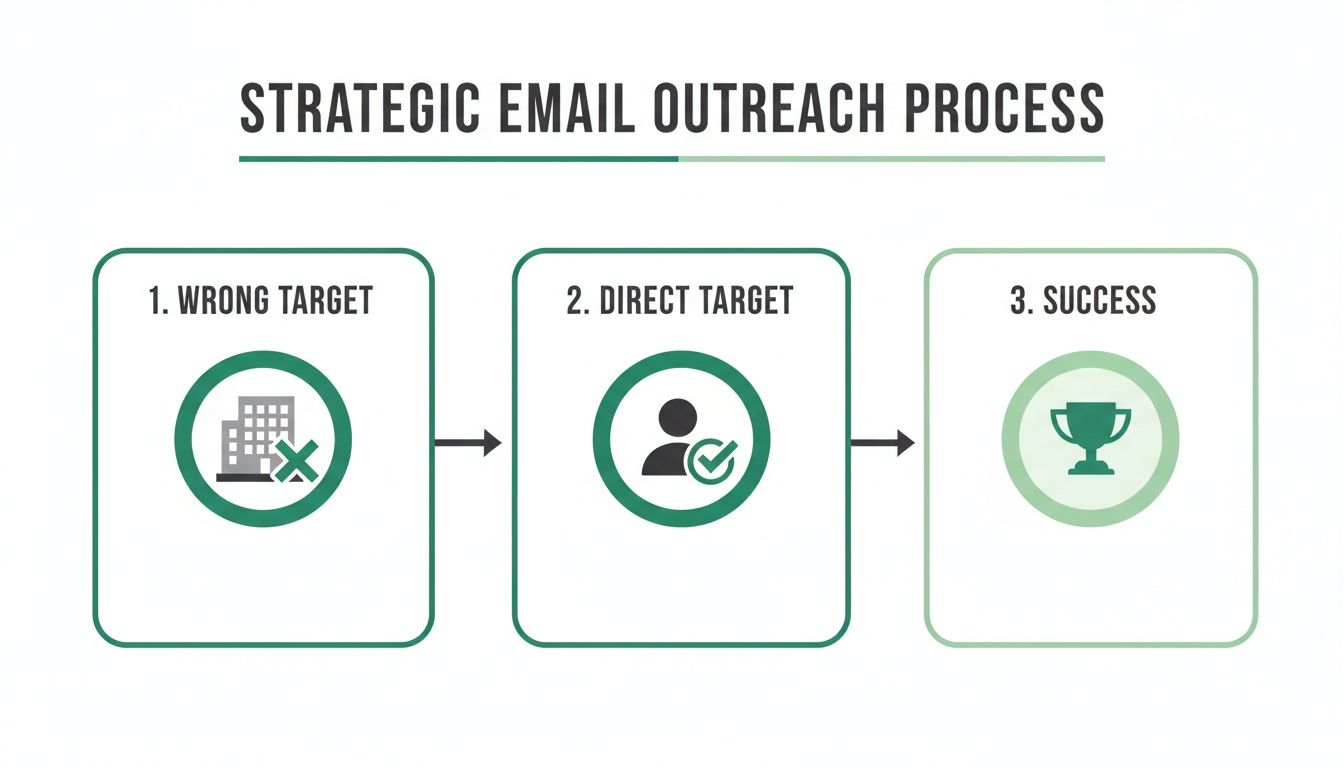
    Beyond just verifying addresses, real success comes from contacting the right person. A follow-up sent to a generic info@company.com inbox is a shot in the dark. One sent directly to the department head? That’s how you start a conversation.

    Your outreach is only as good as your contact data. Spending a few extra minutes to find the direct email of a key decision-maker can be the difference between a closed deal and a deleted email.

    Tools like EmailScout were built to solve this exact problem. They help you pinpoint the correct contacts inside a target company and give you their direct email addresses. If you're looking to build hyper-targeted lists, you can learn more about how to find business emails with precision on our blog.

    When you combine accurate contact discovery with pre-send verification, you create a powerful one-two punch. This ensures your no response follow up email sequence not only dodges the spam folder but lands right in the inbox of the person who can actually say "yes." It's a proactive approach that saves you time, protects your sender score, and dramatically boosts the effectiveness of your entire outreach effort.

    Your Follow-Up Email Questions, Answered

    Even with the best templates, you'll run into situations that feel a bit tricky. When it comes to the no response follow up email, there isn't always a single right answer. This is where experience comes in handy.

    I've rounded up some of the most common questions we get, with practical advice to help you navigate those gray areas and send every follow-up with confidence.

    How Many Follow-Ups Is Too Many?

    Ah, the million-dollar question. While there's no magic number, a good rule of thumb for most cold outreach is 3-5 follow-ups spread out over a few weeks. If you send fewer, you’re probably giving up too soon. Any more than that, and you're venturing into annoyance territory, which is a quick way to get marked as spam.

    The real key, though, is to add value every single time. If all you're doing is sending "just checking in" pings, even two follow-ups will feel like too many. But if each message offers a new resource, a relevant case study, or a fresh insight, a longer sequence can feel helpful and natural.

    A good follow-up sequence shouldn't feel like a countdown. It should feel like a series of helpful nudges. When you run out of genuine value to add, it's time to send the breakup email and close the loop.

    What’s the Best Day and Time to Send a Follow-Up?

    The technically correct answer is "it depends," but we've seen enough data to spot some pretty clear trends. For most B2B communication, the sweet spots are during standard work hours.

    • Best Days: Tuesday, Wednesday, and Thursday consistently win. Mondays are a mad dash of catching up from the weekend, and people are often checked out by Friday afternoon.
    • Best Times: Mid-morning (around 10 AM) and early afternoon (around 2 PM) tend to perform best. This timing helps you avoid the morning inbox tsunami and the end-of-day scramble to wrap things up.

    Of course, use your judgment. Think about your prospect's world. An email to a restaurant owner might land better outside of the lunch and dinner rush, while a contact at a global tech company might be online at all hours.

    Should I Send a New Email or Reply in the Same Thread?

    Always, always, always reply in the same thread. I can't stress this one enough. It's a non-negotiable for sending a no response follow up email.

    Keeping the conversation in one place provides instant context. Your prospect doesn't have to go digging through their inbox to remember who you are or what you were talking about. You're making their life easier, which dramatically boosts your chances of getting a reply.

    Starting a new email for every follow-up shatters the conversational flow. It feels disjointed and, frankly, can come across like a brand new, unsolicited email each time—a surefire way to get ignored or flagged.


    Ready to make sure every follow-up has the best chance of landing in the right inbox? EmailScout helps you find and verify accurate contact information for key decision-makers, so your perfectly crafted messages never go to waste. Start building cleaner, more effective outreach lists today.

  • 10 Email Subject Line Best Practices for 2025 That Work

    10 Email Subject Line Best Practices for 2025 That Work

    An email's success hinges on a single, short sentence: the subject line. It’s the gatekeeper to your message, the first impression, and often the sole deciding factor in whether a recipient clicks ‘open’ or ‘archive.’ In a crowded inbox, even the most brilliantly crafted email is worthless if its subject line fails to capture attention. This is why mastering email subject line best practices isn't just a minor optimization; it's a fundamental skill for anyone in sales, marketing, or business development.

    This guide moves beyond generic advice like "be creative." We provide a comprehensive roundup of 10 proven strategies that are both actionable and data-backed. You will learn the specific techniques top performers use to craft subject lines that demand to be opened. We will cover everything from leveraging psychological triggers like urgency and curiosity to the critical importance of personalization and audience segmentation.

    We will also explore the technical side, including how to avoid common spam filters, the strategic use of numbers and data, and how to build a consistent A/B testing framework. Each best practice is designed to be a practical tool you can implement immediately to drive better results. Ultimately, the effectiveness of your subject line directly correlates with your ability to significantly improve email open rates, a critical metric for any campaign's success. Let's dive into the essential rules for writing subject lines that convert.

    1. Keep It Short and Concise

    In the world of overflowing inboxes, brevity is your greatest asset. One of the most fundamental email subject line best practices is to keep your message short, scannable, and straight to the point. With over 60% of emails now opened on mobile devices, long subject lines are often truncated, leaving your core message unseen and your email unopened. Aiming for conciseness ensures your entire subject line is visible, immediately conveying its value to the recipient.

    A smartphone screen shows "Short & Clear" text, next to a keyboard, mug, and green notebook.

    The ideal length is a moving target, but data provides a clear direction. Research from platforms like Mailchimp suggests that subject lines under 50 characters consistently see higher open rates. Similarly, an analysis of HubSpot’s own campaigns revealed an average length of just 41 characters. This isn't just about fitting on a screen; it's about respecting the reader's time and cognitive load. A short subject line is easier to process, making it more likely to capture attention during a quick inbox scan.

    How to Implement This Practice

    Getting your message across in fewer words requires a disciplined approach. Focus on clarity and impact, and ruthlessly edit anything that doesn't add immediate value.

    • Front-load Keywords: Place the most important information at the very beginning. Instead of "A Quick Question About Your Upcoming Webinar," try "Question: Your Upcoming Webinar."
    • Remove Filler Words: Eliminate unnecessary words like "the," "and," "just," and "that." For example, change "Just a reminder about our meeting on Friday" to "Reminder: Meeting on Friday."
    • Use Action-Oriented Verbs: Start with a verb to create a sense of urgency and purpose. Examples include "Download your free guide" or "Register for the workshop."

    By keeping your subject lines concise, you optimize for mobile viewing and make your emails more inviting. This simple yet powerful technique is a cornerstone of effective email marketing, ensuring your message has the best possible chance of being read.

    2. Use Personalization and Dynamic Content

    In an inbox cluttered with generic messages, personalization cuts through the noise and speaks directly to the individual. This email subject line best practice involves using recipient data, such as their name, location, or past behavior, to create a tailored, one-to-one communication experience. This strategy transforms a mass email into what feels like a personal message, significantly boosting engagement and making the recipient feel seen and valued.

    A silver laptop on a wooden desk shows a webpage with a green header 'Made For You'.

    The impact of this approach is backed by compelling data. Studies consistently show that personalized subject lines can increase open rates by 26% or more. This is because a subject line like, "John, your weekly report is ready" is far more compelling than a generic "Your weekly report." It leverages the most powerful word in marketing: the recipient's name. This technique is especially crucial in sales and outreach, where building an initial connection is key. For more tips on this, you can learn more about how to write effective cold emails.

    How to Implement This Practice

    Effective personalization goes beyond just using a first name. It requires thoughtful segmentation and accurate data to create a genuinely relevant experience.

    • Move Beyond the Name: Use other data points for deeper relevance. For example, "Your Boston-area event guide" or "Did you see these items you recently viewed?"
    • Leverage Behavioral Triggers: Personalize based on actions (or inaction). Subject lines like "Sarah, complete your purchase with 20% off" or "Still thinking about the [Product Name]?" re-engage users at critical moments.
    • Ensure Data Accuracy: Double-check your data for spelling errors and proper formatting. A subject line with a typo like "Hi Jhon," can do more harm than good, immediately eroding trust.
    • Segment Your Audience: Group your contacts by demographics, purchase history, or engagement level. This allows you to send highly targeted messages, such as "A special offer for our VIP customers."

    By incorporating personalization and dynamic content, you create a powerful sense of relevance that makes your email stand out. This practice demonstrates that you understand your audience's needs and preferences, laying the foundation for a stronger, more profitable relationship.

    3. Create Urgency and Scarcity

    One of the most potent psychological triggers you can leverage in your email marketing is the fear of missing out (FOMO). Crafting subject lines that create a sense of urgency or scarcity encourages immediate action, compelling recipients to open your email now rather than letting it get buried in their inbox. This tactic works by suggesting that an opportunity is time-sensitive or limited, which can significantly boost open rates by creating perceived deadline pressure.

    Digital clock showing 11:38, laptop displaying 'LIMITED TIME', books, and plant on a wooden desk.

    This principle, popularized by psychologist Robert Cialdini, is a staple for e-commerce and flash sale brands for a reason: it works. Subject lines like Groupon's "Only 2 hours left for 50% off" or Everlane's "Flash sale ends tonight" are effective because they define a clear, approaching deadline. The key is to frame the offer as a valuable opportunity that will disappear, transforming a passive reader into an active participant. This is a core email subject line best practice for driving conversions under a tight timeline.

    How to Implement This Practice

    To effectively use urgency and scarcity, you must be authentic and specific. Vague threats don't work, but genuine, clear limitations do. Always ensure your claims are truthful to maintain trust with your audience.

    • Be Specific with Time: Use concrete time frames. Instead of "Sale ending soon," try "48 hours left to claim your discount" or "Your exclusive offer expires in 3 hours."
    • Highlight Limited Availability: If an item has low stock or an event has limited seats, state it clearly. "Only 15 spots left for the webinar" is more powerful than "Limited spots available."
    • Combine with a Clear Benefit: Urgency is more effective when paired with a strong value proposition. For example, "Final chance: Get 50% off your next order" links the deadline directly to the benefit.
    • Use Action-Oriented Language: Words like "ends," "expires," "final," and "last chance" create a clear call to action, prompting immediate engagement.

    By strategically incorporating urgency and scarcity, you can cut through the noise of a crowded inbox and motivate subscribers to act. However, use this technique judiciously to avoid creating fatigue or disbelief among your audience.

    4. Ask a Question or Create Curiosity

    Posing a question or hinting at intriguing information is one of the most powerful email subject line best practices for driving opens. This technique taps directly into the "curiosity gap," a psychological principle where a gap between what we know and what we want to know creates a powerful desire for resolution. When a recipient sees a compelling question or a mysterious statement, their natural inclination is to seek the answer, which means opening your email.

    This method moves beyond simply stating what's inside the email and instead engages the reader on an emotional level. Companies like HubSpot and Slack have mastered this, using questions to address common pain points or challenge conventional thinking. For example, HubSpot’s "Are you making these email mistakes?" creates immediate self-doubt and a desire for validation, while Slack’s "What if work actually worked?" sparks aspiration. This strategy effectively turns a passive inbox scan into an active search for an answer that your email promises to provide.

    How to Implement This Practice

    Successfully using curiosity requires a careful balance between intrigue and clarity, ensuring you don't stray into clickbait territory. The goal is to pique interest in a way that feels relevant and valuable to the recipient.

    • Ask a Relevant Question: Frame your question around a known pain point or goal of your audience. Instead of a generic "Got a minute?," try "Struggling with low open rates?"
    • Create an Information Gap: Hint at a solution or a surprising fact without giving everything away. For example, "This one change boosted our conversions by 40%" or BuzzFeed’s classic "We know your favorite pizza topping…"
    • Deliver on the Promise: The email body must answer the question or satisfy the curiosity you created. Failing to do so erodes trust and can lead to unsubscribes.

    By asking questions and strategically creating curiosity, you make your emails feel less like an advertisement and more like the beginning of an interesting conversation, significantly improving your chances of getting that coveted open.

    5. Include Numbers and Data Points

    Numbers act as "brain candy" in a cluttered inbox, instantly drawing the eye and signaling concrete, specific value. One of the most effective email subject line best practices is to incorporate numbers and data, which break up text, create a pattern interruption, and lend immediate credibility to your message. Subject lines with numbers suggest a structured, easy-to-digest format like a listicle or a data-backed insight, promising tangible information rather than vague marketing fluff.

    The psychological impact of numbers is well-documented. They stand out visually and ground abstract concepts in reality. A study by Yesware found that subject lines containing numbers saw higher open and reply rates. This tactic is used masterfully by brands like HubSpot (“47% of B2B marketers report better ROI”) and Forbes (“7 Ways to Boost Your Productivity”), who understand that specificity builds trust and curiosity. Whether it's a percentage, a numbered list, or a dollar amount, data makes your promise more believable and compelling.

    How to Implement This Practice

    Integrating numbers effectively requires more than just random insertion; it's about framing your value proposition with precision. The goal is to make your subject line more compelling and trustworthy.

    • Use Numerals, Not Words: The digit "7" stands out far more than the word "seven." Always use numerals for visual impact and to save precious character space.
    • Leverage Listicle Power: Frame your content as a numbered list. For example, "9 Tips for a Higher Open Rate" is more appealing than "How to Get a Higher Open Rate." Odd numbers often perform slightly better, as they feel less manufactured.
    • Showcase Data and Statistics: Quantify the benefit you're offering. Instead of "Increase your sales," try "Boost sales by up to 28%." This provides a concrete benchmark that captures attention and builds authority.
    • Ensure Accuracy: The data you use must be accurate and, if possible, verifiable. Citing a source or linking to a case study within your email can amplify the credibility established in the subject line.

    6. Avoid Spam Trigger Words and Phrases

    Navigating the complex world of email deliverability means understanding what gets your message flagged as spam. One of the most critical email subject line best practices is to steer clear of words and phrases that spam filters are trained to detect. These filters analyze subject lines for patterns commonly found in unsolicited, low-quality, or malicious emails, and using trigger words can send your carefully crafted message straight to the junk folder, never to be seen.

    Beyond automated filters, human perception plays a huge role. Recipients have become conditioned to recognize the language of spam. Phrases like "Act now!" or "You're a winner!" instantly erode credibility and trust. Over-the-top punctuation (!!!) and ALL CAPS text are also major red flags that signal desperation or deception. Avoiding these triggers is not just about deliverability; it's about protecting your brand reputation and ensuring your audience sees you as a professional, trustworthy source.

    How to Implement This Practice

    Successfully avoiding spam filters requires a mindful and proactive approach to your subject line writing. This involves scrutinizing your language, formatting, and even your technical email setup to build a foundation of trust with both email providers and recipients.

    • Scrub Your Language: Avoid overly promotional, high-pressure, or unbelievable claims. Instead of "Guaranteed to make you $$$," try "A new strategy for revenue growth." Replace "Limited time offer!" with "Your weekly deals are here."
    • Mind Your Formatting: Never use all caps for an entire subject line. Use exclamation points and other punctuation sparingly; one is usually enough. For example, change "SALE ENDS NOW!!!!" to "Last call: Our sale ends tonight."
    • Use Spam Checkers: Before sending a campaign, run your subject line and email content through a tool like Mail-tester.com. These services analyze your email against common spam filter rules and provide a score, highlighting potential issues.
    • Verify Authentication: While not part of the subject line itself, ensuring your domain has proper SPF, DKIM, and DMARC records is crucial. These technical verifications prove to email providers that you are a legitimate sender, making filters less likely to scrutinize your subject lines.

    7. Segment Your Audience and Tailor Accordingly

    A one-size-fits-all approach rarely works in marketing, and this is especially true for email. One of the most impactful email subject line best practices is to segment your audience and tailor your messaging to each group's specific interests, behaviors, and needs. Instead of sending a generic subject line to your entire list, segmentation allows you to craft highly relevant messages that resonate on a personal level, dramatically boosting engagement.

    The data speaks for itself. Campaigns that use segmentation have seen open rates increase by as much as 39%, with some studies showing improvements of over 100%. This is because a tailored subject line feels less like a mass broadcast and more like a direct, one-on-one conversation. For example, a SaaS company can send a subject line about new technical features to its engineer segment while sending a message focused on ROI and efficiency gains to its executive segment. This precision ensures your message lands with maximum impact.

    How to Implement This Practice

    Effective segmentation requires understanding your audience and using your data to create meaningful groups. Start small and build complexity as you gather more insights.

    • Create Buyer Personas: Develop detailed profiles for your key audience segments. For an e-commerce store, this might be the "Bargain Hunter," the "Fashion Enthusiast," and the "New Customer."
    • Leverage Behavioral Data: Segment users based on their past actions, such as purchase history, email opens, click-through rates, or website activity. A user who frequently views a specific product category should receive emails about new arrivals in that area.
    • Test Within Segments: Don't just segment your list; A/B test different subject line angles within those segments to see what resonates most. The "Bargain Hunter" might respond better to "50% Off Flash Sale" than "New Styles Just Dropped."
    • Use Geographic and Demographic Data: Tailor offers based on location, age, or job title. A retail brand could send a subject line about an in-store event to subscribers located near that specific store.

    By segmenting your audience and customizing subject lines, you move from shouting into a crowd to speaking directly to an individual. This targeted approach is a cornerstone of modern email marketing, turning a generic message into a relevant and compelling invitation.

    8. Lead with Value Proposition or Benefit

    Your recipient’s inbox is a crowded space where every email is implicitly asking, "What's in it for me?" The most effective email subject line best practices answer this question immediately. Leading with a clear value proposition or benefit shifts the focus from what you're offering to what the recipient gains. This approach cuts through the noise by communicating direct, tangible advantages, making your email feel less like a sales pitch and more like a solution.

    This strategy is rooted in classic direct response marketing and has been perfected by leading SaaS and consumer brands. Instead of just announcing a product or feature, you're highlighting the positive outcome it creates. An email from a language app is more compelling when it promises "Your daily 5-minute lesson is ready" rather than "New lessons available." The former emphasizes the ease and routine of learning, a direct benefit to a busy user. This method builds relevance and sparks curiosity by connecting with the recipient's goals or pain points from the very first word.

    How to Implement This Practice

    To craft benefit-driven subject lines, you must deeply understand your audience's needs and aspirations. Translate your product's features into tangible outcomes that matter to them.

    • Focus on the Outcome: Instead of listing what your product does, describe what your reader can achieve. Change "Our new analytics dashboard" to "Make smarter decisions with new data insights."
    • Use Power Words: Incorporate verbs and adjectives that convey a positive transformation. Words like "improve," "discover," "transform," and "unlock" can significantly boost engagement and open rates.
    • Be Specific and Measurable: Whenever possible, quantify the benefit. "Save up to 4 hours per week" is far more powerful than "Increase your productivity." This provides a concrete value that is easy for the recipient to grasp.
    • Align with Email Content: Ensure the benefit promised in the subject line is clearly and immediately delivered upon in the body of the email. A disconnect between the subject and the content can erode trust and lead to unsubscribes.

    This value-first approach is especially crucial in introductory emails where you have only one chance to make a first impression. By leading with a clear benefit, you establish immediate relevance and give the recipient a compelling reason to engage. For more tips on crafting these initial messages, you can learn more about how to write an introductory email on emailscout.io.

    9. A/B Test Subject Lines Consistently

    Even the most creative and strategically crafted subject line is still a hypothesis. To truly understand what resonates with your audience, you must move from guesswork to data-driven insights. One of the most critical email subject line best practices is to A/B test consistently. This scientific approach, also known as split testing, involves sending two variations of a subject line to small, equal segments of your audience to see which one performs better before sending the winner to the rest of the list.

    The power of A/B testing lies in its ability to provide empirical evidence about your audience's preferences. Companies like Amazon and HubSpot have built their email marketing success on relentless testing. They experiment with everything from personalization and urgency to questions versus statements, systematically improving their open rates over time. Implementing a consistent testing framework can lead to significant gains, often improving open rates by 20-50% as you learn what truly captures your audience's attention.

    How to Implement This Practice

    Effective A/B testing requires a disciplined and methodical process. By isolating variables and tracking results, you can build a powerful knowledge base about what works for your specific subscribers.

    • Isolate One Variable: To get clean results, test only one element at a time. For example, test a subject line with an emoji against one without, or test a short subject line against a longer one, but don't change both at once.
    • Ensure Statistical Significance: Your test needs a large enough sample size to be reliable. Most email service providers will calculate this for you, but aim for at least 1,000 recipients per variation to ensure your results aren't due to random chance.
    • Document Everything: Keep a detailed log of your tests, including the hypothesis, the variations tested, the results (open rate, click-through rate), and the date. This repository becomes an invaluable guide for future campaigns. For those engaged in outreach, understanding these nuances is crucial for maximizing your cold email response rate.

    By making A/B testing a standard part of your email marketing workflow, you replace assumptions with certainty. This continuous optimization loop is the key to sustainably improving your email performance and building a more engaged audience.

    10. Use Power Words and Emotional Triggers

    Certain words carry more weight than others, triggering specific psychological and emotional responses that can compel a reader to act. Tapping into this principle is one of the most effective email subject line best practices. Power words like "Exclusive," "Proven," "Secret," and "Breakthrough" cut through the noise of a crowded inbox by creating a sense of urgency, curiosity, or value that a neutral subject line simply cannot match. This approach leverages the fact that many decisions, including opening an email, are driven by emotion rather than pure logic.

    The impact of this strategy is significant. Depending on the industry, audience, and context, leveraging emotional triggers can boost open rates by a substantial margin. This technique was perfected by legendary copywriters like Gary Halbert and is now backed by neuromarketing research, which shows how specific language activates the brain's reward and curiosity centers. Brands like Buffer ("The secret to getting more done") and Dollar Shave Club ("Our blades are f***ing great") use this to create intrigue and an emotionally bold connection, respectively, proving its versatility and power.

    How to Implement This Practice

    Integrating power words and emotional triggers requires a thoughtful balance between impact and authenticity. The goal is to evoke a genuine response, not to create misleading clickbait.

    • Align with Brand Voice: Select words that match your brand's personality. A financial institution might use "Proven" or "Secure," while a creative agency might prefer "Inspired" or "Effortless."
    • Create Exclusivity or Urgency: Use words that make the reader feel special or pressed for time. Examples include "Members-only access," "Last chance," or "Your invitation."
    • Evoke Curiosity: Pique the reader's interest with words that suggest a hidden advantage or secret knowledge. Try subject lines like "The untold story of…" or "A surprising fix for…"

    By carefully selecting your language, you can transform a passive subject line into an active invitation. This strategic use of words is a cornerstone of persuasive communication, making your email feel less like an advertisement and more like an opportunity the reader can't afford to miss.

    Email Subject Lines: 10 Best Practices Comparison

    Technique Implementation complexity Resource requirements Expected outcomes Ideal use cases Key advantages
    Keep It Short and Concise Low — simple editing Minimal — copy time, mobile preview Improved mobile open rates, clearer messaging Mobile-heavy audiences, transactional emails Higher scanability, reduced cognitive load
    Use Personalization and Dynamic Content Medium–High — integration work CRM, dynamic-content engine, clean data Significant open-rate uplift (~+26%), better engagement E‑commerce, lifecycle, re‑engagement campaigns Highly relevant messaging, higher conversions
    Create Urgency and Scarcity Low–Medium — copy + timing Campaign scheduling, inventory/timer sync Short-term spikes in opens/clicks (+22–45%) Flash sales, limited offers, event reminders Drives immediate action, increases conversions
    Ask a Question or Create Curiosity Low — creative copy Creative resources, A/B testing Moderate open uplift (10–30%), increased engagement Content promotion, newsletters, awareness drives Encourages opens via curiosity, memorable
    Include Numbers and Data Points Low–Medium — verify data Access to accurate stats, research Higher opens (~+25%), perceived credibility Listicles, research summaries, performance emails Visual standout, concrete value proposition
    Avoid Spam Trigger Words and Phrases Medium — requires vigilance Spam-check tools, email auth (SPF/DKIM/DMARC) Improved deliverability, fewer spam placements All commercial/high-volume sends Better inbox placement, reputation protection
    Segment Your Audience and Tailor Accordingly High — complex setup Segmentation tools, analytics, ongoing maintenance Large open-rate gains (39–100%), higher ROI Targeted campaigns, personalized journeys Highly relevant messaging, reduced unsubscribes
    Lead with Value Proposition or Benefit Medium — research + copy Customer research, skilled copywriting Higher opens/clicks, improved conversions Product launches, onboarding, promotional offers Clear recipient-focused benefit, trust-building
    A/B Test Subject Lines Consistently Medium — requires process Testing framework, analytics, sufficient sample size Data-driven improvements, opens +20–50% over time High-volume senders, optimization teams Empirical insights, compounding optimization
    Use Power Words and Emotional Triggers Low–Medium — tone work Copy expertise, brand guidelines, testing Strong engagement lift (28–72% depending) Promotional campaigns, brand messaging Emotional impact, greater memorability

    Transform Your Emails from Ignored to Irresistible

    You've just navigated a comprehensive roadmap of email subject line best practices, moving from foundational principles like brevity and clarity to advanced tactics involving psychological triggers and data-driven testing. The journey from a generic, easily ignored email to one that demands to be opened begins and ends with the subject line. It's the single most critical element determining whether your message gets a chance or is condemned to the trash folder.

    Mastering this skill isn't about finding a single "magic" formula. Instead, it’s about building a strategic framework. The true power lies in the synthesis of these techniques. A personalized subject line is good, but a personalized subject line that also creates a sense of urgency is often better. A question that sparks curiosity is effective, but one that incorporates a specific number or data point can be irresistible.

    Your Path to Subject Line Mastery

    The difference between a mediocre and a high-performing email campaign is rarely a massive overhaul; it's the result of incremental, intelligent adjustments. The principles we've covered are your tools for making those adjustments.

    Here are the most crucial takeaways to focus on as you move forward:

    • Always Prioritize the Audience: Segmentation and personalization are non-negotiable. A perfectly crafted subject line sent to the wrong audience segment will always fail. Your primary goal is to make the recipient feel like the message was written specifically for them.
    • Clarity Trumps Cleverness: While creativity is valuable, it should never come at the expense of clarity. Your recipient must understand the core value or purpose of your email within seconds. If they have to guess, you've already lost.
    • Adopt a "Test Everything" Mindset: A/B testing isn't just a tactic; it’s a core discipline. You must move from assumption to data. Consistently test your hypotheses about what resonates with your audience, from using emojis to leading with a question versus a statement.
    • Integrate Value Immediately: Your subject line is a promise. It must clearly communicate a benefit, a solution, or a compelling piece of information. Whether it’s a time-saving tip, a special offer, or a solution to a known pain point, lead with the value you provide.

    Putting Best Practices into Action

    Theory is valuable, but execution is what drives results. Your next step is to transform this knowledge into action. Don't try to implement all ten best practices at once. Instead, choose two or three that seem most relevant to your next campaign and build from there.

    For instance, if you’re sending a sales follow-up, focus on combining personalization with a direct value proposition. If you're launching a newsletter, your primary focus might be on creating curiosity and using numbers to highlight the value inside. To maximize the impact of your campaigns and ensure your messages resonate, explore effective newsletter email ideas and templates designed to capture attention and drive conversions.

    Ultimately, writing powerful subject lines is an ongoing process of learning, testing, and refining. Each email you send is an opportunity to gather data and get better. By embracing these email subject line best practices, you are not just improving your open rates; you are building stronger relationships, driving more conversions, and ensuring that every message you send has the best possible chance to make an impact.


    A killer subject line is only as good as the email address it's sent to. Stop wasting your best copy on unverified contacts and ensure maximum deliverability with EmailScout. Find and verify the right email addresses in seconds, so you can focus on what you do best: crafting messages that convert.

  • How to Verify Emails and Protect Your Sender Score

    How to Verify Emails and Protect Your Sender Score

    Sending an email to a bad address isn't just a waste of time—it's actively working against you. Every invalid email you send damages your sender reputation, tanks your deliverability, and poisons your campaign data with junk metrics.

    Think of verification as an essential filter. It’s a multi-step process that checks if an email looks right, if its domain can actually receive mail, and finally, if the specific mailbox exists. It's the only way to make sure your messages have a real shot at reaching a real person.

    Why Email Verification Is a Must for Modern Marketing

    Professional man using laptop computer to verify email addresses with analytics dashboard display

    Hitting "send" on an email campaign is like launching a rocket; you need a valid destination for it to land. One of the most common—and costly—mistakes I see businesses make is ignoring the health of their email list. When you send to a list riddled with bad addresses, your bounce rate skyrockets.

    Those bounces are more than just failed delivery notices. They’re huge red flags for Internet Service Providers (ISPs) like Gmail and Outlook. A consistently high bounce rate tells them you're not managing your contacts responsibly, and your sender reputation plummets. Once that's damaged, your emails are far more likely to get routed straight to the spam folder, even for the people who actually want to hear from you.

    Protecting Your Marketing Investment

    Every single email you send costs you something—time, resources, and often, actual money. Sending to addresses that don't exist means you’re paying for clicks that will never happen from leads that aren't real.

    This completely skews your analytics, making it impossible to know how your campaigns are really doing. You might scrap a campaign you think is underperforming when the real problem is that a huge chunk of your emails never even made it to a valid inbox.

    This is where the nuts and bolts of email address verification become so important. Industry data shows that over 20% of emails people enter into forms have typos, syntax errors, or domain issues. That means for every 100 emails you collect, you can bet at least 20 are dead on arrival.

    To get a quick grasp on what's happening under the hood, let's break down the core components of the verification process.

    The Core Pillars of Email Verification

    Verification Layer What It Checks Why It Matters
    Syntax Check Verifies the email's format (e.g., name@domain.com). Catches obvious typos and formatting errors instantly.
    Domain/DNS Check Confirms the domain exists and is configured to receive email. Stops you from sending to non-existent or misspelled domains.
    MX Record Lookup Finds the mail exchange (MX) server responsible for the domain. Ensures there's an actual mail server ready to accept messages.
    SMTP Probing Pings the mail server to see if the specific mailbox exists. The final, most accurate check to confirm a user is real.

    These checks work together to give you a clear picture of an email's validity before you ever hit send.

    The Real-World Consequences

    A dirty email list causes real operational headaches, not just poor deliverability. A solid verification strategy is a key part of any robust email communications security policy. Neglecting it leads to a cascade of problems:

    • Wasted Resources: Your email provider probably charges you based on list size or send volume. Cleaning your list means you stop paying for contacts that don't exist.
    • Inaccurate Data: Bad emails create a ton of noise in your analytics. This leads to bad marketing decisions based on skewed metrics like open and click-through rates.
    • Blocked Sender IP: In the worst-case scenarios, ISPs can temporarily or even permanently block your sending IP. This can cripple your entire email marketing operation overnight.

    The goal isn't just to send emails; it's to ensure they have the best possible chance of being seen. Verification is the foundational step that makes every subsequent marketing effort more effective and profitable.

    Getting Your Hands Dirty: The Fundamentals of Manual Verification

    Before you jump into the world of automated tools, it's worth getting a feel for how manual email verification works. Think of it as learning the basics of car maintenance before relying on a mechanic; it gives you a much deeper understanding of what’s happening under the hood. This hands-on approach is perfect for a quick spot-check on a high-value lead or figuring out why a specific email bounced. It’s not built for cleaning a list of thousands, but it’s a foundational skill.

    The first, and most obvious, step is a quick visual once-over, what we call a syntax check. This is the low-hanging fruit of email verification. You're simply making sure the email address looks like an email address—that it follows the universal local-part@domain.com format. It's a common-sense check for typos and glaring errors that can save you from an instant bounce.

    Spotting the Obvious Typos

    You would be shocked at how often a simple typo is the real reason an email is invalid. This initial scan is your first line of defense, and it really just involves looking for a few key things.

    • The Missing '@' Symbol: This one’s a no-brainer. If the '@' isn't there, it's not a real email address. End of story.
    • Illegal Characters: Things like spaces, commas, or two dots in a row (..) just aren't allowed. For instance, jane doe@business.com is a guaranteed failure.
    • A Real Top-Level Domain (TLD): The part after the last dot (.com, .org, .io, etc.) has to be a legitimate TLD. An address like info@startup.cmo is a dead giveaway that something is wrong.

    This visual scan takes just a few seconds and can immediately filter out addresses that were messed up by simple human error during data entry. It’s the easiest manual check you can do.

    Looking Beyond a Simple Eye Test

    Okay, so the email looks right. What's next? You need to confirm that the domain is actually real and has been set up to receive mail. This moves us from a quick visual check to a slightly more technical, but still very straightforward, look at the domain's infrastructure.

    You don't need to be a network wizard for this part. There are dozens of free online tools that perform what's called an MX record lookup. An MX (Mail Exchange) record is just a signpost on the internet that tells everyone which mail servers handle emails for a specific domain.

    The Bottom Line: If a domain doesn't have an MX record, it's like a house without a mailbox. You can send all the letters you want, but they have nowhere to go. This check confirms the "mailbox" actually exists.

    Using a free online MX lookup tool is a piece of cake. You just pop in the domain part of the email (like business.com), and the tool will tell you if it found any MX records. If it spits back one or more mail servers, that’s a great sign the domain is ready for email. If it comes up empty, any email you send to that domain is 100% guaranteed to bounce.

    Knowing Where Manual Checks Fall Short

    While these manual steps are great for investigating a single email address, they have some pretty clear limits. For example, finding a valid MX record only tells you the domain can receive mail; it does not confirm that the specific person (jane.doe in jane.doe@business.com) actually has an inbox there.

    Trying to verify that individual mailbox manually is a whole other beast. It involves a risky process known as an SMTP ping, where you talk directly to the mail server. This is a technique that can easily get your own IP address blocklisted if you don’t know exactly what you’re doing. Honestly, it's a job best left to professional, automated services.

    So, manual verification has a very specific, and important, job. It's an awesome diagnostic tool. If a critical lead’s email bounced, a quick syntax and MX record check can often show you the problem—a simple typo or a dead domain—letting you fix it and save that connection. But when it comes to cleaning lists at any kind of scale, this method is just too slow and incomplete to get the job done right.

    Choosing the Right Bulk Email Verification Service

    When your email list grows beyond a few dozen contacts, checking them one by one just isn't realistic. The time it takes is one thing, but the risk of simple human error is another. This is the exact moment a dedicated bulk email verification service becomes a non-negotiable part of your toolkit.

    https://www.youtube.com/embed/oZiwgI3vtiY

    Think of it less as a cost and more as an investment in your sender reputation. Sending a single campaign to a big, dirty list can torpedo your sender score, hurting your deliverability for months to come. A good verification service is your insurance policy against that disaster.

    Understanding the Bulk Verification Workflow

    Using a bulk verifier is designed to be simple and efficient. You’re essentially handing off the complex, multi-step validation process to a platform built to do it at a massive scale.

    It usually boils down to a few key actions:

    1. Upload Your List: You'll export your email list from your CRM or email platform—typically as a CSV or TXT file—and upload it directly to the verification service.
    2. Let the Service Do Its Thing: Once uploaded, the platform runs a deep analysis on every single address. This goes way beyond a simple syntax check, diving into domain validation, MX record lookups, and even sophisticated SMTP handshakes to see if a mailbox actually exists.
    3. Analyze the Results: When it’s done, you get a detailed report that segments your list into clear, actionable categories.

    The real power of a bulk service is its ability to transform a messy, unpredictable list into a clean, reliable asset. It gives you the confidence to hit "send," knowing you've minimized bounce risks and maximized your chances of actually reaching people.

    This infographic lays out the core stages these services automate for you.

    Email verification process showing syntax validation, domain verification, and MX record check stages

    As you can see, each check builds on the last, starting with the basics and moving all the way to confirming the mail server is ready to accept your email.

    Comparing Manual vs Bulk Verification Methods

    So, when does it make sense to stick with manual checks versus investing in a service? This table breaks it down.

    Feature Manual Verification Bulk Verification Service
    Best For Very small lists (under 50 contacts) Lists of any size, especially 100+
    Speed Extremely slow; minutes per email Very fast; thousands of emails per minute
    Accuracy Prone to human error; basic checks only High accuracy (98%+) with multi-layer checks
    Checks Performed Syntax and maybe a quick domain check Syntax, domain, MX, SMTP, catch-all detection
    Cost "Free" in terms of money, but high in time Paid service, but saves significant time and money
    Scalability Not scalable at all Designed for massive scale

    Ultimately, while manual checks can work for a tiny handful of emails, any serious marketing or sales effort needs the power and reliability of a dedicated bulk service.

    Key Features to Look For in a Verification Provider

    Not all verification services are built the same. As you weigh your options, there are a few critical features that will directly impact your results, workflow, and data security.

    The demand for these tools is exploding. The global bulk email verification service market was valued at USD 1,042.9 million and is on track to hit USD 2,500 million by 2035. This growth shows just how vital data quality has become. You can read more about the market trends and what’s driving this demand.

    As you look for the right provider, here's what really matters:

    • Accuracy Guarantee: Look for services that promise 98% or higher accuracy. This shows they’re confident in their ability to correctly flag good and bad addresses.
    • Processing Speed: How fast can it churn through your list? For 100,000 emails, the difference between a few minutes and a few hours is huge, especially when you're up against a campaign deadline.
    • Detailed Status Codes: A great service gives you more than just "valid" or "invalid." You want granular results like "risky," "accept-all," and "unknown." These details help you make smarter decisions instead of just deleting potentially good contacts.
    • API Integrations: A real-time API is a game-changer. It lets you verify emails right at the point of capture—on your signup forms and pop-ups—stopping bad data from ever getting into your system in the first place.
    • Data Security and Compliance: You’re handing over customer data. Make sure the provider is GDPR compliant and has rock-solid security policies. They should never, ever resell or share your lists.

    Making Sense of the Verification Results

    Once your list is processed, you need to know what to do with the results. The categories are usually straightforward and give you a clear path for cleaning your list.

    Common Verification Statuses:

    • Deliverable: The green light. These emails are confirmed as valid and safe to send to.
    • Undeliverable/Invalid: These are definitely bad. The domain might not exist, the format is wrong, or the mailbox is confirmed as non-existent. Delete them immediately.
    • Risky/Accept-All: This is the tricky one. These emails belong to domains that accept all incoming mail, so the service can't be 100% sure the specific mailbox is real. The safest bet is to segment these contacts and send them a low-risk re-engagement campaign before mixing them back into your main list.
    • Unknown: Sometimes a server is down or unresponsive, so the tool can't get a clear answer. It’s usually best to set these aside and try verifying them again later.

    Picking the right bulk email verification service is a strategic move. By focusing on accuracy, security, and smart integrations, you can find a partner that not only cleans your list but also protects your sender reputation and makes your entire email marketing effort more effective.

    Catch Bad Emails at the Source with Real-Time Verification

    While cleaning an existing list is a great way to fix problems, the absolute best strategy is to stop bad emails from ever getting on your list in the first place. Think of it as having a bouncer at the door of your database, checking every email before it gets in.

    This is where real-time verification comes into play. By plugging an email verification API (Application Programming Interface) directly into your website’s signup forms, pop-ups, and checkout pages, you can validate an email the very instant a user types it. It's a small technical change that has a massive impact on your data quality over time.

    Person holding tablet displaying instant validation form with green checkmark and input fields

    How Real-Time APIs Work in Practice

    Let’s walk through a common scenario. A potential customer is excited to sign up for your newsletter but accidentally types john.doe@gmial.com instead of @gmail.com. We’ve all done it. Without real-time verification, that junk address goes straight into your CRM, and you've just lost a lead you thought you captured.

    But with a real-time API, the system instantly flags that typo the moment they hit "submit." It then pops up a friendly message like, "Did you mean @gmail.com?" This simple, immediate feedback loop lets the user quickly fix their mistake, ensuring you get a valid, deliverable email every single time.

    This proactive approach is a game-changer for a few reasons:

    • It improves the user experience. You're helping users fix a common mistake without forcing them to fill out the whole form again.
    • You maximize every lead. No more losing valuable signups to fat-finger errors.
    • It keeps your bounce rate low from day one. By stopping invalid emails at the source, you protect your sender reputation right from the start.

    Where to Integrate Real-Time Verification

    You can—and should—implement this instant check at any point where you collect email addresses. The goal is to place your "gatekeeper" at every possible entrance. Getting this right means understanding the nuts and bolts of checking if an email address is valid through these API calls.

    Here are the highest-impact places to start:

    1. Newsletter Signup Forms: This is your front line. Verifying here ensures your top-of-funnel leads are solid from the get-go.
    2. Contact and Demo Request Forms: For any sales-driven business, capturing a valid email is non-negotiable. A bad address here is a lost sale, plain and simple.
    3. E-commerce Checkout Pages: A typo during checkout means your customer won't get their order confirmation or shipping updates. That's a recipe for a bad customer experience and a support ticket.
    4. Free Trial or Account Signups: You need a real email for user activation, onboarding sequences, and all future communication.

    By verifying emails at the source, you're not just cleaning a list; you're building a fundamentally healthier marketing database from the ground up. This one proactive step will save you countless hours and headaches down the road.

    The Business Case for Being Proactive

    Putting a real-time verification API in place isn't just a technical tweak; it's a smart business decision with a clear ROI. You spend time and money acquiring every lead, and losing one to a simple typo is like throwing cash away.

    When you stop these errors instantly, you protect that investment. More importantly, you ensure that every new subscriber or customer has a smooth experience with your brand from their very first interaction. They get the welcome email they expected, the demo they requested, and the receipt they need. This builds trust and sets the stage for a great long-term relationship. It’s the single most effective way to learn how to verify emails because it automates good data hygiene before a problem ever starts.

    Moving Beyond Verification to Sender Authentication

    Person typing on laptop showing sender authentication security shield with lock icon on green screen

    Getting your email list squeaky clean is a huge win, but it only solves one side of the deliverability puzzle. While you’ve been busy checking your recipients, Internet Service Providers (ISPs) like Gmail and Outlook have been checking you.

    This is where sender authentication comes in. Think of it as your email's digital passport. It’s what proves to receiving mail servers that your email is legitimate and actually comes from you—not some scammer spoofing your domain. A clean list plus strong authentication is the one-two punch you need to truly crush your deliverability goals.

    Your Digital Passport Trio: SPF, DKIM, and DMARC

    Sender authentication sounds technical, but it really boils down to three records you set up for your domain: SPF, DKIM, and DMARC. Each plays a distinct role, and they're most powerful when you use them all together.

    • SPF (Sender Policy Framework): This is the foundational check. It’s simply a public list of all the servers and services authorized to send email for your domain. If a message shows up from a server that isn't on your list, ISPs get suspicious. Fast.

    • DKIM (DomainKeys Identified Mail): This adds a tamper-proof digital signature to every email you send. It’s a bit like a wax seal on a letter. Receiving servers use this encrypted signature to verify the message hasn't been messed with on its way to the inbox.

    • DMARC (Domain-based Message Authentication, Reporting, and Conformance): DMARC is the rulebook. It tells ISPs exactly what to do with emails that fail the SPF or DKIM checks—either stick them in spam or reject them completely. It also sends you reports, giving you a clear view of who's trying to send mail using your domain.

    By setting up these three records, you're sending a crystal-clear message to inbox providers everywhere: "I take security seriously, and you can trust messages from my domain." In the world of email, that trust is everything.

    Why Authentication Matters More Than Ever

    Let's be clear: proper sender authentication isn't just a "nice-to-have" anymore. It's a non-negotiable for anyone who wants to reliably reach the inbox. It has a direct impact on your sender reputation and is your single best defense against phishing and spoofing attacks.

    In fact, it’s estimated that nearly 89% of phishing attacks rely on faking a sender's identity to fool people. Without authentication, you're leaving your brand's reputation—and your deliverability—up to chance.

    For a deeper dive into protecting your reputation, a Practical Guide to Preventing Emails from Going to Spam offers some great strategies. And if you’re ever unsure about an address on your list, you can always run it through an email validity checker.

    Your Top Email Verification Questions, Answered

    Once you get the hang of email verification, the questions start getting more specific. It's one thing to know what it is, but another to know how to apply it smartly to your own lists and workflows. Let's tackle some of the most common questions that pop up.

    Think of this as the practical advice I'd give you over coffee. We'll cover how often you really need to clean your lists, the deal with "100% deliverability" promises, and what to do with those tricky "risky" emails.

    How Often Should I Verify My Email List?

    This really boils down to how you're getting emails in the first place. If you have a constant stream of new signups, your best bet is to play offense. A real-time verification API on your forms is the gold standard here—it catches bad data before it even has a chance to mess up your database.

    For the list you already have, a full-scale bulk verification every three to six months is a solid routine. People switch jobs, ditch old email providers, and let accounts go dormant all the time. This regular check-up stops that natural decay from tanking your sender reputation.

    Here's a pro-tip you can't ignore: if you have a segment of your list that hasn't heard from you in over six months, verify it before you hit send. Firing off a campaign to a cold, unverified list is the fastest way to get a huge bounce rate and land your domain on an ISP's naughty list.

    Can Email Verification Guarantee 100% Deliverability?

    Short answer: no. Be very wary of any service that claims it can. Email verification is a hugely important step, but it's just one piece of the deliverability puzzle.

    Here's what a good verification process actually does:

    • Confirms the email address has the right format (like name@domain.com).
    • Checks that the domain is real and set up to receive email.
    • Pings the server to see if that specific mailbox exists and is active right now.

    Doing this slashes your bounce rate, which signals to inbox providers that you're a legitimate sender who cares about list hygiene. But getting into the inbox depends on other things, too.

    What Else Matters for Deliverability?

    • Sender Reputation: Your sending history is like your credit score. Past bounce rates, spam complaints, and engagement all factor in.
    • Email Content: Spammy words, shady links, or a wall of images can get you sent straight to the junk folder.
    • Recipient Engagement: If people consistently ignore or delete your emails, their provider takes notice and might start filtering you out.

    Verification gets you to the right front door. But it's your reputation and great content that actually get you invited inside.

    What Is the Difference Between Risky and Undeliverable?

    When you get your results back from a verification tool, you’ll see more than just "valid" and "invalid." It's crucial to understand the difference between statuses like undeliverable and risky.

    An undeliverable (or invalid) email is a dead end. It’s a guaranteed bounce. The mailbox flat-out doesn't exist, the domain is fake, or there's a fatal typo. These need to be scrubbed from your list immediately. No second chances.

    A risky email is more of a gray area. You'll often see these labeled "accept-all" or "unknown." They belong to domains configured to say "yes" to any email sent their way, whether the specific mailbox is real or not. It's a catch-all setup some businesses use to avoid losing legitimate mail. Since the server always gives a green light, a verification tool can't be 100% sure the mailbox is active without actually sending something.

    So, what's the move?

    Don't delete "risky" emails, but don't keep them with your A-list either. The best play is to segment them out. Send this group a low-stakes, high-value re-engagement campaign. Anyone who opens or clicks can be safely moved back to your main list. The ones who don't engage can be phased out.

    Is It Legal to Use an Email Verification Service?

    Absolutely. Not only is it legal, but it's also considered a best practice for data hygiene under major privacy laws like GDPR and the CAN-SPAM Act.

    These regulations are all about consent and communication. You need permission to email someone, and you have to give them an easy way to opt out. What these laws don't do is stop you from making sure the data you're responsible for is accurate.

    Verification services perform purely technical checks with mail servers; they don't send an actual email to the person. It's a responsible way to manage the personal data people have entrusted you with.

    Just remember what verification can't do: it can't create consent where there is none. Cleaning a list you bought or scraped doesn't magically make it okay to email those people. Verification is for maintaining the quality of a list you already have permission to contact.


    Ready to take the guesswork out of your email outreach? EmailScout helps you find and validate the right contacts in a single click, ensuring your message always lands in the right inbox. Discover verified emails and build powerful marketing lists effortlessly. Get started with EmailScout today and supercharge your outreach.

  • 12 Best Free Email Lookup Tool Options for 2025

    12 Best Free Email Lookup Tool Options for 2025

    In today's fast-paced business environment, connecting with the right people is more critical than ever. Whether you're a sales professional building a pipeline, a marketer launching an outreach campaign, or a founder seeking partnerships, the ability to find accurate email addresses is a superpower. However, manually searching for contact information is time-consuming and often fruitless. This is where a free email lookup tool becomes an indispensable asset, transforming how you approach lead generation. These platforms automate the discovery process, saving you hours of work and providing direct lines of communication to key decision-makers.

    This guide breaks down the 12 best options available, analyzing their strengths, weaknesses, and ideal use cases to help you choose the perfect tool for your needs. We move beyond generic feature lists to provide a practical, hands-on comparison. You'll find detailed reviews, screenshots, and direct links for each platform, including EmailScout, Hunter.io, Snov.io, and Apollo.io. To understand the broader landscape of available solutions and how they master modern outreach, you can explore the 11 Best Email Address Lookup Tools for 2025 from PlusVibe, which offers additional perspectives on mastering this essential task.

    Our goal is to give you a clear, comprehensive resource to make an informed decision without the guesswork. We'll examine the limitations of each free plan, from credit caps to feature restrictions, ensuring you know exactly what you’re getting. By the end of this article, you will be equipped to select a free email lookup tool that aligns perfectly with your workflow, budget, and strategic objectives, allowing you to focus on what truly matters: building meaningful professional connections.

    1. EmailScout

    EmailScout stands out as a powerful and uniquely efficient free email lookup tool, operating directly within your browser as a one-click Chrome extension. It transforms passive web browsing into an active lead-generation engine, instantly scraping and revealing email addresses embedded in a website's source code. This approach makes it an exceptionally fast solution for sales professionals, marketers, and founders who need to quickly build contact lists without navigating away from their target websites or search results.

    The extension’s core strength lies in its simplicity and immediacy. While visiting a potential client’s website or reviewing Google search results, a single click on the EmailScout icon populates a list of all discoverable emails. This workflow eliminates the friction of traditional lookup tools, integrating seamlessly into existing research and prospecting habits.

    EmailScout

    Key Features and Workflow

    EmailScout’s feature set is designed for both casual use and high-volume data collection. The free version is remarkably generous, offering unlimited email finding and manual exports directly from any site you visit.

    • Instant Scraping: Finds emails from a page's source code with one click.
    • Simple Exports: Easily copy contacts to your clipboard or export them as CSV/TXT files to upload into your CRM or outreach platform.
    • Google Search Integration: Works on Google search result pages to gather contacts from multiple domains at once.

    For users needing to scale their efforts, EmailScout's premium features, AutoSave and URL Explorer, provide significant automation. AutoSave passively collects emails in the background as you browse, while URL Explorer allows you to paste a list of up to 1,500 URLs for bulk extraction.

    Pricing and Limitations

    While the core functionality is free, the automation features are reserved for paid plans. A no-credit-card premium trial is available, providing 200 emails per month and limited access to AutoSave and URL Explorer.

    Plan Price (Approx.) Emails/Month Key Features
    Free $0 Unlimited Manual finding & export per site
    Starter ~$9/month 5,000 AutoSave, URL Explorer, Bulk Export
    Growth Varies 25,000+ Higher volume limits
    Business Varies Up to 1M Enterprise-scale collection

    The primary trade-off is the lack of built-in verification, as it pulls whatever is publicly available. This means accuracy can vary, and some emails may be outdated.

    Best for: Sales teams, marketers, and freelancers who prioritize speed and want to integrate lead generation directly into their browsing workflow.

    Website: https://emailscout.io

    2. Hunter.io

    Hunter.io is a prominent B2B platform and a strong contender for anyone needing a reliable, credit-based free email lookup tool. It's particularly effective for sales and marketing professionals who need to find professional email addresses associated with a specific company domain. The user interface is clean and straightforward, making it easy to jump right into your search.

    Hunter's Domain Search feature allows you to enter a company's website, and it returns a list of publicly available email addresses associated with that domain, complete with confidence scores and sources. This transparency is a key differentiator, as it helps you gauge the reliability of the contact information before you use it. The platform also offers a robust email verifier to ensure your outreach lists are clean and deliverable.

    Hunter.io

    Key Features & Limitations

    The permanent free plan is a major draw, although its limitations are important to understand. You get 25 monthly searches and 50 monthly verifications, which is suitable for occasional or low-volume prospecting. Unlike some tools, Hunter.io’s credit system is very clear: one search equals one credit.

    • Free Plan: 25 searches/month, 50 verifications/month
    • Paid Plans: Start at $49/month for 500 searches and 1,000 verifications.
    • Integrations: A handy Chrome extension and Google Sheets add-on streamline workflow.
    • API Access: Available even on the free plan for custom integrations.

    Best Use Case

    Hunter.io is ideal for B2B prospectors and sales teams who prioritize data accuracy and need a transparent, easy-to-use tool for finding contacts at specific companies. While the free credits can be used up quickly, they provide a great way to test the platform's quality. You can explore a detailed comparison and find out more about Hunter.io's place among the best email lookup tools.

    3. Snov.io

    Snov.io positions itself as more than just a lookup service; it's a comprehensive cold outreach automation platform. This makes it an excellent free email lookup tool for users who want an all-in-one solution for finding, verifying, and nurturing leads. The platform integrates an Email Finder, an Email Verifier, and an email drip campaign sender, allowing you to manage your entire prospecting workflow without switching tools.

    The platform's strength lies in its integrated toolset. You can find emails by domain, company profile, or individual name, then immediately add them to a verification list and slot them into an automated outreach sequence. This seamless transition from discovery to engagement is a significant time-saver for sales and marketing teams. The user interface is clean, though the breadth of features means there's a slight learning curve compared to simpler tools.

    Snov.io

    Key Features & Limitations

    Snov.io's free plan provides a good taste of its capabilities, offering monthly credits that can be used across its suite of tools. The credit system is straightforward: one search or one verification costs one credit. This flexibility allows you to test the entire workflow from start to finish.

    • Free Plan: 50 credits/month and 100 recipients for email campaigns.
    • Paid Plans: Start at $39/month for 1,000 credits and 5,000 unique recipients.
    • Integrations: Chrome extension for finding emails on websites and LinkedIn, plus a robust API.
    • Unique Features: Includes an email warmer and a drip campaign tool even in lower-tier plans.

    Best Use Case

    Snov.io is the ideal choice for sales professionals, marketers, and business development teams who need a unified platform to manage the entire outreach process. Its generous feature set makes it perfect for those looking to scale their prospecting efforts beyond simple email lookups. You can discover more about its capabilities in this list of the best free email finder tools.

    4. Apollo.io

    Apollo.io is a comprehensive sales intelligence platform that goes beyond a simple free email lookup tool, offering a massive B2B database and integrated sales engagement features. It's best known for its powerful Chrome extension, which allows users to find contact information directly on LinkedIn profiles and company websites, streamlining the prospecting workflow significantly.

    The platform positions itself as an all-in-one solution by combining lead discovery with tools for outreach, such as basic email sequences and analytics, even on its free tier. This integrated approach is a major differentiator, allowing users not just to find emails but to act on them immediately within the same ecosystem. Apollo’s database is extensive, providing not just emails but also direct-dial phone numbers and other company insights.

    Key Features & Limitations

    Apollo's free plan is notably generous, though it comes with specific credit types that can be confusing. You get a set number of mobile number credits and export credits, which are separate from the general email reveal credits, and the policies can sometimes change.

    • Free Plan: 60 mobile credits/year and 120 export credits/year (email reveals are more generous).
    • Paid Plans: Start at $49/user/month for significantly more credits and advanced features.
    • Integrations: Robust Chrome extension for LinkedIn and web scraping; integrates with CRMs like Salesforce and HubSpot.
    • Extra Features: Includes basic email sequencing and analytics on the free plan.

    Best Use Case

    Apollo.io is the ideal tool for sales professionals and startup teams who want a free solution that combines email lookup with basic sales engagement features. Its popular Chrome extension makes it a go-to for anyone who spends significant time prospecting on LinkedIn. Find out more about Apollo.io at their official website.

    5. Lusha

    Lusha is a powerful B2B intelligence platform known for its highly accurate contact data, including direct dials and work emails. While it offers more than just email lookups, its functionality as a free email lookup tool is robust, particularly through its widely-used browser extension. The tool integrates seamlessly into workflows on platforms like LinkedIn and company websites, allowing users to enrich contact profiles with a single click.

    The platform's strength lies in its high data accuracy and the inclusion of both email addresses and phone numbers. Lusha's credit system is straightforward, though it differentiates between contact details: revealing an email address costs one credit, while a phone number costs more. This makes it an effective, albeit potentially costly, tool for sales and recruiting professionals who need verified, multi-channel contact information.

    Lusha

    Key Features & Limitations

    Lusha’s free plan is designed for individual users with light prospecting needs. A key limitation is that more expensive data, like phone numbers, consumes credits much faster than simple email lookups. Advanced features such as CRM integrations and team management are reserved for paid tiers.

    • Free Plan: 5 credits/month (1 credit per email reveal).
    • Paid Plans: Start at $29/user/month (billed annually) for 480 credits/year.
    • Integrations: A popular browser extension for Chrome, Firefox, and Edge. CRM integrations are available on paid plans.
    • Data Types: Provides both email addresses and direct dial phone numbers.

    Best Use Case

    Lusha is best suited for sales professionals, recruiters, and B2B marketers who value data accuracy and need both email and phone numbers for their outreach. Its free plan is perfect for occasional users who need to find a few key contacts each month. For those prioritizing direct dials alongside emails, Lusha offers a significant advantage over many competitors. You can visit the official website to learn more at lusha.com.

    6. Voila Norbert

    Voila Norbert positions itself as a friendly yet powerful assistant for your outreach needs, and it stands out as an excellent free email lookup tool, especially for those who value a pay-per-result model. The platform is designed to find professional email addresses through single or bulk searches, and it prides itself on its accuracy. Its interface is clean and minimalist, ensuring users can quickly find the information they need without a steep learning curve.

    A significant advantage of Voila Norbert is its credit policy. The platform provides a generous starting bonus of 50 free credits upon signup, allowing for a thorough evaluation. Crucially, it only deducts a credit when it successfully finds a valid email, which builds user trust and ensures you’re only paying for tangible results. This makes it a cost-effective choice for validating the tool's performance before committing to a paid plan.

    Voila Norbert

    Key Features & Limitations

    The 50 free "leads" (credits) are a great starting point, but the platform’s real strength lies in its fair usage policy and flexible add-ons. You can enrich contacts with company, role, and social media data on a pay-as-you-go basis, providing flexibility for different campaign needs. The primary limitation is its focus solely on email data, as it does not provide phone numbers.

    • Free Plan: 50 free search credits on signup.
    • Paid Plans: Start at $49/month for 1,000 leads. Pay-as-you-go options are available for verification and enrichment.
    • Integrations: Chrome extension for finding emails on the go, plus an API for custom workflows.
    • Credit Policy: Credits are only charged for successful finds, maximizing your free trial value.

    Best Use Case

    Voila Norbert is ideal for freelancers, startups, and sales teams who need a reliable email finder with a transparent pricing model. The "pay only for success" approach removes the risk of wasting credits on fruitless searches, making it perfect for users who prioritize accuracy and a high return on their investment. The initial 50 credits offer a substantial, risk-free way to test its capabilities for your specific prospecting lists.

    7. Skrapp.io

    Skrapp.io is a popular B2B platform highly regarded for its integration with LinkedIn, making it a powerful free email lookup tool for sales and recruitment professionals. Its core strength lies in its ability to find professional email addresses directly from LinkedIn profiles and company websites via its Chrome extension. The platform is designed to streamline the process of building targeted prospect lists with minimal friction.

    The tool provides verified or likely email patterns for individuals, along with data points like their job title and company. Skrapp.io’s Domain Search also allows users to find emails in bulk by uploading a list of names and company domains, which is a significant time-saver for large-scale outreach campaigns. Its user-friendly interface makes it accessible for both beginners and experienced prospectors.

    Skrapp.io

    Key Features & Limitations

    Skrapp.io's free plan is quite generous, offering 100 credits that refill monthly, which is more than many competitors provide. This allows for consistent, low-volume prospecting without a paid subscription. However, it's important to note that the accuracy can sometimes vary depending on the industry or company size.

    • Free Plan: 100 email lookups/month.
    • Paid Plans: Start at $49/month for 1,000 emails and 2,000 verifications.
    • Integrations: A robust Chrome extension is its primary integration tool.
    • Bulk Tools: Includes features for bulk email finding and verification.

    Best Use Case

    Skrapp.io is best suited for individuals and teams who heavily rely on LinkedIn for their prospecting and lead generation efforts. The generous monthly free credits make it an excellent choice for freelancers, startups, or sales reps who need a consistent, no-cost tool to build their contact lists. You can get started and explore its features at skrapp.io.

    8. RocketReach

    RocketReach is a comprehensive contact lookup platform widely used by recruiters and sales professionals for its extensive database. It serves as a powerful free email lookup tool by allowing users to find contact details, including emails and sometimes phone numbers, by searching for a name and company. Its strength lies in the sheer volume of its data, claiming to have real-time information on hundreds of millions of professionals across numerous industries.

    The platform functions as a search engine for people, making it highly effective for targeted outreach. You can look up individuals directly or explore company profiles to uncover key contacts. While its most powerful features, like bulk lookups and advanced integrations, are reserved for paid tiers, the free plan provides a valuable glimpse into its data accuracy and coverage, helping you decide if it fits your prospecting needs.

    Key Features & Limitations

    RocketReach’s free offering is designed as a trial, giving you a small taste of its capabilities. The five free lookups per month are just enough to test its database for your target industry or specific high-value prospects. A key limitation is that comprehensive data and features like CSV exports are locked behind a paywall.

    • Free Plan: 5 lookups/month (email and phone reveals may vary).
    • Paid Plans: Start at $53/month for 80 lookups/month.
    • Integrations: Connects with various CRMs and sales tools on paid plans.
    • Data Export: CSV export is a premium feature for managing contact lists.

    Best Use Case

    RocketReach is best suited for recruiters and sales teams who need a high-volume, broad-reaching contact database and are willing to invest in a paid plan. The free version works well for very occasional, high-priority lookups or for evaluating the tool’s data quality before committing to a subscription. Its extensive reach makes it a go-to for finding contacts in diverse or niche industries. You can sign up and test its coverage at RocketReach.

    9. GetProspect

    GetProspect is a highly capable B2B platform that combines a free email lookup tool with a rich contact database, making it a favorite for sales teams and recruiters. Its key strength lies in its deep integration with LinkedIn, allowing users to extract verified professional email addresses directly from profiles, saving significant time on manual research. The interface is clean and centered around building and managing prospect lists.

    The platform provides more than just an email; it enriches each contact with data like position, company size, and location, providing valuable context for outreach campaigns. Its focus on providing "valid" emails means each credit is spent on a contact that has passed their multi-step verification process, which improves the quality of leads generated.

    GetProspect

    Key Features & Limitations

    GetProspect’s free plan is quite generous, offering credits specifically for valid email discoveries. It's a great starting point for those building targeted lists from LinkedIn or its internal B2B database. The distinction between "valid emails" and "verifications" is important; the former finds new contacts, while the latter checks an existing list.

    • Free Plan: 50 valid emails/month, 100 verifications/month
    • Paid Plans: Start at $49/month for 1,000 valid emails and 2,000 verifications.
    • Integrations: Offers a popular Chrome extension for LinkedIn, a Google Sheets add-on, and API access.
    • Data Export: Easily export enriched contact lists to CSV or XLSX formats.

    Best Use Case

    GetProspect is ideal for sales professionals and recruiters who heavily rely on LinkedIn for prospecting. Its ability to build rich, verified contact lists directly from the social network is a powerful workflow enhancement. The free plan provides enough credits to build a small, high-quality list each month, making it perfect for targeted, low-volume outreach efforts. You can learn more at GetProspect.

    10. Anymail Finder

    Anymail Finder stands out with a unique "pay only for verified" model, making it a cost-effective free email lookup tool for those who prioritize deliverability. It allows users to find emails by name, domain, company, or even a LinkedIn URL, and its core strength lies in its real-time verification process. This ensures you are only charged credits for email addresses with a high probability of being valid and deliverable, which is a major advantage for maintaining a healthy sender reputation.

    The platform is designed for precision and guarantees the quality of its results. When you perform a search, whether individually or in bulk, any emails that are not found, are duplicates, or are identified as risky will not be billed against your credit balance. This transparent, value-first approach is appealing for sales teams and marketers who need to maximize their outreach budget without compromising on data quality.

    Anymail Finder

    Key Features & Limitations

    The trial offers a set number of free verified credits to test the platform's accuracy, although it does require a card authorization for activation. It's a great way to confirm the tool’s effectiveness before committing to a paid plan. The pricing can sometimes display in GBP or EUR depending on your location, so be mindful of currency conversion.

    • Free Plan: 90 verified emails (trial)
    • Paid Plans: Start at $49/month for 1,000 verified emails.
    • Credit Policy: Credits for unverified or risky emails are not deducted.
    • API Access: A robust API is available for developers to integrate email finding into custom applications.

    Best Use Case

    Anymail Finder is best suited for users who value accuracy and deliverability above all else. Its "pay for success" model makes it a financially sound choice for startups and sales professionals running targeted campaigns where every email sent must count. The real-time verification helps you understand how to validate an email address on the fly, ensuring clean and effective outreach lists.

    11. ContactOut

    ContactOut is a powerful, Chrome extension-driven platform that excels as a free email lookup tool for recruiters and sales professionals. It integrates directly with LinkedIn profiles, revealing personal and work emails, and often phone numbers, making it a favorite for those who spend a lot of time on the social network. The tool's primary strength is its ability to find both professional and personal contact details, which can be crucial for reaching decision-makers who are less responsive to their work inboxes.

    The platform operates seamlessly on standard LinkedIn profiles, with higher-tier plans offering compatibility with Sales Navigator and Recruiter Lite. This direct integration streamlines the prospecting workflow, allowing users to find contact information without switching between tabs. The interface is clean, overlaying a simple sidebar on LinkedIn pages to display the discovered contact data.

    ContactOut

    Key Features & Limitations

    ContactOut’s free plan is quite generous for sourcing on a small scale. It offers a solid number of monthly credits that reset, providing ongoing value without a subscription. A notable limitation is that self-service plans are restricted to a single user per company; larger teams must engage with the sales department for a custom plan.

    • Free Plan: 40 emails/month, 3 phone numbers/month
    • Paid Plans: Start at $29/month for 1,800 emails/year and 180 phone numbers/year.
    • Integrations: Primarily a Chrome extension for LinkedIn, but also offers integrations with various ATS and CRM platforms.
    • Data Export: Allows for exporting discovered contacts to a CSV file.

    Best Use Case

    ContactOut is ideal for recruiters, talent sourcers, and sales development representatives who rely heavily on LinkedIn for prospecting. Its ability to uncover personal email addresses gives it an edge for reaching out to candidates or B2B contacts who might otherwise be hard to engage. The free plan is perfect for individuals with moderate, consistent sourcing needs. Learn more at ContactOut's website.

    12. SignalHire

    SignalHire is a versatile platform that functions as both a web app and a powerful browser extension, making it a useful free email lookup tool for recruiters and sales professionals who source contacts from social platforms. It integrates directly with sites like LinkedIn, GitHub, and X (formerly Twitter), allowing users to find email addresses and phone numbers with a single click while browsing profiles.

    The platform's main strength lies in its real-time search capabilities and its integration into existing workflows. Beyond individual lookups, SignalHire supports bulk processing through CSV enrichment, offers team management features, and provides API access for deeper CRM or ATS integrations. This scalability makes it a practical choice for teams looking to centralize their contact discovery efforts.

    SignalHire

    Key Features & Limitations

    The free plan is quite limited but provides a good starting point for testing the tool's accuracy. A key perk is that installing the browser extension doubles your free monthly credits. One of SignalHire's unique selling points is that many of its paid plans do not charge on a per-user basis, making it cost-effective for growing teams.

    • Free Plan: 5 email credits/month (increases to 10/month with the browser extension installed).
    • Paid Plans: Start at $49/month for 100 email and 100 phone credits.
    • Integrations: Browser extension for LinkedIn, GitHub, X, and more; API and ATS/CRM integrations available.
    • Data Quality: Users should validate the data quality with the free credits before committing to a larger plan, as marketing claims can sometimes differ from real-world results.

    Best Use Case

    SignalHire is best suited for recruiters and B2B sales professionals who frequently source leads from social platforms like LinkedIn. Its limited free plan is ideal for low-volume users or for those wanting to test its data accuracy before scaling up with a team-friendly paid subscription. You can get started and explore its features at SignalHire.

    Top 12 Free Email Lookup Tools Comparison

    Tool Key features UX & data quality Pricing / Value Best for Unique selling point
    EmailScout One-click Chrome extension; AutoSave; URL Explorer; CSV/TXT export Fast, simple UI; scrapes page source (accuracy varies); no built-in verifier Free core (manual); premium trial (200/mo); entry ≈ $9/mo for 5K; plans up to 1M Marketers, sales teams, founders, freelancers AutoSave + bulk URL scanning; unlimited free manual finds
    Hunter.io Domain & bulk finder; verifier; Chrome & Sheets add-on; API Good reputation for data quality; verification available Credit-based free tier; transparent credit rules Sales, marketing, integrators Strong verification and API transparency
    Snov.io Finder, verifier, drip campaigns, extensions, API Integrated outreach; moderate learning curve Free/trial credits; rollover credits on paid plans Teams needing all-in-one prospecting + outreach End-to-end prospecting + campaign tools
    Apollo.io Chrome extension, sequences, CRM integrations, intent filters Broad coverage via large B2B DB; mixed free limits Free reveal + limited exports; paid tiers vary Sales teams wanting discovery + sequences Database + extension with CRM workflow
    Lusha Email & phone reveal; team controls; CRM integrations Simple UX; phone data higher cost; decent accuracy Credit-based (distinct email/phone costs); free 70 credits/mo Recruiters, small teams needing phones Email + phone reveals in one extension
    Voila Norbert Single/bulk finder, verifier, enrichment Pay-for-result focus; simple workflow 50 free signup credits; pay only for successful finds Users wanting pay-as-you-go verification Credits charged only for correct emails
    Skrapp.io LinkedIn/domain finder; verification; bulk lists Simple UI; LinkedIn-focused accuracy varies by niche 100 free credits/month; paid tiers for volume LinkedIn-driven prospecting Monthly free credits for LinkedIn lists
    RocketReach Name/company lookup; email & phone on paid plans; CSV export Widely used by recruiters; limited free allow. 5 free lookups/mo; paid plans for volume Recruiters, enterprise sales Broad industry coverage and phone reveals
    GetProspect LinkedIn extension; B2B DB; built-in verification Focused on verified emails; contextual lead fields Free 50 valid emails + 100 verifications/mo LinkedIn prospectors needing verified emails Verification included with LinkedIn workflow
    Anymail Finder Finder by name/domain/LinkedIn; real-time verification High-deliverability focus; verified-only billing Pay only for verified emails; trial credits (card required) Users prioritizing deliverability & pay-per-valid Charges only for valid emails (refunds for not found)
    ContactOut Email & some phone reveals on LinkedIn; CSV export Good for personal/work emails; free monthly allowance Free monthly reveals; team plans via sales Recruiters and sourcers Reveals personal work emails on LinkedIn
    SignalHire Extension for LinkedIn/GitHub/X; CSV export; team tools Multi-site coverage; small free allowance 5 free credits/mo (10 with extension); paid team plans Teams needing multi-source contact data Multi-platform extension (LinkedIn, GitHub, X)

    Making Your Final Choice: Which Email Finder Fits Your Workflow?

    Navigating the landscape of free email lookup tools can feel overwhelming, but after exploring the top contenders, a clear picture emerges. We've dissected everything from the all-in-one sales intelligence platforms like Apollo.io and RocketReach to the focused, credit-based services of Hunter.io and Snov.io. Each tool presents a unique trade-off between features, data accuracy, and the generosity of its free plan.

    Your ideal tool isn't necessarily the one with the most features; it's the one that seamlessly integrates into your existing process and removes the most friction from your daily tasks. The central decision often boils down to a few key questions about your specific needs and workflow priorities.

    Key Takeaways and Decision-Making Framework

    To make the right choice, start by evaluating your primary objective. Are you a sales professional needing deep B2B intelligence, or a freelancer looking for a quick contact for a single project? Your answer will guide you toward the right category of tool.

    Consider these critical factors as you weigh your options:

    • Credit Limits vs. Unlimited Access: Do you perform a high volume of lookups daily? If so, a tool with strict monthly credit limits like Lusha or ContactOut might become restrictive. In contrast, a tool like EmailScout offers unlimited scraping, which is a significant advantage for users with high-volume needs who don't require built-in verification on the free tier.
    • Simple Scraper vs. All-in-One Platform: If your goal is purely to find emails from web pages or LinkedIn profiles, a lightweight browser extension is your most efficient option. If you need a comprehensive solution that includes CRM integration, sequence automation, and advanced data enrichment, then platforms like GetProspect or Apollo.io are better suited, though they come with a steeper learning curve.
    • Data Accuracy and Verification: A "found" email is useless if it bounces. Tools like Voila Norbert and Anymail Finder place a strong emphasis on real-time verification, charging credits only for validated contacts. This "pay-for-what-you-get" model can be more cost-effective than burning through a free quota on unverified emails.

    Actionable Next Steps for Implementation

    Armed with this information, your next step is to get hands-on. Don't just pick one based on its feature list; actively test the free versions of your top two or three candidates in real-world scenarios.

    1. Define a Test Project: Identify a list of 10-15 target prospects. Run this same list through each tool you're considering.
    2. Compare the Results: How many emails did each tool find? How many were accurate? Pay attention to the user experience. Was the process fast and intuitive, or clunky and slow?
    3. Evaluate Workflow Integration: Does the browser extension work smoothly on the sites you use most, like LinkedIn or company websites? For platforms with more features, explore how they might connect with your existing tools, such as your CRM.

    Remember that a free email lookup tool is just one component of a larger outreach strategy. As you build your contact lists, think about how you'll manage engagement across different channels. For a holistic approach, your direct email outreach can be powerfully supplemented by a strong social media presence. Exploring resources on the best social media management tools for 2025 can provide valuable insights into streamlining your multi-channel marketing efforts.

    Ultimately, the best free email lookup tool is the one that empowers you to connect with the right people more efficiently, freeing up your time to focus on what truly matters: building relationships and closing deals. Choose the tool that best aligns with your goals, test its limits, and integrate it into your workflow to turn prospecting from a chore into a strategic advantage.


    Ready to stop worrying about monthly credits and start finding emails instantly? As the only truly unlimited free email lookup tool featured, EmailScout is designed for speed and simplicity, allowing you to scrape contacts directly from any website with a single click. Install the EmailScout Chrome extension today and experience the freedom of limitless email discovery.

  • A Guide to Using a Free Email Scraping Tool

    A Guide to Using a Free Email Scraping Tool

    If you're trying to build a solid lead list without breaking the bank, a free email scraping tool is one of the best moves you can make. These tools, often simple browser extensions like our own EmailScout, are perfect for startups, sales reps, and marketers who need to find publicly available emails on a tight budget. This guide will get you up and running in no time.

    Laptop displaying web scraping software interface on wooden desk with coffee and notebooks

    Why Bother With a Free Email Scraping Tool?

    Let’s be real—manually hunting for contact info is a massive time-suck. For any lean startup or busy sales team, it's a grind that pulls you away from what really matters. A good email scraper flips the script by automating the entire process.

    Instead of spending hours clicking through websites, you can pull dozens of publicly listed emails with just a few clicks. This simple shift frees you up to focus on crafting great outreach messages and actually building relationships with potential clients.

    The biggest win? You get instant access to lead generation without any financial risk. That’s huge for bootstrapped companies or anyone just testing the waters in a new market. With the right tool, you can quickly fill your CRM, spin up a targeted list for a new campaign, or gather contacts for an upcoming networking push.

    The Big Advantages for Your Workflow

    Using a free scraper isn't just about saving money. It directly plugs into your workflow and makes you more effective.

    • Speed and Efficiency: A task that used to eat up an entire afternoon can now be done in minutes. This speed lets you scale your outreach efforts in a way that just wasn't possible before.
    • Zero Cost: Forget about expensive data subscriptions. That money can go back into other critical parts of your business, like ad spend or product development.
    • Highly Targeted Lists: You get to be incredibly selective. By choosing exactly which websites to scrape, you ensure every contact on your list is relevant to your niche or campaign.

    The true value of a free email scraper isn't just about finding emails—it's about reclaiming your time. It takes a tedious, manual task and turns it into a strategic advantage, letting you build a pipeline while you work on the bigger picture.

    When you're choosing a tool, a few key features make all the difference. Not all "free" tools are created equal, and knowing what to look for will save you a ton of headaches down the road.

    Here’s a quick rundown of what I consider non-negotiable features for any email scraper worth your time.

    Essential Features of a Good Free Email Scraper

    This table highlights the features that matter most when choosing a free email scraping tool for effective and reliable data collection.

    Feature Why It's Important Example in Action
    Browser Extension Integrates directly into your workflow, letting you scrape as you browse without switching between apps. Clicking an extension icon on a LinkedIn profile or a company’s "About Us" page to instantly find emails.
    Single-Click Export Saves massive amounts of time by allowing you to move your collected data into a usable format (like CSV) instantly. After scraping 50 contacts from a search results page, you export them to a CSV for immediate import into your CRM.
    AutoSave Functionality Automatically captures emails in the background as you navigate different pages, ensuring you don't miss anything. You open 10 tabs of potential leads; the tool saves every email it finds without you having to click on each page.
    No Complex Setup You should be able to install it and start scraping in under five minutes. Complicated setups defeat the purpose. Installing a Chrome extension from the Web Store and immediately using it on your next Google search.
    Generous Free Tier A good "freemium" model gives you enough credits or usage to actually build a list and see results. A tool offering 500 free email finds per month, which is enough to kickstart a small outreach campaign.

    Finding a tool with these features ensures you’re not just getting something for free, but something that genuinely adds value to your process.

    This "freemium" model has become the standard for a reason. Companies offer a solid number of free credits to get you started, betting that you'll see the value and eventually upgrade. It's a smart strategy—industry estimates suggest a 10-15% conversion rate from free to paid users, which shows just how essential these tools become once you start using them. You can dig into more of these industry trends over at Evaboot.

    Your First Email Scraping Setup

    Getting a free email scraping tool up and running is way easier than most people think. The best ones are designed to plug right into your browser, essentially turning it into a data-gathering powerhouse in just a couple of minutes. We'll walk through setting up a Chrome extension like EmailScout, since that's the most common and user-friendly way to go.

    It all starts at the Chrome Web Store. Just search for the tool you want, and you’ll land right on its installation page. There’s no clunky software to download or install—everything happens inside your browser.

    Here’s what you should see when you look up an extension like EmailScout.

    That big "Add to Chrome" button makes installation a one-click affair. Honestly, this simplicity is a huge plus for browser-based tools.

    Pinning the Extension for Easy Access

    After it’s installed, your new tool will be tucked away in your browser's extension menu, which usually looks like a little puzzle piece icon. To keep it handy, you absolutely want to pin it to your toolbar. Just click the puzzle icon, find the email scraper in your list, and click the small pin next to its name.

    This tiny step is a massive time-saver. It keeps the tool visible and ready to go, so you can fire it up the second you find a promising website without digging through menus.

    Your Pre-Scrape Checklist

    Before you dive in and start collecting emails, take a second to click on the extension and see how it works. A good tool will have a clean, obvious layout with very few settings you need to mess with. As you get set up, it’s also helpful to understand the basic principles behind building a robust text extractor from website pages, especially when you're pulling data from sites with a lot of moving parts.

    Here are a few things to check before you run your first scrape:

    • Login Status: Are you logged in? Most free tools need a quick sign-up to save your lists and keep track of everything.
    • AutoSave Feature: Look for an "AutoSave" toggle. If you see one, decide if you want it on. It’s a great feature for passively grabbing emails while you browse different sites.
    • Export Options: Glance at how you can get your data out. Knowing if it exports to a CSV file or connects to other apps helps you plan your next steps.

    Once your tool is installed and pinned, you've laid the foundation for an efficient lead-gen workflow. The real goal isn't just installing some software; it's about creating a repeatable process that feels completely natural from the very first click.

    Scraping Single Pages vs. Multiple URLs

    Alright, with the tool installed and ready to go, it's time for the real work. Email collection isn't a one-size-fits-all game. Sometimes you need a surgical strike on a single page, and other times you need to cast a wide net across dozens of websites.

    Getting a handle on both single-page and multi-URL scraping is what will make a free tool like this really work for you. Let's break down how to master each approach.

    Three-step software installation process showing download icon, location pin, and configuration gear symbol

    This just reinforces that the best tools don't need a complicated setup. It should be a simple three-step process to get from installation to actually using it.

    Targeting Specific Web Pages

    Single-page scraping is all about precision. It’s your best friend when you’ve already found a goldmine of a source and just need to grab the contact info.

    Picture this: you're researching a startup and you land on their "Meet the Team" page. Jackpot. Instead of manually highlighting, copying, and pasting every single email, you just click the EmailScout icon in your toolbar. The tool instantly scans the page's code and pulls every email address it can find into a neat little list.

    This method is perfect for situations like:

    • Company 'About Us' pages: Quickly grab contacts for the key people.
    • Conference speaker lists: Collect emails of industry experts you want to network with.
    • Blog author bios: Find direct contact info for content creators or potential partners.

    The real beauty here is the speed and simplicity. In just a few seconds, you’ve got a highly relevant list of contacts from a source you already know is valuable.

    Scaling Up With Bulk URL Scraping

    While single-page scraping is great for those targeted hits, bulk URL scraping is where you really start to see some serious efficiency. This feature lets you feed the tool a whole list of websites, and it will automatically go to each one and extract any emails it finds. This turns what would be hours of manual clicking into a hands-off, automated process.

    Let's walk through a real-world scenario. You just discovered a directory listing the top 50 marketing agencies in your city. Instead of opening 50 different tabs, you can do this:

    1. Compile the URLs: Copy the links for each agency's website. Just drop them into a basic text file or a spreadsheet, making sure there's only one URL per line.
    2. Load the List: Open the scraper's bulk feature and either upload or paste your list of URLs.
    3. Run the Scraper: Hit the start button. The tool will then chug through your list, visiting each site and pulling emails as it goes.

    To make your large-scale scraping projects more reliable, it's smart to learn about proxies for web scraping and data collection best practices. Using proxies helps prevent your own IP address from getting blocked and keeps the data collection process running smoothly without interruptions.

    Knowing how to switch between both single-page and bulk scraping gives you the flexibility to tackle pretty much any lead generation challenge that comes your way.

    Automating and Exporting Your Data

    Consistent lead generation isn’t about grinding harder; it's about working smarter. The best free email scraping tools turn tedious manual work into a background process that collects data for you.

    This is where a feature like EmailScout's AutoSave really shines.

    Think about it. Say you're a sales rep who needs to research 20 new companies. Instead of clicking the scraper on every single website, you just flip on AutoSave. As you browse each company’s page, the tool quietly finds and saves every public email it encounters.

    You just focus on your research, and by the time you're done, a fresh list of contacts is already waiting for you. It’s a huge time-saver for anyone who spends their day hopping between websites.

    Turning Raw Data Into an Actionable Asset

    Once you’ve gathered a decent list of emails, the next step is crucial: getting that data out of the extension and into a system where you can actually use it. A list of contacts stuck in your browser isn't doing you any good.

    This is why a solid export function is non-negotiable.

    EmailScout and other quality scrapers let you export your findings into standard file formats. The two you’ll see most often are:

    • CSV (Comma-Separated Values): This is the go-to format for just about everyone. If you plan to upload your contacts into a CRM, an email marketing tool, or just want to organize them in Google Sheets or Excel, CSV is what you need.
    • JSON (JavaScript Object Notation): This one is more for the tech-savvy crowd. Developers use JSON files to feed data into custom apps or more complex marketing automation systems.

    Behind the scenes, modern scrapers use clever regex patterns to spot and pull email addresses from a site's code. A single scraping session can easily grab thousands of emails, which are then processed to filter out duplicates and junk entries, a process detailed in this insightful article about email scraping techniques.

    Choosing the Right Export Format for Your Needs

    So, CSV or JSON? The answer depends entirely on what you plan to do next.

    For 95% of users, a CSV file is the perfect choice. It's simple, universally supported, and easy to work with.

    The real power of exporting is turning a list of potential leads into a structured, organized asset. It’s the bridge between data collection and effective outreach, ensuring your hard work doesn't go to waste.

    After exporting to CSV, you can upload it straight to your platform of choice. To make that part of the process even smoother, check out our guide on the best contact management software to find a system that fits your workflow. This helps you manage your freshly scraped leads efficiently from day one.

    How to Clean and Validate Your Email List

    Pulling a list of emails is a great start, but it's only half the job. A raw, freshly scraped list from any free email scraping tool is like unrefined ore—the gold is in there, but you have to process it first. If you just blast out a campaign to that messy list, you're practically asking for high bounce rates, which will tank your sender reputation and land your emails in the spam folder.

    Person using laptop to validate email addresses in spreadsheet with checkmarks showing verification status

    The good news? The first round of cleanup doesn't require any fancy, expensive software. You can tackle the most obvious problems right inside your exported CSV file with Google Sheets or Excel. Think of this as grabbing the low-hanging fruit to instantly boost your list's quality before you even think about hitting "send."

    Your First Pass Cleanup in a Spreadsheet

    Once you have your CSV file open, it's time to hunt for the obvious red flags. The main goal here is to quickly get rid of any entries that are clearly not good leads. This alone will make a huge difference in your bounce rate.

    I always focus on these three quick wins first:

    • Kill the Duplicates: This is the easiest fix on the list. Every spreadsheet program has a "Remove Duplicates" feature. In Google Sheets, you can find it under Data > Data cleanup > Remove duplicates. It’s a simple click that stops you from annoying the same person with multiple emails.
    • Fix Sloppy Formatting: Give the list a quick scan for typos and syntax mistakes. You'll be surprised how many ".con" domains you find instead of ".com", or emails missing the "@" symbol entirely. A simple filter or conditional formatting rule can help you spot these in seconds.
    • Filter Out Generic Inboxes: Addresses like info@, contact@, or support@ almost never result in a meaningful conversation. They're usually catch-all inboxes, not the direct line you're looking for. Just create a filter to find rows with these common prefixes and delete them.

    A clean email list is the absolute foundation of a successful outreach campaign. Honestly, spending just 15-20 minutes on this initial spreadsheet cleanup can save you from the most common bounce issues and protect your sender score right from the get-go.

    Using Verification Tools for a Deeper Clean

    After you've done the manual scrub, it's time to find out which of the remaining emails are actually live and active. This is where dedicated email verification services are a game-changer. These tools work by pinging the mail server to confirm an inbox exists, all without sending a single email.

    Plenty of these services have a free plan that's perfect for this step. For instance, tools like Hunter.io will give you a handful of free verifications every month. You can dig deeper into how email address verification works to find a tool that fits your needs and budget. This step is crucial for weeding out:

    • Invalid emails that are guaranteed to hard bounce.
    • Accept-all (catch-all) emails, which are risky to send to.
    • Spam traps that can get your entire domain blacklisted.

    By combining a quick manual cleanup with a free verification service, you turn that raw data you scraped into a high-quality, deliverable list that’s actually ready for your outreach campaigns.

    A Quick Word on Ethical and Legal Guidelines

    Look, diving into email scraping comes with some ground rules. It's an incredibly powerful way to find public information, but just winging it without knowing the score can get your domain blacklisted and land you in legal hot water.

    This isn't about becoming a lawyer overnight. It's about having a responsible mindset from the get-go.

    The big rule of thumb is simple: only scrape publicly available information. If an email is listed on a company's "Contact Us" page or in a public directory, you're generally in the clear. But if you have to get behind a login or dig into a private database, stop. That's a line you don't want to cross.

    Stick to that one principle, and you're already on the right side of the major data privacy laws.

    The Big Regulations to Know

    You don't need to memorize the legal texts, but you should definitely be familiar with two major regulations that affect anyone doing outreach.

    • GDPR (General Data Protection Regulation): This is the big one out of the EU. If you're collecting emails from people in Europe, you need a legitimate reason to contact them. No spamming allowed—be transparent and offer real value.
    • CAN-SPAM Act: This is the U.S. law governing commercial emails. It's pretty straightforward: don't use deceptive subject lines, include your physical mailing address, and—most importantly—give people an obvious way to opt out.

    Honestly, compliance just means being a good human. Be clear about who you are, why you're reaching out, and make it easy for someone to say "no thanks."

    The whole point of scraping ethically isn't to hold you back; it's to make your outreach sustainable. When you build your strategy on respect and transparency, you build trust. That trust is worth way more than any single email address you'll ever find.

    One more practical tip: respect a website’s robots.txt file. It's a simple text file where site owners tell bots (like scrapers) which pages to stay away from. Following their wishes is just good digital etiquette.

    When you pair these ethical habits with smart discovery tactics—like using the best email search engines out there—you create a lead generation machine that's both powerful and responsible.

    Common Questions Answered

    Let's tackle some of the most common questions people have before they dive into using a free email scraper. Getting these cleared up from the start will help you use the tool effectively and responsibly.

    Is It Legal to Scrape Emails?

    This is the big one, and the short answer is: it depends. The legality really comes down to your location and how you use the data.

    Scraping emails that are publicly displayed on a website is generally okay. But—and this is a big but—you absolutely must follow data privacy laws like GDPR if you're dealing with European contacts, and anti-spam laws like the CAN-SPAM Act in the U.S.

    The golden rule is to use the data you find for legitimate, responsible outreach. Never, ever scrape private information. Always get familiar with the specific regulations in your area to stay on the right side of the law.

    Can a Free Tool Find Any Email Address?

    Nope, and it's important to understand the limitations. These tools are designed to find email addresses that are visible somewhere in a website's code. They can't magically pull emails that are hidden behind a contact form, stored away in a private database, or just not listed publicly.

    A free email scraping tool is a massive time-saver, not a magic wand. It automates the tedious work of finding what's already public, but its success hinges entirely on whether a website has made that email address visible in the first place.

    How Do I Avoid Getting Blocked While Scraping?

    The key here is to act like a human, not a bot. If you bombard a website with a ton of rapid-fire requests in a short amount of time, you're going to get blocked. It's that simple.

    Scrape at a moderate pace. Most good tools have built-in delays to help with this. It's also smart to respect a site's robots.txt file, which is basically their list of rules for scrapers. For most people using a browser extension like EmailScout, just maintaining a responsible scraping speed is all you really need to worry about.


    Ready to see how easy it is to turn public web data into your next lead list? Give EmailScout a try for free and start building high-quality, targeted email lists in just a few clicks. You can get started right now at https://emailscout.io.

  • A Modern Guide to Marketing and Outreach

    A Modern Guide to Marketing and Outreach

    Think of your growth strategy like a coastal harbor. Marketing is your lighthouse, a steady, powerful beacon that cuts through the fog. It broadcasts a consistent light, attracting ships from all over the sea and guiding them safely toward you.

    But what about the specific vessels you really want to connect with? That's where outreach comes in—it’s like sending a fleet of fast, targeted boats to meet those high-value ships directly, open a line of communication, and personally invite them to dock.

    A truly successful strategy needs both. You need the broad appeal of the lighthouse and the precision of the boats, all working in perfect harmony.

    Understanding Marketing and Outreach Today

    White lighthouse on stone jetty with boats in harbor representing attract and reach marketing concept

    Let's break down this powerful partnership. Modern growth isn't about choosing one or the other. It's about understanding how these two functions feed into each other to create something bigger. Marketing lays the essential groundwork, building your brand's reputation and generating inbound interest. Outreach then takes that foundation and turns passive interest into active conversations.

    For a clearer picture, let's look at them side-by-side.

    Marketing vs Outreach At a Glance

    Aspect Marketing (The Lighthouse) Outreach (The Boats)
    Core Function One-to-many communication to build awareness and attract. One-to-one or one-to-few communication to initiate conversations.
    Primary Goal Generate inbound leads, build brand authority, and warm up the market. Start direct relationships, book meetings, or secure partnerships.
    Typical Channels SEO, content (blogs, videos), social media, paid advertising. Cold email, LinkedIn messaging, direct mail, phone calls, event networking.

    This table gives you the high-level view, but the magic is in how they work together. Let's dig a little deeper.

    Marketing: The Foundation for Attraction

    At its core, marketing is a one-to-many game. The main goal is to create a magnetic pull toward your brand, making you a known, trusted, and even respected name in your industry. It’s all about casting a wide, but smart, net.

    Key marketing functions usually include:

    • Brand Building: This is your identity—your voice, your look, your reputation. It’s about being consistent and memorable.
    • Content Creation: You're not just selling; you're helping. Creating genuinely useful blog posts, videos, and guides that solve real problems for your audience is how you build trust.
    • Search Engine Optimization (SEO): Making sure that when someone googles a problem you solve, you're the one who shows up.
    • Paid Advertising: Running focused ad campaigns on platforms like Google or LinkedIn to get in front of the right eyeballs at the right time.

    These efforts are absolutely crucial because they warm up the market. A solid marketing presence means that when your outreach message lands, it’s met with a nod of recognition, not a confused "who are you?" It’s the difference between a cold call and a warm introduction.

    Outreach: The Engine for Connection

    So, if marketing is about drawing people in, outreach is about proactively going out to meet them. It's a highly targeted, one-to-one or one-to-few approach. You're not shouting to a crowd; you're starting a quiet conversation with specific people or companies that are a perfect fit for what you offer.

    The investment here is massive for a reason. Global advertising spend is projected to blast past $1 trillion for the first time in 2025. And get this—digital platforms are expected to make up around 73% of all of it. You can read more about these global digital ad spend statistics on innersparkcreative.com. This flood of spending just proves how vital it is to combine broad marketing with laser-focused outreach to get a real return.

    In essence, marketing makes your outreach more effective by building familiarity and credibility first. Without marketing, your outreach is just noise; without outreach, your marketing may never convert its full potential.

    Building Your Strategic Framework

    Person drawing strategic framework grid on whiteboard in modern office workspace for business planning

    Great marketing and outreach don't just happen. They're built, piece by piece, on a solid plan. Think of it like building a house—you wouldn't just start nailing boards together without a blueprint, would you? Your strategic framework is that blueprint. It makes sure every single thing you do is deliberate and moves you closer to your goal.

    Without a plan, it's easy to waste time and money chasing shiny objects or just throwing random tactics at the wall. This is a fast track to burnout and disappointing results. A good framework gets your whole team on the same page, clarifies what you’re trying to achieve, and gives you a playbook you can run again and again.

    This framework is held up by four key pillars. Nail each one, and you’ll have a powerful, cohesive strategy that turns ideas into action.

    Pillar 1: Define Your Ideal Audience

    Before you write a single word, you have to know exactly who you're talking to. And I mean exactly. This goes way beyond basic demographics like age or location. You need to create a detailed Ideal Customer Profile (ICP) and buyer personas so vivid they feel like real people.

    An ICP outlines the perfect company for your solution—think industry, company size, and revenue. Personas then zoom in on the actual people inside that company: the decision-makers, the users, and the influencers. What keeps them up at night? What are they trying to accomplish in their role? Where do they hang out online?

    Getting this right is the single most important step. To get a head start, check out our guide on how to identify your target audience for some practical steps. When you know your audience inside and out, your message will land because it speaks directly to their problems.

    Pillar 2: Choose Your Communication Channels

    Okay, you know who you're talking to. Now, where are you going to find them? A classic mistake is trying to be everywhere at once. It's a recipe for spreading yourself too thin. A much smarter approach is to pick the few channels where your ideal audience actually lives and breathes.

    For example, if you're trying to reach tech executives, you'll probably want to focus on LinkedIn and key industry publications. But if you’re targeting local restaurant owners, things like direct mail, local meetups, and hyper-targeted Facebook ads might be your best bet.

    Key Insight: The goal isn't to have a profile on every platform. It's to own the 2-3 platforms that matter most to your audience. Deep engagement in a few key channels will always beat a shallow presence across ten.

    To make your efforts count, you'll want to weave proven lead generation best practices into your channel strategy. This ensures that no matter where you show up, you're set up to capture and nurture potential customers.

    Pillar 3: Craft Your Core Message

    With your audience and channels locked in, it's time to figure out what to say. Your message is the bridge connecting your customer’s problem to your solution. It has to be sharp, persuasive, and consistent everywhere you post it.

    Your core message should instantly answer three questions from your customer’s point of view:

    • What problem do you solve for me? Focus on their pain, not your product features.
    • Why should I trust you? Bring the receipts—social proof, case studies, or hard data.
    • What should I do next? Give them a clear, simple call to action, like "Book a Demo" or "Download the Guide."

    Remember to adapt this message for each channel. A LinkedIn post needs to be punchy and professional, while a blog post can go much deeper. But the core value you're offering should always shine through. That consistency is what builds brand recognition and trust over time.

    Pillar 4: Establish a Sustainable Cadence

    The final pillar is all about rhythm. Cadence is the timing and frequency of your outreach and marketing. It’s about finding a sustainable pace that keeps you top-of-mind without annoying your audience or burning out your team.

    For outreach, this might look like a multi-step email sequence spread over two weeks. For marketing, it could be one deep-dive blog post a week and social media updates three times a week.

    There's no one-size-fits-all answer here; the right cadence depends on your industry and audience. The trick is to find a rhythm you can stick with. A few frantic posts followed by weeks of silence just doesn't work. A steady, predictable drumbeat of valuable content is what builds momentum and establishes you as a reliable voice in your space.

    Exploring High-Impact Marketing Channels

    Once you've nailed down your strategic framework, it's time to shift from planning to doing. Your strategy is the blueprint, but your marketing channels are the heavy machinery you'll use to actually build your business. Picking the right ones is everything.

    Think of it like choosing a vehicle. An F1 car is a monster on the track but totally useless off-road. A rugged Jeep can climb a mountain but won't win you any drag races. The goal isn't to find the "best" vehicle, but the best one for your specific journey.

    Mastering Personalized Email Outreach

    Email is still one of the most direct and powerful ways to reach people, but the game has completely changed. The days of blasting out generic, one-size-fits-all emails are long gone. Success today boils down to one thing: personalization at scale.

    Your mission is to make every single email feel like you wrote it just for that person, even if you’re contacting hundreds of prospects. This goes way beyond a simple {first_name} merge tag. Real personalization means referencing a recent company win you saw on their blog, a sharp point they made in a LinkedIn post, or a connection you both share. It instantly shows you've done your homework.

    Let's be real, doing this manually is a nightmare. This is where modern tools come in. Instead of spending hours hunting for contacts and writing one-off messages, specialized software does the heavy lifting. If you want to scale up your efforts without sounding like a robot, checking out the best cold email software is a smart move. These platforms help you manage your outreach sequences and track what’s working.

    The Golden Rule of Email Outreach: Never ask for a meeting in the first email. Your only job is to start a conversation. Offer some value, ask a smart question, or share a quick insight that makes them want to reply.

    Driving Engagement on Social Media

    Social media, especially a B2B powerhouse like LinkedIn, isn't just a megaphone for your latest blog post. It's a living, breathing place to build real relationships and show you know your stuff. Great social media outreach is less about selling and more about having genuine conversations.

    This takes a different mindset. Don't just dump links to your own content and log off. Get in the trenches and engage.

    • Comment Thoughtfully: Drop insightful comments on posts from industry leaders and potential customers. Go beyond "great post!" and actually add to the discussion.
    • Share Valuable Content: Be a source of good information. Share articles, studies, and news your audience will find useful, even if it's not yours.
    • Connect with a Purpose: When you send a LinkedIn connection request, always include a personalized note. Tell them why you want to connect—maybe you loved their comment on a post or you admire their work.

    This approach turns your profile from a digital billboard into a networking hub. You become a familiar, trusted name, which makes people far more likely to open your DMs when you do reach out directly.

    Attracting Prospects with Content and SEO

    While email and social are about pushing your message out, content and Search Engine Optimization (SEO) are all about the pull. This is your lighthouse strategy. You create valuable, helpful assets that draw your ideal customers right to your digital doorstep, 24/7.

    The whole game is about creating content that solves a real problem for your audience. We're talking in-depth blog posts, practical guides, compelling case studies, and informative webinars. The goal is to be the first place people turn to when they're searching for answers. SEO is what makes sure they find you instead of your competitors.

    The power of showing up in search results is staggering. In 2025, it's estimated that 93% of all online experiences will kick off with a search engine. Grabbing that top spot on Google can pull in nearly 39.8% of all organic clicks. SEO can drive over 1,000% more traffic than organic social media, but the competition is brutal—around 90% of webpages get zero organic traffic from Google. You can read more about why search marketing is so critical in digital strategies at abbeymecca.com. This isn't just a "nice to have" channel; it's a must for sustainable growth.

    Amplifying Reach Through Strategic Partnerships

    Finally, don't try to do it all alone. Strategic partnerships let you tap into an established audience that already knows, likes, and trusts someone else. It can be one of the fastest shortcuts to building credibility and generating high-quality leads.

    A good partnership is all about mutual value. You're looking for non-competing businesses that serve the same type of customer you do.

    Types of High-Impact Partnerships:

    1. Co-Hosted Webinars: Team up with another company to present on a topic you both know well. You each promote the event to your own audience, instantly doubling your reach.
    2. Guest Blogging: Write a killer article for a well-respected blog in your niche. This positions you as an expert and gets your name in front of a whole new, relevant audience.
    3. Referral Programs: Set up a formal system where you reward partners for sending qualified customers your way. This creates a powerful and scalable engine for new business.

    The best partnerships are built on genuine relationships, not just one-off deals. When you focus on delivering real value to your partner and their audience, you create a win-win that can put your marketing efforts into overdrive.

    Putting Your Outreach Plan into Action

    Alright, you’ve done the strategic heavy lifting. Now it’s time for the fun part: turning that blueprint into a real, relationship-building machine. A great outreach campaign isn't just a handful of random emails; it's a methodical process. Follow a clear workflow, and you can generate predictable results, turning complete strangers into your next best customers.

    To make this crystal clear, let's walk through a real-world scenario. Imagine we're a B2B SaaS company selling project management software. Our big goal? Get in front of VPs of Operations at mid-sized tech companies, book some demos, and bring them on board.

    This guide will show you exactly how it’s done, step by step.

    Step 1: Build Your Prospect List

    Everything—and I mean everything—hinges on the quality of your prospect list. The most perfectly written message sent to the wrong person is just spam. Your first job is to find the decision-makers who actually fit your Ideal Customer Profile (ICP).

    This used to be a painful, mind-numbing task that ate up days of manual research. Thankfully, tools like EmailScout have completely changed the game. With its Chrome extension, you can pull verified email addresses straight from LinkedIn profiles or company websites with a single click.

    For our SaaS company, the process is simple:

    1. Identify Target Companies: We start by listing 100 mid-sized tech companies (think 200-1,000 employees).
    2. Find the Right People: Using LinkedIn Sales Navigator, we filter for "VP of Operations" at those exact companies.
    3. Grab Their Contact Info: As we browse their profiles, we switch on EmailScout's AutoSave feature. It automatically finds and saves their verified emails to a list. What once took a week now takes minutes.

    This focused approach means every single person you contact is a potential fit, which dramatically boosts your odds of getting a good reply.

    Step 2: Create a Multi-Touch Sequence

    Let's be honest: one email almost never cuts it. VPs of Operations are busy people with overflowing inboxes. To break through that noise, you need a multi-touch sequence—a planned series of emails and social media interactions spread out over time. This shows professional persistence without being a pest.

    A solid sequence usually involves 5-7 "touches" over two or three weeks. The key is to mix up your channels.

    The Golden Rule: Be helpfully persistent, not just annoying. Every time you reach out, offer something new—a different insight, a useful resource, a fresh angle. Don't just send another "just checking in" email.

    For our SaaS company, the sequence might look like this:

    • Day 1 (Email): A super-personalized email that touches on a specific pain point for ops leaders, like the headache of managing cross-functional projects.
    • Day 3 (LinkedIn): Pop over to their profile. Did they share an interesting article? Leave a thoughtful comment. Add value before you ask for anything.
    • Day 5 (Email): Follow up with a short, punchy case study showing how a similar tech company streamlined their operations with your software.
    • Day 8 (LinkedIn): Send a connection request, but add a personal note referencing your earlier email.
    • Day 12 (Email): A final, brief email asking a simple question: "Is improving project efficiency on your radar for this quarter?"

    This multi-channel rhythm feels far more natural and human than a generic email blast.

    Step 3: Schedule and Launch the Campaign

    You have your list and your sequence. Time to hit "go." But don't just sit there hitting "send" all day. Consistency and timing are everything. Modern outreach platforms let you schedule the entire sequence ahead of time, ensuring messages land at the perfect moment.

    This workflow shows how all the pieces can fit together.

    Digital marketing workflow diagram showing progression from email to social media to SEO strategy

    As the diagram shows, a good email sequence doesn't live in a silo. It can spark conversations on social media and even support your larger SEO and content marketing goals.

    Automating the sending process frees you up for the most important work: engaging with prospects who actually reply. Once the campaign is live, your job is to manage the inbox, answer questions, and guide interested people to the next step—like booking that demo.

    Step 4: Track Your Results and Get Better

    Your first campaign is just the beginning. It's a test. The real pros know that the secret to long-term success is continuous improvement. You have to track your results, figure out what's working (and what's flopping), and use that data to make your next campaign even smarter.

    Keep your eye on these core metrics:

    • Open Rate: Are people even opening your emails? If this number is low, your subject line probably needs work.
    • Reply Rate: This is the big one. It tells you if your message is actually compelling enough to start a real conversation.
    • Meeting Booked Rate: How many of those conversations turn into demos or qualified sales calls? This is the ultimate measure of success.

    By watching this data, you can start running experiments. A/B test your subject lines. Try a different call-to-action. Change the timing between your follow-ups. Every campaign is a chance to learn and refine your approach, getting you closer to a repeatable system for growth.

    How to Measure and Optimize Your Strategy

    https://www.youtube.com/embed/mPiWWnJsVGw

    Kicking off a marketing and outreach campaign without tracking metrics is like sailing without a compass. Sure, you're moving, but you have no clue if you're headed in the right direction. A great strategy isn’t something you set and forget; it’s a living process that you constantly tune up with real data.

    Solid measurement means looking past the ego-boosting vanity metrics like social media likes or a spike in website traffic. Instead, you have to zero in on the Key Performance Indicators (KPIs) that actually signal business growth. These are the numbers that tell the real story of what’s working and what’s not.

    Identifying Your Core KPIs

    The KPIs that matter most are tied directly to your goals. A campaign built to spread brand awareness will track completely different numbers than an outreach campaign designed to book sales meetings. The trick is to separate the numbers that feel good from the numbers that drive smart decisions.

    For your broader marketing efforts, you’ll want to focus on metrics that show a clear return on what you're spending:

    • Customer Acquisition Cost (CAC): This is the bottom line. It's the total cost of your marketing and sales efforts divided by the number of new customers you won. It's the ultimate measure of efficiency.
    • Lead-to-Customer Conversion Rate: Out of all the leads you generated, what percentage actually became paying customers? This KPI reveals how well your entire funnel is performing from start to finish.
    • Return on Ad Spend (ROAS): For any paid ads, this shows exactly how much revenue you’re making for every single dollar you put in.

    When it comes to your targeted outreach activities, the focus gets much more direct and action-oriented:

    • Email Reply Rate: Honestly, this is often way more important than the open rate. A reply means your message was compelling enough to start a real conversation.
    • Meeting Booked Rate: This is the gold standard for most B2B outreach. How many of those positive replies turned into actual meetings on the calendar?
    • Sequence Completion Rate: How many prospects make it through your entire multi-step outreach sequence before they either convert or you disqualify them?

    Turning Data Into Actionable Insights

    Just collecting data is step one; the real magic happens when you start interpreting it. Think of yourself as a detective looking for clues. Every metric gives you a piece of the puzzle, helping you spot problems and test potential fixes.

    Let’s imagine you're seeing high email open rates but your reply rates are in the gutter. This is a classic problem. It tells you your subject line is doing its job—it's getting people to open the door. But the body of your email isn't hitting the mark. It’s not compelling enough to get a response.

    Key Takeaway: Your data tells a story. A high open rate with a low reply rate isn't a failure. It’s a very specific signal that your core message or call-to-action needs to be A/B tested and improved.

    To get truly granular, especially with paid ads, knowing how to measure your creative tests in Facebook Ads reporting is essential for fine-tuning your campaigns. This exact testing mindset applies to every channel you use.

    Adopting a Continuous Improvement Mindset

    Optimization isn’t a one-and-done task. It’s a constant cycle of measuring, analyzing, and tweaking. This is the mindset that separates the good campaigns from the truly great ones.

    Email marketing is still a powerhouse, delivering an average return of $44 for every $1 spent. But with 91% of users admitting they've unsubscribed from a brand's emails before, relevance is everything. If you see engagement start to dip, that’s your cue to refine your messaging or segment your audience more carefully.

    Here's a practical framework for putting continuous improvement into action:

    1. Establish a Baseline: First, track your current KPIs for a while to figure out what "normal" looks like.
    2. Form a Hypothesis: Look at your data and make an educated guess. For example, "I bet adding a specific customer case study to my email will boost my reply rate."
    3. Test Your Hypothesis: Run a controlled A/B test on a small segment of your audience to see what happens.
    4. Analyze the Results: Did the change actually move the needle in a positive way?
    5. Implement or Iterate: If the test was a success, roll the change out to your broader campaign. If not, it’s back to the drawing board with a new hypothesis.

    By keeping a close eye on the right metrics like CAC, you can make much smarter financial decisions about where to invest your time and money. If you need a hand getting a grip on this crucial number, you can use our simple customer acquisition cost calculator to get started. This data-driven approach takes the guesswork out of the equation and helps you build a predictable engine for growth.

    Common Questions About Marketing and Outreach

    Even with a solid plan, the real world of marketing and outreach has a way of throwing curveballs. This is where the rubber meets the road, and practical questions pop up. Think of this section as a quick-reference guide for those moments, helping you navigate the common hurdles and strategic forks in the road.

    We’ll tackle everything from getting started on a shoestring budget to knowing exactly when to pour fuel on the fire.

    How Do I Start with a Small Budget?

    Limited funds don’t mean you’re out of the game. It just means you have to be smarter. The key is to trade money for time and focus on high-leverage activities that build momentum. Forget about splashy ad campaigns for now—your best assets are sweat equity and creativity.

    Your initial focus should be on channels that reward genuine effort. This means creating truly helpful content that speaks directly to your audience’s biggest headaches and getting really, really good at one or two outreach channels.

    Here’s where you can start making an impact:

    • Content Creation: Start a blog. Write deep-dive articles that answer the exact questions your ideal customers are typing into Google. It's a long-term play that costs nothing but your time and positions you as an expert.
    • Manual Outreach: Don't blast out hundreds of generic emails. Instead, hand-pick 20-30 dream prospects. Do your homework, learn about their business, and write an incredibly personal email. One thoughtful reply is worth a hundred ignored templates.
    • Community Engagement: Figure out where your audience hangs out online. Is it a specific LinkedIn group, a niche forum, or a Slack community? Go there, participate authentically, answer questions, and build a reputation as someone who helps, not just sells.

    What Is the Right Balance Between Inbound and Outbound?

    Ah, the classic inbound vs. outbound debate. The truth is, there’s no magic formula. Finding the right mix depends entirely on your industry, how long you’ve been in business, and how complex your sales process is.

    For most early-stage companies, you have to lean heavily on outbound. You simply can't afford to wait for leads to discover you. You need to go out and generate those first conversations to get the ball rolling and validate your market. As your brand gets stronger and your content starts bringing people to you, you can slowly shift more resources toward your inbound engine.

    A healthy strategy works like a flywheel. Your initial outbound hustle lands your first customers. Their testimonials and case studies then become killer marketing assets. Those assets fuel your inbound engine, making all your future outreach that much more credible and effective.

    When Is the Right Time to Scale My Efforts?

    Scaling too early is a fantastic way to burn through cash with nothing to show for it. But waiting too long means leaving real growth on the table. The trick is to look for clear signals that what you're doing is actually working and can be repeated.

    Look for these green lights before you hit the accelerator:

    1. Predictable Results: Are you consistently hitting your targets? For example, are you booking a predictable number of demos every single month from your outreach? If your results are no longer random, you have a process you can scale.
    2. Positive ROI: Can you draw a straight line from the money you're spending to the money you're making? You need to know your Customer Acquisition Cost (CAC) and be certain that you’re getting more back in customer value than you’re putting in.
    3. Documented Playbooks: Have you written down your most successful email templates, outreach sequences, and workflows? If you could hand that playbook to a new hire and they could get similar results, you’re ready to grow.

    Once you’re seeing these signs, it’s time to start investing in tools to automate the grunt work, expand your team, and turn up the volume on your campaigns.


    Ready to scale your outreach and find the right contacts in minutes? EmailScout streamlines your entire prospecting workflow, from finding verified emails on LinkedIn to building targeted lists automatically. Stop guessing and start connecting. Try EmailScout for free today.

  • how to find email on facebook: Ethical, Practical Steps

    how to find email on facebook: Ethical, Practical Steps

    Finding an email on a Facebook profile used to be dead simple. You’d just click over to the "About" section, and there it was. Those days are pretty much gone.

    Now, getting that contact info requires a bit more finesse. You have to understand why the game changed and adopt a new strategy—one that starts on Facebook but almost always leads you elsewhere. It's about checking profiles, business pages, and groups, then expanding your search from there.

    Why Finding Emails on Facebook Is So Hard Now

    Let's be real: grabbing a professional email from someone's Facebook profile isn't the cakewalk it was a decade ago. Back then, people listed contact details openly. Today, seeing a public email on a personal profile is like spotting a rare bird.

    There’s a good reason for this. Facebook has rolled out major privacy updates over the years, systematically locking down personal data. This wasn't some accident; it was a direct response to users getting (rightfully) concerned about their privacy and how their data was being used.

    Another big piece of the puzzle is Facebook’s own business model. The platform would much rather you pay to reach people. A deep dive into effective Facebook Ad Management shows exactly how they’ve built a system that encourages businesses to use paid channels instead of just scraping contact info for free.

    This new reality means you have to be smarter. You can't just land on a profile and expect an email to be waiting for you. Instead, you need to use Facebook as a starting point—a launchpad for some ethical prospecting. Think of it as the first clue in a mystery, not the final answer.

    The New Rules of Engagement

    Navigating this new environment is all about respecting privacy and playing by the platform's rules. The goal is to find publicly available business contact information, not to dig up someone's private details.

    Here’s how to approach it:

    • Focus on Business Pages: This is your best first stop. Unlike personal profiles, Facebook Pages are designed for contact. They often list emails, phone numbers, or have a big, friendly link to a company website where you can find what you need.
    • Search Groups Strategically: Sometimes, group admins or business owners will share their contact details in a pinned post or the group description. It's often for professional networking, so it’s fair game.
    • Treat Profiles as a Starting Point: Use the information you can see—like a person’s full name and their current employer—to track them down on a more business-focused platform like LinkedIn.

    The modern way to find an email on Facebook is less about direct discovery and more about intelligence gathering. It's about piecing together clues to find a professional email address that someone has intentionally made public somewhere else.

    By setting realistic expectations, you can still use Facebook as an incredibly valuable tool to kick off your outreach without being creepy or crossing any ethical lines. The email you want might not be sitting on their profile, but the path to finding it almost always starts there.

    Starting with Manual Search Techniques

    Before you even think about firing up a fancy tool, it's always best to start with the basics. The simplest methods are often the most effective, and a quick manual check on a Facebook profile can sometimes give you exactly what you need in minutes. It costs nothing and is the perfect first step.

    The most obvious place to start is the person’s “About” section. Just head to their profile, click on “About,” and look for the “Contact and Basic Info” tab. Honestly, with today’s privacy settings, finding a public email here is less common than it used to be. But for freelancers, public figures, or small business owners, you might just get lucky.

    This is where you'll find the contact details if they've made them public.

    Person checking Facebook profile contact information on laptop screen with About section displayed

    If it’s empty, don’t sweat it. That’s pretty much the norm now, not the exception. Time to move on to the next tactic.

    Explore Business Pages and Groups

    If their personal profile is a dead end, the next logical move is to see if they’re connected to a business Page. This is a game-changer. People who lock down their personal profiles often have no problem sharing contact info on a professional Page.

    Look for a Page they either run or are listed as a team member on. These pages are practically designed to be contact points and often have:

    • An email address sitting right in the "About" section.
    • A "Contact Us" or "Send Email" button.
    • Links to a company website, which is a whole new treasure trove for contact info.

    Facebook Groups can also be a surprisingly good resource, especially in professional or niche communities. Group admins or active, influential members sometimes drop their contact details to make networking easier. Check the group's "About" section or look for a pinned "Welcome" post—that’s where this kind of gold is usually shared.

    Pro Tip: I've had a lot of success by scanning a group for introduction posts. When people introduce themselves or their business, they often include a contact email to encourage other members to connect. It's a simple, but effective trick.

    Sift Through Posts and Comments

    Alright, this last one is a bit of a long shot, but it has worked for me in the past. Take a few minutes to quickly scan the person's public posts and any comments they've left. It's rare, but sometimes people share their email in a public conversation without a second thought.

    You might find a reply to a comment that says something like, "Awesome idea, shoot the details over to me at myname@company.com." It doesn't happen every day, but this quick manual check can sometimes deliver a win when you least expect it.

    When your search on Facebook hits a dead end, don't throw in the towel. Think of a Facebook profile as a launchpad, not the final destination. You can almost always find the essentials—a full name, current employer, and maybe a city—and that's more than enough to start some real detective work.

    The goal here is to pivot. You want to move from the social world of Facebook to the professional one, where people actually want you to find their work email addresses. You're simply cross-referencing the clues you’ve gathered to build a complete picture of your contact.

    Expanding Your Search to LinkedIn

    LinkedIn is your most powerful next step. It's a professional network, so people there are generally more receptive to business outreach. That full name and company you found on Facebook? Those are your golden tickets.

    Just pop those two details into the LinkedIn search bar. More often than not, it will lead you straight to their professional profile. In fact, one study of millions of emails found the most common professional email format is firstname@company.com. Once you've confirmed their workplace on LinkedIn, you have a solid, logical guess to start with.

    For a deeper dive into this, check out our guide on how to find emails on LinkedIn to really master this process.

    Finding their LinkedIn profile does more than just confirm their current role. It unlocks even more clues. You might spot a direct link to their company's website in their bio or see a more specific job title that helps you fine-tune your email guess.

    Scouring Company Websites and Beyond

    Once you've confirmed the company name, their official website is your next stop. This is a critical verification step.

    Head over to the company's site and hunt for these key pages:

    • Team or "About Us" Page: Smaller to mid-sized companies especially love to showcase their key team members here. You might strike gold and find their exact email or, at the very least, confirm the company's email pattern (like first.last@company.com).
    • Blog or Press Section: Has your contact written a blog post or been quoted in a press release? Check the author bio at the bottom of the page. Contact details often hide in plain sight there.
    • Contact Page: Yes, these pages are often home to generic inboxes, but don't dismiss them too quickly. Some sites list departmental emails or even individual contacts for specific types of inquiries.

    Think of it as piecing together a puzzle. Facebook gives you the corner pieces—name and company. LinkedIn provides the border, confirming the professional context. The company website helps you fill in the middle, often revealing the exact email pattern you need to complete the picture.

    To make this process even clearer, let's break down how to use the information you've found to decide where to look next. This strategy helps you move from one platform to another in a logical way, increasing your chances of success with each step.

    Here’s a quick guide to turning Facebook clues into cross-platform search queries:

    Facebook Information to Cross-Platform Search Strategy

    Information Found on Facebook Where to Search Next Potential Outcome
    Full Name + Company Name LinkedIn, Company Website Confirm job title, find professional profile, identify company email pattern.
    Full Name + University University Alumni Networks, LinkedIn Find early career history, connect with mutuals, verify identity.
    Profile Picture Google Reverse Image Search Discover other social profiles (Twitter, personal blog) where an email might be listed.
    Mutual Friends/Connections LinkedIn Ask a mutual connection for a warm introduction or email.
    Mention of a Personal Project/Blog Google Search Find their personal website, which often has a direct contact page or email.

    This table isn't just a list; it's a strategic roadmap. Each piece of information from Facebook is a key that can unlock a door on another platform, bringing you one step closer to finding that verified email address.

    Using Email Finder Tools the Right Way

    Look, manual searching is great, but it has its limits. When you need to find more than just a few email addresses, specialized tools are a lifesaver. But let’s be clear: using automation to find an email from a Facebook profile needs to be done responsibly. It’s all about being ethical and respecting privacy.

    Good email finder tools aren't just scraping private data from Facebook profiles. That's not how they work. Instead, they cleverly cross-reference publicly available information. They’ll take a name and company from a profile and then search the open web—think company websites, professional directories, and public databases—to find a probable business email. This keeps you on the right side of platform terms of service.

    This flowchart maps out the typical path these tools (and manual searches) take, starting on a social platform and moving to professional ones to find the prize.

    Flowchart showing Facebook profile connecting to LinkedIn and professional work paths for email discovery

    The real insight here is that Facebook is just the starting point, not the source of the email itself. The trail to a valid business email almost always leads you to places like LinkedIn or a corporate website.

    Putting a Tool into Practice with EmailScout

    Let's see how this plays out in the real world. We'll walk through using a tool like the EmailScout Chrome extension. This is where you can turn a tedious, multi-step process into a single click.

    First, you’ll need to grab the extension from the Chrome Web Store. Once you add it, it sits right in your browser, ready to go whenever you need it. The setup is simple, no complicated configuration required.

    Okay, so imagine you started on Facebook and found your prospect’s profile on a professional networking site. You head over to their company’s website to confirm their role. With the EmailScout extension installed, you just click its icon. The tool instantly gets to work, analyzing public data tied to that company's domain to find the correct email.

    Key Takeaway: The magic of these tools is their ability to quickly find and verify email patterns linked to a company domain. They aren't hacking Facebook; they're just intelligently searching the web for information companies have already made public.

    This whole process is compliant with data privacy laws like GDPR because you're sourcing professional contact information that's already out in the open, not digging into protected personal data from a social media account.

    Staying Compliant and Ethical

    Using these tools the right way isn’t optional. Facebook’s user base is massive—around 3.06 billion monthly active users—making it a huge pond for lead generation, but direct email access is rightly restricted. The tools simply automate the public search process, cross-referencing details to surface likely email addresses without breaching anyone's privacy.

    To make sure your process is always above board, stick to these rules:

    • Never Scrape Private Profiles: Only use tools that find emails from public sources, like company websites.
    • Verify Before You Send: Always run an address through a verifier. This keeps your bounce rate low and protects your sender reputation.
    • Personalize Your Outreach: The email you find is for a direct, one-on-one conversation. Don't just dump them into a mass-marketing newsletter without their permission.

    As you get comfortable with finding contacts, you might also look into how modern AI marketing tools can help with your broader outreach. These can help you write better emails and manage your campaigns more effectively. By choosing the https://emailscout.io/best-free-email-finder-tool/ and using it properly, you can scale your outreach efficiently while holding yourself to high ethical standards.

    Crafting Your First Outreach Email

    Getting the email address is just the first step. The real moment of truth is what you do with it. Your first email can either kickstart a great conversation or land you straight in the spam folder, making all that hard work finding it on Facebook a total waste.

    A thoughtful, personalized message is everything. You have to make a good first impression.

    A generic, copy-paste email is the fastest way to get ignored. People can spot a template from a mile away. Take a few extra minutes to make your message feel like it was written just for them, not for a hundred other people on a list.

    Laptop and notebooks on wooden desk for writing personal email correspondence professionally

    Personalization Beyond the First Name

    Real personalization goes way deeper than just using [First Name]. It’s about showing you’ve done your homework and have a genuine reason to be in their inbox. A little effort here will do wonders for your response rates.

    Here are a few ways to add a personal touch that actually works:

    • Mention a recent win. Maybe they just launched a cool project, wrote a great article, or their company won an award. A simple, "I really enjoyed your recent post on LinkedIn about team productivity…" shows you're paying attention.
    • Find common ground. Did you notice on their Facebook or LinkedIn that you both support the same charity or went to the same university? Something like, "I saw you're also a fan of sustainable tech…" builds instant rapport.
    • Bring up a mutual connection. If you know someone in common, mentioning their name can add a layer of trust right from the start.

    The goal is to show you see them as an individual, not just another lead. A single, well-researched sentence can make your email stand out from the dozens of generic messages they receive daily. This simple act of personalization signals respect for their time and expertise.

    Structuring Your Message for Success

    Once you have your personal touch, it’s time to structure the email for clarity and impact. Keep it brief. Keep it scannable. Busy people appreciate messages that get straight to the point without any fluff.

    Your subject line is make-or-break. It needs to be compelling but not clickbaity. Something like "Question about [Their Project]" or "Idea for [Their Company]" is way more effective than a generic "Quick Question."

    After your personalized opening, clearly and concisely state why you're writing. Are you looking for advice, proposing a collaboration, or offering a solution to a problem they might have?

    Whatever you do, don't go for a hard sales pitch in the first email. That’s a surefire way to get deleted. Focus on starting a conversation and offering value upfront.

    End with a clear, simple call to action. Ask a single question or suggest a brief chat. For a deeper dive, our complete guide on how to write cold emails is packed with advanced tips and templates. By keeping your message respectful, personal, and direct, you can turn that email address you just found into a valuable professional connection.

    Common Questions About Finding Emails

    Even with the best tools and tricks, hunting for emails on Facebook can feel like walking through a minefield of questions about privacy, rules, and what actually works. Let’s clear the air and tackle some of the most common questions people have.

    Is It Actually Legal to Find and Use an Email from Facebook?

    This is the big one, and the answer is a classic "it depends." Legality hinges on where you are, where your contact is, and what you plan to do with that email.

    Laws like GDPR in Europe and the CAN-SPAM Act in the U.S. have very clear rules about sending unsolicited commercial emails. A good rule of thumb is to use a found email for direct, one-on-one outreach—not for dumping someone onto a mass marketing newsletter without their permission.

    Crucial Takeaway: It really comes down to consent and intent. Finding a business email to start a professional conversation is a world away from scraping a list for a bulk spam campaign. Always get familiar with the data privacy laws that apply to you before you hit send.

    Why Can I Never Find Emails in the "About" Section Anymore?

    You're not imagining it. Finding an email directly in a profile's "About" section is like striking gold these days. This is by design.

    Facebook has tightened its privacy settings over the years, making personal details like emails and phone numbers hidden by default. The only time you’ll see an email is if a user has intentionally set that information to 'Public,' which is incredibly rare now. This shift is exactly why just poking around profiles manually isn't a scalable or effective strategy anymore.

    Could Facebook Ban Me for Using an Email Finder Tool?

    Facebook's terms of service are crystal clear: they prohibit automated scraping of private data from profiles. This is where you need to be smart about the tools you use.

    A reputable email finder is built to respect these boundaries. It doesn't scrape private Facebook data. Instead, it takes public clues—like a name and a company—and uses that information to search for a matching email address across the wider public web. This approach dramatically lowers the risk to your account.

    On the other hand, using cheap bots or scripts that automate actions directly on Facebook's website is a fast track to getting your account flagged or banned. Stick to trusted, ethical tools.

    What’s the Most Effective Method Overall?

    There’s no single magic trick. The most successful approach is almost always a layered strategy, combining a few different techniques to get the best results.

    Here’s a workflow that works time and time again:

    1. Start with a quick manual check. Always take 30 seconds to look at the person's Facebook profile and any business pages they're linked to. You might just get lucky.
    2. Cross-reference on professional networks. If you find nothing, take their full name and company over to a platform like LinkedIn. This often helps you confirm their official job title and the company’s likely email format.
    3. Use a smart tool to find or verify. Finally, use a reliable email finder to either confirm the email pattern you’ve guessed or uncover the correct address if the other methods came up empty.

    This multi-pronged approach gives you the highest odds of success while making sure you’re gathering your information responsibly.


    Ready to stop guessing and start finding verified emails in a single click? EmailScout is the powerful Chrome extension that streamlines your outreach. Build accurate marketing lists and connect with key decision-makers without leaving your browser.

    Find unlimited emails for free with EmailScout today.

  • email search engines: Uncover Verified Contacts Responsibly

    email search engines: Uncover Verified Contacts Responsibly

    Think of an email search engine as a digital private investigator for contact information. It’s a specialized tool built to find professional email addresses that a simple Google search would miss. For anyone in sales, marketing, or recruiting, it’s a total game-changer.

    What Are Email Search Engines and How Do They Work?

    Imagine you need to find a specific person's business card in a city with a million offices. You could spend days wandering around, hoping to get lucky. Or, you could hire an expert who knows exactly which buildings to check and who to ask.

    Email search engines are that expert. They were created to solve one massive headache: the ridiculously time-consuming and often frustrating manual hunt for accurate email addresses.

    This process, often called an email lookup, is the lifeblood of modern outreach. Instead of guessing email patterns (first.last@company.com? f.last@company.com?) or digging through countless web pages, these tools do the heavy lifting for you. They can turn a task that used to take days into a few seconds. If you want a deeper dive into how this works on a practical level, our guide on how to perform an email address lookup has you covered.

    The Technology Behind the Curtain

    At their core, most email search engines are basically super-focused web crawlers. A web crawler is just an internet bot that methodically browses the web, following links from one page to another to index information. An email finder points this technology at public web pages, social media profiles, and company directories with a single mission: find names, companies, and any associated email addresses.

    Here’s a simple visual of how a crawler maps out a website to pull information.

    A diagram illustrating the process of a web crawler, showing how it starts from seed URLs and follows links to discover and index new pages.

    Email search tools just tweak this process to zero in on contact details. It's a surprisingly powerful way to generate leads.

    Why Everyone Needs One Now

    It’s no surprise that the demand for these tools has absolutely skyrocketed. The global search engine market, which includes these niche finders, is on a tear. Projections show it growing from USD 252.5 billion in 2025 to a massive USD 440.6 billion by 2030. That kind of growth tells you just how much businesses now rely on specialized search tools.

    An email search engine doesn't just find an email; it opens a door to a new opportunity. It automates the most mind-numbing part of outreach, giving you back precious time to actually build relationships and close deals.

    Bottom line? These platforms are no longer a "nice-to-have"—they're essential. They offer a scalable way to build highly targeted contact lists, making sure your message actually lands in the right inbox from the get-go.

    How These Tools Uncover Accurate Contact Data

    A magnifying glass hovering over a network of interconnected profiles, symbolizing the search and discovery of contact information.

    Ever wonder how email search engines seem to pull a contact out of thin air? It’s not magic—it's more like digital detective work. These tools don't rely on a single source. Instead, they piece together clues from all over the internet to build a complete, accurate picture of someone's contact information. This multi-layered approach is what separates a professional tool from a simple guess.

    Think of it like putting together a puzzle. One piece doesn’t tell you much, but the image becomes crystal clear as you connect more and more of them. These tools gather those puzzle pieces from various public and private sources, cross-referencing everything until they’re confident they have a match.

    The whole point is to move beyond a plausible guess to a highly probable, verifiable contact. It’s how you turn a cold lead into a real person you can actually reach.

    The Detective Work of Data Sourcing

    The first and most common technique is public web scraping. Specialized bots, a lot like the ones Google uses to index the internet, crawl millions of public web pages. They’re programmed to scan company "About Us" pages, press releases, and author bios, looking for anything formatted like a corporate email address.

    Next up is pattern recognition. Most companies use a standard email format, like firstname.lastname@company.com or f.last@company.com. By analyzing a few known email addresses from a company, an email finder can make a highly educated guess about the right pattern for anyone else who works there.

    The final layer involves tapping into proprietary databases. Over time, these platforms build up massive, private libraries of contact data from their own research and partnerships. This historical data is a powerful reference, allowing them to confirm or deny what they found using other methods.

    • Scraping: Gathers the raw, publicly available data from websites.
    • Pattern Matching: Figures out the most likely email structure for a specific company domain.
    • Database Cross-Referencing: Checks those findings against a huge library of known contacts to be sure.

    By layering these three methods, an email search engine builds a strong case for every email it finds. If you want to see how this works in the real world, check out reviews of tools like the Wiza email extraction tool to see these principles in action.

    Understanding Confidence Scores and Verification

    A key feature you'll see in any quality email search engine is a confidence score. This is usually a percentage that tells you how certain the tool is that an email is legit and deliverable. A high score, often 95% or more, means the email was likely confirmed by multiple independent sources.

    A confidence score isn't just a number; it's a measure of data quality. It tells you whether the email was a quick guess based on a common pattern or a verified result confirmed by multiple data points.

    A low score might mean the tool found a likely pattern but couldn't actually confirm the email exists. A top-tier score, on the other hand, suggests the system not only found the address but also successfully "pinged" the email server to make sure it's ready to receive mail.

    This multi-step verification process is where the real value is. It typically includes:

    1. Syntax Check: Makes sure the email format is correct (e.g., has an "@" symbol and a valid domain).
    2. Domain Check: Confirms the company's domain is active and set up to receive emails.
    3. Server Ping: Sends a technical handshake to the mail server to see if that specific user account exists—all without sending an actual email.

    This meticulous process ensures the data you get is reliable. Of course, before you launch any campaign, it's always a good idea to double-check your list. To get a better handle on this critical step, you can learn more about how to validate an email address properly. It’s the best way to protect your sender reputation and give your campaign the best shot at success.

    Once you understand how email search engines work, it's time to put that knowledge into practice. Choosing the right tool isn't just about finding emails—it's about picking one that slides right into your team's workflow, fits your budget, and helps you hit your goals. The market is packed with options, so you need a clear way to cut through the noise.

    You have to look past the flashy marketing and focus on what actually drives results. Think about data accuracy, how it connects with your other tools, and whether it’s easy for your team to pick up and run with. What works for a high-volume sales team might be total overkill for a small startup just getting its footing.

    The real goal is finding a solution that gives you accurate data and a solid return on your investment by saving time and making your outreach more effective.

    Evaluate Data Accuracy and Verification Methods

    Let's be blunt: the single most important thing is data accuracy. An email finder is completely useless if it’s constantly spitting out bad addresses. That just leads to high bounce rates, which wrecks your sender reputation. Anything over a 2-3% bounce rate is a big red flag for email providers like Gmail and Outlook.

    When you're looking at a tool, see how open they are about their verification process. Do they explain how they check emails? Do they give you a confidence score for each contact? The best tools use a multi-step check that includes syntax, domain verification, and server pings to make sure the emails are live and ready to go.

    Your outreach campaign is only as good as your contact list. Prioritizing a tool with a proven track record of high accuracy and transparent verification is non-negotiable for long-term success.

    Consider Integration and Workflow Compatibility

    An email finder should feel like a natural part of your toolkit, not another app you have to juggle. Before you commit, think about how it will play with the software your team already lives in every day.

    • CRM Integration: Can it connect directly to your CRM, like Salesforce, HubSpot, or Pipedrive? A smooth integration means your team can find and sync new contacts without any mind-numbing manual data entry.
    • Browser Extensions: A good Chrome or Firefox extension is a game-changer. It lets your team grab email addresses right from LinkedIn profiles or company websites with a single click. It’s a massive workflow booster.
    • API Access: If you have developers on your team or custom software, API access is key. It lets you build the email-finding power directly into your own applications for a truly custom setup.

    Choosing a tool that fits your current process makes it way easier for your team to actually use it.

    Analyze Pricing Models and Scalability

    Pricing for these tools is all over the map, so you need to find a model that lines up with how you’ll actually use it. Most platforms run on a credit system, where one credit usually gets you one email lookup or verification.

    You'll typically see a few common pricing structures:

    1. Monthly Subscriptions: You get a set number of credits each month for a flat fee. This is great for teams with consistent, predictable needs.

    2. Pay-As-You-Go: Buy a block of credits that don't expire. This gives you tons of flexibility if your usage is sporadic or project-based.

    3. Freemium Plans: A lot of tools will give you a handful of free credits every month. This is the perfect way to test drive a platform's accuracy and features before you pull out your wallet.

    As you compare, think about the future. Will the pricing still make sense as your team and your needs grow? To make this easier, check out this detailed breakdown of the best email finder tools on the market. It compares them side-by-side, so you can pick a partner for the long haul, not just a tool for today.

    To give you a clearer picture, here's a quick rundown of what to look for when comparing features.

    Email Search Engine Feature Comparison

    Feature What to Look For Why It Matters for Your Team
    Data Accuracy Published accuracy rates (95%+), real-time verification, confidence scores. Reduces bounce rates, protects your sender reputation, and ensures your messages actually land in the inbox.
    Integrations Native connections to your CRM (Salesforce, HubSpot), outreach tools, and browser extensions (Chrome, Firefox). A well-integrated tool saves countless hours by automating data entry and making email finding a seamless part of the workflow.
    Search Types Individual lookup, bulk domain search, social media profile finder (e.g., LinkedIn). Different team members have different needs. Sales might need individual lookups, while marketing might need bulk searches for campaigns.
    API Access Well-documented, flexible API for custom development. Crucial for teams that want to embed email-finding capabilities directly into their own proprietary software or workflows.
    Pricing Model Flexible options like monthly subscriptions, pay-as-you-go credits, and a free trial or freemium plan. Allows you to choose a plan that matches your budget and usage patterns, ensuring you don't overpay for credits you won't use.

    Ultimately, choosing the right email finder comes down to matching its strengths with your team's specific needs. A bit of research upfront will pay off big time in saved hours and more successful outreach campaigns down the road.

    A Practical Workflow for Finding Verifiable Leads

    Theory is great, but let's be honest—the real "aha!" moment comes when you see a tool in action. So, let's walk through a super common scenario to see how an email search engine can turn a manual, soul-crushing task into something quick and efficient.

    We'll follow a B2B salesperson named Alex. He needs to find contact info for key people at a few target companies, and he needs those emails to be legit.

    This whole process is about taking the abstract idea of an "email search engine" and turning it into a repeatable workflow you can use today. The goal is to make your prospecting more accurate, more targeted, and way more successful.

    Step 1: Identify the Target Prospect

    First things first, Alex needs to know who he's trying to reach. He’s targeting mid-sized tech companies and wants to chat with their Head of Marketing. After a bit of digging on LinkedIn, he finds the perfect prospect: Jane Doe at a company called "Innovate Solutions."

    Now, he could start guessing her email or spend the next hour scouring the web. Instead, he uses an email finder browser extension, like EmailScout, which just sits in his browser, ready to go.

    Step 2: Initiate the Email Search

    With the extension installed, a little icon now lives in Alex's browser toolbar. While he's looking at Jane Doe's LinkedIn profile, he just gives that icon a click. The tool instantly gets to work, automatically grabbing the public data from the page—her name, company, and title—and starts its digital detective work.

    Behind the scenes, the search engine is cross-referencing this info against its massive databases and public data. It's looking for known email patterns for Innovate Solutions and is actively verifying any potential hits in real-time. The best part? It all happens in a few seconds.

    The screenshot below shows a pretty typical interface. You get the results for a specific domain, plus those all-important confidence scores.

    This gives Alex everything he needs: a potential email address and, crucially, a score telling him how likely it is to be the right one.

    Step 3: Interpret the Results and Verify

    The extension comes back with a result: jane.doe@innovatesolutions.com, along with a 98% confidence score. For Alex, that's a green light. A score that high means the tool didn't just guess based on a common pattern; it almost certainly confirmed the address through multiple sources, maybe even by pinging the company's mail server to see if the inbox actually exists.

    A high confidence score is your assurance that you’re working with quality data. It dramatically lowers the risk of email bounces, which helps protect your sender reputation and ensures your carefully crafted message actually gets delivered.

    What if the score was lower, like 65%? That would be a signal for Alex to proceed with caution. It might mean the tool found a likely pattern but couldn't get a solid confirmation. In that case, he might run it through a separate, dedicated email verification tool before adding Jane to his outreach sequence.

    Step 4: Scale the Process with Bulk Searches

    Finding one email is great, but the real magic of an email search engine is doing this at scale. Alex has a list of 50 other companies he wants to prospect. Instead of repeating this one by one, he can use the tool’s bulk search feature.

    He just uploads a simple CSV file with the names of his prospects and their company domains. The tool takes over from there, processing the entire list and spitting out a new spreadsheet enriched with verified email addresses.

    A task that could've eaten up his entire day is now done in minutes. This frees Alex up to focus on what he's actually good at—building relationships and closing deals. To see how this fits into a bigger strategy, checking out some powerful lead generation examples can help you build an even more robust growth engine.

    Navigating Data Privacy and Ethical Outreach

    Using an email search engine is about more than just finding data—it’s about handling that data with respect. The ability to find almost anyone's professional email comes with a serious responsibility to protect their privacy and communicate ethically. Getting this wrong can do real damage to your brand’s reputation and even land you in legal hot water.

    Navigating this space means you have to know the rules of the road. Major data privacy laws like the General Data Protection Regulation (GDPR) in Europe and the California Consumer Privacy Act (CCPA) have set clear standards. These regulations give people rights over how their personal information is gathered and used, even in a professional setting.

    A solid outreach strategy has to be built on a foundation of respect. The goal is to see the contacts you find not as targets on a list, but as people you could build a professional relationship with.

    The Line Between Public and Private Data

    It's absolutely critical to understand the difference between public and private information. Professional email search engines are built to find publicly available corporate data—the kind of information someone might share on their LinkedIn profile or a company’s team page.

    These tools should never be used to hunt for personal email addresses like @gmail.com or @yahoo.com. The focus is squarely on B2B communication, which operates under a completely different set of guidelines than contacting someone in their personal life.

    At its core, ethical outreach is about demonstrating that you've done your homework. It’s the difference between a thoughtful introduction and an intrusive interruption. You're using data to build a bridge, not to break down a door.

    For B2B outreach, the idea of "legitimate interest" under GDPR is often key. It allows for processing personal data without explicit consent, but only if you have a genuine business reason for it—like a relevant offer—and it doesn’t infringe on the individual's rights.

    Best Practices for Ethical Communication

    Just because you have a valid email doesn't give you a license to spam. Your outreach has to deliver real value from the very first sentence. How you use the data you find will directly impact your brand’s reputation.

    • Personalize Your Message: Don't just drop in their name. Mention their company, a recent project they worked on, or an article they wrote. Show them this isn't a copy-paste job.
    • Provide Immediate Value: Get straight to the point. Clearly explain why you're reaching out and what's in it for them. Offer a helpful resource, a relevant insight, or a solution to a problem you know they're facing.
    • Always Respect Opt-Outs: Make it incredibly easy for people to unsubscribe. Every single email needs a clear and simple opt-out link, and you have to honor those requests instantly.

    This simple workflow visualization breaks down what ethical lead generation looks like in practice.

    Infographic about email search engines

    The process always starts with careful identification and ends with verification, making sure every step is deliberate and accurate. To put this in perspective, the search engine market in the United States alone was projected to generate a staggering $316.8 billion in revenue in 2025. This massive market, led by giants like Google's parent company Alphabet Inc., shows just how much value is placed on finding and organizing information. You can discover more about the search engine market from IBISWorld.

    When you use an email search engine responsibly, it stops being a simple data scraper and becomes a powerful tool for building real, meaningful professional connections.

    Improving Your Email Deliverability and Response Rates

    An open envelope with an arrow pointing upwards, symbolizing high deliverability and response rates for an email campaign.

    Using a powerful email search engine to find a contact is just the first step. Honestly, a verified email address is totally useless if your message lands in their spam folder or just gets ignored. Your real success comes down to two things: deliverability (did it even get there?) and response rate (did they actually care?).

    Think of your sender reputation like a credit score for your email address. Every time you send to a bad address and get a bounce, it's like missing a payment—your score takes a hit. Get enough dings, and email providers like Gmail will send your messages straight to the junk pile. This is exactly why you must verify your list before ever hitting "send." It's non-negotiable.

    Building a Strong Sender Reputation

    If you just registered a new domain, you can't just blast out a few hundred emails on day one. That's a massive red flag for email services and a one-way ticket to the spam folder. You have to "warm up" your domain first.

    Warming up just means you start small, sending a handful of emails daily and slowly ramping up the volume over a few weeks. This shows providers like Gmail and Outlook that you're a legitimate sender, not some spammer who just popped up overnight. A solid warm-up routine is the foundation for long-term deliverability.

    Your sender reputation is one of your most valuable assets in outreach. Every bounced email chips away at it, while every positive interaction builds it up. Protect it by prioritizing data quality and thoughtful sending practices.

    You really can't overstate how much a single provider can influence this game. For example, Google dominates with up to 90.06% of the global search market as of October 2025, and that influence extends directly to Gmail. If you aren't playing by Gmail's rules, you're missing out on a huge chunk of your audience. You can read more about search engine market share on Proceed Innovative.

    Crafting Messages That Connect

    Okay, so your email landed in the inbox. Great. Now for the hard part: getting someone to open it, read it, and actually reply. This all comes down to writing a message that offers real value and doesn't scream "SPAM!"

    Here are a few simple rules I live by:

    • Write a Compelling Subject Line: Be specific, relevant, and a little intriguing—but don't drift into clickbait. Absolutely no ALL CAPS, strings of exclamation points, or spammy words like "free" or "guarantee."
    • Personalize Beyond the Name: Anyone can merge Hi {FirstName}. Real personalization is mentioning their company's recent award, a mutual connection you found on LinkedIn, or a great point they made in their latest blog post. It shows you did your homework.
    • Focus on Their Needs: Your email should be about solving their problem, not just pitching your product. Keep it short, clear, and laser-focused on the value you bring to them.

    When you combine a clean, verified list from an email search engine with a strong sender reputation and a message that actually connects, you've got a winning formula. This is how you turn a simple list of contacts into real conversations and better business.

    Common Questions About Email Search Engines

    As you dive into the world of email search engines, a few questions are bound to pop up. It's totally normal to wonder about how they work, how accurate they are, and how to use them the right way.

    Think of this section as your go-to guide for those nagging questions. Getting these fundamentals straight is the key to building an outreach strategy that’s not just effective, but also ethical and professional.

    Are Email Search Engines Legal to Use?

    Yes, they are—when used correctly for B2B communication. These tools are built to find publicly available corporate contact information, not private, personal data. They're designed for professional networking.

    But your responsibility doesn't stop at just using the tool. You still have to play by the rules of data privacy regulations like GDPR and the CCPA. That means using the data for a legitimate business reason, offering real value, and always giving people a clear way to opt out. The goal is to build professional relationships, not to spam inboxes.

    How Accurate Are the Emails They Find?

    This is a big one, and the answer is: it really depends on the provider. Accuracy can vary wildly, so it’s a crucial factor to check before you commit. The best-in-class tools can hit 90-98% accuracy because they use sophisticated, multi-step verification that cross-references data from tons of different sources.

    A high accuracy rate isn't just a nice-to-have; it's everything. It protects your sender reputation from getting torched by high bounce rates and makes sure your messages actually land in front of a real person.

    You'll notice many top-tier email finders also provide a "confidence score" with each result. This little feature is incredibly useful, giving you a transparent look at how certain the tool is about an email's validity so you can focus your energy on the highest-quality leads first.

    Can These Tools Find Personal Email Addresses?

    No, and that's by design. Reputable email search engines are built specifically to find professional, corporate email addresses (think jane.doe@company.com). They are engineered to actively avoid scraping personal emails from domains like @gmail.com or @yahoo.com.

    This distinction is critical for staying on the right side of the law and ethics. The entire focus is on B2B contexts where you're reaching out based on someone's professional role, not intruding on their personal life. It keeps your outreach respectful and compliant.

    What Is the Difference Between an Email Finder and a Verifier?

    They're often packaged together, but they do two very different jobs.

    • An Email Finder: This is the detective. It discovers potential email addresses linked to a specific person and company.
    • An Email Verifier: This is the fact-checker. It confirms if an existing email address is active and can actually receive mail.

    While many finders have a verification step built-in, they are fundamentally separate technologies. It's always a smart move to run any list—whether you found it yourself or got it elsewhere—through a dedicated verifier before you hit "send" on a campaign. That final check is your best defense against a high bounce rate.


    Ready to find verified email addresses in a single click? EmailScout is a powerful Chrome extension that helps you build targeted lists directly from LinkedIn and company websites. Start finding unlimited emails for free and supercharge your outreach today. Visit https://emailscout.io to get started.

  • How to Find a Company Email Address

    How to Find a Company Email Address

    Figuring out the right company email address is your golden ticket. It's the direct line to the people who actually make decisions. This usually takes a bit of digital detective work—a mix of educated guesses, smart tools, and good old-fashioned website sleuthing. When you get it right, your message lands in a key inbox instead of getting lost in a generic one.

    Why Finding the Right Email Is Still a Game Changer

    In a world buzzing with social media DMs and chatbots, a direct email still cuts through the noise like nothing else. It’s the difference between your message getting dumped into the info@company.com black hole and landing right in front of the one person who can say "yes." This isn't just about scraping up contact info; it's about creating real opportunities.

    The Strategic Value of a Direct Inbox

    Think about it. The last time you needed to reach someone for something important, what did you do? Fire off a LinkedIn message and cross your fingers? Or did you dig in and find their direct email? Going the extra mile shows you've done your homework and respect their time, which seriously bumps up your chances of getting a reply.

    Finding a specific address can be the key that unlocks major wins:

    • Securing Partnerships: A personalized email to the Head of Partnerships can kick off a conversation that a generic contact form just can't.
    • Closing Deals: Any good salesperson knows that reaching the budget holder directly is the fastest way to build rapport and shorten the sales cycle.
    • Landing Interviews: A targeted message to the hiring manager? That’s how you get your resume moved to the top of the stack, bypassing those frustrating automated systems.

    A well-placed email isn't just a message; it's a strategic move. It tells the recipient you’re prepared, respectful, and you know exactly who you need to talk to.

    Email's Enduring Dominance in Business

    Even with all the fancy collaboration platforms out there, email is still the king of professional communication. It’s not even close. Over 376 billion emails fly around the internet every single day, and 91% of professionals rely on it for their daily work.

    The average office worker gets hammered with 121 emails a day. That number alone tells you why your message has to be targeted, relevant, and sent to the right person to have any hope of being read. You can see additional data on the central role of email in business communication if you're curious.

    At the end of the day, the time you spend finding the right email is a direct investment in your own success. The methods we’re about to cover will show you how to cut through the digital noise and build powerful connections, one email at a time.

    Before you pull out your credit card for a fancy email-finding tool, it's worth putting on your detective hat for a few minutes. Honestly, some of the most effective ways to find a company email are totally free—they just require a little bit of smart searching. You'd be surprised how often these manual tricks get you exactly what you need.

    The easiest win is usually right on the company's own website. Your first instinct should be to check the pages designed for information, not just for selling stuff. A lot of companies, especially those dealing with media or partnerships, list key contacts right out in the open.

    Scouring the Corporate Website

    Think beyond the homepage. The real gold is usually buried a few clicks deep.

    • About Us Pages: This is a classic. Leadership bios are common here, and sometimes they'll drop a direct email or at least give you a clue about the company's email format.
    • Team or Leadership Sections: Just like the "About Us" page, this is a prime spot for names, titles, and if you're lucky, an email address.
    • Press Releases or Newsrooms: This is my personal favorite. Official announcements almost always have a media contact person listed, complete with their email and phone number. It's an absolute goldmine.

    This decision tree gives you a simple mental model for when to aim for a direct email versus settling for a general one.

    Infographic about how to find a company email address

    The takeaway here is simple: if you have a specific person in mind, go for their direct email. But if you come up empty-handed after a quick search, a general inbox is a perfectly good fallback. If you want to get more advanced with this, our guide on how to find an email address from a website has a few more tricks up its sleeve.

    Harnessing Social and Search Power

    If the company website is a dead end, don't worry. Your next move is to hit the professional networks and fire up your search engine skills. LinkedIn is an absolute must-have, not just to confirm someone's name and title, but also to spot hidden clues.

    A lot of pros put their email right in the "Contact Info" section of their LinkedIn profile. Some even drop it into their summary to make it easy for people to reach out.

    And never, ever underestimate a well-crafted Google search. Using the right search operators can help you dig up email addresses that Google has indexed but aren't obvious on the company's site.

    Pro Tip: Try combining a person's name and company with common email patterns in your search. For instance, a search like "Jane Doe" AND "Acme Inc" AND (email OR contact) can often pull up their details from a third-party site, like a conference speaker bio.

    Another surprisingly effective trick is to search for a potential email address in quotes, like “jane.doe@acmeinc.com”. This tells Google to find that exact phrase. If it pops up anywhere online, you’ve hit the jackpot. It can feel like a long shot, but when this works, it’s one of the fastest ways to confirm a company email without any special tools.

    Using Email Finder Tools for Rapid Results

    So, you’ve hit a wall with the manual methods. It happens. When digging through websites and social profiles turns up nothing but dead ends, it’s time to bring in the technology.

    This is where email finder tools shine. These are specialized platforms and browser extensions built for one purpose: to unearth professional email addresses in seconds. For anyone in sales, marketing, or business development, they're an absolute game-changer, saving you from hours of tedious digital detective work.

    They work their magic by crawling the web, cross-referencing massive contact databases, and using smart algorithms to predict the most common email patterns at a specific company. This turns a frustrating, manual search into a single click.

    Choosing the Right Tool for Your Workflow

    The market is packed with great options, but they aren't all created equal. Some are designed for nabbing individual emails on the fly, while others are built to process huge prospect lists in bulk. Knowing the difference is key to picking the right one for your workflow.

    Here’s a quick look at some of the most popular choices out there:

    • EmailScout: Perfect for anyone who needs a powerful, free solution. The Chrome extension lets you grab emails with one click directly from websites and LinkedIn profiles. Its AutoSave feature is also great for building lists as you browse.
    • Hunter.io: A veteran in the space, known for its killer Domain Search feature. This shows you all the known email addresses tied to a company's website, which is incredibly useful for mapping out entire departments.
    • Snov.io: This one bills itself as an all-in-one cold outreach platform. It combines an email finder with a verifier and a campaign sender, making it a solid choice for teams that handle the entire outreach process from start to finish.

    These tools aren't just about finding an address; they’re about speed and scale. They empower a single person to accomplish in minutes what would have taken a team hours to do manually.

    When you're trying to decide, think about things like accuracy rates, how many free searches you get each month, and whether it integrates with your CRM or other sales tools. To help narrow it down, check out this detailed comparison of the best email finder tools available today.

    A Look at Email Finders in Action

    Let's say you need to contact the marketing manager at a hot new tech startup. With an extension like Hunter.io installed, you just head over to the company’s website and click the little extension icon in your browser.

    Instantly, the tool pops up a list of publicly found emails linked to that domain. It often even sorts them by department and, most importantly, reveals the company's most common email pattern. This not only helps you find your target contact but also gives you the formula to accurately guess other emails at that company.

    These tools are a massive upgrade to your strategy for how to find a company email address.

    The Art of the Educated Guess

    Sometimes, the best tool for finding an email address isn't a complex piece of software—it's just a bit of logic. Most companies, from tiny startups to massive corporations, use a standardized pattern for their email addresses. If you can crack that code, you can figure out just about anyone's email.

    Your starting point is finding a single, valid email address from your target company. This could be from a press release, a team member's LinkedIn, or an old email thread. Think of this one email as your Rosetta Stone; it’s the key to deciphering the entire organization's email structure.

    A person connecting puzzle pieces, symbolizing the process of figuring out an email pattern.

    Uncovering Common Email Patterns

    Once you have a name and a confirmed email, you can work backward to find the pattern. For instance, if you know John Smith's email is jsmith@acme.com, you’ve likely found the formula: first initial + last name.

    Thankfully, most businesses stick to just a handful of common formats. This predictability is your secret weapon.

    • First Initial, Last Name: jsmith@company.com
    • First Name Only: john@company.com
    • First Name, Last Name Initial: johns@company.com
    • Full Name with a Dot: john.smith@company.com
    • Full Name with an Underscore: john_smith@company.com

    This isn't by accident. With nearly 4.5 billion global email users, companies need simple, predictable formats to manage communications. That makes email one of the best channels for outreach—in fact, 60% of consumers prefer brands contact them via email. If you want to dive deeper, you can explore the latest email marketing statistics to see just how powerful it is.

    Hold on, though. The goal isn't to blast every possible combination with emails. The smart move is to generate a list of the most likely variations, then use an email verification tool to see which ones are valid—all without ever hitting "send."

    Generating and Testing Permutations

    Let's say you're trying to reach Sarah Connor at cyberdyne.com. You can start building out the possibilities. And you don't have to do it by hand.

    There are plenty of free online tools known as email permutation generators that will do the heavy lifting for you. Just plug in the first name, last name, and domain, and they’ll spit out a comprehensive list in seconds.

    Your list might look something like this:

    1. sarah.connor@cyberdyne.com
    2. s.connor@cyberdyne.com
    3. sarahc@cyberdyne.com
    4. sconnor@cyberdyne.com

    The final step is crucial: run that list through a free email verifier. These tools will ping the company's server (without sending an email) to check which addresses actually exist and which will just bounce back.

    This two-step process—generate, then verify—is a surprisingly powerful and cost-effective way to turn a wild guess into a confirmed contact.

    How to Verify Emails and Protect Your Reputation

    A shield icon with a checkmark, symbolizing email verification and sender reputation protection.

    Finding what you think is the right email address is a good first step, but your work isn't done. Sending a message to an invalid address isn't just a waste of time—it can actively wreck your sender reputation.

    When your emails bounce, providers like Gmail and Outlook take notice. A high bounce rate is a huge red flag that you might be a spammer, which means your future emails are more likely to get buried in the junk folder or blocked entirely.

    This is exactly why email verification is a step you can't afford to skip. It's the final quality check that makes sure your messages actually land in someone's inbox. A clean email list is everything.

    Understanding Email Verification Statuses

    When you run an email through a verification tool, you'll get more than just a simple "good" or "bad." The status tells you exactly how you should proceed.

    • Valid: This is your green light. The email server confirmed the address exists and is ready to receive mail. You're good to go.
    • Invalid: This one's a dead end. The address is no good, and sending to it will cause a hard bounce. Get it off your list immediately.
    • Catch-All (or Risky): Here's where things get tricky. A catch-all server accepts email for any address at that domain, so it's impossible to know for sure if your contact's inbox is real. Some might be fine, but you're taking a chance.

    Sending to a catch-all address is a calculated risk. If it's a high-value contact, maybe it's worth the gamble. But for any kind of bulk campaign, you're much safer sticking to the addresses confirmed as valid.

    Tools for Reliable Email Verification

    There's no practical way to check emails by hand, which is where dedicated verification services come in. These tools ping email servers to check an address's status without actually sending an email, protecting your reputation while confirming if it's deliverable.

    To keep your sender score high and ensure your emails get through, integrating with reliable email verification services like Briteverify is a smart move.

    Another great approach is to use a tool that finds and verifies emails. Many modern email finders have this built-in, but for a more detailed breakdown, our guide on how to validate an email address covers more specialized options.

    Go Beyond Verification with Data Enrichment

    Once you've confirmed an email is valid, you can really elevate your outreach with data enrichment. This process takes a single data point—like an email address—and uses it to find and add other valuable information. Think job titles, company size, social media profiles, and even location.

    This extra context turns a simple email address into a detailed professional profile. Now, instead of a generic "Hi there," you can personalize your message with details relevant to their specific role or company. This small step can dramatically improve your response rates and turn a cold outreach into a real conversation.

    Turning Your Found Email into a Real Conversation

    So you did it. You found a verified email, and that’s like getting a key to a locked door. But here's the thing: now you have to actually turn that key. The final, most important step is writing an outreach message that gets opened, read, and—most importantly—replied to. This is where your digital detective work becomes a real professional connection.

    This isn’t about blasting out generic templates. Effective outreach is built on genuine personalization. It means going way beyond simple mail-merge fields like [First Name] and showing you’ve actually done your homework. A quick mention of a recent project they led, a company announcement you saw, or a shared connection can instantly set you apart from the dozens of other emails clogging their inbox.

    Crafting a Message That Resonates

    The goal here is simple: provide value, don't just ask for something. Your opening line should immediately show that you understand their world. Frame your message around their needs, challenges, or recent wins before you even think about introducing your own agenda.

    Here are a few ways to approach it:

    • For a Sales Inquiry: Don't lead with your product. Mention a recent company milestone instead. Something like, "Congrats on the successful product launch—I imagine scaling your support team is a top priority right now."
    • For a Networking Request: Pinpoint a specific piece of their work that caught your eye. "I was really impressed by your talk on sustainable logistics at the recent trade show…"
    • For a Partnership Proposal: Connect what you do directly to their stated goals. "I saw your company is expanding into the APAC region, and our distribution network there could help you accelerate that timeline."

    Inbox competition is fierce. The average cold email open rate has dropped to around 27.7%, with replies hovering at a mere 5.1%. But here’s the good news: well-targeted and personalized messages can completely flip those numbers, hitting open rates over 50% and replies between 15-25%. It proves that how you use the email matters just as much as finding it in the first place. You can find more B2B cold email statistics on martal.ca.

    Maintaining Ethical and Legal Standards

    All that hard work goes down the drain if your email gets flagged as spam or, worse, violates regulations. Ethical communication isn't just a nice-to-have; it's a legal requirement that protects your sender reputation and keeps your business compliant.

    Knowing the rules is non-negotiable. Two key regulations you absolutely need to be aware of are:

    1. CAN-SPAM Act: This US law sets the rules for commercial email. The big takeaways? You must provide a clear way for people to opt out and include your valid physical postal address. No exceptions.
    2. GDPR (General Data Protection Regulation): If you're contacting anyone in the European Union, you must have a lawful basis for processing their personal data—which includes their email address.

    These rules all boil down to transparency and consent. Be upfront about who you are and why you're reaching out, and make unsubscribing effortless. To make sure your outreach lands well, using resources like professional email response templates can give you a solid foundation.

    When you combine a verified email with a thoughtful, compliant, and personalized message, you give yourself the best possible chance of starting a real dialogue.


    Ready to stop guessing and start connecting? EmailScout's powerful Chrome extension helps you find verified emails from websites and LinkedIn in a single click, so you can focus on crafting the perfect outreach message. Find unlimited emails for free with EmailScout.