Author: EmailScout

  • how to find email addresses for a company: a practical guide

    how to find email addresses for a company: a practical guide

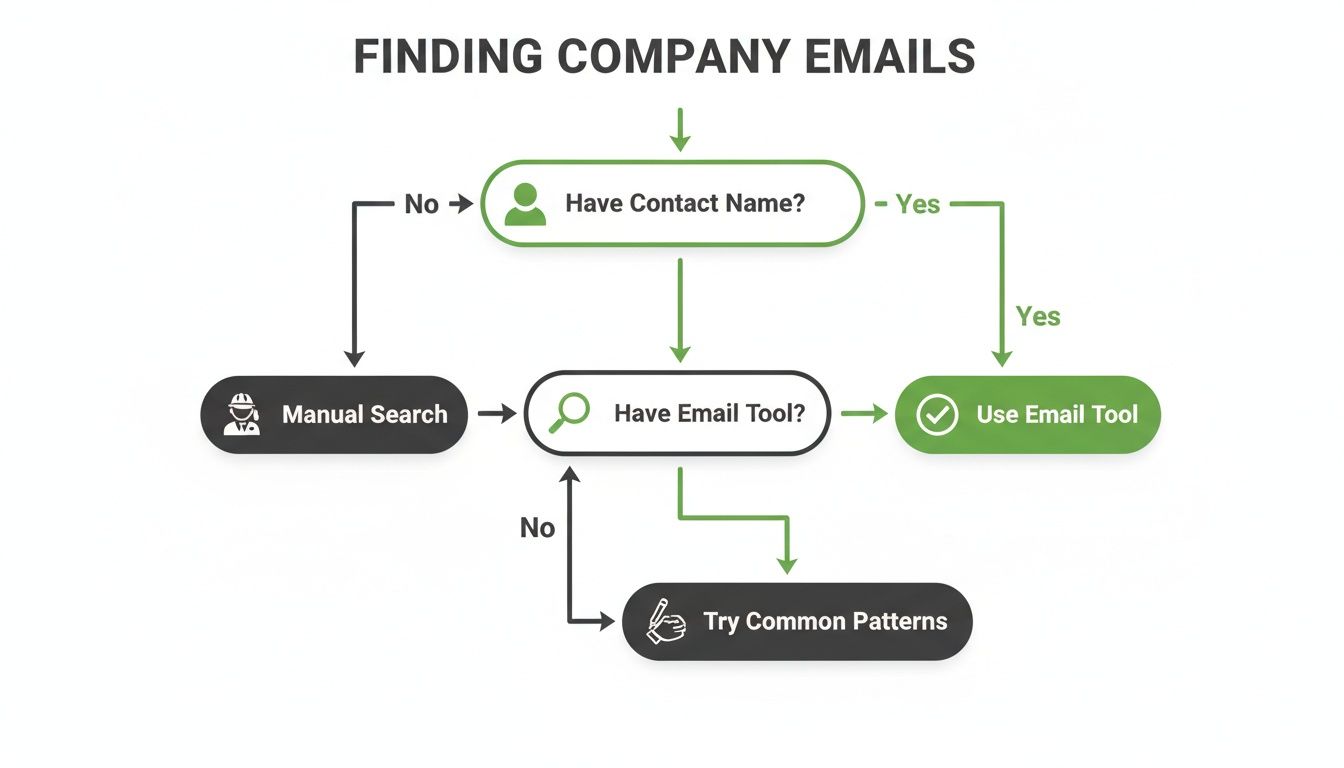
    Getting the right email address is the quickest way to kick off a meaningful conversation. From my experience, the most effective way to do this is by blending some old-school detective work with the power of modern tools like EmailScout. This combo approach is your best bet for finding accurate, verified contact info every single time.

    Your Game Plan for Finding Company Emails

    A person looking at a digital interface with profiles and data points, symbolizing the process of finding email addresses for a company.

    Knowing how to dig up company email addresses is more than just a neat trick—it’s a core skill for any effective outreach. Whether you're in sales, marketing, or biz dev, landing your message in the right inbox is ground zero for hitting your goals. Just guessing or sticking to one method usually ends in bounced emails and a lot of wasted time.

    The real key is having a system. It all starts with the basics, like spotting the common email patterns companies use, and it always finishes with the most crucial step: verification. This guide lays out a reliable framework that will take you from simple guessing games to a repeatable process for uncovering accurate contact information.

    Building Your Foundational Knowledge

    Before we jump into the specific tactics, let’s cover a few core ideas. Getting these down will make your search process way more effective.

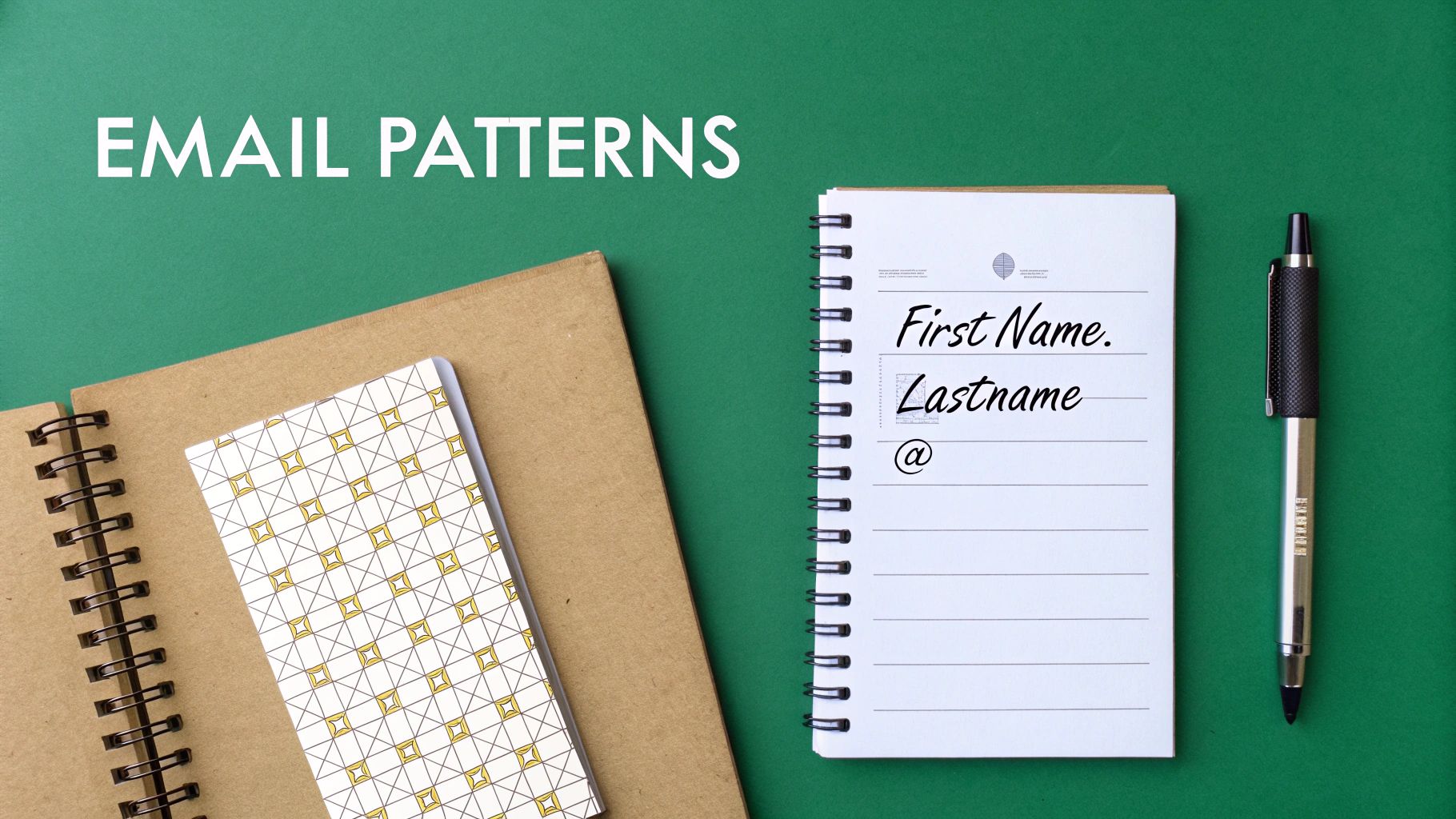
    • Common Email Patterns: Most companies stick to a predictable formula for their employee emails. Think firstname.lastname@company.com or f.lastname@company.com. Recognizing these patterns is your first real clue.
    • The Power of a Blended Approach: The best results always come from mixing manual detective work with automated tools. Manual digging is perfect for those high-value targets, while tools give you speed and scale.
    • Verification Is Everything: An email you find is useless until it's verified. Firing off messages to bad addresses hammers your sender reputation and hurts your overall deliverability.

    This is huge, especially when you consider that 86% of business professionals still prefer email for business communication. With billions of inboxes out there, just understanding basic patterns can give you a massive advantage.

    Remember, the goal isn't just to find an email address—it's to find the right one. Your approach has to be both targeted and accurate, making sure your outreach hits the person who can actually make a decision. For more on this, check out our guide on how to identify a target audience.

    Email Finding Methods At a Glance

    To help you decide which strategy to use, here’s a quick rundown of the main approaches, what they're good for, and how they stack up.

    Method Best For Speed Accuracy
    Manual Search High-value, specific targets where accuracy is critical. Slow High
    Pattern Guessing Finding emails at companies with predictable formats. Moderate Varies
    Social Media Sleuthing Uncovering contacts for social-savvy professionals. Moderate Good
    Using EmailScout Scaling up outreach with fast, verified results. Fast Very High

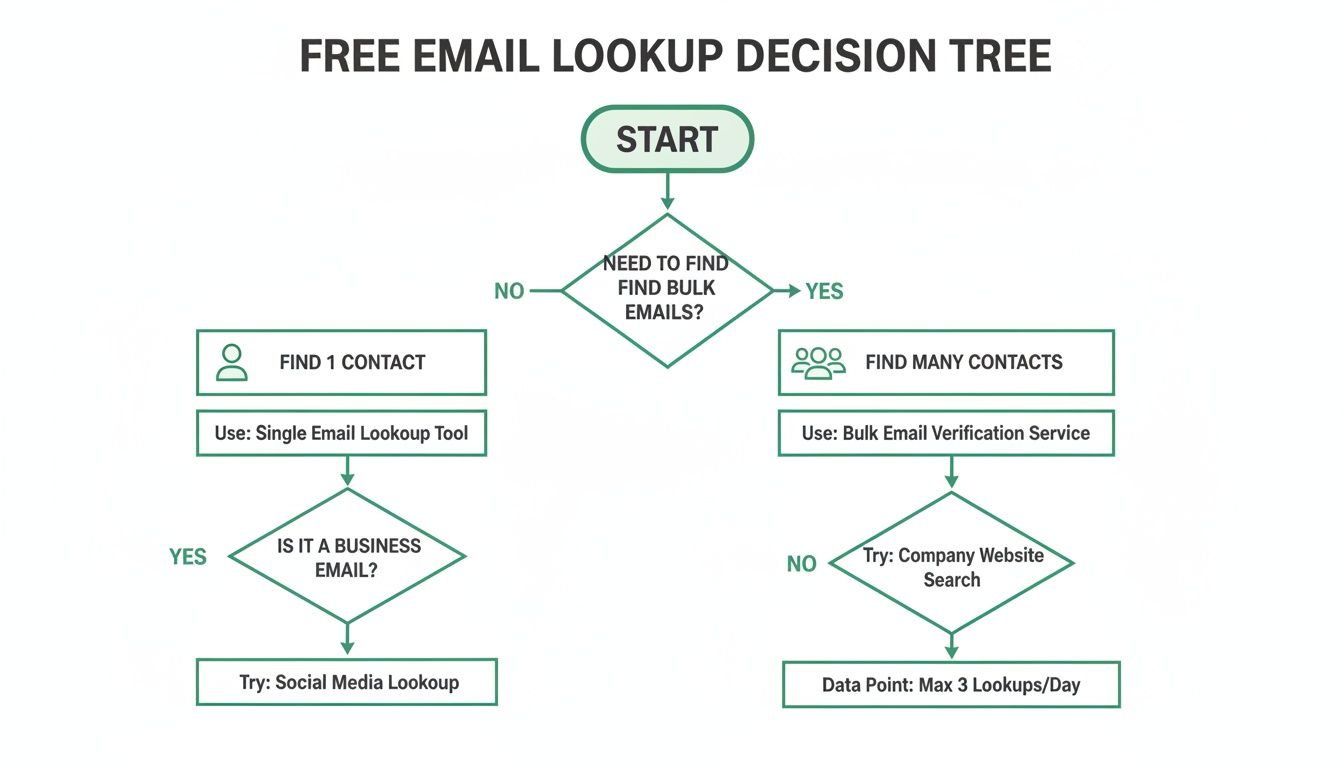
    This table should give you a good starting point. For one-off, super important contacts, a manual search might be worth the time. But when you need to build a list of dozens or hundreds of leads, a dedicated tool is the only way to go. Ultimately, the best system often involves a mix of these methods.

    Mastering the Art of Manual Searches

    Before you even think about spending a dime on tools, a bit of clever detective work can often unearth the exact email address you need. Manual searching is a seriously underrated skill, but it consistently delivers the goods, especially for high-value targets. It's all about knowing where to look and how to connect the dots that most people miss.

    This approach is perfect when you need to find an email for a specific person with pinpoint accuracy. Think of it less like casting a wide net and more like a targeted investigation. You'll be using a combination of advanced search tricks and social media smarts to find that contact info.

    Leveraging Advanced Google Searches

    Your first stop should always be a well-crafted Google search. I'm not talking about basic queries here—advanced search operators are your secret weapon. These are just simple commands you can tack onto your search to filter the noise and find exactly what you're looking for.

    Try plugging these into Google:

    • (name) + email + (company name)
    • site:company.com + (name) + email
    • "(name)" + "contact" + site:company.com

    These searches basically tell Google to hunt for specific word combinations on a particular website. You’d be surprised how often this digs up staff directories, press releases, or author bios containing the exact email you need.

    Decoding Common Email Patterns

    Most companies don't get too creative with their email formats; they stick to a standardized pattern. Once you figure out that pattern, you can accurately guess the email of almost anyone at the company. This is a fundamental technique and a great starting point for anyone trying to find corporate emails.

    Here are the most common formats you'll run into:

    • First Name: john@company.com
    • First Initial, Last Name: jdoe@company.com
    • First Name, Last Initial: johnd@company.com
    • First Name.Last Name: john.doe@company.com

    If you can find just one employee’s email address—maybe from a press release or the "About Us" page—you've likely cracked the code for the entire organization.

    Pro Tip: Don't just guess one pattern and call it a day. I always create a short list of the top three or four most likely combinations. You can then use a simple verification tool to check which one is valid before you bother hitting send.

    Tapping into Professional Networks

    Professional networks are absolute goldmines for contact information. LinkedIn is the obvious heavyweight here and is incredibly valuable for confirming job titles, names, and even just checking the professional spelling of someone's name.

    Here’s a perfect example of a profile that gives you the key information needed to start your search.

    Screenshot from https://www.linkedin.com/

    This profile provides the person's full name and their current company—the two essential puzzle pieces for deducing their corporate email using the pattern-guessing method we just talked about.

    While most people don't list their email directly on their profile anymore, their activity can leave clues. Check out articles they've written or commented on; their contact info might be in an author bio. Combining the name and company from LinkedIn with the Google search techniques from earlier is a seriously effective strategy.

    Use Email Finder Tools to Work Smarter, Not Harder

    A sleek dashboard of an email finder tool on a laptop screen, showing profiles and verified email addresses, illustrating efficiency.

    Manually digging for emails has its place, especially when you need surgical precision for a handful of high-value contacts. But let’s be real—it just doesn't scale.

    When you're tasked with building a sizable contact list for a big sales campaign or a new marketing push, dedicated email finder tools become your secret weapon. They completely automate the discovery process, shrinking a task that could take days down to just a few minutes.

    These platforms are way more than just glorified search engines. They scan millions of public web pages, tap into professional databases, and use smart algorithms to figure out the correct email format for almost anyone at a specific company.

    The real game-changer is efficiency. Imagine finding 50 verified contacts in the time it would take you to manually hunt down maybe one or two. That’s the kind of leverage a tool like EmailScout gives you.

    How These Tools Find Emails at Scale

    The magic behind these platforms is their ability to churn through massive amounts of data and spot patterns with incredible speed. They aren't just guessing; they’re making highly educated predictions based on multiple data points.

    Here’s a quick look under the hood:

    • Public Data Aggregation: The tools crawl the web for publicly available email addresses—think author bios, conference speaker lists, and company "About Us" pages.
    • Pattern Recognition: They analyze a company’s known email formats (like firstname.lastname@company.com or f.lastname@company.com) to predict the right one for your target contact.
    • Real-Time Verification: The best tools don’t just find an address; they ping the server in real-time to confirm it’s actually deliverable, often giving you a confidence score.

    This one-two punch of finding and verifying is what makes them so essential for serious outreach. If you want to see how different platforms compare, you can check out this breakdown of the best email finder tools.

    To help you understand what to look for, I've put together a quick comparison of the features that really matter in a top-tier tool.

    Key Features of Top Email Finder Tools

    This table breaks down the essential features you'll find in leading email finder tools like EmailScout. Knowing what these do can help you pick the right solution for your specific needs.

    Feature What It Does Why It Matters for Finding Emails
    Bulk Email Finder Uploads a list of names and companies to find emails for all of them at once. Saves countless hours compared to finding emails one by one. It's the key to scaling your outreach.
    Real-Time Verification Checks if an email address is active and can receive mail right before you get it. Drastically reduces your bounce rate, protecting your sender reputation and improving deliverability.
    Chrome Extension Finds emails directly from LinkedIn profiles or company websites as you browse. Perfect for grabbing emails on the fly without breaking your workflow. Super efficient for targeted prospecting.
    API Access Integrates email-finding capabilities directly into your own applications or CRM. Allows you to automate lead enrichment within the tools you already use, creating a seamless process.

    Choosing a tool with the right mix of these features can make a huge difference in how quickly and effectively you can build a high-quality contact list.

    Putting It All Together: Finding Emails in Bulk

    Let’s walk through a real-world scenario. You just got back from a trade show with a list of 100 target companies and the names of the key decision-makers. Finding each email manually would be a nightmare.

    With a tool like EmailScout, the process is simple. You just upload a CSV file with two columns: Full Name and Company Domain. The platform takes it from there, returning a list enriched with verified email addresses. Done.

    The bottom line is this: these tools transform email discovery from a mind-numbing chore into a real strategic advantage. You spend less time digging for contacts and more time actually talking to them.

    With over 4.6 billion email users worldwide, the digital footprint out there is massive. Tools that can effectively scan that footprint are incredibly powerful, giving you a direct line to the inboxes that matter. This is how you build a robust, accurate contact list that fuels your entire sales and marketing engine.

    Why Email Verification Is Non-Negotiable

    Discovering a potential email is only half the battle. Seriously. The most critical step in learning how to find email addresses for a company is making sure they’re actually deliverable.

    Without verification, you're just sending your carefully crafted message into a black hole and hoping it lands somewhere useful. It’s a surefire way to waste time and effort.

    Sending emails to bad addresses cranks up your bounce rate. Internet Service Providers (ISPs) watch that number like a hawk; a high rate makes you look like a spammer. Before you know it, your sender reputation is shot, and none of your emails are making it to the inbox—even the ones sent to perfectly valid contacts.

    The Anatomy of a Verified Email

    So, what’s the difference between an email you found and one you can actually deliver to? Verification isn't just a simple ping. It's a multi-step process that confirms an address is legitimate and active, and it all happens behind the scenes.

    • Syntax Check: This is the basic first pass. Does the email even look right? It just makes sure the format is correct (like name@domain.com).
    • Domain Validation: Next, the system checks if the domain (company.com) is real and has active mail servers ready to receive email.
    • SMTP Verification: This is the real magic. The verifier has a quick, technical "handshake" with the recipient's mail server to confirm the specific user mailbox exists, all without actually sending an email.

    This robust process is why tools with built-in validation are such game-changers. For instance, EmailScout gives you a confidence score, letting you know the likelihood of deliverability before you even think about hitting send. You can get the full rundown on how this works in our detailed guide on email address verification.

    Protecting Your Outreach Efforts

    Think of it this way: every bounced email is a missed opportunity and a tiny strike against your domain's credibility. You're playing a long game of reputation management, and clean email lists are your best defense.

    The sheer volume of digital communication today makes this non-negotiable. By 2025, we’re looking at 4.83 billion global email users, with daily traffic hitting a staggering 392 billion emails. With that much noise, you have to ensure your message gets through. It’s especially true when you consider that personalization offers a massive $36 ROI for every $1 spent—a figure that highlights why smart businesses invest so heavily in accurate data.

    The bottom line is simple: finding an email address is just the starting point. Verifying it is what protects your reputation, maximizes your ROI, and ensures your carefully crafted message actually gets read.

    Plenty of great resources can help you pick the right solution for your needs. For example, a helpful roundup lists the 12 Best Email Verification Tools to Use in 2025 that can easily slot into your workflow. This is how you build a clean, effective, and reliable contact list that fuels your outreach with certainty.

    Building an Ethical Email Discovery Workflow

    Finding someone's email isn't just a technical problem to solve—it's the first step in building a real relationship. A truly great outreach strategy is built on a solid, ethical system that respects people's privacy while still keeping your pipeline full. The goal here is to get past just doing one-off searches and build a repeatable workflow that mixes smart manual digging with powerful automation.

    This hybrid approach is all about efficiency. It lets you put in the focused, detective-style work for high-value prospects while using tools to handle the broader outreach at scale. You're being smart with your time and making sure every email you send has the best chance of being delivered and welcomed.

    Combining Manual and Automated Methods

    The most effective workflows I've seen don't just stick to one strategy. They build a two-tiered system that flexes based on how important the prospect is.

    • For High-Value Targets: This is where you roll up your sleeves. For that key decision-maker at a company you've been dying to work with, spending 15-20 minutes doing a deep dive with advanced Google searches and LinkedIn snooping is time well spent. The personal effort pays off in accuracy.
    • For Scaled Outreach: When you're trying to reach dozens or even hundreds of potential leads, automation is your best friend. Tools like EmailScout can chew through lists of names and companies in minutes, freeing you up to work on your messaging instead of mind-numbing data entry.

    It's also helpful to see how this discovery process fits into the bigger picture. For a great breakdown of the entire journey from prospect to lead, this automated lead generation workflow guide offers some fantastic context. An integrated view makes every step, from finding the email to the final follow-up, work together seamlessly.

    Staying Compliant with Privacy Regulations

    Let's be clear: ethical outreach is compliant outreach. Regulations like GDPR in Europe and CCPA in California aren't just annoying legal hoops to jump through; they're a roadmap for respecting people's privacy. In a B2B context, that boils down to being transparent and offering genuine value.

    Always stick to these core principles:

    1. Legitimate Interest: Make sure your reason for contacting someone is actually relevant to their job. A software engineer, for example, probably has a legitimate interest in hearing about a new dev tool.
    2. Transparency: Be upfront about who you are and why you're emailing. Tricky subject lines and misleading sender info aren't just bad form—they can land you in serious trouble.
    3. Easy Opt-Out: Every single email you send must have a dead-simple way for the person to unsubscribe. According to the CAN-SPAM Act, if you ignore an opt-out request, you could face penalties of up to $53,088 per email. Yes, you read that right.

    A good workflow isn't just about how fast you can find emails; it's about sustainability. By building ethical practices and compliance into your process from day one, you protect your sender reputation and build trust, making sure your outreach stays effective for years to come.

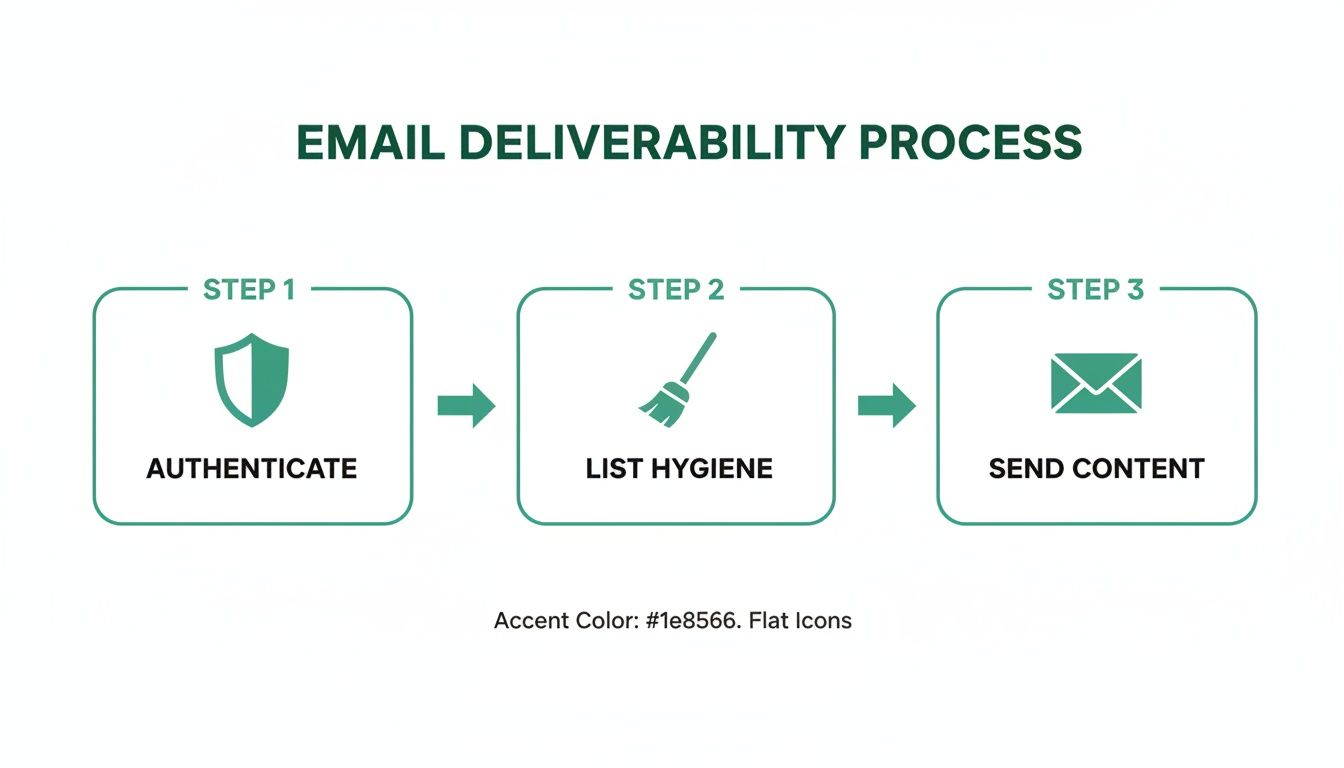
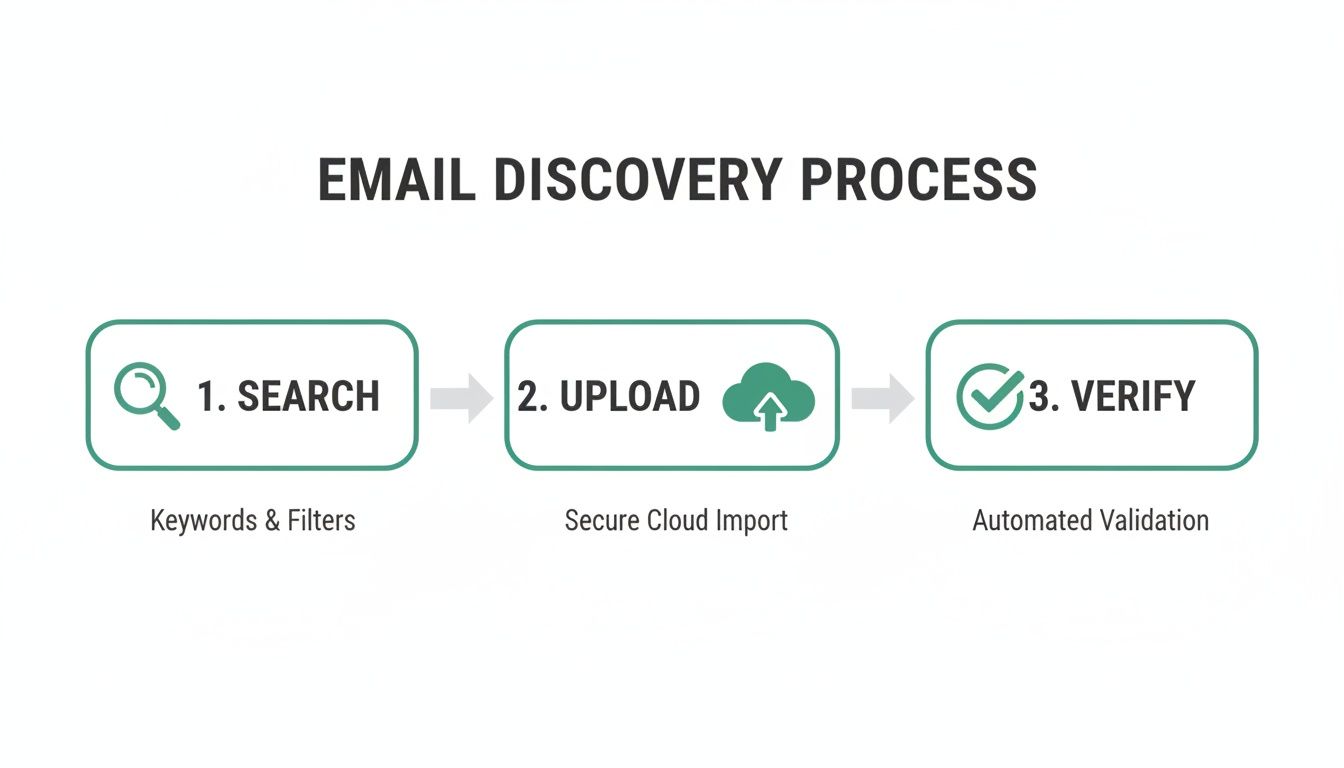
    This flowchart gives you a bird's-eye view of the simple but essential steps in a modern outreach workflow.

    Infographic about how to find email addresses for a company

    As the visual shows, finding the email is just the start. Verifying it's correct and sending a compliant message are just as crucial for any successful and ethical outreach campaign.

    Common Questions About Finding Emails

    When you're digging for email addresses, a few key questions always pop up. Is this even legal? What's the best way to get accurate results? How do I do this without spending all day on it?

    Getting straight answers to these is crucial. It helps you build a process that's not just effective, but also keeps you on the right side of the rules. Let's tackle the big ones.

    Is It Legal to Find Company Emails for Outreach?

    The short answer: yes, for most B2B outreach, it's perfectly legal. But—and this is a big but—you have to follow the rules.

    Laws like the CAN-SPAM Act in the U.S. and GDPR in Europe are built around the idea of "legitimate business interest." That means you can reach out, as long as you’re not just spamming people.

    Compliance isn't optional. You absolutely must:

    • Provide a clear opt-out: Every single email needs an easy way for someone to say "no thanks."
    • Be transparent: Don't hide who you are or that you're sending a commercial message.
    • Keep it relevant: Make sure your pitch actually relates to their job. Sending a sales pitch for forklift parts to a marketing manager isn't going to cut it.

    Drop the ball on these, and you could face some serious fines. CAN-SPAM, for example, can slap you with penalties up to $53,088 per violation. Do your homework and know the laws for the regions you're targeting before you hit send.

    What Is the Most Accurate Discovery Method?

    Honestly, the most reliable method is a mix of human smarts and good tech.

    If you're chasing a whale—a really high-value prospect—nothing beats a bit of manual detective work. You figure out the company's email pattern, make an educated guess, and then use a verification tool to confirm it. It’s slow, but the accuracy is top-notch.

    But who has time for that at scale? For building bigger lists, a quality email finder that includes real-time verification is your best bet. It gives you the perfect balance of speed and precision.

    A "confidence score" is a handy metric many tools use. It tells you how likely it is that an email is correct and won't bounce. A high score means you can feel good about using that address without dinging your sender reputation.

    How Can I Find Emails in Bulk?

    When you need to find hundreds or thousands of emails, you have to turn to a bulk email discovery tool. It’s the only way to do it efficiently.

    This is exactly what platforms like EmailScout were built for.

    You can upload a list of names and company domains, and the software does the heavy lifting, finding and verifying the emails for you. Many of these tools also have browser extensions that let you pull emails right from LinkedIn profiles or company websites while you browse. It’s a game-changer for building targeted lists without derailing your entire workflow.


    Ready to stop guessing and start connecting? With EmailScout, you can find unlimited verified emails for free and build powerful marketing lists with just one click. Get started with EmailScout today and supercharge your outreach.

  • find email from linkedin: Pro Guide to LinkedIn Outreach

    find email from linkedin: Pro Guide to LinkedIn Outreach

    Before we get into the how, let's talk about why LinkedIn is the best place to start your search for an email address. It's more than just another social network—it’s a massive, self-updating professional directory. That’s what makes it the most reliable source for accurate contact information.

    This foundation of trust and professional context is exactly what makes your outreach more likely to succeed right from the get-go.

    Why LinkedIn Is the Gold Standard for Contact Discovery

    Forget about those stale, outdated contact lists you buy that are useless within a few months. LinkedIn works because of one simple, powerful idea: people keep their own profiles current.

    Professionals have a real incentive to update their job titles, companies, and accomplishments. This self-service approach creates a living, breathing database that static resources just can't compete with.

    The professional context is the other huge advantage here. When you find an email through LinkedIn, your outreach feels less like a cold interruption and more like a relevant business conversation. You're connecting inside a professional world, which immediately adds a layer of credibility to your message.

    The Power of a Living Database

    Seriously, think about the last time you bought a contact list. How much of it was just plain wrong? The magic of LinkedIn is that it's always changing, driven by its billion-plus members around the globe. People announce promotions, switch jobs, and update their skills in real-time.

    This means the data you find is far more likely to be fresh and actionable. It's why so many pros live on the platform. In fact, 40% of B2B marketers say LinkedIn is their single most effective channel for finding quality leads. It’s proven its worth time and time again.

    Just take a look at the sheer scale of the professional community you're tapping into.

    This graphic really drives home the point: LinkedIn is an massive, active community, making it an unmatched resource for finding contacts and networking.

    Building Credibility Before You Even Connect

    Your LinkedIn profile is your digital handshake. To really make this work, you need to look the part. A quick way to boost your professional image is by using some quality AI generated headshots for LinkedIn. When your own profile looks solid, your connection requests and emails just feel more legitimate.

    Key Takeaway: LinkedIn's value isn't just the data it holds, but the context it provides. A great profile combined with info you've gathered from the platform is a powerful recipe for outreach that actually gets a response.

    By starting your search on LinkedIn, you're not just grabbing an email address. You're gathering the intel needed to build a real connection. And if you want to do this at scale, our guide on how to scrape thousands of LinkedIn contacts from Google Search shows you some advanced tricks to build your lists fast.

    Using Email Finders to Streamline Your Search

    Let’s be honest, the manual tricks are useful in a pinch, but they just don’t scale. When you need to find emails for dozens—or even hundreds—of prospects, you need a real system. This is exactly where dedicated email finder tools come in, turning a mind-numbing task into a quick, efficient process.

    Most of these tools work as browser extensions that plug directly into your workflow. They let you find an email from LinkedIn with a single click, right from a person's profile page. No more guessing email patterns or digging through obscure contact pages. You just get instant access to verified contact information.

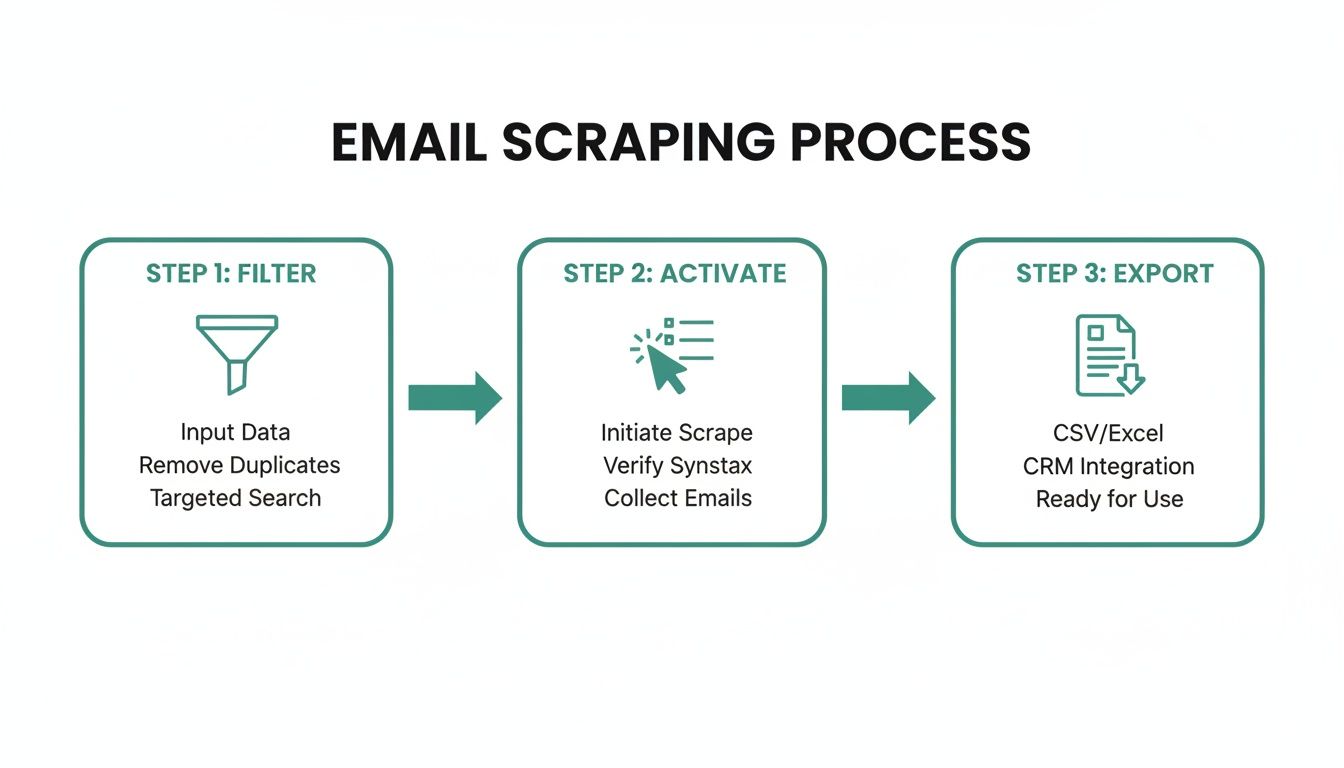
    This approach is all about closing the gap between finding a promising lead and actually starting a conversation.

    Infographic about find email from linkedin

    As you can see, the right tech makes the whole sequence faster and far more effective.

    How Email Finder Extensions Work

    Most of the top-tier email finders, like Hunter or Skrapp, operate as simple Chrome extensions. Once you install one, it adds a small button or widget to LinkedIn profiles. When you land on a prospect’s page, the tool cross-references their name, company, and other public data against a massive database to pull up their professional email address.

    But the best tools don't just find emails; they verify them. You’ll often see a little green checkmark or a confidence score next to the email. This one simple feature saves you from the frustration of bounced emails and helps protect your sender's reputation. It's a small detail that makes a huge difference.

    Imagine you’re a sales rep targeting marketing managers at SaaS companies. You can just visit a target's profile, click the extension's icon, and instantly see their verified firstname.lastname@company.com address. The whole thing takes less than 10 seconds per profile.

    Scaling Up Your Search with Bulk Finders

    Finding a single email is great, but the real power comes from extracting contacts in bulk. This is where combining an email finder with LinkedIn Sales Navigator becomes a total game-changer for anyone serious about outreach.

    Sales Navigator is brilliant for building hyper-targeted lead lists based on criteria like industry, company size, job title, and location. Once you have a curated list of, say, 100 ideal prospects, you can use an email finder to enrich that entire list at once.

    Instead of clicking through profiles one by one, you can run a process that pulls verified emails for your entire search result. What used to take a full day of manual work can now be done in just a few minutes.

    This workflow is the secret behind highly efficient sales and marketing teams. They spend their time building targeted lists and crafting great messages, not hunting for contact details. It's how they're able to connect with hundreds of relevant leads every single week.

    Choosing the Right Tool for Your Needs

    Not all email finders are created equal. Some are designed for freelancers with occasional needs, while others are built for enterprise teams running massive campaigns.

    When you’re looking at your options, here are a few things to consider:

    • Accuracy and Verification: How good is the data? A tool with a high bounce rate is worse than no tool at all. Always look for services that provide real-time verification.
    • Integration: Does it play nice with LinkedIn and Sales Navigator? A smooth workflow is non-negotiable for efficiency.
    • Bulk Capabilities: Can you extract emails from entire lists or just individual profiles? This is the key to scaling your efforts.
    • Credit System and Cost: Most tools run on a credit basis, where one credit usually equals one found email. Make sure you understand the pricing model and that it lines up with how much outreach you plan to do.

    Many tools offer a free tier, which is perfect for getting started and finding a handful of emails each month. To dive deeper, you can check out our list of the best free email finder tools to see which one fits your budget and goals. Ultimately, the best tool is the one that saves you the most time while delivering the most accurate data.

    Clever Manual Tricks to Find Any Email for Free

    While automated tools are fantastic for speed, knowing how to manually hunt down an email from LinkedIn is a priceless skill. It's the backup plan that almost always works, letting you find nearly anyone's contact details without spending a dime. These are the crafty, no-cost techniques that seasoned pros rely on every single day.

    It all starts with the most obvious—and most overlooked—step.

    Group of people analyzing data on a computer screen

    Check the Contact Info Section

    Before you dive into any complex detective work, do the simple thing first. Go to your prospect’s LinkedIn profile and click the "Contact info" link right under their name and headline.

    You'd be surprised how many professionals list their work or even personal email address publicly here. It won't work every time, as many users keep this private, but it literally takes two seconds to check. When it does pay off, it's the fastest free method there is.

    Master the Educated Guess

    If the contact info section comes up empty, your next play is to make an educated guess. Most companies use a standard format for their employee emails, so your job is to figure out their pattern.

    To pull this off, you just need two things:

    • The prospect’s first and last name.
    • Their company’s domain name (like company.com).

    With those two pieces of info, you can start testing the most common formats. Let's say you're looking for "Jane Doe" at "Acme Corp" (acme.com). The likely combinations would be:

    • First Initial + Last Name: jdoe@acme.com
    • First Name . Last Name: jane.doe@acme.com
    • First Name Only: jane@acme.com
    • First Name + Last Initial: janed@acme.com
    • Full Name: janedoe@acme.com

    This approach turns the search into a simple logic puzzle instead of a wild goose chase. Once you have a few good guesses, the next step is to see which one is the real deal.

    Pro Tip: Whatever you do, don't just blast an email to every possible address. That’s a surefire way to get a high bounce rate, which can seriously damage your sender reputation. Instead, use a free tool to verify your guesses first.

    Use Free Tools for Validation

    Several free online tools let you check if an email address is valid without actually sending a message. Services like MailTester or the free verifier from Hunter.io are perfect for this.

    Just plug your best guesses in one by one. The tool will ping the server and give you a status, usually a green light for a valid address. This validation step is what turns your guess into a confirmed, deliverable contact.

    This simple, two-step process of guessing and then verifying is one of the most reliable ways to find an email from LinkedIn for free.

    And don't forget to look for a personal website or blog linked in their bio. Many consultants, freelancers, and industry leaders link to their personal projects, which almost always have a contact page with a direct email. It's an often-missed goldmine of information.

    Tool-Based vs Manual Email Finding Methods

    Deciding whether to use an automated tool or stick with manual techniques often comes down to your specific needs—are you looking for one specific contact or trying to build a list of hundreds? Here’s a quick breakdown to help you choose the right approach.

    Method Best For Speed & Scalability Cost Accuracy
    Tool-Based Bulk email finding, lead generation at scale, and fast results. Very high. Can find hundreds of emails in minutes. Typically requires a paid subscription for full features. High, with built-in verification, but not always 100%.
    Manual Finding a few key contacts, zero-budget outreach, or as a backup. Slow. Best for one-off searches. Completely free (just your time). Can be very high if you verify your guesses properly.

    While tools offer undeniable efficiency, manual methods give you complete control and cost nothing but your time. The best prospectors know how to use both, switching between automation for scale and manual digging for those hard-to-find, high-value contacts.

    Crafting Outreach That Actually Gets a Reply

    https://www.youtube.com/embed/D9R9YAsjd_A

    Finding someone’s email on LinkedIn is a great start, but it's only half the battle. Your next move—the outreach itself—is what truly determines whether you build a real connection or just get ignored. This is where you shift from simply finding a contact to starting a meaningful conversation.

    The key is to ditch the generic, templated messages completely. An email that kicks off with "Dear Sir/Madam" or some vague compliment is destined for the trash folder. Your goal is to show you’ve actually done your homework with thoughtful, genuine personalization.

    Personalization Is Non-Negotiable

    Real personalization goes way beyond just slotting a name into a template. It’s about referencing specific details you found right there on their LinkedIn profile. This simple act proves you’re not just blasting out a hundred identical emails.

    Here are a few powerful personalization points to look for:

    • Shared Connections: "I saw we're both connected with Sarah Smith from the marketing world."
    • Recent Posts or Articles: "I really enjoyed your recent post on the future of AI in sales."
    • Company News: "Congratulations on your company's recent funding round I read about."
    • A Past Role or Project: "I noticed you previously worked at XYZ Corp and led their impressive product launch."

    This approach turns a cold email into a warm conversation starter. It immediately tells the recipient they aren't just another name on a massive list. In fact, adding a personalized message to a LinkedIn connection request can boost the reply rate to 9.36%, which is nearly double the 5.44% rate for requests with no message.

    Writing an Effective Cold Email

    Once you've got your personalization points, it's time to craft the message. Your outreach should always be respectful, concise, and focused on providing value, not just asking for something. If you're looking for a solid framework, our detailed guide on how to write cold emails that get responses breaks it all down.

    Key Takeaway: The goal of your first message isn't to make a sale; it's to start a conversation. Offer a resource, share a relevant insight, or ask a thoughtful question related to their work.

    If you’re using AI to help draft your messages, remember that the human touch is what gets replies. Incorporating practical tips to humanize AI content is essential for making sure your outreach actually connects with people.

    Finally, always be mindful of privacy and legal compliance. Professional outreach has to respect regulations like GDPR and CAN-SPAM. This means being transparent about who you are, providing a clear way to opt out, and making sure your message is relevant to their professional role. Ethical outreach isn't just the right thing to do—it's also a lot more effective.

    When to Message on LinkedIn Instead of Emailing

    A professional woman looks at a large screen displaying her LinkedIn network connections and messages.

    After all this talk about hunting down emails, here’s a slightly counterintuitive thought: sometimes, the best move is to not email them at all. At least, not at first.

    Instead of digging for an address, your most effective first touchpoint can happen right inside LinkedIn. It's a subtle but powerful shift in strategy.

    Think about it from their side. A cold email, even a really good one, often lands like an interruption from a total stranger. It’s just another message fighting for attention in an already overflowing inbox, wedged between internal memos, newsletters, and spam. A LinkedIn message, on the other hand, lives in a completely different world.

    It feels less like an unsolicited pitch and more like a conversation between peers, simply because it’s happening within a professional network. That small psychological distinction can be a total game-changer, lowering their guard and opening the door for a real dialogue.

    The Power of In-Platform Communication

    The numbers don't lie. Recent data shows that LinkedIn outreach is blowing traditional email out of the water when it comes to engagement.

    One study found that the average reply rate for cold emails is a pretty dismal 5.1%. Meanwhile, LinkedIn messaging hits a 10.3% reply rate—literally double the effectiveness. That's a massive advantage you can't afford to ignore. You can discover more insights about this outreach data and see how it's shaping modern sales.

    Your message is far less likely to get buried in a spam filter and much more likely to be seen by the right person.

    When you start the conversation on LinkedIn, you're not just sending words into the void. You're bringing the credibility of the entire network with you. Your profile, shared connections, and professional background are all right there, providing instant context and building a baseline of trust that a cold email just can't match.

    Crafting Connection Requests That Actually Start Conversations

    The real goal isn't just to add another connection; it's to kick off a dialogue that can grow into a business relationship. Often, this is what leads to them giving you their email address directly.

    Sending a generic, empty connection request is the LinkedIn equivalent of an email with a blank subject line. It's lazy and easy to ignore.

    To stand out, you absolutely have to add a personalized note. Keep it short, sweet, and focused on them. Here are a few quick ideas for what you can say:

    • Mention a recent win: "Hi [Name], I saw your company was just featured in [Publication] for your work in [Industry Topic]. Really impressive stuff. I'd love to connect and follow what you're doing."
    • Reference a shared interest: "Hello [Name], I noticed from your profile that you're also passionate about sustainable tech. It would be great to connect with a fellow enthusiast."
    • Point to a mutual connection: "Hi [Name], I see we both know [Mutual Connection's Name]. I’m always keen to expand my network with other professionals in their circle."

    This simple, personalized touch turns your request from a passive click into an active conversation starter. You're showing genuine interest and establishing common ground, which makes your next move—whether on LinkedIn or eventually over email—so much more likely to land.

    Common Questions About Finding LinkedIn Emails

    Even with the best tools, you're bound to have a few questions when you start pulling emails from LinkedIn. Getting a handle on the legal and practical sides of things is crucial for building an outreach strategy that actually works—and keeps you on the right side of the rules. Let's tackle some of the most common things people ask.

    One of the first questions that always comes up is about the law. Is it even legal to find and use emails from public profiles? The short answer is yes, but only for legitimate business-to-business (B2B) communication.

    That "yes" comes with a huge string attached: you must follow anti-spam laws like CAN-SPAM in the US and GDPR in Europe. This means your message has to be relevant to their profession, be upfront about who you are, and give them an easy way to opt out. No exceptions.

    Is This Process Legal and Ethical?

    The whole game is about targeted, professional outreach—not blasting out mass spam. When you find an email from someone's LinkedIn, the unwritten rule is that you'll use it to start a relevant business conversation.

    If you start sending generic, unsolicited sales pitches, you're not just being ineffective; you're crossing a line, both ethically and legally.

    The Golden Rule of Outreach: Always provide value and respect the recipient's time and inbox. If you wouldn't want to receive the email you're about to send, it's a giant red flag. Time to rethink your angle.

    Your outreach needs to be based on genuine business interest. Think of it as a professional courtesy, not an invasion of their inbox.

    How Accurate Are Email Finder Tools?

    Another big question is about reliability. Can you actually trust these email finders? While no tool is going to give you a 100% perfect score, the top-tier services usually hit an accuracy rate somewhere between 85% and 98%.

    They pull this off with some pretty smart algorithms and real-time verification checks that confirm an email address is live and deliverable before it even lands in your list.

    Of course, accuracy can sometimes dip for profiles that don't have a lot of public info or for people working at smaller companies with funky email patterns. This is exactly why it’s so important to have a few manual tricks up your sleeve. If a tool comes up empty, a quick educated guess paired with a free validation tool can often get you the right address.

    What's the Best Way to Make First Contact?

    Finally, I get this one all the time: should you just ask for an email in your connection request or InMail? My advice is to play the long game. The most effective approach is to start with a personalized connection request that asks for nothing. Your only goal is to get that first-degree connection based on a shared interest, group, or professional background.

    Once they accept, you can follow up with a real message. Save your InMails for the high-value contacts or people with locked-down profiles, since they're a limited resource. By building a little rapport first, you’ll be surprised how often people are happy to share their email with you directly.


    Ready to stop guessing and start connecting? With EmailScout, you can find unlimited verified emails from LinkedIn profiles in a single click. Try EmailScout for free and streamline your outreach today!

  • Your Guide to an Email Validity Checker

    Your Guide to an Email Validity Checker

    Think of an email validity checker as a bouncer for your contact list. It's a simple tool that checks if an email address is real and can actually receive messages, stopping all the invalid, fake, or dead-end addresses before you ever hit send. This one step is crucial for keeping your sender reputation safe and getting the most out of your marketing budget.

    Why a Clean Email List Is Your Greatest Asset

    Your email list is the foundation of your entire digital marketing strategy. A solid, clean list can support every campaign you build, making sure your messages land where they're supposed to. But if that foundation is full of cracks and bad addresses, the whole thing gets wobbly.

    An email validity checker isn't just a nice-to-have tool; it's the guardian of your most valuable digital asset.

    Sending emails to a "dirty" list is like driving on a road riddled with potholes. Your carefully written messages bounce back, get lost, or just never show up. Every single bounce is a bad signal to Internet Service Providers (ISPs) like Gmail and Outlook, slowly chipping away at your sender reputation. A bad reputation means even your legitimate emails are more likely to end up in the spam folder, invisible to real, interested customers.

    The Hidden Costs of a Neglected List

    Letting your list hygiene slide comes with some very real costs that go way beyond a few undelivered emails. The fallout can seriously stunt your business's growth.

    • Damaged Sender Reputation: High bounce rates are a massive red flag for ISPs. Keep it up, and you could get your domain blacklisted, making it nearly impossible to reach anyone's inbox.
    • Wasted Marketing Spend: Every email sent to a bad address is money down the drain. This includes what you pay your email service provider and the time you spent creating the campaign.
    • Inaccurate Campaign Data: When a huge chunk of your list is invalid, your metrics—like open and click-through rates—are totally skewed. This makes it impossible to know what’s actually working.
    • Missed Revenue Opportunities: At the end of the day, a dirty list means you aren't connecting with potential customers. That's a direct hit to your bottom line.

    A clean email list is the cornerstone of effective communication. Proactive validation isn't a technical chore; it's a fundamental strategy for ensuring your message is heard, building trust with your audience, and driving sustainable business growth.

    The market is catching on. The global demand for these tools is booming, valued at USD 1.1 billion and expected to jump to USD 2.5 billion by 2032. This explosive growth, as noted on openpr.com, shows that smart businesses understand a clean list is non-negotiable.

    Of course, you can't clean a list you don't have. If you're just getting started, our guide on how to build an email list is the perfect place to begin. Using an email validity checker from day one ensures you build a healthy, high-quality foundation right from the start.

    How an Email Validity Checker Actually Works

    Ever wonder what goes on behind the scenes when you verify an email? It’s not magic, but a super-fast, multi-step process that feels like it. Think of an email validity checker as a digital bouncer for your contact list, running a series of quick, logical tests to see if an email address is real, active, and safe to engage with.

    Each check builds on the last, starting simple and getting progressively more complex. This layered approach is incredibly efficient at weeding out bad addresses at every stage. Let’s pull back the curtain and see how this digital detective work gets done.

    This flow chart gives a great visual of how a messy, ineffective list gets transformed into a clean, high-performing asset.

    Infographic about email validity checker

    As you can see, the checker is a crucial filter. It systematically kicks out the bad contacts, leaving you with a list you can count on.

    The Four Core Layers of Email Validation

    An email validity checker doesn’t just perform a single test; it runs a sequence of checks to determine if an address is deliverable. Each layer digs a little deeper, filtering out different types of invalid emails along the way. Think of it as a four-stage security checkpoint.

    Here’s a breakdown of what happens in those few seconds:

    Validation Layer What It Checks Analogy
    Syntax & Formatting Checks for the correct structure (e.g., name@domain.com). Like a spell-checker, it catches obvious typos and formatting mistakes.
    Domain & DNS Check Confirms the domain (@domain.com) exists and is set up to receive email. Checking to see if the recipient's city exists on a map and has a post office.
    SMTP Handshake Pings the mail server to see if the specific user mailbox exists. Knocking on the door to see if someone's home, without actually delivering the package.
    Final Analysis Identifies risky addresses like spam traps, disposable emails, and role accounts. The final security sweep that flags suspicious characters before letting them through.

    By combining these four layers, the checker can give you a highly reliable verdict on each email, protecting your sender reputation and boosting your campaign performance.

    Step 1: The Syntax and Format Check

    The first and most basic test is the syntax check. This is purely a structural review, like a grammar check for the email address itself. It confirms the address follows the universal format rules: a local part, the "@" symbol, and a domain. It's the first line of defense.

    For instance, an address like "johndoe@email.com" sails right through. But an entry like "johndoe-email.com" (no "@" symbol) or "john doe@email.com" (contains a space) gets flagged immediately. This simple screen catches all the obvious typos and formatting goofs right off the bat.

    Step 2: The Domain Verification

    Once an email has the right format, the next step is to check its domain—the part that comes after the "@". The tool looks up the domain (like gmail.com or yourcompany.com) to confirm a couple of critical things.

    First, does the domain even exist? And second, is it actually configured to receive email? This prevents you from sending a message to a domain that’s fake, expired, or just not set up for email. It's a fundamental check that stops bounces caused by non-existent destinations.

    Think of it this way: domain verification confirms the destination city for your email actually exists on the map. It tells you there's a valid postal service operating there before you even bother looking for a specific street address.

    This step alone filters out a huge number of bad addresses, especially those with misspelled or defunct company domains.

    Step 3: The SMTP Handshake

    Now for the most decisive test: the SMTP handshake. SMTP (Simple Mail Transfer Protocol) is the universal language mail servers use to talk to each other. This check is the digital equivalent of walking up to the recipient's front door and asking if they live there—all without actually ringing the doorbell.

    Here’s how it works in simple terms:

    1. The checker finds the mail server for the domain (e.g., gmail.com).
    2. It starts a conversation, basically saying, "Hey, I've got a delivery for johndoe@gmail.com."
    3. If the mailbox for "johndoe" exists, the server replies, "Got it, I'm ready." The checker then politely cuts the connection without sending anything.
    4. If the mailbox doesn't exist, the server will immediately say something like, "Sorry, no one by that name here."

    This "handshake" confirms the specific mailbox exists with an extremely high degree of accuracy. And since no email is ever sent, it’s a completely safe and non-intrusive way to verify an address.

    By combining these layers, an email validity checker provides a clear and confident verdict, giving you the power to keep your lists clean, effective, and primed for high deliverability.

    The Real Business Impact of Email Validation

    Sure, understanding the nuts and bolts of an email validity checker is interesting, but what does it actually do for your business? The real magic happens when you connect that technical process to tangible, bottom-line results.

    Using an email validator isn't just about tidying up a list. Think of it as a direct investment in your company's financial health, brand reputation, and overall agility. These three areas build on each other, creating a powerful flywheel effect that fuels real, sustainable growth.

    Let's break down how this simple act of digital hygiene translates into a serious return on your investment.

    Financial ROI: Protecting Your Bottom Line

    Every dollar you spend on marketing has to pull its weight. Sending campaigns to invalid or non-existent email addresses is the digital equivalent of setting a pile of cash on fire. An email validity checker plugs that hole in your budget, ensuring every cent is spent trying to reach a real person.

    Think about it this way: most email service providers charge based on your list size or send volume. If your list is bloated with 15-20% bad addresses, you're literally paying to send messages into a void.

    A clean email list guarantees your marketing budget is spent reaching actual, potential customers. By ditching the undeliverable addresses, you cut direct costs and boost the conversion potential of every single campaign.

    This isn't just about saving money; it's about making your sales funnel healthier and more predictable. When you improve email deliverability and avoid spam, you give your campaigns the best possible chance to drive revenue.

    Reputational ROI: Guarding Your Sender Score

    Your sender score is basically your credit score with Internet Service Providers (ISPs) like Gmail, Outlook, and Yahoo. It’s the key metric they use to decide if your emails belong in the inbox or the spam folder. And nothing tanks that score faster than a high bounce rate.

    Every time an email "bounces" from an invalid address, it sends a red flag to the ISP. A lot of bounces makes you look like a spammer who bought a shady, low-quality list. Before you know it, they'll start sending all your emails—even to your most engaged subscribers—straight to spam.

    This kind of damage can be tough to undo, effectively cutting you off from your audience. An email validity checker is your first line of defense, protecting your sender score by making sure your sends are clean and professional.

    Operational ROI: Sharpening Your Strategy

    Beyond money and reputation, a clean email list makes your whole operation smarter. When your campaign data is reliable, your team can finally make decisions with confidence. A list full of bad emails completely skews your metrics.

    Let's say you see a disappointing 10% open rate. Your first thought might be that your subject line was a dud. But what if 20% of your list was undeliverable from the start? Your actual open rate among real recipients was much higher, and that subject line might have been a winner.

    Bad data leads to bad decisions. Here’s how a clean list sharpens your operations:

    • Accurate Performance Metrics: Get a true read on what resonates with your audience with reliable open, click, and conversion rates.
    • Sharper Segmentation: Build targeted and effective audience segments without wasting effort on contacts who will never see your message.
    • Increased Efficiency: Free up your marketing team to focus on creating great content instead of constantly troubleshooting deliverability fires.

    Ultimately, knowing how to verify an email is a foundational skill. It pays dividends across your entire business, ensuring all your hard work is built on a solid foundation of clean, reliable data.

    Going Beyond Basic Email Verification

    A dashboard showing email verification results

    It’s easy to think all email validation tools are the same, but that’s far from the truth. While a basic check might tell you if an email address technically exists, a modern email validity checker does so much more. It digs deeper, moving past a simple "yes" or "no" to gauge the real quality and risk of every contact you have.

    This kind of advanced analysis is critical. Why? Because some emails that pass a basic check can still be incredibly toxic to your sender reputation. Think of it like this: a simple check confirms someone’s name and address exist. An advanced check is more like a background check—it reveals their history and flags potential problems you’d want to know about before reaching out.

    Uncovering Hidden Dangers with Spam Trap Detection

    One of the biggest threats lurking in your email list is the spam trap. These aren't regular inboxes. They're special email addresses set up by Internet Service Providers (ISPs) and anti-spam groups specifically to catch senders with sloppy list-building habits.

    Sending an email to a spam trap is like tripping a silent alarm. It sends an immediate signal to mailbox providers that you could be a spammer, and the consequences are severe. Your domain can get blacklisted, and your deliverability can tank almost overnight. An advanced validation tool is trained to spot the digital fingerprints of these traps, yanking them from your list before they can do any real damage.

    Identifying Risky Catch-all Servers

    Next up are catch-all servers. These are configured to accept emails for any address at a certain domain, even addresses that don't actually exist. At first, that might not sound so bad since your email won't bounce. But it creates a huge headache for marketers.

    The problem is you have no idea if your message landed in front of a real person or just vanished into a digital black hole. Sending to a bunch of unverified catch-all addresses kills your engagement rates, which is another major red flag for ISPs. A good email validity checker can identify these servers and mark the associated emails as "risky," letting you decide if they're worth keeping.

    An advanced email checker provides a more nuanced view of your list's health. It doesn't just tell you which emails are deliverable; it tells you which ones are valuable, helping you focus your efforts on genuine, engaged prospects.

    This screenshot from EmailScout's website shows you exactly what these nuanced results look like. It's not just a simple valid/invalid status.

    A dashboard showing email verification results

    The dashboard clearly breaks down emails into categories like "Valid," "Risky," and "Invalid." This gives you actionable intelligence, not just raw data.

    Weeding Out Disposable Email Addresses

    Disposable emails are exactly what they sound like: temporary, self-destructing inboxes. People use them to grab a freebie or sign up for a newsletter without handing over their real email address. For your business, these contacts have zero long-term value.

    While they might work for a few hours or days, they quickly become inactive and start causing bounces. Even worse, a list full of disposable addresses signals to ISPs that your lead generation quality is low, which can hurt your sender reputation over time. The best tools maintain massive, constantly updated lists of disposable email providers to make sure these temporary contacts get filtered out.

    Ultimately, going beyond a basic check is about understanding the difference between deliverability and quality. The right tool gives you a full risk assessment for every contact, helping you build a list that’s not just clean but genuinely valuable for growing your business.

    How AI Is Taking Email Validation to the Next Level

    Traditional email validation methods are solid, but they’re a bit one-dimensional. They work off a simple, rule-based system that answers one basic question: “Can this email address receive a message?” It’s a useful check, for sure, but it has its limits.

    The next leap forward is powered by Artificial Intelligence, which asks a much smarter question: "Is this email address not only deliverable but actually worth sending to?"

    AI models go way beyond the static checks of the past. Instead of just confirming an address format or pinging a server, they learn from massive datasets filled with billions of real-world email interactions. This lets them spot the subtle patterns and behaviors that signal the true quality and lifespan of an email address.

    Think of it this way: a standard email validity checker is like a bouncer checking IDs at a door. They confirm the ID is real and belongs to the person. An AI-powered checker, on the other hand, is more like an experienced event host. It doesn't just check the ID—it also gets a feel for the guest and predicts whether they'll be a great addition to the party.

    Predictive Accuracy and Deeper Insights

    This predictive power is where AI really shines. By analyzing historical data, AI can get ahead of "email decay"—that natural process where emails become invalid as people switch jobs or ditch old accounts. It can flag an address that, while technically valid today, shows all the signs of bouncing in the next few months.

    This forward-looking analysis gives you a much deeper level of insight. Instead of a simple valid or invalid stamp, an AI-powered email validity checker can assign a quality score, helping you focus on your most promising contacts.

    AI isn't just a buzzword here; it's a practical tool that delivers smarter, faster, and more predictive results. It turns list cleaning from a reactive chore into a proactive strategy for keeping your email performance at its peak.

    This shift is a big deal for any business relying on email marketing. By using AI, verification services can analyze user behavior and historical data to predict if an email will stay active long-term. They incorporate pattern recognition to optimize lists in real time, moving far beyond what older methods could do.

    Key AI-Powered Enhancements

    Bringing AI into email validation delivers some specific, game-changing advantages over the old way of doing things. It creates a much more robust and intelligent filter for your lists.

    • Smarter Ambiguity Resolution: AI is brilliant at sorting out ambiguous addresses, like those on "catch-all" servers. It looks at past engagement data for that domain to predict how likely it is a real person will see your message, giving you a more nuanced "risky" or "safe" rating.
    • Behavioral Pattern Recognition: AI models can identify email addresses tied to sketchy behavior, like frequent unsubscribes or super low engagement across different networks. This protects your sender reputation from contacts who are technically valid but toxic in practice.
    • Automated List Optimization: With its predictive muscle, AI can suggest which "risky" emails are worth keeping based on their engagement potential and which ones you should drop to prevent future bounces.

    To get a sense of the broader impact of artificial intelligence on business, it's worth reading up on innovative AI models like Gemini 2.0. By integrating these advanced capabilities, an email validity checker becomes more than a simple cleaning tool—it becomes an intelligent guardian of your email marketing ROI.

    Weaving Email Validation Into Your Daily Workflow

    An email validity checker is a game-changer, but only if you use it consistently. Think of it less like a special tool you pull out once a year and more like a core part of your daily operations. The real magic happens when you move from simply knowing about validation to actually embedding it into your workflow.

    When list hygiene becomes an automatic, ongoing process, you stop playing catch-up. Instead of reacting to bad data after it's already caused problems, you prevent it from piling up in the first place. This keeps your sender reputation protected around the clock and ensures you're always ready for your next campaign.

    The goal is simple: make clean data your default setting.

    A person working on a laptop with data charts in the background

    Building a Proactive Validation Strategy

    A solid strategy isn't just about cleaning the data you have; it's also about stopping bad data from ever getting in. It’s a one-two punch of proactive cleanup and preventative defense.

    1. Start with a Bulk Cleanup
    Before you even think about your next big campaign, run your entire existing email list through a bulk validation service. This gives you a clean slate. You'll immediately scrub years of accumulated typos, dead addresses, and other digital gunk. It's the single fastest way to boost your deliverability and get a clear picture of your list's true health.

    2. Turn On Real-Time Verification
    This is your front-line defense. The most effective way to keep your list pristine is to integrate a real-time validation API at every single point where someone can give you an email. We’re talking about:

    • Newsletter sign-up forms
    • "Contact Us" pages
    • Webinar registrations
    • Checkout pages

    This acts like a digital bouncer, instantly rejecting typos and fake emails before they can even set foot in your database.

    3. Schedule Routine Checkups
    Email lists aren't static. They decay over time as people switch jobs, change providers, or just abandon old accounts. To fight this natural erosion, get into the habit of cleaning your entire list every quarter. This scheduled maintenance catches any addresses that have gone bad since your last check, keeping your database fresh and potent.

    Email validation isn’t a one-time fix. It’s continuous data hygiene. By making it a routine part of your workflow, you build a resilient, high-performing marketing asset that consistently delivers results.

    How to Handle Different Verification Results

    A modern email validity checker doesn't just give you a simple "good" or "bad." The results are more nuanced, and knowing how to act on them is key to getting the most out of your list.

    What about contacts flagged as "risky" or "unknown"? Don't just delete them. A smart move is to create a separate segment for these addresses. Send them a low-stakes re-engagement campaign to test the waters without putting your main sender score on the line.

    If they open, click, or reply, great! You can move them back to your main list. If they bounce, you know it's time to remove them for good.

    To explore the different options out there, our guide on the best free email verification tools is a fantastic place to start your search. By pairing automated checks with intelligent segmentation, you create a powerful, self-sustaining system for keeping your email list in top shape.

    Common Questions About Email Validity Checkers

    Diving into email validation for the first time usually sparks a few questions. It's a non-negotiable part of modern marketing, but there are some common myths that can trip people up. Let's get you some clear, straightforward answers so you can make smarter moves with your email strategy.

    We’ll clear up some of the most frequent questions people have about using an email validity checker. This should help you understand its role, its limits, and how to get the most out of it.

    How Often Should I Validate My Email List?

    This is easily one of the most common questions, and the answer really depends on how you're growing your list. If you have sign-up forms that are constantly bringing in new leads, real-time validation is a must. Using an API to check emails the moment they're submitted stops bad data from ever poisoning your database.

    For the lists you already have, a full-on bulk cleaning every 3 to 6 months is a solid rule of thumb. Email addresses go bad all the time—people switch jobs, ditch old accounts—and this kind of routine maintenance keeps your list in top shape.

    Always, always run a full bulk validation before you kick off a major marketing or sales campaign. Think of it as a final check-up. This one step will do wonders for your deliverability and protect your sender score when it counts the most, ensuring you get a much better return on your efforts.

    Can an Email Checker Guarantee 100 Percent Deliverability?

    Nope, and you should be wary of any tool that promises it can. No service can guarantee 100% deliverability. What an email validity checker does is tackle the single biggest reason for poor deliverability: sending emails to addresses that don't exist. By getting rid of hard bounces, it gives you the strongest possible foundation to build on.

    But other things are at play when it comes to landing in the inbox. These include:

    • Your email content: Using spammy words or cramming your email with links can get you flagged by filters.
    • Sender history: Your domain's reputation, which you build over time, is a huge factor.
    • Recipient engagement: If people aren't opening or clicking your emails, ISPs take that as a sign that your content isn't wanted.

    A quality email validity checker is your best weapon for improving deliverability, but it’s just one part of a bigger email marketing puzzle.

    What Is the Difference Between Single and Bulk Verification?

    The main difference here is all about timing and scale. Both are vital for keeping your lists clean, but they're used for different jobs.

    Single email verification checks one address at a time, almost instantly. You'll typically see this used with an API on your website's sign-up forms. This is your first line of defense, stopping bad emails right at the door.

    Bulk email verification, on the other hand, lets you upload an entire list—whether it's a few hundred or a few million emails—and clean them all at once. This is your go-to for maintenance. It's perfect for scrubbing your existing databases or prepping a big list for a new campaign. The best workflows use both to keep their data spotless.


    Ready to see what a difference a clean list makes? EmailScout provides powerful, real-time email verification to shield your sender reputation and drive up your campaign ROI. Discover how our tools can scrub your lists and deliver better results. Get started with EmailScout.

  • How to Verify an Email Address and Boost Deliverability

    How to Verify an Email Address and Boost Deliverability

    Sending an email might seem harmless, but a single bad address can set off a costly chain reaction for your entire business. It's not just about a simple bounce. It's about actively damaging your sender reputation, torching your marketing budget, and ultimately, costing you real revenue.

    The true cost isn't just one failed delivery—it's the ripple effect that weakens your whole outreach strategy.

    The Real Cost of a Bad Email Address

    Every undeliverable email you send is a strike against your sender score. When ISPs like Google and Microsoft see high bounce rates, they start to flag your domain as spammy. This isn't an isolated problem. It means even your perfectly legitimate emails—the ones meant for real, paying customers—are more likely to get buried in the spam folder, never to be seen.

    Picture this: You’re launching a new product. You've spent weeks crafting the perfect announcement for your list of 10,000 subscribers. But, unbeknownst to you, 15% of those emails are invalid.

    Right off the bat, 1,500 contacts never get the message. But it gets worse. Because of those bounces, your sender reputation takes a hit, causing another 10% of your valid emails to be flagged as spam. Just like that, your big launch is invisible to a quarter of your audience.

    The Hidden Financial Drain

    The financial bleeding goes way beyond wasted effort. You pay for every contact in your CRM and for every email sent through your marketing platform. Sending campaigns to dead-end addresses is literally like paying for an ad on a billboard that doesn't exist.

    This directly inflates your customer acquisition cost without any chance of a return. You can quickly see how this impacts your bottom line with a simple customer acquisition cost calculator.

    "The financial impact isn't just about the money spent on sending to bad emails. It’s about the lost potential revenue from every prospect you fail to reach and every customer relationship that withers due to poor communication."

    Thinking about the impact of fixing data entry errors really drives this home. Even tiny inaccuracies in your email list can lead to significant financial leakage. These seemingly small mistakes pile up, creating a massive drain on your resources over time.

    Before we dive deeper, let's look at a quick comparison. It really puts into perspective what's at stake.

    Impact of Verified vs Unverified Email Lists

    Metric Verified List (Expected Outcome) Unverified List (Common Risk)
    Deliverability Rate High (98%+) Low, with high bounce rates (often 10-20% or more)
    Sender Reputation Strong, protected Damaged, leading to spam folder placement
    Campaign ROI Maximized, budget spent effectively Wasted budget, inflated customer acquisition costs
    Engagement Metrics Accurate open/click rates reflecting real interest Skewed and unreliable data
    Customer Reach Messages reach the intended audience consistently Key prospects and customers are missed
    Compliance Risk Lower risk of being flagged for spam complaints Higher risk of blacklisting and compliance issues

    As you can see, the difference isn't just a minor detail—it's fundamental to the success of your entire email marketing program.

    Why Verification Is a Strategic Investment

    There's a reason the market for email verification is absolutely booming. The global email verification market was valued at over $5.24 billion in 2023 and is on track to nearly double to $9.85 billion by 2031. This explosive growth shows just how mission-critical clean data has become for anyone communicating online.

    At the end of the day, verifying an email isn't just some technical box-ticking exercise. It's a core business strategy. It protects your brand, makes sure your marketing dollars are actually working for you, and keeps the lines of communication open with the people who matter most.

    Quick Manual Checks to Verify an Email

    An abstract image of a magnifying glass over a digital contact list, symbolizing email verification.

    Before you jump into a specialized tool, you can often verify an email yourself with a few simple tricks. These manual checks are surprisingly good for small lists and can instantly filter out the most obvious fakes without any software.

    First up, just give the email address a quick once-over for correct syntax. Every valid email has to follow the local-part@domain.com format. You'd be amazed how often you find glaring errors that tell you an address is bad right away.

    These mistakes pop up all the time, especially when people are typing them in by hand. Catching them early saves you the trouble of an immediate bounce.

    Common Syntax Errors to Spot

    • Missing "@" Symbol: This is the most basic one. An address like johndoe.domain.com just won’t work.
    • Spaces or Special Characters: Emails can't have spaces. Weird characters like () or [] are usually a red flag, too.
    • Multiple "@" Symbols: You only get one. An address like john@smith@domain.com is a guaranteed failure.
    • Fake or Typo Domains: Keep an eye out for obvious misspellings like john@gmil.com or something that's clearly made up, like jane@fakedomain123.xyz.

    Once the syntax looks solid, the next step is to see if a real person is actually tied to the address. A quick Google search can work wonders here.

    Just copy the email address and pop it into your search engine. If it’s been used publicly on a professional network, a personal blog, or an online portfolio, it will often show up. This little bit of sleuthing adds a layer of confidence that you’re not just sending your message into the void.

    Want to go deeper on this? You can explore our full guide on how to verify if an email address is valid.

    The Simple Ping Test

    Another hands-on method that works well is what I call the "ping test." It’s exactly what it sounds like: you send a low-key, non-promotional email to the address and see what happens. The trick is to keep it super simple and friendly so you don't set off any spam filters.

    A good ping test email looks personal and has zero marketing fluff. Something like, "Hi [Name], just confirming I have your correct email address. Thanks!" is perfect.

    If you get a hard bounce notification right back, you’ve got your answer. The address is no good and should be deleted from your list. If the email goes through without a bounce, it's very likely deliverable. While that doesn't guarantee a reply, this manual method is a great way to quickly verify an email for a small batch of high-value contacts.

    How to Choose the Right Email Verification Tool

    Once your contact list grows past a few dozen names, checking emails one by one just isn't an option anymore. At that point, an automated tool goes from being a nice-to-have to a flat-out necessity. It’s what stands between you and a damaged sender reputation.

    But with so many tools out there, how do you pick the right one? The trick is to ignore the flashy marketing and zero in on the core features that will actually solve your problems. You want a solid mix of accuracy, easy integrations, and a workflow that makes sense for you, whether you're capturing new leads on the fly or cleaning out an old, dusty database.

    Core Features That Actually Matter

    Let’s be honest, not all verification services are built the same. Some just do a quick, basic check, while others use a multi-layered approach that gives you results you can actually trust. When you verify an email list, you need to have confidence in the tool doing the work.

    Here are the non-negotiables you should be looking for:

    • Real-Time API Verification: This is your first line of defense. An API plugs right into your signup forms or checkout pages to block bad emails before they ever get into your system. No more typos or fake addresses polluting your database from day one.
    • Bulk List Cleaning: For all those existing contacts, you need a simple way to upload a CSV or connect your CRM for a deep clean. A good service will chew through large files quickly and give you back clear, actionable results.
    • Detailed Status Codes: A simple "valid" or "invalid" isn't enough. You need more detail, like "catch-all," "unknown," or "role-based" (think info@ or support@). This level of detail lets you make smarter decisions about who to email and who to leave alone.

    Don't forget about integrations. A great tool should feel like a natural part of your existing setup, plugging right into platforms like HubSpot, Mailchimp, or Salesforce. This way, the cleaning process is automated, and your data stays accurate without the headache of constantly exporting and importing files.

    Understanding How Verification Works

    It's also worth knowing a little about the tech behind the curtain. A basic syntax check just confirms an email is formatted correctly (e.g., name@domain.com). But the really effective services go much deeper. They use what’s called an SMTP handshake to actually talk to the recipient's mail server and confirm that a specific mailbox exists and is ready to receive mail.

    The best email verification tools combine multiple layers—syntax checks, domain validation, and SMTP verification—to hit an accuracy rate of 98% or higher. Anything less, and you're still putting your sender reputation on the line.

    The market for this technology is booming for a reason. In 2024, the email verification software market was valued at around $0.65 billion and is expected to climb to $0.71 billion by 2025. This growth is all about the demand for better marketing accuracy, and it’s fueling new innovations like AI-powered validation for even sharper results. You can find more details about this growing market on OpenPR.com.

    Ultimately, the right tool for you will strike a balance between features, accuracy, and a price that fits your budget. If you're just getting started and want to see what these tools can do, check out our guide on the best free email verification tools. Making the right choice here is an investment that pays for itself by protecting your deliverability and your most important marketing channel.

    So you’re staring down a massive, aging email list. It feels like a beast, I know. But cleaning it up is one of the most rewarding things you can do for your marketing. When you verify a bulk list, you're doing more than just hitting 'delete' on bad contacts—you're protecting your sender reputation and making sure every email you send actually counts.

    The process itself is surprisingly straightforward. It all starts with getting your data in one place.

    First things first, you need to export the entire list you want to clean from your CRM, email platform, or wherever it lives. Nearly every service will let you download this as a CSV file, which is the universal format for verification tools. A quick tip: if possible, export only the email address column. This keeps the file small and helps the tool run much faster.

    With your CSV in hand, you’ll upload it directly to your email verification service of choice. This is where the magic happens. The tool will put every single address through a gauntlet of checks, looking at everything from syntax to server responses. Depending on how big your list is, this can take a few minutes or a couple of hours. Go grab a coffee.

    This infographic lays out the decision-making process perfectly, whether you're tackling a huge database or just want to verify signups in real-time.

    Infographic about verify an email

    As you can see, the right strategy really depends on your specific goal, whether that's cleaning a high-volume list or protecting your new lead-gen forms from day one.

    Making Sense of the Results

    Once the tool finishes its scan, you’ll get a report that sorts all your contacts into a few key buckets. This isn't just a simple pass/fail grade. Think of it as a detailed roadmap for managing your list health from here on out.

    You'll generally see these four main categories:

    • Valid: These are the good ones. The emails are confirmed to exist, and they're safe to send to. This is the healthy core of your list.
    • Invalid: These are dead ends. The addresses are nonexistent, have typos, or belong to domains that no longer exist. They will always hard bounce and need to go.
    • Catch-All (Risky): These emails belong to servers that accept all incoming mail, so it’s impossible to know for sure if the specific inbox is real. Sending to these is a roll of the dice.
    • Unknown: The verification tool just couldn't get a clear yes or no from the email server. This can happen for a lot of reasons, like a temporary server glitch.

    Your Action Plan for Each Status

    Now for the most important part: taking action. Just having this data isn't enough. You need a clear plan for each segment to protect your deliverability.

    I've put together a simple table to guide you on exactly what to do with each verification status. This is the process we follow to keep our lists pristine and our sender score high.

    Your Action Plan for Verification Results

    Verification Status Description Recommended Action
    Valid Confirmed to be a real, active email address. Keep these contacts. This is your primary sending list.
    Invalid The email address does not exist or is malformed. Delete immediately. These will cause hard bounces and damage your reputation.
    Catch-All (Risky) The server accepts all emails, so validity can't be confirmed. Segment and send a low-risk re-engagement campaign. Remove non-responders.
    Unknown The server did not provide a definitive response. Treat like Catch-All. Isolate and test with a small, careful campaign or re-verify later.

    For invalid emails, the choice is simple: delete them permanently. There's zero benefit to keeping them, and they actively harm you with every hard bounce. For the catch-all and unknown groups, however, you need to be a bit more strategic.

    My go-to move for these risky contacts is to segment them into a separate list. Send them a single, low-stakes re-engagement campaign asking if they still want to hear from you. This helps you salvage any active users without putting your main sender reputation on the line.

    The demand for these services is exploding. Valued at $1.04 billion in 2024, the bulk email verification market is on track to hit $2.5 billion by 2035. This massive growth is all about the non-negotiable need for better deliverability. You can explore more about these market trends and their drivers to see where the industry is headed.

    Once you’ve cleaned house, just import the refined list back into your platform. You’re now ready to send campaigns with a whole new level of confidence.

    Integrating Verification into Your Daily Workflow

    To get email right, you have to shift your mindset. Thinking you can just verify an email list once and call it a day is a recipe for trouble. Real verification isn't a one-off project; it’s an ongoing discipline you weave directly into your daily operations.

    The goal is to stop reacting to a messy list and start proactively maintaining a clean one. This not only saves you massive headaches down the line but also keeps your list in peak condition, ready to deliver results when you need them.

    Hands down, the most powerful way to do this is by plugging a real-time verification API into every single spot where you collect an email address. Think of it as your digital bouncer.

    Stop Bad Emails at the Source

    Just think about all your entry points for a second. You've got signup forms on your blog, lead capture pop-ups, product checkout pages, and maybe even webinar registrations. Each one is an open door for a typo, a disposable email, or a completely fake address.

    A real-time API checks an email in milliseconds, right as the user types it in.

    • If a user types john@gmil.com, the API can instantly pop up a suggestion: "Did you mean john@gmail.com?" That simple fix prevents an immediate bounce.
    • If someone tries to use a known throwaway address like test@mailinator.com, the form can block the submission and ask for a permanent email instead.

    This approach stops 99% of bad data from ever polluting your database. You’re not just cleaning your list; you’re preventing it from getting dirty in the first place.

    By blocking invalid emails at the source, you’re doing more than just improving data quality. You’re also creating a better user experience by preventing frustrating sign-up failures and making sure people actually get their welcome emails or order confirmations.

    Schedule Your Deep Clean

    Even with a strong front-line defense, you still need to perform periodic deep cleans of your entire database. Email addresses don't last forever. People change jobs, abandon old accounts, or let their inboxes fill up.

    This natural process, called list decay, can quietly eat away at the quality of your list over time.

    A good, practical schedule is to run a bulk verification on your entire list at least once every quarter. This routine sweep catches any emails that have gone bad since they were first added. It’s simple maintenance that keeps your deliverability high and protects your sender reputation—just like an oil change for your car.

    By combining real-time API protection with scheduled bulk cleaning, you create a complete system. This two-part strategy ensures you verify an email at every stage of its lifecycle, from the moment of capture to long-term storage, keeping your list pristine and your marketing engine running smoothly.

    Common Questions About Email Verification

    Even with a solid plan, you're bound to have a few questions when you start verifying an email list. That's completely normal. Nailing the details is what separates a healthy, high-performing list from one that’s a constant source of deliverability headaches.

    Let’s tackle some of the most common questions we get. The answers should give you the confidence to manage your verification process without running into the usual pitfalls.

    How Often Should I Verify My Email List?

    This is a big one, and there's no single magic number. The best strategy is a two-part approach that blends immediate prevention with routine maintenance. This keeps your list clean from the start and stops it from decaying over time.

    Here’s how to think about it:

    • Real-Time Defense: Set up a verification API on all your signup forms, checkout pages, and lead capture points. This acts as a 24/7 gatekeeper, blocking bad emails the moment someone tries to enter them.
    • Periodic Deep Clean: You'll want to run a bulk verification on your entire list every 3-6 months. More than 20% of emails go bad every year as people switch jobs or just abandon old accounts, so this regular check-up is non-negotiable.

    A proactive, two-pronged approach is the gold standard. It stops you from constantly putting out fires and lets you maintain a pristine, high-performing list that’s always ready for your next campaign.

    What Is a Catch-All Email and Is It Safe?

    When you run a verification scan, you'll definitely come across "catch-all" emails. A catch-all is a server setting that accepts every single email sent to its domain, regardless of whether the specific mailbox actually exists. This setup makes them impossible to verify with 100% certainty.

    So, are they safe to send to? It’s a calculated risk.

    Catch-all addresses often have very low engagement. Worse, some are set up as spam traps designed to identify and block senders of unsolicited mail. Emailing them aggressively can slowly but surely tank your sender reputation.

    The smart move is to treat them with caution. Isolate these contacts on a separate list and maybe try a soft, low-risk re-engagement campaign. If you get no opens or clicks, your best bet is to remove them and protect your deliverability.

    Does Email Verification Guarantee 100 Percent Deliverability?

    No, but it's the single most important thing you can do to get close. Verification confirms that an email address is valid and can technically receive mail. Think of it as making sure the front door to the inbox exists and is unlocked.

    But true deliverability—the art of actually landing in the inbox instead of the spam folder—is a much bigger game. It depends on a ton of other factors, like your sender reputation, the quality of your email content, and even the recipient's own spam filter settings.

    Verification gets you to the door, but it’s your reputation and content that get you invited inside.


    Ready to stop guessing and start verifying? With EmailScout, you can integrate real-time verification to block bad emails at the source and clean your bulk lists with 98%+ accuracy. Start building a healthier, more effective email list today at https://emailscout.io.

  • Email Address Lookup Your Complete Guide

    Email Address Lookup Your Complete Guide

    An effective email address lookup isn't just about collecting contact information; it's the first step to starting a real conversation. The goal is to find a specific, direct email that lands your message in the right person's inbox, skipping those generic addresses that rarely get checked. This targeted approach is everything in sales, marketing, and networking.

    Why Accurate Email Lookup Is a Game Changer

    A professional woman analyzing data on a laptop, representing the strategic value of accurate email lookup

    Finding an email is one thing. Finding the right email is something else entirely. It’s the difference between a successful outreach campaign and a complete dud.

    Think about it. Sending a perfectly written proposal to a generic info@company.com address is like shouting into the void. Sure, someone might see it, but the odds are stacked against you.

    Now, imagine sending that same proposal directly to the Head of Marketing. The entire dynamic shifts. You’ve bypassed the gatekeeper, shown you did your homework, and instantly increased your chances of getting a response. That's the real power of a precise email lookup.

    The Hidden Costs of Inaccuracy

    Bad data doesn't just waste your time—it actively sabotages your efforts. Every single bounced email sends a red flag to email providers like Google and Microsoft. Rack up a high bounce rate, and your sender reputation takes a nosedive.

    Before you know it, your future emails—even the ones sent to valid addresses—start getting dumped in the spam folder.

    It’s a nasty cycle where your outreach gets less and less effective, all because you started with a weak foundation. This problem gets even worse when you consider how quickly contact lists go stale.

    Email list degradation is a constant battle. On average, at least 28% of an email list becomes outdated every year, mostly from invalid addresses that trigger bounces. This makes continuous verification essential for keeping your outreach strategy healthy and effective.

    The truth is, contact information is always changing. People switch jobs, companies rebrand, and old email addresses die. One report even found that only 62% of emails submitted for validation were actually valid—and that number is dropping. You can dive deeper into this trend in ZeroBounce's full report on email list decay.

    From Generic to Game-Changing

    Let’s look at a real-world scenario. A B2B sales team is trying to get in front of a key decision-maker.

    • Approach A (Generic): They fire off their pitch to sales@prospect-company.com. It lands in a shared inbox, an intern gives it a quick scan, and it gets archived forever. No response.
    • Approach B (Targeted): They use an email lookup tool to find the direct email for the Vice President of Sales. Their personalized message gets read, understood, and forwarded to the right person, leading to a scheduled demo.

    The second approach shows the real business impact of accuracy. It's not just about getting your email delivered; it's about connecting with the one person who can actually do something with it. Investing in accurate email lookup pays for itself by boosting response rates, protecting your domain, and making sure your hard work actually leads to results.

    Mastering Manual Email Finding Techniques

    A person using a magnifying glass on a computer screen, symbolizing the manual search for an email address.

    Before you jump straight to an automated tool, it’s worth trying a bit of old-fashioned digital detective work. These manual strategies take a little patience, but they’re often surprisingly effective for a targeted email address lookup.

    Think of it like putting a puzzle together. You already have the corner pieces—a name and a company. Now, you just need to find the right clues to fill in the rest of the picture.

    Advanced Search Operator Magic

    Your first stop should be a good old Google search, but with a twist. By using advanced search operators, you can cut through the noise and tell Google exactly what you’re looking for.

    Let's say you want to find Jane Doe, who works at innovatecorp.com. A generic search will pull up a ton of irrelevant results. Instead, get specific with these search strings:

    • For an exact match: "Jane Doe" email innovatecorp.com
    • To search just their website: site:innovatecorp.com "Jane Doe"
    • To combine a few possibilities: ("Jane Doe" OR "J. Doe") AND (email OR contact) site:innovatecorp.com

    These commands force Google to look for those names and keywords only on the company's website. You'd be surprised how often you’ll find emails listed on "About Us," "Team," or even author bio pages for blog posts.

    Pro Tip: Don't overlook press releases or news articles. Journalists often include their source's email directly in their articles, leaving a public breadcrumb trail that’s easy to find with a targeted search.

    Mining Social and Professional Networks

    LinkedIn is an absolute goldmine for this kind of work, though maybe not in the way you’d expect. While emails are often hidden, the platform provides plenty of clues.

    Start by confirming the person's exact name spelling and their official title from their profile. Then, pop over to their company's LinkedIn page. Look at other employees in their "People" section—sometimes, you’ll find a colleague who has their email listed publicly, revealing the company’s standard email format.

    The Educated Guessing Game

    Once you have a name and the company domain, you can start making some smart guesses. Most companies stick to a consistent pattern for their email addresses; your job is to figure out what that pattern is. If you want to dive deeper into this method, our guide on finding email addresses by name has you covered.

    Here's a quick reference table to get you started on the most common formats.

    Common Email Pattern Variations

    This table breaks down the most frequent email patterns I've seen in the wild. Use it as your cheat sheet when you're trying to guess a prospect's address.

    Pattern Type Example Format When to Use
    First Name jane@innovatecorp.com Common in smaller companies or for early hires.
    First Initial, Last Name jdoe@innovatecorp.com A very popular format for mid-to-large businesses.
    First Name, Last Name janedoe@innovatecorp.com Another corporate favorite, easy and straightforward.
    Full Name with Separator jane.doe@innovatecorp.com Often used in tech, academia, or European companies.

    Testing these one by one might sound tedious, but it can pay off quickly. Start with the most likely patterns and work your way down. Once you have a few solid possibilities, you’re ready to move on to verification to see which one hits.

    Using Email Lookup Tools and Services

    When you've exhausted your manual search options—or you just need to find contacts at a much larger scale—it’s time to bring in the specialists: dedicated email address lookup tools. These services are built from the ground up to automate discovery and verification, saving you hours of frustrating digital detective work.

    These platforms are way more sophisticated than just guessing email patterns. They run on powerful algorithms that comb through massive datasets to pinpoint the right contact information. This is only possible because the digital world is swimming in public data. With nearly 4.8 billion email users firing off over 347 billion messages every single day, the digital footprint is enormous. You can see more on these trends over at cloudHQ's blog.

    How Email Lookup Services Work

    So, what’s really happening under the hood? These tools aren’t just pulling emails out of thin air. They rely on a smart combination of methods to get you accurate results.

    • Public Data Aggregation: They are constantly scanning and indexing publicly available info from company websites, social media profiles, press releases, and online publications.
    • Pattern Recognition: The tools analyze a company’s known email formats (like firstname.lastname@company.com) and apply those patterns to the names you’re searching for.
    • Real-Time Verification: This is the most crucial part. The best tools don't just find an email; they test it. They run a quick, non-intrusive check to confirm the address is active and can actually receive mail.

    For even deeper data collection, some platforms also use data scraping techniques to gather publicly accessible information from web pages. This multi-pronged strategy is how they build those huge, searchable databases of professional contacts.

    Navigating the Pros and Cons

    Just like any tool, these services come with their own set of benefits and drawbacks. Knowing what they are helps you pick the right one for your specific needs.

    The biggest win is undeniably speed and efficiency. A search that might take you an hour of manual digging can be over in seconds. For sales and marketing teams needing to build large, targeted lists, this kind of scalability is a complete game-changer.

    Another major pro is accuracy. Reputable services usually provide a confidence score with each result, giving you a good idea of how likely it is that the email is correct. This is key for protecting your sender reputation by keeping your bounce rate low.

    Key Takeaway: The real value of an email lookup service is its ability to deliver verified, high-confidence email addresses at scale. This frees you up to focus on crafting the perfect message instead of the tedious work of finding someone to send it to.

    On the flip side, the main downside is cost. While many tools offer a few free searches, you'll almost always need a paid subscription for bulk lookups or more advanced features. There's also a small margin of error to consider—no tool is 100% perfect, which is why it's so important to pay attention to those confidence scores.

    Using a tool like EmailScout is pretty straightforward. You just plug in a person’s first name, last name, and their company’s website. The tool scans its database and gives you a potential email, often with a green checkmark or a percentage that shows its confidence level. From there, you can save the contact and export it for your next campaign. If you're weighing your options, checking out a guide on the best email lookup tool can offer some helpful comparisons and insights.

    Verifying Emails: The Critical Final Step

    You've done the detective work and found a promising email address. The job's done, right? Not quite.

    Finding an email is only half the battle. The final, non-negotiable step is verification. Sending a message to an unverified email is just a guess, and a bad guess can damage your sender reputation faster than you can say "spam folder."

    This final check is what separates a professional outreach strategy from a shot in the dark. It’s the quality control that ensures your hard work doesn't go to waste. Every bounced email is a red flag for providers like Google and Microsoft, and too many can get your entire domain penalized.

    Beyond a Basic Syntax Check

    Proper email verification is way more than just checking for an "@" symbol. Modern methods are far more sophisticated and can give you a high degree of confidence before you ever hit "send."

    A solid verification process usually involves a few layers:

    • Syntax and Format Check: This is the most basic step, just confirming the address structure looks right (e.g., name@domain.com).
    • Domain and MX Record Check: Next, the system checks if the domain actually exists and is properly configured to receive email.
    • SMTP Ping: This is where the real magic happens. A verification service communicates directly with the recipient's mail server to see if a specific mailbox exists—all without sending an actual email.

    Key Insight: A "found" email is just a possibility. A "verified" email is a genuine asset. Verification turns your raw data into a reliable contact list that protects your domain's health for every campaign you run.

    Practical Verification Methods

    So, how do you actually do this? You have a few great options, from quick manual checks to powerful automated services.

    One simple, low-tech tip I often use is to do a quick Google search for the email address in quotes, like "jane.doe@innovatecorp.com". If it pops up on a company bio, personal blog, or public directory, that’s a fantastic sign of its legitimacy.

    For more reliable and scalable results, dedicated tools are the way to go. Many services offer robust email address verification that performs all these technical checks in seconds. This step is absolutely essential for maintaining a clean list and making your outreach as effective as possible.

    Ultimately, verification is the gatekeeper of your email deliverability. If you're interested in the nitty-gritty, this is a great guide to improving email deliverability that explains why clean lists are so critical. By making verification a mandatory part of your email address lookup process, you ensure your messages have the best possible chance of landing in the right inbox, every single time.

    Building Email Lookups into Your Workflow

    Finding emails is one thing, but turning that activity into a repeatable, efficient system is what really drives results. A solid email address lookup process isn't just a one-off task. It's a core part of your professional routine, whether you're generating leads, networking, or doing media outreach.

    The goal is to create a seamless flow that combines the best of manual research and automated tools, all while respecting data privacy. This means moving beyond just collecting contacts and focusing on a system that is both effective and ethical.

    Structuring Your Process

    A good workflow prevents wasted effort and keeps your data clean. Instead of randomly searching for contacts whenever you need one, it’s far better to establish a clear, repeatable sequence of actions for every prospect.

    This chart visualizes a simple but powerful three-step flow for finding, verifying, and using contact information.

    Infographic about email address lookup

    Adopting a structured approach like this—Find, Verify, Send—ensures every email you add to your list has been properly vetted. This is absolutely critical for protecting your sender reputation.

    Ethical Outreach and Data Privacy

    Whenever you perform an email lookup, you're handling personal data. It’s crucial to operate within legal and ethical boundaries, especially with regulations like GDPR and CAN-SPAM in mind. The guiding principle here should always be legitimate interest.

    This just means you need a valid, business-related reason for contacting someone. Blindly scraping thousands of emails for a mass-blast campaign isn't just ineffective; it's also legally risky. Your outreach should always be targeted, relevant, and provide genuine value to the person you're emailing.

    Important Takeaway: Always prioritize the quality and relevance of your outreach over sheer quantity. A smaller, well-researched list of contacts will always outperform a massive, generic one. Ethical practices protect your brand and the people you're trying to connect with.

    Keeping Your Data Organized

    So you've found and verified an email. Now what? A messy, disorganized list is almost as bad as having no list at all.

    • For simple needs: A well-structured spreadsheet in Google Sheets or Excel can work just fine. Create columns for name, title, company, email, the source where you found it, and a status field (e.g., "verified," "contacted").
    • For larger scale: A Customer Relationship Management (CRM) platform is essential. CRMs are built to help you track interactions, schedule follow-ups, and manage your relationships over the long term.

    Understanding user behavior really drives home the need for this organized approach. With 92% of online adults using email and 61% checking it daily, your message has a great chance of being seen—if it reaches the right inbox. Data also shows that 60% of consumers actually prefer brand communications via email, which underscores its power. You can learn why timing and verification are so critical and explore more consumer email habits to sharpen your strategy.

    Your Top Email Lookup Questions, Answered

    Even the most seasoned sales pros and marketers run into questions when digging for contact info. It’s just part of the process. I’ve heard them all over the years, so I’ve put together this quick-reference guide to tackle the most common ones.

    Getting these details right isn't just about finding an email; it’s about making sure your outreach is effective, professional, and lands on the right side of the rules.

    Is It Actually Legal to Look Up Someone’s Email?

    This is easily the question I get asked most often. The short answer is yes, it's generally legal—if you do it the right way.

    The key is sticking to publicly available information. We're talking about data that people or their companies have already put out there on the web. Professional lookup tools work by pulling together this public data, not by hacking into some private server.

    But here’s the crucial part: the legality really hinges on how you use the email. Regulations like GDPR in Europe and the CAN-SPAM Act in the U.S. have strict rules for commercial outreach. Your reason for contacting someone has to be based on "legitimate interest," which means your message needs to be genuinely relevant to their professional role.

    How Accurate Are These Email Finder Tools, Really?

    Accuracy can be all over the map, which is why you can't just trust any tool you find. The good ones will give you a confidence score for each result—maybe a percentage or a simple green dot. A high score, say 90% or more, means the tool is pretty darn sure the email is deliverable based on its own checks.

    But let's be realistic: no tool is 100% perfect. People change jobs, companies merge, and email data goes stale fast. That's why the absolute best practice is to use a tool that also verifies the email address in real-time. This extra step pings the server to confirm the address is active right before you hit send.

    My Two Cents: Never, ever send to a found email without verifying it first. I don’t care if it has a 95% confidence score. A final verification check is a non-negotiable step that protects your sender reputation from bounces.

    What if I've Tried Everything and Still Can't Find Their Email?

    We've all been there. You hit a dead end, and the email just seems to be off the grid. When that happens, it’s time to get a little creative.

    • Go Sideways: Try finding a colleague in the same department. A polite message asking them to point you to the right person is surprisingly effective.
    • Switch Channels: Don't forget about LinkedIn. A personalized connection request with a short, professional note can be just as good as—and sometimes better than—a cold email.
    • Make an Educated Guess: Remember those common email patterns? If you know the format for others at the company (like first.last@company.com), it’s a totally logical next step to apply that pattern to your contact’s name.

    The goal is to start a conversation. If the front door is locked, check for an open window.

    Can I Find Someone's Personal Email Address?

    Honestly, you shouldn't even try. Professional lookup tools and ethical outreach practices are strictly focused on business contact information (name@company.com).

    Hunting for personal emails (like a Gmail or Yahoo address) for B2B outreach is a huge privacy red flag. It's creepy, it's ineffective, and it can do serious damage to your personal and brand reputation. Keep it professional. It’s the only way to build trust and credibility.


    Ready to stop guessing and start connecting? EmailScout finds verified email addresses in a single click, right from your browser. Try EmailScout for free and build your outreach list today.

  • How to find email on linkedin: The smart way

    How to find email on linkedin: The smart way

    Let's be honest, finding someone's email on LinkedIn is a tough gig. You have to look way beyond what the platform gives you. In fact, a tiny fraction—less than 10% of users—actually list their email publicly. That's why tools like EmailScout are so crucial if you're serious about sales or marketing outreach. It's about skipping the crowded, noisy world of InMail and opening up a direct line of communication.

    Why LinkedIn Emails Are Your Golden Ticket

    A professional holding a golden ticket with a golden ticket with a LinkedIn logo on it, symbolizing access to valuable email contacts.

    In the B2B world, a direct email address is infinitely more valuable than a LinkedIn InMail. While LinkedIn is fantastic for finding the right people, its messaging system is a minefield. It's often ignored, and the response rates can be abysmal. Picture a chaotic networking event where everyone's shouting—it’s nearly impossible to have a real conversation.

    When you move that chat from LinkedIn to their actual email inbox, you're playing a different game. You sidestep all the noise and land in a personal space they check every single day.

    The Power of a Direct Inbox

    A direct email gives you capabilities LinkedIn just can't touch. For starters, you can set up automated follow-up sequences to stay on their radar without doing all the manual work. You can also track opens and clicks, which gives you real-time feedback on how interested they actually are.

    Here’s why a direct email leaves InMail in the dust:

    • Real Personalization: You can craft a message with rich text, images, and attachments—things that are impossible with LinkedIn's stripped-down format.
    • You Own the Relationship: Once you have their email, that connection is yours. You’re no longer at the mercy of a platform's changing rules or algorithms.
    • Better Tracking and Analytics: Email outreach tools give you a ton of data. You know who opened your message, who clicked a link, and who replied. This info is gold for fine-tuning your approach.

    The real win isn't just snagging an email from a LinkedIn profile. It's about building a direct channel that cuts through the clutter and helps you forge a genuine professional connection.

    Bridging the Information Gap

    There's no denying LinkedIn is a beast for B2B lead generation, with over 1 billion members across the globe. But the platform is built to keep you inside its ecosystem. It’s no surprise that industry stats show less than 10% of profiles have a public email address, making a manual search a huge waste of time. You can learn more about these LinkedIn statistics and their impact on prospecting.

    This is exactly where a specialized tool comes in. It bridges that frustrating gap between spotting a perfect prospect on LinkedIn and actually starting a real conversation in their inbox.

    Finding Emails Manually Without Any Tools

    Before you drop any cash on a new tool, it’s worth getting good at the old-school, no-cost ways of digging up an email on LinkedIn. This kind of manual detective work still pays off, especially when you just need to find one person’s contact info, and you need it fast.

    The first place I always check—and you'd be shocked how many people skip this—is the "Contact Info" section. It's right there on their profile page. Just click the link sitting under their name and headline. If they’ve made their email public, boom, there it is.

    Digging Deeper into the Profile

    Okay, so the contact section was a dead end. No worries. Your next move is to scan their entire profile for other breadcrumbs. Lots of professionals will link out to a personal website, a portfolio, or even a blog. Those sites almost always have a dedicated contact page with an email address just waiting for you.

    Also, don't forget to give their "About" section a thorough read. People often drop their email right into their summary, particularly if they’re open to networking or new projects. It’s a quick check that can save you a ton of guesswork.

    My go-to manual technique is combining a prospect's name with their company’s domain. It’s an educated guessing game that pays off more often than not.

    You can actually start testing common email formats by matching their name with their company's website. It takes a bit of trial and error, but most companies follow a predictable pattern.

    • First Name: john@company.com
    • First Initial, Last Name: jdoe@company.com
    • First Name, Last Name: johndoe@company.com
    • First Name.Last Name: john.doe@company.com

    Once you have a few good guesses, pop them into a Google search, making sure to use quotes (like "john.doe@company.com"). If that email has ever been posted publicly, Google will probably find it. This trick works, but it gets tedious when you need to find more than a handful of contacts. If you want to scale this up, you can learn how to scrape thousands of LinkedIn contacts from Google Search and really speed things up.

    Choosing Your LinkedIn Email Finder Tool

    When you've hit a wall with manual detective work, it's time to bring in the big guns. I'm talking about a specialized email finder tool. But picking the right one is less about the flashy marketing and more about what genuinely fits your day-to-day workflow. The market is absolutely flooded with options, so knowing what to look for from the get-go is key to not wasting your time and money.

    The absolute number one factor? Data accuracy. A tool is completely useless if it’s just spitting out emails that bounce. You should be looking for providers that either offer real-time verification or, at the very least, show some kind of confidence score with their results. If they don't, you're just setting yourself up to damage your sender reputation—and that's a headache nobody needs.

    Evaluating Key Features And Pricing

    Next up, you have to think about volume. How many emails are you really going to be looking for? Most of these tools run on a credit-based system, where one credit typically gets you one email lookup. Be honest with yourself here. Are you a solo consultant who just needs a handful of key contacts a week? Or are you running a sales team that needs to find email on LinkedIn for hundreds of leads every month? Your scale will dictate the right plan.

    Another non-negotiable for me is CRM integration. The whole point of these tools is to make your life easier, creating a smooth path from finding a prospect to reaching out. A tool that lets you push a new contact and their email straight into your CRM (think Salesforce or HubSpot) with a single click will save you an unbelievable amount of mind-numbing data entry.

    The best tool isn't just a finder; it's a bridge. It should effortlessly connect LinkedIn prospecting with your existing sales or marketing platforms, making your entire process more efficient.

    This infographic breaks down the high-level decision process pretty well. It shows you when a quick manual search might do the trick versus when a dedicated tool becomes a necessity.

    Infographic about find email on linkedin

    As you can see, while manual checks have their place, automated tools are really the only reliable way to get consistent results, especially when you're doing this at scale.

    It's no surprise that the global demand for these solutions has exploded. The market for LinkedIn email finder tools is projected to rocket to $1.2 billion by 2026. This incredible growth just shows how essential these tools have become for any modern B2B prospecting effort.

    Email Finder Tool Feature Comparison

    To help you sift through the noise, here's a quick comparison of what you can expect from some of the popular tools out there. This table breaks down key features to give you a clearer picture of how they stack up against each other.

    Feature Tool A (e.g., Hunter) Tool B (e.g., Apollo) Tool C (e.g., EmailScout)
    Email Verification Yes (with scores) Yes (Real-time) Yes (Real-time)
    Bulk Finder Yes Yes Yes
    CRM Integration Salesforce, HubSpot Extensive options Zapier integration
    Chrome Extension Yes Yes Yes
    Free Plan 25 credits/month 50 credits/month Generous free tier
    Data Enrichment Limited Extensive Basic

    Ultimately, the "best" tool depends entirely on your specific needs—whether that's robust CRM connections, a higher volume of free credits, or advanced data enrichment features.

    To really dig in, you can check out our detailed breakdown of the best email finder tools available. It's also worth looking into specialized LinkedIn sourcing Chrome extensions, as many of them bundle email discovery features designed specifically for recruiters and SDRs.

    Using an Email Finder Tool in the Real World

    Theory is one thing, but seeing a tool in action is what really counts. Let's walk through a real-world scenario of using a browser extension like EmailScout to pull an email directly from a LinkedIn profile. It all starts with a quick installation of their Chrome extension.

    Once it's installed, the tool just sits quietly in your browser, ready to go. The real magic begins when you land on a prospect's LinkedIn profile. You'll notice a small, clickable icon pop up on the side of the page—that's your signal that it's ready to do its job.

    Activating the Tool and Reading the Results

    A single click on the EmailScout icon is all it takes. The tool instantly gets to work, but it's not just scraping the page. It's actively cross-referencing multiple data sources behind the scenes to pinpoint the most likely professional email for that person. The whole thing usually takes just a couple of seconds.

    The results then pop up in a clean little overlay, right on top of the LinkedIn page. Here’s what you can expect to see.

    Screenshot from https://www.emailscout.com/

    Notice how it gives you more than just an email? That little "verified" checkmark or confidence score is absolutely critical for protecting your sender reputation.

    A high confidence score means the tool has already validated the email, so it has a very low chance of bouncing. Honestly, this is one of the most important features to look for. It ensures your outreach actually gets delivered. Some tools will even give you a few email variations if they find more than one possibility.

    Finding the email is only half the battle. The crucial next step is ensuring that data flows seamlessly into your outreach workflow, turning a simple contact detail into a tangible sales opportunity.

    From Discovery to Outreach

    Finding the email is just the first step. The best tools get that this data needs to be put to work immediately. That's why many, including EmailScout, build in ways to push this new contact info straight into the other systems you're already using.

    You can get that data moving in a few ways:

    • One-Click CRM Push: Send the contact and their verified email directly to your CRM, like Salesforce or HubSpot. This creates a new lead record on the spot.
    • Export to CSV: If you're building out a larger list, you can save contacts as you browse. Later, just export the whole batch as a CSV file to upload into any outreach platform you want.
    • Zapier Integration: This opens up a world of possibilities. You can create automated workflows to connect with thousands of other apps, like adding the new contact to a specific email sequence in a tool like Mailchimp or Outreach.

    This is what elevates a simple email finder from a neat gadget to a core part of your sales or marketing engine. It cuts out the mind-numbing manual data entry, reduces errors, and dramatically shortens the time between finding a prospect and actually starting a conversation.

    Crafting Outreach That Actually Gets Replies

    A person writing an email that is being opened and read with a positive reaction, symbolizing effective outreach.

    Okay, so you managed to find an email on LinkedIn. That’s the easy part. Now comes the critical mindset shift. Having someone's address isn't a free pass to spam their inbox; it’s an opportunity to start a real, professional conversation. The goal here isn't just to blast out emails—it's to get replies, build relationships, and open doors.

    Effective outreach begins long before you hit "send." It all starts with providing genuine value right out of the gate. Your first message should feel more like a helpful handshake and less like a hard pitch.

    So, instead of immediately asking for their time, try offering them a useful resource or a sharp insight you uncovered about their company or industry. This one simple move instantly separates you from 99% of the noise in their inbox.

    The Non-Negotiables of Ethical Outreach

    Beyond what you write, a few rules are absolutely non-negotiable if you want to protect your professional reputation and stay on the right side of the law. Ignoring these is the quickest way to get your emails flagged as spam and your entire domain blacklisted.

    Here’s what you absolutely must do, every single time:

    • Be Transparent: Clearly state who you are and what company you represent. Any hint of deception will destroy trust before it even has a chance to form.
    • Provide a Simple Opt-Out: Every single email needs a clear, one-click unsubscribe link. This isn't just good practice; it's a core requirement of anti-spam laws like CAN-SPAM and GDPR.
    • Respect Privacy Laws: Get familiar with the basics of regulations like GDPR, especially if you're contacting people in the European Union. Ignorance isn't an excuse.

    The single most powerful change you can make is shifting your approach from "what can I get?" to "what can I give?" This one tweak transforms your outreach from a basic sales tactic into a genuine relationship-building tool.

    Writing Emails That Connect

    Your subject line is your first (and maybe only) impression. Ditch the generic stuff like "Quick Question." You need to spark curiosity with something personal, like "Idea for [Company Name]'s Q3 goals."

    Inside the email itself, keep it tight and focused. The real power isn't just finding the email; it's in crafting high-converting lead generation emails that actually connect with a real person on the other end.

    For a much deeper dive into structuring your messages for maximum impact, check out our complete guide on how to write cold emails that actually work. This is where you'll learn to turn a simple contact into a real conversation.

    Answering Your Top Questions About LinkedIn Emails

    Once you start digging for emails on LinkedIn, a few questions always seem to surface. It's totally normal. Getting a handle on the legal, ethical, and practical sides of this is crucial to doing it right and getting results without burning bridges. Let’s clear up some of the most common concerns I hear all the time.

    Probably the biggest question is about legality. Is this even allowed? For B2B outreach, the answer is generally yes, but with some big caveats. You have to play by the rules, like those laid out in CAN-SPAM and GDPR. This isn’t a free-for-all—your outreach needs to be professional, you must be upfront about who you are, and you absolutely have to give them a clear, easy way to opt out.

    How Accurate Are These Emails, Really?

    Another question I get is about how reliable these email-finding tools are. Let's be real: no tool is 100% perfect. But the good ones consistently hit accuracy rates between 80-95%. They do this by running sophisticated checks and cross-referencing multiple data sources on the fly. My best advice? Go with a tool that gives you some kind of verification status or confidence score. It's the best way to protect your sender reputation from getting torched by a high bounce rate.

    That brings up another great point: should you even be looking for personal or professional emails?

    For any kind of B2B prospecting, the rule is simple and non-negotiable: always stick to professional email addresses. Hitting someone up on their personal @gmail.com address for a business pitch is a fast way to come off as intrusive and unprofessional. It pretty much kills your chances of getting a good response.

    What If a Tool Can't Find an Email?

    Finally, what do you do when your fancy tool comes up empty? It’s going to happen. No email finder is a miracle worker. When you hit a wall, it’s time to put on your detective hat and go back to some of the manual methods we talked about.

    • Check their LinkedIn profile again for a link to a personal website or blog.
    • See if they've written any articles or been quoted in publications.
    • Try a few educated guesses using common email patterns at their company’s domain (firstname.lastname@company.com, f.lastname@company.com, etc.).

    Sometimes, the smartest move is to just find another relevant person at the same company. A quick, polite email asking for a referral to the right person can work wonders and often gets you a warm introduction.


    Ready to stop guessing and start connecting? EmailScout pulls unlimited, verified emails right from LinkedIn profiles with a single click. Try EmailScout for free and see how much faster your outreach can be.
  • how to find company email address: fast, reliable ways

    how to find company email address: fast, reliable ways

    Finding a specific company email address is the first, and most important, step to skipping those generic contact forms and getting straight to the decision-makers. It’s all about turning a cold outreach attempt into a warm conversation by landing your message in the right inbox. Get this right, and you're already halfway to unlocking new sales, partnerships, and collaborations.

    Why Finding the Right Email Is a Game Changer

    Before we jump into the "how," let's talk about the "why." It's easy to overlook just how critical finding the right email address is. In a world drowning in digital noise, a direct line of communication is gold. Those generic "info@" or "contact@" inboxes? They're often black holes, watched over by gatekeepers whose job is to filter you out.

    A professional shaking hands with another, symbolizing a successful business connection.

    The Power of a Direct Connection

    When you have someone's direct email, you gain a massive advantage. You can actually tailor your message to them, referencing their specific role, a recent company win, or something they posted on LinkedIn. That level of personalization just isn't possible when you're filling out a generic web form.
    A targeted email shows you’ve done your homework and that you respect their time. That simple act alone dramatically boosts your chances of getting a response and separates your message from the spam pile.

    A verified email address is more than just a contact detail; it’s an invitation to a direct, professional conversation that can bypass corporate layers and accelerate business goals.

    Building Relationships and Shortening Sales Cycles

    At the end of the day, business is all about relationships. A direct email is the modern version of a personal introduction, opening the door for a real conversation. It's no surprise that email is still the top dog for professional communication. In fact, stats show that about 60% of consumers actually prefer email for brand communications, and that preference holds true deep inside the B2B world. You can dig into more of these email engagement statistics over on OptinMonster.com.

    For sales pros, a direct email can mean a much shorter sales cycle. For marketers, it means a higher shot at a collaboration. For anyone doing outreach, it’s about turning a cold lead into a genuinely warm opportunity.

    Uncovering Emails with Smart Manual Tactics

    Before you jump into sophisticated software, some of the best ways to find a company email address involve a little old-fashioned digital detective work. These basic, no-cost methods are surprisingly effective and often get the job done when you only need to find a couple of key contacts.

    A person using a laptop with magnifying glass icons, representing a search.

    The trick is knowing that most companies use a standard format for all their email addresses. If you have someone's name and their company's domain, you can make a few highly educated guesses.

    Predicting Common Email Patterns

    Let's say you want to reach John Smith at example.com. Instead of searching blindly, you can test a handful of common patterns. Most businesses stick to a single format to keep things consistent across the organization.

    Take a look at the most common formats I see out in the wild.

    Common Business Email Formats to Test

    Format Type Example Structure Likelihood of Use
    First Name john@example.com Common in startups
    First Initial, Last Name jsmith@example.com Very Common
    First Name.Last Name john.smith@example.com Very Common
    Full Name johnsmith@example.com Common

    Once you've got your list of potential addresses, a quick check is all you need. You can pop them into a free email verifier or even just the "To" field in a new Gmail message—hovering over a valid address will often reveal a user profile. For a more detailed walkthrough, our guide on how to find email addresses for free covers even more validation techniques.

    Your best bet is often the simplest one. Guessing based on common patterns is a zero-cost strategy that can land you a correct email in less than a minute.

    Leveraging Social and Web Clues

    LinkedIn is your best friend here. It's the perfect place to confirm the exact spelling of someone's name and their official job title—the two key ingredients for making your educated guesses accurate.

    Also, don't overlook the company's own website. A quick scan of the "About Us" or "Team" page can be a goldmine. Decision-makers are often listed right there, sometimes even with their direct email. If not, you can still grab their names and run them through the patterns we just covered.

    These manual tactics might feel basic, but they're the foundation of any good, targeted outreach.

    Using Specialized Tools for Instant Results

    Let's be honest, hunting for emails one by one is fine when you need a handful of contacts, but it just doesn't scale. If you're building a serious list for a sales campaign, a marketing push, or a recruiting drive, you have to bring in the right tools. This is where specialized email finders completely change the game.

    Services like EmailScout were built for this exact purpose: speed and accuracy. Instead of you playing a guessing game with email patterns, these platforms are designed to scan millions of public data points and internal databases almost instantly. The process is dead simple: you give it a name and a company, and the tool serves up a verified email in seconds.

    The Clear ROI of Automation

    Think about the time you get back. Finding just one person's email manually can eat up anywhere from five minutes to a half-hour if they're particularly hard to track down. A good tool can pull dozens of verified contacts in that same amount of time. That frees you up to focus on what actually moves the needle—writing that perfect outreach message.

    The efficiency boost is massive. It empowers teams to:

    • Build highly targeted prospect lists for sales cadences.
    • Gather contacts for PR opportunities and marketing collaborations.
    • Quickly source candidates for open roles without the manual grunt work.

    For anyone in sales, marketing, or recruiting, the return on investment is immediate. All that time once lost to tedious searching is now spent building relationships and closing deals.

    Here's a quick look at how clean and simple the interface is on an email finder like EmailScout. It really is just a few clicks.

    Screenshot from https://www.emailscout.com/

    This screenshot shows exactly how these tools can pull email addresses right from a professional networking profile, turning a static page into a goldmine of actionable leads. It shifts your whole workflow from a frustrating guessing game to a predictable, data-driven process.

    It's More Than Just Finding Emails

    The best platforms don’t just find emails; they validate them. This is a crucial step that manual searching almost always misses. A solid email finder runs real-time checks to confirm an address is active and can actually receive mail. This single feature drastically cuts down your bounce rate and helps protect your sender reputation.

    For instance, when a tool finds "john.smith@example.com," it's not just confirming the format. It's often pinging the mail server to make sure that inbox actually exists. That extra layer of verification is what keeps your email campaigns healthy and effective. Taking a look at the best email finder tools on the market will give you a better idea of which features line up with your specific outreach goals.

    At the end of the day, using a dedicated tool is about putting your outreach engine on steroids. It's hands-down the most reliable way to find a company email address at scale, making sure you connect with the right person, every time.

    Alright, you've hunted down what looks like the perfect company email address. But hold on—the job's not done yet.

    Finding the address is only half the battle. The next step is absolutely critical: you have to confirm it's actually deliverable. Skipping this check is a surefire way to torpedo your outreach efforts before they even get off the ground.

    A shield icon with a checkmark, symbolizing protection and verification.

    Here’s why. When you send a message to an invalid address, it creates a hard bounce. As your bounce rate climbs, email service providers like Google and Microsoft start paying attention. They see those bounces as a huge red flag—a classic sign of a spammer blasting messages to an old, purchased, or scraped list.

    Why Verification Is Non-Negotiable

    A high bounce rate directly poisons your sender reputation, which is basically a credit score for your email domain. If that score drops, your future emails—even the ones sent to perfectly good addresses—are far more likely to get routed straight to the spam folder. Poof. Gone.

    This is exactly why you need to improve email deliverability by making sure your list is clean. It’s a non-negotiable part of any serious outreach strategy.

    Think of email verification as quality control for your outreach. It ensures your messages have the best possible chance of being read, protecting your brand's reputation with every email you send.

    The quality of your list makes a massive difference. Recent stats show that companies sending over a million emails a month can see inbox placement rates as low as 27%. In contrast, smaller-scale senders often hit over 50%. A clean list really matters.

    The good news is that modern tools like EmailScout often build verification right into their process, confirming an email is active before you even think about hitting "send." Our own guide on how to verify an email address gets into the technical weeds, but the takeaway is simple: always, always verify.

    Ethical Outreach and Best Practices

    Knowing how to find a company email address is one thing; knowing what to do with it is another. Let's be clear: finding an email grants you access, not permission to spam.

    Think of every message you send as an invitation to a professional conversation. It's not just another number to blast in a campaign. This isn't just about good manners—it’s about staying on the right side of the law. Regulations like the CAN-SPAM Act in the U.S. and GDPR in Europe have sharp teeth. Violations can get expensive fast, with potential fines reaching up to $53,088 per email under CAN-SPAM alone.

    Crafting Emails People Actually Read

    The secret to successful outreach is ditching the generic templates. A cold email that gets a reply is one that provides real value upfront and proves you've done your homework on the person and their company.

    Here’s what works:

    • Personalize Beyond Their Name: Go deeper than just Hi {first_name}. Reference a recent project they launched, a smart point they made in a LinkedIn post, or a company milestone. It shows you’re actually paying attention.
    • Lead with Value: Don't just ask for something. Offer a useful insight, share a resource you think they'd appreciate, or propose a solution to a problem you know they're facing.
    • Always Include an Opt-Out: This one is non-negotiable. Making it dead simple for someone to unsubscribe is a legal requirement and a basic sign of respect.

    The goal isn't just to get a response; it's to build a bridge. A thoughtful, well-researched message builds relationships, while a spammy one burns them down permanently.

    The inbox is an incredibly crowded space. With an estimated 376 billion emails sent every single day worldwide, your message has to earn its right to be there. (You can find more on that staggering number over at Hostinger.com). Responsible, respectful outreach is how you stand out for all the right reasons.

    Your Top Email-Finding Questions, Answered

    Even with the best tools in your arsenal, you're bound to have questions when you're on the hunt for a company email address. I get it. Let's walk through some of the most common ones I hear to help you fine-tune your outreach.

    Is It Actually Legal to Find and Use a Company Email for Outreach?

    The short answer is yes, as long as it's for legitimate business-to-business purposes. But—and this is a big but—you have to play by the rules. That means complying with anti-spam laws like CAN-SPAM in the U.S. and GDPR in the E.U.

    These regulations aren't just red tape. They mean your message has to be directly relevant to the person's job, you must clearly state it's an ad, include your physical address, and give them a dead-simple way to opt out. The fines for ignoring these rules are no joke, so always prioritize ethical, transparent communication.

    The golden rule here is simple: respect the inbox. Make your outreach a targeted, valuable proposition, not just another piece of unsolicited junk mail. This protects both you and the person you're trying to reach.

    What’s the Most Reliable Way to Find a Company Email?

    For sheer speed and accuracy, nothing beats a dedicated email finder tool. Manual searching definitely has its moments, especially if you only need one or two emails. But when you need results you can count on, and you need them fast, a specialized tool is the way to go.

    These tools tap into massive databases and use real-time verification to give you accurate results in seconds. The whole point is to spend less time digging for contacts and more time actually connecting with them, especially when you're building out a sales or marketing list.

    What Should I Do If I Just Can’t Find Their Email?

    It happens. Sometimes, an email is just too well-hidden. When you've hit a dead end after trying a few methods, it's time to switch gears.

    A fantastic alternative is to connect with them on a professional network like LinkedIn. Don't just send a cold connection request. Engage with their content first, build a little rapport, and then politely ask for their contact details.

    Another tactic that works more often than you'd think is reaching out to a generic company email, like info@company.com or contact@company.com. A simple, polite message explaining who you're trying to reach and asking to be pointed in the right direction can often get you exactly where you need to go.


    Ready to stop guessing and start connecting? EmailScout gives you the power to find verified email addresses in seconds, directly from your browser. Try it for free and supercharge your outreach today.

  • Look Up Email Addresses for Free A Practical Guide

    Look Up Email Addresses for Free A Practical Guide

    Sure, you can find a ton of email addresses for free, but what's the point if they're not the right ones? Firing off a brilliant outreach message to the wrong contact is like meticulously wrapping a gift and mailing it to an old address. It’s a complete waste of time and effort.

    Why Accurate Email Finding Is Non-Negotiable

    A person at a desk analyzing data on multiple screens, symbolizing the importance of accurate email finding.

    We live in a world of digital noise, but a direct email can still cut through and create a powerful connection. That is, if it actually gets there. Sending messages to bad or outdated addresses doesn't just mean a missed opportunity—it actively sabotages your future outreach.

    Think about it: high bounce rates are a massive red flag for email service providers like Gmail and Outlook. When too many of your emails bounce back, your sender reputation takes a serious hit. Before you know it, even your perfectly valid emails start getting flagged as spam and buried where no one will ever see them.

    The Real Cost of Bad Data

    Every single bounced email is a sunk cost. It represents the time you spent researching, writing, and hitting "send," all for nothing. But the problem is bigger than that. You're also dealing with email list decay. People change jobs, companies rebrand, and old inboxes get shut down. Even a pristine list will become less effective over time.

    And this isn't just a small dip. The numbers are pretty sobering. Research shows that only 62% of submitted email addresses are still valid after just one year. In 2024 alone, overall list validity dropped by another 1.9%. This decay is what drives up bounce rates and tanks your sender reputation. You can dig into more of the data in ZeroBounce's 2025 report.

    Taking a few extra moments to verify an address is the difference between shouting into the void and starting a meaningful conversation. It elevates your strategy from hopeful guesswork to professional, effective communication that actually gets results.

    At the end of the day, making accuracy a priority is about protecting your brand. It ensures your message actually has a fighting chance of being seen by the right person.

    Finding Emails Manually Without Spending a Dime

    Before you fire up an automated tool, let’s talk about some old-school detective work. These manual tricks still work surprisingly well and are perfect when you need to find just a few high-value contacts without burning through your tool credits.

    At the heart of this method is a simple truth: most companies use a consistent formula for their email addresses. All you have to do is figure out the pattern. It starts with finding the company's domain name, like company.com.

    Uncovering Common Email Patterns

    Got the domain? Great. Now you can start plugging in a few standard formats. Your goal is to guess the structure the company uses for everyone, from the CEO down to the interns.

    Here are the most common patterns I see:

    • First Name: john@company.com
    • First Initial, Last Name: jdoe@company.com
    • First Name, Last Name: johndoe@company.com
    • First Name.Last Name: john.doe@company.com

    This approach is incredibly effective, especially if you already know your contact's full name. If you want to go deeper on this, our guide on finding email addresses by name breaks down even more advanced tactics.

    Using Advanced Search to Find Clues

    Another killer technique is leaning on advanced Google search operators. These simple commands turn a basic Google search into a high-precision tool, digging up emails that might be hiding on company websites, in press releases, or tucked away in author bios.

    For instance, a search like ("john doe" AND "email") site:company.com can instantly show you where that person's contact info is listed publicly on their company's site.

    Don't forget about social media, either. Platforms like LinkedIn are a goldmine. Check the "Contact Info" section on someone's profile or scan their professional bio on Twitter. You'd be surprised how often people share their email address right out in the open.

    A bit of manual digging can often yield the exact email you need. Combining pattern guessing with smart searching is a reliable, cost-free strategy for targeted outreach.

    Of course, before you can even start looking for an email, you need to know who you’re looking for. The first step is always building a solid prospect list. You can explore some really effective methods for Finding Prospects in the Digital Age to get started on the right foot. Putting in this hands-on effort ensures your outreach is focused and way more effective.

    The Best Free Email Finder Tools on the Market

    When you need to find more than just a handful of contacts, doing the manual detective work yourself becomes a serious time sink. This is where automated tools come in, turning a tedious task into something you can knock out quickly. But with so many options out there promising the world, how do you find the right one to help you look up email addresses for free?

    The trick is to look past the marketing hype and focus on what really matters: how many free searches you get, how accurate the results are, and whether the tool is actually easy to use. The world of free email lookup tools is pretty diverse, and each one is built for slightly different needs.

    This visual guide breaks down the simple but effective flow of manual email discovery—from digging for initial clues to spotting patterns and tapping into your network.

    Infographic about look up email addresses for free

    This process shows how mixing different manual strategies gives you a powerful, no-cost way to find high-value contacts when you don't need full-blown automation.

    Comparing the Top Free Email Lookup Tools

    Many of the big-name services offer surprisingly generous free plans. They're perfect for small-scale outreach, freelancers, or anyone just starting to build a contact list. Here's a side-by-side look at the features, free credits, and accuracy of leading email finders to help you choose the best fit for your needs.

    Tool Name Free Searches Per Month Reported Accuracy Best For
    Hunter.io 25 Searches, 50 Verifications ~95% Beginners needing a reliable and straightforward domain search.
    Snov.io 50 Credits 98% Users who want a full suite of tools (finder, verifier, drip campaigns).
    Voila Norbert 50 Searches 98% Sales teams looking for highly accurate, targeted leads.
    GetProspect 50 Searches 97% Finding and verifying emails directly from LinkedIn profiles.

    For instance, Hunter.io is a solid starting point with 25 free searches and 50 verifications each month. Snov.io gives you 50 monthly credits you can use across its entire suite of tools, which is great value.

    Others like Voila Norbert and GetProspect also hand out 50 free searches, making them excellent choices for targeted prospecting. For a deeper dive, check out our complete comparison of the best free email finder tools available right now.

    The best free tool for you depends entirely on your workflow. Someone building a large sales pipeline has different needs than a founder making a few strategic connections.

    Key Features to Look For

    Beyond the number of free credits, you should look for features that make your life easier. A good email finder should slot right into your existing process without a fuss.

    Here are a few features that I've found provide the most value:

    • Browser Extension: This is a must. It lets you find emails directly from someone's LinkedIn profile or company website, saving you from constantly switching tabs.
    • Confidence Score: This is usually a percentage that tells you how likely an email is to be correct. It's a lifesaver for prioritizing outreach and keeping your bounce rate down.
    • Bulk Finder: If you have a list of names and companies, a bulk feature lets you upload a CSV and get all the emails back in one go. Huge time-saver.

    Ultimately, the goal is to find a tool that not only gives you accurate data but also smooths out your process. You want to spend less time searching and more time actually connecting with people.

    A Practical Walkthrough with EmailScout

    Theory is great, but let's get our hands dirty. I'm going to walk you through exactly how to use EmailScout, a seriously effective (and free) tool, to find your first email address. We'll take the abstract steps we've talked about and turn them into real results using just a name and a company.

    The browser extension is where the real magic happens. Once you have it installed, you can pull contact info right from a LinkedIn profile with a single click. No more tab-switching or manual data entry. You’re just browsing a prospect’s profile and—bam—you’ve captured their verified email.

    Here’s a look at the EmailScout dashboard after grabbing a few contacts from LinkedIn.

    See how cleanly it organizes everything? You get the name, company, position, and the all-important verified email, creating a ready-to-use list you can export in seconds.

    Finding and Verifying Emails in One Go

    One of the best things about EmailScout is the built-in verification. It doesn't just guess at email formats; it actually checks to see if they're deliverable. This is a huge deal for protecting your sender reputation and making sure your emails actually land in someone's inbox.

    Getting that "Verified" check next to an email gives you the confidence to hit send. You know you're not just shouting into the void. It’s a small detail that makes a massive difference in your campaign's success.

    The effectiveness of tools like this shows a bigger trend. In 2025, free email finders have become remarkably powerful, leveling the playing field for small businesses and solo operators. For instance, tools like Voila Norbert claim a 98% verification rate even on free plans. Others integrate right into LinkedIn to make prospecting seamless.

    This easy access to high-accuracy tools, often with a good number of free credits, has made it easier than ever to look up email addresses for free and build outreach campaigns that work, even without a big budget. You can find more great options in this roundup of the best free email lookup tools on skrapp.io.

    With these practical steps, EmailScout stops being just another tool and becomes a core part of your daily outreach toolkit.

    Outreach That People Actually Want to Read

    A person smiling while reading an email on their laptop, representing effective and well-received outreach.

    Finding someone's email is only half the battle. Now comes the real work: writing a message that actually gets a reply instead of a one-way ticket to the trash folder. After you look up email addresses for free, the quality of your outreach is what separates success from silence.

    The secret is genuine personalization, and I’m not just talking about a [First Name] mail merge. Before you even think about hitting send, take two minutes to see who you’re actually talking to. A quick scan of their LinkedIn profile can tell you everything you need to know—a recent project they’re proud of, a shared connection, or an interesting post they just shared.

    Mentioning one of those small details shows you’ve done your homework. It proves you aren't just blasting a generic template to a faceless list. That simple effort can make a massive difference in your response rate.

    Crafting a Value-First Message

    Your opening line needs to offer value right away, not ask for a favor. Flip the script: instead of leading with what you want, focus on what you can give them.

    Here are a few ways to do that:

    • Offer a specific insight: "I saw your company is expanding into the APAC region, and I thought our recent market entry report might have some useful data for you."
    • Provide a helpful resource: "I really enjoyed your article on lead generation. It reminded me of a case study we did on a similar campaign that I thought you'd appreciate."
    • Share a genuine compliment: "Your keynote on sustainable tech was fantastic, especially your point on circular economies. It really stuck with me."

    This approach completely changes the dynamic. It’s no longer a cold pitch; it’s the start of a professional, mutually beneficial conversation.

    The goal isn't just to get your email opened; it's to start a genuine dialogue. By leading with value and demonstrating authentic interest, you build the foundation for a professional relationship, not just a one-off transaction.

    Finally, always play by the rules. Laws like the CAN-SPAM Act have strict guidelines for commercial emails, like including a physical address and an easy way to opt-out. With penalties reaching over $50,000 per violation, compliance isn't just good practice—it's essential.

    Once you’ve made contact, your follow-up game needs to be just as strong. For some great ideas on how to craft compelling messages, check out these perfect follow-up email strategies. A little professional persistence goes a long way.

    Common Questions About Email Lookups

    Even with the best tools and tricks up your sleeve, a few questions always pop up when you're digging for email addresses. It's totally normal. Let's clear the air on some of the most common ones I hear about legality, accuracy, and what to do when you hit a wall.

    Is It Legal to Look Up an Email Address?

    Short answer: Yes, it's generally legal to find and use a publicly available business email for legitimate professional outreach. The real issue isn't how you find the email, but how you use it.

    Your outreach has to play by the rules, like the CAN-SPAM Act here in the U.S. That means your message needs to be professional, relevant to the person you're contacting, and—this is a big one—give them a clear way to opt out. Mess this up, and the penalties can be steep, potentially hitting over $50,000 for a single non-compliant email. It’s all about being respectful and transparent.

    The legality really hinges on responsible use. As long as your outreach is for a legitimate business purpose and you honor opt-out requests right away, you're staying on the right side of the law.

    How Accurate Are Free Tools?

    You'd be surprised. Many free email lookup tools are pretty solid, often claiming accuracy rates in the 85-98% range. They run on smart algorithms and do real-time checks to see if an email will actually deliver. But let's be realistic—no tool is perfect. People change jobs all the time, so email data gets stale fast.

    To protect your sender reputation, I always recommend using tools that provide a confidence score. And if a contact is super important? It's worth running their email through a separate verifier as a backup. We have a whole guide on the importance of confirming email address validity that digs deeper into this. That extra step can save you a ton of bounced emails.

    What If a Tool Cannot Find an Email?

    If your favorite automated tool comes up empty, don't throw in the towel. This is exactly when you fall back on those manual detective skills we talked about earlier.

    Give these backup strategies a shot:

    • Guess the Pattern: Start experimenting with common formats. Think firstname.lastname@company.com or f.lastname@company.com. You'll often strike gold this way.
    • Search Smart: Fire up Google and use advanced search operators. You can often find an email address tucked away in a company blog post, a press release, or an author bio.
    • Connect Directly: Sometimes, the simplest plan is the best one. A polite and personalized connection request on LinkedIn can open the door far better than a cold email ever could.

    Ready to stop guessing and start connecting? With EmailScout, you can find unlimited verified emails for free, right from your browser. Try EmailScout today.

  • Top free email finder tools for 2025: Boost Outreach

    Top free email finder tools for 2025: Boost Outreach

    In the world of sales, marketing, and business development, a strong contact list is the foundation of any successful outreach campaign. Manually searching for professional email addresses is a time-consuming task that drains valuable resources. This is precisely the problem that email finders solve, automating the discovery of crucial contact information and allowing you to focus on building relationships.

    The good news is that you don't need a significant budget to access this powerful technology. We have thoroughly tested and analyzed the most effective free email finder tools available today to help you select the right platform for your specific goals. This guide moves beyond generic feature lists, offering a practical deep dive into each tool's free tier limitations, ideal use-case scenarios, and overall data accuracy. For a deeper dive into modern approaches, including artificial intelligence, in building effective outreach lists, consider reading about AI-Powered Lead Generation.

    Whether you're a freelancer building your first client list, a startup founder seeking investors, or a sales professional trying to hit your quota, this comprehensive breakdown will equip you to start prospecting effectively without any initial investment. Each entry includes detailed analysis, screenshots, and direct links so you can get started immediately.

    1. EmailScout

    EmailScout distinguishes itself among free email finder tools with its exceptionally generous free tier and streamlined, one-click Chrome extension workflow. It provides an immediate, no-cost solution for users who need to quickly gather publicly available email addresses directly from websites. Simply visit a site, click the extension icon, and export the discovered emails as a CSV or TXT file.

    This tool’s core strength lies in its simplicity and accessibility. Unlike many competitors that gate their core functionality behind paid plans or restrictive credit systems, EmailScout’s free version allows for unlimited manual email searches and exports. This makes it an ideal starting point for freelancers, startups, and small sales teams building their initial outreach lists without any financial commitment.

    EmailScout

    Key Features and Use Cases

    • One-Click Email Extraction: Instantly find and collect emails from any website’s public source code, perfect for quick lead generation.
    • Unlimited Free Tier: Its standout feature is offering unlimited manual searches and exports, providing significant value without a subscription.
    • AutoSave (Premium): This feature automatically captures emails in the background as you browse, eliminating manual clicks and accelerating lead collection.
    • URL Explorer (Premium): A powerful bulk scraping tool that processes up to 1,500 URLs at once, ideal for high-volume prospecting campaigns.

    Pricing and Tiers

    EmailScout offers a clear path for users to scale their efforts. While the free tier is robust, the premium plans unlock powerful automation features. A no-credit-card trial is available, offering a risk-free way to test the AutoSave and URL Explorer capabilities with a 200 email per month limit. Premium plans start at an accessible $9/month for 5,000 emails, scaling up to 1,000,000 emails per month for enterprise-level needs.

    • Best for: Freelancers, sales professionals, and small teams needing a powerful, cost-effective tool to build initial lead lists quickly.
    • Website: https://emailscout.io

    2. Hunter

    Hunter is a dominant player in the B2B prospecting space and earns its spot as one of the best free email finder tools due to its generous free tier and transparent credit system. It’s an ideal starting point for anyone new to email outreach or needing to verify a small list of contacts without a financial commitment. The platform’s user interface is clean and straightforward, making it easy to jump right in.

    Hunter

    Its "Domain Search" feature is particularly effective for mapping out key contacts within a target company. You simply enter a company's domain, and Hunter returns all publicly indexed email addresses associated with it, complete with confidence scores. This is a powerful tool for building initial prospect lists for cold email campaigns.

    Key Features & Limitations

    What We Like:

    • Generous Free Plan: Offers 25 free searches and 50 free verifications per month.
    • Transparent Credits: Credits are typically only consumed when a verifiable email is found, which is a fair and user-friendly policy.
    • Integrations: A robust Chrome extension and Google Sheets add-on streamline the prospecting workflow significantly.

    Where It Could Improve:

    • Email-Only Focus: The platform does not provide phone numbers or other direct-dial data.
    • Limited Free Filters: Advanced search filters and bulk tasks are reserved for paid tiers.

    Hunter provides a solid foundation for email prospecting. For a deeper analysis of how its features compare, you can learn more about Hunter's capabilities in various email lookup scenarios.

    Website: https://hunter.io/pricing

    3. Snov.io

    Snov.io positions itself as more than just an email finder; it's an all-in-one cold outreach automation platform. This makes it one of the most versatile free email finder tools available, as its free "Trial" plan provides recurring monthly credits not just for finding emails, but for verifying them and even launching drip campaigns. It’s an excellent choice for users looking to manage a lightweight, end-to-end prospecting workflow from a single dashboard.

    Snov.io

    The platform's strength lies in its integrated toolset. You can use the Chrome extension to find emails on company websites or LinkedIn profiles, add them to a prospect list, verify their deliverability, and immediately enroll them into a multi-step email sequence. This seamless integration saves significant time compared to using separate tools for each step.

    Key Features & Limitations

    What We Like:

    • Recurring Free Credits: The free plan resets with 50 credits each month, allowing for continuous, low-volume prospecting.
    • All-in-One Platform: Includes an email finder, verifier, and drip campaign functionality even in the free tier.
    • Flexible Credits: Unused paid credits roll over to the next month, preventing waste.

    Where It Could Improve:

    • Gated Features: Advanced bulk search and export capabilities are reserved for paid subscriptions.
    • Add-On Costs: LinkedIn automation features require separate add-on purchases, which can increase the overall cost.

    Snov.io is a powerful suite for those who need more than just email discovery. To ensure your outreach is effective, you can explore how Snov.io helps validate email addresses.

    Website: https://snov.io/pricing

    4. Apollo.io

    Apollo.io is more than just an email finder; it's a comprehensive sales intelligence platform with one of the largest B2B contact databases available. It secures a top spot among free email finder tools because its free plan provides access to this vast dataset, integrating email finding, enrichment, and basic engagement features into a single workflow. The platform is designed for users who want to not only find contacts but also manage initial outreach within the same system.

    Apollo.io

    Its strength lies in its all-in-one approach. Users can leverage its powerful Chrome extension directly on LinkedIn to find verified emails and mobile numbers for prospects. This seamless integration allows for quick list-building and a more efficient prospecting process, making it ideal for sales professionals who need a robust tool without an initial investment.

    Key Features & Limitations

    What We Like:

    • Robust Dataset: Provides access to a massive database for finding both verified emails and direct-dial mobile numbers.
    • Clear Credit Logic: Credits are typically only consumed when a verified email is successfully revealed, ensuring you don’t waste your free allotment.
    • Workflow Integrations: The powerful Chrome and LinkedIn extension creates a smooth and efficient prospecting workflow.

    Where It Could Improve:

    • Variable Free Credits: The exact number of free credits offered can change, making it slightly less predictable than competitors with fixed plans.
    • Complex for Beginners: With features like sequencing and a dialer, the platform can be overwhelming for users who only need a simple email finder.

    Apollo.io is an excellent free option for users who anticipate needing a full suite of sales engagement tools in the future.

    Website: https://www.apollo.io/pricing/about-credits

    5. Lusha

    Lusha is a well-known B2B contact finder favored by sales development teams, and its inclusion in a list of free email finder tools is well-earned thanks to a generous free tier. The platform stands out by offering both email addresses and direct-dial phone numbers, all managed through a unified credit system that works across its web app, browser extension, and API. This makes it a versatile tool for multi-channel outreach.

    Lusha

    The user experience is smooth, particularly with its browser extension, which seamlessly overlays contact data on platforms like LinkedIn and company websites. Lusha’s unified credit system simplifies resource management, as you don't have to track different allowances for different features. A single credit reveals an email, making it straightforward to budget your free allowance for prospecting activities.

    Key Features & Limitations

    What We Like:

    • Generous Free Plan: Provides a notable monthly credit allotment for finding emails and phone numbers.
    • Unified Credit System: Credits work across the app, extension, and API, simplifying usage.
    • Credits Roll Over: Unused credits on monthly plans can roll over to the next month, up to a certain cap.

    Where It Could Improve:

    • Costly Phone Numbers: Revealing phone numbers consumes significantly more credits than emails.
    • Gated Features: API access and bulk data exporting capabilities are reserved for higher-tier paid plans.

    Lusha provides an excellent free starting point for teams that need both email and phone contact information for their outreach efforts.

    Website: https://www.lusha.com/pricing/

    6. RocketReach

    RocketReach is a well-established contact lookup platform known for its extensive database covering a wide range of industries and professional roles. It secures its place on this list of free email finder tools by offering a small but consistent monthly allowance of free lookups, making it a reliable option for users who need to find a few key contacts without any upfront cost. Its browser extension is a notable feature, allowing for quick profile lookups on social platforms like LinkedIn.

    RocketReach

    The platform provides both personal and professional email addresses, which can be valuable for multi-channel outreach strategies. While its free tier is primarily for testing its data accuracy and coverage, it's sufficient for entrepreneurs or freelancers with very low-volume prospecting needs. The interface is straightforward, focusing on quick searches and contact retrieval.

    Key Features & Limitations

    What We Like:

    • Broad Data Coverage: Offers access to a large database of professional and personal emails across various sectors.
    • Simple Free Trial: The recurring free monthly quota provides a simple way to test its accuracy and find a handful of contacts.
    • Browser Extension: The extension simplifies finding contact information directly from professional networking sites.

    Where It Could Improve:

    • Limited Free Tier: The number of free lookups is very restrictive and intended more as a trial than a functional free plan.
    • Pricing Confusion: Paid plans and credit policies can sometimes be unclear, with some users reporting variations in quotas.

    Website: https://rocketreach.co/

    7. Skrapp

    Skrapp carves out its niche by focusing heavily on LinkedIn integration, making it one of the most practical free email finder tools for sales professionals and recruiters. Its generous free plan and fair credit policy make it an attractive option for users who need a consistent monthly allowance of email lookups without an upfront investment. The platform is designed to seamlessly integrate into a LinkedIn-based prospecting workflow.

    Skrapp

    The core strength of Skrapp lies in its powerful browser extensions for LinkedIn Basic, Sales Navigator, and Recruiter. These tools allow users to find verified email addresses directly from profiles, saving significant time. The platform also includes a domain search feature to uncover emails associated with a specific company, broadening its utility beyond just social media prospecting.

    Key Features & Limitations

    What We Like:

    • Generous Free Plan: Provides 100 free email credits per month, which roll over if unused.
    • Fair-Credit Policy: Credits are only deducted for emails found with a "deliverable" status, not for invalid or unknown results.
    • Strong LinkedIn Integration: Excellent extensions make it a top choice for sourcing contacts directly from LinkedIn.

    Where It Could Improve:

    • Email-Only Focus: Does not provide direct-dial phone numbers or other contact data.
    • Limited Advanced Features: Deeper verification checks and automation capabilities are reserved for higher-tier paid plans.

    Skrapp is an excellent starting point for anyone whose prospecting is centered around LinkedIn. Its straightforward credit system and generous free tier offer substantial value for building targeted email lists.

    Website: https://skrapp.io/pricing

    8. Voila Norbert

    Voila Norbert positions itself as a straightforward and highly accurate email finder, earning its place among the best free email finder tools with a simple, results-oriented trial. The platform grants every new user their first 50 email finder credits completely free, allowing for a robust test drive of its core functionality. It operates on a "pay for results" model, which builds trust right from the start.

    Voila Norbert

    The user experience is clean and focused on a single task: finding the correct email address. You input a person's full name and their company domain, and Norbert gets to work. This simplicity is its strength, making it ideal for sales professionals or recruiters who need reliable contact data quickly without navigating complex dashboards or features they don't need.

    Key Features & Limitations

    What We Like:

    • Free Trial Credits: The initial 50 free search credits offer a genuine opportunity to test the tool's accuracy and workflow.
    • Pay-for-Success Model: Credits are only deducted for successful, verifiable email finds, which is a fair and transparent system.
    • Scalability: Supports bulk CSV uploads, API access, and integrations for users who decide to upgrade to a paid plan.

    Where It Could Improve:

    • One-Time Freebie: The 50 free credits are a one-time grant upon signup and do not refresh monthly like some competitors.
    • Paid-Only Features: Key tools for scaling outreach, such as bulk finding and verification, require a paid subscription.

    Voila Norbert is an excellent choice for users who value accuracy and want a no-risk trial to confirm a platform's effectiveness before committing.

    Website: https://www.voilanorbert.com/pricing/

    9. Seamless.AI

    Seamless.AI positions itself as a real-time search engine for B2B contacts, making it a powerful addition to our list of free email finder tools. Its AI-driven platform provides not only emails but also direct-dial phone numbers, offering a more comprehensive contact profile than many competitors. The free plan provides a set number of credits, allowing users to test its core search and enrichment capabilities before committing.

    Seamless.AI

    The platform’s strength lies in its real-time data verification, which aims to reduce bounce rates by checking contact information at the moment of search. Its Chrome extension is also highly effective for finding contact details directly from LinkedIn profiles or company websites, streamlining the prospecting workflow for sales and marketing professionals.

    Key Features & Limitations

    What We Like:

    • Multi-Channel Data: Provides both verified emails and direct-dial phone numbers, even on the free testing tier.
    • Real-Time Verification: The AI-powered engine verifies contact information in real-time to ensure accuracy.
    • Robust Chrome Extension: Enables easy prospecting directly from LinkedIn and corporate websites.

    Where It Could Improve:

    • Complex Credit System: The credit system and pricing can be confusing, often requiring a sales call for clarity.
    • Limited Free Tier: The free credits are primarily for evaluation and are quickly exhausted with active use.

    Website: https://seamless.ai/pricing

    10. GetProspect

    GetProspect is a powerful B2B platform that earns its spot by tightly integrating with LinkedIn, making it a go-to choice for sales and marketing professionals who source leads primarily from the social network. As one of the top free email finder tools, its free plan is a standout for offering recurring monthly credits that also roll over, providing excellent long-term value for users with modest, ongoing needs.

    GetProspect

    Its core strength lies in its LinkedIn extension, which allows users to find and save verified email addresses directly from LinkedIn profiles and search results. The platform follows a "pay only for valid emails" logic, ensuring you don't waste your limited credits on bad data. This transparent approach, combined with advanced filters and data export options, makes it a robust tool for building targeted lead lists.

    Key Features & Limitations

    What We Like:

    • Renewing & Rollover Credits: The free plan offers 50 monthly credits, and unused credits can roll over, which is a rare and valuable feature.
    • Transparent Credit Rules: The platform clearly defines how credits are used, charging only for successfully found and verified emails.
    • API Access: Even the free tier includes API access, allowing for custom integrations and automated workflows.

    Where It Could Improve:

    • Complex Interface: The UI and help documentation are geared more toward experienced users and can be less intuitive for beginners.
    • Limited Phone Credits: Finding phone numbers requires separate credits, which are very limited on lower-tier plans.

    GetProspect is an excellent free option for users who need a reliable LinkedIn-based email finder with fair credit policies.

    Website: https://getprospect.com/pricing

    11. SignalHire

    SignalHire is a recruitment-focused platform that doubles as a powerful free email finder tool for sales and marketing professionals. It provides a small but recurring free monthly credit allowance, making it suitable for users with very targeted, low-volume prospecting needs. The platform's standout feature is its versatile browser extension, which seamlessly integrates with professional networks like LinkedIn to find contact information directly on a prospect's profile page.

    SignalHire

    The user experience is straightforward, and the simple credit system applies across its entire suite of tools, including the main platform, extension, and API. This consistency makes it easy to understand and manage your usage without having to learn different rules for different features. While its primary audience is recruiters, the tool is equally effective for SDRs building highly specific contact lists.

    Key Features & Limitations

    What We Like:

    • Browser Extension: Works effectively across LinkedIn and other social networks to find emails and phone numbers in-context.
    • Simple Credit Model: A single credit type is used for finding emails, whether through the site, extension, or API.
    • Team-Friendly Paid Plans: Many paid plans have no per-seat limits, making them scalable for growing teams.

    Where It Could Improve:

    • Limited Free Tier: Only 5 free credits per month (10 if the extension is installed) is very restrictive.
    • Aggressive Upsells: Users may encounter prominent upsells, and phone numbers require purchasing separate credit packs.

    Website: https://www.signalhire.com/pricing

    12. ContactOut

    ContactOut is a powerful recruiting and sales intelligence platform that has carved out a niche as one of the most effective free email finder tools for LinkedIn-based prospecting. It excels at uncovering both work and personal emails, along with phone numbers, directly from social profiles, making it a favorite among recruiters and B2B sales professionals who need deep contact data. The recurring daily credits on its free plan provide a great way to test its capabilities or handle light, ongoing prospecting needs.

    ContactOut

    Its primary strength lies in its Chrome extension, which seamlessly integrates with LinkedIn, Sales Navigator, and Recruiter Lite. This allows users to find contact information for profiles with a single click, streamlining the process of building highly targeted outreach lists without ever leaving the LinkedIn ecosystem. The interface is clean and presents data clearly, which is a major plus.

    Key Features & Limitations

    What We Like:

    • Recurring Free Credits: The free plan offers a daily allowance of credits, which is great for consistent, low-volume use and testing.
    • LinkedIn Integration: The Chrome extension is robust and works across various LinkedIn platforms, making it highly efficient.
    • Rich Data: Often provides both work and personal emails, plus mobile phone numbers, offering multiple contact points.

    Where It Could Improve:

    • Limited Free Tier: Advanced features like CRM integrations and bulk exports are gated behind paid plans.
    • Pricing Variations: Pricing information can sometimes vary across different sections of their site, which can be confusing.

    ContactOut is a fantastic tool for users who live on LinkedIn. For a more detailed guide on leveraging such tools, you can discover different methods to find emails on LinkedIn.

    Website: https://contactout.com/

    Top 12 Free Email Finder Tools Comparison

    Product Key Features UX & Accuracy Value / Pricing Best For / USP
    EmailScout Chrome extension, one‑click finder, AutoSave, URL Explorer, CSV/TXT export Fast, simple workflow; finds publicly exposed addresses (verify deliverability) Unlimited free manual finds/exports; premium 5K–1M/mo from $9; trial 200/mo Freelancers/startups & small sales teams; instant list-building and bulk URL scrape
    Hunter Email Finder, Domain Search, Verifier, Chrome & Sheets add‑on Clear UI; reliable verification; transparent credit use Generous free plan; credits often charged only on success Verification-focused users; easy credit logic
    Snov.io Finder, Verifier, Bulk tools, Drip campaigns, trackers Multichannel sequencing; decent accuracy; Google integrations Recurring trial credits; paid plans for bulk & automation Teams needing outreach + sequencing
    Apollo.io Verified email & mobile reveals, enrichment, sequences, extensions Large dataset; robust integrations; charged for verified reveals Free testing credits; paid tiers for advanced engagement Scaling sales orgs needing enrichment + engagement
    Lusha Email & phone reveals, CRM integrations, unified credits Very simple UX; generous monthly credit allotment High free credits; phones cost more credits SDRs/recruiters needing phone + email lookups
    RocketReach Email & phone lookup, browser extension, bulk/API Wide coverage across roles/companies; testable with free quota Small recurring free allowance; paid plans vary Broad coverage and cross-checking contacts
    Skrapp LinkedIn & domain finder, verifier, LinkedIn extensions LinkedIn‑focused; fair credit policy; rollovers Free 100 credits/mo; affordable entry plans LinkedIn prospecting with fair credit rules
    Voila Norbert Pay‑for‑results finder, bulk CSV, API, Chrome Simple flow; only pay for successful finds 50 free one‑time credits; pay per valid result Pay‑per-result simplicity; good for ad‑hoc lookups
    Seamless.AI Email & phone, real‑time enrichment, Chrome extension Fast enrichment; includes phone data even on free tier Free test credits; paid pricing less transparent Teams wanting phone + email enrichment in real time
    GetProspect LinkedIn extension, database search, API, exports Power‑user UI; transparent per‑feature credit rules Recurring free credits; rollovers and team sharing LinkedIn-heavy prospecting with API/export needs
    SignalHire Email & phone finder, extension, team features, CSV export Recruiter-friendly; small free quota; team tools on paid tiers Free 5 (10 with extension); phones sold separately Recruiters and SDR teams needing team access
    ContactOut LinkedIn Chrome extension, daily free credits, exports Simple UI; mixture of work & personal emails Recurring daily free credits; paid for integrations Recruiters focused on LinkedIn sourcing and light daily use

    Choosing the Right Free Tool for Your Growth

    Navigating the landscape of free email finder tools can feel overwhelming, but as we've explored, the right choice ultimately hinges on your specific, day-to-day workflow. The "best" tool isn't a one-size-fits-all solution; it's the one that integrates seamlessly into your prospecting process and provides the most value within its free-tier limitations.

    By now, you should have a clear picture of the different models available. From the generous monthly credits offered by platforms like Hunter and Snov.io, ideal for structured, periodic outreach campaigns, to the robust, all-in-one CRM and engagement features of Apollo.io, perfect for teams looking to centralize their sales stack without an initial investment. Each tool offers a unique pathway to connecting with your ideal prospects.

    How to Make Your Final Decision

    To select the right tool, move beyond feature lists and focus on your operational needs. Ask yourself these critical questions:

    • What is my search volume? If you only need a handful of verified emails each month, a tool like Lusha or Voila Norbert might suffice. If you perform frequent, one-off searches, a tool with unlimited manual lookups like EmailScout offers unparalleled long-term value.
    • Where do I do my prospecting? Do you live on LinkedIn? A tool with a powerful Chrome extension, such as Skrapp or GetProspect, is non-negotiable. If you work from company websites, a domain search feature is your priority.
    • Do I need more than just emails? For roles that require direct-dial phone numbers and broader company intelligence, platforms like RocketReach, SignalHire, and ContactOut provide more comprehensive data, though their free credits are often more limited.
    • What is my long-term strategy? Consider the scalability of the tool. A free plan is a great entry point, but if you anticipate your needs growing, evaluate the paid tiers of your top contenders to ensure they align with your future budget and feature requirements.

    Final Takeaways and Next Steps

    The most powerful takeaway is that you don't have to rely on a single solution. A savvy professional can build a cost-effective "prospecting stack" by combining the strengths of multiple free email finder tools. Use one for its LinkedIn integration, another for its data accuracy, and a third for its generous credit allowance.

    Your immediate next step is to choose two or three tools from this list that best match your profile and sign up for their free plans. Spend a week actively using them in your real-world tasks. This hands-on experience is the only true way to gauge their accuracy, user-friendliness, and overall impact on your productivity. By testing them head-to-head, you'll quickly discover which free email finder tool will become an indispensable part of your growth engine.


    Ready to start finding verified emails without credit limits holding you back? While many tools restrict your monthly searches, EmailScout provides unlimited manual searches for free, forever. Get started with EmailScout today and experience the freedom of limitless, on-demand email lookups.