Author: EmailScout

  • How to Find Emails on LinkedIn

    How to Find Emails on LinkedIn

    You might think finding someone's email on LinkedIn is a huge hassle, but it's actually way simpler than you'd expect. It really just comes down to having the right tool for the job. A good Chrome extension can pull professional contact info right from a person's profile, letting you skip the crowded world of InMail altogether.

    This lets you connect with people where they spend most of their day: their inbox. The real goal is to move the conversation off the platform so you can build a direct, more meaningful connection.

    Why Email Is Your LinkedIn Outreach Superpower

    Image

    Sure, LinkedIn InMail is fine for a first touchpoint, but a direct email is the gold standard for any serious professional conversation. Think about it this way: LinkedIn is like the world's biggest B2B directory, but email is your private, direct line to the people listed in it. Dropping a message into a cluttered InMail folder is like trying to have a conversation in a packed stadium. An email, on the other hand, is a one-on-one meeting.

    This difference is huge in the real world. Let's say you're a sales rep trying to reach a VP of Engineering at a hot tech startup. Your InMail is probably going to get buried under a dozen other pitches. But a sharp, well-written email lands in a space they reserve for important business. It lets you attach detailed proposals, book meetings without the back-and-forth, and keep a clean record of your conversation.

    The Strategic Advantage of Email

    The real power of email goes way beyond just getting your message seen. It puts you in complete control of your outreach. You’re not stuck with LinkedIn’s character limits or clunky interface. Instead, you can format your message exactly how you want, track when it's opened, and follow up with precision.

    This level of control is a game-changer for a lot of roles:

    • Recruiters: If you're sourcing a highly specialized candidate, like a machine learning expert, you need to send over detailed job specs and company info. Email is perfect for this, letting you share documents and keep the conversation professional, away from the noise of a social media platform.
    • Marketers: For a marketer launching a new B2B service, an email list built from targeted LinkedIn profiles is an absolute goldmine. It's the ideal way to nurture leads, announce product updates, and build a real audience.
    • Founders: An entrepreneur looking for strategic partners can use email to send formal introductions and detailed proposals that just carry more weight than a quick LinkedIn message ever could.

    LinkedIn is your discovery engine. You use it to find the right people. Email is your action engine. You use it to start and build the relationships that actually grow your business.

    Tapping into a Professional Goldmine

    LinkedIn has become the center of the professional universe, boasting over 1.2 billion members as of early 2025. This massive, active user base makes it an incredible resource for anyone who needs to find emails on LinkedIn. With a huge chunk of its users aged 25 to 34, you have a direct line to a whole generation of decision-makers. You can see the complete statistics to get a better sense of LinkedIn's powerful user base.

    When you boil it down, combining LinkedIn's search power with direct email outreach gives you the best of both worlds. You get the rich data and context from LinkedIn, but with the reliability and professionalism of email. This strategy turns a simple connection request into a genuine business conversation, setting you up for real, lasting professional relationships.

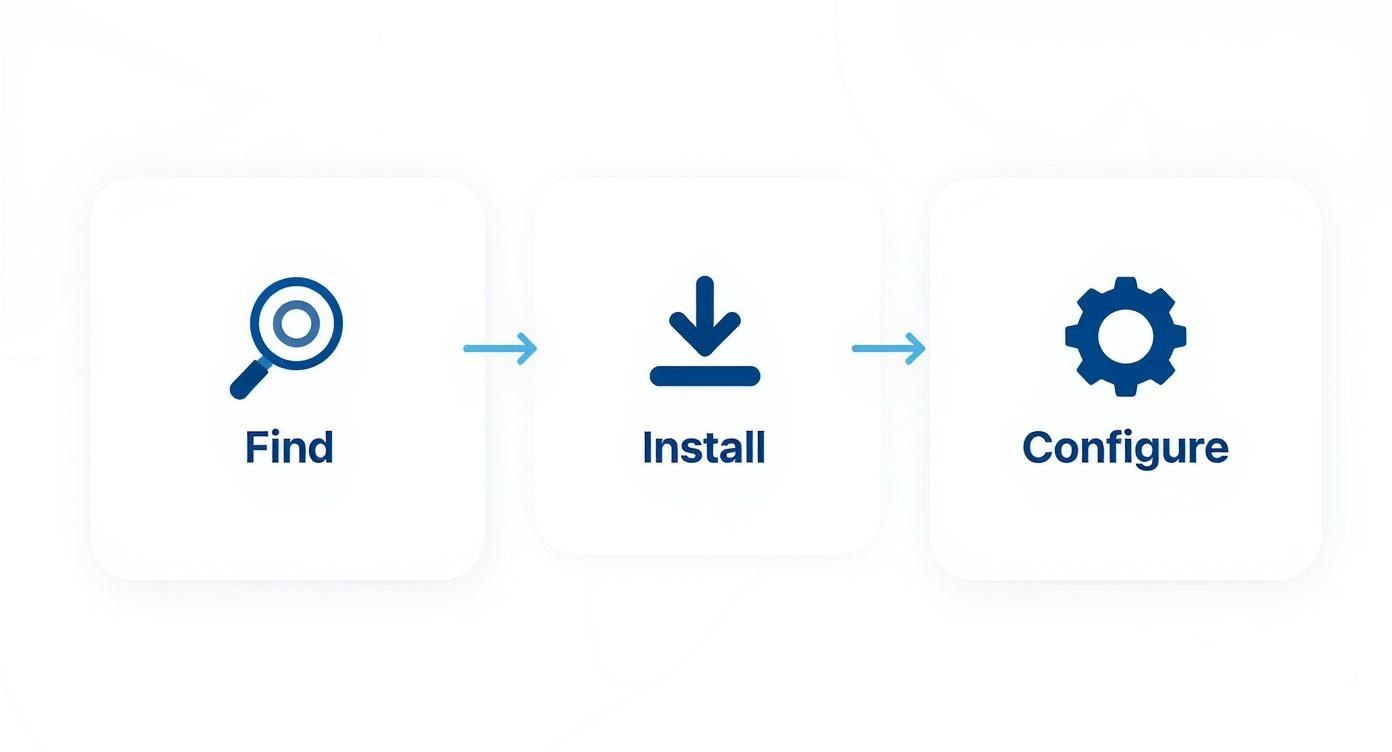
    Alright, let's move from theory to practice. You know why you need emails from LinkedIn, but now it's time to get the right tool in your hands. Setting up EmailScout is incredibly simple—the whole point is to get you from zero to finding your first verified email in minutes.

    The journey starts at the Chrome Web Store. Just a quick search for "EmailScout" gets you right where you need to be. This is where you'll add the email-finding power directly into your browser, making it a core part of your LinkedIn prospecting workflow.

    Installing the Extension

    First things first, you need to add the extension to your Chrome browser. Don't worry, this isn't some clunky software install. It’s a one-click process that weaves the tool right into your browser.

    Here's the official EmailScout listing on the Chrome Web Store.

    Just hit that big "Add to Chrome" button. Once it's installed, I highly recommend "pinning" the EmailScout icon to your toolbar. It keeps it handy for whenever you're browsing profiles.

    With the extension ready, you'll notice a small EmailScout widget appearing on LinkedIn profiles. It’s designed to be subtle, giving you the functionality you need without getting in your way. Now, let's get your account set up.

    The best tools are the ones that feel like a natural extension of your existing process. A good Chrome extension should work with your LinkedIn workflow, not against it, making data accessible right where you need it.

    Creating Your Account and First Search

    The first time you use the widget, EmailScout will ask you to create a free account. It's a quick registration that unlocks all the features. Once you're signed up and logged in, the extension is live and ready to start digging up contact info.

    There’s no complicated setup. Just head over to any LinkedIn profile you're interested in. You'll spot the EmailScout widget on the side of the page, waiting for you.

    • Activation: Click the "Find Email" button inside the widget.
    • Processing: The tool instantly gets to work, searching its database and running its algorithms to find and verify the professional email for that person.
    • Results: In just a few seconds, the verified email address pops up right there on the page.

    That’s the core process for nabbing single emails. If you're looking for broader, company-level strategies, our guide on how to find company email addresses digs much deeper into that side of prospecting.

    The real beauty here is the simplicity. You're not flipping between tabs or exporting data to another tool just to find one person's contact details. It all happens right on the LinkedIn profile, which makes prepping for outreach incredibly fast. This immediate access is what turns LinkedIn from a networking site into a genuine lead-generation machine.

    Finding Single vs. Bulk Emails on LinkedIn

    How you approach finding emails on LinkedIn really boils down to your goal. Are you hunting for one specific, high-value contact? Or are you building a targeted list for a bigger campaign? Let’s break down how to handle both the surgical, single-profile search and the efficient, bulk-extraction method.

    The Sniper Approach: Finding a Single Email

    Imagine you’re trying to reach the Marketing Director at a hot SaaS company you've been tracking. This isn't a time for a generic email blast; your outreach has to be sharp and personal. This is the perfect use case for a single-profile search.

    Once you land on their LinkedIn profile, the process with EmailScout is almost laughably simple. The widget just appears on their page. You click “Find Email,” and the tool does the heavy lifting.

    Within seconds, you have their verified professional email, ready to be copied and dropped into your carefully crafted message.

    This method is all about precision and speed. It completely removes the guesswork and the tedious manual searching that used to eat up so much time. Instead of spending 15 minutes digging for one email, you get it instantly.

    Scaling Up: The Power of Bulk Email Extraction

    Now, let's switch gears. Let's say your goal is broader—you want to connect with every Product Manager in Austin for a networking event you’re hosting. Visiting hundreds of profiles one by one is a non-starter. This is where bulk extraction becomes your best friend.

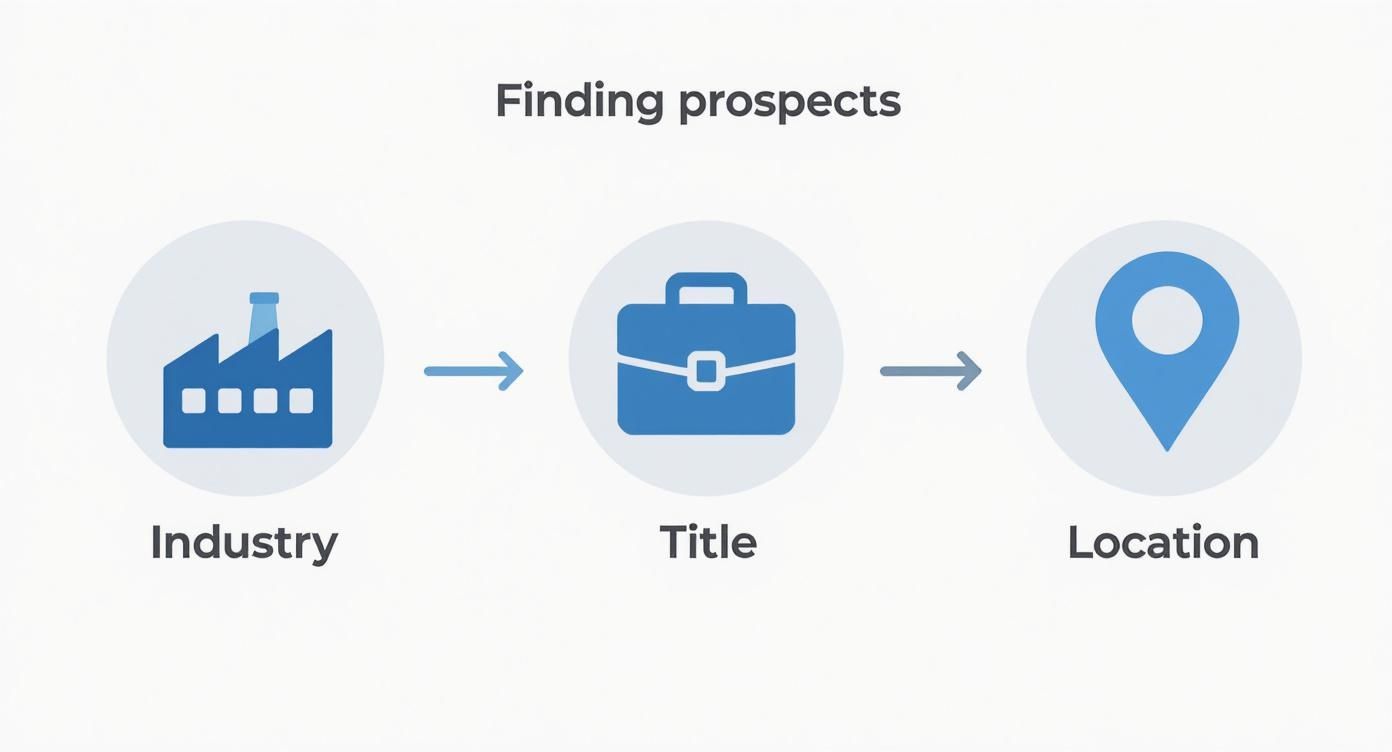
    It all starts with a smart LinkedIn search. Using LinkedIn's filters is the key to creating a high-quality list. Don't just type "Product Manager" and call it a day. Get specific:

    • Geography: "Austin, Texas Metropolitan Area"
    • Industry: "Computer Software" or "Information Technology and Services"
    • Company Size: "51-200 employees" if you're targeting startups

    With your search results page loaded up with ideal prospects, EmailScout’s bulk feature is ready to go. You'll see an option right on the page to "Export Emails from Search." When you click it, the extension gets to work, systematically going through the profiles on the page to find and verify each person's email address.

    This is how modern, efficient prospecting works—moving smoothly from discovery to outreach.

    Image

    By automating the collection process, you turn what would have been a soul-crushing, multi-hour manual task into a simple background workflow. This frees you up to focus on what actually moves the needle: writing a message that gets a response.

    Comparing Email Finding Methods

    Deciding between a single search and a bulk search is all about your immediate objective. Neither is better than the other; they're just different tools for different jobs.

    Think of it this way: the single-profile search is your sniper rifle for high-value targets. The bulk search is your wide net for gathering a qualified audience. Knowing when to use each is crucial for prospecting efficiently.

    This table should make the choice clear.

    Feature Single Profile Search Bulk Search
    Best For Targeting specific, high-value individuals like key decision-makers or a dream client. Building segmented lists for marketing campaigns, event invitations, or sales cadences.
    Speed Instantaneous, providing one email in seconds. Efficient, collecting dozens of emails from a search results page in minutes.
    Workflow Integrated directly into the profile you are viewing for immediate action. Runs as a process on a search results page, compiling data into an exportable list.
    Primary Goal Precision and immediate personalization. Scale and audience building.

    For example, a business development rep working on enterprise accounts will live in the single-search world for their account-based marketing efforts. On the other hand, a startup founder who wants to announce a new feature to a specific user persona will get massive value from a bulk search.

    By matching the method to the mission, you can dramatically improve how you find emails on LinkedIn.

    Pro Tips to Maximize Your Success Rate

    Image

    Having a powerful tool is a great start, but truly mastering it is what separates the pros from everyone else. Once you start finding emails on LinkedIn, you'll quickly see that not all results are created equal.

    Understanding the subtle differences is the secret to building high-quality, effective outreach lists. Let's move beyond just clicking a button and get into the real strategy. That means knowing exactly what to do when an email isn't immediately verified and how to fine-tune your searches to pull the best possible contacts.

    Understanding Email Verification Statuses

    When EmailScout pulls a result, it comes with a status. This small detail is incredibly important—it tells you how confident you should be in that address and what your next move should be.

    Here's a quick breakdown of what you'll see:

    • Verified: This is the gold standard. The tool has confirmed the email address is active and ready to receive your message. You can use these with high confidence, knowing your email will actually land in their inbox.
    • Risky: This means the tool found a likely email but couldn't get a 100% confirmation. It often follows a known company pattern but might be a catch-all address or just couldn't be definitively pinned down. Use these, but with caution.
    • Not Found: The tool simply couldn’t locate a professional email. This often happens with consultants, freelancers, or people at companies with unusual email structures.

    A 'Not Found' result isn't a dead end—it's a cue to do a little detective work. Check their profile for a personal website or look at the company's 'About Us' page for clues on their email format.

    Smart Searching for Better Bulk Results

    When you’re exporting emails in bulk, the quality of your initial LinkedIn search directly impacts your success rate. A sloppy search will give you a list full of irrelevant contacts and messy data. Tightening up your filters makes a world of difference.

    Instead of just a broad search like "Sales Manager," try targeting profiles more likely to have accessible contact info. People who are highly active on LinkedIn—those who post content, comment frequently, or have a ton of connections—often have more public-facing data available.

    Don't be afraid to target second-degree connections, either. Sometimes these profiles are less locked down than your direct network, which can lead to a higher email find rate. Refining your search is a critical first step; for more advanced methods, check out our guide on how to find anyone's email.

    Cross-Referencing for Those Tough-to-Find Contacts

    For a high-value prospect, sometimes you have to go the extra mile. When EmailScout returns a 'Risky' or 'Not Found' status on someone you absolutely need to reach, cross-referencing is your best move.

    Just take the person's name and company and pop it into a quick Google search. You might find them mentioned in a press release, on a company blog, or in an industry publication with their contact details listed right there.

    This extra step takes only a minute, but it can be the difference between connecting with a key decision-maker and giving up on a lead. By combining automated tools with smart manual checks, you build a much more robust and effective outreach process.

    Using LinkedIn Data Responsibly

    Just because you can find emails on LinkedIn doesn't mean you should immediately blast them with a generic sales pitch. That’s a surefire way to get ignored or marked as spam.

    The real art of outreach is turning a cold contact into a warm conversation, and that journey starts with a healthy dose of responsibility and respect. Every email you find belongs to a real person, so treating their data with care isn't just good practice—it's non-negotiable.

    You have to shift your mindset from "collecting emails" to "earning conversations." The goal isn't just to build the biggest list; it's to build the most relevant one. So, before you even think about hitting send, let's talk about the rules of the road.

    Navigating Privacy and Regulations

    Operating like a professional means you have to play by the rules, and that includes major data privacy regulations. These aren't just polite suggestions; they're laws designed to protect people from getting buried in unsolicited messages. Ignoring them can wreck your sender reputation and cause real headaches for your business.

    Two big ones you absolutely need to know are:

    • GDPR (General Data Protection Regulation): If you're contacting anyone in the European Union, you need a legitimate reason to do so. Your outreach has to be genuinely relevant to their professional role. No exceptions.
    • CAN-SPAM Act: This is a U.S. law with clear requirements. Your commercial emails must be honest, provide an obvious way for people to opt out, and include your physical address.

    The big idea behind these rules is simple: provide value and be transparent. Your first message should feel like a helpful introduction, not a sales ambush. This approach not only respects their privacy but also dramatically increases your odds of getting a positive response.

    From Contact Info to Conversation

    Once you have a verified email, the real work begins: crafting an initial message that actually adds value.

    Sure, LinkedIn DMs get a respectable 10.3% response rate, but a well-personalized cold email can be just as potent. The challenge? A staggering 64% of sales reps are expected to miss their quotas in 2025 because decision-making is taking longer than ever. This is exactly why a sharp, well-crafted email is so critical for breaking through the noise.

    Using a tool like EmailScout helps you operate safely from the get-go. It’s designed to align with LinkedIn's terms by mimicking human behavior, which helps keep your account in good standing.

    By focusing on targeted, respectful communication, you can confidently find business emails and use them to build the kind of genuine professional relationships that actually lead somewhere.

    Even with the best tools in your corner, a few questions are bound to pop up when you start digging for emails on LinkedIn. Knowing the lay of the land—what's legal, what to do when you hit a wall, and how accurate the data is—is the difference between a successful outreach campaign and a frustrating one.

    Let's clear up some of the most common sticking points right away.

    Is It Legal to Find and Use These Emails?

    Yes, but with a huge asterisk. Finding and using publicly available contact info for B2B outreach is generally fine, as long as you play by the rules. You must comply with regulations like GDPR and the CAN-SPAM Act.

    This isn't about blasting a marketing list. It's about responsible, professional communication. Your outreach has to be relevant to the person's job, and you always need to give them a dead-simple way to opt out. The line between legitimate outreach and spam is all about relevance and respect.

    What If an Email Finder Cannot Find an Address?

    It happens. No tool is a mind-reader, and sometimes you'll get a "Not Found." This usually just means the person keeps a tight lid on their profile or their company uses an unconventional email format. Don't sweat it—it's not a dead end.

    You've still got a couple of moves:

    • Make an educated guess: Try common patterns like first.last@company.com or f.lastname@company.com. You'd be surprised how often this works.
    • Warm them up first: Go engage with their content on LinkedIn. A thoughtful comment or a direct message can open the door far more effectively than a cold email ever could, especially if they're a high-value contact.

    A "Not Found" result isn't a failure. It’s a signal to switch from an automated approach to a more personal, hands-on one for that particular lead.

    How Accurate Are the Found Emails?

    This is where a good tool really shows its worth. Reputable finders like EmailScout don't just guess; they run multi-step verification checks. You’ll often see emails tagged as "Verified," which means the tool has confirmed the address is live and ready to receive mail.

    While nothing is ever 100% foolproof, using a verified source dramatically slashes your bounce rate. It’s worlds better than buying some dusty, unverified list—a surefire way to wreck your sender reputation and get your domain blacklisted.

    Can My LinkedIn Account Get Banned?

    LinkedIn's main concern is aggressive, high-volume scraping that messes with their platform. Smart Chrome extensions are built to fly under the radar by mimicking normal human behavior.

    As long as you’re using the tool responsibly and not trying to pull thousands of contacts in a few minutes, the risk to your account is incredibly low. The goal is to work smarter, not just faster.


    Ready to find verified emails with confidence and precision? EmailScout gives you the power to connect directly with key decision-makers, turning LinkedIn into your most powerful lead generation tool. Start finding unlimited emails for free today.

    Get Started with EmailScout for Free

  • Find Owner of an Email Address: Easy Step-by-Step Guide

    Find Owner of an Email Address: Easy Step-by-Step Guide

    When you need to find out who's behind an email address, your first move is often a reverse email lookup tool like EmailScout. These services are designed to scan public records and social media profiles, piecing together a digital footprint that can connect an email to a name, a job title, and other useful details. This isn't about shady snooping—it's about smart, professional diligence.

    Why Verifying an Email Owner Matters

    Image

    Ever get a crucial email and feel that tiny flicker of doubt about who actually sent it? Knowing how to find the owner of an email address is a non-negotiable skill for anyone doing business online. It’s what separates a real connection with a genuine lead from getting tangled in a sophisticated phishing net.

    Let's get practical. Say you're in sales and an inquiry from jane.d@megacorp.com lands in your inbox. Before you pour hours into crafting the perfect proposal, you absolutely need to confirm that Jane is a real decision-maker at that company. In the same way, a project manager has to be certain that a new stakeholder's email is legit before sharing a link to sensitive project files.

    This isn’t about being nosy. It’s about exercising due diligence to protect your time, your resources, and your company's data.

    Beyond Simple Outreach

    The need to verify an email goes way beyond sales and project management. The global email system is swimming with security risks. In 2023, about 25% of all fraud reports in the U.S. started with an email, cementing its place as a top channel for cybercrime. You can dig into more of these email security stats on Statista. That number really drives the point home.

    Knowing the true identity behind an email address is no longer just a nice-to-have. It’s a core security practice.

    This one simple step helps you:

    • Avoid Phishing Scams: Confirming that email from a supposed vendor or colleague can stop a costly security breach before it starts.
    • Validate Business Contacts: Make sure your outreach is hitting the right people, maximizing your efficiency and impact.
    • Build Trust: When you verify contacts before engaging, you’re building professional relationships on a solid foundation of certainty.

    Uncovering Email Owners with Reverse Lookup Tools

    When you've got an email address but no name, a reverse email lookup tool is your most direct route to an answer. Think of services like EmailScout as a specialized search engine for people. They dig through a massive web of public records, social media data, and professional databases to connect the dots.

    In many cases, this process can instantly link an email to a full name, a job title, or even social media profiles. It's often the quickest way to turn a mysterious address into a real, identifiable person. Just keep in mind that the results depend entirely on the individual's public digital footprint—some people are ghosts online, while others are open books.

    Making Sense of the Results

    After you plug in the email, you'll get a report back. Don't just grab the first name you see and run with it. The real skill is in looking for patterns and corroborating the details.

    Does the name you found match the format of the email address (e.g., john.smith@domain.com for John Smith)? Does the company listed in the report match the email's domain? Piecing these clues together helps you build a much more reliable picture of who you're dealing with.

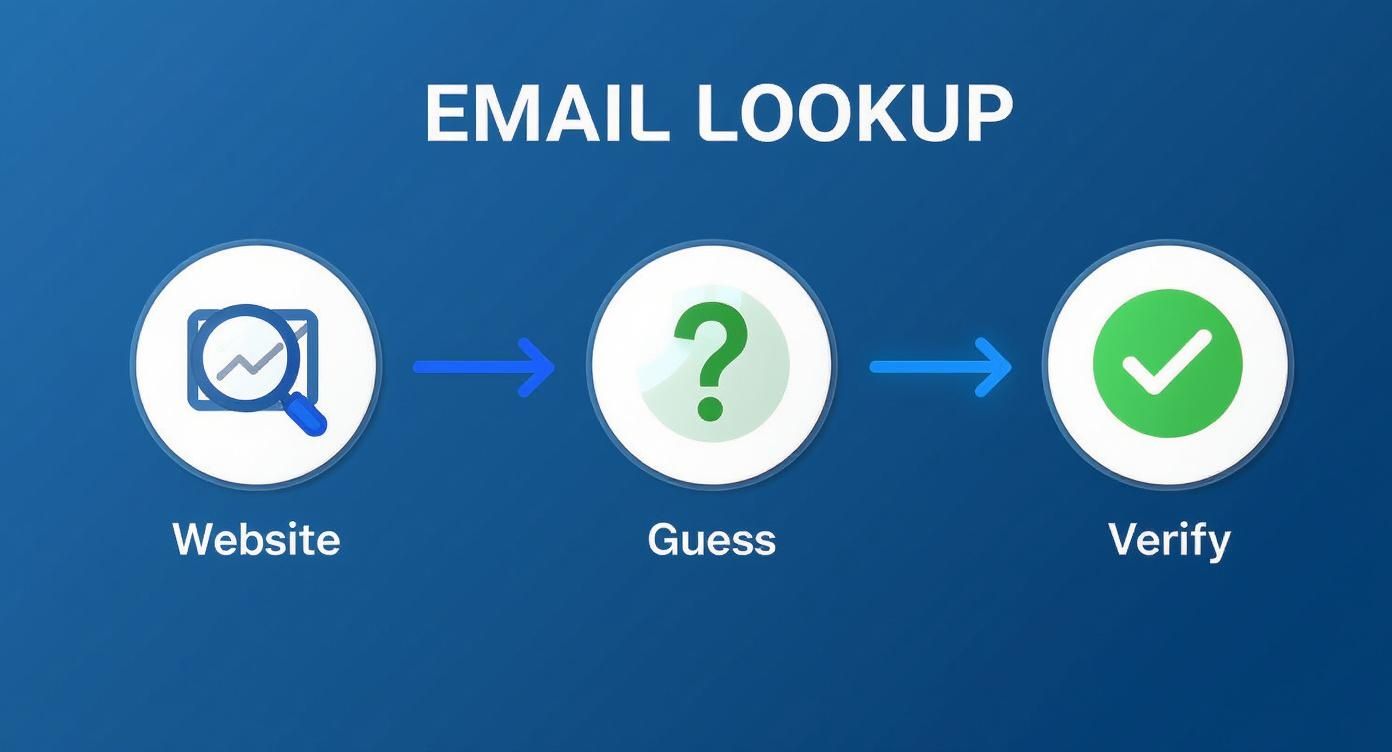
    The journey to identify an email owner usually follows a few logical steps, starting broad and then zeroing in. This is a pretty common workflow I've used myself countless times.

    Image

    As you can see, after some initial legwork, a dedicated lookup tool is often the final step that ties everything together and confirms an identity. Sticking to a structured approach like this saves a ton of time and prevents you from chasing dead ends.

    Key Takeaway: The goal isn't just to find a name; it's to build a confident profile. Treat the data from a lookup tool as your foundation, then use other public information to put a few more bricks on top for verification.

    For instance, if a tool tells you the email belongs to "Jane Doe" at "Acme Inc.," your next move should be a quick search on LinkedIn to see if you can find her profile there. The more data points that align, the more certain you can be. This is super valuable in B2B sales or marketing, where you absolutely need to know you're talking to the right person.

    If you find yourself doing this at scale, it's also worth learning how to find company email addresses to make the whole process even more efficient.

    Information You Can Uncover with Reverse Email Lookup

    A good reverse email search tool doesn't just give you a name. It often pulls together a whole profile of publicly available information. Here’s a quick breakdown of what you can typically expect to find and how you can use it.

    Data Type What It Tells You Use Case Example
    Full Name The most direct identifier for the email owner. Addressing outreach emails personally instead of using "To Whom It May Concern."
    Job Title & Company Professional context, including their role and place of work. Verifying you're contacting a decision-maker for a B2B sales pitch.
    Location General geographic area (city/state) of the individual. Segmenting a marketing list for a location-specific promotion or event.
    Social Media Profiles Links to public profiles on platforms like LinkedIn, Twitter, or Facebook. Gaining insight into their professional background or personal interests for rapport-building.
    Associated Websites Personal blogs, portfolios, or company websites linked to the email. Understanding their expertise or business focus before making contact.

    Putting these pieces together gives you a much richer understanding of the person behind the email, allowing for smarter, more personalized communication. It’s about turning a simple email address into a real connection.

    Connecting the Dots on Social and Professional Networks

    Image

    So, you’ve run an email through a lookup tool and got a name or username back. Great starting point, but the real detective work is just getting started. This is where you connect the dots—cross-referencing that scrap of information across social and professional networks to build a complete, verified picture of who you're trying to reach.

    Think of it this way: the tool gave you a clue, not a conclusion. Let's say it links j.doe@techsolutions.com to a "Jane Doe." Your immediate next step should be a quick search on a professional platform like LinkedIn. If a profile for a Jane Doe at TechSolutions pops up, you’ve just added a huge layer of validation.

    This kind of cross-checking is non-negotiable, especially when you consider the sheer number of email accounts out there. By 2025, there will be nearly 4.48 billion email users globally, and plenty of them juggle multiple accounts. Trusting a single source is just too risky. You can dig into more email user trends on 99firms.com if you're curious.

    Advanced Search Techniques for Confirmation

    Instead of just scrolling endlessly through social media feeds, you can use advanced search operators to find the owner with surgical precision. These are simple commands that tell a search engine exactly what to look for and where.

    A targeted Google search, for example, can instantly surface profiles where an email address is listed publicly. It’s an incredibly effective way to find professionals who’ve shared their contact details on their profiles or in public posts.

    Pro Tip: Try this exact search operator in Google: "<emailaddress>" site:linkedin.com. Just swap <emailaddress> with the one you're checking. This scans all of LinkedIn for any public mention of that address and often takes you straight to the owner's profile.

    From Data to a Complete Profile

    This whole process is about much more than just matching a name to an email. It’s about building context and confidence so you know you're reaching out to the right person.

    • Confirm Professional Standing: Does the LinkedIn profile show a role that lines up with why you’re contacting them?
    • Gauge Expertise: Do their posts on X (formerly Twitter) or other industry forums show they have knowledge in a relevant field?
    • Verify the Connection: Does the company domain from their email match the employer listed on their profiles?

    When you connect these dots, you move way beyond just knowing a name. You create a verified, multi-dimensional profile that ensures your communication is accurate, professional, and lands exactly where it should.

    How to Decode an Email Address for Clues

    Before you jump into any tools, take a hard look at the email address itself. It’s surprising how much you can piece together just by breaking it down. This is always my first move when trying to figure out who's behind an email.

    Start with everything after the "@" symbol. The domain name is your biggest tell. An address like j.smith@gmail.com doesn't give you much to work with, but j.smith@summitpeakcorp.com is a goldmine. Right away, that domain points to a specific company.

    A quick search for summitpeakcorp.com will tell you what the business does. This instantly provides context. You now know their industry and can make some educated guesses about the sender's role. You’ve just narrowed your search from the entire internet down to the employees of one organization.

    Unpacking the Username

    Once you've got a likely company, the part before the "@" becomes a lot more useful. Most businesses don't get too creative with their email formats; they stick to standardized patterns.

    You'll see common formats again and again:

    • firstname.lastname@company.com (like john.smith)
    • firstinitial.lastname@company.com (like j.smith)
    • firstname@company.com (like john)

    So, if your email is j.smith@summitpeakcorp.com, you can be pretty confident the owner’s name is something like "J. Smith." Combine that name with the company, and you have a solid lead to start verifying on professional networks.

    This isn't about getting a 100% positive ID right away. It's about building a strong, logical hypothesis. You’re creating a profile based on evidence before you even run a single tool.

    This quick manual analysis turns an anonymous string of text into a probable name and workplace. It’s a super-efficient way to gather your initial intel, which makes your next steps with a tool like EmailScout far more effective. You're no longer shooting in the dark—you're working to confirm a theory you've already built.

    Navigating Ethical and Legal Boundaries

    Image

    Knowing how to find the person behind an email address is a powerful skill, but it's one that comes with some serious responsibility. The methods we’ve gone over are meant for legitimate, professional goals—not for prying into someone's personal life. It's absolutely crucial that your actions always stay within legal and ethical lines.

    Regulations like the General Data Protection Regulation (GDPR) in Europe and the CAN-SPAM Act in the U.S. have strict rules about how you can collect and use personal data, including email addresses. Breaking these rules can lead to hefty fines and can seriously damage your professional reputation. It all boils down to consent and having a legitimate reason for your search.

    Email is a huge part of modern life. A staggering 99% of users check their personal inbox every single day, and 60% of consumers say they prefer getting promotional messages from brands via email. This just goes to show how powerful this channel is when you use it the right way.

    Legitimate Use Cases

    Your objective should always be to use this information responsibly. Here are a few clear-cut examples of when it's appropriate:

    • Fraud Prevention: Verifying a new customer's identity to stop a potential chargeback or fraudulent transaction.
    • Lead Verification: Making sure that a new sales lead who signed up on your website is a real person at the company they claim to work for.
    • Professional Networking: Identifying the correct contact person at a company before sending a business proposal or partnership request.

    Your goal is professional verification, not personal surveillance. Keeping this mindset is crucial for staying on the right side of the law and maintaining your integrity.

    Always steer clear of using any uncovered information for harassment, doxxing, or any kind of personal snooping. The tools and techniques we outline in our complete guide to finding the owner of an email address are designed to support ethical business practices, helping you make sure your outreach is both effective and respectful.

    Common Questions About Finding Email Owners

    Even with the best tools, you'll eventually hit a wall. Let's walk through some of the most common questions that pop up when you're trying to figure out who owns an email address. Getting these right will help you navigate the trickier situations with a bit more confidence.

    One I hear all the time is, "What if the reverse lookup tool comes up empty?" It happens more than you'd think, especially with brand-new accounts or emails people keep locked down. When you hit this dead end, it’s your cue to circle back to the fundamentals.

    Don't just give up. Start by looking at the email address itself. What clues does it offer? If it's a custom domain, that's your first lead. For generic ones, look at the username pattern. This kind of manual detective work is often what breaks a case open.

    Can I Find the Owner of a Generic Email Address?

    This is the tough one. Trying to identify the person behind coolsurfer88@gmail.com is a whole different ballgame than a corporate email. These addresses are unmoored from any organization, which strips away your most valuable clues.

    A good lookup tool might still find a link to a social media profile, but the odds are definitely lower. Your best bet here is to get back to basics: search for the full email address in quotation marks ("coolsurfer88@gmail.com") across Google and various social media platforms. You might just get lucky and find it listed on an old forum, a personal blog, or a forgotten profile. That’s often all you need to get a name.

    Remember, the goal is to find a public connection. If an individual has kept their digital footprint clean, no tool can magically produce information that isn't publicly available. Respecting privacy is paramount.

    Another critical question is about trust: "How reliable is the information I find?" The data from lookup tools is usually solid, but you should always treat it as a lead, not a fact. A tool might pull a name from a public record that's five years old. Always cross-reference what you find on a professional network like LinkedIn before you take any action.

    If you're looking for more general strategies, our guide on how to find anyone's email address offers additional techniques.

    Ultimately, think of it like building a case. Every piece of information is a clue. Your confidence in the result should grow as you find more and more evidence that all points to the same person.


    Ready to stop guessing and start connecting? With EmailScout, you can uncover the people behind the emails in a single click. Get started with EmailScout for free.

  • Find Owner Email Address Easily: Proven Tips & Techniques

    Find Owner Email Address Easily: Proven Tips & Techniques

    Getting the owner's direct email is your express lane to the decision-maker, letting you skip the line at generic inboxes. This isn't just about building a contact list; it's about making sure your message lands in front of the one person who can actually say "yes." Whether you're pitching a sale, proposing a partnership, or sending an urgent notice, a direct email is what gets you a response.

    Why Finding the Right Email Is a Game-Changer

    Before we jump into the "how-to," let's talk about why this matters so much. Firing off an email to a generic info@company.com or contact@website.com is like tossing a message in a bottle. Sure, it might wash ashore somewhere, but the chances of it reaching the person you need are slim to none.

    When you track down an owner's real email, you take back control. You're not just hoping some gatekeeper forwards your message—you're placing it right in their personal digital workspace. This simple shift dramatically boosts the odds of your email being opened, read, and actually acted on.

    Boosting Your Outreach Success

    Imagine you want to write a guest post for a big industry blog. A pitch sent to the general inbox is just another ticket in a queue, competing with customer service questions and spam. But an email sent straight to the editor or site owner? That feels like a professional proposal worth their time.

    This same logic applies everywhere:

    • B2B Sales: Reaching the Head of Procurement or the CEO with a personalized solution is leagues more effective than a cold call to the front desk.
    • Partnership Proposals: Connecting directly with a founder ensures your collaboration idea is seen by someone who has the authority to green-light it.
    • Urgent Notices: For something critical like a DMCA takedown request, contacting the site owner directly gets you a fast resolution and helps you avoid legal headaches.

    Building Real Connections

    Getting a response is one thing, but having the right contact info is also the first step toward building a genuine professional relationship. A personalized message shows you’ve done your homework and you respect their time. That small bit of effort immediately sets you apart from the crowd sending out mass emails.

    The goal isn't just to find an email; it's to start a real conversation. A direct, personalized approach shows respect for the recipient's position and instantly frames you as a serious professional, not just another name in a crowded inbox.

    The sheer volume of digital communication is staggering. The number of email users worldwide is expected to blow past 4.8 billion by 2027, with people sending over 400 billion emails every single day. In all that noise, finding and using a direct email helps your message cut through, making your outreach both smart and effective. You can discover more insights about email usage and see for yourself why direct contact is so powerful.

    Laying the Groundwork for Your Search

    Before you even think about firing up an email finder, you need to do a little recon.

    Jumping straight into a tool without any context is like trying to find a house without an address—you might get lucky, but you'll probably just waste a lot of time. Think of this as your pre-flight checklist.

    Image

    This initial detective work is what separates a successful search from a frustrating one. It dramatically improves your odds of getting a valid email on the first try.

    Your goal is simple: gather three essential details.

    • The owner’s full name: A first name isn't enough. You need their full professional name to be sure you've got the right person.
    • Their company or website domain: This is non-negotiable. The domain (like company.com) is the second half of their email address.
    • Their current job title: This is your final confirmation, especially in larger companies where names might be similar.

    Gathering Your Pre-Search Intelligence

    So, where do you find this stuff? I almost always start with LinkedIn. It's the gold standard for this kind of info.

    A quick search for a company name on LinkedIn will usually lead you straight to its founder or CEO. Their profile will confirm their full name and title right away.

    Let's say you're trying to contact the founder of a hot new SaaS startup. A simple search for the company name on LinkedIn will likely bring up their profile under the "People" tab. Just like that, you have two of the three pieces of information you need. The domain is usually just a click away on their company website.

    Trust me, this prep work is the difference between a quick win and a few hours of banging your head against the wall. For a deeper dive, our guide on how to find company email addresses has even more strategies.

    I can't stress this enough: having the correct name and domain is over half the battle. Tools are only as good as the data you feed them. Garbage in, garbage out is a timeless rule here.

    Once you have these key details locked down, you’re ready to let a tool like EmailScout do the heavy lifting. By giving it a full name and a verified domain, you’re setting it up for success and making sure the results you get back are spot on.

    Alright, let's ditch the theory and get our hands dirty. Seeing a tool in action is what really counts, so let's walk through a few real-world situations where EmailScout becomes your secret weapon for finding an owner's email address. We'll skip the boring "enter a name and domain" stuff and jump right into practical workflows.

    Imagine you're a B2B sales rep targeting the Head of Partnerships at a hot new FinTech company. Let’s call her "Jane Doe" at "futurebank.com." You've done your homework, so you have her name and the company's domain. Time to fire up EmailScout's single-search feature.

    You just pop "Jane Doe" and "futurebank.com" into the dashboard and let it run. In seconds, EmailScout does its magic, crunching data points and common email patterns to pull up a list of possibilities.

    Here’s a glimpse of what you'll see in the dashboard when you kick off a search.

    The results page lays it all out for you, complete with a confidence score next to each email. This makes it incredibly easy to spot the most likely winner at a glance.

    Each result gets a confidence score, which is basically a percentage showing how sure we are that the email is correct. An address like jane.doe@futurebank.com might come back with a 95% confidence score. That's a pretty strong signal it's the right one.

    From a Single Search to Full-Blown Campaigns

    A one-off search is great for hyper-targeted outreach, but what happens when you need to build a whole list for a big campaign? That’s where EmailScout's bulk lookup really shines.

    Let's say you're putting together a PR list of 50 founders from different DTC brands. You’ve got a CSV file ready with two columns: "Full Name" and "Company Domain." Instead of painstakingly searching for each one individually—which is a recipe for mistakes and a huge time-sink—you can just upload the entire file.

    The platform gets to work, processing your list and adding the most probable email address for every contact, along with its verification status. In just a few minutes, you’ve got a clean, ready-to-use list for your campaign. This approach literally saves hours of grunt work and lets you scale your outreach in a massive way.

    The real magic of a tool like EmailScout isn't just in finding one email; it’s the power to find hundreds, consistently and efficiently. It turns a tedious manual chore into a streamlined process that fuels your entire sales or marketing engine.

    Using the Browser Extension for On-the-Fly Discovery

    Sometimes, the best opportunities pop up when you least expect them—like when you're just browsing the web. This is where the EmailScout Chrome extension becomes your go-to for grabbing an owner's email address in real time.

    Picture this: you're reading a killer article on a marketing blog and think, "The author would be a perfect guest for my podcast!" You need their email, and you need it now.

    With the EmailScout extension installed, you just head over to their LinkedIn profile or company website. Click the little extension icon, and it automatically scans the page and public data sources to sniff out any associated email addresses. It’s a completely seamless way to grab contact info without ever breaking your stride or leaving your browser.

    This on-the-fly feature is a game-changer for:

    • Networking: Quickly find contact info for interesting professionals you come across on LinkedIn.
    • Sales Prospecting: Snag emails directly from company "About Us" pages while you're researching new leads.
    • Link Building: Instantly find an editor's or webmaster's email the moment you land on a blog you want to connect with.

    How to Read the Results the Right Way

    Getting a list of emails is just the first step. Knowing what to do with them is what matters. EmailScout doesn't just give you an address; it gives you critical context.

    • Valid: This email has been checked and is safe to send to. It’s your green light.
    • Risky: This means the server is a "catch-all," so it accepts mail for any address at that domain. There's a higher chance of a bounce here, so be a bit more cautious.
    • Invalid: This email address flat-out doesn't exist. Don't even think about sending to it—it will bounce and hurt your sender reputation.

    Understanding these statuses is key to keeping your email list healthy and your deliverability rates high. For a deeper dive into these concepts, check out our guide on how to find anyone's email address. By pairing smart search techniques with a careful look at the results, you'll turn EmailScout into a powerhouse for finding high-quality contacts.

    Advanced Tactics for Hard-to-Find Emails

    Sooner or later, a standard search in EmailScout will come up empty. It happens. When the easy path is blocked, it's time to stop being just a user and start thinking like a digital detective. You have to be willing to dig a little deeper for the clues others miss.

    The secret is pattern recognition. Most companies, especially the bigger ones, stick to a standardized format for their email addresses. If you know the person's name and their company's domain, you can start making some solid, educated guesses. This is how you find an owner's email address when it isn’t plastered all over their website.

    Decoding Common Email Patterns

    The game here is to test the most common combinations of a name and domain. I always start with the most popular formats before I even think about trying the more unusual ones.

    From my own experience with outreach, these are the patterns that hit the mark most often:

    • First Name: jane@company.com
    • First Initial, Last Name: jdoe@company.com
    • First Name, Last Initial: janed@company.com
    • Full Name (Dot Separator): jane.doe@company.com
    • Full Name (Underscore Separator): jane_doe@company.com

    Once you’ve put together a short list of potential addresses, run each one through EmailScout’s verifier. This is a crucial step. It keeps you from sending emails into a black hole and getting a bounce, which can seriously ding your sender reputation. It's a simple, smart process of elimination.

    Leveraging Social Media and Personal Sites

    These days, a person's digital footprint goes way beyond their company website. Social media profiles and personal blogs can be absolute goldmines for contact info, but only if you know where to look.

    Image

    When a direct search on the company site fails, checking personal and professional online profiles is the logical next move. It's amazing how many professionals list a contact email on their personal blog, portfolio, or right there in the "Contact Info" section of their LinkedIn profile. I've personally had great luck just by checking an owner's Twitter bio, where they often drop an email for press or collaboration requests.

    This multi-channel approach works because people are practically glued to their email, especially on their phones. The numbers don't lie: 89.45% of Americans use email, and a staggering 99% check their inbox every single day. For the younger crowd, mobile is everything—67% of Gen Z and 59% of Millennials check email primarily on their smartphones. This just proves how valuable it is to find that direct address, because your message is almost guaranteed to be seen quickly. You can explore more compelling email statistics if you want to see just how deep this habit runs.

    Remember, you're looking for clues. Check "About Me" pages, dig into the footer text on personal websites, and read author bios on guest posts. These are the overlooked spots where people often share their preferred way to be contacted.

    Even historical data can sometimes provide a breakthrough. While WHOIS records are mostly private now, you can occasionally find older domain registration info through archival services. It's definitely a long shot, but for a high-value contact, it’s a tactic worth keeping in your back pocket. When you combine pattern testing with a thorough search of someone's online presence, you can uncover even the most well-hidden email addresses.

    Don’t Skip Verification—It’s Your Sender Reputation on the Line

    Image

    Finding what you think is the right email address is a solid start, but it's only half the battle. If you send a brilliant message to a dead inbox, you’re not just wasting your time—you're actively damaging your ability to reach anyone else.

    Every bounced email acts as a red flag for providers like Gmail and Outlook.

    When you pile up too many bounces, your sender reputation takes a nosedive. Before you know it, your domain could get flagged as spam or even blacklisted. That’s why email verification is an absolutely non-negotiable step in your process to find an owner email address that actually gets delivered.

    What Do Those Verification Statuses Actually Mean?

    When you run a search with a tool like EmailScout, you'll see a verification status next to each result. This isn't just technical fluff; it's your roadmap to a clean and effective outreach list.

    Here’s a quick breakdown of what they mean for you:

    • Valid: This is your green light. The email has been checked, confirmed to exist, and is safe to contact.
    • Risky: This status usually means you've hit a "catch-all" server. The domain is set up to accept mail for any address, so you can’t be sure that specific person's inbox is real. Tread carefully here, as these carry a higher bounce risk.
    • Invalid: Stop. This address is a dead end. Sending to it will cause a hard bounce, which is the worst kind for your sender score.

    Understanding the verification results from tools like EmailScout is crucial for maintaining a healthy sender reputation and ensuring deliverability. The table below breaks down what each status means and how you should respond.

    Email Verification Status Explained

    Status Meaning Recommended Action
    Valid The email address has been checked and confirmed to exist. Go ahead and send your email. This is your safest bet for deliverability.
    Risky The server is a "catch-all," meaning it accepts emails for all addresses on the domain. The specific inbox may or may not exist. Proceed with caution. Best used for less critical outreach or if you have other confirming signals.
    Invalid The email address does not exist. Do not send. Delete this address from your list immediately to avoid a damaging hard bounce.

    By paying close attention to these statuses, you can build a high-quality list that protects your reputation and maximizes your outreach success.

    Think of your sender reputation like a credit score for your email domain. Every successful delivery builds it up, but every bounce tears it down. A low score sends your messages—even the important ones—straight to the spam folder.

    This diligence is more critical now than ever. The average office worker receives around 121 emails a day, and a staggering 3.4 billion fake emails are sent daily for phishing and other attacks. Verification ensures you’re not just shouting into the void but connecting with real people.

    Add an Extra Layer of Confidence

    For a really important contact, it never hurts to double-check. While EmailScout's built-in validation is solid, you can add another layer of certainty with a few quick manual tricks.

    One of my favorites is a quick Gravatar lookup. Gravatar is a service that connects a profile picture to an email address. If you pop an email in and a professional headshot appears, it's a very strong sign you've got the right person.

    This simple two-step process—running an email through a powerful tool and then doing a quick manual spot-check—is how you build truly clean lists. This is the core of finding a business email address for effective outreach. It protects your reputation and makes sure every email you send has the best possible chance of making an impact.

    Your Top Questions About Finding Owner Emails

    Even with the best tools, you're bound to have questions. It happens. Finding a website owner's email is one thing, but knowing what to do with it—legally and effectively—is another ballgame entirely.

    Let's clear up some of the most common questions I hear. We'll get straight to the point so you can handle this contact info responsibly and actually get the results you're after.

    Is It Actually Legal to Find and Email a Website Owner?

    Yes, in most cases, it is. Finding and using publicly available professional contact info for legitimate business reasons is generally above board. But—and this is a big but—it comes with real responsibility.

    Your outreach absolutely must comply with anti-spam laws. In the U.S., that’s the CAN-SPAM Act, and in Europe, it’s the GDPR. This isn't just about avoiding a fine; it’s about basic professional courtesy.

    Every single email you send needs to be:

    • Honest and Transparent: Your "from" name and subject line can't be misleading. They have to accurately reflect who you are and why you're writing.
    • Clearly Identified as an Ad: If your email is a promotion, you have to say so. No hiding it.
    • Easy to Opt-Out Of: You must include a simple, clear way for people to tell you to stop emailing them. Period.

    The act of finding the email is rarely the issue. The rules kick in the moment you decide how you're going to use it.

    What’s the Best Free Way to Find an Owner's Email?

    While a dedicated tool like EmailScout will always give you the best accuracy and speed, you can definitely do some manual detective work for free. This is a great route if you only need an address here and there.

    First, check the obvious spots on their website. The 'Contact Us,' 'About,' or 'Team' pages are your best first bet. If you come up empty, your next stop should be LinkedIn. It's perfect for confirming the owner's full name and their official title.

    Once you have their full name and the company domain, you can start testing common email patterns. Think firstname.lastname@company.com or f.lastname@company.com. Before you hit send, run these guesses through a free email verifier tool to see which one gets a green light. It takes more time, but this manual approach can be surprisingly effective.

    How Can I Actually Get a Response to My Emails?

    Getting the right email address is just step one. The real challenge is standing out in a sea of other messages. If you want a reply, one thing matters more than anything else: personalization.

    Show them you've done your homework. Reference something specific—a blog post they just published, a company milestone you saw in the news, or maybe a mutual connection you have on LinkedIn. This one move instantly separates you from 99% of the generic spam they delete every day.

    Keep it short and get straight to the point. No one has time to read an essay. State your purpose clearly in the first two sentences.

    Finally, end with a clear, easy call to action. Instead of a vague "let me know your thoughts," make it actionable. Try something like, "Would you be open to a 15-minute chat next week to dig into this?" It makes saying "yes" a whole lot easier and keeps the conversation moving forward.


    Ready to stop guessing and start connecting? EmailScout gives you the power to find verified email addresses in seconds, turning your outreach efforts into real conversations. Try it for free and see the difference it makes. https://emailscout.io

  • A Guide to Find Business Emails with EmailScout

    A Guide to Find Business Emails with EmailScout

    If you're trying to find business emails, just guessing is a shot in the dark. The smart play is to use a dedicated tool—an email finder—to actually check if an address is legit. This simple shift moves you from hopeful prospecting to predictable, effective communication and protects your all-important sender reputation.

    Why Accurate Emails Are Your Greatest Sales Asset

    Ever spent a week perfecting a sales sequence only to watch half your emails bounce? It’s not just frustrating; it’s a massive waste of resources that kills your momentum.

    In B2B sales and marketing, your contact list is everything. Without good data, even the most brilliant message is just shouting into the void.

    Sending emails to dead addresses does more than waste your time. It actively trashes your sender reputation, which is the score email providers like Google and Microsoft give your domain. A high bounce rate makes you look like a spammer, and pretty soon, all your emails—even the ones to good addresses—start landing in junk folders.

    The Real Cost of Bad Data

    Bad data also makes personalization impossible. A generic "To Whom It May Concern" email is a one-way ticket to the trash folder.

    But when you can find the actual business email for a specific person, like the Head of Product or the VP of Marketing, you can speak directly to their problems. You can tailor your pitch to what they care about.

    That’s how you build real business relationships. It’s the difference between a cold email that gets ignored and a warm reply that kicks off a real conversation.

    The heart of good outreach isn’t just what you say. It’s making sure the right person actually hears you. An accurate email is the key that unlocks that door.

    Fueling Growth with Reliable Contacts

    Solid contact info has a ripple effect across your whole business. It lets you build laser-focused marketing campaigns, nurture leads that actually convert, and create a sales pipeline you can count on.

    Email marketing isn't going anywhere. In fact, the global market is on track to hit $36.3 billion by 2033. This growth is all about its proven ROI, especially in B2B, where 70% of marketers swear by email newsletters for nurturing leads. If you want to dig deeper, you can explore more about these trends and how they’re shaping modern marketing.

    Getting Your EmailScout Account Ready for Action

    Before you can start finding business emails at lightning speed, you’ve got to get your tools in order. Don’t worry, setting up your EmailScout account is a breeze and only takes a few minutes. Think of it as laying the groundwork for a much, much smoother prospecting workflow.

    First things first, pop over to the EmailScout website and create your account. You'll see a few different plans. The right one for you really just depends on how much outreach you're doing. A solo consultant might be perfectly happy with a free or basic plan, but a growing sales team will probably want the higher credit limits and team features that come with a premium plan.

    Image

    This dashboard is basically your mission control. It gives you a quick, clean look at all your prospecting activity and how many credits you have left.

    Installing the Browser Extension

    Okay, account active? Awesome. The next move is the most important one: installing the EmailScout Chrome extension.

    This little tool is the magic ingredient. It plugs EmailScout right into your browser, letting you find email addresses on the fly without ever leaving a prospect's LinkedIn profile or company website. It’s the difference between prospecting feeling like a chore and making it a seamless part of your research.

    Your goal is to reduce friction in your workflow. The browser extension eliminates the need to copy-paste names and domains, turning a multi-step process into a single click.

    With the extension installed, take a second to get familiar with how it looks and feels. When you're ready to move beyond just single lookups, our guide on how to find company email addresses is packed with deeper strategies for building out entire lists.

    The last step is just logging into the extension with your new account details. And that's it—you're fully equipped. The next time you land on a potential lead’s profile, that EmailScout icon will be waiting in your browser, ready to pull the contact info you need. You've officially streamlined the first, and often most tedious, part of your outreach.

    How to Find Specific Emails with Precision

    Alright, with the setup out of the way, it's time to put EmailScout to work. The real magic of a tool like this isn't just digging up any email; it's about nailing the right email with speed and accuracy. This is where you graduate from prospecting guesswork to a sharp, repeatable process.

    Let's walk through a super common scenario. Say you need to connect with the Head of Partnerships at a hot new SaaS company. You've found the perfect contact on a site like LinkedIn, but in the past, that's where the trail might have gone cold.

    With EmailScout, this becomes the easy part. While you're on their profile page, just click the EmailScout extension icon in your browser. The tool immediately gets to work, scanning for public data and cross-referencing it with known company email patterns.

    This is what that simple, one-click process looks like in action:

    Image

    As you can see, the tool just slides right into your existing research flow. No new tabs, no complicated steps.

    Interpreting the Results for Maximum Impact

    Within seconds, EmailScout serves up one or more potential email addresses. But here's the most important part: each one comes with a confidence score. This percentage is your cheat sheet for how likely the email is to be correct and, more importantly, deliverable.

    A high score, usually 95% or more, means the email has been verified. It’s good to go.

    A lower score doesn’t automatically mean it's a dud. It just suggests the tool is making an educated guess based on common formats (like first.last@company.com). In these cases, I always prioritize the higher-scored emails first and keep the lower-scored ones as a backup.

    To make it crystal clear, here’s a quick breakdown of what those scores mean for your outreach strategy.

    EmailScout Confidence Score Explained

    A quick reference to understand what each confidence level means for your outreach strategy.

    Confidence Score Meaning Recommended Action
    95% – 100% Verified: The email address is confirmed to be active and deliverable. Safe to Send: Use this email for your primary outreach with high confidence.
    70% – 94% Likely: Based on common patterns, but not fully verified. Use with Caution: Good secondary option. Consider a low-risk "warm-up" email.
    Below 70% Best Guess: A calculated guess with a higher chance of bouncing. Last Resort: Avoid using for cold outreach to protect your sender reputation.

    Think of the confidence score as more than just a number—it’s a strategic filter that protects your sender reputation by cutting down your bounce rate.

    Sticking to verified emails is one of the most important habits you can build for long-term outreach success. It keeps your domain healthy and your messages in the inbox.

    And getting this right matters more than ever. The effectiveness of email just isn't slowing down. With global email users projected to hit 5.61 billion by 2030, the inbox remains the heart of business communication. Plus, email marketing still pulls in an average ROI of $36 for every $1 spent, which you can explore in more detail with these email usage statistics.

    The best part? This entire process—from landing on a profile to snagging a verified contact—usually takes less than a minute.

    Scaling Your Prospecting with Bulk Searches

    Searching for emails one by one is great when you're zeroing in on a specific person, but it's a real bottleneck when you need to build a serious lead list. You just can't scale that way. That's when you need to switch gears from a surgical approach to a volume-based one, and bulk searches are how you get there.

    EmailScout is built for this exact scenario. Instead of just grabbing one contact, you can pull entire lists of people from a company you're targeting. Need to reach the whole marketing team at a key account? A bulk search can hand you that list in minutes, not hours or days.

    From a Single Company to an Entire List

    The process couldn't be simpler. You can start broad—just plug in a company's website domain, and EmailScout will get to work generating a list of employees. This is an absolute game-changer for anyone doing account-based marketing, where mapping out the entire organization is half the battle.

    But the real magic happens when you bring your own data to the table. Most of us have a spreadsheet somewhere with a list of prospects—names and company names, but not much else. It's a list of who you want to contact, but it's missing the how. That's where you can upload your own CSV file.

    The point of a bulk search is to turn that static list of names into a pipeline of real conversations. It closes the gap between knowing who your targets are and actually getting your message in front of them.

    EmailScout lets you map the fields from your file (first name, last name, company domain), and then it enriches your list with verified email addresses. Suddenly, that static spreadsheet becomes an actionable outreach list. This is how you process hundreds or even thousands of contacts without the mind-numbing manual labor.

    In a world where email volume is exploding, that efficiency is everything. The number of emails sent daily is expected to hit 376.4 billion by 2025, a huge leap from 281.1 billion in 2018. You can discover more key email usage trends to see just how critical this channel continues to be.

    Streamlining Your Workflow

    By automating the data enrichment part of your process, you get to spend your time on what actually drives results: writing great emails and building relationships.

    If you're focused on a specific geographic area, you can also find thousands of local business emails in minutes, adding another powerful layer to your strategy. At the end of the day, bulk searching isn't just about moving faster—it's about making your entire lead generation engine smarter.

    Advanced Strategies for Smarter Prospecting

    Finding business emails is a great first step, but turning that raw data into actual revenue requires a smarter strategy. It's not just about collecting a huge list of contacts; it’s about creating a seamless workflow that plugs your prospecting directly into your sales and marketing engines.

    Image

    This is where integrating EmailScout into your existing tech stack comes into play. The real goal is a smooth handoff—from the moment you find an email to the second you enroll that prospect into an outreach sequence. Thankfully, most modern CRMs and sales platforms accept CSV imports, which makes this process incredibly simple.

    After you've wrapped up a prospecting session, just export your verified list from EmailScout and upload it straight into your CRM. This one simple habit keeps your pipeline organized and makes sure no lead ever falls through the cracks.

    Organizing Your Leads for a Smooth Handoff

    Look, disorganized data is just as useless as bad data. Before you even think about exporting, take a minute to organize your contacts inside EmailScout using the lists feature. This is one of those small habits that has a massive payoff down the road.

    I recommend creating lists based on the specific criteria that actually matter to your campaigns. For example:

    • By Industry: Group all your SaaS, healthcare, or e-commerce leads together.
    • By Job Title: It's super helpful to have separate lists for "VPs of Marketing" or "Heads of Engineering."
    • By Campaign: If you're running a specific promotion or webinar, keep all those leads in a dedicated list.

    Sorting your leads ahead of time makes the import into your CRM a clean, painless process. You can instantly map your lists to the right campaigns or sales cadences, saving yourself hours of tedious manual cleanup later.

    A well-organized lead list is the foundation of any successful outreach campaign. It’s what allows for the precise targeting and personalization you need to cut through the noise and actually get a response.

    Navigating the Ethics of Cold Outreach

    Finally, let's touch on the ethics of all this. Just because you can find someone's email doesn't always mean you should use it without a second thought. Building and protecting your brand's reputation is everything.

    Always be transparent about who you are and why you're reaching out. Your very first email should provide genuine value—not just a sales pitch—and make it dead simple for the person to opt out. Respecting their inbox is non-negotiable. It's how you build long-term trust and potentially turn a cold contact into a warm relationship.

    A Few Common Questions About Finding Emails

    Diving into the world of email prospecting usually brings up a few questions. It's totally normal. Getting clear answers helps you move forward with confidence, making sure your outreach is both effective and above board.

    Let's clear the air on some of the most common things people ask when they start hunting for business emails.

    Is It Actually Legal to Find Business Emails for Outreach?

    Yes, it's generally legal to find and use publicly available business emails for B2B communication. The big thing to remember is staying compliant with regulations like CAN-SPAM in the U.S. and GDPR over in Europe.

    These laws aren't there to kill legitimate business conversations. Their main job is to make sure you're transparent about who you are and give people a super easy way to opt out if they're not interested.

    The real focus of these rules is to shield consumers from spam, not to block professional B2B outreach where there's a genuine business interest.

    What’s an Email Confidence Score?

    You'll see this metric in a lot of email finder tools. A confidence score is just a percentage that tells you how certain the tool is that an email address is correct and won't bounce.

    A high score, say 95% or more, is your green light. It means the email has been checked out and is safe to add to your campaigns. This little number is a huge deal for protecting your sender reputation—sending to bad addresses all the time is a quick way to get your domain flagged as spam. For a deeper look at this, you can check out our complete guide on how to find anyone's email.

    How Do Tools Like EmailScout Actually Find These Addresses?

    It’s not magic, just a really smart, layered process.

    Most email finders start by pulling data from public sources. Then, they analyze common email patterns for a company's domain (like firstname.lastname@company.com or f.lastname@company.com). The final, most important step is a real-time server check to confirm the address is active and can receive mail. It's this multi-step approach that makes the results so solid.


    Ready to stop guessing and start connecting? EmailScout gives you the tools to find verified business emails in seconds, right from your browser. Start finding unlimited emails for free today and build your next great sales list.

    Article created using Outrank

  • Find a Business Email Address Instantly & Easily

    Find a Business Email Address Instantly & Easily

    The goal isn't just to find an email address; it's to find the right one. You want to bypass those generic inboxes like info@company.com and connect directly with a decision-maker.

    This direct line of communication is a game-changer. It can dramatically boost your response rates, shrink your sales cycle, and let you personalize your outreach in a way that actually gets noticed. It’s the difference between shouting into a void and starting a real conversation.

    Why Direct Email Access Transforms Your Outreach

    Sending a cold email to a generic company address is like putting a letter in the mail addressed to "Current Resident." Sure, it might get delivered, but the odds of it landing in the right hands are slim to none.

    I learned this the hard way early in my career. I spent weeks pitching a major client through their 'contact us' form, and all I got was radio silence. Frustrated, I tried a simple pattern-guessing trick to figure out the VP of Marketing’s direct email. One personalized message later, I had a meeting on the books.

    That single experience drove home a critical lesson: direct access is a massive strategic advantage.

    Cut Through the Noise and Get Noticed

    Decision-makers are absolutely flooded with messages every single day. A generic inbox is usually managed by an administrative assistant or, even worse, an automated system designed to filter out anything that looks like a sales pitch.

    By finding a direct business email address, you instantly sidestep all of that. Your message lands exactly where it needs to be, giving you a fair shot at making a genuine first impression with the one person who can actually say "yes."

    Key Takeaway: Bypassing the gatekeepers isn't about being sneaky—it's about being efficient. You respect everyone's time by taking your proposal directly to the person most qualified to evaluate it.

    Enable True Personalization and Build Relationships

    You can't really personalize a message for "info@." A direct email, on the other hand, lets you address someone by name, reference their specific role, or mention a recent company win. That level of detail shows you’ve done your homework and aren't just blasting out a generic template.

    This is more important than ever because email remains a dominant force in business.

    Despite the rise of social media and messaging apps, global email usage is projected to grow from 4.83 billion users in 2025 to 5.61 billion by 2030. That continued reliance on email underscores its power, especially when you consider that personalized campaigns can deliver an average ROI of $36 for every $1 spent.

    When you connect directly, you stop being just another salesperson. You become a potential partner starting a real conversation. You can find more insights on these email trends from cloudhq.net.

    Your Toolkit for Instant Email Discovery

    Let’s be honest: guessing email patterns and manually digging through websites is slow and unreliable. It has its place, but when you need to find a business email address right now, you need a dedicated tool. These platforms are built to do the heavy lifting, pulling from massive databases and using smart algorithms to give you accurate contact info in seconds.

    For anyone in sales, marketing, or biz dev, an email finder like EmailScout is an absolute game-changer. It’s the difference between crossing your fingers and hoping your outreach lands, and knowing it will.

    Putting an Email Finder to the Test

    Let’s walk through a real-world example. Say you need to get in touch with the Head of Marketing at a SaaS company called "Innovate Solutions." You know their name is Jane Doe, but that’s it.

    With a tool like EmailScout, you just plug in her name and the company's domain (innovatesolutions.com). The tool then gets to work, checking common email formats and verifying them against its data sources. In just a few moments, you get a result.

    The platform will likely return an address like jane.doe@innovatesolutions.com, but here’s the important part: it also gives you a confidence score. This little number is gold—it tells you how likely it is that the email is correct and active. A high score (think 95% or more) means you can hit "send" with confidence, knowing you won't get an immediate bounce-back.

    For a more detailed look at the mechanics behind this, check out our guide on how to find company email addresses.

    This is the kind of clean, no-fuss interface you'll be working with to find contacts in seconds.

    Image

    The sheer simplicity of the process is what makes it so powerful. You can build highly targeted lists without spending hours on manual grunt work.

    Choosing the Right Tool for the Job

    While a primary tool like EmailScout is your workhorse, a smart outreach strategy always includes a few complementary options. Different tools have different strengths, so having a couple in your arsenal means you can cross-verify information and track down even the most elusive contacts.

    Pro Tip: Never rely on a single source. If one tool comes up empty or gives a low confidence score, run the same search in another. Cross-verification is the secret to maintaining a high-quality, bounce-free contact list.

    So, with so many tools out there, how do you pick the right one? I've spent countless hours testing these platforms, and here’s a quick breakdown of the top players to help you decide.

    Comparing Top Email Finder Tools

    A head-to-head comparison of popular email-finding tools based on key features, accuracy, and ideal use cases to help you choose the best fit.

    Tool Name Best For Key Feature Accuracy Rate
    EmailScout All-around performance and ease of use Real-time verification and confidence scoring 95%+
    Hunter Finding emails associated with a specific domain Domain search and bulk email finder ~90%
    Voila Norbert Lead enrichment and verification at scale Integrations with CRMs and marketing platforms ~92%
    Snov.io Sales teams needing an all-in-one outreach suite Email drip campaigns and CRM functionality ~88%
    FindThatLead Social media prospecting and finding local leads Prospector tool for LinkedIn and Twitter ~85%

    Ultimately, the best tool depends entirely on your workflow. If you just need quick, accurate lookups, a focused tool like EmailScout is perfect. But if you need a full sales automation suite, something like Snov.io might be a better fit. The key is to find the one that slots seamlessly into how you already work.

    Getting Your Hands Dirty With Manual Search Techniques

    Sometimes, the automated tools just don't cut it. When you hit a wall, it’s time to roll up your sleeves and do some good old-fashioned detective work. Manual searching might feel a bit old school, but trust me, it’s an incredibly effective way to unearth a business email address that the tools might have missed.

    The whole game is about recognizing patterns and knowing exactly where to poke around.

    Image

    Most companies use a predictable formula for their email addresses. All you need is one verified email from the organization, and you can usually decode the pattern for everyone else. This is your first and most powerful manual tactic.

    Decoding Common Email Patterns

    Start by hunting for any publicly available email on the company's website. Press releases or a "Meet the Team" page are often goldmines. Let's say you find an email like j.smith@company.com. It’s a pretty safe bet that your target, Jane Doe, will be j.doe@company.com.

    You'll run into the same few formats over and over again:

    • First Name: jane@company.com
    • First Initial, Last Name: jdoe@company.com
    • First Name, Last Initial: janed@company.com
    • Full Name with a Dot: jane.doe@company.com
    • Full Name with an Underscore: jane_doe@company.com

    Once you have a handful of educated guesses, run them through a free email verifier. This quick check confirms which ones are valid without you having to send a single email and risk a bounce.

    My Experience: I was once trying to reach an elusive CEO whose contact info was completely scrubbed from the web. After digging into their company blog's source code, I found a developer's comment that included their email (first.last@company.com). I applied that same pattern to the CEO's name, sent my pitch, and landed a meeting the very next day. The clues are often hiding in the most unexpected places.

    Using Advanced Search Operators

    Google is more than a search engine; it's a powerful investigative tool if you know the right commands. These "search operators" are simple prefixes that let you narrow down search results with surgical precision.

    For example, you can tell Google to only search a specific website for your target's name along with the word "email." To go even deeper on this, check out our comprehensive guide on how to find anyone's email address.

    Give these powerful search strings a try—just swap out the bracketed info with your own:

    1. Find contact pages or staff directories:
      site:[companywebsite.com] (contact | staff | directory)
    2. Search for a person's name and email:
      "[Jane Doe]" + email site:[companywebsite.com]
    3. Uncover documents containing contact info:
      site:[companywebsite.com] filetype:pdf "Jane Doe"

    Strategic LinkedIn Sleuthing

    LinkedIn is a treasure trove of professional information, but not always in the most obvious way. People rarely list their email address publicly on their profile, but their activity can drop some serious breadcrumbs.

    Always check the "Contact info" section on their profile first. If that comes up empty, look at their recent posts, articles, or comments. A person might mention a personal blog or a side project in their bio, and their contact information is often more accessible there. This kind of indirect approach is frequently the key to finding what you need.

    What To Do When You Can’t Find Their Email

    So, you’ve run through your usual tools, done the manual checks, and still come up empty. It’s easy to throw in the towel here, but don't. The truth is, the most valuable contacts are often the hardest to find for a reason, and a little creative thinking is all you need to get past the roadblocks.

    Image

    This is where we graduate from simple searching to some real strategic sleuthing. The mission? To track down those less-obvious digital breadcrumbs that lead straight to your target's inbox.

    Look Beyond the Company Website

    Your prospect's digital life doesn't start and end on their company's "About Us" page. Professionals are often active participants in their industry, which means they're leaving clues all over the place. You just have to know where to look.

    • Industry Publications: Has your contact ever penned an article for a trade journal or an industry blog? The author bio at the top or bottom of the page is a goldmine. It frequently includes a direct email address for feedback or inquiries.

    • Press Releases: It's worth digging through a company's press releases, especially older ones. The media contact listed on a release from a few years back might just be the very person you're trying to reach now.

    These spots are often overlooked, which makes them incredibly valuable for anyone willing to do a little extra digging.

    Check Out Social Media Bios and Company Newsletters

    Social media is another fantastic resource, but again, you need to know where to poke around. A LinkedIn profile probably won't have an email listed publicly, but a personal Twitter or Mastodon bio just might—especially for founders, marketers, or anyone building a personal brand.

    Here's another trick that works surprisingly well: subscribe to the company's newsletter. I know it sounds a bit counterintuitive, but many of these aren't sent from a generic "no-reply" address.

    When you hit 'reply' on a welcome email or a new campaign, your message can sometimes land directly in the marketing manager's personal inbox. This gives you an incredibly warm and direct entry point.

    This tactic is brilliant because it bypasses the usual gatekeepers and starts a conversation in a context they already own. It also shows you have a genuine interest in their company before you even think about making your pitch.

    Why All This Effort Still Matters

    These creative methods are worth your time because email remains the undisputed king of business communication. Projections show that the number of global email users is set to grow from nearly 4.6 billion in 2025 to over 4.8 billion by 2027.

    And it’s not just about numbers. With 60% of consumers saying they prefer to be contacted by brands via email, it's the channel where people actually expect to receive professional outreach. The engagement rates speak for themselves, with 88% of users checking their inbox multiple times a day. A well-placed email is almost guaranteed to be seen.

    You can dive deeper into these compelling email statistics over at Porch Group Media.

    Using Your Newfound Contacts Ethically

    Okay, so you've got a list of business emails. The hard part is over, right? Not exactly. Finding the contact info is just the first step—how you use it is what separates a successful campaign from a one-way ticket to the spam folder.

    Let's be real: great power comes with great responsibility. Misusing a direct line to someone's inbox is the fastest way to burn a bridge before you've even had a chance to build it.

    The goal isn't just to get a response. It’s to start a meaningful conversation. That means shifting your entire mindset from "What can I get?" to "What can I give?"

    The Golden Rule of Cold Outreach

    Before you even think about hitting 'send,' your email needs to pass one simple test: is it genuinely helpful to the person receiving it?

    Your very first message has to provide immediate value. I don't mean offering a discount or a free trial. I mean sharing a relevant insight, a useful resource, or a thoughtful observation about their company or work.

    Instead of a generic pitch, try sending a link to an interesting case study that applies to their industry. Or, mention a recent project they launched and offer a genuine compliment. This approach respects their time and instantly positions you as a helpful peer, not just another salesperson trying to make a buck. Personalization is everything here.

    The modern inbox is a minefield, and people are rightfully wary. In fact, roughly 25% of all emails in recent years were flagged as malicious or spam. Your outreach has to cut through that noise and immediately signal that it’s legitimate and valuable, or it’s getting deleted.

    The Litmus Test: Read your draft out loud from your prospect's point of view. Would you be annoyed to get this, or would you be a little intrigued? If you hesitate for even a second, go back and inject more value.

    Respecting Privacy and Regulations

    Ethical outreach isn't just a nice idea—it's the law. You have to understand and follow the legal frameworks designed to protect personal data. Rules like GDPR in Europe and the CAN-SPAM Act in the U.S. aren't optional guidelines. They're requirements.

    Here are the core principles you absolutely have to live by:

    • Be Transparent: Clearly state who you are and why you're reaching out. No mystery meat emails.
    • Provide an Opt-Out: Every single email must include a clear, easy-to-find way for the person to unsubscribe.
    • Honor Requests Promptly: If someone asks to be removed, do it immediately. No questions asked.

    Building a solid professional reputation is a long-term game. When you use a business email to offer genuine value, you're doing more than just generating a lead; you're building trust.

    For some more specific strategies, like contacting property managers, check out our guide on finding hundreds of emails from a simple Google search.

    A Few Common Questions About Finding Emails

    Even when you've got the right tools and a solid game plan, a few questions always seem to pop up when you're on the hunt for business emails. Let's walk through some of the most common ones I hear.

    Is It Actually Legal to Email Someone I Don’t Know?

    This is a big one. The short answer is yes, it's generally legal to send cold emails for business purposes, but you absolutely have to play by the rules. In the U.S., the main regulation is the CAN-SPAM Act, and it lays out some clear, non-negotiable guidelines.

    The whole thing boils down to being transparent and respectful. You have to be honest about who you are, include a legitimate physical mailing address, and—this is the most critical part—provide a super simple way for people to opt out. If you ignore these, you're not just being unprofessional; you could be facing some hefty fines.

    The bottom line: The law allows for cold outreach, but it demands accountability. Always, always include an unsubscribe link and make sure you honor those requests immediately. It keeps you compliant and protects your reputation.

    What if I Send an Email to the Wrong Address?

    Mistakes happen. Sending an email to an address that doesn't exist will almost always trigger a "bounce-back" notification. It's just an automated message from the server letting you know the email couldn't be delivered.

    One or two of these isn't a big deal. But if you're getting a lot of them, your email service provider will notice. A high bounce rate is a red flag that can damage your sender reputation, making it more likely that your future emails land in the spam folder. This is exactly why running your list through a verification tool first is a non-negotiable step.

    How Accurate Are These Email Finder Tools, Really?

    Their accuracy can be all over the place, but the top-tier tools are incredibly reliable. A platform like EmailScout, for example, consistently hits an accuracy rate of 95% or even higher. How? They don't just pull data from one place; they check against multiple public sources and run real-time verification checks to confirm an address is active before they give it to you.

    These tools are lightyears ahead of manual guesswork. They use smart algorithms to figure out the most likely email format for a company and then test it on the spot.

    That said, no tool is perfect. People change jobs, and companies restructure their email patterns. A small percentage of emails will always go out of date. That's why it's a good idea to pick a tool that gives you a confidence score along with the email address.

    Should I Actually Pay for an Email Finder?

    If you're serious about sales, marketing, or even just networking, then yes—a paid tool is an investment that pays for itself almost immediately. Free tools might seem tempting, but they're often hobbled by major limitations, like giving you only a handful of searches, serving up old data, or skipping verification entirely.

    Think about the ROI. How much is your time worth? A good paid tool eliminates hours of tedious manual searching and verifying. You can build a clean, targeted list in minutes, which frees you up to focus on the stuff that actually drives results: writing a compelling message and starting a real conversation.

    The monthly cost is usually a drop in the bucket compared to the value of landing just one meeting with a key decision-maker.


    Ready to stop guessing and start connecting? EmailScout gives you the power to find verified business email addresses in a single click. Try EmailScout for free and supercharge your outreach today.

    Article created using Outrank

  • How to Find Startup Investors That Fund Your Vision

    How to Find Startup Investors That Fund Your Vision

    Before you can even think about how to find startup investors, you need to build a business they can't afford to ignore. The most critical work you'll do happens long before the first outreach email is sent. It's about creating a compelling story backed by solid fundamentals, a clear financial model, and a value proposition that hits like a ton of bricks.

    Getting this internal house in order is the real first step to securing funding.

    Preparing Your Startup for Investor Scrutiny

    Finding investors isn't a numbers game of sending out a thousand emails. It's about presenting a complete, de-risked opportunity that stands out. Before you even draft a prospect list, your company needs to be ready to withstand the intense scrutiny that every serious investor will apply.

    Honestly, overlooking this stage is the number one reason I see promising startups get a swift "no."

    Successful fundraising always starts with a bulletproof foundation. This means having clear, defensible answers to the toughest questions before they're even asked. The founders who land meetings quickly are the ones who’ve done their homework and can tell a story that is both incredibly ambitious and totally credible.

    Defining Your Ask and Understanding the Stages

    The first thing any investor wants to know is, "How much are you raising, and what are you going to do with it?" A vague answer here is a massive red flag. You need to know your exact funding stage and be able to articulate precisely how that capital will get you to specific, measurable milestones.

    For instance, a seed round is typically about building an MVP, getting that first real market validation, and making a few key hires. A Series A, on the other hand, is for pouring fuel on a fire that's already burning—scaling a proven model, grabbing market share, and expanding the team. Your "ask" has to align perfectly with where you are on that journey.

    To give you a ballpark, seed rounds in the UK generally fall between £500,000 and £2 million. By the time a startup hits Series A, that number jumps significantly. The average Series A was about £15 million in 2022. This context is crucial, especially when you learn that around 47% of Series A startups spend £400,000 or more every single month. It really highlights the need to raise enough capital to hit your next set of goals. If you want to dive deeper, you can read the full research on startup statistics to better position your ask.

    To help you pinpoint where you are, it’s useful to understand the common funding rounds.

    Typical Startup Funding Stages and Amounts

    Here’s a quick breakdown of the most common funding rounds, what they're for, and the typical capital raised. This should help you identify which stage your startup is currently in.

    Funding Stage Primary Purpose Typical Amount Raised (GBP)
    Pre-Seed Concept validation, prototype development, market research £10,000 – £250,000
    Seed Product launch (MVP), initial market traction, key hires £250,000 – £2,000,000
    Series A Scaling operations, optimizing user base, expanding market £2,000,000 – £15,000,000
    Series B Business expansion, market leadership, new markets £15,000,000 – £50,000,000+
    Series C+ Scaling mature companies, acquisitions, global expansion £50,000,000+

    Knowing where you fit helps ensure your "ask" is realistic and aligns with investor expectations for your current level of traction and growth.

    Solidifying Your Financial Narrative

    A great story is what gets you in the door, but it falls apart fast without solid numbers to back it up. Your financial model isn't just a spreadsheet; it's the quantitative proof of your entire business strategy. It needs to clearly show your key assumptions, revenue projections, burn rate, and runway.

    Investors will absolutely tear your model apart to test its integrity. They want to see that you intimately understand the levers of your business.

    • Unit Economics: Do you know your Customer Acquisition Cost (CAC) and Lifetime Value (LTV) like the back of your hand? A healthy LTV/CAC ratio, typically 3:1 or higher, is a powerful signal of a sustainable business.
    • Burn Rate and Runway: How much cash are you burning each month, and how long will this new funding last? Investors need to be confident that their capital gives you enough runway to hit the next major inflection point.
    • Revenue Projections: Are your forecasts grounded in reality? Bottom-up projections built from market size, pricing, and realistic conversion rates are infinitely more convincing than ambitious top-down guesses.

    The goal of your financial model is to demonstrate that you are a responsible steward of capital who understands how to turn an investment into exponential growth.

    Crafting an Irresistible Value Proposition

    Beyond the numbers, investors fund a vision. Your Unique Value Proposition (UVP) needs to be so clear and powerful that anyone can get it instantly. What massive problem are you solving, and why is your solution ten times better than anything else out there?

    A strong UVP nails three questions, fast:

    1. Who is your customer?
    2. What is their biggest pain point?
    3. How does your product uniquely crush that pain?

    Think about Slack’s early UVP: "Be less busy." It perfectly captured the agony of cluttered inboxes and positioned the product as the obvious cure. That’s the level of crystal-clear clarity you need to aim for.

    Once you have all this locked down, you can start thinking about outreach. The chart below shows how most founders get in front of investors.

    Image

    As you can see, while cold emailing is a popular tactic, networking and online platforms are just as important. This just reinforces the need for a multi-channel approach once you’re truly ready.

    Identifying and Researching the Right Investor Profile

    Image

    Let’s be clear: securing capital is not a numbers game. It's a precision targeting mission. Spraying and praying your pitch deck across the internet is a rookie mistake.

    Finding the right investor is about finding a strategic partner. The wrong one can do more damage to your startup's future than no funding at all. This means you need to move beyond a simple list of names and build a highly curated prospect list of people who are a perfect fit for your vision.

    The goal is to find investors with a proven track record of backing companies just like yours. This focused approach is the only thing that works—it dramatically increases your odds of not just getting a meeting, but of finding a true partner who brings more than just a check to the table.

    Understanding the Investor Landscape

    Before you can even think about building a list, you have to know who you’re looking for. The world of startup investing is diverse, and each type of investor plays by a different set of rules. Pitching the wrong type for your stage is an immediate dead end.

    • Angel Investors: These are high-net-worth individuals investing their own cash. They typically get involved in the earliest stages (pre-seed or seed) and can be incredibly valuable for their personal mentorship and industry connections.
    • Venture Capitalists (VCs): VCs are professionals managing a fund of other people's money. They invest in a portfolio of startups with massive growth potential, usually coming in at the seed stage or later. Expect them to take a board seat and play an active role in steering the ship.
    • Corporate Venture Capital (CVCs): These are the investment arms of large corporations. They invest for strategic reasons, not just financial returns—often looking for access to new tech or markets that align with the mothership's goals.

    The right choice depends entirely on your startup's stage, industry, and where you want to go. A fintech startup should be chasing VCs with a strong portfolio in that space. A hardware company might get a huge leg up from a CVC's manufacturing and distribution power.

    The most successful founders don't just find an investor; they find a strategic partner. They target individuals or firms whose portfolio, expertise, and network can accelerate their growth far beyond what capital alone could achieve.

    How to Think Like an Investor

    To find the right fit, you have to get inside their head. You need to think like a VC. This means digging into their past behavior to predict what they'll do next. Every investor has an investment thesis—a core strategy that guides their decisions. Your job is to find the investors whose thesis lines up perfectly with what you're building.

    The best way to crack this code is by analyzing their existing portfolio. Tools like Crunchbase and PitchBook are your best friends here. Don't just glance at the company names; you're looking for patterns.

    Key Questions to Answer During Research

    1. What industries do they consistently fund? If an investor only touches SaaS and biotech, your consumer hardware startup isn't a fit. Period.
    2. What funding stage is their sweet spot? A firm that only writes $10 million Series A checks is not going to look at your $500,000 seed round request.
    3. What's their typical check size? Knowing this helps you figure out if they can lead your round or if they're more likely to be a smaller participant.
    4. Are there competing companies in their portfolio? This is a deal-breaker. No investor will fund a direct competitor to one of their existing bets. It's a massive conflict of interest.
    5. What is their geographic focus? While many VCs invest globally, some have a strict mandate to only invest in a specific city, state, or region. Don't waste your time if you're not in their backyard.

    By answering these questions, you can cut a list of thousands of potential investors down to a highly qualified handful. This targeted approach is the bedrock of any effective fundraising strategy. For startups ready to build this list efficiently, our guide on how to find VC emails in seconds offers practical tips for the contact discovery phase.

    This meticulous research ensures that when you finally do reach out, your email lands in an inbox that's already primed to be interested in your business.

    Think Bigger: Why Your Next Investor Might Be Halfway Across the World

    Image

    It’s easy to get tunnel vision. Silicon Valley has this larger-than-life reputation, and many founders fall into the trap of thinking all the best investors are within a 50-mile radius of San Francisco. That’s a huge mistake.

    The venture capital game isn't regional anymore; it's gone completely global. If you're only looking in the usual tech hubs, you are absolutely leaving money—and massive opportunities—on the table. Your perfect investor might be sitting in a cafe in Singapore or a high-rise in Berlin, totally off your radar.

    Venture Capital Has Gone Global

    The numbers don't lie. While the United States is still the biggest startup ecosystem, it's growing the slowest. Its growth rate is just 18.2%, which pales in comparison to what's happening elsewhere.

    Take the Asia-Pacific region. Singapore's ecosystem is booming at 44.9% growth, and China is on another level at 45.9%. Cities like Shanghai, Guangzhou, and Hangzhou are all seeing growth over 30%. This isn't just a small shift; it's a massive surge in capital and investor activity. You can dig into more global startup ecosystem trends to see just how widespread this is.

    This is critical information for anyone figuring out how to find startup investors today. It means you have to think beyond the obvious zip codes.

    Why a Global Investor Search is a Game-Changer

    Looking beyond your backyard gives you more than just a bigger list of potential checks. It offers real strategic advantages that can completely change your company's future.

    • Unlock New Markets: An investor in a new region isn't just capital; they're your guide. They bring local knowledge and a network that can be your springboard for international growth. A European VC can open doors across the entire EU for a SaaS startup.
    • Get Diverse Perspectives: Investors from different backgrounds bring entirely new ways of thinking. They'll challenge your assumptions and help you build a much stronger, more resilient business.
    • Find Better Terms: In markets that aren't as ridiculously competitive, you might find investors offering more founder-friendly valuations. Less competition for great deals often means better terms for you.

    Thinking globally from day one isn't just a fundraising tactic; it's a competitive advantage. The connections you build today could become the distribution channels and strategic partnerships of tomorrow.

    How to Actually Build Global Relationships

    You can't just hop on a plane or expect to get a meeting by showing up at a coffee shop in another country. Building relationships with investors in different time zones takes a smart, deliberate approach. The goal is to build credibility from afar before you ever ask for anything.

    Your International Hit List

    1. Pinpoint Your Niche Hubs: Are you in fintech? London and Singapore should be at the top of your list. Building something in deep tech or cybersecurity? You need to be looking at Tel Aviv. Figure out which cities are the global centers of gravity for your specific industry.
    2. Use Digital Tools to Scope Things Out: Follow influential VCs from these regions on social media. Don't just be a lurker—engage with their posts. Use LinkedIn to see which funds are active in your space and what their portfolio companies look like.
    3. Show Up at Global Conferences (Even Virtually): Make it a priority to attend the big international conferences in your industry. A virtual ticket can still give you priceless networking opportunities and put you on the radar of investors who live and breathe your field.

    When you take these steps, you're laying the groundwork. You're building familiarity. So when your email finally hits their inbox, you're not just another random founder. You’re the person who asked that sharp question on a panel or shared their article with a smart takeaway. That digital handshake makes all the difference.

    Mastering the Art of the Warm Introduction

    Image

    In the world of venture capital, how you get in the door matters just as much as what you’re pitching. Sure, a cold email might work now and then, but it's a low-percentage shot at best.

    A warm introduction from a trusted source? That's the fundraising equivalent of a VIP pass. It lets you skip the digital slush pile and lands you right in front of an investor.

    This isn't just about getting a meeting; it's about starting the conversation from a place of trust. When someone in an investor's network vouches for you, they're lending you their credibility. That single act can completely change the dynamic of your first interaction.

    Mapping Your Network for Hidden Connections

    It's time to become a detective of your own network. You probably have more connections to the right investors than you even realize. The key is to map these relationships methodically instead of just crossing your fingers for a lucky break.

    Think of it as building a web. Your target investor is at the center. Your job is to find the threads that connect you to them, no matter how indirect they might seem.

    • LinkedIn is Your Best Friend: Use the "mutual connections" feature religiously. Look up your target investor or their firm and see who you both know. You might be surprised to find a former colleague or a university classmate is just one degree away.
    • Tap Your Alumni Network: University alumni databases are absolute goldmines. Many successful investors are proud alums who are often surprisingly open to helping out fellow graduates. A shared alma mater is a powerful starting point.
    • Look to Your Existing Supporters: Don't forget the people already in your corner. Your advisors, early employees, and even your first customers can have surprisingly deep networks. It never hurts to ask who they know.

    This whole process is about systematically uncovering every possible pathway to your target. Each mutual connection you find is a potential warm intro just waiting to happen.

    The goal isn’t to find just any connection, but the strongest connection. An introduction from a founder the VC has previously backed is worth ten times more than one from a casual acquaintance they met at a conference.

    How to Ask for an Introduction Without Being Awkward

    Okay, you’ve found the perfect person to make the intro. The next part is crucial. You have to make it incredibly easy for them to say "yes" and follow through.

    A vague request like, "Hey, can you introduce me to Investor X?" puts all the work on them. It’s lazy, and it’s likely to get ignored.

    Instead, you need to hand them a "forwardable email." This is a short, self-contained message that your contact can simply forward to the investor with a quick personal note.

    Crafting the Perfect Forwardable Email

    This email is written from your perspective, addressed to your mutual contact, but it's really meant for the investor. It needs to be short, punchy, and compelling enough to get a response.

    Here’s a simple structure that just works:

    1. The Hook (1 Sentence): Kick things off with a powerful one-liner that grabs attention immediately. For example: "We're building an AI platform that automates 90% of customer support inquiries for e-commerce brands."
    2. The Traction (1-2 Sentences): Hit them with a key metric or milestone that proves you're making real progress. Something like: "We've grown to $25k MRR in just six months and recently signed our first enterprise client."
    3. The "Why Them" (1 Sentence): Show you've actually done your homework. Mention a specific reason you want to talk to this particular investor. For instance: "I saw their investment in Company Y and believe our market approach is very similar."
    4. The Ask (1 Sentence): State your request clearly and simply. A good example is: "Would you be open to forwarding this along to see if they'd be interested in a brief chat?"

    By doing all the heavy lifting, you remove any friction for your contact. You’re not asking them to write your pitch for you; you’re just asking them to hit the forward button. It's a small detail that dramatically boosts your odds of getting that coveted intro and finding the startup investors who can turn your vision into reality.

    Crafting an Outreach That Commands Attention

    Think of your first email and pitch deck as your first products. They have one job: to perform flawlessly and get you the next conversation. If you want to find startup investors who will actually write a check, you need to cut through the inbox noise with a story that sticks.

    This isn't about buzzwords or flashy graphics. It's about clarity, conviction, and building a narrative so compelling that an investor feels they'd be missing out if they didn't take the meeting.

    Let’s break down how to build an outreach machine that actually works.

    The Anatomy of an Unforgettable Investor Email

    An investor's inbox is a battlefield. Your email needs to be sharp, concise, and incredibly respectful of their time to survive. Long, rambling messages get deleted on sight. Your goal is maximum impact in minimum words.

    The subject line is your first test. It has to be specific and intriguing. "AI-Powered Logistics for E-commerce" is miles better than "Intro & Pitch Deck" because it immediately tells them what you do and what industry you're in.

    Inside the email, keep the structure simple:

    • The Hook: Nail what you do in one powerful sentence. "We help D2C brands reduce return rates by 30% using predictive analytics."
    • The Traction: Hit them with your most impressive metric. "We’ve onboarded 15 paying customers in our first quarter, hitting $20k MRR."
    • The "Why You": Add a personal touch. "Your investment in [Relevant Portfolio Company] suggests you understand this space deeply."
    • The Ask: Be direct and clear. "I've attached a brief deck and would love to find 15 minutes to discuss."

    The entire email shouldn't be more than five or six sentences. Anything longer is just asking too much of a stranger. Once you've got their attention, you need their direct contact info. Our guide on how to find company email addresses can show you how to bypass generic inboxes and get right to the decision-maker.

    Deconstructing a Pitch Deck That Sells the Vision

    Your pitch deck is the visual story of your business—not a business plan. It's a narrative built to create excitement and conviction. Each slide should build on the last, painting a picture of a massive opportunity.

    While every startup is different, a winning deck usually follows this flow:

    1. The Problem: Start with the pain point. Make it relatable and show just how big of a deal it is.
    2. The Solution: Introduce your product as the clear, undeniable answer.
    3. Market Size: Show them the size of the prize. How big can this really get?
    4. The Product: Use a quick demo or screenshots to show how your solution works in the real world.
    5. Traction: This is your proof. Flaunt your revenue, user growth, or key partnerships.
    6. The Team: Explain why you’re the only people on earth who can win this market.
    7. The Ask: State exactly how much you're raising and what milestones you'll hit with it.

    Your deck’s job isn’t to answer every single question. Its job is to spark enough interest and credibility to land the meeting where you can answer all their questions. Keep it clean, visual, and story-driven.

    Positioning Your Startup for a Major Round

    To get the attention of top-tier VCs, you need to frame your startup as more than just a solid business. You have to be a market-disrupting force. The biggest checks don't go to incremental improvements; they go to companies tackling huge, technologically complex problems.

    For instance, a review of the 13 largest global startup funding rounds in April 2025 revealed massive investments of up to $150 million. The money flowed into cutting-edge fields like AI, quantum computing, and fintech, with capital coming from giants like NVIDIA, Google, and BNP Paribas.

    This proves that if you want to find startup investors with the deepest pockets, you have to be at the forefront of a major technological wave. Discover more insights about these global funding trends to see where the big money is heading.

    By mastering your email and perfecting your pitch deck, you turn fundraising from a shot in the dark into a strategic campaign designed to land the right partners.

    Answering The Tough Questions Investors Always Ask

    You’ve done the hard work, landed the meeting, and now it's game time. The Q&A is where the rubber meets the road. This is when investors figure out if you're just a founder with a good idea, or a founder with a real, viable business.

    Nailing these answers builds trust. Fumbling them can end the conversation right then and there. This isn’t just about having the right numbers; it's about showing you have the confidence and strategic mind to lead a company.

    Why Is Your Team the Right One to Win?

    Let's be clear: investors are betting on you and your team first, and your idea second. They need to believe you have some unique, almost unfair advantage. This question is designed to test your team's expertise, grit, and raw passion for solving this specific problem.

    A forgettable answer is just a list of credentials. A great answer tells a compelling story.

    • Show, Don't Just Tell: Don't say, "We have 20 years of combined experience." Instead, explain why that experience matters. "Our CTO spent five years at Google scaling data infrastructure just like this, which is why we can build faster and for a fraction of the cost of anyone else."
    • Share Your Unique Insight: What do you see that everyone else is missing? Maybe your co-founder spent a decade as a customer in this industry and felt the pain you're solving every single day. That’s a powerful edge.
    • Prove Your Scrappiness: Every investor loves a story about a team overcoming insane odds with barely any resources. It shows grit, and grit is what gets you through the tough times.

    Leave them with the feeling that your team is the only group on the planet that could actually pull this off.

    What Is Your Defensible Moat?

    Every good idea gets copied. It's inevitable. Investors need to know what’s going to stop a bigger, better-funded competitor from crushing you down the line. And no, "first-mover advantage" is not a real moat—it’s just a head start that can vanish overnight.

    You need to show them you're building a durable, long-term competitive advantage.

    A true moat is a structural advantage that makes it hard for competitors to replicate your success. It’s what lets you maintain pricing power and protect your market share over the long haul.

    So, what makes your business defensible?

    • Network Effects: Does your product get stickier and more valuable as more people use it, like a social network or a marketplace?
    • Proprietary Tech: Do you have a patent or a unique algorithm that’s genuinely difficult and expensive for someone else to build from scratch?
    • Deep Integrations: Is your product so embedded in a customer's daily workflow that ripping you out would be a massive headache?
    • Brand: Are you building a brand that people genuinely love and trust? That kind of emotional connection is incredibly hard to compete with.

    Be specific. Tell them exactly which moat you're building and how their investment is going to help you dig it deeper and wider.

    How Will You Get Your First 1,000 Customers?

    This is a gut check on your go-to-market strategy. An investor wants to see a concrete, repeatable plan for getting customers, not a vague wish list like "we'll run some ads."

    You have to get into the weeds here. Show them you've done the math on channels, costs, and conversions.

    For example, a B2B SaaS founder might say: "Our plan is a highly targeted outbound campaign. We've already identified our first 500 ideal companies and we'll be reaching out directly to their VPs of Sales. We know exactly how to find anyone's email and have a system for tracking outreach. Our early tests are showing a 3% meeting booking rate, and we're projecting a Customer Acquisition Cost of around £450 per account."

    An answer like that—specific and backed by data—proves you've already moved from idea to execution. It shows you actually understand the mechanics of growth.


    Crafting a killer pitch and finding the right investors is a full-time job in itself. EmailScout helps you nail the most time-consuming part: finding the direct contact info for the partners you need on your side. Build your target list in a fraction of the time and get your pitch in front of the right people. See how it works at https://emailscout.io.

    Article created using Outrank

  • How to Find Anyone’s Email Address

    How to Find Anyone’s Email Address

    Finding the right email is often the first domino to fall, unlocking a major opportunity. When it comes to the hunt, you really have two paths: old-school manual detective work or firing up a dedicated email finder tool. Which way you go usually depends on whether you're tracking down one VIP contact or building a list of hundreds.

    Why Finding the Right Email Is Still a Game Changer

    Image

    In a world drowning in social media DMs and push notifications, the humble email inbox remains one of the last bastions of direct, focused communication. Sure, other platforms are great for a quick back-and-forth, but a well-crafted email to the right person just hits different. It signals professionalism and serious intent.

    Think of it as the difference between shouting into a crowded room and sitting down for a real, one-on-one conversation.

    Knowing how to find anyone's email address is more than just a party trick; it's a legitimate strategic advantage. It lets you sidestep gatekeepers, bypass clunky contact forms, and escape the dreaded info@company.com black hole. When your message lands directly in the inbox of a decision-maker, your odds of getting a response go through the roof.

    The Strategic Value of a Direct Connection

    A verified email address is your key to unlocking meaningful professional opportunities. It doesn't matter if you're in sales, marketing, recruiting, or just trying to network—direct access is everything.

    Here’s why this skill matters so much:

    • Sky-High Response Rates: An email sent to a specific person is infinitely more likely to be opened and read than one blasted to a generic inbox.
    • Bypassing the Gatekeepers: You get a direct line to founders, hiring managers, or potential partners without getting screened out by assistants or automated filters.
    • Building Real Relationships: A direct email is the start of a personal conversation. It's the foundation for a future partnership, a sales deal, or a career-changing opportunity.

    The inbox is one of the few digital spaces left where you can command someone's undivided attention. Unlike a social media feed designed for distraction, an email invites a focused, thoughtful response.

    Email Is More Relevant Than Ever

    Despite all the new ways we have to communicate, email isn't going anywhere. In fact, it's bigger than ever. The user base is massive and still climbing.

    Projections show that by 2025, there will be 4.59 billion email users globally. That's over half the world's population! This number has exploded from just 10 million users back in 1997, and with an average of 1.86 accounts per user, the total number of inboxes is just staggering. You can dig into more data on global email usage and see for yourself why it remains a critical channel.

    At the end of the day, learning how to find an email address isn't about being sneaky. It’s about being resourceful. It's about valuing the other person's time by making sure your message is relevant, personal, and delivered to the one place it's guaranteed to be seen. It’s the first—and most important—step in making a real connection.

    Mastering Manual Email Discovery Techniques

    Image

    Before you fire up an automated tool, it’s worth trying a bit of old-fashioned digital detective work. Manual email discovery is a solid skill that often gets you the address you need with just some clever thinking. It’s all about piecing together clues that are usually hiding in plain sight.

    The best place to start? Figuring out the company's email pattern. Most organizations use a standard format for their employee emails, which makes them surprisingly predictable. Once you crack the code, you can guess an individual's address with a pretty high degree of accuracy.

    Decode the Company Email Pattern

    Your first stop should be the company's website. The goal here is simple: find just one email address from anyone at that company. That single address will almost always reveal the pattern they use for everyone.

    Common places to look include:

    • The "Contact Us" or "Team" page. Smaller companies, in particular, often list direct emails for key people.
    • Press releases or media kits. These usually have a direct contact email for media inquiries.
    • Blog author bios. If the company has a blog, the author's bio at the end of a post is a great place to check.

    Once you find an example, say j.doe@company.com, you can be pretty confident that firstinitial.lastname@company.com is the format. This simple trick is surprisingly effective and should always be your first move.

    Pro Tip: Don't just look for email addresses. Sometimes, you'll find a person's guest post or an interview on another site. Their author bio in those places often contains the direct contact info you're looking for.

    Use Advanced Google Search Operators

    When a company website comes up empty, Google is your next best friend. But a simple search probably won’t cut it. You need to use search operators—special commands that narrow your search to pinpoint exactly what you need.

    Let's say you're looking for Jane Smith at ExampleCorp. Instead of just typing her name, try these powerful queries:

    • site:examplecorp.com "Jane Smith" email
    • "Jane Smith" contact filetype:pdf
    • intitle:"team" site:examplecorp.com

    The site: operator tells Google to only search that specific website. Putting the name in quotes ensures it searches for that exact phrase. These simple tweaks can uncover resumes, staff directories, or press mentions that a basic search would have buried.

    Sift Through Social and Professional Profiles

    Professional networks are absolute goldmines for contact details. LinkedIn is the obvious starting point; always check the "Contact Info" section on a person's profile. A lot of people keep their email private, but you’d be surprised how many don’t.

    Twitter (now X) is another fantastic resource. Use its advanced search to look for tweets where your target might have shared their email. Try searching for terms like (from:username) "email" or (from:username) "contact". It happens more often than you think.

    Don't forget to check if they have a personal website or portfolio linked from their social media—the email is almost always listed there. For creators, this information is often on their YouTube channel, too. If you’re trying to connect with influencers, our guide on how to get YouTube leads from Google search has more strategies for that. These manual checks only take a few minutes but can quickly get you the direct line you need.

    Using Smart Guesses and Permutation Tools

    Image

    When you've hit a dead end with manual searches, it's time to get a little more strategic. This is where smart guessing—powered up by an email permutation tool—really shines. It’s the perfect middle ground between a simple shot in the dark and full-blown automation.

    The idea here is pretty straightforward. Most companies follow a standard, predictable pattern for their email addresses. Your goal is to crack that pattern.

    Instead of sitting there typing out a dozen different combinations by hand, a free email permutation tool does the heavy lifting for you. All you need is a first name, last name, and the company's domain, and it'll spit out a list of the most common variations instantly.

    Generating Your List of Likely Emails

    Let's run through a quick scenario. Say you’re trying to connect with "Maria Garcia" at a company called nextgen.io.

    An email permutator would generate a list that looks something like this:

    • maria.garcia@nextgen.io
    • mgarcia@nextgen.io
    • maria@nextgen.io
    • mariag@nextgen.io
    • maria_garcia@nextgen.io

    This gives you a solid list of the most probable formats companies use, covering your bases so you don’t miss the right one. It's a fantastic way to turn just a few bits of info into a real list of possibilities. But what you do with that list is what really matters.

    Hold on before you start blasting out messages to every address on that list. That's a one-way ticket to getting your domain flagged as spam, which torpedoes your sender reputation. The whole point is to find the one valid email before you even think about hitting "send."

    Verifying Your Guesses Without Sending an Email

    So, you have your list. Now what?

    There's a slick little trick you can use right inside Gmail to see which address is the real deal—without ever sending a single email. It works by taking advantage of Google's user profile feature.

    Here’s how you do it:

    1. Pop open a "New Message" window in your Gmail account.
    2. Copy and paste one of the email addresses from your list into the "To" field.
    3. Now, just hover your mouse over that address and give it a second.

    If a little pop-up appears with a profile picture and name, you've almost certainly found an active Google account tied to that email. Bingo. If you see nothing, or just a generic grey icon, that address is probably a dud. You can work through your whole list in a minute or two this way to pinpoint the right contact.

    Getting this right is more important than ever. The number of emails sent and received daily is expected to jump from 392 billion in 2025 to a staggering 523 billion by 2030. It’s still the backbone of business communication. To dive deeper into why this channel is so critical, check out the latest trends in email statistics.

    When your manual digging and educated guesses just aren't cutting it, it's time to call in the specialists. Email finder tools are built specifically to automate the discovery process. They'll save you countless hours of grunt work and deliver verified contacts with impressive accuracy.

    These aren't just simple search bots. Think of them as sophisticated platforms that scan public data, proprietary databases, and company websites to pinpoint the right inbox.

    It's a bit like this: searching manually is like panning for gold in a river. Sure, you might find a nugget here and there, but it's slow, tedious work. Using an email finder tool is like having a high-tech scanner that tells you exactly where the gold is buried.

    This chart shows just how much more effective these tools are compared to hunting down emails by hand.

    Image

    The numbers make it pretty clear. While manual techniques have their place for a quick one-off search, dedicated tools give you a dramatically higher success rate. They're an absolute must-have for any serious outreach campaign.

    Types of Email Finder Tools

    Not all email finders are created equal. They generally fall into a few categories, and knowing the difference helps you pick the right tool for the job.

    • Browser Extensions: These are lightweight tools that live right in your browser, often designed to work seamlessly on sites like LinkedIn. They're perfect for on-the-fly searches when you're targeting one or two specific contacts. For instance, a tool like EmailScout lets you find an email with a single click while you're browsing someone's profile.
    • Web Applications: These are more powerful, standalone platforms. They're built for bulk email finding, letting you upload a list of names and company domains to find hundreds—or even thousands—of emails at once.
    • API-Based Services: This one's for the tech-savvy crowd. APIs allow you to plug email-finding capabilities directly into your own apps or CRM, putting your lead generation workflow on autopilot.

    The best approach often involves a combination. I'll use a browser extension for my daily prospecting on LinkedIn, then switch over to a web application when I need to build a big, targeted list for a major campaign.

    How Do These Tools Actually Work?

    At their core, these tools work by combining several techniques to triangulate the correct email address. It starts by identifying a company's email pattern—just like we did manually, but on a massive scale.

    Then, they cross-reference that information with huge databases of publicly available professional data.

    The best tools take it a step further with a real-time verification check. This "ping" confirms that an email address is active and can actually receive mail. This is crucial for protecting your sender reputation and keeping your bounce rate low. If you want to go deeper on this, you can learn more about how to find company email addresses in our detailed guide.

    Choosing the right method can feel overwhelming, so let's break it down.

    Email Finding Methods At a Glance

    This table compares the different approaches we've covered, looking at everything from speed to cost. It's a quick way to see which method best fits your specific needs and resources.

    Method Speed Typical Accuracy Cost Best For
    Manual Guess & Check Slow Low (20-30%) Free Finding a single, high-value contact when you have time.
    Social Media & Web Search Slow to Moderate Low to Medium (30-50%) Free Quick, targeted searches for individuals with a public presence.
    Email Permutator Tools Moderate Medium (50-70%) Free to Low-Cost Generating and testing multiple patterns for a specific company.
    Dedicated Email Finders Fast High (85-98%) Subscription-Based Bulk searches, building large lists, and ensuring high deliverability.

    As you can see, while free methods have their place, nothing beats the speed and accuracy of a dedicated tool when you need reliable results at scale. This efficiency is what makes these platforms indispensable for modern sales and marketing teams.

    Email Outreach Ethics and Best Practices

    Knowing how to find anyone's email is a powerful skill. But as the old saying goes, with great power comes great responsibility.

    Finding an email address is just the starting line. Using it correctly is what separates a professional from a spammer. Before you even think about hitting "send" on that first cold email, you need to understand the ethical and legal lines you should never cross.

    The goal isn't just to get a response; it's to start a real, professional relationship built on respect. That means treating the contact information you've worked so hard to find with care.

    Complying with Email Regulations

    Let's get the legal stuff out of the way first. Regulations like the CAN-SPAM Act in the U.S. and GDPR in Europe aren't just polite suggestions—they're laws with very real penalties.

    While they have their differences, the core principles are all about transparency and consent.

    Here are the non-negotiable rules you have to follow:

    • Be Truthful: Your "From" name, subject line, and the content of your message must be honest. No tricks.
    • Provide a Physical Address: You have to include a valid physical postal address for your business.
    • Offer an Easy Opt-Out: Every single email needs a clear and simple way for the recipient to unsubscribe.

    The golden rule of outreach is simple: if you wouldn't want to receive the email you're about to send, don't send it. Respecting the inbox is the first step to earning a response.

    Best Practices for Professional Cold Outreach

    Beyond the legal minimums, ethical outreach is really about one thing: providing value. Your first email should never, ever be a hard sell. Instead, your job is to show that you've done your homework and have a legitimate reason for getting in touch.

    Personalization is everything. A generic, copy-pasted message is a one-way ticket to the trash folder or, worse, the spam filter.

    Mention a recent project they worked on, a blog post they wrote, or a connection you share. This simple step shows you have a genuine interest and immediately sets you apart from the noise. It’s a common tactic for digital marketers engaging with content creators—and it works because it’s authentic.

    The impact of getting this right is huge. The global email marketing market is on track to grow from $14.8 billion in 2025 to a massive $36.3 billion by 2033. And it's no surprise when you see that 54% of marketers are using personalization to drive engagement. You can find more stats on the growth of email marketing on hostinger.com.

    Ultimately, successful outreach is a long game. Focus on building bridges, not just sending messages.

    Even with the best tools in your arsenal, you're going to hit a few snags when you're learning how to track down anyone's email. Let's walk through some of the most common questions and roadblocks I see people run into.

    Is It Actually Legal to Find and Use Emails for Outreach?

    Yes, it’s generally above board to find and use publicly available business emails for outreach, as long as you play by the rules. The big ones you need to know are the CAN-SPAM Act in the U.S. and GDPR in Europe.

    These laws aren't there to stop you from making legitimate professional connections. They’re really about transparency and being respectful.

    To make sure you're always in the clear, just stick to these core principles:

    • Be Honest: Your "From" name and subject line can't be misleading. They have to accurately represent who you are and what the email is about.
    • Give an Easy Out: Every single email needs a clear, simple way for someone to opt out of future messages. No hoops to jump through.
    • Include Your Address: You have to put a valid physical postal address for your business somewhere in the email.

    Follow these, and your outreach will be professional, ethical, and, most importantly, compliant.

    How Can I Check If an Email Address Is Even Valid?

    Once you think you've found the right email, you absolutely have to verify it before hitting send. Firing off an email to a bad address jacks up your bounce rate, which is a huge red flag for email providers and can wreck your sender reputation.

    An email verification tool is your best bet here. These services ping the server to see if an address can receive mail without actually sending a full message. They usually sort emails into a few buckets:

    • Valid: The green light. This address is active and safe to send to.
    • Risky: This means the server is a "catch-all," so it accepts mail for any address at that domain. These can be a bit of a gamble and have a higher chance of bouncing.
    • Invalid: The address is a dead end. Never send to these.

    I can't stress this enough: verifying an email before you send is non-negotiable. It protects your sender score, boosts your deliverability, and gives your message the best possible shot at actually being seen.

    What Should I Do When I've Tried Everything and Still Can't Find It?

    It happens. Sometimes, no matter how deep you dig, you come up empty. Some people are just really private, or their details aren't floating around on public channels. When you've exhausted all the usual tricks, it’s time to pivot.

    First, try a different channel. A polite, quick message on LinkedIn can work wonders. Just mention you were hoping to connect via email about a specific topic and ask if they'd be open to it.

    Another great move is to try connecting with one of their colleagues. A friendly note to someone in a similar department could get you a warm introduction or at least a nudge in the right direction. Remember, the goal is to make a professional connection. The most direct path isn't always the only one.


    Ready to stop guessing and start connecting? EmailScout is the powerful, easy-to-use Chrome extension that finds verified email addresses in a single click. Build your lists, supercharge your outreach, and connect with decision-makers effortlessly. Find unlimited emails for free and see the difference for yourself. Get started with EmailScout today

    Article created using Outrank

  • How to Find Company Email Addresses Fast and Easily

    How to Find Company Email Addresses Fast and Easily

    Finding the right company email address is what separates a cold outreach campaign that falls flat from one that opens up real, meaningful business conversations.

    The most reliable way to do this? It’s almost always a combination of two things: a little manual digging using free resources like LinkedIn and Google search, paired with a specialized email finder tool to automate the heavy lifting and verify that the address is actually legit. This one-two punch ensures you not only find an address but the right address—one that won't bounce and will land your message in front of the person who matters.

    Why Finding the Right Email Is a Game Changer

    Image

    Before we jump into the nitty-gritty tactics, let’s get the strategy straight. Finding a direct and accurate email isn’t just about dodging a bounce-back notification. It's the first—and most critical—step in building a genuine connection that actually drives results.

    Sending a message to a generic inbox like info@company.com is the modern equivalent of shouting into a crowded room and just hoping the right person hears you. It rarely works. A direct email, on the other hand, puts your message exactly where it needs to be.

    This kind of precision opens doors that would otherwise stay firmly shut. Think about it in real-world terms:

    • For Sales Professionals: A well-crafted email to a VP of Marketing can kickstart a conversation about a major software deal. You get to bypass the usual gatekeepers, potentially shaving weeks off your sales cycle.
    • For Marketers: Reaching out to a specific editor with a personalized pitch is infinitely more effective than chucking it into a general content portal. Your odds of getting a story published skyrocket.
    • For Job Seekers: Contacting a hiring manager directly makes your application leap out from the hundreds of others languishing in an automated applicant tracking system.

    The Tangible Impact on Your Bottom Line

    At the end of the day, effective outreach is a numbers game, and finding the right contact info dramatically stacks the odds in your favor. All the personalization and targeted marketing strategies in the world depend on one thing: accurate data.

    With email marketing delivering an insane ROI of $36 to $42 for every dollar spent, the quality of your contact list has a direct line to your profitability. It's no surprise that by 2025, an estimated 81% of small and medium-sized businesses will be relying on email as their main channel for winning new customers. If you're curious, you can dig into even more email marketing statistics to get the full picture.

    The difference between a generic and a direct email is the difference between being ignored and being heard. One gets lost in the noise; the other starts a conversation that can lead to real business growth.

    Ultimately, mastering how to find company email addresses is so much more than a technical skill. It's a strategic advantage that pays for itself over and over by boosting campaign performance, lowering customer acquisition costs, and helping you build a network of valuable professional contacts.

    Getting Your Hands Dirty with Manual Email Search Techniques

    Image

    While powerful tools can save you a ton of time, you don't always need a paid subscription to get the job done. Honestly, mastering the art of manual email hunting is a skill every good prospector should have. It turns you into a digital detective, piecing together clues from all corners of the web.

    This old-school approach costs nothing but a bit of your time, and it genuinely sharpens your instincts for finding information. It all starts with a simple, targeted Google search—but there's a trick to it.

    Unlocking Google for Email Discovery

    Your first move should be to use specific search strings that dig up contact info buried on a company’s website or in public documents. Just typing a name and a company into Google is a rookie mistake. You need to think like an investigator and use advanced search operators to force Google to show you things that aren't immediately obvious.

    It’s surprisingly effective for finding details that companies have made public, sometimes without even realizing it.

    Here are a few of my go-to search combinations:

    • "John Doe" + "Acme Corp" + email
    • site:acmecorp.com "John Doe" contact
    • "John Doe" "@acmecorp.com"

    For example, a search like site:acmecorp.com filetype:pdf "contact" can unearth old press releases or marketing PDFs that happen to contain direct email addresses. By playing around with different combinations, you can often find a lead's email in places most people never think to look.

    To see this in action, check out our guide on how to find hundreds of property manager emails using a few clever searches.

    Using LinkedIn and Common Email Patterns

    LinkedIn is your next best friend for any manual search. While it won't just hand you an email address on a silver platter, it gives you the two most critical pieces of the puzzle: the person's full name and their company's domain name.

    Once you have those two things, you can start making an educated guess.

    Most companies use a standardized format for their email addresses. Your job is to figure out that pattern and apply it to your target.

    A manual search is like solving a puzzle. You gather pieces from Google and LinkedIn, then assemble them using common email patterns until you find the perfect fit.

    The most common corporate email patterns usually look something like this:

    • First Name: john@acmecorp.com
    • First Name.Last Name: john.doe@acmecorp.com
    • First Initial Last Name: jdoe@acmecorp.com
    • First Name Last Initial: johnd@acmecorp.com

    The trick is to find a confirmed email for anyone at that company. Let's say you find a support email like support.team@acmecorp.com. That's a huge clue that the company probably uses the first.last format. Apply that pattern to your prospect's name—john.doe@acmecorp.com—and you've just made a highly educated guess.

    The final step? Plug that email into a free, single-use email verifier to confirm it’s valid before you hit send.

    Manually digging for emails is a useful skill, no doubt. But it has its limits. If you need more than just a few contacts, you’ll quickly hit a wall.

    Picture a sales team trying to pull together a lead list of 200 prospects for a new campaign. Searching for each one by hand? That's a direct route to burnout and a massive time-sink. This is exactly where dedicated email finder tools come in and completely change the game.

    These platforms automate the entire discovery and verification process, turning what would have been hours of tedious grunt work into a few simple clicks. They're built for one thing: finding accurate company email addresses at scale, quickly and reliably. For anyone in sales, marketing, or recruiting, the value is obvious from day one.

    How Email Finder Tools Work

    Instead of playing a guessing game with email patterns, these tools tap into massive databases and smart algorithms to figure out the correct email format for any given company. They cross-reference data from public sources, historical records, and even perform direct server checks to give you a verified result.

    This is precisely how a tool like EmailScout operates. You can pop in a company's domain, and it gets to work analyzing common patterns and known contacts to pull up valid addresses tied to that business. It’s the difference between being a lone detective and having a full forensics team on the case.

    For instance, a marketing team looking to flesh out its contact database can upload a list of names and company domains. The tool then works its magic, appending the correct, verified email addresses to each contact. This not only saves the team from a soul-crushing data entry project but also ensures their next campaign has a high deliverability rate.

    The process is designed to be dead simple, as you can see below. You're just a company URL away from finding the emails you need.

    Image

    This kind of workflow gets you from prospect to contact in seconds, not hours.

    The Power of Bulk Searching and Verification

    The real magic of these tools is their ability to handle bulk requests. Imagine a recruiter sourcing candidates for multiple roles. They can upload a list of LinkedIn profile URLs and extract hundreds of potential email addresses in a matter of minutes.

    But more importantly, the best tools don't just find emails—they verify them. This step is absolutely critical for protecting your sender reputation. A high bounce rate is a huge red flag for email providers, and it can get your domain flagged as spammy, torpedoing the effectiveness of all your future outreach efforts.

    Using an email finder isn't just about moving fast; it's about being accurate. A verified email list makes sure your messages actually land in the inbox, protecting your sender score and maximizing your campaign's impact.

    Most top-tier verification services use a multi-step check to confirm an address is active and ready to receive mail. They filter out everything from simple typos to defunct inboxes, leaving you with a clean, high-quality list ready for outreach.

    Weighing the Trade-Offs: Cost, Time, and Accuracy

    Sure, premium email finders come with a subscription fee, but it’s a mistake to view it as just another expense. It’s an investment.

    Think about it this way:

    • Time Saved: What's an hour of your sales team's time worth? If a tool saves each rep five hours a week, the productivity boost alone often pays for the subscription many times over.
    • Increased Accuracy: Manual methods are a recipe for bounced emails. High bounce rates can kill a campaign's ROI. Verification tools keep your deliverability high, ensuring your message actually gets read.
    • Scalability: You can spin up targeted lists for new markets or campaigns whenever you need them. This lets your business pivot and grow much faster than the competition.

    Ultimately, deciding how to find company email addresses at scale comes down to this trade-off. For a few one-off searches, you can probably get by with manual methods. But for anyone serious about building a predictable pipeline for sales, marketing, or outreach, an email finder is a non-negotiable part of a modern tech stack.

    Creative Strategies for Hard-to-Find Emails

    Sometimes, the standard playbook for finding company emails just doesn't cut it. You’ve run through the common patterns, plugged the name into your favorite tool, and still come up empty. This is where you have to get creative and start looking for clues where most people don't bother.

    When you hit a dead end, it's time to think like a digital detective. Companies leave breadcrumbs all over the web, and if you know where to look, they can lead you right to the contact you need. The trick is to stop searching for the email directly and start hunting for these hidden clues.

    Mining Unconventional Digital Spaces

    Let's start with social media, but go deeper than a quick glance at a LinkedIn profile. Check a person's bio or recent posts on X (formerly Twitter). Professionals in fields like tech and marketing often drop their work email for networking opportunities or speaking gigs. It's a long shot, but it only takes a few seconds to check.

    Another goldmine is often hiding in plain sight on the company’s own website.

    • Press Releases: These are fantastic. They almost always include a direct email for a media relations contact. This person might not be your target, but they're usually helpful and can forward your message to the right department.
    • Author Bios: If the person you're after has written for the company blog, check their author bio. It’s common for companies to include a mailto: link right there.
    • Website Source Code: This sounds technical, but it’s surprisingly simple. Right-click on any webpage and select "View Page Source." Then, just hit CTRL+F (or CMD+F on a Mac) and search for "@" or "mailto:". You’d be surprised how often developers leave contact emails behind in comments or code snippets.

    The most elusive emails are rarely found with a single search. They’re discovered by piecing together small clues from unexpected sources until a clear picture emerges.

    Strategic Use of Forms and Newsletters

    What about that generic "Contact Us" form on every website? Most people write it off, assuming it goes straight to a digital black hole. But you can use it strategically. Instead of sending a cold pitch, send a clear, concise request asking to be connected with the person handling a specific area (e.g., "the marketing manager responsible for partnerships"). A human operator often routes these, and they'll get your message to the right inbox.

    Signing up for a company’s newsletter can also be a clever move. Sure, the first confirmation email is automated. But any follow-up messages or special announcements might come from a real person's address, instantly revealing the company’s email format. This tactic is especially useful when you're trying to connect with smaller, local businesses. If you're building a local lead list, you might find our guide on how to find thousands of local business emails helpful.

    These creative tactics matter more than ever. By 2025, an estimated 41.6% of emails will be opened on mobile devices, and 75% of users already check email primarily on their smartphones. This means your message not only needs to reach the right person but also has to look good on a small screen to make an impact. You can read more about the latest compelling email statistics and why mobile optimization is so critical.

    How Email Verification Protects Your Reputation

    Image

    Finding what looks like a great email address is only half the battle. If you hit “send” without making sure it’s valid, you're setting yourself up for failure. Sending messages to dead-end addresses isn't just a waste of effort—it actively poisons your sender reputation.

    Every single bounced email sends a bad signal to providers like Google and Microsoft. Once you rack up enough bounces, they’ll start flagging your domain and sending your messages straight to spam, even the ones addressed to perfectly good contacts. It’s a rookie mistake that can completely derail an otherwise solid outreach campaign.

    The Real Cost of a Bad Email List

    A high bounce rate is way more than a minor annoyance; it's a direct threat to your domain's health. The moment your bounce rate creeps above 2%, you’ve entered the danger zone. Your deliverability will plummet, meaning fewer of your carefully written emails will ever even see an inbox.

    And the problem is only getting bigger. With projections showing over 376 billion emails sent and received daily in 2025, inbox providers are more aggressive than ever about filtering what they think is junk. The competition for inbox space is fierce.

    Verification isn't an optional step you take when you have extra time. It's an essential, non-negotiable part of any professional outreach process. Neglecting it is like driving with your eyes closed—sooner or later, you're going to crash.

    How Verification Works and Why It Matters

    So, what exactly happens during verification? It’s a multi-step process designed to confirm an address is real and ready to receive mail. It’s not just one check, but several.

    • Syntax Check: This is the most basic step. It just confirms the address follows the right format, like name@domain.com.
    • Domain/MX Record Check: Next, the system checks that the domain actually exists and has mail servers configured to accept emails.
    • Server Ping (SMTP Handshake): This is the most important part. The verification tool communicates directly with the recipient's mail server to ask if that specific user mailbox exists—all without actually sending an email.

    Tools like EmailScout build this entire verification process right into their workflow. When you find an email, you already know it has passed these critical checks, which is a huge relief for protecting your sender score. For marketers trying to connect with influencers and content creators, that kind of reliability is a game-changer.

    Making verification a standard habit is the best insurance policy for your outreach. It keeps your campaigns looking professional, ensures high deliverability, and most importantly, makes sure your messages actually get seen.

    Frequently Asked Questions

    When you're digging for B2B contacts, a few questions always seem to pop up. Let's tackle the big ones so you can move forward with confidence and build your outreach lists the right way.

    Is Finding Company Emails for Outreach Legal?

    Yes, for the most part. Finding and using publicly available business emails for legitimate B2B outreach is generally legal in most places. But you absolutely have to play by the rules, like the CAN-SPAM Act in the U.S. and GDPR in Europe.

    What does that mean in practice? Your message has to be relevant to their job, you need to say who you are, and you must give them an easy, obvious way to opt out. The line is drawn at genuine business interest versus spammy, unsolicited junk.

    What Is the Most Accurate Email Finding Method?

    There's no single magic bullet. The most reliable approach is always a hybrid one, mixing the best of a few different techniques to get the most accurate results.

    I always recommend starting with a powerful email finder tool to do the heavy lifting and build your initial list quickly. Then, use manual checks—like a quick look at a contact's LinkedIn profile—to confirm their current role and company. Finally, and this is crucial, run your list through an email verification service before you send anything. This mix of automation and a quick human sanity check is the gold standard.

    The most successful outreach strategies don't rely on a single trick. They blend automated tools for scale with manual verification for precision, ensuring every email has the best possible chance of landing in the right inbox.

    How Can I Find Emails for a New Startup?

    New startups can be tough since they don't have a big digital footprint yet. Your best bet is almost always LinkedIn. It's the perfect place to find the names of founders or early hires.

    Once you have a name and the company domain (like newstartup.com), you can test out the most common email patterns. Think firstname@newstartup.com or first.last@newstartup.com. Use a free, single-use email verifier to check your guesses before you hit send.

    What Should I Do If My Emails Keep Bouncing?

    A high bounce rate is a huge red flag that can wreck your sender reputation with email providers. If you start seeing bounces, you need to act fast.

    First, delete those bouncing addresses from your list immediately. Then, run your entire list through a dedicated email verification service to scrub any other dead contacts. For the specific people whose emails bounced, you'll have to go back to square one and find their new, correct address. Proactive list hygiene isn't just a good idea—it's non-negotiable for any serious outreach.


    Ready to stop guessing and start connecting? With EmailScout, you can find verified email addresses for your ideal prospects in seconds. Build targeted lists, enrich your data, and supercharge your outreach with our powerful Chrome extension. Start finding emails for free with EmailScout today.

    Article created using Outrank

  • AI Marketing Automation: Build Your Team with Make.com

    Creating a powerful marketing team used to require significant investment in personnel and resources. Today, automation tools like Make.com allow entrepreneurs and businesses to build sophisticated marketing systems without writing code or hiring multiple team members. This step-by-step guide shows you how to leverage AI-powered automation to transform your content creation and distribution process.

    Key Takeaways

    • Automate YouTube video transcription, description generation, and title optimization using Make.com and Dumpling AI
    • Create SEO-optimized blog posts and social media content automatically from video content
    • Schedule multiple platform-specific social posts through Buffer integration

    Understanding the Automation Workflow

    The automation process begins when you upload a new YouTube video. Make.com detects this upload and triggers a series of actions that transform one piece of content into multiple marketing assets.

    Video Transcription and Processing

    The system uses Dumpling AI, which provides accurate transcripts through its generous free plan. This transcript becomes the foundation for all subsequent content generation.

    Content Generation Through AI

    The workflow utilizes OpenRouter, connecting to various language models via API. The system splits the process into two parallel paths:

    YouTube Optimization

    • Generates SEO-friendly video descriptions
    • Creates compelling video titles
    • Outputs results to Google Docs for review

    Blog Post Creation

    • Converts video transcripts into 1,000-1,500 word articles
    • Generates unique SEO titles and meta descriptions
    • Automatically posts to WordPress

    Social Media Distribution

    The automation continues by creating platform-specific content for social networks using Buffer:

    • Three LinkedIn posts with professional formatting
    • Three X.com (formerly Twitter) posts with platform-appropriate style
    • Automatic scheduling through Buffer’s queue system

    Quality Control and Refinement

    While automation handles the heavy lifting, human oversight remains valuable. Review generated content before publishing to:

    • Adjust tone and voice for brand consistency
    • Verify accuracy of information
    • Fine-tune social media messaging

    FAQs

    What tools do I need to set up this automation?

    You’ll need accounts with Make.com, Dumpling AI, OpenRouter, Buffer, and WordPress. Most offer free tiers or affordable starting plans.

    How much time does this automation save?

    This system can reduce hours of manual content creation and distribution to minutes, requiring only final review and adjustments.

    Can I customize the AI-generated content style?

    Yes, you can modify the prompts given to the AI to match your preferred writing style or brand voice.

    Is technical knowledge required?

    No coding skills are needed. Make.com provides a visual interface for creating automations through simple drag-and-drop actions.

    This automation system transforms a single video into multiple pieces of optimized content across various platforms. By implementing this workflow, you’ll significantly reduce manual effort while maintaining consistent content distribution across your marketing channels. Start small, test the results, and gradually refine the system to match your specific needs and brand voice.

  • How to Find Art Gallery Emails Using EmailScout | Guide

    Key Takeaways

    • EmailScout automatically collects gallery email addresses from Google search results
    • The extension can find 200+ targeted contacts in under 30 minutes
    • Users can export contact lists to CSV files for easy email campaign management

    Getting Started with EmailScout

    The first step is installing the EmailScout Chrome extension from www.ecout.io. Once installed, the tool appears in your browser toolbar, ready to collect email addresses as you browse search results.

    Maximizing Your Gallery Email Search

    Basic Search Strategy

    Begin by searching Google with specific terms like “art gallery [city name] email.” The extension automatically detects and saves email addresses from each page you visit. According to the demonstration, a single search for New York City galleries immediately revealed 25 email addresses from the first page alone.

    Advanced Search Tips

    To optimize results:
    1. Modify Google’s display settings from 10 to 100 results per page by changing “num=10” to “num=100” in the URL
    2. Break down searches by neighborhood (Chelsea, Tribeca, etc.)
    3. Include different variations of location names (Manhattan vs. NYC)

    Managing Your Contact List

    EmailScout offers several export options for your collected emails:
    • Text file (.txt)
    • CSV spreadsheet
    • Direct clipboard copy

    These formats work seamlessly with most email marketing platforms, as noted by Art Business experts.

    Best Practices for Gallery Outreach

    After collecting contacts, follow professional outreach guidelines from the College Art Association. Personalize each message and include relevant portfolio materials.

    FAQs

    Is EmailScout free to use?

    The basic version offers limited searches. Check their website for current pricing and features.

    How accurate are the collected email addresses?

    EmailScout pulls publicly available information from Google search results, but it’s recommended to verify important contacts.

    Can I use EmailScout for other industries?

    Yes, the tool works for any email search on Google, not just art galleries.

    Is this method compliant with spam laws?

    While collecting public email addresses is legal, follow local spam regulations when sending mass emails.

    The EmailScout extension simplifies what used to be a time-consuming process of finding gallery contacts. By following these steps and maintaining professional communication standards, artists can build targeted contact lists for their gallery submissions quickly and efficiently.