
A domain email lookup is pretty straightforward: it's the process of finding professional email addresses connected to a company's specific domain name. This skill is a game-changer for anyone in sales, marketing, or networking who needs to get in touch with key decision-makers directly, skipping those generic "contact us" forms.
What Is Domain Email Lookup and Why It Matters

Ever tried to reach a key person at a company you're targeting, only to hit a dead end because you can't find their email? It’s a classic roadblock. It slows down your outreach and can kill an opportunity before it even gets started. A domain email lookup is the practical skill you need to find those crucial contacts tied to a specific company domain.
But it’s about more than just finding an address—it’s about opening doors to real conversations. This guide isn't about theory; it's a roadmap full of actionable strategies you can start using today. We'll cover everything from quick, one-off lookups with browser extensions to scaling up with batch searches. You'll also learn how to make sure your emails actually get delivered and how to handle the ethical side of professional outreach.
The Core Benefits of This Strategy
Getting good at this gives you a direct line to the people who can actually make things happen, which is vital for any growth-focused role. Here are the main advantages:
- Accelerated Sales Cycles: When you can contact decision-makers directly, you cut through the noise and get your proposal in front of the right person much faster.
- Improved Outreach Personalization: A direct email lets you send a highly personalized message, which boosts response rates way beyond what a generic "info@" address can achieve.
- Enhanced Networking Opportunities: You can easily connect with industry leaders, potential partners, or even mentors just by finding their professional contact info.
To really get the most out of your efforts, it helps to understand the full range of sales prospecting tools out there. They can seriously upgrade your entire strategy.
A targeted email is often the first step in building a meaningful business relationship. A domain email lookup isn't just a technical process; it's the key that unlocks that initial conversation, turning a cold lead into a warm prospect.
Ultimately, this process changes how you connect with prospects and partners. It gives you the data you need to build solid, targeted lists for any campaign you can dream up. For a deeper dive into finding specific contacts, check out our guide to a complete email address lookup. It's packed with everything you need to make every outreach effort count.
Finding Single Emails with Precision and Speed
When you need just one specific email, and you need it now, you can’t afford to wait. The good news is there are a few solid techniques that can get you that single contact in minutes, whether you prefer automated tools or a more hands-on approach.
The fastest way is almost always a specialized browser extension.
Let's say you've landed on a prospect's company website or maybe their LinkedIn profile. If you have an extension like Hunter or EmailScout installed, you just click its icon in your browser bar. The tool instantly gets to work, pulling up known email addresses associated with that domain. You'll typically see a list of names, job titles, and the emails it has found, often with a handy confidence score to show how certain it is.
From there, it's as simple as scanning the list for your target, copying the address, and you're good to go. It’s a completely seamless way to perform a domain email lookup without ever breaking your workflow or leaving the page.
The Art of Manual Pattern Guessing
But what happens if a tool comes up empty, or you just prefer to do things yourself? This is where a bit of clever detective work comes in, using the repeatable skill of manual pattern guessing.
It's simpler than it sounds. Most companies use a consistent, predictable formula for their email addresses. Your first job is to figure out what that formula is. You can often find a clue—just one employee's email—on the company's "About Us" page, buried in a press release, or even in the author bio of a blog post.
Once you have a confirmed email, like j.smith@company.com, you've cracked the code. You can now apply that same pattern to your target's name and build their email address from scratch.
A single known email address is like a Rosetta Stone for a company's entire communication structure. Once you decipher that one pattern, you can often deduce the email address for anyone in the organization, a powerful skill that costs nothing but a few moments of your time.
Verifying Your Educated Guess
Now that you've put together a likely email address, there's one final, crucial step: verification.
Never, ever send a message to a guessed address without confirming it's legit first. A high bounce rate doesn't just mean your email didn't get delivered; it can seriously damage your sender reputation and get your domain flagged as spam.
Thankfully, this is easy. Just use a free, single-email verifier tool. You paste your guess—let's say f.jones@company.com—into the search bar and run the check. Within seconds, it will ping the server and tell you if the address is valid and can receive mail. This simple check is what turns a hopeful guess into a confident outreach opportunity.
This is especially important given the sheer variety of email clients people use today. Apple’s email client, for example, holds a dominant 51.52% market share, mostly on iOS devices, while Gmail is massive with around 1.8 billion accounts globally. Making sure your email is valid is the only way to ensure it has a chance of landing in the right inbox. Discover more stats about popular email providers.
Comparing Quick Email Lookup Methods
So, which one-off method should you use? Both browser extensions and manual guessing have their place. This table breaks down the key differences to help you decide which is right for the situation.
| Method | Speed | Typical Accuracy | Cost |
|---|---|---|---|
| Browser Extension | Very Fast (seconds) | High (often includes a confidence score) | Freemium (free searches are usually limited) |
| Manual Guessing | Fast (minutes) | Variable (highly dependent on verification) | Free (requires a free verifier tool) |
Ultimately, both approaches are incredibly effective for a precise domain email lookup. The key is knowing which tool—or which technique—to pull out of your toolbox to fit the immediate need and keep your workflow moving.
Scaling Your Outreach with Batch Lookups
Finding a single email is one thing, but finding hundreds or thousands is how you build a real engine for lead generation. This is where batch domain email lookups come in. They take a tedious, manual task and turn it into a massive strategic advantage, saving you an incredible amount of time.
Instead of hunting for contacts one by one, you can feed a tool an entire list of target companies and get results for all of them at once. Honestly, this approach is the foundation of any serious sales, marketing, or PR campaign running at scale.
Preparing Your Domain List for Success
The quality of your results depends entirely on the quality of your input list. A clean, properly formatted list of company domains is the most critical part of the process. I always recommend starting with a simple CSV file with just one column for the domains.
To get the best possible results, follow these simple rules:
- Keep it clean: Each entry needs to be a root domain like
company.com, not a full URL likehttps://www.company.com/about-us. - Remove duplicates: A quick check for duplicate domains saves you time and credits. It also keeps your final export nice and tidy.
- Verify domain validity: Typos or fake domains will just cause errors and slow things down. A quick once-over is worth it.
A little bit of prep work here goes a long, long way. A clean list lets the tool do its job efficiently without getting stuck on formatting problems or bad data. If you're new to this, getting a feel for how a free email scraping tool works can give you some good background on data collection principles.
The real power of batch processing isn't just about speed. It's the ability to build a rich, targeted prospect list from nothing more than a list of companies you want to reach. You’re turning raw market research directly into actionable outreach data.
Once your CSV is ready, the rest is pretty straightforward. You just upload the file to your batch lookup tool, tweak any search parameters if needed, and let it run. The tool then works its way down your list, systematically performing a domain email lookup for every single entry.
From Raw Data to Actionable Intelligence
What you get back is so much more than a simple list of email addresses. A good tool will enrich this data, often giving you names, job titles, and even confidence scores for each contact. This transforms a basic list into a detailed prospecting database you can actually use.
At its core, any batch tool is just automating a simple, repeatable process at a massive scale. It's doing what you would do manually, just hundreds of times per minute.
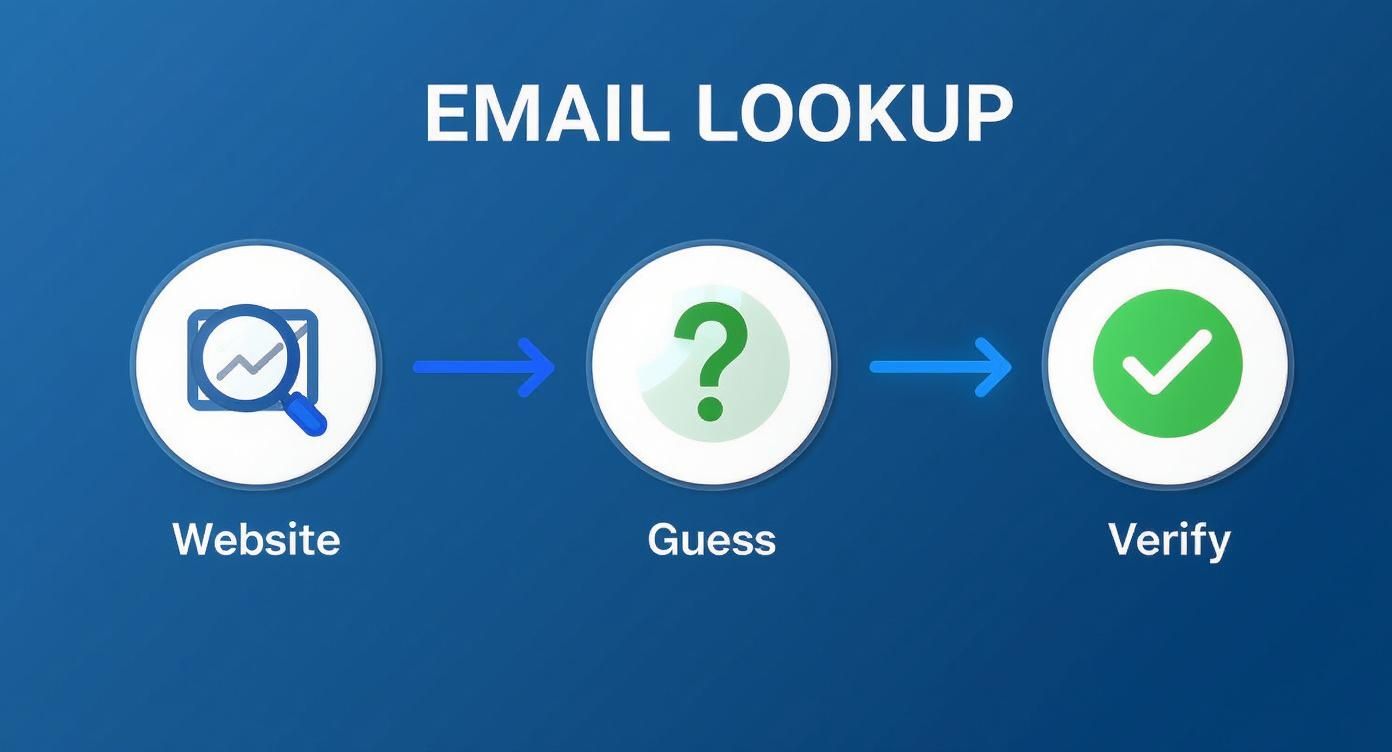
This simple three-part sequence—find what you can on the website, guess common patterns, and verify the result—is the magic behind it all.
The demand for this kind of data is exploding. The email lookup tool market is on track to hit $2.5 billion by 2025 and is expected to grow at 15% annually through 2033. This growth is all driven by the need for more efficient ways to generate leads as more and more businesses move their outreach online.
Why Email Verification Is Non-Negotiable

Finding what looks like a perfect email address is just the starting line. The real test is what happens after you hit "send." A brilliant domain email lookup is completely useless if the address is a dead end, and sending messages to invalid accounts is way more damaging than just a waste of time.
Every single email that bounces back sends a bad signal to Internet Service Providers (ISPs) like Gmail and Outlook. Once you rack up enough bounces, your entire domain can get flagged. Suddenly, even your perfectly good emails—the ones going to real, interested contacts—start getting routed to the spam folder. Your whole outreach effort becomes invisible.
This is exactly why email verification isn't just a "nice-to-have." It's a critical, non-negotiable step in your workflow.
Demystifying the Verification Process
So, what actually happens when an email gets "verified"? It's not just a simple ping. It’s a multi-layered process designed to confirm that an inbox is real, active, and ready to receive your message. The tech behind it is complex, but the goal is simple: protect your sender score and get your emails delivered.
Here's a quick look under the hood of a typical verification check:
- Syntax Validation: This is the most basic check. The tool ensures the email follows the right format (
name@domain.com) and doesn't have any weird, illegal characters. - Domain and SMTP Check: Next, it confirms the domain actually exists and is set up to receive email in the first place. This involves a sort of digital handshake with their mail server.
- Mailbox Ping: This is the clever part. The service talks directly to the server to see if a specific mailbox (like
jane.doe@company.com) is real, all without actually sending an email.
A lot of domain lookup tools have verification built right in these days, which is handy. But if you're running any kind of large-scale campaign, investing in a dedicated service to do a final scrub of your list is always a smart move. For anyone serious about getting their messages seen, it pays to explore proven strategies for mastering email deliverability.
Sending an unverified email is like mailing a letter to an address you aren't sure exists. You're not just risking it won't arrive; you're basically telling the post office you don't care about your mailing list's quality, which has real consequences down the road.
The Real-World Impact of Clean Lists
Keeping your email list clean has a direct impact on your bottom line. High bounce rates—and anything over 2% is usually seen as a problem—can get your account suspended by email marketing platforms. Even worse, it slowly chips away at the trust ISPs have in your domain, making every future campaign that much harder.
This entire system of professional communication is built on a massive technological foundation. The global email hosting market was valued at a staggering USD 27.04 billion in 2024 and is on track to hit USD 108.73 billion by 2032. That growth tells you everything you need to know about how vital reliable email—and the tools that support it—has become.
Ultimately, verification is what turns the raw data from your domain email lookup into a dependable asset. Taking this extra step ensures your messages land where they're supposed to, protects your sender reputation, and maximizes the return on all your hard work. To dig into the technical side of things, our guide on email address verification breaks it all down.
Navigating Compliance and Ethical Outreach
So, you've successfully found a list of emails. That’s a powerful starting point, but it also comes with some serious responsibility. Just because you can find an email doesn't mean you have a free pass to send whatever you want. Getting this wrong can kill your reputation and even land you in legal trouble.
Before you hit "send" on any campaign, you need to understand the rules of the road. Key regulations like the CAN-SPAM Act in the U.S. and Europe’s General Data Protection Regulation (GDPR) set the standards. While they have their differences, the core idea is the same: protect people from unwanted and irrelevant emails.
It's time to shift your thinking from "Can I find this email?" to "Should I be using this email?"
The Line Between Prospecting and Spamming
The difference really comes down to legitimate interest and relevance.
Think about it: finding a publicly listed business email to pitch a B2B partnership is worlds away from scraping personal data for a generic marketing blast. Ethical outreach always, always starts with a good reason to believe your message offers real value to the person you're contacting in their professional capacity.
Here are the non-negotiables for responsible outreach:
- Legitimate Interest: Only reach out if your product or service is a logical fit for their job and industry. No exceptions.
- Transparency: Be upfront. Clearly state who you are and why you're emailing. Tricky or deceptive subject lines are a huge red flag and a direct violation of CAN-SPAM.
- Easy Opt-Out: Every single email must have a simple, obvious way for them to unsubscribe. Don't hide it or make them jump through hoops.
- Prompt Removal: When someone opts out, you must remove them from your list immediately. Delaying this isn't just bad practice; it’s a violation that can result in hefty fines.
A domain email lookup should be the first step in a potential professional conversation, not a ticket to dump someone into a generic marketing funnel. If you don't respect their inbox, you've already lost.
Practical Steps for Ethical Campaigns
Before launching any outreach, take a minute and ask yourself a few simple questions:
- Does this person’s job title actually align with what I’m offering?
- Is my message clear, professional, and respectful of their time?
- Am I making it incredibly easy for them to say, "No, thanks"?
This isn't just about dodging fines; it's about being effective. People are flooded with emails every day. The ones that get a positive response are the ones that feel thoughtful and relevant. By putting ethics first, you're not only staying compliant but also dramatically increasing your odds of building real business relationships. Your professional reputation is built on it.
Your Top Domain Email Lookup Questions, Answered
Even with the best tools in your arsenal, you're bound to have questions when you start digging for domain emails. It's totally normal. From practical "how-to" queries to the slightly fuzzy legal stuff, it can feel like a lot to navigate.
I've rounded up the most common questions that pop up and laid out some clear, no-nonsense answers to help you move forward with confidence.
Is It Legal to Use These Tools?
Yes, it's generally legal to use a tool to find business contact information that's already publicly available. The real question isn’t about finding the information—it's about how you use it.
Once you have that email, your outreach falls under regulations like GDPR in Europe or the CAN-SPAM Act in the U.S. The golden rules are simple: have a legitimate business reason for contacting someone, give them a dead-simple way to opt out, and always respect their privacy. This is about building connections, not just hoarding data.
How Accurate Are Email Finders, Really?
This is the million-dollar question, and the answer is: it varies. A lot. The top-tier tools, however, consistently hit an accuracy rate between 70% and 98%. They achieve this by cross-referencing multiple data sources and, most importantly, running real-time verification checks to make sure an inbox is live before giving you the green light.
But here’s a pro tip: even with a great tool, always run your final list through a dedicated email verification service before launching a big campaign. That one extra step is your best insurance policy against a high bounce rate, which can seriously damage your sender reputation.
No tool is perfect, 100% of the time. Think of an email finder's output as a high-probability lead, not a guarantee. Verification is what turns that probability into a reliable asset.
Can I Find Emails for Any Domain?
You can certainly try, but you won't get a hit every single time. You'll have the most luck with established businesses that have a solid digital footprint, as their contact info is more likely to be indexed somewhere online.
Where you might run into trouble is with a few specific types of domains:
- Tiny Businesses: A solo operation or a company with just a couple of employees might not have its email patterns logged by major lookup tools.
- Brand-New Websites: If a domain was just registered yesterday, it's a ghost. No tool has had the chance to crawl it yet.
- Catch-All Servers: Some domains use a "catch-all" setting, meaning they accept mail sent to any address at that domain (like
anything@example.com). This makes it impossible for verification tools to confirm if a specific inbox actually exists, so you'll often get an "unknown" or risky result.
These tools are built for B2B prospecting, where professional contact details are just part of doing business.
Ready to stop guessing and start connecting? EmailScout gives you an effortless way to perform a domain email lookup with our powerful Chrome extension. Find verified emails, build targeted lists, and supercharge your outreach in a single click. Find unlimited emails for free with EmailScout.