
You've identified the right company, found the decision-maker, and written an email that speaks to their situation. Then you hit the obvious problem: the contact form goes nowhere, LinkedIn only offers a connection request, and every paid email finder wants a subscription before showing useful results.
That's why so many sales professionals search for ways to find business emails free. Free discovery methods can uncover valuable contacts, but discovery is only the first step. An address that looks plausible can still be outdated, unmonitored, or unsafe to use. The practical workflow is simple: find the right person, identify a likely address, verify it, and send with modern deliverability practices.
Why Free Email Finding Matters More in 2026
A founder building an outreach list today faces a different problem from the one many older sales guides describe. Finding names is easy. Getting a relevant message into a monitored inbox is harder, especially when the list contains guessed addresses, generic roles, or contacts who have changed jobs.
Cold outreach benchmarks illustrate why precision matters. One analysis of 12 million outreach emails reported an average response rate of 8.5%, while another 2025 benchmark placed cold B2B email at approximately 27.7% open rate, 5.1% reply rate, 1% meeting-booked rate, and 0.22% overall conversion rate. These figures are reported in the email outreach study from Backlinko. A separate 2026 benchmark cited average platform-wide reply rates around 3.43%, with generic replies often falling to roughly 1% to 3%, as discussed in Smartlead's analysis of current cold-email trends.

Those benchmarks don't mean every campaign will perform the same way. They do show why sending more random messages isn't a reliable answer. If your targeting is weak, a larger list just creates more irrelevant sends, more bounces, and more opportunities for recipients to ignore or report your messages.
Free discovery has a strategic role
Free methods are especially useful during research. They let you investigate a narrow group of companies, compare roles, identify likely decision-makers, and test whether a segment is worth pursuing before committing to a paid database.
The broader market also reflects sustained demand. One independent analysis estimated the email-finding-tools market at US$642 million in 2024, with a projection of US$1,279 million by 2031 and a projected compound annual growth rate of 10.5% from 2025 to 2031. A separate analysis estimated the segment at US$1.8 billion in 2025, forecasting about US$4.7 billion by 2034. The same analysis estimated regional shares of 36.8% for North America, 27.3% for Europe, and 23.5% for Asia Pacific in 2025. These estimates appear in the global email finder tools market analysis.
The useful conclusion is narrower than “use more tools.” Use free discovery to improve relevance, then treat every address as unconfirmed until it passes verification. That distinction separates a clean prospecting workflow from a spreadsheet full of hopeful guesses.
Google Search Operators for Finding Contact Emails
Google can reveal business contact information that never appears in a standard company search. The key is to search for a combination of person, role, company domain, and document type, rather than typing a broad phrase and scanning unrelated results.
Start with the company domain:
site:example.com contactsite:example.com emailsite:example.com "@example.com"site:example.com filetype:pdf emailsite:example.com intitle:team
Each operator narrows the search differently. site: limits results to one domain. filetype:pdf is useful for press kits, conference documents, brochures, and reports. intitle:team can surface staff pages that aren't linked prominently from the main navigation. Searching for the domain alongside the @ symbol may expose addresses in public documents or author pages.
Build searches around the target role
Suppose you're looking for a marketing leader at a software company serving manufacturers in Rotterdam. Try a query such as:
"marketing director" Rotterdam site:example.com
Then test variations:
("head of marketing" OR "VP marketing") site:example.com
site:example.com filetype:pdf "marketing"
site:example.com intitle:team marketing
The first search helps confirm the role and location. The document search may find a public event program or press release that includes a contact address. The team-page search helps you verify that the person still works at the company before you build an email around their name.
If you're collecting results manually, change the Google results parameter from num=10 to num=100 in the results URL when Google allows the setting. This reduces repeated pagination during research, but it doesn't improve the quality of the underlying results. Relevance still depends on your query.
For a deeper explanation of the mechanics and limitations behind Google scraping, review the technical guidance from Scrapfly. Use public results responsibly, respect applicable terms, and avoid turning a research shortcut into indiscriminate collection.
A useful companion to this manual process is this guide to search engines for emails. It can help you refine the kinds of queries you use and identify where contact information tends to appear.
Check the context before saving an address
Never copy an address just because it appears beside the right name. Look for signs that the page is current, confirm the company domain, and check whether the address belongs to a person, a shared inbox, or a former employee. A public address may be suitable for a relevant business message, but it still needs verification and a clear opt-out process.
Google is strongest as a research layer. It helps you find evidence and patterns. It doesn't guarantee that an address is active or that the person wants your message.
LinkedIn and Company Website Strategies
LinkedIn is most useful when you use it to identify the correct person before searching for an address. Start with the business, then filter employees by department and seniority. A relevant title might be more valuable than a senior title, especially when the person owns the problem your product solves.

Open the profile and record more than the person's name. Note the exact spelling, current employer, location, department, recent posts, and any transition in role. A profile that mentions a new product launch, hiring initiative, or expansion gives you useful context for personalization. It also helps you avoid writing to someone who has moved to another company.
Follow the company's public trail
Company websites often expose contact details in places that are easy to overlook:
- Team pages: Search leadership, sales, partnerships, press, and regional staff pages.
- Author pages: Blog posts and newsroom articles may display a contributor's address.
- Press releases: Media contacts often appear near the end of a release.
- Media kits: Downloadable brand or event materials can contain direct contacts.
- Contact pages: Look for department-specific addresses rather than only general forms.
- Job pages: Recruiting or employer-brand contacts can reveal the structure of the company domain.
Pay attention to email formatting. If a public page shows one address such as first.last@company.com, that gives you a possible pattern for another employee. It is not proof that the pattern applies to every department, location, or newly hired employee. Treat it as a candidate-generation method, not a finished contact record.
For difficult LinkedIn research, a practical LinkedIn people finder with RedactAI can help organize the search for a person when you know their professional details. The same discipline still applies: confirm the employer, role, and current context before saving an address.
A short sequence works well:
- Identify the person through LinkedIn.
- Confirm the role on the company website or another public page.
- Search the domain for published addresses and formatting clues.
- Generate only a small number of likely candidates.
- Verify the candidate before any outreach.
The guide to finding emails on LinkedIn provides another workflow for combining profile research with email discovery. Keep the research focused on a defined target account list. Random browsing produces names, but it rarely produces a useful campaign.
Here's a short practical demonstration of the research mindset:
The best free process combines identity verification and contact discovery. An email address without a confirmed person is just a string. A confirmed person without a usable address is still an unfinished prospect.
Pattern Guessing vs Verified Email Lists
Pattern guessing gives you a fast starting point. Find a known address at the target company, identify its format, such as first.last@company.com, and apply that pattern to the person you want to contact. The result is a candidate, not a confirmed mailbox.
The risk starts when a plausible format gets treated as a valid address. Acquisitions, regions, subsidiaries, and departments may use different conventions. Employees leave, domains change, and catch-all configurations can accept an address technically while sending nowhere useful.
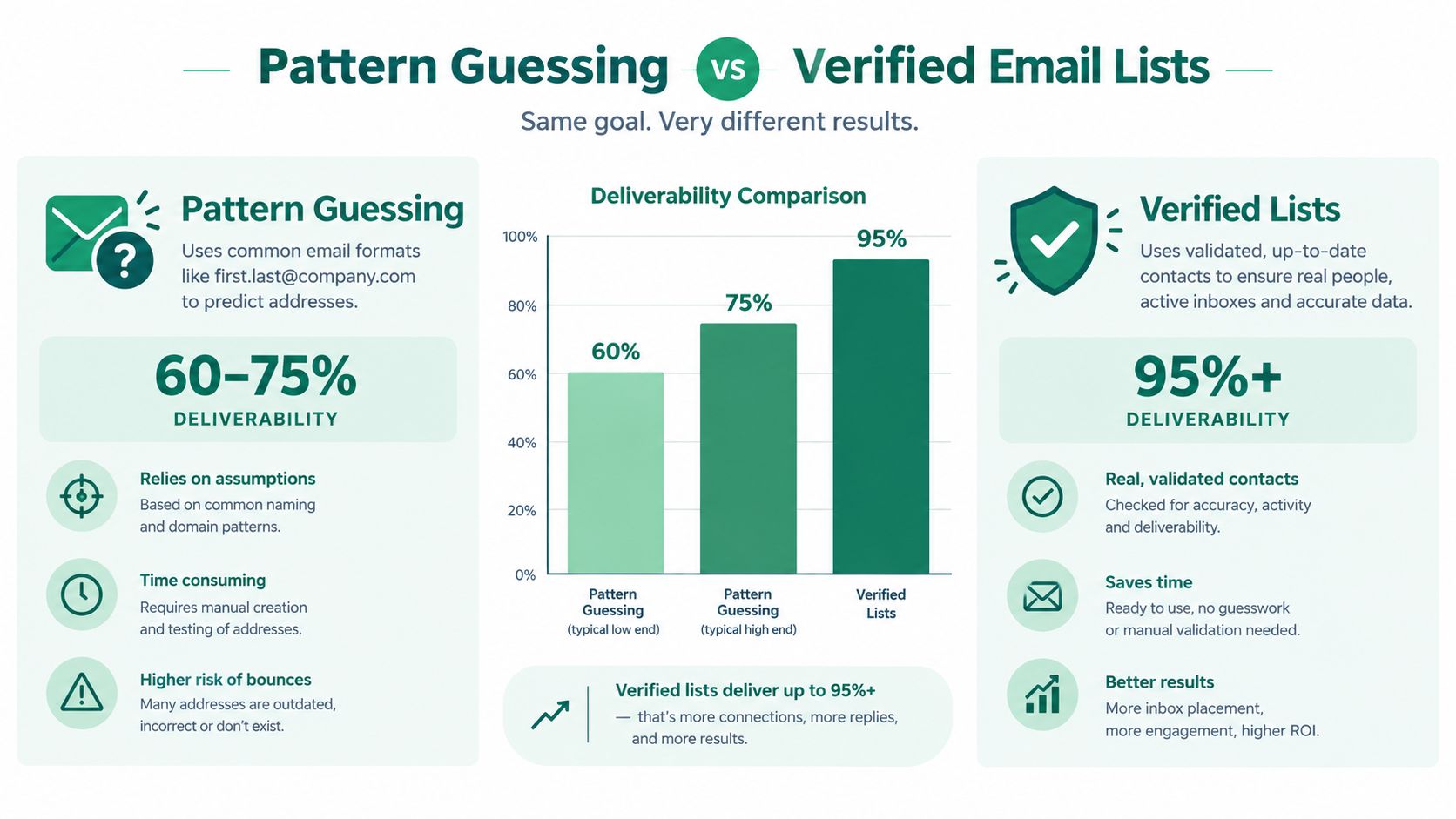
Benchmark ranges show the practical gap. Raw domain-pattern guessing can produce 60% to 75% deliverability, while verified emails can reach 95% or more, according to Openmart's comparison of business email finder tools. These figures describe benchmark performance, not a promise for every provider, domain, or campaign.
What verification actually checks
A syntax check only confirms that an address follows a recognizable format. Verification goes further by examining the domain, mail-server behavior, and whether the mailbox appears deliverable without sending a campaign message.
That extra checking matters for catch-all domains and stale records. An address can pass a superficial test, then bounce, enter a suppression system, or fail to reach the person listed in your spreadsheet. Free email finding creates value only when discovery is followed by verification and careful sending.
| Approach | Useful for | Main weakness |
|---|---|---|
| Pattern guessing | Creating candidates from a known company format | It does not confirm that the mailbox exists or remains current |
| Syntax checking | Removing obvious formatting errors | It cannot establish practical deliverability by itself |
| SMTP-level verification | Testing whether a candidate appears usable before sending | Results still depend on accurate targeting and sensible sending practices |
| Manual confirmation | Checking role, employer, and context | It takes time and does not replace technical verification |
Coverage and accuracy also measure different parts of list quality. Benchmark guidance indicates that no single provider returns emails for more than roughly 85% of a prospect list, so about 12 to 22 out of every 100 names may produce no result before verification. Instantly's email verification benchmark summarizes those figures. An empty result can indicate that the contact needs another research path or should be removed.
Practical rule: Keep the list smaller when that improves address confidence. A dependable list usually supports better outreach than a larger file filled with uncertain contacts.
Instantly's benchmark recommends keeping hard bounces under 1% and total bounces below 2%. A total bounce rate above 2% warrants immediate review, while a rate above 5% can seriously harm sender reputation. Verify addresses at export, suppress risky results, and release the list in controlled batches rather than sending to every candidate at once.
Using EmailScout to Automate Discovery
Manual research becomes repetitive when you're checking many search results, company pages, and professional profiles. A Chrome extension can reduce the copy-and-paste work by extracting publicly visible addresses from the pages you're already reviewing.
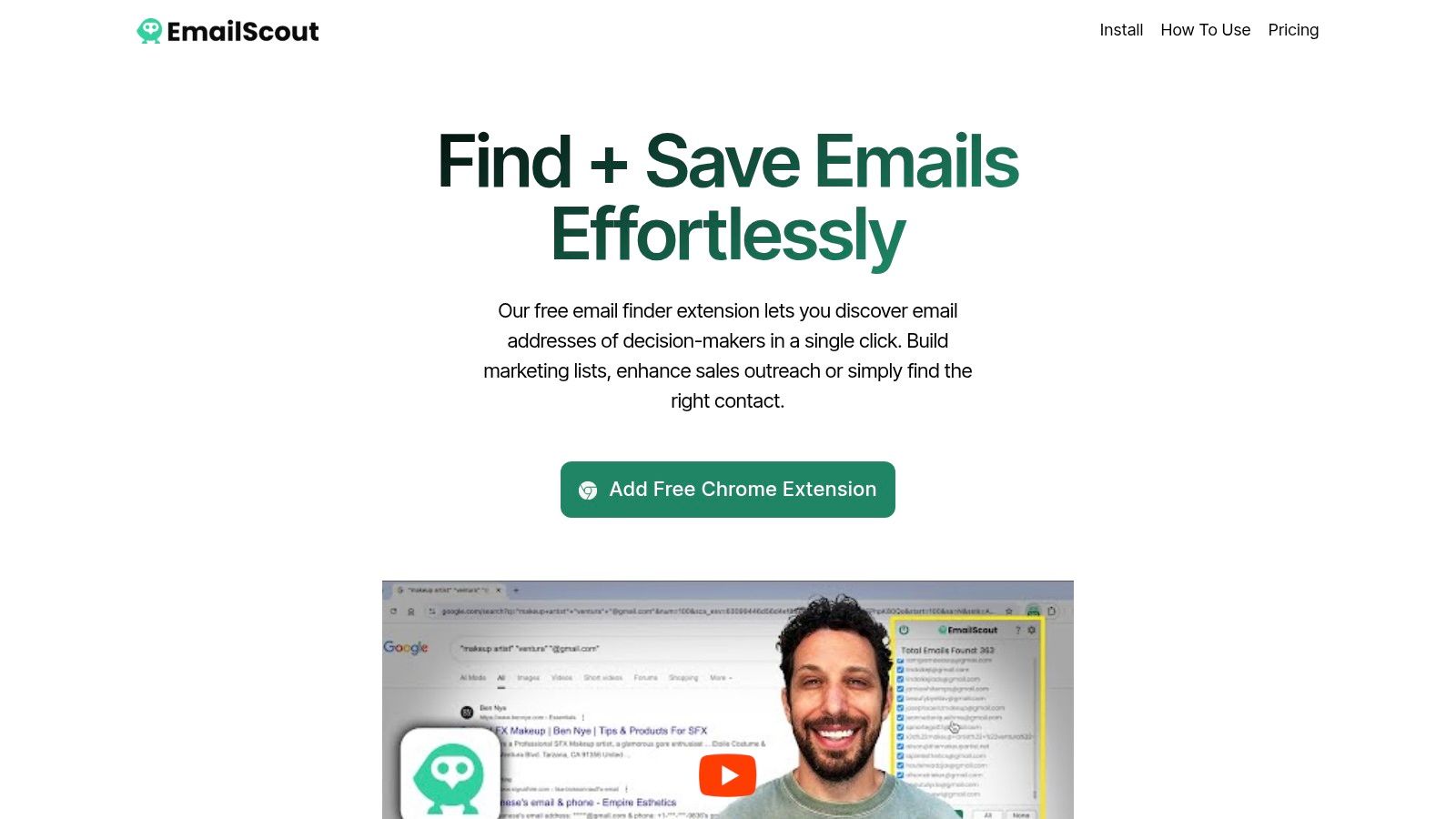
EmailScout is one option for this workflow. It finds and extracts email addresses from webpages such as company sites, LinkedIn profiles, and search-result pages, with features for automatic saving and scanning multiple URLs. The free tier supports email discovery and exports, so it can fit a lightweight prospecting process before you decide whether a paid workflow is necessary.
Set up the workflow around research
Install the extension, open a page relevant to your target account, and run the discovery function. Start with the company website or a search-results page rather than scanning unrelated sites. This keeps the output connected to the account and makes later verification easier.
Use AutoSave when you want discovered addresses stored as you browse. That removes the need to copy every result into a spreadsheet immediately, but you should still add fields for the person's name, role, company, source page, and verification status. An extracted address without that context is difficult to audit later.
URL Explorer is useful when you already have a list of relevant pages. Feed it company URLs, team pages, newsroom pages, or other public resources, then review the extracted results for duplicates and shared inboxes. Bulk extraction saves time, but it doesn't decide whether an address belongs to the person you want or whether it remains deliverable.
Export a research-ready list
Before sending anything, clean the export:
- Remove duplicates: Keep one record per address and preserve the strongest source page.
- Separate shared inboxes:
info@,sales@, andsupport@need a different outreach approach from personal business addresses. - Record the source: Note where the address appeared so you can investigate questionable results.
- Add role context: A name and job function make personalization and qualification possible.
- Verify candidates: Discovery tools collect possibilities. They don't replace an independent verification step.
The EmailScout email finder workflow fits best when discovery is spread across many pages and you want to reduce repetitive collection. It shouldn't be treated as permission to scrape indiscriminately or skip consent, relevance, suppression, and unsubscribe requirements. Automation should make a careful process faster, not turn an unqualified list into a larger unqualified list.
Putting It All Together – A 2026 Email Finding Workflow
A reliable workflow has four distinct stages. Keeping them separate prevents the common mistake of sending to every address that appears during research.
- Discover: Use Google operators, LinkedIn, company pages, public documents, and browser-based extraction to identify relevant people and candidate addresses.
- Qualify: Confirm the person's current role, company domain, department, and reason for receiving your message.
- Verify: Run candidates through a verification process before export. Suppress risky, disposable, role-based, duplicate, and uncertain addresses.
- Send carefully: Use small batches, relevant personalization, a clear sender identity, and an easy way to stop receiving messages.
Sending infrastructure matters as much as list quality. Major inbox providers increasingly expect authenticated domains, and properly configured SPF, DKIM, and DMARC help establish that your messages are authorized. A verified address can't rescue a campaign from poor authentication, irrelevant copy, excessive volume, or weak sender reputation.
The practical shift is from volume to precision. Build a smaller list around a specific customer profile, verify each usable candidate, and judge the campaign by meaningful replies rather than the number of addresses collected. Free discovery creates value only when every later step protects the chance of reaching the right inbox.
EmailScout helps you discover and extract business email addresses from webpages, LinkedIn profiles, and search results, with AutoSave, URL Explorer, and free discovery and export options for prospecting workflows. Visit EmailScout to start building a focused list, then verify your contacts before sending.