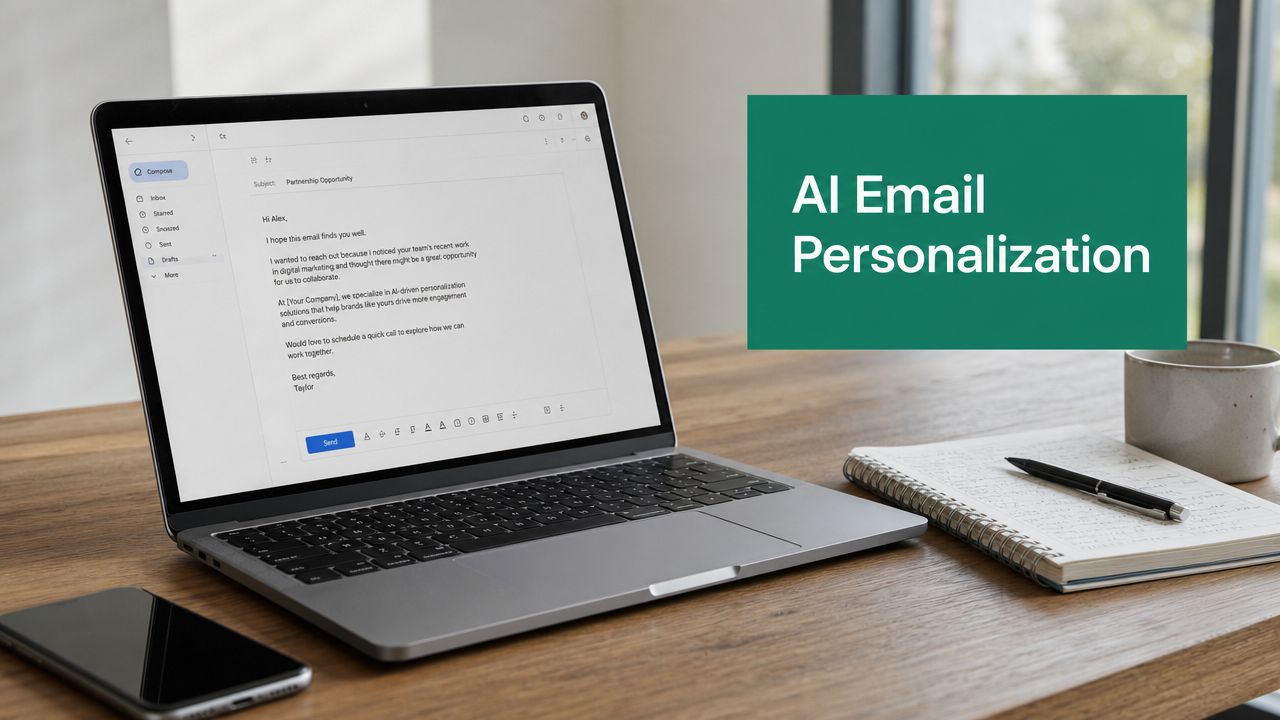
Tag: sales outreach

  • How to Write Business e mail: how to write business e mail that gets read 2026

    How to Write Business e mail: how to write business e mail that gets read 2026

    Let’s get one thing straight: writing a good business email isn’t about some magic formula. It boils down to four things: a subject line that grabs attention, an opening that feels personal, a body that clearly shows your value, and a call to action that’s impossible to ignore. If you can nail these, you’ll know exactly how to write a business e mail that turns a cold shoulder into a warm conversation.

    Why Your Business Emails Are Being Ignored

    Ever feel like you’re sending emails into a black hole? Most business emails get deleted in the blink of an eye. If you’re not getting replies, it isn't bad luck—it’s because you failed to stand out in a ridiculously crowded inbox. The problem usually starts before they even see your name.

    Your subject line is the gatekeeper. Get it wrong, and all the effort you put into the email itself is wasted. It’s a harsh truth, but to keep your emails out of the trash, you have to master email etiquette at work from the very first word.

    The Power of the First Impression

    You spend all that time crafting the perfect message, only for it to disappear without a trace. I've seen it happen countless times. The data doesn't lie: a staggering 47% of people open an email based on the subject line alone. Those first few words are your entire pitch.

    Just adding someone’s name can give you a nice bump in open rates, but real success comes from being clever and concise. The sweet spot is around 44 characters—short enough to look good on a phone.

    The reality is that your email is judged in seconds. A vague, generic, or overly "salesy" subject line is a red flag that screams, "This isn't worth your time."

    Two smartphones displaying email content and marketing tips on a wooden desk with a laptop.

    This is what you're up against. On mobile, you have just a sliver of screen space to make your case. The subject line and the first few words of preview text are all you get. Make them count.

    Moving Beyond Generic Subject Lines

    Your goal here is to create a spark of curiosity and signal that you have something valuable to offer. Ditch the generic stuff. You want to create intrigue or dangle a specific, tangible benefit right from the get-go.

    Of course, a killer subject line is only half the battle. It won’t do you any good if your email lands in the spam folder. Before you hit send, it’s a good idea to check out our guide on https://emailscout.io/how-to-improve-email-deliverability/ to make sure your messages actually get seen.

    Mastering Subject Lines and Opening Hooks

    Think about your own inbox for a second. How many emails do you delete without even opening them? Probably a lot. A great subject line gets you through that first filter, but a weak opening hook will get your email deleted just as fast.

    These two pieces have to work in perfect sync. The goal isn't to trick someone into opening your email with a spammy, clickbait line like "URGENT – Read Now!". It’s to signal that your message is relevant and valuable, right from the first glance.

    Crafting Subject Lines That Get Clicks

    Your subject line is a headline. It needs to be specific, a little personal, and just intriguing enough to make someone want to know more. Vague subject lines are the fastest way to the trash folder. I've seen it a thousand times.

    Just look at the difference here:

    • Vague: "Checking in" or "Quick Question"
    • Specific: "Question about [Company]'s recent launch"
    • Personalized: "[Name], idea for your sales team"

    The specific and personalized versions immediately show you've done your homework. They signal respect for the recipient's time and set a clear expectation for what's inside, which is a huge trust-builder. If you really want to level up your subject line game, our complete guide on email subject line best practices has a ton of formulas that just plain work.

    Writing an Opening Line That Builds Instant Rapport

    Okay, they opened your email. Now what? Your very first sentence has one job: prove their click was worth it. This is where you connect the dots for them. Why them? Why now?

    A strong opening line is your chance to build rapport and show you're not just another mass email.

    Here are a few ways to make that first line count:

    • Reference a recent win: "Congrats on the award for Best Workplace; it's clear you're building an amazing culture at [Company]."
    • Mention a shared connection: "Our mutual connection, [Name], suggested I reach out."
    • Pinpoint a specific need: "I noticed on your site that you're expanding your services, which often creates challenges with [specific problem]."

    Your opening line should feel like the start of a one-on-one conversation, not a broadcast. It tells the recipient they made the right choice by opening your email, making them much more likely to read what you have to say next.

    To make sure your email grabs attention from the get-go, check out these examples of hooks that actually work. Even though they're for social media, the core ideas of sparking curiosity and showing value apply directly to writing a business email that people actually want to read.

    Structuring Your Email for Readability and Impact

    Alright, your killer opening line got their attention. Now the clock is ticking. You have just a few seconds to deliver on that promise before they move on.

    The reality is, professionals don’t read emails—they scan them. With over 100 emails hitting the average inbox daily, a dense wall of text is an instant trip to the archive folder.

    The secret to writing a business email that actually gets a response is all in the structure. Think short sentences, even shorter paragraphs, and generous use of white space. Your job is to guide their eye directly to the most important info.

    This simple flow shows how everything works together, moving from a strong subject line and hook right into the body of your email.

    A four-step infographic illustrating the email writing process, from subject line to call to action.

    As you can see, the body is where you prove the value you hinted at in your opening. It’s the bridge between getting noticed and getting a reply.

    The Why You, Why You Now Framework

    Every single effective business email I've ever sent or received answers two critical questions for the reader: "Why are you emailing me?" and "Why should I care about this now?"

    If your email fails to address both, it just feels like generic spam.

    • Why You: This is all about personalization. It’s your proof that you’ve done your homework. Mention a recent LinkedIn post, their company's new funding round, or a specific challenge related to their role.
    • Why You Now: This piece creates relevance and a bit of urgency. You need to connect what you're offering to a current goal, pain point, or industry trend that’s already on their radar.

    When you weave these two elements into your first couple of lines, you instantly signal that your message is targeted, thoughtful, and worth their time.

    A well-structured email isn't just about clean formatting; it's a sign of respect for the reader's time. It shows you've refined your message down to its core, making it effortless for them to see your value.

    Building Your Email for Scannability

    Once you've established that you're relevant, you need to keep the momentum going with a crystal-clear, scannable structure. Ditch the long paragraphs for good. Instead, lean on visual cues to break up the text and make your key points pop.

    • Use Bold Text Strategically: Don't just bold random words. Emphasize the key outcome you can deliver or a critical pain point you solve. This is how you draw their eyes right to the value.
    • Incorporate Bullet Points: Anytime you're listing benefits, features, or the next steps, use bullet points. They are infinitely easier for the brain to process than a cluttered sentence.
    • Keep Paragraphs to 1-2 Sentences: This is a great discipline to practice. It forces you to be concise. Each paragraph should tackle one distinct idea, creating visual breaks that make your email feel much less intimidating—especially on a phone.

    Personalization That Drives Real Engagement

    If your outreach emails are getting ignored, there's a good chance they feel generic. In a world of automated blasts, the only way to get a real response is to move way beyond just dropping in a prospect's first name.

    Effective personalization is all about creating a genuine connection that proves you’ve actually done your homework.

    A professional workspace with multiple computer screens, one showing a personalized resume, another a social media profile.

    This simple shift in approach turns your outreach from a cold numbers game into a powerful relationship-building engine. It’s what separates an email that gets deleted from one that feels like a real, one-to-one conversation.

    Go Beyond Basic Mail Merge

    Let's be clear: using a [FirstName] tag is the absolute bare minimum. Real engagement comes from digging just a little deeper to find a specific, relevant hook. This instantly shows the recipient you’ve invested time to understand them, making your message impossible to ignore.

    Think of it as gathering a little bit of intel. Before you write a single word, spend just five minutes on their LinkedIn profile or their company's "News" page.

    Look for these easy-to-find personalization triggers:

    • A recent LinkedIn post: "I saw your post about the future of remote work and completely agree with your take on asynchronous collaboration."
    • A company announcement: "Congratulations on the successful launch of your new product line last week—it looks like a game-changer."
    • A quote from an article: "Your quote in Forbes about customer-centricity really resonated with me."
    • A new job or promotion: "I saw you recently started a new role as VP of Marketing at [Company]—congrats on the move!"

    These small, specific details are proof that you're a real person who has taken a genuine interest, not just another bot blasting out a template.

    Segment Your Lists for Hyper-Relevance

    Sending the same message to your entire list is a proven recipe for low open rates and zero replies. The most successful outreach campaigns break their lists down into smaller, highly focused groups.

    This allows you to tailor your messaging so it's incredibly relevant to each specific audience.

    Personalization isn't just polite—it's a revenue rocket. Tailored emails can deliver 6x higher transaction rates, and simply personalizing the subject line can boost open rates by 26%. For B2B marketers, this is crucial, as targeted list segmentation can increase revenue by an incredible 760%. You can explore more email marketing statistics to see the full impact.

    Start by grouping your contacts by a few key attributes.

    • Industry: A message for a SaaS company should sound very different from one for a manufacturing firm.
    • Job Role: The daily challenges of a CEO are not the same as those of a Marketing Manager.
    • Company Size: A startup has completely different needs and budgets than a massive enterprise corporation.

    When you segment your audience, you can craft emails that speak directly to the unique problems and goals of each group. This targeted approach makes your offer far more compelling and dramatically increases your chances of getting a positive reply.

    Writing a Call-to-Action That Gets a Response

    You can write the perfect email, but if your closing line is weak, it’s all for nothing. The call-to-action (CTA) is where the magic happens. It’s the single most important part of your message, and getting it wrong is a surefire way to land in the archive folder.

    Your entire goal is to make saying "yes" effortless for the reader. Vague requests like "Let me know your thoughts" or "Feel free to reach out" are conversation killers. They put all the mental work on the other person. Don't make them think—tell them exactly what the next step is.

    Offer Clear and Low-Friction Options

    The best CTAs are specific and require almost zero effort to act on. Think about the difference between a high-friction request and a low-friction one. Asking someone to "Let me know if you want to chat sometime" is lazy. It’s vague, open-ended, and requires them to coordinate everything.

    A much stronger approach is to propose a simple, low-commitment action.

    • Weak: "Would you be interested in a demo?"
    • Strong: "Are you open to a 15-minute call next Tuesday to see how we help teams like yours reduce onboarding time by 30%?"

    That second example works so well because it defines the time commitment (15-minute), suggests a specific timeframe (next Tuesday), and reminds them of the benefit. It turns a complex decision into a simple yes or no. If you want more in-depth strategies for this, our guide on how to write cold emails is packed with practical examples.

    The golden rule of CTAs is to make the next step so simple that responding feels easier than ignoring it. The less mental energy required, the higher your response rate will be.

    To help illustrate this, here’s a quick comparison of common high-friction CTAs and their low-friction alternatives that get much better results.

    High-Friction vs. Low-Friction CTA Examples

    Scenario High-Friction CTA (Avoid) Low-Friction CTA (Use)
    Requesting a Meeting "Let me know when you're free to connect." "Do you have 15 minutes on Tuesday or Thursday afternoon for a quick call?"
    Gauging Interest "What are your thoughts on this?" "Is improving [specific outcome] a priority for you right now?"
    Sharing a Resource "Check out our website for more info." "I put together a case study on [Topic] – mind if I send it over?"
    Proposing a Demo "Would you like a demo of our platform?" "Are you open to a quick 10-minute screen share to see how it works?"

    By shifting your language to be more specific and less demanding, you remove the guesswork and make it incredibly easy for your prospect to engage.

    Choose the Right Type of CTA

    Not every email needs to push for a meeting. Sometimes, your goal is just to start a conversation or gauge interest. Picking the right kind of CTA for the situation is crucial.

    Meeting-Based CTAs
    These are direct and aim to get time on someone's calendar. You should use these when you have a solid reason to believe they're a great fit and your value proposition is crystal clear.
    Example: "If that sounds interesting, what does your calendar look like for a quick call early next week?"

    Interest-Based CTAs
    These are a softer approach designed to start a dialogue. They work especially well in initial outreach when you're trying to confirm you’ve found the right person or validate that they even have the problem you solve.
    Example: "Is improving team productivity a priority for you right now?"

    Another fantastic strategy is to lead with value. Instead of asking for something, give something. Offering a link to a relevant case study or a genuinely helpful resource builds goodwill and often prompts a reply. It shows you’re here to help, not just to sell.

    Final Checks Before You Hit Send

    You’ve crafted the perfect email, but one small mistake can undo all that effort. That “Send” button is final, so a quick quality control check isn't just a good idea—it's essential for protecting your professional reputation and ensuring your message actually works.

    Think of it as the last line of defense. My go-to trick is to read the entire email out loud. This simple habit immediately exposes awkward phrasing, a tone that feels off, or sentences that drag on. If it doesn't sound right when you say it, it definitely won’t read well.

    The Technical Double-Check

    Next, you need to get technical. It’s the small details that are so easy to miss, but a broken link or a personalization flub can instantly kill your credibility.

    • Test Every Link: Click every single link in your email. Yes, every one—including the ones in your signature. Make sure they all point to the right page and aren't broken.
    • Verify Personalization Fields: Send a test email to yourself or a colleague. Double-check that dynamic fields like [FirstName] and [Company] have populated correctly. Nothing screams "automated and careless" like an email that opens with "Hi [FirstName]".

    There's no worse feeling than spotting a typo moments after emailing a key prospect. Taking an extra 60 seconds for a final review is one of the highest-ROI activities in the entire outreach process.

    Optimize for Mobile and Deliverability

    Let's be real: most emails today are opened on a phone. If your message looks like a wall of text on a small screen, it’s getting deleted. Stick to short paragraphs and use plenty of white space. Always send a test to your own phone to see exactly how it looks.

    Finally, you have to think about deliverability. Using too many links, large attachments, or words that sound spammy can get your email flagged before it's ever seen. With over 376 billion emails sent every day, you need flawless execution just to get noticed.

    Hitting benchmark click-through rates of 2.3-2.5% isn’t just about writing great copy; it’s about error-free delivery that lands you in the primary inbox. You can find other compelling email statistics that show just how much accuracy and delivery impact your results.

    Frequently Asked Questions

    You’ve got the fundamentals down, but I know there are always those nagging little questions that pop up right before you hit “send.” Let's quickly run through some of the most common ones I hear.

    What Is the Best Time of Day to Send a Business Email?

    You'll hear a lot of talk about mid-morning on Tuesdays and Thursdays being the “magic window.” While that’s a decent starting point, the truth is, the best time depends entirely on who you’re trying to reach.

    An executive might clear their inbox first thing in the morning, but I've found that a startup founder is just as likely to be catching up late at night. The only way to know for sure is to test it yourself. Send your emails in batches at different times and on different days, then watch your open rates. The data will tell you what works.

    How Long Should a Business or Sales Email Be?

    Keep it short. Seriously. Aim for somewhere between 50 and 125 words. Your only goal here isn't to close the deal or tell your company's life story—it's to spark just enough curiosity to get a reply.

    Remember, your email isn't a proposal—it's a conversation starter.

    Brevity shows you respect their time. It also makes your message way easier to read on a phone, which is where most people will see it. Stick to short sentences and break your paragraphs into just 2-3 lines. It makes a huge difference.

    How Many Follow-Up Emails Are Too Many?

    There’s a fine line between persistent and annoying, but don't be afraid to follow up. In my experience, a sequence of 3 to 5 follow-up emails is the sweet spot. Space them a few days apart to stay top-of-mind without flooding their inbox.

    The key is that every single follow-up needs to add new value. Never just "bump" your last message.

    Instead, try offering something new each time:

    • Share a different case study that’s relevant to their pain points.
    • Send a link to a fresh blog post or article you think they'd find useful.
    • Offer a quick, new insight about a trend in their industry.

    If you’ve sent 4-5 thoughtful emails and still hear crickets, it’s probably time to move on. You can always add them to a long-term nurture list for another day.


    Ready to find the right people for your perfectly crafted emails? EmailScout helps you discover verified email addresses for key decision-makers in seconds. Start building your outreach lists and connecting with the contacts that matter. Find unlimited emails for free at https://emailscout.io.

  • Find company email domain: 2026 Guide to Outreach Success

    Find company email domain: 2026 Guide to Outreach Success

    Finding a company's email domain sounds simple, right? Just grab it from their website URL. But in sales and outreach, getting this one detail right is the difference between a conversation started and an email lost to the digital void.

    This isn't just a technicality—it's the first step to making sure your hard work actually pays off.

    Why Finding the Right Email Domain Is Your Outreach Superpower

    A man in a grey blazer types on a laptop, searching for company domain information.

    In sales and marketing, a direct email is your key to unlocking real conversations with the people who matter. But before you can even think about your pitch, you need the correct email domain—the part that comes after the "@" symbol. This is the absolute bedrock of any successful outreach campaign.

    Think about it. Guessing a domain is like sending a package with a fuzzy, half-readable address. It might get there by some miracle, but you’re probably just wasting postage. In the email world, this translates to high bounce rates and a trashed sender reputation.

    The Foundation of Effective Outreach

    A correct domain does more than just get your email delivered; it’s an immediate signal of professionalism. When your message lands in the right inbox, it shows you’ve done your homework. That small bit of effort instantly separates you from the endless stream of lazy, generic spam.

    With daily email volume expected to hit a staggering 392.5 billion by 2026, cutting through the noise is everything. For anyone doing cold outreach, finding the right domain (@company.com instead of a wild guess) is mission-critical. It’s no surprise that 73% of companies rate email as an "excellent" channel for ROI—it works, but only when you do it right.

    Key Takeaway: Your domain accuracy has a direct line to your deliverability. Internet service providers (ISPs) are watching. If they see a high number of your emails bouncing, they'll flag you as a low-quality sender and start routing your future messages straight to the spam folder.

    The Impact on Your Campaigns and Bottom Line

    Having the correct email domain is about more than just avoiding a bounce notification. It directly impacts whether your perfectly crafted message gets opened, read, and acted upon.

    Here’s a practical look at how having the right or wrong email domain directly affects your campaign results.

    The Impact of Email Domain Accuracy on Outreach Success

    Impact Area With the Correct Domain With an Incorrect Domain
    Deliverability Your email lands on the company's server, ready for delivery. High chance of a hard bounce; the email never arrives.
    Sender Reputation ISPs see you as a legitimate sender, improving future deliverability. Your sender score drops, and future emails are flagged as spam.
    Open Rates The intended recipient actually has a chance to see and open it. Zero chance of being opened because it was never delivered.
    Professionalism You look detail-oriented and serious about connecting. You come across as a spammer using sloppy, automated tactics.

    Ultimately, a verified domain is your ticket to the show. Without it, even the most brilliant message is just shouting into the wind.

    Once you’ve locked down the correct company email domain, the next step is just as crucial: knowing how to write a business email that actually gets read. Because getting delivered is only half the battle.

    Mastering Manual Search Techniques

    Person holding a magnifying glass over a laptop screen displaying a web interface, with 'Manual Search Tips' banner.

    Before you pull out your credit card for a fancy tool, a bit of old-fashioned detective work can often get you the company email domain for free. Think of this as your manual sleuthing guide. These aren't just one-off tricks; they'll sharpen your research skills for any outreach you do down the line.

    One of the most powerful and underused methods is leveraging Google's own search operators. These are basically special commands that let you filter search results with incredible precision. With the right operator, you can ask Google to show you only email addresses from a specific company's website.

    Use Google Search Operators

    The most effective command for this job is a simple combination of the site: operator and a quoted phrase. This tells Google to search exclusively within one website for an exact match of whatever you put in quotes.

    Let’s say you’re trying to find the company email domain for a business called "Zenith Corp." You’d pop this into your search bar:

    site:zenithcorp.com "@zenithcorp.com"

    This query forces Google to look only at pages on zenithcorp.com that explicitly mention an email address ending in that domain. It's an incredibly direct way to see if they've published any employee emails.

    Here's an example of what that search might turn up. The results can instantly confirm the domain and might even reveal a complete email address, giving you a huge clue about the company's standard format.

    Person holding a magnifying glass over a laptop screen displaying a web interface, with 'Manual Search Tips' banner.

    Scour Key Website Pages

    While a targeted Google search is a great first move, you should also manually check the pages most likely to contain contact details. I've found these spots to be goldmines for finding a valid email domain.

    • About Us/Our Team: Companies love to feature their key players, sometimes including their contact info or at least a general info@ email.
    • Press/Media Room: This is a fantastic resource. Press releases almost always include a media contact’s email. Be sure to look for links to a "press kit."
    • Investor Relations: If the company is publicly traded, they're required to provide contact information for investor inquiries. This email will always use the official domain.
    • Contact Us: It's often just a form, but don't skip it. Some companies still list a direct email for support or general questions.

    Pro Tip: Always scroll down and check the website's footer. It's a classic spot for a catch-all email like contact@company.com. Even a generic email is a win because it confirms the domain you need.

    Investigate Social and Professional Profiles

    Don't stop at the company website. A person's digital footprint across other platforms can be just as revealing. LinkedIn is especially useful here.

    While the platform intentionally hides direct email addresses, the profiles are packed with clues. Check a target's recent activity, posts, or the company page itself. I've seen employees share case studies or links that accidentally expose their work email. You can also dig into press releases published on news sites, as they nearly always name a company contact.

    These methods take a little patience, but they're surprisingly effective. If you’re getting deep into this kind of research, you might also like our broader guide on finding contact info for more techniques.

    Alright, you’ve tracked down the company's email domain. That’s a huge win.

    But now comes the real puzzle: figuring out the exact email address for your contact. Is it john.smith@company.com or maybe jsmith@company.com? Getting this last piece right is what ensures your message actually lands in their inbox.

    This isn't about taking wild shots in the dark. Most companies stick to a logical, consistent email pattern, usually set by their HR or IT department. If you can figure out that pattern, you can turn guesswork into a reliable system.

    Decoding the Most Common Formats

    Let's say you're trying to reach John Smith at Zenith Corp. The possibilities might seem endless, but they almost always boil down to a handful of standard conventions. The trick is to test the most probable ones first to save yourself a ton of time.

    I’ve seen these patterns succeed time and time again.

    Start with the most popular combinations:

    • First Name . Last Name: john.smith@zenithcorp.com (A classic for a reason, especially in larger or more traditional companies.)
    • First Initial + Last Name: jsmith@zenithcorp.com
    • First Name + Last Initial: johns@zenithcorp.com
    • First Name: john@zenithcorp.com (You see this a lot in smaller, modern companies.)

    These four formats cover a huge percentage of all business emails out there. Just by generating these few variations, you've already built a solid list to work with. If you want to dig even deeper, our guide on common email address formats has an exhaustive list of other possibilities.

    My Personal Tip: Always consider the company culture. A formal, old-school law firm is far more likely to use firstname.lastname@domain.com. On the other hand, a fast-moving tech startup will probably opt for something simpler, like firstname@domain.com. Context is everything here.

    Validating Your Educated Guesses

    Once you have your short list of potential emails, you need a way to check them without actually sending a message. Why? Because a "hard bounce" is a red flag to email providers. It tells their servers the address is invalid, and racking up too many of these will quickly get your own email flagged as spam.

    So, how do you test your list safely? The best way is to use a free email verification tool. These services perform a simple "ping" test, which basically asks the company's mail server if a specific mailbox exists without ever sending an actual email.

    To help you build your test list, here’s a quick-reference table of the email patterns I see most often in the wild.

    Common Business Email Formats to Test

    Pattern Type Example Format Likelihood of Use
    First Name . Last Name john.smith@domain.com Very High
    First Initial + Last Name jsmith@domain.com High
    First Name + Last Initial johns@domain.com Medium
    First Name Only john@domain.com Medium
    Full Name (No Separator) johnsmith@domain.com Low

    All you have to do is plug your hypothesized addresses into a verifier. A valid result confirms you've successfully cracked the code.

    This small verification step is what separates amateur outreach from professional, targeted communication. It protects your sender reputation and makes sure your carefully crafted message actually has a chance to be read.

    Using Online Tools for Instant Domain Discovery

    Let's be honest, when you need to find company email domains for more than a handful of prospects, manual methods are a dead end. Sifting through websites and LinkedIn profiles for hours is a massive time sink, especially when you're building a large list. This is where you bring in the right tools. An online domain finder can shrink your research from an entire afternoon to just a few seconds.

    These tools are built for one thing: getting you the right domain, fast. They scan public web data, analyze website code, and use smart algorithms to figure out the exact domain a company uses for its email. You get an instant answer, letting you get back to the more important work of actually reaching out.

    Why Tools Crush Manual Searches

    Imagine you’re an SDR who needs to build a list of 100 tech companies for a new campaign. Searching for each domain by hand is a painfully slow process. A dedicated tool, on the other hand, can run that entire list in a single click.

    This isn’t just about making your life easier; it's a strategic move. Using a tool gives you a real edge.

    • Find domains in bulk: Instead of one-by-one searches, you can upload a list of company names and get their email domains back almost instantly.
    • Get more accurate results: Good tools cross-reference multiple data sources, which dramatically cuts down on the human error that comes with guesswork.
    • Save your valuable time: All that time you get back can be spent on high-impact tasks like personalizing your outreach and building relationships.

    You'll find plenty of platforms out there. Some are simple lookup sites where you plug in a company name and get its domain. Others are full-blown email finders that not only discover the domain but also help you find specific contacts and even verify their addresses.

    For example, a tool like EmailScout can pull the company email domain directly from a LinkedIn profile or website while you’re browsing. That kind of workflow integration is what makes modern tools so powerful—they work right alongside you, not as a separate, clunky step.

    Choosing the Right Kind of Tool

    The market is crowded with options, so it pays to know what you’re looking for. Some tools are standalone web apps, but others come as browser extensions that fit right into how you already work.

    For most sales and marketing pros, browser extensions are the way to go. They can identify the domain of the website you're on, letting you grab the information you need without ever switching tabs. This is a game-changer when you're prospecting on sites like LinkedIn, where you're already evaluating leads.

    Ultimately, using an online tool is the smartest and most efficient way to find company email domain information at scale. It turns a tedious research chore into an automated part of your lead generation machine.

    Building an Automated Lead Generation Workflow

    Manual methods will get you started, but they simply don’t scale. To keep your sales and marketing funnels consistently full, you need to build a repeatable system. This is where you level up from doing one-off searches to creating an automated lead generation engine that finds company email domains and contacts for you.

    Bringing everything together into a scalable system frees you up to focus on what actually matters: building relationships. It means far less time spent on tedious research and much more time personalizing your outreach. The real goal is a process that continuously feeds you high-quality prospects without all the manual grunt work.

    From Manual Effort to Automated Systems

    An effective workflow puts the most time-consuming parts of prospecting on autopilot. For instance, a tool like the EmailScout Chrome extension integrates right into your browser, turning your research from a passive task into an active data collection process. Instead of copying and pasting, you’re capturing vital information with a single click.

    This flow shows how you can move from initial research to a ready-to-use list with a simple, integrated tool.

    Flowchart illustrating the instant domain discovery process with steps for research, tool usage, and listing.

    The key takeaway here is the massive efficiency boost you get by embedding a specialized tool directly into your research phase.

    Features like AutoSave are perfect for this. Once you enable it, the tool automatically saves company domains and contact details while you browse LinkedIn profiles or company websites. You can research dozens of prospects while the extension builds your lead list in the background, completely hands-free.

    Once you’ve nailed down the best ways to find company information, the next logical step is integrating these methods into a powerful system. This is where exploring the top workflow automation software platforms can be a game-changer for connecting the different parts of your sales stack.

    Bulk Discovery for Maximum Efficiency

    But what if you already have a list of target companies? This is where a URL Explorer feature becomes your best friend. Instead of visiting each website one by one, you can paste a list of company URLs and pull every domain in a single operation.

    Imagine you just got back from a trade show with a list of 50 interesting companies. A URL Explorer can process that entire list in seconds, giving you a clean output of verified email domains. A task that would have taken hours is now done in under a minute.

    Having a central hub to view and export your discoveries is crucial for keeping your lead lists organized, clean, and ready for action.

    By building an automated process, you're doing more than just finding an email. You're creating a reliable machine that constantly populates your outreach funnels. As your operation grows, this level of efficiency isn't just nice to have—it's non-negotiable. To explore this topic further, check out our guide on what is sales automation to see how it can truly reshape your entire process.

    Frequently Asked Questions About Finding Email Domains

    Even with the best tools and techniques, a few common questions always seem to pop up when you're hunting for company email domains. From legal boundaries to tricky corporate structures, getting the details right is crucial.

    Let’s clear up some of the most common things people ask. Getting these answers straight ensures your outreach is both effective and stays on the right side of the rules.

    Is It Legal to Find and Use a Company Email Domain?

    Yes, absolutely. Finding a company email domain and using it for B2B outreach is standard business practice. Think of it as research—you're simply finding publicly available information or using logical patterns to figure out how a company formats its professional emails.

    The real focus isn't on finding the address, but on how you use it. Your outreach must follow regulations like CAN-SPAM in the U.S. or GDPR in Europe. This just means being transparent, making sure your message is relevant to their job, and always giving them an easy way to opt out.

    Key Insight: Finding a business email isn't the same as scraping sensitive personal data. As long as your outreach is professional and you honor opt-out requests, you're operating well within accepted business norms.

    What Should I Do If a Company Uses Multiple Email Domains?

    This happens all the time, especially with bigger companies. You might run into different domains for different countries (like @company.de for Germany) or even for specific departments (like @sales.company.com). It can definitely make things confusing.

    When you see multiple options, your best bet is to start with the main corporate domain. You can usually find this on the "Contact Us" or "About Us" page. That’s almost always the safest one for reaching most employees.

    If you’re targeting a specific department, like marketing or sales, dig a little deeper on their team pages. They might drop clues about a departmental domain. An automated tool can also cut through the noise and show you which domain is most widely used by the company's employees.

    How Can I Confirm an Email Domain Is Correct Before Sending?

    The only surefire way to confirm a domain is to use it to build a full email address and then run a verification check. Most quality email-finding tools have this feature built right in.

    The verification process sends a quick "ping" to the company's mail server to see if a specific mailbox exists, all without actually sending an email. This simple check confirms if the address is deliverable, which is critical for protecting your sender reputation and keeping your bounce rate low.

    Seriously, don't skip this step. It saves a ton of headaches later.


    Ready to stop guessing and start finding? EmailScout is the powerful Chrome extension that automates your entire domain and email discovery process. Find unlimited emails, build lists effortlessly, and supercharge your outreach in a single click. Try EmailScout for free today.

  • 7 Proven Credit Acceptance Email Templates for 2026

    7 Proven Credit Acceptance Email Templates for 2026

    A credit acceptance email is more than a simple notification; it's a critical conversion point that can define a new customer relationship. Sending a generic, uninspired approval message is a missed opportunity. The best credit acceptance email strategies don't just inform-they engage, build trust, and drive immediate action. They transform a transactional moment into a relational one, reducing buyer's remorse and accelerating the customer journey from applicant to active user.

    In this guide, we'll dissect 7 powerful credit acceptance email templates, each designed for a specific business scenario. We will move beyond basic structure to analyze the strategic psychology behind each example. You will get actionable takeaways, A/B testing ideas, and compliance tips to help you craft emails that not only get opened but also deliver measurable results.

    Whether you're in B2B finance, e-commerce, or SaaS, these replicable frameworks will help you maximize the value of every approval. You'll learn how to write a credit acceptance email that secures the relationship, encourages immediate use of the approved credit, and sets the stage for long-term customer loyalty and value. Let's get started.

    1. Professional Credit Line Approval Confirmation

    This email is the cornerstone of the B2B credit process. It serves as the official, formal notification that a prospect's application for a credit line has been reviewed and approved. More than just a simple "yes," this credit acceptance email acts as the crucial bridge between a successful application and an activated, revenue-generating account. It's the moment you convert a prospect into a client, making clarity and professionalism paramount.

    This communication is particularly vital for fintech companies, B2B lenders, and SaaS providers offering payment plans. For instance, a fintech platform like Stripe Capital uses this email to confirm that a business now has access to funds, detailing the specific credit limit and repayment terms. Similarly, a trade credit provider sends this confirmation to suppliers, officially greenlighting a new B2B purchasing relationship.

    Example Template & Analysis

    Subject: Action Required: Your Credit Line of $[Credit_Limit] with [Your_Company_Name] is Approved

    Hi [First_Name],

    Great news! Following our review of your application, we are pleased to confirm that your business, [Company_Name], has been approved for a revolving credit line of $[Credit_Limit].

    Your account is ready for activation. To begin using your funds, please log in to your dashboard and accept the terms:

    [Link to Account Dashboard]

    This credit line is active for the next 12 months, with a variable APR starting at [Interest_Rate]%. Please note that this offer must be activated by [Activation_Deadline_Date] to remain valid.

    We are excited to support your business growth. If you have any immediate questions, please reply to this email or visit our FAQ page.

    Best regards,

    The [Your_Company_Name] Team


    Strategic Breakdown

    • Action-Oriented Subject Line: The subject line immediately communicates the good news and the specific credit amount, grabbing the recipient's attention. Including "Action Required" creates a sense of importance.
    • Direct Value Proposition: The opening sentence delivers the approval news without delay, reinforcing a positive outcome.
    • Clear Call-to-Action (CTA): The button-like link to the account dashboard is a clear, single directive. This minimizes friction and guides the user to the next essential step: activation.
    • Urgency and Key Terms: Mentioning the activation deadline and key terms like the APR sets clear expectations and encourages prompt action. For a deeper understanding of how to craft professional and effective emails, you can review some foundational principles on writing a professional email. This helps ensure your tone matches the significance of the message.

    2. Quick-Win Credit Acceptance with Immediate Incentive

    This conversion-focused email capitalizes on the excitement of approval by immediately attaching a time-sensitive incentive. It’s designed not just to inform but to compel a first purchase, transforming a newly approved account into an active, revenue-generating one. This credit acceptance email combines the good news of credit approval with a bonus, creating a powerful psychological nudge that accelerates customer activation and boosts initial order value.

    A laptop on a wooden desk displays a credit card graphic and an 'ACTIVATE BONUS' button, with a card reader nearby.

    This strategy is highly effective for e-commerce, B2B suppliers, and fintech apps. For example, a B2B marketplace like Wayfair Business Credit might offer bonus credit on a new customer's first order to encourage immediate procurement. Likewise, a SaaS company could pair credit approval with an extended premium trial, giving the user a risk-free way to experience the full product suite funded by their new credit line.

    Example Template & Analysis

    Subject: Your [Your_Company_Name] Credit is Approved + Get a 10% Bonus!

    Hi [First_Name],

    Fantastic news! Your credit application with us has been approved, and we’ve unlocked a $[Credit_Limit] line for your business, [Company_Name].

    To celebrate, we're giving you a 10% bonus credit on your first purchase made within the next 7 days.

    Claim Your 10% Bonus Now
    [Link to Start Shopping / Your Dashboard]

    This special offer expires on [Offer_Expiration_Date], so don't miss the chance to get more for your money.

    We look forward to being your trusted partner.

    Cheers,

    The [Your_Company_Name] Team


    Strategic Breakdown

    • Benefit-Driven Subject Line: The subject line pairs the approval news directly with the incentive ("+ Get a 10% Bonus!"), making it irresistible to open.
    • Dual-Value Opening: It immediately confirms the credit limit and introduces the bonus, layering two pieces of good news for maximum positive impact.
    • Action-Oriented CTA: The link text, "Claim Your 10% Bonus Now," focuses on the benefit rather than a generic action like "Login." This frames the next step as gaining a reward.
    • Clear Urgency: Stating the exact expiration date creates a clear and firm deadline. A 7-day window is short enough to drive immediate action without feeling overly pressured. This makes it an ideal credit acceptance email for driving fast conversions.

    3. Relationship-Building Credit Acceptance with Account Manager Assignment

    This approach transforms a standard transaction into the beginning of a long-term partnership. Instead of just delivering good news, this credit acceptance email introduces a dedicated human contact, an account manager, who will serve as the client's guide and advocate. It immediately signals that your company values relationships over simple transactions, positioning the credit line as a tool for mutual growth.

    This strategy is particularly effective for high-value B2B relationships. Enterprise software companies like Salesforce use this model to assign a Customer Success Manager, ensuring a smooth onboarding and adoption process. Likewise, professional services firms can pair credit approval with an introduction to a senior advisor, adding a layer of premium, personalized service from day one.

    Example Template & Analysis

    Subject: Your [Your_Company_Name] Credit Line is Approved + Meet Your Account Manager

    Hi [First_Name],

    Welcome to [Your_Company_Name]! We are thrilled to let you know that your application has been approved for a credit line of $[Credit_Limit].

    To make your experience as seamless as possible, we’ve assigned a dedicated Account Manager, [Account_Manager_Name], to support your business. [Account_Manager_Name] will be your primary contact for any questions and will help you get the most out of our partnership.

    You can schedule a brief 15-minute introductory call with [Account_Manager_Name] here:

    [Link to Account Manager's Calendar]

    In the meantime, you can activate your account by logging into your new dashboard.

    We look forward to helping you achieve your goals.

    Best regards,

    The [Your_Company_Name] Team


    Strategic Breakdown

    • Dual-Purpose Subject Line: The subject line combines the approval news with the introduction of a personal contact. This creates intrigue and highlights the value-add of having a dedicated manager.
    • Immediate Relationship Framing: The email opens by welcoming the client and quickly introduces the account manager. This shifts the focus from a purely financial transaction to a supportive partnership.
    • Low-Friction CTA: Providing a direct calendar link for a short "15-minute" call removes scheduling friction and makes the next step feel easy and manageable. This is a key element of a strong welcome sequence, and you can explore more techniques in our guide to welcome email examples.
    • Personalized Touch: Assigning a named individual makes the interaction feel human and less automated. It assures the new client they won't be just another number in a CRM.

    4. Mobile-First Credit Acceptance with One-Click Activation

    In an increasingly mobile world, this email is designed for speed and simplicity. It’s an optimized credit acceptance email built for smartphones, prioritizing minimal friction and immediate action. The entire experience, from opening the email to activating the credit, is designed to be completed in just a few taps, making it ideal for younger demographics and mobile-first businesses.

    A hand holds a smartphone displaying a green screen with 'One-Click ACTIVATE' and a checkmark.

    This approach is common with modern fintech apps like Chime and Revolut, where the user journey is seamless and app-centric. Buy Now, Pay Later services such as Klarna and Afterpay also depend on this model for instant purchasing power approvals. The goal is to convert approval into activation before the user’s attention moves elsewhere.

    Example Template & Analysis

    Subject: ✅ Your $[Credit_Limit] offer is ready to use!

    Hey [First_Name],

    You're approved! A credit line of $[Credit_Limit] is now available in your [Your_Company_Name] account.

    Tap below to activate it instantly:

    [One-Click Activation Button/Link]

    Once activated, you can start using it right away. This offer is valid until [Activation_Deadline_Date].

    Questions? We’re here to help.

    Cheers,

    The [Your_Company_Name] Team


    Strategic Breakdown

    • Mobile-First Subject Line: The use of an emoji (✅) makes the subject line stand out in a crowded mobile inbox. It immediately signals a positive, successful outcome.
    • Minimalist Body Copy: The email gets straight to the point. Short sentences and generous white space make it easy to scan on a small screen without needing to scroll extensively.
    • Prominent, Single CTA: The large, clear activation button is the undeniable focal point. The copy "Tap below to activate it instantly" is direct and action-oriented, perfectly suited for a mobile user experience.
    • Implicit Urgency: While including a deadline, the primary driver for action is the sheer simplicity of the process. The path of least resistance is to tap the button, which is a powerful psychological nudge. For more on creating effective calls-to-action, exploring different CTA strategies can provide valuable insights.

    5. Educational Credit Acceptance with Usage Guidelines

    This approach transforms a standard credit approval notification into a valuable educational asset. Instead of just confirming the credit line, this credit acceptance email serves as an onboarding tool, teaching customers how to use their new credit responsibly and effectively. By positioning your company as a trusted advisor from the start, you build brand authority and foster long-term loyalty.

    This strategy is particularly effective for companies aiming to empower their customers, not just transact with them. For example, a credit card issuer like Capital One sends guides on responsible spending to new cardholders. Similarly, a B2B supply platform might educate new clients on how to use their trade credit to achieve volume discounts, positioning the credit line as a strategic growth tool.

    Example Template & Analysis

    Subject: Welcome to [Your_Company_Name]! Here's How to Make the Most of Your New Credit Line

    Hi [First_Name],

    Congratulations on your approval for a credit line with [Your_Company_Name]! We are excited to partner with you.

    To help you get started on the right foot, we’ve put together a quick guide on using your new credit to its full potential. Responsible usage can help you build a stronger financial foundation for [Company_Name].

    A few key tips:

    • Understand Your Billing Cycle: Payments are due on the [Day] of each month.
    • Track Your Spending: Use your dashboard to monitor your balance and stay within budget.
    • Aim for Early Payments: Paying early or more than the minimum can positively impact your business's credit profile.

    We're here to support your success. If you have any questions, explore our Merchant Education Center or reply to this email.

    Best regards,

    The [Your_Company_Name] Team


    Strategic Breakdown

    • Value-First Subject Line: The subject line combines a warm welcome with a clear benefit: "Here's How to Make the Most of Your New Credit Line." This immediately frames the email as a helpful resource.
    • Empowering Tone: The opening language focuses on partnership and "getting started on the right foot," establishing a supportive, non-transactional relationship.
    • Rich Media Integration: Embedding a short, educational video provides an engaging and easily digestible format for complex information, catering to visual learners and increasing time spent with the brand.
    • Actionable, Scannable Tips: The bulleted list offers quick, practical advice that is easy to read and apply. This format respects the recipient's time while delivering crucial information. For ongoing communication, ensuring your messages reach the intended recipient is critical; a key first step is to validate an email address before adding it to your nurturing sequences.

    6. Social Proof Credit Acceptance Featuring Success Stories

    This persuasive email goes beyond a simple approval notice by integrating social proof to build immediate trust and encourage the new client to make their first purchase. By featuring testimonials, case studies, or success metrics, this credit acceptance email validates the client’s decision and reduces any lingering hesitation. It transforms a transactional message into a powerful piece of marketing collateral that welcomes, reassures, and motivates.

    A framed 'CUSTOMER SUCCESS' sign with two gold stars, alongside other decorative frames and a plant on a wooden shelf.

    This strategy is particularly effective for B2B SaaS companies, e-commerce platforms, and fintech services that want to drive activation and initial usage. For example, a SaaS platform might embed a G2 review widget directly in the email. Likewise, an e-commerce platform can highlight best-selling products purchased by other new credit account holders, guiding the user’s first step. It's about showing the client they are joining a successful community.

    Example Template & Analysis

    Subject: Welcome to the Club! Your $[Credit_Limit] Credit Account is Approved

    Hi [First_Name],

    Congratulations! Your application was successful, and we are thrilled to approve a credit account for [Company_Name] with a limit of $[Credit_Limit].

    You’re in great company. Businesses like yours use our credit line to achieve incredible results. Just last month, our clients reported a 25% average increase in inventory turnover.

    "The credit line was a game-changer. We were able to stock up for our peak season without any cash flow stress." – Jane Doe, CEO of a similar company

    To get started, simply accept the terms in your new dashboard:

    [Link to Your Account Dashboard]

    We can't wait to see what you achieve.

    Best regards,

    The [Your_Company_Name] Team


    Strategic Breakdown

    • Inclusive Subject Line: "Welcome to the Club!" creates an immediate sense of belonging and community, which is more engaging than a standard notification.
    • Data-Backed Social Proof: Including a specific, impressive statistic ("25% average increase in inventory turnover") provides tangible evidence of value and helps the new client visualize their own potential success.
    • Relevant Testimonial: The block-quoted testimonial acts as a peer recommendation. Describing the source as a "similar company" makes the story relatable and authentic, reinforcing the message that this is the right choice for them. To effectively integrate customer testimonials, consider various powerful social proof examples that boost conversions for inspiration.
    • Simplified CTA: The call-to-action is straightforward and framed as the final, simple step to join the ranks of other successful customers, minimizing friction and encouraging immediate action.

    7. Compliance-First Credit Acceptance for Regulated Industries

    This is a critically important credit acceptance email designed for businesses operating under strict regulatory oversight, such as financial services, healthcare, and investment platforms. It carefully balances the positive news of approval with the necessity of providing comprehensive legal disclosures and compliance documentation. The goal is to inform the customer of their new credit status while ensuring the communication is legally sound and audit-proof.

    This email is essential for any company where credit approval is governed by regulations like those from the SEC, FDIC, or CFPB. For example, a mortgage lender must present approval terms alongside detailed disclosures required by law. Similarly, healthcare financing providers like CareCredit must clearly outline patient rights and payment obligations. This approach protects both the business and the consumer by prioritizing transparency and legal adherence from the very first interaction.

    Example Template & Analysis

    Subject: Important Information Regarding Your [Product_Name] Account Approval

    Dear [First_Name],

    Congratulations! We have completed the review of your application, and we are pleased to inform you that you have been approved for a [Product_Name] with [Your_Company_Name].

    Summary of Key Terms:

    • Credit Limit: $[Credit_Limit]
    • Annual Percentage Rate (APR): [Interest_Rate]%
    • Account Number (Last 4 Digits): XXXX-XXXX-XXXX-[Last_4_Digits]

    Before you can begin using your account, you must review and acknowledge the following important documents:

    1. Credit Agreement and Terms of Service: [Link to PDF/Secure Page]
    2. Privacy Policy & Your Rights: [Link to PDF/Secure Page]

    Please review these documents carefully. Your use of the account will signify your agreement to these terms. For any questions related to compliance, please contact our support team at [Compliance_Contact_Email/Phone].

    We look forward to serving you.

    Sincerely,

    The [Your_Company_Name] Compliance Team


    Strategic Breakdown

    • Compliance-Focused Subject Line: The subject line uses words like "Important Information" and "Regarding Your Account" to signal a formal, official communication, setting the right tone for a regulated transaction.
    • Structured Disclosure: The email presents key terms in a summarized, easy-to-read format before directing the user to full legal documents. This progressive disclosure makes the information more digestible.
    • Actionable Compliance Links: Instead of a single CTA, it provides clearly labeled links to each required document. This organizes the legal requirements and can be tracked to prove the customer was given access to the information.
    • Dedicated Compliance Contact: Including a specific contact for compliance questions demonstrates transparency and provides a direct channel for legal inquiries, building trust. For businesses in these industries, ensuring your emails adhere to data privacy laws is critical. Understanding regulations like CCPA compliance helps build a trustworthy and legal communication strategy.

    7-Point Credit Acceptance Email Comparison

    Template Implementation complexity Resource requirements Expected outcomes Ideal use cases Key advantages
    Professional Credit Line Approval Confirmation Low–Medium (2–3 hr setup; template + optional CRM) Email template, basic legal review, CRM integration Clear approval, faster activation, fewer follow-ups B2B sales, fintech startups, commercial lending Builds trust, professional onboarding, automatable
    Quick-Win Credit Acceptance with Immediate Incentive Medium (4–6 hr includes incentive structuring) Promotional budget, inventory/control, tracking, segmentation High immediate conversions and revenue spike E‑commerce, SaaS trial conversions, growth startups Urgency-driven conversions, accelerates first purchase
    Relationship-Building Credit Acceptance with Account Manager Assignment Medium–High (5–8 hr workflow & training) Dedicated account managers, CRM, scheduling tools Lower churn, higher LTV, more upsell opportunities Enterprise SaaS, professional services, high‑ticket sales High‑touch onboarding, stronger loyalty, personalized support
    Mobile-First Credit Acceptance with One-Click Activation Medium (3–4 hr responsive build; app linkage) Mobile design, app deep‑links, SMS fallback, testing Faster activation, higher mobile conversion rates Fintech, gig marketplaces, mobile‑first payment platforms Fast, low‑friction UX, reduced abandonment on mobile
    Educational Credit Acceptance with Usage Guidelines High (8–12 hr content creation & design) Content creators, video/webinar assets, resource library Reduced defaults, improved engagement and LTV Fintech building trust, B2B platforms, edtech Educates users, positions brand as advisor, long‑term value
    Social Proof Credit Acceptance Featuring Success Stories Medium (6–10 hr for collection/design) Testimonials, case studies, creative assets, segmentation Increased trust and conversions, reduced buyer's remorse SaaS with strong customers, e‑commerce, lending platforms Validates approval, leverages FOMO, builds credibility
    Compliance-First Credit Acceptance for Regulated Industries High (12–16 hr incl. legal reviews) Legal team review, detailed disclosures, audit logging Regulatory protection, transparent disclosures, lower legal risk Banks, healthcare financing, investment platforms, insurers Mitigates compliance risk, provides audit trail, builds trust

    Turning Your Approval Email into a Strategic Asset

    Throughout this guide, we've deconstructed seven distinct templates, moving far beyond the simple "you're approved" message. The core idea is to reframe the credit acceptance email not as a final step in a transaction, but as the first, critical step in a long-term, profitable customer relationship. A standard notification does its job, but a strategic one builds momentum.

    The examples provided demonstrate that a single email can achieve multiple business goals simultaneously. From assigning a dedicated account manager to build immediate rapport, to including social proof that validates the customer's decision, each element works to deepen the connection. This is your first post-commitment interaction, making it the perfect moment to reinforce your brand's value and set clear expectations.

    From Notification to Opportunity

    The most significant takeaway is that your credit acceptance email is a high-leverage asset. It arrives at a peak moment of customer excitement and trust. Your goal is to capitalize on that positive sentiment.

    Here are the essential action points to remember:

    • Segment Your Approach: A one-size-fits-all email is a missed opportunity. Use the templates as a starting point, tailoring them to different customer segments. A quick-win incentive might be perfect for a B2C customer, while a compliance-first, educational approach is better suited for a regulated B2B industry.
    • Clarify the Next Step: Ambiguity kills momentum. Whether it's "Click to Activate," "Schedule Your Onboarding Call," or "Browse Your Personalized Catalog," your call-to-action must be singular, obvious, and easy to execute.
    • Test and Measure: Don't assume what works. A/B test your subject lines, the placement of your CTA, and the type of value-add you include (e.g., usage guidelines vs. a case study). Track metrics beyond open rates; focus on activation rates and the time to first purchase.

    Building a Foundation for Loyalty

    Mastering the credit acceptance email has a direct impact on customer lifetime value. A well-crafted message reduces buyer's remorse, accelerates product adoption, and makes the customer feel seen and valued from day one. It transforms the approval from a simple line of credit into a genuine business partnership.

    Strategic Insight: The most effective credit acceptance emails make the customer feel smart for choosing you. They confirm the decision was right by immediately delivering value, guidance, and a clear path to success.

    By implementing these strategies, you stop sending simple notifications and start deploying strategic assets. You move from being a mere provider to a proactive partner invested in your customer's success. This shift is what separates forgettable transactions from memorable, long-lasting brand loyalty. Your next approval email is more than just good news; it's your best chance to make a powerful first impression that lasts.


    Before you send that next crucial email, ensure it's going to the right person. EmailScout provides real-time email verification to confirm your contacts are valid, reducing bounce rates and protecting your sender reputation. By cleaning your lists with our API, you guarantee that your perfectly crafted credit acceptance email lands in the correct inbox, every time. Visit EmailScout to improve your deliverability and maximize the impact of every message.

  • Master Free Email Tracking to Supercharge Your Outreach

    Master Free Email Tracking to Supercharge Your Outreach

    You're probably wondering if you can really track emails for free. The short answer? Absolutely. Several tools offer surprisingly robust free plans that give you powerful insights without costing a dime.

    These services all rely on a clever little trick: embedding a tiny, invisible pixel into your outgoing emails. The moment your recipient opens the message, that pixel loads and sends a notification straight back to you. It's a simple, effective way to get valuable engagement data without any upfront investment.

    The Power of Knowing Who Opens Your Emails

    Laptop displaying an email tracking interface with a large envelope icon and a green banner that reads 'Track Email Opens'.

    Sending an important sales or marketing email can feel like shouting into the void. Did they get it? Did they even open it? Are they interested at all? When you're just guessing, your entire outreach strategy is built on hope, not data. This is exactly where the value of free email tracking becomes undeniable.

    At its core, the technology is brilliant in its simplicity. Most email tracking tools use a tracking pixel—a tiny, invisible 1×1 image that’s automatically slipped into your email's code. When your recipient opens the email, their client has to request this image from its server. That request is the "ping" that tells you your email was opened, when it happened, and often, from what general location.

    Gaining Unprecedented Visibility

    Let's imagine you just used a tool like EmailScout to build a super-targeted list of prospects. Instead of just firing off your carefully crafted message and crossing your fingers, email tracking gives you a direct window into their engagement.

    This simple tech provides critical intelligence that can completely transform your approach.

    • Prioritize Your Hottest Leads: You can instantly see who is repeatedly opening your emails. A prospect who opens your message five times in an hour is worlds apart from one who never opens it. This lets you zero in on the people who are genuinely interested.
    • Time Your Follow-ups Perfectly: The moment you get that "open" notification is the perfect time to act. Your brand is top-of-mind, and a well-timed call or a quick second email can catch them while they're already thinking about what you have to offer.
    • Refine Your Messaging on the Fly: If you send an email to 100 prospects and get a depressingly low open rate, that’s a huge red flag. Your subject line probably isn't cutting it. Tracking data gives you immediate feedback to A/B test and sharpen your outreach.

    This level of insight is a massive advantage. The email tracking software market was valued at a cool $3.255 billion in 2024 and is projected to skyrocket to $9.647 billion by 2035. For businesses doing cold outreach, tracking can boost response rates by up to 30%, turning a shot in the dark into a warm conversation. You can dig into the numbers in this full market research report.

    Turning Cold Outreach into Warm Conversations

    Using free email tracking fundamentally changes the dynamic. Your outreach is no longer a one-way broadcast; it's the beginning of a dialogue, even if the other person hasn't hit "reply" yet. Their actions—opening, clicking, re-opening—tell a story.

    By knowing exactly when someone engages with your email, you move from a reactive follow-up schedule to a proactive, data-driven strategy. This simple shift is the key to converting more leads and building stronger relationships from the very first interaction.

    So, you're ready to start tracking your emails. Good choice. But a quick Google search probably left your head spinning with dozens of options, all claiming to be the best and, more importantly, free.

    Here’s the thing: "free" in the software world often comes with strings attached. Choosing the wrong tool can lead to annoying branding in your signature, hitting a low tracking limit halfway through the month, or even having your emails land in spam. The trick is to find a tool whose "free" plan actually works for you, whether you’re a freelancer, a small business owner, or a sales pro on a startup budget.

    Look Past the Hype: What "Free" Really Costs You

    Before you click "install" on any browser extension, you need to dig into the fine print. What limitations are you signing up for? This is the single most important factor.

    Here’s what to watch out for:

    • Monthly Tracking Caps: This is a big one. Some tools will only let you track a certain number of emails each month. For example, HubSpot's free Sales Hub gives you 200 open notifications per month. That might sound like a lot, but it’s really only about six or seven emails a day. If you're doing any kind of serious outreach, you'll burn through that in a week.
    • Forced Branding: Watch out for the "Sent with…" signature. Many free trackers, like Mailsuite (formerly Mailtrack) and MailTracker by Hunter, add their own branding to the bottom of every email you send. If you’re trying to build a professional image, this is usually a deal-breaker.
    • Locked Features: Don't expect the whole package for free. Most free plans only give you basic open tracking. More advanced—and often more valuable—features like link tracking (to see who clicked your proposal link), email templates, or detailed follow-up reminders are almost always reserved for paid plans.

    Email is still the king of professional communication. With an expected 4.6 billion users by 2025—more than half the planet—it’s not going anywhere. For anyone in sales or outreach, knowing your email was opened is critical, especially when you consider that average open rates hover between 37-42%. That’s why picking the right tool from the start is so important. You can find more data like this over at the email industry report on clean.email.

    Of course, tracking is only half the battle. You need good contacts to email in the first place. If you're building your lead lists from scratch, you might find our guide on the best free email finder tools really helpful.

    Comparison of Top Free Email Tracking Tools for 2026

    To make this a bit easier, I've put together a table comparing some of the most popular free email tracking tools. I've focused specifically on what you get—and what you don't get—with their free plans.

    Tool Name Free Plan Limits Key Features Best For Integration
    Snov.io Email Tracker No email cap, but potential deliverability issues reported by some users. Unlimited open & click tracking; send later functionality. Individuals needing a truly free, unlimited solution who are willing to monitor their email deliverability. Gmail
    Streak CRM Unlimited open tracking, but no click tracking. Basic open tracking is built right into your Gmail interface. Gmail users who want a simple, integrated CRM-like experience without the bells and whistles. Gmail
    Mailsuite (Mailtrack) Unlimited tracking, but it adds a branded signature to your emails. Real-time open notifications (for the first open only). Freelancers and individuals who don’t mind the promotional signature in exchange for basic open insights. Gmail
    HubSpot Sales Hub Capped at 200 open notifications/month. Open tracking and contact management within the free HubSpot CRM. Users who want to test a full CRM ecosystem and can work within the low notification limit. Gmail & Outlook

    At the end of the day, this comparison shows that there’s a trade-off with every free tool. It’s all about picking your poison.

    The best "free" tool isn't the one with the most features—it's the one whose limitations you can comfortably work with. A tool with unlimited tracking but a mandatory signature might be perfect for one user and completely unusable for another.

    So, what’s your priority? If you absolutely can't stand the idea of a branded signature, your options immediately get smaller. If you send hundreds of emails a week, any tool with a low monthly cap is out.

    By weighing these limitations against the features that matter most to you, you can find a free email tracking service that gives you real value without getting in your way.

    Setting Up Email Tracking in Gmail and Outlook

    Alright, you’ve picked your tool. Now for the fun part: making it work.

    The good news is that most modern free email tracking tools are built for speed. You can usually get everything set up in less than ten minutes. The process typically just involves adding a browser extension or an add-in to your email client.

    Let's walk through what this looks like on the two biggest platforms, Gmail and Outlook. While the exact clicks might differ a bit between tools like Snov.io or Streak, the basic steps are almost identical.

    This infographic breaks down the key factors to consider when choosing a tracker, zeroing in on free plan limits, features, and how it plugs into your existing workflow.

    Infographic on choosing an email tracker, detailing limits, features, and integration options.

    As you can see, the right choice really comes down to balancing what you get for free against the tool's limitations and making sure it fits your specific process.

    Installing a Tracker for Gmail

    If you're a Gmail user, your journey almost always starts at the Chrome Web Store. Since the majority of free trackers are browser extensions, installation is a breeze.

    1. Find Your Tool: Head over to the Chrome Web Store and search for the name of the tracker you chose. Be specific to make sure you get the official extension, not a copycat.
    2. Add to Chrome: Once you find it, just click the “Add to Chrome” button. A small pop-up will ask you to confirm.
    3. Grant Permissions: This is the most important step. The extension needs permission to read and change your data on Gmail so it can insert the tracking pixel and show you open notifications. Review the permissions and click "Add extension" to finish.

    After the installation wraps up, you'll likely be guided to connect your Google Account. This step links the extension to your email address, which is how it knows which outgoing messages to track.

    With that done, pop open Gmail and compose a new email. You should see some new icons or toggles near the "Send" button. These are your controls for turning tracking on or off for that specific message. Some tools use a double-check mark icon, while others might have a little eyeball or a simple checkbox.

    Pro-Tip: Before you launch a real campaign, send a test email to another address you own (like a personal Outlook or Yahoo account). Open it on your phone, then again on your desktop. This lets you see exactly how the open notifications work and confirms everything is set up right.

    This quick test gives you the confidence that the tracking pixel is working perfectly before you start hitting up your valuable prospects.

    Integrating an Add-in for Outlook

    For Outlook users, the process is very similar, but the names are different. Instead of "extensions," Outlook calls them "add-ins." The free options for Outlook are a bit more limited, but great tools like HubSpot Sales Hub and Mailbutler are popular choices.

    You can find and install these right from inside Outlook using the "Get Add-ins" feature.

    • Locate the Add-in Store: In your Outlook desktop app or on the web, find the “Get Add-ins” button on the Home ribbon. Clicking it opens the official Office Add-in store.
    • Search and Install: Use the search bar to find your tracking tool. Once you've got it, just click "Add" to install it directly into your Outlook account.
    • Activate and Use: Just like with Gmail, the add-in will show up when you compose a new message. You might see a new icon in the bottom bar or an option in the top ribbon. Simply click it to enable tracking for your email.

    Whether you're in Gmail or Outlook, the basic idea is the same: install the tool, give it access, and look for the new tracking controls in your compose window. Once you've sent that first tracked email, you've officially graduated from sending messages into the void to having a clear, data-driven view of how your recipients are engaging.

    Translating Tracking Data into Sales Actions

    Getting that "email opened" notification feels good, doesn't it? But that's just the starting gun. The real magic of free email tracking happens when you turn that raw data into smart, timely sales actions. An open is just a signal, not a signed contract. What separates the top performers from everyone else is how they interpret and act on these signals.

    Think of your tracking dashboard as a story waiting to be told. A single open might just mean your subject line landed. But multiple opens? That tells a much richer story. You have to become a bit of a detective, piecing together clues to figure out just how interested a prospect really is.

    Decoding Prospect Engagement Signals

    Every tracking event is a puzzle piece. A single open is one piece, a link click is another. Multiple opens in just a few minutes? That's the big, bright red piece right in the middle of the box. Your job is to put them all together to see the full picture.

    Here are a few common scenarios I see all the time and what they usually mean:

    • The Single, Quick Open: Your prospect opened the email and gave it a quick scan. You’ve piqued their interest, but you haven't captured their full attention yet. This lead is lukewarm.
    • Multiple Opens in an Hour: This is a fantastic buying signal. They're re-reading your message, maybe forwarding it to a decision-maker, or even comparing your offer. They are actively engaged. This lead is hot.
    • An Open and a Click on Your Pricing Page: This is about as strong a signal as you can get without an actual reply. They've moved beyond curiosity and are now doing the math. It’s a clear sign of high purchase intent.
    • Opens Spread Over Several Days: This suggests your email was bookmarked or saved for later. They might be interested, but the timing isn't right, or they need to get buy-in from others. Nurturing is the name of the game here.

    The goal isn't just seeing who opened your email. It's about understanding why they might be re-opening it. A rapid burst of opens often means your message hit their inbox at the perfect moment, and you need to follow up right away.

    Crafting a Relevant Follow-Up Message

    Once you've decoded the signal, it's go-time. But a generic, "just checking in" email is a complete waste of an opportunity. Your follow-up has to be tailored to what their behavior told you. It shows you're paying attention.

    Let's walk through a real-world example.

    Scenario: Your tracker shows a prospect opened your email five times and clicked the link to a specific case study on your website.

    Weak Follow-up: "Hi [Name], just following up on the email I sent last week. Let me know if you have any questions."

    Strong Follow-up: "Hi [Name], I noticed you showed some interest in the material I sent over. That case study about [Client from Case Study] is one of our most popular—a lot of companies in the [Their Industry] space find the section on [Specific Benefit] really clicks for them. Did that part spark any ideas for your team?"

    See the difference? This approach proves you're a helpful resource, not just another salesperson blasting out emails. It pivots the conversation from a cold follow-up into a warm, consultative chat. This is a core part of how to properly qualify sales leads and focus your energy where it actually counts.

    Ignoring the Noise from False Opens

    One of the most common pitfalls with free email tracking is the "false open." It’s something you learn to spot pretty quickly. Many corporate email servers and security scanners will automatically "open" incoming emails to check for malware. This can trigger an open notification even if your prospect never laid eyes on it.

    So, how do you spot these fakes? Look for a single, instantaneous open the very moment the email is delivered. Often, the location will be a dead giveaway, like "Mountain View, California," which is a common hub for Google's servers.

    If there are no other opens or clicks that follow, you can bet it was a bot. Real human engagement leaves a trail—multiple opens, delayed opens, and most importantly, clicks on your links. Focus on those genuine signals and learn to ignore the robotic noise. To dig even deeper into using this data, exploring a guide on advanced e-mail analytics can give you an even sharper edge.

    Building an Integrated EmailScout Workflow

    A tablet showing a workflow diagram, papers, and a pen on a desk with 'FIND AND TRACK' text.

    Knowing how to read tracking signals is a game-changer, but that skill is only as good as the list of prospects you're engaging. This is where a smart, repeatable workflow becomes your secret weapon. By pairing an email discovery tool like EmailScout with the insights from free email tracking, you build a complete system for prospecting, outreach, and qualifying leads.

    Finding the right person is only half the battle; knowing they're interested is the other. This integrated approach means you're not just collecting emails—you're starting real conversations with the right people at the right time.

    From Discovery to Tracked Outreach

    The whole process kicks off with building a hyper-targeted list. Forget the old "spray and pray" approach. Your mission is to pinpoint decision-makers who are a perfect match for what you offer. This is exactly what EmailScout was built for, letting you find unlimited emails for free from professional networks and company sites.

    Once you’ve got your list, the next move is to export those contacts. A simple CSV file is all you need to connect the dots between finding someone and actually reaching out.

    With that fresh list ready, you can launch your first tracked campaign. This isn't some massive, impersonal email blast. Instead, think of it as a series of personalized, one-to-one messages sent to a small, hand-picked group of prospects, all tracked using your chosen free email tracking tool.

    A Practical Campaign Example

    Let's walk through a real-world scenario. Imagine you're a marketing consultant on the hunt for SaaS startups that just locked in their Series A funding.

    Your workflow would look something like this:

    1. Prospecting with EmailScout: You’ve identified 20 promising startups. Using the EmailScout Chrome extension, you find the direct emails for their Heads of Growth or VPs of Marketing. This is your high-value target list.
    2. Export Your List: You export the collected emails into a basic spreadsheet. This keeps you organized and preps you for the outreach phase.
    3. Launch the Tracked Campaign: You write a custom email for each contact, mentioning their recent funding round to show you did your homework. Using your tracking tool in Gmail or Outlook, you send each message with open and link tracking turned on.

    This methodical process turns a simple list of names into a pipeline of active opportunities. It’s a repeatable system that brings structure and predictability to what can often feel like a chaotic prospecting process.

    The real synergy happens when you combine targeted discovery with behavioral data. EmailScout finds the door, and free email tracking tells you who opened it and peeked inside.

    Segmenting Contacts Based on Engagement

    As the tracking data starts flowing in, your list begins to sort itself out. This is where you can get strategic and maximize your time. You’re no longer looking at a flat list of 20 contacts.

    Instead, you now have clear groups based on their actions:

    • Hot Leads (Multiple Opens/Clicks): These people are clearly engaged. They've reread your message and clicked the link to your case study. They deserve an immediate, personalized follow-up—maybe a quick call or a highly relevant second email.
    • Warm Leads (One or Two Opens): They showed a spark of interest but might need a little more time. These contacts are perfect for a gentle follow-up sequence to stay top-of-mind without being pushy.
    • Cold Contacts (No Opens): These folks either missed your email or just weren't interested. In most cases, it’s best to move on and pour your energy into the prospects who've already shown you they’re listening.

    By organizing your contacts this way, you make sure your time is spent on conversations most likely to convert. This strategic focus is what turns a simple prospecting task into a powerful lead-gen engine, proving just how valuable it is to integrate free email tracking into every step of your outreach.

    It's true that free email tracking arms you with some seriously powerful data. But with great power comes great responsibility. The moment you embed a tracking pixel into an email, you're stepping into a complex world of privacy expectations and legal rules. To use these tools well, you have to use them responsibly—it’s the only way to protect both your recipients and your brand’s reputation.

    At its core, the ethical debate boils down to one thing: transparency. Ask yourself this: are you comfortable with your recipients knowing you track their opens, clicks, and locations? If that thought makes you squirm even a little, it’s a good sign you need to be more upfront. Building trust is always more valuable than a single open notification.

    Understanding Key Privacy Regulations

    Several major regulations have a direct say in how you use tracking data, especially if you’re emailing people in certain parts of the world. While the legalese can seem intimidating, the core principles are refreshingly simple: give people control over their own data.

    Here are the two big ones you absolutely need to know about:

    • GDPR (General Data Protection Regulation): This law applies to anyone residing in the European Union. Under GDPR, an IP address—which is what tools use for location tracking—is considered personal data. You generally need explicit consent to collect it, which makes blanket tracking of EU prospects a legally risky move.
    • CCPA (California Consumer Privacy Act): This gives California residents the right to know what personal information is being collected about them. While B2B communications have some exemptions, the clear trend everywhere is toward greater transparency.

    It’s vital to understand how the tools you use handle data. You can usually find this information buried in their privacy policies, like in this example from gethukt's Privacy Policy.

    Staying Compliant and Building Trust

    Staying on the right side of these rules isn't just about avoiding fines; it’s just good business. Let’s be real—no one likes feeling spied on. Being upfront about your methods can actually build credibility with prospects who will appreciate your honesty.

    A simple, one-line disclosure in your email signature is often enough to maintain transparency. This small step respects recipient privacy and shows that you operate with integrity, turning a potential privacy concern into a trust-building opportunity.

    For example, a brief note like, "To improve our communication, this email may contain a tracking pixel," can make all the difference. This approach acknowledges the tracking without being alarming and respects the recipient’s right to know.

    This same principle of responsible conduct applies when you're gathering contacts in the first place. For example, if you're working with professional networks, you need to be aware of the platform's rules. You can learn more in our guide on how to scrape email from LinkedIn responsibly. Ultimately, ethical tracking is all about respecting the person on the other end of your email.

    Jumping into free email tracking often brings up a few common questions. It’s totally normal to wonder about things like visibility, accuracy, and whether tracking will land your emails in the spam folder.

    Let's cut through the noise and clear up some of those sticking points. The answers are usually simpler than you’d expect.

    Can Recipients See I Am Tracking Them?

    In almost all cases, no. The magic behind most tracking tools is a tiny, invisible 1×1 pixel tucked into your email's code. When your recipient's email client loads the images in your message, it also loads this pixel, which pings you with an "open" notification.

    For someone to spot it, they'd have to manually dig into the email's raw source code—something the average person never does. The only time this doesn't work perfectly is if the recipient has images blocked by default. In that scenario, the pixel won't fire until they actively click "Display images."

    How Accurate Is Free Email Tracking?

    It's extremely accurate for telling you an email was opened, but you do need to learn how to read the signals and spot the occasional "false positive."

    Sometimes, a corporate security filter or antivirus program will automatically "open" an email to scan it for threats. This can trigger an open notification, even if your contact never actually saw the message.

    The best way to know if someone is genuinely interested is to look for a pattern. A single, instant open might be a bot, but multiple opens over a few hours? That's a real person. And if they click a link you included, that's the ultimate confirmation of true engagement.

    Will Using a Tracker Hurt My Deliverability?

    This is a big one, but the answer is pretty straightforward: using a reputable free email tracking tool is highly unlikely to hurt your deliverability.

    Modern spam filters are sophisticated. They look at dozens of factors, like your sender reputation, email authentication (SPF, DKIM), spammy words, and suspicious links. A simple tracking pixel is just a tiny piece of a much larger puzzle.

    To stay out of the spam folder, your main focus should always be on building a healthy sending reputation and sending personalized, valuable content. A good tracker just gives you the data you need to do that better.


    Ready to turn those insights into a pipeline of qualified leads? EmailScout helps you find unlimited contact emails for free, building the perfect foundation for your tracked outreach campaigns. Get started with EmailScout today and see the difference for yourself.

  • Your Guide to the Snovio Email Verifier in 2026

    Your Guide to the Snovio Email Verifier in 2026

    Imagine this: you've spent weeks crafting the perfect outreach campaign, only to watch it fall flat. The culprit? A bad email list. This is where an email verifier comes in, acting as a crucial quality control check to make sure your messages actually land in front of real people. Tools like the Snovio Email Verifier are built to prevent this exact scenario.

    What Is Email Verification and Why It Matters

    Sending an email that never arrives is like mailing a letter to a non-existent address—it’s a total waste of time, effort, and money. At its core, effective email address verification is the simple process of confirming that an email address is valid and can actually receive messages. It’s a foundational step for anyone serious about their sales or marketing.

    Without this check, you're just guessing. You risk sending emails to addresses that are misspelled, outdated, or completely fake. This leads directly to a high bounce rate, which is just the percentage of your emails that fail to get delivered. A few bounces might not seem like a big deal, but they add up fast and can crush your sender reputation.

    The Cost of a Dirty Email List

    Internet Service Providers (ISPs) like Gmail and Outlook are always watching your bounce rate. If it's consistently high, they'll start to think you're a spammer. Before you know it, they're flagging your messages or even blocking your entire domain. That means even your legitimate emails to real, interested prospects could end up in the spam folder, never to be seen.

    The consequences are serious. Invalid addresses can cause bounce rates as high as 18-35%, tanking your sender reputation and deliverability. Fixing that damage can take months, which makes proactive verification a non-negotiable part of modern outreach.

    It helps to know what you’re up against. There are two main types of bounces:

    • Hard Bounces: These are permanent failures. The email address is invalid, doesn't exist, or was typed incorrectly. These are the worst offenders and do the most damage to your sender score.
    • Soft Bounces: These are temporary hiccups. Maybe the recipient's inbox is full, their server is down for a bit, or your email is too large. While they're less critical, a pattern of soft bounces can also hurt your reputation over time.

    The Growing Need for Verification

    The simple fact is, keeping a clean email list is no longer optional. This has fueled a massive demand for reliable tools. The global email verification software market is projected to rocket from USD 1.28 billion in 2026 to USD 2.46 billion by 2035. This explosive growth shows just how essential verification has become for any business that wants to protect its sender reputation and get a real return on its campaigns.

    At the end of the day, using a tool like the Snovio Email Verifier isn't just about cleaning up data. It's about protecting your brand, boosting your campaign performance, and making sure your message actually gets heard. For a deeper dive into best practices, this comprehensive guide on how to validate email addresses offers some invaluable insights.

    How the Snovio Email Verifier Actually Works

    So, you've got a list of emails. How does a tool like Snovio’s Email Verifier actually figure out which ones are good, and which ones will just bounce back? It’s not some kind of black magic. It’s a methodical, step-by-step inspection that checks every email's vital signs without ever having to send a single message.

    Think of it like a meticulous quality control line at a factory. Each email address gets put through a series of tests, and it has to pass each one to get a final stamp of approval. Understanding this process is key, because it helps you make sense of the results and build campaigns that actually land in the inbox.

    This process is designed to prevent the exact kind of disaster scenario you see below, where a bad list sinks an entire campaign before it even starts.

    A flowchart illustrating an email outreach failure flow from campaign to bad list to bounces.

    As you can see, a low-quality list is a direct path to deliverability headaches and wasted effort. So let's pull back the curtain and look at the specific checks that prevent this from happening.

    Stage 1: The Syntax Check

    The first checkpoint is the most basic one: the syntax check. This is like a quick spell-check for email addresses. The verifier scans each one to make sure it follows the fundamental rules of email formatting. Does it have an "@" symbol? Is there a domain name with a proper extension like ".com" or ".net"?

    An address like "john.smith@gmail" is going to fail right away because it’s missing the ".com". Likewise, an address with a space, like "john smith@gmail.com", will get flagged and tossed out. It’s a simple first pass, but you’d be surprised how many obvious typos and formatting errors it catches.

    Stage 2: The Domain and MX Record Check

    Once an email gets past the syntax police, the verifier moves on to check its domain—the part after the "@" symbol. It needs to confirm that the domain is real and, more importantly, that it's set up to receive email. This is done by looking for its Mail Exchange (MX) records.

    Think of MX records as the mailing address for a company's email server. If a domain doesn't have MX records, it's like a building without a mailbox. There's simply nowhere for the mail to go.

    For instance, if you're checking info@abccompany.com, the tool will look up the MX records for abccompany.com. If none exist, the server can't receive email, so the address is immediately marked as invalid. This step is a lifesaver for filtering out emails from fake or defunct companies, stopping a hard bounce in its tracks. Most high-quality email validation software excels at this critical check.

    Stage 3: The SMTP Handshake

    This is where the real magic happens. The SMTP handshake is the final, most sophisticated test in the verification process. The tool essentially simulates sending an email right up to the last second, without ever actually delivering it. It's like knocking on the digital door of the recipient's mail server to politely ask if someone is home.

    Here's a simple breakdown of the conversation:

    1. Connection: The verifier opens a line of communication with the recipient's mail server.
    2. Greeting: It introduces itself, acting just like a legitimate mail server would.
    3. Inquiry: It then asks the server, "Hey, do you have an inbox for user@domain.com?"

    The server's response is the moment of truth. If it replies with a clear "Yes, that user exists," the address is marked Valid. If the server says "Nope, no one here by that name," the address is marked Invalid.

    Sometimes, the server plays coy and gives a vague answer. These are often "catch-all" servers that accept all mail, making it impossible to confirm a specific inbox. These addresses are usually flagged as Risky, because their deliverability can't be 100% guaranteed.

    A Deep Dive into Snovio's Features and Pricing

    Digital tablet displaying a 'Features & Pricing' page, on a wooden desk with office supplies.

    Now that we’ve covered how email verification works under the hood, let’s see what the Snovio Email Verifier actually brings to the table. Picking the right tool always comes down to your unique needs, budget, and daily workflow. Snovio markets itself as a complete outreach platform, and its verifier is a huge piece of that puzzle.

    Snovio gives you a few different ways to verify emails, designed for everything from a quick one-off check to cleaning massive lists. This flexibility is a big part of its appeal, making it a solid choice for freelancers, small businesses, and even large enterprise teams.

    Core Verification Features

    The Snovio platform is more than just a single tool; it gives you multiple ways to scrub your contact data. Each method is built for a specific job, so you can easily fit verification into your existing process.

    The Snovio Email Verifier offers several core functionalities, each tailored to different verification needs.

    Snovio Email Verifier Feature Breakdown
    Feature Description Best For
    Single Email Verification Instantly checks the validity of one email address pasted into the tool. Sales reps needing to confirm a high-value lead before outreach.
    Bulk Email Verification Processes an entire list of contacts from an uploaded file (.csv, .xls, .xlsx, or .txt). Marketers cleaning an old email list or validating a new one before a campaign.
    API Verification Integrates directly into your apps or forms to check emails in real-time as they are entered. Businesses wanting to block bad data at the source on sign-up or contact forms.

    This breakdown shows how Snovio provides the right tool for the right situation, whether you're cleaning an old database or building a new one from scratch. While Snovio is a strong contender, it's always good to know what else is out there, like how to integrate Briteverify into your marketing stack.

    How Snovio's Pricing Works

    Snovio uses a credit-based system, which is pretty standard in this space. Instead of paying for each verification, you buy a monthly plan that gives you a certain number of credits. These credits are universal and can be used across all of Snovio’s tools, from its email finder to its drip campaigns.

    The most important thing to know is that one credit equals one email verification. This straightforward 1:1 ratio makes it super easy to figure out your usage and pick the right plan.

    Snovio has several plans, including a free one that gives you a small number of credits each month. This is perfect for trying out the platform or for users who only have a few emails to check. From there, the paid plans scale up, giving you more credits and extra features like team seats and better integration options.

    The email verification market is booming, expected to grow from just under USD 500 million in 2026 to a staggering USD 1,278.47 million by 2035. This huge jump shows just how critical these tools have become for avoiding the 35% bounce spikes that dirty data can cause.

    If you’re just getting started and want to see how Snovio’s free plan stacks up against others, check out our guide to the best free email verification tools.

    How Accurate is Snovio's Verifier?

    Accuracy is everything when it comes to an email verifier. Snovio advertises a high accuracy rate, which it backs up with a multi-step process that includes the syntax checks, domain analysis, and SMTP handshakes we talked about earlier.

    Snovio’s tool gives you a clear and simple result for every email address:

    • Valid: The email address is real, and it's safe to send to.
    • Risky (Unverifiable): The email server has a "catch-all" setting, which means it accepts mail for any address at that domain. You can't be 100% sure the specific user exists, so there’s a higher risk of a bounce.
    • Invalid: The email is fake, has a typo, or the domain is no longer active. Sending to this will guarantee a hard bounce.

    By sorting your list into these simple categories, the Snovio Email Verifier helps you make smart decisions. You can protect your sender reputation, improve your deliverability, and make sure your outreach campaigns actually land in the inbox.

    Using Snovio in Your Daily Workflow

    A person types on a laptop displaying 'Clean Lists Daily' and an email icon, alongside a monitor with checked lists.

    Knowing a tool's features is one thing, but the real magic happens when you see it in action. Integrating the Snovio Email Verifier into your daily work isn't just about cleaning a list now and then. It’s about building a solid process that keeps your sender reputation safe and makes your outreach as effective as possible. Think of it as a proactive strategy, not a reactive fix.

    Let's step away from the technical specs and look at how real professionals are using Snovio to get actual results. These examples show how a simple verification tool can turn into a powerful asset for growth when you know how to use it.

    The Sales Lead Prepping a Campaign

    Meet Alex, a sales lead who runs cold outreach campaigns with his team every single week. Before they started using Snovio, their bounce rates were a constant nightmare, often getting their email accounts temporarily blocked. Now, verification is a non-negotiable first step for every campaign.

    Here’s Alex’s simple but effective workflow:

    1. List Compilation: The team pulls together a prospect list from different sources.
    2. Bulk Verification: Alex uploads the entire list to the Snovio Email Verifier for a bulk check.
    3. Segmentation: He then filters the results. All Invalid emails are immediately removed, and the Risky ones are set aside for a separate, lower-priority campaign.
    4. Campaign Launch: The main outreach only goes to Valid addresses, guaranteeing maximum deliverability and almost no bounces.

    By following this process, Alex not only protects his team's sender score but also makes sure their carefully crafted messages actually land in front of the right people.

    The Marketer Protecting the Database

    Now, let’s look at Maria. She's a digital marketer in charge of growing her company's newsletter. New subscribers sign up every day, but typos and fake emails were polluting her database and throwing off her engagement stats. Her solution was to automate verification right at the source.

    Maria uses Snovio’s API to plug the verifier directly into her website's sign-up form. When someone types in their email, it’s checked instantly in the background. If the email is invalid, a polite message pops up asking the user to double-check it for typos.

    This real-time verification acts as a gatekeeper, ensuring that only clean, deliverable emails enter her marketing database from day one. It keeps her list pristine, her open rates high, and her analytics accurate.

    The Founder Maximizing Outreach ROI

    Finally, there's Sam, a startup founder who just bought a lead list to get his sales efforts off the ground. That list was a big investment, and he couldn't afford to waste a dime on dead-end contacts. Before sending a single email, he ran the entire list through Snovio’s bulk verifier.

    The results gave him a crystal-clear picture of the list's quality. He was able to scrub thousands of invalid contacts right away, which instantly boosted the ROI on his purchase. For sales teams and marketers, slashing bounce rates is the name of the game in cold emailing, and a reliable Snovio email verifier delivers real, measurable wins.

    Market data shows that verification tools can cut bounce rates by 18% to 35% and reduce spam complaints by nearly 12%. For a founder like Sam, those numbers translate to a much more efficient and cost-effective path to growth. You can dig into these industry trends and see how the market is projected to hit USD 26,500 million by 2032 in this email verification software market analysis.

    How EmailScout Complements Your Outreach Strategy

    While an amazing tool like the Snovio Email Verifier is a must-have for keeping your lists clean, it really only solves half of the outreach puzzle. A perfectly validated list is worthless if it's empty. Before you can even think about verification, you have to find people to contact—and that's exactly where EmailScout comes in.

    Think of it like this: EmailScout is your prospecting machine, and an email verifier is your quality control inspector. They aren’t competitors at all; they’re partners that complete your outreach workflow. The process always starts with generation, moves to validation, and ends with outreach.

    EmailScout was built from the ground up to handle that critical first step: finding the people you need to talk to. It's designed to build massive lead lists quickly, giving you the raw materials to fuel your sales and marketing engines.

    Building Your Lead Pipeline with EmailScout

    EmailScout runs on a simple but powerful idea: make lead generation easy and accessible for everyone. The main tool is a simple Chrome extension that does the heavy lifting while you browse the web. You can visit a company’s website, a LinkedIn profile, or an online directory, and with a single click, find the email addresses of key decision-makers.

    This reveals a fundamental difference in focus when you compare it to the Snovio Email Verifier. While Snovio’s power lies in analyzing an existing list, EmailScout’s strength is in creating that list from thin air.

    The synergy is obvious. You use EmailScout to generate a huge volume of potential leads at scale, often for free. Then, you run that brand-new list through a verifier to get it primed for high-deliverability outreach.

    This two-step process means you can build ambitious campaigns without being held back by the cost of finding new contacts. EmailScout’s free plan offers unlimited email finding, empowering you to build the biggest list possible before you spend a dime on verification credits.

    EmailScout's Tools for Effortless Lead Generation

    To help you build lists at scale, EmailScout provides a few key features designed for pure efficiency. These tools work together to turn prospecting from a mind-numbing manual chore into a simple background process.

    Here are the core parts of the EmailScout platform:

    • Chrome Extension: The main engine that finds emails on any website you visit. It's built for simplicity, so you can grab contacts without breaking your flow.
    • URL Explorer: This powerful feature lets you paste a list of website URLs and pull all available emails from them in one go. It’s perfect for prospecting a batch of target companies fast.
    • AutoSave: As you browse, this feature can automatically find and save contacts in the background. It builds your lead list for you without you even having to click a button.

    These features are all pointed toward a single goal: helping you find as many relevant contacts as you can, as quickly as possible.

    To make the distinction crystal clear, this table shows how EmailScout and Snovio fit into your strategy.

    EmailScout vs. Snovio Platform Focus

    Aspect EmailScout Snovio
    Primary Function Lead Generation (Finding Emails) List Hygiene (Verifying Emails)
    Core Benefit Build large prospect lists for free Clean existing lists to improve deliverability
    Ideal Workflow Stage Top-of-funnel prospecting Mid-funnel campaign preparation

    Once you understand this difference, you can build a much more powerful and cost-effective outreach machine. Start with EmailScout to generate a massive, targeted list of potential leads. After you have your raw list, run it through a trusted service like the Snovio Email Verifier to scrub it clean, making sure every single email you send has the best possible chance of landing in the inbox.

    Frequently Asked Questions About Email Verification

    As you start using tools like the Snovio Email Verifier, you’ll naturally run into some specific questions. The world of email verification has its own lingo and best practices, and getting these details right can be the difference between a good campaign and a great one. Think of this as your go-to guide for clearing up any lingering confusion.

    We're going to tackle some of the most common questions people have, giving you clear, no-fluff answers. Whether you're wondering about accuracy, what to do with 'risky' emails, or how often you should be cleaning your lists, you'll find what you need to use verification tools with complete confidence. Let's dig in.

    What Level of Accuracy Can I Expect?

    This is the big one. You're paying a service to tell you which emails are good, so you want to know it's getting it right. Most top-tier email verifiers, Snovio included, aim for an accuracy rate of 98% or higher for the emails they flag as Valid or Invalid. This high level of confidence comes from the multi-step process we covered earlier, from syntax checks all the way to SMTP handshakes.

    But no tool can be 100% perfect, 100% of the time. The internet is a moving target. Servers go down temporarily, email policies change without warning, and some domains are deliberately set up to make them hard to check. So even with a 98% accuracy rate, you might still see an occasional valid-looking email bounce.

    The key takeaway is that verification drastically reduces your bounce rate, but it can't eliminate it entirely. The goal is to get your bounce rate well below the 3% threshold that email service providers consider acceptable.

    A quality verifier gets you there by knocking out the vast majority of bad emails before you ever hit send.

    Invalid vs. Risky: What Is the Difference?

    Understanding the difference between an 'Invalid' and a 'Risky' (or 'Unverifiable') status is crucial for a smart sending strategy. They aren't the same, and you need to handle them very differently.

    • Invalid: This is a dead end. The verifier has confirmed with a high degree of certainty that the address doesn't exist. It could be a typo, a closed account, or a totally fake domain. You should always remove invalid emails from your list immediately. Sending to them guarantees a hard bounce and directly damages your sender reputation.

    • Risky (Unverifiable): This is the gray area. A risky status usually means the email address is on a "catch-all" server. These servers are set up to accept mail for any address at that domain, which makes it impossible for a verifier to confirm if a specific user's inbox actually exists. The address might be good, but it also might not be.

    Sending to risky emails is a calculated gamble. They won't all bounce, but they have a much higher bounce rate than valid emails. The best practice is to segment them into a separate, lower-priority campaign or just avoid them altogether if you want to play it safe.

    How Often Should I Verify My Email List?

    The simple answer? Probably more often than you think. An email list isn't a static file; it's a living database that decays over time. People change jobs, companies go out of business, and email accounts get shut down. Industry data suggests that B2B email lists can decay at a rate of over 20% per year.

    That means a list you cleaned just six months ago could already have a pretty significant number of bad contacts hiding in it.

    Here’s a practical schedule to follow:

    • New Leads: Verify them immediately. Whether they come from a sign-up form, a list you bought, or manual prospecting, check them before they ever touch your main database. This is your first line of defense.
    • Active Campaign Lists: Verify them right before you launch a major campaign. This ensures you're working with the freshest data and gives your deliverability the best possible shot.
    • Entire Database: Do a full database scrub at least once or twice a year. This clears out all the natural decay that builds up over time and keeps your long-term list hygiene in check.

    Regular verification isn't a one-and-done task. It's an ongoing maintenance process that protects your most valuable marketing asset.

    Is Verification for Cold Lists and Customer Lists the Same?

    While the technical process of checking an email is the same no matter where it came from, why you're doing it can change depending on the list. Both cold prospect lists and existing customer lists benefit from verification, but for slightly different reasons.

    For cold outreach lists, verification is an absolute non-negotiable. These lists are often pulled from all over the place and have a much higher chance of containing old or flat-out wrong information. Sending a cold campaign to an unverified list is one of the fastest ways to get your domain blacklisted.

    For your existing customer or subscriber list, verification is more about maintaining a healthy relationship and getting accurate analytics. Even your most loyal customers change jobs or abandon old email addresses. Cleaning your customer list regularly ensures your newsletters and updates are actually reaching them. This keeps your engagement metrics clean, your sender reputation strong, and ensures your open and click-through rates reflect genuine interest, not just delivery problems.


    A clean list is the foundation of any successful outreach, but finding the right people to email is the critical first step. EmailScout excels at this, helping you build massive lead lists for free. Use our powerful Chrome extension to find unlimited contacts, then run them through a verifier to create a high-performance outreach engine.

    Start building your lead list today at https://emailscout.io.

  • Where to Find a Publisher on a Website The Ultimate Guide

    Where to Find a Publisher on a Website The Ultimate Guide

    So, you need to figure out who’s behind a website. Maybe you're looking for a contact for a press inquiry, a partnership, or just trying to verify the source of the information. Whatever the reason, finding the publisher can sometimes feel like a digital scavenger hunt.

    But it doesn't have to be.

    Most of the time, the publisher's details are hiding in plain sight. You just need to know where to look. Let's walk through the quickest ways to unmask the people behind the curtain.

    Your Quick Guide to Finding Publisher Details

    A laptop showing 'Publisher Info' next to books, a plant, and a wooden block saying 'About Contact'.

    Before you start digging into a site’s source code or running complex searches, let’s cover the basics. The goal here is speed and efficiency. Most websites, especially professional ones, want to be transparent about who they are. They often place their details in a few predictable spots.

    This first pass should take you less than a minute. You're looking for the "low-hanging fruit"—a company name, a person, or an official contact that tells you who runs the show.

    The Most Common Hiding Spots

    The first place I always check is the website footer. Just scroll all the way to the bottom of the page. You’re looking for a copyright line, which usually looks something like "© 2024 [Publisher Name]." This is often the fastest way to identify the legal entity that owns the content.

    No luck in the footer? The next logical stop is the "About Us" or "About" page. This section is designed to tell the organization's story, and it almost always names the company or individuals in charge. A "Contact Us" page is another goldmine, as it provides direct ways to get in touch and might list a corporate name or department.

    Pro Tip: Don't overthink it. It’s amazing how often people dive straight into complicated tools when the publisher's name is sitting right there in the footer or on the "About" page. Always check these spots first.

    Of course, once you find a name, you might need an email. Understanding the proven strategies for finding business email addresses can be a huge help here.

    Quick Publisher Location Checklist

    To make it even simpler, here’s a quick rundown of where to look and what you’re likely to find. This checklist covers the most common places publisher information is stored on a website.

    Website Location What to Look For Typical Success Rate
    Footer Copyright notices, company name, "Published by" text Very High
    About Us Page Corporate identity, mission statement, team info High
    Contact Us Page Physical address, contact forms, general inquiry emails Medium

    Running through these key areas gives you the best shot at finding what you need without wasting time. If you strike out, don’t worry—it just means it's time to move on to some more advanced techniques. For a deeper dive into contact discovery, you might also want to read our guide on how to find an email address from a website.

    Uncovering Clues in Legal and Technical Pages

    Magnifying glass examining a laptop screen displaying 'Privacy Policy' and 'Developer view'. 'Legal Clues' on another screen.

    When the footer and "About Us" page come up empty, don't give up. This is where the real detective work begins, and it usually pays off. Your next stop should be the pages most visitors skim over: the legal and technical fine print.

    These pages aren't just filler; they’re often packed with legally required information. You’re no longer just looking for a casual mention—you’re hunting for official, mandated disclosures about who owns and operates the site.

    Digging into Legal Disclosures

    First, look for links like "Terms of Service," "Terms & Conditions," or "Privacy Policy," which are almost always tucked away in the website's footer. These aren't just walls of text; they are legally binding documents that must identify the responsible entity. For instance, a site’s privacy policy will almost always name the company or individual in charge of your data.

    If you suspect the website is based in Europe—especially Germany, Austria, or Switzerland—scan the footer for an "Impressum" or "Legal Notice." This is a goldmine. European law requires these pages to contain detailed publisher information, including:

    • The full name of the company or owner
    • A physical mailing address
    • Direct contact details (email or phone)
    • Company registration or VAT numbers

    An Impressum is basically a cheat code for finding a publisher. If you spot one, your search is almost certainly over. It's one of the most reliable and direct sources out there.

    A Peek into the Source Code

    Still no luck? Time for a slightly more technical trick that anyone can do. You're going to take a quick look at the website's source code to find hidden metadata. Don't worry, you don't need to know how to code.

    Just right-click anywhere on the page and select "View Page Source" from the menu.

    A new tab will open, filled with the site's HTML. It looks intimidating, but you can ignore almost all of it. Simply use your browser's search function (Ctrl+F on Windows or Cmd+F on a Mac) and look for these terms:

    • publisher
    • author
    • og:site_name

    You're looking for meta tags—bits of information left for search engines and social media platforms. Oftentimes, you'll find the publisher's name sitting right there in plain sight, even though it’s not visible on the actual webpage. It’s a simple move that can instantly solve the puzzle.

    Using Smart Tools to Automate Contact Discovery

    A tablet displaying a 'SCAN Contacts' app on a wooden desk with office supplies.

    Let's be realistic—manual searching is a great start, but it just doesn't scale. When you need to find publisher details for dozens or even hundreds of websites, you have to bring in the tech. This is where you shift from being a detective to an efficient prospector, letting smart tools do the heavy lifting.

    Automated tools and browser extensions are built to scan websites and pull out contact information that isn't always obvious. They can spot email addresses, names, and job titles in seconds, turning a tedious task into a one-click process. For anyone building outreach lists, this is an absolute game-changer.

    How Automated Tools Work Their Magic

    So, how do they do it? These tools crawl a webpage's code and content, hunting for patterns that signal contact information. Instead of you having to dig through the source code or legal pages, the software does it for you in a flash.

    They're programmed to look for things like:

    • Email addresses listed in plain text or buried in code
    • Author names linked to articles or hidden in site metadata
    • Social media profiles that can point you to the right people

    Automating this search frees you up to focus on what really matters: crafting a great outreach message.

    Putting Tools into Practice

    Imagine you have a list of 50 target websites. Manually checking each one could easily eat up your afternoon. With a good email extractor, you can run that entire list in a fraction of the time. You feed it the URLs, and it hands you back a clean list of potential contacts.

    These tools don’t just save time; they often unearth information you would have missed entirely. Think generic but valuable emails like press@domain.com or editor@domain.com, which are perfect starting points for an inquiry.

    For example, a dedicated tool can scan a website and present all discoverable email addresses almost instantly. The interface usually displays every contact found on a single domain, saving you the hassle of clicking through page after page.

    If you want to build your lists efficiently, it's worth learning how to use an email extractor from a website.

    Go Off-Site to Follow the Digital Breadcrumbs

    A smartphone displaying website publisher information (Whois) on green and brown notebooks, with 'OFF-SITE LEADS' text.

    Sometimes the most valuable clues aren't on the website at all. When you’ve hit a dead end trying to find contact info on the site itself, it’s time to expand your search and follow the digital trail the publisher leaves across the web.

    The easiest place to start is with the site's social media profiles. Most websites have those little LinkedIn, X (formerly Twitter), or Facebook icons tucked away in the header or footer. These are direct links to the people behind the curtain. A company’s LinkedIn page, for example, is a goldmine—it often lists key employees like editors, content managers, or marketing directors who could be exactly who you’re looking for.

    Follow the Social Media Clues

    Social media accounts are almost always managed by the publisher or someone close to them, which makes these profiles incredibly useful for tracking down a contact. Once you land on a company's profile, don't just stop at the main account. Pay attention to who is frequently posting or engaging on the brand's behalf.

    Got a name? Great. Now a platform like LinkedIn becomes your best friend. You can see their job title, get details on the company, and start to understand the internal structure. That context is everything when it comes to crafting a message that gets a reply. If you want to take it a step further, you can even learn how to find emails on LinkedIn and turn that name into a direct line of communication.

    A social media bio or a pinned post can sometimes give you the exact publisher name or a link to a parent company's website. It’s a quick check that often provides the missing link in your search.

    Use a WHOIS Lookup

    For a more technical approach, a WHOIS lookup is a classic but powerful tool. Every single domain name has to be registered to a person or an organization. A WHOIS search simply queries a public database to pull up that registration info.

    This search can reveal:

    • The name of the person or company that registered the domain.
    • Their contact email and sometimes even a phone number.
    • The domain's registration and expiration dates.

    Now, it's true that a lot of domain owners use privacy services to hide their details, but running a WHOIS search is still a non-negotiable step. Sometimes the privacy guard fails, or the information is old but still points you in the right direction. It's an old-school technique that remains an essential part of any thorough publisher search.

    From Finding a Contact to Making a Connection

    Finding the publisher's email is just the first step. The real work starts now.

    Before you even think about hitting 'send,' you have to verify that contact information. Firing off emails to dead addresses is a surefire way to wreck your sender reputation. Do it too often, and you'll find your messages getting flagged as spam.

    An email verification tool makes this a non-issue. It’s a quick check that confirms the address is live and ready to receive your message. This tiny step prevents bounce-backs and makes sure your hard work doesn't go to waste.

    Crafting an Unforgettable First Impression

    Once you know the email is good, it’s time to stand out. Let's be honest, nobody likes getting generic, templated emails. Personalization is what gets you a reply.

    A message that proves you’ve actually looked at their site stands a much, much higher chance of getting a response.

    Here are a few simple ways to make your first email count:

    • Mention a specific article. Point out something you genuinely found useful. For example, "I really appreciated the data you shared in your recent post on Q3 marketing trends." It shows you're not just blasting out emails.
    • Compliment a recent project. Did they just relaunch their site or publish a big report? Acknowledging their work proves you're paying attention.
    • Find some common ground. A quick peek at their LinkedIn profile might show you went to the same school, share a connection, or have a mutual professional interest.

    The goal is to start a conversation, not just make a request. A personalized, thoughtful approach shows respect for their time and positions you as a collaborator rather than just another person in their inbox.

    This whole strategy is about turning a cold outreach into a warm introduction. It shows you see them as a person, not just a name on a list. By investing a few extra minutes in research, you dramatically improve your odds of getting that positive reply and building a real professional connection.

    Common Roadblocks and Quick Solutions

    Even with a solid game plan, you're bound to run into a few dead ends when hunting for publisher details. Here are some of the most common questions that pop up when the easy-to-find info just isn't there.

    What if a Website Has No Contact Page or Footer Info?

    It happens. When the usual spots are a ghost town, your first detour should be the Privacy Policy or Terms of Service. These legal pages are often required to list the company or legal entity behind the site, giving you a name to work with.

    If that doesn't pan out, a WHOIS lookup is a great next step to see who registered the domain. Still coming up empty? It's time to bring in an automated tool. They're designed to dig up email addresses that aren't publicly listed, saving you from a frustrating manual search.

    Keep in mind, sometimes the "publisher" is just one person, not a big company. In those cases, legal pages might not exist, which makes off-site tools and social media your best bet for tracking them down.

    Is It Legal to Use WHOIS Data for Outreach?

    Absolutely. The information in a WHOIS lookup is public record, so using it to identify a domain owner is perfectly legal.

    The real question is how you use that information. Your outreach needs to be on the right side of anti-spam laws like CAN-SPAM and GDPR. That just means your message should be professional and relevant, and you must give the person an easy way to opt out of future emails.

    I Found a Name but No Email Address. What Now?

    Finding a name and the website's domain is more than half the battle—you've got the two most important puzzle pieces.

    This is the perfect time to fire up an email finder tool. These platforms are brilliant at connecting the dots. They'll run through common email patterns (like firstname.lastname@domain.com or firstinitial.lastname@domain.com) and check them against databases to find the correct, verified email for your contact. It's the fastest way to bridge that final gap.


    Stop digging and let technology do the heavy lifting. EmailScout's Chrome extension uncovers publisher contacts with a single click, so you can spend your time making connections, not hunting for them. Find unlimited emails for free at https://emailscout.io.

  • Define Outbound Sales: A Practical Guide to Building Growth

    Define Outbound Sales: A Practical Guide to Building Growth

    Think about it this way: instead of sitting back and waiting for customers to find you, you go out and find them. That’s outbound sales in a nutshell. It’s a proactive strategy where your sales team takes the driver's seat, initiating contact with potential customers who haven't necessarily heard of you yet.

    This approach is a game-changer for businesses that know exactly who their ideal customer is. You're not casting a wide net and hoping for the best; you're going straight to the source.

    What Exactly Is Outbound Sales

    Businessman checking his phone and laptop at a desk with 'PROACTIVE OUTREACH' sign.

    Let's break it down with a simple analogy. Imagine you own a fruit stand.

    In an inbound world, you set up your stand, polish the apples, and wait for people to wander by and make a purchase. You're relying on your great location and shiny fruit to attract business.

    But with an outbound strategy, you don’t wait. You load up your best fruit and head directly to the crowded town square where you know hungry customers gather. You're actively offering samples, striking up conversations, and creating sales opportunities on the spot.

    That's the heart of outbound sales. Your sales team becomes that savvy merchant, pinpointing the best places to find customers and reaching out directly. They do this through a few classic channels:

    • Cold emails
    • Phone calls
    • Social media outreach (especially on LinkedIn)
    • Good old-fashioned in-person networking

    The Goal of Outbound Outreach

    Ultimately, the goal is to generate qualified leads and keep the sales funnel topped up with opportunities you wouldn't have found otherwise. You're manufacturing your own demand.

    The whole point is to proactively engage potential customers, which is fundamental to understanding how to build a sales pipeline that consistently drives revenue. This hands-on method gives you direct control over your lead generation, making it incredibly effective for targeting high-value accounts.

    Outbound Sales At a Glance

    To quickly summarize what makes outbound sales tick, here’s a simple breakdown of its core components.

    Characteristic Description
    Initiation The sales representative starts the conversation.
    Targeting Focuses on a specific Ideal Customer Profile (ICP).
    Lead Intent Leads are "cold" and not actively looking for a solution.
    Control Puts the company in full control of lead volume.

    This table highlights the proactive and targeted nature of the outbound process, which puts your team firmly in control of its own success.

    How Modern Outbound Sales Channels Work

    Gone are the days of just blasting a generic message to a massive list and hoping for the best. Today’s most effective outbound sales teams are far more strategic, using a smart mix of channels to build genuine connections and fill their pipeline.

    Think of it less like a brute-force numbers game and more like a coordinated campaign. You have a full toolkit, and the real magic happens when you know which tool to use, when to use it, and how they all work together. A multi-channel approach keeps you on a prospect's radar without ever feeling like a pest.

    Crafting Personalized Cold Emails

    A modern cold email isn't a hard sell—it's the start of a conversation. It needs to be short, hyper-personalized, and focused entirely on the person you're writing to. A great email instantly shows you’ve done your homework.

    • Reference a Trigger Event: Did their company just get a round of funding? Did they hire a new executive or publish an interesting article? Mention it.
    • Focus on a Specific Pain Point: Connect a business challenge they’re likely facing to the solution you offer. Don't be overly promotional.
    • End with a Low-Friction CTA: Instead of pushing for a demo, ask a simple, open-ended question like, "Is solving this a priority for your team right now?"

    Turning Cold Calls into Warm Conversations

    The dreaded cold call isn’t what it used to be. When you do your research first, it’s no longer "cold"—it’s a well-informed, relevant conversation starter. The goal isn't to close the deal right then and there. It's simply to spark enough interest to book a follow-up meeting where you can actually dive in and have a real discovery call. A great call feels less like an interruption and more like a helpful expert reaching out at just the right time.

    The best outbound strategies layer multiple touchpoints. A prospect might ignore your first email, but they’ll recognize your name on a follow-up call because they saw you engage with their LinkedIn post a week earlier.

    Leveraging Social Selling on LinkedIn

    Social selling, especially on LinkedIn, is the glue that binds a modern outbound strategy together. It’s all about building familiarity and credibility before you ever ask for someone’s time.

    When you thoughtfully comment on a prospect's posts, share valuable industry content, or engage with what they’re talking about, you stop being a complete stranger. You become a familiar name in their feed. This "warms up" your outreach so that when your email or call finally comes, it’s far more likely to get a positive response.

    Outbound Sales Vs Inbound Sales

    Trying to decide between outbound and inbound sales is like asking if a hammer is "better" than a screwdriver. It's the wrong question. Both are critical tools in your growth toolkit, and the best builders know how to use each one for the right job.

    The real difference comes down to one simple thing: who starts the conversation?

    Inbound sales is like opening a fantastic coffee shop on a busy street. You create something amazing—great coffee, a cool vibe, helpful blog posts—and people who are already looking for it find their way to your door. They walk in because they're already interested.

    Outbound sales, on the other hand, is about proactively seeking out your ideal customers. You don't wait for them to find you. You identify specific people or companies you know you can help and reach out directly to start a conversation.

    This is what a modern outbound approach looks like—it's not just cold calls anymore.

    Diagram showing modern outbound sales strategy with email for personalized campaigns and social for relationship building.

    As you can see, the most effective strategies blend personalized emails, strategic calls, and social media to build relationships.

    Key Strategic Differences

    So, when do you pick up the hammer versus the screwdriver? It all depends on your goals and who you're trying to reach.

    Outbound shines when you're targeting specific, high-value accounts. Think of companies that might not even know a solution like yours exists but would get immense value from it. You can't wait for them to stumble upon your blog; you have to go to them.

    Inbound is perfect for capturing the attention of prospects who are already aware of their problem and are actively searching for answers. It's about building a pipeline over time by being the most helpful voice in your industry. Of course, many companies are now finding powerful ways for how to generate leads for B2B by making these two strategies work together.

    The most powerful sales engines don’t choose one over the other. They build a hybrid model where inbound marketing creates brand awareness that "warms up" prospects for more effective outbound outreach.

    To make it even clearer, let's break down the core differences side-by-side.

    Comparing Outbound Sales and Inbound Sales

    This table gives you a quick snapshot of how these two approaches stack up across the most important dimensions.

    Dimension Outbound Sales Inbound Sales
    Initiation Seller proactively contacts the prospect. Prospect initiates contact with the seller.
    Lead Intent Cold; prospect is not actively seeking a solution. Warm; prospect has shown interest in a solution.
    Targeting Highly specific and account-based. Broad, based on content and SEO.
    Communication Direct, personalized, and one-to-one. Indirect, often through blogs, guides, or ads.

    Ultimately, understanding these distinctions helps you build a more robust, well-rounded sales strategy that doesn't just rely on one method but uses the best of both worlds.

    Metrics That Actually Measure Outbound Success

    To get a real handle on your outbound sales success, you have to look past the "vanity metrics." Simply counting the number of dials or emails sent is like judging a chef by how many vegetables they chop—it tells you nothing about the quality of the meal. It’s all activity, no outcome.

    True success is measured by what happens after the outreach. You need key performance indicators (KPIs) that prove your efforts are sparking genuine conversations and, more importantly, driving revenue.

    Think of these metrics as diagnostic tools. For instance, if your email reply rate is through the roof but you're barely booking any meetings, that's a huge red flag. It probably means your call-to-action is weak or your value prop isn't strong enough to get them to the next step.

    Key Performance Indicators for Outbound

    Consider these KPIs the vital signs of your outbound engine. They tell you exactly where your strategy is firing on all cylinders and where it needs a serious tune-up.

    • Reply Rate: This is the percentage of prospects who actually hit "reply" to your outreach. A solid reply rate is a great sign that your messaging is personalized, relevant, and grabbing attention.
    • Connect Rate: This tracks how many live conversations you’re having with qualified prospects. It's a direct measure of how good you are at getting past gatekeepers and reaching the decision-makers.
    • Meeting Booked Rate: This is the big one for initial outreach. It's the moment a conversation turns into a scheduled meeting or demo, telling you everything about your lead quality and rep effectiveness.
    • Pipeline Contribution: This metric ties it all together, showing how much new, qualified sales pipeline is coming directly from your outbound team. It’s the clearest link between outreach and revenue potential.

    Your metrics tell a story. A rock-bottom connect rate could mean you're working with bad data. A low meeting booked rate probably points to a weak pitch. Digging into these numbers is how you stop guessing and start building a predictable process.

    Focusing on the right KPIs is only getting more important. In fact, many experts are predicting that by 2026, the connect rate will become the single most critical outbound metric, beating out old-school stats like dials made. High connect rates—which can be boosted with clean data and sharp targeting—correlate directly with revenue.

    By tracking these outcome-driven metrics, you also get a much clearer picture of your acquisition costs. You can plug your numbers into our customer acquisition cost calculator to see just how efficient your campaigns really are.

    Essential Tools for Your Outbound Tech Stack

    A laptop and smartphone display sales tech interfaces on a wooden desk with books, against a green background.

    Trying to run an outbound sales strategy without the right tech is like trying to build a house with only a hammer. It's not impossible, but it's slow, frustrating, and the results won't be pretty.

    The right tools do more than just speed things up; they become force multipliers for your team. They let you personalize outreach at scale and, most importantly, free up your reps to do what they do best: sell.

    Think of your tech stack as a well-oiled machine. Each part has a job, from finding the right person to talk to, all the way to managing the entire relationship. When all the pieces work together, you get a powerful engine for predictable growth.

    Core Components of a Modern Stack

    Any high-performing outbound team I've ever seen relies on a few key pieces of software to stay organized and hit their numbers. These are the absolute non-negotiables.

    • Email Finders & Verifiers: Your perfectly crafted outreach email is completely worthless if it bounces. Tools like EmailScout are the first critical step. They help you build clean prospect lists by finding and verifying the emails of key decision-makers.

    • Sales Engagement Platforms (SEPs): Think of platforms like Outreach or Salesloft as your team's command center. They automate complex outreach sequences that blend emails, calls, and social touches so no prospect ever falls through the cracks. It’s all about consistent follow-up.

    • Customer Relationship Management (CRM): A solid CRM like Salesforce or HubSpot is the central nervous system of your sales org. It’s the single source of truth that tracks every interaction, deal stage, and customer detail. Without it, you’re flying blind.

    The real magic happens when your tech stack isn't just a random collection of tools, but an integrated ecosystem. Your email finder should feed prospects into your sales engagement platform, which then syncs every activity right back to your CRM. That’s how you get a seamless flow of data.

    This integration is what separates the organized, efficient teams from the ones that are constantly scrambling. You can see how different tools fit together in this guide on the best sales prospecting tools.

    At the end of the day, the goal is simple: give your reps everything they need to win. To really sharpen your outbound strategies, you might even look into solutions like the Outboundly AI tool. Tools like these are built to slash the time your team spends on manual work and maximize the time they spend building relationships.

    Common Questions About Outbound Sales

    As you start to think about what outbound sales could look like for your business, a few questions always seem to come up. Let's clear the air on some of the most common ones, moving from theory to practical answers you can actually use.

    Is Outbound Sales Still Effective?

    Yes, absolutely. But it’s not the outbound of ten years ago. Modern outbound sales has moved way past the old "spray and pray" method of spamming huge, generic lists.

    Today, effectiveness comes from hyper-targeted, personal outreach aimed at a very specific Ideal Customer Profile (ICP). For a lot of B2B companies, especially those closing high-value deals, it's still one of the most reliable ways to build a predictable stream of revenue.

    Instead of just waiting around for leads to find you, you're taking control and creating your own opportunities. You get to engage directly with the exact decision-makers you want as customers. When you do it right—with solid research, a genuine desire to help, and a focus on solving real problems—this proactive approach is more powerful than ever.

    What Is the Biggest Challenge in Outbound Sales?

    Hands down, the single biggest challenge is cutting through the noise. Every decision-maker's inbox, voicemail, and LinkedIn feed is completely swamped with sales pitches. Just getting a moment of their attention is the first—and toughest—hurdle.

    The only way to break through is with deep personalization that immediately shows you’ve done your homework. It’s about proving you understand their company, their role, and the specific headaches they're probably dealing with.

    The other big challenge? Building resilience. You're going to hear "no" a lot. Even more often, you'll hear nothing at all. That's just part of the game. The top-performing reps are the ones who stay motivated, learn something from every conversation (or lack thereof), and keep refining their approach without letting the rejection get to them.

    How Do I Start an Outbound Sales Strategy?

    Getting an outbound strategy off the ground is a step-by-step process. Don't try to do everything at once. Start with a solid foundation and build from there.

    1. Define Your Ideal Customer Profile (ICP): First things first, get laser-focused on who you're trying to reach. What industry are they in? What's their company size and job title? More importantly, what are their biggest professional pains and goals? Everything else you do will flow from this.

    2. Build a Clean Prospect List: Once you know who you're looking for, use tools like LinkedIn Sales Navigator to find the right people at the right companies. Then, grab an email finder to get accurate contact info. A clean, targeted list is everything.

    3. Craft Problem-Centric Messaging: Your message shouldn't be about your product's cool features. It needs to speak directly to your ICP's problems. Make your outreach all about them, not about you.

    4. Launch, Measure, and Improve: Decide on your core KPIs (like reply rate and meetings booked) before you send a single email. Kick off your first campaign and get into a rhythm of testing, checking the results, and tweaking your approach.

    How Much Personalization Is Enough?

    Good personalization is so much more than just plugging {{first_name}} and {{company_name}} into a template. You should aim for at least one or two unique details that are specific to that person or their business.

    This could be a quick mention of:

    • A recent company announcement or funding round.
    • A LinkedIn post they recently wrote or commented on.
    • A new executive they just hired.
    • A specific challenge you know is common in their industry.

    The goal here is simple: send a clear signal that this isn't a generic email blast going out to hundreds of people. That little bit of upfront research shows you have genuine interest and respect their time, which dramatically boosts your odds of getting a reply.


    Ready to build a rock-solid prospect list for your outbound strategy? EmailScout helps you find and verify the email addresses of key decision-makers with just one click, so you can focus on crafting the perfect message. Find unlimited emails for free and start building your pipeline today at https://emailscout.io.

  • 8 Unbeatable Subject Line for Follow Up Email Templates for 2026

    8 Unbeatable Subject Line for Follow Up Email Templates for 2026

    In a crowded inbox, the single most critical factor determining if your follow-up email gets opened or deleted is its subject line. A weak, generic message guarantees your email will be lost in the noise, wasting both your time and potential opportunities. This is especially true when your initial outreach goes unanswered, as the stakes are higher on the second or third attempt. A poorly chosen subject line for follow up email communication can permanently shut the door on a promising conversation.

    This guide moves beyond the obvious "checking in" or "just following up" phrases that recipients have learned to ignore. We have compiled eight powerful, scenario-based templates for any follow-up situation you might encounter. From reigniting cold leads after a meeting to nudging a high-value prospect toward a decision, these strategies are designed to grab attention, create curiosity, and, most importantly, get a response.

    We will break down the psychology behind each template, provide actionable examples you can copy and paste, and show you when to deploy each one for maximum impact. While a strong subject line is key, the body of your message also needs to be effective. Having access to a general follow-up email template can significantly streamline your entire communication strategy, ensuring consistency from top to bottom. Prepare to transform your follow-up game and turn silence into productive conversations.

    1. The Direct Question Template

    A powerful subject line for a follow-up email often moves the focus away from your request and onto the recipient's potential gain or problem. The direct question template accomplishes this by posing a specific, relevant question that sparks curiosity and encourages a response. Instead of simply stating your purpose, you prompt the recipient to think, making them an active participant from the moment they see your email in their inbox.

    This method works because it frames your follow-up as a potential solution rather than just another message demanding attention. A well-crafted question implies you have an answer or insight waiting inside the email, which is a compelling reason to click open.

    A person works on a laptop and holds a pen, with a 'Quick Question' speech bubble nearby.

    Why It's Effective

    The direct question creates a small "curiosity gap." The human brain is wired to seek answers and closure. When presented with a question, especially one that pertains to a professional challenge or goal, the natural inclination is to find the answer. This simple psychological principle can dramatically increase your open rates. For a deeper dive into timing and strategy for messages that don't get a reply, explore our detailed guide on crafting a follow-up email after no response.

    Examples in Action

    • Did you see the [specific feature] update?
    • Still looking for a way to [solve specific problem]?
    • What if you could reduce [metric] by 40%?
    • Are you still interested in streamlining your lead generation?

    Key Insight: The best questions are specific and benefit-oriented. A generic "Quick question" can work, but a targeted "Question about your Q4 hiring goals" is far more likely to resonate and prove you've done your research.

    How to Implement This Strategy

    To make this template work, your questions must be sharp and relevant. Vague or self-serving questions will be ignored.

    • Be Specific: Relate the question directly to their known pain points, recent company news, or industry trends. Using EmailScout to gather data on a prospect’s role and company challenges can provide the exact context needed.
    • Keep it Concise: The question should be easily understood at a glance on both desktop and mobile. Aim for 5-7 words.
    • Avoid "Yes/No" Dead Ends: Frame questions that invite a more thoughtful response. "What are your thoughts on X?" is better than "Did you like X?"
    • Focus on Value: Ensure the question hints at a clear benefit or solution you are prepared to discuss in the email body.

    2. The Value-Add Reference Template

    This approach shifts the focus of your follow-up from "checking in" to actively providing more value. The Value-Add Reference template works by referencing a specific resource or insight mentioned in a previous conversation or email, immediately positioning your message as helpful rather than demanding. It demonstrates that you are genuinely invested in the recipient's success and have continued thinking about their challenges.

    Instead of a generic reminder, this subject line for a follow-up email promises new, relevant information. This makes your message feel less like a sales pitch and more like a helpful consultation, which can significantly improve your open and reply rates by building trust and establishing your authority.

    Why It's Effective

    This strategy works by reinforcing your role as a helpful expert. By sending a relevant article, case study, or piece of data, you're not just asking for their time; you're giving them something useful upfront. This act of generosity creates a sense of reciprocity, making the recipient more inclined to engage with you. It shows you listened to their specific needs and are providing a targeted solution, not a generic sales follow-up.

    Examples in Action

    • Thought you might find this helpful: [specific resource]
    • Following up with that [case study/data] you asked about
    • Found something relevant to your [specific challenge]
    • One more resource on the [topic] we discussed

    Key Insight: The value-add must be genuinely useful and directly related to the recipient's known pain points. A generic blog post won't work; a detailed report on a competitor's strategy or a case study from their specific industry will capture their attention.

    How to Implement This Strategy

    To make this template effective, the resource you share must be highly relevant and personalized.

    • Be Specific: Mention the resource directly in the subject line. "Following up with the Q3 manufacturing report" is much stronger than "More information for you."
    • Align with Pain Points: Keep a record of each prospect's challenges. Use this information to find and share content that directly addresses those issues.
    • Segment Your Audience: Use a tool like EmailScout to segment your leads by industry or role. This allows you to send targeted resources to multiple prospects at once without sacrificing personalization.
    • Deliver on the Promise: Make sure the email body clearly explains why the resource is valuable to them and provides a clear link or attachment.

    3. The Curiosity-Gap Template

    This approach uses a powerful psychological trigger: curiosity. The template creates an "information gap" by hinting at valuable, surprising, or relevant information without giving it away in the subject line. By teasing a specific finding, statistic, or insight, you create an open loop in the recipient's mind, making them feel compelled to click and close that loop.

    It transforms a standard follow-up into an intriguing mystery that promises a payoff. Instead of asking for their time, you offer a piece of valuable knowledge, shifting the entire dynamic of the interaction. This makes your subject line for a follow-up email stand out in a crowded inbox filled with direct requests.

    A magnifying glass resting on a document with business charts and graphs, emphasizing data analysis.

    Why It's Effective

    The curiosity-gap template works because it taps into our innate desire for resolution and knowledge. When presented with a partial piece of information, our brains naturally want to fill in the blanks. This creates a mild tension that can only be relieved by opening the email. It's a classic copywriting technique that turns your email from a simple message into a must-read piece of content. For a broader look at what makes subject lines compelling, check out our guide on email subject line best practices.

    Examples in Action

    • One thing most [industry] professionals miss...
    • Here's what [competitor/successful company] is doing differently
    • We found something interesting in your [industry] data
    • The real reason your [metric] isn't improving

    Key Insight: The promise made in the subject line must be fulfilled immediately in the email. If you create a curiosity gap and then fail to deliver a satisfying answer, you will lose the recipient's trust.

    How to Implement This Strategy

    Success with this template depends entirely on the quality of the "reveal" inside your email.

    • Deliver on the Promise: Your email body must immediately provide the answer or insight teased in the subject line. Don't bury it.
    • Avoid Exaggeration: Clickbait tactics that make false or overblown claims will backfire. Keep your insights grounded and genuinely helpful.
    • Use the Preview Text: Pair a curiosity-driven subject line with compelling preview text that deepens the mystery without giving away the answer.
    • Test Different Angles: Use EmailScout to segment your lead lists and test various curiosity hooks. You might find that a data-driven insight works better for one audience, while a competitor-focused angle works for another.

    4. The Social Proof Reference Template

    This subject line for a follow-up email works by tapping into a fundamental psychological driver: people trust what others like them are already doing. The social proof reference template reduces a prospect's hesitation by highlighting the success that similar companies, competitors, or industry leaders have found with your solution. It immediately builds credibility and shifts the conversation from a sales pitch to a proven business case.

    This approach effectively lowers the perceived risk for the recipient. When they see that a peer or a competitor has already vetted and succeeded with your offering, it makes your follow-up email feel less like a cold outreach and more like an insider tip. It answers the unspoken question, "Has anyone else like me tried this?" before they even open the message.

    Two smiling businessmen shaking hands in an office, with awards on the wall and 'Trusted by Peers' text.

    Why It's Effective

    Social proof is a powerful form of validation. Mentioning a familiar name or a similar company type creates an instant connection and a sense of "fear of missing out" (FOMO). This strategy demonstrates that your value proposition isn't just a theory; it’s a reality for others in their professional circle, making your email a priority to open and consider. The reference provides a strong, third-party endorsement right in the subject line.

    Examples in Action

    • How [Competitor Name] automated their lead discovery
    • See how companies like yours reduced research time
    • [Industry Leader] chose EmailScout to scale their outreach
    • Teams at [Similar Company] found success with this approach

    Key Insight: The power of this template is its specificity. Referencing a direct competitor or a well-respected brand in their niche is far more impactful than a general statement like "Our happy customers."

    How to Implement This Strategy

    To use social proof effectively, your claims must be credible and relevant. Misusing this template can damage your reputation.

    • Segment Your References: Use a tool like EmailScout to identify and segment companies in your database by industry, size, and location. This allows you to match the most relevant success story to each prospect.
    • Get Permission: Always ask for permission before using a client's name in your outreach. If you can't use a specific name, refer to them by type, such as "another B2B SaaS in Boston."
    • Back It Up: Be prepared to provide the full case study, testimonial, or specific metrics referenced in the subject line within the email body.
    • Choose Wisely: Select references that the prospect will recognize and respect. The more aspirational or relatable the reference, the stronger the impact will be.

    5. The Time-Sensitive/Deadline Template

    This approach introduces a genuine time constraint to create a sense of urgency, compelling the recipient to act. By highlighting a limited-time offer, an upcoming event, or a closing window of opportunity, this subject line for a follow-up email positions your message as timely and important. It shifts the dynamic from a simple reminder to a valuable, time-sensitive notification.

    The core principle is to attach your follow-up to an external, legitimate deadline. This makes your outreach feel less like a repetitive chase and more like a helpful heads-up, preventing the recipient from missing out on a clear benefit. It works by tapping into the fear of missing out (FOMO) and the natural human tendency to prioritize tasks with clear deadlines.

    A desk setup with a laptop, calendar, digital timer, and 'LIMITED TIME' text on a green board.

    Why It's Effective

    Urgency is a powerful psychological trigger that prompts immediate action. When a recipient sees a specific date or deadline, their brain automatically assigns a higher priority to the message. Unlike a generic follow-up that can be put off indefinitely, a time-sensitive subject line demands attention now. For more strategies on how to craft compelling messages, consider our insights on the best cold email subject lines.

    Examples in Action

    • Closing [offer/feature access] on [specific date]
    • Last chance: [benefit] expires Friday
    • Webinar tomorrow: See how [solution] works [10 AM EST]
    • Your trial access ends in 3 days

    Key Insight: Authenticity is crucial. Using fabricated urgency can damage your credibility. The most effective deadlines are natural, such as the end of a promotion, a webinar date, or a limited number of available spots.

    How to Implement This Strategy

    To use deadlines without appearing pushy, your approach must be transparent and value-driven. False scarcity is easy to spot and will backfire.

    • Use Genuine Deadlines: Only apply this strategy when a real time constraint exists. Arbitrary deadlines feel manipulative and erode trust.
    • Be Specific: Vague terms like "soon" or "ending shortly" are weak. Use concrete dates and times, like "expires October 31st" or "today at 5 PM."
    • Align the Body Content: Ensure the email body clearly explains the deadline, what the recipient will miss out on, and the action they need to take.
    • Focus on the Benefit: Frame the deadline around the value they will lose. Instead of "Our offer is ending," try "Last day to get 20% off."

    6. The Personalized Permission/Consent Template

    This subject line for a follow-up email takes a soft, permission-based approach that respects the recipient's time and inbox. It directly acknowledges that you are following up and politely asks for consent to continue the conversation, making the interaction feel collaborative rather than demanding. This respectful tone is highly effective for cutting through the noise of aggressive sales pitches.

    By framing your follow-up as a choice for the recipient, you empower them and reduce the psychological resistance that a more forceful subject line might create. It shows confidence in the value you offer, suggesting you believe it's worth their explicit permission to discuss further.

    Why It's Effective

    The permission-based template works because it lowers the recipient's guard. Instead of making an assumption about their interest, you are politely inquiring. This approach taps into the principle of reciprocity; by showing respect for their autonomy, they are more likely to grant you a moment of their time. It’s a low-pressure tactic that can re-engage prospects who have gone cold without making them feel cornered.

    Examples in Action

    • Worth a follow-up conversation?
    • Can I send you a case study on [topic]?
    • Still interested in exploring [solution]?
    • May I reach out to discuss your [specific goal]?

    Key Insight: This strategy is about making the recipient feel in control. A subject line like "Still interested in exploring a new CRM?" gives them a simple "yes" or "no" path, making it incredibly easy to respond and re-open the dialogue.

    How to Implement This Strategy

    To make this template successful, the email body must be brief and align perfectly with the respectful tone of the subject line.

    • Keep it Short: The body of your email should be incredibly concise, ideally under 50 words. The goal is to make a quick, easy-to-answer request.
    • Provide a Clear Path: Structure your call-to-action with simple 'yes/no' options. For instance, "If so, would you be open to a brief chat next week?"
    • Qualify Your Leads: This approach is most effective with well-qualified leads. Use a tool like EmailScout to confirm you are contacting the right person with a relevant offer before sending the first email.
    • Segment Your Audience: Use this softer approach for prospects who showed initial interest but have since gone quiet. It's less effective for a very first cold outreach.

    7. The Pattern Interrupt Template

    In an inbox flooded with predictable subject lines like "Following up" or "Checking in," the pattern interrupt template deliberately breaks the mold. It uses unconventional formatting, symbols, or phrasing to grab attention by being different. This approach works by appealing to the brain's natural tendency to notice novelty and things that deviate from the expected pattern, making your email stand out visually and psychologically.

    The goal is not to be unprofessional or gimmicky, but to be just different enough to make the recipient pause and look closer. A well-executed pattern interrupt subject line for a follow-up email feels both intriguing and relevant, compelling the recipient to open it simply because it doesn't look like everything else they're ignoring.

    Why It's Effective

    Most professionals scan their inboxes on autopilot, filtering out messages that look like standard sales or marketing communications. A pattern interrupt shatters this automatic filtering process. By using brackets, a specific emoji, or a prefix like [Fwd], you create a visual hook that disrupts their scanning and focuses their attention on your message. This technique is a core principle in many successful outreach strategies, and you can get more ideas from our guide on how to write cold emails.

    Examples in Action

    • [Fwd] Your lead generation approach - thoughts?
    • Quick note: [Prospect name]
    • ↑ [Specific resource or insight]
    • [Name], checking in on [previous discussion]

    Key Insight: The success of a pattern interrupt lies in its subtlety. A single, relevant symbol or bracketed word is effective; a string of emojis or ALL CAPS is spam. The goal is to stand out, not to shout.

    How to Implement This Strategy

    Using this template requires a balance between creativity and professionalism. You want to be noticed, not dismissed as unprofessional.

    • Match the Interrupt to Your Brand: A creative agency might get away with a clever emoji, while a financial services firm might stick to brackets [ ] for a more formal feel.
    • Use Sparingly: Overusing this technique will cause it to lose its effect. Save it for important follow-ups where getting an open is critical.
    • Test and Measure: Use EmailScout to segment your leads and A/B test different pattern interrupts. See what resonates most with your audience-brackets, arrows, or personalized notes.
    • Ensure Content Delivers: The email body must provide genuine value. A clever subject line followed by a generic email will only annoy the recipient.

    8. The Specific-Problem-Solution Template

    This subject line for a follow-up email cuts straight to the point by connecting a known issue with a potential fix. It immediately shows the recipient you were paying attention during your last conversation and have invested thought into their specific challenges. Instead of a generic check-in, your email is positioned as a valuable, relevant resource from the moment it lands in their inbox.

    The template works by bridging the gap between problem identification and solution presentation. It demonstrates active listening and frames your follow-up as a helpful continuation of a previous discussion, making it feel less like a sales pitch and more like a collaborative problem-solving effort.

    Why It's Effective

    This approach is powerful because it proves your relevance. People are busy and prioritize emails that address their immediate needs or pain points. By referencing a specific challenge they've shared, you bypass the usual inbox noise and signal that your message contains tailored information. This builds credibility and shows that you see them as a partner, not just a prospect.

    Examples in Action

    • Re: The [specific challenge] you mentioned
    • Solving for [specific problem] - quick idea
    • About your [challenge]: Here's what we typically do
    • Follow-up on finding leads faster for your team

    Key Insight: The more specific the problem you reference, the more compelling the subject line. "Solving for high lead acquisition costs" is much stronger than "Solving your marketing problems."

    How to Implement This Strategy

    Success with this template depends entirely on the quality of your initial discovery and research. Vague references to problems will fall flat.

    • Take Detailed Notes: During your initial calls or meetings, document the exact language your prospect uses to describe their pain points.
    • Focus on One Thing: Center the subject line and email body on solving one primary problem. Trying to address multiple issues at once can dilute the message's impact.
    • Reference the Conversation: In the email body, briefly mention where you discussed the challenge (e.g., "On our call Tuesday, you mentioned…"). This provides context and reinforces your attentiveness.
    • Keep it Solution-Oriented: The subject line should promise a solution, idea, or resource. This gives them a clear reason to open the email and learn more.

    8-Template Follow-Up Subject Line Comparison

    Template Implementation complexity Resource requirements Expected outcomes Ideal use cases Key advantages
    The Direct Question Template Low Minimal personalization data Higher open rates; increased initial engagement Follow-ups and business development Curiosity-driven, recipient-focused
    The Value-Add Reference Template Medium Prior interaction notes; relevant resources Builds trust; deepens conversations over time Long-term outreach, relationship building Differentiates from generic follow-ups; credibility
    The Curiosity-Gap Template Medium Insight or surprising data to tease Very high opens; risk if content underdelivers Cold email campaigns and high-volume follow-ups Strong attention-grabber; scalable for data-driven audiences
    The Social Proof Reference Template Medium Verifiable case studies or references; permissions Reduces objections; higher conversion with skeptical prospects B2B enterprise and executive outreach Authority-building; risk reduction
    The Time-Sensitive/Deadline Template Low–Medium Genuine deadlines, event details or limited offers Increased response rates; drives immediate action Promotions, webinars, limited-time offers Creates legitimate urgency; justifies follow-up
    The Personalized Permission/Consent Template Low Segmentation and concise scripts Builds rapport; filters genuinely interested leads Nurture sequences and relationship-focused sales Respectful, lowers unsubscribes and complaints
    The Pattern Interrupt Template Medium Creative copy, A/B testing across segments Dramatically higher opens in some audiences; variable results Crowded inboxes; later sequence follow-ups Visually distinctive; memorable when used sparingly
    The Specific-Problem-Solution Template High Deep research and detailed prospect notes Highly relevant replies; often higher conversion for complex deals Complex B2B sales and warm leads Demonstrates understanding; solution-oriented and collaborative

    Conclusion: Putting Your Subect Lines to Work

    The journey to mastering the subject line for follow up email doesn't end with a list of templates. While the eight frameworks we’ve explored, from the direct question to the pattern interrupt, provide a powerful arsenal, their true potential is unlocked through thoughtful application, consistent testing, and a commitment to genuine personalization. Simply copying and pasting a subject line will rarely produce the results you need. The real success comes from understanding the psychology behind each approach and adapting it to your specific audience, industry, and objective.

    Remember that the ultimate goal of any follow-up is to re-engage, not to annoy. Each subject line you choose is a strategic decision. It sets the tone, manages expectations, and ultimately determines whether your message earns a click or is sent straight to the trash. A great subject line acts as a key, but it’s the value contained within the email that truly opens the door to a meaningful conversation.

    Your Actionable Path Forward

    The difference between a good and a great outreach strategy lies in action. Don't let this knowledge sit idle. Instead, commit to a cycle of implementation and refinement.

    • Categorize Your Follow-Ups: Start by segmenting your upcoming follow-ups by scenario (e.g., post-meeting, after a demo, no response). Assign one of the template types from this article to each category.
    • Set Up a Simple A/B Test: Choose two promising subject line variations for your most common follow-up scenario. Send Version A to half of your list and Version B to the other half. Track open rates over a week to find a clear winner.
    • Prioritize Personalization: Before hitting send on your next follow-up, find one unique, specific detail to include. This could be a recent company announcement, a shared connection, or a point from your last conversation. Injecting this detail into your subject line, as seen in the Value-Add and Personalized templates, can dramatically improve your open rates.

    By moving from passive reading to active experimentation, you transform these concepts into a repeatable system for better engagement. The most effective subject line for follow up email is not a static phrase but a dynamic tool that evolves with your understanding of what resonates with your audience. Treat every email as a learning opportunity, and you will steadily build a follow-up process that not only gets noticed but also gets results.


    Before you can craft the perfect subject line, you need to be certain you’re reaching the right person. EmailScout helps you find and verify the correct email addresses for your prospects, ensuring your carefully constructed messages land in the right inbox every time. Stop wasting effort on bounced emails and start connecting with key decision-makers by visiting EmailScout today.

  • How to Find Anyone’s Email: how to find anyones email — A Definitive Guide

    How to Find Anyone’s Email: how to find anyones email — A Definitive Guide

    Getting the right email is often the first domino to fall, setting off a chain reaction that leads to a huge opportunity. The most straightforward approach is usually a mix of smart guesswork (think firstname.lastname@company.com) and a quick check with a free tool. Or, you can just let a dedicated email finder do all the heavy lifting for you. This guide will walk you through both paths.

    Why Finding the Right Email Is a Game Changer

    A woman uses a laptop for direct email connection at a wooden desk with a green banner.

    In a world drowning in social media noise and robotic DMs, a direct email to a real person hits differently. It’s not just about tracking down an address; it’s about opening a private line to decision-makers, sidestepping gatekeepers, and creating real, tangible opportunities.

    Whether you're trying to land a critical sales lead, pitch a marketing collaboration, or forge a strategic partnership, the ability to show up in the right inbox gives you a serious edge. One well-aimed email can completely change the trajectory of your business or career.

    The Strategic Value of Direct Access

    Think about the sheer amount of digital chatter out there. Daily email traffic is expected to swell from 392 billion messages in 2025 to a staggering 523 billion by 2030. Standing out is everything. For professionals, this is exactly why a decision-maker's direct email is pure gold. The ROI for email marketing still crushes it at $36 for every $1 spent, and everyone knows personalization is key to getting your emails opened.

    Reaching out to a generic info@company.com address is like sending a message in a bottle. Finding the specific person's email is like having a direct conversation—it dramatically increases your chances of getting a response.

    This guide is your complete playbook, covering everything from clever manual searching to powerful automation. Solid sales prospecting best practices are built on accurate contact info, which makes this skill a cornerstone of any outreach strategy.

    Your Email Finding Playbook

    Before we dive in, let’s get a bird's-eye view of the three core strategies we're going to break down. This is the roadmap for the skills you're about to build.

    Here's a quick look at the methods we'll be covering.

    Email Finding Methods at a Glance

    Strategy Best For Tools Required
    Manual Detective Work Finding high-value, hard-to-find contacts. Google, social media platforms (like LinkedIn), company websites.
    Educated Guessing & Verification When you know the name and company, but not the exact format. Logic, common sense, and a free verification tool.
    Automated Finder Tools Scaling your outreach and finding emails in bulk, quickly. Browser extensions or specialized email finder software.

    Each method has its place, and knowing when to use which is half the battle.

    By the end of this guide, you’ll have a full toolkit at your disposal. You’ll know exactly how to find anyone's email, turning what used to be a frustrating roadblock into one of your most valuable professional skills.

    Become an Email Detective with Manual Searches

    Before you even think about firing up a specialized tool, you need to master the art of the manual search. Think of it as the foundational detective work—the stuff that often uncovers emails hiding in plain sight. It’s all about knowing where to look and how to connect the dots.

    This hands-on approach is especially powerful when you're after a high-value contact. It forces you to get familiar with their digital footprint, which pays off big time when it's time to write a personalized outreach email. You'd be shocked what a few clever searches can dig up.

    Harness the Power of Advanced Google Searches

    Google is your best friend here, but only if you know how to talk to it. A basic search for someone’s name just won’t cut it. You need to use search operators—simple commands that tell Google exactly what you’re looking for.

    The most effective operator for this job is easily site:. This little command focuses your search on a single website, which is perfect for digging through a specific company’s domain.

    Here are a few combinations that work like a charm:

    • "[First Name] [Last Name]" email site:company.com: This is your classic starting point. Putting the name in quotes tells Google to search for that exact phrase.
    • "[Name]" contact site:company.com: Sometimes a person's details are on a page that isn't their bio. This search is great for finding those hidden mentions.
    • "[Name]" "@company.com": This one broadens the search across the entire internet, looking for any page that mentions the person’s name right next to their potential email.

    This method is brilliant for finding emails tucked away in press releases, author bios on blog posts, or even old team pages that aren't easy to find by just clicking around a site.

    Scour Company Websites for Clues

    Company websites are absolute goldmines, provided you know which stones to turn over. Don't just skim the homepage and call it a day. The real juicy details are often buried in the less-trafficked sections.

    Start with the obvious, then get creative:

    1. The "About Us" or "Team" Page: This is your first stop. Most companies list their leadership team, and you'll sometimes find direct contact info or links to their professional profiles.
    2. The Company Blog: If your target has ever written an article for the company, their email might be right there in the author bio. Always click their name to see if it leads to a dedicated page with more info.
    3. Press Releases or Media Kits: These are literally designed for journalists and almost always include contact info for folks in marketing or PR. Check the "News" or "Media" section of the site.

    Here's a pro tip: look for PDF documents on the site using the search operator "[Name]" filetype:pdf site:company.com. Conference speaker lists, old reports, and internal directories are often uploaded as PDFs and can be a treasure trove of contact details.

    Leverage Social Media Platforms Strategically

    Professional networks are another fantastic resource, but you have to be smart and respectful. The goal is to find clues, not to spam their DMs.

    LinkedIn is the obvious heavyweight. First, check the "Contact Info" section on their profile; you'd be surprised how many people leave their email public for their connections. The "About" summary is another good spot, as people sometimes drop their preferred contact method there.

    Twitter (now X) can also be a hidden gem. Use its advanced search to look for tweets where your target might have shared their email directly. A quick search for tweets from their account containing words like "email," "contact," or "reach me at" can work wonders.

    For instance, a search query like (from:username) "email" OR "contact" can instantly show you relevant tweets. People often do this to move a public conversation into a private channel. If you're looking for more ways to use these platforms, you can find a number of techniques for how to look up email addresses for free in other guides. Mastering these manual searches first will make every other tool you use that much more powerful.

    The Art of the Educated Guess and Verification

    Once you've done the initial detective work, it's time to connect the dots. This is where you move from searching to confirming, combining a bit of logic with some clever tricks to find the right email without sending a single blind message. It’s a skill that turns a frustrating dead-end into a predictable win.

    More often than not, you already have the two most important clues: the person’s name and their company's website. The real trick is just figuring out how that company puts them together. Luckily, most businesses stick to just a handful of standard email formats, which makes your job a lot easier than you might think.

    This flow chart breaks down the simple but effective manual discovery process.

    Diagram illustrating the 3-step manual email discovery process: Google, Website, and Social Media.

    As you can see, a successful manual search is really just a mix of smart Googling, checking the company website, and a little social media snooping.

    Decoding Common Email Patterns

    Companies thrive on consistency—it makes their IT lives easier. For you, that predictability is a huge advantage. If your target is "Jane Doe" at examplecorp.com, you can generate a list of the most likely email addresses in just a few seconds.

    The most common formats you'll run into are:

    • First Name: jane@examplecorp.com
    • First Name + Last Initial: janed@examplecorp.com
    • First Initial + Last Name: jdoe@examplecorp.com
    • First Name . Last Name: jane.doe@examplecorp.com
    • First Name _ Last Name: jane_doe@examplecorp.com

    Believe it or not, research shows the simple firstname@domain.com format is used by almost 50% of companies. I always start there, but I'll generate a few alternatives from the patterns above just in case. The goal isn't to create a giant list; it's to create a smart one.

    Verifying Your Guesses Without Sending an Email

    A list of potential emails is just that—potential. Sending a test email to all of them is a rookie mistake. It’s unprofessional, annoys people, and can get your domain flagged for spam, which hurts your overall sender reputation.

    Luckily, there’s a much better way to check.

    The fastest free method is what I call the Gmail hover trick.

    1. Open a "New Message" window in your Gmail account.
    2. Paste one of your guessed emails into the "To" field.
    3. Just hover your mouse over the address. Don't click it.

    If there's a Google account linked to that email, a little profile card will often pop up with their name and maybe even a photo. This is a very strong sign that the email is not only real but belongs to the right person. It's not 100% foolproof, but it works surprisingly well as a first pass.

    A big mistake I see people make is stopping after the first potential email they find. Always generate 3-4 variations and test each one. It takes an extra 30 seconds and dramatically boosts your odds of getting it right on the first try.

    Using Dedicated Verification Tools

    For times when you need to be absolutely certain, dedicated verification services are the way to go. These tools run a series of technical checks behind the scenes to confirm if an email address is valid without ever sending a message. They'll tell you if it's deliverable, risky, or just plain invalid.

    Using a verifier is non-negotiable when you’re sending emails at scale. A high bounce rate from sending to bad addresses can get your domain blacklisted by email providers, which can completely cripple your outreach efforts. If you need a bulletproof method, you can learn more about how to validate an email address with tools built specifically for this.

    This final check transforms your educated guess into a confirmed contact, so you can craft your message with total confidence.

    How Email Finder Tools Can Supercharge Your Outreach

    Person typing on a laptop displaying data on screen, with a 'Find Faster' banner suggesting efficient searching.

    Manual searching and making educated guesses are great starting points, but let's be honest—they don’t scale. The moment you need to build a targeted list of more than a handful of prospects, the manual approach grinds to a halt. This is where you graduate from detective work to smart automation with email finder tools.

    These tools, usually lightweight Chrome extensions, are the ultimate efficiency hack for anyone serious about outreach. They plug right into your existing workflow, shaving hours off tedious searching and finding validated emails in seconds. For sales reps, marketers, and founders looking to make real connections at scale, they're an absolute game-changer.

    The Power of Instant Email Discovery

    Think about a sales rep trying to build a list of 50 marketing managers at SaaS companies. Done manually, that’s easily a full day of digging through LinkedIn profiles, company websites, and running advanced Google searches. With an email finder, that entire process is transformed.

    The real magic is that these tools work where you work. Tools like EmailScout operate directly inside your browser. That means you can find a decision-maker's email with a single click while you're still on their LinkedIn profile or company website. This instant access to contact info radically shortens the lead generation cycle.

    What you're really doing is turning any website into a lead generation machine, grabbing valuable contact details without ever leaving the page.

    It's no secret that many effective tools and techniques rely on the mountain of public information on professional platforms. For instance, knowing how to scrape LinkedIn profiles can be an incredibly powerful way to identify target contacts, especially when you pair that knowledge with automation.

    The biggest win here isn't just speed; it's about maintaining momentum. Instead of getting bogged down trying to find an email, you can pour all your energy into what actually matters: crafting a killer outreach message.

    And email isn't going anywhere. With a mind-boggling 376.4 billion emails sent every day worldwide, the opportunity is massive. Personalized outreach can generate an incredible ROI of $36 for every dollar spent. For anyone trying to get a piece of that pie, hunting for emails one by one is just too slow to stay in the game.

    Streamline Your Workflow with Smart Features

    Modern email finders do a lot more than just look up one contact at a time. They’re packed with powerful features designed to streamline the whole list-building process. Here are a couple of my favorite examples that turn a repetitive chore into an automated workflow.

    • AutoSave While Browsing: This feature is a massive time-saver. As you browse LinkedIn or company sites, a tool like EmailScout can automatically spot and save the emails of relevant profiles you visit. You end up building a highly targeted list passively while you do your research, without ever having to click a "find email" button.

    • URL Explorer: Let's say you have a list of 100 company websites you want contacts for. Instead of visiting each one, you can just paste the list of domains into a URL Explorer. The tool then scours every site, pulls out all the available emails it can find and verify, and hands you a complete contact list in minutes.

    These are the kinds of automation features that separate the basic tools from the professional-grade solutions. They do the heavy lifting for you, letting you operate at a scale that’s flat-out impossible to achieve by hand.

    Choosing the Right Email Finder for You

    Not all email finders are built the same. When you’re weighing your options, keep these key factors in mind to make sure you pick a tool that actually fits your goals and workflow.

    Here’s a simple checklist to help guide you:

    1. Accuracy and Verification: How good are the emails it finds? A solid tool will have built-in verification to keep your bounce rate low, which is critical for protecting your sender reputation. Look for tools that show confidence scores or clear "verified" labels.

    2. Integration and Ease of Use: The best tool is the one you’ll actually use. A user-friendly Chrome extension that feels like a natural part of your browsing experience is way more practical than a clunky app that constantly interrupts you.

    3. Data Sources: Where is the tool getting its info? Reputable finders pull data from a wide range of public sources and use smart algorithms to piece together the right address, not just rely on a single, stale database.

    4. Pricing and Free Tiers: Many tools, including EmailScout, offer a generous number of free searches each month. This lets you properly test the tool's performance and get real value out of it before you even think about paying.

    Ultimately, getting an email finder is about buying back your time. It’s an investment in efficiency that pays for itself by letting you connect with more people, build better relationships, and close more deals.

    Crafting Outreach That People Actually Want to Read

    Finding the right email is a huge win, but it’s really just getting your foot in the door. The real work begins now. Your goal is to use that direct line to start a real conversation, not just become another unread message in their inbox.

    A bad first email can burn a bridge you just spent hours building. Getting this part right is everything.

    It’s not just about being polite; it’s about being effective and playing by the rules. Before you even think about hitting “send,” you need a basic grasp of the legal landscape. Sending unsolicited commercial emails puts you under the microscope of regulations designed to protect people from spam.

    Navigating the Rules of Engagement

    You don't need to be a lawyer, but knowing the core principles of the two biggest regulations will keep you out of trouble and help you build trust.

    • CAN-SPAM Act: This is the big one in the U.S. for any commercial message. The rules are simple: be honest in your subject line, clearly state it's an ad, include your physical address, and give people an easy way to opt out. No exceptions.

    • GDPR: The E.U.’s General Data Protection Regulation is much stricter and all about data privacy. If you’re contacting someone in the E.U., you generally need a "legitimate interest" to do so. This means your email has to be directly relevant to their professional role. You also have to be completely transparent about who you are and why you're reaching out.

    The easiest way to stay on the right side of these laws? Always lead with value. If your email genuinely offers something to solve a professional problem or presents a relevant opportunity, you're on solid ground. And always, always include an unsubscribe link—it's non-negotiable.

    The Anatomy of a Great First Email

    The line between an email that gets a reply and one that gets instantly deleted is thinner than you think. Generic, self-serving templates are dead. Successful outreach today is all about personalization, value, and getting straight to the point.

    Your mission is to make your email feel like it was written by one human, specifically for another human. It's a simple concept, but it works. Studies show that personalized emails deliver 6x higher transaction rates, yet so many people still resort to generic email blasts.

    Here’s what works right now:

    1. A Compelling Subject Line: It needs to be specific, personal, and intriguing without screaming "sales pitch." Something like "Quick question about your recent post on [Topic]" will always outperform a generic "Business Proposal."

    2. A Personalized Opening: Show you've done your homework right from the first sentence. Mention a recent accomplishment, a specific article they wrote, or a mutual connection. This single step immediately separates you from 90% of the noise in their inbox.

    3. The Value Proposition: Cut to the chase. Clearly and concisely explain why you're emailing them and what's in it for them. Don't make them read a novel about you or your company.

    4. A Clear Call to Action (CTA): Make it incredibly easy to respond. A vague "Let me know your thoughts" puts the work on them. Instead, ask a simple, low-effort question like, "Would you be open to a 15-minute call next week to explore this?"

    If you want to dive deeper, it's worth checking out some proven frameworks for how to write cold emails that consistently get replies.

    Sample Outreach Scenarios

    Let's see how this works in practice. Here are a couple of sharp, effective templates for different situations that put these principles into action.

    Scenario 1: The Sales Inquiry

    • Subject: Question about [Company Name]'s content strategy

    • Body:
      Hi [First Name],

      I saw your team's recent case study on [Specific Project]—seriously impressive results.

      I noticed you're using [Their Technology], and my company helps businesses like yours solve [Specific Problem] by doing [Our Solution]. We recently helped [Similar Company] achieve a 25% increase in [Metric].

      Are you the right person to discuss this with?

    Scenario 2: The Collaboration Pitch

    • Subject: Collaboration idea for [Their Project/Blog]

    • Body:
      Hi [First Name],

      I've been following your work on [Their Project] for a while, and I especially loved your recent article on [Article Topic].

      My expertise is in [Your Area], and I had an idea for a guest post titled "[Guest Post Idea]" that I think your audience would get a lot of value from. It would cover [Point 1] and [Point 2].

      Would you be open to seeing a brief outline?

    In both examples, the message is short, specific, and focused entirely on the recipient's world. Nailing this final step is what ensures all the hard work you put into finding that email actually pays off.

    Frequently Asked Questions About Finding Emails

    Even with the best tools in your arsenal, some tricky questions always come up around finding and using emails for outreach. It’s not just about the search; navigating the legal, ethical, and practical side of things is just as important. Let’s clear up a few of the most common ones.

    Is It Legal to Find and Email Someone You Don't Know?

    Yes, for the most part, it's legal to find and send emails for legitimate business purposes. The catch? You absolutely have to follow anti-spam laws, and those rules change depending on where your recipient lives.

    In the U.S., the CAN-SPAM Act is the law of the land. It's pretty straightforward: your message needs a clear business purpose, you can't use misleading subject lines, you have to include your physical address, and you must give people an easy way to opt out.

    Europe's GDPR is a different beast—it's much stricter and centers on data privacy. To contact someone there, you need a "legitimate interest." That just means your reason for reaching out has to be genuinely relevant to their job. Transparency is key.

    The golden rule here is simple: lead with value and respect. If your email offers a real solution or a relevant opportunity and you honor opt-out requests instantly, you'll stay on the right side of the law and build a much better reputation.

    What Should I Do If I Still Can't Find an Email?

    Hitting a brick wall is frustrating, but it doesn't mean the conversation is over. If you've tried every manual search and email finder tool in the book and still come up empty, it’s time to switch gears, not just push harder. Trying to force a direct email when it's clearly not public can come across as intrusive.

    A much smoother approach is to connect on another channel.

    • Engage on Social Media: Drop a thoughtful, public comment on their LinkedIn post or reply to a relevant tweet. This is a great, low-pressure way to get on their radar. The goal isn't to ask for their email right there but to start a professional conversation.
    • Use General Contact Info: Send a polite, concise message to a general company inbox like info@ or contact@. Clearly state who you’re trying to reach and why. A simple, "Could you please direct me to the best person to discuss marketing collaborations?" often gets forwarded to exactly the right person.

    Sometimes, the best way to get a direct line is to show you respect their privacy by using the channels they’ve already made public.

    How Can I Stop My Emails from Going to Spam?

    Keeping your emails out of the spam folder is everything. It all boils down to building and protecting your sender reputation. Email providers look at a bunch of signals to decide if you’re legit or just sending junk.

    The single most important thing you can do is only send to verified email addresses. A high bounce rate is a massive red flag for email providers, signaling that you're blasting out to a low-quality list. Using a reliable tool to clean your list isn't just a good idea—it's essential for protecting your domain's reputation.

    Beyond that, stick to these best practices:

    • Personalize your messages to show you did your homework and aren't just sending a generic blast.
    • Avoid spammy trigger words in your subject line and body copy (think "free," "guarantee," or "act now").
    • Authenticate your domain with SPF and DKIM records. This is a technical step that proves your emails are really from you.
    • Warm up your email account by starting slow and gradually increasing the number of emails you send each day.

    Sticking to these habits proves you're a trustworthy sender, making sure your carefully crafted messages actually make it to the inbox.


    Ready to stop searching and start connecting? EmailScout gives you the power to find verified email addresses in seconds, right from your browser. Try our free Chrome extension and start building your outreach list today!

  • 8 High-Converting Email Subject Line for Follow Up Templates for 2026

    8 High-Converting Email Subject Line for Follow Up Templates for 2026

    In the crowded landscape of digital communication, a generic "Checking in" email is destined for the trash folder. The difference between a reply and radio silence often comes down to the first five to seven words your prospect reads: the email subject line for follow up. A well-crafted subject line piques curiosity, establishes relevance, and earns the click that opens the door to a conversation. It's the single most important element determining whether your message is opened or archived without a second thought.

    This comprehensive guide moves beyond obvious advice, providing a strategic arsenal of 8 proven follow-up templates designed for specific scenarios. We will break down the psychology behind each approach, offer actionable examples, and demonstrate how to personalize your outreach for maximum impact. To truly address why your follow-up emails are being ignored and implement effective solutions, it's crucial to understand comprehensive email marketing best practices. Mastering these fundamentals provides the foundation upon which powerful subject lines are built.

    Here, you'll learn not just what to write, but why it works. We’ll explore templates covering everything from gentle reminders and curiosity-driven questions to leveraging social proof and creating urgency. By the end of this article, you will have a clear playbook to transform your follow-up strategy from an afterthought into your most powerful conversion tool. You'll be equipped with specific, actionable subject lines that ensure your messages not only get seen but also get the responses you need to move conversations forward.

    1. The Gentle Reminder with Value Add

    The "Gentle Reminder with Value Add" is a classic yet powerful strategy for a follow-up email. Instead of simply "bumping" the previous message to the top of the inbox, this approach re-engages your contact by offering something genuinely useful. This method shifts the perception of your follow-up from a self-serving nudge to a helpful, thoughtful gesture, making it a highly effective email subject line for follow up communications.

    This technique works because it respects the recipient's busy schedule while demonstrating your continued interest and expertise. By providing an additional resource, insight, or piece of data, you reinforce your value proposition and give them a compelling reason to open your message and reply.

    Why This Approach Is Effective

    This subject line strategy excels in B2B sales and professional networking, where building relationships is as crucial as closing deals. It acknowledges that decision-makers are inundated with emails. A pushy "just checking in" can be easily ignored, but a subject line promising new, relevant information sparks curiosity.

    The key is to frame your follow-up as an act of service. You’re not just asking for a response; you're contributing to their success. This builds goodwill and positions you as a helpful expert rather than just another vendor.

    Subject Line Examples

    Here are a few templates you can adapt:

    • "Quick resource I thought you'd find useful, [Prospect Name]"
    • "Following up: Thought this case study might help"
    • "One more thing I came across for [Company Name]"
    • "A helpful article about [Their Industry Challenge]"

    Actionable Tips for Implementation

    • Personalize the Value: Use a tool like EmailScout to find the prospect's direct email and LinkedIn profile. Research their company's recent announcements or industry trends to find a truly relevant article, case study, or tool to share.
    • Keep It Concise: The subject line should be short and direct. Adhering to the best practices for subject line length, aim for under 50 characters to ensure it's fully visible on mobile devices.
    • Time It Right: Send this follow-up 3-5 days after your initial email. This gives them enough time to have seen your first message without letting the conversation go cold.
    • Focus on Them: The value you add should directly address a pain point or goal you've identified. For example, if you know they're focused on reducing customer churn, send them a report on retention strategies.

    Key Insight: The goal of the value-add is to make the recipient feel like you’re invested in their success, not just in making a sale. This small shift in focus can dramatically increase your reply rates. For more on this, explore these email subject line best practices to master the fundamentals.

    2. The Curiosity-Driven Question Format

    The "Curiosity-Driven Question Format" leverages a powerful psychological trigger to boost open rates. Instead of stating your purpose, you pose a direct and relevant question that piques the recipient's interest. This strategy transforms a standard follow-up into an engaging conversation starter, making it an incredibly effective email subject line for follow up situations where you need to re-capture attention.

    This technique works because human brains are naturally wired to seek answers to questions. An intriguing question in the inbox creates an "information gap" or a "curiosity gap," compelling the recipient to open the email to find the context and, ideally, provide an answer. It immediately shifts the dynamic from a one-way broadcast to a potential two-way dialogue.

    Why This Approach Is Effective

    This subject line is a game-changer for digital marketers and sales professionals, especially in cold outreach sequences. After an initial email goes unanswered, a direct question can cut through the noise far more effectively than a generic "checking in." It feels personal and prompts the recipient to think, which is the first step toward getting a response.

    The key is to ask a question that is both thought-provoking and directly related to the value you can provide. It shows you've done your homework and are genuinely interested in their specific situation, positioning you as a potential problem-solver from the very first interaction.

    Subject Line Examples

    Here are a few templates you can adapt:

    • "Quick question about [Company Name]'s approach to [topic]"
    • "What's your biggest challenge with [industry problem]?"
    • "How are you handling [current trend] at [Company Name]?"
    • "Are you open to exploring [specific opportunity]?"

    Actionable Tips for Implementation

    • Reference Specific Details: Use a tool like EmailScout to find the prospect's direct email and research their company's recent initiatives or their role. A question like, "Quick question about your recent expansion into APAC," is far more compelling than a generic one.
    • Link to Your Value: Ensure the question directly relates to your solution. If you sell SEO services, a great question would be, "How are you preparing for Google's next algorithm update?"
    • Avoid Simple Yes/No: Frame open-ended questions that encourage a more detailed response. Instead of "Are you happy with your software?," try "What's one thing you'd change about your current software?"
    • Time It Right: This follow-up works best 48-72 hours after the initial email. This timing is soon enough to be relevant but gives them space so it doesn't feel like you're pestering them.

    Key Insight: The goal of a curiosity-driven question is to make the recipient pause and think. A well-crafted question demonstrates that you understand their world and makes them want to engage in a conversation, significantly increasing your chances of getting a reply.

    3. The Social Proof and Authority Builder

    The "Social Proof and Authority Builder" is a highly persuasive follow-up strategy that leverages the power of credibility. Instead of just asking for a response, this approach builds immediate trust by showcasing successful results, well-known clients, or industry validation. This technique transforms a standard follow-up into a compelling business case, making it an incredibly effective email subject line for follow up communications, especially in competitive markets.

    This method works by tapping into a core psychological principle: people trust what others are already using and endorsing. When a prospect sees that their peers, competitors, or respected industry leaders are getting value from your solution, it reduces perceived risk and significantly increases their interest in engaging with you.

    A laptop on a wooden desk displays various logos with a prominent green overlay stating 'TRUSTED BY LEADERS'.

    Why This Approach Is Effective

    This subject line strategy is particularly potent for B2B SaaS, enterprise sales, and any service where proven results are a primary decision-making factor. Decision-makers, especially at larger companies, are risk-averse. A subject line that immediately presents evidence of success with a similar company provides a powerful reason to open the email and learn more.

    The key is to present your credibility concisely and directly within the subject line. You’re not just following up; you’re offering proof that you solve real problems for businesses they recognize. This positions you as a low-risk, high-reward partner and a leader in your field.

    Subject Line Examples

    Here are a few templates you can adapt:

    • "How [Competitor] increased their pipeline 40% (case study)"
    • "Following up: We just helped [Well-known Company] achieve [Specific Result]"
    • "Used by leaders like [Brand 1], [Brand 2], and [Brand 3]"
    • "Following up: 3 of your competitors are seeing results with us"

    Actionable Tips for Implementation

    • Identify Relevant Peers: Use a tool like EmailScout to find your prospect's direct contact information and research their company. Identify their key competitors or industry peers to use as social proof.
    • Quantify Your Results: Always include specific, quantifiable metrics in the subject line when possible. "Increased pipeline 40%" is far more compelling than "helped increase pipeline."
    • Get Permission: Before name-dropping clients in your outreach, ensure you have explicit permission to use their name and results in your marketing materials.
    • Target Precisely: Make sure the social proof is highly relevant to the prospect's industry, size, or specific challenge. A case study from an unrelated sector will have little to no impact.

    Key Insight: Social proof shortens the trust-building cycle. By leading with evidence that others have already succeeded with your help, you bypass initial skepticism and move the conversation directly to value. To build this into your initial outreach, you can learn more about how to write cold emails that convert.

    4. The Time-Sensitive and Scarcity-Based Template

    The "Time-Sensitive and Scarcity-Based Template" leverages urgency to prompt an immediate response. By highlighting a limited-time offer, expiring access, or a closing deadline, this approach encourages prospects to act quickly rather than deferring their decision. This makes it a compelling email subject line for follow up when you need to accelerate the sales cycle or re-engage an unresponsive contact.

    This technique is effective because it taps into the psychological principle of loss aversion, the idea that people are more motivated by the fear of missing out than by the prospect of gaining something. A well-crafted scarcity-based subject line can cut through inbox noise by signaling that immediate attention is required to secure a valuable opportunity.

    A clock, books, a pen, and a calendar on a desk with 'LIMITED TIME OFFER' text.

    Why This Approach Is Effective

    This subject line strategy is particularly powerful in sales scenarios where a specific promotion, event, or enrollment period is ending. It creates a clear and legitimate reason for following up and gives the recipient a concrete deadline for action. Instead of a vague "checking in," you are providing crucial information that impacts their ability to benefit from your offer.

    The key to success is authenticity. The scarcity must be real and the deadline firm. Misleading prospects with fake urgency can damage your credibility and lead to high unsubscribe rates. When used ethically, it's a highly effective tool for converting leads who are on the fence.

    Subject Line Examples

    Here are several templates you can adapt:

    • "Last spots available: [Offer] ending Friday"
    • "Your exclusive access expires in 48 hours"
    • "[Resource/Offer] available for [Company Name] through [Date] only"
    • "Only 3 remaining: [Limited offer]"

    Actionable Tips for Implementation

    • Use Genuine Scarcity: Only apply this tactic when there is a real deadline or limited availability. Prospects can easily detect false urgency, which will harm your reputation.
    • Be Specific: Include the actual date or a specific timeframe (e.g., "ending tomorrow," "closes at 5 PM EST") in the subject line to make the deadline feel more tangible and immediate.
    • Segment Your Lists: Use a tool like EmailScout to build segmented lists of prospects who have shown interest but haven't converted. Targeting them with a time-sensitive follow-up is more effective than a broad blast.
    • Use Sparingly: Overusing urgency-based subject lines can lead to email fatigue and may trigger spam filters, impacting your overall deliverability. Save this tactic for truly critical moments in your sales cadence.

    Key Insight: The power of this approach lies in its ability to create a clear "why now" for the recipient. By framing the follow-up around a legitimate deadline, you transform your message from an interruption into a timely and valuable notification.

    5. The Personal Connection and Warm Outreach Bridge

    The "Personal Connection and Warm Outreach Bridge" is a powerful strategy that leverages a shared relationship, experience, or interest to make your follow-up feel familiar and welcome. Instead of a cold touchpoint, this approach immediately establishes common ground, significantly lowering the recipient's guard. It transforms an ordinary message into a relevant conversation, making it a highly effective email subject line for follow up when you need to stand out.

    This technique works by tapping into the principle of social proof and familiarity. A mention of a mutual contact, a shared event, or a common interest instantly makes you more credible and your email more relevant. It signals that you've done your homework and are not just another mass emailer, giving the recipient a compelling reason to engage.

    A smiling woman hands a document to a smiling man in a bright office hallway, suggesting a warm introduction.

    Why This Approach Is Effective

    This subject line strategy is incredibly effective in networking, sales development, and partnership outreach. It closes the gap between a cold email and a warm introduction. When a recipient sees a familiar name or reference, it triggers a sense of obligation and curiosity that a generic subject line simply can't match.

    The key is to make the connection feel genuine and immediate. You are not just name-dropping; you are contextualizing your outreach based on a shared reality. This builds instant rapport and frames your follow-up as a continuation of a pre-existing professional network, rather than an unsolicited interruption.

    Subject Line Examples

    Here are several templates you can adapt:

    • "[Mutual Contact] suggested I reach out"
    • "Following up from our chat at [Event Name]"
    • "I noticed we both follow [Industry Expert] on LinkedIn"
    • "Your colleague, [Colleague's Name], and I were talking about you"

    Actionable Tips for Implementation

    • Find Common Ground: Use EmailScout's URL Explorer to review a prospect's LinkedIn profile or other social media. Look for shared connections, groups, alma maters, or industry influencers they follow.
    • Be Specific and Authentic: Don't just mention a connection; add context. For example, "[Mutual Contact] and I were discussing [Topic], and she mentioned you were the expert."
    • Verify the Connection: Before mentioning a mutual contact, ensure the connection is strong enough to be meaningful. A brief confirmation with the mutual contact can strengthen your approach.
    • Act Quickly: If the connection is from a recent event or introduction, send your follow-up within 48 hours. This ensures the interaction is still fresh in their mind.

    Key Insight: A shared connection is the fastest way to build trust in a cold outreach scenario. It borrows credibility from a known source, making your message feel like a referral rather than a solicitation. To learn more about re-engaging contacts who don't reply, you can review these strategies on how to follow up on an email after no response.

    6. The Soft Re-Engagement and "I May Have Missed You" Template

    The "Soft Re-Engagement" approach is a humble and effective strategy that gives your contact the benefit of the doubt. Instead of assuming they ignored you, this method frames your follow-up as a helpful attempt to resurface a message that likely got lost in a crowded inbox. This polite framing makes it a disarming and successful email subject line for follow up communications, particularly when some time has passed.

    This technique works by lowering the recipient's guard. It acknowledges their busy schedule and removes any potential pressure or guilt associated with not responding. By taking a gentle, understanding tone, you make it easier for them to re-engage with the conversation without feeling like they are being chased or called out.

    Why This Approach Is Effective

    This subject line strategy is perfect for a second or third follow-up, especially after a period of 5-7 days or more of silence. It’s a low-pressure way to bring your original message back to their attention. The humility in phrases like "I may have gotten lost" or "circling back" is relatable and often prompts a courteous response, even if it's just to say the timing isn't right.

    The key is to position yourself as considerate of their workload. You're not demanding an answer; you're simply checking if the original message was seen. This approach preserves the relationship and keeps the door open for future communication, making it a valuable tool in any long-term sales or networking sequence.

    Subject Line Examples

    Here are a few templates you can easily adapt:

    • "Just circling back on this, [Prospect Name]"
    • "I may have gotten lost in your inbox"
    • "Sorry if this slipped through – quick follow-up"
    • "Resurfacing this for [Company Name] when timing is better"

    Actionable Tips for Implementation

    • Time It Strategically: Use this approach for your second or third follow-up, typically 5-7 days after your last email. It's often most effective later in a cadence (e.g., the 4th or 5th touch) when other methods haven't elicited a reply.
    • Keep It Humble and Short: The subject line's power is in its brevity and modest tone. Avoid anything that sounds demanding. The goal is to be respectfully persistent, not pushy.
    • Offer an Alternative: In the email body, consider offering a different way to connect. You could say, "If email isn't best, feel free to connect with me on LinkedIn." Use EmailScout to find their profile link quickly.
    • Introduce a New Angle: While the subject line is soft, the email body can add new value or a slightly different angle to your original proposition. This gives them a fresh reason to consider your offer.

    Key Insight: This approach is rooted in empathy. By assuming the best (that your email was simply missed), you create a positive, no-pressure environment that encourages the recipient to hit "reply" and re-engage.

    7. The Data-Driven and Specific Achievement Template

    The "Data-Driven and Specific Achievement Template" is an advanced strategy that leverages recent, specific accomplishments of your prospect or their company to initiate a follow-up. Instead of a generic check-in, you lead with a timely and relevant observation, proving you've done your homework. This highly personalized approach makes your email subject line for follow up feel less like a sales pitch and more like a well-informed conversation starter.

    This technique is effective because it immediately signals that your message is not a mass email. By referencing a specific funding round, product launch, or award, you connect your outreach to their current reality. It shows genuine interest in their business, which builds rapport and opens the door for a meaningful discussion about how you can contribute to their ongoing success.

    Why This Approach Is Effective

    This subject line strategy is a cornerstone of modern Account-Based Marketing (ABM) and sales development. It's particularly powerful when contacting C-suite executives or key decision-makers who value relevance and efficiency. Mentioning a tangible achievement validates their hard work and grabs their attention far more effectively than a standard follow-up.

    The key is to connect their recent win to your value proposition seamlessly. You're not just congratulating them; you're using their success as a natural bridge to a relevant business conversation. This positions you as a strategic partner who understands their growth trajectory, not just a vendor pushing a product.

    Subject Line Examples

    Here are several templates you can customize:

    • "Congrats on the [Award/Funding] – a quick thought"
    • "Your recent [News/Launch] caught my attention…"
    • "After your [Announcement], I thought of this"
    • "Inspired by [Company]'s recent milestone"

    Actionable Tips for Implementation

    • Set Up Alerts: Use Google Alerts for the company's name and monitor their LinkedIn page for announcements. This ensures your information is timely; reference achievements within two weeks of them happening.
    • Find the Right Contact: After identifying a key announcement, use a tool like EmailScout to find the direct email addresses of the relevant decision-makers involved, such as the Head of Product for a new launch.
    • Bridge to Value: In the email body, explicitly connect their achievement to a challenge or opportunity your solution addresses. For example, "With your recent funding secured for expansion, scaling your support team will be critical…"
    • Cite Your Source: Briefly mention where you saw the news (e.g., "I saw on LinkedIn that…"). This adds a layer of authenticity to your outreach.

    Key Insight: Personalization based on achievement demonstrates effort and relevance at a glance. It tells the recipient, "This email was crafted specifically for you," which is the most powerful way to cut through inbox noise and earn a response.

    8. The Alternative or Next Step Proposal Template

    The "Alternative or Next Step Proposal" template is a psychologically astute strategy that reframes the conversation. Instead of asking a yes-or-no question like "Are you interested?", it presents two or more clear pathways forward, subtly assuming the recipient's engagement. This makes it an incredibly effective email subject line for follow up because it simplifies the decision-making process for your contact.

    This technique is rooted in choice architecture, guiding the recipient toward a positive action rather than leaving the conversation open-ended. By presenting specific, tangible options, you move the dialogue from a question of interest to a question of logistics, significantly increasing the likelihood of getting a concrete next step on the calendar.

    Why This Approach Is Effective

    This subject line strategy works best after some initial engagement has been established, such as a reply to a previous email or a brief interaction. It projects confidence and momentum. By asking "Which works better?" instead of "Does anything work?", you take control of the process and make it easy for the prospect to say yes to one of your suggestions.

    It's a powerful tool for sales development representatives (SDRs) and account executives aiming to convert warm leads into meetings. The approach minimizes cognitive load for the busy professional; they don't have to think about what to do next because you’ve already laid out the most logical options for them.

    Subject Line Examples

    Here are a few templates you can adapt:

    • "Quick call Tuesday or Thursday this week?"
    • "Would a 15-min call or demo work better for you?"
    • "Option A vs. Option B for [Company Name]?"
    • "Following up: quick call or case study first?"

    Actionable Tips for Implementation

    • Qualify First: Use this approach in your second or third follow-up, but only after the prospect has shown some initial interest. It can seem too assumptive if used in a first-touch cold email.
    • Limit the Choices: Offer only two, or at most three, specific options. Providing too many choices can lead to decision paralysis, defeating the purpose of the technique.
    • Be Specific: Make your options clear and distinct. Instead of "sometime next week," offer "Tuesday at 2 PM or Thursday at 10 AM." This removes ambiguity and friction.
    • Tailor the Options: Use a tool like EmailScout to understand the prospect's role. For a technical leader, you might offer a product demo versus a technical deep-dive. For a C-level executive, you might propose a strategic overview call versus a high-level business case.

    Key Insight: The power of this template is in its assumption of continued conversation. You're not asking for permission to proceed; you're collaborating on the best way to do it, which subtly shifts the dynamic in your favor.

    8 Follow-Up Email Subject Lines Comparison

    Template Implementation complexity Resource requirements Expected outcomes Ideal use cases Key advantages
    The Gentle Reminder with Value Add Medium — needs a thoughtful follow-up Moderate — prospect research, small content/resource Better opens and goodwill; slower conversions B2B sales follow-ups to busy decision‑makers Helpful tone increases opens and brand perception
    The Curiosity-Driven Question Format Low–Medium — craft a compelling, relevant question Low–Moderate — targeted research to ensure relevance High open and reply rates; increased engagement Industry-specific outreach, SDRs, digital marketers Generates curiosity-driven replies and high engagement
    The Social Proof and Authority Builder Medium — assemble and present proof carefully High — case studies, testimonials, permissions Strong credibility with executives; boosts trust Enterprise outreach, premium positioning, competitive markets Raises perceived authority and differentiates offering
    The Time-Sensitive and Scarcity-Based Template Low — simple to write but must be precise Low–Moderate — genuine offers, list segmentation Fast responses and quicker decisions; risk if misused Limited-time promotions, closing offers, competitive sales Urgency drives immediate action and conversions
    The Personal Connection and Warm Outreach Bridge High — verify and reference real connections High — network research, LinkedIn verification Higher response and conversion; builds relationships Account-based outreach, partnerships, warm intros Humanizes outreach and significantly improves trust
    The Soft Re-Engagement / "I May Have Missed You" Template Low — brief, polite messaging Low — timing strategy and minimal updates Low-risk reopens; slower conversion recovery Later touches in sequences, low-engagement leads, long gaps Polite, non-pushy reintroduction that preserves reputation
    The Data-Driven and Specific Achievement Template High — requires accurate, timely personalization High — in-depth research tools and time per prospect Very high personalization and engaged replies; limited scale High-value accounts, ABM, executive outreach Demonstrates relevance and effort; strong engagement
    The Alternative or Next Step Proposal Template Low–Medium — prepare clear, relevant options Low — define 2–3 meaningful next steps Higher conversions by reducing decision friction Warm leads, follow-ups after initial interest Moves conversation forward; simplifies decision for prospect

    Putting It All Together: Your Blueprint for Unignorable Follow-Ups

    We've explored a comprehensive arsenal of strategies, moving far beyond generic templates to dissect the psychology behind an effective email subject line for follow up. From the value-packed gentle reminder to the decisive breakup email, the common thread is a relentless focus on the recipient. Your inbox is a battlefield for attention, and winning requires more than just showing up; it demands a strategy built on relevance, personalization, and respect for your prospect's time.

    The eight core templates covered in this guide are not just plug-and-play phrases. They are strategic frameworks. Each one serves a unique purpose, whether it's re-igniting a conversation with a curiosity-driven question or building undeniable credibility with a data-backed achievement. The true power lies not in memorizing these lines, but in understanding why they work and when to deploy them.

    Synthesizing the Core Principles

    Mastering the follow-up is an exercise in strategic empathy. To ensure your messages are opened, read, and acted upon, constantly revisit these foundational pillars:

    • Value Over Volume: Every single email must offer something of value. This could be a new resource, a relevant case study, a helpful insight, or simply a solution tailored to a pain point you've identified. Never send a "just checking in" email without a value-add.
    • Personalization is Paramount: Generic outreach is the fastest path to the trash folder. Reference previous conversations, mention their company's recent achievements, or connect on a personal interest. This is where tools that provide accurate contact and company data become indispensable, forming the bedrock of genuine connection.
    • Clarity and Brevity Reign Supreme: Your subject line must be instantly understandable and compelling. Use strong action verbs, keep it concise (ideally under 50 characters), and ensure it accurately reflects the email's content. A clear, direct subject line respects the reader's time and builds trust.

    Your Actionable Next Steps

    Knowledge without implementation is just potential. To turn these insights into tangible results, commit to the following steps starting today:

    1. Audit Your Current Sequences: Review your existing follow-up templates. Where are you being too generic? Where can you inject more value, curiosity, or personalization based on the templates we've discussed?
    2. Select Two Templates to A/B Test: Don't try to change everything at once. Choose two distinct approaches, like "The Gentle Reminder with Value Add" and "The Curiosity-Driven Question," and run a controlled test on a segment of your audience.
    3. Track Everything: Monitor your open rates, reply rates, and conversion rates for each variation. Data is your most honest feedback. Let the numbers guide your strategy and tell you what resonates most with your prospects.
    4. Build a Personalization Habit: Before sending any follow-up, spend just two minutes researching the person or their company. Find one specific detail you can use to make your outreach stand out. This small investment of time yields disproportionately large returns.

    Ultimately, a powerful email subject line for follow up is the key that unlocks the door to a conversation. It’s your single best chance to cut through the noise and earn a moment of your prospect's attention. By moving from a mindset of "checking in" to one of "adding value," you transform your follow-up process from a tedious task into your most powerful tool for building relationships and driving revenue. The blueprint is now in your hands; it's time to start building.


    Ready to supercharge your personalization efforts? Finding the right decision-maker is the critical first step before you can even write the perfect subject line. EmailScout provides the verified email addresses and company data you need to ensure your message always lands in the right inbox. Stop guessing and start connecting by visiting EmailScout to fuel your outreach strategy today.