Tag: sales outreach

  • Email Address Finder for Free: Find Any Email Address with This Ultimate Guide

    Email Address Finder for Free: Find Any Email Address with This Ultimate Guide

    The best email address finder for free is one that gives you a steady stream of verified emails without asking for a credit card. It should let you build targeted lead lists for sales, marketing, or networking on the fly. A tool like EmailScout’s Chrome extension does exactly this, letting you pull contacts straight from websites and professional networks with a single click.

    Why a Free Email Finder Is Your Outreach Superpower

    A man types on a laptop displaying 'OUTREACH SUPERPOWER' on its screen, indicating online marketing.

    In a world overflowing with digital noise, just getting your message to the right person is the first—and often the hardest—part of the battle. Every cold email, partnership proposal, or sales pitch lives or dies by its ability to land in the correct inbox.

    Sending your message to a generic info@ or contact@ address is like shouting into a void. Your carefully crafted email gets lost in a sea of spam and support tickets, never reaching the decision-maker who actually matters.

    This is where a solid, free email finder becomes more than a simple utility; it’s a genuine strategic advantage. It’s not about finding any email. It's about finding the right email, fast. This simple shift turns your outreach from a game of chance into a targeted, effective operation.

    The True Cost of Bad Data

    Let's be clear: guesswork is expensive. Every bounced email hurts your sender's reputation, making it more likely that your future messages will end up in spam folders. Every message sent to the wrong person is a wasted opportunity and a drain on your most valuable resource: time. For anyone in sales or marketing, that inefficiency translates directly into lost revenue and missed connections.

    A reliable email address finder for free cuts right through that problem. It gives you the power to:

    • Connect Directly: Get past the gatekeepers and generic inboxes to engage with the people who make decisions.
    • Boost Engagement: A personalized message sent to a specific person has a dramatically higher chance of getting opened and read.
    • Protect Your Reputation: Verified emails slash your bounce rates, which signals to email providers that you’re a legitimate sender.
    • Maximize ROI: By focusing your energy on qualified contacts, you get better results from your outreach without spending a dime upfront.

    The Market Is Shifting Toward Precision

    The demand for accurate contact information isn't just a fleeting trend; it’s a massive market shift. The global email finder tools market was valued at around $642 million just a few years ago and is on track to explode to $5.6 billion by 2032.

    Why the huge jump? Because businesses see real results. Companies that use precise email finders consistently report a 30% boost in open rates and 25% higher reply rates. It just works.

    To help you see the bigger picture, here’s a quick rundown of how free tools stack up against their paid counterparts.

    Free vs. Paid Email Finders at a Glance

    Feature Free Tools (Like EmailScout) Typical Paid Tools
    Cost $0, no credit card required Monthly or annual subscription fees
    Email Credits Often unlimited or very generous Tiered, with limited credits per month
    Core Functionality Excellent for finding emails on-the-fly from websites and social profiles Often includes bulk finding, CRM integrations, and advanced APIs
    Verification Basic to moderate verification included Advanced, multi-step verification to ensure high deliverability
    Ease of Use Simple, one-click browser extension Can be more complex with dashboards and campaign features
    Best For Individuals, freelancers, and small teams starting outreach Larger sales/marketing teams with high-volume, automated needs

    While paid tools offer advanced features for large-scale operations, a powerful free tool like EmailScout provides the essential functionality most people need to get started and see immediate results.

    The real value of an email finder isn't just about collecting data. It’s about starting meaningful conversations that would otherwise be impossible. It’s the first step in every successful outreach campaign.

    This is the power EmailScout delivers. By offering an unlimited free model, it removes the financial barrier to effective outreach, giving you the essential tool you need to cut through the noise. To fully grasp how a free email finder fits into the broader picture, it's worth exploring modern lead acquisition strategies. After all, finding the right contact is the critical first step to opening doors, building relationships, and ultimately, growing your business.

    Find Emails Instantly with the EmailScout Chrome Extension

    While the manual methods definitely have their place, let's be honest—the fastest way to get your hands on verified contact info is with a tool built for the job.

    This is where the EmailScout Chrome extension comes in. It’s designed to turn your browser into a powerful, on-demand email address finder for free. It just sits quietly in the background, ready to pull contact details with a single click. No more tedious searching, guessing patterns, or manually verifying addresses.

    You can find the email you need right on a person’s professional profile or company website. It’s a massive time-saver, freeing you up to focus on actually reaching out.

    Quick and Easy Installation

    Getting started with EmailScout is a breeze and takes less than a minute. The first thing you need to do is add the extension to your Chrome browser straight from the official Chrome Web Store.

    Here’s what the Chrome Web Store looks like, where you can find and install extensions like EmailScout.

    Once you find it, just click "Add to Chrome." The EmailScout icon will pop up in your browser's toolbar, and you're good to go.

    Here's a pro-tip: "pin" the extension to your toolbar so it's always visible. Click the little puzzle piece icon in Chrome, find EmailScout in the list, and hit the pin icon. Now, it's always ready for action. For a more detailed walkthrough, you can check out our guide to the EmailScout email extractor Chrome extension.

    A Real-World Scenario: Finding a Key Contact

    Okay, so you've got the tool installed. Let's put it to work in a situation you've probably faced a dozen times.

    Imagine you're a sales rep for a SaaS company. Your mission is to connect with the Head of Marketing at a promising tech startup to pitch your new analytics platform. Your first stop? LinkedIn, of course.

    After a quick search, you land on the profile of "Jane Doe, Head of Marketing at InnovateTech." Her profile is a goldmine—full of details about her role and accomplishments. But the one thing you actually need, her email address, is nowhere to be found.

    This is exactly where EmailScout shines. With the extension active, all you do is stay on her LinkedIn profile.

    A single click on the EmailScout icon is all it takes. The extension instantly scans the page data and reveals Jane's professional email address, often with her full name and title, right there in a small pop-up.

    You never have to leave the page or run complicated searches. The info appears right where you need it, letting you jump straight from prospecting to outreach without missing a beat.

    Automate Your Lead Collection with AutoSave

    Finding emails one by one is great, but what if you could build an entire lead list just by browsing the web? That's the idea behind EmailScout’s AutoSave feature.

    When you flip this feature on, it works silently in the background. As you browse company websites, professional network profiles, or online directories, the extension automatically grabs and saves any email addresses it finds.

    This is a game-changer for tasks like:

    • Building Prospect Lists: Just browse the "Team" or "About Us" page of a target company, and EmailScout will automatically collect the contact details for everyone listed.
    • Networking at Scale: Working through the speaker list for an upcoming conference? The tool will save the emails of every potential connection for you.
    • Market Research: Exploring a list of companies in your target industry? AutoSave will build a list of key contacts as you go.

    All the contacts collected via AutoSave are neatly organized in your EmailScout account. From there, you can export them as a CSV and upload them directly into your CRM or outreach platform. It turns casual browsing into a productive lead-gen activity, making sure you never miss an opportunity.

    Scale Your Outreach with Bulk URL Email Extraction

    Finding one email with a single click is a nice little win. But what happens when you need to find contacts for dozens, or even hundreds, of people across different companies? Suddenly, that one-click tool feels slow, and you're staring down hours of tedious, manual work.

    When you need to scale, you need a different game plan. Forget hunting for contacts one by one. The real power comes from gathering them in bulk from a list of highly targeted websites. That’s exactly what EmailScout’s URL Explorer was built to do—turn a simple list of web pages into a ready-to-use list of leads.

    This feature is a lifesaver for anyone building targeted lists at scale. Sales teams can use it to map out entire departments at key accounts. Marketers can pull together contact lists from industry blogs or conference speaker pages. It completely automates what used to be a major bottleneck in any outreach process.

    Your Workflow for High-Volume Lead Generation

    The process itself is surprisingly simple. It all starts with putting together a list of URLs where your ideal contacts are likely to be found. Get strategic here—think about where your prospects are publicly listed online.

    Good sources for URLs include:

    • Company 'About Us' or 'Team' Pages: These are often goldmines for direct contact information of key people.
    • Conference Speaker Rosters: Grab the URLs from speaker bios to connect with industry experts and thought leaders.
    • Industry Association Member Directories: If a directory is public, its pages can be a source of highly relevant contacts.
    • "Top 10" Lists and Round-Up Blog Posts: Articles like "Top 20 SaaS Companies to Watch" have already done the curation work for you.

    Once you have your list of URLs, just paste them into the URL Explorer. EmailScout takes over from there, visiting each page and pulling every email address it finds. The results are then neatly compiled into a clean, downloadable list, ready for your next campaign.

    A Practical Example in Action

    Let's imagine you're trying to connect with marketing leaders at fast-growing SaaS companies. You could start by gathering the 'About Us' page URLs for 10-15 of your top target companies.

    Instead of visiting each page yourself, clicking on profiles, and copying emails one by one—a task that could easily burn an hour—you just feed the entire URL list into the tool. Within minutes, EmailScout spits out a consolidated list of every email it found across all of those pages.

    This simple workflow is at the heart of the process.

    A three-step process graphic showing how to find email addresses: install, visit, then find.

    The graphic nails the simplicity: install the tool, visit a source, and find the email. This efficiency gets even more dramatic when you're working with dozens of URLs at once, turning a major time-sink into a minor task on your to-do list.

    The Impact of Scalable Email Discovery

    The ability to extract emails in bulk isn't just a time-saver; it’s about moving faster on market opportunities. Email marketing is absolutely booming, with a projected market value of $36.3 billion by 2033—a massive jump from $14.8 billion in 2025. With over 4.6 billion global email users, the channel delivers an incredible ROI of $36 for every $1 spent, but that only works if your messages actually get to the right people.

    By automating the discovery process, you can build bigger, more targeted lists faster than your competitors. This allows you to run larger campaigns, test different messaging, and ultimately generate more leads and revenue.

    Tools like the URL Explorer empower marketers and sales teams to tap into this potential at scale. You can learn more about the specifics in our guide on how to use an email extractor from a website. Ultimately, this approach bridges the gap between knowing who your target companies are and actually having the contacts you need to start a conversation, making your outreach both efficient and incredibly effective.

    Manual Tricks for Finding Hard-to-Get Emails

    While an automated email address finder for free is a massive shortcut, no tool is perfect. You’re bound to hit a wall eventually, especially when hunting for a high-level executive or someone who keeps a low digital profile. When the easy button fails, it’s time to put on your detective hat.

    Picking up a few manual search skills is the secret weapon that separates amateur outreach from professional prospecting. Think of these techniques as your fallback plan, ensuring that even the most elusive contact is still within your grasp. With a little cleverness, you can often uncover exactly what automated tools miss.

    Master the Art of Google Dorking

    Google is far more than a search engine; it's a colossal, searchable database. "Google Dorking" is just a fancy term for using advanced search operators to force Google to give you hyper-specific results. It’s like having a secret key to unlock hidden information.

    Instead of a generic search like "Jane Doe email," you can use powerful commands to really narrow the field. These operators act as filters, telling Google precisely what to look for and where.

    For instance, a search like site:linkedin.com/in/ "Jane Doe" "VP Sales" email tells Google to only search within LinkedIn profiles for pages that contain Jane Doe's name, her title, and the word "email." This simple string can often surface profiles or related documents where her contact info is mentioned.

    This is a game of trial and error. You're searching for digital breadcrumbs—a mention in a press release, a bio on a conference website, or an old forum post. The right combination of search terms often leads you straight to the prize.

    Intelligently Guess and Verify Email Patterns

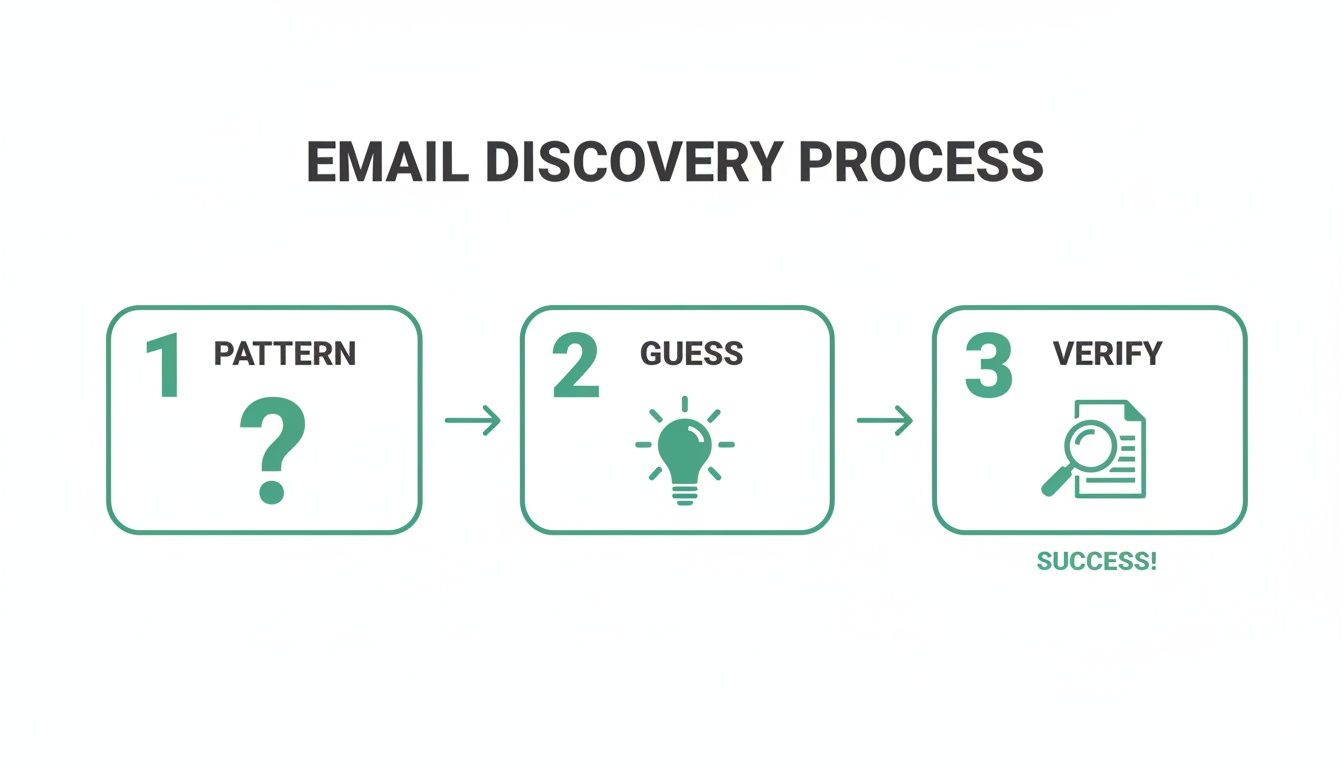
    Most companies follow a predictable pattern for their email addresses. This is a huge advantage. If you know a person's name and their company's domain, you can make a highly educated guess. Honestly, this is often the fastest manual method.

    Common patterns you'll see are:

    Once you have a few likely candidates, you don't have to just send a blind email and hope for the best. Use a free email verification tool to check if the address is valid without sending a message. These tools do a quick ping to see if the server recognizes the address, giving you a green light before you hit send. If you want to dive deeper into this topic, you can read our guide on finding email addresses by name.

    Top-tier email finders often use this same pattern-deduction logic. But even the best tools aren't flawless. Benchmarks show that leading services can have a surprisingly high rate of unusable emails—sometimes as high as 25.4%. This really highlights why knowing how to manually guess and verify is such a crucial backup skill. You can learn more about these findings on email finder accuracy.

    Mine Company Websites for Hidden Clues

    Sometimes, the contact information you're looking for is hiding in plain sight. Company websites, especially for smaller to mid-sized businesses, are often filled with direct contact details if you know where to dig.

    Go beyond the main contact page and explore these less-obvious sections:

    • The 'About Us' or 'Team' Page: This is the first place to look. Many companies proudly list their leadership team, and you might get lucky with direct email addresses or links to their professional profiles.
    • Press Releases or 'News' Section: When a company issues a press release, they almost always include a media contact. This is often a real person in marketing or PR, and their direct email is usually listed right there.
    • Blog Author Bios: If your target has ever written for the company blog, check their author bio at the bottom of the article. It's a common spot to find an email address or a link to a personal site with more contact info.

    These manual strategies take a bit more elbow grease, but they're incredibly effective when automated tools come up short. By combining smart searching, logical deduction, and thorough website investigation, you dramatically increase your odds of finding the exact email you need to start a real conversation.

    How to Conduct Ethical and Effective Outreach

    Person uses a stylus on a tablet, with 'Ethical Outreach' text on green papers and a checklist.

    Finding a verified email address feels like a win, but it’s just the starting line. The real work—and the real opportunity—is in what you do next. How you use that email will determine if you build a genuine connection or just add to the noise in someone's inbox.

    Effective outreach has nothing to do with blasting a generic template to hundreds of people. It’s about being thoughtful, respectful, and personal. Your goal should be to start a conversation, not just shove a sales pitch in someone's face.

    Personalization Is Your Secret Weapon

    In a world drowning in automated messages, a small touch of real personalization can make you stand out immediately. I'm not just talking about using a {FirstName} tag. I mean real personalization that shows you’ve actually done your homework.

    This proves you see the recipient as a human being, not just another lead on a spreadsheet.

    Think about what you can reference that shows you've paid attention:

    • A Recent Accomplishment: Did they just publish a killer article on their company blog? Mention a specific point you found interesting.
    • A Shared Connection: Reference a mutual colleague you both know or a conference you both attended.
    • A Company Milestone: Congratulate them on a recent product launch, funding announcement, or a great piece of press.

    A simple sentence like, "I really enjoyed your recent post on sustainable marketing—your point about supply chain transparency was spot on," instantly proves you’re not a robot. It turns a cold email into a warm introduction.

    Navigating Compliance and Ethics

    Using an email address finder for free means you also have a responsibility to be an ethical sender. Bending the rules isn't just bad practice; it can bring on serious penalties and do lasting damage to your brand's reputation. Always keep two key regulations in mind: GDPR (for EU contacts) and the CAN-SPAM Act (in the U.S.).

    Don't get bogged down in the legal jargon. The core principles are just good business sense.

    The essence of ethical outreach is providing clear value, being transparent about who you are, and making it incredibly easy for people to opt out. Respect the inbox, and you'll protect your sender reputation.

    At an absolute minimum, every outreach email you send should include your physical address and a clear, one-click unsubscribe link. Never use shady or misleading subject lines, and always honor opt-out requests right away. This isn’t just about dodging fines; it’s about building trust from the very first interaction.

    To keep things straightforward, here's a quick reference table for what to do—and what to avoid—in your outreach.

    Email Outreach Dos and Don'ts

    Do Don't
    Personalize your message with specific details. Use a generic, one-size-fits-all template.
    State your purpose clearly and concisely. Hide your intention in long, vague paragraphs.
    Include a clear, one-click unsubscribe link. Make it difficult or confusing to opt out.
    Provide genuine value or a solution to a problem. Focus only on your product or sales pitch.
    Honor opt-out requests immediately. Continue sending emails after a person unsubscribes.
    Be transparent about who you are and your company. Use deceptive or misleading subject lines.

    Following these simple rules helps ensure your emails are welcomed, read, and acted upon, all while keeping your sender reputation intact.

    A Simple and Effective Outreach Template

    You don't need a five-paragraph essay to get a response. In fact, shorter is almost always better. Here’s a simple, value-first template you can adapt for your own use. To really boost your open rates, check out these expert tips on writing catchy email subject lines.

    Subject Line: Quick question about [Their Company]'s [Specific Area]

    • Opening: Kick things off with your personalized compliment or observation. (e.g., "Hi Jane, I saw your team just launched the new X feature—congratulations, it looks fantastic.")
    • Value Proposition: Get straight to the point. State your purpose clearly, focusing on a problem you can solve for them. (e.g., "We help B2B SaaS companies like yours reduce user onboarding friction by about 25%.")
    • Call to Action: Make your ask simple and low-commitment. No one wants to book a 60-minute demo off a cold email. (e.g., "Would you be open to a brief 15-minute call next week to explore if this could be a fit?")

    This structure works because it respects their time, shows you've done your research, and gets directly to the point. It frames the entire conversation around their world, making them far more likely to reply. When you combine a verified email with a thoughtful message, you turn cold outreach into a powerful way to build real relationships.

    Got Questions? Here Are Some Answers

    Even with the best tools, you're bound to have some questions. That's a good thing—it means you're thinking critically about how to find emails the right way.

    Let's clear up a few of the most common things people ask when they start using free email finders.

    Is It Legal to Use an Email Finder?

    This is the big one, and the short answer is yes, it’s legal. Finding a publicly available business email is not the problem. It’s what you do with that email that counts.

    Laws like the CAN-SPAM Act in the U.S. and GDPR in Europe are not there to stop you from doing business. They exist to stop spam. As long as you're reaching out with a legitimate business reason, being transparent about who you are, and providing an easy way to opt-out, you're generally in the clear.

    Think of it this way: The tool is just a map. Where you drive and how you drive is on you. Always be respectful and provide real value.

    How Accurate Are These Free Tools, Really?

    It’s important to set the right expectations here. Free email finders are incredibly useful, but they're not crystal balls. No tool can guarantee 100% accuracy because the business world is constantly changing—people switch jobs, companies rebrand, and email structures get updated.

    A good tool like EmailScout works by cross-referencing multiple data points to give you the highest possible chance of a valid email. You can generally expect a success rate anywhere from 70% to 95%. This is more than enough to fuel a powerful outreach campaign, but you should always plan for a small percentage of emails to bounce. That’s just part of the game.

    Why Do These Tools Only Find Professional Emails?

    You’ve probably noticed that email finders are built to find name@company.com addresses, not personal ones like name@gmail.com. There are a few very practical reasons for this:

    • Keeping it Professional: When you’re doing business outreach, you want to reach people in a professional context. Their work email is the right place for that conversation.
    • Staying Compliant: Privacy laws are much stricter with personal data. Contacting a business email for a relevant business purpose is widely accepted, but landing in someone's personal inbox uninvited can feel intrusive and cross a legal line.
    • They're Easier to Find: Business emails usually follow predictable patterns, which makes them far easier for algorithms to find and verify. Personal emails are totally random.

    Focusing on professional emails helps you run smarter, more effective outreach that respects people’s boundaries.

    What if I Still Can't Find an Email?

    It happens. Sometimes a person has a tiny digital footprint or works at a company with a bizarre email format. When your automated tools come up short, it’s time to put on your detective hat and go back to the manual methods.

    Don’t just give up on a great prospect. Try these moves:

    1. Advanced Google Searches: Use "Google dorking" tricks with different combinations of their name, company, and words like "email" or "contact."
    2. Dig Through the Company Website: Check out the "About Us," "Press," or "Team" pages. You might find an author bio on a blog post or a media contact that gives you a clue.
    3. Guess and Verify: This is a classic for a reason. Try the most common patterns (first.last@domain.com, firstinitial.lastname@domain.com) and pop them into a free verification tool. You’d be surprised how often this works.

    When you combine a great tool with a bit of manual sleuthing, there aren't many contacts who can stay hidden for long.


    Ready to stop guessing and start connecting? With EmailScout, you get an unlimited free email finder that integrates directly into your browser. Find verified emails, build lead lists automatically, and supercharge your outreach in minutes. Get started with EmailScout for free today

  • Find Company Email: How to find company email and reach any address fast

    Find Company Email: How to find company email and reach any address fast

    If you want to get your message read, you need a strategy that mixes a bit of old-school detective work, some educated guessing, and the right automation tools. The real goal is to sidestep the black hole of generic inboxes like info@company.com and land your message directly in front of a decision-maker.

    This isn't just a "nice-to-have" skill. It's the foundation of any successful sales outreach, marketing campaign, or even just professional networking.

    Why Finding the Right Email Is Still a Game Changer

    In a world overflowing with social media noise and automated chatbots, a direct email is still one of the most powerful tools in professional communication. It cuts through the static. When you send a message to a specific person's inbox, you're opening a direct line that can lead to real conversations and business results.

    Think about it: sending an email to a generic info@ or contact@ address is like dropping a letter in a massive public mailbox for an entire office building. It gets tossed in with junk mail, support tickets, and who knows what else. Finding an individual’s email is like having a key to their specific office door—it guarantees your message actually gets seen by the person who can do something about it.

    The Strategic Value of a Direct Inbox

    A direct email carries weight because of its precision. An email addressed to a specific person feels personal and important, making it far more likely to be opened and read than something dumped into a general queue. For anyone in sales, marketing, or business development, this is absolutely crucial.

    The advantages are crystal clear:

    • Sky-High Open Rates: Emails that feel like they were written for one person just perform better. They don't look or feel like spam.
    • Better Response Rates: When your message is actually relevant to the recipient's role, the odds they'll reply shoot way up.
    • Building Real Relationships: You get to bypass the gatekeepers and start a conversation directly with the person who makes the decisions.
    • Higher Conversion Potential: Reaching the right person from the start just makes everything faster and more effective.

    This simple workflow gives you a visual on how to decide which method to use, depending on what information you already have.

    Flowchart illustrating the process of finding company emails, starting with having a contact name, then using email tools or manual search.

    As the flowchart shows, your strategy really depends on whether you're starting with a contact's name or just a company, and whether you have an email finder tool ready to go.

    Your Methods for Finding Company Emails at a Glance

    Here's a quick summary of the methods we'll cover, so you can choose the best approach for your situation.

    Method Best For Effort Level Success Rate
    Manual Discovery Finding a few key contacts at high-value companies. High Moderate to High
    Educated Guessing When you have a name but can't find the email directly. Medium Moderate
    Email Finder Tools Scaling your outreach and finding emails in bulk. Low High
    WHOIS Lookup Finding technical or administrative contacts for a domain. Low Low to Moderate

    Each method has its place, and the most successful people I know use a combination of all of them.

    Email Remains the Bedrock of Business Communication

    The sheer dominance of email in the professional world highlights just how important this skill is. It’s not going anywhere. By 2025, there will be around 4.6 billion email users sending an eye-watering 376.4 billion emails every single day.

    In the B2B world, that translates to massive opportunity. Some studies show email marketing can deliver a return of $36 to $42 for every single dollar spent. You can dig into more insights about email usage trends to see the full picture.

    Mastering the art of finding the correct email address isn't just a technical skill; it's a strategic advantage that ensures your voice is heard in a world full of digital noise. Every correct email found is a new door opened.

    Become a Digital Detective with Manual Searches

    Before you even think about firing up an automated tool, let's talk about the foundational skill: manual searching. I like to think of it as digital detective work. With a little patience and a sharp eye, you'll be surprised what you can find hiding in plain sight.

    This isn't just about a quick scan of a contact page. It's a more methodical approach, one that uncovers clues most people miss. When you find an email this way, you’re not just getting a contact; you're gaining context about the person and their role, which is gold for personalizing your outreach.

    Start with the Company Website

    The company's website is always your first stop—the primary crime scene, if you will. The general contact form is usually a dead end for reaching a specific person, but other pages are often treasure troves.

    Here’s where I always look first:

    • The "About Us" or "Team" Page: This is the low-hanging fruit and the best place to start. You’ll often find names, job titles, and sometimes even direct email addresses or links to their professional social media profiles.
    • The Company Blog: Do they have guest posts or articles written by employees? Check the author byline. Companies often include the author's name and title to build their authority, and sometimes, you'll find contact info right there.
    • Press Releases or "In the News" Sections: These documents are fantastic for finding key contacts. A press release about a product launch will almost always name the product manager or a marketing VP. It's a direct line to someone relevant.

    By digging through these pages, you're doing more than just looking for an email; you're building a mental map of the company's key players. For a deeper dive into these techniques, check out our guide on how to find an email address from a website.

    Leverage the Power of LinkedIn

    LinkedIn is an absolute must-have for this kind of work. It’s basically the world's biggest professional directory, and people willingly share clues that help you connect the dots.

    Find your target's profile. Check their contact info section, of course, but don't stop there. Look at their recent activity. Have they published an article or a post? People are often more conversational in the comments of their own content, sometimes dropping details they wouldn't put on their main profile.

    Pro Tip: The "About" section on a LinkedIn profile is often overlooked. I've found that many professionals link to their personal portfolio or website here, which almost always contains a direct email address away from LinkedIn's platform.

    Also, take a look at your mutual connections. A warm introduction from a shared contact can completely change the game, turning a cold email into a friendly referral and massively boosting your chances of getting a response.

    Dig into WHOIS Data for Domain Contacts

    Here’s a slightly more obscure but powerful trick, especially for smaller companies or startups. You can look up a website's domain registration information, known as WHOIS data.

    This public record can sometimes reveal the email address of the person who registered the domain—often the founder, owner, or a key technical contact. While many registrars now offer privacy protection that hides this info, it's always worth a quick search. You might just get lucky.

    Here's what a lookup tool like WHOIS.com looks like before you hit search.

    If the domain info isn't private, the results will show administrative and technical contacts. It’s a bit of a long shot these days because of privacy services, but when it works, you often get a high-quality, direct email that bypasses every gatekeeper. It’s a great last-resort tactic to have in your back pocket.

    Decode Email Patterns With Educated Guessing

    Sometimes, your direct searches will come up empty. When you hit that wall, it’s time to stop being a detective and start thinking like a cryptographer.

    The good news is that most companies—especially bigger ones—don't get fancy. They rely on standardized email patterns for their entire staff. If you can find the email address for just one person at the company, you've likely cracked the code for everyone else. This isn't random guesswork; it's a smart process of elimination.

    A hand holds a magnifying glass over a profile picture on a laptop, next to a 'Digital Detective' sign.

    Identifying Common Corporate Email Formats

    Most businesses stick to simple, consistent email structures, which is a huge advantage for us. Let's say you're trying to reach Jane Doe at acmecorp.com. You can test a handful of highly probable combinations right off the bat.

    From my experience, these are the patterns you'll see over and over again:

    • First Name: jane@acmecorp.com
    • First Initial + Last Name: jdoe@acmecorp.com
    • First Name + Last Initial: janed@acmecorp.com
    • Full Name (Dot Separated): jane.doe@acmecorp.com
    • Full Name (Underscore Separated): jane_doe@acmecorp.com

    Start with these. They cover the vast majority of corporate email formats. Just remember to run your best guess through an email verification tool before you hit send—the last thing you want is an immediate bounce.

    To make this easier, I've put together a quick reference table of the most common patterns I've encountered.

    Common Corporate Email Patterns to Test

    Use this reference table to guide your educated guesses when trying to figure out a specific email address.

    Pattern Type Example (for John Smith) Common Use Case
    First Name Only john@domain.com Startups, small companies, or early employees.
    First Initial, Last Name jsmith@domain.com Very common in mid-to-large companies.
    First Name, Last Initial johns@domain.com Less common but still a frequent variation.
    First Name . Last Name john.smith@domain.com A top-tier guess for most corporate environments.
    First Name _ Last Name john_smith@domain.com A classic format, though dots are now more popular.
    Full Name johnsmith@domain.com Used by companies to keep things simple.

    This table should be your go-to cheat sheet. I usually start with the First Name . Last Name and First Initial, Last Name patterns, as they have the highest success rate for established companies.

    How Company Size Influences Email Patterns

    The size and even the age of a company can give you clues about its email format. A lean startup has different needs than a global corporation, and their email conventions usually reflect that.

    For instance, a small business is far more likely to use a simple firstname@ format. It’s clean, personal, and easy to remember. But as soon as they hire a second person named John, that system breaks down.

    That’s why mid-to-large companies almost always adopt more distinct patterns. Formats like firstname.lastname@ or f.lastname@ are popular because they drastically reduce the chances of duplicates, even with thousands of employees.

    Recognizing these tendencies isn't a foolproof method, but it provides valuable context. If you're targeting a Fortune 500 company, it's a safe bet to start your tests with the more complex first.last or firstinitial.last variations.

    Getting this right matters. With global email users projected to hit 4.83 billion by 2025 and nearly 392 billion emails sent daily, your message needs to land in the right inbox. It's no surprise that well-targeted campaigns can boost revenue by an astounding 760%—and it all starts with a valid address. You can find more of the latest email statistics on cloudhq.net.

    Putting It All Together: A Practical Example

    Let's walk through a scenario. You need to contact David Miller, a Marketing Director at a tech company called Innovate Solutions (innovatesolutions.com). You've done the basic manual searches, but no luck.

    Your next move? Find an email for anyone at the company. You check their blog and find an article written by a software engineer named Sarah Chen. Her author bio links to her GitHub profile, and right there in her public info is her work email: sarah.chen@innovatesolutions.com.

    Bingo. You've found the pattern: firstname.lastname@domain.com.

    Now you can confidently apply that same formula to your target. You construct David Miller's email as david.miller@innovatesolutions.com, pop it into a verifier to be sure, and you're good to go. This simple, logical leap just saved you from a ton of extra digging.

    Automate Your Search with Email Finder Tools

    Let's be real: manual searching and educated guessing are great skills to have, but they hit a wall, and they hit it fast. These detective methods are perfect when you’re hunting down a handful of key contacts. But what about when you need to build a prospect list of hundreds? Or thousands? That's when you need to call in the technology.

    This is where email finder tools completely change the game. These platforms are built for one thing: efficiency. They turn a painstaking manual process into a slick, automated workflow that can pull in a high volume of accurate contacts in minutes.

    How Email Finders Supercharge Your Outreach

    Think of email finder tools as powerful search engines built specifically for finding people's contact info. They leverage huge databases and clever algorithms to scan public sources, connect the dots between data points, and pinpoint the most likely email address for a professional at any given company.

    These tools come in a few different flavors, each suited for different tasks:

    • Browser Extensions: These are my go-to for real-time prospecting. You’re browsing a company website or a LinkedIn profile, and a little extension pops up with the contact info for the people on that page. It’s seamless.
    • Bulk Finders: Got a spreadsheet full of names and companies? A bulk finder can chew through that entire file at once, enriching it with verified email addresses while you grab a coffee.
    • Domain Searches: Some tools let you just pop in a company’s domain (like company.com) and will spit back a list of every publicly discoverable email associated with it.

    Tools like EmailScout, for instance, bundle these functions together, letting you find emails directly from social profiles or from a list of website URLs. This flexibility is what makes automation so powerful—it bends to fit your specific workflow, not the other way around.

    The real benefit of automation isn't just speed; it's leverage. It allows one person to do the work of a small team, freeing up your time to focus on what actually moves the needle: crafting great outreach and building relationships.

    Key Features to Look for in an Email Finder

    The market for these tools is crowded, and honestly, not all are created equal. When you're trying to find company email addresses at scale, you need to cut through the noise and focus on a few critical features. This will ensure you get the best bang for your buck.

    Accuracy and Verification
    This one is non-negotiable. A tool is worthless if it's feeding you a high percentage of duds. Look for platforms that have built-in, real-time email verification. This process pings the server to see if an email address is active and can receive mail, which is vital for protecting your sender reputation and dodging high bounce rates. A solid tool should deliver an accuracy rate of 95% or higher.

    Integration Capabilities
    The best tools play nicely with others. They should integrate smoothly with the platforms you already use every day. Look for native integrations with popular CRMs like Salesforce or HubSpot and outreach tools like Mailchimp or Lemlist. It'll save you from the soul-crushing task of manually exporting and importing CSV files.

    Credit System and Pricing
    Most of these services run on a credit-based system, where one credit usually gets you one discovered or verified email. Make sure you understand how those credits are spent. Does the tool burn a credit on a failed search? Can you roll over unused credits to the next month? Find a plan that matches your outreach volume so you're not overpaying or running out of steam mid-campaign.

    This is what a typical email finder interface looks like—built for simplicity and speed.

    A flat lay shows "EMAIL PATTERNS" text, a notebook with "First Name. Lastname @" handwritten, and a pen on a green background.

    The clean layout helps you get in, find individuals by name and company, and get the data you need without any unnecessary clicks or confusion.

    Choosing the Right Tool for Your Needs

    With so many options out there, from niche LinkedIn finders to massive, all-in-one sales intelligence platforms, picking the right one can feel overwhelming. A good starting point is a comprehensive comparison of the best email finder tools to help you weigh the pros and cons against your budget and goals.

    Here are a few questions I always ask when evaluating a new tool:

    Feature What to Ask Why It Matters
    Data Sources Where does the tool get its data? Is it from public sources, proprietary databases, or both? A wider variety of sources often leads to better and more up-to-date results.
    Ease of Use Is the interface intuitive? How steep is the learning curve for you and your team? A tool that's complicated to use will slow you down, defeating the purpose of automation.
    Customer Support What kind of support is offered? Is it live chat, email, or a knowledge base? When you run into an issue, responsive and helpful support can be a lifesaver.

    Ultimately, the best tool is the one that slots right into your workflow. If you practically live on LinkedIn, a browser extension is a must-have. If you're building large-scale marketing campaigns, a platform with beefy bulk-finding and CRM integration features is the clear winner. Most services offer free trials or freemium plans, so take them for a spin and test a few options before you commit.

    Verify Emails and Master Your Outreach Strategy

    You’ve done the detective work and now have a promising list of emails. It’s tempting to jump straight into writing your message, but hold on. There’s a crucial step that separates the amateurs from the pros: verification.

    Sending an email to an unverified address is a gamble. If it's a dead or incorrect address, you get a "bounce." A few bounces are no big deal, but too many will absolutely tank your sender reputation—the score email providers like Gmail and Outlook use to judge you.

    A low score sends your emails straight to the spam folder, even the ones to perfectly valid addresses. This makes verification a non-negotiable part of your outreach.

    Why Verification Is Your Best Friend

    Think of verification as a quick, automated health check. A good service pings the recipient's mail server to confirm the inbox actually exists and can receive mail, all without sending a thing. This simple check protects your entire outreach effort.

    • It keeps your bounce rates incredibly low, protecting that all-important sender reputation.
    • It saves you time and energy by making sure you only contact active prospects.
    • It cleans up your campaign metrics, giving you a true picture of your open and reply rates.

    A high bounce rate is a massive red flag for email providers. The gold standard is to consistently keep your bounce rate below 2%. This is the key to maintaining a strong sender reputation and ensuring your messages actually get delivered.

    If you want to dive deeper into the technical side, check out our detailed guide on how to verify emails and keep your domain safe. It's a small time investment that pays off big time.

    Crafting an Outreach Message That Actually Gets Opened

    With a clean, verified list, your focus can shift to writing an email that cuts through the noise. The average professional gets buried under 120+ emails a day, so your message needs to be sharp, concise, and valuable from the first glance.

    The Subject Line Is Your First Impression

    Your subject line has one job: earn the open. Ditch the generic, salesy stuff like "Quick Question" or "Checking In." Instead, spark some curiosity and get personal.

    A great subject line is specific and hints at the value inside. For example, instead of "Marketing Partnership," try something like, "Idea for Innovate Solutions' blog." The first is vague and easy to delete; the second is personal and shows you’ve actually done your homework.

    Lead With Value, Not an Ask

    Once they open the email, the first sentence is your next big hurdle. Don't start with you, your company, or your product. Start with them.

    Reference a recent company win, a post they shared on LinkedIn, or a challenge you know their industry is up against. This proves you're not just blasting out a generic template. After that brief, personalized opener, get straight to the point. Clearly explain why you’re reaching out and what's in it for them—in just one or two sentences.

    Navigating Compliance The Smart Way

    Finally, great outreach is always ethical and legal. You absolutely need to know about the CAN-SPAM Act in the United States and GDPR in Europe. While the specifics differ, the spirit is the same: be transparent and give people an easy way to opt out.

    Here are the core principles to live by:

    • Be Honest: Your "From" name, reply-to address, and subject line must be accurate. No trickery.
    • Identify Your Message: If it's an ad, you need to clearly and conspicuously identify it as one.
    • Provide a Physical Address: You have to include your valid postal address in every commercial email.
    • Offer an Easy Opt-Out: Every single message must include a clear way to unsubscribe. You must honor these requests quickly.

    Breaking rules like the CAN-SPAM Act can lead to jaw-dropping fines—up to $53,088 per email. Following these rules isn't just about avoiding penalties; it’s about building trust and operating like a true professional.

    Frequently Asked Questions About Finding Emails

    A person verifying emails on a tablet with a 'VERIFY EMAILS' sign nearby.

    Even after trying all the tricks in the book, you’ll probably have a few questions when you’re trying to find company email addresses. I get these all the time, so let’s clear up some of the most common roadblocks and get you back on track.

    What If I Can't Find Any Email for a Company?

    This happens, especially with smaller companies or those with a minimal digital footprint. When manual searches and pattern guessing come up empty, it’s time to get a little more creative.

    I’ve had a lot of success looking for clues on adjacent professional platforms. Check out employee profiles on LinkedIn or see if anyone from the company is active in industry-specific forums. You might be surprised—a personal portfolio or even a comment on a blog post can sometimes give you the exact info you need.

    Another pro tip? Look for employees who recently left. Their old email format is usually a dead giveaway for how the company structures addresses for new hires.

    How Accurate Are Email Finder Tools Really?

    This is a fantastic and crucial question. The quality of email finders varies wildly, but the best ones consistently hit a 90-98% accuracy rate. The difference-maker is that top-tier platforms don’t just rely on static databases; they use real-time verification to make sure the emails they serve up are active and ready to go.

    A tool’s accuracy is everything. Using a low-quality finder that gives you a bunch of outdated or junk emails will skyrocket your bounce rate. That’s a fast way to get your domain’s sender reputation tanked. Always, always go with tools that have verification built-in.

    Is It Legal to Email Someone I Don't Know?

    Yes, sending cold emails for business is generally legal, but you absolutely have to play by the rules. In the U.S., the main law to know is the CAN-SPAM Act. It doesn't require you to get permission beforehand, but it does have strict rules about transparency and giving people an easy way to opt out.

    Here are the non-negotiables under CAN-SPAM:

    • Show your physical address: Every commercial email you send must include your valid postal address.
    • Provide a clear opt-out: You have to include a straightforward link or way for people to unsubscribe.
    • Honor opt-outs quickly: Once someone unsubscribes, you have 10 business days to remove them from your list.

    Don’t mess around with this. The penalties are steep—up to $53,088 per email. Following these rules keeps your outreach effective and, more importantly, ethical.

    What's the Best Method for a Beginner?

    If you're just starting out, stick with manual searching first. Seriously. It forces you to learn how to think like a digital detective by digging through company websites, "About Us" pages, and LinkedIn profiles. It’s definitely slower, but the skills you build are foundational.

    Once you’ve got the hang of it and need to find emails at a larger scale, the perfect next step is an email finder’s browser extension. It’s the best of both worlds—you get the context of manual searching on sites like LinkedIn, but with the speed of automation. It helps you work smarter, not just harder.


    Ready to stop guessing and start connecting? EmailScout gives you the power to find verified email addresses in a single click, directly from LinkedIn profiles or company websites. Try our free Chrome extension today and see how easy building your outreach list can be.

  • Email Address Formats A Guide to Successful Outreach

    Email Address Formats A Guide to Successful Outreach

    Ever wonder how some sales reps seem to have a magic key for reaching anyone? It’s not magic—it's just a solid understanding of corporate email address formats.

    At its core, an email format is the simple, repeatable pattern a company uses for its professional email accounts. Think things like firstname.lastname@company.com. Getting a handle on these common structures is a game-changer for anyone in sales or marketing. It stops you from just guessing and hoping for the best, drastically cutting down your bounce rates and getting your message seen by the right people.

    Why Email Formats Are Your Outreach Superpower

    A person's hands on a laptop keyboard, pointing at a green 'OUTREACH SUPERPOWER' sign.

    Let's cut through the jargon. For those of us on the front lines of sales and marketing, knowing email formats is a seriously underrated skill. It’s the difference between your message disappearing into the ether and it landing squarely in your ideal prospect's inbox.

    Think of it this way: you could knock on a random wall, or you could have the right key to the right door. When you can accurately predict a company’s email pattern, you're not just finding an address; you’re building a smarter, more efficient outreach machine.

    The Foundation of Modern Communication

    The basic local-part@domain syntax has been the standard since RFC 822 was published way back in 1982. This simple structure—up to 64 characters for the local part and 255 total—is still the backbone of all modern email. It's how the world is projected to handle over 408 billion daily emails by 2027.

    This isn't just a fun fact; it's a strategic advantage. When you can spot these patterns, you can:

    • Slash Your Bounce Rates: Sending emails to bad addresses tanks your sender reputation. Getting it right from the start protects your domain.
    • Connect Faster: You get to skip the gatekeepers and generic inboxes and go straight to the decision-makers.
    • Personalize Better: Using someone's correct, direct email shows you did your homework. It adds a layer of credibility right off the bat.

    Understanding the logic behind corporate email formats turns cold outreach from a guessing game into a calculated science. It’s one of the fastest ways to improve your campaign's ROI.

    From Format to Conversation

    Of course, finding the right email is just the first step. The real magic happens when you pair that accurate address with a message that actually connects. For a deep dive into crafting outreach that gets replies, the Strategic Cold Outreach Personalization Blueprint has some fantastic templates and insights.

    At the end of the day, mastering email formats isn't some technical chore. It's a foundational strategy to make every single email you send count, laying the groundwork for real business relationships.

    Cracking the Code on Corporate Email Patterns

    Figuring out a corporate email address is less about wild guessing and more about understanding the simple, logical patterns most companies use. Whether it's a small startup or a massive enterprise, organizations almost always stick to a standard format for their emails. It just makes things easier and more consistent.

    Once you get a handle on these common structures, you can turn a prospect's name and their company's website into a solid, educated guess for their email. This isn't just a neat trick for salespeople—it's a core skill that directly helps you connect with the right people. The best approach? Start with the most common patterns and work your way down the list.

    The Most Common Email Address Formats

    Let's dive into the patterns you'll run into most often. I'd wager these account for over 80% of all corporate emails out there, so they are absolutely the best place to begin.

    • First Name Only: john@company.com
      You see this one a lot with smaller companies and tech startups. It's personal, easy to remember, and usually reflects a more modern, less formal culture.

    • First Initial + Last Name: jdoe@company.com
      This is a classic for a reason. Mid-sized to large companies love this format because it's short, professional, and helps clear up confusion when you have two people with the same first name.

    • First Name + Last Name Initial: johnd@company.com
      While not as common as the first two, you'll still see this one a fair bit. It's often the go-to alternative when a company has already assigned the jdoe@company.com version to someone else.

    These three patterns are your bread and butter. When you're trying to find someone's email, always start by testing these variations. If you're looking for more advanced ways to track down emails, our guide on mastering domain email lookup in 2024 goes into much greater detail.

    Just remember, the goal isn't just to find an email address—it's to find the right one. Sticking to the highest-probability formats first saves you a ton of time and, more importantly, keeps you from sending emails into the void, which can tank your sender reputation.

    The Separator Patterns: Dot and Underscore

    If the basics don't work, the next logical step is to check for formats using separators. Dots and underscores are the most popular additions, and you'll typically find them at larger, more traditional corporations that prefer a more structured look.

    I've put together a quick table that breaks down these patterns with some real-world context.

    Common Corporate Email Formats and Real-World Examples

    Email Format Pattern Example Common Use Case
    First Name . Last Name john.doe@company.com Extremely common in large, established corporations across all industries, from finance to manufacturing. It's considered the standard for formal B2B communication.
    First Initial . Last Name j.doe@company.com A variation often used when the company wants a shorter format but still desires the formal separation that a dot provides.
    First Name _ Last Name john_doe@company.com While less frequent than the dot, the underscore serves the same purpose. It's sometimes seen in older tech companies or organizations with legacy systems.

    These separator-based formats are your next best bet after you've exhausted the most common patterns. They're a staple in the corporate world for a reason.

    Why Company Size and Culture Matter

    Believe it or not, a company's email format can tell you a lot about its age, size, and even its culture. A hip tech startup might go with the casual firstname@company.com to seem more approachable and modern. On the flip side, a Fortune 500 law firm will almost certainly use the formal firstname.lastname@company.com to project a traditional, professional image.

    Thinking about this context gives you a real strategic advantage. Before you even start guessing, take a second to consider the company you're targeting. Is it a fast-moving SaaS business or a hundred-year-old bank? A little bit of analysis upfront can help you prioritize which formats to try first and dramatically boost your odds of getting it right on the first shot.

    Your Workflow for Finding and Verifying Emails

    Knowing the most common email patterns is like having a map, but you still need a car to get where you're going. A solid workflow for finding and verifying emails is that car—it saves you countless hours and, more importantly, protects your sender reputation from getting trashed. It’s all about moving from educated guesses to confirmed contacts before you even think about hitting send.

    The whole process starts with a bit of smart, manual digging using tools you already have. Your goal is to find clues left on a company's digital footprint. A quick scan of their website, especially the "About Us" or "Team" page, can be a goldmine. Sometimes, you'll find an employee's email right there, instantly revealing the company's pattern. No luck? LinkedIn is your next stop. Just finding the names of the right people in your target department is a huge first step.

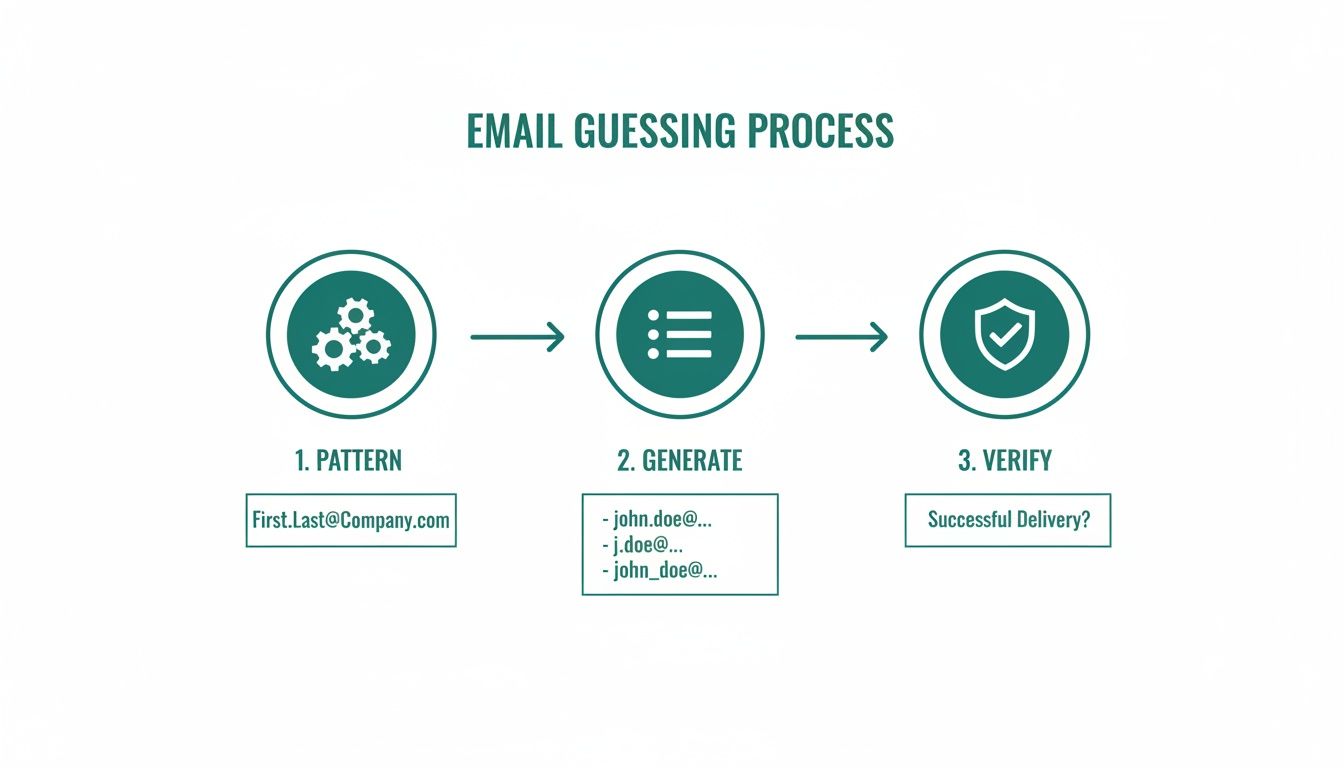
    This visual shows the simple but powerful loop of identifying, testing, and confirming corporate email patterns.

    A three-step diagram illustrating corporate email pattern analysis to identify security threats like phishing and data leakage.

    This really drives home the point that successful outreach isn't about finding one email. It’s about building a repeatable system to spot patterns, generate the right variations, and then prove they're legit.

    Manual Techniques and Smart Tools

    Once you have a name (say, Jane Doe) and the company domain (acmecorp.com), you can start generating a list of likely combos based on the formats we've already covered. Your first-pass list might look something like this:

    • jane.doe@acmecorp.com
    • jdoe@acmecorp.com
    • janed@acmecorp.com
    • jane@acmecorp.com

    But here's the critical part: don't just blast emails to all of them and hope for the best. That's where specialized tools come into play. Email finders and verification platforms are built to test these possibilities without actually sending a message. They ping the mail server to see which address is valid and ready to receive. For a seriously effective method, you should look into what's known as waterfall enrichment for finding B2B emails.

    The golden rule for any good workflow is verify, then send. A bounce rate of even 5% is enough to start damaging your sender reputation with providers like Gmail and Outlook. Once that happens, it gets a lot harder for your future emails to ever see the light of day in a primary inbox.

    Choosing Your Verification Arsenal

    The market is flooded with tools, from simple browser extensions to powerful, all-in-one platforms. The right one for you really just depends on your needs and how many contacts you're working with.

    Browser Extensions

    These are perfect for quick, on-the-fly lookups. When you're prospecting on LinkedIn, a good extension can often find and verify an email with a single click, fitting right into your research process. They're all about speed and convenience for one-off or small-batch searches.

    Full-Scale Verification Platforms

    If you're staring down a list of hundreds or thousands of contacts, a bulk verification platform is non-negotiable. You can just upload a CSV file with all your generated email guesses, and the platform will scrub the entire list, telling you which ones are valid, risky, or flat-out invalid. This is an absolute must for any large-scale marketing campaign.

    The Verification Step Is Non-Negotiable

    No matter which method you use, that final verification step is what separates professional outreach from spammy guesswork. Using a reliable service gives your messages the best possible chance of actually getting delivered. A well-built workflow that combines manual research with powerful verification tools turns your outreach from a game of chance into a predictable system for connecting with the right people.

    If you want to dive deeper into the technical side, check out our complete guide to email address verification.

    Using Email Formats to Power Your Marketing

    A bearded man using a tablet to review lists on a wooden table with a 'Clean Lists' notebook.

    While sales teams are often the ones hunting down individual emails, marketers can turn this same knowledge into a massive strategic advantage. It’s the secret sauce for building cleaner, more accurate lists right inside your marketing automation platform, and it directly moves the needle on the metrics that matter most.

    When your contact database is pristine, every campaign you launch has a much better shot at success. You’ll see higher open rates, more click-throughs, and, ultimately, stronger conversion numbers. This isn't just about finding an email; it's about making sure your hard work actually lands in the right inbox.

    List Hygiene and Campaign Performance

    A clean marketing list is a high-performing asset, plain and simple. When you proactively use what you know about email formats to scrub your database, you’re not just removing bad contacts—you're protecting your sender reputation and boosting deliverability for everything you send.

    Think about it. Every bounced email sends a negative signal to inbox providers like Gmail and Outlook. Rack up too many bounces, and your messages can get flagged as spam, even for your most engaged subscribers. Regular list maintenance is your first line of defense against that.

    This proactive approach is critical in an email marketing ecosystem projected to hit $36.3 billion by 2033. With an average ROI of $36 for every $1 spent, you can’t afford to have your messages go missing because of sloppy data.

    Turning Data Into a Reliable Asset

    Your marketing database should be a source of truth, not a source of bounces. When you combine your understanding of email formats with the right tools, you can transform a messy, unreliable list into a powerful growth engine.

    Here’s a practical workflow I've used for ongoing list maintenance:

    • Segment and Analyze: First, break down your main list into smaller chunks based on how people signed up or how engaged they are. Look for patterns in your bounce reports. Are they all coming from a specific company or lead source?
    • Apply Format Logic: Let’s say you notice a high bounce rate for contacts at "acmecorp.com" using the firstname@acmecorp.com format. Time to test a different pattern. Run a verification test using firstname.lastname@acmecorp.com just for that segment.
    • Use Enrichment Services: For your most valuable segments—like high-intent leads or key accounts—it's worth using data enrichment tools. These services can automatically find and verify correct contact info, filling in the gaps and fixing outdated emails for you.

    Your marketing automation platform is only as good as the data you feed it. By actively managing your list hygiene with an understanding of email address formats, you ensure your brilliant campaigns don’t just get sent—they get delivered.

    Ongoing Maintenance for Peak Performance

    List maintenance isn't a "one-and-done" task; it's a habit. I recommend setting a recurring schedule—either monthly or quarterly—to run your lists through a verification process. This helps you catch issues as they happen, like when contacts change jobs or companies update their email patterns.

    Better yet, integrate format-checking directly into your lead capture process. This prevents bad data from ever entering your system in the first place and saves you a ton of cleanup time down the road. Our guide on how to get email addresses for marketing dives deeper into strategies for building a quality list from day one.

    When you prioritize list hygiene powered by an understanding of corporate email patterns, you turn your database from a simple contact list into your most reliable, high-performing marketing asset.

    How Major Email Providers Influence Your Outreach

    Figuring out the right corporate email format is a huge first step, but the job isn't done. The real challenge, the final boss, is always the inbox itself. These days, a few giants like Google and Apple act as the gatekeepers for a staggering amount of all email traffic.

    Their power over your outreach is massive. Think of them less as passive mailboxes and more as active, intelligent systems built to shield users from spam. Understanding how they operate is just as crucial as getting the email address right in the first place.

    The Impact of Advanced Filtering

    The old days of simple, keyword-based spam filters are long gone. Today's providers use sophisticated algorithms that look at everything—your sender reputation, how people engage with your emails, and what your message actually says.

    If you send to a list with even a small number of bad addresses (which is exactly what happens when you guess formats without checking them), you can get your domain flagged in a hurry. A single sloppy campaign can have lasting damage, making it harder for even your best emails to land in the primary inbox down the road.

    Your sender reputation is your most valuable asset in email outreach. Major providers track it relentlessly, and protecting it begins with sending emails only to verified, valid addresses. A clean list is the foundation of deliverability.

    Navigating Tabbed Inboxes and Rendering Engines

    Even when your email gets through, you're not in the clear. You still have to deal with the inbox layout itself. Gmail's tabbed inbox, for instance, completely changed the game by sorting mail into folders like Primary, Social, and Promotions. If your outreach email looks too much like a generic marketing blast, it's getting filtered away from your prospect's main view.

    On top of that, how your email actually looks can vary wildly from one client to another. Apple Mail and Gmail process HTML and CSS differently, which can easily break your formatting and make you look unprofessional.

    It's absolutely essential to design clean, simple emails that look good everywhere. You want to make sure your call-to-action is always clear and easy to find. With Gmail boasting over 2.5 billion active users and Apple Mail owning 54.04% of the email client market share, you can't afford to ignore either of them. You can dive deeper into Gmail's dominance here.

    At the end of the day, knowing the right email format gets your foot in the door. But it's respecting the rules and design of the major providers that lets you step inside and actually start a conversation.

    Common Questions About Email Address Formats

    Even with the best tools, you're going to run into questions when you're hunting down email formats. It just happens. Let's walk through some of the most common ones that sales and marketing pros ask.

    Think of this less as a set of rules and more as a field guide. The goal is to understand the logic so you can think on your feet and adapt to whatever a company throws at you.

    What Is the Most Common Email Format for Businesses?

    Hands down, the format you'll see most often is firstname.lastname@company.com. It's the default for a reason—it’s clean, professional, and scales well, which is why you see it everywhere in larger, more established companies.

    But don't stop there. A few other patterns are incredibly common and should be the first ones you test:

    • f.lastname@company.com (first initial, last name)
    • firstname@company.com (just the first name)

    Your best bet is to always start with these top three when you're looking for a new contact. A little context goes a long way, too—a tech startup might lean toward firstname@company.com, while a law firm will almost certainly use firstname.lastname@company.com.

    How Can I Check an Email Format Without Sending a Message?

    Simple: use a dedicated email verification tool. This is non-negotiable for anyone doing serious outreach, because it’s the only way to protect your sender reputation.

    These services run a bunch of technical checks behind the scenes to see if an address is actually live and can receive mail. The whole process happens instantly without sending a single email. That means you get confirmation without the bounces that tell Gmail and Outlook you're a spammer.

    Never, ever "test" an email by sending your pitch to it. Even one bounce is a red flag for inbox providers. A good verification tool does the check safely and instantly, keeping your sender score intact.

    Are There Legal Rules for Using Guessed Email Formats?

    Yes, and you absolutely need to know them. Regulations like GDPR in Europe and the CAN-SPAM Act in the U.S. set the rules for all commercial email. Finding a business email address for legitimate B2B outreach is standard practice, but your job isn't done once you find it.

    The law is clear: your message has to be relevant to their job, you must provide an obvious and easy way to opt out, and you have to follow all local requirements. Before you launch any campaign, make sure you've consulted with a legal professional to ensure you’re fully compliant. It’s just not worth the risk.


    Ready to stop guessing and start connecting? EmailScout's powerful Chrome extension helps you find and verify the right email addresses in a single click, right from your browser. Find unlimited emails for free and build your outreach lists faster with EmailScout.

  • 8 Sales Cadence Best Practices to Implement in 2025

    8 Sales Cadence Best Practices to Implement in 2025

    In the competitive landscape of modern sales, simply reaching out to prospects isn't enough. The key to breaking through the noise and securing meetings lies in a well-orchestrated sequence of touchpoints. A sales cadence is more than just a schedule of follow-ups; it's a strategic framework that guides your communication, ensuring every email, call, and social touchpoint is purposeful, timely, and relevant. Mastering sales cadence best practices is the difference between a stalled pipeline and predictable revenue growth.

    This guide moves beyond generic advice to provide a deep dive into eight powerful cadence models used by top-performing sales teams. You will learn actionable strategies to design, implement, and optimize cadences that not only capture attention but also build relationships and drive conversions. Forget inconsistent outreach and hello to a repeatable system for engaging your ideal customers.

    We will explore specific, actionable frameworks, including:

    • Multi-Channel vs. Single-Channel: Why a blended approach consistently outperforms email-only sequences.
    • Structure and Timing: How to space your touchpoints for maximum impact without overwhelming prospects.
    • Adaptive Strategies: Adjusting your cadence based on buyer stage, account type, and real-time engagement signals.
    • Messaging and Value: Crafting compelling, personalized messages that offer genuine value at every step.

    By the end of this article, you will have a comprehensive playbook of proven sales cadence best practices. You'll be equipped to build and refine a powerful outreach system that fills your calendar with qualified meetings and consistently drives revenue.

    1. Multi-Channel Touch Strategy

    A multi-channel touch strategy is a cornerstone of modern sales cadence best practices, moving beyond a single point of contact to engage prospects across multiple platforms. Instead of relying solely on cold emails or phone calls, this approach coordinates outreach across a strategic sequence of channels, including email, phone, LinkedIn, and other social media platforms. The goal is to create a persistent, yet non-intrusive, presence by delivering value through different mediums.

    A man uses a laptop and smartphone, analyzing data with a 'MULTI-CHANNEL TOUCH' sign in the background.

    This method acknowledges that prospects live and work across various digital environments. A message that gets lost in a crowded email inbox might capture attention as a concise LinkedIn connection request or a well-timed voicemail. By diversifying touchpoints over a 2-4 week period, you increase the probability of connecting with your prospect on their preferred channel at the right moment.

    How to Implement a Multi-Channel Strategy

    Implementing this strategy requires thoughtful sequencing and personalization. Leading sales platforms like Outreach.io and Apollo.io have built their success on enabling teams to automate and track these complex sequences, proving the model's effectiveness at scale.

    Here are actionable steps to build your own multi-channel cadence:

    • Establish a Primary Channel: Start with email as your foundation. It allows for detailed, value-driven messaging and serves as the central pillar of the cadence. To effectively leverage email within your multi-channel approach, explore these 10 Cold Email Best Practices.
    • Layer in Social Touches: Use LinkedIn to warm up the engagement. Before sending a connection request, view the prospect's profile or engage with one of their recent posts. This simple action increases name recognition before your first direct outreach.
    • Integrate Phone Calls: Add phone calls strategically after the initial email or social touch. A call can be positioned as a follow-up to a specific piece of information you shared, making it feel less like a cold interruption.
    • Vary Your Message: Do not just copy and paste the same message across every channel. Each touchpoint should offer a new angle, highlight a different pain point, or provide a unique piece of value. For example, your email might detail a case study, while your LinkedIn message references a mutual connection.
    • Track and Optimize: Pay close attention to which channels generate the most engagement. Tools like Salesforce Einstein use engagement scoring to help identify which touchpoints resonate most, allowing you to refine your cadence for different segments.

    2. The 5-Step Cadence Model

    The 5-Step Cadence Model is a foundational framework in sales, providing a clear, structured sequence for prospect engagement. This approach organizes outreach into five distinct touchpoints over a 2-3 week period, where each step serves a specific, strategic purpose. It moves a prospect logically from initial awareness to a final decision point, ensuring no opportunity is left unaddressed.

    This model brings discipline and predictability to the outreach process, making it one of the most reliable sales cadence best practices for teams needing a repeatable system. Instead of random follow-ups, each interaction builds upon the last, guiding the conversation forward with intent. It’s a proven method used by high-performing inside sales teams at companies like Salesforce and Microsoft to standardize their approach and ensure consistent messaging.

    How to Implement the 5-Step Cadence Model

    Implementing this model requires defining the purpose of each step and tailoring the content to your buyer personas. The structure is simple, but its effectiveness comes from the quality and relevance of the messaging at each stage. Many CRM and sales engagement platforms, like Outreach, even offer pre-built 5-step templates based on this proven methodology.

    Here are the actionable steps to build your own 5-step cadence:

    • Step 1: Initial Outreach & Value Statement: Your first touchpoint should be concise and focused on a single, powerful value proposition. State the problem you solve and how it relates directly to the prospect's role or industry. The goal is to pique curiosity, not overwhelm with details.
    • Step 2: Provide Deeper Insight: In this step, expand on your initial value statement. Share a relevant statistic, a mini-case study, or a key insight that demonstrates your understanding of their challenges. This positions you as a knowledgeable resource.
    • Step 3: Introduce Social Proof: Build credibility by sharing evidence of your success. This is the perfect time to link to a detailed case study, mention a well-known client in their industry, or include a powerful testimonial.
    • Step 4: Create a Sense of Urgency: This touchpoint introduces a reason to act now. It could be a limited-time offer, an upcoming webinar, or a mention of a relevant industry event. The goal is to prompt a response without being overly aggressive.
    • Step 5: The Breakup Email: This is the final, soft attempt before moving the prospect to a long-term nurture sequence. It’s a polite, no-pressure message that lets them know you won't be reaching out again for a while but leaves the door open. To craft this critical final touch, explore different templates for a follow-up email after no response.

    3. Personalization-First Cadence

    A personalization-first cadence is a highly strategic approach that prioritizes deep prospect research over high-volume outreach. Instead of sending semi-automated messages to a wide audience, this method invests significant time upfront to understand each prospect’s unique context, challenges, and goals. The core philosophy is that one deeply relevant message is more powerful than dozens of generic ones, making it a key component of modern sales cadence best practices.

    This approach is particularly effective for high-value deals and account-based marketing (ABM) strategies, where the lifetime value of a single client justifies a greater initial investment. Success is measured not by the number of touches, but by the quality and depth of the engagement generated from each carefully crafted interaction.

    How to Implement a Personalization-First Cadence

    Executing a personalization-first cadence requires a shift from a quantity mindset to a quality-driven one. It’s less about automation and more about genuine, insightful communication. High-ticket SaaS companies like Slack and top consulting firms have mastered this by treating each prospect as a market of one.

    Here are actionable steps to build your own personalization-first cadence:

    • Allocate Research Time: Dedicate 30-45 minutes per prospect for deep research before the first touch. Look into their company’s recent news, funding rounds, leadership changes, and personal activity on platforms like LinkedIn.
    • Leverage Intent Data: Use tools like 6sense, Demandbase, or Clearbit to identify prospects who are actively researching solutions like yours. This data provides a powerful, timely reason to reach out.
    • Lead with Insight, Not a Pitch: Your initial message should offer genuine value or a unique perspective on a problem they are facing. Reference a specific point from a recent article they wrote or a challenge mentioned in their company’s annual report. To see how this translates into messaging, review these examples of how to write highly personalized cold emails.
    • Reference Specific Triggers: Tailor your outreach to specific events. Mention a new product launch, a recent executive hire, or a direct quote from a podcast interview. This demonstrates you’ve done your homework and are not just sending a template.
    • Focus on Fewer, Better Touches: Instead of a 12-step generic sequence, a personalization-first cadence might only have 3-5 highly relevant touchpoints. Each follow-up should build on the last, referencing previous information and adding new value.

    4. Buyer-Stage Adaptive Cadence

    A buyer-stage adaptive cadence is a dynamic outreach strategy that tailors the frequency, messaging, and channels to a prospect's current position in the buying journey. Instead of a one-size-fits-all sequence, this approach recognizes that a prospect in the "awareness" stage needs different information than someone in the "decision" stage. This method ensures your outreach is relevant, timely, and aligned with the prospect's mindset, making it one of the most effective sales cadence best practices.

    A person holds a tablet displaying an 'Adaptive Cadence' sales funnel with awareness, consideration, and decision stages.

    This strategy hinges on segmenting prospects into distinct phases such as Awareness, Consideration, and Decision. By aligning your cadence with these stages, you can deliver educational content to new leads, competitive insights to evaluating prospects, and compelling offers to those ready to buy. This prevents the common mistake of pushing for a demo when a prospect is still just identifying their problem.

    How to Implement a Buyer-Stage Adaptive Cadence

    Successful implementation requires a clear definition of each stage and automated triggers to move prospects between them. Platforms like HubSpot have popularized this through their lifecycle stage system, while tools like Salesforce Einstein use lead scoring to automate the process based on prospect engagement.

    Here are actionable steps to build your own adaptive cadence:

    • Define Clear Stage Criteria: In your CRM, establish what actions or attributes define each buying stage. For example, downloading a whitepaper might place a lead in the "Awareness" stage, while visiting a pricing page moves them to "Consideration."
    • Create Stage-Specific Cadences: Design separate cadence templates for each stage. The Awareness cadence should be educational and have fewer touches, focusing on value. The Consideration cadence can introduce case studies and ROI data, while the Decision cadence should increase touch frequency with targeted testimonials and calls to action.
    • Use Engagement Metrics to Automate Progression: Set up workflows that automatically advance a prospect to the next stage's cadence based on their behavior. A high email open rate or a specific link click can trigger this transition.
    • Align Messaging with Intent: Ensure your messaging reflects the prospect's needs at each stage. An awareness-stage email might share a blog post about industry trends, while a decision-stage email could offer a direct comparison against a known competitor.
    • Implement Behavioral Triggers: Allow specific high-intent actions, like requesting a demo, to immediately override the current sequence and route the prospect to a sales representative for immediate follow-up.

    5. Account-Based Cadence (ABM)

    An Account-Based Cadence, a core component of Account-Based Marketing (ABM), shifts the focus from individual leads to high-value target accounts. Instead of a one-to-one outreach, this advanced sales cadence best practice orchestrates a coordinated, multi-stakeholder approach. It aligns sales and marketing efforts to engage multiple decision-makers and influencers within a single organization, treating each account as its own market.

    This method is designed for high-stakes, complex sales cycles typical in enterprise B2B environments. The goal is not just to book a meeting with one person but to build consensus and drive engagement across an entire buying committee. Messaging is deeply personalized to the target account’s specific challenges, industry, and strategic goals, creating a unified and highly relevant buying experience.

    The power of an ABM cadence lies in its synchronized, multi-threaded nature. While a sales representative engages a VP of Operations, marketing might serve targeted digital ads to the CTO and send a personalized direct mail piece to the CEO. Platforms like 6sense, Demandbase, and Salesforce's Account Engagement (Pardot) are built to manage this level of coordinated outreach, proving its effectiveness for companies like Slack and ServiceNow in landing major enterprise deals.

    How to Implement an Account-Based Cadence

    Executing a successful ABM cadence requires deep research, tight internal alignment, and a long-term perspective. It's about quality over quantity, focusing dedicated resources on the accounts with the highest revenue potential.

    Here are actionable steps to build your ABM cadence:

    • Identify and Tier Target Accounts: Select a small, manageable list of high-value accounts (e.g., 20-50) based on your Ideal Customer Profile (ICP). Tier them based on revenue potential to determine the level of personalization and resources each will receive.
    • Create Detailed Stakeholder Maps: For each target account, identify all key players in the buying committee. Map out their roles, reporting structures, influence levels, and potential pain points. Use LinkedIn Sales Navigator to uncover these connections.
    • Develop Account-Specific Messaging: Craft value propositions and content tailored to the account's unique business needs, recent news, and strategic initiatives. This goes beyond personalizing a first name; it involves creating bespoke case studies, reports, or ROI calculators.
    • Align Sales and Marketing: Establish a regular sync between sales and marketing teams to coordinate all touchpoints. Marketing can use intent data to identify buying signals and warm up accounts with targeted ads, content, and events, paving the way for sales outreach.
    • Measure Success at the Account Level: Shift your metrics from individual lead conversions to account-level engagement. Track metrics like account penetration (number of engaged contacts), pipeline velocity, and ultimately, deal size and win rates for your target list.

    6. Engagement-Based Cadence Acceleration

    Engagement-based cadence acceleration transforms a static outreach plan into a dynamic, responsive system that capitalizes on a prospect's real-time interest. Instead of following a rigid, predetermined sequence, this approach automatically adjusts the frequency and nature of touchpoints based on specific prospect actions. When a lead shows buying intent by opening multiple emails, clicking a link, or visiting your pricing page, the cadence accelerates to engage them while their interest is highest.

    A smartphone displaying app icons and notifications on a wooden table, emphasizing digital engagement.

    This method is one of the most effective sales cadence best practices because it aligns your sales efforts directly with the buyer's journey. A prospect who is passively browsing receives a slower, nurturing sequence, while a highly engaged prospect is fast-tracked to a more direct, conversion-focused path. This ensures you invest your most valuable resource, your time, on the opportunities most likely to close.

    How to Implement an Engagement-Based Cadence

    Successful implementation requires clear triggers and distinct pathways for different engagement levels. Sales engagement platforms like Outreach and Salesloft, alongside automation hubs like HubSpot, are built to execute these conditional workflows, using prospect behavior to dictate the next best action. To further optimize your engagement-based cadences and ensure maximum impact, exploring broader strategies for Account Engagement Best Practice is essential.

    Here are actionable steps to build your own engagement-based cadences:

    • Define Engagement Thresholds: Establish clear rules that trigger an acceleration. For example, a prospect who opens three or more emails within 48 hours is automatically moved from a low-touch to a high-touch sequence.
    • Track High-Intent Signals: Prioritize behaviors that signal strong interest. A visit to the pricing or demo page is a much stronger indicator than a single email open. Set up alerts to immediately notify reps of these high-value actions.
    • Create Tiered Pathways: Develop at least two distinct cadence paths: a "low-engagement" track for passive prospects and a "high-engagement" track for active ones. The high-engagement path should include more frequent phone calls and personalized follow-ups.
    • Use Behavioral Triggers for Channel Switching: Automate your next move based on specific actions. If a prospect clicks a case study link in your email, the next step in the sequence could be a call from the rep referencing that exact case study.
    • Review and Refine Triggers: Monitor the performance of your engagement triggers quarterly. Are your thresholds too sensitive, causing premature acceleration? Or are they too high, causing you to miss opportunities? Adjust based on conversion data.

    7. Value-Ladder Cadence Progression

    A value-ladder cadence progression is a strategic framework that escalates the value offered to a prospect with each successive touchpoint. Instead of repeating the same core message, this approach systematically builds a compelling business case, moving prospects from initial awareness to a deep understanding of your solution's impact. Each step is designed to deliver increasing value, making it one of the most effective sales cadence best practices for complex B2B sales.

    This method mirrors consultative selling principles, where the conversation deepens over time. The cadence begins by establishing relevance and credibility, then introduces a core benefit, demonstrates ROI with hard data, provides social proof, and finally, removes any remaining friction to a decision. This progressive revelation of value builds trust and educates the prospect on why they need to solve their problem now, with your help.

    How to Implement a Value-Ladder Progression

    Implementing this strategy requires a logical flow where each touchpoint naturally builds upon the last. The key is to map your value propositions to the prospect's buying journey, aligning your outreach with their evolving level of interest and understanding. This approach is central to methodologies like Keenan's Gap Selling, which focuses on progressively uncovering and solving business problems.

    Here are actionable steps to build your own value-ladder cadence:

    • Step 1: Establish Credibility & Relevance: Your first touchpoint should be low-friction and focused on establishing that you understand their world. Reference a recent industry trend, a competitor's move, or a common challenge relevant to their role to earn their attention.
    • Step 2: Introduce the Primary Benefit: Once you have their attention, introduce the primary use case or benefit of your solution. Focus on a single, powerful outcome they can achieve. For example, "Imagine cutting your team's manual data entry by 15 hours a week."
    • Step 3: Demonstrate Specific ROI: This is where you introduce quantifiable impact. Share a specific metric, a short case study, or a statistic that proves the business value. An example would be, "Companies like yours use our platform to reduce customer churn by 22% within six months."
    • Step 4: Provide Social Proof: Mitigate perceived risk by showing that others trust you. This touchpoint could be a link to a G2 review, a testimonial from a well-known client in their industry, or a detailed case study.
    • Step 5: Offer Risk Reversal: Your final value offer should make it easy to say yes. This could be a free trial, a pilot program, a money-back guarantee, or a simple diagnostic call to prove value upfront before any commitment is made.

    8. Frequency Optimization Cadence

    A frequency optimization cadence moves away from a one-size-fits-all schedule, embracing a data-driven approach to determine how often you should contact a prospect. Instead of relying on gut feelings or fixed intervals like "every two days," this advanced strategy uses historical performance analytics and A/B testing to tailor touchpoint frequency to specific audiences. The core principle is that different segments, industries, and personas respond best to different pacing.

    This method transforms your outreach from a rigid script into a responsive, intelligent system. By analyzing what actually works, you can avoid common pitfalls like prospect fatigue from too many touches or losing momentum with too few. A data-backed cadence ensures your outreach feels timely and relevant, significantly improving one of the most critical elements of sales cadence best practices.

    How to Implement a Frequency Optimization Cadence

    Implementing this strategy requires a commitment to rigorous tracking and continuous testing. Modern sales engagement platforms like Outreach and Salesloft have built-in analytics that make this process accessible, allowing RevOps and sales leaders to pinpoint the optimal contact frequency that drives conversions.

    Here are actionable steps to build your own frequency-optimized cadence:

    • Establish a Baseline: Start with a standard cadence (e.g., a 10-touch sequence over 15 business days) and track all key metrics, including open rates, replies, meetings booked, and conversions. This becomes your control group.
    • Isolate One Variable: Test one change at a time to ensure clear results. Create a variation of your baseline cadence by adjusting only the frequency. For example, test 2-day intervals against 3-day intervals, keeping the channel mix and messaging identical.
    • Segment Your Tests: Run tests across different segments to uncover nuanced insights. An aggressive, fast-paced cadence might work for tech startups, while a slower, more deliberate frequency may be better for enterprise accounts in conservative industries like finance.
    • Achieve Statistical Significance: Let your tests run for at least 4-6 weeks to gather enough data for a reliable conclusion. Making decisions based on a small sample size can lead to inaccurate assumptions.
    • Analyze and Iterate: Go beyond surface-level metrics. A faster cadence might boost open rates but lower meeting quality. Analyze which frequency leads to the most valuable outcomes, like qualified meetings and closed deals.
    • Document and Standardize: Once you identify a winning frequency for a specific segment, document it in your sales playbook. This ensures the entire team benefits from these data-driven learnings. Remember to re-test annually as market dynamics and buyer behaviors evolve.

    8-Point Sales Cadence Best-Practices Comparison

    Cadence Implementation complexity Resource requirements Expected outcomes Ideal use cases Key advantages
    Multi-Channel Touch Strategy Medium–High — coordinate multiple channels Moderate–High — tools, content, automation Higher response rates; better channel attribution Volume outreach where prospects use multiple channels Broad reach; improved brand recall; channel performance insights
    The 5-Step Cadence Model Low — fixed, repeatable sequence Low — templates and basic tooling Predictable baseline engagement and cadence metrics SDR teams, repeatable outbound plays, training environments Simple to implement; easy to measure and replicate
    Personalization-First Cadence High — deep research per prospect High — skilled reps, research tools, time per lead Higher-quality conversations, higher conversion and deal size Enterprise/ABM, high-ticket sales, executive outreach Strong relevance; relationship building; higher conversion rates
    Buyer-Stage Adaptive Cadence High — dynamic rules and stage logic High — CRM, lead scoring, automation, monitoring Improved conversion by matching messaging to stage Complex B2B funnels with distinct buyer stages Right message at right time; efficient resource allocation
    Account-Based Cadence (ABM) Very High — multi-stakeholder orchestration Very High — cross-team planning, custom content, ABM tools Higher win rates and larger deal sizes for target accounts Strategic enterprise accounts and named account programs Coordinated influence across stakeholders; account-level focus
    Engagement-Based Cadence Acceleration High — real-time triggers and rules High — analytics, integrations, automation platform Faster conversions on engaged prospects; better prioritization Leads showing intent signals; event or content responders Strikes while interest is high; prioritizes sales-ready leads
    Value-Ladder Cadence Progression Medium–High — careful sequencing of value Medium — content and planning per step Steady build of case; fewer objections; higher decision intent Consultative selling and mid-to-high ticket offers Progressive value delivery; reduces friction and objections
    Frequency Optimization Cadence High — A/B testing and analytics driven High — historical data, analytics tools, test time Optimized response rates and reduced prospect fatigue Data-driven orgs with volume outreach and segmentation Eliminates guesswork; continuous improvement; segment-specific pacing

    Bringing It All Together: Your Next Steps in Cadence Mastery

    We've explored a comprehensive array of sales cadence best practices, moving from foundational structures like the 5-Step Model to sophisticated, dynamic approaches such as Engagement-Based Cadence Acceleration and the Value-Ladder Progression. The central theme connecting all these strategies is the shift from a one-size-fits-all, volume-based approach to a highly strategic, buyer-centric system of engagement. Your outreach is no longer a series of isolated shots in the dark; it's a choreographed conversation designed to build trust and guide prospects toward a solution.

    The most critical takeaway is that a sales cadence is not a rigid, static script. It is a living, breathing framework that must adapt to your audience, your product, and the real-time feedback you receive from the market. Mastering these concepts means committing to a continuous cycle of implementation, measurement, and refinement.

    Synthesizing the Strategies for Maximum Impact

    The true power of these sales cadence best practices emerges when you begin to combine them. A world-class sales organization doesn't just pick one model and stick with it. Instead, they build a hybrid system tailored to their specific go-to-market motion.

    Consider this practical application:

    • For Tier 1 Target Accounts: You might deploy an Account-Based Cadence (ABM), incorporating deep research and the Personalization-First model for key decision-makers within that account.
    • For Tier 2 Inbound Leads: An Engagement-Based Cadence is perfect here, allowing you to automatically accelerate outreach for leads who show high intent by opening emails or visiting your pricing page.
    • For Tier 3 Broader Outreach: A refined 5-Step Cadence Model using a Multi-Channel Touch Strategy can be scaled effectively, ensuring consistent coverage without requiring intensive personalization for every single contact.

    This tiered approach allows you to allocate your most valuable resource, time, to the opportunities with the highest potential return. It's about working smarter, not just harder, and letting data-driven insights guide your every move.

    Your Action Plan for Cadence Optimization

    Transforming theory into pipeline requires a clear plan. Here are the actionable next steps you can take to implement these sales cadence best practices and elevate your outreach game:

    1. Audit Your Current Process: Before building something new, understand what is and isn’t working. Analyze your current touchpoints, channel mix, and conversion rates at each stage. Identify the biggest drop-off points.
    2. Segment Your Audience: Don't try to build a universal cadence. Start by segmenting your total addressable market into logical tiers based on ideal customer profile (ICP) fit, potential deal size, or strategic importance.
    3. Select and Test Two Models: Choose two of the models discussed in this article that best fit your segments. For example, pilot a Personalization-First cadence for your top 20 target accounts and a Frequency Optimization Cadence for a broader list.
    4. Define Your Metrics for Success: Establish clear KPIs before you launch. Key metrics to track include reply rates, meeting booked rates, pipeline generated, and sales cycle length. This is non-negotiable for effective iteration.
    5. Leverage Technology for Foundation and Scale: The success of any cadence hinges on the quality of your data. A perfectly crafted message sent to the wrong person is wasted effort. Ensure every touchpoint has the maximum chance of success by starting with verified contact information.

    Ultimately, adopting these sales cadence best practices is about creating a predictable and scalable engine for revenue growth. It's the difference between hoping for replies and engineering conversations. By moving beyond generic outreach and embracing a strategic, multi-layered approach, you empower your sales team to connect with more of the right people, in the right way, at the right time. The result isn't just more meetings; it's a stronger pipeline filled with better-qualified opportunities.


    Before you build your next cadence, ensure every message has a chance to be read. Start with a foundation of accurate data using EmailScout, the essential tool for finding verified email addresses in seconds. Stop wasting time on bounced emails and start connecting with the decision-makers who matter by trying EmailScout today.

  • 10 Sales Prospecting Best Practices to Master in 2025

    10 Sales Prospecting Best Practices to Master in 2025

    In the competitive landscape of modern sales, generic outreach no longer cuts it. The difference between a thriving sales pipeline and an empty one lies in a strategic, multi-faceted approach to finding and engaging potential customers. To truly succeed, sales professionals must master a blend of modern techniques and timeless principles that resonate with today's informed buyers.

    This guide moves beyond the basics to provide a comprehensive roadmap. We will dive deep into 10 essential sales prospecting best practices that are proven to generate high-quality leads, build meaningful connections, and ultimately drive revenue. From harnessing the power of social selling on LinkedIn to leveraging intent data for pinpoint accuracy, each practice is broken down into actionable steps you can implement immediately.

    You will learn how to:

    • Target the right accounts with precision using ABM strategies.
    • Engage prospects through personalized, multi-channel outreach cadences.
    • Convert interest into conversations with research-driven discovery calls.
    • Build a sustainable pipeline through community engagement and referral networks.

    We'll offer practical examples, proven frameworks, and the insights you need to not just find prospects, but to turn them into valuable, long-term customers. Whether you're refining your email sequences, exploring event-based prospecting, or specializing in a niche market, these strategies will provide a clear path for building a more predictable and powerful sales engine. This is your definitive resource for mastering modern prospecting and achieving consistent success.

    1. LinkedIn-based Prospecting and Social Selling

    In today's B2B landscape, LinkedIn has evolved from a simple professional networking site into a powerhouse for modern sales prospecting. LinkedIn-based prospecting, often called social selling, is the practice of leveraging the platform to identify, research, and engage with potential buyers. This approach focuses on building rapport and establishing credibility through content engagement and strategic messaging before a traditional sales conversation ever begins.

    A person's hand pointing at a laptop screen displaying a social media profile, with a 'Social Selling' sign on the wall.

    This method is one of the most effective sales prospecting best practices because it allows you to "warm up" cold outreach. Instead of sending an unsolicited email, you can interact with a prospect's shared content, comment thoughtfully on their posts, and join industry-relevant groups they belong to. Companies like HubSpot and Salesforce have integrated this into their core sales process, using LinkedIn to pinpoint key decision-makers and engage them within account-based marketing (ABM) campaigns.

    How to Implement LinkedIn Prospecting

    To effectively leverage social selling, focus on a structured, value-driven approach rather than just sending connection requests. For a deep dive into advanced techniques, this Ultimate LinkedIn Prospecting Guide offers some incredibly valuable strategies.

    Here are some actionable tips to get started:

    • Optimize Your Profile: Your LinkedIn profile is your digital storefront. Use a professional headshot, a benefit-driven headline (e.g., "Helping SaaS companies scale MRR with data-driven GTM strategies"), and a summary that speaks to your ideal customer's pain points.
    • Engage Before Connecting: Don't lead with a sales pitch. Spend time liking, sharing, and commenting on your prospect's content for at least a week before sending a connection request. This builds familiarity.
    • Personalize Your Outreach: When you do connect, reference a specific post, comment, or shared connection. A message like, "Hi [Name], I really enjoyed your recent post on the challenges of AI implementation. I'd love to connect and follow your insights," is far more effective than the default request.

    After establishing a connection, you can transition the conversation to a more direct channel. To make this process seamless, you can learn more about how to find professional emails from LinkedIn profiles to add prospects to your targeted outreach sequences.

    2. Intent Data and Behavioral Targeting

    In a world saturated with outreach, timing is everything. Intent data and behavioral targeting allow sales teams to move beyond guesswork and focus on prospects actively signaling purchase interest. This strategy involves analyzing digital "footprints" like content consumption, website visits, and keyword searches to identify accounts that are in-market for a solution like yours. It transforms cold outreach into a timely, relevant conversation.

    A hand points at a laptop screen showing graphs and 'BUYER INTENT' text, indicating data analysis.

    This data-driven approach is one of the most powerful sales prospecting best practices because it prioritizes effort where it's most likely to yield results. Instead of blanketing a market, you engage prospects who are already researching solutions to the exact problems you solve. B2B platforms like 6sense and Demandbase have built their entire models on this, enabling sales teams to identify and engage "in-market" accounts with surgical precision long before a competitor does.

    How to Implement Intent Data Targeting

    To leverage intent data effectively, you need to integrate it into your daily prospecting workflow and use it to inform both the "who" and the "when" of your outreach. A great starting point is understanding how to align sales and marketing efforts around these signals, which is detailed in this guide to operationalizing intent data.

    Here are some actionable tips to get started:

    • Combine Multiple Intent Signals: Don't rely on a single data point. Combine signals like a prospect visiting your pricing page, downloading a competitor’s case study, and researching relevant keywords to create a high-confidence score.
    • Set Up Real-Time Alerts: Configure your CRM or intent data platform to notify you immediately when a target account shows a spike in relevant activity. This enables you to be the first to reach out with a relevant message.
    • Tailor Messaging to Intent: Use the specific data you have to personalize your outreach. For example, "Hi [Name], I noticed your team has been researching solutions for [Pain Point]. Our platform was designed to solve that by…" This shows you've done your homework and aren't just sending a generic template.

    3. Account-Based Prospecting (ABM Approach)

    Account-based prospecting, often called an ABM approach, flips the traditional sales funnel on its head. Instead of casting a wide net to capture as many individual leads as possible, this strategy focuses on identifying and targeting specific high-value accounts with coordinated, personalized campaigns. It treats each key account as its own market, aligning sales and marketing efforts to engage multiple stakeholders within that organization.

    This method is one of the most powerful sales prospecting best practices for B2B companies with complex sales cycles or high-value deals. It emphasizes quality over quantity, ensuring that resources are concentrated on the accounts most likely to convert and provide significant revenue. Companies like Salesforce and HubSpot have masterfully used ABM to land enterprise clients, coordinating personalized outreach across entire buying committees within Fortune 500 companies.

    How to Implement Account-Based Prospecting

    Effective ABM requires tight alignment between sales and marketing and a deep understanding of your target accounts. It's about orchestrating a cohesive buying experience rather than sending a series of disconnected messages.

    Here are some actionable tips to get started:

    • Define Your Target Account List (TAL): Work with marketing to establish clear criteria for your Ideal Customer Profile (ICP). Select a manageable number of high-potential accounts based on factors like industry, company size, revenue, and technology stack.
    • Create Account "Battle Cards": For each target account, build a detailed profile that includes key decision-makers, company initiatives, pain points, and existing tech. This intelligence fuels personalization.
    • Coordinate Multi-stakeholder Outreach: Identify and map out the entire buying committee, not just one contact. Plan a coordinated outreach sequence that engages different roles (e.g., the user, the manager, the executive) with messaging relevant to their specific concerns.

    By treating each account as a dedicated campaign, you can significantly increase engagement and deal velocity. To expand on this, you can discover more strategies on how to generate B2B leads using a targeted, account-focused model.

    4. Referral and Relationship-Based Prospecting

    Referral and relationship-based prospecting is the practice of generating new leads through warm introductions from existing customers, partners, and professional network contacts. Instead of starting from scratch with cold outreach, this method leverages the trust and credibility already established in an existing relationship. This "borrowed trust" dramatically increases the likelihood of securing a meeting and closing a deal, making it one of the most powerful sales prospecting best practices.

    This strategy is highly effective because it bypasses the initial skepticism that often accompanies cold outreach. A referral acts as a powerful social proof, signaling to the prospect that your solution is valuable and trusted by someone they know. Dropbox famously used a viral referral program to fuel its explosive early growth, offering extra storage space to both the referrer and the new user. Similarly, Tesla's referral program created a community of advocates by offering tangible rewards for successful referrals.

    How to Implement Referral Prospecting

    To build a successful referral engine, you must be proactive and systematic rather than passively waiting for introductions. The goal is to make it easy and rewarding for your network to advocate on your behalf. For a deeper understanding of the psychology behind this, exploring Fred Reichheld's work on the Net Promoter Score (NPS) can provide valuable context on turning satisfied customers into active promoters.

    Here are some actionable tips to get started:

    • Systematize Your "Ask": Don't leave referrals to chance. Build the request into key moments of the customer journey, such as after a positive quarterly business review or upon successful project completion.
    • Provide Clear Referral Criteria: Make it easy for your advocates by clearly defining your Ideal Customer Profile (ICP). Give them specific examples of titles, industries, and company sizes you are targeting.
    • Offer Meaningful Incentives: Reward successful referrals with something of value. This could be a discount, a gift card, a premium feature, or a donation to their favorite charity.
    • Make the Process Effortless: Create a simple referral process. Provide your advocates with pre-written email templates or a dedicated landing page where they can submit introductions with just a few clicks.

    By turning your happy customers and partners into an extension of your sales team, you can build a consistent and high-converting pipeline of qualified leads. This approach not only lowers customer acquisition costs but also shortens the sales cycle significantly.

    5. Cold Email and Email Prospecting Sequences

    Strategic cold emailing remains one of the most scalable and effective sales prospecting best practices. It involves sending personalized, value-driven messages to a targeted list of potential customers to initiate sales conversations. Unlike spam, modern email prospecting relies on well-researched, multi-touch sequences that build familiarity and credibility over time, significantly increasing the chances of getting a positive response.

    Overhead view of a workspace with laptop, smartphone, notebook, and pen, featuring 'Email Sequence' text.

    This method is powerful because it allows you to engage decision-makers directly and at scale. Companies like Outreach.io and Salesloft have built their entire platforms around the concept of structured sales cadences, proving that a systematic approach to email outreach yields predictable results. Similarly, Lemlist popularized hyper-personalization, using dynamic images and videos to break through the noise and capture prospect attention in a unique way.

    How to Implement Email Prospecting Sequences

    An effective email sequence is more than just a series of follow-ups; it's a strategic campaign where each message offers a new angle or provides additional value. Crafting compelling messages is key, and you can learn precisely how to write cold emails that convert to master this skill.

    Here are some actionable tips to get started:

    • Personalize Beyond the Name: Reference a recent company achievement, a specific post they shared, or a challenge their industry is facing. This shows you've done your homework.
    • Lead with Value, Not a Pitch: Your first email should offer a relevant insight, a compelling statistic, or a solution to a known pain point. Focus on their world, not yours.
    • Keep it Short and Scannable: Aim for 3-5 concise sentences. Most emails are read on mobile, so brevity is crucial. A single, clear call-to-action (CTA), like asking for a 15-minute call, works best.
    • Build a Multi-Touch Cadence: Create a sequence of 5-7 emails and calls spaced 3-4 days apart. Each follow-up should present a new reason to connect, such as sharing a relevant case study or a different value proposition.
    • Systematically Test Subject Lines: Continuously A/B test your subject lines to optimize open rates. A small increase in opens can lead to a significant rise in meetings booked.

    6. Research-Driven Prospecting and Discovery Calls

    Gone are the days of one-size-fits-all sales pitches. Research-driven prospecting is the practice of conducting in-depth research on a prospect, their company, and their industry before making initial contact. This approach shifts the focus from pitching a product to understanding a prospect's world, enabling you to lead with insights and ask highly relevant discovery questions that demonstrate genuine expertise.

    This method is one of the most powerful sales prospecting best practices because it positions the salesperson as a credible advisor, not just a vendor. By referencing a company's recent funding round, a new executive hire, or a specific challenge mentioned in their annual report, you immediately build rapport and earn the right to their time. This strategy, popularized by methodologies like The Challenger Sale, is standard practice for enterprise software reps and consulting firms like Bain, who invest significant time in understanding an account's strategic priorities before ever picking up the phone.

    How to Implement Research-Driven Prospecting

    Effective research goes beyond a quick LinkedIn profile scan. It involves systematically gathering and synthesizing information to build a comprehensive picture of your prospect's needs. This proactive preparation is the foundation for a successful discovery call.

    Here are some actionable tips to get started:

    • Systematize Your Research: Use a combination of tools like LinkedIn Sales Navigator for role-specific details, Crunchbase for funding and company data, and G2 for tech stack insights. Document key findings in your CRM to ensure the entire team has context.
    • Develop Insight Angles: Based on your research, formulate a hypothesis about a potential challenge or opportunity. For example, "I noticed you recently hired a new VP of Operations; often, this signals a focus on scaling internal processes, which can be a major challenge."
    • Prepare Targeted Discovery Questions: Don't use a generic script. Prepare two or three sets of thoughtful discovery questions tailored to different personas (e.g., one set for a CFO focused on ROI, another for a CTO focused on integration).
    • Reference Research Early: Begin your conversation by referencing a specific data point you uncovered. This immediately establishes credibility and shows you've done your homework, making prospects far more receptive to the conversation.

    7. Event-Based and Community Prospecting

    Attending industry events, conferences, and participating in niche online communities is a powerful way to connect with pre-qualified prospects in a contextually relevant environment. Event-based and community prospecting shifts the dynamic from cold interruption to warm conversation, as attendees and members have already self-selected based on shared interests, challenges, and industries. This strategy centers on building relationships where your target audience actively seeks knowledge and solutions.

    This method is one of the most effective sales prospecting best practices because it places you directly in the flow of industry dialogue. Companies like Salesforce build their entire ecosystem around events like Dreamforce, while niche communities like Indie Hackers or Growth Hackers offer direct access to engaged founders and marketers. By being present and adding value in these spaces, you position yourself as a trusted resource, not just another vendor.

    How to Implement Event-Based and Community Prospecting

    Success in this area requires proactive planning before the event and diligent follow-up after. It’s about creating meaningful touchpoints, not just collecting business cards or spamming community threads. For an excellent perspective on maximizing event ROI, Jason Lemkin's insights at SaaStr offer a masterclass in building an event-driven business model.

    Here are some actionable tips to get started:

    • Plan Ahead: Before an event, research the attendee list if possible and pre-schedule meetings with your highest-priority prospects. For online communities, identify key contributors and decision-makers to engage with authentically over time.
    • Offer Value, Not Pitches: In person, focus on asking insightful qualifying questions and listening. Online, answer questions and share helpful resources without expecting anything in return. Build social capital first.
    • Execute Immediate Follow-Up: The 24-48 hours after an event are critical. Send a personalized follow-up email referencing your specific conversation. Mentioning a detail like, "Hi [Name], it was great discussing the challenges of lead attribution at the booth yesterday," solidifies the connection.

    After making initial contact, nurture these leads with event-specific messaging. Acknowledging your shared experience creates a stronger, more memorable foundation for moving the sales conversation forward.

    8. Outbound Phone Prospecting (Strategic Cold Calling)

    Contrary to popular belief, cold calling is not dead; it has simply evolved. Strategic outbound phone prospecting moves beyond the high-volume, low-value calls of the past and focuses on research-backed, value-driven conversations. This modern approach prioritizes discovering a prospect's needs and offering genuine insight before ever attempting to sell, making it a powerful way to cut through digital noise and create a direct human connection.

    This method is one of the most effective sales prospecting best practices because it allows for immediate feedback and relationship-building. High-velocity sales teams at fast-growing startups and enterprise software vendors rely on strategic calling to connect with C-suite executives and key decision-makers. Methodologies from organizations like Sandler Training and the RAIN Group have proven that a well-executed call can quickly qualify a lead and set the stage for a deeper sales cycle.

    How to Implement Strategic Cold Calling

    Effective outbound calling hinges on preparation and a clear purpose, not just a script. The goal is to initiate a meaningful dialogue that uncovers pain points and establishes credibility from the first sentence. For a comprehensive look at modern calling frameworks, the RAIN Group's guide on cold calling tips is an excellent resource.

    Here are some actionable tips to get started:

    • Create a Powerful Opener: Your first 30 seconds are crucial. Perfect a value-driven opener that states who you are, why you are calling them specifically, and prompts a thoughtful response rather than a knee-jerk "no."
    • Focus on Discovery, Not Pitching: Instead of launching into your solution, ask insightful, open-ended questions to understand their current challenges and goals. The call should be about them, not you.
    • Always Define the Next Step: Never end a positive call without a clear, scheduled next action. Aim to book a specific time for a discovery meeting directly on the call to maintain momentum.
    • Follow Up Immediately: Within an hour of your call, send a concise follow-up email. Thank them for their time, summarize the key points discussed, and confirm the next step you agreed upon.

    9. Content Marketing and Inbound Prospecting

    Rather than actively chasing leads, inbound prospecting attracts potential customers by creating and distributing valuable, relevant content. This strategy positions your brand as a helpful authority and an industry expert, drawing prospects to you organically. By addressing their pain points and answering their questions through blogs, guides, and webinars, you build trust and credibility long before a sales conversation begins.

    This method is one of the most scalable sales prospecting best practices because a single piece of high-quality content can generate leads for years. Companies like HubSpot pioneered this "inbound methodology," using their blog and free tools to attract millions of leads. Similarly, Moz established its authority in the SEO space by creating comprehensive guides that naturally attracted their ideal customer base. The goal is to make your company so helpful that prospects seek you out when they are ready to buy.

    How to Implement Inbound Prospecting

    Effective inbound prospecting requires a strategic approach to content creation and distribution, focusing on solving your ideal customer’s problems. For an in-depth look at building a content engine, Neil Patel provides an excellent framework for content marketing that covers everything from ideation to promotion.

    Here are some actionable tips to get started:

    • Solve Specific Problems: Create content that directly addresses the questions and challenges your prospects face. Use keyword research to identify high-intent, long-tail phrases they are searching for.
    • Create Pillar Content: Develop comprehensive, in-depth resources like ultimate guides or e-books on core topics in your industry. This "pillar" content can be broken down into smaller pieces for social media and blogs, and it serves as a powerful magnet for organic traffic.
    • Gate High-Value Assets: Offer your most valuable content, like webinars, detailed whitepapers, or exclusive templates, in exchange for a prospect's contact information. This is a direct way to convert content consumers into qualified leads for your sales team.

    Once a prospect engages with your content, you have a warm entry point for direct outreach, referencing the material they downloaded to start a relevant conversation.

    10. Vertical and Niche Market Specialization

    Vertical and niche market specialization is the strategy of concentrating prospecting efforts on a specific industry or narrowly defined market segment. Instead of a "spray and pray" approach, this sales prospecting best practice involves becoming an expert in a single area where your solution provides exceptional, differentiated value. This focus allows you to build deep market knowledge, tailor your messaging with extreme precision, and establish a dominant reputation within that community.

    This method is highly effective because it transforms you from a generalist vendor into a specialist partner. Companies like Toast, which focuses exclusively on restaurant technology, and Veeva Systems, which dominates the life sciences CRM market, have proven the power of this model. By going deep rather than wide, their sales teams can speak the language of their customers, understand their unique regulatory challenges, and build unparalleled trust, leading to shorter sales cycles and higher close rates.

    How to Implement Vertical and Niche Specialization

    To successfully specialize, you must commit to becoming a genuine expert in your chosen field. The goal is to be seen as an indispensable resource, not just another salesperson. This requires a strategic and immersive approach to understanding the industry's inner workings.

    Here are some actionable tips to get started:

    • Select a High-Potential Vertical: Choose a niche with acute, well-defined pain points that your solution directly solves. Research market size, growth potential, and competitive landscape. To ensure you're targeting the most receptive segments in your chosen niche, learn how to build a HubSpot Fit Score to define your Ideal Customer Profile (ICP).
    • Immerse Yourself in the Industry: Become fluent in the vertical's terminology, key challenges, and regulatory environment. Follow industry influencers, read trade publications, and join relevant online communities and associations.
    • Develop Vertical-Specific Assets: Create targeted case studies, whitepapers, and messaging that speak directly to the vertical's needs. A case study featuring a well-known company in their industry is far more powerful than a generic one.
    • Network with Intent: Attend vertical-specific trade shows, conferences, and webinars. Focus on building relationships with key players and decision-makers within your chosen niche. Your presence should be consistent and value-driven.

    10 Sales Prospecting Strategies Compared

    Strategy Implementation complexity Resource requirements Expected outcomes Ideal use cases Key advantages
    LinkedIn-based Prospecting and Social Selling Medium — platform learning + ongoing content Low–Medium — LinkedIn tools (Sales Navigator optional), time for content Relationship-driven leads, variable response rates, scalable at lower cost B2B sales, professional services, account nurturing Access to detailed profiles, social proof, lower interruption
    Intent Data and Behavioral Targeting High — data integration and scoring logic High — intent platforms, analytics, compliance resources Prioritized high-intent accounts, faster engagement and conversion ABM, enterprise targeting, demand capture Timely outreach, data-driven prioritization, better conversion velocity
    Account-Based Prospecting (ABM Approach) High — cross‑team coordination and personalization High — research, personalized content, multi-channel tooling Higher ROI per account, larger deals, longer nurture cycles Enterprise sales, strategic key accounts Deep personalization, sales-marketing alignment, higher deal value
    Referral and Relationship-Based Prospecting Low–Medium — program design and relationship management Medium — referral incentives, CRM tracking, customer success effort Highest conversion rates, shortest sales cycles, lower CAC Companies with strong customer base, SaaS expansion, partnerships Warm introductions, built-in trust, higher lead quality
    Cold Email and Email Prospecting Sequences Medium — sequence design, deliverability management Medium — email automation, CRM, copywriting resources Scalable outreach with measurable metrics, low reply rates typical High-volume outbound, SDR teams, early-stage outreach Scalable, low cost per outreach, measurable performance
    Research-Driven Prospecting and Discovery Calls High — deep company/industry research required High — research tools, skilled reps, CRM documentation Higher-quality conversations, faster qualification, better fit Complex B2B sales, consulting, solution selling Insight-led credibility, improved close rates, tailored value
    Event-Based and Community Prospecting Medium–High — event planning and community engagement High — travel/sponsorship, booth/staffing, content for events Pre-qualified interactions, concentrated decision-maker access Product demos, networking, industry conferences, webinars Face-to-face engagement, multiple touches in short time, high context
    Outbound Phone Prospecting (Strategic Cold Calling) Medium — requires skilled reps and call frameworks Medium — dialing tech, training, call recording Real-time conversations, low connect rates, direct discovery Complex solutions, time-sensitive outreach, high-touch B2B Immediate feedback, real-time objection handling, personal rapport
    Content Marketing and Inbound Prospecting Medium — content strategy and SEO execution Medium–High — writers, SEO tools, distribution, time investment Long-term organic lead flow, thought leadership, compounding ROI SaaS, product-led growth, long sales cycles, educational markets Compounding traffic, trust building, lower CPL over time
    Vertical and Niche Market Specialization Medium–High — developing domain expertise Medium — vertical content, events, relationships, case studies Higher relevance and conversion within niche, smaller total market Vertical SaaS, industry-focused solutions, tight communities Differentiation, faster trust building, higher conversion from fit

    Operationalizing Your Strategy: The Path to Consistent Results

    We’ve journeyed through a comprehensive landscape of modern sales prospecting, from the nuanced art of social selling on LinkedIn to the precision of account-based marketing and the scalable power of cold email sequences. The ten strategies outlined in this guide represent the core pillars of a high-performing outbound engine. Yet, the true secret to success isn't found in a single tactic, but in the intelligent and intentional integration of several.

    Mastering these sales prospecting best practices is not about frantically trying to implement every single one at once. That approach leads to burnout and diluted efforts. Instead, the path to consistent, predictable revenue growth lies in building a bespoke system-a machine that is uniquely tuned to your specific market, product, and sales team's strengths. Think of these practices not as a checklist to complete, but as a menu of proven ingredients. Your job is to select the right combination to create a recipe that reliably attracts and engages your Ideal Customer Profile (ICP).

    From Theory to Actionable System

    The transition from reading about best practices to executing them is where most teams falter. The key is to build a structured, repeatable, and measurable process. It begins with focus.

    Start by identifying the two or three strategies that offer the most immediate alignment with your target audience.

    • For high-ticket, complex B2B sales: An Account-Based Prospecting approach, heavily supported by Research-Driven Discovery and Referral Prospecting, will likely yield the best results.
    • For a SaaS product with a broad TAM: A combination of Cold Email Sequences, Content Marketing, and Vertical Specialization can create a scalable and efficient pipeline.
    • For targeting engaged, in-market buyers: Leveraging Intent Data and participating in Event-Based or Community Prospecting will put you directly in front of prospects actively seeking solutions.

    Once you’ve chosen your core strategies, the next step is to operationalize them. This involves creating a playbook. Define your outreach cadences, draft and test your messaging templates, and establish clear, non-negotiable criteria for what constitutes a Qualified Lead. This structured process removes guesswork and empowers every member of your team to execute with confidence and consistency.

    The Power of Measurement and Iteration

    You cannot improve what you do not measure. A critical component of implementing these sales prospecting best practices is defining the right Key Performance Indicators (KPIs). While vanity metrics like email open rates can be interesting, focus on what truly drives business outcomes.

    Key Takeaway: The most impactful prospecting metrics are those that directly correlate with revenue. Prioritize tracking metrics like Meetings Booked, Sales Qualified Leads (SQLs) Generated, and Pipeline Value Created from your prospecting efforts.

    By tracking these outcome-oriented metrics, you can accurately assess the effectiveness of your chosen strategies. Are your cold calls leading to discovery calls? Is your LinkedIn outreach converting into scheduled demos? This data provides the crucial feedback loop needed for continuous improvement. A/B test your subject lines, refine your call scripts, and adjust your ICP targeting based on what the numbers tell you. This commitment to data-driven iteration is what separates top-performing sales organizations from the rest. It transforms prospecting from a gamble into a science, creating a reliable engine for growth that you can fine-tune and scale over time. The goal is to evolve beyond sporadic wins and build a system that delivers predictable results, quarter after quarter.


    Ready to supercharge your outreach and eliminate the bottleneck of manual research? The best strategies require accurate contact data. EmailScout provides an instant, reliable way to find verified email addresses for your target prospects, ensuring your perfectly crafted messages always reach the right inbox. Stop wasting time searching and start building your pipeline by visiting EmailScout today.

  • How to Find Email Addresses for Businesses A Practical Guide

    How to Find Email Addresses for Businesses A Practical Guide

    Finding the right business email isn't just about sending a message. It’s about starting a real conversation that can actually grow your business. This simple skill turns outreach from a wild guess into a targeted, effective strategy, making sure your message lands exactly where it needs to.

    This is the bedrock of any meaningful professional relationship and, ultimately, tangible business results.

    Why Finding the Right Email Is a Game Changer

    Before we get into the how, let's lock down the why. Knowing how to find someone's email address isn't just a "nice-to-have" skill. It's a core part of any successful sales, marketing, or networking effort.

    Sending your pitch to a generic inbox like info@company.com is often a one-way ticket to the trash folder. It gets lost, ignored, or deleted by a gatekeeper before it ever reaches the person you need to talk to.

    A laptop on a wooden desk displays digital outreach software, with blurred people and 'Precision Outreach' text.

    When you have a direct email, you get to bypass all of that and speak directly to the decision-maker. That one small change dramatically increases your odds of getting a response.

    The Direct Impact on Your Outreach Efforts

    Targeted email outreach gives you a massive advantage. Once your message lands in the right inbox, every single part of your campaign just works better.

    • Higher Open and Reply Rates: It’s a no-brainer. An email sent directly to a specific person is far more likely to get opened and read than a generic blast.
    • Improved Sender Reputation: When you send emails to verified addresses, your bounce rate plummets. A low bounce rate tells email providers like Gmail and Outlook that you’re a legitimate sender, which is key to staying out of the dreaded spam folder.
    • Increased Conversion Opportunities: Reaching the right person—whether that's a department head, a hiring manager, or a potential partner—is the first and most critical step in closing any kind of deal.

    Having the right contact information is the difference between shouting into a void and having a one-on-one conversation. It respects their time and gets you a much better return on your own.

    The Staggering ROI of Email

    To really appreciate why this matters so much, you have to understand the bigger picture of B2B lead generation strategies. Email consistently delivers an incredible return on investment.

    The average ROI for marketing emails is somewhere between 3600% and 3800%. That means for every $1 you spend, you can expect to get around $36 back. Even more impressive, nearly 20% of companies report an email ROI as high as 7000%—that's a whopping $70 back for every dollar invested.

    These numbers scream one thing: a clean, accurate, and well-targeted email list is one of the most valuable assets you can have.

    Ultimately, mastering this skill saves you your most valuable resource: time. Instead of wasting hours on outreach that goes nowhere, you can focus on building relationships that actually move the needle. If you want to dive deeper, you can also check out our detailed guide that answers the question, "what is B2B lead generation?" to build a more solid foundation for your outreach.

    Using Email Finder Tools for Instant Results

    Let's be honest: when you need to find business emails at scale, manual searching is a dead end. Sifting through websites and social media profiles one by one is painfully slow and just doesn't work for building a real prospect list. This is exactly where email finder tools come in—they turn a soul-crushing task into a few quick clicks.

    These platforms are built for speed and volume, helping you assemble targeted lists in a fraction of the time. They work by scraping and cross-referencing massive amounts of public data, then running checks to deliver a valid email address. For anyone in sales, marketing, or recruiting, this kind of efficiency is a total game-changer.

    How Email Finder Chrome Extensions Work

    Picture this: you're on the LinkedIn profile of a key decision-maker you absolutely need to reach. Instead of navigating away to start digging, a good email finder extension gets the job done right where you are.

    A tool like EmailScout, for example, slots directly into your workflow. You just click the extension's icon while on a LinkedIn profile or company site, and it instantly analyzes the page to pull up a verified email. This seamless process cuts out all the friction and keeps you focused on what actually matters—building connections.

    A laptop displays an email interface and analytics, with a green folder titled 'Find Emails Fast' on a wooden desk.

    The real magic here is the combination of speed and convenience. You can grab contact info without ever breaking your prospecting rhythm.

    The Technology Behind the Tools

    These tools aren't just making educated guesses. They use some pretty sophisticated algorithms that pull together multiple data points to figure out and then confirm an email address.

    • Public Data Scraping: They crawl company websites, press releases, and social media to find names and job titles.
    • Pattern Recognition: They’re smart enough to identify the common email patterns a company uses (like first.last@company.com or f.lastname@company.com).
    • Verification Protocols: Before you ever see an email, the service runs a real-time check to make sure the address is active and won't bounce.

    This multi-layered process is what makes these tools so powerful. They don't just find potential emails; they deliver verified, ready-to-use contact information. That’s critical for protecting your sender reputation. If you're weighing your options, checking out a guide on the best email finder tools can give you a solid side-by-side comparison.

    Comparing Email Finding Methods

    With so many ways to find emails, it helps to see how they stack up. Different situations call for different approaches, and what works for a quick, one-off search might not be the best for building a massive list.

    Method Speed Accuracy Cost Best For
    Email Finder Tools Very Fast High (w/ verification) Low to Medium Sales teams, marketers, and bulk prospecting
    Manual Website Search Slow Variable Free Finding a few key contacts at smaller companies
    LinkedIn Prospecting Moderate High Free to High B2B outreach and connecting with decision-makers
    WHOIS Lookup Fast Low Free Finding technical or admin contacts for a domain
    Permutation & Verify Moderate High (w/ verification) Low When you know the name but need to guess the email

    As you can see, tools offer the best balance of speed, accuracy, and cost for anyone serious about outreach. While manual methods have their place, they just can't compete when volume is the goal.

    Key Considerations Before Subscribing

    Before you pull out your credit card, take a moment to make sure a tool is actually the right fit for your strategy.

    1. Accuracy Rate: Look for tools that guarantee a verification or accuracy rate of 95% or higher. Anything less invites high bounce rates that can get your domain flagged.
    2. Integration Capabilities: Does the tool play nice with your CRM or other sales software? A smooth integration saves a ton of time on manual data entry.
    3. Cost vs. Credits: Most services use a credit system, where one credit usually equals one found email. Figure out your monthly outreach volume to pick a plan that gives you enough credits without going overboard.
    4. Bulk Finding Features: If you’re building big lists, make sure the tool lets you upload a file of names and companies to find emails in bulk.

    At the end of the day, an email finder is a strategic investment. It pays for itself by giving you back the time you’d otherwise spend hunting for contacts, so you can focus on writing great emails and closing more deals.

    Mastering Manual Search and Digital Detective Work

    Automated tools are fantastic for speed and scale, but some of the most valuable contacts are tucked away where only a human can find them. This is where your inner digital detective comes into play. Honing your manual search skills helps you uncover those elusive email addresses that automated systems miss, giving you a real competitive advantage.

    This isn’t about just randomly Googling, though. It's a strategic process. You need to know where to look, how to spot patterns, and how to connect the dots scattered across the web. Think of it as putting on your investigator’s hat to find information that’s hiding in plain sight.

    Scouring Company Websites for Clues

    Your first stop should almost always be the company’s own website. A direct email might not be sitting on the homepage, but you’d be surprised what you can find if you dig a little deeper. You're looking for patterns and context, not just a "contact" link.

    Start with these high-value pages:

    • The "About Us" or "Team" Page: This is the obvious starting point, but it's a goldmine. Look for employee bios or team directories. Even if they don’t list full emails, they often give you names and titles, which are critical pieces of the puzzle for later steps.
    • Press Releases or Media Kits: Companies almost always include a media contact in their press releases. This is often a direct line to someone in marketing or PR, and their email format (like firstname.lastname@company.com) is a massive clue about the company’s overall pattern.
    • Author Bios on the Company Blog: If your target writes for their company's blog, check their author bio. It’s common for companies to link the author's name to their email address or just include it right there in the bio.

    For example, if a press release lists a media contact as jane.doe@abccorp.com, you have a great reason to believe the CEO, John Smith, can be reached at john.smith@abccorp.com.

    Advanced LinkedIn Search Tactics

    LinkedIn is way more than just a place to check job titles. It’s a dynamic source of information if you know where to look. The key is to go beyond the main profile page to find what you need.

    Start by navigating to your target's profile and checking their recent activity. Look at the comments they've left on other people's posts. It's surprisingly common for professionals to drop their email in a comment thread to move a conversation offline.

    A person’s digital footprint is a trail of breadcrumbs. By looking at their comments, shared articles, and group discussions, you can often find the direct contact information they've shared publicly, bypassing the need for any tool.

    Also, don't forget to check any documents or presentations they’ve shared through LinkedIn's Slideshare feature. Professionals often include a final slide with their direct contact info for follow-up questions. This is a frequently missed but highly effective tactic.

    Unconventional but Effective Methods

    When the usual searches come up empty, it's time to get creative. Some of the best digital detective work happens in places most people don’t think to check. These methods take a bit more effort but can deliver when everything else has failed.

    One great technique is a WHOIS lookup. Every domain name registration includes contact information for the owner. While many use privacy services, smaller businesses or solo entrepreneurs sometimes forget and leave their details public. A quick search on a site like whois.com can sometimes reveal the direct email of a founder or tech lead.

    For those who want to build more advanced search techniques or use specialized tools, resources like a guide on getting started with web scraping tools can be incredibly valuable. These skills can help automate the more tedious parts of a digital investigation.

    Finally, never underestimate the power of a well-crafted Google search. Using advanced search operators can filter out the noise and zero in on what you're looking for.

    Try these specific search strings:

    • "[Target Name]" + email
    • "[Target Name]" + contact
    • site:companywebsite.com [Target Name] email

    These simple commands force Google to find pages where those exact terms appear together. It transforms a generic search into a precision tool for uncovering business contacts.

    Crafting and Verifying Emails with Permutations

    So, what happens when the usual tools come up empty and your manual searches hit a brick wall? It's time to get a little more creative. This is where a killer two-part workflow comes into play: email permutation and verification.

    It’s a surprisingly effective method for those moments when you know the person's name and their company, but the actual email address is playing hard to get. Think of it as making a series of highly educated guesses, not just shooting in the dark.

    This technique is all about using common corporate email patterns to build a list of likely options. It’s a budget-friendly and methodical way to find that one high-value contact without shelling out for more expensive tools. First, you create the possibilities, and then—this is the critical part—you confirm which one is real without sending a single awkward test email.

    Generating Potential Email Combinations

    The first move is to build your list of potential email addresses. The good news is that most companies use a standard format for their emails, which makes this a lot easier than it sounds. Once you have a person's first name, last name, and their company's domain, you can generate the most common combinations.

    Let's imagine you're trying to reach a marketing manager named Sarah Jones who works at a company using the domain innovatech.com.

    You can quickly test the most common corporate email patterns:

    • First Initial + Last Name: sjones@innovatech.com
    • First Name . Last Name: sarah.jones@innovatech.com
    • First Name Only: sarah@innovatech.com
    • Full Name: sarahjones@innovatech.com
    • First Name + Last Initial: sarahj@innovatech.com

    Instead of typing these all out one by one, a free email permutator tool will do the heavy lifting for you. Just plug in the first name, last name, and domain, and it will spit out a comprehensive list of all the likely variations. It’s a huge time-saver and makes sure you don’t overlook a common format.

    This whole flow—starting on a website, checking social profiles, and then using tools like this—is pretty standard practice for modern digital prospecting.

    A three-step workflow diagram showing Website (magnifying glass) to Social (chat icon) to Tools (gear icon).

    This workflow shows how different methods build on each other. When the easy wins are exhausted, permutation and verification become your secret weapon.

    The Critical Role of Email Verification

    Okay, creating a list of potential emails is only half the job. The next step is absolutely non-negotiable: verification.

    Whatever you do, don't just send a message to every email on your list. That’s a terrible idea. It’s unprofessional, and it’s a fast track to a high bounce rate. Too many bounces will tank your sender reputation and get your future emails flagged as spam.

    Verification is your safety net. It confirms if an email address is active and can receive mail without sending a message. This protects your reputation and makes sure your hard work actually lands in a real inbox.

    This is where dedicated email verification services like ZeroBounce, Hunter, or NeverBounce become invaluable. These platforms run a series of background checks, pinging the mail server to see if a mailbox exists, checking for typos, and sniffing out "catch-all" addresses that accept mail for anyone at a domain.

    The process delivers a simple "valid" or "invalid" verdict for each email you generated. Once you get a green light, you can move forward with confidence, knowing your message has the best possible shot at being delivered.

    If you want a complete breakdown of how this works behind the scenes, our guide on how to validate an email address dives deep into the technical details. This methodical approach turns a guess into a confirmed lead, making every bit of effort count.

    Ethical Outreach and Making a Great First Impression

    Finding a valid business email is just the first part of the puzzle. How you use that information is what separates a successful campaign from a one-way ticket to the spam folder.

    Let's be blunt: a thoughtless, generic message is worse than sending no message at all. It's a surefire way to get ignored, deleted, or flagged. Real outreach is built on respect, professionalism, and offering genuine value from the very first word.

    This isn’t just about being polite; it’s about being smart and compliant. A great first impression opens doors, but a poor one slams them shut—often for good.

    Navigating Email Compliance Laws

    Before you hit "send" on any campaign, you have to know the rules of the road. Laws like the CAN-SPAM Act in the U.S. and GDPR in Europe aren't optional—they set clear guidelines for commercial emails.

    Getting this wrong can be costly. Violating CAN-SPAM, for instance, can lead to fines of up to $53,088 per email. Compliance is completely non-negotiable.

    The good news is you don't need a law degree to stay on the right side of these regulations. The core ideas are pretty straightforward and just mirror good business sense.

    • Legitimate Interest: Your message has to be relevant to the person's job. Pitching marketing software to a VP of Marketing? That’s legitimate. Sending them an offer for a personal loan? Not so much.
    • Clear Identification: You must clearly state who you are and include a valid physical postal address. Hiding your identity is a massive red flag and a direct violation of the law.
    • An Obvious Opt-Out: Every single email needs a simple and clear way for the recipient to unsubscribe. This is an absolute must, and you have to honor those requests immediately.

    Think of these rules less as restrictions and more as a blueprint for professional communication. They push you to be respectful, relevant, and transparent—all things that build trust and get better responses anyway.

    Crafting an Email That Actually Gets a Response

    Your prospect's inbox is a battlefield. With an estimated 361 billion emails sent daily, you're competing for a sliver of attention. The average office worker gets around 121 emails per day, and you can bet most of them are deleted without a second thought.

    To stand out, you need a mix of sharp personalization and immediate value. A generic, self-serving email is dead on arrival.

    Example Outreach Template: Sales Inquiry

    A cold sales email has to be quick, sharp, and focused entirely on the other person's world, not your company's life story.

    Subject: Quick question about [Recipient's Company]'s content strategy

    Hi [First Name],

    I saw your recent article on [Topic] and was impressed by your team's insights on [Specific Point].

    At [Your Company], we help B2B tech companies like yours increase their lead generation from content by over 30%. Given your focus on [Their Goal], I thought our approach to interactive content might be relevant.

    Would you be open to a brief 15-minute chat next week to explore if this could be a fit?

    Best,

    [Your Name]

    Example Outreach Template: Networking Request

    When you're networking, the goal is to build a bridge, not make a sale. Your tone should be respectful of their time and expertise.

    Subject: Loved your talk at [Event Name]

    Hi [First Name],

    I was in the audience for your presentation on [Topic] at [Event Name] last week and was particularly inspired by your thoughts on [Specific Takeaway].

    I'm currently working as a [Your Role] at [Your Company] and am always looking to connect with leaders in the [Their Industry] space.

    If you have a spare moment in the coming weeks, I would be grateful for the chance to connect briefly and learn more about your experience.

    Thanks for your time,

    [Your Name]

    Common Questions About Finding Business Emails

    Even with the best tools, a few questions always pop up when you're hunting for business emails. You have to think about the legal side of things, make sure the addresses you find actually work, and know what to do when you hit a dead end. It’s all part of the game.

    Let's clear up some of the usual sticking points. Getting these details right from the start is what separates a successful outreach strategy from one that just falls flat.

    Is It Legal to Email Someone After Finding Their Business Address?

    This is the big one, and the short answer is yes, but with some very important rules.

    In most places, sending a cold email to a business address you found online is perfectly fine, as long as you play by the rules of anti-spam laws like the CAN-SPAM Act in the US or GDPR in Europe.

    And trust me, these aren't just suggestions. Violating the CAN-SPAM Act can cost you up to $53,088 per email. So, to keep your outreach on the right side of the law, every message you send needs to check these boxes:

    • Have a Legitimate Business Interest: Your email has to be relevant to their job. No pitching a new CRM to a graphic designer.
    • Be Totally Transparent: Clearly state who you are and include a real physical mailing address in your email.
    • Don't Use Deceptive Subject Lines: Your subject line needs to honestly reflect what's in the email. No "Re: Our Meeting" trickery.
    • Give an Easy Way Out: Every single email must have a clear, simple way for them to opt out of future messages.

    Basically, keep it professional, relevant, and respectful. This is about targeted outreach, not spamming the masses.

    How Can I Improve the Accuracy of the Emails I Find?

    Finding an email is one thing. Finding one that actually works is the real goal.

    The single best thing you can do for your accuracy is to adopt a two-step process. First, use whatever method you prefer—an email finder tool, some manual digging—to get a potential address.

    Second, and this is non-negotiable, always run it through a separate email verification service before you hit send.

    An email verifier is like a bouncer for your sender reputation. It pings the mail server to see if an address is real and can receive mail—without sending an actual email. This simple check slashes your bounce rate and helps keep your domain out of the spam penalty box.

    This tiny extra step is what protects your sender reputation and gives your carefully written message the best shot at actually being seen.

    What Should I Do If I Cannot Find a Specific Person's Email?

    Look, even the most dedicated sleuth comes up empty sometimes. When you've tried everything and still can't find that one specific email, it's time to switch gears, not give up.

    One surprisingly effective trick is to find a general company email, like contact@company.com or info@company.com. Send a short, polite message explaining who you're trying to reach and ask if they could forward it to the right person. You'd be amazed how often a helpful admin will get your message exactly where it needs to go.

    Another option is to just change the venue. Instead of another email, try connecting on a professional network like LinkedIn. A thoughtful comment on a recent post or a personalized connection request referencing something you both have in common can be far more powerful than a cold email ever could be. Sometimes, the best way in is to knock on the front door instead of looking for a hidden key.


    Ready to stop guessing and start connecting? With EmailScout, you can find verified email addresses in a single click, directly from LinkedIn or company websites. Try our powerful Chrome extension for free and see how easy it is to build your prospect lists. Get started today at https://emailscout.io.

  • Mastering Domain Email Lookup in 2024

    Mastering Domain Email Lookup in 2024

    A domain email lookup is pretty straightforward: it's the process of finding professional email addresses connected to a company's specific domain name. This skill is a game-changer for anyone in sales, marketing, or networking who needs to get in touch with key decision-makers directly, skipping those generic "contact us" forms.

    What Is Domain Email Lookup and Why It Matters

    A laptop on a wooden desk displays an email interface, with office supplies and text 'Find Professional Emails'.

    Ever tried to reach a key person at a company you're targeting, only to hit a dead end because you can't find their email? It’s a classic roadblock. It slows down your outreach and can kill an opportunity before it even gets started. A domain email lookup is the practical skill you need to find those crucial contacts tied to a specific company domain.

    But it’s about more than just finding an address—it’s about opening doors to real conversations. This guide isn't about theory; it's a roadmap full of actionable strategies you can start using today. We'll cover everything from quick, one-off lookups with browser extensions to scaling up with batch searches. You'll also learn how to make sure your emails actually get delivered and how to handle the ethical side of professional outreach.

    The Core Benefits of This Strategy

    Getting good at this gives you a direct line to the people who can actually make things happen, which is vital for any growth-focused role. Here are the main advantages:

    • Accelerated Sales Cycles: When you can contact decision-makers directly, you cut through the noise and get your proposal in front of the right person much faster.
    • Improved Outreach Personalization: A direct email lets you send a highly personalized message, which boosts response rates way beyond what a generic "info@" address can achieve.
    • Enhanced Networking Opportunities: You can easily connect with industry leaders, potential partners, or even mentors just by finding their professional contact info.
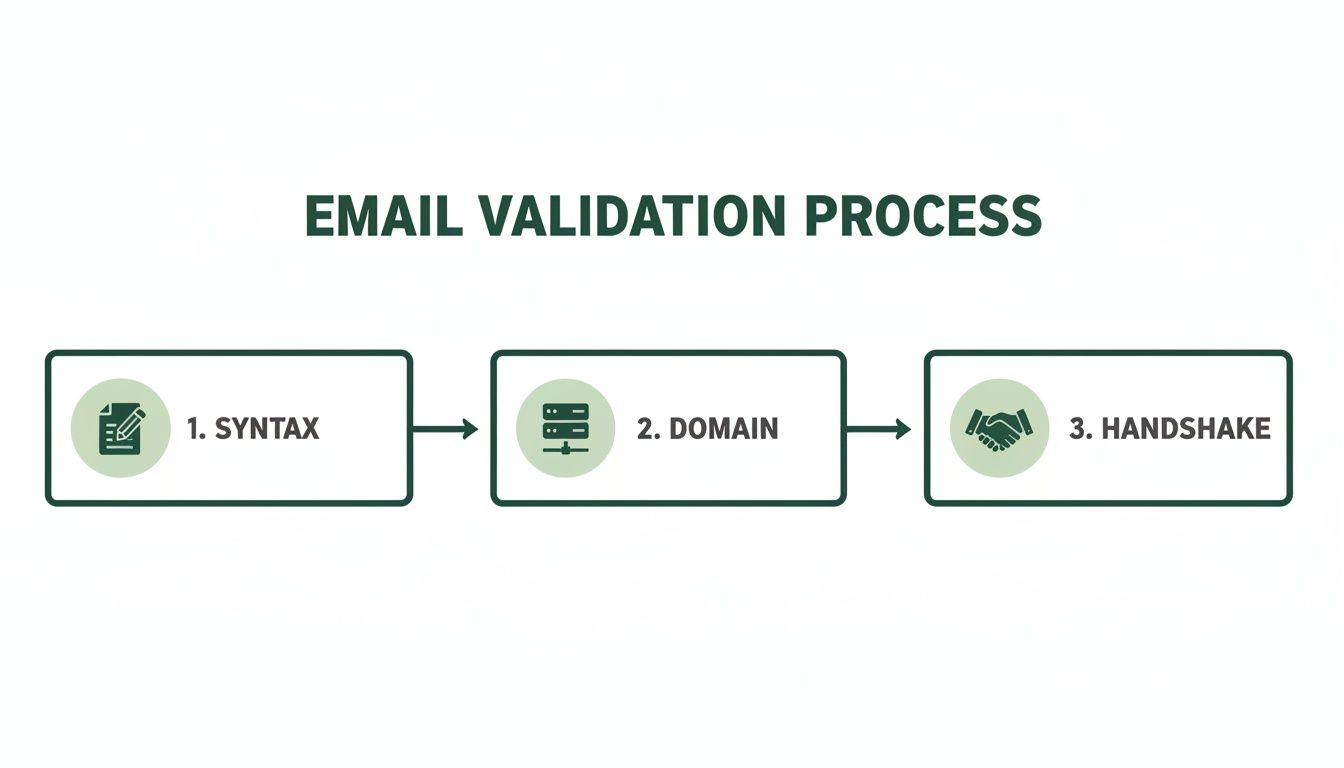
    To really get the most out of your efforts, it helps to understand the full range of sales prospecting tools out there. They can seriously upgrade your entire strategy.

    A targeted email is often the first step in building a meaningful business relationship. A domain email lookup isn't just a technical process; it's the key that unlocks that initial conversation, turning a cold lead into a warm prospect.

    Ultimately, this process changes how you connect with prospects and partners. It gives you the data you need to build solid, targeted lists for any campaign you can dream up. For a deeper dive into finding specific contacts, check out our guide to a complete email address lookup. It's packed with everything you need to make every outreach effort count.

    Finding Single Emails with Precision and Speed

    When you need just one specific email, and you need it now, you can’t afford to wait. The good news is there are a few solid techniques that can get you that single contact in minutes, whether you prefer automated tools or a more hands-on approach.

    The fastest way is almost always a specialized browser extension.

    Let's say you've landed on a prospect's company website or maybe their LinkedIn profile. If you have an extension like Hunter or EmailScout installed, you just click its icon in your browser bar. The tool instantly gets to work, pulling up known email addresses associated with that domain. You'll typically see a list of names, job titles, and the emails it has found, often with a handy confidence score to show how certain it is.

    From there, it's as simple as scanning the list for your target, copying the address, and you're good to go. It’s a completely seamless way to perform a domain email lookup without ever breaking your workflow or leaving the page.

    The Art of Manual Pattern Guessing

    But what happens if a tool comes up empty, or you just prefer to do things yourself? This is where a bit of clever detective work comes in, using the repeatable skill of manual pattern guessing.

    It's simpler than it sounds. Most companies use a consistent, predictable formula for their email addresses. Your first job is to figure out what that formula is. You can often find a clue—just one employee's email—on the company's "About Us" page, buried in a press release, or even in the author bio of a blog post.

    Once you have a confirmed email, like j.smith@company.com, you've cracked the code. You can now apply that same pattern to your target's name and build their email address from scratch.

    A single known email address is like a Rosetta Stone for a company's entire communication structure. Once you decipher that one pattern, you can often deduce the email address for anyone in the organization, a powerful skill that costs nothing but a few moments of your time.

    Verifying Your Educated Guess

    Now that you've put together a likely email address, there's one final, crucial step: verification.

    Never, ever send a message to a guessed address without confirming it's legit first. A high bounce rate doesn't just mean your email didn't get delivered; it can seriously damage your sender reputation and get your domain flagged as spam.

    Thankfully, this is easy. Just use a free, single-email verifier tool. You paste your guess—let's say f.jones@company.com—into the search bar and run the check. Within seconds, it will ping the server and tell you if the address is valid and can receive mail. This simple check is what turns a hopeful guess into a confident outreach opportunity.

    This is especially important given the sheer variety of email clients people use today. Apple’s email client, for example, holds a dominant 51.52% market share, mostly on iOS devices, while Gmail is massive with around 1.8 billion accounts globally. Making sure your email is valid is the only way to ensure it has a chance of landing in the right inbox. Discover more stats about popular email providers.

    Comparing Quick Email Lookup Methods

    So, which one-off method should you use? Both browser extensions and manual guessing have their place. This table breaks down the key differences to help you decide which is right for the situation.

    Method Speed Typical Accuracy Cost
    Browser Extension Very Fast (seconds) High (often includes a confidence score) Freemium (free searches are usually limited)
    Manual Guessing Fast (minutes) Variable (highly dependent on verification) Free (requires a free verifier tool)

    Ultimately, both approaches are incredibly effective for a precise domain email lookup. The key is knowing which tool—or which technique—to pull out of your toolbox to fit the immediate need and keep your workflow moving.

    Scaling Your Outreach with Batch Lookups

    Finding a single email is one thing, but finding hundreds or thousands is how you build a real engine for lead generation. This is where batch domain email lookups come in. They take a tedious, manual task and turn it into a massive strategic advantage, saving you an incredible amount of time.

    Instead of hunting for contacts one by one, you can feed a tool an entire list of target companies and get results for all of them at once. Honestly, this approach is the foundation of any serious sales, marketing, or PR campaign running at scale.

    Preparing Your Domain List for Success

    The quality of your results depends entirely on the quality of your input list. A clean, properly formatted list of company domains is the most critical part of the process. I always recommend starting with a simple CSV file with just one column for the domains.

    To get the best possible results, follow these simple rules:

    • Keep it clean: Each entry needs to be a root domain like company.com, not a full URL like https://www.company.com/about-us.
    • Remove duplicates: A quick check for duplicate domains saves you time and credits. It also keeps your final export nice and tidy.
    • Verify domain validity: Typos or fake domains will just cause errors and slow things down. A quick once-over is worth it.

    A little bit of prep work here goes a long, long way. A clean list lets the tool do its job efficiently without getting stuck on formatting problems or bad data. If you're new to this, getting a feel for how a free email scraping tool works can give you some good background on data collection principles.

    The real power of batch processing isn't just about speed. It's the ability to build a rich, targeted prospect list from nothing more than a list of companies you want to reach. You’re turning raw market research directly into actionable outreach data.

    Once your CSV is ready, the rest is pretty straightforward. You just upload the file to your batch lookup tool, tweak any search parameters if needed, and let it run. The tool then works its way down your list, systematically performing a domain email lookup for every single entry.

    From Raw Data to Actionable Intelligence

    What you get back is so much more than a simple list of email addresses. A good tool will enrich this data, often giving you names, job titles, and even confidence scores for each contact. This transforms a basic list into a detailed prospecting database you can actually use.

    At its core, any batch tool is just automating a simple, repeatable process at a massive scale. It's doing what you would do manually, just hundreds of times per minute.

    A three-step process for email lookup: find email from website, guess, then verify.

    This simple three-part sequence—find what you can on the website, guess common patterns, and verify the result—is the magic behind it all.

    The demand for this kind of data is exploding. The email lookup tool market is on track to hit $2.5 billion by 2025 and is expected to grow at 15% annually through 2033. This growth is all driven by the need for more efficient ways to generate leads as more and more businesses move their outreach online.

    Why Email Verification Is Non-Negotiable

    Modern computer screen showing "Email Verification" with three green checkmarks on an office desk.

    Finding what looks like a perfect email address is just the starting line. The real test is what happens after you hit "send." A brilliant domain email lookup is completely useless if the address is a dead end, and sending messages to invalid accounts is way more damaging than just a waste of time.

    Every single email that bounces back sends a bad signal to Internet Service Providers (ISPs) like Gmail and Outlook. Once you rack up enough bounces, your entire domain can get flagged. Suddenly, even your perfectly good emails—the ones going to real, interested contacts—start getting routed to the spam folder. Your whole outreach effort becomes invisible.

    This is exactly why email verification isn't just a "nice-to-have." It's a critical, non-negotiable step in your workflow.

    Demystifying the Verification Process

    So, what actually happens when an email gets "verified"? It's not just a simple ping. It’s a multi-layered process designed to confirm that an inbox is real, active, and ready to receive your message. The tech behind it is complex, but the goal is simple: protect your sender score and get your emails delivered.

    Here's a quick look under the hood of a typical verification check:

    • Syntax Validation: This is the most basic check. The tool ensures the email follows the right format (name@domain.com) and doesn't have any weird, illegal characters.
    • Domain and SMTP Check: Next, it confirms the domain actually exists and is set up to receive email in the first place. This involves a sort of digital handshake with their mail server.
    • Mailbox Ping: This is the clever part. The service talks directly to the server to see if a specific mailbox (like jane.doe@company.com) is real, all without actually sending an email.

    A lot of domain lookup tools have verification built right in these days, which is handy. But if you're running any kind of large-scale campaign, investing in a dedicated service to do a final scrub of your list is always a smart move. For anyone serious about getting their messages seen, it pays to explore proven strategies for mastering email deliverability.

    Sending an unverified email is like mailing a letter to an address you aren't sure exists. You're not just risking it won't arrive; you're basically telling the post office you don't care about your mailing list's quality, which has real consequences down the road.

    The Real-World Impact of Clean Lists

    Keeping your email list clean has a direct impact on your bottom line. High bounce rates—and anything over 2% is usually seen as a problem—can get your account suspended by email marketing platforms. Even worse, it slowly chips away at the trust ISPs have in your domain, making every future campaign that much harder.

    This entire system of professional communication is built on a massive technological foundation. The global email hosting market was valued at a staggering USD 27.04 billion in 2024 and is on track to hit USD 108.73 billion by 2032. That growth tells you everything you need to know about how vital reliable email—and the tools that support it—has become.

    Ultimately, verification is what turns the raw data from your domain email lookup into a dependable asset. Taking this extra step ensures your messages land where they're supposed to, protects your sender reputation, and maximizes the return on all your hard work. To dig into the technical side of things, our guide on email address verification breaks it all down.

    Navigating Compliance and Ethical Outreach

    So, you've successfully found a list of emails. That’s a powerful starting point, but it also comes with some serious responsibility. Just because you can find an email doesn't mean you have a free pass to send whatever you want. Getting this wrong can kill your reputation and even land you in legal trouble.

    Before you hit "send" on any campaign, you need to understand the rules of the road. Key regulations like the CAN-SPAM Act in the U.S. and Europe’s General Data Protection Regulation (GDPR) set the standards. While they have their differences, the core idea is the same: protect people from unwanted and irrelevant emails.

    It's time to shift your thinking from "Can I find this email?" to "Should I be using this email?"

    The Line Between Prospecting and Spamming

    The difference really comes down to legitimate interest and relevance.

    Think about it: finding a publicly listed business email to pitch a B2B partnership is worlds away from scraping personal data for a generic marketing blast. Ethical outreach always, always starts with a good reason to believe your message offers real value to the person you're contacting in their professional capacity.

    Here are the non-negotiables for responsible outreach:

    • Legitimate Interest: Only reach out if your product or service is a logical fit for their job and industry. No exceptions.
    • Transparency: Be upfront. Clearly state who you are and why you're emailing. Tricky or deceptive subject lines are a huge red flag and a direct violation of CAN-SPAM.
    • Easy Opt-Out: Every single email must have a simple, obvious way for them to unsubscribe. Don't hide it or make them jump through hoops.
    • Prompt Removal: When someone opts out, you must remove them from your list immediately. Delaying this isn't just bad practice; it’s a violation that can result in hefty fines.

    A domain email lookup should be the first step in a potential professional conversation, not a ticket to dump someone into a generic marketing funnel. If you don't respect their inbox, you've already lost.

    Practical Steps for Ethical Campaigns

    Before launching any outreach, take a minute and ask yourself a few simple questions:

    • Does this person’s job title actually align with what I’m offering?
    • Is my message clear, professional, and respectful of their time?
    • Am I making it incredibly easy for them to say, "No, thanks"?

    This isn't just about dodging fines; it's about being effective. People are flooded with emails every day. The ones that get a positive response are the ones that feel thoughtful and relevant. By putting ethics first, you're not only staying compliant but also dramatically increasing your odds of building real business relationships. Your professional reputation is built on it.

    Your Top Domain Email Lookup Questions, Answered

    Even with the best tools in your arsenal, you're bound to have questions when you start digging for domain emails. It's totally normal. From practical "how-to" queries to the slightly fuzzy legal stuff, it can feel like a lot to navigate.

    I've rounded up the most common questions that pop up and laid out some clear, no-nonsense answers to help you move forward with confidence.

    Is It Legal to Use These Tools?

    Yes, it's generally legal to use a tool to find business contact information that's already publicly available. The real question isn’t about finding the information—it's about how you use it.

    Once you have that email, your outreach falls under regulations like GDPR in Europe or the CAN-SPAM Act in the U.S. The golden rules are simple: have a legitimate business reason for contacting someone, give them a dead-simple way to opt out, and always respect their privacy. This is about building connections, not just hoarding data.

    How Accurate Are Email Finders, Really?

    This is the million-dollar question, and the answer is: it varies. A lot. The top-tier tools, however, consistently hit an accuracy rate between 70% and 98%. They achieve this by cross-referencing multiple data sources and, most importantly, running real-time verification checks to make sure an inbox is live before giving you the green light.

    But here’s a pro tip: even with a great tool, always run your final list through a dedicated email verification service before launching a big campaign. That one extra step is your best insurance policy against a high bounce rate, which can seriously damage your sender reputation.

    No tool is perfect, 100% of the time. Think of an email finder's output as a high-probability lead, not a guarantee. Verification is what turns that probability into a reliable asset.

    Can I Find Emails for Any Domain?

    You can certainly try, but you won't get a hit every single time. You'll have the most luck with established businesses that have a solid digital footprint, as their contact info is more likely to be indexed somewhere online.

    Where you might run into trouble is with a few specific types of domains:

    • Tiny Businesses: A solo operation or a company with just a couple of employees might not have its email patterns logged by major lookup tools.
    • Brand-New Websites: If a domain was just registered yesterday, it's a ghost. No tool has had the chance to crawl it yet.
    • Catch-All Servers: Some domains use a "catch-all" setting, meaning they accept mail sent to any address at that domain (like anything@example.com). This makes it impossible for verification tools to confirm if a specific inbox actually exists, so you'll often get an "unknown" or risky result.

    These tools are built for B2B prospecting, where professional contact details are just part of doing business.


    Ready to stop guessing and start connecting? EmailScout gives you an effortless way to perform a domain email lookup with our powerful Chrome extension. Find verified emails, build targeted lists, and supercharge your outreach in a single click. Find unlimited emails for free with EmailScout.

  • Master Your Email Extractor Chrome Extension

    Master Your Email Extractor Chrome Extension

    An email extractor chrome extension is a simple but powerful browser tool that does one thing exceptionally well: it finds and collects email addresses from websites, social media pages, and just about any other online source. It essentially automates a tedious manual process, turning hours of grunt work into a task that takes just a few clicks. For anyone in sales or marketing, it’s a total game-changer.

    Why An Email Extractor Is Your New Secret Weapon

    Workspace with a laptop displaying lead generation software, a coffee mug, and a 'Generate Leads' book.

    In sales and marketing, speed and efficiency are everything. If you're still manually digging through websites and LinkedIn profiles for contact info, you're falling behind. That kind of work is a massive time drain, pulling you away from the activities that actually move the needle—building relationships and closing deals.

    This is exactly where an email extractor extension comes in. Think of it less as another browser add-on and more as a strategic asset. It automates the most frustrating part of lead generation, letting you build hyper-targeted prospect lists with incredible speed.

    A Few Real-World Examples

    Let's get practical. Imagine you're prepping for a big industry conference. Instead of spending the week before hunting down contacts, you could just visit the event's exhibitor page and pull hundreds of relevant emails in a matter of minutes. This gives you a massive head start, allowing you to kick off your outreach before the event even starts.

    Here are a few other ways you can get a strategic edge:

    • Laser-Focused Prospecting: Scrape emails from niche forums, industry blogs, or LinkedIn groups to find people actively talking about problems your product solves.
    • Smarter Competitor Analysis: See where your competitors are active online. You can often identify potential customers they might be overlooking in those same communities.
    • Quick Networking: Need to gather contacts fast? Use it on online portfolios, speaker bios from virtual events, or professional directories to build a list in no time.

    The scale these tools operate at is what makes them so powerful. The best extensions are trusted by millions of professionals and have processed billions of email searches. By 2025, tools like these have become standard issue, with some maintaining databases of over 200 million regularly refreshed B2B profiles. That data integration means you're not just getting emails; you're often getting verified contacts, which is a huge deal for keeping bounce rates low. You can read more about how B2B data collection is scaling to see just how critical this has become.

    To put it simply, a good email extractor tool brings several key advantages to your daily grind.

    Core Benefits of Using an Email Extractor Extension

    Here’s a quick breakdown of how these tools can immediately improve your workflow.

    Benefit Impact on Your Workflow
    Time Savings Cuts down hours of manual research into minutes, freeing you up for high-value tasks like outreach and follow-ups.
    Increased Accuracy Reduces human error from copy-pasting, leading to cleaner data and lower email bounce rates.
    Scalable Lead Generation Allows you to build large, targeted prospect lists quickly, something that's simply not feasible to do by hand.
    Targeted Outreach Enables you to gather contacts from specific sources (like niche communities or competitor sites) for hyper-relevant campaigns.

    These benefits aren't just about convenience; they directly contribute to a more effective and profitable sales or marketing operation.

    Key Takeaway: Using an email extractor isn't just about getting emails faster. It’s about building smarter, more relevant lists that let you execute personalized outreach at a scale that was impossible before.

    This shift from manual labor to automated intelligence is the foundation of any modern, data-driven workflow. By removing the data entry bottleneck, you free up your most valuable resource—time—to focus on crafting great messages, nurturing leads, and driving revenue. The job becomes less about finding people and more about effectively engaging them.

    Setting Up Your Email Extractor for First Use

    Getting a new tool up and running should be the easiest part of the job. We designed EmailScout to be a simple email extractor chrome extension that takes you from zero to finding emails in just a couple of clicks, all right from the Chrome Web Store.

    First things first, you need to find the extension. Just pop "EmailScout" into the Chrome Web Store search bar, and it'll be the top result. You'll see a big blue button that says “Add to Chrome.” Go ahead and click it—that’s literally the only step. Chrome takes care of the rest, downloading and setting it up for you.

    Understanding Permissions

    Once you click that button, Chrome will show you a pop-up asking for certain permissions. This is a totally standard security check for any extension, but it’s good to know what you’re actually saying "yes" to. It will ask for permission to “read and change your data on the websites you visit.”

    That might sound a little intense, but it's essential for the tool to do its job. Here's the simple breakdown of what that means:

    • Reading Data: The extension needs to scan the code and text on a webpage to spot anything that looks like an email address (like contact@company.com).
    • Changing Data: This permission is usually just so the extension can display its icon on the page, often with a little badge showing how many emails it found.

    Good extensions only use these permissions for what they say they will. EmailScout isn't reading your personal emails or grabbing your passwords; it’s just scanning the public content on websites for you.

    Key Insight: Granting these permissions is what brings the extension to life. It’s what allows the tool to actively scan the sites you're on and pull out contact information, turning a simple webpage into a lead-generating resource.

    Activating and Pinning the Extension

    After it's installed, you’ll find the EmailScout icon tucked away under the puzzle piece icon in your browser's toolbar. To save yourself a click every time, I recommend pinning it.

    Just click the puzzle piece, find EmailScout in the list, and click the little pin icon next to it. This will lock the icon to your toolbar so it's always visible and ready to go.

    And that's it! You're all set to start finding emails. If you’re just getting started and want to learn more about the different ways to approach this, check out our guide on using a free email scraping tool.

    Putting Core Features into Action

    Now that you're all set up, let's get down to business. A powerful email extractor Chrome extension is more than just a button you click; it’s a tool you weave into your daily workflow to hit specific goals. I’ll walk you through how to use EmailScout’s core functions in real-world situations to get immediate results.

    The whole point of a tool like this is to make your life easier. Getting started is designed to be quick and painless.

    A three-step process diagram showing Find, Install, and Configure with magnifying glass, download, and gear icons.

    This simple flow—Find, Install, and Configure—is all it takes to get EmailScout ready for action. So, what’s next?

    Extracting from a Single Webpage

    The most common way to use an extractor is for pulling emails from a single, high-value source. This is your go-to move for targeted, on-the-spot needs.

    Let's say you're a SaaS sales rep who just stumbled upon a blog post: "Top 50 Marketing Agencies in Texas." That page is pure gold. All you have to do is navigate to that URL, click the EmailScout icon in your toolbar, and watch it work. In seconds, it scans the entire page and gives you a clean list of every email address it found. Just like that, you have a hot prospect list ready to go.

    This on-demand method is perfect for situations like:

    • Conference Exhibitor Lists: Instantly grab contacts from event pages.
    • Industry Directories: Scrape member lists from professional associations.
    • "About Us" Pages: Pinpoint key decision-makers at your target companies.

    This is the bread and butter of any solid email scraper. If you want a deeper dive, check out our guide on how to extract emails from any website.

    Leveraging Automation with AutoSave and URL Explorer

    One-off extractions are great, but automation is where the real magic happens. This is where features like AutoSave and URL Explorer step in to save you a massive amount of time.

    These features are what truly scale your efforts. For example, EmailScout’s AutoSave and AutoVisit features can automatically crawl and scan up to 1,000 URLs at a time, pulling emails even from websites that are tricky to scrape manually. It builds and maintains cloud-based lists you can even share with your team.

    Better still, these systems have built-in filters to remove duplicates and block spammy addresses, keeping your list quality high. For sales development reps, this means you get verified, up-to-date contact lists that can hit deliverability rates over 97% when you pair them with a verification tool. That’s how you maximize campaign efficiency.

    Pro Tip: When you're using the URL Explorer for a bulk job, remember that a highly targeted list is everything. A tight list of 50 relevant URLs will always beat a generic list of 500. Quality over quantity wins every time in outreach.

    Understanding these advanced features is what separates a basic tool from one that can genuinely scale your lead generation. To see what’s possible, it’s worth exploring some specific lead scraping capabilities out there. This is how you build a robust pipeline while you focus on the work that really matters.

    Advanced Strategies for Building Better Lists

    Businesswoman creating targeted lists using a computer and a pen to organize data.

    Having a powerful tool is just the first step. The real magic happens when you use it strategically—that's what separates the pros from the beginners. Just grabbing every single email you come across is a surefire way to get low open rates and burn through your leads.

    The true power of an email extractor chrome extension isn't just about collection; it's about building high-quality, targeted lists that are actually ready to convert.

    This requires a shift in mindset. Move away from broad, generic scrapes and start thinking with precision. Instead of just pulling contacts from a homepage, dig deeper. Where do your ideal prospects hang out online? Maybe they’re leaving thoughtful comments on niche industry blogs or are listed as speakers for a specialized webinar. Those are the goldmines you want to tap into.

    Refining and Segmenting Your Data

    Once you have your raw data, the real work begins. A clean, organized list is your most valuable asset. The first thing you should always do is scrub for duplicates and get rid of those generic, role-based emails like info@ or contact@. They rarely get you a real conversation and can do a number on your sender reputation.

    Next up is segmentation. This is where you can get really smart with your outreach. Group your contacts based on where you found them or what their job title is.

    For example, you could:

    • Segment by Source: Keep contacts from a marketing blog in one list and those from a tech forum in another.
    • Segment by Job Title: Create separate lists for decision-makers (like CEOs or VPs) and operational staff.

    This simple act of organizing your data lets you create hyper-personalized emails. A message crafted specifically for a marketing manager will always outperform a generic blast sent to everyone. Clean data is everything in successful campaigns, and using an email address verification service is a non-negotiable step to keep your lists healthy.

    Key Takeaway: A small, super-targeted list of 100 engaged prospects will crush a generic, messy list of 1,000 every single time. It's all about quality, not quantity.

    Turning Raw Data into Conversations

    With a clean, segmented list in hand, you’re ready to start writing outreach that actually gets a response. A cold email doesn't have to feel cold.

    By simply mentioning the context of where you found their email—"I saw your insightful comment on the XYZ blog"—you instantly break the ice, establish relevance, and start building rapport. It shows you did your homework.

    Of course, once you’ve built your lists, you need to make sure your messages actually land in the inbox. For a masterclass on that, check out this fantastic email deliverability guide from the experts.

    Sample Outreach Templates

    To help you hit the ground running, here are a couple of versatile templates for different outreach scenarios using your newly extracted email lists.

    Template Type Subject Line Idea Body Snippet
    Cold Sales Quick question about [Company Name] Hi [First Name], I found your email on [Source, e.g., the speaker list for the Tech Growth summit] and was impressed by your work in [their field]. At [Your Company], we help businesses like yours solve [problem]. I had a specific idea for how we could help you achieve [goal].
    Networking Loved your post on [Topic] Hi [First Name], I came across your profile while browsing [Platform/Website] and was really impressed with your article on [Article Topic]. Your point about [specific insight] was particularly sharp. I'm also working in the [Your Industry] space and would love to connect.

    Remember, these are just a jumping-off point. The real power comes from customizing them with genuine, specific details you've gathered. This strategic approach is how you turn a simple list of emails into a pipeline of real opportunities.

    Navigating Pricing and the Competitive Landscape

    Picking the right email extractor Chrome extension almost always boils down to one thing: value. What are you getting for your money? The market is crowded, and every tool seems to have a different pricing structure. It’s not about finding the cheapest option—it’s about finding the one that actually fits your goals, whether you're a freelancer building your first list or a sales team scaling up your outreach.

    Most tools you'll find run on a tiered model. You’ll almost always see a free plan, which is perfect for just testing the waters. These plans give you a small number of credits or basic features, enough to see if the tool works for you before pulling out your credit card. Once you're ready, paid plans unlock the good stuff and raise the usage limits.

    Decoding Common Pricing Models

    The pricing for these extensions usually falls into a few buckets, each designed for a different kind of user. It’s crucial to look past the monthly fee and understand what you’re actually paying for.

    • Credit-Based Plans: A lot of tools sell "credits," where one credit gets you one email find or verification. This model is great if your prospecting needs are unpredictable—you just pay for what you use, when you use it.
    • Subscription Tiers: This is the classic monthly or annual plan. You typically get a set number of credits per month, and higher tiers throw in more credits and advanced features like bulk finding or CRM integrations.
    • Unlimited Plans: For the real power users, some premium tools offer plans with unlimited email credits. If you're running high-volume campaigns day in and day out, this is your best bet. You never have to worry about hitting a cap.

    The email extractor space is incredibly competitive, and the pricing reflects that. You can find premium tools offering unlimited credits and bulk prospecting for around $59 per month. On the other end, some offer free basic versions with affordable upgrades like cloud storage for about $9.99 per month. The best tools integrate right into company websites, letting marketing teams pull entire lead lists seamlessly. This variety just goes to show that there are solid options whether you're searching for a few thousand emails or over 50,000 each month. You can discover more about the competitive market on swordfish.ai.

    What Separates the Good from the Great

    When you're weighing your options, price is only one piece of the puzzle. A truly great tool gives you features that make your entire workflow faster and more effective.

    Key Takeaway: The best value isn't always the lowest price. It's the tool that offers the right combination of features, accuracy, and support to match your specific outreach strategy and scale.

    Look for tools that integrate smoothly with the CRM you already use. Built-in email verification is another non-negotiable—it keeps your bounce rate low and your sender reputation high. And don't forget about customer support. These are the things that save you time, get you better results, and ultimately deliver a much higher return on your investment. A smart decision here will pay off big time in your future campaigns.

    Got Questions About Email Extractors?

    Jumping into the world of automated email collection always brings up a few important questions. Using an email extractor Chrome extension is a seriously powerful technique, but you absolutely have to approach it the right way. Let's tackle the most common concerns so you can use these tools with confidence.

    Probably the biggest question we hear is about the legality and ethics of it all. It's a valid concern. The short answer is that using an extractor is generally legal, but it really comes down to how you use the data you find. The key is to stick to publicly available business information for legitimate B2B outreach, not scraping private data.

    Crucial Insight: Compliance with rules like GDPR and the CAN-SPAM Act isn't about the tool you use—it's about your entire process. You must always give people a clear and easy way to opt out of your messages. This isn't just a legal hoop to jump through; it's ethical, respectful, and frankly, just good business.

    Responsible use means treating the contact info you gather as the first step toward a real connection, not just another number in a database.

    How Do I Know the Emails I Find Are Accurate?

    Data quality is everything. A list full of bad emails will absolutely tank your deliverability, hurt your sender reputation, and waste your time. So, how can you trust the data you're pulling?

    First off, pick an extension with a solid reputation for accuracy. Many modern tools, including EmailScout, have verification features baked right in, checking an email's validity the moment it's found. Think of this as your first line of defense against bounces.

    Beyond that, you should always practice good list hygiene. This isn't a one-and-done thing; it's an ongoing process.

    • Deduplication: Make sure your tool automatically removes duplicate entries. This keeps your list clean and prevents you from annoying the same person with multiple messages.
    • Filter Generic Emails: You'll want to avoid collecting role-based addresses like contact@, info@, or support@. They rarely get you to a decision-maker and almost always have terrible engagement rates.
    • Verify Periodically: If you're building a big list over several months, it’s a smart move to run it through a dedicated email verification service every so often. This helps you weed out any emails that have gone inactive.

    What if the Extension Can't Find Any Emails?

    It’s going to happen. You land on what looks like the perfect prospect's website, run your extractor, and… nothing. Don't panic. This is usually an easy fix.

    Before you assume there are no emails to be found, run through a quick troubleshooting checklist. Sometimes, a simple page refresh is all it takes. Seriously. If that doesn't do the trick, try clearing your browser's cache, since old data can occasionally mess with how extensions work.

    It's also good to remember that many modern websites use dynamic content. This means information—including email addresses—might not even load until you scroll down or click on something. Try interacting with the page a bit. And of course, some sites just don't list public emails. In those cases, the tool is actually working perfectly by not finding anything.


    Ready to build better, cleaner prospect lists with confidence? EmailScout gives you the tools you need to find accurate contacts quickly and responsibly. Start extracting unlimited emails for free today.

  • No Response Follow Up Email Strategies That Work

    No Response Follow Up Email Strategies That Work

    A no response follow up email is your secret weapon for turning radio silence into a real conversation. Think of it as a brief, strategic nudge sent after your first email goes unanswered, designed to gently resurface in your recipient's inbox and dramatically boost your chances of getting a reply.

    Why Your Follow-Up Email Is Your Strongest Tool

    Let's get real for a moment: most first emails are just the opening act. An ignored email isn’t a dead end—it's an opportunity. The modern inbox is an absolute battlefield for attention. With the average professional getting hit with over 120 emails a day, it’s just plain easy for a good message to get buried.

    A smart follow-up acknowledges this reality. Thoughtful persistence isn't annoying; it's genuinely helpful. Decision-makers are busy, and they often welcome a gentle reminder because your first email might have just shown up at the wrong time or slipped through the cracks.

    The Power of Professional Persistence

    Sending a follow-up isn't about being pushy. It’s about being professional. It shows you value the potential connection and are confident in what you’re offering. I like to think of it less as a "reminder" and more as a simple continuation of the conversation.

    The single biggest mistake in outreach is giving up too soon. Silence is rarely a definitive 'no.' More often, it's just a 'not right now.' A well-crafted follow-up is what bridges that gap.

    This simple act of circling back can completely change your engagement rates. The data doesn't lie. Most replies don't come from the first message. In fact, one study I often refer back to found that over 50% of all replies to cold email campaigns were triggered by follow-up emails, not the initial outreach. If you want to dive deeper, learning more about these compelling cold email statistics really drives home the impact of persistence.

    Before we get into the templates, let's look at the numbers and what they mean for your strategy.

    The Impact of Following Up At a Glance

    This table breaks down why a solid follow-up strategy is non-negotiable for anyone serious about outreach. The stats make a clear case for not giving up after one try.

    Metric Key Statistic What This Means For You
    Replies from Follow-Ups 50%+ Over half of your potential conversations are waiting in your follow-ups. Skipping them means leaving the majority of your results on the table.
    Campaign Success Up to 27% reply rate Campaigns with 4-7 follow-ups significantly outperform those with only 1-3. Persistence pays off directly in your reply rates.
    Inbox Overload 120+ emails/day Your first email is easily missed. A follow-up gives you a second (or third) chance to be seen by a busy prospect.
    Giving Up Too Soon 44% of salespeople Nearly half of salespeople give up after just one follow-up, creating a massive opportunity for those who are willing to be more persistent.

    The takeaway here is simple: if you're not following up, you're competing with less than half of your potential.

    This isn’t about just blasting more emails into the void. It’s about building a thoughtful sequence that adds a little more value with each touchpoint. Every follow-up is a fresh chance to:

    • Provide Context: Briefly and politely remind them why you reached out.
    • Offer New Value: Share a relevant article, a quick tip, or a powerful case study.
    • Simplify the Ask: Make your call to action even clearer and easier to act on.

    When you adopt this mindset, you can turn that initial silence into a genuine conversation and massively improve your odds of getting that all-important reply.

    Mastering the Timing and Cadence of Your Follow Ups

    When you send a follow-up is just as crucial as what you write. I’ve seen incredible messages fall flat simply because the timing was off. The real art is finding that sweet spot between being helpfully persistent and just becoming an inbox pest.

    Silence doesn't always mean "no." Sometimes, your email just got buried. Other times, the person saw it but got pulled into a meeting. A well-timed no response follow up email respects their busy schedule while gently popping your message back to the top of their list.

    The Critical First Follow Up Window

    The timing of your very first follow-up is the most important one. Jump the gun, and you look desperate. Wait too long, and they've already forgotten your original email. Through years of trial and error, I've found the ideal window is 2-3 business days after your initial outreach.

    This short pause gives them enough time to read and process your message without letting it get lost in the digital abyss. It establishes a professional rhythm that says you're on top of things, but not pushy.

    Silence is rarely a hard 'no.' More often, it's a 'not right now.' Your follow-up timing is what helps you determine the difference and stay top-of-mind for when 'right now' happens.

    The data backs this up, too. That little window between emails can make a huge difference. For instance, waiting three days before that first nudge can boost reply rates by a whopping 31%. But if you delay for more than five days, you're looking at a 24% drop in responses. You can dig into more of these fascinating cold email statistics and their impact to see for yourself.

    Building a Professional Follow Up Cadence

    One follow-up is good, but a planned-out sequence is what separates the pros from the amateurs. You need a cadence—a schedule for your follow-up attempts. This keeps you from sending random, one-off messages and makes every touchpoint feel deliberate.

    A rookie mistake is firing off follow-ups too close together. A much better strategy is to gradually increase the time between each email. This approach keeps you on their radar without completely overwhelming them.

    This simple visual breaks down the core rhythm: send, wait, then follow up.

    An infographic showing a three-step process: Send (paper airplane), Wait (hourglass), and Follow up (speech bubble).

    The key thing to remember is that the 'wait' period isn't just a passive delay; it's an active part of your strategy.

    Here’s a practical, multi-touch cadence that I've seen work wonders for B2B sales and general outreach:

    • Follow-Up 1: Send 3 days after the initial email.
    • Follow-Up 2: Send 5 days after the first follow-up.
    • Follow-Up 3: Send 7 days after the second follow-up.

    If you get radio silence after three attempts, it's usually best to press pause on that sequence. This schedule gives your contact plenty of breathing room while still giving you multiple, well-spaced chances to connect. It strikes that perfect balance, making sure your no response follow up email lands with professional grace every time.

    Field-Tested Follow Up Email Templates That Get Replies

    We’ve all been there. Staring at a sent email, waiting for a reply that never comes. The temptation to just send a generic "just checking in" is strong, but it's also a fast track to the trash folder. Let's ditch that approach.

    To help you get unstuck, I’ve pulled together a few of the exact, field-tested templates I use every day. Think of them less as copy-paste formulas and more as battle-tested frameworks. They’re built on real human psychology to re-engage your prospect without being annoying.

    Of course, the golden rule is to never be generic. A little personalization goes a long way in showing you’ve actually done your homework. Use these templates as your starting point, but always add your own voice.

    A flat lay of a workspace with a laptop, notebook, pen, and a 'FOLLOW UP TEMPLATES' speech bubble.

    Template 1: The Quick Bump

    This is your first move, usually 2-3 days after your initial email goes unanswered. It's designed to be light, polite, and respectful. The whole point is to assume they’re just swamped—because most people are.

    It works because it isn’t demanding. It’s a simple nudge that brings your original message right back to the top of their inbox.

    Subject: Re: [Original Subject Line]

    Hi [First Name],

    Just wanted to quickly follow up on my email about [briefly mention original topic].

    I know how easy it is for things to get buried in a busy inbox. Just wanted to gently bump this to the top for you.

    Best,
    [Your Name]

    This template is all about being low-pressure. It gives them context without making them dig through their inbox, making it super easy to fire back a quick reply. If you need some inspiration for that first email, these https://emailscout.io/cold-email-example/ offer a great look at what actually gets opened.

    Template 2: The Value-Add

    Okay, so the quick bump didn't work. Time for a new tactic. Instead of asking for their time again, you’re going to give them something useful. This move instantly repositions you from a salesperson to a helpful resource. It's a perfect play for your second or third follow-up.

    Subject: A resource for [Their Company Name]

    Hi [First Name],

    Following up on my last note about [original topic].

    I actually came across this [article/case study/report] today and immediately thought it might be relevant to your work on [mention a specific project or goal of theirs]. It has some great insights on how to [achieve a specific positive outcome].

    No reply needed, just thought it might be helpful.

    Cheers,
    [Your Name]

    The real magic here is in its selflessness. By saying "no reply needed," you remove all the pressure, which—paradoxically—often makes people want to reply out of genuine appreciation.

    Template 3: The Breakup Email

    You've sent a few polite, value-driven follow-ups, but you're still hearing crickets. It's time to close the loop with the "breakup" email. This one works surprisingly well because it taps into a powerful psychological trigger called loss aversion.

    By politely signaling you're going to stop contacting them, you create one last chance for them to act if they ever had even a flicker of interest.

    Subject: Closing the loop

    Hi [First Name],

    I've reached out a few times about [original topic] but haven't heard back, so I'll assume this isn't a priority for you at the moment.

    I won't follow up on this again, but please don't hesitate to reach out if things change down the road.

    All the best,
    [Your Name]

    This approach is pure professionalism. It shows you respect their time and inbox, leaving the door open on a positive and memorable note. For more ideas on handling different follow-up situations, check out these 7 Sample Follow-Up Email After No Response Templates.

    Choosing Your No Response Follow Up Email Template

    To make it even clearer, here’s a quick breakdown of when to pull each template out of your toolkit.

    Template Name Best For Key Goal Tone
    The Quick Bump First follow-up (2-3 days after) Gentle reminder & easy reply Polite & brief
    The Value-Add Second or third follow-up Build credibility & offer help Resourceful & generous
    The Breakup Email Final follow-up (after 3-4 attempts) Prompt a final decision Professional & respectful

    Having a few distinct plays like this for your no response follow up email strategy is a game-changer. It lets you create a thoughtful sequence that adapts to the silence, rather than just hitting "send" on the same boring message again and again.

    Common Follow-Up Mistakes That Land You in Spam

    Even a perfectly crafted no response follow up email can misfire and tank your sender reputation if you’re not careful. Let’s be honest, many follow-ups are doomed from the start, loaded with rookie mistakes that get them instantly deleted—or worse, flagged as spam. Avoiding these common traps is just as crucial as knowing what to write in the first place.

    When your email lands in the spam folder, it's not just a wasted effort. It actively hurts your chances of reaching anyone's inbox down the road. The goal is to be persistent without being a pest, and that's a fine line to walk.

    Computer screen displaying 'AVOID SPAM' and an email icon, with crumpled paper on a wooden desk, symbolizing email management.

    Vague Subject Lines and Lazy Language

    Want a one-way ticket to the trash folder? Use a lazy, generic subject line. Phrases like "Just checking in" or "Following up" scream low effort and offer zero value to the person reading it. They give no context and force the recipient to do the mental gymnastics of remembering who you are and what you wanted.

    Just as bad is using passive-aggressive or guilt-tripping language.

    Avoid phrases like, "Just bumping this to the top of your inbox." It can come across as entitled and impatient, which is rarely a good look.

    The solution is simple: always reply in the same thread to keep the conversation history intact. And for your subject line? Add a new piece of information or a clear question to make it worth their while to open.

    The Failure to Personalize and Add Context

    Blasting out a generic, impersonal follow-up is another huge mistake. An email that just repeats the same request without adding anything new feels automated and spammy. You have to remind them of the original context and then give them a fresh angle or a new piece of value.

    It's shocking how few sales pros actually follow up, especially when the data proves it works. Industry benchmarks show that a staggering 48% of reps never even send a second message, and 44% give up after just one attempt. This massive drop-off is a huge opportunity for anyone willing to follow up thoughtfully. You can dig into more of these B2B cold email statistics on martal.ca.

    Here are a few common slip-ups that will absolutely destroy your deliverability:

    • Forgetting Context: You don't reference the original email or your last conversation.
    • No New Value: You're just nagging them with the same ask over and over.
    • Incorrect Contact Info: You're sending messages to outdated or wrong email addresses, causing high bounce rates.

    Ultimately, a massive number of follow-up failures happen before you even hit "send." Blasting emails to unverified addresses is one of the fastest ways to destroy your domain's reputation. We put together a guide on how to verify emails before you start your outreach—it’s a crucial step to protect your deliverability.

    Using EmailScout to Supercharge Your Outreach

    Let's be honest. All the clever templates and perfect timing in the world are completely worthless if your emails just land in a dead inbox. A truly great no response follow up email strategy starts long before you ever write a single word—it begins with a clean, verified list of contacts.

    This is exactly where having the right tool becomes your biggest advantage.

    Plugging a platform like EmailScout into your workflow isn't just a nice-to-have; it's a foundational move to protect your sender reputation and actually get a return on your outreach. Every email sent to an invalid address spikes your bounce rate, which email providers see as a huge red flag.

    Too many bounces will absolutely tank your domain's credibility. Before you know it, even your valid emails struggle to get through. It's the silent killer of so many outreach campaigns.

    Verify Before You Send

    The single most effective way to boost your follow-up success is to guarantee deliverability from the jump. That means verifying every single email address before it ever touches your sequence.

    Using an email verification tool is like basic digital hygiene. It scrubs your list of typos, old contacts, and those tricky catch-all addresses that almost always bounce. This one simple step has a massive impact on your campaign's health and ensures your carefully written messages actually have a chance of being seen by a real decision-maker.

    The EmailScout dashboard gives you a clean, at-a-glance view of this whole process.

    This interface lets you quickly upload lists, check verification results, and manage your contacts without any fuss, making that pre-campaign cleanup dead simple.

    Find Accurate Contact Information

    Beyond just verifying addresses, real success comes from contacting the right person. A follow-up sent to a generic info@company.com inbox is a shot in the dark. One sent directly to the department head? That’s how you start a conversation.

    Your outreach is only as good as your contact data. Spending a few extra minutes to find the direct email of a key decision-maker can be the difference between a closed deal and a deleted email.

    Tools like EmailScout were built to solve this exact problem. They help you pinpoint the correct contacts inside a target company and give you their direct email addresses. If you're looking to build hyper-targeted lists, you can learn more about how to find business emails with precision on our blog.

    When you combine accurate contact discovery with pre-send verification, you create a powerful one-two punch. This ensures your no response follow up email sequence not only dodges the spam folder but lands right in the inbox of the person who can actually say "yes." It's a proactive approach that saves you time, protects your sender score, and dramatically boosts the effectiveness of your entire outreach effort.

    Your Follow-Up Email Questions, Answered

    Even with the best templates, you'll run into situations that feel a bit tricky. When it comes to the no response follow up email, there isn't always a single right answer. This is where experience comes in handy.

    I've rounded up some of the most common questions we get, with practical advice to help you navigate those gray areas and send every follow-up with confidence.

    How Many Follow-Ups Is Too Many?

    Ah, the million-dollar question. While there's no magic number, a good rule of thumb for most cold outreach is 3-5 follow-ups spread out over a few weeks. If you send fewer, you’re probably giving up too soon. Any more than that, and you're venturing into annoyance territory, which is a quick way to get marked as spam.

    The real key, though, is to add value every single time. If all you're doing is sending "just checking in" pings, even two follow-ups will feel like too many. But if each message offers a new resource, a relevant case study, or a fresh insight, a longer sequence can feel helpful and natural.

    A good follow-up sequence shouldn't feel like a countdown. It should feel like a series of helpful nudges. When you run out of genuine value to add, it's time to send the breakup email and close the loop.

    What’s the Best Day and Time to Send a Follow-Up?

    The technically correct answer is "it depends," but we've seen enough data to spot some pretty clear trends. For most B2B communication, the sweet spots are during standard work hours.

    • Best Days: Tuesday, Wednesday, and Thursday consistently win. Mondays are a mad dash of catching up from the weekend, and people are often checked out by Friday afternoon.
    • Best Times: Mid-morning (around 10 AM) and early afternoon (around 2 PM) tend to perform best. This timing helps you avoid the morning inbox tsunami and the end-of-day scramble to wrap things up.

    Of course, use your judgment. Think about your prospect's world. An email to a restaurant owner might land better outside of the lunch and dinner rush, while a contact at a global tech company might be online at all hours.

    Should I Send a New Email or Reply in the Same Thread?

    Always, always, always reply in the same thread. I can't stress this one enough. It's a non-negotiable for sending a no response follow up email.

    Keeping the conversation in one place provides instant context. Your prospect doesn't have to go digging through their inbox to remember who you are or what you were talking about. You're making their life easier, which dramatically boosts your chances of getting a reply.

    Starting a new email for every follow-up shatters the conversational flow. It feels disjointed and, frankly, can come across like a brand new, unsolicited email each time—a surefire way to get ignored or flagged.


    Ready to make sure every follow-up has the best chance of landing in the right inbox? EmailScout helps you find and verify accurate contact information for key decision-makers, so your perfectly crafted messages never go to waste. Start building cleaner, more effective outreach lists today.