Tag: lead generation

  • Find email in linkedin: A Complete Playbook to Harvest LinkedIn Contacts

    Find email in linkedin: A Complete Playbook to Harvest LinkedIn Contacts

    If you want to find someone's professional email, you need to think of LinkedIn as more than just another social network. It's the world's biggest professional directory, hands down. The smartest approach is to blend a bit of old-school detective work with a powerful tool like EmailScout, which can pull a verified business email right from a LinkedIn profile in seconds. This combo turns LinkedIn from a place you just scroll through into a serious machine for generating high-quality leads.

    Why LinkedIn Is a Goldmine for Professional Emails

    Person viewing LinkedIn leads data dashboards on a laptop, with a smartphone displaying similar charts nearby.

    In the B2B game, context is king. Other social platforms are a chaotic mix of personal updates and professional posts, but LinkedIn was built specifically for business. People on the platform expect to be contacted about job opportunities, industry partnerships, and business solutions that can help them. This makes it the absolute best place for professional outreach.

    When you find an email through LinkedIn, you're getting more than just a contact detail. You're getting a direct line to a professional who is already engaged in their industry. The whole environment is set up for business, so your outreach feels less like a cold interruption and more like a relevant, professional conversation starter. That difference is what gets you replies.

    The Power of Professional Context

    The real value of an email found on LinkedIn is its direct link to a person’s professional life. You can immediately see their job title, their company, their entire work history, and even what they've been posting about. All this information lets you write incredibly personalized messages that speak directly to their role and what they care about.

    This is exactly why LinkedIn works so well for business development. Modern buyers are savvy—a staggering 82% of B2B decision-makers will check out a salesperson’s LinkedIn profile before they even think about taking a meeting. This shows a clear expectation that business conversations will start on the platform.

    Professionals on LinkedIn aren't just scrolling; they're actively participating. They share articles, join groups, and follow industry leaders, leaving behind a trail of intent data that is pure gold for anyone doing targeted outreach.

    Backed by Unbeatable Conversion Data

    The numbers don't lie. With over a billion members, LinkedIn is the undisputed champ for B2B engagement. It's not even close.

    When it comes to turning visitors into actual leads, LinkedIn's conversion rate is 2.74%. That’s almost four times higher than Facebook or Twitter. This massive difference is why figuring out how to find an email on LinkedIn is a must-have skill for anyone in sales or marketing today.

    On top of that, an incredible 46% of all social media traffic to B2B company websites comes straight from LinkedIn. It proves that users are actively looking for business solutions. If you want to dive deeper into why the platform is so dominant, check out the latest 2026 LinkedIn statistics report.

    Here’s a quick look at how LinkedIn stacks up against other major platforms when it comes to the quality of B2B leads.

    LinkedIn vs Other Platforms for B2B Lead Quality

    Metric LinkedIn Facebook Twitter
    Primary User Intent Professional networking, career growth, industry news Social connection, entertainment, personal updates Real-time news, public conversation, brand updates
    Lead Quality Very High (professional context, accurate job data) Low to Medium (less reliable professional data) Low (demographics are broad, intent is unclear)
    Data Richness High (job history, skills, connections, company info) Medium (interests, demographics, some job data) Low (interests, public comments, follows)
    Visitor-to-Lead Rate 2.74% 0.77% 0.69%
    B2B Website Traffic 46% of all social media-driven B2B traffic Significantly lower Significantly lower

    As you can see, the data speaks for itself. For anyone serious about B2B outreach, LinkedIn isn't just an option—it's the main event. The platform's professional focus and high-intent user base make it the most reliable source for finding emails that lead to real business conversations.

    Finding Emails Manually with Digital Detective Work

    Person typing on a laptop showing a LinkedIn profile, next to a 'Find Email' notebook.

    Before you let the fancy tools do all the work, it pays to learn the old-school manual techniques. Think of it as digital detective work—it builds a solid foundation and honestly, makes you appreciate the power of automation that much more.

    These hands-on methods are surprisingly effective and can often unearth an email when automated systems hit a dead end.

    The first place you should always check is the "Contact Info" section on a person's profile. It sounds basic, I know, but you’d be surprised how many people just list their email right there. It’s a quick win and should always be your first move.

    If that comes up empty, don't give up. The real detective work starts now. Scan their profile bio, read their "About" section, and scroll through their recent posts. Professionals often drop their contact details when promoting a webinar, a side project, or something they’re passionate about.

    Decoding Company Email Patterns

    One of the most reliable manual tricks is figuring out a company's email format. Most businesses use a consistent pattern, and once you crack the code, you can guess just about anyone's email with a high degree of accuracy.

    All you need is the person's full name and their company's domain (like company.com). From there, you just test the most common combinations.

    Here are the patterns I see most often:

    • First Name: john@company.com
    • First Name.Last Name: john.smith@company.com
    • First Initial Last Name: jsmith@company.com
    • First Name Last Initial: johns@company.com

    So, if you're looking for Jane Doe at Acme Corp (acmecorp.com), you'd start by testing jane.doe@acmecorp.com and jdoe@acmecorp.com. It feels like a bit of a guessing game at first, but you'll quickly develop an intuition for which formats are most common in certain industries.

    Verifying Your Educated Guesses

    Guessing an email is only half the battle. Sending a message to a bad address is a waste of time and, worse, it hurts your sender reputation. You need a way to check if your guess is right before you hit send.

    This is where free verification tools are a lifesaver. Services like MailTester let you plug in a potential email address, and they’ll do a quick check to see if an active inbox exists on that server. It’s fast and free.

    This simple verification step is crucial. It keeps your bounce rate low, which is a major signal email providers look at to identify spammers. A high bounce rate can get your entire domain blacklisted.

    Another slick trick is to just use Google. Wrap one of your guessed emails in quotation marks (e.g., "jane.doe@acmecorp.com") and search for it. If that exact email has ever appeared on a company website, press release, or conference speaker list, Google will usually find it. This not only verifies the address but also confirms it’s one they use publicly.

    Using Advanced Google Searches

    Beyond simple verification, Google can be a seriously powerful discovery tool if you know how to use it. With a few specific search operators—sometimes called "Google Dorking"—you can uncover contact info that’s hidden in plain sight.

    Try running these searches for your next high-value prospect:

    1. (“Jane Doe” AND email) site:acmecorp.com
      • This tells Google to search for the person's name and the word "email" but only on their company's website.
    2. “Jane Doe” “contact” “Acme Corp”
      • This looks for their name, the word "contact," and their company name anywhere on the web. It's great for finding directory listings or press mentions.
    3. “Jane Doe” filetype:pdf
      • This is a sneaky one. It often uncovers résumés, white papers, or academic articles where people list their contact info.

    These manual techniques take a bit more elbow grease, but they give you a much deeper understanding of the whole process. They're especially valuable when you're targeting a really important contact and need to be 100% sure you have the right info before reaching out.

    Automating Your Search with an Email Finder

    Look, manual methods are great for getting your feet wet, but they just don't scale. If you're trying to find emails for dozens—or even hundreds—of prospects on LinkedIn, the detective work quickly becomes a massive bottleneck. This is where automation, specifically a good email finder tool, completely changes the game. It turns a slow, manual grind into a fast, efficient process.

    An email finder is usually a Chrome extension that plugs right into your LinkedIn workflow. As you browse profiles, the tool hums along in the background, scanning data sources and using its own algorithms to pinpoint a person's business email. It’s a one-click fix that takes the guesswork out of the equation, letting you focus on what actually matters: building relationships and starting conversations.

    Getting Started with a LinkedIn Email Finder

    The first step is a breeze—just add the extension to your browser. It usually takes less than a minute. Once it's installed, you'll see a new icon or button pop up directly on LinkedIn profiles. There's no complicated setup; these tools are built to work right out of the box.

    When you land on a prospect's profile, the tool gets to work. You'll spot a new button, typically right near the person's name and headline. A single click on "Find Email" sends the extension off to its databases to retrieve the most likely business email for that contact.

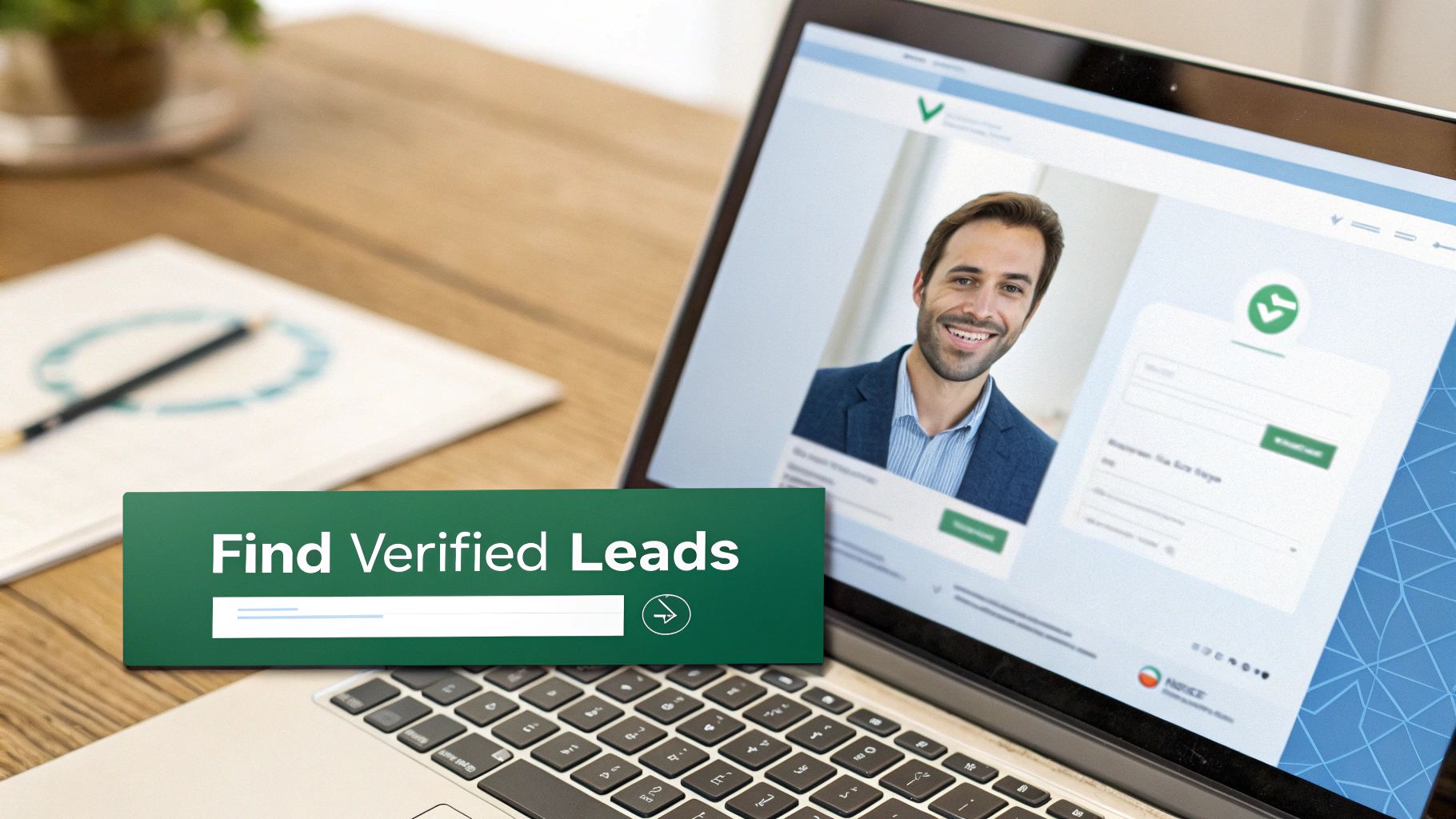
    Here’s how cleanly an extension like EmailScout fits into a standard LinkedIn profile.

    Notice how the "Find Email" button is positioned right where you'd expect it. This intuitive design makes finding contact info a natural part of your prospecting routine, not some clunky, separate task.

    Understanding the Results

    After you click, the magic happens in seconds. The tool doesn't just spit out an email; it also gives you a verification status. This is the critical feature that separates a professional-grade tool from a basic scraper.

    • Valid: The system has confirmed the email address exists and is safe to send to.
    • Risky: This might be a "catch-all" server, meaning you can't be 100% sure it's valid without actually sending a message.
    • Invalid: The email is dead. Sending to it will get you a hard bounce.

    This immediate feedback is invaluable. It doesn’t just give you a contact detail—it protects your sender reputation by helping you avoid bad addresses. Once you have a valid email, you can save it directly to a prospecting list inside the tool's dashboard, keeping your lead gen efforts organized and moving. If you're looking to streamline even more of your LinkedIn activity, exploring the best LinkedIn schedulers can add another layer of efficiency to your outreach.

    The real power of an email finder isn't just speed; it's the combination of speed and accuracy. By finding and verifying emails at the same time, you eliminate wasted effort and give every email you send the best possible chance of landing.

    The data backs this up. The average LinkedIn message response rate is a solid 10.3%, which is about double the typical cold email response rate of 5.1%. This tells us that professionals on LinkedIn are receptive to outreach, making the emails you find there incredibly valuable. When you use a tool to get a verified email for an active LinkedIn user, you're tapping into a highly engaged audience.

    Ultimately, using a tool to find an email on LinkedIn isn't just a time-saver. It’s about working smarter, improving the quality of your data, and building a more effective outreach engine from the ground up. You can dig into a detailed comparison of the best email finder tools to see how different options stack up.

    Scaling Your Outreach with Bulk Email Lookups

    Finding one email at a time is fine, but it’s not going to fill your pipeline. To really build momentum, you have to move beyond single searches and start building large, targeted lists. This is where bulk email lookups completely change the game, turning the manual task of finding emails on LinkedIn into a streamlined, automated process.

    Instead of clicking profile by profile, you can use advanced features in tools like EmailScout to grab hundreds of verified contacts in just a few minutes. This frees you up to spend less time digging for data and more time writing personalized messages that actually get responses.

    It boils down to a simple, three-step process: install the tool, find the emails, and save your data.
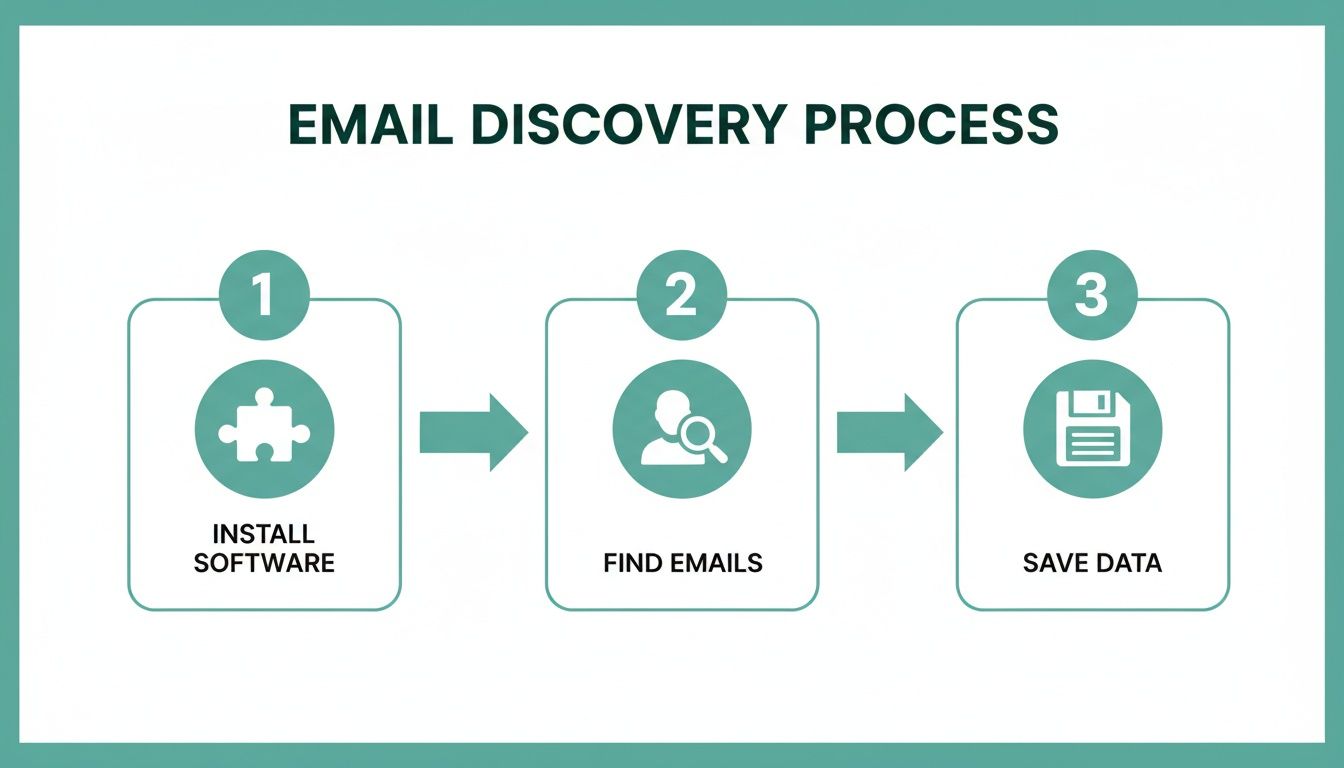
    A three-step diagram illustrates the email discovery process: install software, find emails, save data.

    This workflow really shows the power of automation—it takes what used to be a tedious manual job and turns it into a few quick, repeatable clicks.

    Building Lists Passively with AutoSave

    One of the slickest ways to build lists at scale is with an AutoSave feature. Picture this: you're looking at a LinkedIn search results page with 25 perfect prospects. Instead of opening each profile one-by-one, AutoSave just works in the background, quietly finding and saving the verified email for every single person on the page.

    It's a massive time-saver. You can use it in a few really valuable situations:

    • LinkedIn Search Results: Run a super-specific search (like "Marketing Directors in the SaaS industry in California") and let AutoSave grab contact info while you scroll.
    • Company Employee Pages: Go to a target company's "People" tab on LinkedIn and turn on AutoSave to collect emails for their entire team. Perfect for account-based marketing.
    • Group Members: Find a LinkedIn group where your ideal customers hang out and pull member details to create a hyper-relevant outreach list.

    This turns your everyday LinkedIn browsing into a constant lead-gen activity, building you powerful lists with almost no extra effort.

    The key takeaway is that you're no longer actively hunting for each email. Instead, you're setting the criteria for your ideal prospect on LinkedIn, and the tool gathers the data for you as you explore.

    Processing Lists with the URL Explorer

    So, what if you already have a list of LinkedIn profiles? Maybe you got them from a conference attendee list, a CRM export, or some old research. Visiting each URL manually would take forever. This is where a URL Explorer becomes your new best friend.

    A URL Explorer lets you just paste a list of LinkedIn profile URLs directly into the tool. It then churns through the entire list in one go, finding the verified email for each profile and spitting out a clean, downloadable file.

    This is the best way to handle existing lead lists and enrich your data with accurate, verified email addresses. It closes the gap between having a list of names and having an actionable list of contacts ready for outreach. If you want to take your list building even further, you can learn more about using an email extractor for Chrome to really optimize your workflow.

    Pro Tips for Hyper-Targeted Bulk Lookups

    To get the most out of your bulk searches, remember that it’s not just about grabbing as many emails as you can. Quality always beats quantity.

    Before you run a bulk lookup, use LinkedIn's advanced filters—especially in Sales Navigator—to really narrow down your audience. Filter by things like:

    • Company Size: Zero in on businesses that fit your ideal customer profile.
    • Seniority Level: Target the decision-makers, like VPs, Directors, or C-suite execs.
    • Years in Current Role: Find people who are new to a role (and might be open to new ideas) or those with established authority.
    • Recent Activity: Look for people who have posted on LinkedIn in the last 30 days—they're more likely to be active and responsive.

    When you combine precise filtering with the power of bulk lookup tools, you can build huge, high-quality email lists that are ready for a successful outreach campaign. It's a strategic approach that ensures your efforts to find an email on LinkedIn lead directly to real business conversations.

    Keeping Your Outreach Smart and Compliant

    So you've found an email address on LinkedIn. Great. But that’s just the starting line. Simply firing off a message without a second thought is a rookie mistake that can tank your sender reputation for good.

    This is where smart, compliant outreach comes in. It’s the difference between landing in the inbox and getting blacklisted. The first step? Verifying every single email.

    A bounce isn't just a missed connection; it's a strike against you. Email providers like Google and Microsoft track these bounces. Rack up too many, and they'll start sending your messages straight to the spam folder—or worse, blocking you entirely.

    What Do Email Verification Statuses Mean?

    When you find an email, you'll see a status like 'Valid,' 'Risky,' or 'Invalid.' Knowing what these mean is critical for keeping your sender score healthy and your emails delivered.

    • Valid: This is your green light. The system has checked and confirmed the email address is live and ready to receive messages. These are the contacts you want to focus your energy on.
    • Risky: Think of this as a yellow light. It often flags "catch-all" email servers that are set up to accept any email sent to their domain. This makes it impossible to know for sure if jane.doe@company.com actually exists without sending something. Use these with caution, as they're more likely to bounce.
    • Invalid: Stop. This is a dead end. The address is confirmed to be nonexistent. Never, ever send to these addresses. It will trigger a hard bounce, which is the most damaging kind for your sender reputation.

    Staying on the Right Side of the Law

    Beyond the technical stuff, you have to think about anti-spam regulations. The big two are GDPR (for EU citizens) and CAN-SPAM (in the United States). They have different rules, but their core message is the same: be transparent and respect the person you're contacting.

    It all boils down to legitimate interest. You need a solid, business-related reason to be in their inbox. For instance, contacting a VP of Sales about a new CRM tool? That makes sense. Emailing them about a personal loan? That's spam. Once you’ve got your list, the next step is to write professional emails that get replies and start real conversations.

    Today’s B2B buyers are savvy. In fact, data shows that 82% of B2B buyers will look up a professional's LinkedIn profile before even agreeing to a meeting. This just goes to show how crucial it is for your outreach—and your own profile—to be polished and professional. They will be checking you out.

    The Ground Rules of Compliant Outreach

    Stick to these fundamentals to keep your campaigns clean, build a positive brand image, and stay out of trouble.

    1. Be Honest: Make it clear who you are and what your company does. No tricky subject lines or misleading sender names.
    2. Offer an Easy Out: Every single email needs a clear, simple way for someone to unsubscribe from future messages.
    3. Act on Opt-Outs Fast: When someone unsubscribes, you have to remove them from your list immediately. No exceptions.
    4. Include a Physical Address: The CAN-SPAM Act requires you to put a valid physical postal address in your email footer.

    When you pair a solid strategy to find emails on LinkedIn with a serious commitment to verification and compliance, you build an outreach machine that lasts. For more advanced strategies, you can also check out our guide on how to scrape emails from LinkedIn the right way. This approach doesn't just protect your brand; it builds the trust you need to get better response rates and have more meaningful conversations.

    Common Questions About Finding Emails on LinkedIn

    Diving into email discovery on LinkedIn always brings up a few key questions about legality, effectiveness, and staying on the right side of the platform's rules. Getting straight answers is the best way to build a prospecting strategy that actually works and doesn't land you in hot water.

    Let's clear up some of the most common concerns people have before they start. Knowing the landscape helps you move forward with confidence.

    Is It Legal to Find and Use Emails from LinkedIn?

    Yes, for legitimate business-to-business outreach, it's generally fine. The main thing is to comply with anti-spam laws like CAN-SPAM in the U.S. and GDPR in Europe. These rules aren't designed to stop you from doing business; they're there to make sure you do it respectfully.

    Your message needs to be relevant to the person's professional role, you have to say who you are, and every single email needs an easy opt-out link. At its core, compliant outreach is just about sending the right message to the right person.

    What Is a Realistic Success Rate for Finding Emails?

    If you're doing it all by hand, it’s a bit of a guessing game. Even with some solid detective work, you’ll probably only hit a 20-40% success rate, and that's after sinking a fair bit of time into it.

    This is where a dedicated tool completely changes the math.

    • Specialized Tools: A good email finder can boost your success rate to 70-90% for professionals with an active online presence. They do this by checking multiple data sources in an instant.
    • Instant Verification: They also confirm the email works on the spot, so you're not just getting an address—you're getting a working address.

    That jump in efficiency means you can focus on writing great outreach messages instead of just hoping your emails don't bounce.

    The real win with a professional tool isn't just finding more emails; it's finding the right emails. Getting verified, business-specific addresses is what protects your sender reputation and makes sure your messages actually land in the inbox.

    How Do I Avoid Getting My LinkedIn Account Restricted?

    This is a big one. Reputable email finders are built from the ground up to play nice with LinkedIn's terms of service. They mimic natural human behavior—like browsing a profile—instead of firing off aggressive, automated actions that get accounts flagged.

    To keep your account safe, stick with a tool that's laser-focused on one thing: finding contact information. Use it to supercharge your manual prospecting, not to automate your entire engagement strategy. This approach keeps your activity looking natural and your account in good standing.


    Ready to find verified emails on LinkedIn in a single click, safely and efficiently? EmailScout gives you the power to build targeted lists without the guesswork. Start for free and see the difference it makes.
  • Email Extractor Extension Your Guide to Smarter Outreach

    Email Extractor Extension Your Guide to Smarter Outreach

    An email extractor extension is a simple but powerful tool that lives in your web browser. It's designed to do one thing incredibly well: automatically find and pull email addresses from any webpage you visit.

    This turns the painful, manual process of hunting for contacts into a quick, automated workflow. For anyone in sales, marketing, or recruiting, it’s a way to build targeted outreach lists in minutes, not hours.

    What Is an Email Extractor Extension?

    Imagine you’re a detective trying to find a specific clue—a single name—written somewhere inside a massive library. You could spend days pulling books off shelves and flipping through every page. It would be exhausting.

    Now, what if you had a special scanner that could instantly highlight every mention of that name in the entire library? That's exactly what an email extractor does for contact information.

    It’s a small piece of software you add to your browser, usually appearing as a little icon next to the address bar. As you browse a company’s website, a professional’s blog, or a list of conference speakers, the extension is ready to work. With a single click, it scans the page's code and gives you a clean list of every email address it found.

    From Manual Drudgery to Automated Power

    Without a tool like this, building a contact list is a grind. A salesperson might burn 20-30 minutes just to find one or two good emails on a single corporate site. The old way involves:

    • Manually clicking through "Contact Us" or "About" pages.
    • Searching employee directories.
    • Guessing email formats like first.last@company.com.
    • Copying and pasting every single discovery into a spreadsheet.

    This isn't just slow—it's also riddled with human error. An email extractor extension gets rid of that friction completely. It performs a smart type of email scraping that uses intelligent patterns to spot and collect addresses for you. If you want a deeper dive, you can learn more about how to get emails from a website in our detailed guide.

    Who Benefits From This Technology?

    This kind of automation is a genuine game-changer across several roles. It isn’t just about saving time; it’s about freeing up that time for high-value work like personalizing your outreach, building real relationships, and actually closing deals.

    The real value of an email extractor isn't just finding emails—it's reclaiming the hundreds of hours typically lost to manual prospecting. That reclaimed time is what leads to more opportunities, shorter sales cycles, and better client conversations.

    Let's look at how this plays out for different professionals. The table below breaks down how an email extractor helps various roles streamline their work and achieve better results.

    How Email Extractors Empower Different Professionals

    Professional Role Primary Benefit Key Outcome
    Sales Representatives Quickly build targeted lead lists from company websites and industry blogs. Increased pipeline velocity and more time spent on actual selling.
    Digital Marketers Source contacts for PR outreach, influencer collaborations, or link-building campaigns. Expanded brand reach and more effective content promotion.
    Recruiters & HR Identify potential candidates from competitor team pages or professional networks. Faster talent acquisition and a stronger pool of qualified candidates.
    Entrepreneurs Gather contacts for networking, partnership opportunities, and initial customer feedback. Accelerated business growth and stronger industry connections.

    As you can see, the impact goes far beyond simple data collection. An email extractor extension acts as a productivity engine, automating the very first step of any outreach campaign. It empowers you to find and connect with the right people, faster and more effectively than ever before.

    How These Extensions Find Emails Automatically

    Ever wonder how an email extractor extension can pluck a specific email address out of a cluttered webpage in the blink of an eye? It’s not magic. It’s a smart, lightning-fast process of scanning, pattern matching, and verification that happens behind the scenes.

    Think of the extension as a super-librarian. If you asked them to find a specific phrase in a library with millions of books, they wouldn't read every single page. They'd use a system—checking the catalog, scanning indexes, and looking for keywords. An email extractor does the same thing, but for the internet.

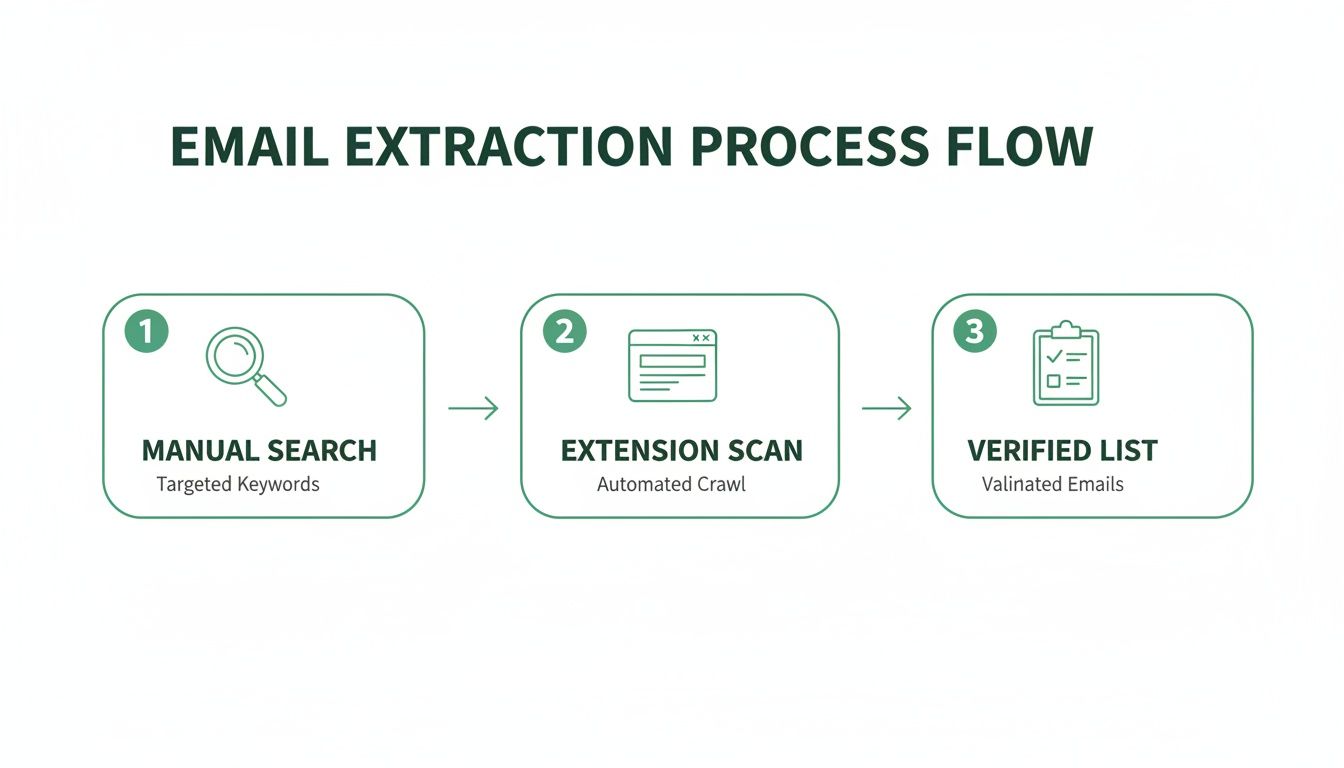
    This automated approach is worlds away from hunting for emails by hand. The diagram below shows just how much simpler the workflow becomes, turning a manual chore into a quick, automated process that gives you a verified list.

    Email extraction process flow diagram showing three steps: manual search, extension scan, and verified list.

    As you can see, it’s a clear upgrade from slow, manual work to an efficient system that delivers a clean list you can actually use.

    Decoding the Page Structure

    The moment you click the extension's button, it gets to work. But it doesn't "look" at the website like we do. Instead, it reads the source code—the HTML (HyperText Markup Language)—that acts as the blueprint for the entire page.

    This code contains every piece of text, every link, and every script, whether you can see it on your screen or not. By analyzing these blueprints directly, the extension gets an unfiltered look at everything on the page.

    Identifying Email Patterns

    With the raw code in hand, the real hunt begins. The tool uses a powerful technique called pattern recognition, typically relying on something called Regular Expressions (RegEx). A RegEx is simply a special sequence of characters that defines a search pattern.

    For any email address, the pattern is universal and easy to recognize:

    • A string of characters (the username)
    • The "@" symbol
    • Another string of characters (the domain)
    • A top-level domain like ".com" or ".org"

    The extension scans the entire HTML for any text that matches this exact structure. It’s an incredibly efficient way to sift through thousands of lines of code and pinpoint potential email addresses. At their core, email extractor extensions act as a specialized type of instant data scraper, zeroing in on contact information to fuel your outreach.

    Key Takeaway: An email extractor doesn't just scrape what you can see. It dives deep into a website's code, using sophisticated pattern matching to find anything that fits the structure of a valid email address.

    The Crucial Step of Verification

    Finding text that looks like an email is only the first step. A lot of addresses buried in a site's code might be old, generic (info@), or just plain wrong. This is where top-tier tools like EmailScout really shine by adding real-time verification.

    After flagging a potential email, an advanced extension sends a harmless, invisible ping to the email server tied to that domain. It's a quick check to see if the inbox actually exists and can receive mail—all without ever sending an actual email.

    This step is absolutely critical for maintaining good data hygiene. A smaller, verified list is always more valuable than a huge list full of emails that will just bounce. High bounce rates can tank your sender reputation and get your account flagged as spam.

    Accuracy is the biggest difference-maker here. The best extensions deliver incredible precision. In fact, our testing shows leading tools can hit a 95% accuracy rate, while weaker options might only be 55-70% accurate. That gap matters—teams using unverified lists often see up to 21% more bounces, which can completely derail a campaign's momentum.

    Alright, let's move from theory to practice. You get what an email extractor can do and how it works—now it's time to actually put that power into your browser. This quick walkthrough will get you set up in minutes, using EmailScout as our example.

    The whole process is designed to be painless. We'll get you from installation to your first successful extraction without hitting any technical roadblocks. We'll find the extension, add it to your browser, and make it dead simple to access with a single click.

    Person typing on a laptop, likely using an email extractor extension on a wooden desk.

    Installing the Extension in 3 Easy Steps

    Getting your first email extractor extension installed is a quick, three-step deal. It's no different than adding a new app to your phone and takes less than a minute.

    1. Head to the Chrome Web Store: This is the official and safest spot for browser add-ons. A quick Google search for "Chrome Web Store" will get you there.
    2. Search for Your Extractor: Type "EmailScout" into the search bar. The official extension will pop right up. Just double-check the name and logo to make sure you've got the right tool.
    3. Click 'Add to Chrome': You can't miss the big blue "Add to Chrome" button on the EmailScout page. Click it. A small pop-up will ask for permissions—just click "Add extension" to finish things up.

    And that's it. The extension is now officially part of your browser, ready to go to work.

    Pinning the Extension for Quick Access

    Right after you install it, the extension’s icon might be tucked away in a menu. To make your workflow as smooth as possible, you’ll want to "pin" it to your toolbar so it's always one click away.

    Just click the puzzle piece icon (🧩) in the top-right of your Chrome browser. This shows you all your installed extensions. Find EmailScout in the list and click the little thumbtack icon next to it. The pin will turn blue, and the EmailScout icon will now stay put in your toolbar.

    Pinning the extension turns a few clicks into just one. It's a simple move, but it's key to making email extraction a seamless part of your daily browsing and prospecting. Those seconds you save on every search really add up.

    Running Your First Email Extraction

    With the extension installed and pinned, you're ready for the fun part. Let's run a quick test on a common target for lead gen: a company's team or "About Us" page. These pages are often a goldmine for contacts.

    Go to a company's website and find their team page. Once it’s fully loaded, just click the pinned EmailScout icon in your toolbar.

    The extension gets to work instantly, scanning the page. In a few seconds, a pop-up appears with a clean, organized list of every email address it found. You can then copy the emails with a click or, if you're using a feature like EmailScout's AutoSave, they'll be automatically added to a running list for you. It’s that simple—you’ve just built a prospect list in seconds.

    Key Features of a Top-Tier Email Extractor

    So, you're looking for an email finder. It’s easy to assume they all do the same thing, but that’s not quite right. While plenty of free tools can scrape the obvious emails from a webpage, a top-tier email extractor extension is a different beast altogether. It’s the difference between casting a simple net off a pier and using a high-tech sonar to find where the real prize-winning fish are hiding.

    Choosing the right tool isn't just about grabbing emails; it's about investing in efficiency, accuracy, and the success of your outreach. Let's break down the features that separate a hobbyist gadget from a professional-grade tool that will genuinely level up your workflow.

    A tablet with a green keyboard case displays 'Key Features' on a wooden desk with notebooks and pens.

    Go Beyond Single-Page Scraping

    Most basic extractors work on the one page you have open. That’s fine for a quick one-off task, but what if you need to build a real list? A powerful tool thinks bigger, turning hours of mind-numbing manual work into a few clicks.

    Here are the capabilities you should be looking for:

    • Bulk URL Extraction: This is a massive time-saver. Instead of visiting hundreds of websites one by one, you just paste a list of URLs. The tool then does the heavy lifting, crawling and extracting emails from all of them at once.
    • Auto-Saving and List Building: The best extensions don’t just flash a list of emails at you and disappear. Features like EmailScout's AutoSave automatically add every email you find to a running list, so you’re constantly building your prospect database without even trying.

    If you’re serious about building a solid outreach list without spending your entire week on it, these features are non-negotiable.

    Prioritize Data Accuracy and Hygiene

    Here's a hard truth: an email list is worthless if the addresses are bad. Sending campaigns to invalid or dead emails cranks up your bounce rate, which is a huge red flag for email providers. Do it too often, and your domain could get blacklisted, making it nearly impossible to reach anyone's inbox.

    A good email extractor acts as a gatekeeper for your sender reputation.

    The single most critical feature separating premium tools from the free ones is built-in email verification. It’s an instant quality check, making sure the emails you collect are actually active and deliverable before you add them to a campaign.

    This isn't just a nice-to-have; it's a strategic must. The numbers don't lie. 82% of digital marketers count on email marketing, and with 4.73 billion users worldwide, the ROI is huge. We also know that 80% of sales take at least five follow-ups, yet 44% of sales reps give up after the first try. An extractor can slash the time spent hunting for contacts from 40 hours a week to just 40 minutes, freeing you up for that persistent follow-up that actually closes deals.

    Seamless Workflow and Integration

    Finally, a great tool should slide right into your existing process. It shouldn't feel like another clunky piece of software you have to manage; it should feel like it was always meant to be there.

    Look for these key integrations:

    • CRM Integrations: The ability to push contacts directly into your CRM, like Salesforce or HubSpot, is a game-changer. It cuts out manual data entry, prevents typos, and keeps your pipeline fresh.
    • Flexible Export Options: At a bare minimum, you need to be able to export your lists as a CSV or Excel file. This gives you the freedom to use your data in any other platform or tool you need.

    Comparing Basic vs Advanced Email Extractors

    The table below really puts the differences into perspective. While a free email extractor online can handle simple, one-off tasks, a professional tool is built for serious, scalable results.

    Feature Basic Free Extractor Advanced Tool (e.g., EmailScout)
    Extraction Scope Single active webpage only. Bulk URL processing and domain-level search.
    Email Verification Not included; high risk of bounces. Built-in, real-time verification for high deliverability.
    List Management Manual copy-paste required. Auto-saving to persistent lists and projects.
    Data Export Limited to basic text copy. Multiple formats (CSV, Excel) and direct CRM integrations.
    Support & Updates Minimal to none. Dedicated customer support and regular updates.

    Ultimately, choosing an advanced email extractor isn't just about getting more features. It's about making a smart investment in your most valuable resource: your time.

    Best Practices for Ethical Email Extraction

    An email extractor extension is a powerful tool, no doubt. It puts a ton of automation right at your fingertips. But how you use that power is what really separates a pro from a spammer. Success isn't just about how many emails you can collect; it's about the quality of your outreach and the trust you manage to build along the way. Ignoring the ethical side of things isn't just bad form—it's genuinely bad for business.

    Think of privacy laws like GDPR in Europe and the CAN-SPAM Act in the U.S. not as annoying roadblocks, but as a clear framework for building a solid brand reputation. These regulations exist for a reason: to protect people from getting spammed with irrelevant junk. When you follow these rules, you position yourself as a trustworthy professional, and you make sure your messages actually land in the inbox and get read.

    The massive growth of these tools tells a bigger story about the digital outreach economy. The global web scraper software market was valued at USD 718.86 million and is expected to climb to USD 2,209.88 million by 2033. This boom is fueled by sales pros who need efficient ways to find leads, pushing top tools to include features that help them stay on the right side of the law.

    Shift Your Mindset From Blasting to Connecting

    Here’s the fundamental rule of ethical outreach, and it’s pretty simple: your goal is to start a conversation, not just blast out a promotion. Every single email you send should be grounded in legitimate interest, which means the person on the receiving end could actually benefit from what you have to say.

    Before you add a freshly extracted email to your next campaign, just ask yourself this one question: "Is my message helpful and relevant to this specific person?" If you hesitate or the answer is no, just don't send it. That single filter can dramatically improve your results and safeguard your reputation.

    An email address is more than just data; it's a direct line to a person. Ethical extraction respects that connection by prioritizing relevance and value over sheer volume. This approach builds trust and ensures your brand is welcomed, not blocked.

    Actionable Rules for Ethical Outreach

    To keep your campaigns effective and compliant, you need to bake these non-negotiable best practices right into your workflow. They are the pillars of responsible and successful email outreach.

    • Always Provide a Clear Opt-Out: Every single email you send must include an easy-to-find unsubscribe link. Hiding this option is a direct violation of laws like CAN-SPAM and is a surefire way to get your emails marked as spam.
    • Be Honest and Transparent: Never, ever use misleading subject lines or "From" names. Your message should be an accurate reflection of who you are and what you're offering. Deception is the fastest way to destroy trust.
    • Focus on Personalization and Value: Use what you know to tailor your message. Mention their company, their role, or a recent post they made to show you've done your homework. A generic blast is the very definition of spam. If you're building lists from professional networks, you can also check out our guide on scraping emails from LinkedIn ethically.
    • Maintain Excellent Data Hygiene: Clean your email lists regularly. Get rid of inactive or incorrect addresses. Using a tool with built-in verification is a great start, as it helps protect your sender reputation and improves your overall deliverability.

    By sticking to these guidelines, you turn your email extractor extension from a simple scraping tool into a strategic asset for building meaningful professional relationships. This responsible approach is what drives long-term success and keeps your outreach effective and welcome.

    How Sales and Marketing Teams Use Extractors

    Alright, let's move beyond the technical "how" and into the practical "why." How does an email extractor extension actually make a difference in the day-to-day grind? For sales and marketing pros, these tools aren't just for gathering data—they’re for creating opportunities, collapsing timelines, and getting real results.

    Think about a sales team trying to crack a new market. The old way involved weeks of mind-numbing manual searches. With a tool like EmailScout, that entire process gets supercharged. This is where the magic happens: you're swapping grunt work for smart automation and turning tedious prospecting into a genuine competitive edge.

    Three business professionals, a man and two women, collaborate on a laptop under a 'SALES USE CASES' banner.

    Accelerating Sales Prospecting

    Let’s put ourselves in the shoes of a B2B sales development representative (SDR) who needs to find contacts at mid-sized tech companies. Their specific goal is to book meetings with engineering managers.

    Here’s what their workflow looks like with an extractor:

    1. Identify Target Companies: First, the SDR pulls a list of 50 target company websites from a few industry reports.
    2. Run a Bulk Extraction: Instead of clicking through each site one by one, they drop the whole list into EmailScout's bulk URL feature and let it run.
    3. Refine and Verify: The tool spits back a few hundred emails. The SDR quickly filters them for titles like "Engineering Manager" or "Head of Engineering" and trusts the built-in verification to weed out bad addresses.

    The result? In about an hour, the SDR has a hyper-targeted, verified list of over 150 solid prospects. Manually, that would've been days of work. Now, they can spend their time actually crafting personalized emails that will get a response.

    Powering Marketing and PR Outreach

    Now, let's switch gears to a marketer gearing up for a big product launch. They need to get the word out, and that means getting coverage from tech bloggers and journalists.

    They start by listing the top tech blogs and publications in their niche. As they visit each site, they pop open the extension on the "About Us" or "Contributors" page. Instantly, the tool grabs the direct email addresses of editors and writers, letting them bypass those generic contact@ inboxes that are basically black holes.

    Using an email extractor for PR is about building direct lines of communication. It's the difference between blindly sending a press release and putting your story right in front of the person who can actually tell it.

    This gives them a curated list of real people with influence. Now the marketer can send out personalized pitches that are far more likely to land press coverage and build some serious buzz. And the numbers back this up: 82% of global digital marketers rely on email, and 65% automate it because the ROI is just that good. Using verified data from a quality extractor can slash bounce rates by 21%—a massive win for any campaign. You can dig into more digital marketing stats to see just how critical these strategies are.

    Streamlining Recruitment and Talent Sourcing

    Finally, imagine a recruiter on the hunt for a specialized software developer. They know the best candidates are probably already working for their top competitors.

    So, the recruiter browses the "Team" or "Engineering Blog" pages on those competitor websites. With one click, the email extractor extension scans the page and pulls the professional emails of potential candidates. This helps the recruiter build a solid pipeline of passive candidates—talented people who aren't actively job hunting but would listen to the right offer. It’s a direct, discreet way to connect, and it’s way more effective than just throwing a job posting online and hoping for the best.

    Common Questions About Email Extractors

    When you start digging into automated outreach, a few questions always pop up. It's only natural to wonder about the legal side, how effective these tools really are, and whether they're worth it. Let's clear the air and tackle the most common questions we hear about email extractor extensions.

    My goal here is to give you the straight answers so you can move forward with confidence and get the best results possible.

    Are Email Extractor Extensions Legal?

    Yes, using an email extractor extension to find and gather publicly available information is perfectly legal. The important thing isn't how you find the emails, but how you use them afterwards. Your outreach has to play by the rules of anti-spam and privacy regulations like GDPR and the CAN-SPAM Act.

    This means you should always:

    • Make sure your message is genuinely relevant and offers real value to the person you're contacting.
    • Never, ever use deceptive or misleading subject lines.
    • Include a clear and easy way for people to opt-out of hearing from you again.

    Honestly, ethical use is just good strategy. It's the foundation of any outreach that actually gets results.

    Can Extractors Find Any Email on Any Website?

    While these extensions are incredibly powerful, they aren't magic. They can only find email addresses that are present somewhere in a website's code or text. If an email address isn't listed publicly on the page, the tool can't just invent it.

    That said, the best tools do more than just scan for what's visible. They can spot common email patterns for a specific company (like firstname.lastname@company.com) and then use verification tech to check if that predicted address is live. This trick dramatically boosts the odds of finding the right contact, even when their email isn't spelled out for everyone to see.

    Why Use an Extension Instead of Searching by Hand?

    It really boils down to three things: speed, scale, and accuracy. Manually hunting for just a few emails on a single website can easily eat up 20 minutes or more of your time. An extension can do the same job in a couple of seconds.

    But the real game-changer is scale. An extension lets you build a targeted list of hundreds of contacts in the time it would take to find a handful manually. This isn't just a small time-saver; it frees you up for what really matters, like crafting a killer outreach message.

    On top of that, top-tier extensions like EmailScout have email verification built right in. This is a critical step that checks if an email is active, which slashes your bounce rates and protects your sender reputation—something that’s nearly impossible to do efficiently by hand.


    Ready to stop searching and start connecting? The EmailScout extension delivers the speed, accuracy, and automation you need to build high-quality contact lists in minutes. Try EmailScout for free today!

  • A Modern Guide to Finding Contact Info for Sales

    A Modern Guide to Finding Contact Info for Sales

    Before you jump straight to automated tools, it’s worth mastering the art of manual contact discovery. Honestly, it gives you a serious edge. Learning how to dig into a company's digital footprint, use advanced search operators, and spot common email patterns can deliver surprisingly good results. Think of it less as a backup plan and more as building a solid foundation.

    Building Your Foundation for Contact Discovery

    Rushing to use an automated tool without understanding the basics is like trying to build a house without a foundation. Sure, you might get something up, but it won't be sturdy. When you master these manual techniques first, your entire outreach strategy becomes more resourceful. You'll be able to find almost anyone, even when the easy options come up empty.

    The fact is, email is still the king of professional communication. By 2025, nearly 4.5 billion people worldwide will be using it, sending over 376 billion emails every single day. That’s a massive opportunity for anyone trying to connect with the right people.

    Start With The Company Website

    Your first stop should always be the company's own website. It's the most direct and reliable source of information, and it often has exactly what you need if you just know where to click.

    • About Us and Team Pages: These pages are absolute goldmines. They often list key employees, their job titles, and sometimes even link directly to their professional profiles.
    • Press Releases or News Sections: Hunt for media contact info here. A press release might name the person in charge of communications, giving you a name and email to start with.
    • Blog Author Bios: If the company runs a blog, check out who’s writing the posts. Key team members often contribute, and their bios frequently include contact details or social links.

    By poking around these areas, you can quickly piece together the company's structure and pinpoint the person you need to reach. This groundwork is also a key part of figuring out who your ideal customer is, which you can learn more about in our guide on how to identify your target audience.

    Before moving on to more advanced methods, run through this quick checklist to make sure you've covered the basics on their website.

    Manual Contact Discovery Checklist

    This table breaks down the core manual steps you should take before firing up any automated tools. It’s a simple process, but it’s incredibly effective for building an initial profile of your target.

    Technique Where to Look Key Objective
    Team Page Review "About Us," "Our Team," "Leadership" pages Identify key personnel, titles, and reporting structures.
    Press Kit Mining "Press," "News," "Media" sections Find a dedicated media contact or communications manager.
    Author Bio Scan Company blog posts Discover subject matter experts and their direct contact info.
    Contact Page Check Main "Contact Us" page Look for departmental emails (e.g., sales@, info@) as a last resort.

    Once you've exhausted these direct sources, it's time to broaden your search without leaving the fundamentals behind.

    Using Advanced Search Operators

    Google is your best free tool for finding contact info, but you have to go beyond simple keyword searches. This is where advanced search operators come in. They act like special filters, letting you cut through the noise and uncover hidden gems.

    Key Takeaway: Using operators like site: and inurl: turns a generic search engine into a precision instrument. You can force Google to look for information only within a specific website or within documents containing certain keywords in the URL.

    For example, a quick search for "Jane Doe" site:company.com tells Google to only show you results for "Jane Doe" that appear on that specific company's website. This simple command can uncover team pages, blog posts, or staff directories you might have missed during your initial look.

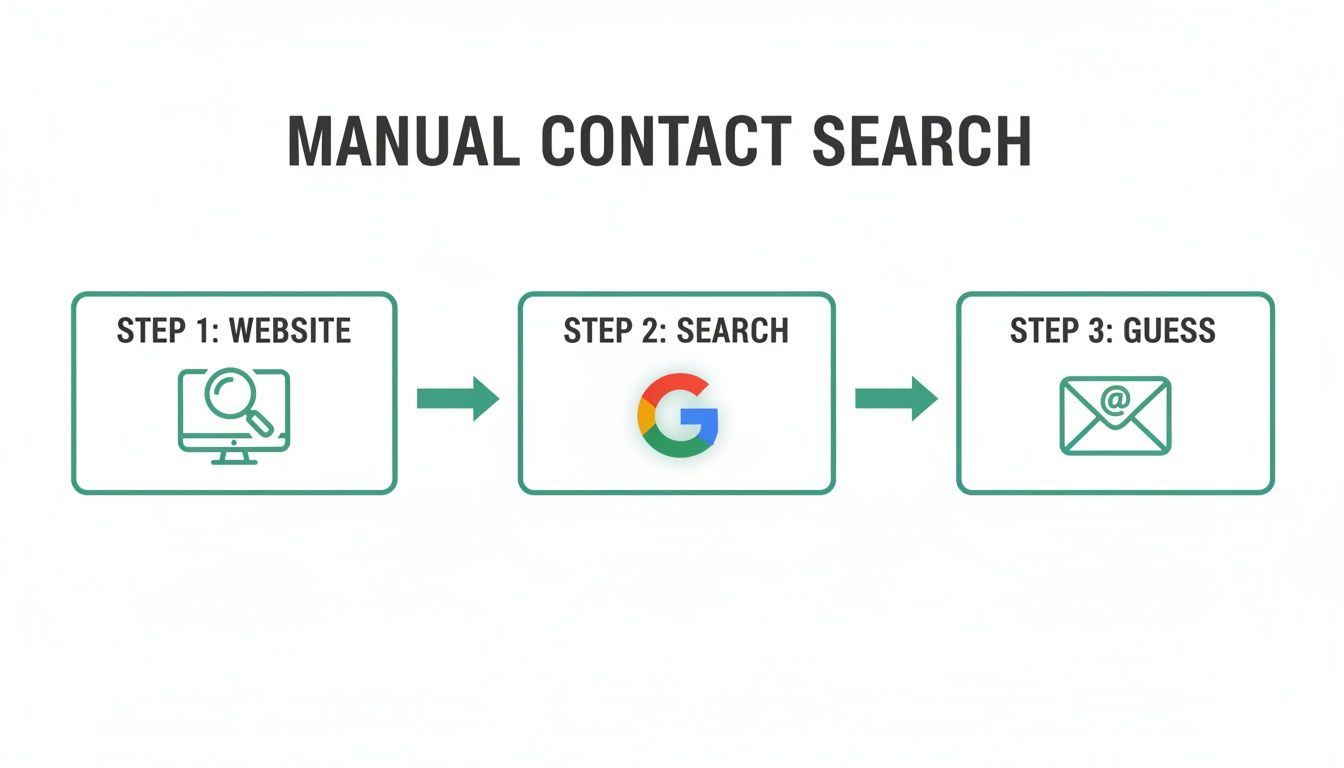
    The whole manual process is often just this simple: inspect the website, run a targeted search, and then make an educated guess.

    A three-step flowchart illustrating manual contact search: website, Google search, and email guessing.

    This flowchart really shows how a systematic, step-by-step manual approach can quickly narrow down your search for the right person.

    The Art of The Educated Guess

    So what do you do when you have a name and a company domain, but no email? It's time for an educated guess, a technique also known as email permutation. Most companies use a consistent format for their email addresses, and figuring out that pattern is a huge step in learning how to find business emails on your own.

    Some of the most common patterns you'll see are:

    Jot down a list of these potential combinations. In the next section, we’ll get into how you can verify which of these addresses is the correct one—without sending a test email and getting a bounce. This manual prep work makes any automated tool you use later far more powerful and accurate.

    Using Digital Tools for Efficient Prospecting

    Mastering the manual techniques gives you a great foundation for finding contact info, but let's be honest—technology is what lets you do it at scale. Digital tools take the slow, methodical process of digging for details and turn it into a fast, efficient workflow. Instead of spending an hour hunting for a single email, you can uncover dozens in just a few minutes.

    The best tools plug right into your existing process, whether you’re scrolling through LinkedIn profiles or checking out company websites. This is all about working smarter, not harder, and building a lead-gen engine that doesn't add a bunch of friction to your day.

    Integrating Email Finders into Your Workflow

    The most practical way to get started is with a browser extension that works where you already are. An email finder like EmailScout installs directly into Chrome, putting powerful contact discovery tools just a click away. It's way more efficient than constantly flipping between tabs to use some separate web-based tool.

    Think about a real-world scenario. You land on the LinkedIn profile of a prospect who looks like a perfect fit. Instead of kicking off a manual search, a good extension will pop a button right there on the page. One click, and it finds and displays their verified professional email address.

    A person uses a laptop and magnifying glass to research decision-makers on an 'About Us' page.

    As you can see, the tool overlays the interface without getting in your way, giving you exactly what you need, right when you need it. This immediate access to data is what transforms passive browsing into active prospecting.

    Advanced Features for Bulk Discovery

    While one-click discovery is great for snagging individual prospects, you need more firepower to really scale your efforts. This is where features designed for bulk processing come into play. They let you shift from finding one email at a time to finding hundreds.

    Two powerful features you should look for are:

    • URL Explorer: This function lets you drop in a list of company website URLs and automatically pulls any available email addresses from each site. So, instead of manually visiting ten different "About Us" pages, you can run the whole list through the tool and get a single, consolidated report.
    • AutoSave Functionality: Imagine building a lead list without even trying. An AutoSave feature works quietly in the background, automatically grabbing contact information from the profiles you visit and adding it to a list you've designated. It’s passive lead generation at its finest.

    These kinds of advanced capabilities are built for high-volume prospecting. They’re absolutely essential for sales teams and marketers who need to build large, targeted lists on the fly.

    Comparing Your Tooling Options

    The market for email finders is crowded, and picking the right one can feel a little overwhelming. A lot of tools run on a credit-based system, where you pay for each email you find or verify. That model can work, but it gets expensive fast, especially if you're a startup or freelancer.

    Pro Tip: Keep an eye out for tools that offer a generous free tier or an unlimited model. This lets you scale your prospecting without constantly worrying about a running meter. Cost shouldn't be a barrier to finding valuable contact info.

    EmailScout, for instance, offers an unlimited free model, which really sets it apart from the credit-based crowd. This approach lets you find as many emails as you need without ever hitting a paywall—a massive advantage for anyone doing consistent outreach. When you're weighing your options, think about the balance between cost, features, and how easy it is to use. You can get a much deeper look in our full guide to the best email finder tools available today.

    Here’s a quick breakdown of the common pricing models you'll run into.

    Model Type How It Works Best For
    Credit-Based You buy a block of credits. Each email find or verification costs one or more credits. Teams with a predictable, fixed budget and lower-volume needs.
    Subscription Tier You pay a monthly fee for a set number of credits or features, with higher tiers offering more. Growing teams that need more features and a higher volume of searches.
    Unlimited Free The core email-finding feature is free and unlimited, with paid plans for premium features. Startups, freelancers, and anyone wanting to prospect without budget constraints.

    Ultimately, the goal is to find a tool that fits your workflow and your budget. By moving from manual methods to a tool-assisted process, you can dramatically crank up the speed and scale of your prospecting. That frees you up to focus on what really matters—building relationships and closing deals.

    Advanced Strategies for Hard-to-Find Contacts

    Sometimes, the easy way just doesn't work. When you're trying to reach a high-value executive, an elusive founder, or any decision-maker who keeps a low profile, you need to start thinking like a detective. The standard methods fail because these people often have gatekeepers or a minimal digital footprint on purpose.

    This is where you gain a serious edge by getting creative. It’s about digging deeper and looking in places your competition completely ignores. These tactics will help you uncover the direct lines of communication that you won't find on a company website or LinkedIn profile.

    A laptop on a wooden desk shows a business networking site, with text 'Automate Prospecting' in a green box.

    Go Beyond LinkedIn

    Look, LinkedIn is the go-to for a reason, but it's not the only game in town. High-level prospects often hang out in niche communities where they feel more comfortable sharing ideas—and sometimes, their contact info.

    Your mission is to find these digital watering holes. Think about industry-specific forums, private Slack communities, or even the comment sections on influential blogs. If your prospect runs a personal blog or has a GitHub profile, you’ve hit a goldmine. These are fantastic places to find a direct email they use for side projects or personal correspondence.

    Engaging on these platforms feels more authentic. You're not just another salesperson in their inbox; you're part of their community.

    Dig Into Public Company Documents

    Publicly traded companies—and even many large private ones—leave a breadcrumb trail of documents that most people never think to check. This information isn't hidden; it's just buried in plain sight.

    Here are a few places to start your search:

    • Press Releases: Always scan for the "Media Contact" section. It often lists the direct name, email, and phone number of a communications director or a PR rep who can get your message to the right person.
    • Investor Relations Reports: Annual reports and quarterly filings can name key executives. While a direct email is rare, you get a verified name to plug into your email permutation strategy.
    • Conference Speaker Lists: Has your target ever spoken at an industry event? Conference websites frequently publish speaker bios that include direct contact details or links to their personal websites.

    This approach takes a bit more patience, but the payoff can be highly accurate contact information for executives who are otherwise unreachable.

    Check WHOIS Data for Smaller Companies

    For smaller businesses and startups, a slightly more technical trick works wonders. Every domain name has a public record attached to it called WHOIS data, which lists the administrative and technical contacts for that domain.

    Sure, privacy services can sometimes hide this info, but it's always worth a look. A quick WHOIS search on a company's domain might just reveal the founder's email address. In a small organization where everyone wears multiple hats, this contact can often point you exactly where you need to go.

    Key Insight: The person who registered the company's domain is often a founder or an early, trusted employee. Reaching out to them can be a super effective backdoor approach.

    The sheer volume of online communication shows why verified information is so critical. With a projected 376 billion emails sent daily in 2025, your success depends on finding accurate decision-maker info among 4.6 billion users. This is where business development teams get a crucial advantage with tools like EmailScout's URL Explorer, which can pull emails from multiple pages at once. Considering many employees spend over two hours a day on email, cutting through the noise is everything. You can read more on these trends by exploring workplace email statistics and their impact.

    Ultimately, these advanced strategies are all about being resourceful and persistent. By combining a bit of digital sleuthing with creative thinking, you can find the contact info for almost anyone and start building the relationships that others can only dream of.

    Verifying Emails to Protect Your Sender Reputation

    That rush you get when you find what looks like the right email address? It's a great feeling, but it’s only half the job. Firing off a message to an unverified address is a gamble that can seriously backfire.

    Email verification isn't just a "nice-to-have" step; it's a non-negotiable part of any outreach strategy. Without it, your entire campaign could fall apart before it even gets off the ground.

    Every time you send an email that bounces, it’s a small red flag for email providers like Google and Microsoft. Let those bounces pile up, and your sender reputation takes a massive hit. Before you know it, even your emails to perfectly valid addresses are getting flagged as spam or blocked completely.

    The True Cost of a High Bounce Rate

    A high bounce rate is way more than just a failed delivery notice in your inbox—it's a direct threat to your domain's credibility.

    When email servers see a constant stream of failed deliveries coming from you, their algorithms start to assume you're a spammer using a junky, outdated list. As a result, they stop trusting you, and your chances of landing in anyone's primary inbox plummet.

    Think of your sender reputation like a credit score for your email domain. Each bounced email is a missed payment. Too many, and your score gets trashed, making it nearly impossible to get your messages delivered in the future.

    This means all the hard work you put into finding contacts and writing the perfect email could be for nothing. Your carefully planned campaign dies a quiet death in the spam folder, never seen by the people you need to reach.

    Understanding Different Types of Invalid Emails

    Not all bad emails are created equal. To clean up your lists, you need to know what you’re looking for. Some are simple typos, but others are more devious.

    • Syntax Errors: These are the easy ones to spot. Think john.doe@company (missing the .com) or jane@doe..com (with double dots). Most are simple mistakes.
    • Non-Existent Addresses: The address looks perfect, but the account was deleted ages ago or never even existed. These cause a hard bounce, which is especially damaging to your reputation.
    • Catch-All Servers: This is the tricky one. Some companies set up their servers to accept email sent to any address at their domain. You won't get a bounce, but your message often lands in an unmonitored black hole. It feels like a successful delivery, but it’s just a wasted effort.

    Learning to spot these different types is the first move toward building a clean, powerful contact list that actually gets results.

    Practical Verification Methods

    The good news is you don't have to risk a bounce to see if an email is valid. There are several ways to confirm an address's deliverability without sending a single thing.

    For those quick, one-off checks, plenty of free online tools let you paste in an email and get an instant verdict. They're perfect for when you've just tracked down a high-value prospect and need immediate confirmation before you hit "send."

    When you're working with a bigger list, a bulk verification service is your best friend. These platforms let you upload a whole spreadsheet of contacts and run a deep check on every single one. They’ll analyze the syntax, check the server responses, and flag risky addresses like catch-alls.

    For a closer look at the technical side of things, our guide on email address verification breaks it all down in more detail.

    Ultimately, building verification into your process is a must. Whether you're finding one email or a thousand, that extra step protects your reputation, boosts your deliverability, and gives your message a real shot at being read.

    Ethical Outreach and Data Privacy Practices

    So, you've mastered the art of finding contact info. That's a powerful skill, but it comes with some serious responsibility. How you actually use that information is just as important as how you found it.

    This isn't about finding legal loopholes. Ethical outreach is about building a sustainable strategy that creates positive, long-term relationships instead of just burning bridges with potential clients. When you access someone's data—even if it's publicly available—you need to handle it with respect. Following these principles doesn't just keep you out of legal trouble; it makes your outreach far more effective because it's built on a foundation of trust.

    Laptop screen displaying an email verification service with multiple checkmark icons on a wooden desk.

    Navigating Key Data Privacy Regulations

    You don't need to be a lawyer, but you absolutely have to know the rules of the road. The two big ones governing email outreach are the CAN-SPAM Act in the United States and the General Data Protection Regulation (GDPR) in the European Union.

    These laws set the ground rules for commercial emails. Ignoring them can lead to massive fines and a permanently torched sender reputation.

    Their core principles are pretty straightforward and all about protecting the recipient:

    • Be Honest: Your "From" name, subject line, and the message itself must be accurate. No trickery.
    • Provide an Exit: Every single email has to include a clear, easy-to-use unsubscribe link.
    • Identify Yourself: You must include your valid physical postal address somewhere in your email.

    To keep your outreach on the right side of the law, it's also smart to understand frameworks like ISO 27001 and specific regional rules, like the Australian Data Privacy Laws.

    Key Takeaway: Compliance isn't optional. Think of the unsubscribe link as a non-negotiable part of your email signature. It gives the recipient control and shows that you respect their inbox.

    Best Practices for Building Trust

    Staying compliant is just the bare minimum. Truly effective outreach goes a step further by focusing on practices that build genuine trust and rapport from the very first message. This is what separates a professional from a spammer.

    The goal is to start a conversation, not just blast a sales pitch into the void. This requires a shift in mindset from "what can I get?" to "what can I give?"

    Lead with Value and Personalization

    Generic, one-size-fits-all emails are a one-way ticket to the trash folder. Before you even think about hitting "send," ask yourself: what’s in it for them? Your first message should offer something genuinely useful.

    This could be anything from:

    • A helpful article relevant to a project they recently posted about.
    • An interesting observation you made about their company or industry.
    • A potential solution to a problem you've identified they might be facing.

    Real personalization shows you’ve done your homework. Mentioning a specific article they wrote, a recent company achievement, or a shared connection instantly proves this isn't another mass email. That respect for their time and work is what earns you a response.

    The incredible ROI of email marketing is built on this approach. Pros can see a 760% surge in revenue from well-built, targeted lists, but that only happens when you find the right people and approach them respectfully. With 82% of marketers using email, personalization is how you stand out. For anyone using a tool like EmailScout, that one-click email discovery can fuel campaigns with welcome email open rates as high as 80%—crushing the 20% average.

    Ethical Outreach Quick Guide

    The table below breaks down the clear difference between an ethical, effective approach and one that's destined to fail.

    Practice Ethical Approach (Do This) Unethical Approach (Avoid This)
    Personalization Reference specific details about their work or company. Using generic templates with only the name changed.
    Value Proposition Offer a useful insight or resource in your first email. Immediately asking for their time or money.
    Unsubscribe Include a clear, one-click unsubscribe link in every email. Hiding the opt-out link or requiring a login to unsubscribe.
    Transparency Clearly state who you are and why you are contacting them. Using misleading subject lines or a fake "From" name.

    At the end of the day, finding contact info is just the first step. When you combine your discovery skills with a solid commitment to ethical, value-first outreach, you turn a simple email address into a potential long-term business relationship built on mutual respect.

    Got Questions? We've Got Answers

    Even with the best tools and a solid game plan, you're going to hit a few snags trying to find someone's contact info. It happens to everyone. Here are some of the most common questions we get, along with some straightforward answers to help you get unstuck.

    What’s the Best Way to Find an Email for Free?

    Honestly, the most powerful free method is just a bit of clever detective work combined with a few free tools. It's a simple process that works surprisingly often, and it won't cost you a penny.

    First things first, you need to confirm the person's full name and their current company. A quick look at their LinkedIn profile is usually the most reliable way to do this.

    Next, head over to Google and use a specific search operator. Try a search like "[First Name] [Last Name]" email site:[companydomain.com]. You’d be surprised how often this uncovers an email address mentioned in a blog post, a press release, or a company bio.

    If that doesn't work, it's time to make some educated guesses based on common email patterns:

    • f.lastname@domain.com
    • firstname.lastname@domain.com
    • firstinitiallastname@domain.com

    Once you have a few possibilities, use a free email verifier or a tool like EmailScout's free extension to see if you've struck gold. This last step is key—it automates the verification and often finds the right email with a single click, saving you a ton of manual effort.

    How Do I Find Someone Who Isn’t on LinkedIn?

    When a prospect you really want to reach isn't on LinkedIn, it just means you have to get a little more creative. Think of it as looking for other digital footprints they’ve left behind. This is often how you find the contact info for decision-makers who fly under the radar.

    Your first stop should be the company's website. Dig into the "About Us," "Press," or "Media" pages. Key people who aren't big on social media are often listed there.

    If the company website is a dead end, broaden your search to other corners of the internet:

    • Industry Forums: Are they active in any niche online communities related to their work?
    • Event Speaker Lists: Check the websites for conferences, trade shows, or webinars where they might have spoken. Speaker bios are a goldmine for contact details.
    • Articles and Interviews: Search for their name alongside podcast interviews, articles, or white papers they've written.

    This kind of digging often uncovers direct contact info that isn’t listed anywhere else. It’s all about figuring out where they hang out online beyond the usual professional networks.

    Is It Legal to Email Someone for Business After Finding Their Info Online?

    Yes, it's generally legal to reach out for legitimate business reasons, but you must follow data privacy rules. The two big ones to be aware of are the CAN-SPAM Act in the United States and GDPR in the European Union.

    Staying compliant isn't that difficult, but it's non-negotiable. Your email can't be misleading, you have to be clear about who you are, and—this is the most important part—you must give them an easy, obvious way to opt out of future messages.

    The real key here is to stop thinking about it as just sending emails and start thinking about it as starting a valuable conversation. As long as your outreach is relevant, transparent, and respects their right to say "no thanks," you're on solid legal and ethical ground.


    Ready to stop guessing and start connecting? EmailScout lets you find verified email addresses with a single click, right from a social profile or website. Give it a try and find unlimited emails for free.

    Start Finding Contacts with EmailScout

  • Cold Calling vs Cold Emailing The Definitive Sales Guide

    Cold Calling vs Cold Emailing The Definitive Sales Guide

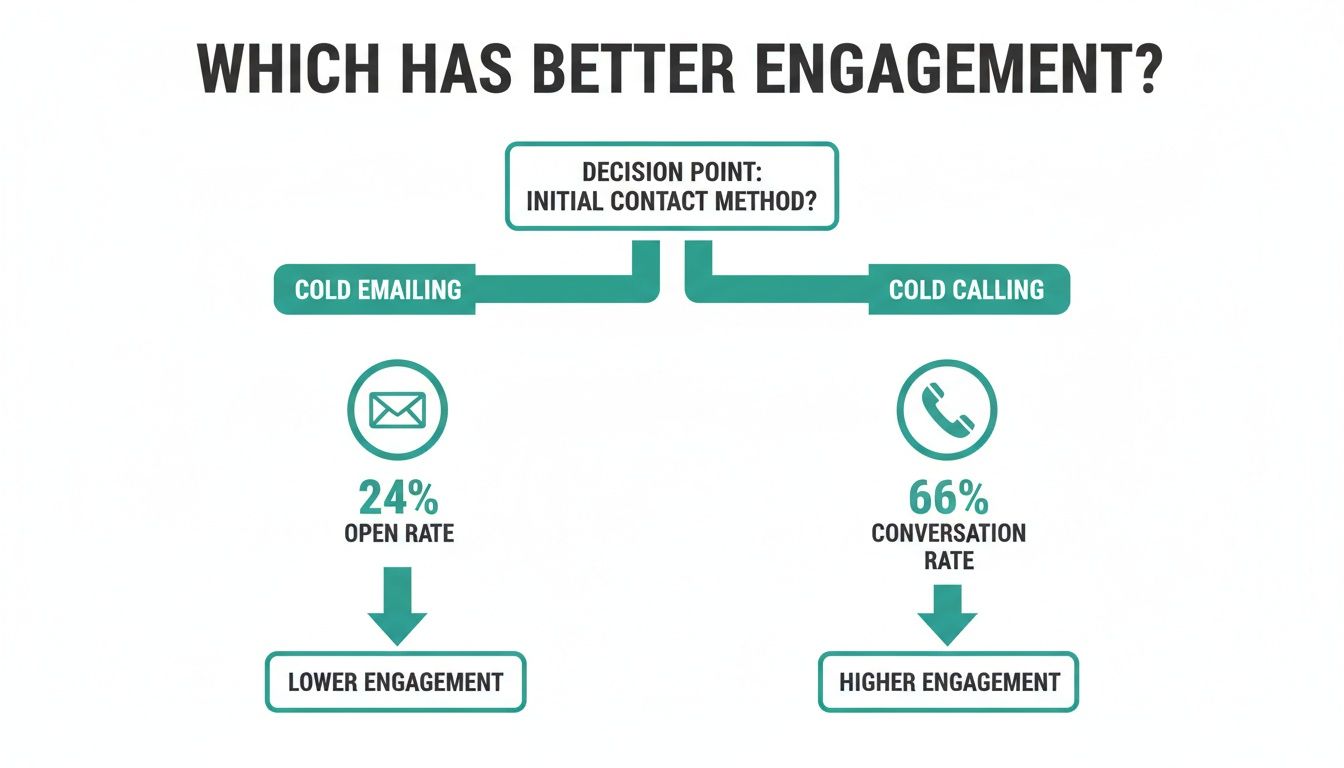
    When it comes to the great cold calling vs. cold emailing debate, the difference boils down to this: cold calling is immediate and personal but tough to scale. Cold emailing is scalable and efficient but feels less direct. Your choice really depends on what you value more—high-touch, personal engagement for big-ticket sales, or broad, efficient outreach to fill a volume-based pipeline.

    The Modern Sales Debate: Cold Calling vs. Cold Emailing

    Two businessmen compare sales strategies: one is cold calling on the phone, the other is cold emailing on a laptop.

    Picking the right outreach method is a massive decision for any sales team. This isn't just about choosing a channel; it's about making sure your strategy clicks with your target audience, sales cycle, and the bigger picture of your business goals. While both are designed to turn strangers into customers, they work off completely different playbooks for engagement and resource management.

    Cold calling is the old-school heavyweight of sales, relying on direct, real-time phone conversations. It's fantastic for building instant rapport and crushing objections on the spot. You'll often see this method used for high-value, complex deals where a genuine human connection can seal the deal.

    On the other hand, cold emailing is the modern, asynchronous approach. It's text-based and lets prospects engage whenever it suits them. The biggest wins here are scalability and efficiency. A single rep can hit up hundreds of potential leads in the time it takes to make just a handful of calls. This makes it a go-to for SaaS companies, startups, and any team aiming for a wide market.

    Cold Calling vs. Cold Emailing Quick Comparison

    To help you quickly grasp the fundamental differences in efficiency and outcomes, here’s a side-by-side comparison of key performance indicators.

    Metric Cold Calling Cold Emailing
    Speed of Connection Immediate (if answered) Delayed (hours or days)
    Scalability Low (one-to-one) High (one-to-many)
    Prospect Disruption High (interruptive) Low (non-intrusive)
    Personalization Adaptive, in-the-moment Data-driven, at scale
    Cost Per Lead Higher Lower
    Ideal For High-value, complex sales Volume-based pipelines, SaaS

    As you can see, each channel has its clear strengths. The key is understanding how these metrics align with your specific sales motion and resources.

    Core Comparison Criteria

    To really get to the bottom of the "cold calling vs. cold emailing" dilemma, we need to measure them against the same yardstick. Throughout this guide, we'll break down each strategy using four crucial factors:

    • Cost and Scalability: A hard look at the financial and operational muscle needed to run each strategy effectively.
    • Response and Conversion Rates: Digging into which method actually gets more replies and, more importantly, books more meetings.
    • Lead Quality: An honest assessment of the engagement quality and how that translates to real pipeline value.
    • Ideal Use Cases: Pinpointing the exact scenarios where one channel is the obvious winner over the other.

    The smartest outreach strategy is rarely a choice between one or the other. The truly successful sales teams know exactly when to shoot off an email and when to pick up the phone, weaving them together into a powerful, multi-touch sequence.

    This guide gives you a data-backed framework to help you make smarter decisions, making sure your outreach efforts hit the mark every time.

    Comparing Scalability and Return on Investment

    Two people analyzing business growth data on a tablet, one pointing while the other smiles.

    When you get down to the brass tacks of running a sales team, two things matter more than anything: scalability and return on investment (ROI). It's here that the differences between cold calling and cold emailing really come into sharp focus. For any team trying to build sustainable growth, these numbers tell the real story of what each channel costs and what it can deliver.

    Cold calling, at its core, is a one-to-one game. Every single dial demands a rep's undivided attention—from the prep work to navigating the call itself and logging the notes afterward. This human touch is exactly what makes it great for building rapport, but it's also its biggest operational weakness.

    On the other hand, cold emailing is practically built for scale. You can take one well-written template, personalize it, and get it in front of hundreds of prospects in the time it takes a rep to make a handful of calls. It's a one-to-many approach that's just flat-out more efficient.

    The Economics of Outreach Volume

    This gap in scalability directly shapes how many people a single rep can actually reach in a day. The numbers don't lie, and they paint a pretty clear picture.

    A dedicated sales rep who is purely cold calling might manage 6-9 calls per hour. That number isn't just dialing—it's everything that goes with it, like getting past gatekeepers, leaving voicemails, and having the actual conversations. It's a slow, methodical grind.

    Now, flip that. A rep armed with an email automation platform can send 80-120 personalized emails per hour. That massive difference in sheer output means your team can test markets, collect data, and pack the top of your funnel at a speed that's impossible to match with manual dialing.

    The scalability debate boils down to simple math. One channel is linear—you add one prospect at a time. The other is exponential—you can engage entire segments of your market all at once.

    For any team with aggressive growth targets, that distinction is a game-changer. Email lets you build momentum fast, whereas calling requires a much larger—and more expensive—team to get anywhere near the same reach.

    Analyzing the Return on Investment

    At the end of the day, the only metric that truly matters to a sales leader is ROI. When you stack up the costs against the results, cold email pulls way ahead. That efficiency translates directly to a better cost-per-lead and a much healthier return.

    The data shows cold emailing just crushes cold calling from a financial standpoint. On average, email marketing can bring in up to $42 for every $1 you spend. Cold calling? It generates about $1.80 per dollar invested. That massive gap is exactly why so many modern sales teams build their outreach strategy around email first.

    This all comes back to the high labor costs tied to calling. A sales rep's salary is your biggest expense, and because their time results in fewer contacts per hour, the cost for each interaction is naturally much higher. While tools like a CRM with VoIP integration can certainly make calling more efficient and trackable, they can't change the fundamental economics.

    Even with the best tech, the math is what it is. For businesses that need to stretch every dollar in their outreach budget and show a clear, positive return, cold emailing is the smarter financial bet. Its low overhead and incredible scalability make it a powerhouse for generating leads without draining your bank account.

    Analyzing Response Rates and Lead Quality

    Beyond the costs and scalability, the real debate between cold calling and cold emailing boils down to a simple question: which one actually gets a response? And just as important, which one delivers leads who are genuinely ready to talk? This is where we stop looking at volume and start focusing on the quality of engagement.

    A successful cold call can feel like a massive win, but the data often shows email pulling in a higher number of initial replies. Cold emailing just works on a different psychological level. It’s less intrusive, and it gives prospects the space to engage when they’re ready, which often translates to more thoughtful initial interest.

    On the other hand, a cold call is an interruption by nature. When a rep manages to get a decision-maker on the line, the conversation is immediate and alive. That real-time interaction is unmatched for instantly qualifying a lead, handling objections on the spot, and building a human connection.

    Dissecting the Numbers: Open Rates vs. Conversation Rates

    To figure out which channel really performs, we need to look at their core engagement metrics. For email, it's all about opens and replies. For calls, it’s connection and conversation rates.

    When you compare response rates, cold emailing usually has an advantage in raw volume, especially for B2B teams focused on scalable growth. The numbers show that cold emails can average a 24% open rate and an 8.5% response rate. Highly tuned campaigns can even push opens to 55% and responses to an incredible 30%.

    In contrast, a solid cold calling strategy might hit a 13-14% response rate, but getting there takes serious persistence—we’re talking up to six calls to land a single conversation. You can learn more about how to boost these numbers by checking out our guide on improving your cold email response rate.

    Research from Cognism drives this point home, showing a 65.6% success rate for calls that actually lead to a conversation. The catch? The overall success rate for calling has plummeted to just 2.3%, mostly because a staggering 80% of calls go straight to voicemail. These numbers, which you can find more of over on HubSpot's blog, clearly show the uphill battle callers are facing.

    The Quality of Engagement: Direct vs. Asynchronous

    The raw numbers are one thing, but the quality of the lead you get from each channel is a whole different story. A positive reply to a cold email often signals genuine, considered interest. The prospect took the time to read your message, think about your offer, and decide to respond on their own terms. That lead has essentially pre-qualified themselves.

    A great cold call, however, can produce an exceptionally high-quality lead. A direct conversation lets a skilled rep dig into deep pain points, answer complex questions, and forge a personal connection that email just can't replicate.

    A great cold call can turn a lukewarm prospect into a hot lead in five minutes. A great cold email plants a seed that requires careful nurturing to grow into a qualified opportunity.

    This fundamental difference in engagement style has a huge impact on the sales cycle.

    • Cold Calling Leads: These leads often move faster through the sales funnel. The direct qualification and rapport built during that first call give them momentum. They're typically a better fit for high-value, complex sales where building trust is everything.
    • Cold Emailing Leads: These leads might need more follow-up and nurturing, since the initial connection is less personal. But the scalability of email lets you fill the top of your funnel with a much larger pool of these interested prospects.

    Ultimately, deciding between cold calling and cold emailing for lead quality comes down to your sales model. Are you hunting for a few big "whales" where that personal touch is critical? Or are you casting a wide net, hoping to catch as many potential customers as you can? Answering that question is the key to aligning your outreach with your business goals.

    Choosing Your Outreach Strategy: When to Call vs. Email

    Picking between a cold call and a cold email isn't about which one is "better"—it's about knowing which tool to pull out of the toolbox for a specific job. The right choice depends entirely on your ideal customer, how complex your product is, and the typical length of your sales cycle. Instead of a hard-and-fast rule, think of it as a strategic framework that guides you to the best channel for each scenario.

    For instance, if you're chasing a high-value enterprise deal with a long, complicated sales process, the direct, personal connection of a cold call is almost always the way to go. On the flip side, a SaaS startup that needs to get in front of a huge audience quickly will find cold emailing a much more powerful engine for growth.

    This infographic breaks down the core engagement numbers, showing how the high conversation rate from calling stacks up against the typical open rate for emailing.

    Infographic comparing cold emailing (24% open rate) versus cold calling (66% conversation rate) for engagement.

    The data is pretty clear: while you might connect on fewer calls, the ones that get through have a much higher chance of becoming a real conversation than an email has of just being opened.

    When Cold Calling Wins

    Cold calling shines in situations where building instant, personal rapport is what moves a deal forward. It's the right move for high-stakes scenarios that need a human touch to cut through complexity and build real trust.

    You should be cold calling when:

    • Your Deal Size is Large: For six-figure contracts or major enterprise solutions, the time invested in a direct conversation is a no-brainer. Handling objections on the fly and making a personal connection can make or break the deal.
    • The Product is Complex: If what you're selling needs a detailed explanation or a consultative approach, a phone call beats an email every time. You can pivot your pitch in real-time based on how the prospect reacts.
    • You're Targeting Senior Executives: C-level leaders are usually guarded by gatekeepers. A confident, well-timed phone call can often slice through the noise better than an email that gets buried in a crowded inbox.
    • Urgency is a Factor: When a market shift or competitor move creates a time-sensitive opening, a direct call telegraphs that urgency and lets you qualify the opportunity immediately.

    Cold calling is an act of precision and impact. It’s not about the volume of dials but the quality of the conversation. Use it when the value of the potential relationship outweighs the inefficiency of the method.

    Cold calling still holds its ground for landing high-quality leads in complex B2B sales. Research shows a conversation success rate of 65.6% for calls that actually connect, with average call times stretching to 93 seconds. Digging deeper, some data suggests that 51% of leads can come from cold calls, a channel that 80% of sales directors still see as essential. However, the overall B2B cold call success rate hovers around 5%, even though 82% of buyers have accepted meetings from calls—often after an average of eight attempts. You can see more cold calling statistics from Cognism to get the full picture.

    When Cold Emailing is the Smarter Choice

    Cold emailing is the engine of modern, scalable outreach. Its power is in efficiency, data-driven optimization, and its non-intrusive nature. This makes it perfect for reaching a broad audience without a massive time sink.

    Choose cold emailing when:

    • Scalability is the Goal: If your business model depends on a high volume of leads at the top of your funnel, nothing beats email. A single sales rep can reach out to hundreds of prospects in the time it takes to make a dozen phone calls.
    • Your Target Audience Prefers It: Let's be honest, many professionals—especially in tech and SaaS—prefer to communicate on their own time. An email lets them review your pitch without being interrupted.
    • You Need to Reach Multiple Stakeholders: For deals that require buy-in from a whole committee, an email is easily forwarded and shared among decision-makers. It ensures your message gets seen by the entire team.
    • Your Offer is Straightforward: For products with a simple value proposition that doesn't need a long explanation (like a free SaaS trial), email is the perfect vehicle for sparking initial interest and driving clicks.

    Building a Hybrid Outreach Strategy That Works

    A desk with a laptop showing email, a phone, and notebooks, with a 'HYBRID OUTREACH' sign.

    The best sales teams I know have stopped debating "cold calling vs. cold emailing." They've moved on. They figured out that the real magic happens when you stop picking sides and start combining them into a smart, multi-touch sales cadence. This hybrid approach gives you the best of both worlds: the sheer scale of email and the personal punch of a phone call.

    When you blend both channels, you meet prospects on their own turf. An initial email warms up a completely cold lead, making a follow-up call feel less like an interruption and more like a continuation of a conversation. It's a simple, powerful formula that consistently beats single-channel efforts every time.

    The Modern Hybrid Sequence Framework

    A great hybrid sequence isn't just about sending emails and making calls; it's about timing and telling a cohesive story. You want each step to build on the last, creating a flow that feels helpful, not harassing.

    Here’s a tried-and-true five-step sequence that just works:

    1. Day 1: The Personalized Email. Kick things off with a well-researched email. This isn't a template blast. It should hit on a specific pain point and offer a clear bit of value, ending with a low-pressure call-to-action.
    2. Day 3: The Follow-Up Call. Did they open your email but not reply? That's your green light to call. You can immediately reference the email to give the call context, making it feel ten times warmer.
    3. Day 5: The Voicemail and Email Combo. If the call goes to voicemail, leave a short, compelling message. Then, right away, shoot them a quick email saying, "Just left you a voicemail." It’s a simple way to reinforce the touchpoint.
    4. Day 7: The Value-Add Email. Send another email, but this time, don't ask for anything. Share a genuinely useful resource—a case study, a relevant blog post, or an interesting industry article. This positions you as an expert, not just another salesperson.
    5. Day 10: The Final Call and Breakup Email. Give them one last call. If you still don't connect, send a polite "breakup" email to close the loop respectfully. This often gets a response and leaves the door open for later.

    This structured cadence ensures you're persistent without being a pest. You can dive deeper into structuring these multi-step plans by checking out these sales cadence best practices.

    Best Practices for a Seamless Experience

    For a hybrid strategy to really click, every touchpoint needs to feel connected. Your messaging should evolve with each step, referencing what came before to create one continuous conversation. It shows you’re actually paying attention.

    A hybrid strategy works because it adapts to the prospect. An email gives them control, while a call offers a direct connection. By offering both, you empower them to engage on their terms, which dramatically increases your chances of getting a positive response.

    A truly comprehensive approach means understanding how all your channels work together. It’s worth learning more about building a multi-channel communication strategy to refine your outreach even further. At the end of the day, your goal is to create a persistent, professional, and personalized experience that guides your prospect into a real conversation, no matter how they prefer to communicate.

    Finding Accurate Emails to Fuel Your Outreach

    While the whole cold call vs. cold email debate usually focuses on strategy, the success of any email campaign really comes down to one thing: accurate contact data. A perfectly written email is completely worthless if it just bounces back. This is where the real work starts—making sure your outreach actually lands in front of the right person.

    Bad data is the silent killer of email campaigns. I’ve seen sales teams waste countless hours digging around for contact info, only to wind up with a list of old or wrong addresses. That doesn't just waste time; it hurts their sender reputation and tanks deliverability. Effective cold emailing demands a clean, verified list of prospects who actually fit your ideal customer profile.

    Streamlining Your Prospecting Workflow

    This is the exact problem a dedicated tool like EmailScout was built to solve. Instead of spending all day on manual research, it lets sales teams build highly targeted and verified email lists in just a few clicks. It shifts the focus from hunting for data to crafting messages that actually connect with people.

    The platform takes the whole prospecting process and makes it simple, hitting common pain points like data decay and inefficient research head-on. By automating the discovery of verified email addresses, it ensures your messages get to the right inbox and gives every campaign you launch the best possible chance of success.

    This screenshot shows just how clean the interface is. You can start a search right away, making the process of finding contacts incredibly straightforward.

    The simple design really highlights what the tool is all about: making email finding fast and efficient for anyone.

    The biggest bottleneck in scaling cold email outreach isn’t writing the emails—it’s finding the right people to send them to. Solving the data accuracy problem is the first and most critical step to building a predictable sales pipeline.

    When you use a reliable email finder, you fundamentally change the math of your outreach efforts. All those hours you save on manual prospecting can be put back into personalization and follow-ups—the activities that actually get replies and book meetings. For any team trying to maximize ROI, that kind of efficiency is a total game-changer.

    Ultimately, tools like EmailScout are the fuel for your cold email engine. They provide the high-quality data you need to run scalable, effective campaigns that drive real results. To get a better handle on this, you can learn more about how to find anyone's email address in our detailed guide. This makes sure your efforts in the cold calling vs. cold emailing debate are built on a solid foundation, giving your email outreach its best shot at winning.

    Frequently Asked Questions

    Let's dig into some of the most common questions that pop up when you're weighing cold calls against cold emails. These are the details that often make or break an outreach strategy.

    Is Cold Calling Still Effective Today?

    Absolutely, but its job has changed. Blasting a generic list with hundreds of calls a day? That's dead. It's inefficient and, frankly, a bit annoying.

    But strategic, well-researched cold calling is more powerful than ever. When you're trying to land a high-value client or navigate a complicated deal, a direct conversation is often the only way to cut through the noise. Think of it as a precision tool for building immediate rapport, not a sledgehammer for generating volume.

    What Is a Good Success Rate for Cold Emailing?

    Success rates can swing wildly depending on your industry and how clean your contact list is. That said, some solid benchmarks to aim for with a good campaign are a 20-30% open rate, a 5-10% reply rate, and ultimately, a 1-2% meeting booked rate. Hitting these numbers means your process is working.

    Keep in mind, these are just baselines. If you're running a hyper-personalized campaign to a small, niche audience, you can blow these numbers out of the water. The three things that always move the needle are the quality of your list, how well your message solves a real problem for the prospect, and simple, clear writing.

    A strong cold email campaign isn't just about getting a "yes." It's about starting a conversation. Even a "not right now" reply is a valuable piece of feedback that helps you refine your targeting and messaging for the future.

    How Do I Best Combine Calling and Emailing?

    The magic happens when you stop thinking of them as separate tactics and start weaving them into a multi-touch sales cadence. This approach leverages the strengths of both channels and respects your prospect's time.

    A sequence that consistently gets results looks something like this:

    1. Start with a Personalized Email: Lead with a thoughtful, well-researched email. It's a low-pressure way to introduce yourself and provide immediate context.
    2. Follow Up with a Call: A day or two later, pick up the phone. You can reference the email you sent, which instantly makes the call feel warmer and less "cold."
    3. Use a Voicemail and Email Combo: If they don't pick up, leave a short, compelling voicemail and immediately send a follow-up email. This creates a powerful one-two punch across two different channels.
    4. Continue the Sequence: Keep mixing your touchpoints over the next several days, alternating between calls and value-packed emails.

    This integrated strategy meets prospects where they are and dramatically increases your odds of getting a meaningful conversation started.


    Ready to supercharge your cold email outreach with verified contacts? EmailScout helps you find accurate email addresses for decision-makers in seconds, ensuring your messages always land in the right inbox. Start finding unlimited emails for free today.

  • Find Email Addresses Free with These Proven Outreach Strategies

    Find Email Addresses Free with These Proven Outreach Strategies

    Let's be honest, trying to find the right email address can feel like a digital scavenger hunt with no prize at the end. But what if I told you that you can find email addresses free? It’s not a myth. It just takes a combination of the right browser extensions, a few clever search tricks, and knowing where to look on company websites.

    The days of tedious manual searches are over. Modern tools like EmailScout can turn this into a simple one-click process, saving you from the mind-numbing grind.

    Your Modern Playbook for Finding Email Addresses Free

    Direct email outreach is still one of the most effective ways to connect for sales, partnerships, or just to network. In a world drowning in noise, a direct line of communication is gold. The real challenge isn't just finding an email address; it's about finding the right one without wasting hours chasing dead ends.

    This guide is designed to give you practical, actionable strategies that actually work. We'll show you how to use smart tools that fit right into your workflow, turning a chore into a quick win.

    Here’s why a modern approach is so much better:

    • Speed and Efficiency: Forget digging through endless web pages. You can use tools to grab contact info directly from LinkedIn profiles or company sites in seconds.
    • Improved Accuracy: Many modern email finders come with built-in verification, which means fewer bounced emails and a healthier sender reputation for you.
    • Scalability: You can go from finding a single email to pulling hundreds from a list of websites, which is a lifesaver for larger outreach campaigns.

    A Quick Look at Free Email Finding Methods

    To give you a better idea of the options available, here's a quick comparison of the free methods we'll cover. Each has its own strengths, and knowing when to use which one is key to building your contact list efficiently.

    Method Time Investment Accuracy Level Best For
    Chrome Extensions Low High Quickly finding emails from LinkedIn or company websites one-by-one.
    Browser-Based Search Medium Medium Uncovering hidden emails on websites without installing software.
    Google Search Operators Medium Medium-High Finding publicly listed emails for specific roles or companies.
    Website & LinkedIn Scraping High Variable Manually locating contact info when automated tools fail.
    Bulk Extraction Low High Extracting thousands of emails from a list of URLs for large-scale outreach.

    This table shows there’s no single "best" method—it's all about matching the right tool to the task at hand. For targeted, high-value outreach, a combination of these techniques will give you the best results.

    Why Email Still Dominates Outreach

    Even with the rise of social media, email is the undisputed king of professional communication. The numbers don't lie. The number of worldwide email users shot past 4.1 billion in 2021 and is on track to hit nearly 4.6 billion by the end of 2025. With daily email traffic expected to jump from 361.6 billion in 2024 to over 400 billion by 2027, its importance in business is only growing.

    The goal isn't just to hoard a massive list of addresses. It’s about building a high-quality, targeted list of people who will actually be interested in what you have to say. Quality over quantity always wins in outreach.

    Here’s what it looks like when a tool does the heavy lifting for you, finding emails with just a single click.

    This screenshot shows how a tool like EmailScout instantly pulls up key contact information, freeing up your time for what really matters: crafting a great message. Of course, finding the email is just the first step. Understanding a practical guide to email marketing for lead generation is what will help you turn those contacts into real conversations and, ultimately, conversions.

    Mastering the One-Click Email Finder Workflow

    Imagine finding and saving a verified email with a single click, all without ever leaving your browser tab. This isn't some far-off fantasy; it's what a good Chrome extension can do for your workflow. These tools plug directly into your browser, turning what used to be a tedious manual search into a simple, instant action.

    Let's play out a real-world scenario. You're a sales rep trying to build a list of potential partners. Your target is the "Head of Partnerships" at a hot new tech company, and you’ve just landed on their LinkedIn profile. This is where the magic happens.

    Instead of flipping between tabs, guessing email patterns, or digging through the company’s website, a one-click email finder does the heavy lifting. With a tool like EmailScout installed, a small button appears right on the LinkedIn profile. One click reveals their professional email address, often with a verification score to boost your confidence.

    Installing and Activating Your Email Finder

    Getting set up is dead simple and takes less than a minute. The whole point is to remove friction so you can focus on what actually matters—connecting with people.

    • Head to the Chrome Web Store: Just search for the email finder you want to try, like EmailScout.
    • Click 'Add to Chrome': This one click starts the installation. A pop-up will ask for permission, which is standard for any extension that needs to work on the pages you visit.
    • Pin the Extension: After it's installed, click the puzzle piece icon in your Chrome toolbar and pin the extension. This keeps it visible and ready to go.

    That's it. You're now set up to find email addresses free right from your browser. No complicated settings to mess with.

    Decision tree illustrating methods to find email addresses quickly or accurately based on needs.

    This decision tree gives you a great visual for when to use fast, automated methods versus when you need to dig in with more manual, accuracy-focused techniques. For pure speed and volume, automated tools are the way to go.

    Building Lists on Autopilot with AutoSave

    The real power here goes way beyond grabbing just one email at a time. Many of these tools have an "AutoSave" feature that lets you passively build prospect lists while you browse. When you turn it on, the tool automatically saves the contact info from profiles you visit, quietly creating a targeted list in the background.

    Think about the efficiency boost. While you're researching ten different companies, you might click through dozens of employee profiles on LinkedIn. With AutoSave running, you don't just finish your research with new insights—you finish with a ready-to-use list of verified contacts.

    This one-click workflow isn’t just about speed; it's about keeping your momentum. Every second you save from manual data entry is another second you can spend personalizing your outreach and building real connections.

    When to Use the One-Click Method

    This approach is incredibly versatile, but it really shines in a few key situations. Knowing when to use it will make you much more efficient.

    • Targeted Prospecting: When you have a specific person or role in mind, a one-click tool is the fastest route to their inbox.
    • LinkedIn-Heavy Workflows: If you live on LinkedIn or Sales Navigator, an integrated extension is a complete game-changer. It's a must-have.
    • Building Small, High-Quality Lists: For curated campaigns where every single contact matters, this method helps you gather accurate, verified data without the manual grind.

    By mastering this workflow, you basically turn your browser into a lead-gen machine. If you're looking for a solid tool to get started, you can check out EmailScout's free email finder tool to see this process in action. It's a fundamental shift from actively hunting for information to having it appear exactly when and where you need it.

    Uncovering Emails with Advanced Search Techniques

    While one-click extensions are fantastic for speed, some contacts are just harder to find. This is where you have to roll up your sleeves and do a little detective work.

    Your browser can be more than just a window to the internet; it's a powerful investigation tool. You don't always need to install more software. Often, you just need to know how to ask a search engine the right questions. These manual methods are perfect for when automated tools come up empty or when you're targeting a high-value contact and need to turn over every stone.

    Using Google Search Operators

    Google is a massive database, and with the right commands, you can query it with surgical precision. These commands are called search operators, and they’re one of the best ways to find email addresses free using nothing but your browser.

    The goal is to combine a person's name with their company's website and words commonly found near contact info. You’re telling Google, "Only show me pages on this specific site that mention this person's name and the word 'email'."

    Here are a few formulas you can start with:

    • "Jane Doe" + email site:companyname.com
    • "John Smith" + contact site:companyname.com
    • "Jane Doe" + @companyname.com

    Let’s try a real-world example. Say you're looking for the email of "David Chen" at a startup called "InnovateTech." Your search would look like this: "David Chen" email site:innovatetech.com. This simple query can instantly pull up their address if it’s listed on a team page, blog post, or anywhere else on the site.

    Pro Tip: Get even more specific by adding a job title. For example: "David Chen" "Head of Marketing" email site:innovatetech.com. This helps weed out results for other people with the same name.

    For those who want to build a more robust process, you can explore advanced strategies like waterfall enrichment methods for finding B2B emails.

    The sheer scale of email usage makes these skills incredibly valuable. By 2025, it's projected that 4.83 billion people will be using email, a number set to hit 5.61 billion by 2030. That growth means a mind-boggling 392 billion messages will be sent every day in 2025, cementing email as a critical outreach channel. You can find more global email statistics and trends that highlight just how important this is.

    Diving into a Website's Source Code

    Sometimes, an email address is right there on the page but hidden from plain view. Companies often do this to avoid spam bots that scrape sites for mailto: links. But a slightly more technical—and surprisingly simple—trick can uncover them: inspecting the website's source code.

    Don't worry, you don’t need to be a developer for this.

    Every modern browser has a built-in tool for this, usually called "Inspect Element" or "View Page Source."

    Here’s how to use it:

    1. Go to the company’s "Contact," "About Us," or "Team" page.
    2. Right-click anywhere on the page and choose "Inspect" or "View Page Source."
    3. A new panel will pop up with the site's HTML code. Hit Ctrl + F (or Cmd + F on Mac) to open a search bar inside that code panel.
    4. Search for terms like email, @, or mailto.

    The search will highlight every instance it finds in the code. You might just stumble upon an email address that isn't displayed on the page but is sitting right there in the HTML, waiting for a savvy searcher like you to find it.

    Building Prospect Lists at Scale with Bulk Extraction

    A person uses a computer and smartphone displaying data for scale prospecting in a modern office.

    Finding emails one by one works great for hyper-targeted outreach. But what about when you need to think bigger? If you're building a media list for a new PR push, sourcing candidates for a key role, or gathering contacts for a link-building campaign, you need a method that can keep up.

    This is where bulk extraction becomes a game-changer.

    Instead of spending hours manually clicking through websites, bulk extraction tools let you process dozens, or even hundreds, of web pages all at once. Let’s say you have a list of 50 industry blogs you want to guest post for, or 100 "About Us" pages from potential clients. With bulk extraction, you just feed that list of URLs into a tool and let it pull every email address it can find in seconds.

    The Power of a Targeted URL List

    The secret to great bulk extraction isn't just the tool—it's the quality of the URLs you give it. A well-curated list is the difference between a folder full of junk and a high-value prospect list you can actually use. This is how you can find email addresses free from the exact online sources that matter most to your campaign.

    Here are a few real-world scenarios where this strategy shines:

    • PR Outreach: Scrape a list of "contact us" or "write for us" pages from top-tier publications in your niche.
    • Link Building: Gather URLs from resource pages and industry roundups to find site managers you can build relationships with.
    • Sales Prospecting: Compile a list of "meet the team" pages from target companies to identify the right decision-makers.

    This approach is light-years ahead of the outdated—and frankly, discredited—practice of buying email lists. Those lists are notoriously stale, packed with irrelevant contacts, and are a surefire way to get your domain flagged for spam. Building your own list gives you full control and far superior quality.

    Using URL Explorer for Mass Extraction

    A tool like EmailScout’s URL Explorer is built for exactly this kind of job. The process couldn't be simpler: you give it the pages, and it gives you the contacts. The tool digs into the source code of every URL you provide, sniffs out any email addresses, and neatly compiles them into a downloadable list.

    This simple workflow—pasting URLs and clicking a button—turns what would have been a multi-hour manual grind into an automated task that’s over in minutes. You can see how an email extractor from websites can completely streamline your prospecting.

    The sheer scale of email today makes this kind of tool a necessity, not a luxury. By 2025, an astounding 376.4 billion emails are expected to be sent and received every single day, with the global user base hitting 4.6 billion. That explosion in communication means there are more opportunities than ever to connect—if you can find the right address.

    The real advantage of bulk extraction is that it gives you both scale and precision. You get the volume needed for big campaigns without sacrificing the relevance that comes from hand-picking your source pages.

    This method bridges the gap between tedious manual searches and the wild west of buying lists. It gives you the power to build large, tailored prospect lists fast, setting your outreach campaigns up for success from day one.

    How to Verify Emails and Protect Your Sender Reputation

    A tablet screen displays multiple green checkmarks, with a 'VERIFY EMAILS' banner above.

    So you've found a prospect's email address. Great start, but that’s only half the battle. Sending the perfect message to a bad address is like mailing a letter to a house that doesn't exist anymore. It goes nowhere, and worse, it damages your credibility with email providers.

    This is where email verification becomes an absolutely critical part of your outreach strategy. Every time an email "bounces" or fails to deliver, it's a red flag for providers like Gmail and Outlook. Rack up too many of those, and they'll start seeing your domain as a source of spam. The result? Your future emails—even the ones sent to perfectly valid addresses—could land straight in the junk folder, killing your campaign's effectiveness.

    Why Emails Bounce and Wreck Your Reputation

    Emails fail to deliver for a few key reasons, and understanding them makes it obvious why verification is a must. A clean list is your best defense against a poor sender score.

    The most common culprits are pretty simple:

    • Invalid Syntax: A simple typo like john.doe@gmal.com will cause an instant bounce. It happens to the best of us.
    • Non-Existent Address: The person may have left the company, or the email address you found was just plain wrong.
    • Full Inbox: This is usually a temporary issue, but it still counts as a "soft bounce" that can chip away at your reputation over time.
    • Server Issues: The recipient's email server might be down or misconfigured, blocking delivery for a short while.

    Believe it or not, a bounce rate as low as 2% can start to negatively affect your deliverability. That’s why you have to clean your list before you hit send.

    Protecting your sender reputation is non-negotiable. A high bounce rate tells email providers that you aren't managing your lists carefully, which is a classic spammer behavior. Verification ensures your outreach efforts are seen as legitimate and professional.

    Simple Ways to Verify an Email Address

    Fortunately, you don't have to guess if an email is valid. A quick search will bring up several free online tools that let you check a single email address in seconds. You just paste the address into a verifier, and it’ll run a quick check for common issues. This is a great move for validating a handful of high-value contacts on the fly.

    For a more integrated approach, a tool like EmailScout often provides a confidence score right alongside the emails it finds. This score is based on multiple data points and gives you a good idea of how likely an email is to be deliverable. Think of it as a built-in verification step that saves you the manual work.

    If you want to get into the technical nitty-gritty, our complete guide explains how to verify emails and maintain a healthy sender reputation for the long haul.

    By making verification a mandatory step, you ensure the lists you build are not just large, but also clean and effective. It’s that final, critical check before your message begins its journey. This diligence pays off by maximizing deliverability and ensuring your carefully crafted outreach actually gets seen. It’s a small step that makes a huge difference.

    Crafting Ethical Outreach That Gets Replies

    Finding a list of email addresses is just the first step. The real magic—and the real success—comes from how you use that information. It's about crafting messages that people actually want to open, blending genuine personalization with a healthy dose of respect for their inbox.

    Let's be clear: just because you can find email addresses free doesn't give you a free pass to spam them. Regulations like CAN-SPAM in the U.S. and GDPR in Europe have laid down the rules of the road. You don't need to be a lawyer to get it right, because the core principles are just common sense.

    Navigating Privacy and Compliance Simply

    Good outreach comes down to being transparent, honest, and respectful. Every single email you send should be built on this foundation.

    At a bare minimum, you need to cover these bases:

    • Be Honest: Your "From" name, "Reply-To" address, and subject line can't be misleading. They have to accurately represent who you are.
    • Provide an Easy Opt-Out: Every email needs a crystal-clear way for people to unsubscribe. No hoops to jump through.
    • Identify Your Location: You have to include a valid physical postal address. Most people just stick this in the email footer.

    These aren't just polite suggestions; they're the pillars of legitimate business communication. Following them protects your sender reputation and shows prospects you’re a professional. Ignoring them is the fastest way to get your domain blacklisted and your emails dumped directly into the spam folder.

    Ethical outreach isn't about looking for legal loopholes. It’s about communicating like a human, respecting people's time, and building trust from the very first email.

    Personalization That Genuinely Connects

    The biggest mistake I see in cold outreach is lazy personalization. Just dropping a {{firstName}} tag into a template doesn't cut it anymore. It's so common it's become background noise.

    To actually get a reply, you need to show you’ve done your homework. Your goal is to prove you're not just blasting a generic message to a faceless list. You have to find a real, relevant reason to connect with that specific person.

    Here’s what that looks like in the real world:

    1. Reference a Recent Achievement: Start off by congratulating them on something specific. Maybe it's a company milestone, a product launch, or an award they just won. For example, "Saw your team's recent launch on Product Hunt—congrats on hitting the #1 spot."
    2. Mention Their Content: Did they write a blog post, appear on a podcast, or post something sharp on LinkedIn? Reference it. "Your recent article on marketing automation really resonated with me, especially your point about…"
    3. Find a Shared Connection: Look for common ground. Maybe you went to the same university, have a mutual LinkedIn connection, or belong to the same professional group. "I noticed we're both members of the SaaS Growth Leaders group on LinkedIn and wanted to reach out."

    This is the kind of detail that turns a generic pitch into a real conversation starter. It shows you see them as an individual, not just another name in your CRM, and it dramatically increases your chances of getting a thoughtful response. It's that human touch that makes all the difference.

    A Few Lingering Questions

    Even after you've got the hang of the tools and techniques, a few questions might still be floating around. It's totally normal. Let's tackle some of the most common ones I hear to make sure you're ready to start building those outreach lists with confidence.

    Is This Actually Legal?

    This is the big one, and I get it. The short answer is yes, finding and using publicly available business emails is perfectly fine—as long as you do it the right way.

    The laws out there, like CAN-SPAM and GDPR, aren't designed to stop legitimate business conversations. They're there to stop spam. The key is how you use the email address once you have it.

    To keep everything above board, your outreach has to be:

    • Transparent: Be upfront about who you are and why you’re getting in touch.
    • Relevant: Your message needs to offer real, genuine value to the person you're emailing.
    • Respectful: Always, always include a simple, one-click way for them to opt out.

    Good, ethical outreach isn't just about following rules; it's about starting a relationship built on trust from the very first email.

    The principle is simple: don't be a spammer. As long as your outreach is targeted, personalized, and gives people an easy way to say "no thanks," you're operating well within ethical and legal lines.

    How Accurate Are These Free Email Finders, Really?

    You might be surprised. The accuracy of free tools can definitely vary, but a lot of modern solutions are impressively reliable. Many of them use the same backend verification methods as paid services, checking for things like valid syntax and deliverability. With a reputable tool, you can often expect an accuracy rate of over 90%.

    But let's be realistic—no tool is ever going to be perfect. People switch jobs, companies rebrand, and email patterns change.

    That's why I always recommend using a tool that gives you a confidence score. Or, if you're about to launch a big campaign, run your final list through a dedicated verification service. That extra step is a small price to pay to protect your sender reputation from a high bounce rate.

    What If I Just Can't Find an Email?

    It happens. Sometimes you'll hit a brick wall, and that’s okay. When you've tried every trick in the book—browser extensions, advanced search operators, digging through company websites—and still come up empty, it's time to pivot.

    Remember, the goal isn't just to find an email; it's to start a conversation. And email isn't the only way to do that.

    Try one of these approaches instead:

    • Connect on LinkedIn: Send a thoughtful, personalized connection request. A little effort goes a long way here.
    • Engage on Social Media: If they're active on platforms like X (formerly Twitter), jump into their conversations. Reply to their posts to build a bit of familiarity first.
    • Ask for an Introduction: A warm introduction from a mutual connection is often the most powerful way to get on someone's radar.

    The real objective is to connect, not just to find email addresses free. Sometimes, the best way into the inbox is by building a little rapport somewhere else first.


    Ready to stop guessing and start finding? EmailScout offers a powerful Chrome extension that uncovers verified emails in a single click, with features like AutoSave and bulk URL extraction to supercharge your outreach. Start building better prospect lists today at https://emailscout.io.

  • What Is a Marketing Qualified Lead and How Do They Drive Sales

    What Is a Marketing Qualified Lead and How Do They Drive Sales

    So, what exactly is a Marketing Qualified Lead (MQL)?

    Think of it this way: an MQL is a potential customer who has moved beyond just casual browsing. They've interacted with your marketing in a way that signals genuine interest in what you offer. They aren't just a random visitor anymore; they've taken specific actions that show they’re much more likely to become a customer.

    Defining the Modern Marketing Qualified Lead

    A person analyzing data on a laptop, with a green sign saying 'Marketing Qualified Lead' on the wall.

    Imagine your sales funnel is like a physical store. Thousands of people walk past your shop window—that's your website traffic. Some of them pause to look inside, becoming prospects. But the MQL is the person who actually steps through the door and starts looking closely at a specific product.

    An MQL has shifted from being a passive observer to an active participant. They've digitally raised their hand to show they're looking to solve a problem your business can fix. This is the critical first step in filtering that massive pool of potential leads down to a manageable list of real opportunities for your sales team.

    Core Characteristics of an MQL

    What turns a simple contact into a Marketing Qualified Lead? It really boils down to a combination of who they are and what they do. These two pillars are the foundation for any solid MQL definition:

    • Demographic Fit: This is all about whether the lead matches your Ideal Customer Profile (ICP). We're talking about things like their job title, company size, industry, and even location. Do they look like the kind of customer you typically do business with?
    • Behavioral Engagement: This is where you see their intent. A prospect who downloads your whitepaper on cold email strategies, signs up for a webinar about scaling sales, or keeps coming back to your pricing page is sending some pretty strong signals. You can find more insights about MQL statistics on salesgenie.com.

    To make it even clearer, here’s a quick checklist to help identify an MQL.

    Quick MQL Identifier Checklist

    This table breaks down the core traits and actions that separate an MQL from the crowd.

    Characteristic Description Example Action
    Problem-Aware They've identified a need or pain point that your product/service can address. Searching for "how to improve email open rates."
    Information Seeker They are actively consuming content to better understand their problem and potential solutions. Downloading an eBook on email marketing.
    Fits ICP Their professional profile (company size, industry, role) aligns with your target customer. A marketing manager at a 100-person SaaS company.
    Shows Intent Their online behavior indicates they are moving closer to a buying decision. Visiting your pricing or demo request page.
    Engages Repeatedly They've had multiple touchpoints with your brand over a period of time. Opening several newsletters and clicking links.

    This checklist isn't exhaustive, but it provides a great starting point for spotting leads who are warming up.

    An MQL isn't ready for a marriage proposal from your sales team, but they've enthusiastically agreed to a first date with your brand. Their actions show curiosity and a willingness to learn more.

    Why This Distinction Matters

    Creating a crystal-clear definition of an MQL is absolutely essential for getting your sales and marketing teams on the same page. Without it, you get chaos. Marketing might just throw any name who fills out a form over the fence, burying the sales team in low-quality leads. That's a recipe for wasted time and friction between departments.

    But when both teams agree on the specific criteria that make someone an MQL, the whole machine runs smoother. Marketing knows exactly what to aim for, focusing on nurturing leads until they show the right behaviors. In return, sales gets a steady flow of prospects who are genuinely warmed up and actually open to a conversation.

    MQLs, SQLs, and Prospects: What’s the Difference?

    When you're trying to build a sales pipeline, you’ll hear a lot of acronyms thrown around. It can get confusing, fast. But getting a firm grasp on the difference between a Prospect, a Marketing Qualified Lead (MQL), and a Sales Qualified Lead (SQL) is absolutely essential for a sales process that actually works.

    Think of these labels as mapping a person's journey, from just browsing to being ready to buy.

    Let's use a simple analogy: a car dealership. A Prospect is someone who drives past the lot and slows down a bit to see what's there. They're aware of you, but that's about it. No real action taken.

    An MQL is the person who actually pulls into the lot, gets out of their car, and starts walking around a specific model. They might peek at the sticker price, open a door, or kick the tires. They've signaled clear interest, which makes them the perfect focus for marketing to nurture.

    The Critical Leap to Sales Qualified Lead

    The real magic happens when an MQL becomes an SQL. This is where you see genuine buying intent kick in. Back at our dealership, the Sales Qualified Lead (SQL) is the person who walks into the showroom and asks a salesperson for the keys to take a car for a spin. That one action says they're serious and ready for a real sales conversation.

    The biggest difference is their readiness to talk to sales. Marketing’s job is to warm up prospects and turn them into MQLs using helpful content. But once an MQL signals they’re getting serious—by requesting a demo or asking for a quote—they graduate to an SQL, and it’s time for the sales team to step in. To make sure this all flows smoothly, you have to know how to qualify sales leads correctly at every step.

    This handoff is where so many companies stumble. Without a crystal-clear, agreed-upon definition, marketing ends up tossing unqualified leads over the fence, and sales starts ignoring leads that might have been gold.

    Defining the Handoff Point

    Getting the distinction right is what makes a sales and marketing machine hum. Each stage needs a clear owner and a specific goal.

    • Prospect: Basically, anyone who fits your target audience. (This is top-of-funnel marketing’s playground.)
    • MQL: A prospect who has actually engaged with your marketing and looks like your ideal customer. (Marketing owns nurturing them.)
    • SQL: An MQL who has been vetted and is confirmed ready for a direct sales conversation. (Sales owns this lead and works to close it.)

    At its core, the difference comes down to intent. An MQL knows they have a problem and is looking for solutions. An SQL has finished their research and is now actively deciding which vendor to buy from.

    Defining what makes an MQL is only half the battle; you have to be just as clear about what makes an SQL. For a closer look at that side of the coin, we've got a whole guide on what makes a lead sales-qualified.

    This alignment ensures your sales reps spend their valuable time on leads who are actually ready to talk business, which sends efficiency and conversion rates through the roof. Without it, your sales team just ends up chasing down people who only wanted to download a free eBook.

    Building an Effective MQL Scoring Model

    So, how do you actually tell the difference between a genuinely interested lead and someone who's just window shopping on your website? The answer is a solid lead scoring model.

    Think of it as a credit score for your potential customers. We assign points based on who they are and what they do. A higher score means they're a better fit and more engaged—a clear signal that they might be a Marketing Qualified Lead (MQL) ready for a closer look.

    Without a scoring system, your marketing team is essentially flying blind, guessing which leads to pass over to sales. This often leads to sales reps wasting time on conversations with people who aren't ready to buy, which creates friction and kills momentum. A smart model automates this whole qualification process, ensuring a steady stream of high-quality leads.

    This idea of systematically identifying MQLs really started to gain traction in the early 2010s with the rise of inbound marketing. The pioneers of the space developed the first lead scoring models around 2012, giving businesses a structured way to separate the hot prospects from the general website traffic.

    This diagram shows exactly how a lead moves from being a simple prospect to an MQL, and then finally to a Sales Qualified Lead (SQL). Your scoring model is what manages this entire journey.

    Flowchart illustrating the lead stage hierarchy from Prospect to MQL and then SQL.

    As you can see, the MQL is that critical middle step. It’s the point where marketing has identified real interest, but sales hasn’t yet confirmed they have a true intent to buy.

    Explicit vs. Implicit Scoring Data

    A good scoring model is built on two types of data: explicit and implicit. You need to understand both to accurately pinpoint your best leads.

    Explicit data is the information a lead gives you directly. It’s the hard, factual stuff you get from form submissions and database fields. Think of it as their professional ID card.

    • Job Title: A "Director of Marketing" might get +10 points, but a "Student" could get -20 points.
    • Company Size: If you sell to businesses with 100-500 employees, a lead from a company that size could earn +15 points.
    • Industry: A lead from a target industry like SaaS might get +10 points.

    Implicit data, on the other hand, is all about behavior. It’s the digital body language you observe when a lead interacts with your brand. This information is pure gold because it reveals their level of interest and intent. Our guide on how to qualify sales leads dives much deeper into reading these behavioral cues.

    Implicit scoring is like being a detective. You’re not just taking their word for it; you're piecing together clues from their actions to understand their true level of interest.

    Assigning Points to Actions

    Here’s where you bring it all together. A practical lead scoring model assigns point values to specific behaviors, with high-value actions getting more points.

    This table shows a simple, yet effective, way to structure your scoring.

    Sample Lead Scoring Model

    Scoring Category Criteria / Action Points Awarded
    Explicit Data (Demographics) Job Title: C-Suite/VP +20
    Job Title: Director/Manager +15
    Company Size: 100-500 Employees +15
    Industry: Target (e.g., SaaS, FinTech) +10
    Implicit Data (Behavior) Requested a Demo +25
    Visited the Pricing Page (3+ times) +15
    Downloaded a Case Study +10
    Attended a Webinar +10
    Subscribed to Newsletter +2

    By combining scores from both explicit and implicit data, you can set an MQL threshold. For instance, you might decide that any lead who scores 75 points or more is automatically flagged as an MQL and sent to the sales team.

    This data-driven approach takes the guesswork out of the equation. It's how you build a predictable, repeatable engine for generating leads that your sales team will actually love.

    Creating a Seamless MQL to SQL Handoff

    Defining a Marketing Qualified Lead is a huge first step, but the real test is getting that lead over to the sales team without fumbling the ball. This handoff is where so many great opportunities just evaporate, usually because of a simple lack of speed and clarity. A clunky, manual process creates delays that can kill a deal before it even gets started.

    Speed is everything. In major B2B markets where sales cycles can stretch on for an average of 84 days, every single moment is critical. Research consistently shows that companies that contact leads within an hour are a staggering seven times more likely to have a real conversation and get them qualified.

    The best way to make sure the transition from MQL to SQL is smooth and fast is to lean on workflow marketing automation. Good automation takes the human error out of the equation, instantly routing a lead to the right sales rep the second they cross that MQL threshold.

    Establishing the Rules of Engagement with an SLA

    The smartest thing you can do is formalize this whole process with a Service Level Agreement (SLA) between your marketing and sales departments. Think of it as a written agreement that removes any and all guesswork from the handoff. It's the playbook both teams agree to run.

    A solid MQL-to-SQL SLA needs to spell out a few things very clearly:

    • The exact criteria for an MQL to become an SQL. This could be hitting a certain lead score or taking a high-intent action, like requesting a demo.
    • The maximum time sales has to follow up. This should be measured in minutes or hours, never days.
    • The minimum number of contact attempts sales needs to make before they can send a lead back to marketing for more nurturing.
    • The process for recycling leads that just aren't quite ready to talk sales yet.

    An SLA is basically a contract of mutual accountability. It makes sure marketing is sending over quality leads and that sales is jumping on them right away, creating a system that’s both transparent and incredibly efficient.

    Equipping Sales with Essential Context

    When an MQL finally lands in a sales rep’s lap, they need more than just a name and an email. The handoff has to include all that rich, contextual data marketing has been gathering. This is the intel that lets a rep have a relevant, personalized conversation from the very first hello.

    This critical data packet should include:

    • The specific content they downloaded (e.g., "eBook on AI for sales").
    • Which webinars they actually attended.
    • Key pages they visited on your site, like the pricing or case studies pages.
    • Any information they volunteered in a form.

    Having this context is the difference between a cold call and a warm, informed conversation. It dramatically increases the odds of turning that hard-won Marketing Qualified Lead into an actual paying customer.

    Accelerating MQL Generation with EmailScout

    Defining a Marketing Qualified Lead and setting up scoring models are crucial first steps, but theory doesn't fill your pipeline. To actually get a steady flow of high-quality MQLs, you have to be proactive and find prospects who fit your Ideal Customer Profile (ICP). This is where you can really put the top of your funnel into overdrive.

    The whole thing starts by getting crystal clear on who your best customers are. Once you nail down your ICP, you can jump over to professional networks like LinkedIn and start building a list of people who match that profile—think job titles, company sizes, and industries. This gives you a super-targeted pool of potential leads.

    But a list of names is just the beginning. The next move is turning that list into people you can actually talk to.

    Find Verified Emails Instantly

    This is exactly where the EmailScout Chrome extension becomes your best friend. As you're browsing profiles, you can find verified email addresses with just one click. Forget about spending hours digging around for contact info; you get what you need instantly, which is the fuel for any great lead nurturing campaign.

    You can see just how easy it is to grab verified lead information right from your browser.

    Laptop displaying a smiling man and forms, with a 'Find Verified Leads' sign on a wooden desk.

    This simple workflow flips prospecting from a slow, grinding task into a lean, efficient lead generation machine.

    When you can build lists of ideal prospects this quickly, you give your marketing team a massive head start. They can immediately drop these contacts into targeted email sequences, content funnels, and webinar invites. You can even find business emails for your campaigns using other smart strategies to make your process even sharper.

    This whole approach flips the traditional MQL model on its head. Instead of just waiting for leads to wander over to you, you're actively identifying and engaging the exact people you want as customers. That dramatically shortens the path to generating a marketing qualified lead.

    At the end of the day, EmailScout provides the critical starting point for any serious MQL strategy. It lets you fill the top of your funnel with precision, making sure your nurturing efforts are spent on prospects who have the best shot at becoming valuable, long-term customers. This targeted approach naturally leads to higher engagement, better qualification rates, and a much more predictable revenue pipeline.

    Avoiding Common MQL Program Pitfalls

    Getting a Marketing Qualified Lead program off the ground is a huge milestone. But even the sharpest strategies can backfire if you're not watching out for a few common traps. Knowing what to avoid is just as important as knowing what to do, and it’s the key to making sure your MQL engine actually drives growth instead of just creating headaches.

    One of the first places people trip up is setting the qualification threshold. It’s a classic Goldilocks problem.

    If you set the MQL score too low, you’ll end up firehosing your sales team with lukewarm leads who just aren’t ready for a real conversation. This is a fast way to burn through their time, erode their trust in marketing, and crush morale. But if you set the bar too high, you’ll starve your reps of opportunities and create a pipeline bottleneck that grinds everything to a halt.

    Misalignment Between Sales and Marketing

    Honestly, the single most destructive pitfall is a disconnect between sales and marketing. When these two teams are stuck in their own silos, they inevitably come up with completely different ideas of what a "good lead" actually is. Marketing ends up celebrating a high MQL count while the sales team is complaining about lead quality. Sound familiar?

    This misalignment is almost always the root cause of poor conversion rates. Don't just take my word for it—data from MarketingSherpa shows that a staggering 79% of MQLs never turn into sales. A big reason for this is a broken handoff process caused by that very disconnect. You can discover more insights about MQL statistics to get the full picture.

    The fix? You have to get both teams in the same room, regularly. Call it a "smarketing" meeting (sales + marketing) and use that time to:

    • Review lead quality: Go over the MQLs you recently passed to sales. Talk openly about which ones converted and, more importantly, which ones didn't and why.
    • Refine the MQL definition: Use the real-world feedback from sales to constantly tweak your lead scoring and qualification rules. This isn't a one-and-done task.
    • Set shared goals: Get both teams aligned around a single revenue target. Ditch the separate MQL or sales quotas and make everyone responsible for the same bottom-line number.

    Neglecting Lead Nurturing

    Another massive mistake is giving up on leads who don't quite hit the MQL threshold or get rejected by sales. Just because someone isn't ready to buy right now doesn't mean they're a lost cause. In three or six months, they could be your best customer. Tossing these prospects aside is like throwing future revenue straight into the trash.

    A "no for now" from sales should not mean "goodbye forever" from the company. These leads have already shown interest; your job is to keep that interest alive until their timing is right.

    Instead of forgetting them, build dedicated nurturing tracks. Send them genuinely helpful content, invite them to your next webinar, and just stay on their radar. By keeping that relationship warm, you make sure that when they are finally ready to talk, your company is the first one they call.

    Your MQL Questions, Answered

    Even with a solid plan in place, a few common questions always seem to pop up around Marketing Qualified Leads. Let’s tackle them head-on to help you sharpen your strategy and get better results.

    How Long Does It Take for an MQL to Become an SQL?

    This is a classic "it depends" scenario. The timeline really hinges on your industry and how complex your sales cycle is. For a lot of B2B companies, the journey from MQL to a Sales Qualified Lead (SQL) takes somewhere between 30 to 90 days.

    But if you're in high-value enterprise sales, don't be surprised if that stretches to six months or even longer. Those buyers are doing some serious research.

    The real key isn’t speed—it’s sustained nurturing. A lead moves on their own timeline. Your job is to stay top-of-mind with great content, so when they’re finally ready to talk, you’re the first one they call.

    What Is a Good MQL to SQL Conversion Rate?

    A healthy MQL-to-SQL conversion rate usually lands somewhere around 13% to 15% for most B2B industries.

    If your rate is dipping below 10%, that's often a red flag. It might mean your MQL criteria are too loose, and you're sending undercooked leads over to the sales team. On the flip side, an unusually high rate could mean your definition is too strict, and you're probably leaving perfectly good opportunities on the table.

    What Is the Best Way to Generate More MQLs?

    While you should have a few channels working for you, content marketing is an absolute powerhouse for bringing in MQLs. The data shows it generates three times as many leads as old-school marketing tactics, and it costs 62% less to do it. You can read the full research about marketing qualified lead statistics to see the numbers yourself.

    By creating genuinely helpful resources—think eBooks, webinars, and detailed blog posts—you naturally attract people who are actively looking for the solutions you provide.

    A few other strategies that work wonders are:

    • Targeted SEO: Get your site ranking for the exact keywords your ideal customers are typing into Google.
    • Personalized Email Marketing: Nurture the contacts you already have with content that speaks directly to their needs and online behavior.
    • Social Media Engagement: Don't just post—build a community and share content that pulls people back to your website's lead capture forms.

    At the end of the day, a multi-channel approach that delivers consistent value is the most reliable way to keep your pipeline full of high-quality MQLs.


    Ready to fill the top of your funnel with high-intent prospects? With EmailScout, you can instantly find verified email addresses for your ideal customers, giving your marketing team the fuel they need to generate a steady stream of MQLs. Start finding unlimited emails for free at https://emailscout.io.

  • How to Find Someones Email Address Like a Pro

    How to Find Someones Email Address Like a Pro

    So, you need to find someone's email address. The good news is, you can usually track it down with a bit of clever detective work. It’s often a mix of smart Google searches, understanding how companies structure their emails, and sometimes, using a specialized tool to do the heavy lifting for you.

    Think of things like using a Google search operator (site:company.com "Jane Doe" email) or just trying common formats like jane.doe@company.com. More often than not, one of these tactics will get you where you need to go.

    Why Finding the Right Email Is Your Secret Weapon

    A person with glasses typing on a laptop showing an email interface, with office supplies on a wooden desk.

    Before we get into the "how," let's talk about the "why." This isn't just about collecting contact info; it’s about opening doors to real professional opportunities. A correct, verified email is a direct line to the person you want to talk to. No gatekeepers, no getting lost in a generic inbox—just your message, delivered.

    This completely changes the outreach game. You're not just crossing your fingers and hoping your email to info@company.com gets forwarded. You’re having a one-on-one conversation. That level of precision is what separates a successful campaign from one that falls flat.

    Connecting Accuracy to Real-World Results

    Having the right email has a massive impact, whether you're in sales, marketing, or just trying to network. For sales teams, it means closing deals faster. For marketers, it means better engagement and ROI. For anyone building a professional network, it’s how you start a real conversation.

    The numbers back this up. Email marketing consistently delivers an insane return, often around $36 for every $1 spent. With over 80% of marketers leaning on email for lead generation, the quality of your list is everything. It directly fuels your entire pipeline.

    The real challenge today isn't sending more emails. It's getting the right emails to the right people, faster and more reliably.

    The Strategic Advantage of a Verified Contact

    A verified email isn't just a destination; it's a strategic edge. It means your hard work doesn't go to waste hitting dead ends. Every bounced email is a mark against your sender reputation, which makes it more likely your future messages will end up in the dreaded spam folder.

    Here’s exactly what a verified email helps you do:

    • Boost Deliverability: You sidestep hard bounces that can tank your domain's reputation.
    • Increase Open Rates: Your message actually lands in the right inbox, which dramatically improves the odds of it being read.
    • Build Credibility: Reaching out to the correct person shows you've done your homework and you respect their time.

    To really get a handle on how valuable this is for your outreach, it’s worth digging into an essential guide to email marketing. When you get this part right, finding emails stops being a guessing game and becomes a predictable system for growth.

    Smart Manual Search Tactics That Actually Work

    A person types on a laptop displaying 'Google Search Operators' on the screen, with a notebook on the desk.

    Before you pull out your credit card for a fancy tool, it's worth getting your hands dirty with some old-school manual searching. Honestly, you can find a surprising number of emails with nothing more than a bit of clever thinking and the search engine you already use every day.

    Think of it like being a detective. You're hunting for digital breadcrumbs—the little traces of contact info people leave behind, sometimes on purpose, sometimes by accident. For one-off searches, these no-cost techniques are incredibly effective.

    Mastering Google Search Operators

    Google is your best free tool, but most people barely scratch the surface of what it can do. The secret lies in using advanced search operators, which are simple commands that tell Google exactly what you want to find.

    Think of them as powerful filters. Instead of sifting through the entire internet, you're pointing Google to a specific website or a specific phrase. This kind of precision is how you uncover emails that are otherwise buried.

    Here are the operators I use most often for this:

    • site: This is your sniper rifle. It limits your search to just one website, which is perfect for digging into a specific company's domain.
    • intext: This command tells Google to look for a specific word or phrase inside the body of a webpage.
    • " " (Quotes): Slap quotes around a name, and Google will search for that exact phrase instead of the individual words. It's a game-changer.

    You can chain these operators together to create incredibly specific search queries. For example, a search like site:company.com intext:"Jane Doe" email tells Google to only look on company.com for pages that contain both the exact name "Jane Doe" and the word "email."

    This one simple string can instantly surface contact pages, team bios, or press releases where an email is listed. Don't forget to try a few variations of the person's name or title to be thorough. For a deeper dive, check out our full guide on finding email addresses by name.

    Digging into Social Media Bios and Posts

    Social media is another goldmine, especially for professionals who actually want you to contact them. A direct message is one thing, but an email often feels more direct and professional.

    LinkedIn is the obvious first stop. Always check the "Contact Info" section on a profile—you’d be shocked how many people just list their email publicly. If it’s not there, the hunt isn’t over.

    Scroll through their recent activity, paying close attention to their posts and comments. It's common for people in sales, consulting, or business development to drop their email in a comment when networking. You can even use the search bar within LinkedIn to look for their name plus terms like "email" or "reach me at."

    Twitter (now X) is also clutch. People often put their email right in their bio, sometimes tweaking the format to dodge spam bots (e.g., jane [at] company [dot] com). It’s also worth a quick scan of their past tweets and replies to see if they’ve ever shared it.

    Finding Emails on Company Websites

    Beyond just using a site: search on Google, company websites themselves hold a ton of clues. The real goal here is to figure out the company's email pattern. Once you find just one email address from that domain, you can usually guess everyone else's.

    Here are a few places I always check:

    1. "About Us" or "Team" Page: These pages are a great starting point. Even if your target isn't listed, a colleague's email can reveal the company's format (e.g., firstname.lastname@company.com).
    2. Press Releases or News Section: Scan these for a media contact. A PR manager’s email like jdoe@company.com is a massive clue about the company's default email structure.
    3. Author Bios on the Company Blog: If the person you're looking for has ever written for their company's blog, their bio at the bottom of the article is a prime spot for an email address. This is especially true for writers, marketers, and industry experts.

    Decoding Company Email Patterns for an Educated Guess

    When your initial manual searches turn up nothing, the next best move is to make a highly educated guess. This isn't just about throwing spaghetti at the wall to see what sticks; it's a methodical way of figuring out a company's internal logic for creating email addresses.

    The good news is that most organizations, from tiny startups to massive corporations, stick to a standardized pattern. Your job is to crack that code. Once you find the pattern for just one employee, you’ve likely figured it out for everyone.

    Finding the Core Email Structure

    Every email address is built from two simple parts: the employee's name and the company's domain. The first thing you need to do is lock down the correct domain. Usually, it's just companyname.com, but keep an eye out for variations like companyinc.com or country-specific domains like .co.uk.

    Once you've got the domain, the real work begins: figuring out the name variations. The goal here is to build a shortlist of the most likely email formats. Put yourself in the shoes of a system admin—they're going to use a simple, consistent formula to create emails in bulk.

    The Most Common Email Permutations to Test

    You could probably list dozens of possible combinations, but in reality, just a handful of formats cover the vast majority of corporate emails. Don't waste your time on obscure patterns.

    Start with these heavy hitters—they're the ones I always check first:

    • First Name: jane@company.com (More common at smaller, tight-knit companies)
    • First Initial + Last Name: jdoe@company.com
    • First Name + Last Initial: janed@company.com
    • First Name + Last Name: janedoe@company.com
    • First Name . Last Name: jane.doe@company.com (This is an extremely popular one)

    Pro Tip: Don't forget that companies sometimes have to adjust for common names. If a jane.doe@company.com already exists, the next Jane Doe might get something like jane.m.doe@company.com to avoid a duplicate.

    With your list of potential emails, you'll need to figure out how to test them. A quick way to generate these variations is by combining text strings for email pattern guessing in a spreadsheet.

    Use the Company Website to Confirm Your Theory

    The best way to know if your guess is on the right track is to find a real, publicly listed email from that company. Think of it as your Rosetta Stone. The company’s own website is the perfect hunting ground.

    Poke around in the places where they'd want a real human to be the point of contact:

    1. Press or Media Pages: These often list a media relations contact. You might find a generic press@company.com, but sometimes you'll strike gold with a specific person's email, like john.smith@company.com.
    2. Sales or Support Inquiries: Even a generic address like sales@company.com is a clue. It tells you the company probably doesn't use periods or special characters in its local-part (the part before the @).
    3. "Team" or "About Us" Pages: This is where the real treasure is. Even if your specific target isn’t listed, finding a colleague's email confirms whether the pattern is first.last or firstinitiallast.

    These little clues help you move from pure guesswork to a calculated, logical approach. For a deeper dive, check out our breakdown of common corporate email address formats to see the logic behind why companies choose certain patterns.

    How to Verify Your Guesses (Without Sending an Email)

    Okay, you've identified a likely pattern and crafted what you believe is the correct email. Now what? Whatever you do, don't send a test email. A hard bounce signals to email providers that you're sending to bad lists, which can seriously damage your sender score and future deliverability.

    Instead, use a free email verification tool. These services run a few simple checks behind the scenes without ever sending a message:

    • Syntax Check: Makes sure the format is valid (name@domain.com).
    • Domain Check: Confirms the domain actually exists and has a mail server.
    • Server Ping: This is the key step. The tool communicates with the mail server and asks if the mailbox (jane.doe) exists, getting a yes/no answer without sending anything.

    This final check is what gives you the confidence to hit "send" on your actual outreach, knowing your message has the best possible chance of landing in the right inbox. It’s the critical last step that turns a good guess into a verified lead.

    Using Email Finder Tools for Speed and Scale

    Manual searching and educated guesses work just fine for finding one or two emails. But when you need to contact dozens or even hundreds of prospects, that approach falls apart fast. It just doesn't scale.

    This is where dedicated email finder tools come in. They’re the force multiplier you need, turning a tedious, time-sucking manual task into a quick, automated process.

    These tools, usually browser extensions or web apps, work by scanning pages like a LinkedIn profile or a company’s “About Us” page. They then cross-reference the information they find with massive, constantly updated databases of professional contacts. In seconds, you get a verified email address.

    The Power of Single-Click Prospecting

    Picture this: you've landed on the LinkedIn profile of a key decision-maker you've been trying to reach. Instead of opening new tabs for Google searches or trying to guess email patterns, you just click a button.

    With a tool like the EmailScout Chrome extension, you can pull their verified contact info directly from the page you’re already on. That’s it.

    This completely smooths out the prospecting workflow. It gets rid of the friction and constant tab-switching that makes manual searching so draining. You can stay focused on finding good prospects while the tool does the grunt work of finding how to actually contact them.

    Given that global email usage is between 4.59 and 4.83 billion users—with an average of 1.86 email accounts per person—the odds of guessing the right address are slim. Trying to find the correct one out of over 8.3 billion accounts worldwide is a losing game for anyone who needs to move quickly.

    Beyond Individual Profiles with URL Explorer

    Finding an email from a single profile is great, but the real power comes from doing it in bulk. This is where a feature like a URL Explorer becomes your best friend. Instead of visiting pages one by one, you can feed it a whole list of sources.

    Let's say you have a list of 20 insightful blog posts written by industry experts you want to connect with for a roundup. Manually visiting each article, finding the author's name, and then starting a whole new search for their email would take all afternoon.

    With a URL Explorer, the process is way simpler:

    • Copy your list of blog post URLs.
    • Paste the entire list into the tool.
    • Click search and let it pull the authors' names and find their emails all at once.

    This approach is perfect for building targeted outreach lists from conference speaker pages, company team pages, or lists of content creators. It turns hours of mind-numbing research into a task that takes just a few minutes. If you're curious how different tools stack up, it's worth checking out a comparison of the best email finder tools on the market.

    Of course, finding the email is only half the battle. You need to be sure it's accurate, or your whole campaign could flop.

    Email accuracy report indicating high accuracy (green check) and low accuracy (grey X) with a descriptive legend.

    As you can see, relying on high-accuracy sources is non-negotiable. It has a direct impact on your deliverability and protects your sender reputation.

    Comparison of Email Finding Methods

    So, when should you go manual, and when should you fire up a tool? It really depends on your goal. Manual methods have their place, but for anything beyond a handful of contacts, the efficiency of a dedicated tool is undeniable.

    Method Speed Cost Scalability Best For
    Manual Searching Slow, one-by-one Free Very Low One-off searches, highly targeted individual outreach.
    Email Finder Tools Fast, bulk processing Subscription-based High Building lead lists, sales prospecting, PR & outreach campaigns.

    Ultimately, a good email finder saves you your most valuable resource: time. That time is better spent building relationships, not digging through search results.

    Automating Your Prospecting While You Browse

    The best email finders take things even further with passive automation. These features work quietly in the background, building your contact lists for you while you just go about your day browsing the web. A feature like AutoSave is a complete game-changer here.

    Here’s how it works in the real world:

    You’re a sales rep tasked with building a list of marketing managers in the software industry. Your daily routine is already packed with browsing LinkedIn profiles, company websites, and industry news.

    With AutoSave turned on, the email finder extension automatically spots and saves contact info from the relevant profiles you visit. You’re not clicking anything for each person; you’re just doing your research. The tool is silently building a lead list for you in the background. At the end of the day, you can export a clean, organized list without having wasted a single minute on data entry.

    This passive collection method turns every browsing session into a productive prospecting activity. You can build a rich pipeline of contacts with almost no active effort, ensuring no good lead slips through the cracks.

    This level of automation completely changes how you think about lead generation. It shifts you from an "active hunting" model to a "passive gathering" one. This frees you up to focus on what actually moves the needle—crafting personalized outreach and building relationships, not just finding the address to send your message to.

    Crafting Outreach That Earns a Reply

    So you’ve found their email. The real work starts now.

    Having a verified email address is like holding a key. How you turn it decides if the door opens or gets slammed shut. Your first message is everything—it's what turns a simple contact into a real conversation.

    Don’t be the person who sends a generic, self-serving email. That’s a one-way ticket to the spam folder. Good outreach is built on respect, value, and a bit of genuine effort. It's about proving you've done your homework before you ask for a single second of their time.

    The Power of Genuine Personalization

    Personalization isn’t just plugging {{first_name}} into a template. Anyone can do that. Real personalization shows you actually know who you're talking to and what they care about. It’s what separates an email that feels like a marketing blast from one that feels like it was written just for them.

    Before you type a single word, spend five minutes on them. Find a recent blog post they wrote, a project they just launched, or even an interesting comment they left on LinkedIn.

    Mentioning something specific shows you’re not a bot. For instance, a subject line like "Quick Question" is lazy and easy to ignore. But what about, "Loved your recent article on project management"? That immediately shows you’ve paid attention and establishes a relevant connection.

    Provide Value Before You Ask for Anything

    This is the golden rule of cold outreach: give before you get. Your first email needs to be all about them, not about what you want. Nobody owes you a reply, so you have to earn it.

    What does "value" look like? It can be simpler than you think:

    • Share a useful resource: Found an article, tool, or study that solves a problem you know they have? Send it over.
    • Offer a genuine compliment: Did you admire a specific piece of their work? Tell them, and explain why it caught your eye.
    • Provide a helpful insight: Maybe you noticed a small opportunity for them or a trend they'd find interesting. Share it constructively.

    The goal is to shift their mindset from, "What does this person want?" to "This person gets what I do and might actually be helpful." It’s a subtle change, but it makes all the difference in getting a positive response.

    Navigating Legal and Ethical Waters

    Once you decide to use that email, you’re stepping into a world with rules. Ignoring legal and ethical guidelines isn't just bad for business—it can get you hit with serious penalties and tank your company's reputation.

    You absolutely need to know about two key regulations:

    • CAN-SPAM Act: This is the U.S. law for commercial email. It's pretty straightforward: be honest about who you are, don't use misleading subject lines, and give people an easy way to opt out.
    • GDPR (General Data Protection Regulation): If you're contacting anyone in the EU, GDPR is a big deal. You need a "legitimate interest" to reach out, which means your reason for contacting them must be directly related to their professional role.

    The big idea behind these laws is consent and relevance. Never, ever add someone to a marketing newsletter without their explicit permission. Always include a simple unsubscribe link. Your initial email should feel like a targeted, professional inquiry, not an unsolicited sales pitch.

    Following these rules doesn't just keep you out of trouble; it shows respect and helps build the trust you need to start a real conversation.

    Questions We Hear All the Time

    When you're deep in the outreach game, a few questions always pop up about the right way to find and use someone's email. Let's tackle the most common ones we get, so you can move forward with total confidence.

    Is It Actually Legal to Find and Email Someone for Business?

    Yes, in most B2B situations, it's generally fine, but you absolutely have to play by the rules. Regulations like GDPR in Europe and the CAN-SPAM Act in the U.S. revolve around the idea of "legitimate interest."

    What does that mean? If your service or product is genuinely a good fit for someone's professional role, you usually have a solid reason to reach out. But that's not a green light to spam.

    The golden rule here is to be transparent and respectful. Always state who you are, make sure your message offers real value, and—this is non-negotiable—give them a crystal-clear, easy way to opt out. And whatever you do, never buy email lists. They're a cesspool of bad, non-compliant data that will wreck your sender reputation.

    What Should I Do If an Email Bounces?

    A bounce is a critical piece of feedback, and you need to act on it immediately. What you do next depends on the type of bounce.

    • Hard Bounce: This is a dead end. The email is invalid, doesn't exist, or has been shut down. You must delete it from your list right away. Repeatedly hitting dead-end addresses is a massive red flag to email providers and will tank your sender score, sending more of your emails straight to the spam folder.
    • Soft Bounce: This is just a temporary snag. The person's inbox could be full, or their company's server might be having a moment. It's usually okay to try resending in a day or two.

    But before you give up after a hard bounce, do a quick sanity check. Did you spell the name or domain correctly? It's shockingly easy to make a small typo. You could also try another common email pattern (like j.doe@ instead of jane.doe@) and run it through a verifier before hitting send again.

    How Do I Verify an Email Without Actually Sending a Message?

    This is exactly what email verification tools were built for. These services are your secret weapon for protecting your sender reputation. They run a series of technical checks to confirm an address is valid without sending a single email, so you never have to risk a hard bounce.

    Here’s a peek behind the curtain at how it usually works:

    1. Syntax Check: First, the tool makes sure the email looks right (it has an @ symbol, a valid domain, etc.).
    2. Domain & Server Check: Next, it confirms the domain is real and has a mail server (MX records) set up to receive emails.
    3. Mailbox Ping: This is the magic step. The service talks directly to the mail server and asks, "Hey, does this specific mailbox exist?" The server gives a simple yes or no, and no email is ever delivered.

    Running your emails through a verifier before you send your first message is just good outreach hygiene. It's what separates the pros from the amateurs. Most top-tier email finders have this built right in, making it a seamless step in your workflow to find someones email and actually connect with them.


    Ready to stop guessing and start connecting? The EmailScout Chrome extension gives you the power to find verified email addresses in a single click, right from LinkedIn profiles and company websites. Try it today and build your outreach lists faster than ever.

    Find unlimited emails for free at https://emailscout.io

  • The 12 Best Data Enrichment Tools for Marketers in 2026

    The 12 Best Data Enrichment Tools for Marketers in 2026

    Your CRM is filled with potential, but outdated or incomplete data is a silent killer of opportunity. Every bounced email, every generic outreach attempt, and every missed connection can be traced back to a single problem: you don't have the full picture. This leads to wasted effort, frustrated sales teams, and, ultimately, lost revenue. The fix isn't more data, it's better data. This is where data enrichment comes in.

    Data enrichment is the process of enhancing your existing customer records by appending missing information from reliable third-party sources. It transforms a basic contact list into a powerful strategic asset. Instead of just a name and an email, you gain access to job titles, company firmographics, social profiles, and technographic data. This allows for hyper-targeted segmentation, deeply personalized messaging, and more accurate lead scoring. To truly fix the problem of incomplete data costing you leads, it's crucial to understand what defines a qualified lead and how to attract more of them.

    Finding the right tool, however, can be a challenge. The market is crowded with options, each with different strengths, pricing models, and integration capabilities. This guide is designed to cut through the noise. We've compiled a comprehensive list of the best data enrichment tools available, from all-in-one platforms like EmailScout and Apollo.io to specialized API-first solutions like People Data Labs. We’ll analyze each one with screenshots, key features, pricing, and practical use cases to help you choose the perfect solution for your specific workflow, budget, and technical needs.

    1. EmailScout

    Best For: Frictionless email discovery for sales, marketing, and recruiting.

    EmailScout secures the top spot as a featured choice due to its remarkable simplicity and powerful, scalable approach to email discovery. Positioned as one of the best data enrichment tools for prospecting, it operates as a lightweight Chrome extension that transforms any website or Google search into a lead generation asset. With a single click, it scrapes publicly available email addresses from a page’s source code, instantly providing actionable contact data for outreach campaigns.

    EmailScout

    What truly sets EmailScout apart is its accessibility and automation. The free version offers unlimited email finds with manual exports, a feature almost unheard of in this space. For professionals looking to scale, its premium tiers introduce game-changing features like AutoSave, which passively collects emails in the background as you browse, and the URL Explorer, a bulk-scanning tool that can process up to 1,500 URLs at once. This combination makes it ideal for building targeted lists quickly, whether from a curated list of company domains or a simple Google search like “plumbers in Chicago email.”

    Key Features & Use Cases

    • Unlimited Free Email Finds: The free plan allows users to discover and manually export an unlimited number of emails, perfect for budget-conscious freelancers or teams testing new markets.
    • AutoSave (Premium): Automates email collection while you browse multiple sites, eliminating repetitive clicks and manual exports. Ideal for market researchers and sales reps building prospect lists.
    • URL Explorer (Premium): Bulk-processes a list of URLs to extract emails at scale. A powerful tool for lead generation agencies and B2B marketers targeting specific industries.
    • One-Click Workflow: The user experience is incredibly straightforward. Navigate to a site, click the extension icon, and instantly see a list of found emails ready for export to CSV or TXT.

    Pricing Snapshot

    EmailScout offers a uniquely generous model that scales with user needs.

    Plan Key Features Best For
    Free Forever Unlimited email finds, manual exports Individuals and startups testing outreach.
    Premium Trial 200 emails/month, URL Explorer (10 URLs) Evaluating premium automation features.
    Paid Plans Starting at ~$9/month for 5,000 emails/month Scaling teams needing automation and bulk processing.

    Pros & Cons

    Pros:

    • Generous Free Tier: Unlimited email discovery without a monthly cap is a significant advantage.
    • Powerful Automation: AutoSave and URL Explorer drastically reduce manual prospecting time.
    • Simplicity: The one-click Chrome extension workflow is intuitive and requires no technical setup.
    • Affordable Scalability: Premium plans are cost-effective, and the no-credit-card trial removes barriers to entry.

    Cons:

    • Public Data Only: It only finds publicly listed emails, which may require further verification for deliverability.
    • Compliance Responsibility: Users must ensure their outreach complies with regulations like CAN-SPAM and GDPR.

    Website: https://emailscout.io

    2. ZoomInfo – Enrich

    ZoomInfo offers an enterprise-grade data enrichment solution that excels in providing deep, comprehensive B2B contact and company information. It's a powerhouse for sales and marketing teams needing to append over 200 data attributes, including detailed firmographics, technographics, and individual contact details, directly into their existing workflows. This platform is particularly effective for organizations that require robust data governance and sophisticated integration capabilities.

    ZoomInfo – Enrich

    Unlike many competitors, ZoomInfo’s strength lies in its expansive, frequently updated database and advanced add-ons. Users can layer on intent signals to identify accounts actively researching solutions and receive job-change alerts, creating timely outreach opportunities. These features make it a strategic asset for sophisticated B2B lead generation campaigns. Find out more about how this impacts effective B2B lead generation. The platform’s administrative controls also allow for precise field mapping and rule-setting, ensuring data consistency across large teams.

    Key Features & Use Case

    • Automated Data Cleansing: Continuously updates and cleanses CRM records to maintain data hygiene.
    • Native Integrations: Seamlessly connects with major platforms like Salesforce, HubSpot, and Marketo.
    • Flexible Enrichment: Supports batch, real-time, and scheduled data appends to fit any workflow.
    • Intent Data Add-on: Identifies companies showing purchase intent for targeted outreach.

    Best for: Enterprise sales and marketing teams needing a comprehensive, highly integrated B2B data solution with advanced controls.

    Pros Cons
    Extensive B2B dataset with strong company and contact coverage Premium pricing model requires annual contracts and a sales process
    Advanced admin controls for data governance and mapping Some integrations may require manual workflow design to remove old data
    Numerous native integrations with major CRMs and MAPs Can be overly complex for small businesses or simple use cases

    Website: https://www.zoominfo.com

    3. Clearbit (Breeze Intelligence) via HubSpot

    Clearbit, now integrated into HubSpot as Breeze Intelligence, brings powerful firmographic and contact data enrichment directly into the HubSpot ecosystem. This native solution is designed for marketing and sales teams that live inside HubSpot and want to automate data appending without complex third-party integrations. It excels at turning a simple email address into a full contact and company profile, enabling better segmentation, lead scoring, and personalization from the moment a lead enters the CRM.

    Clearbit (Breeze Intelligence) via HubSpot

    What makes this one of the best data enrichment tools for HubSpot users is its seamless workflow enhancement. Beyond just appending data, it powers features like form shortening to reduce friction and improve conversion rates. It also identifies anonymous website visitors, turning unseen traffic into actionable company-level leads. As legacy free Clearbit tools have been sunset, this HubSpot-centric model offers a fully supported, deeply embedded alternative, though access and pricing are now tied to HubSpot's subscription plans.

    Key Features & Use Case

    • Real-Time Enrichment: Automatically appends over 100 data points to new contacts and companies inside HubSpot.
    • Form Shortening: Increases lead capture rates by enriching partial form submissions with complete data.
    • Website Visitor Identification: Reveals the companies visiting your website, even if they don't fill out a form.
    • Attribute-Based Lead Routing: Uses enriched data like company size or industry to instantly route leads to the correct team.

    Best for: B2B companies heavily invested in the HubSpot platform looking for a native, all-in-one enrichment and intent solution.

    Pros Cons
    Deeply native to HubSpot, eliminating integration complexities Access and pricing are dependent on HubSpot plans and add-ons
    Provides standardized and precise B2B data attributes Less flexible for companies not using HubSpot as their primary CRM
    Powers advanced HubSpot features like lead routing and scoring Legacy free Clearbit tools are no longer available

    Website: https://www.hubspot.com/products/clearbit

    4. Apollo.io – Data Enrichment

    Apollo.io offers a unified sales intelligence and engagement platform where data enrichment is a core component of a broader prospecting workflow. It stands out by combining a vast B2B database with enrichment, sequencing, and analytics tools, making it a comprehensive solution for sales and marketing teams. The platform supports enriching both company and contact data directly within its ecosystem or by syncing with an existing CRM, providing a seamless operational flow from data acquisition to outreach.

    Apollo.io – Data Enrichment

    Unlike standalone data enrichment tools, Apollo.io’s value lies in its all-in-one nature and transparent, self-serve model. A key differentiator is its waterfall enrichment capability, which can query multiple data sources to find the most accurate information, ensuring a higher fill rate. This flexibility allows users to leverage Apollo's native data or even integrate their own preferred providers. This makes it one of the best data enrichment tools for teams that need both a powerful data source and the tools to act on that data immediately.

    Key Features & Use Case

    • CSV Enrichment: Bulk enrich contact and company lists by uploading files with up to 100,000 rows.
    • Real-time & Scheduled CRM Enrichment: Automatically keep Salesforce and HubSpot records up-to-date with real-time or scheduled jobs.
    • Waterfall Enrichment: Increases data accuracy and fill rates by checking multiple providers, including native and third-party options.
    • Integrated Sales Engagement: Combine enriched data with built-in sequencing, dialer, and analytics for a full-cycle prospecting solution.

    Best for: Sales and growth teams looking for an all-in-one platform that integrates robust data enrichment with prospecting and engagement tools.

    Pros Cons
    Self-serve onboarding and comprehensive documentation Credit consumption can vary depending on the data source being used
    Combines enrichment with sequencing and dialer capabilities in one tool Advanced features like waterfall enrichment may require higher-tier plans
    Transparent, flexible pricing plans suitable for various team sizes The sheer number of features can present a learning curve for new users

    Website: https://www.apollo.io

    5. Lusha

    Lusha is a popular data enrichment tool known for its simplicity and ease of use, making it a favorite among sales professionals and recruiters. It primarily operates through a browser extension, API, and a dedicated platform, allowing users to quickly find B2B contact and company data directly from social media profiles, company websites, or their own CRM. Its credit-based model is straightforward, with users spending credits to reveal contact details like email addresses and direct phone numbers.

    Lusha

    What sets Lusha apart is its accessibility and speed, designed for individuals and teams who need on-the-spot enrichment without complex configurations. While many of the best data enrichment tools focus on large-scale, automated database cleansing, Lusha excels at providing immediate, actionable data for prospecting and outreach. The platform’s API allows for programmatic enrichment, but its core strength lies in empowering end-users to enrich contacts one by one or in small batches, directly within their prospecting workflow.

    Key Features & Use Case

    • Chrome Extension: Enables real-time contact data reveals on LinkedIn and other websites.
    • Usage-Based API: Provides programmatic enrichment where you pay per successful data result using credits.
    • CRM Integrations: Connects with popular platforms like Salesforce and HubSpot to enrich existing records.
    • In-Platform Prospecting: Users can search for and export company and contact data using credits.

    Best for: Sales teams and individuals who need a fast, user-friendly tool for on-demand contact and company data enrichment.

    Pros Cons
    Very easy to adopt with quick reveals directly on profiles Advanced filters and key CRM features are limited to higher-priced plans
    Clear credit-based pricing model for API and platform usage The credit math for different API requests can add overhead to planning
    Strong focus on providing direct-dial phone numbers Data accuracy can vary, particularly for smaller or niche industries

    Website: https://www.lusha.com

    6. People Data Labs (PDL)

    People Data Labs (PDL) offers a developer-first approach to data enrichment, focusing on robust APIs for person, company, and IP data. It stands out with a transparent, usage-based pricing model that appeals to engineering teams and businesses wanting granular control over their spending. The platform provides a powerful suite of tools designed for programmatic integration, allowing users to build data enrichment directly into their applications and workflows with precision.

    People Data Labs (PDL)

    Unlike all-in-one platforms, PDL’s strength lies in its flexibility and extensive documentation, empowering developers to query a massive dataset of over 3 billion profiles. This makes it one of the best data enrichment tools for custom projects, such as powering recruiting platforms, verifying user identities, or building sophisticated lead-scoring models. While its core is API-centric, PDL also offers a Batch Enrich UI, enabling non-technical users to enrich CSV files without writing any code.

    Key Features & Use Case

    • Person & Company Enrichment APIs: Access detailed profiles using inputs like email, social URLs, or company domains.
    • IP Enrichment API: Reveal company firmographics associated with an IP address for website personalization.
    • Usage-Based Credits: A transparent pricing model where you only pay for the data you use.
    • Batch Enrich UI: A no-code option for enriching large contact or company lists via CSV upload.

    Best for: Engineering teams and data-driven businesses that need flexible, API-first data enrichment with transparent, predictable pricing.

    Pros Cons
    Transparent, per-credit pricing model avoids large contracts API-centric approach may be less friendly for non-technical users
    Generous 30-day free trials with starter credits to test APIs Per-match pricing requires careful volume planning to manage costs
    Extensive, well-documented APIs for easy integration Focus on raw data may require more internal development to operationalize

    Website: https://www.peopledatalabs.com

    7. Dun & Bradstreet – D&B Optimizer / D&B Connect for Salesforce

    Dun & Bradstreet offers an enterprise-grade data enrichment solution directly within Salesforce, built on its foundational D‑U‑N‑S Number system. D&B Connect is designed for organizations that prioritize master data management, providing authoritative firmographic data and clear corporate hierarchies. This tool excels at cleansing, standardizing, and enriching account records, ensuring a single source of truth for global sales teams.

    What sets D&B apart is its legacy and focus on verified, structured business identity. The platform uses the D&B Data Cloud to match and append over 1,000 data attributes, including corporate linkage, revenue, industry codes, and risk indicators. This makes it one of the best data enrichment tools for complex enterprises needing to map large, interconnected accounts and maintain impeccable data hygiene at scale. The platform is less focused on individual contact details like personal emails and more on creating a rock-solid, verifiable account foundation.

    Key Features & Use Case

    • D-U-N-S Number Matching: Matches accounts to a unique nine-digit identifier for high-confidence data accuracy and deduplication.
    • Hierarchical Account Views: Maps corporate family trees, showing parent companies and subsidiaries for strategic account planning.
    • Data Stewardship Dashboards: Provides tools for data governance, monitoring data quality, and managing cleansing rules.
    • Continuous Enrichment: Automatically updates and maintains account data within Salesforce to prevent data decay.

    Best for: Large enterprises using Salesforce that require authoritative, globally consistent firmographic data and corporate linkage.

    Pros Cons
    Strong match rates and clear data lineage via D-U-N-S Numbers Enterprise-oriented pricing and a lengthy procurement process
    Excellent for global B2B firmographics and account hierarchies Primarily focused on account-level data; less emphasis on personal emails/phones
    Robust data governance and stewardship tools Can be complex to implement without dedicated data management resources

    Website: https://www.dnb.com/products/marketing-sales/salesforce-data-management/.html

    8. Dropcontact

    Dropcontact offers a unique approach to data enrichment, focusing heavily on finding and validating professional email addresses through sophisticated algorithms rather than a static database. This makes it an excellent choice for businesses, particularly SMBs in the EU and US, that prioritize high email deliverability and want to minimize bounce rates. The platform is designed for simplicity, offering straightforward enrichment from just a first name, last name, and company website.

    Dropcontact

    Unlike database-driven tools, Dropcontact’s real-time verification process ensures the data provided is fresh and accurate at the moment of the request. Its pricing model is also a key differentiator; users are only charged for successfully found and verified emails, with credits for unsuccessful searches being returned to their account. This transparent, performance-based model appeals to teams looking for one of the best data enrichment tools without complex contracts or wasted spend on incomplete data.

    Key Features & Use Case

    • Algorithmic Email Finding: Uses proprietary algorithms to find and verify emails in real time.
    • Native CRM Enrichment: Directly integrates with HubSpot and Pipedrive to enrich contacts automatically.
    • Flexible Enrichment Options: Supports enrichment via file upload, single lookup, and a robust API.
    • Credit Carryover: Unused credits roll over, and credits for unfound contacts are returned.

    Best for: SMBs and sales teams that need highly accurate, verified email addresses and prefer a simple, pay-for-performance pricing model.

    Pros Cons
    You pay only for emails found, and unfound lookups are re-credited Focus is primarily on email; limited phone number and other data coverage
    Built-in verification improves email validity and reduces bounces CRM enrichment is offered as a separate plan from the Email Finder
    Simple and transparent pricing with credit carryover option Less comprehensive firmographic data compared to enterprise platforms

    Website: https://www.dropcontact.com

    9. Hunter.io

    Hunter.io is widely known for its email discovery and verification capabilities, but it also offers a straightforward lead enrichment service. It’s an ideal tool for teams prioritizing email-centric outreach, providing a simple way to append names, job titles, and social profiles to an existing list of email addresses or domains. The platform's strength lies in its simplicity and transparent, credits-based pricing model, making it accessible for startups and SMBs.

    Hunter.io

    Unlike more complex platforms, Hunter.io focuses on the core data points most essential for personalized email campaigns. Users can enrich data in bulk by uploading a CSV file or use the Google Sheets add-on for seamless workflow integration. Its API and Chrome extension also allow for on-the-fly lookups, making it a highly practical tool for daily prospecting tasks. While its enrichment data is less extensive than enterprise solutions, its built-in email verification is a major advantage, ensuring list quality and deliverability. You can learn more about how tools like this help you find company email addresses.

    Key Features & Use Case

    • Email-First Enrichment: Appends full names, job titles, social links, and company info from an email address.
    • Bulk Enrichment Tools: Supports CSV uploads and a Google Sheets add-on for processing large lists.
    • Integrated Verification: Every enriched email comes with a verification status to reduce bounce rates.
    • API & Browser Extension: Enables real-time enrichment directly within your browser or custom applications.

    Best for: Sales and marketing teams that need a simple, cost-effective tool for email-focused lead enrichment and verification.

    Pros Cons
    Transparent, scalable pricing plans based on a credits model Enrichment is email‑centric with very limited phone or firmographic data
    Built-in email verification helps maintain data hygiene Advanced filters and features are gated behind higher-priced tiers
    Simple interface with easy-to-use bulk and API tools Not as comprehensive for deep B2B account profiling as other tools

    Website: https://hunter.io

    10. Clay

    Clay positions itself as a powerful metaplatform, integrating over 100 data providers into a single, automated workflow builder. Instead of relying on one enrichment source, Clay allows users to "waterfall" requests across multiple providers, ensuring the highest possible data coverage. This unique approach lets you build custom enrichment sequences, chaining sources like Clearbit, PeopleDataLabs, and others until you find the information you need, all within one credit system.

    Clay

    The platform’s core strength is its flexibility. Users are not locked into a single ecosystem; they can even bring their own API keys for providers they already subscribe to. This makes Clay an ideal hub for orchestrating complex data workflows and controlling costs. By leveraging conditional logic and AI agents to research missing data, it goes beyond simple appending to become a comprehensive prospecting and research tool. It’s one of the best data enrichment tools for teams that need to customize their data-gathering process from the ground up.

    Key Features & Use Case

    • Data Provider Waterfalling: Sequentially queries multiple data sources to maximize fill rates for any data point.
    • Bring-Your-Own-Keys (BYOK): Allows users to integrate their existing provider subscriptions using their own API keys.
    • AI-Powered Research: Uses AI agents to find information that traditional databases miss, such as specific project details.
    • Flexible Integrations: Connects to sources via built-in providers, HTTP/API connectors, and webhooks.

    Best for: Tech-savvy sales and operations teams who need maximum data coverage and want to build custom, multi-step enrichment workflows.

    Pros Cons
    Unmatched flexibility with access to over 100 data sources The credit system and workflow setup can be complex for new users
    Credit-based pricing allows for precise cost control Key CRM and sequencing integrations are limited to higher-priced tiers
    Supports unlimited users and offers rollover credits Requires a more hands-on, technical approach than all-in-one platforms

    Website: https://www.clay.com

    11. Salesforce AppExchange – Data Enrichment Apps

    The Salesforce AppExchange is not a single tool but rather a centralized marketplace where Salesforce users can discover, evaluate, and install a wide range of data quality and enrichment applications. It serves as a vetted ecosystem, offering native solutions from providers like Dun & Bradstreet, ZoomInfo, and niche vendors that plug directly into a Salesforce environment. This makes it an essential resource for companies that have built their operations around the Salesforce platform and require tools that are pre-approved for security and compatibility.

    Salesforce AppExchange – Data Enrichment Apps

    Unlike standalone platforms, the AppExchange’s primary advantage is its seamless integration model. Apps can often be installed with just a few clicks, eliminating complex API configurations. Users can leverage customer reviews, security documentation, and curated collections to find the perfect fit, from broad firmographic enrichers to specialized vertical data providers. This direct-to-CRM approach streamlines workflows and ensures that enriched data immediately populates the right fields, which is a core benefit for any team managing their customer data within Salesforce. If you're exploring how to manage this data effectively, you can learn more about the best contact management software.

    Key Features & Use Case

    • Vetted and Curated Apps: All listings are reviewed by Salesforce for security and quality standards.
    • Click-to-Install Functionality: Enables easy deployment of apps directly into a Salesforce organization.
    • User Reviews and Ratings: Provides social proof and real-world feedback to guide purchasing decisions.
    • Broad Selection: Offers everything from global B2B data providers to niche industry-specific data sources.

    Best for: Companies heavily invested in the Salesforce ecosystem looking for vetted, native data enrichment solutions without complex integration projects.

    Pros Cons
    Seamless single-sign-on and native Salesforce installation Functionality and data quality can vary widely between different apps
    Wide selection of vertical and region-specific providers Many app listings require contacting the vendor directly for pricing
    Vetted solutions with clear security and compliance notes Can be overwhelming to navigate without a clear set of requirements

    Website: https://appexchange.salesforce.com/mktcollections/curated/datachampion?utm_source=openai

    12. AWS Marketplace – Data Enrichment Solutions

    AWS Marketplace offers a unique approach to data enrichment by acting as a procurement hub rather than a single tool. It allows organizations already within the AWS ecosystem to find, subscribe to, and deploy a wide variety of third-party data enrichment and quality solutions with simplified billing and governance. This platform is ideal for teams that need to integrate enrichment services directly into their cloud infrastructure and prefer a consolidated, pay-as-you-go or private offer procurement model.

    AWS Marketplace – Data Enrichment Solutions

    Unlike standalone vendors, the marketplace's value is in its flexibility and integration with the AWS environment. Users can find specialized tools like Experian for address validation or LeadiQ for sales intelligence and deploy them as SaaS or machine images that work with AWS services. This centralized model streamlines security reviews, compliance, and billing, which is a major advantage for enterprise-level operations looking for some of the best data enrichment tools that fit their existing cloud strategy.

    Key Features & Use Case

    • Consolidated Billing: All procured services are billed through a single AWS account.
    • Flexible Deployment: Offers both SaaS subscriptions and Amazon Machine Image (AMI) options.
    • Integrated Governance: Leverages existing AWS security and compliance frameworks.
    • Varied Pricing Models: Supports metered usage, trials, and private offers for many listings.

    Best for: Organizations deeply integrated with AWS seeking a streamlined procurement process for various data solutions.

    Pros Cons
    Cloud-ready deployment and enterprise security benefits Discovery requires evaluating multiple listings to find the right vendor
    Wide range of products from data quality to sales enrichment Pricing, coverage, and features vary widely by individual vendor listing
    Simplified procurement and consolidated billing Quality and support are dependent on the specific third-party seller

    Website: https://aws.amazon.com/marketplace/pp/prodview-rsn4tn5e5isno?utm_source=openai

    Top 12 Data Enrichment Tools: Side-by-Side Comparison

    Tool Target audience Core features Unique selling point Pricing Best use
    EmailScout (Recommended) Sales reps, marketers, freelancers, entrepreneurs Chrome extension; AutoSave; URL Explorer; CSV/TXT export; unlimited free finds One‑click scraping + free unlimited searches; fast list building from visited pages Free core; premium from ≈ $9/mo (5k emails/mo); free premium trial Quick, budget-friendly email discovery and exports
    ZoomInfo – Enrich Enterprise sales & marketing teams 200+ firmographic/technographic fields; CRM connectors; scheduled & real‑time enrichment Broad B2B dataset, intent add‑ons, governance controls Custom enterprise pricing (annual) Large orgs needing rich firmographics & data governance
    Clearbit (Breeze via HubSpot) HubSpot users / inbound teams Real‑time enrichment in HubSpot; form shortening; visitor reveal Native HubSpot integration reduces integration overhead Pricing tied to HubSpot plans/add‑ons HubSpot‑centric teams wanting in‑CRM enrichment
    Apollo.io – Data Enrichment SMBs and midmarket sales teams CSV & CRM enrichment; waterfall providers; sequencing & dialer All‑in‑one prospecting + self‑serve plans and docs Transparent self‑serve plans; credits; paid tiers for advanced features Prospecting plus outreach automation and enrichment
    Lusha Sales teams needing fast contact reveals Chrome extension; CRM integrations; per‑result credits for email/phone Quick profile reveals with simple credit model Credit‑based tiers (per result) Fast on‑page contact lookups and simple API use
    People Data Labs (PDL) Engineering teams / developers Person, company, IP enrichment APIs; bulk endpoints; CSV UI Developer‑first APIs with transparent per‑credit pricing Usage‑based credits; 30‑day trial credits API-driven enrichment at scale with predictable pricing
    Dun & Bradstreet – D&B Optimizer Large enterprises with account data needs Continuous account enrichment; D‑U‑N‑S matching; stewardship dashboards Strong company match rates and hierarchical account intelligence Enterprise procurement & pricing Master‑data hygiene and account hierarchy intelligence
    Dropcontact EU/US SMBs focused on deliverability Email finder + verification; API; CRM enrichment; CSV Pay only for found emails; built‑in verification reduces bounces Credit/pricing plans with carryover option Low‑bounce email lists and verified enrichment
    Hunter.io Marketers and sales teams Domain search; email finder & verifier; bulk CSV; Chrome & API Widely adopted, strong auto‑verification and simple pricing Credit/plans scalable by usage Email discovery + verification with bulk tools
    Clay Teams wanting max coverage & flexibility 75–100+ data sources; BYO provider keys; webhooks & CRM connectors Large source marketplace and flexible enrichment recipes Credit‑based pricing; higher tiers for CRM/advanced features Chaining providers to maximize coverage and control costs
    Salesforce AppExchange – Data Apps Salesforce admins & customers Curated enrichment apps; click‑to‑install trials; vendor reviews Vetted marketplace + native installs inside Salesforce Varies by vendor; many require contacting sales Discover and install Salesforce‑native enrichers
    AWS Marketplace – Data Solutions Enterprises with AWS procurement SaaS/AMI listings; metered pricing; AWS integrations (RDS, Snowflake) Consolidated billing and cloud deployment integration Pay‑as‑you‑go, private offers, vendor dependent Procurement of cloud‑ready enrichment tools and billing consolidation

    Turning Enriched Data Into Revenue: Your Next Steps

    Navigating the landscape of data enrichment tools can feel overwhelming, but the journey from raw data to actionable intelligence is a critical one for any modern sales or marketing team. Throughout this guide, we've explored a diverse range of platforms, from the hyper-focused efficiency of EmailScout to the enterprise-grade power of Dun & Bradstreet and the versatile, API-first approach of People Data Labs. The core takeaway is clear: data enrichment is not merely an act of data acquisition. It is the strategic process of transforming incomplete contact lists into comprehensive, revenue-generating assets.

    The true value isn't in having more data points; it's in having the right data points that illuminate the path to a personalized conversation. It’s the difference between a cold, generic email and a tailored outreach that references a prospect’s recent job change, company funding round, or specific tech stack. This level of detail, once a luxury, is now a fundamental requirement for cutting through the noise and building meaningful relationships.

    How to Choose the Right Data Enrichment Tool for Your Team

    The central question is no longer if you should enrich your data, but how. The "best data enrichment tools" are not one-size-fits-all. The ideal solution for your business hinges on a thoughtful evaluation of your unique circumstances. To make the right choice, move beyond feature lists and focus on these critical factors:

    • Workflow Integration: How seamlessly does the tool fit into your existing processes? A powerful tool that disrupts your team’s daily routine will struggle with adoption. Consider native integrations with your CRM (like Salesforce or HubSpot), sales engagement platforms, and marketing automation systems. Tools like Apollo.io and Lusha excel here with their deep CRM synergy.
    • Data Needs & Specificity: What specific information gaps are you trying to fill? If your primary goal is verifying email deliverability and gathering social profiles for cold outreach, a specialized tool like EmailScout or Hunter.io is incredibly efficient. If you require deep firmographic data, technographics, and buying intent signals, a more comprehensive platform like ZoomInfo or Clearbit becomes necessary.
    • Scalability and Pricing: Your needs today may not be your needs tomorrow. Evaluate each tool's pricing model carefully. Pay-as-you-go or credit-based systems offer flexibility for startups and smaller teams, while enterprise-level subscriptions provide predictability for large-scale operations. Always ask about overage costs and how pricing scales as your contact database grows.
    • Data Quality and Compliance: Where does the data come from, and how is it verified? Ensure the provider adheres to global data privacy regulations like GDPR and CCPA. Reliable vendors are transparent about their data sourcing and verification methodologies, which is crucial for maintaining both your sender reputation and legal compliance.

    Your Action Plan: From Evaluation to Implementation

    Information alone doesn't drive results; action does. Use this guide as your launchpad. The next step is to move from theoretical analysis to practical application.

    1. Shortlist Your Top 3: Based on the criteria above, select three tools from our list that appear to be the best fit for your team’s budget, workflow, and data requirements.
    2. Sign Up for Free Trials: This is the most critical step. Nearly every provider, from EmailScout to ZoomInfo, offers a free trial or a freemium plan. Use this opportunity to run a small, controlled test with a segment of your own data. This real-world test is the ultimate evaluation.
    3. Measure the Impact: Compare the results. Which tool provided the most accurate and useful data? Which was easiest for your team to use? Did the enriched data lead to a measurable lift in response rates or meeting bookings?

    By systematically testing these solutions, you replace guesswork with evidence. You’re not just buying a software subscription; you’re investing in a system designed to fuel every stage of your customer lifecycle. To truly maximize the impact of your enriched data and transform it into revenue, consider exploring advanced topics like AI-powered sales intelligence, which leverages comprehensive data for deeper insights and more effective sales strategies. Ultimately, the right data enrichment tool empowers you to work smarter, engage more meaningfully, and turn every contact into a potential opportunity for growth.


    Ready to stop guessing and start connecting? EmailScout provides the fast, accurate, and affordable data enrichment you need to supercharge your outreach. Turn a simple name and company into a verified email, LinkedIn profile, and more in seconds, ensuring your message always lands in the right inbox. Start your free premium trial with EmailScout today and see the difference verified data makes.
  • 10 Proven Small Business Growth Strategies to Scale in 2026

    10 Proven Small Business Growth Strategies to Scale in 2026

    Moving a small business from survival to significant scale requires more than just hard work; it demands a strategic playbook. Many entrepreneurs and sales leaders hit a frustrating plateau where initial momentum wanes, leaving them unsure which levers to pull next for consistent expansion. The critical shift is moving from random, reactive tactics to a focused, repeatable system for acquiring and retaining high-value customers. This transition is the foundation of all effective small business growth strategies.
    This guide is designed to provide that system. We break down 10 proven, actionable frameworks that deliver measurable results across the entire customer lifecycle. You won't find vague advice here. Instead, we dive into the specific mechanics of hyper-targeted outreach, building powerful partner ecosystems, and leveraging customer advocacy for exponential growth.

    Each strategy is presented as a practical roadmap, complete with implementation steps, key performance indicators (KPIs) to track success, and brief examples. We'll cover everything from precision-targeted Account-Based Marketing (ABM) and cold email outreach to scalable content marketing engines and product-led growth models. Whether you're in B2B SaaS, a professional service firm, or a startup looking to scale, these frameworks will provide the clarity and direction needed to fuel your next stage of expansion. We'll also provide practical notes on how tools like EmailScout can accelerate your outreach and lead generation efforts within these strategies.
    1. Cold Email Outreach & Lead Generation

    Cold email outreach is a powerful direct marketing strategy for businesses aiming to connect with potential clients who have not previously engaged with their brand. This approach involves sending targeted, unsolicited emails to a carefully curated list of prospects. It's a proactive method for generating leads, particularly effective in the B2B space where identifying key decision-makers is crucial for success.

    This strategy works by combining precision targeting with compelling, personalized messaging. Tools like EmailScout are essential for discovering and verifying the email addresses of specific individuals within target companies, ensuring your message reaches the right inbox. When executed correctly, cold email serves as a direct line to potential customers, enabling you to start conversations and book meetings at scale.

    How to Implement This Strategy

    Successful cold email outreach requires a systematic approach rather than just sending mass emails. Start by defining your ideal customer profile (ICP) to build a hyper-targeted prospect list.

    • Build a Targeted List: Use an email finder to identify contacts who fit your ICP. Focus on roles, industries, and company sizes that align with your solution.
    • Craft Personalized Messages: Generic emails are ignored. Personalize your outreach by referencing the prospect's company, recent achievements, or industry-specific challenges. A compelling subject line is your first and most important hurdle.
    • Develop a Follow-up Sequence: Most responses come from follow-up emails. Plan a sequence of 3-4 polite, value-driven messages sent over two to three weeks. For a deeper dive, explore these proven techniques for writing effective cold emails.
    • A/B Test and Optimize: Continuously test different subject lines, body copy, and calls-to-action to see what resonates with your audience.

    Key Insight: The goal of a cold email isn't to make an immediate sale; it's to start a conversation. Focus on providing value and sparking curiosity with a single, clear call-to-action, like scheduling a brief call.

    This method stands out among small business growth strategies because it is highly scalable and cost-effective. While social platforms are valuable, combining your email efforts with the Top LinkedIn Lead Generation Strategies can create a multi-channel outreach system that significantly amplifies your pipeline and accelerates growth.

    2. Account-Based Marketing (ABM)

    Account-Based Marketing (ABM) is a focused growth strategy where marketing and sales teams collaborate to target a select list of high-value accounts. Instead of casting a wide net with broad marketing campaigns, ABM treats individual accounts as unique markets, delivering highly personalized experiences to key decision-makers within them.

    Two men discuss business strategies, viewing targeted accounts on a digital tablet in a modern office.

    This strategy works by concentrating resources on prospects that are most likely to convert into significant, long-term customers. It’s particularly effective for B2B companies with complex sales cycles and high-ticket solutions, as it aligns outreach directly with the specific pain points and goals of each target organization. Platforms like 6sense and Terminus have popularized this data-driven approach, enabling businesses to orchestrate multi-channel campaigns with precision.

    How to Implement This Strategy

    A successful ABM campaign requires deep research, tight sales-marketing alignment, and a commitment to personalization. The process begins with identifying and prioritizing your most valuable potential accounts.

    • Identify Target Accounts: Define your ideal customer profile (ICP) based on firmographics like industry, company size, and revenue. Build a shortlist of high-value target accounts that match this profile.
    • Map Key Stakeholders: Use an email finder to identify and verify the key decision-makers and influencers within each target account. Focus on building a comprehensive picture of the buying committee.
    • Create Personalized Content: Develop bespoke messaging, content, and offers that speak directly to the unique challenges and objectives of each account. Generic pitches will not work in an ABM context.
    • Coordinate Multi-Channel Outreach: Execute a synchronized campaign across multiple channels, such as email, LinkedIn, targeted ads, and even direct mail, to engage stakeholders consistently.

    Key Insight: ABM flips the traditional marketing funnel. Instead of generating a large volume of leads to nurture, you start with a specific list of target accounts and work to engage them deeply, ensuring higher conversion rates and deal sizes.

    This approach is one of the most effective small business growth strategies for companies aiming to land larger, more strategic clients. By focusing your efforts, you eliminate wasted marketing spend and create a more relevant and impactful buying experience, which significantly shortens sales cycles and boosts revenue.

    3. Social Selling & LinkedIn Engagement

    Social selling is a modern sales approach where professionals leverage social media platforms, primarily LinkedIn, to find, connect with, and nurture prospects. This strategy moves beyond traditional cold outreach by focusing on building authentic relationships through valuable content, personal engagement, and targeted communication. It transforms the sales process from a direct pitch into a consultative conversation.

    This strategy works by establishing credibility and trust before a sales conversation even begins. Sales teams engage with prospects' content, share relevant industry insights, and provide value upfront. Research shows that 78% of social sellers outperform their peers who don't use social media, making this one of the most effective small business growth strategies for building a strong sales pipeline.

    Hand holding a smartphone displaying a social media profile, with 'Social Selling' text, a notebook, and coffee on a desk.

    How to Implement This Strategy

    A successful social selling strategy requires consistency and genuine engagement, not just automation. Start by optimizing your own LinkedIn profile to clearly communicate your value proposition to potential clients.

    • Engage Before Connecting: Interact with a prospect's posts by liking or leaving thoughtful comments before sending a connection request. This warms up the interaction.
    • Personalize Your Outreach: Always personalize your connection requests and initial messages. Mention a mutual connection, a shared interest, or a piece of content they recently published.
    • Share Valuable Content: Regularly post content that addresses your target audience's pain points. To maximize your social selling efforts, mastering the art of crafting engaging LinkedIn posts is essential for connecting with your audience.
    • Create a Multi-Channel Approach: Use LinkedIn to build the initial relationship, then use a tool like EmailScout to find their verified email for a more formal follow-up. You can learn how to find professional emails from LinkedIn profiles to streamline this process.

    Key Insight: Social selling is a long-term play focused on relationship-building. Your primary goal should be to become a trusted resource in your industry, not just a vendor. Sales will follow naturally from the trust you build.

    This method is powerful because it allows you to build rapport with key decision-makers in a less intrusive way than traditional methods. By combining social engagement with targeted email follow-ups, you create a comprehensive outreach system that warms up leads and significantly increases conversion rates.

    4. Strategic Partnerships & Channel Partnerships

    Strategic partnerships are a powerful growth lever where businesses collaborate with non-competing companies to tap into new markets and share resources. This strategy involves creating mutually beneficial relationships, such as co-marketing campaigns, referral programs, or technology integrations, to reach a broader audience than either company could alone.

    This approach works by leveraging the established trust and customer base of a partner. For example, a SaaS company could partner with a complementary software provider to offer an integrated solution, instantly gaining credibility and access to the partner's users. It’s an efficient way to scale customer acquisition and enhance your product's value proposition simultaneously.

    How to Implement This Strategy

    Building effective partnerships requires a clear vision and a structured approach. It's about finding the right fit and creating a win-win scenario that drives tangible results for both parties.

    • Identify Complementary Partners: Use tools like LinkedIn and industry directories to find companies whose customer base aligns with your ideal customer profile but who aren't direct competitors.
    • Define the "Win-Win": Clearly articulate the mutual benefits. This could be a revenue share from referrals, access to a new audience through co-branded content, or an enhanced product offering via an integration.
    • Start with a Pilot Project: Begin with a small, manageable initiative like a joint webinar or a limited-time co-promotion. This allows you to test the partnership dynamics and measure initial results before committing to a larger-scale agreement.
    • Establish Clear KPIs: Define success from the outset. Track key metrics like partner-sourced leads, referral conversion rates, and the overall revenue generated from the collaboration.

    Key Insight: The most successful partnerships are built on a foundation of shared value for the end customer. Focus on collaborations that genuinely solve a bigger problem for your target audience, making the combined offering more compelling than the individual parts.

    This method is one of the most effective small business growth strategies because it creates an exponential reach that is difficult to achieve through solo marketing efforts. For example, an email verification tool like EmailScout could partner with a CRM platform, providing the CRM's users with a seamless way to clean their contact lists, thereby adding value to both products and driving cross-promotional growth.

    5. Content Marketing & SEO-Driven Lead Generation

    Content marketing is the strategic creation and distribution of valuable, relevant, and consistent content to attract and retain a clearly defined audience. When combined with Search Engine Optimization (SEO), it becomes a powerhouse for generating inbound leads. Instead of you finding customers, they find you when searching for solutions to their problems.

    This strategy works by establishing your business as an authority in its niche. By creating high-quality blog posts, guides, and case studies that answer your audience's questions, you build trust and organically attract prospects. When potential customers find your content through search engines like Google, they are already qualified and actively seeking information, making them highly receptive to your message.

    A laptop showing a content marketing page, an open notebook with a pen, and a green notebook on a wooden desk.

    How to Implement This Strategy

    A successful content and SEO strategy requires a long-term commitment to creating exceptional content that serves your audience's needs. The goal is to become the go-to resource in your industry.

    • Target High-Intent Keywords: Focus on long-tail keywords (phrases of 3-4 words) that indicate a user is close to making a purchase decision or seeking a specific solution.
    • Create Problem-Solving Content: Develop blog posts, guides, and videos that directly address the pain points of your ideal customer. Use data and original research to add authority.
    • Optimize for On-Page SEO: Ensure every piece of content has optimized title tags, meta descriptions, and header tags. Internally link to other relevant content on your site to build a strong topic cluster.
    • Capture Leads with Gated Assets: Create downloadable resources like checklists, templates, or whitepapers that require an email address for access. This turns your website traffic into a tangible lead list.

    Key Insight: SEO and content marketing are not about short-term wins; they are about building a sustainable asset. A single well-ranked article can generate qualified leads for years with minimal ongoing effort, delivering one of the highest ROIs among all growth strategies.

    This method is one of the most effective small business growth strategies for building brand equity and a predictable lead flow. While creating content, you can use EmailScout to find contact information for industry experts you want to quote or collaborate with, adding further credibility and reach to your efforts. Combining this inbound approach with proactive outreach creates a powerful, multi-faceted growth engine.

    6. Referral Programs & Customer Advocacy

    Referral programs are a powerful growth engine that incentivizes existing customers to become brand advocates, recommending your product or service to their network. This strategy transforms your happiest customers into an active, motivated sales force, driving high-quality leads through trusted, word-of-mouth marketing. It capitalizes on the principle that people trust recommendations from friends and colleagues far more than traditional advertising.

    This strategy works by creating a simple, rewarding system for both the referrer and the new customer. Companies like Dropbox famously used this model, offering extra storage space to both parties, which fueled explosive user growth. When implemented effectively, referral programs generate leads with significantly lower acquisition costs and higher lifetime value, making it one of the most efficient small business growth strategies.

    How to Implement This Strategy

    A successful referral program is built on simplicity and value. The easier it is for customers to share, and the more compelling the reward, the more effective it will be. Start by identifying your most satisfied customers and making them an offer they can't refuse.

    • Make Sharing Effortless: Design a simple, one-click sharing process. Provide customers with a unique referral link or code that is easy to find within your app, website, or email communications.
    • Offer Compelling Incentives: The reward must be valuable to both the referrer and the new customer. This could be a discount, a monetary bonus, account credits, or access to exclusive features.
    • Track and Automate Rewards: Use referral marketing software or a built-in system to automatically track referrals and distribute rewards instantly. Immediate gratification reinforces the desired behavior.
    • Nurture New Leads: Once a referral comes in, use a tool like EmailScout to find their professional contact details and send a personalized welcome email that acknowledges the person who referred them.

    Key Insight: Your most valuable marketing asset is a happy customer. A well-designed referral program doesn't just acquire new users; it deepens the loyalty of your existing ones by rewarding them for their advocacy.

    This method stands out because it leverages social proof and trust to drive growth. Referred customers are often a better fit for your business and tend to be more loyal over time. By systematically encouraging and rewarding word-of-mouth, you can build a sustainable, cost-effective acquisition channel that scales alongside your customer base.

    7. Email Segmentation & Personalized Nurture Campaigns

    Email segmentation is the practice of dividing your email list into smaller, more targeted groups based on specific criteria. Instead of sending a generic message to everyone, this strategy allows you to send highly relevant content to subscribers who share common characteristics, such as industry, job title, purchase history, or engagement level. Personalized nurture campaigns then guide these segments through the buyer's journey with a sequence of tailored messages.

    This approach works by acknowledging that not all customers are the same. By delivering content that directly addresses a segment's specific needs and pain points, you dramatically increase relevance. This leads to higher open rates, better engagement, and more conversions, transforming your email list from a simple broadcast tool into a sophisticated sales and relationship-building engine.

    How to Implement This Strategy

    Effective segmentation and nurturing require a data-driven approach. Start by analyzing your audience to identify meaningful groups, then build automated workflows to deliver personalized experiences.

    • Define Your Segments: Use data from tools like EmailScout to segment your list by job title, company size, and industry. Also, consider behavioral data like website activity or past email engagement.
    • Create Tailored Content: Develop unique content, offers, and messaging for each key segment. An email for a marketing manager in the tech industry should address different challenges than one for a CEO in manufacturing.
    • Build Automated Nurture Sequences: Set up automated email workflows (nurture campaigns) triggered by specific actions, such as a new subscriber joining a particular segment. These sequences should deliver value over time and guide prospects toward a purchasing decision.
    • Track and Optimize Performance: Monitor key metrics like open rates, click-through rates, and conversion rates for each segment. Use this data to refine your messaging and improve campaign effectiveness.

    Key Insight: Personalization goes beyond using a contact's first name. True personalization involves delivering the right message to the right person at the right time, based on data-driven segments. This makes your audience feel understood, not just marketed to.

    This method is one of the most effective small business growth strategies for maximizing the value of your existing audience. By moving from a one-size-fits-all approach to a segmented one, you build stronger relationships, increase customer loyalty, and drive significantly higher revenue from your email marketing efforts.

    8. Product-Led Growth (PLG) & Free Trial Strategy

    Product-Led Growth (PLG) is a go-to-market strategy where the product itself serves as the primary driver of customer acquisition, conversion, and expansion. Instead of relying on traditional sales-led motions, this approach allows users to experience the product's value firsthand through free trials or freemium models, creating a frictionless path to adoption. Companies like Slack and Figma have demonstrated its power, achieving massive scale by letting the product's quality speak for itself.

    This model works by aligning user value directly with business growth. When customers can self-serve and discover the product's benefits on their own terms, acquisition costs decrease, and user engagement deepens. It's one of the most effective small business growth strategies for modern SaaS companies, as it builds a loyal user base that can be nurtured into paying customers over time.

    How to Implement This Strategy

    A successful PLG motion hinges on a seamless user experience that quickly demonstrates your product's core value. The goal is to make the journey from sign-up to "aha!" moment as short as possible.

    • Design a Value-Driven Free Tier: Offer a freemium plan or free trial that showcases your product’s essential features. Limit usage in a way that encourages an upgrade once users become reliant on the value provided, like Calendly’s limit on event types.
    • Optimize User Onboarding: Guide new users with in-product tooltips, tutorials, and checklists to help them achieve a key outcome during their first session. A strong onboarding experience is critical for retention.
    • Nurture Free Users: Use automated email sequences to educate users on advanced features and share success stories. Verifying contact information with a tool like EmailScout ensures your onboarding and upgrade-focused messages land in the right inbox.
    • Identify Upgrade Triggers: Track user behavior to pinpoint when they hit usage limits or attempt to access premium features. These moments are perfect opportunities to prompt an upgrade.

    Key Insight: In a PLG model, your product is your best salesperson. Every feature, from onboarding flows to in-app notifications, should be designed to guide users toward realizing value and ultimately converting to a paid plan.

    This strategy is particularly powerful because it creates a scalable, low-friction acquisition channel. By letting users try before they buy, you build trust and demonstrate ROI upfront, making the sales conversation much easier. It turns your user base into a self-sustaining engine for growth.

    9. LinkedIn Ads & Retargeting Campaigns

    LinkedIn advertising allows B2B companies to reach key decision-makers with precision-targeted sponsored content, InMail, and display ads. The platform's extensive professional data enables hyper-specific targeting by job title, company size, industry, and skills, making it an invaluable tool for reaching high-value prospects. This strategy combines paid reach with audience intelligence for highly efficient lead generation.

    This approach works by placing your message directly in front of the professionals who matter most to your business. When combined with retargeting, it becomes even more powerful. You can serve tailored ads to warm prospects, such as recent website visitors or individuals who have engaged with your content, nurturing them through the sales funnel. For instance, B2B SaaS companies using LinkedIn ads often see conversion rates between 3-5% for high-quality leads.

    How to Implement This Strategy

    A successful LinkedIn Ads strategy requires a deep understanding of your audience and a structured approach to campaign management. It's not just about boosting posts; it's about building a predictable lead-generation machine.

    • Build Custom Audiences: Upload a list of contacts from an email finder like EmailScout to create a Matched Audience. This allows you to retarget a specific list of high-intent prospects or create lookalike audiences to find similar professionals.
    • Segment and Personalize: Don't run one generic ad campaign. Segment your audiences by job title, company size, or industry and craft ad copy that speaks directly to their unique pain points.
    • Use Lead Gen Forms: Implement LinkedIn Lead Gen Forms to capture prospect information directly within the platform. This reduces friction and often pulls pre-filled data from user profiles, increasing conversion rates.
    • Create Multi-Stage Campaigns: Develop separate campaigns for different funnel stages. Run brand awareness campaigns to a broad audience and conversion-focused retargeting campaigns to warmer prospects who have already shown interest.

    Key Insight: The power of LinkedIn ads is in the follow-up. Once a lead is captured, use a verified email from EmailScout to immediately send a personalized welcome or follow-up sequence, converting platform engagement into a direct sales conversation.

    This method is one of the most effective small business growth strategies for B2B companies due to its unparalleled targeting capabilities. It ensures your marketing budget is spent reaching individuals with purchasing power, delivering a higher ROI compared to broader advertising platforms.

    10. Sales Automation & CRM Integration

    Sales automation is a transformative strategy that uses technology to streamline and automate repetitive sales tasks, such as email follow-ups, data entry, lead scoring, and meeting scheduling. By integrating automation tools with a Customer Relationship Management (CRM) platform like HubSpot or Salesforce, businesses can centralize prospect data and create efficient workflows. This frees up sales teams from administrative burdens, allowing them to focus on high-value activities like building relationships and closing deals.

    This strategy works by creating a seamless system where technology handles the manual, time-consuming parts of the sales process. For example, platforms like Outreach.io or Salesloft can trigger automated email sequences, score leads based on their engagement, and log every interaction in the CRM without human intervention. This approach accelerates sales cycles, improves lead nurturing, and ensures no opportunities fall through the cracks, making it one of the most impactful small business growth strategies for scaling sales operations.

    How to Implement This Strategy

    Effective sales automation requires a thoughtful setup that aligns technology with your sales process. The goal is to enhance, not replace, the human element of selling.

    • Integrate Your Tools: Connect your email outreach tools directly with your CRM. For instance, import validated contact lists from EmailScout into your CRM to ensure clean data from the start and power your automated campaigns.
    • Automate Initial Outreach: Develop automated email sequences for initial contact and follow-ups. Use personalization tokens to maintain a human touch while reaching prospects at scale.
    • Implement Lead Scoring: Set up rules to automatically score leads based on their behavior (e.g., opening an email, clicking a link, visiting your pricing page). This helps your team prioritize the most engaged and sales-ready prospects.
    • Create Trigger-Based Workflows: Build smart campaigns that are triggered by specific prospect actions. If a prospect downloads a whitepaper, an automated workflow can send them a series of relevant follow-up emails.

    Key Insight: The most effective sales automation doesn't just save time; it creates a more intelligent sales process. Use automation to gather data on what messaging, timing, and sequences work best, and use those insights to continuously refine your approach for better conversion rates.

    This strategy is essential for any small business looking to scale its sales efforts without exponentially increasing its headcount. By systemizing outreach and follow-up, you can manage a larger pipeline more effectively. To get a comprehensive overview, explore this guide on what is sales automation and how it can drive revenue growth.

    Top 10 Small Business Growth Strategies Comparison

    Strategy Implementation complexity Resource requirements Expected outcomes Ideal use cases Key advantages
    Cold Email Outreach & Lead Generation Low–Medium: list building, sequence setup, compliance Email data, copywriting, automation tools; low upfront cost Scalable meetings/leads; variable response rates B2B outbound prospecting, early-stage SaaS growth Cost-effective, direct access to decision-makers, measurable
    Account-Based Marketing (ABM) High: research, coordination, multi-channel personalization Sales + marketing alignment, CRM/ABM tools, account research High conversion and deal size; fewer targeted accounts Enterprise or high‑ticket B2B sales Highly personalized outreach, higher win rates, shorter cycles
    Social Selling & LinkedIn Engagement Medium: profile strategy, consistent engagement Time for content and networking; LinkedIn tools Warm relationships and qualified leads; slower conversions Relationship-driven sales, professional services, enterprise Builds trust and credibility; warm introductions; targeted outreach
    Strategic & Channel Partnerships Medium–High: partner selection, agreements, integrations Legal, integration work, co‑marketing resources Access to new segments, shared revenue, faster penetration SaaS integrations, reseller/channel expansion Rapid reach expansion, shared costs, credibility via partners
    Content Marketing & SEO-Driven Lead Gen Medium: content strategy, SEO optimization Content creators, SEO expertise, ongoing time investment Qualified inbound leads; compounding long-term traffic Thought leadership, inbound lead generation, brand building Low long-term CPL, authority building, sustainable traffic
    Referral Programs & Customer Advocacy Low–Medium: program design, tracking and rewards Incentives, tracking system, customer success resources High-quality, low-cost leads; improved retention Products with happy customers; viral growth strategies Lowest CAC, high conversion and retention, organic growth
    Email Segmentation & Personalized Nurture Campaigns Medium–High: data modeling, workflows, testing CRM/marketing automation, quality data, content variants Higher open/click rates and conversions from email Lead nurturing, onboarding, retention campaigns Improved engagement, personalized journeys, better ROI
    Product-Led Growth (PLG) & Free Trial Strategy Medium: UX optimization, onboarding flows Product development, analytics, customer support Self-qualified users, lower CAC, viral adoption Self‑serve SaaS, developer tools, freemium models Faster time-to-value, natural virality, data-driven expansion
    LinkedIn Ads & Retargeting Campaigns Medium: audience setup, creative, optimization Ad budget, creative assets, analytics, LinkedIn tools Targeted paid leads and conversions; good mid-funnel performance Account targeting, event promotion, retargeting warm audiences Precise professional targeting, lead gen forms, retargeting ability
    Sales Automation & CRM Integration Medium–High: integration, workflow design, governance CRM, automation platform, data hygiene, training Increased sales productivity; consistent follow-up; better forecasting Scaling sales teams, high-volume outreach, complex pipelines Efficiency gains, centralized data, consistent nurturing and tracking

    Putting Your Growth Engine into Action

    Navigating the landscape of small business growth strategies can feel overwhelming. We've explored ten powerful avenues, from the direct impact of cold email outreach and the precision of Account-Based Marketing to the long-term value generated by content marketing and strategic partnerships. The core lesson is clear: sustainable growth isn't born from a single magic bullet. It’s the result of building a dynamic, interconnected growth engine.

    True momentum is achieved when these strategies work in concert. Your LinkedIn social selling efforts become exponentially more effective when you can seamlessly transition high-value conversations into a personalized email sequence. Your content marketing acts as the fuel for your nurture campaigns, providing the value that keeps leads engaged. Similarly, a well-executed referral program can supercharge your sales pipeline, feeding it with the highest quality leads imaginable.

    This interconnectedness is the secret to scaling efficiently. Each component supports and amplifies the others, creating a system that is far greater than the sum of its parts.

    From Strategy to Execution: Your Actionable Next Steps

    The journey from knowledge to results begins with a single, decisive step. Don't try to implement all ten strategies at once. Instead, adopt a focused, methodical approach to build your growth engine piece by piece.

    • Audit and Prioritize: Begin by evaluating your current resources, team skills, and business model. Which one or two strategies from this list offer the lowest barrier to entry and the highest potential impact for your specific business right now? A B2B service company might prioritize ABM and LinkedIn engagement, while a SaaS startup could focus on Product-Led Growth and targeted retargeting ads.

    • Implement and Measure: Dedicate your focus to executing your chosen strategies flawlessly. Define clear Key Performance Indicators (KPIs) from the start. For cold outreach, this could be your reply rate and meeting booked rate. For content, it might be organic traffic and lead magnet downloads. Meticulous tracking is non-negotiable; it's the only way to know what's working.

    • Iterate and Expand: Once you have a proven, repeatable process generating positive results from your initial strategies, it's time to layer on the next. Use the insights gained from your first experiments to inform your next move. Perhaps the data shows your ideal customers are highly responsive to case studies, signaling that a more robust content strategy is the logical next step.

    The Unifying Thread: Efficient Outreach

    A common thread weaving through many of these powerful small business growth strategies is the need for efficient, accurate, and scalable outreach. Whether you are executing a targeted cold email campaign, building a list for a new partnership announcement, or following up with leads from a LinkedIn ad, your success hinges on your ability to connect with the right person.

    This is where the friction often lies for small businesses. Manually finding and verifying contact information consumes precious hours that could be spent on strategy, relationship-building, and closing deals. By automating this foundational step with tools designed for precision and speed, you reclaim your most valuable asset: time. This allows you to focus your energy on the high-level thinking and human connection that truly drive business growth, turning your strategic plans into tangible revenue. The path to scalable success is not about working harder, but about working smarter and equipping your team with the right tools to execute with precision.


    Ready to stop searching for emails and start building relationships? EmailScout provides the verified contact data you need to fuel your outreach, connect with key decision-makers, and implement these growth strategies with speed and accuracy. Find any email in seconds and build your growth engine on a foundation of reliable data at EmailScout.

  • A Guide to Search Engines for Emails to Find Key Contacts

    A Guide to Search Engines for Emails to Find Key Contacts

    Specialized tools designed to find email addresses are a complete game-changer for anyone in sales or marketing. Unlike a general Google search that casts a wide net across the entire internet, these tools are built to zero in on professional contact information by digging through public data, figuring out company email patterns, and checking against professional networks.

    What Are Email Search Engines and Why Do They Matter?

    Ever tried to find a specific book in a massive library without a catalog? That’s what prospecting feels like without the right tools. You could wander the aisles for hours, hoping to get lucky, but it's a slow, frustrating grind. Using a general search engine like Google is like asking the librarian for "a book on business"—you'll get a million results, but not the exact one you need.

    An email search engine is your specialized digital catalog. It's a focused tool built for one thing: finding the direct contact info of key professionals. Think of it as a digital detective that knows exactly where to look for clues, piecing together the right email address from company websites, social profiles, and public databases.

    To put it in perspective, let's look at how these specialized tools differ from your everyday web search.

    Email Search Engines vs General Web Search

    Feature Search Engines for Emails General Web Search (e.g., Google)
    Purpose Find specific, verified professional email addresses. Index and retrieve information from the public web.
    Scope Narrow and deep: focused on contact and company data. Broad and wide: covers all types of web content.
    Output A direct email address, often with verification status. A list of web pages that may or may not contain an email.

    This table shows why a targeted approach is so much more effective. You're not just searching; you're discovering.

    The Power of a Direct Connection in a Crowded Inbox

    In a world drowning in digital noise, these tools aren't just a nice-to-have; they're a strategic must. Their value comes from the sheer power of email as a business channel. With an estimated 376 billion emails flying around the globe every day, getting your message seen by a real decision-maker is everything.

    The payoff is huge. Email marketing continues to deliver one of the best returns on investment out there. Some reports show an average ROI of up to 4,200%, and 89% of marketers count on email as their main source for lead generation.

    This is where search engines for emails really shine. They give you a direct line to the people who matter, letting you:

    • Bypass Gatekeepers: Forget generic inboxes like info@company.com and connect straight with the person who can say "yes."
    • Accelerate Sales Cycles: Slash the time it takes to get a response and book that critical first meeting.
    • Improve Outreach Personalization: Craft a message for a specific person, leading to way higher engagement.

    By turning a tedious manual chore into a quick, automated process, these tools free you up to do what you do best: build relationships and close deals.

    At the end of the day, these specialized search tools transform prospecting from a game of guesswork into a precise, data-driven strategy. They hand you the keys to unlock direct conversations and make email your most powerful tool for growth. To get a better handle on how these systems work under the hood, check out our full guide on email search engines.

    How These Tools Uncover Contact Information

    Ever wonder how an email search engine pulls the right contact out of a digital hat? It’s not magic, but it’s close. Think of these tools as tireless digital investigators, piecing together clues scattered all over the web to find a direct line to your prospect.

    They don’t just take a wild guess. Instead, they use a clever, multi-step approach that combines data scraping, pattern analysis, and verification to deliver a solid result.

    This diagram breaks down the basic process of turning a name and a company into a verified email address you can actually use.

    A diagram illustrating a 3-step process for finding new contacts: Prospect, Filter, and Connect.

    It’s a simple flow that shows how a broad search gets systematically narrowed down to a single, actionable contact. Let's break down what's happening behind the scenes.

    Following Digital Footprints Across the Web

    The whole process usually kicks off with data scraping. It sounds technical, but the concept is simple. Imagine a bot that can read millions of public web pages—company "About Us" pages, press releases, or author bios on blogs—in seconds, looking for any mention of a name alongside an email address.

    This information is then collected and stored. For tools focused on professional contacts, this often means understanding how to source data from platforms like LinkedIn, with some using methods for scraping LinkedIn data ethically to build their databases. This ensures the information is both relevant and responsibly sourced.

    An effective email finder doesn’t just look in one place. It pulls together data from dozens of public channels to build a complete profile, which dramatically increases the odds of finding the correct, up-to-date contact info.

    This first step casts a wide net, gathering all the raw data needed for the more refined steps that follow.

    Cracking the Code with Pattern Matching

    Here’s where it gets interesting. Once a tool knows a person's name and the company they work for, it can use pattern matching to make a very educated guess. Most companies use a standard format for their email addresses. Just think about your own company—chances are, everyone’s email follows a predictable structure.

    The tool then tests all the common corporate email patterns, like:

    • First Name: john@company.com
    • First Initial + Last Name: jdoe@company.com
    • First Name + Last Name: johndoe@company.com
    • First Name . Last Name: john.doe@company.com

    It quickly generates these potential combinations and gets them ready for testing. If you’re ever curious about a specific company, you can run an email lookup by domain to see these patterns in action for yourself.

    Verifying and Validating the Findings

    Coming up with a list of possible emails is only half the battle. The final, and most critical, step is verification. An unverified email is just a bounce waiting to happen, and too many of those will wreck your sender reputation.

    To make sure an address is the real deal, email search engines perform a quick check with the company's mail server. It’s like a technical handshake that confirms whether the server recognizes the email address as a valid recipient, all without actually sending a message. Only after an email passes this test is it handed over to you with a high confidence score, giving you peace of mind that your outreach will actually land in the right inbox.

    Diving Into the Different Types of Email Search Tools

    Not all email search engines are built the same. They come in all shapes and sizes, each designed for a specific job. Think of them like different kinds of fishing gear—you wouldn't use a massive net to catch one specific fish, and you definitely wouldn't use a simple rod and reel to supply a whole restaurant. The right tool always depends on your goal.

    Picking the best email finder really comes down to matching its format to how your team works. Whether you're a sales rep needing a quick contact on the fly or a marketing team building a massive campaign list, understanding these differences is the key to working smarter, not harder.

    Browser Extensions for On-the-Fly Prospecting

    Browser extensions are the nimble speedboats of email discovery. They live right in your web browser (like Chrome or Firefox) and spring into action when you're on a prospect's website or LinkedIn profile. With just a click, they scan the page and public data sources for any associated email addresses, serving them up instantly.

    This type is perfect for:

    • Sales Development Reps: Instantly find a decision-maker's contact info while you're researching their company online.
    • Recruiters: Quickly grab a candidate's professional email directly from their social media profile.
    • Freelancers: Snag a potential client's email from their company site without breaking your research flow.

    The big win here is speed and convenience, making extensions the go-to for high-volume, targeted prospecting.

    Web Applications for Bulk List Building

    If extensions are the speedboats, then web applications are the big fishing trawlers. These are powerful, dashboard-based platforms built to find hundreds or even thousands of emails at once. You just upload a list of names and company domains, and the app chugs away in the background to find and verify all the matching emails.

    These platforms are built for scale. They shift the focus from finding one email at a time to building comprehensive, campaign-ready contact lists with minimal manual effort.

    Web apps are best for large-scale operations. For example, a marketing team getting ready for a new product launch can upload a list of 500 target companies and get back verified contact lists for their entire outreach in just a few hours.

    API Services for Custom Integrations

    Finally, API services are the most flexible and technical option of the bunch. An API (Application Programming Interface) lets you plug an email search engine’s core power directly into your own software, like a CRM or a custom-built sales tool. This creates a completely seamless workflow where finding an email is just another feature inside the system you already use every day.

    And for those times when you already have an email and need to find out more about its owner, learning how to reverse search an email address can be a huge help. Some of the more advanced APIs even offer this reverse-lookup function.

    The Strategic Advantage of Finding Direct Emails

    Knowing how a tool works is one thing. Seeing what it does for your bottom line is another story entirely. Let’s move past the technical "how" and get straight to the tangible results that a good search engine for emails can deliver. The core benefit is simple but incredibly powerful: they open up direct, relevant lines of communication that fuel real growth.

    A person views an email or calendar app on a smartphone at a busy office desk.

    Think about a sales rep trying to reach a VP of Marketing at a major tech company. The old way meant navigating a maze of gatekeepers, generic contact forms, and dead-end info@ inboxes. That process could drag on for weeks with nothing to show for it. With an email finder, that same rep can get the VP's direct email in minutes, write a personalized message, and maybe even book a demo within a couple of days.

    Real-World Scenarios and Business Impact

    This ability to cut through the noise creates a serious competitive advantage across the board. It’s not just about finding an address; it’s about opening a direct line to opportunity.

    Here’s how that plays out in the real world:

    • Accelerated Sales Cycles: Sales teams can go straight to the decision-makers, cutting out the middlemen who gum up the works. This means faster responses, quicker demos, and shorter sales cycles.
    • Boosted Marketing ROI: Marketers can build hyper-targeted lists for account-based marketing (ABM) or personalized campaigns. They can be sure their message is landing in front of the right people, which dramatically improves engagement rates and ROI.
    • Streamlined Recruitment Efforts: Recruiters can find and contact top-tier candidates who aren't even looking for a new job. This gives them access to a passive talent pool their competitors will likely miss.

    The real value of these tools comes from shifting your outreach from a volume game to a precision one. When you can ensure your message reaches the right person every time, you make every communication count. You save time and see drastically better results.

    The Proven Power of Direct Email

    This whole emphasis on finding direct emails isn't just a hunch; it's backed by cold, hard data. Email remains one of the most effective channels for actually driving revenue, which is why these tools are in such high demand.

    Research shows that email traffic converts to sales at a much higher clip than other channels. For instance, about 4.24% of visitors from email make a purchase. Compare that to just 2.49% from search engines and a tiny 0.59% from social media. On top of that, customers who buy something through an email offer tend to spend 138% more.

    For sales teams, this makes email a high-leverage channel that is 40 times more effective than social media for acquiring new customers. If you want to dive deeper, you can explore more of the compelling statistics behind email marketing on Porch Group Media. At the end of the day, a great email search tool simply acts as the key to unlocking this powerful, high-ROI system.

    How to Choose the Right Email Search Engine

    Picking the right search engine for emails feels a lot like choosing a critical tool for a big job. Get it right, and your work flows smoothly. Get it wrong, and you're in for a world of frustration. With so many options out there, it’s easy to get lost in the marketing noise.

    To cut through it all, you need to focus on a few core things that actually impact your results. The goal isn’t just to find a tool that spits out data, but one that delivers accurate contacts and fits right into how your team already works.

    Evaluate Data Accuracy and Verification

    Let’s be clear: the single most important factor is accuracy. An email finder that gives you bad or old information isn't just a waste of money—it's actively working against you. Every single bounced email hurts your sender reputation, making it tougher for your future messages to even land in an inbox.

    Look for tools that offer these essentials:

    • Real-Time Verification: This is a non-negotiable. The best email search engines don’t just pull from a dusty old database. They actively check if an email is valid in real time, right before they give it to you.
    • Confidence Scores: Some tools will give you a percentage score showing how sure they are that an email is correct. This is a huge help for prioritizing your outreach to the most solid contacts first.
    • Diverse Data Sources: A platform that cross-references info from multiple public sources—think company websites, professional networks, and public records—is always going to be more reliable.

    Don’t get fooled by a tool that brags about a massive database without proving the data is fresh. A smaller, highly accurate list of contacts is infinitely more valuable than a giant list of unverified junk.

    Consider Workflow Integration and Usability

    Even the most powerful tool is worthless if your team finds it too clunky to use. The best solution should feel like a natural part of your sales or marketing process, not another complicated platform you have to wrestle with.

    Think about how it plugs into your current setup. Does it have a simple browser extension so you can grab emails on the fly? Can it connect directly with your CRM, like Salesforce or HubSpot, and sync new contacts automatically?

    Finally, take a look at the price. Some work on pay-as-you-go credits, while others are a monthly subscription. Find a plan that matches how much outreach you actually do, so you get the best return on your investment without paying for a bunch of features you’ll never touch.

    Navigating Privacy and Compliance

    Let's be clear: using a powerful email finder tool comes with a responsibility to be smart and ethical about it. While these search engines are designed to find business information that's already out there, how you use that data is what really counts. Getting this right is crucial for protecting your brand's reputation.

    A laptop displaying a shield with an open padlock icon on a green screen, emphasizing privacy first.

    You’ve probably heard of regulations like GDPR in Europe and the CAN-SPAM Act in the U.S. These laws aren’t there to kill B2B communication; they exist to stop spam and protect people's data. It’s all about finding professional data the right way, something we cover in our guide on how to responsibly scrape email from LinkedIn.

    Best Practices for Responsible Outreach

    The secret is to approach your outreach with respect and a genuine offer of value. Think of it less like a cold blast and more like starting a professional conversation.

    To stay on the right side of the rules and build trust from the get-go, stick to these core principles:

    • Provide an Easy Opt-Out: Every single email needs a clear, one-click way for people to unsubscribe. No exceptions.
    • Be Transparent: Say who you are. Your company's name and physical address should be right there in your email footer.
    • Ensure Relevance: Make sure your message actually relates to the person's professional role or industry. Random pitches are just spam.

    The most effective—and ethical—outreach is always rooted in personalization and respect. When you focus on delivering real value to a relevant audience, you’re not just following the rules; you’re building a stronger, more trusted brand.

    At the end of the day, using an email finder ethically just means respecting the person on the other end. Treat the contact information you find as an opportunity to start a real professional dialogue. Do that, and you'll sidestep privacy issues while getting far better results.

    Still Have Questions?

    Even with the best tools in hand, a few questions always pop up. Let's tackle some of the most common ones about using a search engine for emails to clear up any lingering confusion.

    How Accurate Are These Email Finders, Really?

    This is the big one, and the answer varies a lot. The best tools on the market consistently hit an accuracy rate between 85% and 95%. They pull this off by running real-time verifications and checking an address against multiple public data sources to make sure it's not just valid, but actively in use.

    You absolutely want to stick with a tool that has a proven track record for accuracy. It’s not just about minimizing bounced emails—it’s about protecting your sender reputation, which is gold.

    Is It Legal to Use These Tools for Cold Outreach?

    Yes, for B2B outreach, you're generally in the clear. Regulations like the CAN-SPAM Act in the U.S. and GDPR in Europe allow for professional communication, but you have to do it responsibly. It's not a free-for-all.

    The secret is staying compliant. Your email has to be relevant to their job, you need to say who you are, and you must give them an easy, no-hassle way to opt out.

    Can I Find Personal Emails With an Email Search Engine?

    The reputable tools are built specifically to find professional email addresses—the kind that looks like first.last@company.com. They intentionally avoid personal emails from providers like Gmail or Yahoo. This keeps your outreach squarely in a professional context and respects privacy norms.

    Trying to hunt down personal emails with these platforms is a bad idea. You'll likely violate the tool's terms of service and run into data privacy laws. Just don't do it.


    Ready to stop guessing and start connecting? With EmailScout, you can find unlimited verified email addresses for free and build your outreach lists in minutes. Try the powerful Chrome extension today and see the difference for yourself. Get started for free at https://emailscout.io.