Tag: lead generation

  • What Is a Sales Development Representative and What Do They Do?

    What Is a Sales Development Representative and What Do They Do?

    A Sales Development Representative (SDR) is the person on the front lines of any modern sales team. Their entire job is to find and qualify potential customers.

    Think of them as opportunity scouts. They’re the ones sifting through the market to identify promising leads, making sure the sales pipeline stays packed with high-quality prospects. The key thing to remember is their goal isn't to close deals—it's to generate that first spark of interest and book a meeting for someone else to take over.

    The Modern Sales Team and the Rise of the SDR

    The SDR role is the backbone of any efficient, scalable sales organization. It wasn't always this way. In the past, a single salesperson had to do everything, from cold prospecting all the way to signing the contract. This "full-cycle" model was a recipe for burnout and inefficiency, as your best closers were wasting precious time chasing down dead-end leads.

    Young man in a suit working at a desk with a laptop and a green 'Opportunity Scout' sign.

    The solution? Specialization. Companies quickly figured out they could build a much more predictable revenue machine by splitting the sales process into distinct jobs.

    The Power of Specialization

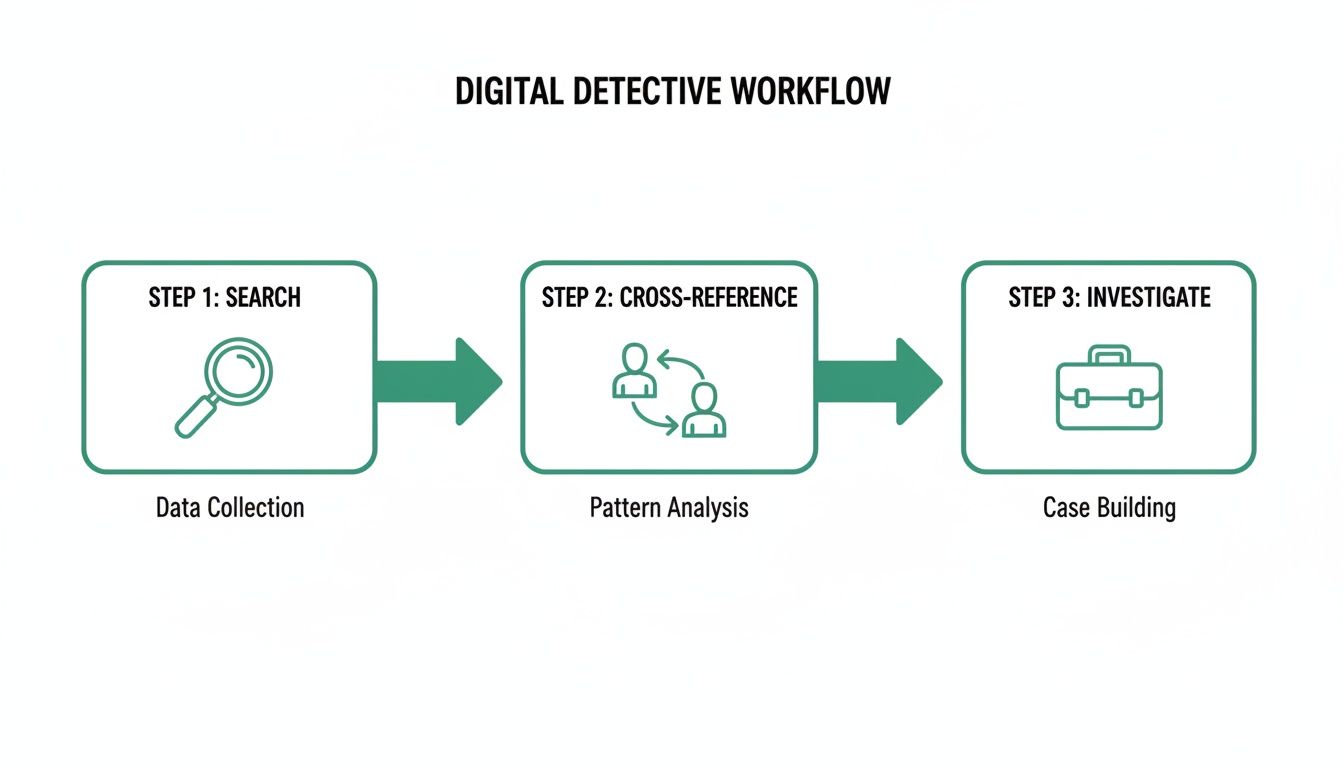
    Imagine a detective agency where one person had to find the clues, analyze all the evidence, and make the final arrest. It would be chaos. A real agency has scouts gathering intelligence and detectives who actually solve the case. This is exactly how the best sales teams operate today.

    The SDR is the "scout" or the prospector. Their world revolves around the very top of the sales funnel, and their day-to-day work includes:

    • Prospecting: Actively hunting for potential customers who perfectly match the company’s Ideal Customer Profile (ICP).
    • Outreach: Making that critical first contact, whether it's through a cold call, a well-crafted personalized email, or a message on social media. You can get a deeper look into these tactics by exploring what are outbound sales.
    • Qualification: Asking smart, targeted questions to figure out if a prospect has a real need for the product, the budget to afford it, and the authority to sign off on a purchase.

    By dedicating a role to these early stages, companies free up their Account Executives (AEs)—the closers—to do what they do best: hold conversations with well-vetted, high-potential leads. This simple separation of duties dramatically boosts efficiency and close rates.

    To give you a clearer picture, here’s a quick breakdown of the SDR role.

    The SDR Role at a Glance

    Key Aspect Description
    Primary Goal Generate qualified leads and book meetings.
    Position in Funnel Top of the Funnel (ToFU).
    Main Activities Prospecting, outreach (calls, emails), lead qualification.
    Success Metric Number of Sales Qualified Leads (SQLs) or meetings booked.
    Who They Hand Off To Account Executives (AEs).

    This table shows how SDRs fit perfectly into the sales puzzle, handling the initial legwork so the rest of the team can focus on closing.

    This strategic division of labor is no longer a nice-to-have; it's essential for scaling growth. To really understand how they build the foundation for the entire sales engine, you can explore in more detail What is a Sales Development Representative. This specialized approach allows for deeper expertise at each stage, turning a good sales process into a powerful, revenue-generating machine.

    A Day in the Life of an SDR

    Think of a Sales Development Representative's day as a structured sprint, not a random walk. It's a blend of disciplined routine and quick-thinking adaptability, all aimed at one thing: booking high-quality meetings for the sales team. You won't find an SDR just firing off emails into the void. Their work is a calculated process built on four key pillars: prospecting, outreach, qualification, and nurturing.

    A huge chunk of any SDR's day is dedicated to prospecting—the art and science of finding the right people to talk to. This is way more than just scrolling through LinkedIn. It’s deep-dive research into target companies, figuring out who the key decision-makers are, and getting a handle on the challenges they're facing. SDRs use a whole suite of tools to hunt for contacts that perfectly match their company's Ideal Customer Profile (ICP), making sure their first message lands with relevance.

    Executing Targeted Outreach

    Once a list of solid prospects is built, it's time for outreach. This is where the SDR makes first contact, and it’s never a one-and-done deal. They use a multi-channel attack to cut through the noise:

    • Cold Emails: Not spam, but carefully crafted messages that speak directly to a prospect's known pain points.
    • Cold Calls: Picking up the phone to have a real, human conversation and see if there’s a spark.
    • Social Selling: Using platforms like LinkedIn to connect, share useful content, and start building a genuine relationship.

    This mix-and-match strategy dramatically increases the odds of getting a prospect's attention. Nailing these different sales prospecting techniques is absolutely fundamental to making it as an SDR.

    The demand for good SDRs is always there. The US Bureau of Labor Statistics expects around 149,900 openings for sales reps each year between 2023 and 2033. But it’s a tough gig. Only about 25% of B2B reps hit their quota consistently, and it's no wonder when they're trying to juggle an average of eight different sales tools. You can see more on the career path and what to expect salary-wise in this detailed breakdown on Coursera.

    Qualifying and Nurturing Future Customers

    The final pieces of the puzzle are qualification and nurturing. When a prospect finally bites and responds, the SDR’s job is to ask smart questions to see if they're actually a good fit.

    This qualification step is the gatekeeper of the sales pipeline. It ensures that Account Executives aren't wasting their time on calls that have no real chance of turning into business.

    And what if a lead is a great fit but just isn't ready to buy right now? They go into a nurturing sequence. The SDR stays in touch, sharing helpful articles or checking in every so often. That way, when the time is right, their company is the first one that prospect thinks of. It's this constant balance of finding today's opportunities while planting seeds for tomorrow that really defines the daily rhythm of a top-performing SDR.

    Understanding Key Roles in a Sales Team

    The modern sales floor isn’t a one-person show. It's a well-oiled machine with specialists, each playing a crucial part in moving a deal from a simple spark of interest to a closed win. To really get a handle on what a Sales Development Representative does, you need to see how they fit in with two other key players: the Business Development Representative (BDR) and the Account Executive (AE).

    It’s easy to get these roles mixed up, but they are fundamentally different.

    Think of the sales process like a relay race. The SDR and BDR are the explosive sprinters at the start, grabbing the baton and building momentum. The AE is the anchor, the closer who takes that momentum and powers across the finish line. They’re all on the same team, but they run different legs of the race.

    Differentiating SDR vs BDR vs AE

    So, what separates these roles day-to-day? It boils down to where they hunt for opportunities.

    An SDR lives in the world of inbound leads. These are prospects who’ve already raised their hand in some way—maybe they downloaded a whitepaper, requested a demo, or signed up for a webinar. The SDR’s job is to connect with these warm leads, qualify their interest, and determine if there’s a real, solvable problem the company can help with.

    A BDR, on the other hand, is a pure outbound specialist. They are the trailblazers, prospecting into new accounts and cold territories where your company has zero existing footprint. Their entire focus is on generating new opportunities from scratch through things like cold calls, personalized emails, and LinkedIn outreach.

    Once an SDR or BDR has a qualified prospect who's ready to talk seriously, they pass the baton.

    The handoff to the Account Executive is the critical transfer of trust. The AE’s mission is to take that qualified lead, run deep discovery calls, deliver tailored product demos, negotiate the contract, and ultimately, close the deal.

    This clean separation of duties is what makes a sales team truly efficient. It allows AEs to spend 100% of their time on what they do best: generating revenue.

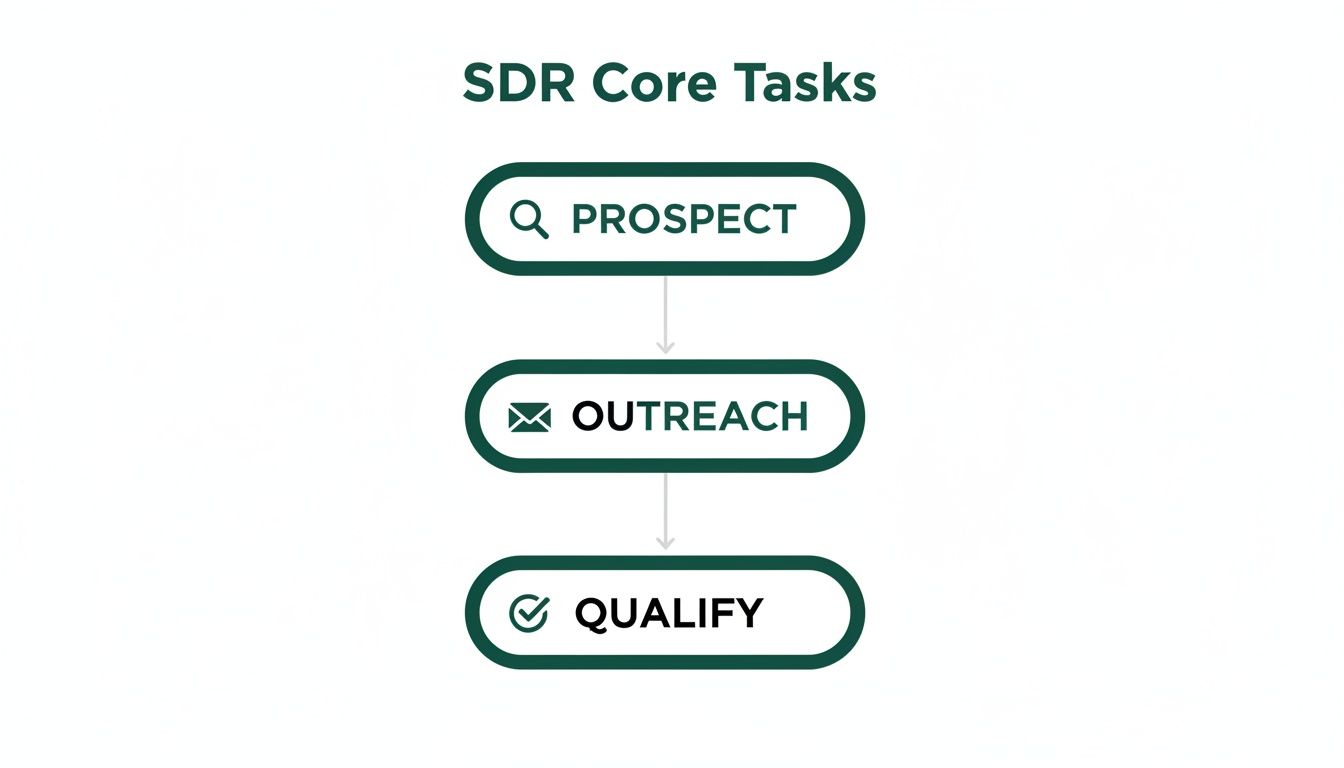
    The flowchart below breaks down the core tasks an SDR handles before ever passing a lead to an AE.

    A flowchart titled 'SDR Core Tasks' showing three steps: Prospect, Outreach, and Qualify, connected by arrows.

    As you can see, the SDR’s world is a clear, focused process at the very top of the sales funnel. To dig deeper into how this role functions in today's teams, it’s worth exploring the SDR inside sales model, which highlights their specific operational environment.

    For a clearer side-by-side view, this table breaks down the key differences.

    Comparison of Key Sales Roles

    Role Primary Focus Key Activities Main Goal
    SDR Inbound Leads Responding to inquiries, qualifying marketing leads, nurturing warm prospects Book qualified meetings for AEs
    BDR Outbound Prospecting Cold calling, personalized emailing, social selling, identifying new accounts Generate new opportunities from cold accounts
    AE Closing Deals Running demos, discovery calls, negotiating contracts, managing sales pipeline Close new business and generate revenue

    Each role is distinct, but they all depend on each other. A great AE can't close deals without a pipeline full of qualified opportunities, which is exactly what top-tier SDRs and BDRs provide.

    The Skills and Metrics That Define SDR Success

    So, what separates a good Sales Development Representative from a great one? It boils down to a specific blend of interpersonal skills, tech-savviness, and an obsession with the numbers that actually move the needle.

    Being great in this role is about more than just having a friendly voice on the phone. It demands a unique mix of soft skills for building connections and hard skills for driving pure efficiency. These are the twin engines that power every successful SDR and build the foundation for a healthy sales pipeline.

    The Essential Soft Skills for an SDR

    The day-to-day grind of an SDR is packed with challenges. To survive and thrive, certain personality traits are non-negotiable. Technology can’t replicate these human elements.

    • Resilience: Hearing "no" is part of the job description. Top SDRs don't just tolerate rejection; they bounce back fast, treating every conversation as a learning opportunity.
    • Curiosity: The best SDRs are like detectives. They dig deeper with smart, open-ended questions to uncover a prospect’s real pain points instead of just rattling off a product pitch.
    • Coachability: The sales world is always changing. A genuine willingness to take feedback, adapt your strategy, and constantly refine your approach is what separates the pros from the amateurs.
    • Active Listening: This is about hearing what a prospect isn't saying. It lets an SDR read between the lines, tailor the message in real-time, and build authentic rapport.

    These soft skills are the bedrock, but they need to be paired with some serious technical competence to make a real dent.

    Hard Skills and Critical KPIs

    While soft skills open doors, it's the hard skills and a laser focus on metrics that deliver measurable results. A top-performing SDR is fluent in their tech stack and relentlessly tracks their performance against key benchmarks, turning daily activities into predictable outcomes.

    The strongest SDRs think like closers. Before passing a lead to an Account Executive, they ask themselves: "If I were the one responsible for closing this deal, would I take this call?" This mindset shifts the focus from just hitting a quota to creating real, high-quality opportunities.

    Mastering tools like a CRM (think Salesforce) and Sales Engagement Platforms is crucial for managing high-volume outreach without losing your mind. These skills are what drive the KPIs that truly define success:

    1. Activity Metrics: These are the inputs. We're talking about the number of dials made, emails sent, and LinkedIn connections requested. They measure effort.
    2. Outcome Metrics: These are the results. This is where the magic happens—the number of meetings booked, Sales Qualified Leads (SQLs) generated, and ultimately, the pipeline value created. They measure effectiveness.

    There are over 666,491 Sales Development Representatives currently employed in the United States alone, a number that really underscores how vital this role has become. To learn more about what the job entails, you can find more data about the SDR profession on Zippia.

    And for a practical guide on turning those conversations into solid opportunities, check out our article on how to qualify sales leads.

    Building the Ultimate SDR Tech Stack

    A top-performing SDR doesn't work in a vacuum. They're backed by a smart set of tools—a tech stack—that acts as their command center, automating the grunt work and freeing them up to focus on what matters. Think of it this way: without the right tech, even the best SDR would be stuck in first gear, struggling to keep up.

    The whole setup is built on a few core pillars. First, you have the Customer Relationship Management (CRM) platform, like Salesforce. The CRM is the brain of the operation, the single source of truth where every bit of prospect and customer info lives. It keeps the entire team on the same page.

    Next up are the Sales Engagement Platforms (SEPs), like Outreach or Salesloft. These are the engines that drive an SDR's day-to-day. They let you build and run multi-channel campaigns, weaving together emails, calls, and social touches into a smooth, coordinated sequence.

    The Non-Negotiable Tool for Prospecting

    While CRMs and SEPs are great for managing the workflow, they don’t solve the biggest headache every SDR faces: finding the right person's contact info. This is where a killer email finder isn't just nice to have—it's the most critical piece of the prospecting puzzle. If you don't have verified emails, every other tool in your stack is working at half-power.

    This is exactly why a tool like EmailScout is a game-changer. It goes right after the biggest time-suck in an SDR's day: the manual hunt for contact data. Forget spending hours digging through the internet for a single email address. Now, SDRs can find verified contacts in seconds.

    An SDR's most valuable asset is time. A solid email finder hands that time back, letting them shift from mind-numbing data entry to high-impact activities that actually build pipeline: writing great messages and having real conversations.

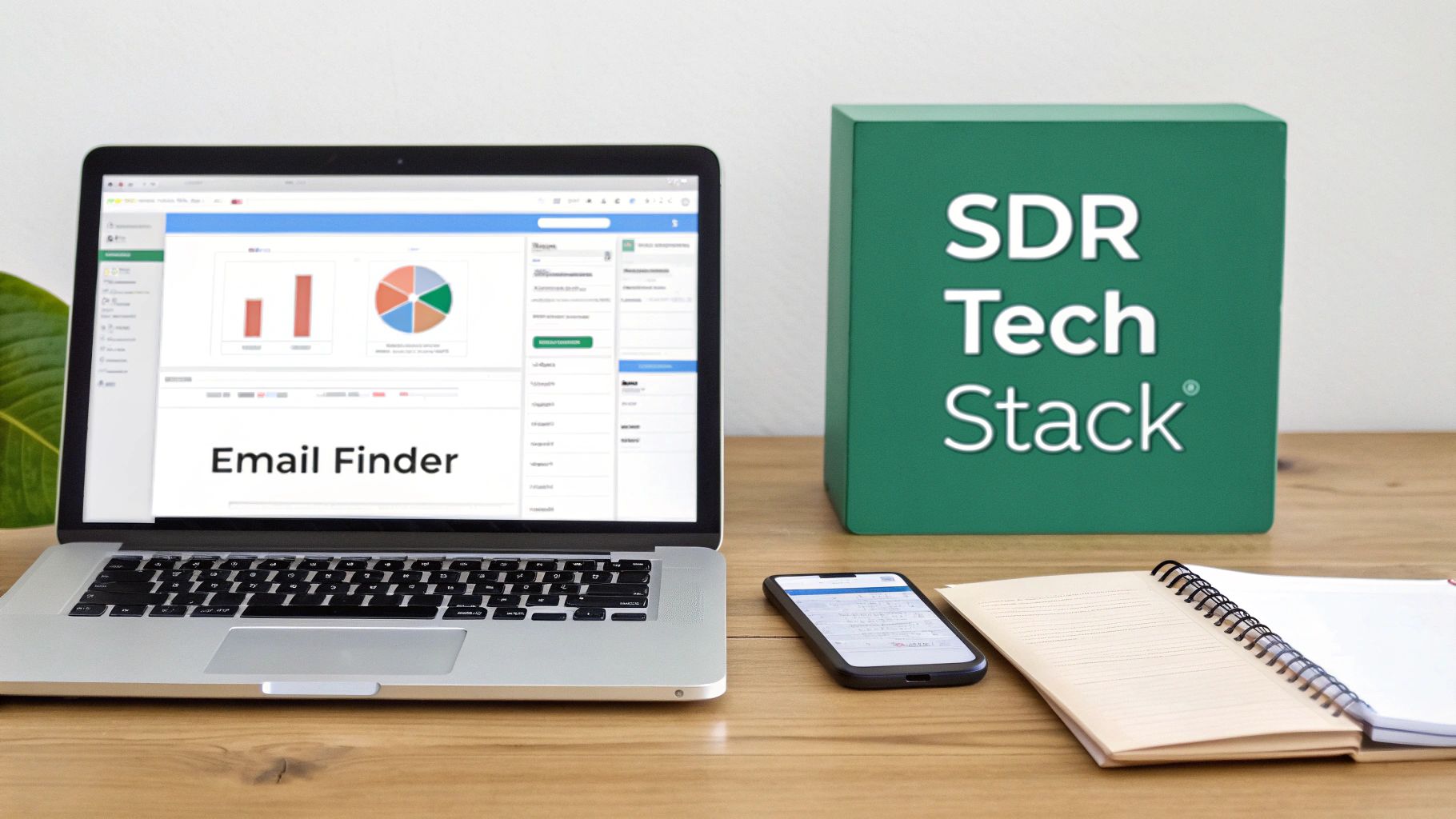
    A good email finder slips right into an SDR’s existing routine, making prospecting feel seamless. Take the EmailScout interface, for example. It’s built for quick, no-fuss discovery.

    A laptop screen displaying 'Email Finder' and charts, alongside an SDR Tech Stack box, a smartphone, and an open notebook on a wooden desk.

    This screenshot shows how an SDR can use features like the URL Explorer to pull email lists straight from company websites. What used to be a tough research task becomes a simple click. This kind of instant access to good data is what really separates the top-performing teams from everyone else.

    Key Tools in the SDR Stack

    So, to wrap it up, a modern SDR tech stack is built around a few key types of software, each with a specific job.

    • CRM (Customer Relationship Management): The central database for all lead and customer information.
    • Email Finder: Your go-to for finding accurate contact info and building prospect lists fast.
    • Sales Engagement Platform: Automates and keeps track of your multi-channel outreach.
    • Data Enrichment Tools: Adds useful context to your leads, like company size or recent funding news.
    • Conversation Intelligence: Records and analyzes calls to find coaching moments and what’s working.

    When you arm an SDR with this combination of tools, you’re not just giving them software. You’re empowering them to work smarter, connect with more of the right people, and ultimately build a stronger, more predictable pipeline for the whole company.

    Common Questions About the SDR Role

    Even with a solid grasp of the day-to-day grind and tech stack, a few questions always pop up about the Sales Development Representative role. Let's tackle the most common ones I hear from aspiring SDRs, hiring managers, and founders to give you some practical insights into career paths, pay, and what the future holds.

    What Is a Typical Career Path for an SDR?

    The SDR position is hands-down one of the best launchpads for a career in tech sales. It’s where you cut your teeth on prospecting, communication, and good old-fashioned resilience—skills that are gold no matter where you end up.

    The most well-trodden path is a promotion to Account Executive (AE), which usually happens after 12 to 24 months of solid performance. This is the jump from finding and qualifying opportunities to owning the entire sales cycle and closing the deals yourself.

    But the AE route isn't the only game in town. Other popular moves include:

    • SDR Team Lead or Manager: If you’ve got a knack for coaching and seeing the bigger picture, leading a team of SDRs is a natural next step.
    • Customer Success Manager: Love building relationships that last? A move into customer success, where you’re focused on keeping clients happy and helping them grow, could be a perfect fit.
    • Marketing Roles: Your frontline knowledge of what makes customers tick is incredibly valuable to a marketing team, especially for roles in demand generation or product marketing.

    How Is an SDR's Compensation Structured?

    An SDR's paycheck is almost always a mix of a fixed base salary and a variable piece, like a commission or bonus. This hybrid model gives you some financial stability while still rewarding you for crushing your numbers. A common setup is a 60/40 or 70/30 split, meaning 60-70% of your total target earnings is your base salary, and the other 30-40% is what you earn by hitting your goals.

    That variable pay is tied directly to specific KPIs. The big one is usually the number of Sales Qualified Leads (SQLs) or qualified meetings you book that the Account Executive team accepts. This is a critical detail because it incentivizes SDRs to focus on quality over quantity—finding real opportunities that can actually turn into business, not just jamming calendars with low-quality appointments.

    Is AI Going to Replace the SDR Role?

    Not a chance. It's far more likely that AI will supercharge the SDR role, not replace it. Think of it this way: AI is fantastic at the repetitive, data-heavy tasks that can bog down an SDR's day. It can automate initial research, score leads based on buying signals, and even draft the first version of an email.

    This automation frees up SDRs to focus on what humans do best—the stuff AI can't touch. We’re talking about genuine empathy, strategic thinking, building real rapport, and navigating the nuances of a complex conversation.

    The SDR of the future will use AI as a co-pilot, making them way more efficient and strategic. The core skills of creative problem-solving and relationship-building will only become more valuable, ensuring the role evolves with technology instead of getting left behind by it.

    What Are the Biggest Challenges for New SDRs?

    New SDRs usually run into a few major hurdles right out of the gate. First and foremost is learning how to handle constant rejection. Hearing "no" over and over is just part of the job, and building the mental toughness to bounce back without getting discouraged is absolutely essential for survival.

    Second is mastering time management. The role is a high-volume activity machine—calls, emails, social touches—and it’s easy to get swamped or burn out fast if you don't have a structured system for your day.

    Finally, there's the steep learning curve of really understanding your company's product, its value in the market, and the specific headaches of your Ideal Customer Profile (ICP). Getting past these challenges takes a lot of persistence, a hunger to learn, and a supportive team with great coaching.


    Finding the right contacts is the first and most crucial step for any SDR. EmailScout eliminates the guesswork and manual research by giving you a powerful email finder right in your browser. Build targeted prospect lists in minutes, not hours, and give your sales team the verified data they need to start meaningful conversations. Start finding unlimited emails for free with EmailScout.

  • How to Find Someones Email on LinkedIn: A Practical Guide

    How to Find Someones Email on LinkedIn: A Practical Guide

    Finding someone's email on LinkedIn isn't about some secret trick. It's really a mix of clever detective work, educated guessing, and knowing which tools can do the heavy lifting for you. While emails aren't always just sitting there in plain sight, you can often uncover them by looking for clues in profiles, trying out common patterns, or using a smart extension to handle the search and verification automatically.

    Why LinkedIn Is a Goldmine for Professional Emails

    LinkedIn has grown far beyond its roots as a simple digital resume site. Today, it’s the undisputed center of the universe for B2B prospecting and professional networking. Sure, you can send a connection request or an InMail, and they have their place, but a direct email just hits differently. It carries more weight, allows for better formatting, and gives you a direct, professional line of communication that cuts through the noise of a packed LinkedIn inbox.

    Learning how to find someone's email from LinkedIn: A Practical Guide is more than just a neat party trick—it's a core skill for anyone in sales, marketing, or business development. It’s what opens the door to real conversations with key decision-makers you might not be able to reach otherwise. The platform's massive scale and purely professional focus make it an incredible resource for anyone doing targeted outreach.

    LinkedIn's Dominance by the Numbers

    The data speaks for itself. LinkedIn is an absolute powerhouse for B2B lead generation. Its global user base is on track to blow past 1.3 billion users by 2026. But the sheer size isn't even the most impressive part.

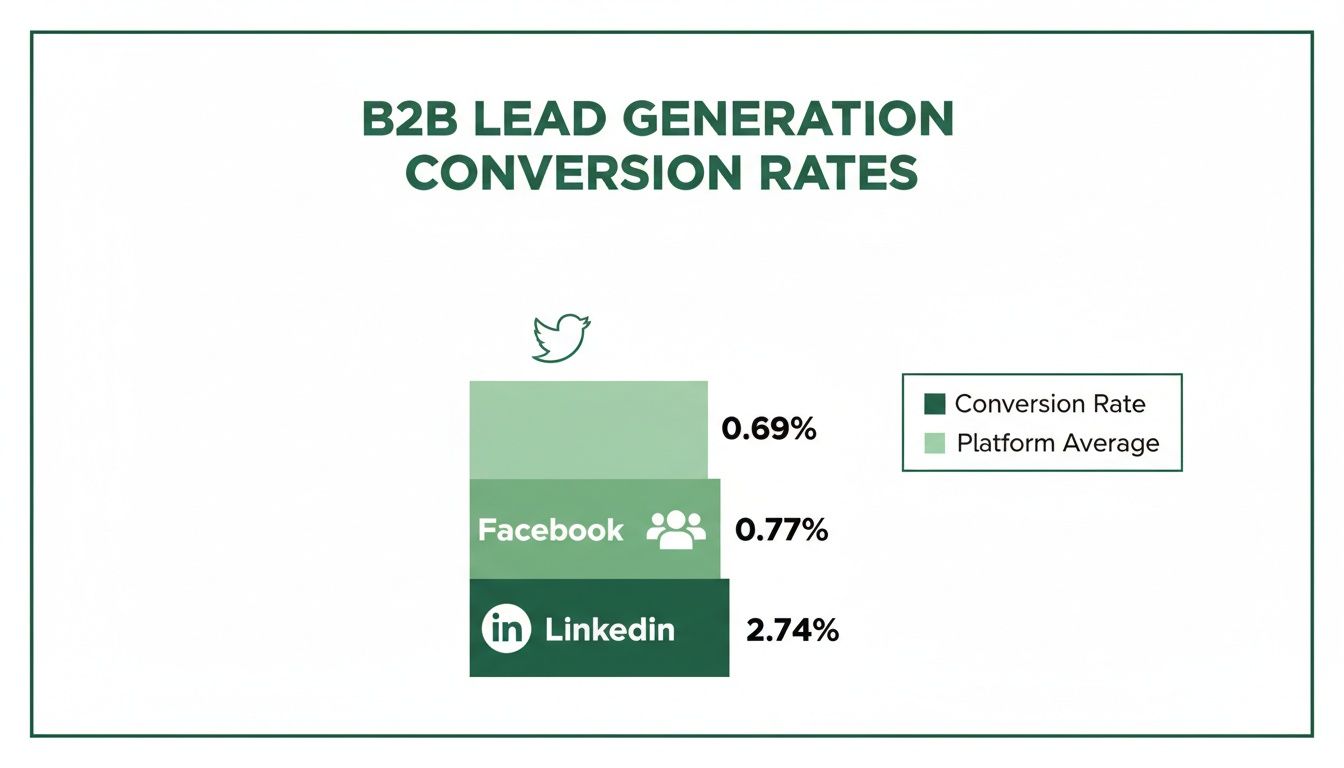
    It’s all about effectiveness. Traffic coming from LinkedIn has a visitor-to-lead conversion rate of 2.74%. That might not sound huge, but it completely eclipses Facebook (0.77%) and Twitter (0.69%). Even more telling, LinkedIn is responsible for driving a staggering 46% of all social media traffic to B2B company websites, cementing its status as the top channel for professional engagement.

    LinkedIn vs Other Social Platforms for B2B Leads

    To put its power into perspective, here's a quick comparison of how LinkedIn stacks up against other major platforms when it comes to generating B2B leads.

    Platform Visitor-to-Lead Conversion Rate Effectiveness for B2B
    LinkedIn 2.74% Extremely High: The primary platform for professionals.
    Facebook 0.77% Low: Primarily social, less effective for B2B outreach.
    Twitter 0.69% Very Low: More suited for brand updates, not direct leads.

    The difference is stark. For every 100 visitors, LinkedIn consistently delivers nearly four times as many leads as its social media competitors. This data makes a clear case for prioritizing LinkedIn in any B2B outreach strategy.

    This chart really drives the point home, showing the massive gap in lead conversion rates.

    Bar chart illustrating B2B lead generation conversion rates across Twitter, Facebook, and LinkedIn.

    It’s clear that when it comes to turning professional connections into actual business opportunities, no other platform even comes close.

    Why a Direct Email Beats an InMail Every Time

    InMail is a built-in feature, but it’s got its downsides. Think about it: high-level executives get swamped with InMail messages every single day, making it all too easy for yours to get buried. A direct email, on the other hand, lands right in their primary professional workspace—their inbox.

    The real power of finding an email is that it allows you to control the conversation. You're not limited by character counts or platform restrictions, giving you the freedom to present your value proposition clearly and professionally.

    Ultimately, having a verified email address is like having a direct key to a prospect's office. You get to bypass the gatekeepers and skip the line in a very crowded digital lobby.

    Finding Emails Manually Without Any Tools

    Laptop and smartphone showing LinkedIn profiles, with a 'LinkedIn Goldmine' banner.

    Before you jump to the fancy tools, it's worth getting your hands dirty with a little old-school detective work. Mastering the manual search is a core skill, and you’d be surprised how often it turns up the exact email you need without costing a penny.

    The first, and most obvious, place to check is the "Contact info" link right on their profile. If you're a 1st-degree connection, this is your best shot. Just click the link under their name.

    If they’ve shared it publicly, you’ll see it right there. Just be aware that this is often the personal email they used to sign up for LinkedIn, not necessarily their work one. Still, it's the lowest-hanging fruit and always worth a look.

    Scouring the Profile for Clues

    No luck in the contact section? Don't give up. Many people intentionally tuck their contact details elsewhere on their profile, hoping the right people will find them.

    Your next stop is the About section. A lot of pros drop a direct call-to-action at the end, something like, "For speaking engagements, contact me at jane.doe@company.com."

    And don't forget to look up! The custom LinkedIn cover photo is prime real estate. Consultants, founders, and savvy marketers often use this space like a digital business card, displaying their email address for everyone to see.

    Pro Tip: While you're scanning their profile, look for links to personal websites, blogs, or portfolios in their experience or featured sections. These external sites often have a dedicated contact page with a direct email address, giving you an easy win.

    The Art of the Educated Guess

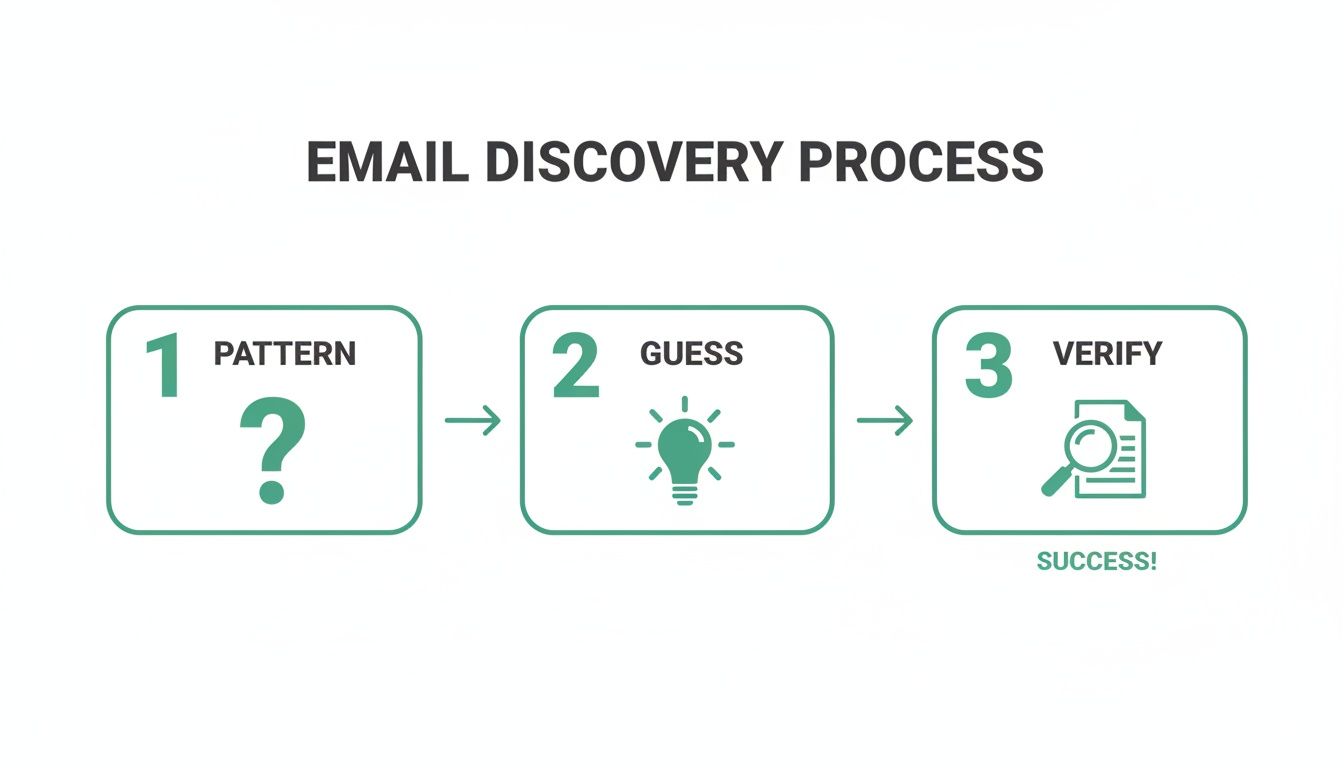
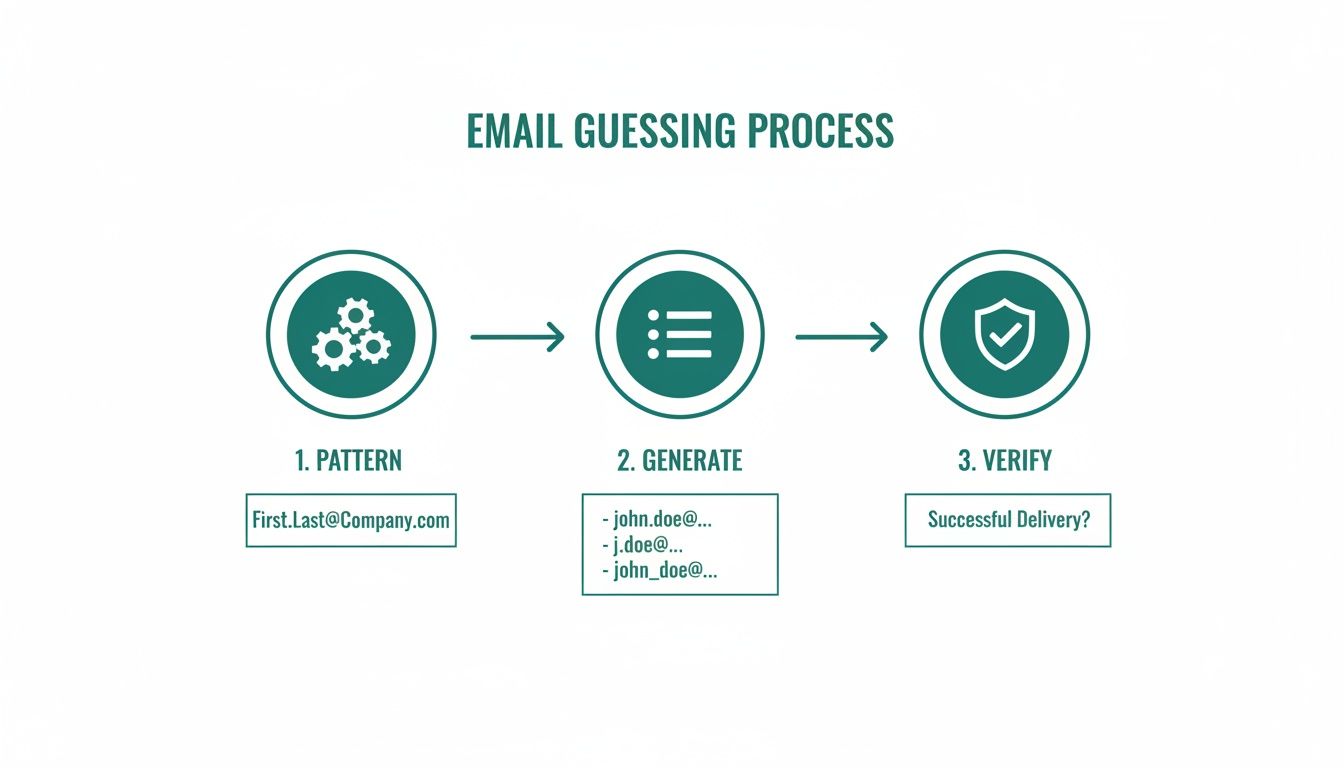
    When the obvious clues have run dry, it’s time to stop searching and start deducing. Most companies follow a standardized pattern for their email addresses, which makes guessing someone's email surprisingly effective.

    All you need is their first name, last name, and the company's domain (e.g., @emailscout.io). From there, you just have to test the most common formats.

    Here are the patterns I see most often in the wild:

    • First Name + Last Name: jane.doe@company.com
    • First Initial + Last Name: jdoe@company.com
    • First Name Only: jane@company.com
    • First Name + Last Initial: janed@company.com

    Let's say you're looking for John Smith at Acme Corp. You'd try john.smith@acmecorp.com, jsmith@acmecorp.com, and john@acmecorp.com. Odds are, one of those will hit. As we dive into these manual techniques, it's interesting to consider the broader debate, including the claim that manual LinkedIn outreach is dead.

    Validating Your Guessed Email

    Guessing is one thing, but you can't just start firing off emails into the dark. That's a surefire way to rack up bounces and trash your sender reputation. Thankfully, you can verify your guesses for free.

    The easiest way is to use a free email verification tool. Services like Hunter or ZeroBounce offer a few free checks that will tell you if an email address is valid without you having to send anything.

    There's also a low-tech trick you can do right from your own inbox.

    1. Open a new email draft in Gmail or Outlook.
    2. Paste one of your guesses into the "To" field.
    3. Now, just hover your cursor over the address.

    If it's tied to a Google or Microsoft account, you'll often see a profile picture and name pop up. That’s a fantastic sign you've found the right person and a live email address.

    Using Automated Email Finder Tools

    A flat lay of a desk with a laptop showing 'MANUAL EMAIL SEARCH', magnifying glass, and notebooks.

    Sure, you can play detective and manually hunt down an email. It works for a contact or two. But when you need to build a real prospect list, that whole process grinds to a halt. The time you burn guessing patterns and verifying addresses one by one is time you’re not spending on what actually matters: crafting great outreach and starting conversations.

    This is exactly where automated email finder tools come in. They completely change the game, turning a tedious chore into an efficient, scalable workflow.

    The best tools aren't just simple scrapers; they're more like sophisticated search engines for people. They dig through massive databases, analyze company-wide email patterns, and—most importantly—run real-time checks to make sure the email address is live and ready to receive.

    Why Accuracy Is Non-Negotiable

    Trying to run outreach with unverified or guessed emails is a recipe for disaster. Every time you send a message to a bad address, you get a bounce. Too many bounces act like a giant red flag to email providers like Google and Microsoft.

    Before you know it, your sender reputation is in the gutter, and even your perfectly valid emails start landing straight in the spam folder.

    In essence, a bad email list doesn't just waste your time; it actively undermines your ability to connect with anyone. This is why investing in a tool that prioritizes accuracy isn't a luxury; it's a fundamental requirement for successful outreach.

    An email finder with solid, built-in verification is your quality control. It makes sure every campaign you launch starts on solid ground and your messages actually get delivered.

    The Power of Automation and Precision

    When you use a reliable tool, the guesswork is gone. The top-tier email finders have transformed the process of finding someone's email on LinkedIn, consistently hitting accuracy rates between 85-95%. They achieve this by combining SMTP verification with intelligent pattern matching.

    One extensive test of 2,500 LinkedIn contacts showed some tools finding thousands of valid emails with stunning precision—something that would be completely impossible to do by hand. This is huge, especially when you consider that LinkedIn drives nearly half of all B2B social traffic.

    This precision saves you an incredible amount of time. Instead of spending hours hunting for one person, you can build a qualified list of dozens, or even hundreds, of prospects in minutes. It frees up sales and marketing teams to focus their energy on strategy, personalization, and building real relationships.

    Choosing the Right Email Finder

    Let’s be clear: not all email finders are created equal. As you look at different options, don't just settle for basic email discovery. The best solutions fit right into your workflow, often as a browser extension that works directly on LinkedIn profiles.

    Here are a few key features to look for:

    • Real-Time Verification: The tool must check if an email is deliverable right now, not just pull from a stale, outdated database.
    • Bulk Finding Capabilities: If you're building serious lists, you need the ability to find emails from a list of LinkedIn profile URLs or a Sales Navigator search.
    • Integration with Your Workflow: Look for tools that let you export to a CSV or connect directly with your CRM or outreach platform.

    Choosing the right tool isn't just about finding emails; it's about the quality and reliability of those emails.

    Email Finder Tool Accuracy Benchmarks

    The accuracy of an email finder tool can make or break your outreach campaigns. While many tools claim high success rates, independent testing often reveals a different story. Here's a look at how some of the popular options stack up in real-world benchmarks.

    Tool/Method Reported Accuracy Rate Notes
    EmailScout ~95% Focuses on multi-source verification for higher deliverability.
    Hunter.io ~81% Strong for pattern-based company searches.
    Snov.io ~78% Offers a suite of tools, accuracy can vary by source.
    Manual Guessing <50% Highly time-consuming with a very high risk of bounces.

    These numbers highlight why it's so important to do your homework. A tool with a higher verified accuracy rate means fewer bounces, a better sender reputation, and ultimately, more conversations started.

    Investing in a powerful tool saves countless hours and protects your sender reputation. If you're ready to find the perfect fit for your needs, check out our in-depth guide on the best email finder tools available today.

    Alright, let's ditch the theory. Knowing how to find an email is one thing, but actually getting it done quickly with the right tool is where the magic happens. We'll go through a hands-on walkthrough using the EmailScout Chrome extension to show you how to move from finding a single email to building entire lists without breaking a sweat.

    What’s great about a tool like EmailScout is how seamlessly it slips into your LinkedIn workflow. There's no flipping between tabs or second-guessing email patterns. Once you install it, a small, clean widget just appears on LinkedIn profiles, ready when you need it.

    This little widget does all the heavy lifting in the background the moment you land on a prospect's profile.

    Your First Email Find in a Single Click

    Let's say you're a sales rep and you’ve just found the perfect contact: "Sarah Chen," the VP of Marketing at a company you've been trying to break into. You land on her LinkedIn profile. Instead of starting the manual detective work, you just look for the EmailScout widget.

    You click the "Find Email" button. That's it. In the background, the extension is already checking multiple sources and running a real-time verification. A few seconds later, Sarah’s verified work email pops up, ready to be copied into your outreach sequence.

    Here’s a look at the widget in action on a profile—it's designed to be simple and fast.
    The verified email appears right there on the page, so you don't lose your focus or momentum.

    This one-click process completely changes the prospecting game. It cuts out all the friction and guesswork, letting you put your energy into crafting a great email instead of just trying to find the address in the first place.

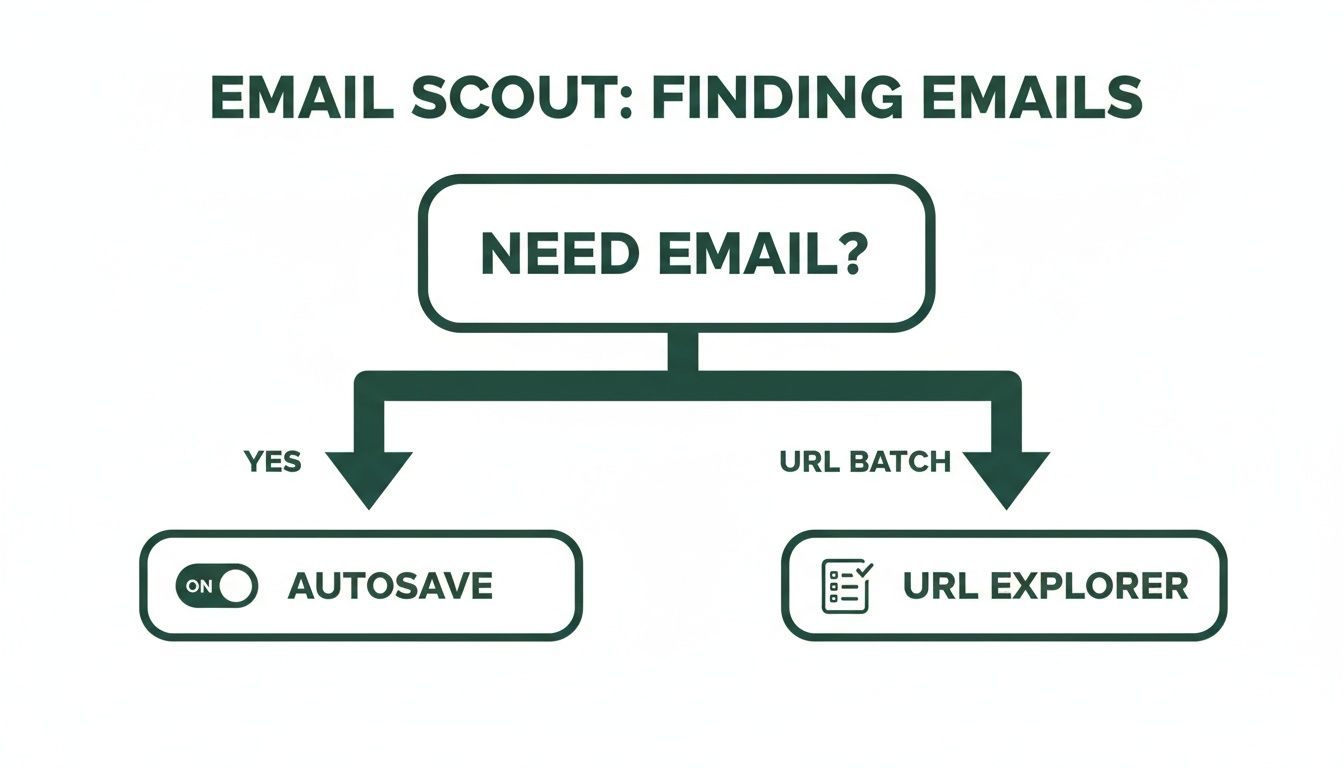
    Scaling Up with the AutoSave Feature

    Finding one email is a good start, but what if you need to build a whole list? That's where AutoSave becomes your best friend.

    Imagine you're a biz-dev manager who needs to pull a list of 50 potential partners in a new industry. Clicking "Find Email" on every single profile would get old, fast. With AutoSave, you can automate that entire process.

    Just toggle the AutoSave feature on inside the extension. Now, you’ve told it to automatically find and save the email for every single profile you visit. Your new workflow is simple:

    • Start browsing through the LinkedIn profiles of your ideal prospects.
    • As you click into each profile, EmailScout quietly gets to work.
    • It finds, verifies, and adds their email and profile data to a list in your dashboard.

    You can spend an hour researching and qualifying people on LinkedIn, and when you're done, you'll have a ready-made, verified contact list waiting for you. No extra clicks needed. This feature alone can easily save you hours every single week.

    Bulk Discovery with the URL Explorer

    Now, what if you're working on an even bigger scale? Let's say your marketing team has a list of 200 LinkedIn profile URLs from attendees of a recent virtual conference. You need all their emails, and you need them now.

    This is exactly what the URL Explorer was built for. Instead of visiting each profile one by one—even with AutoSave on—you can process the whole batch at once.

    The URL Explorer is pure efficiency. You feed it a list of LinkedIn profile URLs, and it gives you back a list of verified email addresses. It turns what would be a full day of mind-numbing work into a job you can knock out in minutes.

    Just head over to the URL Explorer in your EmailScout dashboard, paste your list of URLs, and hit go. The tool will systematically churn through the list, finding and verifying the email for each person.

    Once it's done, you can export everything as a CSV file—names, titles, companies, and of course, their verified emails. It's ready to be uploaded straight into your CRM or outreach tool. If you're looking to polish your outreach strategy, you might find our guide on how to find business emails for your campaigns useful.

    Why This Approach Is So Effective

    Teams that use LinkedIn email finders get a massive leg up on efficiency. A simple tool like EmailScout can turn casual browsing into an instant lead-gen machine. This is huge, especially when you consider LinkedIn's visitor-to-lead conversion rate is 2.74%—more than three times higher than other platforms.

    Not all tools are created equal, though. Benchmark tests show huge differences in performance. One analysis found a top-tier tool successfully found 91% of emails from a Sales Navigator search, while others barely hit 79%. EmailScout is a standout option, especially for cold emailers and entrepreneurs, because of its free unlimited finds, one-click discovery, and bulk features. You can explore detailed findings on email finder tools to see how different platforms stack up.

    By combining the convenience of single-click finds with powerful automation, you create a prospecting system that's both fast and reliable. You'll spend way less time hunting for information and a lot more time actually connecting with people.

    Ethical Outreach and Legal Compliance

    Laptop on a wooden desk with a professional profile screen, promoting finding emails fast.

    Knowing how to find someone's email on LinkedIn is a huge advantage, but it comes with real responsibility. The end goal isn't just to build a massive list of addresses; it's to start genuine conversations that lead to professional relationships.

    How you use that email is everything. It's the thin line between being a welcomed colleague and just another piece of spam clogging up an inbox. The moment you hit "send," you're playing by a set of rules—some legal, some simply good practice. Frameworks like GDPR and CAN-SPAM are the bare minimum, but your ethics will determine the quality of your outreach and, ultimately, your success.

    The Golden Rule: Personalization Over Volume

    Let’s be honest, cold outreach has a bad reputation for a reason. Too many people blast generic, self-serving templates to anyone and everyone, hoping something sticks. That spray-and-pray method is dead.

    Decision-makers today are flooded with messages. Their mental and digital spam filters are working overtime. Your first email needs to cut through that noise by proving you’ve actually done your homework.

    • Reference Their Work: Did they share an interesting post on LinkedIn? Write a blog post you found insightful? Mention it. It shows you see them as more than just a name on a list.
    • Offer a Relevant Insight: Share a quick stat, a mini-case study, or a bit of advice that’s directly useful to someone in their role.
    • Keep It About Them: Frame your entire message around how you can help them solve a problem or hit a goal. Avoid the long-winded pitch about your company.

    The most successful outreach feels less like a sales pitch and more like the beginning of a helpful, professional dialogue. Your goal is to be a resource, not just another vendor.

    Navigating Key Legal Frameworks

    Getting a handle on the legal side of things is non-negotiable. While the details can get complex, the core idea behind major regulations is simple: respect the recipient's rights. Messing this up can lead to some seriously hefty fines and wreck your brand's reputation.

    You have to know where your contacts are located because the rules change dramatically from one region to another. For example, the laws for contacting someone in the European Union are far stricter than in the United States.

    Understanding GDPR and CAN-SPAM

    If you're doing professional outreach, these are the two big ones you absolutely must know.

    • GDPR (General Data Protection Regulation): This EU law is one of the toughest out there. For B2B outreach, you need a "legitimate interest" to use someone's data (like their email). In plain English, this means your message must be highly relevant to their professional role. You also have to identify yourself clearly and give them an easy way to opt out.
    • CAN-SPAM Act: This is the U.S. law. It’s a bit more relaxed but still has clear rules you can't ignore. Your subject line can't be misleading, you have to include a physical address, and you must provide a clear, obvious way for them to unsubscribe.

    Honestly, no matter where your targets are, just following these best practices is the smartest move.

    Best Practices for Compliant Outreach

    Staying compliant is about more than just dodging penalties; it's about building an outreach strategy that actually works for the long haul. A clean process ensures your emails land in the inbox and your sender reputation stays solid.

    Here are a few habits to bake into your workflow:

    • Maintain List Hygiene: Regularly clean your email lists. Get rid of invalid addresses, bounced contacts, and anyone who has unsubscribed. A high bounce rate is a huge red flag to email providers like Google and Microsoft.
    • Always Include an Unsubscribe Link: Make it painfully easy for people to opt out. Hiding the unsubscribe button is a rookie move that violates both law and trust.
    • Focus on Legitimate Business Interest: Before you contact someone, ask yourself if your reason is directly related to their professional responsibilities. If not, don't send the email.

    By making these practices second nature, you show respect for your contacts' time and privacy. If you want to go even deeper, our guide on how to ethically scrape email from LinkedIn provides more advanced strategies while keeping compliance front and center.

    Frequently Asked Questions

    Digging into LinkedIn email discovery always brings up a few key questions. Let's get them answered so you can move forward with confidence.

    Is It Legal to Find and Use Someone's Email from LinkedIn for Outreach?

    Yes, finding a business email is generally fine, but how you use it is what really counts. The crucial part is staying compliant with data privacy laws like Europe's GDPR and the CAN-SPAM Act in the United States. These rules don't forbid finding professional contact info; they're all about how you conduct your outreach.

    Your message needs to be relevant to the person's job, give them an easy way to opt-out, and never use sneaky subject lines. It all comes down to legitimate business interest—not spam. Always take a minute to research the specific rules for your recipient's location to make sure you're playing by the book.

    How Accurate Are LinkedIn Email Finder Tools, Really?

    The accuracy of these tools is all over the map. The best ones, like EmailScout, cross-reference multiple data sources and run real-time verification checks, hitting accuracy rates of 85-95%. That level of precision is absolutely vital for protecting your sender reputation.

    On the flip side, simpler tools that just guess patterns or pull from old databases can have pretty dismal success rates. High bounce rates are a surefire way to get your domain flagged as spam. That’s why you should always go with a tool that explicitly includes a verification feature. It ensures your emails actually have a fighting chance of landing in the inbox.

    A high-quality email finder isn't just about finding an address; it's about finding a deliverable address. The difference is critical for the long-term health of your outreach campaigns.

    What Should I Do If I Still Can't Find an Email Address?

    If you've tried everything and still come up empty, don't throw in the towel. It's just a signal to switch gears from direct outreach to a more organic, relationship-building approach.

    Here are a few other paths you can take:

    • Connect on LinkedIn: Shoot over a personalized connection request. Don't just use the default message—mention a shared interest, a mutual connection, or a recent post of theirs to explain why you want to connect.
    • Engage with Their Content: Become a familiar face in their feed. Leaving thoughtful comments on their posts shows you're genuinely interested in their work and helps build name recognition.
    • Ask for an Introduction: If you can find a colleague's email at the same company, a polite, short email asking for a warm introduction can be incredibly effective.

    Sometimes the best connections aren't the ones you force with a cold email, but the ones you build over time.

    Can I Find Unlimited Emails for Free?

    It really depends on the tool. A lot of email finders use a freemium model, giving you a handful of free credits each month before you have to pull out your credit card. They're fine for one-off searches but won't cut it for anyone building lists at scale.

    Some tools are more generous, though. For example, EmailScout offers a robust free plan that allows you to find unlimited emails, making it a fantastic starting point for freelancers, startups, and sales pros on a tight budget. While the free plan gives you everything you need to get started, paid plans typically unlock advanced features like bulk exports and deep integrations that are essential for scaling up.


    Ready to stop guessing and start connecting with verified emails in seconds? EmailScout gives you the power to find unlimited contacts, build prospect lists automatically, and streamline your outreach, all directly from LinkedIn.

    Try EmailScout for Free and Find Your First Email Today!

  • How to Build Email Lists That Actually Convert

    How to Build Email Lists That Actually Convert

    It all boils down to a simple formula: attract the right people, offer them something they can’t refuse, and consistently build that relationship. This isn’t just about hoarding contacts; it's about opening a direct line to an audience that actually wants to hear from you. The most successful email lists are built on a strategy that starts long before the first sign-up form ever goes live.

    Building Your List on a Solid Foundation

    Jumping into lead capture without a plan is like building a house with no blueprint. Sure, you might end up with something, but I guarantee it won't be strong, functional, or built to last. Before you can build a high-quality email list, you have to lay the groundwork. This initial work ensures every person you add is a potential customer, not just another number inflating your subscriber count.

    This foundation is all about defining who you're talking to, what you want to achieve, and why they should even care. Get this right, and you'll avoid wasted effort and turn your list into one of your most valuable business assets.

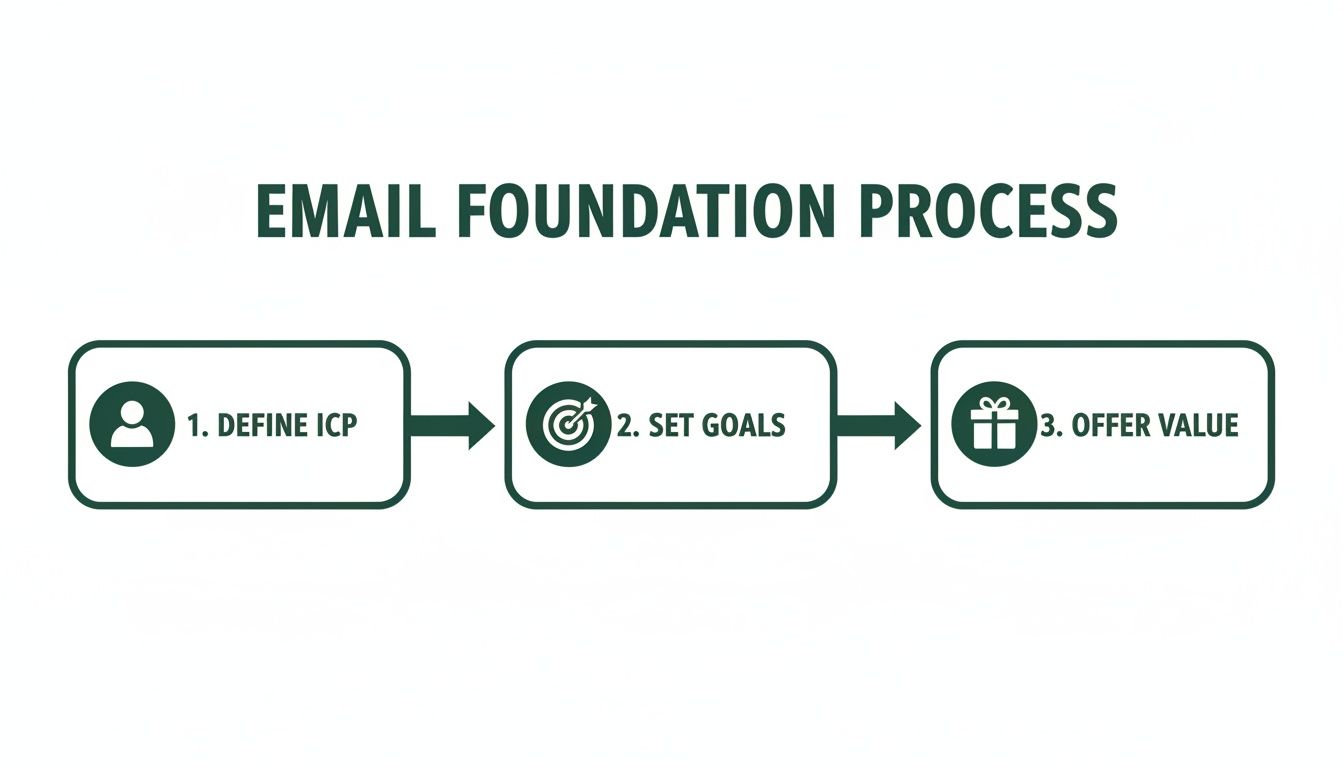
    Define Your Ideal Customer Profile

    First things first: who are you really trying to reach? Answering this with a detailed Ideal Customer Profile (ICP) is the single most critical step you can take. An ICP isn't about basic demographics like age or city. It’s about digging into the psychographics—the real goals, frustrations, and motivations of your perfect subscriber.

    For example, "small business owners" is way too broad. A powerful ICP sounds more like this: "female founders of e-commerce startups with 1-5 employees who are struggling with time management and actively looking for marketing automation tools."

    This level of detail changes everything:

    • The problems you solve: Your content can speak directly to their biggest headaches.
    • The language you use: You can adopt a tone that resonates with their world.
    • Where you find them: You’ll know exactly where they hang out online, from specific LinkedIn groups to niche industry forums.

    Set Crystal-Clear Goals

    Your email list is a tool, and every tool needs a job. What's the primary purpose of this list? The answer dramatically shapes your entire strategy. A list built to nurture a weekly newsletter community requires a totally different approach than one designed to drive a high-ticket sales funnel.

    A classic mistake is treating every subscriber the same. A list for building long-term brand loyalty needs different content and cadence than a list built for immediate sales outreach. You absolutely have to align your goal with your strategy.

    Get specific about your main objective. Is it to drive direct sales? Boost brand awareness? Announce product updates? Or build a thriving community? Knowing this helps you measure what matters and keeps your content sharp and effective.

    This simple flowchart shows how these foundational pieces fit together.

    Flowchart illustrating the Email Foundation Process with three steps: Define ICP, Set Goals, and Offer Value.

    As you can see, a successful list always starts with a deep understanding of your audience, followed by clear goals and a compelling reason for them to join.

    Craft an Irresistible Value Proposition

    Finally, you have to answer the subscriber's most important question: "What's in it for me?" People guard their inboxes. They won't hand over their email address without a seriously compelling reason. This is where your value proposition comes in—it’s the promise you make in exchange for their trust.

    This could be a valuable resource (often called a "lead magnet"), like an exclusive ebook, a practical checklist, or free access to a webinar. It could also be the promise of consistently amazing content, like a weekly newsletter packed with industry insights they can't get anywhere else.

    Whatever you offer, it has to be valuable enough to make the exchange feel like a clear win for them.

    To make sure you have all your bases covered, here’s a quick-glance table of these core components.

    Core Components of a Successful Email List Strategy

    Component Key Objective Example Action
    Ideal Customer Profile (ICP) To deeply understand who you're targeting. Create a one-page document detailing the demographics, pain points, and goals of your perfect subscriber.
    Clear Goals To define what success looks like for your list. Set a primary KPI, such as "Increase webinar sign-ups by 20% this quarter."
    Value Proposition To give people a compelling reason to subscribe. Design a high-value lead magnet, like a 10-page guide solving a common industry problem.

    Think of these three elements—ICP, Goals, and Value—as the pillars of your entire email marketing program. With a strong foundation in place, you’re ready to start capturing leads the right way.

    Proven Methods for Capturing High-Intent Leads

    Alright, you’ve got your strategy locked in. Now it’s time to build the machinery that actually collects emails. This is where your plans turn into action, transforming passive website visitors and social media scrollers into genuinely interested subscribers. The goal is to create multiple, compelling entry points that feel natural and valuable to your Ideal Customer Profile (ICP).

    A laptop and tablet on a wooden desk displaying lead capture forms, with text 'CAPTURE LEADS'.

    Think of these digital touchpoints—your website, a landing page, an event form—as gateways. Each one is a potential opportunity for a new subscriber to join your list. These aren't just empty forms; they're invitations backed by a clear value exchange.

    A solid grasp of lead generation marketing is the bedrock of any sustainable email list. It's all about building a system that consistently attracts and converts strangers into qualified leads, keeping the top of your funnel full.

    The numbers don't lie. Email marketing is still the heavyweight champion, with 89% of marketers using it as their primary lead-gen channel. It's an incredible 40 times more effective than social media for acquiring customers, and email traffic converts to purchases at a rate of 4.24%. That absolutely crushes search (2.49%) and social media (0.59%).

    Create High-Value Lead Magnets

    A lead magnet is essentially an ethical bribe you offer in exchange for an email address. Its quality has a direct impact on the quality of leads you attract. Generic, one-size-fits-all offers will only pull in low-intent subscribers who are quick to hit the unsubscribe button.

    Instead, create resources that solve a specific, nagging problem for your ICP.

    • Ebooks and Guides: Offer a deep dive into a core topic your audience is wrestling with. A marketing agency, for example, could create something like "The SaaS Founder's Playbook for Scaling with SEO."
    • Checklists and Templates: Provide a practical tool that gets users an immediate win. A project management software company might offer a "Flawless Project Kickoff Checklist."
    • Webinars and Workshops: Host a live or on-demand training session to showcase your expertise. This format is a magnet for high-intent leads who are actively looking for solutions right now.

    The best lead magnets are hyper-specific, easy to consume, and deliver instant value.

    Optimize Your Website Opt-In Forms

    Your website is prime real estate for building your list. But just slapping a "Subscribe" form in your footer and calling it a day is a recipe for disappointment. Placement, timing, and design are everything.

    You have to think about the user's journey. A first-time visitor reading a blog post probably isn't ready to subscribe to your newsletter. But an exit-intent popup offering a checklist directly related to the article they just read? That’s a hook.

    Consider a few strategic placements:

    1. Header or Announcement Bar: A thin, non-intrusive bar at the top of your site is always visible without being annoying.
    2. Within Blog Posts: Offer "content upgrades"—a bonus resource that complements the article they're reading.
    3. Dedicated Landing Pages: Build a specific page for your best lead magnet to drive targeted traffic from ads, social media, or other channels.

    Don't be afraid to experiment. I once saw a 300% increase in daily sign-ups just by changing the headline on an exit-intent popup and making the call-to-action more specific. A/B testing your forms isn't just a good idea; it's essential.

    Leverage LinkedIn for B2B Lead Generation

    For B2B companies, LinkedIn is an absolute goldmine. It's where decision-makers hang out, making it the perfect hunting ground for contacts that match your ICP. The problem? Manually searching profiles and sending connection requests is painfully slow.

    This is where the right tool can completely change the game. An email finder that integrates into your browser can transform how you source B2B contacts.

    Take the EmailScout Chrome extension, for instance. It lets you visit a LinkedIn profile and uncover a verified professional email address with a single click. This simple action turns passive browsing into a scalable lead generation machine. You can build a highly targeted list of decision-makers in your niche without ever leaving their profiles. For a deeper look, check out our guide on https://emailscout.io/how-to-get-email-addresses-for-marketing/.

    This direct approach helps you bypass gatekeepers and connect straight with the right people, making your entire outreach process more effective from the very start.

    How to Keep Your Email List Healthy and Engaged

    Getting someone's email is just the starting line. The real work—and the secret to long-term success—is keeping that list clean, active, and full of people who actually want to hear from you. An unhealthy list isn't just a waste of time; it's actively harmful. It tanks your sender reputation, inflates your bounce rates, and burns marketing budget on messages that go nowhere.

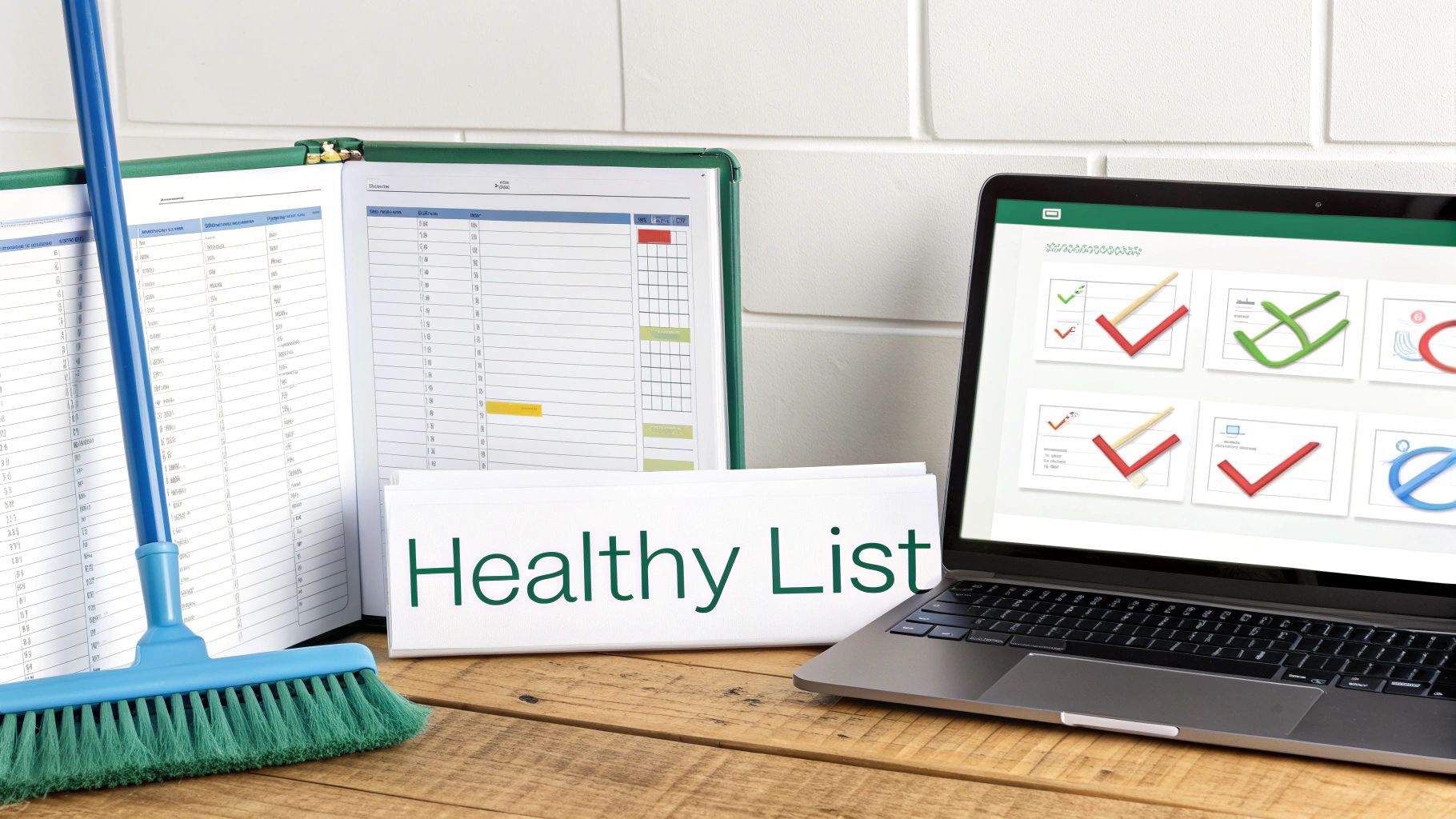
    A blue broom, an open binder, a "Healthy List" sign, and a laptop with checkmark graphics on a wooden desk.

    I always tell people to think of their email list like a garden. You can't just plant seeds and walk away. You have to constantly tend to it—pulling out the weeds (bad contacts) and nurturing the good ones—if you want to see any real growth. Without that regular maintenance, your list will get overrun with dead-end contacts.

    The Critical Role of Email Verification

    If you do only one thing for your list hygiene, make it email verification. This is how you confirm an email address is valid and can actually receive mail before you hit send. When you email a bad address, you get a hard bounce, which is a massive red flag for providers like Gmail and Outlook.

    Too many hard bounces make you look like a spammer. Suddenly, your emails start landing in the junk folder for everyone, even your most loyal subscribers. That's why you have to verify emails at two crucial points:

    • At the Point of Capture: A real-time verification API on your signup forms is a must. It catches typos and fake emails the second they're entered.
    • Periodically for Your Entire List: Every few months, run your whole list through a bulk verification tool. You'll be surprised how many emails go bad over time.

    For a deeper look at the mechanics, you can learn more about the fundamentals of email address verification and how it protects your sender score.

    Combating Natural List Decay

    Every email list has a shelf life. It's just a fact of life in this business. People change jobs, ditch old email accounts, or just stop caring. This is called list decay, and it happens way faster than you’d think.

    Your email list is degrading as we speak. On average, at least 23% of a list goes bad within a single year. That means without constant building and cleaning, you could lose a quarter of your audience annually. To put that in perspective, in 2025 alone, over 2.6 billion emails were found to be invalid. That's a staggering amount of bad data that can wreck a campaign.

    A decaying list isn't just shrinking; it's getting weaker. The longer you put off cleaning it, the more your deliverability, open rates, and ROI will crater. Proactive hygiene isn't just a good idea—it's a survival tactic.

    The best defense is simple: clean your list regularly. This means getting rid of contacts that hard bounce or have been completely unengaged for 90 to 180 days. I know it feels wrong to shrink your list on purpose, but trust me on this. A smaller, highly engaged list will always crush a massive, inactive one.

    Re-Engaging Inactive Subscribers

    Now, before you go deleting every quiet subscriber, it's worth a shot to win them back. A re-engagement campaign (or a "win-back" campaign) is your chance to remind them why they signed up in the first place.

    The goal here isn't just a cheap open or click. It's about sparking a genuine connection again.

    Here’s a simple, effective way to do it:

    1. Find the Sleepers: First, create a segment of everyone who hasn't opened or clicked an email in the last 90 days.
    2. Send a "We Miss You" Email: This is your opening shot. Try a special offer, a poll asking what content they want to see, or a simple question to get a reply. Keep it friendly and low-pressure.
    3. Send the "Last Chance" Email: If you still hear crickets, send one last message. Let them know you'll be removing them from your list unless they click a link to stay. No hard feelings.

    This process gives people a fair chance to stick around while making sure you're cleanly removing the ones who are truly gone. By combining solid verification, regular cleaning, and smart re-engagement, you'll make sure your emails actually land in the inbox and get the results you're after.

    Turning Your List into an Engine with Segmentation and Automation

    Okay, so you've started collecting emails. That's a great first step, but it's just that—a first step. A raw list of emails is like a pile of lumber. The real magic happens when you build something with it. Just blasting the same generic message to everyone is a fast track to high unsubscribe rates and dismal engagement.

    Laptop showing a workflow diagram and a smartphone with a green app icon, demonstrating digital marketing automation.

    This is where you get smart with segmentation and automation. By slicing your audience into focused groups and setting up automated email workflows, you can send messages that feel personal, relevant, and perfectly timed. It makes people feel like you get them, which is the cornerstone of building real loyalty.

    Unlock the Power of Smart Segmentation

    Segmentation is just a fancy word for dividing your email list into smaller subgroups based on shared characteristics. Instead of shouting into a crowded room, you're having meaningful conversations with people who actually want to hear what you have to say. It makes your marketing so much more effective.

    You can slice and dice your list in a million ways, but these are the big ones:

    • Demographic Segmentation: This is the basic stuff—location, age, job title, company size. A B2B software company isn't going to send the same pitch to a startup CEO as they would to an enterprise marketing manager.
    • Behavioral Segmentation: This is all about what people do (or don't do). Think purchase history, pages they've visited on your site, or if they clicked a link in your last newsletter. It’s powerful stuff.
    • Engagement Segmentation: This is where you group subscribers based on how they interact with your emails. You can create buckets for your die-hard fans, the occasional openers, and the folks who have gone radio silent.

    Segmentation transforms your list from a static database into a dynamic communication tool. A simple split between new subscribers and repeat customers lets you nurture one group and reward the other. It's a simple change that maximizes the impact of every single email.

    Imagine an e-commerce store that sells outdoor gear. They can create a segment of everyone who bought hiking boots in the last year. When a new line of waterproof socks comes out, that specific group gets a targeted email. The rest of the list doesn't. That relevance is what drives sales.

    Set Up Your Automation Workflows

    Once your list is segmented, you can let automation do the heavy lifting. An email automation workflow is just a series of pre-written emails that get sent automatically when someone meets a specific trigger.

    This isn't just about saving time; it's about creating a consistent, positive experience for every single subscriber, right from the start. There are two automated campaigns that every business needs, no exceptions.

    The Nurturing Welcome Series

    Your first email is your most important. Seriously. Welcome emails have an average open rate of a staggering 82%. That's your best shot to make a killer first impression, so don't waste it. A welcome series builds on that initial momentum, introducing new subscribers to your brand and what you're all about.

    Here’s a simple but effective sequence:

    1. Email 1 (Immediate): Deliver the goods. Send the lead magnet they signed up for, along with a warm, personal welcome.
    2. Email 2 (2 Days Later): Tell a story. Share your brand's mission or a customer success story to build a connection.
    3. Email 3 (4 Days Later): Add pure value. Send them your best blog post, a helpful tutorial, or a useful resource with no strings attached.
    4. Email 4 (7 Days Later): Make a soft pitch. Gently introduce your core product or service, maybe with a small introductory offer.

    Check out some great welcome email examples to see how the pros nail that first impression. This initial nurturing process really sets the tone for the entire relationship.

    The Re-Engagement Campaign

    It’s just a fact of life: some subscribers will eventually tune out. A re-engagement campaign (also called a win-back campaign) is your automated attempt to bring them back into the fold before they're gone for good.

    This workflow usually triggers when someone hasn't opened or clicked an email in a while—say, 90 days. The campaign could be a simple "We miss you" email with a special discount, a quick poll asking what content they want to see, or a final "goodbye" email before you clean them from your active list. This keeps your list healthy and full of people who actually want to hear from you.

    Navigating Compliance and Building Subscriber Trust

    Let's get one thing straight: building a powerful email list comes with real responsibility. It’s not just about what you send, but how you collect and handle people's information. Getting this part right isn't just about ticking a legal box—it's the bedrock of a long-term, trust-based relationship with your audience.

    Screw this up, and you're looking at more than just hefty fines. You'll torpedo your sender reputation and end up with a list of people who hit the spam button the second they see your name.

    Think of compliance as the ultimate sign of respect. When you play by the rules, you're telling your subscribers that you value their privacy and their time. This isn't some annoying hurdle; it's your chance to build a loyal, engaged community right from the start.

    Understanding the Rules of the Road

    Two major regulations basically set the global standard for email marketing: the CAN-SPAM Act in the U.S. and the General Data Protection Regulation (GDPR) in the European Union. Even if you're not based in those regions, your subscribers could be, so treating these rules as best practices will keep you safe everywhere.

    • CAN-SPAM Act: This law is all about commercial emails. It boils down to this: be honest in your subject lines, clearly state your message is an ad, include a physical mailing address, and—this is the big one—give people a dead-simple way to unsubscribe.

    • GDPR: This one is much broader and way stricter. It's all about data privacy and user rights. The key mandate for list builders is that you must get explicit and affirmative consent before adding someone. That means no pre-checked boxes or sneaky, fine-print sign-ups.

    Following these regulations isn't just about dodging fines that can climb into the tens of thousands of dollars. It’s about proving you're a trustworthy brand that doesn't play fast and loose with personal data.

    Consent Is Everything

    If you remember one thing, make it this: consent is the most important principle in building a compliant list. You must have clear, undeniable permission to email someone. This is where opt-ins come into play. A single opt-in, where someone fills out a form and is instantly added, is generally fine under CAN-SPAM.

    But the double opt-in process is the undisputed gold standard, especially if you have any subscribers in the EU. This is where a new subscriber has to click a confirmation link in an email before they’re officially on your list.

    Using a double opt-in is one of the smartest moves you can make. It proves the email address is real and that its owner genuinely wants to hear from you. The payoff is dramatically better engagement rates and a rock-solid sender reputation down the line.

    That little extra step acts as a powerful filter. It weeds out typos, bots, and half-interested people, leaving you with a list of subscribers who are actually ready to engage.

    Make Unsubscribing Effortless

    It sounds backward, but a clear, easy-to-find unsubscribe link is one of your best friends. Hiding it or making people jump through hoops is a direct violation of CAN-SPAM and a guaranteed way to get your emails marked as spam.

    Think about it. When someone can't easily opt out, they don't just delete your email—they report it. Get enough of those spam complaints, and email providers will blacklist your domain. Once that happens, it becomes nearly impossible for any of your messages to land in the inbox.

    An obvious unsubscribe link respects your subscriber's choice. It also keeps your list healthy by pruning people who are no longer interested, which naturally boosts your open and click-through rates. Following these rules isn’t a chore; it’s just smart marketing. It's how you build an email list that actually lasts.

    Measuring Your Success and Optimizing for Growth

    Building an email list without measuring its performance is like driving blind. Sure, you're moving, but you have no clue if you're headed in the right direction. If you want to turn your list-building efforts into a predictable growth engine, you have to track what works and kill what doesn't.

    This means looking beyond vanity metrics like the total subscriber count. A huge list of unengaged contacts is just dead weight. Instead, you need to zero in on the key performance indicators (KPIs) that signal a healthy, growing list of actual potential customers.

    Key Metrics That Actually Matter

    To get a real sense of your list-building health, you only need to track a few core metrics. These numbers tell a story, revealing how well you're attracting the right people and keeping them hooked over time.

    Get started by keeping a close eye on these essentials:

    • Sign-Up Conversion Rate: This is the percentage of visitors who see your opt-in form and actually sign up. A low rate (anything below 1-2%) is a red flag that your offer isn't compelling enough or your form is buried.
    • Lead Quality: This one is less about a single number and more about observation. Are the new subscribers you're getting actually your ICP? Are they opening your welcome emails? High-quality leads engage right from the get-go.
    • Long-Term Engagement: Keep an eye on your open and click-through rates over a 3-6 month period. A healthy list will maintain steady engagement, while a decaying one will show a slow but steady decline.

    Your goal isn't just to get an email address; it's to start a conversation. Tracking these specific metrics helps you see if you're attracting people who actually want to listen, which is the only way to build an email list that drives real business results.

    A Simple Framework for A/B Testing

    The fastest way to improve your metrics is through relentless optimization. Your best friend here is A/B testing, also known as split testing. It's a simple concept: you create two versions of something (like an opt-in form), show each to a different segment of your audience, and see which one performs better.

    You don't need fancy, expensive software to get started. Most modern email service providers like Mailchimp or ConvertKit have A/B testing features baked right in.

    Here’s what you can test for an immediate impact:

    1. Your Headline: Try pitting a benefit-driven headline ("Get the 5-Step SEO Checklist") against one that sparks curiosity ("The SEO Mistake 99% of People Make").
    2. The Call-to-Action (CTA): Test a generic CTA button like "Subscribe" against something more specific and action-oriented like "Send Me the Guide!"
    3. The Lead Magnet: See what your audience really wants by testing two different offers against each other, like a comprehensive ebook versus a quick video tutorial.

    By methodically testing just one element at a time, you can systematically dial in your conversion rates. This data-driven approach takes the guesswork out of the equation, transforming your list-building from a shot in the dark into a reliable growth machine.

    Got Questions About Building Your List? We've Got Answers.

    When you're just getting started, a few questions always seem to pop up. Let's run through the big ones so you can move forward with confidence and clarity.

    How Big Does My List Need to Be Before I Start Marketing?

    This is easily the most common question I hear, and the answer almost feels too simple: start with one.

    Seriously. The goal isn't to hit some magic number. It's about building a small, hyper-engaged group of people who actually want to hear from you. An email list with just 50 true fans who open every email is infinitely more valuable than a list of 5,000 people who send you straight to the trash.

    Focus on quality over quantity from the get-go. Those first subscribers are your goldmine for figuring out what works.

    How Often Should I Actually Email a New List?

    Consistency trumps frequency, every time. For a brand new list, a great rhythm to get into is emailing once a week. This keeps you top-of-mind and helps build a real relationship without drowning your new subscribers in content.

    Once you start getting some data back, you can play with the timing. The most important thing is picking a schedule you can realistically stick to, whether that's weekly, bi-weekly, or something else.

    A high-value newsletter that lands in their inbox every Tuesday morning like clockwork is far better than sending random emails whenever you feel like it. Predictability builds trust.

    What’s a Good Open Rate for a Brand New List?

    For a fresh, healthy list—especially one you built using a double opt-in process—you should be aiming for an open rate of 30-40%, or maybe even higher. Your first subscribers are usually your biggest fans, so it's normal for these initial numbers to be well above industry averages.

    But if you're seeing open rates below 20% right out of the gate, that’s a red flag. It’s time to take a hard look at a few things:

    • Your subject lines: Are they actually interesting enough to make someone stop scrolling and click?
    • Your audience quality: Did your lead magnet attract the right people, or just anyone looking for a freebie?
    • Your first emails: Did you deliver on the promise you made when they signed up?

    Ready to turn LinkedIn profiles into a pipeline of verified leads? The EmailScout Chrome extension lets you find unlimited emails for free and build a high-quality list in seconds. Start connecting with the right decision-makers today. Get started with EmailScout.

  • How to Get Clients for New Business A Proven Framework

    How to Get Clients for New Business A Proven Framework

    The formula for landing your first clients is deceptively simple: focus first, act second. It boils down to knowing exactly who you’re selling to, crafting a message that solves their single biggest problem, and then showing up where they already are.

    Get this foundation right, and everything else—from cold emails to closing deals—gets a whole lot easier.

    Building Your Foundation for Client Acquisition

    Jumping straight into outreach without a clear plan is like driving blind. You might eventually get somewhere, but you’ll waste a ton of time, energy, and money on dead ends. The most successful founders I know all start here, by getting crystal clear on who they serve and the unique value they bring to the table.

    This isn't about writing a 50-page business plan nobody will ever read. It's about answering a few critical questions with surgical precision. When you know your ideal customer inside and out, every decision you make becomes sharper and more effective.

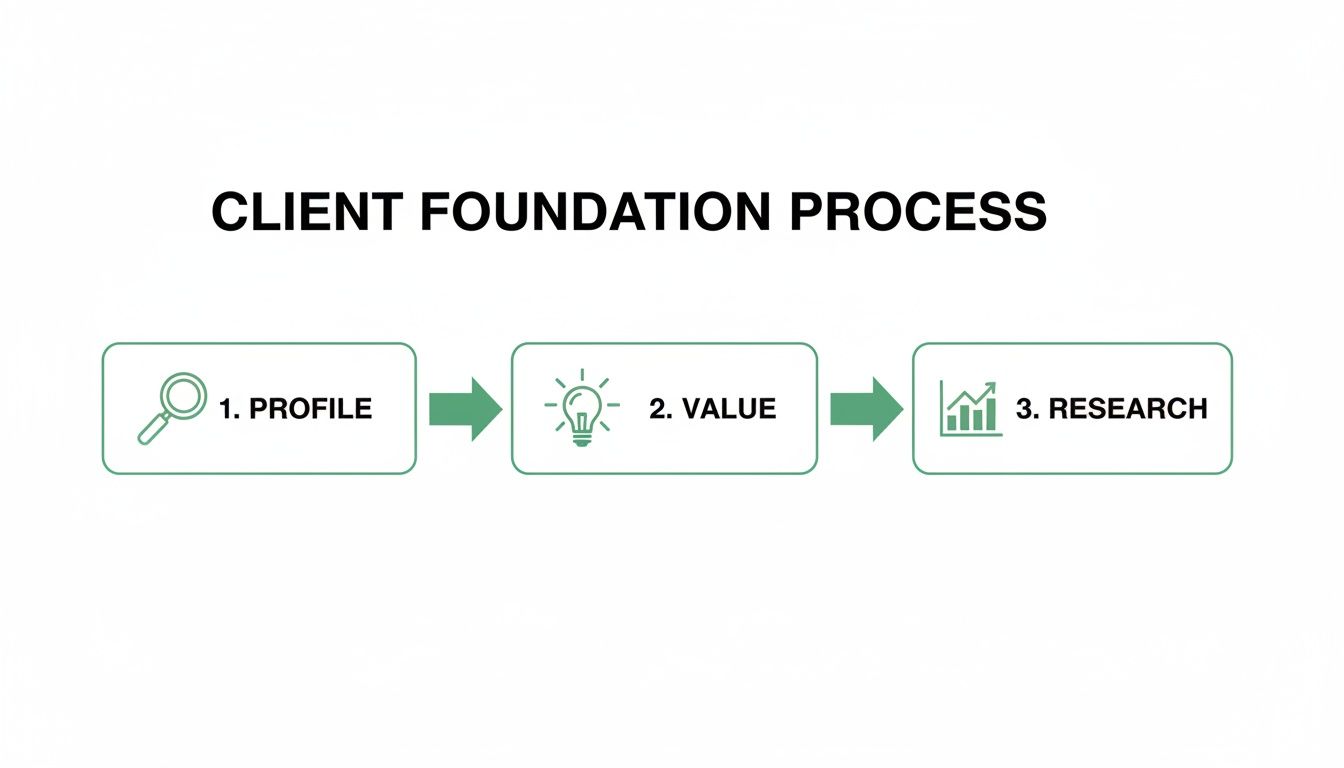
    Define Your Ideal Customer Profile

    Your Ideal Customer Profile (ICP) is a snapshot of the perfect client for your business. This goes way beyond basic demographics. A strong ICP gets into the nitty-gritty: their specific pain points, professional goals, and the exact characteristics that make them a perfect fit for what you offer.

    Without an ICP, you're just shouting into the void. With one, you're having a direct conversation with someone who's actively searching for a solution like yours. For a deeper dive, check out our guide on how to identify your target audience.

    Key Takeaway: Think of your ICP as a strategic compass. It stops you from wasting resources trying to sell to everyone and instead points you directly toward the prospects most likely to buy, stay, and rave about you to others.

    Craft a Compelling Value Proposition

    Once you know who you're talking to, you need to nail what you're going to say. Your value proposition is a short, punchy statement that explains the tangible results a client gets from you. It needs to immediately answer their unspoken question: "What's in it for me?"

    A powerful value proposition is:

    • Specific: It names the primary benefit. Instead of "we improve marketing," try "we increase lead generation for B2B SaaS companies by 30% in 90 days."
    • Pain-Focused: It hits on a major frustration your ideal customer is dealing with right now.
    • Differentiating: It subtly explains why you're the better choice over any alternatives.

    Validate Your Ideas with Low-Budget Research

    You don't need a huge budget to figure out if you're on the right track. Before you go all-in on outreach, you have to validate your assumptions. This early-stage research can also reveal new opportunities; for instance, learning about small business video marketing might open up a whole new way to connect with your audience.

    Here are a few simple ways to get started:

    1. Survey Your Network: Ping a few colleagues or contacts on LinkedIn. Ask if they know anyone who fits your ICP. A quick 15-minute chat can give you more insight than hours of guesswork.
    2. Lurk in Online Communities: Find the forums, Slack channels, or Facebook groups where your target audience hangs out. Pay close attention to the questions they ask and the problems they complain about.

    3. Analyze Your Competitors: Go read the customer reviews and testimonials for your competitors. What do their clients love? What do they hate? This is a goldmine for positioning your own offer.

    Finding Your First Clients with Targeted Prospecting

    So you’ve got a crystal-clear picture of who you're targeting. Now what? The next step is actually finding them, and this is where most new businesses get completely bogged down. It's easy to fall into the trap of either spraying and praying to everyone or spending countless hours on manual, dead-end research.

    Let's get one thing straight: the goal isn't to build the biggest list. It's to build the right list.
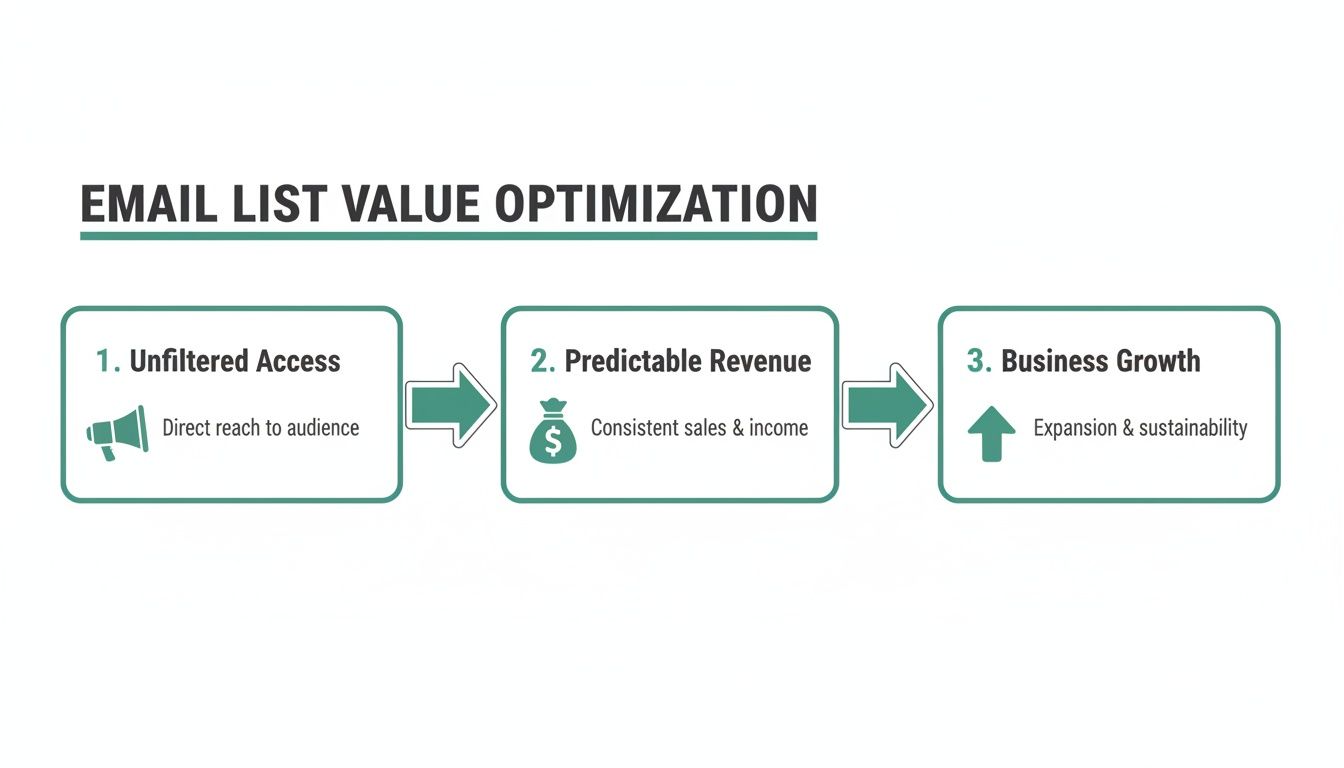
    Effective prospecting is a system, not a scramble. It’s about creating a repeatable process that consistently unearths qualified leads who perfectly match your Ideal Customer Profile. This isn't just a one-off task; it's a core business activity that will keep your pipeline full long after you land that first client.

    The whole process boils down to a few key stages: defining your ideal profile, understanding what they actually care about, and then figuring out where to find them.

    A clear diagram illustrating the client foundation process with steps: Profile, Value, and Research.

    As you can see, every successful outreach campaign starts with a deep understanding of your target and the value you bring to the table. That foundation guides every single thing you do next.

    Locating Decision Makers

    You've defined the type of person you need to reach, but where do they hang out online? LinkedIn is the obvious starting point, and for good reason. It’s a massive, searchable database of professionals that’s invaluable for any B2B business.

    But just searching for job titles won't cut it. You have to put on your detective hat and look for buying signals—those little clues that tell you a person or company might be ready to buy right now.

    • Recent Job Changes: A new exec is almost always looking to make a quick impact. That often means bringing in new tools, services, or agencies.
    • Company News: Did a company just announce a big funding round or a new product launch? Events like these create new problems and, more importantly, open up new budgets.
    • Content Engagement: Who's liking, sharing, or commenting on articles related to the problem you solve? These people are actively thinking about your space.

    When you focus on these triggers, you’re no longer just another cold prospector. You’re reaching out to someone with a potential, immediate need, which instantly makes your message more relevant.

    A classic mistake is targeting a company instead of a person. You don't sell to a logo; you sell to a human being who has a specific, frustrating problem. Your number one job is to find the individual who feels that pain the most.

    A Practical Workflow Using EmailScout

    Building a list based on these signals can be a huge time sink if you do it all by hand. This is where you bring in the right tools to work smarter, not harder. An email finder is a non-negotiable part of your tech stack, turning a name and a company into a direct line of communication.

    Let’s walk through a real-world scenario. Imagine you're a new design agency targeting early-stage tech startups. Your ICP is the "Head of Marketing" at a SaaS company with 20-50 employees that just landed a Series A funding round.

    Here’s a simple, repeatable workflow:

    1. Find Target Companies: Use a platform like Crunchbase or LinkedIn Sales Navigator to filter for companies that fit your specific criteria (e.g., SaaS, 20-50 employees, Series A funding in the last 6 months).
    2. Pinpoint the Right Person: Once you have your list of companies, pop over to their website or LinkedIn page. Your mission is to find the person with the "Head of Marketing" title or something similar.
    3. Get the Email Address: Here’s the magic step. With the EmailScout Chrome extension installed, you just go to their LinkedIn profile or the company website and find their verified professional email with a single click. No more guessing games with first.last@company.com.
    4. Segment and Organize: As you find contacts, EmailScout lets you save them directly into organized lists. You could create a list called "Series A SaaS – Marketing Heads" to keep your outreach hyper-focused.

    This straightforward process turns abstract research into an actionable list of qualified prospects. To go even deeper, check out our full guide on sales prospecting techniques. This system ensures every email you send has the best possible shot at reaching the right person, at the right company, with the power to say "yes." This is how you stop guessing and start getting clients systematically.

    Crafting Cold Emails That Actually Get Replies

    Overhead view of a person typing on a laptop, with a coffee mug, notebooks, and a banner reading 'EMAILS THAT CONVERT'.

    Let's be honest: cold email gets a bad rap. That's because most people do it terribly. Our inboxes are graveyards for spammy, self-serving outreach that gets deleted on sight.

    But when you approach it with a little precision and empathy, a well-written email is one of the most direct and effective ways to land your first clients.

    The secret is to stop "selling" and start a conversation. Your only job with that first email is to earn a reply. That's it. Every single word should serve that one goal.

    The Anatomy of an Irresistible Subject Line

    Before anyone reads your perfectly crafted email, they have to open it. Your subject line is the gatekeeper, and its only mission is to spark just enough curiosity to get a click, without feeling like bait.

    The best subject lines are specific, relevant, and feel like they were written by a human.

    Ditch the generic, salesy stuff like "Quick Question" or "Introductory Offer." Instead, tie your subject line directly to something happening in their world.

    • Reference a recent event: "Congrats on the new funding round"
    • Mention a mutual connection: "Jane Smith suggested I reach out"
    • Ask a highly specific question: "Question about [Their Company]'s marketing stack"

    You want it to feel like it could have come from a colleague, not an automated sequence. Keep it short—ideally 5-7 words—so it doesn't get cut off on a phone, where almost half of all emails get read.

    Pro Tip: Your subject line should be the start of a story that the first line of your email immediately continues. This creates a seamless flow that pulls the reader right in.

    Structuring the Email Body for Impact

    Once the email is open, you have about ten seconds to hook them. Long, chunky paragraphs are the fastest way to get your email sent to the trash. Make it scannable, keep it concise, and focus everything on the person reading it.

    A simple, four-part structure consistently gets replies:

    1. The Opening: Kick things off with a personalized line that proves you did your homework. This is where you mention their recent blog post, a company award, or a specific challenge you noticed. Make it clear this email is for them and only them.
    2. The Problem: Briefly state a problem you know their role or company is dealing with. Show them you understand their world and the headaches that come with it.
    3. The Solution (Your Value Prop): Frame your service as the answer to that problem. Don't just list features; talk about the tangible result or outcome they'll get.
    4. The Call-to-Action (CTA): End with a simple, low-effort question. Instead of asking for a 30-minute call, try something like, "Is this something on your radar right now?" This makes it incredibly easy for them to give a quick yes or no.

    When done right, email marketing is still one of the most cost-effective ways to get clients. Data shows the average email marketing conversion rate can be as high as 15.22%, with top automated campaigns reaching almost 5%.

    The Art of the Follow-Up

    Here's the hard truth: most replies don't come from the first email. Not even close. People are busy, inboxes are chaotic, and your message can easily get lost in the noise. A persistent but respectful follow-up plan is an absolute must.

    A simple three-step cadence works like a charm:

    • Email 2 (3 days later): This is just a gentle "bump." Reply to your original email with something short and sweet like, "Just wanted to bring this to the top of your inbox. Any thoughts?"
    • Email 3 (7 days later): Now, add some value. Share a relevant article, a case study, or a quick insight related to their business. The CTA is softer here: "Thought you might find this interesting."
    • Email 4 (14 days later): Time for the breakup email. Politely close the loop. "Assuming this isn't a priority right now, so I won't follow up again. Feel free to reach out if that changes." This often triggers a response because of good old-fashioned FOMO.

    Each follow-up should be shorter than the last—just a quick, easy-to-read nudge. This strategy respects their time while keeping your name top-of-mind. If you need more inspiration, check out these proven examples of cold emails that actually get results.

    Using Personalization to Build Real Connections

    In a world drowning in generic, automated outreach, genuine personalization is your single greatest advantage. Moving beyond the simple {first_name} tag isn’t just a nice-to-have anymore; it's the only way to cut through the noise.

    This is how you land clients when you can't compete on brand recognition or a massive marketing budget. You compete on thoughtfulness. The goal is to make every email feel like a one-to-one conversation, even when you're working at scale.

    And it pays off. Personalized emails are proven to boost click-through rates by 14% and conversion rates by 10%. Even better, they can achieve transaction rates 6 times higher than generic messages. If you want to dig into the numbers, you can explore more data on the impact of targeted email outreach here.

    Quick Research for Maximum Impact

    Good personalization doesn’t mean you need to spend hours stalking a single prospect. It's about being smart and efficient. In just five minutes, you can find more than enough ammo to craft a message that feels genuinely personal.

    Before you hit send, do a quick scan of these key areas:

    • LinkedIn Activity: Did they just share an interesting article, post an update, or get a promotion? A quick mention shows you're actually paying attention.
    • Company News: Hit their company's "News" or "Blog" section. A recent product launch, funding round, or award is a perfect, timely hook.
    • Personal Interests: Sometimes a LinkedIn profile mentions a specific hobby, volunteer work, or their alma mater. Finding even a small point of common ground can build instant rapport.

    This isn't about being creepy. It's about finding an authentic reason to start a real conversation.

    Crafting Messages That Resonate

    Once you have a few specific details, the trick is to weave them naturally into your email. You need to connect what you learned about them to the problem you solve. This simple act transforms your message from a cold pitch into a helpful suggestion.

    Let’s look at a real-world example.

    Generic Opening:

    "Hi Sarah, I saw you're the Head of Marketing at InnovateTech and wanted to reach out."

    Personalized Opening:

    "Hi Sarah, I saw your recent post on LinkedIn about the challenges of scaling content creation for InnovateTech's new product line. Your point about maintaining quality under pressure really stood out."

    See the difference? The second example immediately proves you understand her specific world. It shows you’ve done your homework and aren't just blasting out another template. You’ve earned her attention for the next few sentences.

    Key Takeaway: Personalization isn't just a tactic; it’s a strategy. It shows respect for the recipient's time and makes them far more likely to see you as a potential partner instead of just another salesperson.

    Moving Beyond the First Name

    True personalization goes much deeper than surface-level details. It’s about tailoring your entire value proposition to their specific situation. This is where you connect the dots between their world and your solution.

    Here’s how to put this into practice:

    • Reference Their Role: Speak their language. A CMO cares about different KPIs than a Marketing Manager. Tailor your pitch accordingly.
    • Align with Company Goals: If their company just announced a global expansion, frame your service as the tool to help them get there faster.
    • Address a Recent Trigger: Did they just hire a new sales team? Position your lead generation service as the perfect way to keep that new team fed with qualified opportunities.

    This level of customization demonstrates a deep understanding of their business. It shifts the entire dynamic from you asking for something to you offering a solution to a problem they already have. That’s how you build real, lasting client relationships.

    Expanding Your Reach with Networking and Partnerships

    Two businessmen exchanging business cards at a table with a laptop and 'BUILD PARTNERSHIPS' sign.

    While targeted outreach is an absolute beast for getting clients, putting all your eggs in that one basket can be a bit risky. If you want to build a truly resilient client-getting machine, you have to diversify. That’s where networking and strategic partnerships come in.

    Think of it this way: cold outreach is your offense, the direct play you run to score. Networking and partnerships are your defense and special teams. They create long-term assets that feed you a steady stream of warm, high-converting leads, often when you least expect them. This is how you stop chasing every single client and start having them come to you.

    Master Authentic Digital Networking

    Let's be clear: networking is not about hoarding business cards or machine-gunning connection requests on LinkedIn. It's about building real relationships and positioning yourself as a helpful expert. Today, that happens almost entirely online.

    The secret sauce? Give before you ask. Instead of launching into a sales pitch, start by engaging with the content your ideal clients and potential partners are already posting. A genuinely thoughtful comment that adds to the conversation is worth a hundred generic "Great post!" messages.

    Here’s how it plays out: Say you're a freelance writer targeting SaaS marketing managers. You spot a post from a marketing leader in your niche. Instead of a cold pitch, you drop a comment with a unique insight or a relevant stat. Do this consistently, and you become a familiar, respected name in their world.

    Engage in High-Value Online Communities

    Your ideal clients are already hanging out together online, talking about the very problems you can solve. Your job is to find these digital watering holes—specialized Slack channels, niche subreddits, private Facebook groups—and become a fixture.

    The rules of engagement are simple:

    • Listen first. Get a feel for the community's vibe and rules before you jump in.
    • Answer questions. Share your expertise freely, without a sales pitch attached. Offer real, actionable advice.
    • Be a resource. If someone needs a tool or an article recommendation in your field, be the one who provides it.

    This slow-burn approach positions you as a trusted advisor. Down the road, when someone in that group needs the exact service you offer, guess who they'll think of first? It’s a subtle but incredibly powerful way to build trust long before a sales call ever happens.

    Forge Strategic Referral Partnerships

    One of the absolute fastest ways to get more clients is to team up with other businesses that serve the same audience but aren't your competitors. A solid referral partnership can easily become your single best source of qualified leads.

    Think about complementary services. For example:

    • A web designer could partner with a copywriter and an SEO specialist.
    • A financial advisor could team up with an accountant and an estate planning lawyer.

    When you find the right partner, you're plugging directly into their existing trust and credibility. The leads they send your way are pre-qualified and already warm, which dramatically shortens your sales cycle.

    When you reach out, have a clear, mutually beneficial proposal ready. Explain how you’ll add value for their clients and what you can offer in return. This isn’t a one-way street; it's about creating a win-win that fuels growth for both of you.

    From First Conversation to First Paying Client

    Getting a positive reply is a huge milestone, but it's really just the starting line. Now the real work begins: turning that initial spark of interest into a signed contract. This is your chance to shift from being a prospector to a trusted advisor, guiding the conversation from a casual chat to a closed deal.

    Your first call isn't about selling—it's about diagnosing. Think of it as a "discovery call." The entire goal is to understand their specific pains, their goals, and what they've already tried. You should let them do 80% of the talking. Ask open-ended questions that get to the heart of their problem and listen for the specific challenges your service is built to solve.

    Nailing the Discovery Call

    To make sure every first client interaction is a home run, you need to master some basic call handling best practices. It's all about creating a professional and comfortable experience from the moment they pick up the phone.

    Here’s a simple flow for that first conversation:

    • Build Rapport: Kick things off with a moment of genuine connection. Referencing that personalized point from your email shows you remember who they are and that they aren't just another name on a list.
    • Set the Agenda: Quickly outline the call's purpose. Something as simple as, "I'd love to learn more about your goals and see if we might be a good fit to help," works perfectly.
    • Ask Diagnostic Questions: This is where you dig in. Focus on their "why." Why is this a priority now? What does success look like for them in six months?
    • Confirm Understanding: Before you wrap up, summarize their key challenges back to them. This proves you were listening and, just as importantly, reinforces their pain points in their own mind.

    From Call to Compelling Proposal

    Once you've confirmed their problem and feel like you're a good fit, the next step is sending a proposal. This isn’t a generic brochure; it's a direct response to everything you just learned on the call. Keep it simple, clear, and laser-focused on outcomes, not just a list of activities.

    A great proposal doesn’t just list what you'll do; it clearly outlines the tangible value the client will receive. Frame everything in terms of their goals, using their own words back to them to show you've truly understood their needs.

    How you follow up is just as important as the proposal itself. After you send it over, suggest a specific time to review it together. This gives you a chance to answer questions, handle objections in real-time, and keep the momentum going.

    A simple, "Does Thursday at 2 PM work to walk through this and answer any questions?" keeps the ball in your court and moves you one step closer to landing your first paying client.


    Ready to build a reliable pipeline of qualified leads for your new business? EmailScout's Chrome extension makes it simple to find the verified email addresses of key decision-makers, so you can focus on starting conversations that lead to paying clients. Find unlimited emails for free and start your outreach today at https://emailscout.io.

  • How to Find Business Emails That Actually Get Replies

    How to Find Business Emails That Actually Get Replies

    When it comes to finding business emails, you really have two main paths to go down: good old-fashioned manual detective work or using automated email finder tools. I've found that the best approach is a mix of both. It's the quickest way I know to build solid outreach lists that actually get you in front of decision-makers, instead of landing in some generic inbox black hole.

    Why Finding the Right Emails Is a Game Changer

    Let’s be real for a second. Pouring your heart into a perfect pitch just to send it to the wrong person is a huge waste of time. Firing off messages to info@company.com or sales@company.com is a long shot at best; they rarely make it to the people with the power to say "yes." This is why knowing how to find direct business emails isn't just a nice-to-have, it's a core skill for anyone in sales or marketing.

    A man in a suit jacket works intently on a laptop displaying a business graph, next to a "Find Right Emails" banner.

    Once you have the direct line to a decision-maker, your odds of starting a real conversation shoot up immediately. That kind of precision has a ripple effect across your entire sales and marketing funnel.

    The Real Cost of Bad Email Data

    Every email that bounces back chips away at your sender's reputation. Before you know it, your carefully crafted messages start getting flagged as spam. On top of that, think about all the hours wasted chasing dead-end leads. That’s time and energy that could have been spent closing deals.

    The frustration is real, but thankfully, so is the solution. Think of email discovery as a skill you can sharpen. It really boils down to two strategies: manual digging and automated tools. If you're looking to go deep on the different techniques, there are some great comprehensive guides on finding email addresses that cover all the bases.

    The line between a winning campaign and a total flop often comes down to the quality of your contact list. Nailing down the right email is the first—and most important—step to getting a reply.

    Choosing Your Approach: Manual vs. Automation

    So, how do you decide where to start? The two primary methods for finding emails are built for different needs and scales.

    • Manual Detective Work: This is where you roll up your sleeves and do some hands-on research. You're scouring company websites, LinkedIn profiles, and industry blogs. It's perfect when you're targeting a handful of high-value prospects and want to get it right.
    • Automated Tools: This is where email finder extensions and platforms come in to do the heavy lifting. They're an absolute must-have for building larger lists quickly without burning out your team.

    To give you a clearer picture, here's a quick rundown of how these methods stack up.

    Email Discovery Methods At a Glance

    Method Best For Speed Accuracy
    Manual Search High-value, targeted prospects Slow High
    Email Finder Tools Building lists at scale Fast Varies, often high
    Email Permutations When you have a name and domain Medium Requires verification
    WHOIS Lookup Finding site owners/admins Fast Hit-or-miss for decision-makers

    Each method has its place, and knowing when to use which is key.

    The demand for slick, automated solutions is exploding for a reason. The global Email Search Engine Tool market is on track to hit $316.8 billion by 2025, and it's growing at an annual rate of 9.4%. Sales teams using these tools report building lists up to 30% faster, which is a massive competitive edge.

    Ultimately, the smartest strategy is a hybrid one. You might use manual research to pinpoint a few dream clients, then use an email finder to quickly locate and verify their contact details. This guide will walk you through both worlds, helping you master the art of connecting with the right people and driving real results.

    Becoming an Email Detective with Manual Techniques

    Before you even think about automated tools, it pays to master a few old-school manual techniques. Think of this as your foundational detective work—the stuff that helps you uncover contact information others completely miss.

    These methods are perfect when you're targeting a small number of high-value prospects and need to be absolutely certain you've got the right person.

    A woman uses a magnifying glass to inspect a green folder labeled 'EMAIL DETECTIVE' on a wooden desk.

    This hands-on approach isn't just about snagging an email. It’s about understanding the context behind that contact. You end up gathering little bits of intel along the way that will make your outreach message far more compelling and personal.

    Start with the Company Website

    The company's own website is an often-overlooked goldmine. It's the most direct source, and a bit of patient digging can often yield exactly what you're looking for without ever leaving their domain.

    Your first stop should be the obvious pages. Hunt around these spots for direct contact details or clues about who's who:

    • About Us/Our Team: This is ground zero. It's the best place to find names, titles, and sometimes even direct emails for leadership and key department heads.
    • Press/Media Room: Press releases almost always list a media relations contact. This person is usually well-connected internally and can be a fantastic starting point.
    • Blog or News Section: Look for articles written by employees. Author bylines can sometimes include a direct email or a link to a personal portfolio that has their contact info.

    Leverage the Power of LinkedIn

    For B2B, LinkedIn is the undisputed king of professional directories. While it won't just hand you an email address on a silver platter, it gives you the two most critical puzzle pieces: a person’s full name and their company.

    Once you’ve identified a decision-maker on LinkedIn, note their exact name and title. This info is the raw material you'll use to make an educated guess, a technique we'll get into shortly. Pay close attention to spelling and whether they use a middle initial.

    Pro Tip: Don't just look at their current role. Check their activity feed. Have they recently published an article on LinkedIn or been featured in an industry publication? These external links often lead to more direct contact opportunities.

    Hunt for Digital Breadcrumbs

    Beyond the corporate site and LinkedIn, people leave digital footprints all over the web. A well-crafted Google search can often unearth an email address hiding in plain sight. This is where your inner detective really gets to shine.

    Try searching for specific combinations to cut through the noise. These advanced search operators can be surprisingly effective:

    • "[First Name] [Last Name]" email
    • "[First Name] [Last Name]" contact
    • site:companydomain.com "[First Name]"

    For example, a search like site:acmecorp.com "jane doe" will search only the Acme Corp website for mentions of Jane Doe. This might pull up an author page or a staff directory you missed during your initial browse.

    Check Social Media Bios and Personal Sites

    Many professionals, especially in tech, marketing, and creative fields, maintain a personal brand outside of their 9-to-5. Their social media profiles and personal websites are often full of contact information they're happy to share publicly.

    Scan their bios on platforms like Twitter/X or even their GitHub profile if they're in a technical role. A personal blog or portfolio site almost always has a "Contact Me" page. This approach is fantastic for individuals who are active online and can give you a direct line of communication that bypasses corporate gatekeepers.

    These manual methods take a bit of effort, but the quality of the leads you uncover is often unmatched.

    How to Intelligently Guess and Verify Email Addresses

    Once you’ve done a bit of initial digging, you'll probably have two key pieces of information: a person's name and their company's domain. This is where you can shift gears from pure searching to smart deduction. Instead of blindly hunting for an email, you can make an educated guess based on common corporate email patterns.

    This isn’t just random guesswork. It’s a process of elimination. Most companies use a standard format for their emails, and if you can figure out the pattern for one person, you've likely cracked the code for everyone else there.

    Uncovering Common Email Patterns

    Companies tend to stick to a handful of predictable email structures. Your job is to test the most common ones to see which one works. I always start with the most frequently used formats before I even think about the more obscure combinations.

    Here are the patterns I see most often in the wild:

    • First Name: john@company.com
    • First Initial, Last Name: jdoe@company.com
    • First Name, Last Initial: johnd@company.com
    • First Name.Last Name: john.doe@company.com
    • First Name_Last Name: john_doe@company.com

    So, if you’re looking for Jane Smith at innovatech.com, you’d quickly generate a list like jane@innovatech.com, jsmith@innovatech.com, and jane.smith@innovatech.com. It’s a simple technique, but it can get you the right address more than 50% of the time.

    The beauty of this method is its scalability. If you can find just one publicly available email from a company, you can often figure out their entire email syntax. That means you can confidently build the addresses for other key decision-makers in the same organization.

    This simple trick transforms a one-off task into a repeatable system. You're not just finding one email; you're unlocking a template for the whole company.

    The Crucial Verification Step

    Guessing is only half the battle. Firing off an email to a guessed address without checking it first is a fast track to a high bounce rate. That can seriously hurt your sender reputation with providers like Gmail and Outlook. Verification is a non-negotiable final step.

    The good news is you don’t have to actually send an email to see if it’s valid. There are plenty of free and simple online email verification tools that do the heavy lifting for you. They perform a real-time check to see if an address exists and can receive mail, giving you a clear "valid" or "invalid" result.

    It’s an incredibly straightforward process. You just copy and paste your potential emails into the verifier one by one. The tool pings the mail server without sending a message and reports back on the address’s status. For a deeper look at how this works, you can learn more about how to validate an email address with free tools.

    Putting It All Together: A Real-World Example

    Let’s say you’re targeting a Marketing Director named David Miller at a startup called "NextGen Solutions" (nextgensolutions.com). You can’t find his email anywhere, but you spot the CTO's email—s.chen@nextgensolutions.com—in an old press release.

    Bingo. That single email reveals the company's pattern: First Initial.Last Name@domain.com.

    Applying that same logic, you can construct David Miller's email as d.miller@nextgensolutions.com. You then pop it into a verifier, which confirms the address is valid. In less than a minute, you’ve gone from just a name to a confirmed, deliverable email address without spending a dime. This one-two punch of intelligent guessing and immediate verification is one of the most effective ways to build hyper-targeted prospect lists.

    Using an Email Finder to Accelerate Your Workflow

    Look, manual methods are great when you’re hunting for just a few specific emails. But let's be realistic—they just don't scale. The moment you need to build a prospect list with dozens, or even hundreds, of contacts, all that manual detective work becomes a massive bottleneck. This is where a good email finder tool, like the EmailScout Chrome extension, stops being a "nice-to-have" and becomes absolutely essential.

    These tools are built to do one thing and do it extremely well: find and verify business emails in seconds, not hours. They plug right into your browser, letting you grab contact info from LinkedIn profiles or company websites with a single click. For anyone in sales, marketing, or even a founder trying to make connections, this means more time spent actually talking to people and way less on mind-numbing data entry.

    From Manual Guesswork to Instant Discovery

    Picture this: you're an SDR who needs to build a list of 50 marketing managers in a niche industry. Doing that by hand? You're easily looking at an entire afternoon of sifting through websites, guessing email patterns, and verifying each one. It's a grind.

    Now, imagine integrating an email finder tool like GetProspect into your process. As you browse LinkedIn search results, the tool hums along in the background, automatically pulling and verifying emails for the profiles right on your screen. A task that once ate up your day is now done in minutes.

    The real magic is in how seamless it is. No more flipping between ten different tabs or constantly copying and pasting names into a verification tool. It delivers the data you need, right where you're already working.

    This simple flowchart breaks down the logic email finders use to automate the whole process, from spotting a pattern to getting a verified address.

    A three-step email discovery process flowchart showing pattern, guess, and verify stages leading to success.

    It really just automates the whole "pattern, guess, and verify" cycle we all do manually. What was a multi-step chore becomes a nearly instant and reliable result.

    A Practical Walkthrough with EmailScout

    Let's walk through a real-world example. You’ve found a key decision-maker on LinkedIn and need their email to kick off a conversation. With the EmailScout extension installed, a small button appears directly on their profile page.

    Click that button. The tool instantly gets to work, cross-referencing multiple data points to find the most probable email address. Then, it runs a quick verification check to make sure it's actually deliverable. A few seconds later, a verified email pops up, ready for you to use.

    The real value here is confidence. The tool doesn't just give you a guess; it provides a verified, high-confidence email address, dramatically reducing your bounce rate and protecting your sender reputation.

    This simple, one-click process is a total game-changer for anyone doing regular outreach. It removes all the friction from prospecting and lets you get back to what matters: crafting the perfect message. If you want to get into more advanced strategies, our complete guide on how to find business emails is a great next step.

    Go Beyond Single Searches with Advanced Features

    While one-click finding is powerful, modern email finders come packed with features designed for building lists at scale. Two of the most useful are AutoSave and URL Explorer.

    • AutoSave for Passive Collection: Imagine you’re scrolling through a LinkedIn search page for "Software Engineers in San Francisco." With AutoSave turned on, the tool quietly collects and saves the emails of the profiles you view into a list. You end up building a highly targeted prospect list without any extra work.
    • URL Explorer for Bulk Extraction: Let's say you have a list of 100 target company websites from a conference you attended. Instead of visiting each site one by one, you can just paste the whole list of URLs into the URL Explorer. The tool will then crawl those domains and pull out all available business emails, handing you a ready-to-use list in minutes.

    Email is still king in B2B. Projections show that daily email volumes will hit a staggering 376 billion messages in 2025 alone. Globally, the number of email users is expected to climb to 4.73 billion by 2026. For business development teams, this is a massive opportunity, especially since 81% of B2B marketers rely on email as their primary channel.

    These advanced features bridge the gap between targeted, individual prospecting and large-scale list-building. They give you the flexibility to adapt your strategy for any campaign, big or small. Tools like EmailScout are built to handle the grunt work, so you can focus on building relationships and closing deals.

    Building Outreach Lists That Get Results

    Finding a verified business email is a huge win, but let's be honest, it's only half the battle. The real magic happens when you turn that contact info into a real conversation. This is where building smart, clean outreach lists comes into play—it's the critical bridge between discovery and actually getting a response.

    Simply dumping every email you find into one giant spreadsheet is a recipe for disaster. That's how you end up with generic, impersonal messages that get ignored or, even worse, flagged as spam. The goal isn't just a big list; it's an intelligent and actionable one.

    The Foundation of a Great List: Segmentation

    So, what does an "intelligent" list look like? It all starts with segmentation. This just means breaking your master list into smaller, more focused groups based on things they have in common. Instead of blasting the same message to everyone, you can tailor your pitch to what a specific group actually cares about. This precision is what separates high-performing campaigns from a one-way ticket to the spam folder.

    You can slice and dice your lists in a bunch of different ways. Here are a few practical examples to get you started:

    • By Job Title: Grouping contacts like "Marketing Managers" or "VPs of Sales" lets you speak directly to their specific professional challenges and goals.
    • By Industry: A software pitch for a healthcare company should sound very different from one for a financial services firm. Segmenting by industry keeps your message relevant.
    • By Company Size: The pain points of a 10-person startup are worlds away from those of a Fortune 500 enterprise. This helps you frame your solution in a way that makes sense for their scale.

    Cold emailing thrives on this kind of precision. Marketers who segment their campaigns can see a staggering 760% increase in revenue. And with the average B2B email open rate hitting 43.46% in 2025 and sectors like software seeing a 36:1 ROI, mastering this is non-negotiable.

    Don't Forget Email Deliverability

    Even the most perfectly crafted email is totally useless if it never reaches the inbox. Email deliverability is all about making sure your messages land where they're supposed to. ISPs like Google and Microsoft are always watching for spammy behavior, and a few wrong moves can seriously damage your sender reputation.

    To keep your deliverability score high, focus on these key practices:

    1. Warm Up Your Sending Account: If you’re using a new email account, don't start blasting hundreds of emails on day one. Slowly ramp up your sending volume over a few weeks to build a positive history.
    2. Avoid Spam Trigger Words: Certain words in your subject lines and email body (like "free," "act now," or way too many exclamation points!!!) can set off spam filters. Keep your language natural and professional.
    3. Personalize, Personalize, Personalize: A custom opening line does more than just grab attention; it signals to spam filters that your email isn't a generic blast. Mention a recent blog post, a shared connection, or a company achievement.

    The ultimate goal isn't just to find business emails—it's to deliver value to the person on the other end. A clean, segmented list combined with strong deliverability practices ensures your message has the best possible chance to be seen and acted upon.

    The Legal and Ethical Side of Outreach

    Finally, let’s talk about the rules of the road. Responsible outreach means you have to understand regulations like the CAN-SPAM Act in the U.S. and GDPR in Europe. These set clear guidelines for commercial emails.

    While the specifics vary, the core principles are pretty consistent. Always provide a clear and easy way for people to unsubscribe, be upfront about who you are, and make sure your message is relevant to their professional role. Following these rules doesn't just keep you compliant—it helps build trust with your prospects from the very first email.

    Need a hand with that next step? Check out our guide on how to write cold emails that actually get replies.

    Frequently Asked Questions

    Even with the best tools, you’re bound to run into a few questions when you start digging for business emails. From legal gray areas to making your workflow more efficient, it pays to know the answers. Here are some of the most common things people ask.

    Is It Actually Legal to Find and Use Business Emails for Outreach?

    For B2B outreach, the short answer is yes, but you have to follow the rules. In the U.S., the main regulation is the CAN-SPAM Act, while Europe operates under GDPR.

    The key idea, especially with GDPR, is "legitimate interest." If your product or service is truly relevant to someone's professional role, you generally have a good reason to contact them. But that’s not a blank check.

    Always be upfront about who you are, make it dead simple to unsubscribe, and focus on providing real value. When in doubt, especially for your specific situation, it's always smart to talk to a legal professional.

    How Accurate Are Email Finder Tools, Really?

    The top-tier email finders are impressively accurate, often getting it right over 95% of the time. They pull this off by checking multiple public data sources and running real-time verification checks before giving you an address.

    That said, no tool is ever 100% perfect. The business world moves fast—people switch jobs, companies merge, and old email addresses get shut down.

    This is exactly why you should run your final list through a separate bulk email verifier before you launch a big campaign. It’s a simple step that protects your sender reputation by weeding out any emails that have gone bad since you found them.

    An email finder's job is to give you the highest probability of success. Combining a high-quality tool with a final verification sweep is the professional standard for protecting your sender reputation and ensuring your message lands.

    What's the Best Way to Find Emails for Hundreds of Companies?

    When you’re working at scale, manual searching is a non-starter. It’s just not practical. This is precisely what bulk email finder features were made for.

    For instance, using a feature like EmailScout’s "URL Explorer," you can just upload a list of company website domains. The software then goes to work, crawling those sites, identifying contacts, and pulling their verified email addresses automatically.

    It turns a project that would take days of mind-numbing work into a task you can knock out in minutes. This frees you up to focus on the important stuff, like personalizing your outreach.

    Should I Just Guess an Email or Always Use a Tool?

    Honestly, it depends on what you’re trying to do. If you're targeting one or two dream clients, a little manual research and some smart guessing can work just fine. Just make sure you verify the address with a tool before you hit send.

    But for any kind of repeatable outreach, a dedicated email finder is a must. It automates the whole find-and-verify process, saving you a massive amount of time.

    More importantly, it drastically cuts down on your email bounce rate. Too many bounces can wreck your domain's sending authority, making it harder for all your future emails to get through. A good tool helps you avoid that risk right from the start.


    Ready to stop guessing and start finding emails in seconds? EmailScout gives you the power to discover verified contact information directly from LinkedIn and company websites with a single click. Try it for free and see how much faster you can build your outreach lists. Get the EmailScout Chrome extension now!

  • Reverse Find Email Address A Modern Guide for Sales Pros

    Reverse Find Email Address A Modern Guide for Sales Pros

    You've found the perfect prospect. You know they're the one. But their email is nowhere to be found, and your outreach grinds to a halt before it even starts. This is a classic sales roadblock, but there's a modern fix: a reverse find email address strategy.

    Instead of guessing, this approach lets you use a person's name and company to uncover their actual professional email. It turns a frustrating game of chance into a precise, data-driven process.

    Why Reverse Email Lookups Are a Modern Sales Necessity

    A happy man in a blue shirt works on a laptop, with a 'FIND EXACT EMAIL' banner in the background.

    Every sales pro knows the feeling. You've identified the ideal decision-maker at a target company, but their contact info is a ghost. You end up wasting time digging through social media profiles or guessing email patterns, which usually just leads to bounced emails and lost momentum.

    This manual, hit-or-miss process is a huge bottleneck. Instead of relying on luck, a strategic reverse email lookup turns this headache into a repeatable workflow. It's all about working smarter, not harder.

    The Cost of Inefficiency

    Manually hunting for a single email can take anywhere from five to twenty minutes. That might not sound like much, but it adds up fast when you're looking at a long prospect list. All that lost time directly eats into productivity and, ultimately, revenue.

    Think about these common scenarios where this bottleneck becomes a real problem:

    • Targeting Key Accounts: You’ve got a list of 50 high-value companies, but you can only track down contact info for a few junior-level employees.
    • Following Up on Leads: A promising lead from a webinar gives their name and company, but no direct email. You're left with no way to follow up.
    • Personalized Outreach: You want to send a highly tailored message to a VP of Marketing, but sending it to a generic "info@" address is like throwing it in the trash.

    From Guesswork to Precision

    The real game-changer here is the shift from unreliable guesswork to data-backed accuracy. Dedicated tools for reverse-finding an email address use massive databases and smart algorithms to find and verify contact information, which dramatically increases your connection rates.

    You’re no longer just sending messages into the void. You’re reaching the exact person who matters. This whole process is about acquiring valuable customer data. For a deeper dive into why that's so critical, check out this guide on understanding why your customer data is worth more than your equipment.

    By pinpointing the exact contact you need, you're not just finding an email—you're opening a direct line of communication to a potential customer, partner, or influencer. This precision is what separates high-performing sales teams from the rest.

    At the end of the day, adopting this strategy means your team spends less time hunting and more time actually selling. And as you'll see in this guide, tools like EmailScout make the whole thing almost effortless. You can learn more about how to reverse search an email address and get started with the right techniques.

    Using EmailScout for One-Click Contact Discovery

    Sure, manual methods can get the job done, but the fastest way to reverse-find an email is with a tool that does the heavy lifting for you. This is where EmailScout comes in, turning what used to be a tedious research project into a single click inside your browser. You can find exactly who you're looking for without ever leaving their website.

    Getting up and running takes less than a minute. Just install the EmailScout Chrome extension, and it’ll work quietly in the background until you need it. That kind of instant access is exactly what you need to keep your workflow moving.

    A Real-World Look at One-Click Search

    Let's say you land on the website of a high-value target company. You’ve identified their Head of Marketing as the perfect person to connect with, but their email is nowhere to be found. Instead of opening a dozen new tabs to start digging, you just click the EmailScout icon.

    The tool immediately scans the page, checks its database, and pulls up a verified email address and other key details in a small pop-up. This one-click process takes all the guesswork out of the equation and saves you critical time on every single prospect.

    This shift toward automation is part of a much bigger trend. The global market for email search tools is booming and is expected to hit $2.5 billion by 2025. This growth is all about businesses needing smarter, faster ways to handle lead generation. You can dig into the complete research on the email search tool market growth if you're curious.

    Build Your Lists on Autopilot with AutoSave

    For anyone in sales who spends their day hopping between potential client sites, EmailScout’s AutoSave feature is a total game-changer. Flip it on, and the extension will passively find and save verified emails from the websites you visit. You end up building a highly targeted lead list without even trying.

    • How it works: As you browse from a company’s blog to their pricing page, AutoSave is busy identifying and logging contact info for key people.
    • The benefit: You can stay focused on your research while your prospect list grows automatically in the background, ready for your next outreach campaign.

    It’s the perfect way to build a pipeline while researching competitors or just keeping up with industry news. Casual browsing suddenly becomes a productive lead-gen activity.

    The real power of a tool like EmailScout isn't just finding one email; it's about systematically building a high-quality list of contacts with minimal friction. This automated approach ensures your pipeline is always full.

    Scale Your Efforts with URL Explorer

    But what if you need to find contacts for a whole list of companies? Visiting each site one by one would be an absolute time sink. EmailScout’s URL Explorer solves this by letting you process a bunch of websites at once. All you have to do is paste a list of company URLs into the tool.

    EmailScout then gets to work, visiting each site and pulling all available email addresses into a single, clean list you can download. This feature is incredibly useful for:

    • Account-Based Marketing (ABM): Quickly gathering contacts from a predefined list of target accounts.
    • Market Research: Building out a contact database for a new industry or vertical.
    • Event Follow-Up: Finding emails for attendees you saw listed on a conference website.

    This kind of batch processing turns a massive manual task into something you can knock out in just a few minutes, giving your team a huge productivity boost. If you're looking for more ways to track down company contacts, check out our other guide on how to find business emails for some additional strategies.

    Advanced Techniques For Finding Elusive Emails

    Sometimes, even the best tools hit a wall. You'll run into a contact who seems to be a ghost online, and your automated searches come up empty. When that happens, you need a few manual tricks up your sleeve.

    Think of yourself as a detective. These reverse find email address strategies are your secret weapons for digging up details that standard tools often miss.

    Master Google Search Operators

    A simple name search on Google usually just gives you noise. But with the right commands—what we call search operators—you can tell Google exactly what to look for and where. It’s a bit more hands-on, but it's incredibly powerful for those really tough cases.

    Here are a few of my go-to query templates you can copy and adapt:

    • To find email mentions on a specific website: ("John Doe" + email) site:company.com
    • To search for contact pages or documents: John Doe email filetype:pdf
    • To look for common email patterns: "J.Doe" @company.com OR "John.D" @company.com

    This flowchart breaks down when to stick with automated tools versus when it's time to roll up your sleeves and go manual.

    Flowchart showing two methods for finding emails: autosave for individual emails and URL Explorer for batch URLs.

    As you can see, tools like AutoSave and URL Explorer are your workhorses for most situations. But for the truly elusive contacts, manual methods are your best bet. If you want to go deeper on this, you can learn more about perfecting your Google reverse email lookup queries for even sharper results.

    Leverage Professional And Social Networks

    Professional networks like LinkedIn are absolute goldmines, but the best clues aren't always in plain sight. Don't just glance at someone's job title; scan their entire profile for hidden gems.

    People often link to personal portfolios, blogs, or side projects right in their bio or "Featured" section. More often than not, these external sites have a "Contact Me" page with a direct email that isn't listed anywhere on their main social profile. Taking that one extra click is usually all it takes.

    The key is to look for the digital breadcrumbs people leave behind. A portfolio link, a comment on a niche forum, or an author bio on a guest post can all lead you to the right contact information.

    For anyone looking to expand beyond the basics, there are plenty of other strategies out there. You can discover more detailed guidance on how to find business email addresses with a few more advanced tactics.

    Use WHOIS Lookups And Data Aggregators

    When all else fails, sometimes the most direct path is through a website's registration data. A WHOIS lookup pulls the public record of who owns a domain name.

    Sure, many people use privacy services these days, but you'd be surprised how often you can find the owner's direct email, especially for smaller businesses or personal blogs. It’s a long shot, but it can pay off.

    Data aggregator platforms are another powerful, albeit often paid, resource. These services compile information from countless public records and social media profiles into one detailed dossier. When you've exhausted every other option, they can give you a comprehensive view of a person's entire digital footprint.

    Combining these advanced techniques ensures you’re never truly stuck. You’ll always have a backup plan.

    Comparing Reverse Email Lookup Methods

    To help you decide which approach to use, here’s a quick comparison of the manual methods we’ve covered.

    Method Effectiveness Speed Best For
    Google Search Operators High Moderate Finding specific, hard-to-find individuals or verifying patterns.
    Social Network Sleuthing Moderate to High Slow Uncovering emails not listed publicly via linked personal sites.
    WHOIS Lookups Low to Moderate Fast Finding domain owners for small businesses or personal blogs.
    Data Aggregators Very High Fast Comprehensive searches when other free methods have failed.

    Each method has its place. Your choice depends on how much time you have and how deep you need to dig. Mastering a mix of these techniques will make you incredibly effective at finding almost anyone's email address.

    How to Verify and Enrich Your Discovered Contacts

    A person holds a tablet displaying a "Verify & Enrich" application in a blurred office setting.

    So, you've used a reverse find email address technique and tracked down a contact. Great work, but that’s only half the job.

    Now you have to ask: is this email address actually valid?

    Firing off a message to a bad email doesn't just get you a bounce-back. It actively hurts your sender reputation, making it more likely your future emails will end up in the spam folder. This is a problem you want to avoid at all costs.

    That's why email verification is a non-negotiable next step. Many tools, including EmailScout, come with verification checks baked right in, often giving you a confidence score on the spot. This lets you know instantly which contacts are safe to message.

    Beyond a Simple Green Checkmark

    Knowing an email is deliverable is the bare minimum. To make your outreach count, you need context. That's where data enrichment comes into play, turning a lonely email address into a full-blown profile.

    Enrichment is all about layering on valuable information, like:

    • Professional Details: Their job title, department, and seniority.
    • Company Information: The industry they work in, company size, and revenue.
    • Social Footprint: Links to their LinkedIn, Twitter, or other relevant profiles.

    This is the data that powers true personalization. Instead of a generic "Hi," you can craft an opening that proves you've done your homework.

    A verified email gets your message to the inbox. An enriched contact profile is what gets your message read and replied to. It’s the difference between cold outreach and a warm introduction.

    Choosing the Right Verification and Enrichment Tools

    For one-off lookups, a tool with built-in features is perfect. But what if you just pulled a massive list using something like the URL Explorer feature?

    In that case, a dedicated bulk verification service is your best bet. These services can chew through thousands of emails in minutes, cleaning your entire list before you launch a major campaign.

    With email's incredible global reach, keeping a clean list is more important than ever. The number of email users worldwide is expected to hit 4.59 billion by 2025, with over 376.4 billion emails sent every single day. Sending messages to even a small fraction of bad addresses in that sea of communication can get your domain flagged fast. You can dive deeper into these numbers with these global email trends and predictions.

    Ultimately, building verification and enrichment into your process does more than just tidy up your data. It gives you the intelligence to tailor your outreach, build real relationships, and close more deals. It turns a simple contact into a real opportunity.

    Best Practices for Ethical and Effective Outreach

    A modern desktop computer, keyboard, a yellow envelope, and a pen on a wooden desk.

    So, you’ve managed to reverse find an email address and even enriched the contact data. Great. But that's just the start—the real work begins now. Having accurate information is one thing, but your success really hinges on how you use it. Your outreach has to be personal, strategic, and above all, respectful if you want to stay out of the spam folder and build real connections.

    That data you just gathered is your ticket to personalizing your outreach at scale. Instead of blasting out a generic template, you can craft an opening line that actually resonates. Maybe you mention a recent company win you saw on their news page or a shared interest you spotted on their LinkedIn profile. It's a simple step, but it immediately shows you’ve done your homework.

    Crafting a Compelling Message

    Your first email needs to be sharp and to the point. Ditch the long, rambling introductions and get straight to it. The goal is to deliver a clear, concise value proposition that shows you respect your prospect's time.

    Think about the one problem you can solve for them and state it plainly. A powerful outreach email usually has just a few core parts:

    • A Personalized Hook: Reference something specific to them or their company to grab their attention.
    • A Clear Value Proposition: Explain what’s in it for them in one or two quick sentences.
    • A Single Call to Action (CTA): Ask for one specific thing, like a brief 15-minute call next week.

    This focused approach makes it easy for the recipient to know exactly what you want and decide on a next step. You're trying to start a conversation, not close a deal in the first email.

    Navigating Legal and Ethical Guardrails

    Let's be clear: effective outreach is always ethical outreach. Ignoring legal guidelines like GDPR in Europe or the CAN-SPAM Act in the U.S. won't just tarnish your reputation—it can lead to some pretty hefty fines.

    Compliance isn't just a legal checkbox; it's a sign of respect for your prospect's inbox and their privacy. Building trust starts with transparent and ethical communication from the very first touchpoint.

    Here are the non-negotiables you have to follow:

    1. Be Transparent: Always identify who you are and what your company does. No hiding behind vague language.
    2. Provide an Easy Opt-Out: Every single email needs a clear and simple way for people to unsubscribe.
    3. Honor Opt-Outs Promptly: When someone unsubscribes, get them off your list. Immediately.

    Done right, email is an absolute powerhouse. The numbers don't lie—studies show businesses earn an incredible $36 for every $1 spent on email marketing. It's no surprise that 81% of B2B marketers lean on email for their engagement strategies. You can dig into more of these eye-opening email marketing ROI statistics to see the full picture.

    By pairing your enriched data with solid, ethical practices, you set yourself up to do more than just generate leads. You start building lasting professional relationships.

    Quick Answers to Common Questions

    Diving into the world of email finding usually brings up a few key questions. It's smart to have clear answers before you start, so you can be sure your outreach is both effective and on the right side of the line.

    Let's clear up some of the most common things people ask when they're trying to reverse find an email address.

    Is It Legal to Reverse Find an Email Address?

    Yes, for the most part, it's perfectly legal to find professional, publicly available emails for legitimate business outreach. But there's a big "if" attached: you must follow anti-spam laws. In the U.S., that means the CAN-SPAM Act. Over in Europe, the General Data Protection Regulation (GDPR) is the law of the land.

    These regulations aren't complicated. They mostly boil down to a few common-sense rules:

    • Be Honest: Make it clear who you are and why you're getting in touch. No hiding behind vague identities.
    • Provide an Exit: Every single commercial email needs a dead-simple, obvious way for someone to unsubscribe.
    • Respect the "No": When someone opts out, you have to honor that request immediately. No questions asked.

    The real difference is between legitimate, targeted business communication and just blasting out unsolicited bulk messages (which is spam, plain and simple). As long as your outreach is relevant and you respect people's right to say no, you're almost always operating within legal boundaries.

    How Accurate Are Reverse Email Finder Tools?

    Accuracy can be all over the place, but a high-quality service like EmailScout is going to deliver a pretty high success rate. These tools don't just pull from a single, dusty database. They're constantly cross-referencing information from multiple public sources, social signals, and their own proprietary data to get a match.

    The best tools even give you a confidence score with each result. This tells you how certain the tool is that the email is correct and won't bounce. A "verified" or high-confidence result means the platform has actively pinged the server to confirm the address exists. This is huge for protecting your sender reputation. You'll find accuracy is generally best for professional emails at established companies.

    An accurate email finder isn't a guessing machine; it's a validation engine. Always go with tools that provide a confidence score or verification status. It's the single best way to keep your bounce rate low and make sure your messages actually get delivered.

    Can I Find a Personal Email Address?

    Technically, yes. Sometimes you can dig up a personal email (like a Gmail or Yahoo account) through things like a WHOIS lookup on someone's personal blog. But let’s be honest: modern tools and best practices are all pointed toward finding professional, work-related emails.

    For B2B sales, networking, or marketing, contacting someone at their company email is the industry standard. Reaching out to a personal inbox for a commercial reason can feel like an invasion of privacy and often comes across as unprofessional. Stick to business contacts—it’s more effective and helps you start the relationship on the right foot.


    Ready to stop guessing and start connecting? EmailScout puts the power of a verified email finder right in your browser. Find the right contacts with a single click and see how much faster you can build your outreach lists.

    Give it a try for free and streamline your outreach today at https://emailscout.io.

  • Find Email Address for Free Your Guide to Locating Contacts Fast

    Find Email Address for Free Your Guide to Locating Contacts Fast

    Finding someone's email address for free isn't as hard as it sounds. With a bit of digital detective work, you can track down direct contact info using tactics like advanced Google searches, digging through LinkedIn profiles, or even making an educated guess based on common company patterns. These methods let you build a solid contact list without paying for pricey tools.

    The Hidden Value of a Direct Email Address

    A man works on a laptop at a desk with stacked papers, a green folder, and a 'Direct Email' banner.

    Before we get into the how, let's talk about the why. In a world of social media DMs and faceless chatbots, a direct email address is your golden ticket. It's how you bypass the gatekeepers and land your message right in the personal inbox of a decision-maker—where real conversations actually happen.

    This one piece of information can turn a generic, cold outreach into a warm, personal dialogue. Instead of just another message lost in the "info@" abyss, you're starting a conversation with a real person, which massively boosts your chances of getting a response.

    Why Direct Emails Drive Results

    Getting a direct email is the first step toward scalable growth. It doesn't matter if you're building a sales pipeline, networking for your next career move, or hunting for strategic partners; a targeted email list is your most powerful asset. The numbers don't lie.

    Email marketing is still king. A whopping 89% of marketers say it's their number one channel for generating leads. And the ROI? It’s incredible, averaging around $42 for every dollar spent.

    It all boils down to a few simple truths:

    • It’s Personal: You can use their name and talk about their specific role or problems.
    • You Own It: Unlike a social media following, your email list is an asset you fully control.
    • It’s Professional: Email is the default for serious business communication. It shows you mean business. If you want to dive deeper, you can learn more about what a business email is in our guide.

    A targeted email feels like a one-to-one conversation, not a one-to-many broadcast. That’s the magic. It’s what cuts through the noise and gets a genuine reply, making all your outreach efforts worth it.

    To help you get started, here's a quick look at the free methods we'll be covering in this guide.

    Free Email Finding Methods at a Glance

    This table breaks down the different free techniques we'll explore. Each has its own strengths, so you can pick the right tool for the job depending on your needs.

    Method Best For Effort Level Accuracy
    Advanced Google Searches Finding publicly listed or mentioned emails. Low Medium
    LinkedIn & Social Media Targeting specific professionals and roles. Medium High
    Company Website Exploration Locating contact info on "About" or "Team" pages. Low High
    Email Permutation & Guessing When you know the name and company domain. Medium Variable
    Browser Extension Workflow Scraping and verifying emails at scale. Low High

    Now that you have the lay of the land, let's dive into the first technique and put these methods into action.

    Uncovering Emails with Manual Search Tactics

    Magnifying glass on laptop, pen, and notebook on a wooden desk with 'FIND EMAILS' banner.

    Sometimes, the best way to get what you need is to just roll up your sleeves and do some old-fashioned digital detective work. These hands-on methods take a little more patience, but they often produce the most accurate results, especially when you’re only after a few key contacts.

    You can often find exactly what you're looking for without fancy tools—just a smart approach to searching. Let's start with the most powerful tool of all: Google.

    Mastering Advanced Google Searches

    Google is way more than a simple search bar; it's a massive, searchable database. If you know the right commands, you can filter out all the junk and find contact info hidden in plain sight. These special search operators are often called "Google Dorks," and they're incredibly effective for finding emails on websites, in public documents, and online files.

    So, instead of a basic "John Doe email" search, you can get way more specific. Try swapping the placeholder info in these examples with your target's details:

    • "[Name]" + email (or) contact
    • site:company.com [Name] email
    • "[Name]" filetype:pdf email

    That last one is a personal favorite. You'd be surprised how often contact details are buried in press releases, résumés, or company reports uploaded as PDFs.

    By combining a person's name with keywords like "email" and limiting the search to their company's website (site:company.com), you slash through the noise and dramatically increase your odds of a direct hit.

    Exploring Company Websites

    Before you dive deep into advanced searches, don't overlook the obvious. A company's website can be a goldmine if you just know where to click. A direct email probably won't be on the homepage, but it's often tucked away on a few key pages.

    Make these sections your first stop:

    • About Us or Team Page: This is the most common spot. These pages often list key people, and you can either find their email directly or figure out the company's email pattern.
    • Press or Media Page: Always check here for press releases or media kits. They almost always include an email for a media contact person.
    • Blog Section: If your target has ever written a blog post for the company, their author bio at the bottom might have a direct email or a link to a personal site where it's listed.

    A few clicks around these pages can often give you exactly what you need. It’s the simplest way to find an email address for free and is usually highly reliable.

    Leveraging Social Media Profiles

    Professional networks, especially LinkedIn, are invaluable. Many professionals put their email right in the contact info section to make it easier for people to connect. If it’s not there, the hunt isn’t over.

    Scan their bio or "About" section carefully. I've seen people write out their email in a way that spam bots can't read it (like jane [at] company [dot] com). Also, take a quick look at their recent posts or comments—they might have shared their details publicly. This kind of manual check adds a human touch that automated tools can easily miss.

    When all your manual searches hit a dead end, it’s time to stop being an investigator and start thinking like a strategist. This is where intelligently guessing an email address—also known as email permutation—comes in, and it's a surprisingly effective (and free) method.

    This isn’t about taking wild shots in the dark. It’s a calculated process based on one simple fact: most companies use a standard, predictable format for their email addresses. If you have someone's first name, last name, and their company's domain, you've got all the puzzle pieces you need.

    Constructing Your List of Guesses

    The goal here is to quickly generate a handful of the most logical variations. Start with the most common patterns and work your way down. It's pretty rare for a professional email to be just a first name, so your best bet is to focus on combinations of the first and last name.

    Here are the most common patterns you should always start with:

    • First Name + Last Name: john.smith@company.com
    • First Initial + Last Name: jsmith@company.com
    • First Name Only: john@company.com
    • Full First Name + Last Initial: johns@company.com

    This systematic approach gives you a short, targeted list to test instead of a random mess of possibilities. Think of it as creating a small set of master keys—one of them is bound to fit the lock.

    An educated guess is far more powerful than a blind one. By focusing on the top 4-5 most common email patterns, you drastically increase your chances of hitting the right inbox without having to test dozens of unlikely combinations.

    Verifying Your Guesses for Free

    Just coming up with a list of potential emails is only half the battle. If you send a message to a nonexistent address, it bounces. Rack up enough bounces, and you’ll start damaging your sender reputation, which is a big problem. You have to verify your guesses.

    Fortunately, there are plenty of free online email verifier tools that can check an email's validity for you. These tools work by pinging the mail server to see if the address is active without actually sending a message.

    Just copy and paste your list of guesses into one of these tools. They'll quickly tell you which ones are "valid," "invalid," or "risky."

    This last step is absolutely crucial. It’s what turns your educated guesses into confirmed contact points, making sure your carefully crafted message actually lands in a real person's inbox. In an email world with 4.37 billion users in 2023 and a projected 4.89 billion by 2027, deliverability is everything. You can dive into more email usage statistics to get a sense of just how massive this landscape is.

    Building Your Email Finding Workflow with Free Tools

    Manual tactics are great for finding a specific email, but they just don't scale. When you need to build a real list for outreach, you need a repeatable system. This is how you move from one-off searches to efficiently building targeted lists, saving yourself hours in the process. Nailing down a free method to find emails is a core part of any solid Outbound Lead Generation strategies, letting you connect directly with the right people.

    This is where a good browser extension completely changes the game. Instead of you doing all the manual detective work, a dedicated email finder tool can integrate right into your browser and turn the whole process into a single click. No more hunting through websites and social profiles—the tool does the heavy lifting for you, right where you're already working.

    Streamlining Your Search with EmailScout

    Let's walk through a common scenario. You’ve found a great company and identified the Head of Marketing, "Jane Doe," on LinkedIn. Your old process might involve opening new tabs, running Google searches, or trying to guess email patterns.

    With a free tool like the EmailScout Chrome extension, you just click a button on Jane's profile. The extension immediately gets to work, scanning for and verifying her professional email address. That one simple action replaces a handful of manual steps, shrinking your entire search down to a few seconds.

    The real magic is that the tool meets you where you are, so you don't have to constantly switch between tabs and lose your focus.

    The sheer volume of modern communication makes this kind of efficiency essential. By 2025, it's estimated that 376.4 billion emails will be sent and received every single day. With that much noise, making sure your message lands in the right inbox is more critical than ever.

    Scaling Up with Advanced Features

    A great free tool does more than just find one email at a time. This is where advanced features like bulk extraction can really transform how you build lists. Picture this: you've landed on a company's "Our Team" page or a list of speakers for an upcoming conference.

    Instead of clicking on every single person, you could use a feature like EmailScout's URL Explorer. You just paste the webpage's URL into the tool, and it automatically pulls all the email addresses it can find and verify from that one page. This is incredibly powerful for things like:

    • Building Department-Specific Lists: Quickly grab all the contacts from a company's marketing or sales team page.
    • Event Networking: Scrape the speaker list from a virtual conference to connect with industry experts.
    • Competitor Analysis: See who is listed on a competitor’s press or media contact page.

    The key is to shift from a "find one email" mindset to a "build a targeted list" strategy. Let automation handle the grunt work so you can focus on writing a great outreach message.

    This whole process—whether you do it by hand or with a tool—boils down to a simple, effective logic.

    Infographic illustrating the three-step email guessing process: pattern, generate, and verify for successful delivery.

    You identify the pattern, generate the possibilities, and verify the correct one. Following this ensures you have a high-quality, deliverable email address before you ever hit "send." If you're ready to automate this, you can check out our list of the https://emailscout.io/best-free-email-finder-tool/ available now. By creating a workflow that works for you, finding contacts becomes predictable and scalable.

    Best Practices for Smart and Ethical Outreach

    Finding someone's email address is just the first domino. The real skill is using it to build a relationship, not burn a bridge. Your outreach should feel like a welcome handshake, not an intrusive sales pitch that gets instantly deleted.

    This all comes down to respecting privacy and knowing the rules of the game. Regulations like GDPR in Europe and the CAN-SPAM Act in the U.S. aren't just legal busywork—they're a blueprint for respectful communication. Following them is non-negotiable; it protects your sender reputation and shows your contacts you actually value their time.

    Crafting a Compelling First Impression

    That first email you send sets the entire tone. The goal is to be a signal in a sea of noise. The only way to do that is with genuine personalization that goes way beyond just dropping in a [First Name] tag.

    Mention something specific. It could be about their work, a recent company win you saw on LinkedIn, or a mutual connection. This tiny bit of effort proves you've done your homework and aren't just spamming a generic template to a list of a thousand people.

    Here are a few core principles I stick to for that first email:

    • Keep it Short: People are busy. Get to the point in a few tight, scannable paragraphs.
    • Provide Obvious Value: Answer the "what's in it for me?" question immediately. Why are you reaching out, and what benefit might they get from responding?
    • Have One Clear Call-to-Action (CTA): Don't confuse them with multiple requests. Ask for one simple thing, like a 15-minute call or their thoughts on a single question.

    After you find an email address for free, the next challenge is making sure your message actually gets seen. A perfectly written email is worthless if it never gets opened. If you want to dive deeper, it's worth exploring proven tactics to increase your open rates.

    A well-crafted email respects the recipient's intelligence and time. It's a conversation starter, not a demand. The difference lies in demonstrating genuine interest before asking for anything in return.

    Simple Templates to Get You Started

    Templates are a solid starting point, but they should always be customized. Here are two adaptable examples—one for sales and one for networking—that are designed to feel personal and get a response.

    For a complete breakdown, check out our guide on how to write cold emails that convert.

    Template 1: Sales Inquiry
    Subject: Question about [Their Company's recent project/product]

    Hi [Name],

    I saw your recent launch of [Product Name] and was really impressed with [Specific Feature]. At [Your Company], we help businesses like yours achieve [Specific Goal] by [Your Solution].

    Given your focus on [Their Company's Goal], I thought our approach might be a good fit. Would you be open to a brief 15-minute chat next week to explore if we can help you [Achieve a Specific Benefit]?

    Template 2: Networking Request
    Subject: Loved your work on [Project/Article]

    Hi [Name],

    I've been following your work on [Topic] for a while and was particularly inspired by your recent article on [Article Title]. Your insights on [Specific Point] were fantastic.

    I'm also working in the [Your Industry] space and would love to hear your perspective on [Specific Question]. Would you have a moment for a quick virtual coffee in the coming weeks?

    Questions We Hear All the Time About Finding Emails

    Even with the slickest tools and smartest tactics, you're going to run into questions. Let's be real—finding contact info is part science, part art, and you need to get the strategy and ethics right. Here are the answers to the questions that pop up most often.

    Think of this as your quick guide to clearing up confusion around the legal stuff, boosting your success rate, and walking into your outreach with total confidence.

    Am I Going to Get in Trouble for Finding and Emailing Someone?

    This is easily the most important question, and the answer isn't a simple yes or no. Generally, finding a publicly listed business email and sending a professional message is perfectly legal. But—and this is a big but—you have to play by the rules set by anti-spam laws like the CAN-SPAM Act in the US and GDPR in Europe.

    These regulations aren't just suggestions. They have a few core requirements you absolutely cannot ignore:

    • No Deception: Your subject line has to be honest and reflect the content of your email.
    • A Clear Way Out: You must include an obvious and easy-to-use opt-out or unsubscribe link.
    • Show Who You Are: Your message has to include your valid physical mailing address.

    Dropping the ball on any of these can lead to some hefty fines and, just as bad, do serious damage to your brand's reputation.

    What's the Single Best Free Way to Find Emails?

    Honestly, there's no magic bullet. The "best" method really comes down to what you're trying to accomplish. If you're hunting for a handful of high-value contacts, nothing beats a manual deep dive. We're talking about advanced Google searches and some good old-fashioned LinkedIn profile sleuthing. It’s slow, but it’s surgical.

    On the other hand, if you're building a larger, targeted list, that manual approach will burn you out fast. A workflow built around a free browser extension like EmailScout is way more efficient. It handles the heavy lifting of searching and verifying, letting you scale up your efforts without compromising on quality.

    The most powerful strategy is almost always a hybrid one. Use automated tools to build your initial list, then switch to manual research to personalize your outreach for the A-list prospects. That mix of machine efficiency and human touch is what gets replies.

    I'm Hitting a Wall. How Can I Find More Emails?

    If your usual tricks aren't working, don't just keep doing the same thing. It’s time to get creative and start layering your strategies. First, double-check the basics: do you have the exact spelling of the person's name and the company's domain? A simple typo is a common culprit.

    Next, start testing different email patterns. Sure, firstname.lastname@company.com is common, but what about flastname@company.com or firstname_l@company.com? Don't stop there. Go look in places most people ignore, like author bios on the company blog, speaker lists from industry conferences, or press releases. These less-obvious spots are often where you'll find what you're looking for.


    Ready to stop guessing and start connecting? The EmailScout Chrome extension helps you find verified email addresses in a single click, directly from LinkedIn profiles and company websites. Get started for free and find unlimited emails today.

  • How to Find Email Addresses for Companies A Complete Guide

    How to Find Email Addresses for Companies A Complete Guide

    You're so close. That game-changing deal is right there, but your outreach campaign just hit a brick wall. Bounced emails. "Undeliverable" notifications. We've all been there.

    Finding the right email addresses for key people at target companies often feels like a soul-crushing chore. But mastering this skill isn't just a "nice-to-have"—it's the strategic advantage that separates the top-performing teams from everyone else. This guide will help you shift your thinking from seeing this as a task to understanding it as a critical skill you need to own.

    Why Finding the Right Email Is a Strategic Advantage

    A man types on a laptop showing email analytics, with a 'Right Email Wins' badge.

    Imagine launching a high-stakes campaign, pouring hours into crafting the perfect messages, only to watch them vanish into the digital void. This isn’t just a minor hiccup; it’s a massive drain on resources, morale, and potential revenue. When your sales and marketing teams spend their days hunting for contacts instead of actually engaging with them, the opportunity cost goes through the roof.

    In a world drowning in digital noise, precision is everything. Every wrong email you send is a missed connection and a step backward. This is where knowing how to find email addresses for companies becomes a complete game-changer, turning a simple list of names into a real pipeline of opportunities.

    The Sheer Volume of Digital Communication

    The challenge gets bigger when you consider the insane volume of digital traffic. Projections show that a staggering 392.5 billion emails will be sent every single day by 2026. With 4.7 billion email users worldwide, your message is just one drop in an enormous ocean. Reaching the right person isn't just important; it's paramount.

    The ability to consistently find accurate contact information is no longer just a sales skill—it's a core business competency. It directly impacts lead quality, conversion rates, and the overall efficiency of your go-to-market strategy.

    Shifting from Task to Strategy

    Treating email discovery as a low-level, grunt-work task is a massive strategic mistake. It’s the very foundation of nearly all successful B2B outreach. When you master this, you unlock several key advantages for your business:

    • Accelerated Sales Cycles: Your team spends less time digging and more time selling. They connect with actual decision-makers, faster.
    • Improved Campaign ROI: Good data means higher deliverability and better open rates. That translates to a much stronger return on your marketing spend.
    • Enhanced Personalization: When you know for sure you have the right contact, you can confidently tailor your message directly to their role and pain points.

    This guide will give you the practical, real-world methods for effective email discovery. We’ll cover everything from the basics of manual research and intelligent pattern-guessing to the powerful automation you can get from modern tools. You'll also learn more about what is B2B lead generation in our dedicated article. By the end, you’ll have a clear roadmap to turn every outreach attempt into a meaningful business conversation.

    Getting Your Hands Dirty: Manual Methods for Finding Company Emails

    A person points at a laptop displaying a LinkedIn profile with the text 'ABOUT' and 'MANUAL METHODS'.

    Before you even think about automated tools, it’s smart to get familiar with the no-cost tactics. These manual methods are the bedrock of good outreach, teaching you the patterns and places where contact information hides.

    Think of it as detective work.

    Digging Through the Company Website

    Your first stop should always be the company's own website. It’s the simplest, most direct route, and you’d be surprised what you can find if you know where to look.

    Pages like "About Us," "Team," or "Contact" are the obvious goldmines. You'll often find emails right there in plain sight.

    But don't stop there. Get creative and check less-obvious pages. Press releases, investor relations sections, or even developer documentation can list direct contacts that aren't available anywhere else.

    • Contact Page: Look for general mailboxes, but also scan for direct lines or department-specific addresses.
    • Team/About Pages: These are great for finding names and roles. Sometimes, emails are linked directly in their bios.
    • Website Footer: A surprising number of companies list contact info at the very bottom of their site.

    I once found a key product lead’s email buried on a beta signup confirmation page. That one little discovery opened up a conversation with a decision-maker who was completely off the radar. It pays to be thorough.

    Using Google's Hidden Superpowers

    Your next move is to leverage advanced search operators on Google. This is how you find email addresses that aren't obviously listed but are still floating around on the web, indexed by Google.

    Using operators like site:, intext:, and quotation marks helps you filter out all the noise.

    For instance, you could try a search like site:company.com "jane.doe@company.com". This tells Google to only search that specific company's website for that exact email format.

    Another great trick is to look for documents. A press kit PDF, for example, will almost always have a direct PR contact listed. You can find these with a search like "press kit" filetype:pdf site:company.com.

    Common Business Email Address Formats

    Guessing email patterns is a huge part of the manual process. Most companies follow a predictable formula. Once you figure out the pattern for one person, you can usually apply it to everyone else.

    Here are the most common formats I see in the wild.

    Pattern Type Example Format When It's Commonly Used
    First Last firstname.lastname@company.com The standard for most professional organizations.
    Initial Last f.lastname@company.com Common in larger companies or when first names are long.
    First Name Only firstname@company.com You'll see this often with startups or smaller teams.
    First Initial Last Name flastname@company.com Another popular variation, especially in tech.

    Keep a simple spreadsheet of the formats you've tried for a particular company. It saves a ton of time and helps you narrow down the right one much faster.

    Mining LinkedIn for Clues

    LinkedIn is your intelligence hub. It’s where you confirm job titles, understand the company structure, and find the full names of the people you want to reach.

    Start by finding your target's profile. You'll get their full name and current role. Easy enough.

    Next, head over to the company’s page and look at their other employees. If you can find just one person whose email is public, you can often figure out the company's email pattern. Look for patterns like "initial + lastname" and apply it to your target.

    • Use the "People" tab on a company page to see all listed employees.
    • Filter by department to narrow your focus.
    • If you have Sales Navigator, you can get even more granular with your searches.

    I worked with one agency that used this exact method to find 12 C-suite emails in just under an hour. That little bit of manual work boosted their response rates by 60% in two weeks. It works.

    Putting It All Together

    These manual methods aren't meant to be used in isolation. They work best when you combine them.

    Start with LinkedIn to get a name and title. Then, jump to the company website to hunt for any existing emails to establish a pattern. Finally, use Google's advanced search operators to test your pattern guesses and uncover hidden documents. Each tactic fills in the gaps left by the others.

    Mastering these hands-on techniques gives you an intuition for finding contact info. You’ll start spotting patterns and opportunities much faster. This groundwork is invaluable, even when you start using automated tools.

    For really deep, time-intensive research, you might eventually consider hiring a Lead Prospector Virtual Assistant to handle the manual legwork. But first, learn the ropes yourself. The skills you build here will make every single outreach campaign you run more effective.

    Using Smart Tools to Automate Email Discovery

    A man wearing glasses looks intently at a laptop screen displaying "Automate Discovery" in an office setting.

    While manual methods give you a good feel for the process, they hit a wall pretty fast. They're slow, mistakes happen, and they just don't work when you need to build a real list of leads. That manual grind is a serious bottleneck for any sales or marketing team trying to grow.

    Guessing email patterns for 50 prospects is one thing. Trying to do it for 500 is just asking for burnout and missed deals. This is exactly where automation and smart tools come into play, turning a painful chore into an efficient, scalable machine.

    The easiest way to get started is with email finder browser extensions. These little tools plug right into your browser and work where you already are—on LinkedIn and company websites. They're built to do the heavy lifting for you.

    Upgrade Your Workflow with Browser Extensions

    Think of an email finder extension as your digital research assistant. It instantly scans a webpage or social profile to dig up contact info. Instead of bouncing between tabs, cross-referencing names, and guessing domain patterns, you get potential emails with a single click.

    This simple change makes a huge difference in how fast you can find leads. All that time you save can be put back into what actually makes money: writing personalized outreach, building relationships, and closing deals. It’s not just about being faster; it’s about shifting your team's energy to high-value work.

    There are a bunch of options out there, but EmailScout is a great place to start because of its clean approach and powerful free plan. It’s designed for immediate results without a complicated setup, making it perfect for anyone looking to find company emails more efficiently.

    One-Click Discovery on LinkedIn with EmailScout

    Let's walk through a real scenario. You've found the perfect prospect on LinkedIn—the Head of Marketing at a company you're targeting. With the EmailScout extension installed, you'll see a button right on their profile.

    One click is all it takes. The tool instantly goes to work, checking its database and running through common email patterns to find and verify the most likely address for that person.

    The real win here is how much friction it removes. You stay right there on LinkedIn and get the data you need without ever changing tabs. This seamless flow keeps you in the zone and makes your whole process more productive.

    Building Lists Passively with AutoSave

    One of the coolest features in EmailScout is 'AutoSave.' This lets you build lead lists without even thinking about it. When you turn it on, it automatically saves the contact info of profiles you visit, building a prospect list for you in the background.

    Imagine you're researching a company's team on LinkedIn. As you click from one profile to the next, EmailScout is capturing their details without you doing anything extra. By the end of your session, you've got a ready-made list waiting for you, complete with names, titles, and verified emails.

    Scaling Up with Bulk URL Extraction

    For bigger campaigns, the 'URL Explorer' feature is a game-changer. Instead of visiting profiles one by one, you can just paste a list of LinkedIn profile URLs or company website URLs right into the tool.

    EmailScout then chugs through the entire list in bulk, finding and verifying the emails for every single entry. This is a massive help when you're:

    • Enriching existing lead lists: Maybe you got a list of names and companies from a conference but no contact info.
    • Targeting specific departments: You can grab the LinkedIn URLs of a whole engineering team and get their emails at once.
    • Doing quick market research: Build a contact list for a new industry you're exploring in minutes.

    This bulk feature is where you really see the limits of manual searching disappear. A task that would take a person days of mind-numbing work can be done in minutes. If you want to compare different options, our guide on the best email finder tools breaks it all down.

    For the more technically-minded folks who want to build custom solutions, it helps to understand how these tools work under the hood. A good place to start is learning how to web scrape with Python, which gives you a solid foundation for pulling data automatically.

    A Balanced Perspective

    Of course, EmailScout isn't the only player in the game. Other tools have been around longer and offer more complex features, but they often come with a bigger price tag and can feel overwhelming for small teams or individuals.

    The beauty of a tool like EmailScout is its focus on getting the core job done well. By offering unlimited free single email lookups, it removes the barrier to entry, so anyone can start finding company emails without needing a budget. It's the perfect way to test the waters of automated email finding before you decide to scale up with a more advanced, paid tool. The key is to find what matches your needs right now.

    Verifying Email Lists for Maximum Deliverability

    A tablet displays 'VERIFY EMAILS' with checkmarks and data graphs, while a person types on a laptop.

    Finding a potential email address is a great start, but it's really just the first step. Sending your carefully crafted outreach to a dead end doesn't just waste your time—it actively harms your ability to reach anyone else.

    This is why email verification isn't an optional cleanup task. It's a mission-critical part of any successful outreach strategy.

    Think of your sender reputation as a credit score for your email domain. Every single bounced email is a ding against you. A high bounce rate signals to providers like Gmail and Outlook that you might be a spammer, making it more likely your future messages get stuffed in the junk folder or blocked entirely.

    This is a bigger deal than most people realize. Studies show a whopping 82% of marketers see email as their primary channel, and for good reason—the returns are incredible. But those returns vanish if your emails never even get delivered.

    The Real-World Consequences of Bad Data

    Sending emails to an unverified list is like trying to navigate with a broken compass. It feels like you’re making progress, but you’re heading straight for trouble. The consequences can be severe and long-lasting, crippling your outreach before it even gets going.

    Here’s what you’re really risking with every unverified send:

    • Sky-High Bounce Rates: A bounce rate over 2% is enough to get you on the naughty list. Unverified lists can easily produce bounce rates of 10-20% or more, which immediately flags your domain.
    • Damaged Sender Reputation: Internet Service Providers (ISPs) are always watching. When they see you consistently sending emails to invalid addresses, they assume your list hygiene is poor, and your domain’s credibility takes a nosedive.
    • Getting Blacklisted: In a worst-case scenario, your domain or sending IP address can land on a public blacklist. This is the email equivalent of a scarlet letter, making it nearly impossible for any of your emails to get through to major providers.

    A clean email list is your best defense against deliverability nightmares. Verification is the quality control checkpoint that ensures your messages have the best possible shot at reaching a real person's inbox.

    Methods for Verifying Your Email Lists

    The good news is that verifying emails is a pretty straightforward process. The method you choose just depends on your scale—whether you're checking a single address or cleaning a list of thousands.

    For a quick, one-off check, tons of free online tools let you paste in an email and get an instant validity report. These are perfect when you've just found a high-value contact and want to double-check the address before you hit send.

    When you're working with a larger list, bulk verification services are the only way to go. You just upload your spreadsheet or CSV, and the service runs each email through a gauntlet of checks to determine its status. For a deeper dive into how this all works, check out our guide on email address verification.

    Transforming Raw Data with Enrichment

    Verification confirms an email is real, but data enrichment tells you who is on the other side. This is where you take raw contact info—often just a name and an email—and add layers of valuable context.

    Think of it as building out a complete dossier on your prospect. Enrichment services can tack on crucial data points that make personalization not just possible, but powerful.

    Common Data Enrichment Points:

    Data Point Why It's Valuable
    Job Title Helps you tailor your message to their specific role and what they actually care about.
    Company Size Allows you to segment your outreach and understand the potential deal size.
    Industry Enables you to speak their language and reference industry-specific pain points.
    Social Profiles Provides a perfect opportunity to find common ground or reference recent company news.

    By combining a verified email with enriched data, you transform a simple contact into a strategic asset. You can finally move from generic, "one-size-fits-all" emails to highly relevant, personalized messages that actually stand out and command attention. This is how you find email addresses for companies and turn them into real conversations.

    Best Practices for Ethical and Effective Outreach

    So you've got a list of verified emails. That's a great start, but the real work begins now. How you actually use that list is what separates a successful campaign from a one-way ticket to the spam folder.

    Let's be clear: sending a generic, sloppy message to a perfect email address is just as useless as sending a brilliant message to a dead one. Real success lives at the intersection of accurate data and thoughtful, ethical outreach.

    It all boils down to respecting the recipient's inbox and understanding the rules of the game. Regulations like GDPR in Europe and the CAN-SPAM Act in the U.S. aren't just annoying legal hoops to jump through—they're a blueprint for respectful communication.

    The goal here isn't to just blast out a message. It's to start a conversation.

    Navigating the Legal and Ethical Lines

    Before you even think about hitting "send," you need to get familiar with the legal landscape. Trust me, ignorance is not a defense when your domain gets blacklisted, and non-compliance can lead to some seriously hefty fines.

    The core principles of responsible B2B outreach are pretty consistent, no matter where you are:

    • Be Honest: Your "From" name, subject line, and the email itself must be truthful. No misleading tricks.
    • Identify Your Intent: If the email is commercial, you need to be upfront and identify it as an advertisement.
    • Provide an Address: You have to include a valid physical postal address for your business.
    • Offer an Easy Out: Every single email needs a clear, easy-to-find way for the recipient to unsubscribe.

    Following these rules isn't just about avoiding trouble. It's about building trust. When someone sees you respect their privacy and their choice to opt-out, you immediately look more credible and professional.

    Crafting an Email People Actually Read

    With the legal stuff out of the way, it’s time for the fun part: writing an email that actually gets read. The average professional gets over 120 emails a day, so you're fighting for a tiny sliver of their attention.

    To earn that click, your message has to be personalized, relevant, and straight to the point. This has nothing to do with fancy templates and everything to do with showing you've done your homework.

    A quick guide to crafting outreach emails that get responses while maintaining a professional and ethical approach.

    Email Outreach Do's and Don'ts

    Do Don't
    Personalize the first sentence. Use generic openers like "Dear Sir/Madam."
    Keep it brief and scannable. Write long, dense paragraphs.
    Focus on their needs and problems. Talk only about your company and features.
    End with a clear, simple question. Ask for a "30-minute demo" right away.
    Be honest and transparent. Use deceptive or clickbait subject lines.
    Offer a clear unsubscribe link. Hide or omit the opt-out option.

    By following these simple guidelines, you're not just sending an email; you're starting a professional conversation on the right foot.

    Your Subject Line Is the Gatekeeper

    Your subject line has one job and one job only: get the email opened. It’s the single most important part of your outreach. A bad one guarantees your message goes straight to the trash, unread.

    Tips for a subject line that works:

    • Keep it short and specific: Aim for 6-10 words that get right to the point.
    • Spark curiosity: Ask a relevant question. Something like, "Question about [Their Company]'s content strategy" works wonders.
    • Reference a connection: Mentioning a mutual contact or shared experience is probably the most powerful opener you can use.

    Whatever you do, avoid clickbait. An open based on a lie kills any chance of building trust and gets you deleted instantly.

    Personalize the Message Body

    Once they open the email, the first sentence determines if they'll keep reading. This is where you go beyond just using {{first_name}}. You need to prove you know who they are.

    Mention a recent company milestone, a blog post they wrote, or a project you saw on their LinkedIn. This simple step immediately separates you from the 99% of generic spam flooding their inbox.

    Keep your paragraphs short and punchy—one or two sentences, max. This makes the email easy to scan on a phone. And remember to frame your pitch around their world, not yours.

    End with a Clear Call-to-Action

    Don't be vague. Tell them exactly what you want them to do next. Your call-to-action (CTA) should be a single, clear, low-effort request.

    Asking for "15 minutes on Tuesday" is a much smaller, easier ask than demanding a "30-minute demo." Make the next step as simple as possible. End your email with a direct question that prompts a response—it's a simple trick that turns a cold contact into a warm conversation.

    Common Questions About Finding Company Emails

    Even with the best tools and a solid game plan, you're bound to have a few questions. Let's dig into some of the most common ones I hear, so you can move forward with confidence.

    Is It Actually Legal to Find and Use Company Emails for Cold Outreach?

    Yes, in most places, it's perfectly legal for B2B outreach as long as you play by the rules. In the U.S., the big one is the CAN-SPAM Act, while Europe has GDPR.

    They both have a few non-negotiables:

    • You must provide a clear opt-out. Every single email needs an easy way for someone to say "no thanks."
    • You have to be honest. No tricky subject lines or hiding who you are.
    • Your message needs to be relevant. The outreach should genuinely relate to their job.

    When in doubt, it never hurts to chat with a legal professional who knows the ins and outs of your specific industry and where you're sending emails.

    What’s the Best Free Method to Find Emails That Actually Works?

    The most effective free approach I've found is a one-two punch: using a tool like the EmailScout Chrome extension for the initial discovery and then a quick manual check with a Google search.

    EmailScout gives you unlimited free lookups, pulling potential emails right from LinkedIn profiles or company sites with a click.

    Once you have a possible email, you can pop it into Google to see if it's legit. A quick search like site:company.com "j.doe@company.com" can often show you if that email format has ever been mentioned publicly on their site, giving you a strong hint you're on the right track.

    This combo of a fast, free tool for discovery and a quick manual check for confirmation gives you the best of both worlds—speed and accuracy—without costing you a penny.

    How Can I Find a Specific Decision-Maker, Like a CEO?

    Getting the email for a C-suite executive takes a bit more finesse. I always start by figuring out the company's standard email pattern. You can usually do this by looking at more public-facing employees, like those in sales or marketing.

    With a good idea of the format, I'll run an email finder tool on their LinkedIn profile to see if it can pull the address directly. If that comes up empty, I'll start guessing with common executive-level patterns like f.lastname@company.com or firstinitial.lastname@company.com.

    Before I hit send, I'll run my best guess through a free single-use email verification tool to confirm it's a valid address.

    What Do I Do if My Outreach Emails Keep Bouncing?

    First thing: stop sending immediately. A high bounce rate is the quickest way to destroy your sender reputation and get your domain blacklisted. Bounces almost always mean one thing: your email addresses are bad.

    The only real fix here is to get serious about email verification. You need to run your entire list through a trusted verification service before you even think about launching another campaign. This isn't just a suggestion; it's essential for keeping your email deliverability healthy. Always, always verify before you send.


    Ready to stop guessing and start connecting? With EmailScout, you can find unlimited verified email addresses for free, directly from LinkedIn and company websites. Install the free Chrome extension and start building your lead lists in minutes. Get EmailScout today and supercharge your outreach.

  • Build a Powerful Email Address List That Converts

    Build a Powerful Email Address List That Converts

    An email address list is way more than just a collection of contacts you've gathered from prospects and customers. It’s a direct, owned communication channel. It gives you a way to talk to your audience without getting stuck behind the unpredictable walls of social media algorithms. This direct line is your secret weapon for sales, marketing, and building real relationships.

    Why Your Email Address List Is a Core Business Asset

    In a world where social media platforms change the rules on a whim, your email address list is one of the only assets you truly own. Think of it this way: your social media following is like renting an apartment. You're living there, but you're always subject to the landlord's rules, which can change without warning. Your email list? That's like owning the entire building.

    This ownership gives you a direct, unfiltered pipeline to your audience. You’re in the driver’s seat—you decide when and how to communicate. Your message actually reaches people who want to hear from you, instead of getting buried by an algorithm that's only there to sell more ads.

    The Foundation of Predictable Revenue

    When you treat your email list right, it stops being a simple marketing tool and transforms into a powerful engine for predictable revenue. It lets you send personalized campaigns that speak directly to what different groups of people need, which is far more effective at nurturing leads and driving sales than any generic blast.

    For instance, a sales team can put together a hyper-targeted list of decision-makers and send them a pitch that actually resonates. Meanwhile, the marketing team can send special offers to customers who've already shown interest in a specific product. You just can't get that level of precision on other platforms.

    Mitigating Platform Risk

    Putting all your eggs in the social media basket is a huge risk. Accounts get suspended, algorithms crush your reach overnight, and entire platforms can fall out of favor. We've all seen it happen. An email address list is your insurance policy against that digital chaos. It’s a stable, reliable channel that you control, period.

    The real power of an email address list lies in its resilience. While social platforms are volatile, your list is a stable, appreciating asset that you build and control, providing a direct and reliable connection to your audience.

    The sheer scale of email usage backs this up. It's projected that by 2025, 4.59 billion people will be using email, sending over 376.4 billion messages every single day. But here’s the kicker: businesses that segment their lists see revenue jump by as much as 760%. That’s an ROI that absolutely blows social media out of the water for customer acquisition. If you want to dive deeper into the numbers, check out the email industry insights on Clean.email to see its full potential.

    To help you visualize what makes a list truly valuable, let's break down its core components.

    Core Components of a High-Value Email List

    This table outlines what separates a killer email list from a basic spreadsheet of contacts.

    Component Description Why It Matters for Outreach
    Opt-In Source How and where the contact subscribed (e.g., webinar, newsletter signup, free download). Tells you their initial interest, allowing for highly relevant follow-up and segmentation.
    Contact Data Core information like name, company, and job title, not just the email address. Enables personalization that goes beyond "Hey there," making your message feel human.
    Engagement History A record of opens, clicks, and replies for each contact. Shows who your most active subscribers are so you can focus your best efforts on them.
    Segmentation Tags Labels based on behavior, interests, or purchase history (e.g., "prospect," "repeat_customer"). This is the key to sending the right message to the right person at the right time.
    Verification Status Confirmation that the email address is valid and deliverable. Protects your sender reputation and ensures your messages actually land in the inbox.

    A list built with these components is more than a simple database—it's a strategic asset.

    Ultimately, you have to stop seeing your email list as just a tool. It’s a foundational piece of your business, fueling everything from that first sales pitch to long-term customer loyalty. It’s an indispensable part of any modern growth strategy.

    Finding Qualified Prospects with Speed and Precision

    Knowing you need a good email list is one thing, but actually building it is where the real work begins. The old way—spending hours mind-numbingly copying and pasting contact info from websites into a spreadsheet—is not just tedious; it's a huge waste of time.

    Thankfully, we can now move past that manual grind. The modern workflow is all about strategic automation. By using a tool built for this exact job, like the EmailScout Chrome extension, you can automate the most soul-crushing parts of the process. This frees you up to think about strategy—finding the right people, not just hoarding random contact details.

    This flowchart really nails the connection between a well-built list and real business results.

    A flowchart illustrating email list value optimization leading to unfiltered access, predictable revenue, and business growth.

    As you can see, a quality list gives you direct, unfiltered access to your ideal audience. That access is what drives predictable revenue and, ultimately, sustainable growth for your business.

    A Real-World Prospecting Scenario

    Let's walk through a common B2B sales situation. Picture this: you're a sales rep at a SaaS company, and your task is to build an email address list of 50 VPs of Sales at Series B tech companies across North America. Doing this the old-fashioned way could easily eat up your entire day, if not more.

    With the right setup, you can knock this out in under an hour. It all starts on a professional networking site like LinkedIn, where you can zero in on your ideal customer profiles.

    • Define Your Search: You’d kick things off with a filtered search for "Vice President of Sales."
    • Layer on Criteria: Next, add filters for company size, funding stage (Series B), and industry (Technology/SaaS).
    • Geographic Targeting: Finally, you'd narrow the location down to the United States and Canada.

    Just like that, you've got a high-quality pool of potential prospects who perfectly match your criteria. Now for the fun part.

    The goal isn't just to find emails; it's to find the right emails. Precision beats volume every single time. A small, hyper-targeted list will always crush a massive, generic one because your message is relevant from the very first word.

    Automating Contact Discovery

    Once you have your target list of profiles pulled up, a tool like EmailScout can step in and automatically find their professional email addresses. For instance, you can switch on the AutoSave feature and let it run in the background as you browse the search results.

    As you scroll, the tool quietly identifies and saves verified email addresses linked to those profiles. It builds your list for you, without a single extra click for each contact. This completely eliminates the manual data entry bottleneck.

    Expanding Your Reach with URL Explorer

    But what if your prospects aren't all in one place? Maybe you need to pull contacts from a company's "About Us" page or grab the speaker list from a virtual conference. This is where a bulk processing feature is a game-changer.

    The URL Explorer function lets you paste in a list of website URLs and extracts all the available email addresses from those pages at once. This is incredibly powerful for a few key scenarios:

    1. Targeting Specific Companies: Gather emails from the leadership pages of your top 20 target accounts.
    2. Conference Prospecting: Pull the contact info for every speaker or sponsor from an industry conference website.
    3. Directory Scraping: Extract emails from online business directories or association member lists.

    This method scales your efforts dramatically. Instead of visiting site after site, you’re building a comprehensive email address list in a fraction of the time. If you want more ideas on scaling up, check out our guide on how to find local business emails in minutes.

    By blending precise targeting on professional networks with smart automation tools, you turn list-building from a chore into a strategic advantage. You end up spending far less time searching and more time actually connecting with the people who can move your business forward.

    You’ve put in the work to build a great email address list. That’s a huge win, but now the real challenge begins: making sure your messages actually land in the inbox.

    A high bounce rate isn't just a sign of a wasted email. It’s a red flag to Internet Service Providers (ISPs) that actively damages your domain's sending reputation. If they see too many of your emails bouncing, they'll start treating you like a spammer. Before you know it, your carefully crafted messages are going straight to junk or getting blocked entirely.

    This is where list hygiene comes in. It's the non-negotiable process of keeping your list clean and valid, and it's something you have to do consistently. Think of it as preventative maintenance for your most valuable outreach asset.

    A computer screen displaying an email marketing dashboard with charts, an envelope icon, and 'List Hygiene' banner.

    Why Emails Bounce in the First Place

    Emails bounce for a few key reasons, and knowing what they are is the first step to fixing the problem. While not all bounces are created equal, every single one chips away at your sender score.

    • Invalid Emails: These are addresses that just don't exist. Maybe there was a typo (john.doe@gmial.com), or maybe John left the company six months ago. These are called "hard bounces" and they’re the most toxic for your reputation.
    • Defunct Domains: Sometimes the entire company just isn't there anymore. Any email you send to a @thatcompany.com address is going to bounce right back.
    • Full Inboxes: A "soft bounce" happens when an inbox is too full to accept new mail. It’s less severe, but if you keep hitting a full inbox, ISPs will eventually start treating it like a hard bounce.
    • Catch-All Servers: Some companies set up their servers to accept email for any address at their domain, even fake ones. This prevents a hard bounce, but your message usually just disappears into a black hole. Spotting these helps you avoid shouting into the void.

    Keeping your list clean is crucial because email isn't going anywhere. The number of worldwide email users is projected to hit 4.73 billion by 2026, and 90% of people over 15 in the U.S. use it.

    A Practical Routine for Cleaning Your List

    To keep your sender reputation safe, list hygiene needs to be a regular habit, not a one-off task you do once a year. It should be baked right into your outreach workflow.

    The absolute best practice is to verify emails right when you collect them or just before you hit send. Modern tools make this easy. If you’re using a feature like EmailScout's AutoSave, for instance, it often verifies the contact as it’s being found, so you build a clean list from day one.

    A clean email address list is the foundation of deliverability. Regularly verifying your contacts is like changing the oil in your car—it’s a simple, essential task that prevents catastrophic failure down the road.

    Got an existing list? You absolutely need to scrub it before your next campaign. Run the whole thing through a dedicated service to get rid of the dead weight. If you want to get into the weeds on this, it's worth learning exactly how to validate email addresses properly.

    Best Practices for Long-Term List Health

    Beyond the occasional big scrub, a few simple habits will keep your list healthy and your sender score high for the long haul. A great starting point is to set up a solid email address verification process from the beginning.

    Here’s a simple framework that works:

    • Verify Before Sending: Never, ever launch a major cold outreach campaign without verifying the list first. This one step can slash your bounce rate.
    • Watch for Engagement: Every so often, clean out subscribers who aren't opening or clicking your emails. If someone hasn't engaged in over 90 days, they're probably not interested, and sending to them signals to ISPs that your content might be unwanted.
    • Do a Quarterly Audit: At least once every three to six months, do a deep clean of your entire database. This will catch any bad emails that slipped through the cracks and keep your deliverability strong.

    Using Smart Segmentation for Personalized Outreach

    A close-up of a tablet, small cards, and a 'Smart Segmentation' book on a wooden table.

    You’ve painstakingly built and cleaned your email list. Now what? The temptation is to blast a generic message to everyone. Don't do it. This is a massive mistake.

    Sending the same email to a startup founder and a corporate marketing manager guarantees your message will feel irrelevant to at least one of them, if not both. Effective outreach hinges on one thing: personalization. But true personalization goes far beyond just using a {first_name} tag.

    It all starts with smart segmentation—the practice of dividing your list into smaller, more focused groups based on shared characteristics.

    Moving Beyond Basic Filters

    Basic segmentation might involve filtering by country or company name. While that’s a start, it barely scratches the surface. To make your emails really connect, you need to group contacts based on criteria that reveal their specific context, challenges, and priorities. This is where you unlock the real power of your list.

    Look at the data points you have for each contact. You can create hyper-relevant campaigns by combining these attributes into specific audience buckets. The goal is to make each person feel like you're speaking directly to them and their unique situation.

    A well-segmented email address list allows you to craft messages that are not just personalized, but contextually aware. It’s the difference between shouting into a crowd and having a meaningful one-on-one conversation.

    This approach transforms your outreach from a numbers game into a relationship-building exercise. The result? Dramatically higher engagement, more positive replies, and a stronger sales pipeline.

    Criteria for Meaningful Segmentation

    To start building these targeted groups, think about segmenting your list based on a few key dimensions. Each one gives you a different angle for personalizing your message.

    • Job Function: Grouping contacts by their role (e.g., Sales, Marketing, Engineering) lets you address their specific professional pain points. A message for a VP of Engineering should sound very different from one for a Head of HR.

    • Industry Vertical: A fintech startup has vastly different needs than a manufacturing company. Segmenting by industry means you can use relevant jargon, reference specific industry trends, and share case studies they'll actually care about.

    • Company Size and Stage: An early-stage startup with 10 employees is focused on survival and rapid growth. A 500-person enterprise is more concerned with scale and efficiency. Your pitch needs to match their current business priorities.

    • Technology Stack: Knowing what software a company uses is a goldmine. If you know a prospect uses HubSpot, you can frame your solution as an integration or a superior alternative.

    • Contact Source: How did you find this person? A contact from a webinar on "AI in Sales" should get a different follow-up than someone you found on a list of conference attendees.

    By combining these criteria, you can create incredibly specific segments.

    Actionable Segmentation Scenarios

    Let’s put this into practice. Imagine you have a new project management tool. Instead of one generic email, you could create multiple campaigns targeting distinct segments from your list.

    1. The Hyper-Specific Tech Segment:

      • Criteria: Marketing Managers at SaaS companies with 50-200 employees using Asana.
      • Message Angle: Focus on how your tool integrates seamlessly with their existing marketing workflows and solves collaboration bottlenecks specific to growing SaaS teams.
    2. The Founder-Focused Segment:

      • Criteria: Founders of UK-based fintech startups with under 50 employees.
      • Message Angle: Emphasize affordability, ease of setup, and how your tool helps lean teams stay agile and meet tight regulatory deadlines.
    3. The Enterprise Upgrade Segment:

      • Criteria: Directors of Operations at manufacturing companies with over 1,000 employees using a legacy system.
      • Message Angle: Highlight enterprise-grade security, scalability, and dedicated support, positioning your tool as a modern solution for complex supply chain management.

    Each of these messages speaks a different language, addresses different pain points, and proposes a different value proposition. This is the level of detail that cuts through the noise and gets a response. Segmentation isn't just a best practice; it's the core strategy for turning a simple email address list into your most powerful engine for growth.

    Activating Your List with Templates and Key Metrics

    You’ve done the heavy lifting—building, cleaning, and enriching your email address list. You’re sitting on a goldmine of potential. But potential doesn’t pay the bills. Now it’s time to put that asset to work.

    Activating your list is all about strategic outreach. It's where the rubber meets the road. And just as crucial as sending the emails is meticulously tracking what happens next, so you can learn what truly clicks with your audience and what falls flat.

    Think of a great list as potential energy. A well-executed campaign with clear metrics is how you convert it into kinetic energy—sales, partnerships, and real growth. To do this right, you'll want to find the right email marketing software to manage the process.

    Adaptable Templates for Common Scenarios

    You don't need to reinvent the wheel every single time you hit "compose." Starting with a solid template frees you up to focus on what matters most: personalization.

    Treat these templates as flexible frameworks, not rigid scripts you copy and paste. The magic happens when you adapt the language to fit your brand's voice and the specific person you're contacting.

    Here are a couple of solid starting points for B2B outreach.

    The Cold Sales Outreach Template

    When you're sending a cold email, you're interrupting someone's day. Be direct, be respectful, and get to the value proposition—fast.

    Subject: Quick question about [Prospect's Company]

    Hi {first_name},

    I was just looking at your work with [mention a specific project or recent company news] and was really impressed.

    My team at [Your Company] helps businesses like yours solve [specific pain point] by [briefly describe your solution's core benefit]. We recently helped [Similar Company] achieve [specific, quantifiable result].

    Would you be open to a quick 15-minute chat next week to see if this could be a fit for you?

    Best,
    [Your Name]

    This approach works because it’s short, shows you did at least a little homework, and offers immediate social proof. It connects their world to your solution without wasting time. For more ideas, you can always check out a range of cold email examples and templates to see what resonates with your style.

    The Partnership Proposal Template

    Here, the focus shifts to mutual benefit. Your email needs to scream "what's in it for them" right from the start.

    Subject: Idea for [Your Company] + [Their Company]

    Hi {first_name},

    I've been following [Their Company]'s growth in the [Industry] space for a while now, and your recent [mention a specific achievement or product launch] caught my eye.

    At [Your Company], we focus on [your area of expertise], and I see a strong potential for collaboration. I believe our combined audiences could create significant value, specifically by [propose a clear, simple partnership idea, e.g., co-hosting a webinar, creating a joint content piece].

    Is this something that falls under your purview? If so, I’d love to share a few more thoughts.

    Cheers,
    [Your Name]

    Tracking the Metrics That Matter

    Sending emails without tracking performance is like driving with your eyes closed. You might be moving, but you have no idea if you're headed in the right direction.

    To really dial in your campaigns, you need to live and breathe a few Key Performance Indicators (KPIs). These numbers tell the true story of your outreach.

    These aren't just stats for a spreadsheet; they're direct feedback from your audience. Low open rates? Your subject lines are boring. High opens but zero clicks? Your message isn't compelling enough.

    Essential Outreach Metrics and Industry Benchmarks

    Tracking your numbers is the first step, but you also need context. Knowing how your performance stacks up against industry averages can tell you whether you’re on the right track or need to make some serious adjustments.

    Metric What It Measures Good Benchmark (B2B) How to Improve It
    Open Rate The percentage of recipients who opened your email. 20% – 40% Test different subject lines. Personalize with name or company. Send at different times of day.
    Click-Through Rate (CTR) The percentage of recipients who clicked on a link in your email. 2% – 5% Make your call-to-action (CTA) clearer and more compelling. Ensure links are visible and relevant.
    Reply Rate The percentage of recipients who replied to your email. 1% – 10% Ask a direct, easy-to-answer question. Personalize the body content more deeply.
    Bounce Rate The percentage of emails that couldn't be delivered. Under 2% Regularly clean your list using an email verification tool to remove invalid addresses.

    By keeping a close eye on these KPIs, you can shift from a strategy of guesswork to one that’s informed by real data. It’s the only way to consistently improve.

    A Simple Framework for A/B Testing

    The only way to know for sure what works is to test it. A/B testing, also called split testing, is your best friend here. It’s simple: you send two slightly different versions of an email to a small slice of your list, see which one performs better, and then send the winner to everyone else.

    Don't overcomplicate it. Start with simple, high-impact elements:

    1. The Subject Line: This is your first impression and has a massive impact on open rates. Test a question vs. a statement. Or try a personalized subject vs. a generic one.
    2. The Call-to-Action (CTA): Experiment with different phrasing. Does "Book a demo" perform better than "Find a time to chat"? Test a button against a simple text link.

    By testing one thing at a time, you can make small, steady improvements that add up in a big way. Over time, this iterative process will turn your email list into a predictable, high-performing engine for your business goals.

    Common Questions About Building an Email Address List

    Even the most straightforward strategy can spark a few questions. When it comes to building an email address list, getting clear answers upfront helps you move forward with confidence. Let's tackle some of the most common queries I hear.

    Is It Legal to Email Contacts I Find Online?

    This is a big one, and rightly so. Navigating regulations like GDPR in Europe and CAN-SPAM in the U.S. is non-negotiable. For B2B outreach, the conversation often revolves around the concept of "legitimate interest." Generally, this allows you to contact someone if your product or service is truly relevant to their professional role.

    But this isn't a free pass. You have a responsibility to be transparent about who you are and always provide a dead-simple way to opt-out. Every single unsubscribe request must be honored immediately. This guide is all about responsible B2B outreach—not spamming consumer inboxes.

    Always chat with a legal professional for advice tailored to your specific business and location. The rules have nuances, and getting it right from the start protects you from serious penalties and protects your reputation.

    How Often Should I Clean My Email List?

    Think of list hygiene as ongoing maintenance, not a one-and-done task. People switch jobs, companies fold, and email addresses go stale faster than you'd think. The best practice is to verify emails right before launching any major campaign.

    As a rule of thumb, plan to do a deep clean of your entire email address list at least every 3-6 months. This routine purges inactive contacts and re-verifies older ones, which is critical for keeping your bounce rate down and protecting your all-important sender reputation.

    What Is a Good Open Rate for Cold Outreach?

    Benchmarks for cold email can be all over the place, depending heavily on your industry, list quality, and how compelling your copy is. That said, a "good" open rate for a well-targeted cold campaign usually lands somewhere between 20% and 40%.

    • Below 15%: This is a red flag. It often points to problems with your subject lines, sender reputation, or the quality of your list itself.
    • High Opens, Low Replies: Getting great open rates but a reply rate under 2%? The issue is almost certainly the body of your email. Your message just isn't hitting the mark with the people who opened it.

    Can I Build an Email List for Free?

    Absolutely. You can definitely get started without spending a dime. Plenty of great tools offer generous free plans that let you find a surprising number of professional emails at no cost. It’s a perfect starting point for freelancers, startups, or anyone just testing the waters with a new outreach idea.

    The process might require a bit more manual effort, like browsing websites and profiles individually, but the tools that actually find the contact info can be free. As you scale, you might decide a premium plan with features like bulk processing or CRM integration is worth the investment, but you can build that initial foundation for $0.


    Ready to build your own high-quality email address list with speed and precision? EmailScout gives you the tools to find unlimited verified contacts, automate your workflow, and connect with decision-makers in a single click. Try it for free and start building your most valuable business asset today at https://emailscout.io.