
Figuring out the right company email address is your golden ticket. It's the direct line to the people who actually make decisions. This usually takes a bit of digital detective work—a mix of educated guesses, smart tools, and good old-fashioned website sleuthing. When you get it right, your message lands in a key inbox instead of getting lost in a generic one.
Why Finding the Right Email Is Still a Game Changer
In a world buzzing with social media DMs and chatbots, a direct email still cuts through the noise like nothing else. It’s the difference between your message getting dumped into the info@company.com black hole and landing right in front of the one person who can say "yes." This isn't just about scraping up contact info; it's about creating real opportunities.
The Strategic Value of a Direct Inbox
Think about it. The last time you needed to reach someone for something important, what did you do? Fire off a LinkedIn message and cross your fingers? Or did you dig in and find their direct email? Going the extra mile shows you've done your homework and respect their time, which seriously bumps up your chances of getting a reply.
Finding a specific address can be the key that unlocks major wins:
- Securing Partnerships: A personalized email to the Head of Partnerships can kick off a conversation that a generic contact form just can't.
- Closing Deals: Any good salesperson knows that reaching the budget holder directly is the fastest way to build rapport and shorten the sales cycle.
- Landing Interviews: A targeted message to the hiring manager? That’s how you get your resume moved to the top of the stack, bypassing those frustrating automated systems.
A well-placed email isn't just a message; it's a strategic move. It tells the recipient you’re prepared, respectful, and you know exactly who you need to talk to.
Email's Enduring Dominance in Business
Even with all the fancy collaboration platforms out there, email is still the king of professional communication. It’s not even close. Over 376 billion emails fly around the internet every single day, and 91% of professionals rely on it for their daily work.
The average office worker gets hammered with 121 emails a day. That number alone tells you why your message has to be targeted, relevant, and sent to the right person to have any hope of being read. You can see additional data on the central role of email in business communication if you're curious.
At the end of the day, the time you spend finding the right email is a direct investment in your own success. The methods we’re about to cover will show you how to cut through the digital noise and build powerful connections, one email at a time.
Before you pull out your credit card for a fancy email-finding tool, it's worth putting on your detective hat for a few minutes. Honestly, some of the most effective ways to find a company email are totally free—they just require a little bit of smart searching. You'd be surprised how often these manual tricks get you exactly what you need.
The easiest win is usually right on the company's own website. Your first instinct should be to check the pages designed for information, not just for selling stuff. A lot of companies, especially those dealing with media or partnerships, list key contacts right out in the open.
Scouring the Corporate Website
Think beyond the homepage. The real gold is usually buried a few clicks deep.
- About Us Pages: This is a classic. Leadership bios are common here, and sometimes they'll drop a direct email or at least give you a clue about the company's email format.
- Team or Leadership Sections: Just like the "About Us" page, this is a prime spot for names, titles, and if you're lucky, an email address.
- Press Releases or Newsrooms: This is my personal favorite. Official announcements almost always have a media contact person listed, complete with their email and phone number. It's an absolute goldmine.
This decision tree gives you a simple mental model for when to aim for a direct email versus settling for a general one.
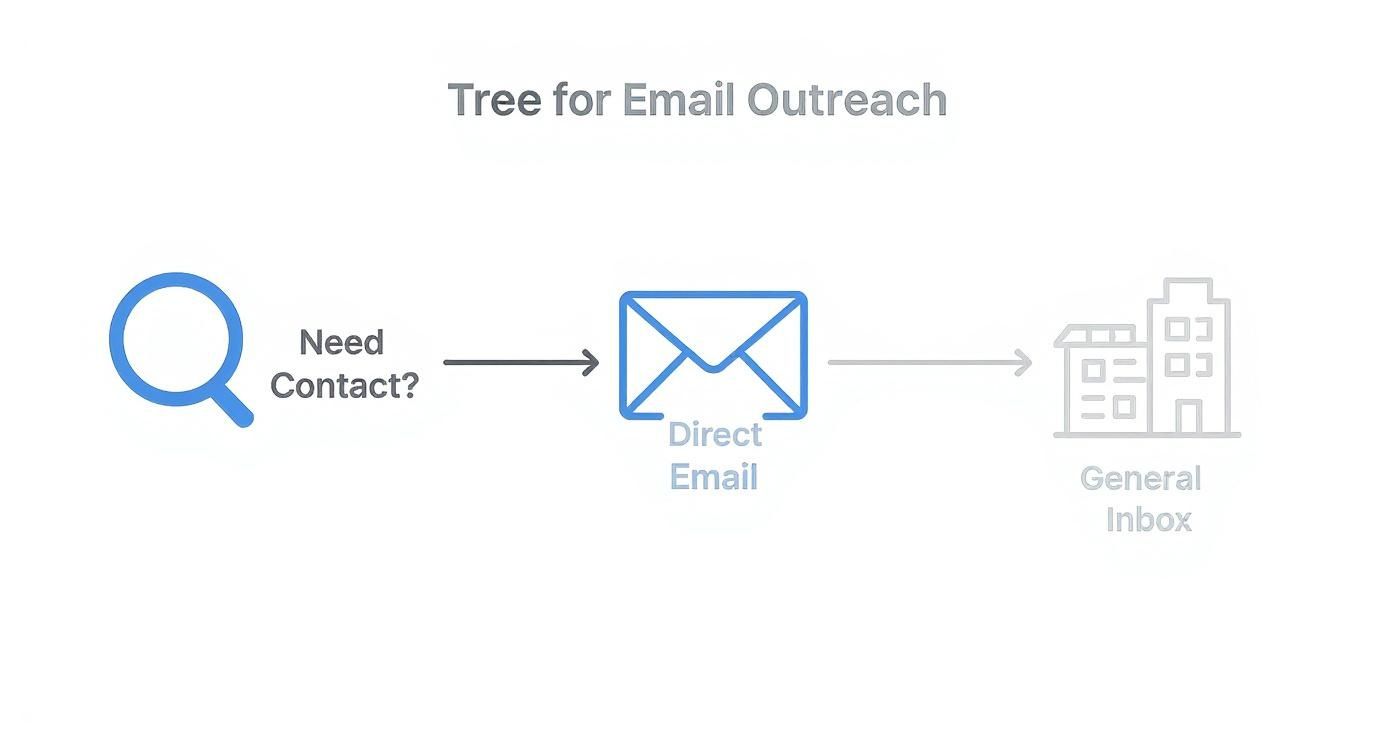
The takeaway here is simple: if you have a specific person in mind, go for their direct email. But if you come up empty-handed after a quick search, a general inbox is a perfectly good fallback. If you want to get more advanced with this, our guide on how to find an email address from a website has a few more tricks up its sleeve.
Harnessing Social and Search Power
If the company website is a dead end, don't worry. Your next move is to hit the professional networks and fire up your search engine skills. LinkedIn is an absolute must-have, not just to confirm someone's name and title, but also to spot hidden clues.
A lot of pros put their email right in the "Contact Info" section of their LinkedIn profile. Some even drop it into their summary to make it easy for people to reach out.
And never, ever underestimate a well-crafted Google search. Using the right search operators can help you dig up email addresses that Google has indexed but aren't obvious on the company's site.
Pro Tip: Try combining a person's name and company with common email patterns in your search. For instance, a search like
"Jane Doe" AND "Acme Inc" AND (email OR contact)can often pull up their details from a third-party site, like a conference speaker bio.
Another surprisingly effective trick is to search for a potential email address in quotes, like “jane.doe@acmeinc.com”. This tells Google to find that exact phrase. If it pops up anywhere online, you’ve hit the jackpot. It can feel like a long shot, but when this works, it’s one of the fastest ways to confirm a company email without any special tools.
Using Email Finder Tools for Rapid Results
So, you’ve hit a wall with the manual methods. It happens. When digging through websites and social profiles turns up nothing but dead ends, it’s time to bring in the technology.
This is where email finder tools shine. These are specialized platforms and browser extensions built for one purpose: to unearth professional email addresses in seconds. For anyone in sales, marketing, or business development, they're an absolute game-changer, saving you from hours of tedious digital detective work.
They work their magic by crawling the web, cross-referencing massive contact databases, and using smart algorithms to predict the most common email patterns at a specific company. This turns a frustrating, manual search into a single click.
Choosing the Right Tool for Your Workflow
The market is packed with great options, but they aren't all created equal. Some are designed for nabbing individual emails on the fly, while others are built to process huge prospect lists in bulk. Knowing the difference is key to picking the right one for your workflow.
Here’s a quick look at some of the most popular choices out there:
- EmailScout: Perfect for anyone who needs a powerful, free solution. The Chrome extension lets you grab emails with one click directly from websites and LinkedIn profiles. Its AutoSave feature is also great for building lists as you browse.
- Hunter.io: A veteran in the space, known for its killer Domain Search feature. This shows you all the known email addresses tied to a company's website, which is incredibly useful for mapping out entire departments.
- Snov.io: This one bills itself as an all-in-one cold outreach platform. It combines an email finder with a verifier and a campaign sender, making it a solid choice for teams that handle the entire outreach process from start to finish.
These tools aren't just about finding an address; they’re about speed and scale. They empower a single person to accomplish in minutes what would have taken a team hours to do manually.
When you're trying to decide, think about things like accuracy rates, how many free searches you get each month, and whether it integrates with your CRM or other sales tools. To help narrow it down, check out this detailed comparison of the best email finder tools available today.
A Look at Email Finders in Action
Let's say you need to contact the marketing manager at a hot new tech startup. With an extension like Hunter.io installed, you just head over to the company’s website and click the little extension icon in your browser.
Instantly, the tool pops up a list of publicly found emails linked to that domain. It often even sorts them by department and, most importantly, reveals the company's most common email pattern. This not only helps you find your target contact but also gives you the formula to accurately guess other emails at that company.
These tools are a massive upgrade to your strategy for how to find a company email address.
The Art of the Educated Guess
Sometimes, the best tool for finding an email address isn't a complex piece of software—it's just a bit of logic. Most companies, from tiny startups to massive corporations, use a standardized pattern for their email addresses. If you can crack that code, you can figure out just about anyone's email.
Your starting point is finding a single, valid email address from your target company. This could be from a press release, a team member's LinkedIn, or an old email thread. Think of this one email as your Rosetta Stone; it’s the key to deciphering the entire organization's email structure.

Uncovering Common Email Patterns
Once you have a name and a confirmed email, you can work backward to find the pattern. For instance, if you know John Smith's email is jsmith@acme.com, you’ve likely found the formula: first initial + last name.
Thankfully, most businesses stick to just a handful of common formats. This predictability is your secret weapon.
- First Initial, Last Name:
jsmith@company.com - First Name Only:
john@company.com - First Name, Last Name Initial:
johns@company.com - Full Name with a Dot:
john.smith@company.com - Full Name with an Underscore:
john_smith@company.com
This isn't by accident. With nearly 4.5 billion global email users, companies need simple, predictable formats to manage communications. That makes email one of the best channels for outreach—in fact, 60% of consumers prefer brands contact them via email. If you want to dive deeper, you can explore the latest email marketing statistics to see just how powerful it is.
Hold on, though. The goal isn't to blast every possible combination with emails. The smart move is to generate a list of the most likely variations, then use an email verification tool to see which ones are valid—all without ever hitting "send."
Generating and Testing Permutations
Let's say you're trying to reach Sarah Connor at cyberdyne.com. You can start building out the possibilities. And you don't have to do it by hand.
There are plenty of free online tools known as email permutation generators that will do the heavy lifting for you. Just plug in the first name, last name, and domain, and they’ll spit out a comprehensive list in seconds.
Your list might look something like this:
sarah.connor@cyberdyne.coms.connor@cyberdyne.comsarahc@cyberdyne.comsconnor@cyberdyne.com
The final step is crucial: run that list through a free email verifier. These tools will ping the company's server (without sending an email) to check which addresses actually exist and which will just bounce back.
This two-step process—generate, then verify—is a surprisingly powerful and cost-effective way to turn a wild guess into a confirmed contact.
How to Verify Emails and Protect Your Reputation
Finding what you think is the right email address is a good first step, but your work isn't done. Sending a message to an invalid address isn't just a waste of time—it can actively wreck your sender reputation.
When your emails bounce, providers like Gmail and Outlook take notice. A high bounce rate is a huge red flag that you might be a spammer, which means your future emails are more likely to get buried in the junk folder or blocked entirely.
This is exactly why email verification is a step you can't afford to skip. It's the final quality check that makes sure your messages actually land in someone's inbox. A clean email list is everything.
Understanding Email Verification Statuses
When you run an email through a verification tool, you'll get more than just a simple "good" or "bad." The status tells you exactly how you should proceed.
- Valid: This is your green light. The email server confirmed the address exists and is ready to receive mail. You're good to go.
- Invalid: This one's a dead end. The address is no good, and sending to it will cause a hard bounce. Get it off your list immediately.
- Catch-All (or Risky): Here's where things get tricky. A catch-all server accepts email for any address at that domain, so it's impossible to know for sure if your contact's inbox is real. Some might be fine, but you're taking a chance.
Sending to a catch-all address is a calculated risk. If it's a high-value contact, maybe it's worth the gamble. But for any kind of bulk campaign, you're much safer sticking to the addresses confirmed as valid.
Tools for Reliable Email Verification
There's no practical way to check emails by hand, which is where dedicated verification services come in. These tools ping email servers to check an address's status without actually sending an email, protecting your reputation while confirming if it's deliverable.
To keep your sender score high and ensure your emails get through, integrating with reliable email verification services like Briteverify is a smart move.
Another great approach is to use a tool that finds and verifies emails. Many modern email finders have this built-in, but for a more detailed breakdown, our guide on how to validate an email address covers more specialized options.
Go Beyond Verification with Data Enrichment
Once you've confirmed an email is valid, you can really elevate your outreach with data enrichment. This process takes a single data point—like an email address—and uses it to find and add other valuable information. Think job titles, company size, social media profiles, and even location.
This extra context turns a simple email address into a detailed professional profile. Now, instead of a generic "Hi there," you can personalize your message with details relevant to their specific role or company. This small step can dramatically improve your response rates and turn a cold outreach into a real conversation.
Turning Your Found Email into a Real Conversation
So you did it. You found a verified email, and that’s like getting a key to a locked door. But here's the thing: now you have to actually turn that key. The final, most important step is writing an outreach message that gets opened, read, and—most importantly—replied to. This is where your digital detective work becomes a real professional connection.
This isn’t about blasting out generic templates. Effective outreach is built on genuine personalization. It means going way beyond simple mail-merge fields like [First Name] and showing you’ve actually done your homework. A quick mention of a recent project they led, a company announcement you saw, or a shared connection can instantly set you apart from the dozens of other emails clogging their inbox.
Crafting a Message That Resonates
The goal here is simple: provide value, don't just ask for something. Your opening line should immediately show that you understand their world. Frame your message around their needs, challenges, or recent wins before you even think about introducing your own agenda.
Here are a few ways to approach it:
- For a Sales Inquiry: Don't lead with your product. Mention a recent company milestone instead. Something like, "Congrats on the successful product launch—I imagine scaling your support team is a top priority right now."
- For a Networking Request: Pinpoint a specific piece of their work that caught your eye. "I was really impressed by your talk on sustainable logistics at the recent trade show…"
- For a Partnership Proposal: Connect what you do directly to their stated goals. "I saw your company is expanding into the APAC region, and our distribution network there could help you accelerate that timeline."
Inbox competition is fierce. The average cold email open rate has dropped to around 27.7%, with replies hovering at a mere 5.1%. But here’s the good news: well-targeted and personalized messages can completely flip those numbers, hitting open rates over 50% and replies between 15-25%. It proves that how you use the email matters just as much as finding it in the first place. You can find more B2B cold email statistics on martal.ca.
Maintaining Ethical and Legal Standards
All that hard work goes down the drain if your email gets flagged as spam or, worse, violates regulations. Ethical communication isn't just a nice-to-have; it's a legal requirement that protects your sender reputation and keeps your business compliant.
Knowing the rules is non-negotiable. Two key regulations you absolutely need to be aware of are:
- CAN-SPAM Act: This US law sets the rules for commercial email. The big takeaways? You must provide a clear way for people to opt out and include your valid physical postal address. No exceptions.
- GDPR (General Data Protection Regulation): If you're contacting anyone in the European Union, you must have a lawful basis for processing their personal data—which includes their email address.
These rules all boil down to transparency and consent. Be upfront about who you are and why you're reaching out, and make unsubscribing effortless. To make sure your outreach lands well, using resources like professional email response templates can give you a solid foundation.
When you combine a verified email with a thoughtful, compliant, and personalized message, you give yourself the best possible chance of starting a real dialogue.
Ready to stop guessing and start connecting? EmailScout's powerful Chrome extension helps you find verified emails from websites and LinkedIn in a single click, so you can focus on crafting the perfect outreach message. Find unlimited emails for free with EmailScout.