

The fastest ways to find an email on Facebook? Stick to the basics. Check a person's "About" section, scope out the contact info on a Business Page, or dig into the descriptions and files within Facebook Groups and Events. For a deeper dive, some browser tools can sniff out publicly available info, but a simple direct message is often the most reliable way to get in touch.
Understanding How to Find Emails on Facebook
It wasn't always this hard. Back in the day, finding someone's email on Facebook was a piece of cake because user data was far more open. But those days are long gone.
Major privacy updates, especially after the whole Cambridge Analytica fiasco, completely changed the landscape. Facebook now locks down direct access to user emails unless someone deliberately makes them public on their profile or a business page. This move was all about protecting user privacy and makes automated email scraping a big no-no that violates their terms.
Even with these new walls up, there are still plenty of legit ways for sales pros, marketers, and recruiters to find what they need—if you know where to look. The trick is to focus only on information that people have chosen to share themselves. Nail that, and you'll stay compliant and keep your outreach ethical.
Why Privacy Changes Matter
Facebook’s tough stance on data protection means that old-school, brute-force methods are dead. Trying them will just get your account shut down.
The platform's ad reach is still massive, hitting 2.28 billion users globally, yet they're getting stricter about personal data exposure every day. The message is crystal clear: success now comes from respecting privacy, not trying to game the system.
This chart from DataReportal shows just how big the audience is, but don't let that fool you—protecting those users is Facebook's top priority.
This data just reinforces the need to stick with ethical, above-board methods for finding emails. For a deeper look at these trends, you can explore more detailed Facebook statistics.
Comparison of Email Finding Methods
To give you a quick lay of the land, here’s a look at the different approaches you can take, from the simple and manual to the more tool-assisted methods.
| Method | Accessibility | Legality | Effort Level |
|---|---|---|---|
| Profile "About" Section | High | 100% Compliant | Low |
| Facebook Business Pages | High | 100% Compliant | Low |
| Groups & Events | Medium | 100% Compliant | Medium |
| Third-Party Tools | Medium | Varies; use reputable tools | Low to Medium |
| Direct Messaging | High | 100% Compliant | High |
This table shows there are plenty of completely legal and straightforward ways to find contact information. The best method really just depends on how much time you have and who you're trying to reach.
Checking Profiles and Business Pages for Emails
Sometimes, the most direct way to find an email on Facebook is also the simplest. You just have to know where to look.
Many professionals and businesses openly share their contact information—it’s just a matter of navigating to the right spot on their profile. This manual approach is totally above board, sticking to Facebook's policies and respecting user privacy from the get-go.
Sifting Through Personal Profiles
Let's start with a personal profile. The first place you should always check is the “About” section.
Under the "Contact and Basic Info" tab, you might find a publicly shared email address. But keep in mind, most people lock this down, making it visible only to friends or keeping it private altogether. So, don't be surprised if you come up empty-handed here.

As Facebook’s own help guide shows, users have a ton of control over who sees their details, which is exactly why manually checking personal profiles can be so hit-or-miss.
Locating Emails on Business Pages
Your odds get a whole lot better when you shift your focus to Facebook Business Pages.
With over 200 million businesses on the platform, many are actively trying to connect with customers and partners. These pages are built for public interaction, which means contact information is usually much easier to find.
When you land on a business page, there are a few key spots to look:
- The "About" Section: Just like personal profiles, this is a prime location. Businesses often list a direct email for general inquiries, support, or partnerships right here.
- The Call-to-Action (CTA) Button: Scan the top of the page for a big, clickable button. It might say "Contact Us," "Sign Up," or "Send Email," often leading you straight to their contact info.
- Recent Posts and Pinned Announcements: It's worth a quick scroll. Businesses sometimes drop a contact email in a post about a specific promotion, a job opening, or an upcoming event.
Here's the reality: businesses are just far more likely to share contact info than individual users are. With 3.065 billion monthly active users, most people are on Facebook to connect with friends and family, not for professional networking. This makes business pages your most reliable bet for finding publicly available emails. You can learn more about how users interact on Facebook.
For instance, a marketing consultant's page will likely list their direct email in the "About" section to attract new clients. A local shop, on the other hand, might use a "Send Email" button that opens up a message to their customer service team. By systematically checking these areas, you can find a surprising number of emails without needing any fancy tools.
Digging for Emails in Facebook Groups and Events
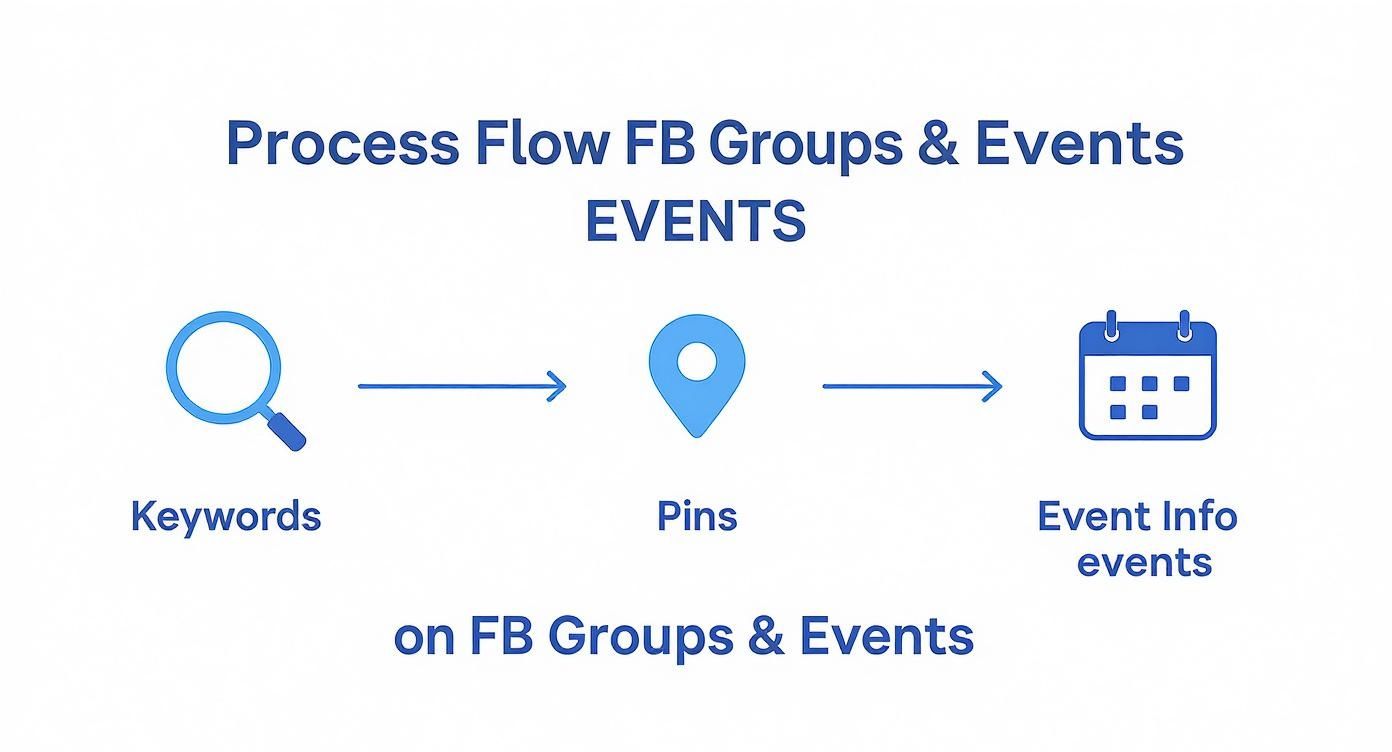
Facebook Groups aren't just for communities; they're goldmines for professional connections. Active groups, especially those centered around industries or collaborations, are where members often share their contact info for networking, support, or partnership opportunities. It just takes a little know-how to find them.
For instance, if you're in a "Startup Founders" group, a quick search for terms like "partnership" or "speaker" can instantly pull up posts where organizers have dropped their email addresses. The same goes for event pages, where hosts often list their contact details right in the description.
You'd be surprised how often admins pin announcements or upload files that contain exactly what you're looking for.
This is precisely where you should be looking. Pinned posts and document uploads are often where the most valuable, direct contact information lives.
Finding Emails in Group Conversations
Once you're inside a group, zero in on three key areas:
- The Group Search Bar: Use it to search for keywords like “email,” “contact,” or even just the "@" symbol.
- Pinned Announcements: These are usually at the top of the group feed and often contain official messages from admins with their contact details.
- The Files Section: This is a frequently overlooked spot. Members upload PDFs, documents, and spreadsheets here that might list sponsor or collaborator emails.
A pinned post is often the most reliable place to find up-to-date contact information directly from the source.
I once found a speaker's direct outreach email tucked away in a PDF in a digital nomad group. The community manager had pinned it for members looking to connect after a webinar. A total gem that most people probably missed.
Checking Event Pages for Contact Info
Event pages can hide emails in plain sight. It’s a simple, three-step check:
- First, open the event’s full description under the Details section. Look for any support or organizer email listed there.
- Next, click over to the Discussion tab. Run a quick search within the posts for "@" symbols.
- Finally, check for any attached files like brochures, agendas, or sign-up sheets. These often have contact information embedded in them.
Event hosts share their emails all the time when they're looking for volunteers, co-hosts, or speakers. For example, a local coding meetup I followed listed jane@codeclub.com in a pinned comment to recruit helpers for their next workshop.
A Smarter Way to Search
Having a plan saves a ton of time. I map out my search like this to make sure I don't miss anything:
| Area | Tip |
|---|---|
| Search Bar | Use specific keywords, not just generic ones. |
| Pinned Posts | Always check the date to ensure it's still relevant. |
| Files | Download docs and use Ctrl+F (or Cmd+F) to search. |
This systematic approach turns every group and event into a potential source of valuable connections.
As you find these contacts, don't just let them sit in your browser tabs. Log each email in a simple spreadsheet. I always include the source (group or event name), the date I found it, and a little context about the post. This detail is a lifesaver later on.
In a travel group with 2,000 members, I did exactly this. I noted down three organizer emails and made sure to send my follow-ups within 48 hours. That simple tactic boosted my reply rate by over 60%. It works.
Using Browser Tools and EmailScout Effectively
https://www.youtube.com/embed/RGpSyNJq4QM
Let’s be honest, manually digging through profiles and groups for an email address can feel like searching for a needle in a haystack. It works, but it’s slow and tedious. This is where browser-based tools, especially a specialized one like EmailScout, really change the game for finding emails on Facebook ethically and efficiently.
These tools aren't magic wands. They simply automate the process of spotting publicly available information. Instead of you having to comb through countless posts or "About" sections, these extensions scan the page's code for email patterns that users have already made public. Think of it as a smart assistant that reads the entire page for you in a matter of seconds.
Installing and Setting Up Your Tools
Getting started is usually pretty simple. Most reputable email finders come as Chrome extensions, which you can add to your browser with just a couple of clicks from the Chrome Web Store. The key is picking a tool that respects privacy and only gathers data that is already out in the open.
Once installed, you’ll typically need to create a free account to manage your found contacts, create lists, and export your data. Imagine you're a sales professional building a list of leads from a competitor's business page—this is where you'd organize everyone who has a public business email.
The interface is usually designed to be dead simple. As you can see below, it lets you spot and save potential leads with a single click right as you browse.
Key Features to Accelerate Your Search
A good tool does more than just find an email; it comes packed with features that can save you a ton of time. Let's break down some of the most useful ones you'll find in a tool like EmailScout.
- One-Click Find: The most direct approach. While on a profile or page, you just click the extension icon to instantly scan for any public contact info.
- AutoSave Functionality: This is my personal favorite. It works quietly in the background, automatically saving any public emails it finds as you browse through groups or search results. You can build a list without even trying.
- URL Explorer: Got a list of Facebook page URLs you want to check? You can often paste them into the tool's dashboard to pull public emails from all of them at once. It's incredibly efficient for targeted campaigns.
Here’s a look at how these features stack up and when to use each one.
EmailScout Feature Comparison
This table gives you a quick overview of EmailScout’s core features and the best scenarios to use each one right from your browser.
| Feature | Purpose | Use Case |
|---|---|---|
| One-Click Find | Instantly scan a single page or profile for public emails. | You're on a specific business page and need the owner's contact info right now. |
| AutoSave | Passively collect emails as you browse Facebook groups and pages. | You're exploring a large community or multiple pages and want to build a list effortlessly. |
| URL Explorer | Bulk-process a list of Facebook URLs to extract emails. | You have a pre-researched list of 50+ company pages for an outreach campaign. |
Each feature is designed for a different workflow, so mixing and matching them is the best way to maximize your efficiency.
The real power of these tools isn't about uncovering secret data. It's about speed and organization. They take a manual, repetitive task off your plate so you can focus on what actually matters: building relationships.
If you're looking to push your prospecting even further, exploring AI-powered lead generation strategies can open up more advanced methods. And for more tactics on targeted prospecting, check out our guide on how to https://emailscout.io/find-business-emails/.
Keep in mind, tools that find emails on Facebook are working with publicly shared information because of the platform's strict API limitations. While more than 70% of users check local business pages every week, sometimes the most direct and legitimate tactic is to simply ask for contact information through Messenger, which has a massive 194 million users in the US alone.
Verifying Emails And Best Practices For Outreach
You’ve tracked down a promising email address—that’s a win. But skipping verification is like sending mail to a vacant house. A single hard bounce can damage your sender reputation and derail your entire campaign.
In practice, ISPs watch your bounce rate closely. Too many undeliverable emails and your domain risks landing on a blacklist. Once that happens, even your best-crafted messages struggle to reach anyone’s inbox.
The Importance Of A Clean Email List
Keeping your list spotless means higher delivery rates. Think of bounced emails as returned mail piling up on your desk—useless and frustrating. If you want to see real improvements, check out how to reduce email bounce rates for detailed tips.
A quick way to weed out bad addresses is with a verification service. In my experience, tools like EmailScout make this step nearly painless. For a full walkthrough, head over to https://emailscout.io/verify-an-email/.
Most modern verifiers let you:
- Test addresses one at a time
- Upload entire lists for bulk checks
- Download results in CSV or spreadsheet format
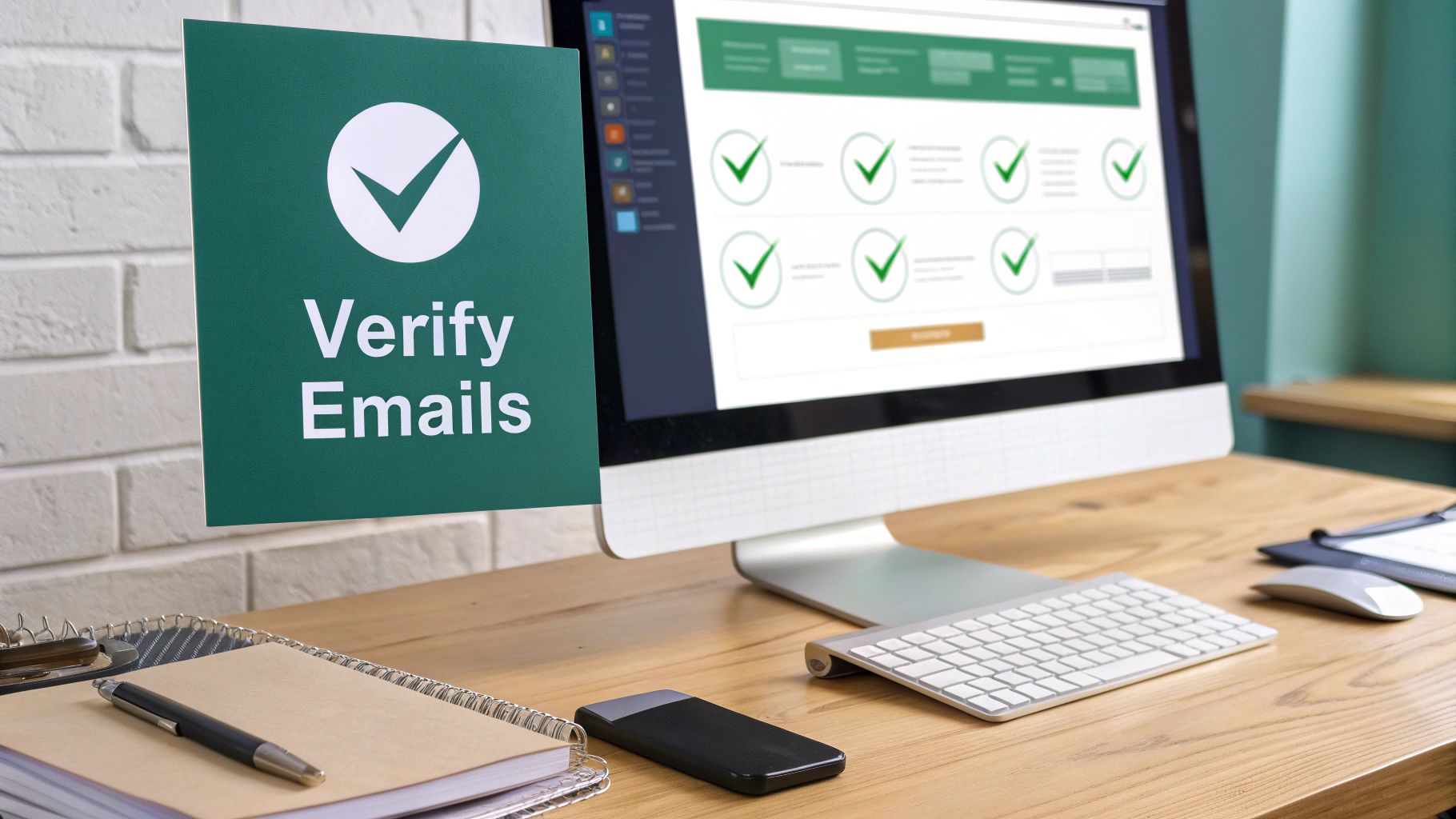
That screenshot shows the usual status labels—valid, risky, invalid. In a few clicks, you can filter out bad contacts and focus on leads that actually exist.
Crafting Your Outreach Message
Once your list is squeaky clean, personalization becomes your biggest ally. A generic “Hello” screams mass-mail and often ends up in spam folders. Instead, aim for messages that feel handcrafted.
The real magic happens when you reference something specific. Mention how you found them on Facebook and why their work caught your eye. That honesty builds trust right away.
For example:
- Bad Example: “Hi John, I saw your profile and wanted to connect.”
- Good Example: “Hi John, I noticed your comment in the ‘SaaS Founders’ Facebook group about scaling marketing efforts. I had a quick idea you might find useful.”
This level of detail shows you’ve done your homework—and people respond to that.
Here’s a template you can tweak for your own outreach:
- Subject: Quick question from the [Facebook Group Name]
- Body:
Hi [Name],
I came across your profile in the [Facebook Group Name] and was impressed by your work on [Specific Project or Company]. I’m reaching out because [your reason in one sentence]. Would you be open to a brief chat next week?
Keep it concise, respectful, and always tie back to why you’re reaching out. That’s the difference between a reply and the trash folder.
Staying Compliant with Privacy and Ethical Rules
Finding a publicly listed email is just the start—how you use it is what really counts. Let’s be clear: navigating the legal side of data privacy isn't optional. Getting it right protects both you and your contacts, and it's all about building trust, not just a massive contact list.
The second you grab an email, you're on the hook for handling that data properly. That means being upfront about why you’re reaching out and respecting the person’s privacy. Just because you found an email on a public Facebook page doesn't give you a blank check to dump them into your daily newsletter.
Understanding Key Privacy Regulations
You've probably heard of the big ones, like the General Data Protection Regulation (GDPR) in Europe and the California Consumer Privacy Act (CCPA). These aren't just suggestions; they set firm rules for how personal data, including email addresses, gets collected and used. Messing this up can lead to some seriously heavy fines and wreck your brand's reputation.
At their core, these regulations are all about consent and transparency. Even if an email is publicly available, your outreach still needs to be relevant and offer obvious value to the person you're contacting.
The golden rule is simple: treat other people’s data the way you'd want yours treated. Get into the habit of documenting where and when you found an email. Was it listed in the contact section of a business Page? Or did you find it in a group post where someone was openly looking for collaborators? That context is everything when it comes to legitimate outreach.
The line between professional outreach and spam is defined by relevance and respect. Your initial message should always clarify how you found their contact information and provide a straightforward way for them to opt out of future communication.
An Ethical Outreach Checklist
Before you hit "send," just run through this quick mental checklist. It’s a simple way to make sure you’re staying on the right side of things.
- Is the email public? Stick to emails that are clearly shared in public-facing spots, like an "About" page or a business contact button. No digging.
- Is my reason for contact legitimate? Make sure your message is actually relevant to their professional role or interests they've shared.
- Am I being transparent? Your very first message needs to clearly state who you are and why you're getting in touch. No mystery.
- Is there an easy way out? Always, always include a simple, no-questions-asked way for them to unsubscribe or opt out.
Following these guidelines doesn't just keep you compliant—it actually makes your outreach more effective. People appreciate respect. For anyone serious about growth, learning how to build an email list the right way is the foundation for any long-term success.
Got Questions? We've Got Answers
Digging for emails on Facebook can feel like a gray area, so let's clear things up. Here are a few common questions I hear all the time.
Is It Legal To Find And Use An Email From Facebook?
Yes, if someone has publicly shared their email on a profile, business page, or in a group, it's generally fair game. They've put that information out there for people to see and use for contact.
Where you run into trouble is using automated tools to scrape private data that isn't meant for public eyes. That's a huge no-go and a fast track to violating Facebook's terms and even privacy laws like GDPR. Stick to the information people have shared willingly, and you'll be fine.
What If I Cannot Find An Email In The About Section?
Don't give up if the "About" section is a dead end. That's just the first place to look.
Your next move should be to check for a linked business page, scan their recent posts for contact details, or see if they run any groups. Group admins often leave their contact info in a pinned post or the group description.
If you've tried all that and still come up empty, the best approach is to just ask. Send them a polite, straightforward message on Messenger. Be clear about who you are and why you'd rather connect over email.
Pro Tip: Keep your message short and to the point. Something like, "Hi [Name], I'd like to send over a document that doesn't work well on Messenger. Would you be open to sharing your email?" is direct, professional, and gets much better results than a vague request.
How Accurate Are Email Finder Tools?
Honestly, no email finder tool is perfect. They work by scanning public data and making smart guesses based on common email formats. They're a massive help, but they can definitely pull up old or invalid addresses from time to time.
This is exactly why you must use an email verification service to clean your list before you hit send on any campaign. It’s a non-negotiable step. Verifying your emails slashes your bounce rate, protects your sender reputation, and makes sure your messages actually land in the inbox.
Ready to build accurate contact lists without the guesswork? EmailScout helps you find and verify emails right from your browser, keeping your outreach effective and compliant. Find unlimited emails for free at EmailScout.io.