Tag: b2b outreach

  • Why Outreach Is Important: A Practical Guide for 2026

    Why Outreach Is Important: A Practical Guide for 2026

    Priya has three meetings on next week's calendar, a sequence reporting a 3% reply rate, and a manager asking why pipeline coverage is below target. Her instinct is to send more emails. That instinct is understandable, but it can make the underlying problem worse if the list is stale, the message is generic, or the sending infrastructure is already struggling.

    That tension explains why outreach is important and why the usual answer is incomplete. Outreach gives a team control over who enters the funnel, but most cold messages don't produce a reply. One benchmark places average cold email response rates at 1% to 5%, while another reports that only 8.5% of outreach emails receive a response, as summarized by Common Room's outreach response-rate analysis. The practical question for 2026 isn't whether outreach deserves a place in the revenue plan. It's under what conditions outreach pays off.

    The Empty Calendar Problem and Why Outreach Still Matters

    Priya's calendar isn't empty because the product is automatically weak. It may be empty because the company hasn't created enough relevant conversations with the right accounts. Inbound demand can be uneven, referrals depend on existing relationships, and a strong brand takes time to build. If those channels slow down, the sales team needs another way to create opportunities.

    That's where outreach earns its place. A well-run outbound motion lets a team select target accounts, identify relevant contacts, test a business problem, and create a measurable first touch without waiting for a prospect to discover the company. It doesn't guarantee interest. It creates access to buyers who may never search for the category, attend the right event, or receive a referral.

    The channel is difficult precisely because the baseline probability is low. Independent 2026 benchmark reporting puts average B2B cold email reply rates at 3.43%, with 5% to 10% considered good and more than 10% considered excellent, according to Instantly's cold email reply-rate benchmarks. In a typical campaign, that means the overwhelming majority of sends won't create a reply. Treating that result as proof that outreach is useless misses the operating challenge. Treating it as permission to blast more volume misses it too.

    Practical rule: A flat pipeline is often a distribution problem before it's a product problem.

    Outreach controls top-of-funnel access, but only when the team protects the conditions that make access valuable. Account selection, contact accuracy, deliverability, timing, message relevance, and follow-up all affect whether a send becomes a conversation. The rest of this guide focuses on those conditions, not on defending indiscriminate cold email.

    What Outreach Actually Is in 2026

    Outreach is a measurable touchpoint system, not a single cold email. It combines prospecting, messaging, channels, cadence, and measurement into one operating model. A useful overview of the broader discipline is this guide to what outreach marketing means, but the practical definition starts with what the team does every day.

    First, prospecting identifies accounts and contacts that fit the intended customer profile. Second, messaging turns a relevant business signal into a clear reason to respond. Third, channels determine how the team reaches the buyer. Email can provide scale, LinkedIn can add context, phone can create a direct path for high-value accounts, and partners can transfer trust. Fourth, cadence determines when each touch happens and when the team stops.

    Measurement closes the loop. Teams should track delivery, opens where the data is reliable, replies, positive replies, meetings, opportunities, and eventual revenue contribution. Each metric answers a different question. A delivery problem isn't fixed by rewriting the value proposition, and a weak positive-reply rate isn't fixed by adding more follow-ups to an irrelevant list.

    A diagram explaining the strategic approach to outreach in 2026, featuring six core principles for effective relationship building.

    Outreach behaves like a thermostat

    A light switch is binary. A thermostat is continuous. It regulates pipeline temperature through repeated, controlled inputs rather than one dramatic blast.

    That analogy matters in 2026 because inboxes contain more generic, machine-generated messages and buyers have more ways to ignore them. A sequence should adjust based on evidence. If a segment opens but doesn't reply, the problem may be relevance or the call to action. If messages aren't delivered, the problem is infrastructure or list hygiene. If replies arrive but meetings don't, the qualification or handoff may be broken.

    A mature outreach system also creates value beyond immediate meetings. It reveals which accounts recognize the problem, which objections recur, and which language earns attention. Those signals can improve positioning, product feedback, partnerships, and future campaigns. Outreach is important because it creates a repeatable learning loop, not because every message deserves a response.

    Strategic Benefits That Move the Business Forward

    Outreach deserves a standing place in the revenue operating system when it performs three jobs that passive channels can't reliably perform: it creates pipeline access, increases market familiarity, and opens relationships before a formal buying process begins.

    Pipeline access without waiting for demand

    A sales team can choose which accounts to pursue and decide how much effort to allocate to each segment. That control distinguishes outbound from channels governed by search rankings, advertising auctions, or referral timing. It also makes outreach useful when a company enters a new market and has little existing recognition.

    Control doesn't mean certainty. The team still needs a credible offer, accurate contacts, and a message that earns attention. But the company can change the target list, test a different trigger, or adjust the sequence without waiting for a platform algorithm or a prospect's search behavior to change.

    Brand familiarity through useful contact

    Non-responders still encounter the company name, but exposure alone isn't a strategy. A sequence that repeats a vague pitch can damage recognition. A sequence that demonstrates clear understanding of a buyer's situation can make the company easier to remember when the problem becomes urgent.

    Restraint matters. Brand value comes from relevance and consistency, not from flooding a market with near-identical messages. The sender should give the recipient a reason to remember the company, such as a useful observation, a specific operational question, or a credible point of comparison.

    Relationships before active evaluation

    Many valuable accounts won't discover a vendor at the moment they need one. Early contact gives a sales professional the chance to learn how the account operates, understand its priorities, and stay relevant without forcing an immediate sales process.

    Buyer-side research summarized by InsideSales' prospecting analysis found that 82% of buyers accept meetings with proactive sellers, 71% of those buyers want contact early in the sales process, and 69% are influenced by research data relevant to their business. Those findings don't make generic outreach welcome. They support a narrower conclusion: buyers can prefer proactive contact when the seller brings timely, business-specific understanding.

    The strategic benefit, then, isn't merely more activity. It's earlier access to accounts that may later become customers, partners, sources of product insight, or internal champions. Outreach creates those possibilities only when the team treats the prospect as a relationship, not as an address in a sequence.

    The Numbers That Decide Whether Outreach Works

    Outreach ROI becomes clearer when leaders read the funnel in order. Start with delivery and opens, then examine replies, positive replies, meetings, opportunities, and cost per meeting. Each stage filters the next. A campaign with strong opens but weak positive replies has a different problem from one that can't reach the inbox.

    The available benchmarks show why teams shouldn't use a single number as proof of success. Sales email open rates have been benchmarked around 23.9%, while cold email reply rates have been reported around 5.1% to 8.5% in one sales-statistics summary, and personalization has been associated with movement from about 9% to 18% in response rates, according to Outplay's sales statistics. A separate 2026 benchmark places average B2B cold email reply rates at 3.43%, with 5% to 10% viewed as good, as noted earlier.

    Use the funnel as a refusal mechanism

    Leaders should be able to stop a campaign before it consumes more sending capacity. If the team sees weak delivery, it should inspect domains, authentication, and address quality. If delivery is healthy but replies are poor, it should challenge the list, trigger, offer, and copy. If replies are positive but meetings don't materialize, the handoff and scheduling experience need attention.

    A campaign underperforming on positive replies deserves a fundamentals review before a volume increase. The exact threshold depends on segment, offer, and deal economics, so it shouldn't be treated as a universal law. The operating principle is firm: don't scale a funnel that hasn't earned the right to scale.

    Channel Open Rate Reply Rate Positive Reply Meeting Rate Cost Per Meeting
    Cold email Track by campaign Benchmark against the 2026 range Track separately Track from qualified replies Calculate from labor and tooling
    Warm outbound Track by campaign Compare with cold baseline Track separately Track by source Calculate by channel
    LinkedIn-assisted sequence Platform-dependent Compare with email-only motion Track separately Track assisted meetings Include human time
    Partner introduction Not applicable Track acceptance and response Track separately Track referred meetings Include partner effort

    The table is a measurement structure, not a set of invented channel averages. For CAC and payback decisions, connect campaign costs to qualified opportunities and closed revenue. A customer acquisition cost calculator can help teams make that calculation explicit instead of treating booked meetings as the finish line.

    Instrument tracking from the first send. By the second week, the team should know which segment, message, and touch generated useful responses, even if the sample remains too small for a final verdict.

    Channels, Tools, and Where EmailScout Fits

    No single outreach channel wins across reach, cost, signal quality, speed, and buyer preference. The strongest motions assign each channel a job instead of forcing every prospect through the same sequence.

    Channel Reach Signal quality Time to scale Best role
    Email Broad Depends heavily on data and personalization Fast Scaled, targeted first contact
    LinkedIn Moderate Stronger when profile activity adds context Moderate Warmer recognition and signal collection
    Phone Narrower Direct conversational signal Slow High-value accounts and active opportunities
    Partnerships Limited by network High trust when the introduction is relevant Slow Referrals, routing, and credibility

    Email works well for structured testing because teams can vary subject lines, opening context, calls to action, and follow-up timing. LinkedIn can make the first touch feel less anonymous, but it requires more manual judgment. Phone creates fast feedback, although the time cost makes it difficult to apply indiscriminately. Partnerships can produce stronger trust, but the team can't manufacture a partner network overnight.

    Deliverability sits underneath the entire email motion. Before increasing volume, teams should review practical guidance on how to keep emails out of Gmail spam, verify addresses, protect sending reputation, and separate marketing assumptions from mailbox reality.

    Build a small operating stack

    The minimum useful stack connects four functions:

    • Contact discovery: Find decision-makers and verify that their roles and addresses are current.
    • Data enrichment: Add firmographic and behavioral context so the message has a reason to exist.
    • Sequence orchestration: Schedule touches, manage inboxes, test variants, and classify replies.
    • CRM reporting: Connect responses and meetings to accounts, opportunities, and revenue.

    EmailScout can sit in the email-side orchestration layer, with functions for discovering addresses from webpages, saving contacts while browsing, exploring multiple URLs, and supporting sequence operations. Pairing it with a CRM such as HubSpot, Salesforce, or Pipedrive and an enrichment source such as Apollo or ZoomInfo gives the team a connected workflow. A practical comparison of available options appears in this overview of email outreach tools for 2026.

    The tool doesn't replace judgment. It reduces repetitive list-building and inbox-triage work so reps can spend more time interpreting signals and responding to people.

    Running Your First Outreach Sprint Step by Step

    A first sprint should be small enough to inspect and structured enough to teach the team something. Use a fourteen-day window, but judge each step by the quality of the evidence it produces.

    Step 1, define the account profile

    Start with closed-won customers. Look for common firmographic traits, buying triggers, job responsibilities, implementation conditions, and reasons the customer chose you. Exclude segments that look attractive on paper but repeatedly stall or produce poor-fit conversations.

    Build a 200-contact test list from those patterns. Verify each address before upload and record the account, role, trigger, source, and reason the contact belongs in the segment. The list should make sense to a sales manager reading individual records, not just to a spreadsheet filter.

    Step 2, write three message variants

    Create three versions around the same business problem. One can lead with a specific trigger, another with an operational observation, and the third can be a no-pitch opener that asks a precise question. Keep the requested action easy to understand and avoid burying the reason for contact beneath product language.

    A useful review standard is whether a stranger could explain why they received the message. For broader guidance on reducing rep workload while improving selling discipline, consult this guide to smarter selling from Prometheus Agency.

    Step 3, run the cadence deliberately

    Use the following sequence:

    1. Day 0 email: Establish relevance and state one clear reason for contact.
    2. Day 2 LinkedIn connection: Add recognition without repeating the full pitch.
    3. Day 5 reply-driven phone call: Call when the account or response indicates enough value to justify the time.
    4. Day 8 short bump email: Add context or a useful clarification, rather than “just following up.”
    5. Day 10 breakup email: Close the loop respectfully and give the recipient an easy way to decline.

    Automate scheduling and follow-ups, but keep day-one reply handling manual. Early responses contain the best information about objections, fit, and message quality.

    Step 4, define the decision rules

    Set success criteria before launch. The planned thresholds are 45% or higher opens, 3% or higher replies, and 1% or higher meetings, with a minimum sample of 1,000 sends before judging the campaign, as specified in the sprint plan. These targets should be treated as operating gates, not guarantees, and they need context from the cited 2026 reply benchmarks.

    Step 5, review every Friday

    Reserve thirty minutes to compare variants, inspect positive replies, remove weak records, and queue the next test. Don't change five variables at once. Keep the winning observation, replace the weakest assumption, and document what the team learned.

    Common Outreach Mistakes and How to Avoid Them

    The most expensive outbound assumption is that more sends automatically create more pipeline. In 2026, low-quality volume can increase complaints, weaken deliverability, and waste the attention of reps who should be handling real conversations. Reporting on 2026 cold outreach describes average reply rates around 3.43%, alongside a decline from 5.1% in 2024, while another strict net-new dataset reported only 0.45% average replies across 2025 campaigns, according to Woodpecker's cold email statistics. Those figures point to segmentation and execution differences, not a universal outcome.

    An infographic detailing common email outreach mistakes including quantity over quality, ignoring deliverability, and generic value propositions.

    Fix infrastructure before copy

    Shared domains, unverified addresses, and careless sending patterns can undermine a strong message. Authenticate sending domains, verify addresses before upload, and cap daily volume at 50 per inbox during the first month as a cautious operating limit from the sprint plan. Review bounces and complaints, then pause the affected segment instead of routing more contacts into the same failure.

    Fix the list before adding touches

    Titles copied from old LinkedIn records may no longer reflect responsibilities. A contact may have the right title but no relevant initiative, no firmographic fit, and no visible reason to care. Add a current trigger, confirm the role, and remove contacts who can't plausibly own or influence the problem.

    Fix timing and specificity

    A generic subject line asks the recipient to do the research. A signal-based subject line explains why the sender chose this account now. Timing also needs testing. The Woodpecker analysis reports that morning sends and smaller-company recipients performed better in its dataset, which reinforces that outreach effectiveness is segmented rather than universal.

    A volume-first sequence might send broadly to an old list and produce almost no useful response. A tighter sequence might send to fewer, verified contacts tied to a current trigger and produce a clearer reply signal. Don't attach an invented lift to that comparison. The lesson is operational: reduce waste before increasing throughput.

    Bringing It All Together and Starting This Week

    Outreach pays off in 2026 when the team runs it as a measured system with tight targeting, deliverable infrastructure, relevant messaging, and follow-up aligned with buyer behavior. It doesn't pay off when managers use send volume as a substitute for list quality or message judgment.

    Use this one-week starting plan:

    • Day 1: Define the ICP and source a verified 200-record list.
    • Day 2: Authenticate the sending domain and warm the inbox.
    • Day 3: Draft three variants, each tied to one trigger event.
    • Day 4: Load a five-touch cadence over twelve days.
    • Day 5: Launch with a 50-per-day cap.
    • Day 6: Review reply rates by variant and disqualify the weakest performer.
    • Day 7: Schedule the next follow-up batch and document the learning.

    Your first sprint is a calibration exercise, not a pipeline promise.


    EmailScout helps teams discover decision-maker email addresses from webpages, save contacts while prospecting, and support targeted email workflows without relying on random list volume. Visit EmailScout to see how it can fit into a deliverability-conscious outreach process.

  • Lead Generation Chrome Extension: The 2026 Buyer’s Guide

    Lead Generation Chrome Extension: The 2026 Buyer’s Guide

    A sales rep finds a promising account, opens the company website, checks LinkedIn, searches for a relevant contact, copies an email into a spreadsheet, and repeats the process until the day disappears. The problem usually isn't a lack of prospects. It's the friction between discovering a relevant signal and turning that signal into a usable contact record.

    A lead generation Chrome extension puts that prospecting layer inside the browser where research already happens. The useful ones don't just reveal an email address. They help teams capture context, preserve source information, avoid duplicate records, and move from signal to contact to outreach without creating another disconnected database.

    The Modern Prospecting Workflow

    Manual prospecting breaks down through small interruptions. A rep notices that a company is hiring, visits its website, checks an executive's profile, looks for a relevant department, and then enters the findings into a spreadsheet. By the time the contact record is ready, the original reason for reaching out may be buried in a row of unstructured notes.

    A browser extension changes the point of capture. Instead of leaving the page to search a separate database, the rep can collect available contact details while the account, product page, job listing, or discussion is still visible. That context matters because an email address alone rarely tells a salesperson why the person belongs in the sequence.

    From email lookup to workflow execution

    The strongest use case isn't “find as many emails as possible.” It's capture the right person when a meaningful buying signal appears. A company launch, a new hiring pattern, a product change, or an active discussion can provide the reason to investigate. The extension then supplies the contact layer, while the rep decides whether the account fits the ideal customer profile and whether the outreach deserves personalization.

    This is the shift from a basic email finder to a signal-based workflow:

    1. Signal: Identify an event, page, role, or conversation that suggests relevance.
    2. Contact: Find a business address and supporting profile or company details.
    3. Qualification: Check role, account fit, source, and freshness.
    4. Outreach: Write a message connected to the original context.
    5. Tracking: Record the contact, status, opt-out history, and next action.

    A practical example is a rep researching companies that have started hiring for a function related to the product being sold. The extension can help collect contacts from the relevant pages, but it can't replace judgment. A generic sequence sent to every address found on a website is still low-quality prospecting, just performed faster.

    Practical rule: Capture the reason for contacting someone at the same time you capture the address. If the context isn't recorded, personalization becomes guesswork.

    Browser-based discovery also extends beyond conventional professional networks. For teams researching public communities and discussion pages, Bazzly's Reddit Chrome extension guide offers useful context on how browser tools can support community-based research without separating the research environment from the workflow.

    The extension is therefore best treated as a browser-based revenue layer, not an autonomous sales rep. It reduces copying, switching, and re-entry. It doesn't decide whether a prospect should receive a message, whether the message is appropriate, or whether the data can lawfully be used.

    Why Chrome Dominates the Lead Gen Ecosystem

    Chrome attracts extension developers because it combines a broad installed audience, a mature marketplace, and familiar browser workflows. A March 2026 market snapshot counted 178,299 active Chrome Web Store extensions, compared with 83,465 Firefox add-ons and 28,741 Microsoft Edge add-ons. The same browser-extension market snapshot reported Chrome at 66.71% of worldwide browser share in March 2026, while Edge held 5.79% and Firefox 2.33%.

    An infographic showing Chrome's market share lead and the extensive scale of its browser extension ecosystem.

    The platform's reach explains why sales tools launch there first, but it does not make every Chrome extension a sound purchase. A large ecosystem brings choice, competition, and support, alongside considerable noise. The snapshot found that 70.4% of Chrome extensions had 100 users or fewer, showing how fragmented the market is. A small extension may solve one workflow well, while user count alone says little about data quality, maintenance, or permission practices.

    Distribution helps, selection protects the workflow

    Chrome's scale gives sales teams practical advantages. Developers are more likely to maintain integrations for the browser their customers already use. Reps can research prospects, capture signals, prepare CRM records, and organize outreach without changing desktop environments. The Chrome Web Store also gives administrators a familiar place to review installation details and permissions before deployment.

    The wider ecosystem shows sustained demand for browser software. One 2025/2026 industry estimate placed the Chrome Web Store at roughly 112,000 active extensions and more than 1.69 billion total installations across listed add-ons. Because that estimate uses a different measurement approach from the March 2026 snapshot, the figures should not be combined or treated as a single market total. They still reinforce Chrome's role as the default distribution channel for browser-based sales tools.

    For buyers, evaluate the workflow rather than the feature count. A focused extension that captures relevant data, supports clean exports, limits permissions, and fits existing CRM processes may outperform a broader platform that adds review work and operational complexity.

    Teams comparing options can start with EmailScout's guide to Chrome extensions for digital marketers, then test each candidate against its permissions, data handling, workflow fit, update history, and place in the signal-to-outreach process. Chrome provides distribution. The sales team still owns judgment, consent, and the final message.

    Building a Targeted List in Minutes

    A generic search produces a generic list. The browser extension only becomes valuable when the search itself reflects the market you want to reach. Start with a clear profile that combines role, geography, industry, company characteristics, and a reason the account might care now.

    Start with a precise search

    Use search operators to narrow discovery before extraction. For example, a query combining site:linkedin.com with a role term such as title:marketing can surface a more relevant set of profiles than a broad search for “marketing decision-makers.” Add a location phrase or an industry term when the audience spans multiple markets.

    The important principle is reduce irrelevant results before you collect anything. Filters applied after extraction may clean a list, but they don't recover the time spent reviewing unsuitable pages or the trust lost when irrelevant contacts enter your CRM.

    Apply filters before capture

    Review each result against the criteria that affect qualification.

    • Role relevance: Confirm that the person's responsibilities connect to the problem you solve.
    • Location: Separate regions when language, buying process, or legal obligations differ.
    • Company context: Check the website and public account information rather than relying on a title alone.
    • Source quality: Record where the address appeared and whether it was visible on a public business page.
    • Duplicate control: Search existing CRM records before adding a new contact.

    Some prospecting workflows use a URL pattern that requests 100 results per page, allowing a search page to expose more candidates for review. Treat that technique as a browsing convenience, not permission to collect every result automatically. A larger page can increase processing risk if the extension is configured to capture data without a deliberate user action.

    An infographic showing a four-step process for building a targeted lead list using advanced search and automation.

    Extract, validate, and segment

    Once the page is narrowed, use the extension's extraction action to collect the fields you need. A practical export might include the address, name, role, company, page URL, source type, and a note about the relevant signal. Avoid collecting sensitive information because the tool makes it available.

    EmailScout's AutoSave and URL Explorer are designed around this browser-first pattern. AutoSave can preserve discovered addresses while browsing, while URL Explorer can process multiple URLs for users who have already selected a defined group of pages. Before importing a CSV into a CRM, remove duplicates, validate records through your approved process, and segment contacts by the reason they belong in the list.

    For another perspective on extraction workflows and selection criteria, the email extractor extensions review from HarvestMyData can help teams compare how different tools approach capture and export.

    The final step is not exporting. It's deciding what happens next. A contact with no signal, no source, and no qualification note shouldn't move directly into an automated sequence. Keep the list small enough to review, structured enough to audit, and connected to a message that reflects why the prospect was selected.

    Navigating Privacy and Permission Risks

    Installing a lead generation extension is a data-security decision, not just a productivity decision. An extension with broad access may be able to read page URLs, tab titles, web content, and information from adjacent workflows, including CRM records or active webmail sessions. The Computerworld report on a removed Chrome add-on documented a case in which an add-on transmitted users' URLs, tab titles, location, and a unique identifier without clear user awareness.

    That risk changes how a sales team should evaluate a tool. The question isn't only whether the extension can find an address on the target page. It's whether the extension can access unrelated pages while the rep works, where that data goes, how long it remains there, and whether the user can control the capture event.

    An infographic showing four critical privacy and permission risks for users installing web browser extensions.

    Audit permissions before installation

    Read the permission request as an operating specification. “Read and change data on websites” deserves more scrutiny than a narrowly scoped permission for a specific domain. Broad tab and browsing access can expose visited pages, while server-request permissions can transmit captured records outside the browser.

    Use this review checklist:

    • Host scope: Prefer access limited to the sites where prospecting occurs.
    • Activation model: Favor user-triggered capture over continuous background collection.
    • Processing location: Ask whether extraction happens locally or on external servers.
    • Retention policy: Confirm how long captured data and logs are stored.
    • Deletion controls: Look for account-level deletion and export-history controls.
    • Vendor transparency: Read the privacy policy, data-use disclosures, and support documentation.

    A free plan isn't evidence that a tool is safe. In some cases, the commercial exchange is user data, broad telemetry, or permission to process browsing activity. A paid tool can still be over-permissioned, so price should never replace an access review.

    Protect the workflow around the extension

    Use a dedicated browser profile for prospecting when your organization permits it. Keep personal email, sensitive customer records, and unrelated business systems outside the extension's access scope. Configure the tool to process only the page or records the rep actively selects, and make sure your team knows how to disable it.

    The safest architecture follows least privilege. Capture only what the workflow needs, store it in an approved system, separate prospect data from unrelated browsing information, and retain the source URL for accountability. That approach protects both the rep and the people whose information enters the sales process.

    Evaluating EmailScout for Your Sales Stack

    EmailScout fits the narrower browser-first use case: discovering public email addresses while researching websites and search results, then saving the results for later prospecting work. Its value depends less on the presence of an extraction button and more on whether the team can turn each captured address into a clean, qualified record.

    Screenshot from https://emailscout.io

    Where it fits

    The product offers a one-click browser workflow for finding addresses on visited pages. AutoSave supports ongoing browsing by preserving discovered emails, while URL Explorer is aimed at extracting addresses from selected URLs rather than requiring the user to open every page manually. Export options can move captured results into CSV or TXT files, which gives a rep a practical handoff point before CRM import.

    That makes it more of a list-building layer than a complete sales engagement platform. It can help with discovery and organization, but qualification, sequencing, suppression handling, CRM governance, and message quality still belong in the surrounding revenue stack.

    The free-access model also changes the evaluation. EmailScout is described as allowing users to find unlimited emails for free, with free and premium plans available. That can suit a freelancer, founder, or small team that wants to test a browser-based process without starting with a credit-based workflow. Teams should still confirm current plan terms, usage conditions, data handling, and export requirements before standardizing it.

    Credit-based tools versus browser capture

    Many prospecting platforms meter access through credits. That model can be useful when the provider bundles enrichment, verification, phone data, firmographics, or CRM actions into the same transaction. It can also make routine browsing harder to forecast when every lookup consumes a unit.

    A browser capture tool takes a different approach. It emphasizes workflow availability at the point of research, which is useful when the rep already knows where relevant pages are located. The trade-off is that the team may need separate systems for validation, enrichment, outreach, and reporting.

    Use EmailScout's Hunter email extension resource to compare browser-based email discovery with a more database-oriented approach. The right choice depends on whether your bottleneck is finding public addresses during research or accessing broader, pre-enriched contact coverage.

    The useful test isn't how many addresses an extension returns. It's how many relevant, documented, permission-safe contacts reach the next stage.

    Before deployment, run a controlled review with representative pages. Check duplicate behavior, export structure, source preservation, permission prompts, deletion controls, and how the workflow behaves on pages containing unrelated personal or customer information. If the extension saves time but creates unreviewable data, it hasn't improved the sales process.

    Staying Compliant with Global Data Laws

    “Publicly visible” doesn't mean “free from obligations.” The European Data Protection Board's 2026 web-scraping guidance states that GDPR applies to web scraping when personal-data processing is involved, including situations where information appears on public pages. The EDPB guidance on web scraping makes the technical and legal connection clear: collection is only one part of the processing chain.

    Email addresses can be personal data under GDPR. Once a rep extracts an address, the organization must think about lawful basis, transparency, purpose limitation, retention, access requests, deletion, and objections. Public availability doesn't remove the need to understand what happens after capture.

    Design the process around minimization

    A compliant workflow should collect the minimum fields needed for a legitimate sales purpose. Tag each record with its source, collection context, jurisdiction where relevant, and the reason it was added. Keep retention periods defined, remove stale or unnecessary records, and make suppression lists available to every outreach system.

    Email outreach also requires channel-specific controls. CAN-SPAM obligations still matter for commercial messages, including clear identification, truthful subject lines, a valid postal address, and a working opt-out process. GDPR may impose additional requirements depending on the people targeted, the organization receiving the data, and the legal basis for processing.

    Use the extension as a controlled discovery tool, not as an excuse to build an unlimited contact archive. Before a campaign runs, confirm that the prospect fits the intended audience, the source is documented, the message has a legitimate purpose, and opt-outs will be honored across the CRM and sending platform.

    Teams reviewing how tools handle personal information can also consult Exerta's AI platform privacy policy as an example of the transparency documents worth reading before adopting a data-processing service.

    For a broader operational checklist, EmailScout's guide to data privacy regulations can sit alongside your organization's legal review. It shouldn't replace counsel or a documented internal policy. The practical standard is straightforward: know what you collect, why you collect it, where it goes, who can access it, and how a person can ask for it to be removed.

    Moving from Discovery to Outreach

    An exported list isn't a pipeline. It becomes useful only after the team removes duplicates, verifies the records through its approved process, documents the source, and connects each contact to a relevant signal. The first message should explain why the account or person was selected, not merely announce that a salesperson found an email address.

    A lead generation Chrome extension works best as the browser layer in a larger system. Let it handle discovery and capture, let the CRM manage ownership and history, and let the outreach platform enforce sequencing, suppression, and response tracking. Keep a human review between extraction and automation, especially when the source page contains mixed or sensitive information.

    Start with one narrowly defined prospecting motion, measure list quality and workflow friction, and expand only after the permissions and compliance process are clear.


    EmailScout provides a Chrome extension for discovering public email addresses during website and search-based research, with AutoSave, URL Explorer, and export workflows for building contact lists. Visit EmailScout to assess whether its browser-first approach fits your team's signal-to-outreach process.

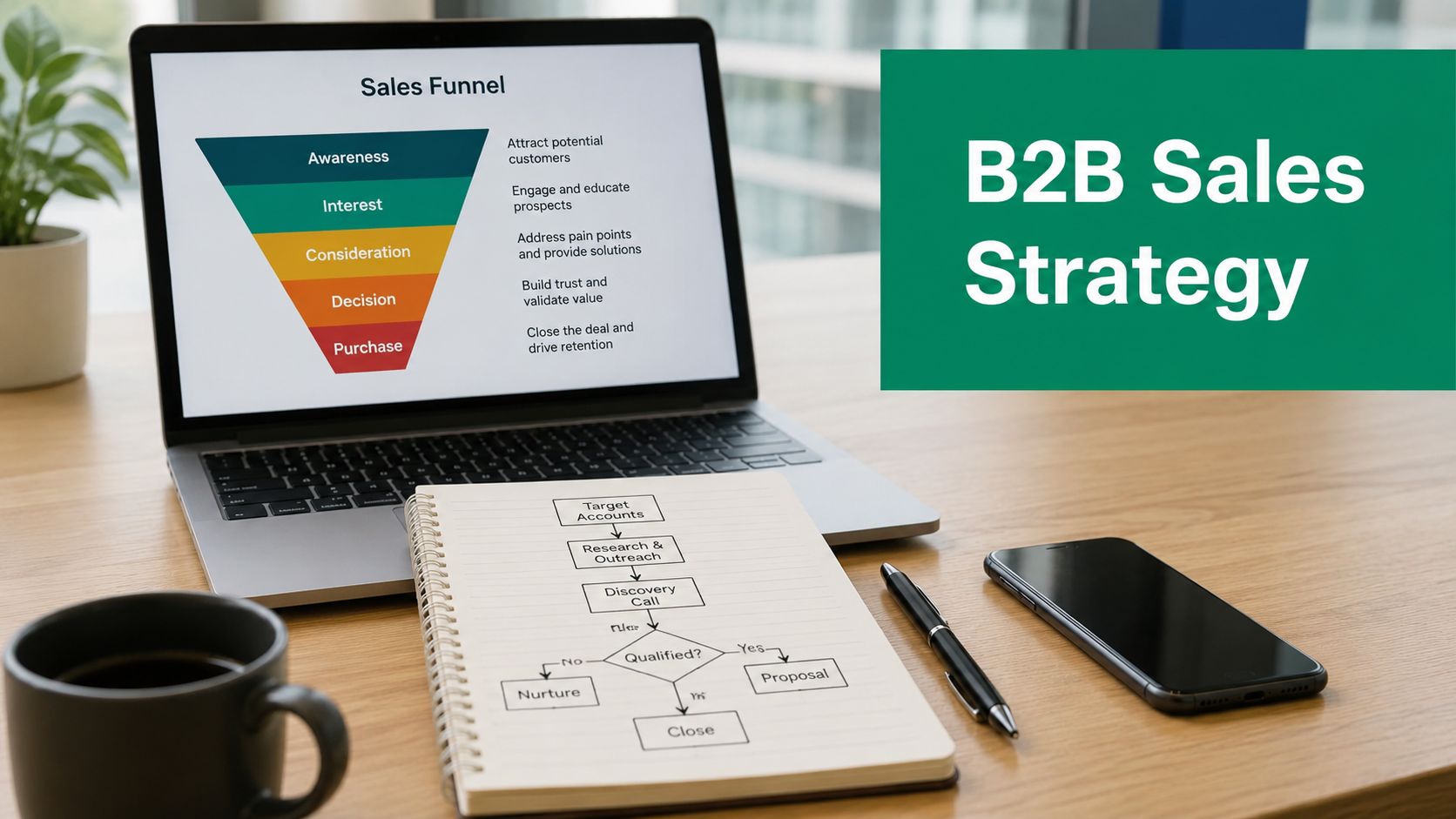
  • B2B Sales Strategy: A 2026 Playbook for Scaling Revenue

    B2B Sales Strategy: A 2026 Playbook for Scaling Revenue

    You can feel the quarter slipping before the pipeline report says it out loud. Reps are sending clean sequences, the lists look tight, and the inbox is still quiet. The problem usually isn't effort. It's that B2B buying has changed faster than many organizations have changed their playbooks.

    A modern b2b sales strategy has to reflect how buyers behave now. That means enabling research, aligning to buying groups, building a process reps can execute, and using tools that make prospecting and follow-up more precise, not just busier.

    Why Traditional B2B Sales Playbooks Are Failing

    A lot of teams are still running the same motion they used five years ago, or ten. They build targeted lists, fire off cold emails, layer in LinkedIn DMs, then wonder why meetings stall after the first reply. The execution might be decent, but the assumption underneath it is broken.

    Buyers don't wait for a rep to educate them anymore. Forrester data cited by Walnut says 74% of B2B buyers research at least half of their purchase online before speaking to a sales representative, while Gartner data in the same source says 43% prefer a rep-free experience and 87% of buying groups include 4 or more stakeholders. Those numbers explain why a pitch-first motion keeps underperforming, even when the outbound engine is active. Walnut's B2B sales and marketing stats

    The old model assumes one buyer and one conversation

    That assumption is gone. The actual deal is usually moving through research, internal comparison, and committee alignment before your rep gets a seat at the table. If the message only speaks to one person, the rest of the group creates friction later.

    That's why seller-led persuasion keeps losing to buyer enablement. The team that wins isn't the one that shouts the loudest, it's the one that makes self-serve evaluation easier and helps each stakeholder see the decision clearly. If you want a useful outside lens on the channel shifts shaping this year, the 2026 B2B marketing trends discussion from Sprints & Sneakers is a practical companion read.

    Practical rule: if your outreach only works when a buyer is already eager, you don't have a strategy, you have a timing problem.

    The broader market shift makes the same point. Independent research cited by industry sources puts global B2B e-commerce at roughly $17.6 trillion in 2023, with forecasts as high as $36.7 trillion by 2030, and Gartner's Future of Sales outlook says 80% of B2B sales interactions will occur in digital channels by 2025. That market context is why the winning motion now starts with digital discovery, not generic interruption.

    What Makes a B2B Sales Strategy Different From a Sales Plan

    A sales plan tells people what to do. A sales strategy tells them why those actions should work in your market, with your buyers, at your deal size. Confusing the two creates a lot of busy teams with very little edge.

    Think of strategy as the map and plan as the day's driving route. The map tells you which roads matter, which territory is worth entering, and which dead ends to avoid. The itinerary only helps if the map is right.

    Strategy connects market choice to execution

    A real strategy starts with market positioning, then moves into ICP definition, channel architecture, process design, and measurement. If those pieces don't fit together, the team ends up optimizing isolated tactics instead of a revenue system. A rep can hit activity targets and still miss the market if the account selection or message is off.

    That's also where the line between motion and math matters. The most useful strategy decisions aren't about how many calls to make, they're about where your best-fit buyers spend time, what they need to believe, and how your team should show up before a rep is invited into the room.

    Strategic test: if you remove the word “we” from your messaging and the customer's buying process still makes sense, you're probably getting closer to strategy.

    The cleanest way to evaluate your own operating model is to ask one question. Is the team just executing a cadence, or is it making deliberate choices about who to target, which path to pursue, and how to prove relevance? If it's the first one, you've got a sales plan. If it's the second, you're building a b2b sales strategy.

    Setting B2B Sales Goals and KPIs That Actually Predict Quota Attainment

    Too many dashboards are full of activity that makes managers feel informed and tells them almost nothing useful. Opens, dials, clicks, and generic meeting counts can all look healthy while revenue slips. What matters is whether the numbers predict actual deal movement.

    Operational benchmark data says cold lead-to-customer conversion sits at roughly 2–5% versus about 10% for MQLs, lead response times in best-in-class teams are under 5 minutes versus an average of 47 hours, win rates are around 19–21%, and pipeline coverage targets are 3x–4x quota. Martal's KPI benchmark summary makes the point clearly, faster first-touch and enough pipeline depth matter more than heroic activity bursts.

    Outcome metrics beat activity noise

    The most reliable KPIs tend to sit closer to revenue. That doesn't mean top-of-funnel activity is useless. It means activity should be managed as a leading indicator, not treated like success by itself.

    Metric Type Why It Matters
    Emails sent Activity Shows rep effort, but says little about buyer intent
    Calls placed Activity Useful for volume tracking, not for pipeline quality
    Meeting count Activity Only helpful if meetings convert into real opportunities
    Lead response time Outcome Faster first-touch improves the odds of engagement
    Pipeline coverage Outcome Shows whether quota is actually supported by enough opportunity
    Win rate Outcome Reveals whether the team is turning pipeline into revenue

    For a practical view on pipeline math, the pipeline metrics for SaaS founders resource from HelpWithMetrics is worth bookmarking if you manage a recurring revenue motion.

    Baselines and definitions come first

    A technically sound sales analytics stack starts with baseline definition, then stage-level visibility, buyer-behavior tracking, forecasting, coaching, experimentation, and governance, according to Directive Consulting's roadmap for a data-driven B2B sales strategy. Their analytics framework is useful because it gets the order right. Standardize field hygiene, stage definitions, KPI formulas, and dashboard logic before you try to optimize outreach.

    If the schema is messy, the forecast is messy. If stage exits mean different things to different managers, conversion rates stop being comparable. That's not a reporting issue, it's a strategy issue.

    Building Buyer Personas Around Buying Groups Not Individuals

    A lot of persona work still centers on one person, one job title, one pain point. That's too narrow for modern B2B selling. The deal is usually being shaped by a group, not a lone decision-maker.

    A diagram illustrating three key buying group personas in B2B sales: Economic Buyer, Technical Evaluator, and Champion.

    A better persona model starts with the roles inside the buying committee. Economic buyers care about budget and sign-off. Technical evaluators care about fit, implementation, and risk. Champions care about getting consensus internally and keeping momentum alive.

    Why single-threaded selling breaks deals

    A mid-market SaaS team I worked with had the usual problem. They were getting attention from the CTO, the demos were solid, and the pipeline looked promising. Then deals slowed down because procurement and finance were being surfaced too late.

    Once the team mapped the full buying group, the friction became obvious. Procurement needed different proof than the technical team. Finance wanted a cleaner business case. The outreach and content shifted to address those concerns early, and the team stopped losing opportunities that had looked healthy from the outside.

    A deal often doesn't die because the solution is weak. It dies because one stakeholder's concern never got answered.

    That's why buyer personas have to be built around roles, not just traits. If you want a practical way to structure that work, the guide on how to create buyer personas is a solid internal reference point.

    A usable template for buying-group personas

    For each role, document three things. What they protect, what they fear, and what proof they need to move forward. Then map that back to the stage of the journey where they usually enter.

    • Economic Buyer: budget control, ROI, risk of overspend.
    • Technical Evaluator: implementation effort, integration, security.
    • Champion: internal selling, consensus building, momentum.

    That structure is simple, but it changes targeting, content, and sequencing. It also keeps sales from over-investing in the loudest contact while neglecting the people who can block the deal.

    Designing a Repeatable B2B Sales Process From Discovery to Close

    A strong process makes the team calmer, faster, and easier to coach. A weak process lives in CRM dropdowns and nowhere else. The difference shows up in forecast quality, rep confidence, and how often deals move without manager intervention.

    The best version is stage-based, but not rigid. Each stage should have a clear job, a clear exit criterion, and a reason to exist. If a stage can't be explained in plain language, it usually isn't helping anyone sell.

    Build exit criteria, not just activities

    Discovery should confirm fit and surface the problem. Demo should connect the problem to the solution in the buyer's language. Proposal should turn into a business case, not just a pricing document. Negotiation should be about trade-offs, not surprise objections. Close should end with signed paperwork and a handoff that doesn't lose momentum.

    The point is to make the process visible without making it brittle. Reps need room to work the opportunity, but they also need a common definition of what “ready” means. That's where time often leaks.

    Operational rule: if two managers would advance the same deal at different times, the stage definition isn't good enough.

    The data side matters too. Directive Consulting's emphasis on standardized definitions is important because inconsistent schema distorts conversion, velocity, and forecast signals. If your CRM stage names are tidy but the actual process isn't, the report is cosmetic.

    A simple structure works well:

    1. Discovery: confirm the business problem and the right contacts.
    2. Demo: show a relevant use case, not a feature parade.
    3. Proposal: tie scope and pricing to outcomes.
    4. Negotiation: resolve objections with trade-offs, not blanket concessions.
    5. Close: confirm sign-off and handoff.

    The flowchart below is a useful way to visualize the handoff points.

    A five-step flowchart illustrating a repeatable B2B sales process from discovery to closing a contract.

    The structure shown in the process graphic is strongest when marketing and customer success feed back into it. Marketing should shape qualification and messaging. Customer success should inform what helps a new customer get value after signature.

    Choosing and Combining Inbound Outbound and Partner Channels

    Channel choice is where a lot of teams default to habit. They copy what competitors do, then wonder why the same motion produces average results. The better question is not which channel is trendy, it's which channel fits your buyer's trust level, urgency, and buying complexity.

    Inbound, outbound, and partner channels all have a role. None of them wins everywhere. The right mix depends on whether your deals are short or long, simple or committee-led, and whether your buyers are already looking for you or need a reason to start.

    Compare the channels by fit, not fashion

    Channel Avg Cost per Qualified Meeting Time to First Reply Best For
    Inbound Higher upfront content effort, lower marginal cost over time Slower, because the buyer comes to you Buyers actively researching solutions
    Outbound Depends on list quality and personalization depth Fast when the message is relevant Targeted accounts, new market entry, controlled pipeline generation
    Partner Shared effort across both sides Variable, often slower to ramp Credibility transfers, ecosystem plays, niche verticals

    That comparison is directional, not absolute. What matters is the motion behind each channel. Inbound works when the buyer wants to learn. Outbound works when you can create relevance quickly. Partner channels work when trust already exists in the ecosystem.

    For a narrower perspective on the pull-based motion, the what is inbound sales explainer is a useful internal reference for teams balancing demand capture and outbound creation.

    Crowded outbound needs better listening

    A lot of prospecting still looks like this. Generic messaging, light personalization, and no evidence that the sender understands the buyer's world. That's exactly where trust falls apart.

    Recent guidance points to a different approach. Walnut recommends social listening and a 2 to 3 week observation period before engaging, while McKinsey says B2B teams should use generative AI to speed prospecting and scale lead acquisition amid uncertainty. Walnut's 2025 strategy piece highlights the listening piece well. The takeaway is simple, use AI to move faster, but only after you've narrowed the message to the niche and the conversation buyers are already having.

    The best outbound doesn't feel broad. It feels like a knowledgeable person showing up in the right context.

    That's where the channel mix becomes strategic. Inbound builds trust over time. Outbound creates reach on demand. Partners add borrowed credibility. A strong b2b sales strategy chooses the right combination instead of forcing one channel to do all the work.

    Using EmailScout to Power Your B2B Prospecting Workflow

    A rep's prospecting workflow should do two things well. It should find the right people, and it should feed clean data into the rest of the sales motion. If it can't do both, the process slows down as soon as outreach starts.

    Say an SDR needs a targeted list of 50 CTOs at mid-market SaaS companies in healthcare. The first step is building a tight account list, then finding verified contacts, then pushing those records into the CRM and sequencing tool without manual cleanup. That's where a browser-based finder such as EmailScout can fit into the workflow, alongside your CRM, enrichment, and outreach stack.

    A simple workflow that keeps the data usable

    The SDR browses target company sites and saves verified contacts with AutoSave as they go. For broader sweeps, the team can use the bulk URL workflow and export the results in CSV or TXT for follow-up. The point isn't just collection, it's keeping the prospect list organized enough that sales can work it without extra admin.

    Here's the clean handoff:

    1. Build the account list from your ICP and buying-group map.
    2. Find the right contacts for each target company.
    3. Save and export the records into your CRM or outreach platform.
    4. Segment the list by persona so messaging isn't generic.
    5. Use the same data to support multithreaded outreach and stage progression.

    For the contact-finding step, the find business emails resource is the most direct fit inside that workflow.

    The value here is strategic, not just operational. Good prospecting data supports the outbound channel discussed above, gives buyer personas more precision, and helps reps identify which stakeholders are missing from the deal. If the list is clean, the outreach is sharper and the process is easier to manage.


    EmailScout helps sales teams build targeted prospect lists with one-click email discovery, AutoSave, and exportable contact data. If you're turning strategy into actual outreach, visit EmailScout and use it to find the right contacts, organize them cleanly, and keep your prospecting workflow moving.

  • How to Find Emails from LinkedIn Proven Methods That Work

    How to Find Emails from LinkedIn Proven Methods That Work

    If you're looking for the fastest way to find emails from LinkedIn, a dedicated browser extension is your best bet. Tools like EmailScout plug right into LinkedIn's interface, letting you find a prospect's verified email address with a single click. It's a massive time-saver compared to digging around manually.

    The Smart Way to Find Emails from LinkedIn

    A laptop on a wooden desk displays a profile, surrounded by a plant, office supplies, and notebooks.

    Let's be real: cutting through the noise on LinkedIn requires a direct line of communication. While it's an incredible platform for spotting prospects, the real business conversations often happen in the inbox. Shifting your outreach from a crowded social feed to a professional email thread gives you their undivided attention and a much better shot at getting a reply.

    This guide gives you a clear, no-fluff framework for pulling emails from LinkedIn. We're moving past the generic advice to focus on a workflow that actually gets results. You'll see how to blend smart automation with a bit of manual groundwork to build a high-quality contact list that can genuinely fuel your sales and marketing.

    Why Direct Emails Still Reign Supreme

    Relying on InMail alone can be a dead end. High-level decision-makers get flooded with messages and just don't have the bandwidth to respond to every pitch. A direct email, on the other hand, lands right in their primary workspace. It's your best chance to make a solid first impression.

    The goal isn't just to hoard emails; it's to find the right emails. A small, targeted list of verified contacts is infinitely more valuable than a huge, unverified database that tanks your sender reputation with bounce-backs.

    A Smarter Approach to Email Discovery

    A truly effective strategy is more than just clicking a "find email" button—it's about building a process you can rely on. Think of it as a system. To get the full picture, it helps to understand how this fits into the broader world of attracting prospects on the platform. These proven LinkedIn lead generation strategies are a great starting point for that.

    Our approach boils down to a few key pillars:

    • Pinpoint Prospecting: First, learn to master LinkedIn's search tools to identify the perfect contacts before you even think about finding their email.
    • Efficient Tooling: Use smart extensions to automate the grunt work without breaking any platform rules.
    • Data You Can Trust: Always prioritize email verification. It’s the only way to make sure your messages actually get delivered. We cover this in-depth in our guide on how to find anyone's email.
    • Ethical Outreach: Understand the rules of the road. Your goal is to build relationships, not burn bridges with spammy tactics.

    Comparing LinkedIn Email Finding Methods

    Before we dive into the step-by-step, it helps to see how different methods stack up. Each has its place, depending on your goals and resources.

    Method Best For Typical Accuracy Time Investment
    Manual Search Finding a handful of high-value contacts or when on a tight budget. Variable (30-60%) High (5-15 mins per contact)
    LinkedIn Export Getting emails from your existing 1st-degree connections. High (for allowed emails) Low
    Email Permutators Guessing common email patterns for a specific company. Low (10-30%) Medium
    Browser Extensions Scaling up email discovery for sales and marketing outreach. High (70-95% with verification) Very Low (seconds per contact)

    As you can see, for any kind of volume, automation is the clear winner. Browser extensions give you that perfect blend of speed, accuracy, and scalability that manual methods just can't match.

    Mastering LinkedIn Search to Find the Right People

    Before you can find an email, you need to find the right person. A great email list always starts with a highly targeted search, and there’s no better place to build that foundation than LinkedIn. Just typing a job title into the search bar is barely scratching the surface—the real magic happens when you use filters and operators to zero in on exactly who you need.

    Think of it like fishing. You wouldn't just throw a giant net into the ocean and hope for the best. You'd go to the right spot, use the right bait, and focus your efforts. The same logic applies here. Nailing this step ensures every email you find belongs to a genuinely relevant prospect, which makes your entire outreach process way more effective.

    Beyond Basic Keywords Using Filters

    LinkedIn’s built-in search filters are surprisingly powerful for refining your audience. You can stack multiple criteria on top of each other to build an incredibly precise list of contacts. So, instead of a generic search for "Marketing Manager," you can carve out a much more specific segment.

    Let's say your goal is to connect with marketing decision-makers in the booming North American SaaS world. Here's a quick example of how you could structure that search:

    • Job Title: "Marketing Director" OR "Head of Marketing"
    • Industry: Computer Software, IT Services and IT Consulting
    • Geography: United States, Canada
    • Company Headcount: 51-200 employees

    This layered approach instantly filters out all the noise, leaving you with a clean, high-quality list of people who actually fit your ideal customer profile.

    Unlocking Precision with Boolean Search

    If you want even more control, you can use Boolean operators right in the LinkedIn search bar. These simple commands—AND, OR, NOT, parentheses, and quotes—are like a secret language that tells the search algorithm exactly what you’re looking for.

    Using Boolean logic transforms a vague search into a surgical strike. It’s the difference between browsing aimlessly and actively building a list of your most valuable potential customers.

    Let's tighten up our previous search using Boolean logic for maximum precision:

    ("Marketing Director" OR "VP of Marketing") AND (SaaS OR "Software as a Service") NOT (intern OR assistant)

    This single query accomplishes three things at once:

    1. It searches for profiles containing either "Marketing Director" or "VP of Marketing."
    2. It makes sure the profile is connected to a SaaS company.
    3. It kicks out anyone with "intern" or "assistant" in their title.

    Getting these search techniques down is the first and most critical step. For those who need even more firepower for lead generation, powerful tools like LinkedIn Sales Navigator can streamline the process even further. By investing a little time upfront to build a killer prospect list, you guarantee your email discovery efforts are focused, efficient, and far more likely to get results.

    Using Browser Extensions for Fast Email Discovery

    Look, manual methods have their place. But when you need to find emails from LinkedIn at any kind of scale, browser extensions are an absolute game-changer. These tools plug right into your browser and let you find and save verified contact info without ever leaving a LinkedIn profile or search page.

    Instead of spending minutes playing detective for just one contact, an extension does all the heavy lifting in seconds. This flips the script entirely. You can stop wasting time on tedious data entry and start focusing on what actually gets replies: writing personalized outreach. It's simply the smartest way to build a quality email list without burning out.

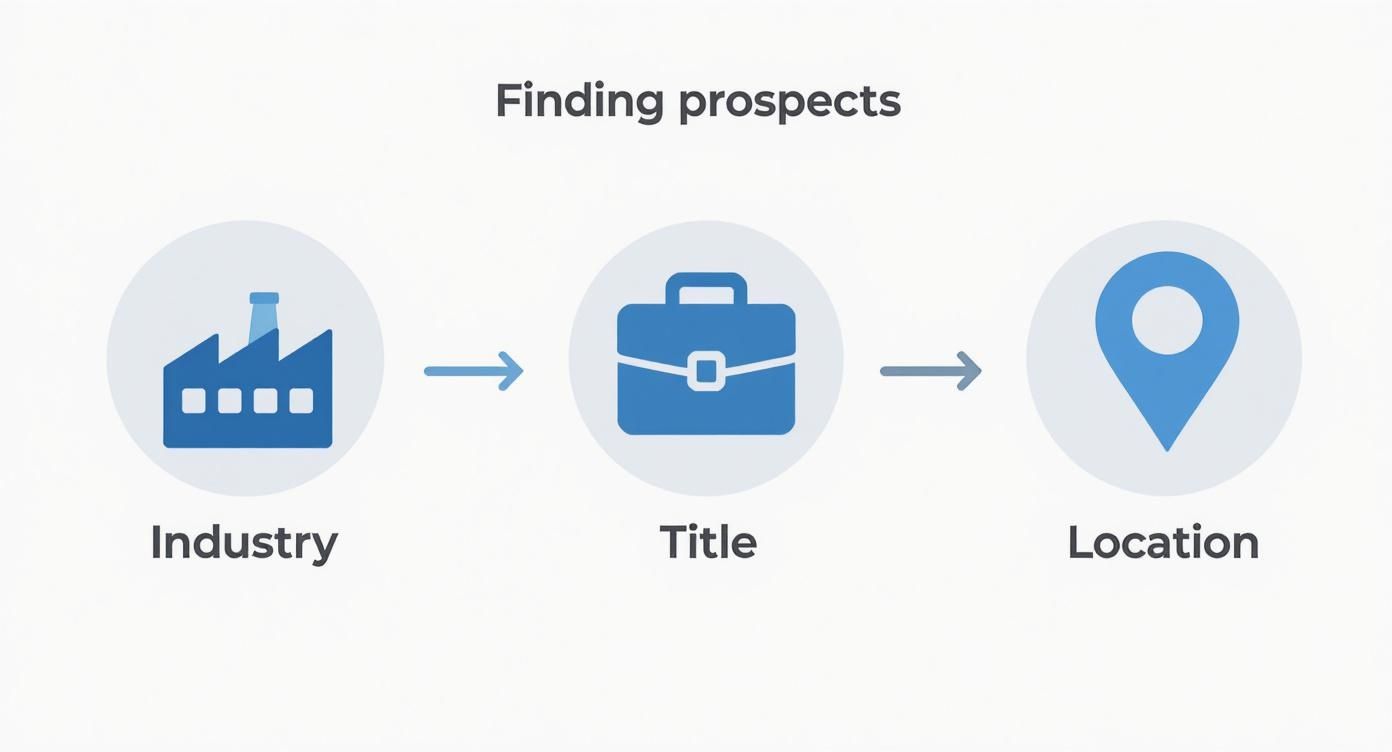
    This is the basic flow for any targeted search you'll run on LinkedIn.

    A diagram showing three steps for finding prospects: Industry, Title, and Location, connected by arrows.

    By stacking filters like industry, job title, and location, you're creating a super-relevant list of people before you even think about finding their email.

    Your Daily Workflow with an Email Finder Extension

    Getting up and running is dead simple. Most tools, including EmailScout, install from the Chrome Web Store in a couple of clicks. Pin it to your browser, and you're good to go. The real magic happens when you fire it up on a LinkedIn search results page.

    Once you’ve built a solid, targeted search list using the methods we've covered, just activate the extension. It immediately starts working its way down the page, automatically looking for and verifying the email addresses for each person in your results.

    Many of the best tools now come with an AutoSave feature. This is huge. As you scroll through results or click on profiles, the extension just quietly works in the background, finding and saving emails to a list you've designated. It’s a passive way to collect leads and a massive productivity win. You can learn more about how to set up an email extractor Chrome extension on our dedicated page.

    Staying Safe and Productive

    The speed of these tools is awesome, but you have to be smart about how you use them to protect your LinkedIn account. Good extensions are built to mimic human behavior, but going overboard can still get you flagged by the platform.

    The key is to work smarter, not faster. The goal isn't to scrape thousands of profiles in a day. It's to consistently build a clean, targeted list of relevant contacts you can actually have a conversation with.

    Most modern LinkedIn email extractors are incredibly accurate, typically hitting 80% to 95% success rates. To stay on the right side of LinkedIn's rules and avoid any account issues, the widely accepted best practice is to keep your daily extractions between 50 to 150 profiles. This approach lets you build a significant list over time without putting your account at risk.

    Just follow a few simple rules to get the best results safely:

    • Work in Batches: Don't leave the extension running all day. Set aside specific blocks of time for prospecting and then turn it off.
    • Respect the Limits: Stay well within that daily recommendation. Quality always beats quantity here.
    • Trust the Verification: Only save emails that the tool confirms are "verified" or "valid." This is crucial for protecting your sender reputation and avoiding high bounce rates.

    This balanced approach lets you tap into the power of automation to find emails from LinkedIn efficiently while keeping your account healthy for the long haul.

    Manual Techniques for Your High-Value Targets

    Automation is fantastic for scaling your outreach, but it’s not always the right tool for the job. When you're targeting those must-win accounts or trying to reach a specific C-suite executive, you need certainty. A hands-on, manual approach gives you the precision that automated tools sometimes miss.

    This is all about quality over quantity. If you absolutely have to find a specific person's email and can't afford a bounce, a little old-fashioned detective work is your best bet.

    Scouring the Profile for Clues

    Your first stop should always be the person's LinkedIn profile. It sounds obvious, but you'd be surprised how many people skip this simple step. Professionals often share their contact details willingly—you just need to know where to look.

    Go beyond their headline and dig a little deeper.

    • The Contact Info Section: This is the most direct route. Click the "Contact info" link right under their name. It’s often private, but you might just get lucky.
    • The About Section: Many people use their summary to give a call to action or list a preferred way to get in touch.
    • The Experience Section: Check their current and past job descriptions. People in sales, business development, or consulting sometimes list a direct email to encourage new business inquiries.

    Even with all the new tools out there, a quick manual check is still incredibly effective for top-tier leads. It's estimated that around 15-30% of LinkedIn profiles still have an email address listed somewhere in the ‘About’ or ‘Experience’ sections. Finding one of these is a guaranteed 100% accurate hit. For more on this, check out this guide from SalesRobot.co.

    The Art of the Educated Guess

    What if the profile is a dead end? Don't give up. Your next move is to make an educated guess based on common corporate email patterns. This works far more often than you'd think because most companies use a standard format for their entire team.

    An educated guess isn't a random shot in the dark. It’s a logical deduction based on the company's established email structure, dramatically increasing your chances of success.

    First, you need the company's domain (like company.com). From there, you can start testing common variations using the prospect’s first and last name.

    Here are a few of the most popular formats to try:

    Once you have a list of likely candidates, pop them into a free email verification tool to see which one is valid. This methodical process gives you real confidence that the message you spent time crafting for that key decision-maker will actually land in their inbox.

    How to Verify and Export Your Email List

    Overhead shot of a laptop displaying a spreadsheet, next to a pen and paper. Green background with 'VERIFY EMAILS' and a checkmark.

    Finding a prospect's email is a great start, but it’s only half the battle. The real work is making sure that email is actually good.

    Every time you send a message to a dead address, you get a bounce. A high bounce rate is a massive red flag for email providers like Gmail and Outlook. It tanks your sender reputation and can get your entire domain blacklisted. Seriously.

    This is why email verification isn't just a "nice-to-have" step—it's absolutely essential. It’s the quality control that gives your carefully written messages a fighting chance of being seen. Skipping it is like building a pipeline that leads straight to a brick wall.

    Making Sense of Verification Statuses

    When you use a tool like EmailScout to find emails from LinkedIn, you'll see that every address is tagged with a status. This isn't just a random label; it's the result of a real-time check to see if the recipient's email server is ready to accept mail for that specific address.

    The goal here isn't just to dodge bounces. It's to build a clean, high-quality list that protects your ability to do outreach for the long haul. Every verified email makes the foundation of your sales and marketing efforts that much stronger.

    These statuses usually break down into three simple categories, telling you exactly which emails are safe to use.

    • Valid: This is your green light. The tool has confirmed the email address exists and is active. These are the contacts you want to hit first.
    • Risky: This status pops up for "catch-all" servers, which are configured to accept mail for any address at that domain. The specific person might not actually have an inbox there, so the bounce risk is higher. Proceed with caution.
    • Invalid: Full stop. The server has flat-out said this email address doesn't exist. Sending to it guarantees a hard bounce. Delete these from your list immediately.

    If you want to get into the technical nitty-gritty, our guide on how to validate an email address breaks down exactly how these checks work behind the scenes.

    Exporting Your Clean List for Action

    Once you've filtered your list down to the good stuff, it's time to put that data to work. Getting your contacts out of the extension and into your workflow couldn't be easier.

    Most tools, EmailScout included, let you export your saved lists directly as a CSV (Comma-Separated Values) file.

    This humble file format is the universal adapter for sales and marketing tech. You can take that clean CSV and import it seamlessly into just about any platform you can think of:

    • CRMs like HubSpot or Salesforce.
    • Outreach tools like Lemlist or Mailchimp.
    • Spreadsheets like Google Sheets or Excel for simple tracking.

    This is the final step that connects your prospecting on LinkedIn to your actual outreach campaigns, turning all that discovery work into real conversations.

    Best Practices for Ethical and Effective Outreach

    Getting someone's email from LinkedIn is just the first step. Now you have a direct line to their professional inbox, and that comes with some serious responsibility. Smart outreach isn't just about blasting out a message—it’s about starting a real conversation the right way.

    That means respecting people's privacy and following the rules, like the CAN-SPAM Act in the U.S. and GDPR over in Europe. The legal stuff can sound intimidating, but the core ideas are pretty simple and boil down to good, professional communication. Think of it less like a rulebook and more like a guide to not being that person in someone's inbox.

    Staying Compliant is Non-Negotiable

    First things first, you need to understand your legal obligations. Getting this wrong can lead to some eye-watering fines and, just as bad, can wreck your company's reputation. This isn't a "nice-to-have"; it's a fundamental part of any outreach strategy.

    Here are the absolute must-haves for any initial cold email you send out:

    • Be Upfront: Don't be mysterious. Clearly state who you are and why you're reaching out. Your message needs to have a legitimate business purpose that's actually relevant to their job.
    • Give Them an Easy Out: Every single email needs a clear, simple way for the person to unsubscribe. No hoops, no tricks. This is a non-negotiable requirement under pretty much every anti-spam law on the planet.
    • Include Your Address: You have to include a valid physical postal address in your email. The footer is the standard spot for this.

    Here's the golden rule I always follow: send the kind of email you wouldn't mind getting yourself. A personalized, value-first message will always crush a generic, mass-blasted template. It's better for compliance, and it gets way more replies.

    From Following Rules to Building Connections

    Staying compliant keeps you out of trouble, but the real goal is to get replies and build relationships. The most successful outreach campaigns I've ever seen always prioritize genuine value over a hard sales pitch.

    You went through the effort to find their email, so don't blow it with a generic, copy-paste message.

    Instead, craft an email that proves you did a bit of homework. Mention a recent company win you saw on their feed, a post they shared that you found interesting, or a common connection. That little bit of personalization shows you respect their time and instantly separates you from all the automated noise. It’s the single best way to dramatically boost your chances of starting a real dialogue.

    Common Questions About Finding LinkedIn Emails

    Jumping into email discovery tools can bring up some fair questions. When you're pulling emails from a platform like LinkedIn, it’s smart to think about account safety, how good the data is, and the rules of the road for outreach. Getting this right is key to making sure your hard work pays off.

    Is It Safe to Use These Tools on LinkedIn?

    Yes, as long as you're smart about it. Reputable tools are designed to fly under the radar by acting more like a human than a bot.

    The biggest mistake you can make is trying to extract hundreds of profiles in a huge, fast batch. That’s a surefire way to get your account flagged. A good rule of thumb is to stick to a daily limit, usually around 80-150 profiles. This keeps your activity looking natural and your account in good standing.

    How Accurate Are the Emails You Find?

    The quality of your tool makes all the difference here. Top-tier platforms, like EmailScout, don't just guess at emails; they run them through a multi-step verification process to confirm they're active before you even see them.

    While no tool is 100% perfect, you can realistically expect accuracy rates between 80% and 95%. This high level of accuracy is what keeps your bounce rate low and your sender reputation intact.

    Quick Tip: Protecting your sender reputation is non-negotiable. Using verified, high-accuracy emails is the single most important thing you can do to ensure your messages land in the inbox, not the spam folder.

    Is It Legal to Email People Found on LinkedIn?

    Absolutely, provided you play by the rules. In most places, it's perfectly legal as long as you comply with anti-spam regulations like CAN-SPAM in the U.S. and GDPR in Europe.

    This really boils down to a few common-sense principles:

    • Be Relevant: Your message should genuinely relate to the person's professional role.
    • Be Transparent: Clearly state who you are and include a physical address for your business.
    • Be Respectful: Always provide a simple, one-click way for them to opt out.

    What’s not compliant? Sending generic marketing blasts or messages that have nothing to do with their job. Stick to professional, relevant outreach, and you'll be fine.


    Ready to find verified emails from LinkedIn in seconds? Give EmailScout a try and get started for free. You can install the Chrome extension right here.

  • How to Find a Company Email Address

    How to Find a Company Email Address

    Figuring out the right company email address is your golden ticket. It's the direct line to the people who actually make decisions. This usually takes a bit of digital detective work—a mix of educated guesses, smart tools, and good old-fashioned website sleuthing. When you get it right, your message lands in a key inbox instead of getting lost in a generic one.

    Why Finding the Right Email Is Still a Game Changer

    In a world buzzing with social media DMs and chatbots, a direct email still cuts through the noise like nothing else. It’s the difference between your message getting dumped into the info@company.com black hole and landing right in front of the one person who can say "yes." This isn't just about scraping up contact info; it's about creating real opportunities.

    The Strategic Value of a Direct Inbox

    Think about it. The last time you needed to reach someone for something important, what did you do? Fire off a LinkedIn message and cross your fingers? Or did you dig in and find their direct email? Going the extra mile shows you've done your homework and respect their time, which seriously bumps up your chances of getting a reply.

    Finding a specific address can be the key that unlocks major wins:

    • Securing Partnerships: A personalized email to the Head of Partnerships can kick off a conversation that a generic contact form just can't.
    • Closing Deals: Any good salesperson knows that reaching the budget holder directly is the fastest way to build rapport and shorten the sales cycle.
    • Landing Interviews: A targeted message to the hiring manager? That’s how you get your resume moved to the top of the stack, bypassing those frustrating automated systems.

    A well-placed email isn't just a message; it's a strategic move. It tells the recipient you’re prepared, respectful, and you know exactly who you need to talk to.

    Email's Enduring Dominance in Business

    Even with all the fancy collaboration platforms out there, email is still the king of professional communication. It’s not even close. Over 376 billion emails fly around the internet every single day, and 91% of professionals rely on it for their daily work.

    The average office worker gets hammered with 121 emails a day. That number alone tells you why your message has to be targeted, relevant, and sent to the right person to have any hope of being read. You can see additional data on the central role of email in business communication if you're curious.

    At the end of the day, the time you spend finding the right email is a direct investment in your own success. The methods we’re about to cover will show you how to cut through the digital noise and build powerful connections, one email at a time.

    Before you pull out your credit card for a fancy email-finding tool, it's worth putting on your detective hat for a few minutes. Honestly, some of the most effective ways to find a company email are totally free—they just require a little bit of smart searching. You'd be surprised how often these manual tricks get you exactly what you need.

    The easiest win is usually right on the company's own website. Your first instinct should be to check the pages designed for information, not just for selling stuff. A lot of companies, especially those dealing with media or partnerships, list key contacts right out in the open.

    Scouring the Corporate Website

    Think beyond the homepage. The real gold is usually buried a few clicks deep.

    • About Us Pages: This is a classic. Leadership bios are common here, and sometimes they'll drop a direct email or at least give you a clue about the company's email format.
    • Team or Leadership Sections: Just like the "About Us" page, this is a prime spot for names, titles, and if you're lucky, an email address.
    • Press Releases or Newsrooms: This is my personal favorite. Official announcements almost always have a media contact person listed, complete with their email and phone number. It's an absolute goldmine.

    This decision tree gives you a simple mental model for when to aim for a direct email versus settling for a general one.

    Infographic about how to find a company email address

    The takeaway here is simple: if you have a specific person in mind, go for their direct email. But if you come up empty-handed after a quick search, a general inbox is a perfectly good fallback. If you want to get more advanced with this, our guide on how to find an email address from a website has a few more tricks up its sleeve.

    Harnessing Social and Search Power

    If the company website is a dead end, don't worry. Your next move is to hit the professional networks and fire up your search engine skills. LinkedIn is an absolute must-have, not just to confirm someone's name and title, but also to spot hidden clues.

    A lot of pros put their email right in the "Contact Info" section of their LinkedIn profile. Some even drop it into their summary to make it easy for people to reach out.

    And never, ever underestimate a well-crafted Google search. Using the right search operators can help you dig up email addresses that Google has indexed but aren't obvious on the company's site.

    Pro Tip: Try combining a person's name and company with common email patterns in your search. For instance, a search like "Jane Doe" AND "Acme Inc" AND (email OR contact) can often pull up their details from a third-party site, like a conference speaker bio.

    Another surprisingly effective trick is to search for a potential email address in quotes, like “jane.doe@acmeinc.com”. This tells Google to find that exact phrase. If it pops up anywhere online, you’ve hit the jackpot. It can feel like a long shot, but when this works, it’s one of the fastest ways to confirm a company email without any special tools.

    Using Email Finder Tools for Rapid Results

    So, you’ve hit a wall with the manual methods. It happens. When digging through websites and social profiles turns up nothing but dead ends, it’s time to bring in the technology.

    This is where email finder tools shine. These are specialized platforms and browser extensions built for one purpose: to unearth professional email addresses in seconds. For anyone in sales, marketing, or business development, they're an absolute game-changer, saving you from hours of tedious digital detective work.

    They work their magic by crawling the web, cross-referencing massive contact databases, and using smart algorithms to predict the most common email patterns at a specific company. This turns a frustrating, manual search into a single click.

    Choosing the Right Tool for Your Workflow

    The market is packed with great options, but they aren't all created equal. Some are designed for nabbing individual emails on the fly, while others are built to process huge prospect lists in bulk. Knowing the difference is key to picking the right one for your workflow.

    Here’s a quick look at some of the most popular choices out there:

    • EmailScout: Perfect for anyone who needs a powerful, free solution. The Chrome extension lets you grab emails with one click directly from websites and LinkedIn profiles. Its AutoSave feature is also great for building lists as you browse.
    • Hunter.io: A veteran in the space, known for its killer Domain Search feature. This shows you all the known email addresses tied to a company's website, which is incredibly useful for mapping out entire departments.
    • Snov.io: This one bills itself as an all-in-one cold outreach platform. It combines an email finder with a verifier and a campaign sender, making it a solid choice for teams that handle the entire outreach process from start to finish.

    These tools aren't just about finding an address; they’re about speed and scale. They empower a single person to accomplish in minutes what would have taken a team hours to do manually.

    When you're trying to decide, think about things like accuracy rates, how many free searches you get each month, and whether it integrates with your CRM or other sales tools. To help narrow it down, check out this detailed comparison of the best email finder tools available today.

    A Look at Email Finders in Action

    Let's say you need to contact the marketing manager at a hot new tech startup. With an extension like Hunter.io installed, you just head over to the company’s website and click the little extension icon in your browser.

    Instantly, the tool pops up a list of publicly found emails linked to that domain. It often even sorts them by department and, most importantly, reveals the company's most common email pattern. This not only helps you find your target contact but also gives you the formula to accurately guess other emails at that company.

    These tools are a massive upgrade to your strategy for how to find a company email address.

    The Art of the Educated Guess

    Sometimes, the best tool for finding an email address isn't a complex piece of software—it's just a bit of logic. Most companies, from tiny startups to massive corporations, use a standardized pattern for their email addresses. If you can crack that code, you can figure out just about anyone's email.

    Your starting point is finding a single, valid email address from your target company. This could be from a press release, a team member's LinkedIn, or an old email thread. Think of this one email as your Rosetta Stone; it’s the key to deciphering the entire organization's email structure.

    A person connecting puzzle pieces, symbolizing the process of figuring out an email pattern.

    Uncovering Common Email Patterns

    Once you have a name and a confirmed email, you can work backward to find the pattern. For instance, if you know John Smith's email is jsmith@acme.com, you’ve likely found the formula: first initial + last name.

    Thankfully, most businesses stick to just a handful of common formats. This predictability is your secret weapon.

    • First Initial, Last Name: jsmith@company.com
    • First Name Only: john@company.com
    • First Name, Last Name Initial: johns@company.com
    • Full Name with a Dot: john.smith@company.com
    • Full Name with an Underscore: john_smith@company.com

    This isn't by accident. With nearly 4.5 billion global email users, companies need simple, predictable formats to manage communications. That makes email one of the best channels for outreach—in fact, 60% of consumers prefer brands contact them via email. If you want to dive deeper, you can explore the latest email marketing statistics to see just how powerful it is.

    Hold on, though. The goal isn't to blast every possible combination with emails. The smart move is to generate a list of the most likely variations, then use an email verification tool to see which ones are valid—all without ever hitting "send."

    Generating and Testing Permutations

    Let's say you're trying to reach Sarah Connor at cyberdyne.com. You can start building out the possibilities. And you don't have to do it by hand.

    There are plenty of free online tools known as email permutation generators that will do the heavy lifting for you. Just plug in the first name, last name, and domain, and they’ll spit out a comprehensive list in seconds.

    Your list might look something like this:

    1. sarah.connor@cyberdyne.com
    2. s.connor@cyberdyne.com
    3. sarahc@cyberdyne.com
    4. sconnor@cyberdyne.com

    The final step is crucial: run that list through a free email verifier. These tools will ping the company's server (without sending an email) to check which addresses actually exist and which will just bounce back.

    This two-step process—generate, then verify—is a surprisingly powerful and cost-effective way to turn a wild guess into a confirmed contact.

    How to Verify Emails and Protect Your Reputation

    A shield icon with a checkmark, symbolizing email verification and sender reputation protection.

    Finding what you think is the right email address is a good first step, but your work isn't done. Sending a message to an invalid address isn't just a waste of time—it can actively wreck your sender reputation.

    When your emails bounce, providers like Gmail and Outlook take notice. A high bounce rate is a huge red flag that you might be a spammer, which means your future emails are more likely to get buried in the junk folder or blocked entirely.

    This is exactly why email verification is a step you can't afford to skip. It's the final quality check that makes sure your messages actually land in someone's inbox. A clean email list is everything.

    Understanding Email Verification Statuses

    When you run an email through a verification tool, you'll get more than just a simple "good" or "bad." The status tells you exactly how you should proceed.

    • Valid: This is your green light. The email server confirmed the address exists and is ready to receive mail. You're good to go.
    • Invalid: This one's a dead end. The address is no good, and sending to it will cause a hard bounce. Get it off your list immediately.
    • Catch-All (or Risky): Here's where things get tricky. A catch-all server accepts email for any address at that domain, so it's impossible to know for sure if your contact's inbox is real. Some might be fine, but you're taking a chance.

    Sending to a catch-all address is a calculated risk. If it's a high-value contact, maybe it's worth the gamble. But for any kind of bulk campaign, you're much safer sticking to the addresses confirmed as valid.

    Tools for Reliable Email Verification

    There's no practical way to check emails by hand, which is where dedicated verification services come in. These tools ping email servers to check an address's status without actually sending an email, protecting your reputation while confirming if it's deliverable.

    To keep your sender score high and ensure your emails get through, integrating with reliable email verification services like Briteverify is a smart move.

    Another great approach is to use a tool that finds and verifies emails. Many modern email finders have this built-in, but for a more detailed breakdown, our guide on how to validate an email address covers more specialized options.

    Go Beyond Verification with Data Enrichment

    Once you've confirmed an email is valid, you can really elevate your outreach with data enrichment. This process takes a single data point—like an email address—and uses it to find and add other valuable information. Think job titles, company size, social media profiles, and even location.

    This extra context turns a simple email address into a detailed professional profile. Now, instead of a generic "Hi there," you can personalize your message with details relevant to their specific role or company. This small step can dramatically improve your response rates and turn a cold outreach into a real conversation.

    Turning Your Found Email into a Real Conversation

    So you did it. You found a verified email, and that’s like getting a key to a locked door. But here's the thing: now you have to actually turn that key. The final, most important step is writing an outreach message that gets opened, read, and—most importantly—replied to. This is where your digital detective work becomes a real professional connection.

    This isn’t about blasting out generic templates. Effective outreach is built on genuine personalization. It means going way beyond simple mail-merge fields like [First Name] and showing you’ve actually done your homework. A quick mention of a recent project they led, a company announcement you saw, or a shared connection can instantly set you apart from the dozens of other emails clogging their inbox.

    Crafting a Message That Resonates

    The goal here is simple: provide value, don't just ask for something. Your opening line should immediately show that you understand their world. Frame your message around their needs, challenges, or recent wins before you even think about introducing your own agenda.

    Here are a few ways to approach it:

    • For a Sales Inquiry: Don't lead with your product. Mention a recent company milestone instead. Something like, "Congrats on the successful product launch—I imagine scaling your support team is a top priority right now."
    • For a Networking Request: Pinpoint a specific piece of their work that caught your eye. "I was really impressed by your talk on sustainable logistics at the recent trade show…"
    • For a Partnership Proposal: Connect what you do directly to their stated goals. "I saw your company is expanding into the APAC region, and our distribution network there could help you accelerate that timeline."

    Inbox competition is fierce. The average cold email open rate has dropped to around 27.7%, with replies hovering at a mere 5.1%. But here’s the good news: well-targeted and personalized messages can completely flip those numbers, hitting open rates over 50% and replies between 15-25%. It proves that how you use the email matters just as much as finding it in the first place. You can find more B2B cold email statistics on martal.ca.

    Maintaining Ethical and Legal Standards

    All that hard work goes down the drain if your email gets flagged as spam or, worse, violates regulations. Ethical communication isn't just a nice-to-have; it's a legal requirement that protects your sender reputation and keeps your business compliant.

    Knowing the rules is non-negotiable. Two key regulations you absolutely need to be aware of are:

    1. CAN-SPAM Act: This US law sets the rules for commercial email. The big takeaways? You must provide a clear way for people to opt out and include your valid physical postal address. No exceptions.
    2. GDPR (General Data Protection Regulation): If you're contacting anyone in the European Union, you must have a lawful basis for processing their personal data—which includes their email address.

    These rules all boil down to transparency and consent. Be upfront about who you are and why you're reaching out, and make unsubscribing effortless. To make sure your outreach lands well, using resources like professional email response templates can give you a solid foundation.

    When you combine a verified email with a thoughtful, compliant, and personalized message, you give yourself the best possible chance of starting a real dialogue.


    Ready to stop guessing and start connecting? EmailScout's powerful Chrome extension helps you find verified emails from websites and LinkedIn in a single click, so you can focus on crafting the perfect outreach message. Find unlimited emails for free with EmailScout.

  • How to Find Company Email Addresses Fast and Easily

    How to Find Company Email Addresses Fast and Easily

    Finding the right company email address is what separates a cold outreach campaign that falls flat from one that opens up real, meaningful business conversations.

    The most reliable way to do this? It’s almost always a combination of two things: a little manual digging using free resources like LinkedIn and Google search, paired with a specialized email finder tool to automate the heavy lifting and verify that the address is actually legit. This one-two punch ensures you not only find an address but the right address—one that won't bounce and will land your message in front of the person who matters.

    Why Finding the Right Email Is a Game Changer

    Image

    Before we jump into the nitty-gritty tactics, let’s get the strategy straight. Finding a direct and accurate email isn’t just about dodging a bounce-back notification. It's the first—and most critical—step in building a genuine connection that actually drives results.

    Sending a message to a generic inbox like info@company.com is the modern equivalent of shouting into a crowded room and just hoping the right person hears you. It rarely works. A direct email, on the other hand, puts your message exactly where it needs to be.

    This kind of precision opens doors that would otherwise stay firmly shut. Think about it in real-world terms:

    • For Sales Professionals: A well-crafted email to a VP of Marketing can kickstart a conversation about a major software deal. You get to bypass the usual gatekeepers, potentially shaving weeks off your sales cycle.
    • For Marketers: Reaching out to a specific editor with a personalized pitch is infinitely more effective than chucking it into a general content portal. Your odds of getting a story published skyrocket.
    • For Job Seekers: Contacting a hiring manager directly makes your application leap out from the hundreds of others languishing in an automated applicant tracking system.

    The Tangible Impact on Your Bottom Line

    At the end of the day, effective outreach is a numbers game, and finding the right contact info dramatically stacks the odds in your favor. All the personalization and targeted marketing strategies in the world depend on one thing: accurate data.

    With email marketing delivering an insane ROI of $36 to $42 for every dollar spent, the quality of your contact list has a direct line to your profitability. It's no surprise that by 2025, an estimated 81% of small and medium-sized businesses will be relying on email as their main channel for winning new customers. If you're curious, you can dig into even more email marketing statistics to get the full picture.

    The difference between a generic and a direct email is the difference between being ignored and being heard. One gets lost in the noise; the other starts a conversation that can lead to real business growth.

    Ultimately, mastering how to find company email addresses is so much more than a technical skill. It's a strategic advantage that pays for itself over and over by boosting campaign performance, lowering customer acquisition costs, and helping you build a network of valuable professional contacts.

    Getting Your Hands Dirty with Manual Email Search Techniques

    Image

    While powerful tools can save you a ton of time, you don't always need a paid subscription to get the job done. Honestly, mastering the art of manual email hunting is a skill every good prospector should have. It turns you into a digital detective, piecing together clues from all corners of the web.

    This old-school approach costs nothing but a bit of your time, and it genuinely sharpens your instincts for finding information. It all starts with a simple, targeted Google search—but there's a trick to it.

    Unlocking Google for Email Discovery

    Your first move should be to use specific search strings that dig up contact info buried on a company’s website or in public documents. Just typing a name and a company into Google is a rookie mistake. You need to think like an investigator and use advanced search operators to force Google to show you things that aren't immediately obvious.

    It’s surprisingly effective for finding details that companies have made public, sometimes without even realizing it.

    Here are a few of my go-to search combinations:

    • "John Doe" + "Acme Corp" + email
    • site:acmecorp.com "John Doe" contact
    • "John Doe" "@acmecorp.com"

    For example, a search like site:acmecorp.com filetype:pdf "contact" can unearth old press releases or marketing PDFs that happen to contain direct email addresses. By playing around with different combinations, you can often find a lead's email in places most people never think to look.

    To see this in action, check out our guide on how to find hundreds of property manager emails using a few clever searches.

    Using LinkedIn and Common Email Patterns

    LinkedIn is your next best friend for any manual search. While it won't just hand you an email address on a silver platter, it gives you the two most critical pieces of the puzzle: the person's full name and their company's domain name.

    Once you have those two things, you can start making an educated guess.

    Most companies use a standardized format for their email addresses. Your job is to figure out that pattern and apply it to your target.

    A manual search is like solving a puzzle. You gather pieces from Google and LinkedIn, then assemble them using common email patterns until you find the perfect fit.

    The most common corporate email patterns usually look something like this:

    • First Name: john@acmecorp.com
    • First Name.Last Name: john.doe@acmecorp.com
    • First Initial Last Name: jdoe@acmecorp.com
    • First Name Last Initial: johnd@acmecorp.com

    The trick is to find a confirmed email for anyone at that company. Let's say you find a support email like support.team@acmecorp.com. That's a huge clue that the company probably uses the first.last format. Apply that pattern to your prospect's name—john.doe@acmecorp.com—and you've just made a highly educated guess.

    The final step? Plug that email into a free, single-use email verifier to confirm it’s valid before you hit send.

    Manually digging for emails is a useful skill, no doubt. But it has its limits. If you need more than just a few contacts, you’ll quickly hit a wall.

    Picture a sales team trying to pull together a lead list of 200 prospects for a new campaign. Searching for each one by hand? That's a direct route to burnout and a massive time-sink. This is exactly where dedicated email finder tools come in and completely change the game.

    These platforms automate the entire discovery and verification process, turning what would have been hours of tedious grunt work into a few simple clicks. They're built for one thing: finding accurate company email addresses at scale, quickly and reliably. For anyone in sales, marketing, or recruiting, the value is obvious from day one.

    How Email Finder Tools Work

    Instead of playing a guessing game with email patterns, these tools tap into massive databases and smart algorithms to figure out the correct email format for any given company. They cross-reference data from public sources, historical records, and even perform direct server checks to give you a verified result.

    This is precisely how a tool like EmailScout operates. You can pop in a company's domain, and it gets to work analyzing common patterns and known contacts to pull up valid addresses tied to that business. It’s the difference between being a lone detective and having a full forensics team on the case.

    For instance, a marketing team looking to flesh out its contact database can upload a list of names and company domains. The tool then works its magic, appending the correct, verified email addresses to each contact. This not only saves the team from a soul-crushing data entry project but also ensures their next campaign has a high deliverability rate.

    The process is designed to be dead simple, as you can see below. You're just a company URL away from finding the emails you need.

    Image

    This kind of workflow gets you from prospect to contact in seconds, not hours.

    The Power of Bulk Searching and Verification

    The real magic of these tools is their ability to handle bulk requests. Imagine a recruiter sourcing candidates for multiple roles. They can upload a list of LinkedIn profile URLs and extract hundreds of potential email addresses in a matter of minutes.

    But more importantly, the best tools don't just find emails—they verify them. This step is absolutely critical for protecting your sender reputation. A high bounce rate is a huge red flag for email providers, and it can get your domain flagged as spammy, torpedoing the effectiveness of all your future outreach efforts.

    Using an email finder isn't just about moving fast; it's about being accurate. A verified email list makes sure your messages actually land in the inbox, protecting your sender score and maximizing your campaign's impact.

    Most top-tier verification services use a multi-step check to confirm an address is active and ready to receive mail. They filter out everything from simple typos to defunct inboxes, leaving you with a clean, high-quality list ready for outreach.

    Weighing the Trade-Offs: Cost, Time, and Accuracy

    Sure, premium email finders come with a subscription fee, but it’s a mistake to view it as just another expense. It’s an investment.

    Think about it this way:

    • Time Saved: What's an hour of your sales team's time worth? If a tool saves each rep five hours a week, the productivity boost alone often pays for the subscription many times over.
    • Increased Accuracy: Manual methods are a recipe for bounced emails. High bounce rates can kill a campaign's ROI. Verification tools keep your deliverability high, ensuring your message actually gets read.
    • Scalability: You can spin up targeted lists for new markets or campaigns whenever you need them. This lets your business pivot and grow much faster than the competition.

    Ultimately, deciding how to find company email addresses at scale comes down to this trade-off. For a few one-off searches, you can probably get by with manual methods. But for anyone serious about building a predictable pipeline for sales, marketing, or outreach, an email finder is a non-negotiable part of a modern tech stack.

    Creative Strategies for Hard-to-Find Emails

    Sometimes, the standard playbook for finding company emails just doesn't cut it. You’ve run through the common patterns, plugged the name into your favorite tool, and still come up empty. This is where you have to get creative and start looking for clues where most people don't bother.

    When you hit a dead end, it's time to think like a digital detective. Companies leave breadcrumbs all over the web, and if you know where to look, they can lead you right to the contact you need. The trick is to stop searching for the email directly and start hunting for these hidden clues.

    Mining Unconventional Digital Spaces

    Let's start with social media, but go deeper than a quick glance at a LinkedIn profile. Check a person's bio or recent posts on X (formerly Twitter). Professionals in fields like tech and marketing often drop their work email for networking opportunities or speaking gigs. It's a long shot, but it only takes a few seconds to check.

    Another goldmine is often hiding in plain sight on the company’s own website.

    • Press Releases: These are fantastic. They almost always include a direct email for a media relations contact. This person might not be your target, but they're usually helpful and can forward your message to the right department.
    • Author Bios: If the person you're after has written for the company blog, check their author bio. It’s common for companies to include a mailto: link right there.
    • Website Source Code: This sounds technical, but it’s surprisingly simple. Right-click on any webpage and select "View Page Source." Then, just hit CTRL+F (or CMD+F on a Mac) and search for "@" or "mailto:". You’d be surprised how often developers leave contact emails behind in comments or code snippets.

    The most elusive emails are rarely found with a single search. They’re discovered by piecing together small clues from unexpected sources until a clear picture emerges.

    Strategic Use of Forms and Newsletters

    What about that generic "Contact Us" form on every website? Most people write it off, assuming it goes straight to a digital black hole. But you can use it strategically. Instead of sending a cold pitch, send a clear, concise request asking to be connected with the person handling a specific area (e.g., "the marketing manager responsible for partnerships"). A human operator often routes these, and they'll get your message to the right inbox.

    Signing up for a company’s newsletter can also be a clever move. Sure, the first confirmation email is automated. But any follow-up messages or special announcements might come from a real person's address, instantly revealing the company’s email format. This tactic is especially useful when you're trying to connect with smaller, local businesses. If you're building a local lead list, you might find our guide on how to find thousands of local business emails helpful.

    These creative tactics matter more than ever. By 2025, an estimated 41.6% of emails will be opened on mobile devices, and 75% of users already check email primarily on their smartphones. This means your message not only needs to reach the right person but also has to look good on a small screen to make an impact. You can read more about the latest compelling email statistics and why mobile optimization is so critical.

    How Email Verification Protects Your Reputation

    Image

    Finding what looks like a great email address is only half the battle. If you hit “send” without making sure it’s valid, you're setting yourself up for failure. Sending messages to dead-end addresses isn't just a waste of effort—it actively poisons your sender reputation.

    Every single bounced email sends a bad signal to providers like Google and Microsoft. Once you rack up enough bounces, they’ll start flagging your domain and sending your messages straight to spam, even the ones addressed to perfectly good contacts. It’s a rookie mistake that can completely derail an otherwise solid outreach campaign.

    The Real Cost of a Bad Email List

    A high bounce rate is way more than a minor annoyance; it's a direct threat to your domain's health. The moment your bounce rate creeps above 2%, you’ve entered the danger zone. Your deliverability will plummet, meaning fewer of your carefully written emails will ever even see an inbox.

    And the problem is only getting bigger. With projections showing over 376 billion emails sent and received daily in 2025, inbox providers are more aggressive than ever about filtering what they think is junk. The competition for inbox space is fierce.

    Verification isn't an optional step you take when you have extra time. It's an essential, non-negotiable part of any professional outreach process. Neglecting it is like driving with your eyes closed—sooner or later, you're going to crash.

    How Verification Works and Why It Matters

    So, what exactly happens during verification? It’s a multi-step process designed to confirm an address is real and ready to receive mail. It’s not just one check, but several.

    • Syntax Check: This is the most basic step. It just confirms the address follows the right format, like name@domain.com.
    • Domain/MX Record Check: Next, the system checks that the domain actually exists and has mail servers configured to accept emails.
    • Server Ping (SMTP Handshake): This is the most important part. The verification tool communicates directly with the recipient's mail server to ask if that specific user mailbox exists—all without actually sending an email.

    Tools like EmailScout build this entire verification process right into their workflow. When you find an email, you already know it has passed these critical checks, which is a huge relief for protecting your sender score. For marketers trying to connect with influencers and content creators, that kind of reliability is a game-changer.

    Making verification a standard habit is the best insurance policy for your outreach. It keeps your campaigns looking professional, ensures high deliverability, and most importantly, makes sure your messages actually get seen.

    Frequently Asked Questions

    When you're digging for B2B contacts, a few questions always seem to pop up. Let's tackle the big ones so you can move forward with confidence and build your outreach lists the right way.

    Is Finding Company Emails for Outreach Legal?

    Yes, for the most part. Finding and using publicly available business emails for legitimate B2B outreach is generally legal in most places. But you absolutely have to play by the rules, like the CAN-SPAM Act in the U.S. and GDPR in Europe.

    What does that mean in practice? Your message has to be relevant to their job, you need to say who you are, and you must give them an easy, obvious way to opt out. The line is drawn at genuine business interest versus spammy, unsolicited junk.

    What Is the Most Accurate Email Finding Method?

    There's no single magic bullet. The most reliable approach is always a hybrid one, mixing the best of a few different techniques to get the most accurate results.

    I always recommend starting with a powerful email finder tool to do the heavy lifting and build your initial list quickly. Then, use manual checks—like a quick look at a contact's LinkedIn profile—to confirm their current role and company. Finally, and this is crucial, run your list through an email verification service before you send anything. This mix of automation and a quick human sanity check is the gold standard.

    The most successful outreach strategies don't rely on a single trick. They blend automated tools for scale with manual verification for precision, ensuring every email has the best possible chance of landing in the right inbox.

    How Can I Find Emails for a New Startup?

    New startups can be tough since they don't have a big digital footprint yet. Your best bet is almost always LinkedIn. It's the perfect place to find the names of founders or early hires.

    Once you have a name and the company domain (like newstartup.com), you can test out the most common email patterns. Think firstname@newstartup.com or first.last@newstartup.com. Use a free, single-use email verifier to check your guesses before you hit send.

    What Should I Do If My Emails Keep Bouncing?

    A high bounce rate is a huge red flag that can wreck your sender reputation with email providers. If you start seeing bounces, you need to act fast.

    First, delete those bouncing addresses from your list immediately. Then, run your entire list through a dedicated email verification service to scrub any other dead contacts. For the specific people whose emails bounced, you'll have to go back to square one and find their new, correct address. Proactive list hygiene isn't just a good idea—it's non-negotiable for any serious outreach.


    Ready to stop guessing and start connecting? With EmailScout, you can find verified email addresses for your ideal prospects in seconds. Build targeted lists, enrich your data, and supercharge your outreach with our powerful Chrome extension. Start finding emails for free with EmailScout today.

    Article created using Outrank