
Trying to figure out who owns an email address often feels like detective work. There's no single, magical directory you can look up. Instead, it's about piecing together a person's digital footprint.
You can often strike gold with reverse email lookup tools, digging through social media platforms like LinkedIn, or even just getting creative with your Google searches. The whole game is about finding where someone has publicly tied their email to their identity.
Why Finding an Email Owner Is So Challenging
Before we jump into the "how," it's crucial to understand the "why." Why is this so hard? Honestly, the digital world is designed to be this way. Privacy is a feature, not a bug, and that creates a protective wall around personal data.
Email giants like Gmail and Outlook aren't in the business of revealing user identities—quite the opposite. They build their entire business on trust and security. You won't find a public phonebook of their users, and their terms of service are iron-clad when it comes to protecting personal information.
A few big factors are at play here:
- Tough Privacy Laws: Regulations like GDPR in Europe and CCPA in California come with massive penalties for companies that play fast and loose with personal data. This forces email providers to keep user information on lockdown.
- Provider Security Policies: Beyond the law, it’s just good business. The trust of their users is everything, and a key part of that is making sure an email address alone isn't enough to uncover someone's identity.
- The World of Throwaway Accounts: Let's be real, the internet runs on temporary and anonymous emails. People create them for everything from signing up for a newsletter to posting on a forum, and these are intentionally disconnected from a real person.
This process flow shows the main obstacles you'll encounter when finding who owns an email address.
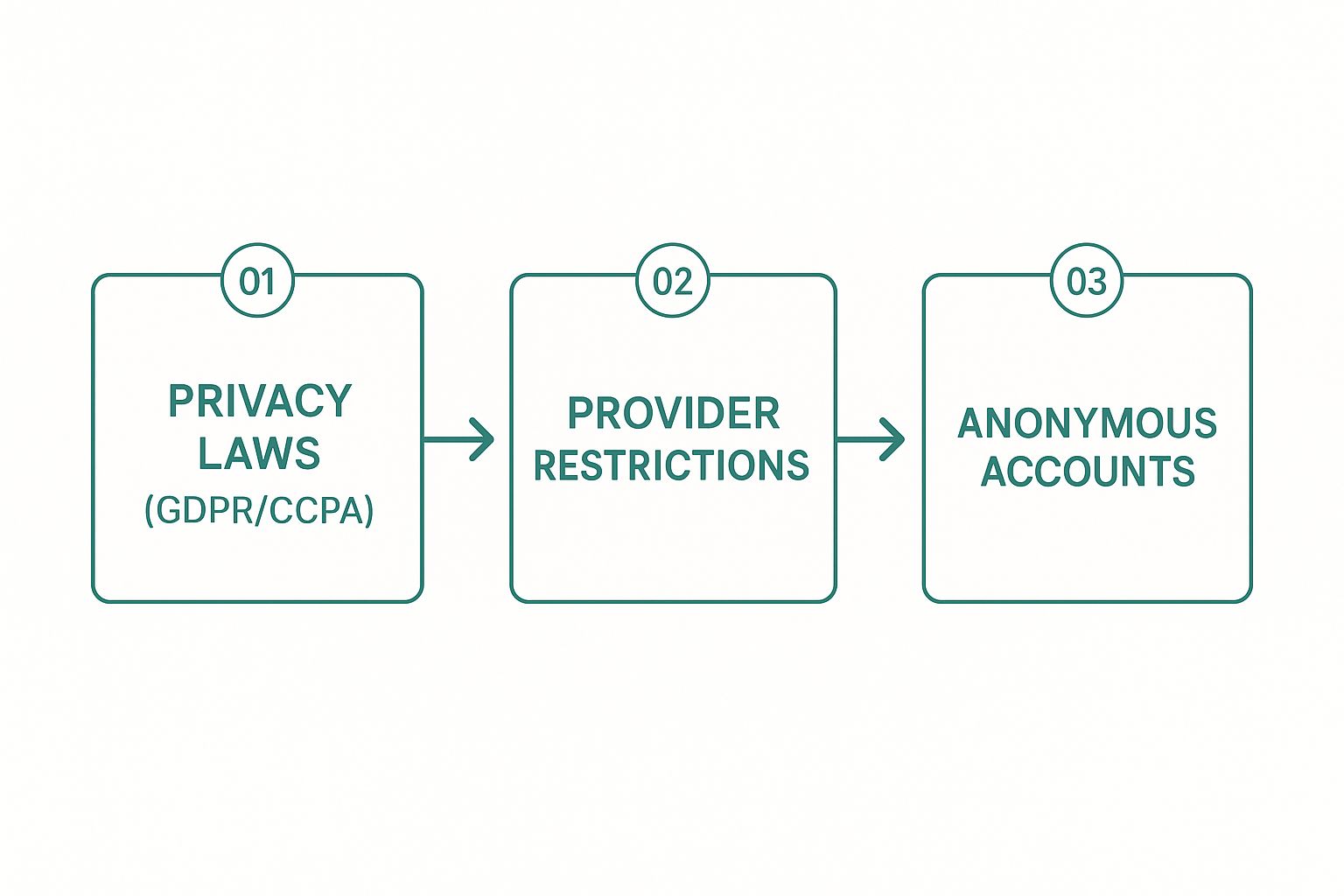
As you can see, the path from an unknown email to a real name is blocked by a combination of legal, technical, and practical hurdles.
The Scale of the Search
The sheer number of email accounts out there is staggering. Trying to find one person manually is like looking for a single grain of sand on every beach in the world. By 2025, experts predict there will be 4.6 billion email users with nearly 5.6 billion accounts.
Think about it: Gmail alone has over 1.8 billion users. That massive scale is exactly why privacy is so critical and why a direct lookup just isn't possible. You can read more about global email usage statistics to get a better sense of the numbers we're up against.
The real challenge isn't a lack of tools; it's that the entire email system is designed to protect privacy, not to make people easy to find.
Public Business vs. Private Personal Accounts
Here’s a distinction that will save you a ton of time: know what kind of email you're dealing with. There's a world of difference between a public-facing business email (like jane.doe@company.com) and a private, personal one (coolsurfer92@gmail.com).
Business emails are often meant to be found. They're listed on company websites, professional networks, and contact pages. Personal emails, on the other hand, are usually kept under wraps. Understanding which one you have is the first step to setting realistic expectations for your search.
How to Use Reverse Email Lookup Tools
When you need to figure out who's behind an email address, a reverse email lookup tool is often the first thing that comes to mind. These services are essentially search engines for people, scanning public records, social media, and data broker lists to connect an email to a real person.
The process is straightforward: you pop in the email, and the tool digs through its massive database for a match. The thing is, the results can be a real mixed bag. The success of these tools hinges on two things: the type of email you're looking up and how much of a digital trail its owner has left.
For example, you'll have much better luck with a professional email like jane.doe@bigcompany.com than a generic one like surferdude92@yahoo.com. Why? Because the corporate address is usually tied to public-facing roles, company directories, and networks like LinkedIn, giving the tools much more to work with.
Setting Realistic Expectations
Let's be real: you have to go into this with a bit of healthy skepticism. A lot of these services promise the world but end up delivering outdated or just plain wrong information. They aren't a magic key that unlocks private inboxes at Google or Microsoft.
A classic trap is the paywall. A tool will dangle the possibility of a match, get you excited, and then hit you with a fee. You might pay up, only to find the "match" is from a forum comment someone left in 2011. To sidestep this, I always recommend starting with services that offer a few free searches or at least show you a solid preview of what they’ve found before asking for your credit card.
To save you some time and potential frustration, we've gone ahead and put together a list of the best email lookup tools that actually deliver on their promises.
Key Takeaway: Reverse email lookup services work best on professional or business emails. For private, personal accounts, their success rate drops off a cliff because those users generally don't want to be found.
Interpreting the Search Results
Getting a hit from a lookup tool is just the beginning. The next step—verification—is where the real work happens. Never take the initial results as gospel. A good search might give you a name, a social profile, a job title, or even a general location.
Here’s my simple, go-to process for vetting the information:
- Check Social Profiles: If the tool points you to a LinkedIn or X (formerly Twitter) account, go check it out. Does the name, picture, and company info line up?
- Look for Consistency: Does the info from the tool match what you find with a quick Google search of the name and any other details provided?
- Confirm Timeliness: Is the job title current? An old, un-updated LinkedIn profile can send you chasing a ghost.
This verification process is non-negotiable. It’s what turns a piece of raw data into confirmed intelligence. By using these tools as a starting point, not the final word, you’ll be far more effective in your search.
Comparing Reverse Email Lookup Approaches
Not all methods are created equal. Depending on what you're trying to find, one approach might be a home run while another strikes out completely. Here's a quick breakdown of the different tools and techniques you might encounter.
| Method / Tool Type | Best For | Potential Information | Privacy Considerations |
|---|---|---|---|
| Specialized Lookup Tools | Professional emails, sales leads, and recruitment | Name, job title, company, location, social media profiles | Uses publicly available data, but some tools may aggregate data from less transparent sources. |
| Social Media Search | Personal or professional emails tied to active profiles | Name, photos, interests, friend/follower lists, location | Relies on user's privacy settings. Information is self-reported and can be outdated. |
| General Search Engines | Emails linked to public websites, forums, or publications | Name, associated websites, public comments, online activity | Only uncovers information that has been publicly indexed. Respects robots.txt files. |
| People Search Engines | Personal emails, finding old contacts | Name, address history, phone numbers, relatives, public records | Can be invasive. Data is compiled from numerous public and private sources. Often requires a fee. |
Ultimately, the right tool depends on your specific goal. For professional outreach, specialized lookup services are your best bet. For reconnecting with an old friend, a people search engine might be more appropriate. Always consider the context and use these tools responsibly.
Sifting Through Social Media and Professional Networks

Sometimes the simplest path is the most direct one. People often share their contact details willingly on social media and professional sites—you just need to know where to look.
This isn't some shady, back-alley tactic. It’s about smart sleuthing, using the search functions these platforms already provide. Users often link emails to their profiles, leaving a trail of digital breadcrumbs that can lead you right to them.
Your First Stop Should Be LinkedIn
When you’re trying to pin down a professional contact, LinkedIn is the gold standard. The entire platform is built on professional identity, which makes it an incredibly reliable resource. It’s common for people to list their work email directly in their contact info.
Here’s a simple trick I use all the time:
- Head over to the LinkedIn search bar.
- Type in the full email address you're investigating.
- If a public profile is tied to that email, LinkedIn will usually serve it up right in the search results.
This works far more often than you'd think, since most professionals sign up with their primary work email. Even if their address isn't visible on their profile page, LinkedIn's search algorithm can still connect the dots behind the scenes. And if you really want to go deeper, you can also learn how to find an email by LinkedIn profile with a few more targeted steps.
The real value of LinkedIn is the context it provides. You don’t just get a name; you get a job title, a company, and a professional history that all help confirm you’ve found the right person.
Expand Your Search to Other Social Platforms
LinkedIn is the king for B2B, but don't count out other platforms. You can occasionally get a hit from places like Facebook and X (formerly Twitter), though it's less common for personal emails.
On Facebook, take a look at the "About" section under "Contact and Basic Info." Some people, especially those who use their profiles for business, list their email there.
Over on X, users sometimes put their email in their bio or even a tweet. To dodge spam bots, they'll often disguise it. Keep an eye out for formats like:
name [at] domain [dot] comname@domain(.)com
Another good move is to search for the username part of the email (everything before the "@"). People love to use the same handle everywhere, so this can help you cross-reference profiles and build a more complete picture of the person.
It’s definitely a bigger challenge, though. With Gmail alone holding a 33% global market share, providers have to make privacy a top priority, which is why a universal reverse email lookup service just doesn't exist.
Mastering Advanced Search in Search Engines
Sometimes, the best tool for the job is one you already use every day. Believe it or not, a simple Google search can turn into a powerful investigative tool if you know how to go beyond basic queries.
The secret is using advanced search operators. Think of them as special commands that tell Google to get extremely specific with its results. By learning just a few of these, you can cut through all the online noise and find exactly where an email address has popped up publicly.
Use Quotation Marks to Find Exact Matches
The easiest and most powerful trick in the book is using double quotation marks (""). When you put an email address inside quotes, you're telling the search engine to only show you pages that contain that exact string of text.
For example, searching for "jane.doe@company.com" filters out everything except pages where that specific email is written out. This is a fantastic way to instantly uncover staff directories, author bios on blog posts, forum signatures, or old press releases where that person’s contact info was shared.
I've found this works best for professional email addresses, since they’re far more likely to be published on company websites or other public-facing pages.
If you don't want to memorize the syntax, you can just use the Google Advanced Search page. It gives you a simple form to fill out.
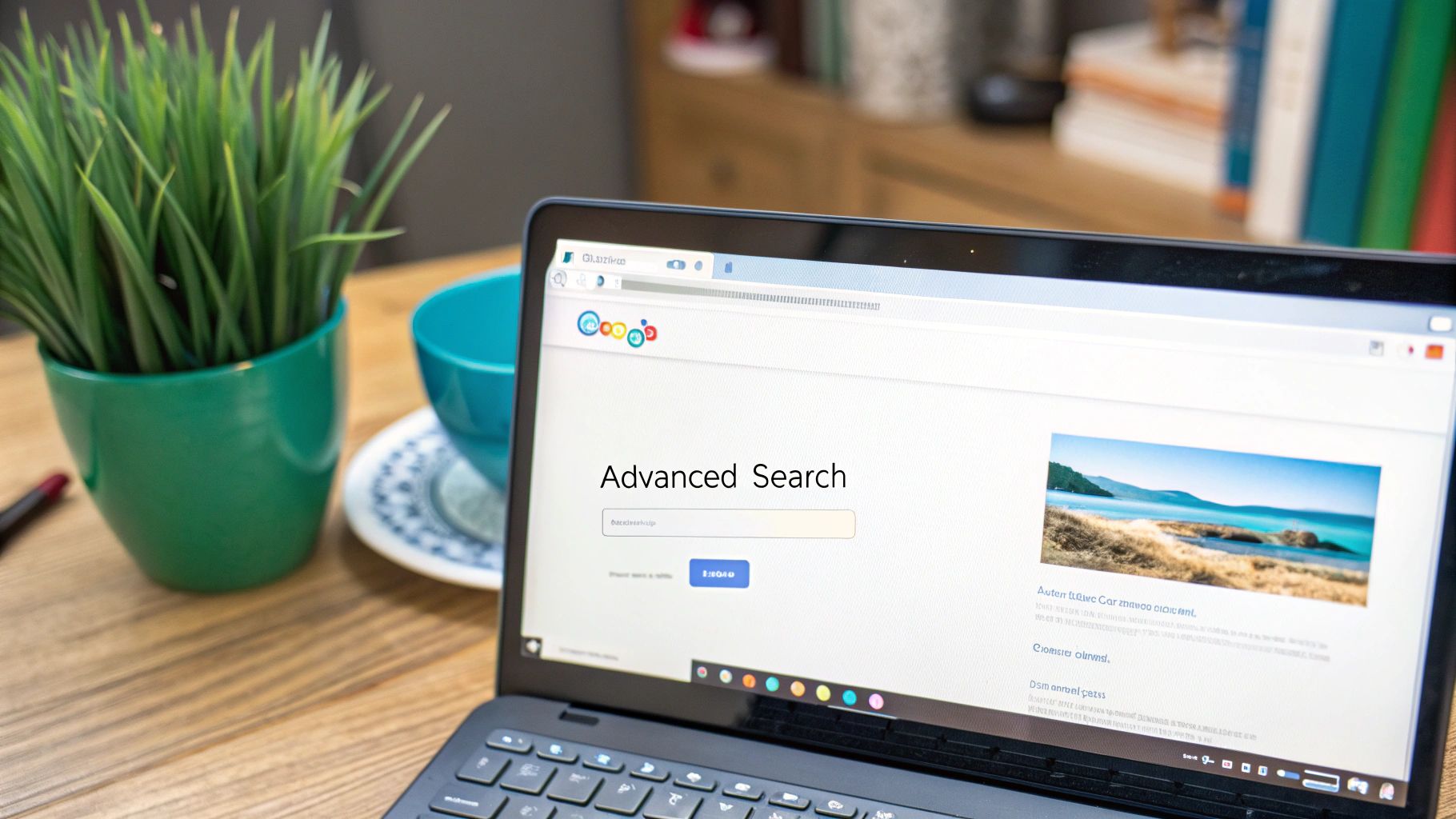
As you can see, there’s a field for "this exact word or phrase." It does the heavy lifting for you, automatically applying the quotation marks to your search.
Break the Email Down and Isolate the Parts
What if an exact match turns up nothing? Don't give up. The next step is to break the email address into its two main pieces: the username and the domain. Searching for these parts separately can help you piece together someone's digital footprint.
-
Search the Username: Pop just the username (the part before the "@") into the search bar, again using quotes. For an email like
jdoe_creative@gmail.com, a quick search for "jdoe_creative" could lead you to their social media profiles, forum handles, or a personal portfolio where they use the same unique ID. -
Search the Domain: This is where you can get clever. Combine the person’s name with their company’s domain using the
site:operator. A search like "Jane Doe" site:company.com tells Google to look for mentions of her name only on that specific website.
Pro Tip: This is where things get really powerful. You can combine operators to narrow your results even further. For instance, a search like
"Jane Doe" AND "Marketing Manager" site:company.comcan quickly confirm if a person with that name and title works at that company, even if their email isn't listed anywhere on the site.
Navigating Ethical and Legal Boundaries
Knowing how to find information is just one piece of the puzzle. The real question you need to ask yourself is whether you should.
When you're digging around to find out who owns an email address, you're walking a very fine line. On one side, you have legitimate, professional research. On the other, a serious violation of someone's privacy. The key is to be crystal clear about your intentions and always respect the individual's data.
Think about it this way: are you trying to verify a public business contact for professional outreach, or are you trying to dig into someone’s private life? The first is just standard business practice. The second crosses a major ethical line and can quickly land you in legal hot water.
Understanding the Legal Landscape
Two big pieces of legislation really set the rules for using email for commercial purposes: GDPR and the CAN-SPAM Act. They might sound complicated, but their core ideas are pretty simple. They’re designed to protect people from being spammed.
- General Data Protection Regulation (GDPR): This is the EU’s gold standard for data privacy, and it has a global impact. It demands that you have a legitimate reason for processing someone's personal data, which absolutely includes their email address. Just finding an email doesn't give you a free pass to add it to a marketing list without their explicit permission.
- The CAN-SPAM Act: Over in the United States, this law governs commercial emails. It boils down to a few key rules: be honest about who you are, provide a real physical address, and give people an obvious way to opt out of future emails. The penalties for messing this up are no joke—fines can climb over $50,000 for a single email.
The bottom line is this: your purpose is everything. If you're looking to spam, harass, or mislead someone, you’re breaking the law. But if you're verifying a professional contact for a legitimate business purpose, you’re generally on solid ground.
Email anonymity is a huge part of our digital lives. While an incredible 92% of adults online use email, most of them do so with a reasonable expectation of privacy. That massive user base isn't a public phone book. If you want to dive deeper into the numbers, these email marketing statistics show just how much usage trends shape our privacy norms.
A Simple Ethical Framework
To keep your search on the right side of the line, just stick to a few common-sense principles. Before you even start, run through these questions to make sure your actions are justified.
- What Is My Legitimate Interest? Are you trying to connect with a potential client? Verify a job applicant's details? Reconnect with an old colleague? Having a clear, professional goal is your ethical starting point.
- Is the Information Publicly Available? Only use information people have already shared willingly. I'm talking about details on professional networks, company websites, or public directories. If you find yourself using methods that feel sneaky, like trying to get into private accounts, you've gone too far. Our guide on how to find an email from a Facebook profile is a perfect example of how to leverage public information responsibly.
- How Will I Use This Information? This is the most important question of all. Are you going to send a thoughtful, personalized message? Or are you just going to dump the address into a bulk list for a generic email blast? Always choose respect and personalization. It’s not just ethical—it gets better results.
By following these guidelines, you can figure out who owns an email address without compromising your integrity or breaking the law.
As you start digging into how to find who owns an email address, a few questions always seem to come up. Let's run through the most common ones I hear to clear up any confusion and make sure you're doing this the right way.
Is It Legal to Do a Reverse Email Lookup?
Generally, yes. It’s perfectly legal to use public information to figure out who owns an email. The tools and methods we've discussed just pull together data that’s already out there—think social media profiles, company websites, and other public records where people have shared their details themselves.
But here’s the critical part: it all comes down to your intent. If you use that information for anything shady like harassment, stalking, or breaking privacy laws like GDPR, you're crossing a serious legal line. This guide is strictly about ethical and lawful uses, like verifying a new business contact or getting back in touch with an old colleague.
Why Can’t I Find Anything on an Email Address?
Hitting a dead end is more common than you'd think. The email could be brand new, a temporary or disposable one, or maybe the owner just keeps a very low-key digital profile. Some people are just really good at keeping their personal data offline.
Email providers like Google and Microsoft are built to protect their users. So, if someone hasn't publicly tied their email to any other service, your search will come up empty. When that happens, it's a signal to stop. Trying to dig deeper isn't just unethical; it's usually a waste of time.
Remember, no result is a result. It often means the person values their privacy, and that's a boundary you should respect. Your search should end where public information does.
What’s the Best Way to Find a Professional Email Address?
For any professional email, like jane.doe@company.com, your first and best bet is almost always LinkedIn. Professionals link their work emails to their profiles all the time for networking, making it a goldmine for this kind of search.
Another great trick is a precise Google search. Just wrap the full email address in quotation marks, like "firstname.lastname@company.com". This tells Google to find that exact phrase, which can uncover a company's team page, a press release, or an article where their email was mentioned.
I usually combine the two—a quick LinkedIn search followed by a targeted Google query. That combo gives you the highest odds of success for professional emails.
Can I Actually Find Out Who Owns a Gmail Account?
Honestly, it's incredibly difficult to track down the owner of a private Gmail account. Google puts a huge emphasis on user privacy and doesn't offer any kind of public directory or reverse lookup.
Your only real shot is if the person has voluntarily used that Gmail address publicly somewhere else online. Maybe they used it to comment on a blog, sign up for a public forum, or list it on a personal website. If they haven't left that digital trail themselves, the identity behind a private Gmail account is going to stay private, and ethical methods won't get you any further.
Ready to streamline your outreach and connect with the right people? EmailScout makes finding professional email addresses effortless. With our powerful Chrome extension, you can build marketing lists and enhance your sales process with a single click.
Start finding unlimited emails for free at https://emailscout.io.