

If you want to find someone's professional email, you need to think of LinkedIn as more than just another social network. It's the world's biggest professional directory, hands down. The smartest approach is to blend a bit of old-school detective work with a powerful tool like EmailScout, which can pull a verified business email right from a LinkedIn profile in seconds. This combo turns LinkedIn from a place you just scroll through into a serious machine for generating high-quality leads.
Why LinkedIn Is a Goldmine for Professional Emails

In the B2B game, context is king. Other social platforms are a chaotic mix of personal updates and professional posts, but LinkedIn was built specifically for business. People on the platform expect to be contacted about job opportunities, industry partnerships, and business solutions that can help them. This makes it the absolute best place for professional outreach.
When you find an email through LinkedIn, you're getting more than just a contact detail. You're getting a direct line to a professional who is already engaged in their industry. The whole environment is set up for business, so your outreach feels less like a cold interruption and more like a relevant, professional conversation starter. That difference is what gets you replies.
The Power of Professional Context
The real value of an email found on LinkedIn is its direct link to a person’s professional life. You can immediately see their job title, their company, their entire work history, and even what they've been posting about. All this information lets you write incredibly personalized messages that speak directly to their role and what they care about.
This is exactly why LinkedIn works so well for business development. Modern buyers are savvy—a staggering 82% of B2B decision-makers will check out a salesperson’s LinkedIn profile before they even think about taking a meeting. This shows a clear expectation that business conversations will start on the platform.
Professionals on LinkedIn aren't just scrolling; they're actively participating. They share articles, join groups, and follow industry leaders, leaving behind a trail of intent data that is pure gold for anyone doing targeted outreach.
Backed by Unbeatable Conversion Data
The numbers don't lie. With over a billion members, LinkedIn is the undisputed champ for B2B engagement. It's not even close.
When it comes to turning visitors into actual leads, LinkedIn's conversion rate is 2.74%. That’s almost four times higher than Facebook or Twitter. This massive difference is why figuring out how to find an email on LinkedIn is a must-have skill for anyone in sales or marketing today.
On top of that, an incredible 46% of all social media traffic to B2B company websites comes straight from LinkedIn. It proves that users are actively looking for business solutions. If you want to dive deeper into why the platform is so dominant, check out the latest 2026 LinkedIn statistics report.
Here’s a quick look at how LinkedIn stacks up against other major platforms when it comes to the quality of B2B leads.
LinkedIn vs Other Platforms for B2B Lead Quality
| Metric | |||
|---|---|---|---|
| Primary User Intent | Professional networking, career growth, industry news | Social connection, entertainment, personal updates | Real-time news, public conversation, brand updates |
| Lead Quality | Very High (professional context, accurate job data) | Low to Medium (less reliable professional data) | Low (demographics are broad, intent is unclear) |
| Data Richness | High (job history, skills, connections, company info) | Medium (interests, demographics, some job data) | Low (interests, public comments, follows) |
| Visitor-to-Lead Rate | 2.74% | 0.77% | 0.69% |
| B2B Website Traffic | 46% of all social media-driven B2B traffic | Significantly lower | Significantly lower |
As you can see, the data speaks for itself. For anyone serious about B2B outreach, LinkedIn isn't just an option—it's the main event. The platform's professional focus and high-intent user base make it the most reliable source for finding emails that lead to real business conversations.
Finding Emails Manually with Digital Detective Work

Before you let the fancy tools do all the work, it pays to learn the old-school manual techniques. Think of it as digital detective work—it builds a solid foundation and honestly, makes you appreciate the power of automation that much more.
These hands-on methods are surprisingly effective and can often unearth an email when automated systems hit a dead end.
The first place you should always check is the "Contact Info" section on a person's profile. It sounds basic, I know, but you’d be surprised how many people just list their email right there. It’s a quick win and should always be your first move.
If that comes up empty, don't give up. The real detective work starts now. Scan their profile bio, read their "About" section, and scroll through their recent posts. Professionals often drop their contact details when promoting a webinar, a side project, or something they’re passionate about.
Decoding Company Email Patterns
One of the most reliable manual tricks is figuring out a company's email format. Most businesses use a consistent pattern, and once you crack the code, you can guess just about anyone's email with a high degree of accuracy.
All you need is the person's full name and their company's domain (like company.com). From there, you just test the most common combinations.
Here are the patterns I see most often:
- First Name:
john@company.com - First Name.Last Name:
john.smith@company.com - First Initial Last Name:
jsmith@company.com - First Name Last Initial:
johns@company.com
So, if you're looking for Jane Doe at Acme Corp (acmecorp.com), you'd start by testing jane.doe@acmecorp.com and jdoe@acmecorp.com. It feels like a bit of a guessing game at first, but you'll quickly develop an intuition for which formats are most common in certain industries.
Verifying Your Educated Guesses
Guessing an email is only half the battle. Sending a message to a bad address is a waste of time and, worse, it hurts your sender reputation. You need a way to check if your guess is right before you hit send.
This is where free verification tools are a lifesaver. Services like MailTester let you plug in a potential email address, and they’ll do a quick check to see if an active inbox exists on that server. It’s fast and free.
This simple verification step is crucial. It keeps your bounce rate low, which is a major signal email providers look at to identify spammers. A high bounce rate can get your entire domain blacklisted.
Another slick trick is to just use Google. Wrap one of your guessed emails in quotation marks (e.g., "jane.doe@acmecorp.com") and search for it. If that exact email has ever appeared on a company website, press release, or conference speaker list, Google will usually find it. This not only verifies the address but also confirms it’s one they use publicly.
Using Advanced Google Searches
Beyond simple verification, Google can be a seriously powerful discovery tool if you know how to use it. With a few specific search operators—sometimes called "Google Dorking"—you can uncover contact info that’s hidden in plain sight.
Try running these searches for your next high-value prospect:
(“Jane Doe” AND email) site:acmecorp.com- This tells Google to search for the person's name and the word "email" but only on their company's website.
“Jane Doe” “contact” “Acme Corp”- This looks for their name, the word "contact," and their company name anywhere on the web. It's great for finding directory listings or press mentions.
“Jane Doe” filetype:pdf- This is a sneaky one. It often uncovers résumés, white papers, or academic articles where people list their contact info.
These manual techniques take a bit more elbow grease, but they give you a much deeper understanding of the whole process. They're especially valuable when you're targeting a really important contact and need to be 100% sure you have the right info before reaching out.
Automating Your Search with an Email Finder
Look, manual methods are great for getting your feet wet, but they just don't scale. If you're trying to find emails for dozens—or even hundreds—of prospects on LinkedIn, the detective work quickly becomes a massive bottleneck. This is where automation, specifically a good email finder tool, completely changes the game. It turns a slow, manual grind into a fast, efficient process.
An email finder is usually a Chrome extension that plugs right into your LinkedIn workflow. As you browse profiles, the tool hums along in the background, scanning data sources and using its own algorithms to pinpoint a person's business email. It’s a one-click fix that takes the guesswork out of the equation, letting you focus on what actually matters: building relationships and starting conversations.
Getting Started with a LinkedIn Email Finder
The first step is a breeze—just add the extension to your browser. It usually takes less than a minute. Once it's installed, you'll see a new icon or button pop up directly on LinkedIn profiles. There's no complicated setup; these tools are built to work right out of the box.
When you land on a prospect's profile, the tool gets to work. You'll spot a new button, typically right near the person's name and headline. A single click on "Find Email" sends the extension off to its databases to retrieve the most likely business email for that contact.
Here’s how cleanly an extension like EmailScout fits into a standard LinkedIn profile.
Notice how the "Find Email" button is positioned right where you'd expect it. This intuitive design makes finding contact info a natural part of your prospecting routine, not some clunky, separate task.
Understanding the Results
After you click, the magic happens in seconds. The tool doesn't just spit out an email; it also gives you a verification status. This is the critical feature that separates a professional-grade tool from a basic scraper.
- Valid: The system has confirmed the email address exists and is safe to send to.
- Risky: This might be a "catch-all" server, meaning you can't be 100% sure it's valid without actually sending a message.
- Invalid: The email is dead. Sending to it will get you a hard bounce.
This immediate feedback is invaluable. It doesn’t just give you a contact detail—it protects your sender reputation by helping you avoid bad addresses. Once you have a valid email, you can save it directly to a prospecting list inside the tool's dashboard, keeping your lead gen efforts organized and moving. If you're looking to streamline even more of your LinkedIn activity, exploring the best LinkedIn schedulers can add another layer of efficiency to your outreach.
The real power of an email finder isn't just speed; it's the combination of speed and accuracy. By finding and verifying emails at the same time, you eliminate wasted effort and give every email you send the best possible chance of landing.
The data backs this up. The average LinkedIn message response rate is a solid 10.3%, which is about double the typical cold email response rate of 5.1%. This tells us that professionals on LinkedIn are receptive to outreach, making the emails you find there incredibly valuable. When you use a tool to get a verified email for an active LinkedIn user, you're tapping into a highly engaged audience.
Ultimately, using a tool to find an email on LinkedIn isn't just a time-saver. It’s about working smarter, improving the quality of your data, and building a more effective outreach engine from the ground up. You can dig into a detailed comparison of the best email finder tools to see how different options stack up.
Scaling Your Outreach with Bulk Email Lookups
Finding one email at a time is fine, but it’s not going to fill your pipeline. To really build momentum, you have to move beyond single searches and start building large, targeted lists. This is where bulk email lookups completely change the game, turning the manual task of finding emails on LinkedIn into a streamlined, automated process.
Instead of clicking profile by profile, you can use advanced features in tools like EmailScout to grab hundreds of verified contacts in just a few minutes. This frees you up to spend less time digging for data and more time writing personalized messages that actually get responses.
It boils down to a simple, three-step process: install the tool, find the emails, and save your data.
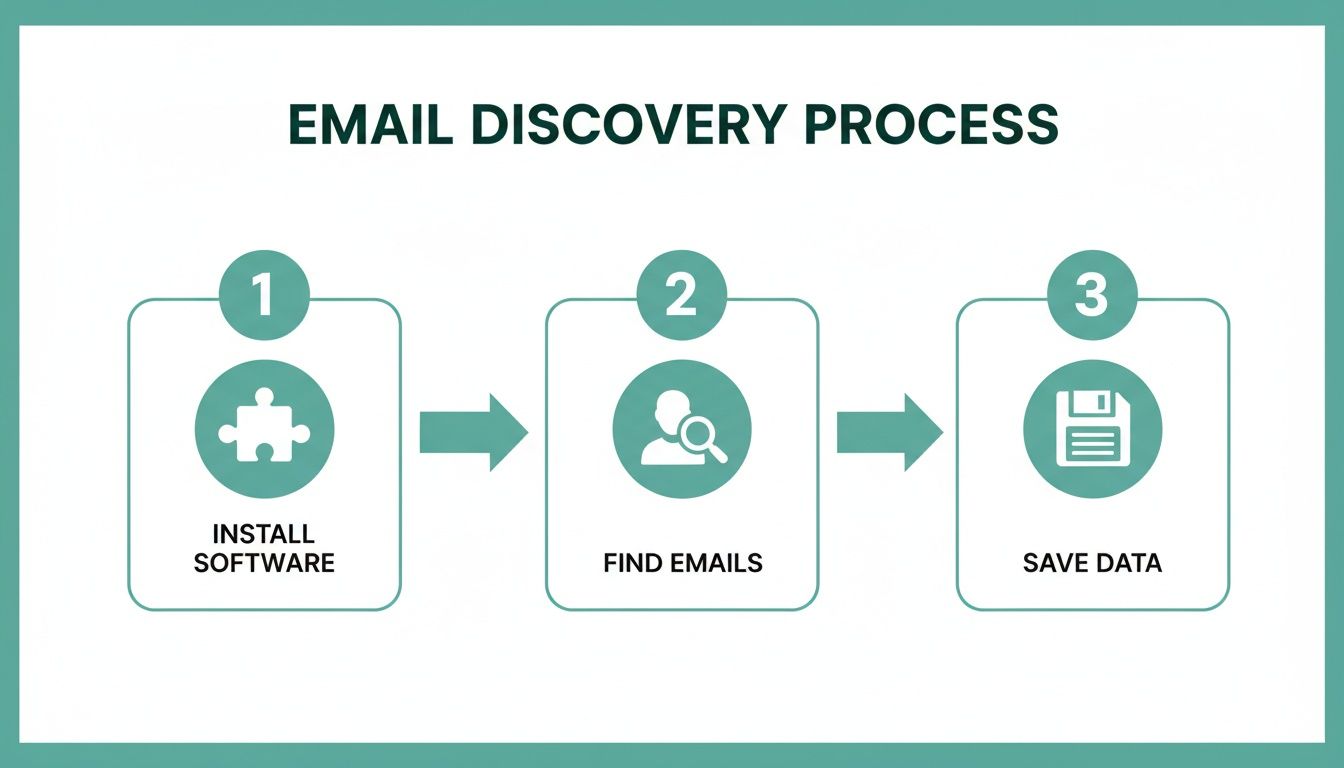
This workflow really shows the power of automation—it takes what used to be a tedious manual job and turns it into a few quick, repeatable clicks.
Building Lists Passively with AutoSave
One of the slickest ways to build lists at scale is with an AutoSave feature. Picture this: you're looking at a LinkedIn search results page with 25 perfect prospects. Instead of opening each profile one-by-one, AutoSave just works in the background, quietly finding and saving the verified email for every single person on the page.
It's a massive time-saver. You can use it in a few really valuable situations:
- LinkedIn Search Results: Run a super-specific search (like "Marketing Directors in the SaaS industry in California") and let AutoSave grab contact info while you scroll.
- Company Employee Pages: Go to a target company's "People" tab on LinkedIn and turn on AutoSave to collect emails for their entire team. Perfect for account-based marketing.
- Group Members: Find a LinkedIn group where your ideal customers hang out and pull member details to create a hyper-relevant outreach list.
This turns your everyday LinkedIn browsing into a constant lead-gen activity, building you powerful lists with almost no extra effort.
The key takeaway is that you're no longer actively hunting for each email. Instead, you're setting the criteria for your ideal prospect on LinkedIn, and the tool gathers the data for you as you explore.
Processing Lists with the URL Explorer
So, what if you already have a list of LinkedIn profiles? Maybe you got them from a conference attendee list, a CRM export, or some old research. Visiting each URL manually would take forever. This is where a URL Explorer becomes your new best friend.
A URL Explorer lets you just paste a list of LinkedIn profile URLs directly into the tool. It then churns through the entire list in one go, finding the verified email for each profile and spitting out a clean, downloadable file.
This is the best way to handle existing lead lists and enrich your data with accurate, verified email addresses. It closes the gap between having a list of names and having an actionable list of contacts ready for outreach. If you want to take your list building even further, you can learn more about using an email extractor for Chrome to really optimize your workflow.
Pro Tips for Hyper-Targeted Bulk Lookups
To get the most out of your bulk searches, remember that it’s not just about grabbing as many emails as you can. Quality always beats quantity.
Before you run a bulk lookup, use LinkedIn's advanced filters—especially in Sales Navigator—to really narrow down your audience. Filter by things like:
- Company Size: Zero in on businesses that fit your ideal customer profile.
- Seniority Level: Target the decision-makers, like VPs, Directors, or C-suite execs.
- Years in Current Role: Find people who are new to a role (and might be open to new ideas) or those with established authority.
- Recent Activity: Look for people who have posted on LinkedIn in the last 30 days—they're more likely to be active and responsive.
When you combine precise filtering with the power of bulk lookup tools, you can build huge, high-quality email lists that are ready for a successful outreach campaign. It's a strategic approach that ensures your efforts to find an email on LinkedIn lead directly to real business conversations.
Keeping Your Outreach Smart and Compliant
So you've found an email address on LinkedIn. Great. But that’s just the starting line. Simply firing off a message without a second thought is a rookie mistake that can tank your sender reputation for good.
This is where smart, compliant outreach comes in. It’s the difference between landing in the inbox and getting blacklisted. The first step? Verifying every single email.
A bounce isn't just a missed connection; it's a strike against you. Email providers like Google and Microsoft track these bounces. Rack up too many, and they'll start sending your messages straight to the spam folder—or worse, blocking you entirely.
What Do Email Verification Statuses Mean?
When you find an email, you'll see a status like 'Valid,' 'Risky,' or 'Invalid.' Knowing what these mean is critical for keeping your sender score healthy and your emails delivered.
- Valid: This is your green light. The system has checked and confirmed the email address is live and ready to receive messages. These are the contacts you want to focus your energy on.
- Risky: Think of this as a yellow light. It often flags "catch-all" email servers that are set up to accept any email sent to their domain. This makes it impossible to know for sure if
jane.doe@company.comactually exists without sending something. Use these with caution, as they're more likely to bounce. - Invalid: Stop. This is a dead end. The address is confirmed to be nonexistent. Never, ever send to these addresses. It will trigger a hard bounce, which is the most damaging kind for your sender reputation.
Staying on the Right Side of the Law
Beyond the technical stuff, you have to think about anti-spam regulations. The big two are GDPR (for EU citizens) and CAN-SPAM (in the United States). They have different rules, but their core message is the same: be transparent and respect the person you're contacting.
It all boils down to legitimate interest. You need a solid, business-related reason to be in their inbox. For instance, contacting a VP of Sales about a new CRM tool? That makes sense. Emailing them about a personal loan? That's spam. Once you’ve got your list, the next step is to write professional emails that get replies and start real conversations.
Today’s B2B buyers are savvy. In fact, data shows that 82% of B2B buyers will look up a professional's LinkedIn profile before even agreeing to a meeting. This just goes to show how crucial it is for your outreach—and your own profile—to be polished and professional. They will be checking you out.
The Ground Rules of Compliant Outreach
Stick to these fundamentals to keep your campaigns clean, build a positive brand image, and stay out of trouble.
- Be Honest: Make it clear who you are and what your company does. No tricky subject lines or misleading sender names.
- Offer an Easy Out: Every single email needs a clear, simple way for someone to unsubscribe from future messages.
- Act on Opt-Outs Fast: When someone unsubscribes, you have to remove them from your list immediately. No exceptions.
- Include a Physical Address: The CAN-SPAM Act requires you to put a valid physical postal address in your email footer.
When you pair a solid strategy to find emails on LinkedIn with a serious commitment to verification and compliance, you build an outreach machine that lasts. For more advanced strategies, you can also check out our guide on how to scrape emails from LinkedIn the right way. This approach doesn't just protect your brand; it builds the trust you need to get better response rates and have more meaningful conversations.
Common Questions About Finding Emails on LinkedIn
Diving into email discovery on LinkedIn always brings up a few key questions about legality, effectiveness, and staying on the right side of the platform's rules. Getting straight answers is the best way to build a prospecting strategy that actually works and doesn't land you in hot water.
Let's clear up some of the most common concerns people have before they start. Knowing the landscape helps you move forward with confidence.
Is It Legal to Find and Use Emails from LinkedIn?
Yes, for legitimate business-to-business outreach, it's generally fine. The main thing is to comply with anti-spam laws like CAN-SPAM in the U.S. and GDPR in Europe. These rules aren't designed to stop you from doing business; they're there to make sure you do it respectfully.
Your message needs to be relevant to the person's professional role, you have to say who you are, and every single email needs an easy opt-out link. At its core, compliant outreach is just about sending the right message to the right person.
What Is a Realistic Success Rate for Finding Emails?
If you're doing it all by hand, it’s a bit of a guessing game. Even with some solid detective work, you’ll probably only hit a 20-40% success rate, and that's after sinking a fair bit of time into it.
This is where a dedicated tool completely changes the math.
- Specialized Tools: A good email finder can boost your success rate to 70-90% for professionals with an active online presence. They do this by checking multiple data sources in an instant.
- Instant Verification: They also confirm the email works on the spot, so you're not just getting an address—you're getting a working address.
That jump in efficiency means you can focus on writing great outreach messages instead of just hoping your emails don't bounce.
The real win with a professional tool isn't just finding more emails; it's finding the right emails. Getting verified, business-specific addresses is what protects your sender reputation and makes sure your messages actually land in the inbox.
How Do I Avoid Getting My LinkedIn Account Restricted?
This is a big one. Reputable email finders are built from the ground up to play nice with LinkedIn's terms of service. They mimic natural human behavior—like browsing a profile—instead of firing off aggressive, automated actions that get accounts flagged.
To keep your account safe, stick with a tool that's laser-focused on one thing: finding contact information. Use it to supercharge your manual prospecting, not to automate your entire engagement strategy. This approach keeps your activity looking natural and your account in good standing.
Ready to find verified emails on LinkedIn in a single click, safely and efficiently? EmailScout gives you the power to build targeted lists without the guesswork. Start for free and see the difference it makes.