

An email extractor chrome extension is a simple but powerful browser tool that does one thing exceptionally well: it finds and collects email addresses from websites, social media pages, and just about any other online source. It essentially automates a tedious manual process, turning hours of grunt work into a task that takes just a few clicks. For anyone in sales or marketing, it’s a total game-changer.
Why An Email Extractor Is Your New Secret Weapon

In sales and marketing, speed and efficiency are everything. If you're still manually digging through websites and LinkedIn profiles for contact info, you're falling behind. That kind of work is a massive time drain, pulling you away from the activities that actually move the needle—building relationships and closing deals.
This is exactly where an email extractor extension comes in. Think of it less as another browser add-on and more as a strategic asset. It automates the most frustrating part of lead generation, letting you build hyper-targeted prospect lists with incredible speed.
A Few Real-World Examples
Let's get practical. Imagine you're prepping for a big industry conference. Instead of spending the week before hunting down contacts, you could just visit the event's exhibitor page and pull hundreds of relevant emails in a matter of minutes. This gives you a massive head start, allowing you to kick off your outreach before the event even starts.
Here are a few other ways you can get a strategic edge:
- Laser-Focused Prospecting: Scrape emails from niche forums, industry blogs, or LinkedIn groups to find people actively talking about problems your product solves.
- Smarter Competitor Analysis: See where your competitors are active online. You can often identify potential customers they might be overlooking in those same communities.
- Quick Networking: Need to gather contacts fast? Use it on online portfolios, speaker bios from virtual events, or professional directories to build a list in no time.
The scale these tools operate at is what makes them so powerful. The best extensions are trusted by millions of professionals and have processed billions of email searches. By 2025, tools like these have become standard issue, with some maintaining databases of over 200 million regularly refreshed B2B profiles. That data integration means you're not just getting emails; you're often getting verified contacts, which is a huge deal for keeping bounce rates low. You can read more about how B2B data collection is scaling to see just how critical this has become.
To put it simply, a good email extractor tool brings several key advantages to your daily grind.
Core Benefits of Using an Email Extractor Extension
Here’s a quick breakdown of how these tools can immediately improve your workflow.
| Benefit | Impact on Your Workflow |
|---|---|
| Time Savings | Cuts down hours of manual research into minutes, freeing you up for high-value tasks like outreach and follow-ups. |
| Increased Accuracy | Reduces human error from copy-pasting, leading to cleaner data and lower email bounce rates. |
| Scalable Lead Generation | Allows you to build large, targeted prospect lists quickly, something that's simply not feasible to do by hand. |
| Targeted Outreach | Enables you to gather contacts from specific sources (like niche communities or competitor sites) for hyper-relevant campaigns. |
These benefits aren't just about convenience; they directly contribute to a more effective and profitable sales or marketing operation.
Key Takeaway: Using an email extractor isn't just about getting emails faster. It’s about building smarter, more relevant lists that let you execute personalized outreach at a scale that was impossible before.
This shift from manual labor to automated intelligence is the foundation of any modern, data-driven workflow. By removing the data entry bottleneck, you free up your most valuable resource—time—to focus on crafting great messages, nurturing leads, and driving revenue. The job becomes less about finding people and more about effectively engaging them.
Setting Up Your Email Extractor for First Use
Getting a new tool up and running should be the easiest part of the job. We designed EmailScout to be a simple email extractor chrome extension that takes you from zero to finding emails in just a couple of clicks, all right from the Chrome Web Store.
First things first, you need to find the extension. Just pop "EmailScout" into the Chrome Web Store search bar, and it'll be the top result. You'll see a big blue button that says “Add to Chrome.” Go ahead and click it—that’s literally the only step. Chrome takes care of the rest, downloading and setting it up for you.
Understanding Permissions
Once you click that button, Chrome will show you a pop-up asking for certain permissions. This is a totally standard security check for any extension, but it’s good to know what you’re actually saying "yes" to. It will ask for permission to “read and change your data on the websites you visit.”
That might sound a little intense, but it's essential for the tool to do its job. Here's the simple breakdown of what that means:
- Reading Data: The extension needs to scan the code and text on a webpage to spot anything that looks like an email address (like
contact@company.com). - Changing Data: This permission is usually just so the extension can display its icon on the page, often with a little badge showing how many emails it found.
Good extensions only use these permissions for what they say they will. EmailScout isn't reading your personal emails or grabbing your passwords; it’s just scanning the public content on websites for you.
Key Insight: Granting these permissions is what brings the extension to life. It’s what allows the tool to actively scan the sites you're on and pull out contact information, turning a simple webpage into a lead-generating resource.
Activating and Pinning the Extension
After it's installed, you’ll find the EmailScout icon tucked away under the puzzle piece icon in your browser's toolbar. To save yourself a click every time, I recommend pinning it.
Just click the puzzle piece, find EmailScout in the list, and click the little pin icon next to it. This will lock the icon to your toolbar so it's always visible and ready to go.
And that's it! You're all set to start finding emails. If you’re just getting started and want to learn more about the different ways to approach this, check out our guide on using a free email scraping tool.
Putting Core Features into Action
Now that you're all set up, let's get down to business. A powerful email extractor Chrome extension is more than just a button you click; it’s a tool you weave into your daily workflow to hit specific goals. I’ll walk you through how to use EmailScout’s core functions in real-world situations to get immediate results.
The whole point of a tool like this is to make your life easier. Getting started is designed to be quick and painless.
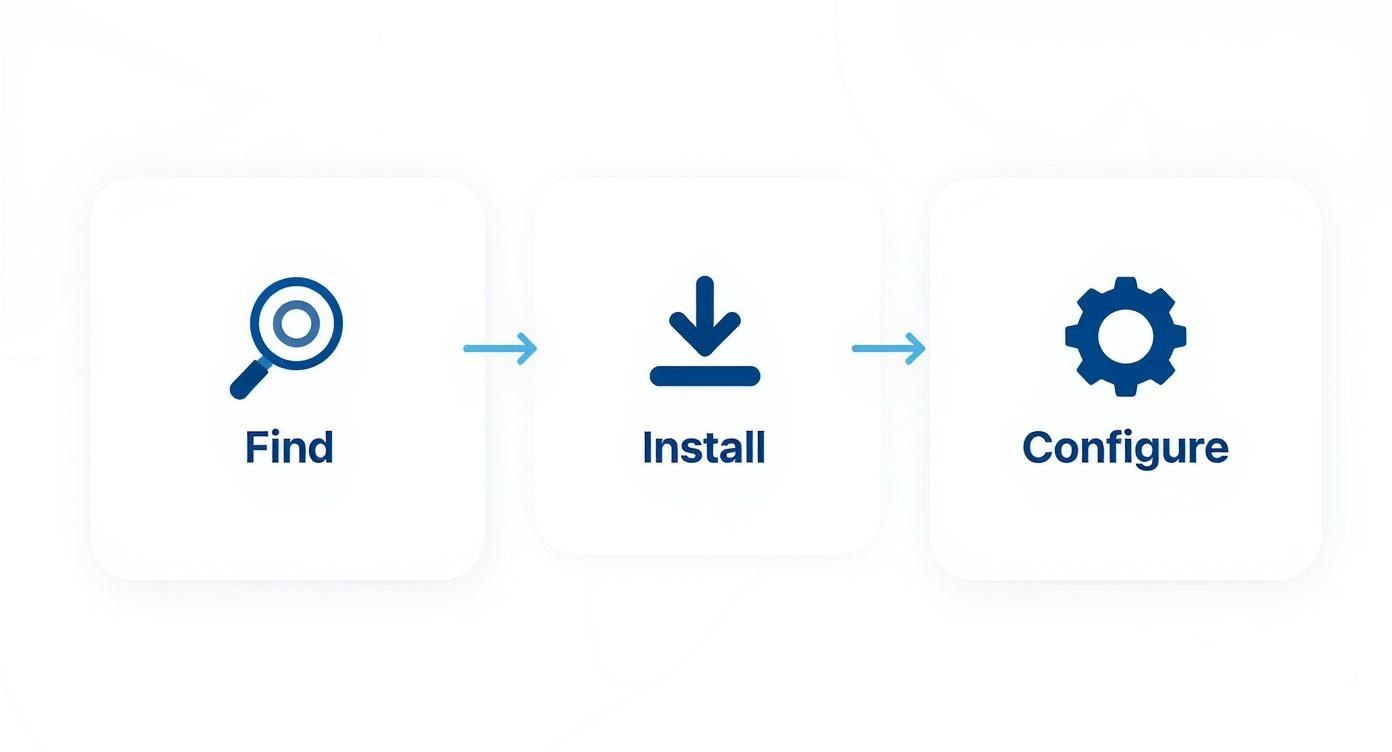
This simple flow—Find, Install, and Configure—is all it takes to get EmailScout ready for action. So, what’s next?
Extracting from a Single Webpage
The most common way to use an extractor is for pulling emails from a single, high-value source. This is your go-to move for targeted, on-the-spot needs.
Let's say you're a SaaS sales rep who just stumbled upon a blog post: "Top 50 Marketing Agencies in Texas." That page is pure gold. All you have to do is navigate to that URL, click the EmailScout icon in your toolbar, and watch it work. In seconds, it scans the entire page and gives you a clean list of every email address it found. Just like that, you have a hot prospect list ready to go.
This on-demand method is perfect for situations like:
- Conference Exhibitor Lists: Instantly grab contacts from event pages.
- Industry Directories: Scrape member lists from professional associations.
- "About Us" Pages: Pinpoint key decision-makers at your target companies.
This is the bread and butter of any solid email scraper. If you want a deeper dive, check out our guide on how to extract emails from any website.
Leveraging Automation with AutoSave and URL Explorer
One-off extractions are great, but automation is where the real magic happens. This is where features like AutoSave and URL Explorer step in to save you a massive amount of time.
These features are what truly scale your efforts. For example, EmailScout’s AutoSave and AutoVisit features can automatically crawl and scan up to 1,000 URLs at a time, pulling emails even from websites that are tricky to scrape manually. It builds and maintains cloud-based lists you can even share with your team.
Better still, these systems have built-in filters to remove duplicates and block spammy addresses, keeping your list quality high. For sales development reps, this means you get verified, up-to-date contact lists that can hit deliverability rates over 97% when you pair them with a verification tool. That’s how you maximize campaign efficiency.
Pro Tip: When you're using the URL Explorer for a bulk job, remember that a highly targeted list is everything. A tight list of 50 relevant URLs will always beat a generic list of 500. Quality over quantity wins every time in outreach.
Understanding these advanced features is what separates a basic tool from one that can genuinely scale your lead generation. To see what’s possible, it’s worth exploring some specific lead scraping capabilities out there. This is how you build a robust pipeline while you focus on the work that really matters.
Advanced Strategies for Building Better Lists

Having a powerful tool is just the first step. The real magic happens when you use it strategically—that's what separates the pros from the beginners. Just grabbing every single email you come across is a surefire way to get low open rates and burn through your leads.
The true power of an email extractor chrome extension isn't just about collection; it's about building high-quality, targeted lists that are actually ready to convert.
This requires a shift in mindset. Move away from broad, generic scrapes and start thinking with precision. Instead of just pulling contacts from a homepage, dig deeper. Where do your ideal prospects hang out online? Maybe they’re leaving thoughtful comments on niche industry blogs or are listed as speakers for a specialized webinar. Those are the goldmines you want to tap into.
Refining and Segmenting Your Data
Once you have your raw data, the real work begins. A clean, organized list is your most valuable asset. The first thing you should always do is scrub for duplicates and get rid of those generic, role-based emails like info@ or contact@. They rarely get you a real conversation and can do a number on your sender reputation.
Next up is segmentation. This is where you can get really smart with your outreach. Group your contacts based on where you found them or what their job title is.
For example, you could:
- Segment by Source: Keep contacts from a marketing blog in one list and those from a tech forum in another.
- Segment by Job Title: Create separate lists for decision-makers (like CEOs or VPs) and operational staff.
This simple act of organizing your data lets you create hyper-personalized emails. A message crafted specifically for a marketing manager will always outperform a generic blast sent to everyone. Clean data is everything in successful campaigns, and using an email address verification service is a non-negotiable step to keep your lists healthy.
Key Takeaway: A small, super-targeted list of 100 engaged prospects will crush a generic, messy list of 1,000 every single time. It's all about quality, not quantity.
Turning Raw Data into Conversations
With a clean, segmented list in hand, you’re ready to start writing outreach that actually gets a response. A cold email doesn't have to feel cold.
By simply mentioning the context of where you found their email—"I saw your insightful comment on the XYZ blog"—you instantly break the ice, establish relevance, and start building rapport. It shows you did your homework.
Of course, once you’ve built your lists, you need to make sure your messages actually land in the inbox. For a masterclass on that, check out this fantastic email deliverability guide from the experts.
Sample Outreach Templates
To help you hit the ground running, here are a couple of versatile templates for different outreach scenarios using your newly extracted email lists.
| Template Type | Subject Line Idea | Body Snippet |
|---|---|---|
| Cold Sales | Quick question about [Company Name] | Hi [First Name], I found your email on [Source, e.g., the speaker list for the Tech Growth summit] and was impressed by your work in [their field]. At [Your Company], we help businesses like yours solve [problem]. I had a specific idea for how we could help you achieve [goal]. |
| Networking | Loved your post on [Topic] | Hi [First Name], I came across your profile while browsing [Platform/Website] and was really impressed with your article on [Article Topic]. Your point about [specific insight] was particularly sharp. I'm also working in the [Your Industry] space and would love to connect. |
Remember, these are just a jumping-off point. The real power comes from customizing them with genuine, specific details you've gathered. This strategic approach is how you turn a simple list of emails into a pipeline of real opportunities.
Navigating Pricing and the Competitive Landscape
Picking the right email extractor Chrome extension almost always boils down to one thing: value. What are you getting for your money? The market is crowded, and every tool seems to have a different pricing structure. It’s not about finding the cheapest option—it’s about finding the one that actually fits your goals, whether you're a freelancer building your first list or a sales team scaling up your outreach.
Most tools you'll find run on a tiered model. You’ll almost always see a free plan, which is perfect for just testing the waters. These plans give you a small number of credits or basic features, enough to see if the tool works for you before pulling out your credit card. Once you're ready, paid plans unlock the good stuff and raise the usage limits.
Decoding Common Pricing Models
The pricing for these extensions usually falls into a few buckets, each designed for a different kind of user. It’s crucial to look past the monthly fee and understand what you’re actually paying for.
- Credit-Based Plans: A lot of tools sell "credits," where one credit gets you one email find or verification. This model is great if your prospecting needs are unpredictable—you just pay for what you use, when you use it.
- Subscription Tiers: This is the classic monthly or annual plan. You typically get a set number of credits per month, and higher tiers throw in more credits and advanced features like bulk finding or CRM integrations.
- Unlimited Plans: For the real power users, some premium tools offer plans with unlimited email credits. If you're running high-volume campaigns day in and day out, this is your best bet. You never have to worry about hitting a cap.
The email extractor space is incredibly competitive, and the pricing reflects that. You can find premium tools offering unlimited credits and bulk prospecting for around $59 per month. On the other end, some offer free basic versions with affordable upgrades like cloud storage for about $9.99 per month. The best tools integrate right into company websites, letting marketing teams pull entire lead lists seamlessly. This variety just goes to show that there are solid options whether you're searching for a few thousand emails or over 50,000 each month. You can discover more about the competitive market on swordfish.ai.
What Separates the Good from the Great
When you're weighing your options, price is only one piece of the puzzle. A truly great tool gives you features that make your entire workflow faster and more effective.
Key Takeaway: The best value isn't always the lowest price. It's the tool that offers the right combination of features, accuracy, and support to match your specific outreach strategy and scale.
Look for tools that integrate smoothly with the CRM you already use. Built-in email verification is another non-negotiable—it keeps your bounce rate low and your sender reputation high. And don't forget about customer support. These are the things that save you time, get you better results, and ultimately deliver a much higher return on your investment. A smart decision here will pay off big time in your future campaigns.
Got Questions About Email Extractors?
Jumping into the world of automated email collection always brings up a few important questions. Using an email extractor Chrome extension is a seriously powerful technique, but you absolutely have to approach it the right way. Let's tackle the most common concerns so you can use these tools with confidence.
Probably the biggest question we hear is about the legality and ethics of it all. It's a valid concern. The short answer is that using an extractor is generally legal, but it really comes down to how you use the data you find. The key is to stick to publicly available business information for legitimate B2B outreach, not scraping private data.
Crucial Insight: Compliance with rules like GDPR and the CAN-SPAM Act isn't about the tool you use—it's about your entire process. You must always give people a clear and easy way to opt out of your messages. This isn't just a legal hoop to jump through; it's ethical, respectful, and frankly, just good business.
Responsible use means treating the contact info you gather as the first step toward a real connection, not just another number in a database.
How Do I Know the Emails I Find Are Accurate?
Data quality is everything. A list full of bad emails will absolutely tank your deliverability, hurt your sender reputation, and waste your time. So, how can you trust the data you're pulling?
First off, pick an extension with a solid reputation for accuracy. Many modern tools, including EmailScout, have verification features baked right in, checking an email's validity the moment it's found. Think of this as your first line of defense against bounces.
Beyond that, you should always practice good list hygiene. This isn't a one-and-done thing; it's an ongoing process.
- Deduplication: Make sure your tool automatically removes duplicate entries. This keeps your list clean and prevents you from annoying the same person with multiple messages.
- Filter Generic Emails: You'll want to avoid collecting role-based addresses like
contact@,info@, orsupport@. They rarely get you to a decision-maker and almost always have terrible engagement rates. - Verify Periodically: If you're building a big list over several months, it’s a smart move to run it through a dedicated email verification service every so often. This helps you weed out any emails that have gone inactive.
What if the Extension Can't Find Any Emails?
It’s going to happen. You land on what looks like the perfect prospect's website, run your extractor, and… nothing. Don't panic. This is usually an easy fix.
Before you assume there are no emails to be found, run through a quick troubleshooting checklist. Sometimes, a simple page refresh is all it takes. Seriously. If that doesn't do the trick, try clearing your browser's cache, since old data can occasionally mess with how extensions work.
It's also good to remember that many modern websites use dynamic content. This means information—including email addresses—might not even load until you scroll down or click on something. Try interacting with the page a bit. And of course, some sites just don't list public emails. In those cases, the tool is actually working perfectly by not finding anything.
Ready to build better, cleaner prospect lists with confidence? EmailScout gives you the tools you need to find accurate contacts quickly and responsibly. Start extracting unlimited emails for free today.