Tag: lead generation tools

  • 10 Best Sales Automation Tools for 2026

    10 Best Sales Automation Tools for 2026

    Your reps finish a full day of work and still struggle to answer a basic question: what moved the pipeline forward? Too often, the hours went to logging calls, fixing contact records, updating stages, and hunting for data that should already be in the system. That is the first sign a sales process needs better automation, not more activity.

    The market has grown for a reason. The global sales automation market was valued at USD 7.80 billion in 2019 and is projected to reach USD 16.00 billion by 2025, according to MarketsandMarkets sales automation research. For sales teams, that shift reflects a practical change in how revenue operations gets built. Automation tools now sit at the center of prospecting, outreach, follow-up, forecasting, and CRM hygiene.

    The hard part is choosing the right layer. A rep who needs fast contact discovery should not start with a heavy engagement platform. A manager trying to enforce process across a growing team usually needs more than a point tool. Tool selection works better when you sort platforms by primary function first, then compare fit, cost, and implementation effort.

    That is how this guide is organized.

    Instead of giving you a flat top-10 list, it groups sales automation tools by the job they do best, such as all-in-one CRM, sales engagement, and prospecting, and pairs each one with a clear "Best For" tag. That makes the trade-offs easier to see. A startup building its first outbound motion will buy differently than a mature sales org replacing parts of an existing stack.

    The goal is simple: help you pick tools your team will use, integrate them cleanly, and avoid paying for features that solve the wrong problem.

    1. EmailScout

    EmailScout

    Best for: Fast email discovery and lightweight list building

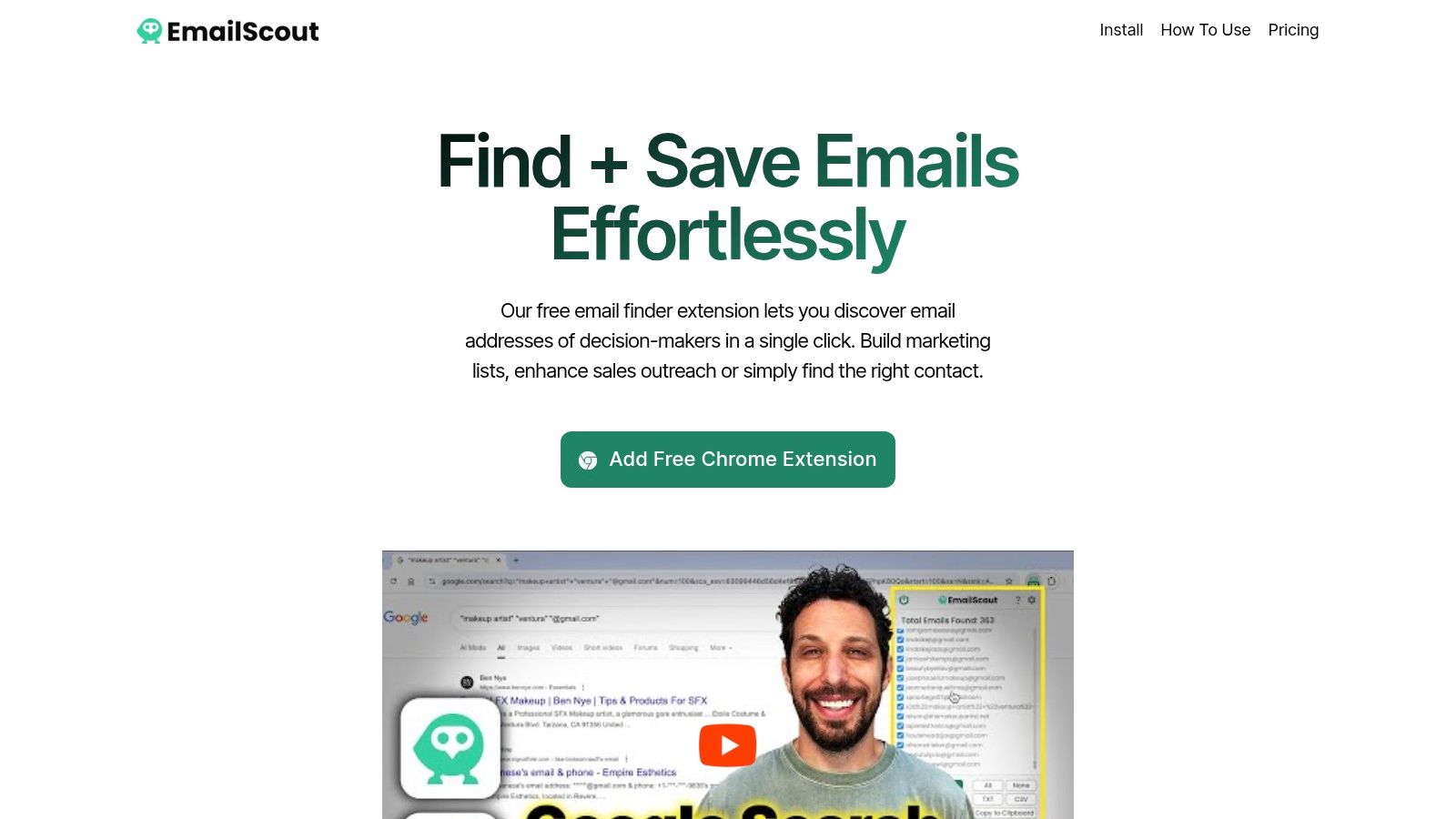
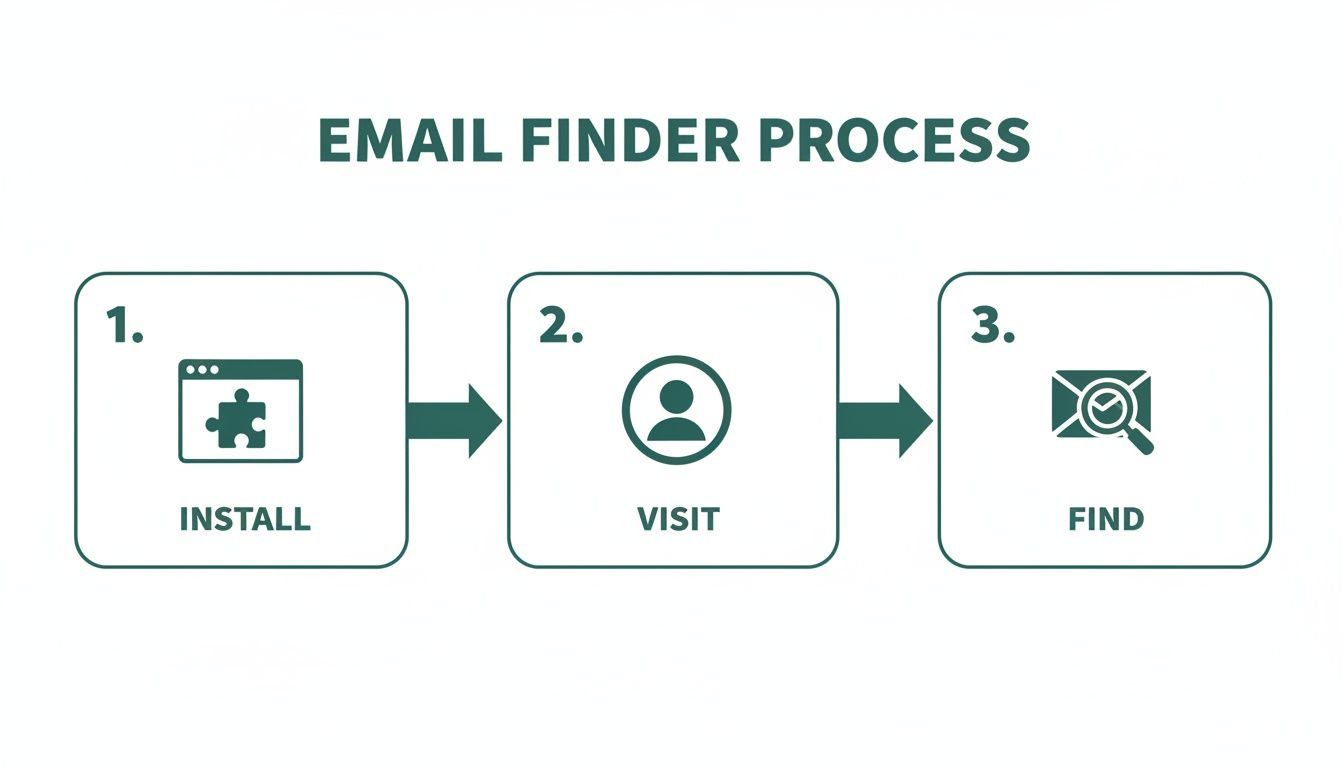
    EmailScout solves a narrow problem, and that's why it works. You install the Chrome extension, visit a company website or even scan Google results, click once, and pull the email addresses found on the page. For founders, SDRs, recruiters, agencies, and freelancers, that speed matters more than a giant feature set.

    What stands out is the low-friction entry point. EmailScout offers unlimited free email finding and export, which makes it unusually easy to test on real workflows before you commit budget. If your team is still building first-touch outbound motion, that's a better starting point than buying an oversized platform and hoping reps adopt it.

    Where EmailScout fits

    This isn't a full sales engagement platform. It won't replace your CRM, sequence engine, or call workflow. It sits earlier in the motion, at the top of funnel, where reps need to identify reachable contacts quickly and move them into outreach.

    That makes it a strong fit for teams that need:

    • Fast prospect collection: Pull emails while browsing sites instead of bouncing between tabs and databases.
    • Simple exports: Copy results directly or export to CSV or TXT for the next step in your workflow.
    • Low-cost validation of process: Prove your ICP and outreach motion before you add more tools.

    EmailScout also becomes more useful once volume increases. AutoSave can collect emails as you browse, and URL Explorer can scan batches of pages so list building doesn't stay manual.

    Practical rule: Use EmailScout to build a first-pass contact list, then move those contacts into a CRM or outreach tool with clear ownership and follow-up rules. Discovery alone doesn't create pipeline.

    Trade-offs to know before you install it

    The main trade-off is precision versus simplicity. Because EmailScout extracts emails from pages you visit, deliverability and data quality can vary. That means you need a sensible process after export. Clean the list, segment it, and avoid blasting scraped contacts with generic sequences.

    A few things to keep in mind:

    • Chrome-only workflow: Great if your team lives in Chrome. Less ideal if your workflow is locked into another browser setup.
    • Not a verification-first tool: You may still want a separate validation step depending on how strict your outbound process is.
    • Compliance is on you: If you're emailing scraped addresses, your team needs to follow applicable rules and internal standards.

    For solo operators and small teams, EmailScout is one of the easiest ways to remove prospecting friction. For larger teams, it works best as a lightweight email-finding layer inside a broader outbound stack.

    2. HubSpot Sales Hub

    HubSpot Sales Hub

    Best for: SMB and mid-market teams that want CRM, sales, and marketing connected

    A common breaking point looks like this. Reps are working sequences in one tool, pipeline in another, meeting links somewhere else, and marketing handoffs live in a spreadsheet or inbox thread. Activity exists, but accountability gets fuzzy fast.

    HubSpot Sales Hub works well in that situation because it centralizes the core motion. Reps can run sequences, log calls, send meeting links, manage deals, generate quotes, and work from the same contact record the rest of the company sees. For teams trying to reduce admin drag, that matters more than chasing a specialized point solution for every task.

    Its real value is operational visibility. If marketing already uses HubSpot, sales gets useful context without extra integration work. Reps can see lead source, recent site activity, form fills, lifecycle stage, and prior conversations in one place. Managers get cleaner handoff rules and fewer arguments about whether a lead was worked.

    HubSpot also fits teams building more repeatable lead generation automation workflows. The product makes routing, task creation, follow-up, and reporting easier to configure than many systems in its category, especially for companies without a large RevOps bench.

    Where HubSpot earns its cost

    HubSpot is strongest as an all-in-one CRM category option. It is a good choice when the problem is not "we need one more outbound feature." The problem is disconnected systems and inconsistent process.

    What teams usually get from it:

    • Shared source of truth: Sales, marketing, and customer-facing teams work from the same record.
    • Built-in sales execution: Sequences, templates, meetings, calling, and pipeline management sit close together.
    • Cleaner handoffs: Lead routing, ownership, and follow-up rules are easier to standardize.
    • Large integration ecosystem: Useful if you need to connect enrichment, support, billing, or calling tools later.

    The trade-off is straightforward. HubSpot is easy to start and more expensive to grow into. Advanced automation, forecasting, permissions, and reporting often push teams into higher tiers, and seat costs can become a real budget line item once the org expands.

    I usually recommend HubSpot in two cases. First, the company already runs marketing on HubSpot and wants sales to stop working in a separate system. Second, leadership wants one platform that can support handoff, pipeline, and reporting without a long implementation cycle.

    If your team is still very outbound-heavy and only needs basic CRM plus sequencing, HubSpot can be more platform than you need. If you are handling inbound, outbound, renewals, and cross-functional routing in one funnel, the extra structure is usually worth it.

    You can explore the platform directly at HubSpot Sales Hub.

    3. Apollo

    Best for: Small teams that want prospect data and outbound in one subscription

    Apollo is attractive for one reason. It compresses two buying decisions into one. You get a B2B database, enrichment options, sequencing, basic calling, and workflow automation in a single product. For startups and small outbound teams, that can remove a lot of operational drag.

    This setup is especially useful when your team is still building repeatable lead generation automation workflows. Instead of buying a data provider, then an engagement tool, then wiring them together, Apollo gives you a faster path to launch.

    Where Apollo works best

    Apollo is strongest in environments where speed matters more than perfect specialization. If you need reps prospecting this week, not after a RevOps implementation sprint, it makes sense.

    The practical benefits are clear:

    • Data plus sequencing: One login, one workflow, fewer handoffs.
    • Free entry point: Useful for testing before you expand usage.
    • API and integrations: Enough flexibility to connect into a broader stack later.

    The trade-off is that all-in-one convenience rarely means best-in-class in every layer. Credit-based usage can change the economics quickly once reps are doing meaningful volume. Data quality also varies by segment, geography, and job function, so teams should test their actual target market before standardizing on it.

    Apollo is a good example of a category shift happening across sales automation tools. AI and ML are increasingly treated as core capabilities, not add-ons, in modern sales force automation stacks, and the market itself was valued at USD 9.25 billion in 2022 and is projected to reach USD 17.94 billion by 2030 with an 8.7% CAGR, according to Grand View Research on the sales force automation software market.

    If your reps are early in the process and need one platform to source, enrich, and contact prospects, Apollo is hard to ignore. If you already have a strong data vendor and prioritize specialized engagement features, it becomes less compelling.

    4. Outreach

    Outreach

    Best for: Enterprise sales orgs with layered teams, governance needs, and Salesforce dependence

    Outreach is built for complexity. Not startup complexity where everyone wears five hats. Real enterprise complexity, where SDRs, AEs, managers, enablement, ops, and leadership all need different views, rules, and controls inside the same system.

    That shows up in the product. Sequencing is mature, analytics are deeper than most SMB tools, and the admin layer is built for larger deployments. If your team needs governance, permissions, reporting discipline, and strong Salesforce alignment, Outreach is usually on the shortlist for a reason.

    What Outreach is really buying you

    You're not just buying sequence automation. You're buying operational control. Larger teams need consistency across messaging, task design, handoff standards, and manager visibility. Outreach helps with that, especially once outbound becomes a system rather than a rep-by-rep habit.

    A few strengths stand out:

    • Enterprise controls: Roles, permissions, governance, and workflow discipline.
    • Conversation and forecasting layers: Helpful when leadership wants more than activity metrics.
    • Deep integration model: Important for Salesforce-heavy environments.

    The downside is equally clear. Outreach can become overkill for teams that don't need that level of structure. Quote-based pricing, annual commitments, and implementation overhead make sense for mature orgs. They don't make sense for a founder-led sales team with one pipeline and two reps.

    Buy Outreach when inconsistency is expensive. Don't buy it just because it's a known name.

    The broader direction of the category supports why enterprise teams keep investing here. Recent coverage points to AI-assisted revenue operations, conversation intelligence, automated lead assignment, and cross-channel orchestration as the next layer of sales automation, not just basic sequencing, as discussed in Dealcode's overview of modern sales automation tool trends.

    For companies with real process complexity, Outreach earns its place. For smaller teams, it often solves problems you don't have yet.

    5. Salesloft

    Salesloft

    Best for: Mid-market and enterprise teams that want structured outbound and strong rep coaching

    Salesloft sits in a similar tier to Outreach, but many teams prefer it because the product tends to feel more rep-friendly in day-to-day usage. Cadences, call tasks, email steps, analytics, and coaching all live in a system that was clearly designed for recurring outbound execution at scale.

    If your team is already Salesforce-centric, Salesloft is especially attractive. The integration story is mature, and the platform works well when managers care about adoption, message consistency, and coaching quality just as much as volume.

    Where Salesloft shines

    Salesloft is strongest when you need a frontline execution layer with management oversight built in. That's different from a lightweight email platform. It gives leaders a better way to standardize process without forcing reps into a rigid script.

    Useful strengths include:

    • Multichannel cadences: Email, calls, and social touches in one motion.
    • Coaching and conversation insight: Good for manager-led improvement.
    • Enterprise readiness: Security and governance are built for larger orgs.

    The practical caution is implementation effort. Salesloft works best when someone owns the design. If cadences are messy, stages aren't defined, and CRM hygiene is weak, the platform won't fix that. It will just automate the mess faster.

    McKinsey makes that point clearly in its discussion of sales automation implementation and ROI. Early adopters report efficiency gains and sales uplift, but the benefits depend on choosing the right use cases, quantifying automation potential, and cleaning up process and data first.

    That's exactly the Salesloft story in practice. Salesloft is powerful when your operating model is ready for it. It disappoints teams that expect software to replace discipline.

    6. Reply

    Reply

    Best for: Outbound teams that want multichannel sequences without enterprise pricing weight

    Reply hits a useful middle ground. It's broader than a cold email tool, but lighter than an enterprise sales engagement platform. You can build sequences across email, LinkedIn, SMS, and calling, then layer in its AI SDR assistant for drafting, prioritization, and task support.

    That makes it a practical option for teams that want channel variety without taking on a complex RevOps project. It also pairs naturally with a separate data source if your contact acquisition process already works well.

    What makes Reply practical

    A lot of sales automation tools look good in demos because they have one deep feature. Reply is better judged on workflow clarity. Reps can move through multichannel steps without the tool feeling bloated, and managers can get enough structure without needing full enterprise administration.

    A few reasons teams like it:

    • Simple multichannel sequencing: Good for email-first teams adding LinkedIn, SMS, or call steps.
    • Reasonable learning curve: Faster to deploy than heavier engagement suites.
    • Useful AI assist layer: Helpful for drafting and prioritizing, not just novelty.

    The gap shows up when you need deeper conversation intelligence, governance, or RevOps analytics. Reply can support growing teams, but it usually isn't the long-term command center for a large enterprise motion.

    If your outbound motion is still being built, simplicity beats feature depth every time.

    Reply makes the most sense for teams comparing it with inbox-first tools and trying to choose a platform that supports more than basic cold email. If that's your lane, reviewing a broader set of cold email software options helps clarify whether you need a sequence tool or a fuller engagement layer.

    For practical multichannel outbound, Reply is one of the cleaner options in the middle of the market.

    7. lemlist

    lemlist

    Best for: Cold outbound teams that need tighter deliverability control and higher-quality personalization

    A common outbound problem looks like this: the team has decent targeting, reps are sending enough volume, and reply rates still slide because inbox placement slips or every message sounds templated. lemlist is built for that specific job. In this guide's decision framework, it fits the sales engagement bucket for teams that prioritize deliverability and personalized outreach over broader CRM control.

    That focus is why lemlist shows up often with agencies, SDR pods, and founder-led sales teams. It combines multistep outreach across email and LinkedIn, supports personalization at the message level, and keeps sender health closer to the day-to-day workflow than many CRM-led tools do.

    Where lemlist earns its place

    I would shortlist lemlist when the primary question is not "Which platform should run our entire sales process?" but "Which tool helps us send outbound that gets seen and feels relevant?" Those are different buying decisions.

    What lemlist does well:

    • Deliverability management: Better fit for teams that send enough volume for domain health and inbox placement to affect pipeline.
    • Personalization options: Useful for segmented outbound where generic copy hurts response rates.
    • Email and LinkedIn sequencing: Good for smaller teams running coordinated touches without buying a heavier enterprise platform.

    The trade-off is straightforward. lemlist is an outbound execution layer, not the system of record. Teams that need stronger forecasting, territory management, approval controls, or full RevOps reporting usually pair it with a CRM and other tooling. Pricing can also get harder to model as you add users, inboxes, or extra capabilities, so I would map the total setup before rolling it out across a larger team.

    One practical note. Warmup and personalization features help, but they do not fix weak list quality, poor domain setup, or sloppy sending practices. Teams get the best results from lemlist when they treat it as part of a defined outbound process, with clear ICP filters, sending limits, domain rotation rules, and copy standards.

    If your team needs a sales engagement tool built around outbound performance, lemlist is a credible option. It is strongest for teams that already know their motion and want better control over whether their outreach lands, gets opened, and reads like it came from a person.

    8. Mailshake

    Mailshake

    Best for: Startups, small sales teams, and agencies that need a simple sales engagement tool for email-first outbound

    A common point in a team's tooling journey looks like this. Reps are ready to run outbound consistently, but the business is not ready for the cost, setup work, or process overhead of Outreach or Salesloft. Mailshake fits that middle ground well.

    Its value is focus. Mailshake handles the core job of outbound execution, building sequences, sending cold email, managing replies, and giving reps a clear place to work, without pulling the team into a larger platform decision too early. For small teams, that matters. They can get campaigns live fast and keep the motion easy to manage.

    I recommend Mailshake for teams with a narrow use case and a defined workflow. If outbound is mostly email, the rep count is still modest, and leadership does not need complex reporting or governance, it usually covers the basics at a sensible cost.

    Where Mailshake fits best

    Mailshake works best as a sales engagement layer, not an all-in-one system. That distinction helps when choosing between categories of sales automation tools. If the team already has a CRM and just needs a practical way to run outbound, Mailshake is easier to justify than buying a platform built for a much larger org.

    A few strengths stand out:

    • Fast rollout: Teams can start sequences and train reps quickly.
    • Clear workflow: Good fit for managers who want consistency without heavy admin work.
    • Accessible pricing: Useful for startups, agencies, and lean outbound teams.

    The trade-off is headroom. As process complexity rises, Mailshake can start to feel narrow. Teams that need deeper analytics, stronger multi-channel orchestration, tighter controls, or broader RevOps visibility usually end up adding other systems or switching platforms.

    Cost can also change as needs expand. The base product is straightforward, but the math shifts if you add data features, extra sending capacity, or other supporting tools around it. I would map the full stack before standardizing on it across multiple reps or clients.

    One implementation note matters here. Mailshake performs best when the team already knows its outreach motion. Clean lists, sensible sending limits, mailbox setup, and reply handling rules do more for results than any sequence builder on its own.

    For teams that want focused outbound execution without enterprise complexity, Mailshake is still a practical pick.

    9. Mixmax

    Mixmax

    Best for: Gmail-first teams that want light sales engagement without leaving the inbox

    A rep opens Gmail at 8:30, works replies, books meetings, sends follow-ups, and moves on to the next account. For teams that already sell that way, Mixmax fits the motion better than a heavier engagement platform that asks reps to spend half the day in a separate workspace.

    That inbox-first model is the reason to buy it. Mixmax keeps sequences, templates, meeting scheduling, tracking, and simple workflow automation inside Gmail, so adoption usually comes faster than with tools built around a standalone command center. I have seen this matter most on lean teams where every extra tab creates drag.

    Mixmax works well in a specific category of sales automation tools. It is a sales engagement and productivity layer for Google Workspace teams, not a system meant to run the full RevOps stack. That makes it a strong fit for SMB sales teams, account managers, founders, and customer-facing teams that do consistent outreach but do not need enterprise controls.

    A few strengths stand out:

    • Gmail-native workflow: Reps can send, schedule, and sequence emails where they already work.
    • Fast rep adoption: Less process change means less training and fewer rollout delays.
    • Useful meeting and email tools: Scheduling, templates, and lightweight automation solve daily execution problems quickly.

    The trade-off is management depth. Mixmax is easier to adopt than larger platforms, but it does not give leaders the same level of dialer functionality, advanced reporting, governance controls, or cross-team orchestration found in platforms built for larger outbound programs.

    That distinction matters during evaluation. If the goal is to improve rep productivity inside Gmail, Mixmax is often enough. If the goal is to standardize outbound across teams, enforce process, and give managers deeper visibility, the team may outgrow it and need a broader engagement system.

    Implementation also matters here. Mixmax performs best when the team already has clear sequence rules, mailbox setup standards, and ownership for reply handling. Without that structure, the product stays easy to use, but results become inconsistent across reps.

    For teams that want practical automation in the inbox instead of a larger engagement platform, Mixmax is a sensible choice.

    10. Close

    Close

    Best for: Startup and SMB inside-sales teams that want CRM and outreach in one app

    A common early-stage sales problem looks like this. Reps are calling from one tool, emailing from another, logging notes later, and losing follow-ups in the gaps. Close solves that by putting the core inside-sales workflow in one system: pipeline management, calling, SMS, email sync, sequences, tasks, and reporting.

    That setup works best for teams that need speed more than system design.

    Close is an all-in-one CRM category pick. It is a strong fit for inbound follow-up, SMB outbound, transactional sales, and founder-led teams that want reps working leads quickly instead of waiting on a long RevOps buildout. Reps can call, text, email, update the opportunity, and set the next task without bouncing between tabs. Managers also get a cleaner view of activity because communication stays tied to the record.

    The upside is straightforward:

    • Built-in communication tools: Calling, SMS, and email live inside the CRM, so activity tracking is easier to maintain.
    • Faster rollout: Teams can get live without stitching together a separate CRM, dialer, and sequencing tool.
    • Good fit for lean operations: Admin overhead is lighter than what you get with larger enterprise platforms.

    The trade-off shows up as the sales org gets more complex. Teams that need deep forecasting, stricter governance, heavier customization, or broad cross-functional support across sales, marketing, and service will usually hit the edges faster here than they would in a larger platform. If marketing automation is a major requirement, expect to add another tool.

    That does not make Close limited. It makes it opinionated.

    In practice, Close performs best when the sales process is already defined. Stages should be clear, follow-up rules should be documented, and reps should know when to call, text, or enroll a lead in a sequence. Without that discipline, an all-in-one setup can still turn into inconsistent rep behavior, just in fewer tabs.

    For teams that run an inside-sales motion and want one system that is quick to launch and easy for reps to use, Close is a strong choice.

    Top 10 Sales Automation Tools Comparison

    Product Core features Best for Unique selling point Price summary
    EmailScout Chrome extension, one‑click email discovery, CSV/TXT export, AutoSave, URL Explorer Marketers, sales reps, founders, freelancers, from light to high volume Unlimited free searches/exports, browser‑native workflow, AutoSave & bulk URL scanning, Recommended Free unlimited searches; Premium trial 200 emails/mo; paid tiers scale to thousands → 1M+/mo
    HubSpot Sales Hub CRM‑native sequences, templates, CPQ, AI assist, inbox/calling Teams wanting unified CRM + marketing + service Native CRM alignment and large app marketplace Free CRM → paid per‑seat tiers; enterprise pricing
    Apollo B2B contact database, enrichment, sequencing, dialer, APIs Teams that want prospect data + outreach in one tool Large contact dataset with integrations; API access Free tier; credit‑based plans (usage can raise costs)
    Outreach Advanced sequencing, conversation intelligence, analytics, Salesforce integration Large enterprises with complex sales ops Mature governance, deep analytics, AI coaching Quote‑based enterprise pricing (usually high)
    Salesloft Cadences, coaching, conversation insights, analytics, Salesforce sync Mid‑market & enterprise sales teams Robust admin, analytics and enablement at scale Custom quotes; enterprise pricing
    Reply Multichannel sequences (email/LinkedIn/SMS/phone), AI SDR, integrations Teams needing broad outbound channels and SDR support AI SDR assistant, clear multichannel workflows Mid‑range plans; often paired with external data sources
    lemlist Email + LinkedIn steps, personalization, deliverability tools, leads DB Cold email teams focused on personalization & deliverability Deliverability tooling and bundled leads database Plan‑dependent; some tiers require contacting sales
    Mailshake Cold email sequences, A/B testing, dialer, inbox, add‑ons (Data Finder) Startups, agencies, small teams Easy setup and affordable entry with optional data add‑ons Affordable entry pricing; add‑ons increase total cost
    Mixmax Gmail‑embedded sequences, tracking, scheduling, templates, AI copilots Google Workspace teams wanting inbox automation Inbox‑first automation with low adoption friction Competitive SMB pricing; advanced features in higher tiers
    Close CRM with native calling, SMS, inbox, sequences, pipelines SMB/startup inside‑sales teams All‑in‑one communications + pipeline; fast to implement Clear SMB pricing; fewer enterprise controls

    How to Choose and Integrate Your Sales Tools

    A common sales ops mistake looks like this: the team misses pipeline targets, leadership buys two new tools, reps keep working from the same messy data, and output gets worse. The problem usually is not tool count. It is a broken handoff, weak data hygiene, or a platform that does not match the team's actual workflow.

    Start by choosing the category that fixes the current bottleneck. If reps struggle to build lists, prioritize prospecting. If sourced leads sit too long without follow-up, add a sales engagement layer. If pipeline ownership, reporting, and stage discipline are inconsistent, fix the CRM first. That function-based view matters more than a feature checklist.

    The "Best For" labels in this guide should help with that decision. An SMB team may get faster value from an all-in-one system like Close or HubSpot Sales Hub. A mid-market team with SDRs, AEs, and a RevOps owner often gets better control from a specialized stack, such as Apollo for data and Outreach or Salesloft for execution. The trade-off is simple: fewer tools are easier to run, while specialized tools usually give better control, reporting, and role-specific workflows.

    Run a pilot before a full rollout. Pick one team, one motion, and one success metric. Good pilots are narrow enough to manage and busy enough to produce signal within a few weeks. I usually start with one segment, one sequence framework, and a short list of operational KPIs: records created correctly, sequence enrollment rate, task completion, reply handling, and CRM updates.

    A few implementation rules prevent most failures:

    • Set the system of record first: Decide whether the CRM or engagement platform owns account, contact, and activity history.
    • Define stage entry and exit criteria: "Qualified," "working," and "meeting booked" need exact definitions or reporting breaks fast.
    • Clean the data before syncing tools: Duplicate contacts, missing owners, and inconsistent field values create routing errors and kill rep trust.
    • Use native integrations where you can: They are usually easier to support and less likely to break during product updates.
    • Limit custom fields at launch: Every extra field creates more admin work and lowers adoption unless it supports a real decision.
    • Train managers on inspection: Reps follow process more consistently when managers review usage in pipeline meetings and one-on-ones.

    Automation helps when the underlying process is sound. As noted earlier, teams often see shorter sales cycles after adoption, but that result usually comes from faster follow-up, cleaner routing, and fewer dropped tasks, not from buying the broadest platform.

    Be careful with the all-in-one pitch. It works well for small teams that need speed and can accept lighter specialization. It works less well when different roles need different workflows, approval rules, and reporting standards. In practice, founders and early-stage teams often benefit from a simple setup. Larger teams usually need clearer ownership across prospecting, engagement, CRM, and analytics.

    Choose the tool your team will use every day, then integrate it in the simplest way that supports your process. If the setup requires constant manual cleanup, reps will work around it and managers will stop trusting the data. That is the point where automation becomes overhead instead of capacity.

  • Cold Emailing Software: A Complete Explainer for 2026

    Cold Emailing Software: A Complete Explainer for 2026

    You're probably dealing with some version of the same problem most outbound teams hit. The list looks decent, the copy sounds solid, and the sending starts on time. Then the campaign stalls. A few opens. A handful of replies. Long stretches of silence. Worse, nobody can tell whether the issue is the targeting, the message, or the mailbox setup.

    That's where cold emailing software is often misunderstood, frequently treated like a faster send button. It isn't. Good software acts more like an operating layer for outbound. It helps you find contacts, organize lists, stagger sends, stop sequences when someone replies, and protect deliverability before your domain reputation starts slipping.

    The part many teams overlook is that outreach performance rarely breaks at the copy stage alone. It usually breaks much earlier. Bad list hygiene, weak sender reputation, poor sequencing, and sloppy follow-up decisions can sink a campaign before a prospect even reads the first line.

    Why Manual Outreach No Longer Works

    Manual outreach still feels appealing because it looks controlled. You hand-pick leads, write each email, and send from your own inbox. In small bursts, that can work. At any real volume, it turns into a slow, inconsistent process that obscures the true reasons for campaign failure.

    The numbers make the problem obvious. Recent benchmarks show average cold email open rates at 27.7%, while average reply rates sit between 3.43% and 5.8%, which means roughly 95% of cold emails get no reply, according to Saleshandy's cold email statistics roundup. When the baseline is that low, manual sending doesn't give you enough control over timing, segmentation, deliverability, or follow-up to improve results consistently.

    The bottleneck isn't effort

    Most reps don't fail because they aren't working hard enough. They fail because manual outreach creates too many fragile steps:

    • Lead handling breaks down: Contacts get copied from LinkedIn, company sites, spreadsheets, and CRM views with no clean system for tracking status.
    • Follow-up gets missed: Reps intend to circle back, but meetings, demos, and admin work push that task aside.
    • Inbox health gets ignored: People send from the same account without watching bounce patterns, spam risk, or reputation drift.
    • Learning stays anecdotal: Nobody can clearly compare message variants, audiences, or sequence timing.

    Manual outreach creates the illusion of craftsmanship while hiding operational mistakes.

    That's also why the debate between channels often misses the point. The core question isn't just phone versus email. It's whether your process can scale without becoming chaotic. A useful comparison is this breakdown of cold calling vs cold emailing, because it shows how channel choice depends on workflow, not preference alone.

    Why software became necessary

    Cold emailing software became necessary when outbound stopped being a one-message activity and became a system. You need sequencing, personalization fields, reply detection, suppression rules, and sending controls working together. Without that, you're not running outreach. You're just sending isolated messages and hoping one lands.

    What Is Cold Emailing Software Exactly

    Cold emailing software is workflow software for outbound conversations. That's the simplest useful definition.

    It's not the same as newsletter software, and it's not the same as a mail merge plugin. Newsletter tools are designed for opt-in audiences and one-to-many broadcasts. Mail merge tools help you personalize a batch send. Cold emailing software sits in a different category. It handles prospecting workflows where each contact may receive a timed sequence, where follow-up stops on reply, and where sender reputation matters as much as the message itself.

    A diagram illustrating the key features and benefits of using professional cold emailing software for automated outreach.

    More command center than sender

    A simple bulk sender is a megaphone. Cold emailing software is a control room.

    Inside that control room, you usually manage several connected tasks:

    Function What it controls Why it matters
    Prospect records Who gets contacted Prevents duplicate or irrelevant outreach
    Sequences When emails go out Keeps follow-up consistent
    Personalization What changes per contact Makes campaigns feel relevant
    Reply handling What happens after engagement Stops bad follow-up behavior
    Deliverability settings How safely mail is sent Protects inbox placement
    Reporting What the team learns Improves future campaigns

    The practical difference

    Here's the operational shift that commonly occurs once the right tool is adopted.

    With a basic setup, a rep writes an email, copies a list into a spreadsheet, sends a batch, and tries to remember who to follow up with next week.

    With cold emailing software, the rep builds a list, assigns contacts to a sequence, sets delays between messages, adds personalization variables, and lets the platform pause the sequence as soon as someone replies. That doesn't remove judgment. It removes the repetitive parts that humans handle badly.

    Practical rule: The software should automate repetition, not judgment.

    The best platforms also combine outreach with contact data, inbox management, scheduling controls, and analytics. That's why the category has moved from “send more emails” to “manage more conversations without losing quality.”

    What it should feel like to use

    If the tool is doing its job, your day changes in a noticeable way. You spend less time exporting CSV files, checking whether someone already replied, and guessing which mailbox is safe to use. You spend more time fixing list quality, improving relevance, and handling live responses.

    That's the true value of cold emailing software. It doesn't just increase output. It gives structure to a process that otherwise falls apart under volume.

    Core Features That Drive Results

    Most cold emailing platforms look similar on a pricing page. They all mention automation, personalization, and analytics. The differences only show up when you run campaigns long enough to hit real friction. That's when weak products start causing bounced sends, messy reply handling, and blind spots around domain health.

    A diagram illustrating the seven essential features of modern revenue-driving cold emailing software for sales teams.

    Contact discovery and list building

    Cold email lives or dies on list quality. If the contacts are wrong, no sequence logic will save you.

    That's why prospecting tools matter before sending even starts. Some teams use database platforms. Others use browser-based tools to pull contact details while researching accounts. For example, EmailScout is a Chrome extension that finds and exports email addresses from websites, which makes it useful for list building during prospect research.

    Good list building features should help you:

    • Capture relevant contacts: Pull decision-makers tied to a clear buying role.
    • Organize segments: Separate founders from sales leaders, agencies from SaaS teams, or warm prospects from net-new ones.
    • Validate before launch: Remove risky addresses before they hurt performance. Teams that need this step often pair outreach tools with email validation software.

    Sequencing and follow-up logic

    One-off emails underperform because most prospects don't reply to the first touch. The software needs to support structured sequences without creating robotic behavior.

    Look for sequence controls such as:

    • Reply-based stopping: Follow-ups pause the moment a prospect answers.
    • Flexible delays: Different waits between steps, not one fixed gap.
    • Conditional branching: Different actions for interested replies, out-of-office responses, or no engagement.
    • Manual task steps: Useful when your process includes a call or LinkedIn action between emails.

    A sequence engine should feel predictable from the rep's side and natural from the prospect's side.

    A short explainer is worth watching here before you compare tools:

    Deliverability controls

    This is the category that separates serious tools from convenient ones.

    According to ZoomInfo's overview of cold email software tools, cold email software is technically differentiated by its deliverability stack: automated sequence engines pause on reply, while warm-up, spam-score checks, bounce-rate monitoring, and sender-reputation controls are used to reduce inbox placement failures.

    That matters because deliverability problems compound. A weak list raises bounce risk. Higher bounce and spam signals hurt sender reputation. Lower reputation reduces future inbox placement, even when later campaigns are better targeted.

    What to check:

    Feature What it prevents Why buyers should care
    Warm-up support Sudden volume spikes Helps new or quiet inboxes build trust gradually
    Spam checks Filter-triggering copy Catches obvious issues before launch
    Bounce monitoring Repeated invalid sends Protects domain health
    Sender reputation controls Account deterioration Keeps one mailbox from dragging others down
    Inbox placement testing False confidence from “sent” status Confirms whether mail actually reaches the inbox

    Personalization and analytics

    Personalization has to go beyond first name tokens. Useful tools let you insert company, role, industry, or pain-point context pulled from your list. Better ones also support snippets and dynamic fields so one sequence can still feel personal.

    Analytics should answer operational questions, not just decorate a dashboard. You want to know which segment replies, which subject line underperforms, which mailbox is deteriorating, and which sequence step loses people.

    The most useful report in outbound isn't “how many emails were sent.” It's “where did this process start breaking.”

    How to Choose the Right Software for Your Team

    A lot of buyers compare cold emailing software the wrong way. They stack features side by side, count the integrations, and assume the longest checklist wins. That usually leads to paying for complexity your team won't use, while missing the things that protect performance.

    According to ZoomInfo's review of cold email software, the key question isn't which tool has the most features, but how to choose a stack that preserves deliverability while scaling personalization. The category is increasingly differentiated by diagnostics like inbox placement tests and spam checking, not just sequence volume.

    A diverse business team collaborating during a professional strategy meeting in a modern office boardroom.

    Start with your operating model

    A founder sending a narrow set of partnership emails needs a different stack than an SDR team handling multiple territories.

    Ask these questions first:

    • Who owns outreach daily: One founder, a sales pod, an agency team, or marketing ops?
    • How many inboxes need coordination: One or many?
    • Do reps work inside a CRM: If yes, sync quality matters more than template variety.
    • Is deliverability already unstable: If yes, diagnostics matter more than new automation.

    Compare tools by risk, not by hype

    A practical buying process focuses on failure points.

    If your team is small

    Choose software that's easy to operate and hard to misuse. You don't need deep branching logic if nobody has time to maintain it. You do need reply detection, simple sequence editing, clean segmentation, and enough reporting to spot problems early.

    If your team is scaling

    Prioritize controls around mailbox rotation, inbox placement checks, spam diagnostics, and workload visibility across reps. At this stage, the wrong tool doesn't just waste time. It can damage your sending setup.

    If your data is messy

    Don't buy an advanced sequence platform and expect it to fix poor targeting. Solve contact quality first. Otherwise, you'll automate bad decisions faster.

    Buy for the constraint you already have, not the workflow you hope to have later.

    What to test before committing

    Use a trial or pilot to answer a short list of practical questions:

    1. Can the tool stop follow-ups reliably on reply?
    2. Can a manager see mailbox health without digging through menus?
    3. Can reps personalize at scale without editing every line by hand?
    4. Can the platform fit your CRM and list-building process cleanly?
    5. Can your team explain what the deliverability controls are doing?

    If the answer to the last question is no, keep looking. Hidden deliverability settings usually become expensive lessons later.

    Real-World Use Cases and Strategies

    Cold emailing software is easiest to judge when you look at how different teams use it. The right setup depends less on industry and more on the job the outreach needs to do.

    The sequencing piece matters most. Data from 1 million cold emails showed average reply rates of 4.2%, conversion rates of 1.8%, and top performers reaching 18.6% reply rates and 12.4% conversion rates in Snov.io's cold email statistics roundup. The same source notes that structured follow-up is a major driver, with campaigns using 2 to 3 follow-ups outperforming one-off sends, and a 2-email sequence with one follow-up generated 6.9% of responses.

    Sales team building pipeline

    A sales team usually needs predictability more than creativity. The workflow is straightforward: build a clean segment, map one pain point to one persona, run a short sequence, and let replies route into the rep's daily queue.

    A practical pattern looks like this:

    • First email: Direct problem statement tied to the role.
    • Second touch: Short follow-up with a different angle.
    • Third touch: Simple close-the-loop message.

    What works is restraint. Tight segments, short copy, and a sequence that stops the moment someone engages. What doesn't work is trying to force every market into the same template.

    Marketer promoting content or partnerships

    Marketers often use cold outreach for link building, newsletter collaborations, guest appearances, or influencer promotion. Their challenge is relevance, not just volume.

    In that case, the software helps by keeping segmentation clean and follow-ups polite. A marketer can group prospects by audience fit, mention one specific reason the outreach is relevant, and schedule reminders without losing track of who already opened the conversation.

    This use case benefits from:

    Need Useful feature
    Audience matching Segmentation and tagging
    Tailored outreach Personalization fields
    Gentle persistence Lightweight follow-up sequences
    Response triage Unified inbox or reply labels

    Founder trying to open doors

    Founders often do the most fragile kind of cold outreach. They're targeting investors, early customers, advisors, or channel partners. The outreach volume is lower, but each message holds significant weight.

    That's why founder-led campaigns usually perform best with fewer contacts and more context per email. The software still matters, just differently. It keeps the process organized, reminds the founder to follow up, and prevents duplicate outreach across conversations.

    A founder doesn't need more automation. A founder needs enough structure to stay consistent without sounding automated.

    The common pattern across all three cases is simple. The software works best when it enforces disciplined follow-up and keeps targeting tight. It works poorly when teams use it to excuse weak list quality or generic messaging.

    Best Practices for Deliverability and Compliance

    Most cold email problems get blamed on copy because copy is visible. Deliverability and compliance issues are quieter. They show up as low reach, unstable inbox placement, or mailbox trouble weeks after a team starts scaling.

    That's why the essential elements matter more than the template library.

    A seven-step checklist for email deliverability and compliance, guiding users on improving their email outreach strategy.

    Protect the mailbox before chasing replies

    Privacy changes and mailbox-provider enforcement have changed how teams should evaluate outreach tools. As noted in Saleshandy's review of cold email software, the market is shifting toward inbox-placement testing and AI reply handling, and success is no longer measured mainly by open rates because open tracking is less reliable. Teams now need to watch replies, clicks, and downstream pipeline actions more closely.

    That shift changes day-to-day practice.

    Warm gradually

    Don't push a new or dormant mailbox into high activity immediately. Use software with warm-up support and conservative sequence pacing.

    Keep lists clean

    If you upload questionable data, the software can't protect you from bad outcomes. Validation and suppression are part of deliverability, not separate admin work.

    Personalize by segment

    Segmentation reduces spam complaints because the message fits the recipient better. Relevance is a deliverability tactic, not just a conversion tactic.

    For a deeper operational walkthrough, this guide on how to improve email deliverability is useful alongside your sending platform.

    Stay compliant in the way you operate

    Compliance isn't only a legal checkbox. It's also an inbox trust signal.

    Use simple habits:

    • Identify yourself clearly: The recipient should know who's contacting them and why.
    • Give an easy opt-out: Don't bury or complicate unsubscribe language.
    • Target with business relevance: Especially in regulated markets, relevance matters.
    • Avoid deceptive copy: Subject lines and message intent should match.
    • Log outreach activity: Your CRM or outreach platform should reflect contact status and suppression choices.

    Measure the right outcomes

    Open rates can still offer directional context, but they're no longer strong enough to stand alone. Prioritize metrics that reflect actual progress.

    A better measurement stack looks like this:

    Weak primary metric Better primary metric
    Opens Replies
    Total emails sent Positive replies
    Click curiosity Meetings or next-step actions
    Raw sequence activity Pipeline movement

    If a campaign “performed” on opens but produced no conversations, it didn't perform.

    The teams that stay healthy longest are the ones that treat mailbox reputation like infrastructure. They don't wait for spam placement to tell them something is wrong.

    The Future of Cold Outreach

    Cold emailing software is moving away from simple campaign automation and toward outbound operating systems. That's the fundamental direction of the category.

    The shift isn't just about AI writing a first line faster. It's about software handling more of the invisible work: triaging replies, monitoring mailbox health, testing inbox placement, and coordinating outreach across email and adjacent channels without turning the process into a mess.

    The practical takeaway is straightforward. Teams that treat cold emailing software like a sender will keep hitting the same ceiling. Teams that use it as workflow infrastructure will make better decisions earlier. They'll build cleaner lists, run tighter sequences, protect their domains, and judge success by conversations and pipeline, not vanity metrics.

    The future also looks more integrated. Email, LinkedIn touches, call tasks, and CRM updates are increasingly part of the same motion. That doesn't mean every team should automate every channel. It means the best systems will let teams choose the right touch at the right time while keeping data, compliance, and deliverability in one place.

    AI will keep expanding in this space, but the winners won't be the tools with the most automation. They'll be the ones that help teams scale relevance without damaging trust.


    If you're building outbound lists and need a lightweight way to find contact emails while researching accounts, EmailScout fits naturally into that workflow. It's a Chrome extension that helps users discover and export email addresses from websites, which can support list building before contacts move into a cold email sequence.

  • 10 Best B2B Lead Generation Software Tool Picks for 2026

    10 Best B2B Lead Generation Software Tool Picks for 2026

    You're probably in one of three situations right now. You need more pipeline, your team is wasting time bouncing between tabs, or you've already bought a lead tool and realized it solves only one slice of the problem. That's why choosing a B2B lead generation software tool feels harder than it should. The category is crowded, feature lists all sound similar, and the wrong purchase creates busywork instead of booked meetings.

    The shift behind all this is simple. B2B buying research happens online now, and LinkedIn has become central to that motion. One benchmark often cited in lead generation says 94% of B2B marketers use LinkedIn for sales and lead generation, and LinkedIn drives 80% of B2B social media leads. That's a big reason modern tools now bundle prospecting, enrichment, targeting, and outreach instead of acting like a static contact list.

    This guide is built for practical decisions, not vendor theater. I'm breaking these tools down by the actual job they do best, from quick list building to enrichment to full-stack outbound execution. If you also care about inbound capture alongside outbound workflows, this guide pairs well with AI lead capture for e-commerce.

    The short version is this. Don't buy a giant platform when you need a scraper. Don't rely on a scraper when you need governance, enrichment, and routing. Stack the right tools for the job.

    1. EmailScout

    EmailScout

    EmailScout is the tool I'd start with if the immediate problem is simple: you need emails fast, from the websites you're already visiting, without buying an oversized platform first. It's a Chrome extension, and that matters because the workflow is lightweight. You browse a company site or even search results, click once, and pull the email addresses visible in the page source.

    That's different from a database-first product. EmailScout works best when your team already knows where to look and wants to turn that research into a usable outreach list quickly. For founders, freelancers, solo reps, and lean outbound teams, that's often enough to get moving.

    Where EmailScout fits best

    The strongest use case is top-of-funnel list building without procurement drama. The free tier supports unlimited email discovery and export, which removes the usual hesitation around “do we really want to start paying before we know our workflow?” If you need more scale, AutoSave captures emails as you browse, URL Explorer scans multiple pages, and bulk export makes it easier to move saved contacts into a spreadsheet or outreach tool.

    For teams comparing options, EmailScout also maintains a useful view of lead generation tools worth evaluating.

    Practical rule: Use EmailScout when your bottleneck is contact discovery. Don't expect it to replace validation, compliance review, or CRM hygiene.

    There's also a clean path from lightweight use to heavier volume. Paid plans start around a low monthly entry point, with higher tiers built for much larger extraction volumes. The no-credit-card trial is useful because you can test premium workflow features before committing.

    What works and what doesn't

    What works is speed. Rep-level adoption is easy because there isn't much to learn. Pin the extension, click it, export the list, and move on. It's one of the rare lead tools where the setup overhead is close to zero.

    What doesn't work is treating scraped emails as deployment-ready records. EmailScout doesn't position itself as a verification tool, so you still need a downstream process for validation, consent handling, and list cleaning. It's also Chrome-only, which won't matter to some teams and will annoy others.

    A cost-effective stack often starts here:

    • Website research: Browse target company sites, directories, or search results.
    • Email capture: Use EmailScout to collect addresses quickly.
    • Validation and enrichment: Pass those contacts into your preferred cleaning or CRM workflow.
    • Outreach: Load the final list into your sequencing platform.

    If you want a simple scraper inside a broader B2B lead generation software tool stack, EmailScout is one of the easiest starting points. Website: EmailScout

    2. Apollo.io

    Apollo.io is what many teams buy when they want one login to cover prospecting, enrichment, and outbound execution. That's the appeal. Instead of stitching together a database, a sequencer, and a dialer, you get a combined environment for list building and follow-up.

    Its core strength is convenience. Reps can search contacts and accounts, enrich records, use the Chrome extension, and push people into sequences without a lot of tool switching. That usually speeds up launch, especially for younger teams that don't have dedicated sales ops support.

    Best for all-in-one outbound

    Apollo makes the most sense when stack sprawl is the actual problem. If your team is already running manual exports between multiple systems, an all-in-one setup can be cleaner than a “best of breed” stack that nobody fully maintains.

    A broader market point matters here. Forecasts covered by Wiseguy Reports on the B2B lead generation software market describe a category moving toward integrated workflows across identification, contact management, interaction tracking, and predictive prioritization. Apollo fits that buyer expectation well.

    The trade-off is budget predictability. Credit systems can look simple at first, then get messy once teams start enriching aggressively or pulling data through multiple workflows.

    • Use Apollo if: You want one platform for prospecting and outreach.
    • Skip Apollo if: You want very tight cost control with minimal credit complexity.
    • Watch closely: Admins should monitor how credits are consumed across reps and integrations.

    Apollo is often a practical middle ground. Not as lightweight as a scraper, not as heavy as enterprise data infrastructure. Website: Apollo.io

    3. ZoomInfo (SalesOS)

    ZoomInfo (SalesOS)

    ZoomInfo is the tool larger teams reach for when they need coverage, structure, and governance more than simplicity. SalesOS is built for organizations that want deep company intelligence, org charts, buying signals, filtering, and broad integration options under one commercial agreement.

    That's useful when outbound isn't just “find a few contacts and send emails.” It's useful when SDRs, RevOps, marketing ops, and leadership all need the same data backbone.

    Where enterprise teams get value

    ZoomInfo tends to shine when account selection and hierarchy matter. If your team sells into layered buying committees, the org-charting and advanced filters are often more valuable than a basic contact database. It's also a strong fit for teams that want phone coverage and operational controls at scale.

    Bigger databases don't automatically create better pipeline. They create more records. Your process still decides whether those records turn into qualified conversations.

    The downside is straightforward. Pricing isn't public, annual contracts are common, and the total spend can rise once add-ons and usage layers enter the picture. That doesn't make it a bad buy. It just means smaller teams often overestimate how much of ZoomInfo they'll operationalize.

    This is the kind of B2B lead generation software tool you buy when you already have process maturity. If your motion is still being invented, start smaller. Website: ZoomInfo

    4. LinkedIn Sales Navigator

    LinkedIn Sales Navigator is less of a contact database and more of an account-mapping system that sits directly on top of the professional graph your buyers use. If your targeting depends on role changes, current titles, mutual connections, and account-level visibility, it's hard to beat.

    That's why I rarely think of Sales Navigator as optional for B2B teams. It's often the cleanest place to refine ICP assumptions before you spend money pulling contact data elsewhere.

    Best for ICP discovery and warm targeting

    Sales Navigator is strongest when you're trying to answer questions like these: who owns this function, who just got promoted, which accounts are expanding, and which people overlap with our customers? It gives reps and founders a more current view of the buyer environment than many static datasets.

    If LinkedIn is central to your motion, this walkthrough on LinkedIn lead generation workflows is worth pairing with Sales Navigator. It also helps to improve the quality of your own profile and content, especially if you're doing founder-led outreach. This guide on mastering AI humanizer for LinkedIn posts is useful for that side of the process.

    The catch

    Sales Navigator doesn't solve final-mile contact data on its own. It gives you targeting, alerts, and context. It doesn't give you a full email-and-phone workflow the way dedicated data tools do.

    That's why the best stack is often Sales Navigator plus a data capture layer, not Sales Navigator alone. Website: LinkedIn Sales Navigator

    5. Cognism

    Cognism

    Cognism is the pick when the team prioritizes direct dials and compliance workflow, especially in markets where legal review and regional data handling can slow everything down. It's not the cheapest route into outbound. It is often the safer one for call-heavy teams.

    That distinction matters. A lot of companies don't lose money because they lack contacts. They lose money because reps hesitate to call, managers don't trust the data, or legal pushes back on the workflow.

    Best for phone-first outbound

    Cognism is particularly useful when your sales motion still depends on live calling, not just email sequencing. Direct-dial access and compliance-oriented workflows make it attractive for teams that don't want to improvise policy around DNC screening and regional rules.

    The trade-off is that quote-based pricing can make it harder for smaller teams to forecast total cost before they're deep in the buying process. And like any provider, you still need to test niche coverage instead of assuming every segment will be equally strong.

    • Strong fit: Teams with calling-heavy outbound motions.
    • Less ideal: Solo founders who just need a fast, cheap list source.
    • Operational note: Run sample searches in your core segments before you buy.

    Cognism is less about convenience and more about confidence. Website: Cognism

    6. Clearbit (Breeze Intelligence by HubSpot)

    Clearbit (Breeze Intelligence by HubSpot)

    A common ops problem looks like this. Marketing captures a form fill, sales gets a half-complete record, and someone later has to patch company data, routing fields, and segmentation rules by hand. Clearbit, now positioned through Breeze Intelligence by HubSpot, fits teams that want that cleanup to happen inside HubSpot instead of across extra tools and sync layers.

    That is the value. Less swivel-chair work, fewer broken mappings, and faster time from inbound lead to usable record.

    Best for HubSpot-native enrichment

    Clearbit makes the most sense when HubSpot already runs your CRM, forms, and automation. In that setup, enrichment is not a separate research step. It becomes part of lead capture, scoring, routing, and follow-up. For lean ops teams, that usually matters more than chasing the longest feature checklist.

    It also fills a specific job in the stack. If Apollo or ZoomInfo helps build lists, and EmailScout helps pull simple prospect data at low cost, Clearbit is the layer that improves records already entering your system. That distinction matters in the workflow. List building gets names into the pipe. Enrichment helps the CRM decide what happens next. If you are comparing vendors in that category, this roundup of data enrichment tools for outbound stacks is a useful reference.

    The trade-off is ecosystem fit. Clearbit is easier to justify when HubSpot is the center of gravity. If your team runs a mixed stack or stays Salesforce-first, some of the convenience drops fast, and a more neutral data provider may be easier to operationalize across teams.

    Use Clearbit when the main job is improving inbound and CRM data quality inside HubSpot, not when you need a broad standalone prospecting database. Website: Clearbit

    7. Lusha

    Lusha

    A rep finds the right buyer on LinkedIn, needs a phone number fast, and does not want to open three tools to get it. That is the use case where Lusha usually earns its seat.

    Lusha works well for rep-driven prospecting because the learning curve is low and the browser extension keeps the workflow tight. Reps can move from profile to contact record to outreach without much setup, which matters when adoption is the primary bottleneck. A tool only helps if the team uses it.

    Good for rep-led prospecting

    Lusha fits a specific job in a lead generation stack. It is not the system I would choose as the main source of truth for broad list building, and it is not the enrichment layer I would center inside a CRM-first workflow. It is the quick-capture tool for account executives, SDRs, and founders doing targeted outreach one prospect at a time.

    That makes it a practical middle layer in the workflow this article focuses on. Use a database tool for list creation, use something lightweight like EmailScout when you need simple low-cost data pulls, then let reps use Lusha to fill gaps while they work live accounts. That stack keeps costs under control and avoids paying enterprise database prices for every lookup.

    The trade-off is governance. Fast rep adoption can create messy data if CRM rules, deduplication, and field mapping are loose.

    If reps can pull contacts in seconds but your ops team spends hours fixing duplicate records and incomplete fields, the process got faster for one team and worse for the system.

    Review credit usage closely before renewal. Lusha can be a strong fit for targeted prospecting, but the economics change fast when a team starts using it like a high-volume data provider. Website: Lusha

    8. UpLead

    UpLead

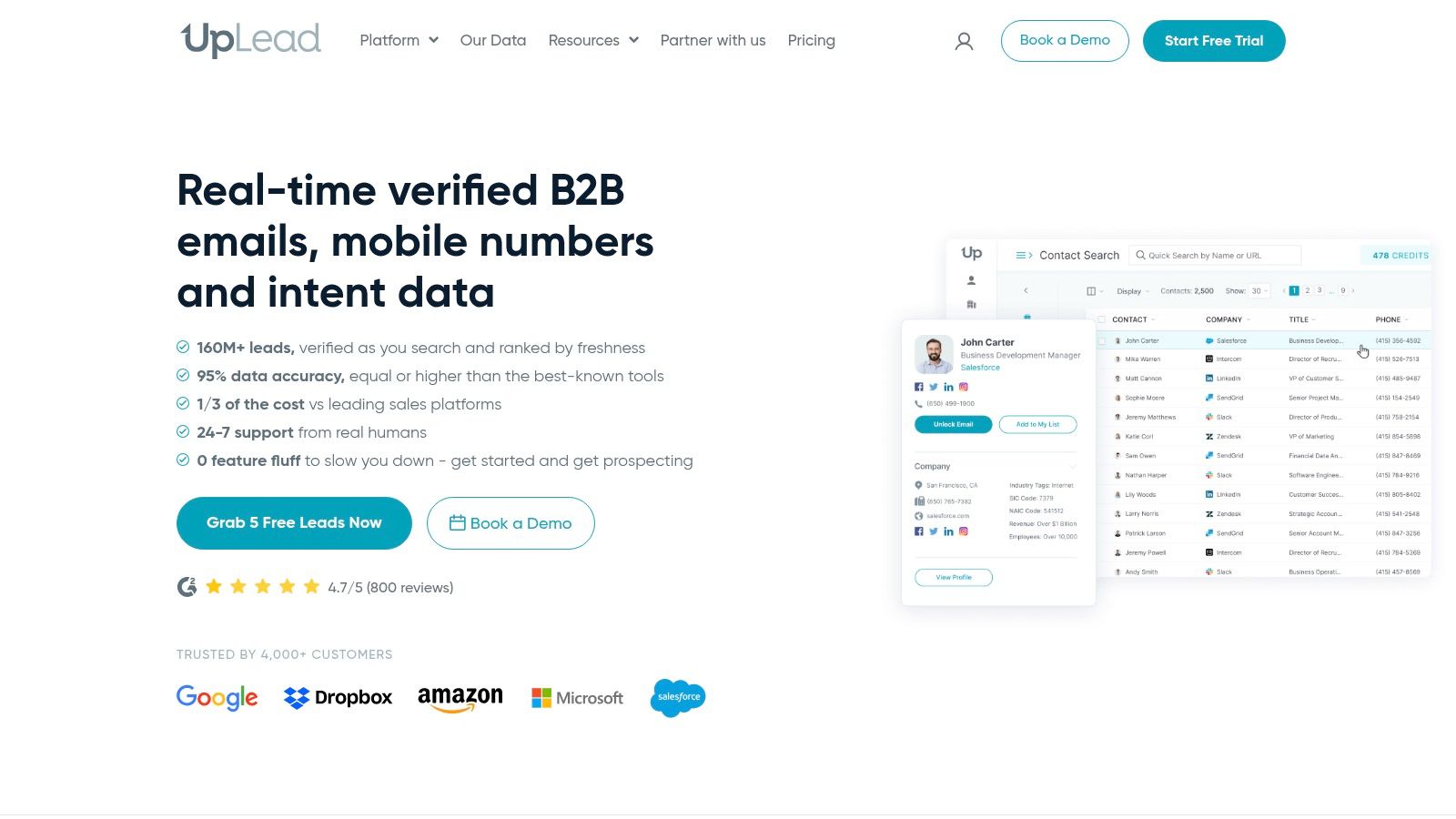
    UpLead is the tool I'd shortlist for teams that care a lot about pricing clarity. In a category full of custom quotes, shifting credits, and vague packaging, transparent cost structure is a feature in itself.

    It's a strong SMB and agency option because budget planning matters more when you don't have room for surprise spend. You know roughly how many contacts you need, you understand the credit model, and you can control the pace.

    Where UpLead wins

    UpLead's strongest pitch is straightforward operations. Verified emails, direct dials, enrichment, and extension-based workflows cover the basics without pushing buyers immediately into enterprise complexity.

    This doesn't mean it's the deepest dataset in the market. It means it's easier to manage. That distinction is valuable for teams that would rather have a predictable system than a huge one they can't govern well.

    • Best for: SMBs, agencies, and cost-conscious outbound teams.
    • Less ideal for: Very high-volume teams that burn through credits quickly.
    • Smart implementation: Use it where verification and budget control matter more than total breadth.

    UpLead is often a better choice than a bigger brand when finance asks for simple answers. Website: UpLead

    9. LeadIQ

    LeadIQ

    LeadIQ works especially well in a stack that already includes LinkedIn Sales Navigator, Salesforce, and an engagement platform like Outreach. It's not trying to be everything. It's trying to make rep capture and enrichment cleaner inside a familiar outbound workflow.

    That focus is why SDR leaders often like it. It reduces the friction between “I found the right person on LinkedIn” and “this record is in the sequence with usable contact data.”

    Best as a workflow companion

    LeadIQ is a practical pick when your team already does serious prospecting inside LinkedIn. Job-change tracking and champion tracking are useful because outbound isn't just about net-new names. It's also about timing and stakeholder movement.

    Its trade-off is that calling-heavy teams need to watch credit economics around phone data. And as with any niche or vertical segment, you should validate dataset quality against your actual target market instead of trusting vendor-wide claims.

    There's also a bigger evaluation problem in this category. Salesforce's own overview of lead generation tools highlights a market fragmented across databases, analytics, conversational tools, enrichment, and automation, while leaving open the harder question of how teams should compare ROI and pipeline quality across those tools. That framing is useful because the true test isn't contact volume. It's whether the stack reduces wasted outreach and improves rep productivity. Website: LeadIQ

    10. Clay

    Clay

    Clay is what advanced teams adopt when off-the-shelf workflows stop fitting. It's not a simple database and not a simple sequencer. It's a data orchestration layer that lets you combine sources, enrich in waterfalls, score prospects, trigger AI actions, and sync clean outputs elsewhere.

    That flexibility is powerful, but it isn't free. Clay asks for process maturity. If nobody on your team likes building systems, you'll underuse it.

    Best for custom stacks and waterfalls

    Clay is strongest when you want to design your own lead machine instead of accepting one vendor's opinionated workflow. You can route records through different suppliers, enrich only when needed, and build logic around what counts as a qualified contact or account.

    This matters more now because privacy, tracking loss, and provider freshness have made simple “buy the largest database” decisions less reliable. A better question is how to build compliant, accurate prospecting workflows when third-party data is incomplete. That broader shift is reflected in this discussion of cookieless tracking, CRM integration, and data reliability in lead generation software, and Clay is one of the better tools for adapting to that reality.

    Practical workflow diagram

    Here's a lean stack that works well for many outbound teams:

    Target accounts in LinkedIn Sales Navigator
    → capture visible emails with EmailScout on sites and search results
    → enrich missing fields in Clay or Clearbit
    → route verified contacts into Apollo or your sequencing tool
    → sync qualified records into HubSpot or Salesforce
    → review duplicates, bounce risk, and reply quality every week

    Clay is the strongest choice here when you need control, vendor waterfalls, and custom logic. If you just need names and emails, it's overkill. Website: Clay

    Top 10 B2B Lead Generation Tools Comparison

    Product Core features Target audience Unique selling points Pricing
    EmailScout (Recommended) Chrome extension, one-click email discovery/export, AutoSave, URL Explorer, bulk export Marketers, sales reps, founders, freelancers Unlimited free finds, very easy workflow, AutoSave + multi-URL scraping Free tier; Premium from ~$9/mo (5K–1M emails/mo); trial (200 emails/mo)
    Apollo.io 250M+ contacts, enrichment, sequences, dialer, Chrome extension SMB to mid-market sales & ops teams All-in-one prospecting + outreach, flexible credit model Credit-based; paid plans vary
    ZoomInfo (SalesOS) Enterprise contact/company data, org charts, intent, integrations Large enterprise sales & marketing teams Deep US coverage, phone data, advanced filters & compliance Custom pricing / annual contracts
    LinkedIn Sales Navigator Advanced LinkedIn search, InMail, saved leads, CRM sync ABM teams, account mapping, founder-led outreach Real-time job/relationship data; best for warm outreach Tiered subscription plans (Core/Advanced/Enterprise)
    Cognism Phone-verified contacts, intent, DNC/compliance checks, Chrome extension Call-heavy teams, compliance-sensitive orgs Strong mobile/direct-dial coverage and compliance workflows Quote-based pricing
    Clearbit (Breeze Intelligence) HubSpot-native enrichment & intent via credit packs Teams using HubSpot CRM/marketing Tight HubSpot integration; usage-based credits Credit packs + requires HubSpot subscription
    Lusha Chrome extension, verified emails & direct-dials, CRM sync SMB sales reps, recruiters, small teams Simple UX, on-page prospect data with mobile numbers Credit-based plans; pricing limited on site
    UpLead Real-time email verification (~95%), mobile dials, enrichment API SMBs & agencies needing predictable costs Transparent pricing and verification claims Credit-based plans with clear pricing
    LeadIQ Unified credits for email/phone, job-change signals, CRM integrations SDR teams using LinkedIn + Salesforce/Outreach Clear credit math, tight outreach workflow fit Credit-based subscription plans
    Clay Data orchestration, BYO data/APIs, automation, actions/credits Advanced ops, data teams, automation builders Flexible supplier waterfalls, combine vendors or BYO keys Actions + credits pricing; variable quote tiers

    How to Choose Your B2B Lead Generation Software Tool

    The best B2B lead generation software tool isn't the one with the longest feature page. It's the one that matches the job you need done right now. Most bad purchases happen because teams buy for imagined future sophistication instead of current workflow pain.

    Start with the primary use case. If you need to build quick outreach lists from websites and search results, a lightweight tool like EmailScout makes more sense than an enterprise platform. If you need account mapping and title-level targeting, LinkedIn Sales Navigator should probably sit near the center of your stack. If your issue is dirty CRM records, lean toward enrichment. If your issue is reps hopping between five systems, an all-in-one tool like Apollo may be the better call.

    Budget is the next filter, and it needs honesty. A cheap tool that gets used every day usually beats an expensive platform that sits half-configured. On the other hand, a larger team with admin, governance, and routing needs can waste more money trying to patch together bargain tools than by buying one structured platform. Watch for hidden costs in credits, add-ons, contract length, and usage-based billing.

    Team size changes the answer too. A founder doing founder-led sales can live with a browser extension, a spreadsheet, and one sequencer. A multi-rep SDR team usually needs permissions, CRM sync, deduplication rules, and shared workflow standards. Complexity becomes a management issue, not just a product issue.

    Your existing stack matters more than most buyers admit. If you're deep in HubSpot, a HubSpot-native enrichment path may save more operational pain than a standalone vendor with slightly better coverage. If your team lives in Salesforce and Outreach, tools that fit those workflows cleanly will outperform tools that require extra handoffs. Every disconnected sync creates friction, and friction kills adoption.

    There's also a simple benchmark mindset worth keeping. In modern lead generation stacks, teams should care about quality and qualification, not just raw volume. One consulting benchmark says strong software should support a 10 to 20% MQA rate from target accounts. That doesn't mean every team will hit that range immediately. It means your evaluation should include downstream quality, not only how many contacts a tool can surface.

    Use this practical filter before you buy:

    • Primary use case: List building, direct dials, enrichment, intent, or full-stack outreach.
    • Real budget: Monthly spend, annual commitment, and credit exposure.
    • Team model: Solo operator, small outbound pod, or larger RevOps-supported team.
    • Stack fit: HubSpot, Salesforce, LinkedIn, and sequencing compatibility.
    • Complexity tolerance: Simple extension, managed platform, or custom workflow builder.

    Start small where you can. Test the workflow, not just the demo. A good tool should reduce manual work, improve targeting, and make your pipeline cleaner. If it creates more cleanup than momentum, it's the wrong fit.


    If you want the fastest way to start building lists without overcomplicating your stack, try EmailScout. It's a practical first step for founders, reps, marketers, and freelancers who need to find decision-maker emails quickly, export them fast, and layer in enrichment or outreach tools only when the workflow demands it.

  • Email Address Finder for Free: Find Any Email Address with This Ultimate Guide

    Email Address Finder for Free: Find Any Email Address with This Ultimate Guide

    The best email address finder for free is one that gives you a steady stream of verified emails without asking for a credit card. It should let you build targeted lead lists for sales, marketing, or networking on the fly. A tool like EmailScout’s Chrome extension does exactly this, letting you pull contacts straight from websites and professional networks with a single click.

    Why a Free Email Finder Is Your Outreach Superpower

    A man types on a laptop displaying 'OUTREACH SUPERPOWER' on its screen, indicating online marketing.

    In a world overflowing with digital noise, just getting your message to the right person is the first—and often the hardest—part of the battle. Every cold email, partnership proposal, or sales pitch lives or dies by its ability to land in the correct inbox.

    Sending your message to a generic info@ or contact@ address is like shouting into a void. Your carefully crafted email gets lost in a sea of spam and support tickets, never reaching the decision-maker who actually matters.

    This is where a solid, free email finder becomes more than a simple utility; it’s a genuine strategic advantage. It’s not about finding any email. It's about finding the right email, fast. This simple shift turns your outreach from a game of chance into a targeted, effective operation.

    The True Cost of Bad Data

    Let's be clear: guesswork is expensive. Every bounced email hurts your sender's reputation, making it more likely that your future messages will end up in spam folders. Every message sent to the wrong person is a wasted opportunity and a drain on your most valuable resource: time. For anyone in sales or marketing, that inefficiency translates directly into lost revenue and missed connections.

    A reliable email address finder for free cuts right through that problem. It gives you the power to:

    • Connect Directly: Get past the gatekeepers and generic inboxes to engage with the people who make decisions.
    • Boost Engagement: A personalized message sent to a specific person has a dramatically higher chance of getting opened and read.
    • Protect Your Reputation: Verified emails slash your bounce rates, which signals to email providers that you’re a legitimate sender.
    • Maximize ROI: By focusing your energy on qualified contacts, you get better results from your outreach without spending a dime upfront.

    The Market Is Shifting Toward Precision

    The demand for accurate contact information isn't just a fleeting trend; it’s a massive market shift. The global email finder tools market was valued at around $642 million just a few years ago and is on track to explode to $5.6 billion by 2032.

    Why the huge jump? Because businesses see real results. Companies that use precise email finders consistently report a 30% boost in open rates and 25% higher reply rates. It just works.

    To help you see the bigger picture, here’s a quick rundown of how free tools stack up against their paid counterparts.

    Free vs. Paid Email Finders at a Glance

    Feature Free Tools (Like EmailScout) Typical Paid Tools
    Cost $0, no credit card required Monthly or annual subscription fees
    Email Credits Often unlimited or very generous Tiered, with limited credits per month
    Core Functionality Excellent for finding emails on-the-fly from websites and social profiles Often includes bulk finding, CRM integrations, and advanced APIs
    Verification Basic to moderate verification included Advanced, multi-step verification to ensure high deliverability
    Ease of Use Simple, one-click browser extension Can be more complex with dashboards and campaign features
    Best For Individuals, freelancers, and small teams starting outreach Larger sales/marketing teams with high-volume, automated needs

    While paid tools offer advanced features for large-scale operations, a powerful free tool like EmailScout provides the essential functionality most people need to get started and see immediate results.

    The real value of an email finder isn't just about collecting data. It’s about starting meaningful conversations that would otherwise be impossible. It’s the first step in every successful outreach campaign.

    This is the power EmailScout delivers. By offering an unlimited free model, it removes the financial barrier to effective outreach, giving you the essential tool you need to cut through the noise. To fully grasp how a free email finder fits into the broader picture, it's worth exploring modern lead acquisition strategies. After all, finding the right contact is the critical first step to opening doors, building relationships, and ultimately, growing your business.

    Find Emails Instantly with the EmailScout Chrome Extension

    While the manual methods definitely have their place, let's be honest—the fastest way to get your hands on verified contact info is with a tool built for the job.

    This is where the EmailScout Chrome extension comes in. It’s designed to turn your browser into a powerful, on-demand email address finder for free. It just sits quietly in the background, ready to pull contact details with a single click. No more tedious searching, guessing patterns, or manually verifying addresses.

    You can find the email you need right on a person’s professional profile or company website. It’s a massive time-saver, freeing you up to focus on actually reaching out.

    Quick and Easy Installation

    Getting started with EmailScout is a breeze and takes less than a minute. The first thing you need to do is add the extension to your Chrome browser straight from the official Chrome Web Store.

    Here’s what the Chrome Web Store looks like, where you can find and install extensions like EmailScout.

    Once you find it, just click "Add to Chrome." The EmailScout icon will pop up in your browser's toolbar, and you're good to go.

    Here's a pro-tip: "pin" the extension to your toolbar so it's always visible. Click the little puzzle piece icon in Chrome, find EmailScout in the list, and hit the pin icon. Now, it's always ready for action. For a more detailed walkthrough, you can check out our guide to the EmailScout email extractor Chrome extension.

    A Real-World Scenario: Finding a Key Contact

    Okay, so you've got the tool installed. Let's put it to work in a situation you've probably faced a dozen times.

    Imagine you're a sales rep for a SaaS company. Your mission is to connect with the Head of Marketing at a promising tech startup to pitch your new analytics platform. Your first stop? LinkedIn, of course.

    After a quick search, you land on the profile of "Jane Doe, Head of Marketing at InnovateTech." Her profile is a goldmine—full of details about her role and accomplishments. But the one thing you actually need, her email address, is nowhere to be found.

    This is exactly where EmailScout shines. With the extension active, all you do is stay on her LinkedIn profile.

    A single click on the EmailScout icon is all it takes. The extension instantly scans the page data and reveals Jane's professional email address, often with her full name and title, right there in a small pop-up.

    You never have to leave the page or run complicated searches. The info appears right where you need it, letting you jump straight from prospecting to outreach without missing a beat.

    Automate Your Lead Collection with AutoSave

    Finding emails one by one is great, but what if you could build an entire lead list just by browsing the web? That's the idea behind EmailScout’s AutoSave feature.

    When you flip this feature on, it works silently in the background. As you browse company websites, professional network profiles, or online directories, the extension automatically grabs and saves any email addresses it finds.

    This is a game-changer for tasks like:

    • Building Prospect Lists: Just browse the "Team" or "About Us" page of a target company, and EmailScout will automatically collect the contact details for everyone listed.
    • Networking at Scale: Working through the speaker list for an upcoming conference? The tool will save the emails of every potential connection for you.
    • Market Research: Exploring a list of companies in your target industry? AutoSave will build a list of key contacts as you go.

    All the contacts collected via AutoSave are neatly organized in your EmailScout account. From there, you can export them as a CSV and upload them directly into your CRM or outreach platform. It turns casual browsing into a productive lead-gen activity, making sure you never miss an opportunity.

    Scale Your Outreach with Bulk URL Email Extraction

    Finding one email with a single click is a nice little win. But what happens when you need to find contacts for dozens, or even hundreds, of people across different companies? Suddenly, that one-click tool feels slow, and you're staring down hours of tedious, manual work.

    When you need to scale, you need a different game plan. Forget hunting for contacts one by one. The real power comes from gathering them in bulk from a list of highly targeted websites. That’s exactly what EmailScout’s URL Explorer was built to do—turn a simple list of web pages into a ready-to-use list of leads.

    This feature is a lifesaver for anyone building targeted lists at scale. Sales teams can use it to map out entire departments at key accounts. Marketers can pull together contact lists from industry blogs or conference speaker pages. It completely automates what used to be a major bottleneck in any outreach process.

    Your Workflow for High-Volume Lead Generation

    The process itself is surprisingly simple. It all starts with putting together a list of URLs where your ideal contacts are likely to be found. Get strategic here—think about where your prospects are publicly listed online.

    Good sources for URLs include:

    • Company 'About Us' or 'Team' Pages: These are often goldmines for direct contact information of key people.
    • Conference Speaker Rosters: Grab the URLs from speaker bios to connect with industry experts and thought leaders.
    • Industry Association Member Directories: If a directory is public, its pages can be a source of highly relevant contacts.
    • "Top 10" Lists and Round-Up Blog Posts: Articles like "Top 20 SaaS Companies to Watch" have already done the curation work for you.

    Once you have your list of URLs, just paste them into the URL Explorer. EmailScout takes over from there, visiting each page and pulling every email address it finds. The results are then neatly compiled into a clean, downloadable list, ready for your next campaign.

    A Practical Example in Action

    Let's imagine you're trying to connect with marketing leaders at fast-growing SaaS companies. You could start by gathering the 'About Us' page URLs for 10-15 of your top target companies.

    Instead of visiting each page yourself, clicking on profiles, and copying emails one by one—a task that could easily burn an hour—you just feed the entire URL list into the tool. Within minutes, EmailScout spits out a consolidated list of every email it found across all of those pages.

    This simple workflow is at the heart of the process.

    A three-step process graphic showing how to find email addresses: install, visit, then find.

    The graphic nails the simplicity: install the tool, visit a source, and find the email. This efficiency gets even more dramatic when you're working with dozens of URLs at once, turning a major time-sink into a minor task on your to-do list.

    The Impact of Scalable Email Discovery

    The ability to extract emails in bulk isn't just a time-saver; it’s about moving faster on market opportunities. Email marketing is absolutely booming, with a projected market value of $36.3 billion by 2033—a massive jump from $14.8 billion in 2025. With over 4.6 billion global email users, the channel delivers an incredible ROI of $36 for every $1 spent, but that only works if your messages actually get to the right people.

    By automating the discovery process, you can build bigger, more targeted lists faster than your competitors. This allows you to run larger campaigns, test different messaging, and ultimately generate more leads and revenue.

    Tools like the URL Explorer empower marketers and sales teams to tap into this potential at scale. You can learn more about the specifics in our guide on how to use an email extractor from a website. Ultimately, this approach bridges the gap between knowing who your target companies are and actually having the contacts you need to start a conversation, making your outreach both efficient and incredibly effective.

    Manual Tricks for Finding Hard-to-Get Emails

    While an automated email address finder for free is a massive shortcut, no tool is perfect. You’re bound to hit a wall eventually, especially when hunting for a high-level executive or someone who keeps a low digital profile. When the easy button fails, it’s time to put on your detective hat.

    Picking up a few manual search skills is the secret weapon that separates amateur outreach from professional prospecting. Think of these techniques as your fallback plan, ensuring that even the most elusive contact is still within your grasp. With a little cleverness, you can often uncover exactly what automated tools miss.

    Master the Art of Google Dorking

    Google is far more than a search engine; it's a colossal, searchable database. "Google Dorking" is just a fancy term for using advanced search operators to force Google to give you hyper-specific results. It’s like having a secret key to unlock hidden information.

    Instead of a generic search like "Jane Doe email," you can use powerful commands to really narrow the field. These operators act as filters, telling Google precisely what to look for and where.

    For instance, a search like site:linkedin.com/in/ "Jane Doe" "VP Sales" email tells Google to only search within LinkedIn profiles for pages that contain Jane Doe's name, her title, and the word "email." This simple string can often surface profiles or related documents where her contact info is mentioned.

    This is a game of trial and error. You're searching for digital breadcrumbs—a mention in a press release, a bio on a conference website, or an old forum post. The right combination of search terms often leads you straight to the prize.

    Intelligently Guess and Verify Email Patterns

    Most companies follow a predictable pattern for their email addresses. This is a huge advantage. If you know a person's name and their company's domain, you can make a highly educated guess. Honestly, this is often the fastest manual method.

    Common patterns you'll see are:

    Once you have a few likely candidates, you don't have to just send a blind email and hope for the best. Use a free email verification tool to check if the address is valid without sending a message. These tools do a quick ping to see if the server recognizes the address, giving you a green light before you hit send. If you want to dive deeper into this topic, you can read our guide on finding email addresses by name.

    Top-tier email finders often use this same pattern-deduction logic. But even the best tools aren't flawless. Benchmarks show that leading services can have a surprisingly high rate of unusable emails—sometimes as high as 25.4%. This really highlights why knowing how to manually guess and verify is such a crucial backup skill. You can learn more about these findings on email finder accuracy.

    Mine Company Websites for Hidden Clues

    Sometimes, the contact information you're looking for is hiding in plain sight. Company websites, especially for smaller to mid-sized businesses, are often filled with direct contact details if you know where to dig.

    Go beyond the main contact page and explore these less-obvious sections:

    • The 'About Us' or 'Team' Page: This is the first place to look. Many companies proudly list their leadership team, and you might get lucky with direct email addresses or links to their professional profiles.
    • Press Releases or 'News' Section: When a company issues a press release, they almost always include a media contact. This is often a real person in marketing or PR, and their direct email is usually listed right there.
    • Blog Author Bios: If your target has ever written for the company blog, check their author bio at the bottom of the article. It's a common spot to find an email address or a link to a personal site with more contact info.

    These manual strategies take a bit more elbow grease, but they're incredibly effective when automated tools come up short. By combining smart searching, logical deduction, and thorough website investigation, you dramatically increase your odds of finding the exact email you need to start a real conversation.

    How to Conduct Ethical and Effective Outreach

    Person uses a stylus on a tablet, with 'Ethical Outreach' text on green papers and a checklist.

    Finding a verified email address feels like a win, but it’s just the starting line. The real work—and the real opportunity—is in what you do next. How you use that email will determine if you build a genuine connection or just add to the noise in someone's inbox.

    Effective outreach has nothing to do with blasting a generic template to hundreds of people. It’s about being thoughtful, respectful, and personal. Your goal should be to start a conversation, not just shove a sales pitch in someone's face.

    Personalization Is Your Secret Weapon

    In a world drowning in automated messages, a small touch of real personalization can make you stand out immediately. I'm not just talking about using a {FirstName} tag. I mean real personalization that shows you’ve actually done your homework.

    This proves you see the recipient as a human being, not just another lead on a spreadsheet.

    Think about what you can reference that shows you've paid attention:

    • A Recent Accomplishment: Did they just publish a killer article on their company blog? Mention a specific point you found interesting.
    • A Shared Connection: Reference a mutual colleague you both know or a conference you both attended.
    • A Company Milestone: Congratulate them on a recent product launch, funding announcement, or a great piece of press.

    A simple sentence like, "I really enjoyed your recent post on sustainable marketing—your point about supply chain transparency was spot on," instantly proves you’re not a robot. It turns a cold email into a warm introduction.

    Navigating Compliance and Ethics

    Using an email address finder for free means you also have a responsibility to be an ethical sender. Bending the rules isn't just bad practice; it can bring on serious penalties and do lasting damage to your brand's reputation. Always keep two key regulations in mind: GDPR (for EU contacts) and the CAN-SPAM Act (in the U.S.).

    Don't get bogged down in the legal jargon. The core principles are just good business sense.

    The essence of ethical outreach is providing clear value, being transparent about who you are, and making it incredibly easy for people to opt out. Respect the inbox, and you'll protect your sender reputation.

    At an absolute minimum, every outreach email you send should include your physical address and a clear, one-click unsubscribe link. Never use shady or misleading subject lines, and always honor opt-out requests right away. This isn’t just about dodging fines; it’s about building trust from the very first interaction.

    To keep things straightforward, here's a quick reference table for what to do—and what to avoid—in your outreach.

    Email Outreach Dos and Don'ts

    Do Don't
    Personalize your message with specific details. Use a generic, one-size-fits-all template.
    State your purpose clearly and concisely. Hide your intention in long, vague paragraphs.
    Include a clear, one-click unsubscribe link. Make it difficult or confusing to opt out.
    Provide genuine value or a solution to a problem. Focus only on your product or sales pitch.
    Honor opt-out requests immediately. Continue sending emails after a person unsubscribes.
    Be transparent about who you are and your company. Use deceptive or misleading subject lines.

    Following these simple rules helps ensure your emails are welcomed, read, and acted upon, all while keeping your sender reputation intact.

    A Simple and Effective Outreach Template

    You don't need a five-paragraph essay to get a response. In fact, shorter is almost always better. Here’s a simple, value-first template you can adapt for your own use. To really boost your open rates, check out these expert tips on writing catchy email subject lines.

    Subject Line: Quick question about [Their Company]'s [Specific Area]

    • Opening: Kick things off with your personalized compliment or observation. (e.g., "Hi Jane, I saw your team just launched the new X feature—congratulations, it looks fantastic.")
    • Value Proposition: Get straight to the point. State your purpose clearly, focusing on a problem you can solve for them. (e.g., "We help B2B SaaS companies like yours reduce user onboarding friction by about 25%.")
    • Call to Action: Make your ask simple and low-commitment. No one wants to book a 60-minute demo off a cold email. (e.g., "Would you be open to a brief 15-minute call next week to explore if this could be a fit?")

    This structure works because it respects their time, shows you've done your research, and gets directly to the point. It frames the entire conversation around their world, making them far more likely to reply. When you combine a verified email with a thoughtful message, you turn cold outreach into a powerful way to build real relationships.

    Got Questions? Here Are Some Answers

    Even with the best tools, you're bound to have some questions. That's a good thing—it means you're thinking critically about how to find emails the right way.

    Let's clear up a few of the most common things people ask when they start using free email finders.

    Is It Legal to Use an Email Finder?

    This is the big one, and the short answer is yes, it’s legal. Finding a publicly available business email is not the problem. It’s what you do with that email that counts.

    Laws like the CAN-SPAM Act in the U.S. and GDPR in Europe are not there to stop you from doing business. They exist to stop spam. As long as you're reaching out with a legitimate business reason, being transparent about who you are, and providing an easy way to opt-out, you're generally in the clear.

    Think of it this way: The tool is just a map. Where you drive and how you drive is on you. Always be respectful and provide real value.

    How Accurate Are These Free Tools, Really?

    It’s important to set the right expectations here. Free email finders are incredibly useful, but they're not crystal balls. No tool can guarantee 100% accuracy because the business world is constantly changing—people switch jobs, companies rebrand, and email structures get updated.

    A good tool like EmailScout works by cross-referencing multiple data points to give you the highest possible chance of a valid email. You can generally expect a success rate anywhere from 70% to 95%. This is more than enough to fuel a powerful outreach campaign, but you should always plan for a small percentage of emails to bounce. That’s just part of the game.

    Why Do These Tools Only Find Professional Emails?

    You’ve probably noticed that email finders are built to find name@company.com addresses, not personal ones like name@gmail.com. There are a few very practical reasons for this:

    • Keeping it Professional: When you’re doing business outreach, you want to reach people in a professional context. Their work email is the right place for that conversation.
    • Staying Compliant: Privacy laws are much stricter with personal data. Contacting a business email for a relevant business purpose is widely accepted, but landing in someone's personal inbox uninvited can feel intrusive and cross a legal line.
    • They're Easier to Find: Business emails usually follow predictable patterns, which makes them far easier for algorithms to find and verify. Personal emails are totally random.

    Focusing on professional emails helps you run smarter, more effective outreach that respects people’s boundaries.

    What if I Still Can't Find an Email?

    It happens. Sometimes a person has a tiny digital footprint or works at a company with a bizarre email format. When your automated tools come up short, it’s time to put on your detective hat and go back to the manual methods.

    Don’t just give up on a great prospect. Try these moves:

    1. Advanced Google Searches: Use "Google dorking" tricks with different combinations of their name, company, and words like "email" or "contact."
    2. Dig Through the Company Website: Check out the "About Us," "Press," or "Team" pages. You might find an author bio on a blog post or a media contact that gives you a clue.
    3. Guess and Verify: This is a classic for a reason. Try the most common patterns (first.last@domain.com, firstinitial.lastname@domain.com) and pop them into a free verification tool. You’d be surprised how often this works.

    When you combine a great tool with a bit of manual sleuthing, there aren't many contacts who can stay hidden for long.


    Ready to stop guessing and start connecting? With EmailScout, you get an unlimited free email finder that integrates directly into your browser. Find verified emails, build lead lists automatically, and supercharge your outreach in minutes. Get started with EmailScout for free today

  • Master Your Email Extractor Chrome Extension

    Master Your Email Extractor Chrome Extension

    An email extractor chrome extension is a simple but powerful browser tool that does one thing exceptionally well: it finds and collects email addresses from websites, social media pages, and just about any other online source. It essentially automates a tedious manual process, turning hours of grunt work into a task that takes just a few clicks. For anyone in sales or marketing, it’s a total game-changer.

    Why An Email Extractor Is Your New Secret Weapon

    Workspace with a laptop displaying lead generation software, a coffee mug, and a 'Generate Leads' book.

    In sales and marketing, speed and efficiency are everything. If you're still manually digging through websites and LinkedIn profiles for contact info, you're falling behind. That kind of work is a massive time drain, pulling you away from the activities that actually move the needle—building relationships and closing deals.

    This is exactly where an email extractor extension comes in. Think of it less as another browser add-on and more as a strategic asset. It automates the most frustrating part of lead generation, letting you build hyper-targeted prospect lists with incredible speed.

    A Few Real-World Examples

    Let's get practical. Imagine you're prepping for a big industry conference. Instead of spending the week before hunting down contacts, you could just visit the event's exhibitor page and pull hundreds of relevant emails in a matter of minutes. This gives you a massive head start, allowing you to kick off your outreach before the event even starts.

    Here are a few other ways you can get a strategic edge:

    • Laser-Focused Prospecting: Scrape emails from niche forums, industry blogs, or LinkedIn groups to find people actively talking about problems your product solves.
    • Smarter Competitor Analysis: See where your competitors are active online. You can often identify potential customers they might be overlooking in those same communities.
    • Quick Networking: Need to gather contacts fast? Use it on online portfolios, speaker bios from virtual events, or professional directories to build a list in no time.

    The scale these tools operate at is what makes them so powerful. The best extensions are trusted by millions of professionals and have processed billions of email searches. By 2025, tools like these have become standard issue, with some maintaining databases of over 200 million regularly refreshed B2B profiles. That data integration means you're not just getting emails; you're often getting verified contacts, which is a huge deal for keeping bounce rates low. You can read more about how B2B data collection is scaling to see just how critical this has become.

    To put it simply, a good email extractor tool brings several key advantages to your daily grind.

    Core Benefits of Using an Email Extractor Extension

    Here’s a quick breakdown of how these tools can immediately improve your workflow.

    Benefit Impact on Your Workflow
    Time Savings Cuts down hours of manual research into minutes, freeing you up for high-value tasks like outreach and follow-ups.
    Increased Accuracy Reduces human error from copy-pasting, leading to cleaner data and lower email bounce rates.
    Scalable Lead Generation Allows you to build large, targeted prospect lists quickly, something that's simply not feasible to do by hand.
    Targeted Outreach Enables you to gather contacts from specific sources (like niche communities or competitor sites) for hyper-relevant campaigns.

    These benefits aren't just about convenience; they directly contribute to a more effective and profitable sales or marketing operation.

    Key Takeaway: Using an email extractor isn't just about getting emails faster. It’s about building smarter, more relevant lists that let you execute personalized outreach at a scale that was impossible before.

    This shift from manual labor to automated intelligence is the foundation of any modern, data-driven workflow. By removing the data entry bottleneck, you free up your most valuable resource—time—to focus on crafting great messages, nurturing leads, and driving revenue. The job becomes less about finding people and more about effectively engaging them.

    Setting Up Your Email Extractor for First Use

    Getting a new tool up and running should be the easiest part of the job. We designed EmailScout to be a simple email extractor chrome extension that takes you from zero to finding emails in just a couple of clicks, all right from the Chrome Web Store.

    First things first, you need to find the extension. Just pop "EmailScout" into the Chrome Web Store search bar, and it'll be the top result. You'll see a big blue button that says “Add to Chrome.” Go ahead and click it—that’s literally the only step. Chrome takes care of the rest, downloading and setting it up for you.

    Understanding Permissions

    Once you click that button, Chrome will show you a pop-up asking for certain permissions. This is a totally standard security check for any extension, but it’s good to know what you’re actually saying "yes" to. It will ask for permission to “read and change your data on the websites you visit.”

    That might sound a little intense, but it's essential for the tool to do its job. Here's the simple breakdown of what that means:

    • Reading Data: The extension needs to scan the code and text on a webpage to spot anything that looks like an email address (like contact@company.com).
    • Changing Data: This permission is usually just so the extension can display its icon on the page, often with a little badge showing how many emails it found.

    Good extensions only use these permissions for what they say they will. EmailScout isn't reading your personal emails or grabbing your passwords; it’s just scanning the public content on websites for you.

    Key Insight: Granting these permissions is what brings the extension to life. It’s what allows the tool to actively scan the sites you're on and pull out contact information, turning a simple webpage into a lead-generating resource.

    Activating and Pinning the Extension

    After it's installed, you’ll find the EmailScout icon tucked away under the puzzle piece icon in your browser's toolbar. To save yourself a click every time, I recommend pinning it.

    Just click the puzzle piece, find EmailScout in the list, and click the little pin icon next to it. This will lock the icon to your toolbar so it's always visible and ready to go.

    And that's it! You're all set to start finding emails. If you’re just getting started and want to learn more about the different ways to approach this, check out our guide on using a free email scraping tool.

    Putting Core Features into Action

    Now that you're all set up, let's get down to business. A powerful email extractor Chrome extension is more than just a button you click; it’s a tool you weave into your daily workflow to hit specific goals. I’ll walk you through how to use EmailScout’s core functions in real-world situations to get immediate results.

    The whole point of a tool like this is to make your life easier. Getting started is designed to be quick and painless.

    A three-step process diagram showing Find, Install, and Configure with magnifying glass, download, and gear icons.

    This simple flow—Find, Install, and Configure—is all it takes to get EmailScout ready for action. So, what’s next?

    Extracting from a Single Webpage

    The most common way to use an extractor is for pulling emails from a single, high-value source. This is your go-to move for targeted, on-the-spot needs.

    Let's say you're a SaaS sales rep who just stumbled upon a blog post: "Top 50 Marketing Agencies in Texas." That page is pure gold. All you have to do is navigate to that URL, click the EmailScout icon in your toolbar, and watch it work. In seconds, it scans the entire page and gives you a clean list of every email address it found. Just like that, you have a hot prospect list ready to go.

    This on-demand method is perfect for situations like:

    • Conference Exhibitor Lists: Instantly grab contacts from event pages.
    • Industry Directories: Scrape member lists from professional associations.
    • "About Us" Pages: Pinpoint key decision-makers at your target companies.

    This is the bread and butter of any solid email scraper. If you want a deeper dive, check out our guide on how to extract emails from any website.

    Leveraging Automation with AutoSave and URL Explorer

    One-off extractions are great, but automation is where the real magic happens. This is where features like AutoSave and URL Explorer step in to save you a massive amount of time.

    These features are what truly scale your efforts. For example, EmailScout’s AutoSave and AutoVisit features can automatically crawl and scan up to 1,000 URLs at a time, pulling emails even from websites that are tricky to scrape manually. It builds and maintains cloud-based lists you can even share with your team.

    Better still, these systems have built-in filters to remove duplicates and block spammy addresses, keeping your list quality high. For sales development reps, this means you get verified, up-to-date contact lists that can hit deliverability rates over 97% when you pair them with a verification tool. That’s how you maximize campaign efficiency.

    Pro Tip: When you're using the URL Explorer for a bulk job, remember that a highly targeted list is everything. A tight list of 50 relevant URLs will always beat a generic list of 500. Quality over quantity wins every time in outreach.

    Understanding these advanced features is what separates a basic tool from one that can genuinely scale your lead generation. To see what’s possible, it’s worth exploring some specific lead scraping capabilities out there. This is how you build a robust pipeline while you focus on the work that really matters.

    Advanced Strategies for Building Better Lists

    Businesswoman creating targeted lists using a computer and a pen to organize data.

    Having a powerful tool is just the first step. The real magic happens when you use it strategically—that's what separates the pros from the beginners. Just grabbing every single email you come across is a surefire way to get low open rates and burn through your leads.

    The true power of an email extractor chrome extension isn't just about collection; it's about building high-quality, targeted lists that are actually ready to convert.

    This requires a shift in mindset. Move away from broad, generic scrapes and start thinking with precision. Instead of just pulling contacts from a homepage, dig deeper. Where do your ideal prospects hang out online? Maybe they’re leaving thoughtful comments on niche industry blogs or are listed as speakers for a specialized webinar. Those are the goldmines you want to tap into.

    Refining and Segmenting Your Data

    Once you have your raw data, the real work begins. A clean, organized list is your most valuable asset. The first thing you should always do is scrub for duplicates and get rid of those generic, role-based emails like info@ or contact@. They rarely get you a real conversation and can do a number on your sender reputation.

    Next up is segmentation. This is where you can get really smart with your outreach. Group your contacts based on where you found them or what their job title is.

    For example, you could:

    • Segment by Source: Keep contacts from a marketing blog in one list and those from a tech forum in another.
    • Segment by Job Title: Create separate lists for decision-makers (like CEOs or VPs) and operational staff.

    This simple act of organizing your data lets you create hyper-personalized emails. A message crafted specifically for a marketing manager will always outperform a generic blast sent to everyone. Clean data is everything in successful campaigns, and using an email address verification service is a non-negotiable step to keep your lists healthy.

    Key Takeaway: A small, super-targeted list of 100 engaged prospects will crush a generic, messy list of 1,000 every single time. It's all about quality, not quantity.

    Turning Raw Data into Conversations

    With a clean, segmented list in hand, you’re ready to start writing outreach that actually gets a response. A cold email doesn't have to feel cold.

    By simply mentioning the context of where you found their email—"I saw your insightful comment on the XYZ blog"—you instantly break the ice, establish relevance, and start building rapport. It shows you did your homework.

    Of course, once you’ve built your lists, you need to make sure your messages actually land in the inbox. For a masterclass on that, check out this fantastic email deliverability guide from the experts.

    Sample Outreach Templates

    To help you hit the ground running, here are a couple of versatile templates for different outreach scenarios using your newly extracted email lists.

    Template Type Subject Line Idea Body Snippet
    Cold Sales Quick question about [Company Name] Hi [First Name], I found your email on [Source, e.g., the speaker list for the Tech Growth summit] and was impressed by your work in [their field]. At [Your Company], we help businesses like yours solve [problem]. I had a specific idea for how we could help you achieve [goal].
    Networking Loved your post on [Topic] Hi [First Name], I came across your profile while browsing [Platform/Website] and was really impressed with your article on [Article Topic]. Your point about [specific insight] was particularly sharp. I'm also working in the [Your Industry] space and would love to connect.

    Remember, these are just a jumping-off point. The real power comes from customizing them with genuine, specific details you've gathered. This strategic approach is how you turn a simple list of emails into a pipeline of real opportunities.

    Navigating Pricing and the Competitive Landscape

    Picking the right email extractor Chrome extension almost always boils down to one thing: value. What are you getting for your money? The market is crowded, and every tool seems to have a different pricing structure. It’s not about finding the cheapest option—it’s about finding the one that actually fits your goals, whether you're a freelancer building your first list or a sales team scaling up your outreach.

    Most tools you'll find run on a tiered model. You’ll almost always see a free plan, which is perfect for just testing the waters. These plans give you a small number of credits or basic features, enough to see if the tool works for you before pulling out your credit card. Once you're ready, paid plans unlock the good stuff and raise the usage limits.

    Decoding Common Pricing Models

    The pricing for these extensions usually falls into a few buckets, each designed for a different kind of user. It’s crucial to look past the monthly fee and understand what you’re actually paying for.

    • Credit-Based Plans: A lot of tools sell "credits," where one credit gets you one email find or verification. This model is great if your prospecting needs are unpredictable—you just pay for what you use, when you use it.
    • Subscription Tiers: This is the classic monthly or annual plan. You typically get a set number of credits per month, and higher tiers throw in more credits and advanced features like bulk finding or CRM integrations.
    • Unlimited Plans: For the real power users, some premium tools offer plans with unlimited email credits. If you're running high-volume campaigns day in and day out, this is your best bet. You never have to worry about hitting a cap.

    The email extractor space is incredibly competitive, and the pricing reflects that. You can find premium tools offering unlimited credits and bulk prospecting for around $59 per month. On the other end, some offer free basic versions with affordable upgrades like cloud storage for about $9.99 per month. The best tools integrate right into company websites, letting marketing teams pull entire lead lists seamlessly. This variety just goes to show that there are solid options whether you're searching for a few thousand emails or over 50,000 each month. You can discover more about the competitive market on swordfish.ai.

    What Separates the Good from the Great

    When you're weighing your options, price is only one piece of the puzzle. A truly great tool gives you features that make your entire workflow faster and more effective.

    Key Takeaway: The best value isn't always the lowest price. It's the tool that offers the right combination of features, accuracy, and support to match your specific outreach strategy and scale.

    Look for tools that integrate smoothly with the CRM you already use. Built-in email verification is another non-negotiable—it keeps your bounce rate low and your sender reputation high. And don't forget about customer support. These are the things that save you time, get you better results, and ultimately deliver a much higher return on your investment. A smart decision here will pay off big time in your future campaigns.

    Got Questions About Email Extractors?

    Jumping into the world of automated email collection always brings up a few important questions. Using an email extractor Chrome extension is a seriously powerful technique, but you absolutely have to approach it the right way. Let's tackle the most common concerns so you can use these tools with confidence.

    Probably the biggest question we hear is about the legality and ethics of it all. It's a valid concern. The short answer is that using an extractor is generally legal, but it really comes down to how you use the data you find. The key is to stick to publicly available business information for legitimate B2B outreach, not scraping private data.

    Crucial Insight: Compliance with rules like GDPR and the CAN-SPAM Act isn't about the tool you use—it's about your entire process. You must always give people a clear and easy way to opt out of your messages. This isn't just a legal hoop to jump through; it's ethical, respectful, and frankly, just good business.

    Responsible use means treating the contact info you gather as the first step toward a real connection, not just another number in a database.

    How Do I Know the Emails I Find Are Accurate?

    Data quality is everything. A list full of bad emails will absolutely tank your deliverability, hurt your sender reputation, and waste your time. So, how can you trust the data you're pulling?

    First off, pick an extension with a solid reputation for accuracy. Many modern tools, including EmailScout, have verification features baked right in, checking an email's validity the moment it's found. Think of this as your first line of defense against bounces.

    Beyond that, you should always practice good list hygiene. This isn't a one-and-done thing; it's an ongoing process.

    • Deduplication: Make sure your tool automatically removes duplicate entries. This keeps your list clean and prevents you from annoying the same person with multiple messages.
    • Filter Generic Emails: You'll want to avoid collecting role-based addresses like contact@, info@, or support@. They rarely get you to a decision-maker and almost always have terrible engagement rates.
    • Verify Periodically: If you're building a big list over several months, it’s a smart move to run it through a dedicated email verification service every so often. This helps you weed out any emails that have gone inactive.

    What if the Extension Can't Find Any Emails?

    It’s going to happen. You land on what looks like the perfect prospect's website, run your extractor, and… nothing. Don't panic. This is usually an easy fix.

    Before you assume there are no emails to be found, run through a quick troubleshooting checklist. Sometimes, a simple page refresh is all it takes. Seriously. If that doesn't do the trick, try clearing your browser's cache, since old data can occasionally mess with how extensions work.

    It's also good to remember that many modern websites use dynamic content. This means information—including email addresses—might not even load until you scroll down or click on something. Try interacting with the page a bit. And of course, some sites just don't list public emails. In those cases, the tool is actually working perfectly by not finding anything.


    Ready to build better, cleaner prospect lists with confidence? EmailScout gives you the tools you need to find accurate contacts quickly and responsibly. Start extracting unlimited emails for free today.

  • 12 Best Email Lookup Tool Options for 2025 (Reviewed)

    12 Best Email Lookup Tool Options for 2025 (Reviewed)

    In today's competitive landscape, reaching the right decision-maker directly can make or break a deal. Generic outreach is dead; personalized communication is key, but getting that crucial email address without spending hours on manual searches is a significant challenge. The right technology doesn't just save time, it multiplies your opportunities.

    An effective email lookup tool is the engine behind successful sales prospecting, targeted marketing campaigns, and meaningful networking. It cuts through the noise, delivering accurate contact information directly into your workflow, and a single verified email can be the difference between a closed deal and a bounced message. The core problem these platforms solve is bridging the gap between identifying a key prospect and actually initiating a conversation.

    This guide is designed to help you navigate the crowded market and identify the best email lookup tool for your specific goals. We'll move beyond marketing claims to provide an in-depth, practical analysis of 12 leading solutions, including Hunter, Apollo.io, ZoomInfo, and Lusha. We evaluate their core strengths, hidden limitations, and ideal use cases. Each review includes screenshots and direct links to help you see the platform in action.

    Whether you're a solo founder building your first contact list or a sales leader equipping a global team, you'll find the insights needed to make an informed decision. This resource will help you stop guessing and start connecting with the people who matter most to your business's growth.

    1. EmailScout

    EmailScout stands out as a premier and remarkably accessible choice for professionals seeking the best email lookup tool. It operates as a powerful yet intuitive Chrome extension, seamlessly integrating into your daily workflow to uncover valuable email contacts directly from websites and Google search results. Its primary strength lies in its ability to automate and simplify the often tedious process of lead generation.

    For sales teams, digital marketers, and entrepreneurs, EmailScout transforms browsing into a productive data-gathering activity. The extension’s core function allows you to extract publicly available email addresses with a single click, immediately populating a clean, manageable list. This efficiency is a significant advantage for anyone building outreach campaigns from scratch.

    EmailScout

    Key Features and Practical Applications

    EmailScout's feature set is designed for both initial outreach and large-scale campaigns, making it a versatile tool.

    • Generous Free Plan: Unlike many competitors, EmailScout offers unlimited email discoveries and exports on its free tier. This makes it an ideal starting point for freelancers, startups, or anyone wanting to test its capabilities without financial commitment.
    • AutoSave (Premium): This feature is a game-changer for passive lead collection. Once enabled, it automatically captures emails from every page you visit, building a substantial contact list in the background with zero manual effort.
    • URL Explorer (Premium): For massive data extraction projects, the URL Explorer allows you to input up to 1,500 URLs at once. It then systematically visits and scrapes emails from these pages, an invaluable tool for market research or building hyper-targeted lists.

    Pricing and Overall Value

    EmailScout’s pricing model is structured to support growth. The free plan provides foundational tools, while Premium plans start at an affordable $9 per month for 5,000 emails. This scales up to enterprise-level packages that can handle one million emails monthly, ensuring the tool remains cost-effective as your outreach needs expand. The ability to export findings as CSV, TXT, or to the clipboard adds to its practical utility.

    Pros:

    • Unlimited email finding and exports on the free plan
    • AutoSave feature provides hands-free list building
    • URL Explorer is excellent for bulk extraction and scaling
    • Highly affordable and flexible pricing tiers
    • Simple, user-friendly Chrome extension

    Cons:

    • Advanced automation features (AutoSave, URL Explorer) require a paid subscription
    • Effectiveness is limited to publicly visible emails on web pages

    Website: https://emailscout.io

    2. Hunter

    Hunter is a highly reputable and well-established player in the email lookup space, making it one of the best email lookup tool options for sales professionals and marketers. It excels at finding professional email addresses associated with a specific company domain. Its straightforward interface and powerful browser extensions for Chrome, Firefox, and Edge allow you to find email addresses directly from a company's website or a LinkedIn profile, streamlining your prospecting workflow significantly.

    Hunter

    The platform offers a suite of tools including a single Email Finder, a bulk Domain Search, and an Email Verifier to ensure your outreach lists are clean. A standout feature is the built-in Campaigns tool, which allows you to send cold email sequences directly from the platform. For those looking to integrate email finding into their existing processes, Hunter offers a robust API and a convenient Google Sheets add-on. Its transparent, credit-based system is easy to understand, and its free plan is perfect for occasional users.

    Key Features & Pricing

    • Core Tools: Email Finder, Domain Search, Email Verifier, and Bulk Search.
    • Integrations: Native browser extensions, a Google Sheets add-on, and a full-featured API.
    • Unique Offering: A built-in "Campaigns" feature for sending cold email sequences.
    • Pricing: Starts with a free plan offering 25 monthly searches. Paid plans begin at $49/month for 500 monthly searches and 1,000 verifications. A key benefit is that all paid plans include unlimited team members (seats), making it cost-effective for larger teams.

    Pros:

    • Generous free plan for light usage.
    • Unlimited seats on all paid plans.
    • User-friendly interface and seamless browser extensions.

    Cons:

    • Primarily focused on B2B; less effective for finding personal or generic emails.
    • Credits can be consumed quickly with large-scale bulk searches.

    Visit Hunter

    3. Apollo.io

    Apollo.io transcends being just an email finder; it's a comprehensive go-to-market platform designed for sales and marketing teams who need an all-in-one prospecting solution. While its core strength is a massive B2B database, its email lookup capabilities are seamlessly integrated into powerful sequencing, lead scoring, and analytics tools. This makes it an incredibly efficient and one of the best email lookup tool choices for users looking to manage the entire outreach lifecycle, from finding a contact to closing a deal, within a single ecosystem.

    The platform is distinguished by its deep filtering capabilities and flexible credit system. The robust Chrome extension allows for one-click prospecting on LinkedIn and company websites, feeding contacts directly into your customized outreach sequences. A unique benefit is its credit refund policy; Apollo automatically refunds credits for any emails that bounce when sent through its native sequencer, ensuring you only pay for valid data. This integrated workflow from discovery to outreach makes it a favorite for teams aiming for high-velocity sales.

    Key Features & Pricing

    • Core Tools: B2B database with advanced filters, Email and Phone Number Finder, robust Chrome Extension, and a fully integrated Sequencer.
    • Integrations: Deep integration with Salesforce, HubSpot, and other major CRMs, plus a comprehensive API.
    • Unique Offering: Refunds credits for bounced emails sent via Apollo. A single credit can reveal a business, personal, or any available email for a contact.
    • Pricing: Offers a generous free plan with 60 email credits per year. Paid plans start at $49/user/month, providing significantly more credits and features. Pricing tiers are not all public and may require a sales consultation for enterprise needs.

    Pros:

    • All-in-one platform combining prospecting, engagement, and analytics.
    • Flexible credit logic can provide multiple email types for one credit.
    • Credit refunds for bounced emails reduce wasted spend.

    Cons:

    • Can be more complex than standalone email finders.
    • Credit costs for phone numbers (direct dials) can add up quickly.
    • Some advanced features are locked behind higher-tier plans.

    Visit Apollo.io

    4. ZoomInfo (SalesOS)

    ZoomInfo is an enterprise-grade B2B intelligence platform that goes far beyond simple email lookups. Positioned as a go-to-market (GTM) solution, it offers one of the most comprehensive databases of company and contact information, particularly for the US market. Its power lies not just in finding emails but in providing a complete profile, including direct-dial phone numbers, company firmographics, buying intent signals, and organizational charts, making it an indispensable tool for established sales and marketing teams.

    ZoomInfo (SalesOS)

    The platform, known as SalesOS, integrates deeply into existing workflows with a robust Chrome extension and native integrations for popular CRMs like Salesforce and HubSpot. This allows for seamless data enrichment and prospecting directly within the systems your team already uses. While its extensive features and data depth make it a top-tier email lookup tool, its enterprise focus means it operates on a different pricing model than many competitors, requiring annual contracts and custom quotes tailored to specific data needs and team sizes.

    Key Features & Pricing

    • Core Tools: Extensive B2B contact and company database, advanced search filters, data enrichment, and intent data signals.
    • Integrations: Powerful Chrome extension ("ReachOut") and deep native integrations with major CRM and marketing automation platforms.
    • Unique Offering: Provides a full suite of GTM intelligence, including direct dials, org charts, and technographics, not just emails.
    • Pricing: Custom quote-based pricing on annual contracts. There are no public monthly plans, and pricing is geared towards mid-market and enterprise teams. Access is often based on a system of view/export credits.

    Pros:

    • Extremely high data accuracy and depth, especially for US-based contacts.
    • Comprehensive feature set including intent data and direct-dial numbers.
    • Seamless integration with existing sales and marketing stacks.

    Cons:

    • Pricing is not transparent and can be a significant investment.
    • Annual contracts make it inaccessible for individuals or small businesses.
    • The credit system for exports and views can be complex to manage.

    Visit ZoomInfo

    5. Lusha

    Lusha has established itself as a leading contender for the title of best email lookup tool, particularly for sales and recruiting teams who need accurate B2B contact data, including direct dial phone numbers. Its primary strength lies in its powerful Chrome extension, which integrates seamlessly with LinkedIn, Salesforce, and company websites, allowing users to reveal contact information with a single click. This streamlined workflow makes it incredibly efficient for building targeted prospect lists on the fly.

    Lusha

    The platform operates on a straightforward credit-based system and places a strong emphasis on data privacy and compliance with GDPR and CCPA. Beyond just email finding, Lusha provides access to mobile numbers, company firmographics, and technology stacks, making it a comprehensive intelligence tool. Lusha is often featured among the best lead generation tools because it goes beyond simple email lookups to enrich contact profiles with valuable context for outreach. Its free plan offers a handful of credits each month, providing a great starting point for individuals.

    Key Features & Pricing

    • Core Tools: Chrome Extension for one-click lookups, API for programmatic access, Bulk Enrichment, and CRM integrations.
    • Integrations: Connects directly with major CRM and sales platforms like Salesforce, HubSpot, and SalesLoft.
    • Unique Offering: Strong focus on providing both verified emails and direct-dial phone numbers for contacts.
    • Pricing: A free plan is available with 5 credits per month. Paid plans start at $39/user/month for 480 annual credits. Credits are used for revealing contacts, with phone numbers costing significantly more credits than emails.

    Pros:

    • Excellent for finding both email addresses and direct phone numbers.
    • Simple credit system and a very fast, efficient workflow via the browser extension.
    • Strong commitment to data compliance (CCPA/GDPR).

    Cons:

    • Phone numbers are expensive, consuming a large number of credits per reveal.
    • Advanced features like CRM integrations are reserved for higher-tier plans.

    Visit Lusha

    6. RocketReach

    RocketReach is a popular and robust email lookup tool, trusted by major companies for its extensive database of professional and personal contact information. It’s designed to help both individuals and large teams streamline their prospecting and outreach efforts. The platform offers a user-friendly Chrome extension that allows users to find contact details directly from company websites, LinkedIn profiles, and other web pages, making it a highly efficient part of any workflow.

    RocketReach

    The platform is more than just an email finder; higher-tier plans also provide direct phone numbers, adding another layer to your outreach strategy. RocketReach features advanced search filters, bulk lookup capabilities, and CRM integrations to keep your data synchronized. A key differentiator is its credit system, which separates "lookups" (finding contact info) from "exports" (saving it to a list or CRM). While its pricing can seem complex, the low-friction signup with free lookups is a great way to test its data quality before committing.

    Key Features & Pricing

    • Core Tools: Individual and bulk email lookups, phone number search, and company information.
    • Integrations: Chrome/Edge browser extensions, a robust API on higher tiers, and various CRM integrations.
    • Unique Offering: Provides both professional and personal emails, along with direct phone numbers on Pro/Ultimate plans.
    • Pricing: Starts with a free trial of 5 lookups. Paid plans like Essentials (email only) begin around $39/month (billed annually) for 125 lookups. Pro and Ultimate plans add phone lookups and higher credit limits. Pricing and limits often vary based on the billing term (monthly vs. annual).

    Pros:

    • Generous free lookups to test data accuracy before purchase.
    • Provides both email and phone numbers, offering more contact options.
    • Extensive database with high accuracy rates.

    Cons:

    • The credit system distinguishing between "lookups" and "exports" can be confusing for new users.
    • Exact pricing is sometimes unclear until you proceed to the checkout page.

    Visit RocketReach

    7. Snov.io

    Snov.io positions itself as more than just an email finder; it's an all-in-one cold outreach automation platform. This makes it an ideal candidate for the best email lookup tool for sales teams and marketers who want a unified solution for prospecting and outreach. Its strength lies in its comprehensive suite of tools, which includes an email finder, a verifier, a drip campaign sender, and even a free sales CRM, all managed from a single dashboard.

    Snov.io

    The platform provides powerful Chrome extensions, including an Email Finder for company websites and a LI Prospect Finder for sourcing leads directly from LinkedIn. A key differentiator is its credit system, where credits are universal and can be used for email searches, verifications, or campaign recipients. This flexibility, combined with its strong feature-to-price value, makes it particularly attractive for startups and small to medium-sized businesses looking to scale their outreach without a massive budget.

    Key Features & Pricing

    • Core Tools: Email Finder, Email Verifier, Email Drip Campaigns, Sales CRM, and Technology Checker.
    • Integrations: Chrome extensions for website and LinkedIn prospecting, plus integrations with Pipedrive, Zapier, and more.
    • Unique Offering: A flexible credit system usable across multiple tools and an included email warm-up feature on higher-tier plans.
    • Pricing: Offers a free, renewable monthly plan with 50 credits. Paid plans start at $39/month for 1,000 credits and 2,000 email recipients. All paid plans include unlimited users (seats), offering exceptional value for teams.

    Pros:

    • Excellent all-in-one value with CRM and outreach tools included.
    • Unlimited seats on paid plans makes it highly scalable for teams.
    • Flexible credit system can be used across different features.

    Cons:

    • Advanced features like LinkedIn automation may require separate add-on costs.
    • Data accuracy and coverage can be inconsistent for certain niche industries.

    Visit Snov.io

    8. VoilaNorbert

    VoilaNorbert positions itself as a friendly and highly accurate email finder, focusing on a simple, effective approach that makes it a strong contender for the best email lookup tool. Its core strength lies in its transparency and "pay-only-for-found" logic, where you are not charged a credit for searches that don't yield a valid email address. This fair-use policy, combined with a clean user interface, makes it particularly appealing for users who prioritize accuracy and predictable costs in their prospecting efforts.

    VoilaNorbert

    The platform offers a focused set of tools, including a single email finder, bulk verification, data enrichment, and a simple outreach tool called "Sequences" for sending basic email campaigns. VoilaNorbert also provides a convenient Chrome extension for finding emails on the fly from websites and LinkedIn profiles. Its API and bulk worker options on paid plans cater to more demanding, high-volume needs, allowing for seamless integration into custom workflows. The free trial of 50 credits is a great way to test its accuracy firsthand.

    Key Features & Pricing

    • Core Tools: Email Finder, Email Verifier, Data Enrichment, and Bulk Search.
    • Integrations: Chrome extension, a full-featured API, and various native integrations.
    • Unique Offering: A fair "pay-only-for-found" credit system and a simple "Sequences" outreach module.
    • Pricing: Starts with a free trial of 50 credits. Paid plans begin at $49/month for 1,000 leads and scale up. Pay-as-you-go options are also available, and credits on annual plans roll over, a significant benefit for users with fluctuating monthly needs.

    Pros:

    • You only pay for successfully found emails.
    • Simple, user-friendly interface.
    • Credits on annual plans roll over month-to-month.

    Cons:

    • Primarily focused on B2B emails; less effective for personal emails.
    • Outreach features are less advanced than dedicated sales engagement platforms.

    Visit VoilaNorbert

    9. ContactOut

    ContactOut positions itself as a powerful recruiting and sales intelligence platform, excelling at finding personal and work emails with impressive accuracy, particularly from LinkedIn profiles. It is widely regarded as one of the best email lookup tool choices for sourcing professionals who need direct contact details, including phone numbers, which many other tools do not provide. Its primary strength lies in its powerful Chrome extension, which integrates seamlessly with LinkedIn and company websites, allowing users to uncover contact information with a single click.

    ContactOut

    The platform is more than just a finder; it includes a comprehensive search portal for building targeted lists, an email campaigns feature for outreach, and a Google Sheets add-on called ContactSheets for enriching data in bulk. This makes it a versatile solution for users who want to manage a significant portion of their outreach workflow within one ecosystem. The combination of high match rates for both personal and professional emails, plus the inclusion of phone numbers, makes it a unique and valuable asset for sales and recruitment teams.

    Key Features & Pricing

    • Core Tools: Chrome Extension, Search Portal, List Building, Email Campaigns, and API access.
    • Integrations: Deep LinkedIn integration via its extension and a Google Sheets add-on for bulk enrichment.
    • Unique Offering: High success rate in finding personal emails and direct dial phone numbers, not just professional addresses.
    • Pricing: Offers a free plan with a generous allotment of credits. Paid plans are available, but pricing for team and API access is not transparent and requires contacting their sales team for a custom quote.

    Pros:

    • Excellent data coverage and speed, especially for LinkedIn prospecting.
    • Free daily credits allow for consistent trial usage.
    • Easy installation and user-friendly extension.

    Cons:

    • Pricing is not fully transparent, particularly for team or API plans.
    • The strong focus on personal emails may raise data compliance considerations depending on your region.

    Visit ContactOut

    10. UpLead

    UpLead positions itself as a premium B2B data provider, making it a strong contender for the best email lookup tool for teams that prioritize accuracy above all else. Its core value proposition is a 95% data accuracy guarantee, which ensures that outreach efforts are directed at real, verified contacts. This commitment to quality data extends beyond emails to include mobile direct dials, making it a comprehensive solution for sales and business development professionals who need multiple touchpoints.

    UpLead

    The platform offers an impressive array of over 50 search filters, including technographics (what software a company uses) and buyer intent data on higher-tier plans. This allows for highly targeted prospecting. Users can find contacts through its web platform or a convenient Chrome Extension that works over company websites and LinkedIn profiles. Its seamless CRM integrations and data enrichment capabilities help maintain a clean and up-to-date database, solidifying its place for data-driven teams.

    Key Features & Pricing

    • Core Tools: B2B Prospecting Database, Data Enrichment, Chrome Extension, Real-time Email Verification.
    • Integrations: Direct integrations with popular CRMs like Salesforce, HubSpot, Zoho, and more.
    • Unique Offering: Includes advanced data points like technographics and buyer intent data on higher plans.
    • Pricing: Starts with a free trial of 5 credits. The Essentials plan begins at $74/month for 170 credits per month (billed annually). Credits roll over, and all plans include a single user seat.

    Pros:

    • Industry-leading 95% data accuracy guarantee.
    • Advanced filtering with technographics and intent data.
    • Provides mobile direct dials in addition to verified emails.

    Cons:

    • Monthly credit allowances on lower-tier plans can be limited.
    • Some of the most powerful features are gated behind more expensive plans.

    Visit UpLead

    11. Anymail Finder

    Anymail Finder distinguishes itself with a unique, cost-effective pricing model: you only pay for verified, deliverable email addresses. This makes it a strong contender for the title of best email lookup tool, especially for users who prioritize budget predictability and data accuracy. The platform guarantees a 97%+ delivery rate for the emails it provides, ensuring that credits are not wasted on addresses that are likely to bounce. It is designed for efficiency, allowing users to find emails individually by name and domain or in bulk for larger campaigns.

    Anymail Finder

    The platform's core philosophy is that users should not pay for uncertain results. Any email classified as risky or that cannot be found is provided free of charge, which is a significant advantage over many competitors. Anymail Finder offers both a powerful API for developers looking to integrate email finding into their own applications and a simple bulk finder for sales and marketing teams. The combination of its pay-for-performance model and robust technical tools makes it a highly practical choice for data-driven outreach efforts. Learn more about the importance of this process in our guide to email address verification.

    Key Features & Pricing

    • Core Tools: Single and Bulk Email Finder, API access.
    • Integrations: Robust API for custom integrations and a Zapier connection.
    • Unique Offering: Pay-only-for-valid-emails model where you are not charged credits for risky or unfound emails.
    • Pricing: Offers a free trial with 20 verified emails. Paid plans start at $49/month for 1,000 verified emails. Annual plans offer the best value with a large upfront credit allocation and the ability to roll over unused credits up to 2x the annual amount.

    Pros:

    • Excellent value with its "pay-for-verified-emails-only" system.
    • Generous credit rollover on annual plans.
    • Powerful API is ideal for large-scale data enrichment projects.

    Cons:

    • Monthly plans are less cost-effective per credit compared to annual commitments.
    • Lacks the built-in sales engagement features (e.g., email sequencing) of all-in-one platforms.

    Visit Anymail Finder

    12. Dropcontact

    Dropcontact is a privacy-first, EU-based email lookup tool that sets itself apart by generating and validating emails in real-time rather than pulling from a static database. This approach makes it a standout option for teams highly conscious of GDPR and data privacy. The platform is designed to find, verify, and enrich B2B contact information directly within your workflow, ensuring you have the most current data without relying on stored, potentially outdated lists.

    Dropcontact

    Beyond its single and bulk email finder, Dropcontact's core strength lies in its deep CRM integration and data enrichment capabilities. It can automatically correct and enrich contact data within HubSpot, Pipedrive, and Salesforce, adding verified professional emails, job titles, and company information. This makes it an invaluable tool for maintaining a clean and powerful CRM. Its pricing model is straightforward, where a single credit covers the entire find, verify, and enrich process.

    Key Features & Pricing

    • Core Tools: Real-time email finding, data enrichment (job title, company info), and email verification.
    • Integrations: Native integrations with HubSpot, Pipedrive, and Salesforce for seamless CRM enrichment.
    • Unique Offering: GDPR-compliant, database-free approach that generates emails on-demand.
    • Pricing: Standalone finder plans start at €24/month for 1,000 credits. CRM enrichment is priced separately, starting at €49/month. A free trial is available to test the platform.

    Pros:

    • Excellent for GDPR compliance and data privacy.
    • One credit conveniently covers finding, verifying, and enriching a contact.
    • Powerful, native CRM integrations for automated data cleaning.

    Cons:

    • Primarily focused on B2B contacts; less effective for personal emails.
    • CRM enrichment plans are priced separately from the standalone lookup tool.

    Visit Dropcontact

    Top 12 Email Lookup Tools Comparison

    Product Core Features User Experience/Quality Value Proposition Target Audience Price Points
    EmailScout Unlimited free email finds; AutoSave; URL Explorer (bulk) User-friendly Chrome extension; seamless Free unlimited emails; affordable premium plans Marketers, sales pros, entrepreneurs From $9/month for 5K emails
    Hunter Email finder, verifier; browser & Sheets add-ons; campaigns Clear pricing; good data quality Generous annual discounts; native integrations Marketing, sales teams Credits-based, free plan available
    Apollo.io Email/phone lookup; Chrome extension; credit refunds Deep workflows; strong documentation Flexible credits; all-in-one prospecting Sales, marketing professionals Credit system, pricing varies
    ZoomInfo (SalesOS) Large US B2B data; intent & enrichment; CRM integrations Enterprise-grade; broad product suite High coverage for mid/enterprise Enterprises, mid-market Quote-based, annual contracts
    Lusha Email/phone lookup; Chrome extension; API access Simple credit system; fast workflow Compliance-focused; free monthly credits Salespeople, recruiters Credits-based, free plan
    RocketReach Email+phone lookup; bulk options; API access Easy signup; public pricing references Team & solo plans; multiple pricing tiers Solopreneurs, teams Tiers vary, some pricing opaque
    Snov.io Email finder, verifier, warm-up; campaigns Strong value; unlimited exports Competitive pricing; free trial Startups, SMBs Credit-based, free trial
    VoilaNorbert Email finder/verifier; pay-only-for-found; sequences Clear pricing; simple interface No charge if email not found Small teams, SMBs Pay-as-you-go, free 50 credits
    ContactOut LinkedIn-focused; email+phone; Google Sheets add-on Fast, high LinkedIn coverage Free daily credits; strong sourcing Recruiters, sales pros Pricing not fully transparent
    UpLead Verified emails; intent data; CRM integrations Transparent pricing; 95% verification guarantee Strong accuracy and filters SMBs, professionals Per-credit pricing, annual discounts
    Anymail Finder Pay only for valid emails; bulk finder; API access High delivery rate; budget predictable Credit rollover; cost-effective for large scale Developers, verification teams Pay-for-valid, annual plans better
    Dropcontact Real-time email finding & enrichment; CRM integration Privacy-by-design; GDPR compliant One credit for find + verify + enrichment GDPR-conscious teams, CRM users Pricing mainly in euros

    Finding Your Connection: The Final Verdict

    Navigating the crowded landscape of email verification and discovery platforms can feel overwhelming. After dissecting a dozen of the top contenders, from comprehensive sales intelligence giants like ZoomInfo to agile, specialized finders like VoilaNorbert, a clear pattern emerges: the best email lookup tool is not a one-size-fits-all solution. Instead, it is the one that seamlessly integrates into your unique workflow, respects your budget, and most importantly, delivers the accurate data you need to forge meaningful professional connections.

    Your choice should be a strategic one, directly tied to your primary objectives. Are you a solo entrepreneur or a small startup focused on lean growth? A tool with a generous free tier and scalable features, like EmailScout or Hunter, provides a powerful yet cost-effective entry point. Are you part of a large sales organization that requires deep company insights, org charts, and buying intent signals? In that case, an investment in a robust platform like ZoomInfo or Apollo.io becomes a critical competitive advantage.

    Key Takeaways and Decision-Making Framework

    To simplify your decision, let's distill our findings into actionable insights. Your ideal tool likely excels in one of these key areas:

    • For All-in-One Sales Engagement: If you need a platform that not only finds emails but also manages sequences, tracks engagement, and enriches CRM data, Apollo.io and Snov.io are standout choices. They centralize the entire top-of-funnel process, saving valuable time by keeping everything under one roof.
    • For High-Accuracy and Direct Dials: When your strategy relies heavily on phone outreach alongside email, accuracy is paramount. Lusha and ContactOut have built their reputations on providing reliable mobile numbers and direct dials, making them indispensable for sales development representatives who need to get decision-makers on the phone.
    • For Bulk Enrichment and Data Cleansing: If your primary need is to enrich large existing lists of leads or clean your CRM data, tools like UpLead and Dropcontact offer powerful, API-driven solutions. Their focus is less on manual lookups and more on automated, high-volume data processing.
    • For Unmatched Value and Automation: For users who demand efficiency and robust features without a hefty price tag, EmailScout carves out a unique position. Its unlimited free plan removes the barrier to entry, while its innovative automation features like AutoSave and URL Explorer drastically reduce manual prospecting time, making it a powerful contender for the title of best email lookup tool for productivity-focused users.

    Actionable Next Steps: Putting Your Knowledge to Work

    Reading reviews is just the first step. The true test comes from real-world application. We strongly recommend you identify the top two or three tools from this list that align with your specific use case and budget. Sign up for their free trials or utilize their free credit allowances.

    Create a small, targeted list of 20-30 prospects you want to reach. Run this same list through each of your chosen platforms. This hands-on comparison will give you a definitive answer on:

    1. Data Accuracy: Which tool returned the most valid and verified emails?
    2. User Experience: Which interface felt the most intuitive and efficient for your workflow?
    3. Speed and Performance: How quickly could you build your target list?
    4. Feature Utility: Did the supplementary features (like social media links or technology lookups) provide tangible value?

    Choosing the right tool is more than a software decision; it's a strategic investment in your outreach effectiveness. It’s about minimizing bounces, maximizing deliverability, and ultimately, spending less time searching and more time connecting. The perfect tool will feel like an extension of your team, empowering you to build your network and drive growth with confidence.


    Ready to experience the next level of prospecting efficiency? EmailScout offers an unlimited free plan to help you find the verified email addresses you need without any upfront cost. Stop guessing and start connecting today by trying the EmailScout Chrome extension.