
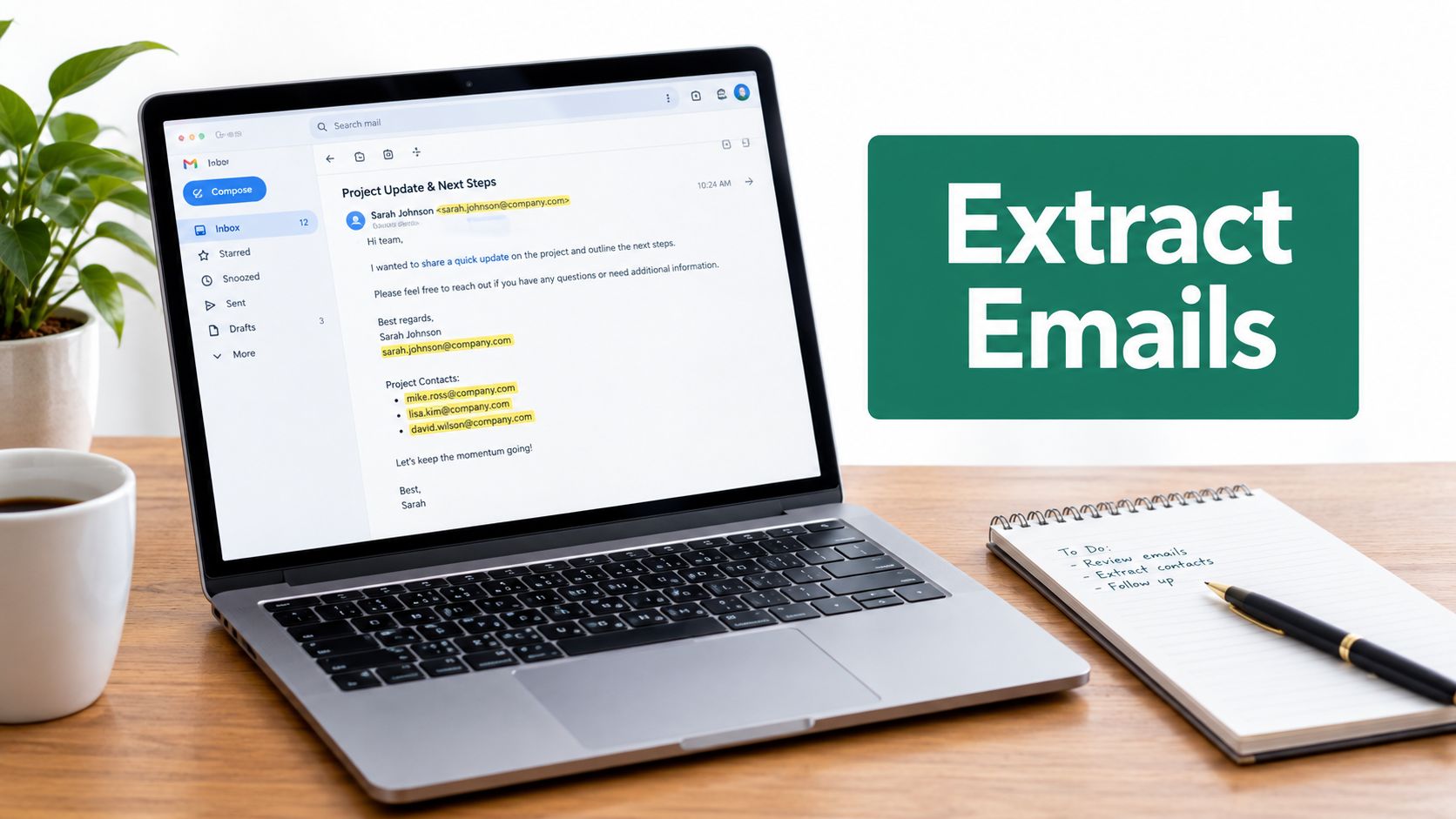
A blank CRM pipeline creates a familiar kind of pressure. Your team needs relevant prospects, but manually opening company sites, hunting through contact pages, and copying addresses into a spreadsheet can consume an entire day before anyone writes a message. The faster alternative, scraping everything in sight, often creates a different problem: duplicates, role accounts, stale addresses, spam traps, and contacts you can't responsibly approach.
The practical way to extract emails from websites is to treat collection as the opening stage of a data pipeline, not the finished product. You need a targeted discovery method, an extractor that can handle ordinary pages and modern site structures, a cleaning and verification layer, and a compliance decision before the address reaches your CRM or sending platform.
Why Tool-First Extraction Produces Bad Lists
A rep installs an extension, pastes a list of domains, and celebrates thousands of strings returned. Two weeks later, the campaign bounces because the list was never qualified. The count measured collection, not prospect quality.
A useful prospect record needs a relevant company, a suitable contact, a traceable source page, a normalized address, and a validation result. It also needs enough provenance to explain where the address came from and a governance decision that reflects the recipient's jurisdiction and the intended outreach.
Manual research still works for a short list of strategic accounts. A salesperson can inspect the team page, understand the company's offer, and choose whether a founder, partnerships lead, or sales contact fits the campaign. The bottleneck appears when that judgment must be repeated across many target companies. Browser extensions reduce repetitive copying, while bulk crawlers and scripts fit a carefully selected set of URLs.
Modern sites make the extraction layer less predictable. Addresses may sit in visible text, page code, rendered content, or obfuscated formats that a basic pattern matcher misses. A resilient process records the source page, preserves the raw finding for review, and sends the normalized result through verification instead of treating every match as ready for outreach.
Practical rule: Scale the discovery of relevant pages, not the indiscriminate collection of addresses.
Search operators improve the input before extraction begins. Combine a role, location, industry term, or domain restriction to find pages with a reasonable chance of matching the ideal customer profile. A query aimed at a specific profession and market gives the extractor a narrower, more defensible source set than a broad search for “business email.”
Public pages have long been used by automated systems to collect addresses. Research on spam origins describes web crawlers gathering addresses from pages, blogs, newsgroups, social networks, and mailing lists, making web-based extraction relevant to both email abuse and legitimate lead research (research on web-based address harvesting). The technology carries no moral weight. The outcome depends on targeting, processing, consent or lawful basis, jurisdiction-specific privacy requirements, and how the resulting data is used.
A reliable workflow separates four jobs:
- Discovery: Identify relevant companies and pages.
- Extraction: Read visible content and appropriate page code for email-like strings.
- Quality control: Normalize, deduplicate, and verify records.
- Governance: Record provenance and decide whether outreach is permitted.
Buying a generic database removes context. Blind scraping removes controls. A focused extraction pipeline takes more planning at the start, but produces records that sales teams can evaluate, document, and use responsibly.
Capturing Contacts With Browser Extensions
Browser extensions work well when a researcher is already browsing relevant search results, directories, company pages, or professional websites. They keep discovery and extraction in the same workflow, which is useful for freelancers, account executives, and small business development teams that don't need a custom crawler.
Start with a narrow target list. Define the industry, geography, company type, and contact role before opening your browser. If you want agencies in a particular market, for example, decide whether you need a general inbox, a founder address, a partnerships contact, or all three. That decision affects which pages you inspect and how you segment the eventual outreach.
Set up the extension for passive capture
Install the extension from its official distribution page, then review its permissions and output settings. A browser tool needs access to the pages you ask it to scan. Don't grant access casually across unrelated sites, and don't treat a successful installation as permission to collect every address you encounter.
Enable AutoSave if your workflow involves reviewing many pages. Passive capture can save addresses while you browse instead of requiring a separate copy-and-paste action for every result. Still, passive doesn't mean unsupervised. Review the saved records regularly, because a page may contain a support address, a press address, a personal address, or an address embedded in boilerplate that isn't appropriate for prospecting.
For a more detailed walkthrough of browser setup and permissions, consult this guide to browser tool installation. If you want to compare the extraction workflow itself, see the email extractor Chrome extension.
Use search operators to control the input
A good operator combination reduces noise before the extension scans anything. Use a role or function term, a location, and a domain or page-type constraint. For example:
- Role plus location: Search for a target profession alongside a city or region.
- Domain restriction: Limit results to a known industry directory, association, or group of company domains.
- Page intent: Add terms such as contact, team, about, or partnerships when those pages are relevant to your use case.
- Company qualification: Include a service category or niche phrase that separates target accounts from unrelated businesses.
Don't rely on one broad query. Build several narrow searches based on buying context, then keep the results separate. A list gathered from a “partners” search should not automatically receive the same message as one gathered from a “sales” or “support” page.
Some search engines let you modify URL parameters to show more results per page. Where that option is available and permitted by the search engine, increasing the visible result count can reduce repetitive page changes. Use the feature conservatively, respect rate limits, and avoid turning a productivity setting into an aggressive automated request pattern. More visible results don't compensate for poor targeting or weak verification.
Capture context with every address
Save the source URL, company name, page title, contact type, and collection date alongside the address. That small amount of metadata gives a salesperson a reason for the contact and lets a reviewer revisit the page when an address looks questionable.
Also separate discovery from selection. The extension can identify available addresses, but a human or a later rule should decide whether the person matches the campaign. Extraction tools find data. They don't establish relevance, authority, or permission to send.
Scaling Discovery With Bulk Automation
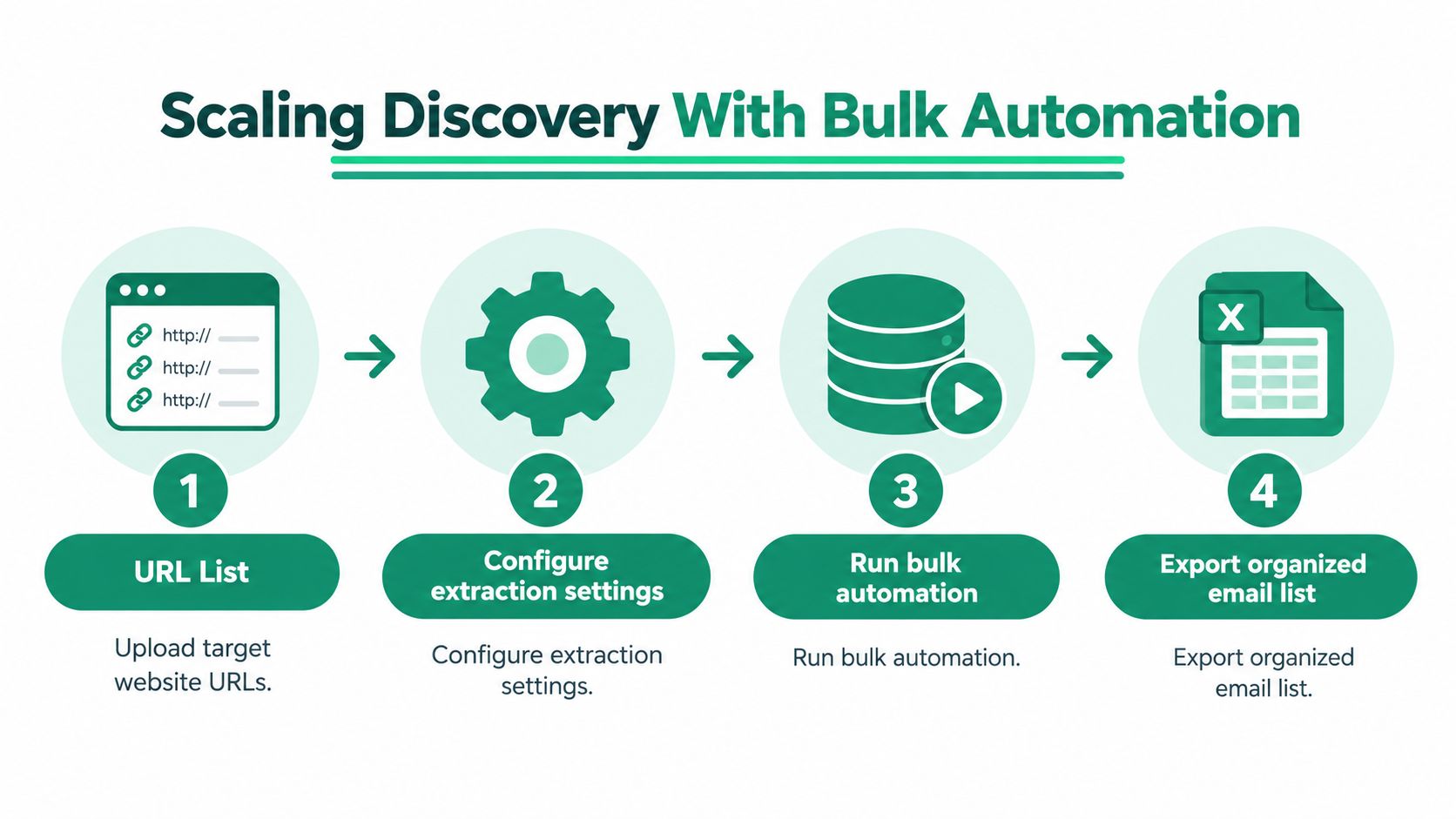
Once single-page research becomes predictable, the bottleneck shifts from finding an address to feeding the workflow with the right pages. Bulk automation helps teams process a prepared collection of URLs without opening each page manually. It works best when the list is already segmented by market, account type, campaign, or source.
Start with a clean input file. Each row should contain a canonical website or page URL and, where possible, the company name and segment. Avoid mixing search-result URLs, login pages, unrelated social profiles, and target websites in one run. A bulk extractor can process a messy list quickly, but it can't infer your campaign logic reliably from inconsistent inputs.
Build the URL list around relevance
The most productive URL lists usually come from sources your team already trusts. They may include company directories, association pages, partner ecosystems, event exhibitor pages, or a manually qualified account list. Use separate batches for separate purposes. A list for local service providers should have different extraction and review rules from a list of software companies.
A useful input structure includes:
| Field | Purpose |
|---|---|
| Company name | Keeps records identifiable after export |
| Target URL | Defines the page or domain to scan |
| Segment | Supports campaign and message selection |
| Source label | Records where the prospect was discovered |
| Owner | Assigns review responsibility |
| Review status | Prevents unexamined records from reaching outreach |
Configure the run to scan the relevant page depth rather than every available page by default. Contact, about, team, and partnership pages often deserve priority, while large archives and unrelated blog sections can add noise. If the tool supports page selection or URL Explorer features, use them to keep the crawl aligned with the campaign.
Run, inspect, and export
A sensible bulk run has a review gate. Process the URLs, inspect a sample from each segment, and check whether the output contains the kinds of pages and addresses you expected. If one source produces mostly generic support inboxes or repeated addresses, stop and adjust the input rather than exporting the entire result into your CRM.
The export should preserve more than the email column. Keep the source URL, page where the address appeared, company, segment, extraction status, and any available contact classification. TXT or CSV output is convenient, but a flat file becomes useful only after the team can trace each record back to its origin.
The workflow can look like this:
- Prepare: Upload a segmented URL list and remove obvious duplicates.
- Configure: Select relevant page types, extraction behavior, and output fields.
- Run: Process the batch with sensible request pacing and monitor failures.
- Review: Separate raw findings from records approved for verification.
- Export: Send the cleaned structure to a spreadsheet, CRM staging area, or verification service.
A video walkthrough can help teams see how a bulk extraction process fits together in practice:
Bulk automation saves time only when the input and review rules are disciplined. Otherwise, it converts a small manual error into a large unfiltered dataset.
Overcoming Technical Hurdles and Verification
Raw extraction is not contact data. It is a set of observations collected from pages, and modern websites make those observations incomplete by default. An address may appear only after JavaScript runs, use HTML entities, sit behind a consent layer, or be hidden from basic requests by anti-bot controls.
Recent benchmark summaries reported verified rates ranging from roughly 24% to 79% across tools, while unverified scraped lists were reported to bounce 10% to 30%. The same analysis reported validated systems near 93% to 98% accuracy, with post-extraction controls needed to keep hard bounces below 1% (email extraction benchmark analysis). These figures aren't a promise for every tool or website. They show why the collection step shouldn't be treated as a deliverability check.
Understand why pages return incomplete results
A basic HTML fetch may miss an address rendered in the browser. JavaScript-heavy sites can place contact details into the page only after scripts execute, while entity encoding can represent characters in a way that defeats a simple text search. A crawler may also encounter CAPTCHAs, anti-bot fingerprinting, honeypots, or catch-all domains.
Different failures require different responses:
- JavaScript rendering: Use a browser-capable process when the address appears only after the page executes.
- Obfuscation: Detect common substitutions and encoded characters, then preserve the original source for review.
- Anti-bot controls: Reduce request pressure, respect site rules, and accept that some pages should remain unprocessed.
- Honeypots: Treat hidden fields and suspicious addresses as risk signals, not usable leads.
- Catch-all domains: Don't assume that an apparently accepted address belongs to a real recipient.
A tool that returns an empty result hasn't necessarily failed. The page may contain a contact form rather than a published address, or the site owner may have intentionally protected the information. A responsible workflow records “not found” instead of repeatedly escalating requests against the domain.
Add a quality layer after collection
Normalize addresses before comparing them. Trim whitespace, standardize case for duplicate detection, remove accidental punctuation, and separate multiple addresses that were captured as one string. Keep the original value and source page in a separate field, because cleaning should never destroy your audit trail.
Next, deduplicate at both the address and company level. The same inbox may appear in a footer, contact page, and team page. Repeated appearances don't create multiple prospects. They create multiple evidence points for one record.
Then verify. Check domain and mail-exchange signals, apply SMTP-style validation where your provider and legal review allow it, and classify results rather than forcing every record into valid or invalid. Useful statuses include verified, risky, unavailable, role address, catch-all, duplicate, and manual review.
For teams that need a dedicated validation stage, use an email address verification workflow after extraction and before CRM import. The important design choice is sequencing. Crawl, normalize, deduplicate, verify, then segment. Sending directly from a raw scrape turns technical uncertainty into sender reputation risk and wasted sales effort.
Navigating Legal and Ethical Boundaries
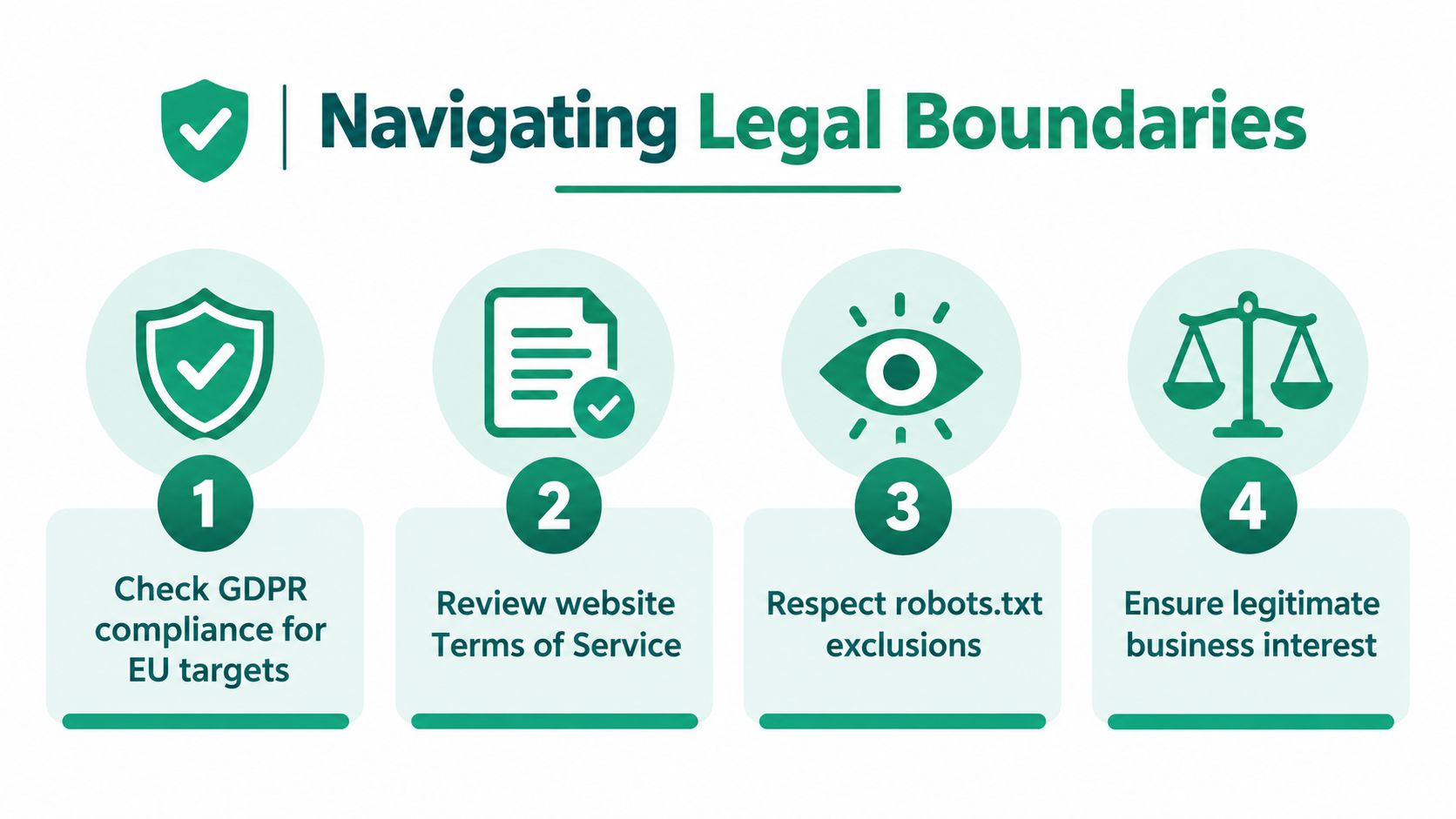
The assumption that a public email address is free for any use causes many outreach programs to fail before technical quality becomes relevant. Visibility isn't the same as permission. An address displayed on a company website may identify an individual, and the legal basis for collecting or using it can depend on the person, jurisdiction, purpose, channel, and message.
Recent guidance notes that under GDPR, publicly visible email addresses remain personal data and require a lawful basis for collection. It also describes new 2026 EDPB guidelines as treating web scraping involving personal data as GDPR processing (guidance on email extraction and privacy obligations). Treat that as a planning constraint, not a footnote to add after the list has been built.
CAN-SPAM is a different type of rule. It primarily governs how commercial messages are sent, while GDPR analysis can begin earlier with the collection and processing of personal data. A team working across markets can't use compliance logic from one jurisdiction as a universal permission slip.
Use a decision gate before collection
Ask these questions before a URL enters the extraction queue:
- What is the purpose? Define the business reason for collecting the address and keep it narrower than “future marketing.”
- Who is the person? Distinguish a generic business inbox from an address that identifies an individual.
- Which jurisdiction applies? Consider the target, your organization, the processing location, and the marketing channel.
- What is the lawful basis? Document the reasoning instead of assuming public visibility supplies it.
- What do the site rules say? Review terms, access restrictions, and published preferences.
- Can the team honor rights and objections? A workflow that can't suppress or delete records is incomplete.
Use a primer on email scraping to clarify the technical activity, then apply your own legal review to the intended use. The tool description won't answer whether a particular campaign is permitted.
Decide when not to collect
Block the workflow when the source explicitly prohibits the activity, when access requires bypassing a control, or when the purpose and lawful basis are unclear. Don't use a personal address for a generic campaign just because it was easy to find. Don't treat an address hidden behind a form, login, or technical barrier as equivalent to an address intentionally published for business contact.
For permitted or lower-risk use cases, maintain provenance. Record the source URL, collection date, purpose, segment, lawful-basis assessment, reviewer, and suppression status. Give recipients a clear way to object or unsubscribe where required, and remove records when retention is no longer justified.
Ethical standard: If you couldn't explain why you collected an address, where it came from, and why this person is relevant, don't send to it.
Compliance isn't a final checkbox on a CSV export. It should shape the source list, extraction depth, data fields, retention period, and campaign audience from the beginning.
Building Your Repeatable Outreach Workflow
A dependable outreach list comes from a repeatable operating routine, not a heroic research session before a campaign launch. Start with a defined audience and a small, qualified URL set. Record the source and intended use before extraction, then keep raw findings separate from approved contacts.
The working sequence is straightforward:
- Define the segment: Specify industry, location, company profile, role, and outreach purpose.
- Find source pages: Use targeted search operators, directories, company sites, and other appropriate sources.
- Extract selectively: Scan relevant pages and preserve the source URL for every finding.
- Clean the records: Normalize strings, classify inboxes, remove duplicates, and flag uncertain results.
- Verify before import: Pass suitable records through validation and quarantine risky outputs.
- Review compliance: Confirm the jurisdiction, lawful basis, site restrictions, retention logic, and suppression process.
- Segment the campaign: Match message, sender, and contact type to the reason the address was collected.
- Measure list health: Monitor invalid findings, duplicate rate, verification outcomes, complaint signals, and opt-outs.
The quality review should happen on a schedule. Run bulk discovery when your target sources change, but don't assume a recurring job should keep every historical address indefinitely. Revisit the source, update the provenance record, and remove contacts that no longer meet your relevance or compliance rules.
Keep the output useful to sales. A verified address without company context still forces the rep to redo the research. Include the page where the contact appeared, the reason the account fits, the likely role, and a short note about the proposed message. For broader automation ideas that connect prospecting with downstream sales operations, this overview of practical sales automation for ecommerce offers relevant workflow context.
The operating principle is simple: a smaller, documented, verified list beats a larger raw export. Extraction creates possibilities. Review and verification turn those possibilities into an outreach asset that your team can use without sacrificing trust or deliverability.
EmailScout scans webpages for available email addresses, supports automatic saving while you browse, and lets you extract contacts from multiple URLs before exporting the results as TXT or CSV. Use EmailScout to organize the discovery stage, then apply your own verification and compliance checks before adding suitable contacts to an outreach workflow.