
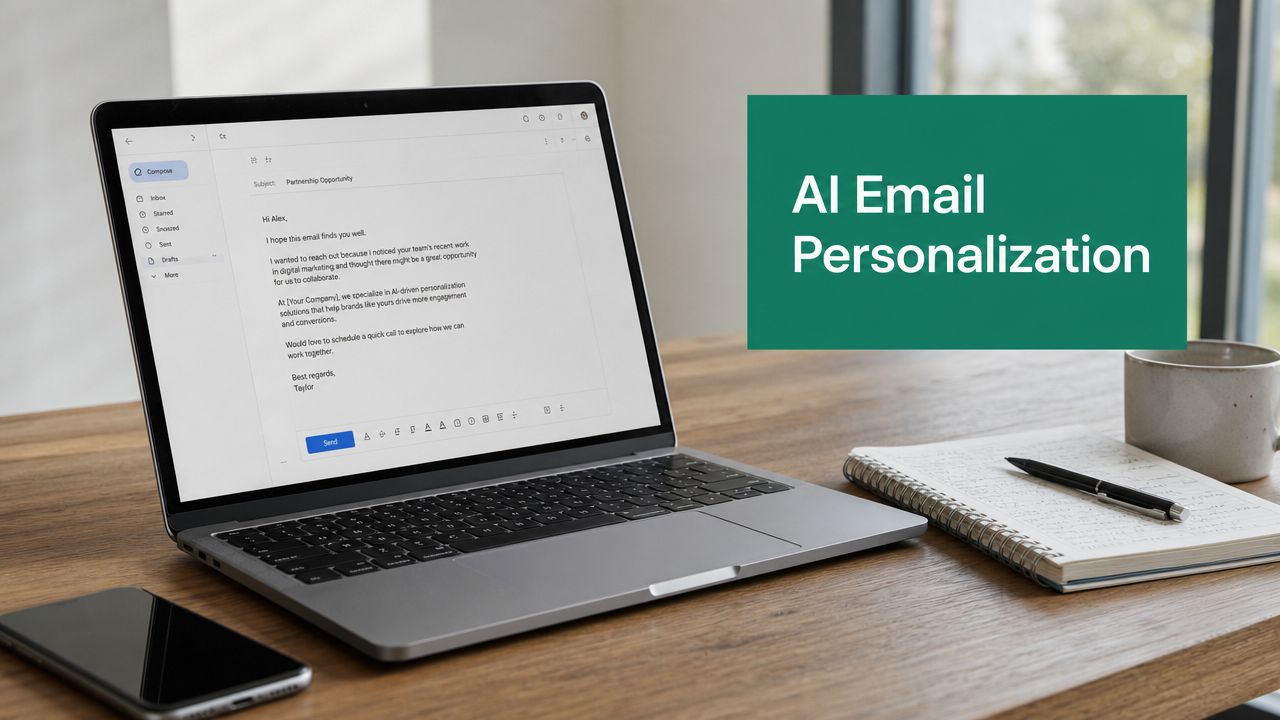
You launch a cold email sequence that looked solid in the draft folder. The copy is clean. The offer is relevant. The list is big enough to matter. Then the campaign goes out, and most of it disappears into the same black hole generic outreach always falls into.
That usually happens because the email sounds like it was written for a segment, not a person. Buyers can spot that instantly. They don't care that you inserted a first name, company name, and title if the message still reads like a template sent to hundreds of people.
AI email personalization helps when it's used as a production system, not a gimmick. The key benefit isn't that AI can write faster. It's that AI can take structured prospect data, apply the right context, and produce messaging that feels relevant without forcing reps or marketers to research every account manually. The teams that get results treat it like an operations problem first, then a copy problem.
Why Generic Outreach Fails and AI Personalization Wins
Generic outreach fails because it asks the recipient to do the work. They have to figure out why you contacted them, whether the problem matters, and whether your solution fits. Most won't bother.
A personalized email does the opposite. It closes that gap immediately. Instead of saying, “We help companies improve pipeline efficiency,” it says, in effect, “I noticed your team is hiring across sales ops and demand gen, which usually means handoff complexity is growing. That's where this might help.” That's a different conversation.
The shift from generic to contextual messaging changes response quality, not just volume. According to G2's email marketing statistics, companies using advanced AI personalization report up to 70% improvements in conversion rates, personalized emails are opened 82% more than generic ones, and 52% of consumers will switch brands if an email lacks personalization. Those numbers explain why blanket messaging keeps losing ground.
What buyers ignore
Most poor outbound emails have the same problems:
- Weak opening lines that could apply to anyone in the industry
- Irrelevant proof points that don't match the buyer's role
- No trigger event that explains why the email was sent now
- Overwritten copy that sounds polished but not human
That last point matters more than many teams realize. AI can generate smooth language fast, but smooth language isn't the same as believable relevance.
Generic emails ask for attention before they've earned it.
What personalized outreach changes
Good AI email personalization creates a useful first draft from real signals. That could be a recent role change, an expansion into a new market, a product launch, a hiring pattern, or engagement with a webinar or resource. The email doesn't need to mention every signal. It needs to use one or two well.
For teams trying to build that system, a practical place to start is this guide to the best prospecting tools, especially if you're still patching together data collection with too many manual steps.
The reason AI works here isn't mystery. It reduces the time cost of turning account context into customized messaging. It also gives you a way to personalize consistently across large lists, which is where many teams break down. A rep can personalize ten emails manually. A scaled outbound program needs hundreds of messages that still sound considered.
What actually wins
The best performing personalized emails usually share three traits:
- They anchor to a real business context.
- They connect that context to a likely problem.
- They keep the ask small.
That's the difference between “spray and pray” outreach and a repeatable AI-powered workflow that books meetings.
Laying the Foundation with High-Quality Prospect Data
AI personalization is only as good as the data feeding it. If your CRM is stale, your enrichment is thin, or your segmentation is lazy, the output will sound wrong even when the writing looks polished.
That's why the first step isn't prompt engineering. It's data discipline.

The data types that matter
You don't need every possible signal. You need the right signals for your motion.
Start with these categories:
- Firmographic data like company size, industry, region, business model, and growth stage
- Role data including seniority, function, and likely ownership of the problem you solve
- Technographic data that shows which tools or platforms the company already uses
- Behavioral signals such as page views, content downloads, webinar attendance, or product activity
- Trigger events like hiring trends, leadership changes, funding news, launches, or expansion signals
Personalization efforts often overvalue surface-level fields and undervalue timing. Job title alone rarely produces good personalization. A title plus a recent trigger usually does.
Bad data ruins good copy
One of the most useful reality checks in AI email personalization is this: even a strong model can't rescue flawed inputs. According to Mailmend's email personalization statistics, 30 to 40% of personalization failures stem from inaccurate or outdated prospect data. That's why low reply rates often have less to do with writing quality and more to do with broken records, wrong assumptions, or stale enrichment.
Practical rule: Don't send AI-personalized emails until the underlying account and contact fields pass a basic QA check.
A workable QA process looks like this:
- Verify core identity fields. Name, company, role, and email domain should match current reality.
- Check trigger freshness. If the “recent event” happened months ago, it's no longer a trigger.
- Remove duplicate records before AI generation. Dupes create awkward repetition and conflicting context.
- Flag uncertain enrichment for human review instead of letting the model guess.
- Constrain prompts so the AI only uses approved fields.
That last point is where a lot of teams slip. They feed the model a giant blob of scraped data and ask it to “write a personalized email.” That's how you get creepy references, fabricated assumptions, or lines that feel detached from the actual buyer.
Segment by pain, not just persona
Basic segmentation by title is too blunt. “VP Marketing” could mean demand gen ownership at one company and brand ownership at another. Better segmentation starts with likely pain points and buying triggers.
A practical structure is to group prospects by combinations like:
- Operational pain plus active trigger
- Growth initiative plus tool mismatch
- Role responsibility plus engagement history
For example, a rev ops leader at a scaling SaaS company with inconsistent lead routing should not receive the same message as a rev ops leader focused on attribution cleanup.
If you need broader strategic context for building that funnel, this email marketing lead generation playbook is useful because it connects outreach mechanics to actual lead generation goals instead of treating email as an isolated channel.
You can also review specialized data enrichment tools for prospecting and outreach to tighten the handoff between raw contacts and usable personalization fields.
Build a usable record, not a perfect record
The target isn't a beautiful database. The target is a record that gives your AI enough clean context to write a relevant first draft.
A usable prospect profile usually includes:
- Who they are
- What company context matters
- What changed recently
- What problem is most likely in their lane
- What proof point or offer best matches that situation
That's the foundation. Without it, AI email personalization becomes fast nonsense.
Crafting AI Prompts and Templates That Convert
Once the data is clean, the next job is turning context into copy. Here, many teams either overcomplicate things or stay too vague. If your prompt says “write a personalized cold email,” the model will fill the gaps with generic patterns.
You need a prompt that tells the AI exactly what to use, what to ignore, what tone to follow, and what the email is supposed to accomplish.

According to the HubSpot discussion captured in this YouTube breakdown of AI email personalization results, sales professionals say generative AI is most useful for writing messages to prospects (21%) and re-purposing messages for different audiences (32%). The same source notes that adding AI personalization drove over 10,000 quarterly sales meetings due to a 45% improvement in conversion rate. That tracks with what many operators see in practice. AI is strongest when it drafts and adapts, not when it runs unsupervised.
A prompt formula that works
Use a structured prompt with clear variables and constraints:
Write a cold email to [Prospect_Name], [Job_Title] at [Company_Name].
Use this context only: [Recent_Trigger_Event], [Known_Pain_Point], [Relevant_Offer], [Approved_Proof_Point].
Goal: book a short intro call.
Tone: direct, professional, natural, not hype.
Constraints: 80 to 120 words, no buzzwords, no generic compliments, no fake familiarity, no invented details.
Structure: opening based on trigger, one sentence connecting to likely pain, one sentence on value, soft CTA.
If context is weak, stay conservative and general rather than guessing.
This format works because it narrows the model's range. You're not asking it to be creative in every direction. You're asking it to produce a useful business email inside a controlled frame.
Before and after prompt quality
A weak prompt:
- Loose instruction: “Write a personalized email for this lead.”
A stronger prompt:
- Specific instruction: “Write a first-touch outbound email to a CTO at a mid-market SaaS company. Reference that the team recently posted engineering roles. Connect that signal to onboarding complexity and tooling sprawl. Keep it concise. Avoid sounding like a recruiter or consultant.”
The difference shows up immediately. Weak prompts generate polished filler. Strong prompts generate relevant angles.
Prompt examples by scenario
For a busy CTO:
Draft a short outbound email to a CTO. Use the company's recent engineering hiring as the trigger. Suggest that scaling engineering often exposes process friction across handoffs, tooling, or visibility. Offer a concise way to evaluate that problem. Keep the tone calm and technical. Avoid marketing language.
For a warm follow-up after content engagement:
Write a follow-up email to a prospect who downloaded a guide on outbound workflow automation. Acknowledge the interest without sounding like tracking is the main point. Connect the content topic to common friction in lead routing, enrichment, and sequence setup. Ask a low-pressure question.
For role-based adaptation:
Rewrite this email for a CMO. Keep the same offer, but shift the pain point from workflow efficiency to campaign relevance, conversion quality, and handoff to sales. Remove technical jargon.
If you need a starting library, these email outreach templates for different sales scenarios can speed up testing because they give you solid structural baselines before AI customization.
The template should do less than the prompt
Teams often stuff too much into templates. Keep templates light. Let prompts and fields carry the context.
A practical base template looks like this:
- Subject line tied to one trigger or pain
- Opening that references the trigger
- Relevance bridge that links trigger to likely challenge
- Offer framed around a specific outcome
- CTA with a small ask
Here's a useful training resource if you want to see prompt thinking in action:
What not to let AI do
Don't let the model:
- Invent research about the company
- Praise random details it can't verify
- Reference personal or invasive signals
- Sound too complete on the first draft
A good AI draft should feel prepared, not performed.
The highest-converting prompt systems usually produce drafts that are about 80% finished. That's ideal. The final 20% should come from human judgment, especially in the opener and CTA.
Integrating Tools and Automating Your Outreach Workflow
Scaling AI email personalization takes more than a model and a prompt. You need a workflow that moves contact data, context, drafts, review status, and engagement signals between systems without creating a mess.
That's where many teams either build a simple but effective stack, or they end up with disconnected tools that force manual cleanup.

According to Stripo's personalization statistics roundup, hyper-personalized emails driven by AI and CRM data generate 6× higher transaction rates, and that level of performance depends on bidirectional integration with CRM systems and marketing automation platforms that can trigger follow-ups based on engagement.
A practical outreach stack
The stack doesn't need to be fancy. It needs to be connected.
A workable setup usually includes:
- Lead source and contact discovery for account and decision-maker data
- CRM as the system of record
- Enrichment layer for additional account and role context
- AI generation step for first-draft email copy
- Sales engagement or email platform for sequencing, approval, and sending
- Analytics layer for replies, meetings, and opportunity tracking
The key is flow. Each tool should hand the next one usable data, not force a human to retype or reinterpret it.
A sample automation path
Here's a repeatable workflow that works well for lean sales and marketing teams:
Find the contact and account context
Pull the prospect's professional details and company URL from your sourcing workflow.Push the record into the CRM or a staging sheet
Keep a clean place for approved fields, especially trigger events and persona tags.Run enrichment and segmentation
Add the fields your prompt depends on, then assign the prospect to the right messaging track.Trigger AI draft generation
Send only approved variables into the prompt. Do not pass raw notes or unverified snippets.Route the draft for review
A rep, SDR manager, or lifecycle marketer should approve the opener, relevance line, and CTA.Send through the outreach platform
Sequence timing and follow-ups should react to engagement, not just a fixed schedule.
You can see examples of that kind of connected setup in these email automation workflows for sales outreach, especially if you're trying to reduce manual handoffs between prospecting and sending.
Where automation usually breaks
Most failures happen in one of three places:
- Field mapping is sloppy. The AI gets the wrong title, stale company info, or mixed account notes.
- The prompt accepts too much input. That invites awkward or invasive personalization.
- No review gate exists. Drafts go straight from model to inbox.
The review step matters because automation amplifies both good systems and bad systems. If your segmentation logic is wrong, you won't send one bad email. You'll send a lot of them.
The best use of automation
Automation should handle repetitive assembly work:
- collecting records
- moving fields between tools
- generating a first draft
- triggering the right sequence step
- logging responses back to CRM
Humans should still own:
- deciding which signals are appropriate
- refining prompts
- approving final copy
- interpreting campaign performance
That split is what makes AI email personalization scalable without making it robotic.
Testing and Measuring What Actually Matters for ROI
A lot of teams stop at opens and clicks because those metrics are easy to pull. They're also incomplete. A personalized email that gets opened but never turns into a reply, a meeting, or a pipeline conversation isn't doing enough.
The stronger measurement model starts with business outcomes and works backward.
According to Relevance AI's overview of email personalization, most content still focuses on vanity metrics, while true value comes from meetings booked and pipeline influenced. That's the right frame. If you can't connect personalization depth to booked conversations, you're judging copy instead of revenue contribution.
The metrics that matter most
Track these in order of importance:
- Positive reply rate because it shows whether relevance is landing
- Meetings booked because it reflects movement to a real sales conversation
- Pipeline influenced because campaign value becomes visible through this metric
- Open rate as a diagnostic signal, not a success metric
- Click-through rate when the campaign includes content or landing page engagement
For each campaign, tag the personalization type used. That could be company news, hiring signal, role-based pain point, content engagement, or product usage context. Then compare outcomes by tag. Over time, you'll see which signals lead to conversation quality.
Measure personalization depth
Not every “personalized” email deserves the same label. Create simple tiers.
For example:
- Tier 1 uses only basic fields like name, company, and role
- Tier 2 adds one verified business trigger
- Tier 3 includes role-specific messaging and trigger-based context
- Tier 4 adds account nuance and customized proof or offer
It helps you answer a hard but important question: does deeper personalization change bookings enough to justify the extra work?
If your wider goal is to optimise online sales performance, this same discipline applies outside email too. The winning teams don't just personalize. They measure whether the extra relevance improves downstream conversion.
A practical A B testing setup
Test one variable at a time. If you change the opener, CTA, tone, and subject line all at once, you learn nothing useful.
| Test Variable | Option A | Option B | Primary Metric |
|---|---|---|---|
| Opening context | Reference company news | Reference role-specific pain point | Positive reply rate |
| Trigger type | Hiring signal | Content engagement signal | Meetings booked |
| Tone | Formal and concise | Conversational and direct | Positive reply rate |
| CTA style | Ask for a short call | Ask a diagnostic question | Meetings booked |
| Subject line | Trigger-based subject | Outcome-based subject | Open rate |
| Proof positioning | Mention relevant use case early | Mention proof after pain point | Positive reply rate |
What to do with the results
Don't just keep the winner and move on. Feed the result back into your system.
If role-specific pain outperforms company news for finance leaders, update that segment's prompt. If conversational tone hurts replies for enterprise IT, lock that audience into a more restrained style. If one CTA books more meetings but produces weak-fit calls, adjust qualification language.
Winning tests should change your prompt library, not just your report.
That's how AI email personalization becomes a compounding system instead of a batch experiment.
Navigating Compliance and Maintaining an Authentic Voice
A lot of teams assume the biggest risk in AI outreach is legal. Legal risk matters, but the more common failure is simpler. The email sounds off.
It sounds too polished, too observant, too certain, or too interested in signals the recipient never expected you to use. That's where reply rates drop and trust gets damaged.
According to Mailtrap's analysis of AI email personalization, a major under-discussed risk is the loss of authenticity versus AI detection trap. Overly perfect AI-generated context can feel robotic and reduce replies, which is why sales reps still need to refine drafts manually for brand voice and human nuance.
Keep compliance practical
You don't need a legal essay in your workflow. You need operational guardrails.
Use a simple compliance standard:
- Collect business-relevant data only
- Avoid personal or intrusive signals
- Use transparent business context
- Honor opt-outs and suppression rules
- Store only the fields you need for outreach
If a personalization angle would make the recipient wonder how you know that, it probably doesn't belong in the email.
Authenticity is a review discipline
Human review shouldn't be a vague “final check.” It needs a checklist.
Use this before sending:
- Remove fake familiarity. Delete lines that pretend a stronger relationship than exists.
- Cut generic compliments. “Impressed by your company's innovation” says nothing.
- Check signal appropriateness. Keep references tied to business context.
- Simplify the language. If it sounds like a model trying to impress, rewrite it.
- Match brand voice. A technical buyer should not get fluffy copy. A creative lead should not get stiff legalese.
- Tone down perfection. Slightly imperfect human phrasing often feels more credible than polished AI symmetry.
The line between relevant and invasive
Good personalization helps the buyer understand why the message matters. Bad personalization makes them feel observed.
That usually happens when teams push enrichment too far or let the AI combine weak signals into strong-sounding assumptions. Stick to professional context. Stay grounded in what the recipient would reasonably expect to be used in business outreach.
If the personalization creates discomfort instead of relevance, it's not good personalization.
The best AI email personalization programs don't try to hide the machine. They control it. They use AI for speed, structure, and variation, then rely on human judgment for tone, restraint, and trust.
If you want to build that workflow without wasting hours on manual contact discovery, EmailScout is a practical place to start. It helps sales teams, marketers, founders, and freelancers find decision-maker email addresses quickly, organize prospect data faster, and move from research to outreach with less friction.