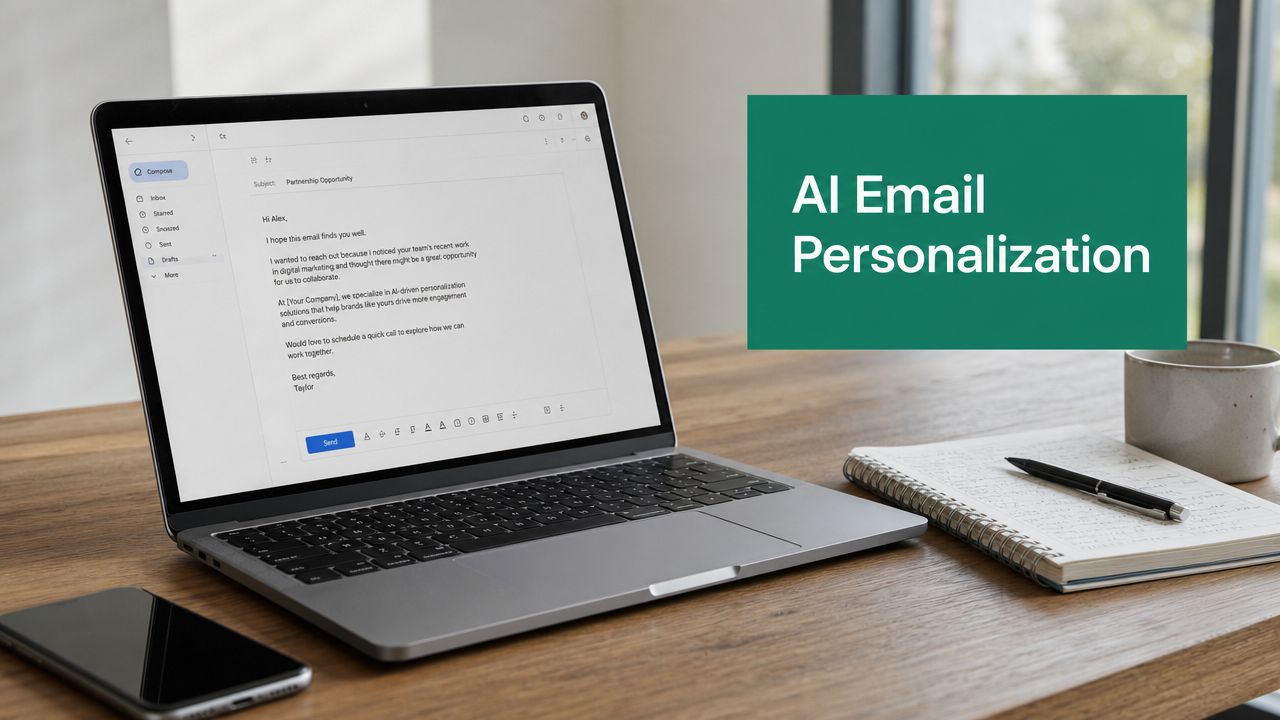
Tag: cold email

  • How to Reach Out to Potential Clients: 2026 Guide

    How to Reach Out to Potential Clients: 2026 Guide

    You need clients now, not eventually. Your pipeline feels thin, referrals come in uneven waves, and every channel looks crowded. You send a few emails, maybe a LinkedIn message or two, then silence. That’s the point where many find themselves either spamming harder or stopping altogether.

    Both choices fail.

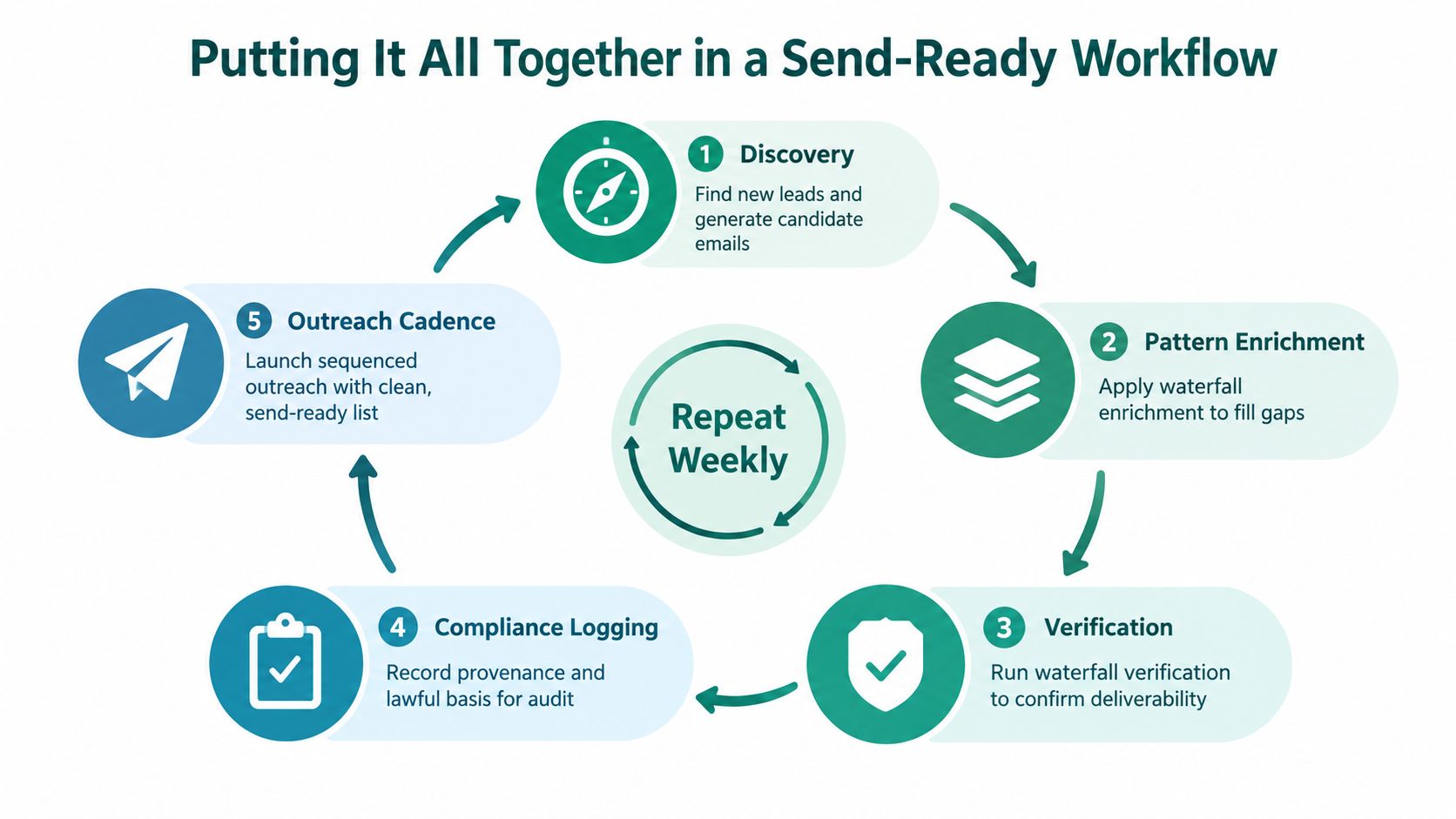
    Modern outreach works when it runs like a system. You pick the right accounts, find the right people, write messages that sound relevant instead of recycled, follow up long enough to get seen, and measure what leads to meetings instead of admiring vanity metrics. Generic blasts and random cold calls don’t hold up anymore because buyers are overloaded and quick to ignore anything that feels self-serving.

    A practical outreach process fixes that. It gives you a way to move from “I need more clients” to a repeatable workflow you can run every week. The mechanics matter. So does judgment. Who you target affects what you write. What you write affects whether follow-ups work. How you measure affects whether your next campaign gets sharper or keeps wasting time.

    Introduction The Modern Challenge of Client Outreach

    Most outreach problems aren’t messaging problems. They start earlier.

    A freelancer says they help “small businesses.” A startup targets “any company that needs growth.” An agency makes a list of hundreds of companies, then sends the same pitch to all of them. That approach creates weak targeting, generic copy, poor reply quality, and a lot of false conclusions about what “doesn’t work.”

    Client outreach today is less about volume alone and more about relevance plus execution. You still need enough activity to create opportunities, but activity without focus turns into noise fast. Buyers can tell when they’re reading a template written for nobody in particular.

    The good news is that outreach isn't mysterious. It’s operational. The teams that do it well usually follow the same sequence.

    • Define the right client: Know which companies and which roles are worth your time.
    • Source accurate contacts: Build lists from real decision-makers, not random names.
    • Write for the buyer: Lead with their problem, not your service menu.
    • Follow up with discipline: Most conversations start after the first touch, not on it.
    • Measure what matters: Track replies, meetings, and conversions, then tighten the process.

    Practical rule: If your outreach feels hard to personalize, your targeting is probably too broad.

    That’s the lens for how to reach out to potential clients in a way that produces conversations instead of dead sends. Not theory. A working playbook.

    Before You Reach Out Define Your Ideal Client

    The fastest way to improve outreach is to stop trying to appeal to everyone. Broad positioning makes every next step harder. It weakens list building, muddies your message, and leaves prospects wondering why you contacted them in the first place.

    A solid ideal client profile, or ICP, gives your outreach a center of gravity. It tells you which accounts deserve attention and which ones belong off your list.

    A young man in a blue shirt works on his laptop while brainstorming ideal client demographics.

    If you need a structured way to build that profile, this guide on creating buyer personas is a useful starting point.

    Start with the company, not the contact

    Many people begin with job titles. That’s backwards. First define the kind of company that’s likely to buy.

    Use filters like these:

    • Industry fit: Pick sectors where your offer solves a common, expensive problem.
    • Company stage: Early-stage startups buy differently than established firms.
    • Team size: A lean team may want speed and simplicity. A larger team may need process and buy-in.
    • Geography: Region affects language, compliance, sales cycles, and buyer expectations.
    • Operating model: Agency, SaaS, e-commerce, professional services, and local businesses all respond to different messages.

    This step matters because pain isn’t distributed evenly. A service that feels urgent in one vertical may feel optional in another. If you can’t say why a company in a given market should care, don’t put that market into your ICP.

    Define the buyer inside the account

    Once the account is right, narrow to the person most likely to care, influence, or approve.

    That usually means identifying:

    1. The economic buyer who owns budget or signs off.
    2. The functional buyer who feels the problem day to day.
    3. The blocker who may not buy, but can slow the process.

    For example, if you sell lead generation support, a founder might care about revenue growth, a head of sales might care about pipeline quality, and an operations lead might care about execution burden. Same service, different angle.

    A good ICP doesn’t just answer “who can buy.” It answers “who feels the cost of doing nothing.”

    Build around pain, not demographics alone

    Most outreach falls short. Individuals collect firmographics and titles, yet overlook the core reason someone would engage.

    List the concrete problems your ideal client is already dealing with. Not abstract aspirations. Current friction.

    Examples of useful pain categories include:

    • Revenue problems: weak pipeline, poor lead quality, slow close cycles
    • Operational problems: manual work, poor handoff, scattered data
    • Growth problems: new market push, hiring ramp, expansion pressure
    • Risk problems: compliance, inconsistent outreach, reputation concerns

    Then ask a harder question. Which of those problems does your service solve in a way the buyer can recognize quickly?

    If the answer takes a paragraph, your positioning still needs work.

    Write a one-paragraph ICP statement

    Don’t leave your ICP as scattered notes. Turn it into a short operating statement your team can use.

    A strong version looks like this:

    We target B2B service firms in growth mode that already have some demand but weak outbound consistency. The primary buyer is the founder or revenue lead. They don’t need more ideas. They need a reliable way to identify decision-makers, send relevant outreach, and book qualified conversations without adding manual prospecting work.

    That paragraph should shape your list criteria, your messaging, and your offer. If a prospect doesn’t fit it, they shouldn’t get the same sequence.

    Signs your ICP is too broad

    If outreach has been underperforming, check for these issues:

    • You use vague labels: “startups,” “coaches,” “SaaS,” or “small businesses” are too loose on their own.
    • Your value proposition changes constantly: If every prospect gets a different promise, your target isn’t clear.
    • You can’t name a recurring pain point: That usually means you’re forcing fit.
    • You’re relying on personalization to fix bad targeting: Personalization helps. It doesn’t rescue irrelevant outreach.

    A narrow ICP can feel uncomfortable at first because it seems like you’re reducing opportunities. In practice, you’re increasing relevance. That usually improves conversations and makes your outreach easier to scale.

    Build Your Target List with Modern Tools

    A good list is more than names and email addresses. It’s a filtered set of accounts that match your ICP, plus the right decision-makers inside those accounts. If your list is sloppy, your campaign starts damaged.

    That’s why list building needs its own workflow.

    Screenshot from https://emailscout.io/

    Find accounts before you find emails

    Start with account discovery. LinkedIn, company websites, industry directories, conference speaker lists, and niche communities are still useful if you search with discipline.

    Look for companies showing signs of fit, such as:

    • Clear relevance: Their market, offer, and stage align with your ICP.
    • Visible need: Their website, hiring, messaging, or content suggests a problem you can help solve.
    • Reachable structure: You can identify likely buyers instead of guessing.
    • Recent activity: Fresh content, product launches, or expansion often create outreach angles.

    For niche prospecting, outside resources can help you identify vertical-specific targets. If you sell into law firms, for example, a guide to best legal tech tools can reveal the categories firms already care about, which helps you map both accounts and messaging angles.

    Use a repeatable contact-finding workflow

    Once you have target accounts, find actual people inside them. Many teams then lose hours hopping between tabs, guessing formats, and copying data into sheets.

    A cleaner process looks like this:

    1. Open the company site and LinkedIn presence
    2. Identify likely buyer roles
    3. Cross-check messaging, service pages, hiring pages, or leadership bios for pain signals
    4. Capture verified contact details
    5. Save context with the contact, not in a separate note graveyard

    One practical option is EmailScout’s email finder tool, which is built for finding decision-maker emails while you browse profiles and company pages. The point of a tool like this isn’t convenience alone. It’s preserving momentum while you research.

    The source quality matters. A verified contact attached to a real buyer is far more valuable than a bigger list pulled from a low-quality database.

    Why list quality beats list size

    Research tied to multi-channel outreach notes that a multi-channel cold outreach methodology can yield 2-5x higher meeting rates than single-channel approaches, and that the process starts with research using tools that find decision-maker emails and support cross-verification with company websites. That same guidance also notes that this quality-first approach supports the 100+ daily outreaches many entrepreneurs and freelancers need to run consistently (GetBoomeang on cold outreach methodology).

    The takeaway isn’t “send more.” It’s “earn the right to scale.” Volume only works when list quality holds up.

    The best list builders don’t collect contacts. They collect reasons to reach out.

    That means every prospect row should carry context. A recent hiring push. A service gap on the website. A positioning mismatch. A weak CTA on their landing page. Something that can become the opening line later.

    Add context while you browse

    Modern prospecting surpasses old spreadsheet dumping.

    If you’re browsing company pages, founder profiles, or team directories, save contacts as you go and label them with the angle you noticed. Features like AutoSave and URL Explorer are useful because they reduce the friction between discovery and list building. Instead of researching first and organizing later, you do both in one pass.

    That’s especially useful when you’re reviewing multiple pages from one account:

    • Homepage: What do they claim?
    • About page: Who leads the function you care about?
    • Careers page: What problems are they trying to solve internally?
    • Blog or news page: What changed recently?

    Here’s a quick walkthrough before you implement your own process:

    A practical target list standard

    Before a prospect enters your campaign, make sure each record includes:

    • Company fit: Why this account belongs in your ICP
    • Contact fit: Why this person is the right role
    • Pain signal: What issue, goal, or trigger you noticed
    • Channel note: Whether email, phone, or LinkedIn seems most appropriate
    • Short personalization cue: One sentence you can use in the opener

    That standard does two things. It improves reply quality, and it speeds up writing because the research is attached to the record.

    If you want to know how to reach out to potential clients without wasting half your week on prep, this is the operational shift. Build smaller, cleaner, better-context lists. Then write from evidence, not assumption.

    Crafting Your Message for Maximum Impact

    Once your list is clean, the next mistake is talking too much about yourself. Most weak outreach fails for a simple reason. It asks the buyer to care before giving them a reason.

    A message that works usually does four things fast. It signals relevance, names a problem, offers a useful angle, and makes replying easy.

    Subject lines need context, not cleverness

    A catchy subject line might entertain you. It rarely helps the buyer. Relevance wins.

    According to personalization benchmarks, hyper-personalized subject lines that reference specific company challenges can increase open rates by 43.41%, and personalized campaigns regularly achieve 24% open rates compared with less than 10% for generic blasts. The same source also notes that self-focused messages reduce replies (TryKondo on cold networking success rates).

    Good subject lines usually reference one of three things:

    • A visible issue: “noticed your demo CTA on mobile”
    • A current initiative: “about your expansion into healthcare”
    • A specific role problem: “idea for your outbound workflow”

    Bad subject lines usually try too hard:

    • “Quick question”
    • “Boost growth”
    • “Advanced solution for your business”

    They’re vague, overused, and give the buyer no reason to open.

    The first two lines carry most of the weight

    Your opening should prove this isn’t a list blast. Not with flattery. With observation.

    Weak opening:
    “I came across your company and was impressed by what you’re building.”

    Better opening:
    “I noticed your team is hiring for outbound reps while your site still routes cold demo requests through a generic contact form.”

    The second line gives you room to connect that observation to a problem you solve. With this, relevance starts to feel real.

    Field note: Personalization isn't adding a first name. It's showing that you noticed something that matters.

    Lead with their problem, not your service

    Prospects don’t care that you offer a full-service solution, proprietary framework, or premium package. They care about friction in their world.

    Try this structure:

    1. Observation
    2. Likely problem
    3. Credible offer
    4. Low-friction CTA

    Example:

    “Noticed your team is expanding outbound, but your public sales motion still looks heavily form-driven. That often creates delays between interest and contact. I help teams tighten the handoff between prospect discovery and first outreach so reps spend less time sourcing and more time starting conversations. Worth comparing notes?”

    Short. Specific. Easy to answer.

    Good and bad outreach side by side

    Email Component Bad Example (Generic & Self-Serving) Good Example (Personalized & Value-Driven)
    Subject line Increase your revenue today Idea for your outbound follow-up gap
    Opening I wanted to introduce our company and services I noticed your team is hiring sales reps while your contact path still looks manual
    Value proposition We offer best-in-class lead generation solutions for businesses of all sizes Teams in your position often need cleaner prospect sourcing and faster first-touch execution
    Body focus We have many features and years of experience Your reps likely lose time researching contacts instead of starting conversations
    CTA Book a 30-minute demo this week Open to a short reply if this is a priority now

    The “good” version still needs tailoring, but it starts from the buyer’s world.

    Use templates, but only after you earn them

    Templates aren’t the enemy. Lazy templates are.

    Create a base message for each ICP segment, then swap in the parts that should change:

    • Industry reference
    • Role-specific pain
    • Observed trigger
    • Relevant offer angle
    • CTA wording

    That’s how you personalize at scale without sounding mechanical. You’re not writing from scratch every time. You’re building from a message architecture that stays stable while the relevance layer changes.

    If your drafts still read stiff, run them through a plain-language edit. Tools that help humanize ChatGPT text can be useful for smoothing robotic phrasing, but don’t outsource judgment. The message still needs a real observation and a clear reason to contact that person.

    For deeper examples and structure, this guide on how to write cold emails is worth keeping nearby while you draft.

    What to avoid in every first-touch message

    A few mistakes repeatedly hurt reply rates:

    • Over-explaining: Long emails ask for too much attention.
    • Pitching too early: If the first email sounds like a demo request, resistance goes up.
    • Using generic praise: Empty compliments signal automation.
    • Stacking multiple asks: One CTA is enough.
    • Writing for approval instead of curiosity: Your goal is a reply, not a closed deal in one email.

    The best outreach messages don’t try to prove everything. They create enough relevance for a conversation to start.

    Implementing a Persistent Follow-Up Sequence

    Most outreach doesn’t fail on the first email. It fails because the sender quits before the buyer ever seriously notices them.

    That matters because the data on follow-up is blunt. Only 8.5% of outreach emails receive a response when sent once, but contacting the same prospect multiple times increases responses by 200%. The same sales dataset says high-growth organizations average 16 touchpoints per prospect, 80% of successful sales require at least 5 to 12 follow-up attempts, and 92% of salespeople stop after four or fewer attempts (Zendesk sales statistics).

    That gap is where a lot of missed revenue lives.

    A flow chart illustrating an effective five-step business follow-up sequence for reaching out to potential clients.

    Follow-up works when each touch has a job

    Bad follow-up repeats the same “just checking in” line until the prospect tunes out. Good follow-up advances the conversation, even if the buyer never replied to the earlier message.

    Each touch should do one of these jobs:

    • Add value: Share a relevant observation, idea, or resource.
    • Sharpen the angle: Reframe the problem more clearly.
    • Lower the friction: Ask a smaller question.
    • Test interest: Give them an easy way to say yes, no, or later.

    That keeps persistence from turning into annoyance.

    A practical multi-touch sequence

    You don’t need a complicated cadence. You need one you can run consistently.

    1. Touch one
      Send the first email with a clear observation and simple CTA.

    2. Touch two
      Follow up with a short note that adds a useful angle. For example, mention one specific friction point you noticed on their site or process.

    3. Touch three
      Use LinkedIn to connect or engage lightly if that fits the account. Don’t pitch in the connection request. Keep it clean.

    4. Touch four
      Send a second email with a different angle. If the first message focused on a visible problem, this one can focus on a likely consequence.

    5. Touch five
      Ask a narrower question. Something easy to answer, such as whether a given area is already a priority this quarter.

    6. Final attempt
      Close the loop professionally. Give them a simple choice to revisit later or opt out.

    This isn’t the only structure that works, but it keeps momentum while respecting the buyer.

    Most prospects don't reject you on touch one. They postpone thinking about you.

    Match the channel to the buyer

    Not every prospect should get the same channel mix. Response speed and contact method both matter.

    Sales data shows that leads are 9 times more likely to convert when contacted within five minutes of initial inquiry, response rates are 450% higher when the first follow-up call happens within one hour, and 35 to 50% of sales go to the company that responds first. The same dataset notes that 8 out of 10 prospects prefer email, while 57% of C-level buyers favor phone contact, and that text follow-ups can outperform other methods in conversion terms (Flowlu sales statistics).

    For outbound prospecting, the practical takeaway is simple:

    • Use email as the backbone for most prospects.
    • Use phone more deliberately for senior buyers and urgent opportunities.
    • Use LinkedIn as support, not as a replacement for a clear email process.
    • Use text carefully when the context and compliance standards support it.

    Tone matters more than frequency alone

    Persistence isn’t about sounding determined. It’s about sounding useful.

    A few rules help:

    • Don’t guilt the prospect: Avoid “I’ve emailed you several times.”
    • Don’t ask if they saw your last email: They probably didn’t, and the question adds nothing.
    • Don’t resend the same pitch: New touch, new reason.
    • Don’t overstuff with links: One useful resource is enough.

    A solid follow-up can be as short as three lines if it gives the buyer a fresh reason to engage.

    Example:

    “Circling back with a narrower thought. If your team is adding outbound capacity, contact research time may be one of the hidden bottlenecks. If that’s already handled, I’m happy to drop this.”

    That message respects the reader and creates an easy off-ramp.

    Know when to stop

    A lot of senders either stop too early or continue badly. Both hurt.

    Stop when:

    • The buyer says no clearly
    • The timing is explicitly wrong
    • You’ve exhausted your useful angles
    • The account no longer fits your ICP

    When you end a sequence, end it cleanly. A professional final message can leave the door open for later without clogging the relationship now.

    If you want to know how to reach out to potential clients in a way that generates replies, this is the discipline piece often overlooked. They focus on first-touch writing and ignore campaign stamina. The first message starts the process. The follow-up sequence is where many conversations are ultimately secured.

    Measuring Success and Ensuring Compliance

    Outreach gets professional when two things happen at once. You measure the right outcomes, and you run the process in a way that doesn’t damage trust or deliverability.

    Plenty of teams track opens because opens are easy. That’s not enough. A campaign with decent opens and weak replies still has a targeting or messaging problem.

    Measure the numbers that change decisions

    The most useful outreach metrics sit closer to revenue than curiosity.

    Track these first:

    • Reply rate: Are people responding at all?
    • Positive reply rate: Are the right people showing interest?
    • Meetings booked: Are replies turning into conversations?
    • Client conversion rate: Are meetings producing business?
    • Sequence-level ROI: Which segment, angle, or offer creates the best return?

    That shift matters because 74% of B2B decision-makers ignore unpersonalized emails, which is why measuring outreach ROI beyond open rates is critical. The same guidance notes that when teams use accurately sourced emails to A/B test hyper-targeted sequences, they can track conversions with integrated analytics and achieve 3x higher response rates (PRNEWS on connecting with underserved communities).

    The point isn’t to obsess over dashboards. It’s to make better decisions. If one ICP segment replies but never books, the issue may be offer fit. If opens look fine but replies are weak, the message likely talks too much about you. If meetings happen but deals stall, the outreach may be attracting the wrong buyer.

    Test one variable at a time

    A/B testing is useful only when you keep it disciplined.

    Change one variable per test, such as:

    • Subject line angle
    • Opening observation
    • CTA wording
    • Segment definition
    • Follow-up framing

    If you change everything at once, you won’t know what caused the result. Tight testing produces reusable learning. Random changes produce noise.

    Track outreach like a sales process, not a writing exercise. The goal is conversion, not cleverness.

    Compliance is part of performance

    A lot of outreach guides treat compliance like legal fine print. That’s a mistake. Compliance affects whether your emails land, whether your domain keeps its reputation, and whether prospects see you as credible.

    One overlooked angle in cold outreach is the impact of privacy and email regulations. Guidance on this topic notes that 2025 data shows 68% of sales teams facing deliverability blocks due to non-compliance, while many how-to guides still ignore practical steps around verification and consent-aware prospecting (Weave on reaching out to prospect clients).

    At a working level, keep your process aligned with a few basics:

    • Use a legitimate business reason to contact the prospect
    • Identify yourself and your company clearly
    • Make the message relevant
    • Provide an easy way to opt out
    • Keep records of how you sourced and segmented contacts

    This isn’t just about avoiding risk. It’s about running outreach that lasts. Sloppy prospecting, poor list hygiene, and irrelevant messaging create the same outcome from different angles. Fewer replies, more friction, and weaker deliverability over time.

    Professional outreach means your system can scale without becoming reckless.


    If you want a simpler way to build targeted prospect lists while browsing company sites and decision-maker profiles, EmailScout can help you capture contact data and keep research moving without breaking your workflow.

  • FB Email Finder: How to Get Emails From Facebook in 2026

    FB Email Finder: How to Get Emails From Facebook in 2026

    You’re probably doing this right now. You find a promising person in a Facebook group, click through to their profile, check the About section, open their business page, scan the website link, and still end up without a usable email. Ten minutes later, you have one half-qualified lead and a browser full of tabs.

    That’s the frustrating part of Facebook prospecting. The signal is there, but the contact data usually isn’t obvious. A good fb email finder changes the job from scrolling and guessing into a repeatable workflow: identify the right people, extract likely business emails, verify them, segment them, and only then start outreach.

    The difference between a messy prospecting session and a clean lead pipeline usually comes down to process. Facebook has the audience. Your job is to turn that audience into a list you can effectively use without wrecking deliverability or wasting hours on dead ends.

    The Untapped Goldmine of Facebook Leads

    Facebook still gets underestimated in B2B outreach because outreach teams often mentally file it under social engagement, not contact discovery. That’s a mistake. The platform has 3 billion monthly active users, which makes it a huge pool for prospecting, and strategic use of fb email finder tools can produce email discovery rates of 70-90% when you search by name and company domain. Those same Facebook-sourced leads can reach response rates of 15-25%, compared with 10% from other channels, according to Galadon’s overview of Facebook email finder performance.

    That gap matters in practice. If you sell to local businesses, founders, agency owners, recruiters, consultants, or operators who actively use Facebook groups and pages, the platform is often richer than LinkedIn for finding fresh targets. People discuss problems openly, reveal service areas, mention recent hiring, post client wins, and join niche communities that tell you exactly what they care about.

    Why Facebook produces better raw prospecting signals

    On LinkedIn, many profiles look polished and intentionally vague. On Facebook, people often reveal more useful context without trying to. You’ll see what groups they join, what pages they manage, what events they attend, what comments they leave, and how they describe their work in ordinary language.

    That context gives you three practical advantages:

    • Cleaner targeting: You can filter by niche communities, local pages, and visible business activity instead of broad job titles.
    • Better personalization: You don’t need fake flattery. You can reference a group discussion, page offer, or recent post.
    • Faster qualification: You can tell quickly whether someone is active, relevant, and reachable.

    If you’re also weighing where Facebook fits in your broader acquisition mix, this breakdown of Facebook Ads vs Google Ads is useful because it clarifies when demand capture beats audience targeting and when the reverse is true.

    Where most people get stuck

    The common failure point isn’t finding prospects. It’s extracting contact details efficiently enough to make Facebook a usable outbound channel. Manual checking doesn’t scale. Profile scraping alone often disappoints because many users don’t display emails publicly.

    The better workflow is usually hybrid: use Facebook to identify the right person, then use a finder that relies on business email patterns and verification logic rather than hoping the profile itself reveals everything.

    Practical rule: Treat Facebook as your discovery layer first and your contact extraction layer second.

    For a stronger outbound foundation beyond the extraction step, these lead generation best practices are worth reviewing before you build volume.

    Your First Five Minutes with EmailScout

    The fastest way to make a fb email finder useful is to remove friction at setup. If you have to think about the tool every time you open Facebook, you won’t use it consistently. The goal in the first five minutes is simple: install the extension, pin it, sign in, and turn on automatic collection so your browsing starts producing a usable list.

    A person touching a laptop screen displaying the FlowAI interface for configuring automated AI workflows.

    The setup that actually matters

    Start in Chrome. Install the extension, then pin it so the icon stays visible in your toolbar. That sounds minor, but pinned tools get used. Hidden tools don’t.

    Once it’s installed, sign in and go straight to settings. Don’t browse Facebook yet. First, make sure the extension is ready to save data the moment it detects a usable contact.

    Use this order:

    1. Install and pin the extension
    2. Log into your account
    3. Open settings before your first search
    4. Enable AutoSave
    5. Check where saved contacts appear in the dashboard

    The last step is the one people skip. If you don’t know where saved leads are going, you’ll browse for half an hour and then waste time trying to reconstruct what you found.

    Turn on AutoSave immediately

    AutoSave is what makes the workflow efficient. Instead of clicking save on every profile or page, the extension stores valid finds as you move through Facebook. That changes the rhythm of prospecting.

    Without AutoSave, your session becomes stop-start-stop-start. With it, you can focus on identifying relevant prospects and let the tool collect in the background.

    A simple example:

    • You search Facebook for local accounting firms.
    • You open several business pages.
    • You click through to page admins, linked websites, and visible team profiles.
    • AutoSave captures valid contacts as they appear.

    That passive collection is why setup matters more than one might assume. It’s not just convenience. It changes how much ground you can cover in one sitting.

    Don’t optimize extraction before you optimize capture. If your tool isn’t saving automatically, your workflow is still manual.

    Get your first win fast

    The best first test isn’t a huge list. It’s a tiny, obvious segment. Pick one niche you already understand. Open a Facebook search, a page category, or a group where your target buyer is active. Click through a handful of relevant profiles and business pages, then check your saved leads.

    That first small result confirms three things:

    • Your browser setup works
    • AutoSave is capturing properly
    • The data is landing where you expect

    If you want a simple starting point for finding business contacts beyond Facebook pages and profiles, use this business email search workflow.

    A few setup mistakes to avoid

    Most bad first experiences come from workflow mistakes, not the tool itself.

    • Browsing while logged out: Facebook limits what you can see when you aren’t properly logged in.
    • Testing on random personal profiles: A business-oriented workflow performs better on targets with a visible company connection.
    • Ignoring the save destination: Always confirm where collected emails are stored.
    • Trying to build a massive list on day one: Start narrow, prove quality, then scale.

    Keep the first session short. Your objective isn’t to “do prospecting.” It’s to make sure your fb email finder is collecting correctly while you browse naturally.

    Mastering Targeted Search Workflows on Facebook

    Effective results come from search discipline. Random browsing produces random lists. Strong Facebook prospecting starts with a clear target and one search path at a time. I’ve found that the highest-quality sessions usually follow one of three workflows: individual profiles, business pages, or niche groups.

    Modern fb email finder tools can reach 98% extraction accuracy, built-in verification can push bounce rates under 2%, and batch processing of up to 1,000 profiles per hour can reduce lead generation time by 80% compared with manual work, based on Plusvibe’s breakdown of modern Facebook email finder workflows. Those numbers only matter if your targeting is clean.

    A five step infographic illustrating the EmailScout Facebook workflow for finding, verifying, and personalizing prospect emails.

    Workflow one with individual profiles

    This is the most precise method. Use it when you already know the type of person you want, such as agency founders, clinic owners, franchise operators, or SaaS marketers.

    The sequence is straightforward. Search Facebook using role + niche + location. Open only profiles that show clear business relevance. Ignore personal accounts with no visible work context.

    Useful query patterns include:

    • “marketing agency owner sydney”
    • “real estate broker dallas”
    • “ecommerce founder london”
    • “dentist practice owner melbourne”

    When you open a profile, look for clues that justify outreach:

    • Business identity: Employer, self-description, linked website, or page admin role
    • Market relevance: Geography, service category, or client fit
    • Activity signal: Recent posts, comments, event participation, or group engagement

    A tool like EmailScout’s Facebook email search flow is a natural fit. The extension scans the target page and surfaces business emails tied to the prospect with a confidence-oriented workflow, which is much faster than copying names into separate finder tools one by one.

    What works here is selective depth. Open fewer profiles, but make each one count. Ten tightly matched targets beat a hundred vague names every time.

    Field note: If a profile gives you no business signal in the first few seconds, move on. Facebook rewards speed because there’s always another prospect.

    Workflow two with business pages

    Business pages are better for list building than profile targeting. They’re especially effective for local lead generation, service categories, agencies, ecommerce brands, and operators who publicly manage a page even if their personal profile is limited.

    Use Facebook search by category, offer type, or geography. Then review the page itself, not just the headline.

    Look for:

    1. A visible website or domain
    2. Service descriptions that match your offer
    3. Location details
    4. Active posting
    5. Owner or team references in content

    A page often gives you enough to identify the company even when it doesn’t expose a direct email. Once you have the company name and domain, finder tools have a stronger chance of returning a usable business address than pure profile scraping.

    This method works well for local campaigns. If you’re selling SEO, paid media, web design, CRM implementation, recruiting, or bookkeeping, Facebook business pages often reveal whether the company is active, understaffed, promotion-heavy, or trying to grow. Those are all outreach angles.

    A clean page workflow looks like this:

    Step What to check Why it matters
    Search Category + city + service Narrows the market quickly
    Open page Website, About info, posting cadence Confirms relevance
    Scan Run extraction and save contacts Captures business emails tied to the company
    Tag Add source label such as “FB Page” Keeps segmentation clean

    The mistake here is scraping everything. Don’t. Dead pages, hobby pages, and generic community pages dilute your list.

    Workflow three with niche groups

    Groups are where Facebook becomes unusually strong for outbound. They expose communities built around a specific problem, profession, software stack, or business stage. That makes them ideal for offer-market fit.

    Search for groups using niche phrases, then filter by business relevance. Good examples:

    • Shopify store owners
    • HVAC business owners
    • Private practice therapists
    • B2B SaaS founders
    • Mortgage brokers
    • Restaurant marketing

    The workflow inside groups is different from pages and profiles because your goal is not to message everyone. Your goal is to identify active members who repeatedly discuss the problem you solve.

    Look for members who:

    • Answer other people’s questions
    • Ask for vendor recommendations
    • Share screenshots, wins, or bottlenecks
    • Mention hiring, leads, systems, or growth goals

    Those people are warm in a practical sense. They’ve already signaled a need.

    Here’s how I’d work a group session:

    • Scan recent discussions.
    • Open profiles of active, relevant members.
    • Save only contacts with a clear business fit.
    • Add a source tag with the group name.
    • Note the discussion topic for personalization later.

    That last point matters more than many teams realize. “Saw you in X group” is weak. “You mentioned trouble tracking inbound leads across channels in X group” is usable.

    Use URL Explorer when the target set is already known

    URL Explorer is the batch move. Use it after you’ve collected a focused set of Facebook URLs from profiles, pages, or group members. It’s not a replacement for targeting. It’s what you use once targeting is done.

    The practical use case is simple. During research, paste high-fit URLs into a working doc. When you’ve built a solid batch, run them together instead of revisiting each target manually.

    That helps in two situations:

    • You’ve done a manual qualification pass and now want extraction at volume
    • You’re splitting research and outreach across team members

    URL batching is what turns a Facebook research session into a production workflow. One person can qualify. Another can run the batch, export results, and prep the list for CRM import.

    What doesn’t work

    Some Facebook prospecting habits look productive and produce garbage.

    • Broad searches with no niche filter: You’ll collect irrelevant names.
    • Targeting inactive groups: Old communities produce stale contacts.
    • Saving every visible email: Not every found contact is a good lead.
    • Ignoring source context: If you can’t remember where the lead came from, personalization gets weak fast.

    A strong fb email finder workflow isn’t just about extraction. It’s about preserving the context that made the lead worth extracting in the first place.

    Building and Refining Your Prospect Lists

    Finding an email is the midpoint, not the finish line. The list only becomes valuable after you clean it, verify it, and structure it for outreach. Many teams, however, then lose performance. They extract well, then dump everything into one spreadsheet and wonder why campaigns feel generic.

    A professional woman working on a laptop, viewing a prospect list with email and contact data displayed.

    Export with context, not just contacts

    When you export your leads into CSV, keep more than the email and name. You want enough context to write a credible opener later and enough structure to sort leads for different campaigns.

    The fields I’d keep whenever available are:

    • Full name
    • Company
    • Email
    • Facebook source type such as profile, page, or group
    • Source name such as the page title or group name
    • Location
    • Notes from the original discovery

    That last field is what prevents bland outreach. A note like “commented about hiring installers” or “runs a local agency page” is often more useful than a job title.

    Verification protects your sender reputation

    Discipline is paramount at this stage. Avoid sending to a raw export. Instead, verify, remove obvious junk, and separate uncertain records from ready-to-send records.

    A practical cleanup pass should include:

    1. Removing duplicates
    2. Filtering out contacts with weak business relevance
    3. Separating generic addresses from person-based addresses
    4. Checking for missing company context
    5. Holding uncertain records for manual review

    If your outreach is important, verification isn’t optional. A smaller clean list beats a larger dirty one because it protects future campaigns, not just the one you’re about to launch.

    Your deliverability problems usually start in list building, not in copywriting.

    Segment before you write a single email

    The easiest way to improve Facebook-sourced outreach is segmentation by source and intent. A page lead should not get the same message as a group member. Someone found through a local business page has a different context than someone active in a niche founder community.

    A simple segmentation model works well:

    Segment Example source Best outreach angle
    Profile leads Founder or operator profile Personal role-based opener
    Page leads Local company page Business problem or service angle
    Group leads Niche Facebook community Discussion-based personalization

    You can add deeper tags after that. Industry, location, service category, and funnel stage are all useful. The point is to create small pools of leads that deserve slightly different messaging.

    The list should tell you what to send

    Good list structure makes copy easier. If a segment is “Members of X ecommerce founders group,” the email can naturally reference founder priorities. If the segment is “Local dentists with active Facebook pages,” the angle can focus on patient flow, bookings, or front-desk load.

    That’s why raw scraping isn’t enough. A prospect list should carry the reason the contact entered your pipeline. Once that reason is visible in the sheet, personalization becomes operational instead of aspirational.

    Choosing Your Plan Free vs Premium Features

    The right plan depends less on budget and more on how you work. If you’re validating an offer, freelancing, or building small hand-picked lists, free access can be enough to prove whether Facebook is a viable channel for your niche. If you’re running recurring outbound or supporting a team workflow, premium features usually become necessary because volume alone isn’t the main issue. Workflow control is.

    The decision is easier when you compare use cases instead of thinking only in terms of cost.

    EmailScout Free vs Premium Comparison

    Feature Free Plan Premium Plan
    Core email finding Suitable for testing and light prospecting Better suited to recurring prospecting workflows
    Facebook browsing workflow Manual and smaller-scale use More practical for larger, ongoing list building
    AutoSave usage Useful for basic capture during browsing More valuable when collecting leads across longer sessions
    Export flexibility Enough for simple list handling Better fit for structured list operations and team handoff
    URL Explorer workflow Limited use for occasional batches More practical for regular batch processing
    Support expectations Fine for self-serve users Better for teams that need faster issue resolution
    Best fit Freelancers, founders testing one niche, occasional prospectors Sales teams, agencies, marketers, and anyone scaling outreach

    Who should stay on free first

    Free makes sense if your prospecting process is still being shaped. That includes people who are:

    • Testing one market: You’re still figuring out whether Facebook contains your buyer.
    • Working solo: You don’t need handoff-ready exports or repeatable batch workflows yet.
    • Prioritizing precision over volume: You’d rather build a short highly targeted list than run a large pipeline.

    There’s no downside to validating the workflow before committing to a paid setup. If your targeting is weak, premium features won’t fix that.

    When premium becomes the logical move

    Premium starts to make sense once your bottleneck shifts from “can I find leads here?” to “how do I process leads consistently?” That usually happens when you want cleaner exports, more dependable batching, or a workflow another person can pick up without confusion.

    Decision rule: Upgrade when your time spent managing the workflow becomes more expensive than the plan itself.

    The wrong way to choose is by chasing more features. The right way is to ask whether the current plan lets you prospect, save, export, and hand off leads without friction. If the answer is no, you’ve outgrown it.

    From Data to Deals Best Practices and Troubleshooting

    A fb email finder only helps if the lead survives the rest of the pipeline. That means ethical sourcing, relevant outreach, sensible sending volume, and a clean path into your CRM. Most failed Facebook outreach doesn’t fail because the contact was bad. It fails because the workflow after extraction was sloppy.

    A young man thoughtfully looking at a tablet displaying marketing outreach data and analytics, featuring a green background.

    Personalization beats volume

    The fastest way to burn a Facebook-sourced list is to write emails that ignore why the lead was collected. If someone came from a group, mention the relevant conversation. If they came from a page, reference the service, geography, or visible business model. If they came from a profile, use role context.

    Good outreach usually does three things:

    • Uses a real trigger: A group discussion, page offer, post, or role
    • Names a relevant business issue: Lead flow, operations, hiring, retention, booking gaps
    • Keeps the ask small: A reply, a quick opinion, or a short conversation

    What doesn’t work is fake familiarity. Don’t pretend you know someone because you found them on Facebook. Use the context you have and stop there.

    Stay inside ethical boundaries

    Facebook prospecting gets messy when people treat visible data as permission to spam. It isn’t. Just because you can identify a person or a company doesn’t mean you should send them a generic sequence.

    A safer operating standard is simple:

    1. Target business relevance first
    2. Prefer business emails over personal ones
    3. Keep outreach tied to a visible reason
    4. Make opt-out easy
    5. Don’t continue if the fit is weak

    That approach isn’t just ethical. It performs better because relevance is doing the work, not pressure.

    The strongest cold outreach feels like a well-timed business message, not a scraped contact being pushed into a sequence.

    What to do when no email appears

    Sometimes a profile won’t produce anything useful. That doesn’t mean the prospect is a dead end. It usually means you need a different route.

    Try these fallback moves:

    • Check the linked company page: The page often reveals a website or business identity the profile doesn’t.
    • Work from the company domain: Once you know the business, finder logic gets stronger.
    • Look for admin or founder references: Page content often names decision-makers.
    • Tag and revisit later: Some prospects aren’t worth immediate effort, but they may become usable when more public context appears.

    The main mistake is overcommitting to one profile. If a target takes too long to resolve, move on and preserve momentum.

    Handle CRM sync early, not later

    One of the biggest operational problems with Facebook lead generation is what happens after export. Teams often collect leads in one tool, verify in another, send from a third, and forget to sync the final status back to the CRM. That creates duplicate records, weak ownership, and broken reporting.

    This isn’t a minor issue. A major challenge for sales teams is integrating data from tools like an fb email finder into their CRM. SocLeads notes that Zapier integrations for such tools surged 41% in 2025, while 55% of marketers reported siloed data issues, which is exactly why a clear sync process for systems like HubSpot or Salesforce matters.

    A workable CRM flow looks like this:

    Stage Action Goal
    Extraction Save contact with source notes Preserve context
    Verification Approve only outreach-ready records Protect deliverability
    Import Push clean records into CRM Centralize ownership
    Deduplication Match against existing contacts Avoid overlap
    Outreach sync Record replies and status changes Keep reporting usable

    If you use automation, use it conservatively. Automation is great for moving approved records into the right list or owner queue. It’s terrible when it pushes half-qualified contacts into active sequences with no review.

    Common troubleshooting calls

    These are the issues that come up most often in real workflows:

    • Too many low-fit contacts: Your Facebook search is broad. Tighten the niche, role, or geography.
    • Outreach feels generic: You didn’t preserve source context during collection.
    • Bounces appear despite verification: Review whether generic catch-all style addresses slipped into send-ready segments.
    • CRM imports create duplicates: Standardize fields before import and always dedupe before assignment.
    • Reps don’t trust Facebook leads: Show them the source context. A named group, page, or business signal makes the lead easier to work.

    The workflow that holds up over time

    The durable approach is simple. Use Facebook for discovery. Use your finder for extraction. Verify before send. Segment by source. Sync only clean records into the CRM. Then write outreach that reflects what you saw.

    That process is less flashy than “scrape and blast,” but it’s the one that keeps working once your list size grows and your domain reputation starts to matter.


    If you want to turn Facebook browsing into a cleaner prospecting workflow, EmailScout is one option for scanning Facebook pages, saving emails while you browse, and organizing contacts for follow-up. It’s most useful when you treat it as part of a full process that includes qualification, verification, segmentation, and careful outreach.

  • 7 Best Sources for Email Outreach Templates That Actually Work in 2026

    7 Best Sources for Email Outreach Templates That Actually Work in 2026

    Crafting the perfect cold email can feel like a guessing game. You need a compelling subject line to get opened, a personalized message to get a response, and a strategic follow-up sequence to close the deal. Starting from a blank page for every campaign is inefficient and often ineffective. That's why having a solid collection of proven email outreach templates is critical for anyone in sales, marketing, or business development.

    This guide cuts straight to the chase. We’ve compiled the best resources for actionable, field-tested templates that get replies. Instead of offering generic advice, we are providing a direct look at the top platforms where you can find templates for nearly any scenario, from link-building and sales prospecting to networking and PR pitches. You’ll find options for every stage of your outreach funnel.

    Each entry in this list includes direct links, screenshots, and a clear breakdown of what makes their template library valuable. You'll discover:

    • Data-backed templates from platforms like lemlist and Apollo.
    • Extensive free libraries from industry leaders like HubSpot and Yesware.
    • Complete outreach playbooks and sequences from Mailshake.
    • Niche-specific templates from Hunter and Woodpecker.

    Our goal is to help you quickly find the right email outreach templates to build your campaigns, personalize them effectively, and start seeing better results immediately. Let’s dive into the resources that will stop your emails from ending up in the trash folder.

    1. HubSpot – Sales Email Templates and Builder

    HubSpot offers a robust, all-in-one solution for teams looking to standardize and scale their email outreach. It’s more than just a library of templates; it's a complete system integrated directly into the HubSpot Sales Hub, designed to build, share, and track high-performing emails. This makes it an ideal choice for sales and marketing teams that need to maintain consistency while personalizing communication at scale.

    The platform stands out by embedding its template functionality within a wider customer relationship management (CRM) ecosystem. This allows you to not only save and reuse effective messages but also to operationalize them within automated sales sequences. The tight integration means every open, click, and reply is tracked directly on the contact's record, giving you a full view of engagement history.

    Key Features and Benefits

    HubSpot’s approach focuses on making email outreach templates measurable and easy to deploy.

    • Integrated Template Builder: Create and save templates directly within your HubSpot portal, Gmail, or Outlook inbox. The builder supports personalization tokens that automatically pull data (like name, company, or job title) from your CRM contacts.
    • AI-Powered Assistance: The built-in AI can help you draft compelling copy, refine your subject lines, or generate entire emails from a simple prompt, which speeds up the creation process.
    • Team Sharing and Analytics: Templates can be organized into folders and shared across your entire team, ensuring everyone uses the most up-to-date and effective messaging. Performance analytics show which templates get the most opens and clicks, helping you identify and retire underperforming assets.
    • Downloadable Template Packs: Beyond the builder, HubSpot provides several downloadable packs filled with proven email outreach templates for various scenarios, including follow-ups, re-engagement, and closing deals.

    Pro Tip: When building a template in HubSpot, create a follow-up sequence at the same time. You can chain multiple templates together with set delays, automating your persistence without sacrificing personalization.

    Access and Pricing

    The core email template features are available for free within HubSpot's Sales Hub. You can create up to five templates on the free plan. However, to unlock unlimited templates, sequences, and more advanced reporting, a paid subscription to Sales Hub (starting at $15 per seat/month) is required. Some of the downloadable template packs are gated, meaning you’ll need to provide an email address to access them.

    While HubSpot's tools are powerful, their effectiveness depends on proper execution. For guidance on crafting messages that resonate, you can review some best practices for writing effective cold emails.

    Feature Pros Cons
    Integration Deeply connected with HubSpot CRM, Gmail, and Outlook. Analytics are most powerful when you're fully invested in the HubSpot ecosystem.
    Templates Highly customizable, shareable, and includes AI assistance. Some downloadable packs are gated behind an email capture form.
    Analytics Provides clear data on template performance (opens, clicks). Limited outside of the HubSpot CRM stack.

    Website: HubSpot Sales Email Templates

    2. Yesware – Free Template Library (+ in‑app Templates)

    Yesware offers a two-pronged approach for professionals seeking effective email outreach templates. It provides a public, copy-and-paste library for immediate use and an integrated template system within its Gmail and Outlook extensions. This makes it an excellent tool for sales reps and teams who want to quickly test messages and access performance insights directly from their inbox.

    Yesware – Free Template Library (+ in‑app Templates)

    The platform's strength lies in its tight integration with the user's existing email client. Unlike standalone libraries, Yesware embeds template creation, sharing, and reporting capabilities right where you work. This setup is particularly useful for teams using Salesforce, as it can connect template performance data directly to your sales pipeline, offering clear visibility on which messages are driving results.

    Key Features and Benefits

    Yesware's features are designed to make high-quality email templates accessible and their performance measurable.

    • Public Template Library: The website hosts a free library of email outreach templates organized by sales scenarios like prospecting, follow-ups, and breakup emails. Users can copy the text directly without needing to sign up.
    • In-App Template Management: Within the Yesware add-in for Gmail or Outlook, you can create, save, and organize your own templates. These can be shared in team libraries to ensure consistent messaging.
    • Performance Reporting: The platform tracks open and reply rates for each template sent, providing clear data on what works. This allows teams to iterate on their messaging and adopt the highest-performing templates.
    • Salesforce Integration: Yesware can automatically populate templates with data from Salesforce fields and sync engagement activity back to the appropriate records, bridging the gap between outreach and your CRM.

    Pro Tip: Use Yesware's A/B testing feature for templates. Create two versions of an email with different subject lines or calls-to-action. The platform can help you determine which variation performs better, allowing you to refine your approach with data.

    Access and Pricing

    The public template library on the Yesware website is completely free to access and use. To create, manage, and track templates within your inbox, you will need the Yesware extension. Yesware offers a free-forever plan with basic tracking features, but team template libraries and advanced reporting are part of its paid plans, which start at $15 per seat/month. The Salesforce integration is available on higher-tier plans.

    Feature Pros Cons
    Integration Operates directly within Gmail and Outlook; deep Salesforce connection. The most valuable features are tied to a paid Yesware subscription.
    Templates Free public library for quick use; robust in-app creation and sharing. The library is heavily focused on sales use cases, with fewer options for PR or link-building.
    Analytics Clear reporting on open and reply rates helps guide template iteration. Advanced analytics and CRM syncing require a premium plan.

    Website: Yesware Template Library

    3. Mailshake – Cold Email Templates + Outreach Playbooks

    Mailshake provides a direct and practical approach to email outreach, focusing on battle-tested templates and strategic playbooks. Rather than a complex software ecosystem, it offers a regularly updated collection of email outreach templates designed for immediate use. These resources are ideal for sales teams, link-builders, and PR professionals who need effective copy frameworks that get straight to the point.

    Mailshake – Cold Email Templates + Outreach Playbooks

    The platform’s strength lies in its clear, actionable guidance. Each template is presented with a rationale explaining why it works, giving you the strategic context needed for effective personalization. This educational component helps you understand the principles behind good outreach, making your campaigns smarter and more likely to avoid spam filters.

    Key Features and Benefits

    Mailshake's resources are built to improve outreach fundamentals, from the first email to the final follow-up.

    • Proven Template Library: Access a collection of 15–20+ proven cold email templates, each crafted for a specific goal like B2B sales, content promotion, or securing backlinks.
    • Downloadable Outreach Playbook: Beyond individual templates, Mailshake offers a comprehensive PDF playbook. This guide includes complete outreach sequences, cadence recommendations, and frameworks for structuring multi-touch campaigns.
    • Spam Avoidance Guidance: The templates and accompanying advice include best practices for deliverability, helping you craft messages that land in the primary inbox, not the promotions or spam folder.
    • Tool Agnostic: While the templates are designed to work seamlessly within Mailshake's own sending platform, they are provided in a format that can be copied and adapted for use in any email client or outreach tool.

    Pro Tip: Use the Mailshake playbook to structure a multi-step follow-up sequence. Combine two or three of their suggested templates into an automated series, but add a unique, manual personalization point to each one before sending.

    Access and Pricing

    The cold email templates and the core outreach playbook are available for free on the Mailshake blog, with no email gate or registration required. This open-access approach makes it a valuable resource for anyone looking to quickly improve their outreach copy. The primary cost is associated with using Mailshake's own email automation platform, which is a separate subscription-based service.

    The templates provide an excellent foundation, but their success still depends on the tool you use to send them. For a comparison of platforms that can help you deploy these strategies, check out this overview of the best email outreach tools available.

    Feature Pros Cons
    Guidance Practical, example-driven advice with clear rationale for each template. Effectiveness relies on the user's ability to personalize and execute well.
    Templates Spans diverse use cases including sales, content, and link-building. The playbook is a static PDF that may require editing before implementation.
    Accessibility Completely free and ungated on the Mailshake blog. Guidance is the main asset; templates themselves are not inherently unique.

    Website: Mailshake Cold Email Templates

    4. lemlist – Cold Email Templates Library (Data‑backed)

    lemlist takes a unique, data-first approach to email outreach by providing a library of templates derived from real, high-performing user campaigns. Instead of offering generic scripts, it presents proven examples complete with performance context and strategic breakdowns. This makes it a go-to resource for sales reps and marketers who want to understand the "why" behind an effective email, not just the "what."

    lemlist – Cold Email Templates Library (Data‑backed)

    The platform’s strength lies in connecting templates to actual campaign outcomes, including multi-step sequences and even multi-channel plays involving social media touchpoints. This gives you a more complete picture of how a single email fits into a broader outreach strategy. The templates cover a wide array of goals, from sales and link-building to event promotion and partnership outreach.

    Key Features and Benefits

    lemlist’s library is designed to inspire and educate, showing users what works in the real world.

    • Data-Backed Examples: Each template or sequence is often accompanied by an explanation of its performance or the strategic thinking behind its structure, giving you valuable insights into crafting your own messages.
    • Multi-Step Sequence Ideas: lemlist excels at providing not just a single email outreach template, but entire follow-up sequences. This helps you build a persistent, yet valuable, communication flow.
    • Blog Compendiums: The site features extensive blog posts that compile 20+ proven templates for specific scenarios, offering a deep dive into different angles and creative approaches.
    • In-App Integration: For lemlist users, these templates can often be directly duplicated into their own accounts, providing a fast track to launching a new campaign.

    Pro Tip: Don't just copy and paste a lemlist template. Instead, analyze its structure and tone. Identify the core elements that make it successful, such as a unique opening line, a compelling value proposition, or a low-friction call-to-action, and adapt those principles to your own voice and ideal customer profile.

    Access and Pricing

    The cold email template library and the accompanying blog content are available for free on the lemlist website. There are no forms or sign-ups required to view the examples, making it an accessible resource for anyone looking for inspiration. However, the one-click functionality to duplicate and use the templates is reserved for users of the lemlist platform, which offers paid plans starting at $39 per user/month.

    Feature Pros Cons
    Integration Easy to duplicate and iterate on templates directly within the lemlist platform. Functionality is limited if you are not a lemlist user.
    Templates Examples are connected to real campaign outcomes and multi-step sequence strategies. Templates often require significant editing to match your brand voice and ICP.
    Analytics Provides context on why a template works, but no direct performance data on your usage. No built-in analytics outside of the lemlist campaign manager.

    Website: lemlist Cold Email Templates

    5. Apollo – Cold Email Templates That Actually Get Replies

    Apollo offers a freely accessible collection of cold email templates with practical guidance that extends beyond just the initial message. It is designed for sales and business development teams who want to build and execute effective multi-step outreach campaigns. This resource is especially valuable for those already using the Apollo platform for prospecting, as it provides direct instructions for loading these templates into automated sequences.

    Apollo – Cold Email Templates That Actually Get Replies

    What makes this library different is its focus on the entire outreach process. Instead of just giving you email copy, Apollo maps out a complete follow-up strategy, including recommended timing between steps and advice on when to incorporate different calls to action. This makes it a great starting point for teams looking to build their first cold outreach playbook from scratch.

    Key Features and Benefits

    Apollo's approach is tactical, providing a blueprint for turning static copy into a dynamic outreach sequence.

    • Scenario-Based Templates: The templates are organized by common sales scenarios, such as reaching out after a mutual connection, referencing a recent company event, or providing industry-specific insights.
    • Step-by-Step Sequence Strategy: Each template set comes with a recommended follow-up cadence. It details the timing for multiple touchpoints, helping you stay persistent without overwhelming your prospects.
    • Practical Implementation Guidance: Apollo includes tips for using personalization tokens, tracking engagement, and knowing the right moment to insert a calendar link. It also offers direct instructions for loading the provided email outreach templates into Apollo's native sequencing tool.
    • Focus on Actionable Copy: The templates are concise and built around getting a response, with clear calls to action and logical justifications for the outreach.

    Pro Tip: Use Apollo's template guide as a foundation. A/B test their suggested follow-up timing. You might find that adding an extra day between emails two and three improves your results, and tracking these small adjustments is key to improving your cold email response rate.

    Access and Pricing

    The library of cold email templates and the accompanying strategic guide are available for free on the Apollo website. There is no paywall or email gate required to access the content. However, to use the templates within automated sequences as described, you would need an Apollo account. Apollo offers a free plan with limited credits and features, with paid plans unlocking more advanced capabilities for prospecting and outreach automation.

    While Apollo gives you the "how," understanding the "why" behind what makes a template successful is also important. For a deeper look into the metrics that matter, you can get insights on improving your cold email response rate.

    Feature Pros Cons
    Integration Smooth integration for users of the Apollo sales platform. The guidance is framed around Apollo's workflow and may require adaptation for other tools.
    Templates Provides actionable, stepwise guidance beyond just email copy. Has fewer examples for non-sales outreach like PR or link building.
    Accessibility The templates and strategic guide are completely free and ungated. Best used within the Apollo ecosystem to take full advantage of the sequence instructions.

    Website: Apollo Cold Email Templates

    6. Woodpecker – Cold Email Templates Gallery

    Woodpecker offers a straightforward and accessible gallery of cold email templates designed for speed and practicality. Unlike platforms that embed templates within a complex ecosystem, Woodpecker presents a simple, web-based library of over 70 editable examples. This makes it a fantastic resource for sales reps, recruiters, and marketers who need to quickly find, adapt, and deploy proven email outreach templates without a steep learning curve.

    Woodpecker – Cold Email Templates Gallery

    The platform’s core strength is its directness. Each template is presented in an on-page editor with inline tips, guiding you on how to customize specific sections like the opening line, value proposition, and call-to-action. This built-in guidance helps you maintain a natural tone while tailoring the message to your audience. The broad industry coverage, spanning from B2B sales to real estate and networking, provides a solid starting point for almost any outreach campaign.

    Key Features and Benefits

    Woodpecker’s gallery is built for rapid testing and implementation, removing friction between finding a template and sending it.

    • Categorized Template Library: With over 70 templates, the gallery is neatly organized into categories such as sales, link building, recruitment, and real estate, making it easy to find a relevant starting point.
    • On-Page Editor with Inline Tips: As you review a template, helpful suggestions appear next to each section. These tips offer advice on personalization and framing, helping you turn a generic template into a convincing message.
    • One-Click Export and Copy: You can either copy a template directly to your clipboard for use in any email client or export it straight into the Woodpecker cold email automation tool. This integration is ideal for users of the Woodpecker app.
    • Broad Vertical Coverage: The collection isn't limited to just SaaS or B2B sales. It includes specific templates for industries like real estate and professional services, as well as scenarios like networking and follow-ups.

    Pro Tip: Use Woodpecker’s templates as a structural guide, not a final script. The best results come from taking their framework and heavily personalizing the first sentence and the P.S. section. A custom opening about a recent company achievement or a shared connection will significantly boost your reply rate.

    Access and Pricing

    The entire gallery of email outreach templates is completely free to access and use. There are no gates or sign-up forms required to view, edit, or copy the templates. You can browse the full collection on their website without any commitment. The direct export feature is designed to work with the Woodpecker automation platform, which is a paid service with pricing that starts based on the number of contacts you engage.

    Feature Pros Cons
    Accessibility Completely free and open access, no sign-up required. Some templates can be lengthy and require trimming for better impact.
    Templates Broad coverage across many industries and use cases with inline editing tips. The convenience of the "export" feature is tied to being a Woodpecker app user.
    Usability Very fast to test; just copy, personalize, and paste into your email client. Lacks the deep analytics and team-sharing features found in integrated CRM platforms.

    Website: Woodpecker Cold Email Templates

    7. Hunter – Directory of 280+ Outreach Templates

    Hunter is best known for its email-finding tool, but it also provides a massive, no-frills directory of over 280 outreach templates. This resource is a goldmine for pure ideation, offering a wide assortment of starting points across sales, marketing, link-building, and public relations. It's designed for speed and simplicity, making it perfect for professionals who need to quickly find inspiration, test subject lines, or assemble different versions for A/B testing.

    Hunter – Directory of 280+ Outreach Templates

    Unlike integrated systems, Hunter’s directory presents templates as straightforward, copy-and-paste text blocks. This approach strips away complexity, allowing you to browse categories, find a relevant message, and immediately adapt it in your preferred email client or sending platform. The strength of this collection lies in its breadth, especially for niche use cases like SEO link-building and PR pitches, which are often overlooked by sales-focused platforms.

    Key Features and Benefits

    Hunter’s template library is built for efficiency and variety, helping you move from concept to campaign quickly.

    • Extensive, Searchable Directory: With over 280 templates, you can search by keyword or browse categories like “Sales,” “Recruitment,” “Networking,” and “Link Building.” This makes it easy to find relevant email outreach templates for nearly any scenario.
    • Simple Copy/Paste Format: There are no complex builders or integrations. Just find a template you like, copy the text, and paste it into your email tool. This simplicity is ideal for rapid iteration and testing.
    • Strong SEO and PR Focus: The directory contains a significant number of templates dedicated to link-building requests, broken link outreach, and journalist pitches, making it a valuable resource for digital marketers.
    • Free and Accessible: The entire template library is available for free without needing to sign up or provide an email address, offering immediate value.

    Pro Tip: Use Hunter’s directory to brainstorm subject lines. Scan the templates within a specific category and pull five different subject lines to run an A/B test. This can quickly reveal which angles resonate most with your audience before you even finalize the body copy.

    Access and Pricing

    The entire directory of over 280 templates is completely free and open to access on the Hunter website. You do not need a Hunter account to view, copy, or use the templates. This makes it one of the most accessible and immediate resources available for anyone needing quick outreach ideas.

    Since the templates are just text, you will need to pair them with a separate email sending tool (like Gmail, Outlook, or a dedicated sales automation platform) to send and track performance. The quality of the templates can vary, so personalization is essential.

    Feature Pros Cons
    Variety Huge selection makes it easy to find multiple starting points. Quality is inconsistent across the large set; significant editing is often needed.
    Accessibility Completely free and requires no signup for immediate access. No built-in analytics; must be used with a separate sending tool to track performance.
    Format Simple copy-paste functionality is fast and easy to use. Lacks personalization tokens or integration with a CRM.

    Website: Hunter Templates

    Top 7 Email Outreach Templates Comparison

    Tool Implementation complexity Resource requirements Expected outcomes Ideal use cases Key advantages
    HubSpot – Sales Email Templates and Builder Moderate — built-in builder, best with HubSpot CRM Free tier available; optimal with HubSpot CRM stack Reusable templates with engagement tracking and sequence enablement Sales teams using CRM-driven sequences and analytics CRM integrations, AI-assisted personalization, engagement analytics
    Yesware – Free Template Library (+ in‑app Templates) Low — Gmail/Outlook add-in, quick deploy Free public library; deeper value with Yesware paid + Salesforce Fast inbox testing and template performance reporting Inbox-driven sales teams that use Salesforce Rapid deployment from inbox; reporting tied to Salesforce
    Mailshake – Cold Email Templates + Outreach Playbooks Low–Moderate — downloadable playbooks; requires manual editing Minimal (PDF playbook and templates); personalization effort needed Practical cold outreach structure and spam-avoidance guidance B2B sales, link-building and PR teams needing cadences Example-driven templates and deliverable outreach playbooks
    lemlist – Cold Email Templates Library (Data‑backed) Moderate — in-app saving/sharing; data-backed examples Library accessible; best when paired with lemlist platform High-performing examples with sequence strategies and context Teams seeking performance-proven templates and multichannel plays Real campaign data, sequence strategies, easy duplication in-app
    Apollo – Cold Email Templates That Actually Get Replies Moderate — templates framed for Apollo workflows Free templates; optimized for teams using Apollo Actionable follow-up cadences and timing recommendations Teams using Apollo for prospecting and sequence-based outreach Stepwise guidance and smooth integration into Apollo sequences
    Woodpecker – Cold Email Templates Gallery Low — on-page editor, copy-to-clipboard or export to app Minimal to use; export benefits when using Woodpecker automation Rapid testing and quick personalization across industries Recruiting, real estate, networking, and sales outreach Large catalog (70+), inline customization tips, fast testing
    Hunter – Directory of 280+ Outreach Templates Low — searchable directory with copy/paste workflow Minimal (no built-in analytics); needs external sending tool for tracking Broad ideation, subject-line testing and many starting points Ideation, A/B testing, link-building and PR campaigns Huge variety (280+ templates) for fast idea generation

    Beyond the Template: Activating Your Outreach Strategy

    We've journeyed through a detailed collection of resources, from HubSpot’s integrated builders to Hunter’s extensive directory, each offering a solid foundation for your outreach campaigns. You now have a diverse arsenal of email outreach templates designed for sales, marketing, link building, and more. Yet, the true power of these templates is not in copying and pasting; it's in their adaptation. The most successful outreach professionals understand that a template is a starting point, not a final destination.

    The core lesson is that personalization, strategic follow-ups, and constant measurement are the pillars of effective communication. Whether you're a freelancer seeking new clients or a sales team pursuing enterprise deals, the underlying principles remain the same: connect with your recipient on a human level, provide clear value, and make your request easy to act upon. Each tool we explored, from Mailshake's playbooks to lemlist's data-backed examples, reinforces this idea.

    Key Takeaways for Immediate Application

    To turn this knowledge into results, focus on these critical actions. These are the steps that separate a forgotten email from a conversation starter.

    • Adapt, Don't Adopt: Never send a template as-is. The first step is always to find the personalization points. This means researching your contact's recent work, company news, or shared connections. A single, well-researched sentence is more powerful than a perfectly structured but generic email.
    • Segment Your Approach: The "Backlink Request" template for a SaaS marketer is fundamentally different from a "Sales Introduction" template for a B2B sales professional. Organize your chosen templates by their specific goal and target audience. This prevents sending the wrong message to the right person.
    • Master the Follow-Up Sequence: A single email is rarely enough. The real work often begins with the second or third touchpoint. Use the follow-up sequences provided by tools like Woodpecker and Apollo as a guide. Space them out, vary the messaging slightly, and always provide context by replying to the previous email.
    • Measure What Matters: Your open rate is just the beginning. The most important metric is your reply rate, followed by your positive reply rate. A/B test your subject lines, your call-to-action, and your opening lines to see what truly resonates with your audience.

    Choosing Your Toolkit: A Practical Decision Framework

    With options like HubSpot, Yesware, and Mailshake, selecting the right platform can feel overwhelming. Your decision should be guided by your specific operational needs, team size, and existing tech stack.

    Consider these factors:

    1. For Integrated Sales Teams: If your team already operates within a CRM like HubSpot, using their native template builder is a clear choice. It keeps all data, from email sends to deal progression, in one unified system.
    2. For High-Volume Cold Outreach: Startups and sales development teams focused on pure cold email will find immense value in platforms like Mailshake, lemlist, and Woodpecker. Their strengths lie in campaign automation, deliverability features, and performance analytics specifically for cold outreach.
    3. For All-in-One Prospecting: If you need a tool that handles not just templates but also lead discovery and verification, Apollo is a strong contender. It combines a massive B2B database with outreach automation, creating a single platform for the entire top-of-funnel process.
    4. For Quick Access and Inspiration: For those who simply want a reference library without committing to a full platform, Hunter's template directory and Yesware's free library are excellent resources. They are perfect for ideation and crafting one-off campaigns.

    Ultimately, the best email outreach templates are the ones you refine into your own unique voice. They become an extension of your brand and your personal approach to building relationships. Use the structures we’ve discussed as your guide, inject your own personality and research, and commit to the process of testing and improving. Your next great opportunity is just one thoughtful email away.


    Ready to put these email outreach templates into action but tired of manually searching for contact information? EmailScout finds verified email addresses and auto-fills them directly into your outreach tools, saving you hours of prospecting time. Start connecting with the right people faster by visiting EmailScout to supercharge your campaigns.

  • 8 High-Converting B2B Cold Email Templates to Boost Replies in 2026

    8 High-Converting B2B Cold Email Templates to Boost Replies in 2026

    Cold emailing is a numbers game, but the winning formula isn't just about volume. It’s about precision, strategy, and having the right message for the right person at the right time. Sending thousands of generic, poorly constructed emails is a fast track to the spam folder and a damaged domain reputation. The real challenge isn't just getting your email opened; it's about starting a conversation that leads to a genuine business opportunity. This requires more than just a catchy subject line; it demands a deep understanding of your prospect’s pain points and a clear, compelling value proposition.

    This is where a strategic collection of B2B cold email templates becomes indispensable. However, simply copying and pasting won't cut it. To truly unlock the potential of your cold outreach, it's essential to understand the overarching strategies behind how to generate B2B leads that actually convert. This guide goes beyond providing simple templates. We will dissect a curated set of high-performing email frameworks, breaking down the psychology behind why they work and providing actionable guidance for you to adapt them to your unique business needs.

    You will find a comprehensive toolkit designed for modern sales and marketing professionals. We’ll explore templates for every situation, from initial outreach to persistent follow-ups, each complete with subject line ideas, personalization tokens, and tactical advice. Expect to learn how to:

    • Structure emails that grab attention and get a response.
    • Personalize your outreach at scale without sacrificing quality.
    • Follow up effectively with a multi-step sequence that builds rapport.
    • Test and optimize your campaigns for continuous improvement.

    1. The Problem-Agitate-Solve (PAS) Cold Email Template

    The Problem-Agitate-Solve (PAS) framework is a classic copywriting formula that works exceptionally well for B2B cold email templates because it taps into a fundamental aspect of decision-making: emotion. It starts by identifying a specific, relevant pain point the prospect likely faces. Next, it amplifies the negative consequences of that problem, making it more tangible. Finally, it presents your offering as the clear solution. This structure creates an emotional connection before you even mention your product's features.

    A laptop showing documents, a notebook, coffee mug, and a speech bubble with 'PROBLEM FIRST' on a wooden desk.

    How to Use the PAS Template

    To make this template effective, you must deeply understand your prospect's role and industry challenges. Generic problems lead to generic emails that get deleted. The key is to start with a highly specific and researched "Problem" statement.

    Subject Line Options:

    • Question about [prospect_pain_point]
    • Struggling with [specific_challenge]?
    • A better way to [achieve_goal] at {{company}}

    Email Body:

    Hi {{firstName}},

    (Problem) Noticed on LinkedIn that you're leading the marketing team at {{company}}. Many marketing directors in the e-commerce space find it difficult to maintain a positive ROI on ad spend as platform costs rise.

    (Agitate) This often means difficult conversations with the finance team, scaled-back campaigns, and the constant pressure to hit targets with a shrinking budget. It can feel like you're running on a treadmill that's speeding up.

    (Solve) Our team at [YourCompany] helps e-commerce brands like [Similar_Client] cut wasted ad spend by an average of 25% by identifying and eliminating audience overlap. Would you be open to a brief 15-minute call next week to discuss how we could apply this to {{company}}'s campaigns?

    Why This Template Works

    The PAS framework moves the conversation from "What does this product do?" to "How can I stop this problem from hurting my business?" This shift is critical for capturing attention in a crowded inbox.

    Actionable Takeaways:

    • Research First: Use a tool like EmailScout to find the right contact. Then, research their company's recent activities, press releases, or hiring trends to identify likely pain points. A job posting for "data entry clerks" is a strong signal for a problem your automation software can solve.
    • Focus on Emotion: The "Agitate" section is not about fear-mongering. It's about showing empathy and proving you understand the real-world frustrations associated with their problem.
    • Be Benefit-Driven: Your "Solve" should be a clear, concise statement about the positive outcome, not a list of software features. Instead of "our tool has AI-powered analytics," say "our tool shows you exactly where your budget is being wasted."

    This approach to outreach is one of many techniques you can master. For a deeper look into the fundamentals of crafting compelling outreach, you can learn more about how to write cold emails that convert.

    2. The Value-First Cold Email Template

    The Value-First approach flips the traditional sales script on its head. Instead of asking for a prospect's time, you give them something valuable upfront with no strings attached. This B2B cold email template focuses on establishing credibility and goodwill by offering free insights, resources, or actionable advice directly relevant to the prospect's challenges. It's about leading with generosity to build a relationship, not just to book a meeting.

    How to Use the Value-First Template

    Success with this template depends on the quality and relevance of the value you provide. It must be a genuine gift, not a thinly veiled sales pitch. Research your prospect's company, industry, and recent activities to find a resource that solves a real, immediate problem for them.

    Subject Line Options:

    • Idea for {{company}}'s [area_of_focus]
    • A resource for your team
    • Thoughts on [recent_company_announcement]

    Email Body:

    Hi {{firstName}},

    I saw the recent announcement about {{company}} expanding into the enterprise market – congratulations on the growth.

    Many B2B SaaS companies entering this space struggle with creating scalable outbound processes that don't rely on brute force. It's a different world from SMB sales.

    I've attached a guide our team created on building a tiered outbound strategy specifically for enterprise targets. It includes frameworks we used to help [Similar_Company] double their enterprise pipeline in six months.

    No need to reply – just thought it might be helpful for you and the team at {{company}} as you navigate this new chapter.

    Why This Template Works

    By providing value without asking for anything in return, you differentiate yourself from 99% of the emails in your prospect's inbox. You move from being a "vendor" to a "valuable resource," which is a much stronger position for a future conversation.

    Actionable Takeaways:

    • Find a Relevant "Hook": Use a tool like EmailScout to get the right contact information. Then, monitor their company's press releases, blog posts, or even job listings. A post for a new "Head of Demand Gen" is a perfect opportunity to share a resource on building a demand gen engine.
    • Offer Genuine Value: The resource you share must be high-quality. Examples include a free audit framework, an industry-specific report you've commissioned, a guide to process optimization, or even a curated list of potential prospects.
    • Use a Soft Call-to-Action (or None at All): The power of this template lies in its no-pressure approach. A soft CTA like "Hope this is helpful" or "Let me know if you find this useful" is often more effective than asking for a call. The goal is to start a relationship, and the prospect will be more likely to respond positively when they're ready.

    3. The Social Proof and Authority Cold Email Template

    The Social Proof and Authority template builds immediate trust and reduces a prospect's natural skepticism. Instead of focusing on the problem, it leads with credibility by highlighting successful results with similar companies, recognized brand names, or notable industry achievements. This approach is one of the most effective b2b cold email templates because it answers the prospect's subconscious question: "Why should I trust you?" before they even have to ask it.

    A desk with business documents showing charts, graphs, a trophy, and a smartphone, highlighting proven results.

    How to Use the Social Proof and Authority Template

    The success of this template depends on the quality of your social proof. Name-dropping a Fortune 500 client to a small startup might be intimidating, while mentioning a competitor could be highly compelling. Relevance is everything. The goal is to make the prospect think, "If it worked for a company just like mine, it could work for me too."

    Subject Line Options:

    • [YourCompany] + [Client_Company_Name]
    • How we helped [Similar_Company] achieve [specific_result]
    • Question from the team that helped [Industry_Leader]

    Email Body:

    Hi {{firstName}},

    My name is [YourName] and I'm with [YourCompany]. We recently helped [Similar_Company_in_Their_Industry], another leader in the B2B SaaS space, reduce their customer churn by 18% in just one quarter.

    Given your role as {{jobTitle}} at {{company}}, I thought you might be interested in the strategies we used to achieve this. Our approach focuses on [briefly_describe_method] to improve user onboarding and engagement.

    We have a detailed case study outlining the entire process. Would you be open to me sending it over? No call required unless you have questions after reading.

    Why This Template Works

    Social proof is a cognitive shortcut. When people are uncertain, they look to the actions of others to determine their own. By showing that a similar, respected company has already vetted you, you lower the perceived risk for the prospect.

    Actionable Takeaways:

    • Target Precisely: Use a tool like EmailScout to find companies that match the industry, size, and business model of your best case studies. This ensures your social proof is instantly relatable.
    • Use Specific Metrics: Don't just say you "improved ROI." State the exact outcome: "We helped them achieve a 47% improvement in sales cycle length." Numbers are more believable and impactful than vague claims.
    • Vary Your Proof: Social proof isn't just client logos. You can also reference industry awards, certifications, positive mentions in trade publications, or even the impressive background of your founding team.

    4. The Curiosity-Driven Cold email Template

    The Curiosity-Driven template operates on a simple psychological principle: humans are wired to seek closure. This B2B cold email template intentionally creates an "open loop" by posing an intriguing question, sharing a surprising statistic, or making a bold statement that demands an explanation. Instead of leading with a full pitch, it creates a sense of wonder that compels the prospect to reply to get the answer. This method is particularly effective for cutting through the noise when you have compelling data or unique insights.

    How to Use the Curiosity-Driven Template

    Success with this template depends on the quality of your hook. The curiosity you create must be directly relevant to the prospect's professional world, and the "payoff" or answer you provide must deliver genuine value. A vague or misleading hook will backfire and damage your credibility.

    Subject Line Options:

    • Why [Competitor_Name] just cut their CAC by 40%
    • {{company}}'s blind spot?
    • Just 12% of [prospect_industry] companies track this

    Email Body:

    Hi {{firstName}},

    My team just analyzed the top 50 companies in the [prospect_industry] space, and we found a surprising trend: only 12% are actively tracking [specific_metric_related_to_your_solution].

    Companies that ignore this metric often see their customer acquisition costs creep up by 30-40% over 6 months without understanding why.

    We’ve developed a method that helps businesses like [Similar_Client] monitor this, which directly led to them uncovering [specific_positive_outcome]. Is this something you're currently focused on at {{company}}?

    Why This Template Works

    This template reframes the email from a sales pitch into a valuable piece of intelligence. The prospect isn’t being sold to; they are being offered exclusive information that could give them a competitive advantage.

    Actionable Takeaways:

    • Find Your Hook: Use EmailScout to find the right contacts, then research their industry to find a compelling statistic or trend. Look at industry reports, case studies, or even your own internal data for a surprising insight.
    • Create a Real Open Loop: The "payoff" must be worth the intrigue. If your subject is "Why your competitor cut CAC by 40%," your email body or follow-up needs to deliver that exact explanation and tie it back to your solution. Avoid clickbait that feels misleading.
    • Test and Scale: Curiosity is subjective. What works for one audience may not work for another. Test different curiosity angles with small batches of prospects before rolling out a larger campaign. Your subject line is a critical part of this test, and you can learn more about crafting compelling ones by reviewing email subject line best practices.

    5. The Personalized Research-Based Cold Email Template

    This highly tailored template moves beyond simple personalization like {{firstName}} and demonstrates genuine research into the prospect's company, recent activities, or individual accomplishments. It immediately signals that you are not sending a mass email, showing respect for the recipient's time and earning their attention. This approach is ideal for high-value targets where a small investment in research can yield a significant return.

    How to Use the Personalized Research-Based Template

    The success of this template hinges entirely on the quality of your pre-outreach research. After identifying a contact, spend 5-10 minutes on their LinkedIn profile, company news page, and recent industry articles. The goal is to find a specific, recent "trigger event" that creates a natural opening for your solution.

    Subject Line Options:

    • Congrats on the Series B funding!
    • Loved your recent post on [Topic]
    • Question about {{company}}'s expansion into [New Market]

    Email Body:

    Hi {{firstName}},

    (Personalized Opener) I saw the news about {{company}}'s recent Series B funding – congratulations to you and the team! Scaling operations after a major investment round often brings new challenges with managing [specific_challenge].

    (Connect to Pain Point) As you prepare to rapidly grow the sales team, many leaders find that their existing CRM setup can't keep up with the data complexity, leading to inaccurate forecasting and missed opportunities.

    (Solve with Proof) We helped [Similar_Client] solve this exact issue after their last funding round, building a custom data pipeline that improved their sales forecast accuracy by 40%. I have a few specific ideas on how {{company}} could avoid those growing pains from the start.

    Would you be open to a 15-minute chat next week to discuss?

    Why This Template Works

    By starting with a genuine, specific compliment or observation, you disarm the prospect's natural skepticism. You're no longer a random salesperson; you're a well-informed peer who has taken the time to understand their context.

    Actionable Takeaways:

    • Find a Trigger: Use tools to monitor company news for trigger events like funding announcements, executive hires, product launches, or mentions in the press.
    • Be Specific: Don't just say "I read your blog." Mention a specific takeaway: "Your point about [specific_point] in your latest article really resonated with me." This proves you actually read it.
    • Connect Research to Pain: The research isn't just for flattery. You must connect the trigger event to a business problem that your product or service can solve. For example, a new funding round means pressure to grow, which creates operational challenges.

    6. The Multi-Step Email Sequence Template

    A single cold email is rarely enough to break through the noise of a busy B2B inbox. The Multi-Step Email Sequence template addresses this by distributing your message across a series of 3-5 coordinated emails over 7-14 days. Instead of one shot to make an impression, you create multiple touchpoints, each offering a new piece of value, a different angle, or reinforcing your core message. This persistence significantly increases response rates by staying top-of-mind without being repetitive.

    A flat lay of a desk with a smartphone, green notebook, and a calendar with 'EMAIL SEQUENCE' text.

    How to Use the Multi-Step Sequence Template

    The goal of a sequence is to build momentum. Each email should feel like a logical next step, not a disconnected pitch. This requires planning the entire flow before you send the first message. Automating the sequence in a tool like Lemlist or Outreach is essential for managing this process at scale.

    Sequence Example (5-Step):

    • Email 1: Intro & Value Prop
      • Subject: Idea for {{company}}'s user onboarding
      • Body: A concise intro identifying a potential opportunity, followed by a one-sentence value proposition. End with a soft call-to-action.
    • Email 2 (Day 3): Social Proof
      • Subject: Re: Idea for {{company}}'s user onboarding
      • Body: Briefly mention you helped [Similar_Client] achieve [specific_result] and attach a one-page case study. Ask if they face similar challenges.
    • Email 3 (Day 6): Offer Free Value
      • Subject: A resource for your team
      • Body: Share a link to a helpful blog post, a free tool, or a relevant industry report that addresses their pain point. No sales pitch, just value.
    • Email 4 (Day 10): The "Break-up" Email
      • Subject: Closing your file
      • Body: A polite, final check-in. State that you assume the timing isn't right and you won't follow up again unless they reply. This often prompts a response from busy prospects.

    Why This Template Works

    An automated sequence ensures persistence without manual effort. It respects the prospect's busy schedule by delivering value in bite-sized pieces over time, making it more likely that one of your messages will land at the perfect moment.

    Actionable Takeaways:

    • Vary Your Angles: Don't just repeat "are you free for a call?" in every email. Each message should have a unique purpose: one educates, one provides proof, and another creates a sense of urgency.
    • Automate, but Personalize: Use EmailScout to find verified contacts and gather personalization details. Feed this data into your sequence automation tool (e.g., Woodpecker, Outreach) to make each email feel one-to-one.
    • Test Sequence Length: Not every audience needs five emails. Run A/B tests with a 3-step sequence versus a 5-step sequence to find the point of diminishing returns for your specific industry.
    • Optimize Spacing: A common cadence is Day 1, Day 3, Day 6, Day 10. This provides enough time between emails to avoid annoyance while still keeping your name top-of-mind.

    For those struggling to get a reply after the first few attempts, understanding how to follow up after no response is a critical skill that complements this sequence-based approach.

    7. The Referral and Social Connection Cold Email Template

    This B2B cold email template is designed to melt the "cold" out of your outreach by using a mutual connection or referral as the foundation for your message. Starting an email by mentioning a shared contact immediately builds a bridge of trust and familiarity. It separates your email from the hundreds of purely cold messages a prospect receives, dramatically increasing the odds of it being opened and read. This strategy is especially powerful when used with platforms like LinkedIn, where professional networks are clearly visible.

    How to Use the Referral and Social Connection Template

    Success with this template hinges on genuine connections and proper etiquette. Always get permission from your mutual contact before name-dropping them. The goal is to make your prospect feel like this is a warm introduction, not a sneaky tactic.

    Subject Line Options:

    • [Mutual_Contact_Name] suggested I reach out
    • Introduction via [Mutual_Contact_Name]
    • Question about {{company}} (from a friend of [Mutual_Contact_Name])

    Email Body:

    Hi {{firstName}},

    Our mutual connection, [Mutual_Contact_Name], suggested I get in touch with you. We were discussing the challenges of managing large-scale cloud infrastructure, and your name came up as the expert in that space at {{company}}.

    [Mutual_Contact_Name] mentioned you were looking for ways to optimize cloud spend without sacrificing performance. My team at [YourCompany] recently helped [Similar_Client] reduce their AWS bill by 30% by identifying and decommissioning orphaned resources.

    Given your focus on efficient infrastructure management, I thought you might find our approach interesting. Are you available for a brief chat next Tuesday to explore if a similar strategy could benefit {{company}}?

    Why This Template Works

    By citing a trusted source in the first sentence, you borrow their credibility. This instantly lowers the prospect's guard and makes them more receptive to your message, transforming a cold outreach into a warm conversation.

    Actionable Takeaways:

    • Map Your Connections: Before outreach, use EmailScout alongside LinkedIn Sales Navigator to find your prospect and then view their connections. Identify any shared contacts, former colleagues, or clients who can serve as a bridge.
    • Request Permission: Always message your mutual contact first. Say something like, "Hi [Contact_Name], I'm planning to reach out to {{firstName}} at {{company}} about [topic]. Would you be comfortable with me mentioning we know each other?" This protects your relationship.
    • Be Specific and Immediate: State the connection in the first sentence for maximum impact. Vague references like "I saw we're connected on LinkedIn" are weak. Be specific: "I noticed we both worked with Sarah Jones at a previous company."

    This template is a cornerstone of network-driven sales and is one of the most effective b2b cold email templates for securing high-value meetings. It proves that who you know can be just as important as what you're selling.

    8. The Problem-Question-Based Cold Email Template

    This approach pivots away from making a statement and instead opens a dialogue by asking a thoughtful question. Instead of telling the prospect what their problem is, you guide them to consider it themselves. This consultative style is less aggressive than a direct pitch and positions you as a curious expert rather than just another salesperson. It works by making the prospect pause and reflect, creating a small mental investment that makes them more likely to respond.

    How to Use the Problem-Question-Based Template

    Effective use of this B2B cold email template depends on asking a question that is specific, insightful, and relevant to the prospect's role. A generic question like "What are your challenges?" is too broad. The goal is to ask something that shows you've done your homework and understand their world.

    Subject Line Options:

    • Question about {{company}}'s [process]
    • Handling [specific_challenge]?
    • A quick question for you

    Email Body:

    Hi {{firstName}},

    I saw that you're overseeing global logistics at {{company}}. I'm curious, how is your team currently managing the rising costs of international freight and customs compliance?

    Many logistics leaders I speak with are finding it difficult to maintain margins without a centralized system to track these variable expenses.

    If this is something on your radar, would you be open to seeing how [YourCompany] helps firms like [Similar_Client] reduce their international shipping overhead by up to 18%?

    Best,

    Why This Template Works

    This template works because a good question is disarming. It doesn't ask for a meeting or a sale; it asks for an opinion. This lowers the prospect's guard and encourages a genuine, low-commitment response.

    Actionable Takeaways:

    • Be Genuinely Curious: Your question must feel authentic. Use EmailScout to find the right person and then review their LinkedIn profile or company news. If they just announced an expansion into Europe, a question about international logistics is timely and shows you're paying attention.
    • Ask One Great Question: Don't overwhelm prospects with a list of questions. Focus on a single, open-ended question that prompts them to think about a business outcome, not a feature. Instead of "Are you using automation software?", ask "What's the biggest bottleneck in your team's reporting process right now?"
    • Connect to a Solution Subtly: Notice how the template's body transitions smoothly from the question to a soft offer. It frames the solution as a potential answer to the problem implied by the question, making the call-to-action a natural next step.

    8 B2B Cold Email Templates Compared

    Template Implementation complexity Resource requirements Expected outcomes Ideal use cases Key advantages
    The Problem-Agitate-Solve (PAS) Cold Email Template Medium — structured 3-part copy with targeted research Moderate — prospect research, concise copywriting High engagement and urgency; improved reply rates B2B outreach targeting specific business pain points Emotional resonance, easy personalization, concise CTA
    The Value-First Cold Email Template Medium — requires clear value offer up front High — content creation/curation and personalization Higher opens/replies; longer sales cycle potential Relationship-building and content-led outreach Builds trust and authority; low perceived sales pressure
    The Social Proof and Authority Cold Email Template Medium — assemble case studies and credibility markers High — documented results, testimonials, assets Increased legitimacy and faster internal buy-in; higher conversions Enterprise/B2B sales with risk-averse buyers Strong credibility, reduces skepticism, supports justification
    The Curiosity-Driven Cold Email Template Low–Medium — craft strong hooks and open loops Low — compelling data or inventive copy required Very high opens; variable reply quality depending on follow-up Tech-savvy audiences and growth experiments Stands out in inbox, sparks conversations, memorable
    The Personalized Research-Based Cold Email Template High — deep one-to-one research and tailored messaging Very high — time per prospect, multiple research sources Highest conversion and quality responses High-value accounts, ABM, enterprise outreach Authentic connection, strong differentiation, high conversion
    The Multi-Step Email Sequence Template High — strategy for sequencing, timing, and follow-ups High — automation platform, multiple content pieces 2–4x higher response rates; sustained engagement over time Scaled campaigns, mid-to-enterprise outreach with automation Multiple touchpoints, message testing, captures different stages
    The Referral and Social Connection Cold Email Template Medium — identify and secure warm introductions Moderate — network access, LinkedIn research, permission to reference Dramatically higher response and conversion rates Warm intros, networked industries, relationship-driven sales Warmer reception, trust transfer, faster relationship building
    The Problem-Question-Based Cold Email Template Medium — craft thoughtful, open-ended questions Moderate — targeted research to make questions relevant Increased dialogue and quality responses; longer sales cycle Consultative selling and complex solution sales Encourages conversation, positions sender as advisor, less salesy

    From Templates to Triumphs: Your Action Plan for Better Cold Email

    You now have a powerful collection of B2B cold email templates and the strategic thinking behind them. We've moved beyond simple copy-and-paste scripts, dissecting the psychology of the Problem-Agitate-Solve framework, the authority of social proof, and the directness of a research-based approach. The true value, however, isn't in the templates themselves. It's in understanding why they work.

    The core lesson is that successful cold outreach is never truly "cold." It's warmed by research, personalized with genuine insight, and structured around the recipient's world, not your own. A great cold email feels like the beginning of a relevant conversation, not an interruption.

    Key Takeaways: From Framework to Action

    As you move forward, keep these central principles in mind. They are the foundation upon which all effective outreach is built.

    • Personalization is Non-Negotiable: Generic blasts are a dead end. Your first goal is to prove you've done your homework. A single, specific detail about their company, a recent project, or a shared connection is more powerful than paragraphs of generic praise.
    • Clarity Beats Cleverness: Your prospect is busy. They don't have time to decipher clever metaphors or ambiguous subject lines. Be direct, state your purpose clearly, and make your value proposition immediately obvious.
    • The Subject Line is the First Hurdle: Treat your subject line as the most important part of the email. It has one job: to earn the open. Use curiosity, specificity, or personalization to stand out in a crowded inbox.
    • Persistence is Systematic, Not Annoying: A multi-step sequence is your greatest asset. Following up isn't nagging; it's a professional process that respects your prospect's busy schedule and gives them multiple opportunities to connect when the time is right. The sequence templates show how to add value with each touchpoint.

    Your Immediate Action Plan

    Reading about strategy is one thing; implementing it is another. To turn these concepts into tangible results, start here:

    1. Choose One Template to Master: Don't try to implement all eight templates at once. Select the one that aligns most closely with your typical sales motion. Is it the directness of the Problem-Agitate-Solve template or the relationship-building potential of the Value-First approach? Pick one and commit.
    2. Define Your Ideal Prospect: Get specific. What industry are they in? What is their job title? What are their daily frustrations and key performance indicators? The more clearly you define this, the easier it will be to find personalization points.
    3. Build a Small, High-Quality List: Instead of a list of 1,000 unverified contacts, build a list of 50 highly-qualified prospects. Use tools to find their accurate email addresses and research each one for a unique personalization angle. This focused effort will yield far better results than a massive, impersonal campaign.
    4. Test and Measure Everything: You cannot improve what you do not measure. Track your open rates, reply rates, and meeting-booked rates for every campaign. Test one variable at a time, whether it's the subject line, the call-to-action, or the opening sentence. This data is your roadmap to improvement.

    The B2B cold email templates provided in this article are not magic spells; they are blueprints. They give you a proven structure, but the real power comes when you infuse them with your own research, genuine curiosity, and a relentless focus on providing value to your prospect. By moving from a "copy and paste" mentality to a "research and personalize" discipline, you will not only see better campaign results but also build a stronger reputation as a thoughtful, professional communicator. Your journey from templates to triumphs starts now.


    Ready to stop guessing and start personalizing? The first step to a great cold email is having the right contact information. EmailScout helps you find verified email addresses for your prospects in seconds, so you can focus your energy on crafting the perfect message instead of searching for data. Find anyone's email and start building your high-quality outreach list today at EmailScout.

  • What Is Email Bounce Rate and How to Fix It for Good

    What Is Email Bounce Rate and How to Fix It for Good

    Ever sent a physical letter only to have it returned, stamped with 'Address Unknown'? That's the perfect way to think about an email bounce. It’s an automated kickback from a recipient's email server, letting you know your message simply couldn't be delivered. We measure this as the email bounce rate—a percentage of your total sends that failed to arrive.

    Understanding Email Bounces and Your Sender Reputation

    Think of your bounce rate as a critical health score for your entire email outreach operation. A low number is a great sign; it means your contact list is clean and your messages are getting through. A high number, however, is a red flag telling you there’s a problem that needs your immediate attention.

    Ignoring a high bounce rate is like repeatedly calling a disconnected phone number. It’s a waste of time and, more importantly, it damages your credibility with major email providers like Gmail and Outlook. These providers are always watching your bounce rate to calculate your sender reputation. If your rate stays high, they'll assume your lists are poor quality and start routing your emails straight to the spam folder, making your campaigns practically invisible.

    Hard Bounces vs. Soft Bounces

    It’s important to know that not all bounces are created equal. They break down into two main categories, and knowing the difference is key to fixing the problem.

    A hard bounce is a permanent, dead-end failure. Think of it as a "Return to Sender, No Such Address" stamp. The email address is simply invalid, doesn't exist, or was typed incorrectly. These are the most damaging to your sender reputation and must be removed from your list right away. No exceptions.

    A soft bounce, on the other hand, is a temporary issue. Maybe the person's inbox is completely full, their company's email server is down for maintenance, or your email (with its attachments) was just too large. It’s okay to try sending to these addresses again a few more times, but if they keep bouncing, it's best to remove them as well.

    This infographic gives you a quick visual on the difference between a permanent hard bounce and a temporary soft bounce.

    Infographic explaining email bounce types: hard bounce (permanent, invalid address) and soft bounce (temporary, full inbox).

    To make it even clearer, here’s a simple table breaking down the core differences and what you need to do for each.

    Hard Bounces vs Soft Bounces at a Glance

    Bounce Type What It Means Common Causes Action Required
    Hard Bounce The email address is permanently invalid or gone. Non-existent address, domain typo, server blocked you. Immediately remove the address from your list.
    Soft Bounce The email couldn't be delivered due to a temp issue. Full inbox, server offline, email message too large. Retry a few times. If it persists, treat it like a hard bounce and remove.

    As you can see, the action required is what really sets them apart. Hard bounces are a one-strike-and-you're-out situation, while soft bounces get a few more chances.

    Calculating your bounce rate is simple math: (Total Bounces ÷ Total Emails Sent) × 100. While the global average bounce rate hovers around 2.48%, it’s not the number you should aim for. As some great email benchmark insights on dotdigital.com show, top-tier senders in the Americas achieve rates as low as 0.06%. That’s the level of performance that’s possible with excellent list hygiene.

    Hard Bounces and Soft Bounces Explained

    A laptop displaying an email icon with an exclamation mark, representing hard and soft email bounces.

    Not all bounces are the same. To protect your sender reputation and keep your campaigns effective, you need to know the difference between the two main types. Think of it as permanent versus temporary problems—each one tells you something different about your email list and requires a specific action.

    The most critical one to watch out for is the hard bounce. This is a permanent delivery failure. It’s the digital equivalent of a letter coming back stamped "Address Unknown." Simply put, the email address is bad, and it’s never going to work. These are the bounces that do the most damage because they signal to Internet Service Providers (ISPs) that your contact list is low-quality.

    Hard Bounces: The Permanent Failures

    A hard bounce is a dead end. The recipient's server is telling you loud and clear that the address is invalid, and your message can't be delivered for a permanent reason.

    Here are the most common reasons you'll see a hard bounce:

    • The email address doesn't exist: Usually a typo in the name before the @ symbol.
    • The domain name is invalid: A mistake in the domain itself, like "gamil.com" instead of "gmail.com."
    • Delivery is blocked by the recipient's server: This can happen if your sending domain or IP has been blacklisted.

    Hard bounces are a direct threat to your sender reputation. A high hard bounce rate is one of the quickest ways to get your future emails sent straight to spam or blocked completely. The only move here is to immediately and permanently remove these addresses from your mailing lists.

    Soft Bounces: The Temporary Setbacks

    On the other hand, a soft bounce is just a temporary delivery issue. Think of it like getting a busy signal on a phone call. The number is right, but the person just can't pick up at that moment. The recipient's server recognizes the email address as valid but isn't able to accept your email right now.

    Common causes for a soft bounce include:

    • The recipient's mailbox is full: No room for new messages.
    • The email server is temporarily offline: It might be down for maintenance or simply overloaded.
    • Your email message is too large: Big attachments are a frequent culprit, causing the server to reject the message.

    A single soft bounce isn’t a catastrophe. Most email marketing platforms will even try resending the email a few times over the next day or so. However, you need to keep an eye on them. If an address consistently soft bounces over several campaigns, ISPs start treating it like a hard bounce.

    The best practice is to monitor these addresses and remove any that soft bounce 3-4 consecutive times. This protects your sender score and keeps your campaigns running smoothly.

    Why Your Bounce Rate Is a Critical Business Metric

    A high email bounce rate isn't just some technical glitch. Think of it as a direct threat to your bottom line and a major red flag you're waving at Internet Service Providers (ISPs) like Google and Microsoft.

    Every single bounce sends a signal that your contact list might be old, messy, or just plain low-quality. When ISPs see too many of those flags, they start to treat you like a potential spammer. Their response? They start filtering your emails straight to the spam folder, making all your hard work invisible.

    This tanks your sender reputation, destroys your campaign ROI, and essentially flushes your marketing budget down the drain.

    The Real-World Cost of Bounces

    It's easy to look at a small bounce rate and shrug it off. But the financial hit is real, and it adds up fast. Let's walk through a quick example to see how a few "minor" bounces can turn into a major loss.

    Imagine you're sending a campaign to a list of 10,000 prospects. A 5% bounce rate might not sound too scary, but it means 500 of those people never get your message. If you typically convert just 2% of leads and each sale is worth $250, the math is painful:

    • Lost Opportunities: 500 bounces x 2% conversion rate = 10 lost sales.
    • Immediate Revenue Loss: 10 lost sales x $250 = $2,500 in lost revenue from just one campaign.

    A single email campaign with a 5% bounce rate can cost thousands in lost revenue. If this happens across multiple campaigns throughout the year, the financial damage can quickly escalate into tens of thousands of dollars, silently sabotaging your growth.

    Why Bounce Management Is Non-Negotiable

    This damage isn't a one-time thing. A bad sender reputation has a snowball effect, making it harder and harder for even your best emails to land in a valid inbox. Suddenly, knowing how to improve email deliverability becomes a core part of your business strategy, not just some IT chore.

    The game is changing. Experts at platforms like ExpertSender confirm that the focus has shifted from simply minimizing bounces to fixing the root cause—whether it's bad addresses from list building, old role-based emails, or contacts that never existed in the first place.

    For sales pros and cold emailers who rely on tools like EmailScout, actively managing your bounce rate is no longer optional. It's absolutely essential for survival and growth.

    How to Calculate and Benchmark Your Bounce Rate

    A tablet displaying a formula for email bounce rate on a wooden desk with a laptop and pen.

    Alright, let's get into the numbers. Knowing your bounce rate is the first real step toward fixing it. Most email marketing platforms will flash this metric on your dashboard, but it’s crucial to understand what’s going on behind the scenes.

    The math itself is refreshingly simple.

    (Total Number of Bounces ÷ Total Number of Emails Sent) x 100 = Email Bounce Rate

    So, if you send a campaign to 10,000 people and 150 emails come back as bounced, you’re looking at a 1.5% bounce rate. Easy enough. But here’s the million-dollar question: is that good?

    What Is a Good Email Bounce Rate?

    There's no single magic number for a "good" bounce rate. It really depends on your industry, where you're getting your contacts, and the overall health of your list.

    As a general rule of thumb, keeping your total bounce rate under 2% is a solid goal. But you need to dig deeper. B2B lists, for instance, naturally have a bit more churn because people change jobs. An e-commerce brand with a loyal customer base might see a much lower rate.

    The one number you absolutely have to watch is your hard bounce rate. If that creeps over 1%, you’re waving a major red flag at email providers. That’s when you risk serious damage to your sender reputation, and fast. Your goal here should be to get as close to zero as humanly possible.

    Email Bounce Rate Benchmarks by Industry

    To get a real sense of how you’re doing, you need to compare your numbers against your peers. Benchmarking helps you see if your performance is on par with your industry, lagging behind, or leading the pack.

    Here’s a look at what you can expect across different sectors.

    Email Bounce Rate Benchmarks by Industry (2026)

    Industry Average Bounce Rate
    B2B & SaaS 1.46%
    E-commerce & Retail 0.98%
    Financial Services 1.12%
    Non-Profit 1.65%
    Media & Publishing 0.84%

    Use this table as your guide. If your bounce rate is floating well above your industry’s average, it’s a clear signal that your list hygiene and contact acquisition methods need immediate attention.

    Consistently staying below these benchmarks isn’t just about bragging rights—it’s about protecting your sender reputation and making sure your emails actually land where they’re supposed to.

    Actionable Strategies to Reduce Your Bounce Rate

    Person checks 'Email List Hygiene' on a checklist in a notebook, next to 'REDUCE BOUNCE RATE'.

    Okay, so you know what causes bounces. Now for the important part: what are you going to do about it? The good news is that lowering your bounce rate doesn't require a degree in server administration. It all boils down to one simple, powerful discipline: maintaining a high-quality email list.

    This just means getting serious about who you add to your list and who gets to stay. I'll walk you through a three-part strategy you can put into practice today to build a much healthier, more effective outreach process from the ground up.

    Validate Every New Email at the Door

    The single best way to stop bounces is to prevent bad emails from ever making it into your database in the first place. Think of it like a bouncer at an exclusive club, checking IDs at the door. Real-time email verification is your digital bouncer, standing guard at every signup form, lead capture page, and checkout.

    When someone types in their email, an instant check happens behind the scenes to confirm it's legit. This one simple step shuts down the most common sources of list pollution:

    • Catching Typos: It instantly flags mistakes like "gnail.com" instead of "gmail.com," giving the user a chance to fix it.
    • Blocking Fake Addresses: It filters out the disposable or bogus emails that bots and uninterested people use to get past your forms.
    • Improving Lead Quality: You guarantee every contact you add is a real, reachable person, which is the whole point of building a list.

    Practice Consistent List Hygiene

    Here’s a hard truth: your email list is not a "set it and forget it" asset. It's a living thing that decays over time. People change jobs, abandon old inboxes, and create new accounts. Without regular maintenance, that clean list you built will slowly fill up with dead addresses, and your bounce rate will start to creep up.

    A healthy email list needs ongoing care. On average, around 28% of an email database can become outdated each year. Scheduling routine clean-ups is non-negotiable for protecting your sender reputation and deliverability.

    This is where bulk email verification becomes your best friend. Make it a habit to clean your entire list at regular intervals—at least quarterly if you send emails often, or annually for less frequent campaigns. This process scrubs your database, finding and flagging addresses that are now invalid, inactive, or risky to send to. For a deeper dive, check out our guide on how to verify emails and protect your sender score.

    Adopt Smarter Acquisition Habits

    Finally, how you get emails in the first place has a massive impact on your bounce rate. Taking shortcuts or getting aggressive with list-building is a surefire way to run into deliverability nightmares. If you want a genuinely low-bounce list, you have to prioritize quality over sheer quantity.

    Stick to these two golden rules for email acquisition:

    1. Use Double Opt-In: For marketing newsletters or subscriptions, always require new subscribers to confirm their email by clicking a link in a confirmation message. This proves the address is real and that the owner is actually engaged.
    2. Never, Ever Buy Email Lists: Purchased lists are a toxic cocktail of old, unverified, and uninterested contacts. Sending a campaign to one of these is one of the fastest ways to get your domain blacklisted and destroy the sender reputation you've worked so hard to build.

    By validating new leads, routinely cleaning your database, and using smarter acquisition methods, you create a powerful system that keeps your bounce rate low. This manual approach is a fantastic foundation, and it perfectly sets the stage for how modern tools can automate this entire process for you.

    How to Build Low-Bounce Lists with EmailScout

    Putting all these bounce-reduction strategies into practice by hand works, but let's be honest—it's a massive time sink. This is exactly where the right tool stops being a "nice to have" and becomes essential, helping you get ahead of bounces before they ever hit your sender reputation. We built EmailScout to tackle high bounce rates right from the start of your prospecting.

    Our Email Finder tool is obsessed with accuracy. When you’re finding new people to contact, you need confidence that the emails are actually good. This gives your campaigns a clean, solid foundation from day one. You can see how we approach this and find business emails that are already checked, protecting your sender score right out of the gate.

    Automate Your List Cleaning

    Finding new contacts is just one piece of the puzzle. You also have to keep your existing lists from going stale. This is where our Bulk URL Email Extractor and Verification feature becomes your go-to for automated list hygiene.

    It lets you run thousands of prospects through the verifier at once, scrubbing out the dead-end addresses that lead to those painful hard bounces. It’s the kind of practical workflow that makes a real difference.

    This screenshot shows exactly how it works. You can drop in a list of websites, and the tool extracts and instantly verifies the emails it finds. Those "Valid" and "Invalid" counters give you a quick, clear picture of how healthy your lead sources are.

    It’s also smart to understand how email platforms themselves handle bad addresses. For example, knowing the details of fixing cleaned email Mailchimp lists shows why it’s so critical to get rid of bad contacts before your ESP has to do it for you.

    Another great feature is EmailScout’s AutoSave. It quietly works in the background while you browse, automatically finding and saving verified contact details from websites and LinkedIn profiles. It helps you build high-quality lists without any extra effort, making sure every new contact you add is safe to email from the get-go.

    Frequently Asked Questions About Email Bounce Rate

    Even when you've got your strategy dialed in, a few common questions about email bounce rates always seem to pop up. Let's run through the most frequent ones to help you troubleshoot problems and keep your deliverability sharp.

    What Is a Good Email Bounce Rate to Aim for in 2026?

    While benchmarks can differ across industries, a great universal goal is to keep your overall email bounce rate below 2%.

    What's even more critical is your hard bounce rate. You really want to keep that number under 0.5%. If your hard bounce rate starts creeping over 1%, it’s a major warning sign to ISPs that your list quality is poor, and your sender reputation could take a serious hit.

    Should I Just Delete All Bounced Email Addresses?

    For hard bounces, the answer is an immediate and absolute yes. Don't hesitate—just delete them. A hard bounce means the email address is invalid, and trying to send to it again and again is a huge red flag for providers like Gmail and Outlook.

    With soft bounces, it’s okay to give it another shot. Most email platforms do this automatically. But if an address soft bounces three or four times in a row, it’s time to treat it like a hard bounce and remove it. This is a simple but effective way to protect your sender score.

    It's easy to think of list hygiene as a one-and-done task, but it’s an ongoing process. On average, a staggering 28% of a company's email list can go bad each year. That's why consistent cleaning is non-negotiable.

    How Often Should I Clean My Email List?

    How often you need to scrub your list really comes down to how quickly it's growing and how often you're sending emails.

    • High-Growth/High-Volume Lists: If you're adding new contacts every day or sending campaigns constantly, you should verify new contacts as they come in and do a full list cleaning at least once a quarter.
    • Smaller/Less-Frequent Lists: For smaller lists or if you only send campaigns every so often, cleaning your list once or twice a year should be enough to keep it healthy.

    The main takeaway is to make list hygiene a regular habit, not a reaction to a problem.


    Stop losing revenue to bad data. EmailScout helps you build clean, low-bounce prospect lists from day one with its accurate email finder and automated verification workflows. Find out how to protect your sender reputation and ensure your messages land in the inbox by visiting https://emailscout.io.

  • Find company email domain: 2026 Guide to Outreach Success

    Find company email domain: 2026 Guide to Outreach Success

    Finding a company's email domain sounds simple, right? Just grab it from their website URL. But in sales and outreach, getting this one detail right is the difference between a conversation started and an email lost to the digital void.

    This isn't just a technicality—it's the first step to making sure your hard work actually pays off.

    Why Finding the Right Email Domain Is Your Outreach Superpower

    A man in a grey blazer types on a laptop, searching for company domain information.

    In sales and marketing, a direct email is your key to unlocking real conversations with the people who matter. But before you can even think about your pitch, you need the correct email domain—the part that comes after the "@" symbol. This is the absolute bedrock of any successful outreach campaign.

    Think about it. Guessing a domain is like sending a package with a fuzzy, half-readable address. It might get there by some miracle, but you’re probably just wasting postage. In the email world, this translates to high bounce rates and a trashed sender reputation.

    The Foundation of Effective Outreach

    A correct domain does more than just get your email delivered; it’s an immediate signal of professionalism. When your message lands in the right inbox, it shows you’ve done your homework. That small bit of effort instantly separates you from the endless stream of lazy, generic spam.

    With daily email volume expected to hit a staggering 392.5 billion by 2026, cutting through the noise is everything. For anyone doing cold outreach, finding the right domain (@company.com instead of a wild guess) is mission-critical. It’s no surprise that 73% of companies rate email as an "excellent" channel for ROI—it works, but only when you do it right.

    Key Takeaway: Your domain accuracy has a direct line to your deliverability. Internet service providers (ISPs) are watching. If they see a high number of your emails bouncing, they'll flag you as a low-quality sender and start routing your future messages straight to the spam folder.

    The Impact on Your Campaigns and Bottom Line

    Having the correct email domain is about more than just avoiding a bounce notification. It directly impacts whether your perfectly crafted message gets opened, read, and acted upon.

    Here’s a practical look at how having the right or wrong email domain directly affects your campaign results.

    The Impact of Email Domain Accuracy on Outreach Success

    Impact Area With the Correct Domain With an Incorrect Domain
    Deliverability Your email lands on the company's server, ready for delivery. High chance of a hard bounce; the email never arrives.
    Sender Reputation ISPs see you as a legitimate sender, improving future deliverability. Your sender score drops, and future emails are flagged as spam.
    Open Rates The intended recipient actually has a chance to see and open it. Zero chance of being opened because it was never delivered.
    Professionalism You look detail-oriented and serious about connecting. You come across as a spammer using sloppy, automated tactics.

    Ultimately, a verified domain is your ticket to the show. Without it, even the most brilliant message is just shouting into the wind.

    Once you’ve locked down the correct company email domain, the next step is just as crucial: knowing how to write a business email that actually gets read. Because getting delivered is only half the battle.

    Mastering Manual Search Techniques

    Person holding a magnifying glass over a laptop screen displaying a web interface, with 'Manual Search Tips' banner.

    Before you pull out your credit card for a fancy tool, a bit of old-fashioned detective work can often get you the company email domain for free. Think of this as your manual sleuthing guide. These aren't just one-off tricks; they'll sharpen your research skills for any outreach you do down the line.

    One of the most powerful and underused methods is leveraging Google's own search operators. These are basically special commands that let you filter search results with incredible precision. With the right operator, you can ask Google to show you only email addresses from a specific company's website.

    Use Google Search Operators

    The most effective command for this job is a simple combination of the site: operator and a quoted phrase. This tells Google to search exclusively within one website for an exact match of whatever you put in quotes.

    Let’s say you’re trying to find the company email domain for a business called "Zenith Corp." You’d pop this into your search bar:

    site:zenithcorp.com "@zenithcorp.com"

    This query forces Google to look only at pages on zenithcorp.com that explicitly mention an email address ending in that domain. It's an incredibly direct way to see if they've published any employee emails.

    Here's an example of what that search might turn up. The results can instantly confirm the domain and might even reveal a complete email address, giving you a huge clue about the company's standard format.

    Person holding a magnifying glass over a laptop screen displaying a web interface, with 'Manual Search Tips' banner.

    Scour Key Website Pages

    While a targeted Google search is a great first move, you should also manually check the pages most likely to contain contact details. I've found these spots to be goldmines for finding a valid email domain.

    • About Us/Our Team: Companies love to feature their key players, sometimes including their contact info or at least a general info@ email.
    • Press/Media Room: This is a fantastic resource. Press releases almost always include a media contact’s email. Be sure to look for links to a "press kit."
    • Investor Relations: If the company is publicly traded, they're required to provide contact information for investor inquiries. This email will always use the official domain.
    • Contact Us: It's often just a form, but don't skip it. Some companies still list a direct email for support or general questions.

    Pro Tip: Always scroll down and check the website's footer. It's a classic spot for a catch-all email like contact@company.com. Even a generic email is a win because it confirms the domain you need.

    Investigate Social and Professional Profiles

    Don't stop at the company website. A person's digital footprint across other platforms can be just as revealing. LinkedIn is especially useful here.

    While the platform intentionally hides direct email addresses, the profiles are packed with clues. Check a target's recent activity, posts, or the company page itself. I've seen employees share case studies or links that accidentally expose their work email. You can also dig into press releases published on news sites, as they nearly always name a company contact.

    These methods take a little patience, but they're surprisingly effective. If you’re getting deep into this kind of research, you might also like our broader guide on finding contact info for more techniques.

    Alright, you’ve tracked down the company's email domain. That’s a huge win.

    But now comes the real puzzle: figuring out the exact email address for your contact. Is it john.smith@company.com or maybe jsmith@company.com? Getting this last piece right is what ensures your message actually lands in their inbox.

    This isn't about taking wild shots in the dark. Most companies stick to a logical, consistent email pattern, usually set by their HR or IT department. If you can figure out that pattern, you can turn guesswork into a reliable system.

    Decoding the Most Common Formats

    Let's say you're trying to reach John Smith at Zenith Corp. The possibilities might seem endless, but they almost always boil down to a handful of standard conventions. The trick is to test the most probable ones first to save yourself a ton of time.

    I’ve seen these patterns succeed time and time again.

    Start with the most popular combinations:

    • First Name . Last Name: john.smith@zenithcorp.com (A classic for a reason, especially in larger or more traditional companies.)
    • First Initial + Last Name: jsmith@zenithcorp.com
    • First Name + Last Initial: johns@zenithcorp.com
    • First Name: john@zenithcorp.com (You see this a lot in smaller, modern companies.)

    These four formats cover a huge percentage of all business emails out there. Just by generating these few variations, you've already built a solid list to work with. If you want to dig even deeper, our guide on common email address formats has an exhaustive list of other possibilities.

    My Personal Tip: Always consider the company culture. A formal, old-school law firm is far more likely to use firstname.lastname@domain.com. On the other hand, a fast-moving tech startup will probably opt for something simpler, like firstname@domain.com. Context is everything here.

    Validating Your Educated Guesses

    Once you have your short list of potential emails, you need a way to check them without actually sending a message. Why? Because a "hard bounce" is a red flag to email providers. It tells their servers the address is invalid, and racking up too many of these will quickly get your own email flagged as spam.

    So, how do you test your list safely? The best way is to use a free email verification tool. These services perform a simple "ping" test, which basically asks the company's mail server if a specific mailbox exists without ever sending an actual email.

    To help you build your test list, here’s a quick-reference table of the email patterns I see most often in the wild.

    Common Business Email Formats to Test

    Pattern Type Example Format Likelihood of Use
    First Name . Last Name john.smith@domain.com Very High
    First Initial + Last Name jsmith@domain.com High
    First Name + Last Initial johns@domain.com Medium
    First Name Only john@domain.com Medium
    Full Name (No Separator) johnsmith@domain.com Low

    All you have to do is plug your hypothesized addresses into a verifier. A valid result confirms you've successfully cracked the code.

    This small verification step is what separates amateur outreach from professional, targeted communication. It protects your sender reputation and makes sure your carefully crafted message actually has a chance to be read.

    Using Online Tools for Instant Domain Discovery

    Let's be honest, when you need to find company email domains for more than a handful of prospects, manual methods are a dead end. Sifting through websites and LinkedIn profiles for hours is a massive time sink, especially when you're building a large list. This is where you bring in the right tools. An online domain finder can shrink your research from an entire afternoon to just a few seconds.

    These tools are built for one thing: getting you the right domain, fast. They scan public web data, analyze website code, and use smart algorithms to figure out the exact domain a company uses for its email. You get an instant answer, letting you get back to the more important work of actually reaching out.

    Why Tools Crush Manual Searches

    Imagine you’re an SDR who needs to build a list of 100 tech companies for a new campaign. Searching for each domain by hand is a painfully slow process. A dedicated tool, on the other hand, can run that entire list in a single click.

    This isn’t just about making your life easier; it's a strategic move. Using a tool gives you a real edge.

    • Find domains in bulk: Instead of one-by-one searches, you can upload a list of company names and get their email domains back almost instantly.
    • Get more accurate results: Good tools cross-reference multiple data sources, which dramatically cuts down on the human error that comes with guesswork.
    • Save your valuable time: All that time you get back can be spent on high-impact tasks like personalizing your outreach and building relationships.

    You'll find plenty of platforms out there. Some are simple lookup sites where you plug in a company name and get its domain. Others are full-blown email finders that not only discover the domain but also help you find specific contacts and even verify their addresses.

    For example, a tool like EmailScout can pull the company email domain directly from a LinkedIn profile or website while you’re browsing. That kind of workflow integration is what makes modern tools so powerful—they work right alongside you, not as a separate, clunky step.

    Choosing the Right Kind of Tool

    The market is crowded with options, so it pays to know what you’re looking for. Some tools are standalone web apps, but others come as browser extensions that fit right into how you already work.

    For most sales and marketing pros, browser extensions are the way to go. They can identify the domain of the website you're on, letting you grab the information you need without ever switching tabs. This is a game-changer when you're prospecting on sites like LinkedIn, where you're already evaluating leads.

    Ultimately, using an online tool is the smartest and most efficient way to find company email domain information at scale. It turns a tedious research chore into an automated part of your lead generation machine.

    Building an Automated Lead Generation Workflow

    Manual methods will get you started, but they simply don’t scale. To keep your sales and marketing funnels consistently full, you need to build a repeatable system. This is where you level up from doing one-off searches to creating an automated lead generation engine that finds company email domains and contacts for you.

    Bringing everything together into a scalable system frees you up to focus on what actually matters: building relationships. It means far less time spent on tedious research and much more time personalizing your outreach. The real goal is a process that continuously feeds you high-quality prospects without all the manual grunt work.

    From Manual Effort to Automated Systems

    An effective workflow puts the most time-consuming parts of prospecting on autopilot. For instance, a tool like the EmailScout Chrome extension integrates right into your browser, turning your research from a passive task into an active data collection process. Instead of copying and pasting, you’re capturing vital information with a single click.

    This flow shows how you can move from initial research to a ready-to-use list with a simple, integrated tool.

    Flowchart illustrating the instant domain discovery process with steps for research, tool usage, and listing.

    The key takeaway here is the massive efficiency boost you get by embedding a specialized tool directly into your research phase.

    Features like AutoSave are perfect for this. Once you enable it, the tool automatically saves company domains and contact details while you browse LinkedIn profiles or company websites. You can research dozens of prospects while the extension builds your lead list in the background, completely hands-free.

    Once you’ve nailed down the best ways to find company information, the next logical step is integrating these methods into a powerful system. This is where exploring the top workflow automation software platforms can be a game-changer for connecting the different parts of your sales stack.

    Bulk Discovery for Maximum Efficiency

    But what if you already have a list of target companies? This is where a URL Explorer feature becomes your best friend. Instead of visiting each website one by one, you can paste a list of company URLs and pull every domain in a single operation.

    Imagine you just got back from a trade show with a list of 50 interesting companies. A URL Explorer can process that entire list in seconds, giving you a clean output of verified email domains. A task that would have taken hours is now done in under a minute.

    Having a central hub to view and export your discoveries is crucial for keeping your lead lists organized, clean, and ready for action.

    By building an automated process, you're doing more than just finding an email. You're creating a reliable machine that constantly populates your outreach funnels. As your operation grows, this level of efficiency isn't just nice to have—it's non-negotiable. To explore this topic further, check out our guide on what is sales automation to see how it can truly reshape your entire process.

    Frequently Asked Questions About Finding Email Domains

    Even with the best tools and techniques, a few common questions always seem to pop up when you're hunting for company email domains. From legal boundaries to tricky corporate structures, getting the details right is crucial.

    Let’s clear up some of the most common things people ask. Getting these answers straight ensures your outreach is both effective and stays on the right side of the rules.

    Is It Legal to Find and Use a Company Email Domain?

    Yes, absolutely. Finding a company email domain and using it for B2B outreach is standard business practice. Think of it as research—you're simply finding publicly available information or using logical patterns to figure out how a company formats its professional emails.

    The real focus isn't on finding the address, but on how you use it. Your outreach must follow regulations like CAN-SPAM in the U.S. or GDPR in Europe. This just means being transparent, making sure your message is relevant to their job, and always giving them an easy way to opt out.

    Key Insight: Finding a business email isn't the same as scraping sensitive personal data. As long as your outreach is professional and you honor opt-out requests, you're operating well within accepted business norms.

    What Should I Do If a Company Uses Multiple Email Domains?

    This happens all the time, especially with bigger companies. You might run into different domains for different countries (like @company.de for Germany) or even for specific departments (like @sales.company.com). It can definitely make things confusing.

    When you see multiple options, your best bet is to start with the main corporate domain. You can usually find this on the "Contact Us" or "About Us" page. That’s almost always the safest one for reaching most employees.

    If you’re targeting a specific department, like marketing or sales, dig a little deeper on their team pages. They might drop clues about a departmental domain. An automated tool can also cut through the noise and show you which domain is most widely used by the company's employees.

    How Can I Confirm an Email Domain Is Correct Before Sending?

    The only surefire way to confirm a domain is to use it to build a full email address and then run a verification check. Most quality email-finding tools have this feature built right in.

    The verification process sends a quick "ping" to the company's mail server to see if a specific mailbox exists, all without actually sending an email. This simple check confirms if the address is deliverable, which is critical for protecting your sender reputation and keeping your bounce rate low.

    Seriously, don't skip this step. It saves a ton of headaches later.


    Ready to stop guessing and start finding? EmailScout is the powerful Chrome extension that automates your entire domain and email discovery process. Find unlimited emails, build lists effortlessly, and supercharge your outreach in a single click. Try EmailScout for free today.

  • How to Find Anyone’s Email: how to find anyones email — A Definitive Guide

    How to Find Anyone’s Email: how to find anyones email — A Definitive Guide

    Getting the right email is often the first domino to fall, setting off a chain reaction that leads to a huge opportunity. The most straightforward approach is usually a mix of smart guesswork (think firstname.lastname@company.com) and a quick check with a free tool. Or, you can just let a dedicated email finder do all the heavy lifting for you. This guide will walk you through both paths.

    Why Finding the Right Email Is a Game Changer

    A woman uses a laptop for direct email connection at a wooden desk with a green banner.

    In a world drowning in social media noise and robotic DMs, a direct email to a real person hits differently. It’s not just about tracking down an address; it’s about opening a private line to decision-makers, sidestepping gatekeepers, and creating real, tangible opportunities.

    Whether you're trying to land a critical sales lead, pitch a marketing collaboration, or forge a strategic partnership, the ability to show up in the right inbox gives you a serious edge. One well-aimed email can completely change the trajectory of your business or career.

    The Strategic Value of Direct Access

    Think about the sheer amount of digital chatter out there. Daily email traffic is expected to swell from 392 billion messages in 2025 to a staggering 523 billion by 2030. Standing out is everything. For professionals, this is exactly why a decision-maker's direct email is pure gold. The ROI for email marketing still crushes it at $36 for every $1 spent, and everyone knows personalization is key to getting your emails opened.

    Reaching out to a generic info@company.com address is like sending a message in a bottle. Finding the specific person's email is like having a direct conversation—it dramatically increases your chances of getting a response.

    This guide is your complete playbook, covering everything from clever manual searching to powerful automation. Solid sales prospecting best practices are built on accurate contact info, which makes this skill a cornerstone of any outreach strategy.

    Your Email Finding Playbook

    Before we dive in, let’s get a bird's-eye view of the three core strategies we're going to break down. This is the roadmap for the skills you're about to build.

    Here's a quick look at the methods we'll be covering.

    Email Finding Methods at a Glance

    Strategy Best For Tools Required
    Manual Detective Work Finding high-value, hard-to-find contacts. Google, social media platforms (like LinkedIn), company websites.
    Educated Guessing & Verification When you know the name and company, but not the exact format. Logic, common sense, and a free verification tool.
    Automated Finder Tools Scaling your outreach and finding emails in bulk, quickly. Browser extensions or specialized email finder software.

    Each method has its place, and knowing when to use which is half the battle.

    By the end of this guide, you’ll have a full toolkit at your disposal. You’ll know exactly how to find anyone's email, turning what used to be a frustrating roadblock into one of your most valuable professional skills.

    Become an Email Detective with Manual Searches

    Before you even think about firing up a specialized tool, you need to master the art of the manual search. Think of it as the foundational detective work—the stuff that often uncovers emails hiding in plain sight. It’s all about knowing where to look and how to connect the dots.

    This hands-on approach is especially powerful when you're after a high-value contact. It forces you to get familiar with their digital footprint, which pays off big time when it's time to write a personalized outreach email. You'd be shocked what a few clever searches can dig up.

    Harness the Power of Advanced Google Searches

    Google is your best friend here, but only if you know how to talk to it. A basic search for someone’s name just won’t cut it. You need to use search operators—simple commands that tell Google exactly what you’re looking for.

    The most effective operator for this job is easily site:. This little command focuses your search on a single website, which is perfect for digging through a specific company’s domain.

    Here are a few combinations that work like a charm:

    • "[First Name] [Last Name]" email site:company.com: This is your classic starting point. Putting the name in quotes tells Google to search for that exact phrase.
    • "[Name]" contact site:company.com: Sometimes a person's details are on a page that isn't their bio. This search is great for finding those hidden mentions.
    • "[Name]" "@company.com": This one broadens the search across the entire internet, looking for any page that mentions the person’s name right next to their potential email.

    This method is brilliant for finding emails tucked away in press releases, author bios on blog posts, or even old team pages that aren't easy to find by just clicking around a site.

    Scour Company Websites for Clues

    Company websites are absolute goldmines, provided you know which stones to turn over. Don't just skim the homepage and call it a day. The real juicy details are often buried in the less-trafficked sections.

    Start with the obvious, then get creative:

    1. The "About Us" or "Team" Page: This is your first stop. Most companies list their leadership team, and you'll sometimes find direct contact info or links to their professional profiles.
    2. The Company Blog: If your target has ever written an article for the company, their email might be right there in the author bio. Always click their name to see if it leads to a dedicated page with more info.
    3. Press Releases or Media Kits: These are literally designed for journalists and almost always include contact info for folks in marketing or PR. Check the "News" or "Media" section of the site.

    Here's a pro tip: look for PDF documents on the site using the search operator "[Name]" filetype:pdf site:company.com. Conference speaker lists, old reports, and internal directories are often uploaded as PDFs and can be a treasure trove of contact details.

    Leverage Social Media Platforms Strategically

    Professional networks are another fantastic resource, but you have to be smart and respectful. The goal is to find clues, not to spam their DMs.

    LinkedIn is the obvious heavyweight. First, check the "Contact Info" section on their profile; you'd be surprised how many people leave their email public for their connections. The "About" summary is another good spot, as people sometimes drop their preferred contact method there.

    Twitter (now X) can also be a hidden gem. Use its advanced search to look for tweets where your target might have shared their email directly. A quick search for tweets from their account containing words like "email," "contact," or "reach me at" can work wonders.

    For instance, a search query like (from:username) "email" OR "contact" can instantly show you relevant tweets. People often do this to move a public conversation into a private channel. If you're looking for more ways to use these platforms, you can find a number of techniques for how to look up email addresses for free in other guides. Mastering these manual searches first will make every other tool you use that much more powerful.

    The Art of the Educated Guess and Verification

    Once you've done the initial detective work, it's time to connect the dots. This is where you move from searching to confirming, combining a bit of logic with some clever tricks to find the right email without sending a single blind message. It’s a skill that turns a frustrating dead-end into a predictable win.

    More often than not, you already have the two most important clues: the person’s name and their company's website. The real trick is just figuring out how that company puts them together. Luckily, most businesses stick to just a handful of standard email formats, which makes your job a lot easier than you might think.

    This flow chart breaks down the simple but effective manual discovery process.

    Diagram illustrating the 3-step manual email discovery process: Google, Website, and Social Media.

    As you can see, a successful manual search is really just a mix of smart Googling, checking the company website, and a little social media snooping.

    Decoding Common Email Patterns

    Companies thrive on consistency—it makes their IT lives easier. For you, that predictability is a huge advantage. If your target is "Jane Doe" at examplecorp.com, you can generate a list of the most likely email addresses in just a few seconds.

    The most common formats you'll run into are:

    • First Name: jane@examplecorp.com
    • First Name + Last Initial: janed@examplecorp.com
    • First Initial + Last Name: jdoe@examplecorp.com
    • First Name . Last Name: jane.doe@examplecorp.com
    • First Name _ Last Name: jane_doe@examplecorp.com

    Believe it or not, research shows the simple firstname@domain.com format is used by almost 50% of companies. I always start there, but I'll generate a few alternatives from the patterns above just in case. The goal isn't to create a giant list; it's to create a smart one.

    Verifying Your Guesses Without Sending an Email

    A list of potential emails is just that—potential. Sending a test email to all of them is a rookie mistake. It’s unprofessional, annoys people, and can get your domain flagged for spam, which hurts your overall sender reputation.

    Luckily, there’s a much better way to check.

    The fastest free method is what I call the Gmail hover trick.

    1. Open a "New Message" window in your Gmail account.
    2. Paste one of your guessed emails into the "To" field.
    3. Just hover your mouse over the address. Don't click it.

    If there's a Google account linked to that email, a little profile card will often pop up with their name and maybe even a photo. This is a very strong sign that the email is not only real but belongs to the right person. It's not 100% foolproof, but it works surprisingly well as a first pass.

    A big mistake I see people make is stopping after the first potential email they find. Always generate 3-4 variations and test each one. It takes an extra 30 seconds and dramatically boosts your odds of getting it right on the first try.

    Using Dedicated Verification Tools

    For times when you need to be absolutely certain, dedicated verification services are the way to go. These tools run a series of technical checks behind the scenes to confirm if an email address is valid without ever sending a message. They'll tell you if it's deliverable, risky, or just plain invalid.

    Using a verifier is non-negotiable when you’re sending emails at scale. A high bounce rate from sending to bad addresses can get your domain blacklisted by email providers, which can completely cripple your outreach efforts. If you need a bulletproof method, you can learn more about how to validate an email address with tools built specifically for this.

    This final check transforms your educated guess into a confirmed contact, so you can craft your message with total confidence.

    How Email Finder Tools Can Supercharge Your Outreach

    Person typing on a laptop displaying data on screen, with a 'Find Faster' banner suggesting efficient searching.

    Manual searching and making educated guesses are great starting points, but let's be honest—they don’t scale. The moment you need to build a targeted list of more than a handful of prospects, the manual approach grinds to a halt. This is where you graduate from detective work to smart automation with email finder tools.

    These tools, usually lightweight Chrome extensions, are the ultimate efficiency hack for anyone serious about outreach. They plug right into your existing workflow, shaving hours off tedious searching and finding validated emails in seconds. For sales reps, marketers, and founders looking to make real connections at scale, they're an absolute game-changer.

    The Power of Instant Email Discovery

    Think about a sales rep trying to build a list of 50 marketing managers at SaaS companies. Done manually, that’s easily a full day of digging through LinkedIn profiles, company websites, and running advanced Google searches. With an email finder, that entire process is transformed.

    The real magic is that these tools work where you work. Tools like EmailScout operate directly inside your browser. That means you can find a decision-maker's email with a single click while you're still on their LinkedIn profile or company website. This instant access to contact info radically shortens the lead generation cycle.

    What you're really doing is turning any website into a lead generation machine, grabbing valuable contact details without ever leaving the page.

    It's no secret that many effective tools and techniques rely on the mountain of public information on professional platforms. For instance, knowing how to scrape LinkedIn profiles can be an incredibly powerful way to identify target contacts, especially when you pair that knowledge with automation.

    The biggest win here isn't just speed; it's about maintaining momentum. Instead of getting bogged down trying to find an email, you can pour all your energy into what actually matters: crafting a killer outreach message.

    And email isn't going anywhere. With a mind-boggling 376.4 billion emails sent every day worldwide, the opportunity is massive. Personalized outreach can generate an incredible ROI of $36 for every dollar spent. For anyone trying to get a piece of that pie, hunting for emails one by one is just too slow to stay in the game.

    Streamline Your Workflow with Smart Features

    Modern email finders do a lot more than just look up one contact at a time. They’re packed with powerful features designed to streamline the whole list-building process. Here are a couple of my favorite examples that turn a repetitive chore into an automated workflow.

    • AutoSave While Browsing: This feature is a massive time-saver. As you browse LinkedIn or company sites, a tool like EmailScout can automatically spot and save the emails of relevant profiles you visit. You end up building a highly targeted list passively while you do your research, without ever having to click a "find email" button.

    • URL Explorer: Let's say you have a list of 100 company websites you want contacts for. Instead of visiting each one, you can just paste the list of domains into a URL Explorer. The tool then scours every site, pulls out all the available emails it can find and verify, and hands you a complete contact list in minutes.

    These are the kinds of automation features that separate the basic tools from the professional-grade solutions. They do the heavy lifting for you, letting you operate at a scale that’s flat-out impossible to achieve by hand.

    Choosing the Right Email Finder for You

    Not all email finders are built the same. When you’re weighing your options, keep these key factors in mind to make sure you pick a tool that actually fits your goals and workflow.

    Here’s a simple checklist to help guide you:

    1. Accuracy and Verification: How good are the emails it finds? A solid tool will have built-in verification to keep your bounce rate low, which is critical for protecting your sender reputation. Look for tools that show confidence scores or clear "verified" labels.

    2. Integration and Ease of Use: The best tool is the one you’ll actually use. A user-friendly Chrome extension that feels like a natural part of your browsing experience is way more practical than a clunky app that constantly interrupts you.

    3. Data Sources: Where is the tool getting its info? Reputable finders pull data from a wide range of public sources and use smart algorithms to piece together the right address, not just rely on a single, stale database.

    4. Pricing and Free Tiers: Many tools, including EmailScout, offer a generous number of free searches each month. This lets you properly test the tool's performance and get real value out of it before you even think about paying.

    Ultimately, getting an email finder is about buying back your time. It’s an investment in efficiency that pays for itself by letting you connect with more people, build better relationships, and close more deals.

    Crafting Outreach That People Actually Want to Read

    Finding the right email is a huge win, but it’s really just getting your foot in the door. The real work begins now. Your goal is to use that direct line to start a real conversation, not just become another unread message in their inbox.

    A bad first email can burn a bridge you just spent hours building. Getting this part right is everything.

    It’s not just about being polite; it’s about being effective and playing by the rules. Before you even think about hitting “send,” you need a basic grasp of the legal landscape. Sending unsolicited commercial emails puts you under the microscope of regulations designed to protect people from spam.

    Navigating the Rules of Engagement

    You don't need to be a lawyer, but knowing the core principles of the two biggest regulations will keep you out of trouble and help you build trust.

    • CAN-SPAM Act: This is the big one in the U.S. for any commercial message. The rules are simple: be honest in your subject line, clearly state it's an ad, include your physical address, and give people an easy way to opt out. No exceptions.

    • GDPR: The E.U.’s General Data Protection Regulation is much stricter and all about data privacy. If you’re contacting someone in the E.U., you generally need a "legitimate interest" to do so. This means your email has to be directly relevant to their professional role. You also have to be completely transparent about who you are and why you're reaching out.

    The easiest way to stay on the right side of these laws? Always lead with value. If your email genuinely offers something to solve a professional problem or presents a relevant opportunity, you're on solid ground. And always, always include an unsubscribe link—it's non-negotiable.

    The Anatomy of a Great First Email

    The line between an email that gets a reply and one that gets instantly deleted is thinner than you think. Generic, self-serving templates are dead. Successful outreach today is all about personalization, value, and getting straight to the point.

    Your mission is to make your email feel like it was written by one human, specifically for another human. It's a simple concept, but it works. Studies show that personalized emails deliver 6x higher transaction rates, yet so many people still resort to generic email blasts.

    Here’s what works right now:

    1. A Compelling Subject Line: It needs to be specific, personal, and intriguing without screaming "sales pitch." Something like "Quick question about your recent post on [Topic]" will always outperform a generic "Business Proposal."

    2. A Personalized Opening: Show you've done your homework right from the first sentence. Mention a recent accomplishment, a specific article they wrote, or a mutual connection. This single step immediately separates you from 90% of the noise in their inbox.

    3. The Value Proposition: Cut to the chase. Clearly and concisely explain why you're emailing them and what's in it for them. Don't make them read a novel about you or your company.

    4. A Clear Call to Action (CTA): Make it incredibly easy to respond. A vague "Let me know your thoughts" puts the work on them. Instead, ask a simple, low-effort question like, "Would you be open to a 15-minute call next week to explore this?"

    If you want to dive deeper, it's worth checking out some proven frameworks for how to write cold emails that consistently get replies.

    Sample Outreach Scenarios

    Let's see how this works in practice. Here are a couple of sharp, effective templates for different situations that put these principles into action.

    Scenario 1: The Sales Inquiry

    • Subject: Question about [Company Name]'s content strategy

    • Body:
      Hi [First Name],

      I saw your team's recent case study on [Specific Project]—seriously impressive results.

      I noticed you're using [Their Technology], and my company helps businesses like yours solve [Specific Problem] by doing [Our Solution]. We recently helped [Similar Company] achieve a 25% increase in [Metric].

      Are you the right person to discuss this with?

    Scenario 2: The Collaboration Pitch

    • Subject: Collaboration idea for [Their Project/Blog]

    • Body:
      Hi [First Name],

      I've been following your work on [Their Project] for a while, and I especially loved your recent article on [Article Topic].

      My expertise is in [Your Area], and I had an idea for a guest post titled "[Guest Post Idea]" that I think your audience would get a lot of value from. It would cover [Point 1] and [Point 2].

      Would you be open to seeing a brief outline?

    In both examples, the message is short, specific, and focused entirely on the recipient's world. Nailing this final step is what ensures all the hard work you put into finding that email actually pays off.

    Frequently Asked Questions About Finding Emails

    Even with the best tools in your arsenal, some tricky questions always come up around finding and using emails for outreach. It’s not just about the search; navigating the legal, ethical, and practical side of things is just as important. Let’s clear up a few of the most common ones.

    Is It Legal to Find and Email Someone You Don't Know?

    Yes, for the most part, it's legal to find and send emails for legitimate business purposes. The catch? You absolutely have to follow anti-spam laws, and those rules change depending on where your recipient lives.

    In the U.S., the CAN-SPAM Act is the law of the land. It's pretty straightforward: your message needs a clear business purpose, you can't use misleading subject lines, you have to include your physical address, and you must give people an easy way to opt out.

    Europe's GDPR is a different beast—it's much stricter and centers on data privacy. To contact someone there, you need a "legitimate interest." That just means your reason for reaching out has to be genuinely relevant to their job. Transparency is key.

    The golden rule here is simple: lead with value and respect. If your email offers a real solution or a relevant opportunity and you honor opt-out requests instantly, you'll stay on the right side of the law and build a much better reputation.

    What Should I Do If I Still Can't Find an Email?

    Hitting a brick wall is frustrating, but it doesn't mean the conversation is over. If you've tried every manual search and email finder tool in the book and still come up empty, it’s time to switch gears, not just push harder. Trying to force a direct email when it's clearly not public can come across as intrusive.

    A much smoother approach is to connect on another channel.

    • Engage on Social Media: Drop a thoughtful, public comment on their LinkedIn post or reply to a relevant tweet. This is a great, low-pressure way to get on their radar. The goal isn't to ask for their email right there but to start a professional conversation.
    • Use General Contact Info: Send a polite, concise message to a general company inbox like info@ or contact@. Clearly state who you’re trying to reach and why. A simple, "Could you please direct me to the best person to discuss marketing collaborations?" often gets forwarded to exactly the right person.

    Sometimes, the best way to get a direct line is to show you respect their privacy by using the channels they’ve already made public.

    How Can I Stop My Emails from Going to Spam?

    Keeping your emails out of the spam folder is everything. It all boils down to building and protecting your sender reputation. Email providers look at a bunch of signals to decide if you’re legit or just sending junk.

    The single most important thing you can do is only send to verified email addresses. A high bounce rate is a massive red flag for email providers, signaling that you're blasting out to a low-quality list. Using a reliable tool to clean your list isn't just a good idea—it's essential for protecting your domain's reputation.

    Beyond that, stick to these best practices:

    • Personalize your messages to show you did your homework and aren't just sending a generic blast.
    • Avoid spammy trigger words in your subject line and body copy (think "free," "guarantee," or "act now").
    • Authenticate your domain with SPF and DKIM records. This is a technical step that proves your emails are really from you.
    • Warm up your email account by starting slow and gradually increasing the number of emails you send each day.

    Sticking to these habits proves you're a trustworthy sender, making sure your carefully crafted messages actually make it to the inbox.


    Ready to stop searching and start connecting? EmailScout gives you the power to find verified email addresses in seconds, right from your browser. Try our free Chrome extension and start building your outreach list today!

  • 8 High-Converting Email Subject Line for Follow Up Templates for 2026

    8 High-Converting Email Subject Line for Follow Up Templates for 2026

    In the crowded landscape of digital communication, a generic "Checking in" email is destined for the trash folder. The difference between a reply and radio silence often comes down to the first five to seven words your prospect reads: the email subject line for follow up. A well-crafted subject line piques curiosity, establishes relevance, and earns the click that opens the door to a conversation. It's the single most important element determining whether your message is opened or archived without a second thought.

    This comprehensive guide moves beyond obvious advice, providing a strategic arsenal of 8 proven follow-up templates designed for specific scenarios. We will break down the psychology behind each approach, offer actionable examples, and demonstrate how to personalize your outreach for maximum impact. To truly address why your follow-up emails are being ignored and implement effective solutions, it's crucial to understand comprehensive email marketing best practices. Mastering these fundamentals provides the foundation upon which powerful subject lines are built.

    Here, you'll learn not just what to write, but why it works. We’ll explore templates covering everything from gentle reminders and curiosity-driven questions to leveraging social proof and creating urgency. By the end of this article, you will have a clear playbook to transform your follow-up strategy from an afterthought into your most powerful conversion tool. You'll be equipped with specific, actionable subject lines that ensure your messages not only get seen but also get the responses you need to move conversations forward.

    1. The Gentle Reminder with Value Add

    The "Gentle Reminder with Value Add" is a classic yet powerful strategy for a follow-up email. Instead of simply "bumping" the previous message to the top of the inbox, this approach re-engages your contact by offering something genuinely useful. This method shifts the perception of your follow-up from a self-serving nudge to a helpful, thoughtful gesture, making it a highly effective email subject line for follow up communications.

    This technique works because it respects the recipient's busy schedule while demonstrating your continued interest and expertise. By providing an additional resource, insight, or piece of data, you reinforce your value proposition and give them a compelling reason to open your message and reply.

    Why This Approach Is Effective

    This subject line strategy excels in B2B sales and professional networking, where building relationships is as crucial as closing deals. It acknowledges that decision-makers are inundated with emails. A pushy "just checking in" can be easily ignored, but a subject line promising new, relevant information sparks curiosity.

    The key is to frame your follow-up as an act of service. You’re not just asking for a response; you're contributing to their success. This builds goodwill and positions you as a helpful expert rather than just another vendor.

    Subject Line Examples

    Here are a few templates you can adapt:

    • "Quick resource I thought you'd find useful, [Prospect Name]"
    • "Following up: Thought this case study might help"
    • "One more thing I came across for [Company Name]"
    • "A helpful article about [Their Industry Challenge]"

    Actionable Tips for Implementation

    • Personalize the Value: Use a tool like EmailScout to find the prospect's direct email and LinkedIn profile. Research their company's recent announcements or industry trends to find a truly relevant article, case study, or tool to share.
    • Keep It Concise: The subject line should be short and direct. Adhering to the best practices for subject line length, aim for under 50 characters to ensure it's fully visible on mobile devices.
    • Time It Right: Send this follow-up 3-5 days after your initial email. This gives them enough time to have seen your first message without letting the conversation go cold.
    • Focus on Them: The value you add should directly address a pain point or goal you've identified. For example, if you know they're focused on reducing customer churn, send them a report on retention strategies.

    Key Insight: The goal of the value-add is to make the recipient feel like you’re invested in their success, not just in making a sale. This small shift in focus can dramatically increase your reply rates. For more on this, explore these email subject line best practices to master the fundamentals.

    2. The Curiosity-Driven Question Format

    The "Curiosity-Driven Question Format" leverages a powerful psychological trigger to boost open rates. Instead of stating your purpose, you pose a direct and relevant question that piques the recipient's interest. This strategy transforms a standard follow-up into an engaging conversation starter, making it an incredibly effective email subject line for follow up situations where you need to re-capture attention.

    This technique works because human brains are naturally wired to seek answers to questions. An intriguing question in the inbox creates an "information gap" or a "curiosity gap," compelling the recipient to open the email to find the context and, ideally, provide an answer. It immediately shifts the dynamic from a one-way broadcast to a potential two-way dialogue.

    Why This Approach Is Effective

    This subject line is a game-changer for digital marketers and sales professionals, especially in cold outreach sequences. After an initial email goes unanswered, a direct question can cut through the noise far more effectively than a generic "checking in." It feels personal and prompts the recipient to think, which is the first step toward getting a response.

    The key is to ask a question that is both thought-provoking and directly related to the value you can provide. It shows you've done your homework and are genuinely interested in their specific situation, positioning you as a potential problem-solver from the very first interaction.

    Subject Line Examples

    Here are a few templates you can adapt:

    • "Quick question about [Company Name]'s approach to [topic]"
    • "What's your biggest challenge with [industry problem]?"
    • "How are you handling [current trend] at [Company Name]?"
    • "Are you open to exploring [specific opportunity]?"

    Actionable Tips for Implementation

    • Reference Specific Details: Use a tool like EmailScout to find the prospect's direct email and research their company's recent initiatives or their role. A question like, "Quick question about your recent expansion into APAC," is far more compelling than a generic one.
    • Link to Your Value: Ensure the question directly relates to your solution. If you sell SEO services, a great question would be, "How are you preparing for Google's next algorithm update?"
    • Avoid Simple Yes/No: Frame open-ended questions that encourage a more detailed response. Instead of "Are you happy with your software?," try "What's one thing you'd change about your current software?"
    • Time It Right: This follow-up works best 48-72 hours after the initial email. This timing is soon enough to be relevant but gives them space so it doesn't feel like you're pestering them.

    Key Insight: The goal of a curiosity-driven question is to make the recipient pause and think. A well-crafted question demonstrates that you understand their world and makes them want to engage in a conversation, significantly increasing your chances of getting a reply.

    3. The Social Proof and Authority Builder

    The "Social Proof and Authority Builder" is a highly persuasive follow-up strategy that leverages the power of credibility. Instead of just asking for a response, this approach builds immediate trust by showcasing successful results, well-known clients, or industry validation. This technique transforms a standard follow-up into a compelling business case, making it an incredibly effective email subject line for follow up communications, especially in competitive markets.

    This method works by tapping into a core psychological principle: people trust what others are already using and endorsing. When a prospect sees that their peers, competitors, or respected industry leaders are getting value from your solution, it reduces perceived risk and significantly increases their interest in engaging with you.

    A laptop on a wooden desk displays various logos with a prominent green overlay stating 'TRUSTED BY LEADERS'.

    Why This Approach Is Effective

    This subject line strategy is particularly potent for B2B SaaS, enterprise sales, and any service where proven results are a primary decision-making factor. Decision-makers, especially at larger companies, are risk-averse. A subject line that immediately presents evidence of success with a similar company provides a powerful reason to open the email and learn more.

    The key is to present your credibility concisely and directly within the subject line. You’re not just following up; you’re offering proof that you solve real problems for businesses they recognize. This positions you as a low-risk, high-reward partner and a leader in your field.

    Subject Line Examples

    Here are a few templates you can adapt:

    • "How [Competitor] increased their pipeline 40% (case study)"
    • "Following up: We just helped [Well-known Company] achieve [Specific Result]"
    • "Used by leaders like [Brand 1], [Brand 2], and [Brand 3]"
    • "Following up: 3 of your competitors are seeing results with us"

    Actionable Tips for Implementation

    • Identify Relevant Peers: Use a tool like EmailScout to find your prospect's direct contact information and research their company. Identify their key competitors or industry peers to use as social proof.
    • Quantify Your Results: Always include specific, quantifiable metrics in the subject line when possible. "Increased pipeline 40%" is far more compelling than "helped increase pipeline."
    • Get Permission: Before name-dropping clients in your outreach, ensure you have explicit permission to use their name and results in your marketing materials.
    • Target Precisely: Make sure the social proof is highly relevant to the prospect's industry, size, or specific challenge. A case study from an unrelated sector will have little to no impact.

    Key Insight: Social proof shortens the trust-building cycle. By leading with evidence that others have already succeeded with your help, you bypass initial skepticism and move the conversation directly to value. To build this into your initial outreach, you can learn more about how to write cold emails that convert.

    4. The Time-Sensitive and Scarcity-Based Template

    The "Time-Sensitive and Scarcity-Based Template" leverages urgency to prompt an immediate response. By highlighting a limited-time offer, expiring access, or a closing deadline, this approach encourages prospects to act quickly rather than deferring their decision. This makes it a compelling email subject line for follow up when you need to accelerate the sales cycle or re-engage an unresponsive contact.

    This technique is effective because it taps into the psychological principle of loss aversion, the idea that people are more motivated by the fear of missing out than by the prospect of gaining something. A well-crafted scarcity-based subject line can cut through inbox noise by signaling that immediate attention is required to secure a valuable opportunity.

    A clock, books, a pen, and a calendar on a desk with 'LIMITED TIME OFFER' text.

    Why This Approach Is Effective

    This subject line strategy is particularly powerful in sales scenarios where a specific promotion, event, or enrollment period is ending. It creates a clear and legitimate reason for following up and gives the recipient a concrete deadline for action. Instead of a vague "checking in," you are providing crucial information that impacts their ability to benefit from your offer.

    The key to success is authenticity. The scarcity must be real and the deadline firm. Misleading prospects with fake urgency can damage your credibility and lead to high unsubscribe rates. When used ethically, it's a highly effective tool for converting leads who are on the fence.

    Subject Line Examples

    Here are several templates you can adapt:

    • "Last spots available: [Offer] ending Friday"
    • "Your exclusive access expires in 48 hours"
    • "[Resource/Offer] available for [Company Name] through [Date] only"
    • "Only 3 remaining: [Limited offer]"

    Actionable Tips for Implementation

    • Use Genuine Scarcity: Only apply this tactic when there is a real deadline or limited availability. Prospects can easily detect false urgency, which will harm your reputation.
    • Be Specific: Include the actual date or a specific timeframe (e.g., "ending tomorrow," "closes at 5 PM EST") in the subject line to make the deadline feel more tangible and immediate.
    • Segment Your Lists: Use a tool like EmailScout to build segmented lists of prospects who have shown interest but haven't converted. Targeting them with a time-sensitive follow-up is more effective than a broad blast.
    • Use Sparingly: Overusing urgency-based subject lines can lead to email fatigue and may trigger spam filters, impacting your overall deliverability. Save this tactic for truly critical moments in your sales cadence.

    Key Insight: The power of this approach lies in its ability to create a clear "why now" for the recipient. By framing the follow-up around a legitimate deadline, you transform your message from an interruption into a timely and valuable notification.

    5. The Personal Connection and Warm Outreach Bridge

    The "Personal Connection and Warm Outreach Bridge" is a powerful strategy that leverages a shared relationship, experience, or interest to make your follow-up feel familiar and welcome. Instead of a cold touchpoint, this approach immediately establishes common ground, significantly lowering the recipient's guard. It transforms an ordinary message into a relevant conversation, making it a highly effective email subject line for follow up when you need to stand out.

    This technique works by tapping into the principle of social proof and familiarity. A mention of a mutual contact, a shared event, or a common interest instantly makes you more credible and your email more relevant. It signals that you've done your homework and are not just another mass emailer, giving the recipient a compelling reason to engage.

    A smiling woman hands a document to a smiling man in a bright office hallway, suggesting a warm introduction.

    Why This Approach Is Effective

    This subject line strategy is incredibly effective in networking, sales development, and partnership outreach. It closes the gap between a cold email and a warm introduction. When a recipient sees a familiar name or reference, it triggers a sense of obligation and curiosity that a generic subject line simply can't match.

    The key is to make the connection feel genuine and immediate. You are not just name-dropping; you are contextualizing your outreach based on a shared reality. This builds instant rapport and frames your follow-up as a continuation of a pre-existing professional network, rather than an unsolicited interruption.

    Subject Line Examples

    Here are several templates you can adapt:

    • "[Mutual Contact] suggested I reach out"
    • "Following up from our chat at [Event Name]"
    • "I noticed we both follow [Industry Expert] on LinkedIn"
    • "Your colleague, [Colleague's Name], and I were talking about you"

    Actionable Tips for Implementation

    • Find Common Ground: Use EmailScout's URL Explorer to review a prospect's LinkedIn profile or other social media. Look for shared connections, groups, alma maters, or industry influencers they follow.
    • Be Specific and Authentic: Don't just mention a connection; add context. For example, "[Mutual Contact] and I were discussing [Topic], and she mentioned you were the expert."
    • Verify the Connection: Before mentioning a mutual contact, ensure the connection is strong enough to be meaningful. A brief confirmation with the mutual contact can strengthen your approach.
    • Act Quickly: If the connection is from a recent event or introduction, send your follow-up within 48 hours. This ensures the interaction is still fresh in their mind.

    Key Insight: A shared connection is the fastest way to build trust in a cold outreach scenario. It borrows credibility from a known source, making your message feel like a referral rather than a solicitation. To learn more about re-engaging contacts who don't reply, you can review these strategies on how to follow up on an email after no response.

    6. The Soft Re-Engagement and "I May Have Missed You" Template

    The "Soft Re-Engagement" approach is a humble and effective strategy that gives your contact the benefit of the doubt. Instead of assuming they ignored you, this method frames your follow-up as a helpful attempt to resurface a message that likely got lost in a crowded inbox. This polite framing makes it a disarming and successful email subject line for follow up communications, particularly when some time has passed.

    This technique works by lowering the recipient's guard. It acknowledges their busy schedule and removes any potential pressure or guilt associated with not responding. By taking a gentle, understanding tone, you make it easier for them to re-engage with the conversation without feeling like they are being chased or called out.

    Why This Approach Is Effective

    This subject line strategy is perfect for a second or third follow-up, especially after a period of 5-7 days or more of silence. It’s a low-pressure way to bring your original message back to their attention. The humility in phrases like "I may have gotten lost" or "circling back" is relatable and often prompts a courteous response, even if it's just to say the timing isn't right.

    The key is to position yourself as considerate of their workload. You're not demanding an answer; you're simply checking if the original message was seen. This approach preserves the relationship and keeps the door open for future communication, making it a valuable tool in any long-term sales or networking sequence.

    Subject Line Examples

    Here are a few templates you can easily adapt:

    • "Just circling back on this, [Prospect Name]"
    • "I may have gotten lost in your inbox"
    • "Sorry if this slipped through – quick follow-up"
    • "Resurfacing this for [Company Name] when timing is better"

    Actionable Tips for Implementation

    • Time It Strategically: Use this approach for your second or third follow-up, typically 5-7 days after your last email. It's often most effective later in a cadence (e.g., the 4th or 5th touch) when other methods haven't elicited a reply.
    • Keep It Humble and Short: The subject line's power is in its brevity and modest tone. Avoid anything that sounds demanding. The goal is to be respectfully persistent, not pushy.
    • Offer an Alternative: In the email body, consider offering a different way to connect. You could say, "If email isn't best, feel free to connect with me on LinkedIn." Use EmailScout to find their profile link quickly.
    • Introduce a New Angle: While the subject line is soft, the email body can add new value or a slightly different angle to your original proposition. This gives them a fresh reason to consider your offer.

    Key Insight: This approach is rooted in empathy. By assuming the best (that your email was simply missed), you create a positive, no-pressure environment that encourages the recipient to hit "reply" and re-engage.

    7. The Data-Driven and Specific Achievement Template

    The "Data-Driven and Specific Achievement Template" is an advanced strategy that leverages recent, specific accomplishments of your prospect or their company to initiate a follow-up. Instead of a generic check-in, you lead with a timely and relevant observation, proving you've done your homework. This highly personalized approach makes your email subject line for follow up feel less like a sales pitch and more like a well-informed conversation starter.

    This technique is effective because it immediately signals that your message is not a mass email. By referencing a specific funding round, product launch, or award, you connect your outreach to their current reality. It shows genuine interest in their business, which builds rapport and opens the door for a meaningful discussion about how you can contribute to their ongoing success.

    Why This Approach Is Effective

    This subject line strategy is a cornerstone of modern Account-Based Marketing (ABM) and sales development. It's particularly powerful when contacting C-suite executives or key decision-makers who value relevance and efficiency. Mentioning a tangible achievement validates their hard work and grabs their attention far more effectively than a standard follow-up.

    The key is to connect their recent win to your value proposition seamlessly. You're not just congratulating them; you're using their success as a natural bridge to a relevant business conversation. This positions you as a strategic partner who understands their growth trajectory, not just a vendor pushing a product.

    Subject Line Examples

    Here are several templates you can customize:

    • "Congrats on the [Award/Funding] – a quick thought"
    • "Your recent [News/Launch] caught my attention…"
    • "After your [Announcement], I thought of this"
    • "Inspired by [Company]'s recent milestone"

    Actionable Tips for Implementation

    • Set Up Alerts: Use Google Alerts for the company's name and monitor their LinkedIn page for announcements. This ensures your information is timely; reference achievements within two weeks of them happening.
    • Find the Right Contact: After identifying a key announcement, use a tool like EmailScout to find the direct email addresses of the relevant decision-makers involved, such as the Head of Product for a new launch.
    • Bridge to Value: In the email body, explicitly connect their achievement to a challenge or opportunity your solution addresses. For example, "With your recent funding secured for expansion, scaling your support team will be critical…"
    • Cite Your Source: Briefly mention where you saw the news (e.g., "I saw on LinkedIn that…"). This adds a layer of authenticity to your outreach.

    Key Insight: Personalization based on achievement demonstrates effort and relevance at a glance. It tells the recipient, "This email was crafted specifically for you," which is the most powerful way to cut through inbox noise and earn a response.

    8. The Alternative or Next Step Proposal Template

    The "Alternative or Next Step Proposal" template is a psychologically astute strategy that reframes the conversation. Instead of asking a yes-or-no question like "Are you interested?", it presents two or more clear pathways forward, subtly assuming the recipient's engagement. This makes it an incredibly effective email subject line for follow up because it simplifies the decision-making process for your contact.

    This technique is rooted in choice architecture, guiding the recipient toward a positive action rather than leaving the conversation open-ended. By presenting specific, tangible options, you move the dialogue from a question of interest to a question of logistics, significantly increasing the likelihood of getting a concrete next step on the calendar.

    Why This Approach Is Effective

    This subject line strategy works best after some initial engagement has been established, such as a reply to a previous email or a brief interaction. It projects confidence and momentum. By asking "Which works better?" instead of "Does anything work?", you take control of the process and make it easy for the prospect to say yes to one of your suggestions.

    It's a powerful tool for sales development representatives (SDRs) and account executives aiming to convert warm leads into meetings. The approach minimizes cognitive load for the busy professional; they don't have to think about what to do next because you’ve already laid out the most logical options for them.

    Subject Line Examples

    Here are a few templates you can adapt:

    • "Quick call Tuesday or Thursday this week?"
    • "Would a 15-min call or demo work better for you?"
    • "Option A vs. Option B for [Company Name]?"
    • "Following up: quick call or case study first?"

    Actionable Tips for Implementation

    • Qualify First: Use this approach in your second or third follow-up, but only after the prospect has shown some initial interest. It can seem too assumptive if used in a first-touch cold email.
    • Limit the Choices: Offer only two, or at most three, specific options. Providing too many choices can lead to decision paralysis, defeating the purpose of the technique.
    • Be Specific: Make your options clear and distinct. Instead of "sometime next week," offer "Tuesday at 2 PM or Thursday at 10 AM." This removes ambiguity and friction.
    • Tailor the Options: Use a tool like EmailScout to understand the prospect's role. For a technical leader, you might offer a product demo versus a technical deep-dive. For a C-level executive, you might propose a strategic overview call versus a high-level business case.

    Key Insight: The power of this template is in its assumption of continued conversation. You're not asking for permission to proceed; you're collaborating on the best way to do it, which subtly shifts the dynamic in your favor.

    8 Follow-Up Email Subject Lines Comparison

    Template Implementation complexity Resource requirements Expected outcomes Ideal use cases Key advantages
    The Gentle Reminder with Value Add Medium — needs a thoughtful follow-up Moderate — prospect research, small content/resource Better opens and goodwill; slower conversions B2B sales follow-ups to busy decision‑makers Helpful tone increases opens and brand perception
    The Curiosity-Driven Question Format Low–Medium — craft a compelling, relevant question Low–Moderate — targeted research to ensure relevance High open and reply rates; increased engagement Industry-specific outreach, SDRs, digital marketers Generates curiosity-driven replies and high engagement
    The Social Proof and Authority Builder Medium — assemble and present proof carefully High — case studies, testimonials, permissions Strong credibility with executives; boosts trust Enterprise outreach, premium positioning, competitive markets Raises perceived authority and differentiates offering
    The Time-Sensitive and Scarcity-Based Template Low — simple to write but must be precise Low–Moderate — genuine offers, list segmentation Fast responses and quicker decisions; risk if misused Limited-time promotions, closing offers, competitive sales Urgency drives immediate action and conversions
    The Personal Connection and Warm Outreach Bridge High — verify and reference real connections High — network research, LinkedIn verification Higher response and conversion; builds relationships Account-based outreach, partnerships, warm intros Humanizes outreach and significantly improves trust
    The Soft Re-Engagement / "I May Have Missed You" Template Low — brief, polite messaging Low — timing strategy and minimal updates Low-risk reopens; slower conversion recovery Later touches in sequences, low-engagement leads, long gaps Polite, non-pushy reintroduction that preserves reputation
    The Data-Driven and Specific Achievement Template High — requires accurate, timely personalization High — in-depth research tools and time per prospect Very high personalization and engaged replies; limited scale High-value accounts, ABM, executive outreach Demonstrates relevance and effort; strong engagement
    The Alternative or Next Step Proposal Template Low–Medium — prepare clear, relevant options Low — define 2–3 meaningful next steps Higher conversions by reducing decision friction Warm leads, follow-ups after initial interest Moves conversation forward; simplifies decision for prospect

    Putting It All Together: Your Blueprint for Unignorable Follow-Ups

    We've explored a comprehensive arsenal of strategies, moving far beyond generic templates to dissect the psychology behind an effective email subject line for follow up. From the value-packed gentle reminder to the decisive breakup email, the common thread is a relentless focus on the recipient. Your inbox is a battlefield for attention, and winning requires more than just showing up; it demands a strategy built on relevance, personalization, and respect for your prospect's time.

    The eight core templates covered in this guide are not just plug-and-play phrases. They are strategic frameworks. Each one serves a unique purpose, whether it's re-igniting a conversation with a curiosity-driven question or building undeniable credibility with a data-backed achievement. The true power lies not in memorizing these lines, but in understanding why they work and when to deploy them.

    Synthesizing the Core Principles

    Mastering the follow-up is an exercise in strategic empathy. To ensure your messages are opened, read, and acted upon, constantly revisit these foundational pillars:

    • Value Over Volume: Every single email must offer something of value. This could be a new resource, a relevant case study, a helpful insight, or simply a solution tailored to a pain point you've identified. Never send a "just checking in" email without a value-add.
    • Personalization is Paramount: Generic outreach is the fastest path to the trash folder. Reference previous conversations, mention their company's recent achievements, or connect on a personal interest. This is where tools that provide accurate contact and company data become indispensable, forming the bedrock of genuine connection.
    • Clarity and Brevity Reign Supreme: Your subject line must be instantly understandable and compelling. Use strong action verbs, keep it concise (ideally under 50 characters), and ensure it accurately reflects the email's content. A clear, direct subject line respects the reader's time and builds trust.

    Your Actionable Next Steps

    Knowledge without implementation is just potential. To turn these insights into tangible results, commit to the following steps starting today:

    1. Audit Your Current Sequences: Review your existing follow-up templates. Where are you being too generic? Where can you inject more value, curiosity, or personalization based on the templates we've discussed?
    2. Select Two Templates to A/B Test: Don't try to change everything at once. Choose two distinct approaches, like "The Gentle Reminder with Value Add" and "The Curiosity-Driven Question," and run a controlled test on a segment of your audience.
    3. Track Everything: Monitor your open rates, reply rates, and conversion rates for each variation. Data is your most honest feedback. Let the numbers guide your strategy and tell you what resonates most with your prospects.
    4. Build a Personalization Habit: Before sending any follow-up, spend just two minutes researching the person or their company. Find one specific detail you can use to make your outreach stand out. This small investment of time yields disproportionately large returns.

    Ultimately, a powerful email subject line for follow up is the key that unlocks the door to a conversation. It’s your single best chance to cut through the noise and earn a moment of your prospect's attention. By moving from a mindset of "checking in" to one of "adding value," you transform your follow-up process from a tedious task into your most powerful tool for building relationships and driving revenue. The blueprint is now in your hands; it's time to start building.


    Ready to supercharge your personalization efforts? Finding the right decision-maker is the critical first step before you can even write the perfect subject line. EmailScout provides the verified email addresses and company data you need to ensure your message always lands in the right inbox. Stop guessing and start connecting by visiting EmailScout to fuel your outreach strategy today.

  • How to Find Business Emails That Actually Get Replies

    How to Find Business Emails That Actually Get Replies

    When it comes to finding business emails, you really have two main paths to go down: good old-fashioned manual detective work or using automated email finder tools. I've found that the best approach is a mix of both. It's the quickest way I know to build solid outreach lists that actually get you in front of decision-makers, instead of landing in some generic inbox black hole.

    Why Finding the Right Emails Is a Game Changer

    Let’s be real for a second. Pouring your heart into a perfect pitch just to send it to the wrong person is a huge waste of time. Firing off messages to info@company.com or sales@company.com is a long shot at best; they rarely make it to the people with the power to say "yes." This is why knowing how to find direct business emails isn't just a nice-to-have, it's a core skill for anyone in sales or marketing.

    A man in a suit jacket works intently on a laptop displaying a business graph, next to a "Find Right Emails" banner.

    Once you have the direct line to a decision-maker, your odds of starting a real conversation shoot up immediately. That kind of precision has a ripple effect across your entire sales and marketing funnel.

    The Real Cost of Bad Email Data

    Every email that bounces back chips away at your sender's reputation. Before you know it, your carefully crafted messages start getting flagged as spam. On top of that, think about all the hours wasted chasing dead-end leads. That’s time and energy that could have been spent closing deals.

    The frustration is real, but thankfully, so is the solution. Think of email discovery as a skill you can sharpen. It really boils down to two strategies: manual digging and automated tools. If you're looking to go deep on the different techniques, there are some great comprehensive guides on finding email addresses that cover all the bases.

    The line between a winning campaign and a total flop often comes down to the quality of your contact list. Nailing down the right email is the first—and most important—step to getting a reply.

    Choosing Your Approach: Manual vs. Automation

    So, how do you decide where to start? The two primary methods for finding emails are built for different needs and scales.

    • Manual Detective Work: This is where you roll up your sleeves and do some hands-on research. You're scouring company websites, LinkedIn profiles, and industry blogs. It's perfect when you're targeting a handful of high-value prospects and want to get it right.
    • Automated Tools: This is where email finder extensions and platforms come in to do the heavy lifting. They're an absolute must-have for building larger lists quickly without burning out your team.

    To give you a clearer picture, here's a quick rundown of how these methods stack up.

    Email Discovery Methods At a Glance

    Method Best For Speed Accuracy
    Manual Search High-value, targeted prospects Slow High
    Email Finder Tools Building lists at scale Fast Varies, often high
    Email Permutations When you have a name and domain Medium Requires verification
    WHOIS Lookup Finding site owners/admins Fast Hit-or-miss for decision-makers

    Each method has its place, and knowing when to use which is key.

    The demand for slick, automated solutions is exploding for a reason. The global Email Search Engine Tool market is on track to hit $316.8 billion by 2025, and it's growing at an annual rate of 9.4%. Sales teams using these tools report building lists up to 30% faster, which is a massive competitive edge.

    Ultimately, the smartest strategy is a hybrid one. You might use manual research to pinpoint a few dream clients, then use an email finder to quickly locate and verify their contact details. This guide will walk you through both worlds, helping you master the art of connecting with the right people and driving real results.

    Becoming an Email Detective with Manual Techniques

    Before you even think about automated tools, it pays to master a few old-school manual techniques. Think of this as your foundational detective work—the stuff that helps you uncover contact information others completely miss.

    These methods are perfect when you're targeting a small number of high-value prospects and need to be absolutely certain you've got the right person.

    A woman uses a magnifying glass to inspect a green folder labeled 'EMAIL DETECTIVE' on a wooden desk.

    This hands-on approach isn't just about snagging an email. It’s about understanding the context behind that contact. You end up gathering little bits of intel along the way that will make your outreach message far more compelling and personal.

    Start with the Company Website

    The company's own website is an often-overlooked goldmine. It's the most direct source, and a bit of patient digging can often yield exactly what you're looking for without ever leaving their domain.

    Your first stop should be the obvious pages. Hunt around these spots for direct contact details or clues about who's who:

    • About Us/Our Team: This is ground zero. It's the best place to find names, titles, and sometimes even direct emails for leadership and key department heads.
    • Press/Media Room: Press releases almost always list a media relations contact. This person is usually well-connected internally and can be a fantastic starting point.
    • Blog or News Section: Look for articles written by employees. Author bylines can sometimes include a direct email or a link to a personal portfolio that has their contact info.

    Leverage the Power of LinkedIn

    For B2B, LinkedIn is the undisputed king of professional directories. While it won't just hand you an email address on a silver platter, it gives you the two most critical puzzle pieces: a person’s full name and their company.

    Once you’ve identified a decision-maker on LinkedIn, note their exact name and title. This info is the raw material you'll use to make an educated guess, a technique we'll get into shortly. Pay close attention to spelling and whether they use a middle initial.

    Pro Tip: Don't just look at their current role. Check their activity feed. Have they recently published an article on LinkedIn or been featured in an industry publication? These external links often lead to more direct contact opportunities.

    Hunt for Digital Breadcrumbs

    Beyond the corporate site and LinkedIn, people leave digital footprints all over the web. A well-crafted Google search can often unearth an email address hiding in plain sight. This is where your inner detective really gets to shine.

    Try searching for specific combinations to cut through the noise. These advanced search operators can be surprisingly effective:

    • "[First Name] [Last Name]" email
    • "[First Name] [Last Name]" contact
    • site:companydomain.com "[First Name]"

    For example, a search like site:acmecorp.com "jane doe" will search only the Acme Corp website for mentions of Jane Doe. This might pull up an author page or a staff directory you missed during your initial browse.

    Check Social Media Bios and Personal Sites

    Many professionals, especially in tech, marketing, and creative fields, maintain a personal brand outside of their 9-to-5. Their social media profiles and personal websites are often full of contact information they're happy to share publicly.

    Scan their bios on platforms like Twitter/X or even their GitHub profile if they're in a technical role. A personal blog or portfolio site almost always has a "Contact Me" page. This approach is fantastic for individuals who are active online and can give you a direct line of communication that bypasses corporate gatekeepers.

    These manual methods take a bit of effort, but the quality of the leads you uncover is often unmatched.

    How to Intelligently Guess and Verify Email Addresses

    Once you’ve done a bit of initial digging, you'll probably have two key pieces of information: a person's name and their company's domain. This is where you can shift gears from pure searching to smart deduction. Instead of blindly hunting for an email, you can make an educated guess based on common corporate email patterns.

    This isn’t just random guesswork. It’s a process of elimination. Most companies use a standard format for their emails, and if you can figure out the pattern for one person, you've likely cracked the code for everyone else there.

    Uncovering Common Email Patterns

    Companies tend to stick to a handful of predictable email structures. Your job is to test the most common ones to see which one works. I always start with the most frequently used formats before I even think about the more obscure combinations.

    Here are the patterns I see most often in the wild:

    • First Name: john@company.com
    • First Initial, Last Name: jdoe@company.com
    • First Name, Last Initial: johnd@company.com
    • First Name.Last Name: john.doe@company.com
    • First Name_Last Name: john_doe@company.com

    So, if you’re looking for Jane Smith at innovatech.com, you’d quickly generate a list like jane@innovatech.com, jsmith@innovatech.com, and jane.smith@innovatech.com. It’s a simple technique, but it can get you the right address more than 50% of the time.

    The beauty of this method is its scalability. If you can find just one publicly available email from a company, you can often figure out their entire email syntax. That means you can confidently build the addresses for other key decision-makers in the same organization.

    This simple trick transforms a one-off task into a repeatable system. You're not just finding one email; you're unlocking a template for the whole company.

    The Crucial Verification Step

    Guessing is only half the battle. Firing off an email to a guessed address without checking it first is a fast track to a high bounce rate. That can seriously hurt your sender reputation with providers like Gmail and Outlook. Verification is a non-negotiable final step.

    The good news is you don’t have to actually send an email to see if it’s valid. There are plenty of free and simple online email verification tools that do the heavy lifting for you. They perform a real-time check to see if an address exists and can receive mail, giving you a clear "valid" or "invalid" result.

    It’s an incredibly straightforward process. You just copy and paste your potential emails into the verifier one by one. The tool pings the mail server without sending a message and reports back on the address’s status. For a deeper look at how this works, you can learn more about how to validate an email address with free tools.

    Putting It All Together: A Real-World Example

    Let’s say you’re targeting a Marketing Director named David Miller at a startup called "NextGen Solutions" (nextgensolutions.com). You can’t find his email anywhere, but you spot the CTO's email—s.chen@nextgensolutions.com—in an old press release.

    Bingo. That single email reveals the company's pattern: First Initial.Last Name@domain.com.

    Applying that same logic, you can construct David Miller's email as d.miller@nextgensolutions.com. You then pop it into a verifier, which confirms the address is valid. In less than a minute, you’ve gone from just a name to a confirmed, deliverable email address without spending a dime. This one-two punch of intelligent guessing and immediate verification is one of the most effective ways to build hyper-targeted prospect lists.

    Using an Email Finder to Accelerate Your Workflow

    Look, manual methods are great when you’re hunting for just a few specific emails. But let's be realistic—they just don't scale. The moment you need to build a prospect list with dozens, or even hundreds, of contacts, all that manual detective work becomes a massive bottleneck. This is where a good email finder tool, like the EmailScout Chrome extension, stops being a "nice-to-have" and becomes absolutely essential.

    These tools are built to do one thing and do it extremely well: find and verify business emails in seconds, not hours. They plug right into your browser, letting you grab contact info from LinkedIn profiles or company websites with a single click. For anyone in sales, marketing, or even a founder trying to make connections, this means more time spent actually talking to people and way less on mind-numbing data entry.

    From Manual Guesswork to Instant Discovery

    Picture this: you're an SDR who needs to build a list of 50 marketing managers in a niche industry. Doing that by hand? You're easily looking at an entire afternoon of sifting through websites, guessing email patterns, and verifying each one. It's a grind.

    Now, imagine integrating an email finder tool like GetProspect into your process. As you browse LinkedIn search results, the tool hums along in the background, automatically pulling and verifying emails for the profiles right on your screen. A task that once ate up your day is now done in minutes.

    The real magic is in how seamless it is. No more flipping between ten different tabs or constantly copying and pasting names into a verification tool. It delivers the data you need, right where you're already working.

    This simple flowchart breaks down the logic email finders use to automate the whole process, from spotting a pattern to getting a verified address.

    A three-step email discovery process flowchart showing pattern, guess, and verify stages leading to success.

    It really just automates the whole "pattern, guess, and verify" cycle we all do manually. What was a multi-step chore becomes a nearly instant and reliable result.

    A Practical Walkthrough with EmailScout

    Let's walk through a real-world example. You’ve found a key decision-maker on LinkedIn and need their email to kick off a conversation. With the EmailScout extension installed, a small button appears directly on their profile page.

    Click that button. The tool instantly gets to work, cross-referencing multiple data points to find the most probable email address. Then, it runs a quick verification check to make sure it's actually deliverable. A few seconds later, a verified email pops up, ready for you to use.

    The real value here is confidence. The tool doesn't just give you a guess; it provides a verified, high-confidence email address, dramatically reducing your bounce rate and protecting your sender reputation.

    This simple, one-click process is a total game-changer for anyone doing regular outreach. It removes all the friction from prospecting and lets you get back to what matters: crafting the perfect message. If you want to get into more advanced strategies, our complete guide on how to find business emails is a great next step.

    Go Beyond Single Searches with Advanced Features

    While one-click finding is powerful, modern email finders come packed with features designed for building lists at scale. Two of the most useful are AutoSave and URL Explorer.

    • AutoSave for Passive Collection: Imagine you’re scrolling through a LinkedIn search page for "Software Engineers in San Francisco." With AutoSave turned on, the tool quietly collects and saves the emails of the profiles you view into a list. You end up building a highly targeted prospect list without any extra work.
    • URL Explorer for Bulk Extraction: Let's say you have a list of 100 target company websites from a conference you attended. Instead of visiting each site one by one, you can just paste the whole list of URLs into the URL Explorer. The tool will then crawl those domains and pull out all available business emails, handing you a ready-to-use list in minutes.

    Email is still king in B2B. Projections show that daily email volumes will hit a staggering 376 billion messages in 2025 alone. Globally, the number of email users is expected to climb to 4.73 billion by 2026. For business development teams, this is a massive opportunity, especially since 81% of B2B marketers rely on email as their primary channel.

    These advanced features bridge the gap between targeted, individual prospecting and large-scale list-building. They give you the flexibility to adapt your strategy for any campaign, big or small. Tools like EmailScout are built to handle the grunt work, so you can focus on building relationships and closing deals.

    Building Outreach Lists That Get Results

    Finding a verified business email is a huge win, but let's be honest, it's only half the battle. The real magic happens when you turn that contact info into a real conversation. This is where building smart, clean outreach lists comes into play—it's the critical bridge between discovery and actually getting a response.

    Simply dumping every email you find into one giant spreadsheet is a recipe for disaster. That's how you end up with generic, impersonal messages that get ignored or, even worse, flagged as spam. The goal isn't just a big list; it's an intelligent and actionable one.

    The Foundation of a Great List: Segmentation

    So, what does an "intelligent" list look like? It all starts with segmentation. This just means breaking your master list into smaller, more focused groups based on things they have in common. Instead of blasting the same message to everyone, you can tailor your pitch to what a specific group actually cares about. This precision is what separates high-performing campaigns from a one-way ticket to the spam folder.

    You can slice and dice your lists in a bunch of different ways. Here are a few practical examples to get you started:

    • By Job Title: Grouping contacts like "Marketing Managers" or "VPs of Sales" lets you speak directly to their specific professional challenges and goals.
    • By Industry: A software pitch for a healthcare company should sound very different from one for a financial services firm. Segmenting by industry keeps your message relevant.
    • By Company Size: The pain points of a 10-person startup are worlds away from those of a Fortune 500 enterprise. This helps you frame your solution in a way that makes sense for their scale.

    Cold emailing thrives on this kind of precision. Marketers who segment their campaigns can see a staggering 760% increase in revenue. And with the average B2B email open rate hitting 43.46% in 2025 and sectors like software seeing a 36:1 ROI, mastering this is non-negotiable.

    Don't Forget Email Deliverability

    Even the most perfectly crafted email is totally useless if it never reaches the inbox. Email deliverability is all about making sure your messages land where they're supposed to. ISPs like Google and Microsoft are always watching for spammy behavior, and a few wrong moves can seriously damage your sender reputation.

    To keep your deliverability score high, focus on these key practices:

    1. Warm Up Your Sending Account: If you’re using a new email account, don't start blasting hundreds of emails on day one. Slowly ramp up your sending volume over a few weeks to build a positive history.
    2. Avoid Spam Trigger Words: Certain words in your subject lines and email body (like "free," "act now," or way too many exclamation points!!!) can set off spam filters. Keep your language natural and professional.
    3. Personalize, Personalize, Personalize: A custom opening line does more than just grab attention; it signals to spam filters that your email isn't a generic blast. Mention a recent blog post, a shared connection, or a company achievement.

    The ultimate goal isn't just to find business emails—it's to deliver value to the person on the other end. A clean, segmented list combined with strong deliverability practices ensures your message has the best possible chance to be seen and acted upon.

    The Legal and Ethical Side of Outreach

    Finally, let’s talk about the rules of the road. Responsible outreach means you have to understand regulations like the CAN-SPAM Act in the U.S. and GDPR in Europe. These set clear guidelines for commercial emails.

    While the specifics vary, the core principles are pretty consistent. Always provide a clear and easy way for people to unsubscribe, be upfront about who you are, and make sure your message is relevant to their professional role. Following these rules doesn't just keep you compliant—it helps build trust with your prospects from the very first email.

    Need a hand with that next step? Check out our guide on how to write cold emails that actually get replies.

    Frequently Asked Questions

    Even with the best tools, you’re bound to run into a few questions when you start digging for business emails. From legal gray areas to making your workflow more efficient, it pays to know the answers. Here are some of the most common things people ask.

    Is It Actually Legal to Find and Use Business Emails for Outreach?

    For B2B outreach, the short answer is yes, but you have to follow the rules. In the U.S., the main regulation is the CAN-SPAM Act, while Europe operates under GDPR.

    The key idea, especially with GDPR, is "legitimate interest." If your product or service is truly relevant to someone's professional role, you generally have a good reason to contact them. But that’s not a blank check.

    Always be upfront about who you are, make it dead simple to unsubscribe, and focus on providing real value. When in doubt, especially for your specific situation, it's always smart to talk to a legal professional.

    How Accurate Are Email Finder Tools, Really?

    The top-tier email finders are impressively accurate, often getting it right over 95% of the time. They pull this off by checking multiple public data sources and running real-time verification checks before giving you an address.

    That said, no tool is ever 100% perfect. The business world moves fast—people switch jobs, companies merge, and old email addresses get shut down.

    This is exactly why you should run your final list through a separate bulk email verifier before you launch a big campaign. It’s a simple step that protects your sender reputation by weeding out any emails that have gone bad since you found them.

    An email finder's job is to give you the highest probability of success. Combining a high-quality tool with a final verification sweep is the professional standard for protecting your sender reputation and ensuring your message lands.

    What's the Best Way to Find Emails for Hundreds of Companies?

    When you’re working at scale, manual searching is a non-starter. It’s just not practical. This is precisely what bulk email finder features were made for.

    For instance, using a feature like EmailScout’s "URL Explorer," you can just upload a list of company website domains. The software then goes to work, crawling those sites, identifying contacts, and pulling their verified email addresses automatically.

    It turns a project that would take days of mind-numbing work into a task you can knock out in minutes. This frees you up to focus on the important stuff, like personalizing your outreach.

    Should I Just Guess an Email or Always Use a Tool?

    Honestly, it depends on what you’re trying to do. If you're targeting one or two dream clients, a little manual research and some smart guessing can work just fine. Just make sure you verify the address with a tool before you hit send.

    But for any kind of repeatable outreach, a dedicated email finder is a must. It automates the whole find-and-verify process, saving you a massive amount of time.

    More importantly, it drastically cuts down on your email bounce rate. Too many bounces can wreck your domain's sending authority, making it harder for all your future emails to get through. A good tool helps you avoid that risk right from the start.


    Ready to stop guessing and start finding emails in seconds? EmailScout gives you the power to discover verified contact information directly from LinkedIn and company websites with a single click. Try it for free and see how much faster you can build your outreach lists. Get the EmailScout Chrome extension now!