
Ever gotten an email from a name you don't recognize and wondered, "Who is this?" That's exactly where a reverse email search comes in handy. It's the digital equivalent of looking up a mysterious phone number, giving you a way to connect an email address to a real person, a company, or even just a social media profile.
Think of it as digital detective work. The process can be as simple as a quick Google search or as advanced as using specialized tools that dig through massive databases. The goal is always the same: turn a single email address into a more complete picture of who's on the other end. It’s a technique used every day for everything from vetting sales leads and preventing fraud to simply making sure the person you're about to reply to is legitimate.
What a Reverse Email Search Actually Reveals

So, what can you realistically expect to find? The amount of information you uncover really depends on the email's digital footprint and the methods you use.
At its core, a reverse search scours public records, social media databases, and domain registration data to piece together a profile. It’s amazing what you can often find just floating around on the public web.
The Spectrum of Discoverable Information
A successful search can pull back the curtain on a surprising amount of detail. While you won't get a full dossier every time, here's what's typically on the table:
- The Basics: The full name of the email's owner is usually the first and easiest piece of the puzzle to find.
- Professional Life: You can often discover their job title, the company they work for, and maybe even a glimpse into their career history.
- Social Footprint: This is a big one. You'll frequently find links to their profiles on LinkedIn, X (formerly Twitter), Facebook, and sometimes even more niche platforms like GitHub.
- Location Clues: It's not going to give you a home address, but a search can often narrow things down to a city or state.
- Online Accounts: An email address is a digital key. You might find it linked to forum accounts, personal blogs, or other online services.
A reverse email search isn’t just for satisfying your curiosity. For anyone in a professional role, it's a game-changer. It helps you vet new leads, double-check job applicants, and—critically—protect yourself from phishing scams by confirming a sender's identity before you click anything.
Powering Professional Outreach
For sales and marketing teams, these tools are indispensable. Top-tier services boast access to databases with over 270 million email records, giving professionals the power to instantly find names, job titles, and social profiles.
This isn't just about data; it's about results. One report showed these tools helped clients generate a staggering $312 million in pipeline revenue and $51.2 million in closed deals. When you can quickly and accurately identify your target, your outreach becomes dramatically more effective. You can read more about the impact these tools have on sales outreach.
To give you a clearer picture, here’s a quick breakdown of the common methods you can use.
Reverse Email Search Methods at a Glance
| Method | Best For | Cost | Information Found |
|---|---|---|---|
| Search Engines | Quick, basic checks on public information | Free | Name, associated websites, social profiles |
| Social Media Search | Finding a person's social media presence | Free | Profiles, posts, public personal details |
| Specialized Tools | In-depth, professional-grade searches | Freemium / Paid | Name, job title, company, location, phone |
| Domain Lookup (WHOIS) | Identifying the owner of a custom domain | Free | Registrant name, organization, contact info |
Each approach has its place, from the free and fast checks to the more comprehensive paid services. In this guide, we’ll walk through all of them, showing you the simple tricks and the advanced techniques used by the pros to get the information they need.
Finding Clues with Free Manual Search Techniques

Before you even think about paid tools, you can dig up a surprising amount of information for free. A smart reverse search on an email address always starts with the basics. Think of yourself as a digital detective—your first move is to sweep the public web for any breadcrumbs the person might have left behind.
Often, people use their email to sign up for public forums, comment on a blog, or list it on a professional profile. If you can find those digital footprints, you can often connect the dots without spending a dime.
Kicking Things Off with Search Engines
Your first stop should always be a major search engine like Google or DuckDuckGo. Just dropping the email into the search bar is a rookie move, though. It's too broad. The real trick is using search operators to force an exact match.
Wrap the entire email address in quotation marks. For example, searching for "jane.doe@example.com" tells Google to only show you results containing that exact string of text. This one move cuts through the noise and immediately shows you where that email has been posted publicly. We cover these tactics in more detail in our guide on doing a Google reverse email lookup.
Pro Tip: Don't just search for the email itself. If you find a name or username connected to it, try searching for that name along with the domain (e.g., "Jane Doe" + "example.com"). This can pull up company bios, articles, or other mentions where the full email wasn't listed.
You can also play the long game. Instead of just searching once, you can utilize tools like Google Alerts to get an email notification whenever that email address pops up on a new website or forum. It’s a great passive way to keep an eye out for new information.
Checking Social Media and Professional Sites
Social media platforms are goldmines for this kind of work, but you need a strategy. Many platforms have a "people search" feature where you can try plugging in an email address directly to find an account.
For any professional inquiries, LinkedIn is your best bet. If you have a corporate email like "firstname.lastname@company.com," you can usually find their profile just by searching for their name and the company they work for.
For personal emails (like from Gmail or Yahoo), you’ll need to get a bit more creative.
- Facebook & Instagram: Direct email searches are usually locked down by privacy settings. Your best shot is checking the "About" section of any profiles you think might belong to the person.
- X (formerly Twitter): The advanced search feature is your friend here. Use it to look for tweets that mention the email address. You’d be surprised how often people share contact info in public replies.
- Niche Platforms: Think outside the box. Is the person a developer? Check GitHub. A designer? Try Behance. A forum enthusiast? Look on Reddit. Their email might be right in their profile or mentioned in a post.
Digging into Domains and Public Records
If the email address uses a custom domain (like contact@janedoewrites.com), the domain itself is a massive clue. Run it through a free WHOIS lookup tool.
While many domain owners hide behind privacy services these days, you can sometimes strike gold and find a name, an organization, or even a physical location. This is especially effective for finding info on freelancers, consultants, or small business owners. The details you get from the domain can then fuel more targeted searches back on Google and social media.
Just remember the limits. A free reverse search on an email address is only as good as the person's public digital footprint. If they’ve kept their email totally private and separate from their public accounts, you’re probably going to hit a wall. When that happens, it’s usually the sign that it’s time to call in the heavy hitters: the specialized lookup services.
Using Professional Reverse Email Lookup Services
When your own detective work comes up empty, it’s time to call in the professionals. A manual reverse search on an email address relies on breadcrumbs people leave publicly. Professional services, on the other hand, play in a completely different league. They’re built on massive, private databases that can pull together a detailed profile in seconds.
Think of these services less like a simple search engine and more like a powerful data-linking machine. They grab bits of information from all over the place—public records, business directories, social media data, and their own web crawlers—and connect the dots. The result is a clean, actionable profile tied to a single email address.
Why Paid Services Deliver More
The biggest edge a professional tool has is its access to data that Google just can't see. Your free search might turn up a random blog comment, but a paid service can uncover a full name, their current job title, company details, and a handful of social media profiles.
This kind of depth is a game-changer for professionals. Recruiters, for example, depend on these tools to turn a generic applicant email into a rich candidate profile. They use services that pull from over 270 million records to instantly find professional histories and LinkedIn profiles—details often hidden behind privacy settings that a normal search would miss. While free methods are hit-or-miss, the best paid tools can hit a 91% accuracy rate, often providing a certainty score so you know how reliable the info is. You can discover more insights about these recruitment tools and their accuracy.
Comparing Top Reverse Email Search Tools
The market for these services is packed, and each platform brings something different to the table. Big names like Hunter.io and Tomba.io are well-known for their B2B data, which makes them perfect for sales and marketing teams trying to find the right person to contact.
For instance, here’s a peek at what you’d see using a tool like Hunter to find emails at a specific company.
As you can see, the interface is straightforward. You pop in a domain name, and it spits out a list of known contacts at that company. It’s a common feature but incredibly useful for pinpointing specific people inside an organization.
These platforms usually give you more than just a name. You can expect to find:
- Job Title and Company: See exactly where they work and what they do.
- Social Media Links: Get direct links to their LinkedIn, X (formerly Twitter), or other professional profiles.
- Data Sources: Some of the better tools will even show you where they found the information, which adds a nice layer of trust.
The right service really comes down to what you need. If you're building large contact lists or running high-volume searches, a subscription is almost always the way to go. For a deeper dive, check out our guide on the best email lookup tools available.
Understanding Confidence Scores
One of the most valuable features you'll find in professional lookup tools is the confidence score. This is a simple metric, usually a percentage or a colored dot, that tells you how sure the service is about the information it found.
A high score—like 95% or a green "Verified" tag—means the tool has confirmed the data across multiple reliable sources. It's a strong signal that the email is correct and active. A lower score suggests the data might be older or came from a less dependable source.
Key Takeaway: Don't treat every result the same. The confidence score is your cheat sheet for reliability. Focus your energy on contacts with high scores and be a bit more skeptical of the ones with lower scores—they might need a little extra verification before you reach out.
This one feature is a lifesaver for anyone doing outreach. It helps slash your bounce rates and makes sure you're talking to the right person. It turns a simple piece of data into real, actionable intelligence.
Going Deeper with Advanced Search and Verification
Sometimes, a quick reverse search just doesn't cut it. You get a name, maybe a social profile, but you're left wondering if the info is legit or if the email is even active. When you need to be absolutely sure, it's time to go deeper.
This is especially true for high-stakes situations. A marketing team on the verge of launching a big campaign needs to know their contact list is clean. A high bounce rate could crush their sender reputation. Likewise, if you're trying to verify who's behind a sensitive email, you need total confidence in your results.
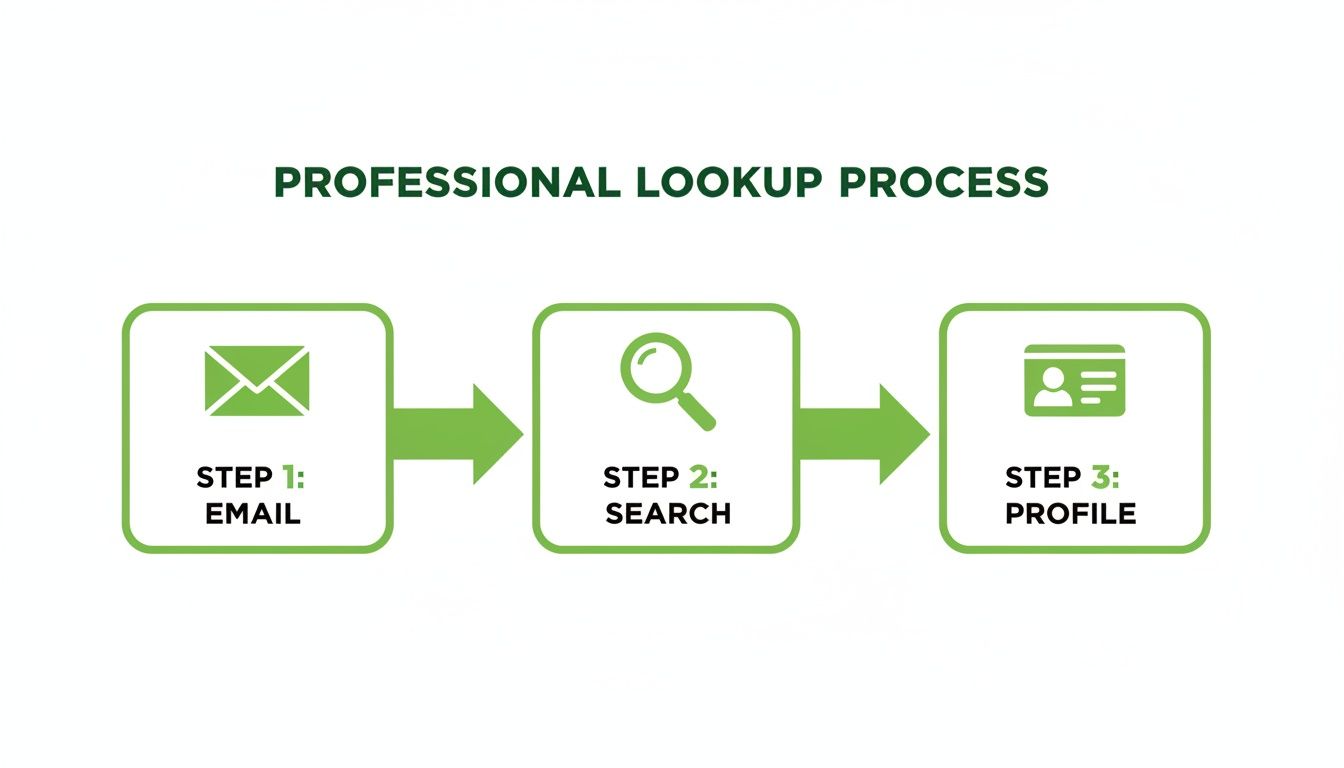
Professional tools follow a simple but powerful process: they take the email, run it through their databases, and give you back a verified profile. It makes a complex job feel simple.
Investigating the Email Domain
One of the most powerful—and often forgotten—clues is right in front of you: the email domain. That's the part after the "@" symbol. If you have an email like jane.doe@acmecorp.com, the domain acmecorp.com is your first stop.
Hop over to the company's website. Look for an "About Us" or "Team" page. You can often find employee lists that will confirm if the person works there and what their role is. It’s a simple but effective way to cross-reference what a lookup tool told you.
You can also take that company name straight to LinkedIn. Search for the company's page and then browse its employees. Not only can this verify your contact, but it might also give you a glimpse into their team structure—invaluable context for any sales or B2B outreach.
Understanding Email Verification vs. Lookup
People often mix up lookup services and verification tools, but they do two very different jobs. It's crucial to know the difference.
- Lookup Service: This tells you who is behind an email. It’s all about identity.
- Verification Tool: This confirms if an email address is active and can actually receive mail. It's all about deliverability.
A lookup might tell you an email belongs to John Doe, but a verifier confirms John's inbox is open for business. If you're doing any kind of outreach, this step is non-negotiable.
Why? Because sending emails to dead addresses creates bounces. Internet service providers are watching, and if your bounce rate climbs over 2%, they'll start flagging your domain as spam. Suddenly, none of your emails are getting through.
To make sure your messages actually land, you need a dedicated email address verification tool. If you're curious about the technical side, you can learn more about how email address verification works and see why it’s a must-have.
Cross-Referencing Data for Accuracy
Ultimately, the goal is to build a profile you can trust. No single tool is perfect, which is why the pros always cross-reference their findings across multiple sources.
If a lookup service gives you a name and a company, go find them on LinkedIn to confirm it. If you find a social media profile, look for other public mentions of that same email address, maybe on a personal blog or in a forum signature. Every piece of matching information adds another layer of confidence.
This approach transforms a simple reverse search into a full-blown verification process. It takes you from uncertainty to actionable intelligence, giving you data you can actually rely on.
Navigating the Ethics of Your Email Search
Having the ability to perform a reverse search on an email address is powerful, but that power comes with some serious responsibility. Just because you can find something out doesn't always mean you should. Knowing where the legal and ethical lines are is absolutely critical for building trust and staying out of hot water.
The guiding principle here is simple: use what you find for legitimate, respectful reasons. Are you trying to verify a sales lead's company? Confirming a job applicant's professional background? Or maybe just protecting yourself from a potential scammer? These are all solid, acceptable uses.
But if the goal is harassment, stalking, or building a list for unsolicited spam, you've crossed a line. It all comes down to your intent. Your objective should always be to verify and understand, never to intrude or exploit someone's information.
Understanding the Rules: Privacy Regulations
You don't need a law degree, but a basic grasp of major privacy laws like Europe's General Data Protection Regulation (GDPR) and the California Consumer Privacy Act (CCPA) is a must. These regulations are all about giving people rights over how their personal data gets collected, stored, and used.
In plain English, these laws boil down to consent and legitimate interest. If you gather personal info through a reverse email search, you're on the hook to handle it responsibly. That means keeping the data secure, using it only for your stated purpose, and never, ever sharing or selling it without permission.
A key takeaway is that these laws apply based on the individual's location, not yours. If you're in New York and look up an email belonging to someone in Germany, GDPR rules apply. When in doubt, always err on the side of caution.
As you consider the ethics of these searches, it's also helpful to be familiar with broader ethical guidelines for online information gathering. This gives you a bigger-picture framework for a responsible approach.
The Legitimate Role in Cybersecurity
Beyond sales or recruiting, reverse email lookups are a vital tool in the fight against fraud. With a shocking 48% of all emails being spam across nearly five billion users, tools that can unmask an unknown sender are more important than ever.
Figuring out who is behind a suspicious email is often the first line of defense against sophisticated phishing attacks. This protective use is a textbook example of a legitimate interest. When you verify a sender to prevent a security breach, you’re using the tool exactly as intended—for protection, not intrusion.
A Practical Checklist for Ethical Searching
To keep your searches on the right side of the line, just follow these simple guidelines. Think of it as your ethical compass for every reverse search on an email address you run.
- Clarify Your Intent: Before you even type in the email, ask yourself why you need this info. Is it for a valid business purpose, like lead qualification or fraud prevention? If you can't nail down a good reason, stop right there.
- Respect Privacy Boundaries: Treat any information you find like it's confidential. Don't post it publicly or share it with anyone who doesn't have a right to see it. The goal is to inform your own decisions, not to broadcast someone's details.
- Verify, Don't Assume: Information you dig up online can be old or just plain wrong. Always cross-reference your findings with other sources before you act on it. A single data point is a clue, not a confirmation.
- Adhere to the Terms of Service: Every lookup tool has terms of service that spell out what's allowed. Read them. Follow them. Breaking the rules can get your account banned and might even have legal blowback.
- Prioritize Data Security: If you save any of the data you find, make sure it's locked down. Protect it with strong passwords and access controls, just like you would with any other sensitive business information.
By sticking to these principles, you can use reverse email search tools effectively while holding yourself to a high ethical standard. It’s all about being a responsible digital citizen—using technology to build connections and protect yourself, not to break trust.
Frequently Asked Questions About Reverse Email Searches
When you start digging into reverse email searches, a few questions always pop up. It's natural to wonder about the legal lines, what to do when you hit a dead end, or how to handle those generic Gmail addresses.
Let's clear up the most common questions so you can search with confidence.
Is It Legal to Perform a Reverse Search on an Email Address?
Yes, in most cases, running a reverse email search is perfectly legal. These tools are essentially just very good at gathering publicly available information.
Think of it as advanced-level Googling. The software scours social media profiles, company websites, public records, and forums for any mention of the email address. This is all part of what experts call Open Source Intelligence (OSINT).
The real question isn't about the search itself, but your intent. Using what you find for legitimate business reasons is fine. For example:
- Verifying a sales lead to make sure they are who they say they are.
- Flagging potential fraud by checking out a suspicious email.
- Running due diligence on a potential business partner.
You cross the line when you use the information for anything malicious. Stalking, harassment, or building spam lists is illegal and unethical, period. You also have to be mindful of privacy laws like GDPR and CCPA. The golden rule is simple: act responsibly.
Can I Find Someone with Just a Gmail or Yahoo Address?
It’s definitely harder than with a corporate email, but not impossible. An address like jane.doe@company.com gives you a huge head start because it points directly to a business. A generic address from Gmail, Yahoo, or Outlook forces you to be a bit more of a detective.
Your success hinges entirely on the owner's digital footprint. You’re hunting for places where they’ve used that email address in public.
For example, if a freelance designer uses their
johndesigns@gmail.comaddress for their public Behance portfolio or to comment on design blogs, a search will probably link the email to their name and work. But if they only use it for private messages, you'll likely come up empty.
This is where paid services sometimes have an edge. They can cross-reference the email against massive private databases. The hit rate is lower than with corporate emails, but a connection can often be found if the person has left even a small public trace.
What Should I Do If My Search Returns No Results?
Getting zero results is frustrating, but it’s not a failure—it's a clue. It usually means the email address is new, kept totally private, or has never been associated with any public account.
Before you throw in the towel, run through this quick checklist:
- Check for Typos: This is the #1 reason for a failed search. A single wrong letter is all it takes. Double-check, then triple-check the address.
- Try a Different Method: If a simple Google search gave you nothing, try a specialized lookup service. Different tools have access to different data sets, so one might catch what another missed.
- Broaden Your Search: Instead of just the email, try searching for any associated usernames or names you have. You might find a profile that leads you back to the email.
If you’ve tried a couple of solid methods and still come up with nothing, it’s a pretty strong signal that the owner keeps a very low digital profile. At that point, the best move is to respect their privacy and end the search. Pushing further is unlikely to work and starts to feel a bit invasive.
Ready to turn email addresses into actionable leads with unmatched ease? EmailScout offers a powerful Chrome extension that helps you discover contact information in a single click. Start building your marketing lists and enhancing your sales outreach today. Find unlimited emails for free by visiting https://emailscout.io.