

You hit 'send,' but the real work has just begun. Getting your email to land in the primary inbox—not spam, not promotions—is the name of the game. The secret isn't one magic bullet, but a handful of core principles: solid technical authentication (SPF, DKIM, DMARC), squeaky-clean list hygiene, a rock-solid sender reputation, and content people actually want to open.
Nail these, and you're well on your way to beating the spam folder for good.
Your Blueprint for Landing in the Inbox
Let's cut right to it. Email deliverability isn't some set-it-and-forget-it task. It's a constant, living strategy that has a direct line to your revenue and ROI. For any serious sales pro or marketer, it’s a non-negotiable skill.
Think about it: an email that lands in spam might as well have never been sent. This guide is your playbook for spotting the problems and putting real, lasting fixes in place.
It all boils down to a few simple truths: prove you are who you say you are, only email people who expect to hear from you, and give them content that makes them want to click, reply, or engage.
The Core Deliverability Workflow
The path from your outbox to a customer's inbox is surprisingly straightforward if you know the steps. It’s a strategic flow, and if you get the fundamentals right, your odds of success skyrocket.
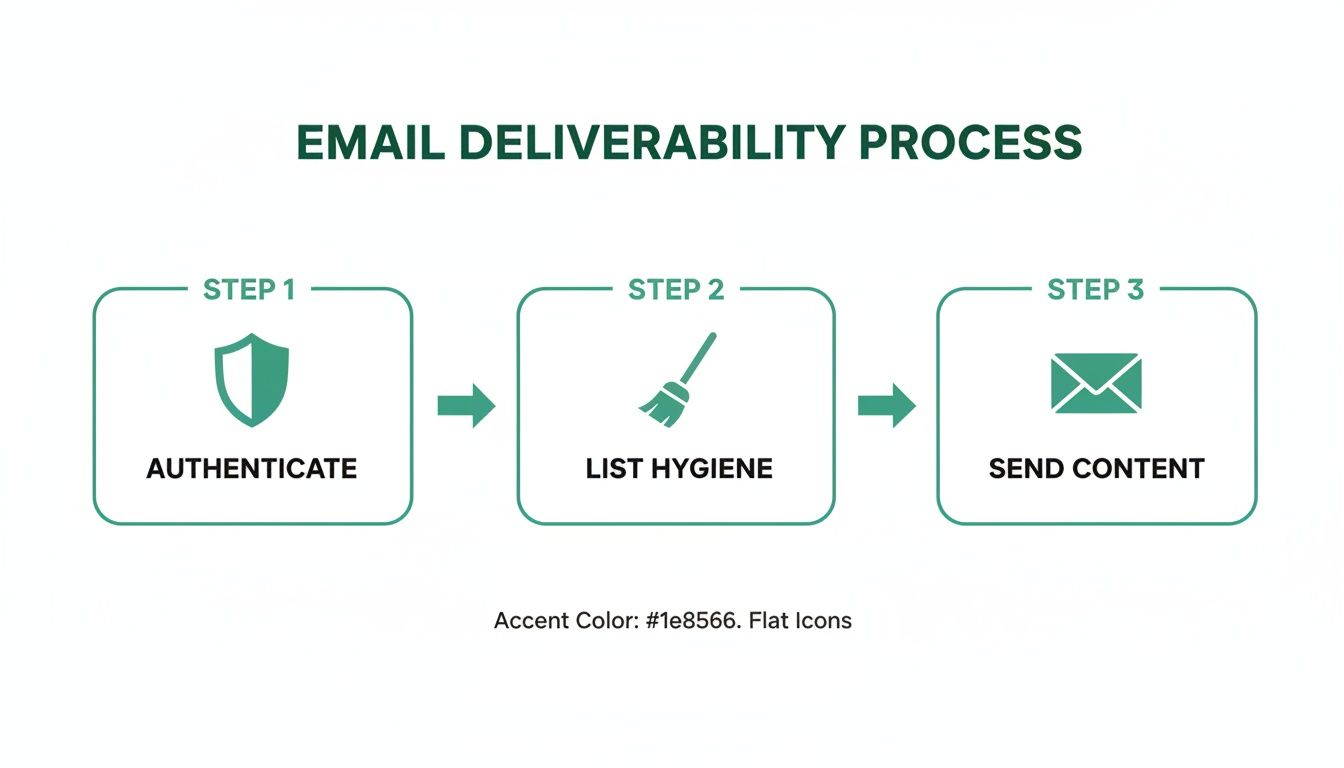
This process makes it clear: it all starts with technical trust (Authentication), moves to the quality of your audience (List Hygiene), and is sustained by user engagement (Send Content).
Before we dig into the nitty-gritty of each pillar, here’s a quick checklist to keep in mind. Think of it as your pre-flight check before launching any campaign.
Email Deliverability Quick Fix Checklist
| Pillar | Key Action | Why It Matters |
|---|---|---|
| Authentication | Set up SPF, DKIM, and DMARC records correctly. | Proves to inbox providers that your emails are legitimate and not spoofed, building foundational trust. |
| Sender Reputation | Warm up your domain/IP slowly and consistently. | A gradual warm-up shows ISPs you're a trustworthy sender, preventing them from flagging your emails as suspicious. |
| List Hygiene | Regularly clean your list and only email opted-in contacts. | Reduces bounce rates and spam complaints, which are major red flags that damage your sender score. |
| Engagement | Send valuable content that encourages opens and clicks. | Positive user signals (like replies and forwards) tell inbox providers that your content is wanted and valued. |
This table covers the absolute must-dos. Getting these four things right will solve the majority of deliverability problems people face. Now, let's explore why this is so critical.
The stakes are higher than you might think. On average, only 83.1% of emails make it to an inbox globally. That means nearly 17% of all emails just vanish. A huge chunk of those (10.5%) go straight to spam, while 6.4% bounce and are never delivered at all.
Proper email authentication is a huge piece of this puzzle. It's how senders in places like the UK hit deliverability rates of 98.8%—their verification standards are just higher. You can learn more about these email deliverability statistics and see how they impact campaigns just like yours.
The goal isn't just to avoid the spam folder; it's to consistently earn a spot in the primary inbox. That's where the magic happens—where relationships are built and conversions are made. Every other tab is second place.
Mastering Your Technical Email Authentication
Think of email authentication as your domain's digital passport. When you send an email, inbox providers like Gmail and Outlook act like border control, and their first question is, "Are you who you say you are?" If you don't have the right credentials, your message gets flagged as suspicious. It's sent straight to the spam folder or, even worse, blocked entirely.
This is where three critical acronyms come into play: SPF, DKIM, and DMARC. Getting these set up isn't just a "nice-to-have" anymore; it's a non-negotiable foundation for anyone serious about landing in the inbox.
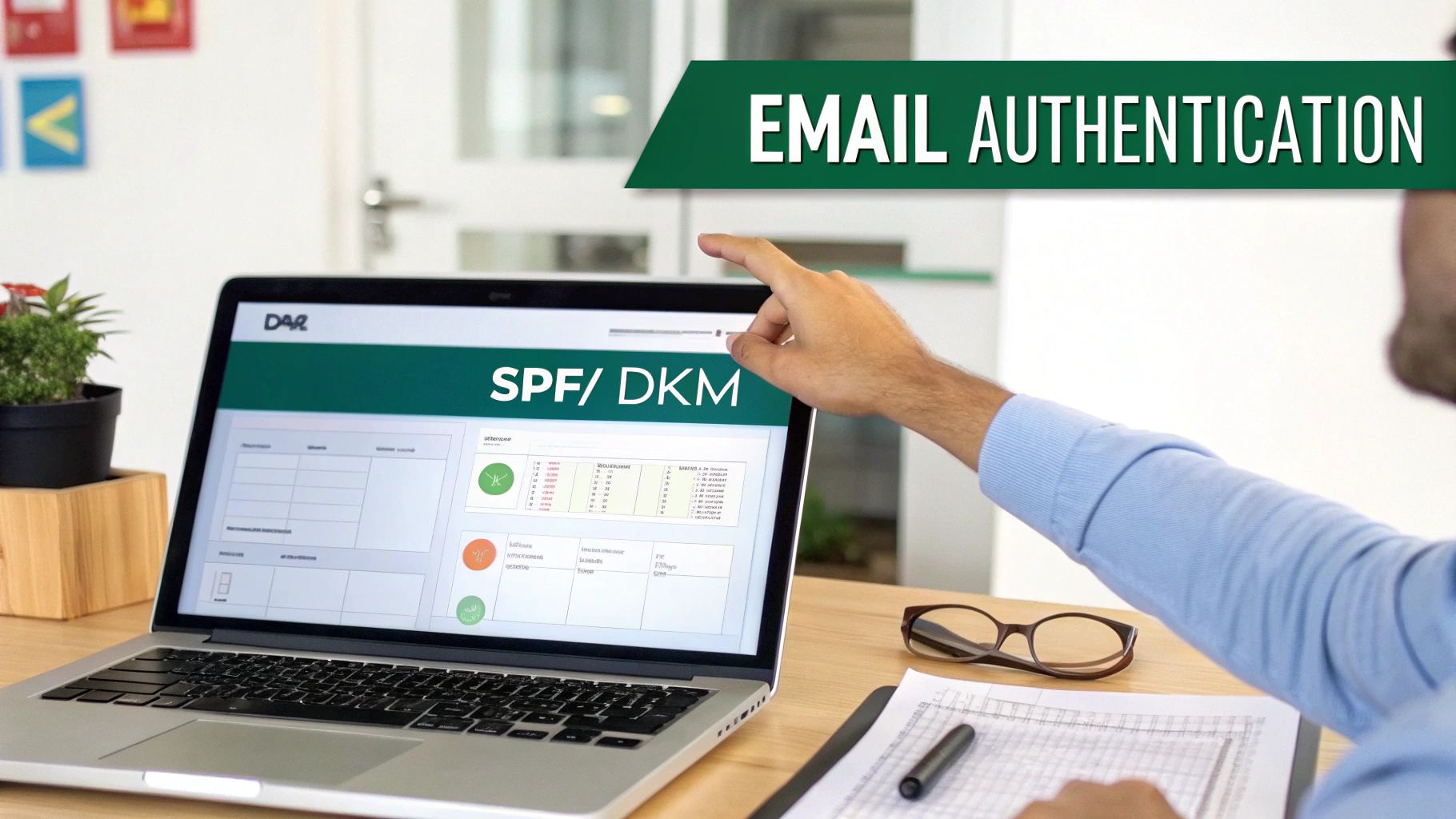
These records live in your domain's DNS settings and work as a team to build trust. They prove to receiving mail servers that your email platform (like Google Workspace, Mailchimp, or Apollo) has your explicit permission to send emails on your behalf. It’s your first and best defense against being mistaken for a phisher or spammer.
Decoding SPF: The Authorized Sender List
SPF (Sender Policy Framework) is the most straightforward of the three. It’s basically a public list of all the servers and services you’ve approved to send email from your domain. When an email arrives, the receiving server glances at your SPF record to see if the sending IP address is on that approved list.
If it is, you pass the first check. If not, it’s a major red flag. This simple check is incredibly effective at preventing spammers from "spoofing" your domain—making it look like an email came from you when it really didn't.
Think of it this way: your company's security guard has a list of approved visitors. Anyone not on that list gets stopped at the gate. No exceptions. A classic mistake I see all the time is when a team starts using a new email tool but forgets to add it to their SPF record. Their legitimate sales and marketing emails suddenly start failing authentication.
Understanding DKIM: The Digital Tamper-Proof Seal
Next up is DKIM (DomainKeys Identified Mail). While SPF verifies the sender, DKIM verifies the message itself. It adds a unique digital signature to the header of every single email you send, created using a private key that only your sending server knows.
When your email reaches its destination, the receiving server uses a public key (which you publish in your DNS records) to check that signature. If the signature is valid, it confirms two crucial things:
- The email genuinely originated from your domain.
- The content of the email hasn't been altered or tampered with in transit.
If a fraudster intercepted your email and changed something—even just swapping out a link—the DKIM signature would break. The email fails the check. This provides a vital layer of security and trust.
DMARC: The Rulebook for Authentication Failures
Finally, there’s DMARC (Domain-based Message Authentication, Reporting, and Conformance). DMARC ties SPF and DKIM together by telling receiving mail servers exactly what to do if an email fails either of those checks. It’s your instruction manual for handling unauthenticated mail.
A DMARC record can give servers one of three commands:
- Monitor (
p=none): Do nothing to the email, but send detailed reports back to you about which emails are passing and failing authentication. This is the perfect place to start. - Quarantine (
p=quarantine): Send any failing emails directly to the recipient's spam or junk folder. This is the next logical step once you've monitored things for a bit. - Reject (
p=reject): Block the email entirely. This is the strictest, most secure policy.
The real power of DMARC is in the reporting. Even with a
p=nonepolicy, you get incredibly valuable data showing who is sending email from your domain—both authorized and not. This insight is essential for spotting configuration errors or even malicious activity.
A Practical Approach to Getting Started
Setting up these records might sound intimidating, but it's a very manageable process. You don't need to be a DNS wizard to get it right. Your email service provider will give you the exact values you need to copy and paste.
The best first step is to start with a DMARC policy of p=none. This lets you gather data without any risk of your legitimate emails being blocked. You can use free DMARC report analyzers to see if your SPF and DKIM are correctly aligned for all your sending services.
For example, your marketing team might use Mailchimp while your sales team uses Outreach. If the sales team's DKIM key is missing from the DNS, DMARC reports will highlight that problem immediately. You can then fix it before it hurts your sender reputation. After monitoring for a few weeks and confirming all your legitimate mail is passing, you can confidently move to a p=quarantine policy to better protect your domain.
Alright, once you've nailed down the technical authentication, it's time to shift your focus from servers and DNS records to the people who actually get your emails. Your email list is, without a doubt, the biggest factor shaping your sender reputation. A bloated, old, or unengaged list is a massive red flag for Internet Service Providers (ISPs), telling them your content is probably unwanted.
When it comes to deliverability, it often boils down to a simple, golden rule: send emails to people who want them. A giant list is just a vanity metric. A clean, engaged list? That's a real asset. Providers like Gmail and Microsoft are constantly watching how people interact with your messages. High bounce rates, abysmal open rates, and spam complaints are the fastest tickets to the spam folder.
Prioritize Quality Over Sheer Quantity
I get it—the appeal of a huge list is strong, but it's a trap. One of the most common mistakes I see is people clinging to every single contact, no matter how old or unengaged they are. This is where active, ongoing list hygiene becomes your secret weapon.
You need to know your numbers. A healthy bounce rate should always be under 2%. Staggering, right? Some data shows that a whopping 16.9% of marketing emails globally never even make it to the inbox, mostly because of bad list management. It's interesting to see that in places like Europe, where GDPR forces cleaner B2B lists, inbox placement is way better than in North America. You can dig into more of these email deliverability statistics to see how things stack up globally.
Being proactive here is everything. If you're building from scratch, our guide on how to build an email list is a great starting point for gathering quality subscribers from day one.
Implement a Double Opt-In Process
The single best way to keep your list clean from the get-go is to use a double opt-in. It's simple: when someone signs up, they get a confirmation email and have to click a link to officially join your list.
This one step works wonders:
- Verifies Real Emails: It confirms the address is valid, deliverable, and belongs to a real person.
- Confirms Intent: It's definitive proof the subscriber actually wants to hear from you, which kills spam complaints.
- Filters Out Typos: It stops bad addresses (like "jane@gnail.com") from ever polluting your list.
Some people worry this adds friction, but trust me, the long-term boost to your sender reputation and engagement metrics is worth way more than the few sign-ups you might lose.
Use Email Validation Services Wisely
For any existing list—especially if you're in sales or doing cold outreach—running it through an email validation service is non-negotiable. These tools are great for catching syntax errors, checking if the domain is real, and even pinging the server to confirm the mailbox is active.
But here's the catch: it's not a one-and-done fix. You have to do it regularly.
Scenario in Action: A B2B SaaS company I worked with saw their open rates tanking while their bounce rate crept from 1% to nearly 5%. Their email provider started throttling them. The problem? List decay. They’d been adding leads for two years without ever cleaning out old, dead contacts.
The Fix: They ran their entire list through a validation service and instantly cut over 15% of contacts flagged as invalid. They also set up a quarterly re-validation process for anyone who hadn't engaged in 90 days. Within a month, their bounce rate was back under 1.5% and their open rates started climbing.
Create a Sunset Policy for Inactive Subscribers
Here's a hard truth: not every valid email address deserves a spot on your active list. Subscribers who haven't opened or clicked one of your emails in months are just dead weight. They drag down your engagement rates and signal to ISPs that your content isn't hitting the mark.
This is where a sunset policy is a lifesaver. It’s a formal process for identifying and saying goodbye to chronically inactive subscribers.
A simple sunset workflow looks like this:
- Identify Inactive Contacts: Set your criteria. This could be no opens or clicks in the last 90 or 180 days.
- Launch a Re-engagement Campaign: Send a few emails trying to win them back. Think compelling subject lines like, "Is this goodbye?" or a special offer.
- Say Goodbye: If they still don't bite, it's time to remove them from your active sending list. For good.
It feels wrong to shrink your list, I know. But it's one of the most powerful things you can do for your deliverability. Every unengaged contact you remove makes your list stronger and more valuable to inbox providers.
Creating Content That Earns Inbox Placement
Once your technical house is in order and your list is clean, it's time to focus on the final—and most important—piece of the puzzle: your email content itself.
Internet Service Providers (ISPs) are way more sophisticated than they used to be. They aren't just checking your authentication records anymore. They're actively watching how real people interact with your messages.
Think of it this way: positive signals like opens, clicks, replies, and even how long someone spends reading your email tell ISPs that people want your messages. On the flip side, quick deletes, ignores, or—worst of all—spam complaints send the exact opposite message.
In short, creating engaging content isn't just a marketing nice-to-have; it's a core deliverability strategy. When you consistently send emails people find valuable, you build a positive sender reputation that earns you a ticket to the primary inbox.
Crafting Subject Lines That Spark Curiosity
Your subject line is the gatekeeper. If it doesn't get opened, nothing else you've done matters. The goal is to be intriguing without resorting to cheap clickbait or spammy tactics that get you flagged before you even start.
Ditch the generic, salesy phrases that scream "mass marketing email." Words like "Free," "Sale," "Discount," or "Limited Time Offer" are often instant triggers for promotional filters. Instead, focus on creating a bit of curiosity or highlighting a clear benefit for the person on the other end. And personalization here means more than just dropping in a first name.
A few tactics that work well:
- Ask a Question: A subject line like "A question about your team's workflow" feels like a one-to-one conversation, not a blast.
- Keep it Short and Natural: Mobile devices will chop off long subject lines anyway. Aim for something concise and human.
- Hint at Value: "A better way to find prospect emails" immediately tells the recipient what they stand to gain.
For a deeper dive, exploring proven email subject line best practices can give you a serious edge in boosting those all-important open rates.
Beyond the First Name: True Personalization
Personalization is so much more than a {{first_name}} merge tag. Real personalization means tailoring the entire message to the recipient's context, needs, or past actions. This is what drives replies and clicks—the strongest positive signals you can send to ISPs.
For example, instead of a generic pitch, reference something specific they did, like downloading a resource from your site. A message that kicks off with, "Saw you downloaded our guide on cold outreach…" is infinitely more powerful. It shows you're paying attention and not just blasting a canned template to thousands of people.
The most effective emails feel like they were written by a human, for a human. When your content genuinely solves a problem or provides value, people respond positively. That engagement is the ultimate vote of confidence in the eyes of Gmail and Outlook.
Designing Emails for Deliverability
Even the best copy can be sabotaged by bad email design. Certain design choices are known red flags for spam filters and can sink your deliverability before you know what hit you.
Here are some common design pitfalls to steer clear of:
- Image-to-Text Ratio: An email that's just one big image with hardly any text is a classic spammer move. Always aim for a healthy balance, with at least 60-70% text.
- Too Many Links: Packing your email with a dozen links can look sketchy. Stick to one clear call-to-action and only include links that are absolutely essential.
- URL Shorteners: While great for social media, URL shorteners (like bit.ly) are often used by spammers to hide shady links. Always use the full, descriptive URL.
The deliverability world is always changing. Current stats show that average inbox placement hovers around 83-85%, which means a big chunk of emails never even get seen. To stand out, you need to aim for an unsubscribe rate under 0.1% and a bounce rate under 2%. It's also worth noting how recent rule changes from providers like Gmail and Yahoo are rewarding senders who focus on quality content. You can find more email deliverability statistics on Verified.email to stay ahead of the curve.
Managing Your Sender Reputation and Volume
Trying to send a huge email blast from a brand-new domain is a recipe for disaster. It’s like trying to go from a dead stop to 100 mph in one second—you’re going to crash, and you’re going to crash hard. To successfully scale any email program, you have to nail the operational side of deliverability first. This all comes down to managing your sender reputation and slowly increasing your sending volume to build trust with mailbox providers like Gmail and Outlook.
Think of your sender reputation as a credit score for your email domain. Every single thing you do—from the number of emails you send to the engagement you get—either builds that score up or tears it down. Sending way too many emails, way too fast, from a domain nobody has ever heard of is the biggest red flag you can raise.

This is where your sending infrastructure and a controlled volume plan become absolutely critical. You have to establish a predictable, trustworthy sending pattern before you even think about scaling up.
Shared Vs Dedicated IP: Your Sending Foundation
One of the first big decisions you'll make is whether to use a shared or dedicated IP address. An IP address is just the unique identifier for the server sending your emails, and its reputation is directly linked to whether your emails land in the inbox or the spam folder.
A shared IP means you're using the same IP address as other senders. The reputation is a mix of everyone's sending habits, which makes it cost-effective and perfect for lower-volume senders, since the combined volume keeps the IP "warm."
On the other hand, a dedicated IP is all yours. You have 100% control over its reputation, but that’s a double-edged sword. It gives you total autonomy but demands consistent, high-volume sending to keep it in good standing.
Choosing the right IP is a foundational step. Here's a quick comparison to help you decide which path makes sense for your sending needs.
Shared IP vs Dedicated IP: A Quick Comparison
| Factor | Shared IP | Dedicated IP |
|---|---|---|
| Control | Low—reputation is shared with others. | High—your reputation is entirely your own. |
| Cost | Lower—often included with your ESP plan. | Higher—typically an add-on expense. |
| Volume Needs | Ideal for < 50,000 emails/month. | Best for > 100,000 emails/month. |
| Maintenance | Low—managed by your email provider. | High—requires a strict warm-up and consistent sending. |
For most businesses just getting started with outreach, especially in sales, a shared IP from a reputable provider like Mailgun or SendGrid is the smart move. It's a lower-risk way to get started while you focus on the other critical parts of your deliverability puzzle.
The Critical IP and Domain Warm-Up Process
You can't go from sending zero emails one day to 50,000 the next. That kind of sudden spike is incredibly suspicious to ISPs and is the fastest way to get your domain blacklisted.
The answer is a domain and IP warm-up. This is a methodical process of gradually increasing your sending volume over several weeks.
The whole point is to show ISPs that you’re a legitimate sender establishing a normal, healthy pattern. This builds a positive history and proves your emails are actually wanted. A slow and steady start is non-negotiable. This is also the perfect time to make sure your list is spotless. If you want to learn more, check out our guide on how to verify emails to ensure your first sends are hitting real inboxes.
A typical warm-up schedule might look like this:
- Week 1: 50-100 emails per day, sent to your most engaged contacts.
- Week 2: 200-400 emails per day.
- Week 3: 800-1,500 emails per day.
- Week 4: 3,000-5,000 emails per day, and so on.
During the warm-up, you have to watch your metrics like a hawk. High open rates and low bounce rates are the green lights you're looking for—they tell ISPs you're a good sender. If you see trouble, pull back on the volume immediately and figure out what's wrong before you ramp up again.
This gradual increase builds a solid reputation from day one. It's a foundational step you absolutely cannot skip if you're serious about your email program's success.
You can’t fix what you can’t see. Proactive monitoring is really the only thing that separates a minor hiccup from a full-blown reputation crisis. It's easy to just glance at open rates, but the real story is in the metrics that signal the true health of your email program.
This means you need to be regularly checking your bounce rates, spam complaint rates, and inbox placement rates. A sudden jump in any of these is your first red flag that something’s off. Most email platforms have a dashboard for this, but a few free tools can give you a much deeper look under the hood.
Using Key Monitoring Tools
If you're serious about deliverability, Google Postmaster Tools is non-negotiable. It’s a free service directly from Google that tells you exactly how Gmail is treating your domain. You get a clear look at your domain reputation, IP reputation, spam complaint rate, and whether your authentication is working.
Setting it up is a no-brainer. It gives you an insider's view into one of the biggest inbox providers on the planet. If you see your domain reputation slide from "High" to "Medium," you know you've got a problem that needs immediate attention.
Don’t wait for your open rates to tank before you do something. The data in Postmaster Tools and your ESP's analytics are leading indicators—they warn you about problems before they do real damage to your sender score.
A Quick Troubleshooting Checklist
So you've noticed a problem—maybe engagement just dropped off a cliff, or worse, you landed on a blocklist. Don't panic. Just work through the problem systematically.
- Check Authentication Records: First things first, go verify your SPF, DKIM, and DMARC records are still passing. It’s surprisingly common for a simple DNS change somewhere else to break them without anyone noticing.
- Review Recent Campaigns: Did you just hit a new list or an old, cold segment? A bad list is almost always the prime suspect when bounce and complaint rates spike.
- Analyze Your Content: Take a hard look at what you sent. Did you introduce new links, use any words that sound a little too salesy, or mess with your image-to-text ratio? Anything new or different could be the trigger.
Frequently Asked Questions About Email Deliverability
Even with a solid game plan, you're bound to run into a few tricky situations. Let's tackle some of the most common questions that pop up for sales and marketing teams trying to nail their deliverability.
Why Do My Emails Keep Landing in the Promotions Tab?
First off, landing in the Promotions tab isn't a total disaster—it’s not the spam folder. But it definitely hurts your visibility. Inbox providers like Gmail are constantly analyzing your emails, looking for clues to categorize them.
Things like multiple links, classic sales words ("Sale," "Discount"), and heavy HTML formatting are dead giveaways for a commercial email.
If you want to boost your odds of hitting the primary inbox, try this:
- Keep It Simple: Lean into plain-text style emails. They feel more personal and are less likely to get flagged.
- Use a Real Name: An email from "Jenna from Company" just feels more human than one from the "Marketing Team."
- Ask for a Little Help: When someone new subscribes, ask them to drag your first email from Promotions to their Primary tab. It’s a powerful signal that tells their inbox you’re a priority.
How Long Does It Really Take to Warm Up a Domain?
I get this one a lot. Everyone wants a shortcut, but a proper domain warm-up is a marathon, not a sprint. You should plan for anywhere from four to twelve weeks, all depending on how many emails you eventually want to send.
Trying to rush this process is the single fastest way to get your domain blacklisted before you even start.
The whole point is to gradually increase your sending volume, starting with a small group of your most engaged contacts. This slow, steady ramp-up proves to inbox providers that you're a legitimate sender with a predictable, positive pattern. There are no shortcuts that work.
A patient warm-up builds a foundation of trust that will pay dividends for years. A rushed one can poison your reputation before you've even sent your first real campaign.
What's the Difference Between Deliverability and Delivery?
People throw these terms around like they're the same thing, but they are worlds apart. It's a critical distinction.
Email delivery is purely technical. It’s a simple "yes" or "no"—did your server successfully hand off the email to the recipient's server? That’s it. It says nothing about whether anyone will ever see it.
Email deliverability, on the other hand, is the real prize. It’s all about where your email ends up after it's been delivered. Did it make it to the primary inbox, get shuffled to promotions, or get buried in the spam folder? Your goal is always, always to maximize deliverability.
Ready to build high-quality contact lists that boost your deliverability? With EmailScout, you can find verified email addresses for key decision-makers in just one click, ensuring your outreach starts on the right foot. Find unlimited emails for free and supercharge your sales pipeline by visiting https://emailscout.io.