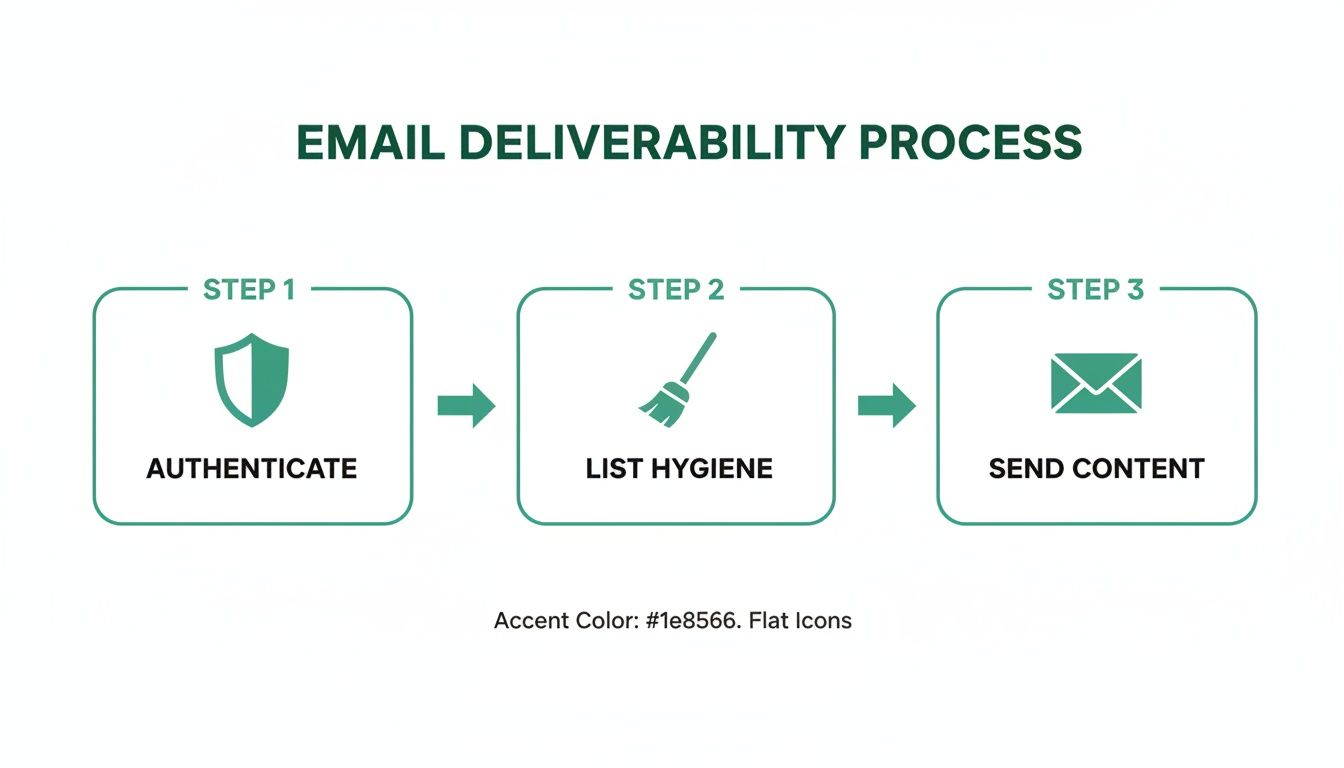
Your team did everything “right.” The campaign copy is solid, the segment is clean, the send went out on time, and then the inboxes barely budged while the spam folder filled up. That's usually the moment people start asking whether the problem is the subject line, the list, or the platform, but the answer is often lower in the stack: email authentication.
SPF, DKIM, and DMARC are the three checks mailbox providers use to decide whether your message looks like a legitimate send or an impersonation attempt. Google and Yahoo's bulk-sender rules made that clearer by treating authentication as a requirement for large-scale sending, not a nice-to-have, for senders above 5,000 emails per day. Those rules also expect SPF, DKIM, and a DMARC record with at least p=none, plus alignment and one-click unsubscribe, because mailbox providers are now using authentication as part of normal inbox placement decisions as summarized in this deliverability overview.
If you've ever added one more tool, one more CRM, or one more newsletter platform and watched deliverability wobble, you've already met the core problem. This isn't just about publishing records. It's about making sure every legitimate sender in your stack can prove who it is, and doing that without breaking mail you want delivered. For a practical companion on filtering issues, see how to avoid spam filters.
Why Your Emails Are Landing in Spam
The usual pattern is familiar. A marketer sees opens drop, replies slow down, and internal stakeholders start wondering if the list went bad. The campaign itself may be fine, but mailbox providers are often making a trust decision before a human ever sees the message.
That trust decision now depends heavily on SPF, DKIM, and DMARC. SPF checks whether the sending server is on the domain's approved list, DKIM checks whether the message has a valid cryptographic signature, and DMARC checks whether those authentication results line up with the visible From domain. In other words, the three standards work together to answer a simple question, “Is this really from who it claims to be?” The authentication stack is outlined here.
Why inbox providers care more now
Mailbox providers have tightened the rules because spoofing and phishing abuse are constant problems. By 2024, bulk senders were no longer dealing with a soft best practice conversation. They were dealing with policy expectations that affect whether mail is accepted, filtered, or ignored.
Practical rule: if you send at scale, authentication isn't a security extra, it's part of your delivery infrastructure.
That's why many teams get confused when a campaign starts failing after a new tool is added. The issue usually isn't that the content suddenly became “spammy.” It's that the sender architecture changed, and the authentication setup didn't keep up. Once that happens, inbox placement becomes less predictable, because the provider is now looking for proof, not just a familiar brand name.
The rest of the stack starts with SPF.
What SPF Does and Why It Comes First

A marketer can publish a new email tool, route messages through a fresh platform, and still see delivery problems if the sending path was never updated in DNS. Sender Policy Framework, or SPF, is the approved-sender list that tells receiving servers which mail systems are allowed to send for a domain. If the server that hands off the message is on that list, SPF passes. If it is not, the message starts from a position of doubt, even when the email itself is legitimate.
The club bouncer analogy works because SPF is checking the door, not the suit. It does not care whether the message sounds persuasive or whether the brand name looks familiar. It checks whether the server at the gate is expected to be there. An infographic explaining how SPF records work using a club bouncer analogy to show email authentication.
What the record is doing
An SPF record lives in DNS as a TXT record. It usually begins with v=spf1, then lists the sending paths a domain authorizes, often with mechanisms such as include, ip4, and ip6, and closes with an all qualifier that tells receivers how to handle everything else. The key operational detail is that SPF authenticates the SMTP envelope sender, not the visible From address people see in the inbox.
That split is where confusion often starts. A campaign can look like it came from your brand while the mail server is being evaluated on a separate path. SPF is checking the transport layer, not the human-facing header. That is why SPF by itself does not stop impersonation.
The practical problem gets bigger as a stack grows. Marketing platforms, support systems, survey tools, and cloud mail services can each add another authorized sender, and the record can become difficult to maintain. SPF also has a hard ceiling of 10 DNS lookups, so a record can fail even when every tool is legitimate that operational constraint is discussed here.
A clean SPF record gives your team a controlled starting point. It helps mailbox providers decide whether the sending server belongs, before they look at the rest of the authentication picture.
How DKIM Cryptographically Signs Your Message
If SPF is the guest list, DKIM is the wax seal on the letter. It shows that the sending domain signed the message and that the signed parts were not altered in transit. Email can be relayed, forwarded, and filtered before it reaches the inbox, so that integrity check matters.
The signing process uses a private key on the sending side and a public key published in DNS. The sender signs selected headers and body content, then the receiving server fetches the public key and checks whether the signature still matches. If the content changed, the signature fails. If the signature matches, the message can be trusted as intact from that signing domain.

Why this matters for marketers
DKIM is the part that often survives when SPF does not. Forwarding, relaying, and some intermediate systems can break SPF because the sending path changes. DKIM can still pass if the signed headers and body stay intact, so deliverability teams treat it as a resilience layer, not just a record to publish.
The headers matter too. Signing the right headers, especially the ones tied to the visible identity of the message, helps receivers connect the email back to the domain that owns it. Without that connection, the message may still go out, but it loses trust signals along the way.
This integrity model is described in the protocol overview.
Where DMARC Fits in the Authentication Stack
DMARC is the policy layer. SPF and DKIM answer questions about authorization and integrity, but DMARC answers the operational question, “What should receivers do if something doesn't line up?” It does that by requiring alignment, which means the authenticated domain has to match the visible From domain in a way DMARC accepts the policy framework is described by DMARC.org.
That alignment rule is the part many teams miss. A pass on SPF or DKIM by itself isn't enough if the authenticated identifier doesn't align with the sender people see. DMARC turns authentication from a passive check into an enforceable policy.
The policy progression that keeps mail alive
Start with p=none, which tells receivers to monitor and report without taking enforcement action. Once the reports show that all legitimate senders are aligned, move to p=quarantine, then eventually p=reject. That staged rollout is the operational norm because it avoids breaking good mail while you're still discovering every sender in the environment Cisco's deployment guidance follows this pattern.
DMARC also introduces reporting. The rua address is used for aggregate reports, which show you how your domain is being used at a high level. The ruf address is for forensic-style feedback where receivers support it. Those reports are the visibility layer that helps you find unauthorized senders and misconfigured systems before enforcement gets strict.
DMARC doesn't magically stop spoofing everywhere on the internet. It gives domain owners a say in what happens when mail fails policy, and it gives them data to act on. That distinction matters, because the hard part is not publishing a record, it's learning how your real sender ecosystem behaves.
How SPF, DKIM and DMARC Work Together
A common failure story looks like this. A marketing team adds a webinar platform, a CRM, and a support desk, then email starts behaving unevenly. Some messages land in inboxes, some go to spam, and a few fail outright. The reason is usually not one broken record. It is a sender stack that no longer matches how mail is being sent.
SPF verifies which servers are allowed to send for your domain at the envelope level. DKIM verifies that the message content has not been changed after it was signed. DMARC compares those results with the domain in the visible From address and decides whether the message should pass, be watched, or be blocked. The three records work like linked checkpoints in a workflow, each one answering a different question about the same email.
| Aspect | SPF | DKIM | DMARC |
|---|---|---|---|
| What it authenticates | The sending server at the SMTP envelope level | Message integrity through a cryptographic signature | Whether authentication aligns with the visible From domain |
| What it ignores | The visible From header | The sending server path | Nothing, it evaluates the combined result and policy |
| Typical weakness | Can fail with forwarding or relays | Can fail if headers or body are altered | Depends on SPF or DKIM being set up correctly |
| Operational role | Authorizes infrastructure | Protects the message itself | Enforces policy and reporting |
A workflow view makes the relationship clearer. Mail leaves your system, SPF checks whether the server belongs on the approved list, DKIM seals the content so receivers can detect tampering, and DMARC checks whether the authenticated identity matches the brand name the recipient sees. If a vendor sends through its own infrastructure, or a forwarding service rewrites the path, SPF may fail even though the email was legitimate. If a help desk tool changes the message after signing, DKIM may fail even though the sender was authorized. DMARC sits on top of both outcomes and asks whether the domain identity still lines up.
That alignment step is where real-world surprises show up. A team can have SPF passing for one platform and DKIM passing for another, yet DMARC still fails because the authenticated domain belongs to a subdomain the policy does not recognize, or because a new tool was never added to the sender inventory. Before tightening policy, audit every system that sends mail in your name, compare it against DMARC reports, and confirm which platforms rely on SPF, which sign with DKIM, and which need both to stay aligned. That review catches the quiet problems that simple record-by-record explanations miss.
Bottom line: SPF, DKIM, and DMARC only make sense as a sender system. The real work is keeping every legitimate mail source aligned as your stack changes.
Common Misconfigurations and How to Fix Them
Most authentication failures come from sender sprawl, rushed setup, or the assumption that one record will cover every service forever. That rarely holds once a team starts using multiple CRMs, automation tools, help desks, and cloud mail platforms. The records may look fine on paper, while the actual sender chain has already drifted.
The failures that show up most often
- SPF lookup limit exceeded. Add enough third-party senders and the record becomes too complex for receivers to evaluate cleanly. The fix is to review every legitimate sender, remove unused services, and restructure the record so it stays within the lookup ceiling.
- DKIM not enabled everywhere. Some platforms sign by default, while others need manual activation. The fix is to confirm each sending platform is signing outbound mail with the right selector and key, then test a real message instead of trusting the dashboard alone.
- Alignment failure. A service may authenticate, yet the authenticated domain still does not match the visible From domain. The fix is to align the sending identity with the brand domain or subdomain that DMARC expects, so the recipient sees the same domain family that is being validated.
- DMARC published too aggressively. Teams sometimes jump to rejection before they know all the mail streams. Start with p=none, inspect reports, then tighten policy gradually after you can account for the legitimate sources.
- Forwarded mail failing SPF. Forwarding changes the sending path, so SPF can break even when the original message was legitimate. The fix is to rely on DKIM where possible and review how forwarding services handle authenticated mail.
The main lesson is that SPF becomes less useful as a standalone trust signal once the sender architecture grows. It still matters, but it cannot carry the whole job by itself. DMARC depends on alignment and at least one passing path, so the task is designing a sender ecosystem that can expand without creating false failures, as noted earlier in this scaling issue is covered in the SPF/DKIM/DMARC explainer.
A rushed setup often feels fine on day one and breaks later when someone adds one more tool. The fix is usually architectural, not cosmetic. Audit every system that sends mail in your name, compare it against DMARC reports, and keep tightening only after the legitimate flows are clearly mapped.
Verifying Your Setup With Free Tools
You don't need a terminal-heavy security workflow to check whether your setup is working. Start by looking up the published authentication records with a DNS lookup tool, then compare what you find to the headers on a real message. If the records are published but the headers show failures, the problem is usually in alignment or platform configuration, not DNS syntax.
MXToolbox is useful for quick SPF and DKIM checks, and Gmail's raw message view is still one of the best ways to inspect Authentication-Results. A passing line will show SPF=pass, DKIM=pass, and DMARC=pass together when everything lines up. If one passes and another fails, that's a clue about where the sender chain is breaking.
For a marketer-friendly walkthrough of message validation, see how to verify emails.
What to look for in the header
- SPF pass with the right domain. Confirms the sending server was expected.
- DKIM pass with the right signing domain. Confirms the message stayed intact.
- DMARC pass with alignment. Confirms the visible From domain matches the authenticated identity.
Gmail Postmaster Tools is worth connecting once the domain is live. It helps you watch domain reputation patterns at scale, which is especially useful when multiple teams are sending from the same brand domain. If deliverability dips after a new launch, you can compare the timing against authentication changes instead of guessing.
A Phased Plan for Sales and Marketing Teams
A good rollout is boring in the best way. Days 1 to 30 are for inventorying every sender, publishing SPF and DKIM, and putting DMARC p=none in place with aggregate reports enabled. Days 31 to 60 are for reading those reports, fixing alignment issues, and removing senders nobody uses anymore.
Days 61 to 90 are where enforcement starts to make sense. Move from monitor mode into quarantine, then toward reject once the legitimate mail streams are stable and the reports are quiet. If you're preparing cold outreach or lifecycle campaigns, pair that work with a structured warm-up process and a controlled ramp like the one described in warm-up email guidance.
The point isn't to “finish DMARC.” The point is to make authentication part of the way your team sends mail, so scaling outreach doesn't keep reintroducing risk.
If you want a practical way to keep outbound prospecting from fighting your authentication setup, use EmailScout to build cleaner outreach lists while your sending domain gets properly aligned, then bring the whole stack under one deliverability review before your next big campaign.