

The most popular advice about choosing an email address finder Chrome extension is often wrong. The tool with the largest database, the longest feature list, or the most aggressive contact reveal isn't automatically the best choice. Your workflow matters more. A freelancer collecting addresses from company websites needs something different from a recruiter researching LinkedIn profiles, while a sales team may care more about verification, CRM sync, or sequence enrollment than discovery alone.
Start by identifying the source of your prospects. Do you need to scrape websites and Google search results, find contacts on LinkedIn, enrich an existing list, verify addresses before sending, collect contacts in bulk, or move prospects directly into outreach operations? This comparison evaluates extensions by those jobs, alongside discovery method, verification, automation, pricing model, data coverage, exports, integrations, and practical limitations.
EmailScout is the highlighted option for low-friction website and search-result collection, particularly if you want generous free finding and simple exports. Hunter and Snov.io put more emphasis on verification, Apollo connects research to sequencing, and several others focus heavily on LinkedIn. The right choice depends on where your prospects come from and how much operational control you need after finding an address.
1. EmailScout
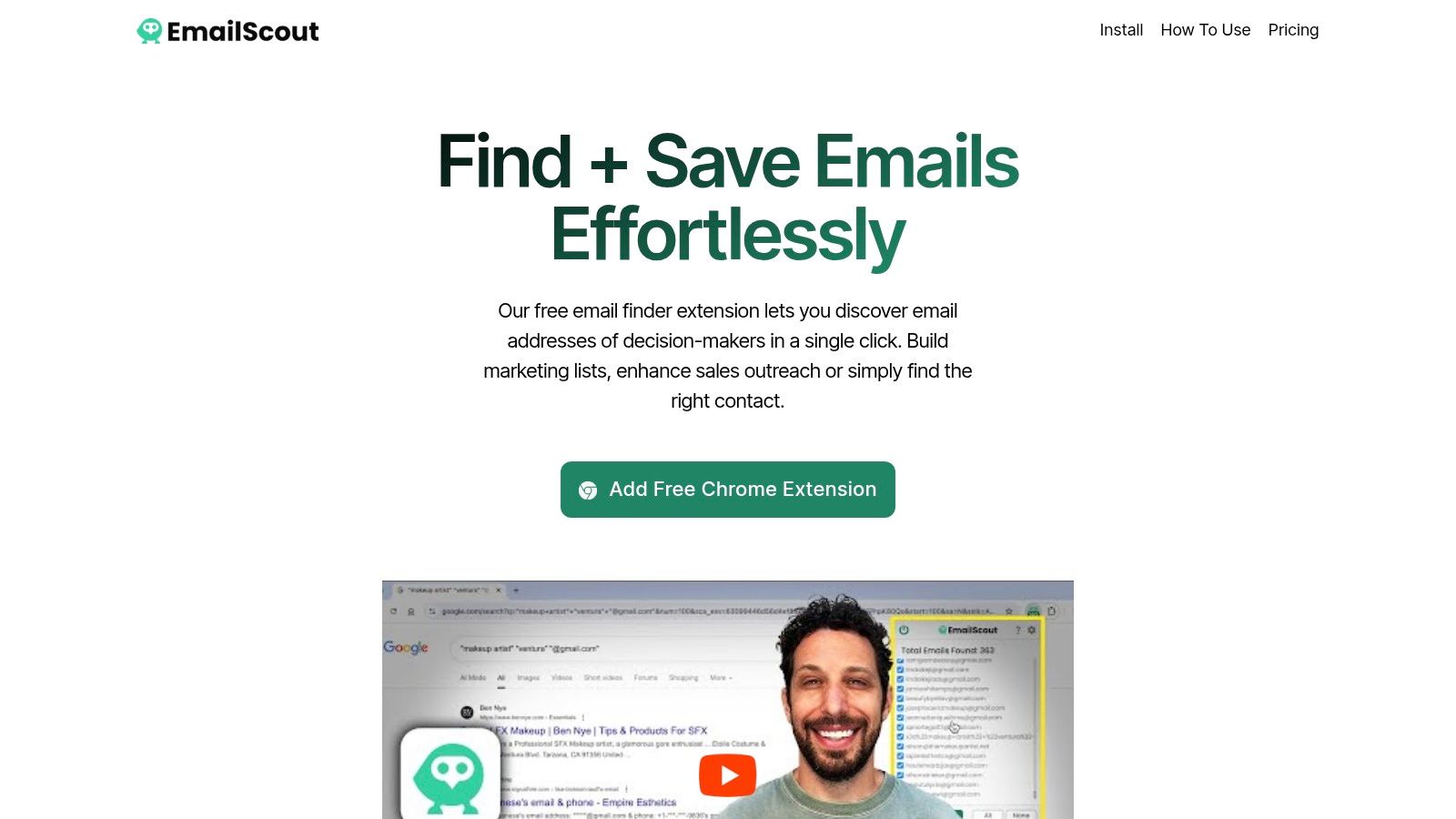
EmailScout fits prospecting workflows built around website scraping, search-result collection, and quick list building. The Chrome extension scans page source code for visible email addresses, including contacts exposed on company websites and Google search results. One click captures the results, which you can export as CSV or TXT instead of transferring them manually to a spreadsheet.
Its free plan provides unlimited email finding and exports at $0 per month. That makes it practical for freelancers, founders, marketers, and small sales teams testing public-web prospecting without adding software costs. The trade-off is that the tool discovers what pages expose. It does not replace a contact database or enrichment platform.
Best for bulk website collection
Premium adds AutoSave, which records addresses while you browse, and URL Explorer, which processes batches of websites for larger collection projects. Higher tiers accept up to 1,500 URLs. Published premium options range from an entry plan commonly listed at $9 per month for about 5,000 emails to larger monthly quotas. The no-card Premium Trial includes an allowance of about 200 emails per month, letting you test AutoSave and URL Explorer before paying. Plan limits can change, so check the current details on the EmailScout website.
Practical rule: Treat scraped addresses as leads, not send-ready contacts. Review page context, remove duplicates, and verify each address before adding it to an outreach sequence.
EmailScout's coverage and accuracy depend on the page source. It runs only in Chrome, and it does not emphasize testimonials, certifications, or built-in compliance guidance. Teams collecting addresses should maintain their own verification and data-governance process, particularly where an address may qualify as personal data under applicable privacy rules.
For a workflow centered on another type of discovery and verification, compare the Hunter email extension. EmailScout is a practical fit when free collection, AutoSave, URL Explorer, and simple exports matter more than database enrichment or native sequencing.
2. Hunter
Hunter supports domain search, source transparency, and verification. It identifies addresses connected to a company website and shows the pages associated with each result. That context helps B2B researchers assess whether an email has a clear public source before adding it to a prospect record.
The extension fits a website-first workflow. Open a company domain, review likely work addresses, and use Hunter's confidence indicators to decide which contacts deserve verification. The wider Hunter system extends that process through its web app, API, Sheets add-on, and browser extension, with credits shared across products.
Best for source-aware B2B discovery
Hunter's Chrome extension has substantial user adoption, according to the Chrome extension market data. Adoption does not confirm accuracy for every industry or domain, so test results against your own target accounts before building a repeatable process.
Hunter works best when the prospect's business email is tied to a known domain. It is less suited to finding personal addresses or collecting every visible address across a large set of pages. Credit limits can also constrain high-volume research, especially when a team combines discovery with verification.
The trade-off is useful control. Source pages and confidence information give sales operators more evidence than a raw extracted string, while the API and Sheets integration support enrichment workflows beyond the browser. Teams should still verify addresses before outreach and follow applicable privacy and consent requirements.
Choose Hunter when provenance and verification matter more than unlimited collection. For a closer comparison with website scraping workflows, review this Hunter email extension guide. EmailScout may suit teams prioritizing free collection, while Hunter offers a more structured path from domain research to verified, exportable prospect data.
3. Snov.io Email Finder
Snov.io supports teams that need discovery and verification in one prospecting workflow. Its Chrome extension can find addresses on company websites and during LinkedIn research, then pass them into the broader Snov.io platform for verification. This reduces the risk of exporting unverified contacts to another system.
The platform also covers email finding, bulk search, outreach, Gmail tracking, and API access on higher tiers. That range suits SMB sales teams moving from browser research to list preparation and campaign execution. It also means the product is more than a lightweight scraper, so teams should assess which functions they will use.
A balanced choice for sales teams
Snov.io has meaningful adoption among Chrome users, but adoption alone does not establish coverage or accuracy for a particular market. Test a sample across your target industries, locations, and roles before standardizing the extension.
Its main strength is the connection between finding, checking, and using an address. A sales representative can research a company page or LinkedIn profile, verify a result, and prepare it for outreach without exporting each step manually. Verification still deserves attention, especially when addresses will enter a high-volume campaign. This Snov.io email verifier guide explains the validation workflow in more detail.
Limits become more visible as prospecting volume grows. Credits and plan thresholds may require a higher tier, while users focused on specialized LinkedIn collection may find the extension less flexible than a dedicated prospecting tool. Compare expected searches, verification needs, exports, and outreach activity against the plan terms.
Snov.io fits teams that want verification built into initial lookup. EmailScout is lighter for pure website scraping and free collection, while Apollo.io is better suited to database enrichment and sequencing. The choice depends on whether verification or broader outreach operations define the workflow.
4. Apollo.io Chrome Extension
Apollo.io supports database enrichment and outreach operations alongside email discovery. Its Chrome extension reveals and enriches contacts on LinkedIn, company websites, and Gmail, then lets users save prospects to lists, sync records with a CRM, or add contacts to sequences from the browser sidebar.
That workflow suits teams that want research to lead directly into execution. A sales representative can identify a person, connect the contact to an account, add campaign details, and continue toward outreach without exporting each record to a separate tool.
Best for research-to-sequence execution
Apollo has broad adoption among Chrome users, although adoption does not prove reliable coverage for every industry, region, or role. Test contacts from your ideal customer profile before standardizing the extension.
Apollo fits prospecting processes built around sequences, CRM records, and campaign tracking. The trade-off is a heavier operating model than a standalone finder. Teams need to understand seat permissions, credit entitlements, database coverage, and the rules governing exports and sequence enrollment. Costs can become harder to forecast as more representatives use enrichment and outreach features.
Apollo also requires verification before addresses enter a campaign. Database records can be incomplete, outdated, or mismatched with a person's current role. Check important contacts and maintain a clear consent and compliance process for the markets you target.
The extension adds little value for a solo operator who only copies addresses from public pages. It becomes more useful when research, enrichment, sequence enrollment, and reporting share one workflow.
For LinkedIn-led prospecting, compare Apollo with this guide to an email finder Chrome extension for LinkedIn. Apollo is the stronger fit when the browser serves a wider revenue process, while EmailScout suits lighter finding and collection workflows.
5. Lusha Extension
Lusha focuses on fast in-context prospecting, especially for SDRs and BDRs working across LinkedIn, Sales Navigator, company pages, and supported CRM environments. The extension reveals business emails and phone numbers while you research a contact, then supports saving the record to a list or connected workflow.
That phone capability separates Lusha from lightweight website scrapers. A sales representative qualifying an account may want more than an email address, particularly when a phone call, account assignment, or multichannel sequence follows the initial research.
Useful for multichannel browser research
Lusha includes workspace controls and compliance resources, and it's available for Chrome and Edge. Its wider CRM ecosystem also makes it practical for teams that need to operationalize contact reveals instead of leaving them in a personal spreadsheet.
The cost structure requires discipline. Credit-based reveals can be consumed quickly by heavy users, especially when reps open many profiles without a clear qualification process. Plan details and entitlements can change, so review current terms before purchase rather than assuming that a displayed credit allowance will remain unchanged.
Lusha is a good choice for teams that need email and phone discovery in one browser workflow. It isn't the obvious first choice for bulk website extraction, where EmailScout's URL Explorer is more directly aligned with the task. It also requires careful duplicate handling when multiple representatives research the same accounts through separate workspaces.
Use it when speed and contact breadth matter. Before enabling broad team access, define who can reveal records, where those records are stored, how duplicates are merged, and how opt-outs are propagated to every connected system.
6. ContactOut
ContactOut is built for LinkedIn-first recruiting and sales sourcing. Its Chrome extension can reveal work and personal email addresses, plus phone numbers, from LinkedIn profiles. Users can save contacts to a dashboard, export records, and connect them with Salesforce or an applicant tracking system.
That workflow suits recruiters building candidate pipelines and sales reps researching named prospects. It starts with the person, not the company domain. Bulk tools and API access also support teams that need to move beyond one-profile-at-a-time research.
Best when LinkedIn is the starting point
ContactOut has reported strong adoption in the market, but adoption figures do not confirm coverage, accuracy, or permission to contact every profile. Treat them as context rather than a reason to skip testing.
Pricing visibility is a practical constraint. Exact terms may require a sales conversation, while phone availability can differ by role, seniority, location, and industry. Run a controlled pilot using the functions and regions your team targets. Measure usable results after email verification, duplicate removal, and compliance review, not just the number of records revealed.
ContactOut fits LinkedIn-based sourcing when recruiters or sales teams need both work and personal contact options. It is less suitable for workflows that begin with public websites, search results, or a list of company URLs. Those projects usually benefit more from a website scraper or domain-based finder.
Before wider rollout, define export permissions, CRM ownership, verification steps, and suppression handling. Personal contact data also requires a lawful outreach basis and clear opt-out processing.
7. RocketReach
RocketReach is a long-standing option for online contact lookup, senior coverage, and self-serve testing. Its extension helps users research people across the web, reveal email addresses and often phone numbers, and export contact information for sales or recruiting workflows.
The product is useful when a target profile is specific and the person's seniority matters. A researcher can look up an executive or specialist, assess the available contact fields, and decide whether the record is worth adding to an active prospect list.
A practical pilot option
RocketReach offers free lookups to trial the workflow and publishes self-serve plans, which makes initial evaluation easier than products that hide every commercial detail behind a sales call. It also supports team seats and integrations for organizations that need shared access.
The trade-off is cost control. Export pricing can be higher than some competitors, and users should inspect renewal terms, caps, and included entitlements before committing. A free lookup is useful for testing coverage, but it doesn't tell you whether the paid workflow will fit your recurring volume.
RocketReach is most compelling when you need global contact coverage and a straightforward way to test senior or executive targets. It isn't necessarily the cheapest choice for broad, repetitive extraction. For a high-volume collection project, compare the number of usable, verified contacts produced per paid credit, not just the number of records shown inside the extension.
Keep a record of which profiles were checked and which addresses were accepted. That prevents repeated reveals by different team members and creates a cleaner audit trail when a contact later requests suppression.
8. Skrapp
Skrapp takes a focused approach to email discovery and verification. Its Chrome extension supports one-click lookups, while the wider platform adds bulk finding, verification, CSV exports, team features, and API access on higher tiers.
This narrower design can be an advantage for an SDR team that doesn't need intent data, complex sequencing, or a large sales engagement suite. Users can find a business address, verify it, export a working file, and continue in the CRM or outreach platform they already use.
A lean budget workflow
Skrapp uses self-serve, credit-based pricing with accessible starting tiers and upgrades. The exact value depends on your industry and region because database breadth can vary, so test your ideal customer profile before choosing it as a standard source.
The product won't replace a full revenue platform. You may need separate tools for LinkedIn workflows, phone discovery, campaign management, or advanced CRM automation. That separation is often acceptable for smaller teams that prefer modular software and want to pay only for the discovery and verification functions they use.
Skrapp fits a focused, budget-conscious workflow: discover likely work emails, verify them, export the clean results, and manage outreach elsewhere. It is less suitable when the extension must perform the entire path from profile research to sequence enrollment.
As with every credit-based finder, measure usable results rather than raw reveals. Remove role addresses when they don't match your campaign, deduplicate contacts against existing CRM records, and keep verification status attached to every exported row.
9. GetProspect
GetProspect is a LinkedIn-first enrichment tool with in-page email lookup, bulk enrichment by profile URL, built-in verification, a Google Sheets add-on, CRM integrations, team accounts, and API access on supported plans.
Its useful distinction is the pay-for-valid positioning. Credits are charged for valid email results, which gives buyers a clearer relationship between spend and usable discovery than a model that charges for every attempted lookup. That doesn't remove the need to review results, but it makes pilot accounting easier.
Useful for profile-list enrichment
GetProspect works well when a team already has LinkedIn profile URLs and wants to turn them into enriched contact records in bulk. The Sheets integration is particularly practical for operators who manage research in shared spreadsheets before pushing qualified records into a CRM.
The limitation is source dependence. If you don't prospect on LinkedIn, much of the product's value disappears. Phone coverage is also limited on lower tiers, so teams that need phone-led outreach should compare the included fields before selecting a plan.
Use GetProspect when your process looks like LinkedIn profile list, email enrichment, verification, spreadsheet review, then CRM import. It isn't the best match for discovering addresses from arbitrary websites or search-result pages. For those sources, EmailScout offers a more direct collection workflow.
Before exporting, preserve profile URL, company, role, verification status, and collection date. Those fields help sales operations identify stale records, resolve duplicates, and document why a contact entered the outreach database.
10. SalesQL
SalesQL is built for lightweight LinkedIn, Sales Navigator, and Recruiter prospecting. Its browser overlay reveals emails and phone numbers inside the research environment, while CSV and API enrichment become available on higher plans.
The clearest part of its commercial model is the one-credit-per-successful-reveal approach. If there's no result, there's no charge, which gives SDRs and recruiters a predictable rule while they assess profiles. Teams can also use shared seats and larger annual credit grants when several users prospect from the same system.
Clear rules for LinkedIn reveals
SalesQL is a good fit when reps want a fast overlay without adopting a full sales engagement platform. The campaign module is newer and less mature than dedicated sequencers, and API access is reserved for higher tiers, so the extension is better viewed as a discovery and enrichment layer than a complete outreach operating system.
Its main advantage is transparency. A team can define when a reveal is billable, monitor credit use, and export qualified records for later processing. Its main constraint is LinkedIn dependence. If your prospecting begins with websites, Google results, or a domain list, SalesQL won't address the core collection problem.
Choose it for transparent LinkedIn reveal credits and quick browser research. Keep verification status and consent or lawful-basis notes with the exported records, then suppress contacts promptly when they opt out.
Top 10 Email Finder Chrome Extensions Comparison
| Tool | Core features | Target audience | Pricing & limits | Standout / USP |
|---|---|---|---|---|
| EmailScout | Chrome extension, one‑click scraping, AutoSave, URL Explorer, CSV/TXT export | Freelancers, founders, marketers, sales teams | Free unlimited email finding & exports; Premium from |
Generous free tier, AutoSave while browsing, bulk URL scraping, low friction |
| Hunter | Domain/email search, source URLs, verification, multi‑product credits | SMBs, agencies, compliance‑minded teams | Free plan for light use; credit‑based tiers for higher volume | Source visibility and confidence scores; reputable compliance posture |
| Snov.io Email Finder | LinkedIn & website finder, integrated verification, bulk/API options | SMB sales teams, recruiters | Credit model; verification included on discovery; paid tiers for bulk/API | Built‑in verification flow; good SMB feature balance |
| Apollo.io Chrome Extension | In‑page reveal & enrichment, add‑to‑sequence, CRM sync | Sales teams wanting prospect→sequence workflow | Subscription with seats/credits; integrated with Apollo plans | All‑in‑one prospecting + sequencing + CRM sync from browser |
| Lusha Extension | Contact reveal on LinkedIn/company pages, phone + email, CRM export | SDRs/BDRs, enterprise teams | Credit‑based reveals; Chrome & Edge support | Fast in‑context reveals; broad CRM integrations and team controls |
| ContactOut | LinkedIn email & phone reveals, dashboard, CRM/ATS integrations | Recruiters, LinkedIn‑first sourcers | Pricing partially gated; contact sales for some plans | Strong LinkedIn targeting and solid US/EU hit rates |
| RocketReach | In‑page lookup, large global DB, exports, team seats | Sales and recruiting targeting senior/executive roles | Transparent self‑serve plans; free trial lookups | Large global coverage; easy to trial with published pricing |
| Skrapp | Chrome extension, bulk finder & verifier, CSV export | Budget‑conscious SDR teams, small teams | Clear credit tiers; inexpensive entry plans | Simple, affordable email discovery and verification |
| GetProspect | LinkedIn lookup, bulk profile enrichment, verification | LinkedIn heavy prospectors, SMBs | Free plan + credit model; pay‑for‑valid positioning | Transparent pricing; useful bulk LinkedIn enrichment |
| SalesQL | LinkedIn/Sales Navigator reveals, one‑credit‑per‑success, CSV/API | SDRs, recruiters focused on LinkedIn | One‑credit‑per‑successful‑reveal; Pro/org tiers for API & enrichment | Clear credit rules ("no result, no charge"); fast LinkedIn overlay |
Choose the Extension That Matches the Source
There isn't one universal winner among email address finder Chrome extension tools. The right product depends on the first place you encounter a prospect and what your team must do after discovery.
Choose EmailScout if you want unlimited free website and Google search-result finding, straightforward CSV or TXT exports, AutoSave while browsing, and URL Explorer for larger batches. It's the lowest-friction option for freelancers, founders, marketers, and sales teams building lists from public web pages. Remember that scraped results can be incomplete or outdated, so pair collection with verification and a clear review process.
Choose Hunter or Snov.io when verification is central. Hunter is especially useful when you want source URLs and confidence information attached to domain-based discoveries. Snov.io is stronger when finding, verifying, and moving into broader sales and outreach functions should happen inside one toolkit.
Pick Apollo.io when browser research must connect directly to sequences, CRM updates, list building, and campaign operations. Choose Lusha or ContactOut when representatives need broader in-context reveals across LinkedIn and phone data. ContactOut is particularly aligned with recruiter and LinkedIn-first sourcing, while Lusha suits teams that want a wider multichannel prospecting workflow.
RocketReach is worth testing for senior or executive targets and teams that prefer self-serve evaluation. Skrapp is a practical choice for focused discovery and verification without an all-in-one sales platform. GetProspect fits LinkedIn enrichment with pay-for-valid positioning, especially when profile URLs already exist. SalesQL is a strong match for teams that value clear successful-reveal credit rules inside LinkedIn, Sales Navigator, or Recruiter.
The safest workflow isn't the one that collects the most addresses. It's the one that records the source, verifies deliverability, respects suppression requests, and limits access to data the team actually needs.
Before adopting any extension, define your audience and the source you'll use to find them. Test coverage on a small sample from your actual ICP, not a convenient list of famous companies. Compare valid and deliverable results, review how the tool labels catch-all or unknown addresses, and verify every contact before outreach. Recent industry coverage warns that an extension returning an address without deliverability status may be giving you a guess, while comparisons have reported substantial differences between tools, including results ranging from 83% deliverable overall to about 98% for a leading provider in one benchmark at Tomba. Treat those figures as comparison-specific, not as a promise for your list.
Review plan caps, credit rules, renewal terms, export restrictions, and permission requests. Deduplicate every export against your CRM, retain source documentation, and maintain a suppression list. Business email addresses can still constitute personal data under GDPR and CCPA, so document your basis for processing, provide appropriate opt-outs, and avoid assuming that a publicly visible address is automatically unrestricted. Tomba's discussion of Chrome email extraction and compliance highlights why permission scope, source records, and the distinction between business and personal data deserve attention.
Finally, judge the extension by the outcome that matters. A smaller verified list with clear provenance is more useful than a large file full of stale, guessed, role-based, or duplicated addresses. Your choice should reduce manual research without transferring the quality and compliance problems to the next stage of your outreach process.
EmailScout helps you turn website visits and Google search results into contact lists with one-click finding, CSV or TXT exports, AutoSave, and URL Explorer. If that collection workflow matches your prospecting process, visit EmailScout to start with unlimited free finding and test the premium features before scaling.