

Managing customer relationships is the cornerstone of any successful small business, but investing in a full-featured CRM can seem daunting. The good news is that you don't need a significant budget to organize your contacts, track sales pipelines, and nurture leads effectively. A powerful, free CRM can provide the structure you need to scale your operations without the upfront financial commitment. This guide is designed to help you find the best free crm for small business by cutting through the noise and focusing on what truly matters: features, limitations, and real-world applications.
Before diving into specific free CRM options, it's helpful to understand the fundamental principles of customer relationship management. To learn more, explore these customer relationship management basics to build a solid foundation.
This comprehensive listicle moves beyond generic feature lists. For each platform, we provide a detailed analysis covering:
- Core features of the free plan.
- Critical limitations you need to know about (e.g., user caps, contact limits).
- Ideal use-cases to help you match the tool to your specific business needs.
- Key integrations available on the free tier.
- Pricing triggers that would require you to upgrade.
- Practical setup tips to get you started quickly.
We've included direct links and screenshots for every CRM, allowing you to see the platform in action before you commit. Whether you're a freelancer, a startup founder, or leading a small sales team, this resource will equip you to choose a tool that not only fits your budget but also actively supports your growth.
1. HubSpot CRM
HubSpot CRM is often considered the gold standard in the free CRM space, offering a surprisingly robust suite of tools that go far beyond basic contact management. It provides a full-featured platform that empowers small businesses to organize, track, and nurture leads without an initial investment. For businesses seeking one of the best free CRM for small business options that can grow with them, HubSpot presents a powerful and accessible entry point.
Its free plan is remarkably generous, including tools for contact and deal tracking, email marketing, live chat, and landing pages. This integrated approach allows a new business to manage its entire sales and marketing funnel from a single dashboard, a feature typically reserved for expensive, enterprise-level software.
Core Features & Limitations
The platform's strength lies in its comprehensive free toolkit. You can track deals in a visual pipeline, schedule meetings with a single link, and even install a live chat widget on your website.
- Pros: The free tier supports a large number of contacts and users, making it ideal for growing teams. The user interface is clean and intuitive, backed by an enormous library of free training resources and a supportive community.
- Cons: While powerful, the free version has its limits. Expect HubSpot branding on your forms, emails, and chat widgets. Advanced automation, in-depth reporting, and sequence-based email follow-ups are locked behind paid "Hub" upgrades, which can become costly as you scale.
Ideal Use Case
HubSpot is perfect for startups and small businesses that need a turnkey solution to establish their sales and marketing processes from scratch. It's particularly effective for companies planning to scale, as the upgrade path into HubSpot’s powerful paid marketing, sales, and service hubs is seamless. For an in-depth look at its capabilities, you can find more details in this analysis of contact management software.
Visit Website: HubSpot CRM
2. Zoho CRM (Free Edition)
Zoho CRM is a long-standing and respected name in the business software world, and its Free Edition serves as a powerful entry point for small businesses graduating from spreadsheets. It provides a solid foundation with all the essential CRM functionalities needed to manage leads, contacts, and deals effectively. For businesses looking for the best free CRM for small business that is part of a larger ecosystem of applications, Zoho offers an unmatched upgrade path.
The free plan is designed for up to three users, making it an excellent choice for solo entrepreneurs or small teams just starting their sales journey. It covers the core pillars of CRM, including lead and contact management, deal tracking, and task management, ensuring teams can centralize customer information and sales activities without any initial cost. This focus on fundamentals makes it a practical and streamlined option.
Core Features & Limitations
Zoho’s strength lies in its comprehensive ecosystem. The Free Edition offers essential tools to organize sales activities, track customer interactions, and manage follow-ups, with the added benefit of mobile apps to stay productive on the go.
- Pros: The "free forever" plan for three users is a generous starting point with core CRM features. It integrates seamlessly with other Zoho apps like Zoho Desk and Campaigns, allowing you to build a connected business suite as you grow.
- Cons: The Free Edition is intentionally basic. Advanced features like sales automation, mass emailing, and in-depth customization are reserved for paid tiers. The user interface, while functional, can feel less modern than some newer competitors.
Ideal Use Case
Zoho CRM (Free Edition) is perfect for small teams or solo entrepreneurs who need a no-cost, straightforward system to manage their sales pipeline and customer data. It's particularly well-suited for businesses that anticipate needing a broader suite of integrated business tools in the future, such as project management, finance, or marketing automation, all within the Zoho ecosystem.
Visit Website: Zoho CRM
3. Bigin by Zoho CRM
Bigin by Zoho CRM is a lightweight, pipeline-centric CRM designed specifically for very small businesses and solopreneurs who find full-featured platforms overwhelming. It offers a streamlined experience focused on deal management, making it an excellent free CRM for small business owners who need to get organized quickly. Bigin provides the core essentials without the steep learning curve often associated with more complex systems.
Its free plan is tailored for a single user, offering pipeline management, mobile apps with a built-in phone, and basic workflow automations. This focus on core sales activities allows a solopreneur or a tiny startup to manage their deal flow effectively from day one, with the assurance that they can scale into the broader Zoho ecosystem as their needs evolve.
Core Features & Limitations
Bigin's strength is its simplicity and direct focus on the sales pipeline, making it incredibly easy to set up and use. The interface is clean, and the free plan includes basic automations, a rare feature in this category.
- Pros: The setup is exceptionally fast, designed to get users tracking deals in minutes. It offers a clear, visual pipeline and a very affordable upgrade path to its paid "Express" plan for small teams.
- Cons: The free plan is strictly limited to a single user and 500 records (contacts, deals, etc.), which growing businesses will outpace quickly. Collaboration and team features are entirely reserved for paid tiers.
Ideal Use Case
Bigin is perfect for freelancers, consultants, and new businesses with one person managing sales. Its pipeline-first approach is ideal for those who primarily need to visualize and manage their sales process without the complexity of a full marketing and service suite. It’s the go-to option for users who want a simple, effective, and free CRM that just works.
Visit Website: Bigin by Zoho CRM
4. Freshsales by Freshworks
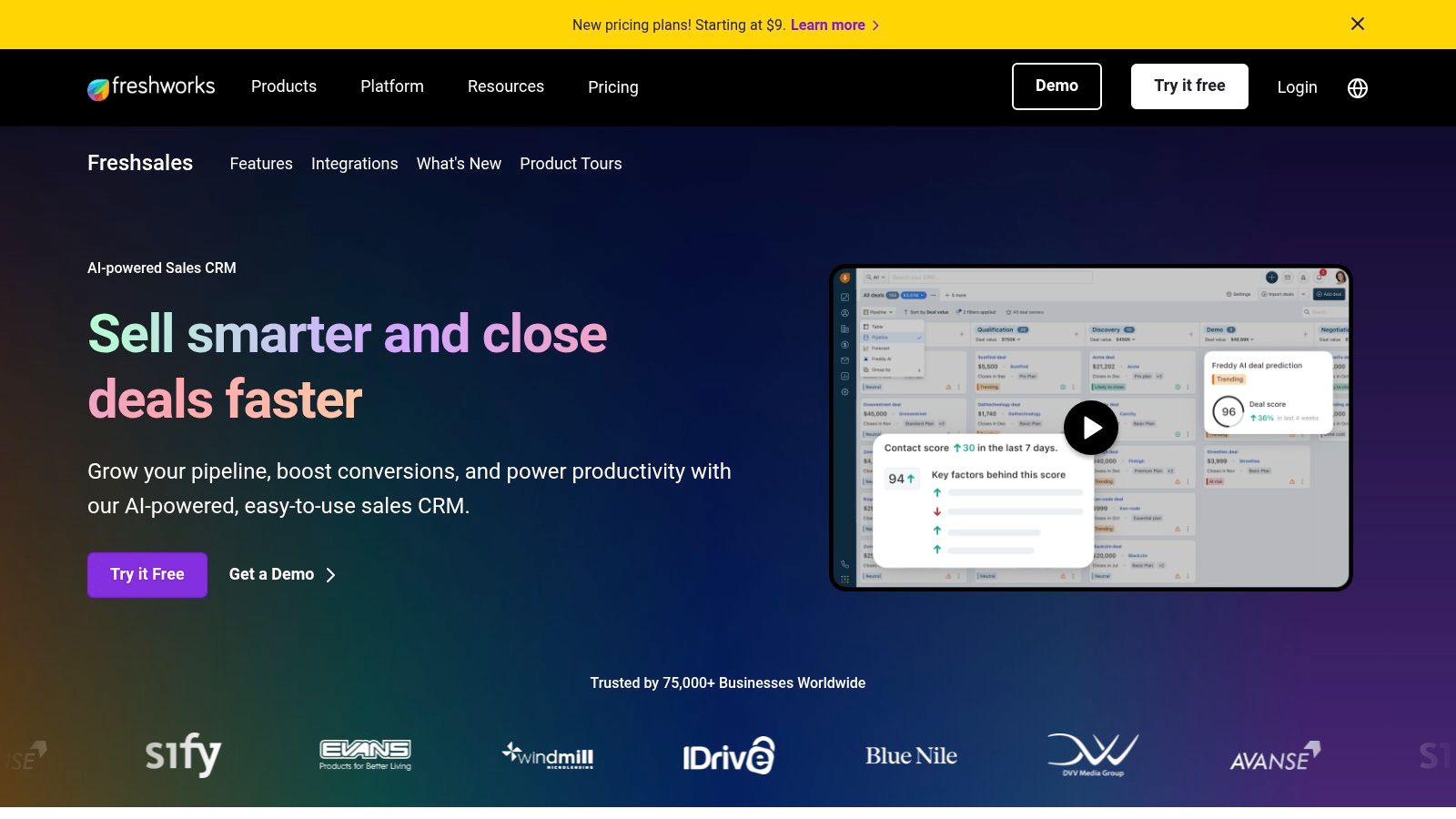
Freshsales, part of the Freshworks ecosystem, is a sales-focused CRM designed with a clean, modern user interface that integrates communication channels directly into the platform. It provides small businesses with built-in email, phone, and chat capabilities, streamlining outreach and follow-up without needing to switch between applications. This makes it a strong contender for the best free CRM for small business, especially for teams that prioritize direct client communication.
The free "Forever Free" plan is designed for individuals or very small teams, offering a solid foundation in contact, account, and deal management. It allows users to manage their sales pipeline visually and engage with prospects directly from the CRM, which is a significant advantage for fast-moving sales cycles.
Core Features & Limitations
Freshsales excels at consolidating communication. The free plan includes contact management, a visual sales pipeline, and built-in chat, email, and phone functionalities, providing a comprehensive sales toolkit right out of the box.
- Pros: The integrated communication tools are a major plus, allowing for seamless tracking of all prospect interactions. Its user interface is intuitive, and the upgrade path to paid plans is straightforward for growing teams.
- Cons: The free plan is limited to just 3 users and lacks any meaningful automation or advanced reporting. To access features like AI-powered insights, custom modules, or sales sequences, you must upgrade to a paid tier.
Ideal Use Case
Freshsales is ideal for small, sales-driven teams that need a simple yet effective tool for managing leads and conversations from a single platform. It's particularly useful for businesses that want to organize their sales process from the ground up and need a visual way to track deal progression. For guidance on structuring your sales process within the platform, you can learn more about how to build a sales pipeline.
Visit Website: Freshsales by Freshworks
5. Bitrix24
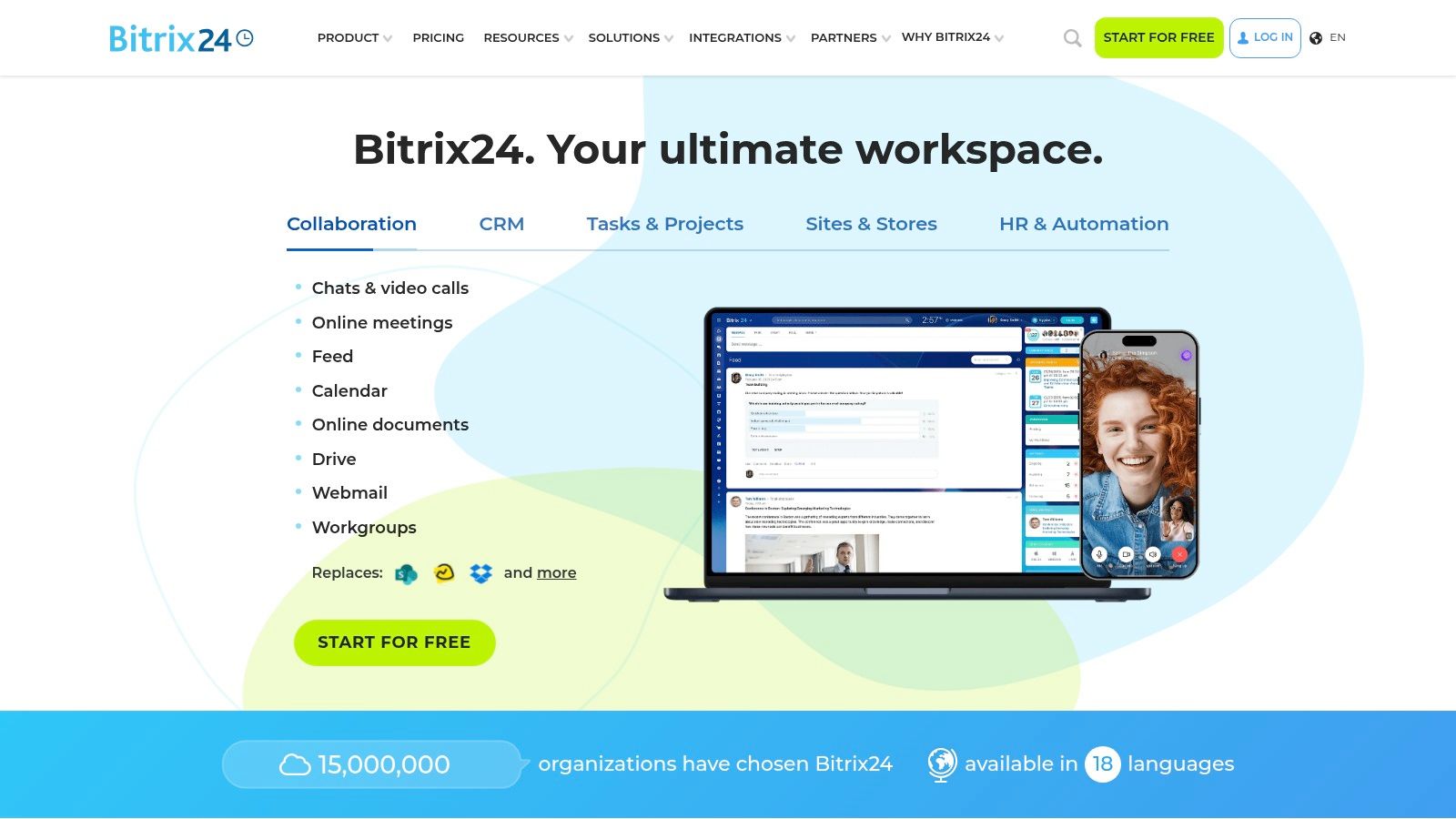
Bitrix24 goes beyond a traditional CRM, positioning itself as an all-in-one workspace that combines customer management with project tasks, internal communication, and even a website builder. It stands out by offering a comprehensive suite of business tools within its free tier, making it a compelling option for small businesses looking to consolidate their software stack without initial costs. For those seeking the best free CRM for small business that also handles internal operations, Bitrix24 provides a uniquely integrated solution.
Its free plan is notable for supporting an unlimited number of users, a rare feature in the CRM market. This allows an entire organization to collaborate within a single platform, managing everything from sales pipelines and client communications to internal projects and document storage. The platform's scope makes it a powerful, if complex, central hub for business activities.
Core Features & Limitations
Bitrix24's primary strength is its sheer breadth of functionality. The free version includes a full-featured CRM with sales funnels, a contact center for managing communications across various channels, and task and project management tools.
- Pros: The free plan’s unlimited user support and extensive toolset offer incredible value. Its flat-fee paid plans (not per-user) make scaling financially predictable for growing teams.
- Cons: The user interface can feel overwhelming due to the vast number of features, presenting a steeper learning curve than more focused CRMs. The free version has significant limitations on automation, advanced reporting, and integrations with third-party apps.
Ideal Use Case
Bitrix24 is best suited for small to medium-sized businesses that need a unified platform to manage both customer-facing and internal processes. It's particularly effective for teams that value project management and internal collaboration features just as much as a sales CRM and want to avoid juggling multiple separate applications.
Visit Website: Bitrix24
6. EngageBay (CRM & Sales Bay)
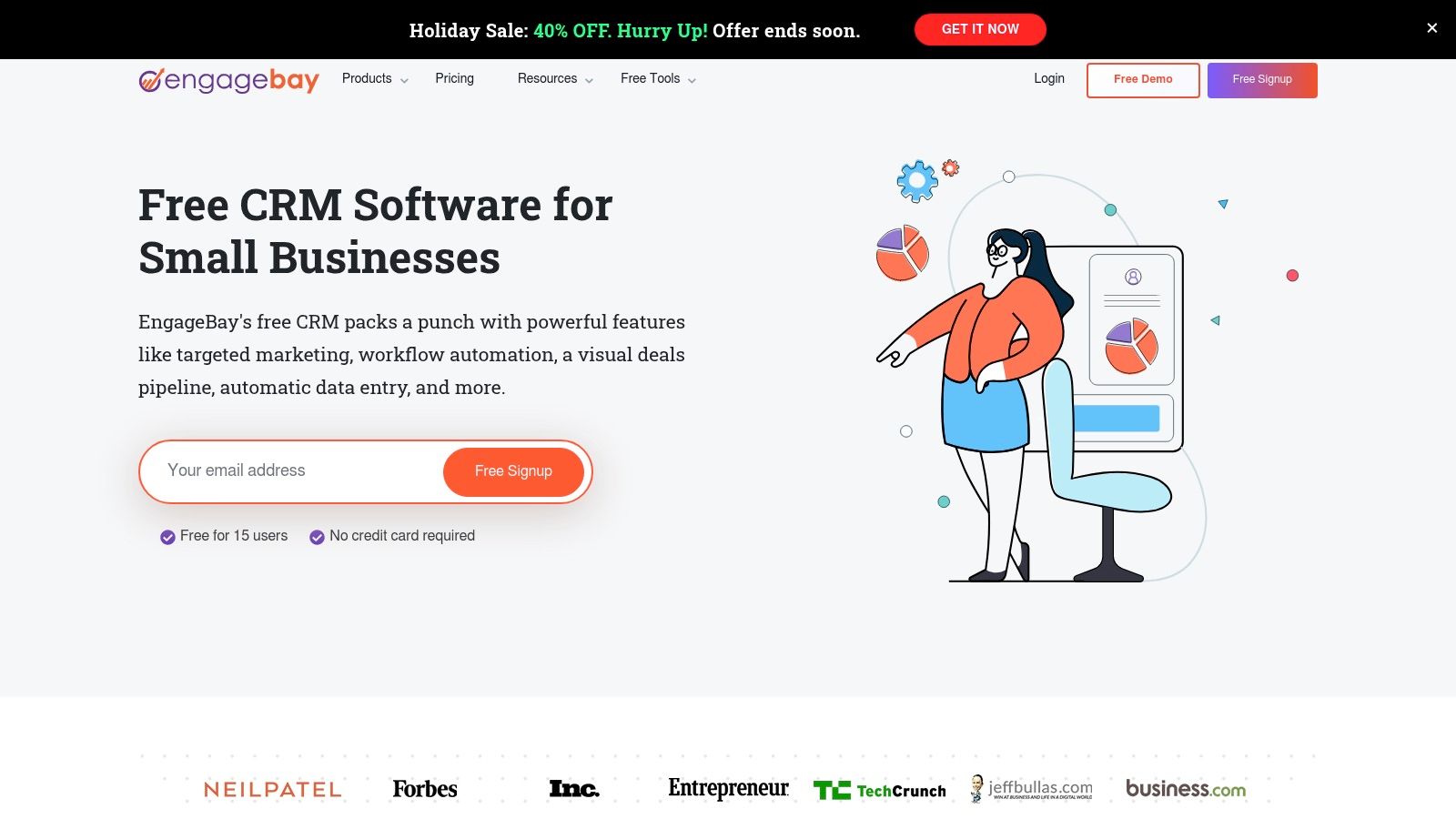
EngageBay positions itself as a more affordable, all-in-one alternative to larger platforms, specifically targeting small businesses and startups. Its free CRM & Sales Bay plan provides a solid foundation for managing sales activities, offering core features like pipeline management, appointment scheduling, and email tracking without cost. For companies searching for the best free CRM for small business that offers an accessible upgrade path to a full marketing and service suite, EngageBay is a compelling contender.
The platform's free tier is designed to get a sales process organized quickly. It integrates contact and deal tracking with practical outreach tools, allowing small teams to manage their customer relationships from a central hub. This makes it an attractive starting point for businesses that anticipate needing marketing automation and helpdesk functions down the line but want to start with a free, sales-focused CRM.
Core Features & Limitations
EngageBay’s free offering includes visual deal pipelines, email tracking, and live chat, giving new businesses essential sales tools from day one. It also provides integrations with G Suite and other popular applications.
- Pros: The platform is a true "all-in-one" solution, with very competitive upgrade pricing for its combined Marketing, CRM & Sales, and Service Bay modules. The free forever plan provides enough functionality for a small sales team to get started.
- Cons: The free plan has a modest limit of 250 contacts, which could be restrictive for businesses with a larger existing database. The user interface and feature depth, while functional, are less mature and polished than those of top-tier competitors like HubSpot.
Ideal Use Case
EngageBay is ideal for budget-conscious small businesses and startups that need a functional free CRM with the clear potential to scale into a fully integrated marketing and support platform without breaking the bank. It is particularly well-suited for users who find other all-in-one solutions too complex or expensive. It pairs well with many free lead generation tools to build an initial contact list.
Visit Website: EngageBay CRM
7. Capsule CRM (Free Plan)
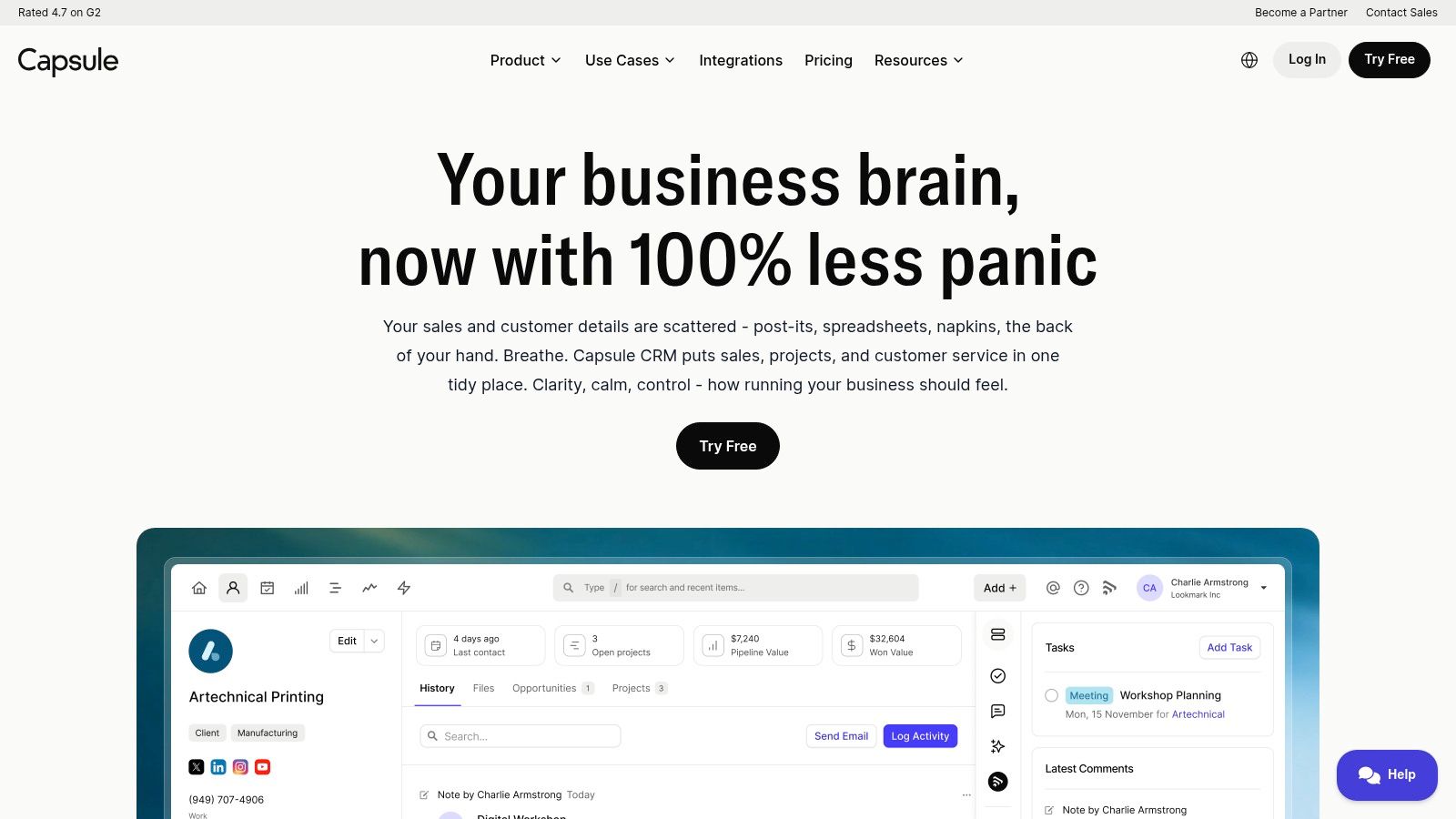
Capsule CRM offers a refreshingly simple and clean approach, positioning itself as an easy-to-use platform for individuals and small teams. It strips away the complexity often found in larger systems, focusing on core CRM functionalities like contact management and sales pipeline tracking. For solo entrepreneurs or micro-businesses looking for one of the best free CRM for small business options without a steep learning curve, Capsule provides a dependable and clutter-free solution.
Its free plan is designed for basic needs, offering a straightforward way to organize contacts, manage communications, and visualize a sales process. This focus on simplicity makes it incredibly quick to set up and integrate into daily workflows, especially for those new to CRM software.
Core Features & Limitations
The platform excels at delivering fundamental CRM tools effectively. The free plan includes integrations with key applications like Gmail and Outlook, along with mobile apps to manage contacts and tasks on the go.
- Pros: The user interface is exceptionally clean and intuitive, making adoption almost effortless. It's a great value proposition for individuals or partners needing a basic, reliable system to get organized without overwhelming features.
- Cons: The free plan's limitations are quite strict: it's capped at just 250 contacts, one sales pipeline, and limited storage. Key features like a shared team inbox, email templates, and automation are reserved for paid tiers, which are necessary for any team collaboration or scaling efforts.
Ideal Use Case
Capsule's free plan is perfect for freelancers, consultants, or very small businesses with a limited contact list that need a no-nonsense tool to manage relationships and track a handful of deals. It's an excellent starting point for those who prioritize ease of use and quick implementation over an expansive, all-in-one feature set.
Visit Website: Capsule CRM
8. Agile CRM (Free for up to 10 users)
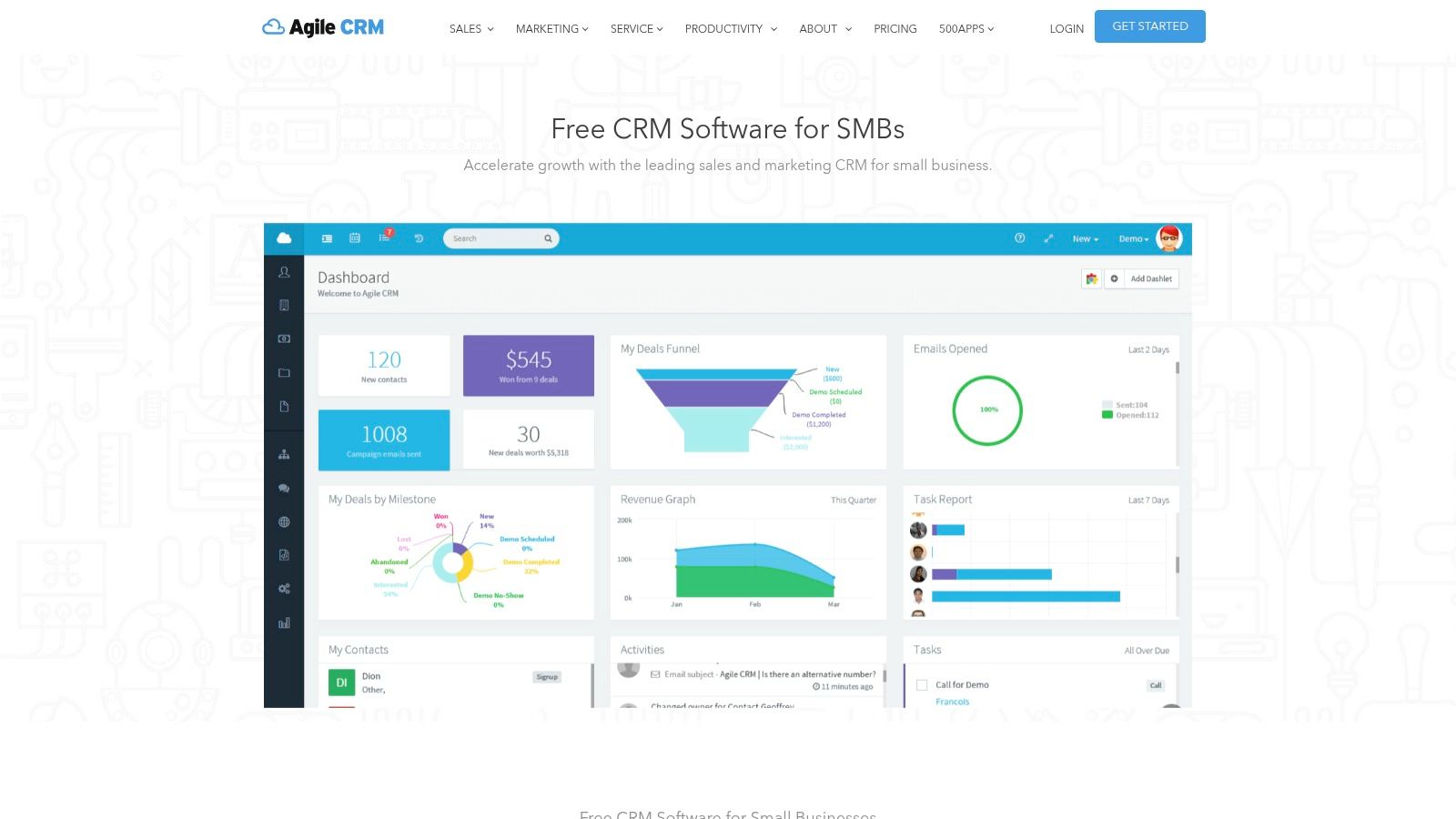
Agile CRM positions itself as an all-in-one platform, combining sales, marketing, and service automation into a single, cohesive system. Its standout feature in the free CRM space is its generous user limit, making it a compelling option for micro-teams and startups that need collaborative tools from day one. This makes it one of the best free CRM for small business choices for teams needing unified functionality without an immediate budget.
The free plan provides a solid foundation with contact management, deal tracking, task scheduling, and even email marketing features like web forms. It also includes basic helpdesk functionality and syncs with Google Apps, offering a surprisingly broad feature set for a no-cost plan. This integrated approach allows a small team to manage diverse business functions without juggling multiple applications.
Core Features & Limitations
Agile CRM's free tier is built for team collaboration. The ability to add up to 10 users is its primary differentiator, allowing an entire team to manage contacts, deals, and service tickets collectively.
- Pros: The high user count is a significant advantage for growing micro-teams. Its all-in-one nature provides a broad range of features across sales, marketing, and customer service, offering great initial value.
- Cons: The user interface and overall platform can feel less modern and polished compared to leading competitors. The free plan has hard limits on contacts and features, which can necessitate a paid upgrade sooner than expected as your business scales.
Ideal Use Case
Agile CRM is ideal for small businesses and startups with up to 10 team members who need a collaborative, multi-functional platform from the start. It suits companies that want to centralize their sales, marketing, and service activities without investing in separate tools, providing a unified view of the customer journey.
Visit Website: Agile CRM
9. Odoo CRM (One App Free)
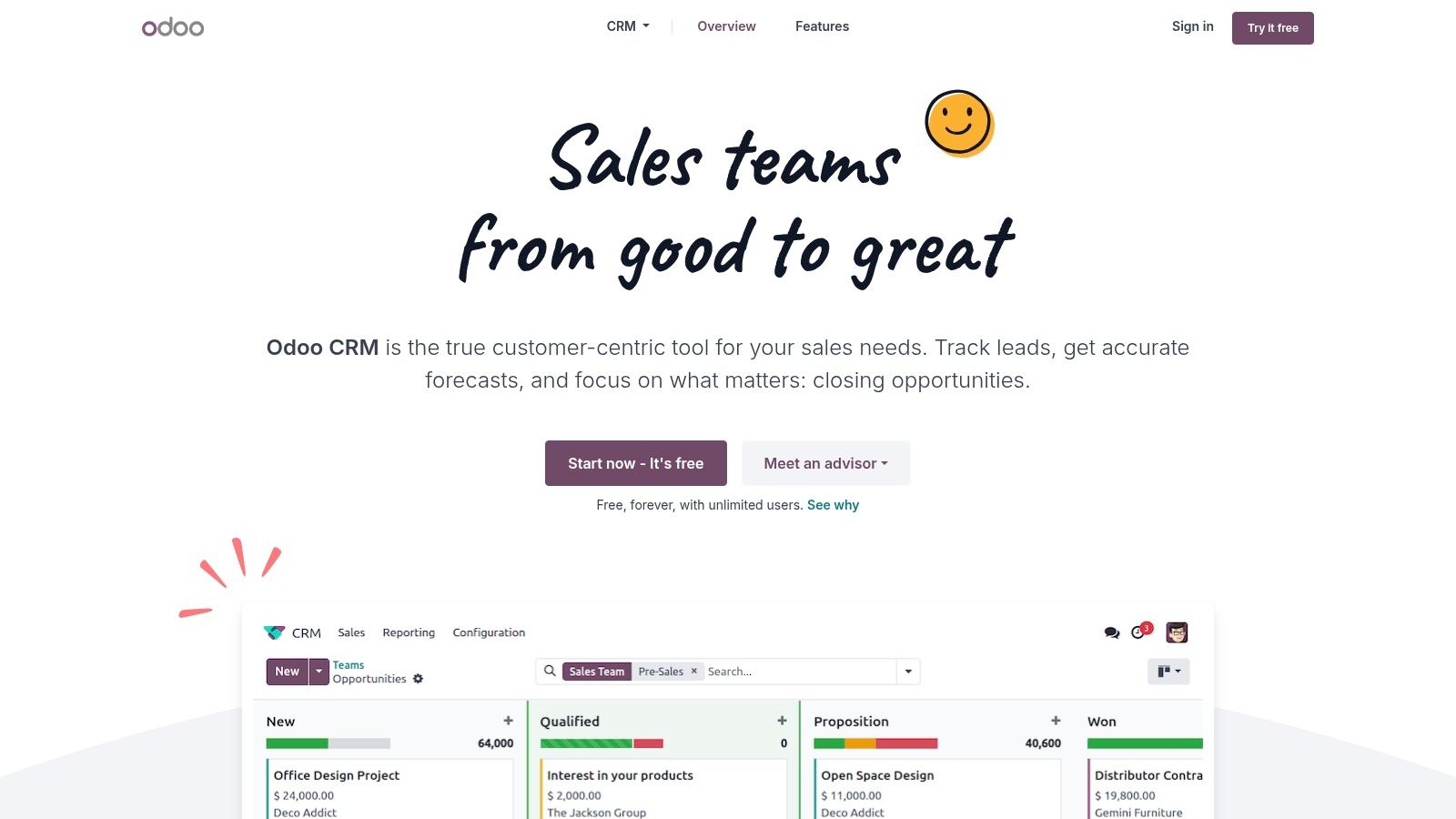
Odoo CRM offers a unique proposition in the market with its "One App Free" model. This allows small businesses to use its full-featured CRM application completely free for unlimited users, as long as it's the only Odoo app they use. This makes it an incredibly powerful and scalable option for companies needing a robust sales pipeline without immediate costs, positioning it as a strong contender for the best free CRM for small business title.
The platform is part of a larger suite of business management applications, including accounting, inventory, and marketing. This integrated ecosystem is Odoo's core strength, providing a clear and seamless upgrade path for businesses that eventually need to consolidate their software stack. The free CRM itself is not a stripped-down version; it’s the full application.
Core Features & Limitations
Odoo’s free CRM provides sophisticated pipeline management, lead scoring, and activity scheduling. You can customize sales stages, automate actions, and get detailed reports on your team's performance, all without paying a license fee for the CRM app itself.
- Pros: The "One App Free" model is genuinely free for unlimited users, which is unmatched. Its potential for integration with other Odoo business apps provides a future-proof solution for growing companies that want an all-in-one system.
- Cons: The main limitation is the pricing model itself. As soon as you add a second app (like Invoicing or Marketing), you must switch to a paid per-user plan for the entire suite. The initial setup can also be more complex than simpler, standalone CRMs.
Ideal Use Case
Odoo CRM is ideal for startups and small businesses that anticipate needing a comprehensive ERP system in the future but want to start with a powerful, free CRM today. It's perfect for teams that value deep customization and are comfortable with a more DIY approach to configuration, with the long-term goal of running their entire business from a single integrated platform.
Visit Website: Odoo CRM
10. SuiteCRM (Open‑source)
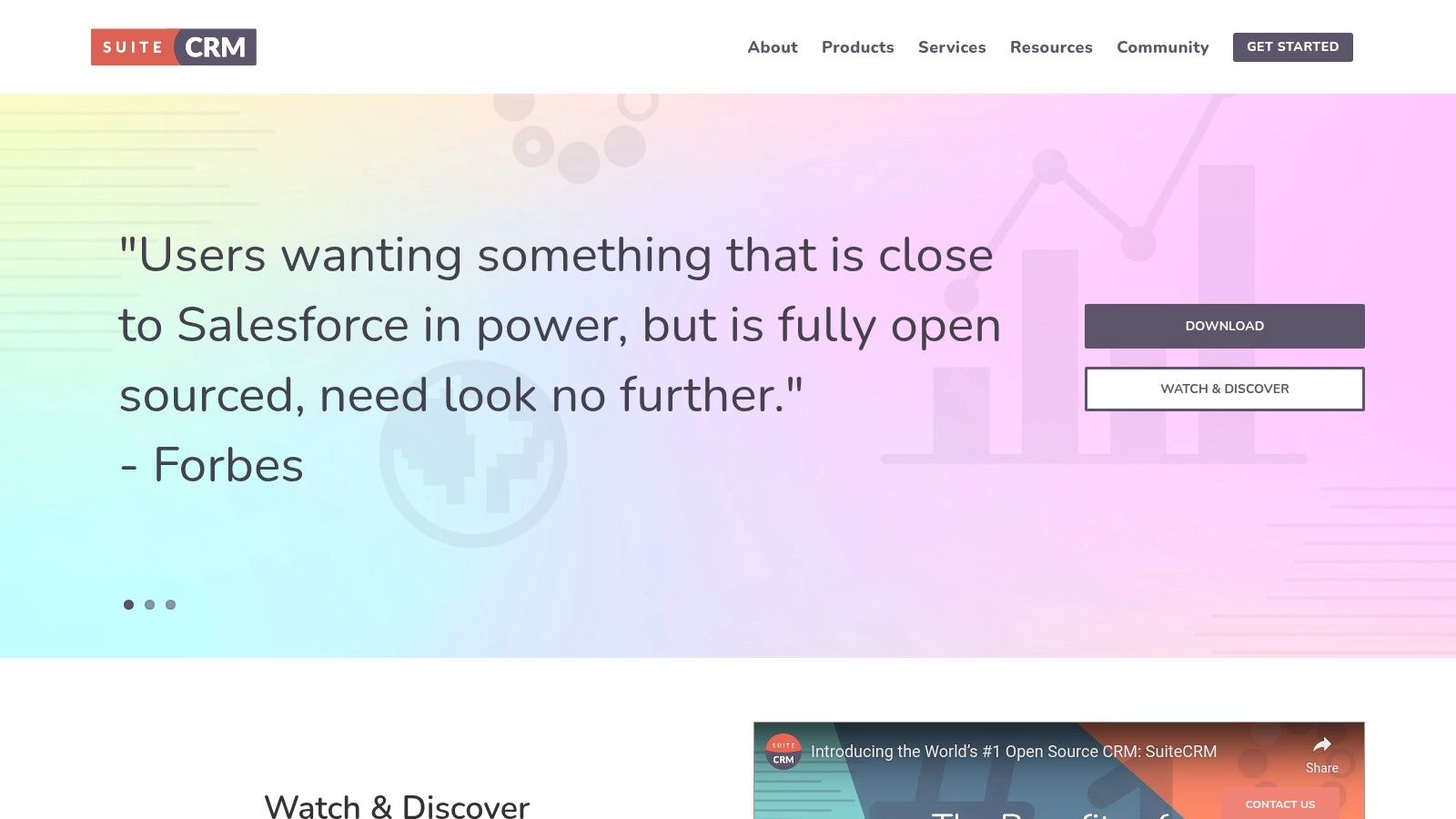
For businesses with technical know-how seeking complete control and zero licensing fees, SuiteCRM offers a powerful open-source alternative. This self-hosted platform provides an enterprise-grade feature set, including advanced sales workflow automation, quotes, and contract management, completely free of charge. As a genuinely free CRM for small business owners who can manage their own hosting, it represents an unparalleled level of customization and data ownership without vendor lock-in.
SuiteCRM is a fork of the once-popular SugarCRM and has evolved with a dedicated community, offering robust functionality that rivals many paid solutions. Its value lies in its limitless adaptability; you can modify the code to perfectly fit your unique business processes, a level of freedom not found in SaaS products.
Core Features & Limitations
The platform’s strength is its depth of features out-of-the-box, covering sales, marketing, and service functions in a single installation. You get full control over your data, hosting environment, and system integrations.
- Pros: Absolutely no license fees for the software, offering extensive customization possibilities. An active community provides documentation and peer-to-peer support, and you own your data completely.
- Cons: The biggest hurdle is the technical requirement. You are responsible for installation, hosting, maintenance, security, and updates. The user interface can also feel less modern compared to cloud-based competitors.
Ideal Use Case
SuiteCRM is the best fit for tech-savvy small businesses, particularly those with an in-house developer or IT resource. It is perfect for companies with highly specific process requirements that off-the-shelf CRMs cannot meet, or for those with strict data privacy policies that necessitate self-hosting.
Visit Website: SuiteCRM
11. Google Workspace Marketplace (Sales & CRM category)
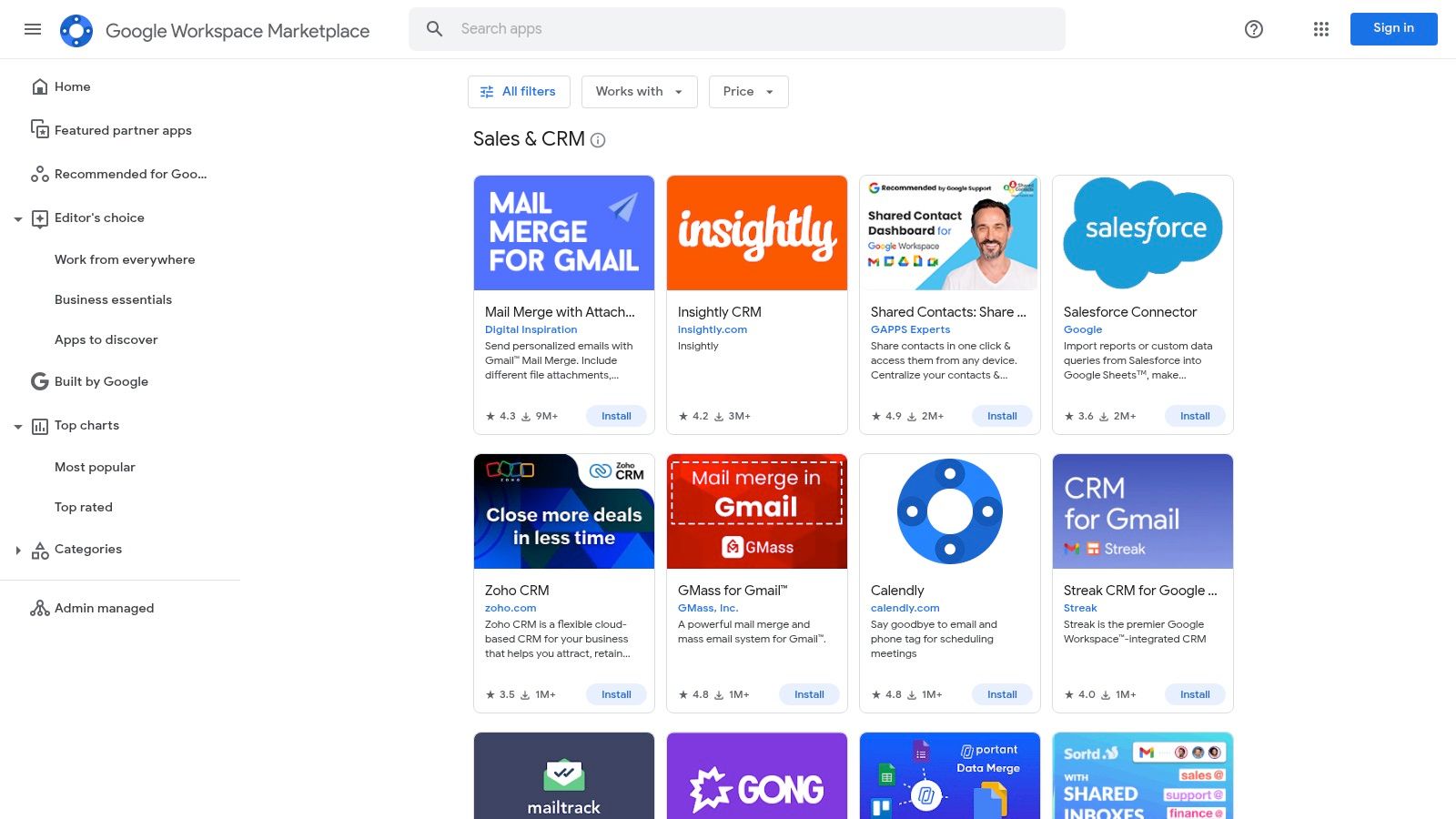
For small businesses deeply embedded in the Google ecosystem, the Google Workspace Marketplace is less a single product and more a curated launchpad for finding a CRM that integrates seamlessly with tools like Gmail, Calendar, and Sheets. Instead of offering one specific platform, it provides a trusted, centralized directory where you can discover and install various CRM applications with just a few clicks. This makes it an excellent resource for finding the best free crm for small business that aligns perfectly with a Google-centric workflow.
The marketplace simplifies the search by allowing users to filter for free applications, read user reviews, and check for security verifications directly from Google. This approach eliminates much of the guesswork and risk associated with adopting new software, as you are choosing from apps designed to work within your existing environment.
Core Features & Limitations
The value of the marketplace lies in its role as a secure and efficient discovery tool. You can find lightweight CRMs that live inside Gmail or more robust standalone platforms that offer deep integration with Google Workspace.
- Pros: It provides a trusted distribution channel with Google's security signals and editor's choice recommendations. Installation is often simple, and many apps leverage your existing Google sign-in (SSO), reducing password fatigue.
- Cons: The quality and features of the "free" offerings vary significantly. Many listings are limited-feature add-ons designed to upsell you to a full paid plan, rather than complete, standalone free CRMs. Diligent evaluation of each app is necessary.
Ideal Use Case
The Google Workspace Marketplace is ideal for small businesses and solopreneurs who live in their Gmail inbox and want to add CRM functionality without disrupting their workflow. It's perfect for teams looking to test several lightweight, integrated options quickly to find the one that best suits their needs before committing to a larger platform.
Visit Website: Google Workspace Marketplace (Sales & CRM category)
12. Capterra – Free CRM Category
Capterra isn't a CRM itself but rather a comprehensive software review and comparison platform. Its free CRM category is an indispensable resource for any small business owner navigating the crowded market. Instead of visiting dozens of individual vendor websites, Capterra provides a centralized hub to compare features, read authentic user reviews, and shortlist potential candidates, making it a critical first step in finding the best free CRM for small business needs.
The platform aggregates dozens of free and free-trial CRM solutions, allowing you to filter them based on features, user ratings, and business size. This curated approach helps you discover tools you might not have found otherwise and benchmark established players against niche competitors. It’s an efficient way to conduct initial research and narrow down your options before committing to demos or sign-ups.
Core Features & Limitations
Capterra's value lies in its aggregated data and user-generated feedback. You can see screenshots, compare pricing tiers, and understand real-world user experiences with different platforms, all in one place.
- Pros: It’s a massive time-saver for comparing multiple vendors. The extensive base of user reviews and ratings provides valuable social proof and helps reduce the risk of selecting a CRM that is a poor fit for your specific business needs.
- Cons: The distinction between truly free plans and limited-time free trials can sometimes be unclear. Additionally, as a commercial directory, sponsored listings or marketing influence can be present, so it's always wise to verify details directly on the vendor’s official website.
Ideal Use Case
Capterra is perfect for small businesses in the initial research and discovery phase of their CRM selection process. It is the ideal starting point for teams that want to create a shortlist of 3-5 potential CRMs to test. Use it to build a comparison matrix before you begin signing up for free trials or accounts.
Visit Website: Capterra – Free CRM Category
Top 12 Free CRMs for Small Business — Feature Comparison
| Product | Core features | Target audience | USP / Value proposition | Free tier / Price | Key limitation |
|---|---|---|---|---|---|
| HubSpot CRM | Contact/deal/activity tracking, email tools, forms, live chat, integrations | Very small teams that may scale | Generous free tier + large ecosystem and learning resources | Free (feature/branding caps; paid Hubs for advanced tools) | Automation & reporting often require paid upgrades |
| Zoho CRM (Free Edition) | Leads/contacts/deals/tasks, mobile apps, Zoho integrations | Small teams moving off spreadsheets | Free forever entry with smooth path into Zoho suite | Free for up to 3 users | Advanced customization and automation behind paid plans |
| Bigin by Zoho | Pipeline-focused UI, mobile, built‑in phone, basic automations | Solopreneurs & very small businesses | Quick setup, low-cost upgrade path within Zoho | Free for 1 user (500 records) | Single-user / record limits constrain growth |
| Freshsales (Freshworks) | Built‑in email, phone, chat, Kanban, templates | Small sales teams needing communication tools | Good out-of-the-box comms and modern UI | Free for up to 3 users; paid tiers add automation/AI | Serious automation/reporting require paid plans |
| Bitrix24 | CRM + tasks/projects, drive, website builder, contact center | Organizations wanting an all‑in‑one workspace | Broad toolset included; flat-fee paid plans (no per-user) | Forever free cloud tier (5 GB); unlimited users | Complex interface; key features restricted on free tier |
| EngageBay (CRM & Sales Bay) | Contact/deal tracking, email tracking, scheduling, live chat | SMBs on a budget wanting combined modules | Practical sales features + budget-friendly upgrades | Free entry (contact limits ~250) | Modest free contact limits; UI/feature depth weaker |
| Capsule CRM (Free Plan) | 1 pipeline, contacts, Gmail/Outlook add‑ins, mobile apps | Very small teams needing simple CRM | Clean, easy setup and dependable core features | Free (250 contacts, limited users) | Tight limits; fewer native marketing tools |
| Agile CRM | Contacts/deals, email marketing, web forms, basic helpdesk | Micro‑teams needing sales + marketing features | Generous free tier supporting up to 10 users | Free up to 10 users; limited plugins/features | Dated UI; free tier ceilings may force upgrade |
| Odoo CRM (One App Free) | Pipeline management, activities, email integration | Organizations planning to expand into Odoo apps | CRM free as single app; seamless add‑ons later | One App Free — CRM free if only app used | Adding apps moves to paid per‑user licensing; more DIY setup |
| SuiteCRM (Open‑source) | Sales workflows, quotes, contracts, self‑hostable | Teams that want full control & customization | No license fees; highly customizable open‑source | Free to self‑host; paid hosting/support optional | Requires technical resources; UI less modern |
| Google Workspace Marketplace (Sales & CRM) | Discovery, filters, direct install, SSO for Workspace | Google-centric small businesses | Trusted distribution, easy installs & Workspace integration | Marketplace listings (many free/paid options) | Quality varies by vendor; some "free" items are limited |
| Capterra – Free CRM category | Curated lists, user reviews, ratings, screenshots | Buyers researching and shortlisting CRMs | Large review base and side‑by‑side comparisons | Free to browse and filter | Some listings denote trials or limited free tiers; verify vendor details |
Final Thoughts
Navigating the landscape of customer relationship management tools can feel overwhelming, but finding the best free CRM for small business is an achievable and game-changing goal. As we've explored, the "best" solution isn't a one-size-fits-all answer; it's the one that aligns perfectly with your specific operational needs, growth stage, and team size. The key takeaway is that you don't need a hefty budget to start organizing contacts, tracking deals, and building stronger customer relationships.
From the all-in-one marketing and sales power of HubSpot CRM to the robust, customizable framework of Zoho CRM's Free Edition, the options are vast. For those just starting, tools like Bigin by Zoho or Capsule CRM offer a simplified, focused approach that prevents overwhelm. Meanwhile, businesses needing a comprehensive collaboration suite might find their match in Bitrix24, and open-source advocates will appreciate the ultimate control offered by SuiteCRM.
How to Choose Your Free CRM
Your final decision should hinge on a few critical questions. Don't just pick the one with the most features; choose the one with the right features for you.
-
What is your primary goal? Are you focused on streamlining your sales pipeline (Freshsales, Agile CRM), improving marketing automation (EngageBay), or managing complex projects alongside customer data (Odoo, Bitrix24)? Define your core pain point first.
-
How much complexity can you handle? A simple, intuitive interface is crucial for quick adoption. If you don't have a dedicated IT person, a tool with a steep learning curve might create more problems than it solves. Test the user experience before committing.
-
What are the non-negotiable limitations? Every free plan has a ceiling. Carefully examine the limits on users, contacts, emails, and features. Will you hit that ceiling in one month or one year? Understanding these triggers will help you forecast potential costs and avoid disruptive platform migrations down the road. For example, if you anticipate rapid contact list growth, a CRM with a generous contact limit is essential.
-
How well does it integrate? Your CRM should act as the central hub of your tech stack. Ensure it connects seamlessly with the tools you already use daily, like your email client, calendar, and lead generation software. Exploring the Google Workspace Marketplace can be a great starting point if you're heavily invested in that ecosystem.
Implementation and Beyond
Once you've made your choice, the journey isn't over. Successful implementation is about process, not just software. Start by importing a small, clean segment of your contacts to test the workflow. Train your team on the core functions and establish clear guidelines for data entry to maintain a clean and reliable database. For additional insights and regional specific recommendations, you might also find value in exploring more free CRM options for small businesses.
Ultimately, a free CRM is a powerful launchpad. It provides the structure needed to scale your operations, nurture leads effectively, and make data-driven decisions. By starting with a free, capable platform, you give your small business the strategic advantage it needs to compete and grow without the upfront financial burden.
Ready to fill your new CRM with high-quality, verified leads? EmailScout is the perfect companion, helping you find and verify the email addresses of key decision-makers in seconds. Supercharge your outreach and make the most of your CRM by ensuring every contact you add is an opportunity waiting to happen.