

A business email is simply an address that uses your company’s own custom domain—think jane@yourcompany.com instead of a free, generic one like Gmail or Yahoo.
Think of it as your digital handshake. It’s often the very first impression you make on a potential client, partner, or customer. This simple switch from a personal address signals professionalism and credibility the second your message lands in their inbox.
Your Digital First Impression
Your email address is basically your business's digital uniform. When you see someone in a branded polo shirt with a name tag, you immediately recognize them as part of that company. A business email does the exact same thing.
An address like jane.doe88@gmail.com can feel a bit anonymous and temporary, like someone showing up in a plain t-shirt. On the other hand, jane.doe@yourcompany.com instantly establishes who you are and who you represent.
This difference is more than just for show; it’s a core piece of building trust. We all get tons of spam and phishing attempts, so when an email comes from a branded domain, it adds an immediate layer of legitimacy. It shows you’ve invested in your brand and are serious about what you do.
A business email is not just a communication tool; it's a core component of your brand identity. Every message you send reinforces your company's name and builds brand recognition in a subtle yet powerful way.
That initial impression can make or break a deal. Imagine a sales proposal sent from a generic address—it might raise a few subconscious red flags or even get tossed into the spam folder. The same proposal from a professional address is far more likely to get opened, read, and taken seriously, simply because a custom domain carries more authority.
Here’s a quick rundown of the key differences to make it even clearer.
Business Email vs Personal Email at a Glance
| Feature | Business Email (e.g., jane@mycompany.com) | Personal Email (e.g., jane.doe88@gmail.com) |
|---|---|---|
| Domain | Uses a custom domain (yourcompany.com) | Uses a generic, free domain (gmail.com, etc.) |
| Credibility | High. Instantly appears professional and legitimate. | Low. Can look unprofessional or even suspicious. |
| Branding | Excellent. Reinforces your brand with every email. | None. Promotes the email provider (e.g., Google). |
| Trust | High. Less likely to be flagged as spam. | Low. Often targeted by spam filters. |
| Security | Enhanced. Business plans offer better protection. | Basic. Standard consumer-level security. |
| Control | Full control over accounts and data. | Limited. Subject to the provider's terms. |
Ultimately, having that professional address sets you up for success.
A business email gives you a few key advantages right out of the gate:
- Builds Credibility: It shows you're an established, legitimate operation.
- Boosts Brand Awareness: Your domain name gets seen in every single email.
- Enhances Security: Business email providers usually offer much more robust security features.
- Improves Deliverability: Branded emails are far less likely to be marked as spam.
Mastering professional communication is a must, and it all starts with having the right address. You can learn more about how to write a professional email in our detailed guide. Getting this foundation right ensures every conversation starts on the right foot, paving the way for stronger business relationships.
The Anatomy of a Professional Email Address
Beyond just having a custom domain, the actual structure of your email address is a surprisingly strategic choice. It's all about communicating purpose and clarity. The two key pieces—the username and the email signature—work hand-in-hand to build your professional identity with every single message you send.
Think of the username (the part before the "@") as the nameplate on your digital office door. It needs to be simple, recognizable, and consistent across your whole team. If you get this wrong, it can lead to confusion and make your brand look less polished.
Choosing Your Username Format
The format you pick for your usernames really depends on your company's size, culture, and what you're trying to achieve. There’s no single "best" option, but there are some standard conventions that keep things professional and organized.
Common formats include:
- First Name:
jane@yourcompany.com(Friendly and personal, great for small teams or businesses built on a strong personal brand.) - First Name + Last Initial:
janes@yourcompany.com(A nice balance between personal and formal. It's also super useful for larger teams to avoid two people having the same address.) - Full Name:
jane.smith@yourcompany.com(This is the go-to for most corporate environments. It’s highly professional and leaves no room for confusion.)
On top of individual addresses, many businesses use role-based or departmental emails to keep communication flowing to the right place.
Role-based emails like
support@yourcompany.comorsales@yourcompany.comaren't just for show. They create official channels, making sure customer questions get to the right people and showing clients you're an organized, well-oiled machine.
To get the full picture, you also need to understand all the components of an email address, including the critical role of the domain name extension (like .com or .io).
This diagram breaks down the clear difference between a professional setup and a generic, unprofessional one.
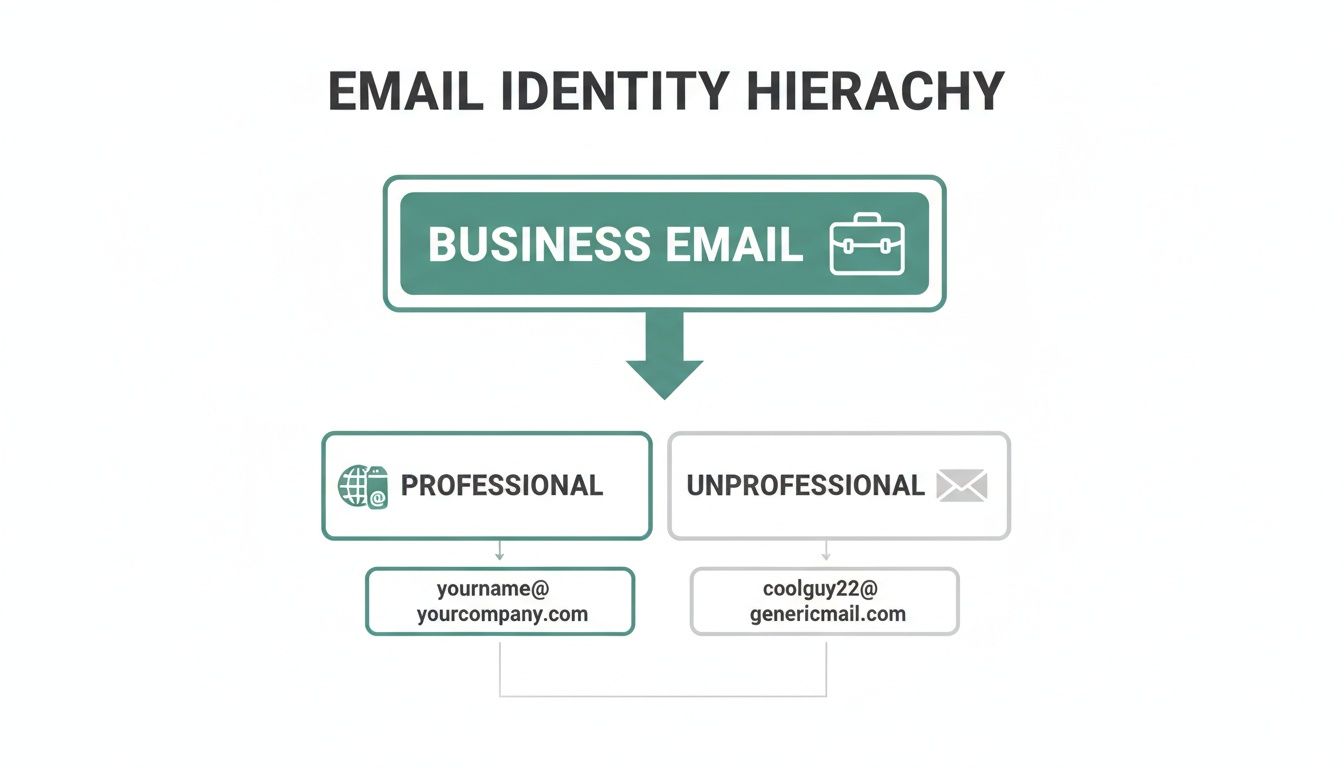
As you can see, the foundation of a real business email is its professional structure, which is a world away from a generic personal account.
Crafting a Powerful Email Signature
Your email signature is your digital business card. It's a small but mighty tool for reinforcing your brand and giving people your contact info without making them hunt for it. Skipping this step is a huge missed opportunity to make a lasting impression.
A strong signature should always include these key elements:
- Your Full Name: For clear identification.
- Your Title and Company: To give context to who you are and what you do.
- Key Contact Information: A phone number or a direct link to your website.
- Professional Links: Your LinkedIn profile is pretty much standard these days and adds a lot of value.
When you combine a thoughtful username with a complete and professional signature, every email you send becomes a cohesive part of your brand identity. This kind of attention to detail builds trust and makes it way easier for clients and partners to connect with you.
How a Business Email Drives Credibility and Growth
A business email is so much more than just a way to send messages. Think of it as a strategic tool that directly builds trust and helps your business grow. When an email from sales@yourstartup.com lands in a prospect's inbox, it immediately looks more legitimate than one from yourstartup.sales@gmail.com. That first impression sets the tone for everything that follows.
This boost in credibility makes a real difference, especially for sales and marketing teams. A professional email address is a huge factor in whether your emails even get delivered. Messages sent from a custom domain are far less likely to get caught in spam filters, meaning more of your outreach actually lands in front of people. That simple change can lead straight to better open rates and more conversations.
Building Trust with Every Message
In business, trust is everything. A professional email is your first step in earning it. It tells clients, partners, and investors that you’re a serious, established company. Put yourself in their shoes for a second: who would you trust more? The business using a branded, secure email, or the one using a free, generic-looking address?
A business email acts as a constant, subtle reinforcement of your brand. It turns every routine communication—from a simple inquiry to a major proposal—into a branding opportunity, building recognition and trust over time.
This brand consistency is key for your marketing efforts. When every email sent by your team shares the same domain, you create a unified, professional look. That consistency is crucial for building a brand that people recognize and rely on.
Unlocking Marketing and Sales Potential
Beyond just looking professional, a business email address really shines when you pair it with strategies like email marketing automation. Automating your follow-ups, personalizing campaigns, and tracking engagement all work so much better when they come from a trusted, branded source. It's the foundation you need to get the most out of your marketing tools.
The numbers back this up. The global email marketing market, which runs on business emails, is on track to hit $17.9 billion by 2027. This growth is all about companies investing in automation and outreach that deliver real results. In fact, a whopping 89% of B2B marketers say email is their top channel for generating leads. Check out more of these powerful email marketing statistics to see just how effective it is.
Enhancing Security and Control
A professional email gives you more than just a good look; it offers serious advantages in security and control. Business email providers like Google Workspace or Microsoft 365 include heavy-duty security features designed to protect your company's sensitive data from outside threats.
Centralized control is another huge win. As your business grows, you need to be able to manage employee accounts, set security rules, and make sure company data stays safe, even if an employee leaves. With a business email setup, you own and control all the accounts and the information inside them. This gives you peace of mind and ensures your communication system can grow securely right alongside your business.
Choosing the Right Business Email Format
Picking a format for your business email is way more than just an admin task—it's a strategic move that shapes how people see your brand and how your team stays organized. A consistent, logical format makes everyone look unified and professional. A messy, anything-goes approach? That just creates confusion for your employees and anyone you're trying to do business with.
The best structure really depends on the size of your company and what you're trying to accomplish. If you're a solo consultant, your email is all about personal branding and clarity. But for a larger company, you need a system that can scale without creating duplicate addresses or looking unprofessional.
Think of it like a digital uniform: it needs to be consistent, clear, and a reflection of your brand.
Common Formats for Individuals
When setting up email accounts for individual employees, the goal is simple: make it professional and easy to remember. The best formats strike a balance between being approachable and clearly identifying who the sender is.
Here are a few of the most popular options you’ll see:
- First Name Only (
jane@yourcompany.com): This one feels friendly and direct. It’s a great fit for small, tight-knit teams or businesses built around a strong personal brand. - First Name.Last Name (
jane.doe@yourcompany.com): This is the gold standard for professionalism. It’s crystal clear, formal, and scales perfectly, making it a safe and solid choice for almost any business. - First Initial + Last Name (
jdoe@yourcompany.com): A smart compromise that’s shorter but still looks professional. It's especially handy for larger companies where you might have multiple people with the same first name.
No matter which format you land on, the most important thing is to stick with it.
Picking a single, consistent format and using it for every single employee is crucial. This uniformity gets rid of any guesswork and reinforces a solid brand identity with every email your team sends.
To help you visualize the options, here’s a quick breakdown of common formats and where they shine.
Common Business Email Formats and Use Cases
| Email Format | Example | Best For |
|---|---|---|
| First Name.Last Name | jane.doe@company.com |
The default for most professional settings. Clear, formal, and scales easily for any company size. |
| First Initial + Last Name | jdoe@company.com |
Large organizations where duplicate first names are common. A good balance of brevity and formality. |
| First Name Only | jane@company.com |
Small businesses, startups, and personal brands. Creates a friendly and approachable feel. |
| Full Name (no separator) | janedoe@company.com |
Tech companies and startups. A modern, clean look, but can be hard to read with longer names. |
| Last Name + First Initial | doej@company.com |
Traditional or academic institutions. It's formal but can feel a bit dated for modern businesses. |
Choosing the right format from this list sets a strong foundation, but individual accounts are only half the story.
Role-Based and Departmental Emails
Beyond emails for specific people, you need addresses for specific functions. These role-based emails are lifesavers for streamlining communication and making sure inquiries don't fall through the cracks.
Think about it: an email sent to support@yourcompany.com goes to the whole team, not just one person who might be on vacation. And if an employee leaves, the communication channel stays open and active.
Here are a few must-have examples:
support@yourcompany.com: The go-to for all customer service issues. This funnels every ticket to the right team so nothing gets missed.sales@yourcompany.com: Perfect for catching new business leads. It lets your sales team collaborate and jump on opportunities quickly.contact@yourcompany.com: A general-purpose address for your website's contact page. It acts as a catch-all for any and all inquiries.
By using a smart mix of individual and role-based formats, you build a communication system that’s both professional and incredibly robust. To go even deeper, check out this complete guide to common email address formats to find the perfect structure for your business.
How to Set Up Your Business Email
Setting up your own business email is surprisingly simple and really just boils down to two key moves. First, you've got to grab a custom domain name. Second, you pick an email hosting provider to power it.
Think of it like building a storefront. You have to buy the plot of land (your domain) before you can put up the building (your email service).
The whole thing is much less technical than it sounds. Many services now bundle these steps together, making it painless for anyone to get up and running without a shred of IT experience. The goal here is simple: ditch the generic address and get a professional one that builds instant credibility.
Step 1: Secure Your Custom Domain Name
Your domain name is your business's unique address on the internet—think yourcompany.com. This is the bedrock of your professional email address.
If you already have a business website, you're ahead of the game. You own the domain you need.
If not, no sweat. You can buy one from a domain registrar. These services let you search for available names and purchase them for a small annual fee. When you're picking a name, aim for something short, memorable, and a clear reflection of your brand.
- Keep it simple: Avoid hyphens, numbers, or weird spellings that people will get wrong.
- Be professional: Stick with classic extensions like .com, .co, or .org. A more modern one like .io or .ai can work if it fits your industry, but .com is still king.
- Check availability: Make sure the name isn't already taken or confusingly similar to a competitor.
Once you’ve bought your domain, you're ready for the fun part.
Step 2: Choose an Email Hosting Provider
With your domain secured, you need a service to actually handle your emails. An email hosting provider gives you the engine to create accounts, send and receive messages, and manage your inbox under your custom domain.
While your domain registrar might offer a basic email package, dedicated providers deliver a far more powerful and feature-rich experience.
Choosing a dedicated email host like Google Workspace or Microsoft 365 is more than just getting an email address. It's a strategic move. These platforms arm you with a full suite of productivity tools, top-notch security, and an infrastructure that scales right alongside your business.
Two of the most popular and user-friendly choices are:
- Google Workspace (formerly G Suite): This is your ticket to a business version of Gmail that uses your own domain (
you@yourcompany.com). It also bundles in powerful tools you probably already use, like Google Drive, Docs, Sheets, and Calendar. The interface is instantly familiar, which makes adoption a breeze. - Microsoft 356 (formerly Office 365): The main competitor to Google Workspace, Microsoft 365 runs your professional email through Outlook. It also packages classic apps like Word, Excel, and PowerPoint with cloud storage on OneDrive. It's a no-brainer for businesses already living in the Microsoft ecosystem.
Both platforms offer incredibly affordable plans, typically starting around $6 per user per month. For that small investment, you get a professional email, enterprise-grade security, and a full suite of business tools. It's easily one of the highest-impact decisions you can make for your brand.
Find and Verify Emails with EmailScout
Alright, so you’ve set up a professional business email. That’s a fantastic first step. But an email address is just a tool—the real magic happens when you connect with the right people. This is where you shift from simply having an email to using it as a powerful engine for outreach and growth.
This is exactly where a tool like EmailScout comes in. Instead of playing guessing games with email formats (john.doe@, jdoe@, john@?) or spending hours digging through websites, you can find the verified business emails of key decision-makers in minutes. It turns your sales and marketing from a shot in the dark into a precise, targeted operation.
This screenshot shows how EmailScout's Chrome extension sits right in your browser, ready to grab contact info whenever you need it.
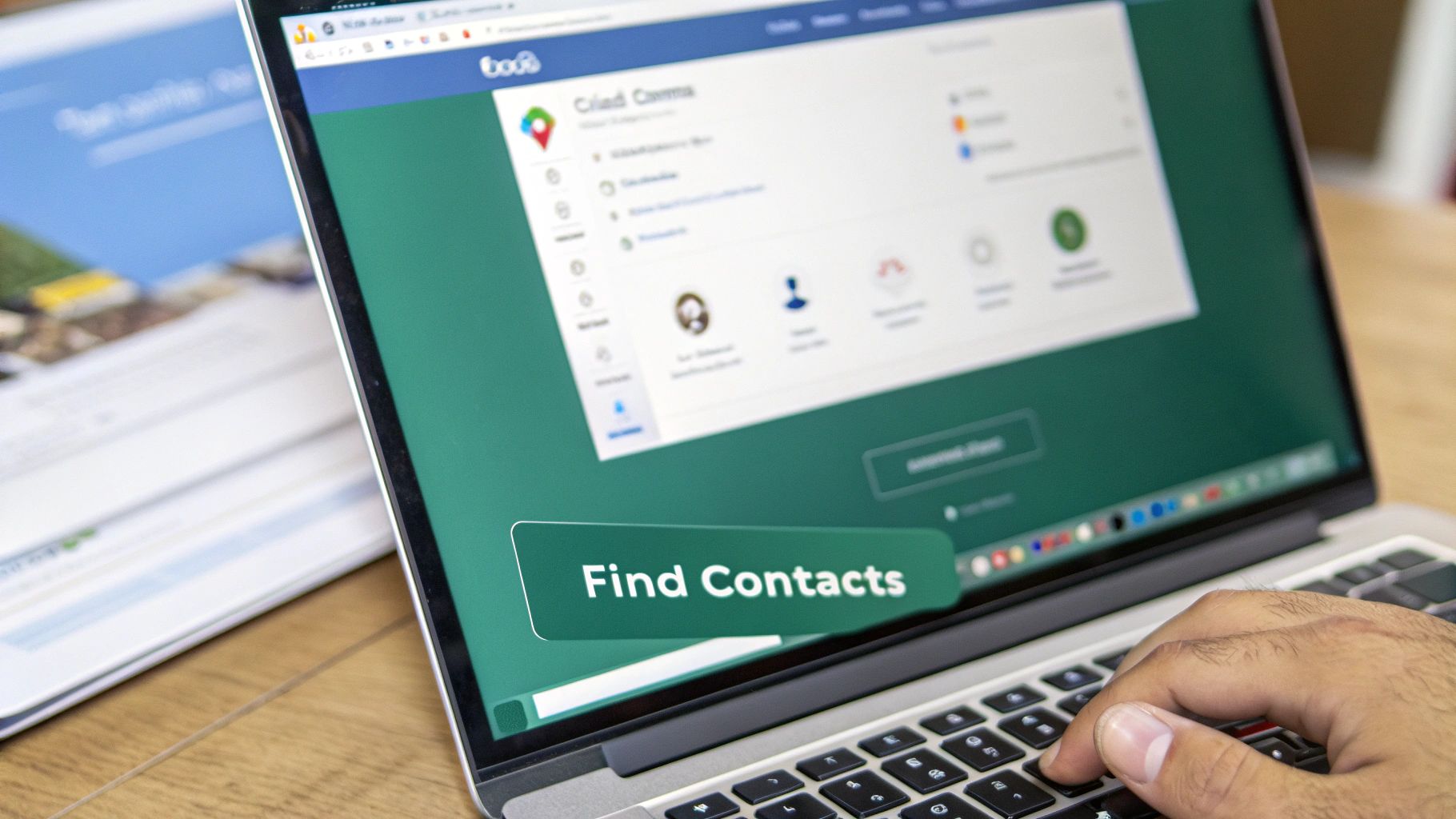
The idea is to make building prospect lists seamless. You can pull contact info directly from websites and LinkedIn profiles with just a click.
Powering Your Outreach Efforts
Finding an email is one thing, but building an accurate list efficiently is the real goal. The best tools automate the tedious parts of the process so you can focus on your message.
- URL Explorer: Got a list of company websites? You can extract emails from multiple URLs at once, rapidly building out your campaign lists.
- AutoSave: This feature automatically captures contact information as you browse different sites, so you never let a potential lead slip through the cracks.
Think about it: by finding and then verifying your contacts, you’re making sure that the messages you’ve worked so hard on actually land in the right inbox. This simple step alone can dramatically boost your open and response rates, making every bit of your professional communication count.
When you pair a professional email address with a smart finder tool, you’re not just sending emails anymore. You're building a complete system for effective lead generation.
Want to dive deeper? Check out our guide on email address verification to see how it can seriously strengthen your outreach.
Your Business Email Questions Answered
Even with all the benefits laid out, a few practical questions always seem to pop up. Getting those sorted is usually the last step before you can move forward with confidence. Let's tackle the most common ones head-on so you have everything you need to make the right call for your business.
Can I Just Use a Free Email When I'm Starting Out?
Technically, yes, but I’d strongly advise against it. Even when you're just getting off the ground, using a free email like @gmail.com or @yahoo.com for your business sends the wrong message. A custom domain email (yourname@yourbrand.com) immediately tells people you’re a serious, legitimate professional.
Think about it from the client's perspective. Free emails can look temporary or unprofessional, and they’re far more likely to get flagged by spam filters. That can cripple your ability to connect with important contacts before you’ve even had a real conversation.
How Much Does a Business Email Actually Cost?
It’s surprisingly affordable. You’re typically looking at two small costs: a domain name (which runs about $10-20 per year) and an email hosting service like Google Workspace or Microsoft 365 (which starts at around $6 per user per month).
For that small investment, you get a professional address, much better security, cloud storage, and a suite of other tools that businesses need anyway. It’s a high-value spend that pays for itself in the trust and professionalism it builds.
What’s the Best Format for a Business Email Address?
The best formats are all about consistency and clarity. For solo operators or small teams, stick with the classics.
firstname@domain.comfirstname.lastname@domain.com
These are professional standards that are easy for people to remember and trust.
As your organization grows, a consistent format like f.lastname@domain.com helps keep things orderly. It’s also smart to set up role-based emails like contact@domain.com or support@domain.com. They’re great for managing specific inquiries and making sure the right messages get to the right people.
The power of a business email goes way beyond just looking good; it's a real engine for growth. Industry benchmarks show that email marketing delivers an incredible ROI of 42:1 on average—blowing paid search and social media out of the water. With 81% of B2B companies using email, its effectiveness is a proven fact. Email traffic converts to sales at a rate of 4.24%, while search traffic only converts at 2.49%. You can dig into more of these powerful email marketing statistics on dyspatch.io to see why a professional email is non-negotiable for success.
Ready to find the right contacts and power your outreach? With EmailScout, you can discover and verify the business emails of decision-makers in seconds. Start building your marketing lists and connecting with key prospects today. Find unlimited emails for free at https://emailscout.io.