Tag: validate email

  • How to Verify an Email the Right Way

    How to Verify an Email the Right Way

    Sending emails to a list you haven't verified is a bit like setting off on a road trip without a map or a full tank of gas. You might get somewhere, but you're just as likely to end up stranded. To make sure your messages actually land in front of real people, you absolutely have to verify an email list. This means running checks for basic formatting errors, making sure the domain is real, and even pinging the mail server to see if a specific inbox exists.

    Why You Must Verify Your Email Lists

    A man types on a laptop, verifying a list with email icons and text 'VERIFY YOUR LIST' on a green wall.

    Skipping email verification isn't a small mistake—it's a critical error that can sabotage your entire email marketing strategy. Every single email you send to a bad address results in a hard bounce, and you better believe the big Internet Service Providers (ISPs) like Gmail and Outlook are watching.

    A high bounce rate is a huge red flag. It tells them you're probably sending low-quality mail, which is a fast track to getting your sender reputation trashed. Once that happens, your emails start getting routed directly to spam folders or, even worse, blocked completely.

    Imagine a small business pouring its heart and budget into a new campaign, only for 30% or more of its emails to bounce right back. It's a massive waste of time, money, and potential customers.

    The True Cost of a Dirty List

    The fallout from a bad list goes way beyond just deliverability issues. It's about getting a real return on your investment and protecting your brand's name.

    Here's what you're really risking:

    • Wasted Budget: Most email service providers charge based on your list size. Every dead contact on that list is money straight down the drain.
    • Skewed Analytics: High bounce rates throw off all your important metrics, like open and click-through rates. You can't tell what's working if your data is a mess.
    • Blacklist Risks: Keep sending to bad addresses, and you could end up on a public blacklist. That's a major warning sign to all ISPs and makes it incredibly difficult to get any email delivered.

    Let's be blunt: neglecting your list hygiene is one of the fastest ways to kill your email program. Verification isn't just another task on your to-do list; it's the foundation that keeps your sender reputation safe and gives your campaigns a fighting chance.

    A Growing Market Underscores Its Importance

    The demand for reliable verification tools has exploded for a reason. It's so vital that the global email verification tools market hit a value of USD 0.8 billion in 2023 and is on track to reach USD 2.1 billion by 2032.

    This trend makes one thing crystal clear: the most successful companies know that clean data isn't optional. It's the bedrock of effective marketing.

    At the end of the day, understanding https://emailscout.io/how-to-check-a-valid-email-address/ is just the starting point. To truly win at email marketing, you need to combine that knowledge with proven strategies to build email lists that actually convert.

    Understanding the Layers of Email Verification

    Colorful boards leaning against a white brick wall, one green board says 'VERIFICATION LAYERS' with icons.

    When you run an email through a verification tool, you’re not just getting a simple "yes" or "no." It's more like a multi-stage inspection. Each step in the process acts as a filter, designed to catch specific kinds of problems.

    Think of it like peeling back the layers of an onion. Each layer reveals more about the true quality and deliverability of an email address. Let's pull back the curtain and see exactly what's happening at each stage.

    Before diving into the individual steps, it's helpful to see how these checks build on one another. Each layer provides a progressively deeper level of validation, starting from the most basic format check to a direct conversation with the mail server.

    Here’s a quick breakdown of what each layer is responsible for:

    Verification Layer What It Checks Problem It Solves
    Syntax & Formatting The structure of the email address itself. Catches obvious typos and formatting errors.
    Domain & DNS If the domain exists and can receive mail. Weeds out emails at non-existent or inactive domains.
    Account Type Analysis The nature of the email account. Flags risky addresses like disposable or role-based emails.
    SMTP Handshake Whether the specific user mailbox exists. Provides the final confirmation of deliverability, catching fakes.

    This tiered approach ensures that by the end of the process, you have a clear and reliable picture of whether an email is safe to send to.

    The First Filter: Syntax and Formatting

    The very first thing any verifier does is a basic grammar check. It scans the address to make sure it follows the universal rules for how an email should be structured. This is the bouncer at the door—if the fundamentals are wrong, it goes no further.

    This initial check looks for simple but critical components:

    • The "@" Symbol: Is there one, and only one?
    • Local Part and Domain: Is there something before the "@" (like "john.smith") and something after it (like "example.com")?
    • Valid Characters: Are there any illegal characters, like spaces, that just don't belong in an email address?

    This step is great for catching obvious typos like john.smith example.com or johnsmith@example com, but it's really just scratching the surface. An address can have perfect syntax and still be a dead end.

    The Second Filter: Domain and Mail Server Check

    Once an email passes the syntax test, the tool starts investigating its domain. Just because the domain part—like example.com—is formatted correctly doesn’t mean it's a real website or that it’s even set up to handle email.

    This is where things get a bit more technical. The verifier does a DNS (Domain Name System) lookup to confirm the domain is registered and active. More importantly, it looks for MX (Mail Exchange) records. These are basically public signposts that tell the internet which mail servers are in charge of that domain's email.

    If a domain has no valid MX records, it's a dead end. No matter what comes before the "@" symbol, there is physically no way for an email to be delivered. This check alone eliminates a massive number of bad addresses.

    The Third Filter: Analyzing the Account Type

    With the domain confirmed, the focus shifts to the part before the "@"—the part that identifies the user. This layer isn't just about whether the account can get mail, but whether you should be sending to it. It’s all about spotting potential risks to your sender reputation.

    This includes flagging addresses like:

    • Role-Based Accounts: These are emails like info@, support@, or sales@. While they're often real, they're usually managed by teams, not individuals. They tend to have low engagement and high complaint rates.
    • Disposable or Temporary Emails: These are the bane of any clean list. This check identifies addresses from known throwaway email services, preventing them from polluting your data.

    Catching these high-risk accounts allows you to segment them out or remove them entirely, protecting your campaigns from the damage they can cause.

    The Final Handshake: SMTP Verification

    This is the last and most important test. An SMTP check is where the verification service has a direct, polite "conversation" with the recipient's mail server. It perfectly simulates the first step of sending an email—without ever actually sending one.

    It’s a bit like calling a business to ask if a specific person works there. The verification tool connects to the mail server and asks, "Hey, do you have a mailbox for john.smith?" The server's response is a clear "yes" or "no."

    This final handshake is what confirms whether a specific user account actually exists. It's the ultimate test that separates a truly valid email from one that's going to hard bounce, giving you the highest possible confidence before you hit send.

    Choosing the Right Email Verification Toolkit

    So, what's the right way to verify an email? The honest answer is: it depends entirely on your situation. A single "best" method simply doesn't exist. The needs of a freelance writer with a small, high-value client list are worlds apart from what a high-growth SaaS company requires for its massive marketing database.

    Picking your toolkit really comes down to a balancing act between three things: the size of your list, how often you’re checking emails, and of course, your budget. Figure out where you stand on those three points, and you can find a solution that gives you the accuracy you need without overcomplicating things or breaking the bank.

    Manual Spot Checks for Small Scale Needs

    If you're only dealing with a handful of important contacts, a quick manual check is often all you need. Think of it as your go-to for double-checking an email from a hot new lead before you pop it into your CRM, or confirming a contact right before a big sales demo. It’s simple, effective, and costs nothing but a few minutes of your time.

    Usually, this just involves two simple steps:

    • A quick visual scan: Look for obvious typos. You'd be surprised how often jane.doe@gamil.com slips through.
    • A simple "ping" test: Send a friendly, low-stakes intro email. If it doesn’t bounce back, you’re likely good to go.

    The catch? This approach hits a wall fast. It’s completely impractical for more than a few addresses at a time and won't flag more subtle problems like role-based or disposable email accounts.

    Single-Use Web Tools for Quick Verifications

    What if you need a more reliable answer for a single email, but you're not ready to commit to a paid service? This is where free online verification tools really shine. They're perfect for quickly validating that one important email you found online or confirming a single entry from a web form.

    You just paste the email into a search box and get an instant verdict on its deliverability. It’s a fast, no-fuss way to get a clear answer. If you're looking for some solid options, you can check out some of the best free email verification tools available and see which one you like best.

    The main limitation here is volume. Most free tools cap how many emails you can check per day, making them totally unsuitable for cleaning even a small list. They’re built for one-off precision, not bulk work.

    Bulk Services and APIs for Serious Volume

    For anyone managing a list that runs into the hundreds or thousands, a dedicated bulk verification service is non-negotiable. These platforms are built from the ground up to chew through large files (like a CSV export) in minutes, putting every single address through a comprehensive, multi-step verification gauntlet.

    This is the standard playbook for marketers cleaning their newsletter lists, sales teams validating lead databases, or really anyone prepping for a large-scale email campaign. And the market reflects this reality. The bulk email verification service sector was already valued at USD 1.04 billion in 2024 and is on track to hit USD 2.5 billion by 2035—a pretty clear signal of just how vital this has become. You can dig into more of the market data over at wiseguyreports.com.

    Now, for developers or businesses that want to stop bad emails before they even start, a verification API (Application Programming Interface) is the ultimate play. By integrating an API directly into your signup forms or apps, you can verify emails in real-time. This instantly blocks typos and fake addresses before they ever get into your database, keeping your lists clean from day one.


    To help you decide, here's a quick breakdown of how these methods stack up against each other.

    Verification Method Comparison

    Method Best For Pros Cons
    Manual Checks A handful of high-value contacts Free, quick for single emails Doesn't scale, error-prone
    Web Tools Quick one-off verifications Fast, easy to use, usually free Daily limits, not for lists
    Bulk Services Lists of 100+ emails Highly accurate, fast at scale Subscription or credit-based cost
    API Integration Real-time verification on forms/apps Proactive, keeps lists clean Requires development resources

    Ultimately, the best method is the one that fits your workflow. A hybrid approach often works best—using an API for signups, a bulk service for quarterly list cleaning, and a free web tool for those random one-offs.

    A Practical Guide to Cleaning Your Email List

    Alright, let's move from theory to action. Cleaning your email list isn't just a technical chore—it's one of the smartest strategic moves you can make to jack up your campaign performance. The whole process is pretty straightforward, starting with getting your data in order and ending with a clean list that protects your sender reputation.

    First things first, you'll need to export your contacts from whatever platform you're using, whether it's HubSpot, Mailchimp, or another CRM. The goal is to get a clean, single-column file with just the email addresses. The gold standard here is a CSV (Comma-Separated Values) file, as pretty much every verification service out there is built to handle it.

    As you get your list ready, it’s a good idea to look into various data cleaning tools that can automate some of the grunt work. They can help with basic formatting and cleanup before you even upload your list for the real verification process.

    Depending on the size of your list, your approach will change. A handful of emails? You might check them manually. A few thousand? You'll need a dedicated service.
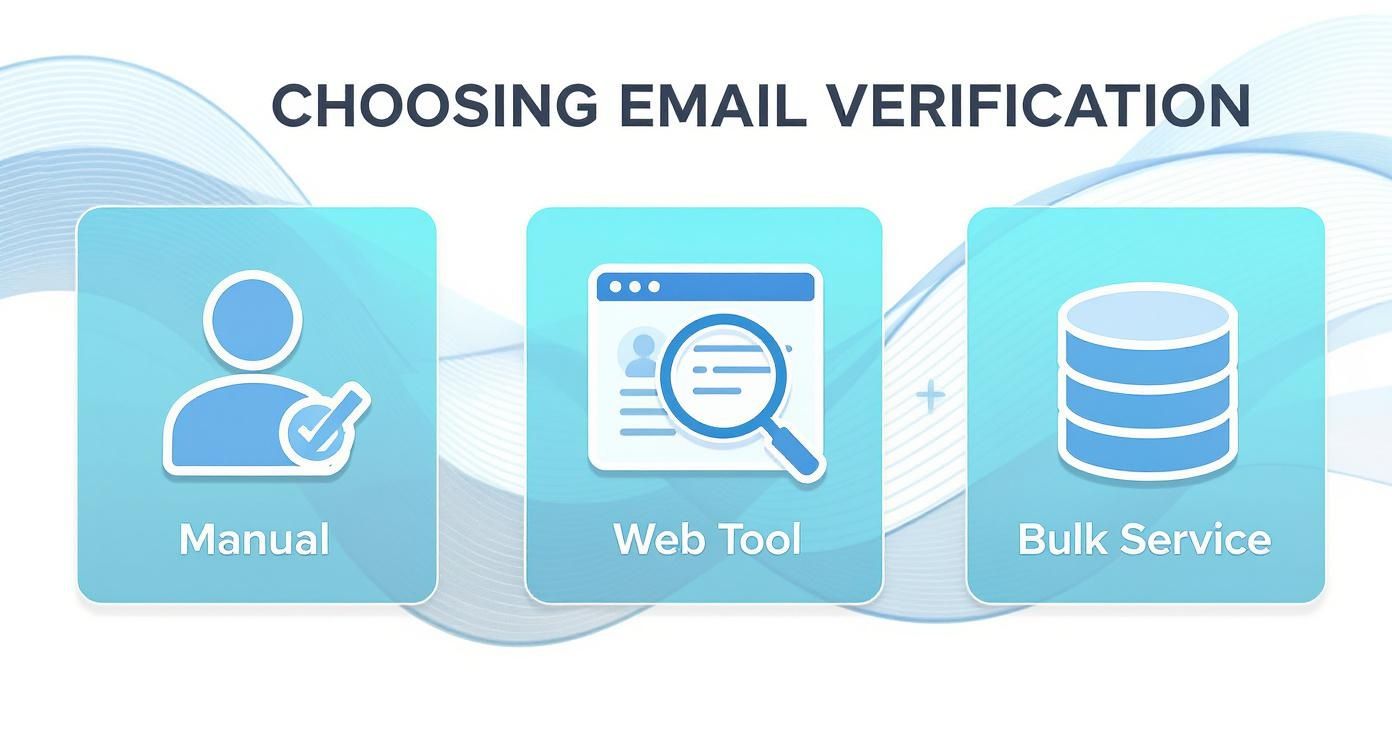
    Three options for email verification: manual, web tool, and bulk service with icons.

    As your list grows, you can see how leaning on a bulk service becomes less of a luxury and more of a necessity for both speed and accuracy.

    Decoding Your Verification Results

    Once your CSV is uploaded and the verification tool has done its thing, you’ll get a report back. This is where the magic happens. Knowing how to read these results is what separates a successful campaign from a one-way ticket to the spam folder.

    Your list will be broken down into a few key categories, and each one demands a different response.

    • Valid: Green light. These email addresses are real, active, and safe to send to.
    • Invalid: Red light. These are either flat-out fake or have typos. They will cause a hard bounce, so they need to go. Immediately.
    • Catch-All (or Accept-All): This is your yellow light. These emails are tied to domains that accept everything sent to them, so it's impossible to know for sure if the specific user exists. Sending to them is a bit of a gamble.
    • Spam Trap: This is a major hazard. These are bait emails set up by ISPs to catch spammers. Hitting just one can get your domain blacklisted, tanking your deliverability overnight.

    Taking Action on Each Segment

    Now for the final step: deciding what to do with each of these segments. Acting quickly and decisively here is crucial for protecting your sender score before you hit "send" on your next campaign.

    Here’s a simple game plan:

    1. Keep All "Valid" Emails: These are your money-makers. They stay right where they are.
    2. Delete All "Invalid" and "Spam Trap" Emails: Don't think twice. These addresses offer zero value and pose a massive risk. Get them out of your database for good.
    3. Segment "Catch-All" Emails Carefully: This is where you need a bit of finesse. Instead of trashing them, move them to a separate, low-priority list. You could try sending a low-risk re-engagement campaign to this group to see who bites. If you get no engagement, it’s time to let them go.

    By sticking to this workflow, you're doing more than just tidying up a list; you're actively managing and protecting your sender reputation. A disciplined approach gives your emails the best possible shot at landing in the inbox, which means better results and a better return on your effort.

    Integrating Real-Time Verification into Your Workflow

    Periodically cleaning your email list is a great defensive move, but the best strategy is to play offense. A proactive approach means you stop bad emails from ever getting into your database in the first place. This is where real-time verification completely changes the game.

    By integrating a verification API directly into your most critical entry points—signup forms, lead capture pages, checkout flows—you essentially set up an intelligent gatekeeper. This system instantly checks an email address the moment a user types it, giving them immediate feedback.

    This simple step is incredibly powerful. It catches common typos (john.doe@gamil.com) and blocks intentionally fake or disposable email addresses before they can pollute your data. The result? A database that stays pristine from day one, saving you a ton of time and resources on future cleanup.

    How API Verification Works

    Think of an API (Application Programming Interface) as a messenger between your website and an email verification service. When someone enters their email and hits "submit," your form sends that address to the verification service through the API.

    In a fraction of a second, the service runs its checks and sends back a simple response: valid or invalid. Your website then uses this answer to either accept the submission or prompt the user to fix their email. The whole thing is seamless and totally invisible to the user, creating a better experience while protecting your data quality. You can even use a simple tool to see how an email validity checker works behind the scenes.

    This instant feedback loop is a huge win. It doesn't just keep your list clean—it actually helps improve conversions by letting legitimate users fix simple mistakes that might have caused them to give up and leave.

    The security benefits are also a big deal. Real-time verification acts as a crucial first line of defense against security risks. Innovations in this area, like integrating blockchain technology, are making verification even more secure and efficient.

    For instance, one case study with a large financial institution showed that implementing a blockchain-based email verification system cut costs tied to email security breaches by 25%. This just goes to show how modern verification techniques can help protect against phishing and other fraudulent activities. To see more trends in email verification, you can explore the insights on the future of email discovery on superagi.com.

    Common Questions About Email Verification

    Jumping into email verification always brings up a few key questions. If you're wondering about the nitty-gritty details, you're in the right place. Let's tackle some of the most common things people ask.

    Verification Or Validation: What Is The Difference?

    People throw these terms around interchangeably, but there's a real difference that matters for your deliverability.

    Think of it like this:

    • Validation is the first, basic sniff test. It just checks the email's format. Does it have an "@" symbol? Is there a domain like ".com"? It confirms the syntax is correct, nothing more.
    • Verification is the real deal. It’s the process of actually checking with the mail server to see if that specific inbox exists and is ready to receive emails.

    So, while every verified email has been validated, not every validated email is actually deliverable. If you want a genuinely clean list, you need full verification.

    How Often Should I Clean My Email List?

    There isn't a one-size-fits-all answer, but a solid rule of thumb is to scrub your entire list at least every three to six months.

    You might need to do it more often, though. Consider a more frequent cleaning schedule if you:

    • See rapid list growth: The more people signing up, the more typos and fake emails you'll get.
    • Work in B2B: People switch jobs all the time. B2B email lists can decay at a shocking rate—some studies show as high as 22.5% per year.
    • Notice your bounce rate creeping up: A sudden jump in bounces is a red flag. It's time for an immediate cleanup.

    Does Verification Guarantee 100 Percent Deliverability?

    Simply put, no. And any service that promises 100% deliverability isn't being straight with you.

    Verification is a crucial step that massively boosts your chances of hitting the inbox. It confirms an address is real and can accept mail. But it can't account for things like your sender reputation, email content getting flagged, or a recipient's server suddenly blocking you.

    Think of verification as getting you to the front door. Whether you're invited inside still depends on other factors.

    What Should I Do With Catch-All Emails?

    Ah, catch-alls. These are the tricky ones. A catch-all server is set up to accept any email sent to its domain, so you can't be sure if jane.doe@company.com is a real person's inbox or just a black hole.

    Sending to them is a risk. Some might be perfectly fine, but many are low-engagement addresses or even spam traps in disguise.

    The smartest move is to treat them with caution. Segment all your catch-all addresses into a separate list. Send them a low-stakes engagement campaign—something that doesn't risk your sender reputation. If you get zero opens or clicks, it's safest to just remove them from your active mailing lists for good.


    Ready to stop guessing and start sending with confidence? EmailScout provides the powerful tools you need to verify email addresses in real-time or in bulk, ensuring your lists are clean and your campaigns hit their mark. Find unlimited emails for free with EmailScout today!


  • How to Check if Email Address is Valid

    How to Check if Email Address is Valid

    Knowing how to check if an email address is valid goes way beyond just looking at the syntax. Real validation means digging deeper. You need to confirm the domain’s mail server actually exists (that’s an MX record lookup) and then ping that server to see if the specific inbox is active—all without actually sending an email.

    Why Validating Emails Is Non-Negotiable

    A person working on a laptop with charts and graphs in the background, symbolizing digital marketing analysis.

    Before we jump into the "how," let's get clear on the "why." A clean email list is the engine of any good marketing campaign, but it's amazing how many people treat it like an afterthought. Letting bad emails pile up isn't a small mistake; it's something that creates real, tangible problems that can sabotage your entire outreach strategy.

    Think about an e-commerce store blasting out a flash sale. If 15% of their list is junk, thousands of people who might have bought something never even get the message. That's lost revenue, plain and simple. Or a B2B company trying to nurture leads with a drip campaign—every email that bounces back is a wasted resource and a missed connection. These aren't just hypotheticals; this is the everyday cost of a dirty list.

    The Hidden Costs of Bad Data

    Every single email that bounces sends a bad signal to providers like Gmail and Outlook. Rack up a high bounce rate, and your sender reputation takes a nosedive. Suddenly, even your emails to loyal, engaged customers start getting flagged as spam. It's a quick way to cripple your ability to land in the inbox.

    The consequences are pretty stark:

    • Wasted Marketing Spend: You’re literally paying to send emails into a black hole.
    • Damaged Sender Reputation: High bounce rates make you look like a spammer to the big email providers.
    • Skewed Engagement Metrics: Bad emails mess up your open and click-through rates, making it impossible to know what’s actually working.
    • Lost Sales Opportunities: Your most important messages—promotions, updates, lead nurturing—never even arrive.

    This isn't just about spring cleaning your list. It's about protecting your marketing ROI and making sure your message actually has a fighting chance to be seen.

    You don't have to take my word for it. The market for these tools is exploding. The global email validation market was valued at USD 1.1 billion in 2023 and is on track to hit USD 2.5 billion by 2032. That kind of growth tells you that smart businesses are taking this very seriously.

    Making sure your recipient addresses are accurate is just a fundamental part of digital communication. For a bigger-picture view, there are great resources on effective business mail management that touch on similar principles. At the end of the day, a solid verification process is the bedrock of any successful campaign. If you want to dive right in, our full guide on https://emailscout.io/how-to-verify-email/ is the perfect place to start.

    Here's a quick look at the core techniques we'll be covering, just to give you an idea of what's involved.

    Quick Guide to Email Validation Methods

    Validation Method What It Checks Complexity Level
    Syntax Check Basic email format (e.g., user@domain.com) Low
    DNS/MX Record Lookup Confirms the domain has a mail server Medium
    SMTP Handshake Pings the server to see if the inbox exists High

    Each of these methods plays a crucial role, from quick and easy format checks to the more complex server-level verifications that provide the highest accuracy.

    The First Line of Defense: Syntax and Format

    An abstract image showing the components of an email address, like a username, the '@' symbol, and a domain name, being assembled.

    Before you get into the weeds with complex server checks, the first and most basic way to check if an email address is valid is to look at its structure. Think of this initial syntax check as a quick proofread. It’s surprisingly good at catching the most common typos and data entry mistakes before they have a chance to become a bounced email.

    Every valid email address is built on a simple foundation: two core parts separated by an "@" symbol. You’ve got the local part (the bit before the "@") and the domain part (everything after). It sounds simple, but there are strict rules for what's allowed in each section. Break one of those rules, and the address is instantly invalid.

    Deconstructing the Local Part

    The local part—basically the username—is actually more flexible than you might think, but it still has its limits. It can contain uppercase and lowercase letters (A-Z, a-z), numbers (0-9), and a handful of special characters.

    The most common characters you'll see are:

    • Periods (.)
    • Hyphens (-)
    • Underscores (_)

    But here’s the catch: you can’t just put them anywhere. For example, an email address can’t start or end with a period, and you can’t have two periods right next to each other. This is exactly why an address like jane..doe@company.com gets flagged as invalid right away. It's a classic formatting mistake that any basic validation tool will catch in a heartbeat.

    Think of syntax validation as the gatekeeper. It doesn't know if the person actually exists, but it makes sure the address is written in a language the email system can understand. An incorrectly formatted address is like a letter with no zip code—it’s going nowhere.

    Analyzing the Domain Part

    The domain part is a bit more straightforward and has stricter rules. It has to be a valid domain name, which means it can only contain letters, numbers, and hyphens. Just like with the local part, it can't start or end with a hyphen.

    For instance, an address like support@-company.com is a no-go because of that leading hyphen in the domain. A less obvious but equally fatal error is something like info@company.co,, where a comma was accidentally typed instead of a period. These tiny typos are incredibly common, especially when people are compiling lists by hand.

    Here are a few real-world examples that a syntax check would immediately kick out:

    • john.smith@.gmail.com (Invalid: Domain starts with a period)
    • contact@company com (Invalid: Missing the top-level domain dot)
    • sales@acme. (Invalid: Incomplete domain)

    This first format check is the crucial first step that all automated tools perform. It’s a simple, fast, and incredibly efficient way to weed out a huge chunk of bad data without ever having to ping a server. By understanding these fundamental rules, you can spot the obvious errors yourself and get a better feel for what a full verification process is built on.

    Confirming the Domain and Mail Server Exist

    A magnifying glass hovering over a stylized network of servers, representing the process of finding a specific mail server.

    So, you've checked that an email address has the right structure. Great. But what good is a perfectly formatted address if it points to a domain that doesn't exist? Or one that isn't set up to receive email at all?

    This is where the real detective work begins. We need to go a level deeper to see if the destination is legitimate.

    Think of the internet’s Domain Name System (DNS) as a colossal, global address book. When we verify an email, we’re essentially looking up the domain to see if it has a valid listing. But we’re not just checking if the company exists; we’re looking for a very specific department: the mail server.

    The Role of MX Records

    This is where Mail Exchange (MX) records come into play. An MX record is a special entry in that global address book that basically says, "Yep, this domain accepts email, and you can send it right over here." If a domain doesn't have a valid MX record, any email you send is going nowhere fast—it'll just bounce right back.

    This check is a powerhouse for knocking out two of the most common invalid email types:

    • Domain Typos: It’s a lifesaver for catching simple mistakes, like an address ending in [email protected] instead of [email protected]. The misspelled "gamil.com" almost certainly won't have an MX record, flagging it as a dead end immediately.
    • Defunct or Fake Domains: It filters out addresses from websites that have shut down or were completely fabricated. If the domain is gone, its MX records are gone with it.

    Verifying the domain and its MX records is like checking a street address to make sure the building exists and has a mailbox. A syntax check confirms the address is written correctly, but the MX lookup confirms there's actually a place to deliver the mail.

    Imagine a marketing agency gets a hot new lead from [email protected]. The syntax is flawless. But a quick MX lookup reveals that the "bigcorp-marketing.com" domain doesn't exist. Instantly, they know the lead is junk without ever having to risk their sender reputation by sending an email.

    Beyond a Simple Domain Check

    This process gives you a much stronger signal of an email's validity than a simple format check ever could. It confirms that a server is actively configured and waiting to accept mail for that specific domain. It’s a non-negotiable step for any serious email verification and a fantastic way to clean up your lists.

    While you can do these lookups manually, understanding the concept is what's most important.

    If you find yourself with a long list of contacts from the same company, you might want to explore tools for an email lookup by domain to identify common patterns and verify addresses in bulk. This DNS-level check gives you the confidence to move on to the final, most definitive test: the SMTP handshake.

    The Ultimate Test: The SMTP Handshake

    After you’ve confirmed an email’s syntax is solid and its domain has a real mail server, it's time for the final, most definitive test. This is how we get as close as possible to proving an inbox exists without actually sending a message.

    Welcome to the SMTP handshake.

    Think of it like walking up to a post office and asking the clerk, "Does a John Doe have a P.O. Box here?" You aren't mailing a letter; you’re just checking if the box is there. The SMTP (Simple Mail Transfer Protocol) handshake operates on the same basic principle. An email verification tool starts a quick, polite chat with the recipient's mail server to ask that exact question.

    The tool connects to the server, says it wants to deliver a message to an address like john.doe@example.com, and then waits for the server’s reply. If the server comes back with a confirmation—basically saying, "Yep, that mailbox is here and ready for mail"—we have our answer. That positive response is the strongest signal you can get to check if an email address is valid and active.

    Navigating Real-World Complexities

    Of course, it’s not always that simple. Mail servers are complicated beasts, often armed with security measures that can get in the way of this simple query. Not every server is willing to give a straight "yes" or "no" to a stranger knocking on its digital door.

    You'll usually run into two main roadblocks:

    • Catch-All Servers: Some domains set up their mail servers to accept email for any address, whether it’s real or not. This is a "catch-all" configuration. In this case, the server will always give a positive response, making it impossible to know if john.doe@example.com is a real inbox or just a digital black hole.
    • Security Protocols: Many servers are designed to block or just ignore these kinds of verification pings. They might see the rapid-fire connection attempts from verification services as sketchy activity and simply refuse to answer, or even temporarily block the connection entirely.

    The SMTP handshake is the gold standard for accuracy, but its results are only as good as the server's response. A definitive 'yes' is great, but a vague or non-committal answer requires intelligent interpretation.

    Interpreting Server Responses

    This is where the quality of your verification tool really shows. A basic script might get a positive response from a catch-all server and wrongly mark the email as "valid." A smarter tool, however, can often identify these catch-all domains. It won't give you a simple "valid"—it'll classify the address as "risky," giving you the context needed to make an informed call.

    Modern email validation has moved way beyond simple pings. The best approaches now blend syntax checks, domain verification, and SMTP testing to paint a complete picture of an email's health. Some cutting-edge systems even use AI to analyze patterns and predict an email's long-term validity, while real-time validation at the point of sign-up is becoming standard practice. You can dive deeper into email validation best practices on Mailfloss.

    Understanding the SMTP handshake shows you how the most accurate verification methods work behind the scenes. It's not just a blind ping; it's a nuanced conversation that separates a genuinely good email from one that just looks right on the surface. This final check is the key to protecting your sender reputation and making sure your messages land in front of real people.

    Automating Your Checks with EmailScout

    After walking through the manual steps, it’s pretty clear they don't scale. Checking more than a handful of emails that way is a non-starter. This is exactly where a dedicated tool becomes your best friend.

    EmailScout rolls all those tedious steps—the syntax checks, the MX lookups, the SMTP handshake—into one slick, automated process. That kind of efficiency is a must-have for anyone who needs to check if an email address is valid in bulk.

    But it’s not just about speed. The real magic is in the extra layer of intelligence these tools provide. For example, EmailScout can spot temporary or disposable "burner" emails. While technically valid, they’re dead ends for any meaningful communication. It also flags generic, role-based accounts like info@ or support@ that rarely lead to good engagement.

    From Simple Pings to Smart Analysis

    One of the biggest headaches in email validation is the dreaded "catch-all" server. These servers are set up to accept mail for any address at that domain, making it impossible to know if an inbox actually exists. A simple script will get a positive response and mark it as valid, which is often wrong.

    This is where EmailScout shines. It can intelligently identify these servers and flag the email as "risky" instead of "valid," giving you the context you need to decide if it's worth the potential bounce.

    The whole process is a multi-layered verification system:

    • Syntax and Formatting: The first pass, instantly catching typos and basic formatting mistakes.
    • Domain and MX Verification: Confirms the domain is real and actually set up to receive email.
    • SMTP Handshake: Simulates sending a message to see if the specific mailbox is live.
    • Advanced Filtering: This is the smart part—sniffing out disposable domains, role accounts, and those tricky catch-all configurations.

    The SMTP handshake is the heart of it all. Think of it as a quick, three-step "conversation" between servers.

    Infographic about check if email address is valid

    This connect-greet-confirm flow is how a tool can verify an inbox exists without ever sending an actual email. If you want to dive deeper into the different capabilities available, you can explore the email validation features from astonishEmail.

    Understanding the Results

    When you use a tool like EmailScout, you get a clean, simple verdict for every email. No more guesswork. You just pop in the address and get an instant answer that's easy to understand.

    This lets you move from complex server codes to straightforward, color-coded statuses.

    Typically, the results break down into three main categories:

    1. Valid: The green light. The tool has confirmed the syntax, the domain's mail server is online, and the specific inbox exists. Send with confidence.
    2. Invalid: A hard no. The email is undeliverable. This could be from a typo, a dead domain, or the server confirming the mailbox is gone.
    3. Risky: This is the gray area. The address might be a catch-all, from a disposable service, or the server just didn't respond. Sending to these is a gamble.

    By automating these checks, you can scrub your lists in minutes, not hours. This protects your sender reputation, boosts deliverability, and makes sure your campaigns actually land in front of real people. That’s how you maximize your ROI.

    If you’re shopping around for a service, it helps to see how the options compare. For a full breakdown, check out our guide on the best free email verification tools to find the perfect fit for what you need.

    How Global Differences Impact Email Validation

    When you're trying to figure out if an email address is any good, the technical result is only half the story. Just because an address gets a "valid" stamp doesn't mean your email will actually land in their inbox, especially when you're dealing with a global audience.

    The truth is, different parts of the world have their own unique digital quirks—from ISP policies to local infrastructure and even cultural norms around email. Sending a campaign to a list in Western Europe is a completely different ballgame than sending one to certain parts of Asia. These aren't just tiny details; they're big enough to change how you should interpret your validation results.

    Regional Deliverability Rates Matter

    The data doesn't lie: there's a clear divide in how reliably emails get delivered depending on the region. Europe tends to have the highest inbox placement rates, but other areas can be a bit of a minefield. This isn't just theory; it's something you'll see in your campaign stats if you operate internationally.

    Regional deliverability can vary wildly. Europe, for example, boasts an inbox placement rate of around 91%, with North America not far behind at 87%. But the Asia-Pacific region often presents a much bigger challenge, with deliverability hovering closer to 78%. It gets even more specific at the country level. The UK hits a stellar 98.8% deliverability, while India is way down at 69.8%. That's a massive gap, and it makes solid validation non-negotiable for international campaigns. If you want to dive deeper into these numbers, UseBouncer has some great stats on global email marketing.

    An email address that's technically valid in a region with 78% average deliverability carries a higher inherent risk than one in a region with a 91% rate. This context should directly inform your email strategy.

    Practical Steps for Global Campaigns

    So, what do you do with this information? You get smarter. A one-size-fits-all approach to email validation just doesn't work when you're dealing with a global list. You have to adapt your strategy based on where your audience lives.

    Here are a few things you can do right away:

    • Be Extra Cautious with 'Risky' Results: If you're sending to regions with lower deliverability rates, treat any "risky" or "catch-all" emails with suspicion. The chances of them bouncing are just statistically higher there.
    • Segment by Geography: This is a big one. Break your email lists down by country or region. It lets you keep a closer eye on performance and tweak your sending habits for what works best in each market.
    • Use a Tool That Gets It: A good verification tool understands these international nuances. It's better at interpreting server responses from different corners of the globe, giving you a far more accurate verdict on an email's real status.

    At the end of the day, acknowledging these global differences is what separates the pros from the amateurs. It turns validation from a simple technical check into a key part of your international strategy, helping you protect your sender reputation and get more emails where they belong: in the inbox.

    A Few Common Questions About Email Validation

    Even with the best tools, you’re bound to have a few questions when you first dive into validating email addresses. It’s a new process for a lot of people. Here are some of the most common things we get asked by users just starting out.

    How Accurate Is This Stuff, Really?

    This is the big one. With a professional tool that layers syntax checks, MX lookups, and SMTP communication, you can expect up to 98% accuracy. It's incredibly reliable, but it’s important to know that 100% is never truly possible.

    A few things can get in the way of a perfect score:

    • Catch-all servers: These are set up to accept email for any address at a domain, whether the mailbox actually exists or not.
    • Greylisting: Some servers will temporarily reject a connection they don't recognize as a security measure.
    • Network hiccups: Sometimes, a mail server is just temporarily down or unreachable.

    Even with those variables, a multi-step validation process gives you a rock-solid signal of an email's health. You're not aiming for absolute perfection; you're trying to slash your bounce rate and protect your reputation, and this gets you there.

    Will This Send an Email to the Person?

    Nope, and that's the whole point. This is probably the biggest myth out there. The core of email verification—the SMTP handshake—was designed for exactly this scenario.

    Think of it like knocking on a door and asking if "John" is home. The server answers "yes" or "no," but you never actually open the door or go inside. The recipient never gets a notification, and no email ever hits their inbox.

    How Often Should I Clean My List?

    The short answer? More often than you think. As a rule of thumb, you should validate your entire list at least once a quarter. Marketing data consistently shows that email lists decay by over 20% every single year.

    People get new jobs, ditch old email providers, or just stop using an address. If you're running high-stakes campaigns or sending a lot of emails, you should clean your list even more frequently. Better yet, use a real-time verification API to check emails the moment they’re submitted on a form.


    Ready to stop guessing and start sending with confidence? EmailScout automates the entire validation process, giving you clear, actionable results in a single click. Find unlimited valid emails for free with EmailScout.

  • How to Verify Email and Boost Deliverability

    How to Verify Email and Boost Deliverability

    Let's be clear: verifying an email means confirming that an address is real, active, and can actually receive messages. It’s not just about a quick syntax check. A proper verification process involves looking at the domain, checking for MX records, and even pinging the mail server to see if a specific inbox exists.

    Why Email Verification Is a Must-Have Strategy

    Before we get into the "how," it’s crucial to understand the "why." Email verification isn't just some technical chore you knock off a list; it's a fundamental part of a smart business strategy that directly impacts your bottom line.

    Think about it this way: an unverified email list is like a leaky bucket. No matter how much time and money you pour into your marketing campaigns, you're just going to lose resources, miss opportunities, and damage your brand's credibility.

    Imagine you're about to launch a huge sales campaign. You've spent weeks crafting the perfect message and designing slick graphics, ready for the revenue to start rolling in. But if a big chunk of your list is invalid, those emails will bounce right back. The fallout is fast and painful.

    • Damaged Sender Reputation: High bounce rates are a massive red flag for email providers like Gmail and Outlook. They start to think you're a spammer, which means all your emails—even the ones going to valid addresses—are more likely to end up in the junk folder.
    • Wasted Marketing Spend: Every single email sent to a dead address is money down the drain. This includes your email service provider costs and, just as importantly, the time and effort your team put into the campaign.
    • Inaccurate Analytics: A list full of bad data completely messes up your metrics. Your open rates, click-through rates, and conversion numbers become meaningless, making it impossible to know what's actually working.

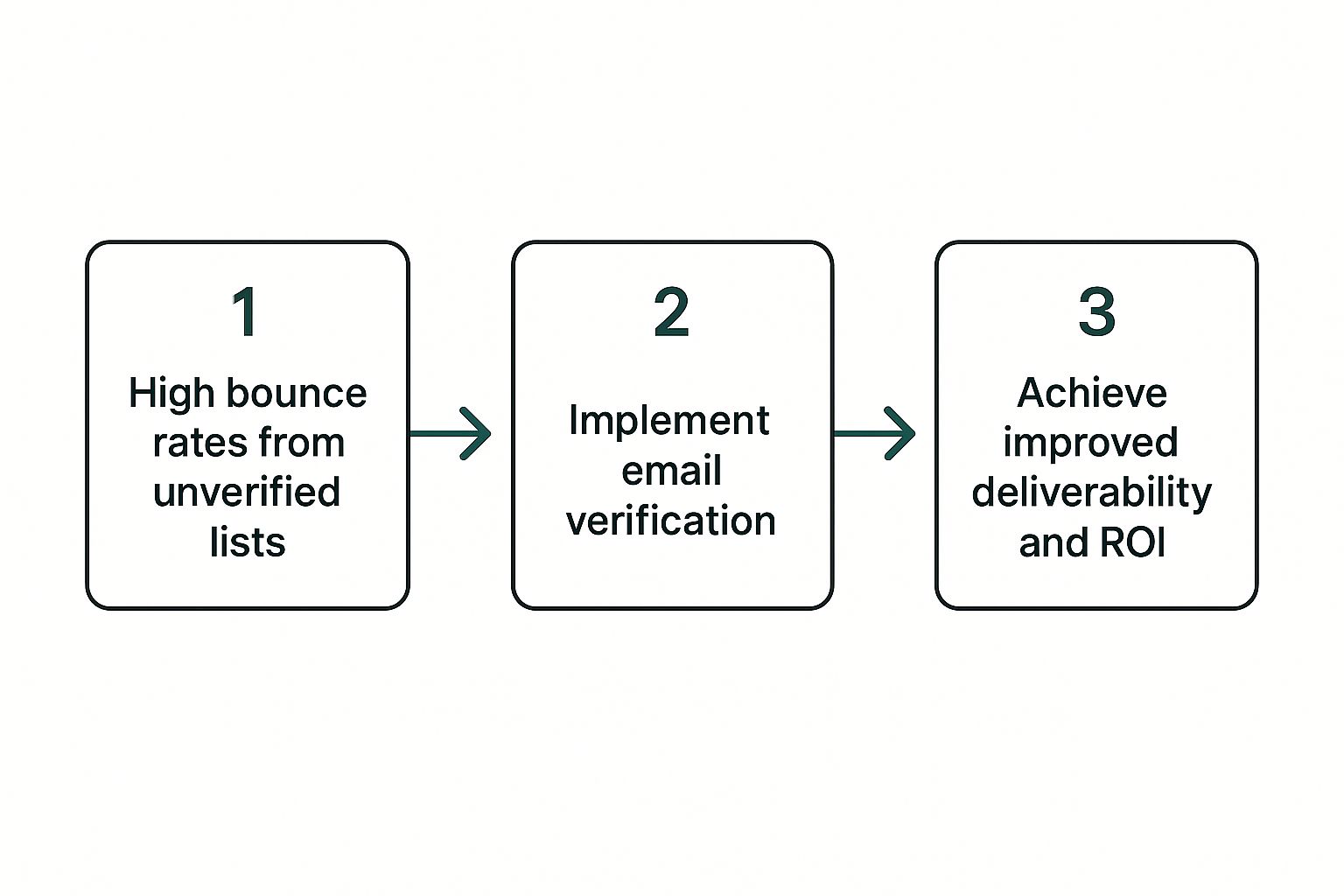
    This visual breaks down the simple but powerful journey from a messy, low-performing list to a clean, high-performing one.

    Infographic about how to verify email

    Ultimately, being proactive with verification turns an unreliable list into a powerful asset that drives real engagement and ROI.

    The Growing Importance of Clean Data

    The demand for clean email data has absolutely exploded. The global email verification software market was valued at USD 1.2 billion in 2023 and is on track to hit USD 2.8 billion by 2032. Why the massive growth? Because businesses are finally realizing how essential it is to reduce bounce rates and protect their sender reputations.

    A clean email list isn’t a one-time achievement; it’s an ongoing commitment to data quality. Think of it as essential maintenance for your most valuable communication channel.

    When you start treating verification as an investment instead of a cost, everything changes. You protect your marketing ROI, make sure your messages actually reach real people, and stay on the good side of email providers. For a much deeper dive into this, check out this complete guide to email verification and how it impacts marketing.

    Before we jump into the tools, let's look at a few manual methods you can use. They won't work for a list of 10,000 emails, but they're great for one-off checks or understanding the process.

    Manual Verification Methods At a Glance

    Verification Method Primary Goal Complexity Level
    Syntax Check Catch obvious typos and formatting errors Low
    Domain/MX Lookup Confirm the domain exists and can receive mail Medium
    SMTP Ping Directly ask the server if the inbox exists High

    These manual steps give you a good sense of what's happening behind the scenes when an automated tool does the work. Now, let's explore each one.

    Performing Manual Email Verification Checks

    A person at a desk manually inspecting a list of emails on a computer screen.

    Before you jump into automated tools, it’s incredibly helpful to understand what’s actually happening under the hood. Getting your hands dirty with a few manual checks gives you a real appreciation for the complexities of email verification.

    These techniques are the fundamental building blocks of the entire process. While they aren't practical for massive lists, they’re perfect for investigating a single high-value contact or just learning the ropes. Let's break down three core methods.

    The Foundational Syntax Check

    First up is the simplest check of all: syntax. This is purely about looking at the structure of the email address itself. Every valid email has to follow a specific format, and any deviation is an immediate red flag.

    You’re basically hunting for obvious typos or formatting errors that would make an address undeliverable right out of the gate. All you need is a keen eye.

    Common syntax mistakes to watch for include:

    • Missing "@" symbol: An address like johndoedomain.com is an instant fail.
    • Multiple "@" symbols: Something like john@doe@domain.com will never work.
    • Spaces or invalid characters: Things like parentheses, commas, or spaces aren't allowed.
    • Consecutive dots: An address such as john..doe@domain.com is invalid.
    • Domain formatting issues: The part after the "@" can't start or end with a hyphen or a dot.

    Think of this as the proofreading stage. You wouldn't send a letter to an address with a jumbled street name. The same logic applies here, and it's the fastest way to weed out basic data entry mistakes.

    Investigating the Domain and MX Records

    Once an email passes the initial sniff test, the next step is to make sure its domain is legitimate and actually set up to receive mail. This is done with a domain and MX record lookup.

    An MX (Mail Exchanger) record is a type of DNS record that tells the internet where to deliver email for that specific domain. If a domain doesn’t have a valid MX record, it simply can’t get email. It’s like having a street address with no mailbox.

    You can use free online tools for this. Just pop in the domain (like "emailscout.io"), and it'll show you the MX records. If it comes back with valid results, you know the domain is set up for email. Of course, doing this for more than a handful of addresses gets old fast, which is why most people rely on a dedicated service to validate an email address for them.

    This check confirms the "building" (the domain) exists and has a "mailroom" (a mail server). But it doesn't tell you if your specific recipient has an "office" there. For that, we need to go one step further.

    The SMTP Ping: A Technical Handshake

    The final manual method is the most technical but also the most definitive: the SMTP ping. This process involves talking directly to the recipient's mail server to ask if an address exists, all without sending an actual email.

    It works like a digital handshake. Your system connects to the mail server from the MX records and starts a conversation using a series of commands. You essentially say, "Hi, I have a message for user@domain.com," and the server's response tells you what you need to know.

    Here are the typical server responses:

    • OK / 250: This is a green light. It means the email address is valid, and the server is ready to accept mail for it.
    • Invalid / 550: This is a hard no. The server is telling you that user doesn't exist. The email is bad.
    • Catch-All Server: This is the tricky one. Some servers are configured to accept mail for any address at their domain. It's a defense mechanism to stop spammers from guessing valid emails, but it makes definitive verification much harder.

    An SMTP ping gives you the clearest answer on whether an inbox is real, but it's a complex process best left to automated systems that can properly interpret all the nuances of server responses.

    Choosing Your Verification Approach

    A person comparing two options on a split-screen, representing manual vs. automated email verification.

    Knowing how to check an email address by hand is a great skill to have, but you’ll quickly hit a wall. It’s one thing to check a single email, but what happens when you have dozens, hundreds, or even thousands? It just doesn’t scale.

    This is where you hit a fork in the road. Do you stick with the free, hands-on method, or do you bring in an automated service to do the heavy lifting? The best choice really boils down to your specific needs, the size of your list, and frankly, how much you value your time.

    The Scalability Dilemma

    Let's get practical for a moment. Imagine you're a small business owner fresh from a trade show with a list of 200 new leads. Verifying each one manually is a slog, but it's doable. You might lose a few hours, but you can get it done without spending a dime.

    Now, picture a larger company with a subscriber database of 50,000. Trying to manually check that list isn't just a bad idea—it’s impossible. The time commitment would be insane, human error would creep in everywhere, and the final results would be questionable at best. This is where the line between manual and automated verification becomes crystal clear.

    For any real-scale operation, an automated email verification service isn't a luxury; it's a must-have. It turns a mind-numbing, error-prone chore into a fast, accurate, and strategic part of your workflow.

    When you’re weighing these options, it helps to think about implementing an email verification program that formalizes your strategy and tool choices based on these very factors.

    Speed, Accuracy, and Cost

    The trade-offs between manual checks and automated tools like EmailScout really come down to three things. Getting a handle on them will point you toward the right solution.

    • Speed: Manual verification is painfully slow. You're looking at minutes per email. In contrast, automated tools can rip through thousands of addresses in that same amount of time.
    • Accuracy: A quick manual check will catch typos and obviously fake domains. But it won't spot the trickier stuff like spam traps, disposable email addresses, or "catch-all" servers designed to accept any email you send. Automated services are built to sniff out these subtle threats with near-perfect precision.
    • Cost: Manual methods are "free" if you don't count your time. But time is money. Automated tools have a subscription fee, but the return on investment from saved hours, better deliverability, and a protected sender reputation usually pays for itself.

    To make the decision even easier, let's put these two approaches side-by-side.

    Manual Verification vs Automated Services

    A head-to-head comparison shows just how different these two methods are in practice. One is a quick-fix for tiny tasks, while the other is a professional solution built for results.

    Feature Manual Verification Automated Service (e.g., EmailScout)
    Ideal For One-off checks, very small lists (under 50) Lists of any size, ongoing list hygiene
    Time Investment High (minutes per email) Low (minutes for thousands of emails)
    Error Detection Basic syntax and domain issues only Detects spam traps, disposables, catch-alls
    Scalability Extremely poor Excellent
    Cost Free (but high time cost) Subscription-based (high ROI)

    At the end of the day, learning manual verification is more of an educational exercise. For any serious effort to keep your email list clean, healthy, and effective, automation is the only way to go.

    Using Automation to Verify Emails at Scale

    A clean dashboard showing an email list being processed, with clear status indicators like 'valid', 'invalid', and 'risky'.

    While manual checks are a great way to wrap your head around how email verification works, they just don't scale. Once your list grows beyond a few dozen contacts, checking each one by hand becomes a massive time sink.

    That’s where automation stops being a "nice-to-have" and becomes an absolute necessity. Tools built for this, like our own EmailScout, are designed to do the heavy lifting, turning what used to be a tedious manual task into a quick background process. You get the accuracy without the hours of mind-numbing work.

    The real magic of automation is its ability to chew through thousands of emails with a speed and consistency that a human just can't match. Instead of pecking away at individual lookups, you can just upload your entire list and get a full health report back in minutes.

    From List Upload to Actionable Results

    Getting started with a service like this is dead simple. You typically just upload a CSV or a plain text file of your email list. That's it. The platform takes it from there, putting every single address through a series of checks that go way deeper than anything you could do by hand.

    We're talking about more than just basic syntax and domain checks. Bulk verification services are your front-line defense against dormant accounts, fraudulent sign-ups, and other list-killers. Many now lean on AI and machine learning to spot tricky issues like spam traps, disposable email addresses, and shady domains—things that are nearly impossible to catch manually. In fact, the market for these cloud-based tools is growing precisely because they've gotten so smart.

    Once the gears stop turning, you get a clean, detailed breakdown of your list. It’s not just a simple "good" or "bad." You get the kind of nuanced results that let you make smart decisions about your data.

    Decoding Your Verification Results

    The real value isn't just in the speed; it's in the detailed feedback. A good verification tool will neatly segment your list into clear categories, giving you the exact info you need to clean house.

    You’ll see statuses like these:

    • Valid: Green light. The email is active and safe to send to.
    • Invalid: The address is flat-out wrong—it either doesn’t exist or has a typo. These need to be deleted immediately to stop bounces.
    • Catch-All: This one is tricky. The server is set up to accept all mail sent to that domain, so you can't be 100% sure the specific inbox exists. They're a bit of a gamble.
    • Risky or Unknown: The server timed out or the address is from a known disposable email provider. These have a much higher chance of bouncing.

    By breaking your list down like this, you can get strategic. You'll want to scrub all the invalid and risky contacts right away. For catch-all addresses, you might be more cautious and send them a gentle re-engagement campaign first.

    This kind of detailed insight is a complete game-changer for keeping your list healthy. While paid tools will always offer the most powerful features, you can get a feel for how it all works by trying out some of the best free email verification tools on the market.

    Ultimately, automation flips the script on email verification. It’s no longer a reactive chore you do after a campaign bombs but a proactive strategy to protect your sender score and get the most out of every email you send.

    Building a Long-Term List Hygiene Strategy

    Running your email list through a verifier is a great start, but it's not a one-and-done fix. If you want to see real, lasting results, you have to treat data quality as an ongoing commitment, not a one-off project.

    Think about it: your list is a living thing. People change jobs, ditch old inboxes, and make typos all the time. Your strategy has to keep up.

    The smartest move you can make is to stop bad emails from ever making it onto your list. This is where real-time API verification is a game-changer. By plugging a verification API right into your signup forms, you can check an address the second a user hits "submit," blocking invalid entries before they can ever pollute your database.

    Create a Policy for Ambiguous Results

    After you verify a list, you'll always find some results that aren't a clean "valid" or "invalid." These are the tricky ones, often flagged as 'catch-all' or 'risky.' A catch-all server is set up to accept mail for any address at that domain, which means you can't be sure the specific inbox actually exists.

    Figuring out what to do with these emails requires a clear plan:

    • High-Value Contacts: If a lead comes from a key target company, you might decide to keep the catch-all address. You’ll engage with it knowing the risk is higher, but the potential reward is worth it.
    • Newsletter Subscribers: For a general newsletter, you're better off quarantining or removing catch-all emails. Prioritizing deliverability over sheer list size is the smarter play here.
    • Risky Emails: Addresses flagged as risky, especially from disposable email services, should almost always be deleted on sight.

    This kind of proactive management is a must for anyone serious about growing their audience. For a deeper dive, check out our guide on how to build an email list that stays clean right from the start.

    Schedule Regular List Maintenance

    Even with the best preventative measures, lists decay over time. It's a natural process called email churn. The only way to fight it is by scheduling regular, full-list verifications.

    For most businesses, running a full cleaning every quarter or twice a year is a solid rhythm. It helps you catch old and inactive emails before they start hurting your deliverability.

    Your email list is a dynamic asset; it needs continuous maintenance to retain its value. Regular cleanings are the best way to protect your sender reputation and maximize ROI.

    The world of email verification is always changing, right alongside digital communication itself. The eDiscovery market, which includes these tools, is expected to jump from USD 14.27 billion in 2024 to USD 22.5 billion by 2029, thanks to growing privacy rules and security needs. You can learn more about the future of email verification at superagi.com. Building a long-term hygiene strategy is how you stay ahead of the curve.

    Unpacking Common Email Verification Questions

    As you start cleaning up your email lists, you're bound to run into a few recurring questions. I see them all the time. Getting these sorted out will help you build a much more solid and effective strategy for keeping your lists healthy. Let's dig into a few of the most common ones.

    How Often Should I Verify My Email List?

    This is probably the number one question people ask. There's no single magic number, since it really hinges on how fast your list is growing.

    A good baseline for most lists is a full cleaning at least quarterly. But if you're in high-growth mode and adding hundreds or thousands of new subscribers every month, you'll want to ramp that up. For fast-growing lists, verifying monthly is a much safer bet to stay ahead of natural email churn.

    What Can I Realistically Expect from Verification?

    Another big one: "Does verification guarantee 100% deliverability?"

    The short answer is no, but it gets you incredibly close. Think of it as clearing a massive roadblock. Verification dramatically boosts your deliverability by weeding out all the invalid, risky, and flat-out non-existent addresses that cause hard bounces and tank your sender score.

    But other factors are still in play once you hit "send." These include:

    • Your Content: Emails stuffed with spammy keywords or broken formatting can still get flagged by filters.
    • Sender Reputation: Your domain's entire sending history matters a lot to email providers.
    • Engagement Signals: If people aren't opening or clicking your emails, providers take that as a sign your content isn't wanted.

    Verification makes sure the mailing address is correct, but it's up to you to make sure the package is something the recipient actually wants to open.

    Email verification is the single most impactful action you can take to improve deliverability. But it’s one critical piece of a larger ecosystem that also includes your content, reputation, and audience engagement.

    What About Privacy and Security?

    Finally, people get (rightfully) concerned about data privacy when using a third-party service. It’s a huge deal. When you upload your list, you're handing over sensitive customer data.

    Any verification service worth its salt will have a crystal-clear privacy policy. Look for providers who are GDPR compliant and explicitly state they won't share, sell, or do anything with your data. Secure handling, including encryption both in transit and at rest, is absolutely non-negotiable.

    Always do your homework before uploading a single contact. It's the only way to know how to verify email addresses without putting user trust or security on the line.


    Ready to stop guessing and start cleaning your lists with confidence? EmailScout gives you a powerful, secure way to protect your sender reputation and make sure your messages land in front of real people. Find unlimited emails and keep your data clean with EmailScout today!

  • How to Verify If an Email Address Is Valid

    How to Verify If an Email Address Is Valid

    To figure out if an email address is any good, you need to run it through a gauntlet of checks. It starts simple, with a basic syntax check, but quickly moves to more serious tests like SMTP verification. This whole process confirms that an email is not only formatted correctly but that its domain can actually receive mail and that a specific inbox is real and waiting.

    Why Email Verification Is So Important for Growth

    Sending an email seems easy, right? But its success is completely tied to the quality of your contact list. Every time you skip verification, you're taking a direct hit to your marketing budget, your sender reputation, and your overall shot at growth. An unverified list is just a minefield of dead ends—typos, old addresses, and throwaway accounts that only hurt your campaigns.

    This isn't just about a few minor hiccups; it's about protecting your brand's reputation. When your bounce rate starts climbing, the big players like Google and Microsoft notice. They start to see you as a potential spammer, which is the fast track to getting your messages filtered, blocked, or worse, having your domain blacklisted entirely.

    The Real Cost of a Dirty Email List

    The fallout from a poorly maintained list goes way beyond a few bounced emails. Every single "undeliverable" message chips away at your sender score—a critical metric that basically decides if your emails land in the inbox or get tossed into the spam folder. A low score means even your most loyal subscribers might never see your messages.

    Think about the ripple effect:

    • Wasted Money: You pay your email service provider for every email you send, whether it gets delivered or not. Sending to bad addresses is literally throwing money in the trash.
    • Messed-Up Analytics: High bounce rates completely skew your performance metrics. This makes it impossible to know what’s actually working or to make smart, data-driven decisions for your next campaign.
    • Trashed Sender Reputation: Internet Service Providers (ISPs) are always watching. If you keep sending emails to mailboxes that don't exist, it signals that you don't care about your list hygiene, which tanks your future deliverability across the board.

    A clean email list isn't just a 'nice-to-have'—it's the foundation of any email marketing strategy that actually works. Taking the time to verify your list ensures your message has a fighting chance to be heard, protecting both your investment and your brand.

    You can see how modern tools are designed to tackle this problem head-on. The screenshot from EmailScout's homepage shows an interface built for one thing: efficiency. It lets you process and clean your lists fast, so you can avoid the pitfalls of bad data.

    What Email Verification Means for Your Business Metrics

    Let’s take a look at the real-world impact of keeping your email list clean. The table below shows a clear 'before and after'—the risks you run with an unverified list versus the rewards you get from a clean one.

    Impact of Email Verification on Key Marketing Metrics

    Metric Without Verification (The Risk) With Verification (The Reward)
    Deliverability Rate Plummets as bounces and spam complaints rise. Stays high (98%+), ensuring messages reach the inbox.
    Bounce Rate Climbs above 2%, damaging sender reputation. Remains low (well below 0.7%), signaling a healthy list.
    Sender Reputation Degrades quickly, leading to blacklisting. Strengthens, improving inbox placement with major ISPs.
    Campaign ROI Decreases due to wasted sending costs and missed opportunities. Increases as more emails reach engaged, real customers.
    Engagement Rates Skewed and unreliable due to invalid data. Accurate and actionable, reflecting genuine user interest.

    As you can see, the benefits are immediate and directly tied to performance. All the hard work you put into building your email list deserves to be protected.

    If you're already focused on smart tactics like lead magnets and sign-up forms, you need to be just as focused on making sure those addresses are valid. For more on this, check out our detailed guide on how to build an email list.

    Ultimately, proactive verification is what fuels the metrics that matter. With over 347 billion emails sent every day and average open rates hovering around 24%, every single send counts. Keeping your bounce rate below the industry benchmark of 0.7% is non-negotiable; go over that, and you're telling email servers you can't be trusted. By making sure your emails reach real people, you create more opportunities for opens, clicks, and sales—turning your list into a reliable engine for growth.

    Understanding the Layers of Email Validation

    Image

    When you want to verify if an email address is valid, it's not a single check. Think of it more like a quality control line in a factory. Each station looks for a different problem, and an email only gets the "valid" stamp after passing every single inspection.

    This layered approach is absolutely critical. It systematically weeds out bad emails at different stages, catching everything from obvious typos to much sneakier issues hiding on the server side. If you skip a layer, you’re letting bad data slip through, which will wreck your sender reputation and drain your marketing budget.

    The First Filter: Syntax and Formatting Checks

    The first and most basic layer is the syntax check. This is your first line of defense, a quick grammar check for the email address format itself. It’s an automated process that spots fundamental mistakes right away.

    This initial pass asks a few simple but vital questions:

    • Is there exactly one "@" symbol?
    • Are there any illegal characters, like spaces or two dots in a row?
    • Does it have a local part (before the "@") and a domain part (after the "@")?
    • Is the domain part followed by a valid top-level domain (TLD) like ".com" or ".org"?

    For instance, an address like john.doe@.com or jane doe@company.com would fail this check instantly. Catching these simple errors is the low-hanging fruit of email validation, stopping the most obvious data entry mistakes from ever making it onto your list.

    Domain and MX Record Validation

    Once an email passes the syntax check, the next job is to see if its digital "street address" is actually real. This is where we check the domain and its Mail Exchange (MX) records. An MX record is just a public directory that tells the internet which mail servers are set up to receive email for that specific domain.

    If there's no valid MX record, an email has nowhere to go. It’s like trying to mail a package to a house that doesn't exist. This check confirms two crucial things:

    1. Domain Existence: It makes sure "company.com" is a real, registered domain.
    2. Mail Server Configuration: It verifies that the domain is actually set up to receive mail.

    Verifying MX records is a non-negotiable step. A syntactically perfect email like contact@nonexistentdomain123.com is still completely useless if the domain itself isn’t configured to handle mail. This check filters out addresses linked to expired or misspelled domains.

    These two foundational checks—syntax and domain validation—work together to knock out a huge chunk of invalid emails. They lay the essential groundwork for more advanced methods, like SMTP verification. By understanding how these layers work, you can see just how thorough you need to be to truly verify if an email address is valid and give your messages the best shot at landing in a real inbox.

    Using SMTP Checks for Ultimate Accuracy

    After you've weeded out the obvious errors with syntax and domain checks, it's time to bring out the big guns: the SMTP check. This is the most definitive test you can run to verify if an email address is valid.

    Think of it like a digital "knock on the door." Your verification tool opens a direct line to the recipient's mail server, but it hangs up before actually sending anything.

    This quick conversation, often called an SMTP handshake, is incredibly revealing. It essentially asks the server, "Hey, do you have an inbox for jane.doe@company.com?" The server's response is a straight yes or no. All of this happens without a single email ever being sent, which is why it's the gold standard for accuracy.

    How the SMTP Handshake Works

    The SMTP check is designed to catch the sneaky problems that other methods miss. A classic example is a correctly formatted email for an employee who no longer works at a company.

    An address like john.smith@company.com might look perfect. It would sail through syntax and MX record checks. But the SMTP handshake would get a firm "user unknown" response from the server, instantly telling you it's a dead end.

    It’s a discreet but highly effective way to confirm an inbox is active and ready to receive your messages. It simulates the first few steps of an email delivery, then stops just short.

    This infographic breaks down the foundational checks that pave the way for an SMTP test, showing how each layer builds on the last.

    Image

    As you can see, an email has to pass the basic structural tests before a more advanced SMTP verification even makes sense.

    Navigating Tricky Server Responses

    Things aren't always so black and white, though. Some mail servers are set up with a "catch-all" (or "accept-all") configuration. This means the server is programmed to accept email for any address at that domain, even gibberish like asdfghjkl@company.com.

    A catch-all server will give a positive response to an SMTP check for any username you throw at it. This makes it impossible to know if a specific inbox actually exists.

    This is where a smart tool like EmailScout really shines. It helps interpret these ambiguous server responses for you:

    • Valid: The server confirmed the specific user inbox exists. Green light.
    • Invalid: The server confirmed the specific user inbox does not exist. Dead end.
    • Risky / Catch-All: The server accepts all emails, so we can't be sure about this specific inbox. Proceed with caution.

    A "catch-all" status doesn't mean the email is bad—it just means the server is playing its cards close to its chest. For a high-value lead, it might be worth the risk of sending, but just know it could bounce.

    Understanding these nuances is what separates amateurs from pros. If you're blasting out a massive marketing campaign, you’ll probably want to skip the "Risky" addresses to protect your sender reputation. But for a handful of targeted sales emails? The potential reward of reaching the right person might easily outweigh the small risk. It's all about making strategic choices to keep your list clean while still chasing down important opportunities.

    How to Automate Verification with Modern Tools

    Image

    Knowing the theory behind email verification is great, but trying to do it all by hand is a whole different story. Let's be real: attempting to verify if an email address is valid one by one is just not feasible for any list that's big enough to matter.

    That's exactly where automated tools like EmailScout come into play. They transform what would be a monumental chore into a quick, almost effortless process.

    The workflow is refreshingly simple. You typically start by uploading your entire contact list, usually as a straightforward CSV file, right into the platform. From there, the service does all the heavy lifting. It runs every single address through that multi-layered validation gauntlet we talked about, from basic syntax checks all the way to advanced SMTP handshakes.

    Within minutes, you get back a detailed report that neatly segments your list into clear, actionable categories. No more guesswork.

    Making Sense of the Results

    The real magic of these tools isn't just the verification itself—it's how they translate the raw data. Instead of cryptic server codes, you get plain-English statuses that tell you exactly what to do next. This clarity is everything when it comes to protecting your sender reputation and getting the most out of your campaigns.

    Most verification tools use a similar set of statuses. Here's what you need to know:

    Understanding EmailScout Verification Results

    Interpreting the output from your verification tool is the final, crucial step. This table breaks down the common status codes, what they mean for your list, and the best course of action for each.

    Verification Status What It Means Recommended Action
    Valid The email address is confirmed to exist and the mailbox is active. Green light! Send your campaigns to these contacts with confidence.
    Invalid The email address definitively does not exist or was rejected by the server. Remove immediately. Sending to these will cause a hard bounce.
    Risky / Catch-All The server is set up to accept all mail, so the specific inbox can't be confirmed. Proceed with caution. These have a higher chance of bouncing or being a spam trap.
    Unknown The server didn't respond or timed out during the verification check. It's best to treat these like "Risky" emails. Set them aside for now.

    By segmenting your list based on these results, you can finally make smart, data-driven decisions.

    For a massive marketing blast, sticking to just the 'Valid' group is your safest bet. But for a highly targeted sales email? Sending to a 'Risky' address could be a calculated gamble that pays off.

    A Look Ahead at Verification Tech

    And this space is only getting smarter. Industry experts predict that by 2025, automated email verification systems will routinely use AI to not just validate an address, but to predict its likelihood of being engaged. These next-gen systems go beyond simple pings and checks by analyzing behavioral patterns and historical data to spot potential problems before they even happen.

    Ultimately, automation is the only practical path forward for managing email list hygiene at any kind of scale. While there are plenty of services out there, finding one that clicks with your workflow is key.

    If you're just dipping your toes in the water, a great place to start is by exploring the 12 best free email verification tools. It's the perfect entry point for building a cleaner, more powerful contact list from day one.

    Making Email Verification Part of Your Daily Grind

    Good email hygiene isn't something you do once a year. It's a constant, ongoing process that you bake right into your day-to-day operations. The real goal is to shift from reactive cleanups to proactive, always-on maintenance. This ensures your marketing and sales efforts are always built on a solid foundation of real, deliverable email addresses.

    This means looking beyond the occasional scrub of your master list. The real wins come when you embed verification at every single point where you collect an email. The most effective way to do this? A real-time verification API on all your signup forms, lead magnets, and checkout pages.

    Think of it as an instant gatekeeper. When someone types in their email, the API does a lightning-fast check behind the scenes. If it's a dud—whether from a simple typo or a bogus domain—it gets rejected on the spot. Bad data never even gets a chance to pollute your system.

    Creating a Routine for List Maintenance

    Even with real-time checks in place, you still need to do periodic list scrubs. It's just a fact of life: people change jobs, companies merge, and old email addresses get abandoned. Data decay is a real thing, with marketing databases losing around 22.5% of their accuracy every single year.

    To fight back, set up a simple, repeatable schedule for cleaning your entire database. For most businesses, a quarterly deep clean is the perfect rhythm.

    • The Quarterly Scrub: Once a quarter, export your entire contact list and run it through a bulk verification service. This is your chance to catch any addresses that have gone stale since they were first added.
    • The Pre-Campaign Check: Got a major campaign coming up? Before you hit send, run that specific segment through one last verification. It’s a crucial final step to boost deliverability and protect your sender score when it matters most.

    Proactive verification is a mindset. When you build these checks into your daily and quarterly workflows, you stop treating data hygiene as a chore and start seeing it for what it is: a core part of your growth strategy.

    Automating How You Find and Clean New Contacts

    Your workflow also needs to cover how you source new leads. When you're building lists from professional networks or company websites, you need a smart way to find and validate contacts at the same time. This is where a couple of good tools can really make a difference.

    For instance, after you’ve found some promising leads, you can use a free email extractor online to quickly pull any publicly listed addresses from their websites. But here’s the critical part: you immediately run those new emails through a verification tool before they ever touch your CRM.

    This simple two-step process—extract, then verify—makes sure every new contact you add is both relevant and reachable from day one. By making this your standard procedure, you consistently verify if an email address is valid as a natural part of your outreach, not as a separate, annoying task you have to deal with later.

    Common Questions About Email Verification

    Image

    Even when you have a solid game plan, a few questions always seem to pop up once you start digging into email verification. Let's clear the air and tackle the most common ones I hear.

    Getting these details right is about more than just cleaning a list. It's about making sure your process is effective, compliant, and built to last.

    Is Verifying Emails Legal?

    Yes, it's not only legal—it's a marketing best practice. Verifying an email address is a technical process of checking public records and communicating with mail servers. It doesn’t involve snooping on private information or sending a single unsolicited message.

    In fact, verification helps you stay on the right side of regulations like the CAN-SPAM Act. This law mandates that you handle opt-outs correctly and maintain a clean list. The penalties for non-compliance are no joke, with potential fines reaching up to $53,088 for a single email violation.

    How Often Should I Clean My Email List?

    This depends on how fast your list is growing, but a good rule of thumb for most businesses is to do a thorough cleaning at least once a quarter. Email data goes stale faster than you'd think. Some studies show that lists lose over 22% of their accuracy every year as people switch jobs, change providers, or just abandon old inboxes.

    If you're a high-volume sender or adding new subscribers daily, moving to a monthly verification schedule is an even smarter move. The real secret is consistency.

    Don't wait for your bounce rate to shoot through the roof before you act. Think of regular verification as preventative maintenance for your most valuable marketing channel. It’s a proactive habit that protects your sender reputation and keeps your deliverability sky-high.

    Can I Verify a Single Email Address?

    Absolutely. While bulk verification is your go-to for cleaning entire databases, there are plenty of times when you just need to check one high-value contact before hitting "send." Nearly every quality verification service has a tool for single email checks.

    This is a lifesaver for people like:

    • Sales Reps: Double-checking a key prospect's email before sending that crucial first pitch.
    • Account Managers: Making sure an important client update actually reaches the right person.
    • Recruiters: Validating a top candidate’s contact info before an offer goes out.

    It’s a small, quick step that prevents embarrassing bounces on communications that really matter.

    Will Verification Hurt My Sender Reputation?

    This is one of the biggest myths out there. When done correctly, email verification will not harm your sender reputation. The methods we've discussed, like the SMTP handshake, are designed to be non-intrusive. They open a conversation with the mail server but hang up before actually trying to send an email.

    The server just sees a quick, harmless query. What really tanks your reputation is repeatedly sending emails to bad addresses and racking up hard bounces. In that light, verification isn't the problem—it's the solution.


    Ready to stop guessing and start connecting? EmailScout gives you the tools to clean your lists, find fresh leads, and make sure your message lands in the right inbox, every time. Try our email finder and verification tools for free and see what a difference a clean list makes.