Tag: lead nurturing

  • How to Increase Sales Conversion Rate: 7 Proven Tactics to Convert More

    How to Increase Sales Conversion Rate: 7 Proven Tactics to Convert More

    If you're trying to boost your sales conversion rate, the first move isn't to start throwing new tactics at the wall. You need to diagnose the real friction points in your sales funnel and get a clear baseline of where you stand today.

    This means calculating your current rate, figuring out exactly where prospects are dropping off, and digging into customer feedback. Only then can you focus your efforts where they'll make the biggest impact.

    Your Starting Point: Diagnosing Low Conversion Rates

    Before you can fix a leaky bucket, you have to find the holes. I've seen too many teams rush to implement new strategies without ever understanding why their current process is broken. That's a surefire way to waste time and money on changes that miss the mark entirely.

    A systematic diagnosis is your foundation for real improvement. This isn't about chasing vanity metrics like website traffic or social media likes. It's about getting into the hard numbers that reveal the health of your sales process from top to bottom. The goal here is to shift from guesswork to a data-driven plan.

    Calculate Your Baseline Conversion Rate

    First things first: what is your current sales conversion rate? Without this number, you have no way of knowing if anything you do is actually working.

    The formula is simple:

    (Total Number of Sales / Total Number of Leads) x 100 = Sales Conversion Rate

    So, if you generated 500 leads last quarter and closed 25 of them, your conversion rate is 5%. This single metric is your north star. It's the benchmark you'll measure all future changes against.

    It also gives you context. While averages vary wildly by industry, a typical B2B conversion rate often hovers between 2-5%. Knowing where you stand is a critical first step.

    Pinpoint Funnel Drop-Off Points

    Okay, you have your overall rate. Now you need to break down your funnel stage-by-stage. A 5% overall conversion rate doesn't tell you where the other 95% of leads went. You have to find the leaks.

    This diagram breaks down the core diagnostic process I follow.

    A diagram illustrating a 3-step sales funnel diagnostics process with metrics and root causes.

    The flow from calculation to root cause analysis ensures you’re targeting the weakest links in your sales process, not just making random tweaks.

    To pinpoint these weaknesses, I always start by tracking a few key metrics at each stage of the funnel.

    Key Metrics for Diagnosing Your Sales Funnel

    This table breaks down the essential metrics you should be tracking to find performance gaps in your sales process.

    Funnel Stage Key Metric What It Tells You Industry Benchmark
    Awareness Lead-to-MQL Rate Is your initial messaging attracting the right people? 10-15%
    Consideration MQL-to-SQL Rate How well is your sales team qualifying inbound interest? 20-30%
    Decision SQL-to-Opportunity Rate Are qualified leads turning into real sales conversations? 50-60%
    Closing Opportunity-to-Win Rate How effective is your team at closing deals? 20-30%

    Tracking these numbers will quickly show you where the biggest drop-offs are happening. For a deeper dive, our guide on how to qualify sales leads offers some great insights for shoring up the early stages.

    Some common problem areas I see all the time include:

    • Initial Contact to Demo: Leads go dark after your first email? It could be a problem with your value proposition or targeting.
    • Demo to Proposal: Prospects seem excited during the demo but never ask for a proposal? Your presentation might not be connecting their pain points to your solution.
    • Proposal to Close: A big drop-off after you send pricing? That usually points to sticker shock or a failure to properly build value and ROI.

    Analyze Qualitative and Quantitative Data

    The numbers tell you what is happening, but they rarely tell you why. For the full picture, you have to pair your quantitative data with qualitative feedback.

    • Website Analytics: Use a tool like Google Analytics to see what users are doing on key pages. Are people bouncing from your pricing page instantly? Is your contact form too long, causing people to give up?
    • Customer Feedback: Survey your current customers. I love asking, "What almost stopped you from buying?" Their answers are pure gold.
    • Sales Team Insights: Your sales reps are on the front lines. They hear objections every single day. Create a simple system to log this feedback and look for patterns.

    Once you’ve identified the weak spots, figuring out how to improve your website conversion rate is a great next step for driving more sales. By methodically auditing each touchpoint, you can build a clear, data-backed roadmap to a higher conversion rate.

    Fine-Tuning Your Funnel for Maximum Impact

    Now that you’ve pinpointed your funnel's weak spots, it's time for some strategic fine-tuning. This is where small, smart tweaks can create massive gains in your sales conversion rate. Forget about a complete overhaul; we're going to zero in on the critical touchpoints where prospects are making key decisions.

    A person uses a laptop displaying 'BOOST CONVERSIONS' charts and graphs on a wooden desk.

    The name of the game is reducing friction. You want to build momentum and guide people smoothly from one step to the next. Let's get into the practical psychology behind high-converting pages and how you can put it to work.

    Crafting a High-Converting Landing Page

    Your landing page is often the first real conversation you have with a potential customer. It has exactly one job: get the visitor to take a specific action. Every single element—from the headline to the button color—needs to work together to make a powerful case.

    Think of it as a lightning-fast sales pitch. You have just a few seconds to grab attention, show your value, and build enough trust to earn that click. The data is clear: you have less than eight seconds to make an impression before someone hits the back button.

    To make every second count, I always focus on these three things:

    • A Magnetic Headline: Your headline has to speak directly to your visitor's biggest problem or their most desired outcome. It needs to be dead simple and instantly answer, "What's in it for me?"
    • Persuasive Copy: Use simple, benefit-focused language. Don’t just list features; show how they solve a real-world problem. Short sentences and scannable bullet points are your best friends.
    • Compelling Social Proof: People trust other people, not brands. Slapping on testimonials, case studies, customer logos, or positive reviews is the quickest way to build credibility and show you’re the real deal.

    A well-crafted landing page isn’t just about looking good; it's about creating a psychological journey that makes the visitor feel understood and confident in their decision to move forward.

    Simplifying the Path to Purchase

    Every extra field in a form, every confusing link, every surprise at checkout—these are all exit doors for your customers. Friction is the absolute enemy of conversions. Your mission is to make the entire process feel effortless and obvious.

    A classic mistake I see all the time is a bloated sign-up form. If you're asking for a phone number and company size just to download a simple PDF, you’re putting up a huge roadblock. Get only the info you absolutely need right now. You can always ask for more later.

    Here are some high-impact areas to simplify:

    1. Streamline Your Forms: Cut fields down to the bare minimum. For every single field, ask yourself, "Do I really need this right now?"
    2. Clarify Your Call-to-Action (CTA): Use strong, action-oriented words. Instead of a lazy "Submit," try "Get Your Free Demo" or "Download My Guide." The button should promise exactly what happens next.
    3. Optimize the Checkout Process: For e-commerce, this is make-or-break. A clunky checkout is the #1 reason for abandoned carts. Offer guest checkout, show off security badges, and be completely transparent with costs upfront.

    For more hands-on strategies, these 10 proven e-commerce conversion rate optimization tips are worth a read. Even something as simple as offering the right payment options can make a huge difference; one study found it boosted conversions by 7.4% on average.

    Ultimately, you need to walk through the entire journey from your user's point of view. If you want to get a better handle on how all these touchpoints connect, check out our guide on how to create a sales funnel that works. By methodically knocking down the barriers on each page, you turn interested visitors into paying customers.

    Refining Your Outreach with Hyper-Personalization

    Once your website and funnel pages are dialed in, the next big lever you can pull to lift conversion rates is your direct outreach. Let's be honest: sending generic, one-size-fits-all emails is a surefire way to get ignored or, worse, land in the spam folder.

    In today's packed inboxes, personalization isn't just a nice-to-have. It’s the only way to cut through the noise and prove to a prospect that you’re worth their time. This isn't about just dropping a {{first_name}} tag in your template and calling it a day. True hyper-personalization turns your cold outreach from a numbers game into a genuine relationship-building strategy. It takes a little more effort upfront, but the payoff in reply rates and closed deals is massive.

    Smartphone displaying a personalized outreach app, notebook, pen, and coffee on a clean desk.

    The goal here is simple: show you’ve done your homework. When you can demonstrate a real interest in the person on the other end, you immediately stand out from the 95% of outreach that’s just lazy automation.

    Moving Beyond Basic Personalization

    The first step is gathering the right intel. Before you write a single word, you need to know who you're contacting and what they actually care about. This is where finding the right decision-makers becomes so critical.

    A tool like the EmailScout Chrome extension is perfect for this. It lets you find verified email addresses right from a prospect's LinkedIn profile or company website. This simple step saves a ton of time and ensures you’re actually talking to the right person, not just shouting into the void of a generic "info@" address.

    Once you've got the correct contact, the real work starts. You need to find a specific, relevant "hook" to build your message around.

    Some of my favorite hooks include:

    • A recent LinkedIn post: "Saw your post on scaling sales teams—your point about data accuracy really hit home…"
    • Company news or funding: "Congrats on the Series B funding! Scaling your SDR team must be a huge priority right now."
    • A podcast or article quote: "Heard you on the 'SaaS Breakthroughs' podcast and loved your take on product-led growth."
    • A shared connection or interest: "Noticed we both went to the SaaStr conference last year. Did you happen to catch the session on enterprise sales?"

    This kind of opener instantly transforms the dynamic from a cold pitch into a warm conversation.

    Crafting Messages That Actually Connect

    With your research done, you can now write an email that feels like it was crafted for an audience of one. The key is to be quick, concise, and immediately relevant.

    The data backs this up, too. Personalizing your emails can bump your sales conversion rates by up to 10% and boost click-through rates by 14%. The latest 2025 email marketing stats are even more convincing, showing that personalized messages drive transactions at six times the rate of generic blasts. For EmailScout users, this is a clear playbook: use the extension to get verified emails, then build your pitch around their recent activity or company news. You can dig into more of the data on the importance of email personalization.

    Let's look at a real-world example.

    Generic Outreach (The Bad Way):

    Subject: Quick Question

    Hi Jane,

    My name is Alex and I'm with XYZ Corp. We help companies like yours increase their sales.

    Can we schedule a 15-minute call next week to discuss?

    Best,
    Alex

    This email is all about Alex, offers zero value to Jane, and is destined for the trash folder.

    Hyper-Personalized Outreach (The Better Way):

    Subject: Your LinkedIn post on SDR burnout

    Hi Jane,

    I saw your post yesterday on the challenges of SDR burnout and it struck a chord. Your point about tedious manual tasks draining motivation is something we see a lot.

    My team at XYZ Corp. built a tool that automates lead list building, which our clients say saves each rep about 5 hours a week of that exact kind of manual work.

    No pressure for a call, but thought you might find our recent case study on this interesting.

    Cheers,
    Alex

    See the difference? The second email focuses on Jane, references something she actually said, connects it to a pain point, and offers value without a hard sell. This is how you start conversations that lead to higher conversion rates. It’s about being a helpful resource, not just another salesperson clogging up an inbox.

    Building High-Quality Lead Lists with Smart Segmentation

    Personalized outreach is a game-changer, but it falls flat if you’re talking to the wrong people. Your sales conversion rate lives and dies by the quality of your lead list. Sending the perfect email to a bad-fit prospect is just as useless as sending a generic template to your dream customer.

    So, the focus has to shift from just crafting the message to building the right audience. You're not just hunting for emails; you're hunting for the right emails—contacts who fit your ideal customer profile (ICP) to a T. Without a clean, targeted list, you’re basically sending your sales team into battle unarmed.

    From Mass Collection to Strategic Curation

    Forget buying those massive, dusty email lists or scraping thousands of contacts who couldn't care less about your product. Modern lead gen is all about precision. Quality over quantity, every single time. Every single person on your list should be there for a reason.

    This starts with finding prospects efficiently. A tool like EmailScout's URL Explorer can take a list of company websites and pull out verified emails in minutes, turning what used to be hours of mind-numbing manual work into a quick, automated task.

    Combine that with a feature like AutoSave, which grabs contacts while you're browsing LinkedIn or company pages, and you can build a super-relevant prospect list without ever disrupting your workflow. These tools aren't just finding random emails; they're helping you curate a list of actual decision-makers at companies you’ve already vetted.

    The Power of Smart Segmentation

    Okay, so you've built a solid list of prospects. Now for the fun part: segmentation. Blasting the same exact message to every single person on your list is a classic rookie mistake. Segmentation is simply the art of slicing your list into smaller, smarter groups based on things they have in common.

    This lets you tailor your messaging with surgical precision. You can speak directly to the unique pain points, priorities, and even the industry jargon of each subgroup. Instead of a generic, one-size-fits-all pitch, you're starting multiple, highly relevant conversations at scale.

    Some of the most effective ways to segment are pretty straightforward:

    • Job Title/Role: The CEO cares about high-level ROI. The Marketing Manager is worried about campaign performance and MQLs. Segmenting by role lets you frame your value proposition in a way that actually resonates with them.
    • Industry: A SaaS startup and a construction firm operate in different worlds. They face different challenges and speak different languages. Segmenting by industry shows you've done your homework.
    • Company Size: A 20-person startup has different buying processes and budget constraints than a 2,000-employee enterprise. Your pitch needs to reflect that reality.
    • Lead Source: Where did they come from? A contact you found using EmailScout's site finder needs a different introduction than someone you met at a conference last month.

    Turning Segments into Conversions

    This isn't just about being organized; it's about getting results. Ruthless email segmentation can boost click-to-open rates to 15.49% and drive conversions well past the typical 2-5% benchmark.

    While the most recent data shows average email click rates sit around 2.09%, top-tier segmented campaigns can hit as high as 4.90% in certain industries. For EmailScout users, this means strategically dividing your lists to get maximum engagement. You can dig into more of the data on how segmentation impacts conversion rates by industry to see for yourself.

    Segmentation isn’t just a list-cleaning tactic; it's a core conversion strategy. It makes sure the right people get the right message at the right time, which massively increases the odds they’ll actually pay attention and take action.

    Think of it this way. If you’re selling a project management tool, you could create two distinct segments: "Startup Founders" and "Enterprise Project Managers."

    • For the Founders: You'd talk about speed, affordability, and getting set up in minutes.
    • For the Enterprise PMs: You'd highlight security, robust integrations, and scalability for huge teams.

    Both groups get a message that feels like it was written specifically for them. That's how you make your outreach feel personal, not programmatic, and start seeing your conversion rates climb.

    Putting Smart Automation to Work for Nurturing and Conversion

    If you're still relying on manual follow-up for every single lead, you're guaranteed to be leaving money on the table. It's just not scalable. Smart automation is what allows you to consistently nurture leads, making sure every prospect gets the right message at the right time—without burning out your team.

    Person holding a tablet displaying a network of email automation process icons and banner.

    This is where those high-quality, segmented lists we talked about become your secret weapon. They fuel automated sequences that guide prospects along their buying journey, which frees up your sales reps to focus on what they do best: closing deals with high-intent leads.

    Setting Up Your Core Automated Sequences

    You don't need a dozen complicated workflows to see a real impact. In fact, you can completely change your conversion game by starting with just three foundational automation sequences. Think of these as the workhorses doing the heavy lifting for you.

    From my experience, these are the three to build first:

    • The Welcome Series: This is your first impression. A solid welcome sequence confirms a new lead's interest, delivers immediate value, and sets the stage for what's to come. It’s your best shot at turning a flicker of curiosity into real engagement.
    • The Re-engagement Campaign: What about leads that have gone dark? A re-engagement campaign automatically pings dormant contacts with a compelling offer or useful content to try and bring them back into the conversation.
    • The Abandoned Cart Flow: For any e-commerce business, this is an absolute must. This sequence emails users who added items to their cart but bailed before buying, recovering revenue that would have otherwise been lost.

    The numbers back this up. Email automation quietly works in the background, delivering an average 1.9% conversion rate. Specific sequences, like a well-timed welcome series, can hit 42.1% open rates and 5.4% click rates. When done right, the ROI is massive.

    By automating these key touchpoints, you build a system that works for you 24/7. No lead gets forgotten, and every prospect is nurtured based on their behavior, which dramatically boosts your odds of making a sale.

    A Practical Welcome Sequence Example

    Let's make this real. Imagine a prospect just downloaded an e-book from your site and landed on a segmented list you built with EmailScout. A welcome sequence is the perfect tool to nurture this warm lead and nudge them toward a sale.

    Here’s a simple but incredibly effective three-part flow:

    1. Day 1 – The Immediate Value Add: The first email goes out instantly. It delivers the e-book they asked for and includes a short, personal intro to your company, reinforcing the fact that they made a good choice.
    2. Day 3 – The Problem-Focused Follow-Up: A couple of days later, a second email arrives. This one hones in on the core problem your product solves, maybe sharing a quick case study or a customer story related to the e-book's topic.
    3. Day 7 – The Soft Call-to-Action: The final email in the sequence gently nudges them toward the next step. This could be an offer for a no-pressure demo, a free trial, or an invite to an upcoming webinar.

    Notice this isn't a hard sell; it's a strategic conversation. You're building trust and proving your value over a few days. Each email is a small step guiding the prospect closer to becoming a customer. If you want to dig deeper into the strategy behind this, check out our guide on what sales automation is and how it can help.

    By putting these smart, targeted sequences in place, you create a scalable system that nurtures leads from initial interest to final sale—all without you lifting a finger.

    Common Questions About Increasing Conversion Rates

    When you dive into conversion optimization, a few questions always pop up. It’s totally normal to wonder about industry benchmarks, how long it’ll take to see results, or even where to start. Getting straight answers helps you stop guessing and start making smarter moves.

    This section breaks down the questions I hear most often from sales and marketing pros trying to bump up their sales conversion rate.

    What Is a Good Sales Conversion Rate?

    This is the big one, and the honest answer is always: it depends. A "good" sales conversion rate changes dramatically based on your industry, price point, how people find you, and how long it takes to close a deal. Chasing some universal number is a recipe for frustration.

    For instance, an e-commerce site doing high volume might average a 2.8% conversion rate and be happy. But a B2B SaaS company with a six-month sales cycle might be popping champagne for a 2.4% rate. The only number that truly matters is your own.

    Your real goal should be to make consistent, measurable improvements from where you are right now. For a business with decent traffic, even a 1% lift in conversions can mean a huge jump in revenue.

    How Long Does It Take to See an Increase?

    The timeline for results depends on what you change and the length of your sales cycle. You’ve got to be patient, but you can definitely watch for early signs that you’re moving in the right direction.

    • Quick Wins (A Few Weeks): Small, focused tweaks can show results fast. Think A/B testing a headline on a popular landing page or changing the CTA on your demo form. You could see a statistically significant difference in just a few weeks.
    • Strategic Shifts (A Few Months): Bigger projects, like rolling out a new lead nurturing sequence or completely overhauling your outreach strategy, will take longer. For B2B, you might not see the impact on closed deals for a couple of months.

    Keep an eye on leading indicators like email open rates, demo requests, and the number of proposals you send out. These are the breadcrumbs that tell you if your bigger strategy is working, long before the final sales numbers come in.

    Which Part of the Sales Funnel Should I Optimize First?

    When you’re trying to figure out where to start, always begin at the bottom of the funnel and work your way up. I know it sounds backward, but it delivers the fastest return on your effort. You’re fixing the leak that’s closest to the money.

    Here’s how to think about it:

    1. Start at the Close: Optimizing your checkout process, final proposal, or trial-to-paid conversion has the most immediate impact. These are people who are this close to buying.
    2. Move to the Middle: Once the last step is solid, move up to the consideration phase. This could mean improving your sales demos or fine-tuning your follow-up emails.
    3. Optimize the Top Last: Finally, focus on top-of-funnel stuff like ads and blog posts. There’s no point in pouring more water into a leaky bucket.

    Dig into your data and find the biggest drop-off point closest to the sale—that's where you'll get the most bang for your buck.

    Can I Increase Conversions Without Spending More on Ads?

    Absolutely. In fact, that's the whole point of conversion rate optimization (CRO). It’s not about getting more traffic; it’s about getting more out of the traffic you already have. This makes every dollar you're already spending on marketing work that much harder.

    When you focus on the strategies we’ve talked about—like improving the user experience, personalizing your outreach, and building better lead lists—you're directly boosting the value of every single visitor. This is how you make a real impact on your bottom line without increasing your customer acquisition cost one bit.


    Ready to stop guessing and start finding the right decision-makers? With EmailScout, you can build high-quality, targeted lead lists in minutes, not hours. Find unlimited verified emails, streamline your outreach, and connect with the people who can actually say "yes." Start building your perfect lead list for free at https://emailscout.io.
  • How to Create a Sales Funnel: A Proven, Click-Worthy Guide

    How to Create a Sales Funnel: A Proven, Click-Worthy Guide

    To really build a sales funnel that works, you first have to get inside your customer's head. It’s about mapping out their entire journey, from the moment they realize they have a problem to the second they click "buy."

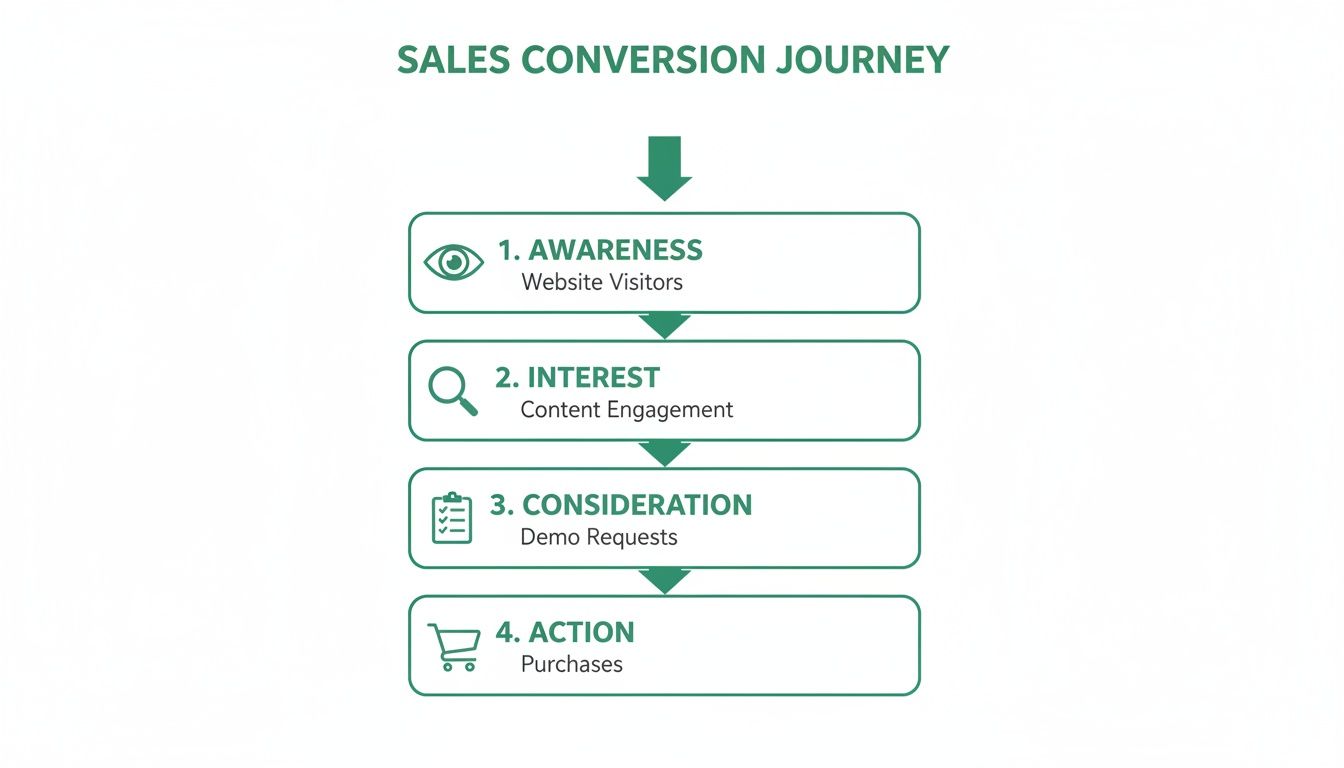
    This process is built on four key stages: Awareness, Interest, Consideration, and Action. Think of it as a framework that guides people from being complete strangers to becoming happy customers, using the right message at exactly the right time.

    Understanding Your Customer's Journey

    Before you even think about landing pages or email sequences, a great sales funnel starts with empathy. You need a rock-solid understanding of the path someone takes to find you and eventually buy from you. This isn't just some abstract marketing theory; it's the blueprint for every single piece of content and every offer you create.

    When you map this journey, you can align your marketing with your customer's state of mind. It stops you from making the classic mistake of pushing a sale on someone who isn't even sure what their problem is yet.

    The Four Core Funnel Stages

    The modern sales funnel is pretty much universally broken down into four distinct phases. Each stage represents a psychological shift in your potential customer, and each one demands a different approach from you. The whole game is about moving prospects from one stage to the next as smoothly as possible.

    Let's break down what's happening at each stage and what your focus should be.

    The Four Core Stages of a High-Performing Sales Funnel
    Funnel Stage Primary Goal Key Activities & Channels
    Awareness (ToFU) Attract attention and make prospects problem-aware. Blog posts, social media updates, SEO, infographics, paid ads, videos.
    Interest Engage prospects and position your brand as a helpful resource. Lead magnets (e-books, checklists), webinars, case studies, detailed guides.
    Consideration (MoFU) Nurture leads and prove your solution is the best choice. Email sequences, free trials, product demos, comparison guides, customer testimonials.
    Action (BoFU) Drive the final purchase and close the deal. Compelling offers, discounts, clear call-to-actions, easy checkout process, sales pages.

    As you can see, each stage has a clear purpose and a set of tools to get the job done. It's a natural progression.

    This visual really helps to see how the journey unfolds.

    Sales conversion journey diagram showing four key stages: awareness, interest, consideration, and action.

    The model shows how you start with a wide audience at the top, and through targeted nurturing, you filter it down to a smaller, more committed group of actual customers at the bottom.

    A sales funnel isn't some rigid formula. It's a flexible framework that mirrors how people actually make decisions. Getting these stages right is the foundation for building a system that predictably turns website visitors into real revenue.

    Building the Top of Your Funnel to Attract the Right People

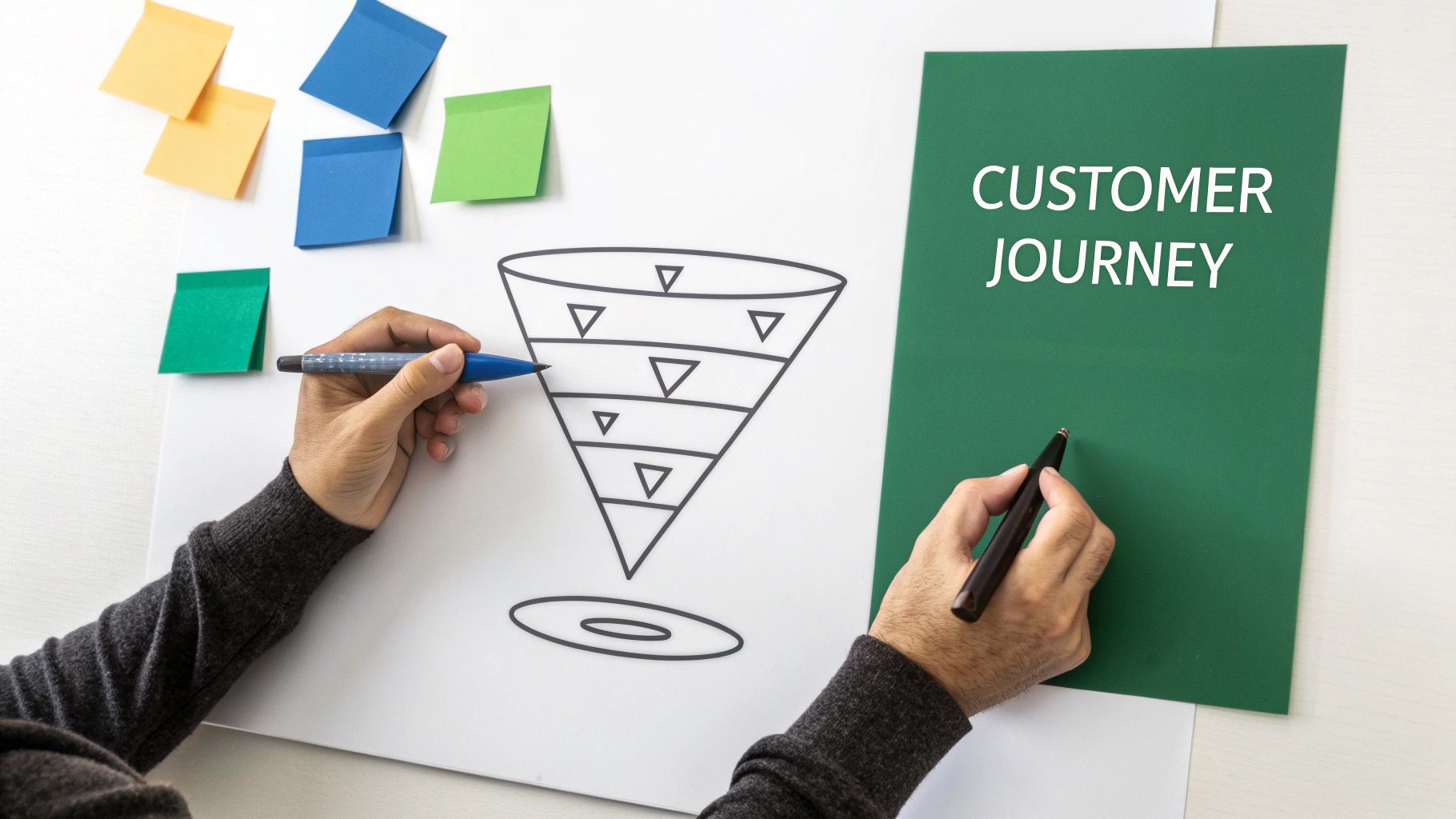
    Hands drawing a multi-stage sales funnel diagram on a whiteboard with sticky notes and a 'Customer Journey' title.

    This is where it all begins. The top of your funnel (ToFU) is your first impression—it's all about grabbing the attention of people who are just starting to realize they have a problem you might be able to fix.

    Forget about selling for a minute. Your only job right now is to attract and engage. You do this with valuable content, placing it right where your ideal audience already hangs out online. Think of yourself as a helpful resource, not a salesperson.

    Driving Traffic with Strategic Content

    Before anyone can slide into your funnel, they have to find you first. That means you need to be visible, and the best way to do that is by consistently creating helpful content.

    • Search Engine Optimization (SEO): Think about the exact questions your ideal customer is typing into Google. Now, create blog posts and guides that answer them directly. For instance, if you sell project management software, an article like "How to Manage a Remote Team Effectively" is a perfect starting point.
    • Content Marketing: Don't stop at blog posts. Create shareable infographics, quick-tip videos, and social media content that’s easy for people to digest and pass along. This is how you build a reputation as the go-to expert in your field.
    • Targeted Social Media Campaigns: Use platforms like LinkedIn, Facebook, or Instagram to push your content out. You can run ads targeting users based on their job title, interests, or behaviors that match your customer profile.

    The key here is to keep the content broad and educational. You're casting a wide net.

    Crafting an Irresistible Lead Magnet

    Okay, you've got their attention. What's next? You need a way to turn a casual visitor into a potential lead. That's where the lead magnet comes in. It’s a simple value exchange: you give them an amazing resource, and they give you their email address.

    This isn't the place for a generic, low-effort PDF. A great lead magnet solves a real, specific problem for your audience and gives them a quick win. It builds trust right out of the gate.

    Your lead magnet is the handshake of your sales funnel. Its quality directly reflects the value you promise to deliver later. Make it so good that people would have paid for it.

    Here are a few ideas that work wonders:

    • Interactive Checklists: A step-by-step list that helps someone complete a specific task.
    • Custom Templates: Ready-to-use spreadsheets, design templates, or document outlines.
    • Exclusive Mini-Webinars: A short, recorded training that goes deep on solving one specific pain point.
    • Resource Guides: A curated list of the best tools, articles, or resources for a specific challenge.

    Specificity is everything. Instead of a generic "Guide to Marketing," offer a "5-Day Email Course to Writing High-Converting Ad Copy." The more targeted it is, the better it will convert.

    Designing a High-Converting Landing Page

    Your lead magnet needs its own home—a dedicated landing page. This page has one job and one job only: convince people to download your resource. Every single word and image should support that goal.

    A landing page that actually converts has a few key ingredients:

    1. A Powerful Headline: Don't be clever, be clear. State the benefit of the lead magnet right away.
    2. Benefit-Oriented Copy: Focus on what the lead magnet will do for them. Use bullet points to make the benefits scannable.
    3. Compelling Visuals: Show them what they're getting. A simple mock-up of the checklist or a thumbnail from the video works perfectly.
    4. A Frictionless Form: Ask only for what you absolutely need. Name and email are usually plenty for a top-of-funnel offer. Every extra field you add will hurt your conversion rate.

    The whole process needs to feel smooth. The ad that brought them there, the landing page, and the thank you page should all have consistent messaging. This is your first real transaction with a potential customer, so make it a good one.

    Getting that initial email list built is a huge first step, and as you grow, you can explore more advanced strategies for how to build an email list to really ramp things up.

    Nurturing Leads with Smart Email Automation

    A laptop screen displays 'LEAD MAGNET' text and an icon, next to a phone and notebook.

    Getting a new lead is a great feeling, but that’s just the starting line. The real work—and the real chance to build a relationship—begins the second they trust you with their email address. This is where smart email automation comes in, turning a simple sign-up into a guided journey toward becoming a customer.

    Without a solid follow-up plan, that initial flicker of interest dies out fast. The numbers don't lie: a shocking 79% of marketing leads never convert to sales simply because they aren't nurtured properly. On the flip side, companies that nail this process generate 50% more sales-ready leads while spending around 33% less to get them. You can explore more data on sales funnel performance to see just how big the impact is.

    Your job isn't to blast them with sales pitches. It’s to build trust, provide genuine value, and show them you understand their problem better than anyone else.

    Crafting the Perfect Welcome Sequence

    The first emails a new subscriber gets are absolutely critical. This is when they're most engaged and waiting to see if you’ll deliver on the promise you made with your lead magnet. A well-designed welcome sequence is your opportunity to make a killer first impression.

    This is more than a single "thanks for joining" email. Think of it as a strategic, multi-part conversation designed to educate, engage, and gently point them toward your solution. A proven framework uses about five emails sent over a week or two.

    Here’s a breakdown of a powerful 5-email welcome sequence that builds trust and keeps them hooked.

    • Email 1 (Immediate): Instant Delivery and a Warm Welcome. This email has one job: deliver the lead magnet. The subject line needs to be dead simple, like "Here's Your [Lead Magnet Name]!" Keep the email short and sweet. Welcome them, give them a direct download link, and let them know what to expect next.

    • Email 2 (Day 2): Make a Personal Connection. Now it's time to introduce yourself or your brand's story. Share your "why"—the reason you're so committed to solving their specific problem. End with a simple question to get a conversation started, like, "What's the biggest challenge you're facing with [topic] right now?"

    • Email 3 (Day 4): Deliver a Quick Win. Give them another piece of high-value, actionable advice related to your lead magnet. It could be a short video tutorial, a case study, or a simple tip that helps them get a small but immediate result. You're proving your expertise and generosity.

    • Email 4 (Day 6): Tackle a Common Hurdle. Address a frequent pain point or myth your audience deals with. You can frame it as "The #1 Mistake People Make When…" and then offer a clear fix. This shows you genuinely understand their struggles.

    • Email 5 (Day 8): The Pivot to Your Solution. You've spent the last week building trust and providing value. Now you can gently introduce your core offer. Explain how your product or service is the natural next step for solving the problems you've been talking about. Present it as the ultimate solution, not just another thing to buy.

    The point of a welcome sequence is to turn a passive subscriber into an engaged fan. Every email should focus on giving value first, building a relationship long before you ask for the sale.

    Writing Emails That People Actually Open

    A brilliant email sequence is worthless if it sits unopened. Your subject line is the gatekeeper, and the email copy is what keeps them reading.

    For subject lines, curiosity and clarity are king. Ditch the clickbait and focus on either sparking interest or stating a clear benefit. A quick A/B test on your subject lines can make a huge difference in your open rates.

    For the body copy, stick to these simple rules:

    • Write like you talk. Use a conversational and personal tone. Write to "you" and don't be afraid to use "I" to share your perspective.
    • Keep paragraphs short. Aim for 1-3 sentences each. This makes your emails easy to scan, especially on phones where most people read them.
    • Use one clear call-to-action (CTA). Every email should have a single goal. Whether it's "read this post," "watch this video," or "book a demo," don't confuse your reader with multiple asks.

    Treat each email as one small part of a bigger conversation. By consistently delivering value and showing you care about their challenges, you're not just selling; you're building a real relationship. This is the heart of how to create a sales funnel that not only converts but also creates loyal, long-term customers.

    Finding High-Quality Leads with EmailScout

    Sure, a solid inbound funnel is a great asset. But sitting back and waiting for leads to come to you can feel like watching paint dry. For a lot of businesses, especially in the B2B world, predictable growth comes from getting out there and finding your customers yourself.

    This is all about proactive prospecting. Instead of just hoping the right people stumble upon your content, you go find them. You’re not casting a wide net; you’re using a spear. You pinpoint the exact companies and decision-makers you want to work with and find a direct line to their inbox.

    Pinpointing Decision-Makers on LinkedIn

    When it comes to B2B prospecting, LinkedIn is the undisputed king. It’s a massive, searchable directory of professionals you can filter by industry, company size, job title—you name it. This is ground zero for building a list of people who are a perfect match for what you sell.

    Let's say you sell project management software to marketing agencies. You could hop on LinkedIn and search for "Marketing Director" at agencies with 50-200 employees. Boom. In a couple of minutes, you've got a list of hundreds of potential buyers.

    But there's a catch: you don't have their email addresses.

    This is where a tool like EmailScout becomes your secret weapon. The EmailScout Chrome extension plugs right into LinkedIn, letting you pull a verified email address from someone's profile with a single click.

    Here’s a peek at what it looks like in action. It’s clean, simple, and sits right on the prospect's profile.

    That simple integration turns a static profile into a real, actionable lead. It closes the gap between finding a prospect and actually starting a conversation with them.

    Building Prospect Lists at Scale

    Grabbing one email is good. Building a whole campaign list is where the magic happens. This is how you really start to fill your sales funnel fast. But it's not just about speed; it's about getting more high-quality leads without sacrificing that quality.

    EmailScout has a couple of features built for exactly this:

    • AutoSave: As you scroll through LinkedIn search results, this feature just works in the background, finding and saving emails to a list you choose. No more clicking into every single profile like a robot.
    • URL Explorer: You can drop a list of LinkedIn profile URLs or even company websites into the tool, and it will go to work finding and verifying the email addresses for key contacts at those companies.

    Mini Case Study: Let's build a list of 50 qualified prospects in under an hour.

    1. First, we define our target: "Head of Sales" at SaaS companies in North America.
    2. Next, we run that search in LinkedIn Sales Navigator. We'll get thousands of results back.
    3. Then, we use EmailScout's AutoSave feature to scan the first few pages. It automatically grabs the verified emails and saves them to a new list we’ll call "SaaS Sales Leaders."
    4. In less time than it takes to watch an episode on Netflix, we have a list of 50+ hand-picked leads, complete with their names, titles, companies, and verified emails. They're ready to be dropped right into a personalized email sequence.

    This isn't just mindless data scraping. It's about strategically stacking the top of your funnel with people you already know are a great fit. When you're that specific about who you're reaching out to, your emails hit harder, your offers are more compelling, and your entire funnel just works better. If you want to dive deeper, you can learn how to find business emails and make sure you're always connecting with the right person.

    Closing the Deal at the Bottom of the Funnel

    You’ve done the hard work of guiding your prospect from a curious stranger into a warm lead. Now they're at the bottom of the funnel (BoFU), the make-or-break moment where all that nurturing pays off. This is where a lead becomes a customer. It's also where any hesitation or last-minute doubt can kill the whole deal.

    Your job here is simple: make buying from you feel like the easiest, most logical, and safest choice they could possibly make. At this point, you're not educating anymore. You're building confidence and giving them that final, gentle nudge to take action. A high-converting BoFU is built on two things: trust and a crystal-clear, compelling offer.

    Crafting an Irresistible Offer

    By now, your lead gets their problem and sees your product as a legitimate solution. The last question bouncing around in their head is, "Is this the right deal for me, right now?" Your offer needs to answer that with a loud, confident "yes."

    This goes way beyond just listing features. You need to frame the entire pitch in a way they can't refuse.

    • Benefit-Driven Sales Copy: Stop talking about what your product is and start showing them what it does for them. Don't say "10GB of storage." Instead, try "Never worry about running out of space for your important files again." See the difference?
    • Transparent Pricing: Nobody likes surprise fees. Lay out your pricing clearly. If you have different tiers, a simple comparison table is your best friend—it helps people instantly spot the best fit.
    • A Powerful Call-to-Action (CTA): Your CTA needs to be singular and direct. Vague buttons like "Submit" are conversion killers. Use strong, action-oriented commands like "Get Instant Access Now" or "Start My Free Trial."

    Building Unshakeable Social Proof

    Right before people pull out their credit cards, they instinctively look for validation from others who've already made the leap. Social proof is your secret weapon for crushing that last-minute skepticism. It makes the purchase feel less like a risk and more like a smart, proven decision.

    The most effective way to sell anything is to let your happy customers do it for you. Authentic testimonials and real-world results are far more persuasive than any marketing copy you could ever write.

    Weave these elements directly into your sales and product pages:

    • Case Studies: Tell a detailed story of how a specific customer won with your product. Use their real name, their picture, and hard data to make it believable.
    • Testimonials: Sprinkle in short, punchy quotes from happy customers. The best ones highlight a key benefit or tackle a common objection head-on.
    • Reviews and Ratings: Got star ratings? Flaunt them. They provide a quick, scannable dose of validation that people trust.

    Understanding Your Most Valuable Leads

    Let’s be honest: not all leads are created equal. This becomes painfully obvious at the bottom of the funnel. Where a lead came from has a massive impact on whether they'll convert.

    The data doesn't lie. Benchmarks show a huge gap, with referral traffic converting as high as 10.99% and leads from email campaigns hitting nearly 13%. Even better, call-to-close rates for referrals hover around an impressive ~25.6%.

    Knowing these numbers helps you stop wasting time and double down on what’s actually working. If you're curious, you can explore detailed sales conversion benchmarks to see how your own industry measures up.

    Optimizing Your Funnel with Data-Driven Decisions

    A person holds a tablet displaying an app with stars, pointing to a 'CLOSE THE DEAL' sign.

    A sales funnel isn’t a machine you can just “set and forget.” Think of it more like a living system that needs your attention to thrive. The moment you launch is just the starting line; real profitability comes from making smart, continuous improvements based on data, not guesswork.

    Without tracking performance, you’re just flying blind. You might feel like your funnel is working, but feelings don't pay the bills. Data tells you exactly where your system is strong and, more importantly, where it’s leaking money.

    Pinpointing Your Funnel’s Bottlenecks

    Every single sales funnel has weak spots—bottlenecks where potential customers drop off. Your job is to play detective and find them. To do that, you need to track a handful of essential metrics at each critical transition point.

    These metrics are your signposts, giving you a clear picture of each stage's health:

    • Landing Page Conversion Rate: What percentage of people who see your lead magnet page actually sign up? A low number here (anything under 20%) often points to a weak headline, a confusing offer, or too much friction in the sign-up form.
    • Email Open & Click-Through Rate (CTR): Are people opening your nurture emails? Are they clicking the links inside? Low open rates suggest your subject lines aren't cutting it, while low CTRs often mean the email copy isn't creating enough value or curiosity.
    • Sales Page Conversion Rate: Of the leads who finally see your offer, how many pull the trigger and become customers? This is the ultimate test of your funnel's persuasiveness.

    These numbers tell a story. A sky-high landing page conversion but a terrible email CTR tells you the lead magnet is great, but your follow-up is falling flat. This kind of insight lets you focus your energy right where it'll make the biggest impact.

    Using A/B Testing to Systematically Improve Results

    Once you've zeroed in on a bottleneck, A/B testing is your tool to fix it. The process is simple: create two versions of a single element (like a headline or a button color), show each version to a different segment of your audience, and see which one performs better.

    Don’t guess what your audience wants. Let them tell you with their actions. A/B testing removes ego and opinions from the equation and replaces them with cold, hard data.

    Let's say your landing page conversion rate is in the gutter. You could test:

    • Headline A: "The Ultimate Guide to Email Marketing"
    • Headline B: "Double Your Email Clicks in 7 Days"

    By measuring which headline gets more sign-ups, you make a data-driven decision that permanently improves your funnel. Incrementally testing your headlines, offers, email copy, and calls-to-action is how you build a funnel that actually evolves and gets better over time.

    The impact can be massive. Across different markets, average funnels convert at around 2.35%, while the top performers smash that with rates over 5.31%. That difference means getting 126% more customers from the exact same traffic, a powerful testament to optimization. As you scale, keeping a close eye on your numbers with a customer acquisition cost calculator becomes non-negotiable for staying profitable.

    Your Top Sales Funnel Questions, Answered

    Got a few lingering questions before you dive in? Perfect. Let's tackle some of the most common things people wonder about when they're getting started.

    How Long Does It Take to Build a Sales Funnel?

    Honestly, this one really depends. You could get a simple, effective funnel up and running in just a few days if you’re focused. I’m talking a solid lead magnet, a clean landing page, and a short email sequence.

    But if you're building something more complex—maybe with webinars, different product tiers, or deep CRM integrations for a sales team—you’ll want to budget several weeks. That gives you enough time to plan, build, and test everything properly without cutting corners.

    What Are the Most Important Metrics to Track?

    It's easy to get lost in a sea of data. My advice? Zero in on the conversion rate at each major handover point in your funnel.

    If you only watch three things, make them these:

    • Landing Page Conversion Rate: Are your visitors actually turning into leads? This is your first and most important checkpoint.
    • Email Open and Click-Through Rates: This tells you how interested your new leads are. If these numbers are low, your emails aren't hitting the mark.
    • Final Sales Conversion Rate: The bottom line. How many of those hard-won leads become paying customers?

    These three numbers will give you a brutally honest look at what’s working and, more importantly, where your funnel is leaking money.

    Can I Create a Sales Funnel on a Small Budget?

    Absolutely. You don't need a huge budget to make this work. In fact, you can get started with a handful of low-cost or even free tools for building landing pages and managing your email marketing.

    A smart strategy beats a big budget every time. The most important investment is your time in creating a genuinely valuable lead magnet and writing thoughtful emails that build trust.


    Ready to supercharge the top of your funnel with high-quality, verified leads? EmailScout helps you find the right decision-makers in a single click, filling your pipeline faster. Find unlimited emails for free with EmailScout.

  • What is Sales Automation? what is sales automation explained

    What is Sales Automation? what is sales automation explained

    Let's be honest, most sales reps didn't get into this business to do paperwork. They got into it to connect with people, solve problems, and close deals. So what if you could give your team a crew of digital assistants to handle all the tedious, repetitive stuff?

    That's the big idea behind sales automation: using smart technology to take over the manual tasks that eat up your team's day. We're not talking about replacing salespeople with robots. It's about empowering them by automating things like data entry, sending basic follow-up emails, and keeping the CRM updated.

    The Shift From Manual Effort To Automated Power

    For any sales pro, the daily grind can feel more like being an administrator than a strategic closer. Sales automation completely flips that dynamic. By offloading the tasks that take up the most time but bring in the least direct revenue, your team gets to focus their energy where it actually counts—building relationships, understanding a customer's real needs, and navigating those tricky negotiations.

    A man working on a laptop at a desk with 'Digital Sales Assistants' text and sales-related icons.

    This shift is why the market is exploding. The global sales automation market was already valued at around $9.3 billion in the early 2020s and is on track to more than double by 2033. It's clear businesses are catching on, especially with predictions that digital channels will handle 80% of B2B sales interactions by 2025.

    What Does This Look Like In Practice?

    Instead of spending an hour every afternoon logging calls and emails, an automated system just does it for you, instantly. Instead of that nagging feeling you forgot to follow up with a warm lead, an automated email sequence keeps the conversation going without you lifting a finger.

    This strategic use of technology builds a sales engine that's more efficient, scalable, and ultimately, more successful. This whole ecosystem is often referred to as SaaS for sales, which includes a whole suite of tools designed to sharpen every single part of your sales process.

    The goal is simple: let technology handle the repeatable tasks so your sales team can focus on the human connections that drive revenue. Automation provides the consistency and scale, while your team provides the expertise and personality.

    A Day in the Life Before and After Sales Automation

    To really see the difference, just look at the daily to-do list of a typical salesperson. The table below shows just how dramatic the change is when you move from clunky manual processes to a smooth, automated workflow.

    Manual Sales Task Automated Workflow Primary Benefit
    Manually sending welcome emails to new leads An automated sequence sends an email the moment a lead enters the CRM. Immediate engagement and a consistent first impression.
    Updating CRM records after every call The system automatically logs call details, duration, and outcomes. Saves a ton of time and ensures 100% data accuracy.
    Setting calendar reminders for follow-ups A smart sequence sends follow-ups based on prospect engagement. Prevents valuable leads from falling through the cracks.
    Researching lead data one by one Lead enrichment tools automatically populate contact and company info. Gives reps crucial context right when they need it.

    As you can see, it's not about working harder; it's about working smarter. Automation frees up your team's most valuable asset—their time—to do what they do best: sell.

    The Core Parts of a Sales Automation System

    Thinking about sales automation can feel a bit overwhelming, but it’s really just a high-performance engine for your sales team. Each part has a specific job, and when they all work together, they create a smooth, powerful machine that drives revenue. Once you understand these core components, you’ll see exactly how the technology turns manual work into real momentum.

    Let's pop the hood and look at the essential gears and pistons. While different platforms have their own bells and whistles, almost every effective sales automation system is built around a few key functions that handle everything from finding new leads to analyzing what works.

    Lead Capture and Enrichment

    The first part of any sales engine is the fuel intake—how you get potential customers into your pipeline. This starts with lead capture, which automatically pulls in leads from places like your website forms, webinars, or social media. No more copy-pasting names from a spreadsheet.

    As soon as a lead is captured, lead enrichment kicks in. Instead of your reps spending hours digging through Google and LinkedIn for details, automation tools instantly go to work, finding and adding valuable data. This could be anything from a person's job title and company size to their industry or even recent company news.

    • Here's how it works: Someone downloads an ebook from your website. The system instantly creates a new contact record for them.
    • Then, the magic happens: An enrichment tool automatically adds their title ("Marketing Manager"), their company's employee count (250), and its location (New York).

    Just like that, your salesperson has critical context before they even think about picking up the phone.

    Automated Outreach and Sequencing

    With enriched leads in the system, the engine's pistons start firing. Automated outreach sequences are a series of pre-written emails, social media messages, or even texts that are sent to prospects over time. This guarantees consistent, timely follow-up without anyone having to set a reminder.

    And these aren't just generic email blasts. Modern sequences are smart. They can be programmed with "if/then" logic. For example, if a prospect clicks a link in the first email, they might get a completely different follow-up than someone who didn't open it at all.

    The real power here is consistency. A study found it can take an average of eight touchpoints to even get an initial meeting. Automation makes sure those touches happen, every single time, so no lead ever falls through the cracks.

    CRM Integration and Data Management

    The central computer running this whole operation is your Customer Relationship Management (CRM) platform. Any sales automation tool worth its salt has to integrate seamlessly with your CRM, making it the single source of truth for every customer interaction.

    This integration automatically logs every activity—every email sent, every call made, every meeting booked. This doesn't just eliminate one of the most hated tasks for salespeople (manual data entry); it ensures your customer data is always accurate and up-to-date. Clean data is everything when it comes to making good decisions and forecasting. For a deeper look at keeping this data organized, exploring the best contact management software can give you some great ideas.

    Analytics and Reporting Dashboards

    Finally, every engine needs a dashboard with all the gauges. Analytics and reporting dashboards give you a clear, real-time view of what’s working and what isn’t. They track key performance indicators (KPIs) so you can understand the health of your entire sales pipeline at a glance.

    You can instantly see metrics like:

    • Email open and reply rates for different outreach sequences.
    • Conversion rates at each stage of your sales funnel.
    • Which lead sources are actually bringing in the most revenue.

    This data-driven feedback loop is what lets you tune your sales process. You can double down on strategies that are crushing it and fix bottlenecks before they become serious problems, keeping your sales engine running at peak performance.

    Why Sales Automation Is a Game Changer for Growth

    It’s one thing to understand the moving parts of sales automation, but it’s another thing entirely to see how they come together to fuel real business growth. This isn't just about convenience; it's about building a powerful engine to scale your sales, ramp up efficiency, and directly fatten your bottom line. Automation turns vague ideas into hard, measurable results that everyone in the company can see.

    The most immediate win? A huge boost in team productivity. Think about all the tedious, soul-crushing tasks that eat up a salesperson's day—logging calls, updating the CRM, sending the fifth follow-up email. Automation takes all of that off their plate, freeing them up to do what they do best: build relationships, understand customer problems, and actually close deals.

    Maximizing Efficiency and Shortening Sales Cycles

    When your team can offload all that manual grunt work, their capacity to sell just explodes. It’s no surprise that organizations using modern sales automation see productivity jump by an average of 14–15%. That efficiency means more calls, faster deals, and better win rates. It's proof that working smarter really does pay off. You can discover more insights about automation statistics to see just how big these gains can be.

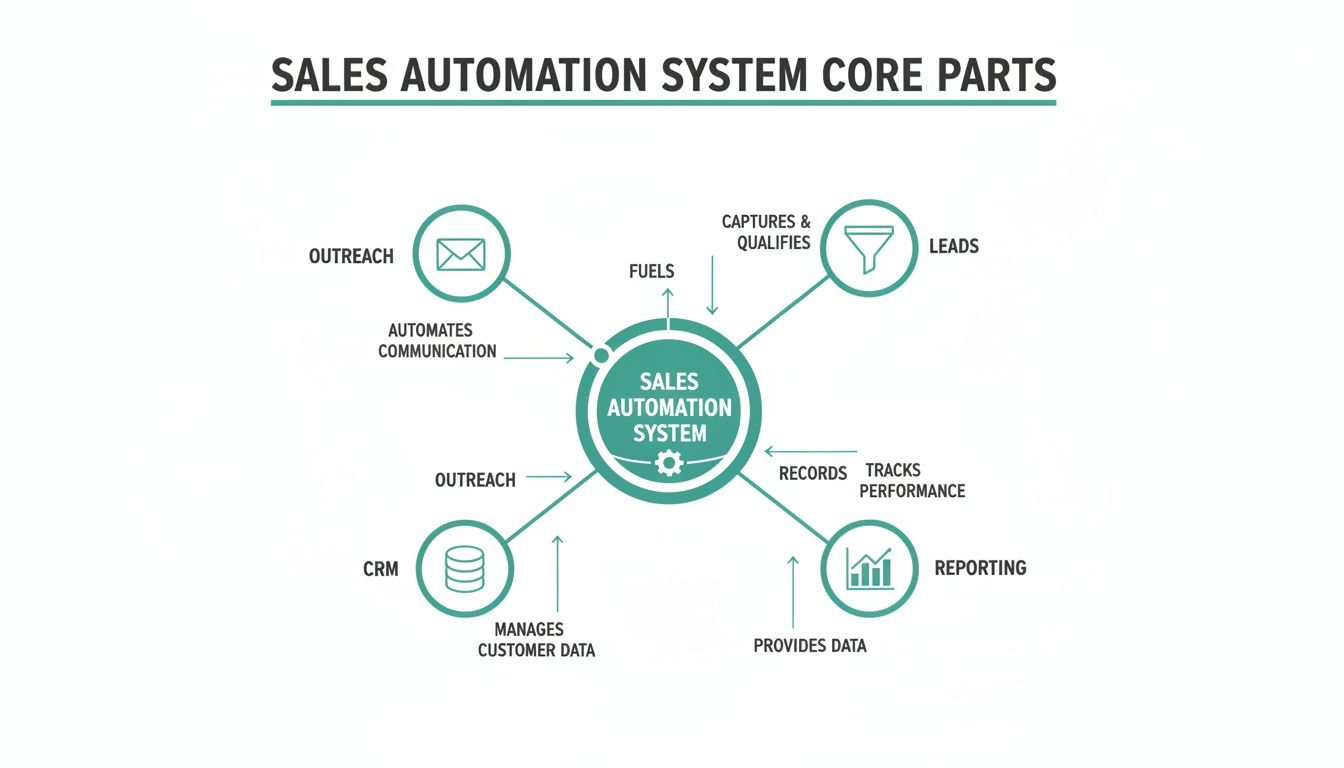
    This diagram shows how all the core pieces of a sales automation system click together to get these kinds of results.

    Diagram illustrating the core parts of a sales automation system, including outreach, leads, CRM, and reporting.

    As you can see, leads, outreach, CRM data, and reporting all feed into each other. It’s a self-improving cycle where every automated step makes the next one stronger, lifting the whole system's performance.

    Another massive advantage is a much shorter sales cycle. With instant, consistent follow-up sequences running in the background, no lead ever goes cold because someone simply forgot. Automation guarantees every prospect gets the right touchpoint at the right time, keeping the momentum going and moving them through the funnel way faster.

    Achieving Scalable Growth with Data-Driven Decisions

    Beyond making individual reps more productive, sales automation builds a rock-solid foundation for growth. As your business gets bigger, you can't just keep hiring more people to do more manual work—that's a recipe for bloated costs and inefficiency. Automation lets your sales process handle a much higher volume of leads without needing a bigger headcount to match.

    The secret sauce here is the mountain of clean, accurate data that automation creates.

    • Improved Data Quality: By automatically logging every single interaction, you get rid of human error. Your CRM becomes a trusted source of truth for every customer relationship.
    • Actionable Insights: When your data is solid, your analytics dashboards become your superpower. You can see exactly which outreach strategies are killing it, find the bottlenecks in your process, and make smart, informed decisions to get better.
    • Predictable Forecasting: Clean data leads to sales forecasts you can actually count on. This lets leadership plan resources, set realistic targets, and steer the ship with confidence.

    Ultimately, sales automation is a game changer because it creates a repeatable, predictable, and scalable sales machine. It turns your sales process from a series of disjointed manual tasks into a cohesive system that consistently drives revenue and supports sustainable business growth.

    This systematic approach doesn't just bump up this quarter's numbers; it builds a more resilient and adaptable sales organization that’s ready for whatever comes next.

    High-Impact Automation Workflows You Can Build Now

    Knowing the theory behind sales automation is great, but putting it into practice is where you’ll actually see results. Let’s get into a practical playbook of proven workflows that can deliver value right away.

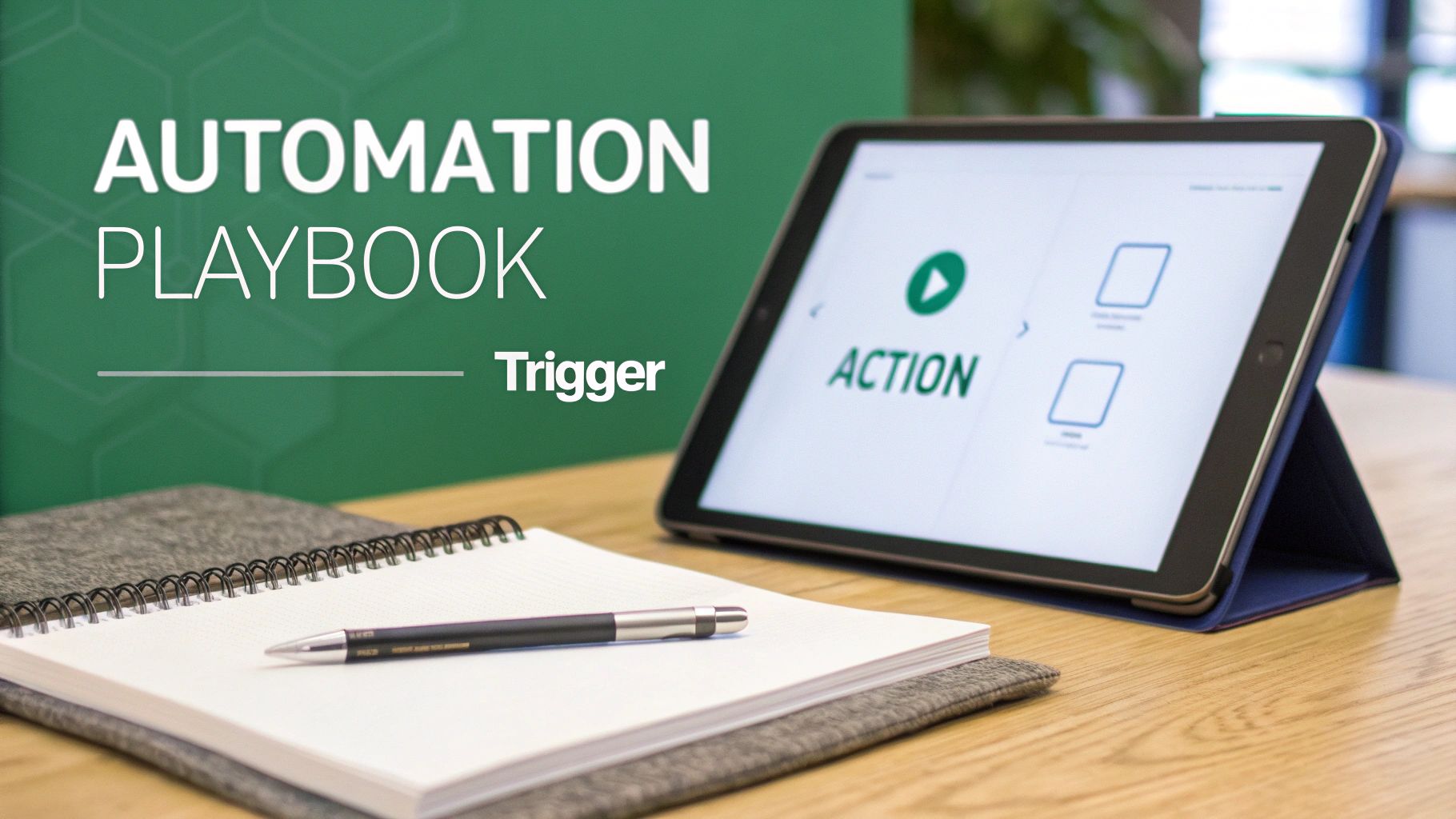
    We'll break down a few common scenarios using a simple "Trigger > Action" format. This approach makes automation feel a lot less intimidating and gives you clear, actionable strategies you can copy and paste. Think of them as simple recipes for success.

    Digital tablet displaying 'ACTION' in an automation playbook next to a notebook and pen on a desk.

    The Inbound Lead Welcome Sequence

    When someone fills out a form on your website, speed is everything. A fast, relevant response can be the difference between a conversation and a lost opportunity. This workflow makes sure no inbound lead is left hanging.

    • Trigger: A prospect submits a "Contact Us" or "Download Ebook" form on your website.
    • Action 1: Your system instantly creates a new lead in your CRM, then enriches it with public data like job title and company size.
    • Action 2: At the same time, it fires off a personalized "welcome" email from the assigned sales rep confirming their request.
    • Action 3: A task is automatically created in the CRM, reminding the rep to make a follow-up call within 24 hours.

    This simple sequence guarantees a professional first impression, every single time. Hot leads get the immediate attention they deserve without anyone lifting a finger.

    The Post-Demo Follow-Up Series

    The hours and days right after a product demo are critical. You have momentum on your side, but it can fade fast without a solid follow-up plan. This automated workflow keeps the conversation warm and gently guides the prospect toward a decision.

    Trigger: A sales rep marks a meeting as "Completed Demo" in the CRM.

    Action Sequence:

    1. Immediately: Send a thank-you email with a quick summary of what you discussed and links to a few relevant case studies.
    2. 2 Days Later: Follow up with a short email asking if they have any initial questions.
    3. 5 Days Later: If you haven’t heard back, send another email that touches on a common pain point from your demo, maybe with a link to a helpful blog post.
    4. 10 Days Later: Send one final, gentle nudge offering to jump on a quick call to answer any final questions.

    This takes the burden of manual follow-up off your rep’s plate and ensures the prospect gets timely, valuable information that keeps the deal moving.

    The High-Intent Visitor Alert

    Some actions are just clear buying signals. When a prospect keeps coming back to your pricing page or re-watching a case study video, they’re deep in the evaluation phase. This workflow flags these moments so your team can strike while the iron is hot.

    This type of behavioral trigger is a perfect example of sales automation acting as a digital scout for your team. It flags opportunities that would otherwise be invisible, allowing reps to engage at the exact moment of peak interest.

    • Trigger: A known lead in your CRM visits your pricing page for the third time in a week.
    • Action 1: The system pings the assigned sales rep with a real-time notification via Slack or email.
    • Action 2: The lead's score in the CRM is automatically bumped up, pushing them higher on the priority list.
    • Action 3: An hour later, an automated but highly personalized email is sent from the rep. Something casual like, "Noticed you were checking out our plans—happy to walk you through which option might be the best fit for your team."

    By automating these alerts and outreach, you give your team the power to act on strong buying signals the second they happen.

    To take it a step further, exploring the best cold email software can give you tools that plug right into these workflows. Something as simple as automating email scheduling in Outlook can be a foundational piece of the puzzle, ensuring your communication always lands at the right time.

    A Smart Approach to Implementing Sales Automation

    Jumping into sales automation without a plan is like buying a high-performance engine without a car to put it in. Success comes from a smart strategy, not just powerful software. A thoughtful implementation roadmap helps you sidestep common headaches and ensures your team actually embraces the new tools.

    The right approach begins not with technology, but with your current process. Before you even look at any platforms, you need to map out your existing sales workflow from start to finish. This exercise reveals the real bottlenecks and biggest time-wasters your team faces every day.

    The goal is to automate a good process, not to simply make a broken one move faster. Identifying where reps lose the most time on manual tasks points you directly to where automation will have the biggest and most immediate impact.

    Start with a Clear Blueprint

    Once you’ve pinpointed the problem areas, the next step is to define what success looks like. Setting clear, measurable goals is essential. Don’t just aim to "improve efficiency"; set a specific target, like "reduce time spent on CRM data entry by 50%" or "increase outbound meeting bookings by 15%."

    With these goals in hand, you can start evaluating tools. Look for solutions that integrate smoothly with your existing tech stack, especially your CRM. A clunky integration will only create more work for your team, defeating the entire purpose of automation. Your new tool should feel like a natural extension of your current systems, not a frustrating add-on.

    Build Momentum with a Pilot Program

    Instead of a company-wide rollout that can feel disruptive, start small with a pilot project. Select a few tech-savvy reps and one specific workflow to automate. This controlled test allows you to work out the kinks, gather valuable feedback, and prove the tool's value on a smaller scale.

    For instance, you could pilot a lead routing system or a post-demo follow-up sequence. This approach helps you build an internal case for the technology, armed with real data and success stories. It's much easier to get buy-in from the rest of the team when they can see the tangible benefits their colleagues are experiencing.

    Train for Adoption, Not Just for Usage

    Finally, focus your training on the "why" behind the change, not just the "how." Show your team how automation will free them up to focus on higher-value activities—like building relationships and closing bigger deals. When they understand that the goal is to make their jobs easier and more rewarding, they’re more likely to become advocates rather than skeptics.

    This strategic rollout also strengthens your overall process. A well-implemented automation plan is a key component when learning how to build a sales pipeline that is both efficient and scalable. By mapping, testing, and training with purpose, you transform sales automation from a simple software purchase into a true strategic advantage for your entire organization.

    Frequently Asked Questions About Sales Automation

    It's natural to have questions when you're thinking about a big shift like sales automation. It changes how a team works, and it’s smart to get a few things cleared up before jumping in. We get asked the same handful of questions all the time, so let's tackle them head-on.

    Getting into any new technology can feel like a leap, but once you cut through the noise, it's a lot less intimidating. Let's dig into the most common concerns we hear.

    Will Sales Automation Replace My Sales Team?

    This is, without a doubt, the number one fear. But the reality is actually the complete opposite. Sales automation doesn't replace great salespeople; it makes them even better.

    Think about all the tedious, time-sucking tasks that bog down a rep's day—manually logging calls, scheduling follow-ups, typing out the same "just checking in" email for the tenth time. Automation takes care of all that grunt work.

    This frees your team up to do what they do best: sell. They can spend their time building real relationships, solving tricky customer problems, and navigating complex negotiations. Those are the things that actually close deals.

    Think of sales automation as the elite support crew for your star players. It handles the background noise so they can stay focused on the high-stakes conversations that drive revenue.

    It’s not about replacing people. It’s about letting your best people shine.

    How Much Does Sales Automation Software Cost?

    The price tag on sales automation software is all over the map, which is why you have to think about value, not just cost. There are solid options out there for just about any budget.

    For example, many popular CRMs like HubSpot or Zoho bundle basic automation features into their standard plans, which might run you anywhere from $20 to $50 per user, per month. If you need something more powerful, dedicated sales automation platforms usually land in the $100 to $500 per month range, based on your contact list size and feature needs. And of course, enterprise-level systems with all the bells and whistles can get into the thousands.

    But here’s the right way to frame it: think in terms of ROI. If a $150/month tool helps your team close just one extra deal they would have otherwise missed, it’s already paid for itself for the entire year, and then some. Always, always use the free trials to make sure a tool actually fits your team’s workflow before you sign a contract.

    What Are the Biggest Mistakes to Avoid When Starting Out?

    You can save yourself a ton of headaches by learning from the mistakes others have made. Getting sales automation right usually means sidestepping a few common pitfalls right from the start.

    Here are the three biggest tripwires we see:

    1. Automating a Broken Process: If your current sales process is a disorganized mess, automating it will just help you make the same mistakes, only faster and on a much bigger scale. Before you touch any software, map out your existing process. Find the bottlenecks and broken steps, and fix them first.

    2. Forgetting There's a Human on the Other End: It's easy to get carried away and over-automate your outreach until it feels cold and robotic. Use automation for scale and consistency, but always leave room for genuine human interaction, especially at key moments. Personalization has to feel real, not like a mail merge.

    3. "Set It and Forget It" Mentality: Sales automation isn't a slow cooker. You can't just set it up and walk away. You have to constantly check your analytics, A/B test your email copy, and tweak your sequences to make sure they’re still hitting the mark with your audience.

    Dodge these traps, and you'll be on the right track to building an automation strategy that actually helps your team win more deals.


    Ready to supercharge your outreach and find the right contacts in a single click? EmailScout is the powerful email finder extension designed to build your marketing lists and accelerate your sales outreach effortlessly. Start finding unlimited emails for free and connect with decision-makers today. Visit us at https://emailscout.io to learn more.