You're so close. That game-changing deal is right there, but your outreach campaign just hit a brick wall. Bounced emails. "Undeliverable" notifications. We've all been there.
Finding the right email addresses for key people at target companies often feels like a soul-crushing chore. But mastering this skill isn't just a "nice-to-have"—it's the strategic advantage that separates the top-performing teams from everyone else. This guide will help you shift your thinking from seeing this as a task to understanding it as a critical skill you need to own.
Why Finding the Right Email Is a Strategic Advantage

Imagine launching a high-stakes campaign, pouring hours into crafting the perfect messages, only to watch them vanish into the digital void. This isn’t just a minor hiccup; it’s a massive drain on resources, morale, and potential revenue. When your sales and marketing teams spend their days hunting for contacts instead of actually engaging with them, the opportunity cost goes through the roof.
In a world drowning in digital noise, precision is everything. Every wrong email you send is a missed connection and a step backward. This is where knowing how to find email addresses for companies becomes a complete game-changer, turning a simple list of names into a real pipeline of opportunities.
The Sheer Volume of Digital Communication
The challenge gets bigger when you consider the insane volume of digital traffic. Projections show that a staggering 392.5 billion emails will be sent every single day by 2026. With 4.7 billion email users worldwide, your message is just one drop in an enormous ocean. Reaching the right person isn't just important; it's paramount.
The ability to consistently find accurate contact information is no longer just a sales skill—it's a core business competency. It directly impacts lead quality, conversion rates, and the overall efficiency of your go-to-market strategy.
Shifting from Task to Strategy
Treating email discovery as a low-level, grunt-work task is a massive strategic mistake. It’s the very foundation of nearly all successful B2B outreach. When you master this, you unlock several key advantages for your business:
- Accelerated Sales Cycles: Your team spends less time digging and more time selling. They connect with actual decision-makers, faster.
- Improved Campaign ROI: Good data means higher deliverability and better open rates. That translates to a much stronger return on your marketing spend.
- Enhanced Personalization: When you know for sure you have the right contact, you can confidently tailor your message directly to their role and pain points.
This guide will give you the practical, real-world methods for effective email discovery. We’ll cover everything from the basics of manual research and intelligent pattern-guessing to the powerful automation you can get from modern tools. You'll also learn more about what is B2B lead generation in our dedicated article. By the end, you’ll have a clear roadmap to turn every outreach attempt into a meaningful business conversation.
Getting Your Hands Dirty: Manual Methods for Finding Company Emails

Before you even think about automated tools, it’s smart to get familiar with the no-cost tactics. These manual methods are the bedrock of good outreach, teaching you the patterns and places where contact information hides.
Think of it as detective work.
Digging Through the Company Website
Your first stop should always be the company's own website. It’s the simplest, most direct route, and you’d be surprised what you can find if you know where to look.
Pages like "About Us," "Team," or "Contact" are the obvious goldmines. You'll often find emails right there in plain sight.
But don't stop there. Get creative and check less-obvious pages. Press releases, investor relations sections, or even developer documentation can list direct contacts that aren't available anywhere else.
- Contact Page: Look for general mailboxes, but also scan for direct lines or department-specific addresses.
- Team/About Pages: These are great for finding names and roles. Sometimes, emails are linked directly in their bios.
- Website Footer: A surprising number of companies list contact info at the very bottom of their site.
I once found a key product lead’s email buried on a beta signup confirmation page. That one little discovery opened up a conversation with a decision-maker who was completely off the radar. It pays to be thorough.
Using Google's Hidden Superpowers
Your next move is to leverage advanced search operators on Google. This is how you find email addresses that aren't obviously listed but are still floating around on the web, indexed by Google.
Using operators like site:, intext:, and quotation marks helps you filter out all the noise.
For instance, you could try a search like site:company.com "jane.doe@company.com". This tells Google to only search that specific company's website for that exact email format.
Another great trick is to look for documents. A press kit PDF, for example, will almost always have a direct PR contact listed. You can find these with a search like "press kit" filetype:pdf site:company.com.
Common Business Email Address Formats
Guessing email patterns is a huge part of the manual process. Most companies follow a predictable formula. Once you figure out the pattern for one person, you can usually apply it to everyone else.
Here are the most common formats I see in the wild.
| Pattern Type | Example Format | When It's Commonly Used |
|---|---|---|
| First Last | firstname.lastname@company.com | The standard for most professional organizations. |
| Initial Last | f.lastname@company.com | Common in larger companies or when first names are long. |
| First Name Only | firstname@company.com | You'll see this often with startups or smaller teams. |
| First Initial Last Name | flastname@company.com | Another popular variation, especially in tech. |
Keep a simple spreadsheet of the formats you've tried for a particular company. It saves a ton of time and helps you narrow down the right one much faster.
Mining LinkedIn for Clues
LinkedIn is your intelligence hub. It’s where you confirm job titles, understand the company structure, and find the full names of the people you want to reach.
Start by finding your target's profile. You'll get their full name and current role. Easy enough.
Next, head over to the company’s page and look at their other employees. If you can find just one person whose email is public, you can often figure out the company's email pattern. Look for patterns like "initial + lastname" and apply it to your target.
- Use the "People" tab on a company page to see all listed employees.
- Filter by department to narrow your focus.
- If you have Sales Navigator, you can get even more granular with your searches.
I worked with one agency that used this exact method to find 12 C-suite emails in just under an hour. That little bit of manual work boosted their response rates by 60% in two weeks. It works.
Putting It All Together
These manual methods aren't meant to be used in isolation. They work best when you combine them.
Start with LinkedIn to get a name and title. Then, jump to the company website to hunt for any existing emails to establish a pattern. Finally, use Google's advanced search operators to test your pattern guesses and uncover hidden documents. Each tactic fills in the gaps left by the others.
Mastering these hands-on techniques gives you an intuition for finding contact info. You’ll start spotting patterns and opportunities much faster. This groundwork is invaluable, even when you start using automated tools.
For really deep, time-intensive research, you might eventually consider hiring a Lead Prospector Virtual Assistant to handle the manual legwork. But first, learn the ropes yourself. The skills you build here will make every single outreach campaign you run more effective.
Using Smart Tools to Automate Email Discovery

While manual methods give you a good feel for the process, they hit a wall pretty fast. They're slow, mistakes happen, and they just don't work when you need to build a real list of leads. That manual grind is a serious bottleneck for any sales or marketing team trying to grow.
Guessing email patterns for 50 prospects is one thing. Trying to do it for 500 is just asking for burnout and missed deals. This is exactly where automation and smart tools come into play, turning a painful chore into an efficient, scalable machine.
The easiest way to get started is with email finder browser extensions. These little tools plug right into your browser and work where you already are—on LinkedIn and company websites. They're built to do the heavy lifting for you.
Upgrade Your Workflow with Browser Extensions
Think of an email finder extension as your digital research assistant. It instantly scans a webpage or social profile to dig up contact info. Instead of bouncing between tabs, cross-referencing names, and guessing domain patterns, you get potential emails with a single click.
This simple change makes a huge difference in how fast you can find leads. All that time you save can be put back into what actually makes money: writing personalized outreach, building relationships, and closing deals. It’s not just about being faster; it’s about shifting your team's energy to high-value work.
There are a bunch of options out there, but EmailScout is a great place to start because of its clean approach and powerful free plan. It’s designed for immediate results without a complicated setup, making it perfect for anyone looking to find company emails more efficiently.
One-Click Discovery on LinkedIn with EmailScout
Let's walk through a real scenario. You've found the perfect prospect on LinkedIn—the Head of Marketing at a company you're targeting. With the EmailScout extension installed, you'll see a button right on their profile.
One click is all it takes. The tool instantly goes to work, checking its database and running through common email patterns to find and verify the most likely address for that person.
The real win here is how much friction it removes. You stay right there on LinkedIn and get the data you need without ever changing tabs. This seamless flow keeps you in the zone and makes your whole process more productive.
Building Lists Passively with AutoSave
One of the coolest features in EmailScout is 'AutoSave.' This lets you build lead lists without even thinking about it. When you turn it on, it automatically saves the contact info of profiles you visit, building a prospect list for you in the background.
Imagine you're researching a company's team on LinkedIn. As you click from one profile to the next, EmailScout is capturing their details without you doing anything extra. By the end of your session, you've got a ready-made list waiting for you, complete with names, titles, and verified emails.
Scaling Up with Bulk URL Extraction
For bigger campaigns, the 'URL Explorer' feature is a game-changer. Instead of visiting profiles one by one, you can just paste a list of LinkedIn profile URLs or company website URLs right into the tool.
EmailScout then chugs through the entire list in bulk, finding and verifying the emails for every single entry. This is a massive help when you're:
- Enriching existing lead lists: Maybe you got a list of names and companies from a conference but no contact info.
- Targeting specific departments: You can grab the LinkedIn URLs of a whole engineering team and get their emails at once.
- Doing quick market research: Build a contact list for a new industry you're exploring in minutes.
This bulk feature is where you really see the limits of manual searching disappear. A task that would take a person days of mind-numbing work can be done in minutes. If you want to compare different options, our guide on the best email finder tools breaks it all down.
For the more technically-minded folks who want to build custom solutions, it helps to understand how these tools work under the hood. A good place to start is learning how to web scrape with Python, which gives you a solid foundation for pulling data automatically.
A Balanced Perspective
Of course, EmailScout isn't the only player in the game. Other tools have been around longer and offer more complex features, but they often come with a bigger price tag and can feel overwhelming for small teams or individuals.
The beauty of a tool like EmailScout is its focus on getting the core job done well. By offering unlimited free single email lookups, it removes the barrier to entry, so anyone can start finding company emails without needing a budget. It's the perfect way to test the waters of automated email finding before you decide to scale up with a more advanced, paid tool. The key is to find what matches your needs right now.
Verifying Email Lists for Maximum Deliverability

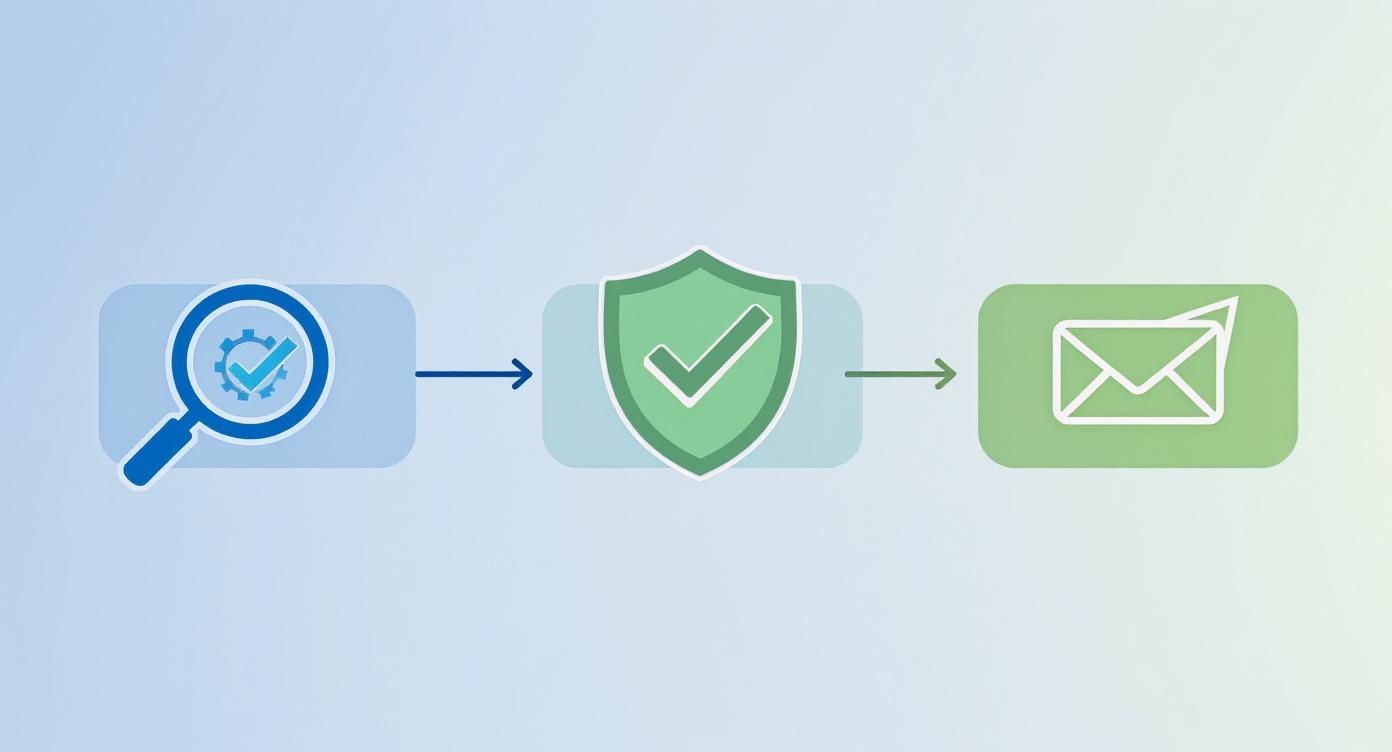
Finding a potential email address is a great start, but it's really just the first step. Sending your carefully crafted outreach to a dead end doesn't just waste your time—it actively harms your ability to reach anyone else.
This is why email verification isn't an optional cleanup task. It's a mission-critical part of any successful outreach strategy.
Think of your sender reputation as a credit score for your email domain. Every single bounced email is a ding against you. A high bounce rate signals to providers like Gmail and Outlook that you might be a spammer, making it more likely your future messages get stuffed in the junk folder or blocked entirely.
This is a bigger deal than most people realize. Studies show a whopping 82% of marketers see email as their primary channel, and for good reason—the returns are incredible. But those returns vanish if your emails never even get delivered.
The Real-World Consequences of Bad Data
Sending emails to an unverified list is like trying to navigate with a broken compass. It feels like you’re making progress, but you’re heading straight for trouble. The consequences can be severe and long-lasting, crippling your outreach before it even gets going.
Here’s what you’re really risking with every unverified send:
- Sky-High Bounce Rates: A bounce rate over 2% is enough to get you on the naughty list. Unverified lists can easily produce bounce rates of 10-20% or more, which immediately flags your domain.
- Damaged Sender Reputation: Internet Service Providers (ISPs) are always watching. When they see you consistently sending emails to invalid addresses, they assume your list hygiene is poor, and your domain’s credibility takes a nosedive.
- Getting Blacklisted: In a worst-case scenario, your domain or sending IP address can land on a public blacklist. This is the email equivalent of a scarlet letter, making it nearly impossible for any of your emails to get through to major providers.
A clean email list is your best defense against deliverability nightmares. Verification is the quality control checkpoint that ensures your messages have the best possible shot at reaching a real person's inbox.
Methods for Verifying Your Email Lists
The good news is that verifying emails is a pretty straightforward process. The method you choose just depends on your scale—whether you're checking a single address or cleaning a list of thousands.
For a quick, one-off check, tons of free online tools let you paste in an email and get an instant validity report. These are perfect when you've just found a high-value contact and want to double-check the address before you hit send.
When you're working with a larger list, bulk verification services are the only way to go. You just upload your spreadsheet or CSV, and the service runs each email through a gauntlet of checks to determine its status. For a deeper dive into how this all works, check out our guide on email address verification.
Transforming Raw Data with Enrichment
Verification confirms an email is real, but data enrichment tells you who is on the other side. This is where you take raw contact info—often just a name and an email—and add layers of valuable context.
Think of it as building out a complete dossier on your prospect. Enrichment services can tack on crucial data points that make personalization not just possible, but powerful.
Common Data Enrichment Points:
| Data Point | Why It's Valuable |
|---|---|
| Job Title | Helps you tailor your message to their specific role and what they actually care about. |
| Company Size | Allows you to segment your outreach and understand the potential deal size. |
| Industry | Enables you to speak their language and reference industry-specific pain points. |
| Social Profiles | Provides a perfect opportunity to find common ground or reference recent company news. |
By combining a verified email with enriched data, you transform a simple contact into a strategic asset. You can finally move from generic, "one-size-fits-all" emails to highly relevant, personalized messages that actually stand out and command attention. This is how you find email addresses for companies and turn them into real conversations.
Best Practices for Ethical and Effective Outreach
So you've got a list of verified emails. That's a great start, but the real work begins now. How you actually use that list is what separates a successful campaign from a one-way ticket to the spam folder.
Let's be clear: sending a generic, sloppy message to a perfect email address is just as useless as sending a brilliant message to a dead one. Real success lives at the intersection of accurate data and thoughtful, ethical outreach.
It all boils down to respecting the recipient's inbox and understanding the rules of the game. Regulations like GDPR in Europe and the CAN-SPAM Act in the U.S. aren't just annoying legal hoops to jump through—they're a blueprint for respectful communication.
The goal here isn't to just blast out a message. It's to start a conversation.
Navigating the Legal and Ethical Lines
Before you even think about hitting "send," you need to get familiar with the legal landscape. Trust me, ignorance is not a defense when your domain gets blacklisted, and non-compliance can lead to some seriously hefty fines.
The core principles of responsible B2B outreach are pretty consistent, no matter where you are:
- Be Honest: Your "From" name, subject line, and the email itself must be truthful. No misleading tricks.
- Identify Your Intent: If the email is commercial, you need to be upfront and identify it as an advertisement.
- Provide an Address: You have to include a valid physical postal address for your business.
- Offer an Easy Out: Every single email needs a clear, easy-to-find way for the recipient to unsubscribe.
Following these rules isn't just about avoiding trouble. It's about building trust. When someone sees you respect their privacy and their choice to opt-out, you immediately look more credible and professional.
Crafting an Email People Actually Read
With the legal stuff out of the way, it’s time for the fun part: writing an email that actually gets read. The average professional gets over 120 emails a day, so you're fighting for a tiny sliver of their attention.
To earn that click, your message has to be personalized, relevant, and straight to the point. This has nothing to do with fancy templates and everything to do with showing you've done your homework.
A quick guide to crafting outreach emails that get responses while maintaining a professional and ethical approach.
Email Outreach Do's and Don'ts
| Do | Don't |
|---|---|
| Personalize the first sentence. | Use generic openers like "Dear Sir/Madam." |
| Keep it brief and scannable. | Write long, dense paragraphs. |
| Focus on their needs and problems. | Talk only about your company and features. |
| End with a clear, simple question. | Ask for a "30-minute demo" right away. |
| Be honest and transparent. | Use deceptive or clickbait subject lines. |
| Offer a clear unsubscribe link. | Hide or omit the opt-out option. |
By following these simple guidelines, you're not just sending an email; you're starting a professional conversation on the right foot.
Your Subject Line Is the Gatekeeper
Your subject line has one job and one job only: get the email opened. It’s the single most important part of your outreach. A bad one guarantees your message goes straight to the trash, unread.
Tips for a subject line that works:
- Keep it short and specific: Aim for 6-10 words that get right to the point.
- Spark curiosity: Ask a relevant question. Something like, "Question about [Their Company]'s content strategy" works wonders.
- Reference a connection: Mentioning a mutual contact or shared experience is probably the most powerful opener you can use.
Whatever you do, avoid clickbait. An open based on a lie kills any chance of building trust and gets you deleted instantly.
Personalize the Message Body
Once they open the email, the first sentence determines if they'll keep reading. This is where you go beyond just using {{first_name}}. You need to prove you know who they are.
Mention a recent company milestone, a blog post they wrote, or a project you saw on their LinkedIn. This simple step immediately separates you from the 99% of generic spam flooding their inbox.
Keep your paragraphs short and punchy—one or two sentences, max. This makes the email easy to scan on a phone. And remember to frame your pitch around their world, not yours.
End with a Clear Call-to-Action
Don't be vague. Tell them exactly what you want them to do next. Your call-to-action (CTA) should be a single, clear, low-effort request.
Asking for "15 minutes on Tuesday" is a much smaller, easier ask than demanding a "30-minute demo." Make the next step as simple as possible. End your email with a direct question that prompts a response—it's a simple trick that turns a cold contact into a warm conversation.
Common Questions About Finding Company Emails
Even with the best tools and a solid game plan, you're bound to have a few questions. Let's dig into some of the most common ones I hear, so you can move forward with confidence.
Is It Actually Legal to Find and Use Company Emails for Cold Outreach?
Yes, in most places, it's perfectly legal for B2B outreach as long as you play by the rules. In the U.S., the big one is the CAN-SPAM Act, while Europe has GDPR.
They both have a few non-negotiables:
- You must provide a clear opt-out. Every single email needs an easy way for someone to say "no thanks."
- You have to be honest. No tricky subject lines or hiding who you are.
- Your message needs to be relevant. The outreach should genuinely relate to their job.
When in doubt, it never hurts to chat with a legal professional who knows the ins and outs of your specific industry and where you're sending emails.
What’s the Best Free Method to Find Emails That Actually Works?
The most effective free approach I've found is a one-two punch: using a tool like the EmailScout Chrome extension for the initial discovery and then a quick manual check with a Google search.
EmailScout gives you unlimited free lookups, pulling potential emails right from LinkedIn profiles or company sites with a click.
Once you have a possible email, you can pop it into Google to see if it's legit. A quick search like site:company.com "j.doe@company.com" can often show you if that email format has ever been mentioned publicly on their site, giving you a strong hint you're on the right track.
This combo of a fast, free tool for discovery and a quick manual check for confirmation gives you the best of both worlds—speed and accuracy—without costing you a penny.
How Can I Find a Specific Decision-Maker, Like a CEO?
Getting the email for a C-suite executive takes a bit more finesse. I always start by figuring out the company's standard email pattern. You can usually do this by looking at more public-facing employees, like those in sales or marketing.
With a good idea of the format, I'll run an email finder tool on their LinkedIn profile to see if it can pull the address directly. If that comes up empty, I'll start guessing with common executive-level patterns like f.lastname@company.com or firstinitial.lastname@company.com.
Before I hit send, I'll run my best guess through a free single-use email verification tool to confirm it's a valid address.
What Do I Do if My Outreach Emails Keep Bouncing?
First thing: stop sending immediately. A high bounce rate is the quickest way to destroy your sender reputation and get your domain blacklisted. Bounces almost always mean one thing: your email addresses are bad.
The only real fix here is to get serious about email verification. You need to run your entire list through a trusted verification service before you even think about launching another campaign. This isn't just a suggestion; it's essential for keeping your email deliverability healthy. Always, always verify before you send.
Ready to stop guessing and start connecting? With EmailScout, you can find unlimited verified email addresses for free, directly from LinkedIn and company websites. Install the free Chrome extension and start building your lead lists in minutes. Get EmailScout today and supercharge your outreach.