Finding the right business email isn't just about sending a message. It’s about starting a real conversation that can actually grow your business. This simple skill turns outreach from a wild guess into a targeted, effective strategy, making sure your message lands exactly where it needs to.
This is the bedrock of any meaningful professional relationship and, ultimately, tangible business results.
Why Finding the Right Email Is a Game Changer
Before we get into the how, let's lock down the why. Knowing how to find someone's email address isn't just a "nice-to-have" skill. It's a core part of any successful sales, marketing, or networking effort.
Sending your pitch to a generic inbox like info@company.com is often a one-way ticket to the trash folder. It gets lost, ignored, or deleted by a gatekeeper before it ever reaches the person you need to talk to.

When you have a direct email, you get to bypass all of that and speak directly to the decision-maker. That one small change dramatically increases your odds of getting a response.
The Direct Impact on Your Outreach Efforts
Targeted email outreach gives you a massive advantage. Once your message lands in the right inbox, every single part of your campaign just works better.
- Higher Open and Reply Rates: It’s a no-brainer. An email sent directly to a specific person is far more likely to get opened and read than a generic blast.
- Improved Sender Reputation: When you send emails to verified addresses, your bounce rate plummets. A low bounce rate tells email providers like Gmail and Outlook that you’re a legitimate sender, which is key to staying out of the dreaded spam folder.
- Increased Conversion Opportunities: Reaching the right person—whether that's a department head, a hiring manager, or a potential partner—is the first and most critical step in closing any kind of deal.
Having the right contact information is the difference between shouting into a void and having a one-on-one conversation. It respects their time and gets you a much better return on your own.
The Staggering ROI of Email
To really appreciate why this matters so much, you have to understand the bigger picture of B2B lead generation strategies. Email consistently delivers an incredible return on investment.
The average ROI for marketing emails is somewhere between 3600% and 3800%. That means for every $1 you spend, you can expect to get around $36 back. Even more impressive, nearly 20% of companies report an email ROI as high as 7000%—that's a whopping $70 back for every dollar invested.
These numbers scream one thing: a clean, accurate, and well-targeted email list is one of the most valuable assets you can have.
Ultimately, mastering this skill saves you your most valuable resource: time. Instead of wasting hours on outreach that goes nowhere, you can focus on building relationships that actually move the needle. If you want to dive deeper, you can also check out our detailed guide that answers the question, "what is B2B lead generation?" to build a more solid foundation for your outreach.
Using Email Finder Tools for Instant Results
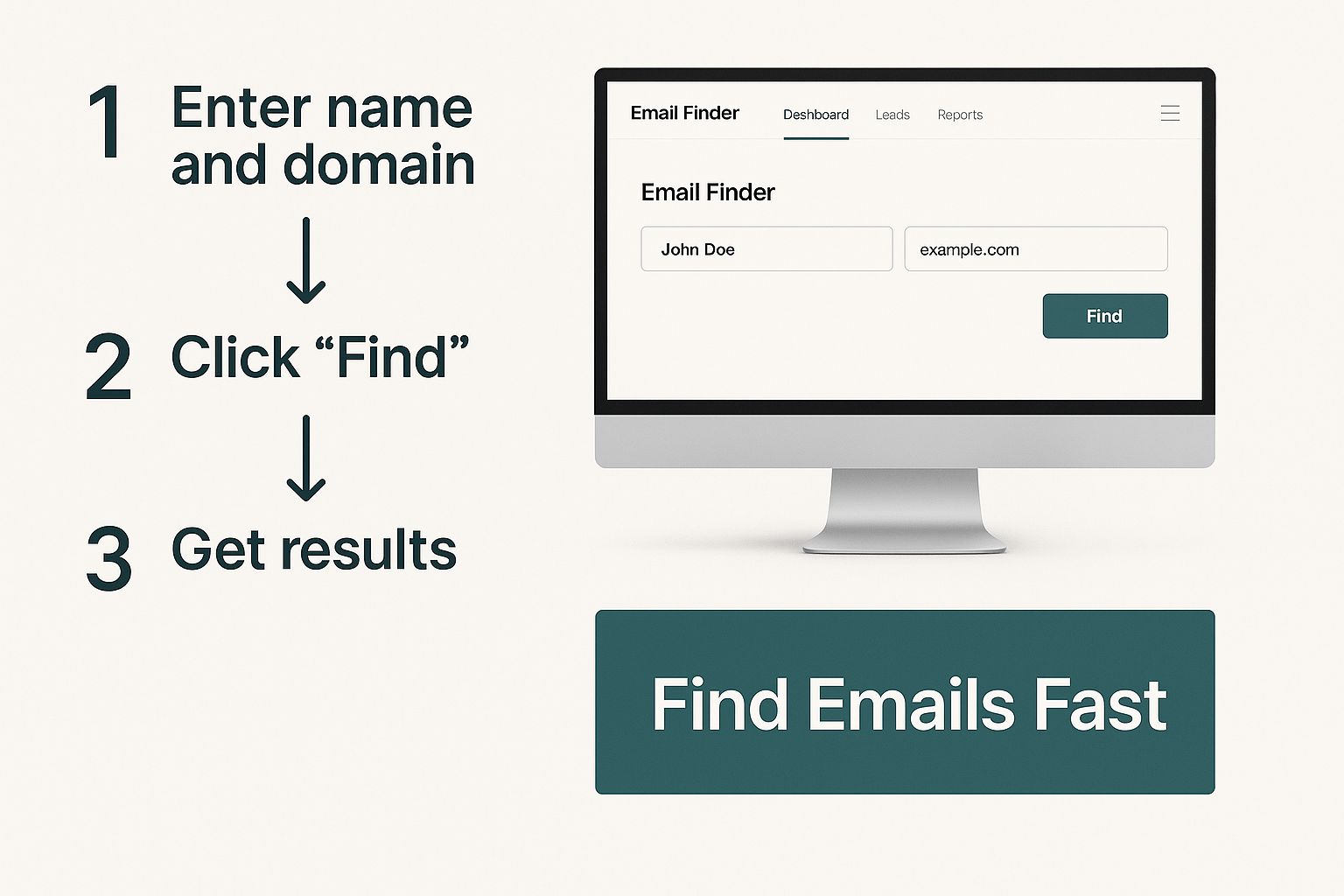
Let's be honest: when you need to find business emails at scale, manual searching is a dead end. Sifting through websites and social media profiles one by one is painfully slow and just doesn't work for building a real prospect list. This is exactly where email finder tools come in—they turn a soul-crushing task into a few quick clicks.
These platforms are built for speed and volume, helping you assemble targeted lists in a fraction of the time. They work by scraping and cross-referencing massive amounts of public data, then running checks to deliver a valid email address. For anyone in sales, marketing, or recruiting, this kind of efficiency is a total game-changer.
How Email Finder Chrome Extensions Work
Picture this: you're on the LinkedIn profile of a key decision-maker you absolutely need to reach. Instead of navigating away to start digging, a good email finder extension gets the job done right where you are.
A tool like EmailScout, for example, slots directly into your workflow. You just click the extension's icon while on a LinkedIn profile or company site, and it instantly analyzes the page to pull up a verified email. This seamless process cuts out all the friction and keeps you focused on what actually matters—building connections.

The real magic here is the combination of speed and convenience. You can grab contact info without ever breaking your prospecting rhythm.
The Technology Behind the Tools
These tools aren't just making educated guesses. They use some pretty sophisticated algorithms that pull together multiple data points to figure out and then confirm an email address.
- Public Data Scraping: They crawl company websites, press releases, and social media to find names and job titles.
- Pattern Recognition: They’re smart enough to identify the common email patterns a company uses (like
first.last@company.comorf.lastname@company.com). - Verification Protocols: Before you ever see an email, the service runs a real-time check to make sure the address is active and won't bounce.
This multi-layered process is what makes these tools so powerful. They don't just find potential emails; they deliver verified, ready-to-use contact information. That’s critical for protecting your sender reputation. If you're weighing your options, checking out a guide on the best email finder tools can give you a solid side-by-side comparison.
Comparing Email Finding Methods
With so many ways to find emails, it helps to see how they stack up. Different situations call for different approaches, and what works for a quick, one-off search might not be the best for building a massive list.
| Method | Speed | Accuracy | Cost | Best For |
|---|---|---|---|---|
| Email Finder Tools | Very Fast | High (w/ verification) | Low to Medium | Sales teams, marketers, and bulk prospecting |
| Manual Website Search | Slow | Variable | Free | Finding a few key contacts at smaller companies |
| LinkedIn Prospecting | Moderate | High | Free to High | B2B outreach and connecting with decision-makers |
| WHOIS Lookup | Fast | Low | Free | Finding technical or admin contacts for a domain |
| Permutation & Verify | Moderate | High (w/ verification) | Low | When you know the name but need to guess the email |
As you can see, tools offer the best balance of speed, accuracy, and cost for anyone serious about outreach. While manual methods have their place, they just can't compete when volume is the goal.
Key Considerations Before Subscribing
Before you pull out your credit card, take a moment to make sure a tool is actually the right fit for your strategy.
- Accuracy Rate: Look for tools that guarantee a verification or accuracy rate of 95% or higher. Anything less invites high bounce rates that can get your domain flagged.
- Integration Capabilities: Does the tool play nice with your CRM or other sales software? A smooth integration saves a ton of time on manual data entry.
- Cost vs. Credits: Most services use a credit system, where one credit usually equals one found email. Figure out your monthly outreach volume to pick a plan that gives you enough credits without going overboard.
- Bulk Finding Features: If you’re building big lists, make sure the tool lets you upload a file of names and companies to find emails in bulk.
At the end of the day, an email finder is a strategic investment. It pays for itself by giving you back the time you’d otherwise spend hunting for contacts, so you can focus on writing great emails and closing more deals.
Mastering Manual Search and Digital Detective Work
Automated tools are fantastic for speed and scale, but some of the most valuable contacts are tucked away where only a human can find them. This is where your inner digital detective comes into play. Honing your manual search skills helps you uncover those elusive email addresses that automated systems miss, giving you a real competitive advantage.
This isn’t about just randomly Googling, though. It's a strategic process. You need to know where to look, how to spot patterns, and how to connect the dots scattered across the web. Think of it as putting on your investigator’s hat to find information that’s hiding in plain sight.
Scouring Company Websites for Clues
Your first stop should almost always be the company’s own website. A direct email might not be sitting on the homepage, but you’d be surprised what you can find if you dig a little deeper. You're looking for patterns and context, not just a "contact" link.
Start with these high-value pages:
- The "About Us" or "Team" Page: This is the obvious starting point, but it's a goldmine. Look for employee bios or team directories. Even if they don’t list full emails, they often give you names and titles, which are critical pieces of the puzzle for later steps.
- Press Releases or Media Kits: Companies almost always include a media contact in their press releases. This is often a direct line to someone in marketing or PR, and their email format (like
firstname.lastname@company.com) is a massive clue about the company’s overall pattern. - Author Bios on the Company Blog: If your target writes for their company's blog, check their author bio. It’s common for companies to link the author's name to their email address or just include it right there in the bio.
For example, if a press release lists a media contact as jane.doe@abccorp.com, you have a great reason to believe the CEO, John Smith, can be reached at john.smith@abccorp.com.
Advanced LinkedIn Search Tactics
LinkedIn is way more than just a place to check job titles. It’s a dynamic source of information if you know where to look. The key is to go beyond the main profile page to find what you need.
Start by navigating to your target's profile and checking their recent activity. Look at the comments they've left on other people's posts. It's surprisingly common for professionals to drop their email in a comment thread to move a conversation offline.
A person’s digital footprint is a trail of breadcrumbs. By looking at their comments, shared articles, and group discussions, you can often find the direct contact information they've shared publicly, bypassing the need for any tool.
Also, don't forget to check any documents or presentations they’ve shared through LinkedIn's Slideshare feature. Professionals often include a final slide with their direct contact info for follow-up questions. This is a frequently missed but highly effective tactic.
Unconventional but Effective Methods
When the usual searches come up empty, it's time to get creative. Some of the best digital detective work happens in places most people don’t think to check. These methods take a bit more effort but can deliver when everything else has failed.
One great technique is a WHOIS lookup. Every domain name registration includes contact information for the owner. While many use privacy services, smaller businesses or solo entrepreneurs sometimes forget and leave their details public. A quick search on a site like whois.com can sometimes reveal the direct email of a founder or tech lead.
For those who want to build more advanced search techniques or use specialized tools, resources like a guide on getting started with web scraping tools can be incredibly valuable. These skills can help automate the more tedious parts of a digital investigation.
Finally, never underestimate the power of a well-crafted Google search. Using advanced search operators can filter out the noise and zero in on what you're looking for.
Try these specific search strings:
"[Target Name]" + email"[Target Name]" + contactsite:companywebsite.com [Target Name] email
These simple commands force Google to find pages where those exact terms appear together. It transforms a generic search into a precision tool for uncovering business contacts.
Crafting and Verifying Emails with Permutations
So, what happens when the usual tools come up empty and your manual searches hit a brick wall? It's time to get a little more creative. This is where a killer two-part workflow comes into play: email permutation and verification.
It’s a surprisingly effective method for those moments when you know the person's name and their company, but the actual email address is playing hard to get. Think of it as making a series of highly educated guesses, not just shooting in the dark.
This technique is all about using common corporate email patterns to build a list of likely options. It’s a budget-friendly and methodical way to find that one high-value contact without shelling out for more expensive tools. First, you create the possibilities, and then—this is the critical part—you confirm which one is real without sending a single awkward test email.
Generating Potential Email Combinations
The first move is to build your list of potential email addresses. The good news is that most companies use a standard format for their emails, which makes this a lot easier than it sounds. Once you have a person's first name, last name, and their company's domain, you can generate the most common combinations.
Let's imagine you're trying to reach a marketing manager named Sarah Jones who works at a company using the domain innovatech.com.
You can quickly test the most common corporate email patterns:
- First Initial + Last Name:
sjones@innovatech.com - First Name . Last Name:
sarah.jones@innovatech.com - First Name Only:
sarah@innovatech.com - Full Name:
sarahjones@innovatech.com - First Name + Last Initial:
sarahj@innovatech.com
Instead of typing these all out one by one, a free email permutator tool will do the heavy lifting for you. Just plug in the first name, last name, and domain, and it will spit out a comprehensive list of all the likely variations. It’s a huge time-saver and makes sure you don’t overlook a common format.
This whole flow—starting on a website, checking social profiles, and then using tools like this—is pretty standard practice for modern digital prospecting.
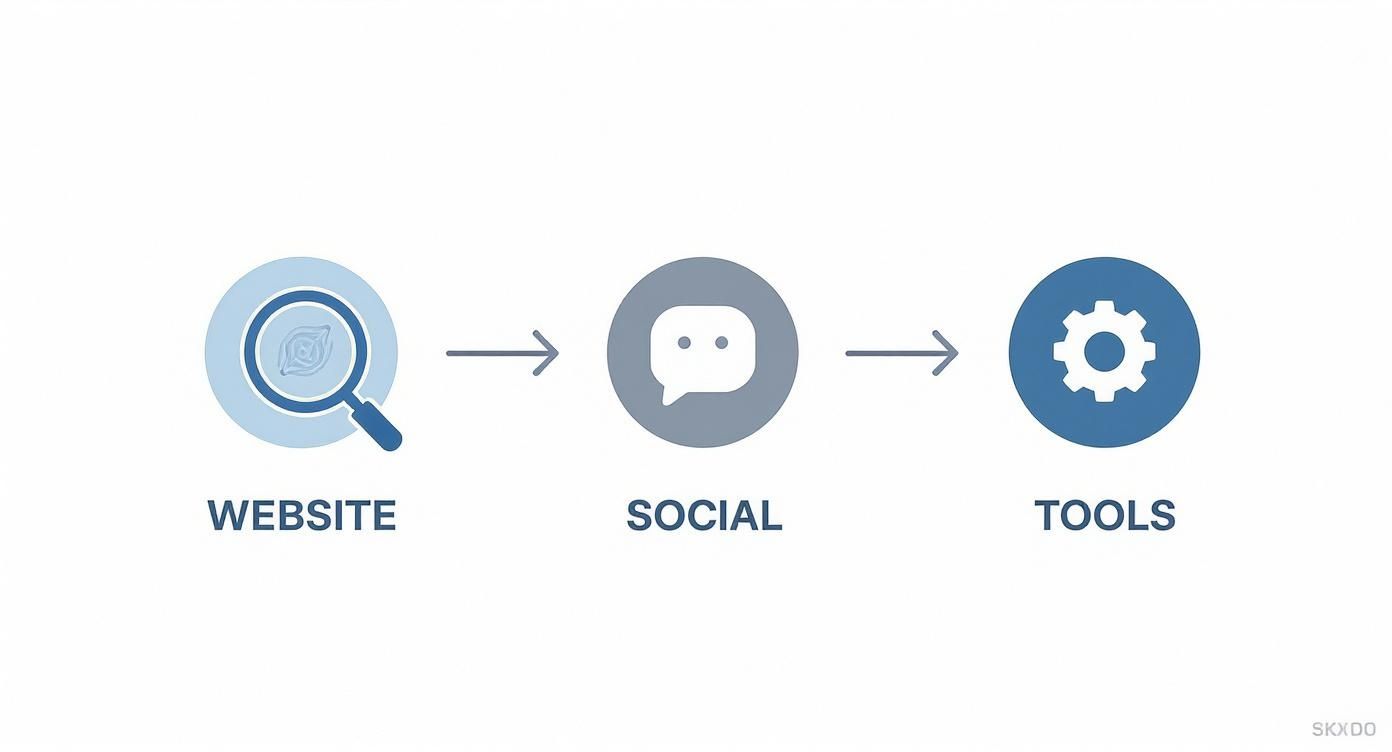
This workflow shows how different methods build on each other. When the easy wins are exhausted, permutation and verification become your secret weapon.
The Critical Role of Email Verification
Okay, creating a list of potential emails is only half the job. The next step is absolutely non-negotiable: verification.
Whatever you do, don't just send a message to every email on your list. That’s a terrible idea. It’s unprofessional, and it’s a fast track to a high bounce rate. Too many bounces will tank your sender reputation and get your future emails flagged as spam.
Verification is your safety net. It confirms if an email address is active and can receive mail without sending a message. This protects your reputation and makes sure your hard work actually lands in a real inbox.
This is where dedicated email verification services like ZeroBounce, Hunter, or NeverBounce become invaluable. These platforms run a series of background checks, pinging the mail server to see if a mailbox exists, checking for typos, and sniffing out "catch-all" addresses that accept mail for anyone at a domain.
The process delivers a simple "valid" or "invalid" verdict for each email you generated. Once you get a green light, you can move forward with confidence, knowing your message has the best possible shot at being delivered.
If you want a complete breakdown of how this works behind the scenes, our guide on how to validate an email address dives deep into the technical details. This methodical approach turns a guess into a confirmed lead, making every bit of effort count.
Ethical Outreach and Making a Great First Impression
Finding a valid business email is just the first part of the puzzle. How you use that information is what separates a successful campaign from a one-way ticket to the spam folder.
Let's be blunt: a thoughtless, generic message is worse than sending no message at all. It's a surefire way to get ignored, deleted, or flagged. Real outreach is built on respect, professionalism, and offering genuine value from the very first word.
This isn’t just about being polite; it’s about being smart and compliant. A great first impression opens doors, but a poor one slams them shut—often for good.
Navigating Email Compliance Laws
Before you hit "send" on any campaign, you have to know the rules of the road. Laws like the CAN-SPAM Act in the U.S. and GDPR in Europe aren't optional—they set clear guidelines for commercial emails.
Getting this wrong can be costly. Violating CAN-SPAM, for instance, can lead to fines of up to $53,088 per email. Compliance is completely non-negotiable.
The good news is you don't need a law degree to stay on the right side of these regulations. The core ideas are pretty straightforward and just mirror good business sense.
- Legitimate Interest: Your message has to be relevant to the person's job. Pitching marketing software to a VP of Marketing? That’s legitimate. Sending them an offer for a personal loan? Not so much.
- Clear Identification: You must clearly state who you are and include a valid physical postal address. Hiding your identity is a massive red flag and a direct violation of the law.
- An Obvious Opt-Out: Every single email needs a simple and clear way for the recipient to unsubscribe. This is an absolute must, and you have to honor those requests immediately.
Think of these rules less as restrictions and more as a blueprint for professional communication. They push you to be respectful, relevant, and transparent—all things that build trust and get better responses anyway.
Crafting an Email That Actually Gets a Response
Your prospect's inbox is a battlefield. With an estimated 361 billion emails sent daily, you're competing for a sliver of attention. The average office worker gets around 121 emails per day, and you can bet most of them are deleted without a second thought.
To stand out, you need a mix of sharp personalization and immediate value. A generic, self-serving email is dead on arrival.
Example Outreach Template: Sales Inquiry
A cold sales email has to be quick, sharp, and focused entirely on the other person's world, not your company's life story.
Subject: Quick question about [Recipient's Company]'s content strategy
Hi [First Name],
I saw your recent article on [Topic] and was impressed by your team's insights on [Specific Point].
At [Your Company], we help B2B tech companies like yours increase their lead generation from content by over 30%. Given your focus on [Their Goal], I thought our approach to interactive content might be relevant.
Would you be open to a brief 15-minute chat next week to explore if this could be a fit?
Best,
[Your Name]
Example Outreach Template: Networking Request
When you're networking, the goal is to build a bridge, not make a sale. Your tone should be respectful of their time and expertise.
Subject: Loved your talk at [Event Name]
Hi [First Name],
I was in the audience for your presentation on [Topic] at [Event Name] last week and was particularly inspired by your thoughts on [Specific Takeaway].
I'm currently working as a [Your Role] at [Your Company] and am always looking to connect with leaders in the [Their Industry] space.
If you have a spare moment in the coming weeks, I would be grateful for the chance to connect briefly and learn more about your experience.
Thanks for your time,
[Your Name]
Common Questions About Finding Business Emails
Even with the best tools, a few questions always pop up when you're hunting for business emails. You have to think about the legal side of things, make sure the addresses you find actually work, and know what to do when you hit a dead end. It’s all part of the game.
Let's clear up some of the usual sticking points. Getting these details right from the start is what separates a successful outreach strategy from one that just falls flat.
Is It Legal to Email Someone After Finding Their Business Address?
This is the big one, and the short answer is yes, but with some very important rules.
In most places, sending a cold email to a business address you found online is perfectly fine, as long as you play by the rules of anti-spam laws like the CAN-SPAM Act in the US or GDPR in Europe.
And trust me, these aren't just suggestions. Violating the CAN-SPAM Act can cost you up to $53,088 per email. So, to keep your outreach on the right side of the law, every message you send needs to check these boxes:
- Have a Legitimate Business Interest: Your email has to be relevant to their job. No pitching a new CRM to a graphic designer.
- Be Totally Transparent: Clearly state who you are and include a real physical mailing address in your email.
- Don't Use Deceptive Subject Lines: Your subject line needs to honestly reflect what's in the email. No "Re: Our Meeting" trickery.
- Give an Easy Way Out: Every single email must have a clear, simple way for them to opt out of future messages.
Basically, keep it professional, relevant, and respectful. This is about targeted outreach, not spamming the masses.
How Can I Improve the Accuracy of the Emails I Find?
Finding an email is one thing. Finding one that actually works is the real goal.
The single best thing you can do for your accuracy is to adopt a two-step process. First, use whatever method you prefer—an email finder tool, some manual digging—to get a potential address.
Second, and this is non-negotiable, always run it through a separate email verification service before you hit send.
An email verifier is like a bouncer for your sender reputation. It pings the mail server to see if an address is real and can receive mail—without sending an actual email. This simple check slashes your bounce rate and helps keep your domain out of the spam penalty box.
This tiny extra step is what protects your sender reputation and gives your carefully written message the best shot at actually being seen.
What Should I Do If I Cannot Find a Specific Person's Email?
Look, even the most dedicated sleuth comes up empty sometimes. When you've tried everything and still can't find that one specific email, it's time to switch gears, not give up.
One surprisingly effective trick is to find a general company email, like contact@company.com or info@company.com. Send a short, polite message explaining who you're trying to reach and ask if they could forward it to the right person. You'd be amazed how often a helpful admin will get your message exactly where it needs to go.
Another option is to just change the venue. Instead of another email, try connecting on a professional network like LinkedIn. A thoughtful comment on a recent post or a personalized connection request referencing something you both have in common can be far more powerful than a cold email ever could be. Sometimes, the best way in is to knock on the front door instead of looking for a hidden key.
Ready to stop guessing and start connecting? With EmailScout, you can find verified email addresses in a single click, directly from LinkedIn or company websites. Try our powerful Chrome extension for free and see how easy it is to build your prospect lists. Get started today at https://emailscout.io.