Tag: email verification

  • How to Check an Email Address for Spam: Protect Your Deliverability

    How to Check an Email Address for Spam: Protect Your Deliverability

    To truly check an email address for spam, you need to think like a detective. It's way more than just seeing if the format looks right. A proper check means digging into the domain's health, seeing if it’s on any naughty lists, and looking for clues that a real person is on the other end. This is how you protect your sender score and keep your emails from vanishing into the void.

    Why Proactive Email Vetting Is Non-Negotiable

    A man in a blue jacket sits at a wooden desk, writing on paper with a laptop and coffee mug.

    Blasting emails to an unverified list is the fastest way I've seen to kill an outreach campaign before it even starts. It's a classic mistake: sales and marketing teams get obsessed with the size of their list, but they forget that quality is what actually gets results. Hitting send on a "dirty" list full of bad addresses isn't just about a few bounces—it causes real, lasting damage.

    This isn't some small technical hiccup. It's a problem that hits your bottom line, hard. Every email that doesn't land is a lost lead, and every spam complaint quietly poisons your brand's reputation.

    The Real Cost of a Bad Email List

    A bad list doesn't just sit there doing nothing; it actively works against you. The fallout can be incredibly fast and a real nightmare to fix, creating a domino effect that can cripple your entire marketing operation.

    I've seen it happen time and again. Here's what you're up against:

    • Damaged Sender Reputation: Email providers like Gmail and Outlook are always watching. When they see high bounce rates and spam complaints from your domain, they start thinking you're a low-quality sender. Soon enough, your emails get sent straight to the junk folder, or worse, blocked entirely.
    • Domain Blacklisting: If you keep sending to bad addresses, you can get your domain put on major blocklists. Once you're on that list, even your legitimate emails to paying customers can get blocked. It's like having your main communication channel shut down overnight.
    • Wasted Resources: Your team's time and marketing dollars are precious. Every bit of effort spent on a campaign that goes to dead-end addresses is a total waste. That's money and time that could have been used to connect with real people who are actually interested.

    The sheer scale of the problem is staggering. In 2023, spam made up 45.6% of all email traffic worldwide. That’s over 160 billion spam messages flying around every single day. This just shows how critical it is to make sure you're not adding to the noise.

    It's a Matter of Trust

    When you get right down to it, vetting your email list is all about trust. You're asking for a moment of someone's time when you land in their inbox. Making sure you're contacting a real, relevant person is a sign of respect.

    If you don't, you're not just losing the recipient's trust; you're also losing the trust of the email providers who control your deliverability. Think of it this way: being a little suspicious of every new email address isn't being paranoid—it's just smart business. This is the first step in a solid outreach strategy, which we dive into in our guide on email address verification.

    Your First Line of Defense Against Bad Emails

    A person uses a magnifying glass to inspect an email icon on a laptop screen, symbolizing a syntax check.

    Before you even think about running a list through advanced verification tools, you can weed out a surprising number of bad emails with a quick manual check. Think of it as a pre-flight inspection for your outreach list.

    This first pass is surprisingly effective. It’s all about spotting obvious errors in an email’s format and making sure its domain is a real, functioning entity. You don't need any special tools for this—just a sharp eye for things that feel off.

    Spotting Obvious Formatting Errors

    The most fundamental way to check an email address for spam is simply to look at it. Every valid email has to follow one universal rule: username@domain.com. Anything that breaks this structure is an immediate red flag.

    When you're scanning a new list, keep an eye out for these common syntax mistakes:

    • Missing "@" Symbol: An email like janesmith.acmecorp.com is a non-starter. The "@" is mandatory.
    • Spaces or Illegal Characters: Addresses can't have spaces. Characters like ( ) , : ; < > [ ] are almost always forbidden.
    • Multiple "@" Symbols: If you see something like john@doe@example.com, you're looking at a garbled, useless address.
    • Weird or Incomplete Domains: The part after the "@" needs to look like a real domain. An address like info@consulting is incomplete—it’s missing a top-level domain like .com or .org.

    A quick scan for these typos is your fastest win. I’ve seen lists where up to 5-10% of the contacts are immediately junked just from bad formatting. Cleaning these out first is an easy way to boost your list quality from the get-go.

    Confirming the Domain Looks Legit

    Okay, so the email’s format looks right. The next question is, does the domain even exist? A perfectly formatted email like sales@totally-real-business123.net is worthless if the domain is fake.

    While you can't confirm a specific inbox exists at this stage, you can absolutely check if the domain is legitimate. The easiest way? Just type the domain (everything after the "@") into your browser's address bar and hit enter.

    Here's what you're looking for:

    • A Live Website: This is a great sign. If a professional-looking website loads, the domain is active and likely used for business communication.
    • "Parked" or "For Sale" Pages: See a generic page saying the domain is for sale? It's highly unlikely anyone is using it for professional email. Toss it.
    • A Browser Error: Getting a "This site can’t be reached" error is a major red flag. The domain is probably inactive or never existed in the first place.

    This quick domain check, combined with the syntax scan, gives you a powerful one-two punch to knock out the most obvious duds before you move on to deeper analysis.

    Using Advanced Signals to Uncover Hidden Risks

    So, an email address has passed the initial eye test. Great. But that’s just the first hurdle. Sophisticated spam and phishing attacks are designed to look legitimate on the surface, hiding behind perfectly normal-looking addresses.

    This is where you need to start playing detective and look at the technical signals. Think of it as a digital background check. These signals tell you whether the sender’s domain has its security in order, which is a massive clue about its legitimacy. For any sales or marketing pro, understanding this is non-negotiable.

    Decoding Email Authentication Protocols

    When you hear acronyms like SPF, DKIM, and DMARC, it’s tempting to tune out. Don’t. These are your best friends in the fight against spoofing—when a scammer fakes a "From" address to impersonate a trusted company.

    Think of them as digital security guards. A domain that uses them correctly is serious about protecting its reputation.

    Here’s a quick look at what these protocols tell you and why they’re so important when you're vetting a new contact.

    Email Authentication Protocols at a Glance

    These standards are the foundation of email security, each playing a unique role in verifying a sender's identity.

    Protocol What It Checks Why It Matters for You
    SPF (Sender Policy Framework) Verifies that the email was sent from an IP address authorized by that domain. This helps confirm the email isn't coming from a random, unauthorized server, a common tactic for spammers.
    DKIM (DomainKeys Identified Mail) Adds a unique digital signature to the email, which is then verified by the recipient's server. This proves the email's content wasn't altered in transit, protecting against message tampering.
    DMARC (Domain-based Message Authentication) Instructs email providers on what to do with emails that fail SPF or DKIM checks (like junking or rejecting them). A domain with a DMARC policy is actively protecting its reputation and telling the world how to handle fakes.

    A domain that has all three configured correctly is making a strong statement: "We are who we say we are, and we don't tolerate fakes."

    Checking Domain Reputation and Age

    Beyond authentication, a domain’s history is a goldmine of information. Spammers love to use new, throwaway domains for their campaigns, ditching them as soon as they get flagged. This makes a domain's age a huge red flag.

    Did the domain get registered just last week? Proceed with caution. While new businesses pop up every day, a brand-new domain sending you an unsolicited email is a classic spam indicator. You can use any free online WHOIS lookup tool to check a domain's registration date. If it’s less than a few months old, think twice.

    The rise of AI has put this problem on steroids. Analysts recently uncovered a stunning 14x surge in AI-generated phishing attacks, which grew from just 4% to 56% of all reported incidents. These tools can spin up convincing domains and emails in seconds, making this kind of technical check more vital than ever. You can learn more about these emerging phishing trends from Hoxhunt's report.

    Another mission-critical step is checking the blacklists. Countless services track domains and IP addresses that are known offenders. Running an email's domain through a blacklist checker will tell you if it's already on the naughty list.

    If a domain shows up on major blocklists like Spamhaus or Barracuda, that’s a dealbreaker. Don't just delete the email—disqualify that address immediately. Engaging with it could get your own domain flagged by association, tanking your sender reputation and derailing your campaigns.

    Reading the Human Signals Behind the Address

    Technical checks are a great first step, but they’ll only get you so far. The truth is, the most dangerous spam traps are designed to look legitimate and will often sail right through automated verification. This is where you have to put on your detective hat and look for the human behind the email.

    Think of it this way: technical data tells you an address can receive mail. Human signals tell you if a real person is actually on the other end. It's this extra layer of common-sense analysis that separates the pros from the amateurs and keeps your sender reputation safe.

    Look for a Digital Footprint

    Before you even think about hitting send, do a quick search. A real professional almost always leaves a digital trail connected to their work. Your goal is to connect that email address to a living, breathing person.

    Here’s a quick-and-dirty workflow:

    • LinkedIn Search: Is there a LinkedIn profile associated with the email? Even better, does their company, job title, and location match what you expect? A detailed profile with a history and real connections is a massive green flag.
    • Company Website: Can you find them on a team or "About Us" page? This is a direct confirmation that they are who they say they are and are associated with that domain.
    • Google the Address: Just pop the email address into Google. You might be surprised what you find—forum posts, author bios on blog articles, or other public mentions that prove it's an active account used by a real person.

    If an email has absolutely zero online presence—no social profiles, no company page mention, nothing—it doesn't automatically scream "spam." But it's a definite yellow flag. Treat it with suspicion and proceed with caution.

    Use a Safe Test Send

    Sometimes the most direct approach is the best one. You can "ping" the address with a test email, but never use your primary outreach template for this. You need to send a safe test send.

    This is a stripped-down, plain-text email with one purpose: to see if it bounces. It should contain no links, no marketing copy, and no fancy HTML. Keep it simple and personal.

    For example:

    Subject: Quick question

    Hi [First Name],

    Just confirming, is this the best email to reach you?

    Thanks,
    [Your Name]

    If it bounces, you have your answer—delete the contact. If you get a reply (even an out-of-office message), you’ve confirmed the inbox is live. For a deeper dive into this and other contextual methods, you can learn more about how to reverse search an email address.

    Inspect Email Headers for Clues

    This one is for when you receive an email from a contact that feels a bit off. The email header is a hidden goldmine of data, acting like a digital travel log that shows the exact path a message took to get to your inbox.

    You don't need to be a tech wizard here. You're simply looking for red flags and inconsistencies. For instance, does the "Received" path show a chain of servers in a country that has nothing to do with the sender's company? That could be a classic sign of spoofing, where a scammer is faking the "From" address to trick you. A quick look at the headers can help you spot fakes that your basic filters might have missed.

    Building a Spam-Proof Outreach Workflow

    Knowing how to spot a spammy email is one thing. Turning that knowledge into a repeatable, efficient system is where you really start protecting your sender reputation and getting the most out of your campaigns. It's about building a process, not just reacting to bad bounces.

    This means baking verification right into your daily work. For anyone in sales or marketing, the goal is to have every single email vetted before it ever hits your CRM or outreach tool. You stop gambling on list quality and start building a strategic asset.

    Process flow diagram showing three steps: Footprint (LinkedIn), Origin (email), and Test (signal).

    This simple flow—from footprint to origin to a safe test—is a great mental model for investigating the human signals behind an email.

    Automating Your Prospecting and Vetting

    The idea is to create a smooth pipeline from finding a prospect to having a verified contact. If you’re using a tool like the EmailScout extension, you can build lists on the fly while you browse. The AutoSave feature is perfect for this, letting you grab potential contacts from professional networks or company sites with a single click.

    But that's just the raw list. Before you even think about loading it into your CRM, you need to run it through a verification funnel. This is your essential buffer, checking for things like:

    • Syntax and Domain Validity: The first, most basic screen.
    • Technical Health: A quick look at the domain's SPF, DKIM, and DMARC setup.
    • Reputation: A cross-check against major spam blacklists.

    Even the geographic origin can be a clue. The United States, for instance, was the top source of spam in 2024, sending out around 8 billion spam emails daily. Knowing these kinds of trends adds another layer of context when you're vetting a large list.

    From Bulk Gathering to Granular Validation

    For bigger prospecting jobs, a feature like EmailScout’s URL Explorer comes in handy. You can drop in a list of company websites, and it will hunt for any publicly available email addresses.

    This is a great starting point, but let’s be clear: bulk-gathered lists are notorious for having outdated addresses, generic role-based emails (info@, support@), and even a few spam traps.

    It is absolutely critical to validate every single address gathered through bulk methods. Skipping this step is one of the fastest ways to destroy your deliverability. Treat every unverified, bulk-scraped email as a high-risk liability until you've proven it's safe.

    By creating this spam-proof workflow, you build a foundation of high-quality, deliverable contacts. It’s a surefire way to boost campaign performance and maintain a strong sender score over the long haul. If you want to dive deeper, check out our complete guide on how to improve email deliverability.

    Ultimately, protecting your deliverability also means being a good sender. Following essential email etiquette rules ensures your messages are professional, well-received, and land in the inbox. You end up with an efficient, reliable system that makes every single outreach effort count.

    Common Questions About Email Verification

    Even with the best workflow, you're bound to run into a few tricky situations when you start verifying emails. Let's tackle some of the most common questions that come up for sales and marketing pros who are serious about keeping their lists clean.

    Getting these right will help you put this guide into practice and make sure your efforts are actually paying off.

    How Often Should I Check My List for Spam Addresses?

    Consistency is the name of the game. For any list you're actively using for outreach, you should plan to re-verify it every three to six months. Emails go bad faster than you'd think—people switch jobs, abandon old accounts, or their inboxes even get turned into spam traps.

    And for any new list you build or get your hands on? The rule is simple: verify it immediately. Don't send a single email until you’ve run a full check. This is your first line of defense for protecting your sender reputation.

    Are Free Email Addresses (Gmail, Yahoo) Bad for Business?

    Not in the slightest. Writing off free emails is a rookie mistake. A massive number of freelancers, consultants, and small business owners use providers like Gmail for their day-to-day professional work.

    The domain doesn't tell the whole story; the person behind the email does. Treat a free email address just like any corporate one and run it through the same verification steps. Check for a matching LinkedIn profile, a personal website, or other signs that a real professional is on the other end.

    The presence of a free email provider is just a data point, not a verdict. Context is everything. A gmail.com address linked to a seasoned consultant with a robust online presence is a far more valuable lead than an unverified corporate email with zero digital footprint.

    What Is the Difference Between Validation and Verification?

    People often use these terms interchangeably, but there’s a key difference you should know.

    • Email Validation: This is the most basic check. It just looks at the syntax to see if the address is formatted correctly (e.g., has an "@" and a proper domain). Think of it as a quick, automated first glance.
    • Email Verification: This is the deep-dive process we’re focused on. It goes way beyond syntax to check if the mailbox actually exists, analyzes the domain's health (SPF, DKIM), and scans for any blacklist history.

    We focus on true verification because an email can look perfectly valid on the surface but still be a dangerous spam trap waiting to tank your deliverability.

    Is Any Verification Method 100% Perfect?

    No single method is completely foolproof. Spammers are always finding new ways to get around checks, so the landscape is constantly changing. You'll also run into domains with "accept-all" (or "catch-all") settings that make every email address at that domain appear valid, which makes confirming a specific inbox tricky. Digging into how to verify accept-all emails can give you more advanced tactics for these specific cases.

    Still, a multi-step process like the one we've outlined will catch the overwhelming majority of bad emails. The goal isn't impossible perfection—it’s about drastically reducing your risk so you can maximize your results.


    Ready to stop guessing and start verifying? EmailScout integrates powerful verification right into your prospecting workflow, ensuring every contact you find is a safe and valuable one. Find unlimited emails for free today!

  • Hunter Email Verifier Guide: hunter email verifier essentials

    Hunter Email Verifier Guide: hunter email verifier essentials

    Before we get into a tool like the Hunter Email Verifier, we need to talk about why this is a step you absolutely can't skip. Your email list is the foundation of your entire outreach strategy. If that foundation is weak, everything you build on it will eventually come crashing down.

    Email verification is how you make sure that foundation is rock-solid.

    Why Email Verification Is Your Secret Weapon

    Sending emails out to a bad list isn't just a waste of your time—it actively hurts your business. Every single time you send a message to a dead email address, it "bounces." That isn't just a failed delivery; it's a strike against you in the eyes of email providers like Gmail and Outlook.

    Think of it like this: if you keep sending mail to addresses that don't exist, the post office is going to start seeing you as a problem. Pretty soon, they'll treat all your mail with suspicion. In the digital world, that suspicion tanks your sender reputation.

    The High Cost of a Low Sender Score

    Your sender reputation is basically a credit score for your email address. ISPs (Internet Service Providers) use it to decide if you're trustworthy. A high score gets you a ticket to the main inbox. A low score, on the other hand, comes with some serious penalties.

    • Poor Deliverability: Your emails get routed straight to the spam folder, where they’re as good as invisible.
    • Account Suspension: If things get bad enough, your email provider might just suspend or even shut down your account for spammy behavior.
    • Wasted Resources: Every email sent to a bad address is a complete waste—from the time you spent writing it to the money you pay for your email tools.

    A high bounce rate is the fastest way to destroy your sender reputation. Keeping your bounce rate under 2% isn't just a suggestion; it's a hard-and-fast rule for anyone serious about email outreach.

    Protecting Your Digital Identity

    Using an email verifier is your first line of defense. Before you even think about hitting "send," the tool scans every address on your list. It checks that the format is correct and, more importantly, it pings the mail server to confirm a real mailbox exists and is ready to receive your email.

    This simple cleaning process directly impacts your campaign's bottom line. By weeding out the bad and risky addresses, you make sure your messages actually land in front of real people. It’s a core part of any real email strategy, and to get the most out of it, you should follow established email deliverability best practices.

    At the end of the day, a clean list means higher open rates, better engagement, and a much stronger ROI. For a full breakdown of the process, you can learn more about how to verify emails in our guide. This makes tools like the Hunter Email Verifier less of an expense and more of an essential investment in your success.

    How the Hunter Email Verifier Works

    So, how does the Hunter Email Verifier actually figure out if an email is good to go? Think of it this way: before you send an important package, you double-check the address to make sure it gets there. Hunter’s verification process is like a series of rapid quality checks, all designed to give you that same confidence.

    The entire system is built to give you a clear answer without ever sending a real email—a crucial step for protecting your sender reputation. It runs through several automated checks in just seconds, performing far faster and more accurately than you ever could manually.

    A Multi-Layered Verification Process

    The tool doesn't just run a single test. Instead, it uses a sequence of checks to determine an email's status, weeding out bad addresses at each stage. This multi-layered approach is what makes the final result so reliable.

    This tiered system includes a few key steps:

    • Syntax & Formatting Check: First, it makes sure the email follows the basic rules, like having an "@" symbol and a proper domain. This is a quick way to catch obvious typos.
    • Domain & MX Record Check: Next, it confirms the domain (the part after the "@") is real and has a valid Mail Exchanger (MX) record. This is like checking if the destination city and its post office actually exist.
    • SMTP Handshake: The final step is a SMTP handshake. This involves a direct, real-time conversation with the recipient's mail server to ask if a specific mailbox exists and can receive mail, all without sending a full email.

    This is all about starting with a clean list, which leads directly to better delivery rates and a protected sender reputation.

    A three-step diagram illustrating email quality optimization: clean list, high delivery, and good reputation.

    As you can see, verified emails are the foundation for any successful outreach campaign. This has become absolutely vital as more and more businesses lean on email marketing.

    The demand for tools like a hunter email verifier is exploding. The market jumped from $0.71 billion in 2025 to a projected $0.79 billion in 2026, largely because we’re all trying to manage the 376.4 billion emails sent every single day.

    Understanding the Verification Results

    After running its checks, Hunter gives you a clear status for each email. Knowing what these mean is essential for building a clean and effective outreach list.

    Valid: This email passed every check and is safe to send. These addresses give you the lowest chance of bouncing.

    Invalid: The email failed one of the core checks. It either doesn't exist or can't receive mail. You should always remove these from your lists to avoid damaging your sender score.

    Risky: This status is often applied to "accept-all" or "catch-all" domains. These servers are set up to accept mail for any address at their domain, which makes it impossible to confirm if a specific user actually exists. Sending to these emails requires a bit more caution.

    Understanding the mechanics of how verification works is the first step. For a much deeper look, check out our complete guide on email address verification.

    How to Use Hunter's Results for Maximum Impact

    Bearded man typing on computer, screen shows 'ACT ON RESULTS' dashboard with charts.

    Running your list through the Hunter Email Verifier is the easy part. The real skill is knowing what to do with the results it spits back at you. Just glancing at the dashboard isn't enough—you need a clear plan to turn that data into better deliverability and a healthier sender score.

    Think of it like sorting a big pile of mail. You've got a stack for guaranteed delivery, a stack for the shredder, and a tricky pile that needs a second look. Each status Hunter provides falls into one of these categories, and handling them the right way is what separates a rookie mistake from a professional campaign.

    Segmenting Based on Verification Status

    Your first move is to split your email list based on the three main results: Valid, Invalid, and Risky. Each group demands a completely different approach to protect your sender reputation and get the most out of your efforts.

    Here's a simple, systematic way to handle it:

    • Valid: These are your green lights. They've passed all of Hunter's checks and are safe to send. Move these contacts straight into your main outreach campaign without a second thought.

    • Invalid: These emails are a direct threat to your reputation. They are confirmed to be nonexistent or unable to receive mail. You must delete these from your CRM and email lists immediately. No second chances.

    Sending messages to even a small number of invalid addresses can flag your domain as spammy and land you on a blacklist. The rule is simple: if Hunter says it's invalid, it's gone for good.

    This strict sorting ensures your campaigns only go to high-quality addresses, which will drastically cut your bounce rate. But the real strategy comes into play with that third, tricky group.

    Handling Risky and Accept-All Emails

    The "Risky" or "Accept-All" status is where most people get tripped up. These results often come from corporate servers set up to accept mail for any address at their domain, making it impossible for a verifier to confirm if a specific person's inbox actually exists. It’s a defense mechanism on their end.

    You shouldn't automatically delete these contacts, but you can't treat them like "Valid" ones, either. Sending to a large batch of risky addresses can still lead to a high bounce rate if many of the specific mailboxes don't exist.

    Here's the smart way to manage this segment:

    1. Isolate Them: Create a totally separate list for all "Risky" and "Accept-All" emails. Never, ever mix them with your "Valid" contacts.
    2. Send a Small Test Batch: Before launching a full campaign, send your email to a small sample of this list—think 50-100 contacts. Then, watch the bounce rate like a hawk.
    3. Evaluate and Proceed with Caution: If your test batch comes back with a bounce rate under 3-4%, you can consider carefully sending to the rest. A wiser move is to put this group on a slower, lower-risk outreach cadence to avoid any sudden red flags for email providers.

    By treating each verification status with a specific game plan, you’re no longer just cleaning data. You’re making strategic decisions that directly boost your campaign's performance and protect your most critical asset: your sender reputation.

    Hunter Verification Status and Recommended Actions

    To make it even clearer, here’s a quick guide on how to act on each verification status from Hunter. Following these steps will help you maximize deliverability while keeping your sender score safe.

    Verification Status What It Means Recommended Action for Your Campaign
    Valid The email address has passed all checks. The server has confirmed the mailbox exists and is ready to receive emails. Send immediately. These are your highest-quality contacts. Add them to your primary outreach sequences.
    Invalid The email address does not exist, the domain is incorrect, or the mail server has permanently rejected it. Delete immediately. Remove this contact from all lists and your CRM to avoid damaging your sender reputation.
    Accept-all The server is configured to accept emails for any address at that domain, making it impossible to confirm if the specific mailbox exists. Also known as a "catch-all." Isolate and test. Send to a small sample first. If the bounce rate is low, proceed cautiously with a separate campaign.
    Risky The email address is likely to bounce. This could be due to a full inbox, a temporary server issue, or it being a low-quality or disposable address. Isolate and consider a low-priority send. Treat these similarly to "Accept-all" but with even more caution.
    Unknown The server is not responding or providing a clear status, so Hunter cannot determine if the email is valid or invalid. Exclude for now. It's safest to set these aside. You can try re-verifying them after a few weeks to see if the status changes.

    Ultimately, acting on this data isn’t just about avoiding bounces. It's about building a sustainable and effective outreach process that respects both your prospects and the email providers that deliver your messages.

    Practical Use Cases for the Hunter Email Verifier

    A person holds a tablet showing 'Practical Uses' with icons for data, search, and global scope.

    Alright, let's move beyond the technical "how" and into the practical "why." The real magic of the Hunter Email Verifier isn't just cleaning a list—it's about how it slots into your daily work to protect your sender reputation, save money, and open up new opportunities.

    Think of it as a strategic move. For sales teams, a CRM can quickly become a graveyard of old contacts. People switch jobs, and companies close down. Running your entire CRM through a bulk verification can breathe new life into old leads, clear out the deadwood, and make sure your database is a tool you can actually trust.

    Improving Cold Outreach Campaigns

    For anyone in marketing, your email list is everything. Launching a big cold email campaign without verifying your list first is like setting sail in a leaky boat. It’s just not a good idea.

    Let's say you've just used a tool like EmailScout to pull together a great list of prospects. Before you hit "send," loading that list into Hunter for a quick check is the smartest thing you can do. This simple pre-flight check does two massive things for you:

    • Maximizes Deliverability: You get peace of mind knowing your emails will actually land in people's inboxes from the get-go.
    • Protects Sender Score: You avoid the high bounce rates that get your domain flagged as spam, which keeps your future campaigns safe.

    An email verifier like Hunter is a powerful way to sharpen your lead generation. To make sure your outreach hits the mark, it’s smart to pair it with other great systems. You can explore some of the best sales lead generation tools to build out a complete, effective tech stack.

    This two-step "Find, then Verify" workflow is a cornerstone of modern prospecting. You generate leads at scale with one tool and then ensure their quality with a dedicated verifier like Hunter, optimizing both cost and effectiveness.

    Automating Data Hygiene and Security

    But it’s not just for sales and marketing. Developers and ops teams can tap into Hunter’s API to build verification right into their systems. A great example is adding it to a website's sign-up form. This allows you to block fake or temporary email addresses in real-time, keeping your user database clean from the start.

    Imagine a business development rep who needs to stay on top of their partner contacts. They can run periodic checks on their list. If an email comes back as "Invalid," that’s a huge clue that the person has probably left the company. This gives the rep a reason to find the new contact and keep their professional network from going stale. It’s all about proactive data management.

    Choosing the Right Verification Tool for You

    While a popular tool like the Hunter Email Verifier is a fantastic choice for many, picking the right service isn't a one-size-fits-all deal. The best tool for you comes down to your specific workflow, your budget, and the sheer scale of your outreach. It’s about looking past the big names and digging into a few key details that matter to your business.

    When you're comparing services, you need to have a clear scorecard. The most important things to look at are accuracy rates, how well it integrates with other tools, verification speed, and the pricing structure. Does the tool actually guarantee its accuracy? Can it plug right into your CRM? How fast can it chew through a list of 10,000 emails? These aren't just details—they're fundamental.

    Key Evaluation Criteria for Any Verifier

    Before you pull out your credit card, make sure any provider gives you straight answers on these core features. A good service will be upfront about what it can and can't do.

    • Guaranteed Accuracy: Look for tools that explicitly promise 95% or higher accuracy on their "Valid" and "Invalid" results. This is critical. You need to be able to trust the data you're paying for.
    • Integration Options: A verifier that seamlessly connects to the tools you already use (like Salesforce, HubSpot, or your outreach platform) will save you countless hours of exporting and importing spreadsheets.
    • Bulk Verification Speed: If you work with big lists, you need a service that can process tens of thousands of emails in minutes, not hours. Your workflow can't just grind to a halt.
    • Pricing Model: Pay close attention to how you're charged. Is it a monthly subscription with a fixed number of credits, or do you pay as you go? Do the math to figure out the real cost per verification.

    This industry is booming, which tells you just how much businesses need clean data. The global market for these tools, where the Hunter Email Verifier is a major player, is expected to hit $1.28 billion in 2026 and jump to $2.46 billion by 2035. You can find more details on this competitive space over at Business Research Insights.

    The Modern Outreach Workflow: Find, Then Verify

    For many of the sharpest sales and marketing teams I know, the most effective strategy isn't about finding one single tool that does everything. It's about building a powerful, two-step workflow using specialized tools for what they do best. I call it the "Find, then Verify" model.

    This modern approach separates the task of finding leads from the task of cleaning your list. You use one tool to find potential customers at scale, then you use another, dedicated tool to make sure that list is spotless before you even think about hitting "send."

    A perfect example of this is pairing an email finder with an email verifier.

    1. Find: First, you use an agile email finder tool like EmailScout to quickly generate a large, targeted list of leads, maybe straight from LinkedIn or company websites.
    2. Verify: Then, you export that raw list and run it through a dedicated, high-accuracy verifier like Hunter. This scrubs the list clean, gets rid of the bad addresses, and flags the risky ones for you.

    This complementary approach lets you build massive lead lists without breaking the bank, and then strategically invest in cleaning them for the best possible deliverability. It frames tools like EmailScout and Hunter not as rivals, but as essential partners in a modern, efficient tech stack. If you're just getting your feet wet, checking out some of the best free email verification tools is a great way to start.

    Frequently Asked Questions About Email Verification

    Even after you get the hang of email verification, a few questions always seem to pop up. Let's tackle some of the most common ones I hear about the Hunter Email Verifier and the process itself.

    My goal here is to give you clear, straight-to-the-point answers so you can use these tools confidently.

    How Accurate Is the Hunter Email Verifier

    The Hunter Email Verifier is known for being incredibly accurate, hitting 95% or more on the results it marks as definitively "Valid" or "Invalid." That level of precision is exactly what you need to build clean outreach lists and keep your sender reputation safe.

    Of course, no tool can promise 100% perfection. The main reason for this comes down to "catch-all" or "accept-all" servers. Some companies set up their email servers to accept mail for any address at their domain, which makes it impossible for an outside tool to know for sure if a specific person's mailbox is real.

    For these, Hunter gives you a "Risky" result along with a confidence score to help guide your decision. My advice? Always treat "Risky" emails as their own separate group. If you decide to contact them, send to a small batch first to see what your bounce rate looks like before you send to the whole segment.

    Can I Use Hunter to Verify a Free Email List

    Yes, and it's actually a very common and effective workflow. A lot of people use a free tool, like the EmailScout Chrome extension, to find a large number of email addresses from places like LinkedIn or company websites.

    Once you have your big list of prospects, you can just export it and run it through Hunter’s bulk verification to clean the whole thing in one go.

    This "Find, then Verify" process is a powerful one-two punch. You can generate a ton of potential leads for free, then just pay the small cost to make sure they're deliverable. It's a great way to maximize the ROI on your outreach.

    What Is the Difference Between Verification and Validation

    People tend to use these terms interchangeably, but there's a small difference that's actually pretty important to understand.

    • Validation is usually a quick, surface-level check, like the kind you see on a signup form. It just confirms the email looks right—it has an "@" symbol and a proper domain (e.g., name@example.com).
    • Verification is the much deeper dive that a tool like the Hunter Email Verifier performs. It not only checks the format but also confirms the domain is real and can accept mail, and then it actually pings the server to ask if that specific mailbox exists.

    For anyone cleaning an existing list for sales or marketing, verification is the step you can't skip.

    Is Verifying Email Addresses Legal

    Yes, verifying email addresses is completely legal. In fact, it's considered a best practice for good data hygiene.

    The process is non-intrusive. It never sends an actual email that lands in someone's inbox. Instead, it just has a quick, technical conversation with the mail server to ask, "Hey, does this mailbox exist?"

    Following this practice actually helps companies stay compliant with regulations like GDPR and CAN-SPAM, which require businesses to keep their data accurate. With the email verification market projected to hit $0.72 billion in 2025 and daily email sends climbing toward 376.4 billion, keeping lists clean is more critical than ever. Discover more insights about the growing email verifier market. By verifying, you're taking a responsible step to make sure you're only contacting legitimate accounts.


    Ready to build massive, clean lead lists? Use EmailScout to find unlimited prospects for free, then verify them for maximum deliverability. Get started today at https://emailscout.io.

  • Your Guide to Using the Hunter Email Check for Better Outreach

    Your Guide to Using the Hunter Email Check for Better Outreach

    There's nothing more frustrating than spending time crafting the perfect outreach email, hitting send, and immediately getting a bounce-back notification. It feels like a total waste of effort. A quick Hunter email check is your best defense against this, confirming an email address is actually valid before you ever send a message.

    This simple step does more than just save you a headache; it protects your sender reputation and makes sure your emails have a fighting chance of being read.

    Why Accurate Email Verification Is Your Secret Weapon

    Let’s be real—a high bounce rate can completely sabotage your outreach efforts. When you send emails to a bunch of invalid addresses, email providers like Gmail and Outlook see that as a major red flag. They start to think you might be a spammer.

    Once your sender reputation takes a hit, even your legitimate emails to valid contacts are more likely to end up buried in the spam folder.

    A person works on a laptop showing charts and data, with a green banner overlay stating 'CLEAN EMAIL LIST', pointing at the screen.

    Think of a Hunter email check as an insurance policy for your email campaigns. It scrubs your list clean, which massively boosts your deliverability and keeps your domain in good standing.

    The Foundation of Successful Outreach

    A clean email list isn't some minor technicality—it’s the absolute bedrock of any good sales or marketing campaign. I’ve personally managed campaigns where list hygiene was the single biggest factor separating success from failure.

    When your list is verified, you can expect:

    • Higher Open Rates: More of your emails land in the primary inbox where they belong.
    • Better Sender Reputation: You steer clear of the penalties that drag down your deliverability.
    • Increased ROI: Your time and budget are spent engaging with real people, not dead ends.

    Beyond just getting your emails delivered, proper verification is a game-changer for improving response rates to cold outreach emails. The market absolutely reflects this value. The email finder and verification space, where Hunter is a major player, is on track to hit $5.6 billion by 2032. That growth is all thanks to the incredible ROI of email marketing, which simply can't exist without clean contact lists.

    A clean email list is your most valuable asset in digital outreach. Verifying it isn't an optional step—it's the core activity that makes every subsequent action more effective.

    Decoding Hunter’s Verification Statuses

    To really put Hunter to work, you need to know what its results are telling you. Each status gives you a clear signal on what to do next, turning that raw data into a practical game plan.

    If you want a deeper dive into the mechanics, our guide on how to verify emails is a great primer. But for now, let's break down the different statuses you’ll see after running a Hunter email check.

    Understanding Hunter Verification Statuses

    This table gives you a quick rundown of what each status means and what you should do with it.

    Status Icon Meaning Recommended Action
    Valid Hunter is highly confident the email address exists and is safe to send to. Go for it! This is a safe email to include in your campaigns.
    Accept All The server accepts all emails for the domain, so it's impossible to confirm if a specific inbox exists. Proceed with caution. There's a risk of a bounce. Best for low-volume, high-value outreach.
    Invalid The email address does not exist or has a syntax error. Remove immediately. Sending to this will result in a hard bounce and hurt your reputation.
    Unknown Hunter couldn't get a definitive response from the email server. Avoid sending. It's too risky. Treat these like invalid emails to be safe.

    At the end of the day, these statuses are your guide to maintaining a healthy list. Pay attention to them, and you’ll keep your sender reputation strong and your outreach effective.

    A Practical Walkthrough of Hunter’s Verification Tools

    Alright, enough theory. Let's get hands-on with Hunter's verification tools. This is where you turn a messy prospect list into a clean, outreach-ready asset. Hunter gives you two main ways to check an email: a quick, single check for one-off needs and a powerful bulk tool for processing entire lists.

    Performing a Quick Single Email Check

    The single email verifier is perfect for those quick, "just to be sure" moments. Think about it: you're about to email a crucial proposal to a high-value lead. The last thing you want is a bounce-back. This is exactly what the tool is for.

    Just head over to the "Verifier" section in your Hunter dashboard, paste the email into the search bar, and click "Verify." In seconds, you get a clear status: valid, invalid, or risky. This kind of instant feedback is a lifesaver for daily sales and networking, helping you sidestep simple mistakes before they can cause problems.

    I probably use the single verifier a dozen times a day. Before I add a new contact to my CRM or reply to an inbound query that looks a little off, a quick check gives me instant peace of mind and keeps my main database clean from the get-go.

    Mastering the Bulk Email Verifier

    Checking emails one by one just won't cut it for bigger outreach campaigns. That's when you bring in the workhorse: the Bulk Email Verifier. It’s built to clean hundreds or even thousands of contacts all at once.

    Let's imagine a real-world scenario. You have a list of 500 prospects for a new product launch and need to make sure your emails will actually land.

    Here’s how you’d tackle it:

    • Get your file ready. Your prospect list should be in a spreadsheet. Make sure you have one column just for email addresses. It’s also smart to have columns for first names, last names, and companies to make personalization easier down the road. Save the file as a CSV.

    • Upload the list to Hunter. Inside the Verifier section, you’ll see a "Bulk" tab. You can drag and drop your CSV file right onto the page or browse your computer for it. I recommend giving your list a specific name, like "Q3 Product Launch Prospects," to keep things organized.

    • Map your data columns. This is a critical step. After the upload, Hunter needs to know which column actually contains the email addresses.

    The interface shows you a preview of your spreadsheet and asks you to match your columns to Hunter's fields. The screenshot below shows you exactly what this looks like.

    As you can see, you just pick "Email" from the dropdown for the right column. Once you’ve mapped it, click "Next" and let Hunter get to work.

    The system will then process your entire list, running its checks on every single email. The time it takes will depend on how big your list is, but you’ll get an email notification as soon as it's done. From there, you can download your freshly cleaned list, now with a verification status for every contact.

    Decoding Hunter’s Verification Results for Smarter Outreach

    Getting a report back from a Hunter email check is just the first step. The real magic happens when you interpret that data to build a smart outreach strategy—one that protects your sender reputation and gets your message in front of your best leads. Simply splitting your list into "valid" and "invalid" just doesn't cut it. The details are where you'll find your edge.

    Think of it like a funnel. You pour your prospect list in, and Hunter helps you sort it all out, whether you're doing quick single checks or a massive bulk verification.

    This flowchart gives you a great visual of how that decision-making process typically works.

    Flowchart detailing Hunter's tools for prospect lists, email verification, and bulk lead finding.
    As you can see, you can run your entire list through a comprehensive bulk check or just pop in a few emails for a quick spot-check, depending on what you need at the moment.

    Understanding Confidence Scores and Statuses

    Beyond a simple "valid" or "invalid," Hunter gives you a confidence score from 0 to 100. This number is your best friend for managing risk. Across a ton of different datasets, Hunter has proven its reliability, hitting a 70% overall accuracy rate. It performs especially well with small business domains (71.3% accuracy) and large enterprise domains (69.7% accuracy). For a deep dive into the numbers, you can explore Hunter's own analysis of top email verifiers.

    These scores give you a clear path forward for segmenting your list:

    • 80-100% Confidence (Valid): These are the keepers. They have the lowest risk of bouncing, so you can confidently add them straight into your primary campaign lists.
    • 50-79% Confidence (Accept All): This is where things get a bit tricky. An "accept-all" server will technically accept any email you send to its domain, so it's impossible to know for sure if the inbox actually exists. I treat these with caution and put them in a separate segment for a small, low-risk test campaign.
    • Below 50% Confidence (Unknown): For most campaigns, the risk here is just too high. An "unknown" status means the server was cagey and didn't give a clear yes or no. The safest move is to exclude these to protect your sender score.

    The goal isn’t to hit a 0% bounce rate—that’s pretty much a fantasy. The real goal is to minimize risk intelligently. You want your most important messages to land without trashing your sender reputation in the process.

    Practical List Segmentation Strategies

    Once your bulk Hunter email check is done, it's time to segment. Don't just hit delete on the bad emails; organize the uncertain ones so you can still get value from them.

    I recommend creating separate lists right inside your email marketing platform. Here’s a simple, effective setup:

    1. Primary Campaign List: This is your A-list, containing only emails marked as "Valid" with high confidence scores. Use this for all your important outreach.
    2. Test Campaign List: This list is for all the "Accept All" emails. It's perfect for testing new subject lines or sending less critical announcements. Keep a close eye on the bounce rate here.
    3. Suppression List: Add every "Invalid" and "Unknown" email to this list. This ensures you never accidentally mail them again, which is crucial for long-term deliverability.

    This tiered approach lets you maximize your reach without putting your sender reputation on the line. For another perspective on keeping your lists clean, you can also learn about different methods for email address validations.

    Integrating Email Checks into Your Daily Workflow

    Let’s be honest, running a Hunter email check manually for every single contact is a huge waste of time. It just doesn't scale. The real magic happens when you build verification directly into your daily routine, making it an invisible, automatic step that protects your data quality from day one.

    Instead of cleaning up messy lists after the fact, you're being proactive. Think about it: a new lead comes in from your website's contact form and gets instantly verified before it even hits your CRM. That means your sales team only ever works with genuine, deliverable contacts, which is a massive boost for both productivity and morale.

    Automating Verification with Hunter’s API

    The most effective way to make this happen is with Hunter's API. An API (Application Programming Interface) is just a bridge that lets different software tools communicate. By plugging Hunter's API into your systems, you can automate email checks at all the important moments.

    For instance, you can set it up so that:

    • New CRM entries are instantly verified. When someone on your team adds a new contact to Salesforce or HubSpot, an API call can automatically trigger a Hunter email check in the background.
    • Website form submissions are pre-screened. Before a "Request a Demo" lead even gets created, the API can validate their email in real-time. If it's bad, you can ask them to fix it right on the spot.
    • Marketing automation workflows get smarter. Your marketing platform can use the verification status to segment new subscribers, automatically flagging or suppressing any invalid addresses.

    Connecting Hunter's API to our CRM was a game-changer. It eliminated the "garbage in, garbage out" problem overnight. Our sales team now trusts the data they're given, which has directly led to better engagement rates on initial outreach.

    If you’re ready to build these kinds of automated systems, learning how to validate emails with an API is the perfect next step.

    Streamlining List Building with Browser Extensions

    Beyond automating your backend systems, another high-impact strategy is using a browser extension for on-the-fly verification. This is my go-to tactic when I'm actively prospecting and building lists from scratch. The most efficient teams I've worked with have this baked into their research process.

    As you’re browsing LinkedIn profiles or company websites, a good extension can find and verify an email address with a single click. This turns a clunky, multi-step chore into one smooth action. You’re not just finding a contact; you’re finding a verified contact.

    This approach helps you build a clean list from the very beginning, saving you from a massive bulk cleanup headache later on. It makes the Hunter email check an immediate, simple part of prospecting, not some task you have to remember to do later.

    Best Practices for Long-Term List Hygiene

    A clean email list isn't a one-and-done job. It's a continuous process. You have to treat your contact database like a valuable asset that needs regular upkeep, or its value will plummet. Over time, people switch jobs, companies rebrand, and perfectly good email addresses become dead ends.

    A smartphone on a stand displays an app, next to a green flipbook saying 'Maintain List Hygiene' on a wooden desk.

    Honestly, your email list is one of the most powerful tools your business has. It’s your direct line to prospects and customers. You wouldn't just ignore your company's financials, so why let your contact list fall into disrepair?

    Put List Verification on a Regular Schedule

    The single biggest mistake I see people make is verifying a list once and then forgetting about it for a year. Data decay happens way faster than you’d think. Some studies show B2B data degrades at a rate of over 2% every single month. After a year, nearly a quarter of your list could be totally useless.

    My advice? Run a full Hunter email check on your entire database at least once a quarter. If you have a really active list, like one you're using for daily sales prospecting, bump that up to a monthly scrub. This simple routine stops bad emails from piling up and destroying your sender reputation.

    This isn’t just busy work; it leads to real growth. Ahrefs, for example, used Hunter to find and verify prospect emails and saw a 25% increase in sales revenue. Dropbox experienced a 20% revenue lift just by keeping its outreach lists clean. These examples, often cited in reports comparing email finder tools, show a direct line between list maintenance and your bottom line.

    How to Handle Bounces and Unsubscribes

    What you do after you send an email is just as important as the prep work. Every hard bounce and unsubscribe is a direct signal from the internet, and ignoring those signals is a fast way to get flagged by email providers.

    Here’s how to manage them properly:

    • Automate Your Removals: Your first move should be to set up automation in your email platform. Create a rule that automatically removes any hard-bounced address from all your active lists. Don't put this off and try to do it manually.
    • Honor Unsubscribes Instantly: Make your unsubscribe process dead simple—one click and it's done. If someone can't figure out how to opt out, they’re much more likely to just hit the spam button, which is far more damaging to your sender score.
    • Keep an Eye on Soft Bounces: Soft bounces, like a full inbox or a temporary server glitch, are a different beast. I recommend tracking them. If an address soft-bounces three times in a row, it's time to treat it like a hard bounce and remove it.

    How you respond to a bounce or an unsubscribe reflects on your brand. A quick, no-hassle process shows you respect your contacts and is the mark of a pro.

    Always Remember Privacy and Compliance

    Finally, solid list hygiene is all about respecting people's privacy. Regulations like GDPR in Europe and CCPA in California aren't just legal hoops to jump through—they’re about building trust with your audience.

    Make sure you have a legitimate reason to contact someone, whether it's their explicit consent or a clear business interest. Regularly using a Hunter email check is a piece of this puzzle, as it ensures you’re contacting the right person at the correct address and minimizing data slip-ups. This isn’t just about dodging fines; it’s about building a reputation that people actually trust.

    Common Questions About the Hunter Email Check

    When you start using a tool like Hunter's email check, a few questions always come up. I’ve heard them from sales reps and marketers alike. Getting clear answers is key to using the tool effectively and trusting your results.

    Let's cut through the noise and tackle these common questions head-on.

    How Accurate Is the Hunter Email Check, Really?

    This is the million-dollar question. The short answer: no tool is 100% perfect. Email servers can be finicky. That said, Hunter is consistently one of the top performers out there, often hitting an accuracy rate of over 95% for valid emails.

    A few things can skew the results:

    • Server Setups: Some domains use "accept-all" servers. They'll give a green light to any email address at that domain, which makes it impossible to confirm if a specific person’s inbox actually exists.
    • Old Data: Emails go stale. People leave jobs, and inboxes get deactivated. Hunter’s real-time checks are a huge help, but the older an email is, the riskier it gets.
    • Server Downtime: Sometimes, a server is just temporarily offline or not responding. This can trigger an "unknown" status even if the email is perfectly fine.
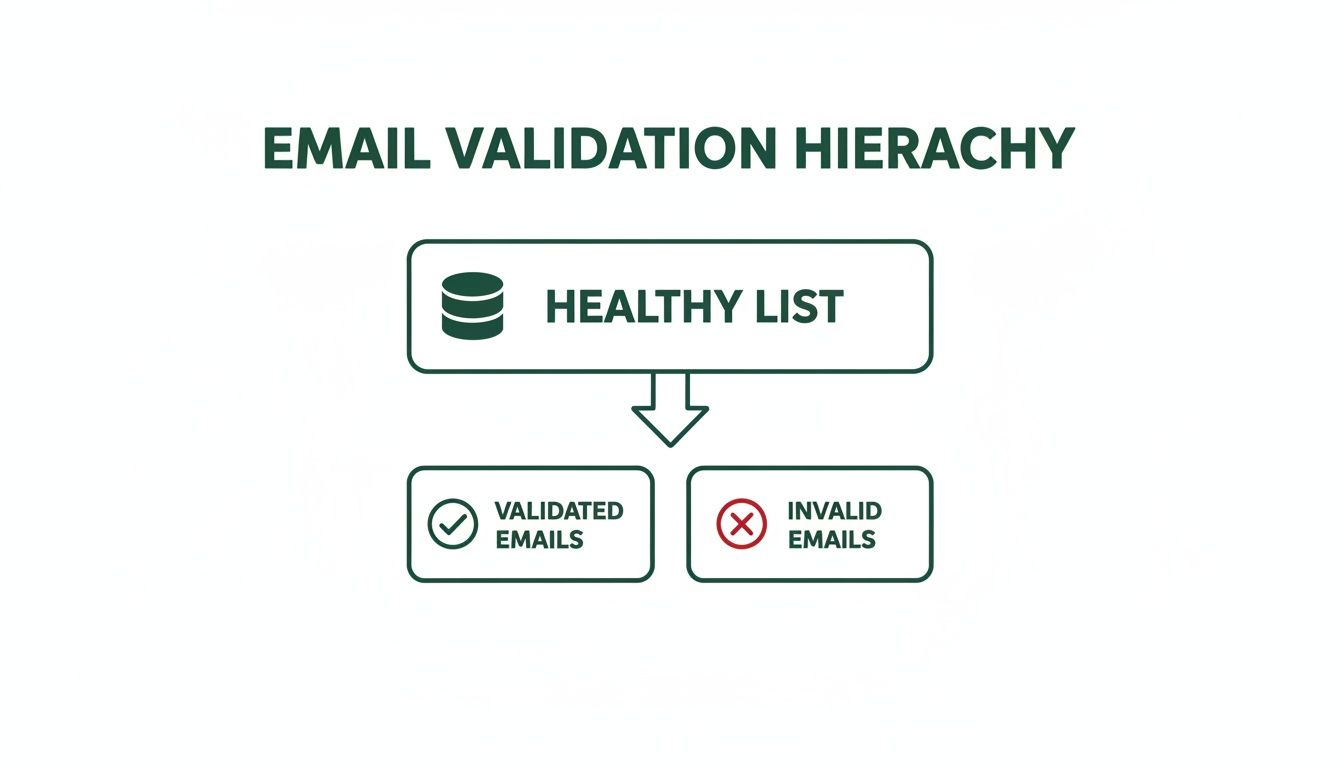
    Even with these variables, running a Hunter email check is worlds better than sending emails into the void. It’s all about smart risk management.

    What Should I Do with 'Accept All' or 'Unknown' Emails?

    My approach here is simple and practical. Don't just toss these emails, but definitely don’t treat them like verified ones either.

    I treat "accept-all" emails as a calculated risk. The domain is real, but the specific inbox is a question mark. My go-to strategy is to segment these contacts into a separate list. I'll send them a low-stakes email first, like a newsletter. If the bounce rate is minimal, I’ll consider them for more direct outreach.

    For "unknown" emails, the best move is to get rid of them. This status means Hunter couldn’t get a straight answer from the server. If protecting your sender reputation is your top priority—and it should be—the risk of a hard bounce is just too high.

    An "accept-all" is a yellow light—proceed with caution. An "unknown" is a red light—stop and remove it to protect your sender score.

    Can I Use Hunter to Verify Free Email Addresses Like Gmail?

    Yep, absolutely. The Hunter email check is just as solid for free providers like Gmail, Yahoo, and Outlook as it is for corporate domains.

    The tool's job is to see if an inbox exists, period. It doesn't matter who the provider is. When you see a "webmail" tag in a report, it's just an FYI that it's a free account. It has no bearing on whether the email is valid or high-quality. The verification process is exactly the same.

    How Does a Tool Like EmailScout Compare for Building Lists?

    This is a great question because it highlights two different but complementary parts of the process: finding emails and cleaning them.

    Think of it this way:

    • A tool like EmailScout is built for the "discovery" phase. Its Chrome extension is perfect for grabbing new emails while you're browsing company websites or LinkedIn. It’s all about building a fresh prospect list fast.
    • A verifier like Hunter handles the "validation" phase. Once you have that list from a discovery tool, you run it through Hunter to make sure the emails are deliverable.

    The best workflow combines both. Use EmailScout to find the leads, then use Hunter to clean the list before you hit "send."


    Ready to build powerful prospect lists with just one click? EmailScout helps you find the right contacts effortlessly. Get started and find unlimited emails for free at https://emailscout.io.

  • Validate Email Api: A Quick Guide to validate email api for Clean Lists

    Validate Email Api: A Quick Guide to validate email api for Clean Lists

    An email validation API is your first line of defense against bounces. It’s a simple service that verifies if an email address is real and can actually receive messages before you ever hit "send." For anyone in sales or marketing, this is a must-have tool. It works in real-time to clean your lists as you build them, protecting your sender reputation from the get-go.

    Why an Email Validation API Is Non-Negotiable

    Man working on laptop with email analytics dashboard, showing 'Protect Sender Reputation' text.

    Just "cleaning your list" every so often is old advice. The real problem is the domino effect a single bad email can have on your entire outreach strategy. When an email bounces, it’s not just a failed delivery; it’s a negative mark on your record with Internet Service Providers (ISPs) like Gmail and Outlook.

    A high bounce rate—and it doesn’t take much, even just creeping above 2%—is a huge red flag. It tells ISPs that you have poor data hygiene, which makes you look like a spammer. This tanks your sender reputation, an invisible score that dictates whether your emails land in the inbox or get sent straight to junk. Once that reputation is damaged, even your perfectly legitimate emails to valid contacts will struggle to get seen.

    The Real-World Impact of Bad Data

    Let’s look at a common scenario. A startup is launching its first big cold outreach campaign. They’ve scraped a list of 5,000 prospects and are ready to go. But without validating that list, 15% of those emails are duds—full of typos, old addresses, and fake sign-ups.

    That first send results in 750 hard bounces. Instantly, their sending domain is flagged as spammy. Every campaign after that one underperforms, with open rates diving as their emails are rerouted away from the primary inbox. This is exactly what a validate email api is designed to prevent.

    A high bounce rate is the fastest way to get your domain blacklisted. It tells email providers you aren't managing your data, making you look like a spammer even when your intentions are good.

    Beyond a Simple Syntax Check

    A good API does a lot more than just look for an "@" symbol. It runs a whole series of checks to give you a clear picture of an email's quality.

    Here’s a quick breakdown of the most common checks you'll see and why each one is important.

    Core Email Validation Check Types

    Check Type What It Verifies Why It Matters
    Syntax Check Checks if the email address format is correct (e.g., user@domain.com). The most basic check. Catches obvious typos and formatting errors instantly.
    MX Record Check Confirms the domain has a Mail Exchange (MX) record to receive emails. If there's no MX record, the domain can't accept email at all. A definite bounce.
    SMTP Check Pings the recipient's mail server to see if the specific mailbox exists. This is the most reliable way to confirm a user account is active without sending an actual email.
    Disposable Email Identifies temporary, "throwaway" addresses from services like 10minutemail. These contacts are worthless for building relationships and often used to bypass sign-up forms.
    Role-Based Email Flags generic addresses like info@, support@, or sales@. While valid, these rarely reach a decision-maker and typically have low engagement.
    Catch-All Server Detects domains configured to accept email for any address, valid or not. These are risky. You can't be sure the person exists, which can still hurt your metrics.

    These checks work together to give you a comprehensive verdict on each email, allowing you to build lists with confidence.

    The market for these APIs is growing for a reason. With daily global email volume projected to hit 392 billion in 2025, deliverability is everything. Without proper validation, average deliverability rates are stuck at 83.1%, meaning nearly one in six emails simply vanishes.
    For sales and marketing pros using email outreach tools, an API is critical for hitting the 95%+ inbox placement rates that top performers expect. By automating these checks, you can focus on what matters—crafting great messages for a clean, engaged audience. This is a foundational step if you want to how to improve email deliverability and see a real return on your campaigns.

    How to Choose the Right Email Validation API

    Picking a validate email api can feel like a chore. Dozens of providers pop up in a search, and they all seem to make the same promises. But not all validation services are built the same, and the one you choose impacts everything from your budget to your sender reputation. Let's cut through the marketing fluff and focus on what really matters.

    Your first and most important checkpoint is accuracy. You'll see claims of 99% accuracy everywhere, but that number can be seriously misleading. The true test of a great API is how it handles the tricky stuff, like "catch-all" servers designed to accept mail for any address at a domain. A top-tier service won't just mark these as "valid"—it will give you a more nuanced response, flagging them as "risky" so you can make a smarter decision.

    A good way to set your expectations is to play around with a high-quality email verifier tool first. This gives you a solid baseline for the kinds of features and accuracy you should look for in a professional-grade API.

    Evaluate Speed and Performance

    Next up is speed. If you're verifying emails in real-time on something like a signup form, you can't afford to make users wait. A slow API will cost you conversions. A good benchmark to aim for is a response time under 500 milliseconds. Anything more, and you risk frustrating potential customers.

    For cleaning big email lists in bulk, raw throughput is what you should be looking at. Ask potential vendors how they handle massive files. Do they offer asynchronous processing? This is a huge plus, as it prevents your own application's resources from being tied up while you wait for a giant job to finish.

    Scrutinize Documentation and Support

    Let’s be honest, even the most powerful API is worthless without clear instructions. Before you even think about committing to a provider, take a deep dive into their API documentation.

    • Is it well-organized? You should be able to find what you need without a headache.
    • Are there code examples? Good docs will provide copy-and-paste snippets for popular languages like Python, JavaScript, and PHP.
    • Is error handling explained? The documentation should clearly list all possible error codes and tell you exactly how to handle them.

    A great API with poor documentation is a recipe for frustration. The quality of the developer resources often reflects the quality of the product and the company's commitment to its users.

    Support is just as critical. What happens when you run into a problem you can't solve? See if you can easily find a way to contact a real human. Look for multiple support channels (email, chat, phone) and check out reviews that specifically mention how responsive their team is.

    Understand the Pricing Models

    API pricing usually comes in a few different flavors. The right one for you really just depends on how you plan to use it.

    1. Pay-As-You-Go: You pay a tiny amount for each API call. This is perfect for startups or anyone with unpredictable, low-volume needs.
    2. Subscription Tiers: You pay a flat monthly fee for a certain number of validations. These plans almost always offer a lower cost-per-validation, making them ideal for businesses with consistent, high-volume traffic.
    3. Freemium: Lots of services give you a free tier with a limited number of validations each month. This is your best friend for testing an API's accuracy and speed before you pull out your credit card.

    One final check: always look for compliance with data privacy laws like GDPR. Make sure the provider has a clear, transparent policy on how they handle your data. Choosing an API that's secure, fast, and well-documented is the first step toward building a healthy and effective email program.

    Putting the API to Work with Your First Code Snippets

    Alright, you've picked a service and have your API key ready. Now for the fun part: making your first API call. This is where you see the magic happen, turning a concept into something real that you can actually use in your own projects. It’s surprisingly simple and usually only takes a few lines of code.

    We're going to walk through how to build a basic request, authenticate it with your key, and fire it off to the validation endpoint. Most email validation APIs are RESTful, which just means you’ll be making standard HTTP requests—the same kind your browser uses to load websites every day.

    The API economy has exploded, with the global market expected to hit $12.54 billion by 2026. This isn't just a random statistic; it shows how fundamental these kinds of integrations are for modern businesses. For a tool like EmailScout, a solid API backend is what allows for real-time validation, making sure every email it finds is clean and ready for outreach.

    Making a Request with Python

    Python is a fantastic starting point for API work, mostly because its requests library makes things so simple and clean. The main ingredients are the API endpoint URL, your API key, and the email you want to check.

    First, if you don't already have the requests library, you’ll need to install it. Just run this in your terminal: pip install requests.

    With that sorted, you can use a snippet like the one below. Take a look at how we pass the API key in the headers (for security) and the email as a parameter right in the URL.

    import requests
    import json

    Your API key and the email to validate

    API_KEY = "YOUR_API_KEY_HERE"
    email_to_validate = "test@example.com"

    The endpoint for the validation service

    api_url = f"https://api.emailvalidationprovider.com/v1/validate?email={email_to_validate}"

    Set up the headers for authentication

    headers = {
    "Authorization": f"Bearer {API_KEY}"
    }

    Make the GET request

    try:
    response = requests.get(api_url, headers=headers)
    response.raise_for_status() # This will raise an exception for HTTP errors

    # Print the JSON response from the API
    validation_result = response.json()
    print(json.dumps(validation_result, indent=2))
    

    except requests.exceptions.HTTPError as err:
    print(f"HTTP error occurred: {err}")
    except Exception as err:
    print(f"An error occurred: {err}")

    Making a Request with JavaScript

    If you're working on the front-end—like validating an email address right on a signup form—JavaScript's fetch API is your go-to. This code works perfectly in a browser or even in a Node.js environment. The setup is almost identical to the Python example: define your credentials, build the request, and handle whatever comes back.

    This example uses an async function, which is super important. It keeps your webpage from freezing up while it waits for the API to respond.

    // Your API key and the email to validate
    const apiKey = "YOUR_API_KEY_HERE";
    const emailToValidate = "test@example.com";

    // The endpoint for the validation service
    const apiUrl = https://api.emailvalidationprovider.com/v1/validate?email=${emailToValidate};

    // Set up the headers for authentication
    const headers = {
    'Authorization': Bearer ${apiKey},
    'Content-Type': 'application/json'
    };

    // Make the async GET request using fetch
    async function validateEmail() {
    try {
    const response = await fetch(apiUrl, {
    method: 'GET',
    headers: headers
    });

    if (!response.ok) {
      throw new Error(`HTTP error! status: ${response.status}`);
    }
    
    const validationResult = await response.json();
    console.log(JSON.stringify(validationResult, null, 2));
    

    } catch (error) {
    console.error('There was a problem with the fetch operation:', error);
    }
    }

    validateEmail();

    Pro Tip: Never, ever hardcode your API keys directly into your scripts like this for production code. Always use environment variables to keep them secure. It’s a critical security habit that prevents your keys from getting leaked if your code ends up in a public repository.

    With these examples, you're ready to validate an email directly inside your own applications. The next step is to understand what all the data in the API's response actually means.

    Decoding API Responses and Handling Errors

    Getting a response from the API is only half the battle. The real magic happens when you know how to interpret what the validate email api is telling you. That JSON object you get back is a goldmine of information, but you need to know which nuggets to look for to clean your list effectively.

    A solid API response won't just give you a simple "good" or "bad." It breaks down the quality of an email into several key pieces of data. While the specific field names can differ a bit from one provider to another, the core concepts are always the same. Your most important field is typically called status, which gives you the final verdict.

    What the Key Status Fields Mean

    You'll usually encounter three primary statuses, and each one signals a different action for your outreach list:

    • Valid: This is a green light. The API is highly confident the email address exists and can receive messages. Keep these contacts.
    • Invalid: This is a dead end. The address is confirmed to be nonexistent, maybe due to a typo or a deleted account. Sending to it will cause a hard bounce, so get it off your list immediately.
    • Risky: Welcome to the gray area. The API couldn't get a definitive "yes" or "no." This often happens with "catch-all" domains, which are set up to accept mail for any address, making it impossible to confirm if a specific user inbox actually exists.

    For a deeper dive, look for a sub_status field. This adds crucial context, flagging things like disposable emails (from temporary inbox services) or role-based accounts like info@ or support@. A role-based email might be valid, but it’s probably not going to reach a specific person. You might want to pull those out of your main cold outreach campaigns.

    Pro Tip: Don't automatically trash "risky" or "catch-all" contacts. A better approach is to segment them into a separate, low-stakes campaign. Send them a soft engagement email first to test the waters without risking your primary sender reputation.

    To make this crystal clear, here’s a quick reference for the most common statuses you'll see and what you should do with them.

    Interpreting Common Validation Statuses

    API Status Meaning Recommended Action
    Valid The email address is active and can receive mail. Safe to send. Keep on your primary mailing list.
    Invalid The email address does not exist. Remove immediately to avoid a hard bounce.
    Risky / Catch-all The server accepts all mail, so the specific address can't be confirmed. Segment and test with a low-priority campaign.
    Disposable The email is from a temporary, throwaway service. Remove. These are low-quality contacts.
    Role-Based An address for a function, not a person (e.g., sales@, admin@). Segment out of personalized campaigns. May be useful for general inquiries.

    Understanding these statuses ensures you're not just cleaning your list, but you're doing it intelligently.

    Graceful Error Handling for a Stable Integration

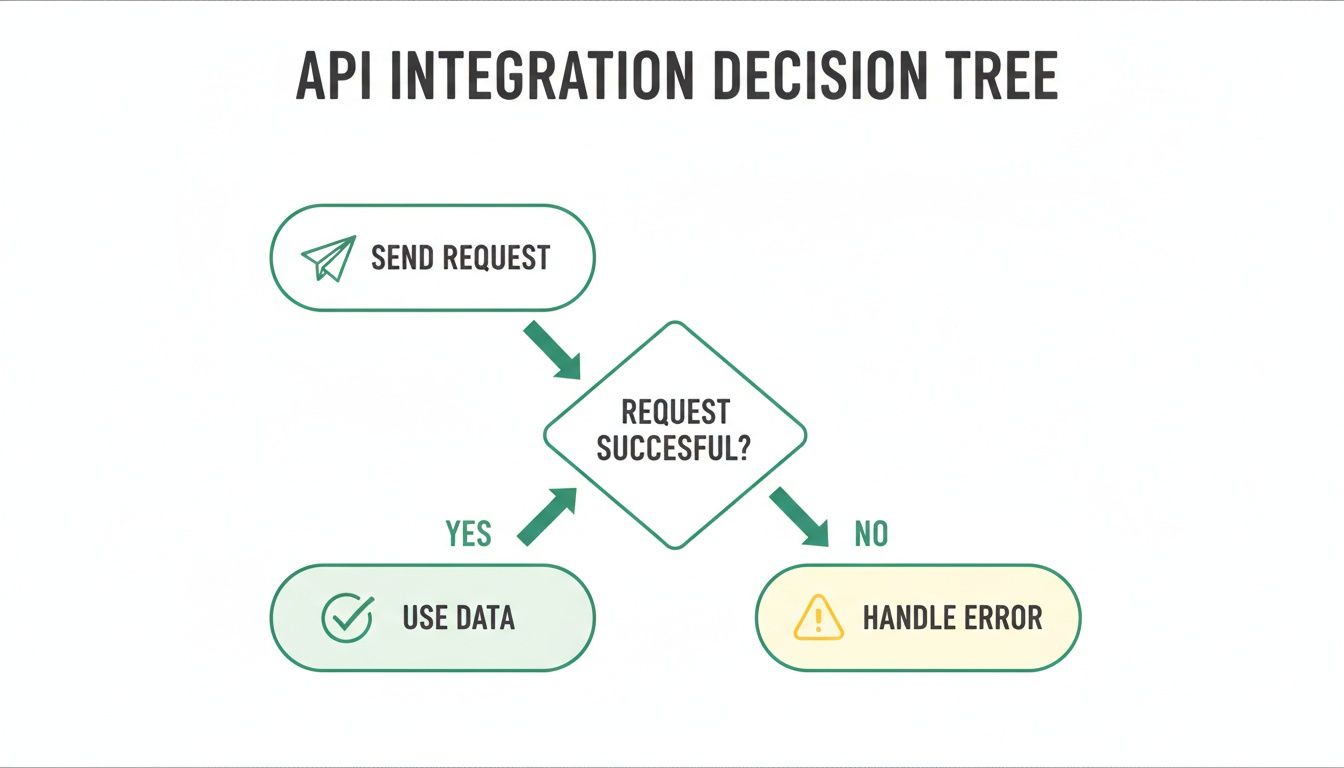
    Let's be realistic—not every API call will go according to plan. Networks glitch, keys get mistyped, and servers have bad days. Your application needs to be built to handle these hiccups gracefully instead of crashing. A fundamental first step is to always check the HTTP status code of the response before you even try to read the JSON data.

    This simple flowchart shows the logic your code should follow for every single API call.

    A flowchart illustrating an API integration decision tree: Send Request, then check if successful. If yes, Use Data; if no, Handle Error.

    As you can see, every request leads to a fork in the road: you either get usable data or an error that your application needs to manage.

    Here are a few common HTTP status codes you absolutely need to build logic for:

    • 401 Unauthorized: Nine times out of ten, this means your API key is wrong, expired, or just missing. Your code should log this and fire off an alert so you can check your credentials.
    • 429 Too Many Requests: You’ve hit your plan's rate limit. The standard best practice here is to implement an "exponential backoff." Basically, you pause for a brief moment (like 1 second) and retry. If it fails again, you double the wait time before trying again, and so on.
    • 5xx Server Error: This means something went wrong on the API provider's side. It's usually temporary. Your app should be smart enough to pause requests to that service for a little while and then try again later.

    By building in solid logic to handle both successful responses and error codes, you make your integration far more reliable and ensure you get the maximum value out of your data cleaning process.

    Advanced Integration Tips for Better Performance

    A modern desk setup with two computer screens displaying code, a coffee cup, keyboard, and mouse.

    Alright, once you’ve got the basics running, it's time to level up. A simple, one-off check is fine for a contact form, but you need professional-grade performance and security when you're validating emails at scale without dragging down your entire application.

    A classic bottleneck is trying to validate a big list one-by-one, where your app just waits for each response before sending the next request. This synchronous approach ties up resources and makes for a clunky user experience. The fix? Asynchronous requests and batch processing. Most API providers worth their salt offer batch endpoints for this exact reason. You can bundle hundreds of emails into a single request and get a consolidated result, slashing network overhead and speeding everything up.

    Secure Your API Keys Properly

    This is a big one, so listen up. It's incredibly tempting to just paste your API key right into your code to get things working. Don't do it. If that code ever ends up in a public repository like GitHub, your key is exposed, and anyone can start racking up charges on your account.

    The professional move is to use environment variables. This keeps your sensitive credentials completely separate from your application's source code. It’s the standard for a reason.

    Here’s a quick breakdown of why it matters:

    Method Security Risk Best For
    Hardcoding Very High Never, ever in production. Maybe a quick local test.
    Environment Variables Low The industry standard for any production app.

    Making this small shift is non-negotiable for any serious integration. For a deeper dive, check out our guide on best practices for email address validations.

    Respecting Rate Limits and Monitoring Usage

    Every validate email api has rate limits—a ceiling on how many requests you can make in a certain timeframe. If you ignore them, you’ll get temporarily blocked, which can easily break your application. The goal is to build your integration to work with these limits, not fight them.

    If you hit a 429 Too Many Requests error, your code shouldn't just crash. It should be smart enough to implement an exponential backoff strategy. This means it pauses for a moment (say, one second) and tries again. If it fails a second time, it doubles the wait time before the next attempt, and so on.

    Don’t just set it and forget it. A simple logging system that tracks your API calls and costs can save you from a surprise bill and help you catch performance problems before they snowball.

    At the end of the day, a clean list is what drives a high ROI. Email marketing benchmarks show that while deliverability can hit 98%, getting into the actual inbox averages a tougher 83.1%. A well-integrated API closes that gap. It's how you get the kind of engagement that leads to the 36:1 to 40:1 ROI email marketing is famous for. By putting these advanced tips into practice, you'll build an integration that's not just functional, but also robust, secure, and efficient.

    Common Questions About Email Validation APIs

    Even with a solid plan, jumping into a new technology always brings up a few questions. Let's walk through some of the most common ones I hear about using a validate email API to make sure your integration goes off without a hitch.

    How Accurate Are These APIs, Really?

    This is the big one. Top-tier services usually claim 98-99% accuracy, but it’s crucial to know what that actually means in the real world. That high number comes from a layered approach: they run syntax checks, verify the domain exists, and then perform a direct SMTP handshake with the mail server.

    But here’s the thing: no API can ever be 100% perfect. You'll run into "catch-all" servers designed to accept mail for any address, which can be tricky to validate definitively. The real goal isn’t perfection; it’s about drastically cutting your bounce rate by flagging the huge majority of invalid, disposable, and risky emails. And at that, these APIs are incredibly effective.

    An API's value isn't just finding 'valid' emails, but also in identifying the 'risky' ones. This nuanced insight allows for smarter list segmentation and protects your sender reputation from gradual decay.

    Real-Time vs. Bulk Validation

    People often ask about the difference between real-time and bulk validation. They’re two sides of the same coin, solving different problems that are equally important.

    • Real-time validation is for checking a single email address instantly. Think of it as your bouncer at the door—perfect for signup forms or CRM entry fields. It stops bad data from ever getting into your system. Most APIs respond in less than a second, so it doesn't slow down the user experience.
    • Bulk validation is your spring-cleaning tool for existing lists. You can upload a whole file (like a CSV) or hit a batch endpoint to process thousands or millions of emails at once. This is absolutely essential for keeping your established databases healthy and effective.

    At the end of the day, a good validation API has a massive positive impact on your sender reputation. When you clean your list before sending, you minimize bounces. Email providers notice this and see you as a responsible sender, which improves your reputation and gives your messages a much better shot at landing in the inbox.


    Ready to build cleaner, more effective outreach lists from day one? Try EmailScout and integrate powerful, real-time email finding and validation directly into your workflow. Get started for free at https://emailscout.io.

  • Email Address Validations A Guide to Flawless Deliverability

    Email Address Validations A Guide to Flawless Deliverability

    Think of email validation as a quick, essential quality check before you hit "send." It's the process of confirming that an email address is real, active, and can actually receive your messages. This simple step ensures your outreach efforts aren't just disappearing into the digital ether, which is critical for protecting your sender reputation and making your campaigns count.

    Why Email Validation Is Your First Line of Defense

    Sending emails to a list you haven't verified is like a salesperson cold-calling random numbers from an old phonebook. It's a huge waste of time, costs you money, and frankly, makes you look bad. Email validation turns this around, shifting from a technical chore to a smart sales and marketing strategy. It's the crucial first move that separates campaigns that work from those that land straight in the spam folder.

    A great way to think about it is like a bouncer at an exclusive club. The bouncer’s job is to make sure only legitimate guests get inside, which protects the vibe and safety of the event. In the same way, email address validation protects your sender reputation by filtering out the bad addresses before they can cause any trouble.

    The True Cost of a Dirty List

    Ignoring your email list hygiene has consequences, and they happen fast. Every time you send to an invalid email, it bounces back. Internet Service Providers (ISPs) like Gmail and Outlook are always watching your bounce rate. If it's too high, they assume you're a spammer and will start penalizing your domain.

    "A proactive approach to validation is non-negotiable. It’s the foundation for higher deliverability, better engagement, and ultimately, more meaningful customer connections."

    This isn't just a minor slap on the wrist. These penalties can get your emails automatically sent to spam or even blocked entirely. Suddenly, you can't even reach the people who want to hear from you. Things like costly data entry errors are often the culprit, so keeping your list clean is vital. You can learn more about how to improve email deliverability in our detailed guide.

    Understanding the Risk Landscape

    Most people seriously underestimate the scale of this problem. A massive 2025 study that looked at nearly one billion emails discovered that only 80.94% of emails in active databases are actually valid. That leaves a massive 19.6% as either invalid hard bounces or risky addresses like spam traps, which can absolutely demolish your sender score. You can find more of these email list quality insights over at SafetyMails.

    This data paints a very clear picture: without a solid validation process, you're likely sending almost one out of every five emails straight into a black hole. It’s a drain on your resources, it messes up your campaign metrics, and it actively works against your goals. By checking contacts as you find them, you build a foundation for smarter, safer, and much more effective outreach right from the start.

    Breaking Down the Layers of Email Validation

    To really get what’s happening behind the scenes with email validation, it helps to think of it like a multi-stage security checkpoint. Every single email address has to pass through three distinct layers of inspection before it can be considered genuinely valid. If you skip a layer, it's like a security guard just glancing at the photo on an ID without checking if the ID itself is even real.

    This structured approach is what makes validation so reliable—it's not just a surface-level check. Each layer builds on the last, systematically filtering out different kinds of bad emails along the way.

    The diagram below shows what this process accomplishes: it separates the good, healthy contacts from the invalid ones, which is exactly what you want.

    Diagram illustrating email validation hierarchy, showing a healthy list being separated into validated and invalid emails.

    The result is a clean, validated list that protects your sender reputation and makes sure your campaigns actually perform by removing all the junk addresses holding you back.

    This process can be broken down into three core stages, each serving a unique purpose.

    The Three Layers of Email Validation

    Validation Layer What It Checks Example Error It Catches
    Syntax Validation The basic format and structure of the email address. john.doe@example (missing .com) or jane doe@example.com (contains a space).
    Domain/MX Validation If the domain exists and is set up to receive email. contact@nonexistentdomain123.com (domain isn't real).
    SMTP Validation If the specific mailbox exists on the server. fake.employee@realcompany.com (the company is real, but the mailbox isn't).

    Let's dive into what each of these layers actually does.

    Layer 1: Syntax Validation

    The first and most basic check is syntax validation. This is the initial gatekeeper, and its only job is to inspect the fundamental structure of an email address. It couldn't care less if the email is real; it only cares if it looks like a proper email.

    Think of it like proofreading a sentence for correct grammar and punctuation. This check just confirms that the address follows the universal local-part@domain format.

    Here’s what syntax validation is specifically looking for:

    • The "@" Symbol: It makes sure there is one—and only one—"@" symbol present.
    • Valid Characters: It flags illegal characters like spaces, consecutive dots, or special symbols in the wrong places. An email like john..doe@example.com would fail instantly.
    • A Domain Part: It confirms there is text after the "@" symbol to represent the domain name.

    While this step is great for catching obvious typos and formatting mistakes, it's just the beginning. An address like totally.fake@notarealdomain123.com would breeze right through this check, even though it's completely useless.

    Layer 2: Domain and MX Record Validation

    Once an address passes the syntax check, the next layer goes deeper by verifying the domain's legitimacy. This is domain and MX record validation, and it confirms that the domain (@example.com) actually exists and is configured to receive emails.

    This is like checking if the issuing authority on an ID is a real, registered government agency. It's a big step up from just looking at the format.

    At this stage, we move from checking the format to verifying the destination. An MX (Mail Exchange) record is a specific type of DNS entry that tells the internet where to send emails for that domain. If a domain doesn’t have an MX record, it simply can’t receive mail.

    No MX record means no mailbox is even possible, making any email address at that domain instantly invalid. This check is incredibly effective at filtering out addresses tied to fake, expired, or misspelled domain names.

    Layer 3: SMTP Validation

    The final and most powerful layer is SMTP validation. This is a live, real-time check that actually communicates directly with the recipient's mail server to confirm if a specific mailbox exists. It's the ultimate confirmation.

    Using our ID analogy, this is like calling the issuing authority and asking them to confirm that a specific ID number is active and belongs to a real person. The process involves a simulated email delivery without ever sending a message.

    The validation service initiates a "handshake" with the mail server using the Simple Mail Transfer Protocol (SMTP). It basically asks, "Hey, can you accept mail for jane.doe@example.com?" The server's response tells you everything you need to know. This process can identify:

    • Valid mailboxes that are active and ready to receive email.
    • Invalid mailboxes that do not exist on the server.
    • Catch-all domains that are configured to accept email for any address, which can be risky for deliverability.

    Only by combining all three layers—syntax, domain, and SMTP checks—can you get a truly comprehensive and reliable validation. Each step plays a critical role in building a clean, high-performing email list.

    Alright, you've got the basics down on what email validation is trying to protect you from. Now comes the important part: how do you actually do it?

    The truth is, not all validation methods are created equal. They span a wide spectrum from quick-and-dirty DIY tricks to incredibly powerful automated services. Each one comes with its own trade-offs in accuracy, effort, and cost.

    Choosing the right approach really boils down to your specific needs. What are your technical skills like? How much is a bad email address worth—or going to cost you? Let's break down the three main ways you'll see people tackle this.

    The DIY Approach with Regex

    The most fundamental way to check an email's format is with Regular Expressions, or Regex for short. If you're not familiar, just think of Regex as a way to create a rulebook for matching text patterns. For email validation, you'd write a pattern that looks for an "@" symbol, a domain name, and makes sure there aren't any obvious illegal characters.

    It's lightning-fast and doesn't rely on any outside services, which makes it a really tempting first step for developers. But here's the catch: its limitations are huge, and it can be seriously misleading.

    • It only checks syntax. A Regex pattern has no idea if a domain is real or if a mailbox actually exists. An email like fake@thisisnotarealdomain.com will pass a Regex check without a single red flag.
    • It’s notoriously complex. Honestly, writing a Regex pattern that correctly handles all the weird but valid email formats out there is a nightmare. Most of the patterns you'll find online are flawed and will either reject good emails or, worse, accept bad ones.

    Regex is a pattern-matching tool, not a validation solution. Relying on it alone is like checking if a passport has the right number of pages without verifying if the country that issued it even exists. It's a surface-level check that provides a false sense of security.

    Using Pre-Built Validation Libraries

    Taking a big step up from Regex, you'll find validation libraries. These are essentially pre-packaged chunks of code that developers can plug into their applications. They offer a much more robust check than a simple Regex pattern because they're designed to handle more than just the basic format.

    Many of these libraries can run syntax checks and even go a step further to verify that a domain has valid MX records. That adds a crucial layer of verification that Regex just can't touch. But this approach isn't without its own set of problems.

    The biggest hurdle is that these libraries still demand a technical person to implement and maintain them. A developer has to handle the installation, configuration, and any ongoing updates. On top of that, most libraries stop right before the most important step: the SMTP handshake that confirms a mailbox is real. This means they'll still give a thumbs-up to emails for non-existent users at perfectly valid domains, leaving you wide open to hard bounces.

    The Comprehensive Power of Third-Party APIs

    For the highest accuracy and reliability, nothing beats a third-party API service. An API (Application Programming Interface) is just a way for your software to talk to a specialized validation service, letting them handle all the heavy lifting.

    When you send an email to a validation API, it’s not just doing one check. It runs the address through all three critical layers of verification:

    1. Syntax Check: It instantly confirms the format is correct.
    2. Domain/MX Check: It verifies the domain is real and properly set up to receive email.
    3. SMTP Handshake: It pings the mail server to confirm the specific mailbox actually exists—all without ever sending an email.

    This multi-layered process gives you a simple, clear answer: valid, invalid, or risky. By outsourcing the complexity, you get the best possible accuracy without having to build or maintain any of the tech yourself. For any business that relies on email outreach, using a quality email validation software is simply the most direct path to a clean and effective contact list.

    Integrating Validation into Your Daily Workflow

    Smart email validation isn't a "one and done" task—it's something you need to weave directly into your day-to-day sales and marketing work. Think of it like a quality control checkpoint on an assembly line. Instead of waiting until the very end to find a bunch of mistakes, you check for quality at every critical step.

    By integrating email address validations at the right moments, you stop bad data cold before it ever has a chance to mess up your systems. This proactive habit saves a ton of time, protects your sender score, and makes every email you send that much more powerful.

    A laptop on a desk displaying real-time validation with a green checkmark indicating success.

    Stopping Bad Data at the Source

    Your single best opportunity to validate an email is right at the point of entry. Whether that's a signup form, a lead magnet download, or a demo request, this is your first and most effective line of defense.

    Putting real-time validation on your web forms is like giving them an instant spell-checker for email addresses. It catches typos and obviously fake emails the second someone hits "submit," keeping that junk out of your database entirely. It's a simple, fundamental step for keeping your contact list clean and effective.

    Cleaning Your List Before a Big Campaign

    Even with the best real-time checks, email lists just naturally decay over time. It's a fact of life. People change jobs, companies get acquired, and old email accounts get shut down. Your once-perfect list will slowly accumulate bad addresses without you even noticing.

    That's why running your entire list through a bulk validation service before any major email campaign is absolutely essential. This pre-flight check strips out all the dead weight, giving your message the best possible chance of hitting real inboxes. If you skip this, you risk a sudden spike in bounce rates that can seriously damage your sender reputation with providers like Gmail and Outlook.

    A clean list isn't just about avoiding bounces; it's about maximizing ROI. Every dollar spent sending to an invalid address is a dollar wasted. Pre-campaign cleaning ensures your budget is focused exclusively on contacts who can actually convert.

    Automating Prospecting and Validation

    For sales and prospecting teams, the workflow is a little different, but the principle is exactly the same. The goal is to find new leads and make sure they're valid before they get added to your CRM or outreach sequence. This is precisely what modern tools like EmailScout are built for.

    Instead of the old two-step dance—find an email, then go validate it somewhere else—these tools combine both actions into one. As you find a potential contact, the system automatically runs an email address validation check right then and there.

    This integrated workflow pays off in a few huge ways:

    • Time Savings: No more clunky exporting and importing between different tools.
    • Instant Quality: Every lead that enters your pipeline is already pre-vetted and confirmed as deliverable.
    • Increased Confidence: Your sales team can reach out to new prospects knowing their emails will actually land.

    This is quickly becoming the new standard. In fact, the global market for these validation services is exploding and projected to hit $1.6 billion by 2033 as more businesses realize that solid deliverability is the foundation of any successful email strategy.

    Scheduling Regular List Hygiene Checks

    Finally, being proactive means getting on a regular maintenance schedule. Just like getting an oil change keeps your car running smoothly, periodic list cleaning prevents long-term deliverability headaches.

    A fantastic best practice is to set a recurring calendar reminder to scrub your entire database every quarter. This simple habit catches any invalid emails that might have slipped through the cracks and accounts for that natural list decay. Our guide on how to verify an email address walks through more detailed steps you can follow for these routine checks. By making validation a consistent part of your workflow, you build a resilient and high-performing outreach engine.

    How to Measure Your Validation Success

    So you’ve put a solid email address validation system in place. That’s a huge win, but how do you actually prove it’s moving the needle? To really understand the payoff, you need to look past the validation process itself and zero in on the key metrics that a clean list directly impacts. This is where you connect your list hygiene efforts to real business results.

    The most immediate and telling metric to watch is your Bounce Rate. More specifically, you need to keep a close eye on hard bounces—those are the permanent delivery failures that happen when an email address is fake, misspelled, or just doesn't exist. This number is the purest indicator of your list’s health. A high hard bounce rate screams "dirty list," while a consistently low one (you should be aiming for under 1%) proves your validation strategy is working as it should.

    A computer screen shows data and graphs indicating a lower bounce rate, with a person working.

    This single metric is what Internet Service Providers (ISPs) like Gmail and Outlook watch like a hawk. Getting your hard bounce rate down is the quickest way to build and protect your sender reputation, which in turn boosts your performance across the board.

    Key Performance Indicators to Track

    Beyond bounces, a few other metrics will naturally improve as you get consistent with email validation. Tracking these helps paint the full picture of your success and makes it easy to show the value of your work to your team.

    • Deliverability Rate: Think of this as the flip side of your bounce rate. It’s the percentage of your emails that actually land in a recipient's mail server. As hard bounces drop, your deliverability rate climbs, meaning more of your messages are getting where they need to go.

    • Sender Score: This is basically a credit score for your email domain, usually on a scale from 0 to 100. ISPs use it to decide if you’re trustworthy. By cutting out hard bounces and spam traps with validation, you’re sending all the right signals to boost your score and stay out of the spam folder.

    • Open and Click-Through Rates (CTR): Sure, great subject lines and content drive engagement, but a clean list is the foundation. When you stop sending emails to dead-end addresses, you stop diluting your metrics. This gives you a much clearer—and usually higher—read on how people are actually engaging with your campaigns.

    When you connect the dots between a validated list and stronger campaign numbers, you turn the abstract idea of "list hygiene" into measurable business results—from more effective lead gen to higher sales conversions.

    Translating Metrics into Business Value

    At the end of the day, the goal is to show how these technical improvements create real-world value. When you talk about your results, frame them in terms of business impact.

    For instance, a 2% drop in your bounce rate isn't just a nice number for a report. If you have a list of 50,000 contacts, that means 1,000 more potential customers are now getting your messages every single time you send a campaign. From there, it's easy to calculate the potential lift in leads, demos booked, or sales closed. This is how you prove that email validation isn't a cost—it’s a direct investment in revenue and growth.

    Your Path to Smarter and Safer Outreach

    Email validation isn't just a technical checkbox—it's the foundation of any good outreach strategy. We’ve walked through everything from the basic layers of validation to picking the right tools and weaving them into your daily workflow. The path forward is clear.

    When you get proactive about validation, you're doing more than just tidying up a list. You’re protecting your brand, making the most of your resources, and building a stronger engine for both sales and marketing. This is the shift that separates the good from the great.

    The big takeaway is simple: prioritize list hygiene today to unlock more conversations, build stronger relationships, and drive better results tomorrow. Every email you send should have a purpose and a real destination.

    Think of each validated address as a confirmed opportunity—a real person waiting for the right message. Committing to this level of quality means you stop wasting time on digital dead ends and start focusing only on contacts that can actually move your business forward.

    It’s time to make every single email count. Start with your next campaign and see the difference for yourself.

    Common Email Validation Questions

    Let's cut through the noise and answer the most common questions people have about email validation. Here are some straightforward answers to help you put these ideas into practice.

    How Often Should I Validate My Email List?

    The best approach is to validate every single email address the moment you capture it—like on a signup form or when someone downloads a lead magnet. Think of this real-time check as your first line of defense against bad data.

    For your existing database, a full list cleaning at least twice a year is non-negotiable. Email addresses go stale faster than you'd think as people switch jobs or ditch old accounts. Consistent hygiene is the only way to protect your sender reputation over the long haul.

    Can Validation Guarantee 100% Deliverability?

    Nope, and any tool that claims it can isn't being honest. There's no magic bullet for 100% deliverability. Email validation gets you incredibly close by weeding out the biggest technical roadblocks: invalid syntax, fake addresses, and other high-risk accounts that cause hard bounces.

    But remember, deliverability is a two-part equation. Validation gets your email to the front door, but things like your content, sending reputation, and even the recipient's server settings determine whether you actually get inside.

    What's The Difference Between a Hard Bounce and a Soft Bounce?

    A hard bounce is a permanent "return to sender." It means the email address is flat-out invalid, doesn't exist, or has been shut down. This is exactly what email validation services are designed to catch and remove before you hit send.

    A soft bounce is a temporary problem. The address is valid, but something on the recipient's end is blocking delivery for now—maybe their inbox is full, or their company's email server is temporarily down. Since these are temporary issues, validation tools can't predict or prevent them.


    Ready to stop guessing and start connecting? EmailScout finds and validates professional email addresses in a single click, ensuring every lead is a real opportunity. Start building your high-quality prospect list today by visiting https://emailscout.io.

  • A Guide to Email Validation Software for Modern Outreach

    A Guide to Email Validation Software for Modern Outreach

    Ever sent an email campaign and felt like you were just shouting into the void? You’re not alone. Email validation software is the tool that stops you from talking to a wall. It’s a simple, automated check to see if an email address is real, active, and can actually receive your messages.

    Think of it as a bouncer for your email list. It checks IDs at the door, ensuring only real, interested people get in, so you don't waste your time (and money) on digital ghosts.

    What Is Email Validation Software and Why Does It Matter

    Woman working on laptop at desk with notebook and pen, overlay text says 'Avoid Bounces'.

    Imagine your sales team spends a whole week crafting the perfect cold outreach emails, only to watch them bounce back one by one. It’s more than just a bummer; it’s a huge waste of resources and a direct hit to your sender reputation.

    An unvalidated email list is like using a map from 1995 to find new customers. You're going to hit dead ends, run out of gas, and probably give up before you ever reach your destination.

    Email validation software is the modern-day GPS for your campaigns. It scrubs your contact lists, flagging addresses that are misspelled, fake, or just plain dead. It’s a preventative measure that’s absolutely critical for any team counting on email to bring in revenue. Without it, you’re just flying blind.

    The True Cost of an Unvalidated Email List

    The table below breaks down the real-world damage that a "dirty" list can do to your sales and marketing efforts. It's not just about a few bounced emails; the consequences are far-reaching and can undermine your entire outreach strategy.

    Problem Area Impact on Sales & Marketing How Validation Helps
    Damaged Sender Reputation ISPs (like Gmail) see you as a spammer, sending your emails directly to the junk folder. Protects your sender score by ensuring you only send to valid, active inboxes.
    High Bounce Rates A bounce rate over 2% triggers alarms with email providers, hurting future deliverability. Drastically reduces hard bounces by removing invalid addresses before you send.
    Wasted Budget & Time Every bad email costs money (if you pay per send) and wastes your team's valuable time. Maximizes ROI by focusing resources only on contacts who can actually be reached.
    Inaccurate Campaign Data Low open and click rates from undelivered emails make your analytics completely unreliable. Provides a clean data set for accurate performance measurement and smarter decisions.

    Ultimately, sending emails to a bad list isn't just ineffective—it actively works against you by making it harder to reach the right people down the road. It's a compounding problem that only gets worse with every campaign you launch.

    A Foundation for Growth

    Clean data is the bedrock of any successful outreach. It’s impossible to overstate how crucial email validation is for effective lead generation in sales, where a valid email is the first step to starting a real conversation.

    Think about it: if your contact list is full of typos and dead ends, your entire sales engine is sputtering on bad fuel.

    By putting an email validation software in place from the get-go, you ensure every single lead has the potential to turn into a customer. This isn't just a "nice-to-have" tool anymore; it’s a foundational piece of a healthy, predictable revenue pipeline.

    How Email Validation Works Under the Hood

    Ever wonder what actually happens when you click “validate”? It’s not magic. It’s a lightning-fast, multi-step process that good email validation software runs in the background. Think of it as a digital detective examining every clue to figure out if an email address is real and reachable.

    This whole process is designed to be quick, accurate, and completely invisible to you. Each check builds on the last, creating a thorough filter that weeds out bad data before it can ever mess up your outreach campaigns. Let's pull back the curtain and see how it works, step-by-step.

    Step 1: The Syntax Check

    The first thing any validation tool does is a basic syntax check. This is like a quick proofread of the email address itself, making sure it follows the standard format everyone knows. It’s a simple but crucial first gate that catches obvious typos right away.

    The tool inspects the address for a few key things:

    • The "@" Symbol: It confirms there is one—and only one—"@" symbol. An address like johndoe.email.com or john@@doe.com would fail instantly.
    • The Local Part: This is everything before the "@". The software scans for illegal characters, like spaces or certain symbols that just aren't allowed.
    • The Domain Part: This is what comes after the "@". It ensures the domain name (example.com) looks right and ends with a valid top-level domain like .com, .org, or .net.

    This initial scan is super fast and weeds out addresses that are just plain wrong from the start. You can learn more about spotting some of these issues yourself in our guide on how to verify if an email address is valid.

    Step 2: The Domain and MX Record Check

    Once an email gets the green light on syntax, the software digs a little deeper. It checks if the domain itself is real and, more importantly, if it’s actually set up to receive emails. This is like checking if the city and post office for a letter exist on a map before you send it.

    First, the tool looks up the Domain Name System (DNS) records for the domain. If the domain (example.com) doesn't exist or has expired, the email is immediately flagged as bad. No point going any further.

    If the domain is live, the software then looks for a specific DNS record called a Mail Exchanger (MX) record.

    An MX record is basically the address of the mail server in charge of handling all incoming emails for that domain. If a domain doesn't have a valid MX record, it means there's no "post office" to deliver the email to. The address is undeliverable.

    Step 3: The SMTP Handshake

    This is the final and most sophisticated part of the process. The SMTP handshake, or ping, is like walking up to someone’s front door and knocking to see if they're home—but without actually opening the door or leaving the package.

    The validation software starts a conversation with the recipient's mail server using the Simple Mail Transfer Protocol (SMTP). It mimics the first few steps of sending an email without ever actually sending it. The server’s response tells the software everything it needs to know. If the server says, “Yep, john.doe has an active mailbox here,” the email is marked as valid.

    If the server responds with an error saying the user is unknown, the address is flagged as invalid. This real-time check gives you the highest level of confidence that an inbox is active and ready to receive your message.

    Detecting Disposable and Role-Based Accounts

    Modern email validation software doesn't stop at just "valid" or "invalid." It also flags specific types of emails that, while technically deliverable, might be duds for your sales and marketing efforts.

    • Disposable Email Addresses: These are temporary, throwaway inboxes from services like mailinator.com. People use them to sign up for things without giving away their real email. They’re usually abandoned quickly and are totally useless for building relationships.
    • Role-Based Email Addresses: These are emails for a job function, not a person—think info@, support@, or sales@. While they work, they often have low engagement and probably won't reach the specific decision-maker you're looking for.

    Spotting these accounts lets you clean up your lists and make sure your personalized messages are actually reaching a real person. This kind of detailed analysis is a big reason the email deliverability tools market, valued at USD 1.2 billion in 2024, is projected to hit USD 1.9 billion by 2030. Businesses everywhere are realizing they need smarter tools to get past spam filters and see a real return on their B2B marketing.

    The Tangible ROI of Email Validation

    Alright, enough with the technical jargon. Let's talk about what really matters: the bottom-line results. Bringing email validation software into your workflow isn't just another business expense; it's a direct investment in growing your revenue. For any team that lives and breathes by email, a clean list is the fastest way to better performance, healthier pipelines, and a return on investment you can actually predict.

    Think of it like this: sending emails to a list you haven't verified is like running a paid ad campaign with no targeting. You're just throwing money and time into the void, hoping you hit someone who cares. A lot of that effort is completely wasted on an audience that will never even see your message. Validation is what sharpens your aim, making sure every dollar and every minute you spend is focused on real people you can actually reach.

    This chart breaks down the simple, three-step process that a validation tool uses to protect your outreach.

    A clear flowchart illustrating the three-step email validation process: Syntax, Domain, and Handshake.

    Each of these stages acts as a gatekeeper. It filters out the bad addresses so your messages have the best possible chance of landing in a real person's inbox.

    While both sales and marketing see huge benefits, the specific ROI looks a little different for each. Here's a quick comparison of where each team gets the most value.

    Email Validation ROI for Sales vs Marketing Teams

    Metric/Benefit Impact for Marketing Teams Impact for Sales Teams
    Deliverability & Reputation Preserves sender score, ensuring emails land in the primary inbox, not spam. Fewer bounced emails mean their personal or team domain stays in good standing.
    Engagement Metrics Provides accurate open, click, and conversion rates for true campaign analysis. Focuses on leads who are actually reachable, making engagement stats meaningful.
    Lead Quality Ensures marketing qualified leads (MQLs) are based on real, contactable people. Guarantees that sales qualified leads (SQLs) have valid contact points.
    Productivity & Efficiency Reduces wasted ad spend and resources on nurturing non-existent leads. Eliminates wasted time personalizing outreach to prospects who don't exist.
    Cost Savings Lowers the cost per lead by ensuring marketing efforts reach their intended audience. Reduces Customer Acquisition Cost (CAC) by increasing rep efficiency and close rates.

    Ultimately, a clean list is the foundation for a healthy pipeline, whether you're warming up leads with content or sending one-to-one outreach to close a deal.

    Better Performance for Marketing Teams

    For marketers, the impact of a clean list is almost instant. The moment you stop sending emails to dead addresses, your entire campaign funnel starts to look healthier. High bounce rates are a massive red flag for Internet Service Providers like Gmail and Outlook, and they will absolutely tank your sender reputation, pushing all your future emails straight to spam.

    By slashing your bounce rate, you protect that reputation. This directly leads to:

    • Higher Deliverability: Way more of your emails actually make it to the inbox.
    • Improved Open and Click Rates: When more people see your email, more people engage with it. Simple as that.
    • Accurate Campaign Analytics: Your metrics finally start telling the real story of user interest, without all the noise from failed deliveries.

    This simple change turns marketing from a guessing game into a data-driven operation. You can finally trust your numbers, make smarter decisions, and prove your team's value to the rest of the company.

    When your database is accurate, you can report more reliably on the state of your customer relationships. A validated list means your team can finally measure what truly matters—real engagement from real people.

    Increased Efficiency for Sales Teams

    If you're in sales, you know time is money. Every minute you spend chasing a bad lead is a minute you could have spent talking to a real prospect and closing a deal. Email validation kills that wasted effort before it even starts.

    Imagine a sales rep who spends a few hours personalizing outreach for ten different prospects, only to discover three of the emails bounce back immediately. That's 30% of their time down the drain. With email validation, they know every single person on their list is a real, contactable human being.

    This one check gives sales productivity a serious boost:

    1. More Conversations: Reps connect with more people, which naturally leads to more meaningful sales conversations.
    2. Healthier Sales Pipeline: The pipeline is filled with qualified, reachable leads instead of digital ghosts.
    3. Lower Customer Acquisition Cost: When your team is more efficient, you spend less time and money acquiring each new customer. Feel free to play with the numbers using this customer acquisition cost calculator.

    You don't just have to take my word for it—the market trends tell the same story. The cloud-based email security software market, which includes these validation tools, is projected to grow from USD 6.24 billion in 2026 to USD 11.22 billion by 2031. It's clear that businesses no longer see validation as a "nice-to-have," but as a fundamental piece of a winning revenue strategy.

    How to Choose the Right Email Validation Tool

    With a market flooded with options, picking the right email validation software can feel like a chore. The secret is to ignore the flashy marketing and focus on what actually helps your team get its job done. A little homework upfront ensures you end up with a partner, not just another piece of software.

    Think of it like hiring a new team member. You’d check their references, see how they play with others (your other software), and make sure they fit the budget. The same logic works here. The right tool will slide right into your workflow, feeding you reliable data without making more work for anyone.

    Core Features to Evaluate

    Before you sign on any dotted lines, make a checklist of your non-negotiables. While every business is a bit different, some features are universally important if you want to see a real return on your investment. Start here to narrow down the field.

    • Accuracy Guarantees: Look for services promising at least 98% accuracy. High accuracy is the whole point—it keeps your bounces low and your sender reputation safe.
    • Bulk Processing Speed: If you’re cleaning massive lists, speed is everything. A solid tool should chew through tens of thousands of emails in minutes, not hours. Your team shouldn't be stuck waiting around.
    • Integration Capabilities: Your validation tool can't be a lone wolf. Check for native connections to your CRM (like Salesforce or HubSpot), marketing platforms, and sales tools to keep everything running smoothly.

    The goal is to find a solution that feels like a natural extension of your existing tech stack. A well-integrated tool automates data hygiene, making clean lists the default standard for your entire organization.

    Understanding Security and Compliance

    In today's world, data privacy isn’t just a feature—it’s a deal-breaker. A trustworthy email validation software has to handle your customer data with extreme care. This is especially true if you market to people in regions with tough data protection laws.

    Make sure any vendor you consider is compliant with rules like GDPR and CCPA. That means they need clear policies on how they handle, encrypt, and store data. Never upload your valuable contact lists to a platform without confirming it meets these critical security standards. If you're not sure where to start, you can check out some of the best free email verification tools known for their reliability.

    Finding the Right Pricing Model

    Email validation services generally come in two flavors, each built for different needs. Figuring out how you'll use the software is the key to picking the most cost-effective option.

    1. Pay-As-You-Go (Credits): Perfect for teams with sporadic needs. You buy a chunk of credits (say, for 10,000 verifications) and use them as you go. It’s great for one-off list cleaning or occasional checks without a monthly bill.
    2. Subscription (Monthly/Annual): If you're constantly pulling in new leads and need real-time validation (like on your website signup forms), a subscription is usually the smarter financial move. These plans give you a set number of validations for a lower per-email cost.

    When looking at your options, it helps to see where they fit in the broader world of marketing SaaS companies, since validation is a cornerstone of any good marketing stack. By thinking through how often and how much you’ll be validating, you can choose a plan that saves you money and supports your growth.

    Integrating Validation into Your Daily Workflow

    Person validating data on a smartphone and laptop simultaneously, highlighting real-time validation.

    Getting email validation software is a great first step, but the real magic happens when it blends seamlessly into your team's everyday routine. The goal isn’t to add another chore to the list; it’s to create a self-cleaning data system that works quietly in the background.

    This means moving away from the occasional, massive list-scrubbing project. Instead, you'll adopt a proactive approach where every new contact gets verified the moment it enters your system.

    Whether a lead comes from a web form or a prospecting tool, validation should be the first gate it passes through. By making this a standard part of your process, you ensure your sales and marketing teams are always working with the freshest, most accurate data possible.

    A Practical Workflow for Sales Teams

    For sales reps who live in their lead-finding tools, weaving in a validation step can completely change their prospecting game. Instead of just exporting contacts and hoping for the best, a quick check guarantees every outreach effort has a real chance of landing. This one move saves hours and protects their sender reputation from a high bounce rate.

    Here’s a simple, four-step process they can follow:

    1. Export Your Prospect List: Once you've gathered potential leads with a tool like a Chrome extension, export the whole list as a CSV or Excel file.
    2. Run a Bulk Validation: Upload that file directly into your email validation software. The tool will churn through the list in minutes, flagging each email as valid, invalid, or risky.
    3. Filter for Quality: After the analysis, filter the results to show only the contacts marked "valid" or "deliverable." This is your golden list.
    4. Import Clean Contacts: Finally, import this clean CSV file into your CRM or outreach platform. Now your team can start personalizing campaigns for contacts they know they can actually reach.

    This simple workflow turns a messy, unreliable list into a high-potential asset in minutes.

    The Power of Real-Time Automation

    While bulk cleaning is perfect for fixing old lists, the smartest strategy is to stop bad emails before they even get in. This is where automation comes in, working 24/7 to keep your database pristine with zero manual effort.

    By blocking bad emails in real time at the point of capture, you ensure every new lead is a real opportunity. This keeps your data clean from day one, which means your team can report more accurately on everything from customer relationships to campaign performance.

    Two key methods make this happen:

    • API on Signup Forms: By connecting a validation API to your website’s contact or demo forms, emails are checked the instant someone types them. If a user enters a fake address or makes a typo, they get an immediate prompt to fix it. This stops bad data at the front door.
    • Workflow Automation Tools: Platforms like Zapier or Make can act as a bridge between your lead sources (like LinkedIn Lead Gen Forms or webinar signups) and your validation tool. A simple "zap" can automatically send every new lead for validation before adding it to your CRM or email marketing list.

    Setting up these automations puts your list hygiene on autopilot, maximizing your team's efficiency and protecting your sender reputation without constant oversight.

    Common Mistakes to Avoid with Email Validation

    Using email validation software is a huge leap forward for your data quality, but it's not a magic wand. Knowing what not to do is just as important as knowing the right steps. If you steer clear of a few common pitfalls, you’ll get the maximum value from your efforts and avoid accidentally hurting your own deliverability.

    One of the biggest mistakes is treating validation as a one-and-done task. Contact data goes stale—it’s a natural process as people change jobs or abandon old accounts. A list you cleaned six months ago is almost certainly collecting bad addresses already.

    Data decay isn't a possibility; it's a certainty. A study from MarketingSherpas found B2B data decays at a rate of 2.1% per month, which adds up to a staggering 22.5% per year. Regular re-validation is essential maintenance, not a one-off project.

    This means you need to schedule periodic cleanups of your entire database. Every quarter is a good rule of thumb.

    Misinterpreting Validation Results

    Another frequent error is mishandling the results your software spits out, especially the "risky" or "accept-all" categories. These aren't just junk addresses; they point to a specific server setup. An accept-all server is configured to report every email as valid during a check, making it impossible to confirm if the inbox actually exists without sending a real email.

    Simply deleting these contacts or lumping them in with your verified ones are both bad moves. Here’s a better way to handle them:

    • Segment Them: Create a separate list just for these "risky" contacts.
    • Send Cautiously: Kick off a low-volume, high-value campaign to this segment first.
    • Monitor Bounces: Watch the bounce rate like a hawk. Any address that hard bounces gets removed immediately.

    This careful approach lets you salvage potentially good leads without wrecking your sender reputation. Ignoring this nuance is a missed opportunity and a big risk to your deliverability.

    Believing Validation Is a Cure-All

    Finally, it’s a mistake to think email validation is the only thing that matters for deliverability. While it's a critical foundation, it's just one piece of a much bigger puzzle. You can have a 100% valid list and still land in the spam folder if other parts of your strategy are weak.

    Think of it this way: validation just confirms the address on the envelope is correct. But the postal service still looks at who sent the letter (your sender reputation) and whether the contents look suspicious (your email content). Top-tier deliverability requires a balanced approach that includes sending engaging content, maintaining a consistent sending schedule, and managing your sender reputation right alongside using email validation software.

    Common Questions About Email Validation

    Even after you get the hang of it, a few practical questions always pop up when you're rolling out a new tool. I've gathered the most common ones I hear about email validation software to give you some straightforward answers and help you get started confidently.

    Nailing down these details is key to making sure your validation strategy actually works and keeps working for you.

    How Often Should I Clean My Email List?

    This is probably the number one question I get. The short answer? It depends. Are you dealing with brand-new leads or an existing database you've had for a while?

    For any new lead, you should validate it immediately. The best way to do this is with a real-time API that checks the email right at the point of capture, like when someone fills out a form on your website.

    For your existing lists, you'll want to run a full validation check every three to six months. Why so often? B2B data decays at a staggering rate of over 22% per year as people switch jobs or companies. Regular upkeep is the only way to fight that natural decline.

    What's the Difference Between Email Validation and Verification?

    You’ll often see these terms used interchangeably, but there's a slight difference that’s good to know.

    • Email Validation is the technical, behind-the-scenes process. It's about checking if an address is formatted correctly (syntax), if the domain is real, and if the server is set up to receive mail (SMTP handshake).
    • Email Verification is a bit broader. It sometimes includes steps to confirm the person behind the email is real, usually by asking them to click a confirmation link sent to their inbox.

    Most tools you'll find on the market perform technical email validation. That's the process that protects your sender reputation and keeps your bounce rate low.

    Can Email Validation Guarantee 100% Deliverability?

    Nope, and you should be very skeptical of any service that claims it can. Email validation is a critical first step, and it massively improves your chances of landing in the inbox by confirming an address is active and can receive mail. But it's not a silver bullet.

    Final deliverability also hinges on other important factors.

    Think of it this way: validation makes sure the mailing address on the package is correct. But it doesn't guarantee the mailman will deliver it if your reputation is shot or the package itself looks sketchy. Your sender score and email content are just as important.

    What Does an "Accept-All" or "Risky" Status Mean?

    You'll run into these eventually. An "accept-all" or "risky" status means the recipient's mail server is playing it coy. It’s set up to tell validation tools that every email address at that domain is valid, even if it’s not. This makes it impossible for email validation software to know for sure if a specific inbox actually exists.

    The safest bet here is to segment these contacts. Instead of dumping them into your main campaign, send to them cautiously in smaller batches and keep a close eye on the bounce rate.


    Ready to build a clean, high-performing email list from day one? Discover how EmailScout can find and verify the contacts you need to grow your business. Get started for free at EmailScout.io.

  • Validate an Email: Proven Methods to Verify Addresses Quickly

    Validate an Email: Proven Methods to Verify Addresses Quickly

    You've been there, right? You craft the perfect email, hit send, and then… bounce. It's a gut-punch moment for any marketer or salesperson. But when you take the time to validate an email, you're doing more than just cleaning a list. You're actually protecting your domain, building a solid sender reputation, and giving your message a fighting chance to be seen.

    Why You Must Validate an Email Before Sending

    Man in glasses working on a laptop, with an 'AVOID BOUNCES' banner and coffee on a desk.

    Sending emails without validating them first is like throwing marketing dollars out the window. You pour time and creativity into a message that might never even arrive. The fallout is much bigger than a simple "undeliverable" notification—it directly impacts your bottom line and how credible your brand appears.

    Think about it from the perspective of an Internet Service Provider (ISP) like Gmail or Yahoo. When they see a ton of your emails bouncing, they don't see a mistake. They see a spammer. This tanks your sender score, the very thing that decides if your next campaign lands in the inbox or gets buried in the spam folder.

    Once your reputation is damaged, it's a tough climb back. Consistently sending to bad addresses can even get your domain or IP blacklisted, which is a total shutdown of your outreach efforts.

    The Staggering Financial Cost of Bad Data

    The sheer volume of email is mind-boggling, with projections hitting over 392.5 billion emails sent daily by 2026. In a world this crowded, bad data isn't just a nuisance; it's a massive financial drain.

    In the US alone, businesses lose an unbelievable $59.5 billion yearly just from undelivered emails. That's about $164 million evaporating every single day because invalid addresses made it onto a list.

    Every bounced email represents a lost opportunity. It’s a missed connection with a potential lead, a failed update to a loyal customer, or an unheard announcement for a new product.

    These aren't just abstract statistics. For a startup hustling for its first 100 customers or a sales team on a deadline, every undelivered message hurts. Skipping email validation is an active choice to burn through your budget and hamstring your revenue potential.

    Protecting Your Most Valuable Asset: Your Sender Reputation

    The immediate financial loss is bad enough, but the long-term damage to your sender reputation is even worse. A healthy sender score is the bedrock of any successful email strategy. This is why a core reason to validate emails is to implement proven strategies to improve email deliverability and make sure you consistently hit the inbox.

    Here’s why validation is non-negotiable today:

    • ISP Scrutiny: The big email providers are cracking down. They’re watching your bounce rates and engagement like a hawk to filter mail. Proactive validation proves you’re a sender they can trust.
    • Campaign Performance: It's simple math. Clean lists get better results. Better open rates, click-throughs, and conversions all begin with a successful delivery.
    • Resource Efficiency: Why pay your email service provider to send messages to addresses that don't exist? Validation focuses your spending on real people who might actually become customers.

    At the end of the day, validating an email isn't just a technical task; it's a foundational business practice. It turns your email list from a potential liability into one of your most powerful assets. For a deeper dive, check out our guide on how to improve email deliverability for more practical advice.

    The Manual Toolkit for Email Validation

    A laptop shows 'Regex MX' and a checkmark for email validation; with 'MANUAL EMAIL CHECKS' text and desk items.

    Before you jump straight to automated tools, it’s worth getting your hands dirty with the manual techniques. Understanding how these checks work gives you a much better feel for what’s happening behind the scenes of any professional validation service. Think of these as the foundational skills for making a quick, initial judgment on an email's quality.

    The simplest, most immediate way to validate an email is to just look at its structure. Is there an "@" symbol? Does it end with a domain like ".com" or ".org"? This first glance is all about catching obvious typos before you waste time on deeper checks.

    Checking Syntax with Regular Expressions

    A Regular Expression, better known as Regex, is basically a powerful search pattern made of a specific sequence of characters. It’s the go-to method for confirming an email’s format follows the established rules. While a Regex pattern can look like alphabet soup at first, it's just a set of instructions for a computer to follow.

    For example, a typical email validation Regex is looking for a few key things:

    • The Local Part: It checks for a valid string of characters (letters, numbers, some symbols) before the "@".
    • The Separator: It makes sure there's one—and only one—"@" symbol.
    • The Domain: It confirms a domain name follows the "@" and is separated by a dot.
    • The Top-Level Domain (TLD): It looks for a TLD like ".com" or ".net" that's at least two characters long.

    You don't need to memorize the code, but understanding the logic is key. Proper syntax is the first hurdle any email has to clear. If you want to dive deeper into what makes a valid structure, our guide on email address formats breaks it all down.

    Verifying the Domain and MX Records

    So, the email's format looks good. The next logical question is: does the domain (company.com) even exist, and can it actually receive mail? This is where a Domain Name System (DNS) lookup comes in. You’re essentially asking the internet if the domain is a real, registered address.

    But a real domain doesn't automatically mean it has a functioning email server. For that, you have to check its Mail Exchange (MX) records.

    An MX record is a special DNS entry that points to the mail servers set up to handle email for that domain. If a domain has no MX records, it can't receive mail. It's like having a street address but no mailbox.

    This two-step process is a huge part of manual validation. First, you confirm the domain is real, then you find its MX records. This alone will weed out a ton of bad addresses from misspelled or completely fake domains.

    SMTP Pinging: The Digital Handshake

    The final manual trick is the SMTP ping. This is as close as you can get to knowing if a specific mailbox is real without actually sending an email. The whole process is about starting a "conversation" with the recipient's mail server.

    Think of it like a digital handshake. Your system connects to their server and starts the standard email protocol (SMTP), but you hang up right before the message is sent.

    Here’s a simplified breakdown:

    1. Connection: Your system connects to the server listed in the MX records.
    2. Greeting: It introduces itself with a "hello" (HELO command).
    3. Sender Info: It gives a "from" address (MAIL FROM).
    4. Recipient Check: It then asks if the specific address you're testing exists (RCPT TO).

    That last step is the moment of truth. The server's response tells you what you need to know. A positive reply is a good sign the address is valid, while an error usually means it’s not.

    The Limitations of Manual Checks

    While these methods are great for learning, they hit a wall pretty quickly in the real world. Manually trying to validate an email one by one is painfully slow and just isn't practical for more than a few addresses.

    Even more importantly, most modern mail servers have defenses that can trip you up:

    • Blocking: Servers will often block repeated connection attempts from the same IP, thinking your validation checks are a spam attack.
    • Catch-All Servers: Some domains are set to accept email for any address, whether it exists or not. This makes the SMTP ping useless because you'll always get a false positive.
    • Greylisting: A server might temporarily reject your connection and tell you to try again later—a major headache to manage manually.

    These roadblocks are exactly why automated services were created. They use networks of servers and smart logic to get around these issues, giving you a far more accurate and reliable result. Manual checks are fantastic for understanding the "why," but automation is essential for actually getting the job done right.

    Using Automated Services for Professional Validation

    When you're serious about email outreach, manual checks just don't cut it. They’re fine for spot-checking an address here and there, but they quickly hit a wall when you need to handle real volume or get a truly accurate picture of your list's health. This is the point where you stop working harder and start working smarter.

    Automated email validation services—both real-time APIs and bulk upload tools—are the professional standard for a reason. They are specifically designed to bypass the limitations of manual efforts, using sophisticated algorithms and huge networks to get around IP blocks, interpret complex server responses, and deliver a reliable verdict on an email's status.

    The Clear Advantages of Automation

    The benefits of switching to an automated service go way beyond just saving time. These platforms run a whole battery of tests in seconds—something that would be impossible to replicate by hand. This deeper analysis is what separates a decent, clean list from a truly elite one that boosts your deliverability.

    Here’s what you gain:

    • Speed and Scale: You can validate an email list with tens of thousands of contacts in the time it would take to manually check a few dozen. This turns list hygiene from a dreaded, one-off project into a practical, repeatable process.
    • Advanced Detection: These tools are smart enough to spot risky addresses that manual checks always miss, like the disposable or temporary emails people use to sign up for free trials and then abandon.
    • Role-Based Account Identification: They can also flag those generic, role-based accounts like info@, support@, or sales@. While often valid, these emails usually have low engagement and are best segmented away from your main campaigns to keep your metrics sharp.

    A clean email list is the foundation of a strong sender reputation. Automated services are the most effective tools for building and maintaining that foundation, directly impacting your ability to land in the primary inbox.

    Think about a startup about to launch its first major campaign to 10,000 prospects. Sending to a raw, unverified list would be a disaster. A high bounce rate right out of the gate could permanently damage their new domain's reputation with giants like Gmail and Outlook. By running the list through a bulk validation service first, they can scrub thousands of bad addresses, protecting their sender score from day one.

    Beyond a Simple "Valid or Invalid" Check

    Professional services give you a much more nuanced view of your list's health. Instead of a simple pass/fail, you get detailed status codes that help you make smarter decisions about who to email and who to avoid. This is crucial for managing risk and maximizing your inbox placement.

    This is especially true when you're collecting leads through online forms. A real-time API can check an email the instant a user types it in, preventing a simple typo from ever polluting your database. When you're collecting data this way, it's always a good idea to follow best practices for creating order forms that convert with robust validation to make sure you’re capturing quality information from the start.

    This proactive approach is non-negotiable in today's email landscape. Inbox placement can swing wildly—from a solid 89.1% in Europe to under 30% for some unlucky senders. With global email volume projected to hit 392.5 billion messages daily by 2026, the stakes are higher than ever. It's no surprise the Email Verification Tools sector is expected to more than double, growing from $149.75M to $322.68M by 2035.

    Choosing the Right Validation Tool

    Not all validation services are built the same. Some are powerhouse tools for cleaning massive lists in bulk, while others specialize in lightning-fast API integrations for real-time checks. Picking the right one really depends on your specific workflow and needs.

    To make things clearer, let's compare the manual techniques we've discussed with professional automated services.

    Manual vs Automated Validation Methods

    The difference becomes obvious when you see them side-by-side. Manual methods are a good learning exercise, but automated tools are built for business results.

    Feature Manual Validation Automated API/Service
    Speed Extremely slow, one by one Extremely fast, thousands per minute
    Accuracy Low to moderate; blocked by many servers High; uses advanced logic and networks
    Checks Performed Basic syntax, MX, simple SMTP Syntax, DNS/MX, deep SMTP, catch-all, disposable, role-based
    Best For Quick spot-checks, educational purposes Bulk list cleaning, real-time verification, ongoing hygiene

    Ultimately, for most businesses, a hybrid approach is the most effective strategy. You might use a bulk service to scrub your entire database every quarter and rely on a real-time API to instantly verify all new sign-ups as they happen.

    To help you get started without a big upfront cost, we've put together a list of the best free email verification tools. They offer a fantastic way to test the waters and see the immediate impact on your data quality.

    Integrating Validation Into Your Daily Workflow

    Let's be honest, list cleaning is a chore nobody looks forward to. But what if you never had to do a massive cleanup project again?

    Truly effective list hygiene isn't a massive task you tackle once a quarter. It’s a continuous, proactive habit you build directly into how you find and capture leads. Instead of letting bad emails pile up, the goal is to stop them from ever getting on your list in the first place.

    This is a fundamental shift from a reactive mindset to a proactive one. It means you validate an email the moment you find it, ensuring every new contact is vetted before it can contaminate your lists or hurt your sender reputation. This approach saves countless hours down the road and keeps your data quality consistently high.

    Building Pre-Vetted Lists From the Start

    Think about the old way of building a prospect list. You'd find a bunch of contacts, dump them in a spreadsheet, and maybe—weeks later—run that list through a bulk validator. It’s inefficient. A much better workflow integrates validation right into the discovery phase.

    This is exactly what tools like EmailScout are designed for. They don’t just find emails; they make validation an immediate, almost unconscious step in your process.

    For instance, you might be browsing a company’s website or a LinkedIn profile. When you find a decision-maker's email, you can verify it on the spot. This creates a powerful feedback loop where you're only spending time and energy on leads you know are deliverable.

    The most successful outreach teams don't just clean their lists; they build clean lists from day one. Integrating real-time validation into your prospecting workflow is the single biggest step you can take to ensure high deliverability and protect your domain.

    Automating Validation During Lead Generation

    The secret to making this stick is automation. Manually checking every single email is a recipe for boredom and mistakes. By using features designed to handle this for you, validation becomes a seamless part of your daily routine.

    Consider a couple of practical ways this works:

    • AutoSave with Immediate Checks: Imagine enabling an 'AutoSave' feature while you browse. Every email you uncover is automatically captured and validated in the background. You can focus on your research, confident that the data being saved is already clean.
    • Exploring URLs for Valid Contacts: With a 'URL Explorer' feature, you can drop in a list of company websites. The tool then scours these sites for contacts and validates them at the same time. What you get back is a list of verified, deliverable emails, not just raw data that needs another round of cleaning.

    This flow turns what used to be a multi-step chore into a simple, automated process.

    Flowchart illustrating an automated email validation process with steps for uploading, validating, and downloading.

    As the diagram shows, a high-quality list is just a few automated steps away. You go from raw data to a campaign-ready asset with minimal manual effort. When you build your workflow around tools that give you this immediate feedback, you completely change your relationship with data quality.

    Ultimately, integrating validation isn't about adding another task to your to-do list. It's about using smarter tools and processes that do the heavy lifting for you. This proactive strategy ensures every lead has the highest possible chance of delivery, protecting your sender score and maximizing the impact of every single email you send.

    Understanding Your Validation Results

    A tablet displays 'Catch-All' validation results with 'Valid' and 'Risky' labels on a wooden desk.

    So you've run your email list through a validator. Now what? Getting a file back full of different status codes can feel a bit overwhelming, but this is where the real work begins. Learning to interpret these results is what turns a simple list into a powerful outreach strategy.

    It's about more than just a simple "valid" or "invalid" verdict. The nuances are where you get a real edge. Each status tells a story about that email address, and knowing how to read that story is absolutely critical for protecting your sender score and making your campaigns pop.

    The Clear-Cut Cases: Valid and Invalid

    Let's start with the easy ones. A valid status is the green light you’ve been hoping for. It’s your validator’s way of saying the syntax is correct, the domain is real, and the mailbox is active and ready to receive your email. These are your gold-star contacts.

    An invalid status is just as straightforward, but it's a hard stop. This means the email failed a fundamental check—maybe a typo, a domain that no longer exists, or a mailbox that’s been shut down. These are dead ends. Get them off your list immediately to avoid damaging bounces.

    The Ambiguity of Catch-All Addresses

    This is where things get a bit more interesting. A catch-all (or accept-all) status is one of the most common—and debated—results you'll see. It means the company's mail server is set up to accept email for any address at that domain, even if the specific mailbox doesn’t exist.

    Because of this setup, a standard check can't confirm if jane.doe@company.com is a real person. The server will accept the message either way, but it could still bounce later if the mailbox is fake. That's a huge risk to your deliverability.

    So, how do you handle them?

    • Segment Carefully: Never, ever mix catch-all addresses with your clean, "valid" contacts. Create a completely separate segment for them.
    • Use for Lower-Priority Campaigns: Test the waters by sending to your catch-all segment only when a campaign isn't mission-critical. This lets you see the real bounce rate without torpedoing your sender score during a major launch.
    • Monitor Bounces Aggressively: If you do email a list of catch-alls, watch your bounce reports like a hawk. Any address that hard bounces needs to be removed from all future sends, no exceptions.

    Sending to catch-all addresses is always a calculated risk. By isolating them, you can still attempt outreach while shielding your primary sender reputation from any potential fallout.

    Decoding Risky and Unknown Statuses

    The "risky" and "unknown" categories add another layer of complexity. Think of these as yellow flags from your validation service—warnings about potential issues that aren't quite an "invalid" death sentence.

    A risky email might be a temporary or disposable address, the kind people use for sign-ups and then abandon. It could also be a role-based address like info@ or support@. While technically valid, these often have terrible engagement and are more likely to get your emails marked as spam.

    An unknown result usually just means the recipient's mail server was down or didn't respond during the validation check. The service simply couldn't get a clear yes or no.

    Here’s my practical playbook for these:

    1. Isolate Risky Emails: Just like with catch-alls, pull your risky addresses into their own segment. Frankly, they're often not worth emailing unless you have a very high tolerance for low engagement.
    2. Re-Validate Unknowns: The issue with "unknown" emails is often temporary. It’s a good practice to run them through your validator again in a day or two. You’ll often get a more definitive status the second time around.
    3. Prioritize Your Best Leads: At the end of the day, focus your primary efforts on your "valid" segment. This is how you guarantee you're starting with the highest quality list possible, giving every campaign the best shot at success.

    Answering Your Top Email Validation Questions

    Even with the best tools, you're bound to have questions as you dive into email validation. That's completely normal. Let's tackle some of the most common ones I hear, so you can clean your lists with confidence.

    Think of this as your go-to cheat sheet for the tricky parts of email hygiene.

    How Often Should I Validate My Email List?

    This is a big one, and there are really two parts to the answer. First, you absolutely need to validate new emails the second you get them. Using a real-time validation API on your signup forms is the best way to stop bad data from ever polluting your database.

    For the emails you already have, a good rule of thumb is to re-validate your entire list every 3-6 months. Why so often? Email lists degrade faster than you'd think—industry data shows they can decay by over 20% every year. People change jobs, ditch old providers, or just abandon accounts. Regular cleaning is the only way to fight that "list rot" and keep your sender reputation safe.

    Can Email Validation Guarantee 100% Deliverability?

    In a word: no. It's really important to get this straight. No service on earth can guarantee 100% deliverability, and you should run from any company that claims it can. Validation is all about stacking the odds in your favor, not about achieving a perfect outcome.

    Here’s what a validation service actually does: it confirms an email address is technically able to receive mail at that moment. It checks the syntax, confirms the domain is real, and pings the server to see if the mailbox exists. What it can't do is see into the future. It can't predict if a recipient's inbox will be full tomorrow, if their server will have a temporary outage, or if your specific email gets flagged by a spam filter.

    Think of email validation like getting a green light before a road trip. It confirms the car works and the highway is open, but it can’t stop you from hitting unexpected traffic or a sudden rainstorm. It just makes a successful journey far more likely.

    What Is a Catch-All Email Address?

    A "catch-all" is a mail server set up to accept email for any address at its domain, even if that specific mailbox doesn't actually exist. This is a problem because it makes a standard SMTP check useless—the server just says "yes" to everything, so you can't tell if the user is real.

    Sending to these is a gamble. You're flying blind, and they often hide invalid addresses that will eventually bounce back at you. The smart move is to segment them. Keep them separate from your A-list of verified contacts and maybe use them for lower-priority campaigns where a few bounces won't tank your core sender reputation.

    Are There Privacy Concerns with Email Validation?

    This is a totally fair question. The short answer is that responsible email validation is fully compliant with privacy laws like GDPR. The real issue isn't the validation itself, but how you got the email in the first place. As long as you collected that contact legally with their consent, validation is just a routine part of good data hygiene.

    The process is purely technical. You're checking the integrity and accuracy of your data, not sending marketing messages or digging into personal info. In fact, most privacy laws require you to maintain accurate data, so you could argue that regular validation is a responsible step toward compliance.

    Understanding these details helps you move from just "cleaning a list" to building a truly strategic outreach program.


    Ready to build clean, pre-vetted lists from day one? Stop cleaning lists and start building them right with EmailScout. Integrate powerful, real-time validation directly into your prospecting workflow. Try it today and see the difference. Find unlimited emails for free with EmailScout.

  • How to Check Email Address Is Valid and Boost Deliverability

    How to Check Email Address Is Valid and Boost Deliverability

    Before we get into the how, let’s quickly cover the why. Sending emails to dead-end addresses isn't just a waste of time—it actively torpedoes your outreach campaigns. Every bounced email is a red flag for internet service providers (ISPs) like Gmail and Outlook.

    It’s like a credit score for your email account. A hard bounce is a missed payment, dinging your sender reputation. The more it happens, the more likely your future emails will end up in the spam folder, never to be seen by even your warmest prospects.

    For anyone in sales or marketing, this is a big deal. Your success literally depends on getting your messages read.

    A man in a blue plaid shirt intently typing on a laptop, with a 'VALIDATE EMAILS' sign behind him.

    The Real Cost of a Messy Email List

    A clean list is much more than a vanity metric; it has a direct impact on your bottom line.

    When you send to invalid emails, they don't just bounce. They crush your sender score, which tells spam filters to block an extra 20-25% of your legitimate emails from ever hitting an inbox. It’s a ripple effect.

    Contrast that with campaigns sent to lists that are over 95% valid. Those see open rates jump to a healthy 31-34%, a huge leap from the dismal 15% you get with unverified lists.

    The bottom line is simple: a valid email address is the absolute first step to starting a real conversation. If you skip this, your carefully crafted messages never even get a chance.

    Turning Good Practice into a Strategic Edge

    For sales pros and marketers, validating emails isn't a chore. It's a strategic move. A verified contact list guarantees you're investing your time and budget talking to real people who could actually become customers.

    Beyond the basics, understanding your domain name reputation and email deliverability is a game-changer for getting the most out of your outreach. This foundational work pays off big time, leading to:

    • Higher open and click-through rates because you’re actually reaching real people.
    • A better campaign ROI by cutting out the wasted sends and focusing on solid leads.
    • A stronger sender reputation, which is your ticket to long-term deliverability success.

    If you want to go deeper on this, take a look at our guide on how to improve email deliverability. It's packed with strategies for keeping your sender score in great shape.

    Your First Line of Defense: A Manual Syntax Check

    Before you even think about firing up any fancy tools, your first move should always be a quick visual scan. This simple, manual syntax check is the fastest, no-cost way to weed out the most obvious duds and save yourself from an instant bounce. It all comes down to knowing the basic anatomy of an email address.

    Every valid email has three non-negotiable parts: the local part (the stuff before the @), the @ symbol itself, and the domain name. Take jane.doe@example.com—"jane.doe" is the local part, you have the "@," and "example.com" is the domain. If any one of those is missing, you've got a bad email on your hands.

    What to Look For

    You’d be surprised how many common mistakes you can catch just by looking. Once you know what to watch for, spotting illegal characters or wonky formatting becomes second nature.

    For a complete breakdown of what’s allowed and what’s not, you should check out our detailed guide on email address formats. Spending a few seconds on this can spare you a ton of failed deliveries down the road.

    Here are some of the most common syntax errors I see all the time:

    • Spaces: An email like jane doe@example.com is a no-go.
    • Missing @ Symbol: Without the "@," it's not an email address, period.
    • Double Dots: Be on the lookout for things like jane..doe@example.com. That’s almost always invalid.
    • Strange Characters: Funky symbols like !, #, or $ in the local part are usually a red flag.

    A quick scan is a fantastic starting point, but let’s be real—it’s not a silver bullet. A syntax check is fundamental, but it will only ever catch a small fraction of bad emails.

    Think of this initial review as your baseline. It helps you decide if an email is even worth the effort of a deeper check. While it’s a great first step, my experience and industry data show that a syntax check alone only catches about 10-15% of invalid emails. This is exactly why you need more than one trick up your sleeve; layering multiple validation methods is the only way to build a genuinely clean list.

    Confirming the Domain with MX Record Lookups

    Once you've done a quick visual pass, the real work begins: making sure the email's domain can actually receive mail. This is where an MX record lookup becomes your secret weapon, especially when you're staring down a large list.

    Think of a Mail Exchange (MX) record as a digital signpost pointing to a domain's mail server. If that signpost is missing or pointing in the wrong direction, no email is ever going to get through. It’s a simple check, but it’s a massive leap in accuracy from just looking at the syntax.

    Why This Check Is So Effective

    Performing this check is like asking, "Does this business have a mailbox?" before you bother writing and sending a letter. The real power behind email validation lies in MX record lookups because they confirm if a domain has a valid, functioning mail server.

    This one step can validate up to 85% of enterprise emails almost instantly, making it an incredibly efficient way to clean up your lists. You can dive deeper into its impact in recent email statistics reports.

    This flowchart breaks down the basic components of a valid email address, and you can see how the domain is the foundation of it all.

    A flowchart showing the process of email syntax validation, checking for valid characters, '@' symbol, and domain.

    While the syntax and the "@" symbol are essential, the domain's ability to receive mail is the critical final piece.

    An MX record check instantly weeds out addresses tied to fake, misspelled, or misconfigured domains. For example, say you have a prospect at jane.doe@acmesolutions.net but the company's real domain is acmesolutions.com. An MX lookup would immediately show that the .net version has no mail servers. Just like that, you’ve saved yourself a bounce and can fix the typo.

    A valid MX record doesn't guarantee a specific inbox like jane.doe exists, but it confirms the most important part: the domain is set up to receive email. This gives you a massive confidence boost in your list quality.

    Here's a quick comparison of different manual and semi-automated methods for checking email validity, highlighting their effectiveness and limitations.

    Comparing Email Validation Methods

    Validation Method What It Checks Effectiveness Best For
    Syntax Check Format (e.g., name@domain.com) Low Quick, initial cleanup of obvious typos and formatting errors.
    Domain/MX Check Domain exists and has mail servers High Bulk list cleaning; instantly removes emails at invalid domains.
    Mailbox Ping A specific inbox exists Very High Final verification for high-value contacts; confirming individual addresses.
    Verification Service All of the above, plus more Highest Comprehensive, automated validation for all list sizes and types.

    Each method has its place, but the MX record check provides the biggest "bang for your buck" in terms of time spent versus bounces prevented. It’s the foundational check that every other method builds upon.

    Pinging the Server to Confirm the Mailbox

    Alright, we’ve covered syntax and domain records. Now for the final, most definitive check: directly asking the mail server if an email address actually exists.

    This is the digital equivalent of walking up to a building's front desk and asking, "Does Jane Doe have a mailbox here?" This process, often called an SMTP handshake, simulates the start of an email delivery without ever sending a message. You're simply communicating with the recipient’s mail server to get a straight 'yes' or 'no' on whether the inbox is active.

    It’s the ultimate test for individual email addresses.

    But here’s the catch: trying to do this on your own is playing with fire. Mail servers are built to shut down anything that looks like a spam attack. Sending repeated pings from your IP address is a massive red flag. Make one wrong move, and you could get your entire domain's IP address blacklisted, which means none of your emails will get through.

    Why You Need a Pro Service for This

    Because the stakes are so high, server pinging is a job best left to the experts. Professional email verification services are built for this. They use a massive, distributed network of different servers to run these checks safely and without drawing negative attention. They handle the tricky communication protocols and give you a simple, clean result.

    Using a trusted service for this final check isn't just a good idea—it's essential, especially for your most valuable contacts. You get the highest possible accuracy without risking your entire email outreach operation.

    If you're serious about building a clean, high-performing email list, you can't skip this. It’s how you get to be nearly 100% certain an email address is real before you click send. This simple step turns your outreach from a guessing game into a precise, effective strategy that gets results and protects your sender reputation.

    Automate and Scale with an Integrated Verifier

    The manual checks we’ve gone over are great for spot-checking an address here and there, but they just don't scale. Let’s be real—if you're serious about building a high-quality prospect list, the only way to go is to automate the whole process with a tool that works right where you do. This is how you check if an email address is valid without ever derailing your workflow.

    Imagine building a pipeline where every single email you find is instantly verified. That's exactly what an integrated verifier like EmailScout's Chrome extension brings to the table. Features like AutoSave and URL Explorer don't just find contact information; they confirm it’s valid on the spot.

    This simple shift ensures your list is clean from day one. For sales teams, it completely flips the script from tedious data entry to high-value outreach.

    From Manual Labor to Automated Results

    Think about a sales pro building a list of leads from LinkedIn. The old way involves manually copying each email, pasting it into a spreadsheet, and then running separate checks. It’s a grind. An integrated tool, on the other hand, verifies each email in real-time as it's discovered.

    This approach saves professionals an estimated 40% of their time on list building alone.

    Here’s a quick look at how EmailScout’s auto-verification works in practice.

    A man works on a laptop, viewing an 'Auto Verify' screen with checkmarks.

    Those little green checkmarks are your best friend. They confirm that the discovered emails are valid and deliverable, preventing bad data from ever polluting your pipeline in the first place.

    Automation isn't just about speed; it's about accuracy at scale. By embedding verification into the discovery process, you eliminate human error and ensure every lead you pursue is a real, reachable person.

    It’s also worth noting that many platforms, like Mailchimp, have their own systems for handling invalid addresses to protect your sender reputation. Getting familiar with topics like managing 'cleaned' email lists in Mailchimp can help you get even more out of your automated efforts.

    If you’re ready to dive in, exploring the best free email verification tools is a great next step to find a solution that fits perfectly into your existing process.

    Answering Your Top Email Validation Questions

    Even with the best tools, you're bound to have questions when you're getting serious about email validation. Let's dig into a few of the most common ones I hear from people trying to clean up their lists and boost their outreach.

    Is Validation Really Necessary if My List Is Small?

    You bet it is. The size of your list doesn't matter to an email service provider—a bad sender reputation is a bad sender reputation. Sending emails to just a handful of invalid addresses can get your messages flagged as spam, which torpedoes your ability to reach anyone at all.

    Think of it this way: a small, clean list is always more powerful than a huge, messy one. Quality beats quantity every single time. It's also worth remembering that data decays fast. Some reports estimate that up to 30% of email addresses go bad within a year. You can dig into more of those numbers by checking out these key email statistics and reports.

    How Often Should I Be Validating My Email List?

    For lists you're actively using for regular campaigns, a quarterly check is a great rule of thumb. If you're running a particularly high-volume campaign or you see your bounce rates starting to creep up, it’s smart to run a verification right before you hit send.

    For more static lists that you don't use as often, a yearly check-up is probably enough to clear out the decayed addresses.

    The main takeaway here is to treat list hygiene like an ongoing habit, not a one-and-done task. Consistent validation keeps your data accurate, protects your sender score, and makes sure your emails actually get delivered.

    Can an Email Address Be Valid but Still Bounce?

    Yes, and this is a really important distinction to understand. An email can pass every technical check in the book—correct syntax, valid domain, a positive server ping—and still bounce back. This is what's known as a "soft bounce."

    It usually happens for temporary reasons, like:

    • A Full Inbox: The recipient's mailbox is maxed out and can't accept new mail.
    • Server Is Down: Their mail server might be offline for a bit of maintenance.
    • Message Is Too Big: If your email has a huge attachment, it might exceed the server's size limit.

    While you can't really prevent these soft bounces, a properly validated list nearly eliminates "hard bounces." Those are the permanent failures from bad addresses, and they’re the ones that do the real, lasting damage to your sender reputation.


    Ready to stop guessing and start connecting? EmailScout builds powerful, real-time email verification directly into your workflow, ensuring every prospect you find is a valid one. Try our Chrome extension today and build cleaner, more effective outreach lists from day one. Get started for free at https://emailscout.io.

  • A Practical Guide to Verify Email Address Before You Send

    A Practical Guide to Verify Email Address Before You Send

    So, what does it actually mean to verify an email address? It’s simply the process of confirming an address is valid, active, and can actually receive messages before you send a single thing. It’s a crucial quality control step that prevents bounced emails, protects your sender reputation, and makes sure your hard work reaches a real person.

    Why You Must Verify Emails Before Hitting Send

    Person typing on a laptop with a 'Verify Before Send' banner and a 'SEND' sign.

    Let’s be real. Hitting 'send' on a big campaign is nerve-wracking enough. You don’t want the added stress of wondering if half your list is fake. Skipping email verification isn't a minor shortcut; it's a direct threat to your sender reputation and your ability to connect with anyone at all.

    Think of your sending domain as having a credit score with Internet Service Providers (ISPs) like Gmail and Outlook. Every time you send to a dead email address, you get a "hard bounce." Racking up too many hard bounces tells ISPs that you're probably a spammer sending out low-quality junk.

    Once that happens, your sender score tanks. This isn't just a number on a dashboard. A poor score can land your domain on an ISP blacklist, making you practically invisible. Your carefully written emails start getting funneled to the spam folder or, even worse, rejected outright.

    The Real-World Cost of an Unverified List

    I saw this happen firsthand with a SaaS startup I worked with. They were launching their first big outreach campaign to 10,000 prospects from a list they’d purchased. To save a little time and money, they skipped verification. It was a complete disaster.

    Nearly 30% of the emails bounced. Their brand-new domain was immediately flagged as a source of spam. Open rates were in the gutter, they torched thousands on the list and the campaign, and it took them months of careful, low-volume sending just to repair their reputation.

    That painful lesson boils down to a few core truths about why you have to verify every email:

    • Protect Your Sender Reputation: High bounce rates are the fastest way to wreck your sending score and get blacklisted by the big email providers.
    • Improve Deliverability Rates: A clean list means more of your emails land in the primary inbox, where people actually see them.
    • Increase Campaign ROI: Why spend money sending emails that have zero chance of being delivered? Verification ensures you’re only talking to valid contacts and getting the most from your investment.
    • Maintain Accurate Data: People change jobs, and old email accounts get abandoned. Regular verification keeps your CRM data clean, reliable, and actually useful.

    It's time to reframe your thinking. Email verification isn't just another tedious task on your to-do list. It's the strategic foundation of any successful email marketing or sales outreach program. It's the quality check that keeps your entire strategy from collapsing.

    When you have a clean, verified list, you get higher open rates, better engagement, and a healthier sales pipeline. It’s that simple. For anyone in sales or marketing, treating verification as non-negotiable is the only way to build sustainable growth. It turns your email list from a potential liability into your most valuable asset.

    Foundational Methods for Verifying Single Emails

    A man using a laptop and smartphone for a single email verification check.

    When you're dealing with a handful of high-value prospects, you don't need to jump straight to a bulk verification service. There are a few quick, hands-on checks you can do yourself to confirm an email is the real deal.

    These foundational methods are perfect for sales reps looking to build better habits and improve the quality of their contact lists without any upfront software costs.

    It’s about going beyond a simple format check. Just because an email looks right—like jane.doe@company.com—doesn't mean it actually exists. A couple of minutes of due diligence per lead can slash your bounce rates and make sure your carefully crafted message actually gets delivered.

    Start with Syntax and Domain Checks

    Your first line of defense when you need to verify an email address is a simple syntax check. This is the most basic step, just making sure the address follows the standard local-part@domain format. It's great for catching obvious typos like a missing "@" symbol or weird characters, but it's really just the starting point.

    Next, you need to investigate the domain itself. This is easy. Just pop the domain into your browser and see what comes up. Does it lead to a professional, active website? If the site looks like it was abandoned in 2005 or just throws an error, that email address is probably dead. This is a simple gut check that automated tools often miss.

    You can also take a quick look at the domain's MX (Mail Exchange) records. These are public records that tell the internet where to send emails for that domain. It sounds technical, but plenty of free online tools do this for you instantly. This confirms the domain is actually set up to receive email in the first place.

    The Gentle Art of the SMTP Ping

    An SMTP ping, sometimes called an SMTP handshake, is a more advanced move. It directly communicates with the recipient's mail server to see if a specific inbox exists.

    Think of it like knocking on a door to see if someone's home, but without actually going inside. The process simulates sending an email but stops right before the message is delivered. The server's response tells you everything you need to know.

    This method is incredibly accurate, but you have to be careful. Firing off too many pings from the same spot can get you temporarily blocked by some mail servers.

    Key Takeaway: The SMTP ping is one of the most reliable ways to verify a single email without actually sending anything. It directly asks the server, "Does this mailbox exist?" and gets a straight yes or no, giving you a high degree of confidence.

    If you want the power of an SMTP check without the headache, user-friendly tools are the way to go. Many single-email verifiers—including the one we walk through in our guide to validate an email address—use this exact technology behind a simple interface.

    A Sales Reps Daily Verification Checklist

    To turn these methods into a powerful habit, here's a practical checklist you can follow for each new high-value prospect. This routine takes only a few minutes but pays off big time in deliverability.

    • Visual Syntax Check: Does the email look right? No obvious typos or strange characters?
    • Domain Viability Test: Visit the company's website. Is it active, professional, and legit?
    • MX Record Lookup: Use a free online tool to confirm the domain has active mail servers.
    • Perform an SMTP Ping: Use a trusted online verification tool to confirm the mailbox actually exists.

    By making this simple, four-step process part of your daily outreach prep, you give every crucial email the best possible chance of landing in the right inbox. This proactive approach prevents the reputation damage that comes from high bounce rates and sets your campaigns up for success from the start.

    How to Scale Your Efforts with Bulk Email Verification

    Manually checking a handful of high-value emails is a great starting point, but that strategy hits a wall fast. What happens when you've got a list of 5,000 webinar signups or a prospect database with 10,000 contacts? At that kind of scale, you need a completely different approach to verify email address integrity.

    This is exactly where bulk email verification services come into play. These platforms are built to churn through thousands, or even millions, of addresses in minutes, not days. They automate the whole nine yards—syntax checks, domain validation, server pings—giving you a clean, deliverable list without the soul-crushing manual grind.

    The value here is hard to overstate. A clean list doesn't just cut down on bounces; it directly shores up your bottom line by protecting your sender reputation, which is basically the currency of email marketing.

    Choosing the Right Verification Tool

    Look, not all bulk verification tools are created equal. When I'm vetting a service, I cut through the marketing fluff and focus on a few core things that actually impact performance. The right tool should feel like a natural part of your workflow, not another clunky platform you have to babysit.

    Here are the key factors I always look for:

    • Accuracy Guarantees: I don't even consider services that promise less than 98% accuracy. A high guarantee shows they're confident in their multi-layered process, and that's critical for keeping your sender score healthy.
    • CRM and API Integrations: The best tools play nice with others. Look for native integrations with your CRM (like Salesforce or HubSpot) or at least a well-documented API. This is what lets you automate verification right when a lead comes in.
    • Transparent Pricing: Avoid services with weird credit systems or hidden fees. I always lean towards pay-as-you-go options or super-clear subscription tiers. Budgeting for this shouldn't be a guessing game.
    • Detailed Reporting: A simple "valid" or "invalid" isn't enough. A solid service will give you detailed status codes like "accept-all," "risky," or "unknown." This lets you segment your lists with a lot more intelligence.

    These are the things that separate the basic checkers from the pro-grade platforms. If you're just dipping your toes in, you can check out our guide on the best free email verification tools to see how different options compare.

    Integrating Verification into Your Marketing Funnel

    The real magic happens when you stop treating verification as a one-off cleanup project. Instead, build it right into your automated workflows. Make it a proactive step in how you manage every single lead.

    Think about a marketing team running a webinar. As people sign up, their info is automatically piped to a verification API.

    Workflow Example: A new webinar signup comes in and gets passed through a verification API. If the email is "valid," they drop right into your primary nurture sequence. If it's "risky," maybe they get a plain-text follow-up instead. If it's "invalid," they're flagged in the CRM for a human to review, completely protecting the main campaign's deliverability.

    This kind of automated triage ensures your expensive, carefully crafted nurture sequences are only hitting high-quality, deliverable addresses. It stops bad data at the door.

    With daily global email volume projected to rocket past 376 billion messages in 2025, this isn't a luxury—it's a survival tactic. In an environment that crowded, invalid emails will crush your bounce rate and decimate your sender reputation before you know what hit you.

    A Smarter Approach from the Start

    Verification is great for cleaning the list you already have, but what if you could just build a cleaner list from day one? This is where a tool like EmailScout flips the script. By helping you find credible, verified emails for decision-makers at your target companies, you’re starting with a much higher-quality dataset from the get-go.

    Combining a powerful email finder with a robust bulk verification process is a one-two punch for any sales or marketing team. You find the right people, confirm their contact info is good to go, and then engage with total confidence, knowing your message will actually land in their inbox.

    Integrating Verification into Your Daily Workflows

    Knowing why you should verify emails is one thing. Actually turning that knowledge into a consistent, automatic habit is a whole different ballgame. The real magic of email verification isn't in a once-a-year list scrub; it's what happens when you weave it directly into the daily grind of your sales and marketing teams.

    When you do this, you stop cleaning up messes and start preventing them from ever happening. By embedding verification at key points in your funnel, you build a quality filter that ensures only deliverable email addresses enter your ecosystem. It's a small process shift with a massive downstream impact on everything from campaign performance to your sender reputation.

    A Practical Workflow for Sales Professionals

    For any sales rep, time is money. Every minute spent wrestling with bounced emails is a minute they're not engaging with a potential customer. A simple but effective workflow can completely change this dynamic.

    Let's picture a sales development rep (SDR) prospecting on LinkedIn. Their entire goal is to find decision-makers and start conversations.

    • Find the Contact: Using a tool like the EmailScout Chrome extension, the SDR finds a promising contact's email address in a single click, right from their profile.
    • Instant Verification: Before that email is even copied, the SDR uses an integrated or standalone tool to verify the email address on the spot. This takes seconds.
    • CRM Entry: Only when the email comes back as "valid" does it get dropped into the CRM and added to an outreach sequence. If it's "invalid," the SDR just moves on, wasting zero time. A "risky" or "accept-all" result might trigger a more cautious, plain-text first touch instead of the full sequence.

    This tiny habit prevents the CRM from getting polluted with bad data. It ensures every single email sent in a high-touch sales cadence has the best possible chance of landing, protecting both the SDR's time and the company's domain authority.

    Automating Verification for Marketing Teams

    Marketing teams dealing with high-volume lead flow simply can't do this manually. For them, automation is the only way forward. The goal is to turn your lead capture and nurture systems into a self-cleaning engine.

    Take a common marketing scenario: generating leads from a downloadable e-book.

    An automated workflow would look like this: a user fills out a form, and their data zips over to your marketing automation platform. Instantly, an API call is made to a bulk verification service, which returns a status for the email address.

    The system then gets to work sorting the new lead. A 'valid' contact flows right into the main welcome series. A 'risky' one might get a simple confirmation email first. An 'invalid' email gets flagged and never receives a marketing email, safeguarding your deliverability.

    This is the core idea behind the simple bulk verification flow you see below. It’s all about taking a raw list, running it through the verification process, and getting clean, usable data back.

    A three-step infographic outlining a bulk verification process: upload, verify, and download data.

    This three-step cycle—upload, verify, download—is the backbone of good list hygiene. It's how you turn a chaotic dataset into a powerful marketing asset.

    The Financial Incentive for Clean Workflows

    Building these workflows isn't just about good data habits; it's about protecting your bottom line. When you look at the numbers, the payoff is staggering. Email marketing's ROI is projected to hit between $36-$42 for every $1 invested by 2025, a figure that depends entirely on clean lists and high deliverability.

    Data from over 30 billion emails shows that personalized campaigns sent to verified lists achieve open rates between 24% and 32.55%. Letting invalid emails sabotage that kind of potential is just a costly, unforced error.

    To make this dead simple, consider using a dedicated email verifier tool that plugs right into your daily routine. By making verification a core part of your operations, you stop treating it like a painful cleanup project and start treating it like the continuous, automated asset it is.

    Best Practices for Long-Term List Hygiene

    A laptop displaying an application with clean lists, a cup of coffee, and office supplies on a desk, with a 'Keep Lists Clean' overlay.

    Here’s a hard truth: treating email verification as a one-and-done task is a massive, costly mistake. Your email list is a living asset, and it needs constant care to stay effective. If you neglect it, you’ll fall victim to email decay—the natural process where addresses become invalid as people switch jobs, change providers, or just abandon old inboxes.

    A list that was 98% clean just six months ago could easily be riddled with bounces today. That's why long-term list hygiene isn't just a suggestion; it's a core strategy for any sustainable email program. Think of it like tending a garden. It needs consistent attention to thrive.

    This ongoing maintenance keeps your sender reputation strong and ensures your messages actually land where you want them to. A proactive approach means you’re always working with your most valuable contacts, not shouting into the void.

    Implement Double Opt-Ins for New Subscribers

    The absolute best way to keep a list clean is to stop bad emails from getting on it in the first place. This is where the double opt-in method becomes your first and most powerful line of defense.

    When someone subscribes, the double opt-in process sends them an automated confirmation email. They have to click a link in that message to be officially added to your list. It's a simple step, but it accomplishes several critical goals at once:

    • Confirms a real, accessible inbox: It proves the address isn't just valid but is also actively checked by the user.
    • Filters out typos and fake emails: Accidental misspellings or throwaway addresses are stopped right at the door.
    • Verifies user intent: It’s concrete proof that the subscriber genuinely wants to hear from you, which translates to much higher engagement later on.

    This upfront work drastically cuts down on the number of invalid addresses polluting your system, saving you a ton of cleanup headaches down the road. You can dive deeper into the whole process in our complete guide on how to verify emails.

    Establish a Regular Cleaning Schedule

    Even with a perfect opt-in process, email decay is inevitable. To fight back, you need to get into a consistent rhythm of scrubbing your entire list. For most businesses, running a full bulk verification every quarter is the sweet spot.

    Set a recurring event in your calendar—say, the first week of January, April, July, and October. This turns a crucial task into a non-negotiable routine, ensuring you catch decaying emails before they pile up and tank your sender score.

    The sheer scale of email communication makes this essential. With businesses sending over 347.3 billion emails every single day, ISPs are more aggressive than ever about penalizing senders with poor list quality. Keeping your list fresh is your best defense.

    Prune Inactive Contacts Based on Engagement

    True list hygiene goes beyond just deliverability. You also need to weed out subscribers who are no longer engaged. An email address can be perfectly valid but belong to someone who hasn't opened one of your messages in a year. These unengaged contacts drag down your metrics and signal to email providers that your content might be irrelevant.

    Start by creating segments based on engagement data, like "no opens in the last 90 days." You can run one last re-engagement campaign for this group, but if they still don't bite, it’s time to let them go. It might feel weird to shrink your list, but this move directly improves your overall engagement rate—a huge factor in deliverability.

    Make Unsubscribing Easy

    Hiding the unsubscribe link is a classic, self-destructive mistake. When users can't easily opt out, they often reach for the easiest alternative: the "mark as spam" button. A single spam complaint is infinitely more damaging to your sender reputation than an unsubscribe.

    A clear, accessible unsubscribe link is a sign of a confident, reputable brand. Ultimately, it’s about respecting user choice. That respect is what protects your ability to reach the people who do want to hear from you, which is fundamental to reducing churn rate and cultivating customer loyalty.

    Common Questions About Email Verification

    Even with a solid game plan, you're bound to run into specific questions once you start verifying email lists regularly. I've gathered the most common ones I hear and broken them down with direct answers to help you handle the finer points of list hygiene.

    Think of this as your quick-reference guide. Getting these details right is what turns a good verification strategy into a great one.

    How Often Should I Verify My Email List?

    This really comes down to where your emails are coming from. For any new contacts signing up through your forms, you should be verifying them at the point of capture. That's your first and best defense against bad data ever making it into your system.

    What about your existing database? A full list cleanup every 3 to 6 months is a smart move. You'd be surprised how fast email addresses go bad—over 22% of them decay every single year as people change jobs, ditch old providers, or just abandon accounts. Regular cleaning stops this natural rot from wrecking your sender reputation.

    Can I Verify a Gmail or Yahoo Address?

    Yep, you absolutely can, but it’s not always straightforward. Big providers like Gmail, Yahoo, and Outlook are notoriously tricky because they often use "accept-all" (or "catch-all") settings. This means their servers will initially say "yes" to any email sent to that domain, which can make a simple check give you a false positive.

    This is where a reputable verification service earns its keep. They use more advanced, layered methods to figure out the real status of these addresses without setting off any alarms. While you can't really do it manually, the professional tools are built specifically to handle the security and quirks of these big-time domains.

    Key Insight: Checking emails from major providers like Gmail requires a sophisticated touch. Standard SMTP pings usually won't cut it, but professional verification tools have the tech to get an accurate read and tell you if an inbox is real or just a risky "accept-all."

    What Is the Difference Between Verification and Validation?

    People tend to throw these terms around interchangeably, but there's a subtle but important difference between them.

    • Email Validation is usually the first, simpler step. It's all about making sure an address looks right—it has the correct format (like name@domain.com) and doesn't have obvious typos.
    • Email Verification is the whole nine yards. It includes validation, but then it goes deeper to confirm the email address actually exists, the domain is active, and it can truly receive mail. This involves things like checking mail servers and pinging the mailbox to see if anyone's home.

    Basically, validation checks the format, while verification confirms the address is real and working.

    Will Verifying an Email Send a Message to the Recipient?

    No, and this is a huge misconception that stops people from cleaning their lists. A proper email verification process does not send an email to the person's inbox.

    Instead, the verification tool has a technical "handshake" directly with the mail server, happening completely behind the scenes. It's like asking the server, "Hey, does this mailbox exist?" and the server gives a simple yes or no answer. Your contacts will never be bothered or even know it happened.


    Ready to stop guessing and start sending with confidence? EmailScout helps you find and verify the right decision-makers in a single click, ensuring your outreach always hits the mark. Try it for free and build cleaner, more effective lists from day one.

  • Find Email Address by Name: A Practical Guide to Ethical Outreach

    Find Email Address by Name: A Practical Guide to Ethical Outreach

    Before you pull out your credit card for a fancy email-finding tool, it’s worth spending a few minutes on the old-school manual approach. Seriously. You’d be surprised how often a little bit of clever guesswork is all it takes to find the right email address.

    Think of it as the foundational skill of email hunting. It's perfect when you only need a few key contacts, and it teaches you the logic behind how most companies structure their email addresses. Mastering this makes every other tool you use, including EmailScout, that much more effective.

    Guessing Based on Common Email Patterns

    Most organizations stick to a simple, standardized format for their employee emails. This is great news for us. If you know someone’s first name, last name, and the company they work for, you have all the pieces you need to make a solid, educated guess.

    Desk setup with laptop, notebook, pen, magnifying glass, plant, and a banner saying 'EMAIL PATTERNS'.

    Let’s say you’re trying to reach "Jane Doe" at a company with the domain "examplecorp.com". You'd simply start testing the most likely combinations.

    Here are a few you'd try first:

    This tactic is simple, free, and surprisingly effective. If you want to dive deeper, you can check out a huge list of the different email address formats that companies use to get even more ideas.

    Common Corporate Email Address Patterns

    To give you a head start, here's a quick reference table of the most common email patterns I've seen in the wild. You'll find that the majority of businesses use one of these formats.

    Pattern Format Example Commonality
    firstname.lastname@ jane.doe@ Very High
    flastname@ jdoe@ Very High
    firstname@ jane@ High
    firstinitial.lastname@ j.doe@ Medium
    firstname.lastinitial@ jane.d@ Medium
    lastname.firstname@ doe.jane@ Low

    Trying the "Very High" and "High" commonality patterns first will give you the best shot at getting it right on the first or second try.

    Using Search Engines and Social Media

    Google’s advanced search operators can be your best friend here. A simple search like “Jane Doe” email examplecorp.com can sometimes unearth an email address tucked away on a company’s "About Us" page, in a press release, or on an old blog post.

    And don’t forget about social networks, especially LinkedIn. It’s not just for confirming someone’s job title. You can often find contact details in their profile, and if not, a well-crafted connection request can open the door to a conversation where you can ask for their email directly.

    Key Takeaway: The whole point of a manual search isn't just to find an email. It's to understand the logic behind how companies assign them. Once you get a feel for the patterns, every search you do—whether by hand or with a tool—gets faster and more accurate. You start to think like an email finder yourself.

    Ditch the Guesswork: Using Email Finder Tools for Better Results

    When you've exhausted the manual tricks or you're trying to find contacts at scale, it's time to bring in the pros. I'm talking about dedicated email finder tools. These platforms are built for one purpose: to find an email address by name and company, saving you a mind-numbing amount of time. You'll go from making educated guesses to getting solid, data-driven answers.

    A laptop displaying an email management tool with data lists on a wooden desk, emphasizing the use of email tools.

    So, how do they work? Most of these tools combine a few powerful techniques. They tap into massive private databases of professional contacts, run algorithms to predict common email patterns for any given domain, and often ping the server in real-time to see if the address is actually live. This combination gives you a huge leg up in both speed and accuracy.

    The real game-changer here is scale. You can ramp up your outreach efforts without having to hire a team of researchers. For a sales rep building a pipeline or a marketer scouting for new partners, that kind of efficiency is gold.

    Choosing the Right Type of Tool

    Not all email finders are the same, and they usually fall into a few camps. Knowing the difference will help you pick the right one for your specific needs and budget.

    • Browser Extensions: These are light and nimble tools, like EmailScout, that live right in your browser. They're perfect for grabbing emails on the fly as you browse LinkedIn or company "About Us" pages.
    • Web Applications: Think of these as a more robust home base. You can run single searches or, more powerfully, upload an entire spreadsheet of names and companies to get emails in bulk.
    • All-in-One Outreach Platforms: These are the full package. They bundle email finding with verification, automated outreach sequences, and performance analytics into one comprehensive suite for serious sales and marketing teams.

    It's helpful to see where these tools fit into the broader ecosystem of Marketing SaaS Companies, as it gives you a better sense of how they can plug into your existing tech stack. For a head-to-head comparison, check out our deep dive into the best email finder tools on the market.

    Pro Tip: If you're just getting started, begin with a browser extension. The convenience for day-to-day lookups is incredible, and it's often the most cost-effective way for individuals or small teams to get going.

    Understanding the Market and Accuracy

    The world of email finders has absolutely exploded. As outreach has become more data-focused, these specialized tools have popped up everywhere, with some vendors claiming their databases now hold over 400+ million records.

    This growth means you have a ton of options, from free plans for casual use to enterprise-level subscriptions that can handle thousands of searches a month. But here's the catch: accuracy isn't a given. Independent tests show find-rates can swing wildly, from 74% to over 92%, depending on the tool you use and the quality of your input data.

    Alright, let's get from theory to a real-world example. Seeing an email finder in action is the best way to understand how it slots into your workflow. These tools are built to be dead simple, turning what used to be a tedious research project into a few quick clicks.

    I'll show you the typical process, from a quick install to making sense of the results you get back.

    Most people start with a browser extension. A tool like EmailScout plugs right into your browser, so you can find an email address by name while you're already looking at someone's LinkedIn profile or company website. It's usually just a one-click install from the Chrome Web Store, and you're good to go.

    Running Your First Search

    Let's say you're trying to reach "Sarah Chen," a marketing manager at "Innovate Inc."

    With an email finder extension running, you’d just pull up the Innovate Inc. website or Sarah’s LinkedIn page. The extension’s icon in your browser usually lights up, signaling that it's ready to work its magic.

    Click the icon, and a small window pops up asking for her name and the company domain. You plug that in, and the tool starts its hunt, checking databases and common email patterns in the background. Seconds later, it should serve up a potential email.

    Here’s what that interface typically looks like.

    As you can see, it's a straightforward form: first name, last name, and the company's domain. That’s all the tool needs to get started.

    Understanding Confidence Scores and Verification

    A solid email finder doesn't just hand you an address and walk away. It gives you some intel on whether that email is any good. Look for a confidence score (like 95%) or a simple colored dot next to the result.

    This is what those statuses mean:

    • Green/Verified: This is the jackpot. The tool successfully pinged the email server and got a confirmation that the address is real and can receive mail.
    • Yellow/Uncertain: This is a bit of a gray area. The server might be a "catch-all," which means it accepts mail for any address at that domain. Direct verification is impossible in this case, but the email is probably correct based on known patterns. It’s a calculated risk.
    • Red/Invalid: Steer clear. The email is bogus, and sending a message to it will bounce right back.

    This part is crucial. Just because an email is "found" doesn't mean it's "deliverable." Always prioritize verified, green-lit results to protect your sender reputation and make sure your outreach actually gets read.

    Performing Bulk Searches

    When you need to find more than one person's email, the bulk search feature is your best friend. This is where you can upload a CSV file with a list of names and company domains.

    You’ll just need to map the columns in your file—First Name, Last Name, Company—so the tool knows what to look for.

    Once you upload the list, the system chugs through it, adding the emails it finds and their verification statuses right into your file. It's the kind of feature that turns hours of mind-numbing manual work into a task you can knock out in minutes. For anyone trying to scale a sales or marketing campaign, this is an absolute must-have.

    Verifying Emails to Protect Your Reputation

    Finding a potential email address is just the first step. The real challenge is making sure it’s actually valid, because shooting messages into the void doesn't just waste your time—it actively hurts your ability to reach anyone at all.

    Think of every bounced email as a small ding against your sender reputation. If you get too many, email providers like Google and Microsoft will start seeing you as spam. Suddenly, your carefully written outreach lands in junk folders, or worse, never arrives. Verification is your insurance policy against this.

    This simple workflow is the core of any effective email discovery process.

    Infographic illustrating the 3-step email discovery process: search, upload, and verify with icons and descriptions.

    As you can see, verification isn't some optional final step. It’s a critical part of a healthy, sustainable outreach strategy.

    How Verification Actually Works

    When you verify an email, you're doing a lot more than just checking for a typo. A solid verification process runs through several layers of checks to confirm an address is real and ready to receive mail.

    • Syntax Check: This is the most basic part, making sure the email follows the right format, like name@domain.com. No weird characters or missing "@" symbols.
    • Domain Check: The system then confirms that the domain (@company.com) is legit and has active mail servers set up to receive email.
    • SMTP Ping: Here's the magic. The verifier sends a tiny, invisible "handshake" request to the recipient's mail server. It essentially asks, "Hey, does this specific inbox exist?" without actually sending an email. A "yes" back from the server confirms the address is valid.

    This multi-step process is what separates a high-quality list from one that will get you blacklisted. For a more technical look under the hood, our complete guide on email address verification breaks down every component.

    Don't Confuse Find Rate with Bounce Rate

    It's so important to understand the difference between a tool's "find rate" and your campaign's "bounce rate." A tool might boast a 91% find rate, which sounds great—it found an email for nine out of ten prospects. But that doesn't mean all nine are deliverable.

    Key Insight: Your goal should always be a bounce rate below 2%. A high find rate is totally useless if it leads to a high bounce rate. Always prioritize tools and processes that deliver verified contacts you can trust.

    Modern email finders combine everything from pattern analysis to web scraping to get those high discovery rates. Still, accuracy can vary. Some services will guarantee 95% or higher validation on their results, which is what you should be aiming for.

    To be extra safe, many pros (myself included) will run their lists through a second, dedicated verification service. It’s an extra layer of certainty that pays for itself by ensuring your messages actually land where they belong: in the inbox.

    Ethical Considerations and Legal Compliance

    Having the power to find just about anyone's email address is a huge advantage, but it’s not a free-for-all. Just because you can find an email doesn't mean you have an unrestricted license to use it however you want. A solid outreach strategy is built on a foundation of respect for privacy and a clear understanding of the rules.

    Ignoring these rules isn't just sloppy—it's expensive. Breaking laws like the CAN-SPAM Act in the US can lead to fines of over $50,000 for a single email. And beyond the financial hit, a reckless approach can destroy your brand's reputation, making it nearly impossible to connect with anyone down the road.

    This isn't meant to scare you off. It's about showing you how to do outreach the right way—ethically, legally, and effectively.

    Navigating Key Regulations

    While the laws can differ from place to place, a few principles are pretty much universal. Two of the big ones you absolutely need to know are the CAN-SPAM Act and Europe's General Data Protection Regulation (GDPR). It doesn’t matter where you're based; if you're emailing people in these regions, you have to follow their rules.

    These regulations aren't just a bunch of legal jargon. They actually provide a common-sense framework for how to communicate respectfully.

    Here’s what you need to do for every commercial email you send:

    • Be Honest: Your "From" name, reply-to address, and subject line can't be deceptive. They have to accurately reflect who you are and what the email is about.
    • Identify Your Message: You have to make it clear that the email is an advertisement. No hiding the ball.
    • Provide Your Location: A valid physical postal address must be included in every email.
    • Offer an Easy Opt-Out: Give people a simple, no-hassle way to stop receiving emails from you in the future.

    These aren't just for B2C marketing, either. The rules apply to all commercial messages, including business-to-business outreach.

    Adopting an Ethical Outreach Mindset

    Getting the legal stuff right is the bare minimum. Truly successful outreach comes from an ethical approach that flips the script from "what can I get?" to "what value can I offer?"

    The goal is to be a welcome guest in someone's inbox, not an intruder. Legitimate interest is key; your reason for contacting someone should be relevant and potentially beneficial to them. Never purchase email lists and always be transparent about who you are and why you're reaching out.

    This mindset also means knowing when to back off. If someone unsubscribes or replies asking you to stop, you have to honor that request immediately. Under CAN-SPAM, you have 10 business days to process it, but the faster, the better. Ignoring an opt-out is a surefire way to get reported for spam and burn a bridge for good.

    When you treat people's inboxes with respect and stick to the rules, you're not just avoiding fines. You're building a foundation for real, long-term relationships instead of just chasing a quick win.

    Common Questions About Finding Email Addresses

    Even with the best tools, you’ll run into questions. When you're trying to find someone's email, the "how" is only half the battle—the other half is knowing the rules of the road.

    Let's clear up a few of the most common things people ask. Getting this right from the start helps you build a smarter and more effective outreach strategy.

    Are Email Finder Tools Legal to Use?

    Yes, the tools themselves are perfectly legal. They work by pulling together publicly available information or using smart algorithms to predict common email formats. The real question isn't about the tool, but about how you use the information you get.

    It’s on you to follow anti-spam laws like the CAN-SPAM Act in the U.S. and GDPR in Europe.

    The bottom line is legitimate interest. You need a valid business reason to reach out, be clear about who you are, and always give people an easy way to opt out.

    What Is a Realistic Success Rate?

    This can vary wildly depending on the tool, the industry, and where your contacts are located. A good, professional-grade email finder often claims a 70-90% success rate for finding potential emails at established companies.

    But don't get too hung up on the "find rate." What really matters is your bounce rate—the percentage of emails that never get delivered.

    A healthy, verified list should have a bounce rate under 3%. Anything higher than that is a huge red flag that can get your domain flagged by email providers like Gmail and Outlook.

    Can I Find Personal Email Addresses?

    Most professional email finders are built to find corporate addresses (jane.doe@company.com), not personal ones from Gmail or Yahoo. And that's by design.

    Trying to use someone's personal email for a cold business pitch is a bad look. It feels invasive, gets marked as spam way more often, and can do some real damage to your brand’s reputation. Keep it professional.

    What If I Still Cannot Find Their Email?

    It happens. Sometimes, an email is just not out there to be found. When you hit a wall, don't just keep digging the same hole. It's time to pivot.

    Instead of getting fixated on email, try a different approach:

    • Connect on LinkedIn: Send a simple, personalized connection request. Don't pitch right away—just a quick note on why you want to connect is all you need.
    • Engage with Their Content: Jump into the conversation. Liking, commenting on, or sharing their posts shows you're paying attention and have a genuine interest.
    • Look for a Mutual Connection: A warm intro from someone you both know is worth ten cold emails. It’s almost always the most effective way in.

    Sometimes the best conversations start by building a relationship, not by finding an email address.


    Ready to stop guessing and start finding verified emails in seconds? EmailScout is the free Chrome extension that helps you find anyone's email with just one click. Install EmailScout for free and supercharge your outreach today.