You're staring at an empty CRM, a sales team asking for more prospects, and a marketing calendar that still needs names, emails, and net-new opportunities. That pressure makes shortcuts look appealing, especially when someone mentions email scraping as a fast way to build a list.
The problem is that the phrase hides two very different habits. One is brute-force collection, where software grabs whatever looks like an email address. The other is professional prospecting, where teams find specific contacts, verify them, and use them with care.
The Constant Hunt for New Leads
Every revenue team knows the feeling of running low on contacts. Campaigns need fresh names, outbound sequences need clean data, and leadership wants the pipeline moving now, not next quarter. That's why what is email scraping becomes such a tempting search term. It sounds like a shortcut around the slow work of prospecting.
But shortcuts in lead generation usually come with a cost. If you collect addresses indiscriminately, you may end up with random inboxes, old addresses, or people who were never a fit in the first place. The more volume you chase, the easier it is to lose sight of relevance, compliance, and sender reputation.
Why the term causes confusion
A lot of people use “scraping” as a catch-all for any way of finding emails online. That's a mistake. In practice, brute-force scraping is about collecting patterns from public pages, while professional lead generation is about identifying the right person for the right account.
Practical rule: if the process starts with “grab everything that looks like an email,” you're in scraping territory, not strategic prospecting.
That difference matters for sales and marketing teams. The first approach creates a pile of addresses. The second builds a list you can use. One saves time on the front end and creates problems later. The other takes a little more discipline and usually produces better outreach.
What Email Scraping Is and How It Works
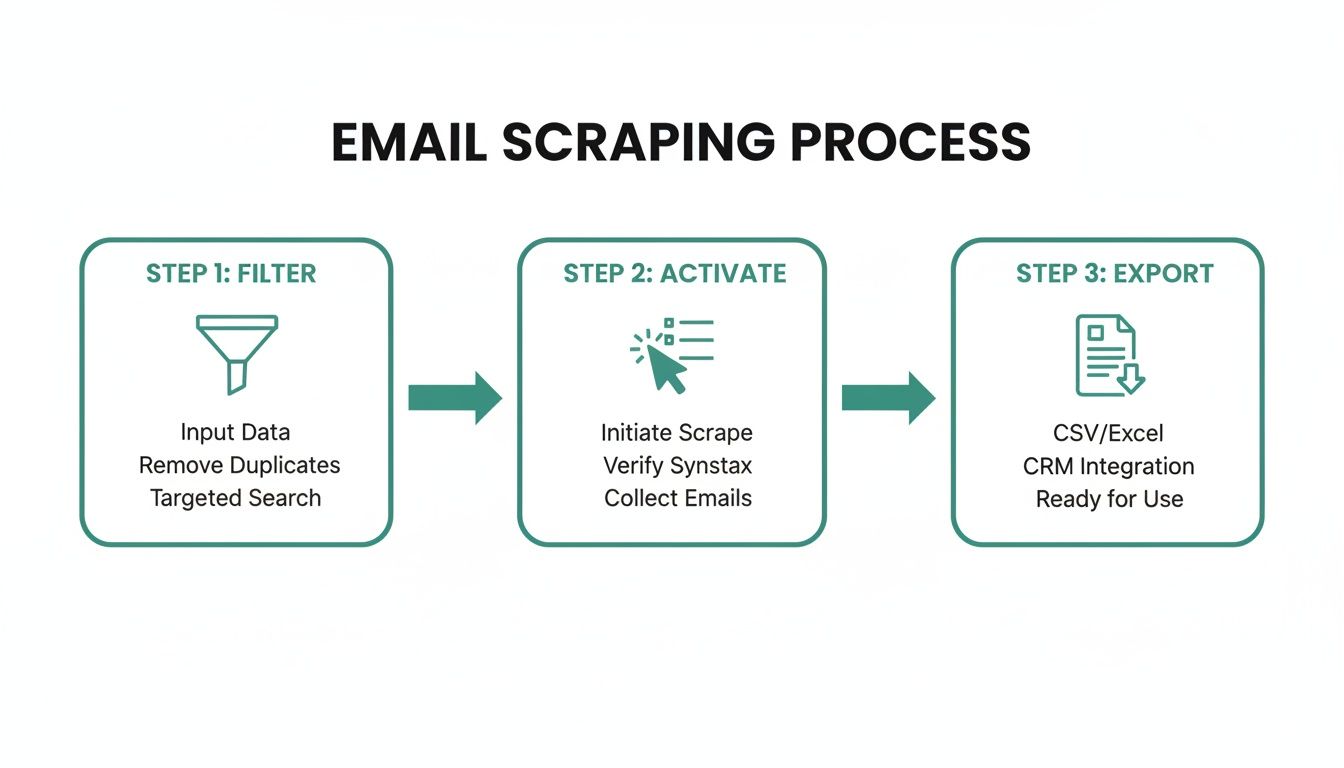
Email scraping is an automated form of web data extraction. A crawler visits pages, reads the HTML, looks for text that matches an email format such as name@domain.tld, and stores the results in a spreadsheet or list. It can sweep across websites, documents, social profiles, forums, and directories, which is why it's broad collection, not targeted finding. The raw output often has no context, no verification, and no guarantee that the address belongs to the right person, which is why it differs from contact-finding tools that verify details before returning them. Prospeo's explanation of email scraping

A simple way to think about it is a robot reading pages for email-shaped text and packing whatever it finds into a bucket. It doesn't know whether the address belongs to a decision-maker, a student, a generic inbox, or an abandoned profile. It just recognizes patterns.
The technical pipeline
At a basic level, scrapers combine several steps. They fetch a public page, parse the HTML or rendered DOM, identify email-like strings, and then filter duplicates or invalid entries. That's why real implementations usually rely on HTTP requests, HTML parsing, regex, and post-processing validation rather than a single click.
That technical pipeline matters because it explains the strengths and limits of the method. It's fast at collecting raw text. It's weak at determining quality. If a page contains contact info in a footer, author bio, PDF, or directory entry, the scraper can often capture it. If the address is hidden behind a form, JavaScript, or a permission gate, the result gets less reliable.
Bottom line: scraping is collection first, qualification later.
For a marketing ops team, that distinction is everything. A raw list looks productive in a spreadsheet. A verified list performs better in a campaign. Those are not the same thing, and confusing them leads to poor reporting, bad follow-up, and more cleanup work for everyone involved.
EmailScout's email address extraction workflow is built around finding addresses on pages rather than blindly collecting anything that matches a pattern, which is exactly the kind of distinction teams should understand before choosing a tool.
The Technical Challenges and Hidden Costs
A brute-force scraper can feel cheap at first because the software is doing the collecting. In reality, modern websites make the job harder every year. Many pages load content with JavaScript, so the email never appears in the initial HTML. Others use bot detection, throttling, or access rules that make repeated requests noisy and unreliable. Proxy-Seller's guide to email scraping with Python points to Selenium or Playwright for JS-heavy pages, along with timeout and retry logic, proxy rotation, and rate limiting.
Why simple scrapers fail
A basic bot can handle a page that shows an email directly in plain text. It struggles when the site renders content later, hides contact details behind dynamic scripts, or returns different output based on behavior patterns. That's where yield drops and completeness suffers. You may scrape some pages, miss others, and never fully know how much you missed.
The defensive side is getting stronger too. Security guidance from DataDome describes websites using CAPTCHA, rate limits, and bot-management tools to detect and stop scraping. That means the same workflow that once looked like a quick technical task now requires more moving parts just to stay functional. DataDome's overview of email scraping defenses
The real operational cost
Teams trying to keep scraping alive often add rotating proxies, browser automation, retries, and throttling. Those tools can help, but they also introduce maintenance overhead and failure points. Every workaround adds complexity, and every failure makes the list less complete.
For marketing and sales teams, the hidden cost is not just infrastructure. It's also time spent cleaning data, checking duplicates, and wondering why outreach results are weak. A list that looked large in the export window can be much smaller in practical value once validation starts.
Operational insight: if your data pipeline needs constant repair, it isn't a lead-generation system yet.
That's why brute-force scraping rarely fits a professional outbound motion for long. It's not just about whether the tool can find emails. It's about whether the process can hold up under real-world site defenses, repeated use, and the expectations of a team that needs reliable data every week.
The Legal and Ethical Minefield of Scraping
The legal question around scraping is not as simple as “public equals free to use.” Apollo's compliance guidance says email scrapers are considered legal in most jurisdictions when data comes from public sources, but it also recommends DMARC at p=quarantine or p=reject and daily complaint monitoring to reduce sender risk. It also reflects the newer reality, where collecting and using contacts is treated as a governed data workflow, especially in B2B outreach. Apollo's email scrapers and alternatives guidance
Public data is not the same as permission
A person can publish an email address on a site, in a directory, or on a social profile, and that still doesn't mean they expect promotional outreach from strangers. That's the ethical gap that makes scraping uncomfortable even before you get to compliance. The address may be visible, but the context is missing.
That's why careful teams log source URLs and timestamps, respect Terms of Service and robots.txt, and validate addresses before sending. Those habits don't magically make every use case safe, but they do show that the process is being managed instead of guessed at. If personal data is involved, teams also need a lawful basis framework, especially in major markets such as the EU and US. The rules around data privacy regulations are not optional background noise, they shape whether outreach is acceptable in the first place. EmailScout's data privacy regulations overview
Deliverability consequences are business consequences
Scraped lists often include invalid or stale addresses, which increases the chance of bounces and complaints. That hurts sender reputation and makes future campaigns harder to deliver. It also creates a brand problem, because recipients who never opted into your list are more likely to see the message as irrelevant or intrusive.
A useful way to think about it is this. If the list quality is weak, the outreach gets punished twice, first by the inbox provider, then by the person reading it. That's why the best teams don't treat scraped contacts as ready-to-send records.
The ethical issue is just as important as the legal one. People do notice when they receive messages that don't fit their role, their company, or their consent. Once trust is damaged, it's difficult to win back.
Email Scraping vs Legitimate Email Finding
Brute-force scraping and legitimate email finding both aim to surface contact details, but they work very differently. The first one collects whatever is available. The second one tries to identify the right contact, verify the address, and support outreach that feels deliberate instead of random.
| Feature | Email Scraping (Automated Bots) | Email Finding Tools |
|---|---|---|
| Data quality | Raw, unverified, often context-free | Verified or validation-focused |
| Targeting | Broad collection from many pages | Narrower, person or account specific |
| Compliance risk | Higher, because source and consent are often unclear | Lower, because the workflow is designed around cleaner sourcing |
| Deliverability | Often weaker because stale data slips through | Stronger because addresses are checked before use |
| Team workflow | Heavy cleanup after extraction | Better fit for structured prospecting |
| Outreach style | Volume-first, less controlled | More aligned with personalized outreach |
That difference is why professional teams use email finding instead of brute-force scraping when the goal is real pipeline. A tool can still collect public business emails, but it should do so in a way that helps the team identify decision-makers rather than just harvesting text. For teams doing advertising for SaaS companies, clean contact data matters because paid demand generation, outbound sales, and retargeting all work better when the underlying list is accurate. Mick-Mar Inc. on advertising for SaaS companies
What professional finding looks like
A legitimate finder starts from a person, company, or domain, then works toward a usable contact record. It's a different mindset from sweeping across the web for anything that resembles an email. In practice, that means the output is more useful for sales reps, account-based marketing, and lifecycle teams that need cleaner routing.
One option in this category is EmailScout, which scans webpages and helps surface email addresses for export as part of a prospecting workflow. It's not a substitute for judgment, but it is a more structured approach than brute-force collection.
Marketing ops rule: if your list can't be trusted, your sequence can't be trusted either.
The best distinction to remember is simple. Scraping asks, “What can we grab?” Email finding asks, “Who should we contact?”
How to Build Compliant Outreach Lists in 2026
The safest way to build outreach lists is to start with fit, not volume. Define the kind of company and role you want, then look for contacts that match that profile. That keeps the list smaller, cleaner, and easier to personalize.
A simple checklist for better lists
- Define your ideal customer profile: Decide which industries, company types, and job functions belong on the list before you start collecting data.
- Use a reputable finder: Choose a tool that helps locate specific decision-makers instead of vacuuming up unrelated emails.
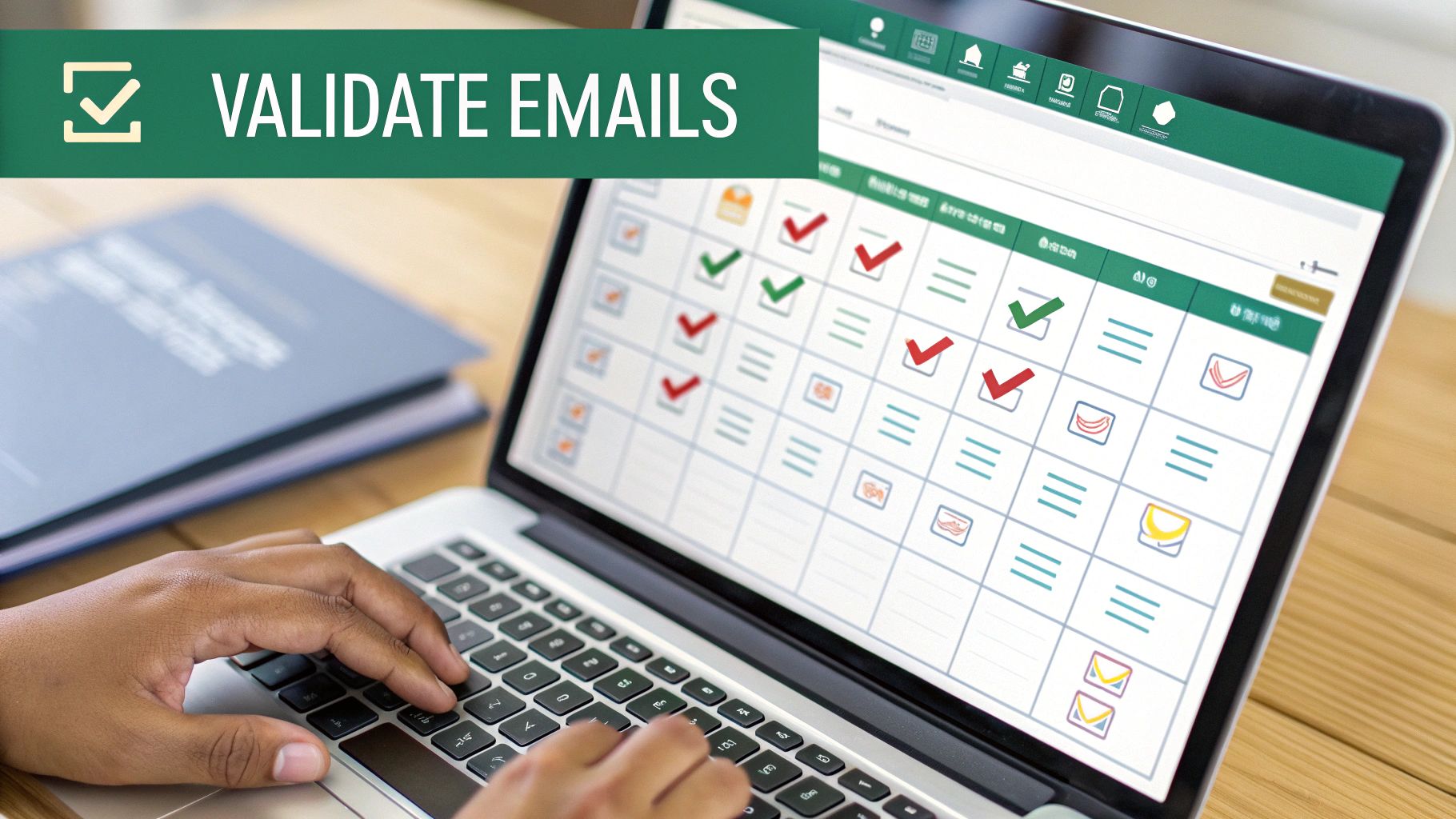
- Verify before sending: Check the address quality before adding anyone to an outbound sequence, because validation protects deliverability.
- Write for relevance: Tailor the message to the person, the company, and the reason you reached out.
- Keep the workflow compliant: Respect public-source rules, source logs, and local privacy requirements when personal data is involved.
If your team needs a practical model for building a list from cleaner inputs, EmailScout's guide on how to build an email list is a useful reference point.
Make personalization do the heavy lifting
A strong list still needs a strong message. That's where workflows like Lumi Humanizer's email workflow are helpful, because they remind teams that outreach should sound like it came from a person who understands the recipient's world. Clean data gives you a better starting point, but relevance wins the reply.
The main lesson is straightforward. Brute-force scraping is a collection tactic, not a sustainable outreach strategy. Professional teams build lists with structure, verification, and context, then use them with restraint.
If you want a cleaner way to find decision-makers without turning your outbound process into a data cleanup project, visit EmailScout. It helps teams surface email addresses from webpages in a more structured workflow, so you can spend less time hunting and more time sending relevant outreach.