Tag: b2b prospecting

  • A Practical Guide: scrape email from linkedin with ethical, compliant methods

    A Practical Guide: scrape email from linkedin with ethical, compliant methods

    So, you need to pull emails from LinkedIn. Whether it's for sales, marketing, or recruiting, you already know LinkedIn is a goldmine of professional contacts. But getting those email addresses? That’s a whole different ball game.

    This guide is designed to cut through the noise and show you how to get the data you need professionally and ethically.

    The Reality of LinkedIn Lead Generation

    Person typing on a laptop showing a LinkedIn profile, aiming for high-quality leads on a green desk.

    Let's be real: finding high-quality leads is the lifeblood of any growing business. With over a billion users, LinkedIn is the single largest pool of professional contacts on the planet. Naturally, the platform knows how valuable its data is and has built a fortress to protect it.

    This has sparked a constant cat-and-mouse game. LinkedIn's anti-scraping defenses are aggressive and sophisticated, reportedly blocking over 99% of naive web scrapers with multi-layered fraud detection. It's smart, too—using behavioral analysis and request fingerprinting to spot automated patterns.

    Despite this, an entire lead generation industry thrives on this data. It's estimated that a staggering 80% of all B2B leads originate from scraped LinkedIn data, with specialized tools still managing to extract millions of emails every single day.

    Why Scraping Emails Is a Game Changer

    Let's face it, manually hunting for contact info is slow, mind-numbing, and just doesn't scale. If you want to compete, your sales and marketing teams need a way to build targeted prospect lists without wasting countless hours. Learning how to properly scrape emails from LinkedIn bridges that gap, turning a painful manual task into an efficient, automated process.

    This efficiency is everything for successful B2B lead generation. Instead of burning daylight searching for one email, you can focus on what actually moves the needle:

    • Crafting outreach that actually gets a reply.
    • Building real relationships with your ideal prospects.
    • Closing deals and driving revenue.

    The goal isn't just to collect a massive list of emails. It's about getting the right contact information for the right people, so you can start valuable conversations at the right time. That’s the core of modern outreach.

    Finding Your Path Forward

    This guide will walk you through everything, from simple manual tricks to powerful automated tools. We'll lay out a clear roadmap so you can find a strategy that fits your needs, budget, and technical skills.

    To get a feel for the bigger picture, you might want to check out a modern playbook for generating leads with LinkedIn. By the time you're done here, you'll know exactly what's possible and how to get started without getting your account flagged.

    Know the Rules: Staying Out of Trouble with LinkedIn Scraping

    A desk with legal books, scales of justice, documents, and a laptop displaying 'KNOW THE RULES' for legal compliance.

    Before we even get to the "how," we need to have a serious talk about the rules of the road. Trying to pull emails from LinkedIn isn't just a technical challenge—it’s a minefield of platform policies and real-world laws.

    This isn’t about scaring you off. It’s about making sure you’re smart, protecting your business, and keeping your LinkedIn account from getting shut down.

    LinkedIn's Side of the Story

    Let's be crystal clear: LinkedIn's User Agreement explicitly forbids automated data collection. Any tool, bot, or scraper that pulls information without their direct permission is a violation.

    And they don't take this lightly. LinkedIn has sophisticated systems designed to sniff out and block automated activity. If your account suddenly starts acting like a robot—viewing hundreds of profiles an hour or sending out connection requests at an impossible speed—you're going to set off red flags.

    The fallout can be swift and severe:

    • A Slap on the Wrist: First, you might get a temporary account restriction, forcing you to prove you're a human.
    • The Permanent Ban: Keep it up, and they won't think twice about banning your account for good. That means your network, your recommendations, your entire professional brand on the platform—gone.
    • Bringing in the Lawyers: For large-scale data harvesting, LinkedIn has a history of taking companies to court.

    This isn't some empty threat. They restrict or ban thousands of accounts every single month for activity that doesn't look human. It's a risk you have to manage from the very start.

    The Bigger Picture: Laws and Ethics

    Beyond what LinkedIn wants, you have to answer to actual laws. Privacy regulations like Europe's General Data Protection Regulation (GDPR) and the California Consumer Privacy Act (CCPA) don't care about a platform's terms of service. They care about protecting people's personal data.

    Under these laws, an email address is personal information. If you collect, store, or use data from people in these regions, you are legally on the hook to comply. The fines for getting it wrong can be astronomical—enough to put a company out of business. Your responsibility doesn't end when you get an email; it’s just getting started.

    Key Takeaway: Compliance is not optional. Every email you collect is a potential liability. The convenience of a scraped list is never worth the risk of crippling legal penalties.

    The potential for misuse here is massive. One researcher famously uncovered an unprotected database containing 4.3 billion records scraped from LinkedIn. This 16TB data dump exposed the personal details of over 732 million unique profiles, leaking everything from names and emails to phone numbers. As Esecurityplanet.com reported, this kind of leak opens the door for hyper-personalized phishing scams on a global scale.

    Your best defense is to operate ethically. Be transparent, respect people's privacy, and make sure every message you send offers real value. Never sell scraped data, don't spam, and always give people an easy way to opt out. Handling data responsibly isn't just a legal checkbox—it's how you build a brand people can trust.

    Choosing the Right LinkedIn Email Scraper

    Picking the right tool to pull emails from LinkedIn is a make-or-break decision for your outreach. The market is packed with options, but they really boil down to two types: lightweight browser extensions and heavy-duty, cloud-based platforms.

    Browser extensions are usually the first stop for individuals or small teams just getting their feet wet. You install them right into Chrome, and they pop up on LinkedIn profiles or search pages. Their biggest draw is simplicity. You find a profile you like, click a button, and the tool gets to work finding an email right then and there.

    Cloud-based platforms, on the other hand, are built for bigger jobs. These are the go-to for sales departments or anyone running large, coordinated campaigns. Instead of running on your computer, they do all the heavy lifting on their own servers. This makes them faster, more scalable, and a whole lot less likely to get your account flagged by LinkedIn.

    Key Factors in Your Decision

    It's easy to get bogged down in feature lists when you're comparing tools. To keep things simple, just focus on three things that actually matter: accuracy, integration, and safety. A tool can promise you the world for cheap, but if half the emails it finds bounce, you've just wasted your time and money.

    Accuracy is everything. Look for tools that don't just find emails but also verify them on the fly. A high accuracy rate means fewer bounces, which is critical for protecting your domain's reputation and making sure your messages actually get delivered.

    Integration is all about efficiency. Can the tool sync with your CRM? Does it export data into a clean CSV file? A scraper that plays nice with your current tech stack will save you from hours of soul-crushing manual data entry.

    Finally, don't overlook safety. A good scraper should mimic human behavior to avoid setting off LinkedIn’s alarm bells. This means it needs features like randomized delays between actions and sensible daily limits. Cloud tools often have an advantage here because they can route their activity through different proxies, making them harder to detect.

    Top LinkedIn Email Scraper Tool Comparison

    To help you navigate the options, here's a detailed comparison of the leading LinkedIn email scraping tools. This table breaks down their features, pricing, and accuracy so you can make an informed choice that fits your needs.

    Tool Name Type Key Feature Pricing Model Claimed Accuracy
    EmailScout Browser Extension Real-time email verification and enrichment Credits / Subscription 95%
    Wiza Cloud-Based Platform Bulk export from Sales Navigator searches Credits / Subscription 97%
    Skrapp.io Browser Extension Simple single-profile email finding Credits / Subscription 89%
    AeroLeads Browser Extension List building from search results Subscription 90%
    Phantombuster Cloud-Based Platform Workflow automation & API integrations Subscription Varies by "Phantom"

    Each tool has its strengths. Browser extensions like EmailScout and Skrapp.io are great for quick, targeted lookups, while cloud platforms like Wiza and Phantombuster are built for high-volume, automated workflows. Your choice really depends on the scale and complexity of your outreach goals.

    A Closer Look at Browser Extensions

    Browser extensions are fantastic for their speed and convenience. Say you’re a recruiter who’s just stumbled upon the perfect candidate for a tricky role. With an extension, you can grab their email directly from their profile in a couple of clicks and start a conversation immediately. No need to export a list or wait for a big batch process to finish.

    Let's look at a few popular choices:

    • Skrapp.io: Known for its clean and simple interface, Skrapp is a great pick for grabbing an email from a single profile you're already looking at.
    • AeroLeads: This one is a step up, letting you build smaller, targeted lists directly from LinkedIn search results before finding contact info.

    While convenient, these tools have their limits. Because they operate right in your browser, they are more exposed to LinkedIn's detection systems. If you go overboard, you risk getting a warning on your account, so it’s best to use them in moderation.

    Expert Insight: Think of browser extensions like speedboats—they're fast and nimble for quick trips and targeted tasks. But if you need to cross an entire ocean of data, you'll want a bigger ship. That's where cloud platforms shine.

    The impact of these tools is undeniable. Email scrapers built for LinkedIn now support outreach for over 70 million companies across the globe. The best ones deliver verified B2B emails with accuracy rates climbing above 90%. Some platforms even boast 92% verified email accuracy, which can push campaign open rates 25% above the industry average. The math is simple: outreach to verified lists can cut wasted effort by as much as 70%.

    Diving Into Cloud-Based Platforms

    Cloud-based platforms are engineered for scale and safety. Imagine you're a sales manager who just used Sales Navigator to create a list of 500 ideal customer profiles. Trying to scrape each one manually with an extension would be a slow, painful, and risky process.

    This is exactly the kind of job a cloud tool like Wiza was built for. You can export your entire Sales Navigator search, upload it, and let the platform do the work behind the scenes. Wiza finds and verifies emails for everyone on your list, then hands you a clean, enriched file ready for your outreach campaign. It’s not just faster—it’s much safer, since the platform handles all the scraping on its own secure infrastructure.

    If you want to start without an upfront cost, check out our guide on using a free email scraping tool. And for a wider look at the market, this list of the best tools for scraping LinkedIn offers a great overview. Ultimately, the right platform is the one that aligns perfectly with your workflow and helps you get from prospect to conversation without any friction.

    Alright, let's put theory into practice. Reading about a tool is one thing, but seeing it work is how you really learn. We'll walk through the whole process right now—from installation to exporting your first batch of contacts—using a browser extension like EmailScout as our example.

    This hands-on approach shows you just how fast you can start pulling in valuable contact info.

    The best part about a solid browser extension is that it fits right into your current workflow. It lives directly on LinkedIn, so you don't have to jump between different apps or mess around with uploading and downloading CSV files. Everything happens right where you need it.

    By the time we're done here, you'll be able to confidently find a profile, fire up the scraper, and start building a high-quality lead list.

    Getting Your Scraper Set Up

    Before you can find any emails, you need to get the tool installed. Don't worry, this is the easy part and usually takes less than a minute.

    1. Find the Extension: First, head over to the Chrome Web Store and search for your email scraper of choice. We're using EmailScout for this walkthrough.
    2. Add to Chrome: Just click the "Add to Chrome" button. Your browser will ask for a couple of permissions, which it needs to read the data on a LinkedIn page.
    3. Pin for Easy Access: Once it’s installed, I always recommend "pinning" it to your toolbar. Click the little puzzle piece icon in Chrome, find the scraper, and click the pin icon. This keeps it visible and ready to go.

    With the extension installed, you’re ready to hunt down your first prospect. But here’s a crucial tip: the magic isn't just in the tool itself. It's in how you set up your search before you even think about clicking that "scrape" button.

    Building a Laser-Focused Prospect List

    This is where so many people go wrong. They try to scrape thousands of random LinkedIn profiles, and they end up with a useless list.

    A list of 10,000 random contacts is junk. A list of 50 perfectly targeted prospects? That's a goldmine. The quality of your outreach always starts with the quality of your list.

    This is where you lean on LinkedIn’s own search filters. They are your best friend. Use them to dial in your audience with serious precision.

    • Job Titles: Don't just search for "Manager." Get specific. Think "Director of Demand Generation" or "Head of Talent Acquisition."
    • Industry: Filter by niche industries like "Computer Software" or "Financial Services" so your message is always relevant.
    • Company Size: Are you targeting scrappy startups (11-50 employees) or going after enterprise giants (10,000+)?
    • Geography: Zero in on prospects in a specific city, state, or country.

    For instance, if you're a B2B SaaS company selling marketing software, you might build a search for "Marketing Directors" at "Software companies" with "51-200 employees" located in "Texas." Now that is a hyper-targeted list ready for scraping.

    Running Your First Scrape

    Once your filtered search results are on the screen, the rest is simple. You have two main ways to approach this.

    Scraping a Single Profile

    Let's say one person in your search results looks like a perfect match. You click on their profile to get a better look.

    Once you're on their page, your email scraper's icon will light up or a new button will appear. Just click it. The tool will start working its magic in the background, hunting for and verifying a professional email for that person. In a few seconds, it should pop up with a verified email.

    Pro Tip: This one-by-one method is perfect for your highest-value targets. While you're on their profile, look for personal details—a recent post, a shared connection, a university—that you can mention in your email. This personal touch can make a huge difference in your reply rates.

    Bulk Scraping from a Search Page

    If you want to build a list faster, bulk scraping is the way to go. Instead of clicking into every single profile, you can pull contact info from the entire search results page at once.

    Most extensions will add a button right on the LinkedIn search page, usually saying something like "Find emails on this page." Click it, and the tool will run through every profile on that page (typically 10-25 people) and find their info at the same time.

    The results get collected in the extension's dashboard, where you can export everything as a clean CSV file.

    This method gives you the perfect mix of speed and safety. You aren't scraping thousands of profiles at once (a big red flag for LinkedIn), but you're also not stuck doing everything manually. You can easily build a targeted list of 100-200 prospects in one sitting, all without ever leaving LinkedIn.

    Scraping Safely to Protect Your Account

    Using a tool to scrape emails from LinkedIn is the easy part. The real art is doing it without setting off LinkedIn’s alarms and getting your main account nuked. Pros who pull data at scale have this down to a science, using specific strategies to stay under the radar so they can keep operating long-term.

    This isn't about trying to outsmart the system. It's about blending in. You need to mimic human behavior so well that your automated activity looks completely normal. LinkedIn's detection algorithms are sharp, constantly scanning for patterns that scream "robot"—like visiting profiles way too fast, being active at weird hours, or making requests from sketchy IP addresses. Those are all massive red flags.

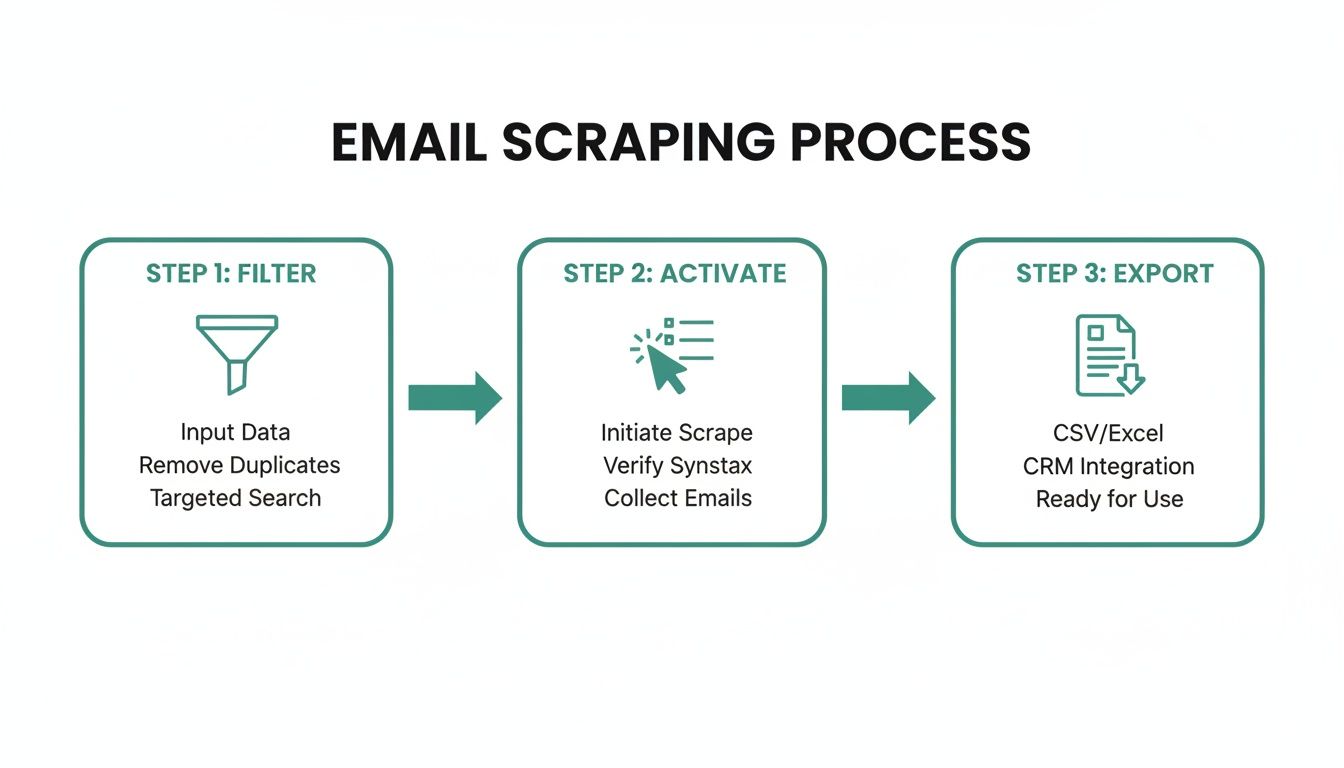
    This simple workflow breaks down the core process.

    A flowchart detailing the three-step email scraping process: filter, activate, and export data.

    The biggest takeaway here? Smart scraping starts way before you hit "go" on any tool. It begins with laser-focused filtering to make sure you’re only grabbing high-value, relevant data.

    Mimic Human Behavior to Avoid Detection

    The golden rule of safe scraping is to act like a person, not a piece of software. Real people don't look at 500 profiles in an hour or work 24/7. To avoid an instant ban, your scraping activity needs to look just as random and paced as a regular user's.

    This means putting the brakes on your scraping tools. Instead of just letting them run wild, you need to configure them to pause and introduce random delays between actions. Any decent tool will let you tweak these settings.

    • Profile Visits: Keep your daily profile visits in check. For a properly warmed-up account, a safe range is between 80 to 150 profiles per day. Pushing past that, especially on a newer account, is just asking for trouble.
    • Action Delays: Always set delays of 30-60 seconds between each profile visit. This little bit of randomness makes your activity look far more natural than hitting a new profile every two seconds.
    • Operating Hours: Only run your scraper during normal business hours for your time zone. An account that’s grinding away at 3 AM is a dead giveaway for automation.

    Stick to these limits, and you dramatically lower the odds of your account getting flagged.

    The Power of Proxies and Dedicated Accounts

    One of the most obvious ways LinkedIn catches scrapers is by tracking IP addresses. If thousands of requests are hammering their servers from a single data center IP, it's game over. This is where proxies become non-negotiable.

    A residential proxy is your best friend here. It routes your traffic through an IP address that belongs to a real home internet connection, making your activity look like it's coming from a regular person browsing from their couch. It's a critical layer of defense for any serious scraping operation.

    Key Takeaway: Never, ever scrape from your personal IP address if you care about your main LinkedIn account. The small cost of a quality residential proxy service is the best insurance policy you can buy against a permanent ban.

    On top of that, you should always use a dedicated, secondary LinkedIn account just for scraping. This tactic completely isolates your data gathering from your primary professional profile. If the scraping account gets restricted or banned, your personal network, reputation, and content are all safe and sound.

    Think of this second account as your "burner" profile. Its only job is to handle the risky work of data extraction, acting as a firewall between the tools and your real identity. While you still need to warm it up properly, losing it is a calculated risk, not a catastrophe. Many people also use different email search engines to find more data, creating a much stronger lead generation machine.

    Warm Up Your Account Before Scaling

    You can't just spin up a new LinkedIn account and immediately start scraping 100 profiles a day. A brand-new account with a sudden burst of high-volume activity is the reddest flag you can wave. You have to "warm up" the account over a few weeks to build a history of normal, human-like behavior.

    Here’s a sample warm-up routine:

    1. Week 1: Fill out the profile completely. Add a professional photo, a solid headline, and a summary. Start sending 5-10 connection requests per day to people you might know.
    2. Week 2: Begin engaging. Like and comment on a few posts each day. Bump up your connection requests to 10-15 per day.
    3. Week 3: Time for some light scraping. Start by visiting just 20-30 profiles per day with your tool, while still doing your normal engagement activities.
    4. Week 4 and beyond: Slowly increase your daily scraping volume by about 10-20 profiles each week, but never go over the safe daily limits.

    This slow, steady approach builds a baseline of normal activity, making your eventual scraping far less likely to trigger an alert. Patience in the warm-up phase is what separates the successful, long-term operations from the ones that get shut down within a week.

    Your Top Questions About LinkedIn Scraping, Answered

    Alright, we've walked through the "how-to" of finding emails on LinkedIn. But let's be real—the technical side is only half the story. You probably have some nagging questions about the risks and rules. Let's tackle them head-on.

    Is It Legal to Scrape Emails from LinkedIn?

    This is the big one, and the answer is… it's complicated. Scraping emails lives in a legal gray area, and the rules change depending on where you are and what you do with the data.

    LinkedIn’s own terms of service are crystal clear: they absolutely forbid any kind of automated data scraping. On the other hand, several court rulings have suggested that scraping publicly available data isn’t illegal in itself.

    The real minefield is privacy law. Regulations like GDPR in Europe are incredibly strict about how personal data (like email addresses) is gathered and used. Getting this wrong can lead to some seriously painful fines.

    Crucial Takeaway: Don't guess. Before you start any project, talk to a legal professional. You need to be 100% sure your process respects all the data privacy laws that apply to you and the people you're contacting.

    Can My LinkedIn Account Get Banned?

    Yes, without a doubt. This is probably the most immediate risk you'll face. LinkedIn has poured a ton of resources into smart systems that are constantly on the lookout for bot-like activity that violates their user agreement.

    You can easily raise a red flag by:

    • Flying through an unnatural number of profiles in a short time.
    • Firing off connection requests way too fast.
    • Using a scraping tool from a single IP address that screams "automation!"

    The slap on the wrist can be anything from a temporary time-out (where they make you prove you're human) all the way to a permanent, no-questions-asked ban. To avoid this, stick with trusted tools that mimic human behavior, keep your activity at a slow, realistic pace, and seriously consider using a separate, secondary account just for scraping. It's cheap insurance for your primary professional profile.

    What Is the Most Effective Way to Find Verified Emails?

    The best approach isn't just about finding emails—it's about finding correct emails that actually work. The most effective strategy is a one-two punch: highly specific LinkedIn searching followed by a top-notch verification tool.

    First, get surgical with LinkedIn's search filters. If you have it, Sales Navigator is even better for building a hyper-targeted list of ideal prospects.

    Once you have that list, run it through a reputable scraping and verification tool that checks emails on the fly. This two-step process is a game-changer. It ensures your final list is not only perfectly aligned with your campaign goals but also has a super low bounce rate, which is key to protecting your email reputation and getting your messages seen.


    Ready to build high-quality lead lists without the guesswork? With EmailScout, you can find and verify emails directly from LinkedIn profiles in one click. It's the smart, efficient way to make sure your outreach hits the mark. See how EmailScout can upgrade your lead generation today!

  • How to Find Email Addresses for Businesses A Practical Guide

    How to Find Email Addresses for Businesses A Practical Guide

    Finding the right business email isn't just about sending a message. It’s about starting a real conversation that can actually grow your business. This simple skill turns outreach from a wild guess into a targeted, effective strategy, making sure your message lands exactly where it needs to.

    This is the bedrock of any meaningful professional relationship and, ultimately, tangible business results.

    Why Finding the Right Email Is a Game Changer

    Before we get into the how, let's lock down the why. Knowing how to find someone's email address isn't just a "nice-to-have" skill. It's a core part of any successful sales, marketing, or networking effort.

    Sending your pitch to a generic inbox like info@company.com is often a one-way ticket to the trash folder. It gets lost, ignored, or deleted by a gatekeeper before it ever reaches the person you need to talk to.

    A laptop on a wooden desk displays digital outreach software, with blurred people and 'Precision Outreach' text.

    When you have a direct email, you get to bypass all of that and speak directly to the decision-maker. That one small change dramatically increases your odds of getting a response.

    The Direct Impact on Your Outreach Efforts

    Targeted email outreach gives you a massive advantage. Once your message lands in the right inbox, every single part of your campaign just works better.

    • Higher Open and Reply Rates: It’s a no-brainer. An email sent directly to a specific person is far more likely to get opened and read than a generic blast.
    • Improved Sender Reputation: When you send emails to verified addresses, your bounce rate plummets. A low bounce rate tells email providers like Gmail and Outlook that you’re a legitimate sender, which is key to staying out of the dreaded spam folder.
    • Increased Conversion Opportunities: Reaching the right person—whether that's a department head, a hiring manager, or a potential partner—is the first and most critical step in closing any kind of deal.

    Having the right contact information is the difference between shouting into a void and having a one-on-one conversation. It respects their time and gets you a much better return on your own.

    The Staggering ROI of Email

    To really appreciate why this matters so much, you have to understand the bigger picture of B2B lead generation strategies. Email consistently delivers an incredible return on investment.

    The average ROI for marketing emails is somewhere between 3600% and 3800%. That means for every $1 you spend, you can expect to get around $36 back. Even more impressive, nearly 20% of companies report an email ROI as high as 7000%—that's a whopping $70 back for every dollar invested.

    These numbers scream one thing: a clean, accurate, and well-targeted email list is one of the most valuable assets you can have.

    Ultimately, mastering this skill saves you your most valuable resource: time. Instead of wasting hours on outreach that goes nowhere, you can focus on building relationships that actually move the needle. If you want to dive deeper, you can also check out our detailed guide that answers the question, "what is B2B lead generation?" to build a more solid foundation for your outreach.

    Using Email Finder Tools for Instant Results

    Let's be honest: when you need to find business emails at scale, manual searching is a dead end. Sifting through websites and social media profiles one by one is painfully slow and just doesn't work for building a real prospect list. This is exactly where email finder tools come in—they turn a soul-crushing task into a few quick clicks.

    These platforms are built for speed and volume, helping you assemble targeted lists in a fraction of the time. They work by scraping and cross-referencing massive amounts of public data, then running checks to deliver a valid email address. For anyone in sales, marketing, or recruiting, this kind of efficiency is a total game-changer.

    How Email Finder Chrome Extensions Work

    Picture this: you're on the LinkedIn profile of a key decision-maker you absolutely need to reach. Instead of navigating away to start digging, a good email finder extension gets the job done right where you are.

    A tool like EmailScout, for example, slots directly into your workflow. You just click the extension's icon while on a LinkedIn profile or company site, and it instantly analyzes the page to pull up a verified email. This seamless process cuts out all the friction and keeps you focused on what actually matters—building connections.

    A laptop displays an email interface and analytics, with a green folder titled 'Find Emails Fast' on a wooden desk.

    The real magic here is the combination of speed and convenience. You can grab contact info without ever breaking your prospecting rhythm.

    The Technology Behind the Tools

    These tools aren't just making educated guesses. They use some pretty sophisticated algorithms that pull together multiple data points to figure out and then confirm an email address.

    • Public Data Scraping: They crawl company websites, press releases, and social media to find names and job titles.
    • Pattern Recognition: They’re smart enough to identify the common email patterns a company uses (like first.last@company.com or f.lastname@company.com).
    • Verification Protocols: Before you ever see an email, the service runs a real-time check to make sure the address is active and won't bounce.

    This multi-layered process is what makes these tools so powerful. They don't just find potential emails; they deliver verified, ready-to-use contact information. That’s critical for protecting your sender reputation. If you're weighing your options, checking out a guide on the best email finder tools can give you a solid side-by-side comparison.

    Comparing Email Finding Methods

    With so many ways to find emails, it helps to see how they stack up. Different situations call for different approaches, and what works for a quick, one-off search might not be the best for building a massive list.

    Method Speed Accuracy Cost Best For
    Email Finder Tools Very Fast High (w/ verification) Low to Medium Sales teams, marketers, and bulk prospecting
    Manual Website Search Slow Variable Free Finding a few key contacts at smaller companies
    LinkedIn Prospecting Moderate High Free to High B2B outreach and connecting with decision-makers
    WHOIS Lookup Fast Low Free Finding technical or admin contacts for a domain
    Permutation & Verify Moderate High (w/ verification) Low When you know the name but need to guess the email

    As you can see, tools offer the best balance of speed, accuracy, and cost for anyone serious about outreach. While manual methods have their place, they just can't compete when volume is the goal.

    Key Considerations Before Subscribing

    Before you pull out your credit card, take a moment to make sure a tool is actually the right fit for your strategy.

    1. Accuracy Rate: Look for tools that guarantee a verification or accuracy rate of 95% or higher. Anything less invites high bounce rates that can get your domain flagged.
    2. Integration Capabilities: Does the tool play nice with your CRM or other sales software? A smooth integration saves a ton of time on manual data entry.
    3. Cost vs. Credits: Most services use a credit system, where one credit usually equals one found email. Figure out your monthly outreach volume to pick a plan that gives you enough credits without going overboard.
    4. Bulk Finding Features: If you’re building big lists, make sure the tool lets you upload a file of names and companies to find emails in bulk.

    At the end of the day, an email finder is a strategic investment. It pays for itself by giving you back the time you’d otherwise spend hunting for contacts, so you can focus on writing great emails and closing more deals.

    Mastering Manual Search and Digital Detective Work

    Automated tools are fantastic for speed and scale, but some of the most valuable contacts are tucked away where only a human can find them. This is where your inner digital detective comes into play. Honing your manual search skills helps you uncover those elusive email addresses that automated systems miss, giving you a real competitive advantage.

    This isn’t about just randomly Googling, though. It's a strategic process. You need to know where to look, how to spot patterns, and how to connect the dots scattered across the web. Think of it as putting on your investigator’s hat to find information that’s hiding in plain sight.

    Scouring Company Websites for Clues

    Your first stop should almost always be the company’s own website. A direct email might not be sitting on the homepage, but you’d be surprised what you can find if you dig a little deeper. You're looking for patterns and context, not just a "contact" link.

    Start with these high-value pages:

    • The "About Us" or "Team" Page: This is the obvious starting point, but it's a goldmine. Look for employee bios or team directories. Even if they don’t list full emails, they often give you names and titles, which are critical pieces of the puzzle for later steps.
    • Press Releases or Media Kits: Companies almost always include a media contact in their press releases. This is often a direct line to someone in marketing or PR, and their email format (like firstname.lastname@company.com) is a massive clue about the company’s overall pattern.
    • Author Bios on the Company Blog: If your target writes for their company's blog, check their author bio. It’s common for companies to link the author's name to their email address or just include it right there in the bio.

    For example, if a press release lists a media contact as jane.doe@abccorp.com, you have a great reason to believe the CEO, John Smith, can be reached at john.smith@abccorp.com.

    Advanced LinkedIn Search Tactics

    LinkedIn is way more than just a place to check job titles. It’s a dynamic source of information if you know where to look. The key is to go beyond the main profile page to find what you need.

    Start by navigating to your target's profile and checking their recent activity. Look at the comments they've left on other people's posts. It's surprisingly common for professionals to drop their email in a comment thread to move a conversation offline.

    A person’s digital footprint is a trail of breadcrumbs. By looking at their comments, shared articles, and group discussions, you can often find the direct contact information they've shared publicly, bypassing the need for any tool.

    Also, don't forget to check any documents or presentations they’ve shared through LinkedIn's Slideshare feature. Professionals often include a final slide with their direct contact info for follow-up questions. This is a frequently missed but highly effective tactic.

    Unconventional but Effective Methods

    When the usual searches come up empty, it's time to get creative. Some of the best digital detective work happens in places most people don’t think to check. These methods take a bit more effort but can deliver when everything else has failed.

    One great technique is a WHOIS lookup. Every domain name registration includes contact information for the owner. While many use privacy services, smaller businesses or solo entrepreneurs sometimes forget and leave their details public. A quick search on a site like whois.com can sometimes reveal the direct email of a founder or tech lead.

    For those who want to build more advanced search techniques or use specialized tools, resources like a guide on getting started with web scraping tools can be incredibly valuable. These skills can help automate the more tedious parts of a digital investigation.

    Finally, never underestimate the power of a well-crafted Google search. Using advanced search operators can filter out the noise and zero in on what you're looking for.

    Try these specific search strings:

    • "[Target Name]" + email
    • "[Target Name]" + contact
    • site:companywebsite.com [Target Name] email

    These simple commands force Google to find pages where those exact terms appear together. It transforms a generic search into a precision tool for uncovering business contacts.

    Crafting and Verifying Emails with Permutations

    So, what happens when the usual tools come up empty and your manual searches hit a brick wall? It's time to get a little more creative. This is where a killer two-part workflow comes into play: email permutation and verification.

    It’s a surprisingly effective method for those moments when you know the person's name and their company, but the actual email address is playing hard to get. Think of it as making a series of highly educated guesses, not just shooting in the dark.

    This technique is all about using common corporate email patterns to build a list of likely options. It’s a budget-friendly and methodical way to find that one high-value contact without shelling out for more expensive tools. First, you create the possibilities, and then—this is the critical part—you confirm which one is real without sending a single awkward test email.

    Generating Potential Email Combinations

    The first move is to build your list of potential email addresses. The good news is that most companies use a standard format for their emails, which makes this a lot easier than it sounds. Once you have a person's first name, last name, and their company's domain, you can generate the most common combinations.

    Let's imagine you're trying to reach a marketing manager named Sarah Jones who works at a company using the domain innovatech.com.

    You can quickly test the most common corporate email patterns:

    • First Initial + Last Name: sjones@innovatech.com
    • First Name . Last Name: sarah.jones@innovatech.com
    • First Name Only: sarah@innovatech.com
    • Full Name: sarahjones@innovatech.com
    • First Name + Last Initial: sarahj@innovatech.com

    Instead of typing these all out one by one, a free email permutator tool will do the heavy lifting for you. Just plug in the first name, last name, and domain, and it will spit out a comprehensive list of all the likely variations. It’s a huge time-saver and makes sure you don’t overlook a common format.

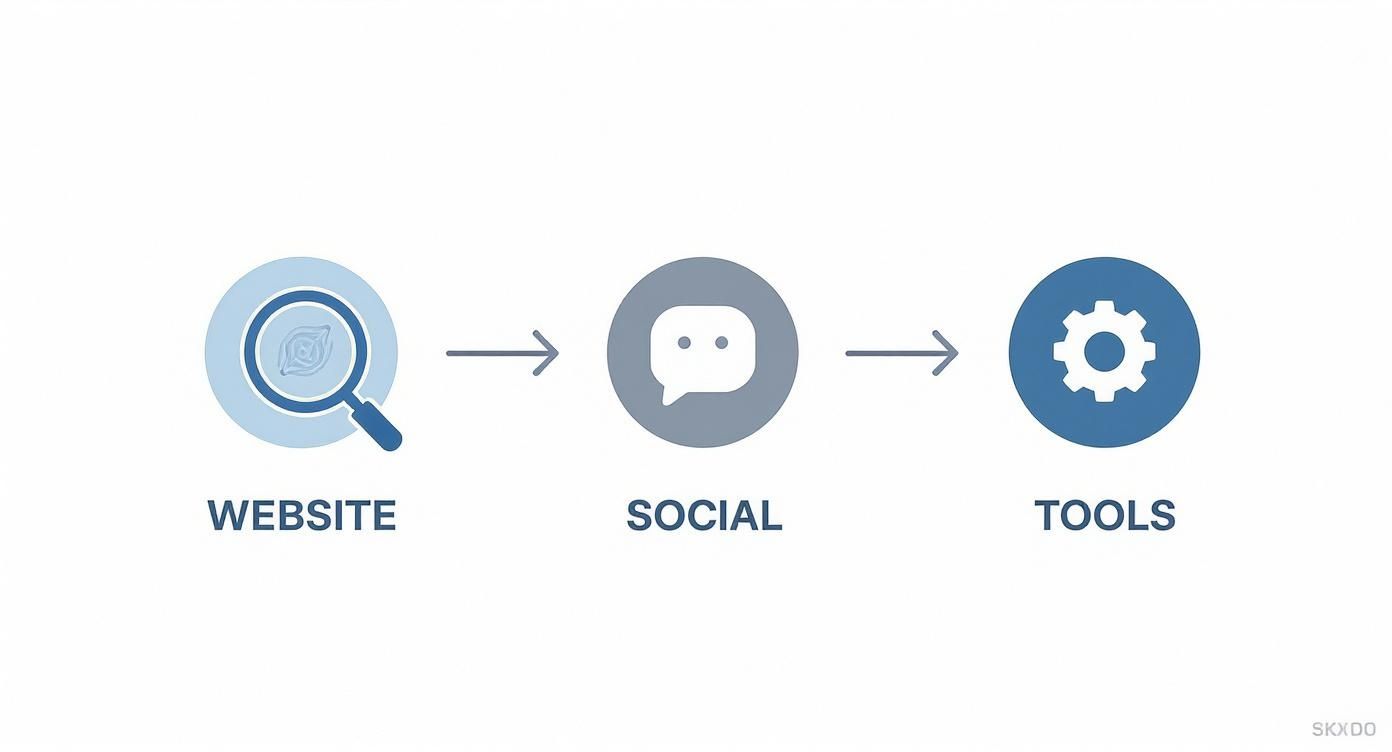
    This whole flow—starting on a website, checking social profiles, and then using tools like this—is pretty standard practice for modern digital prospecting.

    A three-step workflow diagram showing Website (magnifying glass) to Social (chat icon) to Tools (gear icon).

    This workflow shows how different methods build on each other. When the easy wins are exhausted, permutation and verification become your secret weapon.

    The Critical Role of Email Verification

    Okay, creating a list of potential emails is only half the job. The next step is absolutely non-negotiable: verification.

    Whatever you do, don't just send a message to every email on your list. That’s a terrible idea. It’s unprofessional, and it’s a fast track to a high bounce rate. Too many bounces will tank your sender reputation and get your future emails flagged as spam.

    Verification is your safety net. It confirms if an email address is active and can receive mail without sending a message. This protects your reputation and makes sure your hard work actually lands in a real inbox.

    This is where dedicated email verification services like ZeroBounce, Hunter, or NeverBounce become invaluable. These platforms run a series of background checks, pinging the mail server to see if a mailbox exists, checking for typos, and sniffing out "catch-all" addresses that accept mail for anyone at a domain.

    The process delivers a simple "valid" or "invalid" verdict for each email you generated. Once you get a green light, you can move forward with confidence, knowing your message has the best possible shot at being delivered.

    If you want a complete breakdown of how this works behind the scenes, our guide on how to validate an email address dives deep into the technical details. This methodical approach turns a guess into a confirmed lead, making every bit of effort count.

    Ethical Outreach and Making a Great First Impression

    Finding a valid business email is just the first part of the puzzle. How you use that information is what separates a successful campaign from a one-way ticket to the spam folder.

    Let's be blunt: a thoughtless, generic message is worse than sending no message at all. It's a surefire way to get ignored, deleted, or flagged. Real outreach is built on respect, professionalism, and offering genuine value from the very first word.

    This isn’t just about being polite; it’s about being smart and compliant. A great first impression opens doors, but a poor one slams them shut—often for good.

    Navigating Email Compliance Laws

    Before you hit "send" on any campaign, you have to know the rules of the road. Laws like the CAN-SPAM Act in the U.S. and GDPR in Europe aren't optional—they set clear guidelines for commercial emails.

    Getting this wrong can be costly. Violating CAN-SPAM, for instance, can lead to fines of up to $53,088 per email. Compliance is completely non-negotiable.

    The good news is you don't need a law degree to stay on the right side of these regulations. The core ideas are pretty straightforward and just mirror good business sense.

    • Legitimate Interest: Your message has to be relevant to the person's job. Pitching marketing software to a VP of Marketing? That’s legitimate. Sending them an offer for a personal loan? Not so much.
    • Clear Identification: You must clearly state who you are and include a valid physical postal address. Hiding your identity is a massive red flag and a direct violation of the law.
    • An Obvious Opt-Out: Every single email needs a simple and clear way for the recipient to unsubscribe. This is an absolute must, and you have to honor those requests immediately.

    Think of these rules less as restrictions and more as a blueprint for professional communication. They push you to be respectful, relevant, and transparent—all things that build trust and get better responses anyway.

    Crafting an Email That Actually Gets a Response

    Your prospect's inbox is a battlefield. With an estimated 361 billion emails sent daily, you're competing for a sliver of attention. The average office worker gets around 121 emails per day, and you can bet most of them are deleted without a second thought.

    To stand out, you need a mix of sharp personalization and immediate value. A generic, self-serving email is dead on arrival.

    Example Outreach Template: Sales Inquiry

    A cold sales email has to be quick, sharp, and focused entirely on the other person's world, not your company's life story.

    Subject: Quick question about [Recipient's Company]'s content strategy

    Hi [First Name],

    I saw your recent article on [Topic] and was impressed by your team's insights on [Specific Point].

    At [Your Company], we help B2B tech companies like yours increase their lead generation from content by over 30%. Given your focus on [Their Goal], I thought our approach to interactive content might be relevant.

    Would you be open to a brief 15-minute chat next week to explore if this could be a fit?

    Best,

    [Your Name]

    Example Outreach Template: Networking Request

    When you're networking, the goal is to build a bridge, not make a sale. Your tone should be respectful of their time and expertise.

    Subject: Loved your talk at [Event Name]

    Hi [First Name],

    I was in the audience for your presentation on [Topic] at [Event Name] last week and was particularly inspired by your thoughts on [Specific Takeaway].

    I'm currently working as a [Your Role] at [Your Company] and am always looking to connect with leaders in the [Their Industry] space.

    If you have a spare moment in the coming weeks, I would be grateful for the chance to connect briefly and learn more about your experience.

    Thanks for your time,

    [Your Name]

    Common Questions About Finding Business Emails

    Even with the best tools, a few questions always pop up when you're hunting for business emails. You have to think about the legal side of things, make sure the addresses you find actually work, and know what to do when you hit a dead end. It’s all part of the game.

    Let's clear up some of the usual sticking points. Getting these details right from the start is what separates a successful outreach strategy from one that just falls flat.

    Is It Legal to Email Someone After Finding Their Business Address?

    This is the big one, and the short answer is yes, but with some very important rules.

    In most places, sending a cold email to a business address you found online is perfectly fine, as long as you play by the rules of anti-spam laws like the CAN-SPAM Act in the US or GDPR in Europe.

    And trust me, these aren't just suggestions. Violating the CAN-SPAM Act can cost you up to $53,088 per email. So, to keep your outreach on the right side of the law, every message you send needs to check these boxes:

    • Have a Legitimate Business Interest: Your email has to be relevant to their job. No pitching a new CRM to a graphic designer.
    • Be Totally Transparent: Clearly state who you are and include a real physical mailing address in your email.
    • Don't Use Deceptive Subject Lines: Your subject line needs to honestly reflect what's in the email. No "Re: Our Meeting" trickery.
    • Give an Easy Way Out: Every single email must have a clear, simple way for them to opt out of future messages.

    Basically, keep it professional, relevant, and respectful. This is about targeted outreach, not spamming the masses.

    How Can I Improve the Accuracy of the Emails I Find?

    Finding an email is one thing. Finding one that actually works is the real goal.

    The single best thing you can do for your accuracy is to adopt a two-step process. First, use whatever method you prefer—an email finder tool, some manual digging—to get a potential address.

    Second, and this is non-negotiable, always run it through a separate email verification service before you hit send.

    An email verifier is like a bouncer for your sender reputation. It pings the mail server to see if an address is real and can receive mail—without sending an actual email. This simple check slashes your bounce rate and helps keep your domain out of the spam penalty box.

    This tiny extra step is what protects your sender reputation and gives your carefully written message the best shot at actually being seen.

    What Should I Do If I Cannot Find a Specific Person's Email?

    Look, even the most dedicated sleuth comes up empty sometimes. When you've tried everything and still can't find that one specific email, it's time to switch gears, not give up.

    One surprisingly effective trick is to find a general company email, like contact@company.com or info@company.com. Send a short, polite message explaining who you're trying to reach and ask if they could forward it to the right person. You'd be amazed how often a helpful admin will get your message exactly where it needs to go.

    Another option is to just change the venue. Instead of another email, try connecting on a professional network like LinkedIn. A thoughtful comment on a recent post or a personalized connection request referencing something you both have in common can be far more powerful than a cold email ever could be. Sometimes, the best way in is to knock on the front door instead of looking for a hidden key.


    Ready to stop guessing and start connecting? With EmailScout, you can find verified email addresses in a single click, directly from LinkedIn or company websites. Try our powerful Chrome extension for free and see how easy it is to build your prospect lists. Get started today at https://emailscout.io.

  • email search engines: Uncover Verified Contacts Responsibly

    email search engines: Uncover Verified Contacts Responsibly

    Think of an email search engine as a digital private investigator for contact information. It’s a specialized tool built to find professional email addresses that a simple Google search would miss. For anyone in sales, marketing, or recruiting, it’s a total game-changer.

    What Are Email Search Engines and How Do They Work?

    Imagine you need to find a specific person's business card in a city with a million offices. You could spend days wandering around, hoping to get lucky. Or, you could hire an expert who knows exactly which buildings to check and who to ask.

    Email search engines are that expert. They were created to solve one massive headache: the ridiculously time-consuming and often frustrating manual hunt for accurate email addresses.

    This process, often called an email lookup, is the lifeblood of modern outreach. Instead of guessing email patterns (first.last@company.com? f.last@company.com?) or digging through countless web pages, these tools do the heavy lifting for you. They can turn a task that used to take days into a few seconds. If you want a deeper dive into how this works on a practical level, our guide on how to perform an email address lookup has you covered.

    The Technology Behind the Curtain

    At their core, most email search engines are basically super-focused web crawlers. A web crawler is just an internet bot that methodically browses the web, following links from one page to another to index information. An email finder points this technology at public web pages, social media profiles, and company directories with a single mission: find names, companies, and any associated email addresses.

    Here’s a simple visual of how a crawler maps out a website to pull information.

    A diagram illustrating the process of a web crawler, showing how it starts from seed URLs and follows links to discover and index new pages.

    Email search tools just tweak this process to zero in on contact details. It's a surprisingly powerful way to generate leads.

    Why Everyone Needs One Now

    It’s no surprise that the demand for these tools has absolutely skyrocketed. The global search engine market, which includes these niche finders, is on a tear. Projections show it growing from USD 252.5 billion in 2025 to a massive USD 440.6 billion by 2030. That kind of growth tells you just how much businesses now rely on specialized search tools.

    An email search engine doesn't just find an email; it opens a door to a new opportunity. It automates the most mind-numbing part of outreach, giving you back precious time to actually build relationships and close deals.

    Bottom line? These platforms are no longer a "nice-to-have"—they're essential. They offer a scalable way to build highly targeted contact lists, making sure your message actually lands in the right inbox from the get-go.

    How These Tools Uncover Accurate Contact Data

    A magnifying glass hovering over a network of interconnected profiles, symbolizing the search and discovery of contact information.

    Ever wonder how email search engines seem to pull a contact out of thin air? It’s not magic—it's more like digital detective work. These tools don't rely on a single source. Instead, they piece together clues from all over the internet to build a complete, accurate picture of someone's contact information. This multi-layered approach is what separates a professional tool from a simple guess.

    Think of it like putting together a puzzle. One piece doesn’t tell you much, but the image becomes crystal clear as you connect more and more of them. These tools gather those puzzle pieces from various public and private sources, cross-referencing everything until they’re confident they have a match.

    The whole point is to move beyond a plausible guess to a highly probable, verifiable contact. It’s how you turn a cold lead into a real person you can actually reach.

    The Detective Work of Data Sourcing

    The first and most common technique is public web scraping. Specialized bots, a lot like the ones Google uses to index the internet, crawl millions of public web pages. They’re programmed to scan company "About Us" pages, press releases, and author bios, looking for anything formatted like a corporate email address.

    Next up is pattern recognition. Most companies use a standard email format, like firstname.lastname@company.com or f.last@company.com. By analyzing a few known email addresses from a company, an email finder can make a highly educated guess about the right pattern for anyone else who works there.

    The final layer involves tapping into proprietary databases. Over time, these platforms build up massive, private libraries of contact data from their own research and partnerships. This historical data is a powerful reference, allowing them to confirm or deny what they found using other methods.

    • Scraping: Gathers the raw, publicly available data from websites.
    • Pattern Matching: Figures out the most likely email structure for a specific company domain.
    • Database Cross-Referencing: Checks those findings against a huge library of known contacts to be sure.

    By layering these three methods, an email search engine builds a strong case for every email it finds. If you want to see how this works in the real world, check out reviews of tools like the Wiza email extraction tool to see these principles in action.

    Understanding Confidence Scores and Verification

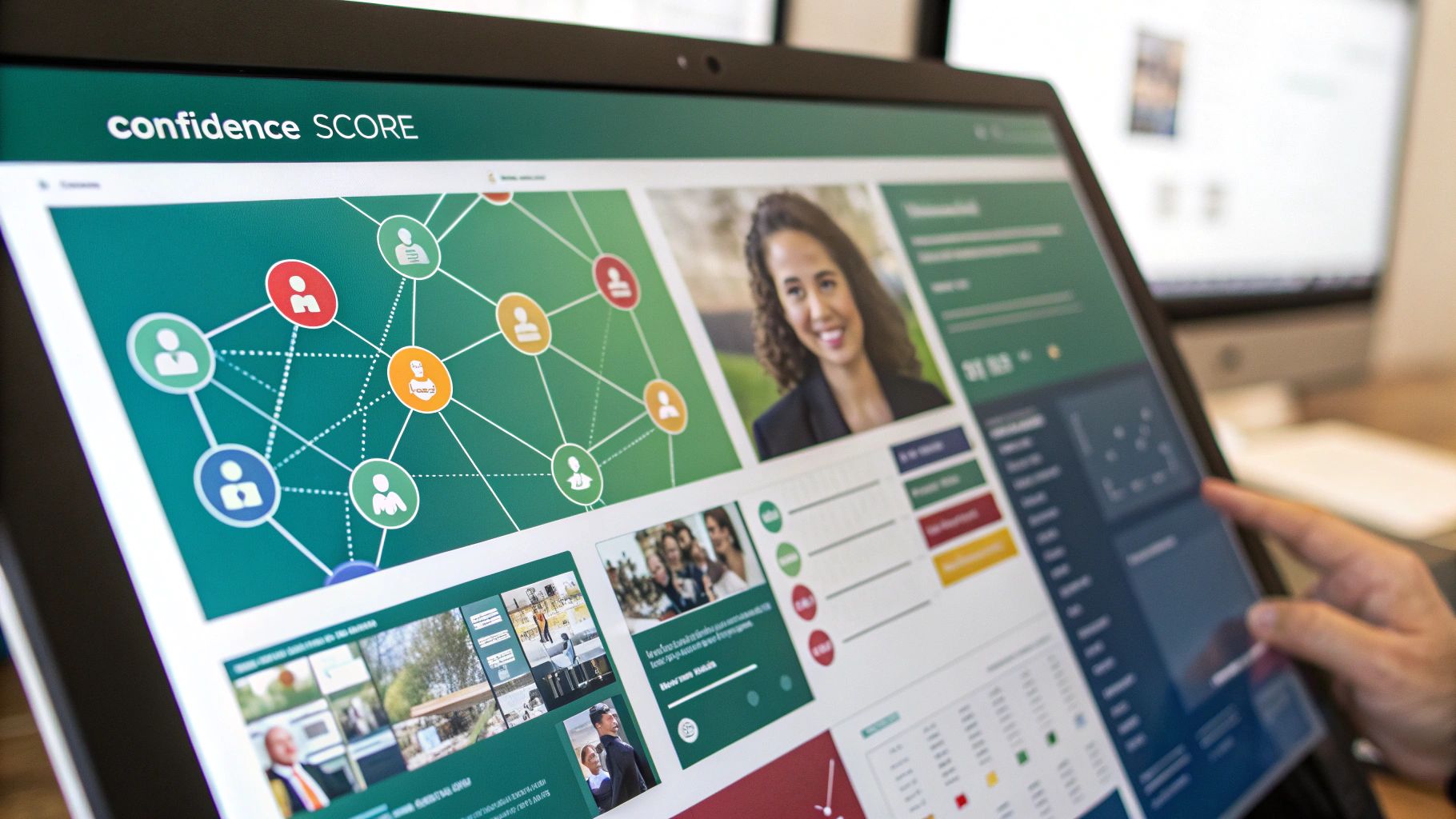
    A key feature you'll see in any quality email search engine is a confidence score. This is usually a percentage that tells you how certain the tool is that an email is legit and deliverable. A high score, often 95% or more, means the email was likely confirmed by multiple independent sources.

    A confidence score isn't just a number; it's a measure of data quality. It tells you whether the email was a quick guess based on a common pattern or a verified result confirmed by multiple data points.

    A low score might mean the tool found a likely pattern but couldn't actually confirm the email exists. A top-tier score, on the other hand, suggests the system not only found the address but also successfully "pinged" the email server to make sure it's ready to receive mail.

    This multi-step verification process is where the real value is. It typically includes:

    1. Syntax Check: Makes sure the email format is correct (e.g., has an "@" symbol and a valid domain).
    2. Domain Check: Confirms the company's domain is active and set up to receive emails.
    3. Server Ping: Sends a technical handshake to the mail server to see if that specific user account exists—all without sending an actual email.

    This meticulous process ensures the data you get is reliable. Of course, before you launch any campaign, it's always a good idea to double-check your list. To get a better handle on this critical step, you can learn more about how to validate an email address properly. It’s the best way to protect your sender reputation and give your campaign the best shot at success.

    Once you understand how email search engines work, it's time to put that knowledge into practice. Choosing the right tool isn't just about finding emails—it's about picking one that slides right into your team's workflow, fits your budget, and helps you hit your goals. The market is packed with options, so you need a clear way to cut through the noise.

    You have to look past the flashy marketing and focus on what actually drives results. Think about data accuracy, how it connects with your other tools, and whether it’s easy for your team to pick up and run with. What works for a high-volume sales team might be total overkill for a small startup just getting its footing.

    The real goal is finding a solution that gives you accurate data and a solid return on your investment by saving time and making your outreach more effective.

    Evaluate Data Accuracy and Verification Methods

    Let's be blunt: the single most important thing is data accuracy. An email finder is completely useless if it’s constantly spitting out bad addresses. That just leads to high bounce rates, which wrecks your sender reputation. Anything over a 2-3% bounce rate is a big red flag for email providers like Gmail and Outlook.

    When you're looking at a tool, see how open they are about their verification process. Do they explain how they check emails? Do they give you a confidence score for each contact? The best tools use a multi-step check that includes syntax, domain verification, and server pings to make sure the emails are live and ready to go.

    Your outreach campaign is only as good as your contact list. Prioritizing a tool with a proven track record of high accuracy and transparent verification is non-negotiable for long-term success.

    Consider Integration and Workflow Compatibility

    An email finder should feel like a natural part of your toolkit, not another app you have to juggle. Before you commit, think about how it will play with the software your team already lives in every day.

    • CRM Integration: Can it connect directly to your CRM, like Salesforce, HubSpot, or Pipedrive? A smooth integration means your team can find and sync new contacts without any mind-numbing manual data entry.
    • Browser Extensions: A good Chrome or Firefox extension is a game-changer. It lets your team grab email addresses right from LinkedIn profiles or company websites with a single click. It’s a massive workflow booster.
    • API Access: If you have developers on your team or custom software, API access is key. It lets you build the email-finding power directly into your own applications for a truly custom setup.

    Choosing a tool that fits your current process makes it way easier for your team to actually use it.

    Analyze Pricing Models and Scalability

    Pricing for these tools is all over the map, so you need to find a model that lines up with how you’ll actually use it. Most platforms run on a credit system, where one credit usually gets you one email lookup or verification.

    You'll typically see a few common pricing structures:

    1. Monthly Subscriptions: You get a set number of credits each month for a flat fee. This is great for teams with consistent, predictable needs.
    2. Pay-As-You-Go: Buy a block of credits that don't expire. This gives you tons of flexibility if your usage is sporadic or project-based.
    3. Freemium Plans: A lot of tools will give you a handful of free credits every month. This is the perfect way to test drive a platform's accuracy and features before you pull out your wallet.

    As you compare, think about the future. Will the pricing still make sense as your team and your needs grow? To make this easier, check out this detailed breakdown of the best email finder tools on the market. It compares them side-by-side, so you can pick a partner for the long haul, not just a tool for today.

    To give you a clearer picture, here's a quick rundown of what to look for when comparing features.

    Email Search Engine Feature Comparison

    Feature What to Look For Why It Matters for Your Team
    Data Accuracy Published accuracy rates (95%+), real-time verification, confidence scores. Reduces bounce rates, protects your sender reputation, and ensures your messages actually land in the inbox.
    Integrations Native connections to your CRM (Salesforce, HubSpot), outreach tools, and browser extensions (Chrome, Firefox). A well-integrated tool saves countless hours by automating data entry and making email finding a seamless part of the workflow.
    Search Types Individual lookup, bulk domain search, social media profile finder (e.g., LinkedIn). Different team members have different needs. Sales might need individual lookups, while marketing might need bulk searches for campaigns.
    API Access Well-documented, flexible API for custom development. Crucial for teams that want to embed email-finding capabilities directly into their own proprietary software or workflows.
    Pricing Model Flexible options like monthly subscriptions, pay-as-you-go credits, and a free trial or freemium plan. Allows you to choose a plan that matches your budget and usage patterns, ensuring you don't overpay for credits you won't use.

    Ultimately, choosing the right email finder comes down to matching its strengths with your team's specific needs. A bit of research upfront will pay off big time in saved hours and more successful outreach campaigns down the road.

    A Practical Workflow for Finding Verifiable Leads

    Theory is great, but let's be honest—the real "aha!" moment comes when you see a tool in action. So, let's walk through a super common scenario to see how an email search engine can turn a manual, soul-crushing task into something quick and efficient.

    We'll follow a B2B salesperson named Alex. He needs to find contact info for key people at a few target companies, and he needs those emails to be legit.

    This whole process is about taking the abstract idea of an "email search engine" and turning it into a repeatable workflow you can use today. The goal is to make your prospecting more accurate, more targeted, and way more successful.

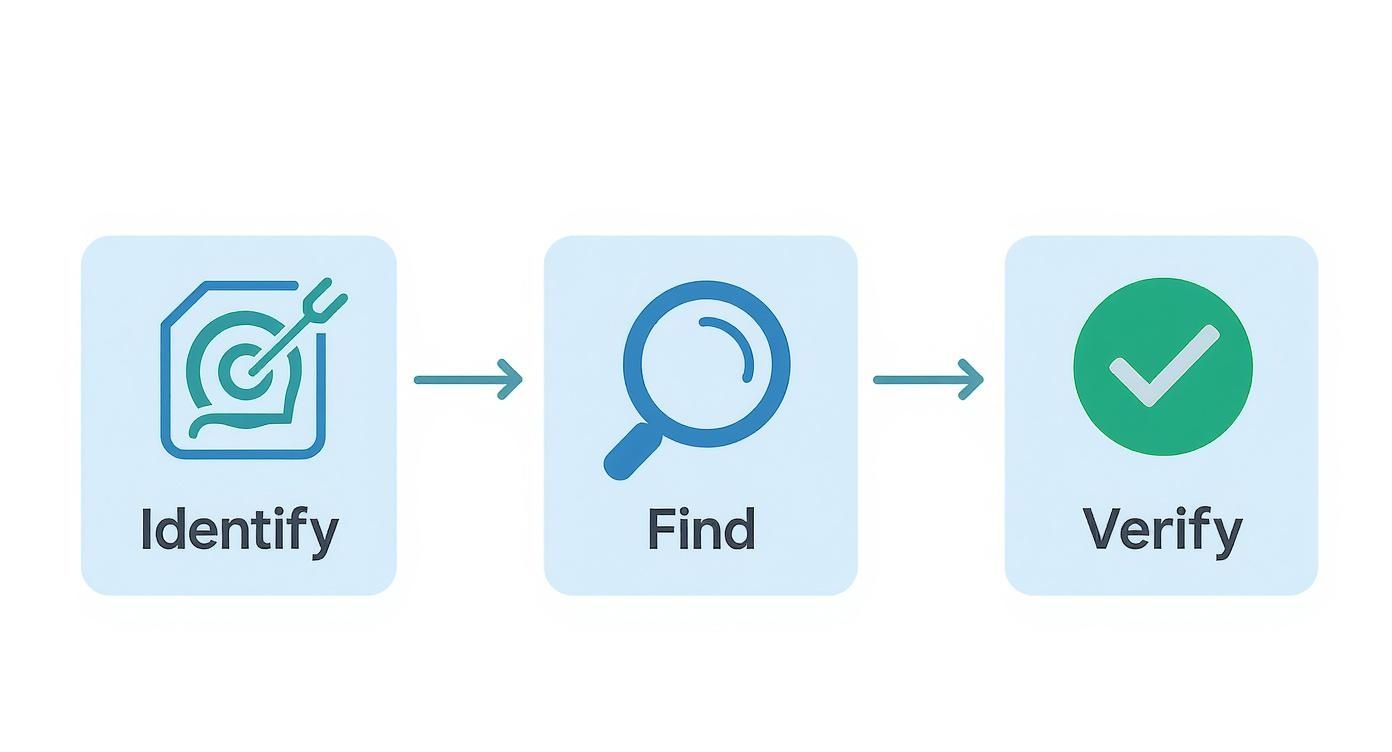
    Step 1: Identify the Target Prospect

    First things first, Alex needs to know who he's trying to reach. He’s targeting mid-sized tech companies and wants to chat with their Head of Marketing. After a bit of digging on LinkedIn, he finds the perfect prospect: Jane Doe at a company called "Innovate Solutions."

    Now, he could start guessing her email or spend the next hour scouring the web. Instead, he uses an email finder browser extension, like EmailScout, which just sits in his browser, ready to go.

    Step 2: Initiate the Email Search

    With the extension installed, a little icon now lives in Alex's browser toolbar. While he's looking at Jane Doe's LinkedIn profile, he just gives that icon a click. The tool instantly gets to work, automatically grabbing the public data from the page—her name, company, and title—and starts its digital detective work.

    Behind the scenes, the search engine is cross-referencing this info against its massive databases and public data. It's looking for known email patterns for Innovate Solutions and is actively verifying any potential hits in real-time. The best part? It all happens in a few seconds.

    The screenshot below shows a pretty typical interface. You get the results for a specific domain, plus those all-important confidence scores.

    This gives Alex everything he needs: a potential email address and, crucially, a score telling him how likely it is to be the right one.

    Step 3: Interpret the Results and Verify

    The extension comes back with a result: jane.doe@innovatesolutions.com, along with a 98% confidence score. For Alex, that's a green light. A score that high means the tool didn't just guess based on a common pattern; it almost certainly confirmed the address through multiple sources, maybe even by pinging the company's mail server to see if the inbox actually exists.

    A high confidence score is your assurance that you’re working with quality data. It dramatically lowers the risk of email bounces, which helps protect your sender reputation and ensures your carefully crafted message actually gets delivered.

    What if the score was lower, like 65%? That would be a signal for Alex to proceed with caution. It might mean the tool found a likely pattern but couldn't get a solid confirmation. In that case, he might run it through a separate, dedicated email verification tool before adding Jane to his outreach sequence.

    Step 4: Scale the Process with Bulk Searches

    Finding one email is great, but the real magic of an email search engine is doing this at scale. Alex has a list of 50 other companies he wants to prospect. Instead of repeating this one by one, he can use the tool’s bulk search feature.

    He just uploads a simple CSV file with the names of his prospects and their company domains. The tool takes over from there, processing the entire list and spitting out a new spreadsheet enriched with verified email addresses.

    A task that could've eaten up his entire day is now done in minutes. This frees Alex up to focus on what he's actually good at—building relationships and closing deals. To see how this fits into a bigger strategy, checking out some powerful lead generation examples can help you build an even more robust growth engine.

    Navigating Data Privacy and Ethical Outreach

    Using an email search engine is about more than just finding data—it’s about handling that data with respect. The ability to find almost anyone's professional email comes with a serious responsibility to protect their privacy and communicate ethically. Getting this wrong can do real damage to your brand’s reputation and even land you in legal hot water.

    Navigating this space means you have to know the rules of the road. Major data privacy laws like the General Data Protection Regulation (GDPR) in Europe and the California Consumer Privacy Act (CCPA) have set clear standards. These regulations give people rights over how their personal information is gathered and used, even in a professional setting.

    A solid outreach strategy has to be built on a foundation of respect. The goal is to see the contacts you find not as targets on a list, but as people you could build a professional relationship with.

    The Line Between Public and Private Data

    It's absolutely critical to understand the difference between public and private information. Professional email search engines are built to find publicly available corporate data—the kind of information someone might share on their LinkedIn profile or a company’s team page.

    These tools should never be used to hunt for personal email addresses like @gmail.com or @yahoo.com. The focus is squarely on B2B communication, which operates under a completely different set of guidelines than contacting someone in their personal life.

    At its core, ethical outreach is about demonstrating that you've done your homework. It’s the difference between a thoughtful introduction and an intrusive interruption. You're using data to build a bridge, not to break down a door.

    For B2B outreach, the idea of "legitimate interest" under GDPR is often key. It allows for processing personal data without explicit consent, but only if you have a genuine business reason for it—like a relevant offer—and it doesn’t infringe on the individual's rights.

    Best Practices for Ethical Communication

    Just because you have a valid email doesn't give you a license to spam. Your outreach has to deliver real value from the very first sentence. How you use the data you find will directly impact your brand’s reputation.

    • Personalize Your Message: Don't just drop in their name. Mention their company, a recent project they worked on, or an article they wrote. Show them this isn't a copy-paste job.
    • Provide Immediate Value: Get straight to the point. Clearly explain why you're reaching out and what's in it for them. Offer a helpful resource, a relevant insight, or a solution to a problem you know they're facing.
    • Always Respect Opt-Outs: Make it incredibly easy for people to unsubscribe. Every single email needs a clear and simple opt-out link, and you have to honor those requests instantly.

    This simple workflow visualization breaks down what ethical lead generation looks like in practice.

    Infographic about email search engines

    The process always starts with careful identification and ends with verification, making sure every step is deliberate and accurate. To put this in perspective, the search engine market in the United States alone was projected to generate a staggering $316.8 billion in revenue in 2025. This massive market, led by giants like Google's parent company Alphabet Inc., shows just how much value is placed on finding and organizing information. You can discover more about the search engine market from IBISWorld.

    When you use an email search engine responsibly, it stops being a simple data scraper and becomes a powerful tool for building real, meaningful professional connections.

    Improving Your Email Deliverability and Response Rates

    An open envelope with an arrow pointing upwards, symbolizing high deliverability and response rates for an email campaign.

    Using a powerful email search engine to find a contact is just the first step. Honestly, a verified email address is totally useless if your message lands in their spam folder or just gets ignored. Your real success comes down to two things: deliverability (did it even get there?) and response rate (did they actually care?).

    Think of your sender reputation like a credit score for your email address. Every time you send to a bad address and get a bounce, it's like missing a payment—your score takes a hit. Get enough dings, and email providers like Gmail will send your messages straight to the junk pile. This is exactly why you must verify your list before ever hitting "send." It's non-negotiable.

    Building a Strong Sender Reputation

    If you just registered a new domain, you can't just blast out a few hundred emails on day one. That's a massive red flag for email services and a one-way ticket to the spam folder. You have to "warm up" your domain first.

    Warming up just means you start small, sending a handful of emails daily and slowly ramping up the volume over a few weeks. This shows providers like Gmail and Outlook that you're a legitimate sender, not some spammer who just popped up overnight. A solid warm-up routine is the foundation for long-term deliverability.

    Your sender reputation is one of your most valuable assets in outreach. Every bounced email chips away at it, while every positive interaction builds it up. Protect it by prioritizing data quality and thoughtful sending practices.

    You really can't overstate how much a single provider can influence this game. For example, Google dominates with up to 90.06% of the global search market as of October 2025, and that influence extends directly to Gmail. If you aren't playing by Gmail's rules, you're missing out on a huge chunk of your audience. You can read more about search engine market share on Proceed Innovative.

    Crafting Messages That Connect

    Okay, so your email landed in the inbox. Great. Now for the hard part: getting someone to open it, read it, and actually reply. This all comes down to writing a message that offers real value and doesn't scream "SPAM!"

    Here are a few simple rules I live by:

    • Write a Compelling Subject Line: Be specific, relevant, and a little intriguing—but don't drift into clickbait. Absolutely no ALL CAPS, strings of exclamation points, or spammy words like "free" or "guarantee."
    • Personalize Beyond the Name: Anyone can merge Hi {FirstName}. Real personalization is mentioning their company's recent award, a mutual connection you found on LinkedIn, or a great point they made in their latest blog post. It shows you did your homework.
    • Focus on Their Needs: Your email should be about solving their problem, not just pitching your product. Keep it short, clear, and laser-focused on the value you bring to them.

    When you combine a clean, verified list from an email search engine with a strong sender reputation and a message that actually connects, you've got a winning formula. This is how you turn a simple list of contacts into real conversations and better business.

    Common Questions About Email Search Engines

    As you dive into the world of email search engines, a few questions are bound to pop up. It's totally normal to wonder about how they work, how accurate they are, and how to use them the right way.

    Think of this section as your go-to guide for those nagging questions. Getting these fundamentals straight is the key to building an outreach strategy that’s not just effective, but also ethical and professional.

    Are Email Search Engines Legal to Use?

    Yes, they are—when used correctly for B2B communication. These tools are built to find publicly available corporate contact information, not private, personal data. They're designed for professional networking.

    But your responsibility doesn't stop at just using the tool. You still have to play by the rules of data privacy regulations like GDPR and the CCPA. That means using the data for a legitimate business reason, offering real value, and always giving people a clear way to opt out. The goal is to build professional relationships, not to spam inboxes.

    How Accurate Are the Emails They Find?

    This is a big one, and the answer is: it really depends on the provider. Accuracy can vary wildly, so it’s a crucial factor to check before you commit. The best-in-class tools can hit 90-98% accuracy because they use sophisticated, multi-step verification that cross-references data from tons of different sources.

    A high accuracy rate isn't just a nice-to-have; it's everything. It protects your sender reputation from getting torched by high bounce rates and makes sure your messages actually land in front of a real person.

    You'll notice many top-tier email finders also provide a "confidence score" with each result. This little feature is incredibly useful, giving you a transparent look at how certain the tool is about an email's validity so you can focus your energy on the highest-quality leads first.

    Can These Tools Find Personal Email Addresses?

    No, and that's by design. Reputable email search engines are built specifically to find professional, corporate email addresses (think jane.doe@company.com). They are engineered to actively avoid scraping personal emails from domains like @gmail.com or @yahoo.com.

    This distinction is critical for staying on the right side of the law and ethics. The entire focus is on B2B contexts where you're reaching out based on someone's professional role, not intruding on their personal life. It keeps your outreach respectful and compliant.

    What Is the Difference Between an Email Finder and a Verifier?

    They're often packaged together, but they do two very different jobs.

    • An Email Finder: This is the detective. It discovers potential email addresses linked to a specific person and company.
    • An Email Verifier: This is the fact-checker. It confirms if an existing email address is active and can actually receive mail.

    While many finders have a verification step built-in, they are fundamentally separate technologies. It's always a smart move to run any list—whether you found it yourself or got it elsewhere—through a dedicated verifier before you hit "send" on a campaign. That final check is your best defense against a high bounce rate.


    Ready to find verified email addresses in a single click? EmailScout is a powerful Chrome extension that helps you build targeted lists directly from LinkedIn and company websites. Start finding unlimited emails for free and supercharge your outreach today. Visit https://emailscout.io to get started.

  • How to find email on linkedin: The smart way

    How to find email on linkedin: The smart way

    Let's be honest, finding someone's email on LinkedIn is a tough gig. You have to look way beyond what the platform gives you. In fact, a tiny fraction—less than 10% of users—actually list their email publicly. That's why tools like EmailScout are so crucial if you're serious about sales or marketing outreach. It's about skipping the crowded, noisy world of InMail and opening up a direct line of communication.

    Why LinkedIn Emails Are Your Golden Ticket

    A professional holding a golden ticket with a golden ticket with a LinkedIn logo on it, symbolizing access to valuable email contacts.

    In the B2B world, a direct email address is infinitely more valuable than a LinkedIn InMail. While LinkedIn is fantastic for finding the right people, its messaging system is a minefield. It's often ignored, and the response rates can be abysmal. Picture a chaotic networking event where everyone's shouting—it’s nearly impossible to have a real conversation.

    When you move that chat from LinkedIn to their actual email inbox, you're playing a different game. You sidestep all the noise and land in a personal space they check every single day.

    The Power of a Direct Inbox

    A direct email gives you capabilities LinkedIn just can't touch. For starters, you can set up automated follow-up sequences to stay on their radar without doing all the manual work. You can also track opens and clicks, which gives you real-time feedback on how interested they actually are.

    Here’s why a direct email leaves InMail in the dust:

    • Real Personalization: You can craft a message with rich text, images, and attachments—things that are impossible with LinkedIn's stripped-down format.
    • You Own the Relationship: Once you have their email, that connection is yours. You’re no longer at the mercy of a platform's changing rules or algorithms.
    • Better Tracking and Analytics: Email outreach tools give you a ton of data. You know who opened your message, who clicked a link, and who replied. This info is gold for fine-tuning your approach.

    The real win isn't just snagging an email from a LinkedIn profile. It's about building a direct channel that cuts through the clutter and helps you forge a genuine professional connection.

    Bridging the Information Gap

    There's no denying LinkedIn is a beast for B2B lead generation, with over 1 billion members across the globe. But the platform is built to keep you inside its ecosystem. It’s no surprise that industry stats show less than 10% of profiles have a public email address, making a manual search a huge waste of time. You can learn more about these LinkedIn statistics and their impact on prospecting.

    This is exactly where a specialized tool comes in. It bridges that frustrating gap between spotting a perfect prospect on LinkedIn and actually starting a real conversation in their inbox.

    Finding Emails Manually Without Any Tools

    Before you drop any cash on a new tool, it’s worth getting good at the old-school, no-cost ways of digging up an email on LinkedIn. This kind of manual detective work still pays off, especially when you just need to find one person’s contact info, and you need it fast.

    The first place I always check—and you'd be shocked how many people skip this—is the "Contact Info" section. It's right there on their profile page. Just click the link sitting under their name and headline. If they’ve made their email public, boom, there it is.

    Digging Deeper into the Profile

    Okay, so the contact section was a dead end. No worries. Your next move is to scan their entire profile for other breadcrumbs. Lots of professionals will link out to a personal website, a portfolio, or even a blog. Those sites almost always have a dedicated contact page with an email address just waiting for you.

    Also, don't forget to give their "About" section a thorough read. People often drop their email right into their summary, particularly if they’re open to networking or new projects. It’s a quick check that can save you a ton of guesswork.

    My go-to manual technique is combining a prospect's name with their company’s domain. It’s an educated guessing game that pays off more often than not.

    You can actually start testing common email formats by matching their name with their company's website. It takes a bit of trial and error, but most companies follow a predictable pattern.

    • First Name: john@company.com
    • First Initial, Last Name: jdoe@company.com
    • First Name, Last Name: johndoe@company.com
    • First Name.Last Name: john.doe@company.com

    Once you have a few good guesses, pop them into a Google search, making sure to use quotes (like "john.doe@company.com"). If that email has ever been posted publicly, Google will probably find it. This trick works, but it gets tedious when you need to find more than a handful of contacts. If you want to scale this up, you can learn how to scrape thousands of LinkedIn contacts from Google Search and really speed things up.

    Choosing Your LinkedIn Email Finder Tool

    When you've hit a wall with manual detective work, it's time to bring in the big guns. I'm talking about a specialized email finder tool. But picking the right one is less about the flashy marketing and more about what genuinely fits your day-to-day workflow. The market is absolutely flooded with options, so knowing what to look for from the get-go is key to not wasting your time and money.

    The absolute number one factor? Data accuracy. A tool is completely useless if it’s just spitting out emails that bounce. You should be looking for providers that either offer real-time verification or, at the very least, show some kind of confidence score with their results. If they don't, you're just setting yourself up to damage your sender reputation—and that's a headache nobody needs.

    Evaluating Key Features And Pricing

    Next up, you have to think about volume. How many emails are you really going to be looking for? Most of these tools run on a credit-based system, where one credit typically gets you one email lookup. Be honest with yourself here. Are you a solo consultant who just needs a handful of key contacts a week? Or are you running a sales team that needs to find email on LinkedIn for hundreds of leads every month? Your scale will dictate the right plan.

    Another non-negotiable for me is CRM integration. The whole point of these tools is to make your life easier, creating a smooth path from finding a prospect to reaching out. A tool that lets you push a new contact and their email straight into your CRM (think Salesforce or HubSpot) with a single click will save you an unbelievable amount of mind-numbing data entry.

    The best tool isn't just a finder; it's a bridge. It should effortlessly connect LinkedIn prospecting with your existing sales or marketing platforms, making your entire process more efficient.

    This infographic breaks down the high-level decision process pretty well. It shows you when a quick manual search might do the trick versus when a dedicated tool becomes a necessity.

    Infographic about find email on linkedin

    As you can see, while manual checks have their place, automated tools are really the only reliable way to get consistent results, especially when you're doing this at scale.

    It's no surprise that the global demand for these solutions has exploded. The market for LinkedIn email finder tools is projected to rocket to $1.2 billion by 2026. This incredible growth just shows how essential these tools have become for any modern B2B prospecting effort.

    Email Finder Tool Feature Comparison

    To help you sift through the noise, here's a quick comparison of what you can expect from some of the popular tools out there. This table breaks down key features to give you a clearer picture of how they stack up against each other.

    Feature Tool A (e.g., Hunter) Tool B (e.g., Apollo) Tool C (e.g., EmailScout)
    Email Verification Yes (with scores) Yes (Real-time) Yes (Real-time)
    Bulk Finder Yes Yes Yes
    CRM Integration Salesforce, HubSpot Extensive options Zapier integration
    Chrome Extension Yes Yes Yes
    Free Plan 25 credits/month 50 credits/month Generous free tier
    Data Enrichment Limited Extensive Basic

    Ultimately, the "best" tool depends entirely on your specific needs—whether that's robust CRM connections, a higher volume of free credits, or advanced data enrichment features.

    To really dig in, you can check out our detailed breakdown of the best email finder tools available. It's also worth looking into specialized LinkedIn sourcing Chrome extensions, as many of them bundle email discovery features designed specifically for recruiters and SDRs.

    Using an Email Finder Tool in the Real World

    Theory is one thing, but seeing a tool in action is what really counts. Let's walk through a real-world scenario of using a browser extension like EmailScout to pull an email directly from a LinkedIn profile. It all starts with a quick installation of their Chrome extension.

    Once it's installed, the tool just sits quietly in your browser, ready to go. The real magic begins when you land on a prospect's LinkedIn profile. You'll notice a small, clickable icon pop up on the side of the page—that's your signal that it's ready to do its job.

    Activating the Tool and Reading the Results

    A single click on the EmailScout icon is all it takes. The tool instantly gets to work, but it's not just scraping the page. It's actively cross-referencing multiple data sources behind the scenes to pinpoint the most likely professional email for that person. The whole thing usually takes just a couple of seconds.

    The results then pop up in a clean little overlay, right on top of the LinkedIn page. Here’s what you can expect to see.

    Screenshot from https://www.emailscout.com/

    Notice how it gives you more than just an email? That little "verified" checkmark or confidence score is absolutely critical for protecting your sender reputation.

    A high confidence score means the tool has already validated the email, so it has a very low chance of bouncing. Honestly, this is one of the most important features to look for. It ensures your outreach actually gets delivered. Some tools will even give you a few email variations if they find more than one possibility.

    Finding the email is only half the battle. The crucial next step is ensuring that data flows seamlessly into your outreach workflow, turning a simple contact detail into a tangible sales opportunity.

    From Discovery to Outreach

    Finding the email is just the first step. The best tools get that this data needs to be put to work immediately. That's why many, including EmailScout, build in ways to push this new contact info straight into the other systems you're already using.

    You can get that data moving in a few ways:

    • One-Click CRM Push: Send the contact and their verified email directly to your CRM, like Salesforce or HubSpot. This creates a new lead record on the spot.
    • Export to CSV: If you're building out a larger list, you can save contacts as you browse. Later, just export the whole batch as a CSV file to upload into any outreach platform you want.
    • Zapier Integration: This opens up a world of possibilities. You can create automated workflows to connect with thousands of other apps, like adding the new contact to a specific email sequence in a tool like Mailchimp or Outreach.

    This is what elevates a simple email finder from a neat gadget to a core part of your sales or marketing engine. It cuts out the mind-numbing manual data entry, reduces errors, and dramatically shortens the time between finding a prospect and actually starting a conversation.

    Crafting Outreach That Actually Gets Replies

    A person writing an email that is being opened and read with a positive reaction, symbolizing effective outreach.

    Okay, so you managed to find an email on LinkedIn. That’s the easy part. Now comes the critical mindset shift. Having someone's address isn't a free pass to spam their inbox; it’s an opportunity to start a real, professional conversation. The goal here isn't just to blast out emails—it's to get replies, build relationships, and open doors.

    Effective outreach begins long before you hit "send." It all starts with providing genuine value right out of the gate. Your first message should feel more like a helpful handshake and less like a hard pitch.

    So, instead of immediately asking for their time, try offering them a useful resource or a sharp insight you uncovered about their company or industry. This one simple move instantly separates you from 99% of the noise in their inbox.

    The Non-Negotiables of Ethical Outreach

    Beyond what you write, a few rules are absolutely non-negotiable if you want to protect your professional reputation and stay on the right side of the law. Ignoring these is the quickest way to get your emails flagged as spam and your entire domain blacklisted.

    Here’s what you absolutely must do, every single time:

    • Be Transparent: Clearly state who you are and what company you represent. Any hint of deception will destroy trust before it even has a chance to form.
    • Provide a Simple Opt-Out: Every single email needs a clear, one-click unsubscribe link. This isn't just good practice; it's a core requirement of anti-spam laws like CAN-SPAM and GDPR.
    • Respect Privacy Laws: Get familiar with the basics of regulations like GDPR, especially if you're contacting people in the European Union. Ignorance isn't an excuse.

    The single most powerful change you can make is shifting your approach from "what can I get?" to "what can I give?" This one tweak transforms your outreach from a basic sales tactic into a genuine relationship-building tool.

    Writing Emails That Connect

    Your subject line is your first (and maybe only) impression. Ditch the generic stuff like "Quick Question." You need to spark curiosity with something personal, like "Idea for [Company Name]'s Q3 goals."

    Inside the email itself, keep it tight and focused. The real power isn't just finding the email; it's in crafting high-converting lead generation emails that actually connect with a real person on the other end.

    For a much deeper dive into structuring your messages for maximum impact, check out our complete guide on how to write cold emails that actually work. This is where you'll learn to turn a simple contact into a real conversation.

    Answering Your Top Questions About LinkedIn Emails

    Once you start digging for emails on LinkedIn, a few questions always seem to surface. It's totally normal. Getting a handle on the legal, ethical, and practical sides of this is crucial to doing it right and getting results without burning bridges. Let’s clear up some of the most common concerns I hear all the time.

    Probably the biggest question is about legality. Is this even allowed? For B2B outreach, the answer is generally yes, but with some big caveats. You have to play by the rules, like those laid out in CAN-SPAM and GDPR. This isn’t a free-for-all—your outreach needs to be professional, you must be upfront about who you are, and you absolutely have to give them a clear, easy way to opt out.

    How Accurate Are These Emails, Really?

    Another question I get is about how reliable these email-finding tools are. Let's be real: no tool is 100% perfect. But the good ones consistently hit accuracy rates between 80-95%. They do this by running sophisticated checks and cross-referencing multiple data sources on the fly. My best advice? Go with a tool that gives you some kind of verification status or confidence score. It's the best way to protect your sender reputation from getting torched by a high bounce rate.

    That brings up another great point: should you even be looking for personal or professional emails?

    For any kind of B2B prospecting, the rule is simple and non-negotiable: always stick to professional email addresses. Hitting someone up on their personal @gmail.com address for a business pitch is a fast way to come off as intrusive and unprofessional. It pretty much kills your chances of getting a good response.

    What If a Tool Can't Find an Email?

    Finally, what do you do when your fancy tool comes up empty? It’s going to happen. No email finder is a miracle worker. When you hit a wall, it’s time to put on your detective hat and go back to some of the manual methods we talked about.

    • Check their LinkedIn profile again for a link to a personal website or blog.
    • See if they've written any articles or been quoted in publications.
    • Try a few educated guesses using common email patterns at their company’s domain (firstname.lastname@company.com, f.lastname@company.com, etc.).

    Sometimes, the smartest move is to just find another relevant person at the same company. A quick, polite email asking for a referral to the right person can work wonders and often gets you a warm introduction.


    Ready to stop guessing and start connecting? EmailScout pulls unlimited, verified emails right from LinkedIn profiles with a single click. Try EmailScout for free and see how much faster your outreach can be.