If you're looking for the fastest way to find emails from LinkedIn, a dedicated browser extension is your best bet. Tools like EmailScout plug right into LinkedIn's interface, letting you find a prospect's verified email address with a single click. It's a massive time-saver compared to digging around manually.
The Smart Way to Find Emails from LinkedIn
Let's be real: cutting through the noise on LinkedIn requires a direct line of communication. While it's an incredible platform for spotting prospects, the real business conversations often happen in the inbox. Shifting your outreach from a crowded social feed to a professional email thread gives you their undivided attention and a much better shot at getting a reply.
This guide gives you a clear, no-fluff framework for pulling emails from LinkedIn. We're moving past the generic advice to focus on a workflow that actually gets results. You'll see how to blend smart automation with a bit of manual groundwork to build a high-quality contact list that can genuinely fuel your sales and marketing.
Why Direct Emails Still Reign Supreme
Relying on InMail alone can be a dead end. High-level decision-makers get flooded with messages and just don't have the bandwidth to respond to every pitch. A direct email, on the other hand, lands right in their primary workspace. It's your best chance to make a solid first impression.
The goal isn't just to hoard emails; it's to find the right emails. A small, targeted list of verified contacts is infinitely more valuable than a huge, unverified database that tanks your sender reputation with bounce-backs.
A Smarter Approach to Email Discovery
A truly effective strategy is more than just clicking a "find email" button—it's about building a process you can rely on. Think of it as a system. To get the full picture, it helps to understand how this fits into the broader world of attracting prospects on the platform. These proven LinkedIn lead generation strategies are a great starting point for that.
Our approach boils down to a few key pillars:
- Pinpoint Prospecting: First, learn to master LinkedIn's search tools to identify the perfect contacts before you even think about finding their email.
- Efficient Tooling: Use smart extensions to automate the grunt work without breaking any platform rules.
- Data You Can Trust: Always prioritize email verification. It’s the only way to make sure your messages actually get delivered. We cover this in-depth in our guide on how to find anyone's email.
- Ethical Outreach: Understand the rules of the road. Your goal is to build relationships, not burn bridges with spammy tactics.
Comparing LinkedIn Email Finding Methods
Before we dive into the step-by-step, it helps to see how different methods stack up. Each has its place, depending on your goals and resources.
| Method | Best For | Typical Accuracy | Time Investment |
|---|---|---|---|
| Manual Search | Finding a handful of high-value contacts or when on a tight budget. | Variable (30-60%) | High (5-15 mins per contact) |
| LinkedIn Export | Getting emails from your existing 1st-degree connections. | High (for allowed emails) | Low |
| Email Permutators | Guessing common email patterns for a specific company. | Low (10-30%) | Medium |
| Browser Extensions | Scaling up email discovery for sales and marketing outreach. | High (70-95% with verification) | Very Low (seconds per contact) |
As you can see, for any kind of volume, automation is the clear winner. Browser extensions give you that perfect blend of speed, accuracy, and scalability that manual methods just can't match.
Mastering LinkedIn Search to Find the Right People
Before you can find an email, you need to find the right person. A great email list always starts with a highly targeted search, and there’s no better place to build that foundation than LinkedIn. Just typing a job title into the search bar is barely scratching the surface—the real magic happens when you use filters and operators to zero in on exactly who you need.
Think of it like fishing. You wouldn't just throw a giant net into the ocean and hope for the best. You'd go to the right spot, use the right bait, and focus your efforts. The same logic applies here. Nailing this step ensures every email you find belongs to a genuinely relevant prospect, which makes your entire outreach process way more effective.
Beyond Basic Keywords Using Filters
LinkedIn’s built-in search filters are surprisingly powerful for refining your audience. You can stack multiple criteria on top of each other to build an incredibly precise list of contacts. So, instead of a generic search for "Marketing Manager," you can carve out a much more specific segment.
Let's say your goal is to connect with marketing decision-makers in the booming North American SaaS world. Here's a quick example of how you could structure that search:
- Job Title: "Marketing Director" OR "Head of Marketing"
- Industry: Computer Software, IT Services and IT Consulting
- Geography: United States, Canada
- Company Headcount: 51-200 employees
This layered approach instantly filters out all the noise, leaving you with a clean, high-quality list of people who actually fit your ideal customer profile.
Unlocking Precision with Boolean Search
If you want even more control, you can use Boolean operators right in the LinkedIn search bar. These simple commands—AND, OR, NOT, parentheses, and quotes—are like a secret language that tells the search algorithm exactly what you’re looking for.
Using Boolean logic transforms a vague search into a surgical strike. It’s the difference between browsing aimlessly and actively building a list of your most valuable potential customers.
Let's tighten up our previous search using Boolean logic for maximum precision:
("Marketing Director" OR "VP of Marketing") AND (SaaS OR "Software as a Service") NOT (intern OR assistant)
This single query accomplishes three things at once:
- It searches for profiles containing either "Marketing Director" or "VP of Marketing."
- It makes sure the profile is connected to a SaaS company.
- It kicks out anyone with "intern" or "assistant" in their title.
Getting these search techniques down is the first and most critical step. For those who need even more firepower for lead generation, powerful tools like LinkedIn Sales Navigator can streamline the process even further. By investing a little time upfront to build a killer prospect list, you guarantee your email discovery efforts are focused, efficient, and far more likely to get results.
Using Browser Extensions for Fast Email Discovery
Look, manual methods have their place. But when you need to find emails from LinkedIn at any kind of scale, browser extensions are an absolute game-changer. These tools plug right into your browser and let you find and save verified contact info without ever leaving a LinkedIn profile or search page.
Instead of spending minutes playing detective for just one contact, an extension does all the heavy lifting in seconds. This flips the script entirely. You can stop wasting time on tedious data entry and start focusing on what actually gets replies: writing personalized outreach. It's simply the smartest way to build a quality email list without burning out.
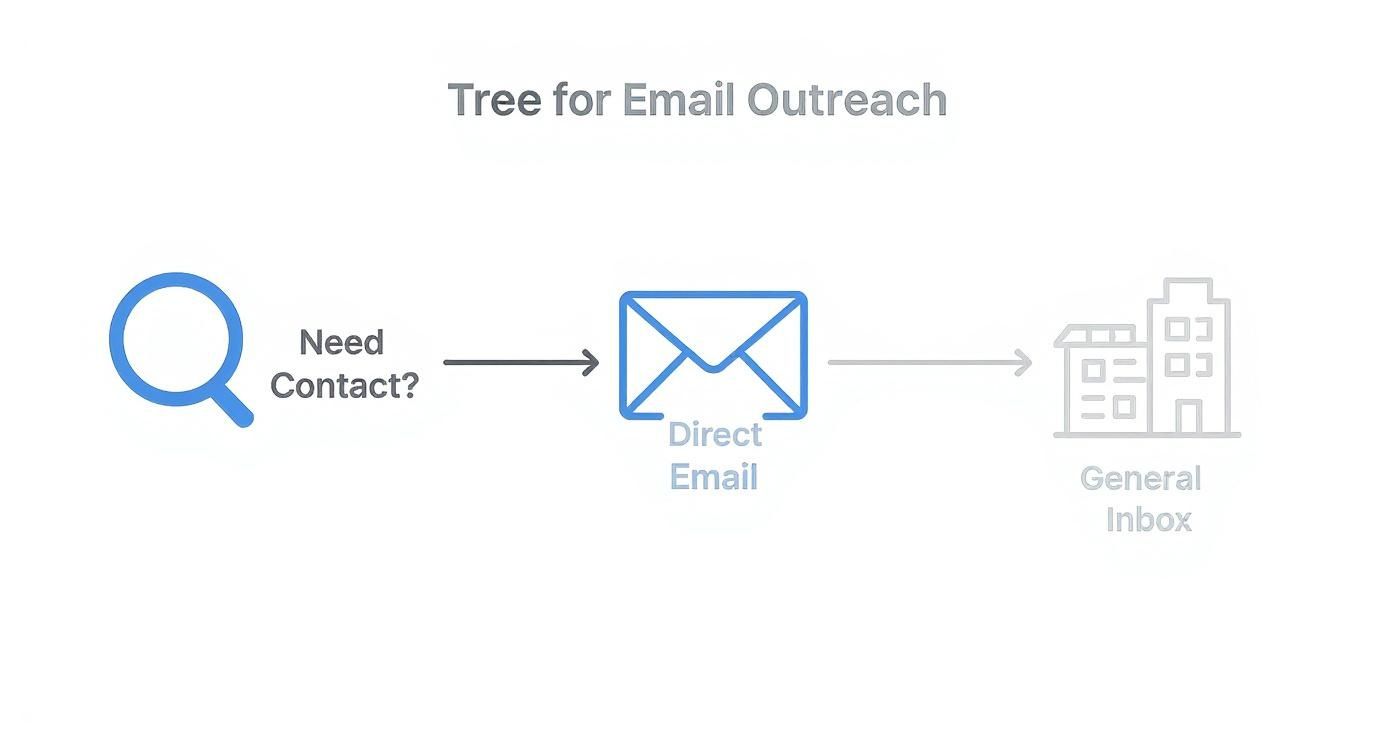
This is the basic flow for any targeted search you'll run on LinkedIn.
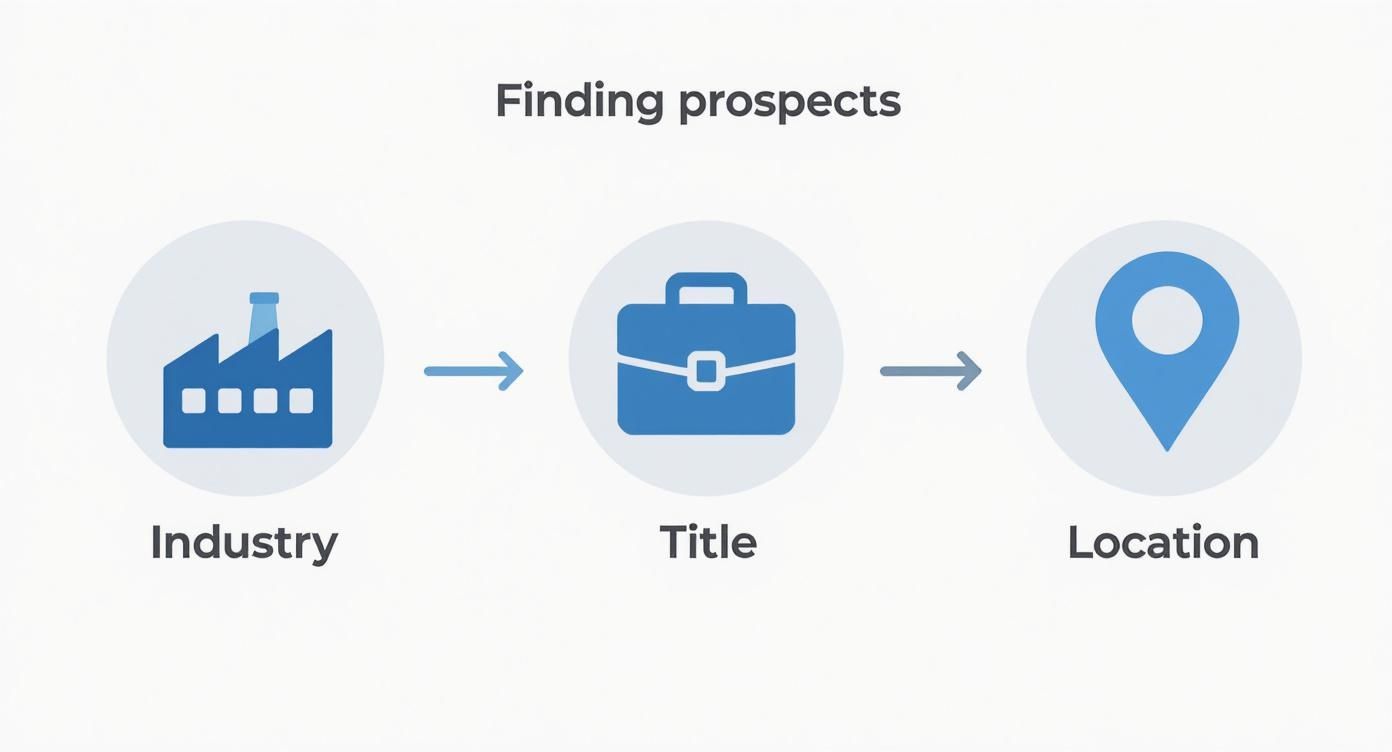
By stacking filters like industry, job title, and location, you're creating a super-relevant list of people before you even think about finding their email.
Your Daily Workflow with an Email Finder Extension
Getting up and running is dead simple. Most tools, including EmailScout, install from the Chrome Web Store in a couple of clicks. Pin it to your browser, and you're good to go. The real magic happens when you fire it up on a LinkedIn search results page.
Once you’ve built a solid, targeted search list using the methods we've covered, just activate the extension. It immediately starts working its way down the page, automatically looking for and verifying the email addresses for each person in your results.
Many of the best tools now come with an AutoSave feature. This is huge. As you scroll through results or click on profiles, the extension just quietly works in the background, finding and saving emails to a list you've designated. It’s a passive way to collect leads and a massive productivity win. You can learn more about how to set up an email extractor Chrome extension on our dedicated page.
Staying Safe and Productive
The speed of these tools is awesome, but you have to be smart about how you use them to protect your LinkedIn account. Good extensions are built to mimic human behavior, but going overboard can still get you flagged by the platform.
The key is to work smarter, not faster. The goal isn't to scrape thousands of profiles in a day. It's to consistently build a clean, targeted list of relevant contacts you can actually have a conversation with.
Most modern LinkedIn email extractors are incredibly accurate, typically hitting 80% to 95% success rates. To stay on the right side of LinkedIn's rules and avoid any account issues, the widely accepted best practice is to keep your daily extractions between 50 to 150 profiles. This approach lets you build a significant list over time without putting your account at risk.
Just follow a few simple rules to get the best results safely:
- Work in Batches: Don't leave the extension running all day. Set aside specific blocks of time for prospecting and then turn it off.
- Respect the Limits: Stay well within that daily recommendation. Quality always beats quantity here.
- Trust the Verification: Only save emails that the tool confirms are "verified" or "valid." This is crucial for protecting your sender reputation and avoiding high bounce rates.
This balanced approach lets you tap into the power of automation to find emails from LinkedIn efficiently while keeping your account healthy for the long haul.
Manual Techniques for Your High-Value Targets
Automation is fantastic for scaling your outreach, but it’s not always the right tool for the job. When you're targeting those must-win accounts or trying to reach a specific C-suite executive, you need certainty. A hands-on, manual approach gives you the precision that automated tools sometimes miss.
This is all about quality over quantity. If you absolutely have to find a specific person's email and can't afford a bounce, a little old-fashioned detective work is your best bet.
Scouring the Profile for Clues
Your first stop should always be the person's LinkedIn profile. It sounds obvious, but you'd be surprised how many people skip this simple step. Professionals often share their contact details willingly—you just need to know where to look.
Go beyond their headline and dig a little deeper.
- The Contact Info Section: This is the most direct route. Click the "Contact info" link right under their name. It’s often private, but you might just get lucky.
- The About Section: Many people use their summary to give a call to action or list a preferred way to get in touch.
- The Experience Section: Check their current and past job descriptions. People in sales, business development, or consulting sometimes list a direct email to encourage new business inquiries.
Even with all the new tools out there, a quick manual check is still incredibly effective for top-tier leads. It's estimated that around 15-30% of LinkedIn profiles still have an email address listed somewhere in the ‘About’ or ‘Experience’ sections. Finding one of these is a guaranteed 100% accurate hit. For more on this, check out this guide from SalesRobot.co.
The Art of the Educated Guess
What if the profile is a dead end? Don't give up. Your next move is to make an educated guess based on common corporate email patterns. This works far more often than you'd think because most companies use a standard format for their entire team.
An educated guess isn't a random shot in the dark. It’s a logical deduction based on the company's established email structure, dramatically increasing your chances of success.
First, you need the company's domain (like company.com). From there, you can start testing common variations using the prospect’s first and last name.
Here are a few of the most popular formats to try:
- firstname.lastname@company.com (e.g., jane.doe@company.com)
- flastname@company.com (e.g., jdoe@company.com)
- firstname@company.com (e.g., jane@company.com)
Once you have a list of likely candidates, pop them into a free email verification tool to see which one is valid. This methodical process gives you real confidence that the message you spent time crafting for that key decision-maker will actually land in their inbox.
How to Verify and Export Your Email List
Finding a prospect's email is a great start, but it’s only half the battle. The real work is making sure that email is actually good.
Every time you send a message to a dead address, you get a bounce. A high bounce rate is a massive red flag for email providers like Gmail and Outlook. It tanks your sender reputation and can get your entire domain blacklisted. Seriously.
This is why email verification isn't just a "nice-to-have" step—it's absolutely essential. It’s the quality control that gives your carefully written messages a fighting chance of being seen. Skipping it is like building a pipeline that leads straight to a brick wall.
Making Sense of Verification Statuses
When you use a tool like EmailScout to find emails from LinkedIn, you'll see that every address is tagged with a status. This isn't just a random label; it's the result of a real-time check to see if the recipient's email server is ready to accept mail for that specific address.
The goal here isn't just to dodge bounces. It's to build a clean, high-quality list that protects your ability to do outreach for the long haul. Every verified email makes the foundation of your sales and marketing efforts that much stronger.
These statuses usually break down into three simple categories, telling you exactly which emails are safe to use.
- Valid: This is your green light. The tool has confirmed the email address exists and is active. These are the contacts you want to hit first.
- Risky: This status pops up for "catch-all" servers, which are configured to accept mail for any address at that domain. The specific person might not actually have an inbox there, so the bounce risk is higher. Proceed with caution.
- Invalid: Full stop. The server has flat-out said this email address doesn't exist. Sending to it guarantees a hard bounce. Delete these from your list immediately.
If you want to get into the technical nitty-gritty, our guide on how to validate an email address breaks down exactly how these checks work behind the scenes.
Exporting Your Clean List for Action
Once you've filtered your list down to the good stuff, it's time to put that data to work. Getting your contacts out of the extension and into your workflow couldn't be easier.
Most tools, EmailScout included, let you export your saved lists directly as a CSV (Comma-Separated Values) file.
This humble file format is the universal adapter for sales and marketing tech. You can take that clean CSV and import it seamlessly into just about any platform you can think of:
- CRMs like HubSpot or Salesforce.
- Outreach tools like Lemlist or Mailchimp.
- Spreadsheets like Google Sheets or Excel for simple tracking.
This is the final step that connects your prospecting on LinkedIn to your actual outreach campaigns, turning all that discovery work into real conversations.
Best Practices for Ethical and Effective Outreach
Getting someone's email from LinkedIn is just the first step. Now you have a direct line to their professional inbox, and that comes with some serious responsibility. Smart outreach isn't just about blasting out a message—it’s about starting a real conversation the right way.
That means respecting people's privacy and following the rules, like the CAN-SPAM Act in the U.S. and GDPR over in Europe. The legal stuff can sound intimidating, but the core ideas are pretty simple and boil down to good, professional communication. Think of it less like a rulebook and more like a guide to not being that person in someone's inbox.
Staying Compliant is Non-Negotiable
First things first, you need to understand your legal obligations. Getting this wrong can lead to some eye-watering fines and, just as bad, can wreck your company's reputation. This isn't a "nice-to-have"; it's a fundamental part of any outreach strategy.
Here are the absolute must-haves for any initial cold email you send out:
- Be Upfront: Don't be mysterious. Clearly state who you are and why you're reaching out. Your message needs to have a legitimate business purpose that's actually relevant to their job.
- Give Them an Easy Out: Every single email needs a clear, simple way for the person to unsubscribe. No hoops, no tricks. This is a non-negotiable requirement under pretty much every anti-spam law on the planet.
- Include Your Address: You have to include a valid physical postal address in your email. The footer is the standard spot for this.
Here's the golden rule I always follow: send the kind of email you wouldn't mind getting yourself. A personalized, value-first message will always crush a generic, mass-blasted template. It's better for compliance, and it gets way more replies.
From Following Rules to Building Connections
Staying compliant keeps you out of trouble, but the real goal is to get replies and build relationships. The most successful outreach campaigns I've ever seen always prioritize genuine value over a hard sales pitch.
You went through the effort to find their email, so don't blow it with a generic, copy-paste message.
Instead, craft an email that proves you did a bit of homework. Mention a recent company win you saw on their feed, a post they shared that you found interesting, or a common connection. That little bit of personalization shows you respect their time and instantly separates you from all the automated noise. It’s the single best way to dramatically boost your chances of starting a real dialogue.
Common Questions About Finding LinkedIn Emails
Jumping into email discovery tools can bring up some fair questions. When you're pulling emails from a platform like LinkedIn, it’s smart to think about account safety, how good the data is, and the rules of the road for outreach. Getting this right is key to making sure your hard work pays off.
Is It Safe to Use These Tools on LinkedIn?
Yes, as long as you're smart about it. Reputable tools are designed to fly under the radar by acting more like a human than a bot.
The biggest mistake you can make is trying to extract hundreds of profiles in a huge, fast batch. That’s a surefire way to get your account flagged. A good rule of thumb is to stick to a daily limit, usually around 80-150 profiles. This keeps your activity looking natural and your account in good standing.
How Accurate Are the Emails You Find?
The quality of your tool makes all the difference here. Top-tier platforms, like EmailScout, don't just guess at emails; they run them through a multi-step verification process to confirm they're active before you even see them.
While no tool is 100% perfect, you can realistically expect accuracy rates between 80% and 95%. This high level of accuracy is what keeps your bounce rate low and your sender reputation intact.
Quick Tip: Protecting your sender reputation is non-negotiable. Using verified, high-accuracy emails is the single most important thing you can do to ensure your messages land in the inbox, not the spam folder.
Is It Legal to Email People Found on LinkedIn?
Absolutely, provided you play by the rules. In most places, it's perfectly legal as long as you comply with anti-spam regulations like CAN-SPAM in the U.S. and GDPR in Europe.
This really boils down to a few common-sense principles:
- Be Relevant: Your message should genuinely relate to the person's professional role.
- Be Transparent: Clearly state who you are and include a physical address for your business.
- Be Respectful: Always provide a simple, one-click way for them to opt out.
What’s not compliant? Sending generic marketing blasts or messages that have nothing to do with their job. Stick to professional, relevant outreach, and you'll be fine.
Ready to find verified emails from LinkedIn in seconds? Give EmailScout a try and get started for free. You can install the Chrome extension right here.