
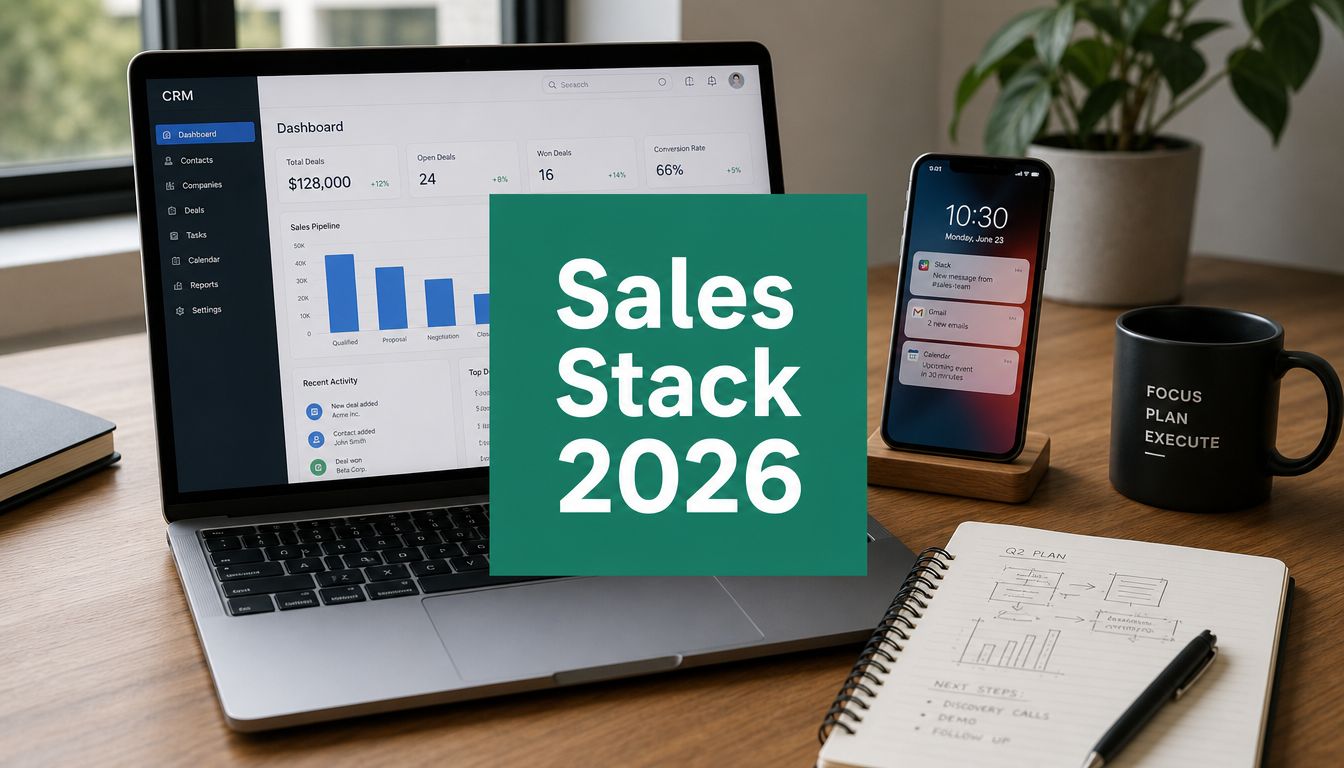
Monday morning usually exposes the state of a sales stack. The CRM looks healthy, reps are still building lists in browser tabs, marketing is asking for a cleaner handoff, and leadership wants forecast confidence without buying five more point solutions. On paper, the setup looks modern. In practice, contact data still gets copied into spreadsheets, account records go stale, and teams keep paying for tools that never change rep behavior.
That gap matters because digital selling now carries a larger share of the pipeline. Analysts at Gartner have projected that by 2025, 80% of B2B sales interactions between suppliers and buyers will happen in digital channels. The operational problem is not access to software. It is tool sprawl, weak adoption, and poor sequencing across the stack.
The best teams do not buy sales tools as isolated products. They build around jobs to be done. One layer helps reps find the right people and find contact information efficiently. Another handles outreach and follow-up. Another captures conversation data, routes meetings, or improves forecast accuracy. Each tool has a role, and the value shows up faster when the stack matches your sales motion.
That is the lens for this guide. Instead of treating EmailScout, HubSpot Sales Hub, LinkedIn Sales Navigator, ZoomInfo SalesOS, Apollo.io, Outreach, Salesloft, Gong, Chili Piper, and Clari as unrelated picks, we group them by what they do in the workflow. That makes the trade-offs clearer. A lean outbound team needs speed and contact coverage. A mid-market sales org usually needs stronger process control, handoff discipline, and forecasting. An enterprise team often needs all of it, but with tighter governance and cleaner integration between systems.
Tool order matters too. Start with account and contact intelligence. Add engagement once reps trust the data. Add call intelligence, routing, and forecasting after the frontline workflow is stable. That sequence prevents a common mistake. Teams buy orchestration and analytics before they have reliable inputs, then wonder why adoption stays low and forecast quality never improves.
1. EmailScout

If your team is still prospecting in live browser sessions, EmailScout is one of the easiest places to start. It's a lightweight Chrome extension built for one job: finding decision-maker email addresses quickly while you're already researching accounts.
That sounds simple, but simplicity is the point. A lot of B2B sales tools try to become your database, sequencer, CRM, and intelligence layer at once. EmailScout doesn't. It reduces the friction between "I found the right company" and "I have a usable contact list."
Where it fits in the stack
EmailScout works best as a top-of-funnel prospecting layer for reps, founders, freelancers, and lean business development teams that need speed more than process complexity. The strongest use case is manual or semi-manual list building, especially when your ideal customer profile is clear but your workflow is slow.
Its standout features are practical:
- One-click discovery: You can pull email addresses while browsing company pages or profiles.
- AutoSave workflow: The extension captures contacts automatically while you research, which keeps reps from losing good prospects mid-session.
- URL Explorer: Bulk extraction across multiple pages is useful when a rep already knows which sites or directories to mine.
For teams that want to move from browsing to outreach faster, that's enough value on its own. If you want a walkthrough of the research side, EmailScout's guide to finding contact info is a useful companion to the tool itself.
Practical rule: Use a lightweight finder when your bottleneck is contact capture. Don't buy an enterprise data suite just to solve a browser-tab problem.
What works and what doesn't
What works is the low-friction setup. Reps don't need a long onboarding cycle. They install the extension, search, save, and build lists. The free tier, which the site advertises as unlimited email finds, lowers the risk of testing it inside a real workflow.
The trade-off is equally clear. EmailScout is Chrome-only, and the public product page doesn't give much detail on pricing tiers, data verification standards, or compliance certifications. That doesn't make it unusable. It means serious teams should validate data quality and outbound compliance against their own requirements before they scale campaigns.
For many teams, EmailScout isn't the whole stack. It's the front door. That's often enough.
Use EmailScout when list building speed matters more than deep admin controls.
2. HubSpot Sales Hub
A common sales ops problem looks like this: the CRM holds pipeline data, reps run sequences in a separate tool, meetings live somewhere else, and forecasting depends on spreadsheet cleanup every Friday. HubSpot Sales Hub is a good fit when the job is not just sending more emails, but running the core sales motion from one system.
That matters because tool choice should follow workflow. In a modern B2B sales stack, HubSpot often sits at the center. It covers contact and deal management, sequencing, meeting booking, quotes, reporting, and forecasting inside the same CRM environment. For teams that also care about inbound, handoffs, and lifecycle visibility, that shared foundation removes a lot of operational drag.
Best fit
HubSpot is strongest for startup and mid-market teams that want fast adoption without hiring a large RevOps team to keep the system standing. Reps usually learn it quickly. Managers get enough structure to inspect pipeline and activity without building a custom process from scratch.
A few reasons teams choose it:
- One system for daily execution: Reps can manage contacts, deals, tasks, email activity, and follow-up from the same workspace.
- Good coverage across the funnel: It supports outbound work, inbound lead routing, meeting scheduling, quote generation, and basic forecasting.
- Clear expansion path: If the go-to-market motion grows more account-based or more marketing-led, HubSpot connects well with the rest of its own product suite and many third-party tools.
The trade-off is real. HubSpot is rarely the cheapest option once the team adds seats, automation, reporting, and higher-tier controls. It also works best for organizations that accept HubSpot's opinionated way of structuring data and process. Teams with highly customized enterprise sales motions may outgrow parts of it and add specialists around it.
That said, plenty of teams do not need a fully customized stack on day one. They need a system reps will use, managers can inspect, and ops can maintain without constant rescue work. In that role, HubSpot Sales Hub is one of the safer picks.
It also pairs well with channel-specific tools. If your team wants to drive quality B2B leads on LinkedIn, HubSpot can serve as the system that captures, routes, and advances that demand after the first touch.
3. LinkedIn Sales Navigator

Sales Navigator isn't your outreach engine. It's your targeting and relationship engine. That distinction matters.
When teams say they need better leads, they often mean one of three things. They need a cleaner account list, better timing signals, or a clearer path into the buying committee. Sales Navigator is best at the third problem, and very good at the first two when LinkedIn activity is relevant to your motion.
Why teams keep it
The professional graph is the product. Reps can search accounts and people with precision, save leads, monitor job changes, and watch company activity without relying on static snapshots. For account-based selling, that's hard to replace.
It also works well alongside broader prospecting efforts. If your team is trying to drive quality B2B leads on LinkedIn, Sales Navigator gives structure to that work instead of leaving reps to do ad hoc searches inside standard LinkedIn.
Good outreach starts before the first message. If the rep can't map the account, the sequence won't save them.
The trade-offs are familiar. InMail isn't a full engagement system, and many teams still need a separate sequencing or CRM workflow after they identify the right people. Seat costs also rise fast if you give access to everyone.
Still, for ICP discovery, account research, and warm-path selling, LinkedIn Sales Navigator remains one of the most dependable B2B sales tools you can add to a modern stack.
4. ZoomInfo SalesOS

ZoomInfo SalesOS is the classic enterprise answer to a scale problem. If your team needs broad contact coverage, direct dials, enrichment, and buying signal layers in one commercial package, ZoomInfo is usually on the shortlist.
Its value isn't just data volume. It's operational reach. Sales teams use it to enrich records, route intelligence into CRM, and support prospecting motions that would be painful to run manually.
Where ZoomInfo makes sense
This is usually a fit for larger teams, especially those selling into North America and needing coverage across many segments. It can also reduce vendor sprawl if you're replacing multiple smaller tools with one broader platform.
What it does well:
- Enterprise-grade breadth: Contact and company records are the core draw.
- Signal expansion: Intent and visitor identification add useful context if your team can operationalize them.
- Workflow integration: Enrichment use cases often matter as much as rep search.
What buyers should watch is total complexity. ZoomInfo often works best when RevOps owns configuration and governance. Without that, teams can end up paying for layers they don't fully use. Public pricing isn't available, and quote-based buying can make comparison harder.
The deeper lesson is stack order. Start with data quality. Then add engagement and analytics. The overlooked gap in many buying decisions is what some newer guides call the stack layering problem. If account intelligence is weak, AI layers won't change rep behavior. That "intelligence first, engagement second, analytics third" logic is highlighted in the Salesmotion guide on AI sales stack layering.
For enterprise data depth, ZoomInfo SalesOS is still a serious option. Just make sure your team is ready to use it as infrastructure, not just a search bar.
5. Apollo.io
Apollo.io sits in the sweet spot between affordability and coverage. For many startups and mid-market teams, it feels like the fastest way to get a functioning prospecting and engagement motion without buying separate tools for every step.
That bundled approach is the appeal. Apollo combines database access, a Chrome extension, sequences, a dialer, tracking, and some signal layers in one place. If you're building from scratch, that can remove a lot of operational drag.
Why it's popular
The strongest Apollo use case is the team that needs one tool to get moving. Instead of buying a data platform, then a sequencer, then another app for basic workflow support, teams can launch inside a single interface.
A practical view of the pros and cons:
- Strong value for lean teams: One subscription can cover prospecting and outreach together.
- Faster rollout: Less integration work means reps can start building pipeline sooner.
- Useful for early process formation: Teams can standardize around one workflow before they specialize.
Apollo's limitations show up later. Credit rules and packaging require attention, especially once usage scales. Data quality also varies by segment, and some organizations eventually outgrow the all-in-one model when they need deeper enrichment, stricter controls, or more advanced analytics.
That doesn't make Apollo a temporary tool. It makes it a stage-appropriate tool. For many sales orgs, Apollo.io is exactly the right bridge between lightweight prospecting and a more layered revenue stack.
6. Outreach

A rep finishes the day with 60 accounts to touch, overdue follow-ups in three channels, and no clear view of which step drives replies. That is the problem Outreach is built to solve.
Outreach sits in the sales engagement layer of a modern B2B sales stack. Its job is not just sending sequences. It gives teams a system for running outbound with task control, rep accountability, workflow reporting, and process consistency across email, calls, and social touches.
That distinction matters. Teams usually adopt Outreach when the challenge shifts from "how do we contact prospects?" to "how do we run the same motion well across dozens or hundreds of sellers?"
Best for structured outbound teams
Outreach tends to fit sales orgs with clear ownership across SDR leadership, AEs, and RevOps. In that environment, the platform does real work. Managers can enforce process, RevOps can inspect adoption, and reps can work from a defined operating rhythm instead of managing outreach from their inbox and a spreadsheet.
What stands out in practice:
- Process control: Leaders can standardize sequence entry criteria, task timing, and activity expectations.
- Strong Salesforce fit: Teams with heavy CRM requirements usually value the integration depth and governance options.
- Operational reporting: You can see where reps fall off process, which sequences stall, and where coaching needs to happen.
- Support for multichannel execution: Email, calls, and task-based actions live in one execution layer.
For teams refining the motion itself, this guide to sales cadence best practices is a useful companion. Outreach works best when targeting rules, channel mix, and follow-up timing are already thought through.
Field note: Outreach helps teams that already know who they want to reach and how they want reps to work the account. If ICP definition and messaging are still loose, the platform can scale bad habits as efficiently as good ones.
The trade-off is straightforward. Outreach is rarely the right first tool for a small team still proving outbound. Admin overhead, implementation work, and pricing make more sense once sales leadership cares about inspection, standardization, and forecast discipline, not just activity volume. But for companies building a serious engagement layer in their sales stack, Outreach remains one of the strongest options in the category.
7. Salesloft

Salesloft competes in the same broad category as Outreach, but the feel is different. Where Outreach often wins on operational rigor, Salesloft tends to win teams over with guided execution and seller-friendly workflow design.
The centerpiece is Rhythm, which prioritizes next actions for reps. In practical terms, that's useful when sellers are drowning in tasks and don't need more options. They need a cleaner answer to "what should I do now?"
What stands out
Salesloft is a strong fit for teams that want execution guidance, good reporting, and a rep experience that feels less mechanical. It's often a good middle ground between manager control and daily usability.
Reasons teams choose it:
- Cadences plus prioritization: Reps can work from a clearer action queue.
- Good manager visibility: Reporting supports coaching without too much manual cleanup.
- Broad enough for scaling teams: It handles core engagement jobs well.
The usual cautions apply. It's still quote-based, and total cost rises with add-ons. Some specialized features may not be as deep as the very best point solution in each category. That's normal for a platform that tries to cover execution broadly.
If your reps need help focusing their day, not just automating touches, Salesloft is worth a serious look.
8. Gong

A rep says a late-stage deal looks solid after the call. The manager hears confidence but has no proof, no consistent call review process, and no fast way to spot whether the buyer discussed budget, timing, or internal blockers. Gong earns its place when that kind of guesswork starts hurting forecast accuracy and coaching quality.
Its job in the stack is clear. Gong sits downstream from prospecting and sequencing tools and turns conversations into reviewable evidence. That makes it useful for two specific jobs-to-be-done: improving rep execution through call coaching, and improving pipeline inspection through better visibility into deal activity.
The real job Gong does
The best Gong deployments are tied to management habits, not just recording settings. Frontline leaders use it to review discovery calls, compare winning and losing talk tracks, and inspect deals based on what happened in customer conversations. Revenue leaders use the same system to pressure-test pipeline quality instead of relying only on CRM notes.
That matters because conversation intelligence does not fix a weak sales motion by itself. If reps are targeting the wrong accounts, running poor discovery, or skipping follow-up, Gong will expose the problem. It will not correct it for them.
Teams usually get the most value when Gong is connected to a CRM and paired with an engagement platform such as Outreach or Salesloft. Then the stack starts to work as a system. One layer drives activity, another captures what happened in buyer conversations, and management can coach against real examples. For teams tightening manager cadence and rep standards, this guide to sales enablement best practices is a useful companion to the software.
The trade-off is straightforward. Gong is expensive, and shelfware risk is real if managers do not review calls consistently or use the insights in deal inspections and coaching sessions.
For mid-market and enterprise teams that already have sales activity at scale, Gong is one of the strongest tools for adding an intelligence layer to the revenue stack.
9. Chili Piper

Chili Piper solves a very different problem from most B2B sales tools on this list. It isn't about finding prospects. It's about making sure qualified inbound leads don't leak out between form submit and booked meeting.
That sounds narrow until you watch how many teams still route demos through slow handoffs, manual assignment, or calendar friction. If you're paying for inbound traffic, that delay is expensive.
Who should buy it
This is a strong fit for organizations with meaningful inbound volume, complex territories, or multiple routing rules across SDRs, AEs, regions, and product lines. Chili Piper is built for that operational mess.
Its strengths are straightforward:
- Immediate booking: High-intent leads can move to a meeting without waiting for manual follow-up.
- Routing logic: Territory and ownership rules are usually easier to enforce consistently.
- Better handoffs: Marketing, SDR, and AE workflows connect more cleanly.
The limitation is just as clear. Chili Piper doesn't replace your outbound stack, your CRM, or your sequencing platform. It's a conversion layer, not a complete sales system. Quote-based and modular pricing also means buyers need to understand exactly which workflows they're purchasing.
For inbound-heavy teams, Chili Piper can remove one of the most frustrating leaks in the funnel.
10. Clari

Monday forecast call. One manager says a deal is solid because the buyer sounded positive. Another says the number will slip because legal has gone quiet. If that conversation feels familiar, Clari is built for your sales stack.
Clari handles a specific job in a modern B2B sales system: forecast control and pipeline inspection. It matters most once you already have CRM data, rep activity, and deal stages flowing, but leadership still lacks a reliable view of what is real, what is at risk, and where execution is drifting. As noted earlier, more sales organizations are shifting from intuition toward data-backed operating rhythms. Clari sits in that layer.
Where Clari earns its keep
Clari fits multi-segment teams with enough pipeline volume that CRM snapshots stop being useful on their own. Sales leaders use it to inspect movement across deals, manager commits, coverage, and risk patterns without rebuilding the story in spreadsheets before every call.
Teams usually buy Clari for a few practical reasons:
- Forecast consistency: Managers and reps work from the same inspection framework.
- Earlier risk detection: Slippage, weak engagement, and stalled deals are easier to catch before the quarter is gone.
- Stronger operating cadence: RevOps and leadership get a cleaner structure for weekly pipeline reviews and executive reporting.
There is a trade-off. Clari does not fix bad process. If CRM hygiene is poor, stage definitions are loose, or managers coach inconsistently, the platform will expose those gaps fast. That is useful, but it can also frustrate teams that hoped software would solve an execution problem.
Cost is the other consideration. Clari usually makes more sense after a company has enough revenue at risk that forecast accuracy and inspection discipline justify a premium layer in the stack.
For teams that need tighter revenue control, Clari is one of the clearest purpose-built options.
Top 10 B2B Sales Tools Comparison
| Product | Core features | Target audience | Unique selling point / Value prop | Pricing & considerations |
|---|---|---|---|---|
| EmailScout | One‑click email finder, AutoSave, URL Explorer (bulk extract) | Marketers, sales reps, founders, freelancers, BDRs | Fast, frictionless list building while browsing; free unlimited finds advertised | Free tier (unlimited finds advertised); premium plans for advanced needs; Chrome extension only; verify compliance/accuracy |
| HubSpot Sales Hub | CRM, sequences, email tracking, forecasting, reporting | Scaling teams (startup → mid‑market/enterprise) | All‑in‑one sales + marketing ecosystem with strong UX & integrations | Seat & tier pricing; advanced features in Pro/Enterprise |
| LinkedIn Sales Navigator | Advanced people/account search, alerts, InMail | Account‑based sellers, ICP researchers | Access to LinkedIn professional graph and fresh role signals | Per‑seat subscription; InMail limits; best paired with engagement tools |
| ZoomInfo SalesOS | Large contact DB, direct dials, intent, enrichment | Enterprise US‑focused GTM teams | Market‑leading US coverage and enrichment at scale | Quote‑only pricing; add‑ons/credits can raise total cost |
| Apollo.io | B2B database, Chrome extension, sequences, dialer | Startups & mid‑market teams seeking value | Single tool for prospecting + engagement at lower entry cost | Freemium/credit limits; packaging nuances; variable data quality |
| Outreach | Sequences, ML testing, analytics, CRM integrations | Large SDR/AE teams and RevOps | Enterprise sales execution with deep analytics & automation | Quote‑based; higher TCO and admin complexity |
| Salesloft | Cadences, dialer, conversation insights, Rhythm AI | Teams wanting prioritized seller workflows | Rhythm AI guides daily actions; strong reporting | Quote‑based; add‑ons increase cost |
| Gong | Conversation intelligence, coaching, deal insights | Teams focused on revenue intelligence & coaching | AI‑driven coaching and deal risk visibility | Premium pricing; best with disciplined adoption |
| Chili Piper | Form concierge, instant booking, chat‑to‑book | Inbound teams maximizing demo conversions | Instant qualification, routing and booking to cut speed‑to‑lead | Quote‑based, modular pricing; solves inbound conversion (not outbound) |
| Clari | AI forecasting, pipeline inspection, deal risk signals | Multi‑segment pipelines, RevOps & execs | Consistent forecasting and pipeline health analytics | Quote‑based; requires clean CRM hygiene for full value |
Final Thoughts
A sales team misses forecast, blames rep execution, and starts shopping for AI. Two quarters later, the problem is still there. Bad contact data at the top of the funnel, inconsistent follow-up in the middle, and weak inspection in the CRM.
That is why the right question is not which tool has the longest feature list. The right question is which job in your sales motion is breaking, and what needs to be fixed first. Good stacks are built in layers. Data first. Execution second. Inspection and forecasting after the team can trust what goes into the system.
As noted earlier, analysts expect far more sales workflow automation over the next few years. The mistake is buying automation before the underlying process is stable. If account selection is sloppy, outreach gets noisy. If outreach is inconsistent, call analysis and forecasting inherit bad inputs. Leaders then blame the platform for a process problem.
A practical buying sequence looks like this:
- Fix targeting and contact coverage first: EmailScout, LinkedIn Sales Navigator, Apollo.io, and ZoomInfo solve different parts of prospecting and account selection.
- Standardize rep execution next: Outreach and Salesloft help teams turn good targeting into repeatable activity, manager visibility, and cleaner follow-up.
- Improve conversion and inspection where needed: Chili Piper reduces inbound handoff friction, Gong sharpens coaching and deal review, and Clari improves forecast accuracy when CRM discipline is already in place.
- Choose your operating core early: HubSpot Sales Hub fits teams that want CRM, pipeline management, and sales execution in one place with less admin work than a stitched-together stack.
The trade-off is straightforward. Fewer tools usually mean easier adoption and lower admin load. More specialized tools can produce better results, but only if RevOps can manage integrations, governance, and rep behavior across the stack.
Restraint matters here.
If you are building with tighter budgets, this resource for indie founders is worth keeping in your reading rotation. The same rule applies. Buy tools in the order your workflow earns them.
The best sales stack should feel predictable. Clean inputs. Clear actions. Fast handoffs between research, outreach, meetings, and forecast reviews. That is usually what high-performing teams are really paying for.