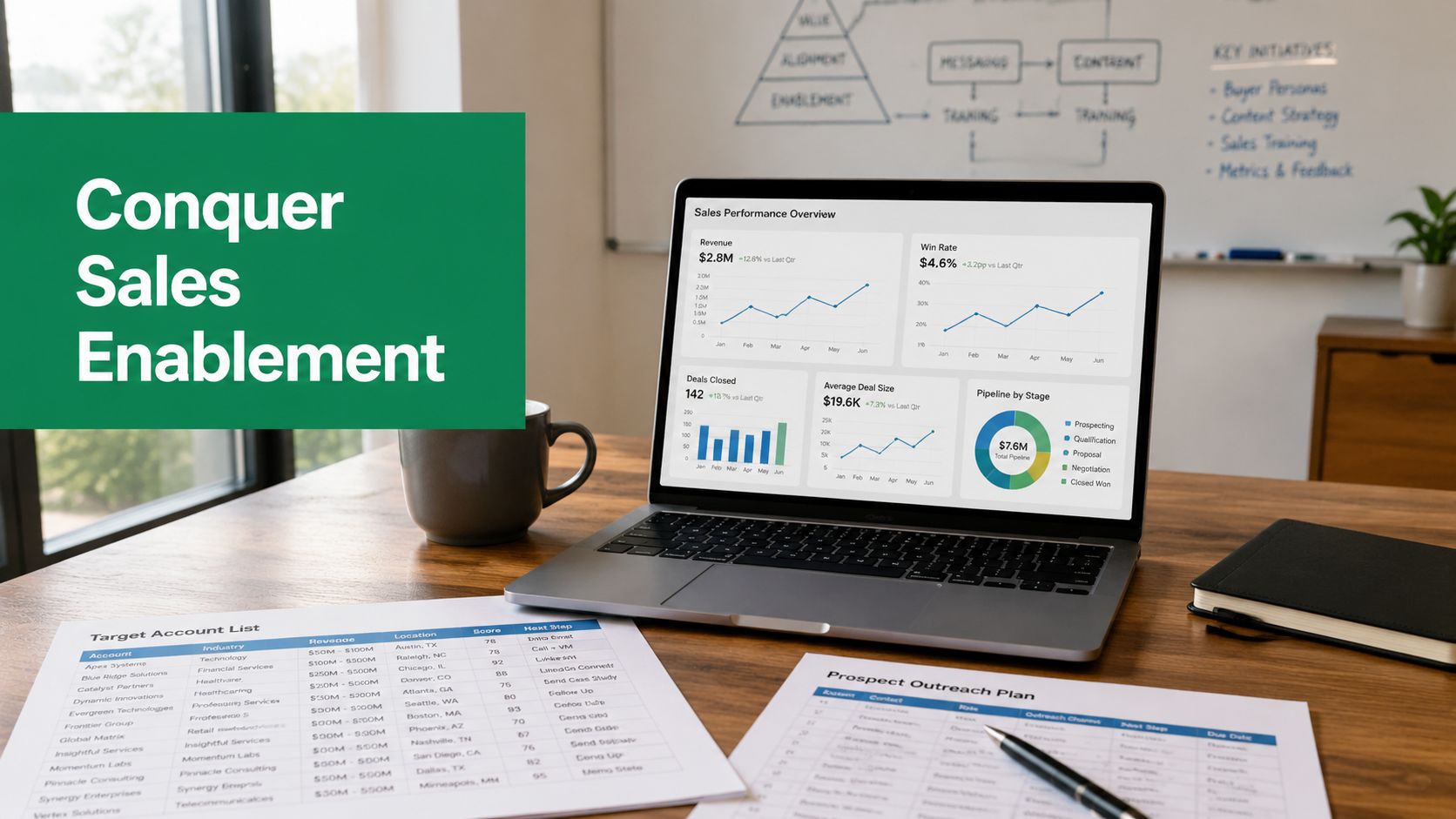
Your team is busy all day, but the pipeline still feels fragile. Reps are rebuilding decks that already exist. New hires ask where the latest case study lives. Managers run coaching sessions based on gut feel because nobody can easily connect content, training, and deal movement in one place.
That's usually the moment a sales leader starts asking what are sales enablement tools, and whether buying one will fix anything.
A good way to think about it is a workshop. In a messy workshop, the tools are somewhere in the building, but the craftsperson loses time looking for them, grabs the wrong one, or improvises with whatever is closest. In a professional workshop, the right tool is within reach, the process is repeatable, and quality doesn't depend on luck. Sales enablement tools do that for revenue teams. They organize content, training, workflows, and performance data so sellers can act faster and more consistently in live deals.
This category matters because it's no longer fringe software. The global sales enablement platform market was valued at USD 6.36 billion in 2025 and is projected to reach USD 7.40 billion in 2026, with a forecast 16.4% CAGR through 2036, according to Future Market Insights on the sales enablement platform market. That growth tells you something simple. Companies aren't treating enablement as a nice-to-have library anymore. They're treating it as operating infrastructure.
Introduction From Chaos to Closing
Sales enablement tools exist to solve a specific problem. Sellers rarely fail because they lack effort. They fail because the system around them creates drag.
A rep gets on a call and can't find the right battlecard. A new account executive learns positioning from three different people and hears three different versions. Marketing uploads content, but nobody knows whether sellers use it in high-stakes conversations. Leadership buys software, adoption looks decent, and six months later the revenue impact is still fuzzy.
That's the gap enablement is supposed to close.
What these tools actually do
At the practical level, sales enablement tools help teams deliver the right resource, coaching, or guidance at the moment a seller needs it. Sometimes that means a content hub with the latest deck. Sometimes it means a learning path for onboarding. Sometimes it means AI that surfaces the right asset in a live opportunity.
The common thread is timing and relevance.
Sales enablement isn't about storing more information. It's about reducing the time between a sales problem showing up and the rep getting the right help.
That matters more now because selling is more cross-functional than it used to be. Marketing creates assets. Sales uses them. Managers coach against outcomes. Ops needs clean usage data. If each function works in its own system, the rep feels the friction.
More than another software purchase
The mistake I see most often is treating enablement like a software category first and an operating model second. Teams buy a platform, load in content, run a launch meeting, and expect behavior to change on its own. It won't.
What works is using enablement tools to support a few critical motions:
Finding the right content fast
Training reps in the flow of work
Connecting seller activity to outcomes
Giving managers something better than anecdotal coaching
If your team already has content, training, and reporting, that doesn't make enablement unnecessary. It usually means those pieces are scattered.
The Core Mission of Sales Enablement Tools
The cleanest definition is this. Sales enablement tools are the systems that connect content, training, technology, and analytics so sales teams can execute with less friction. Articulate's explanation of sales enablement frames these as the four core components of centralized enablement infrastructure, with just-in-time resources that can reduce onboarding time.
A chef would call this mise en place. Everything is prepped, labeled, and placed where it belongs before service begins. The kitchen still gets busy, but the chaos is controlled. Sales enablement aims for the same outcome.
The four pillars that matter
Tool pillar
Primary job
What it changes in practice
Sales content
Organize and surface assets
Reps stop guessing which version to use
Training and coaching
Build skills and reinforce behavior
New hires ramp with less confusion
Technology integration
Connect CRM, calls, and workflows
Reps work inside the systems they already use
Analytics
Track usage and readiness
Managers coach with evidence instead of opinion
The key point is that these pillars work together. Content without coaching becomes a file cabinet. Training without analytics becomes a box-checking exercise. Integrations without clear content standards just move clutter from one place to another.
What strong enablement looks like
A strong setup does a few things well:
It serves content contextually. The rep doesn't browse ten folders to find one proof point.
It coaches from real activity. Managers can review call patterns, content usage, and deal behavior.
It reduces repeated work. Sellers reuse approved messaging instead of rebuilding from scratch.
It makes onboarding operational. New reps can see what good looks like, where to find it, and when to use it.
Practical rule: If a tool requires reps to leave their workflow every time they need help, adoption usually fades fast.
What weak enablement looks like
Weak enablement is easy to recognize. It has lots of assets, lots of training, and very little confidence about what moves pipeline. Reps may log in. Managers may like the concept. But nobody can answer basic questions such as which assets appear in active opportunities, which coaching modules improve execution, or which parts of onboarding shorten ramp.
That's why the mission of enablement isn't “centralize everything.” The mission is to make selling more efficient, more consistent, and easier to measure.
Exploring the Sales Enablement Toolbox
Sales teams often ask for a list of tools. That's not wrong, but it can lead to bad buying decisions. The better approach is to map tool categories to real sales moments.
Onboarding when a new rep joins
A new rep's first month usually exposes every hole in your process. They need positioning, product knowledge, objection handling, and examples of what good calls sound like. If those live in different places, they learn by interrupting senior reps.
That's where learning systems and content portals help. The learning side handles structured onboarding, certifications, and coaching paths. The content side gives reps access to approved decks, battlecards, one-pagers, and recorded examples. When these are connected, onboarding feels less like scavenger hunting and more like guided practice.
Prospecting when the top of funnel is thin
Now take a business development rep starting a campaign into a new segment. They need the right contacts, a clean list, messaging cues, and a repeatable workflow for outreach. For this, prospecting and outreach tools are vital. They help reps find decision-makers, organize account research, and move from raw target lists to actual outreach.
If you're comparing categories adjacent to enablement, this overview of sales automation tools for 2026 is useful because it shows where prospecting automation supports the broader enablement stack instead of replacing it.
Pitching when the deal gets specific
The third moment is the active deal. An account executive is handling objections, sending follow-up material, and tailoring proof points to a buyer's concerns. During this stage, content management, buyer engagement, and conversation intelligence become valuable. The rep needs the right asset, not the entire library.
A modern platform may also analyze seller activity and suggest what to use next. Highspot's overview of sales enablement describes how AI-driven platforms such as Seismic and Highspot are combining content, learning, and activity analysis into a more unified enablement lifecycle.
The categories at a glance
Tool Category
Primary Function
Solves This Problem
Content management systems
Store, organize, and distribute sales assets
Reps use outdated material or can't find the right file
Learning management systems
Deliver onboarding and skills training
Training is inconsistent and hard to reinforce
Prospecting and outreach automation
Support list-building and outbound workflows
Reps spend too much time preparing to prospect
Conversation and revenue intelligence
Analyze calls, meetings, and seller behavior
Managers coach on instinct instead of evidence
The useful takeaway is that sales enablement is an ecosystem. Some teams need one platform. Others need a stack. The right answer depends on where the friction is.
Sales Enablement Tools in Action
The value of enablement becomes clearer when you stop talking about categories and watch how sellers use them.
A new rep getting productive
A new account executive joins on Monday. In a weak setup, they get a folder dump, a few intro calls, and a lot of tribal knowledge. In a stronger setup, they enter a structured path. They complete training modules, review approved talk tracks, and see the current messaging in one place. Their manager can coach against completed learning and real call behavior, not memory.
That's one reason teams invest here. The payoff isn't abstract. It shows up in faster readiness and fewer avoidable mistakes.
A BDR building a campaign
A business development rep launching a new outbound motion faces a different challenge. They don't need a giant content repository first. They need a practical workflow to identify accounts, find the right contacts, and start outreach with less manual research.
Enablement matters here because the rep shouldn't have to build the process from scratch each time. Good systems give them approved messaging, account selection criteria, and prospecting support that reduces wasted effort at the top of funnel.
If prospecting is manual, reps spend their best energy preparing to sell instead of actually selling.
An AE handling a live objection
The most important test comes in a live deal. A buyer raises a concern about implementation, security, or internal buy-in. The rep needs a relevant proof point immediately. Not later. Not after searching five folders.
That's where content enablement earns its place. The right case study, deck, or customer story appears when the rep needs it. In stronger setups, AI helps surface that resource based on deal context and seller activity.
This short walkthrough gives a visual sense of how modern tools support the sales workflow:
Why the business case holds up
The ROI argument is stronger than it used to be. Venture Harbour's review of sales enablement tools reports that over 75% of companies see increased sales within 12 months after implementation, and nearly 40% of those businesses report sales growth of 25% or better. The same review notes that pricing varies widely, from £50 to £500+ per user monthly, with many mid-market options commonly in the £200 to £400 range for small teams.
Those numbers don't mean every rollout succeeds. They do mean the upside is real when the implementation is tied to how reps work.
How to Measure the ROI of Your Tools
Most enablement programs don't fail because the software is bad. They fail because the team never defines what “working” means before launch.
Start with the bottleneck, not the feature list
Pick one business problem first. It might be slow onboarding, weak content usage, inconsistent discovery, or too much time spent preparing for calls. If you buy a tool to “improve enablement,” you'll get broad usage reports and vague opinions. If you buy it to reduce one costly bottleneck, measurement becomes manageable.
Track before-and-after behavior around that bottleneck. For example:
Content retrieval time: How long does it take a rep to find the right asset?
Onboarding progress: How quickly can a new rep complete required learning and use approved materials?
Manager coaching coverage: Are managers coaching from call evidence and usage data, or from memory?
Deal support activity: Are reps using enablement resources in active opportunities?
For teams building a scorecard, these sales efficiency metrics help translate operational improvements into language leadership will understand.
Measure activation, not just adoption
Logging in is not the same as getting value. A platform can show healthy usage and still have no visible impact on revenue.
Allego's discussion of sales enablement use cases highlights the core problem clearly. 78% of organizations deploy sales enablement platforms, but only 32% can tie them to revenue growth or reduced ramp time. It also notes that sales content is surfaced in only 34% of high-value buyer interactions.
That's the metric gap many overlook. They track seats, uploads, and completions. They don't track whether the right asset or training showed up at the right moment in a live deal.
What to ask every month: Which seller behaviors changed, and which of those changes showed up inside opportunities?
A simple ROI discipline
Use this sequence:
Name one revenue problem
Define the behavior that should change
Instrument the workflow
Review usage in active deals
Decide whether the tool changed execution
That discipline keeps enablement from turning into a software subscription with a nice launch deck.
Choosing and Launching Your Enablement Strategy
If you're selecting tools now, treat enablement as a system design decision. Don't start with brand reputation. Start with failure points in your sales motion.
What to evaluate before you buy
Three criteria matter more than flashy demos.
First, integration. If the platform doesn't connect cleanly with your CRM and the systems reps already use, it creates another destination instead of another advantage.
Second, user experience. Reps won't adopt clunky software because ops tells them to. They'll use tools that save time during real selling moments.
Third, analytics quality. You need reporting that goes beyond asset views and course completions. The point is to understand whether enablement is influencing execution.
How to launch without wasting six months
A workable rollout is usually smaller than leaders want.
Choose one bottleneck: Start where the pain is sharpest and easiest to observe.
Pilot with a narrow group: Use a team with cooperative managers and visible deals.
Set success criteria early: Decide what outcomes and behaviors you expect before anyone logs in.
Clean the inputs: Bad content, duplicate assets, and fuzzy naming conventions will poison adoption.
Review with managers weekly: Managers convert usage into habits.
A lot of teams skip that middle layer. They train reps, but they don't equip managers to reinforce the workflow.
The strategy behind the software
The hardest truth in enablement is that tool adoption can look healthy while business impact stays unclear. As noted earlier, deployment is common, but measurable linkage to revenue is much rarer. That's why this guide to sales enablement best practices is useful alongside platform selection. It pushes the discussion toward process, accountability, and workflow fit.
A mature enablement strategy does something simple but difficult. It turns scattered selling habits into a repeatable operating model. Content has a place. Training has a trigger. Coaching has evidence. Reps know where to go, what to use, and why it matters in the deal they're working right now.
This provides the answer to what are sales enablement tools. They are not just content hubs, AI features, or training portals. They are the infrastructure that helps a sales team execute the same good habits at scale, and prove those habits are affecting revenue.
If you want a faster way to support the top-of-funnel side of that system, EmailScout helps sales teams find decision-maker emails, build prospecting lists, and reduce the manual work that slows outreach. It's a practical fit for teams that want cleaner prospecting workflows without adding unnecessary complexity.
Your best rep isn't losing time because they forgot how to sell. They're losing time because the system around them keeps making simple work hard.
A prospect replies and asks for proof. The rep knows marketing created a strong case study, but can't find the current version. Another rep already rebuilt a version in Slides because the original was buried in a folder no one trusts. At the same time, the target account list looks full until outreach starts bouncing off stale contacts, generic inboxes, and people who left months ago. None of that shows up in pipeline review as "enablement failure." It shows up as slow follow-up, weak personalization, inconsistent messaging, and deals that never get traction.
That's why most discussions about sales enablement challenges feel incomplete. They stay inside the building. They talk about training, repositories, and content calendars. Those matter, but the frontline problem is broader. Enablement should remove friction between a seller and a conversation, between a conversation and a meeting, and between a meeting and a deal.
When teams miss that, execution breaks down fast. The same pattern shows up outside sales too. The broader lesson in how UK firms fix execution failures is useful here. Strategy rarely fails because people lack ambition. It fails because daily work isn't connected to what the business needs done.
What Sales Enablement Challenges Are Costing You
Sales enablement challenges drain revenue in small, repeated ways. A seller hunts for the right deck. A manager coaches to a message marketing changed last month. An SDR works a list that looked accurate in the CRM but is no longer usable in the market. Each problem seems minor on its own. Together, they create drag across the whole go-to-market motion.
The hidden cost is usually time quality, not just time spent. Reps still look busy. Marketing still publishes assets. Ops still adds tools. But buyer-facing work gets squeezed by internal recovery work. Sellers compensate by using whatever they already have. Old one-pagers. Personal notes. Last quarter's call script. A contact they happen to know.
Sales enablement works when the rep can move from target account to relevant contact to credible message without stopping to search, guess, or rebuild.
This is why morale suffers before leadership notices a reporting problem. Good reps hate friction. They can handle rejection, tough objections, and competitive pressure. What wears them down is preventable confusion. If your team keeps improvising around missing content, unclear processes, and weak prospect data, the issue isn't effort. The issue is system design.
Three business impacts usually follow:
Slower pipeline movement: Follow-up takes longer when reps can't quickly assemble the right message and proof points.
Lower outreach quality: Prospecting weakens when account lists are broad but contact intelligence is incomplete or stale.
Inconsistent buyer experience: Buyers hear different stories from SDRs, AEs, and marketing because each team works from different inputs.
The Three Core Sales Enablement Failures
Most sales enablement challenges can be diagnosed through three failure modes. Think of them as three support pillars in the same building. If one weakens, the structure leans. If two weaken, teams start compensating manually. If all three fail, enablement becomes a cost center people tolerate rather than a revenue function people trust.
Resource chaos
This is the most visible failure. Content lives in too many places. Tool access expands faster than usage habits. Reps can't tell which asset is current, which system matters, or where they should start.
The mistake many teams make is assuming abundance equals enablement. It doesn't. A large library with poor discoverability behaves like no library at all. More software can make that worse if each platform adds another search step or another place where information might be outdated.
Execution gaps
Cross-functional work breaks down in practice. Sales and marketing may agree in principle, yet still operate from different definitions, timelines, and feedback loops. Messaging changes but training doesn't. Leads move across teams with unclear criteria. Managers coach based on local judgment because there isn't one operational playbook.
Execution gaps often look like culture problems, but they usually come from missing process agreements. If two teams don't share the same rules for handoffs, updates, and feedback, people will invent their own. That's when consistency disappears.
Practical rule: If a rep needs to ask three people how something should work, the process doesn't exist yet.
Impact blindness
This is the quietest failure and often the most expensive. Teams can point to activity. Assets uploaded. Trainings launched. Certifications completed. What they can't show is whether any of it improved buyer conversations, opportunity progression, or rep productivity.
Without that link, adoption drops. Leaders stop sponsoring the work. Reps treat enablement as extra admin. The function becomes vulnerable because it can't connect effort to outcomes that the business values.
A simple diagnostic helps:
Failure mode
What reps experience
What leaders see
Resource chaos
Searching, recreating, guessing
Low content usage, tool sprawl
Execution gaps
Mixed messages, uneven handoffs
Inconsistent conversion across stages
Impact blindness
Extra tasks with unclear value
Hard-to-prove ROI, weak adoption
If you can name which pillar is failing, you can stop treating every symptom as a separate problem.
Solving the Content Graveyard and Tool Overload Problem
The content problem isn't that marketing isn't producing enough. In many teams, it's the opposite. Reps are surrounded by assets and still don't have what they need when they're in a live selling moment.
According to sales enablement statistics from SiftHub, only 30% of marketing content is used by sales, 40% gets recreated because teams can't find what they need, and 78% of organizations report they don't have easy access to the right materials. That's not a content production issue. It's a findability and usability issue.
Why more assets usually make the problem worse
When teams realize reps aren't using content, the instinct is to fill the gaps. Create more battlecards. Add more case studies. Launch another repository. Buy another tool with better search.
That usually compounds the issue.
High-performing enablement systems don't win by storing the most material. They win by reducing rep decisions. The seller shouldn't need to compare six decks, guess which case study is approved, or remember whether the pricing explainer sits in Drive, Notion, Highspot, SharePoint, or a Slack thread. A messy system trains people to bypass it.
A lot of teams also blur the line between automation and clutter. Good automation removes repetitive work. Bad automation creates more notifications, more duplicate records, and more places where reps have to check for updates. If you're rethinking that balance, this guide to sales automation basics is a useful companion because it frames automation as workflow design, not tool accumulation.
What a usable content system actually looks like
You don't need a giant transformation program to fix resource chaos. You need tighter operating rules.
Start with a content audit built around rep behavior, not brand categories:
Map to selling moments: Group assets by use case such as first meeting, follow-up after demo, stakeholder expansion, objection handling, and late-stage proof.
Remove duplicates fast: If multiple versions serve the same purpose, archive aggressively. Reps trust simplicity more than completeness.
Name ownership clearly: Every core asset needs one owner responsible for accuracy, updates, and retirement.
Tag by audience and stage: Industry, persona, deal stage, and common objection are more useful than internal campaign labels.
Define expiration rules: If no one reviews an asset on a schedule, stale content will keep circulating.
Rationalize the stack before you add another app
The problem isn't merely one of content; instead, it's a tool behavior problem. Search breaks because systems don't integrate cleanly, versioning isn't enforced, and analytics live in different places.
A practical decision filter helps:
Keep it if it does this
Question to ask
Improves moment-of-need access
Can a rep find the right asset inside the flow of work?
Supports governance
Can you control versions and retire outdated material?
Produces useful insight
Can you see what content actually influences selling behavior?
Reps don't ignore content because they dislike marketing. They ignore content when retrieval takes longer than rewriting.
The fix isn't glamorous. Centralize core assets. Reduce duplicate tools. Standardize naming. Build around how reps sell, not how teams file documents. That's what turns a content library into an enablement system.
Bridging the Operational Gap Between Sales and Marketing
Sales and marketing misalignment gets framed as a relationship issue. It isn't, at least not primarily. In most organizations, it's an operating model issue.
Two teams can like each other and still create pipeline friction every day. Marketing launches a campaign around one message. SDRs prospect against a different pain point. AEs inherit leads with incomplete context. Product marketing updates positioning, but frontline talk tracks don't change. Everyone thinks they're supporting revenue. Buyers hear a broken narrative.
One playbook, not two interpretations
The cleanest fix is to treat sales and marketing as co-owners of one commercial playbook. That means shared definitions, shared handoffs, and a shared view of what good looks like at each step.
Start with three agreements that sound basic but usually aren't documented well:
Lead definitions Sales and marketing need the same criteria for what qualifies as worth working now, worth nurturing later, or not a fit.
Handoff rules Every handoff should include required context. Source, problem statement, target role, account priority, and prior engagement history shouldn't be optional.
Feedback cadence Reps need a repeatable way to tell marketing which messages are landing, which objections keep repeating, and which content gets ignored by buyers.
Where teams usually break down
The gap often appears in ordinary workflows:
Campaign language drifts from sales language: Marketing writes for click-through. Sales needs language that survives a live conversation.
Persona depth is uneven: Marketing may know industries and segments. Reps need stakeholder-level insight.
Feedback is anecdotal: Without structure, field input becomes random complaints instead of operational learning.
A lightweight SLA fixes more than most team-building exercises ever will. It doesn't need legal language. It needs clear commitments. Marketing commits to delivery standards and update timing. Sales commits to follow-up standards and field feedback. Ops enforces visibility.
Alignment isn't a meeting. It's a set of agreements people can follow when nobody is in the room.
Build around the buyer journey, not department boundaries
One practical exercise works well. Map the customer journey from first touch to closed deal, then identify which team owns each buyer moment and what artifact or action supports it. You'll usually find dead zones. Maybe demand gen creates interest but doesn't equip SDRs with persona-specific follow-up. Maybe AEs need proof points for later-stage stakeholders that no one owns.
Use that map to answer operational questions:
Buyer moment
Primary owner
Required input
First outbound touch
SDR team
Target role, problem hypothesis, approved messaging
Qualified conversation
SDR and AE
Discovery notes, account context, stakeholder map
Mid-funnel validation
AE and marketing
Relevant proof, case material, objection support
This isn't about making sales more like marketing or vice versa. It's about making both teams work from the same commercial reality. If they don't, reps will keep filling gaps manually, and buyers will keep noticing the seams.
A Unified Framework for Enablement Success
Most enablement programs start in the middle. They focus on what to say, how to say it, and where to find the material. That's useful, but it skips the first practical question in outbound execution: who exactly should the rep be talking to right now?
That blind spot matters. One industry view puts it plainly in this discussion of sales enablement challenges: sales enablement may fail less because reps are poorly coached and more because they are forced to sell with incomplete or stale contact intelligence. The primary bottleneck for many outbound teams is prospect identification and list-building.
Start with market reality
If the account list is wrong or the contact layer is thin, excellent content won't save the motion. Reps need reliable inputs before they need polished assets.
A unified framework connects internal readiness with external execution in this order:
Define the ICP clearly: Segment by the types of companies you can serve well and the buying roles that usually shape the decision.
Build reachable target lists: Prioritize finding the right decision-makers and validating who is still in role.
Match content to real personas: Give reps messaging, proof, and objections tied to the actual people they're contacting.
Train inside the workflow: Coaching should happen against live outreach scenarios, not generic role-play alone.
Review performance by segment: Measure which combinations of account type, role, message, and sequence produce qualified conversations.
That operating model is much closer to frontline reality than the old pattern of training first and hoping prospecting quality catches up.
The walkthrough below gives a useful visual reference before you operationalize the process:
What good enablement looks like in practice
Enablement works best when three layers connect.
First, data readiness. Reps need current accounts, relevant stakeholders, and enough contact confidence to act quickly.
Second, message readiness. Once the rep knows who to contact, they need a sharp point of view for that role. A finance leader doesn't need the same opener as an operations leader, even inside the same account.
Third, execution readiness. Reps need workflow support. Templates, objections, call prep, and follow-up proof should be accessible at the moment of use.
A lot of teams looking at boosting sales team effectiveness eventually reach the same conclusion. Better performance usually comes from reducing operational friction around targeting, messaging, and follow-through, not from motivational tactics alone.
A simple operating loop
If you want one repeatable system, use this loop:
Stage
Key question
Enablement output
Targeting
Are we pursuing the right accounts and roles?
ICP rules, contact identification process
Messaging
Do we know what matters to this buyer?
Persona-based talk tracks and proof
Execution
Can reps act without searching or guessing?
In-workflow content, coaching, playbooks
Learning
What changed in the market response?
Feedback loop into targeting and messaging
For teams building that system from scratch, this guide to sales enablement best practices is useful because it treats enablement as a connected operating discipline rather than a collection of isolated assets.
Measuring Progress and Proving Enablement ROI
Enablement loses credibility when it reports activity and avoids outcomes. Leadership doesn't fund activity forever. Reps don't adopt tools forever. At some point, the question gets sharper: did this change sales performance in a way the business can feel?
Mindtickle notes this problem clearly in its review of common sales enablement challenges. While 91% of sales organizations use at least three dedicated enablement tools, 43% of those tools are underutilized, with adoption below 50% among intended users. Proving ROI remains a top challenge because teams focus on activity instead of outcomes like conversion rates and quota attainment.
Stop reporting vanity metrics alone
Asset views, training completions, and portal logins aren't useless. They just aren't enough. They're leading signals at best. If they never connect to conversion quality, quota progress, or cycle efficiency, they become decorative reporting.
Use a two-layer dashboard.
Leading indicators show whether the system is being used as intended:
Content usage in live deals: Which assets appear in active opportunities and by which teams.
Workflow adoption: Whether reps use the approved process rather than side channels and local copies.
Manager coaching consistency: Whether coaching happens against the current playbook.
Lagging indicators show whether the business is improving:
Conversion rates: Especially across handoff points and stage progression.
Quota attainment: Whether more reps are reaching the expected level of performance.
Sales cycle length: Whether buyers move faster through the process.
Ramp time: Whether new reps become productive sooner.
If enablement can't explain how usage connects to revenue outcomes, the business will assume the connection doesn't exist.
Build attribution with simple comparisons
You don't need a perfect model on day one. You need useful comparisons. Look for patterns such as teams that use current messaging versus teams that don't, or opportunities with approved content attached versus opportunities without it. The goal is to show directional business value with discipline.
A practical review rhythm looks like this:
Pick a narrow use case such as outbound to one ICP or one stage of the funnel.
Track usage of the enablement intervention such as a playbook, messaging set, or content package.
Compare outcome movement in conversion quality, stage progression, or cycle speed.
Get manager feedback on whether the workflow was usable.
Refine and repeat instead of launching ten changes at once.
Tie metrics back to cost
ROI becomes more believable when finance and revenue leaders can connect it to operational economics. If a rep finds the right material faster, reaches the right contact sooner, and moves deals with less waste, that affects selling efficiency. It also affects acquisition cost.
For teams that want a practical way to pressure-test the commercial side of these improvements, a customer acquisition cost calculator can help frame the conversation in business terms, not enablement jargon.
The strongest enablement leaders don't ask the business to trust the function. They show that the work changed pipeline quality, rep productivity, and revenue efficiency in ways that are hard to ignore.
EmailScout helps teams solve one of the most overlooked sales enablement challenges: finding the right decision-makers fast enough to make outreach effective. If your reps are stuck working stale lists or wasting time piecing together contact data, EmailScout gives them a faster way to build targeted prospect lists and support better outbound execution.
In today's competitive market, simply "selling harder" isn't a sustainable strategy. The real difference between high-growth revenue teams and those struggling to keep pace often boils down to a single, powerful discipline: sales enablement. This isn't just about handing your reps a new slide deck; it's a systematic approach to giving sales, marketing, and business development professionals the precise resources, training, and data they need to engage buyers effectively throughout the entire sales process. A well-executed strategy ensures every team member has the tools and knowledge to turn prospects into customers more efficiently.
This guide bypasses the generic advice and gets straight to what works. We've compiled 10 proven sales enablement best practices that modern teams are using right now to shorten sales cycles, boost win rates, and create a predictable engine for growth. Each practice is broken down into a clear, actionable blueprint, covering:
Why it matters: The strategic value behind each practice.
Step-by-step implementation: How to put the theory into action.
Key KPIs: What to track to measure your success.
Common pitfalls: Mistakes to avoid along the way.
Practical examples: Scenarios showing how to apply tools like EmailScout.
These methods are designed to build a strong foundation for your revenue operations. To truly revolutionize your sales strategy, delving into these 10 actionable sales enablement best practices for B2B growth can provide invaluable insights. This article offers a direct path to implementing a modern enablement blueprint that drives real results, moving your team from simply 'doing' to strategically 'winning'.
1. Master Account-Based Marketing (ABM) with Targeted Email Lists
Account-Based Marketing (ABM) flips the traditional sales funnel on its head. Instead of casting a wide net, ABM concentrates your sales and marketing efforts on a select group of high-value accounts, treating each one as a unique market. The core principle is identifying the entire buying committee within a target company and engaging them with coordinated, personalized outreach.
This approach is one of the most effective sales enablement best practices because it aligns resources with revenue potential. By focusing intensely on accounts that are the best fit for your solution, you increase deal size, accelerate the sales cycle, and build stronger, more strategic customer relationships. It’s about quality over quantity, driving a higher return on investment.
How to Implement ABM with Precision
Define Your Ideal Customer Profile (ICP): First, collaborate with sales to identify the firmographic and technographic characteristics of your best customers. Look at industry, company size, revenue, technology stack, and geographic location.
Identify Target Accounts: Based on your ICP, build a list of target accounts. Prioritize them into tiers based on their potential value and strategic importance to your business.
Map the Buying Committee: For each target account, identify the key stakeholders involved in the purchasing decision. This includes decision-makers, champions, influencers, and blockers.
Create Personalized Content: Develop messaging and content that speaks directly to the specific pain points, goals, and industry context of each target account.
Execute Coordinated Campaigns: Launch multi-channel campaigns (email, social media, ads, direct mail) that engage the entire buying committee with consistent and relevant messaging.
Key Takeaway: The success of ABM is directly tied to the accuracy of your contact data. Without the right email addresses for the key people in your target accounts, even the most well-crafted campaign will fail to deliver results.
Applying EmailScout to ABM
Precision in outreach is critical for ABM. Use EmailScout’s Email Discovery to find the verified email addresses of every stakeholder on your list, from the department head to the technical evaluator. Before launching a campaign, run the entire domain through URL Explorer to quickly map out the organization's structure and identify potential contacts you may have missed, ensuring your message reaches the complete buying committee.
2. Building Segmented Email Lists with Buyer Intent Data
Segmentation is the practice of dividing a broad email list into smaller, more focused groups based on shared characteristics. Instead of sending the same message to everyone, you can create highly relevant campaigns by grouping contacts by firmographics (company size, industry), behavior (website visits, content downloads), or buyer intent signals.
This method is one of the most fundamental sales enablement best practices because it directly impacts engagement and conversion rates. Personalized messaging that speaks to a prospect's specific situation, job title, or recent activity is far more effective than a generic blast. By acknowledging their unique context, you demonstrate that you understand their needs, which builds trust and encourages a response.
How to Implement Segmentation with Precision
Establish Clear Segments: Define your key audience groups. This could be based on job titles (C-suite, VPs, managers), industry, company size, or their stage in the sales funnel.
Gather Intent Data: Use tools to track signals that indicate buying intent, such as visits to your pricing page, specific product feature explorations, or engagement with case studies.
Combine Data Points: Create powerful segments by combining different data types. For example, target C-level executives (job title) at SaaS companies (industry) who have recently downloaded an ebook about ROI (behavior).
Craft Targeted Messaging: Write email copy and create offers that resonate with each segment's unique pain points and priorities. A message to a CFO should focus on financial benefits, while one to a technical lead should highlight integration capabilities.
Test and Refine: Continuously monitor the performance of each segment. Analyze open rates, click-through rates, and reply rates to identify which groups are most responsive and refine your approach accordingly.
Key Takeaway: Effective segmentation is not a one-time setup. It requires regular maintenance. Audiences and their needs change, so consistently updating your segments ensures your outreach remains relevant and impactful.
Applying EmailScout to Segmentation
Precision is the goal of segmentation. Use EmailScout’s AutoSave feature to automatically organize contacts into predefined lists as you discover them. You can create lists for "C-Suite Prospects" or "Marketing Managers," and every time you save a relevant contact from a website or LinkedIn, it goes directly to the right segment. Combine this with data from the URL Explorer to quickly find multiple contacts in a specific department, then save them to a hyper-targeted list for a coordinated campaign.
3. Cold Email Prospecting with Personalization Frameworks
Cold email prospecting, when done right, moves beyond generic templates to become a highly effective channel for pipeline generation. It involves using research-backed personalization and a clear value proposition to treat each outreach as a one-to-one conversation. This approach focuses on building a connection before making a request, which is a cornerstone of modern sales enablement best practices.
This method is crucial because it allows sales teams to open doors at scale without sacrificing the quality of the interaction. By proving you’ve done your homework and understand a prospect's world, you earn their attention and build the initial trust needed to start a meaningful sales dialogue. Platforms like Lemlist and SalesLoft have built their reputations on enabling this personalized, high-impact approach.
How to Implement Personalized Prospecting
Research Prospects: Before writing, research each contact. Look at their LinkedIn profile for recent posts, their role responsibilities, and company news or recent funding rounds. Find a specific, relevant hook.
Craft a Short, Clear Message: Keep your email to 3-5 sentences. Start with a personalized opening line, state the problem you solve, and end with a single, low-friction call-to-action (CTA) like "Is this a priority for you right now?". For a deeper dive, review our guide on how to write cold emails that get replies.
Test Subject Lines: A/B test subject lines focused on generating curiosity or highlighting relevance. Examples include "Question about [Their Company]'s [Specific Initiative]" or "[Mutual Connection]'s Intro".
Implement a Follow-up Cadence: Most replies come after the first email. Plan a 3-5 touch sequence spaced over a few weeks, adding value with each follow-up instead of just "bumping" the original message.
Monitor and Adjust: Track key metrics like open rates, reply rates, and positive reply rates. Use this data to refine your messaging, subject lines, and overall strategy.
Key Takeaway: Personalization is not just using a {{FirstName}} tag. True personalization demonstrates that you understand the prospect's specific context, challenges, and goals, making your outreach stand out in a crowded inbox.
Applying EmailScout to Cold Prospecting
Personalized outreach is impossible without accurate contact information. Before you even begin writing, use EmailScout’s Email Discovery to find the verified email address of your target decision-maker. To save time, use the AutoSave feature to automatically find and save emails directly from LinkedIn profiles as you conduct your research, building a clean and accurate prospect list in minutes.
4. Build a Centralized Sales Enablement Content Library
A sales enablement content library is a curated, centralized repository of resources designed to equip sales professionals with the right information at the right time. This includes case studies, product sheets, competitive battle cards, and email templates, all organized to support reps at each stage of the buying journey and help them accelerate deals.
This practice is critical because it ensures message consistency and gives reps instant access to proven assets, so they spend less time searching for or creating materials and more time selling. When reps can quickly pull a relevant case study or a data sheet that addresses a prospect's specific concern, they build credibility and move conversations forward more effectively.
How to Implement a Content Library
Audit and Organize Existing Content: Start by gathering all current sales and marketing materials. Tag each piece by its content type (case study, battle card), sales stage (prospecting, consideration), and target audience.
Identify Content Gaps: Interview your sales team to understand what they need most. Are they struggling with a specific competitor? Do they lack materials for a new vertical? Use this feedback to prioritize new content creation.
Develop High-Impact Assets: Focus on creating resources that directly address buyer pain points and sales objections. This includes case studies with clear ROI, competitive comparison docs, and objection-handling scripts.
Choose a Central Platform: Select a user-friendly platform (like Showpad, Seismic, or even a well-organized cloud drive) to host your library. Ensure it has robust search functionality so reps can find what they need in seconds.
Track and Optimize: Monitor which assets are used most frequently and which are shared with prospects. Correlate content usage with deal progression and win rates to understand what’s working and refine your strategy.
Key Takeaway: A content library is not a "set it and forget it" project. It requires continuous updates and feedback from the sales team to remain relevant and effective as a core part of your sales enablement best practices.
Applying EmailScout to Your Content Library
Boost the effectiveness of your content by creating resources that work with your outreach tools. Use EmailScout’s AutoSave to automatically capture verified emails while you research prospects. Then, arm your sales team with pre-written email templates in your library that include placeholders for personalized information. Reps can instantly insert the verified contact details from their AutoSave lists, creating a fast and repeatable workflow for targeted outreach.
5. Lead Scoring and Pipeline Qualification Frameworks
Lead scoring is the process of assigning a numerical value to each prospect to rank their sales-readiness. This score is based on a combination of explicit data (like job title and company size) and implicit behavioral data (like website visits and email opens). Combined with a pipeline qualification framework, it ensures that only the most promising opportunities are passed from marketing to sales.
This method is one of the cornerstone sales enablement best practices because it creates a common language between marketing and sales. It stops sales from wasting time on unqualified leads and gives marketing clear feedback on lead quality. By focusing efforts on high-scoring leads, teams can dramatically improve conversion rates and shorten the sales cycle.
How to Implement Lead Scoring and Qualification
Define Fit and Engagement Criteria: Collaborate with sales to determine the ideal attributes (firmographics, demographics) and behaviors (website activity, content downloads) that signal a high-quality lead.
Assign Point Values: Assign positive or negative point values to each attribute and action. For example, a "Director" title might get +15 points, while a visit to the pricing page gets +10.
Build Your Scoring Model: Input these rules into your marketing automation platform like HubSpot or Marketo. Many platforms, like Salesforce's Einstein, offer AI-powered scoring that adapts over time.
Set MQL and SQL Thresholds: Define the specific score at which a lead becomes a Marketing Qualified Lead (MQL) ready for nurturing, and the higher score at which it becomes a Sales Qualified Lead (SQL) for immediate follow-up. You can learn more about lead scoring to refine these thresholds.
Review and Iterate: Analyze which leads convert to customers and adjust your scoring model quarterly. If leads with certain attributes consistently close, increase their point value.
Key Takeaway: A lead scoring system is only as good as the data feeding it. Inaccurate firmographic information, such as an incorrect job title or company size, can lead to mis-qualified leads and wasted sales effort.
Applying EmailScout to Lead Scoring
Accurate qualification starts with accurate data. Use EmailScout’s Email Discovery to find and verify the job titles and company details of new inbound leads. This immediately validates their firmographic fit against your ICP. As you build outbound lists, the AutoSave feature can capture contact details from LinkedIn profiles, allowing you to pre-score prospects based on their title and company before you even send the first email, ensuring your team only pursues high-potential leads.
6. Sales Development Representative (SDR) Workflows and Cadences
SDR workflows, often called sales cadences or sequences, are structured outreach plans that guide a sales rep's interactions with a prospect. These multi-touch, multi-channel plans dictate the timing, method, and content for a series of engagements over a set period, typically combining email, phone calls, and social media touches.
This structured approach is a core component of modern sales enablement best practices because it introduces consistency and predictability into prospecting. Instead of relying on random acts of outreach, SDRs follow a tested, data-driven process that ensures no lead falls through the cracks and every prospect receives persistent, value-driven follow-up.
How to Implement Effective SDR Workflows
Build Your Prospect List: The foundation of any cadence is a high-quality list of contacts who fit your ideal customer profile. Ensure you have accurate, verified data before launching any outreach.
Design the Cadence Structure: Map out a 7 to 10-touch sequence over several weeks. A common structure includes an initial personalized email, followed by a mix of follow-up emails, LinkedIn connection requests, and phone calls spaced out every few days.
Craft Your Messaging: Personalize the first touch based on research about the prospect’s company or role. Subsequent touches can be shorter and more direct, aiming to add value with relevant articles, case studies, or insights. To further refine SDR workflows, adopting proven sales cadence best practices can significantly improve outreach effectiveness.
Define Success Metrics: Establish clear KPIs for your SDR team, such as dials made, conversations had, and, most importantly, meetings booked. This helps measure the effectiveness of different cadences.
Review and Optimize: Regularly analyze which sequences, templates, and channels are generating the best results. Share top-performing tactics across the team and continuously iterate on your approach. You can discover more about creating high-performing cadences to build on this process.
Key Takeaway: The goal of an SDR cadence is not to annoy prospects into a meeting but to stay top-of-mind by consistently providing value until the timing is right. Persistence combined with personalization wins.
Applying EmailScout to SDR Workflows
An SDR cadence is only as good as the contact list it’s built on. Use EmailScout’s Email Discovery to build hyper-targeted, verified prospect lists for your outreach sequences. For a more automated approach, turn on AutoSave while browsing LinkedIn or company websites to effortlessly capture contact details and add them directly to your prospecting lists, ensuring your SDRs always have a full pipeline of accurate leads to engage.
7. Prioritize Email Deliverability and Warm-Up Strategies
Email deliverability is the measure of how successfully your emails reach your subscribers' inboxes. It encompasses a range of technical factors, including sender authentication, reputation, sending patterns, and content quality. A proper warm-up strategy is the process of gradually increasing the volume of emails sent from a new domain or IP address to establish credibility with internet service providers (ISPs).
This practice is essential for any sales enablement program that relies on email outreach. Without strong deliverability, your carefully crafted messages will land in spam folders, rendering your efforts useless. Mastering deliverability ensures your communication reaches its intended audience, protecting your domain's reputation and maximizing the ROI of your outreach campaigns.
How to Implement Deliverability Best Practices
Set Up Authentication: Before sending any emails, properly configure your SPF, DKIM, and DMARC records. These DNS settings act as a digital signature, proving to ISPs that you are a legitimate sender.
Use a Dedicated Sending Domain: Avoid using your primary corporate domain for cold outreach. A separate, dedicated domain for sales campaigns isolates your main domain's reputation from high-volume sending activities.
Start the Warm-Up Process: Begin by sending 10-20 emails per day from your new domain. Use a warm-up service like Lemwarm or Mailwarm to automate this process with a network of real inboxes.
Gradually Increase Volume: Slowly increase your sending volume by about 15-20% each day over a period of 2-3 weeks. Monitor engagement and deliverability metrics closely during this phase.
Maintain List Hygiene: Immediately remove any hard bounces from your lists. Consistently high bounce rates are a major red flag to ISPs and will severely damage your sender reputation.
Monitor Performance: Keep a close eye on key metrics like open rates, bounce rates, spam complaint rates, and unsubscribe rates. Tools like 250ok (now part of Validity) can help you track inbox placement across different providers.
Key Takeaway: Your sender reputation is your most valuable asset in email outreach. Building it slowly and protecting it fiercely is non-negotiable for long-term success.
Applying EmailScout to Deliverability
A clean email list is the foundation of good deliverability. Before starting any warm-up or outreach campaign, use EmailScout’s Email Discovery to find contacts and then run your list through its verification to remove invalid or risky addresses. This proactive step significantly reduces your bounce rate from day one, helping you build a positive sender reputation with ISPs and ensuring your sales enablement efforts have the best possible chance of success.
8. Prospect Research and Competitive Intelligence Integration
Prospect research involves gathering deep intelligence about target companies and their decision-makers. This goes beyond a name and title to include financials, recent news, leadership changes, technology stack, and funding rounds to inform highly personalized outreach, uncover buying triggers, and identify key stakeholders. Integrating this with competitive intelligence arms your reps to counter objections and position your solution effectively.
This process is a cornerstone of modern sales enablement best practices because it transforms cold outreach into a warm, relevant conversation. Armed with specific insights, sales reps can build credibility instantly, tailor their pitch to address real-time business challenges, and demonstrate a genuine understanding of the prospect's world, dramatically increasing engagement and conversion rates.
How to Implement Prospect and Competitive Research
Create a Prospect Research Template: Standardize the information-gathering process. Create a document or CRM template that includes fields for company overview, recent news, key decision-maker backgrounds, current technology stack, and known pain points.
Monitor Buying Triggers: Set up automated news alerts (like Google Alerts) for target accounts. Track trigger events such as new funding, executive hires, expansion plans, or negative press about a competitor.
Build Competitive Battle Cards: Develop concise, one-page documents for each major competitor. These battle cards should outline your competitor's strengths and weaknesses, key differentiators for your product, and pre-scripted responses to common objections.
Research Competitor Customers: Identify companies that use a competitor's product. These accounts are often prime targets, as they have already recognized the need for a solution like yours.
Document Everything in Your CRM: Ensure all research findings are logged directly into the contact or account record in your CRM. This makes the intelligence accessible and actionable for the entire sales team.
Key Takeaway: The goal of research is not just to collect data, but to connect the dots. A single piece of information, like a recent funding announcement, can unlock an entire sales strategy by revealing a new budget and urgent growth initiatives.
Applying EmailScout to Prospect Research
Effective research begins with knowing who to research. Use EmailScout’s URL Explorer to get a quick, high-level map of a target company’s organizational structure and identify potential decision-makers. Once you have a list of names, use the Email Discovery tool to find their verified email addresses. With confirmed contact information, you can then confidently invest time in deeper research on platforms like LinkedIn Sales Navigator, knowing your outreach will land in the right inbox.
9. Forge Sales and Marketing Alignment (Smarketing) Through Shared KPIs
"Smarketing" is the process of integrating your sales and marketing teams to achieve common business goals. Instead of operating in separate silos with conflicting priorities, both departments align around shared definitions, processes, and, most importantly, key performance indicators (KPIs). This alignment ensures marketing generates high-quality leads that sales is eager to pursue.
This collaboration is a cornerstone of effective sales enablement best practices because it directly addresses the most common point of friction in the revenue funnel: the handoff from marketing to sales. When both teams are measured by the same outcomes, like conversion rates and revenue, they are motivated to work together. This results in better lead quality, faster sales cycles, and a more efficient go-to-market engine.
How to Implement Smarketing with Precision
Establish a Service Level Agreement (SLA): Create a formal document that defines each team's commitments. Marketing commits to delivering a specific number of qualified leads, and sales commits to following up on those leads within a set timeframe.
Unify Your Metrics: Move beyond department-specific KPIs. Both teams should track and be accountable for metrics like Marketing Qualified Leads (MQLs), Sales Accepted Leads (SALs), lead-to-customer conversion rate, and pipeline velocity.
Create Joint Definitions: Sales and marketing must agree on a universal definition of an "Ideal Customer Profile" (ICP) and what constitutes a "qualified lead." This eliminates disagreements over lead quality.
Schedule Regular Sync-Ups: Hold weekly or bi-weekly "smarketing" meetings where both teams can review the shared dashboard, discuss lead quality, and strategize on upcoming campaigns.
Build Feedback Loops: Create a simple, consistent process for sales to provide feedback to marketing on the quality of leads from specific campaigns. This allows marketing to quickly adjust its targeting and messaging.
Key Takeaway: True smarketing isn't just about communication; it's about shared accountability. When both sales and marketing are measured by revenue impact, their strategies naturally converge toward what works.
Applying EmailScout to Smarketing
Shared goals require shared, high-quality data. Marketing can use EmailScout’s URL Explorer to quickly discover contacts at target companies that fit the jointly-defined ICP. After discovering these leads, they can be saved directly to a shared list via AutoSave. Sales then receives a list of verified, highly-relevant contacts, fulfilling marketing’s part of the SLA and giving sales the best possible chance to convert them. This creates a transparent and efficient workflow from discovery to outreach.
10. CRM Optimization and Data Management Best Practices
Your Customer Relationship Management (CRM) system should be the beating heart of your sales operation, not a cluttered digital filing cabinet. CRM optimization involves transforming it into a single source of truth through disciplined data management, intelligent integrations, and user-focused configuration. This ensures that every piece of data, from contact details to deal stages, is accurate, accessible, and actionable.
This practice is fundamental to effective sales enablement because a well-managed CRM provides the clean data needed for reliable reporting, accurate forecasting, and personalized outreach. When your CRM is a trusted resource, sales reps can work more efficiently, managers can make better strategic decisions, and marketing can deliver more relevant campaigns, directly improving productivity and revenue generation.
How to Implement CRM Optimization and Data Management
Establish Data Entry Standards: Create a clear, documented policy for data entry. Define mandatory fields for new contacts (e.g., name, verified email, title, company) and use dropdown lists for fields like "Lead Source" or "Industry" to prevent inconsistencies.
Configure for Sales Workflow: Customize your CRM fields, stages, and dashboards to mirror your actual sales process. Remove unnecessary fields to reduce clutter and ensure reps can easily find and input the information they need.
Automate Data Enrichment: Implement automation to reduce manual entry. For example, set up workflows that automatically populate company information (like size or industry) when a new contact is added from a specific domain.
Schedule Regular Data Audits: Dedicate time each week or month to data cleansing. Run reports to find duplicate records, incomplete contacts, and outdated information. Data hygiene is an ongoing process, not a one-time fix.
Prioritize User Adoption and Training: A CRM is only as good as the team using it. Provide thorough training on why data quality matters and how to use the CRM correctly. Make it a core part of the sales culture.
Key Takeaway: Inaccurate or incomplete CRM data is a silent killer of productivity. It leads to wasted time, failed outreach, and flawed business intelligence, undermining your entire sales enablement strategy.
Applying EmailScout to CRM Management
Maintaining data integrity is paramount. Use EmailScout’s native CRM integrations to automatically sync newly discovered and verified email addresses directly to your contact or lead records in platforms like Salesforce or HubSpot. When you use the AutoSave feature while prospecting on LinkedIn or company websites, every contact you capture is instantly pushed to your CRM with a verified email, eliminating manual data entry and ensuring your single source of truth stays accurate from the moment of capture.
10-Point Sales Enablement Best Practices Comparison
Strategy
Implementation complexity
Resource requirements
Expected outcomes
Ideal use cases
Key advantages
Account-Based Marketing (ABM) with Targeted Email Lists
High — cross-functional planning and personalization
Complex B2B sales, enterprise accounts, competitive displacement plays
Stronger relevance and credibility, stakeholder mapping, timely triggers
Sales and Marketing Alignment (Smarketing) Through Shared KPIs
High — organizational change management and governance
Medium — leadership sponsorship, shared dashboards, regular meetings
Improved lead quality, faster pipeline conversion, fewer silos
Companies with separate sales and marketing teams aiming for coordination
Unified goals, clearer SLAs, better measurement of joint performance
CRM Optimization and Data Management Best Practices
Medium–High — process design, integrations, training
Medium — CRM admins, integration tooling, ongoing audits
Accurate forecasting, cleaner data, improved reporting and adoption
Any organization relying on CRM for sales operations and analytics
Single source of truth, better decision-making, streamlined workflows
Turning Enablement from a Plan into a Practice
We've journeyed through ten foundational sales enablement best practices, from the precision of Account-Based Marketing to the disciplined data management within your CRM. Each strategy, whether it's building hyper-segmented email lists, implementing structured SDR cadences, or fostering true sales and marketing alignment, represents a critical gear in your revenue engine. It's easy to look at this list and feel overwhelmed, seeing a mountain of projects instead of a clear path forward.
The key is to reframe your perspective. True sales enablement isn't a final destination you arrive at; it's a continuous process of refinement and a cultural commitment to empowering your sellers. The goal isn't to implement all ten practices overnight. Instead, the objective is to build a system where your sales team spends less time on manual, low-value tasks and more time engaging in meaningful conversations with qualified prospects. The common thread connecting every single one of these strategies is the critical need for accurate, accessible, and actionable data. Without it, your personalization efforts fall flat, your ABM campaigns miss their mark, and your CRM becomes a digital graveyard of outdated information.
Your First Steps Toward an Enabled Future
To move from theory to action, avoid the temptation to boil the ocean. Select one or two practices that address your most immediate pain points.
Is your pipeline anemic? Start with Cold Email Prospecting with Personalization Frameworks and Prospect Research and Competitive Intelligence Integration. Improving the quality and relevance of your initial outreach can have a rapid impact on response rates and meeting bookings.
Are your sales and marketing teams misaligned? Focus on Smarketing Through Shared KPIs. Establishing a common language and shared goals is the bedrock of a collaborative revenue organization.
Is your team drowning in administrative work? Prioritize CRM Optimization and Data Management and building a central Sales Enablement Content Library. Cleaning up your core system and organizing resources creates immediate efficiency gains.
By tackling these areas methodically, you create a flywheel effect. A successful project builds momentum and provides the political capital needed to secure buy-in for the next initiative. For example, once you prove the ROI of a targeted email campaign using buyer intent data, it becomes much easier to make the case for investing in a more robust content strategy to support those conversations.
The most effective sales enablement programs are not built in a day. They are assembled piece by piece, with each new practice reinforcing the others, creating a powerful, interconnected system that drives predictable revenue growth.
The End Goal: From Searching to Selling
Ultimately, mastering these sales enablement best practices transforms your organization from a group of individuals into a cohesive revenue-generating force. When your SDRs have clean contact lists from tools like EmailScout, they can execute their cadences with confidence. When your Account Executives have instant access to relevant case studies and battle cards, they can navigate competitive conversations with authority. When your marketing team sees precisely how their content is being used in sales cycles, they can create more effective assets.
This alignment doesn't just make work more efficient; it makes it more effective. It shortens sales cycles, increases deal sizes, and improves win rates. The outcome is a more predictable pipeline and a significant competitive advantage. Your team stops searching for information and starts selling with intelligence. This shift is the very essence of what great sales enablement achieves, turning a strategic plan into a daily practice that fuels sustainable growth for 2026 and beyond.
Ready to build your sales enablement strategy on a foundation of accurate data? EmailScout provides the essential tools for email discovery and validation, ensuring your outreach campaigns connect with real people. Stop wasting time on bounced emails and start building your pipeline with EmailScout today.