So, you need to find someone's email address. The good news is, you can usually track it down with a bit of clever detective work. It’s often a mix of smart Google searches, understanding how companies structure their emails, and sometimes, using a specialized tool to do the heavy lifting for you.
Think of things like using a Google search operator (site:company.com "Jane Doe" email) or just trying common formats like jane.doe@company.com. More often than not, one of these tactics will get you where you need to go.
Why Finding the Right Email Is Your Secret Weapon

Before we get into the "how," let's talk about the "why." This isn't just about collecting contact info; it’s about opening doors to real professional opportunities. A correct, verified email is a direct line to the person you want to talk to. No gatekeepers, no getting lost in a generic inbox—just your message, delivered.
This completely changes the outreach game. You're not just crossing your fingers and hoping your email to info@company.com gets forwarded. You’re having a one-on-one conversation. That level of precision is what separates a successful campaign from one that falls flat.
Connecting Accuracy to Real-World Results
Having the right email has a massive impact, whether you're in sales, marketing, or just trying to network. For sales teams, it means closing deals faster. For marketers, it means better engagement and ROI. For anyone building a professional network, it’s how you start a real conversation.
The numbers back this up. Email marketing consistently delivers an insane return, often around $36 for every $1 spent. With over 80% of marketers leaning on email for lead generation, the quality of your list is everything. It directly fuels your entire pipeline.
The real challenge today isn't sending more emails. It's getting the right emails to the right people, faster and more reliably.
The Strategic Advantage of a Verified Contact
A verified email isn't just a destination; it's a strategic edge. It means your hard work doesn't go to waste hitting dead ends. Every bounced email is a mark against your sender reputation, which makes it more likely your future messages will end up in the dreaded spam folder.
Here’s exactly what a verified email helps you do:
- Boost Deliverability: You sidestep hard bounces that can tank your domain's reputation.
- Increase Open Rates: Your message actually lands in the right inbox, which dramatically improves the odds of it being read.
- Build Credibility: Reaching out to the correct person shows you've done your homework and you respect their time.
To really get a handle on how valuable this is for your outreach, it’s worth digging into an essential guide to email marketing. When you get this part right, finding emails stops being a guessing game and becomes a predictable system for growth.
Smart Manual Search Tactics That Actually Work

Before you pull out your credit card for a fancy tool, it's worth getting your hands dirty with some old-school manual searching. Honestly, you can find a surprising number of emails with nothing more than a bit of clever thinking and the search engine you already use every day.
Think of it like being a detective. You're hunting for digital breadcrumbs—the little traces of contact info people leave behind, sometimes on purpose, sometimes by accident. For one-off searches, these no-cost techniques are incredibly effective.
Mastering Google Search Operators
Google is your best free tool, but most people barely scratch the surface of what it can do. The secret lies in using advanced search operators, which are simple commands that tell Google exactly what you want to find.
Think of them as powerful filters. Instead of sifting through the entire internet, you're pointing Google to a specific website or a specific phrase. This kind of precision is how you uncover emails that are otherwise buried.
Here are the operators I use most often for this:
site:This is your sniper rifle. It limits your search to just one website, which is perfect for digging into a specific company's domain.intext:This command tells Google to look for a specific word or phrase inside the body of a webpage." "(Quotes): Slap quotes around a name, and Google will search for that exact phrase instead of the individual words. It's a game-changer.
You can chain these operators together to create incredibly specific search queries. For example, a search like
site:company.com intext:"Jane Doe" emailtells Google to only look oncompany.comfor pages that contain both the exact name "Jane Doe" and the word "email."
This one simple string can instantly surface contact pages, team bios, or press releases where an email is listed. Don't forget to try a few variations of the person's name or title to be thorough. For a deeper dive, check out our full guide on finding email addresses by name.
Digging into Social Media Bios and Posts
Social media is another goldmine, especially for professionals who actually want you to contact them. A direct message is one thing, but an email often feels more direct and professional.
LinkedIn is the obvious first stop. Always check the "Contact Info" section on a profile—you’d be shocked how many people just list their email publicly. If it’s not there, the hunt isn’t over.
Scroll through their recent activity, paying close attention to their posts and comments. It's common for people in sales, consulting, or business development to drop their email in a comment when networking. You can even use the search bar within LinkedIn to look for their name plus terms like "email" or "reach me at."
Twitter (now X) is also clutch. People often put their email right in their bio, sometimes tweaking the format to dodge spam bots (e.g., jane [at] company [dot] com). It’s also worth a quick scan of their past tweets and replies to see if they’ve ever shared it.
Finding Emails on Company Websites
Beyond just using a site: search on Google, company websites themselves hold a ton of clues. The real goal here is to figure out the company's email pattern. Once you find just one email address from that domain, you can usually guess everyone else's.
Here are a few places I always check:
- "About Us" or "Team" Page: These pages are a great starting point. Even if your target isn't listed, a colleague's email can reveal the company's format (e.g.,
firstname.lastname@company.com). - Press Releases or News Section: Scan these for a media contact. A PR manager’s email like
jdoe@company.comis a massive clue about the company's default email structure. - Author Bios on the Company Blog: If the person you're looking for has ever written for their company's blog, their bio at the bottom of the article is a prime spot for an email address. This is especially true for writers, marketers, and industry experts.
Decoding Company Email Patterns for an Educated Guess
When your initial manual searches turn up nothing, the next best move is to make a highly educated guess. This isn't just about throwing spaghetti at the wall to see what sticks; it's a methodical way of figuring out a company's internal logic for creating email addresses.
The good news is that most organizations, from tiny startups to massive corporations, stick to a standardized pattern. Your job is to crack that code. Once you find the pattern for just one employee, you’ve likely figured it out for everyone.
Finding the Core Email Structure
Every email address is built from two simple parts: the employee's name and the company's domain. The first thing you need to do is lock down the correct domain. Usually, it's just companyname.com, but keep an eye out for variations like companyinc.com or country-specific domains like .co.uk.
Once you've got the domain, the real work begins: figuring out the name variations. The goal here is to build a shortlist of the most likely email formats. Put yourself in the shoes of a system admin—they're going to use a simple, consistent formula to create emails in bulk.
The Most Common Email Permutations to Test
You could probably list dozens of possible combinations, but in reality, just a handful of formats cover the vast majority of corporate emails. Don't waste your time on obscure patterns.
Start with these heavy hitters—they're the ones I always check first:
- First Name:
jane@company.com(More common at smaller, tight-knit companies) - First Initial + Last Name:
jdoe@company.com - First Name + Last Initial:
janed@company.com - First Name + Last Name:
janedoe@company.com - First Name . Last Name:
jane.doe@company.com(This is an extremely popular one)
Pro Tip: Don't forget that companies sometimes have to adjust for common names. If a
jane.doe@company.comalready exists, the next Jane Doe might get something likejane.m.doe@company.comto avoid a duplicate.
With your list of potential emails, you'll need to figure out how to test them. A quick way to generate these variations is by combining text strings for email pattern guessing in a spreadsheet.
Use the Company Website to Confirm Your Theory
The best way to know if your guess is on the right track is to find a real, publicly listed email from that company. Think of it as your Rosetta Stone. The company’s own website is the perfect hunting ground.
Poke around in the places where they'd want a real human to be the point of contact:
- Press or Media Pages: These often list a media relations contact. You might find a generic
press@company.com, but sometimes you'll strike gold with a specific person's email, likejohn.smith@company.com. - Sales or Support Inquiries: Even a generic address like
sales@company.comis a clue. It tells you the company probably doesn't use periods or special characters in its local-part (the part before the @). - "Team" or "About Us" Pages: This is where the real treasure is. Even if your specific target isn’t listed, finding a colleague's email confirms whether the pattern is
first.lastorfirstinitiallast.
These little clues help you move from pure guesswork to a calculated, logical approach. For a deeper dive, check out our breakdown of common corporate email address formats to see the logic behind why companies choose certain patterns.
How to Verify Your Guesses (Without Sending an Email)
Okay, you've identified a likely pattern and crafted what you believe is the correct email. Now what? Whatever you do, don't send a test email. A hard bounce signals to email providers that you're sending to bad lists, which can seriously damage your sender score and future deliverability.
Instead, use a free email verification tool. These services run a few simple checks behind the scenes without ever sending a message:
- Syntax Check: Makes sure the format is valid (
name@domain.com). - Domain Check: Confirms the domain actually exists and has a mail server.
- Server Ping: This is the key step. The tool communicates with the mail server and asks if the mailbox (
jane.doe) exists, getting a yes/no answer without sending anything.
This final check is what gives you the confidence to hit "send" on your actual outreach, knowing your message has the best possible chance of landing in the right inbox. It’s the critical last step that turns a good guess into a verified lead.
Using Email Finder Tools for Speed and Scale
Manual searching and educated guesses work just fine for finding one or two emails. But when you need to contact dozens or even hundreds of prospects, that approach falls apart fast. It just doesn't scale.
This is where dedicated email finder tools come in. They’re the force multiplier you need, turning a tedious, time-sucking manual task into a quick, automated process.
These tools, usually browser extensions or web apps, work by scanning pages like a LinkedIn profile or a company’s “About Us” page. They then cross-reference the information they find with massive, constantly updated databases of professional contacts. In seconds, you get a verified email address.
The Power of Single-Click Prospecting
Picture this: you've landed on the LinkedIn profile of a key decision-maker you've been trying to reach. Instead of opening new tabs for Google searches or trying to guess email patterns, you just click a button.
With a tool like the EmailScout Chrome extension, you can pull their verified contact info directly from the page you’re already on. That’s it.
This completely smooths out the prospecting workflow. It gets rid of the friction and constant tab-switching that makes manual searching so draining. You can stay focused on finding good prospects while the tool does the grunt work of finding how to actually contact them.
Given that global email usage is between 4.59 and 4.83 billion users—with an average of 1.86 email accounts per person—the odds of guessing the right address are slim. Trying to find the correct one out of over 8.3 billion accounts worldwide is a losing game for anyone who needs to move quickly.
Beyond Individual Profiles with URL Explorer
Finding an email from a single profile is great, but the real power comes from doing it in bulk. This is where a feature like a URL Explorer becomes your best friend. Instead of visiting pages one by one, you can feed it a whole list of sources.
Let's say you have a list of 20 insightful blog posts written by industry experts you want to connect with for a roundup. Manually visiting each article, finding the author's name, and then starting a whole new search for their email would take all afternoon.
With a URL Explorer, the process is way simpler:
- Copy your list of blog post URLs.
- Paste the entire list into the tool.
- Click search and let it pull the authors' names and find their emails all at once.
This approach is perfect for building targeted outreach lists from conference speaker pages, company team pages, or lists of content creators. It turns hours of mind-numbing research into a task that takes just a few minutes. If you're curious how different tools stack up, it's worth checking out a comparison of the best email finder tools on the market.
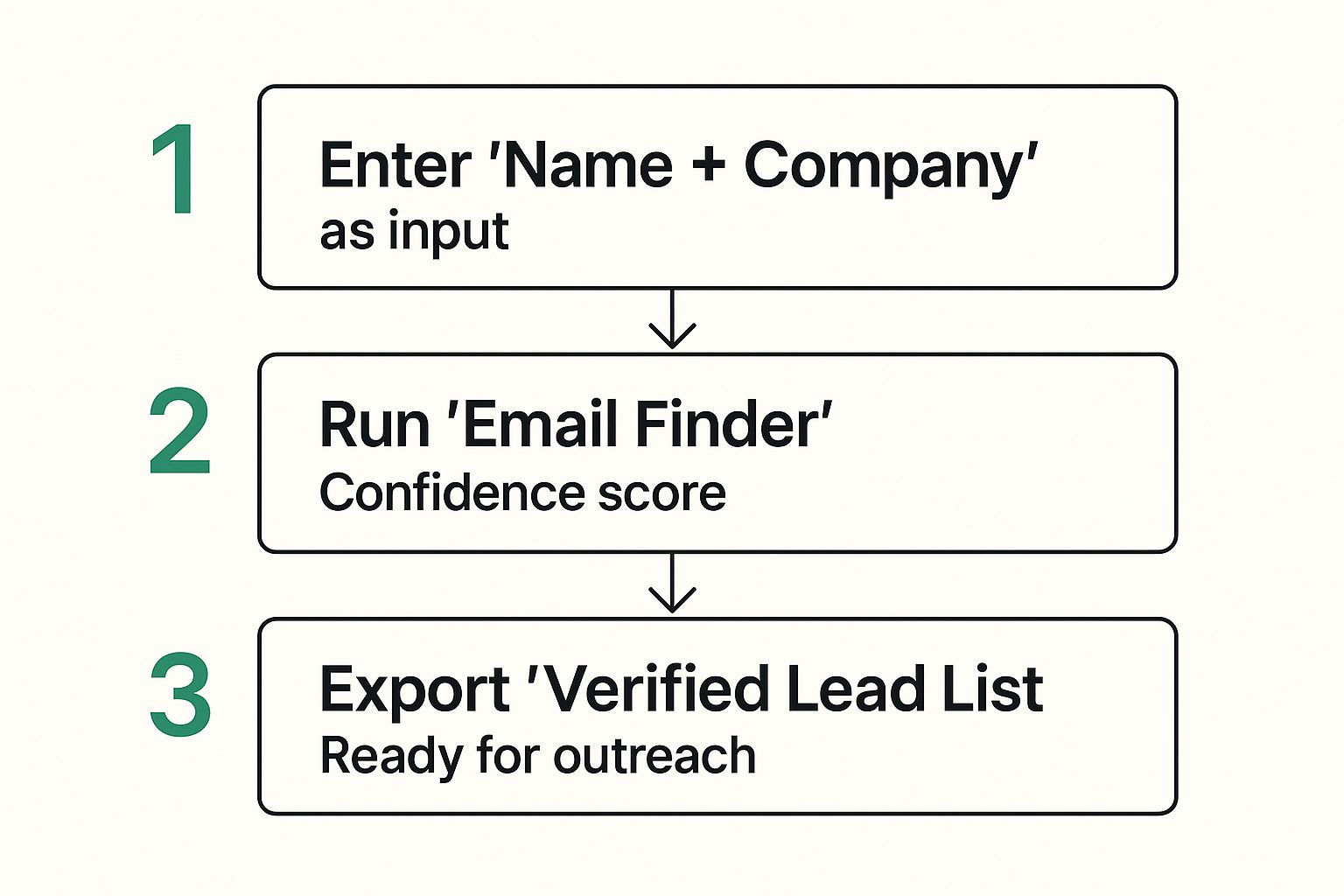
Of course, finding the email is only half the battle. You need to be sure it's accurate, or your whole campaign could flop.
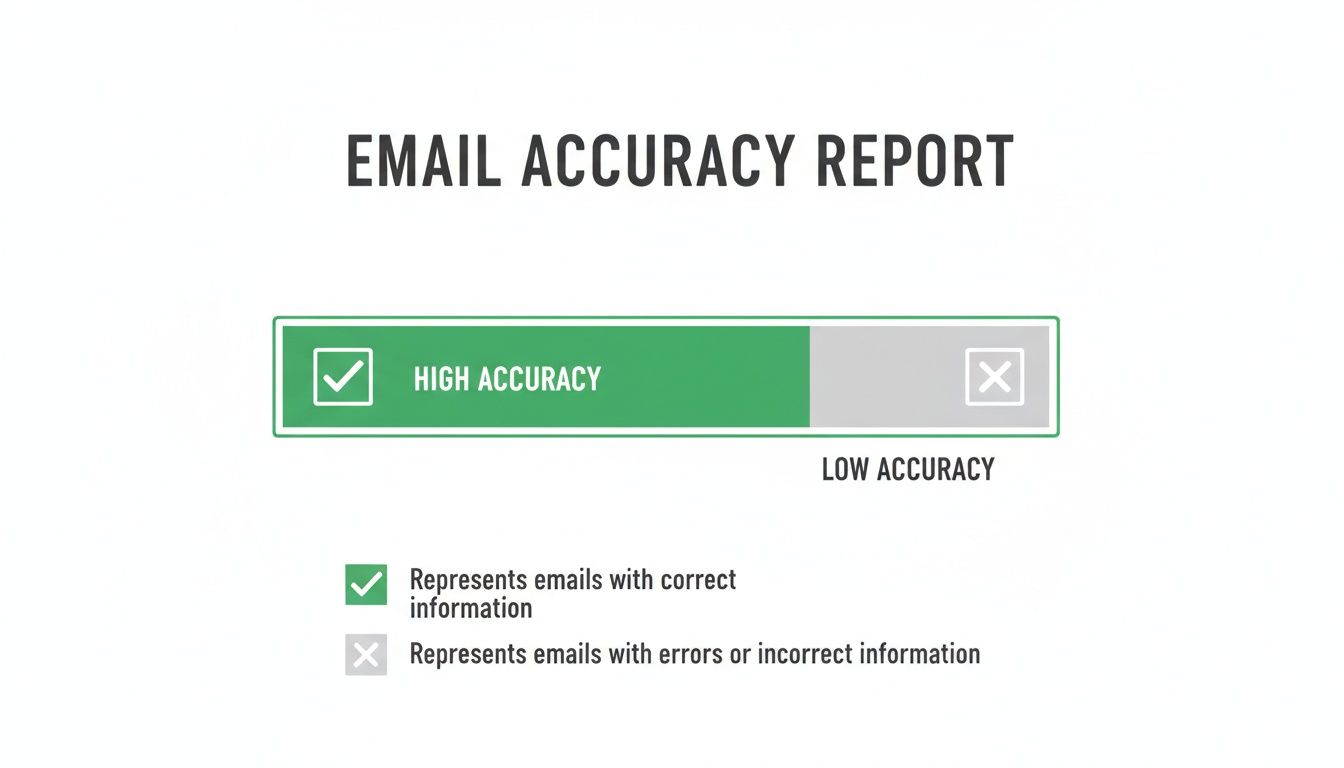
As you can see, relying on high-accuracy sources is non-negotiable. It has a direct impact on your deliverability and protects your sender reputation.
Comparison of Email Finding Methods
So, when should you go manual, and when should you fire up a tool? It really depends on your goal. Manual methods have their place, but for anything beyond a handful of contacts, the efficiency of a dedicated tool is undeniable.
| Method | Speed | Cost | Scalability | Best For |
|---|---|---|---|---|
| Manual Searching | Slow, one-by-one | Free | Very Low | One-off searches, highly targeted individual outreach. |
| Email Finder Tools | Fast, bulk processing | Subscription-based | High | Building lead lists, sales prospecting, PR & outreach campaigns. |
Ultimately, a good email finder saves you your most valuable resource: time. That time is better spent building relationships, not digging through search results.
Automating Your Prospecting While You Browse
The best email finders take things even further with passive automation. These features work quietly in the background, building your contact lists for you while you just go about your day browsing the web. A feature like AutoSave is a complete game-changer here.
Here’s how it works in the real world:
You’re a sales rep tasked with building a list of marketing managers in the software industry. Your daily routine is already packed with browsing LinkedIn profiles, company websites, and industry news.
With AutoSave turned on, the email finder extension automatically spots and saves contact info from the relevant profiles you visit. You’re not clicking anything for each person; you’re just doing your research. The tool is silently building a lead list for you in the background. At the end of the day, you can export a clean, organized list without having wasted a single minute on data entry.
This passive collection method turns every browsing session into a productive prospecting activity. You can build a rich pipeline of contacts with almost no active effort, ensuring no good lead slips through the cracks.
This level of automation completely changes how you think about lead generation. It shifts you from an "active hunting" model to a "passive gathering" one. This frees you up to focus on what actually moves the needle—crafting personalized outreach and building relationships, not just finding the address to send your message to.
Crafting Outreach That Earns a Reply
So you’ve found their email. The real work starts now.
Having a verified email address is like holding a key. How you turn it decides if the door opens or gets slammed shut. Your first message is everything—it's what turns a simple contact into a real conversation.
Don’t be the person who sends a generic, self-serving email. That’s a one-way ticket to the spam folder. Good outreach is built on respect, value, and a bit of genuine effort. It's about proving you've done your homework before you ask for a single second of their time.
The Power of Genuine Personalization
Personalization isn’t just plugging {{first_name}} into a template. Anyone can do that. Real personalization shows you actually know who you're talking to and what they care about. It’s what separates an email that feels like a marketing blast from one that feels like it was written just for them.
Before you type a single word, spend five minutes on them. Find a recent blog post they wrote, a project they just launched, or even an interesting comment they left on LinkedIn.
Mentioning something specific shows you’re not a bot. For instance, a subject line like "Quick Question" is lazy and easy to ignore. But what about, "Loved your recent article on project management"? That immediately shows you’ve paid attention and establishes a relevant connection.
Provide Value Before You Ask for Anything
This is the golden rule of cold outreach: give before you get. Your first email needs to be all about them, not about what you want. Nobody owes you a reply, so you have to earn it.
What does "value" look like? It can be simpler than you think:
- Share a useful resource: Found an article, tool, or study that solves a problem you know they have? Send it over.
- Offer a genuine compliment: Did you admire a specific piece of their work? Tell them, and explain why it caught your eye.
- Provide a helpful insight: Maybe you noticed a small opportunity for them or a trend they'd find interesting. Share it constructively.
The goal is to shift their mindset from, "What does this person want?" to "This person gets what I do and might actually be helpful." It’s a subtle change, but it makes all the difference in getting a positive response.
Navigating Legal and Ethical Waters
Once you decide to use that email, you’re stepping into a world with rules. Ignoring legal and ethical guidelines isn't just bad for business—it can get you hit with serious penalties and tank your company's reputation.
You absolutely need to know about two key regulations:
- CAN-SPAM Act: This is the U.S. law for commercial email. It's pretty straightforward: be honest about who you are, don't use misleading subject lines, and give people an easy way to opt out.
- GDPR (General Data Protection Regulation): If you're contacting anyone in the EU, GDPR is a big deal. You need a "legitimate interest" to reach out, which means your reason for contacting them must be directly related to their professional role.
The big idea behind these laws is consent and relevance. Never, ever add someone to a marketing newsletter without their explicit permission. Always include a simple unsubscribe link. Your initial email should feel like a targeted, professional inquiry, not an unsolicited sales pitch.
Following these rules doesn't just keep you out of trouble; it shows respect and helps build the trust you need to start a real conversation.
Questions We Hear All the Time
When you're deep in the outreach game, a few questions always pop up about the right way to find and use someone's email. Let's tackle the most common ones we get, so you can move forward with total confidence.
Is It Actually Legal to Find and Email Someone for Business?
Yes, in most B2B situations, it's generally fine, but you absolutely have to play by the rules. Regulations like GDPR in Europe and the CAN-SPAM Act in the U.S. revolve around the idea of "legitimate interest."
What does that mean? If your service or product is genuinely a good fit for someone's professional role, you usually have a solid reason to reach out. But that's not a green light to spam.
The golden rule here is to be transparent and respectful. Always state who you are, make sure your message offers real value, and—this is non-negotiable—give them a crystal-clear, easy way to opt out. And whatever you do, never buy email lists. They're a cesspool of bad, non-compliant data that will wreck your sender reputation.
What Should I Do If an Email Bounces?
A bounce is a critical piece of feedback, and you need to act on it immediately. What you do next depends on the type of bounce.
- Hard Bounce: This is a dead end. The email is invalid, doesn't exist, or has been shut down. You must delete it from your list right away. Repeatedly hitting dead-end addresses is a massive red flag to email providers and will tank your sender score, sending more of your emails straight to the spam folder.
- Soft Bounce: This is just a temporary snag. The person's inbox could be full, or their company's server might be having a moment. It's usually okay to try resending in a day or two.
But before you give up after a hard bounce, do a quick sanity check. Did you spell the name or domain correctly? It's shockingly easy to make a small typo. You could also try another common email pattern (like j.doe@ instead of jane.doe@) and run it through a verifier before hitting send again.
How Do I Verify an Email Without Actually Sending a Message?
This is exactly what email verification tools were built for. These services are your secret weapon for protecting your sender reputation. They run a series of technical checks to confirm an address is valid without sending a single email, so you never have to risk a hard bounce.
Here’s a peek behind the curtain at how it usually works:
- Syntax Check: First, the tool makes sure the email looks right (it has an @ symbol, a valid domain, etc.).
- Domain & Server Check: Next, it confirms the domain is real and has a mail server (MX records) set up to receive emails.
- Mailbox Ping: This is the magic step. The service talks directly to the mail server and asks, "Hey, does this specific mailbox exist?" The server gives a simple yes or no, and no email is ever delivered.
Running your emails through a verifier before you send your first message is just good outreach hygiene. It's what separates the pros from the amateurs. Most top-tier email finders have this built right in, making it a seamless step in your workflow to find someones email and actually connect with them.
Ready to stop guessing and start connecting? The EmailScout Chrome extension gives you the power to find verified email addresses in a single click, right from LinkedIn profiles and company websites. Try it today and build your outreach lists faster than ever.
Find unlimited emails for free at https://emailscout.io