Tag: linkedin outreach

  • Lead Generation for Consultants: A Practical Playbook

    Lead Generation for Consultants: A Practical Playbook

    You can be good at what you do and still feel stuck in a strange kind of limbo. The calendar has a few discovery calls, referrals arrive now and then, LinkedIn looks active enough, and yet there's no dependable flow of qualified conversations that turn into signed work. That's usually the point where consultants start posting more, emailing more, and hoping the next busy week becomes a pipeline.

    The better move is to stop treating lead generation like a collection of tactics and start treating it like a revenue model. A consulting pipeline can be built backward, from the close rate you need, to the number of proposals that must go out, to the conversations you need each week, to the outreach volume that can create those conversations. Once that math is clear, every channel choice becomes a practical decision about what feeds the model, not a guess about what's trendy.

    Why Most Consultants Struggle to Build a Real Pipeline

    A lot of consultants are visible to a small circle, occasionally get introduced to the right person, and then spend too much time polishing proposals that never get signed. That feels like demand generation, but it's really dependency on luck, timing, and the memory of old relationships. The pattern shows up again and again in professional services because direct outreach still outperforms many passive channels in consulting marketing, and the channel that gets consultants the most clients has historically been proactive phone calls, not broad branding campaigns (Consulting Success study).

    The bigger problem is that consulting pipelines sit inside a wider B2B environment where lead-to-customer conversion is often weak. Industry benchmarks place average B2B lead-to-customer conversion around 2% to 5%, and some 2026 datasets put the overall lead-to-customer rate at 0.94% (Consulting Success study). That means raw lead volume by itself doesn't solve much. Most leads never become clients without sustained nurturing, and the key skill is creating enough qualified conversations to compensate for the inevitable drop-off.

    Start With the revenue math

    The cleanest way to think about lead generation for consultants is to reverse-engineer the pipeline from revenue. Pick the revenue goal first, then define the close rate you can reasonably expect, the number of proposals that need to land, and the weekly conversation volume required to produce those proposals. If you skip that sequence, you end up chasing activity instead of outcomes.

    Practical rule: if you can't state how many qualified conversations you need each week, you don't have a pipeline target yet, you have a wish.

    That model changes how you look at your calendar. A week with three good conversations and one serious next step is more valuable than a week full of likes, comments, and “let's reconnect soon” messages. It also explains why consultants with decent reputations can still feel unpredictable, their market knows them, but the funnel isn't engineered.

    A funnel diagram illustrating the consultant's pipeline problem, showing a reduction from many potential market leads to few actual inquiries.

    Build a one-page target model

    Use a simple worksheet with four lines. Revenue goal. Expected close rate. Proposals required. Conversations required each week. Once those are filled in, the rest of the article becomes a question of which channels feed the top of that model most efficiently.

    Most consultants don't need more hustle, they need a clearer count of what “enough” actually means.

    Pick a Niche and Define an Ideal Client Profile That Sells

    A niche only works if it passes three tests, a specific problem, a specific buyer, and a specific context. If any one of those is too broad, your message gets vague and your outreach starts sounding interchangeable with everyone else's. The useful shift is from “I help B2B companies with strategy” to something a real buyer can recognize as their own situation.

    Write the niche in buyer language

    Start with the problem, not the service line. Then name who feels it and when it becomes urgent. For example, “I help post-funding SaaS revenue leaders fix broken pipeline handoffs before forecast misses start showing up in board meetings” is much sharper than a general strategy label, because it gives the prospect a reason to self-identify.

    A real Ideal Client Profile should go beyond firmographics. Include company size, buyer title, trigger events, and the exact words the buyer uses to describe the pain. If you need a refresher on the shape of an ICP, the internal guide on what an ideal customer profile is is a good reference point for turning broad market language into a usable filter.

    Here's the test I'd use before spending money or time on outreach:

    1. Trigger event: What recently happened that makes this person buy now?
    2. Decision context: What kind of company or team is this happening inside?
    3. Buyer language: How would they describe the problem without using consulting jargon?

    Validate it with real conversations

    You don't need a research project to prove your ICP. Talk to three recent clients or close-fit prospects and ask why they chose you, what almost stopped them, and how they explained the problem internally. Then tighten your positioning until the buyer, the problem, and the context all line up.

    A sharp ICP improves results across channels because it narrows the audience before the message is written. Your LinkedIn profile becomes more legible, your email reply rate gets cleaner, and your referrals are easier to make because people know exactly who to send your way. The win isn't just better targeting, it's less friction everywhere you ask for attention.

    Choosing the Right Mix of Channels for Your Consulting Practice

    A consulting pipeline works best when the channel mix is built backward from revenue, not forward from whatever feels familiar. Start with the close rate you can realistically hit, then estimate how many proposals you need, how many real sales conversations those proposals require, and how much outreach volume or inbound traffic it takes to create those conversations. That sequence keeps the work grounded in math, which matters when time is tight and every channel has a cost.

    For most consultants, the practical answer is two primary channels, then a few support channels that keep the system from going cold. One channel should create direct conversations. The other should build trust or make the first touch easier. If a channel does not help one of those jobs, it usually becomes a distraction.

    Channel Time to first call Weekly time cost Best for
    LinkedIn Fast when the profile and sequence are tight Moderate Warm outreach, authority building, and relationship-driven niches
    Cold email Fast if the list is precise Moderate Targeted accounts and trigger-based outreach
    Content Slower at first, compounding over time Moderate Trust-building and buyer education
    Referrals Often fastest when relationships are active Low to moderate High-trust consulting offers
    Partnerships Moderate Moderate Firms that already serve the same buyer from a different angle

    LinkedIn works well when the buyer already spends time there and your profile does part of the selling before the first message goes out. Cold email works when the list is tight, the timing is right, and the contact data is good enough to keep bounce rates low. Content takes longer to produce calls, but it helps buyers understand your point of view before they compare you to other consultants. Referrals and partnerships usually convert best once trust already exists, which is why they tend to support the rest of the system instead of replacing it.

    That pattern shows up in consulting research and buyer behavior. A 2023 Hinge Marketing study reported that 81% of professional services buyers review a firm's thought leadership before engaging, and high-growth consulting firms generate more leads from digital channels than average-growth firms. Consultant-focused benchmarks also show LinkedIn as a common primary source of leads, while regular blogging is associated with more qualified leads. Those signals point in the same direction. Buyers check credibility before they respond, and the channel mix has to support that behavior.

    Pick channels by job, not by preference

    If you need conversations quickly, start with LinkedIn and cold email. If your positioning still needs work, pair content with referrals so the market can see how you think before you ask for time. If you already have a strong network, partnerships can keep the pipeline moving without adding a lot of manual effort.

    For the outbound piece, the contact layer matters as much as the message. A list built with clean targeting and reliable data gives cold email a chance to work, and a tool like EmailScout's cold email outreach guide can help you keep that engine supplied with the right contacts. Without that input, even a good sequence stalls because the wrong people are getting the right message.

    A solo consultant with limited hours usually does best with one outbound channel, one trust channel, and a light referral habit on top. That mix keeps the work focused without relying on a single source of calls.

    The test is whether the channels all feed the same revenue model. If your close rate is weak, adding more outreach volume will not fix it. If your conversations are weak, more content alone will not fill the pipeline. The right mix supports the same target buyer from first touch to signed project.

    Prospects also raise objections before they buy, even when they like the idea. Having a clear response path matters, which is why a practical guide to objection handling for sales teams belongs in the same system as your channel plan. A good mix gets the meeting. A good follow-up process helps you keep it moving.

    Running LinkedIn and Cold Email Outreach That Books Calls

    Most outreach fails because it asks for too much too soon, or it reads like a template with a name dropped into it. The sequences that book calls feel like short, relevant conversations, and each touch gives the buyer one clear reason to keep responding. That applies to LinkedIn and email, even though the mechanics are different.

    Keep the LinkedIn sequence short and human

    Start with a profile that makes the buyer understand who you help and what kind of problem you solve. Then use a simple connection request that refers to something specific and does not jump straight into a pitch. If they accept, send a short value note, then a second message that connects your expertise to a problem they likely care about.

    A practical sequence looks like this, in spirit:

    • Connection request: mention a recent post, role change, or company move.
    • Value note: share one useful observation or resource tied to their world.
    • Soft pitch: invite a short conversation if the problem is active.
    • Breakup message: close the loop politely if there is no response.

    Cold email should follow that rhythm, but it needs a stronger reason for contact. A trigger event gives the email a reason to exist. That could be a hiring push, a leadership change, a funding event, or a visible shift in the company's priorities. The message should be short, specific, and easy to answer.

    A clean email sequence also depends on list quality. The route from target account to verified contact is where a lot of consultant outbound either gets built properly or falls apart. A practical cold email outreach guide helps keep the contact layer supplied so the rest of the system has a chance to work.

    Use discovery tools to keep the list fed

    A contact-discovery layer matters. A tool like EmailScout can help turn a list of target companies into verified decision-maker emails while you browse, and its autosave and URL Explorer features can keep contact discovery moving without forcing you to copy and paste everything by hand. Use it as the list-building step, then move the names into your outreach system rather than treating discovery as the whole job.

    The same discipline applies to deliverability and list hygiene. Do not spray the same message across a broad, weak list. Segment tightly, remove obvious mismatches, and keep the sequence short enough that it feels like one coherent thread instead of a blast.

    Prospects also raise objections before they buy, even when they like the idea. Having a clear response path matters, which is why a practical guide to objection handling for sales teams belongs in the same system as your channel plan. A good sequence gets the meeting. A good follow-up process keeps the deal moving after the first reply.

    Run the sequence with enough volume to matter

    Neutral benchmark data for consulting outreach suggests LinkedIn connection acceptance rates of 35-50%, cold email open rates of 40-60%, combined outreach response rates of 8-15%, and response-to-meeting conversion rates of 25-40% (Lead Driver). That is a reminder that quality and follow-up matter more than raw send volume.

    For cold outbound, guidance for consulting outreach also points to 30-50 personalized messages per week from senior practitioners, with 8-15% response rates and about 30% response-to-first-meeting conversion (Lead Driver). Those are not magic numbers, but they do show how much the list and the message matter. If your weekly output is too small, the funnel never gets a chance to work.

    Turning Content, Referrals, and Partnerships into a Steady Flow

    The channels that compound are usually the ones consultants underuse because the payoff feels slow. A single good post, a clean referral habit, and a few active partners can do more for long-term pipeline health than a month of random outreach. The key is consistency without turning yourself into a full-time creator.

    Keep content lightweight and useful

    One useful LinkedIn post per week is enough to start. It should teach something concrete, reflect a real client pattern, or explain a diagnostic you use. If you also run an opt-in newsletter for warm leads, keep it focused on practical observations, not brand storytelling for its own sake.

    Content works because buyers often want reassurance before they reply. In consulting research, 81% of professional services buyers review thought leadership before engaging, and high-growth firms generate more leads from digital channels than average firms (100Signals). That doesn't mean you need a huge content engine, it means your thinking needs somewhere visible to live.

    Turn happy clients into a referral rhythm

    Referrals shouldn't feel awkward if the timing is right. The best moment to ask is usually right after a visible win, when the client can clearly explain the value they got. Keep the ask short.

    A simple script sounds like this, in plain English, “If you know one colleague dealing with this same issue, I'd be glad to help them too.” That's cleaner than a big referral program with incentives that nobody remembers. A 15-minute check-in every quarter with past clients also works better than waiting for them to think of you on their own.

    Partnerships are similar, but they need a clearer structure. Complementary agencies, accountants, and fractional CFOs often sit near the same buyer and can introduce you into conversations you'd never reach alone. The arrangement works best when both sides know what qualifies as a fit and what kind of introduction each person should expect to send.

    The easiest partner program to run is the one with one clear audience, one clear referral trigger, and one person on each side who actually follows up.

    Keep the relationships active, keep the ask simple, and make sure your partners can explain your value without rephrasing your entire service line.

    Qualifying Leads and Following Up Without Losing Good Prospects

    The fastest way to waste a consulting pipeline is to let weak-fit calls fill your calendar. A good qualification framework keeps you honest about who should move forward and who should be sent to a different lane. It also makes follow-up easier because you already know what matters to the buyer.

    Qualify on fit before you get attached to the lead

    For consultants, the useful filter is simple, problem clarity, timeline urgency, budget alignment, and decision authority. If those aren't roughly in place, the prospect may still be worth nurturing, but they probably aren't a proposal-ready conversation. Ask about the current pain, what happens if nothing changes, who else is involved, and whether this is a near-term priority.

    The tone matters. You're deciding whether your work can help, and that is a different job from extracting answers. If the answers are fuzzy, slow the process down instead of pushing for a close.

    Use the internal reference on how to qualify sales leads if you want a sharper framework for structuring those questions. The core idea is the same. Don't confuse curiosity with commitment.

    Follow up like a consultant, not a reminder bot

    Send the recap quickly after the call, while the problem is still fresh. Keep the proposal tight, tied to the outcomes they named, and specific enough that it doesn't read like a menu of options. If the opportunity stalls, don't send a generic “just checking in” message. Add something useful, a short insight, a relevant example, or a question that narrows the next step.

    Prospects who almost fit deserve a decision, not a pile of half-finished next steps. Refer them out if another provider is a better match, keep them in a light newsletter if timing is the issue, or decline politely if the work doesn't fit your model. That protects your calendar for better conversations.

    Practical rule: the follow-up that gets attention usually changes the buyer's understanding of the problem, it changes the buyer's understanding of the problem rather than repeating the last ask.

    When you handle qualification and follow-up well, you stop clogging the pipeline with conversations that were never likely to close.

    Measure What Matters and Optimize the System

    A pipeline starts to get healthy when the numbers line up with booked conversations, proposals, and closed work. Vanity metrics can make activity look busy while actual pipeline stays thin. A better dashboard starts with a small set of leading and lagging indicators tied back to the revenue model you built at the start.

    Track the signals that predict revenue

    The leading indicators are the ones you can influence this week. Response rate by channel, qualified conversations booked, and list growth show whether your system is feeding itself. The lagging indicators are proposal value, close rate, and revenue by channel, which show what the market converted.

    Review the numbers on a weekly cadence, then make one focused change instead of rewriting the whole strategy. If LinkedIn responses are strong but meetings are weak, the profile or CTA may be the problem. If email opens are fine but replies are thin, the list quality or offer timing probably needs work. If proposals are coming in but close rate is soft, the issue is usually in qualification, positioning, or the gap between the call and the offer.

    Know when to persist and when to cut

    A channel does not deserve time just because it feels familiar. If you've run a consistent effort and response is still low after a real test window, move on and reallocate the time. One weak channel can drain the whole model if you keep feeding it.

    Use the outreach engine to support the pipeline, not to decorate it. That means keeping your contact discovery fresh, your list hygiene clean, and your sequences short enough to manage without friction. It also means using tools like EmailScout to keep verified contacts flowing into the system while you focus on the parts only a human can do, like qualification and follow-up.

    Practical takeaway: measure the ratio of conversations to opportunities, not just clicks to impressions, and tie every channel back to booked calls.

    The goal is a system you can maintain next month, not a campaign that looks impressive for one week and then dies. When the numbers are simple, the decisions get easier.

  • A Guide to LinkedIn Find Email Strategies

    A Guide to LinkedIn Find Email Strategies

    Trying to get a prospect's email from their LinkedIn profile can feel like the first, and biggest, hurdle in any outreach campaign. I've been there. This guide is my playbook for getting it done, covering everything from powerful one-click browser extensions to the old-school detective work that still pays off.

    Your Modern Playbook for Finding Emails on LinkedIn

    A laptop on a wooden desk displays 'Find Emails Fast' on its screen, surrounded by office items.

    Guesswork doesn't cut it in serious prospecting. Whether you're a salesperson building a pipeline, a marketer kicking off a campaign, or a recruiter hunting for that perfect candidate, knowing how to reliably pull an email from a LinkedIn profile is a fundamental skill.

    This guide will walk you through the whole process. We'll cover the fast and easy ways, but also the manual tricks for those tough-to-find contacts.

    You'll learn a few key strategies:

    • Automated Tools: How to use browser extensions like EmailScout to find an email in seconds, right on someone's profile.
    • Manual Sleuthing: The art of picking up clues from a profile and figuring out common company email patterns.
    • Verification: Why you absolutely must confirm an email is valid before you hit send—it's all about protecting your sender score and making sure your message actually lands.

    Why This Skill Matters

    Getting good at finding emails is a huge part of effective LinkedIn Lead Generation Strategies that open doors to real opportunities. Let's face it, LinkedIn is the center of the B2B universe.

    The numbers don't lie. Over half of all B2B marketers (53%) use LinkedIn to find prospects, and 40% say it's their single most effective channel for finding high-quality leads. It's where the action is.

    The real magic happens when you mix and match these techniques. A great tool might get you 80% of the emails you need, but those manual skills will help you track down that final 20%—and that's often where the highest-value prospects are hiding.

    To give you a clearer picture, here’s a quick breakdown of the different approaches.

    Email Finding Methods At a Glance

    Method Speed Typical Accuracy Best For
    Browser Extensions Instant High (with verification) Quickly finding emails for individuals or small batches.
    Manual Search Slow Varies High-value, hard-to-find prospects.
    Company Patterns Moderate Moderate to High Finding emails when you know the company format.

    This playbook gives you a clear roadmap, showing you when to lean on automation and when to roll up your sleeves and do some digging. Once you've got those emails, you can put them to good use with some smart marketing and outreach strategies.

    Let's be honest: spending hours hunting for emails is a massive time sink. Why play detective when you can let technology do the heavy lifting in seconds? This is exactly where a LinkedIn email finder like EmailScout completely changes the game.

    These tools, usually simple browser extensions, plug right into your workflow. What was once a tedious, manual task becomes a simple one-click action.

    Think about it. Say you're an SDR who needs to build a list of 50 marketing managers in the SaaS world. Doing that by hand could easily eat up your entire afternoon. With an email finder, you just land on a profile, click a button, and boom—you’ve got a verified email. All that time you save can be poured back into what really matters: writing great outreach.

    Getting Your Finder Tool Set Up

    Getting started is usually dead simple. Most of these tools are browser extensions you can grab from the Chrome Web Store in just a couple of clicks. Once it's installed, a little icon will pop up in your browser's toolbar.

    Just pin the icon so it's always visible, then head over to any LinkedIn profile. You'll notice the tool's icon light up or a small widget will appear on the page. That's your signal that it's ready to go to work. This seamless integration is what makes these tools so valuable for daily prospecting.

    The accuracy of these tools has gotten seriously impressive lately. In one test, a top-tier finder hit a 91% email find rate when searching with just a name and company website. That's a huge leap from the old days of guesswork and bounced emails.

    The One-Click Find on a Profile

    This is the bread and butter of any good LinkedIn email finder. You’ve landed on the profile of your ideal prospect—let's call her Jane Doe, the VP of Marketing at a target company. The EmailScout widget will be right there on the page. Just click "Find Email," and the search begins in real time.

    The tool instantly gets to work, checking multiple data sources, figuring out the company's email pattern, and running a quick verification. In a matter of moments, it serves up a professional email address, often with a confidence score to show how likely it is to be valid.

    Pro Tip: Don't just find and forget. Get in the habit of using features like 'AutoSave.' This will automatically add any contacts you find to a specific list, keeping your prospecting organized and ensuring you don't lose track of great leads while browsing.

    Many tools also offer bulk-finding right from a LinkedIn search results page. This lets you pull contact info from a whole page of prospects at once, making list-building incredibly fast. To see how different options stack up, check out our guide on the best email finder tools.

    This chart gives you a quick look at how some of the top tools perform on accuracy, which is probably the most important factor when you're picking one.

    As you can tell, the accuracy rates are pretty high across the board. For you, this means fewer bounced emails and more time spent actually connecting with people. That kind of precision is critical for keeping your sender reputation healthy and making sure your outreach campaigns hit their mark.

    Mastering the Manual Art of Finding LinkedIn Emails

    Sometimes, the automated tools just hit a wall. Maybe the person you're trying to reach just started at a new company, or maybe their digital footprint is unusually small. This is where a little old-fashioned detective work comes in, turning what looks like a dead end into a genuine opportunity.

    It takes a bit more patience, but these hands-on tactics are surprisingly effective for tracking down those really tough-to-find contacts.

    First, let's get one thing straight: you need to look beyond the obvious "Contact Info" button on a LinkedIn profile. People leave breadcrumbs all over the place, often in plain sight.

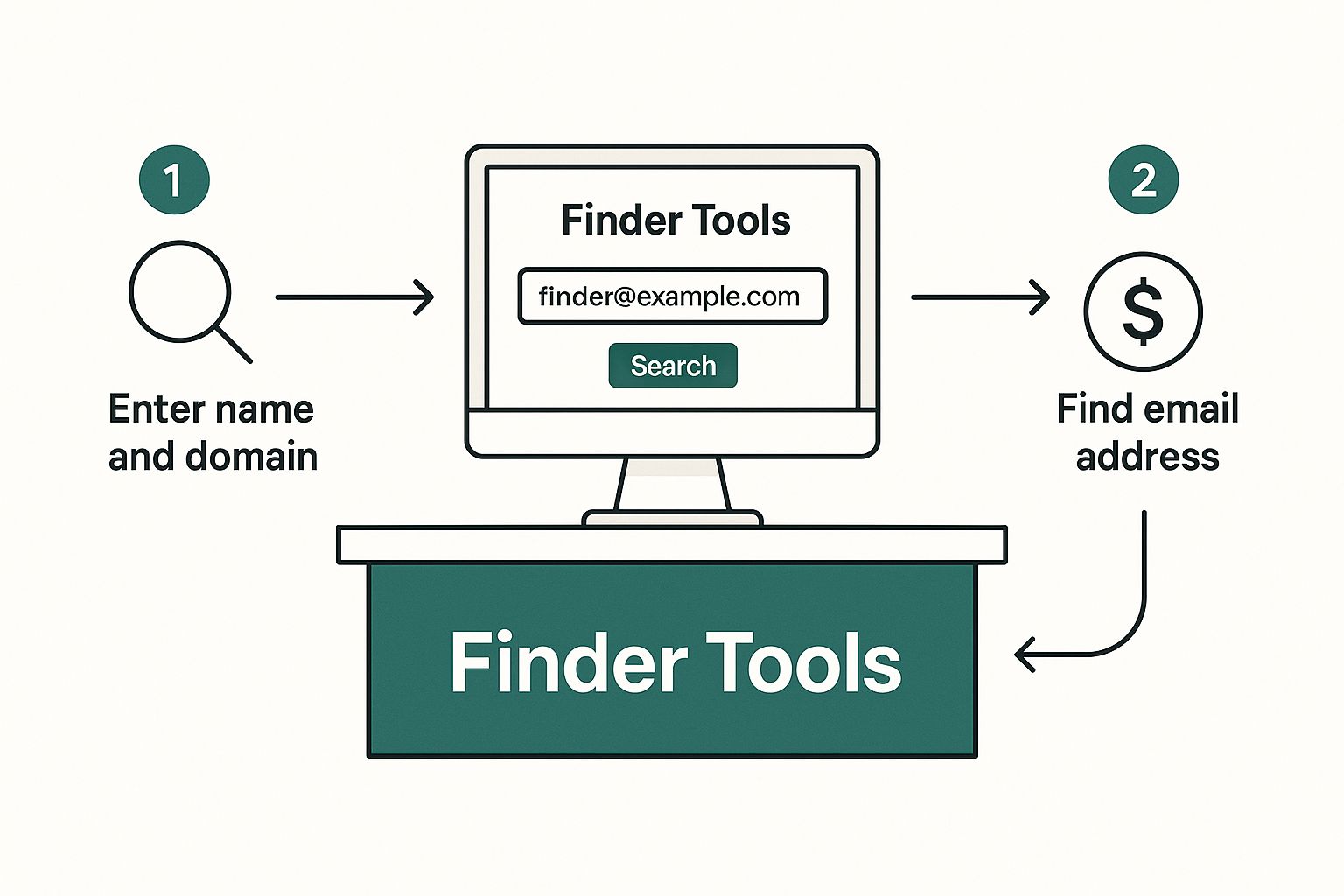
    The process diagram below shows how a typical automated tool works. We're about to dig into what you do when that simple process fails.

    Process diagram illustrating installation, data finding, and information export using blue icons.

    While the tools focus on installation and extraction, our manual approach is all about investigation.

    Scouring the Profile for Hidden Clues

    Your first move should be a thorough read-through of their About section. You'd be amazed how many people, especially founders and consultants, drop their email address right at the bottom with a call to action. It’s a direct invitation to connect, and it gets missed all the time.

    Next, look for a personal website or portfolio link in their profile header. This is a potential goldmine. A quick click often takes you straight to a contact page with the exact email you're looking for.

    Don't forget to check their recent activity, either. Have they published a LinkedIn article or newsletter? Their email might be tucked away in the author bio. It’s all about thinking one step beyond the main profile page.

    Decoding the Company Email Pattern

    This is a classic technique, and for good reason—it works. Most companies use a standard format for all their employee emails. If you can crack the code for one person, you can pretty much guess anyone's email at that organization.

    The most common patterns are usually some variation of:

    • firstname.lastname@company.com
    • firstinitial.lastname@company.com (like j.doe@company.com)
    • firstname@company.com

    So, how do you find the pattern? Easy. You just need to find one employee's email address from that company. A great place to start is the company’s press or media page, where they often list a contact for media inquiries. Once you have one confirmed email, you've got the key.

    For instance, if you find a press contact is jane.smith@abccorp.com, you can bet your target, John Doe, is almost certainly john.doe@abccorp.com.

    Cross-Referencing with a Smart Google Search

    Once you have a name and a company, Google is your best friend. But a lazy, simple search probably won't get you there. You need to use advanced search operators to filter out all the noise.

    Try a search string that looks something like this:

    "John Doe" AND "ABC Corp" AND email

    The quotation marks are critical—they tell Google to search for that exact phrase, which makes your results way more accurate. You can even get more specific and search for the patterns you suspect:

    "j.doe@abccorp.com"

    This trick can sometimes pull up an email if it was listed on a conference speaker list, a guest blog post, or some other public directory. By combining these manual techniques, you'll have a powerful toolkit to linkedin find email addresses that even the best automated systems might have missed.

    Validating Emails and Crafting Your First Message

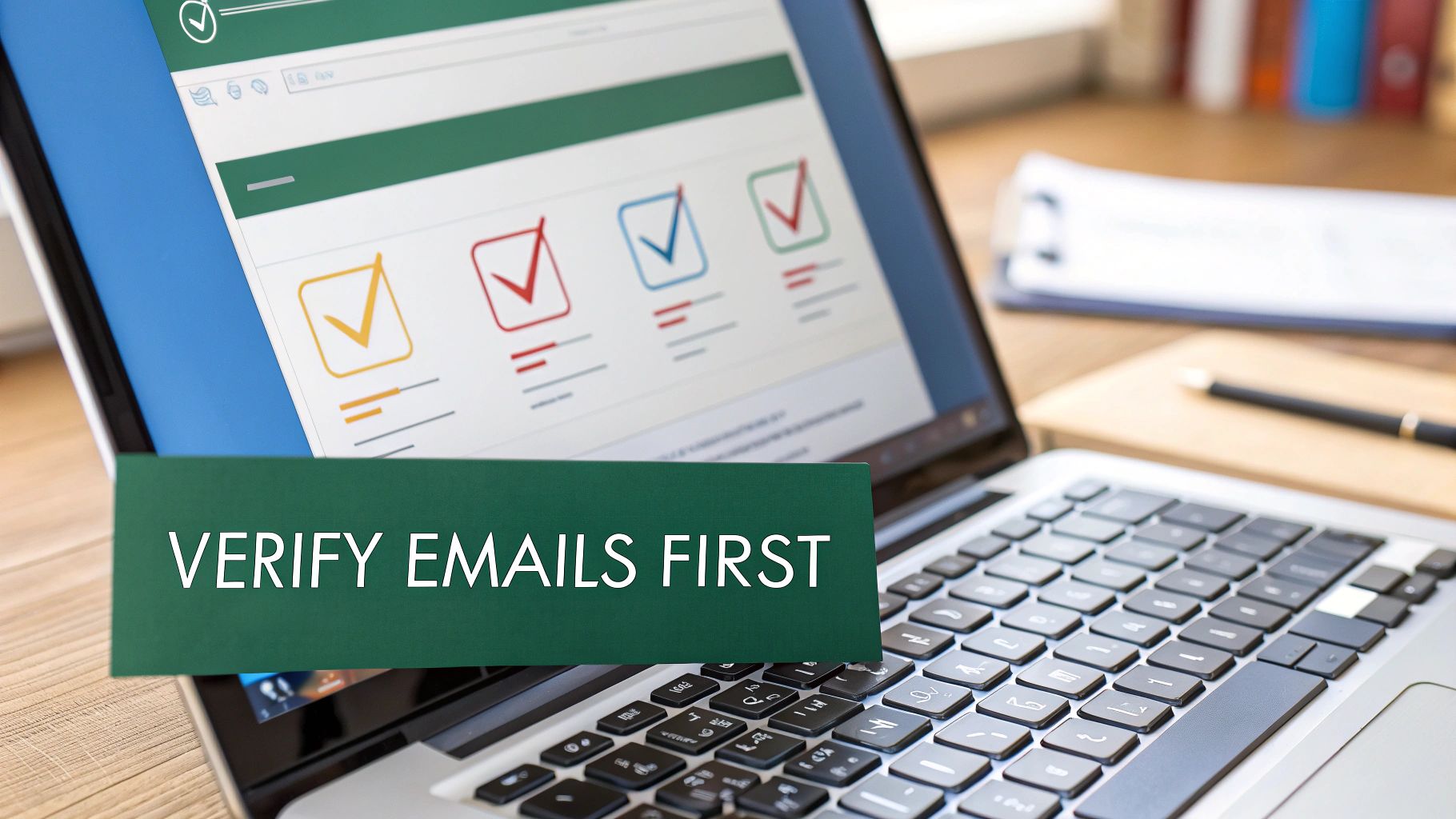
    A green card with 'VERIFY EMAILS FIRST' on a laptop screen displaying checkmarks.

    Finding an email on a LinkedIn profile is a great first step, but it’s definitely not the end of the road. What you do next—verifying the address and writing a message that actually gets opened—is what separates a successful outreach campaign from a quick trip to their spam folder.

    Don't even think about sending a message to an unverified email. It's a gamble you just can't afford. A high bounce rate screams "spam" to email providers like Google and Microsoft, tanking your sender reputation and potentially getting your whole domain blacklisted.

    Why Email Verification Is Non-Negotiable

    Think of verification as a quick quality check for your outreach list. It's an automated process that confirms an email address is live and can receive messages. Skipping this is like paying for a billboard without checking if it’s even on a real road.

    Most verification tools give you one of three results:

    • Valid: Green light. The email is confirmed and safe to contact.
    • Risky (or Accept-All): The server is set up to accept any email, so the tool can't be 100% sure this specific address works. These can be a bit of a coin toss.
    • Invalid: Red light. The address doesn't exist. Sending to this will guarantee a hard bounce.

    My rule of thumb? Ditch the invalid emails immediately. For the risky ones, it's your call, but I’d tread carefully. Protecting your sender score is the most important thing for any long-term outreach strategy.

    If you want to get into the weeds of how these tools work, you can learn more about how to validate an email address and the tech behind it.

    Crafting a Compelling First Message

    Once your email is verified, it’s time to write something that earns a reply. While the process of finding the email was technical, your outreach needs to be all human. Generic, robotic templates get deleted in a heartbeat. The magic formula is personalization, brevity, and value.

    It's also worth noting the power of the platform where you found them. Recent data shows LinkedIn direct messages rock a reply rate of 10.3%—that's more than double the average cold email response rate of 5.1%. This makes a one-two punch of email and LinkedIn follow-ups incredibly powerful. You can check out the full State of LinkedIn Outreach report to see how the trends are shaping up.

    Here are a couple of field-tested templates I've had success with. Use them as a starting point, but always swap in the specific details you found on their profile.

    Networking Outreach Template

    Subject: Connecting from the [Your Industry] world

    Hi [FirstName],

    I saw your recent post on LinkedIn about [Specific Topic] and was really impressed with your take on [Mention a Specific Point]. Your work at [CompanyName] in that area is exactly what our industry needs more of.

    I’m also working on [Related Project/Field] and would love to connect with other sharp minds in the space. No sales pitch, just a genuine interest in your perspective.

    Best,
    [Your Name]

    Sales Outreach Template

    Subject: Idea for [Prospect's Company]’s [Specific Goal]

    Hi [FirstName],

    I noticed on your LinkedIn profile that you’re leading the charge on [Project or Responsibility] at [CompanyName]. I imagine that improving [Metric like 'user onboarding' or 'lead conversion'] is a constant focus.

    We recently helped [Similar Company] achieve [Specific Result, e.g., a 15% lift in signups] by implementing a strategy around [Your Solution Area].

    I have a specific idea for how [Prospect's Company] could do something similar. Do you have 10 minutes next week to hear it?

    Regards,
    [Your Name]

    Navigating Privacy and Legal Considerations

    Finding a professional email is standard practice, but it's absolutely critical to play by the rules. This isn't just about finding contact information; it’s about starting conversations the right way—ethically, legally, and respectfully.

    First off, let's talk about LinkedIn itself. Their terms of service are crystal clear: they strictly prohibit scraping or using unauthorized automation to hoover up user data. This is exactly why you should always use a reputable, well-integrated tool instead of some sketchy script that could get your account flagged or banned.

    Beyond the platform's own rules, you've got global data privacy regulations to think about. You don't need a law degree, but you do need to be smart about how you conduct your outreach.

    Key Regulations to Know

    Two major regulations really set the tone for commercial email: GDPR in Europe and the CAN-SPAM Act in the U.S. They're different, but they share the same core principles: be transparent and give people an easy way out.

    • GDPR (General Data Protection Regulation): If you're reaching out to folks in the EU, you need a "legitimate interest" to process their data. For B2B outreach, this often fits the bill, but only if your message is directly relevant to their professional role. Most importantly, you must give them a clear way to opt-out.

    • CAN-SPAM Act: In the United States, this law demands that your commercial emails are clearly marked as ads, include your valid physical postal address, and feature a dead-simple, functional unsubscribe link.

    This isn't about jumping through legal hoops. It's about building trust. That little opt-out link isn't just a requirement—it shows you respect the other person's time and inbox, which is just good business.

    Ultimately, your entire approach should be guided by respect. Before you start finding emails, take a moment to understand the landscape. A thorough read of our Privacy Policy can offer a clear picture of responsible data handling practices.

    Always be upfront about who you are, why you're reaching out, and how they can easily say "no thanks." This ethical foundation is what makes your outreach effective, compliant, and professional.

    Frequently Asked Questions About Finding Emails

    Even with the best tools, you’re bound to have questions when you start pulling emails from LinkedIn. This whole process lives at the intersection of tech, sales strategy, and privacy rules. Getting clear answers is key to building a confident, effective outreach process.

    Let's dig into the questions I hear most often.

    Is It Legal to Find and Use LinkedIn Emails for Outreach?

    The short answer is yes, using business emails for commercial outreach is generally legal—but you have to follow the rules. Regulations like the CAN-SPAM Act in the U.S. and GDPR in Europe don't ban cold outreach, but they have strict requirements.

    You always need to:

    • Give people a dead-simple way to opt out of future emails.
    • Be upfront about who you are and avoid shady subject lines.
    • Clearly state if the message is an advertisement.

    The real takeaway here is to be ethical. Sending a relevant, valuable message to a work email you found is standard practice. But aggressively scraping data in a way that breaks LinkedIn's terms of service could get your account flagged.

    What Is the Most Accurate Method?

    There's no single silver bullet, but a hybrid approach gets you the closest to 100% accuracy. A top-tier email finder like EmailScout is a fantastic starting point, giving you speed and precision. Many of these tools boast accuracy rates over 90% because they check multiple public sources and run verifications in real-time.

    That said, the undisputed champ for accuracy is finding the email yourself—listed right on a company's official website or in a press release.

    A smart workflow looks like this:

    1. Use a finder tool to grab a likely email address in seconds.
    2. Pop that email into a verification tool to confirm it’s active.
    3. For a really important prospect, do a quick manual search as a final check.

    This layered approach gives you the most reliable data to work with.

    What Should I Do if an Email Bounces Back?

    A bounce is a hard no—the address is bad. The very first thing you need to do is delete it from your list immediately. Email providers see a high bounce rate as a huge red flag. It tanks your sender reputation and sends your future emails straight to the spam folder.

    Once it's removed, check for any obvious typos. If you don't spot any, try a different common email pattern for that company. For instance, if firstname.lastname@ bounced, give firstinitial.lastname@ a shot. If that fails too, it's time to change your approach. A personalized LinkedIn connection request or an InMail is a great plan B.

    Can I Find Personal Email Addresses?

    Sometimes you might stumble upon a personal email (like a Gmail or Yahoo address) in someone's contact details, but professional tools are built to find corporate emails. I strongly recommend you keep all your commercial outreach focused on those professional addresses.

    Hitting someone's personal inbox for work feels intrusive and, frankly, it’s just not as effective. It can also land you in hot water with privacy laws like GDPR, which are way stricter about using personal data. Stick to their work identity—it’s just better business.


    Ready to stop guessing and start connecting? EmailScout lets you find verified email addresses from any LinkedIn profile with a single click. You can finally streamline your prospecting, build clean lists, and get hours back in your day. Try it for free and see how easy it is to find unlimited emails.

  • How to Find Emails on LinkedIn

    How to Find Emails on LinkedIn

    You might think finding someone's email on LinkedIn is a huge hassle, but it's actually way simpler than you'd expect. It really just comes down to having the right tool for the job. A good Chrome extension can pull professional contact info right from a person's profile, letting you skip the crowded world of InMail altogether.

    This lets you connect with people where they spend most of their day: their inbox. The real goal is to move the conversation off the platform so you can build a direct, more meaningful connection.

    Why Email Is Your LinkedIn Outreach Superpower

    Image

    Sure, LinkedIn InMail is fine for a first touchpoint, but a direct email is the gold standard for any serious professional conversation. Think about it this way: LinkedIn is like the world's biggest B2B directory, but email is your private, direct line to the people listed in it. Dropping a message into a cluttered InMail folder is like trying to have a conversation in a packed stadium. An email, on the other hand, is a one-on-one meeting.

    This difference is huge in the real world. Let's say you're a sales rep trying to reach a VP of Engineering at a hot tech startup. Your InMail is probably going to get buried under a dozen other pitches. But a sharp, well-written email lands in a space they reserve for important business. It lets you attach detailed proposals, book meetings without the back-and-forth, and keep a clean record of your conversation.

    The Strategic Advantage of Email

    The real power of email goes way beyond just getting your message seen. It puts you in complete control of your outreach. You’re not stuck with LinkedIn’s character limits or clunky interface. Instead, you can format your message exactly how you want, track when it's opened, and follow up with precision.

    This level of control is a game-changer for a lot of roles:

    • Recruiters: If you're sourcing a highly specialized candidate, like a machine learning expert, you need to send over detailed job specs and company info. Email is perfect for this, letting you share documents and keep the conversation professional, away from the noise of a social media platform.
    • Marketers: For a marketer launching a new B2B service, an email list built from targeted LinkedIn profiles is an absolute goldmine. It's the ideal way to nurture leads, announce product updates, and build a real audience.
    • Founders: An entrepreneur looking for strategic partners can use email to send formal introductions and detailed proposals that just carry more weight than a quick LinkedIn message ever could.

    LinkedIn is your discovery engine. You use it to find the right people. Email is your action engine. You use it to start and build the relationships that actually grow your business.

    Tapping into a Professional Goldmine

    LinkedIn has become the center of the professional universe, boasting over 1.2 billion members as of early 2025. This massive, active user base makes it an incredible resource for anyone who needs to find emails on LinkedIn. With a huge chunk of its users aged 25 to 34, you have a direct line to a whole generation of decision-makers. You can see the complete statistics to get a better sense of LinkedIn's powerful user base.

    When you boil it down, combining LinkedIn's search power with direct email outreach gives you the best of both worlds. You get the rich data and context from LinkedIn, but with the reliability and professionalism of email. This strategy turns a simple connection request into a genuine business conversation, setting you up for real, lasting professional relationships.

    Alright, let's move from theory to practice. You know why you need emails from LinkedIn, but now it's time to get the right tool in your hands. Setting up EmailScout is incredibly simple—the whole point is to get you from zero to finding your first verified email in minutes.

    The journey starts at the Chrome Web Store. Just a quick search for "EmailScout" gets you right where you need to be. This is where you'll add the email-finding power directly into your browser, making it a core part of your LinkedIn prospecting workflow.

    Installing the Extension

    First things first, you need to add the extension to your Chrome browser. Don't worry, this isn't some clunky software install. It’s a one-click process that weaves the tool right into your browser.

    Here's the official EmailScout listing on the Chrome Web Store.

    Just hit that big "Add to Chrome" button. Once it's installed, I highly recommend "pinning" the EmailScout icon to your toolbar. It keeps it handy for whenever you're browsing profiles.

    With the extension ready, you'll notice a small EmailScout widget appearing on LinkedIn profiles. It’s designed to be subtle, giving you the functionality you need without getting in your way. Now, let's get your account set up.

    The best tools are the ones that feel like a natural extension of your existing process. A good Chrome extension should work with your LinkedIn workflow, not against it, making data accessible right where you need it.

    Creating Your Account and First Search

    The first time you use the widget, EmailScout will ask you to create a free account. It's a quick registration that unlocks all the features. Once you're signed up and logged in, the extension is live and ready to start digging up contact info.

    There’s no complicated setup. Just head over to any LinkedIn profile you're interested in. You'll spot the EmailScout widget on the side of the page, waiting for you.

    • Activation: Click the "Find Email" button inside the widget.
    • Processing: The tool instantly gets to work, searching its database and running its algorithms to find and verify the professional email for that person.
    • Results: In just a few seconds, the verified email address pops up right there on the page.

    That’s the core process for nabbing single emails. If you're looking for broader, company-level strategies, our guide on how to find company email addresses digs much deeper into that side of prospecting.

    The real beauty here is the simplicity. You're not flipping between tabs or exporting data to another tool just to find one person's contact details. It all happens right on the LinkedIn profile, which makes prepping for outreach incredibly fast. This immediate access is what turns LinkedIn from a networking site into a genuine lead-generation machine.

    Finding Single vs. Bulk Emails on LinkedIn

    How you approach finding emails on LinkedIn really boils down to your goal. Are you hunting for one specific, high-value contact? Or are you building a targeted list for a bigger campaign? Let’s break down how to handle both the surgical, single-profile search and the efficient, bulk-extraction method.

    The Sniper Approach: Finding a Single Email

    Imagine you’re trying to reach the Marketing Director at a hot SaaS company you've been tracking. This isn't a time for a generic email blast; your outreach has to be sharp and personal. This is the perfect use case for a single-profile search.

    Once you land on their LinkedIn profile, the process with EmailScout is almost laughably simple. The widget just appears on their page. You click “Find Email,” and the tool does the heavy lifting.

    Within seconds, you have their verified professional email, ready to be copied and dropped into your carefully crafted message.

    This method is all about precision and speed. It completely removes the guesswork and the tedious manual searching that used to eat up so much time. Instead of spending 15 minutes digging for one email, you get it instantly.

    Scaling Up: The Power of Bulk Email Extraction

    Now, let's switch gears. Let's say your goal is broader—you want to connect with every Product Manager in Austin for a networking event you’re hosting. Visiting hundreds of profiles one by one is a non-starter. This is where bulk extraction becomes your best friend.

    It all starts with a smart LinkedIn search. Using LinkedIn's filters is the key to creating a high-quality list. Don't just type "Product Manager" and call it a day. Get specific:

    • Geography: "Austin, Texas Metropolitan Area"
    • Industry: "Computer Software" or "Information Technology and Services"
    • Company Size: "51-200 employees" if you're targeting startups

    With your search results page loaded up with ideal prospects, EmailScout’s bulk feature is ready to go. You'll see an option right on the page to "Export Emails from Search." When you click it, the extension gets to work, systematically going through the profiles on the page to find and verify each person's email address.

    This is how modern, efficient prospecting works—moving smoothly from discovery to outreach.

    Image

    By automating the collection process, you turn what would have been a soul-crushing, multi-hour manual task into a simple background workflow. This frees you up to focus on what actually moves the needle: writing a message that gets a response.

    Comparing Email Finding Methods

    Deciding between a single search and a bulk search is all about your immediate objective. Neither is better than the other; they're just different tools for different jobs.

    Think of it this way: the single-profile search is your sniper rifle for high-value targets. The bulk search is your wide net for gathering a qualified audience. Knowing when to use each is crucial for prospecting efficiently.

    This table should make the choice clear.

    Feature Single Profile Search Bulk Search
    Best For Targeting specific, high-value individuals like key decision-makers or a dream client. Building segmented lists for marketing campaigns, event invitations, or sales cadences.
    Speed Instantaneous, providing one email in seconds. Efficient, collecting dozens of emails from a search results page in minutes.
    Workflow Integrated directly into the profile you are viewing for immediate action. Runs as a process on a search results page, compiling data into an exportable list.
    Primary Goal Precision and immediate personalization. Scale and audience building.

    For example, a business development rep working on enterprise accounts will live in the single-search world for their account-based marketing efforts. On the other hand, a startup founder who wants to announce a new feature to a specific user persona will get massive value from a bulk search.

    By matching the method to the mission, you can dramatically improve how you find emails on LinkedIn.

    Pro Tips to Maximize Your Success Rate

    Image

    Having a powerful tool is a great start, but truly mastering it is what separates the pros from everyone else. Once you start finding emails on LinkedIn, you'll quickly see that not all results are created equal.

    Understanding the subtle differences is the secret to building high-quality, effective outreach lists. Let's move beyond just clicking a button and get into the real strategy. That means knowing exactly what to do when an email isn't immediately verified and how to fine-tune your searches to pull the best possible contacts.

    Understanding Email Verification Statuses

    When EmailScout pulls a result, it comes with a status. This small detail is incredibly important—it tells you how confident you should be in that address and what your next move should be.

    Here's a quick breakdown of what you'll see:

    • Verified: This is the gold standard. The tool has confirmed the email address is active and ready to receive your message. You can use these with high confidence, knowing your email will actually land in their inbox.
    • Risky: This means the tool found a likely email but couldn't get a 100% confirmation. It often follows a known company pattern but might be a catch-all address or just couldn't be definitively pinned down. Use these, but with caution.
    • Not Found: The tool simply couldn’t locate a professional email. This often happens with consultants, freelancers, or people at companies with unusual email structures.

    A 'Not Found' result isn't a dead end—it's a cue to do a little detective work. Check their profile for a personal website or look at the company's 'About Us' page for clues on their email format.

    Smart Searching for Better Bulk Results

    When you’re exporting emails in bulk, the quality of your initial LinkedIn search directly impacts your success rate. A sloppy search will give you a list full of irrelevant contacts and messy data. Tightening up your filters makes a world of difference.

    Instead of just a broad search like "Sales Manager," try targeting profiles more likely to have accessible contact info. People who are highly active on LinkedIn—those who post content, comment frequently, or have a ton of connections—often have more public-facing data available.

    Don't be afraid to target second-degree connections, either. Sometimes these profiles are less locked down than your direct network, which can lead to a higher email find rate. Refining your search is a critical first step; for more advanced methods, check out our guide on how to find anyone's email.

    Cross-Referencing for Those Tough-to-Find Contacts

    For a high-value prospect, sometimes you have to go the extra mile. When EmailScout returns a 'Risky' or 'Not Found' status on someone you absolutely need to reach, cross-referencing is your best move.

    Just take the person's name and company and pop it into a quick Google search. You might find them mentioned in a press release, on a company blog, or in an industry publication with their contact details listed right there.

    This extra step takes only a minute, but it can be the difference between connecting with a key decision-maker and giving up on a lead. By combining automated tools with smart manual checks, you build a much more robust and effective outreach process.

    Using LinkedIn Data Responsibly

    Just because you can find emails on LinkedIn doesn't mean you should immediately blast them with a generic sales pitch. That’s a surefire way to get ignored or marked as spam.

    The real art of outreach is turning a cold contact into a warm conversation, and that journey starts with a healthy dose of responsibility and respect. Every email you find belongs to a real person, so treating their data with care isn't just good practice—it's non-negotiable.

    You have to shift your mindset from "collecting emails" to "earning conversations." The goal isn't just to build the biggest list; it's to build the most relevant one. So, before you even think about hitting send, let's talk about the rules of the road.

    Navigating Privacy and Regulations

    Operating like a professional means you have to play by the rules, and that includes major data privacy regulations. These aren't just polite suggestions; they're laws designed to protect people from getting buried in unsolicited messages. Ignoring them can wreck your sender reputation and cause real headaches for your business.

    Two big ones you absolutely need to know are:

    • GDPR (General Data Protection Regulation): If you're contacting anyone in the European Union, you need a legitimate reason to do so. Your outreach has to be genuinely relevant to their professional role. No exceptions.
    • CAN-SPAM Act: This is a U.S. law with clear requirements. Your commercial emails must be honest, provide an obvious way for people to opt out, and include your physical address.

    The big idea behind these rules is simple: provide value and be transparent. Your first message should feel like a helpful introduction, not a sales ambush. This approach not only respects their privacy but also dramatically increases your odds of getting a positive response.

    From Contact Info to Conversation

    Once you have a verified email, the real work begins: crafting an initial message that actually adds value.

    Sure, LinkedIn DMs get a respectable 10.3% response rate, but a well-personalized cold email can be just as potent. The challenge? A staggering 64% of sales reps are expected to miss their quotas in 2025 because decision-making is taking longer than ever. This is exactly why a sharp, well-crafted email is so critical for breaking through the noise.

    Using a tool like EmailScout helps you operate safely from the get-go. It’s designed to align with LinkedIn's terms by mimicking human behavior, which helps keep your account in good standing.

    By focusing on targeted, respectful communication, you can confidently find business emails and use them to build the kind of genuine professional relationships that actually lead somewhere.

    Even with the best tools in your corner, a few questions are bound to pop up when you start digging for emails on LinkedIn. Knowing the lay of the land—what's legal, what to do when you hit a wall, and how accurate the data is—is the difference between a successful outreach campaign and a frustrating one.

    Let's clear up some of the most common sticking points right away.

    Is It Legal to Find and Use These Emails?

    Yes, but with a huge asterisk. Finding and using publicly available contact info for B2B outreach is generally fine, as long as you play by the rules. You must comply with regulations like GDPR and the CAN-SPAM Act.

    This isn't about blasting a marketing list. It's about responsible, professional communication. Your outreach has to be relevant to the person's job, and you always need to give them a dead-simple way to opt out. The line between legitimate outreach and spam is all about relevance and respect.

    What If an Email Finder Cannot Find an Address?

    It happens. No tool is a mind-reader, and sometimes you'll get a "Not Found." This usually just means the person keeps a tight lid on their profile or their company uses an unconventional email format. Don't sweat it—it's not a dead end.

    You've still got a couple of moves:

    • Make an educated guess: Try common patterns like first.last@company.com or f.lastname@company.com. You'd be surprised how often this works.
    • Warm them up first: Go engage with their content on LinkedIn. A thoughtful comment or a direct message can open the door far more effectively than a cold email ever could, especially if they're a high-value contact.

    A "Not Found" result isn't a failure. It’s a signal to switch from an automated approach to a more personal, hands-on one for that particular lead.

    How Accurate Are the Found Emails?

    This is where a good tool really shows its worth. Reputable finders like EmailScout don't just guess; they run multi-step verification checks. You’ll often see emails tagged as "Verified," which means the tool has confirmed the address is live and ready to receive mail.

    While nothing is ever 100% foolproof, using a verified source dramatically slashes your bounce rate. It’s worlds better than buying some dusty, unverified list—a surefire way to wreck your sender reputation and get your domain blacklisted.

    Can My LinkedIn Account Get Banned?

    LinkedIn's main concern is aggressive, high-volume scraping that messes with their platform. Smart Chrome extensions are built to fly under the radar by mimicking normal human behavior.

    As long as you’re using the tool responsibly and not trying to pull thousands of contacts in a few minutes, the risk to your account is incredibly low. The goal is to work smarter, not just faster.


    Ready to find verified emails with confidence and precision? EmailScout gives you the power to connect directly with key decision-makers, turning LinkedIn into your most powerful lead generation tool. Start finding unlimited emails for free today.

    Get Started with EmailScout for Free