

Sending emails to a list you haven't verified is a bit like setting off on a road trip without a map or a full tank of gas. You might get somewhere, but you're just as likely to end up stranded. To make sure your messages actually land in front of real people, you absolutely have to verify an email list. This means running checks for basic formatting errors, making sure the domain is real, and even pinging the mail server to see if a specific inbox exists.
Why You Must Verify Your Email Lists

Skipping email verification isn't a small mistake—it's a critical error that can sabotage your entire email marketing strategy. Every single email you send to a bad address results in a hard bounce, and you better believe the big Internet Service Providers (ISPs) like Gmail and Outlook are watching.
A high bounce rate is a huge red flag. It tells them you're probably sending low-quality mail, which is a fast track to getting your sender reputation trashed. Once that happens, your emails start getting routed directly to spam folders or, even worse, blocked completely.
Imagine a small business pouring its heart and budget into a new campaign, only for 30% or more of its emails to bounce right back. It's a massive waste of time, money, and potential customers.
The True Cost of a Dirty List
The fallout from a bad list goes way beyond just deliverability issues. It's about getting a real return on your investment and protecting your brand's name.
Here's what you're really risking:
- Wasted Budget: Most email service providers charge based on your list size. Every dead contact on that list is money straight down the drain.
- Skewed Analytics: High bounce rates throw off all your important metrics, like open and click-through rates. You can't tell what's working if your data is a mess.
- Blacklist Risks: Keep sending to bad addresses, and you could end up on a public blacklist. That's a major warning sign to all ISPs and makes it incredibly difficult to get any email delivered.
Let's be blunt: neglecting your list hygiene is one of the fastest ways to kill your email program. Verification isn't just another task on your to-do list; it's the foundation that keeps your sender reputation safe and gives your campaigns a fighting chance.
A Growing Market Underscores Its Importance
The demand for reliable verification tools has exploded for a reason. It's so vital that the global email verification tools market hit a value of USD 0.8 billion in 2023 and is on track to reach USD 2.1 billion by 2032.
This trend makes one thing crystal clear: the most successful companies know that clean data isn't optional. It's the bedrock of effective marketing.
At the end of the day, understanding https://emailscout.io/how-to-check-a-valid-email-address/ is just the starting point. To truly win at email marketing, you need to combine that knowledge with proven strategies to build email lists that actually convert.
Understanding the Layers of Email Verification

When you run an email through a verification tool, you’re not just getting a simple "yes" or "no." It's more like a multi-stage inspection. Each step in the process acts as a filter, designed to catch specific kinds of problems.
Think of it like peeling back the layers of an onion. Each layer reveals more about the true quality and deliverability of an email address. Let's pull back the curtain and see exactly what's happening at each stage.
Before diving into the individual steps, it's helpful to see how these checks build on one another. Each layer provides a progressively deeper level of validation, starting from the most basic format check to a direct conversation with the mail server.
Here’s a quick breakdown of what each layer is responsible for:
| Verification Layer | What It Checks | Problem It Solves |
|---|---|---|
| Syntax & Formatting | The structure of the email address itself. | Catches obvious typos and formatting errors. |
| Domain & DNS | If the domain exists and can receive mail. | Weeds out emails at non-existent or inactive domains. |
| Account Type Analysis | The nature of the email account. | Flags risky addresses like disposable or role-based emails. |
| SMTP Handshake | Whether the specific user mailbox exists. | Provides the final confirmation of deliverability, catching fakes. |
This tiered approach ensures that by the end of the process, you have a clear and reliable picture of whether an email is safe to send to.
The First Filter: Syntax and Formatting
The very first thing any verifier does is a basic grammar check. It scans the address to make sure it follows the universal rules for how an email should be structured. This is the bouncer at the door—if the fundamentals are wrong, it goes no further.
This initial check looks for simple but critical components:
- The "@" Symbol: Is there one, and only one?
- Local Part and Domain: Is there something before the "@" (like "john.smith") and something after it (like "example.com")?
- Valid Characters: Are there any illegal characters, like spaces, that just don't belong in an email address?
This step is great for catching obvious typos like john.smith example.com or johnsmith@example com, but it's really just scratching the surface. An address can have perfect syntax and still be a dead end.
The Second Filter: Domain and Mail Server Check
Once an email passes the syntax test, the tool starts investigating its domain. Just because the domain part—like example.com—is formatted correctly doesn’t mean it's a real website or that it’s even set up to handle email.
This is where things get a bit more technical. The verifier does a DNS (Domain Name System) lookup to confirm the domain is registered and active. More importantly, it looks for MX (Mail Exchange) records. These are basically public signposts that tell the internet which mail servers are in charge of that domain's email.
If a domain has no valid MX records, it's a dead end. No matter what comes before the "@" symbol, there is physically no way for an email to be delivered. This check alone eliminates a massive number of bad addresses.
The Third Filter: Analyzing the Account Type
With the domain confirmed, the focus shifts to the part before the "@"—the part that identifies the user. This layer isn't just about whether the account can get mail, but whether you should be sending to it. It’s all about spotting potential risks to your sender reputation.
This includes flagging addresses like:
- Role-Based Accounts: These are emails like
info@,support@, orsales@. While they're often real, they're usually managed by teams, not individuals. They tend to have low engagement and high complaint rates. - Disposable or Temporary Emails: These are the bane of any clean list. This check identifies addresses from known throwaway email services, preventing them from polluting your data.
Catching these high-risk accounts allows you to segment them out or remove them entirely, protecting your campaigns from the damage they can cause.
The Final Handshake: SMTP Verification
This is the last and most important test. An SMTP check is where the verification service has a direct, polite "conversation" with the recipient's mail server. It perfectly simulates the first step of sending an email—without ever actually sending one.
It’s a bit like calling a business to ask if a specific person works there. The verification tool connects to the mail server and asks, "Hey, do you have a mailbox for john.smith?" The server's response is a clear "yes" or "no."
This final handshake is what confirms whether a specific user account actually exists. It's the ultimate test that separates a truly valid email from one that's going to hard bounce, giving you the highest possible confidence before you hit send.
Choosing the Right Email Verification Toolkit
So, what's the right way to verify an email? The honest answer is: it depends entirely on your situation. A single "best" method simply doesn't exist. The needs of a freelance writer with a small, high-value client list are worlds apart from what a high-growth SaaS company requires for its massive marketing database.
Picking your toolkit really comes down to a balancing act between three things: the size of your list, how often you’re checking emails, and of course, your budget. Figure out where you stand on those three points, and you can find a solution that gives you the accuracy you need without overcomplicating things or breaking the bank.
Manual Spot Checks for Small Scale Needs
If you're only dealing with a handful of important contacts, a quick manual check is often all you need. Think of it as your go-to for double-checking an email from a hot new lead before you pop it into your CRM, or confirming a contact right before a big sales demo. It’s simple, effective, and costs nothing but a few minutes of your time.
Usually, this just involves two simple steps:
- A quick visual scan: Look for obvious typos. You'd be surprised how often
jane.doe@gamil.comslips through. - A simple "ping" test: Send a friendly, low-stakes intro email. If it doesn’t bounce back, you’re likely good to go.
The catch? This approach hits a wall fast. It’s completely impractical for more than a few addresses at a time and won't flag more subtle problems like role-based or disposable email accounts.
Single-Use Web Tools for Quick Verifications
What if you need a more reliable answer for a single email, but you're not ready to commit to a paid service? This is where free online verification tools really shine. They're perfect for quickly validating that one important email you found online or confirming a single entry from a web form.
You just paste the email into a search box and get an instant verdict on its deliverability. It’s a fast, no-fuss way to get a clear answer. If you're looking for some solid options, you can check out some of the best free email verification tools available and see which one you like best.
The main limitation here is volume. Most free tools cap how many emails you can check per day, making them totally unsuitable for cleaning even a small list. They’re built for one-off precision, not bulk work.
Bulk Services and APIs for Serious Volume
For anyone managing a list that runs into the hundreds or thousands, a dedicated bulk verification service is non-negotiable. These platforms are built from the ground up to chew through large files (like a CSV export) in minutes, putting every single address through a comprehensive, multi-step verification gauntlet.
This is the standard playbook for marketers cleaning their newsletter lists, sales teams validating lead databases, or really anyone prepping for a large-scale email campaign. And the market reflects this reality. The bulk email verification service sector was already valued at USD 1.04 billion in 2024 and is on track to hit USD 2.5 billion by 2035—a pretty clear signal of just how vital this has become. You can dig into more of the market data over at wiseguyreports.com.
Now, for developers or businesses that want to stop bad emails before they even start, a verification API (Application Programming Interface) is the ultimate play. By integrating an API directly into your signup forms or apps, you can verify emails in real-time. This instantly blocks typos and fake addresses before they ever get into your database, keeping your lists clean from day one.
To help you decide, here's a quick breakdown of how these methods stack up against each other.
Verification Method Comparison
| Method | Best For | Pros | Cons |
|---|---|---|---|
| Manual Checks | A handful of high-value contacts | Free, quick for single emails | Doesn't scale, error-prone |
| Web Tools | Quick one-off verifications | Fast, easy to use, usually free | Daily limits, not for lists |
| Bulk Services | Lists of 100+ emails | Highly accurate, fast at scale | Subscription or credit-based cost |
| API Integration | Real-time verification on forms/apps | Proactive, keeps lists clean | Requires development resources |
Ultimately, the best method is the one that fits your workflow. A hybrid approach often works best—using an API for signups, a bulk service for quarterly list cleaning, and a free web tool for those random one-offs.
A Practical Guide to Cleaning Your Email List
Alright, let's move from theory to action. Cleaning your email list isn't just a technical chore—it's one of the smartest strategic moves you can make to jack up your campaign performance. The whole process is pretty straightforward, starting with getting your data in order and ending with a clean list that protects your sender reputation.
First things first, you'll need to export your contacts from whatever platform you're using, whether it's HubSpot, Mailchimp, or another CRM. The goal is to get a clean, single-column file with just the email addresses. The gold standard here is a CSV (Comma-Separated Values) file, as pretty much every verification service out there is built to handle it.
As you get your list ready, it’s a good idea to look into various data cleaning tools that can automate some of the grunt work. They can help with basic formatting and cleanup before you even upload your list for the real verification process.
Depending on the size of your list, your approach will change. A handful of emails? You might check them manually. A few thousand? You'll need a dedicated service.
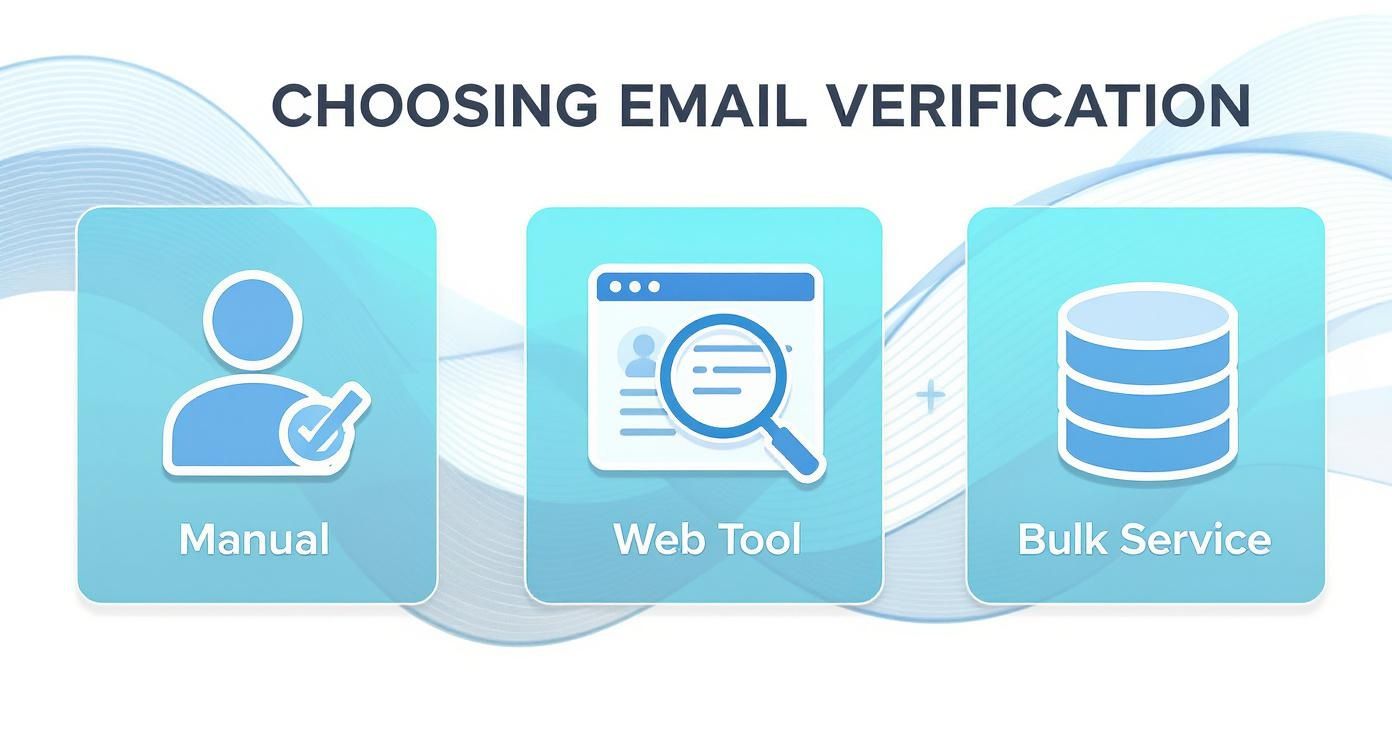
As your list grows, you can see how leaning on a bulk service becomes less of a luxury and more of a necessity for both speed and accuracy.
Decoding Your Verification Results
Once your CSV is uploaded and the verification tool has done its thing, you’ll get a report back. This is where the magic happens. Knowing how to read these results is what separates a successful campaign from a one-way ticket to the spam folder.
Your list will be broken down into a few key categories, and each one demands a different response.
- Valid: Green light. These email addresses are real, active, and safe to send to.
- Invalid: Red light. These are either flat-out fake or have typos. They will cause a hard bounce, so they need to go. Immediately.
- Catch-All (or Accept-All): This is your yellow light. These emails are tied to domains that accept everything sent to them, so it's impossible to know for sure if the specific user exists. Sending to them is a bit of a gamble.
- Spam Trap: This is a major hazard. These are bait emails set up by ISPs to catch spammers. Hitting just one can get your domain blacklisted, tanking your deliverability overnight.
Taking Action on Each Segment
Now for the final step: deciding what to do with each of these segments. Acting quickly and decisively here is crucial for protecting your sender score before you hit "send" on your next campaign.
Here’s a simple game plan:
- Keep All "Valid" Emails: These are your money-makers. They stay right where they are.
- Delete All "Invalid" and "Spam Trap" Emails: Don't think twice. These addresses offer zero value and pose a massive risk. Get them out of your database for good.
- Segment "Catch-All" Emails Carefully: This is where you need a bit of finesse. Instead of trashing them, move them to a separate, low-priority list. You could try sending a low-risk re-engagement campaign to this group to see who bites. If you get no engagement, it’s time to let them go.
By sticking to this workflow, you're doing more than just tidying up a list; you're actively managing and protecting your sender reputation. A disciplined approach gives your emails the best possible shot at landing in the inbox, which means better results and a better return on your effort.
Integrating Real-Time Verification into Your Workflow
Periodically cleaning your email list is a great defensive move, but the best strategy is to play offense. A proactive approach means you stop bad emails from ever getting into your database in the first place. This is where real-time verification completely changes the game.
By integrating a verification API directly into your most critical entry points—signup forms, lead capture pages, checkout flows—you essentially set up an intelligent gatekeeper. This system instantly checks an email address the moment a user types it, giving them immediate feedback.
This simple step is incredibly powerful. It catches common typos (john.doe@gamil.com) and blocks intentionally fake or disposable email addresses before they can pollute your data. The result? A database that stays pristine from day one, saving you a ton of time and resources on future cleanup.
How API Verification Works
Think of an API (Application Programming Interface) as a messenger between your website and an email verification service. When someone enters their email and hits "submit," your form sends that address to the verification service through the API.
In a fraction of a second, the service runs its checks and sends back a simple response: valid or invalid. Your website then uses this answer to either accept the submission or prompt the user to fix their email. The whole thing is seamless and totally invisible to the user, creating a better experience while protecting your data quality. You can even use a simple tool to see how an email validity checker works behind the scenes.
This instant feedback loop is a huge win. It doesn't just keep your list clean—it actually helps improve conversions by letting legitimate users fix simple mistakes that might have caused them to give up and leave.
The security benefits are also a big deal. Real-time verification acts as a crucial first line of defense against security risks. Innovations in this area, like integrating blockchain technology, are making verification even more secure and efficient.
For instance, one case study with a large financial institution showed that implementing a blockchain-based email verification system cut costs tied to email security breaches by 25%. This just goes to show how modern verification techniques can help protect against phishing and other fraudulent activities. To see more trends in email verification, you can explore the insights on the future of email discovery on superagi.com.
Common Questions About Email Verification
Jumping into email verification always brings up a few key questions. If you're wondering about the nitty-gritty details, you're in the right place. Let's tackle some of the most common things people ask.
Verification Or Validation: What Is The Difference?
People throw these terms around interchangeably, but there's a real difference that matters for your deliverability.
Think of it like this:
- Validation is the first, basic sniff test. It just checks the email's format. Does it have an "@" symbol? Is there a domain like ".com"? It confirms the syntax is correct, nothing more.
- Verification is the real deal. It’s the process of actually checking with the mail server to see if that specific inbox exists and is ready to receive emails.
So, while every verified email has been validated, not every validated email is actually deliverable. If you want a genuinely clean list, you need full verification.
How Often Should I Clean My Email List?
There isn't a one-size-fits-all answer, but a solid rule of thumb is to scrub your entire list at least every three to six months.
You might need to do it more often, though. Consider a more frequent cleaning schedule if you:
- See rapid list growth: The more people signing up, the more typos and fake emails you'll get.
- Work in B2B: People switch jobs all the time. B2B email lists can decay at a shocking rate—some studies show as high as 22.5% per year.
- Notice your bounce rate creeping up: A sudden jump in bounces is a red flag. It's time for an immediate cleanup.
Does Verification Guarantee 100 Percent Deliverability?
Simply put, no. And any service that promises 100% deliverability isn't being straight with you.
Verification is a crucial step that massively boosts your chances of hitting the inbox. It confirms an address is real and can accept mail. But it can't account for things like your sender reputation, email content getting flagged, or a recipient's server suddenly blocking you.
Think of verification as getting you to the front door. Whether you're invited inside still depends on other factors.
What Should I Do With Catch-All Emails?
Ah, catch-alls. These are the tricky ones. A catch-all server is set up to accept any email sent to its domain, so you can't be sure if jane.doe@company.com is a real person's inbox or just a black hole.
Sending to them is a risk. Some might be perfectly fine, but many are low-engagement addresses or even spam traps in disguise.
The smartest move is to treat them with caution. Segment all your catch-all addresses into a separate list. Send them a low-stakes engagement campaign—something that doesn't risk your sender reputation. If you get zero opens or clicks, it's safest to just remove them from your active mailing lists for good.
Ready to stop guessing and start sending with confidence? EmailScout provides the powerful tools you need to verify email addresses in real-time or in bulk, ensuring your lists are clean and your campaigns hit their mark. Find unlimited emails for free with EmailScout today!