

You've got a name, a company, and a reason to reach out, but no inbox to reach. Maybe you're a founder chasing a partnership, a freelancer pitching a studio, or a rep trying to reach an operations lead before a competitor does. Knowing how to get someone's email isn't about collecting the longest possible list. It's about finding a named, current, business address, recording where it came from, and using it in a way that won't damage your domain or break the rules.
Five Ways to Find Someone's Email and When Each Works
Say you've got ten minutes to find the right contact at a mid-size agency before your next call. Don't start by guessing formats. Start at the top of this list and move down only when the safer routes fail.
| Method | Best for | Typical cost | Main risk |
|---|---|---|---|
| Company team or contact page | Named staff with public business roles | Low | Page may be outdated |
| Google search with quoted name and domain | Finding a published address on another site | Low | Results can be old or shared |
| EmailScout on pages you visit | Scanning a page or a list of results quickly | Low | Shows only addresses already in page source |
| Direct request by phone or message | Confirming an address before outreach | Low | Slow and needs a clear reason |
| Pattern guessing (first.last@domain) | Last resort when nothing is published | Low | High bounce rate and compliance risk |
Start With What the Company Publishes
Company team, about, speaker, and contact pages are the lowest risk route. A consultancy that lists its partners with bios often publishes a direct address or a contact line under each name. The trade-off is freshness, because team pages lag behind staff changes, so treat what you find as a lead to confirm.
A Google search with a quoted name plus the domain comes next. It surfaces addresses printed in conference programs, press releases, and partner directories that the company's own site doesn't show. You'll get the exact operators in the step-by-step process below.
Speed Up the Manual Work, Then Ask
An extension that reads pages you're already visiting helps when you're checking 20 or more companies in one sitting. Instead of opening source code on every contact page, you scan each result in seconds and log only the addresses that match a named person.
Asking directly by phone or professional message gives you the most reliable result. Say who you are, why you're contacting that person, and ask for the best work address. It's slow, and it doesn't scale, but a confirmed address beats ten plausible ones.
Practical rule: Pattern guessing is a last resort, not a starting point. A format that looks right can still reach the wrong person or nobody at all.
If no named address exists, use a role address such as sales@ or info@ and label it role-based in your records. Pick one method for today's search and define success before you start. You need a named address with a source URL, not just a string that looks like an email.
How to Search for Someone's Email Step by Step
Rushing this process is how people email the wrong Jane Doe at the wrong Acme. Work through these steps in order, and stop when you've got enough evidence.
Confirm the Person and the Domain First
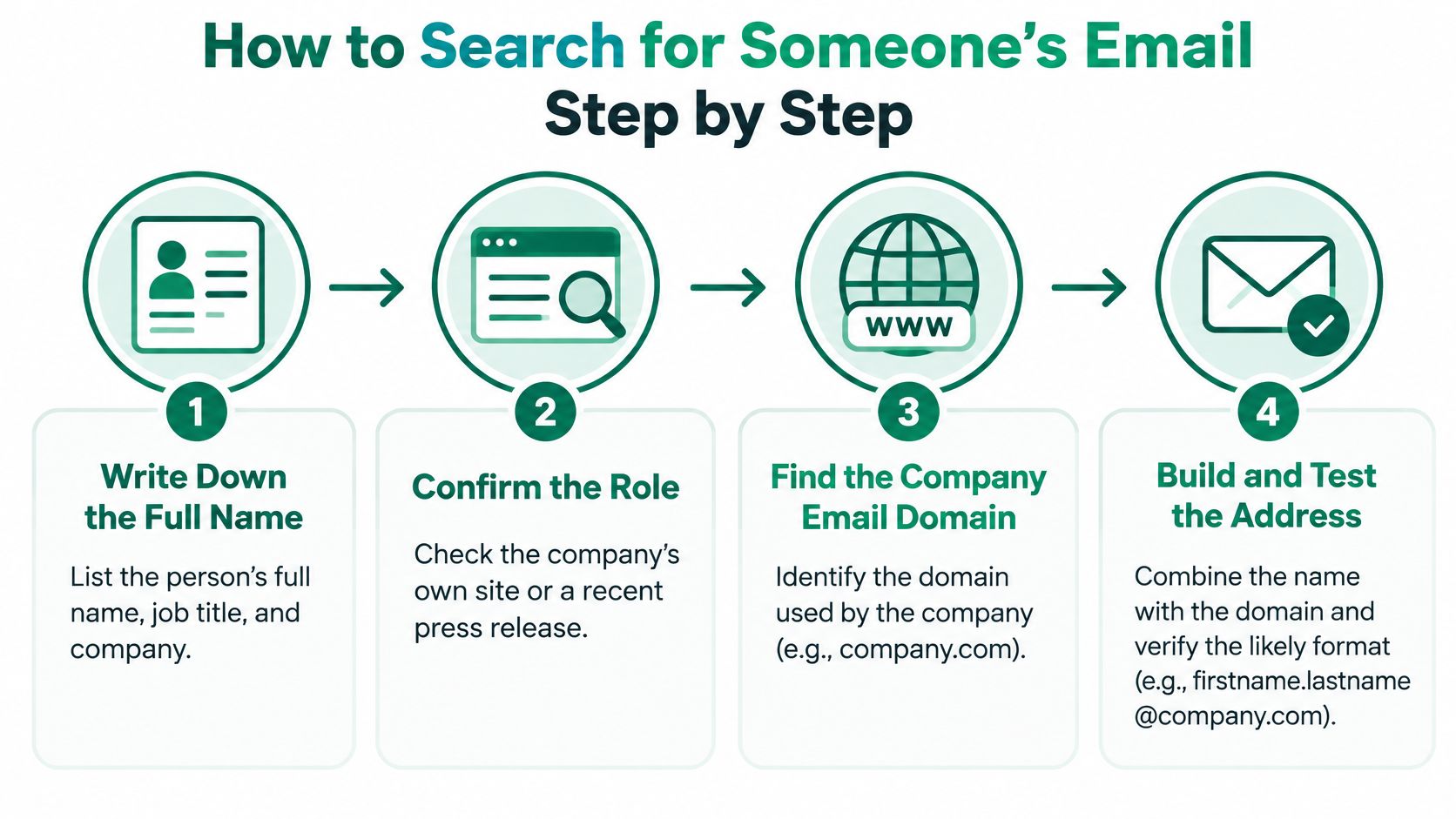
Write down the full name, job title, and company. Then confirm the person still holds that role on the company's own site or in a recent press release. Directories and old articles keep ranking long after someone has left.
Find the company's email domain. Check the website footer, press page, or any published address and note whether it's the main domain or a regional one. A common slip is assuming the website domain and the email domain are identical, when larger firms often use different domains for subsidiaries.
Search With Specific Operators
Search Google with the quoted full name and the domain. Try "Jane Doe" "acme.com" first, then the name with the company name and the word email. Quoting the name forces an exact match, so you don't pull in every Jane who has ever worked near an Acme.
Use site:acme.com with the name. This limits results to the company's own pages, which often include team pages, event programs, and PDF reports with named contacts. PDFs are easy to overlook and frequently carry a direct address in a footer or author block.
Check professional profiles and public articles or talks. Speakers and authors sometimes publish a contact line under a bio. Save the URL for every address you find, because you'll need to show where it came from later.
Searching only a first name is the fastest way to find the wrong person. An address from a company with a similar name can send your message to a complete stranger, and you won't know until they reply or complain.
Know When to Stop
Record a role address as a fallback. If no personal address appears, log the most likely option, such as sales@ or press@, and label it role-based. Don't present it internally as a named contact, because several people may read that inbox.
Stop when two independent sources agree. If the company site and a recent conference program show the same address, you're done. If the main routes have failed, stop instead of guessing more formats and hoping one lands.
A finished record has four parts, the named address, the source URL, the date you checked it, and the confirmed role. Anything missing one of those isn't ready to send to.
That record is what separates a researched contact from a guess. Keep it in the same spreadsheet or CRM field every time, so anyone on your team can audit the list without asking you what you did.
Pulling Addresses from Web Pages with EmailScout
A page scanner has a clear limit you should understand before you rely on it. It reads addresses that are already in a page's source code, so it finds what a site publishes. It doesn't reveal hidden contacts, login-only details, or addresses a company has chosen not to print.
Install and Run Your First Scan
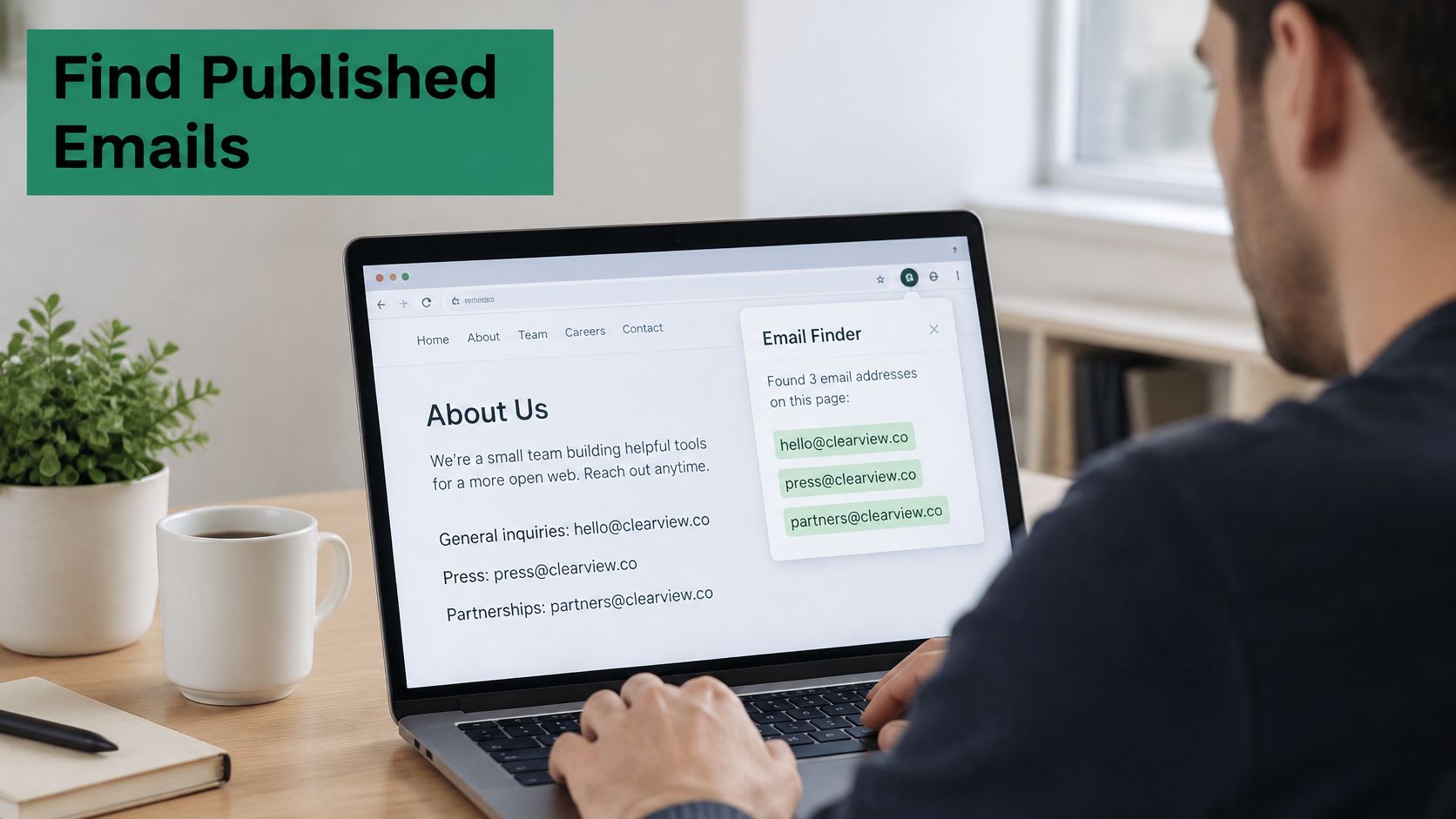
To install EmailScout, go to the Chrome Web Store, search for "EmailScout", and click "Add to Chrome". Then open Chrome and go to the page you want to check. Visit the company's contact or team page rather than only its homepage, because named staff usually sit deeper in the site.
Click the EmailScout icon in the Chrome toolbar while you're on that page. The panel shows the emails found for that domain. Repeat the same check on each result from your Google search, which turns a list of agency sites into a quick scan of their contact pages instead of a slow manual read.
A Worked Example for List Building
Say a freelancer is building a list of local design studios. They open each studio's team page and footer, run the scan, and log only the named addresses with their source page. Role addresses go in a separate column, so they aren't later mistaken for a creative director's direct inbox.
If your prospecting also involves social channels, it's worth comparing approaches, and DMpro lead scraping features give a useful reference point for how structured lead collection differs from reading addresses a website already publishes. Keep the workflows separate in your records, because the source determines what you can credibly say in a first message.
Remember: An address the extension shows you is a candidate, not a verified contact. Every result still needs a role check and a freshness check before you send anything.
You can disable or remove the extension at any time once your list is built if you don't need it sitting in your browser. That keeps your toolbar clean and limits the tools running on pages you visit for other work.
Checking an Address Before You Trust It
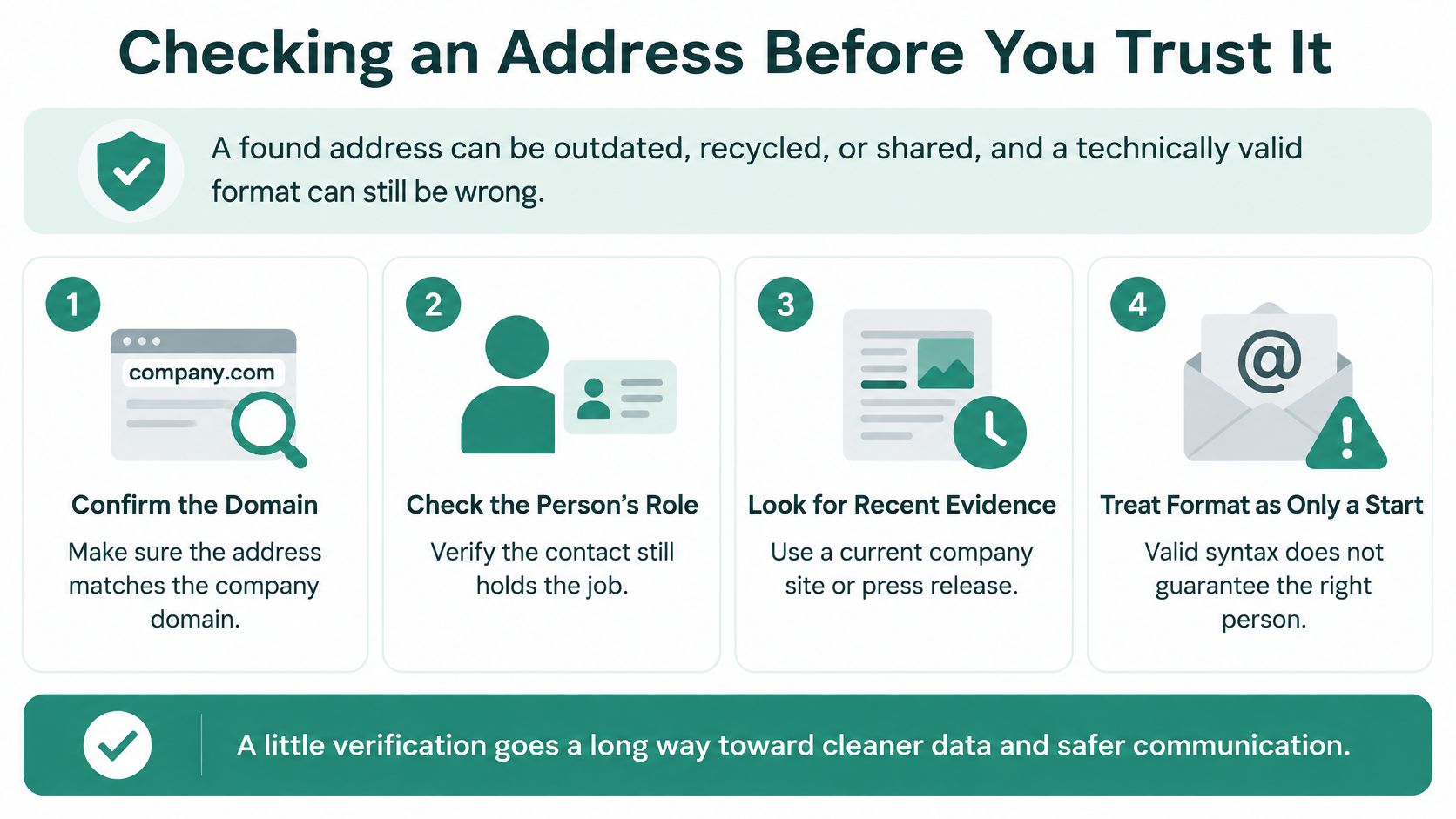
A found address is not a verified one. It can be outdated, recycled, or shared, and a format can be technically valid while still belonging to the wrong person or to nobody.
Run the Same Checks on Every Address
| Check | What it tells you | If it fails |
|---|---|---|
| Domain matches the company's official website | Rules out lookalike or old domains | Drop the address |
| Person still holds the role | Old pages often hold stale addresses | Find a newer source or drop it |
| Format matches two confirmed addresses | Confirms the pattern before any use | Do not send guessed formats at scale |
| Personal or role-shared address | Role inboxes reach several people | Use only for general outreach |
| Source and check date recorded | Lets you show where the address came from | Note the source before sending |
Use a proper validation process rather than sending test messages to see what bounces, and follow a consistent method to validate an email address before outreach so every contact gets the same standard. Record a confidence note and last-checked date for each entry. When you revisit the list in three months, you'll know which records to trust and which to recheck.
Protect Your Sending Domain
Deliverability is where sloppy lists get expensive. Recent benchmark reporting in a 2025 email deliverability checklist places global inbox placement at 87.2% for 2025 sending, with Microsoft at 77.4% inbox placement and 15.1% spam placement. That leaves little room for addresses you haven't checked.
Set up SPF, DKIM, and DMARC on your sending domain before outreach starts, and check your domain with mailX to confirm your setup looks right from the outside. Repeated bounces and spam complaints tell mailbox providers your domain can't be trusted, and that reputation follows every future campaign.
When an address hard bounces, remove it immediately. Don't retry it under a different format, because you're just generating a second bounce against the same domain. A smaller verified list usually produces more real conversations than a large list built on guesses.
Legal Limits for Emailing a Person You Found
Finding an address in public doesn't mean you may use it for any purpose. That's the misconception that gets careful people into trouble. Whether outreach is allowed depends on the recipient's location, your purpose, and whether the address identifies an individual.
| Requirement | United States (CAN-SPAM) | United Kingdom (PECR and data protection) |
|---|---|---|
| Prior permission | Not generally required for commercial email | Corporate subscribers may not need consent; personal data needs a lawful basis |
| Sender identity | Accurate From, To, Reply-To and routing information | Identify yourself and state your purpose |
| Subject line | Must not be deceptive | Must not mislead the recipient about the message |
| Opt-out | Clear mechanism, honored within 10 business days | Respect objections and check a do-not-contact list before future contact |
| Postal address | Valid physical postal address required | Provide clear sender and company contact details |
Read the Two Markets Differently
In the United States, the FTC CAN-SPAM Act compliance guide for business explains that CAN-SPAM does not generally require prior permission for commercial email, but it requires accurate sender information, a non-deceptive subject line, a physical postal address, and a clear opt-out mechanism, with opt-out requests honored within 10 business days. Discoverability doesn't remove any of those duties.
In the United Kingdom, marketing to corporate subscribers may not require consent under PECR, while using personal data about an identifiable business contact remains subject to data-protection rules and requires a lawful basis. A named work address still identifies a person, so don't assume a company domain removes your obligations.
Use One Decision Rule Everywhere
Prefer a company or role address when possible. Document the source and collection date, separate personal contacts from corporate ones, disclose your identity and purpose, and suppress an address immediately after an opt-out. Check your do-not-contact list before every future message, not just before a new campaign.
If you work across borders, review how data privacy regulations affect email finding before you build lists in a new market. Outside the US and UK, apply the same test, confirm the lawful basis for any personal data under local rules, including the EU GDPR, and check local marketing law before the first message goes out. Choose the lawful route for each market first, then worry about copy.
Send Your First Respectful Cold Email
Your first message should prove you did the research. The example below is aimed at a verified operations lead, and every line earns its place.

Build the Message in Five Parts
- Specific subject line: Name the topic so it matches the body, such as a question about onboarding suppliers.
- One identifying sentence: Say who you are and which company you're with.
- One relevance sentence: Explain why this person's role makes them the right contact.
- A single ask: Request one thing, such as a 15-minute call, and make it easy to decline.
- A complete footer: Include your valid postal address and a working opt-out line.
Personalize only from the source you recorded. If you found someone through a talk they gave, reference that talk, don't invent a shared interest. Generic flattery reads as automation, and recipients spot it quickly.
It's tempting to automate that personalization, and Outreach's survey of 500 sales professionals found that in 2025, 54% of surveyed sales teams reported using artificial intelligence for personalized outbound emails. If you use AI to draft, check every claim against your source notes before sending. For structure ideas you can adapt, look at practical email outreach plays for GTM teams and guidance on how to write cold emails that get replies, then rewrite in your own voice.
Test Small Before You Scale
Watch this short walkthrough before you send, then compare its approach with your own draft.
Send to 20 to 30 verified contacts first, not your whole list. Watch bounce and complaint rates, suppress every hard bounce and opt-out, and only scale if the segment stays clean. Pick ten contacts from your verified list today, send that first test this week, and log the results against each source so you learn which finding method produces replies.
Ready to build a cleaner list without opening page source on every site you visit? EmailScout shows you the email addresses a page already publishes while you browse, so you can find decision-makers' contacts, save them with their source, and focus your time on verifying and writing instead of hunting. Install it, scan the team and contact pages on your target list today, and send your first test segment from addresses you can stand behind.