
If you're trying to build a solid lead list without breaking the bank, a free email scraping tool is one of the best moves you can make. These tools, often simple browser extensions like our own EmailScout, are perfect for startups, sales reps, and marketers who need to find publicly available emails on a tight budget. This guide will get you up and running in no time.
Why Bother With a Free Email Scraping Tool?
Let’s be real—manually hunting for contact info is a massive time-suck. For any lean startup or busy sales team, it's a grind that pulls you away from what really matters. A good email scraper flips the script by automating the entire process.
Instead of spending hours clicking through websites, you can pull dozens of publicly listed emails with just a few clicks. This simple shift frees you up to focus on crafting great outreach messages and actually building relationships with potential clients.
The biggest win? You get instant access to lead generation without any financial risk. That’s huge for bootstrapped companies or anyone just testing the waters in a new market. With the right tool, you can quickly fill your CRM, spin up a targeted list for a new campaign, or gather contacts for an upcoming networking push.
The Big Advantages for Your Workflow
Using a free scraper isn't just about saving money. It directly plugs into your workflow and makes you more effective.
- Speed and Efficiency: A task that used to eat up an entire afternoon can now be done in minutes. This speed lets you scale your outreach efforts in a way that just wasn't possible before.
- Zero Cost: Forget about expensive data subscriptions. That money can go back into other critical parts of your business, like ad spend or product development.
- Highly Targeted Lists: You get to be incredibly selective. By choosing exactly which websites to scrape, you ensure every contact on your list is relevant to your niche or campaign.
The true value of a free email scraper isn't just about finding emails—it's about reclaiming your time. It takes a tedious, manual task and turns it into a strategic advantage, letting you build a pipeline while you work on the bigger picture.
When you're choosing a tool, a few key features make all the difference. Not all "free" tools are created equal, and knowing what to look for will save you a ton of headaches down the road.
Here’s a quick rundown of what I consider non-negotiable features for any email scraper worth your time.
Essential Features of a Good Free Email Scraper
This table highlights the features that matter most when choosing a free email scraping tool for effective and reliable data collection.
| Feature | Why It's Important | Example in Action |
|---|---|---|
| Browser Extension | Integrates directly into your workflow, letting you scrape as you browse without switching between apps. | Clicking an extension icon on a LinkedIn profile or a company’s "About Us" page to instantly find emails. |
| Single-Click Export | Saves massive amounts of time by allowing you to move your collected data into a usable format (like CSV) instantly. | After scraping 50 contacts from a search results page, you export them to a CSV for immediate import into your CRM. |
| AutoSave Functionality | Automatically captures emails in the background as you navigate different pages, ensuring you don't miss anything. | You open 10 tabs of potential leads; the tool saves every email it finds without you having to click on each page. |
| No Complex Setup | You should be able to install it and start scraping in under five minutes. Complicated setups defeat the purpose. | Installing a Chrome extension from the Web Store and immediately using it on your next Google search. |
| Generous Free Tier | A good "freemium" model gives you enough credits or usage to actually build a list and see results. | A tool offering 500 free email finds per month, which is enough to kickstart a small outreach campaign. |
Finding a tool with these features ensures you’re not just getting something for free, but something that genuinely adds value to your process.
This "freemium" model has become the standard for a reason. Companies offer a solid number of free credits to get you started, betting that you'll see the value and eventually upgrade. It's a smart strategy—industry estimates suggest a 10-15% conversion rate from free to paid users, which shows just how essential these tools become once you start using them. You can dig into more of these industry trends over at Evaboot.
Your First Email Scraping Setup
Getting a free email scraping tool up and running is way easier than most people think. The best ones are designed to plug right into your browser, essentially turning it into a data-gathering powerhouse in just a couple of minutes. We'll walk through setting up a Chrome extension like EmailScout, since that's the most common and user-friendly way to go.
It all starts at the Chrome Web Store. Just search for the tool you want, and you’ll land right on its installation page. There’s no clunky software to download or install—everything happens inside your browser.
Here’s what you should see when you look up an extension like EmailScout.
That big "Add to Chrome" button makes installation a one-click affair. Honestly, this simplicity is a huge plus for browser-based tools.
Pinning the Extension for Easy Access
After it’s installed, your new tool will be tucked away in your browser's extension menu, which usually looks like a little puzzle piece icon. To keep it handy, you absolutely want to pin it to your toolbar. Just click the puzzle icon, find the email scraper in your list, and click the small pin next to its name.
This tiny step is a massive time-saver. It keeps the tool visible and ready to go, so you can fire it up the second you find a promising website without digging through menus.
Your Pre-Scrape Checklist
Before you dive in and start collecting emails, take a second to click on the extension and see how it works. A good tool will have a clean, obvious layout with very few settings you need to mess with. As you get set up, it’s also helpful to understand the basic principles behind building a robust text extractor from website pages, especially when you're pulling data from sites with a lot of moving parts.
Here are a few things to check before you run your first scrape:
- Login Status: Are you logged in? Most free tools need a quick sign-up to save your lists and keep track of everything.
- AutoSave Feature: Look for an "AutoSave" toggle. If you see one, decide if you want it on. It’s a great feature for passively grabbing emails while you browse different sites.
- Export Options: Glance at how you can get your data out. Knowing if it exports to a CSV file or connects to other apps helps you plan your next steps.
Once your tool is installed and pinned, you've laid the foundation for an efficient lead-gen workflow. The real goal isn't just installing some software; it's about creating a repeatable process that feels completely natural from the very first click.
Scraping Single Pages vs. Multiple URLs
Alright, with the tool installed and ready to go, it's time for the real work. Email collection isn't a one-size-fits-all game. Sometimes you need a surgical strike on a single page, and other times you need to cast a wide net across dozens of websites.
Getting a handle on both single-page and multi-URL scraping is what will make a free tool like this really work for you. Let's break down how to master each approach.
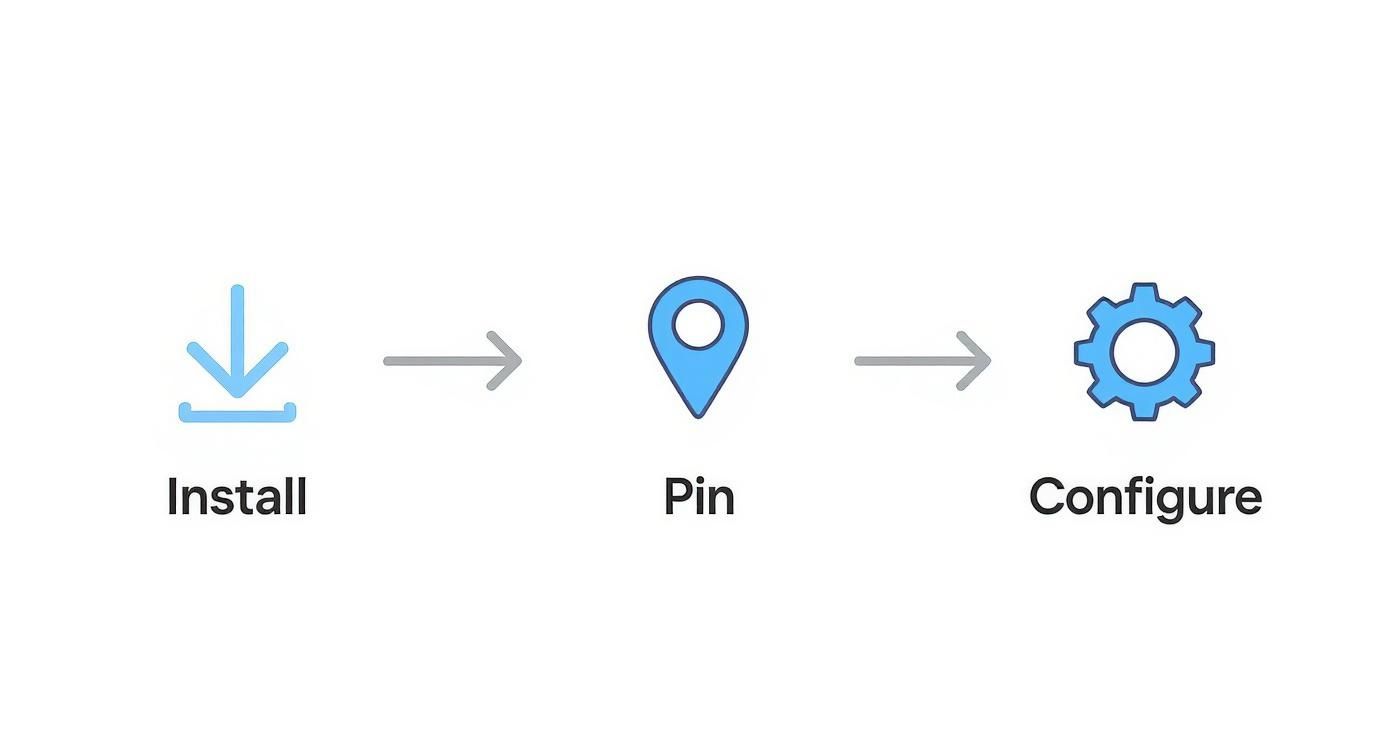
This just reinforces that the best tools don't need a complicated setup. It should be a simple three-step process to get from installation to actually using it.
Targeting Specific Web Pages
Single-page scraping is all about precision. It’s your best friend when you’ve already found a goldmine of a source and just need to grab the contact info.
Picture this: you're researching a startup and you land on their "Meet the Team" page. Jackpot. Instead of manually highlighting, copying, and pasting every single email, you just click the EmailScout icon in your toolbar. The tool instantly scans the page's code and pulls every email address it can find into a neat little list.
This method is perfect for situations like:
- Company 'About Us' pages: Quickly grab contacts for the key people.
- Conference speaker lists: Collect emails of industry experts you want to network with.
- Blog author bios: Find direct contact info for content creators or potential partners.
The real beauty here is the speed and simplicity. In just a few seconds, you’ve got a highly relevant list of contacts from a source you already know is valuable.
Scaling Up With Bulk URL Scraping
While single-page scraping is great for those targeted hits, bulk URL scraping is where you really start to see some serious efficiency. This feature lets you feed the tool a whole list of websites, and it will automatically go to each one and extract any emails it finds. This turns what would be hours of manual clicking into a hands-off, automated process.
Let's walk through a real-world scenario. You just discovered a directory listing the top 50 marketing agencies in your city. Instead of opening 50 different tabs, you can do this:
- Compile the URLs: Copy the links for each agency's website. Just drop them into a basic text file or a spreadsheet, making sure there's only one URL per line.
- Load the List: Open the scraper's bulk feature and either upload or paste your list of URLs.
- Run the Scraper: Hit the start button. The tool will then chug through your list, visiting each site and pulling emails as it goes.
To make your large-scale scraping projects more reliable, it's smart to learn about proxies for web scraping and data collection best practices. Using proxies helps prevent your own IP address from getting blocked and keeps the data collection process running smoothly without interruptions.
Knowing how to switch between both single-page and bulk scraping gives you the flexibility to tackle pretty much any lead generation challenge that comes your way.
Automating and Exporting Your Data
Consistent lead generation isn’t about grinding harder; it's about working smarter. The best free email scraping tools turn tedious manual work into a background process that collects data for you.
This is where a feature like EmailScout's AutoSave really shines.
Think about it. Say you're a sales rep who needs to research 20 new companies. Instead of clicking the scraper on every single website, you just flip on AutoSave. As you browse each company’s page, the tool quietly finds and saves every public email it encounters.
You just focus on your research, and by the time you're done, a fresh list of contacts is already waiting for you. It’s a huge time-saver for anyone who spends their day hopping between websites.
Turning Raw Data Into an Actionable Asset
Once you’ve gathered a decent list of emails, the next step is crucial: getting that data out of the extension and into a system where you can actually use it. A list of contacts stuck in your browser isn't doing you any good.
This is why a solid export function is non-negotiable.
EmailScout and other quality scrapers let you export your findings into standard file formats. The two you’ll see most often are:
- CSV (Comma-Separated Values): This is the go-to format for just about everyone. If you plan to upload your contacts into a CRM, an email marketing tool, or just want to organize them in Google Sheets or Excel, CSV is what you need.
- JSON (JavaScript Object Notation): This one is more for the tech-savvy crowd. Developers use JSON files to feed data into custom apps or more complex marketing automation systems.
Behind the scenes, modern scrapers use clever regex patterns to spot and pull email addresses from a site's code. A single scraping session can easily grab thousands of emails, which are then processed to filter out duplicates and junk entries, a process detailed in this insightful article about email scraping techniques.
Choosing the Right Export Format for Your Needs
So, CSV or JSON? The answer depends entirely on what you plan to do next.
For 95% of users, a CSV file is the perfect choice. It's simple, universally supported, and easy to work with.
The real power of exporting is turning a list of potential leads into a structured, organized asset. It’s the bridge between data collection and effective outreach, ensuring your hard work doesn't go to waste.
After exporting to CSV, you can upload it straight to your platform of choice. To make that part of the process even smoother, check out our guide on the best contact management software to find a system that fits your workflow. This helps you manage your freshly scraped leads efficiently from day one.
How to Clean and Validate Your Email List
Pulling a list of emails is a great start, but it's only half the job. A raw, freshly scraped list from any free email scraping tool is like unrefined ore—the gold is in there, but you have to process it first. If you just blast out a campaign to that messy list, you're practically asking for high bounce rates, which will tank your sender reputation and land your emails in the spam folder.
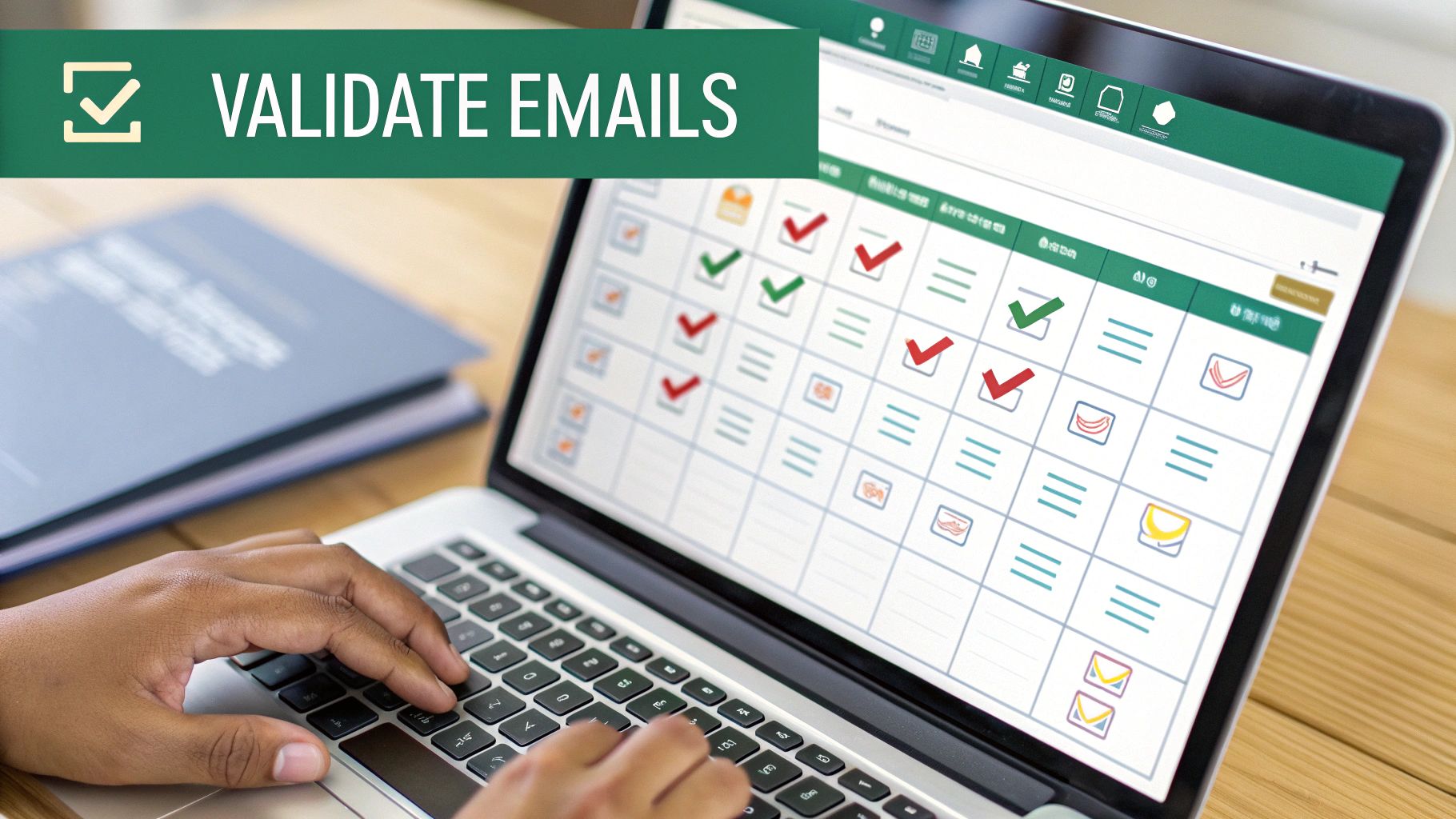
The good news? The first round of cleanup doesn't require any fancy, expensive software. You can tackle the most obvious problems right inside your exported CSV file with Google Sheets or Excel. Think of this as grabbing the low-hanging fruit to instantly boost your list's quality before you even think about hitting "send."
Your First Pass Cleanup in a Spreadsheet
Once you have your CSV file open, it's time to hunt for the obvious red flags. The main goal here is to quickly get rid of any entries that are clearly not good leads. This alone will make a huge difference in your bounce rate.
I always focus on these three quick wins first:
- Kill the Duplicates: This is the easiest fix on the list. Every spreadsheet program has a "Remove Duplicates" feature. In Google Sheets, you can find it under
Data > Data cleanup > Remove duplicates. It’s a simple click that stops you from annoying the same person with multiple emails. - Fix Sloppy Formatting: Give the list a quick scan for typos and syntax mistakes. You'll be surprised how many ".con" domains you find instead of ".com", or emails missing the "@" symbol entirely. A simple filter or conditional formatting rule can help you spot these in seconds.
- Filter Out Generic Inboxes: Addresses like
info@,contact@, orsupport@almost never result in a meaningful conversation. They're usually catch-all inboxes, not the direct line you're looking for. Just create a filter to find rows with these common prefixes and delete them.
A clean email list is the absolute foundation of a successful outreach campaign. Honestly, spending just 15-20 minutes on this initial spreadsheet cleanup can save you from the most common bounce issues and protect your sender score right from the get-go.
Using Verification Tools for a Deeper Clean
After you've done the manual scrub, it's time to find out which of the remaining emails are actually live and active. This is where dedicated email verification services are a game-changer. These tools work by pinging the mail server to confirm an inbox exists, all without sending a single email.
Plenty of these services have a free plan that's perfect for this step. For instance, tools like Hunter.io will give you a handful of free verifications every month. You can dig deeper into how email address verification works to find a tool that fits your needs and budget. This step is crucial for weeding out:
- Invalid emails that are guaranteed to hard bounce.
- Accept-all (catch-all) emails, which are risky to send to.
- Spam traps that can get your entire domain blacklisted.
By combining a quick manual cleanup with a free verification service, you turn that raw data you scraped into a high-quality, deliverable list that’s actually ready for your outreach campaigns.
A Quick Word on Ethical and Legal Guidelines
Look, diving into email scraping comes with some ground rules. It's an incredibly powerful way to find public information, but just winging it without knowing the score can get your domain blacklisted and land you in legal hot water.
This isn't about becoming a lawyer overnight. It's about having a responsible mindset from the get-go.
The big rule of thumb is simple: only scrape publicly available information. If an email is listed on a company's "Contact Us" page or in a public directory, you're generally in the clear. But if you have to get behind a login or dig into a private database, stop. That's a line you don't want to cross.
Stick to that one principle, and you're already on the right side of the major data privacy laws.
The Big Regulations to Know
You don't need to memorize the legal texts, but you should definitely be familiar with two major regulations that affect anyone doing outreach.
- GDPR (General Data Protection Regulation): This is the big one out of the EU. If you're collecting emails from people in Europe, you need a legitimate reason to contact them. No spamming allowed—be transparent and offer real value.
- CAN-SPAM Act: This is the U.S. law governing commercial emails. It's pretty straightforward: don't use deceptive subject lines, include your physical mailing address, and—most importantly—give people an obvious way to opt out.
Honestly, compliance just means being a good human. Be clear about who you are, why you're reaching out, and make it easy for someone to say "no thanks."
The whole point of scraping ethically isn't to hold you back; it's to make your outreach sustainable. When you build your strategy on respect and transparency, you build trust. That trust is worth way more than any single email address you'll ever find.
One more practical tip: respect a website’s robots.txt file. It's a simple text file where site owners tell bots (like scrapers) which pages to stay away from. Following their wishes is just good digital etiquette.
When you pair these ethical habits with smart discovery tactics—like using the best email search engines out there—you create a lead generation machine that's both powerful and responsible.
Common Questions Answered
Let's tackle some of the most common questions people have before they dive into using a free email scraper. Getting these cleared up from the start will help you use the tool effectively and responsibly.
Is It Legal to Scrape Emails?
This is the big one, and the short answer is: it depends. The legality really comes down to your location and how you use the data.
Scraping emails that are publicly displayed on a website is generally okay. But—and this is a big but—you absolutely must follow data privacy laws like GDPR if you're dealing with European contacts, and anti-spam laws like the CAN-SPAM Act in the U.S.
The golden rule is to use the data you find for legitimate, responsible outreach. Never, ever scrape private information. Always get familiar with the specific regulations in your area to stay on the right side of the law.
Can a Free Tool Find Any Email Address?
Nope, and it's important to understand the limitations. These tools are designed to find email addresses that are visible somewhere in a website's code. They can't magically pull emails that are hidden behind a contact form, stored away in a private database, or just not listed publicly.
A free email scraping tool is a massive time-saver, not a magic wand. It automates the tedious work of finding what's already public, but its success hinges entirely on whether a website has made that email address visible in the first place.
How Do I Avoid Getting Blocked While Scraping?
The key here is to act like a human, not a bot. If you bombard a website with a ton of rapid-fire requests in a short amount of time, you're going to get blocked. It's that simple.
Scrape at a moderate pace. Most good tools have built-in delays to help with this. It's also smart to respect a site's robots.txt file, which is basically their list of rules for scrapers. For most people using a browser extension like EmailScout, just maintaining a responsible scraping speed is all you really need to worry about.
Ready to see how easy it is to turn public web data into your next lead list? Give EmailScout a try for free and start building high-quality, targeted email lists in just a few clicks. You can get started right now at https://emailscout.io.