Tag: free email finder

  • How to Find Email Addresses for Free Your Ultimate Guide

    How to Find Email Addresses for Free Your Ultimate Guide

    There are really only three ways to find free email addresses: you can manually search through company websites and social media, you can try pattern-based guessing and then verify your guess, or you can use free browser extensions and tools. The fastest and most efficient path is almost always a tool like the EmailScout Chrome extension, which puts the whole discovery process on autopilot.

    Why Free Email Finding Is a Modern Superpower

    A man in a blue blazer works on a laptop, with a green sign saying "DIGITAL SUPERPOWER" and email icons.

    Forget about paying for expensive, often-outdated lead lists and spending hours on manual prospecting. In a world where a direct connection is everything, knowing how to find the right person's email is a genuine superpower for any scrappy entrepreneur, marketer, or sales rep.

    This isn't just a cost-saving tactic; it's a real strategic advantage. It puts you in total control of your outreach.

    This guide goes way beyond theory. I'm going to show you exactly how to tap into the web to build high-quality contact lists without the high price tag. With the right techniques and a few powerful tools, anyone can drive growth and build meaningful connections.

    The Power of Direct Connection

    Let's be honest, in sales and marketing, just getting your message in front of the right decision-maker is half the battle. Gatekeepers, generic info@ inboxes, and even social media DMs are all filters that can water down your message or stop it dead in its tracks.

    An email, on the other hand, is a direct line into your prospect's personal workspace.

    This direct access is huge. It allows for:

    • Personalized Messaging: You can tailor your pitch directly to that individual, referencing their specific role, recent accomplishments, or challenges they're facing.
    • Trackable Engagement: Email tools let you see who's opening your messages and clicking your links. That's invaluable feedback for your entire strategy.
    • Controlled Follow-Up: You can build a structured follow-up sequence that keeps you top-of-mind without feeling pushy or intrusive.

    Of course, to really make free email finding work, it has to be part of thorough prospect research. Knowing who you need to contact is just as crucial as knowing how to find their email.

    A Vast and Growing Opportunity

    The sheer scale of email usage creates a massive opportunity for anyone willing to look. By 2025, experts predict there will be around 4.6 to 4.8 billion email users across the globe, sending nearly 400 billion emails every single day.

    This means millions of new business and personal email addresses are popping up each year. Even a low success rate can translate into thousands of potential leads if you scale your efforts.

    Knowing how to find email addresses for free isn't just a budget-friendly tactic; it's a foundational skill for modern outreach. It democratizes lead generation, allowing small teams and solo entrepreneurs to compete with established players by being smarter and more resourceful.

    Ultimately, mastering this skill is about creating your own opportunities from scratch instead of waiting for them to find you. By blending clever manual tricks with efficient automation, you can build a predictable pipeline of prospects. For a deeper dive, check out our guide to modern marketing and outreach strategies.

    Become an Expert at Manual Email Hunting
    A person typing on a laptop with 'Email Detective' on screen, a magnifying glass and documents nearby.

    Before you let the tools do all the work, it pays to learn the fundamentals. Think of it like a detective learning to spot clues by hand before bringing in the high-tech gadgets. This is where you’ll learn the art of manual email discovery, building an intuitive skill that will make every outreach campaign more effective.

    Mastering these manual techniques isn’t just a backup plan; it’s about understanding the logic that powers the best email-finding software. You'll train yourself to think critically about where information lives online and how to piece together the digital breadcrumbs.

    Harness Advanced Google Search Operators

    Just Googling someone’s name is like casting a massive, messy net. To find email addresses for free with any real precision, you need to use Google Search Operators—often called "Google dorks." These are simple commands that tell Google exactly how to search, narrowing your results with surgical accuracy.

    Instead of just searching for "Jane Doe," you can tell Google where to look and what to look for. This approach uncovers emails that are hiding in plain sight on websites, inside documents, and across professional networks.

    For instance, a powerful query to find a specific role at a company might look like this: site:linkedin.com/in/ "Head of Marketing" "@companydomain.com". This little snippet tells Google to search only within LinkedIn profiles for someone with the exact title "Head of Marketing" who has their company email listed.

    Pro Tip: Don't be afraid to combine multiple operators for even more specific searches. For example, adding filetype:pdf can help you find email addresses inside publicly available PDFs, like conference speaker lists or annual reports.

    To get started, here’s a quick reference table of some of the most effective operators for finding emails.

    Effective Google Search Operators for Email Finding

    This quick reference guide covers powerful Google search commands that help narrow down results and uncover contact information more efficiently.

    Operator Example Usage What It Does
    site: site:company.com "jane doe" Restricts your search to a specific website, perfect for searching a company's domain.
    " " "Jane Doe" email Searches for the exact phrase inside the quotes, eliminating irrelevant results.
    OR "jane.doe@company.com" OR "j.doe@company.com" Searches for either of the specified terms, which is useful when testing multiple email patterns.
    - jane doe -jobs -careers Excludes specific words from your search results, helping you filter out noise.

    Mastering just these four operators can dramatically cut down the time you spend searching.

    Scour Company Websites for Digital Clues

    Company websites are goldmines of information if you know where to dig. Most people glance at the "Contact Us" page, see a generic info@ address, and give up. The real clues are usually buried a little deeper.

    Start by exploring these pages:

    • The 'About Us' or 'Our Team' Page: This is the most obvious first stop. Many companies, especially smaller ones, list key team members and sometimes their direct contact info.
    • The Company Blog: Has your prospect ever written a blog post? Check their author bio. Sometimes, clicking their name leads to a profile page with contact details.
    • Press Releases or 'News' Section: Press releases almost always include a media contact person's name and email. Even if it’s not your target, that one email is often the key to figuring out the company’s standard email format.

    Let's say you find s.jones@company.com in a press release. You can now make a very educated guess that the CEO, Michael Smith, is likely m.smith@company.com. You've just uncovered the pattern.

    Decode the Email Pattern

    Almost every company has a preferred email structure. Once you crack it, you can accurately guess the email of nearly anyone in the organization. This is a foundational skill for manual email hunting.

    Common patterns include:

    • firstname.lastname@company.com (e.g., jane.doe@company.com)
    • firstinitiallastname@company.com (e.g., jdoe@company.com)
    • firstname@company.com (e.g., jane@company.com)
    • firstname.lastinitial@company.com (e.g., jane.d@company.com)

    The moment you find a single valid email from a company, you hold the key. Apply that same structure to your prospect's name. This kind of educated guesswork is far more effective than taking random shots in the dark and is a crucial step before you move on to verification.

    Using Free Tools to Automate Your Search

    Mastering the manual hunt for emails is a fantastic skill to have. Think of it like learning to chop wood with a hand axe—it gets the job done, but it’s slow going. If you want to build contact lists at any real scale, you need a chainsaw.

    That's where free email finder tools come in. They take the entire discovery process and put it on autopilot, handing you back hours of your day.

    These tools, usually browser extensions, slot right into your existing workflow. They mimic the logic you'd use for a manual search—scanning pages, guessing patterns, cross-referencing sources—but they do it all in a matter of seconds. Instead of you playing detective, the software does the sleuthing for you.

    From Manual Effort to Automated Results

    Let's put this into perspective. Imagine you’re a sales rep who just found a key prospect on LinkedIn. Manually, you'd start opening new tabs, running a few Google searches, and poking around their company's website to figure out their email format. All told, that's probably a five or ten-minute job for just one contact.

    Now, picture that same scenario with an email finder extension running. You land on the same LinkedIn profile, but this time a little icon pops up. One click, and boom—a verified email address appears. That’s the real difference between manual grunt work and smart automation.

    This isn’t just about raw speed; it’s about maintaining your focus. By offloading the repetitive search, you can dedicate your energy to what actually moves the needle: crafting a personalized message that gets a reply. To take it a step further, you can explore various tools for scraping LinkedIn profiles to complement your email-finding work.

    Game-Changing Features in Free Tools

    The best free tools do more than just find an email with a click. They’re packed with features designed to build entire prospect lists with almost no active effort on your part. Two of my favorites are 'AutoSave' and 'URL Explorer.'

    • AutoSave for Passive List Building: This feature is an absolute game-changer. Once you turn it on, the tool quietly collects contact info in the background while you browse websites or social media. You can research dozens of prospects without ever pausing to manually save a single email.
    • URL Explorer for Bulk Extraction: What if you have a list of company 'About Us' pages or conference speaker bios? Instead of visiting each page, you can just paste the whole list of URLs into the tool's explorer feature. It will crawl every single page and pull out all the email addresses it finds, dropping them into a neat, clean list.

    Features like these transform email finding from a hands-on chore into a passive, background process.

    By automating discovery and verification, free email finders let you build targeted prospect lists at a scale that's flat-out impossible to do by hand. It's the closest you can get to putting lead generation on autopilot without spending a dollar.

    A Practical Example with EmailScout

    Let's walk through a real-world scenario with a popular tool like the EmailScout Chrome extension. Say a digital marketer is looking to connect with marketing managers at mid-sized tech companies.

    First, she uses LinkedIn Sales Navigator to pull up a list of 50 prospects who match her ideal customer profile. Instead of clicking into each profile, she just scrolls down the search results page. With the AutoSave feature running, EmailScout works silently, finding and saving the verified emails of the people on her screen.

    In about a minute, she's collected over a dozen verified contacts without ever leaving the search results. She can export that list and get right to her outreach. This workflow is easily 10x more efficient than doing it manually, which shows how the right tool can fundamentally change your prospecting game. It’s no wonder it’s considered one of the best free email finder tools out there.

    When you embrace automation, you stop trading your time for contact details and start building a scalable system for outreach. It’s the clear dividing line between the old way of slow, manual hunting and the new way of fast, intelligent prospecting.

    The Smart Way to Guess and Verify Emails

    Sometimes, a prospect’s email address seems to have vanished into thin air. You've scoured their website, dug through their LinkedIn profile, and still come up empty-handed. This is when you stop being a detective and start thinking like a strategist by making an educated guess.

    An educated guess isn’t just a shot in the dark; it’s all about logic. Most companies use a standard format for their email addresses. If you can figure out the pattern for just one employee, you’ve likely cracked the code for the entire organization.

    The trick is to find that one anchor point—maybe a media contact listed in a press release or an author bio on the company blog—and then apply that same pattern to your target's name.

    This is often the first step before you start using tools to automate and scale up your efforts.
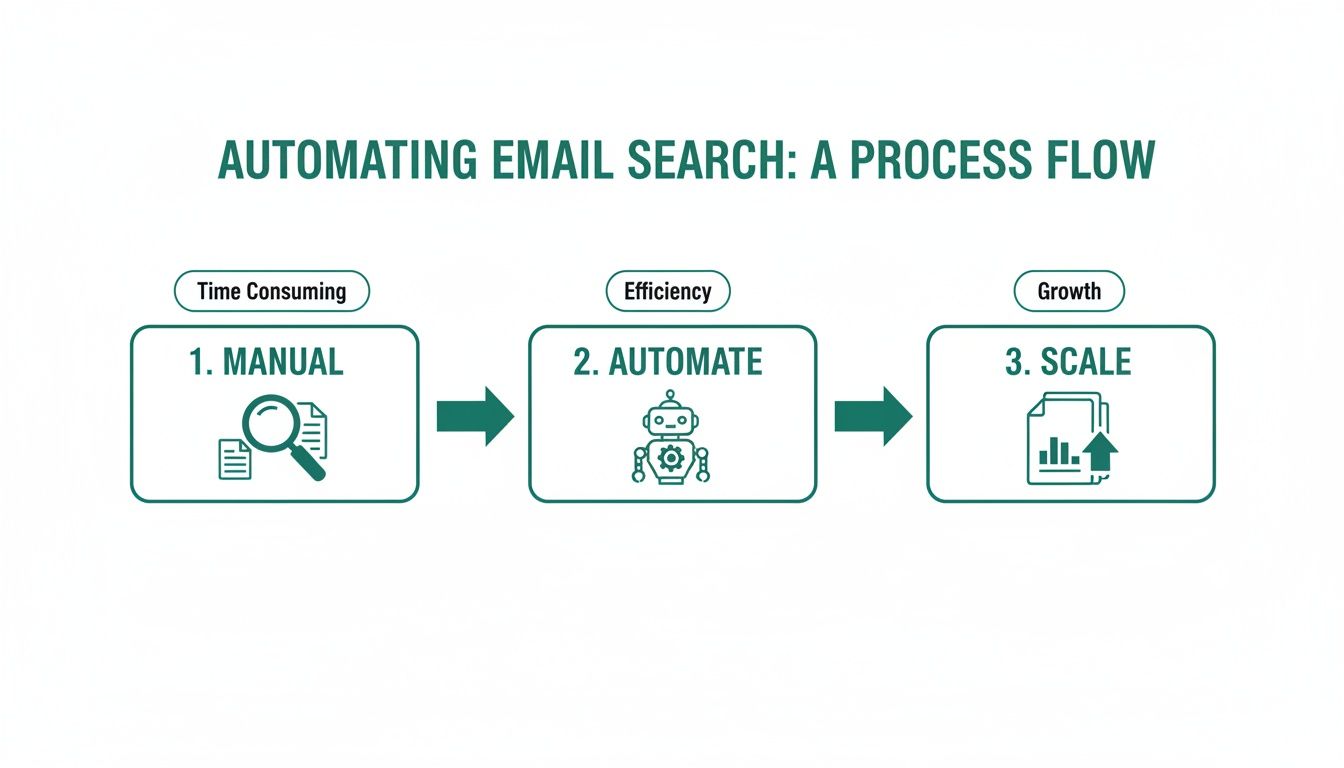
    A diagram illustrating the three-step process of automating email search: manual, automate, and scale.

    As you can see, the process flows naturally from these manual discovery tactics into more automated tools, and finally, to building out your lists at a much larger scale.

    Decoding Common Email Patterns

    While some companies get creative, most stick to a handful of predictable email structures. Your goal is to generate a short list of the most probable combinations for your prospect, let's call her "Jane Doe."

    Here are the most common patterns I see in the wild:

    • firstname.lastname@company.com (e.g., jane.doe@acme.com)
    • firstinitiallastname@company.com (e.g., jdoe@acme.com)
    • firstname@company.com (e.g., jane@acme.com)
    • firstname.lastinitial@company.com (e.g., jane.d@acme.com)

    Start with these four. In my experience, one of them will be the right one more than 80% of the time. The next move is to turn that guess into a confirmed contact—without sending a single email that might bounce.

    Free Verification Methods That Actually Work

    A guess is worthless until it’s verified. Firing off emails to every possible combination is a terrible idea. It not only makes you look unprofessional but can also get your domain flagged and hurt your sender reputation. Instead, you can use a few free methods to confirm which address is the real deal.

    One of my favorite low-tech tricks is the 'Gmail Ping Test.' It's clever and surprisingly simple.

    1. Open a new compose window in Gmail.
    2. Paste one of your guessed email addresses into the "To" field.
    3. Just hover your mouse over the address. Don't click it.

    If that email is tied to a Google account, a little profile card will often pop up, showing the person’s name and sometimes even their photo. That’s your confirmation. If nothing appears, just move on to the next guess on your list.

    Verification is the most critical step. It’s what separates professional outreach from spammy guesswork. Taking an extra 30 seconds to confirm an address can be the difference between starting a conversation and getting a bounce-back.

    Another powerful option is using a dedicated online tool. Our guide on how to validate an email address for free walks through several services that can check if an address can receive mail without ever sending a message.

    For sales reps who spend hours building lists, this is a game-changer. Think about it: if a team of 10 reps each saves just four hours a week, that's 40 hours reclaimed. That’s an entire workweek that can be spent on actual outreach instead of tedious manual searching. This two-part strategy of smart guessing and immediate verification is a cornerstone of finding email addresses effectively and for free.

    Keeping Your Outreach Ethical and Compliant

    Finding someone's email address is just the first domino to fall. It’s what you do next that separates a valuable connection from pure spam. Getting this right is what ultimately determines your success and, just as importantly, protects your reputation.

    Think of it this way: a thoughtful, relevant message sent to a well-researched contact isn't just spam—it's smart business. But blasting a generic pitch to a list you haven't even looked at is the fastest way to get your domain blacklisted. Your goal here is to build bridges, not burn them down.

    Understanding the Rules of the Road

    You don't need a law degree to get the basics of email compliance right. The big regulations, like the CAN-SPAM Act in the U.S. and GDPR in Europe, are all built on a handful of common-sense principles: transparency and respect.

    These rules aren't just legal hoops to jump through; they're a blueprint for building trust. When you respect someone's inbox, you immediately come across as a credible professional.

    Here’s what that looks like in the real world:

    • Be Honest About Who You Are: Your "From" name, reply-to address, and other routing info must be accurate and clearly identify you or your business. No games here.
    • Write Clear Subject Lines: Your subject line needs to reflect what's actually in the message. Misleading subjects are a massive red flag for spam filters and people alike.
    • Provide an Unsubscribe Option: You must include a clear and simple way for people to opt out of future emails. This one is completely non-negotiable.
    • Honor Opt-Outs Promptly: When someone clicks unsubscribe, you have to process that request quickly. The general rule is within 10 business days.

    Following these rules isn't just about avoiding hefty fines. It's about maintaining a healthy sender reputation, which is the key to making sure your emails actually land in the inbox in the first place.

    Personalization Is Your Best Defense

    The single best way to stay on the right side of ethical outreach is through genuine personalization. When you prove to a prospect that you’ve actually done your homework, your email transforms from an unwelcome interruption into a potential solution.

    And I'm not just talking about using a {{first_name}} merge tag. I mean referencing a specific project they led, a recent company milestone, or a challenge you know is unique to their industry. That's the kind of detail that shows you have a legitimate interest.

    An email that says, "I saw your company just launched a new initiative in AI, and I have an idea for how to amplify its reach," is infinitely more ethical—and effective—than a generic, "Can I have 15 minutes of your time?"

    When you find email addresses for free, you’re really getting an opportunity to start a conversation. Personalization ensures that conversation starts with mutual respect and relevance, making a positive response far more likely.

    Cold Outreach Dos and Don'ts

    To keep it simple, here’s a quick-reference table to guide your outreach. Sticking to these principles will help you build a solid pipeline while protecting your brand.

    The 'Do' List The 'Don't' List
    Do provide genuine value in every email. Don't use deceptive or misleading subject lines.
    Do make your unsubscribe link easy to find. Don't buy generic, unverified email lists.
    Do research your prospect and their company. Don't ignore or delay unsubscribe requests.
    Do keep your message concise and relevant. Don't add people to your newsletter without consent.

    Ultimately, successful outreach is a marathon, not a sprint. Every single email you send is a deposit (or a withdrawal) into your sender reputation account. By sticking to these ethical guidelines, you ensure that your ability to connect with prospects stays strong for the long haul, making your free email-finding efforts a truly sustainable strategy.

    Frequently Asked Questions

    When you're diving into the world of free email finding, a few questions always seem to pop up. Is it legal? Do these free tools actually work? How do I find emails without spending all day on it?

    Let's cut through the noise. Here are the straight-up answers to the most common questions we hear, so you can start prospecting with confidence.

    Are Free Email Finders Accurate?

    Honestly, many of them are surprisingly good. The best free tools aren't just taking wild guesses; they're scraping public data, recognizing common email patterns, and even doing quick server checks to see if an address is real.

    No tool is ever 100% perfect, but a solid extension like EmailScout gives you a massive advantage. It's worlds better than relying on outdated lists or just guessing. These tools validate contacts by checking multiple sources, which is key to keeping your bounce rate low and protecting your sender reputation.

    How Many Free Emails Can I Actually Find?

    This is where you'll see the biggest difference between tools. A lot of services will give you a taste with a monthly credit system, often capping you at just 50 or 100 free searches. After that, you're hitting a paywall.

    But the game is changing. EmailScout, for instance, gives you unlimited free email lookups on individual profiles. For anyone on a budget—freelancers, startups, sales reps—that’s huge. While you might need a paid plan for big, bulk searches, the core feature of finding emails one by one is genuinely free and unlimited.

    What Is the Fastest Way to Find an Email on LinkedIn?

    Hands down, it's a browser extension. Don't even think about doing it manually unless you have tons of time to kill. A good extension turns a five-minute scavenger hunt into a five-second click.

    It’s incredibly simple in practice:

    • Land on someone's LinkedIn profile.
    • The extension gets to work in the background, analyzing the page.
    • Click a button, and the verified email appears.

    It does all the heavy lifting—guessing patterns, checking public records, and verifying the result—almost instantly. It’s as close to a magic wand for prospecting as you're going to get.

    The real power of a browser extension isn't just the speed. It's how it fits right into your workflow. You can find and save contact info without ever leaving the page, keeping you in the zone and productive.

    Is Cold Emailing Someone Legally Risky?

    It's not, as long as you're smart and ethical about it. Sending cold emails for legitimate business reasons is completely legal under regulations like the CAN-SPAM Act (US) and GDPR (Europe).

    These laws are really just based on common sense. Just stick to these simple rules:

    • Be transparent. Say who you are and why you're emailing.
    • Offer an easy way out. Include a clear unsubscribe link.
    • Honor opt-outs immediately. No questions asked.

    As long as you’re trying to provide real value and not just spamming, you’re on the right side of the law. A personalized, relevant message to a well-researched contact is effective, compliant, and the right way to start a business conversation.

    Can I Get in Trouble for Guessing an Email Address?

    Nope. The act of guessing an email isn't the problem. The risk comes from what you do next.

    If you send a message to a guessed, unverified email and it bounces, that’s a strike against you. A high bounce rate kills your sender reputation, which means even your valid emails are more likely to land in the spam folder.

    This is why verification is a non-negotiable step. Always run a guessed email through a verification tool or use a simple ping test in Gmail to make sure it’s active before you send anything. Guessing is a great strategy, but only when you pair it with diligent verification.


    Ready to stop searching and start connecting? The EmailScout Chrome extension gives you unlimited free email lookups, helping you build targeted prospect lists faster than ever. Install EmailScout for free today and transform your outreach.

  • Email Address Finder for Free: Find Any Email Address with This Ultimate Guide

    Email Address Finder for Free: Find Any Email Address with This Ultimate Guide

    The best email address finder for free is one that gives you a steady stream of verified emails without asking for a credit card. It should let you build targeted lead lists for sales, marketing, or networking on the fly. A tool like EmailScout’s Chrome extension does exactly this, letting you pull contacts straight from websites and professional networks with a single click.

    Why a Free Email Finder Is Your Outreach Superpower

    A man types on a laptop displaying 'OUTREACH SUPERPOWER' on its screen, indicating online marketing.

    In a world overflowing with digital noise, just getting your message to the right person is the first—and often the hardest—part of the battle. Every cold email, partnership proposal, or sales pitch lives or dies by its ability to land in the correct inbox.

    Sending your message to a generic info@ or contact@ address is like shouting into a void. Your carefully crafted email gets lost in a sea of spam and support tickets, never reaching the decision-maker who actually matters.

    This is where a solid, free email finder becomes more than a simple utility; it’s a genuine strategic advantage. It’s not about finding any email. It's about finding the right email, fast. This simple shift turns your outreach from a game of chance into a targeted, effective operation.

    The True Cost of Bad Data

    Let's be clear: guesswork is expensive. Every bounced email hurts your sender's reputation, making it more likely that your future messages will end up in spam folders. Every message sent to the wrong person is a wasted opportunity and a drain on your most valuable resource: time. For anyone in sales or marketing, that inefficiency translates directly into lost revenue and missed connections.

    A reliable email address finder for free cuts right through that problem. It gives you the power to:

    • Connect Directly: Get past the gatekeepers and generic inboxes to engage with the people who make decisions.
    • Boost Engagement: A personalized message sent to a specific person has a dramatically higher chance of getting opened and read.
    • Protect Your Reputation: Verified emails slash your bounce rates, which signals to email providers that you’re a legitimate sender.
    • Maximize ROI: By focusing your energy on qualified contacts, you get better results from your outreach without spending a dime upfront.

    The Market Is Shifting Toward Precision

    The demand for accurate contact information isn't just a fleeting trend; it’s a massive market shift. The global email finder tools market was valued at around $642 million just a few years ago and is on track to explode to $5.6 billion by 2032.

    Why the huge jump? Because businesses see real results. Companies that use precise email finders consistently report a 30% boost in open rates and 25% higher reply rates. It just works.

    To help you see the bigger picture, here’s a quick rundown of how free tools stack up against their paid counterparts.

    Free vs. Paid Email Finders at a Glance

    Feature Free Tools (Like EmailScout) Typical Paid Tools
    Cost $0, no credit card required Monthly or annual subscription fees
    Email Credits Often unlimited or very generous Tiered, with limited credits per month
    Core Functionality Excellent for finding emails on-the-fly from websites and social profiles Often includes bulk finding, CRM integrations, and advanced APIs
    Verification Basic to moderate verification included Advanced, multi-step verification to ensure high deliverability
    Ease of Use Simple, one-click browser extension Can be more complex with dashboards and campaign features
    Best For Individuals, freelancers, and small teams starting outreach Larger sales/marketing teams with high-volume, automated needs

    While paid tools offer advanced features for large-scale operations, a powerful free tool like EmailScout provides the essential functionality most people need to get started and see immediate results.

    The real value of an email finder isn't just about collecting data. It’s about starting meaningful conversations that would otherwise be impossible. It’s the first step in every successful outreach campaign.

    This is the power EmailScout delivers. By offering an unlimited free model, it removes the financial barrier to effective outreach, giving you the essential tool you need to cut through the noise. To fully grasp how a free email finder fits into the broader picture, it's worth exploring modern lead acquisition strategies. After all, finding the right contact is the critical first step to opening doors, building relationships, and ultimately, growing your business.

    Find Emails Instantly with the EmailScout Chrome Extension

    While the manual methods definitely have their place, let's be honest—the fastest way to get your hands on verified contact info is with a tool built for the job.

    This is where the EmailScout Chrome extension comes in. It’s designed to turn your browser into a powerful, on-demand email address finder for free. It just sits quietly in the background, ready to pull contact details with a single click. No more tedious searching, guessing patterns, or manually verifying addresses.

    You can find the email you need right on a person’s professional profile or company website. It’s a massive time-saver, freeing you up to focus on actually reaching out.

    Quick and Easy Installation

    Getting started with EmailScout is a breeze and takes less than a minute. The first thing you need to do is add the extension to your Chrome browser straight from the official Chrome Web Store.

    Here’s what the Chrome Web Store looks like, where you can find and install extensions like EmailScout.

    Once you find it, just click "Add to Chrome." The EmailScout icon will pop up in your browser's toolbar, and you're good to go.

    Here's a pro-tip: "pin" the extension to your toolbar so it's always visible. Click the little puzzle piece icon in Chrome, find EmailScout in the list, and hit the pin icon. Now, it's always ready for action. For a more detailed walkthrough, you can check out our guide to the EmailScout email extractor Chrome extension.

    A Real-World Scenario: Finding a Key Contact

    Okay, so you've got the tool installed. Let's put it to work in a situation you've probably faced a dozen times.

    Imagine you're a sales rep for a SaaS company. Your mission is to connect with the Head of Marketing at a promising tech startup to pitch your new analytics platform. Your first stop? LinkedIn, of course.

    After a quick search, you land on the profile of "Jane Doe, Head of Marketing at InnovateTech." Her profile is a goldmine—full of details about her role and accomplishments. But the one thing you actually need, her email address, is nowhere to be found.

    This is exactly where EmailScout shines. With the extension active, all you do is stay on her LinkedIn profile.

    A single click on the EmailScout icon is all it takes. The extension instantly scans the page data and reveals Jane's professional email address, often with her full name and title, right there in a small pop-up.

    You never have to leave the page or run complicated searches. The info appears right where you need it, letting you jump straight from prospecting to outreach without missing a beat.

    Automate Your Lead Collection with AutoSave

    Finding emails one by one is great, but what if you could build an entire lead list just by browsing the web? That's the idea behind EmailScout’s AutoSave feature.

    When you flip this feature on, it works silently in the background. As you browse company websites, professional network profiles, or online directories, the extension automatically grabs and saves any email addresses it finds.

    This is a game-changer for tasks like:

    • Building Prospect Lists: Just browse the "Team" or "About Us" page of a target company, and EmailScout will automatically collect the contact details for everyone listed.
    • Networking at Scale: Working through the speaker list for an upcoming conference? The tool will save the emails of every potential connection for you.
    • Market Research: Exploring a list of companies in your target industry? AutoSave will build a list of key contacts as you go.

    All the contacts collected via AutoSave are neatly organized in your EmailScout account. From there, you can export them as a CSV and upload them directly into your CRM or outreach platform. It turns casual browsing into a productive lead-gen activity, making sure you never miss an opportunity.

    Scale Your Outreach with Bulk URL Email Extraction

    Finding one email with a single click is a nice little win. But what happens when you need to find contacts for dozens, or even hundreds, of people across different companies? Suddenly, that one-click tool feels slow, and you're staring down hours of tedious, manual work.

    When you need to scale, you need a different game plan. Forget hunting for contacts one by one. The real power comes from gathering them in bulk from a list of highly targeted websites. That’s exactly what EmailScout’s URL Explorer was built to do—turn a simple list of web pages into a ready-to-use list of leads.

    This feature is a lifesaver for anyone building targeted lists at scale. Sales teams can use it to map out entire departments at key accounts. Marketers can pull together contact lists from industry blogs or conference speaker pages. It completely automates what used to be a major bottleneck in any outreach process.

    Your Workflow for High-Volume Lead Generation

    The process itself is surprisingly simple. It all starts with putting together a list of URLs where your ideal contacts are likely to be found. Get strategic here—think about where your prospects are publicly listed online.

    Good sources for URLs include:

    • Company 'About Us' or 'Team' Pages: These are often goldmines for direct contact information of key people.
    • Conference Speaker Rosters: Grab the URLs from speaker bios to connect with industry experts and thought leaders.
    • Industry Association Member Directories: If a directory is public, its pages can be a source of highly relevant contacts.
    • "Top 10" Lists and Round-Up Blog Posts: Articles like "Top 20 SaaS Companies to Watch" have already done the curation work for you.

    Once you have your list of URLs, just paste them into the URL Explorer. EmailScout takes over from there, visiting each page and pulling every email address it finds. The results are then neatly compiled into a clean, downloadable list, ready for your next campaign.

    A Practical Example in Action

    Let's imagine you're trying to connect with marketing leaders at fast-growing SaaS companies. You could start by gathering the 'About Us' page URLs for 10-15 of your top target companies.

    Instead of visiting each page yourself, clicking on profiles, and copying emails one by one—a task that could easily burn an hour—you just feed the entire URL list into the tool. Within minutes, EmailScout spits out a consolidated list of every email it found across all of those pages.

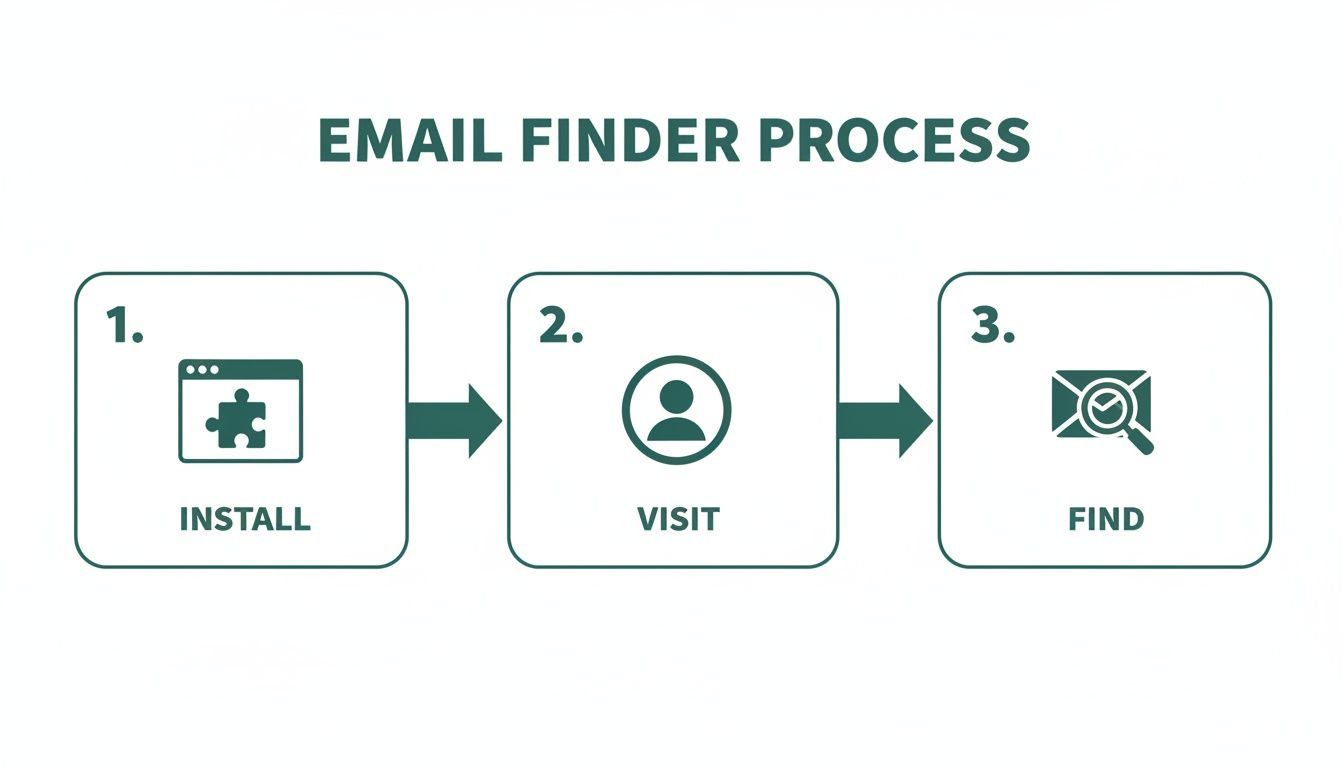
    This simple workflow is at the heart of the process.

    A three-step process graphic showing how to find email addresses: install, visit, then find.

    The graphic nails the simplicity: install the tool, visit a source, and find the email. This efficiency gets even more dramatic when you're working with dozens of URLs at once, turning a major time-sink into a minor task on your to-do list.

    The Impact of Scalable Email Discovery

    The ability to extract emails in bulk isn't just a time-saver; it’s about moving faster on market opportunities. Email marketing is absolutely booming, with a projected market value of $36.3 billion by 2033—a massive jump from $14.8 billion in 2025. With over 4.6 billion global email users, the channel delivers an incredible ROI of $36 for every $1 spent, but that only works if your messages actually get to the right people.

    By automating the discovery process, you can build bigger, more targeted lists faster than your competitors. This allows you to run larger campaigns, test different messaging, and ultimately generate more leads and revenue.

    Tools like the URL Explorer empower marketers and sales teams to tap into this potential at scale. You can learn more about the specifics in our guide on how to use an email extractor from a website. Ultimately, this approach bridges the gap between knowing who your target companies are and actually having the contacts you need to start a conversation, making your outreach both efficient and incredibly effective.

    Manual Tricks for Finding Hard-to-Get Emails

    While an automated email address finder for free is a massive shortcut, no tool is perfect. You’re bound to hit a wall eventually, especially when hunting for a high-level executive or someone who keeps a low digital profile. When the easy button fails, it’s time to put on your detective hat.

    Picking up a few manual search skills is the secret weapon that separates amateur outreach from professional prospecting. Think of these techniques as your fallback plan, ensuring that even the most elusive contact is still within your grasp. With a little cleverness, you can often uncover exactly what automated tools miss.

    Master the Art of Google Dorking

    Google is far more than a search engine; it's a colossal, searchable database. "Google Dorking" is just a fancy term for using advanced search operators to force Google to give you hyper-specific results. It’s like having a secret key to unlock hidden information.

    Instead of a generic search like "Jane Doe email," you can use powerful commands to really narrow the field. These operators act as filters, telling Google precisely what to look for and where.

    For instance, a search like site:linkedin.com/in/ "Jane Doe" "VP Sales" email tells Google to only search within LinkedIn profiles for pages that contain Jane Doe's name, her title, and the word "email." This simple string can often surface profiles or related documents where her contact info is mentioned.

    This is a game of trial and error. You're searching for digital breadcrumbs—a mention in a press release, a bio on a conference website, or an old forum post. The right combination of search terms often leads you straight to the prize.

    Intelligently Guess and Verify Email Patterns

    Most companies follow a predictable pattern for their email addresses. This is a huge advantage. If you know a person's name and their company's domain, you can make a highly educated guess. Honestly, this is often the fastest manual method.

    Common patterns you'll see are:

    Once you have a few likely candidates, you don't have to just send a blind email and hope for the best. Use a free email verification tool to check if the address is valid without sending a message. These tools do a quick ping to see if the server recognizes the address, giving you a green light before you hit send. If you want to dive deeper into this topic, you can read our guide on finding email addresses by name.

    Top-tier email finders often use this same pattern-deduction logic. But even the best tools aren't flawless. Benchmarks show that leading services can have a surprisingly high rate of unusable emails—sometimes as high as 25.4%. This really highlights why knowing how to manually guess and verify is such a crucial backup skill. You can learn more about these findings on email finder accuracy.

    Mine Company Websites for Hidden Clues

    Sometimes, the contact information you're looking for is hiding in plain sight. Company websites, especially for smaller to mid-sized businesses, are often filled with direct contact details if you know where to dig.

    Go beyond the main contact page and explore these less-obvious sections:

    • The 'About Us' or 'Team' Page: This is the first place to look. Many companies proudly list their leadership team, and you might get lucky with direct email addresses or links to their professional profiles.
    • Press Releases or 'News' Section: When a company issues a press release, they almost always include a media contact. This is often a real person in marketing or PR, and their direct email is usually listed right there.
    • Blog Author Bios: If your target has ever written for the company blog, check their author bio at the bottom of the article. It's a common spot to find an email address or a link to a personal site with more contact info.

    These manual strategies take a bit more elbow grease, but they're incredibly effective when automated tools come up short. By combining smart searching, logical deduction, and thorough website investigation, you dramatically increase your odds of finding the exact email you need to start a real conversation.

    How to Conduct Ethical and Effective Outreach

    Person uses a stylus on a tablet, with 'Ethical Outreach' text on green papers and a checklist.

    Finding a verified email address feels like a win, but it’s just the starting line. The real work—and the real opportunity—is in what you do next. How you use that email will determine if you build a genuine connection or just add to the noise in someone's inbox.

    Effective outreach has nothing to do with blasting a generic template to hundreds of people. It’s about being thoughtful, respectful, and personal. Your goal should be to start a conversation, not just shove a sales pitch in someone's face.

    Personalization Is Your Secret Weapon

    In a world drowning in automated messages, a small touch of real personalization can make you stand out immediately. I'm not just talking about using a {FirstName} tag. I mean real personalization that shows you’ve actually done your homework.

    This proves you see the recipient as a human being, not just another lead on a spreadsheet.

    Think about what you can reference that shows you've paid attention:

    • A Recent Accomplishment: Did they just publish a killer article on their company blog? Mention a specific point you found interesting.
    • A Shared Connection: Reference a mutual colleague you both know or a conference you both attended.
    • A Company Milestone: Congratulate them on a recent product launch, funding announcement, or a great piece of press.

    A simple sentence like, "I really enjoyed your recent post on sustainable marketing—your point about supply chain transparency was spot on," instantly proves you’re not a robot. It turns a cold email into a warm introduction.

    Navigating Compliance and Ethics

    Using an email address finder for free means you also have a responsibility to be an ethical sender. Bending the rules isn't just bad practice; it can bring on serious penalties and do lasting damage to your brand's reputation. Always keep two key regulations in mind: GDPR (for EU contacts) and the CAN-SPAM Act (in the U.S.).

    Don't get bogged down in the legal jargon. The core principles are just good business sense.

    The essence of ethical outreach is providing clear value, being transparent about who you are, and making it incredibly easy for people to opt out. Respect the inbox, and you'll protect your sender reputation.

    At an absolute minimum, every outreach email you send should include your physical address and a clear, one-click unsubscribe link. Never use shady or misleading subject lines, and always honor opt-out requests right away. This isn’t just about dodging fines; it’s about building trust from the very first interaction.

    To keep things straightforward, here's a quick reference table for what to do—and what to avoid—in your outreach.

    Email Outreach Dos and Don'ts

    Do Don't
    Personalize your message with specific details. Use a generic, one-size-fits-all template.
    State your purpose clearly and concisely. Hide your intention in long, vague paragraphs.
    Include a clear, one-click unsubscribe link. Make it difficult or confusing to opt out.
    Provide genuine value or a solution to a problem. Focus only on your product or sales pitch.
    Honor opt-out requests immediately. Continue sending emails after a person unsubscribes.
    Be transparent about who you are and your company. Use deceptive or misleading subject lines.

    Following these simple rules helps ensure your emails are welcomed, read, and acted upon, all while keeping your sender reputation intact.

    A Simple and Effective Outreach Template

    You don't need a five-paragraph essay to get a response. In fact, shorter is almost always better. Here’s a simple, value-first template you can adapt for your own use. To really boost your open rates, check out these expert tips on writing catchy email subject lines.

    Subject Line: Quick question about [Their Company]'s [Specific Area]

    • Opening: Kick things off with your personalized compliment or observation. (e.g., "Hi Jane, I saw your team just launched the new X feature—congratulations, it looks fantastic.")
    • Value Proposition: Get straight to the point. State your purpose clearly, focusing on a problem you can solve for them. (e.g., "We help B2B SaaS companies like yours reduce user onboarding friction by about 25%.")
    • Call to Action: Make your ask simple and low-commitment. No one wants to book a 60-minute demo off a cold email. (e.g., "Would you be open to a brief 15-minute call next week to explore if this could be a fit?")

    This structure works because it respects their time, shows you've done your research, and gets directly to the point. It frames the entire conversation around their world, making them far more likely to reply. When you combine a verified email with a thoughtful message, you turn cold outreach into a powerful way to build real relationships.

    Got Questions? Here Are Some Answers

    Even with the best tools, you're bound to have some questions. That's a good thing—it means you're thinking critically about how to find emails the right way.

    Let's clear up a few of the most common things people ask when they start using free email finders.

    Is It Legal to Use an Email Finder?

    This is the big one, and the short answer is yes, it’s legal. Finding a publicly available business email is not the problem. It’s what you do with that email that counts.

    Laws like the CAN-SPAM Act in the U.S. and GDPR in Europe are not there to stop you from doing business. They exist to stop spam. As long as you're reaching out with a legitimate business reason, being transparent about who you are, and providing an easy way to opt-out, you're generally in the clear.

    Think of it this way: The tool is just a map. Where you drive and how you drive is on you. Always be respectful and provide real value.

    How Accurate Are These Free Tools, Really?

    It’s important to set the right expectations here. Free email finders are incredibly useful, but they're not crystal balls. No tool can guarantee 100% accuracy because the business world is constantly changing—people switch jobs, companies rebrand, and email structures get updated.

    A good tool like EmailScout works by cross-referencing multiple data points to give you the highest possible chance of a valid email. You can generally expect a success rate anywhere from 70% to 95%. This is more than enough to fuel a powerful outreach campaign, but you should always plan for a small percentage of emails to bounce. That’s just part of the game.

    Why Do These Tools Only Find Professional Emails?

    You’ve probably noticed that email finders are built to find name@company.com addresses, not personal ones like name@gmail.com. There are a few very practical reasons for this:

    • Keeping it Professional: When you’re doing business outreach, you want to reach people in a professional context. Their work email is the right place for that conversation.
    • Staying Compliant: Privacy laws are much stricter with personal data. Contacting a business email for a relevant business purpose is widely accepted, but landing in someone's personal inbox uninvited can feel intrusive and cross a legal line.
    • They're Easier to Find: Business emails usually follow predictable patterns, which makes them far easier for algorithms to find and verify. Personal emails are totally random.

    Focusing on professional emails helps you run smarter, more effective outreach that respects people’s boundaries.

    What if I Still Can't Find an Email?

    It happens. Sometimes a person has a tiny digital footprint or works at a company with a bizarre email format. When your automated tools come up short, it’s time to put on your detective hat and go back to the manual methods.

    Don’t just give up on a great prospect. Try these moves:

    1. Advanced Google Searches: Use "Google dorking" tricks with different combinations of their name, company, and words like "email" or "contact."
    2. Dig Through the Company Website: Check out the "About Us," "Press," or "Team" pages. You might find an author bio on a blog post or a media contact that gives you a clue.
    3. Guess and Verify: This is a classic for a reason. Try the most common patterns (first.last@domain.com, firstinitial.lastname@domain.com) and pop them into a free verification tool. You’d be surprised how often this works.

    When you combine a great tool with a bit of manual sleuthing, there aren't many contacts who can stay hidden for long.


    Ready to stop guessing and start connecting? With EmailScout, you get an unlimited free email finder that integrates directly into your browser. Find verified emails, build lead lists automatically, and supercharge your outreach in minutes. Get started with EmailScout for free today

  • Look Up Email Addresses for Free A Practical Guide

    Look Up Email Addresses for Free A Practical Guide

    Sure, you can find a ton of email addresses for free, but what's the point if they're not the right ones? Firing off a brilliant outreach message to the wrong contact is like meticulously wrapping a gift and mailing it to an old address. It’s a complete waste of time and effort.

    Why Accurate Email Finding Is Non-Negotiable

    A person at a desk analyzing data on multiple screens, symbolizing the importance of accurate email finding.

    We live in a world of digital noise, but a direct email can still cut through and create a powerful connection. That is, if it actually gets there. Sending messages to bad or outdated addresses doesn't just mean a missed opportunity—it actively sabotages your future outreach.

    Think about it: high bounce rates are a massive red flag for email service providers like Gmail and Outlook. When too many of your emails bounce back, your sender reputation takes a serious hit. Before you know it, even your perfectly valid emails start getting flagged as spam and buried where no one will ever see them.

    The Real Cost of Bad Data

    Every single bounced email is a sunk cost. It represents the time you spent researching, writing, and hitting "send," all for nothing. But the problem is bigger than that. You're also dealing with email list decay. People change jobs, companies rebrand, and old inboxes get shut down. Even a pristine list will become less effective over time.

    And this isn't just a small dip. The numbers are pretty sobering. Research shows that only 62% of submitted email addresses are still valid after just one year. In 2024 alone, overall list validity dropped by another 1.9%. This decay is what drives up bounce rates and tanks your sender reputation. You can dig into more of the data in ZeroBounce's 2025 report.

    Taking a few extra moments to verify an address is the difference between shouting into the void and starting a meaningful conversation. It elevates your strategy from hopeful guesswork to professional, effective communication that actually gets results.

    At the end of the day, making accuracy a priority is about protecting your brand. It ensures your message actually has a fighting chance of being seen by the right person.

    Finding Emails Manually Without Spending a Dime

    Before you fire up an automated tool, let’s talk about some old-school detective work. These manual tricks still work surprisingly well and are perfect when you need to find just a few high-value contacts without burning through your tool credits.

    At the heart of this method is a simple truth: most companies use a consistent formula for their email addresses. All you have to do is figure out the pattern. It starts with finding the company's domain name, like company.com.

    Uncovering Common Email Patterns

    Got the domain? Great. Now you can start plugging in a few standard formats. Your goal is to guess the structure the company uses for everyone, from the CEO down to the interns.

    Here are the most common patterns I see:

    • First Name: john@company.com
    • First Initial, Last Name: jdoe@company.com
    • First Name, Last Name: johndoe@company.com
    • First Name.Last Name: john.doe@company.com

    This approach is incredibly effective, especially if you already know your contact's full name. If you want to go deeper on this, our guide on finding email addresses by name breaks down even more advanced tactics.

    Using Advanced Search to Find Clues

    Another killer technique is leaning on advanced Google search operators. These simple commands turn a basic Google search into a high-precision tool, digging up emails that might be hiding on company websites, in press releases, or tucked away in author bios.

    For instance, a search like ("john doe" AND "email") site:company.com can instantly show you where that person's contact info is listed publicly on their company's site.

    Don't forget about social media, either. Platforms like LinkedIn are a goldmine. Check the "Contact Info" section on someone's profile or scan their professional bio on Twitter. You'd be surprised how often people share their email address right out in the open.

    A bit of manual digging can often yield the exact email you need. Combining pattern guessing with smart searching is a reliable, cost-free strategy for targeted outreach.

    Of course, before you can even start looking for an email, you need to know who you’re looking for. The first step is always building a solid prospect list. You can explore some really effective methods for Finding Prospects in the Digital Age to get started on the right foot. Putting in this hands-on effort ensures your outreach is focused and way more effective.

    The Best Free Email Finder Tools on the Market

    When you need to find more than just a handful of contacts, doing the manual detective work yourself becomes a serious time sink. This is where automated tools come in, turning a tedious task into something you can knock out quickly. But with so many options out there promising the world, how do you find the right one to help you look up email addresses for free?

    The trick is to look past the marketing hype and focus on what really matters: how many free searches you get, how accurate the results are, and whether the tool is actually easy to use. The world of free email lookup tools is pretty diverse, and each one is built for slightly different needs.

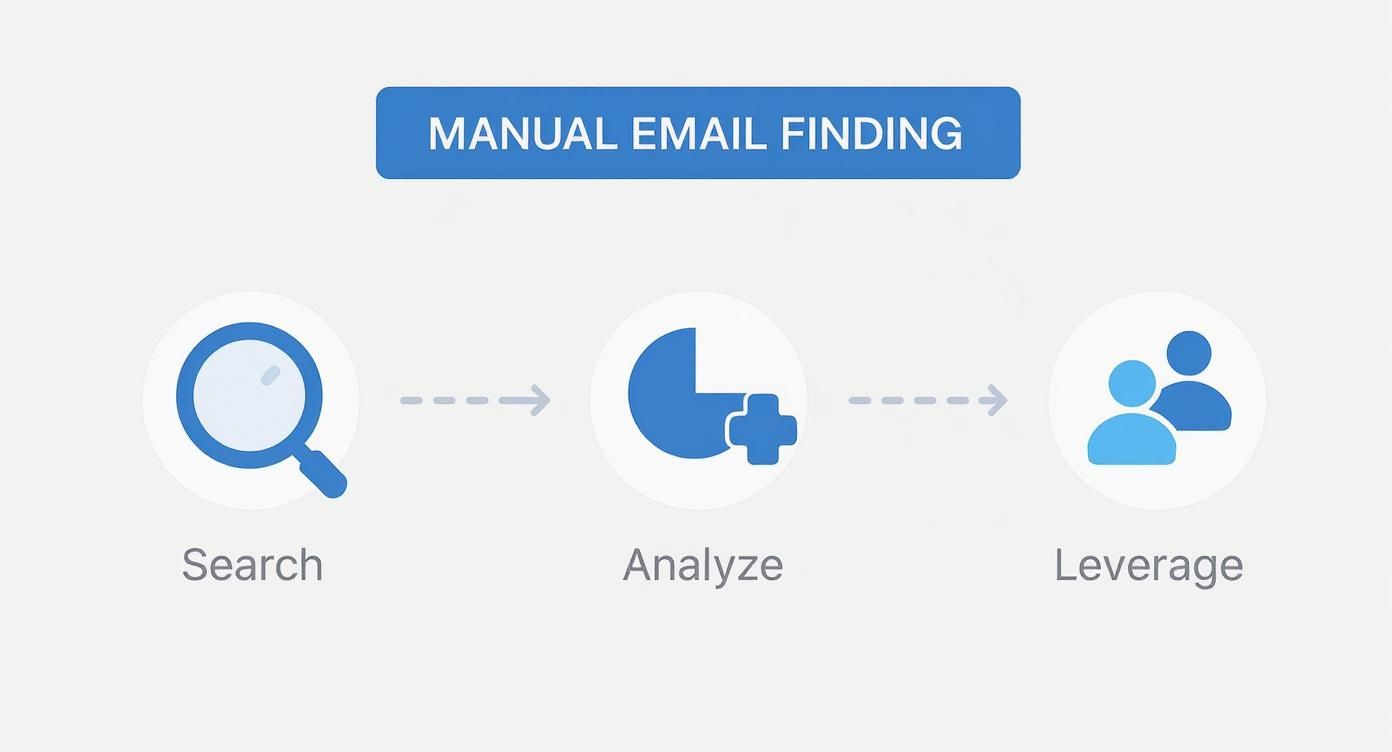
    This visual guide breaks down the simple but effective flow of manual email discovery—from digging for initial clues to spotting patterns and tapping into your network.

    Infographic about look up email addresses for free

    This process shows how mixing different manual strategies gives you a powerful, no-cost way to find high-value contacts when you don't need full-blown automation.

    Comparing the Top Free Email Lookup Tools

    Many of the big-name services offer surprisingly generous free plans. They're perfect for small-scale outreach, freelancers, or anyone just starting to build a contact list. Here's a side-by-side look at the features, free credits, and accuracy of leading email finders to help you choose the best fit for your needs.

    Tool Name Free Searches Per Month Reported Accuracy Best For
    Hunter.io 25 Searches, 50 Verifications ~95% Beginners needing a reliable and straightforward domain search.
    Snov.io 50 Credits 98% Users who want a full suite of tools (finder, verifier, drip campaigns).
    Voila Norbert 50 Searches 98% Sales teams looking for highly accurate, targeted leads.
    GetProspect 50 Searches 97% Finding and verifying emails directly from LinkedIn profiles.

    For instance, Hunter.io is a solid starting point with 25 free searches and 50 verifications each month. Snov.io gives you 50 monthly credits you can use across its entire suite of tools, which is great value.

    Others like Voila Norbert and GetProspect also hand out 50 free searches, making them excellent choices for targeted prospecting. For a deeper dive, check out our complete comparison of the best free email finder tools available right now.

    The best free tool for you depends entirely on your workflow. Someone building a large sales pipeline has different needs than a founder making a few strategic connections.

    Key Features to Look For

    Beyond the number of free credits, you should look for features that make your life easier. A good email finder should slot right into your existing process without a fuss.

    Here are a few features that I've found provide the most value:

    • Browser Extension: This is a must. It lets you find emails directly from someone's LinkedIn profile or company website, saving you from constantly switching tabs.
    • Confidence Score: This is usually a percentage that tells you how likely an email is to be correct. It's a lifesaver for prioritizing outreach and keeping your bounce rate down.
    • Bulk Finder: If you have a list of names and companies, a bulk feature lets you upload a CSV and get all the emails back in one go. Huge time-saver.

    Ultimately, the goal is to find a tool that not only gives you accurate data but also smooths out your process. You want to spend less time searching and more time actually connecting with people.

    A Practical Walkthrough with EmailScout

    Theory is great, but let's get our hands dirty. I'm going to walk you through exactly how to use EmailScout, a seriously effective (and free) tool, to find your first email address. We'll take the abstract steps we've talked about and turn them into real results using just a name and a company.

    The browser extension is where the real magic happens. Once you have it installed, you can pull contact info right from a LinkedIn profile with a single click. No more tab-switching or manual data entry. You’re just browsing a prospect’s profile and—bam—you’ve captured their verified email.

    Here’s a look at the EmailScout dashboard after grabbing a few contacts from LinkedIn.

    See how cleanly it organizes everything? You get the name, company, position, and the all-important verified email, creating a ready-to-use list you can export in seconds.

    Finding and Verifying Emails in One Go

    One of the best things about EmailScout is the built-in verification. It doesn't just guess at email formats; it actually checks to see if they're deliverable. This is a huge deal for protecting your sender reputation and making sure your emails actually land in someone's inbox.

    Getting that "Verified" check next to an email gives you the confidence to hit send. You know you're not just shouting into the void. It’s a small detail that makes a massive difference in your campaign's success.

    The effectiveness of tools like this shows a bigger trend. In 2025, free email finders have become remarkably powerful, leveling the playing field for small businesses and solo operators. For instance, tools like Voila Norbert claim a 98% verification rate even on free plans. Others integrate right into LinkedIn to make prospecting seamless.

    This easy access to high-accuracy tools, often with a good number of free credits, has made it easier than ever to look up email addresses for free and build outreach campaigns that work, even without a big budget. You can find more great options in this roundup of the best free email lookup tools on skrapp.io.

    With these practical steps, EmailScout stops being just another tool and becomes a core part of your daily outreach toolkit.

    Outreach That People Actually Want to Read

    A person smiling while reading an email on their laptop, representing effective and well-received outreach.

    Finding someone's email is only half the battle. Now comes the real work: writing a message that actually gets a reply instead of a one-way ticket to the trash folder. After you look up email addresses for free, the quality of your outreach is what separates success from silence.

    The secret is genuine personalization, and I’m not just talking about a [First Name] mail merge. Before you even think about hitting send, take two minutes to see who you’re actually talking to. A quick scan of their LinkedIn profile can tell you everything you need to know—a recent project they’re proud of, a shared connection, or an interesting post they just shared.

    Mentioning one of those small details shows you’ve done your homework. It proves you aren't just blasting a generic template to a faceless list. That simple effort can make a massive difference in your response rate.

    Crafting a Value-First Message

    Your opening line needs to offer value right away, not ask for a favor. Flip the script: instead of leading with what you want, focus on what you can give them.

    Here are a few ways to do that:

    • Offer a specific insight: "I saw your company is expanding into the APAC region, and I thought our recent market entry report might have some useful data for you."
    • Provide a helpful resource: "I really enjoyed your article on lead generation. It reminded me of a case study we did on a similar campaign that I thought you'd appreciate."
    • Share a genuine compliment: "Your keynote on sustainable tech was fantastic, especially your point on circular economies. It really stuck with me."

    This approach completely changes the dynamic. It’s no longer a cold pitch; it’s the start of a professional, mutually beneficial conversation.

    The goal isn't just to get your email opened; it's to start a genuine dialogue. By leading with value and demonstrating authentic interest, you build the foundation for a professional relationship, not just a one-off transaction.

    Finally, always play by the rules. Laws like the CAN-SPAM Act have strict guidelines for commercial emails, like including a physical address and an easy way to opt-out. With penalties reaching over $50,000 per violation, compliance isn't just good practice—it's essential.

    Once you’ve made contact, your follow-up game needs to be just as strong. For some great ideas on how to craft compelling messages, check out these perfect follow-up email strategies. A little professional persistence goes a long way.

    Common Questions About Email Lookups

    Even with the best tools and tricks up your sleeve, a few questions always pop up when you're digging for email addresses. It's totally normal. Let's clear the air on some of the most common ones I hear about legality, accuracy, and what to do when you hit a wall.

    Is It Legal to Look Up an Email Address?

    Short answer: Yes, it's generally legal to find and use a publicly available business email for legitimate professional outreach. The real issue isn't how you find the email, but how you use it.

    Your outreach has to play by the rules, like the CAN-SPAM Act here in the U.S. That means your message needs to be professional, relevant to the person you're contacting, and—this is a big one—give them a clear way to opt out. Mess this up, and the penalties can be steep, potentially hitting over $50,000 for a single non-compliant email. It’s all about being respectful and transparent.

    The legality really hinges on responsible use. As long as your outreach is for a legitimate business purpose and you honor opt-out requests right away, you're staying on the right side of the law.

    How Accurate Are Free Tools?

    You'd be surprised. Many free email lookup tools are pretty solid, often claiming accuracy rates in the 85-98% range. They run on smart algorithms and do real-time checks to see if an email will actually deliver. But let's be realistic—no tool is perfect. People change jobs all the time, so email data gets stale fast.

    To protect your sender reputation, I always recommend using tools that provide a confidence score. And if a contact is super important? It's worth running their email through a separate verifier as a backup. We have a whole guide on the importance of confirming email address validity that digs deeper into this. That extra step can save you a ton of bounced emails.

    What If a Tool Cannot Find an Email?

    If your favorite automated tool comes up empty, don't throw in the towel. This is exactly when you fall back on those manual detective skills we talked about earlier.

    Give these backup strategies a shot:

    • Guess the Pattern: Start experimenting with common formats. Think firstname.lastname@company.com or f.lastname@company.com. You'll often strike gold this way.
    • Search Smart: Fire up Google and use advanced search operators. You can often find an email address tucked away in a company blog post, a press release, or an author bio.
    • Connect Directly: Sometimes, the simplest plan is the best one. A polite and personalized connection request on LinkedIn can open the door far better than a cold email ever could.

    Ready to stop guessing and start connecting? With EmailScout, you can find unlimited verified emails for free, right from your browser. Try EmailScout today.