Tag: email writing

  • Mastering the Salutation in a Sentence

    Mastering the Salutation in a Sentence

    A salutation in a sentence is simply your opening line—the greeting that kicks off an email or letter. This single phrase, whether it's a formal "Dear Mr. Smith," or a quick "Hi Alex," is your digital handshake. It’s your first impression, and getting it right is the first step to making sure your message lands well.

    Why Your Email Salutation Is Your Most Important Sentence

    Person's hands typing on a laptop displaying 'Digital Handshake' text on a green screen.

    Think of your salutation as the front door to your entire message. It's the very first thing your reader sees, and it immediately sets the tone, signaling your intent and the kind of relationship you have (or want to have). A good salutation makes the recipient feel respected, while a bad one can feel lazy, impersonal, or just plain wrong.

    In the world of business communication, that first impression is made in a split second. Your greeting can be the difference between an email that gets read carefully and one that's immediately archived or deleted.

    The Strategic Power of a Greeting

    A strong opening isn't just about being polite; it’s a strategic move. For anyone in sales or marketing doing outreach, the right salutation in a sentence can seriously boost engagement. It shows you’ve done your homework and are talking to a real person, not just firing off another email to an address on a list.

    Your email salutation isn't just a formality—it’s your first opportunity to build rapport. A personalized and context-appropriate greeting establishes a foundation of respect that makes your reader more receptive to your message.

    Of course, the greeting is just the start. A broader understanding of how to write professional emails that actually get read is essential for anyone looking to communicate effectively. The whole email should carry the same respect and clarity you establish in your opening line.

    Setting the Right Professional Tone

    Your choice of salutation frames the entire conversation. Think about the signals these different greetings send:

    • Too formal: Using "Dear Sir or Madam" for an internal team message can feel stuffy and out of touch.
    • Too casual: Kicking off an email to a potential new client with "Hey" can immediately damage your credibility.
    • Just right: An opening like "Hello [FirstName]," often hits the sweet spot, feeling both modern and respectful in most business settings.

    Learning how to write a professional email really begins with nailing this first, crucial step. When you treat the salutation as a key part of your strategy, you give every message a running start and build the connection you need to get results.

    The Anatomy of an Effective Salutation

    A great salutation is more than just a polite opener; it’s a strategic tool. Think of it like a barista greeting a regular. A warm, personal "Hello, Alex!" feels welcoming and builds an instant connection. A generic "Hey you" just feels lazy. The first one builds rapport, while the second creates distance.

    The same exact principle applies to your emails. An effective salutation in a sentence is a careful mix of three core parts. Getting these pieces right is the first step to crafting greetings that feel both authentic and professional.

    The Three Essential Components

    Let's break down the fundamental building blocks of any good salutation.

    1. The Greeting Word: This is your opening word that sets the initial tone. "Dear" is formal and traditional, "Hello" is professional yet modern, and "Hi" is friendly and widely accepted in most business contexts today.
    2. The Recipient's Name: This is your most powerful tool for personalization. Using someone's name shows you see them as an individual, not just another address on a spreadsheet.
    3. The Punctuation: This final mark—usually a comma or a colon—frames the entire message and signals the level of formality you're aiming for.

    Getting the name right is arguably the most critical part. Studies show that personalized messages grab attention and establish an immediate human connection, which is why they get much higher engagement. Misspelling a name or, even worse, using the wrong one completely tanks your credibility from the start.

    A well-crafted salutation acts as a bridge between you and your recipient. The greeting word offers the invitation, the name makes it personal, and the punctuation sets the rules for the conversation that follows.

    Choosing between a comma and a colon can subtly change the entire feel of your email. A comma ("Hello Alex,") is the modern standard for just about all business emails, creating a friendly and approachable tone.

    A colon ("Dear Mr. Smith:") is reserved for highly formal or traditional correspondence. Think legal notices, academic applications, or contacting a high-level government official.

    Understanding these foundational pieces is the key to moving beyond generic openings. It allows you to consciously build a salutation in a sentence that aligns perfectly with your audience, your message, and your goal. With this anatomy in mind, you can start choosing the right combination for any situation.

    Choosing the Right Salutation for Any Situation

    Figuring out the right greeting for an email can feel like walking a tightrope, shifting between formal and casual. The trick isn’t about memorizing old-school rules. It's about matching your greeting to your audience and what you want to achieve.

    Think of it like picking an outfit. You wouldn't show up to a black-tie event in shorts, and you wouldn't wear a tux for a quick coffee. Your salutation works the same way—it sets the tone instantly and shows you get the context.

    Matching Your Greeting to the Context

    Before you type a single word, think about who you're talking to. Are you reaching out to a CEO for the first time? Sending a quick note to a coworker? Following up with a warm sales lead? Each one needs a slightly different touch.

    A formal salutation like "Dear Mr. Smith" is a safe and respectful bet for your first contact with a senior leader or in a more traditional industry. On the other hand, "Hi Alex" has become the go-to for most day-to-day business, hitting that sweet spot between professional and approachable. For groups, "Hi team" or "Hello everyone" works great to create a collaborative vibe. As you get the hang of writing professional emails, you'll find this becomes second nature.

    This decision tree breaks down the simple choices you need to make: the greeting, the name, and the punctuation.

    A flowchart showing an effective salutation decision tree for formal and informal contexts.

    As you can see, your choice really comes down to your relationship with the person and the overall feel of your industry and message.

    A Practical Framework for Any Scenario

    To make things even easier, here’s a quick guide to help you pick the perfect opening line.

    Formal vs Informal Salutations: When to Use Each

    This table gives you a clear playbook for choosing the right salutation based on who you're emailing, your relationship, and the situation.

    Salutation Example Formality Level Best Used For When to Avoid
    Dear Mr./Ms. [LastName] High (Formal) First contact with executives, academic correspondence, formal letters. Communicating with colleagues or when a casual tone has been set.
    Hello [FirstName] Medium (Professional) Most business emails, initial outreach to managers, networking. Highly formal situations or very casual internal chats.
    Hi [FirstName] Medium-Low (Casual) Daily communication with colleagues, follow-ups with warm leads. The first email to a CEO or someone in a very traditional role.
    Hi team / Hello all Medium-Low (Group) Internal team messages, project updates, group announcements. When addressing a specific individual is required for impact.

    This framework gives you a solid starting point for almost any email you'll need to write.

    Key Takeaway: When in doubt, it’s always safer to start slightly more formally and then mirror the other person's tone as the conversation progresses. If they reply with "Hi," you can comfortably use "Hi" in your next email.

    This simple strategy helps you start every conversation on the right foot. For more tips on making a great first impression, check out our guide on how to introduce yourself on email: https://emailscout.io/how-to-introduce-yourself-on-email/. By tailoring your salutation, you show respect and awareness, which goes a long way in getting your message read and acted on.

    Simple Grammar and Punctuation Rules for Salutations

    Even tiny punctuation mistakes can kill your credibility before your reader even gets to your first sentence. It’s like wearing a sharp suit with scuffed, dirty shoes—that one small detail sours the entire impression.

    Let's walk through the essential rules for a salutation in a sentence. Getting these right isn't about being a grammar stickler; it’s about signaling that you pay attention to the details.

    The Great Debate: Comma vs. Colon

    One of the most common questions I get is whether to use a comma or a colon after a greeting. The answer is actually pretty simple and comes down to how formal you need to be.

    • The Comma (,): This is your go-to for just about all modern business communication. It strikes a friendly, approachable tone that works in 99% of emails.

      • Example: Hi Jane,
      • Example: Hello Mr. Davis,
    • The Colon (:): Save this one for highly formal, old-school correspondence. Using a colon in a regular business email can feel stiff, overly formal, or even a bit dated.

      • Example: Dear Members of the Board:
      • Example: To Whom It May Concern:

    Rule of Thumb: Use a comma when you're writing to a person. Use a colon when addressing a formal group or an institution. Even in a formal context, if you're emailing an individual, a comma is almost always the better choice.

    Capitalization and Titles Done Right

    Proper capitalization is another one of those small details that shows respect and professionalism. The rules are simple, but getting them wrong looks sloppy. Always capitalize the first word of the greeting and every part of the person's name, including their title.

    Do This / Not This

    Correct (Do This) Incorrect (Not This)
    Dear Ms. Rodriguez, dear ms. rodriguez,
    Hello Dr. Chen, Hello dr. Chen,
    Hi Professor Smith, Hi professor smith,

    You'll notice that titles like Ms., Mr., Dr., and Prof. are always abbreviated and followed by a period.

    A quick pro tip: "Ms." is the default professional title for women because it doesn't refer to marital status. It's the safest and most respectful standard to use in any business context. Following these basics ensures your salutation projects competence from the very first word.

    Salutations That Win in Cold Email and Sales

    A hand holding a smartphone displaying an email on a wooden desk, with 'Win the Reply' text.

    When you're sending a cold email, your salutation isn't just a polite formality. It’s your first—and sometimes only—chance to prove your email is worth reading. A generic opener like "To Whom It May Concern" is a fast-track to the delete folder because it screams you haven't done any research.

    To get a reply, you have to earn it from the very first word. Your goal is to show you’re contacting a real person, not just blasting an email address. Using the right salutation in a sentence is the key that unlocks their attention.

    The data backs this up in a big way. Emails with personalized salutations see a 26% higher open rate. But it gets better—they also see a 32% higher response rate. Another analysis of over 350,000 emails found that simple personalization can boost replies by a massive 53% compared to generic greetings.

    Field-Tested Salutation Templates for Outreach

    Theory is great, but results are better. Your greeting needs to connect directly to your goal: getting a response. Here are a few simple templates that just plain work.

    • The Simple Standard: Hi [FirstName],
      This is the gold standard for good reason. It’s friendly without being unprofessional and direct without being pushy. It skips the old-school stuffiness of "Dear" but keeps things respectful.

    • The Referral Opener: Hi [FirstName], [Mutual Connection] suggested I reach out.
      Name-dropping a mutual connection is the single most powerful way to open a cold email. It instantly builds a bridge of trust and gives them a very strong reason to keep reading.

    • The Value-First Approach: Hello [FirstName], I saw your recent post on [Topic] and...
      This immediately proves your email isn’t a generic blast. You're showing you’ve engaged with their work and have a specific, relevant reason for reaching out.

    Remember this: the best salutation proves you've invested a minute of your time to earn a minute of theirs. A personalized greeting is the entry fee for a busy professional's attention.

    These small details are what separate a successful outreach campaign from a failed one. To go even deeper, our complete guide on how to write cold emails breaks down even more strategies to get your messages opened and answered. Nailing the salutation in a sentence is the perfect place to start.

    Common Salutation Mistakes to Avoid

    A document with red X marks in checkboxes, a pen, and a laptop, emphasizing avoiding mistakes.

    Even the most seasoned pros can make a simple slip-up that kills an email before it's even read. These common salutation blunders might seem small, but they send a powerful—and very negative—message to your recipient.

    Think of your salutation as the first handshake. Getting it wrong is like showing up to a meeting with coffee stains on your shirt; it instantly signals a lack of care and attention to detail. The good news is these errors are easy to spot and fix once you know what to look for.

    Email is still the undisputed king of business communication, with over 376 billion emails zipping around the globe daily. One recent study even found that 68% of executives assess competence based on the greeting alone. To get a better sense of why email still dominates, you can explore more findings about its impact.

    The Most Damaging Salutation Errors

    These are the cardinal sins of email outreach. They can instantly torch your credibility and make your message feel like spam, even if the content inside is pure gold. Steering clear of these is your first line of defense.

    • Misspelling the Name: This is easily the most common and damaging mistake. It screams, "I couldn't be bothered to double-check," and immediately puts a wall between you and the person you're trying to connect with.
    • Using the Wrong Name: Even worse than a typo. Using a completely different name is an unforgivable error that pretty much guarantees your email will be deleted on sight.
    • Mail-Merge Mayhem: We've all seen it. The dreaded Hello [FirstName], is an instant rapport killer. It exposes your outreach as a thoughtless, automated blast and erases any hope of building a genuine connection.

    A person's name is their most important identifier. Getting it right is the bare minimum for showing respect. Messing it up is a clear signal that your message isn't worth their time.

    Simple Fixes for a Flawless First Impression

    The best part is that these critical mistakes are 100% preventable. A few seconds of pre-flight checking can save your email from a one-way trip to the trash folder. It’s a simple habit that pays for itself over and over.

    Quick Prevention Checklist

    Get into these simple habits before you hit "send" to ensure every salutation in a sentence you write is flawless and professional.

    1. Do a Quick LinkedIn Check: Before emailing someone new, spend ten seconds on their LinkedIn profile. This is the fastest way to confirm the correct spelling of their name and their current title.
    2. Read Your Salutation Aloud: It sounds almost too simple, but this trick helps your brain catch typos and awkward phrasing your eyes might skim over. If it sounds wrong, it is wrong.
    3. Test Your Mail-Merge Software: If you're sending emails at scale, always send a test to yourself first. This is non-negotiable. It ensures all your personalization fields are working correctly and saves you from a massive, embarrassing blunder.

    Frequently Asked Questions About Salutations

    Even when you know the rules, some situations can still make you second-guess how to start an email. Let's walk through a few of the most common questions people have. Getting these edge cases right shows an extra layer of awareness that people notice.

    What Salutation Should I Use if I Don't Know the Recipient's Gender?

    This comes up all the time, and it's an important one to get right. If you’re unsure of a person's gender, never guess with "Mr." or "Ms." The safest and most modern approach is to simply use their full name.

    • Formal: Dear Alex Johnson,
    • Informal: Hello Alex,

    This method is professional, inclusive, and completely avoids the risk of making an awkward or offensive assumption. It's a simple fix that works every time.

    Is 'Hey' Ever an Acceptable Salutation in a Professional Email?

    "Hey" sits at the far end of the casual spectrum. While it can be perfectly fine for quick notes to colleagues you know well, it’s too informal for most professional scenarios.

    For any first-time outreach, messages to clients, or emails to your boss, it's best to avoid "Hey." It can come across as dismissive or unprofessional. Stick with "Hi" or "Hello" for a friendly but safe alternative that keeps the tone professional.

    How Do I Address a Group of People in an Email?

    Addressing a group requires a slightly different approach, but you have several great options depending on who you're writing to. Your goal is to sound inclusive without being generic or robotic.

    Here are a few solid choices for group emails:

    • For a specific department: "Dear Marketing Team," or "Hi Sales Team,"
    • For a general group: "Hello everyone," or "Hi all,"

    These options are clear, friendly, and get the job done. Just be sure to avoid outdated phrases like "To Whom It May Concern" unless you have absolutely no other option.


    Ready to stop guessing and start connecting? EmailScout helps you find the right person and their correct details every time. Streamline your outreach and build your contact lists effortlessly with our powerful Chrome extension. Find unlimited emails for free and make every first impression count. Visit https://emailscout.io to get started.

  • How to Write Business e mail: how to write business e mail that gets read 2026

    How to Write Business e mail: how to write business e mail that gets read 2026

    Let’s get one thing straight: writing a good business email isn’t about some magic formula. It boils down to four things: a subject line that grabs attention, an opening that feels personal, a body that clearly shows your value, and a call to action that’s impossible to ignore. If you can nail these, you’ll know exactly how to write a business e mail that turns a cold shoulder into a warm conversation.

    Why Your Business Emails Are Being Ignored

    Ever feel like you’re sending emails into a black hole? Most business emails get deleted in the blink of an eye. If you’re not getting replies, it isn't bad luck—it’s because you failed to stand out in a ridiculously crowded inbox. The problem usually starts before they even see your name.

    Your subject line is the gatekeeper. Get it wrong, and all the effort you put into the email itself is wasted. It’s a harsh truth, but to keep your emails out of the trash, you have to master email etiquette at work from the very first word.

    The Power of the First Impression

    You spend all that time crafting the perfect message, only for it to disappear without a trace. I've seen it happen countless times. The data doesn't lie: a staggering 47% of people open an email based on the subject line alone. Those first few words are your entire pitch.

    Just adding someone’s name can give you a nice bump in open rates, but real success comes from being clever and concise. The sweet spot is around 44 characters—short enough to look good on a phone.

    The reality is that your email is judged in seconds. A vague, generic, or overly "salesy" subject line is a red flag that screams, "This isn't worth your time."

    Two smartphones displaying email content and marketing tips on a wooden desk with a laptop.

    This is what you're up against. On mobile, you have just a sliver of screen space to make your case. The subject line and the first few words of preview text are all you get. Make them count.

    Moving Beyond Generic Subject Lines

    Your goal here is to create a spark of curiosity and signal that you have something valuable to offer. Ditch the generic stuff. You want to create intrigue or dangle a specific, tangible benefit right from the get-go.

    Of course, a killer subject line is only half the battle. It won’t do you any good if your email lands in the spam folder. Before you hit send, it’s a good idea to check out our guide on https://emailscout.io/how-to-improve-email-deliverability/ to make sure your messages actually get seen.

    Mastering Subject Lines and Opening Hooks

    Think about your own inbox for a second. How many emails do you delete without even opening them? Probably a lot. A great subject line gets you through that first filter, but a weak opening hook will get your email deleted just as fast.

    These two pieces have to work in perfect sync. The goal isn't to trick someone into opening your email with a spammy, clickbait line like "URGENT – Read Now!". It’s to signal that your message is relevant and valuable, right from the first glance.

    Crafting Subject Lines That Get Clicks

    Your subject line is a headline. It needs to be specific, a little personal, and just intriguing enough to make someone want to know more. Vague subject lines are the fastest way to the trash folder. I've seen it a thousand times.

    Just look at the difference here:

    • Vague: "Checking in" or "Quick Question"
    • Specific: "Question about [Company]'s recent launch"
    • Personalized: "[Name], idea for your sales team"

    The specific and personalized versions immediately show you've done your homework. They signal respect for the recipient's time and set a clear expectation for what's inside, which is a huge trust-builder. If you really want to level up your subject line game, our complete guide on email subject line best practices has a ton of formulas that just plain work.

    Writing an Opening Line That Builds Instant Rapport

    Okay, they opened your email. Now what? Your very first sentence has one job: prove their click was worth it. This is where you connect the dots for them. Why them? Why now?

    A strong opening line is your chance to build rapport and show you're not just another mass email.

    Here are a few ways to make that first line count:

    • Reference a recent win: "Congrats on the award for Best Workplace; it's clear you're building an amazing culture at [Company]."
    • Mention a shared connection: "Our mutual connection, [Name], suggested I reach out."
    • Pinpoint a specific need: "I noticed on your site that you're expanding your services, which often creates challenges with [specific problem]."

    Your opening line should feel like the start of a one-on-one conversation, not a broadcast. It tells the recipient they made the right choice by opening your email, making them much more likely to read what you have to say next.

    To make sure your email grabs attention from the get-go, check out these examples of hooks that actually work. Even though they're for social media, the core ideas of sparking curiosity and showing value apply directly to writing a business email that people actually want to read.

    Structuring Your Email for Readability and Impact

    Alright, your killer opening line got their attention. Now the clock is ticking. You have just a few seconds to deliver on that promise before they move on.

    The reality is, professionals don’t read emails—they scan them. With over 100 emails hitting the average inbox daily, a dense wall of text is an instant trip to the archive folder.

    The secret to writing a business email that actually gets a response is all in the structure. Think short sentences, even shorter paragraphs, and generous use of white space. Your job is to guide their eye directly to the most important info.

    This simple flow shows how everything works together, moving from a strong subject line and hook right into the body of your email.

    A four-step infographic illustrating the email writing process, from subject line to call to action.

    As you can see, the body is where you prove the value you hinted at in your opening. It’s the bridge between getting noticed and getting a reply.

    The Why You, Why You Now Framework

    Every single effective business email I've ever sent or received answers two critical questions for the reader: "Why are you emailing me?" and "Why should I care about this now?"

    If your email fails to address both, it just feels like generic spam.

    • Why You: This is all about personalization. It’s your proof that you’ve done your homework. Mention a recent LinkedIn post, their company's new funding round, or a specific challenge related to their role.
    • Why You Now: This piece creates relevance and a bit of urgency. You need to connect what you're offering to a current goal, pain point, or industry trend that’s already on their radar.

    When you weave these two elements into your first couple of lines, you instantly signal that your message is targeted, thoughtful, and worth their time.

    A well-structured email isn't just about clean formatting; it's a sign of respect for the reader's time. It shows you've refined your message down to its core, making it effortless for them to see your value.

    Building Your Email for Scannability

    Once you've established that you're relevant, you need to keep the momentum going with a crystal-clear, scannable structure. Ditch the long paragraphs for good. Instead, lean on visual cues to break up the text and make your key points pop.

    • Use Bold Text Strategically: Don't just bold random words. Emphasize the key outcome you can deliver or a critical pain point you solve. This is how you draw their eyes right to the value.
    • Incorporate Bullet Points: Anytime you're listing benefits, features, or the next steps, use bullet points. They are infinitely easier for the brain to process than a cluttered sentence.
    • Keep Paragraphs to 1-2 Sentences: This is a great discipline to practice. It forces you to be concise. Each paragraph should tackle one distinct idea, creating visual breaks that make your email feel much less intimidating—especially on a phone.

    Personalization That Drives Real Engagement

    If your outreach emails are getting ignored, there's a good chance they feel generic. In a world of automated blasts, the only way to get a real response is to move way beyond just dropping in a prospect's first name.

    Effective personalization is all about creating a genuine connection that proves you’ve actually done your homework.

    A professional workspace with multiple computer screens, one showing a personalized resume, another a social media profile.

    This simple shift in approach turns your outreach from a cold numbers game into a powerful relationship-building engine. It’s what separates an email that gets deleted from one that feels like a real, one-to-one conversation.

    Go Beyond Basic Mail Merge

    Let's be clear: using a [FirstName] tag is the absolute bare minimum. Real engagement comes from digging just a little deeper to find a specific, relevant hook. This instantly shows the recipient you’ve invested time to understand them, making your message impossible to ignore.

    Think of it as gathering a little bit of intel. Before you write a single word, spend just five minutes on their LinkedIn profile or their company's "News" page.

    Look for these easy-to-find personalization triggers:

    • A recent LinkedIn post: "I saw your post about the future of remote work and completely agree with your take on asynchronous collaboration."
    • A company announcement: "Congratulations on the successful launch of your new product line last week—it looks like a game-changer."
    • A quote from an article: "Your quote in Forbes about customer-centricity really resonated with me."
    • A new job or promotion: "I saw you recently started a new role as VP of Marketing at [Company]—congrats on the move!"

    These small, specific details are proof that you're a real person who has taken a genuine interest, not just another bot blasting out a template.

    Segment Your Lists for Hyper-Relevance

    Sending the same message to your entire list is a proven recipe for low open rates and zero replies. The most successful outreach campaigns break their lists down into smaller, highly focused groups.

    This allows you to tailor your messaging so it's incredibly relevant to each specific audience.

    Personalization isn't just polite—it's a revenue rocket. Tailored emails can deliver 6x higher transaction rates, and simply personalizing the subject line can boost open rates by 26%. For B2B marketers, this is crucial, as targeted list segmentation can increase revenue by an incredible 760%. You can explore more email marketing statistics to see the full impact.

    Start by grouping your contacts by a few key attributes.

    • Industry: A message for a SaaS company should sound very different from one for a manufacturing firm.
    • Job Role: The daily challenges of a CEO are not the same as those of a Marketing Manager.
    • Company Size: A startup has completely different needs and budgets than a massive enterprise corporation.

    When you segment your audience, you can craft emails that speak directly to the unique problems and goals of each group. This targeted approach makes your offer far more compelling and dramatically increases your chances of getting a positive reply.

    Writing a Call-to-Action That Gets a Response

    You can write the perfect email, but if your closing line is weak, it’s all for nothing. The call-to-action (CTA) is where the magic happens. It’s the single most important part of your message, and getting it wrong is a surefire way to land in the archive folder.

    Your entire goal is to make saying "yes" effortless for the reader. Vague requests like "Let me know your thoughts" or "Feel free to reach out" are conversation killers. They put all the mental work on the other person. Don't make them think—tell them exactly what the next step is.

    Offer Clear and Low-Friction Options

    The best CTAs are specific and require almost zero effort to act on. Think about the difference between a high-friction request and a low-friction one. Asking someone to "Let me know if you want to chat sometime" is lazy. It’s vague, open-ended, and requires them to coordinate everything.

    A much stronger approach is to propose a simple, low-commitment action.

    • Weak: "Would you be interested in a demo?"
    • Strong: "Are you open to a 15-minute call next Tuesday to see how we help teams like yours reduce onboarding time by 30%?"

    That second example works so well because it defines the time commitment (15-minute), suggests a specific timeframe (next Tuesday), and reminds them of the benefit. It turns a complex decision into a simple yes or no. If you want more in-depth strategies for this, our guide on how to write cold emails is packed with practical examples.

    The golden rule of CTAs is to make the next step so simple that responding feels easier than ignoring it. The less mental energy required, the higher your response rate will be.

    To help illustrate this, here’s a quick comparison of common high-friction CTAs and their low-friction alternatives that get much better results.

    High-Friction vs. Low-Friction CTA Examples

    Scenario High-Friction CTA (Avoid) Low-Friction CTA (Use)
    Requesting a Meeting "Let me know when you're free to connect." "Do you have 15 minutes on Tuesday or Thursday afternoon for a quick call?"
    Gauging Interest "What are your thoughts on this?" "Is improving [specific outcome] a priority for you right now?"
    Sharing a Resource "Check out our website for more info." "I put together a case study on [Topic] – mind if I send it over?"
    Proposing a Demo "Would you like a demo of our platform?" "Are you open to a quick 10-minute screen share to see how it works?"

    By shifting your language to be more specific and less demanding, you remove the guesswork and make it incredibly easy for your prospect to engage.

    Choose the Right Type of CTA

    Not every email needs to push for a meeting. Sometimes, your goal is just to start a conversation or gauge interest. Picking the right kind of CTA for the situation is crucial.

    Meeting-Based CTAs
    These are direct and aim to get time on someone's calendar. You should use these when you have a solid reason to believe they're a great fit and your value proposition is crystal clear.
    Example: "If that sounds interesting, what does your calendar look like for a quick call early next week?"

    Interest-Based CTAs
    These are a softer approach designed to start a dialogue. They work especially well in initial outreach when you're trying to confirm you’ve found the right person or validate that they even have the problem you solve.
    Example: "Is improving team productivity a priority for you right now?"

    Another fantastic strategy is to lead with value. Instead of asking for something, give something. Offering a link to a relevant case study or a genuinely helpful resource builds goodwill and often prompts a reply. It shows you’re here to help, not just to sell.

    Final Checks Before You Hit Send

    You’ve crafted the perfect email, but one small mistake can undo all that effort. That “Send” button is final, so a quick quality control check isn't just a good idea—it's essential for protecting your professional reputation and ensuring your message actually works.

    Think of it as the last line of defense. My go-to trick is to read the entire email out loud. This simple habit immediately exposes awkward phrasing, a tone that feels off, or sentences that drag on. If it doesn't sound right when you say it, it definitely won’t read well.

    The Technical Double-Check

    Next, you need to get technical. It’s the small details that are so easy to miss, but a broken link or a personalization flub can instantly kill your credibility.

    • Test Every Link: Click every single link in your email. Yes, every one—including the ones in your signature. Make sure they all point to the right page and aren't broken.
    • Verify Personalization Fields: Send a test email to yourself or a colleague. Double-check that dynamic fields like [FirstName] and [Company] have populated correctly. Nothing screams "automated and careless" like an email that opens with "Hi [FirstName]".

    There's no worse feeling than spotting a typo moments after emailing a key prospect. Taking an extra 60 seconds for a final review is one of the highest-ROI activities in the entire outreach process.

    Optimize for Mobile and Deliverability

    Let's be real: most emails today are opened on a phone. If your message looks like a wall of text on a small screen, it’s getting deleted. Stick to short paragraphs and use plenty of white space. Always send a test to your own phone to see exactly how it looks.

    Finally, you have to think about deliverability. Using too many links, large attachments, or words that sound spammy can get your email flagged before it's ever seen. With over 376 billion emails sent every day, you need flawless execution just to get noticed.

    Hitting benchmark click-through rates of 2.3-2.5% isn’t just about writing great copy; it’s about error-free delivery that lands you in the primary inbox. You can find other compelling email statistics that show just how much accuracy and delivery impact your results.

    Frequently Asked Questions

    You’ve got the fundamentals down, but I know there are always those nagging little questions that pop up right before you hit “send.” Let's quickly run through some of the most common ones I hear.

    What Is the Best Time of Day to Send a Business Email?

    You'll hear a lot of talk about mid-morning on Tuesdays and Thursdays being the “magic window.” While that’s a decent starting point, the truth is, the best time depends entirely on who you’re trying to reach.

    An executive might clear their inbox first thing in the morning, but I've found that a startup founder is just as likely to be catching up late at night. The only way to know for sure is to test it yourself. Send your emails in batches at different times and on different days, then watch your open rates. The data will tell you what works.

    How Long Should a Business or Sales Email Be?

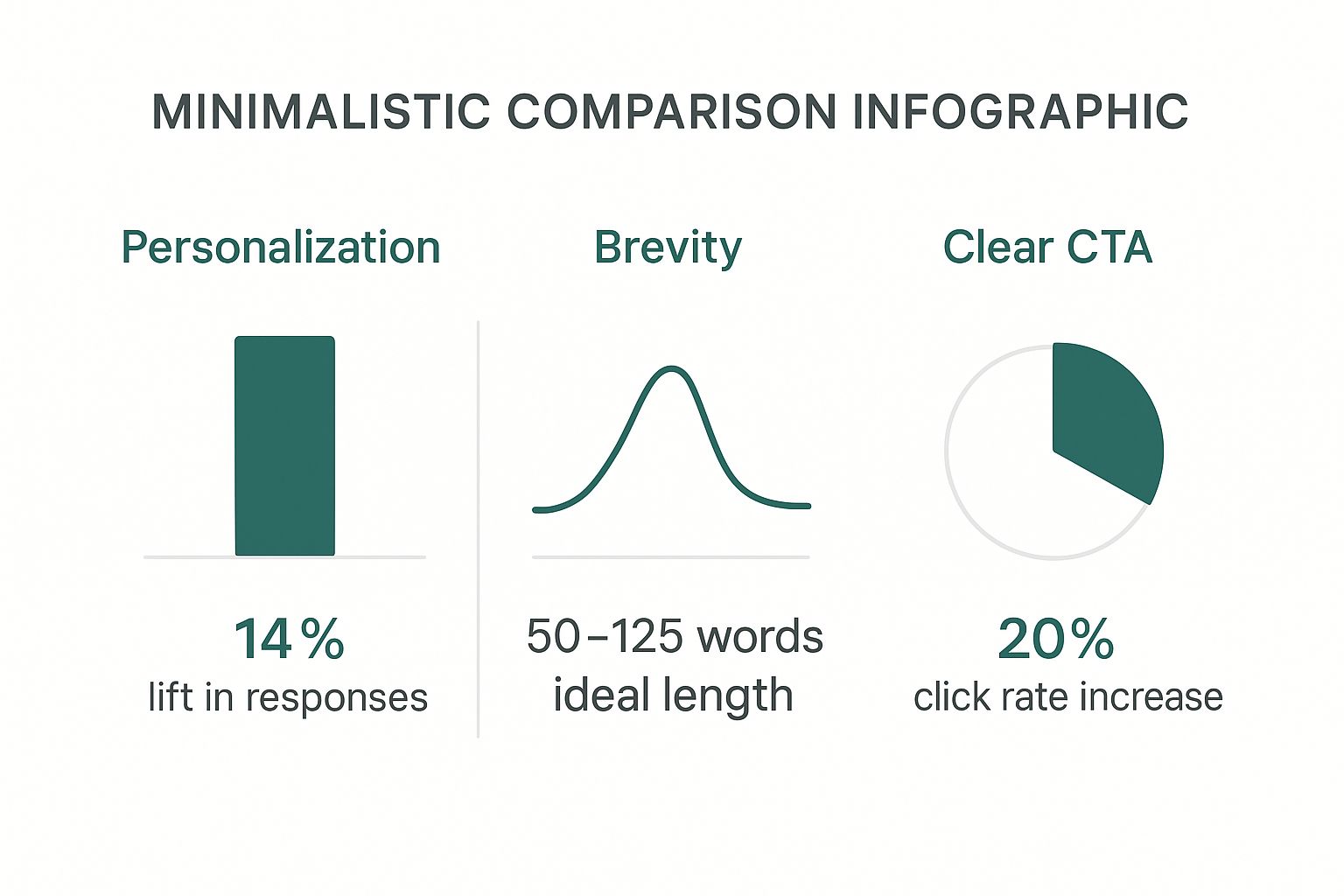
    Keep it short. Seriously. Aim for somewhere between 50 and 125 words. Your only goal here isn't to close the deal or tell your company's life story—it's to spark just enough curiosity to get a reply.

    Remember, your email isn't a proposal—it's a conversation starter.

    Brevity shows you respect their time. It also makes your message way easier to read on a phone, which is where most people will see it. Stick to short sentences and break your paragraphs into just 2-3 lines. It makes a huge difference.

    How Many Follow-Up Emails Are Too Many?

    There’s a fine line between persistent and annoying, but don't be afraid to follow up. In my experience, a sequence of 3 to 5 follow-up emails is the sweet spot. Space them a few days apart to stay top-of-mind without flooding their inbox.

    The key is that every single follow-up needs to add new value. Never just "bump" your last message.

    Instead, try offering something new each time:

    • Share a different case study that’s relevant to their pain points.
    • Send a link to a fresh blog post or article you think they'd find useful.
    • Offer a quick, new insight about a trend in their industry.

    If you’ve sent 4-5 thoughtful emails and still hear crickets, it’s probably time to move on. You can always add them to a long-term nurture list for another day.


    Ready to find the right people for your perfectly crafted emails? EmailScout helps you discover verified email addresses for key decision-makers in seconds. Start building your outreach lists and connecting with the contacts that matter. Find unlimited emails for free at https://emailscout.io.