

Think of an email search engine as a digital private investigator for contact information. It’s a specialized tool built to find professional email addresses that a simple Google search would miss. For anyone in sales, marketing, or recruiting, it’s a total game-changer.
What Are Email Search Engines and How Do They Work?
Imagine you need to find a specific person's business card in a city with a million offices. You could spend days wandering around, hoping to get lucky. Or, you could hire an expert who knows exactly which buildings to check and who to ask.
Email search engines are that expert. They were created to solve one massive headache: the ridiculously time-consuming and often frustrating manual hunt for accurate email addresses.
This process, often called an email lookup, is the lifeblood of modern outreach. Instead of guessing email patterns (first.last@company.com? f.last@company.com?) or digging through countless web pages, these tools do the heavy lifting for you. They can turn a task that used to take days into a few seconds. If you want a deeper dive into how this works on a practical level, our guide on how to perform an email address lookup has you covered.
The Technology Behind the Curtain
At their core, most email search engines are basically super-focused web crawlers. A web crawler is just an internet bot that methodically browses the web, following links from one page to another to index information. An email finder points this technology at public web pages, social media profiles, and company directories with a single mission: find names, companies, and any associated email addresses.
Here’s a simple visual of how a crawler maps out a website to pull information.

Email search tools just tweak this process to zero in on contact details. It's a surprisingly powerful way to generate leads.
Why Everyone Needs One Now
It’s no surprise that the demand for these tools has absolutely skyrocketed. The global search engine market, which includes these niche finders, is on a tear. Projections show it growing from USD 252.5 billion in 2025 to a massive USD 440.6 billion by 2030. That kind of growth tells you just how much businesses now rely on specialized search tools.
An email search engine doesn't just find an email; it opens a door to a new opportunity. It automates the most mind-numbing part of outreach, giving you back precious time to actually build relationships and close deals.
Bottom line? These platforms are no longer a "nice-to-have"—they're essential. They offer a scalable way to build highly targeted contact lists, making sure your message actually lands in the right inbox from the get-go.
How These Tools Uncover Accurate Contact Data
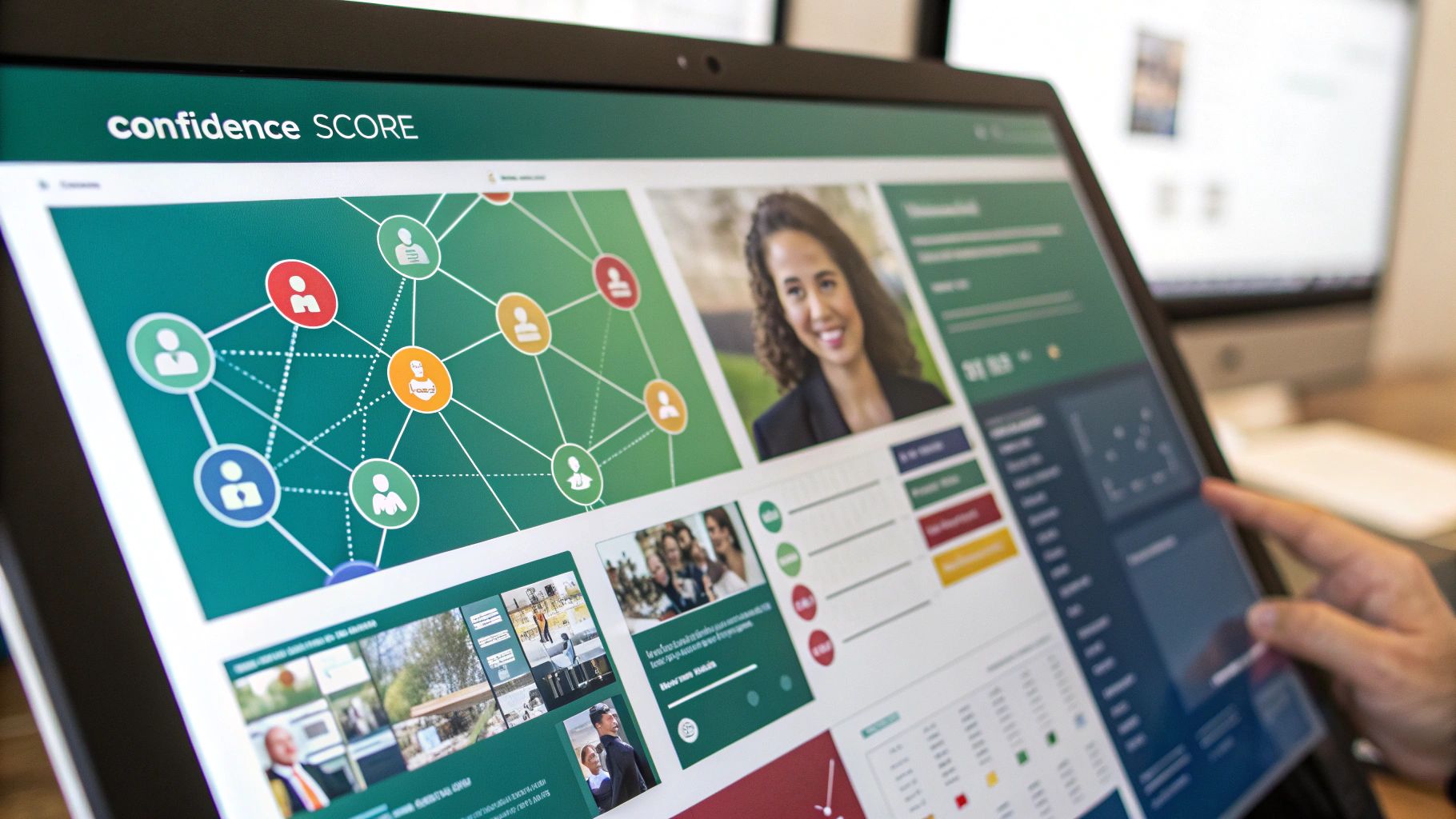
Ever wonder how email search engines seem to pull a contact out of thin air? It’s not magic—it's more like digital detective work. These tools don't rely on a single source. Instead, they piece together clues from all over the internet to build a complete, accurate picture of someone's contact information. This multi-layered approach is what separates a professional tool from a simple guess.
Think of it like putting together a puzzle. One piece doesn’t tell you much, but the image becomes crystal clear as you connect more and more of them. These tools gather those puzzle pieces from various public and private sources, cross-referencing everything until they’re confident they have a match.
The whole point is to move beyond a plausible guess to a highly probable, verifiable contact. It’s how you turn a cold lead into a real person you can actually reach.
The Detective Work of Data Sourcing
The first and most common technique is public web scraping. Specialized bots, a lot like the ones Google uses to index the internet, crawl millions of public web pages. They’re programmed to scan company "About Us" pages, press releases, and author bios, looking for anything formatted like a corporate email address.
Next up is pattern recognition. Most companies use a standard email format, like firstname.lastname@company.com or f.last@company.com. By analyzing a few known email addresses from a company, an email finder can make a highly educated guess about the right pattern for anyone else who works there.
The final layer involves tapping into proprietary databases. Over time, these platforms build up massive, private libraries of contact data from their own research and partnerships. This historical data is a powerful reference, allowing them to confirm or deny what they found using other methods.
- Scraping: Gathers the raw, publicly available data from websites.
- Pattern Matching: Figures out the most likely email structure for a specific company domain.
- Database Cross-Referencing: Checks those findings against a huge library of known contacts to be sure.
By layering these three methods, an email search engine builds a strong case for every email it finds. If you want to see how this works in the real world, check out reviews of tools like the Wiza email extraction tool to see these principles in action.
Understanding Confidence Scores and Verification
A key feature you'll see in any quality email search engine is a confidence score. This is usually a percentage that tells you how certain the tool is that an email is legit and deliverable. A high score, often 95% or more, means the email was likely confirmed by multiple independent sources.
A confidence score isn't just a number; it's a measure of data quality. It tells you whether the email was a quick guess based on a common pattern or a verified result confirmed by multiple data points.
A low score might mean the tool found a likely pattern but couldn't actually confirm the email exists. A top-tier score, on the other hand, suggests the system not only found the address but also successfully "pinged" the email server to make sure it's ready to receive mail.
This multi-step verification process is where the real value is. It typically includes:
- Syntax Check: Makes sure the email format is correct (e.g., has an "@" symbol and a valid domain).
- Domain Check: Confirms the company's domain is active and set up to receive emails.
- Server Ping: Sends a technical handshake to the mail server to see if that specific user account exists—all without sending an actual email.
This meticulous process ensures the data you get is reliable. Of course, before you launch any campaign, it's always a good idea to double-check your list. To get a better handle on this critical step, you can learn more about how to validate an email address properly. It’s the best way to protect your sender reputation and give your campaign the best shot at success.
Once you understand how email search engines work, it's time to put that knowledge into practice. Choosing the right tool isn't just about finding emails—it's about picking one that slides right into your team's workflow, fits your budget, and helps you hit your goals. The market is packed with options, so you need a clear way to cut through the noise.
You have to look past the flashy marketing and focus on what actually drives results. Think about data accuracy, how it connects with your other tools, and whether it’s easy for your team to pick up and run with. What works for a high-volume sales team might be total overkill for a small startup just getting its footing.
The real goal is finding a solution that gives you accurate data and a solid return on your investment by saving time and making your outreach more effective.
Evaluate Data Accuracy and Verification Methods
Let's be blunt: the single most important thing is data accuracy. An email finder is completely useless if it’s constantly spitting out bad addresses. That just leads to high bounce rates, which wrecks your sender reputation. Anything over a 2-3% bounce rate is a big red flag for email providers like Gmail and Outlook.
When you're looking at a tool, see how open they are about their verification process. Do they explain how they check emails? Do they give you a confidence score for each contact? The best tools use a multi-step check that includes syntax, domain verification, and server pings to make sure the emails are live and ready to go.
Your outreach campaign is only as good as your contact list. Prioritizing a tool with a proven track record of high accuracy and transparent verification is non-negotiable for long-term success.
Consider Integration and Workflow Compatibility
An email finder should feel like a natural part of your toolkit, not another app you have to juggle. Before you commit, think about how it will play with the software your team already lives in every day.
- CRM Integration: Can it connect directly to your CRM, like Salesforce, HubSpot, or Pipedrive? A smooth integration means your team can find and sync new contacts without any mind-numbing manual data entry.
- Browser Extensions: A good Chrome or Firefox extension is a game-changer. It lets your team grab email addresses right from LinkedIn profiles or company websites with a single click. It’s a massive workflow booster.
- API Access: If you have developers on your team or custom software, API access is key. It lets you build the email-finding power directly into your own applications for a truly custom setup.
Choosing a tool that fits your current process makes it way easier for your team to actually use it.
Analyze Pricing Models and Scalability
Pricing for these tools is all over the map, so you need to find a model that lines up with how you’ll actually use it. Most platforms run on a credit system, where one credit usually gets you one email lookup or verification.
You'll typically see a few common pricing structures:
- Monthly Subscriptions: You get a set number of credits each month for a flat fee. This is great for teams with consistent, predictable needs.
- Pay-As-You-Go: Buy a block of credits that don't expire. This gives you tons of flexibility if your usage is sporadic or project-based.
- Freemium Plans: A lot of tools will give you a handful of free credits every month. This is the perfect way to test drive a platform's accuracy and features before you pull out your wallet.
As you compare, think about the future. Will the pricing still make sense as your team and your needs grow? To make this easier, check out this detailed breakdown of the best email finder tools on the market. It compares them side-by-side, so you can pick a partner for the long haul, not just a tool for today.
To give you a clearer picture, here's a quick rundown of what to look for when comparing features.
Email Search Engine Feature Comparison
| Feature | What to Look For | Why It Matters for Your Team |
|---|---|---|
| Data Accuracy | Published accuracy rates (95%+), real-time verification, confidence scores. | Reduces bounce rates, protects your sender reputation, and ensures your messages actually land in the inbox. |
| Integrations | Native connections to your CRM (Salesforce, HubSpot), outreach tools, and browser extensions (Chrome, Firefox). | A well-integrated tool saves countless hours by automating data entry and making email finding a seamless part of the workflow. |
| Search Types | Individual lookup, bulk domain search, social media profile finder (e.g., LinkedIn). | Different team members have different needs. Sales might need individual lookups, while marketing might need bulk searches for campaigns. |
| API Access | Well-documented, flexible API for custom development. | Crucial for teams that want to embed email-finding capabilities directly into their own proprietary software or workflows. |
| Pricing Model | Flexible options like monthly subscriptions, pay-as-you-go credits, and a free trial or freemium plan. | Allows you to choose a plan that matches your budget and usage patterns, ensuring you don't overpay for credits you won't use. |
Ultimately, choosing the right email finder comes down to matching its strengths with your team's specific needs. A bit of research upfront will pay off big time in saved hours and more successful outreach campaigns down the road.
A Practical Workflow for Finding Verifiable Leads
Theory is great, but let's be honest—the real "aha!" moment comes when you see a tool in action. So, let's walk through a super common scenario to see how an email search engine can turn a manual, soul-crushing task into something quick and efficient.
We'll follow a B2B salesperson named Alex. He needs to find contact info for key people at a few target companies, and he needs those emails to be legit.
This whole process is about taking the abstract idea of an "email search engine" and turning it into a repeatable workflow you can use today. The goal is to make your prospecting more accurate, more targeted, and way more successful.
Step 1: Identify the Target Prospect
First things first, Alex needs to know who he's trying to reach. He’s targeting mid-sized tech companies and wants to chat with their Head of Marketing. After a bit of digging on LinkedIn, he finds the perfect prospect: Jane Doe at a company called "Innovate Solutions."
Now, he could start guessing her email or spend the next hour scouring the web. Instead, he uses an email finder browser extension, like EmailScout, which just sits in his browser, ready to go.
Step 2: Initiate the Email Search
With the extension installed, a little icon now lives in Alex's browser toolbar. While he's looking at Jane Doe's LinkedIn profile, he just gives that icon a click. The tool instantly gets to work, automatically grabbing the public data from the page—her name, company, and title—and starts its digital detective work.
Behind the scenes, the search engine is cross-referencing this info against its massive databases and public data. It's looking for known email patterns for Innovate Solutions and is actively verifying any potential hits in real-time. The best part? It all happens in a few seconds.
The screenshot below shows a pretty typical interface. You get the results for a specific domain, plus those all-important confidence scores.
This gives Alex everything he needs: a potential email address and, crucially, a score telling him how likely it is to be the right one.
Step 3: Interpret the Results and Verify
The extension comes back with a result: jane.doe@innovatesolutions.com, along with a 98% confidence score. For Alex, that's a green light. A score that high means the tool didn't just guess based on a common pattern; it almost certainly confirmed the address through multiple sources, maybe even by pinging the company's mail server to see if the inbox actually exists.
A high confidence score is your assurance that you’re working with quality data. It dramatically lowers the risk of email bounces, which helps protect your sender reputation and ensures your carefully crafted message actually gets delivered.
What if the score was lower, like 65%? That would be a signal for Alex to proceed with caution. It might mean the tool found a likely pattern but couldn't get a solid confirmation. In that case, he might run it through a separate, dedicated email verification tool before adding Jane to his outreach sequence.
Step 4: Scale the Process with Bulk Searches
Finding one email is great, but the real magic of an email search engine is doing this at scale. Alex has a list of 50 other companies he wants to prospect. Instead of repeating this one by one, he can use the tool’s bulk search feature.
He just uploads a simple CSV file with the names of his prospects and their company domains. The tool takes over from there, processing the entire list and spitting out a new spreadsheet enriched with verified email addresses.
A task that could've eaten up his entire day is now done in minutes. This frees Alex up to focus on what he's actually good at—building relationships and closing deals. To see how this fits into a bigger strategy, checking out some powerful lead generation examples can help you build an even more robust growth engine.
Navigating Data Privacy and Ethical Outreach
Using an email search engine is about more than just finding data—it’s about handling that data with respect. The ability to find almost anyone's professional email comes with a serious responsibility to protect their privacy and communicate ethically. Getting this wrong can do real damage to your brand’s reputation and even land you in legal hot water.
Navigating this space means you have to know the rules of the road. Major data privacy laws like the General Data Protection Regulation (GDPR) in Europe and the California Consumer Privacy Act (CCPA) have set clear standards. These regulations give people rights over how their personal information is gathered and used, even in a professional setting.
A solid outreach strategy has to be built on a foundation of respect. The goal is to see the contacts you find not as targets on a list, but as people you could build a professional relationship with.
The Line Between Public and Private Data
It's absolutely critical to understand the difference between public and private information. Professional email search engines are built to find publicly available corporate data—the kind of information someone might share on their LinkedIn profile or a company’s team page.
These tools should never be used to hunt for personal email addresses like @gmail.com or @yahoo.com. The focus is squarely on B2B communication, which operates under a completely different set of guidelines than contacting someone in their personal life.
At its core, ethical outreach is about demonstrating that you've done your homework. It’s the difference between a thoughtful introduction and an intrusive interruption. You're using data to build a bridge, not to break down a door.
For B2B outreach, the idea of "legitimate interest" under GDPR is often key. It allows for processing personal data without explicit consent, but only if you have a genuine business reason for it—like a relevant offer—and it doesn’t infringe on the individual's rights.
Best Practices for Ethical Communication
Just because you have a valid email doesn't give you a license to spam. Your outreach has to deliver real value from the very first sentence. How you use the data you find will directly impact your brand’s reputation.
- Personalize Your Message: Don't just drop in their name. Mention their company, a recent project they worked on, or an article they wrote. Show them this isn't a copy-paste job.
- Provide Immediate Value: Get straight to the point. Clearly explain why you're reaching out and what's in it for them. Offer a helpful resource, a relevant insight, or a solution to a problem you know they're facing.
- Always Respect Opt-Outs: Make it incredibly easy for people to unsubscribe. Every single email needs a clear and simple opt-out link, and you have to honor those requests instantly.
This simple workflow visualization breaks down what ethical lead generation looks like in practice.
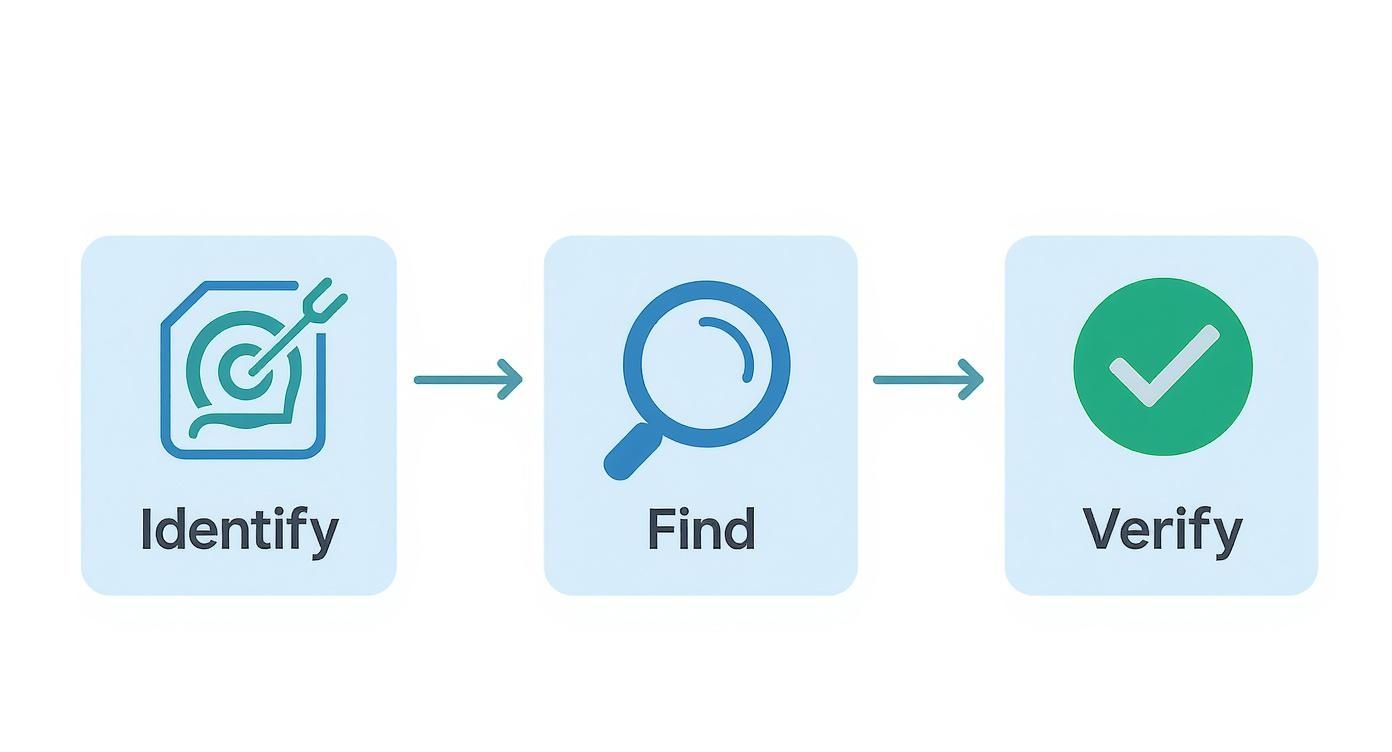
The process always starts with careful identification and ends with verification, making sure every step is deliberate and accurate. To put this in perspective, the search engine market in the United States alone was projected to generate a staggering $316.8 billion in revenue in 2025. This massive market, led by giants like Google's parent company Alphabet Inc., shows just how much value is placed on finding and organizing information. You can discover more about the search engine market from IBISWorld.
When you use an email search engine responsibly, it stops being a simple data scraper and becomes a powerful tool for building real, meaningful professional connections.
Improving Your Email Deliverability and Response Rates

Using a powerful email search engine to find a contact is just the first step. Honestly, a verified email address is totally useless if your message lands in their spam folder or just gets ignored. Your real success comes down to two things: deliverability (did it even get there?) and response rate (did they actually care?).
Think of your sender reputation like a credit score for your email address. Every time you send to a bad address and get a bounce, it's like missing a payment—your score takes a hit. Get enough dings, and email providers like Gmail will send your messages straight to the junk pile. This is exactly why you must verify your list before ever hitting "send." It's non-negotiable.
Building a Strong Sender Reputation
If you just registered a new domain, you can't just blast out a few hundred emails on day one. That's a massive red flag for email services and a one-way ticket to the spam folder. You have to "warm up" your domain first.
Warming up just means you start small, sending a handful of emails daily and slowly ramping up the volume over a few weeks. This shows providers like Gmail and Outlook that you're a legitimate sender, not some spammer who just popped up overnight. A solid warm-up routine is the foundation for long-term deliverability.
Your sender reputation is one of your most valuable assets in outreach. Every bounced email chips away at it, while every positive interaction builds it up. Protect it by prioritizing data quality and thoughtful sending practices.
You really can't overstate how much a single provider can influence this game. For example, Google dominates with up to 90.06% of the global search market as of October 2025, and that influence extends directly to Gmail. If you aren't playing by Gmail's rules, you're missing out on a huge chunk of your audience. You can read more about search engine market share on Proceed Innovative.
Crafting Messages That Connect
Okay, so your email landed in the inbox. Great. Now for the hard part: getting someone to open it, read it, and actually reply. This all comes down to writing a message that offers real value and doesn't scream "SPAM!"
Here are a few simple rules I live by:
- Write a Compelling Subject Line: Be specific, relevant, and a little intriguing—but don't drift into clickbait. Absolutely no ALL CAPS, strings of exclamation points, or spammy words like "free" or "guarantee."
- Personalize Beyond the Name: Anyone can merge
Hi {FirstName}. Real personalization is mentioning their company's recent award, a mutual connection you found on LinkedIn, or a great point they made in their latest blog post. It shows you did your homework. - Focus on Their Needs: Your email should be about solving their problem, not just pitching your product. Keep it short, clear, and laser-focused on the value you bring to them.
When you combine a clean, verified list from an email search engine with a strong sender reputation and a message that actually connects, you've got a winning formula. This is how you turn a simple list of contacts into real conversations and better business.
Common Questions About Email Search Engines
As you dive into the world of email search engines, a few questions are bound to pop up. It's totally normal to wonder about how they work, how accurate they are, and how to use them the right way.
Think of this section as your go-to guide for those nagging questions. Getting these fundamentals straight is the key to building an outreach strategy that’s not just effective, but also ethical and professional.
Are Email Search Engines Legal to Use?
Yes, they are—when used correctly for B2B communication. These tools are built to find publicly available corporate contact information, not private, personal data. They're designed for professional networking.
But your responsibility doesn't stop at just using the tool. You still have to play by the rules of data privacy regulations like GDPR and the CCPA. That means using the data for a legitimate business reason, offering real value, and always giving people a clear way to opt out. The goal is to build professional relationships, not to spam inboxes.
How Accurate Are the Emails They Find?
This is a big one, and the answer is: it really depends on the provider. Accuracy can vary wildly, so it’s a crucial factor to check before you commit. The best-in-class tools can hit 90-98% accuracy because they use sophisticated, multi-step verification that cross-references data from tons of different sources.
A high accuracy rate isn't just a nice-to-have; it's everything. It protects your sender reputation from getting torched by high bounce rates and makes sure your messages actually land in front of a real person.
You'll notice many top-tier email finders also provide a "confidence score" with each result. This little feature is incredibly useful, giving you a transparent look at how certain the tool is about an email's validity so you can focus your energy on the highest-quality leads first.
Can These Tools Find Personal Email Addresses?
No, and that's by design. Reputable email search engines are built specifically to find professional, corporate email addresses (think jane.doe@company.com). They are engineered to actively avoid scraping personal emails from domains like @gmail.com or @yahoo.com.
This distinction is critical for staying on the right side of the law and ethics. The entire focus is on B2B contexts where you're reaching out based on someone's professional role, not intruding on their personal life. It keeps your outreach respectful and compliant.
What Is the Difference Between an Email Finder and a Verifier?
They're often packaged together, but they do two very different jobs.
- An Email Finder: This is the detective. It discovers potential email addresses linked to a specific person and company.
- An Email Verifier: This is the fact-checker. It confirms if an existing email address is active and can actually receive mail.
While many finders have a verification step built-in, they are fundamentally separate technologies. It's always a smart move to run any list—whether you found it yourself or got it elsewhere—through a dedicated verifier before you hit "send" on a campaign. That final check is your best defense against a high bounce rate.
Ready to find verified email addresses in a single click? EmailScout is a powerful Chrome extension that helps you build targeted lists directly from LinkedIn and company websites. Start finding unlimited emails for free and supercharge your outreach today. Visit https://emailscout.io to get started.