
Yes, you absolutely can find someone's email address for free. There are a bunch of clever methods and tools out there that don't cost a dime. The best approach really just depends on what you're trying to do—whether that's hunting down one specific, high-value contact or building a bigger list for an outreach campaign.
Your Guide to Free and Effective Email Lookups
Trying to find a professional email address can feel like hitting a wall, but it doesn't have to. A lot of people assume you need an expensive subscription to get this kind of information, but there are a surprising number of powerful, free email lookup methods right at your fingertips. This guide will skip the fluff and get straight to the practical, actionable strategies you can start using today.
We’ll cover everything from smart browser extensions that do the heavy lifting for you to advanced search techniques that uncover publicly available information. The real trick is knowing which tool is right for the job.
This decision tree breaks down how to choose the right approach. It’s all about matching the method to your goal, whether you’re looking for a single contact or building out a whole list.
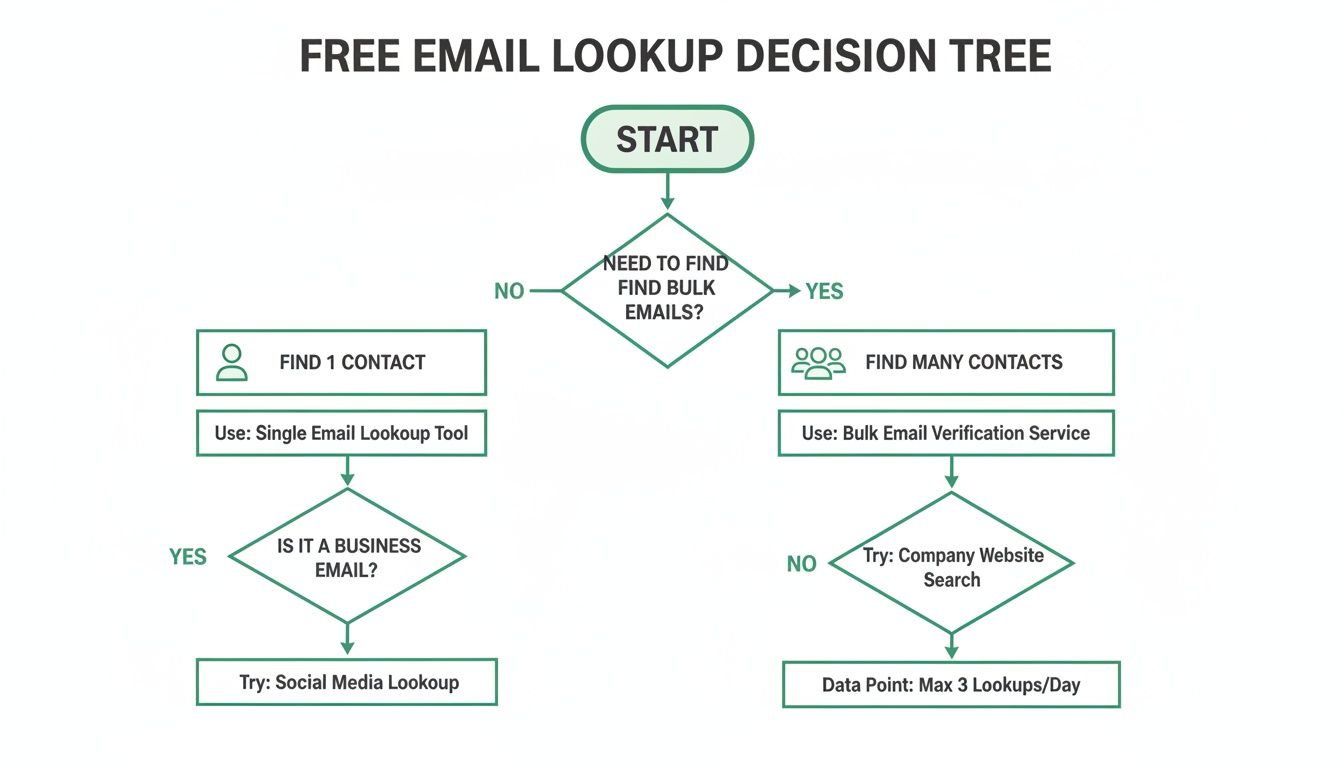
As you can see, the choice is pretty simple: automated tools are your best bet for speed and volume, while manual methods are perfect for tracking down those specific, hard-to-find contacts.
Why Email Outreach Is More Important Than Ever
The need for effective ways to find emails has never been greater. Digital communication is the backbone of professional interactions, and having a direct line to the right person is a massive advantage. This isn't just a feeling; the numbers back it up.
The global email user base is expected to hit around 4.6 billion in 2025, which is a big jump from 4.3 billion in 2023. This steady growth highlights just how central email is to business communication. You can dig into more email marketing statistics to see the full picture of this trend.
A targeted email is more than a message; it’s an opportunity to start a real conversation. Finding the right email address is the first and most crucial step in that entire process.
Ultimately, mastering a few of these free email lookup techniques can make a huge difference in hitting your professional goals. It lets you get past gatekeepers, personalize your outreach, and build direct relationships with key people. Whether you're in sales, marketing, or business development, these are essential skills for networking and generating leads in any industry. This guide gives you the foundation you need to start finding emails with confidence.
Comparing Free Email Lookup Methods
To give you a clearer picture, I've put together a quick comparison of the free methods we'll be covering. Each one has its own strengths, so choosing the right one depends on your specific needs for speed, accuracy, and scale.
| Method | Best For | Speed | Typical Accuracy |
|---|---|---|---|
| EmailScout | Bulk email finding from websites & Google | Very Fast | High (if found) |
| Manual Search Operators | Finding specific, hard-to-find contacts | Slow | Varies (can be very high) |
| LinkedIn & Website Scraping | Sales and B2B prospecting | Moderate | Moderate to High |
| Guess & Verify | When you have a name and company domain | Fast | Varies (depends on guess) |
As you can see, there's a trade-off. Automated tools like EmailScout are fantastic for speed and volume, but manual methods give you the control needed to hunt down a single, crucial contact. The best approach is often a mix of both.
Leveraging Browser Extensions for Instant Results
If you value speed and efficiency, the right browser extension is a complete game-changer for finding emails for free. These tools take the manual grunt work out of the equation, turning a tedious hunt into an instant find, often right from a LinkedIn profile or a company website.
Instead of playing detective and piecing together clues, you get potential contacts delivered to you in seconds. It’s the difference between spending an hour hunting for one email and building a list of 50 in the same amount of time.
The Power of Passive and Active Searching
The best email finder extensions work in two distinct ways: one is a “set it and forget it” passive mode, while the other is a more targeted, active search.
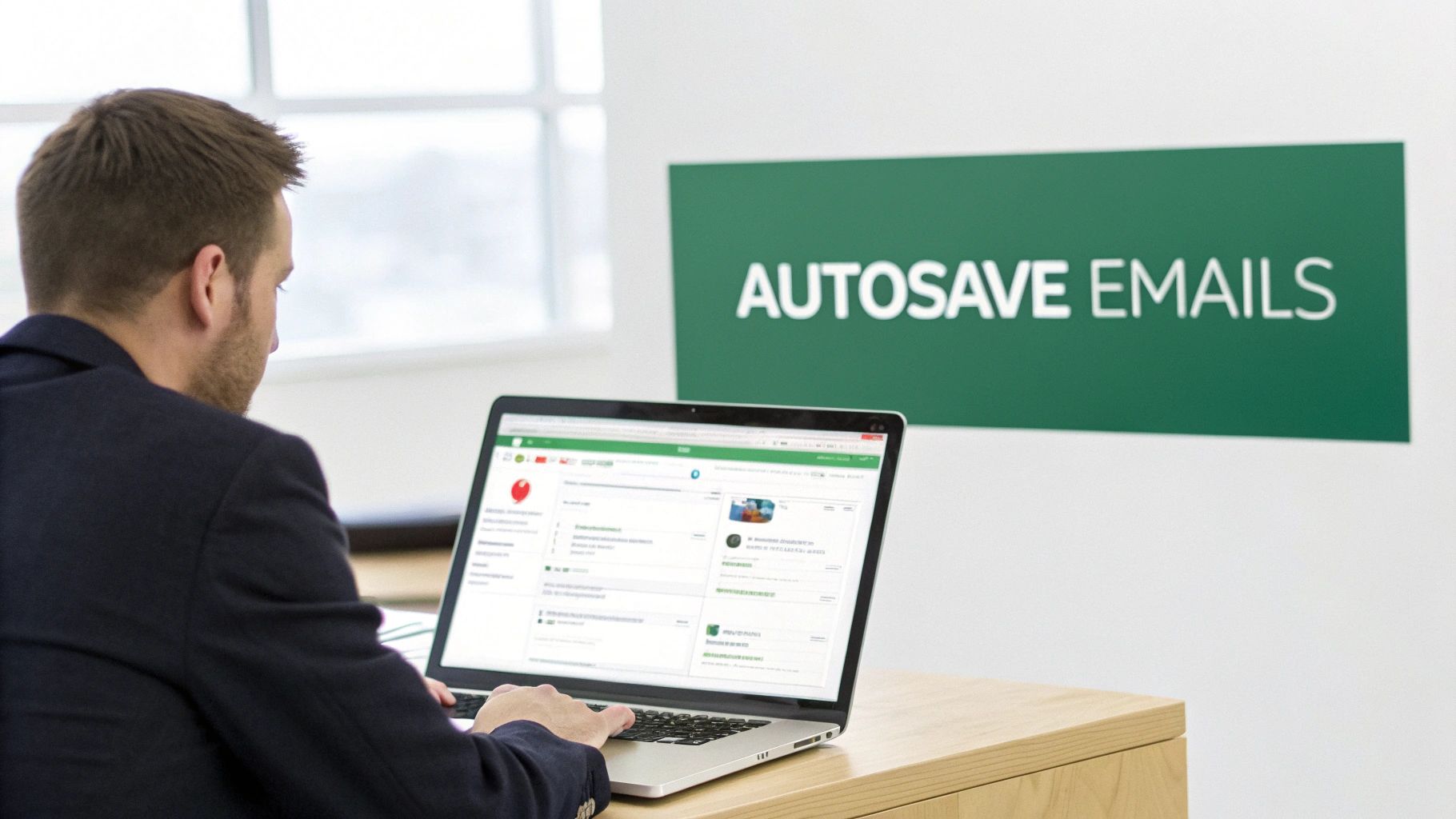
A perfect example of the passive approach is the AutoSave feature in EmailScout. Once you flip it on, it quietly collects any email addresses it finds as you’re browsing LinkedIn profiles or company ‘About Us’ pages. This is my go-to for building prospect lists organically without ever breaking my research flow.
This screenshot shows just how clean the interface is, keeping all your collected emails organized and ready to go.
The real magic here is how quickly you can assemble a hyper-targeted list just by visiting the web pages you’d be looking at anyway. The extension does all the heavy lifting for you.
Executing a Targeted URL Scan
Sometimes, just browsing isn't enough. What if you need to find every publicly available email from an entire company website? This is where a more active feature, like a URL Explorer, becomes your best friend.
Rather than clicking from page to page, you just pop a single domain (like targetcompany.com) into the tool and let it crawl the entire site for you. It will dig through the blog, press releases, team pages, and more to pull out any email it can find. This is an incredibly powerful way to uncover contacts across different departments.
Here are a few real-world situations where I lean on this method:
- Finding Department Heads: You’ll often unearth emails for the heads of marketing, sales, or HR listed on team pages or in author bios on the company blog.
- Discovering Media Contacts: Most companies have a press or newsroom page that lists specific email addresses for media inquiries.
- Identifying Technical Staff: It's surprising how often you can find emails for key technical personnel buried in support articles or technical documentation.
Think of a good browser extension as a research assistant who works at lightning speed. It automates the most frustrating parts of prospecting, freeing you up to focus on what actually matters: making genuine connections.
By combining both passive and active search methods, you build a comprehensive system for finding contacts. You can learn more about getting started with an email extractor Chrome extension to see how it fits into your daily routine.
The goal is to make finding emails a seamless part of your workflow, not a separate, dreaded task. This approach doesn't just save a massive amount of time; it dramatically increases the number of potential contacts you can generate.
Uncovering Emails with Manual Search Techniques
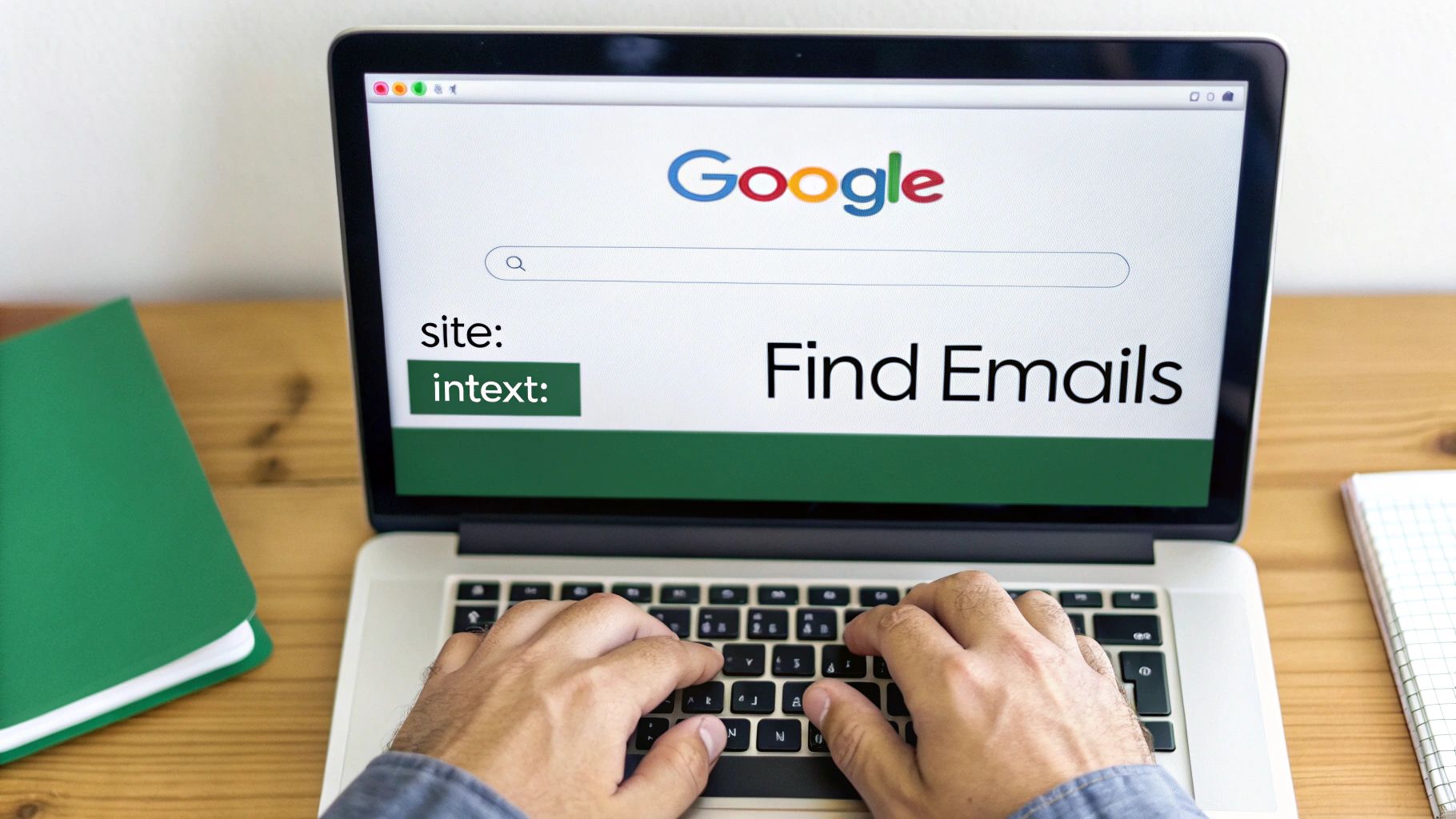
Sometimes, the best tools for a free email lookup are the ones you already use every day. While browser extensions are fantastic for speed, mastering a few manual search techniques in Google can feel like having a secret weapon. This is how you find emails that automated tools might have missed.
You have to think like a detective. By using advanced search operators—simple commands that tell Google exactly how to filter its results—you can pinpoint information buried on company websites, in press releases, or within public documents. It’s a skill that really pays off when automation hits a wall.
Combining Search Operators for Precision
The real magic happens when you start combining operators to create hyper-specific queries. Instead of just searching for a name, you can tell Google to look for that name only within a specific website and only on pages that also mention contact information.
Here are the core operators you’ll lean on:
site:This restricts your search to a single website. For example,site:company.comwill only show you results from that specific domain." "(Quotation Marks): Putting a phrase in quotes forces Google to search for that exact phrase."John Doe"ensures you find that full name, not just pages with "John" and "Doe" scattered around.intext:This tells Google to look for a specific word or phrase within the main body of a webpage.
Let’s put it all together. Imagine you're trying to find John Doe, who works at a company with the domain examplecorp.com. A simple search would be way too broad, but a targeted one can work wonders.
A great starting point would be this query:
site:examplecorp.com "John Doe" email
This tells Google to search only on examplecorp.com for the exact name "John Doe" on pages that also contain the word "email." This single query can often reveal contact pages, author bios on blog posts, or staff directories in an instant.
By layering search operators, you dramatically narrow down the billions of pages on the web to the handful that are most likely to contain the exact email you need. It’s all about precision over volume.
Practical Scenarios and Advanced Queries
Let's get into a few more real-world examples to show just how flexible this method is. The goal is to get creative with your search terms based on what you already know about your prospect.
You can broaden your search by adding more potential contact-related terms using the OR operator.
- To Find a Department Head:
site:targetcompany.net "Head of Marketing" contact OR email - To Find a Press Contact:
site:bigbrand.com intext:"media relations" "press contact" - To Uncover General Contact Patterns:
site:startup.io "@startup.io" contact us
That last query is particularly clever. It searches the company’s website for pages that mention their own email domain format (@startup.io) on pages related to contact information, which often reveals the common email structure.
For a deeper dive into these and other creative tactics, you might be interested in this guide on how to find anyone's email address. These manual techniques are a fundamental skill for anyone serious about outreach.
Navigating the Ethics of Email Outreach
Finding a professional email address is just the first step. What you do with it is what really matters. How you handle your outreach determines whether you build a valuable connection or just end up in the spam folder. It's the critical line between professional communication and an unwanted intrusion.
The key is to always lead with respect and value. Your goal isn't just to get a response but to start a real, professional conversation. That means making sure your message is relevant, personalized, and genuinely helpful to the person you're contacting.
This has become more important than ever as email's role in business has grown. The business email market is a huge and expanding sector, valued at USD 12.2 billion in 2025 and projected to hit USD 21.4 billion by 2035. Email isn't just a messaging tool anymore; it's a core part of digital identity and security for businesses. You can dig deeper into the growth of the business email market to see just how significant it is.
Understanding Key Legal Frameworks
While laws vary depending on where you are, a few core principles guide responsible email outreach. You don't need to be a lawyer, but knowing the basics of regulations like the CAN-SPAM Act in the United States and GDPR in Europe is essential for building a respectable outreach strategy.
These laws aren't meant to stop legitimate business communication. They're there to protect people from deceptive and unsolicited messages. Think of them as a rulebook for professional courtesy.
The heart of ethical outreach is simple: be transparent, be relevant, and make it easy for people to say "no, thank you." If you stick to that, you'll stay on the right side of the law and build a much better professional reputation.
Most regulations boil down to a handful of straightforward actions you need to take to stay compliant and respectful.
Practical Steps for Ethical Outreach
Putting these ideas into practice is pretty simple. By building a few key habits into your outreach workflow, you can make sure your communication is both effective and ethical. It’s all about creating a positive experience for the recipient, even if they aren't interested in what you're offering.
Here are the non-negotiable rules for any cold outreach campaign:
- Be Transparent About Who You Are: Never use misleading header info or subject lines. Your "From" name, reply-to address, and subject must accurately reflect who you are and why you're emailing.
- Provide a Clear Opt-Out: Every single email must include a clear, easy way for the recipient to unsubscribe. This is a legal requirement in most places and, more importantly, a fundamental sign of respect.
- Include Your Physical Address: The CAN-SPAM Act requires you to include a valid physical postal address in your email, usually in the footer. This adds a layer of legitimacy to your communication.
- Honor Opt-Outs Promptly: When someone unsubscribes, you have to honor that request without delay. Continuing to email them is a fast track to getting reported as spam and permanently damaging your sender reputation.
Why Email Verification Is a Non-Negotiable Step
Even the most perfectly crafted outreach campaign is dead on arrival if your emails just bounce back. It's a frustrating, all-too-common problem.
Email providers like Gmail and Outlook are always watching your bounce rates. When that number starts to climb, they assume you're sending spam, and your sender reputation takes an immediate nosedive.
- Suddenly, your emails start landing in the spam folder, tanking your open rates.
- You're wasting time and effort on sends that never even get delivered.
- Your damaged reputation makes it harder for all future emails to reach the inbox.
With a staggering 347.3 billion emails sent every single day, even a tiny bounce rate can mean hundreds of failed sends. You can see just how massive that number is in this overview of global email volume trends.
Bottom line: verifying your email list isn't just a nice-to-have. It's an absolute must before you click "send."
The good news is that many free verifiers can catch around 80% of common email issues, tackling most of the low-hanging fruit without costing you a dime.
How Free Verification Tools Actually Work
So what’s happening behind the scenes? Free tools typically run a quick, three-part health check on every email address.
First is a syntax check. This is the simplest step, instantly flagging obvious typos like a missing "@" symbol or a rogue space.
Next, they perform a domain validity check. This confirms that the domain (the part after the "@") actually exists and has the proper MX records set up to receive email.
Finally, they do a server ping. The tool essentially simulates the start of an email delivery to see if the recipient's mail server acknowledges that the specific mailbox is active and ready to receive mail.
A clean, verified email list can slash your bounce rate by up to 90%. That’s a massive improvement that directly protects your sender score and boosts your inbox placement.
You don't need an expensive, premium plan to handle a list of a few hundred contacts. Many services offer these core checks for free on smaller lists or provide a limited number of daily queries.
A Simple, Step-by-Step List Cleaning Strategy
Ready to clean up your own list? It's easier than you think.
Start by exporting the emails you’ve gathered into a standard CSV or spreadsheet file.
Next, upload that file directly into the verification tool of your choice. Most have a simple drag-and-drop or upload interface.
Kick off the scan and let it work its magic. You’ll see it flag basic syntax errors first—take a moment to fix any obvious typos and delete the ones that are clearly bad. After that, look at the domain errors and get rid of any addresses tied to domains that no longer exist.
Once you’ve made those initial fixes, run the list through the verifier one more time to confirm the server responses before you download your freshly cleaned list.
- Pro-tip: Make a habit of re-verifying your lists every few months to catch any addresses that have since gone inactive.
- Consider segmenting your list based on how reliable the domains are for more targeted follow-ups.
- For the best results, always combine a clean list with personalized messaging.
Real-World Cleaning Example
Let’s make this practical. Imagine a recruiter just gathered 200 candidate emails from LinkedIn profiles and resume downloads.
Before starting their outreach, they run the list through a free verification tool. In just a few minutes, they’ve already cut the list down to 170 valid, active addresses.
- They manually fixed 15 typos, catching common name misspellings.
- They completely removed 10 addresses linked to old, inactive company domains.
- The tool flagged 5 "greylisting" warnings, which they set aside for a second verification pass later.
Here’s a quick look at a few tools you could use for this:
| Tool | Features | Free Limits |
|---|---|---|
| LiteChecker | Syntax & domain check | 100 checks/day |
| EmailScout | Server ping validation | 50 credits/month |
| MailTester | Quick individual checks | Unlimited single queries |
Whether you use a free tool for a one-off cleanup or integrate verification into your daily workflow, taking this step is one of the highest-ROI activities you can do.
A few minutes spent on verification can save you hours of wasted effort and protect your ability to land in the inbox. It just makes sense.
For a deeper dive into using a specialized verifier, check out our guide on EmailScout Address Verification for a free, hands-on walkthrough.
Answering Your Top Questions About Free Email Lookups
Even with the best tools and techniques, you're bound to have some questions. It's only natural. Let's tackle some of the most common ones I hear, so you can move forward with total confidence.
Are Free Email Lookup Tools Safe to Use?
For the most part, yes. Reputable free email lookup tools and browser extensions are perfectly safe. Just be smart about it—stick to official sources like the Chrome Web Store and always take a minute to scan recent user reviews. Be wary of any tool that asks for weirdly excessive permissions or wants to tap into your personal contact list.
The manual methods we've covered, like using Google search operators, are 100% safe. You're just using publicly available information that's already out there on the web. Nothing risky about it.
How Accurate Are These Free Methods?
This is the big one. Accuracy really depends on the method you're using and who you're trying to find.
- Automated browser extensions are surprisingly effective, often finding good emails for 60-80% of contacts, especially when you're on a professional site like LinkedIn.
- Manual search techniques are more hit-or-miss. Their success hinges entirely on whether an email has been publicly indexed. The hit rate might be lower, but this is my go-to strategy for those hard-to-find contacts that automated tools just can't seem to nail down.
My best advice? Try to find an email using two different methods. If they match up, you're probably golden. Either way, always run your final choice through a verification tool before hitting send.
The most effective approach isn't about finding the one perfect tool. It’s about building a flexible workflow that combines the speed of automation with the precision of manual searching.
Is It Legal to Contact Someone Using a Found Email?
This is a crucial question, and the answer is generally yes—if you do it the right way. Finding a publicly listed work email and sending a relevant, professional business inquiry is usually fine under laws like the CAN-SPAM Act in the U.S.
But you have to play by the rules. This means you must:
- Identify yourself clearly. No sneaky subject lines or "From" names.
- Provide a valid physical address in your email, usually in the footer.
- Include a dead-simple way to opt out of future messages.
Laws like GDPR in Europe are a bit stricter, requiring a "legitimate interest" for your outreach. But the core idea is universal: be transparent, provide real value, and respect people's privacy. Do that, and you'll build genuine professional relationships instead of just burning bridges.
Ready to stop guessing and start connecting? The EmailScout Chrome extension gives you the power to find verified email addresses in a single click, directly from LinkedIn profiles and company websites. Try it today and build your outreach lists faster than ever.